#animation
1 messages · Page 73 of 1
 balmy orbit
 shrewd moon
You might have to fiddle with the mat
Have you tried the normal particle addictive shader on it?
shrewd moon
Big butt
shrewd moon
It's not unlit as you liked?
 balmy orbit
nono the width is fine
the texture is just too trasparent
might be because of the texture settings
also i didnt mean for it to fade like this lol
it fades as it follows the particle, but i wanted the whole trail to fade at the same time
i guess its fine without the fade
 wary parcel
What are you trying to do with the color over lifetime? As i see it it works in the first gif you sent. Since it changes from white (its texture color) to transparent.
 gray lintel
@shrewd moon that's what she said
shrewd moon
Ayy
 woeful seal
hey, in blender can you copy an animation from 2 rigs which are virtually identical except the source has more bones/nodes but the bones they have in common have the same names?
both for the same model
wary parcel
@gray lintel What and where do you mean that @shrewd moon said the same thing as me? i asked a question for @balmy orbit since he/she actually never said what was wanted to do with the Trail, make it transparent at the same time, or have it as an white color?
If you want the Particle trail to last longer you should put the lifetime of the trail a bit higher, this way it "stays" and the color over lifetime gets dragged across the whole lifetime.
shrewd moon
I'm sure he was making a peen joke
 normal skiff
firing animations from triggers... it seems to go immediately to the final state somehow without actually animating 😐
 exotic pilot
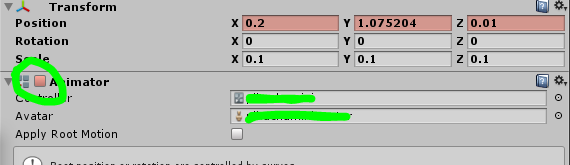
does anyone know why the Animator box is unchecked automatically by an animation?
 woeful seal
can bones be renamed in unity?
 wicked crown
Is there away to trigger animation parameters on avatars. If not any suggestions for alternatives.
 undone glade
@woeful seal bones can be renamed if I remember right, but better to do that in Blender
@wicked crown what problem are you having?
wicked crown
Basicly have a deployable shield and want it to play its animation in reverse when I release the hand gesture
but and theres a big but
 clear yew
put the reverse animation on another hand gesture
wicked crown
the shield is triggers by 2 hand jestures soo that I dont constantly acisidently activate it
with are limited ammount of hand gestures im geting bord of the Slight of hand
Current setup that only activates shield is a Empty obejected turned on by 1 hand gesture. Another empty in that turned on by another
then the last one has a 2 second timer to turn on the shield
and easyer way would be to be able to just send animator parameters to toggle these things and allow for the revese
 slim sparrow
You can't have it play in reverse on release I think
undone glade
I think there is a better way to set that up so it's still two animations, but requires more time and work
slim sparrow
But what you can do, is combine gestures and have the shield un-deploy when you press fist while also holding the shield with the other hand
Ohhh, wait
I missed the obvious here
wicked crown
the timer throws that out
slim sparrow
Yeah, I think there's a solution
wicked crown
and I also tried legacy animations and they still wont do what I want
slim sparrow
Have two shields. One plays the deploy animation, the other plays the un-deploy animation.
The one that un-deploys is active by default, the other is not.
wicked crown
again thrown out by the timer
slim sparrow
Oh, you only want the shield while holding a gesture?
wicked crown
basicly atm I have to hold both point and fist for 2 senconds
then my shield deploys
wow my spelling today
but I cant bind the other animation to the release of the 2 hand gestures or 1 of them. As if I attach it to 1 then it'll play when I simply do that 1 hand gesture and release
undone glade
I was thinking more adding an animation to the shield, not the avatar. Making sure it plays on awake once. So all you need to do is set it up to make the object active and inactive.
wicked crown
Already have to or what I explaed wouldent work
clear yew
you can't play an animation in reverse without actually reversing the whole thing in another hand gesture unfortunately
wicked crown
im going to assume you ment cant
and ive been told cant a 100 times
and still found away
clear yew
yeah can't*
wicked crown
when it comes to VRchat ive find theres extreamly rarely a case where you cant do something
slim sparrow
Well, you can't until you prove otherwise
wicked crown
yep! but peoples suggestions have given me some mirror idears to try some more
clear yew
playing a animation in reverse when you let go of the hand gesture is impossible
slim sparrow
You can actually put it in one gesture, but then it won't sync to late joiners
clear yew
never saw anyone even get close to make it work
slim sparrow
As in, you can use fist to cycle between deployed/undeployed
wicked crown
well you can already do revese on 1 hand gesture
thats easy
just have 2 shields that activate and deactivate depending on if ur holding or not holding
my issue is I have it on 2 gestures with a timer
undone glade
Only way I could probably see this work is if it was a shape key, but that requires some Blender work.
wicked crown
Did consider using a shape key but again hit a wall when it came to the 2 gesture timer part. Care to elaborate how you would do it?
slim sparrow
You said legacy animations didn't work
There are ways to make animations that enable or disable animator components
But since Unity's animation editor kinda sucks hard, you'll need a specially crafted file that you edit in Notepad++ before you let Unity import it
wicked crown
ohh that sounds like it would work soo "retracting shield" is on by default. 2 hand gestures activate the stuff for the "deployable shield" As well as turn off the legacy animation for the "retracting shield" Then when released have it turn on the retracting shield legacy back on then shield retracts back.
will give it ago. See never say cant
slim sparrow
Tbh your setup sounds needlessly complicated, it would be much easier to just activate a second shield that extends itself
Not sure why you're going on about a "timer", you can put a delay in the animator of the second shield
¯_(ツ)_/¯
wicked crown
ohh ok lets elberate that part more
Fist turns on "empty object A". Point turns on "empty object B that is a child of A" Empty object B has a animation that turns on the shield after 2 seconds. There for my shield will only deploy if I hold Fist and shield for 2 seconds. With touch controllers its a pain when you accidently trigger animations.
This has been me work around and it allows me to trigger animations only when I press and hold 2 hand gestures for a set amount of time.
Basicly Hold button long enuff then animation plays. Dont hold it long enought wont acsidently play.
also as im mixing hand gestures also allows me to have alot more animations bound to hand gestures beyond the normal setup
soo instead of being limted to 6 hand gesture animations
I can have 36
clear yew
seems way too complicated
wicked crown
Better than being limited to so little hand gestures. All my use 1 hand gesture are facials All my facials can be combied to make diffrent faces with 2 hand gestures. And I can also make the 2's trigger more.. Some of us a crazy and do the complicated
wicked crown
the issue with that methord if you doing what I think your doing. is it derps out for late joiners
clear yew
you can just use an animation that reset/respawn it and you are done
you can put it on an emote so it doesnt take a hand gesture spot
wicked crown
So you are doing what I think your doing. I dont like that because I would have to explain to a late joiner why they see different. But maby thats just a preference thing. Same thing when it comes to toggle emotes.
clear yew
dont need to explain anything since you can just reset and make it respawn immediately
slim sparrow
Prop toggle syncs to late joiners, as long as the entry state is the same every time
Unless you're holding the shield for a very long time and someone joins in that time
In that case, you might have to reapply or whatever
wicked crown
Its just seemed too unreliable from my experience soo I prefer to avoid it. Maby oneday we'll have away to just use animator parameters like with worlds.
wicked crown
Hand writing the legacy to trigger each other worked perfectly Thanks for the suggestion Rokk.
 scenic rover
Need the help of that beautiful community again... I have this Audio Source set up on my avatar, works fine in game but the sound is really really quiet for others and they need to be like inside me or really damn close to hear it. In Unity, I've set the volume to 1 and the max distance was set to 30 (setting it up to 1500 to see if something changes right now...) in linear rolloff. But it keeps getting changed by the SDK I think to max distance 30 and vol. 0.9 with a custom rolloff. Am I missing something here? Or is the SDK hating me?
undone glade
You can check if that OPSAudio component on the audio source is the cause. I tend to remove that out of pure instinct at this point.
@scenic rover
scenic rover
Had some issues with it yourself?
undone glade
Awhile back, but like I said I remove it out of instinct at this point whenever I deal with audio sources.
either that or the audio you're using is not loud in general perhaps.
I can't judge that though since I don't know what you're trying to use.
scenic rover
Yeah, thought about that too, but the audio seems fine
It's just a music from Youtube, "Doom Theme remix"
But I'll check this ONSP thing, I don't even know what it does so I guess removing it won't really do any harm
 chrome elbow
how come when i edit the postion in animation nothing happens

when i change it to 1 it automaticly get set back to 0
scenic rover
Okay it seems to have worked, thanks DaemonGrave, you deserve a medal
Still gets the SDK switching settings back down tho, but at least it can be heard now
gray lintel
@wary parcel https://i.imgur.com/V3MNuOL.png
 exotic pilot
does anyone know why the Animator box is unchecked automatically by an animation?
https://i.imgur.com/SVgt7JB.png
Warning with "Animator is not playing an AnimatorController"
slim sparrow
My custom walk animation freezes as soon as I start running, any idea why?
Like, once I press sprint, it just no longer animates
Even if I then release run again
exotic pilot
the animation plays when im sitting but not standing
 dense granite
How do I fix, that my avatar doesnt have a weird stand in vrchat


I tried weight painting, and moving the leg in blender verticall but with no succes
Tagg me if you like
 royal summit
Nice 👍. Maybe rotate the legs more inward in the unity rigging scene?
dense granite
Fixed it. I changed the AvatarControllerTemplate
Rotating the legs didnt do anything, because vrchat avatartemplate had an issue or something on this avatar
So I changed the numbers of the legs in the animation
royal summit
👌
 fickle rune
dont you use fixed joints to keep objects in place?
royal summit
Yes
fickle rune
there is an issue
i have it appear, and disappear
in unity, when i move the character while it is appeared, then hide it, and make it reappear, its still in the same place and not where my avatar is
royal summit
Yeah it will do that based on avatars location when it is hidden. There’s a method using legacy animators which makes the props coordinates reset when the prop is hidden. I haven’t used the method myself so I can’t explain it but there’s a few people here who know it so hopefully they may explain it.
fickle rune
so who do i ask
royal summit
A couple people who I believe know it ain’t online at the mo. Not sure if it’s been discussed recently but it was talked about a couple of times in this chat
fickle rune
figured it out
royal summit
👌
 crystal pike
does anyone know anything on using uasset or unreal animations in unity?
to be more specific, im trying to put fortnite dances on my avatar
 shy peak
how can i get an animation to trigger a dynamic bone?
shy peak
So there isn't a way of maybe having an animation change a value inside of the dynamic bone? like having an animation change an applied force for example?
@upper parrot
 reef mason
If I already placed a different material/shader towards a avatar in a animation state. Do I still have to activate them in the animation set list?
 icy crow
@fickle rune make an animation that constantly sets the objects position to 0,0,0 or wherever you want it to start. Then disable that animation when you actually spawn the object
Yeah as long as the particle systems are set to play on awake @upper parrot
I don't know what that tutorial is, but if it's using fixed joint/rigidbodies, then yes
slim sparrow
Animators will start from the beginning every time the object wakes up
clear yew
Yo Rokk do you know of a shader that dissolves a weapon when you spawn it, so it slowly dissolves into the weapon if i'm explaining that correctly
 icy crow
were you wondering about the local/world particles being attached to each other? @normal skiff
normal skiff
yeah
only because if that worked without having to use a fixed joint or IK follower it would be useful
icy crow
For me the world PS attached to the local one worked, but it wasn't attached to any bone, just my parent avatar
so I'm not sure about bones
normal skiff
makes sense, so same result as just using a world space one by itself
IK follower will eventually solve all these things anyway, it's just a bit buggy still
icy crow
yeah I've only used it when attaching particles to the head bone which is apparently one of the buggier places to put it
fixed joint/rigidbody works fine though
icy crow
So you want it facing forward, shooting forward?
 surreal garden
Easy fix, empty body, rotation to 90
That, then it makes it easier to use world physics later
slim sparrow
@upper parrot do you have collision on it?
If so, it's probably colliding with yourself
Setup your collision layers
 valid estuary
Can i make particles that get followed by 4 trails that arc towards the endpoint of the particle?
So they arc outward on fire and on end back inward?
 spark drift
Is there a way to allow movement during animations?
Something with a custom animation override or something?
spark drift
oooh
royal summit
Have other humanoid models attached to your main avatar, put an animator on all of em, drag the emote or dance u want into each of the models, hide em and reactive em in an emote or hand gesture
spark drift
I had them as emote, but put them to hand gesture now
but I'm playing on keyboard and somehow I cannot get out of one of the animations
slim sparrow
@spark drift you need to switch to another hand gesture before going back to neutral
Especially if you put it on Fist
It's an issue that keyboard users get, animations don't cancel correctly
spark drift
yeah, just swapped it away from fist
icy crow
is fist shift + F2 ?
I've noticed that on that key, objects enabled with a gesture don't disappear when using an emote
Unlike all the other gesture buttons
slim sparrow
Yeah
It's because Fist is analog
The only thing that works properly on Fist is hand movements
I usually leave it empty, but I might turn my right hand fist into an open hand instead. The open hand slot is already in use for a lot of my avatars
icy crow
Is there a way switch between animation overrides? Or idle animations?
slim sparrow
I don't think so unfortunately, it's been suggested before
Other than different avatars
icy crow
For example be standing by default and then when you activate an emote or something, you switch to a floating movement
slim sparrow
That's possible, but then you'd have to activate a copy of your model that won't respond to your movements in VR
It'll work fine on desktop though
icy crow
Yeah I don't have vr so thats fine
icy crow
Will the bones still move properly?
slim sparrow
Well, then you can just switch to a copy of your model that plays the new "idle" animation.
icy crow
Like head turning
slim sparrow
It'll basically be detached from your armature
You could joint it to your hips though
Or joint his head to your head
I dunno
icy crow
Could you attach each bone to the respective bone on the main model?
slim sparrow
Yes
With fixed joints
But since you probably want a different pose on your "fake" model than your real one, the bone rotations will be off
 cinder cipher
oof
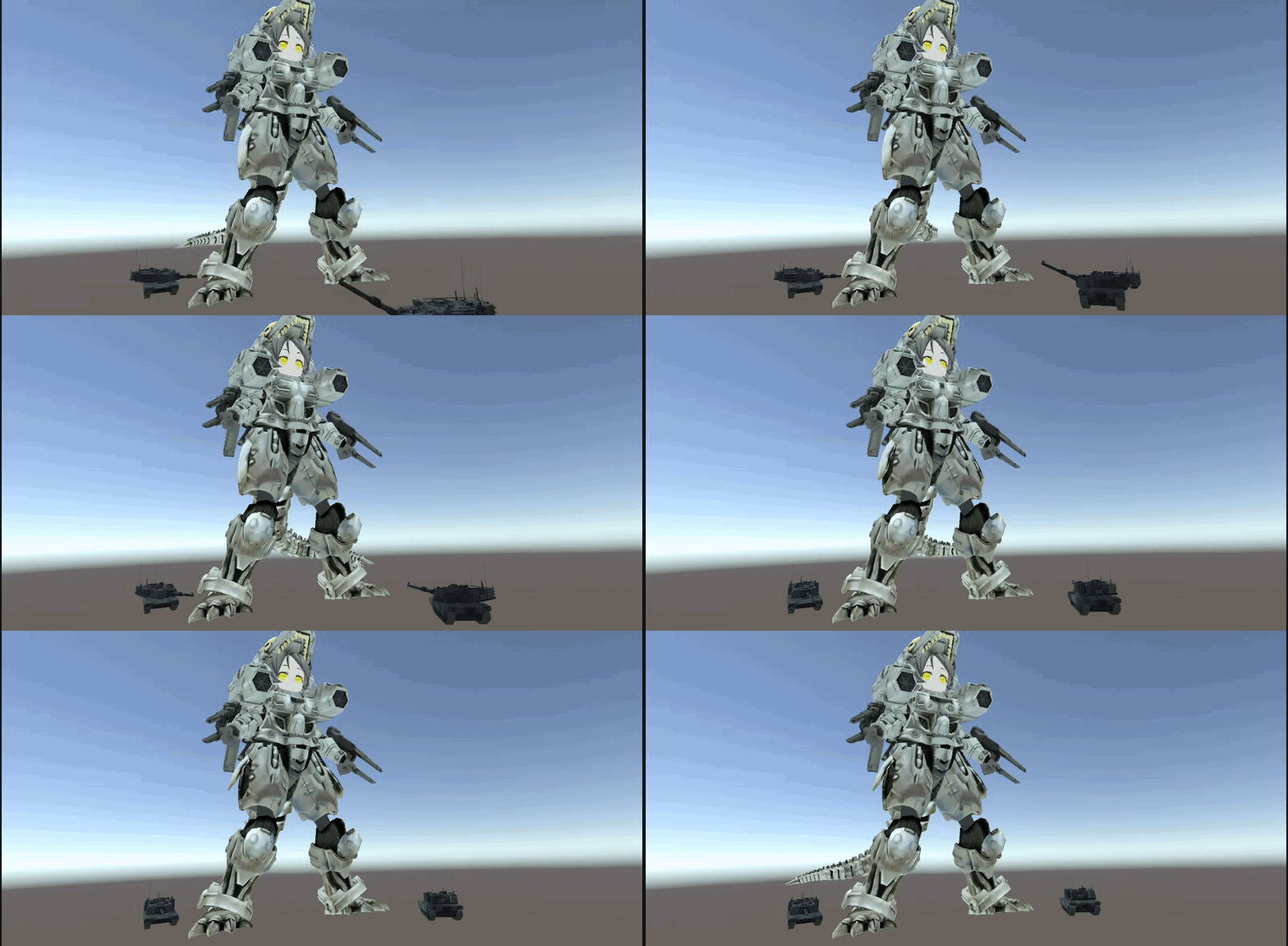
how do i connect the texture

it really destroys the illusion
its a sphere and thats where the ends of the picture meet
slim sparrow
Wouldn't a cubemap work better for this purpose?
cinder cipher
ive tried several variations with it
 graceful turtle
Hey is it possible someone can help me create an easy animation with audio?
it would be a static animation
ill send a pic of what it looks like

no special movement, i just dont know how to turn it into an animation with audio
this is the audio

IF SOMEONE COULD PLEASE ANIMATE THIS TO A STATIC ONE SO I CAN MAKE THIS AN ANIMATION 😃 😃 😃
icy crow
You want a t-pose animation?
icy crow
well you can get a t-pose animation from mixamo if you really can't make your own
graceful turtle
alright, then how do i work the cube into the animation
icy crow
have the cube already on your avatar, just have it disabled
Then re-enable it and move your character in the animation
graceful turtle
hmm, it wont load into mixamo
is it possible i can just do the animation into unity
clear yew
there is a t-pose animation file in the vrc sdk folder
graceful turtle
thx, but how do i edit this animation and add in my cube?
clear yew
you know how to do animation at all in unity for vrchat ?
graceful turtle
no i havent really needed to use animation, sorry 😦
but it is not like i cant learn 😃
clear yew

Creating custom animations for hand gestures and emotes in VRChat
graceful turtle
well, apparently i do not have a animation tab next to project and console
clear yew
ctrl + 6
 lofty crypt
On my chest
They worked before
All I did was add subemitters and colliders
I can't even hear the sounds from the particles
clear yew
maybe they just collide instantly inside of you ? so they never spawn for you
lofty crypt
Someone said it's that my cutout render on the particles isn't high enough value
And that by default on mesh particles you cant see them from behind
In order to protect your eyes from spam
Anyone know how to do that
Ik how to do it on lights
icy crow
What material/shader are your particles using?
 violet kraken
mesh particles dont move
they are always fixed in the same rotation
you need a specific shader for that to fix
graceful turtle
so my animation is working but one problem, my wall wont show up
it just shows pooh man
and it says everything else is active except the cube
lofty crypt
@icy crow default unity
graceful turtle
hold on tho
icy crow
Have you enabled the cube in the animation?
graceful turtle
i got the animation now
but i think i figured out how to add it. i hope
think is stressed completely
guess not
my avatar is good but the emote, not showing up
 karmic sparrow
Is there a way to restrict an object from following specified transformations of its parent object? For example I would like to have an object that follows the rotation of the hand, but does not follow the hand position and keeps a fixed location on my avatar. Can that be done?
icy crow
Possibly with fixed joint/rigidbody. You can constrain rotation/position on the rigidbody. Not exactly sure how it all works though
graceful turtle
I think i got it, hopefully
Fingers crossed
Hmm... SO the animation is there but it wont load
 hard eagle
yo moons
clear yew
Is there a way to edit an emote so a specific object appears while you use it?
karmic sparrow
yes, just enable the object in your animation file
clear yew
But what if the animation file isn't connected to a model? How do I connect it?
when you download mixamo animations, is there a way to change the bones from mixamo to the normal mmd bones
karmic sparrow
@clear yew Simply drag and drop the animation on a duplicate of your model, and you can access it in your animations window. Always use a duplicate for animation editing since it messes up your avatar's pose. Once done, the animation will work fine on the undamaged original as well
clear yew
Oh I see! Thank you.
karmic sparrow
To continue about my own issue, I looked into rigidbody and joint components and while it offers the possibility of locking a position, the rotation in my case is still done from the wrist. What I'm actually looking for is a way to follow wrist rotation, but using its own gameobject parent as a pivot point for those rotations. Would that be possible somehow?
 fathom plank
does somebody know how to fix holes and wierd stripes in your model?
clear yew
you do that in blender usually
you need to select the vertices
and merge them
with alt+m
or fill the holes with "F"
 white herald
or start over and decimate properly without the holes
 covert girder
@clear yew if you change animation type from generic to humanoid in Unity, you'll able to use this animation for every humanoid model
also you can open the animation in Blender and select all bones in Pose mode and in Dope sheet editor type you'll find all local position keys on a time line for each bones
violet kraken
i have a reload animation on my gun about 2 seconds long and i just activate it while having the gun active but it keeps messing about my other animations and doesnt really work ingame
some way to fix this
clear yew
how do you go about doing sound and particle for gun flash on a weapon?
mine technically works but
its very rough and odd
karmic sparrow
Is there a way to set a gesture override to toggle a component on/off rather than having to hold the trigger to keep it on?
 jade sparrow
Would anyone be available to help me figure out how to convert ".vmd" files in blender into a ".fbx" so I can use it in unity?
karmic sparrow
@jade sparrow You can import them in MMD tools. I remember finding a tutorial on youtube about this when I tried it a while ago, just search for "vrchat vmd" and you should find something
jade sparrow
ok will do
the tutorial I am looking at has me going into blender and basically making the model an fbx with the animation, then strip the animation from the model and paste it into another
seems like the only way to do it
karmic sparrow
Yes, that is correct
jade sparrow
made my first avatar today so I am happy with my current progression in learning 😛
karmic sparrow
Diving into animations on day 1 already? 😄 Anyway this is the tutorial that helped me. It's in Chinese but it has English subtitles and she shows it all quite clearly:

終於~我也從只會用maximo動作畢業了 現在會華麗的舞步啦😎 其實這個VMD導入比想像中簡單呢! 雖然會有一些出入 但我覺得已經好實用了 找VMD的地方 除了youtube搜尋關鍵字加mmd 下面這兩個網站也很好用! Deviant Art...
jade sparrow
I need to learn fast before I get annoyed at myself
clear yew
anyone able to help me quick with particles (my problem is that they dont want to stay attached to the item in game) but in unity it looks nice. (also using the IK Follower)

 jade kraken
okie so, i need help figuring out how to make this animation for a custom emote
very very simple i think
 round crater
does anyone have a video on how to understand mesh filters?
 slim steeple
Any idea why jaw flap blendshapes only work after I switch to a viseme proper model (I.E Niklei) and then back to the model that uses it?
clear yew
@clear yew the particle object is a child of the sword right?
yes i figured it out thanks tho @clear yew
added a ridged body
nice c:
looks neat
 heavy plank
Hello, I am using a world particle (via the fixed joint method) and it looks fine on my end. However, other people are saying that the rotation of it is wrong for them. I am trying to do a bullet trail, and I am using a cone shape emitter to spawn bullet trails. I have no idea how to fix it so others see the trail in the right orientation...
 gloomy plume
i need some help, every time i try to make an animation, Unity just decides "Nah, you're not doing that" and puts the value back to the default no matter what i do
i cant really have Mario walking around all the time with his mouth open
it does that for position and rotation but not scale it seems
yep, scale is the only one that saves
slim sparrow
@gloomy plume you can't directly alter bones like that if they're assigned to the humanoid rig
Unmap the jaw bone
gloomy plume
but then how do people animate hand poses? or are those handled separately?
slim sparrow
You can alter humanoid rig values
The animator properties
But they only work on the hands in gestures
Either way, unmap the jaw bone. Always.
 alpine fox
So, I have a model, where i move the ears. It looks fine in unity, but it shows up completely wrong in game.

It should be pointing up and in
 dark ether
Anyone know how to do screenshake? for the purpose of a bass drop?
lofty crypt
shader
dark ether
I know people are tight knit about this so if you're willing to share i can trade something for it
slim sparrow
I put an Animator on my tail's root bone so it would idly rotate back and forth. How do I raise my tail in a gesture?
It doesn't seem to work in play mode or ingame, seems like the tail's idle animation is overriding my gesture's movement.
When I remove the X rotation property from the idle animation, the tail's rotation gets set to 0 instead for whatever reason.
dark ether
@slim sparrow You an use dynamic bones to have like animated tail movement
 regal hollow
Pretty sure he wants to use dynamic bones and an animator
for the best look possible
slim sparrow
Yeah, I already have both an Animator and Dynamic Bones
The dynamic bones just smooth out the movement a whole lot
You can't have an idle tail swoosh with just dynamic bones
 icy crow
Change the shape
if you choose edge and set the radius as small as possible they'll spawn from a single point
dark ether
I figured it out it's fine ty tho
Why is it so long though LOL http://puu.sh/AvSv9/06c8b40a3f.jpg

 torn pawn
lifetime
icy crow
reduce the lifetime
torn pawn
and speed
jade sparrow
Hey does anyone know how to add an object appear then disappearing in a animation? I'm making a gesture since I'm pretty sure if matters.
covert girder
@jade sparrow
https://youtu.be/eT5_nyb0T1g
jade sparrow
that's not what I meant
I am trying to have the object spawn at a certain part of a song, so I am wondering if I could add a delay on when it spawns into the scene
covert girder
@jade sparrow just isActive object twice not at the first frame of animation
 vivid wraith
how could i make pokemon models on my own?
clear yew
There are lots of tools to rip the models, textures, and animations as long as you have the source files.
 arctic roost
anyone knows how to get open hand animation to look natural? like what are the numbers used
 restive oar
how do i make an object spawned by an animation not turn with my view,so i can actually look at the object from more than one angle
gloomy plume
if its from a particle system, in the main options, under "Simulation Space" set it to "World"
gloomy plume
i dont know then, im sorry
im pretty new to custom animations
restive oar
Thanks tho ^^
icy crow
you want it fixed in the world where you spawn it? @restive oar
restive oar
yes^^
icy crow
put the object under an empty game object, then put a fixed joint onto the empty game object
restive oar
Thats it?
icy crow
yeah, it'll automatically make a rigidbody too, which you might want to set the drag to "infinity" so that the object doesn't jitter when you move around
also make sure the game object with the fixed joint is always enabled, so only have your spawning object disabled by default, then re-enable it in the animation
restive oar
Wow. Thank you so much 🙏 😄
icy crow
alternatively you could just use a world particle with a mesh of whatever object you want
restive oar
so for infinity i just change it from 0 to sth like 999999 right?
gloomy plume
how do i make bones in Unity?
i set up a rig and just found out its missing required bones and i dont want to go through all the hassle of re-setting up the rig after modifying it in another program if i dont have to
jade sparrow
Anyone know how to speed up an animation in unity? I already have the fbx loaded in, but I want to learn how to change the speed of the animation. Can't find correct information anywhere
icy crow
no you can actually use "infinity" as the value @restive oar
restive oar
oh
icy crow
I think you'd have to manually drag all the keyframes closer together @jade sparrow
restive oar
okay 😅 ^
jade sparrow
@icy crow figured it out, I had to increase the sample rate in the animation tab
icy crow
ooh, well I didn't know that was a thing
 raw robin
:v
 wary parcel
Strafe
 grizzled snow
how do I keep a gesture active?
icy crow
you can't unless you just have the button held down
grizzled snow
what even if i wanted to have glasses on the character as a gesture?
icy crow
yeah you'd have to just hold the button down. You can toggle props in an emote so they stay on
but I don't know if that syncs to new people that join
slim sparrow
It doesn't sync
Gestures can be kept active on desktop though
Why do you want the glasses on a gesture? Is it because of the poly limit?
slim sparrow
You can set shape keys to 100 by default in Unity
Just open the Body mesh and go to blend shapes
I've used that to add a little bit of blush permanently
grizzled snow
Oh ye I know that, but I want to have the option to change between having them on and off
chrome elbow
how do i set it up animation for walking and running do i it like how do handgesture or does it have delay like emote
 icy crow
uh I guess however you want your walk animation to look, for example, if you want fast or slow steps

 icy crow
then space it out depending on how quickly you want the animation to switch between those 2 images
icy crow
2 frames then
 chrome elbow
im asking how do it up bc i never do walk animation before i was asking do i have it so its 0.00 and 0.01 with it active or do i have delay and at end it disables like a emote
so is this setup right
slim sparrow
Only gestures have to be two frames
My walking animation is 30 seconds and it works fine
 slim sparrow
¯_(ツ)_/¯
chrome elbow
ok
wary parcel
Strafe(L) for Left
Strafe(R) For Right
T135 would be 135 Degrees from forward position if im not mistaken
it actually tells itself.
icy crow
except there's no strafe left on it's own
but apparently it's just a mirrored version of strafe right
wary parcel
mhm
I do not understand that, since the all Left versions could be the mirrored of Right versions...
icy crow
and also I don't know if run back actually does anything on desktop
it just seems to be whatever walk back is, just a bit faster
wary parcel
ye there is a tiny difference but not much
 mint prism
Hello
I got a question about making a walking animation... Is it possible to move bones that are not included in the animator during the animation?
as example a bone group that is connected to the hips called "tail1,2,3,4..."
 novel sable
When it comes to head tracking, do I leave the head unanimated and link the head to the head of the human rig system?
 torpid wadi
does anyone have any idea how to fix this idle animation
http://puu.sh/Awjs8/ed4084ef28.jpg it looks fine in unity but ingame

modifying the feet IKs doesnt seem to fix it
white herald
change real height in system settings?
torpid wadi
no effect for non vr
also its not a height issue since the regular idle animation doesn't have this bending problem
gloomy plume
how would i make it so the head of my avatar only rotates on a single axis and thats it?
my avatar is a robot and it looks weird when i look down or up and my head is clipping into the rest of me
i tried making it so the muscles only allow for 1 axis of rotation but that didnt do anything for outside of emotes
gloomy plume
would the be any way to do that on the bone itself? the mesh is all one
torpid wadi
so uh anyone
i tried tweaking with legs chest and neck and there's no proper result that won't make it look weird
clear yew
my goal is to have a gun that actually has animations. not just a 2 frame animation, but longer....
icy crow
don't think so no @upper parrot
what are you trying to do?
its a world particle i'm guessing ^
hmm
subemitters?
shrewd moon
Submitters can move with a particle
icy crow
you could have them spawn on birth
icy crow
what are the particles you want to follow?
like a trail or something?
That should work
icy crow
Unity's not trash, just not made for vrchat
slim sparrow
GIMP isn't that unintuitive
Trying to explain Blender to newer people was harder
Unity's pretty good for this kind of stuff, it's just that the SDK limits you a lot
shrewd moon
Blender on first sight is sensory overload
slim sparrow
It's also not very intuitive that you need to press A to deselect stuff
You'll get used to it, but still
slim sparrow
That's not really intuitive tbh
 pine root
Any idea if the last SDK removed the animators for bones? Because I am trying to make some new animations but can't the animators for the joints anymore.
pine root
Yeah.
I found the problem.
I forgot to rig the fbx to humanoid like an amateur.
lol
I forgot because I had just copied the fbx for another folder in the project and didn't think to check if it was still configed.
gloomy plume
i still cant find how to make a bone not rotate on certain axis
its pretty odd when you see a robot and his head is in his body like this because he's looking downwardshttps://i.imgur.com/1WfDyo7.png
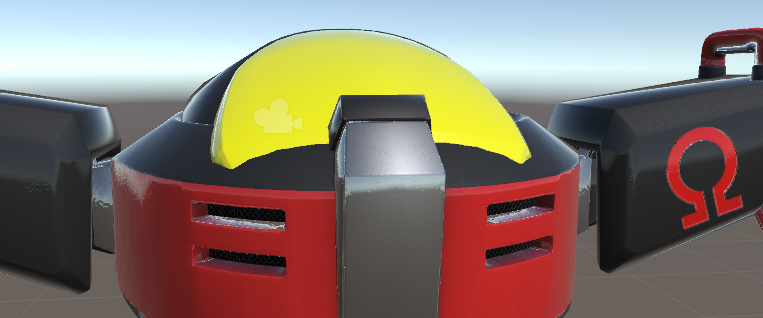
bonus points to anyone who knows the name of the robot in the picture
pine root
Don't remember his name but I do know where he is from.
gloomy plume
the icon on his shoulder is part of his name
pine root
Yeah, I just can't remember the rest of it.
royal summit
Omega? I think that was it? Not sure if the constraints on rigid bodies could help u
gloomy plume
yes, it was E-123 Omega
gloomy plume
also, i tried constraints on rigid bodies but it didnt work
slim sparrow
Probably not possible without scripts.
I think rigid body constraints only prevent the rigid body from moving along certain axes. That is, the rigid body cannot actually move the bone on those axes
But the bone can still be moved through scripts or animators
gloomy plume
well, thats unfortunate if true
gloomy plume
i think thats the only way
gloomy plume
which basically means its not possible because of no custom scripts
slim sparrow
Yep
Besides, you'd get issues with the IK system anyway
Are you on desktop or on VR?
gloomy plume
i use both, but mainly VR
slim sparrow
On desktop, you could probably change your walk animations so it doesn't sway your hands as much
But in VR, the IK system simply cannot be overridden this way
Unless you meddle with fake bones, but I don't think that's possible for your situation.
And even then, you wouldn't be able to constrain their rotation on one axis, you'd make them unable to rotate at all
grizzled snow
How do I have the sound trigger by Gesture and not by default?
grizzled snow
Mind showing me what it's ment to look like?
or guiding me to a video on how it's done?
Because I am not intelligent and i need to be shown how to do it
oof, I cannot figure it out for the life of me
I'm searching everywhere for a tutorial and NOTHING
What do you mean by disable the audio source
can I please get an explaination?
torn pawn
just like you disable an object and enable it with a gesture
you do the same with audio
slim sparrow
There are plenty of tutorials on how to make gesture overrides
grizzled snow
Ye, but nothing on sound
There's adding sound to emotes, and making gesture overrides, but neither show how to add sound to gestures
slim sparrow
Adding sound to emotes should work the same way
You add a property in the gesture override animation that enables the audio source
gloomy plume
On desktop, you could probably change your walk animations so it doesn't sway your hands as much```
i *would* rip Omega's animations from Forces, but the issue there is he only appeared once in a non-pre-rendered cutscene
on the other hand i could rip 06 Omega and *his* animations, but his materials and model would look nowhere near as goodso i might just settle on what i have until i can update him with the proper things
plus, 06 Omega's model isnt that good, and PBR speculars are not easy to make
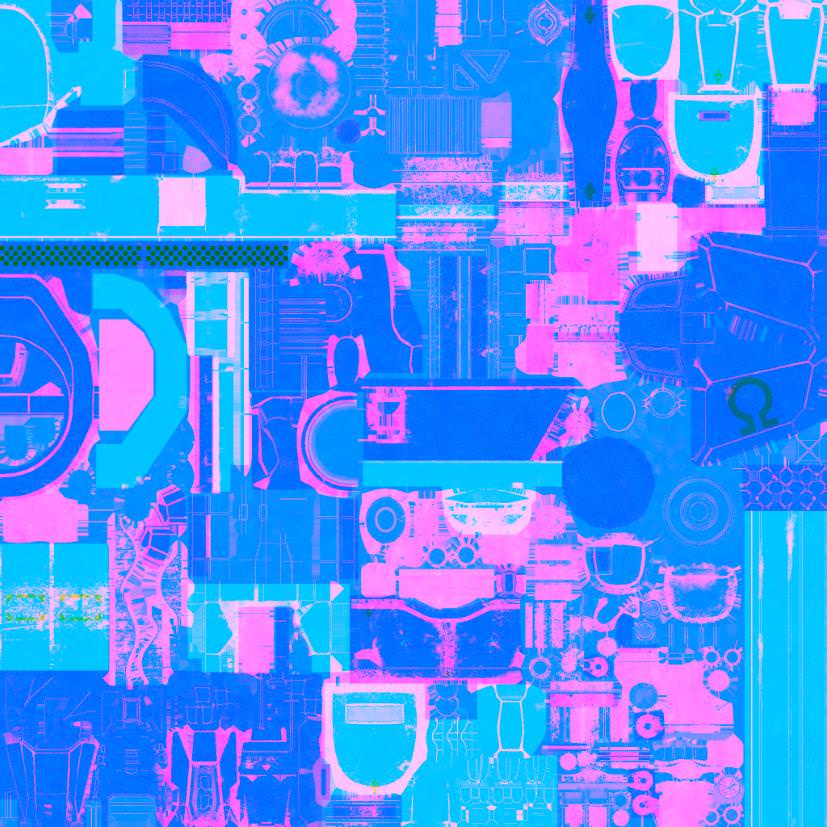
for reference, here is one of Omega's PBR speculars https://i.imgur.com/2643iZh.jpg
 mint prism
Hello
I got a question about making a walking animation... Is it possible to move bones that are not included in the animator during the animation?
as example a bone group that is connected to the hips called "tail1,2,3,4..."
would be nice if someone has an solution
icy crow
I think you can animate any bone in an animation
slim sparrow
You can't actually animate those in walking
You can animate them yes, but not in your walking overrides for whatever reason.
VRC only takes a select few humanoid bones into account and discards the rest
 chilly vapor
@gloomy plume using a face head and rigid bodys, you could probably get the head to only mimic the left right rotation. Downside is that the head would be in your viewspace at all times. As for that specular you posted before, that looks to be a standard multi channel one. You would just need to split it up in photoshop to be something unity can use if you are using the standard shader
depending on the rig though, you might be able to put some of 06's animations on the forces model
gloomy plume
im actually using a custom shader i made in shader forge that can use either PBR speculars or roughness and metallic maps
also thanks for the tip, ill try that out when i get the time later
also, the animations would likely not fit for multiple reasons
for one, 06's models are huge in scale, in addition, differences in models, because of 06's more realistic look and proportions, may cause clipping issues
 dull wedge
A lot of my animations do a full 360 when I change the rotation of a model. How do I fix this?
 wheat scroll
Is there a way in blender to make a shape key that hides certain faces?
gloomy plume
@chilly vapor what do you mean by a "face head"?
 tardy abyss
So I'm trying to figure out the names of all the Hand Gestures (of their corresponding keys).
So far I got Shift+F4 as Fingerpoint, F6 is Thumbsup, F7 is Handgun, and F8 is Fist.
What are the others? I need to know, to set the animation to the right key.
icy crow
Shift + F1: Idle
Shift + F2: Fist
Shift + F3: Open hand
Shift + F4: Finger point
Shift + F5: Victory
Shift + F6: Rock n roll
Shift + F7: Finger gun
Shift + F8: Thumbs up
tardy abyss
Thanks so much.
gloomy plume
ah, that makes more sense
jade sparrow
Does anyone know how to make an animation loop a specified amount of times
 spring nova
You could have a secondary animation that keeps it playing a specified amount of time. Or you could just copy the keyfranes a bunch of times
slim sparrow
If it's an animation on a game object, that's easy
You can just change the animation controller
spring nova
Oh yeah, just copy the animation tile a few times
That's much cleaner than dealing with duplicate keyframes
slim sparrow
Not even that
You can just make X states that exit into each other, and have them point to the same animation file
Oh whoops, that's what you said. Thought you said animation file
spring nova
Ah state, that's the word I was looking for. Didn't know what they were called
 chrome gorge
Kind of a shot in the dark, but does anyone know where I can find the default animations?
 west panther
I've got a gesture that moves an exclamation point via bone out of my head as well as make it spin atop my head. The problem is that when I let go the bone doesn't reset and just continues on. how could I go about making it reset, preferably at the end of the gesture and not just putting a bone reset on a different gesture
wary parcel
Make it its own animator and attach that animation to it
Create an gesture to activate that game object with the animator, remember to keep gestures at 1/60 of a second to not let it get stuck in animation pose for to long.
 weary oak
when you work with particles there is usually the option for simulation space (set to world) so they won't move when you move but how do i handle that if i put 2 extra models in the animation which gets active when i trigger the animation?
west panther
ty shelf, im not exactly sure how but from your comment I derived that what I was doing wrong was putting the bone's position and scale on the bone's animator instead of the gesture!
exotic pilot
One of my gestures, when played, causes all my other gestures to do the same gesture. Does anyone know how to fix this?
 sand wigeon
^ bump
 lilac cave
Gestures should ONLY be one frame long
Use what the previous person did to extend to length
Well its 2 frames lg
You have a start at 0 and the end at 1
Think of gestures as an on/off switch
You only need to make the on though
When you dont have the gesture on ingame it would be considered off
exotic pilot
so i cant do like an animation as a gesture?
i would like to move around during my animation
but i assume i cant?
@lilac cave
if i dont want it to break
west panther
its been mentioned here several time but what you can do is hide your body and spawn in one with an animator with the emote you want
west panther
i read through about a month of posts before asking, i prolly saw it like, 3 or 4 times
lilac cave
Mayos solve may have issues with visimes
west panther
true, i presumed he just wanted to do a little dance
exotic pilot
hm, well mine is more that
i have a pet that i want to push forward and slowly bring out particles with a song
~50 seconds long
and new particle enabled every 10 seconds
exotic pilot
no bones, only moving the position and enabling particles
on the same topic,if a particle is in world space and the particle system for it is disabled, does it still stay in the world?
lilac cave
I'd just use the empty object and anim combo
lilac cave
You'll have to check with the particles but I think they will die once you deactive gesture
Pretty sure there was a work around though
west panther
instead of disabling the particle system just change its emission to 0
lilac cave
Whoop there it is
Also you make an empty object as a child of the armature and make that have a dup of your avatar
And make the empty the controller for the anim
exotic pilot
@west panther in that method, do you keep the particles always on, and when you enable you increase the emission?
i see
west panther
im not too sure I've never used a particle 😂
thats just what the smart people around me do
that i can comprehend
lilac cave
It'll stop making particles but it'll keep the ones already spawned
west panther
So what Ive gathered as I tried to expand upon my experiment is that you cant toggle an animator with an animation. its like that want me to make a separate mesh X|
weary oak
does anyone know how to make particles not follow the avatar when i move around? and can i apply that aswell on extra models which are active through a animation?
exotic pilot
make the particles world space
weary oak
what about the extra models? can i do that to them too?
west panther
i think for that you attach a fixed joint to it so when it spawn it stays still, setting drag to infinite or something
weary oak
the fixed joint worked thats all good but the particles are still following me
i'll try fixed joint on them aswell who knows maybe it works
west panther
i think you can put the particles on an empty object and do the same with the fixed joint? not sure
weary oak
i intend to do that if it won't work now
haven't uploaded yet (with fix joint on particles)
west panther
gl! i believe in youuuuuu
weary oak
aight it worked!
west panther
nice
weary oak
well i didn't knew if you were online xD @clear yew
west panther
howdy do egg
valid estuary
hey anyone got an idea how to easely sync animation to music?
i tried animation on the parent game object then using audacity for timestamps which i convert to frames which i then use in unity but thats realy complicated and it doesnt actually work it starts fine untill 30 seconds then goes offbeat for some reason
valid estuary
Yeah found another method which stays onbeat it just takes forever since you cant like hear the song in the animation at the right point i literally have to start and listen up to that point if it works
icy crow
so I've animated a weapon to spawn in my right hand on the hand gun gesture, but on desktop, if you use the left shift gesture button, the weapon appears but the right hand doesn't animate. Is there a way to make it so the weapon doesn't spawn if the left button is used. Or alternatively, is there a way to make the left button make the right hand animate?
valid estuary
somehow if you go into the override script or something
icy crow
I don't want to mess it up for vr users though. It's just a bit awkward having to activate the gesture with the right shift, otherwise you'll have a weapon appear but no fingers are animated to hold it properly
mint prism
https://cdn.discordapp.com/attachments/405633249205944320/450949361594007552/2018-05-28_14-35-25.gif

someone knows how this works?
clear yew
dissolve shader
torn pawn
^
activate weapon that has an animator on it that does all of it
slides dissolve bar from max to 0
then either change to different material or change to different sword with the material u want (if material change doesn't work)
mint prism
thank you~
torn pawn
if using 2 weapons then they need to be under game object, but just 1 should work
for whatever reason I couldn't do material reference change so i had to use 2 weapons instead and swap them on the last frame 🤷
 rough eagle
So Im having trouble. I have a character that already has a .dae and bones but I dont know anything about rigging and wondering if I can just upload as is since it already has a .dae
slim sparrow
If it already has bones, you don't have to rig it yourself, just import it into Unity
You might have to fix it up in Blender though, but you'll see
rough eagle
Is it ok if Unity is saying it doesnt have a chest in rigging?
slim sparrow
You need Hips, Spine and Chest
You can subdivide the spine in Blender if it doesn't have a chest
But it might have a chest, just not auto assigned
rough eagle
http://puu.sh/Axcp4/b230128da8.jpg heres what I have

marker didnt show up tho >_>
oh yes it did, just have to click on it
Ok so, the marker... Is what Unity is saying the Spine is
slim sparrow
You need hips, spine and chest
If unity maps it wrong, you can reassign it yourself
If you only have hips, spine and neck, you need to subdivide the spine
rough eagle
oh snap, I forgot I could totally upload warframe models too
rough eagle
someone REALLY needs to make an easy to animate program
Click on the bone, move it to where you want it, click next slide in the animation.
Then it'd be as simple as doing stop motion animation
 clear yew
Is it the animation that does that or does the model just appear like that on its own?
I just used a generic rig for my eevee avatar.
rough eagle
this evee has a skeleton that came with it, when I go to make say an idle animation... it did thatr
ah.
So how do I get it to NOT do that?
if say... I just wanna make an idle animation where her tail wags
I do have a .smd and a .dae for her
dunno what the smd is for
icy crow
if you want the tail wagging all the time, make an animation where you make the tail wag, then add it to an animation component on the avatar
i think that'll work for generic avatars
rough eagle
What about eye blinking and making a triggerable animation for emotions?
icy crow
I don't think emotes work well for non-humanoid avatars
rough eagle
I do have the textures for different emotes :<
jade sparrow
Hey what is the override for the idle standing animation
is that possible to override
clear yew
so i have a model i want to add a 3 min song as a gesture and i have the audio sorce up and the soung on said sorce but when i disable it so it wont always be playing and make a gesture to play said song it dosnt do it. also i have play on awake on still
jade sparrow
can you re-state what you are trying to do. Not super clear
@clear yew did you use the Override?
and make the animation correctly
clear yew
override?
clear yew
all i did was make a audio sorce
jade sparrow
Creating custom animations for hand gestures and emotes in VRChat
yah you can't do that
it has to be activated by something
jade sparrow
np
jade sparrow
I litirerally typed VRChat animation in google
clear yew
now i remeber using that vid
jade sparrow
it's a good one
good luck
dm me if you need any more help
or if you need to test it out on someone
clear yew
k thank you
jade sparrow
Np
 pliant plank
Would anybody perhaps have a list of which function keys apply to which gesture?
slim sparrow
It's in a change log somewhere
F2 fist
F3 open hand
F4 point
F5 victory
F6 finger gun
F7 rock n roll
F8 thumbs up
pliant plank
Thanks for the list
clear yew
so im stumped
i make the audio sorce
and turn it off while leaving on play while awake
and then i add a gesture to turn on the audio sorce
then i add it to my custom overides as a gesture
and it dosnt play the song
am very frustrated
i have now even added the audio sorce to a game onject and then done it rhough that but it still dosnt work
the worst part is i have mad a audio gesture before
but i cant remeber how i did it nor can i go back and see how i did to
sigh
i even watched that vid
dont know hat im doing wron
pliant plank
Did you remake the animation after changing the audio sources location?
And is the animation exactly 0.1 seconds long, with the source enabled on both start and end frames?
@clear yew
clear yew
yes
and i think i know what i did wrong
hang on
nvm deleting the ONSP audio source did not fix it
Just make it linear and drag the bar so its flat on the top line
Lmao
U wont lag people with 100 particles per second
Add collision and bounce with burst particles and subemitters with 50000+ particles and trails and noise if you wanna do that
Point light doesnt do much
slim sparrow
Realtime lights is laggy unless you disable shadow casting
The bigger the light, the more laggy it will be
Any light is realtime on avatars
The other kind of light is baked, which only applies when you're making your own worlds.
Realtime light is light that is calculated at runtime rather than baked into the map
Anyway, a stroby effect usually means that the light isn't constant enough. Isn't that kinda what you want on flame particles though?
If you want a constant light, try an actual light object
It could also be the case that not every particle emits light
You can still put it in a prefab if the parent object contains both the light and the particle system
Or you can literally put the light component on the particle system object
You can also change the distribution of lights on the particles so it's random
Rather than sequential
It's the "random distribution" checkbox on the Lights module
Make sure to set a sensible maximum too
If it's a fire particle, it shouldn't need too many lights
clear yew
You can set lights to be on one every x particles if you want; there's a ratio option inside the light section I believe
The light section of the particle system*
jade kraken
anyone know if someones made an avatar override for robots? like robot walking, no arm movement when walking
etc
 mortal patrol
for particle systems, whats the general hierarchy for the system? i know not to put the particle system on and not jsut activate it w/ an animation
like is it (empty) --> empty w/ rigid --> then empty w/ particle system, or?
mortal patrol
difference?
@upper parrot i have it set as world
i've got the effect i want, just curious what the difference was though
clear yew
When you found a model you like but it didn't have any animations and needs a generic rig 
mortal patrol
FeelsT-PoseMan
grizzled snow
Where on the heirachy do I place something that's ment to be in front of the character and not have move with a bone
In armature?
Also I am seeking on how I can have like a rainbow after image effect of a character
how would i go about doing that
clear yew
Probably put it as early in the armature as you can; so probably parented to the armature itself and not anything inside it. It'll follow the character but not any specific bone
I'm not sure about the afterimage effect though that's definitely something shader related
grizzled snow
I want something like that
because I'm working on a god asriel
as well as regular asriel
and I dunno where I can find a rainbow shader
 fickle slate
 icy crow
Can't you add more animations into the animation component? Change the size to 2 and drag it in there
And if that doesn't work then you'll probably have to merge the 2 animations into 1
grizzled snow
How do I make a sword appear in one hand of a gesture but not the other
Say if i wanted to make a sword appear in one hand when triggering the gesture for that hand
but have it not trigger with the other hand
dark ether
@grizzled snow you can trigger 2 different animations at the same time with both controllers
So say i have a sword in my right hand ill do the victory gesture and bring it out but then I’ll do hand gun gesture on my left hand to bring out a sword on my left
grizzled snow
I'm saving a gesture slot for Asriel's blaster
But for the life of me, I cannot the model of said blaster, named Chaos Buster
dark ether

here is it finally im planning to make shocker breaker but the problem i dont know how to make animated textures..... any ways rules time rules: dont claim as yours! credit me! you can: edit&...
This?
dark ether

yup e,e from kumiko-shiva YOU AREN'T ALLOWED TO RE-DISTRIBUTE OR EDIT OKAY?!!! OR ASRIEL WILL KILL YOU SO FAST AND QUICK AT ONCE! you can't have it.. it's down.. byeeeeeeeeeeeeee original God...
There is an updated version
V2"
But the person who made it isn't releasing it
grizzled snow
@dark ether Dammit the first one is just a mesh
It's a really good model, but it's just a mesh
dark ether
yup
grizzled snow
And I dunno how to add bones to a mesh
dark ether
Why do you want to add bones to it?
 fervent bone
how come when I play my ^ ^ the eyes open slightly when i look up? I don't think it's the weights, since the problem doesn't occur in blender when I turn on the shapekey, and move the head/bones in that area in the same way D:
also, is there a way to just disable lower lid movement altogether? even when i put in an animation for the lowerlid movement that only moves a single vertex very slightly where it wouldn't be seen, lower lid movement still seems to happen. which messes with the expressions :<
grizzled snow
okay so exporting the model as FBX doesn't have it's shape keys
So ye, I'm pretty sure it needs a bone to have it work
grizzled snow
That didn't work either oof
clear yew
Hey question how i make a background Sphere where you can see like the stars or something like that cant find any youtube vid to that XD and i tryd so many thing"s
clear yew
so i can use normal sphere ( scrip ) in VR ?
because some one told me to use only prefabs on Avatar / animations
icy crow
go to create -> sphere
clear yew
ok
icy crow
or in the hierarchy, right click -> 3d object -> sphere
clear yew
yehr have that now what ? make a material over it then how to animate it ? to make it bigger that player can stand in it and see like the stars ?
icy crow
make it however big you want it, then disable it. Then in the animation, re-enable it
clear yew
so it pop up then when i start the animation ?
icy crow
yeah
icy crow
for a delay, move the keyframe further along in the animation
clear yew
ok let me write privi with you
 covert hawk
so im trying to do an uv mapping of a tattoo .but for some reason when i select it it doubles the image the bigger i make the selection "box"
dark ether
I'm having a issue with audio sources on my avatars
Ever since the new SDK update, Everytime i try put a new audio source in even with identicle settings on already working sources on the avatar it just dosn't play the sound in game
Sound works fine as intended in unity
http://puu.sh/AxW03/013cb66806.png
http://puu.sh/AxW12/344e64ba9e.png

 jade sparrow
Anyone here know how to use PanophereV2 for moving textures?
jade sparrow
alright
Actually PanosphereV2 worked just fine. Just does not show it moving in unity.
icy crow
have you enabled animated materials?
 rancid charm
Hey anyone around to help me with something?
slim sparrow
west panther
I've seen people say they got a dynamic bone to toggle in a gesture but I can't get it to work, I dupe model, record the 2 frames like i need to but it just doesnt work. same goes for changing the values of a dynamic bone with a gesture
normal skiff
I'm doing some toggling from an emote at the moment
I'm guessing it's not a stable thing to mess with because if you look at the code in Snail's inventory thing, you see him turning the "play automatically" off and on 6 times over a second lol
 exotic vigil
Can you place a copy of your model with the bones you want and enable it with an animation?
 languid elm
Question, is there a memory cap on audio files with gestures?
clear yew
I've seen some rediculously long music tracks played through gestures so I'm not sure; larger files will take longer to upload though
I do have a question myself; what's the standard run speed in an animation controller? I have a faint alarm sound I want to activate when I'm going much faster than normal (worlds that have raised run speed) but the alarm always seems to activate at normal run speeds or not at all
languid elm
Well... The issue I am having is my song is short (1:49 mins) and has three different particle effects (very small) and the audio is literally sounding like it's running out of batteries...
clear yew
I actually have that exact same issue but my audio is only a second or so long
So I don't think it's related to length
languid elm
Glad to see that I'm not the only one 😋
Well, someone told me it could be a memory cap, but I don't think that's the issue.
clear yew
@clear yew you mean the normal run speed in vrchat ? without modifier ?
Yeah, I want to make sure my run animation is playing at the correct speed and such
i think i saw somebody say 2m/s with normal walk and 4 m/s when running
I hope that's the same in the animation controller. Thanks!
MovementZ set to 4.0 should be the same thing then I assume?
I'm using a generic rig which is the only reason I'm wondering
you'll have to test
i honestly have no idea
never messed with speed
i just remember that somebody asked that and a chat mod gave these numbers
Then I'll use them as a basis for my testing.
I'll put my run animation at around 4.1 and see what happens
languid elm
Also, can someone tell me how to listen to the audio when I'm in play mode? All I see is the animation and cannot hear any music. Can only hear it if I double click it.
clear yew
it's pretty small tho
you dont really pay that much attention to that part
also you can activate light if you want to test it
languid elm
I'm still learning a lot about unity lol.
 fluid crescent
I made a aniamtion where 2 guys fight,how do i make it so i can trigger it with hand guesture?
icy crow
Drag it into one of the gesture slots in the animation override
 gleaming tusk
Hi
I was wondering if there's a way to find the default animation set that vrchat has
slim sparrow
Nope
It's licensed and they don't give it out
Which animation do you need in particular? You can find a few on Mixamo if you need them
You can find decent sitting animations there for example
gleaming tusk
Oh just gonna modify the walking animations
Guess I'll have to use those and work with them
slim sparrow
Yeah, that will be your best bet. The walking animations on Mixamo are pretty good all things considered
gleaming tusk
Yeah, thank you Rokk
woeful seal
hi, does anyone have a table of what shit+f1-f8 keys map to what CustomOverride properties?
slim sparrow
Has been asked a lot, there's a changelog somewhere
F2 Fist
F3 Open Hand
F4 Fingerpoint
F5 Victory
F6 Rock n Roll
F7 Handgun
F8 Thumbsup

 fringe idol
is there a way to change the offset of a 3d object? for exaample a sphere because i wanna time the sphere with the music
clear yew
@gleaming tusk the angle which you run while facing forward i guess
woeful seal
@slim sparrow thanks, what's F1?
clear yew
@woeful seal idle hand
woeful seal
awesome thanks
slim sparrow
F1 basically doesn't do anything
It's just whatever you're in when you're not doing a gesture
But there's no dedicated slot for it, either. It's just the Idle animation, which does more than just the fingers.
rancid charm
Can you override hand gesture animations if your avatar doesn't have a fully rigged hand?
torn pawn
u need at least 3 fingers in each hand, dont need to be weightpainted
rancid charm
Dang I'm screwed then lol
 terse lark
Can someone help me create a water stream particle effect that's activated through a gesture?
clear yew
For some reason my collides on my particle system trigger immediately
clear yew
@regal hollow it from the top of my finger
doesnt matter*
check the collision bound
@clear yew its really small
woeful seal
does anyone have a link to how i can use anims for an emote override using a different model
icy crow
I have an animation with audio set to a gesture, but if the animation doesn't end before I turn it off, the audio becomes out of sync with the rest of the animation
slim sparrow
Gesture needs to be 1 frame long
And if you go from Gesture A to Gesture B, gesture A will play for a split second
slim sparrow
Nope, you need to activate an object that plays the animation itself
icy crow
so i attach the animation to an animation component, then just enable it in the animation?
slim sparrow
¯_(ツ)_/¯
I have no idea what you want to do so I can't give any advice on that
You can activate legacy animation components in a gesture yes
clear yew
@slim sparrow you should be able to justt move the animation off of frame 0
woeful seal
can custom overrides use anim controllers?
slim sparrow
I don't think so
woeful seal
in unity can i embed one anim in another?
valid estuary
@icy crow you can with your override activate a gane object which has a long animation on it which plays wheen you activate the game object
 twilit turret
Hello, so I made custom animations for my avatar and I trigger them using hand gestures. However the animation keeps looping for some reason and I disabled the loop time button. Is there anyway to fix it? Because I have googled it and found people having the same issue, however no solution was found there.
hard eagle
my animation just gone under ground how to fix plssss
 white current
I was told of a script you can use in unity to make world particlwe work a lot easier does anyone know what its called?
Like it allows it to track a hand and everything
 ocean knot
VRC IK_Follower
but it doesnt work correctly right now - i would stick with using fixed joint/rigidbody method
 wide steppe
Help my buttons are not even "pushable" Not to mention working
https://imgur.com/a/hsIXTon
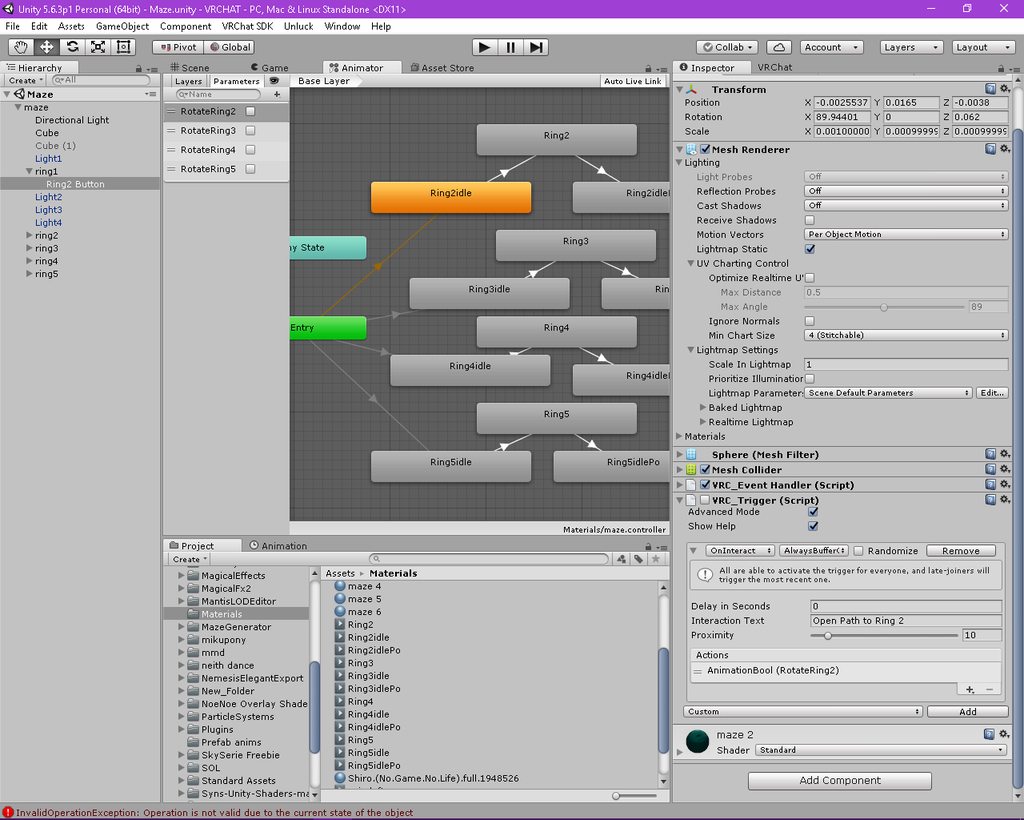
Open link to see all screenshots
 orchid trench
I have an avatar with shape keys that I want to use for a long animation. I've duplicated the model and put it under a gameobject, then created a gesture animation to to hide my main skinned mesh renderer and show the duplicate model which plays the animation on entry. Except now I don't have VR IK and i'm stuck in the "muscle pose". The only way I found to keep the IK is to make the armature children of the main armature but then the bones are "outside" the animation gameobject so I can't animate things attached to his hand in the animation timeline. Is there another way around this? I tried to rigidbody every bone but it messed everything up.
white herald
@orchid trench you need to swap models? if possible, stick with meshes that are properly attached to the armature. You can have multiple meshes in blender exported to the fbx and enable/disable them separetely, though i'm not sure if that's what you need.
orchid trench
The problem is once I start animating them for longer than 2 frames they stop working properly. I was searching through the discord and read that you had to create a gesture override to trigger the animation on a duplicate model to get around that.
white herald
oh yes
orchid trench
It would be fine if it was a preanimated dance or something, but I want to keep VR tracking
white herald
right
so if you just duplicate "Body" and don't put it under a skinned mesh render, add the Animator component to that with the animation, instead of under a gameobject, i think it should work @orchid trench
i haven't tested in game though
very cool idea though, want to try this
white herald
let me know if it works :D
 slender latch
How do you make an animation, trigger another animation
white herald
@slender latch if the gesture override animation enables a hidden gameobject, and the hidden gameobject has its own Animator component


