#animation
1 messages · Page 72 of 1
 echo dagger
 upper bone
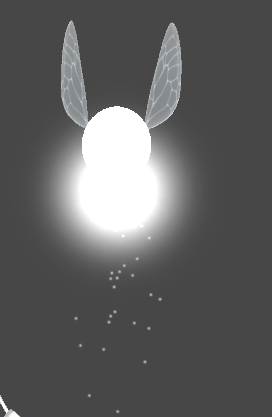
how can I make a particle system move along with an animated model? basically i have this fairy that's floating up and down and i added a glowing particle effect but it's not moving along with the model
 slim sparrow
@upper bone parent the particle system to the floating part
Probably a bone or a mesh
 radiant crown
Parent to a bone that moves with it
upper bone
ahh gotcha thanks. i parented it to just the armature that didnt work xD
 ocean sonnet
So, I have a point light that I would like to appear when doing a certain hand gesture. I've got it all set up, but even after parenting a Point Light to the specific body part, it doesn't follow the parent in the animation editor.
Nvm. It was jsut not a setup I was used to.
upper bone
okay so it looks fine at vrhome
https://imgur.com/a/KL2VB8t
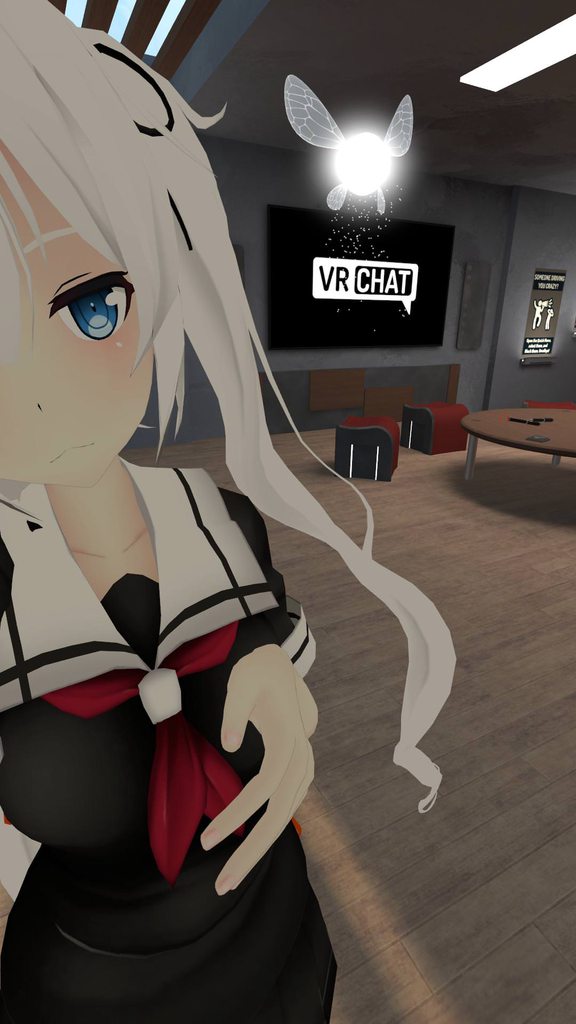
but nani kore
https://imgur.com/a/pVOBlPz
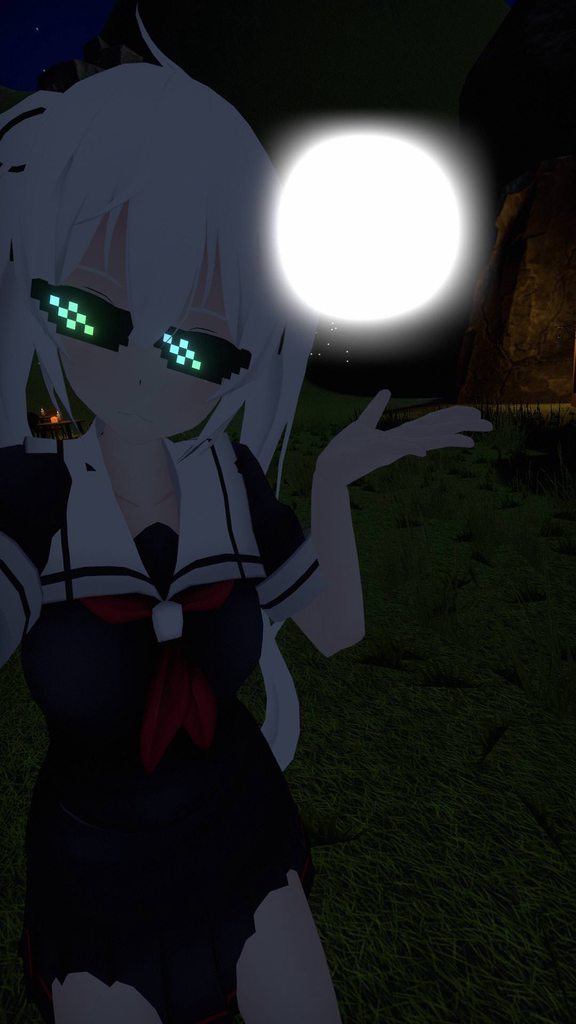
help 😦
 clear yew
and avoid gaia night when testing particles since everything is bright AF
slim sparrow
The Pug too
 chrome elbow
is there a way to make it when i do hand gesture my avater model changes
 ashen sedge
Most likely you ramped intensity way above 1
Which in worlds with bloom enabled, will look way different depending on the post process settings
slim sparrow
I actually get the same thing on particles without messing with any intensity
But only if I spawn many
@chrome elbow yeah, just enable a different mesh
 pliant furnace
I got a question, I know you can make particle systems that have particles that continue after an animation stops, but could you do that for an audio system?
Just leave the audio system enabled but disable play on awakening, but then enable it in the animation so it's kinds like hitting a button where it plays out fully but won't repeat.
I really wonder if anyone has tried this before
 wide steppe
I was wondering if i could totaly reedit gesture system
By that i mean
to have a series of however many gestures i would like to have
and for example use twogestures to rotate them back and forth(edited)
and 3rd to activate it
 fringe sable
Noob here. Having an issue where an activate object gesture won't end once you release the gesture, like if you try another gesture. I.e. I'll do rock n roll to pull up a sword, but then release and do another that casts a spell, but the sword will still be there for a few seconds. I've seen other models with the same issue, but others that don't, so I was wondering if there is an easy fix I'm missing. EDIT: NVM Figured it out myself. Had to copy the keyframes on frame 0 and put them on frame 1.
wide steppe
There is more questions than answers on this channel XD
wide steppe
Any ideas why this might not want to work?
https://cdn.discordapp.com/attachments/400401962098491404/448286763786436608/unknown.png

 full glade
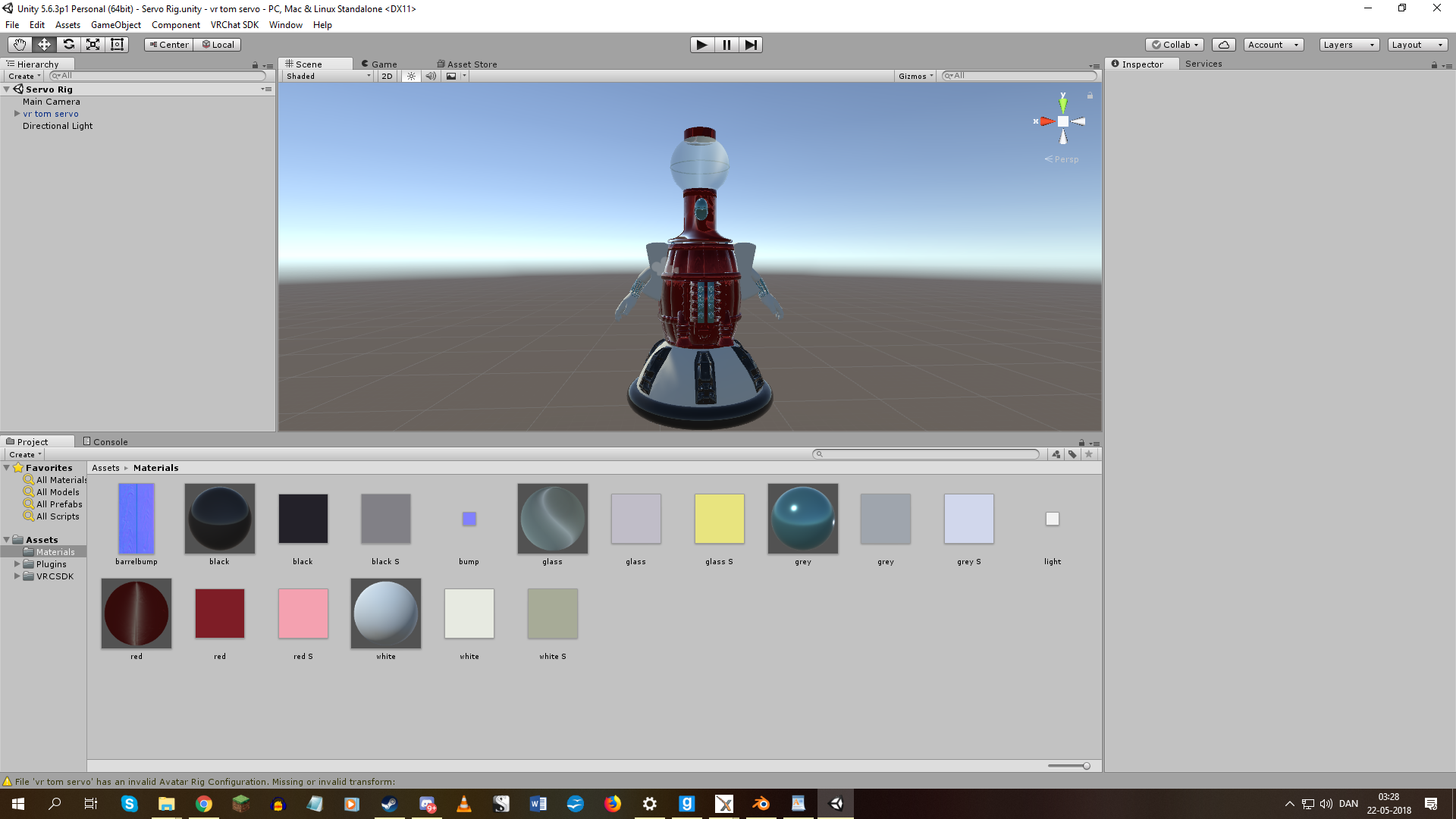
Does anyone want to help me create custom movement animation for my new Tom Servo avatar, so that the way he moves (his head simply rotating, his beak opening and closing when talking, and him moving around in a floaty hovering way) matches the way it is in the TV show he's from?
This is the model. https://i.imgur.com/o1Xk0bP.png
 signal dove
Mouth movement should be as simple copying the same viseme
Each one except pp and sil would be the same open mouth
 gray lintel
I don't know if you can get that sorta detached neck thing he's got going on
Where it bobs when he looks around and talks but his body remains relatively still
slim sparrow
Mouth movement is probably best done with jaw blend shape if you need something that simple
 torpid shuttle
does anyone have any tutorials on making a dance a hand gesture trigger instead of a emote
slim sparrow
Disable your own skinned mesh renderer, enable a duplicate that plays the animation
 spiral oyster
Does somebody know if i can start an animation ( with a gesture ) where i for example add a Sword which stays even if i stop the gesture? Or is that only possible by adding the Sword as an object and toggle the Mesh visibility ?
 obsidian vigil
@spiral oyster that is possible
you just have to freeze your gesture on the last frame forever
so the sword will stay
spiral oyster
But then i will need a second Animation where the sword is not frozen on the last frame right?
To make the Sword disappear again
spiral oyster
Okay 😃 thank you for the solution.
obsidian vigil
Do you know how to freeze on the last frame though? .3
spiral oyster
No i dont know
 white flower
When playing animation, Avatar is buried in the ground. Is there any way to fix it?
radiant crown
If the last frame of a gesture leaves an object toggled on it will still turn off when you stop doing the gesture
radiant crown
How do you freeze it?
 icy crow
Did you make a duplicate of your avatar before making the animation?@white flower
 lone bramble
Are people still sitting on the million particle compute shader and selling them or is there a public distro yet?
white flower
YES..
obsidian vigil
@lone bramble Wdym owo
lone bramble
https://www.youtube.com/watch?v=40Mfvof4OS8 this script but in a way that vrchat accepts it
In this video I'm showing my implementation of a GPU particle system and comparing it to Unity's Shuriken particle system. The GPU particle system is impleme...
there's a handful of people that are running around with it but the script i tried to go for it was rejected >:U
white flower
@icy crow I cloned an avatar.
icy crow
And you made the animation on the cloned one? @white flower
white flower
YES, However, they are buried during the animation process.
icy crow
Oh in Unity?
icy crow
oh yeah it'll look messed up in Unity, but should look fine in game
as long as you apply the animation to the original avatar
white flower
The same applies within a game.
icy crow
Did you upload the original model instead of the cloned one?
white flower
YES..
white flower
It's usually normal, but it's only buried when it's regenerated.
icy crow
Sorry I'm not understanding what you mean by regenerated
If you made the animation on the duplicated version, your original should be fine and you can just redo the animation
radiant crown
Only gestures can use the buried in the ground animations
If you want to do an animation with emote you gotta do the whole body
Emote gestures I'd say are just easier to make in blender
By default you wont get buried when starting to create the emote that way, so you can use the T-pose as a starting point
white flower
@icy crow Source is normal, but animation only ...
@radiant crown Can you make it with a blender?
I didn't know, I made it with Unity.
Oh, and I want to apply animated behavior to gestures (Shift+ F1~F8). Is there any way?
radiant crown
Gestures only really affect visemes, and fingers, and turning things on and off
Which is the main reason they dont get buried in the ground, because its ignoring the movement of the rest of the body
white flower
Then, is body language difficult?
radiant crown
Pretty much, if you make the animation in Blender you can move the whole body like repositioning bones and it automatically converts it to the muscle system unity uses for humanoid models, then you can use it for emotes
white flower
I want to express my behavior in animation. Then, do you like Blender best?
@radiant crown
Laugh
Question
Rub(Rub one's face)
Sitting Motion
Standing motion
Should these actions be made into blenders?
And can I use gestures?
radiant crown
If you just want to move the mouth/eyes and play a laughing sound for laugh as an example you can use gestures, if you want to say, cross your arms and tilt your head back while laughing you'd want an emote
Rubbing your face would definitely have to be an emote, you cannot move any part of your arms except fingers with gestures
white flower
It is difficult ...😖
radiant crown
https://www.youtube.com/watch?v=mhQY2_gVoVg This is a pretty good English tutorial for doing animation in blender to give you an idea how things work, but you'll probably want to find one in your native language
 white flower
I'm using a translator, but there is a possibility of a mistake.
YouTube has automatic translation, that's fine.
Can you specify an animated gesture made with a blender (Shift+ F to F8)?
@radiant crown
radiant crown
You know when someone does a face at you in vrchat, or they point their fingers, that's usually a gesture
Gestures arent usually hard in unity, but you need to add the muscle data for all the fingers one at a time if you dont have the muscle tool
If you dont pose the fingers in a gesture they'll use a default half open pose
white flower
Oh, my God, isn't it messy or long?
radiant crown
A little yes
white flower
When I do question animation, I want to put a question mark on my head. Of course, it follows the camera.
radiant crown
You can do that by making it a viseme or making it turn the questionmark on and off
white flower
What do you mean? Please explain a little more.
radiant crown
In unity for the question mark you can add a component that sets it to enabled true/false
white flower
Unity made it out of particles, but I don't see it, I don't know how.
Can you explain the method?
Of course, it was checked through mirrors.
icy crow
Are you saying you can't see it on your head, only in mirrors?
obsidian vigil
mirrors do
slim sparrow
They don't for me
obsidian vigil
i have a sword summoning sequence for my link which is seen entirely in the mirror
its only particles
slim sparrow
Then I dunno. I'm sure mine don't show up in the mirror, I spawn in front of a mirror every day
obsidian vigil
are yours world or local
 topaz ermine
Active by default?
slim sparrow
Particle system is active by default, but the emission module is disabled by default
obsidian vigil
well, mine are local
slim sparrow
Shouldn't matter nowadays
obsidian vigil
so they move with my hand
slim sparrow
They fixed inactive objects not showing up
upper bone
particle system isnt appearing in the animation window when i check it 😦
radiant crown
If you're trying to toggle it make sure the animation is set to record scene then toggle in scene manually, it should add it in
 half shell
unity isn't letting me apply transform or isactive properties to anything on the model i'm animating, but animator properties work fine? any ideas?
slim sparrow
@half shell a few questions
First of all, you're not trying to apply transform to any rigged bones, are you? As in, trying to control the leg bones
Or the head
And the second question, how is your hierarchy set up? Did you do any weird stuff with game objects?
For example, if your model is inside a Game Object, and the Game Object has an Animator component with the "avatar" property set to your model's, then you can't animate on the game object itself. Only on the child.
 lucid heart
Does someone here know how I can link the motion of bones? For example if I wanted to make an avatar with four arms and the additional arms should copy the movement of the original ones, how can I achieve that? I wrote a small script, that basically takes the rotation from a transform object and overrides it on another, but I forgot that custom scripts are not allowed. I got the tip that I should try it with rigidbodies and fixed joints, but I'm fairly new to Unity and have no plan how to do this. Can someone enlighten me?
slim sparrow
Joints
Uh
You put rigid body components on every bone of the "real" arms.
You disable gravity, set drag to 0, and in the Constraints, you freeze all positions and all rotations.
You then put fixed joints on every bone of the non-real arms (the lower ones for example).
This will automatically add rigid bodies too.
You disable gravity and drag again, but this time you don't constrain anything. Then in the joints, link them to the rigid bodies of the real arms.
lucid heart
but wouldn't the additional bones rotate around the axis of the original ones?
I thought I would need joints that aren't fixed
slim sparrow
No, that's why you use joints instead of reparenting the bones
If you just reparented the bones, they would do exactly what you described. But now, they should simply copy the positions and rotations of your arm bones.
lucid heart
hmm, ok, I'll give it a try
slim sparrow
I've seen it done before and it should work
lucid heart
thanks for the detailed explanation, nobody could give it to me before
ok, I tried it now and it does what I expected, the "slave" bone rotates around the axis of the master bone, not its own
I see, you have to constrain the positions of the slave bone
that works now, thanks
is there also a possibility to let the slave bone rotate in the opposite direction?
does it depend on the orientation of the bone?
clear yew
pretty sure it depend on the orientation of the tied bone
you use a fixed joint when you want your object to follow the orientation and relative position of the tied rigid body
lucid heart
hmm, the bone orientation doesn't change anything, the slave gets rotated in the same direction the master does anyway
 fluid crescent
i can't do a animation which i have on hand guesturre if i don't have fingerbones?
lucid heart
Why not? Should be possible
fluid crescent
when i trigger a hand guesturre audio doesn't play
clear yew
you need to have 3 fingers to do hand gestures
fluid crescent
i have 2
clear yew
"you need to have 3 fingers to do hand gestures"
lucid heart
If you need fingers just put the bones in in Blender and don't attach them to anything
maybe one bone is enough
fluid crescent
yeah got it
 dense granite
any one knows how I switch materials in a animation.
So I can press a gessture, and it chance materials
feel free to tagg me
clear yew
@dense granite activate the animation
and drop a material on the model

it will create automatically the key frame
 wise rover
is it at all possible to make particle systems that give off models complete with armature poses or is that impossible? I want to make something of a jojo reference but the only thing I can turn into a particle is the wild hunt ship. the other models I have to find some way to add their poses in as particle systems so I don't have to worry about them jittering around when I move.
 slow ridge
If I set a particle to collide with my Body mesh, will it collide with anyone's body mesh or just mine?
dense granite
Awsome, thank you so much @clear yew
lucid heart
Another question: is it possible to make an avatar with digitigrade legs (like the ones dogs, birds or dinosaurs have) with the humanoid rig work? Especially birdlike legs, where the ankle takes the role as the knee should be difficult. Any idea how to do sth like that?
slim sparrow
@wise rover you can pose the model in Blender, then export as .obj
This will give you a posed mesh
clear yew
hallo 😃 can somone help me out abid 😄
lucid heart
What is it, @clear yew ?
slow ridge
Adding collision effects to a particle that I want to bounce off walls and whatnot, what is the best way to go about that? I can't seem to get the settings right.
 vagrant ore
trying to put a particle effect with a hand gesture but it does the opposite. when i have the particle disabled in unity befor uploading it doesnt work at all. When i have it enabled it stays on when im not doing the gesture and turns off when i am doing it.
slow ridge
Add the IK_Follower component (I think)
oh wait
do you have it checked off be default?
and use the animation to enable it?
vagrant ore
thats what i tried but it doesnt work
wise rover
hm...
try double checking everything and look at the keys on your animation and make sure they act as enablers. It also wouldn't hurt to do the whole thing over again.
god knows how many times I had to do that
 hexed fern
so i got some animations and animator files from a unity game but they were exported as .dat files
would they be pretty much useless in that format or is there a way i can get them to go back to the original format without having to re-export them all?
clear yew
@lucid heart its the animation bound to a key i dont undestand ..
vagrant ore
i noticed that the guns in unity have an animator script on it is the particles suppose to have one too?
wise rover
most objects and particle systems have that on by default.
vagrant ore
that might be why cause the gun i animed has it but this particle doesnt
wise rover
did you work hard making that particle?
if not, then you should just redo it and make sure that it has an animator
clear yew
i need some help on a " Sword Draw " animation .. i found on the webs and downloed it .. can it be added to my cheartors animation ? " will the sword then we Drawn or do i have to add a animation to the sword to?
 balmy orbit
hmm
can someone help a bit?

so im trying to apply a "stealth camo" shader to the whole body mesh when you do a hand gesture, but i want to to figgure out how to go about it first
i was thinking of duplicating the body and all of the materials, apply the stealth camo shader to the duplicate materials, and then applying the materials to the duplicate body, disable the new body mesh, and activate it with a hand gesture
is my thinking process correct?
i feel like i dont need to duplicate the materials...
thats my only doupt
but are these steps correct? should i do anything different?
see the thing is when you press record on animation your avatar squats to the ground and you cant bring him back up
ive done this grave mistake once and i couldnt revert it
so i usually put everything in the animation that i want to happen
and then if it posed into the squat, after im done i close unity and reopen
and the animation would still be good, and the avatar wouldnt be squat posing anymore
is.. this dumb aswell?
is there a fix idk about?
i would greatly love one if there was
@jovial rain
🙄
i felt like that was dumb
nice to know now
thank you
lol
aight well uh, how do i replace a shader in an animation??
https://gfycat.com/JitteryDeepFinwhale @jovial rain wouldnt this work fine?

or does it HAVE to be all the materials in the right window, also im not recording yet
allright it works fine
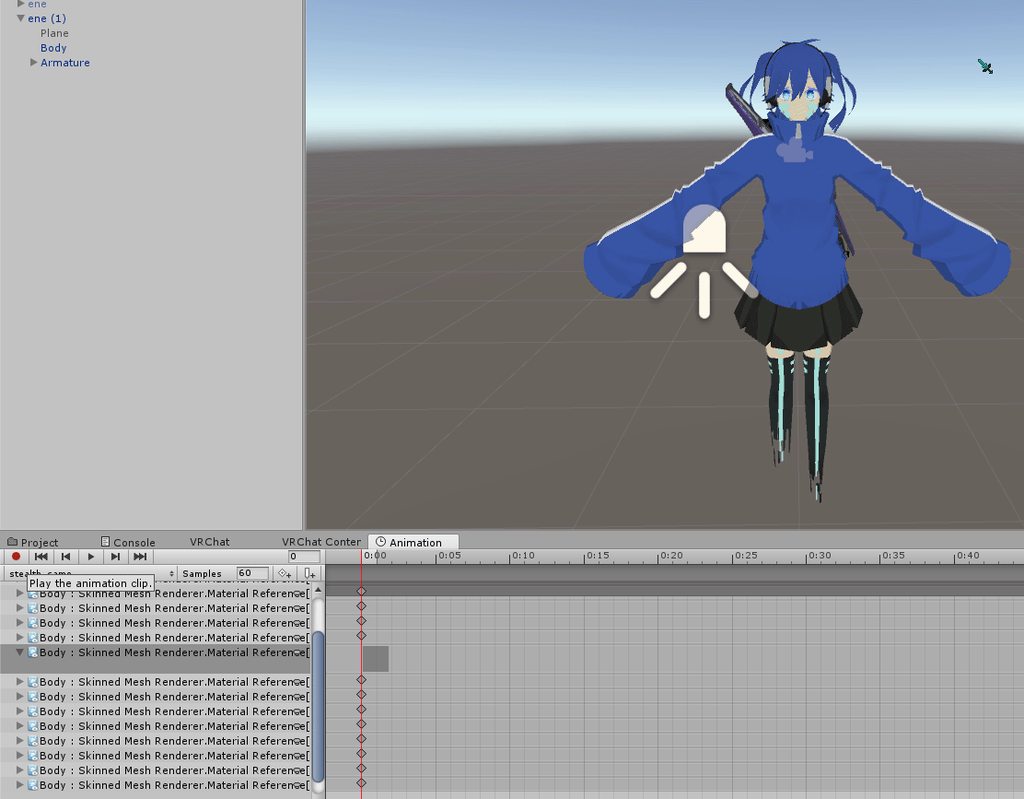
nice, that was easy
thank you! @jovial rain
avoided doubling the confusion
balmy orbit
well.. uh
now theres a second problem

for some reason when i press play, body doesnt wanna update..
i mean
body IS the name of the mesh
could it be confusing the names or something?
like maybe it thinks its already applied the shader to "body", but its the wrong mesh or material?
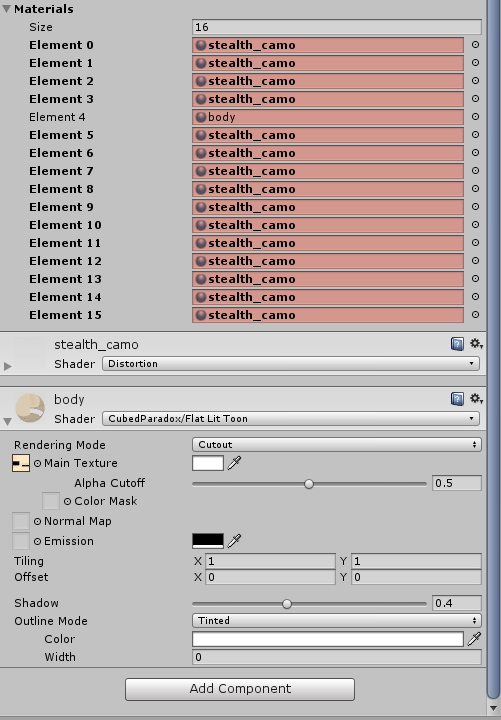
???
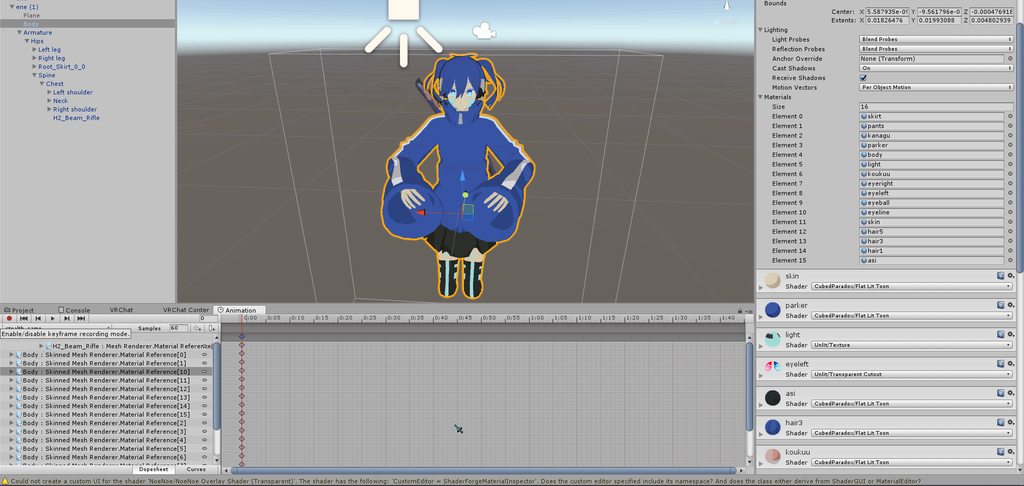
i dont understand at all...
balmy orbit
ok i just tried applying each one individually again
nothing.
@jovial rain any ideas?
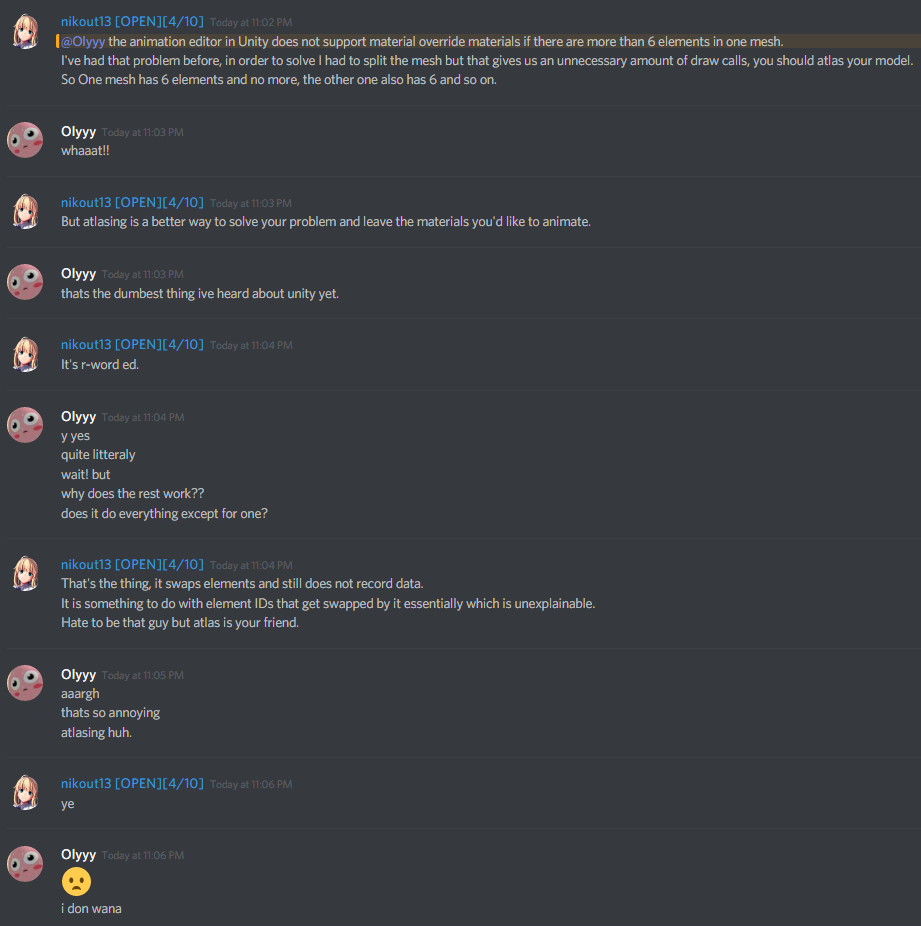
this guy helped
this sucks alot
god i hope this is just a bug and not a limitation
 languid lark
@balmy orbit yea cant change material with animation
people change color use Shader that can do that need talk to some one good with shaders
balmy orbit
mm
i see
shaders...
wait
i might be able to do that
nah nope
shader changes dont record in an animation https://i.imgur.com/bdZobV2.gifv
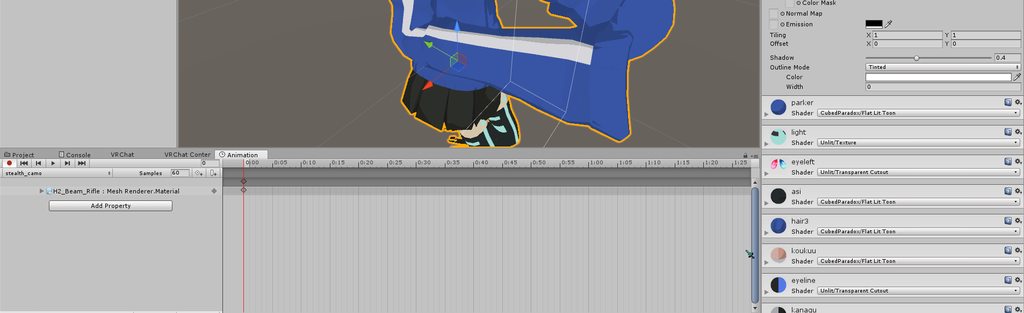 languid lark
it somthing with camera and shader. i lack at shaders dont know much about it
hold me back from shader need to be good at Math lol
balmy orbit
aaah lol
languid lark
cant swap and shader or material with animation
balmy orbit
yep
languid lark
if that possible everyone be able to do it
balmy orbit
🙁
balmy orbit
yeah the dude from the screenshot above said that it only works for 6 materials at a time
 solar relic
Yeh same for me I would just have 2-3 mesh... Separated from the main model. N just make it invisible with a shader.
balmy orbit
right
balmy orbit
y uuh
the model
i mean
no?
i think?? lol
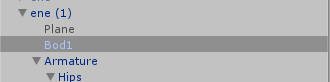
theres only one mesh for the whole body
but it uses 16 materials
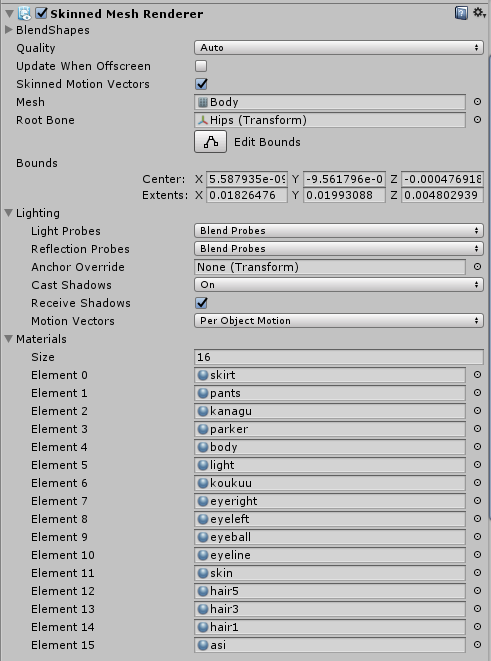 solar relic
So u want to change all of em?
balmy orbit
yes
but its too much, only 6 at a time for material changing
meaning i have to atlas the textures
and i have no idea how..
well
theres very well made tutorials
but ive been working so hard on animations today that i dont wanna start on it today
and its late
should head to bed soon
solar relic
U should. Or in the end u could use another model that has less materials.
balmy orbit
but to confirm, you said this works right? 2-3 meshes and they all changed?
and no i love my ene
i could never do that
lol
ill have to atlas for the model
i like it too much
solar relic
Kk.
Btw I think there is a tutorial on how to move the uvs together in some blender tutorial. Since it could lessen those materials.
balmy orbit
yeah thats
atlasing
i think
idk my vocabulary too well on the uv side of things that might be something different
solar relic
Atlasing is mixing the uv textures into 1 single tex (idk if u can have seperated Atlasing or not) ... Uv wraps are just... where the textures placed on a vertices of the model.
Idk if i explain that well tho.
 fallow hornet
Are you using IKFollower? I had something similar happen to my snowball gun so I switched to the old rigidbody and fixed joint method and it works perfectly now
 reef mason
No, I'm not using any IKFollowers and I have no experience with Ridgidbody and fixed joints.
fallow hornet
are the particles world space or local?
reef mason
World space
fallow hornet
theres the problem, avatars are weird with world space particles
you can use either rigidbodies and fixed joints or IKFollower
I don't have a guide on hand but you can probably google some world space particle tutorials
reef mason
But do I still have to set it up during the animation?
And where can I do or get a IKFollower? or do I have to make it myself?
fallow hornet
IKFollower is a script you attach to the particle system
it's easier to set up than fixed joints but I found it to be a bit funky
reef mason
So just stick with the Ridgidbody and fixed joints then.
fallow hornet
I'd recommend that route but it requires changing your animation a bit
basically just take your particle system and parent it next to Armature and Body in the hierarchy, then add a rigidbody component to your wrist with all axis and rotations frozen, drag set to 0 and gravity disabled, then on the particle system add a fixed joint and set the joints parent to the wrist
I'm bad at explaining probably easier to look up a guide
reef mason
Damn, well, alrighty then. Thank you for helping me out on this problem.
obsidian vigil
Ok, i have an audiosource on my wrist. This one plays without any problems, but then i have one under an empty object thats on my wrist, if i try to play this one it sounds broken, accelerates and slows at random and overall just doesnt play right. Any way to fix that?
 lilac cave
Dunno if the game takes redshift/blueshift into account but try putting the source elsewhere
Could be your wrist moving
obsidian vigil
unfortunately it isnt, ive tried it in desktop without moving at all
it stays glitchy
lilac cave
With parenting not to the wrist?
obsidian vigil
and i cant really put it elsewhere as the animation toggles the empty object which has a legacy animation inside
needs to move with the wrist though
lilac cave
Just as a test
lilac cave
Also make sure the settings are the same for both audio sources
And the extra thing that comes with
obsidian vigil
i mean in unity it plays fine
no problems whatsoevs
but in vrchat its broken af
lilac cave
Checked if its just client side?
obsidian vigil
yup
tested it with 10 people
all said that it kinda lagged
if the sound only got corrupted it would be fine, but it slows itself down so it isnt in sync with my particle system anymore, that is the annoying part
lilac cave
Hmmm it might be the track is too long
lilac cave
Tried w.o particles?
lilac cave
Try with a detached id
lilac cave
Yeah
obsidian vigil
i dont think that that would make a difference
ive reuploaded it like 20 times while messing with the sound
lilac cave
Same, but I dont see any other issues
obsidian vigil
still thanks
lilac cave
Unless having 2 audio files breaks it there's nothing much that you can do
 wary parcel
What type of audio file are you using?
obsidian vigil
wav
wary parcel
Tried to convert it to mp3 or ogg just to check if the compressor in unity is not buggy?
obsidian vigil
Well, i havent tried that yet but wouldnt it sound crappy in unity then?
wary parcel
Nah
 covert linden
Usually vrchat only allows you to play one sound. If you don't really care about when those sounds activate, easiest to do it is just putting everything in audacity and using an ogg
obsidian vigil
in case of the compressor being broken
obsidian vigil
well, ive already split the sound file into 2 gestures entirely
i mean, i can listen in unity, via mediaplayer and its not corrupted or anything
i cut it together myself via audacity
so i wouldve noticed breaking audio in there already
but it should be fine
wary parcel
True, but you say the sound slows down?
covert linden
Its not the audio that breaks, it vrchat itself being picky usually.
slim sparrow
Oh yeah, I've seen those issues with sound systems for some reason
I think I fixed my issues by putting it on an empty game object with just the audio source on it
The sound is really crackly
slim sparrow
Uh, I dunno
If it's already an empty game object then it should just work
As long as there's nothing else on that object
I always use ogg and it works
obsidian vigil
there is stuff on there
particle system
prop
😛
so ill just put it in a second one
Thanks :3
slim sparrow
Ah, then yeah, you can try putting it on a child
wary parcel
Ye, its good to have sounds in gameobjects you activate
 rancid gulch
g a y
radiant crown
I use ogg because the model downloads faster, I'm sure there's someone that uses flak on avatars
slim sparrow
I use ogg because it's nice and small, and avatar sounds don't have to be high quality
radiant crown
Agree
topaz ermine
not putting 100MiB FLAC files on your avatar
 waxen hound
is it possible to rig a face by moving the bone and save them as a shape key instead of the viseam manual edit?
radiant crown
That's how visemes are made
 true scroll
yeah thats one methode of doing visemes
 obtuse atlas
anyone know how to make a animation active on a model in a world when a button is clicked
 naive portal
Is there a way to parse parameters to an animator without using a script?
 slim steeple
Is it possible to use two animations for a single animator for a generic prop ? (I.E not a generic avatar, but an accesory that has it's own animator)
vagrant ore
have my animation setup to the fist gesture but hand opens slowly when released.
clear yew
you didnt use frame 0.00 and 0.01
obsidian vigil
Quick question, im spawning subemitters on collision, the main particles die but my subsystem doesnt appear
any ideas?
clear yew
how did you set it up ?


 clear yew
10k ?!
obsidian vigil
it appears after the fraction of a second
i wanna force out as many as possible at once
clear yew
you want to crash someone ?
clear yew
setting it to death doesnt work ?
clear yew
what exactly is supposed to happen ?
obsidian vigil
theyre supposed to create a really short-lasting ball of sparkles when they touch a wall or player
basically
i mean it isnt super duper important but adds to the effect in my opinion
 sick musk
Any way to get this to rotate without it going like this https://cdn.discordapp.com/attachments/267763077397610506/448960266634264587/2018-05-23_16-27-19.mp4
 brave hemlock
Does anyone have the issue of "getting stuck" in an animation? Whenever I trigger mine through a hand gesture, ithe thing stays in my hand even after I've stopped making that gesture or when I'm making other gestures that should not trigger it at all
Or does anyone know how to fix it, rather
Nevermind, I think I found the issue
For some reason I had a duplicate frame in the animation that added unneccessary length to it
Because it was still at the 1 second mark somehow
icy crow
is there a way to make particles visible in the mirror if the emission module is disabled by default?
slim sparrow
@icy crow I don't think so. If you're using rate over time/distance, you could increase the rate over time property instead of enabling the module
 vocal zinc
is it possible to toggle a game object that toggle another game object 30 sec after ?
like i make something visible and 30 sec later another object get visible automatically
how do i have to setup that in the animation tab ?
slim sparrow
@vocal zinc on a gesture?
vocal zinc
yes
slim sparrow
If so, you need to make sure the two objects are children of each other
Like, one is a child of another
Then you can put an Animator on the parent
vocal zinc
i mean how do i have to setup that in the animation tab ?
one frame at 00 off and one at 30 on
slim sparrow
Yes
vocal zinc
and disable looping ?
slim sparrow
Basically, yeah.
vocal zinc
okkk ty
slim sparrow
At 30:00
vocal zinc
yup
slim sparrow
Does anyone know if you can just put Animators on bones?
I have extra bones for an accessory hanging from my leg, but I don't want to use Dynamic Bones for them
vocal zinc
best thing is to try
 spice meteor
@slim sparrow yea you can i do that for tail movement and such
vocal zinc
where do we report people ?
spice meteor

Google Docs
Reports will not be responded to. They will be reviewed by the VRChat moderation team. Please just describe the incident and put names of people involves on the report. Pictures / Videos will not be looked into at this present time.
vocal zinc
ty
ashen sedge
Alternatively email "moderation@vrchat.com" if you need to submit your output log for any number of reasons
 errant hinge
is it possible to have an animation where an object appears, but is treated like say, a world particle? So that I'm able to walk away/around it without it following me?
icy crow
Add a fixed joint to it
Then give infinite drag to the rigidbody that comes with it, so that the object doesn't jitter
errant hinge
thanks Moons I'll try that. Do I still need to attach it to a rigidbody on my avatar?
 karmic sparrow
I've made a full body animation file that I can successfully use as an emote. However I've seen people who managed to link such animations to an override trigger. Since overrides can only do a hand/face gesture or turn on/off components or certain settings, I thought it'd be as easy as adding the animation into an Animation component and turning that on with a gesture override, but that doesn't work. Does anyone know how this is done?
icy crow
not to your avatar no, adding a fixed joint will automatically add a rigidbody. Also, if you are enabling it with a gesture, etc., you need to stand wherever you enabled it before you disable it, otherwise the position will be messed up when you try to spawn it again @errant hinge
errant hinge
Ok awesome, I shall give that a go. Thanks again!
icy crow
They probably have another mesh with the animation built in thats hidden by default and then they enable it with the gesture and hide their main mesh. Not sure though, I've not tried it @karmic sparrow
karmic sparrow
hmmm I really hope there's another (simpler and more optimized) way. I mean it's easy to turn on an audio component with a gesture. Besides the animation is made by moving bones so I'd need a second armature as well, sounds like a hassle 😃
 torn pawn
easiest is to have a 2nd avatar with an animator on it that has the animation play on entry
idk if u can do it other way around
errant hinge
My object still follows me even with the rigidbody/fixed joint set up onto it. 😦
icy crow
Are you enabling the object with a gesture?
errant hinge
Yeah. I'm about to try it with a game object as its parent, with the gameobject having position/rotation constraints on it. As my object that I want to spawn in does move around a tiny area so I didn't want to constrain it directly.
icy crow
Yeah I was just going to suggest having an empty game object
errant hinge
I just wish my upload speeds were better, wouldn't take me 10minutes to test each little change haha. Thanks for the help though. Hopefully I can get it to work this time.
errant hinge
Yeah it is. How exactly do I change that? just in the VRchatsdk settings?
icy crow
Yeah its a check box
errant hinge
found it. awesome thanks.
rip. still stayed with me haha.
got one more thing to try which I should've done to start with due to how fixedjoints for world stuff usually work.
which is just have the empty object always on, with its child object hidden instead. if anyone was wondering.
and it still isn't working. I'll come back to this later I guess. spent enough on it today.
icy crow
Hmm it worked for me. I have an empty game object with the fixed joint/rigidbody. Then the object is a child of that
errant hinge
maybe i messed something up. mind sending me pics of the fj/rigid settings? otherwise ill try it from scratch later on incase i messed up or made a conflict somewhere.
icy crow
I'm not at my computer right now, I'll send it later if you still need help
errant hinge
no rush. 😃
balmy orbit
when using multiple models in one avatar, and you activate one with a hand gesture, do you need to add an avatar descriptor for it the hidden model to move aswell?
i tried doing it in unity, and everything worked in the animator, but when i published and activated the hand gesture, it would place the hidden model in the squat-in-the-ground position
so i thought it might be because i didn’t put an animator on the hidden model, is that right?
slim sparrow
Nah, you just need to actually animate the second model
Give it a proper animation, a full one
Like, a whole pose/animation, not just finger movements
chrome elbow
how do i animate object in my avatar {kinda like backup dancer}
 royal summit
Put the object in a empty object and put an animator in the empty
slim steeple
Is there a way to keep a bone from moving with the armature?
I'm specifically talking about doing it for a sitting animation
slim sparrow
Yeah, just unweight it
Easiest way would be to rename the bones slightly in Blender
Or maybe you can duplicate the bones and assign those in the humanoid rig instead. That way you can still pose the "real" bones
slim steeple
Oh, I think it can be done a bit easier, the bone I'm trying to fix is a none rig bone, it's an extra bone that isn't used for anything but extra stuff if you want it
Not that I know if it can be done a bit easier, but I think if the bone isn't actually a crucial one there'd be less problems with it
I'd prefer not to reimport the model through blender because it's rig is a bit of a problem that'd probably cause more problems if I'd try to mess around with it
are those the only ways?
slim sparrow
You can put it as a separate object. Not sure what you need tbh
You want a bone to not move with the rest of the armature, which means it has to be completely unparented from the armature to begin with
 valid estuary
Can i make my particles collide with objects and other players?
valid estuary
Oh okay so i can make it explode too then probably
Does it colide with your own character?
chrome elbow
https://cdn.discordapp.com/attachments/438739749742575639/449310424895193109/unknown.png when i edit the exodia model animator it moves my avater body parts instead

 unborn needle
Anyone got the Bubbletop dance they wanna send/share with me? please ❤ :3
 visual summit
 sage bane
aye guys can anyone share the orange justice emote with me? Ive tried to exctract it myself but its not working, only the skins are working for me
gray lintel
Seen it a few times on Thanos, yeah
 spice eagle
Anyone know how i can make a gameobject remain stationary on a hand gesture?
like i activate the thing on for example A then i move to B and the gameobject is still on A
icy crow
Do you mean so that the object stays where it is in the world when you move away from it?
if so then you can use a fixed joint
spice eagle
(and whats that)
clear yew
a component that allows you to attach something to a rigid body
but by not connecting it to a rigid body it will be locked into the world position where you spawn it
icy crow
it will be jittery though when you move around, so set the drag on the rigidbody to "Infinity"
And when you want to deactivate the object, you have to go over to the position where you activated it and then deactivate it
Otherwise it'll spawn in a weird position each time
clear yew
@icy crow you can create an animation that reset the position constantly until your spawn the object
icy crow
ooh
So just have an animation component that sets it to 0,0,0 ?
Yeah just add a fixed joint to it, the rigidbody will be added automatically @spice eagle
clear yew
@icy crow you need 2 game objects for that
one object that will always be in the same position and it's where you want your object to spawn
parent the object with the fixed joint to it
and parent whatever object need to be bound to the 2nd game object
then just animate the first game object to reset the position and orientation to 0,0,0 of the 2nd game object
icy crow
ah ok thanks
clear yew
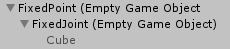
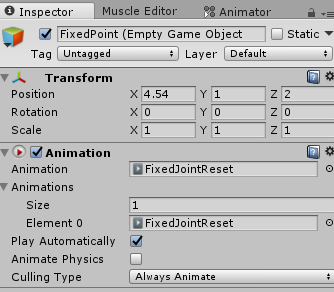

this is the fixed joint
https://i.imgur.com/3xSgEp7.png
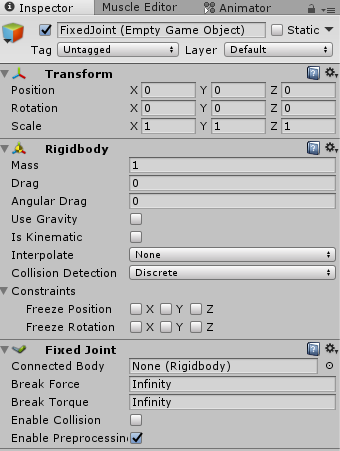
and then with the hand gesture, you spawn your object (the cube for me in this example) and disable the animation component so it doesnt get reset
 icy crow
Set the 'teleport' object to active
icy crow
Assuming thats the object that you want to activate
You don't want it deactivated in the animation
spice eagle
ikrr
so
in the first frame i set the animation to disabled
and in the last one i set it to enabled?
icy crow
no, first frame disable animation and enable object. Then copy everything from frame 1 to frame 2
or 0.01 in the timeline
Because the animation will be looping
spice eagle
but thats what i did
icy crow
🤔
 gray jay
Reiterating what a dude asked earlier, anybody know where to get the orange justice emote? or any other fortnite emotes?
 remote blaze
@slim sparrow hey, so I got an update on the six-legged avatar thing and its custom walk animation
putting a legacy anim in an animation component, then enabling/disabling that component doesn't work
it causes the avatar to go into a default anim pose
so what I'm gonna try to do is
make a shapekey to move some legs forward and some backward
and have it turn on and off
hopefully if that works it would give a walking motion, albeit very, very crude
 warm salmon
hey yo guys
i have a question on the viseme shape keys thing
so im making uncanny valley levels of accurate shape keys for each sound
But the one sound that is maybe the most noticeable when you dont have it, is L. which shape key would the L or (luh) shape fall under?
chrome elbow
how do i make it so when a emote is finish a item will stay on the ground
like animation will place c4 and when emote done a c4 will be on the ground
chrome elbow
@here
warm salmon
is the L shape key for visemes under D?
remote blaze
@chrome elbow you shouldn't use @ here, it does't work but even if it did that;s a dick move to ping thousands of people
chrome elbow
kk
chrome elbow
lol
warm salmon
but in all seriousness
remote blaze
...It doesn't work
warm salmon
i really do need help with the l key
I am making uncanny valley levels of accurate visemes, and L is giving me the most trouble rn
remote blaze
just figure out what sound is closest to an L with your mouth
warm salmon
idk if its N, D, or which key
remote blaze
make the sounds yourself and compare
warm salmon
but yea, sidenote, they are freakishly accurate
literally D and N are different slightly
N has tongue up against top teeth laying on roof of mouth with it a little more closed
and D is tongue up quicker into the roof of the mouth not touching back of top teeth
its that distinct
i wanna die cause im ocd about lmao
remote blaze
go for D
remote blaze
👌
warm salmon
you wanna see how crazy i am? lol
clear yew
I'm just happy ingot my bow working. Has fully working string with spring physics and also has working velocity so I can shoot GameObjects.
To add, it has a seperate firing system that lets me shoots particles that I can control in motion
remote blaze
that's awesome 👌
 fleet stump
anyone know what the right wrist is called in Animator? Doesn't appear to be under "Right Wrist"
chrome elbow
how do i make it so when a emote is finish a item will stay on the ground
like animation will place c4 and when emote done a c4 will be on the ground
icy crow
probably just right hand @fleet stump
fleet stump
Q or T?
icy crow
actually I don't know the difference between those
icy crow
is there any way to get mixamo animations into actual .anim files rather than an fbx with an animation built in?
fleet stump
nvm, figured it out
icy crow
ah, what's the difference between them?
fleet stump
I'm assuming the way it bends
 spark drift
Does anybody know how I can stop the animation view from going into record mode whenever I try to change something?
or do anything?
slim sparrow
@spark drift why do you want to stop it from going into record mode? That's just how it works
spark drift
Because I want to change the scalar from 4 to 40 on the first keyframe without it being set back to 4 due to entering recording mode: https://media.discordapp.net/attachments/257542774843375616/449699701478916106/unknown.png?width=962&height=140

And because I want to be able to play the animation without it being set back to 4 due to going into recording mode whenever I press the play button
 wide heron
um does anyone have a wolf/dog running/idle animation that i could have?
 jade rain
i assume this is the right place to talk about particles systems with a sound
so i am wondering if i could get some assistance with the settings for the audio source

yes i dont have an sound in yet but what settings should i appropriately use
what i am trying to do is shoot lightning out of my hand
so within an empty game object of the got the lighting particle system
and this audio source as well
my aim is to just have the particle system running when i hold down the gesture and the same with the sound
wide heron
what will the sound be because 15 is big
jade rain
its literally lightning sound
i assume u are referring to the curve thing
i assumed the 15 is referring to meters
jade rain
nah animation override
wide heron
otherwise half of the map could hear it unless u want your avatar like that
jade rain
literally just shoot lightning out of my hand
isnt the 15 referring to meters
or do i have the wrong rolloff
jade rain
the curve is reall wierd
wide heron
this is what 15 looks like https://gyazo.com/ff157dff91337e70fe0986f9659d9408?token=39c4d47a17fb7cd5804fb3af250fc2a6

this was a map i was working on
wide heron
^ 5-6 are usually enough for gun shots
wide heron
also, log makes things louder then the other one so drag volume down to like 0.7 or 0.8
just turn loop on
jade rain
alright
if i put the min distance on 1 theres a small inner field so if someone is in that
they wont hear that right?
wide heron
yeah usually just leave it on 1
jade rain
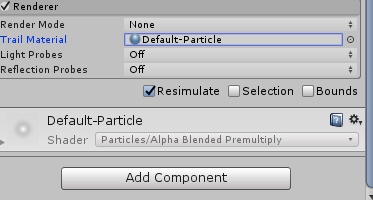
any chance you would know where to get more things i can use for the trail material in the renderer of particle systems?
 sullen hill
is it possible to have more than 1 animation playing on an avatar? I'm trying to have a custom blinking animation as well as an animation for tail wagging, but i can only get one of them to play at once
 glacial thicket
hmm
jade rain

so ive got within an empty game object
a particle system and a audio source
so for the empty game object in the animation do i have them both ticked on the keyframe
 tardy abyss
Anyone know where there's a full facepalm animation (for free)?
remote blaze
@sullen hill merge them in the unity animation tab
clear yew
@jade rain yes
except if they are turned on by default
but disabled because the parent is disabled
then you just turn on the parent and they will be enabled too
 placid wigeon
does anyone have a Sword combo animation one handed and/or two handed animations?
 dark ether
Does anyone know how to make an area or the screen of other players a different color, I'm not sure if it's a banable thing to use screenspace stuff but if anyone can show me how it's done if allowed i'd appriciate it very much c:
slim sparrow
It's not bannable, just don't use it to grief public instances
You would need a shader for that. I don't know enough about shaders to tell you exactly how to do it
dark ether
Oh no i don't i just want to make a very horror type avatar
If anyone is kind enough to show me the shader i'm happy to learn the rest on my own
slim sparrow
Well, that one site that we can't mention by name has some shaders for that
Black and white shaders for example
warm salmon
@slim sparrow I have a question pertaining to animations
especially if my hypothesis is correct
Basically, is it possible to use a gesture, or an emote, to then trigger something like an event animation or another animation etc, and have that animation show a menu in front of you, and then when a collision between colliders on buttons happen, have more animations happen such as pulling out weapons?
 covert hawk
Why is vrchat not letting me upload an avatar that has an animation that(Script) rotates an object?
it tells me it will remove the rotating script :/
icy crow
you can't have scripts on avatars
covert hawk
and how will i rotate an object then ?
icy crow
you'll have to manually animate it
icy crow
is there any way to take the mixamo animations and use them as animations in the override?
chrome elbow
do you guys have any ideas for any stupid emotes i can make
slim sparrow
@clear yew smooth rotation is easy
You just need to make it rotate from 0 to 360, and then edit the curves to be linear.
Perfectly looping rotation
slim sparrow
Oh, that
It's the same principle, as long as you make sure the start and end points are exactly the same
I've seen a friend of mine do it smoothly
clear yew
i did it too
but it's really annoying to get it right
did it once, probably never again
tardy abyss
Anyone know where there's a full facepalm animation (for free)?
icy crow
probably one on mixamo
tardy abyss
Ah yes, there is. It isn't just called facepalm (but it will definitely work).
Second request. Any good video with an easy to follow explanation on how to add (and sync) sound to an animation?
icy crow
you just need an audio source disabled on your avatar, then enable it in the animation
slim sparrow
As for the alignment part, I do it by eye lol
I do use a media player with precise timings so I can see where the sound is
I mostly do that for syncing particles to animations though
tardy abyss
I see.
tardy abyss
But you guys never told me how to actually add it to the animation.
I got the sound added to the avatar (and disabled it).
icy crow
in the animation tab, click add property, find the audio source, and enable it
then drag the keyframe to wherever you want the sound to be
tardy abyss
The Add Property button is grayed out.
icy crow
are you using an animation that you downloaded from somewhere?
tardy abyss
Yes.
icy crow
so you need to copy everything in that animation and paste it into a new animation
then you'll be able to add property
make sure you duplicate your avatar before animating
tardy abyss
So basically, dupe the animation?
icy crow
you have to copy everything inside the animation, so all of the keyframes and paste them into a new one
can't just duplicate it
i don't think anyway
tardy abyss
All there is, is the animation.
icy crow
click in the timeline and hit Ctrl + A to select all the keyframes
then copy/paste elsewhere
tardy abyss
I.. don't think you understand me. Can I DM you (and share my screen)? That might help better.
icy crow
sure
tardy abyss
Alright, could someone else please help? I got taught how to add the audio source to the animation tab, but the animation I want to add isn't playing.
 snow rover
clear yew
snow rover
clear yew
Just wondering. Anyone know where I can get the wiggle animation from Fortnite. I need it cause someone wants an avatar but I need it on it. Ping me if so thanks. https://www.youtube.com/watch?v=ZR_5TIOiruQ

This Is The New Wiggle Emote/Dance Maybe Ninja Is Gonna React To This Dance! Enjoy!
 steep kestrel
does anyone know how to have an animation spawn and stay in place
an orb for example
icy crow
the object stay in place when you move away?
steep kestrel
yes @icy crow
icy crow
well an orb you could just do with a particle system, but for objects you can use a fixed joint
steep kestrel
so if i just add a fixed join and have it under my hierarchy i should be fine?
icy crow
I think you need to parent the object to an empty game object, with the fixed joint on the empty game object
icy crow
the object will jitter a bit when you move around, so set the drag on the rigidbody to Infinity
tardy abyss
Alright, could someone please help? I got taught how to add an audio source to the animation tab, but the animation I want to add isn't playing.
 scenic rover
Quick question : How to add an audio on a hand gesture? Like say... An OGG file when I do the RockNRoll Gesture?
icy crow
add an audio source to your avatar and have it disabled by default, then just enable it in the gesture
tardy abyss
I did that. Though I had to make a dupe of the avatar to do it. I got it in the animation tab. The sound plays ingame, but it all stops within 4 seconds.
icy crow
does the animation actually play in game?
tardy abyss
No.
The original plays, but this version doesn't.
It doesn't even play in Unity.
Also, Moons. Didn't you already try to help me (and you couldn't)?
Because you couldn't figure out why it wouldn't play.
tardy abyss
Yeah. But I still don't get how this is supposed to work. All I did was put the sound into the animator... how is that putting the animation in the animator?
icy crow
you added the sound to play during the animation, that's all you need to do
tardy abyss
Yeah, but... how does it know this is the animation I want to use? Because I didn't do a thing with the animation itself.
icy crow
you're supposed to put it into the override controller, which then goes onto your avatar. But with your situation, we didn't get to that part because the animation itself was't playing
tardy abyss
You told me to put the one that included the animations with the avatar (that doesn't include the 'Get Down' animation), as the animation to choose in the emote slot I want (which includes the sound).
icy crow
Sorry I'm not understanding, you copied the animation so that you can edit it, then you add the sound and put it in the override controller, which then goes onto the avatar
but when you were testing the new animation in Unity, it didn't play properly, I don't know why
tardy abyss
I copied all of the animation of the avatar. It didn't include the 'Get Down' animation.
 ivory lagoon
something odd's happening with my model... it's acting like the animations aren't working in game but they're fine in unity
i just redid him cause his eye tracking was all off, put everything in unity and it was great but nothing's working in game
icy crow
you copied the keyframes of the original animation and made a new animation with them, basically the exact same animation
scenic rover
"add an audio source to your avatar and have it disabled by default, then just enable it in the gesture"
Yes, but how to enable it in the gesture?
I'm kinda newbie in this, and it doesn't seem there is a lot of forums or videos explaining how to just keep the basic gesture while adding an ogg file on top of it
icy crow
in the animation, click add property, find the audio source on your avatar, find the property "enabled" and check the box
scenic rover
That's what I did before if I understand well, I made a duplicate of the rocknroll gesture, added the music property to it, put it in my custom override file, and once in game I have neither the rocknroll gesture or any kind of music
icy crow
was the override controller actual attached to your avatar
scenic rover
Did I put it in the "Standing and sit animations" box thingy? Yeah..
It's like an empty gesture spot now, it just does nothing when trying to rockNroll
icy crow
when you say you duplicated the rocknroll gesture, what do you mean?
slim sparrow
Yeah, that's a good point. There isn't a standard one
Animations without finger movements will work, it just won't look very great in VR
scenic rover
I took the RockNRoll gesture in the VRCSDK/examples/samples/animations and made a duplicate
slim sparrow
You probably don't want to do that
Just make your own, the sample animations are basically empty/useless
They're not even good for your own idle poses since they're weirdly set up
ivory lagoon
could someone help me out real quick? im not sure why this is messing up the way it is, i double checked everything
slim sparrow
Depends on what "this" is
scenic rover
So I should make a whole animation just for the sound to work?
ivory lagoon
i have everything set up on both the animation and regular models -- a textured shapekey, particles, lights, etc, but when i upload it to vrchat the shakekey isn't textured and the particles/lights/music doesn't even work
icy crow
do you want the default rocknroll gesture, just with sound added to it? @scenic rover
slim sparrow
You'll have to recreate the finger poses yourself
But start with an animation where you enable an audio source
Plenty of tutorials on how to do that
The finger poses can be recreated by adding all the animator properties to your animation one by one, then fiddling with the values. Naturally, Muscle Animation Editor will make this process take 10 seconds, rather than 10 minutes.
You'll want to set index and pinky stretch to 1 and the rest to -1
ivory lagoon
is there any reason why it won't work in game but it works in unity? i have the correct animations in the controller and everything
scenic rover
I'll check that and see. Thanks guys
slim sparrow
@ivory lagoon you're activating this on a gesture right?
ivory lagoon
yeah, the rocknroll gesture
slim sparrow
You could duplicate your avatar, disable the original one temporarily
When you drag the gesture's animation file onto your model in the scene, it will be set up to play the animation automatically when you hit play mode. Enter play mode in Unity and see if it still works.
ivory lagoon
it's not showing up in unity either... i'm super confused
slim sparrow
Then you did something wrong in your setup
ivory lagoon
i just did what you suggested and nothing's showing up like it does in game
slim sparrow
Not enabling the right objects for example
ivory lagoon
what could i have done wrong? everything's enabled D:
slim sparrow
What are you enabling exactly? Mind showing a screenshot of your animation dopesheet?
Including properties
Oh, and also make sure that frame 0 and 1 are identical. Move the red line to the second frame. It could be that they're actually disabled there.
ivory lagoon
slim sparrow
If you want to edit a frame, the red line needs to be on there. It doesn't matter which blue diamond icons you have selected
Click on 0:01 in the timeline and the red line will move
ivory lagoon
oooh i see... the numbers aren't the same on the fingers but the particles and lights are checked
does the audio source have to be a property too?
slim sparrow
Well, the two frames need to be identical
You don't need to add it as property if it's already enabled by default
But in this case, if they're both checked, it should be fine. Even if the fingers are different.
Try moving the red line back to frame 0, deleting the second frame, then re-adding it.
It should copy the values from the first frame
ivory lagoon
did that, everything's not showing up still
slim sparrow
While in play mode, expand your model's hierarchy and check if the objects are actually enabled.
Maybe there's objects or components further within that you forgot to enable
You can fiddle with anything you want in play mode, it'll jump back to original values once you exit it
ivory lagoon
they're disabled on the main model but when i enable it in play mode it works (except for the missing texture on the shapekey which is there outside of play mode, just not in it)
i just want the particles/music/lights to be activated on the gesture but nothing happens on the gesture
they're enabled on the animation model
slim sparrow
Yeah, but
What happens if you set a duplicate of your model to play the gesture animation in play mode
And then check the hierarchy?
Some stuff might be disabled still
ivory lagoon
lemme try that real quick
OHH okay that got the particles/light/music to work
the shapekey still isn't textured though
slim sparrow
That's a different issue altogether
What kind of thing is it anyway?
If it works fine in Blender, it could be a material or UV map issue. Check that you have only one UV map
Maybe you need to set your material(s) rendering mode to Cutout
ivory lagoon
OH it keeps unmapping the texture by itself in unity?? that's weird
slim sparrow
What?
ivory lagoon
it looks like it's working now though!! let me try it in vrchat real quick
slim sparrow
Probably just a material reimport if you changed anything
ivory lagoon
i keep putting the texture back on but every time i upload it the texture changes
it works now!! thank you rokk!
slim sparrow
Cool
 dull wedge
How can I make an object stay in it's world spawn position? It's for a sword that drops from the sky.
 white herald
rigidbody with freeze rotation/location
scenic rover
Welp thanks Rokk, you're a god
Problem was solved
But I still have like a little time after I made the gesture where it would go back to the audio gesture no matter what other gesture I wanna do

 nova rose
 rocky copper
so i fucked up bad,
i need a shapekey for an object
but i ended up deleting it somehow because im stupid a while back
fortunately i still have the original object with the shapekey i need
but how do i transfer it from that object to my current one?
 woeful seal
anyone know about the transform masks in unity?
are the checkboxes that are checked applied to children of a node?
or just the node that's been checked?
woeful seal
so if i understood correctly if i want to apply animations to characters that have extra limbs i shouldn't make have them as humanoid rigs in unity?
 toxic sage
So if I sound dumb and there's a video out there on it forgive me, but is there a way to have a hand gesture run an animation until said gesture is changed. What i'm doing is putting instruments on my avatar, but because I'm a desktop user I can't move my arms, so I plan on using the hand gestures to pull the instrument and put it into the "playing" position
 compact obsidian
how do i make droppable objects?
so they stay on the floor instead of following me
toxic sage
I think it's called a world anchor. At least that's what one of my buddies called it for his dj booth
icy crow
Fixed joint
compact obsidian
it says world anchor will be automaticly removed#
icy crow
Put a fixed joint on an empty game object then the object will be a child of that
Or you might be able to put the fixed joint directly onto the object
compact obsidian
do i need to tick any boxes or change anything?=
 lofty crypt
how do i get my subemitters to show on collission?
slim sparrow
Add a subemitter and have it trigger on collision?
The subemitters menu really speaks for itself in your particle system setup
Just keep in mind that the subemitter has to be a child of the main particle system. It will not trigger automatically as long as it's a subemitter, so no need to disable it by default or anything.
compact obsidian
@icy crow thanks worked
lofty crypt
well the issue is
i have collissions on for the main
and i have subemitter to be played on collision
and im not seeing any of the subemitters play on collision
 slim sparrow
And the child systems are all set to play on awake?
lofty crypt
yes
toxic sage
Hey, can anyone help me figure out how to run an animation with a hand gesture? I'm trying to get an instrument (pulled in via gesture) to appear like it's being played. But if I put it as one of the emote list items it just removes the gesture.
torn pawn
animate your instrument, have animator on it that plays that animation on entry
toxic sage
so instead of having the animation on another gesture from the avatar, put an animation controller on the instrument itself?
torn pawn
and when u enable the object it will play that animation
toxic sage
do I need to do anything fancy to get it to auto run?
torn pawn
no, if it's on entry animation then it'll play when the object is enabled
toxic sage
ok, will it still work if the instrument is in two parts (i have my bow as one and the viola as the other)
torn pawn
u can put it under empty gaem object and have animator run on the game object as it's parent for both of them
you can use either animator or animation component, the latter needs animation to be legacy
toxic sage
will that bother my current animation or should they still reposition correctly?
and is the animation something that needs to be added to both the "animate" model and the regular one?
toxic sage
@torn pawn I'm sorry for being dumb, but I still can't get the animation to load automatically. I added the (legacy) animation to the animation comp, ticked the box that says play automatically (on both animation avatar and reg) and it isn't loading the animation....
torn pawn
prob the path is wrong
toxic sage
path?
 violet kraken
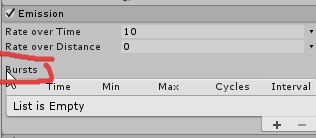
@lofty crypt im pretty sure only burst emission works for collision
lofty crypt
No idea what that means
clear yew
exactly what he said
you need to use burst emissions
and not emission over lifetime or distance
 toxic sage
Is anyone available to help me with an on load animation. I have an instrument that I have triggered via R&R hand gestures. I want an animation to take over on load (of the instruments) to give the appearance of the instrument being played. I want it on the gesture so I can toggle it on and off. Yuumi was giving me suggestions earlier but none of them have worked so far.
If it is any help, I put the animation on my menu emotes and it just forced me into the ground for about half a second and returned me to normal.
 topaz tusk
I tried uploading my model last night and all the textures on the entire model are flashing like red/blue/black/white super rapidly. I tried changing all the textures group by group until all were different, moving the view ball, refixing using cats, fully atlasing, and I cannot find out what is wrong with the model that it is making it do that. Anyone have any ideas as to what it might be?
tardy abyss
Is it possible to import an animation into Mixamo (to edit it)?
Say I didn't like how it took so long until the animation happened, and I have very little knowledge on animations.
toxic sage
Does anyone know why the inspector shows an animation correctly but the same animation on the emote list puts me in the ground and then back?
 solar iron
I'm trying to have my avatar sit in a chair, but I would like to still be able to use my VR controllers to move my arms and hands.
slim sparrow
Well, if we still had actual chairs on our avatars, that would be possible 
But instead, you'll need to make sure that the legs and hips are not weighted to anything @solar iron
Then you can make your model sit in a chair
Or make fake leg bones maybe
toxic sage
So I tested an avatar's animation, after the animation ended, the model is still inside the pose.... is there any way to go back and enforce the tpose?
slim sparrow
Not exactly
This is why you always animate on a duplicate
You can drag a new model into your scene and copy the old components over
toxic sage
ahh
slim sparrow
Avatar descriptor, dynamic bones
toxic sage
damn
slim sparrow
It's easy enough, you can literally copy and paste components
toxic sage
well i mean, my main model is now stuck in a performance pose XD
slim sparrow
But you'll also have to redo the objects etc. It might be better to just deal with it or find a T-pose animation
There's a way to do that
toxic sage
lol I managed to backtrack to a different scene. Thankfully unity saves scenes differently than assets
 cosmic apex
need some help D: is it a way to make the particle system to sync with the music in animation owo also got another question that i dunno how to type :3
icy crow
I don't think theres a way to do that, you'll just have to judge it
cosmic apex
well then it is gonna be hard for me xD well thx for answer
icy crow
what was your other question?
cosmic apex
i forgot lel
but now it won't let me upload
says: something didn't exist and in the log it says red on Dispatch Get auth/user disablecache: True (i am just lost is it beacuse of my animation?
icy crow
does it say "Avatar not found" anywhere?
 slender latch
How do I make it so my animations effect only affects one person?
For example, my animation is supposed to turn the world in black and white and make in rain blood.
but I want it to happen when I stab someone with my sword
it doesn't block their vision, it just changes the world for that one person
icy crow
I think you'd have to use particle collision to only affect players locally
slender latch
how do i do that
icy crow
put a particle on the end of your sword and turn the collision property on
but I don't think that'll help exactly what you want to do
clear yew
(Generic avatar) My animation that should play when walking backward freaks out and tries playing my sideways walking animations for one frame at a time; anyone else had this issue?
clear yew
Nevermind, it was an issue in my blend tree; I must've had a couple of points too close together and it wasn't calculating some values right because of it
solar iron
@slim sparrow How would I make sure that the legs aren't weighed to anything? Or if it's easier to make fake bones, how would I go about that?
slim sparrow
@solar iron extrude new leg bones from the hips and assign those in Unity instead
balmy orbit

so um, i cant get this trail to have color overlifetime work properly...
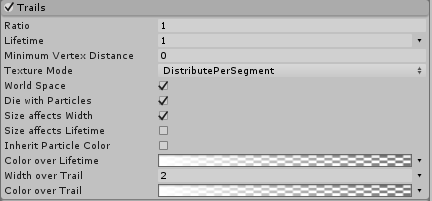
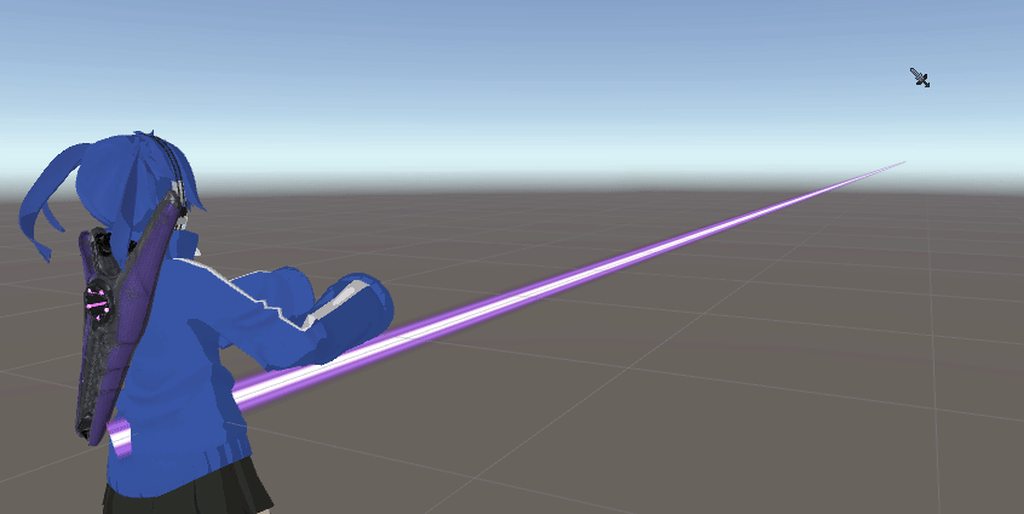
heres the texture without size over lifetime
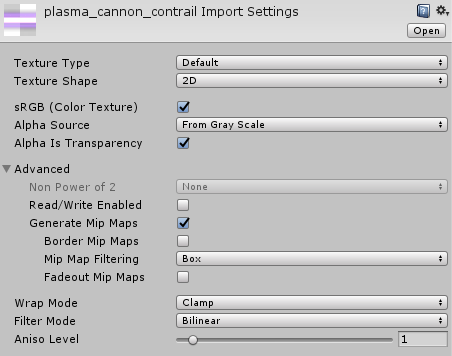
the textures settings
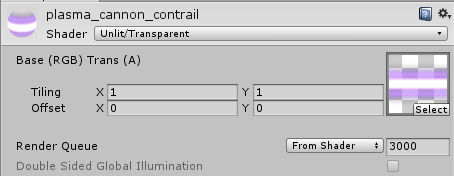


material settings
it could have something to do with the shader...
 gloomy plume
i have a question/need some help
im trying to make a Mario avatar that shoots fireballs that disappear after a while, how would i make it so an animation override makes a particle system emit some particles but they dont disappear when the animation is ended?
 shrewd moon
Create a animation ticking the emissions tab
Leave the particle system active but untick the emissions on the main model
balmy orbit
@shrewd moon i dont wanna bother, but do you know anything about my problem?
gloomy plume
thank you very much, Lucy
shrewd moon
@balmy orbit sorry haven't experimented enough with trails
balmy orbit
right, thats fine