#animation
1 messages · Page 70 of 1
 fresh scaffold
Or lightsabers appearing in your hand like Grievous model does on VRChat database?
Or does that do something else?
 slim sparrow
Only put finger movements on your Fist gestures, I can't make it any clearer than that
The rest of the slots are fine
 wide steppe
Wish i could have ability to have more animation components than one on one object
slim sparrow
If you put objects on fist, they'll get stuck too
 stark pond
What are two grip animations that can pair nicely then, I really loved the flow from rock'roll to fist because there one only one button you need to press to transition, any others?
Also, I am still wondering, for my Ash model should my pokeball throw capture a pokemon or send one out?
fresh scaffold
Capture, unless you intend to keep it out
stark pond
WAIT A MINUTE!
fresh scaffold
No.
stark pond
Submitters spawn on the death of a particle are counted as a game object! You can attach sounds to them!
THIS CHANGES EVERYTHING!
stark pond
The submitters or sound?
 regal hollow
I've never gotten sound to work on particles
slim sparrow
I think I know the answer
 languid pier
Is there way to have a lights effects without the realtime lights ?
slim sparrow
Sound will play if you put it on the sub emitter object, but it will play from yourself
@languid pier what kind of light effect? There's Emission on Flat Lit Toon or Standard, and there's the MK Glow shader
Realtime lights can be acceptable if you turn off all shadowing on them
Would not recommend it, but still
languid pier
Ye i dont want to make fps drop for people, already a lot of complaints for particles so. Ty ima look for theses shaders
slim sparrow
It'll vary per map. Some maps actually add bloom to emission
languid pier
Ye bloom would work really nice. Or ima put only one particles with lights and make it bigger
Btw did you figure how to make sound with sub emitters ?
slim sparrow
You can't
languid pier
Too bad
stark pond
@slim sparrow So I just need the subemittter to be located in a position I want the sound to be at in comparison to my avatar.
Also, I haven't done subemitters yet, does the triggering of them enable them and I need to have them disabled, or does the triggering of them just start the subemitter so I need to disable play on wake?
slim sparrow
Dunno
stark pond
So the problem I found with sound is that triggering a subemitter does not trigger the sound playing and having it play on awake makes it play before the subemitter even appears.
 torn pawn
u can't have sound on particles
 sage bane
Hey so I already made a particle system and put it on the avatar itself. I have decided to set the particle system to a emote rather then it to stay on the avatar the whole time. How can I take a paste the particle system to the animation?
torn pawn
you can use gestures
emotes = trash, because you're stuck for that animation time and can't cancel
torn pawn
you make a particle system, have it disabled
then with gesture enable it
it will play the entire thing and loop if set to
sage bane
Ok thx :D:D
 rapid cypress
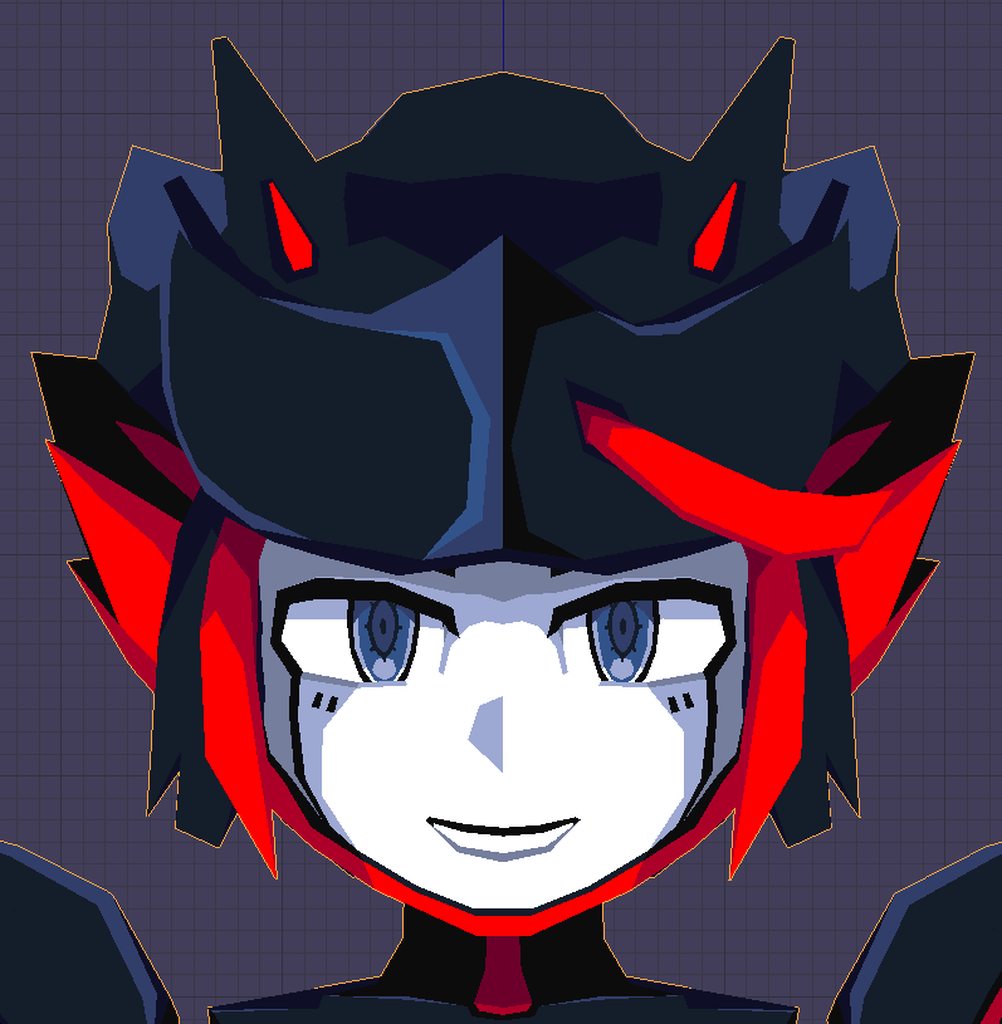
I'm thinking about implementing different idles for compound animations
meaning that on gesture, it's actually activating a game object with a different animation keyed to it
in addition to a basic shapekey transform
so the idles are actually catered to the expression rather than just a generic idle
wide steppe
Any idea how to transfer animations between models with diffrent type of rigging but using exact same mesh and textures?
 clear yew
This is more a request than anything else, but can anyone make a .anim file that sets the fingers in a position similar to that of the T pose?
I want to make emote that don't use something like a fist or a fingergun but the placement of the fingers is different once you start recording.
 white herald
you realize that by default animations don't have fist/gun hand poses
you could also use palmopen, or create an animation in blender by selecting all hand bones and insert a keyframe for their tpose rotations
clear yew
I know that they aren't fists or guns by default.
I just want the hands to look like how they look in the T pose.
 west panther
https://gyazo.com/4719c5721354fa813bc78bd924c31842 my override for making weapons appear only works when I'm spinning and holding the gesture down.
Spinning left makes the left hand weapon appear
Spinning right makes the right hand weapon appear, but with pink texture (despite same material)
Either hand can activate either dagger, so long as I'm spinning
Neither shows at all in mirrors
Neither dagger will appear if I tilt my head higher than horizontal
WAT DU HEK
clear yew
@west panther are any of these meshes called 'Body' or childnodes of your Head bone in armature?
that would explain all these issues
west panther
the body is "Body Hand" and the daggers are "Dagger L" and "Dagger R"

I was able to confirm that other people can see it just fine unlike me so ty I'll play with the hierarchy to try and fix it
 lunar pasture
yeah sometimes there's disconnect between what you see in a mirror and what others see, i have a boobs animation, i only see the position shift and not the scale, but it looks fine on camera and when others see it, it's just a thing.
clear yew
Hey guys! In the "CustomOverrideEmpty" controller override, which ones are the SHIFT+F1-F8 animations?
slim sparrow
Check the patch notes for the desktop gestures update
Off the top of my head, in order from F1 to F8:
- Neutral (none)
- Fist
- Handopen
- Fingerpoint
- Victory
- Handgun
- Rock 'n Roll
- Thumbs Up
I may or may not have switched handgun and rock 'n roll. I dunno.
A thing to note about desktop gestures, is that you have to switch to another gesture to cancel them properly. Maybe this is unique to fist, but if I bound audio to fist, I had to switch to handopen and then to neutral to get the audio to stop.
clear yew
Which ones do you suggest to toggle the visibility of a mesh?
I mean, for an anim that does that.
Victory and handgun works fine for me! Thank you!
 vale brook
Does anyone mind telling me how to detach objects from your character's location while playing an emote? So I can walk around and have whatever stay in place while I hold the emote?
clear yew
I'm going to guess at this one but first step is to have it as a separated mesh, then... Well, do something as an animation.
 hexed fern
i have a model that i have to keep a generic rig for its animations but the idle animation only does the animation when set to humanoid and even then the model fucks a bit http://prntscr.com/jfjujy

i found the same animation and it works but it is just a animation and nothing else
 burnt ibex
Does anyone know if its possible to do a custom override animation but not make the original animation stop playing?
I'm Trying to make it so that I can make a peace sign and my avatars eyes close
burnt ibex
Nevermind I think I managed to do it
wide steppe
It's a gesture tyoe of animation
 pseudo latch
Anyone have the Galaxias animation? Trying to put that emote on my Broly Avatar
 ebon vault
does anyone know how to make the emotes longer then 10 seconds ?
torn pawn
not going to explain, too busy
but u enable empty object with animator or animation, can have as many frames as u want
ebon vault
even if the emotes is 10 sec
torn pawn
you can do it through gesture
ebon vault
oo
ebon vault
like the idle and other things ?
 fickle slate
do anyone know how to cloak and de-cloak the model just like in tf2 where spy can cloak and de-cloak ?.
 green delta
TF2 does it with a material proxy built into the VertexLitGeneric shader
 obsidian vigil
@fickle slate Basically combine mine and TankNuts answer to do it
fickle slate
thx.
 small tapir
Hi i'm trying to make turret that i can move with my wrist, will this work if i have an animation that puts the turret in the right position (https://i.imgur.com/YfNqUr8.gifv)?
 slim sparrow
Probably yes, but you could also use joints
On the jointed object, you can probably just freeze position in the constraints, but don't constrain rotation
 covert hawk
can someone tell me how to make the standard firewings from unity look different?I've seen people having like a diamond efect on them instead of fire
?
slim sparrow
Probably a different shader or different particles
If you have a screenshot, you could post it here and we could try explaining how/why it works.
Tbh a shader with moving texture is probably easier than particles
Or better yet, both
clear yew
moving a shader with particles
clear yew
anybody got experience with stencil shaders?
slim sparrow
Yes
Why?
Just ask your question, don't ask to ask. Otherwise it's very unlikely that anyone will help you
clear yew
Ight
Basically i'm material swapping and for some reason 1 material keeps reverting back to non-stencil
It's got something to do with the hair 'cause when I do it for the outfit and stuff it works fine until I get to the hair, then 1 of the materials just reverts back to FTL ;//////
slim sparrow
Yeah, for some reason you cannot swap all of your materials in an animation. Very annoying, I had the exact same issue @clear yew
clear yew
Fk
slim sparrow
What I did, is go back into Blender, duplicate my mesh. Then in Unity, I hide it by default.
Then disable my original mesh and enable the copy in an animation. It should still follow the armature, transition is flawless since they're both weighted to the armature the same way.
Just assign different materials on the two meshes in Unity
clear yew
Aye I was trying to avoid going back to into blender with it but i guess i'll have to. Thanks for the help!
slim sparrow
Np
If you're using stencils, you could also consider inverting the stencil instead? Not sure what you want to do
I fixed my issue by spawning an invisible cube with a stencil on it, which then hides my mesh. Instead of only showing my mesh on a stencil.
clear yew
This is what I wanna do http://prntscr.com/jfrs2z http://prntscr.com/jfrs98


Annoying cause it works perfectly 'cept for that 1 piece of fking hair man it feels bad
Oooh the cube thing looks like it'd work
slim sparrow
Ah yeah, I've seen that before
That's pretty cool, but the question is
Why and when do you need to swap the materials? In an animation only, or always?
clear yew
It's just gonna be bound to a hand gesture that'll swap the materials and activate the card
slim sparrow
Ah, I see
Yeah, then you might want a stencil shader that checks if the stencil value is not a certain number
So that it always shows, but when you spawn the cube, it hides your model. Could be tricky in your case though, since you also need to prevent it from being hidden from the front.
If that causes issues, you might want to just dupe your mesh in Blender and switch to the duped one. But it shouldn't be an issue because of ZTest
clear yew
I think I'll just dupe my mesh it sound easier honestly and if it's a guaranteed fix then its eh
small tapir
@slim sparrow Are you talking about a fixed joint?
slim sparrow
Not sure if fixed joints are the right answer, but you could try
It's definitely some kind of joint
covert hawk
so i have a problem
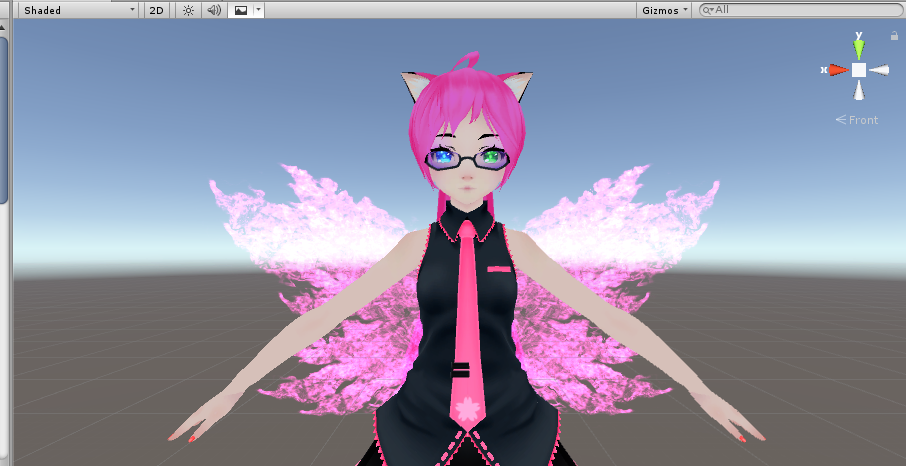
i did this to the fire wings
but when u upload the avatar they to their default postion
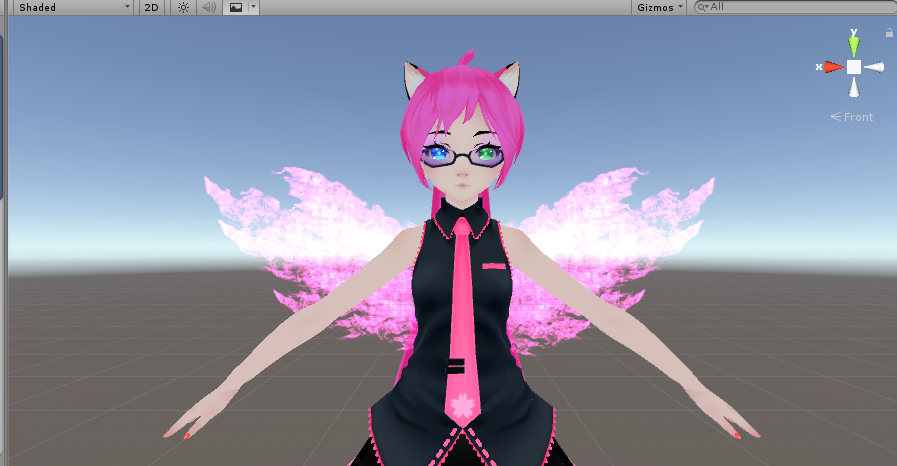
why is doing that?
nvm,fixed it
need it to disable the animator
 limber ferry
Okay, this is annoying
When I try and move any limb or anything when making a basic animation
Upon finishing with that part and selecting another limb or anything, the first part instantly resets to where it was before I moved it, meaning I can't see what the finished thing would look like.
clear yew
@slim sparrow found an easier way to do it by just duplicating my body in unity and changing the duplicated body to a stencil and just body-swapping upon the animation ;o
limber ferry
Why does the model reset the second I apply any change to any new part of it?
this is whilst recording an animation
Is it this?
UnityEditor.DockArea:OnGUI()```

and if so, how do I fix that?Aye! really convenient
 clear patio
does anyone know how to have emotes toggle?
 pliant plank
Is that actually possible?
 true scroll
jup
clear patio
there's a few people who know how to have things toggle emotes yeah
clear yew
binding it to a hand gesture
true scroll
this should be it
never used it my self tho just got it in this discord at some point
clear yew
oh? is that new, never seen that before
i recently discovered waifu2x, should check it out if you havent
clear patio
whats waifu2x?
clear yew
true scroll
waifu2x is great
clear yew
Aye!
true scroll
waifu2x-caffe is best to download
pliant plank
Welp since we're talkin' about images here, guess i'll post a reverse-image search engine, quite useful to find artwork
 tacit frost
is there anyone who could possibly walk me through the process of triggering a particle system with a gesture, and having it reset when I do the gesture again? I've got fairly limited knowledge when it comes to gestures/animation :(
or something similar, I just need it to stay active without me holding the gesture forever, and be able to reset, so it's not stuck active
tacit frost
nobody then?
slim sparrow
Enable the particle system object in a gesture
It'll reset back to 0 once you disable and enable it again
Oh, wait
Yeah, this'll be slightly more complex, but doable.
You will want the particle system to always be active
pliant plank
A gesture to toggle it on or off... Hmm...
slim sparrow
Actually this'll be hard, unless you're willing to sacrifice another gesture to disable/reset it
pliant plank
Perhaps 2 gestures ^
Getting sniped by phoenix wright
I regret nothing
But yeah, using a gesture to toggle it on and another to toggle it off seems like the simplest way to do it
tacit frost
any way one of yall could tell me in the simplest way how to do that, i know basically nothing about the animation system, seems easy enough, I'd just like to know
white herald
once you release the gesture, any object you enabled will revert to disabled
pliant plank
I'm pretty sure it's possible to toggle it on and keep it on regardless of having the gesture enabled
tacit frost
@white herald well I don't wanna have to hold it forever if I want it active for a long time
white herald
yes but you animation the emissions settings instead of enabling/disbaling the particle system itself
white herald
but when you release the gesture, it will still go back to its default emission settings
 tacit frost
ooooooh that sounds like exactly what I need
pliant plank
You can look up the chat logs up on the top right from:user emission
A detailed explanation should be at an arms reach there
tacit frost
thanks! @pliant plank
pliant plank
No worries, and good luck
wide steppe
Is it posible to make a chair on an avatar that would override the sitting animetion of the person that woukd sit inside?
For example avatars that would sit there would start dancing our animation?
tacit frost
@pliant plank I'm doing the gesture, and the animation preview shows it works, but in-game nothing happens :(
true scroll
hmm, i have done a blink animation that also is supposed to flick my ears and it works in the animation preview.
But on the aktive animation loop only my eye blink but the ears do nothing 🤔
any hint what might be wrong?
white herald
pretty sure it just uses the first and second visemes to blink? haven't had success messing with avatarcontrollers
true scroll
no
i disabled the eyetracking blinking to make my own which is why i animated it. (empty shapekeys)
and the blinking works in unity prewiew but the amature rotation (ear flicking) doesnt
however, it shows fine in the animation preview / creation thing

but in the unity live view it only blinks
and in game it does absolutely nothing ...
wide steppe
What are the inspector info? @true scroll
Of the animation
Also how you activate the animation?

 wide steppe
Hmm
true scroll
legacy animation should support it right?
true scroll
and i also dont understand why within vrchat nothing animates at all
wide steppe
Where did you locate the component?
wide steppe
To which object you atatched it
pliant plank
Normally i always attach them as such http://prntscr.com/jfvdj6
 wide steppe
Oh try disabling physix
true scroll
yes that des something...
but my ears look like this now http://Shared.DJ-FPaul.de/3562BVJ1q8.png

but it also does it in the animation preview
i wonder why
pliant plank
Dear Lord
wide steppe
Did you do the flicking by visemes?
 wide steppe
Hmm
pliant plank
The shading on that outfit's pretty neat o:
wide steppe
Try redoing the animation i gues
wide steppe
Hmm
Btw
Why most of my models have weird ghost like thing when i pook in a mirror?
pliant plank
Personally i don't think i've ever had animate physics enabled, but i assume that's what triggers the ear flicks to begin with, due to dynamic bone et all
wide steppe
Look*
Dynamic bones works even without phisics on
I mean my tail works perfectly with it
I mean phisics in animation comonent
pliant plank
I mean yeah, but it's odd, since it did that to the ears
This right here is a gesture but effectively does the same https://gyazo.com/daf2e6924168e144546a58578e20fe73

I also got an animated tail for her which makes it even weirder
wide steppe
I don't have my files for my neko avatar
So i cant share
Any idea how to fix my problem?
 wide steppe
When i look in a mirror i see outline of myself
I mean it's also showing my outline whenever someone ahve me on their screen
pliant plank
Huh...
Not sure honestly, that's quite an odd issue
Do you have it set as opaque on all the materials?
pliant plank
That'll probably work
Also heard that using one of the CATS generated shapekeys in animations may cause issues, unsure if that would apply to blinking
true scroll
i manually made the empty keys
its not a mmd port
custom commussioned model
that i add stuff to my self now
pliant plank
I mean i kinda assumed it was, since it's so similiar to your pfp
true scroll
yeah its my oc originally basing on a FFXIV character
pliant plank
Mitrha/Miqo'te?
true scroll
Miqo'te
pliant plank
Neat
Personally quite enjoyed FF games for mosta meh childhood, favorite till this day is still FFXII for the PS2
wide steppe
I'm working on this model now
https://cdn.discordapp.com/attachments/397809486410022914/443861556434960384/gallery.0.jpg
 pliant plank
Started playing that game again after years
Wew
I was in bloody beta testing haha
wide steppe
U mean smite?
pliant plank
Aye
wide steppe
Porting avatars from there is such a pain in the ass
But the end effects are awesome
pliant plank
I absolutely love that sword on that skin honestly
pliant plank
Well thankfully the community here is bloody great
So i'm sure somebody'll be able to help ya with that if ye truly want to add it in
wide steppe
Hmm
I would probably atatch void sword model to the bone with weight painting
Hmm
Wish porting was easier
Oh btw @pliant plank this is gonna be non humanoid
wide steppe
Ye
true scroll
okay so the ears flick in game now but the eyes dont blink
** sigh **
any idea?
it does blink in unity
wide steppe
I woukd just do the eyes in blender cat plug if i was in your situation
true scroll
i couldnt even use the cats plugin for making anything eye related if i wanted to
but that is not the issue
unity blinks and flicks ears
in vrc the eyes do nothing.
wide steppe
Try
Making new project in unity
And upload it from there
It was my best fix so far
clear yew
QUESTion: When using custom overrides, do I need to fill in the default actions again for the gestures I don't override?
slim sparrow
No
The override controller is there so you can leave the rest blank
Saves a lot of time
clear yew
hmmm its weird because my hands won't do the gestures anymore just the one override i did
true scroll
ok so i tried some more stuff and am at 2 issue points with my blink now.
if i use the same shape keys in the blink animation and have the same on an override gesture (wether it is active or not doesnt matter) the blinking wont work and only eyes flick
my other issue is, when ever i sit down in game my eyes stay closed and if i sit down again go completely away. anyone know what what could be?
tha has been an issue before tho, its the reason why i intentionally wanted to not use the eye tracking blinking since i assumed that might be the cause (which it isn't as i had to find out now)
true scroll
what could potentially cause them to stay closed after sitting down. even if i am NOT activating the gesture at all during sitting
rapid cypress
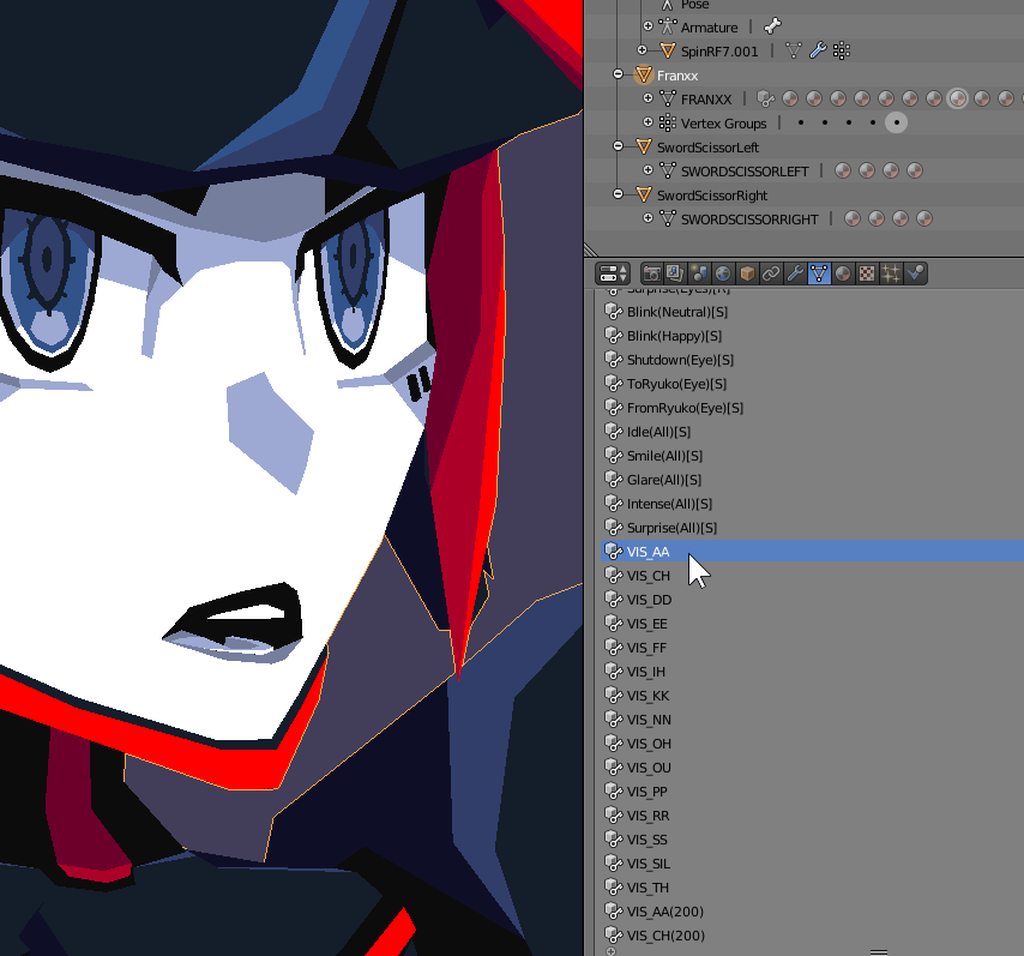
 next pilot
why the hell does unity keep discarding my dances hip rotation animation
clear yew
Hi, is there a way I can make this to where the fish rotate around the origin point? https://gyazo.com/25b69bd4a21d922caf7d9654e5afec73
 true scroll
Anyone an idea what is happening here?
https://www.youtube.com/watch?v=P7L2-5K4NEw

Just as a side note, this is not a new issue with the blinking i did today it has been exsisting since i made them and i remade them a few times allready
 languid lark
@true scroll did you sit at all when use gensture?
because that would make them stick
true scroll
its very possible that i trigger the victory override (blink) when just sitting down
but how do i prevent it from sticking?
languid lark
well make sure you hand in default set before sit down
true scroll
so the best i can propably do is change the gesture since victory is easily triggerend?
(and there is no actual fix?)
languid lark
yea no really fix for that just avoid chair lol
languid lark
@true scroll best thing to do make canny about it
get people vote on it
they maybe fix it
true scroll
yes i will look into it and write a report
since it definitely is a bug that should be fixed at some point
languid lark
@true scroll yea use that video in report as well
true scroll
ill make a better video for that just not now :cirBaka: i bothered with blinking bullshit for 5h gonna play a little before sleepin 😄
thanks again tho 😃
 quiet pendant
i tried uploading my own model, but it's not humanoid
how can i give it walking animations?
rapid cypress
 ashen sedge
@wide steppe 2m/s for walking. 4m/s for running I believe
wide steppe
I wonder when i will be able to uplaod again :/
 violet kraken
i wanna shoot something from my finger but its fucked up ingame (already using rigibody) ?
like it doesnt emmit from the actual finger
clear yew
how did you set it up ?`
 muted prairie
Has anyone come across an issue with transparent materials working for desktop but not for VR users ?
Also, that looks fantastic Polar !
violet kraken
@clear yew rigidbody on the index froze all constraints 0 drag no gravity, fixed joint on empty game object same settings and parented the particle system to the game object
and game object parented to index
violet kraken
so just place it there and put it on the wrist ?
violet kraken
alright lemme try
quiet pendant
i have a unity animation for walking, how do i add that to aatrox?
slim sparrow
You shouldn't spam across multiple channels. I have no idea what "aatrox" even is
There are plenty of animation override tutorials online
clear yew
a character from League of Legends
so it's probably a ripped model with ripped animations
quiet pendant
i found a model online and made my own shite walking animation, gonna see if thie override thing worked
 midnight garden
I am trying to get a animation working but for some reason it wont work
languid pier
anyone know a shader that i can put on a cube, and this one will be invisible and everything that its inside too ?
hexed fern
i was trying to figure this out yesterday but gave up on getting the original effect into blender but does anyone know how i could rereate the blades effect using particle effects? with the stuff that sticks out on the end too? http://prntscr.com/jgbugs and i want it to somehow have a unique gesture for when i would "unsheath" the sword as shown in this gif https://gyazo.com/ebc0ce4f89ec34392d0a259415d49f91 i dont know if the animation for unsheathing said blade is possible tho


i already have the hilt of the sword since it came with the model
 oblique pivot
Where's a good place to start if I Want to add custom animations through emotes?
Any tutorials?
Also, is it possible to take the animation out of a Mixamo exported rig and put it on something else? Basically not using the same mesh?
If anyone could help, I want to create an emote where my avatar "powers up", his cape flies up in the air behind him his hair waves and rocks are lifted from the ground. I know the rocks would have to be done with particle effects.
 warm cipher
Anyone know how to change the idle animation?
warm cipher
In the override I placed the new idle within the idle spot, have other animations working in game, but idle doesn't change
oblique pivot
Hmmm
Not sure
I haven't done animation really I'm just getting into it.
do Inverse Kinematics work in VRChat?
white herald
bone constraints dont transfer there is an ik plugin but it's not compatible with humanoid in vrchat
animations get baked so they transfer though
just in the deform bones
oblique pivot
ok. Any good resources for learning to make custom animations and import them to Unity?
I want to make my Tetsuo avatar power up so I want his hair to flow and cape to lift and stuff
 craggy sage
So i have a .blend file that i made an avatar in, its rigged and has a few animations, is there anyway to use those animations for VRC?
slim sparrow
Yeah. When exporting your FBX, tick "bake animations"
Then they should be there in the imported model
craggy sage
lemme try that
thanks
so i imported it, configed it, now what about the deform bones?
slim sparrow
Not sure what you mean
Unity should convert the imported animations to humanoid rig animations if the model is set to Humanoid
craggy sage
no animations
but the .blend file has them
ok, re-imported and they are there now
so i can just toss those into an AO and it would work?
slim sparrow
Basically, yeah
Depends which slot you want to override
For example, you cannot put full-body and full-length animations in gestures, and Root Transform will not work in the IDLE slot.
craggy sage
okies, thank you will try V^___^V
oblique pivot
@slim sparrow I made a simple custom animation in Blender. I exported to FBX but I don't see anything regarding an animation in the prefab in the Assets folder
Do they have to be attached to the main model?
I thought I'd be able to at least detach the animation from the armature and attach it to my main model
wait I guess I need to select "Bake Animation" in FBX export
white herald
that
 native shoal
Alright so for a while I have been trying to override emote 1 with me just walking forward. I used clips from mixamo as well as me just testing a flip or something. Every time after I upload it, it shows up but just puts my avatar in the floor for the amount of time as the animation but does nothing else. Not sure what to do
oblique pivot
Anyone know why I can't duplicate the animation from a prefab to break it out of the armature so I can add it to my model?
white herald
rename the animation to something without weird characters @oblique pivot
 green spade
can someone say where can i get custom dying animation from last marvel movie "avengers"?
when u turn into cloud of pieces
quiet pendant
oof
regal hollow
I don't feel so good
green spade
yeah, that one
quiet pendant
mr krabs
regal hollow
🕷 👨 💨 💨
craggy sage
is there a way to test animations before you upload them to see if they work?
i cant seem to make this AO work
im trying to start with the idle animations, but even that isnt working
 undone glade
@craggy sage make sure the animation is on the avatar and hit play that is located in the middle top of the window just below your toolbar
rapid cypress
 torn pawn
ok that's pretty sick
 lilac cave
nah i think its more that the jaw would be expected to be the moving part
fresh scaffold
^ the jaw makes it look peculiar
 languid gull
Is it necessary to split up a face mesh for vismes or would it just work fine on the whole body?
ashen sedge
Preferably you'll only have one mesh for your whole avatar. The face mesh slot is just which mesh that has the blendshapes you want to access
slim sparrow
Do not split your meshes either way
I mean, don't have them split at the moment you import into Unity
languid gull
Yeah I noticed multiple mesh can look awful in lighting
slim sparrow
That too, but it's also for performance reasons
ashen sedge
On the multiple meshes you can just set an anchor override on the mesh renderer to be the same and that should make the meshes look uniform. But yes, mainly for performance reasons you want to only have one skinned mesh renderer.
Regular mesh renderers (Static meshes, no bone data or blendshapes) are really cheap performance wise and those you can have as many you want basically
languid gull
Just a worry because this mesh is a little on the high side and I was worried vismes of the whole thing would be costly in some way
ashen sedge
If it is costly, it's not significant in any meaningful way
Like an extra skinned mesh renderer or material would be
languid gull
Materials are my next worry but that's a different channel
fickle slate
umm... so im trying to make a fire that isn't cut's off everywhere , if anyone watched naruto then you will get what i mean by simply looking at this picture http://prntscr.com/jgm005

 harsh swallow
You want one whole spout of fire? Increase the emission over time
torn pawn
yeah dude, make sure that you lag out those people!
harsh swallow
You can have a low amount of max particles but the emission over time can be higher
also increasing particle size can make it seem more dense
They have like 60 particles, that's not gonna be too bad
slim sparrow
Yeah, billboard particles in particular will not be too laggy
torn pawn
no guys, you always use mesh particles with at least 5k tris each 👌 billboard is not the VRC way.. why would you not want to lag people? at least that's what I see every person doing 🤷
harsh swallow
sadly yup... 😕
 upper sapphire
what do i do in blender if my mesh isnt moving in pose mode after making a shape key
clear yew
anybody figure ouut a good method to not have hair clipping through the body yet. i heard that colliders are bad times
better settings
^sage advice
you can't really do more with long hair
don't have them fly around all over
put more stiffness and inert
they will move but not too much from their original position
i wonder if i can just add a bunch of little bones and put small colliders on them
so they arent supposed to clip through
too bad you cant just have the mesh be a collider
rigid bodies dont work in vrc right?
i saw some people use cloth ocmponment for the hair
dont know how well you will get that to work tho
rigid body ? yes they work
you need to use the rigid body of unity tho not from blender
ok
slim sparrow
Dynamic bone colliders are shaky
But they work okay if the hair has enough bones and the colliders are big enough
Skirt clipping is tough to fix, but hair clip is easy
Would be easier with plane colliders, though. We don't have those yet.
Cloth has super accurate collision detection
But I wouldn't recommend it for hair personally, unless your type of hair is a very specific one.
clear yew
i just added a bunch to the shoulders and arms and set their radii nicely. they appear to be working will. I think i'll need to add an additional bone in the center of the skull to attach a collider too for the bangs
so the plane colliders do not work even though i see the option to add them in unity for dynamic bones
slim sparrow
I tend to use a separate dynamic bone script for the bangs
clear yew
?
clear yew
good to know
it would be nice if you could just set the main mesh as a collider initself
slim sparrow
Would probably be too laggy
clear yew
That moment you realize you have 4 dynamic bone scripts set to the same bone for some odd reason
Colliders helped a ton
 bright basalt
Is there a way to make myself able to move while using an emote?
craggy sage
so if im making custom animations in blender, do i have only make one take of them? or can unity use more than one take
cause my mesh seems to stuck on one pose for some reason
clear yew
anyone that knows how to use Configurable Joints?
 unborn needle
is there an animation tutorial on tails? mainly tail wagging :x
torn pawn
you animate bones in unity with rotation
press record and rotate bones/move to your liking
 surreal garden
Anyone else having trouble with audio sauce on there avatar?
oblique pivot
so i made an animation and i have face bones imported into unity i used in the animation but they don't seem to be affected.
does VRChat not use facial posing at all even for animations?
i am assuming when using VRCSDK since there isn't rigging for facial bones that they're ignored?
 dull wedge
Could somebody help me figure out how to hide the nametag on my avatar? So far, I know that you have to put a cube with a fade shader over your avatar, but people can still see my nametag.
surreal garden
@dull wedge am working on the same thing, it's all in the shader, best I've got is half fade, but the box had a black line around it
I heard water shader with distortion set to zero, but haven't had time to try
dull wedge
I think for the time being, I'm going to assemble an actual box around the name tag. I at least know that the overlay effect happens once behind an object.
surreal garden
So that you just have a box abouve you?
slim sparrow
@unborn needle https://www.youtube.com/watch?v=VXU12lIqcfE

Apologies for the cold. Thanks to Haitchyy for his tutorial, which is what helped me intuit tail wagging: https://www.youtube.com/watch?v=p0txtOuZtx0&t=431s ...
This one uses legacy animations, which I do not fully agree with, but it'll work
Personally I'd make my own IDLE animation, or I would put an animator on the tail's root bone (dunno if that's possible though).
oblique pivot
@slim sparrow Do you know if facial bones are usable in VRCSDK?
I imported an animation but none of the facial animations I did transferred.
slim sparrow
You need to use visemes
The only face bones you get in the Humanoid rig are eyes and jaw
If you did facial animations, maybe you should also make sure that you exported with baked animations
white herald
can bake pose to shapekey there is a button in cats for it
 slow ridge
Particle Effect Question: Trying to make cigarette smoke. It keeps emitting far away from where I have it set at, and it moves with my head. Any ideas?
slow ridge
Sim space?
slim sparrow
Yes
slow ridge
Yeah, world
slim sparrow
You need to put the new IK Follower component on the particle system
Or use fixed joints (more reliable)
slow ridge
so add IK, and keep the sim space at world?
slim sparrow
Yes
slow ridge
So to get a better understanding, what does IK do?
slim sparrow
Basically, uh
I don't know the details myself. But basically, IK is how VRChat moves your avatar, along with animations. By only knowing the position of your head and hands, the rest of your model is moved. So when you move your hand inward, your elbow also moves.
slow ridge
I got it
"Place this component on a child of a IK'd part of the Avatar. It is useful for particle systems that need to be in WORLD space, but still need to track the position of an avatar bone."
slim sparrow
Yeah, basically
It makes the particle system "aware" of your avatar's movement. Otherwise, it would act like you're still in T-pose
slim sparrow
Add it to the same objects where you have your particle systems
oblique pivot
sooooo VRChat uninstalled itself somehow? wtf?
surreal garden
Anyone got some cool shaders to share, they can be hard to find
slow ridge
If I want to make a 2 stage animation (as in pulling out a gun and being able to toggle fire it) how would I go about that?
 vocal zinc
@slow ridge So you would need an animation that make the gun appear in your hand and another one that you trigger with the other hand to shoot
slow ridge
so I would do the first hand gesture, then do the second?
vocal zinc
if you make bullets to it with particles
you just have to put an audio source to your gun that turn on when you shoot
slow ridge
I've been looking around and can't seem to find any info on how to do it, but I've seen it done
vocal zinc
when you do the fire animation it should active the particle for the bullet and the sound for the shoot
but the sound of the shoot have to be in your gun not in your bullet or it will move with the bullet i think
vocal zinc
?
OH
ok
i see
im not sure there is i did a particle with so many emmiters to make it good for sound visualisation
i only know how to do it manually
not sure if there is a particle that does it automaticly without using a script that is not allowed into vrchat
@proper zenith if you want the halo to turn or you can do it by a particle system with long life and rotation over life time

you have to add "animation" component to your model and add the rotation animation to it
when you press playmode it should rotate so it will work ingame
that's how my wings are animated
mhh
maybe you did something wrong when making the animation
it should work
yeah but did you made the animation children to the halo or to your model
try to make it by your model like you click on it then you open the menu to find the halo and change the rotation
its exactly like when you do face expressions
in another mesh ?
the halo should be children of your bone "head"
don't forget to change the name of the halo body and bones like body1,armature1
so it doesn't fuck yp your model in miror
like this http://prntscr.com/jguik9

just be sure everything you add to your model doesn't have the same name of anything
 frank yarrow
for some reason ive been having an issue where my avatar is preforming a gesture that activates one of the overrides where it fires projectiles where for me my avatar is in its normal state, but to literally everyone in the world, my avatar is in the gesture override where its shooting projectiles. pretty sure this is a bug, but noone has been able to help me
as a sidenote when i activate the gesture manually it shows up as normal for me but when i change gestures its still shooting projectiles for everyone else
its also gotten me kicked from worlds more times then i can count at this point
clear yew
is it possible to have reflection without being affected by the skybox
 devout cave
Anyone know why my distortion particles appear like this sometimes? They are visible and overlay all the other particles
 glacial fog
Simple (or not) question, I'm able to add additional objects to my Avatar in Unity and aniamte them in same time or they will be separated ?
slim sparrow
@proper zenith you probably forgot to add the animation controller in the Halo's animator
@glacial fog either way works
The best way to animate objects is to give them their own animator
But you can probably animate them all at the same time if you want to
 next shard
anyone can teach me how to do firing particles for guns? <:
i know the basic particle system stuff
oblique pivot
when animating how can i ensure the starting stance of my animation will match the original idle animation so it doesn't jump cut into animating?
 midnight comet
when I'm trying to animate my avatar changes into a sitting like position and I can't upload it after getting the animation because it gives me errors
slim sparrow
You need to animate on a duplicate of your avatar, then delete the duplicate once you're done defining the animation
Either way, post those errors here
@midnight comet
midnight comet
give me a second
 true blade
Quick question, how to get particle systems to not be stuck on only a horizontal axis based on your vision instead of the game object it's attached to(Which is attached to the index finger)
midnight comet
i'm so confused
i didn't get any times this time
with duplicating it
I'll just have to see if it works
it's not working
it's just stuck in T pose
true blade
Did it go into T pose before you duplicated it?
Or is it not going into animation pose when you animate on the duplicated one?
 molten elm
How do you use mixamo animations or animation packs, and where can I read up on this stuff? I've been so lost trying to use Mixamo because the guide's I've looked up don't go into it ;;
true blade
Hmmm might want to rerig it or debug possibly. Might help.
midnight comet
i might need to start over
slim sparrow
I'm tired of the lock icon not appearing on my animation window and having to revert my layout to Default to fix it.
Is there a way to make the lock icon appear again?
It keeps randomly disappearing
 serene lava
So, with animations, can I assign animations longer than one keyframe to a gesture? Also, if im in VR and I use an emote, will it cause my Avatar to freeze in place no matter what?
clear yew
yo yo
i need help with a particle effect

I want it to look like this
but i cant rotate it
 eager vault
Particle systems have a rotation over time drop down doesn't it?
slim sparrow
Yeah, that sounds exactly like what you need
Or you can put an Animator on the game object containing the particle system, wouldn't recommend that tho
clear yew
dosent work
eager vault
also I love Benadryl Creamsicle
clear yew
it just stays facing up
clear yew
please elaborate im abit new to this
slim sparrow
It should follow the rotation of whatever it's parented to, unless you set the simulation space to world and it's a mesh particle
clear yew
its set to local
eager vault
Wait, describe "facing up"
eager vault
Under renderer is it still set as a billboard?
clear yew
yeah
eager vault
Set it to a mesh and pick a plane
eager vault
Hehe, underwear, it should start as a cube, so just search for the plane, unity has one by default
clear yew
its a sphere
eager vault
Oh, maybe it was sphere that it starts as, anyway just click the circle thing and search for plane
clear yew
not there
slim sparrow
I think billboard renderers always face the camera?
Don't they?
Personal choice: I would set the rendering mode to Mesh, then set a Quad as the mesh.
I'm sure there are better ways, but I know for a fact that this should work
clear yew
quad?
slim sparrow
Yes, a quad
Or a plane if a quad isn't available (it should be)
A quad is literally just a rectangle.
Renders the texture that you give it. Period
It's like 1 or 2 polys
clear yew
nvm
i got it
someone in the other chat helped me out
I set it as a billboard and made the view local
clear yew
anyone one know if i can use an animation to change matierals
slim sparrow
Yes, you can.
Just hit the record button, select the mesh, and change the material. The change will be recorded inside the animation.
clear yew
nice ok
@slim sparrow do you how to make a thing where if people are in the range of me their screen turn black and white
slim sparrow
I'm not sure. If you want the whole screen to turn black & white, that's probably a screenspace shader.
 daring pilot
is it possible for me to have an object only show up during an animation?
slim sparrow
Yeah, just enable it inside that animation.
"Is Active" property
It's the checkbox at the very top in the inspector panel
 spiral grotto
how do people have that shadow trail on the ground behind where they walk? Is there just a file for that anywhere or what?
slim sparrow
I think it's a trail renderer
Just a trail renderer component
If you put it on your avatar object (or on an object parented to your avatar), the trail will basically be left at your feet
I never had any reason to use it, so I don't know the details.
daring pilot
do you know of a video that shows this? (i can't find one)
if not , that's phine too
slim sparrow
Nope, I don't know of any videos
The trail renderer component shouldn't be too hard to figure out. You can test it inside Unity by hitting play mode and dragging your avatar around.
daring pilot
I meant my issue I had a bit ago
because my add property button is greyed out and I don't know why or how to fix it
slim sparrow
Did you drag the animation file onto a duplicate of your avatar?
You need to drag it onto the actual avatar object, not the mesh. Make sure you drag it in the hierarchy on the left, not the 3D view
 rigid wigeon
Hey, does anyone know how people are converting mixamo animations to unity animators? like the hip-hop dance animation and stuff? I have a few animations on mixamo I want to use with an avatar I have rigged in unity but it doesnt have a mixamo skeleton so it wont work.
slim sparrow
@rigid wigeon upload any model to Mixamo. Preferably the one you want to use the animation on
Select the animation you want, then download the model as FBX. Import the model into Unity.
Set the rig type to humanoid, and configure it to make sure it's all correct.
 earnest trail
somebody have the kazotsky kick animation?
slim sparrow
Then you can expand the imported model, and press CTRL+D on the included animation file. You now have a generic Humanoid animation that you can reuse anywhere. You can delete the Mixamo imported model if you want.
rigid wigeon
@slim sparrow Thanks so much!
 olive lynx
Hello everyone, I have a stupid question but I'm going to ask it anyways. My dance animation is 54 seconds long oh, it works in the unity all the way through but when I upload it and try to vrchat it comes up like 10 seconds short. Is there any way to fix that?
torn pawn
any1 knows how far in frames on gesture can u go so it doesn't lock for 10 seconds?
languid lark
emote only have 10 sec
Gesture just base on how long you hold down the button
for animation to play
pliant plank
Not entirely sure about what you mean exactly yuumi, gestures play indefinitively and emotes just unlock your camera after a while, but the animation plays fine untill like the 1 minute mark :o
 vagrant heron
How do you make your avatar not invisible to yourself in mirrors if you have a particle effect on it?
lunar pasture
It's likely the shader you use on it, or maybe something to do with layers
slim sparrow
I think particles just aren't visible in mirrors
If your avatar is only particles, that's probably it
Try a camera
 spring nova
nah particles are visible in mirrors, but their location is off. I think they're centered on the maps origin or something
pliant plank
Yep that sounds entirely plausible actually
 signal iris
another quick question if anyone is willing to answer/knows. Does ragdoll work for animaitons. I'm trying to make my character just flop to the ground during an animation, it looks fantastic in unity but in game my hand just does the weird animation start grab (the grab where you can tell the animation started but it isnt working)
slim sparrow
@signal iris you can't actually ragdoll yourself
You need to disable your own skinned mesh renderer, then enable a copy of your model that ragdolls when spawned.
Same effect
signal iris
so in an animation disable the skin mesh renderer of the original and then add in the copy that has the ragdoll on it thus making "me" invisible and making the other model do its thing lol correct?
slim sparrow
Yes
That's also how you do full-length animations on gestures without using emotes
How did you ragdoll yourself anyway? You just used the ragdoll creator, right?
Unity has one of those built in
signal iris
correct I used the built in one
one a second model I decimated the head in blender for an effect
on*
should I attach the ragdoll model to a empty game object?
slim sparrow
Not really necessary
I think the ragdoll creator makes a prefab, just place that in your own avatar somewhere. Next to the body mesh, for example
signal iris
in the animation tab when I go to skin mesh renderer I cant seem to see how to disable only the pluses to add different facial gestures etc? Where would the disable be?
thank you for the help btw ive been working on this all night lol
slim sparrow
There should be a Skinned Mesh Renderer.Enabled property
Otherwise, you can also disable the whole body mesh.
signal iris
got it thank you
my ragdoll model and the orignal duplicate a seperate entities animation wise thats why I asked if I should be using and empty game object to connect them, what way were you suggesting that doesnt involve a game object?
got it just clicked and dragged the rag doll into the heirarchy of the original
signal iris
@slim sparrow so its working in the animation tab, its just really spastic now, the models head sinks into the chest and it flips out...
slim sparrow
Well, unless you actually want it attached to something
My idea was to have your avatar object. Inside that, there's your armature and body. But next to that, you put the whole ragdoll prefab
It'll just spawn there once activated
signal iris
@slim sparrow I got the other mesh disapperaing and the new animation functioning, but in game I just completely disappear... cant seem to fix this no matter what
signal iris
@slim sparrow In game yes, no rag doll is spawned
slim sparrow
Then I don't know. I never tried it myself
signal iris
my enable mesh is working ie the disappering
slim sparrow
Maybe it's spawned at world position 0
You could try putting a fixed joint between the hips of the ragdoll and your own hips
signal iris
@slim sparrow Hmm ill try that it seems to have changed the way the ragdoll falls in unity but not in a bad way, Ill give it a shot
@slim sparrow Nope no luck...
 plain coral
so uh....
I'm a little confused.
The new SDK "Custom Avatar Controller" appears to be missing from VRCSDK > Exacmples > Sample Assets > Animation
was this moved, or is there some different way of doing it?
I used one from another avatar I created, and applied it to a newly created one, but it doesn't appear to be working.
 gray rune
Hi quick one do you need to have finger bones to use animations connected to hand gestures
plain coral
yeah, thought that was what my problem was, so I rerigged it with full fingers, just leaving it unweighted. But it's still not working.
Anyways, I have found the problem, and when I'm doing testing to see if that was it, I'll get back you all.
ashen sedge
@gray rune Specifically you need to map atleast one thumb, index and middle finger bone per hand for full-body IK to activate. If you're missing a finger then that's OK, but those three bones must be in place.
If your avatar only has one or two fingers, or even none, it's perfectly fine to do dummy bones connected to the hand
plain coral
Whelp, that wasn't it.
What I thought it was, is that I some how moved my default "Custome Avatar Overrides" controller. And it wasn't getting updated when I updated the SDK, so I moved it back, removed it all and reinstalled. nothing.
My next suspicion is that maybe it's because the finger bones don't have weights. Do they need to be present and weighted?
slim sparrow
I'm pretty sure you need CustomOverridesEmpty to insert your own animations
Your own animation controllers have never worked, at least not for Humanoid I think
plain coral
Er, yeah, that's what it is. Sorry, I misspoke.
But actually, I went ahead and added weights.
And I see the fingers moving (It's a lizard, it's not exactly intended to have hand gestures) So, I do see the gestures being triggered now.
However, the animation is not happening.
oh. wait
Yeah, it's still not working. I'm going to try recreating the animation, which is a pain, but for the sake of science, let's see if that fixes it.
Well okay then. I guess it was a problem some how with the animation. All is better now.
I guess if it helps anyone. Here are some things to consider if this happens:
- The original solution was to add missing finger bones to the avatar.
- I added weights to said finger bones (Unsure if was necessarry)
- The end solution was to recreate the animation.
- The animation was created before finger bones were attached to the avatar, and may have been what messed up the animation.
clear yew
?
upper sapphire
i've been working on this energy disk that i want to shoot out of my face so it goes in the direction im looking at but I have no clue what i'm doing wrong. The problem i ran to was the animation doesnt want to end and the disk ends and stays at the end point without dissapearing, and i also ran into the problem where for some reason in my first person perspective I have particles stuck to my head and also on the disk, but to everyone else theyre not on my head at all, theyre on the disk as planned.
clear yew
cuz parenting particle to head is a bad idea in general
since everything parented to it is deleted from your view with a humanoid rig
upper sapphire
yeah i detatched it from the head and fixed that issue but i remember seeing some models with that functionality of shit being in your view direction so idk if thats possible to do with my case
 burnt stream
ah
upper sapphire
but with that specific thing out of the way if its not possible, how do I fix my disk not being a 1 time animation that goes from point A to B and done. instead atm its point A to B and continues existing
clear yew
it's a particle system ?
upper sapphire
well its a Frankenstein combo of a cylinder game object with a particle system attached
(reason for the cylinder was i put a texture on it)
i'd show it but I can't post images.
clear yew
use imgur
 clear yew
what is the cylinder in this case ?
clear yew
can't you use mesh particle ?
upper sapphire
what difference would it make in terms of the animation problem, it'd be the same result wouldn't it?
clear yew
you can actually make the cylinder collide and disappear
and better control over the speed
rotation
duration
and so on
upper sapphire
ok and now how do i add a particle system to it that moves with it?
clear yew
create an "empty game object"
and parent all your particle system to it
so you just need to activate the game object to spawn them all
upper sapphire
ye thats how i had it set up
i have a spiral particle system on the spiral cylinder that just enhanced the look of the spiral
clear yew
either you activate it at the same time
or your use it as a sub emitter parented to the main particle system
 trim root
are blinking animations 5 or 10 seconds
 sick musk
40 second animation takes an entire day yeesh
clear yew
Is it a limitation of the animation override controller that hand gestures are independent by default but control both left and right hands at the same time when overridden?
slim sparrow
You need to define them on both hands
But when you do them ingame, the fingers only move on the hand you use the gesture on.
All other things (property changes, blend shapes etc) are shared. Only finger movement is separated
clear yew
I understand from tutorials that hand gestures should be one keyframe. However I experimented with attaching a full body animation to a hand gesture with very strange results. Only the fingers were animated which is not strange, but when i went to use other hand gestures the fingers animated as if I was using the first animation and it would continue to loop while slowly the intended animation would phase in and the looped animation would phase out, make sense?
was wondering if there was a way to use a multi keyframe animation on a hand without it carrying over to other animations like that
or if this is a known limitation of hand gestures
slim sparrow
Yeah, gestures are weird when they're more than one frame
You cannot put a longer animation directly onto a hand gesture, but there is something else you can do
You can enable an object in a gesture, which in itself plays the animation you want. So if you want a full-body animation and don't want to use emotes, you can disable your own skinned mesh renderer, and enable a duplicate of your model which plays the animation when activated
slim sparrow
VICTORY
clear yew
thank you
slim sparrow
Does anyone know why Muscle Animation Editor does such weird things with Root Transform?
I'm not even sure if it's Muscle Animation Editor or Unity
But when I change the root transform Y in a keyframe to 1 for example, it immediately jumps to 0.89 instead
So when I make a new keyframe based on another one, the root transform is always lower than it should be, and I have to manually change both values.
And if I'm playing an animation while record is enabled, it also inserts new keyframes for Root T automatically???
The automatic insertion of keyframes is almost certainly Muscle Animation Editor, but I still don't know why Root Transform is consistently so wonky
languid pier
is there a way to make a particles have priority over one ?
in the layer
The white have priority over the black one

 remote blaze
Hey there guys
so I got a question
how would you a custom walking/idle animation for bones other than the regular humanoid ones?
the animation looks fine in unity
obsidian vigil
idle or walking?
remote blaze
well, both, really
it's a tree guy with 5 legs
I set 2 of them to be the humanoid legs, and the other 3 are animated customly
the animations works in unity, but in VRchat, only the 2 legs work fine
obsidian vigil
well
did you set the animation to legacy?
so it like always plays
for the idle
remote blaze
legacy anims work with humanoid models?
no, didn't think of that
I'll do that for idle!
what about the walking?
obsidian vigil
hmm so you assigned it to the walking animation in the override right?
remote blaze
yep
obsidian vigil
then it should technically work...
i mostly mess around with bipedal models so i havent had a lot of experience with more legs yet ^^
remote blaze
that's the confusing part - the custom animation plays, but only on the assigned bones
the other ones stay frozen
obsidian vigil
hmmm
remote blaze
very confusing too, because I've seen non-assigned bones animated on humanoid avatars before
like wings flapping or something similar
actually, I thik @slim sparrow has a flapping avatar
obsidian vigil
yeah... as well as animated halos
or small figures moving on a shoulder, sth like that
green delta
Is there a source for the default/idle hand pose somewhere? If I implement a custom gesture and don't do anything to the hands they still change pose
obsidian vigil
@green delta i dont know if theres a standard hand pose but i have written down values which i use for idle looking hands
tho that file is on a different computer which i cant currently access
id recommend fiddling with it until you find values you like
and writing em down
green delta
Hmm, I'll play around with it. Thanks anyways.
green delta
Nope, thinking about it though.
 upper bone
how to animated textures?
obsidian vigil
@upper bone this is unitys official documentation on this https://docs.unity3d.com/Manual/PartSysTexSheetAnimModule.html

basically using a spritesheet
and scrolling over it
slim sparrow
There's a shader which can do that. But either way, you do need a spritesheet
 sand wigeon
how do you make particle animations to a emote
slim sparrow
@sand wigeon turn on a particle system in your emote
@obsidian vigil https://github.com/thnewlands/unity-surfaceshader-flipbook

GitHub
unity-surfaceshader-flipbook - Surface shaders with flipbook / spritesheet animation functionality
This is the one I used for one of my avatars, works well
I should mention, I used this to project sprites onto a quad
I actually don't know if this works for animating textures on a 3D model or anything
obsidian vigil
Thank you ❤
sand wigeon
@slim sparrow thank you 😉
obsidian vigil
just what i need
sand wigeon
Sorry, I didn't understood what u meant. turn on a particle system in my emote?
slim sparrow
You know how gesture overrides and animations work, right?
If not, I suggest looking at some tutorials
upper bone
thank you both ^^
remote blaze
hey guys, so hypothetically- if I made a centaur avatar with a custom animation for its horse legs, but still made it humanoid so I could control the arms, would it work?
slim sparrow
Yes, it would work perfectly well
You could joint the back legs to the front legs to save yourself work
Or you could make a custom walk animation
If you cross the joints it'll look better
remote blaze
so essentially, bones should animate even if they're not humanoid-assigned bones right
remote blaze
So why does my six-legged tree guy's custom walk not work 😦
I have the animation and it works fine in unity
but in VRchat, only the bones which are assigned as humanoids actually move
slim sparrow
Did you use Fixed Joints?
remote blaze
the other ones are frozen
slim sparrow
To actually joint the back legs to the front legs
I heard people reparent bones too, that might work
slim sparrow
I dunno. I think you would reparent back to front
So the hierarchy is
Leg
-LowerLeg
-BackLeg
-BackLowerLeg
remote blaze
https://i.imgur.com/acobECj.png Hmm, would that work with something like this
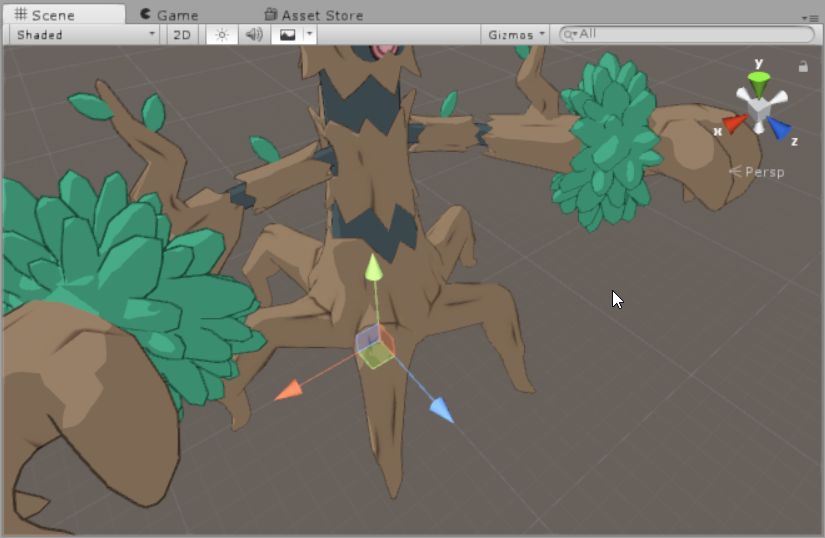
I've already got a custom animation of all the legs moving, too
slim sparrow
You can also not bother and just make your own custom walk animation, but then you need to manually move the other legs in the animation
remote blaze
yeah I did that
but it won't work in VRchat, which is what I've been trying to fix all day 😦
the anim works in unity, works in blender's preview (while the avatar is humanoid)
but in VRchat, it just breaks
remote blaze
maybe I could do crouchwalk...
but the thing is
I have the front 2 legs set as the humanoid legs
and those are the only two that move ingame
and they follow the path of my custom anim
I'll try crouch/prone walk
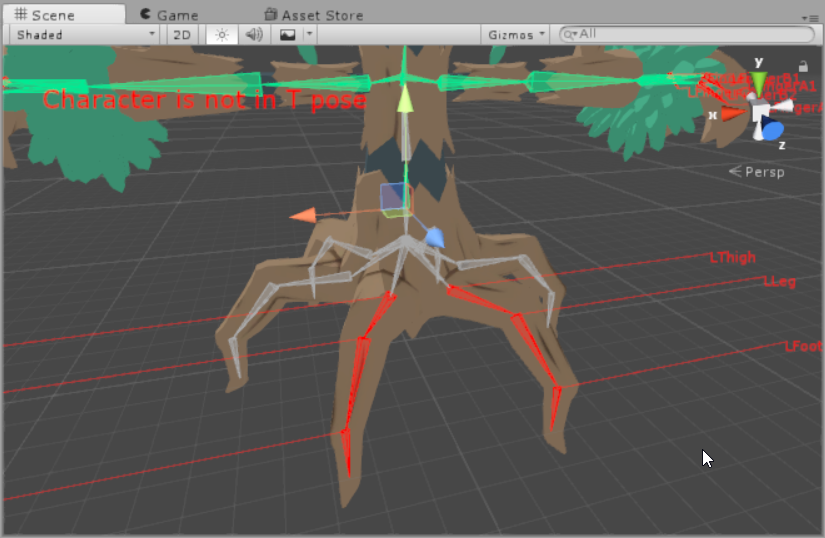
here's how I have it set up
obsidian vigil
datsa pokeman
remote blaze
yee
so basically what I want to know is- is it normal that only my humanoid bones are animating and nothing else
obsidian vigil
probably, yeah
remote blaze
awh D:
slim sparrow
I think that's normal when you're only animating the humanoid rig
You also need to manually pose and rotate the other bones inside the animation
remote blaze
I animated the other bones too, that's the issue
the animations works in unity
vrchat is the only one that doesn't accept it
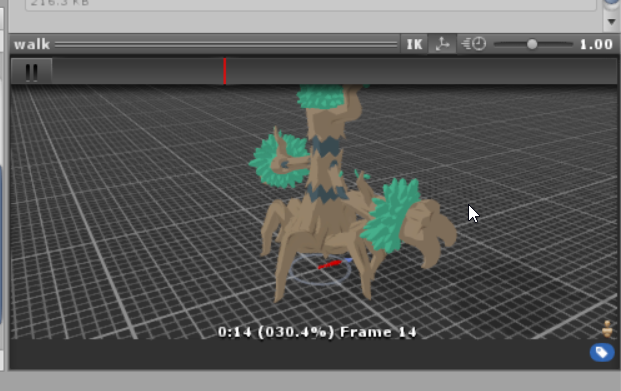




it works in this thingy
 vestal forge
Is it possible to sync world animations?
 chilly vapor
@remote blaze only thing i can think of would be custom walk animation and having a small set of invisible feet in the center of the model to keep vrc happy
remote blaze
I did that! but unfortunately it didn't seem to be enough 😦
 open tundra
Everytime i make an animation where i would replace all the materials on my avatar to one that is invisible, everytime one piece keeps its original material despite being animated. Why is that, can anyone help me?
unborn needle
Question! for those who have idle animations, did you make those in unity or blender? Im trying to make an idle anim. also, if its in unity... how do I know if it work :x my avatar goes into that weird sitting like position - do I move/rotate, etc her the body parts while shes in that position?
 cursive moon
Easiest way is with the Muscle Animation Editor asset, which is in the Asset Store.
midnight comet
If i have a custom override my lip sync doesn't fix, how do i fix this? my animations are facial expressions
unborn needle
for those who have custom idle anims, do I debug the anim clip to legacy and loop or naw?
 ivory laurel
Hello there!
So i've made myself a model, it's not a humanoid creature, but I still want to use the visemes, what animation type am I supposed to give to my avatar so that everything works fine?(Tried the humanoid without any weight from bones on the mesh, but it still was kind of moving or bouncing,it wasn't a static object) And also, can i do such thing without even making a proper armature? Like, I don't want this avatar to have any moving animations, just so it reacts to me speaking
olive lynx
Hello does anyone know if it is possible to remove and or extend the animation time limit? My dance animation is 54 seconds long and seem to cut off after playing for about 40 seconds or so.
 slow estuary
anyone really experienced in animations need help stopping the animation at the very end just keeps repeating
olive lynx
@slow estuary I'm not very experienced but do you have loop time selected?
slow estuary
yes but if turn it off the animation stops
olive lynx
That's odd.
slow estuary
yeah i wish somone could help wouldnt take long i just cant seem to figur it out
prolly somthing simple knowing my luck
olive lynx
If it makes ya feel better, I am having trouble with my animation too. It cuts off too early in the game haha
slow estuary
weird lol always somthing lol wanna see what talking about
call u show u if ur curious lmao
olive lynx
unfortunately I'm not on the game right now. Otherwise I would lmao .
slow estuary
oh nah you good thanks for trying to help at least
clear yew
I'm having an issue where any change I try to input into the animation values they get instantly reseted
how do I fix that?
 sudden gorge
is anyponme here taht could help me make it so someting on my belt moves to my hand?
muted prairie
@sudden gorge I believe that all you have to do is make keys like : 1 (object is duplicated in hand but hidden + object is on belt) 2(object is hidden from belt and object is not hidden on hand)
 runic frost
What is the way to bypass the occasional 10 second limit on custom emotes?
 trim prawn
Copy the last frame of animation and paste it a little bit further than the original length of the emote. Granted it is trial and error to have your emote end at the right time, so just play around with it.
 drifting gust
So i have this gun with an animator, and it works great, but when i load it in VRC it simply ignores all input. When i looked in the Parameters tab on play mode the values where grayed out as if they where read only. Does anyone know how to fix that?
Just as i wrote that after 2 days i figured it out :/
So apparently (which makes sense) if an animator value is being set by something, it becomes read only for only the animation or input that changes it to block out all other inputs.
remote blaze
@ivory laurel just make some shapekeys in blender for the talking
If the avatar is rigged, use CATS tool pose-to-shapekey feature
@muted prairie quick question about the game- if you make a custom walking animation for more than 2 legs, does the game only animate the bones set as "legs"?
torn pawn
does fixed joint setup of world particles work if it's under armature and not outside of it?
slim sparrow
Why would you want that?
It depends where in the armature it's located @torn pawn
You might get some issues if it's like parented to your hand or something. But it might just work if you only joint the particle systems? Anything else will probably look bad though
obsidian vigil
uhm well
ive done particles under armature
but inside 2 empty objects
jointed to my hand
muted prairie
@remote blaze I have no idea, sorry, i'm not aware at all about how walking animations are set up.