#animation
1 messages · Page 64 of 1
 reef mason
 ocean onyx
Sorry, I'm not smart enough to know how to use the scroll option ❤
reef mason
Well that's unfortunate. But yeah, Just next time, Don't assume quickly. pat pat pat on Sekus head
ocean onyx
I did try to apologize for the miscommunications. Thing is, I did scroll up before posting. And could not see a link between your original question, and what I thought to be a correcting attempt. It's just that there had been to many replies from the time you asked the question and now.
xD
But yeah, I may have over-reacted. I need my morning coffee.
reef mason
It's alright, It's fine
ocean onyx
I have my coffee. Mmmm, Coffee.
reef mason
Lol
 eager island
Hates people who become friends then gone next week :( kinda hurts me as a hearing impaired person
 weak swan
Can someone @ me when they can help out with custom animating something with me on Unity?
 torn pawn
@weak swan write down what is your issue or with what u need help, best way
weak swan
@torn pawn
torn pawn
i mean.. u need to do your own research on that, basically find prefabs or create particle systems on your own
 dim valve
I need some help if someone can let me know how I managed to fuck up.
I took the base walking animations from the SDK and edited them so the only differences were the arms being vertical.
But, for whatever reason, when I walk left, the model teleports and jitters everywhere.
What could cause this?
 fickle slate
gaaaaaaah. cant find a single decent tutorial on how to make rocketlauncher shoot rocket and explode on impact..
 frosty pendant
Just look for particle systems and sub emitters
 frosty pendant
Just use its mesh for the particle
I have a rocket launcher myself and did it like that
fickle slate
is it okay if you guide me on how to do that? with pictures? that would be great.
@🎀𝐵𝓇𝟥𝓊𝓀𝑒𝓇 / 𝒥𝑒𝓃𝓃𝒾𝒻𝑒𝓇🎀#2306
frosty pendant
?
fickle slate
you know... just a small tutorial with pictures on how to do that.. because im kinda new but im a quick-learner 😅
frosty pendant
Can't do that right now xD I'm at work and on my phone atm 🙄
But I am available in around 8 hours xD
fickle slate
okaie, just tag me by @ whenever you want to show me how
frosty pendant
Just DM me later. I bet I will forget it otherwise xD
fickle slate
ok


 shrewd moon
@fickle slate git gud
shrewd moon
:((
Getting the world mesh particle rocket to rotate with your launcher is like impossible
fickle slate
everything is possible "if you try". but ill try cuz why not.
i actually saw someone managed to do it... but he said that he cant open his unity because he has alot of shit in his assets and it would take age's to load the file so he couldn't show me on how to do it
 clear yew
follow the launcher ? can you explain a bit more ?
 novel flower
Hey, I'm having an issue where a custom emote is ending slightly early in VRChat, but plays full legnth in unity. Anyone know why that is?
shrewd moon
It’s reached the 10 second limit?
novel flower
most are over 10s. the emote will play for 55s then stop on one of them. The other goes for about 3min and stops 20s short
 obsidian vigil
@shrewd moon wth are you trying to do? o.o
do you want to shoot the rocket and it flies off in the direction you shot it
or do you want it to still move with your avatar
fickle slate
@obsidian vigil I’m actually trying to do rocket launcher as well. And want to shoot the direction that I want it to hit
shrewd moon
Well the world mesh particle is easy
shrewd moon
But aligning the mesh with direction of the launcher when firing is like impossible
clear yew
oh
obsidian vigil
you mean the rotation
clear yew
you can't rotate a mesh particle
obsidian vigil
id recommend using a particle thats not a mesh
shrewd moon
Yea that’s the problem
obsidian vigil
wont look that nice but its not possible without it
clear yew
there is a shader that make the world mesh turn based on velocity
shrewd moon
So firing a rocket launcher will look wonky unless facing the only correct direction
clear yew
but it's really wonky
shrewd moon
@fickle slate it’s best just to do the cow mangler
obsidian vigil
probably
obsidian vigil
To refresh my knowledge really quick, in order to make a world particle i put the particle system under an empty object on my armature, have a rigidbody on my wrist as an example, then a fixed joint on the empty object, render space world and it would be done
correct?
fickle slate
¯_(ツ)_/¯
clear yew
that's the basis of it yeah
obsidian vigil
alright
clear yew
you need to lock the x,y,z axis on the rigid body i think
obsidian vigil
nope
clear yew
and remove gravity and angular drag too
clear yew
it still moves even with the locked axis
clear yew
yes
obsidian vigil
well it doesnt really matter
i actually tried what happens if you dont
and now my pokemon trainers hand kinda falls downwards when the play button is pressed
but ingame hes fine
dim valve
Why are animations that activate a particle, and nothing else, causing my avatar to slide off?
None of this makes sense and Ive been stuck on this for a day.
torn pawn
posibly added position change in animation for your avatar
dim valve
I fixed it
Now I still need to fix my walking animation
Its the default SDK animations, but with the arms out
How does this cause me to spaz out when I walk left, yet not right
Yet left and right animations are the same, but the leg that moves is swapped.
I wouldnt be so confused about this if it werent for the fact my custom, BAD animation worked just fine
Yet the SDK animation completely snapped
obsidian vigil
uhm
so i have a light saber
i make an animation that triggers my lightsaber
on gesture trigger i want the lightsabe to extend
then stay that way
i know theres a way to do that via animator
how would i do that
clear yew
can you animate a gameobject with the light part on it
obsidian vigil
technically yes, id just put the light part inside an empty one
clear yew
use a hand gesture to activate the game object so it spawn the light and make it stuck on the last frame
obsidian vigil
how would i do that
clear yew
the animation file
go into debug
check legacy
go back to normal and the wrap mode select clamp forever
obsidian vigil
alright
clear yew
i used that system to make a sword appear with a diffuse shader and freeze at the last frame
 night crescent
Okay what the fuck. All of my hand gestures start blending together when I switch between them it's pretty fucking terrifying
like I'll do a smile, then it will slowllllly morph I to a surprised face (or whatever else i press). For every hand emote that ive overwritten too
obsidian vigil
@night crescent ayyy welcome to whats is going on with 1 of my avatars xD
night crescent
@obsidian vigil all of mine are doing it! Do you have yours one keyframe out?
 lilac cave
gray you got the anims only two frames long
night crescent
i wonder if it's because i have an animation that's several different keyframes as one of my gestures?
oop
lilac cave
if its longer then two itll go crazy
night crescent
lol
I see people with moving eyes and stuff so i thought it was a thing
Thanks so much for helping me figure it out tho ❤️
lilac cave
all g
 celest pewter
just remember the gesture animation itself has to be 1 frame but everything inside it can be infinite
lilac cave
^^
clear yew
you basically animate an empty game object
and activate that game object with a hand gesture
night crescent
Wow
 slim sparrow
I've seen people spawn knives in midair, which then stay suspended until a certain time. After that, they all start flying simultaneously, and they bounce off of walls or stick to them. How would I go about doing that?
Particles seems like one way to do it, but mesh world particles don't rotate very well. Plus, I don't think you can change a particle's speed after it has spawned. Or can you?
clear yew
velocity over life time
slim sparrow
Yeah, but the fact that the knives start flying simultaneously is what boggles my mind
Some guy spawned roughly 5 knives, 0.5 seconds apart. Then they all fly out at the same time. I guess you could actually do that with 5 particle systems and some clever animation though
But I was wondering if there was a way to make this work for an arbitrary amount of knives
Like, spawning the knives with one gesture and "releasing" them with the other
And beyond that, I would also need a reliable way to get those damn world mesh particles to work
clear yew
basically
it's 2 animations
first animation
is to trigger the emission of the knives
so they spawn
and they will spawn as long as you hold the animation
second animation change the velocity
slim sparrow
Ah, didn't know that was possible. Cool
Now I just need to figure out why my mesh particle isn't even appearing at all. The other times I've tried this it worked perfectly
It works with basically every mesh except my knife mesh
When I manually drag it into the world, it's not even overly large or small
clear yew
check if the mesh isnt really really small
slim sparrow
It works fine when I move it into the world manually
Adjusting the start size to a very high or very low number doesn't work either
It's not the material or shader
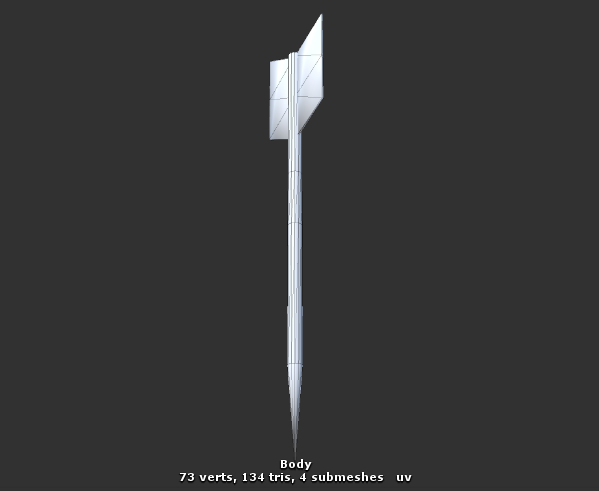
Ohh, I might have figured it out. It says "2 submeshes" for some reason
How do I get rid of that then?
Like, the knife mesh literally has submeshes apparently
It's absolutely only one mesh in Blender, and Unity also makes it appear as one mesh. It's just that it says "2 submeshes" in the inspector
And that's the only thing that makes this knife mesh special, I think.
Oookay, I got it. For some reason, the mesh had two materials in Blender, despite the fact that it only showed one in Unity. I merged the materials (they were the same anyway) and now it's fixed.
Argh, now that I finally got the knives to do what I want, they still end up facing the wrong way. Even after flipping the damn mesh in Blender
Whoops, nvm. Forgot to apply the rotation. Great
Sorry to keep bothering you all, but I think I almost got it. The missing key ingredient is collision. The mesh is way too small for some reason, so I had to set the particle's start size to 100. But now I also need to give it collision, and the bounds must be small enough to fit the mesh
But since the particle size is so big, the bounds won't go any lower than a certain point. Can I make the mesh bigger without making the particle bigger somehow?
clear yew
can't you use a dummy particle ?
spawn invisible bigger particle
and the knives are sub emitter of it
set to spawn with "birth"
slim sparrow
I don't know whether that'll play nice with the shader I'm using (which aligns mesh particles based on velocity), but I'll give it a try. Thanks
Alright, I ended up with a much easier (and a bit more stupid) solution: scaling the model up in Blender. Lol
I don't think I can get the world particle to "stick" in walls unfortunately, at least not without losing its rotation. But at least I can make them bounce
clear yew
oh you managed to make that shader work =
torn pawn
u can maybe make them stick by changing collission to lose lifetime set to 0
and bounce set to 0
that could make them stick ?
slim sparrow
I actually did that initially, but that makes them angled off to the side
torn pawn
so u can essentially have a particle system active at all times
clear yew
they may start to slide on the wall
slim sparrow
Yeah, that's exactly what they do
torn pawn
and with 2 gestures u can toggle settings
slim sparrow
To make them stick, I would have to make the particles move forward in the same direction, except really slowly, and without any more collision detection.
Sub emitters seem to be the way to go here. If I really can't get this to work, then I guess I'll just leave them bouncy
torn pawn
what if u have subemitters subemit 0 velocity particle
that would make them stick in wall
slim sparrow
0 velocity wouldn't work, but 0.001 does
I got it :D
They need to have some velocity so the shader doesn't reset their rotation
They still move slightly but nobody will notice
Oh, ouch. Only one problem, the sub emitter follows its parent
Like, the stuck knives will follow the position and rotation of the parent for some reason
So if I move my hand, all the stuck knives move too. Even though they're world particles
torn pawn
mb u have inherit checkmarked?
ah nvm
now that's odd
doublecheck if they are actually world
slim sparrow
Doesn't matter whether I check inherit or not
Yeah, the sub emitter is definitely world
torn pawn
🤔
slim sparrow
Ohhh, nvm
That was only in the editor, it works fine in play mode
I guess the editor simplifies simulation somewhat
torn pawn
i assume you toggle emission so you can have 2 gestures free to manipulate particles?
slim sparrow
Well, my idea was to have the particle system always on, and just toggle emission in a gesture
I'd only need one gesture
torn pawn
yea
lets say u could then toggle the velocity to 0.0001 and then activate joint so u can move them ?
idk if it works
slim sparrow
Oh, now there's one final problem: the knives are always aligned in the same direction when I "stick" them into something. If pointed up, they'll hit the ceiling and point forward
torn pawn
need to set joint to is kinematic tho
slim sparrow
Yeah, I know
The sub emitter needs to inherit the particle's rotation/direction somehow, or at least its velocity. None of those appear to be the case
I set inherit to everything in the sub-emitter
It seems to work when I manually rotate the sub emitter, but that's obviously not gonna work ingame
Oh, I can maybe get this to work by having the sub emitter be a sibling of the particle rather than a child, then applying them to the same jointed parent object
Nvm, that didn't work
torn pawn
click things till it works
slim sparrow
Yeah, I don't think I can do this one. I need the spawned sub particles to have velocity in the same direction as the parent
This all wouldn't be so difficult if Unity supported mesh world particles properly
I think the problem is that the sub emitter triggers on the particle's death (makes no difference when I set it to trigger on collision). But by that time, the parent particle has already stopped moving, because the dampen is 1.
If I set the dampen even the slightest bit lower, the sub emitter slides off the wall instead, since the parent particle gets a new velocity, spawns its sub emitter particles, then dies.
Oh, another solution would be to have the sub emitter receive the same rotation as its parent. Is this possible in any way? So if the parent's Y rotation is 90, then the child should be rotated another 90 degrees.
I'm speaking from a Game Object POV, not necessarily particles
torn pawn
rokk ull have to make a gif or short vid when u finish it
if u plan to make something more interesting than just sticking knives in wall 👌
slim sparrow
Well, it's really just sticking knives in a wall, but this is turning out to be much, much harder than I thought
I think this might actually be impossible without scripting
The guy I saw earlier made them bounce, I see now why he did that
If I manually rotate the sub emitter in play mode, the knives that stick seem to rotate with it. But despite that, their stick direction does not seem to be dependent on its parent's rotation at all. Only on its own rotation.
I tried fixed joints between the two, but that didn't work either.
 dusk nexus
How do you override an emote so that you can move your body, even if you're limited to the same spot while the animation is running. For example, setting an emote up to toggle a prop on/off in your hand?
slim sparrow
I need it to somehow inherit the velocity that its parent had before the collision, not after. Or I need the parent to not change direction on collision at all
You can't use emotes for that
@dusk nexus
slim sparrow
I've only seen that happen in very long emotes
dusk nexus
Also showing off the new Presentation Room. Woops Merch NOW AVAILABLE ▶ https://www.designbyhumans.com/shop/WoopsSquad/ 🎬Edited by Shake ‣ https://twitter.co...
There you go
torn pawn
idk how props toggle would achieve that
it'sbasically the same as having particle system active at all times
which already is the case
slim sparrow
Welp, I give up. Guess I'll just make the knives bounce
torn pawn
bounce at 0.5 and lifetime loss at 0, tried?
just gotta change them numbers and checkbox the box thingies
slim sparrow
Why would that help? That would just make the knives bounce off instead of sticking
I have no problem making them bounce already
clear yew
that big picture
is just
a particle system
always active
but emission disabled
extremely easy to do actually
dusk nexus
Yeah, the phone is what I'm curious about
clear yew
the phone part is simple too
torn pawn
i use this for my TV
clear yew
it's just playing with the prop toggle
dusk nexus
I know how to make a phone
clear yew
with hierarchy priority
torn pawn
ye, it's a prob toggle, but not many ppl know about it
dusk nexus
I'm curious to how the emote is controllable. Like, how is he able to move his body when the animation is enabled to actually toggle the phone into his hand
clear yew
the meote
torn pawn
it's a 1 second emote
dusk nexus
Not for a phone specifically, just anything
clear yew
is only like 0.1
and activate the emission
to spawn one plane with the camera texture on it
dusk nexus
So toggling an object into your hand on an emote can be done as long as it's 1-second, then it'll remain there until toggled again?
celest pewter
sec lemme get the copy paste
its something made from hardlight heres the dl https://www.dropbox.com/s/tufu6ndxq5jtc1k/VRC_ToggleProps.unitypackage?raw=1
for prop toggling
 sick musk
That reminds me to add my scythe
torn pawn
so as long as u dont touch that gesture
celest pewter
putting it as an emote saves a lot of space tho
torn pawn
yes
slim sparrow
Argh, I was actually pretty close to getting the particle to work. Gave the main particle bounce, reversed the speed of the sub emitter. It rotates with the parent emitter now, but it's inverse. It only works at 90 degree angles
slim sparrow
I dunno if you can toggle objects in emotes though
torn pawn
issue is that newly joined people will not see you
slim sparrow
I think it's more likely that it's a particle system which just emits 1
celest pewter
u can toggle objects
slim sparrow
I mean, I didn't know toggled objects stuck outside of the emote
I did it with a coffee cup once, but the cup was part of my character by default, and disabled on a gesture.
clear yew
well
i'm pretty sure
that you can use the toggle sutff for emote too
so you can probably spawn any 3d object permanently until you untoggle it
torn pawn
yes, using toggle on an emote is better cuz it saves gesture slot
dusk nexus
I mean that's what it looked like in that video for me 😛
torn pawn
and u can't toggle it by accident
dusk nexus
I didn't know it was as simple as setting a toggle in a 0.1s animation
torn pawn
from what i understand it's exploiting some kind of a bug
slim sparrow
Is there a way to bounce a particle straight back, rather than it being dependent on angle of impact?
I got the effect that I wanted with bounce, but it only works on 90 degree angles
dusk nexus
Just one more thing. I'm assuming the animation doesn't require being looped. Saves me some time 😛
clear yew
you need to toggle only one time so probably nope
slim sparrow
My world particles won't appear in game
They work fine in the editor, but it literally doesn't appear in game
clear yew
Does anyone know how to make an audio source play when i do a gesture like thumbs up?
sick musk
How would I get particles to align in the direction I'm facing
 reef mason
Is there away, If anybody can help me. Because I'm still really confused about this, But setting an avatar in a ragdoll state as a animation https://i.imgur.com/BhegoOW.gif
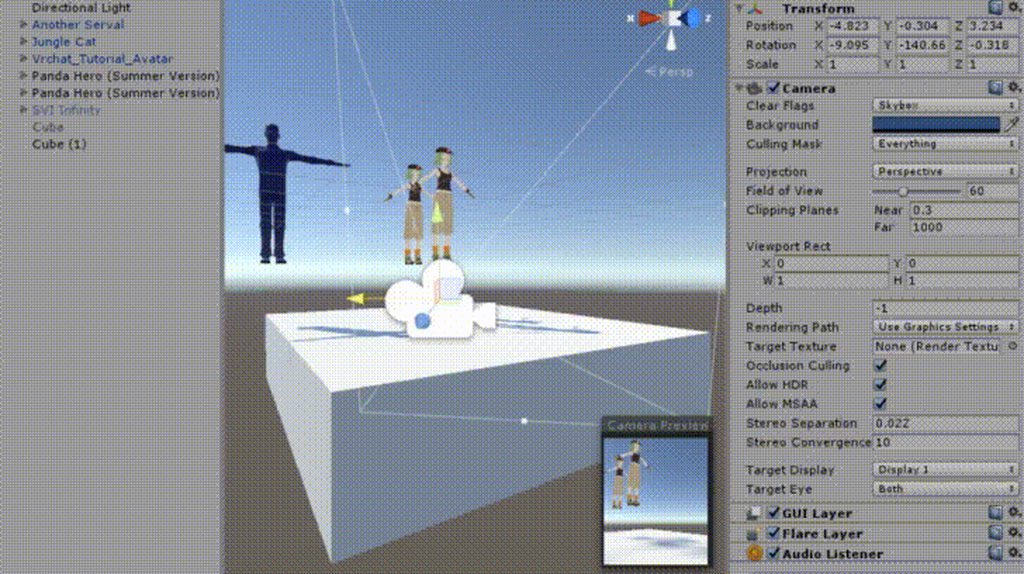
 shut tusk
well
slim sparrow
Crank up the size
slim sparrow
Oh, uh
I had the exact same problem
Select your mesh. Does it say "2 submeshes"? Or perhaps more?
Like, you gotta expand the object you imported, and view the mesh itself
Click on it and it'll tell you how many verts/tris it is, as well as submeshes
If there are submeshes, you need to merge all the materials into one in Blender. Texture Atlasing is one way to do that. If your model already has only one texture, just reassign the materials and clean material slots afterwards.
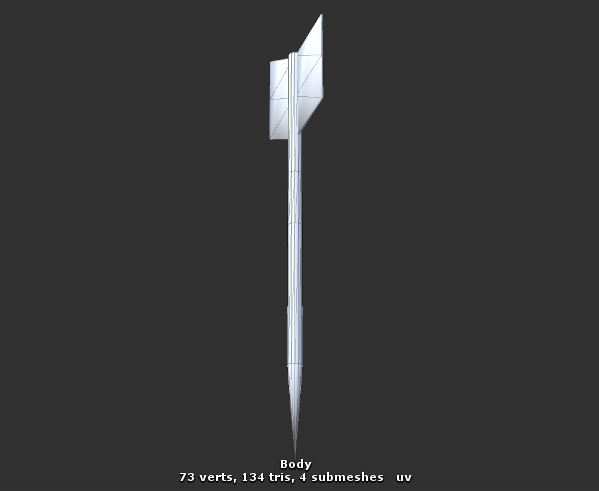 slim sparrow
Yep, submeshes
The mesh must have exactly one material in Blender
So go fix that. Texture atlasing if the textures are different, for example
shut tusk
@slim sparrow oh nice. i got it working thanks
slim sparrow
Okay, really
I kept wondering why one of my particles didn't work
Turns out I had forgotten to check "play on awake"
shut tusk
@slim sparrow this is so weird. my collision doesn't work properly 👀

it collides there lol
oh i see why now
slim sparrow
Yeah, that's normal
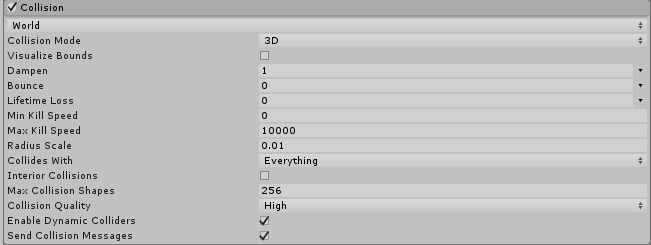
Check collision bounds and you'll see. Just turn em down a little
 slim sparrow
Yep
shut tusk
it's on 0,01
slim sparrow
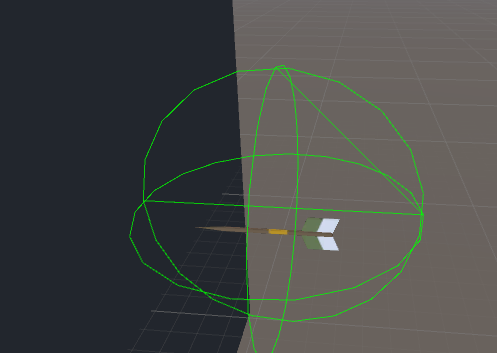
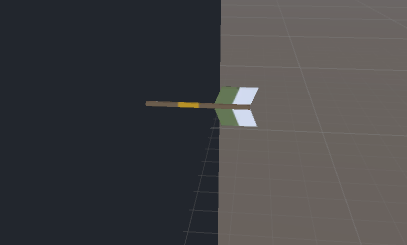
By the way, in case you ever get the arrows to successfully stick into walls, please DM me or something. Lol
shut tusk
my crystals i shoot on touka work like a charm
slim sparrow
But do they also work when you don't shoot straight ahead?
 slim sparrow
I've been trying to get a simple throwing knife to stick into a wall, but it's harder than I imagined
Since it also has to work on other rotations
Ah, cool. But does it also work when you rotate it upwards?
Like 45 degrees
slim sparrow
Problem with world particles is that they have a fixed rotation
shut tusk
oh
slim sparrow
Oh, is the simulation space local?
slim sparrow
Well, I mean more like
World mesh particles simply do not rotate with their parent. There is a shader that makes them rotate towards their velocity.
slim sparrow
Like, if you spawn mesh particles in world space, they will always be facing the same way.
shut tusk
my head is the rigid body
slim sparrow
Weird
slim sparrow
How does your setup work? Any chance you could send me a prefab of the particle system?
Yeah, the emission works
But the particles themselves are rotated in a fixed direction
Like, if you have a knife, you want the knife blade to stick forward.
shut tusk
i think it works like it should. i'd have to check
i need to make the bounds smaller than 0,01...
slim sparrow
World mesh particles don't really care. No matter how you rotate the emitter, they stay in the same rotation. This is not always a problem.
shut tusk
...
slim sparrow
Yep
You're going through literally the same steps that I did
Good luck getting your arrow to work. If you get it to work, please send me a prefab.
Since I need to apply the same thing to throwing knives (they just bounce around currently since I couldn't get them to stick in the wall right)
slim sparrow
That's what I did. Problem is rather complex
 slim sparrow
That method actually works perfectly, but the knife does not rotate one bit. Mesh world particles have their own fixed rotation.
They cannot orient themselves based on their parent.
So if you fired the arrow up, you'd just have a sideways arrow sticking in the ceiling.
If you fired it the other way, you now have an arrow sticking into the wall the wrong way
slim sparrow
There is a shader that rotates mesh particles based on their velocity, which solves my knife flying problem. But to be visible at all, it needs to be actively moving, even if really slowly. So if you want it to stick in the wall, you need to spawn a new arrow/knife in a sub-emitter, triggered on collision or on death.
But the sub-emitter inherits the velocity of the parent particle from after its collision
And not before
So you can choose between an invisible knife (dampen 1), or a knife that sticks in the wall sideways (dampen <1).
Then there's another option, which is to give the parent bounce and apply negative speed to the sub-emitted particle. This actually works in all angles of 90 degrees, but is reversed anywhere else. It'll stick wrongly.
I'm basically out of options here lol
tl;dr sticking non-symmetrical world particles into walls is really difficult. Arrows are one such example. Your crystals are fine since they have rotational symmetry.
You don't notice the fact that your crystals are actually oriented wrongly
shut tusk

i didn't need to put it in blender
i scaled up the particle (it doesn't scale up bounds) and reduced start size
@slim sparrow
slim sparrow
Ah, cool
But either way, don't let my experiences discourage you. If you get the arrows working, make sure to notify me.
 celest trout
Is it possible for an animation controller to have states that can pass the parameters from the previous state into it?
shut tusk
that'd make alot of stuff easier
i mimicked the end of the last one to make a 100% smooth transition with my animations
🤷🏻
like. manually position it the way it was
celest trout
I tried making a paint brush that functions like the presentation room Beta
shut tusk
🤔
celest trout
but whenever Im at the state to change colors, it changes the color of everything already written.
shut tusk
i have ppl in my friendslist that use a rainbow snailmarker
idk how they do it i just have 1 color 👀
celest trout
Maybe I could have seperate trail renderers for each color I want
shut tusk
only thing i can think of is gradient
can you change the color to gradient?
otherwise you can maybe do that in the animation
to make the trailsource gradient through colors
but idk i haven't tried
oh you want specific ones
slim sparrow
@celest trout that's the way to go
shut tusk
i mean. can't you change the color of the trail source in the animation
slim sparrow
You definitely need multiple trail sources if you want the old trails to keep their color.
celest trout
I will keep trail source enabled but the state will have every other trail renderer componant disabled
slim sparrow
Look up Snail Marker
shut tusk
i'm happy with one color
celest trout
I am using snail marker
shut tusk

celest trout
Im using a modified snail marker for my world
im applying it to a world object so it needs to work specifically
slim sparrow
You probably don't have to use snail marker for your world
Snail marker sets the Z to -10000 when it stops drawing
celest trout
NoeNoe Pen uses dots and they don't look that nice
slim sparrow
In your world, you have access to triggers and stuff
celest trout
Yes Im utilizing triggers to activate states in my animation controller
Hey when I set the width of the snail marker's trail renderer's to something like 0.05 it makes a weird offset mark when you click and finish writing
Does it normally happen?
 celest trout
Nope that did not work.
Im stumped again.
When the trail source is enabled but he trail renderer is disabled, the trail all dissapears from view. Which thinking about it kinda makes sense haha.
Does anyone have any tips on making a good world object paint brush effect?
shut tusk
@slim sparrow i see what you mean now
for some reason it does not work properly
because the rotation is fixed
so is there a way to make the rotation work?
🤔
dusk nexus
How do you prevent your character doing the weird floating in the floor animation when you add an idle animation to a model
I haven't done it in a really long time
celest trout
Id recommend using a working idle animation and working off that. Your root has to be set right.
shut tusk
so world particle rotations are always f'd? 👀
does it also count towards subemitters on collision
well this sucks
i have to either fallback to billboard particles or make it local
 clear barn
i need some help with CATS eye tracking
ive done everything by the book from set up to rigging and names, and it still doesnt work
clear yew
@clear barn there's three prerequisites you must meet for eye tracking/blinking to work:
1- The bone hierarchy Hips->Spine->Chest->Neck->Head->{LeftEye,RightEye} must exist!
Exact names are required, there can be no in-between bones.
The bones don’t need any vertices skinned to them. They can be “empty”.
2- The blend shapes vrc.blink_left, vrc.blink_right, vrc.lowerlid_left, vrc.lowerlid_right must exist as the first four blend shapes. (index 0 through 3).
Exact order is required, names are actually unimportant though.
They can be the same as the basis shape. They can be “empty”, but blender won’t export empty blendshapes.
3- The skinned mesh must be named “Body”.```thats extremely helpful, thank you very much!
the blend shapes part is only for blinking or i need them for eyetracking too? @clear yew
clear yew
they do the blinking eyelids, yes, eyetracking only needs the LeftEye and RightEye bones to move around afaik
but if the blendshapes are missing it won't work, they can be empty/basis though if you don't want blinking to do anything
@clear barn
clear yew
yw!
clear barn
@clear yew in blender, shape keys are in the mesh menu under vertex groups
clear yew
yes but i need to make them
clear yew
i have all my vertex groups made
@clear yew the blendshapes mentioned are generated by CATs after you set the eye tracking values and 'generate eye tracking'
clear barn
ignore vertex groups, lets focus on shape keys
clear yew
everything is weight painted properly
its not for a face
its for moving parts on a weapon
 clear yew
i just dont know to to move the bolt back
clear barn
while having the shape key selected, go to edit mode
now everything you edit will only be edited within the shape key
after you are done, go back to object mode and youll notice your modification is gone
now you can use the slider to blend the key
clear yew
how do i select my vertex group so i can move it?
clear yew
i need to grab the bolt and move it to another location right?
clear barn
yup
clear yew
but how do i grab the bolt?
clear barn
if the bolt is separated from the rest of the mesh, click a vertex inside the bolt and then click L
shut tusk
so there is really no way to fix the rotation of world particles?
clear barn
while your mouse is hovering over the bolt
clear yew
ok thanks but its 1 mesh
clear barn
okay then just select the faces of the bolt
reef mason
DM me if anybody does have the answer, Thanks
clear yew
anybody got a link to manual eye tracking set up?
 supple trail
Hello, I am trying to create an animation override that makes an object appear on my avatar's face/head (Its a mask). I've been having a lot of difficulty getting the Is Active property to function properly. I can get the object to go Active in VRChat only if I place the object under "Right wrist" or rename my "Head"(in Hierarchy) to "Right wrist", neither produce desirable results. The fingers for the FIST override that i'm using work perfectly, its just the Is Active property that won't work in VRChat. I've ran out of ideas on this one and hoping someone might have an idea of what I could try.
obsidian vigil
Very interesting thing tho, visemes button in CATS generates eyelid shapekeys
so always first create visemes then eyetracking
slim sparrow
@supple trail make sure the mask mesh isn't called "body"
@obsidian vigil doesn't matter
 foggy loom
@obsidian vigil It does? That's new to me 🤔
obsidian vigil
umm @torn pawn so i tired the cloth instead of dynamic bones
that stuff is glitchy as fuck
it ended up becoming a flying tool
clear yew
did you lock in place the top of the skirt ?
obsidian vigil
nah
i put it on
inside unity my character was put back a few meters for no apparent reason
and ingame i was able to fly on jump
no idea how tf i managed to do it
obsidian vigil
oooh
clear yew
or you get launched in space
obsidian vigil
well rip
clear yew
also you need to lock the top part of the cloth
obsidian vigil
will a cloth work on a cape
clear yew
yes but it will be pretty hard to setup
obsidian vigil
ive got a one punch man cape that is straightened out and even if i have dynamic bones with gravity on there it wont lower
clear yew
you can but i don't think you will like it
clear yew
blender or unity
obsidian vigil
i tried it in the configuration
it springs back
to its original pos
so probably blender ^^
obsidian vigil
good question
 pliant plank
@slim sparrow you can do it manualy via copy pasting ahead to mirror it, and then delete the old keyframes, i've searched about it before and found no other way aside scripting
In unity that is
obsidian vigil

I have a animation that moves my camera from left to right. Now I'd like to copy it with 'mirror' transformation so I can use it to move from right to left.
Is it possible to do it using script or
maybe this?
slim sparrow
Physically swapping keyframes hurts me
But I guess it's possible in this simple animation
obsidian vigil
in the thing they talk about a mirror checkbox on animation files
pliant plank
Go ahead and give it a go, so far that's the way i had to go with it...
obsidian vigil
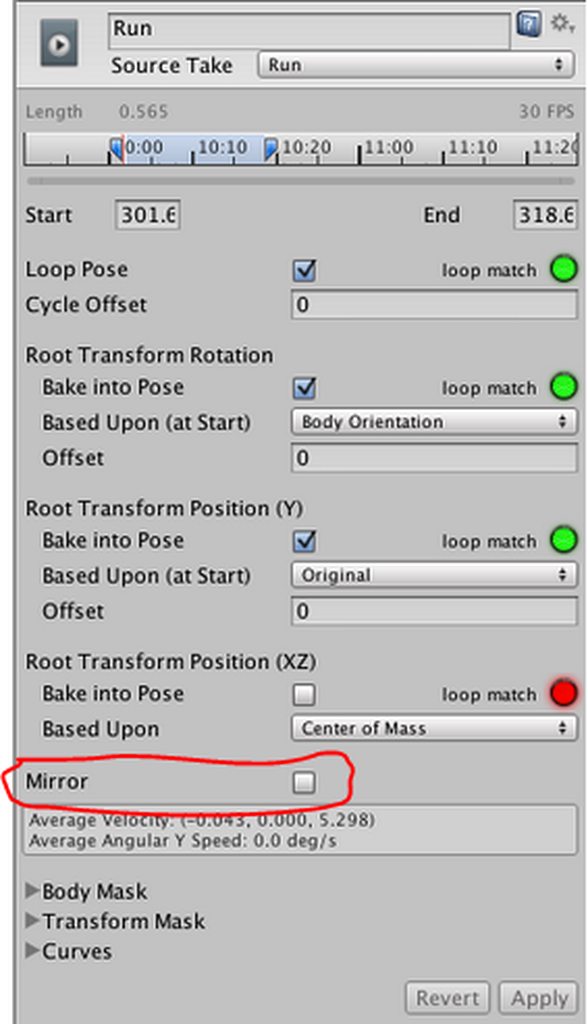 pliant plank
That'll reverse the side it's played on iirc
slim sparrow
Yeah
pliant plank
If finger point is right handed, then on mirror, finger point is now left handed
Here's what i mirrored before https://cdn.discordapp.com/attachments/393113850909818880/404378568169226250/unknown.png

You can copy entire sections by selecting the very top keyframes
As those select the entire row in that specific time
 unique night
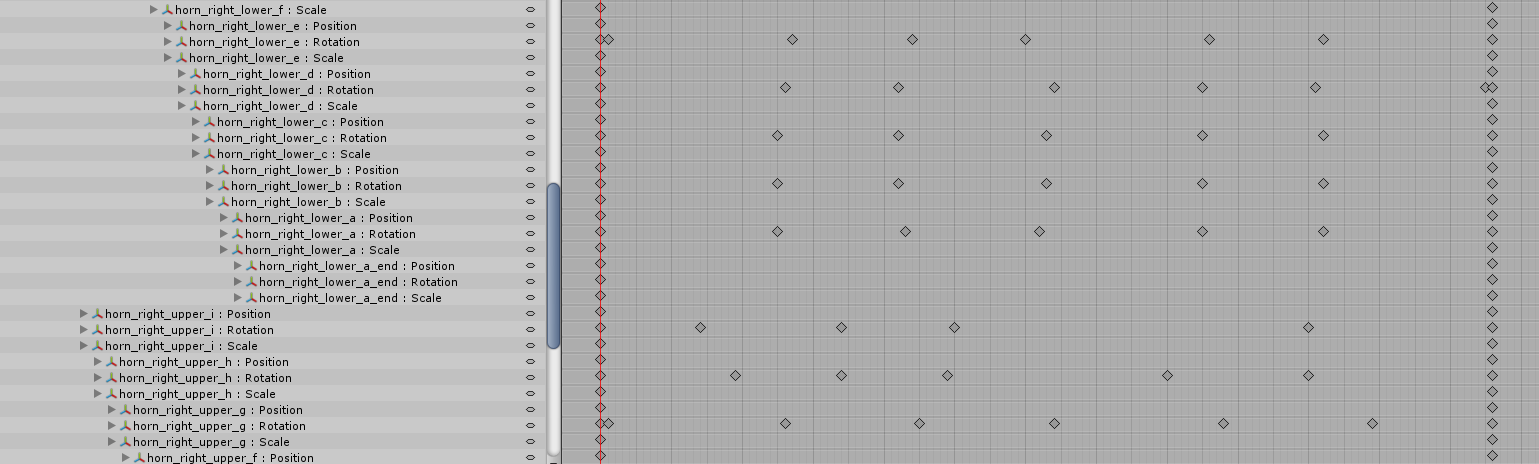
is there an easy way to delete animation properties that only have 2 keyframes in the timeline (start and end of animation)?
 manic torrent
https://cdn.discordapp.com/attachments/420183681798242304/434318776175951892/20180413184423_1.jpg need help, how can the fog stay in place while i jump
 slim sparrow
World particles
manic torrent
so we set it to world not local?
slim sparrow
Yes
manic torrent
i'll test it later
slim sparrow
@unique night right-click and press the delete button that pops up?
unique night
@slim sparrow no, i know about that
i mean a way to automate it
i have like 30 baked animations to go through
deleting all the unnecessary joints in the timelines
like i only need the rotation keyframes, not the position and scale of joints which all have an identical start and end keyframe
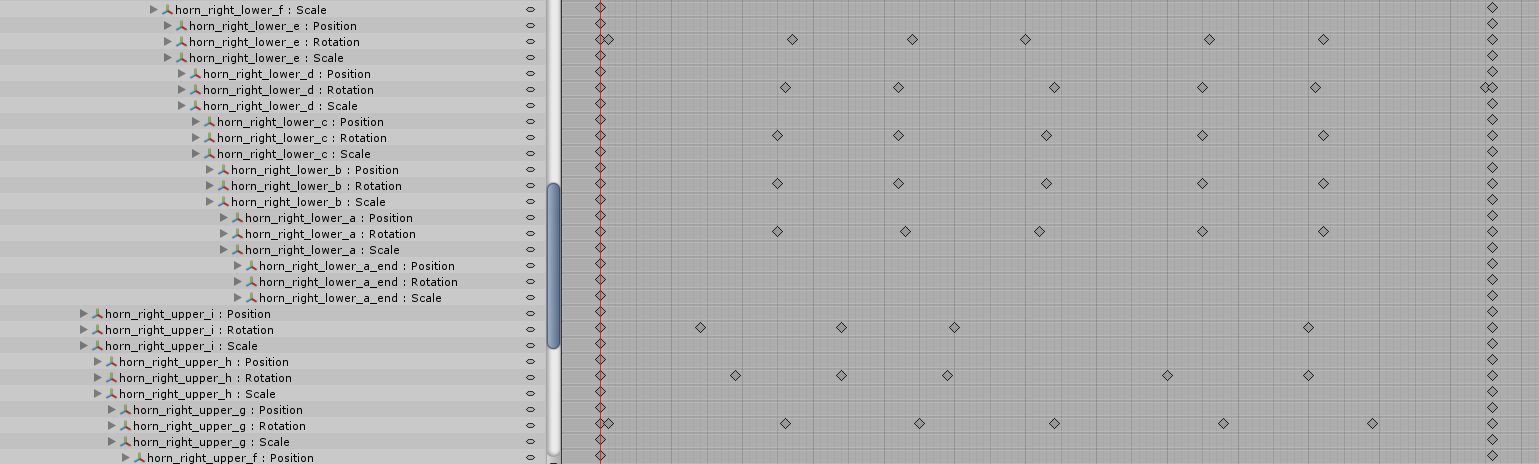
for example, you can see a bunch of joint properties i dont need in the timeline
(but i need them removed for the next stage of what i'm using these for)
(to save on file size)
sick musk
The fact that I can’t rotate my hair in animation feelsbadman
slim sparrow
I have an FBX animation that I want to duplicate, how do I do this?
It's not a humanoid animation
So CTRL+D doesn't seem to work
unique night
I'm importing my animations with the model so not sure when it comes to in fbx animations on their own
(i then chop the long animation into smaller ones in the inspector)
but still have to ctrl+D them to edit them
obsidian vigil
you guys think this is usable in any way?

Unity Technologies Blog
In the Unity Labs Authoring Tools Group, we explore the future of content creation, namely around how we can use XR to make 3D content creation faster, eas...
unique night
i think omega mentioned using something similar to this
where you draw a path and it does it for you
and something to do with motion capture
 ashen sedge
@manic torrent Make sure your particle system isn't parented to your armature, but your avatar game object also
supple trail
@slim sparrow the mask isn’t named body.
 boreal trellis
Hello, how can i add gestures to an avatar with controller? It puts animations on model and makes them read only, i cant add anything
or edit
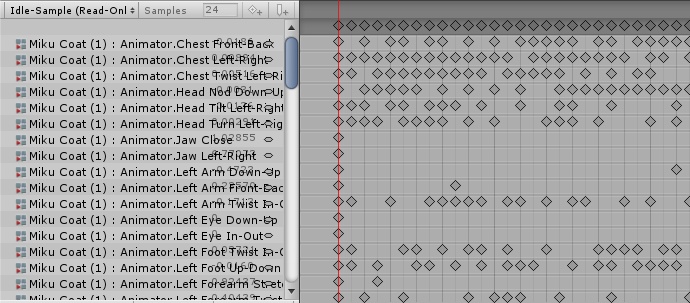
- it has a lot of frames
 charred widget
alright, I hate to be that guy but... but what does LT135 and LT45 mean in the animation override controller?
Left Trigger?
 lost musk
Arn't they two animation of walk on the left side crounching at different speed ?
charred widget
Hell if I know... is that what it means? 🤔
'cause the only videos I found were only about the faces
frosty pendant
is it RunstrafeLT135?
charred widget
yeah
frosty pendant
then its run strafe left 135 degree
charred widget
and 45 degrees should be forward. 😅
frosty pendant
i think 0 degree is directly infront of you
frosty pendant
no problem xD
lost musk
np
 round ridge
So I'd like to get my DekaRed avatar to have an animation for pulling out his badge, as well as an animation of "Judgement Time", where their badge is used to determine a person telling the truth or not, as the Dekarangers are police with high-tech weaponry in the show they're from. Would someone be able or willing to help me out with this? I know nothing about animation, which is why I ask, and I think tutorials at this point wouldn't be helpful. :/
slim sparrow
Look up tutorials on how to enable/disable game objects in animations
You'll want to have an object in your hand, disabled by default, then enable in a gesture
lost musk
If you wanna learn how to do it, just look tutorials.
If you just wan't tohave this animation on your character bt don't want to take the time to learn you can join the VRCTrader discord, and ask someone to do it for you. It may cost you money though
clear yew
anyone know if they can test their avatar in unity with vr? I hate opening and closing VRChat 24/7 for an animation
lost musk
You can perform local test loading the last avatar id you had on you
So if you upload this id you'l be fine to local test on the vrchat serv
But you must switch to a test world on unity each time
slim sparrow
Yeah, you can actually just alt tab and look at your real screen
If you use Oculus, you need to have more than 8 GB of RAM to do so, since Oculus takes up an extra GB and you won't make it with 8 GB
You can open Unity and work in the background
Then when you upload your avatar, you can switch away from your avatar, expand the avatar list, then switch back. @clear yew
lost musk
Im working on an offline unity sdk too to perform this kind of test pressing only the play button
But it gonna take some time
clear yew
I thought you had to exit VRChat to see a change 🤔 @slim sparrow
 sterile stratus
Hey can someone help me?
lost musk
No
sterile stratus
When I do an animation, my hand moves but the weapon isn't in my hand.
lost musk
What weapon ?
sterile stratus
The one in the animation
celest pewter
is it a child of the wrist?
sterile stratus
Yea
sterile stratus
Yea
celest pewter
my mind is empty rn 🤷
sterile stratus
I'll send a screen
lost musk
And you says to the weapon to activate at start of the animation ?
In the animator you must reccord that you acticate your weapon gameobject
slim sparrow
@clear yew yep
You don't have to restart
Just switch avatar, expand your avatar list, and your avatar should be refreshed when you switch back.
You can confirm that it refreshed when you see the refreshed avatar loading in as a blue ghost when you select it.
 molten elm
Animations are screwing up somehow

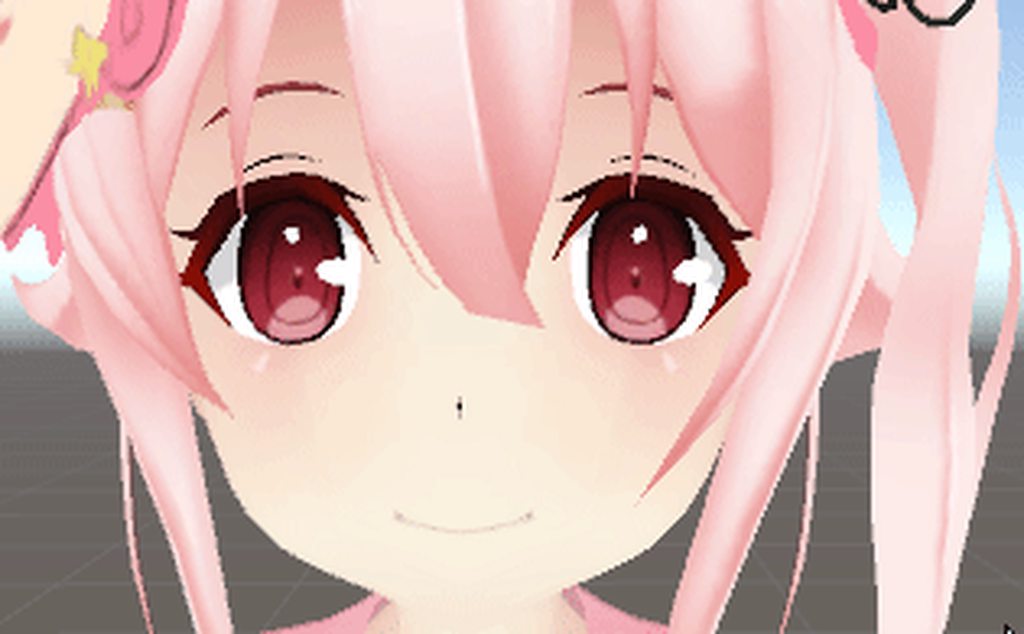
fine in unity but not in-game
legacy mode is on
 cursive moon
If you enabled blinking in CATS but created a blink animation on your own in Unity, it breaks.
molten elm
I didn't
It'll even display just fine
In the avatar selection menu
People in-game see the eye just flickering like that too
😩
Doesn't make any sense
lilac cave
you got both characters avatar the same?
if one of them has l eye as the eyelid its kinda obvious
molten elm
what
clear yew
@slim sparrow ooh ok
 surreal iron
yeah... im having the same issues with my 2B... havent been able to fix it for more than a month already lul
made custom walk animation > works flawlessly as legacy > looks like poop as humanoid
https://gyazo.com/9614de1d9a2b18fb3834640a861c81f1 muh custom walk animation reeeee 😦
 frosty pendant
could anyone help me with a stencil shader problem i have?
i wanna see myself when using it but i am invisible because the model is part of the stencil mask
 agile ruin
Anyone knows why Collision isnt working?
I have a particle system with a collider and subemitters
but it stopped working. It no longer emits anything after colliding
molten elm
How come blinking isn't working in-game ;^;
slim sparrow
Well, there are several answers
First of all, do you have eye bones mapped? @molten elm
slim sparrow
It might be that VRChat's eye tracking is overriding your blinking, if they use the same shape keys.
If you make blinking yourself
If your avatar has eye tracking, then the first four blend shapes in the mesh are manually managed by the game.
If you're making a custom blink animation, you need to check the Disable Blinking option in CATS eye tracking creator.
slim sparrow
Check the first four blend shapes in the mesh in Unity. Manually manipulate them
Ideally, they should do nothing when set to 100. And also, you should not touch those blend shapes in your animation. You need to use the original shapes (winking etc)
If you used CATS, those first four blend shapes will be called vrc.blink_left,right, lowerlid left and right
slim sparrow
Yeah, I know
That's why I'm pretty sure it's eye tracking related
Since that's the only major difference between unity and ingame
molten elm
How can I fix that
slim sparrow
If you have those first four blend shapes and you're not doing anything with those, then I honestly don't know what the problem is. Did you check the blend shapes in Unity itself? Because them showing up in Blender doesn't mean anything. Just checking.
Unity doesn't import empty blend shapes, I have had to manually add some to models that don't have separate winking per eye
molten elm
I mean yeah, I just recorded it playing in Unity too, the animation is working, I deleted the animation component and re-did it all
They'll only blink in the avatar menu
It's so weird
 slim sparrow
I mean, I believe you there
But like, can you post a screenshot of your blend shapes list in Unity?
Outside of the animation window
On the actual mesh itself
Click on Body in your scene
molten elm
On the main not the copy, right?
torn pawn
duplicates do not matter in the end, animation tells what to do on the model it's being triggered
molten elm
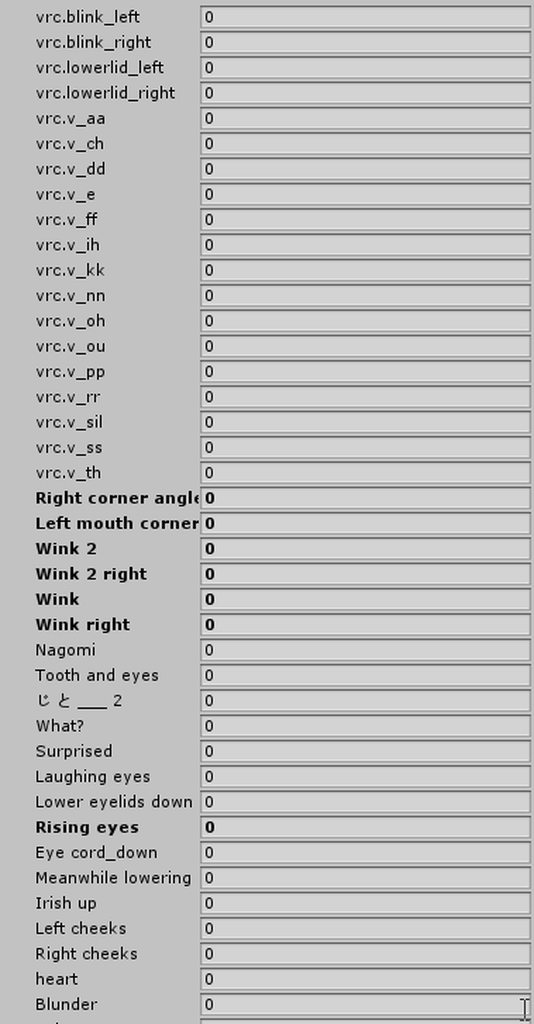 slim sparrow
Well, the first thing I see, which is not necessarily the problem
Right click on all of those bolded blend shapes and revert to prefab
Still, the first four blend shapes are correct, and you only seem to be touching wink
torn pawn
question tho, why make your life harder and make your own animation for blink
slim sparrow
Anyway, try setting those first four blend shapes to 100 in that list, see if anything changes
torn pawn
and then u gotta add extra property for disabling it in every expression
slim sparrow
@torn pawn so you can disable the animation, or make it look nicer
I don't want my gestures to still have blinking
torn pawn
true, the gesture blink is annoying
slim sparrow
Oh yeah, I should have mentioned, don't leave those first four shapes at 100
As a last resort, you can unmap eye bones
torn pawn
in head rig, set left and right eye to none
molten elm
alright, I'll test that out
 buoyant cypress
hello
 eager vault
did you actually say hurray? im imagining you were
 granite hound
would someone on here mind helping me out with animating a generic model?
 primal gull
does anyone know if theres a way to have a constant animation playing
like something orbiting around my avatar
 dusty canyon
For those who want to play around with 2GB worth of mocap animations, here's the link (it's legal).
https://forum.unity.com/threads/huge-free-fbx-mocap-library-released.261401/
Unity Community
cMonkeys proudly presents:
Huge (free) FBX Mocap Library
[IMG]
This library is a conversion of the Carnegie-Mellon University mocap library.
It...
To make a fbx animation work in unity, you have to assign the avatar definition to your vrc avatar. after you get an error, revert back to the original to fix the mocap offset during preview.
enable root motion and you're set.
 night steeple
is it possible to activate an animator in an animation?
 night canyon
anyone know why my avatar falls into the ground using an animation. I duplicated the original and looks fine in unity, but in game it falls into the ground like the duplicated one I originally made.
clear yew
So I got some overrides for facial animations
But lets say I go from crying and then to idle face, it goes immediately to idle face
Same goes for my licking animation (didn't know what else to do for now) to idle face
But if I go from crying to licking it takes a while and it slowly morphs from crying to licking instead of instant
night canyon
nvm I fixed it
clear yew
I'm on desktop though
 clear yew
Its a bitch
 neon vale
Does anyone konw how to glitch an animation so it keeps playing even when you stop? (Talking about emotes, not gestures)
I want to do a Full Body Tracking front camera, but I don't want to re-upload another version of my avatar for it so I'm thinking of enabling it with an animation, problem is the camera is still going to be running in the background even if I don't see it and that'll most certainly impact my performance
 wicked garnet
why do some avatars arms freak out for some people?
some avatars in question don't even have any errors.
slim sparrow
@primal gull put an Animator component on the thing you want to orbit around you
Then just animate it
buoyant cypress
hello i need help with an animation, im working on a boss fight and i dont know how to animate the npc. if anyone could help me with it it would be nice of you (npc)
 fluid crescent
I have problem with mmd dance the thing is his hips stay in place so he cant move around or spin,anyone knows how to fix that?
primal gull
first off, ty @slim sparrow
second, i have an animation of something spinning but when it reaches 360 at the end and goes to 0, it kinda stumbles for half a second and ruins a smooth loop
jk i found a way
 keen panther
hello. wierd question. i have a muzzle flash prefab attachet to a gun and its nice in normal unity simulate particle system. but as soon as i upload or go into the live view in unity it wont show there
nvm. in debug mode the "play on wake" was disabled for a wierd reason
 ivory lagoon
heya!! question! is there any way to use a shapekey as an animation? the mmd model i have has a shapekey that i want to put into an animation
or do i have to save a new model with the shapekey activated?
 lunar pasture
I think the shapekey's got to exist for you to use it, so yeah, edit your model in blender
ivory lagoon
oh cool, so just save a new model with that shapekey on?
slim sparrow
@primal gull you need to set the curves to linear
@ivory lagoon ignore that advice
In the model's skinned mesh renderer, you can toggle blend shapes
Body->Skinned Mesh Renderer->Blend Shapes.(key)
In animation
Do not make a copy of your model with the shape key activated
ivory lagoon
so only do that in animation?
ivory lagoon
do i have to make a copy of the model first in unity?
i'm new to animation stuff, a friend briefly explained it but i can't remember if he said to or not
 sweet zealot
Animation question: i animated an idle animation where my character's tail sways and the ears twitch and the eyes blink. The whole thing works when in play/test mode, however once im in vrchat only the blink shows up - so it works(?) but why isnt the bone animations showing up? I get rid of the blink and suddenly all the bone animations work again. Can it not handle blendshapes and bone animations at the same time or am i doing it wrong?
 white herald
had lots of issues with humanoid bone animation overrides and vrchat, don't have a solution
sweet zealot
bummer
have that one life detail of blinking, or the other life detail of idle moving ears and tail..... hmmmm
ears are cuter. presses button
white herald
there is a setting in fbx import for the animation mask which allows you to enable animation on non-humanoid bones but if you animated it in unity that's a moot point
sweet zealot
animating it in unity, yeah
ooooooh i could add bones to the eyelids and force them to blink....
that would work
white herald
nice
sweet zealot
blinking is literally the only thing missing from the idle, so luckily theres not much else to fix 😃
white herald
hopefully works
sweet zealot
so far the animation looks okay, now to post and test
ivory lagoon

how do i add the shapekey from here?

this is the one i want to add but it's not letting me add it?
sweet zealot
make sure the duplicated avatar is selected
ivory lagoon
it is c:
clear yew
@ivory lagoon Add property choose the animator, then the shapekey.
ivory lagoon
im clicking on the shapekey but it won't add it?
clear yew
@ivory lagoon Scroll to the right on the list, there are little pluses next to them you have to click
sweet zealot
oh yeah forgot about those
ivory lagoon
OH! duh
thank you guys!
wait one more really quick question sorry slkfs
how do i make the light sources stick with the character? instead of just staying in one spot
im trying to have a lightsource in the middle of his forehead but with my past experience in animation, i've only had the light source in one spot
slim sparrow
You can scroll down the armature list in the animation properties
ivory lagoon
oh gotcha! worked!
also how do i make the shake key stay constantly on? it's looping
shape*
clear yew
How do I edit my animations
I created some yesterday, but today I want to tweak them, and I can't get them on the duplicated avatar to edit them
 frail ermine
@clear yew drag and drop the animation on to your duplicate in the hierarchy
ivory lagoon
so lighting works for animations but neither my particles, shapekey or music works
but it works in unity? just not in vrchat
my shapekey semi-works but it's flashing rapidly
ivory lagoon
shapekey is still flashing and particles/music doesn't show up ;;
i might know my problem
am i supposed to have every animation set to one second?
 clear yew
they are set correctly
check if the values are the same
also check at the 1 minute mark if there is a random keyframe
ivory lagoon
values? and nope no random keyframes
clear yew
yes the value of the keyshape on the keyframe
0.00 and 0.01 needs to have the same value or it will flash really fast
 clear yew
that's a blendshape right ?
ivory lagoon
yeah
ivory lagoon
ah gotcha, set it to 100... it doesn't show up at all now though
wait it does
but it's flashing
lemme get a gif real quick of what it's doing
also particle system and music works here but when i put it in vrchat it's gone
light sources work though
OH figured it out i think, now my problem is getting the particle system and the music to work in vr
molten elm
Is it possible to make it so that dynamic bones only activate during a gesture?
clear yew
can you uncheck a box in the script ?
molten elm
Yeah
clear yew
then yeah
clear yew
animation tab
press the red dot to get into animation mode
and check the box so it add automatically the property
molten elm
ohh
so I keep it turned off in the inspector and it only turns on during the gesture
awesome
clear yew
yep
ivory lagoon
IM SORRY IM SO PROBLEMATIC question
so i got the particles and shapekey working
BUT NOW the light sources aren't following his forehead? even though they're parented to the head
molten elm
oh but
it only works if I'm editing the animator on the main character
and that breaks stuff..
aaaaahhh
how do i get them to stand back up
ivory lagoon
how do i make a light source follow a bone?
 slate mortar
How do I add a .vmd-animation to a model in Unity? I tried to add it in Blender but it never worked out, but I was told to add the animation in Unity - however, the only tutorials I could find were pretty old and don't seem to work anymore.
clear yew
Anyone have an idea how to get an audio source and particle systems to work on a separate animation? I have the first animation for a gun and a cocking noise, and the first for a gun fire and 2 particle systems, but the second doesnt activate.
night steeple
Is it possible to spawn in a mesh (not using particle system meshes) and have it stay there without moving with you or even to move with you but not turn with you?
ivory lagoon
How do you make a light source follow a bone?? i have it parented to the head but when i move my head around the light source stays in one spot
ashen sedge
@ivory lagoon Do you have it parented to the avatar game object or the headbone itself?
ivory lagoon
the headbone
ivory lagoon
someone suggested doing rigid bodies but now there's no lights at all
 opal grotto
is anyone here good with dynamics bone and everything?
im horrible at it. i have my avatar made and everything. jus need to use blender but its to complicated for me and i cant make it work right if someone wants to help me out if thats cool? i think i posted this in the right channel. dunno if its this or avatar rigging the right place to ask
 dusk fjord
I'm setting down cards using particles and the texture sheet module by setting a random start frame, but everyone sees different cards. Any way to sync it up so everyone sees the same cards?
molten elm
Can anyone show me how to enable dynamic bones only for a hand gesture please.
agile ruin
Is there a way to make it so a gesture override hides a mesh for indefinite time?
ivory lagoon
i can't figure out why the light sources aren't showing now, they're in my animation and working in unity totally fine? only the actual light is hidden, not the game object
they don't show in vrchat -- it's not clientside because i have a friend testing for me
music and particles work but not lights?
opal grotto
anyone able to help maybe?
clear yew
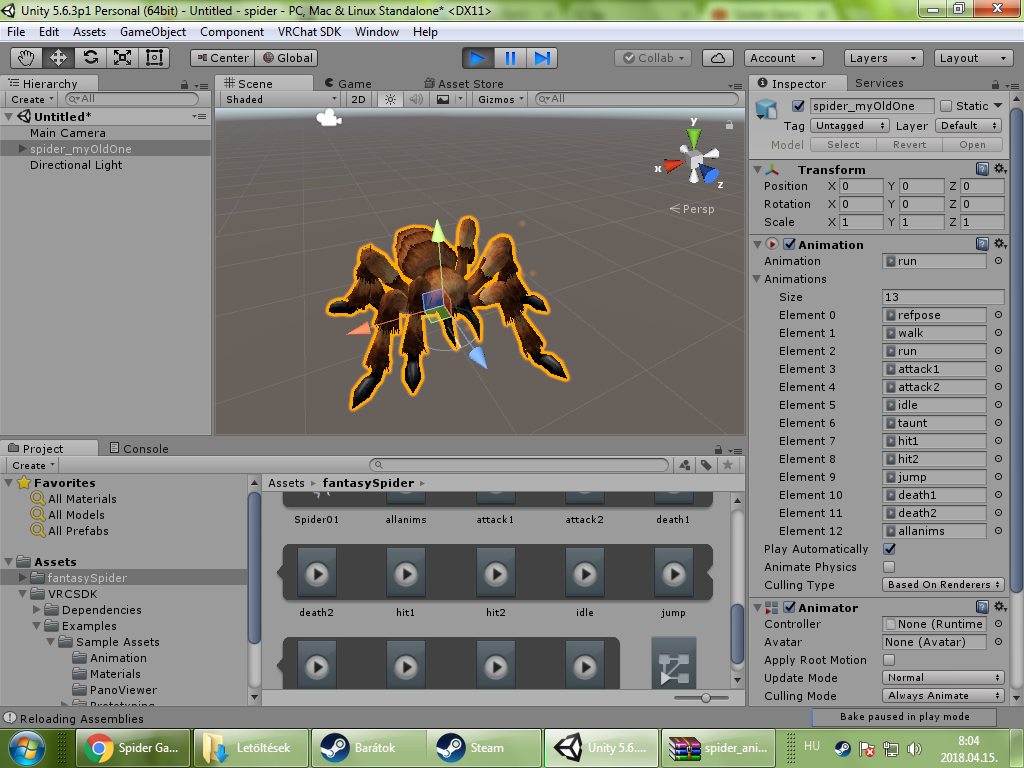
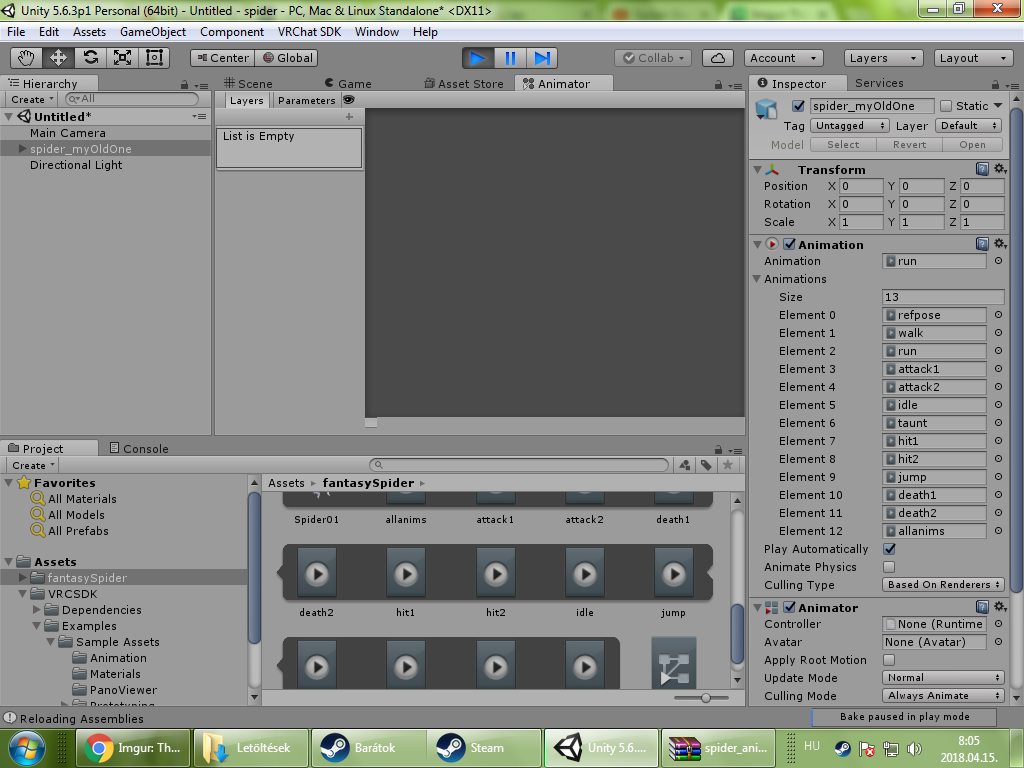
Hi im trying to figure out how to trigger animations to my keyboard i have a spider modell i have the animations too and im trying to connect the animations with the animator panel but nothing work im trying this 7 hour checking tutorials everywhere im thinking really but someone pls spend some time on meXD:D .. sorry really
https://imgur.com/a/hyf5U this two picture so i can't connect my model with the animator panel you can see all animations are there everything is okay so i really dont understand why the tutorials not work when im following them.
 lofty crypt
question
why can i animate these as part of a game object animation
https://cdn.discordapp.com/attachments/419689756486664203/435019369496444928/unknown.png
https://cdn.discordapp.com/attachments/419689756486664203/435019451197554688/unknown.png
and not these
theyre both FBX objects
both have the same amount of particle generators, ect


 steep helm
how come everytime i take out my weapon for the animation it spawns somewhere random around me
not in my hand?
but its in my hand for me not other people
 languid nimbus
Hey guys! So!
Blender animation
I made an animation I think works pretty well
But now at the end of it I hit somewhat of a snag, the blender curves are controlled by the next pieces of keyframes
but when I delete the keyframes that come after the final actual frame I want in the animation the curve changes
is there any way I can keep the curve while deleting the final frame?
 white herald
can't tell exactly what you mean @languid nimbus but i'm pretty sure pressing i to insert a keyframe on the second to last frame is what you want
molten elm
Can anyone show me how to enable a dynamic bone script using a hand gesture
torn pawn
press record and checkmark/remove box
 halcyon carbon
Hi! I'm creating a non-humanoid avatar (a dog, to be precise), the problem lies in the animations of the emotes. In practice when I press on the emote the animation is played, but it goes in loop. And before you ask, yes, I have disabled the loop from the animation. One thing I noticed is that the loop, regardless of the duration of the animation, lasts exactly 1 minute and then returns to idle. Another thing I noticed is that when the animation used in the emote is finished, it seems to come back to idle for half a second, but then it reproduces the emote animation again. Can you tell me a way to solve this problem? (sorry for the length of the message, I'm trying for like 3 days and I'm literally going crazy lol)
 final gazelle
i've posted some speculation/tests on why it seems to happen, but i don't think there's a clean solution when it comes to generic rigs:
https://vrchat.canny.io/bug-reports/p/generic-rig-gets-stuck-when-emoting
what i wound up doing was creating a second avatar of the same thing, with added humanoid bones -- the humanoid bones are used to set the model as a humanoid rig.
emotes won't encounter the looping problem if it's a humanoid rig, but you'll probably run into other issues involving your avatar floating/sinking beneath the ground while walking (without playing a walking animation) and sliding around on the ground a bit as you look around
halcyon carbon
In fact I had tried so but it is not a great solution, my avatar moves in a strange way and the view is not the best. I don't know if it can be useful as information (also because I don't know much about unity), but if I go into the animator, select my emote and in the exit transition I set the interruption source to next state the loop stops, but I have to still wait a minute before it returns to idle
 fallen crypt
Hey guys, back then someone said dynamic bones don't effect animations. But this one somehow got effected though. Here's the original animation
https://gyazo.com/a0ea1ee264b499b4a12a3127f169d66b
 final gazelle
yeah, it seems like it has to do with VRChat effectively keeping your emote button pressed down -- it acts like it's repeatedly pressing the button and sending you back into the emote for a full minute for whatever reason
fallen crypt
Ummm, alright now it changed when I play the animation... https://gyazo.com/ef6ffdb4e3ba2940fc87e3b0b8b1466d
 halcyon carbon
Well, it will mean that I'll have to settle on this for the moment, I hope they'll fix this thing, it's quite unnerving after working on animations and then failing to use them lol
Thank you for the help! 😄
dusk nexus
Does someone have an example of an animation toggle in unity? Like weapon toggles on emotes/gesture, rather than having to hold a button
dusk nexus
The one someone posted? I accidentally deleted it
agile ruin
Anyone knows how to make it so a gesture override makes a mesh appear indefinitely?
molten elm

and it's still not enabling the dynamic bone when I use the gesture
what am I doing wrong?
dusk nexus
If someone could show me the "wae" I'd be greatful (and never use that in a sentence again)
slim sparrow
@molten elm show the dopesheet
The box should stay checked when you drag the red line over the two diamonds (keyframes)
Is it possible to change a particle's velocity after it has already been spawned?
I've got the flying knives thing, but I would like to suspend them in midair until I press a gesture.
molten elm
Yeah it stays checked when I scroll from 0 to 1
But the thing is it's acting like it's trying to enable the dynamic bones on the duplicate, even though the dupe and main are the same, blah
slim sparrow
You seem to be disabling an animation in the same gesture, does that work correctly?
Then you know if it's an assignment problem, or if the problem is inside the animation
molten elm
Yeah cause the eyes shut and it stops the blinking animation
slim sparrow
Then I'm guessing the game just doesn't like disabling dynamic bone scripts
Can't you fiddle with the values instead? Set the Stiffness to 1? That way, the bones shouldn't move at all.
molten elm
I've been trying to mess with the values, it's just a shame it doesn't translate well into VRchat
It'll look great in Unity, then you jump in-game and it's like it has a completely different set of values applied
 agile monolith
Does anyone have a solution for animations not working, so far the only thing that works is creating the model from scratch and doing all the animations, detaching the avatar id and then only uploading the avatar
slim sparrow
Duplicate your model and see how the animations look there. Also check in play mode.
You should see your duplicate immediately perform the selected animation as soon as you enter play mode
agile monolith
yup, it does work in there but vrchat my hand gets stuck and it cant close or open for about 5 seconds after trying to use the animation. Im doing everything the same way i have for the past 2 months but it just doesnt see to want to work
slim sparrow
That sounds oddly as if your animation is actually one second long, and not one frame
Could you show us the dopesheet?
 slim sparrow
Weird, that actually looks correct.
And you're sure this is the animation you have in your animation controller? You don't have another one by accident, or another with the same name?
agile monolith
i keep everything in their own folders, the anim overide has this on its fingerpoint
the only thing i think that could cause this problem is that there is an animation on the object that i activate
molten elm
Weird, so I added a new gesture, and now my blinking animation looks less smooth??
 brazen crater
@agile monolith can you check for me if it's a legacy animation. Cause the absense of the checkbox worries me






 slim sparrow
@brazen crater oh yeah, that's a good point. Could just be a missing scrollbar but still
Legacy animations are a no-go unless you use them in Animation components and you know what you're doing
sick musk
Anyway to change materials in animations