#animation
1 messages · Page 63 of 1
 lunar pasture
 pine hinge
quick question, how do you make it so you can place objects that stay in place until you remove then?
is it a rigid body fixed joint thing? or something else entirely
ping me pwease
 jade kraken
...? simpleanimationcontroller? theres only simple Avatar controller
also uhhh
either im stupid, or somethings wrongish
cuz the simpleavatarcontrollers are blank
no slots to drag things
jade kraken
ech
i heard somethin that because the animations are "baked" i cant use em on this model
 open tundra
How does one fix this? https://answers.unity.com/storage/temp/7828-bob_mech.unity+-+mecanimtute+-+pc,+mac+&+linux+standalone-1.jpg

This is not my avatar but i have the same problem.
I want to animate the whole body
But it keeps sinking into the floor
pine hinge
you needs to make a duplicate version of that avatar and do the animations on the duplicated model
then apply those animations to the first one @open tundra
never touch the original model with animations.
open tundra
Yeah but i wanna have my model and then a copy of my model behind it which is animated
 red moat
maybe i am just too stupid but i try to make particle effects follow my finger with a trail effect in the world. but whenever i try it, the trail just appears when i move my whole avatar. only the things i've set to "Local" in the "simulation space" moves with the finger. Do i forget a detail?
open tundra
So if i for example would want to make like an idle animation its not possible to do? Because of this bug?
 olive lynx
Hello everyone, could someone possibly help me with an animation issue, please?
Whenever I move my head. My hair mesh doesn't movie with my head. I have it parented to my Head Armature but it still doesn't follow correctly.
 hollow silo
Im currently working on a avatar with a instrument. On the Rockn Roll gesture it plays a song, but I want to have a different song on for an example the finger point gesture. But how can I have multiple audio sources for different animations? I cant put a audio source on a animation model, it has to be on the main model. Anyone knows how to do this?
I would love if someone could help me out
 celest pewter
whats stopping u from just disabling it and enabling it during the animation?
hollow silo
When I put the audio source on the animation model for the rockn roll gesture one, it wont play in vrchat. I have to put it on my main model for some reason to hear it, wich means I can only have one music or else it would just play two at a time
It would be easier to send screenshots but can do it on this discord
celest pewter
is it actually not playing or did u not position the audio source correctly?
hollow silo
The audio source is playing fine, but I want to have different audio sources that i trigger on the hand gestures. Theres no problem with not hearing audio
I have a instrument on my model
but I want it to play different song on different hand gestures
If you get what I mean
celest pewter
im so sleepy rn
so
u just have a animation to enable the audio source only for each song
and theyre both playing at once?
hollow silo
yes because they are both on my original model
not the animation models
because that wont work
celest pewter
both enabled by default?
celest pewter
why
hollow silo
let me think
celest pewter
anyways u can just have the animation disable the 1st audio source and enable the 2nd
hollow silo
The audio source wactives when I either to a finger point or a rockn roll, but I want one song for the finger point and one for the rockn roll, but they play at the same time becasue they are on my original model
how ?
Im a beginner in this
celest pewter
lemme just pm since cant post pics ehre to make it easier
hollow silo
Why cant I upload two avatars that are the same to vrchat? I want to do it because they have different songs on their instruments but it just replacec my other one
I tried making a different scene but still didnt work
celest pewter
it automatically does when uploadin git
celest pewter
on the new copy
 thick badger
having a problem with a particle system gesture, if anyone's particularly knowledgeable about that kinda thing
 clear yew
say I wanted to make somthing that stays in one place when I emote like a bomb
how would I make it not follow me
thick badger
particle
speed of like 0 probably
simulation space> world
velocity initial
thats the way i'd do it
clear yew
Im very new to doing animations and stuff could you put it in laymen's terms?
thick badger
oh yes
so
if you want to do something like that
i think the easiest way would be to use a particle system in unity
i think im nothing near an expert at this stuff
usually a particle system shoots stuff in a particular direction
but if you set the start speed to zero it wont move
it will just sit there until its lifetime ends
which is another variable
so if you want something to stay where you spawn it
theres a tab called "inherit velocity"
and if you enable that tab and set mode to 'initial'
it will continue on the path it started with, or if its not moving, stay there when you move
but you have to set the simulation space in the top 'particle system' tab to 'world' otherwise it wont work
you know, probably
im still having issues with it but that is something im reasonably sure of how to do
thick badger
he has a fancy name he probably knows more than i do listen to that guy
 frosty pendant
XD
 vivid pond
Random question but how exactly would you get particles to spawn on moving mesh.
I can get it working fine on a stationary object with just setting the shape to mesh but I have no idea how to do that for a moving mesh.
To explain what I need:
I want the right arm of my model to catch on fire after about 30 seconds into a animation.
I have already set up start delays and lifetime. created the animations for the stages before and after the flames, created the flame animation and or know how to create it on a new mesh but the normal mesh render doesn't move with the avatar and skinned mesh renderer doesn't seem to work either.
So is there just a step I missed or do I have to cut off the arm in blender, make that a new mesh, attach it to the existing arm but invisible and use that for the mesh in the shape.
 round crater
Would anyone know how to recreate the time stop effect from Dios "The World"? If you aren't sure of what that is, you can dm me and I can send you a reference video. Iv'e seen someone with the animation almost exactly how I want it, and was wondering how some animating vets would take it on.
clear yew
Have anyone experience where you can’t see your avi in the mirrors and your head is missing in the cameras? I have a body toggle animation that seems to cause that does anyone know of a fix for that?
 cursive moon
If I want to create an about 7 second long dancing animation for a model but don't have any actual animation files to go off of, only a video. How can I save myself from splitting hairs from trying to map every frame using Muscle Editor?
(Or, unless someone's already remade Fortnite's default dance Emote as an animation. Or maybe there's some way I can rip it?)
 white herald
animate in blender
cursive moon
Never tried that - is it an easier task than Unity's animation?
 final gazelle
if you know how to animate it in MMD, you can actually play a video file as the background image that'll change with each successive frame even during "edit" mode -- you can sort of use it as an overlay reference against the animation you're creating, though you're still doing it manually
it might help with saving on some keyframing though
cursive moon
So many options. I guess I'll try MMD tomorrow.
final gazelle
you have to jump through some different hoops with that option, but i don't know if you can do that same video/overlay thing with blender or unity
namely, you'd want to export a PMD/PMX copy of your model using the same bone-naming hierarchy that you used in unity, so that you don't get anything strange happening with the hips and lower body
you'd also then have to get the animation into unity by exporting it from MMD in the .VMD format, before importing it into blender and then exporting it again as an FBX to be thrown into unity (although that's actually a lot easier than actually creating the animation)
cursive moon
Sounds like fun.
Lemme say a word probably nobody will ever use in this channel so I can easily Ctrl+F this later: zygote
final gazelle
ah -- the video file also has to be .avi format specifically i think, so you might need to run it through a converter

 rapid cypress
seems so
🎵
still need to test it in game
but it could alleviate using a generic avatar who leans forward when they run
(leaning into/through the camera)
 red schooner
I have a problem, i put a hat on model in unity and created animation to take off, but the problem is when i trigered animation the hat is still on model, i tryed put "hide" option on animation, grab to another hand, delete in animation buut , NOPE still there ! any ideas ?
clear yew
did you ask people to tell you or did you look in mirrors?
red schooner
yep i looked and ask if they see...aand nope ! dosen't work i will try one more time and see if it will work (i have the last idea 😛 )
clear yew
odd question, So say I have multiple effects I want to trigger at different times during an animation, Would I need to set them to activate at different keyframes during the animation? or still .01?
First time working with particles so. 😮
you have 2 solutions for that
either you time every particle system perfectly
with start delay
start lifetime
and all that shit
or you create an empty game object, parent everything you need to it and animate it instead
then you just have to put it on your model and activate that game object
Aye, so then I can type that basically
time *
yeah, if you animate a game object you can use more than frame 0.00 and 0.01
the limit is 5 minutes tho
ah I see, okay
that makes snse
 blissful grove
How hard is it to do a animation on a character
 weak dawn
Can someone help?
My animation ends earlier in-game, even tho, the animation is longer.
 slim sparrow
My world particles don't appear to follow my model's rotation or the hand rotation at all.
They do follow the position just fine, but they always appear at the exact same rotation
The particle emitter is inside a game object that's on my avatar. It's outside of the armature. The game object is jointed to the hand.
Is there any way to fix this? It's a mesh particle in case that matters
Most world particle tutorials seem to cover billboards instead
clear yew
mesh particles are always facing the same direction
 vague moat
Hello guys, are there any helpful videos on Youtube on how to start Animation from scratch?
slim sparrow
@clear yew Ohh, yeah, you're right. This seems to happen when I set simulation space to Local as well. Seems like I've been looking in the wrong place
I've seen people rotate mesh particles though, isn't there any way to do this?
clear yew
mesh particles will always face the same direction, you can't change that directly in the particle system
that's how unity is
the only thing i saw to actually change a mesh particle orientation is using a weird shader
that change the direction depending on velocity
slim sparrow
Alright, thanks. I'll look into that
Oh yeah, someone sent me a shader like that a while ago
I've seen people spawn knives in midair, which they could then send flying away. I'm sure that it's possible somehow
slim sparrow
Well, I've seen them spawn arbitrary amounts, so it was probably a shader
The shader seems to make them rotate, but the position is all wonky. I'll look into it further
clear yew
world particles are weird but kinda logical
but mesh particles set to world
fuck them
i hate using them

Real Time VFX
Here is a shader based solution to get particle meshes orienting with velocity: Particle Component: Shader based on ShaderForge Custom Lit: meshes are pointing in Y direction. options for Particle Rotation might work different than...
slim sparrow
Not sure how nicely this plays with Emission over distance
Since they don't seem to emit at all now
Oh, they're not emitting at all now lmao. Gotta check everything again
Figured it out! This shader is weird and needs you to set the speed of the particle higher than 0. My particles have to stay where they are, so I set the speed to 0.0001
clear yew
does it work tho?
slim sparrow
I haven't really gotten to test it ingame yet, since I don't have VR myself and I'm doing this for a friend
The rotation seems wonky in play mode when I manually move the arm on one axis, but it's fine on other axes.
I'm getting the feeling I also have to set the Shape to a really small cone or something
I currently have shape unticked entirely
clear yew
put some gravity to it
and check if the orientation actually change when it start to fall
slim sparrow
Gravity on the particle you mean?
clear yew
yes
slim sparrow
Alright, I'll test it out
Nope, they don't seem to go into the right rotation
They just go straight down, same as when I didn't apply the shader at all
 sharp lance
I just imported the snail marker but the marker is invinsible?
does anyone know the issue here? I also cannot bring up the animation tab when i open up the enable trailsource
hm it seems like my marker mesh is missing?
celest pewter
@sharp lance where did u download blender
celest pewter
weird 🤔
cause blender has something to do with it if u downloaded it through steam
dont think it'll work but try launching it with the command "-R"
sharp lance
quick question, im trying to add marker so i can draw with my finger yes? so isnt working in blender kinda irrelevant? im just having trouble importing the package
celest pewter
i forgot the reasoning but the mesh is being read from blender?
for the mesh the person used
sharp lance
oh
 waxen hound
how do i go about in unity to pose hands proper? I feel restircted compair to blender. I want to have my hand close proper like in RL but the hand won't close any farther. even though the rig can clearly go farther. If this make any sense...
 glacial lichen
anybody know how to make a gameobject appear via an emote, that stays after the emote is done?
celest pewter
have it always active but only disable the emission
glacial lichen
emission? its a regular object
celest pewter
o thought u were talking about a particle
hold on lemme find hardlights post about it
glacial lichen
oh no, i saw someone triggering having objects in their hands via an emote
like he does the emote and it appears, then it just stays in the hand until he does another emote where it dissapears again
celest pewter
its this
created by hardlight https://www.dropbox.com/s/tufu6ndxq5jtc1k/VRC_ToggleProps.unitypackage?raw=1
just read what it says and ull figure it out
glacial lichen
nice, thanks a lot
 craggy sage
can i animate all the bones when i do an idle animation?
 pseudo iris
i have a problem with snail marker
slim sparrow
@craggy sage I think so, yes
 night crescent
This model has weapons as part of the main mesh, but has shape keys to hide them. Is there a way that i can have the weapons not out as the default?
white herald
@night crescent set the shape keys as 100 in the unity scene, then in gestures as 0
night crescent
I have no clue how to set a shape key in unity lol
@white herald where would i find a panel for that?
white herald
the inspector panel on the right, select Body
 summer olive
so i found this cool fighting animation and i wanna turn it into someone throwing fire (Avatar) can someone help me
i got the fighting animation
just have to add stuff
night crescent
@white herald i still dont see any shape keys :/
cursive moon
@night crescent https://gyazo.com/116610393d6f9931fe18d4b2ba5e9321
Make sure you expand the Skinned Mesh Renderer tab
 cursive moon
👍
night crescent
seconarily, does anyone know how to handle visemes for 2d mouths? The shape keys are there, but any value other than 0 or 100 doesn't look right, so is there a way to get unity to only change that way instead of blending them all together?
white herald
not that i know of, i've seen more complex solutions though
night crescent
i would basically even be fine with it just clapping between open and closed
I'm just not really sure how visemes work
clear yew
so, say I want to have an orb rotate around my character, I made the animation and everything, how do I attach it to my character as a constant?
like, where would I put the animated object
 chilly vapor
watch teh tutorial on custom blinking. Basicly you are setting it to legacy and adding it to model
im over simplifying it a bit though
round crater
Who knows how to make a grayscale area that you can enter? Is it post processing, a shader, a material, etc?
chilly vapor
shader that desaturates the scene placed on a sphere around the avatar
slim sparrow
@chilly vapor @clear yew I actually wouldn't recommend doing the animation like that
Put the Animator component on the orb itself. That way, the orb itself is responsible for animating itself to rotate.
chilly vapor
true
slim sparrow
No legacy animations required
chilly vapor
guess it depends on if its a seperate thing or not
slim sparrow
Since you can't have multiple animation components I think
chilly vapor
if it isnt, then seperating it is probably teh best way
slim sparrow
That's how I did my wing flap on one of my avatars. I literally just put an Animator component on the root bone. That way I could still do my own blinking.
chilly vapor
😛 yeah, i had a brain fart there. So many different ways of doing things
 mild knot
Does anyone know whats going on when a models eyes close when you look down in VR?
slim sparrow
Yes. Lower lid movement. @mild knot
Your model should ideally have empty shape keys for lowerlid
If your model has eye tracking, the first two shape keys are used for blinking. The two after that are used for lowerlid movement.
And as you might have noticed, lower lid movement is kind of iffy and nobody really uses it.
 torn pawn
@mild knot u need to move 1 pixel for lowerlids in blender, otherwise they dont get exported and the next two keyshapes are used as them
 molten elm
Is it possible to separate two idle animations, for example, if I have a blinking animation and a breathing animation, and I wanted to use a emote that closes my eyes, can I choose to stop the blinking animation and NOT the breathing animation?
 strange anvil
Quick question
Made a door animation, but when I test it in world, its looping
What action makes it so that its activated? Like, I have VRC_Trigger + on interact
 shut tusk
is it possible to play audio sources on sub emitters? (for collisions)
i've only seen custom scripts to make this happen but vrchat doesn't allow custom scripts
 obsidian vigil
i mean... probably right
question is, do the sub systems only get loaded when theyre emitted or are they permanently
 pale acorn
is there a video tutorial on how to make shooting animation for my gun
 wary parcel
@strange anvil you have to make an idle open & idle closed animation and transition animation between those two idles.
Then make triggers that pushes the door open or closed based on how you want it.
Think you can use Boolean for this
 dim valve
So I have an animation that loads at a 90 degree angle. What's the best way to fix this sort of issue?
dim valve
I seemed to fix it.
But another issue came up. My animations arent playing. They freeze at the first or second frame and just sit there when I walk
molten elm
Uhh, any way I can have more than one idle animation?
molten elm
How so
molten elm
Yeah, I try filling them and either animation stops working
I mean like
Two different animations
If there's a way to stop blinking, but keep the breathing idle animation uninterrupted
 sage lily
if u have blinking in idle
molten elm
ah, will more than one second animations for hand gestures not break?
sage lily
no it will just be buggy @molten elm
molten elm
Yeeeah.. I was hoping for a less buggy solution, heh
sage lily
then add object that has animation in it that play on override
obsidian vigil
@molten elm particles work really well in longer animations, but if the hand movement lasts longer its gonna be glitchy
molten elm
Gahh
The thing is, I put blinking, breathing, and tail animations all in one Idle and "Animation" component
clear yew
everything that you put in the custom override needs to be 0.00 and 0.01
molten elm
But I have a hand gesture animation that closes my eyes, and I want it to stop blinking, but it'll stop breathing and junk too
clear yew
everything else doesnt matter
obsidian vigil
yeah @clear yew but i mean that you can toggle particles and extend the stuff by messing with delays ^^
clear yew
yeah but that only work with particles
molten elm
If there was a way to add two idle animation components and only disable the blinking animations, heck
clear yew
if you want to move a 3d model it's bit more annoying
obsidian vigil
yup i kno
dim valve
Hm, strange. Animations wont play if they're on a movement-based option like walking
obsidian vigil
are you in vr?
dim valve
I am not
obsidian vigil
hmm
dim valve
The animation freezes on the first frame
 grizzled snow
I'm trying this out for the first time in 3d
I gotta figure out how to make a levitating animation
 boreal rivet
Anyone know how to get world particles to work? I'm trying the rigidbody method that I've successfully used on other avatars but I seemed to have broken it this time
obsidian vigil
@boreal rivet What did it break
boreal rivet
Well the particles keep following my object as I move, which isnt what I want. What I want to achieve is the particles staying behind after they spawn (shell casings flying out of a gun) @obsidian vigil
dim valve
So this is the animation I did for the walk
https://gyazo.com/78d7105b1d9854dac45058f765a2ec33


But this is how it comes out in-use?
Wat
obsidian vigil
@boreal rivet so you have the particle system under an empty object which is parented to your armature right?
that empty object has a fixed joint attached to it
boreal rivet
Yes
boreal rivet
Yep
I've done this before and it hasn't failed so I'm confused why it suddenly isnt working
Still works on the other avatar
obsidian vigil
what exactly are you trying to do
boreal rivet
Firing a gun and having the shells fly out of the chamber onto the ground
Which I've done but its ofc unrealistic for the shells to follow me around
obsidian vigil
it is
i mean, i made an avatar who can throw a pokeball that spawns an eevee
i ended up using 2 empty objects
inside eachother
dont remember why 100%
but the fixed joint was on the one everything was parented to
boreal rivet
I'll redo it and see if anything changes
I just know for a fact that I've done it successfully in the past
 granite shell
Anyone have any idea on how to make a working bow? I saw someone with one. Looking into it now, just curious if anyone has some pointers.
grizzled snow
binding warning?
Also how do I change the position of a custom animation so It's not in the ground?
???
slim sparrow
@grizzled snow Root Transform
Set the Y transform to 1
Or something close to that, anyway.
slim sparrow
In animations, there is a Root Transform property which defines at which position the hips are
It's set to 0 by default which makes you stuck half in the ground. This is not a problem for gestures.
rapid cypress
@dim valve Is there a possibility that it has something to do with the animation's exit time?
it seems like it's ending halfway through the animation
Sorry, i've been on other channels
No.... that's weird.... only the legs seem to be skipping back..
the upper body seems fine
curious..
grizzled snow
I'm still confused about the root transform thing, can you provide a screenshot to what are you talking about?
@slim sparrow
slim sparrow
No, because I'd have to start up Unity. You know how Animators have all these properties, like leg stretch? Or head tilt left/right?
There's a "Root Transform" property there too
grizzled snow
Root T?
slim sparrow
Only available if you're using a humanoid rig FYI, if you're using a generic rig you need to just raise the object's position
Yes
Oh yeah, I should have specified that they named it like that lol
Root T is root transform, Root Q is rotation I think
Root T.y should be close to 1 or something, you'll see how it looks in the animator
grizzled snow
So To mirror a levitation animation, would I have to Lower and raise the values?
slim sparrow
Yes, you'll want to increase the Y transform
Only problem is, uh
Idle animations limit your root transform.
grizzled snow
to how much?
slim sparrow
You can do it in emotes and during walking, but root transform is essentially ignored up to a certain point. VRChat makes sure that your legs are always touching the ground as long as they're stretched
So you'll probably want to bend your legs a little
There are ways around this, but even then, root transform is ignored in certain ways
There are floating/flying animations for Unity on the internet
You could look at those, I made a flying avatar using those
blissful grove
How do I add music to emotes
slim sparrow
Audio source
It's a component that you add to any object, such as your own avatar etc.
grizzled snow
Oh?
Honestly I just want to say "Screw this." because this has to be unnecessarily difficult to do
blissful grove
https://saltpowered.deviantart.com/art/SW-Battlefront-2015-Darth-Vader-for-XPS-687416304
Can someone please maybe add in a custom light saber to this avatar because i have no idea how to do it

I DO NOT OWN THIS MODEL Porter notes: The model is rigged Original bones Tag me a bit in your creations :3
wary parcel
Not correct place to post
blissful grove
Ok where do I post it
wary parcel
VRC Traders in free Commissioning or you find out to do it yourself, test stuff, ask for help here do not ask someone to make something for you, thats a whole different issue
What you can do is ask for a prefab of a lightsaber, i think in avatar chat
dim valve
@rapid cypress I'm not sure. I know that the animation plays. But it seems that the model isnt taking any movement into it.
The animation plays as if it were just sort of... playing in midair as I slide across the ground
rapid cypress
Hmmm....
dim valve
The only fix I know is setting your height manually in the animation
grizzled snow
How on earth do I do that
dim valve
Uh, let me check.
I forgot to check
I stil cant even find out my issue
Uh lets see.
I think its Animator Root Q on the Y axis?
slim sparrow
Root T
Root Q is rotation
Make sure your toes are unmapped
And make sure that the model itself isn't through the floor in Blender
grizzled snow
how do i edit the values of root T?
dim valve
Ah, thank you
Add property, transform, position, I think
I dont use it so I dont know
It would need to go on your animation that wasnt working correctly.
Man why does my animation do this
Unity's preview has it running perfectly
but the moment it goes into the scene, it looks bad
 lilac cave
@grizzled snow just move your armature up, dont use root t
for the animation i mean
either it was armature or armatures parent
pretty sure vrchat ignores root t and q
slim sparrow
Yeah, it does ignore those to a certain extent. Not completely, though
I forgot to raise my Root T in one of my animations once, and it made my legs stuck in the ground
Based on that, I think it will accept Root T up to a certain point and then ignore it
 scenic pelican
'Hips' has translation animation that will be discarded.
uh, unity, no????????
i want to keep that????????????
 turbid sluice
Any animations I make for emotes stop after 10 seconds despite being for example 23 seconds. Any way to fix this? Baked animations from other imports seem to play past it....
clear yew
does anyone know how to put mmd motions on a non mmd model?
 pliant plank
@clear yew You'll need to do 1 of 2 things, you can either go the easy route, which is baking an animation into an actual MMD model, exporting it and then setting up the rig in unity, to then export the animation as any other .anim file (which may or may not work well, depends on how complex it is and how much unity likes or dislikes you), or you can go through the much lenghtier process of using a MMD skeleton and weight painting every single bone to the correct parts on the model, that way turning it into a MMD model, just make sure not to rename bones, MMD motions don't like renamed bones all that much (translating them with cats or hitting the fix button will also break it)
 sick musk
So I want to have particles bend kind of like a line curving then going straight. Anyway to do that?
clear yew
play with the pivot point in the renderer section
 dim vine
anyone know of a good tutorial on blendshape animations i have followed one with out any luck
sick musk
https://cdn.discordapp.com/attachments/267763077397610506/433004754315116554/Something_like_this.png @clear yew Trying to get it to look a bit like this
 clear yew
probalby with pivot point i would guess
sick musk
I used the particle attractor to pull what im doing off but knowing vrchat it doesnt allow scripts
clear yew
officially that is
even i you manage to upload the script, it will not work in game
it's disabled server side not client side
night crescent
2d visemes are gonna make me lose my mind
2d blinking works fine, but visemes just make my mouth dissapear
sharp lance
Is there any free alternative to dynamic bones as i dont wanna buy it. i want to add physics to my hair
night crescent
No
pliant plank
@sharp lance Use unity's built in cloth physics, you need to apply it to a mesh and not bones though
sharp lance
do i have to have the models meshes seperate ?
pliant plank
Yes for the specific parts you want to move
 stoic talon
hi can someone help me with something?
i uploaded an avatar but i got it without animations.. is there a fix or something?
 short drift
Is there a list of "friendlier" names for these: https://cdn.discordapp.com/attachments/360229071109619712/433072701813293056/unknown.png

 vivid burrow
when i use an animation after another one the first animation ends up being the only playable animation and i cant use any other one untill i switch to another avatar and switch back, how do i fix that?
 lilac dew
is there a way to pause animations on a avatar (eg. blinking) while using gestures?
vivid burrow
anyone know how to fix my animatons?
blissful grove
Has anyone tried getting the ray gun from black ops 3
dim valve
Okay I need help with something I just dont understand.
Why does Unity show that this is how my animation will look under preview
https://gyazo.com/66832bda458b0c372edd4a53de75f82b

But this is what I get?
https://gyazo.com/f85f7a2e91b255520eb51cb40a468d5f
 plain finch
is it normal for generic models to get stuck in loop when they emote?
 obsidian vigil
heck, gonna start my biggest project ever now
making a dance animation for this song https://www.youtube.com/watch?v=YBJhzfvdyKw
 lilac cave
@plain finch actualllllly theres nothing wrong with unity
you gotta give the animation a mask before separating it
dim valve
Unity does have some... bad shit when it comes to animations
Like how your preview and the actual animation can be 100% different
lilac cave
itll allow the bones that arent assigned to humanoid stuff to move
dim valve
Even when using the same model for both
lilac cave
nah you just gotta remember masking
there are some stuff that unity wont allow but the main things you gotta do is rename loop and mask
using a mask as a reference makes it even easier
dim valve
Then what could be causing my issue?
lilac cave
whats your issue?
obsidian vigil
@lilac cave whats a mask
dim valve
Im not sure how to even use a mask, to be honest.
The tutorial I went to showed all these options not available to me as it says no animation data is available
Yet I do have an animation applied and loaded in the Animation tab
lilac cave
@obsidian vigil a mask will show or hide certain parts of the animation
obsidian vigil
why would you need that? o.o
lilac cave
ya know
mask it
so you can run and be angry
with one of the anims being run and another angry
lilac cave
so you can reuse run and not take up space with happy run and sad run
 dim valve
Where is that present at?
 dim valve
Yes
lilac cave
is the animation part of the fbx?
dim valve
Be selecting the animation it saved in the directory
 lilac cave
damn
hmm
it might be worth copy and pasting the values to a new one but i cant see any reason as to why it would have a mask
unless the bones are named differently
dunno if position matters
dim valve
I just created a new animation directly on the model

Still does the same thing
Doesnt save it to the FBX
Only saves it in the directory
lilac cave
thats normal
dim valve
Why does it still move like trash?
Even though it moves perfectly normal in the preview
lilac cave
it looks fine there 🤔
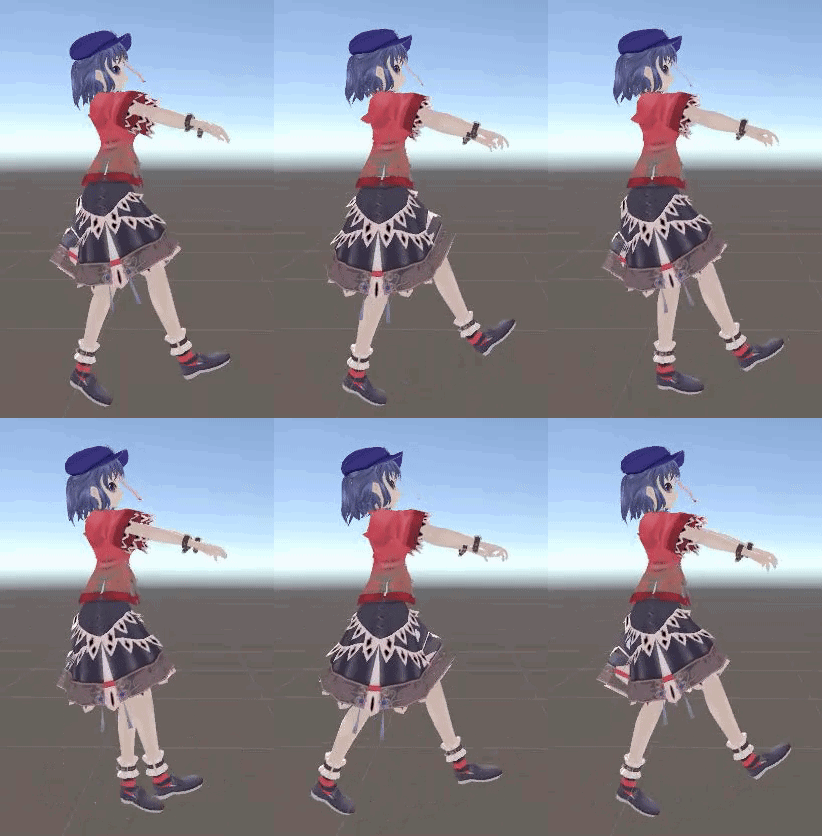
 obsidian vigil
it looks like the hips are rotated
lilac cave
can you turn off the 2 options below loop?
dim valve
Nothing changes
lilac cave
hmm
dim valve
Also the walking animation 180s the character
lilac cave
probably best just to rotate hips and co then
dim valve
But if I dont let it 180 the character, in-game it WILL play sideways
lilac cave
though i think the legs are the only things off
dim valve
Legs are whats off, yeah
dim valve
No

This is what happens if I try to reset hips
Oh
It also just completely destroys the animaiton
 obsidian vigil
that does not make sense
dim valve
This is just from me removing the rotation on the hips
lilac cave
ok are you 100% sure the bone names are the same
dim valve
As long as hips arent at their weird angle, it breaks animation completely
Even remaking it just gives me "MISSING" on everything
lilac cave
id probably just steal the sdks walk
dim valve
It even says body is missing
dim valve
Yes
dim valve
If I load Muscle Editor, it works again...
lilac cave
off*
 lilac cave
are you 100% sure the avatar is humanoid
dim valve
...
This makes no sense. Something is broken, and my model seems fine
Absolutely.
I can upload this to unity without it giving me the humonoid warning
dim valve
I still dont understand whats turning the model 90 degrees when the animation loads
None of the roots rotate the model, either.
Main rotation is all 0, Root T and Q are barely in the 0s and 1s
lilac cave
turn loop pose off
dim valve
It is off for this new one
lilac cave
unless the models hips/legs are different from when you were making the anim (position scale rotation wise) i dont see why there would be a problem
orz
dim valve
How come the preview, where you drop in a model, works
But not source?
Why is it even different
Either way, nothing should be different.
Especially seeing as this has been an issue since I made it
Maybe I can rig it up a bit so it doesnt look so off.
See which muscle editor option I can remove and remake
Though I see no options for hips or anything like that
Oh boy I was smart enough not to save the work I did on the original model after exporting it.
Im a doofus.
That was an easy fix
Okay so, what would you think would be my best bet to fix the animation to at least make it look more natural?
I cant seem to get the model to actually work with the animation's movement, for whatever reason
So my next bet would be to at least try to normalize it, I guess?
lilac cave
if you fixed the model its probably got different bone lengths or something
dim valve
Oh, no. All I did was do some weight painting.
Noticed a spot that I didnt have anything set to so it was tearing off when I moved
lilac cave
since when
dim valve
A bit ago, I was told they weren't open to the public and were stored elsewhere
lilac cave
walk is found here VRCSDK\Examples\Sample Assets\Animation
lilac cave
called walk
dim valve
Does it matter if I use three of them like this
lilac cave
you just need to copy the leg animations
dim valve
It duplicated the parent, split them between the two
And now I have two useless files
sigh
lilac cave
split what?
dim valve
The Walk file
It had three animations in it.
I attempted to copy an animation out and it broke it.
Could someone toss me that file to replace it, real quick?
obsidian vigil
wth did you do? o.o
dim valve
I ctrl+dragged it
obsidian vigil
you just go in there and snatch the animation keys
dim valve
I wanted to make a copy so I could just bring it into my working folder
lilac cave
you mean the fbx?
lilac cave
ctrl c ctrl v
lilac cave
you cant upload here but ill pm if you need it
dim valve
No worries, I got it.
I have no idea why copying it broke it.
I can still copy elements from a read-only file, yes?
lilac cave
ya
obsidian vigil
yup
dim valve
Wait is it supposed to move forward
lilac cave
i dunno since i dont do walks
dim valve
Are these needed or will this just move the body away from the controller
lilac cave
¯_(ツ)_/¯
obsidian vigil
i dont think so
if you do an emote you need them
but on a looping animation for walking i dont think so
dim valve
So should I remove the root animations, then
dim valve
hmm
obsidian vigil
still fine?
dim valve
Not a clue, to be honest
obsidian vigil
xD
dim valve
Im not sure if its Root T or root Q
obsidian vigil
ooh
could you send me a pic of the animation window?
and make sure to open everything
with the little arrows
 obsidian vigil
im guessing t
because WTF is a w axis
a quaternion is a complex number with w as the real part and x, y, z as imaginary parts.
If a quaternion represents a rotation then w = cos(theta / 2), where theta is the rotation angle around the axis of the quaternion.
is what google said
so yeah
id go for t
dim valve
Ooof
oof
I have sunken her
Okay I need to keep T.y
Ah much better.
Thank you
Now to delete all the arm stuff and make my own
dim valve
Cant have a Jiang Shi walkin all normal-like
 weak swan
Would anyone be willing to help me out with animating a few things about my Lucario avatar?
 foggy cloud
hey i put an animation on a chair. but everytime when the animation plays i move forwards and backwards with my charakter instead of swinging my legs
this is how it looks like
https://www.youtube.com/watch?v=D3ebMDwG2i0
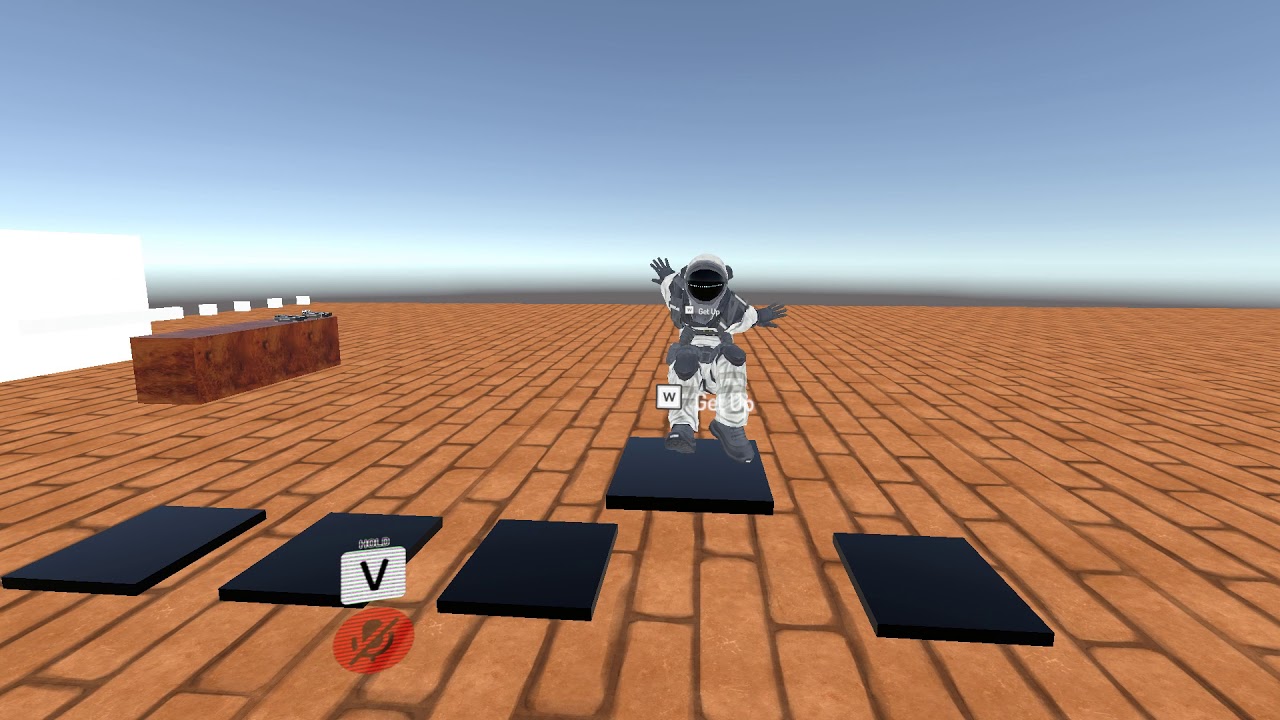
i can also make a video on how it should look like
this is how my animation is set up
https://imgur.com/a/mVBdd


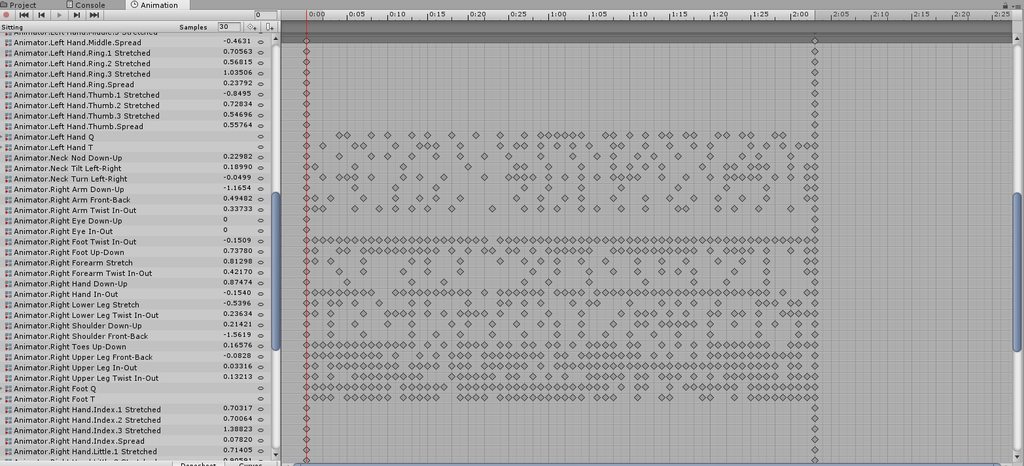
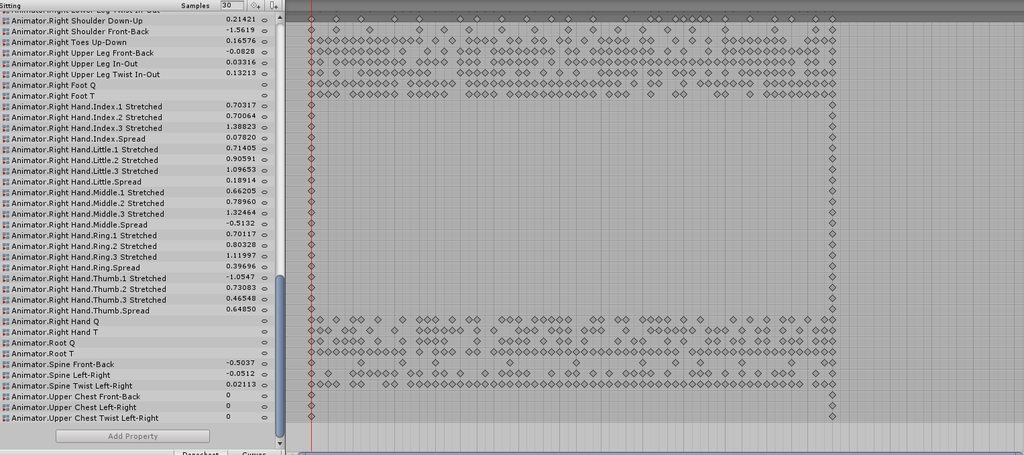 clear yew
Does anyone know how to fix a camera or texture render so it shows to other players?
foggy cloud
also i think in only happens when the animation is done because it seems like for a fraction of a second he does the animation and than goes into the other one
obsidian vigil
@foggy cloud from what i know moving the chest as an example has an effect on the legs
same for spine
and vertical rotation affects the arms
what im guessing is that the chest maybe accidentally move the butt
/spine
or the legs do
oh wait
now that i look at it
the feet seem stationary
foggy cloud
the thing is it works in the preview window in unity
obsidian vigil
hmm
foggy cloud
oh okay
how can i fix that?
obsidian vigil
maybe by forcing a position onto certain parts
like the thighs
maybe if they remain where they are the rest wont move
foggy cloud
and how can i do that? i'm not really new to animations but you could say so 😄
obsidian vigil
@clear yew Can you animate a bones' x, y and z?
frosty pendant
@clear yew i know how it works but as far as I know it's not allowed to make cameras global because of performance.
clear yew
Ok
clear yew
@obsidian vigil i'm not sure
i know that you can rotate fingers bones, but if you try to move a bone used in vrchat for your model then it wont work
sick musk
Yea most animations from what I know only work with particles
Goes without saying those take time
Rotation does work
But not too sure on moving bones
obsidian vigil
@clear yew @sick musk if you guys look at torbis problem
I thought you could maybe solve it by fixing the bones position
Thats why i asked
clear yew
i never fucked with animating bones, i'm not too knowledgeable on that part, yet
obsidian vigil
Alrite
sick musk
(God that’s a lot of key frames) anyways I’m not to sure on how moving bones works I would assume everything be done by controller. However seeing as his problem resides in his legs I’m thinking he either was on the wrong bone the entire time or didn’t orientate it right
I have messed with bones before but that was with gmod
 vivid heron
Maybe too early for me to start questions like these, but is it possible to create a trigger that will toggle your arms to an idle animation that ignores your controlls, and back again?
turbid sluice
So I have a 23 second dance animation made however it only plays for about 10seconds ingame and stops. Any ideas on how to get a longer emote? I've had emotes that last 2+minutes but those were baked inside other FBXs i imported.
 plain coral
So.... I have a few questions about setting an animation to a hand gesture. I'm having trouble, because the animation isn't 'rewinding', or starting over from the start. Is this even possible?
 undone mesa
how many hand gestures can oculus and vive trigger actually
plain coral
Fingerpoint
Fist
Handgun
Handopen
Rocknroll
Thumbsup
Victory
undone mesa
what actual button press is that in unity? like, what button press gets triggered on those? something like joystick1button3 but is there also a difference between the two controllers, is what i want to know
plain coral
I don't know what you mean in your first question. But you can find a list of VRChat controls here:
https://docs.vrchat.com/docs/controls
When I test an animation in unity, I just trigger it from the animation panel.
There are various ways of input to VRChat, in both VR and desktop you can use keyboard and mouse as well as gamepad, in VR you can use the vive wands and oculus touch with their respective headset
undone mesa
i'm actually working on an ability system/skills and thought someone here might know what those handgestures actually translate to in terms of button presses in unity so i can make triggers out of them
plain coral
oh, they don't. They are propietary signals.
 crystal kraken
Are there any guides on making a tail move around, I don't mean with Dynamics, I've seen a few avatars with it, where the tail kinda sways without the avatar moving
plain coral
That's editing your idle animation.
plain coral
I would suggest copying the default one supplied, and then editing it with the rotations and movements of your tail.
crystal kraken
Ohhh I see, that makes sense! Thank you ^^
plain coral
Otherwise, you'll 'sink' into the ground.
crystal kraken
👍 Got it!
plain coral
Sounds like the answer to my question, might be that I need to edit the animator. But I have no clue what I'm doing there. Is there a tutorial for that anywhere?
 tacit frost
hey guys, Idk animation at all, could someone tell me how to make it so that my particle system is always active EXCEPT when I do an emote/gesture?
clear yew
Apply it to your main model, but on the other animation model, get rid of it. @tacit frost
tacit frost
@clear yew assuming I'm not sure what that means, how would I go about doing that
clear yew
@tacit frost Just keep the normal model, but on your duplicate, delete the particle systems.
sick musk
Basically it’s kind of like switching different skins
tacit frost
maybe the tutorial I followed wasn't very good, because I only have 1 model
lemme figure THAT mess out first, thanks for the help
plain coral
I wouldn't delete it... But you can toggle "Activate" and put it in a Deactivated state.
 zinc moth
What Skuld Said. Whike you in the animation just deactivate the particle system and that should be all. And make sure to do it on a duplicated avatar and just transfer the animation to the first
blissful grove
How hard is it to add a 2 weapon to a skin
clear yew
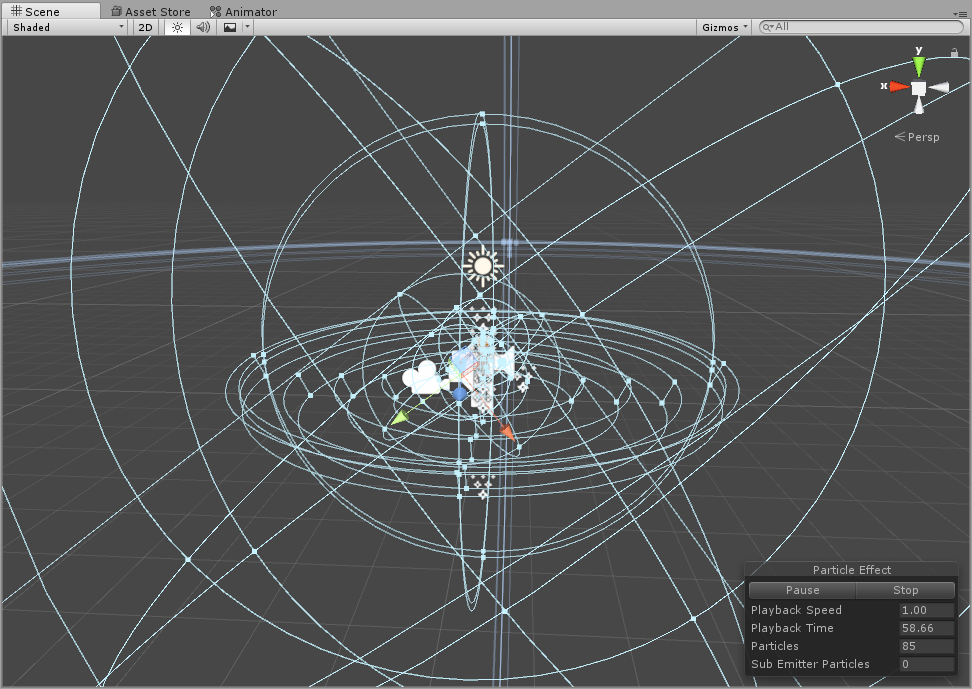
21 hours of work so far. 3/4 ways done.

I think I should be able to finish it by the weekend.
 zenith topaz
I'd like to add a tail wag animation that is more than 2 frames, i know how to make objects call to their own animations and can generally run their own animations at more than 2 frames and not be buggy, but that's because the gesture override animation can cancel it. How can i make a multiple frame animation on a body part and call to it with a gesture override and still give it the capability of cancelling as soon as i stop doing the gesture?
 heady cove
hey anyone know how to fix animation overrides that like, flicker on and off
sick musk
Anyone know how I can get my emote to play my animation I have along with my particles
 placid wigeon
Not sure if im doing it right but it seems that the custom emote seems visible to other player even if I turned the SetActive Off
https://ibb.co/idQJbc

I made an On and OFF animation but when i turn it off sometimes its still vissible to some players even if im not animating it
placid wigeon
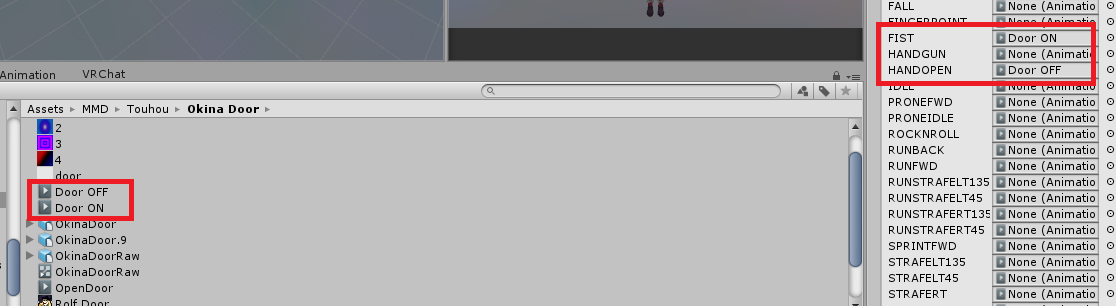
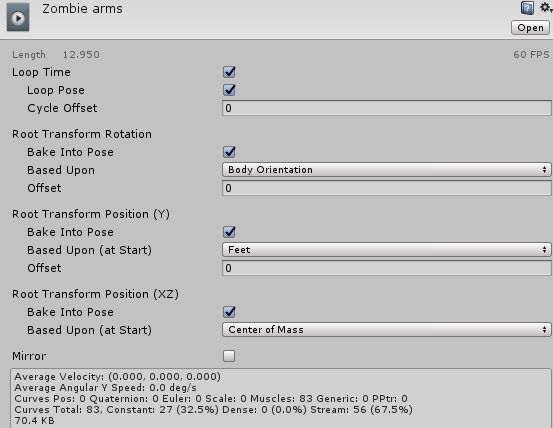
I made 2 Animation, the first one I put the setActive on while the other one is setActive Off



 dim valve
Where can I get some of the default animations like backpeddling?
I need to do some animations for those
dim valve
I currently have the one walk for all directions, which Im doing left and right versions of now
But I also have the walk for backpeddling and running, which looks goofy
night crescent
there in the vrchat sdk right?
dim valve
Nothing for running, no
Only idle and walking forward
Which do I replace with the walking left/right?
They're all named pretty badly.
Ooh I see
They also have degrees tied to them...
Am I supposed to keep them in some sort of combined file thing like they were before
Because I have no idea how to combine them into one
obsidian vigil
Does anyone know where i can get the howling ooka miko?
like a unitypackage for the animations
preferrably with sound
weak swan
Is anyone on who could help me animate an avatar?
 ember olive
does anyone know how to do the model floating animation?
lilac cave
custom walk/run animations
lilac cave
maximo might have some
theres a walk in the sdk if you cant find anything at all (VRCSDK\Examples\Sample Assets\Animation)
lilac cave
np!
clear yew
does anyone know where to get the animation of a miko howl ?? i have the model just need the sound and animations
obsidian vigil
so @clear yew do you know how i would make a transition from the extending lightsabe to one that is extended
without switching gesture
clear yew
Hmmm
obsidian vigil
with animators or what theyre called
obsidian vigil
And at least yet, learning how to code wont be of any use 😛
you cant script at the current point in time
clear yew
True
obsidian vigil
but yeah
would be neat if you give the animation transition a go
im at work rn
but if you figure it out
hit me via pm alrite
clear yew
Ok
final gazelle
i'd debate that learning to code wouldn't be of any use -- while it's true you can't use C# script for VRChat, code logic is pretty applicable for setting up more complex custom animators and trigger systems
it can also come in handy for creating or modifying shaders -- i guess you don't need full-on coding experience for that, but having the experience probably makes it easier to figure out what code blocks are doing what in there
obsidian vigil
that is true
weak swan
Could anyone help me make some custom animations for a Lucario avatar with me?
frosty pendant
Does anyone know how to set up particles that can collide with players? For sub emitters when hitting someone?
dim valve
I have a movement animation for walking forward and left, but it seems to teleport me around the map like crazy
I dont see this, I see me walking normally
What could cause this
torn pawn
@frosty pendant just set to world collide, particles collide with players locally, or if they open menu
dim valve
Oof this just isnt working. What did I dooooooo
frosty pendant
I tried that but when I hit myself nothing happens
clear yew
Try to get friends help, not yourself lol. Did you also set the sub emitters to collide
frosty pendant
Yup
 lost musk
On the animation you may want to be sure that you bake into pose. You can check it on the animation option, you have 3 settings. Y, xz and a last one. Try to check / uncheck and modify this settings
They may want to be marked as humanoid too. And having a good loop with no problem on the axis
obsidian vigil
umm
when i try to move dynamic bones in my gesture override, they glitch out
any way to prevent that
lost musk
Is your animated bone having the dynamic bone component ?
Dont really understand the probleme
obsidian vigil
eh
i have my bone root
on there i have the dynamic bone script
in my animation i try to move the tail
it only moves extremely jittery
and not smooth at all
@lost musk
lost musk
So the problem isnt from collider but frol the values you have on each dynamic bone components on each part of the tail ?
lost musk
Does it move right if you move your character around in play mode ?
obsidian vigil
nope
lost musk
So its the values the problem
lost musk
I have some of them, but not in head. In 20 min i'll send you some to test
obsidian vigil
mkay thanks
pseudo iris
Anyone that knows how to make a mech arm? I know it's possible with rigid body and fixed joint I think
Hit me up please
pseudo iris
A one that followes your arm
white herald
so not part of the humanoid rig
pseudo iris
No?
white herald
picture or something please
pseudo iris
Well what I mean is a mech arm that's attached to your avatars back and it's followes the movement of your avatars arm movement
white herald
wow damn
pseudo iris
It is absolutely possible
I saw someone with it and he explained that it was rigid body or something
white herald
don't know unity constraints well enough
i would cheat it with the mech hand bone as a child of the real hand bone and the rest as dynamic bone nonsense i'm too tired to think whether that would work
pseudo iris
Oooh maybe that how he did It!
white herald
each bone being a child of each arm bone could work in certain models but it'd depend
did you get a picture
pseudo iris
No
Well I might know how noe
Now*
I'll just put a rigid body on the wrist and then a fixed joint on the mech arm hand
So then the rest of the mech arm should move with it
obsidian vigil
umm
why would you even
if its only an arm you can just put the arm on your arm and you should be fine
slim sparrow
Fixed joints is how people usually do it
I've seen people do Stands that way
And it looked perfect
Just joint between each respective bone
 agile ruin
Is it possible to make a particle system collide with player avatars?
agile ruin
How does it work
 wary jewel
heyo, does anyone know how i could make a little sound distortion pulse effect like to put with a stereo or similar?
white herald
you set particles to die on hit
obsidian vigil
and collision to world
molten elm
Any way to make custom shape key facial animations more symmetrical, like when posing the lips and stuff?
obsidian vigil
you can activate symmetry
white herald
only possible in sculpt mode as far as i know aside from the mirror modifier which would not be an option in this case
lilac cave
you know
x mirror will reflect what you do on the x axis
it works for shape keys too
so use that
 random iris
only if the points are symmetrical ^^
shut tusk
How can i make it so the particle system doesn't die when i end the gesture? I saw someone with a weapon and the particle systems were always finishing despite putting away the weapon
Btw the person said he doesn't know how it was made
white herald
so instead of enabling the particle system itself with an animation in the gesture, you'd animate the emission level of the particle system or some crap like that
@shut tusk
so the particle system is always on but not always emitting
white herald
hypothetically it should work perfectly
shut tusk
hmmm. i'll try it out thanks 
slim sparrow
Yeah, that's what I did too
Usually, the particle system is separate from the weapon
Especially since world particles have to be outside of armature to work properly
shut tusk
so uhm.
i set the emission to 0. and the gesture raises the emission to the intended value? @slim sparrow
slim sparrow
Not really
You disable the emission module in the particle system entirely
It will remember its values
You can then enable/disable the whole module
chilly vapor
i have an animation on a character in an fbx. Is there a specific reason why im not able to seperate the animation in this specific fbx when it can be done to the mixamo fbxs?
seems i had a bad character in the name
night crescent
is there a way to get a particle or object to follow the character at a delayed rate? (making navi for a link model)
slim sparrow
How do I successfully get VMD animations into Blender, and then successfully into Unity?
I got the animations into Blender, but they seem all wrong. The model stretches in very weird ways when I play the animation.
I did not hit "Fix Model" in CATS or anything, this is just the original. Fixing the model makes the animation not work at all
shut tusk
@slim sparrow does this also work with non-looping particle systems? 👀
not that important but if they do it's nice i guess
slim sparrow
I fixed it, I had to use the mmd_tools provided import tools
@shut tusk yes
I think so, I dunno.
If it doesn't, you could always just manually set the Bursts in the emission module, and make the system really long.
As in, 1000
sick musk
So I made an animation how would I go about adding it into an emote with the particles I have for it?
night crescent
disable the object, enable it during the animation? @sick musk
sick musk
yea hang on im trying to fix the pose
short drift
Is there a way to merge a group of animations, one after the other? I have a set of animations that together, make the thriller dance... But they're split up into segments.
If I try to copy and paste the frame data from one animation into another, it crashes (probably due to the length of the animation?)
sick musk
Ok so from what I know I have to change the Root T y axis to 0 to make my character not be on the ground for my animation right?
 sweet zealot
my custom forward animation squishes me into the ground - what'd i do wrong?
oh
lol didnt see the previous comment
hey, did that work btw?
sick musk
Yea my avatar keeps doing a weird pose whenever I start animating and dont know how to fix that
cursive moon
If you mean the one where they sink into the ground and start kinda kneeling, that's supposed to happen. Make sure you're animating on a duplicate of the avatar and not on the one you're going to upload.
sick musk
I am
sweet zealot
same
sick musk
and whenever I upload the animation to the non duplicated one its stuck in that pose
sweet zealot
same
2 seperate avatars of the same one, each with different name, the duplicated one is the animated one, the original is untouched. When applying the newly made animation from the duplicated one to the original it causes the original to squish into the ground. What is the solution to fix this to make it stand back up?
unless we have to add every damned bone in the body to force it upright?
cursive moon
When you say "apply the animation", what do you mean? Are you putting the animation into an Animation Override and applying that Override to the Avatar Descriptor on the original avatar?
sweet zealot
yes i am applying it to the WalkFowrward tab in the animation override, then dragging that animation override into the avatar descriptor thing
im gonna have to assume that we have to add every bone in the body and force it to stand upright, because if you think about it when you add a gesture animation and add no bones to the hands they too are in a curled position - so the same applies for the body - if you add no bones it will keep it in that curled position. My worry is will i be able to move my arms once i add the arm bones for this walk forward animation?
tested. confirmed. sadly....
cursive moon
I've never worked with walking animations, only really gesture animations, but I've heard a few times in worlds that custom walking animations disable hand tracking while active. I'm not quite sure on the validity of those statements
ah, I guess you can't then
sweet zealot
@sick musk sadly we gotta add all the body bones to force it upright. This applies for walking animations. No bones added will make it stay in that curled position by default.
sick musk
Damn
sweet zealot
i know right?
thankfully this is just for my naga character so i dont have to worry about legs
sick musk
Wait this gives me an idea on how to fix this without me moving bones
sweet zealot
heres a helpful tip: create the keys to make the character stand upright. save that animation as "StandupTemplate". then create a new animation, your intended animation, copy the keys from the StandupTemplate then paste them in this new animation and there you go you have a quick start.
gtg goodluck
night crescent
pls
is there no way to make an object not act like its stuck to my characters movement perfectly?
slim sparrow
You can copy some of the sample animations provided, but they're not 100% accurate.
For example, you'll have to remove the leg spread on the idle animation. Sitting animations are literally nonexistent because ???
Oh yeah, and you also have to zero out a lot of weird values on idle
 fair glen
So I have a few things I'm trying to animate in my world. The main being a door that is closed. When you interact it opens and stays open until you interact to close. I got someone to point me in the direction of using a default state and a bool trigger. But I'm still new to unity, and couldn't figure out how to do that. Could someone explain the steps better or show me? The other items require the same thing.
lunar pasture
I've spent the last two days figuring out elevators, the way I see it is you'd want an animation cycle for opening the door and closing it again. create a 'waiting' state, set that as default, transition that to your 'door open' animation with the condition set by your interact trigger, then transition that to the door close animation with the condition set to - hmm, i guess the same condition would work again, then to set it transition it back to the waiting state so it's ready to wait for the condition to be triggered again... I might be overcomplicating it but that process is fresh in my mind from considering how to get extra triggers to call the elevators.
@fair glen i hope that makes some sense to you
fair glen
Well, then words make sense but I don't know how to apply them to what I am doing. Maybe screen shots of what this all looks like?
 reef mason
Anybody know how to make an avatar ragdoll?
night crescent
fucc i accidentally changed animations on an object that was part of my chracter, now they're in the fetal position thing
is it possible to fix that? :(
Basically im asking if i can force it back into a t pose
slim sparrow
You can always reimport
night crescent
The model itself isn't messed up, just the one in the scene @slim sparrow
slim sparrow
Oh yeah
Uh, there must be a way to fix it, but I honestly don't know
What happens when you unassign the animation controller in the Animator component? Set it back to None?
night crescent
Tried that just now, just doesn't do anything :/
 ocean onyx
So like, I want to myself a phone that takes selfies when holding it, seen them around a bit actually. Just wondering if anyone knows how I go about doing this? Is there a phone model you can download like you can with avatars, oooor?..
to make myself*
reef mason
If anybody knows
ocean onyx
Yes, I'm sure your English teacher is proud of you Auri. Though, you correcting mistakes is off topic. Perhaps you can ask a mod to make you a Grammar Nazi channel?
reef mason
Wait, I just asked for making a ragdoll emote/animation and your being a asshole for no reason. What gives?
ocean onyx
The gap between your last question, and then a random "If anybody knows" made me believe you were trying to correct me.