#animation
1 messages · Page 62 of 1
 clear yew
have your feet bones at 0,0
and then but your guy onto the head bone
rip my eyes werent connected to the eye bone
gdi
 rapid cypress
Rip
 late phoenix
anyone know why a gesture just wouldnt work in vrchat
the animation itself looks/works fine in unity
but it seems like its not even overriding in game
even though it has the override set and everything
 nocturne anvil
checklist cillia
animation
animation pointed to override file
override file pointed to avatar descriptor
 valid star
same issue here my override files arnt working any more
rapid cypress
Are you also overriding the animator itself?
late phoenix
oh I'm an idiot, realized the issue
i just needed to rename my animation
I forgot to change it from default VICTORY
😄 🔫
valid star
well mine just suddenly stopped woring after adding a pen to to it
valid star
yep i usally do that
yeah that sounds like the best way every trigger dose something
ill make new prodject see it he custom over rides broken on that
my snails house girl animation was the best i unity sadly it didnt carry over and broke all my gestures on override
sigh*
gotta love them problems lol
clear yew
sdfsdfsdjfjsdlfsdf
FK
I DELETED THE UV MAP BEFORE I ATLASED THE EYES AND HAIR
GDI!!!
valid star
oh boy
 regal hollow
Mission failed. We'll get 'em next time.
rapid cypress

She moves
and doesnt break
yet
now what i mention it, i should fix her arm..
yeah that's not natural


Much better
 river folio
can anyone help me with something in unity? im trying to make my model switch textures when using a gesture but cant seem to figure out how
clear yew
materials reference in the animation
river folio
got that part down but i can switch texture without the main model also switching texture
there is no way to tell the animation what texture to use for the switch as far as i can see
clear yew
you don't switch texture, you switch a material
river folio
so i have to make new materials?
clear yew
does your model only use one material?
river folio
it uses 4
clear yew
and what do you want to switch?
river folio
3 of them need to change (wish i could show pics)
clear yew
you know when you select the "body" mesh, on the inspector you can see "materials" with multiple elements, right ?
clear yew
that's the different part of your model
some of the element will change only the nail
or only the face
on so on
you need to find the materials corresponding to what you want to change
and remeber the number of the materials
then in the animation you will reference a material to that element
river folio
that last part is what i have issues with. how do i reference to an element without the non-animation-model also changing its textures
clear yew
the original model and another model will be in the same animation ?
river folio
nope, but when i reference a material i want changed in the animation, both the animation model and the main model change their textures
clear yew
doesnt matter really
you are animating a duplicate
you will delete it anyway and it's changing only during the animation
river folio
doesnt seem to work that way, once im done doing the animation stuff and delete the dup, my main model permanenly changes its textures to what i referenced in the animation even when not gesturing
it becomes permanent istead of just being for an animation
clear yew
because you didnt swap it during the animation mode obviously
river folio
ok, now im lost lol
clear yew
press the red button to go into animation mode
river folio
yep
clear yew
selecvt the "body" of your model
river folio
yep
clear yew
without exiting the animation mode, go into the folder with the materials
river folio
yep
clear yew
now
while having the body selected
scroll down where the materials are
in the inspector tab
and drag the materials to the element that you want to swap
river folio
ok
clear yew
you should have a new property in the animation tab
river folio
ye
river folio
....shouldnt my dup model have the textures on then?
clear yew
yep, if you put it on the right element
 obsidian vigil
@clear yew any tips on creating realistic movement
clear yew
realistic movement ? like walking animation ?
 cursive moon
cough spoilers cough
cursive moon
You could just be vague about who you're talking about, but I know that event is memorable enough for anyone who's seen it to know who you're talking about if you describe the scene but leave the character's name out
 final gazelle
^can vouch, i think i know exactly who you're referring to if i'm thinking of the right franchise >_>
that'll about do it 
obsidian vigil
😄
 ionic ridge
guys, how do i move all the keyframe at once
ionic ridge
thank you good sir.
 visual storm
anyone experience anything thats on the head bone disappear in game
clear yew
i think it's attended to be that way
so you don't see the face mesh and hair and stuff like that with the descriptor viewpoint
visual storm
this is replacing an idle animation
 slim sparrow
You have another object on your avatar, and its mesh is also called "Body"
This causes issues in mirrors and cameras
Rename the mesh
I had this with some Sunglasses accessory, it had an armature and the thing itself was called "Body"
visual storm
ill try that but the rest of the mesh seems visible
slim sparrow
Other people see you fine, FYI.
Yeah, it's specifically the head that disappears, trust me
It has to do with the way VRChat hides your head in first-person I think
visual storm
so is that part of the mesh if i map the head to an extra bone
slim sparrow
Just make sure you only have one object called "Body", and that is your avatar's main mesh
 finite spindle
New to avatars and animations, any idea why my eyes do this when i try to make expressions. I've gone through several tutorials and I cant find anything that addresses this issue 😦
 slim sparrow
Looks like shape keys are incorrect
Did you decimate the eyes and face, by any chance?
@finite spindle
finite spindle
decimate?
slim sparrow
When your model is above 20k polys, you have to "decimate" it in Blender or something. This basically involves making your mesh lower quality
That is, if you are porting the model yourself
Some people do auto decimation in CATS
finite spindle
Oh, so whoever made this unity package probably did that
slim sparrow
Probably, yeah. Anyway, if you decimate the face and eyes, you lose the shape keys on there
Some models are weird and split up the shape keys, maybe there's one to hide/close the eye. Other than that, you're out of luck
finite spindle
Thank you!
clear yew
Hey does anyone know what that one dance animation is called
with the arm flailing
its un a knight model and a russian adidas girl
that ive seen
you can see it if you google hard bass dance vrchat
but i cant find it
 cobalt walrus
?
 warm salmon
yo
i need help bad
so basically, i need to knokw how to have a model copy my main avatar's animations down to the tee. meaning i need it to copy all translations or whatever. to give context i have one model that has itt's right arm invisible, and the other inverse, only right arm is seen. then, i want the one with only the right arm to copy all my movements so it seems like the arm is just normal
any help?
 unique night
animating a Behemoth from ff13 for my world as a boss battle :D
https://i.gyazo.com/de7fa0e9fa7cc89bcc171d21a65c7769.mp4
warm salmon
no idea's anyone?
 icy hazel
Youre gonna have to ask any of the players who basically have got their JoJo with Stands avatars working.
Thats the only way i can see it working for you, the whole rigidbodies and joints voodoo
But usually thats gonna be too advanced for a lot of people to figure out unless they wanna trial and error for a while
Cause we cant use regular constraints
 bronze turret
Is animation overrides used for like custom animations and stuff?
 magic coral
anyone know why my custom walk animation might not be working. wrong setting? Have made custom naruto run in the past and it worked but not a simple one that just bobs.
clear yew
guys
 heady cove
hey if im adding audio to a gesture do i still want the like, animation length to be 0:01
or do i gotta make it longer
 karmic sparrow
Gesture overrides should always be 0:01 and both frames identical. If you want actual animations (full body and full control over what your character does) you're gonna have to use emote overrides
@heady cove ^
heady cove
@karmic sparrow okay thats what i thought ty
im having trouble getting the audio to trigger and this is the last thing i can think of 😂
karmic sparrow
I just know what I said above, since I haven't worked with audio on overrides (yet)
And you're welcome
 olive gull
how do you spawn something indefinitely?
like snail marker but for other stuff like flower pedals, flowers, etc.
saw it today didnt know how to do it
 blissful grove
How hard is it to do animation
blissful grove
I have tried so many time and I can’t figure how to do it
clear yew
Does anyone know how you actually get world particles to work in the world space and not follow your armature when you look around?
blissful grove
I really want to do a lightsaber animation but I have no idea how to do it
clear yew
that would be really easy
 remote blaze
@clear yew I know how to do this but I forgot ughhhhh
clear yew
ahhhhh ; - ;
remote blaze
Search a video that says "how to get a trail in unity"
That's where I learned most of my particle stuff
The video has an Indian sounding guy
blissful grove
Is it possible if I sent the model can anyone put a lightsaber on the model
clear yew
http://prntscr.com/j0kzcy im basically trying to get it so when this torpedo launches, it will continue to move forward, and if i turn my head to look at it, it will keep moving in the direction it was already going

currently when i turn my head, the torpedo will turn direction which i dont want
remote blaze
Yeah, I have that too, with a shadow ball attack on my Pokemon
I remember fixing it really easily
Like one setting change
clear yew
hhhhh
remote blaze
You should check the video, he says something about changing to world
 torn pawn
@clear yew https://www.youtube.com/watch?v=VmEED0E_e4w

 frosty pendant
Same for me. I updated a model that had working world particles, changed nothing on them and now they don't follow their assigned bone any more
obsidian vigil
how to make snail marker trails stay
cursive moon
As in not disappear? Don't activate the erase animation's gesture.
I have draw on HANDGUN and erase on HANDOPEN, so if I want to break the trail without erasing it, I stop doing HANDGUN but also avoid using HANDOPEN. Usually I FINGERPOINT for this. It won't erase until you activate the gesture you put it on unless you don't put it on a gesture, in which it will erase itself after a specific amount of time
obsidian vigil
@cursive moon i have those 2
but thing is
i dont activate erase
but the trail doesnt stay
unless i keep the drawing gesture active
which sucks because i dont want it to draw all over the place
but it shows up when i reactivate it
 shrewd moon
For the markers to stay
Have the trail renderer always active
But have one of the position axis (xyz) be at a insane number
So it’s out of the world or something
Create a animation which zeros down the trail renders position
And that’s it
So when you let go of the gesture the trail stays
Because it’s always active
obsidian vigil
thanks
 small tapir
anyone know how i would make a particle system that looks like arcing electricity? so it's arcs on me? like this youtu.be/5w586B67zfE?t=32s
clear yew
Is there a way to change materials using animation overrides?
small tapir
@clear yew I never figured that one out so i just gave it an extra mesh for the thing i want to change
regal hollow
@clear yew You can do it with gestures.
clear yew
How'd you do it with gestures? That's kinda what I wanted to say.
frosty pendant
You can change materials with animations
small tapir
Ooo i want to know this too
clear yew
@clear yew by using references
when you select the "body" of your model
you have a bunch of materials
during the animation mode
you can just drag another material into it
and it will create the animation property for it
small tapir
Wait it's that simple? god damn it, i could have done this my self -.-
clear yew
yes
frosty pendant
XD
clear yew
that simple
Ohhh, wow, I didn't even notice that there are keys for materials...
i made a bookfor seome like that
she can swap the pages with a gesture
small tapir
I could have used that on this one https://imgur.com/a/WDrWd
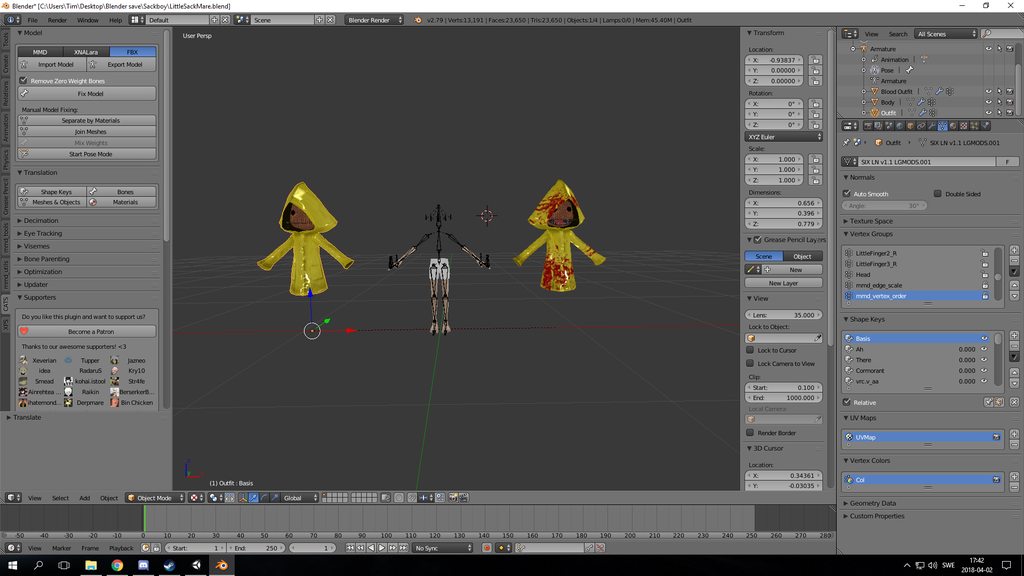 small tapir
Thanks now i know how to change the eyes 😄
clear yew
i think you can't move the bones used by the rig
 violet kraken
it works with the muscle animation editor but the rotation isnt enough
 night crescent
Some animations show the character moving and spinning around, but in vrchat it doesn't look like that at all. Do i have to do all that manually?
Also, if there are any good free animation packs let me know 😊
violet kraken
when you animate a model as always but its still in tpose kinda wanna kms rn
yo my humanoid rig is animated but it doesnt move a thing on the normal model ?
animation and everything is right
obsidian vigil
Wot
violet kraken
it literally stays in tpose wttttfff
violet kraken
nah in unity
obsidian vigil
Drag the animation on there again
obsidian vigil
Ok xD
 waxen hound
so in vrchat if i want my defualt hands relax to be more closed. i just do an animation and set it up in the overider? the current hand are stretch out to wide and don't look good relax. or would that be set up on the base model in unity or a sepearte model? i guess it be considerd idel hand? on vive
 chilly vapor
you on an oculus?
waxen hound
i'm on vive
chilly vapor
then yeah, should be idle hand. I know for oculus users, it tends to default to the grip animation when you push nothing
waxen hound
ok i'll look up idel aniamtoin tutorial then
chilly vapor
downside is that the idle hand animation is just part of the normal idle stand as far as im aware
 scarlet arch
Hey guys, what's the main reason my custom override finger animations could be doing some weird looping?
chilly vapor
looping in what way?
scarlet arch
SO I've got an overide which makes the fingers point + changes my 2d eyes
and it keeps alternating between resting and the animation
I'm testing it on desktop and my other animation works fine
Trying to get a gif of it :/
chilly vapor
did you remember delete the last frame, and copy the first frame?
scarlet arch
oh woops yeah
chilly vapor
or should i say override the last frame with the same data as the first
chilly vapor
np 😛
waxen hound
ok so i notice one major flaw in unity but maybe this has to do with the rig hand set up. vs a hand in real life. i wnat to tuck the thumb more under the palm of the hand but i can't go any higher in the - numbers in the animation. :0 same thing for relax pose. would i have to set that up in blender maybe?
 livid socket
Somehow my Avatar get's completely mesed up when I try to use props: https://imgur.com/a/kcTsm
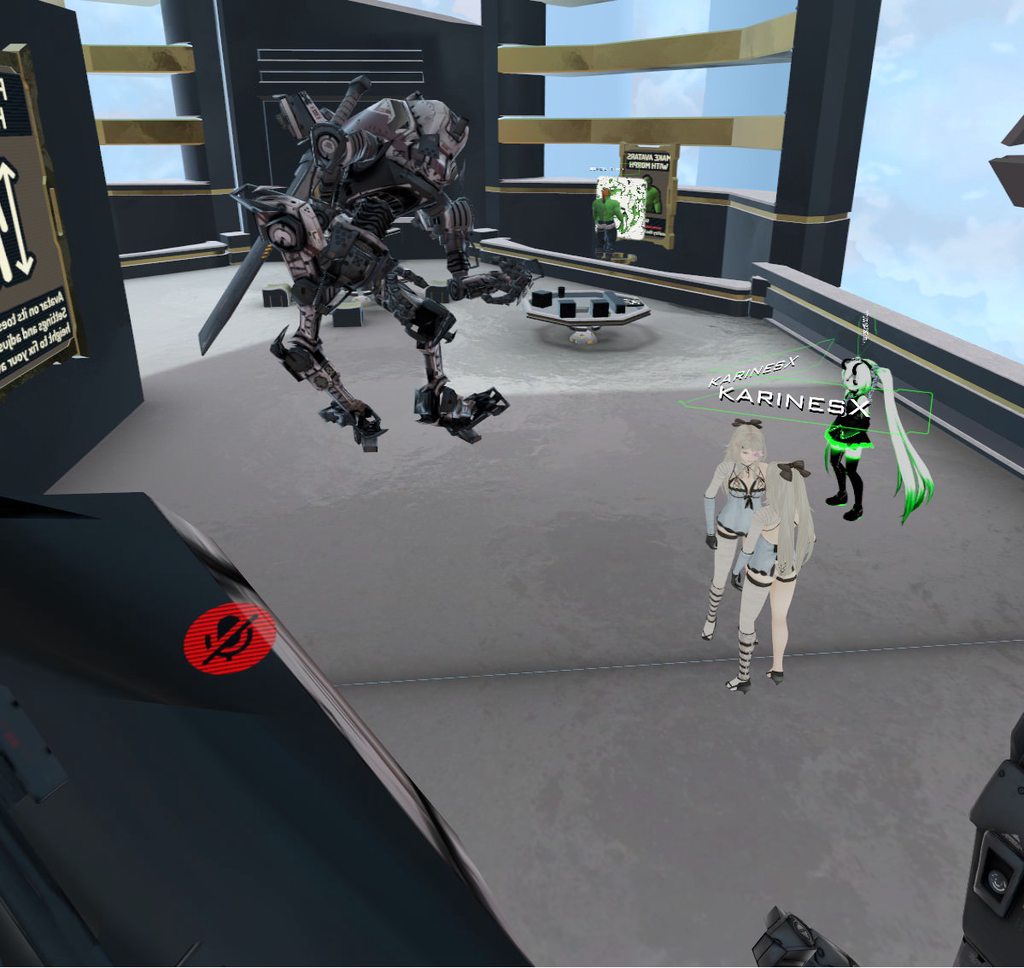
The animation itself is just set to deactivate the sword on theback of my Avatar and add a sword to the hand of the Avatar
Could it be because the sword at the back has it's own skeleton?
 wise rover
I think you need to have two sword objects on that avatar.
one on your hand and the other on your back. the hand one will be invisible in idle state and in animated state the one on your back will be visible
livid socket
@wise rover The swords are two different Objects
@jovial rain Thanks, I'll try that!
wise rover
oh
livid socket
@jovial rain Unfortunately that didn't work either...
Now both swords are gone and it still bugs out
livid socket
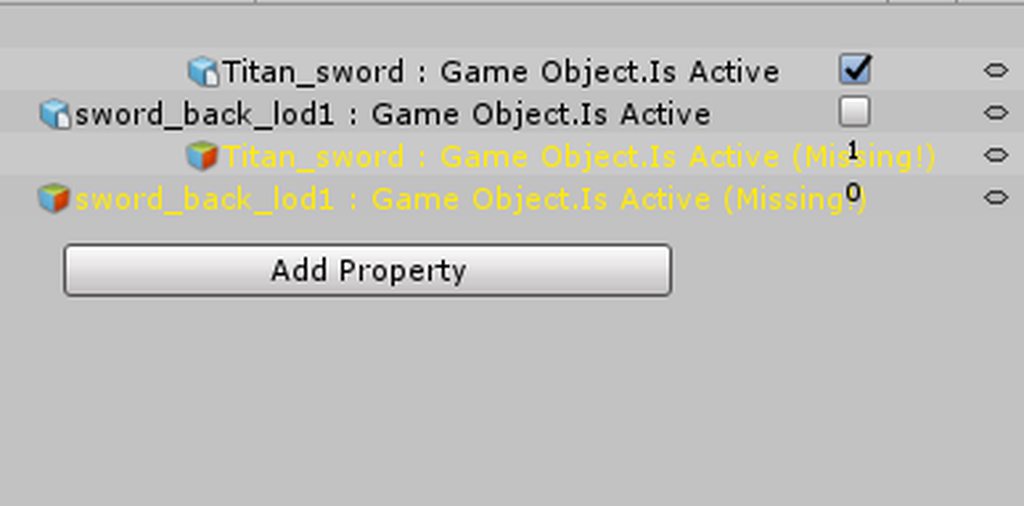
don't worry about the missing parts, I use the same animation for two Avatars which have differently named bones
clear yew
Question, anyone know how to add animations to your model? As in like walking and running. I try going to the custom override template and change it to the ones that are in the VRC SDK, but those seem to be only for a male model and don't work with my model. Maybe I need a female locomotion pack? I've tried mixamo but trying to display the animation just leaves my model floating in space and not moving. Any help would be appreciated!
slim sparrow
@clear yew animations should work fine
clear yew
Hmm, then I'm guessing it doesn't like my rig or something?
slim sparrow
If you're gonna use animations from Mixamo, you need to make sure that the imported fbx is first rigged as humanoid. Then the animation will actually use muscle groups instead of absolutely moving bones
So just click on the FBX, change the rig to humanoid and apply. Then you're done
You can then duplicate the animation so it's no longer inside the FBX
clear yew
I'd just like to have running and walking animations so it doesn't look so weird when I walk around
livid socket
@jovial rain yes just a few keyframes.
@jovial rain But it seems to be working now, although I've done nothing at all...
clear yew
Hm, so the animations that are given in the VRC SDK don't seem to work at all actually
http://i65.tinypic.com/2po16pw.png

Ah, I see. Well I have several animations that I've pulled together but some don't seem to work. They will display in the preview with my model, and they can be added to the custom override animations, but they don't play in game
Should I try and make a controller for each animation? What do they do?

I'll try that then.
Hmm, how would I fix that? I've set up all the animations to the overrider and applied it to my character before, but they never show up in VR Chat. Emotes do, but not running animations and whatnot
Inspector, where would that be? The descriptor?
cursive moon
The inspector is the right hand tab (by default) on Unity when selecting something
clear yew
Ah, right, what would you need to see under it? There are alot of scripts there
http://i68.tinypic.com/15wl8g2.png
http://i63.tinypic.com/2hwms5.png
I did the 2 that seems like the ones you'd be interested in


I've added my custom override controller under the avatar descriptor for both the standing and sitting animations
Hmm, doing some research online and it seems that because I'm using a vr headset those animations will override whatever animations I set? I'm not sure if it's true though
Hey guys
Are invisible particles still seen by the cpu?
I could probably test that in unity nvm
Well, the animations work fine in desktop mode. So it's just because I'm using a headset
No
If you enter standing mode and sit on the floor it shouls work
aaah, I see now. Thank you!
Sitting in a chair wont work
obsidian vigil
is it possible to use on collision in a particle system to emit sub particle systems if it hits a player?
clear yew
I've been trying to add like a running animation for when I'm moving around in roomscale mode because it looks so strange with my arms being completely still while running
@clear yew the default hand animations can be downloaded here, to add your own gesture animations to: https://www.dropbox.com/s/7b15xnkgqqkuh89/AnimationQuickBase.zip?dl=0

saves a lot of manual hand posing
Thank you! I appreciate the help
it was a lifesaver when adding markers and gestures
Mhm, I already have all of the gestures replaced with facial animations
obsidian vigil
omfg
i managed to do a pokeball spawning an eevee
im so happy rn
now to test if it goes insane for some reason
and it did...
@slim sparrow Can a local particle system emit world particles?
slim sparrow
Dunno
obsidian vigil
rip
 signal dove
With the Animation component, can I have two different animations going at once?
 wide egret
Best conversion ever... https://gyazo.com/aacee6c6215e8e940ac12eb9a2f672b0

There's like a million bones.

 lilac cave
arent thoose just arm modifiers?
you can usually just leave em just dont have em assigned as anything
 dawn shale
Could anyone help me figure out how I could make it so my model has this same exact pose ingame? The model itself is in this default pose, but is of course not functional in VRChat without the proper idle animation. https://puu.sh/zLsfQ/f563d2863c.jpg

 vivid pond
Is it possible to treat a whole prefab animation you created as one object
Eg I have a large glowing ball made of 7 animations and want that to act like a bullet fired out of a gun.
I'm guessing the velocity over lifeline module but how would that react to the animations set to bursts over rate over time in emission.
Another reason I don't want to do that is with the speed of the bullet I want half the animations would break or spawn to fast for that module to work perfectly
Also I do know I can just use the keyframes but i don't want the animation to go over the 0.3 second mark or use more then 3 keyframes because I need to use other animations after it and don't want to swap in and out of the model because it would still be stuck with the old animation
My second guess was to make the whole thing a mesh other then the smoke but I really can't be bothered to do that
Also as my last guess which I can't check because I'm not on pc right now
If you created a small invisible particle and connected everything to that would it drag everything along with it as they are now sub particles to it or would the velocity over lifetime module only move the invisible particle instead
lilac cave
@dawn shale set the animation you are using to make that pose as idle in the vrchat controller duplicate you made
dawn shale
I'm not using an animation, that's what the original model pose looks like in blender
lilac cave
and put that in idle animation in the sdk
ok i dont know how to do this but youll need to export the pose as an animation in blender
once youve done that, the model should have something|armature|something as an animation on the imported model
you set the character as humanoid, make sure that assignments were correct then hit edit in the inspector
scroll till you find mask, create from this avatar, make sure everythings ticked
rename it so it doesnt have |'s
duplicate
make sure youve got loop pose on btw
i think
anyway its just the first loop option
then you go into animation
select the avatar your working on
animator, new animation clip (if it doesnt have one)
and in animation you can just drag the idle animation
and make sure everythings all g
then you can assign it to the controller (vrchats)
also, im pretty sure that vrchat ignores rotation t or q or whatever it was
so if when you delete the the avatar isnt facing straight ahead you need to rotate the armature
ionic ridge
when I look down in-game my magic rune gets smaller, any fix?
lilac cave
all your weights add up to 100, not over?
 devout cave
@ionic ridge chang the maximum particle size in particle systems renderer
Anybody know how to anchor an audio source to world like a world particle?
 obsidian vigil
@wide egret Polycount?
wide egret
80k.
wide egret
Oh alright.
obsidian vigil
^^
but dont go like 64 k
it split for me on that number already
try to aim for 60 and look if it works ^^
clear yew
eehfdkjashdahsdas
i cant remember how i did it
i want to spin spheres in a circular loop
and for it to maintain a 3 dimensional sphere particle
obsidian vigil
eh
clear yew
to spin around my wrist
obsidian vigil
cant you
select a starting point
do them exactly on the opposite side
for the inbetween frame
and on the end frame copy the start
clear yew
wait
obsidian vigil
then it should be continuous
obsidian vigil
what about particle system that spawn a single particle
no emmission
no speed
and you put them on an empty object
which is the one you animate
and that empty object is inside your hand
thats how id approach it
clear yew
but it will be flat
obsidian vigil
?
clear yew
i dont want it to be flat
obsidian vigil
no
clear yew
what
obsidian vigil
what do you mean by flat
clear yew
well
obsidian vigil
thats a shader thing
clear yew
the billboard view
clear yew
yeah i use additive
obsidian vigil
hmmm
so the texture is like flat
what you could try is
rotation over life time
and just set and insane amount
so it spins quickly
no guarantee tho
xD
¯_(ツ)_/¯
clear yew
hm
well
it's essentially an orb
but its a 2d png
i can get it to spin around an object
but it loses its 3d depending on the view
obsidian vigil
hmm
clear yew
i think i remember
i think i had to add a subparticle
its subparticle i just need it to spin
start speed 0. shape circle. emit from edge
obsidian vigil
good idea
obsidian vigil
neat
frosty pendant
Does anyone know how to toggle objects on avatars with an emote? Have seen it done but i dont know how🤔
slim sparrow
@frosty pendant

Importing model - 0:37 Toe Removal - 1:37 Applying Shader - 2:29 Blinking Animation - 3:09 Animation Override (Facial) - 7:24 Avatar Descriptor & Viseme - 18...
You can enable/disable objects inside animations
I recommend looking at some Unity animation tutorials
frosty pendant
I don't mean gesture overrides.
slim sparrow
It's the same concept
You enable/disable stuff in animations
Custom animation overrides aren't just gestures
frosty pendant
So that you can toggle stuff permanently? Like turn a weapon visible / invisible with an emote?
obsidian vigil
hit record button tick box untick box done
slim sparrow
Oh, you mean you want the toggle to persist after the emote is done?
frosty pendant
Yup
slim sparrow
I was actually wondering that myself, but I don't think that works
frosty pendant
I know that it works somehow
slim sparrow
I mean, I have actually gotten that to work accidentally
obsidian vigil
which has a rigidbody and fixed joint
slim sparrow
I have a coffee cup in my hand by default, but I can remove it by making a fist gesture. I made an emote which puts it back into my hand. After the emote is done, the cup is still in my hand.
I don't know why or how it works
But I assume it's because the emote is just restoring the default state
frosty pendant
That's just a world particle that's easy but I want to toggle like different weapons with emotes
slim sparrow
I mean, normally at the end of an emote, you disable the object again. You could try simply leaving it enabled in the last keyframe, and see what happens?
If that works, you would have made quite the discovery
obsidian vigil
i never disable at the end o.o
slim sparrow
I doubt it works like that, but we'll see
obsidian vigil
because it reverts automatically
slim sparrow
Oh, damn
frosty pendant
It can't be a particle I have stuff attached to them xD
obsidian vigil
rip
slim sparrow
Well, not necessarily
obsidian vigil
then best solution is probably adding all of them and switching through
slim sparrow
Why do you want it on an emote anyway? Just use gestures
frosty pendant
I just saw someone toggling objects he used with emotes
slim sparrow
You should ask him how he does it
Maybe he has the object on an emote and a gesture, and he activates the gesture in the emote?
frosty pendant
That's what I want to find out xD I thought maybe someone here knows how xD
obsidian vigil
cant you use the animation controller to do it
by switching to a new idle where its active
after the emote
 wary parcel
Have tried to research into the activation of objects permanent, and have not found a way to do this yet. Im missing the ingredient to activate an Animator Component from an animation, to make it work the animator component cannot me turned on by activating the object it is attached too, the object needs to be in enabled state.
slim sparrow
I don't think you can switch out animation controllers
@wary parcel you cannot activate Animators from inside animations unfortunately
But I think you can enable/disable legacy Animation components
wary parcel
I know, but scripts can do that
slim sparrow
You can enable/disable objects with animators on them, though. You could make a duplicate of the object that has an animator on it
Yeah, but we can't use scripts
wary parcel
But we have no way of using scripts
slim sparrow
Animations can't do it, so we're basically stuck
wary parcel
The object has to be enabled for it to work.
But you can have like several weapons on one emote by changing the states with animators
I would like to see the trigger sustem implemented in the avatars
This would open up a whole different world without adding the script hell*
And we could make our own keys and buttons and states for each animation
I dont know why this is not supported by avatars 😦
frosty pendant
Or just enable the difference between left and right hand gestures
obsidian vigil
@slim sparrow you dont need to
frosty pendant
It is inside the code but it can't be used...
obsidian vigil
ive seen people switch idles states in one controller before
wary parcel
Ye, i guess you can do that.
obsidian vigil
Then they should have 1 emote which switches between idle states
and boom
and another which reverts back to original
or 1 for each weapon
frosty pendant
Then I have to look into animation controllers I guess xD
slim sparrow
Wait, are you sure you can just switch out animations in your animation controller?
I know for a fact that you're stuck using the controller + overrides that VRChat provides, but can you still swap out animations?
Because swapping out idle animations seems like something I would appreciate
lilac cave
same here
obsidian vigil
Not 100% but someone did it
 surreal crater
@slim sparrow Just make a duplicate in unity by pressing ctrl+d
lilac cave
i doubt you can swap controllers;;
obsidian vigil
someone did it
clear yew
so i made an animation overide but it wont go away now it sticks and sits and every gesture i do activates it
lilac cave
if its one you trigger by doing a hand gesture and its more then 2 frames long theres your problem
 glad hinge
Is there a way to keep default hand gestures when making a new animation override for something?
Instead of having to re-pose it
lilac cave
copy and paste
slim sparrow
Yes, that's true
glad hinge
Where can I find those animations though?
slim sparrow
There is no way to keep the hand gestures, you have to re-make them yourself
glad hinge
What to copy and paste
lilac cave
in the ones you made
slim sparrow
You cannot find them anywhere, at best you can find something online that includes the VICTORY sign
glad hinge
Hm dang
slim sparrow
Muscle Animation Editor makes this a 10-second job, FYI.
lilac cave
oh thats what you mean
glad hinge
Seems pretty tedious to have to assign each value to re-pose a hand
slim sparrow
You only have to do it once, after that you can keep copies of the animation.
glad hinge
Well for multiple
slim sparrow
It's also literally 10 seconds work with the Muscle Animation Editor. Seriously, having to manually add every finger property is irritating
Definitely a failing on Unity's part IMO
slim sparrow
But nowadays I just click "Add All" and move some sliders around. Easy peasy
Well you can
glad hinge
Like it would be so much easier if it just worked like any other 3d program where you just pose the fingers by rotating/dragging them around in 3d port
slim sparrow
But like I said, you'll have to add all the animator properties yourself. Add property->animator->(finger spread/stretch)
glad hinge
Yeah well thats what I do now, which is tedious
slim sparrow
Yeah, Muscle Animation Editor allows you to do exactly that. Unity by default does not, unfortunately
glad hinge
Ah dang
 delicate jacinth
Added a mesh in blender and now my avatar wont jump down in animations but everything else i added does, help?
slim sparrow
What do you mean won't jump down?
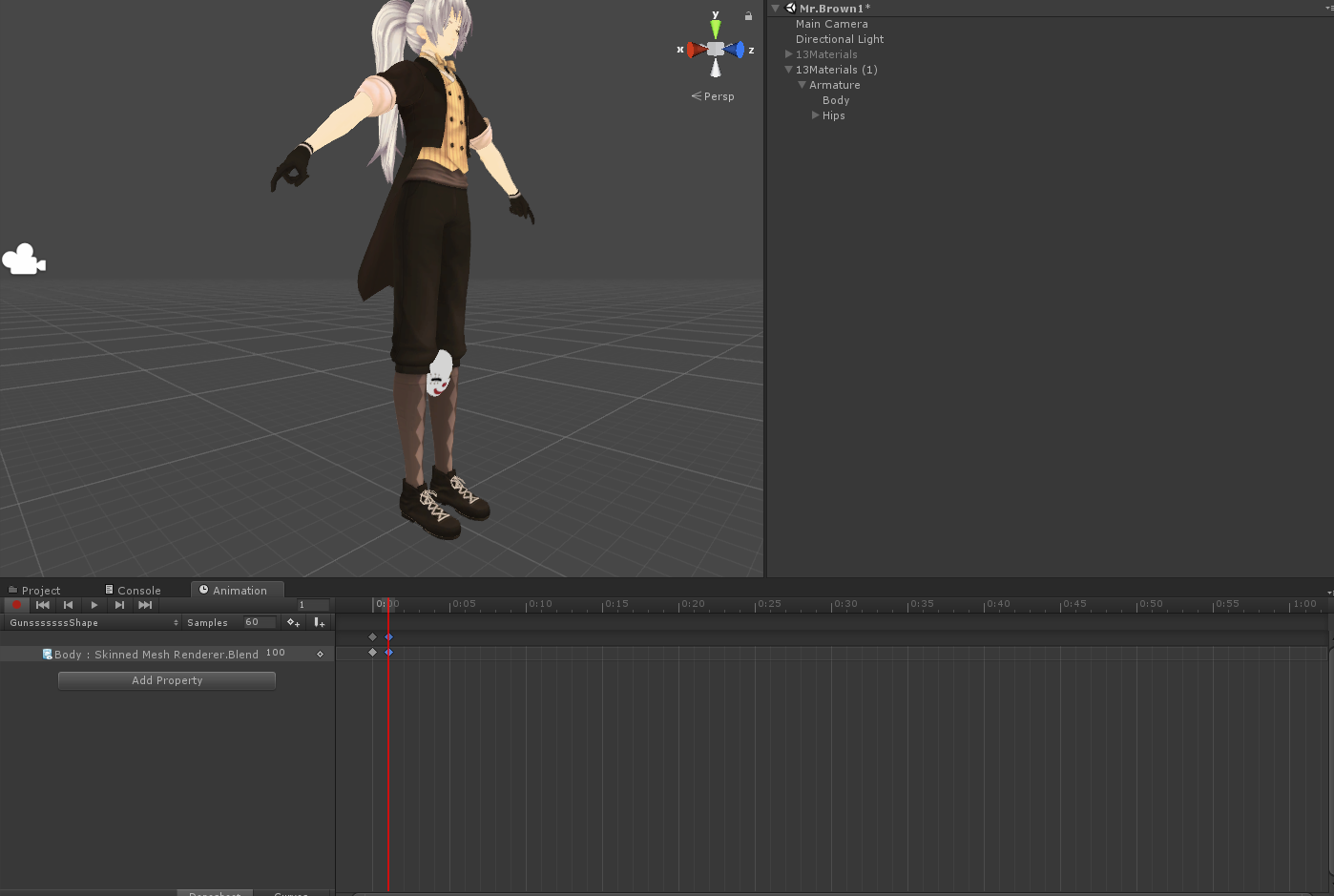
 vague moat
Can somebody help me with Animation?
slim sparrow
I think you might have called the mask Body by accident?
Unless you merged the meshes
vague moat
How can I make AudioSource for animation louder?
delicate jacinth
mask is added in unity and have a seperate name for the body
vague moat
I have a AudioSource set for an Animation but its very quiet, yet volume is 1
slim sparrow
Volume is set to 0.5 by the game, and given a custom rolloff too
Make the sound itself louder maybe
vague moat
What is rolloff?
delicate jacinth
slim sparrow
It defines how quickly the sound becomes quieter as you move further away
vague moat
What would be best rolloff then?
I don't really understand how it works, ive seen others have it and its amazing.
slim sparrow
Older SDK versions I think
I dunno
There are other ways that I probably cannot mention here
vague moat
ohh
slim sparrow
@delicate jacinth could you screenshot what the mask looks like in your hierarchy?
And does the shape key still work in Blender?
Multiple meshes with the same name inside your avatar will probably break stuff either way, just an FYI
delicate jacinth
https://i.gyazo.com/8e01ec4b78a4ac058d131b7be22acb93.png it has nothing to do with the mask because it worked before i added guns in blender to a shapekey for easier animation
 slim sparrow
The gun is parented a little weirdly, you might be better off doing that in Unity instead.
I'm not sure how this even works
Is that Sub Machine Gun another object/model that you put in there in Unity? Or a separate mesh? It seems to be expandable
delicate jacinth
the gun under wrist is the old attempt of animating guns, but it was impossible to position correcly in unity so i made a seperate shapekey in blender to both position guns and fingers
slim sparrow
Ah, so it's an older object. Got it. Could you try removing that first?
delicate jacinth
does not work :/, its the second model i have this problem on after adding something in blender
slim sparrow
You should probably do this stuff in Unity instead. Are you 100% sure the shape key still works in Blender?
delicate jacinth
yeah everything works except its a bit hard to see what you are doing if you cant see what you are doing :p, ill just do as i did last time and take the version of the model that worked and do the animations on that then just put it on the current model
vague moat
Do you know guys know where by chance i could find the Animation which is commonly used in VRchat "Take On Me" dance?
obsidian vigil
@slim sparrow how to make a panosphere visible on the inside?
its only visible from outside
help please
slim sparrow
Never heard of a panosphere
So no idea
You'll want to turn culling off in the shader or set it to Cull Front
clear yew
Pose to shape key
wise rover
how would I go about making a particle effect in which crows just fly out in random directions?
slim sparrow
Get a crow mesh/texture (depends on whether you want a 2D or 3D effect), set the renderer appropriately. Emit in a dome.
Crow must be one material if you're going for the mesh route
vague moat
Anyone knows how to get or make "Take On Me" Dance animation?
clear yew
@lilac cave then how do people do animations that are long er than 2 frames?
slim sparrow
Emotes, or they spawn a copy of their model that is set to do the animation on wakeup.
@clear yew
Or they activate an Animation component that then plays the animation
vague moat
Anyone here can help me with Audio for Animations?
clear yew
@slim sparrow so there is a way to play a multiframe animation by triggering it with and overide?
slim sparrow
Yes, in the ways I said
You can enable a duplicate of your own model and have it play the animation. Disable your own skinned mesh renderer to make yourself invisible while doing it
You can also convert the longer animation to Legacy (look it up, it's a pretty well-hidden process), then put it on an Animation component.
You can then enable the Animation component whenever you need the legacy anim to play. Chances are that this won't support muscle movements though.
I haven't tried these types myself, people usually use animation components for blinking
clear yew
i use legacy alot i just mean for like a death ball if that makes sense it grows and shrinks and then regrows i just want to be able to trigger it so my hands dont get stuck because its a particle system
 gentle skiff
can someone help me i am trying to have my avatar take its own head off
slim sparrow
Sounds interesting
So uh, what are you stuck on exactly?
You'll probably want to hide your own head and spawn a copy of your head in your hand. Do this in a gesture or something.
clear yew
so he will need to separate the head from the body in Blender, so he can actually just have the model of the head
gentle skiff
i have done that but will i need just the model with out the head?
slim sparrow
Well, you will probably want to have both the head and the body on by default. Then in a gesture, disable your head and enable a duplicate of your head that's in your hand.
Keep in mind, the head in your hand needs to be named differently, VRChat gets confused when any two meshes have the same name. Disastrously so.
clear yew
you can't hide the head on the main model unfortunately
or if you can i didnt find a way yet
so you'll need a headless model and import a separate head model
clear yew
I guess i found out a way but i just need to find a way to call the animation when i do rock and roll
 molten elm
Any reason this gets grayed out in the animation editor? Trying to pose fingers, and they just go back to default pose when I move the timeline https://i.imgur.com/WD8vytF.png
 clear yew
at the bottom left what dos it say, also do you have dynamic bones on it?
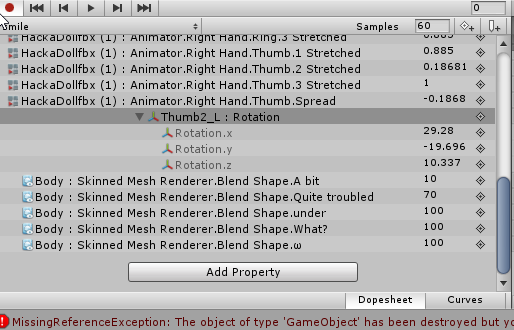 molten elm
nopes, still grayed out
slim sparrow
How do I get a particle system to emit a random mesh from a list of meshes?
I have a few variations of playing cards that I need to randomly choose between
clear yew
Im not sure on both accounts sorry
molten elm
No problem!
slim sparrow
Uh
I'm pretty sure that in Humanoid rigs, you cannot move any of the mapped bones yourself. @molten elm
You have to use the animator muscle system. Do you have any reason not to do so?
If you want that degree of control over the bones, you have to at least unmap the thumb
molten elm
Yeah cause it makes the fingers look weird, and gives you less flexibility to make the hand gestures look more natural
slim sparrow
That's probably because of incorrect weight painting or the muscle values can be adjusted further
You can make them rotate more if you want, check the muscle settings in the rig.
Otherwise, your only other option is to unmap the thumb
Then you can freely move the thumb bones
 thick olive
hey quick question for yall how do i make a glow trail on a weapon like the glowsticks in the night clubs?
slim sparrow
Trail Renderer component
molten elm
How do I make them rotate more exactly?
slim sparrow
In the muscle settings of the rig, you can fiddle with values and stuff
Like minimum/maximum twist and spread
Go to the rigging thing and click on hand
torn pawn
q: i have a particle system of 520,8 duration before this currect system, if I want it to play for exactly 520,8 and after the first, do I need to set duration to double the 520 or it can be 520?

i have 3 systems, 1st is 520 duration, 2nd has the delay of first and plays also for the same duration
so for 3rd system, the delay will be 1st+2nd lifetime, but what about duration? is it 1st+2nd+3rd lifetime? or just 3rd lifetime alone?
could just test it with much lower values tho
slim sparrow
Argh, I just can't figure out how to get a particle system to render a random mesh from a selection of meshes
Or how to have something that's equivalent
Or even just a different material on the same mesh for all I care
torn pawn
u can use particle sheet with random frame ?
torn pawn
i mean if u want to play random pictures for example, you can use a particle sheet that has "play random between two constants"
or whatever that tab had
i use that to place a random pic of pantyshots 😏
tho "random" means it can repeat
slim sparrow
That's fine
torn pawn
now i made a tv that plays full eva episode at 4,8 fps
slim sparrow
I got a thing that will take a random part of the texture, now I just gotta get the tiling right. It's one huge atlas with all kinds of playing card textures
torn pawn
time to watch everything and check if it's in sync
i managed to get everything in 3 sheets
just worried how long it'll take to load my avatar for other ppl lol
slim sparrow
Err, is there a way to have a particle system emit something in an animation?
I want the particle system to stay active, but emit a bunch of particles when an animation says so
 red linden
you can set rate over time to be zero to not have it emit anything and then when you want it to emit something change the value in an animation
 wraith bolt
Hey guys, I have some questions and issues that you may be able to help me with. I have a set of animations I'm trying to use as emotes, and the animations are coming from a MoCap, using a different skeleton. Now, using the animations with my Avatar, it looks awful. The legs are clipping and its floaty. Now, when I enable Feet IK either in the preview window, or if I run it as an animation just in unity, it looks fantastic. IK Fixes a lot of issues the model had with legs clipping and not hitting the floor. The real problem is I cannot get it to translate to VRchat. I run the Emotes, and they obviously have IK disabled. Any help? So far I have modified the Animation controller Emotes, and IDLE, as well as IK Passthrough. Still nothing.
torn pawn
be sur ethat u have 3 fingers assigned on each hand for IK to work
i dont remember which ones need to be, I just usually make all 5 to be sure IK works
wraith bolt
Um...
Its the foot(feet?) that are not cooperating.
Basically unity knows IK is on, but Vrchat refuses to use IK for emotes. Trying to override that or something
torn pawn
does your avatar have 3 fingers assigned in each hand? y or no
if yes, then ignore me
if not, then u need 3 fingers in each hand
wraith bolt
Sorry for my ignorance, but I think so? It has 5 fingers rigged up, and they work via emotes, but I'm not sure if they are 'assigned'
Like, I 'have' fingers lol, but I don't think they are assigned in any way
torn pawn
k then it should be all good, ignore me then
i mean, "all good" in a sense that it's not this problem 😄
wraith bolt
Thanks for trying lol. Theres a little box that allows you to activate Feet IK, to make the feet of the avatar not clip through the floor. It works VERY well, but its just a preview and I have no actual idea how to implement it
Seems like changing literally anything on the CustomAnimationController does nothing.
torn pawn
i personally haven't messed with emote overrides
wraith bolt
I'll try again tomorrow. I've spend like 12 hours on this today
torn pawn
yikes
wraith bolt
Spent money and time on models and MoCap
And it works SO well in unity but then VRChat just takes a massive dump lol
torn pawn
GitHub
VRCMotionCapture - A unity project which you can use to record your own motion capture recordings directly out of VRChat.
did u check this one?
hmm, i think sadly they work with generic avatars
wraith bolt
Eh, thats probably not what Im looking for, thanks however. Any help is help!
torn pawn
i guess 🤷 I hope you do find a solution for your issue
i know too well how frustrating it can be
 vapid cipher
Hey guiz, any way i can make something else move its mouth instead of my character?
obsidian vigil
eh
@vapid cipher yes
make shapekeys for what you want to move
as an example, if you know zoidberg
you would make 3 different poses of his mouth tentacles
these would go where theres normally mouth shapes
in the visemes creation
vapid cipher
okay ,ty.
obsidian vigil
@torn pawn can i use that for animations?
torn pawn
i have not checked it so idk
clear yew
Is there a way to make blendshape keys that makes a material brighter?
So when I talk, a part of me starts glowing.
 torpid light
You could try making a shape key that modifies vertex colors
your shader is going to have to support vert colors though
clear yew
Would the standard shader work or do I need to find shaders that are specifically for that?
torpid light
i don't really know
i'd throw a cube with vertex colors thrown on it and find out
into unity
clear yew
That's a start at least, I'll be trying that. Thanks. o/
torpid light
@clear yew https://forum.unity.com/threads/standard-shader-with-vertex-colors.316529/
Looks like no, but someones modified it already

Unity Community
Hello, everyone!
I needed to use vertex colors in materials for my current project, with flexibility of Unity 5 standard shader.
So here it is in...
clear yew
Ahh, thank you very much. 🙇
obsidian vigil
ok, ive got an idea
could i do an animation which shoots out 1 world particle with high speed
that collides with the world
and on death splits into 2
that one splits into 4
etc
would that lag a lot
or is that doable
final gazelle
unity blendshapes can be made to modify shaders? i thought they could only be used on whatever's imported from blender, which seems to mostly be vertex movements
 covert flare
Can anyone help me fix my avatar's problem? You see, whenever I make my own animation and use them on my avatar, it always disables the lip sync. I'm not sure what causes it.
clear yew
@obsidian vigil doable and very laggy
torpid light
@final gazelle no they can't, but vertex colors are a part of the model so that does come from blender
slim sparrow
Someone in here earlier said that you can switch out idle animations in other animations
I tried it out, seems impossible
You can't switch out the "custom standing animations" field in a gesture or emote for example
And you cannot edit the custom override to use different animations either
slim sparrow
Yeah, it seems 100% impossible. Can't change the avatar descriptor's animations, can't really do anything else to swap to another idle animation. Not sure who claimed this, but I guess he was wrong
clear yew
you can't swap the animations yet
only thing you can do is swap models with different animations
night crescent
any good dynamic bones tutorials?
vague moat
Hello, Could someone explain me, How can I Join multiple animations?
frosty pendant
does someone know how to disable nametags in an effect? i saw someone using a fog like effect and the nametags were disappearing in the distance
clear yew
just a shader with a render queue above 3000
frosty pendant
so i have to put like a box around me with that shader on?
slim sparrow
Yeah
For best effect, you'll want a large box over your head, not around your char
Otherwise you'll disrupt menus and stuff
clear yew
i don0't know if it's true, but since more than 3000 render queue will block the UI, you may get a tempo ban
frosty pendant
i want to do kinda like that disappear in the distance thing so i guess i have to put boxes far away?
ah ok good to know
clear yew
because if you block the menu, people can't leave or mute or block anyone
frosty pendant
yeah... happened to me before
 ashen sedge
Really depends if it's being used maliciously
Like the golden rule in the community guideline says, "Be Excellent to Each Other", so as long you don't bother people with it then it's fine
frosty pendant
yeah its for a kind of creepy murder style avatar and that would be an awesome effect with the fog and stuff
torn pawn
it's cool until you drop ppls fps to 15
wise rover
as long as you optimize the hell out of it you should be fine
wise rover
I've only met a handful of people who optimize their models... I'm not one of them
is there a video I can watch to completely relearn long-running animations in vrchat? I did an animation a few months back and since I did it completely wrong, it's now running in the background. specifically in terms of particle effects that make the illusion of keyframes
frosty pendant
so for me i take my time with avatars... i have some friends with not so good pcs and thats why i try to get the models as optimized as possible before using them
slim sparrow
There's little you can do in terms of optimization on your avatar, usually
Minimizing the amount of dynamic bones will help. Texture atlasing will help, too. Other than that, it depends entirely on how fancy your avatars get
You don't have to worry about optimizing particles if you don't have any particles
The biggest impacts of your avatar will not come from your avatar itself, but from everything surrounding it
Just existing in a room will cost performance
clear yew
I should stop existing so I don't bother anyone anymore.
No
You should make your avatar emit 50000 particles
:)
burst mode
every 0.01 seconds,
spawn 50k mesh particles
absolutely perfect
add some distortion to it and you are set
Lol
slim sparrow
Is there some weird maximum to the amount of mesh particles or something?
clear yew
no
i can spawn 1 million particles mesh that uses a 20k poly model in a burst of every 0.01 seconds
and nothing can stop me from doing so
because there is no limitation to particles in vrchat
slim sparrow
Weird, I got some strange results where my emitter would just stop emitting, even in unity
For a few seconds
But only for meshes, and only with high amounts of particles
clear yew
be careful
slim sparrow
Anyway, that doesn't really matter, it was too many particles anyway.
slim sparrow
It was less than 50 at a time
slim sparrow
How do I get my world particles to follow the rotation of its parent?
clear yew
rigid bodies and fixed joint
slim sparrow
Seems like as soon as I set it to world space, it just ignores rotation
torn pawn
@slim sparrow ill dm u shader for it, not sure if it works 100%
clear yew
yeah, because world particles will follow the world orientation
not yours
except mesh particles
those are fucked
slim sparrow
Rigid bodies? How does that work? The emitter is already inside a game object that I put a RigidBody component on
Oh, it is a mesh particle. Is there no way around that? I've seen people properly do bullet casings before
clear yew
basically
if you want to shoot from your hand
you put a rigid body on the wrist bone
create an empty game object parented directly under your model
and give him a fixed joint connected to the wrist rigid body
and you parent the world particles to that game object
the game object must always be active
slim sparrow
Oh, that's how it works. Aright then
frosty pendant
could someone help me with a particle problem i have? the collision of particles works in unity but in vrc nothing is happening...
torn pawn
how is your collission set up?
frosty pendant

i have one particle system to detect it and another one to show particles. its for a blood splatter when i hit someone with a knife
 vocal isle
Hey, so this question has probably been asked to the point of exhaustion by now, but can anyone please tell me how to get an object in an override to stay put while the avatar is free to move around it?
I know it requires rigid bodies, but I can't seem to get it to work. I just don't know how to use them.
 round crater
How would one go about creating or obtaining Dio's time stop animation in unity?
vocal isle
Thanks to @clear yew for the help, thought I'd say so that I don't get multiple responses now, lol
Their name was rowrr, not sure why it says 1001, but oh well
rapid cypress
Wooop
vocal isle
oh, I see, im just new to discord, sry
clear yew
@vocal isle np!
rapid cypress
All good lol
clear yew
there is fancier methods that let you angle your mesh exactly, this one just uses world orientation
torn pawn
there's joint approach and world particle mesh
clear yew
search for world particle mesh in this discord for the fancy one
torn pawn
particle mesh is better one imo if u dont need it animated, it has to be 1 material tho
and if u plan to use more than 1 world mesh particles that spawn at the same time, they can misalign very easily
clear yew
I animated it with shaders
torn pawn
i mean yea.. u can use shaders
clear yew
but yeah, 1 mesh and 1 mat
torn pawn
but as in form of having an object with actual animation
blissful grove
Does anyone know why I can find animals animation
I have all animals from GTAV and I don’t know how to make them move
slim sparrow
How do I get a world particle to properly follow the position and rotation of its parent? Is there any other option than messing around with joints?
torpid light
If you want a world particle to follow the position and rotation of it's parent, then you don't want a world particle, you want a local one
slim sparrow
I mean
I want it to be emitted from the right place, from its parent. For some reason, it isn't doing that
Once emitted, I want it to ignore the parent's position again
clear yew
i really don't see any other way than rigid bodies and fixed joint
wraith bolt
Hey guys, does VrChat even recognize custom animation controllers on a humanoid rig, or does it override it entirely?
 jade kraken
soooo
whats a .c4d file
and how can i use it
cuz i got a pack of animations for somethin, but they come in .c4d format
wraith bolt
What programs do you guys use to modify animations?
jade kraken
mmk
ech
whys it 4.1 gb for a demo vers .3.
ech i just wanna import abunch of ripped animations to Unity to use dangit x3
dont wanna install a big-ass program just to do so
 hexed fern
does anyone know anything about hkx, uv-animation,material-animation files or cemt files?
slim sparrow
Alright, so I got the world particle to work in the right place
But it's still not following the rotation of the finger. It's always facing the exact same way, no matter how the model is oriented.
Simulation space is world, scaling mode is hierarchy.
Should I change the scaling mode?
 lone raven
Anyone know where i can delete this? https://gyazo.com/f9cc318d73a17de2bec11be2a8552d2c


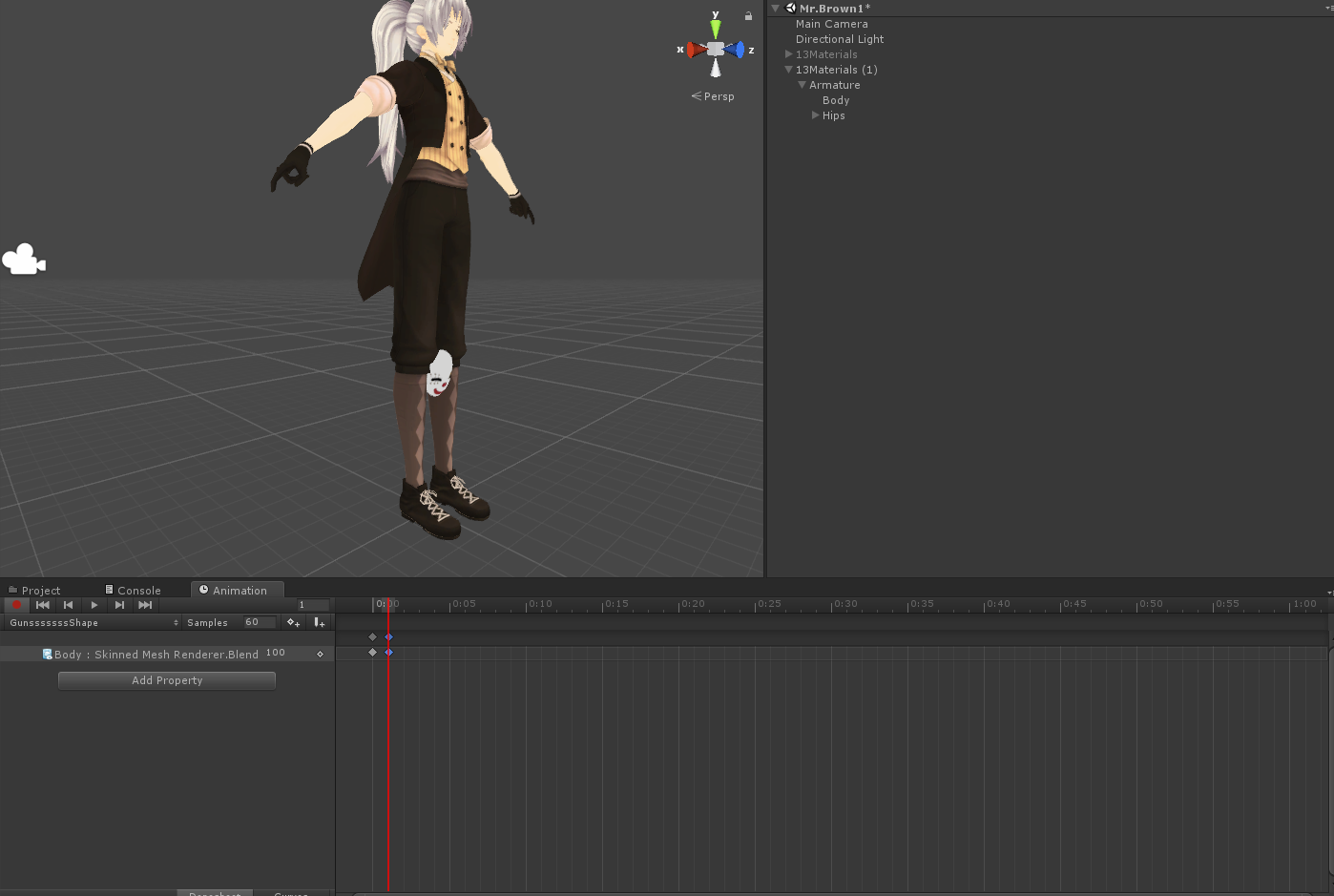
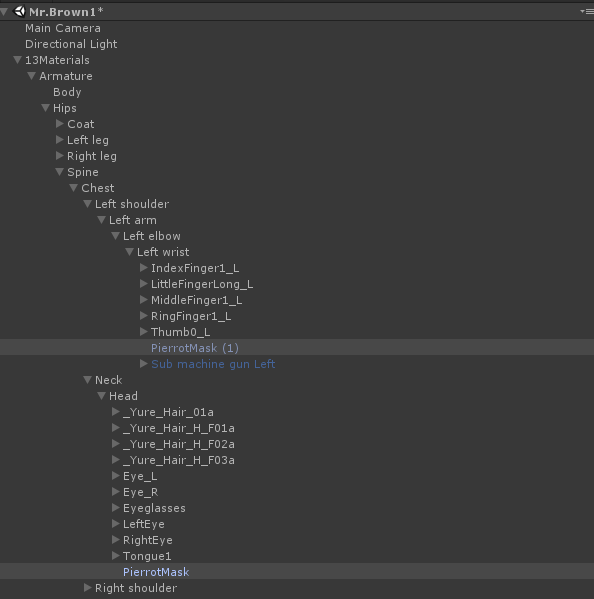


Trying to add a oof sound emote.
But before i can finalize it that pops up.
lone raven
Got it, thanks.
hexed fern
does anyone know what a .cemt animation, uv-animation or material-animation file is?
wraith bolt
Okay. So. Crazy Idea since I cant get this s*** to work. Can I record the animations that are playing in my Unity Scene?
hexed fern
and a hkx file
wraith bolt
VrChat overwrites any custom animation controllers, and I need a custom animation controller to enable foot IK to fix my animations.
So. Instead, can I record the scene itself into an animation file?
hexed fern
damn sonic forces has the animation files in wierd formats
slim sparrow
You can override individual animations
wraith bolt
I know, but that way does not give the option for Foot IK
slim sparrow
Damn, my world particles are still aligned in the same direction
wraith bolt
I may be inbetween your guys' conversation, sorry lol
hexed fern
i REALLY want infinite's cool ass smoke effects, but they're in formats i can't open i found a thing for converting teh.hkx fikes but they still get converted to a odd format
jade kraken
@hexed fern lol same here bruh
gotta download a like
4.1 gb DEMO to import these into Unity
jade kraken
unless theres some program that convers .c4d to FBX
hexed fern
f*ck
i cant find one to convert it
they say you can open it with a program called cinema 4d (but this is for the .cemt files iirc) which there arent alot of
jade kraken
well the thing is idk how TF you even use animations anyway x3 so i could try to convert i guess
mayb
slim sparrow
Alright, my world particles still aren't rotating correctly, even with the joint setup
It's still oriented to 1 side
The position is correct now though
Is it because the object with the joints on it is always active?
There's an object underneath that which actually does the particles
 delicate juniper
I´ve got a question about Unity - Audio Source. How can I turn up the volume ? In Unity its on 1 (max) and the soundfile by itself is loud, but ingame its super quiet.
jade kraken
@delicate juniper cant
they gimped sound
cuz people would wander around ear-raping everyone
delicate juniper
But nearly every person I meet ingame has loud sounds
delicate juniper
no, for example I saw some "DJ-"Avatar 1 hour ago and he was playing music from his avatar. It was not ear-raping loud, but it was loud enough. On the other side, when I fire my gun its so quiet, that persons who are 2 meters away cant hear it. Or maybe hear 10% of it
jade kraken
like i said, they prob playing it via their mic. some programs allow you to play sounds instead of talk.
 gleaming heart
Yo I have an animation that enables/disables audio sources and it keeps cutting off at around 160 seconds. It is working fine in unity. Does vrchat have like a max length on animation?
delicate juniper
Then I wolud see the talking symbol and the highlighted name
gleaming heart
@delicate juniper did you adjust the min/max distance of the audio source?
jade kraken
perhaps they have the like max distance super high
delicate juniper
@gleaming heart It's on 25 in Unity and should be okay
@jade kraken That could be true. Sadly I have no idea what's the best distance-setting
I thought 25 would be too much
maybe not
gleaming heart
Is 25 your min or max?
delicate juniper
max and min is 0
gleaming heart
make min and max like 10 on the 3d settings and onsp
i always had a problem with getting rolloff to sound good in vrchat so I keep min and max same
delicate juniper
Doesn't "min" mean where the sound "starts?" I thought it has to be inside of my character (0)
gleaming heart
no min distance is the minimum distance to hear the audio at full volume
delicate juniper
OH
gleaming heart
max is where the rolloff happens
gleaming heart
np
wraith bolt
Is there a way to change the speed of my animations in unity? VrChat ignores the custom animation controller, so I'm looking for a workaround
slim sparrow
Yes, override the animation you want to change
jade kraken
is it possible to change / override the default Emotes with an avi? I dont have VR and it would be cool to have some poses / emotes like this thing roaring
jade kraken
uh
i imported an animation in FBX format...whys it not playing
when i imported it in, it imported the model its for as well
hexed fern
in unity?
if so what is the rig set to?
actually @jade kraken send it my way
i can see whats going on if you want
gleaming heart
Is animation trigger a toggle? After I trigger an animation and play it I transition back to my idle state but will continue through again. If it is a toggle, how do i change the parameter back after the animation?
hexed fern
i just discovered that the file type sonic forces uses was more widely known for being used in skyrim
jade kraken
ah
if i were to make a custom avatar (not humanoid but using animations ripped from games)
id use a custom override?
and if so whats like...NECCESARY
hexed fern
i honestly dont know a whole lot
i have tried using game animations before but mine were a bit broke
 plush zenith
Anyone know how to have the particle itself rotate with a avatar?
Er.. Bit hard to explain. I guess, but like Arrow's won't face the correct direction becuase they don't rotate.
jade kraken
um
whats the name for strafing left / right in the animation override?
cuz it has stuff called like
STRAFERT45
 white herald
rigidbodies on props: how are projectiles given force?
i can enable rigidbody props, but i assume they won't get force from moving your hands/avatar
gonna test if kinematic rigidbodies allow you to keep an object parented properly maybe
yep that works
basically trying to hold objects as normal and then "throw" them when another gesture is used as well
apparently freeze rotation/location isn't animatable in unity?
 strange kite
@jade kraken if you are making a custom non-humanoid, you don't use overrides, you make the whole AnimationController yourself and put it in the main AnimController slot. You can base it off SimpleAnimationController if you need an example.
If you do it that way, you do not get hand tracking in VR.
jade kraken
k
 pseudo iris
anyone know how to make a "mech arm"/ "robotic arm" on your back of your avatar?
i know that you can use Rigidbody and fixed joint but i cant seem to get it to move properly with my arm
night crescent
Anyone have some favorite idle/running animations?