Hi I have an animation that enables a camera in my hand, I have set the camera to project to the main display of display 1, so that my avatars view is seen in my HMD and the view of the camera in my hand is on my desktop screen, however the cameras view doesn't always show up on the desktop. I have set the cameras depth to 100. Does anyone know what the issue could be? Please @ or PM me, tyvm.
#animation
1 messages · Page 60 of 1
 clear yew
wtf
i dragged the t pose thing onto my animation avatar and it didnt change it to t pose
wow
how do i do this
cannot drag it into the keyframe or animation window
?
 remote blaze
@burnt coral just export as FBX in blender, easy
clear yew
can somoene help me
clear yew
i need to drag the default t pose file onto my animation duplicate but it wotn let me
clear yew
you cant do particle effects in blender
 lilac cave
copy and paste frames
 grizzled cobalt
little skilltree system im working on qwq https://mashiroshiina.s-ul.eu/gczMCNrK.gif

probably gonna take some time until I finished it; I got like 6 skills done, but still working on the tree itself
maybe should just do a concept art first before I make it in unity
lilac cave
neat 👍
grizzled cobalt
its just a generic idea of how you unlock the paths for elements
 grizzled cobalt
atleast I got the Skill System working with Cooldowns
clear yew
theres nothing inside hte file
lilac cave
np
 scenic pelican
what causes emotes to get cut off?
i have one really long one that doesn't get cut off
actually wait maybe its the transition time and i just need to add some idle frames at the end
clear yew
I have a camera on my avatar that is set to show on my main desktop display, which it does, unless I'm in a world wiith post processing effects. Can anyone think of why this would be? pm or @ me, thanks.
 brazen crater
I have a question concerning the Vrchat Avatar Controller. Can you actually change the controller or does it get overwritten by vrchat? I'd imagine so cause if no then there would be no reason why you would need to use the Custom override thingy. Any thoughts? Or has anyone done extensive testing?
 covert linden
The avatar controller changes your avatar, gestures work as long as your avatar is set to humanoid, but with most controllers, vrchat will tell you to change it or it will not be compatible. you use the controller IE for mmd dances, where it basically plays an animation instead of your controllers
 buoyant dove
hi
covert linden
I'm not sure you could load a compatible controller tho
 slim sparrow
I think you can't actually change the controller.
The controller is overridden at runtime, that's how it works.
You can override the individual animations, though. There's a lot of wiggle room there. @brazen crater
When someone's avatar loads, your own game actually assigns them the default avatar controller on your end. So even if you managed to upload your own avatar controller, the client would toss it out.
brazen crater
ok I was already thinking that, thanks for the confirmation though ^^
ohh damn that's actually quite smart how they handled that
slim sparrow
It's basically the only way to handle it, otherwise the game wouldn't be able to make sense of people's avatar controllers
I think the animation system is fine as it is right now, but I have two major criticisms
Gesture overrides are not separated per left/right hand, and root transform is ignored in animations
The root transform thing makes it really difficult to make good-looking idle animations. For example, I'm sure some people have seen the "flying" animations some people use
That one is actually supposed to make you look like you're floating up/down, but the root transform doesn't work, so you kinda end up "squatting" in the air
brazen crater
wow that's hilarious
buoyant dove
hi
 reef mason
Does anybody know how to make a watermarker/nametag on top of the character?
brazen crater
What you can use is a particle system with your name as the texture. Here you just spawn it in as a stationary particle and only one.
reef mason
The texture has to be under an PNG, Right?
brazen crater
yep with an alpha layer
 obsidian vigil
wot
cant you just take a plane
*two planes
reverse the texture
make 2 materials
brazen crater
just set start speed to 0
of the particle system
and to make sure that only one particle spawns you can set max particles to 1
brazen crater
yep
obsidian vigil
splendid thanks
brazen crater
no problem
reef mason
With the shape of the particle system, What does it fall under?
reef mason
Ah, Okay
brazen crater
and make sure to set the material of the png to particle for best effect
reef mason
Yeah, The reason why I'm asking this is because a few minutes ago, There was a hacker going around and taking models from people. And the unlucky one was me, So I'm trying to make the avatar claimed under me because dear lord it takes so long to edit and retexture.
brazen crater
have you already overwritten your stolen model with an empty charcter?
reef mason
Wait? What do you mean with an empty character?
obsidian vigil
@reef mason Is it even possible to permanently steal avatars
i thought it was a temporary thing
 signal dove
When they steal your character, they have to use the same blueprint?
signal dove
I need to make a troll model that clearly that insults wearer to upload for just such an occasion
signal dove
I thought of that, but what if they trace the blueprint and ban me instead
obsidian vigil
loud music or sth
 frosty pendant
When you delete the id they instantly turn into the red avatar
obsidian vigil
hmmm
frosty pendant
Yeah wouldnt risk that
 celest pewter
just set the viewpoint too low or too high so it'll break them
clear yew
does anyone mind helping me out with an issue?
reef mason
I will just delete the Id/Blueprint to it.
 zinc moth
Heyo! I made a custom emote and when I activate it in game, my character freezes and can't move. The emote doesn't appear either. However, other people can still move and talk. I am using a non-humanoid avatar, and I'm not. sure if thats part of the problem or not. Any help???
covert linden
yeah thats the problem since it isn't humanoid, it can't be animated/move as one
zinc moth
I created a custom walking animation and such that works in the animating component. I geuss just the override controller isnt compatable with a non humanoid object?
signal dove
Emotes are the problem, not movement animations
clear yew
hey
how come when i use a gesture mod my animation doesnt activate properly
it only activates the first frame
and not the 1 after
 unique night
are both frames the same for your gesture?
gesture has to have identical frames for both frame 1 and 2
celest pewter
frame 0 and frame 1 only
celest pewter
the gesture override had to be 1 frame but anything inside it can be infinite
has*
clear yew
the first animation is an orb and the 2nd part is launching it
the orb is 2 objects
the first 1 loads
unique night
you can do that with 2 gestures
clear yew
but the launching animation doesnt go
unique night
1st gesture enables the object
2nd gesture moves it forward or whatever
thats if you want to control when you launch it
if you want it to just play automatically
you can do it like this:
gesture : turn game object for orb on
then the orb has an animation component that plays the launching animation
this will play automatically when you activate the object
if you're trying to do it all in a single gestures timeline that wont work
clear yew
aw
unique night
you can still do what you want though 😛
but with the methods i listed above
easiest way is to have the gesture turn on orb only.
the orb itself will have an animation tied to it that launches it forward
so the moment it becomes active, it will automatically play the orb animation
signal dove
How can I use an emote instead of a gesture to permanently toggle an object?
unique night
use mesh renderer i think
that will keep objects active after emote ends
but its not perfect
late joiners might not see it
signal dove
ruh roh
unique night
@signal dove : @quasi gale made a download for the setup a few months back
search for prop toggle and you'll find the link
signal dove
How can I use emission toggle rather than active toggle for particles, while keeping them in sync with an animation?
unique night
not sure on that one, never messed with emission toggles
signal dove
I think I found your prop toggle download
unique night
not mine , its hardlights 😛
obsidian vigil
@signal dove can you send me a link?
obsidian vigil
Thx
signal dove
There's a c script in this package
obsidian vigil
What
signal dove
I think it uses a C script
obsidian vigil
Does it even work then?
obsidian vigil
Hopefully
remote blaze
Hey guys, quick question
is there any actual way to make an idle/walking animation where your character isn't on the ground
as far as I've seen, emotes let you leave the ground but if you want to have something like a float walking animation, it's impossible
remote blaze
dang
slim sparrow
What you could do, is, uh, complicated
remote blaze
I've tried every setting in the animations tab too
remote blaze
Ooh, do share
slim sparrow
What you could do, is make a GameObject, and put your avatar in there.
Put your avatar descriptor on the GameObject instead of the model
And make sure to give it an animator etc
Your avatar is actually this empty game object now, but this object contains your model. You can now move this model up/down in animations.
And the best part is, all the animations still work. But eye tracking doesn't work unfortunately.
remote blaze
Ohh, that's really creative
slim sparrow
Like, in your walking animation, you can just move the model up/down. You can even put it in a gesture or something. Since you're not actually moving your avatar, the game accepts it
remote blaze
and does the game recognize that the humanoid model is actually the model inside the object?
remote blaze
and do you need to add an animator & avatar desc to the humanoid?
slim sparrow
Like, there's an "Avatar" property that you should set to the rig of your model
remote blaze
oh yeah, I saw that
slim sparrow
You leave the animator on the model itself, but you add an Animator on the GameObject. You also put your avatar descriptor on the game object. You should remove the descriptor from the model itself
Gimme a few seconds and I'll share screencaps
remote blaze
That's not complicated at all, that's just some pretty creative unity manipulating
slim sparrow
@remote blaze https://imgur.com/a/VuYEs
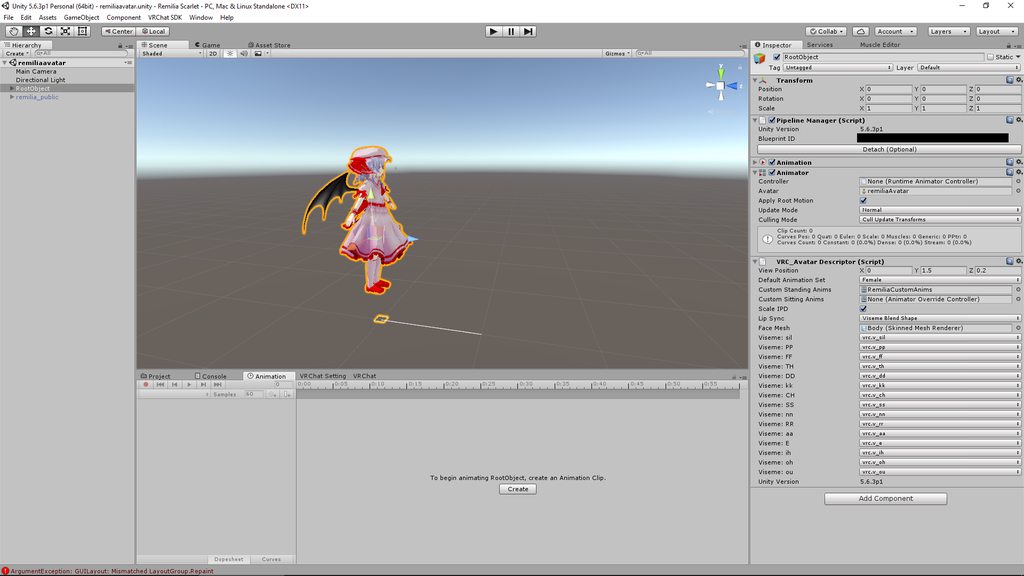
Make sure to click the link itself, there's two images
Ignore the HoverCube part, that's just a collider so I can actually fly
remote blaze
Heh I've heard about that trick
slim sparrow
It's kinda wonky though, I'm not sure how people make super-stable flight
remote blaze
But thanks for that, I'll bookmark the pics!
I'm assuming the "animation" component isnt related right
slim sparrow
You can also ignore the two Animation components, I just use those for wing flap.
Yeah
remote blaze
Awesome
oh, also unrelated question
how did you rename your custom animation controller?
I've been trying forever
slim sparrow
There's a CustomOverridesEmpty in one of the SDK folders
Press CTRL+D to duplicate that, then you can move it out of the SDK folder
That's the one you should be using for animation overrides
You can then just rename the copy or whatever
Should be in the sample assets or something
I renamed the armature and body mesh on a child model of my avatar, and now the model won't play its animation anymore. How do I fix that?
When I go into play mode, I can see the red circles of the joints move, but the model itself stays in T-pose
remote blaze
Maybe just re-drag it onto the scene
did you rename it in the scene or the project?
slim sparrow
In the scene
I have copies of my avatar that need to have differently named armatures and body meshes, otherwise I'll get a lot of issues
Yeah, the animator just won't respond any longer
I tried making a duplicate of the avatar, but I'm not sure how to make it target armature of different name
It works if I only change the body name and not the armature name, but I kinda need the armature to be named differently
Yeah, if I don't rename the armature, my model doesn't reappear
Dangit
 burnt coral
@remote blaze I don’t even know how to get it into blender in the first place
slim sparrow
My skinned mesh renderer apparently won't re-enable for others
I already triple-checked and made sure that I have no other meshes called "Body"
slim sparrow
Alright, I decided to just go the stencil route instead of hiding my mesh
signal dove
Can a looping legacy animation activated on start have a specified cycle offset?
 granite dust
How do UV and material morphs on mmd models work in blender?
I'm trying to either create an animation clip or a shape key using mmd tools so I can import them into unity.
slim sparrow
@signal dove I don't think so
You could work around that in other ways though, maybe
clear yew
Im just going to use sounds from any final fantasy games for my spell sounds lol
 rotund stump
Sorry for bothering but I want to add a water trail to an avatar of mine and was wondering if it would be the same as the drawing trail that people use?
slim sparrow
Yeah, it's just a trail renderer probably
rotund stump
Ah okay ty :D
signal dove
vrc default strafe animations are turned roughly how many degrees?
 crystal pike
https://cdn.discordapp.com/attachments/416310433381744643/428634863575367691/unknown.png no matter what i click, it stays grey. any fix?
 clear yew
Hm
So i duolicate my avatar and change the shader
Or add an object
Put set to active in the animation window
?
signal dove
And do I need a left and right? or does it just flip one of them?
signal dove
No
 celest trout
Has anyone have an idle legacy animation conflict with another animation in your controller that moves the same blend shape?
signal dove
My animations are suddenly horribly broken. They set the model high above the origin, and it was fine earlier
It's like this in the editor preview too
clear yew
Is there a way to do an emote, but still beable to move around?
and i dont mean gestures
slim sparrow
@clear yew no
Gestures are the only answer I'm afraid
I can't change the transform of certain objects in my animation for some reason. It's literally just a cube object. How to fix this?
clear yew
that sucks, long animations dont work well with gestures
slim sparrow
When I try to add a property for the transform, it just doesn't work
It goes back to where it was
@clear yew there are ways around that
You can trigger an Animation component for example, or spawn a duplicate model of yourself and have that play the animation automatically
clear yew
im sure there is yea but i have no idea
slim sparrow
But if you go the duplicate model route, make sure you rename the body mesh of your dupe
clear yew
ive tried the animation component way and that doesnt work since that way makes it loop on repeat and you cant actually trigger it. if you just trigger the animation component itself, it doesnt reset the animation, it just hides the animation and plays from where you hid it
slim sparrow
Anyway, for some reason, I cannot change the transform of a child object of my avatar
I want to move it up, but it's not responding when I change the value
Actually, I can't change any property now
I can only touch the animator and stuff
I have a cube on my avatar which I can't even seem to disable. It just does nothing
 raw sundial
in 3ds max can you put multiple animations in 1 timeline and chop them up with event triggers?
lilac cave
just use unity
slim sparrow
Even when I put the object in my armature, I suddenly can't alter any of its properties in an animation
I think it's because my avatar descriptor is actually a GameObject with my model underneath
Is there any way to still be able to animate stuff?
clear yew
@slim sparrow what would be the process to switch shaders on my animation? Please let me know if the following is correct. Add inactive body shader. Duplicate the model. Create animation file. Add Set normal shader to inactive. Add set new shader to active. Close duplicate model. Assign the animation file to a gesture.
clear yew
oh
wait
but your model needs to have the material and shader on it
so i would still have to add the assets and then duplicate
slim sparrow
Yes, you need a duplicate material with a different shader
raw sundial
https://youtu.be/_etLOIcQW3Y anyone know why this is happening or how I fix it. I animated a pacman chomping in 3ds max, and then I imported it to unity. only the rotation part of the animation imported. The slice to animation fell off.
 clear yew
oh
i just tested it out with a cube
it should work
😃
thanks
How do i keep the animation from looping tho
Is there a way to force it to play until the keyframes are done or prevent it from restarting when pressed twice
raw sundial
in assets click the animation and in the inspector there is a check box for loop
clear yew
So i want my avatar to keep state while walking
And have it reset when idle do i just use a double keyframe
raw sundial
keep state?
raw sundial
you can change shaders in animation
raw sundial
no, i think you just click on mesh renderer and pick the property there. or you can use the live recording method
clear yew
Oh
What
Theres an animation keyframe that says select shader
?
I couldnt find it
raw sundial
hit record, select your frame, and just change the shader in the inspector
it should add something
raw sundial
i know for a fact that it will change materials. so if that doesn't work, just use 2 materials
raw sundial
its tricky to do it with recording, because if you don't uncheck it, things get fucked up fast
clear yew
Every projectile animation ive had to climb through all the armatures
:/
hm
well u cant do that
pressing record and changing things only works for positioning or activating things
it doesnt record when changing shaders
oh
i did it
i added a different material and it worked
does anyone know how you make particles that can actually interact with the worlds mesh
for example if you were to make a bullet, it would hit a wall in the world and blow up
or something like that
you cant
you can though
you need to add scripting
ive seen it
iuno
ive seen people do it with bubbles where they pop if someone touches them or they hit a wall
i couldnt get colisions to work
ive tried allot of ways to get it to work and nothing has worked
ive seen people say that you have to do something with rigid bodys or something
and triggers and shit
but i dunno how you get it all to work
I've seen particles that interact with avatars, where the particles hit your face and stop
yea same
BUT! its client based somehow
ive tried using the world setting for the particle system but it doesnt seem to work correctly
during a bullet hell particle swarm thing, the particles seem to pass right threw everyone else, but for me, they were hitting my face
legacy particles do sit in the world but its harder to do stuff with it
i just wanna beable to emit a mesh which hits a wall and blows up
xP
i want to stick invisible particles to surfaces and after a few seconds i want them to explode
and then no1 will know who was doing it
😄
So, what are considered the best particle packs?
 torn pawn
particles interact locally if they are set to all collision from what i know
clear yew

reddit
Hey guys, hope you are all well. This is Timothy McHugh here from Sonniss. I am not sure if any of you remember me, but last year I dropped 10GB...
😃
hopefully theres something in that 16+ gb that i can use for things 😄
signal dove
Neat
I set up my animation import mask properly, but my movement animation overrides aren't animating the bones outside the mechanim
 karmic sparrow
I made this override animation on a hand gesture that makes a weapon mesh on my character's back disappear, while a copy in her hand appears. This works great, but when I release the hand gesture trigger, only the one on her back reappears, and the one in her hand remains visible until I do a different hand gesture. Anyone an idea what causes this?
 inner fjord
hey guys I'm making an animation on blender and for some reason the origin point is not the same once I drag into the unity hierarchy

you can see the plane toward the right instead of the middle of the sink
and also when I import to unity it imports 5 clips instead of 1
 ebon pebble
dang. i just got a problem.
 young crater
I have a character that has a crown that's supposed to continually rotate. I've tried creating the rotation in blender, but it doesn't seem to export to unity. So then I tried creating an animation using a duplicated character in Unity, and when I have the animation set and try to apply it to the original model by adding it as a property to the crown, it doesn't play. I've been trying to work on this so long using different methods I'm at the point where I'm about to give up.
young crater
So basic question.. is it even possible to do?
clear yew
avatars are not cubes
so you cannot morph the texture.shader
on an avatar
in animation
ebon pebble
so... i made a plane, and I want it to stay in one spot... but it follows me and has no "world" check box for where it sits... is it possible to make it just NOT move from wherever it was spawned
clear yew
record function is disabled for shader morphing on avatars
also
duplicating or making a new object
and changing the texture/material changes all
so there is no way
i dont know how to do this
help me
@slim sparrow
i cannot make an independent body object
How do I make a particle move in a path?
clear yew
a predetermined pathway for the particle to go? I'm trying to recreate a bullet hell scene from touhou, but my particles just want to go in straight lines https://youtu.be/jo8GyANGR3E?t=44

Dat final spellcard. Script created by Shockman Download it here! http://bulletforge.heroku.com/u/shockman/p/mima-boss-battle/v/12 Song created by 深蒼穹 (He is...
ebon pebble
oh man, that's way out of my league haha
karmic sparrow
@young crater This video helped me a lot getting Blender animations to work. Make sure to check the export settings in Blender that it includes your animation, as well as the steps he takes in Unity to make it work: https://www.youtube.com/watch?v=WByQUwM79eM

In this video I show you how to animate wings for VRChat! Leave comments and questions down below! Enjoy!
 torn pawn
show it the way 
ebon pebble
zeek, try manipulating the force over time
ebon pebble
@clear yew Thats how I got some of the curv on mine
clear yew
I've been able to figure out how to make it veer to the left, or right, but a circular pattern is tough
ebon pebble
yea as far as that goes i can't do anything haha....
I mean... maybe you could... use multiple emitters XD
until someone who actually knows what they're doing can help haha
clear yew
wtf
i make a new object
duplicate the model
and the duplicate model changes the original
and theres nothing with links in the animator tab
i dont understand this
is shader changing actually disabled
has any1 here actually managed to change shaders
?
i tried throwing a cube overtop of my avatar but the avatar becomes visible
when the shader on the cube goes transparent
 unkempt pier
look
I made a person
  (_________ _.'``''-....
      (___.-' _,
       (_(_.-'  `
jgs (),-"``'-----
...
.' .-. '.
jgs ( ( o ) )
`.'-'.'
```
young crater
@karmic sparrow I appreciate the attempt, but at this point I'm just going to assume my fledgling status at these programs is ultimately the root cause of my issue, as this video did not help me either. Thanks for the reply though
karmic sparrow
I know what you mean, I'm fairly new to it myself and sometimes 10 different tutorials still don't cover the one detail I'm missing to get something to work
karmic sparrow
I'm still stuck with this... I have a simple 2-frame animation on a hand gesture override that makes a weapon appear in my avatar's hand. Works great, but when I release the hand gesture trigger, it remains visible until I do a different hand gesture on the same controller I used to make it appear. Anyone have an idea why?
clear yew
Hey, anyone knows a good website that I can get some Dance Animations?
 mortal patrol
ayyy one know which gestures are assigned to which keys for keyboards? planning to do some animations but i don't know which ones are assigned to what buttons
mortal patrol
i jhust needed to know which ones are assigned to: f1-3. fist, point, etc?
nvm general made me realize im jsut dumb.
karmic sparrow
Just try it? Also holding left shift for left hand, holding right shift for right hand
F1 is normal idle position afaik
 atomic sparrow
Can anyone help me figure out how to approach an animation with 5 NPCs as a cutscene? Each NPC has a humanoid rig and will need separate lip sync clips.
 heady cove
yo anyone have experience adding audio to a gesture, i thought i did it right but it didnt work : (
clear yew
hm
my projectile animation isnt working
it shows up inside unity and plays in there
but it wont work in vrc
the sound plays but the animation isnt going off
heady cove
lol im havin the opposite problem ^^^
 tall urchin
Anyone know a tutorial for how to do a camera animation so I can 'take a picture' and have it display on a screen?
clear yew
ok
so it is working but i think it is a range problem
lol
hey
does billboard view affect anything
 next pilot
anyone know where i can find the full dance version for bubbletop? and not the 9sec one
clear yew
ok
so
the projectile goes the wrong direction
is that because of world/local or billboard
it shoots into the ground and i dont know why
remote blaze
Maybe gravity is too high?
clear yew
no gravity
as i said it displays properly
theres 0 gravity
i move the arm around in unity and it shoots properly
theres no way the crouching animation would mess up the direction of my particle would it
heady cove
not to be dramatic but trying to make these gestures work is making me wanna hang myself LOL
objects moving themselves and refusing to go back where they should have already been in the first place
the audio str8 up doesnt go through
why
clear yew
oh
i figured out why my thing isnt working but i dont know how to fix it
let's see if it worked
hopefully its fixed now
the magic moment
omg
iuno why it uploads so slow
avatar files are less than 20mb
my guy is launching it straight but its being launched from inside the floor
clear yew
nope
still doesnt work
he keeps launching it into the floor
but its slowly falling but its going into the floor
its not shooting down
its falling
but i have it set as 0 gravity
so im not sure
wait
i have it set to world
but if the world has gravity
would that make my particle affected by the ingame gravity
?
 placid wigeon
Does anyone have or knows asite where i can get a Juitsu Hand Motion something similar to this one
https://vignette.wikia.nocookie.net/narutopediasr/images/9/90/Bjk.gif/revision/latest?cb=20160202102800

Trying to create a Animation for this guy
https://ibb.co/ctJcEn
 clear yew
Anybody else having issues getting particle systems uploaded?
none of mine seem to upload today
no matter what i do
frosty pendant
Does anyone know how i can make spawned objects stay in place even when I move my character? Like I spawn a cube in front of me and I can walk around it?
placid wigeon
^ ^ ^ ^ ^
This, Ive been trying to do that also, Ive been trying to make a GameObject Child stay in one place althou i dont know which Joint should i use as a component since there so many
 topaz ermine
The easy way is to make it a world space mesh particle
placid wigeon
I can spawn a Child GameObject using Gesture(since we cant use a Instantiate or Spawn code)
Yah ive been using Particle Space World for shooting bullets and Etc. but you cant do tht to a GameObject
frosty pendant
The problem is that I can't use a world particle because I want to animate that object
placid wigeon
I can animate a Child Game object just make an Animation Controller and an Animation file for the Child GameObject and add the Animator Component to the Child GameObject
frosty pendant
I was talking about the spawning in world space. It works with particles but I can't spawn a game object that stays in place when I move
You can't animate a particle xD
frosty pendant
Just on the game object?
I tried a bunch of stuff with rigid bodies and joints but nothing worked...
clear yew
cuz u use them wrong my dude
frosty pendant
You have a little tutorial for me? XD
clear yew
i can spawn any 3d object where i want and move around
i figured it out alone but i can quickly explain
it's kinda a mess to set up tho
frosty pendant
Would be awesome. I am at work now but I will try that when I get home
clear yew
just @ me or DM me when you want to try it
frosty pendant
I added you just in case
frosty pendant
Ok I will text you when I get home
placid wigeon
IS this the right settings Svelsion ?
https://ibb.co/jeN4AS
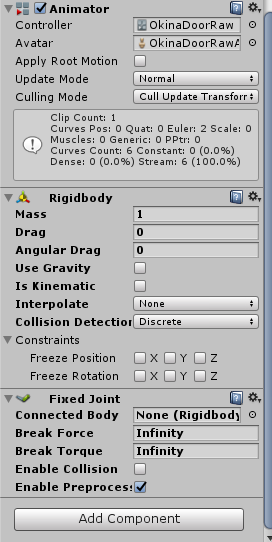
I noticed that the Child GameObject isnt moving athou when the Avatar(Parent GameObject) moves the Child Game Object seems to shake
clear yew
shake ? like little jitters?
placid wigeon
yeh althou this is only in Unity since i havnt uploaded the Avatar yet
placid wigeon
Hmm alright, Thanks for the info gota test this in VRCHAT
obsidian vigil
@clear yew wait, so if i put a rigidbody on it and put it on active in any gesture it stays there?
clear yew
fixed joint
when you add a fixed joint it will add the rigid body automatically
remove the gravity and the angular drag
that the basis of it but there are other stuff that you need to do
clear yew
it's just a component
frosty pendant
I gave 3 hours to go xD
obsidian vigil
^^
at least i dont have to work tomorrow
gonna drop some sick drifts this evening while my driving instructor is watching
clear yew
Could someone help me with my animation please? In my anim. i hold a phone with a camera that display just work for me but other people have a black screen...
unique night
other players wont see it if its a camera
clear yew
But how can i change it?
you don't cuz it's black listed and you can get banned for it
Saw it many times ingame. It's not black listed
clear yew
blacklisted meaning it's not allowed.
if you get caught by it you will be banned
And why is it blacklisted? Make no sense
because the camera actual render everything
same as a mirror
so if you put a camera in a room with mirrors or others camera, it will render themself again and aghain
causing everyone to lag
obsidian vigil
if they could disable cameras rendering mirrors or other cams they would be ok right?
or just not as bad
clear yew
no clue
the camera still need to render everything for everyone in the room
clear yew
and the higher the quality of the camera the more lag you will get
clear yew
yeah
obsidian vigil
where would i do that
clear yew
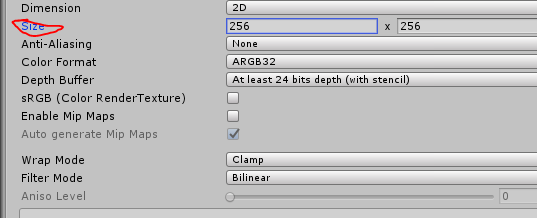
by default the resolution is 256x256
clear yew
you need a render texture to change the resolution
obsidian vigil
i have that
clear yew
I never got a lagg from the dude who showed me 2 phones filming each near the mirror on a 4k solution. But a better question is...why particles are not blacklisted? Its the same but ez to do
obsidian vigil
its a moving cam being projected onto a screen
@clear yew how many people in the lobby
 obsidian vigil
then im very surprised as well
clear yew
at gaia night (laggy room for now)
obsidian vigil
but you know, by blacklisting particles a lot of people would quit vrchat
me included
thanks @clear yew
unique night
@clear yew just because it didnt lag for you doesnt mean its not gonna lag for others
if its not blacklisted, everyone and their mums will have cameras out
suddenly a 30 people room is acting like a 60 player room
also did you use a vr headset when that player when the player had a camera out?
obsidian vigil
i already start lagging in the pug sometimes
clear yew
the pug is a laggy unoptimized piece of shit
clear yew
it's the only map i lag when nobody is in it
obsidian vigil
but its great to hang out
obsidian vigil
i havent found a good hang out map yet
obsidian vigil
thats right
unique night
i wonder if its using occlusion triggers on the floors
obsidian vigil
and @clear yew whatever you do, dont ever go crazy using shaders on the whole map
unique night
that would help a lot
obsidian vigil
i threw up once because a guy named Voidhole made my headset flicker and lag
unique night
😦
unique night
yeah not a fan of those either
doesnt make me sick, its just annoying
one minute im talking, next minute someone's just darkened the entire world and let off an explosion
clear yew
yeah, enjoy public worlds.
unique night
most of my time is spent in friends+
so havent really run into those kinds of people for a while now
clear yew
no surprise that everybody is in friends + or invite +
obsidian vigil
i have funny meme avatars i cant jsut stick in friend lobbies
thats the whole point 😄
unique night
yeah i have kirby avatars for public worlds when i do go on them. As soon as someone has the right avatar, i eat them and become a kirby version of them XD
havent had chance to add any more since January though 😦
clear yew
i have a little sphere that make your screen go dark if you are close to me
i use it to fuck around my friends
obsidian vigil
thats cool tho
clear yew
yup
obsidian vigil
how did u do it
clear yew
and it's pretty small
obsidian vigil
black hole shader?
clear yew
so you can just run forward to get out
no it's just a weird "inverted" sphere with a fucked up shader that render over everything
unique night
seen some really impressive ones of those
entire worlds rendered inside the sphere
really cool XD
obsidian vigil
wot
obsidian vigil
ooooh
unique night
one guy i know has a dor you walk through
obsidian vigil
its one of these hole shader thingies
clear yew
put it around my head and make it transparent, so when you make my screen black i can activate the sphere and see through everything
unique night
and when step inside, you're in trippy fractal worlds, ocean with massive waves etc
obsidian vigil
but youre just inside of an object right
obsidian vigil
thats dope
unique night
the shader generates the geometry etc
clear yew
@unique night that's just stencils tho
Really easy to do
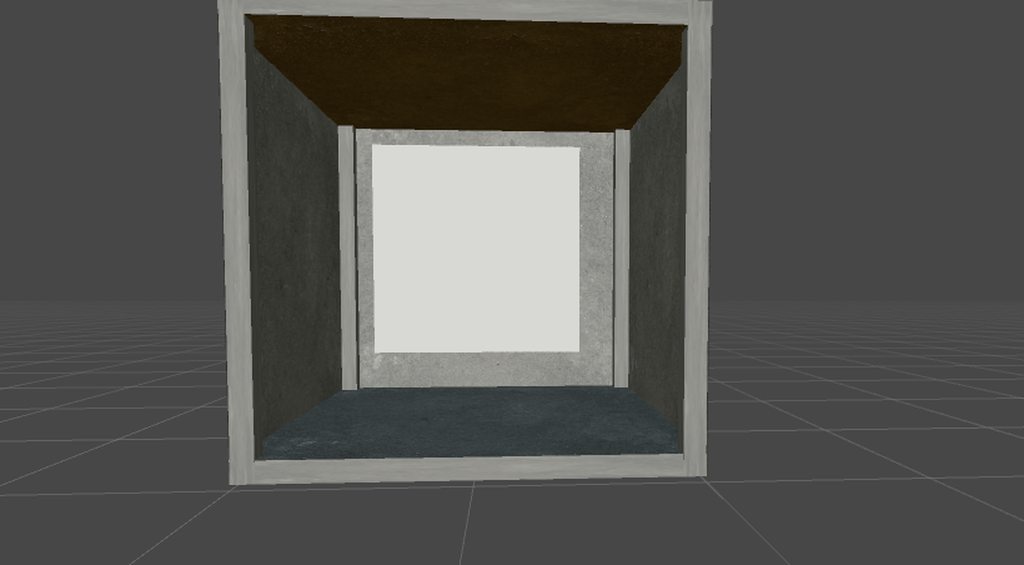
https://i.imgur.com/W0pmLnm.mp4
 unique night
yeah, that part i get
obsidian vigil
woah
unique night
i just dont know how to convert those shaders
obsidian vigil
i dont get any of that :3
unique night
to make them vrchat ready xD
clear yew
it's just a lot of multiple object (Quad most of the time) and the right shader
unique night
yeah my knowledge on shaders is really low too
clear yew
not hard to do, just time consuming to get right
obsidian vigil
not digging into shader programming 😄
i program enough at work already
dont need any extra
unique night
XD
clear yew
look at this for exemple of what you can do

Winner of the first 7 Deadly Sins avatar competition, BTW...
obsidian vigil
ok thats pretty neat
clear yew
Stencils + a lot of time my dude
obsidian vigil
i dont know / have either of those 😄
imma spend my sparetime improving my drawings :3
and learning how to beatbox
torn pawn
@clear yew that's fucking sick effect
clear yew
yeah, copy cat is actually insane
he created a flat world with hammer so you actually interact with his animation
never saw someone else do that
obsidian vigil
thats pretty sick if you think about it
clear yew
i saw a lot of awesome tricks in vrchat
the copycat thing is actually stencils
i saw a really small character "climb" people
he could actually "grab" the air and pull himself toward it, so he could climb up people and sit on their shoulders
clear yew
but the most awesome thing i saw
and to this day i still have absolutely not a single idea how he made that
is a wireframe guy that could take any body part of any avatar he saw and put it on himself
obsidian vigil
ive seen that in a chat before
an instruction
dont remember where tho
im on like 30 different vrchat discords
rip
unique night
whats the world called with the hammer?
clear yew
no clue, probably a private world
that avatar was made for a contest
unique night
the gameplay with the hammer and flying knuckles was the world and not his emote right?
obsidian vigil
woooot
unique night
oh nice, gonna rewatch that vid to see if the other players could hit the knuckles
as that one girl avatar missed everytime
obsidian vigil
that is amazing
clear yew
at 3:17 you can see the hammers on the right side
unique night
yeah just watched it back, he was the only one to hit them. But thats still awesome that got pickups working with his animation.
i'm guessing its particles with collisons turned on or something?
clear yew
yep
remote blaze
The coolest animation I've made is having a giant turtle man go into his shell
And when people get close his face pokes out
That wireframe guy is fucking insane though @clear yew
clear yew
it is, i really don't know how he did that
whe i see animations and other stuff from people, i always know what they use to make it
but that wireframe guy is a complete mystery
 snow basin
with facial animations, i know the hand gestures turn into the 'clamped' hand due to the weird position when animating. to fix this do i just move the bones into the right position or does that affect the model?
obsidian vigil
i really wanna see that myself tbh
remote blaze
I saw an animation last week
unique night
@snow basin animate the hand to what you want
clear yew
@snow basin just position the fingers how you want
clear yew
@snow basin you can use muscle animator to make it alot easier
remote blaze
Use animator, don't use the bones
clear yew
unity store asset
unique night
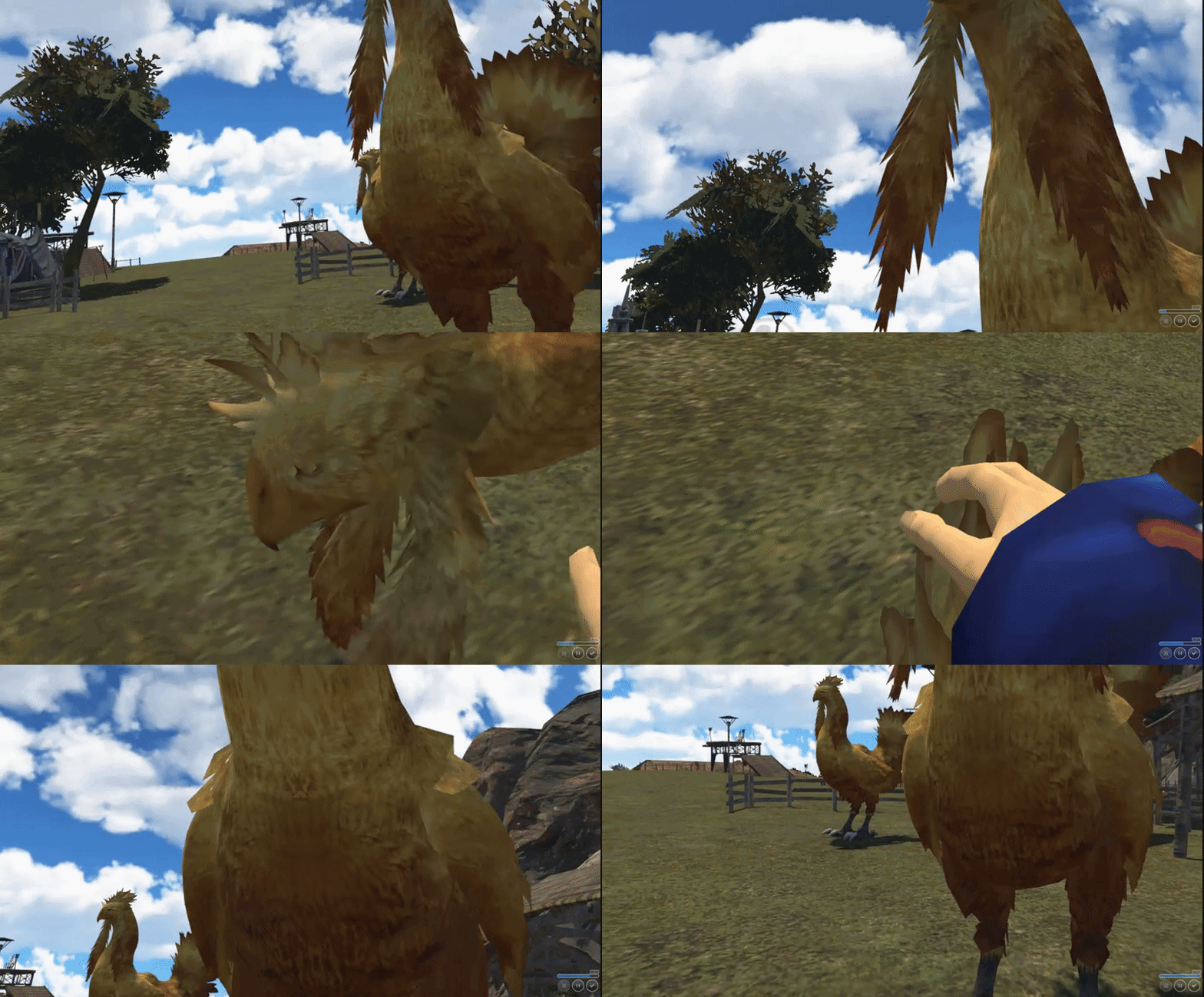
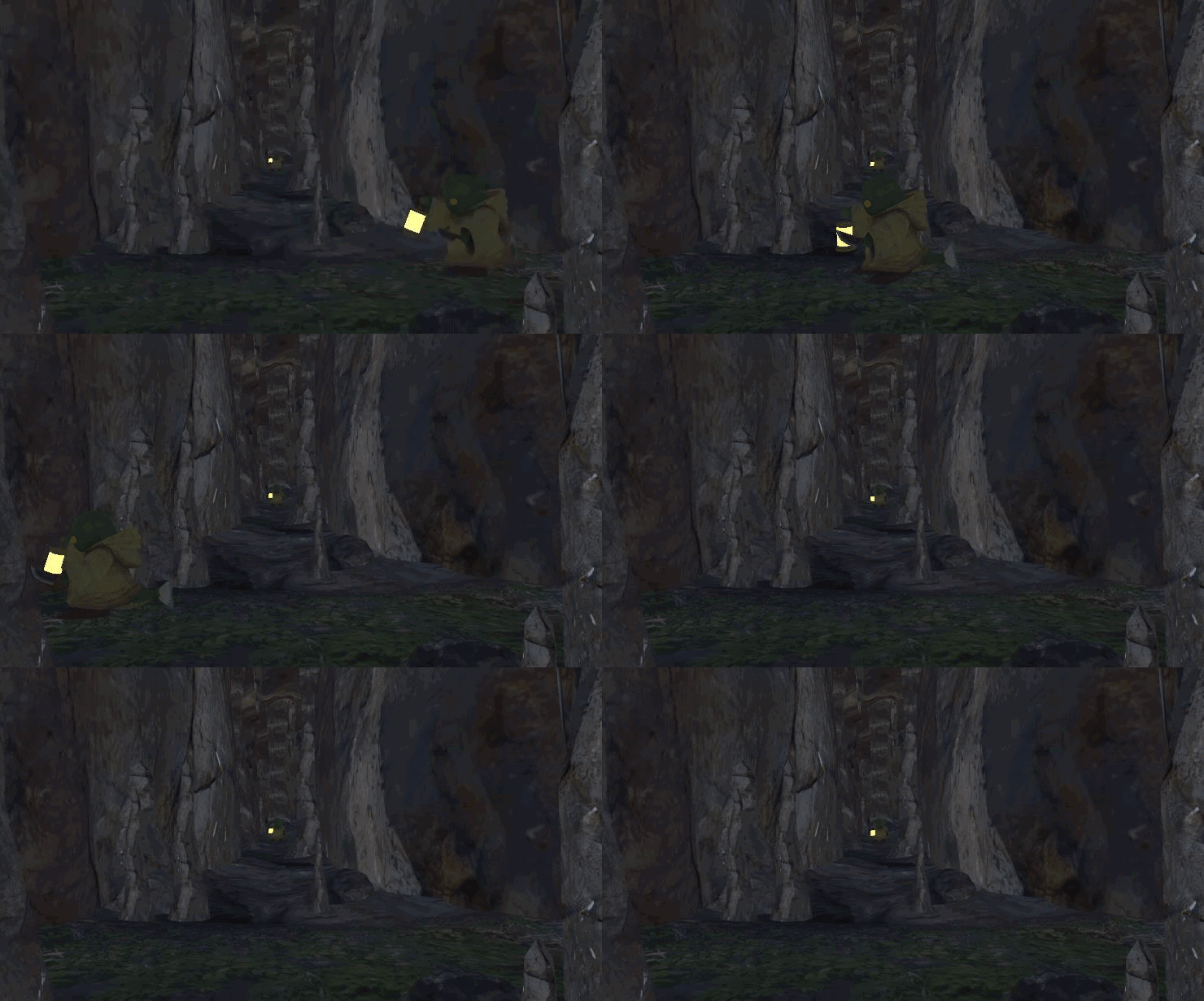
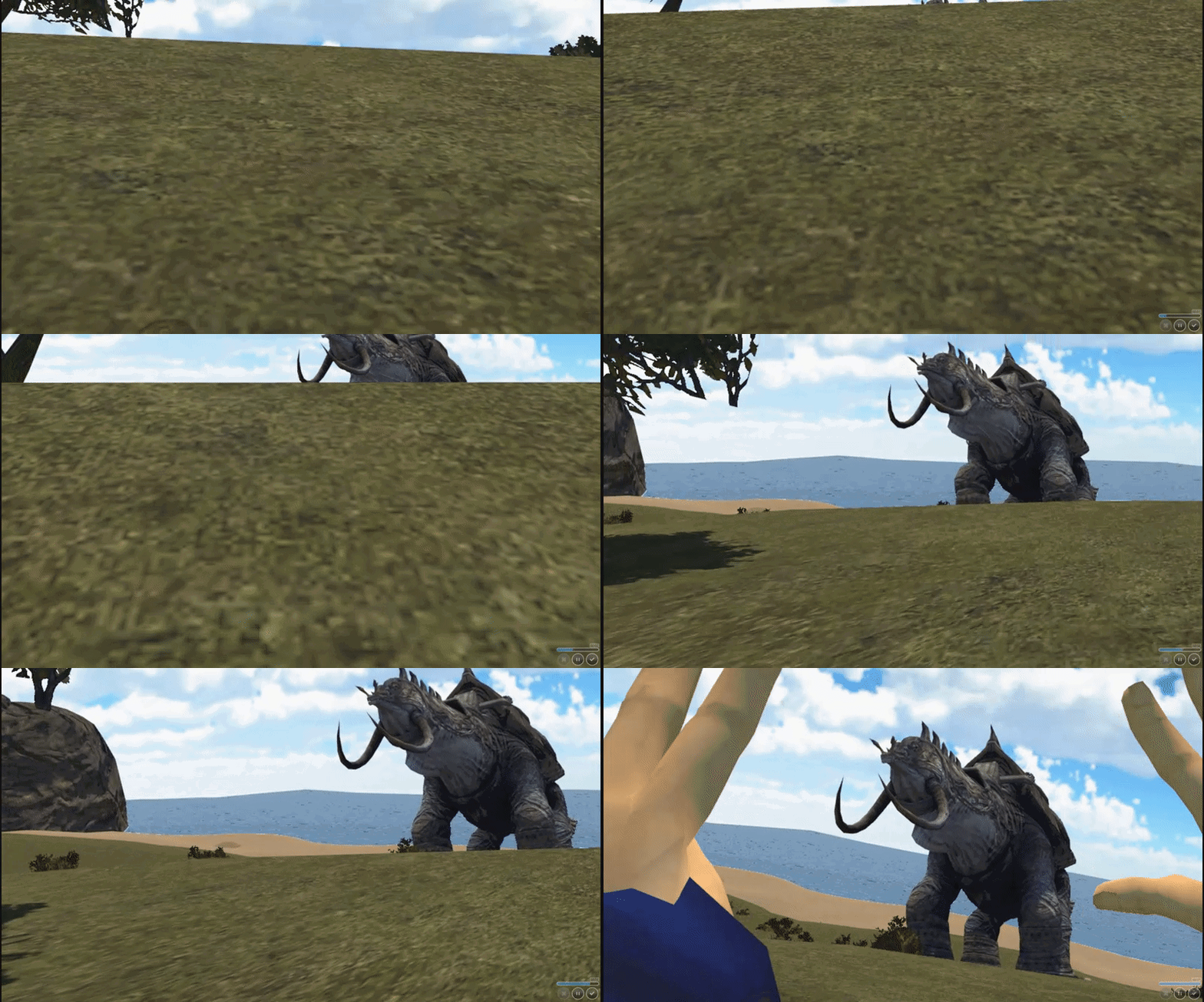
whilst nothing mind blowing like the wireframe or the animation reacting to the hammer, here's some animations i've been working on (just standard rig animations):
https://i.gyazo.com/ee7aee8c564d588399ed67e17e65dd3d.gif
https://i.gyazo.com/1ae93bc3d5f2c86905521eb8191efce2.gif
https://i.gyazo.com/6620ae56e9b0655e12711c468b4b6ac8.gif
https://i.gyazo.com/f678978e7c4cf0e3f36ce8dd84a2ca36.gif

 clear yew
final fantasy world ?
unique night
yeah, based on the ff13 trilogy
clear yew
is sound fucked now?
unique night
i'm active in the worlds chat so i dont really post in the animation channel much (last time was in january i think)
clear yew
i'm never in these world channels. i'm not interested in world creation yet
unique night
yeah I started out with avatars (just after xmas) so i used to be in this chat whenever on discord
havent gotten round to making avatars for myself since mid Jan now, i do miss it
any avatars i make right now are for the world
obsidian vigil
@unique night dont forgot about me
i will test it tonight :3
if you want 2 or not 
unique night
XD make sure you have atleast an hour free
it will take that long to show everything in it so far
XD
 celest pewter
uploading world's sounds fun but the ones I've wanted to are done already
slim sparrow
@clear yew sorry for the ping, but did you ever get it working?
I'm working on a bullet hell pattern for a Touhou avatar as well
I've seen a guy do it ingame, so it should be possible
clear yew
what does it look like?
slim sparrow
Well, I was looking for a bit more general advice since I'm probably gonna do this for a lot of patterns
But for starters, something like this
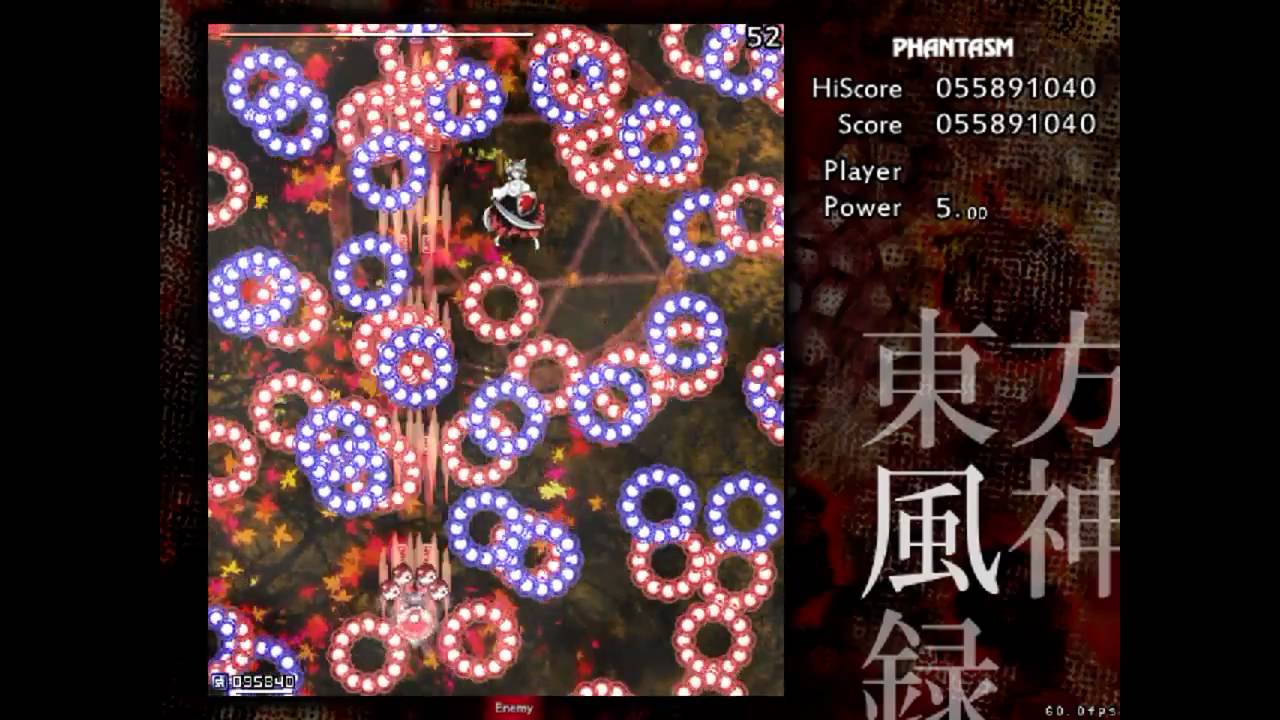
DOWNLOAD LINK AT THE END OF THE DESCRIPTION! The fan-made phantasm stage of Touhou 10. And it's really hard! Before starting the description of the stage and...
Perhaps a bit too complex to start with, haha
Just the first burst
unique night
i guess particle trails would work
placid wigeon
in Bowlroll there are a bunch of Danmaku Bullets MMD I tried using them but its hard to animate the particles cuze of the Patterns
unique night
for specific control over the movement, you could have the particles as child objects to a hidden mesh you animate
slim sparrow
Yeah, that's not a bad idea
obsidian vigil
is there any way to sync stuff to sound?
 slim sparrow
@obsidian vigil manually lol
obsidian vigil
i kno
but its extremely hard
cuz the animation window goes by frames not seconds
slim sparrow
And the rest depends on samples
If your samples is set to 60, then 0:30 is half a second
If I need sound synced to an animation, I usually put an audio source and an animator on an object
clear yew
^ I animate all my audio. Much easier
slim sparrow
So when the object is activated in a gesture or emote, they start playing at the same time and I can do stuff in the animation
Such as emit particles
obsidian vigil
you mean like stuff all of it in 1 anim
slim sparrow
It depends on what you want to do
obsidian vigil
up until now ive always done it by animating on the highest hierarchy item on my avatar
clear yew
You can animate all over the Heirarchy. Just gotta do it properly
slim sparrow
You can put child objects in charge of their own animations, but they need an animator property
They'll automatically receive an animation controller once you create a clip in the Animation tab
clear yew
Make sure to make the animation on a duplicate though or you'll fuck your model and have to start over :p
obsidian vigil
i know that much 😄
clear yew
@slim sparrow seems easy enough
gotta use those burst emission with some sub emitter
obsidian vigil
i have done my fair share of animation but a lot of it is broken
slim sparrow
Oh yeah, you can make specific timings with bursts right? That's cool
clear yew
This has 5 audio sources: https://clips.twitch.tv/FlaccidCrypticPidgeonMVGame
 obsidian vigil
as an example i have 1 animation where a magic circle gets bigger and a second one where it stops spinning and light spears fly out of it, it works perfectly in unity but ingame the two weirdly switch places and dont trigger when i to the proper animation
theyre also longer than 1 frame
slim sparrow
Well, just make a new GameObject and put the magic circle stuff under there
clear yew
those distortion shaders tho
slim sparrow
Then put an animator on the game object and go from there
Yeah, distortion shaders are great when paired with distorted sound
I recently discovered that you can make the distortion shader 10x worse by putting a random texture on the "normal map" property
obsidian vigil
distortion shader?
slim sparrow
It's basically a shader that you put on objects and it distorts whatever you're looking at when looking through the object
obsidian vigil
similar to the black hole one?
slim sparrow
Dunno
I usually use them with particle systems that emit expanding spheres, shaded with distortion
10/10 meme value, but I avoid using it in public since I don't wanna get blocked
Already got blocked by 3 people yesterday when I accidentally left my earrape on after I switched avatar
obsidian vigil
lmao
slim sparrow
I still had a gesture active and I had the bug where I couldn't see myself switch avatar
obsidian vigil
i know the feeling
slim sparrow
So I was unknowingly earraping half the server
obsidian vigil
another thing i find to be extremely annoying
use a gesture, make a fist
and it adapts the gesture for the fist
extremely annoying because you can revert it
slim sparrow
What?
obsidian vigil
try using a gesture
and dont let go but press the trigger down
then use fist again
it adapted the gesture
unique night
theres also the sit bug where the gesture continues to play on loop XD
slim sparrow
Oh yeah, that's also a thing to watch out for
You can merge facial expressions in pretty hilarious ways
obsidian vigil
could you send me that distortion shader tho
id really appreciate it
want to do bass waves in sync to dubstep
clear yew
I have my own custom distort that a friend in LAS made me
@obsidian vigil i have that xD
obsidian vigil
how did you do it
clear yew
i used a shader that a friend made
obsidian vigil
i cant have that can i...
clear yew
it can distort in the X and Y axis + blur effect
slim sparrow
It's ready to go
clear yew
 obsidian vigil
but one specifically made for that purpos works better
clear yew
absolutely disgusting
clear yew
yes
slim sparrow
Since that's how I use it
slim sparrow
A particle system that emits expanding spheres
obsidian vigil
and mess with the sliders?
slim sparrow
Size over lifetime is your friend here
obsidian vigil
i want an effect like up there
and a particle system projects many
wouldnt that look weird
slim sparrow
¯_(ツ)_/¯
I can't exactly make gifs quickly so I can't show you what mine looks like
clear yew
(by the way, that sphere that i used is the "inverted" sphere that render over everything)
obsidian vigil
hit windows key + g
pres yes, this is a game
record
head to imgur
upload short clip
boom
clear yew
ShareX ftw
obsidian vigil
why get software if its built in
slim sparrow
It makes my mouse have acceleration
obsidian vigil
random acceleration and decceleration?
obsidian vigil
cuz thats a problem im facing when playing literally any game
my mouse randomly changes speed sometimes
slim sparrow
Nah, this is mouse accel
Just wonky mouse movement
Most people won't notice since it's default on, and that makes me sad
obsidian vigil
hmm
 pliant plank
Disabling mouse accel and getting a registry fix for raw input is ayy good bet to get rid of it for good
slim sparrow
Yeah, that's what I did
obsidian vigil
how do i do that
cuz my mouse problem is extremely annoying
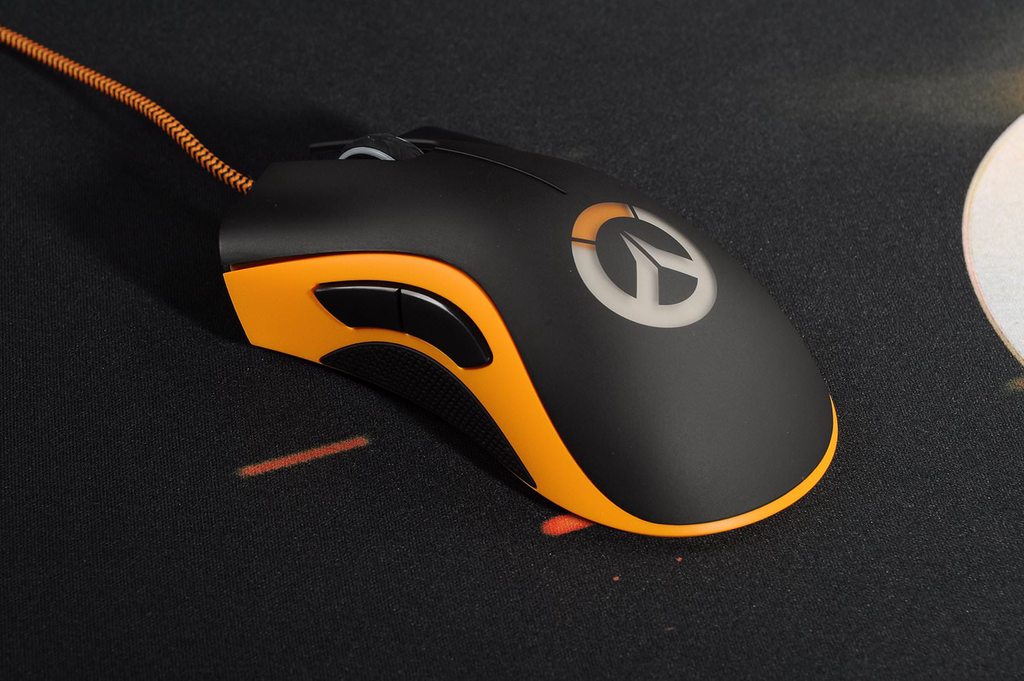
as an example i play overwatch, no problems whatsoever at some point in time my mouse nearly doesnt work anymore it goes fast, slow, fast, slow doesnt react, etc.
pliant plank
It also depends on your surface, you using a table or mousepad?
pliant plank
Then it should play just fine
obsidian vigil
Its just weird because before i bought the deathadder i had a 5€ mouse and that one worked perfectly
pliant plank
Do keep in mind raw input, is a 1 to 1 ratio,so it can seem slow at first (depending on your dpi)
obsidian vigil
oh 😄
i think i may still feel a change when playing games tho
but... that is if i can actually play
pliant plank
You will, it'll take some time to get used to it
pliant plank
Took me around 1-2 weeks to get back into the "groove"
obsidian vigil
i play overwatch, it does the weird lag thing
i browse, nothing happens
i play paladins, weird lag thing, literally unplayable
i use unity, blender etc. No problem whatsoever
pliant plank
(Third tab i think?) There's a checkbox under the mouse slider, uncheck it
obsidian vigil
enhance pointer precision?
obsidian vigil
just did it on my work pc, that feels extremely weird
i prefer the precision thing tbh
if feels more precise
pliant plank
Windows' "enhance pointer precision, accelerates and slows down inconsistently, at times when you turn you can do a 90°turn and at others a 360°
It sorta works well with windows in general, but in games... ehh... not so much
slim sparrow
Sounds like a mouse driver issue, or the game is doing it incorrectly
pliant plank
That is, it can be at times consistent, on others... not so much
slim sparrow
Overwatch worked fine for me
obsidian vigil
i mean, i wouldnt have any issues if razer didnt force you to use their stupid configuration thingy
i feel like that breaks it
pliant plank
Well, by mouse lag, do you mean game or mouse freezes/stutters?
obsidian vigil
only mouse
still 90 fps
the game is completely fine
most of the time i just have to stand there and wait until it works again
pliant plank
I doubt razers' config driver would cause issues....
obsidian vigil
as an example it paladins it just doesnt
it never fixes itself
i have to restart the game
pliant plank
Weird question but, is it wireless?
And no, i really don't know as i haven't looked it up
 pliant plank
I'd advise on trying these things then...
Disabling mouse accel (pointer precision), change dpi so it feels confortable, and try to update/find driver updates for the mouse on razers' website
obsidian vigil
will try
if it doesnt work, ill literally throw that thing out of my window and use my 5€ one
pliant plank
You got any mouse warranty?
obsidian vigil
nah, cuz it was a limited edition from a few years ago and i bought it off of someone
pliant plank
Hopefuly it works then
obsidian vigil
yeah...
unique night
for gifs im using gyazo. ctrl+windows+G will record a 7 sec gif vid and automatically upload it to gyazo as an mp4 or gif. works for screenshots too 😄
definitely makes life easier instead of having to manually upload to imgur everytime 😛
obsidian vigil
is gyazo a program
unique night
yeah
 violet kraken
https://ibb.co/ePq0kS somebody know how to setup a proper eye lens flare ?
 slim sparrow
@violet kraken a particle system that spawns a single billboard particle on your eye
No speed, and the only emission is one burst of 1 at 0:01
You'll have to find a flare texture yourself I think
 gaunt fractal



 winged narwhal
Who here knows how to convert mmd motions into fbx animation?
slim sparrow
@gaunt fractal make an idle animation that looks good in Unity
You can copy a default one from the SDK, but it has O legs so you'll have to fix it a little
When you start animating, your hips are halfway in the floor. Just make the idle animation so that doesn't happen. Try starting with Root Transform and stretching the legs a little.
torn pawn
@winged narwhal https://www.youtube.com/watch?v=kWFvuRmTeFg
Hi my name is Shana from vrchat and i started not long ago Learning how to import mmd dances to vrchat was one of the fun stuff to do for me so today im maki...
when exporting, be sure to have "baked animation" checmarked http://prntscr.com/iy4bkm
 winged narwhal
I’ve used that tutorial before but I kept having issues like with it not letting me duplicate the animation
So like if I could send someone a motion and then them send me back the fbx animation that’d be awesome
 wind sandal
So I’m having trouble importing a VMD into unity, the animation looks and plays fine, except for one small problem
The hips have no rotations, so when the model turns to the side the hips are still facing forward
How would I go about fixing this?
 manic torrent
so i manage to play audio with my avatar, but its play on spawn. not on emote. halp
torn pawn
@wind sandal use original armature
wind sandal
The armature is not edited in any way, it’s the same as it is in the mmd, also on a side note, the entire animation plays fine in blender, but once imported into unity the hips lose rotation
clear yew
Alright, so now that I've finally uploaded my model I was looking at the animations. And apparently none of the vr chat animations work for my character. When running the arms don't move, my legs move but arms are always stationary. I've tried adding animations but either 1) dragging the animation over to the correct thing in the animation override and it doesn't stick, or 2) I get an error in the console.
When playing the animation with my model the model is stationary floating and doesn't move. But some animations work just fine where as some don't work at all. Like I added a custom walking animation which works fine, but trying to add VR chat's sample animations lead to my model being frozen and suspended in the ground
obsidian vigil
@pliant plank just looked at my mouse settings
ive had it disabled all along lmao
 plain shale
if i want a sitting animation, is there something i need to do OTHER than just copying the CustomOverrideEmpty, putting the sit animation in IDLE, and setting that as Custom Sitting Anims in the Avatar descriptor? i did all of that and sitting still does not work.
i made sure it was an animation that was not just standing up. also, the Animator script has the CustomOverrideEmpty clone for standing animations, and those work in VRChat. maybe the animation needs to be more than just frame 0?
@clear yew sometimes when you put animations in a CustomOverrideEmpty clone, the console gives errors that somehow magically go away if you open the model's armature for editing, and then close it for animating without changing anything. have you tried that?
clear yew
I'll try that when I get home, but the problem is the animations can't be added to the UstomOverrideEmpty, some can and some can't. The animations will work on some but not others. Like I've tried Mixamo and none of the animations I've downloaded from there work
Hey
How do you do projectiles
Particle projectiles arent real
plain shale
maybe there aren't the same bones from those models. it might depend on if the armature of your model and the armature of the Mixamo model is the same thing, but don't take my word for it. someone who has experience with Mixamo is better to ask about this
clear yew
I want actual projectiles that stick
plain shale
i use blender for my animations
clear yew
Do you just add an object to the end of the gun and have it move when activated
Is there a proper way
clear yew
Hrm, so I'm thinking that my model is being finicky and that in order to fix it I'll need to port it to blender and re-export to make it all work again. That's about my only guess. When I'm home I'll try and have screenshots of the errors I get
frosty pendant
couls someone tell me why my audio source isnt playing even when play on awake is active? i need to mute and unmute sound in the scene for it to start... O.o
ebon pebble
so... How do I create an object that which my character is parent of.... that doesnt move when I do?
I wish to have an audio play in a specific spot, and not move with me.
clear yew
so you just want to spawn an empty game object in a world simulated space?