#animation
1 messages · Page 59 of 1
 celest trout
Great 😃
 remote blaze
there's some online tutorials on how to set everything up
 nimble pumice
can someone help me? My hands dont work in vr with my model. I can move them, but the fingers dont move with my own
 icy hazel
So you can move the hands themselves but not the fingers..? @nimble pumice
Are you sure you weighted your fingers correctly?
Cause you can upload it broken
 clear yew
Does anyone know how to add an object to the head hierarchy and make it remain visible to the player? Or how to make a user interface element for a VRC avatar? PLEASE this would be SO HELPFULL is someone had ANY info. Please @ me. THANKS! 🙂
 tepid pollen
what do i need to do to disable blinking during eye gesture animation?
 south lynx
@clear yew I’m not sure about the head object, maybe you could try using a shader to make it transparent from the inside?
For the UI element, do you mean being able to put some kind of interface on peoples screens, I think the people doing that are messing with the SDK, I don’t think it’s officially allowed
clear yew
you can do it without messing with the sdk, use screenspace shaders to overlay stuff on the player camera
@south lynx @clear yew I'm trying to make a simple flat plane visible to me in game no matter where I look, so I put the plane in the head hierarchy, but apparently VRChat has a function that makes anything in the head hirearchy invisible to my viewpoint, so you dont see hair and facial features in the way. I need a way to work around this though. @clear yew please tell me how I can use screenspace shaders, I've tried many other things without success. I know everything else is in order, its just this feature making the plane invisible because the head is parented to it.
forget attaching stuff to the head, it's children will be skipped
@clear yew Can you think of any possible work-around? This is actually a preject that'll be really awesome if I can get past this one obstacle.
a screenspace pixelshader can put textures or rendertargets overlaid on anyone's camera
in 2D
Ok, @clear yew do you have one you could send me? or is it in Unitys default shaders? Thanks a ton for the input.
there is a halo avatar that puts the halo hud on your screen if you're close, same thing
@clear yew I NEED THOSE CAPABILITIES - I need whatever info you have on that avatar, who made it, or how it was done
plx
 celest pewter
by placing it in finger
clear yew
i want to use the hand gun motion and shoot objects out of my finger
celest pewter
ye just position the particle on the finger then and place it on the wrist since the animation is gonna make ur hand stable anyways
 slim sparrow
I have a coffee cup that I need to appear to shatter. How would I do this?
I should probably start with some models of the coffee cup fragments, but then what?
I don't think you can add gravity to objects in your avatar
 toxic hatch
I guess I'll try my luck again, does anyone know how to get a pixelated censor effect on your character model? o.o
slim sparrow
I've seen a shader like that
celest pewter
i havent tested it but i assume they were using this
now lemme delete before i see it everywhere tomorrow
slim sparrow
I've got my mesh separated into multiple meshes for use as "fragments", how do I make them fall down somewhat realistically?
It's one prefab with a bunch of meshes
Since the fragments are still shaped like a coffee cup now
nimble pumice
Can someone help me with my fingers in vr not moving?
the hands move, and walking is animated, but the fingers dont move with my own
slim sparrow
Nope, only when I override gestures
Try posing the bones in Blender, do they even work?
nimble pumice
everything is rigged and weighted
the same model works in an earlier version of the avitar, but when I tried to make a new avitar and change aspects of it, it simply doesnt
I had this issue twice in the past too but I forget how I fixed it.
 bronze peak
ok so anyone that can kinda guide me to spawn an object and not have it move.. i though added a game object add rigid body to it and that's it?
slim sparrow
I got my coffee cup to shatter by just turning it into a shape key in Blender
@bronze peak the key ingredient is a particle system that spawns a mesh I think
I heard that you can also just use rigid bodies, but I don't know if those are world space
I thought the rigid body was just a workaround so the particle system can apply rotation to the particle
clear yew
rigid body on game object, fixed joint on game object and you should be good to go, do not link the joint with anything
 pearl pilot
how would i go about changing a texture color (eyes) with an animation?
bronze peak
@clear yew does this make it appear all the time or how do i animate it.... since you said i can not place the game object on the hip?
 karmic sparrow
So I got an anime girl avatar working and all, but something is wrong with showing a blush... Facial expressions all work perfect, just the blush won't show up. Funny thing is that it does show up fine in Unity, and it did work on this avatar before, and still does on other avatars. Anyone have a clue what I might be overlooking? Already made all the animations anew on a fresh dupe of my avatar, but same result... Everything works fine in Unity, everything but the blush works in VRChat -_-
clear yew
you can place the game object where you want on the hierarchy, is the fixed joint on it that should not be linked to any rigd body
you can animate it to be on and off
 noble portal
Hey guys, im having an issue on a dance custom emote. It works fine until about halfway and then I regain control of my arms and my character starts flipping out? Any ideas what would cause this? The animation is about 1m 50s in duration and the character moves around the scene as he does the animation.
bronze peak
ok @clear yew i am sorry i am having trouble following your instructions. https://s1.gifyu.com/images/Unity_2018-03-25_18-25-56.png i have the gallows link to the game object and the game object has fixed joint and rigid body so the gallows does not spin.. but in order to animate it and make it appear i need it on a body part to set as active >_<
 south lynx
How do you see animations on the head in a mirror/camera, i have an animation to spawn a top hat on my avatar, everyone else can see it fine, but I can’t see it if I look in a mirror
 ruby bear
is there a way to add my own defined roots? (as in root T property not bone roots)
Far as properties go you got roots for things like the entire models and the limbs
but I got extra limbs on my models and hence no roots far as I can tell
 dusty canyon
Yugi gonna hang?
ruby bear
eh fuck it I'm just going to see if I can bake all the walking animations,etc. in blender and work like that instead
noble portal
Heres a video btw

Thats the animation thats supposed to play, but about halfway in I buggs out
works fine in unity and maya, just goes crazy in VRchat
clear yew
nice
i figured out how to shoot projecticles
😄
just activate the whole game object?
leave it deactivated by default
bronze peak
@clear yew see how it still moves with my avatars. is there a way so it stays still? https://s1.gifyu.com/images/2018-03-25_19-55-02.gif
 sick crag
Trying to figure out world particles n stuff, disappears after animation override ends
clear yew
i don't know wich settings you used on your rigid body / fixed joint, and if the hierarchy is set up correctly
if you are having torubles why not just making it a mesh particle?
sick crag
I think Im trying to do the same thing fpsgamer is doing with making an item/particle spawn and stay, something you can help me with too Moz?
I have a game object with a particle system inside that creates a mesh world particle successfully in an animation and another game object with a game object under the hip hierarchy
The game object inside game object has a fixed joint attached to the game object with particle inside
clear yew
to make a 'game object' stay in place and not following you is tricky, it will be much easier to make a particle with mesh renderer set to world simulation
if you really want a game object to stay in one place you need to have a rigid body on it, and a fixed joint, i don't remember the exact settings you need to constrain all 3 axis but not set a rigid body to link on the fixed joint
sick crag
to toggle on, have an animation override like emote 1 enable the particle system?
 harsh copper
so got animation pack , added one of the longer danced to the avatar. Is there a way to control runtime of the animation?
 ashen sedge
@harsh copper Sorry to ask, but would you mind editing your message out to not mention that website specifically?
Otherwise I'd have to remove your message
harsh copper
kk
ashen sedge
Thanks
ashen sedge
@shadow raptor Sorry, we don't allow mentions or links to that website on this discord.
ashen sedge
Sure. It's just links and specifically mentioning that website that isn't allowed.
celest pewter
that website should be taken down tbh
 shadow raptor
Good - the hold it, enjoy use - https://drive.google.com/open?id=1vTSfFnSrPUfTRollVS49ksY1JsAcAxw1
Google Docs
celest pewter
that dance LOL
shadow raptor
Yea. I do a lot time in Source filmmaker
But Scout and Pyro animations have problem with legs
celest pewter
to me its once a model is uploaded there
u see it everywhere in public rooms
liek
plz
where dat VARIETY
dusty canyon
I use that site to upload models I make from time to time
like a bowl of soup :>
but I get it
people been misusing the site
dusty canyon
bypassing?
celest pewter

ashen sedge
One of the reasons is it distributes unallowed VRchat specific content.
celest pewter
o rite
dusty canyon
like the bedsheets ghost and political figure avatars?
ashen sedge
Not limited to those, but that's one part.
dusty canyon
whats the biggy though?
remote blaze
hey guys, so I got a blender question
I've got a game model with like 30 animations and they're really weighing the file down
I want to remove the ones I don't need
dusty canyon
nice
remote blaze
how do I do that?
ashen sedge
I don't dare say for sure, but I would imagine the modified SDKs
remote blaze
they're armature animations btw
dusty canyon
ah
remote blaze
the only way I've found of deleting animations so far is going into action editor and deleting each one by one
holy shit there's like 70 animations on this thing
dusty canyon
wot
remote blaze
I got a character from an unreal game
so I got every single ingame animation
I only one specific ones, so I want to delete all the others
becaus the other animations make the model super heavy and make loading a pain
 lilac cave
inverse of your question, how do you put multiple animations onto one model?
dusty canyon
nla editor
lilac cave
(blenderwise)
ah no i mean
i have 30 of the same character
all of them have different names and animations
but they have the same mesh and bones
the thing i want to do is take the animations from 29 of them and put them onto one
 obsidian vigil
@remote blaze You dont happen to have a character from paragon do you?
remote blaze
Nope, it's from Smite
remote blaze
although you can easily get any Paragon model now since it's on the uneal store
obsidian vigil
how did you get it unity-ready?
obsidian vigil
Freeware?
remote blaze
it will extract the file into a .psk, the textures into .tga and animations into .psa
yep, it's free!
then just use blender to import all three file types
obsidian vigil
is psa a separate model with animations applied?
remote blaze
just look up a video called "how to import models from smite into blender"
no, psa is the actual animations
obsidian vigil
cheers 😄
remote blaze
so you need to have the model into blender first, then add all the animations
obsidian vigil
i really liked the paragon heros
remote blaze
you can get them in super easily
remote blaze
awesome 👌
obsidian vigil
tanks ^^
remote blaze
np my dude
obsidian vigil
nice ppic btw xD
ashen sedge
Only if you don't make good use of it 😤
clear yew
XD
remote blaze
 remote blaze
hey there guys
so here's a hypothetical situation
I've got an avatar and I want them to switch between 2 forms, each with a different walk animation and possibly emotes
I heard that was possible with controller switching, how would one do that?
icy hazel
i have the paragon assets like... in my epic games launcher
but how the hell do you actually get them out of there
somebody wanted me to get Shinbi
icy hazel
ah nvm i got it. i had to go to ut editor first to make a project, then add her from the launcher, THEN find her folder -_-
so roundabout
 serene lava
I've also wondered: is it possible to control avatar controllers to a usable extent other than default animations?
remote blaze
oh damn
then yeah you might need the unreal program
or find a way to convert uasset to upk
 brazen crater
Does anyone have the values for the standard fist animation?
 vivid ocean
So, I've seen a few avatars that have dance animations on the hand gestures. whenever I try to make a gesture animation that uses anything other than the fingers(ie shoulder, arm, and forearm, the regular animations override that and the bones don't move other than the fingers. Anyone know what I need to do to put any bones I want on a gesture animation and have them work? I had someone tell me to put the override as the controller on the animator, but it didn't work.
 torn pawn
@vivid ocean I just take original avatar so ithas armature for VMD to work properly, bake animations into it, then export, in unity you create controller that on wakeup plays the dance anim and u put that controller in, hide the model your main model and then with gesture you can enable the model and it will play the animation, you can also hide your mesh renderer to become invisible
and if u you know how to make the object stick to world, then even better (audio source will then stay with the model too), otherwise you have to stay still
the problem is that vmd models are pretty big, like 10~mb + then the audio source


i also suggest making them atlased
with gesture you just enable the model and hide or not hide your main model mesh renderer
you can use two gestures to not trigger them randomly
with first controller enable the parent under which is the dance model, then with 2nd enable the model
a person wanted 2 dancing avatars under main model, and hell.. it takes some time to load them up 😄
so i made two seperate ones, one with dances and 2nd without
took like 5 minutes to upload to the acc, so if u dont plan to use full dance, then you can cut it down to 2/3rds or even 1/2
vivid ocean
Ahh. that's a problem. I just wanted to override the pose during hand gestures, not really put an entire dance on it. Seems like a rather optimized way to change a pose on command. Regardless. I'll try it later. and yes, I planned to keep a basic non-animated version as well for times when performance would be an issue.
vivid ocean
well, that is a way to get it to work, it's just gonna be a lot more work. Might as well make an emote.
unfortunate. I wanted to be able to walk around and control how long I do it.
torn pawn
what do you mean? you can enable/disable whenever you want
you don't get stuck in animation
if u want to use vmds, this approach is prob the best one to use
you still have main model, you don't get stuck, enable/disable at will
only advanced thing u need to know is how to make the model stick to world
obsidian vigil
@torn pawn cant you just duplicate the main model and modify the animation so it enable the copies?
torn pawn
problem with vmds and main model is that your main model uses fixed armature
and vmds with fixed armature = garbage
but yes, you can do that
just give your copies controllers and it's good to go
obsidian vigil
can i copy the main controller?
obsidian vigil
im asking if i can copy the main controller onto the copies
torn pawn
and have duplicates of yourself?
obsidian vigil
yes
vivid ocean
I have a friend who has a few models that are multiple armatures all separately animated walking and running, so I'm sure that's possible.
torn pawn
yeah I can't give any input, haven't tried much form apart dances and other small stuff
a person wanted to have dances, so i made them under the main avatar, where the dancing avatars also stick to world + audio source sticks with them and doesn't follow you
anyway, back to comm. + quick run to store
vivid ocean
but yeah, I'm going to have to make this animation myself, and since it's just a model looping the animation here in this method, when I move I won't get the regular leg movement from walking, so it's rather pointless. a 10 second emote would work better in this case.
I tried it with shape keys, but since the mesh moves and not the bones it distorts it rather horrifyingly, so I ended up with something resembling the monster from John Carpenter's "The Thing", and just ran with that as a gag.
obsidian vigil
Wait, can you put a model under a world particle so it stays where the particle was spawned?
@vivid ocean 90% of my avatars are crappy memes
and theyre crappy for exactly that reason
vivid ocean
I added to it and used proportional editing to swirl the face so that one eye is on the top of the face, one is at the bottom sideways, and the mouth is on the far side of the face. Best part is the visemes and blinking still work. I flash it every now and then for just a second to someone and pretend like nothing happened and they just lagged when they question it. Wonderful little abomination of a loli.
obsidian vigil
@vivid ocean Do you know Made in abyss?
vivid ocean
Yes.
obsidian vigil
Am i right if i compare mitty and your avatar?
they should look a bit alike when your description fits xD
vivid ocean
No. Like I said, something more akin to The Thing, something from Parasyte, or the like.
slim sparrow
Anyone remember that old issue I had where my mesh renderer would not re-enable for other people after disabling it?
I fixed it
For the purposes of an emote, I had a copy of my model as child of my avatar descriptor. I had to rename the copy's armature and body, which fixed it.
I guess this game really doesn't like having multiple meshes with the same name, even if they're under different objects
slim sparrow
I have an object that plays an animation whenever it wakes up. But it only seems to play once.
It works fine on my end, but others don't see the animation repeat. They just don't see the object at all after the first time
It's a non-looping animation
 scarlet ibex
Guys.. I have a another Idle animation how can i use it for my avatar ? just drag and drop to custom override table ? (IDLE)
 glacial badge
does anyone here know about shaders that can change the filter of ones vision? and another one that freezes their screen?
or a picture overlay where you can see a hud? for example in a halo avatar?
slim sparrow
@scarlet ibex duplicate the custom overrides controller, assign it the new animation in the IDLE slot, and then assign that override controller in your "custom standing anims" property in the avatar descriptor
@glacial badge I did something like that by attaching a circle to my chest
Then applying a shader or texture to that
You cannot attach it to your head, since your head is hidden from yourself in this game
glacial badge
yes i know that but if i want the hud on my face i made a sphere added a shader but the picture only works for desktop and looks messed up ingame
remote blaze
hey there animation boys
so I have a few animations that make my model go above the ground, and some are emotes, some are for walking
I selected "bake into pose" and selected the root transform positions to be based on "original", not on the center of mass
the emotes work fine and my character goes up, but the walking animation doesn't
the feet stay stuck on the ground
 quiet needle
@remote blaze Did you test in unity by clicking the animation file then dragging your avatar onto it in the animation player to be sure it shows up correctly there?
remote blaze
yep, it works fine there
it's only the walking one that does the bug too, so I'm thinking it could be something related to VRC and feet
 rich dome
Why does my CustomOverride make my visemes go away? I've tried with and without the Override, it is the Override that makes my visemes go away.
slim sparrow
So even with an empty override it does that?
If you have any gestures assigned that mess with visemes, that can happen
 manic torrent
help my "add property" animation got grey'ed
i want to add sound to animation from maximo
clear yew
Im trying to learn how to do animations, i already understand the basics of like props for example but im trying to learn how to do the longer animations. I have a simple rain animation to test but it doesnt show my normal avatar it shows the broken avatar when i play it, how do i fix this?
 manic torrent
@clear yew does ur animation have set the rig humanoid?
my model used to be like that when i try play animation, ...
clear yew
im not sure ill check
manic torrent

make each one of the animation rig to humanoid,
i downloaded the animation from maximo
 cosmic apex
can someone dm me and voice guide me trough making a animation please OwO?
clear yew
Ok does anyone know how to do that one atmosphere thing with the models? Like when you step into a certain range of a model the whole world changes into something else. Or those certain ones where it changes everything to black and white.
clear yew
im making a paricle system but when i zoom out it grows how do i fix that
 broken merlin
For those of you who are making custom animations, what programs are you using? I know most are using blender but is anyone else using something different? I wish unity would support more basic animation. I was planning on using muscle editor for custom emotes. Any info will help, thx!
 burnt coral
i too am wondering how to attach the animation to a model in Unity
guess ill wait the 4 hours it takes for anyone to respond
burnt coral
im just trying to add a simple dance to an avatar
thats literally it
cant find any youtube tuts for it
broken merlin
You can import them from other programs like blender, maya, 3ds max. Unity hates animation so you cant to alot there
burnt coral
i have no clue how to use any of that
give me a sec, i have to run out to the car real fast
ill be back
broken merlin
Let me link custom animation guide.
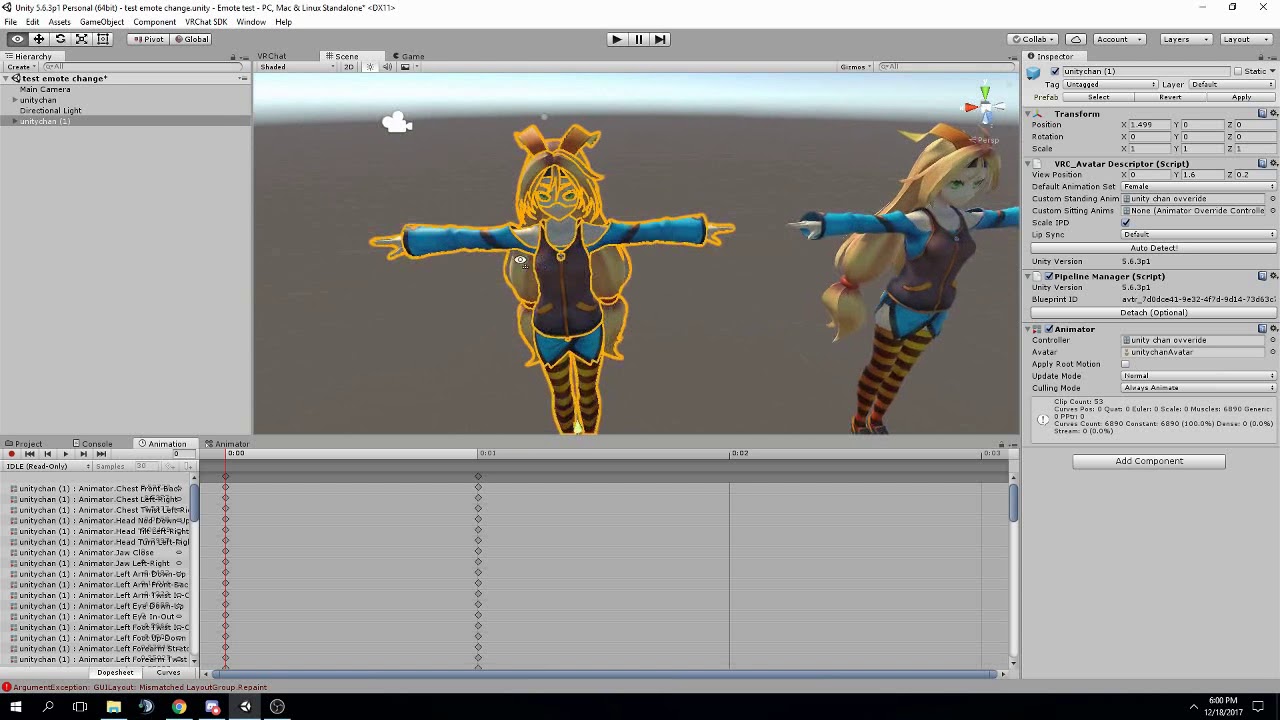
FAQ: 1. If you can't find the animator or animation tab go to window at the top and select animator or animation 2. If your character is going in the ground ...
burnt coral
thx dawg
broken merlin
np, its a good place to start that explains what you need to do
there is a bit of a learning curve but once you get it down its not too bad. Im just at the point where I want to make them myself. Hitting a wall.
burnt coral
ah
ive already gotten some ideas of some to make
i really just needed to know how to put them in
ok, so i did what he showed, but its just showing my avatar halfway in the ground
broken merlin
you need to make duplicate of your model animate on that, save the animations, then apply it to your model via the animation over ride
 languid void
Is there a way to make a partical system visable to others but not myself?
languid void
@me once someone can anwser me!
dusty canyon
yes
clear yew
dammit
how do i redraw or correct the mesh
what button do i press
so that i can over decimate and just redraw it
like legs for example
 vocal isle
Hey, does anyone know how to use rigidbodies to make a prop in an animation stay put while the avatar moves away from it? I'm curious and feeling creative if I can get an answer : ) Thanks!
 dapper rampart
How do I change animations for an avatar?
sick crag
Same iamven lol
vocal isle
Lol, yeah @sick crag, it's a mystery. I'll check again in the morning then.
 versed yacht
Hey I'm dealing with animations for the first time and I just tried a new emote and it just kept looping and I got stuck in it. How do I stop it from looping?
The model is generic btw
remote blaze
Don't ever do emotes on Generic avatars @versed yacht
They always loop forever and get stuck until you change worlds or the game has mercy on your soul
 reef mason
I got a question, If someone is willing to help me on this problem that I'm currently having right now. I'm trying to set a sword with one of the models that I'm going to import. But the problem is that the sword is in one with a gun. So basically it's a gun sword, But placed inside the holder where the sword sits. So when I try animating the sword, I realize that I needed two swords the make the effect that I've pulled out the sword (including placing it back where it was) So, Do I need to duplicate the object again and set both objects into the animation, Or can I just leave one and place it into the character so I can just animate it. https://orig00.deviantart.net/4c38/f/2018/085/5/3/winter_gray_wolf_question_by_madmark999-dc72997.jpg
 torn pawn
@burnt coral https://www.youtube.com/watch?v=kWFvuRmTeFg
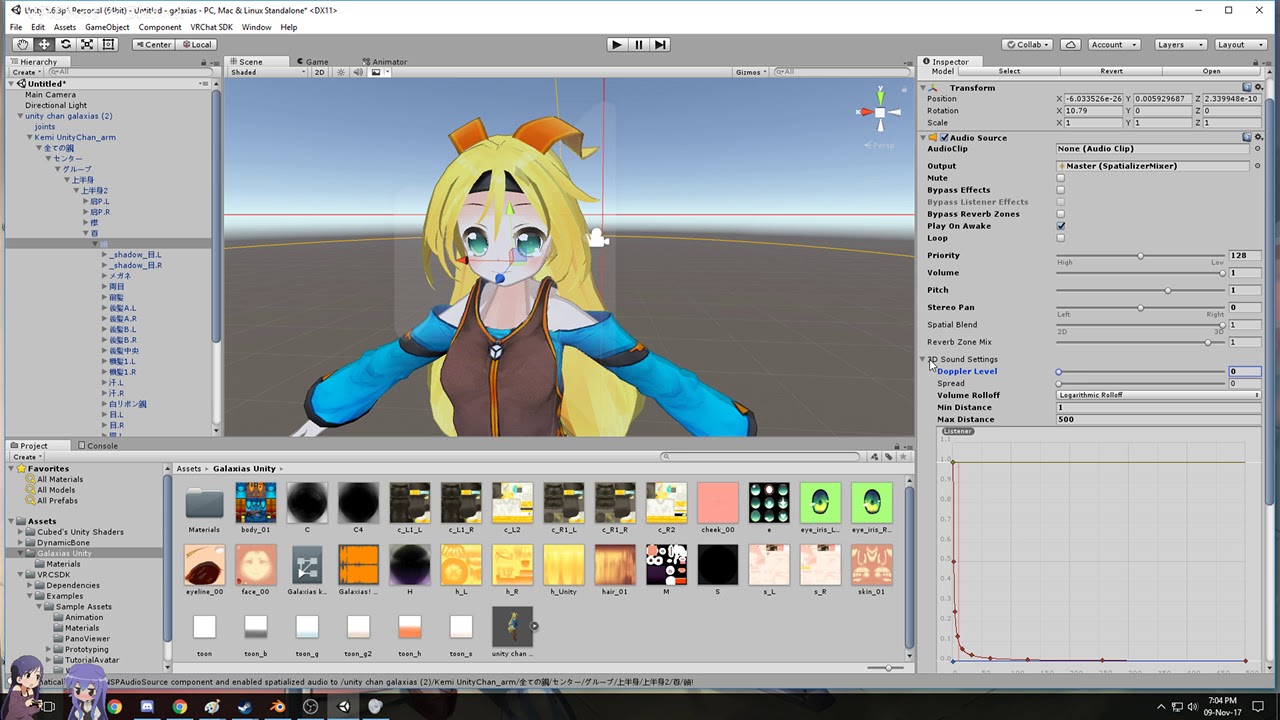
Hi my name is Shana from vrchat and i started not long ago Learning how to import mmd dances to vrchat was one of the fun stuff to do for me so today im maki...
or scroll up where i explained how to have dancing avatar under your main
so u don't have to switch avatars/be stuck in an emote
remote blaze
@reef mason duplicate the weapon and have 2 of them, one of them behind your back, and the other in your hand. In the default model, disable the one in your hand, and in the animation, disable the one on your back and enable the one on your hand
lilac cave
i have an avatar mask that keeps on deselecting the avatar i have assigned to it, and ideas anyone?
any*
it happens right after i choose anything other than the mask
 frosty pendant
Does anyone know how i can place objects with my avatar that stay in place even when I move away?
obsidian vigil
@frosty pendant What youre referring to is done by a world particle which has a mesh assigned to the renderer which is set to mesh instead of billboard
in a particle system
frosty pendant
Ok. I'll give it a try 😀
quiet needle
@frosty pendant You can also create a world object using the same rigid body method and a game object. It doesn't just have to be a particle.
obsidian vigil
@quiet needle So, like activate an empty object which has a rigid body applied?
quiet needle
Not an empty object, but the object in question.
quiet needle
Yeah
quiet needle
Yeah I've had people make swords they could put in the ground, castles that sprout from the ground and stay, explosion effects, and a whole lot of other stuff with it.
You have to hold it as long as you don't want the object tied to your local movement.
obsidian vigil
so i have to define where its going to be in unity
and cannot move the position ingame
right?
quiet needle
Pretty much
obsidian vigil
mkay
but how does it stay...
if the gesture sets it to active
wont it go inactive afterwards
quiet needle
It's setting the rigid body as active that enables the movement of the object, so technically you could move the item with another override that just affects the joint/body
I'd have to go ask them exactly how it's set up, as I haven't made one myself yet, but I've been told it's the same process used for world particles, just in reverse.
obsidian vigil
so i could also put a ragdoll or sth like that?
inside an inactive object
and then throw that ragdoll around
quiet needle
idk, play around with it 😃
obsidian vigil
@quiet needle but how would i go about interacting with it
quiet needle
as I said, I've not done it myself, so this is just knowledge from observation second hand. Might take some tinkering to get it working just right.
obsidian vigil
Who has, that i could ask ? 😄
torn pawn
the bad part about joint/rigid body approach to objects is that they jitter when you move, while mesh particle stays and will not move a pixel
downside of particle is that it has to be 1 material
and if you want to combine multiple of them, they get misaligned easily
im switching to object approach with my shrine cuz the photo gets misaligned with frame bit too often
clear yew
Which slot in the animation over-rides usually makes the peace sign? Please @ me, thanks.
torn pawn
peace = victory
clear yew
Oh ty
slim sparrow
I've seen people with "world objects" with the joint approach
Problem is that it jitters
I prefer using mesh particles
obsidian vigil
@slim sparrow what about a ragdoll?
it got me thinking if i could do a sans / frisk type of deal where the ragdoll moves with my hand
and stands there if i trigger
slim sparrow
Ah, I get what you mean lol
You're probably better off not using world objects in that case
Just parent the Frisk ragdoll to your right hand
Then it'll follow all your arm movements and you can move it up/down
obsidian vigil
but if i want it to stand there
is it possible to have it play a sound if it hits a wall?
or is that not doable
slim sparrow
Well, uh
I've seen particles that do a certain thing when they hit a surface
But I don't know if you can make it play a sound
The easiest way to do that, is to just bind the sound to a gesture and do the sound yourself.
If you want it to stand there but still be able to move it, you're probably looking at joints.
obsidian vigil
why not...
slim sparrow
I don't see why people would not share such a thing
Unfortunately, I have never done it myself, and I have never seen any tutorials on that
I'm all for knowledge sharing
I mean, if it's something easily abused, I guess I can see why
quiet needle
I think collision sound emitters are scripts which aren't currently whitelisted.
obsidian vigil
Okay thx
 sharp helm
to have particles bounce on floor, you give it a collider and calculate in world space (all particle system). Particles can't play sounds unless its by external script that isn't whitelisted now.
You can play sound by gesture by having an audio source object, and trigger enable or isplaying as property to animate
clear yew
You guys wanna rate my animation?
@sharp helm wrong, you can do audio on particles, just add an audio source and animate the start of the audio to match the particles timing
I did that on this animation
 sharp helm
@clear yew you're saying that if you'd keep alive a particle, and then walk away with your character, the sound is localised on the particles?
quiet needle
can't add audio to collisions/subemitters though.
If you attach the audio to the emitter, it would follow that.
sharp helm
yea of course, but we're talking about particles
quiet needle
not necessarily the particles themselves
sharp helm
not the emitter
clear yew
Maybe I might've misread the conversation,my bad
quiet needle
Go back to the animation cave boi
sharp helm
That's okay! we're all here to help
clear yew
Brain is mush, been putting time into this animation project haha
sharp helm
haha good luck! You can do it :3
clear yew
Hey
If i want to do a charging effect and then a projectile
It would be 2 different particles right
obsidian vigil
Ye
clear yew
1 orb material and 1 projectile
Deactivatr activate
Ok
I also want to do something that shoots lasers all over the place
No aiming
quiet needle
random emission
clear yew
Ok
quiet needle
shape tab of particle
clear yew
Would i just use a rectangular drawing in photoshop for that
remote blaze
Hey guys, don't want to interrupt but I got a question about emotes/animations
quiet needle
Yeah, that would work. You could also do just a colored particle and give it a trail
remote blaze
is there any way to make an animation linger in its end frame for a while?
my custom emotes end way too suddenly imo
quiet needle
copy the last frame and paste it out a few seconds.
remote blaze
oh, you can edit animations in unity even if they aren't made there?
quiet needle
Yeah, as long as you have an anim file to play with.
If it's baked into your model it will be under the FBX (click the little arrow to see components)
clear yew
Ye
quiet needle
You can also emit around 20 particles at once and spin them all and it will make a near-solid shape
remote blaze
thanks a lot my man
clear yew
How would i add fire to an orb
quiet needle
@remote blaze If editing on the animation tab isn't available for the anim in question, you can assign it to a controller and then it will enable editing. hmu if you have trouble.
clear yew
Where the flames go up
quiet needle
world particles with emitter pointed up
quiet needle
particles are rough to try to guide people on just because of the massive amount of variance you can make with them. Play around with the tabs on the particle system so you get a good handle of what can be done, and for fire, I'd suggest checking out the noise tab. It varies the particle movement so it's not linear.
You can combine that with curves to get a good random flame effect.
quiet needle
For fire I usually just use normal particles and mesh particles with fire textures/sprite packs.
clear yew
How do i make my character stand up correctly
In animations
He falls through the floor and the legs are bent
 shut sky
I would highly suggest doing your bone animations in Blender or another 3d suite whenever possible, since it's totally unsupported to do animations on the humanoid rig within Unity.
 ebon pebble
so.. say I want particles to swirl inward towards a spot.... seeing as im brand new to unity is there a really easy explanation as to how to do this? currently using a prefab someone put up for free, but it's not as satisfying as actually creating it how I want haha
quiet needle
@ebon pebble particles can do pretty much anything you can imagine. It's probably just a reverse direction circle emitter starting at the edge and moving inward with rotation.
ebon pebble
@quiet needle Hmm.. okay... Im going to mess around a little and see if I can make it work
clear yew
Cant do bone animations in blender
I tried it it doesnt work
For hands you cannot do in blender
 zealous needle
I'll put this in animation + avatars. I have a model that was working fine, had/has a sword to toggle on and off.
step 2 -> added in sheathe and static sword to toggle off to imitate pulling the sword out. Works fine BUT in mirrors, only the face(not even the full head), sheathe, and sword appear now. The avatar appears fine to everyone else, and even to myself it's fine, unless it is in a mirror. Any thoughts or similar issues?
torn pawn
it won't show in mirror for you
zealous needle
https://puu.sh/zQEZK/456c2e1d72.png
Example here. You can see the face and sword only in the mirror, but as well as that, you can see my hands. outside of the mirror only. My face has also adopted my sword's texture file
 torn pawn
oh
zealous needle
It's like it's reading the sword in some way that it shouldn't, but I dont know why
torn pawn
check if your sword mesh is named Body
zealous needle
yes
clear yew
How do i make it so that my spinning particles move together at the same time ?
torn pawn
rename it then
zealous needle
but this has only happened on two out offf, dozens
torn pawn
that issue makes your avatar invisible for whatever reason
zealous needle
So Unity is just being a tard?
torn pawn
idk
zealous needle
:thonk
I'm trying to find out why this has happened in this case, how to prevent it in the future, etc.
Why would it only happen sometimes
not even that, maybe 5%
torn pawn
i mean, you're hiding Body with a gesture
zealous needle
I mean, I've hidden body with a gesture before dozens of times, so why is it doing this now?
torn pawn
haven't had this happen to myself as of yet to be bothered to crack it
i just know it does happen to other ppl
zealous needle
That's fair. I'd search it, but I just didn't even know the terms to use
like, "missing body besides face because of new sword" or something
 glad hinge
Anyone know how to fix this? https://i.imgur.com/FqcjW1S.png

I have a basic 3d cube that has animation
Dont see any way to change it from legacy or whatever
Trying to make a button play the animation
But it just shows as that
clear yew
If i put 1 object inside 1 particle will it make the object move with the 1 particlr
I need to get my projectile to go in the direction im aiming
But it is a spinning projectile
glad hinge
It should follow whatever it's parented to
glad hinge
Oh hmm, I believe that works too yeah
If the particle moves somewhere, and the object is in that particles parent, it should follow too
And vice versa
clear yew
how do i fix this
http://a.very.lewd.cat/p17Hc.png
http://a.very.lewd.cat/byBB6.png


It didnt work
The particle goes by itself
celest pewter
if u mean the object flies with the particle it won't
clear yew
Doesnt work
ebon pebble
Hmm.. he might be looking for something similar to what i was, still havent gotten mine working
are you looking for particles to swirl inwards towards the emitter?
celest pewter
a mesh?
clear yew
It can only stay in place
Otherwise the particles go everywhere
I want the particle object to move together
Essentially i want to throw 1 spinning ball at whatever direction i want with it stopping when it hits a surface
Thats the main objective
ebon pebble
Interesting..
celest pewter
put the particle on a gameobject then just make the ball particle die on collision
would be easier to explain if i saw but I'm at school atm
clear yew
So i can do it with a single item then
clear yew
Ok ty
shut sky
Has anybody been able to animate extra bones on locomotion overrides
I've tried so many times, and the avatar masks don't do jack shit
I can even see the extra bones in the correct position in the animation preview and the override still won't apply it
only for locomotion overrides
the gesture overrides apply my extra bone animations just fine
I'm trying to make unique wing positions for locomotion on a humanoid avatar
clear yew
How do i fix the perspective of the particle
ebon pebble
man... I wanted to avoid having to use like 5 emitters to draw particles into a space, but at the time it's seeming like that's where it's going haha
clear yew
Omg
I did it
Now
I need to do collision effects
So when it collides it explodes
I also want to do something like when gilgamesh has 999999 swords coming out of the wall and then they projectile
manic torrent
 clear yew
Rip
manic torrent
cant add property
manic torrent
turn off camera?
clear yew
The play pause
manic torrent
the play pause? what about them?
i just want to add sound/audio to an emotes from maximo
which one?
clear yew
You have to add the objects into your scene from assets
manic torrent
yes
clear yew
And then you can access the properties
If you cant access the animation window you need to press play/pause
@celest pewter how do i make the particle explode when it hits another person or surface
manic torrent
 clear yew
Oh
Thats not good
You didnt duplicate your original model
To make the animation
Now your original model is bricked
manic torrent
well, when i try it on vrchat its normal. the emotes work too, i just cant add audio to the emotes
manic torrent
audio source?
clear yew
Set it as acttive in the key frame
Set it inactive while its in the scene
Then when you activate the animation when it gets the keyframe it will activate the sound
ebon pebble
so...
in your model in assets there should be a "default take" animation
drag and drop that onto your character in the heirarchy
run it, should reset the character back to default T pose
clear yew
O
Does that work
If i drag that in
He wont be inside the floor/crouched if i do that
ebon pebble
so... if your character goes into super crouch boy mode... like i said, just drag the default take animation into him
ebon pebble
and click anywhere in the animation frame
ebon pebble
he will stand back to T-pose
ebon pebble
sadly i can't just paste images to show you
ebon pebble
i've not figured that out myself. gave up on it
manic torrent
man i think im gonna give up, lol
ebon pebble
why yoshi?
manic torrent
cant add audio to emote
ebon pebble
i havent tried messing witht he emotes.. but im assuming it's just an animation put into the "emote 1" slot?
if so, in the animation tab is the sound file in and checked as "is active"?
or rather the audio source object.
 lean elbow
does anyone know if there's a way to make the animations play again if I click the same gesture? (I want to make a weapon, but I dont want to make a animation where it fires all the time. I just want to press and fire press same button again and fire. instead of resetting it all the time with anther button.)
 pearl juniper
i have a question about what went wrong when i inputed aqua's staff i began floating while holding it
 ebon pebble
im gonna let someone who knows a lot more than I do take those ones XD
pearl juniper
lol
ebon pebble
w2lf, could you make the animation to pull the weapon be finger gun, then the fist animation be to fire?
and set the fire one not to loop
so that you can just tap it and it'll fire, then back to just holding the weapon
manic torrent
@ebon pebble yes just put it in custome override thingy
manic torrent
mine not working
lean elbow
@ebon pebble i tried that. I have weapon holder and the other animation shoots the gun. but when i change the animation to not loop it just doesnt play in VR. I will try again, i might be doing something wrong.
manic torrent
im gonna try reset everything, i might messing arround with setting too much
ebon pebble
Hmm..
torn pawn
@pearl juniper check animation you made, maybe added by accident position change or smth alike
pearl juniper
hmmm alright ill take a look
lean elbow
Is there any tutorials with none loop animations? for vrchat?
I guess I will check unity
pearl juniper
@torn pawn the position change and things like that are all fine
 old trail
Hellow. I'm currently trying to animate an avatar. I want him to raise up from the ground, but I can't do it. It works in unity, but not in VRChat. Anyone knows why?
 wide warren
You may need to mess with the settings for the animation itself in unity. There should be tick boxes for what axis to restrict motion. Some of the settings there should help. I think its the ones in the drop down menus below each tick box. Not at home right now so I cant look at it :(
old trail
I'm gonna try, thanks though!
 tiny blade
Does anyone know how to implement animations for characters that have extra bone chains for details like flaps?
as soon as i set my animation/rig to humanoid the animation is broken in multiple ways...
https://imgur.com/a/PShGG this is the animation i'm trying to implement before i break it by configuring it as humanoid

The non-limb flaps will stop being animated, the translation on the neck is ignored and the FK of the feet will mess up the animation in the meantime
lilac cave
i was just figuring this out the other day
tiny blade
oh! did you solve it?
lilac cave
set the character as humanoid
edit
animation tab
when you see masking, turn everything on
(tick everything)
tiny blade
hmm ok
lilac cave
it might also be good to turn loop time, bake into pose and root transform postition of
on*
hopefully this will work for you
tiny blade
hmm im now in that tab there seems to be a lot of things
lilac cave
masking tab?
tiny blade
would you happen to have a screenshot?
lilac cave

and under events should be mask
set it to create from this model and turn everything on
tiny blade
ok all tickboxes right?
tiny blade
im getting closer with this! though the neck still seems to be ignored
lilac cave
make sure youve got the neck ticked
tiny blade
i do
lilac cave
id say make a mask but it can be problematic (for me) anyway
tiny blade
i do get a error in the import messages
saying that neck translation will be discarded
and L_lowerleg translation will be discarded
even though it is part of the animation for it to work
lilac cave
np!
tiny blade
hmm would it be possible to "edit" the animation afterwards in unity's animation editor to fix the last few things by hand?
lilac cave
yes.
just ctrl d
well actually you dont have to
just select the animation go to the animation tab
and select everything
copy
make a new one
and past
paste*
ez
tiny blade
hmmmm might attempt a manual fix of the few bones that are mis behaving
pearl juniper
@torn pawn I copy the position of the item from the second avatar over to the main item correct and that should fix it
torn pawn
if you make any adjustments to the staff on duplicate you need to copy transformation component and then paste value son the main
lilac cave
Stabby if you do find a fix please pm me it
pearl juniper
that should fix the crouch floating issue then?
tiny blade
ghehe will do that 😃
@lilac cave do you know if, to animate in unity, you have to activate some sort of autokey setting?
I'm adjusting bones but as soon as i scrub it seems to get ignored again
instead of saved in the animation that is active for editing
even for normal animation keys like adjusting the rotation of a finger bone
tiny blade
xD
lilac cave
Make sure when you change something in the animation tab it comes up as what every other bone transformation comes up as, instead of bone rotation or whatever
tiny blade
the fields show up in red so there seems to be keying going on
lilac cave
I think it's supposed to be animation or something instead of bone rotation
tiny blade
hmm
lilac cave
Just compare what you're doing to what's already there
tiny blade
weird thing is, when i load the animation file into the editor while its dragged onto the character in the gameworld i can try to adjust the values directly in the editor but nothing seems to get stored or reflected in the viewport
i can twist the neck joint 90 deg but it just snaps back to the 8 deg that is already in the animation file
like its "read only"
the values also seem to be greyed out
though scrubbing the timeline will show the broken animation playing back and forth
lilac cave
Is the play button red?
lilac cave
Also if the animation seems weird you might want to select all frames and right click and choose flat
Cycle through the options
tiny blade
alright
clear yew
Hey
Is there a way to save presets of a particle
Or do i just add the particle to assets
And then change the mesh
When i need to
lilac cave
Unsure what to do about your animation not saving, just copy what the working ones are doing I guess
pearl juniper
@torn pawn when i import numbers for fingers is the model suppose to crouch down?
tiny blade
alright ill mess about some more 😉
clear yew
My particle effect looks the same
 pine hinge
Theres more to it than world and local
pine hinge
nono
clear yew
Why
tiny blade
the difference is if it is moving with the character or not
pine hinge
Its way more complicated, you need to add a rigid body to what you want it to come out of, then a fixed joint + rigid body on the empty or some shit
clear yew
Oh
tiny blade
think of it like a smoke trail you want that behind you so thats worldspace
local is for stuff like setting your hair on fire
that fire needs to stay on your head
tiny blade
yes
clear yew
Ok
pine hinge
correct
tiny blade
like you can shoot a fireball, but then walk away without the fireball suddenly turning into a weird curveball and chasing you around
if you have local space it will always be relative to your origin
pine hinge
If you made the particles around you world, you can technically have it trail around you
in a way
If youve ever seen someone shoot out a heart and when it collides it explodes, thats a world particle.
clear yew
Fireball in my hand is local. Fireball being thrown is world
tiny blade
it depends though, you can forinstance have a local smoke effect that is always trailing to your left
though if you spin around it will still keep trailing to your left
whatever that might be in the world
yup
clear yew
Oh
pine hinge
tbh
I made two world particle effects work, but when I try doing the same thing it just breaks
so its either hit or miss when I try it.
tiny blade
depends, if you want a "starwars" laserbeam, that is world
if you want a laser pointer... thats local
pine hinge
hey uh stabby]
I had a problem with one of my particles, the actual hearts going out were world particles, but when they collides I added a circle heart collission, but jsut the collission effect follows my hand
its hard to explain idk
nvm, found the issue lol.
tiny blade
oh 😄
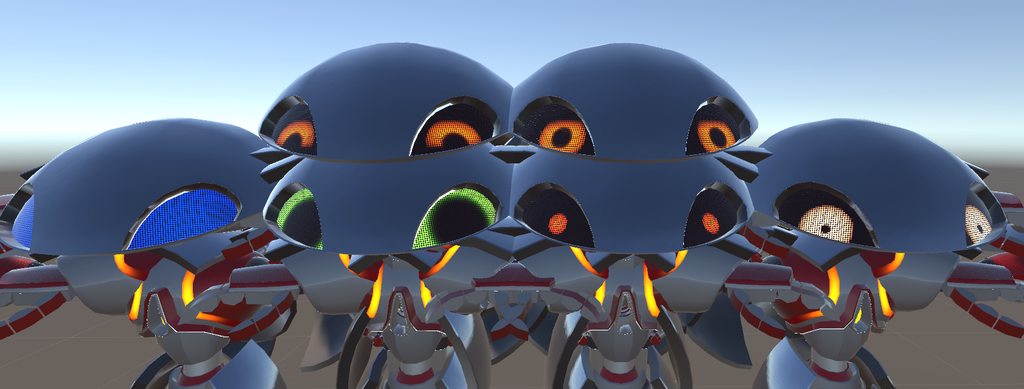
regarding animation i also found out yesterday that animated values in materials seem to be very hard to get synched or to show up properly for everyone
pine hinge
it had a sub emitter particle and i forgot to put the fixed joint on it.
tiny blade
eventually i had to resort to just swapping materials using the same shader in different configurations to get the job done
instead of having the shader blend smoothly based on triggered animations
pine hinge
yeah its weird
quick question
does scaling mode matter?
like if its local or world
tiny blade
dont think so but not 100% sure
this is the same shader, initially i wanted to animate between all versions, but VRC doesnt wanna play along
https://imgur.com/a/AnrJZ
 tiny blade
ghehe... oooone daaaay
pine hinge
and one day ill learn how to make real world particle effects lol
without failing
lol is it possible to add a sound effect to when a particle collides
slim sparrow
My root transform keeps changing while animating.
When I set my root transform to a certain value, it actually changes into another close-by value.
This value is the same every time, meaning I can manually set the root transform to something like 0.1, and it will change to something like 0.125823
But when I add new keyframes, the root transform keeps changing since it tries to copy the old value
Any way to fix this? It doesn't seem like a documented issue at all
clear yew
Hey
How come my projectile doesnt go the correct way
If its facing forward it is correct
But if i shoot the projectile up
It doesnt change
clear yew
Well im testing it in unity
pine hinge
Is there gravity on it
pine hinge
hm
clear yew
Hold o
I will ss
aiming down it goes like this https://prnt.sc/ixa230

aiming forward https://prnt.sc/ixa2yf

im using a cube to simulate an arm
but im not sure how accurate that is
i have the projectile as a child under the arm
*cube
celest trout
Is anyone here good with tail animations?
I want to make some fluid and nice tail animations and would like some advice.
celest trout
I've tried rotating bones in unity and they just end up snapping back to their original position.
clear yew

i want my particles to scale in size based on their parent container
how do i do that
projectile orientation based on view?
is that possible
slim sparrow
I think it works if you put the particle on a rigid body or something. Never done it myself, but I heard it once
slim sparrow

You attach the rigid body to your arm, then attach the particle system to that. Or something.
slim sparrow
Try it out
slim sparrow
Usually yes, but you have to remove any script components
I've used a few of those myself
clear yew
Ah
ebon pebble
so while the prefabs you can get from assets store work.. they're almost immediately recognised
and people have been shaming for them lately. I had them on but recently redid my animation to have my own effects replace them
celest pewter
should edit them urself
when i see ppl using some random prefab for no reason
its like
y tho
ebon pebble
eh it fit with what i was trying to do.
but I found out a way to make sort of? not really? what i was trying to do
celest pewter
its fine depending on the type it is
but when u just see someone rand-
idk how to explain it
ebon pebble
it wasnt obnoxious or anything, it was just kinda.... there.
clear yew
But if you change the material then no1 will know
ebon pebble
you say that
right now im trying to figure out how Im going to imitate FF7 cloud limit break activation
clear yew
Those trolls that make the screen all white is that just a large white cube or an oversized white particle
celest pewter
could be a particle but to completely block vision its a shader
clear yew
Its probably everything
clear yew
Shaders allows you to go invis right
celest pewter
ye
celest pewter
could also just make the animation disable the model but for some reason it has issues sometimes 🤔
clear yew
How do i extract sound effects from a game
icy hazel
oh god
clear yew
I want the cloaking sound from sc2
icy hazel
well perhaps try on youtube for somebody who already ripped what you want.
starcraft 2, surely somebody else has it
clear yew
I couldnt find it
ebon pebble
yup very likely
 inner fjord
hello guys I want to make an animation of water falling into the sink I'm using blender does anyone know how to do it or can point me into a good tutorial to follow the process ?
 icy hazel
clear yew
icy hazel
clear yew
@remote sequoia yeah i have that 1 already
it doesnt have it
well
i guess i can use predator or planetside cloak sound and just modify it a bit
 zenith topaz
if i have an object in hand i want to summon, example a gun, i don't want it to immediately fire but I want another animation saved right behind it to fire, but i only want it to fire when the object is active, if I stick the Enable Object on Handgun Gesture, and Fire to Thumbs Up will it work?
i mean, that is to say I don't have to have enable object on the thumbs up override right?
i guess what i'm saying is a logic statement, because the Fire animation is attached to the Gun Hierarchy and won't play without the Gun Enabled
clear yew
hm
well
the prefabs dont do anything
not sure how ppl get thme to work
meh
ill just use the settings they use for my stuff
even thothey dont work at least i have an idea now of how the particle settings need to be
celest pewter
wont show?
clear yew
it wont display in unity
 zinc moth
Heyo! I made a custom emote and when I activate it in game, my character freezes and can't move. The emote doesn't appear either. However, other people can still move and talk. I am using a non-humanoid avatar, and I'm not sure if thats part of the problem or not
 placid wigeon
Does anyone knows how to make a GameObject child stay in one place
Duno which Joint and/or settings should i use


 clear yew
hm
so for spinning orbs i should just it on view mode then
if its not a projectile
and just spin it
with rotation over lifetime
nvm
 crystal pike
muscle editor keeps going grey
when i click off
and when i click back
it wont turn normal
 olive yacht
Is there any way to prevent the default animations from being used if I don't add my own?
My avatar has bones that don't serve a purpose beyond being humanoid and I need it to be stationary
burnt coral
how do i convert a VPD animation file to MMD?
 final gazelle
VPD animation is already the format MMD uses though
zenith topaz
particle effects, when using a mesh and texture, they appear brighter in unity than they do in game
would anyone have any suggestions?
zenith topaz
its low poly stuff
clear yew
it's not the polys really but the blending that makes it slow, for every blend operation the card has to read the underlying pixel and add the new value, multiply this with 10000 ugly big alpha blended billboards and the gpu needs to read 10000 pixels to add the next layer for each pixel
lmao im uploading my ridiculous creation
gonna get kicked out of every public world


i havent even done the custom animations yet
this stuff is all active on load
lmao
havent done the animations for shooting at people yet
still have to do the cloaking/stealth effect
i have all the sounds
lmfao
dapper rampart
why cant i open build control panel?
olive yacht
Is there a workaround for the generic rig emote glitch?
burnt coral
@final gazelle idk how to attach them to my character in Unity tho
remote blaze
Try attaching them in Blender
Then importing the fbx into unity
The FBX will have the animations built-in
reef mason
So I made the double duplication with the sword/gun and for some odd reason, The sword/gun tends to stay in the same place as the animation does. Anybody know how I can fix this problem? https://orig00.deviantart.net/8143/f/2018/086/6/3/winter_gray_wolf_question_by_madmark999-dc75h0y.jpg

 remote blaze
Disable the sword that's floating in the air
As long as it's parented to your hand in the animation, it should move with it
Try parenting it to your hand bone and redo the animation
burnt coral
how do i open an animation in blender?
and the avatar
i only have it as a unity package
@remote blaze how do i put the FBX for my model into blender?
nvm
reef mason
@remote blaze Alrighty, Thanks.