#animation
1 messages · Page 56 of 1
 clear yew
 runic trench
hi guys, do anyone have animations like this,at video ? https://www.youtube.com/watch?v=GS8mIfSgiZk

 ashen sedge
@lunar pasture In short, Root.Q is up and down. Your view position goes along with it. You know how tiny avatars sort of shrink down into chairs? You can add a Root.Q property to increase your height so you sit properly. Root.T is rotating left and right I believe.
 lunar pasture
ok, so it's position in the world, makes sense, thanks.
ashen sedge
To clarify, add a Root.Q property to a custom sitting animation
lunar pasture
or dance dips/jumps?
ashen sedge
Yup. Then your viewport should go with the jump aswell, instead of it being stationary on the ground level
Since you're not moving the armature up, you're moving the "root" up, the whole everything
That's how I understand it anyways
 mystic umbra
I was having issues with creating a sitting animation with a chair, cause vrusers' feet would look really odd whereas desktop it works perfectly
@ashen sedge would messing with rootQ fix my issue?
And I thought it was root T that messed with height
ashen sedge
Q is definitely height, and I'm not sure about your issue.
Not really sure why that would even happen
 tardy abyss
I'm looking for an actual relevant video on how to learn to use the Muscle Animation Editor asset.
If anyone knows of such video, DM me the link please.
mystic umbra
I have been confused for two weeks about it
I made the animation with a custom rig so maybe thats the issue
do you know where I can find the sitting down animation keys, so I can copy paste it and edit that instead @ashen sedge
 ashen sedge
Unfortunately not. :/
 grim coyote
kinda
wait
how to export finished animations
in unity
http://prntscr.com/ipqspc nvm figured out but

how t o export the animation inside it
 raven steppe
hey guys ive added a song to my animation but in game ppl told me its very faint and i should turn up the volume a bit .. but i dont think the "volume" option is a problem tbh since 0.5 should be loud enough https://ibb.co/hi5Xk7 something wrong with the rest of my options maybe?

 hexed fern
how can i get my models ears to match what ears in this animation (the model doesn't perform the ear animations properly)

 tepid mango
ok so i've been looking trough files from "closers online" and i've been extracting some stuff for vrchat. right now i'm looking for animation files and i think i found them, but i have no idea how to open them. the format is ".xmd"
 lunar pasture
@grim coyote ctrl + d to create a duplicate, easy.
tepid mango
also i forgot to say, the game is made by the same guys that made elsword
so they files are probably the sae
same
 nocturne radish
Does anyone know how to make blinking animations work? I made one and added it to an animation component of my character, and it works both in unity and in the avatar selection menu, but not when I use it.
clear yew
@nocturne radish https://www.youtube.com/watch?v=jrfx3v45OJU

In this video you'll learn how to make your VRChat custom avatar blink. Read the description for more information. Timestamps: 0:00 - Demonstration 0:11 - Tu...
nocturne radish
I actually followed this tutorial, along with a similar one that did mostly the same. I don't have VR, by the way, in case it's affected by that in some way
clear yew
doesnt change anything
nocturne radish
Alright, I'll try to repeat the process then, thanks!
tepid mango
you don't have to make an animation for the blinking as long as you have cat's blender tool
mystic umbra
some people like a custom blinking
I found it really odd cats uses blinking with the first four shape keys
so I just do my own shape key work instead
nocturne radish
I made my model myself, it's not a MMD one
 hearty sapphire
anyone have any sexy dance animations?
tepid mango
i would be able to get some IF I COULD EXTRACT THE DAMN FILES THAT I'M TRYING TO EXTRACT
 true oracle
wheres a good plce to get gestures n stuff for models, i got dances not i need stuff like the kamehameha or a middle finger lol
lunar pasture
try looking for the term MMD Memes @true oracle
or if you're really determined you can always download MikuMikuDance and make your own
it's not that hard to learn
true oracle
mmd memes juts brings up meme stuff
lunar pasture
I suggest you edit that down to just the last 3rd
https://supersonicwind69.deviantart.com/art/Kamehameha-398907538?ga_submit_new=10%253A1378644971 and here's the other weeb thing you mentioned

 zinc moth
Is anyone able to help me with a disappear/appear animation? I think i'm making a stupid mistake, but I'm not sure what
 agile burrow
Quick Q - I’m having trouble preventing my avatar from blinking while doing a custom animation in Unity. I’ve already added “Animation.Enabled” to be off for my two keyframes in Animation....anything else I’m missing? Thanks!
nocturne radish
I was going to ask exactly the same thing (having this nightmare-fuel blinking during gesture overrides: https://youtu.be/2LdEIj2jW3k) but I didn't know you could enable and disable the default animation while doing another animation
clear yew
okay I have a question
how do i make a animation to where if i override it with a hand gesture it makes my characters eyes turn blankless
like uhm let me show u examples what i mean
nocturne radish
Also @daring turtle, I think disabling the avatar meshes during the animation would work, or you already tried that?
And about that @clear yew you have to create a new animation on unity (duplicating your model and stuff as always so it doesn't screw up the original) and only add the property that turns the eyes blank, so nothing else is affected, and then override the gesture
clear yew
okay but
see thing is
so even though the thing im doing the animation on
Uhm.. it will start off with the .. dupe but with another model i mean
like here let me show u what im talking about or what im trying to do let me show u in blender
@clear yew got your problem fixed?
which problem?
my previous problem yes but i kinda have another one
let me show u what i mean
anyone know why my custom animation blink would randomly stop working? it still works fine when i hit play in unity, but stopped working in game
i think the only thing i did was change some animation overrides, didnt mess with the blinking, then uploaded it and i'm no longer blinking in game
@clear yew https://www.youtube.com/watch?v=jrfx3v45OJU
In this video you'll learn how to make your VRChat custom avatar blink. Read the description for more information. Timestamps: 0:00 - Demonstration 0:11 - Tu...
yea i did that already, and it worked fine, still works in Unity when I hit play, but no longer works in game
you even added that legacy thing in debug with a loop ?
yup
rip
guess ill try redoing the entire thing, i've tried removing it and adding it back a few times
 ebon harness
is it possible to stop a vrchat emote midway?
nocturne radish
In my case, I had expressions in the gesture overrides and I was setting to 0 the blinking animations during them, and for some reason that completelly prevented them from playing. Do you have any animation that affects the blink in any way?
Also about stopping the animations, there's no way as far as I know, but iirc it's a planned feature to stop them as soon as you move
It would be amazing if the added that soon, tbh
clear yew
yep, i was just messing with that and i had put 0 to the blinking cause it would sometimes make my eyes go half way down my face if i used it in the middle of a blink
but setting 0 to blink in the override was preventing the blinking animation altogether :\
 fallen crypt
Hey guys, I am animating a centaur but I encounter issues ingame that my walking and running don't animate the generic rig the hind legs using but the humanoid parts are working but stiff. Anyone knows what's wrong?
nocturne radish
I just figured it out @clear yew! You have to, not set the blinking to zero, but disable the animation while the other custom animation is playing. It works pretty nicely, it resumes as soon as you stop the gesture/animation
As in add component > animation > enable (ticked off)
clear yew
i had the blink blendshape used for the blinking animation, and the laugh blendshape which also closes the eyes, i was already disabling the animation
but if i used the override while the animation was blinking, the eyelashes would go down too far, like onto the cheeks
unless you were saying to have 2 animations? one for the laugh and one for blinking?
not sure
nocturne radish
Yeah I know what you mean, both shapes combine and looks like this, right? https://youtu.be/2LdEIj2jW3k
I don't think both of them using the same blend shape causes the problem, the animation should stop while the emote is playing if you do it like I did (just a sec until an avatar finishes uploading and I can take a pic)

This is some spooky shit
This is how I stop it https://cdn.discordapp.com/attachments/277243165478748160/422551235493625856/unknown.png

Oh wow I just noticed it goes crazy when you trigger it exactly while it's blinking
clear yew
can anyone here do emotes good?
 forest slate
so i am trying to sync some particle systems to some music, and it works perfect in unity. however in game the animation plays far too quickly for the song.
fallen crypt
Song takes time to load?
forest slate
maybe
fallen crypt
Depends how big
forest slate
actually, i just tested something, i started the gesture, the song started instantly, but the particles were already ~10-15 seconds into the animation
nocturne radish
I guess no one can right now
forest slate
I found my problem. I am trying to trigger a long animation with a 2 frame finger animation. I am probably doing it wrong. Meaning the animation always plays in the background despite not being seen. Not to mention it keeps playing despite me turning the gesture off.
Then when I do activate it, it starts playing from the middle, and since the audio source starts right when I hit the gesture, the song is way off sync.
So what is the proper way to bind a long animation to a hand gesture, since the way I did it didn't work.
nocturne radish
I noticed long animations go really wrong when assigned to gestures, they screw up themselves and/or the rest of gedtures. Tried a bunch of stuff but they kept bugging
forest slate
which is why i am trying to trigger a long animation using a short one but i dont know exactly how to do that
zinc moth
I have a mismatched LayoutGroup.ignore error, how could I fix this?
I believe it had to do with the animation I was working on
 solid trail
Anyone know how to do world objects from animation overides?
forest slate
alice, the way i do world objects, is using a particle system, make it only emit a single particle, add a tiny tiny bit of gravity, and set it to world space. then make the particle itself the mesh you wish to use.
solid trail
ah because i know there is a way to actually like place a mesh in the world then remove it/trigger another animation from it on animation overide
as an example i witnessed someone place claymores with one override then explode them with another
 weak raft
Is it possible to trigger animations, etc. with only one hand, or is that not possible?
For example, i want to trigger an animation with only my left hand when doing gestures
weak raft
I know, but isn't there a way to set it to only one hand?
solid trail
Not that i know of, but when you make the animation you will notice that if you animate one hand the other will goto the defualt position from unity
weak raft
Damn, that sucks
solid trail
so you need to re-position the other hand when replacing a gesture
weak raft
Yeah, but if i'm spawning a gun with my right hand, then it also appears when doing the gesture with my left hand
weak raft
Damn, they should fix so each hand is treated as separate
solid trail
im pretty sure that means adding in 5 more gestures which as the exact same as the others
weak raft
It's a bummer that the gestures aren't treated separate for each hand. Would add a lot more flexibility
 reef mason
Can anybody help me out on this problem that I'm currently having with my avatars that I port into VRChat. For some odd reason, I have two avatars that have these problems where I placed both items onto them. One for the pose and one for the animation so it can look like they took it out of their backs, pockets or holsters. I disabled the the revolver out of his hand during the pose and I disabled the one in his holster during the animation process. When I take out the revolver out of the holster, It shows the gun inside the avatar's hand, But towards other people, It still shows in my hand, But there is a second revolver in my holster still, Which I don't know why it shows when I clearly disabled it during the animation process.
 dull furnace
https://www.youtube.com/watch?v=Xyrzpo-cefA How difficult would this be to duplicate in a 3D VRchat Enviroment?

After watching so many super low res versions, i decided to give wargreymon the quality he deserves :P i dont own digimon etc...
 agile ruin
If u could figure out how to spawn a different model with standard animations on it instead of t pose
Id assume hard
 chilly vapor
just a matter of animating the other models, and then hiding them as needed during the animation. Getting it to only happen during spawn is hte hard part
 vivid pond
random question
what exactly would cause the wrong animation to play when activating a gesture
eg i hit f4 when i have a magic circle animation and it plays fine and turns off when i hit f1 but when i go to hit f7 or when i have a beam animation it still plays the circle one
and this also affects any other function key animations until by random it seems it will work again for another animation but now it is stuck with the new one
am i just forgetting to do something or is it just a thing with loop animations
clear yew
can anyone do animations here? and im talking replacing emotes without things
as in non vr
no controllers or oculos since i dont have that shit yet
no one?
k
 covert linden
You'll have more luck finding someone around 12:00 or 20:00 thats when Americans tend to get on or EU people have time to answer questions
clear yew
12:00 pm?
covert linden
In about 4 to 11:30 hours
 fossil verge
Anyone got that “Snake” animation and can send it to me? I’d love you forever
It’s the dancing anim
 lost zephyr
I want wind zones in vrchat how do I go about that
 gray fossil
Anyone know how to make an avatar go invisible with a gesture? Trying to make it appear as if my avatar is doing a shushin.
 obsidian vigil
@gray fossil Try and disable the Mesh renderer of your body mesh in a gesture override
 peak relic
Does anyone know what the animation override for the trigger button is called?
obsidian vigil
Fist, i think
peak relic
But that's for all the buttons. Lol. Just need for the trigger on its own.
peak relic
When you push just the trigger button in game the hands make a slightly cupped motion.
 paper haven
Does anyone know why my MMD dances are cutting off randomly? I've got them on a second hidden model cause I assume you need that for the japanese bones
I measured to the right length and turned off Loop Time
peak relic
@paper haven Are you setting it as an emote?
paper haven
Yep
paper haven
What, it works better with hand gestures? The dance is like 108 seconds and goes on for a decent time
The emote lasts longer then 10 seconds
I've heard tha tbefore, yeah
paper haven
and I've worked with other emotes that lasted for like 40 seconds, they just all seem to get cut off near the end
mkay
Have you done MMD dances yourself?
I've got a second hidden model since I assume the bones need to be kept japanese
so it's a bit finicky
peak relic
Only 1 so far.
paper haven
Did you do what I did? hide the original model and then sspawn the second one with the attached audio source
peak relic
Managed to translate with it still working.
paper haven
ah.. is it all one model?
Yeah, mine translated okay but then when I went to add eye tracking/visemes and tuf it kept giving me errors
peak relic
Nope. The dancing model needs to be generic
obsidian vigil
@peak relic i dont think theres one for slightly pressing the trigger
its either 100% or 0
100% = fist
and if you release the fist it automatically translates into the hand open one
 dire kayak
How to make a gun shoot in game?
obsidian vigil
haha
many things
particle system for the bullet
particle system for the flash
dire kayak

Information download here below: - Note: He or models this package are for educational purposes and are not created by me, sample therefore can not be used f...
😦
 cedar root
Adding some assets with an animation bugs the cameras and mirrors locally?
So I just added some wings to my character and had them enabled via and always running animation using an animation component on my avatar (I'm sure you can figure out the reason I added them this way)
But now in game mirrors and cameras show a weird messed up version of myself where parts are invisible or with different textures etc
But when I ask my friends they say I look perfectly fine and have even sent screenshots to prove it both in person and on their end when I use a camera or mirror, and I look fine if I turn on Hollow Port mode and move myself around with it.
so clearly it's only a local issue
This has happened with a few things I've tried to add like a Halo above my head or a Mario cap.
But conversely some other things I've added through an always running animation such as a sign floating above me or a small particle system doesn't have issues at all
Is there something I can do to fix this or is this just something I have to live with for now
 dusk nexus
Do some animations just 100% not work after being ported into unity or is it fixable? For example, the toxic mmd dance works in Blender to breaks in unity even with the correct bones needed for the dance to work
cedar root
@celest pewter
Thanks. I'll try that
 fair bronze
Tried doing a gun animation but the hands wont move to bring it out on oculus, rip
cedar root
@celest pewter
It worked! Thank you so much :)
 celest pewter
👌
dusk nexus
Anyone know what to do about the thing I mentioned earlier?
 fluid crescent
i have 2 different animations on 2 different gestures but when i trigger one of thoose gestures both aniamtions start to play
clear yew
Do the gestures overlap? Are you accidentally holding one of the required buttons on your other controller?
fluid crescent
i use keyboard
clear yew
can anyone here do animations by replacing emotes?
clear yew
How do you do an animation longer than 1 frame with gestures without it glitching?
ive seen it done
you create an empty game object and animate it instead
How would I go about that?
I heard you need animator componants
or something
Create an empty game object parented to nothing.
Create all the particles, 3d model or whatever you need and parent them to the game object.
Animate the Empty Game Object the same way you would animate your avatar but you can use more than 1 frame at this point.
When you are happy with your animation, add a "animation" component to the Empty Game Object and put the animation file in it.
Parent the Empty Game Object to your avatar (depend on what your actual animation is) and disable it by default
Then you just need to activate it with a hand gesture and it will play the animation automatically
Awesome. Thank you very much :^)
👌
 sour hedge
sup, anyone got a moment to look into sth with cameras and render textures?
Got a tablet set up so the screen uses a render texture and a camera. Got another gesture to make a selfie, both of them working fine locally ingame for me. Everyone else sees a blackscreen, not even the first frame (Got told the first frame of a camera is global).
Any idea or information about that?
sour hedge
sad face
clear yew
i saw one guy with a smartphone working but i'm pretty sure it was not a official client, y'know?
clear yew
i didnt found one that works yet
also i don't know if you can "freeze" to take a picture
sour hedge
true that
clear yew
the only thing i have close to that is a weird distortion shader that will act as a upside-down mirror on a flat surface
sour hedge
if it's the blackhole one, that one seems to differ based on viewpoint
clear yew
that's annoying
sour hedge
:)
 reef crescent
Does anyone know how to make an animation loop start from a specific frame; ie the animation only plays frames 1-19 once and loops frames 20-xx
clear yew
as far as i know there is no way to do that
two animations, a 1-19 one shot and a 20-xx loop that starts right after the first
 mild python
can anyone tell me how to animate a generic model? mine just loops between the idle and walking states over and over
sour hedge
idk who linked it, but someone posted this here at some point:
https://docs.google.com/document/d/10BuA_ybyXSSXqXuf6cDyPm52VIpqptgyvuRaphcYH0M/edit

Google Docs
Advanced Avatar Creation: Making Non Humanoids This tutorial was made using Unity Version 5.6.3p1 This tutorial assumes you already have the current SDK imported and knowledge of how to upload a basic avatar. You will also need an avatar you wi...
should help you out
mild python
thanks
sour hedge
question from my side concerning additional bones and animations:
made 2 new bones on my model for ears and tried to move them per animation; animation tab only works with the stuff from the Animator section, not the actual armature bones iirc.
The problem I have is that the newly added bones don't show up. Anything that I'm skipping?
mystic umbra
man baking animations takes forever
from a vmd
COMEON BLENDERCHAN! https://imgur.com/a/AbdKQ

I BEL:IEVE IN YOU!!
mild python
do generic animations HAVE to be pre baked or can you use unity animations
mystic umbra
you can use blender or unity, it doesnt matter
gray fossil
How does someone hide their nameplate? Not other players just my own. Trying to make a teleport gesture but since people can see my nameplate moving it kinda ruins the fun
celest pewter
only way is to make ur model viewpoint high up
but u cant change that in a animation so
ヾ(*´・ω・)ノ゙
mystic umbra
you can use a shader I think
gray fossil
Yeah I was told a shader would help but I haven't a clue which one.
hexed fern
ok so i forgot the klonoa model doesn't hold the wind ring like the original models do but when i test the animations on the model his finger oddly sticks out https://image.prntscr.com/image/Fc-WzVgpTPinLekVmACd2g.png

but on all other animations i have minus the ones FOR klonoa don't do this
also trying to make him hold the ring doesn't help either

 crystal vigil
So, I have a question I'm hoping someone can answer
I'm trying to make an animation with sound, bit when I get in game the sound is always extremely quiet. How do I fix the volume?
sour hedge
it automatically get's lowered when uploading. Try using some kind of audio editor to amplify the volume up if you want it to be heard
 pine hinge
Can someone help with why my audio isnt showing up in animations?
Ive done audio in animations before but recently I just havent been able to get it to work.
clear yew
So, when people make both hands snap to their 2-handed weaponry, are they putting a fixed joint on the secondary hand and the rigidbody it uses on the weapon? Please and thank you!
I can't just check it myself from work. Just brainstorming and using you all to help with the process. 😂
 coarse frost
so i have an avatar and i have a gun, and i've followed a tutorial almost entirely, but when i actually use it the gun is always visible
 flat citrus
If I want to make an animation where I spawn an object in my hand, do I need to do the animation in a copy of the avatar in Unity, or can I do it on the main one ?
fallen crypt
Hey guys, working on the centaur, someone suggested me add Rigid Bodies to the hindlegs but they get deformed trying to follow the front legs, any solution to fix the deformation? Rigid body seems promising

 glass anchor
is there some trick to animating the root t position? I need the avatar to come flying down from the sky, and it works in unity, but in-game he just stays up there, then instantly flies down at the end. This is for an emote.
 uncut oasis
I forget, what did I do wrong in keyframes when hand gesture animations are spamming itself on repeat rapidly flickering
 slender mango
hey guys I am trying to add an animation where my eyes change texture. i have no idea on how to add this property in the animation panel. halp please.
http://prntscr.com/iqecvs

 glass anchor
@uncut oasis you didn't duplicate the 0 frame to the first frame
uncut oasis
Ah thank you
glass anchor
np
clear yew
@DarsanaMjir#0205 I was JUST thinking about doing a centaur using a friend's method. The problem is possibly a difference in bone structure between the front and the back.
I broke my discord. Oops.
reef mason
Anybody know on how to make a gun fire a bullet?
 fickle slate
how do i make rocket launcher that can shoot projectile and explode on impact?... any good video tutorial. btw im using rocket launcher from teamfortress 2.
please @ me if you know how.
 lofty crypt
 frosty jacinth
hey guys quick question, maybe i could get a little help? does anyone know if theres a guide on how to make an animation where i could "pick up" an object attached on my model and "throw it"?
clear yew
is this the right place to ask about someone maybe helping me finish an animation for a mmd dl? Its the Crescent Rose from RWBY. There are parts that have shape keys but most the model is stationary. I'd like it unfold and fold up similar to how it does in the show. Dm me if you can help. Thank you! https://www.deviantart.com/art/MMD-RWBY-Crescent-Rose-604936330
 torpid wadi
@fickle slate use world-oriented particles with colliders and subemitter for the explosion that triggers on collision
 meager saffron
Can you do weapon draw animations in Blender? I added shape keys to move it from the hips to the hand, then realized I have no idea how weight painting is supposed to work for it since it'll go from following hips to following the hands.
 prime elm
i seen the vrchat update for keyboard user to use hand gestures, but it seem to me it didn't work when pressing shift + F1-8, i set up the override just like with vr user, what else i'm missing?
torpid wadi
check your animation overrides/if it's binded to your character already or not
prime elm
it work, just didn't shown on the mirror lol
torpid wadi
oh
if you want it to show up in mirrors make sure to not use "set active" but set the object's "skinned mesh renderer" or "mesh renderer" to active instead
@frosty jacinth you'd need 2 separate animation overrides for that, one that both hides the object attached to you and unhides one of the same object now attached to your arm, and another one to show a particle system with the particle shape set as the mesh of the thing you want to throw while hiding both versions of the thrown object
unless you want to make it an emote instead of an override in which case you can do it in one emote
 gusty plank
When I make an animation and import it into the game, its working but my character is half-way sinked into the ground during that animation, why?
In unity the duplicate character keeps changing possitions randomly whenever I change anything in the animation, its kinda buggy but not sure what I can do about it and if that is the reason. Yes, the position is 0,0,0
clear yew
Do anyone know how to do gun affect with two noises like it fires and at distance it will make bullet snaps
 hard jasper
@gusty plank maybe your uploading the duplicate rather than the original
clear yew
@clear yew i think you can do that with sub emitter. Just need to put a sound in it and when the sub emitter trigger it will play the sound
gusty plank
@hard jasper No, I deleted the duplicate before uploading
clear yew
@clear yew alrighty ill try it out when i get home
gusty plank
@hard jasper here is how it looks like https://youtu.be/tFJdrrYpf3A
 hard jasper
Thats weird
Yeah idk how to fix that, id just try pruning though all the property and there keys to make sure nothing is off
 spice meteor
Your animation has an animator.root t component which has the y axis too low
gusty plank
ill check that out
I am unable to fin that. Google tells me to Bake into Pose but I dont even have that option anywhere
lunar pasture
anyone good at this stuff who can spare some time getting me started on a project for a charity organisation?
gusty plank
Animation Clip Inspector is not available for me
lunar pasture
@gusty plank where you import the model containing your animation, you set the model, the rig and the animations, once you go through the configuration process you can tick some boxes to decide what gets baked in
gusty plank
@spice meteor got it, thanks!
gusty plank
@spice meteor Its also working in game, once again thanks, cheers
spice meteor
np
 toxic hatch
Can someone send me what the custom overide would look like for walking?
I've tried making one but i'm super confused as to where to assign everything
hexed fern
Can i use a animation from mixamo as part of a gesture override?
 celest trout
Is it possible to animate shader property changes?
clear yew
yes
hexed fern
Also for a gesture override using a weapon, does the weapon have to be a humanoid rig too or do i keep it a generic rig
clear yew
I may be wrong on this, but if you dont use humanoid rig you can't use hand gesture
hexed fern
alright
 cursive moon
The weapon doesn't matter whether it's Generic or not
hexed fern
also whenever i try to fix the scale on this thing it keeps changing it back http://prntscr.com/iqrjq7

i set it to 1 and it puts it to that ^
and it imported it as 100
ive got another version of the ring thats a seperate mesh but its facing the wrong way
but it also only uses Spa./.sph textures http://prntscr.com/iqrkn5

i could always just use the original rings textures on it
celest trout
@clear yew I'm trying to animate a flatten material shader in an animation but I can't seem to make those changes into key frames.
clear yew
@celest trout the shader has sliders etc for the properties in the inspector? record button is pressed but no keyframes for them?
celest trout
@clear yew Yes and Yes
 final gazelle
wait, can shader settings actually be keyframed like that in animations? i've only seen instant swaps between shaders/materials in animations rather than a gradual transition like you'd expect with visemes
celest trout
I know someone who can change their eye colors but Im not sure if that's a texture swap or a material swap.
clear yew
@celest trout I don't know, I've been animating emission colors and some sliders without issues but I've moved away from unity animations and just use the timer inside the shaders for animations now 😐
maybe somebody else knows
hexed fern
Does this look like an ok ear twitch animation? https://gyazo.com/0e84361d0d007a5c1a374ad5640719f7

or should i add more frames to it?
grim coyote
i think one or more
hexed fern
its currently got 2 frames
i can't get it to not be super fast when i have only a few frames
grim coyote
idk
hexed fern
i actually got it i think
https://gyazo.com/743895a99e6f406a2dd79b8338022324 how about now?

thats with 6 frames
 scarlet ibex
I know how to do animation override (like dancing dab ..) but some people use animations while moving how can i do it
I mean hand gestures using by SHIFT F* KEYS
can someone send me a tutorial vid i can't find anywhere (tag pls)
 pliant plank
@scarlet ibex when you trigger a gesture animation with Shift+F[Number] it stays enabled untill you go back to the standard gesture
So you can walk with them enabled without having to constantly hold it in
lunar pasture
Does anyone use MMD to create their own animations?
clear yew
Anyone have lightning prefab when we take out sword
hexed fern
does this look normal? i can't get his right ear weighted properly so it wont detatch when it goes down a certian amount https://gyazo.com/fa9b53850e1e88e68bfc3b5eb651611a

 unborn sphinx
I want to overwrite the LetGo Animation for my Desktop Avatar, which is the F3 button. Which Animation is the LetGo Animation in the Custom Animation Penal tho ?
hexed fern
what do you meant by let go?
clear yew
@unborn sphinx You either mean openhand or idlehand. I don't know if I've seen someone overwrite idlehand and still be humanoid. Sounds like too much of a pain. Openhand is easy though.
It could be simple af though. I just haven't tried it.
 wooden jay
is there a way i can make an animation, then like mid way, cancel it and start another gesture ?
Example:
i make a sword rise from the ground ( kinda normal slow speed) but it stays there for abit, ( animation is about 20sec long) but once i want to pick it up, i cancel the animation (after 10sec) and have the sword in my hand as my gesture.
something like that im trying to figure out
 eager vault
I don't think you can cancel emotes, but if they were gestures i think you could have the 2nd gesture turn off what ever the 1st gesture activates
but im not sure, havent tried it myself
final gazelle
if you have the gestures on the same hand, yeah, i imagine that's how it should work
hexed fern
about ta'upload my first gesture avatar ever 😄
clear yew
@wooden jay I'd have to catch you in VRC. I have a set-up similar to what you're describing on my personal Black Gold Saw.
wooden jay
hmmmm
when you available i wanna see if its possible, some ppl are saying i cant, others are saying i can 😭
clear yew
It uses two gestures rather than an emote and a gesture, but it's the next best thing barring state machines.
wooden jay
hmmmm
clear yew
I make a world particle with my sword's mesh lower itself into the ground. It'll stay in that spot, no matter where you you are in the map, until either the timer runs out or you let go of the gesture.
You can switch to the sword holding gesture in a single frame when your hand's over the grip, making it seem like you picked it up.
 swift shoal
Hello!! I was wondering if anyone knows whether or not you can animate a model in blender used full body vr tracking? I feel like I've seen someone do it before in a video a long time ago but when I search the internet for a tutorial or something I don't find much
clear yew
@wooden jay I actually check the discord on my breaks at work for ideas or to give others ideas. 😅
 harsh swallow
Pod Pet Animation; https://i.imgur.com/2NiMHnp.gifv
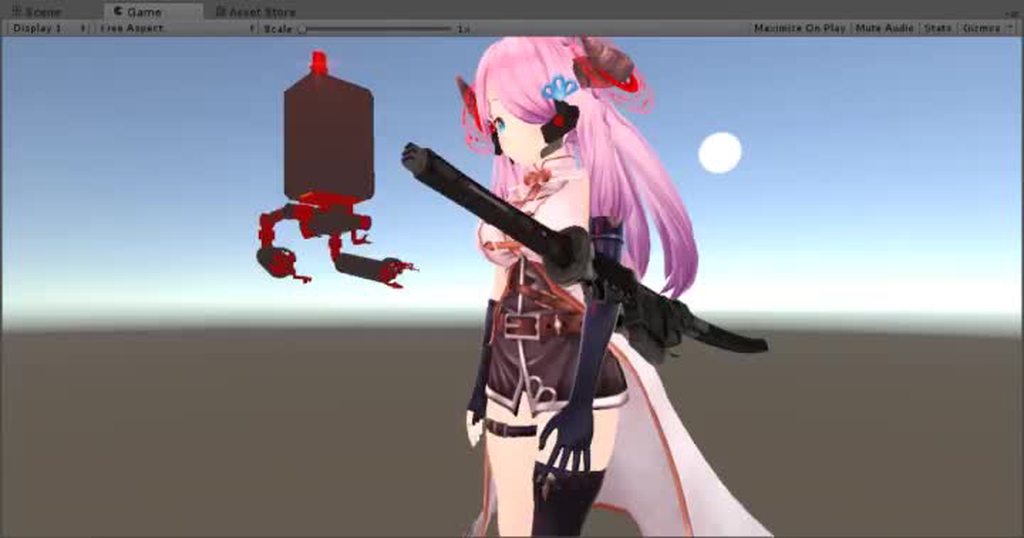
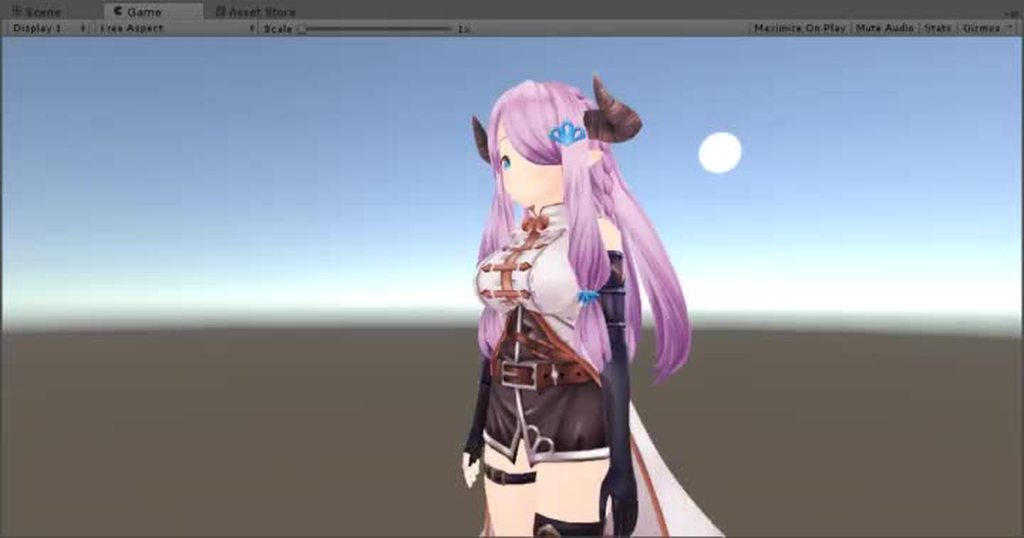
Also General Head Pat animation for any desktop users, utilized from the pod pat; https://i.imgur.com/BVZD8Ui.gifv
https://www.dropbox.com/s/j5qp50q99x3fpbe/Headpat.anim?dl=0
 clear yew
How do i animate when the player reach for his sword on the hip then equip?
 placid wigeon
does anyone here have a quadruped animation file
ive been trying to Animate and rigging(Generic) a ZOID MMD model
 near blaze
Has anyone experienced animation overrides causing the inside of your model's mouth to disappear
It is fine in unity, just not in VRChat
Looks it it was a problem with a shader option
fallen crypt
@⛧ AlphaSatanOmega ⛧#2639 Is that headpat gesture or emote?
gusty plank
Hi, I have a bit of a difficulty syncing my walking animation with the movement speed in game. Its almost perfect but the character still slides forward some distance after each step. Not sure how to optimise for it.
In the Unity the grid for animation, can I use only the thick lines for input (0,5,10,15,...etc) or can tighten it even more? Will the frames be ignored? I have really slow upload so it takes a lot of time to trial and error in game for me.
 clear yew
@harsh swallow that is amazing, that saves me so much
 golden remnant
How do I put a grabbing thing on the avatar? For example on a gun I'm holding then add a grip where I can hold with my other hand, pretty sure I saw something like that
harsh swallow
@clear yew 👍 ^^
clear yew
@golden remnant https://www.youtube.com/watch?v=V0l4-pH3vI4&t=2s

Creating custom animations for hand gestures and emotes in VRChat
golden remnant
@clear yew I'm talking about adding a grip to a weapon, not just taking out a weapon. A grip so that you can hold the weapon with both hands
clear yew
?
find a grip model and add it to your weapon ?
 unique night
vrc pickup is used on world objects, it wont work on avatars
what you saw might have been a clever use of gestures
the player may have mimicked the motion of grabbing the grip and activated a second gesture which kept the hand to that position or something

 orchid nebula
Hello Everyone, how to make the animation go to the end and not be interrupted before it actually ends?
fluid crescent
I have 3 different animations on 3 different gestures.But when i trigger one of them,it plays 2 aniamtions at same time?Someone knows how to fix that?I use keyboard not controllers
clear yew
weird, are you only using the 0.00 and 0.01 frame ?
fluid crescent
no
clear yew
that may be why
fluid crescent
ohh okay ill try
obsidian vigil
well i had the same problem
now my animation triggers an empty object and i have timing on the particles inside
fluid crescent
@clear yew thank you now everything works fine
clear yew
👌
clear yew
does anyone
have any idea how to get a material to not preload and render
in the background
i have a gif on a shader
and its loading in teh background so its never in sync with the audio when i use the emote
because its already been playing in the background
 topaz granite
I have a small problem. Do you guys know how to get the default peace sign animation? I want to add a custom face expression to it, but moving fingers is such a hassle.
obsidian vigil
@Kyuu#0040 get the muscle editor plugin it makes it 1000000 times easier
topaz granite
Thank you everyone!
clear yew
hello! is there a way that i can have a trigger linger after an emote?
for example i turn on certain particles or shaders
and i keep them after the emote finishes
like a transformation on the model
topaz granite
It's me with another problem. Is there a way to disable automatic blinking during animation and automatically playing it again after it finishes?
obsidian vigil
How do you do a snail marker that stays after youve stopped the gesture?
 novel flower
Same
I added it but when I let go of gesture it disappear then everything reappear when I touch gesture again
Need to to stay visible until I activate erase all
 next shard
mhh so is the phone selfie thing not possible anymore? I can do it in local but i can't seem to find a way to make it show to others.
clear yew
@next shard yeah they removed that because it will get laggy really fucking fast
next shard
i see but some people still have it since i saw it yesterday 🤔
clear yew
because they found a work around but it's not allowed
 waxen hound
my avatar show up with black eye in vrchat. yet look normal in unity. Could this be the eye tracking messing it up?
novel flower
Anyone know how to fix the snailmarker issue?
 formal oyster
Hello I'm looking for some help with animation controller. I'm trying to make a box which i can move and scale up and down using triggers. So far I have up and down movement done problem is i don't know how to add scale. Do I need to make another set of animations for height with different scale ? Or is there some other way ?
lunar pasture
@waxen hound yes, take another look at your CATS settings
still getting issue with multiple animations where the hips don't follow the spine so the avatar twists when the mmd animation has rotation 😦
 cursive needle
how can i make a middle finger pose for my avatar
lunar pasture
someone's made a How to Flip the bird' mmd animation on DeviantArt, that's probably a good place to start,
cursive needle
thank you
 keen glen
Is there a way to disable the VR for a model? Trying to get a model to constantly do an animation constantly, but the vr messes it up
lunar pasture
how long is it?
keen glen
not long at all, it's just the take on me dance
the arms should be constantly going side to side, but my Vive controllers seem to override it
runic trench
Hi guys,can I find tutorial how to create dog of wolf's walking animation?
keen glen
it mostly works when I use the non vr mode on desktop, but I don't want to swap every time I show off or use the model
novel flower
Anyone know how to fix issue with snailmarker? I can write with it but as soon as I let go of gesture it disappears, but then everything reappears as soon as I activate gesture again.
runic trench
Or maybe already created,what can i use with my model?
 blissful grove
Is there anyway you can get animations from garrys mod and use it in unity
clear yew
@clear yew That's a toggle system. Less than 10 people have figured those out in VRC.
interesting
 wicked garnet
this might be an animation type problem but i'm not sure is there any way to fix my legs bending to the sides instead of forward when crouching?
clear yew
Is your avatar male? @wicked garnet
If so, change it to female in the avatar descriptor and see how that works. Downside is you'll sit feminine, but I have friends that rig fully custom models and still have bow-legged/knocking knee issues on male animation set. So I usually have my avatars set to female.
forest slate
just for the lulz, is it possible to put an MMD dance onto a knuckles? i just want to see how badly the model breaks
 dawn shale
Anyone have a good idle animation for having arms folded?
gusty plank
When I override Idle animation with my own Idle animation, the hands interfere with other animations, why?
@clear yew I do, not maybe exactly what you want though
Google Docs
When I make my own Idle animation then if I want to use any of my Emote animations, the hands are stuck to the Idle animation. I cant find fix :/
clear yew
Did you use blender or unity for the animation? @gusty plank
gusty plank
@clear yew Unity
clear yew
I'm no help then, sorry. 😂 I just remember having issues with the IK due to the fact that I animated with blender, but I guess that isn't the case here.
gusty plank
np, thx anyway
 dark frost
Does anyone know what the animation is called for the hand being semi closed? https://i.imgur.com/GIa89IT.png
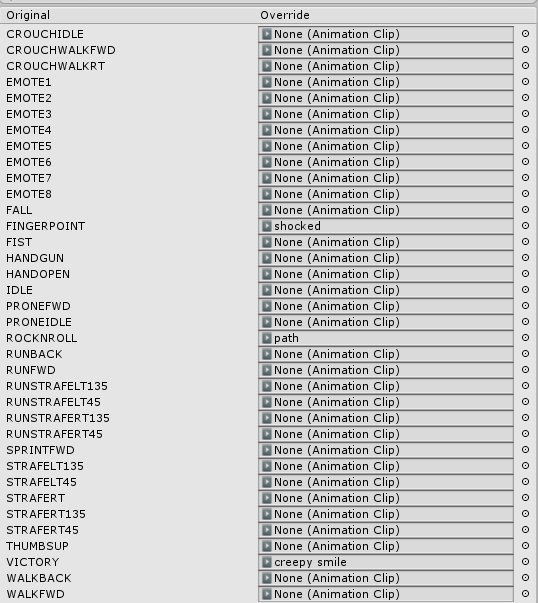
like the C almost if that makes sence
I feel like its idle but im not sure
 bronze peak
there is no "hand" anima for that it is the default. so yes it is idle but if you overwrite that it will overwrite anything your model does while your standing still
clear yew
does animation include making shape keys?
 sick crag
Ive noticed like the tomato girl spawn tomatos with her emote, what is that? They stayed after the emote was done and made like a whole patch of em.
I wanna learnt this capability
bronze peak
so anyone here know about particle systems? ping me when you get a chance. i will post here just incase some reads any how. i have a particle system that activates with something in my hand. but the particle effect is rain. so i tested it while in non vr. but when i went into vr. the rain rained in the direction my hand was pointing i just what it to rain straight down
sick crag
Is the particle system like inside the hand bone hierarchy thing?
Id imagine having the particle system like to the root of model or something and have a key turn it on when you do the animation
idk
clear yew
I cant rmember what i need tgo get in unity in order to do facial animations
bronze peak
ahh dot i did not think of that thank you i will try now
covert linden
@bronze peak you'll need to set up rigid bones
@clear yew click on your model and locate 'body' click on that and it should show you blendshapes (click the little arrow if it doesn't show you a menu) thats what you'll need, see which ones you want (put them on 100) in the animator there is also a tab called 'body' and it'll have all the blendshapes
 dim valve
Whenever I try to upload a model to VRChat, or test it in Unity, it pauses Unity's scene viewer. This also cancels/breaks any uploads.
It seems to be based on the animation that is playing when the character is previewed.
Anyone know how to fix this?
covert linden
Can you get into the naming window before upload no problem?
bronze peak
i am sorry what is rigid bones?
dim valve
Actually, I realized what is causing it.
covert linden
Rigid bodies* my bad. Its the way how you can spawn world particles that won't follow your hand or character, altho if you want it to just follow your character it wouldn't matter
dim valve

I had something over my errors bar so I didnt see it
I may be missing an updated SDK
bronze peak
i get that all the time i just push upload and it works xD
covert linden
Its how you can for example shoot something but not hold your hand in that direction all the time
dim valve
Anyone know how to check what version of the SDK you have?
Ah, version date.
What is the most current version date, could someone check theirs for me?
covert linden
It also has an build in update checker
bronze peak
i think you can click the vrchat sdk thing at the top and hit check for update
dim valve
I have
2018.02.28.21.21
covert linden
Could just be the servers
bronze peak
yeah like i said i dont know what that avatar not found error is but i hit upload anyways and it normally works
dim valve
The issue is, this error pauses Unity
Which in turn breaks the upload

Actually, perhaps this is what is causing it to do this
What is a function name?
"'Tsuchinoko3' AnimationEvent has no function name specified!"
🤷
Ooh
There is an option to turn off error pausing

yay!
vivid pond
random question
say you created a fire beam how would you get that to leave a burn effect when it touches anything in the world the second it touches it
covert linden
Some very complicated shaders is all I know xD
 nimble ridge
You could try using particles with colliders, I don't think you can create objects at world position tho...
 grand lichen
@vivid pond You need sub particles. Set it so on collision it spawns a new particle.
New particle being your scorch marks
gusty plank
Is there any way to loop the emote?
grand lichen
Emote? That would be a bad idea then you would emote forever
clear yew
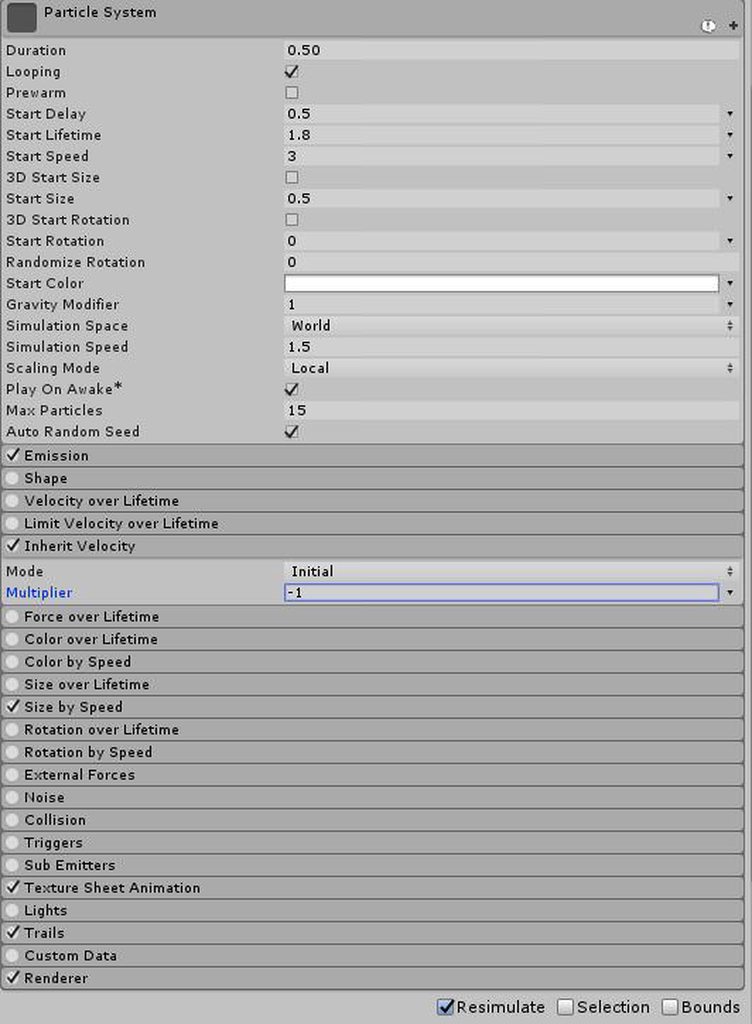
On the topic of particles, I can't seem to get a particle effect I'm working on to follow my character properly. It always lags behind when I move.
https://imgur.com/a/Yh3Rn
 gusty plank
@grand lichen but isnt there a way to make it stop if you enter any input? I have made some animations like this in Unity and they work in Unity well, I can cancel them any time but that requires a script and VRC doesent approve of my script
vivid pond
ok stupid question but how exactly would you get it to collide with the world or would it do that automatically and thanks i completely forgot about the sub particles
grand lichen
@gusty plank sadly nope. Vrc does not allow any scripts they do not have white listed on their end.
I made one once that allowed you to have random audio clips on your character play. Then realized I wasted my time LOL
gusty plank
@clear yew You have set Simulation Space to World, I believe thats what is causing the particle to trail
grand lichen
@vivid pond there is an option in the particle settings for collision just set it to everything and make sure to set it to ignore collisions from the inside.
gusty plank
@grand lichen Dang it... I hit wall everywhere. None of my animations work well then. I Want to have different animated poses but if I use them on the hand gestures, the hands are stuck to the Idle animation. If I use them on Emote, they wont loop 😦
vivid pond
ok thank you again for your help
clear yew
The simulation space is set on world, the screenshot I posted shows my settings. It seems like the particles remain where they spawned, rather than following the emitter.
gusty plank
@clear yew this guy has quite decent particle tutorial and I thik he does what you need to do so check it out https://www.youtube.com/watch?v=zNq1p8oXB3o&t=245s
 grand lichen
@gusty plank I even tried super hard to get the animator to work but sadly it won't work on your model in game unless the animator is set to something on your model and not the model itself.
Tried to have a set of wings on one model of mine idle and flap every now and then. But since it was an actual part of the model vrc just took over everything and the wings stayed static. 😟
gusty plank
😦
clear yew
@grand lichen hum, i have flapping wings on one of my models. I used a "empty Game Object" for the wings
grand lichen
But are the wings the same mesh as your model or added in later via unity?
clear yew
it was part of the model so i modified it in blender. I basically just removed the wings from the model and made them as a separate fbx file
grand lichen
Yeah see I know how to get that to work hahah
 clear yew
looking good

 icy hazel
Omg he so cuteeeeee
clear yew
Is there any way to bind a particle system to a bone so that the emitter rotates with it? Right now I can only get the particles to fire in one direction regardless of how the attached bone is moved
https://imgur.com/a/u2F19
https://imgur.com/a/rZRT0
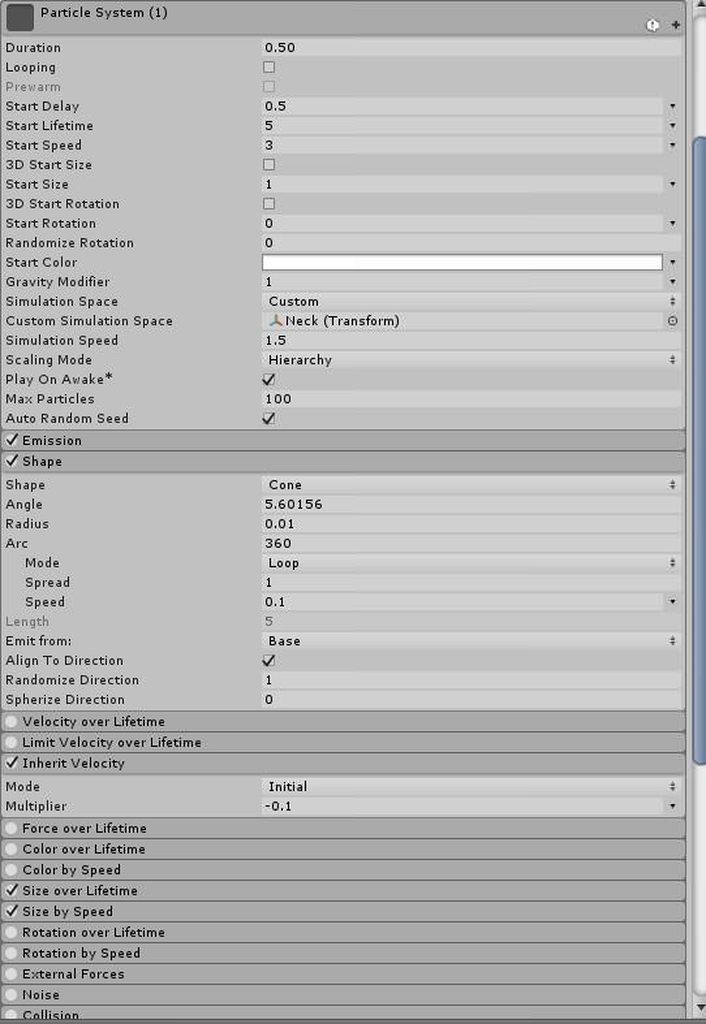
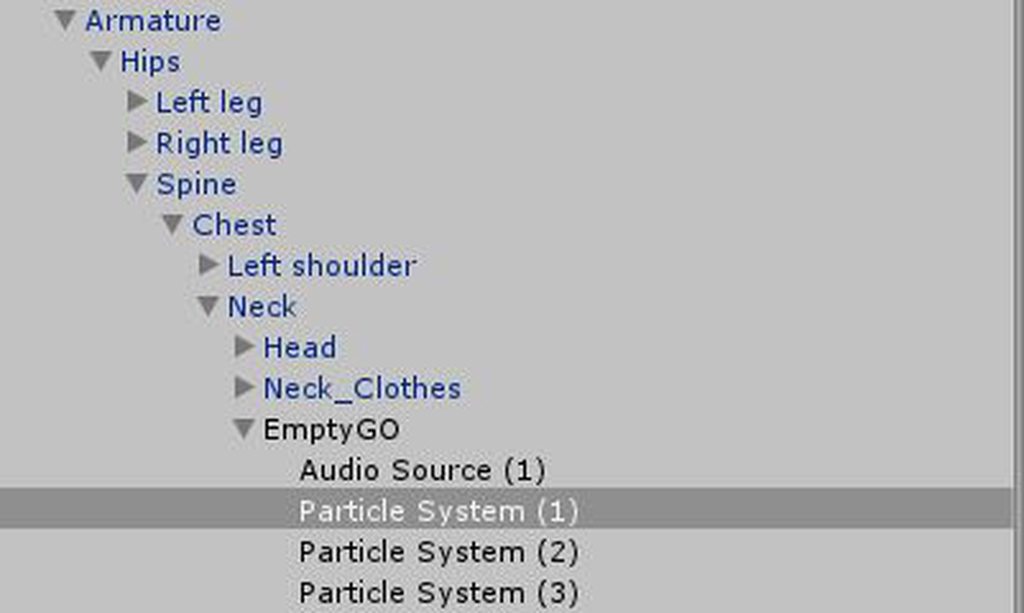 grand lichen
Set the simulation space to local. They should face the direction of the object you attached them to.
ebon harness
If anyone has gotten quadrupedal models working in VRC, or know someone who does I could use some assistance.
 lament hearth
Anyone experienced with the Havok Format (hkx) for animations?
want to export an hkx animation to FBX for VRChat.
This is how the animation looks in Havok Content Tools:
https://www.youtube.com/watch?v=LkrCzYyG5Ck
And this is how it looks when I use havok2fbx, the only tool I've found for converting:
https://www.youtube.com/watch?v=KsIebJgCyPQ

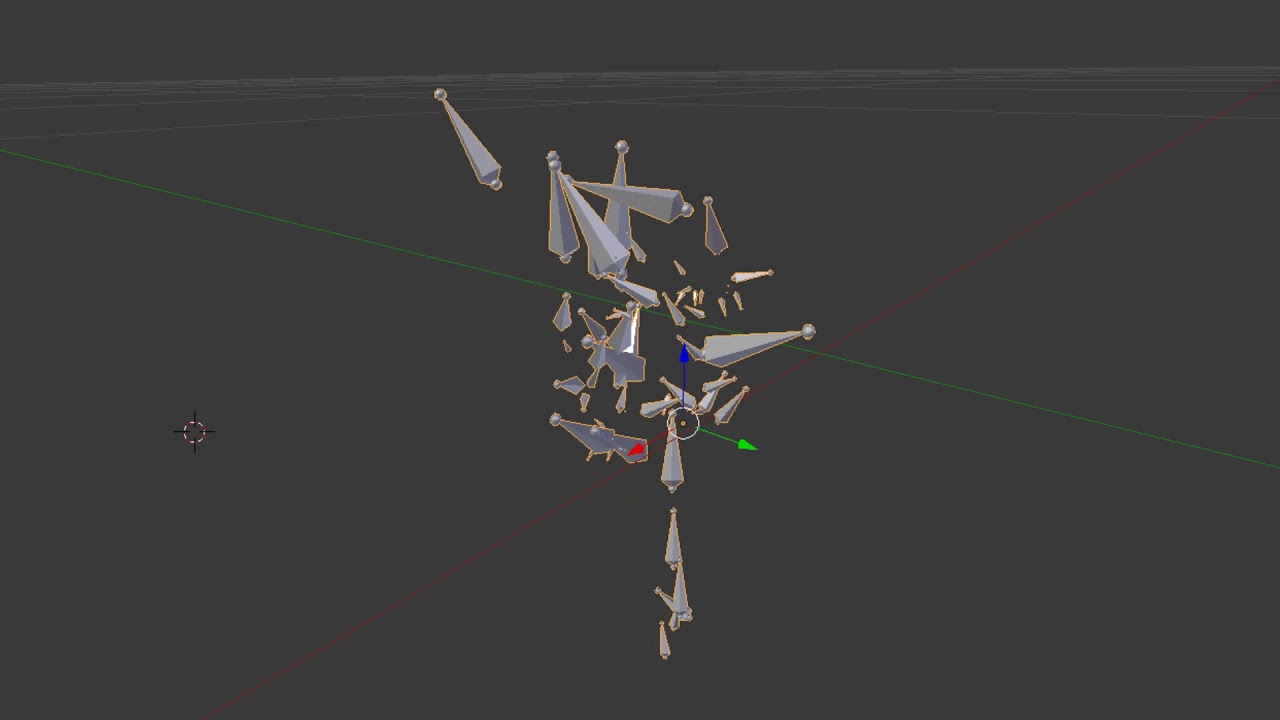
 wise minnow
can anyone give me a face expressions anim pls?
clear yew
i am super mad, i am struggling with an audio source from more than 3 hours now, i have the same exact setting i have on another model of mine with working audio but in game is not working, it even work in unity when i play the animation, what the hell is going on?
i have an ogg audio file, the audio source game object is not active and it play on awake, with animation i activate it, but in game is not working 😦

 slim sparrow
You need to disable it by default (untick the box at the top left of the audio source). Then in the emote's animation, enable it.
slim sparrow
Also, change the rolloff to linear rolloff
clear yew
i do change it to lienar but when i upload it, it changes my setting to those ones
slim sparrow
I'm pretty sure it's linear by default
Oh that's weird
Oh yeah, that makes sense actually
clear yew
i am thinking to make it 2 d audio instead of 3 d
i do not know what to do anymore
i am keep changing small stuff from more than 3 hours now
it works in unity when i play the animatino but not in vrchat
and i have sfx set to 100
@clear yew change the output to "master" ?
i will try, but none of my other models are ''master'' and they work
i am uploading it right now, i hope it works
still not playing 😦
i do not know what to do
what the hell, this makes no sense at all. the setting looks correct, they are the same i use on other models and they work on those, it even play the sound in unity when i play the animation, why in game i only see the motion but i cannot hear the sound of my animations oh my god
clear yew
ok, i managed to get it working, audio source game object is always active by default, and with the animation i turn on the audio source itself
slim sparrow
Thank god for the Muscle Animation Editor. Just spent half an hour trying to make a cross-armed standing animation because Mixamo doesn't have one
Would have taken me 3 hours otherwise
 rich dome
Does someone know how to make a .vmd file to work as an animation in VRChat or does it even need converting?
grim coyote
what do you mean 🤔
rich dome
A .vmd file. Normally used to create certain motions for characters in MMD.
How like... wait.
It just becomes an unusable file. 😛
lunar pasture
you need to use MMD thingy in blender to attach it to your mmd model then export it when it's attached, you can then import the whole model and it will be importable in unity
 red summit
is there any faster way to get in all the finger properties to a custom animation other than adding them all one by one
 regal hollow
you can use the muscle animation editor asset
but it aint free
if you make a lot of avatars it can really speed things up
 scenic shuttle
does someone here know how to make render textures visible for everyone
 earnest bridge
is it possible to trigger animations for another object (eg: an attached weapon) from another animation bound to the avatar itself?
 surreal iron
@lament hearth yeah im also trying to convert the havok files to fbx for my 2B model... no luck so far
 junior grotto
are animations still legacy?
just trying to create a simple blink animation for my garchomp model
surreal iron
https://gyazo.com/9614de1d9a2b18fb3834640a861c81f1 gonna ask for 10000 time... did this custom walk animation for my 2b model, but when imported to vrchat, it looks trash, it doesnt look as smooth as when its in blender/unity
 junior grotto
maybe because of the different directions?
like,its movement in actual 3d space, not just a line
dunno, im not an animator
 wintry dune
Can anyone point me in the right direction to figure out how to apply a walking animation? I know that you need to put it in the animation overides and I watched this tutorial: https://www.youtube.com/watch?v=V0l4-pH3vI4&t=50s
That showed me how to apply an animation from mixamo for dancing but there's a walking animation on there I want to use as well, however upon importing that walk the character humanoid model I use only lifts their foot up part way then starts sliding around.
Creating custom animations for hand gestures and emotes in VRChat
lament hearth
@surreal iron I'm trying to convert some havok models, but without luck, too
this is how it should look
this is how it looks after converting to fbx
https://www.youtube.com/watch?v=KsIebJgCyPQ
novel flower
Is there a reason why an animation is cutting off early when I stick it in an emote slot? Tried the tipsy animation and it stops like 5-6s short of the complete emote. Yet have another emote that goes on for 2min
surreal iron
i have the havok files but i cant even convert them, i have the idle and walk animations for 2B as a havok file, tried to make my own custom walk animation, looks good on unity and blender but looks trash in vrchat, im almost quitting vrchat because of that :^)
lament hearth
send me the skeleton and the idle animation @surreal iron .
I'll try to convert it for ya
surreal iron
do i need a skeleton? 👀
like... i downloaded the file from a site, its an animation for skyrim, in havok filetype
 ebon ingot
Hey guys. I might need some help with setting up facial expressions. Whenever I add the expression, while it works in game, my hands stop doing the full animation and go into this weird pose? is that normal?
earnest bridge
yeah thats normal, because now theres no animation and your face is what animates
that just leaves your hand to return to a full neutral
earnest bridge
you can, you just have to make the hand gesture part of that animation
ebon ingot
Hmm, ok
 pseudo iris
is there anyone who knows how to make a working phone with selfie cam?
clear yew
not allowed my dude
pseudo iris
uhm, ive seen alot of people having it
ashen sedge
Getting it working on avatars is another topic, but it's basically just setting up a render texture with a camera object, then you have a trigger to remove/deactivate the camera and then the render texture will display the last rendered picture
lament hearth
@surreal iron sorry, was afk^^ in FFXIV, for every character/monster there's a sklb(.hkx) and a pap(.hkx) file. One skeleton and the animations
dunno how it is in with 2B
surreal iron
welp... guess ill go back to the "custom walk animation looks trash in vrchat" issue then :^)
lament hearth
yea, sry^^'
surreal iron
Tupper-senpai help me plos :^)
https://gyazo.com/9614de1d9a2b18fb3834640a861c81f1 it looks ok in blender/unity but looks absolutely terrible in vrchat
 covert gale
When I replace a chair sitting animation it only plays the replaced animation for a split second before switching out to the default sit. Changing settings of the animation has no impact on this.
Am I missing something?
 dense granite
any one know how I add a shape key in unity without losing the gesture like pointing and peace etc
covert gale
You have to redo the hands yourself for that, as part of the animation override
dense granite
damn. ty
sick crag
couldnt you just duplicate the default animation of the pointing and peace
or no I havent tried
 white herald
doesn't work for me, mabye there's a way
i'll try copying the keyframes from the default gestures, isn't showing up in unity but worth a try
i tried gesture overrides so many ways before i watched the tutorial, really don't understand why it works the way it does but it'd be nice if i could import animations from blender instead of reposing in unity
ebon ingot
Does anyone know where the animations for the hands or what are they called in unity?
white herald
in the vrcat sdk folder search for animations folder
ebon ingot
thank you
 vivid burrow
does anyone know how to make an animation override stay in one place? I play a piano and it moves when my face moves how do i fix this?
slim sparrow
If the piano is an object that's attached to your avatar, it will also move along with you.
If you want it to stay still, try making it a particle instead. You can render meshes with particles, and you can make the particle a world particle so it doesn't move with you. @vivid burrow
vivid burrow
im not exactly sure on how to make the piano a particle...
 tight sorrel
slim sparrow
tight sorrel
slim sparrow
Replace the prone animation
slim sparrow
I'm sure Mixamo has sleeping animations
vivid burrow
@slim sparrow how would i make the piano a particle?
slim sparrow
Dunno, but that's how I heard it. You know how particles work, right?
I'll check real quick
vivid burrow
yeah im familiar
slim sparrow
Oh, particles are actually pretty complex. Jeez. Hang on
slim sparrow
Ah, there we go
Expand "renderer" in the particle component. You should be able to set the Render Mode to "Mesh"
You can then select any mesh you want
Just set the simulation space to World and you can basically spawn visual objects in the world
vivid burrow
on nice!
imma try it thanks!
noithing is displayed from the particle system, it becomes empty @slim sparrow
hexed fern
is there anyone here
i don't know whats going on but i tried to test some animations on my klonoa model but his arms are still in the t-pose position and i don't know why

but the animations still play like normal
wintry dune
Does anyone know how to apply a mixamo walking animation? When I apply it my vrchat character just takes a half step and starts gliding forward or back in that one positon.
vivid burrow
@slim sparrow it says it only works with exactly one sub mesh
clear yew
I am doing some Ik-rigging so I can do animations in blender but in order to do that you have to unparent the hands and feet from the forearms and shins, is there a work around for that so you can keep the ik bones doing what they are supposed to do while being able to configure the model for use in vrchat?
 night steeple
I accidently started an animation on my model and now it is stuck in the half way into the ground pose. Is there a way i can undo this?
junior grotto
is there a way to modify the vrchat animations?
or is it all overrides with entirely new animations
also @night steeple did you start it on a new model
vivid burrow
@junior grotto yeah you just click on the animation in assets and then click your animation tab
 lilac cave
overrides with new animations
but you should be able to copy the previous animations id think
white herald
so just to be sure, there is currently no way to change gestures without losing the original gestures? as in even if i posed my own replacement gestures, both hands would gesture? I could tool around with the animation controllers but i don't want to waste my time
lilac cave
usually my models point and the keyshapes do what theyre supposed to do at the same time
white herald
and how do you acheive that
lilac cave
uh, well how are you making the animations?
white herald
creating new animations on a duplicate of the model as in any tutorial i've seen https://www.youtube.com/watch?v=xxSezH13vAI
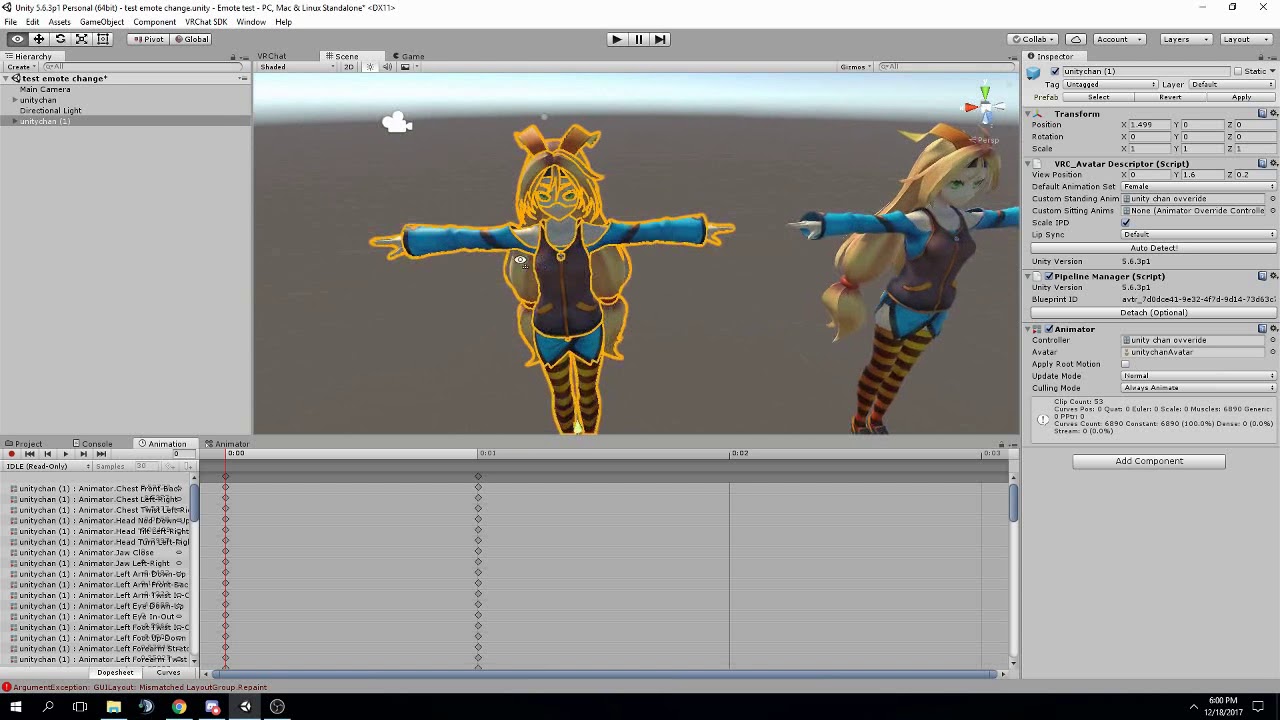
FAQ: 1. If you can't find the animator or animation tab go to window at the top and select animator or animation 2. If your character is going in the ground ...
haven't gotten it to reliably work any other way
lilac cave
with the animations
do you move the hands or anythinig
anything
i only use keyshapes and it seems fine
in the sense it points
i think it also does that when ive moved bones too
 mint mulch
Anyone here capable of doing something like this: https://i.imgur.com/CaDK9V7.gif
The particle effect -> lance
 dim valve
I played an animation on my model, and it works wonderfully.
But the dynamic bones are all sorts of messed up from it
They animate incredibly slowly
white herald
nope just shapekeys. so you're 100% sure that ingame, you can gesture and your fingers point? and you acheived this the way i described?
dim valve
And the dampening seems to be much slower than normal
What in the animation could be causing my dampening/dynamic bones to be messed up?
 lilac cave
didnt watch the video you used but it should
white herald
well fuck
still makes no sense, all the tutorials and things i've googled are saying the finger poses are removed and you have to add them yourself (which would also result in both hands gesturing instead of one). i've tested it in both vr and non-vr gestures, nothing happens.
gonna assume you manually added both-hand gesture overrides
cursive moon
Adding your own finger poses doesn't force both to activate, only on the hand you activate the gesture on. It does, however, only use the animation you created for that hand, so it's possible to have two different finger poses with the same gesture on different hands.
 quasi gale
@surreal iron It's hard to diagnose the problem when all we have to go on is it "looks like trash" ingame. But I'm going to guess that the issue is that VRChat's IK system is taking over parts of the animation. There's a variety of reasons it might do this - aligning the head with the player's headset for example. In those cases, the IK system will kick in and move the feet so that they look like they're properly walking on the ground.
surreal iron
thats the thing
i don't have a vr set
ill try to upload the animation as legacy and see if theres any diff
 craggy sage
So i made an animation replacement for the hands, and now the avatar goes halfway into the ground, any ideas?
surreal iron
@quasi gale so... uploading the animation as legacy did the trick, it works smoothly af
BUTT
theres no way to set the animations in order like... idle, walk and the such using legacy right?
craggy sage
Its doing this when i hit play, is this normal? http://puu.sh/zII7z/e7fd7a58c7.jpg
 quasi gale
@surreal iron It sounds like you had some bones in your animation that weren't part of the humanoid hierarchy. Check the mask rollout on your animation import settings and make sure everything is enabled if you want to keep the humanoid traits with the extra bones:
quasi gale
Just remember that the mask is set individually for each animation, so you'll have to go through each one and enable them all.
craggy sage
Is it supposed to do this when you go to upload? http://puu.sh/zIIcv/b73c99e254.jpg
 quasi gale
@craggy sage That's generally fine, if you want to prevent it from happening whenever you hit play, make sure there is no animation controller attached to the avatar's animator component.
craggy sage
also inworld it squishes down low, how fix?
quasi gale
Need a bit more info than that. What animations are you using, what's the rigging setup, what kind of bone hierarchy do you have?
craggy sage
Maxwell Rodgers - Today at 2:51 AM
So i made an animation replacement for the hands, and now the avatar goes halfway into the ground, any ideas?
quasi gale
Sounds like you didn't setup the override properly. What do you have attached to the VRC_AvatarDescriptor component?
craggy sage

 torn pawn
@craggy sage you do animation on duplicate, then put that animation file in the controller
craggy sage
yes
torn pawn
never create/drag n drop animation files on your main avatar
craggy sage
-.-
torn pawn
wait, or is that an idle animation change?
craggy sage
hand idle
torn pawn
then ignore what I said, is a different issue then I guess
i personally haven't messed with idles
clear yew
The avatar I'm using has blend shapes that activate when I look up or down. Where would I find the settings to change that?
mint mulch
missing eyelids cause mouth to open
lower eyelids*
Or just recreate the eyetracking so the lower eyelids are created
slim sparrow
Ohh, so that's why my aa shapes keep glitching on one model
slim sparrow
Is there any way to disable eye blinking (and possibly lipsync) while a gesture is in use?
I tried forcing all the lipsync shape keys to 0 within the animation, but that breaks lipsync entirely
lilac cave
as far as i know you can only stop blinking if its custom (not cats)
 safe nebula
Hi everyone, i just had the same problem (avatar stuck in ground when playing an emote) but the issue seems to be different
what could it come from
i've managed to fix this problem before but i dont remember how to do at all
it has something to do with the overrides..
weak raft
Hey guys, so i've added muzzle /sound effect to a gun, and i'm wondering if there's any way to activate muzzle/sound effect only when i have the gun out? I don't want to be able to activate only the muzzle/sound effect when i don't have the gun out.
obsidian vigil
@weak raft yes
include the sound in the animation you do the muzzle in and enable it only when the gun is active
disable it by default
weak raft
I mean, i'm able tt take out the gun without the effects triggering, but i'
i'm also able to trigger the effects without the gun out, when i click the gesture.
i'm guessing that's not possible
torn pawn
you do it by using both controllers
have gun on 1 controller, then audio source disabled under it, or in a disabled empty object
then with 2nd controller you enable the object that holds audio source
this is how you avoid sound that u dont want to accidentally trigger, or any other effects
also a way to have 16 overrides
i mean, you use 2 trigger buttons for it*
replace "controller" to "button" in my first 2 sentences
weak raft
do i remove the gun from the animation effects? But keep only the muzzle and sound effect
obsidian vigil
@torn pawn you mean like doing stuff with left and right hand at the same time?
torn pawn
you put muzzle and sound under empty object
then have the empty object under your gun, empty object disabled
muzzle and sound enabled by default
@obsidian vigil not technically, but it's using both controllers, holding one button then pressing or holding button on other controller
that enables a child under the first buttons parent
@weak raft so you have Wrist, uner wrist is Gun and under Gun is Empty Object under Object is your Muzzle + Audio source, Gun and Empty Object Disabled by default, muzzle and audio source enabled by default
you create 2 animations, 1st that enables your Gun, then 2nd that enables your Empty Object
you can activate your muuzzle+soound ONLY when your gun is out
weak raft
What do you mean by "empty object"? Do i create a new object and then put both muzzle and sound under it?
weak raft
ok, i think i got it. I'll return if i'm successful or not
weak raft
damn, it actually works! thanks a lot
safe nebula
Still no idea about my stuck in the ground problem?
torn pawn
@safe nebula if you use emote, your entire body has to be animated, i think
torn pawn
i havent done animations through emotes, but from what i know the entire body has to be animated, otherwise it will be in ground
safe nebula
how do i make sure i animated everything?
OK i found the ultimate answer to my problem so im writing this here for those who got my problem
Copy the "animator.root T" key from the idle animation for example
paste it in your animation
bam fixed
thx for helping c:
surreal iron
https://gyazo.com/965b39dbbb5f8060587394dabbe1f05a so... trying to set up the animation as humanoid gives me these warnings and makes the animation look like trash, while legacy ignores said warnings and makes the animation smooth af

how to proceed? 👀
clear yew
for gesture particle animations, should it all be done with simultaneous systems and start delays? or does putting keyframes in animations work?
torn pawn
what do u want to do
clear yew
well it's just going to be a charge up effect followed by a blastwave
torn pawn
gesture overrides work only if frame 0 and 1
so you have to put delay on the particle systems
clear yew
alright
which also means my sfx would all have to key at the start as well
i was wanting to have the blast sound trigger when the blast started incase of lag, but if i can't i guess that's fine
torn pawn
you can add silence at the start of the track and match it the particle delay, it should work
clear yew
that wouldn't make any difference
be easier to just combine the audio in audacity into a single ogg
ty tho
 woven surge
Hello, do someone knows how I can summon a sword and move freely withouth the sword moving with me and staying in place? tried world space particles but I don't get that to work
wicked garnet
so it seems that my avatars arm is spazzing out for some people. is there a way to fix this?
anyone?
slim sparrow
@woven surge I'm pretty sure world particles are the only way to do that
If you can't get it to work, then you should describe that problem in more detail
woven surge
I don't know how to set that on a particle system. On shape, if it's mesh or mesh renderer.
Tried mesh but nothing
clear yew
you need to use rigid body
woven surge
Rigid body? First time doing this
clear yew

Had to re-upload because of audio being too quiet should be fine now. I forgot to mention it in the video, but Murmur also answered questions I had and helpe...
surreal iron
@quasi gale did what you told me to, still looks like trash in humanoid
woven surge
Oh you mean that. Yeah I know how to set world particles on my particle systems, but I'm trying to do that not with a particle but with a weapon, I want the weapon to stay in place while I move, so it doesn't follow me, and stays on the ground
Managed to put Shape > mesh, and the body of my weapon, so I can see now my weapon but cannot see the textures, I only see like the vertices
clear yew
so an actual 3d model ?
surreal iron
HUMANOID RIG: https://gyazo.com/86d3ddb36dd55cd534c6212f2103436f /// LEGACY RIG: https://gyazo.com/433e55b4249df6d5d55d53fc3253815a
woven surge
Yeah, a 3d model of my weapon as a particle system
surreal iron
any way to fix my issue with a humanoid rig?
clear yew
@woven surge you need to have only one material to your model if you want to use it as a mesh particle
woven surge
Oh.... okay, didn't know that. My weapon has 4 materials... how can I join them on a single one?
clear yew
with blender i think
what you can try is to use a dummy particle
i never tried myself so i dont know if it will work but you basically create a invisible particle system with a very long duration and parent the model of the sword to it
 warm salmon
ok so i need help
idk if this goes in the animation tab but i just need some help
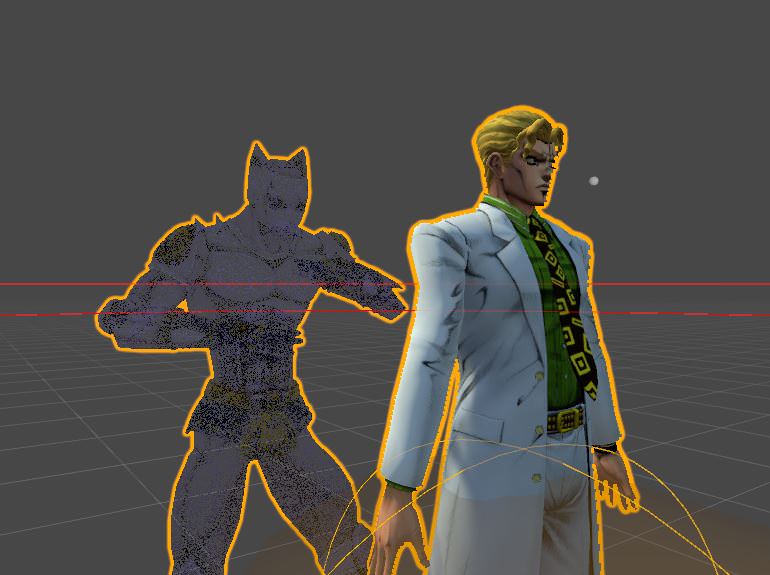


I want to make a gesture where he spawns a static gameobject cube that is invisible, and have that cube play the "KIRA QUEEN" sound. then later i want to press a button and have the click play, then have the particle of explosion play with the sound of the explosion ON the cube, BUT i dont want the cube to follow me as a player.
surreal iron
NANI?
warm salmon
yea
i know
would i have to use a script of some kind? or something?
cause i fucking suck at scritps
slim sparrow
The only way to spawn objects in the world is to use particles, which are purely visual
Otherwise, the object will move along with you
warm salmon
well basically
i want an invisible thing, doesnt matter what, but have the audio of the explosion and the particle of the explosion tied to it, and to have it stay in place, then have it where i can detonate it, and when i do, the click is on me, and it activates the explosion audio and particles
basically simulating his first bomb from jojo
clear yew
you will need 2 gestures for that
one to spam the actual bombs and the other to make it explode
warm salmon
well i have it set up
where when i gesture fist, it spawns a particle of smokes to let me know if i spawned it right, havent tested it, BUT, idk how to make the gesture explode the audio and particles AT the place where i palced the bomb
clear yew
spawn an inactive "empty game object" at the same place, you can even parent it to the bombs
and parent the explosion particles to it so you just activate the empty gam object to simulate the explosion
warm salmon
wait so how?
wouldnt doing that gesture tho deactivate my one of placing it down tho?
clear yew
if you still hold the fist will you make the explosion it will not deactivate it
warm salmon
no no, what i want to happen, in order
is my guy yells kira queen, thing is placed, thing stays in place, i move to another position, thing stays, i then click or activate, and then when i do it clicks audio on me, and activates particles and audio on that place where it was placed
any ideas?
fallen crypt
Hey guys, I tested adding audio to movement animations
But it started playing running audio when I walk, there's fix to this? I tried disable the running audio in walk animation, but I guessed it that it will not work because it's a separate animation?
warm salmon
ok, so i can enable the object using the gesture, like i named a particle thing kira bomb, i can enable it correctly, but it still follows me as a player
i want it to stay where i activated it
clear yew
can anyone help me with making a particle, as in a 2d particle have sprite-like orentation that rotates with the camera onlly on certain axis... like if i wanted to make a 2d bullet or 2d beam that you can see around it and it rotates to follow, but coming straight at you it would be very thin
a particle that only rotates on one axis to follow camera
@warm salmon set the particles to world
warm salmon
well i dont want the particles on world, i want the actual system itself to stay in place.
@clear yew i mean ill try it anyway but mmmmmm
clear yew
@warm salmon that's what word does
set simulation space to world and they will be relative to world instead of following whatever part you parented them to
warm salmon
they are still folowwing tho
i just tried it, with world is simulation space, and the scaling mode to local
@clear yew so what do i do, just try all three modes?
warm salmon
idk if i have rigid bodies and how to use em
clear yew
people might parent it to an invisible rigidbody prop that drops in place, i don't remember the details though
warm salmon
how does one do that tho
warm salmon
yea
clear yew
oh boy
Had to re-upload because of audio being too quiet should be fine now. I forgot to mention it in the video, but Murmur also answered questions I had and helpe...
warm salmon
how do i make it where the particles stay on the rigidbody, and the rigidbody does not follow my avatar. then, how do i make it where that rigid body plays the particles and audio of explosion
icy hazel
Basically too few people use rigidbodies so we dont really have good advice for it
Frankly they all seemed to just trial and error it when they talked about it
Especially the JoJo stand people
clear yew
yeah because it's not the rigid body that have the issue
it's particles set to World that are wonky AF in vrchat
you can try finding an individual who's done it, have things that are stationary when they move, and ask them how they did it
warm salmon
ok
so i can place the bomb with my left, and activate with my right, and even maybe make my thumb click down when i do, but how do i make the bomb stay in a certain spot
clear yew
i just tried to spawn a world particle at my wrist and it stays there
as long as i hold my hand gesture
is there a way to use stretched billboard orientation logic without the stretching??
 urban current
Anyway to make emotes over 10 sec? 😃
warm salmon
svelsien, yea, but i dont want the particle / the systems of audio and particles to be on my body, i specifically DONT want it following me
clear yew
this might sound dumb... but for some reason, no matter what i do to my particle system, the particles always appear with semi-randomized orientations
i want it to always go the same
i've tried mesh, i've tried making a tiny box, i've tried edge
randomize direction is set to 0
nevermind, it was velocity over lifetime that was screwing with it
@warm salmon if you set it to world it wont follow you, can just put the sound directly on it too
warm salmon
@clear yew @clear yew basically, putting a world particle on my rigid body game object, im pretty sure it still just follows me
clear yew
dunno what to say, you might be missing something...
 slim steeple
How can I make a mesh that I transformed stay in the end phase of it's animation instead of repetedly returning to it's original state and then trying to do an animation again?
warm salmon
possibly turn off time loop on the animation
maybe set no default state in animator for the hand motions if its a gesture, otherwise idk
 warm scarab
Hello there, I have this little robot following my avatar around. I have an animation set to pick him up to show him to people. But I was wondering if there was a way I could get it so I could maybe sit him in another position to float on. Like lets just say picking him up from my left shoulder and putting him on my right shoulder without having to use a separate animation to keep him on my right shoulder.
warm salmon
@clear yew and @clear yew it still follows me. did a empty gameobject, put the stuff on world, scaling on shape, still follows me
glass anchor
anyone else having troubles triggering sound?
did it the same way I always do and now it just wont play in-game
 heavy stirrup
Gr. How do i rotate armatures during a walking animation?
Someone told me how but it didn't work-- namely separating the armature and attaching it inside of Unity.... But i still can't seem to get them to rotate within walk cycles
I feel like i'm just missing something. The attachment is generic and not humanoid, for what it's worth. Though the main body is humanoid.
torn pawn
@warm salmon you use world mesh particle for that with 0 velocity, high lifespan
@glass anchor mby you missed a simple step? I did two avatars today with multiple sound effects
torn pawn
yes, i spawn rooms that dont follow me
warm salmon
@torn pawn what i want to happen, is i gesture my fist, and it spawns invisible object holding audio and particles of explosion on hold
i then change position, the object doesnt, and i activate the audio and particles remotely
@torn pawn so you got any ideas on how to do that?
torn pawn
then i guess rigid body is the only way i can think of, but I haven't played around with them
i use only particles so spawned "object" stays where spawns
warm salmon
@torn pawn @clear yew i wanna die
clear yew
i also have a question about spawning a 3d object, i basically want to have a knuckles puppet in my hand, i know i can do that with a particle with mesh render, but the problem is it will be in t pose and static, i want it to appear in my hand with an idle animation, how the hell do i do that?
by the way try setting the cube to local, and in the unity hierarchy thing move it under your hips
the cube should follow you
torn pawn
@clear yew i used http://prntscr.com/is85zd to have knuckles dancing + he'll follow under whatever bone he is under
 clear yew
on another model of mine i want to lay down a clone of myself, the problem is that it spawn inside and it follow me around so there is no point
lunar pasture
Simple question, can an IDLE animation be longer than a frame?
clear yew
sure
i often made my own blinking animatino as idle animatoin and is usually 15 second long
lunar pasture
awesome
torn pawn
you need to rig it as humanoid then u put animator controller on him and the dude will dance in your hand @clear yew
clear yew
yes i understand now
cause the only thing in the animator is dance (or idle like i will add to it)
warm salmon
my prob is i still cant figure this shit out
lunar pasture
oooh I might do an animation where I get a knuckles and squish it flat beween my hands 😄
torn pawn
you guys are a bit late with that tho 😓
clear yew
i am trying to spawn a 3d model on the floor, but i want it to have an idle animation so i cannot use particles system, i need to activate that objecy with an animation so it must be a child of my main model in the unity hierarchy, the problem is that if i do so the model follow me around and i want it to stay where it is, how can i make it render to 'world' and not 'local'?
warm scarab
Hmhm..
clear yew
activating it with an animation is not 100% necessary, the problem is that the game object must stay in place and not follow me
warm salmon
could ANYONE help me with this? im still having major trouble
i dont have any trouble making it do the audio, and having audio and particle of the explosion on the gesture, but i just cant seem to make it stay in one place like i want it to
lunar pasture
define stay in one place
clear yew
for example, i spawn in a world, i activate that game object so it stays at spawn, and i can move around the world without having it follow me
whenj i activate it now it appear one meter in front of me, like i placed it in the scene in unity, the problem is when i move it moves with me
warm salmon
@lunar pasture well, i wanna use a gesture, have said gesture spawn a gameobject or enable it, but put it at my feet, and then when i move away, have the thing stay where i first activated it
clear yew
the same thing i want to do
lunar pasture
right then, well that's a thing to work together on then.
warm salmon
well we cant figure it out
clear yew
if it was a particle i could just set it to world instead of local, problem solved
warm salmon
yea
clear yew
but is a game object, not particle
warm salmon
but i want something that holds audio and another particle
 empty owl
Hey, Im animating this avatar and i see 2 things that i have a question about
clear yew
i have a 3d object holding a particle system, and i want to place it in one spot and it must stay there where i activate it, even if i move
empty owl
What the diffrence between SPRINTFWD and RUNFWD in the AnimatorOverride. Is one for Keyboard and other is vr or like what?
warm salmon
well the same thing moz but mine is more complicated
i want to place a particle effect or gameobject, doesnt matter, basically invisible, on place i want audio of a priming noise i have, then i move away, it stays still, and when i activate it it plays particles and audio where i first spawned it
i dont even care if the thing follows me as long as the audio and particles emit where i first spawned the object
final gazelle
@empty owl they seem to just be different speeds, so Walk > Run > Sprint
empty owl
ah, ok.
final gazelle
although with the animation controller template, they both use the "Run" animation by default anyway, so i'm not sure if you can actually make them into two different animation clips with a humanoid
empty owl
ok
warm salmon
so im guessing noone can help me?
lunar pasture
It's not something I've done but I'm looking at the shitty documentation, which is of no help whatsoever
https://docs.vrchat.com/v1.0/docs/vrc_objectsync maybe this?
warm salmon
hold on, im trying diff things
maybe we could do something like this with scripting?
im shiit at scripting which limits me
BUT
what if, on key press, it played the primer audio where i was standing, and in the script it took note of the world position of where i was, then, when i let go of the button, it activates the particles and audio, and puts them at the saved location
would that work and if so, where would i put it / what would i type?
heavy stirrup
Reposting to ask again:
How do i rotate armatures during a walking animation? My recent attempt was separating the walking body and keeping it generic and attaching it to the humanoid body.
Can't seem to get the leg bones/armature to rotate during the walking cycles inside VRchat.
I feel like i'm just missing something.