#animation
1 messages · Page 52 of 1
 hexed current
 cunning saffron
@hexed current servers might be down just wait an hour or so they usually come back pretty quick
 hexed fern
i have the 2/21 sdk and thank christ i dont need to upload rn
i just honeslt wanna get the animations on klonoa (the ones i already have rigged because i spent so long doing it)
cunning saffron
does anyone know how to make particle collisions rubbery instead of a stiff bounce?
hexed fern
ok i got the animations imported but i can't do anything with them
i can move them to a different folder and thats about it
cunning saffron
yes just move them out of the fbx into another folder
hexed fern
shit i just rigged one to humanoid out of habit xD
 torpid wadi
i asked this yesterday, but is there a way to make hand gesture overrides do different things depending on which hand is doing it
it's definitely possible since when the f1-f8 bug was still around i've tried doing it around people with amazing effects, and each of their hands have different effects
hexed current
hey guys
this sounds silly but
only one of my models wont upload
it gets stuck at beginning
and at bottom it says the client is older than the sdk..
o_O
ive been exporting it out of the project all day no issue
 ashen kraken
so i have a animation that moves the ears down but the dynamic bones make them go back up aigan
any way to stop this ?
 lone bramble
how do you change a dynamic bone from local to world so gravity affects it?
 velvet thicket
i have hard time animated for a crazy noob like my self a beginner and first time
can some one help me
cunning saffron
how do i make the particle collisions rubbery instead of a stiff bounce?
 potent hornet
what are the rules for hand gesture animations? i cant seem to get them to animate.
cunning saffron
@potent hornet not sure what you mean by rules but to animate hands you duplicate your avatar, create an animation on the duplicate, add all the hand parts in the animation then make the hand pose you want. After you copy the first frame and paste it in the second frame. When you're done you take the animation and put it in the override.
if i set the collisions to world in a particle system does it automatically adjust to the world im in in vrchat?
@tender sierra so it wont go through the walls?
did you try it before?
so what settings to i need to adjust?
also will it collide with my/all avatars?
will it collide with my avatar?
so i could put a mesh collider on my body
ok
although it might make lag ill have to check it
also in your options it says collides with mixed
what are your settings on that
ok
would you know if theres a way to make those collisions rubbery instead of a stiff bounce?
isnt kill speed the speed the particle needs to have for the collision to kill it?
also where do you find gravity?
 paper haven
Does anyone know how to stop hand animation overrides from getting stuck? Like my OpenPalm will shoot out lightning and when the hand position is changed it'll get stuck for a few seconds
 vocal zinc
when i use hand gun and get a weapon into my hand how can i remove it from my body ?
like i have a knive close to my boots that are visible but when i handgun the knife teleports into my hand
and disapear from my boots
 mystic umbra
WAIT WHAT? UNITY ANIMATIONS RECORD FUCKING SHADER CHANGES?
I Just came across this when I was changing my shader while working on an naimastion
holy shit
 pseudo pewter
 wary parcel
Both
But not all properties are adjustable, and also its only those materials that is attached to the body or your avatar mesh
I used it for some effects
 deep spruce
Not related to VRchat, but any idea what is going on when i'm trying to import a model with different poses in pose library to unity, in unity it doesn't have all the poses. They work just fine in blender
deep spruce
nwm figured it out, had to export the fbx as ascii fbx instead of binary
 coarse snow
so im trying to make an animation, nothing special just puts my avatar in a position for the duration of the animation, but whenever i set the positions and rotations of the bones and click play to check it they all reset to original positions, how do i fix this pls?
coarse snow
pls is important
 mint mulch
Idk where to ask this but, anyone here know the particle system very very well and know how I could make a lightsaber, and it has to look good, with glow and cast some light in the dark and mind sharing some settings or even a particle prefab.
I know some pmx's got the plasma bit but its usually just two images in a cross and that tend to look rather bad, especially when viewing from the hilt or the tip, since all you'll see is an X.
 unreal mango
How can i disable the default blinking animation when i do custom face gestures?
 ashen sedge
@unreal mango If you got simulated eyetracking set up, there is no way to temporarily disable it.
unreal mango
ok :/ thx
ashen sedge
@unreal mango One workaround is to activate a blendshape that deforms the eyelids so they're completely hidden inside the body, or make them invisible somehow and then activating a "fake" set of eyelids that act in the way you want it to
When doing a gesture override, that is
 torpid shuttle
does anyone know how to blend multiple dance animations from mixamo?
 molten kayak
 opal lodge
question is do you want the models to look 'shitty' or broken
because automated decimation can never really produce decent looking results without human input
normal decimation should be enough for hair and other big blocks
but for all other stuff it's more useful to just reduce complexity in their shapes
 brisk rain
Okay, does anyone here know how Poggers did that freeze animation?
https://youtu.be/6BKkfePXAPU

Subscribe to this channel to get your VR Chat BEST MOMENTS daily. We will upload videos everyday, even every hour to provide the best videos for you. So, cli...
 vestal osprey
its a screenspace shader on an object he spawns from his hand
 scarlet adder
anyone have 'take on me' animation?
 little hedge
im trying to create an animation where when i point my finger a light comes out of it
i put the light source on a cube but whenever i do the animation nothing happens, i tried to disable then enable, increase the radius and intensity etc during the animation but nothing seems to work
 quiet needle
Start from the basics, @little hedge - get a light source into your scene and working. Once you have that, then animate it.
Also, you don't need to have it on a cube if you don't want. Just right click a bone, Light, type of light
Is your cube set to ignore shadow casting? If not your light might be getting stuck inside the cube.
little hedge

these are my cube settings

this is the animation setting
ill try what you said tho
just use a normal light instead of cube
 torn pawn
@little hedge have everything under empty object, then enable the empty object
object is disabled by default, eerything else is enabled by default
quiet needle
You don't even need an empty object as a container for a light. Just use the light itself as the object and enable it in the anim.
little hedge
thanks guys i got it working
one more pretty easy qiestopm
how would i keep the finger point animation on it
instead of like the default hand
 weak dawn
does anyone has "Take on me" animation?
 wide warren
Anyone happen to know why with some custom walk and run animations my body starts spinning around my head?
 clear yew
@little hedge Have to make your own finger point.
Or, you can do the finger point on one hand and then do the animation gesture on the other, same effect
clear yew
Take the key frames and properties, paste them into one clip
 shy island
i don't know how to copy paste them into the same animation. i'm rly new to all this and Ctrl C + V does not work (:
but i understand the therory behinde it
 peak breach
Does anyone happen to know if there is a frame limit or something similar on animations triggered as emotes?
I have experimented with some longer animations (around 15 sec dances etc.) and they all cut off before the animation is finished after triggering them in-game.
Thanks.
clear yew
10 seconds is max animation limit.
Most get messed up afterwards
 covert hawk
is there a way to make a character hold up their arm while shooting a gun ?
clear yew
Animate it.
covert hawk
i did,but she still holds her hand down,while the gun shoots
clear yew
As in, animate the arm being forward.
covert hawk
i did that,in the animations it shows her holding the gun and all,but ingame the arms are still in default position
peak breach
@clear yew Ah, I see. Thank you for answering!
shy island
@clear yew hehe ctrl works i think i just need to make a dublicat of it so write in it ty very much
quiet needle
@shy island Select all the pips with CTRL+A in the animation pane then you can copy them with CTRL+C
You might freeze your Unity when you try to paste them into another animation though, be ready for that. Usually if you let it sit, it will eventually paste.
shy island
thank you @quiet needle i froze it already ^^ i have much fun combining them. let's see how it will work in VR
quiet needle
Yeah, I mixed up the ones from mixamo for breakdancing and hip hop and it looks great. Good luck!
covert hawk
so i made her stay like this
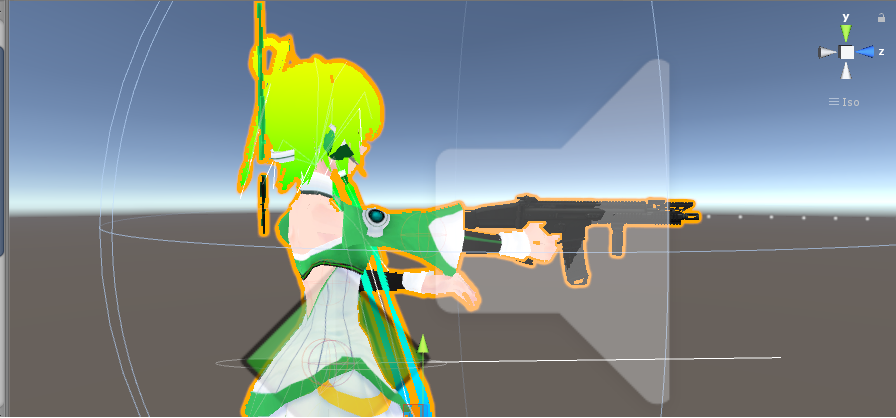
bit in-game she keeps her arms normal
anyway to make her stay like this?
 dawn shale
anyone have a nice folding arm idle animation?
quiet needle
@covert hawk during gestures, the arms and neck are overridden and will follow your character viewpoint instead of any animations.
hexed current
anyone know how to add music to an emote?
 agile ruin
 final gazelle
you could perhaps try to switch parts of the mesh around if you have extra dummy bones which aren't mapped in the humanoid rig (e.g. have your gesture hide the arms you normally use and switch out a pair rigged to different bones specifically for the gun animation), but not sure how the rest of the animation is meant to work
hexed current
OMG
YOU CAN EDIT
ANIMATIONS
IVE BEEN TRYING TO FIGURE OUT HOW TO DO THIS
FOR SOOO LONGG
you simply drag it onto a dupe avatar
ohh myy gooooddd
I think i know how to do my outfit switch now!!!!
final gazelle
your tutorials didn't cover that? thought they would've since that's such a vital point to finetuning animations
but yes -- if you know how to edit the animations and you've still got that model with both meshes on it, toggle the isActive states of the two meshes during the animation
final gazelle
fairly sure Tupper's one showed him hitting the record button to create an animation override...though now that i think about it, with how many different ways there are to create/edit an animation...
covert hawk
so,what you are saying spear monkey is,if i have lets say the hand of the character as an object i could use it as a generic model that uses the gun,but how would i hide the arm itself in-game?
final gazelle
probably more than confusing enough for someone new to the interface
covert hawk
so i dont end up having 3 arms
final gazelle
i was thinking more like, your main avatar split into a couple of meshes, and its full bone rig looks something more like a 4-armed spiderman or something
 pliant plank
I think you can define the starting point for an audio source to trigger on, but not define the time in the audio source to trigger, i.e. trigger a song after 3 seconds, but not trigger the song halfway through it's playlenght
final gazelle
two of the arms are posed properly for unity's humanoid rig T-pose, while the other two...well, could be overlapping, or could be somewhere else -- but the extra pair of arm bones also have their own unique arms weighted to them, but they're normally set to be inactive/hidden
during your gesture, you could hide the mesh of your main arms and activate the other two arms, posed how you might need them
but yeah -- you'd basically either need your arms as separate meshes, or you'll need some other kind of way of hiding them (e.g. shapekey transform, material change into something transparent, etc)
covert hawk
i kind of get what are u saying,
final gazelle
that's just a rough idea though -- you may encounter other problems when trying to pose and control those secondary arms holding the gun, depending on whether you want them to do something specific
pliant plank
One could have arms weighted to bones directly next to the original bones for the arms that were parented to said bones, and have those extra arms as a separate mesh disabled and enabled via animations, that way the arms move accordingly regardless
Or the mesh could be exactly in the same place weighted to the same bones, which would also make them able to move after the gesture is used
Unless of course you'd like them to be completely still
final gazelle
the problem in this case (if i'm understanding it correctly) is that after triggering the gesture, WolfSpark's model puts her arms back down?
or they're doing something Wolfspark doesn't want, which is why i'm suggesting switching in a second pair of arms not weighed to the humanoid arm bones
quiet needle
I believe it's just that they never extend in the first place.
covert hawk
she just stays normal
quiet needle
You could remove the arms from the rig?
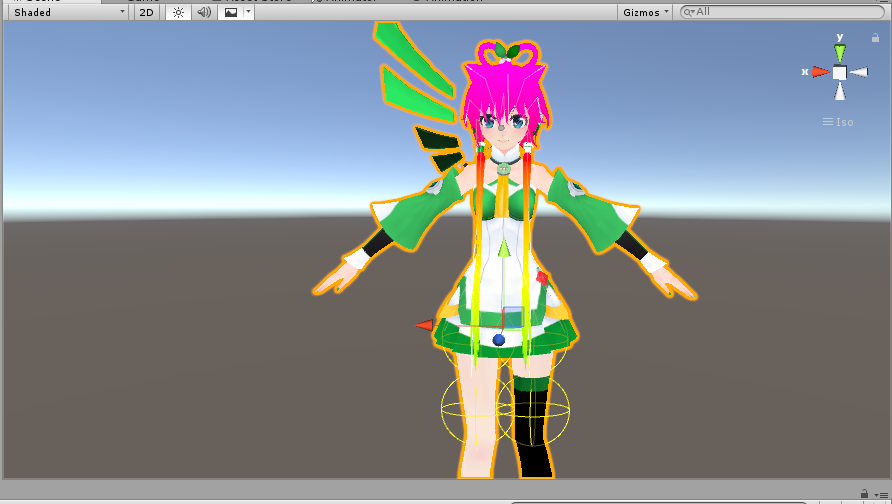
 tepid mango
ok so question, whenever i look down with this avatar of mine (who has a custom made flying animation using the empty game object method) has a problem
this appens

 lucid pewter
does anyone know how to move multiple vertices at once, I'm trying to make shape keys, but i don't know how i can move them in any easier way http://i.cubeupload.com/r3NjJe.png

 cursive moon
@lucid pewter Select multiple vertices by holding either Ctrl or Shift while selecting. One of them selects all vertices in between the most recently selected vertex and the next, and the other selects just one vertex at a time like Ctrl-clicking in your file explorer.
lucid pewter
ok thank you, and good question, is there any way i can select groups of vertices at once, because my model has groups all across the mouth
cursive moon
You could try using the select brush, shortcut key is C while in vertex edit mode
 coarse frost
Is it possible for me to make a tank turret move like a head without shaking the rest of it? I've set up the custom override to make all of the animations to be static and now it doesn't move at all
 true scroll
i would think that should be possible yeah 🤔
coarse frost
yeah but how the heck i do it
also how do i get a tank cannon to fire off a shell particle and have it explode when it hits something? i have the particle system ready but the animation just freezes when i try to use it in game
lucid pewter
a little off topic here, but for visumes
would this be a good AH

or should i make the mouth a bit more "open"?
 languid nimbus
Zach, if it looks good to you then it's good
if you're insecure you could google images of visemes
lucid pewter
ok
 dusky venture
Is there a way to make separate gestures for each hand?
clear yew
No
dusky venture
Alright! thanks for the reply and the canny tbh- does that
 tight arrow
I'm porting in animations from Blender to Unity, of a character with a basketball. But his feet and the ball itself keep animating differently... is there an easy fix?
coarse frost
which animation is tied to head movement in the custom overrides?
 tardy abyss
Hey guys. Is this the place to ask of learning the basics of overriding the default emotes with custom animations?
I know about making a backup of the file and storing it in another place, but actually -making- the animations, I would like to learn.
Since I can't use VR.
(I just hope the learning part won't be overly complicated)
Hello?
coarse frost
goodbye
tardy abyss
Well that wasn't very nice.
coarse frost
too bad
quiet needle
That person is not an animator.
It's a bit dead because it's a Tuesday and most people are either at work, working on projects, or ingame.
tardy abyss
My apologies. I've been used to #avatars-2-general being quite busy.
Unfortunately, what I request isn't related to it.
But, I shall wait. Thank you for your time.
quiet needle
The best place to start is to find out what kind of animation you'd like to do and grab a tutorial. Essentially animations are just "move this bone at this time" so they're fairly easy to get into, but getting Unity to accept your work (and not missing steps) is the hard part.
tardy abyss
I've been trying to follow a tutorial video, but the person isn't exactly helpful.
quiet needle
You can also get fancy and add particles, delayed particles, rigid bodies and world particles, world objects, and almost anything you can imagine. Except neck and arm movement.
tardy abyss
All I want to do is have, VR-like animations (since I have no VR).
You know, dancing and stuff. Those kind of animations.
quiet needle
The problem is that the game's default humanoid rig reserves the head and arms for just that - VR. If you want to include them in animations you want to either use emotes (which lock out character movement) or a generic rig.
For dances, you may want to start by gathering up some dance moves. You can find pieces of dances on mixamo or all over the internet.
Once you have those, you'll need to get them imported to your assets, then chop them up and paste them together to form your dance anim.
tardy abyss
And are there any "for newbs" tutorials going over this?
quiet needle
Nope 😃 It's a concept skill, as almost no two animations are the same.
Let me see if I can get one that has a good overall grasp in it though.
https://www.youtube.com/watch?v=yfVmfGOOkOw This goes over how to reach most of the functionality animations offer.

A VRChat tutorial on how to override hand gestures and emotes with your own custom animations. It can be used not just for VR users, but for desktop users to...
 wind swift
anyone know what shader people use to make Za Warudo esque time stops in bubbles? it likes inverts the whole world inside the bubble
tardy abyss
Alright, @quiet needle. Thanks. I hope this is helpful to me (or at least shows me that uninstalling VRChat was a good (or a bad) idea).
quiet needle
If you get stuck feel free to reach out.
tardy abyss
This video seems like it's only for if you want to have facial animations.
That's not exactly what I'm looking for.
 thorny fox
anyone know how i get audio to work... its so danm quiet in vrchat.
quiet needle
@tardy abyss Remember, just get the concept down.
Add everything you need, duplicate your model, create an anim controller and animation file, save it and then create your keyframe pips. For anims, go wild, for gestures, do a 0.01s or 0.02s long animation of the pose copied onto the first and last keyframe of the animation.
Add the animation to an override, add the override to your main model. Upload.
thorny fox
@quiet needle do you know how to get audio to sound decent in vrchat?
thorny fox
but we cant ;.;
quiet needle
you can't maybe
thorny fox
or atleast.. i really realllyy want that private button
quiet needle
Set up a separate project using the new SDK, go into your menu and set private, then swap back to your old SDK project for uploading.
thorny fox
:O!
quiet needle
As their patches are not really vetted, I only dip my toes until I know it's stable.
 thin meadow
hi, so im trying to convert an VMD file into an FBX file in blender, but when i start the animation, my model clips way under ground and flyes around the sceen, any idea what might couse this? ( bones have not been translated)
clear yew
@tardy abyss you can also download some animation from mixamo.com to your avatar
 muted prairie
Welp, i've done what you suggested @quiet needle but i'm still not seeing the object in app, finger gesture has been overridden though, so i'm not sure what i'm doing wrong
tardy abyss
I've only used mixamo once (which was for creating an account), but that's pretty much it.
quiet needle
@muted prairie Make sure your dup has the animation controller assigned, your main model animator is set to None for the controller, your anim file is in the cliplist for your dup, your animation frames are exact copies, and your override is set on your main.
That's basically a full rundown
clear yew

One thing that I forgot to include is that I had uploaded my avatar .FBX to Mixamo before recording, so make sure you do that first! Another thing to note is...
quiet needle
If you need assistance I am available for a bit.
muted prairie
i'll upload again, i had my controller on main and not dup, thank you
quiet needle
Let me know how it turns out
Generally the instruction I give is for standard humanoid rigged models also. If yours is generic that can affect what needs to be done. You may also want to check the animation to make sure it's still targeted and nothing is yellow.
 onyx bison
So, i decided to make an animation that has other mmd models in it, i seem to do everything right, in unity i see it all fine and well, but when i get on the game and play my animation.. everything works fine except the models, they simply dont appear
 celest pewter
is it a child of a gameobject or something
muted prairie
@quiet needle That worked, you're a king, thank you !
quiet needle

tight arrow
How do I make changing the rig to humanoid stop changing the animation itself?
quiet needle
Use an emote
onyx bison
its a model, not an object
tight arrow
I'll wait for a better time to ask.
quiet needle
Make sure you have an "Is Active" CHECKED at both ends of when you want them to show up and when you want them to go away.
onyx bison
"is active?" in the animation timeline? or somewhere else
quiet needle
@tight arrow Non-emotes do not lock the skeleton, and the head/arm bones are reserved for camera/locomotion.
@onyx bison Is the model disabled by default when you upload?
In your anim timeline, you need to enable the object and keep it enabled for whatever frame of time you want it to stay.
tight arrow
Well when I change the rig into humanoid in Unity the animation changes.
quiet needle
@tight arrow What kind of anim?
tight arrow
The character holds an object and it goes off on its own direction.
An emote.
In fact I wanna replace every single animation in the dude.
quiet needle
Hmm. You could try recreating the controller on a duplicate and attach the anim to that?
onyx bison
yeah, its enabled for the times i want to use it, and it shows that in unity, but they do not appear in vrchat
tight arrow
But as odd as it is to explain. The animation is fine in Blender. it's also fine when I port it to Unity... then I change the rig of the animation to humanoid and it messes up.
onyx bison
in the hierarchy, ye it is disabled, in the animation, it is activated at the right time, i see it in the animation in unity and it works. but as i upload and log in the models dont appear
quiet needle
@tight arrow Yeah you may have some tinkering as the humanoid rig changes a lot of bone positions and forces them into the T pose.
tight arrow
Would it work if I kept it all generic or is that a no-go?
quiet needle
The only difference is that humanoid rig is a template with a bunch of stuff already created for it.
tight arrow
I'll give that a go then.
quiet needle
(and a bunch of constraints that are applied to the armature upon application)
onyx bison
do i need to like take every single bone in both of these models and activate it or wut...
quiet needle
Nope, just the root.
Also remember that if your dancer isn't part of (child of) your model, any applied animation controllers won't affect it.
Do you just have it in as a separate model in the scene?
onyx bison
no
i parented the two models to the main model and made them iinvisible, then just activated them in the animation
quiet needle
Make sure you have an "Is Active" marker set at the END of the animation too
You have to tell it "Keep them active between these two checkmarks"
lone bramble
Anyone have a longer animation made in unity they could send me a SS of? Mine is currently set like this but loops only 1 second of everything at once constantly
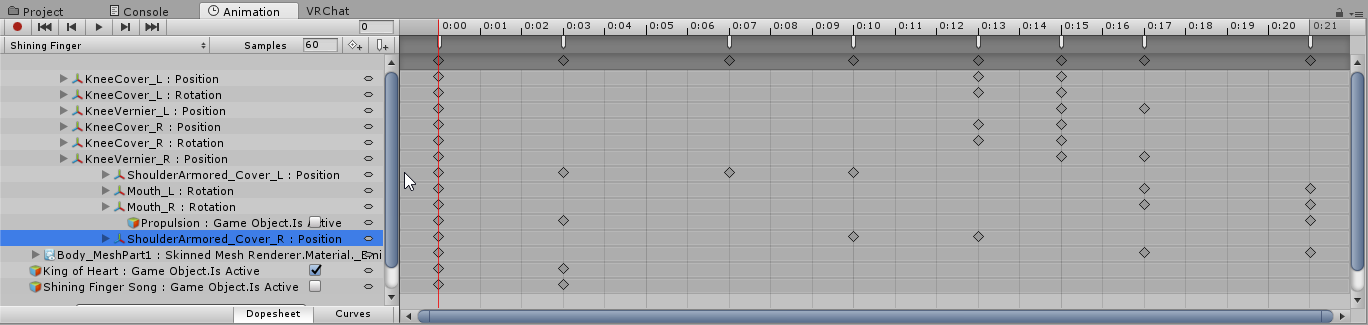
want to see if i'm missing something there
quiet needle
@lone bramble That screenshot only shows 0.2 seconds of animation.
thorny fox
😦 that swapping of sdk didnt work
thorny fox
speaking of which.. animating in unity is sucko
onyx bison
its always set to active :c
thorny fox
especially if i decide to use a different model/name convention D:
quiet needle
eh, it's ok, but it's not nearly as featured as some other programs.
quiet needle
Alright folks, try to keep it real. I'm going to actually play the game tonight.
thorny fox
okay bibi
quiet needle
yeh
clear yew
Quick question, I've placed a particle object under my wrist in the armature, however the particles don't seem to follow the arm movements in game.
How would I go about making it do so?
coarse frost
All I can think of is checking if the particle system is set to Local or World
if it's set to world change it to local and it should follow the wrist
 pseudo iris
uhm, how do i make a flashlight?
clear yew
It's set to local
 pure ledge
How do you get an avatar to float upwards in an animation?
I was told that the first hiearchy in the transform property breaks the avatar and makes it glitch when you open your menu,
So what do I have to do to prevent it?
hexed current
guys
😦
For some reason my animation emote plays perfectly fine until about halfway through where I start floating, then at one point it gives me control of my arms and the animation does weird shit but i can move my atrms
arms
tardy abyss
Hey, anyone know if this animation (if they have it), actually has the weapons with the animation?
https://i.imgur.com/GwDhssb.png
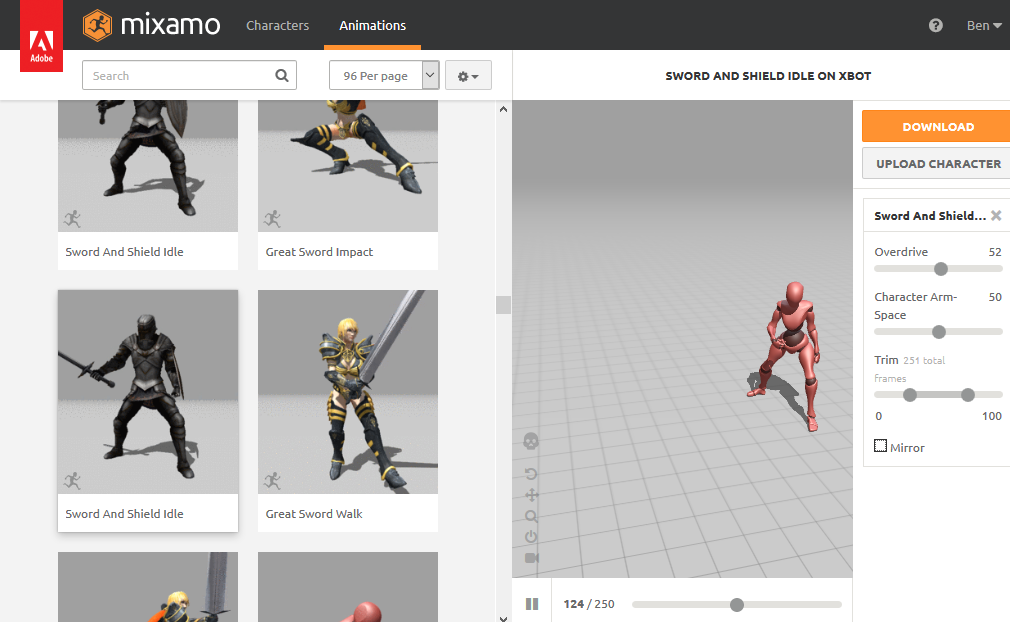
The 'Sword and Shield Idle' one.
I'm hoping for a 'yes', because it'll be so badass on some of the dragon models I'm using.
tardy abyss
Damn. 😔
Are there any ways I could like.. guh.. "make" the props without having to go through Blender?
Also, what are with the different colors of the model? Blue for Male animations, and Pink for Female animations?
mystic umbra
So how do I create an ideal walking animations for vrchat
how long should it be and what should I look out for
 shrewd moon
@tardy abyss you can try finding the props on deviantart
tardy abyss
Hmm. Is there a tutorial on adding props? I don't need a link, just a "yes" or "no".
shrewd moon
Yes
tardy abyss
Cool.
shrewd moon
LOTS
tardy abyss
Nice. And the second thing (about the colors of the animations)?
shrewd moon
YouTube vrchat weapon override
tardy abyss
I'll look it up.
shrewd moon
I think the colours don’t mean anything
Red model is female and the blue is male
Makes no difference adding them to a model
tardy abyss
Alright. That's good.
clear yew
Does the custom simulation space work?
 icy hazel
Some of the red female animations are very clearly female though so if you make your super buff guy like i did in a girl animation he will shake that ass a little more in a feminine way
Girls with dem hips sway more when walking so it is natural
Which is why the transgirl community really pays attention to how to walk like a real chick, since it matters
Theres also some anims out there with a little more pep in the step, and the arms have more space versus a dude's animations, otherwise the arms would collide into hips. Doesnt walk as square.
So just care if youre picky, really
tardy abyss
I see.
hexed current
hey guys
So i need assistance
my animations fucks up towards middlish end
and i regain control of my movements
and animation is still playing
albeit wonky
as i can move
unless I set it as a hand gesture...?
is that possible to get infinite emote..?
 glass anchor
gestures can be any length
tight arrow
I have a question, how do I make an emote not loop over and over?
celest pewter
do u see the loop button
tight arrow
It's unticked. 😦
celest pewter
look harder
 tight arrow
Bleh. I'll see what I can do in a bit then.
celest pewter
is the animation repeating in vrchat?
icy hazel
Generic is just even more simple than the simple controller.
It just makes you move around and jump but no anim really
tight arrow
I added all the custom animations on the character, since he has six legs.
All imported but still.
I assume it's because he's generic the animation loops.
icy hazel
Yea idk how to get those anims to work on generic
tight arrow
But if he's humanoid the animations break...
mystic umbra
gestures break around the 30 sec mark
but I found out ther eis a way aroudn that with activating a game object for longer than 30 sec that has the animation applied to the object you want to animate
tardy abyss
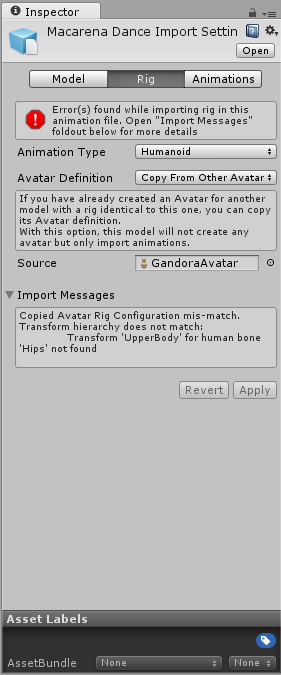
I'm getting this error of the model I'm using, after importing an animation. How do I fix this?
https://i.imgur.com/VbVGnIs.png
 tardy abyss
I'm going by this video.
https://www.youtube.com/watch?v=OsfdJVOVI70
One thing that I forgot to include is that I had uploaded my avatar .FBX to Mixamo before recording, so make sure you do that first! Another thing to note is...
mystic umbra
Yea but the issue is youre trying to translate the green man of one avatar to another
tardy abyss
The model is already rigged, by the person that made this model.
mystic umbra
and the other one with the animation isnt rigged properly
tardy abyss
Well as I said, I didn't do the rigging of this model. I don't even know how to rig.
I just upload other people's models, but I wanted to do some custom animations with this.
mystic umbra
Im just lettingyou know what needs to be done my dude
tardy abyss
I understand that, sir. But I hope you also see my point here. I barely even know the basics of 3D modeling.
icy hazel
Me everyday
mystic umbra
you dont need to 3d model dude, go into unity and you know how people rig humanoids in unity?
If you don't, sir, you should be looking at tupper's meta tut video on that dsubject
tardy abyss
I know how you get to where it shows the rig. That's about it.
mystic umbra
that all you need to do
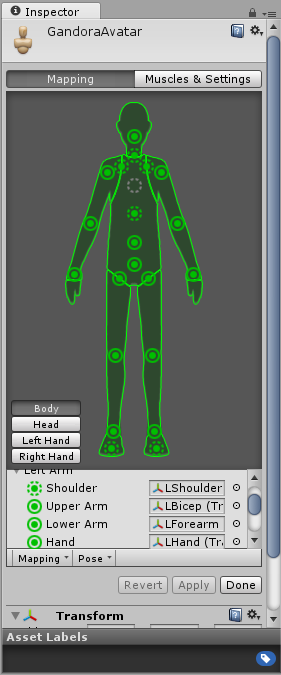
the avatar definition needs to be changed so you can rig it yourself in unity
and when it shows you the rig
tardy abyss
 mystic umbra
make sure the bones are in the right place so its a humanoid animation
tardy abyss
https://i.imgur.com/shAhlnK.png
https://i.imgur.com/vXJNSqN.png
Do they look OK to you?
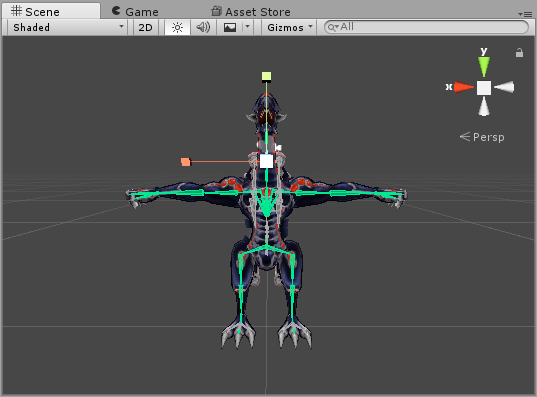
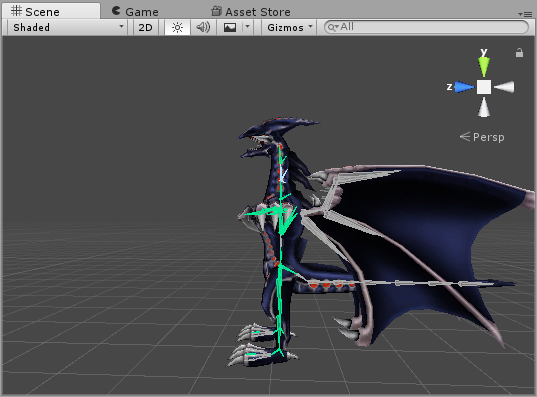
I'm not exactly seeing a problem.
mystic umbra
I cant tell because I cant see anything on the bone rigging
is the chest in the right place?
the hips?
tardy abyss
Really wish I could get the camera under control. Tap W, zoom.
mystic umbra
you can hit F on a selected object to recenter and slect the camera onto that object
tardy abyss
Appreciate it.
https://i.imgur.com/Q4bSt5e.png
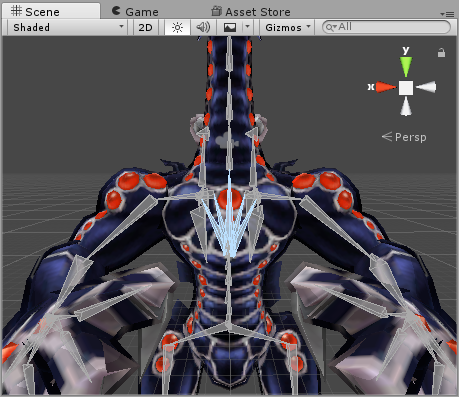
Those are the bones, yes?
They look like bones.
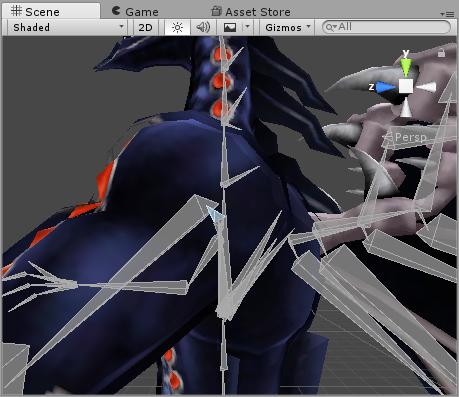 mystic umbra
?this is the animation model right
at the side you should see a list of bones
see if hips is selected
and put under hips in the green man
if it is hit done and you should be good
tardy abyss
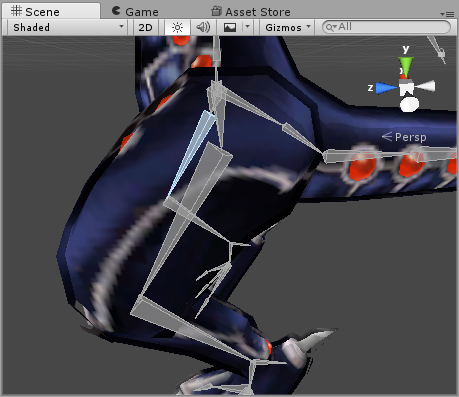
Those would be the hips.
And I see all green on the mapping.
So... why the error?
mystic umbra
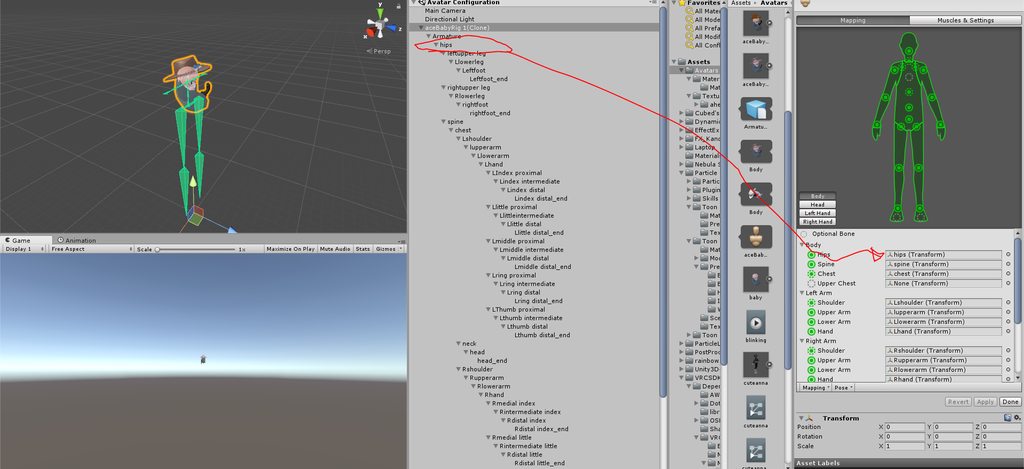 tardy abyss
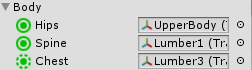 mystic umbra
the error is saying the armature of the animated model your trying to impose onto the model you want to animate doesnt fit
and thats your issue there
if there are hips pull that in
if not then your outta luck
hexed current
@mystic umbra what do you mean?
tardy abyss
What do you mean I would be out of luck? What about the whole "rigging it myself"?
mystic umbra
if there isnt any hips and you try to make it a humanoid and it wont work as a humanoid
Then youre outta luck
see if you get any error messages
hexed current
my eyes are turning white in game
mystic umbra
and I didnt say rigging it yourself I said you have to rig it as a humanoid on unity
mystic umbra
I was doing a texture atlas that fucked up my model's eyes 😦
hexed current
anywho
tardy abyss
Is there no other option?
hexed current
how does
the game object method possibly work
because emote aint cutting it
and i want this so bad
mystic umbra
do you get any error messages rigging it as a humanoid ?
mystic umbra
then you should have no issues
hexed current
but breaks near end of animation of emote
in gamer
the last 15 seconds or so
maybe 02
20*
it stops working and i regain mvoement as animation keeps playing
but if my arms arent a part of it obviously it wont look good
so im trying to solve this
if i can fix this im golden
tardy abyss
But no.. there's no 'hips' on this model. There's got to be another way.
Please let there be another way.
hexed current
keo
mystic umbra
yo
hexed current
do you think it has to do with a setting on the anim itself?
hexed current
no
mystic umbra
whats the issue seph
hexed current
S:
I thought you were talking to me this whole time woops.
Issue is:
i have an mmd to vrchat animation
mystic umbra
OH
hexed current
it looks great in unity
in game it looks great
UNTTTILLLL
almost at the end
it starts to go to shit
and idk wtf causes it
and i wanna fix that
cuz the beat drops hard on that part and i want it to look good
tardy abyss
I hit Done, and saw no errors (of the model). The only errors I see is the animation. The model itself works great ingame.
hexed current
and im doing it as an emote.
mystic umbra
I believe you should be able to fix it when you set the animation on a duplicate of your model, hide your main model during the animation (if its possible) and have the animation be idle on the avatar control of the duplicate
emotes wont work
they get cut off
hexed current
so wait how do i do what you just described
cuz im experiencing the cut off.
ty
thats my setup right now, the duplicate for audio
but it has animation too
mystic umbra
youll have to do it as a gesture
hexed current
its just hiding
I tried gesture and only the music played
so how do i get the model to actually do its thing
mystic umbra
nono I mean you pull out a duplicate added to your hips to get turned on
mystic umbra
You have a duplicate that in a game object and that game object is attached to your hips
mystic umbra
you hide you main avatar (again I think this should be possible
mystic umbra
listen not the duplicate your are creating the niamation for
mystic umbra
another duplicate
hexed current
ahhhhhhhh okay. ill be gone a lot of the day though.
ill send u a pm now to remember your name in my messages
mystic umbra
sunday Ill be avalible
and bernie you should be able to follow with the rest of that tutorial
hexed current
this is depressing. Ive been working on it for 3 days
i got further today
but the animation breaking discourages me
but im 90% sure its cuz its an emote
considering its 94 seconds
mystic umbra
actually bernie Ill help you too tomorrow
Pm me
and Ill discord share screen with you
hexed current
ill message you after 8 ish
tardy abyss
I DM'd you, Keo.
 dire rock
hey guys, could i get some help on this? i setup custom animations from mixamo for my avatar and they animate fine in unity, but in vrchat the head doesnt move with the rest of the body at all
just wondering what the cause/fix is for this
icy hazel
if you use the regular simple controller, does the head work fine there?
cause idk how broken it is, how far it goes
dire rock
should actually note, just the default backflip emote gave this issue too, iirc
shouldve specified that before actually
icy hazel
is everything weighted correctly then?
cause i know in the past one of mine was not when i was newer and my backflip would be all spooky with the head staying there
dire rock
weighed?
true scroll
weigthpaint
dire rock
guess thats the thing to look into
is that something you can check in unity, or do you need to go into blender/3ds max for that?
wind swift
Hello i'm trying to put a shader on the inside of a sphere 3d object does anyone know how I can do this?
(not the outside) but like a double sided shader
ok
not exactly sure how to flip normals
but i'll look into it
thanks
I figured it out
thank you
I was using the 3d objects in unity and it was giving me a headache i'll export this sphere
icy hazel
i think you can flip normals if you select everything you wanna flip in edit mode, then just hit ctrl+N
and you'll know if it worked cause if you go into Solid view it's like... kinda black and weird looking instead of the normal white
wind swift
thank you
dire rock
@icy hazel , sorry to bother you, how would you know whether a models properly weight painted or not if its rotation in blender is acting normally?
 rancid valley
Sooo~ i wanna add a phone/camera as an animation to my model, i also want to make it display stuff like a real camera. Does someone know how to do that? i know how to make the cam/phone appear but im quetioning how the camera display works
celest pewter
others won't be able to see it anymore
icy hazel
Um well i guess i check it by posing it every single way possible that i can to make sure things move the way theyre supposed to, i check every single vertex group in the right side list in the vertex tab real quick with the arrow keys up and down that list, and i also look at it in unity cause unity has that muscle moving thing that moves the body when you start mapping bones to the controller @dire rock
rancid valley
I just recently met someone that had a model working, it was able to show stuff on a screen
icy hazel
Also for the camera question i keep hearing that the functionality was removed and that people still ingame with it are using a modified sdk
Which is bannable i guess
rancid valley
hmm
icy hazel
I see that kind of question a lot and i always see somebody else's remark about it being removed
Lag i guess? Idk
People do sneak things in considering they can sneak highpoly avatars in beyond the 20k limit
dire rock
oh, something else to note, the models im using dont have 4 fingers which leaves that part of the model unmapped i guess, i dont see why this would affect the neck but some threads im reading about this are bringing that up
the other fingers are connected to their respective bones and all however
tardy abyss
So I fixed the animation issue of my model. Turns out I had to dupe it and apply it to the model, for it to work.
Now all I need to do is figure out how to have custom sounds when doing these custom emotes.
clear yew
Im just waiting for longer animations
When you do a dance emote and it cuts off halfway like
"ok . _ ."
tardy abyss
I haven't seen that (yet).
shrewd moon
@tardy abyss add a audio source to your main model, duplicate that model, create a new animation, make audio source active and copy paste the key frames from custom emote to your new animation
That’s roughly how it’s done
tardy abyss
Ah, I see.
 ocean dagger
asking in here, does anyone know how to apply a shape key as the default face in blender? I tried doing it in object mode with "apply shape keys in edit mode" but it still didn't export the same way
shrewd moon
Can't you do it in unity?
ocean dagger
i'm not sure how I would in unity : s
shrewd moon
its blendshapes
I think
I might be confusing it with something else
so you want a different facial expression as your default face?
ocean dagger
yeah
ocean dagger
yep
shrewd moon
 shrewd moon
yup
 scenic sleet
Curious, anyone here know the trick to giving avatars like an invisibility and/or stealth trigger? Im guessing with shaders and ani overrides, but i'm just not exactly sure how one would go about it without having your avatar be automatically invis/stealth by default
icy hazel
that would be cool as fuck
scenic sleet
yeah haha, I've seen a couple users accomplish it on videos and whatnot. Just trying to figure out the proper way to do it xD
 normal cove
Hello. Can I ask one guestion? How (if it possible) I can animate more than one character in model? How I can make a group, for semple, knuckles?
languid nimbus
Create a picture in any program that can handle alpha (see-trough pictures), create a new layer, delete background layer, save image, apply image to material, put material to standard/cutout
@blissful copper To apply a new shape key as basis in blender, move it to the top, just below the basis shapekey, then delete basis. now rename Key1 to Basis and you're done
Lucyfur's solution doesn't carry over ingame
This is also more like #3d-modeling
tepid mango
jesus i got completly ignored yday tyvm eeryone
languid nimbus
hi Zuku, whatcha need help with?
I can't say I saw your problem before, but I was also working on a commision yesterday
clear yew
Can someone help me with particle effects i have made them they show fine in unity but dont show in VRchat
 twilit aurora
 signal dove
What happens when I use debug mode to change an "Original Clip" in an override controller?
@ocean dagger You can easily set a blendshape so that unity will accept it as default. Just have it selected with the thumbtack button clicked when you save or export
Gatreh 's solution is destructive
quiet needle
You can also just set the blend shape to 100 in Unity
 fallen flax
Yeah setting it to 100 works ingame, don’t know why they said it didn’t
signal dove
I should mention that my method differs in that it doesn't change the key value to 100, it exports the mesh with the modified vert positions. So you wouldn't be able to change it within an animation
So my method is destructive too, just in unity but not blender
languid nimbus
Well I mean
before you do any of this you should have made backups so you can go backwards incase something messes up
hexed current
Hey guys can I get some assistance
I need an alternative way to play an emote (a mmd dance) because it's too long and bugs out
quiet needle
Emotes are the only way you're going to be able to get your bone lockout, otherwise you'd have to rig your model as Generic @hexed current
hexed current
i was told there were other ways to do it
besides that
cuz the issue is
my animation starts to get wonky towards the end
and i regain control of my hands
and can move as its playing
im trying to stop that and make it play another way
someone said its possible to do it via gestures
a guy on reddit said "You are right that it is because of the emote limit. The solution to your problem is to make a version of the avatar that has the dance set on an animation component on your avatar. This should play the animation constantly but will play the entire thing without it breaking down."
clear yew
That would work I suppose.
hexed current
Ive been stuck for 3 whole days
trying for a solution
i didnt really want an avatar switch method
I want a method I can activate
clear yew
Might annoy people by having two avatars in one though.
It's not an avatar switch.
You just enable it by doing a gesture and disable the one that's your body.
hexed current
yeah thats what im trying to figure out
cuz i have a dupe of my avatar with animation set
so it triggers the audio upon emoting
but using hand gesture just activates music
so I must be doing something wrong
how do I make it to where I disable my main avatar, then the other one activates upon gesturing
is there a "unhide" upon play button"
because my avatar animation is hidden, and the music is set to activate
clear yew
Disable the dupe avatar in Unity
Use the Is Enabled property to enable it in the gesture.
Then when you let go it disables again
hexed current
wheres the enabled property?
and i also need it to hide the main avatar as well
so that i dont have 2 on top of each other
clear yew
The first thing under the hierarchy in the properties for the object.
hexed current
Im just trying to figure out how to set this up
clear yew
Same concept to disable.
hexed current
but like.. in the animation itself how would I put that in?
cuz i can just press it in the hierarchy easily
but is there a "turn on" for the animator screen like there is for audio?
clear yew
Yes. Is Enabled.
It's very obviously there in the properties.
hexed current
-looking-
the only thing under animator screen in property is
"is active" under body and armature
but like, would that mean I have to disable that and not the one right below inspector? Im lost 😦
clear yew
That's probably it.
My language is different.
There's that property under every single object
clear yew
Play with it yourself first and figure out how it works
hexed current
I know kinda how it works but i mean
if this is a dupe
how on earth do i hide the main one
cuz all this is doing is affecting the dupe
and not main avatar
who needs to vanish when this plays
because if i make them active upon playing then yes im sure itll play, but i still got main avatar there lol
clear yew
There's an is active for your avatar and for the dupe.
Set the hierarchy right and it'll work
hexed current
OHHH
is the dupe supposed to go
inside of the hierarchy
of the main???
nahhh that didnt make a difference, still only see the dupes stuff in animator
quiet needle
@hexed current No
You're using the dupe as a bone targeter and nothing else
Once you're done creating the animation file, you could delete it and it wouldn't make any difference
(you shouldn't)
quiet needle
The "Is Active" toggles the checkmark at the top left of the inspector for an object.
hexed current
I see that.
but doesnt that mean im invisible
until i use gesture?
thats my current predicament
is going from main avatar
to hidden dancing one
that has music and anim on it
since emotes not an option
quiet needle
Is it the same avatar or a different one?
clear yew
He doesn’t have both avatars under the same object. Which is why he can’t put both the properties in. Mind explaining that to him, Panda?
quiet needle
When you add an animation controller, it only affects child objects underneath the object you put it on. You'd need to have the second avatar under the same armature in the hierarchy if you want to be able to enable it in an animation.
quiet needle
No. I mean animation controller. When you go to the animation tab and click "Create" take note that it creates two files in your assets. One is the animation file itself, and one is an animation controller file.
hexed current
Oh ok.
quiet needle
The controller is like a folder to keep an animation clip list in
You attach the animation controller to an avatar, then attach the animation to the controller.
final gazelle
the duplicate is so you can edit the nodes of the animation clip to what you need them to be before transferring it onto your main model
final gazelle
if the main model needs some parts hidden or shown by default, you'll need to tweak those after finishing up the animation and transferring the clip to the main model
quiet needle
So in your case you should have
Avatar
Armature
Second Avatar with animation
Dupe (exact copy of the above structure
quiet needle
Yeah not quite lol
hexed current
wait
but if i do it that way...
lemme try one sec
so wouldi put it under hips
body
or audio sourcer
the dupe i mean
quiet needle
The dupe is not attached
clear yew
I knew you had this Panda, trusted in you
quiet needle
@clear yew x.x
hexed current
Main>armature>duplicate
well, duplicate is underneath armature
not appart of it
😃
Thank you. You're making me very happy you know
😃
quiet needle
I'll have to talk to you about it, because you seem to have a few things mixed up, but we'll get it sorted.
hexed current
Thanks. I'm on around 8 tonight
clear yew
Phew. Thanks Panda.
You're like the only other person I could trust knew enough about it to steer him I'm the right direction, I don't have nearly enough ability with my phone to type proper instructions
quiet needle
Huzzah for mobile hunt and peck
clear yew
Hurrah for a phone that delays typing by 5 seconds and backlogs only 30 characters and messed up every 12th
mystic umbra
Oh I was gonna help him tonight on discord screen share
 celest trout
Are you able to have two seperate hand animations in the same override but triggered only when that hand's gesture is used?
mystic umbra
Like the left hand gesture override is different from the right hand for the same gesture?
From what I gather thats not a thing
Unfortunately
celest trout
Hmm I've seen people do matching gestures seperatly like doing a hand sign alternating between hands
Ill do a test where I have 2 different custom hand gestures on both hands tied to the same override
 glacial badge
Does anyone know how i can add an object to my avatar and make it stay still in a spot in the world?
clear yew
You could use two.different overrides, one that activates an object and the other that activates a child of that object.
If both are disabled by default, the child should only activate when the parent is enabled.
That's the theory at least, haven't tested it myself.
But there are no ways that I know of for two hands having separate animations for the same override
celest trout
@glacial badge Use a rigid body that's not attached to anything
glacial badge
Thank you c, ? do i place it under the amature?
celest trout
No place it outside of the armature
glacial badge
¨^
celest trout
@mystic umbra Okay I just tested my theory and it worked as I thought. one hand's override does not trigger the other
all under the same override
now Im not sure if only the hand animations are seperate. I was thinking about overloading the overrides. I think I'll have to put the stuff I want to only trigger with one hand onto that hand's hierarchy
I'll test it by putting two different audio sources. One in the open and the other on a single hand's hierarchy
clear yew
You can use the left hand to trigger animations in the right hand if you animate it that way.
Etc
Both left and right will trigger right hand animation if it is animated that way. And so forth
 spice echo
hello
does anyone know how many frames in an animation is one second
in vrchat
i want to attatch it to a trigger finger
trigger animation*
celest trout
@spice echo It's 0:01
one second is 1:00 i believe
@clear yew I see. I just tested objects placed in the 3 differents places of the hierarchy and they all trigger when programmed to do so in the animation for that gesture.
It seems hand gestures are independently triggered but anything else is triggered cross hands
 regal finch
where do you guys think i should start if i want to replace my avatars walking with hovering?
celest trout
Like face animation will probably be shared but its interesting how hands are seperate.
You can make two different hand signs on both hands with the same override.
@regal finch It's hard. I tried doing it from scratch but it would never work. You will have to find a floating animation files somewhere.
regal finch
thanks for that @celest trout . im trying to get my U-Mos to actually behave like he should, but ive had no luck so far
quiet needle
Yeah @celest trout I think there's something written into the default humanoid animation controller that differentiates which hand it pulls the gesture for, but everything else is shared from testing.
celest trout
Is there a way to make visemes and motions to work on puppet objects?
I've seen a shark that has movement and visemes and I'm trying to replicate that
spice echo
@celest trout thank you so much man sorry couldnt reply sooner
celest trout
np!
signal dove
Do visibility keyframes from blender transfer on import to unity?
tardy abyss
Ever have that feeling that now you know how to do custom emotes, you don't know what emotes would work for the avatars you've uploaded?
 wild bluff
my Eye_L has no vertexes according to Blender, what do i do with that?
spice echo
something's not right
1:00 does not seem to fit correctly
does VRChat trigger animation have a different timing
in unity animation creaiton
mystic umbra
@signal dove I know animation keyframes transfer over
but I have no idea what visibility keyframes are
signal dove
Like activating an object in unity. Except in blender
 livid orbit
Quick question, render textures are only enabled locally in VRChat at the moment due to performance reasons right? Trying to make a selfie camera, I got all the overrides and what not working and I can see it in game but nobody else can.
 wicked garnet
my anation doesn't seem to work idk what i'm doing wrong
hexed fern
Can someone help me? ive had 3 sprint animations from unity models i got have a wierd issue where one of the feet is completely flipped in the wrong direction http://prntscr.com/il2o5l

and yes i have ik's on
wicked garnet
i'm trying to make an animation so that when it activates i turn invisible but it doesnt seem to be doing anything
hexed fern
and when i do some of the walking animations, the models foot will be going a bit to high http://prntscr.com/il2ow9

compared to the other one which does it sorta right i think http://prntscr.com/il2pac it even does it on the original models
 wicked garnet
anyone?
 onyx charm
Do you guys mind showing how you add the unattached rigid body?
clear yew
@wicked garnet What are you currently trying to do to implement this?
wicked garnet
i'm pretty sure i set it up properly. i'm trying to set it to activate when i make a fist
with no such luck
clear yew
What property are you using.
wicked garnet
the armature since its a full body swap
clear yew
Are you using the Is Active property?
wicked garnet
yes
clear yew
Have you tested it Unity?
wicked garnet
i've imported it into the game but that's the only way of "testing" that i know
clear yew
You can use the play button in Unity to test animations.
wicked garnet
it still isn't doing anything though
clear yew
First frame you have Is Active disabled and last frame is the same correct?
wicked garnet
how do you mean?
clear yew
You have the property.
Then you editted the keyframes to have the correct value yes?
clear yew
Set as disabled.
You're trying to hide it.
wicked garnet
so disabled would just mean that i'm not using it at the moment?
clear yew
If Is Active is off, the object becomes disabled and will not show up.
wicked garnet
well then my mistake should have made it always active but it wasn't doing anything
clear yew
Because it's already active.
wicked garnet
if it was i would have been in visible
and i tried it the othe way around where i should have become visible with nothing happening
clear yew
Gonna need to see your hierarchy and exactly what you're trying/doing
wicked garnet
it would help if a tut existed for this but i can't find any at all
clear yew
Just search for a weapon tutorial, it's exactly the same concept
wicked garnet
it's probably the fact that i'm using the armature then
most people only use specific parts while i'm using everything
 wise rover
how do I make my animation reset straight back to the beginning when I release the hand position? What seems to happen for me is just that my animation seems to be playing in the background so when I play it, parts of it pop up early as I measure the time with a song.
 gilded peak
Does anyone know how to add sound to a animation override?
wise rover
you put a sound file into both avatars and a sound source in both and initialize those in the animation
gilded peak
Thanks
wise rover
have you worked with long custom animations at all?
gilded peak
Nope just animation overrides for weapons and other things
wise rover
ok
spice echo
@wise rover same problem here
mine is horrifying
switching between avatar resets it
but thats not good enough :3
wise rover
yeah.
tardy abyss
All issues are horrifying, until the fix slaps you in the face, making you realize it was right under your nose.
wise rover
I think I saw an option on the animation file that involved starting on awake
wise rover
oh
spice echo
if you have it on
the sound will only play
when you trigger it
but the animation
will be playing in the background
once you started the trigger
after you release it
it disappears
but still plays
in the background
i have to fix it
but i dont know how
wise rover
I mean, I think the only way around that is to put it as one of the emotes
but that's way too clunky to actually use
wise rover
I don't think it
I don't think it's something on the game's side
It's probably on the client side because I've seen people have perfectly synced animations on their avatars everytime they used it
 lilac orbit
Could anyone help me how to make a gesture so the avatar switches let's say shaders whenever the gesture is done.
spice echo
the animation syncs perfectly on the first trigger
after you release it
actually wait out the duration
or switch avatars
and it'll be fine again
i hope there's a permanent fix
but this will have to do
wise rover
that's what I've been doing but it's much too cumbersom
I know other people have managed to do it but I don't know how they do it
so no one seriously has the answer to this predicament
tardy abyss
Let me just make things clear. There's no way to hotkey EMOTE1 to EMOTE8, correct?
wise rover
you could if you got the avatar into unity and overrode emote1 with emote8
tardy abyss
I mean ingame hotkeys.
wise rover
oh
spice echo
but trigger animations
hexed current
@mystic umbra im bout to head to class but, whoever can help me best its fine lol
spice echo
you can use them using Shift + F1-F8
Left shift for left hand
Right shift for right hand
tardy abyss
Not even a script through ... you know where?
(I can't name the site as it's against the rules)
spice echo
havent been looking for it
wise rover
well, since we haven't found an answer to the animation timing, has anyone had their hands react to every single position as one animation?
for instance, you play one long animation assigned to one and position and every subsequent position plays that same animation
spice echo
thats interesting
but that would be a waste of trigger animation slots and hard to sync
(vive)
wise rover
no. I mean it does that on its own
I've been trying to fix that for so long but every position I try to do is just that same animation
I even tried overriding animations with the same animation in the script but it still plays only that animation
clear yew
Im having problems I uploaded an avatar then updated an animation that fixes some problems and after a few mins the model goes back to the old version without the fixes...
 low flame
How to make an avatar that can take the weapon in his/her back and after taking it, it disappears from the back and it appears on ur hands? o:
clear yew
override animations
wise rover
based on what I know, I think you need two of the weapon on each avatar and you set the weapon to disappear from the back and appear in the hand
wait a minute... I think I might have an idea as to what's going on here
what if you have to attach animations to each individual object in order to make them start at the beginning 100% of the time?
I hope that's not the case
 atomic wraith
i have a question how do i make an emote last longer, without it unlocking and allowing me to move while still emoting?
atomic wraith
i mean when im standing still i click emote and say i have a dance set up, there is no way of staying in place for the duration of the dance?
wise rover
simply put, the emotes themselves prevent all other movement. now I do remember one instance in which someone had one of those spazzing dance emotes and they were still able to move their hands but that is about the extent that it goes
speaking of which, where DO people get those alternate emote animations?
like the authentic dab
atomic wraith
i dont know my friend has it, but i have seen animations to where they do the full dance and dont let you move while its running its course, mine i have do the motions, but unlock after a period and allow me to walk around while my hands are doing weird sdnake crap
like as if they were still doing the motion
clear yew
Can someone tell me what this “doll” is from? Like what model? Someone had a invisible model but when they do a hand gesture it summons this doll with a heart and some text but if you take it from her she crys and sniffles https://imgur.com/a/CFHIY and I want it so bad its cute but I don’t know what model it came from specifically
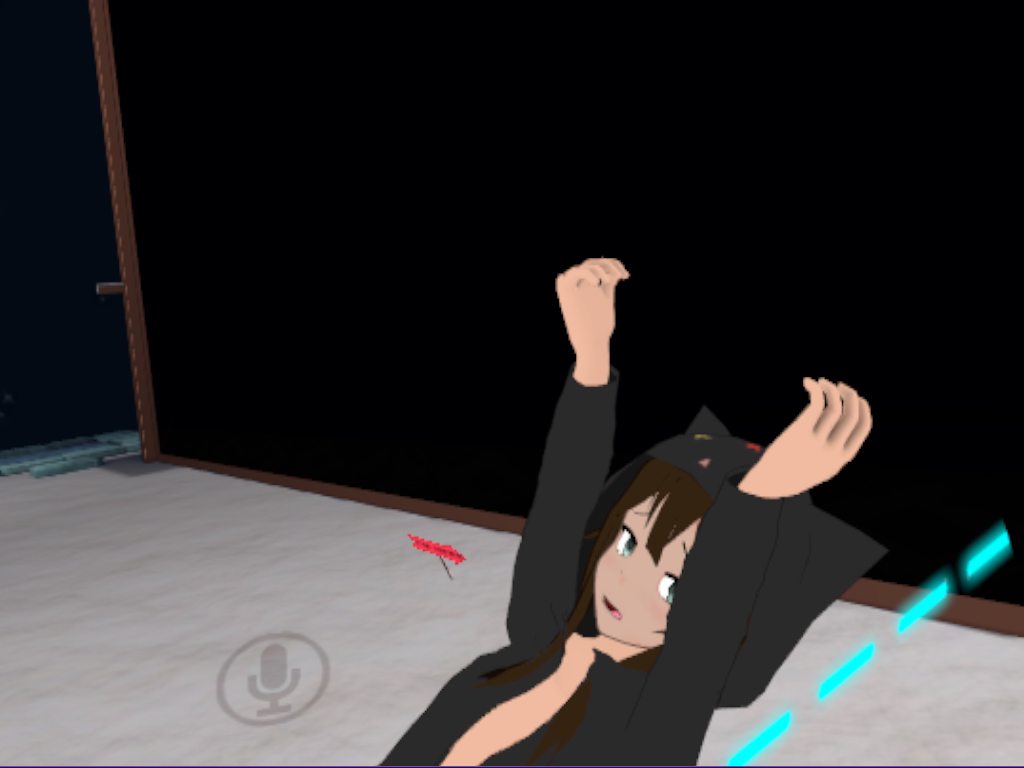
 dull wedge
How do I switch meshes using an animation override? I've currently got the two hairstyles both as different meshes and they appear to activate fine in unity, but once in VRchat, the initial hair doesn't disappear and the transformed hair doesn't appear either. Am I doing something wrong?
true scroll
@clear yew i guess you could ask the creator of the avatar test world, i think there was some discord tag written on the map
mystic umbra
Its mimi
mint mulch
Anyone here mind sharing some lightsaber particle prefabs
 tidal rampart
Can anyone help me to lock rotation on a wheel? I want it to spin 360 but it keeps spinning along all the axes at once. I tried changing the interpolation but it doesn't seem to be working.
It's a standalone mesh - not a child of anything.
Oh, this is in Unity Animator btw. Should have mentioned.
hexed current
@mystic umbra I am here.
Ready to fix this animation!
just message me when your on ^^
 bright sparrow
I think I might be doing something wrong ? I used the mixamo tutorial, has worked before, but I forgot something on the first test so I re uploaded the fixed version, but still doesn't seem to show up in my emotes?
coarse frost
i have an animation which causes some particle systems and an audio system to become active, but when i try to use it in game all it does is make me freeze in place
any solutions?
bright sparrow
ah I figured out my previous error, and got them to work, but then I switched to a different avatar to see something, and when I went back the emotes went back to default?? Like how the fuck??
tardy abyss
Is there a way to move optional bones in Unity (for animation)? Or am I forced to learn Blender to do that?
Basically, I've seen a few avatars have a flying (I would assume 'sitting') and a standing animation.
But I don't know how to animate the wings to simulate flying (for a few dragon models).
clear yew
@true scroll I sent her a message just now so hopefully she responds.. I just hope i get permission to use that with my character.. its so cute !
true scroll
i whish that that "doll" would be a bit bigger, she's small 😛
true scroll
absolutely 😄
tardy abyss
Could anyone answer my question, please?
clear yew
@tardy abyss I don’t know sorry..
tardy abyss
That's fine. I shall continue to wait, then.
clear yew
Besides i am waiting on a response hopefully to have permission to use a animation or the doll someone had on their world that I want to use for my avatar because of how cute it is
quiet needle
@atomic wraith Create a secondary animation that is however long you need it to extend, and add an empty game object to it (just to get the keyframe pips and the lockout) and assign it to another emote slot. Mash that second emote as soon as your character unlocks.
atomic wraith
thanks
 solemn cloak
ok dont think too hard on this one
particle emitters - i want the particles to 'stick' to things is it possible?
 spice meteor
yup
solemn cloak
is it really? ie: bow shoots arrow 'particle' that gets stuck on someone for x seconds?
or world/self only?
spice meteor
sure although the collision isnt synced so only the person itself that is suppose to be hit can see the actual hit
solemn cloak
the target will see it?
spice meteor
yea
solemn cloak
if so that's fine for my needs
but other spectators will just see it pass through or something i guess?
tardy abyss
Anyone know the answer to my question (just wondering)?
spice meteor
or to say it easier regardless who throws particles into the room only yourself can collide with something and only locally for someone else in the room something completely different can happen while for person x the particle aleady died due to that he interacted with it by throwing it off or it dying due to collision
you can do that in unity benie
 final wasp
hey guys, how do I make my mouth not detatch from my head? i even ditched the jaw bone, and just weight painted the whole mouth mesh straight to the head bone, but still when I walk in game it freakin flops about everywhere outside my head.
tardy abyss
So it is possible. How, exactly?
@spice meteor
cursive moon
@final wasp There aren't multiple channels to allow people to spam them with questions.
final wasp
my bad
spice meteor
in an animation you can rotate and move every bone your character has to offer, the quality for that with the normal unity animation tab is more well than limited so you need an asset for example umotion community
tardy abyss
Does the Animator have a search option, to look for a specific bone? Or do I have to dig for it?
And, if I'm able to pull this off, could I possibly put this animation on models that have wings (but not the bones)?
spice meteor
no you cant
 mortal patrol
so question: animator isn't showing in the add component button for my avatar's animation. any fix?
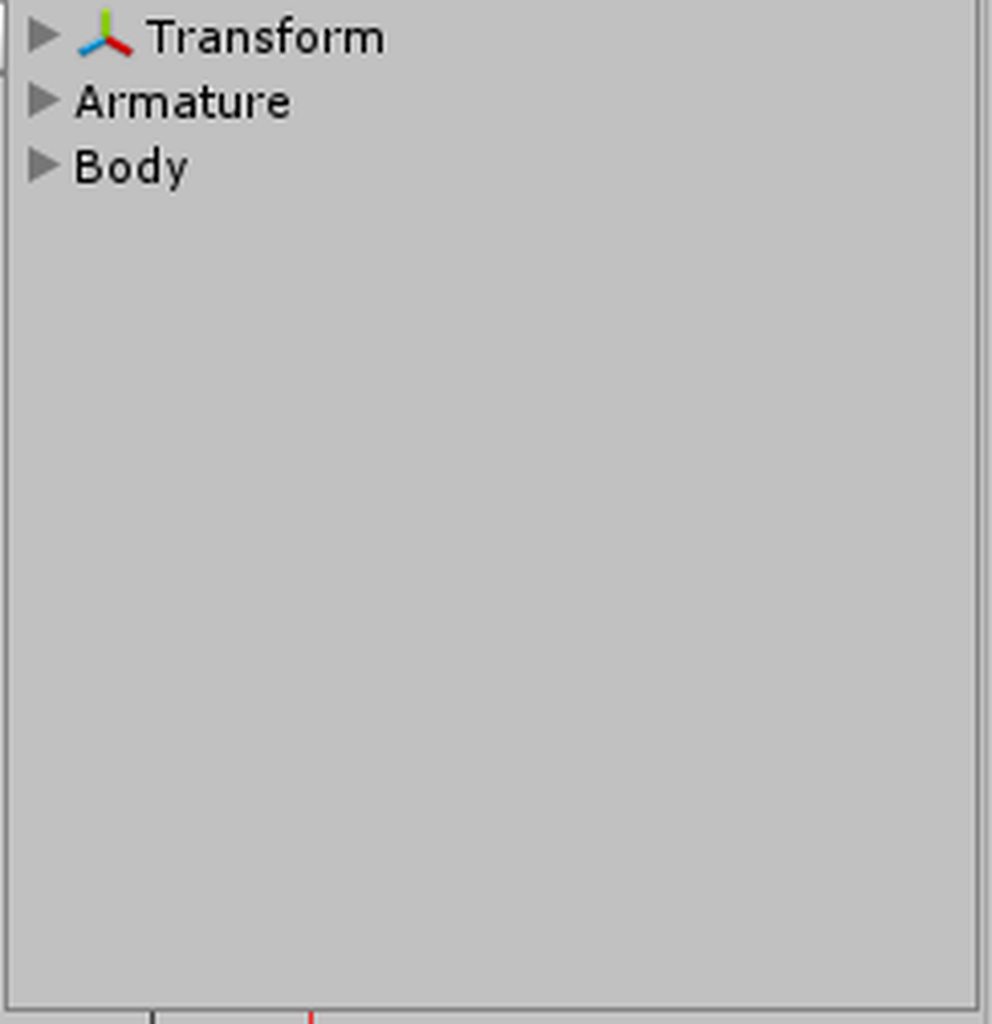


 opal cliff
did u forget to rig ur player as humanoid
 pulsar raptor
hi guys, anyone knows how add a sound effect to a custom animation?
clear yew
@pulsar raptor add an audio source that plays on awake, disable it, then enable and disable it in the animation
pulsar raptor
mmm i mean, to play in game with a custom emote
like dancing and playing music at same time
clear yew
not sure about this but they work on gestures, not on emotes as far as I can tell, I could be wrong
icy hazel
how do you stop a custom anim though