#animation
1 messages · Page 47 of 1
 pale warren
 clear yew
blender
pale warren
so just select obj again.
pale warren
it should open the mtl when you open the obj file just have to texture it.
clear yew
Whoa wtf
I accidently selected the OBj and it litterly added the textures
well thats weird
strange
textures are added
:/
pale warren
blender does it for you most times, some times it hasn't for me just have to select obj again and pick the mtl.
 surreal knoll
quick question, how do I add multiple animations onto one animation component? i see that I can add multiple but when I do so it only plays 1 or none
 lofty crypt
"i dont have time for videos"
proceeds to talk in text for an hour+
literally all your questions can be solved by intro videos to programs
i get your new my guy
clear yew
um
lofty crypt
but you're oof-in' my head
clear yew
Because I prefer to type for an hour
then watch vids for 2 days straight
when situations can be solved in minutes not hours
You know i saw vid
on how to make a object size smaller in blender?
pale warren
so in the top left corner you will see a hand for grab just pick the rotating icon instead.
clear yew
20 minutes
check comments
takes 5 seconds.
i see
let me test the rotator
Omg
thank you
and I saw a vid for 30 minutes on how to rotate.
Jesus
see what i mean>
minutes of nonsense for a 5 second solution
lofty crypt
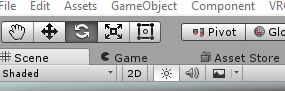 pale warren
I get right to the point and try to make it explained in a simple short way lol. But i can explain it all longer if needed lol.
pretty much what darling took a picture of
clear yew
ok
brb
is it normal to
have the unity backround area to be dark
I think I deleted the light
opps
how do I add that back
could i use milkshape for 3d modeling
clear yew
Are 30 frames per second the recommended frame rate for animations?
Saw the sample walking animation was 30 fps
 blissful root
Would anyone know how one would go about adding an animation inside an animation?
 still idol
Do you know a tutorial for adding particles to a model itself? Something like glowing wings
still idol
@clear yew avatar need to have bones and you need to click on select. rig > humanoid and configure...
@clear yew right corner, behind Inspector, click on Select
and animation type on humanoid
watch some tutorials, man

THIS VIDEO IS OUTDATED. Check out the new tutorial here: https://www.youtube.com/watch?v=7P0ljQ6hU0A PLEASE READ THIS: Do not use PMXEditor to translate any...
 still idol
watch since 31:30 , you have some errors for not selecting the bones
 cursive moon

@clear yew That's how you get to the Rig window. That's where you tell Unity what bone acts as what.
still idol
just learn from tutorials, and relax, this is not easy
cursive moon
They are 100% not useless
still idol
try to enforce T-Pose
cursive moon
Alright well that's far from them being useless, that's just you being impatient
I can't find your error screenshot, mind sending that again?
still idol
i cant see it clearly, but it looks like it's a problem of the chest
cursive moon
Scroll down to legs on the right
still idol
looks like it's not mapped
 mystic umbra
is everything parented correctly
cursive moon
It looks like it is, you can see the hierarchy in the prior screenshot
Yeah if you hit the little arrow next to a bone and another bone shows up on the list, that means it's a parent to a child bone
Yes Upper Chest is supposed to be blank, you've got that right
 languid bolt
cool. could you erm.. possibly have a duplicate and/or not rigged model in the scene thats not deactivated? and holy crap, watch some tutorials plz
cursive moon
There's no duplicates in the scene with avatar descriptors, otherwise it would have shown in the VRChat window as a seperate avatar.
still idol
i think it's a problem of mapping and he needs to map properly https://www.youtube.com/watch?v=LrCCl_F9XNs
Here's a video on extremely common issues I see with bones and rigging setups, and ways to solve them. I cover: - Leaving Upper Chest Blank - Reparenting spi...
what effect?
if you add a effect and you make an animation with the effect in the model, it brokes the model. It happened me 2 times
mystic umbra
maybe just enforce tpose in the rigging?
languid bolt
i only mention duplicaates because one scrnsht shows one name and the other shows it with (clone) appended
 mystic umbra
ohhh
cursive moon
Overrides don't go into Controller
languid bolt
not if hes making it a purely dance character
cursive moon
Nonetheless controller should be empty, the Override goes into the Avatar Descriptor
languid bolt
it wont do anything but that anim if its set to that tho
mystic umbra
and the override is in the standing part of the avatar descriptor
youll have to duplicate the override as well
good eye @cursive moon
cursive moon
ayy 👍
still idol
@cursive moon yeah, i think it should be that
cursive moon
And that is why you don't create animations using the original model
Gotta duplicate it
¯_(ツ)_/¯
I guess just make sure that that is always empty
Hope it works
languid bolt
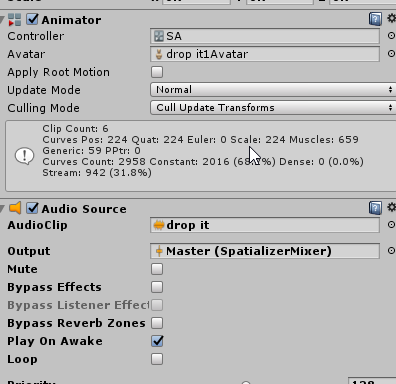
i mean... i have long dances set to the default animation so that i just switch to the avatar to do it... https://i.imgur.com/WCP9AxB.png cuz normal overrides have time limits
 still idol
well, guys... you know how to apply an animation on the model itself? not for the buttons, i want to make effects like glowing wings
languid bolt
but thats not what he wants to do i guess
languid bolt
just put an animator on the wings and have it set to play on wake and loop
 final gazelle
@languid bolt wait, do you mean you have your long dances set as one avatar's idle animation?
languid bolt
its just an animator, but yes. like full mmd motions with sound. anything over a minute
mystic umbra
drop it song 👌🏽
final gazelle
neat...that gives me an idea to try out now o_o
see if we can't get extended animations by having an emote exit into a different idle state
still idol
@languid bolt I know how to move the wings for example with an animation in Blender, but I can't glow them
mystic umbra
why doesnt particle mesh renders not emit complex meshes

 steep citrus
anyone know how to apply a shader to the outside and inside of a mesh? say a sphere
still idol
Well, it's not working. I've tried with another model and this doesn't appear in-game https://gyazo.com/2283f6f24760ab20a47bad05f4cafa24

 halcyon dirge
@steep citrus Inside only or both sides?
@still idol What is it that is not working (Just joined in, on the chat)
still idol
@halcyon dirge The particle, it works on simulation, but not in-game. I've tried to make an animator controller
languid bolt
btw, if ur checking in amirror, ur not gunna see anything
still idol
and also an animation, but not working
halcyon dirge
A constant passive animation, or Emote?
languid bolt
constant passive i think is what he was going for
halcyon dirge
Shouldn't be too tuff.
languid bolt
hardest part should be testing, cuz mirrors suck
halcyon dirge
Would recommend make the basic animation in Unity, and just add a Legacy loop over it, for simplicity.
 covert linden
You can use the camera in testing to check particles and animations and stuff
halcyon dirge
^
When pressing play, just revert back into the main screen, and see the animation play.
@still idol You still there?
clear yew
@still idol That looks so cool O A O
halcyon dirge
@still idol https://youtu.be/VXU12lIqcfE?t=6m57s

Apologies for the cold. Thanks to Haitchyy for his tutorial, which is what helped me intuit tail wagging: https://www.youtube.com/watch?v=p0txtOuZtx0&t=431s ...
still idol
@clear yew That's just a test, I wanna make glowing wings
halcyon dirge
It skips to the explaination of how to make it a Legazy loop.
still idol
@halcyon dirge ok I'll try
clear yew
Be sure to share how it turns out please
halcyon dirge
Good luck o/
still idol
finally working, thanks @halcyon dirge
halcyon dirge
No problem ^^
still idol
@clear yew For u :p https://gyazo.com/62ed0ce58dca2c618dc180833fe06b47
 halcyon dirge
Looks good o/
 jade kernel
Can someone help me ?
for the animation i want to get our an object but it does work on 1 animation i did but it doesnt work on others
the hand animtation works just the object doesnt show up
halcyon dirge
Have you remembered to add the item appearing in the animation?
jade kernel
yeah
i got 3 animations
1 does work and adds the object
and the other 2 dont
while the hand gestures work from it
just the object doesnt show
@halcyon dirge
halcyon dirge
You might have to go through it all, as it sounds like you might have forgotton a step.
jade kernel
@halcyon dirge well they are nearly identical to the one that does work
halcyon dirge
Nearly?
halcyon dirge
And the items are placed the right places?
jade kernel
Yeah The items are in the main avatar (but hidden) and in the animation avatar
maby a usefull note i use 3 avatar's for animations but that shouldnt be the problem
 halcyon dirge
It still sounds like you might have missed a step somewhere.
@tough ferry No playing animation`?
 tough ferry
yeah
jade kernel
@halcyon dirge It does but i did exactly the same what i did with my first animation
tough ferry
just get stuck there
she's supposed to pull out a box of tomagoyaki
and ask if you wanna eat it
halcyon dirge
@jade kernel Then I can't really put my finger on it..
@tough ferry Seems like you forgot to bind the animation to the overrider.
So the overrider you added in insted of the Emote is just blank.
 halcyon dirge
Again, I think the overrider is empty.
jade kernel
@tough ferry u actually need to apply the overrider aswell
 topaz ermine
Yeah make sure it's set in the avatardescriptor
 clear yew
how do you attach particle effects to emotes? always wondered
 white herald
@clear yew look up animation overrides it's all in enabling/disbling things
clear yew
Yeah, just not sure how to attach it though
cba uploading 10 avatars to see if it works, because my avatars refuse to delete for some reason
halcyon dirge
Just add them to the heirarch, of where you want them to be, then add them to animation.
That is the ultra short version of it.
tough ferry
if I sent my files to someone, could they take a look for me?
like, figure out what the hell I'm doing wrong
 wanton mortar
Hey guys, how do you the emotes on faces for blushing and such? its been so long i've completely forgotten
 quiet needle
They're under blend shapes in the Body mesh.
wanton mortar
Thanks! i was having a blank mind moment
 sage leaf
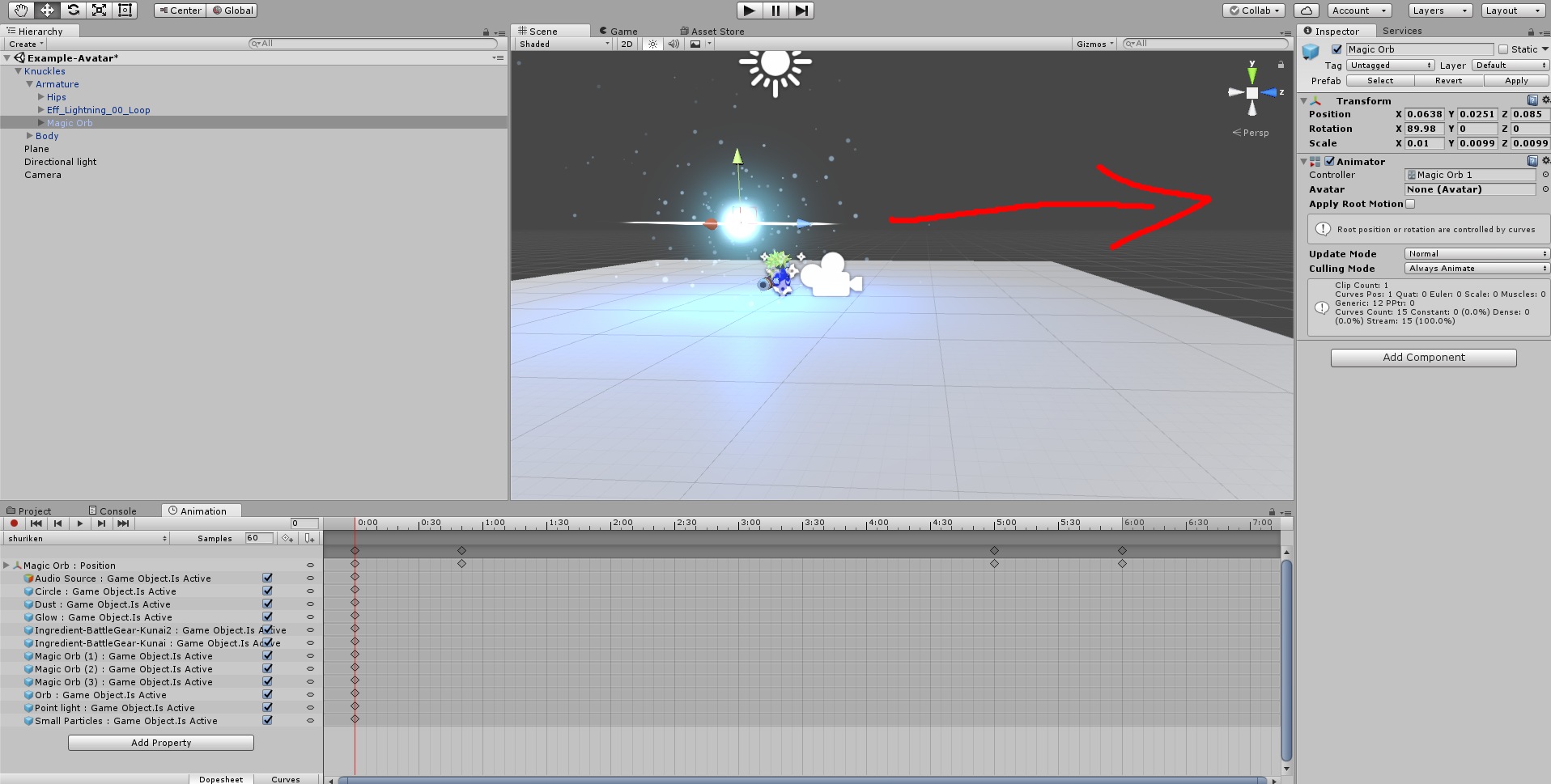
Hey, someone know what is wrong with my animation ? when I play it, it's working fine, but in the game when I start the emote my body is falling in the ground https://imgur.com/SUqRh0P
 quiet needle
If it's an emote, it will use the full body animation of your puppet. This includes being down in crouched position. If it's a gesture, it will only use the additions.
It has to do with the way they've set up animations in the avatar controller for VRChat.
sage leaf
@quiet needle I didn't understand well, my avatar is rigged but not moving during the animation, i've tried emote and handgun or fist but didn't work too
quiet needle
@sage leaf Gestures and emotes are two different beasts. Looking at your animation, it doesn't appear that it would be a good candidate for a gesture without some major tweaks (gestures are usually 0.01s long). If you want it to be an emote, you would need to set up a full body animation, otherwise you will crouch in the 0 animation position, which is the position your puppet goes to when you add your first anim.
 regal cedar
is there a way i could change the movement animations?
like spirting being Anime runnin instead of default
sage leaf
@quiet needle thank you, how I can do a full body animation ?
quiet needle
Add every part of the animator section and pose the entire model.
sage leaf
oh god
quiet needle
@regal cedar You can do that with an animation override.
sage leaf
one part can't be enough ?
quiet needle
Not for animations @sage leaf - that only works for gestures.
regal cedar
@quiet needle i mean i have tried one method and it didnt override it
sage leaf
so I need to put all the animator property ok, I need to change the value ? "0" ? or it's fine ?
quiet needle
@regal cedar So you set a run animation to override your RUNFWD and assigned the override to your standing anim override on your avatar descriptor?
@sage leaf You'd have to figure out what puts you in the right pose. Putting 1 in each field will probably get you close to being in T-Pose, but that might not be how you want the animation pose to look. You'll have to set it up how you want it.
sage leaf
ok ok , last question , do i need to make a second model just for the animation ?
because I saw that in my first tutorial animation video, but i don't know if it's indispensable or not
quiet needle
Yes. Always make a puppet.
regal cedar
so @quiet needle these ? https://gyazo.com/0db64a4798a9059cdb7069a6e5f8189a
 quiet needle
@sage leaf Your T-Pose will break if you add an animator to your model, which is why you create a dummy secondary model. You might be able to get your animation to work if you can get your T-Pose back.
@regal cedar Yeah, then did you assign that overrider to your avatar standing anims?
regal cedar
@quiet needle yeah so that will work right ?
quiet needle
It should. As long as the animations are valid.
regal cedar
ok ty
sage leaf
thanks for you help
 small tapir
I have a question when i wanna animate a chicken should i still rigg it as human or generic? i know i need to rigg it to get the animator to show up in animation 😃
Do anyone know?
regal cedar
i dont know @small tapir
small tapir
@regal cedar My last chicken i rigged as a human but in the animation he moved to human pose witch i can't have 😄 , it looked like a chicken that wanted to fight with someone
quiet needle
I'd say rig it as generic and make a simple walking animation.
maybe a head bob thrown in
small tapir
@quiet needle Good idéa the problem i have with rigging it generic is the animatior don't show up in animation so can't add any movements to it
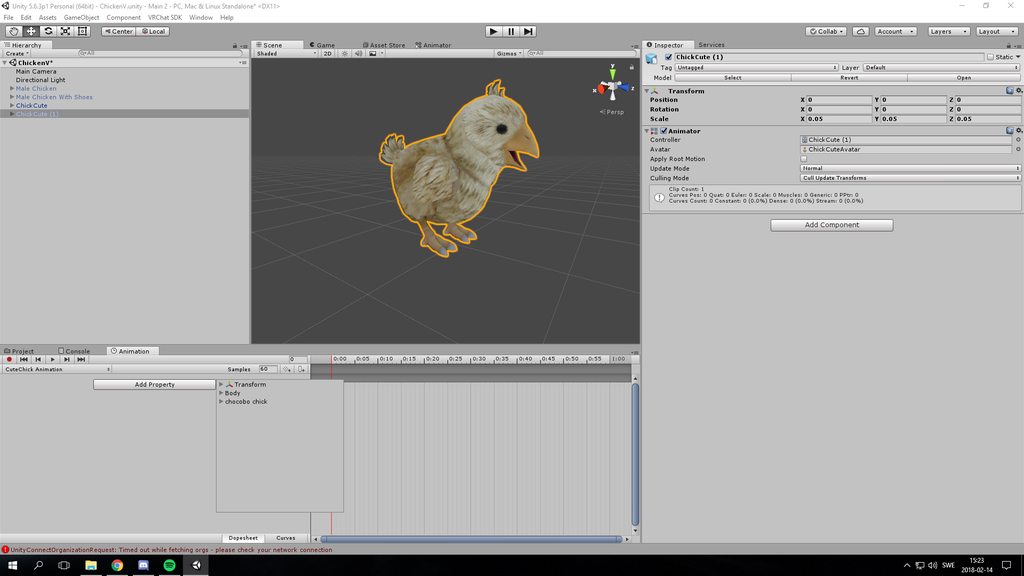 quiet needle
You have a boneless model?
The animator is for humanoid standard poses. You'll have to just use bone rotations to get what you want.
Unless you can find an animation prefab that works.
small tapir
Nope full of bones, this always happens when i rigg it as generic or not really rigg i can chose generic and press apply and done. So i should rigg it as human? to get that to work?
 granite field
If u rig a chicken as a humanoid everything will explode
small tapir
No it wont i can show you what happens 😄
granite field
Chicken man
small tapir
https://imgur.com/a/N1qiY haha and i already fixed the legs on this one
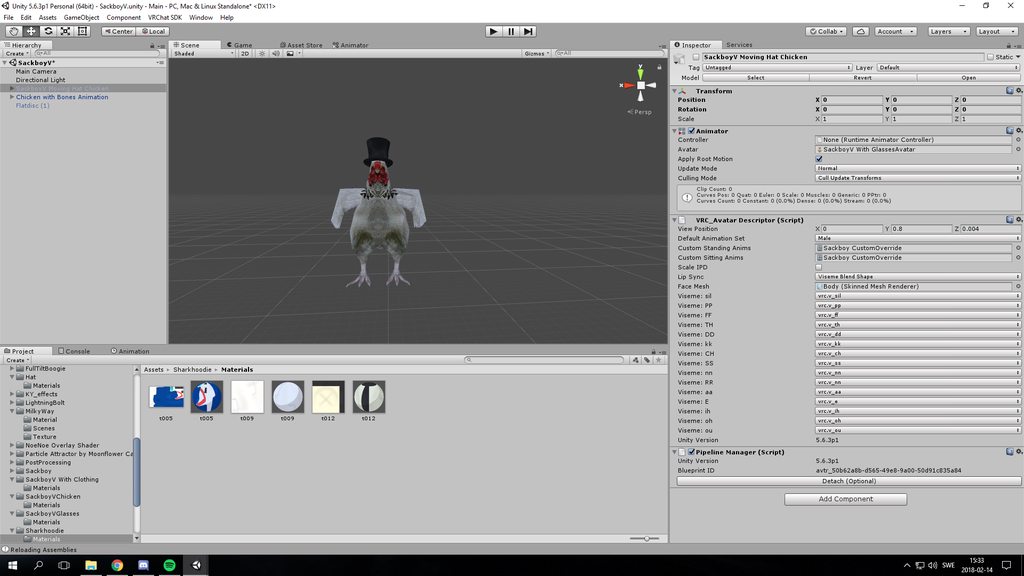 quiet needle
lol
I wonder if you could grab the walking animation and apply it to the generic rig...
also that model is dapper af
small tapir
@quiet needle You should see the animation 😉
I think i figured it out without human i just made shape keys for it
steep citrus
anyone know how to turn a mesh like say the knuckles avatar into a particle system?
topaz ermine
On the bottom tab of the particle emitter set billboard to mesh
steep citrus
the avatar mesh I need for me effect doesnt show up in that tab
basically I need the knuckles avatar to shoot away from me, like some of the ppl who made guns that shoot knuckles instead of bullets
topaz ermine
Can't you just drag in the knuckles mesh
steep citrus
nope but I can select body in the mesh from the knuckles I just cant see it
topaz ermine
Ah I had that problem as well this weekend
I don't know what makes some meshes not appear in a mesh particle emitter
quiet needle
Check the particle start size and scale. Sometimes it makes things super tiny or huge
steep citrus
I get the feeling it has something to do with legacy
 civic robin
does somebody know how to change a material while an animation
 pliant plank
Materials can't be changed with animations
 fluid crescent
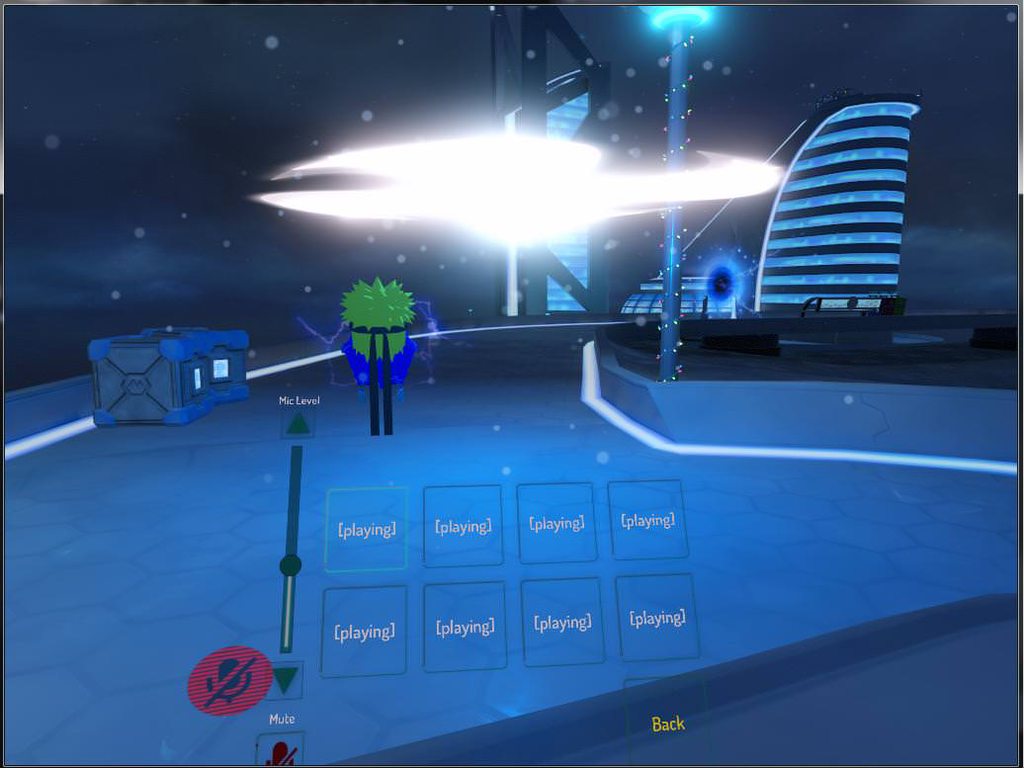
how to add particles when doing the animation?
mystic umbra
activate it in the armature
 low flame
Is there any tutorial on how to make an object levitating/floating around the avatar?
-<
still idol
guys do you know a good CIGAR smoke particle? I didn't found anything
 muted prairie
@low flame Basic animation 😃
low flame
@muted prairie But i never did an animation so that's why i was asking for help >-<
If someone can help me, tell me x-x
 grand copper
Particle system is in my weapon in the hierarchy but doesn't move at all?
apparently setting simulation space to "world" causes this problem, any way to keep the simulation space on world without triggering this bug?
 unkempt moat
 signal dove
How can I animate a specific material on an object instead of all of them at once?
 tawny wyvern
made it so far, troubleshooted so hard. Got a strange custom animation in, but alas it breaks the visemes on the model completely.
still idol
Ok I found one smoke particle, but it have gravity upwards, how i can make it float more?
 chilly vapor
can on object attached to an avatar have its own animator that automaticly cycles through different animations?
clear yew
help , im trying to make my animation longer by copy paste the keyframes . the animation is 40 sec so im trying to make it 80 sec instead. when i copy paste the keyframes unity freezes for a long time and as a result i have to restart it and start everything again
still idol
@low flame I think that's easy. Just watch a tutorial, you just have to make particles local and make an animation
@clear yew i think vrchat only allows 60 s animation
clear yew
you sure ? iv seen a really long animations probably more then 60 s
still idol
@clear yew nope, not sure... but i've heard that in a tutorial
pale warren
They can go longer then 60 secs as i have some. How many keyframe do you have in the animation?
clear yew
alot . maybe thats why unity freezes.
but i cant figure another way of doing that other then copy paste
pale warren
Sound's like your pc can't handle the load your trying to give it.
so do little bit at a time
clear yew
my pc is strong so its not the problem
 wide warren
Maybe try doing small sections of it at a time?
still idol
do you know how i can make particles float more and have less gravity upwards? https://gyazo.com/72f3b443534ee8b98d07c4db0d89781c
 pale warren
I have to agree with brandon, Something either unity or the pc can't handle the large load. Try it out and see if it helps.
clear yew
maybe it will work better in blender
its alot of keyframes so it freezes unity . like its literally alot of black dots when i zoom in and out
pale warren
Just try to do little sections at a time, You could do blender as well.
clear yew
i dont have time to do it in sections ill try in blender if it doesnt work there then maybe ill do it in sections tomorrow
wide warren
What i mean is try copying maybe a little less than a quarter of what you were trying before. This worked for me. It doesn't necessarily need to be tiny sections. But the full column, just a quarter of the length on the timeline. That way you can be done in 4 or 5 pastes.
 jaunty pollen
Are the desktop emote overrides still limited to 10s or was that changed?
clear yew
F that even in sections it dosnt work i give up 😦
still idol
suggestions? https://gyazo.com/34a9010cf4a4c46353caa8791693d893

 agile ruin
Where are the default VRCHAT animations? I can't seem to find them. I need them so i can copy and paste the keys. That way i won't have to do the Victory shape again etc
still idol
someone know how to make the smoke float more?
 gaunt gyro
@muted prairie Is it true that VRchat generates it's own avatar controllers, which means that there is no way to costumize it?
 celest trout
Is there an emotion animation time limit? I feel like my emotes are stopping at 15 seconds
mystic umbra
at this point I dont know. people say conflicting shit over it
but I think the limit is personally 10secs
tahts when my animations for emote get wonky
 pseudo iris
Anyone free to help? :/
celest trout
How come some animations like Get Down can play for 45 seconds?
 main junco
ayy could someone help me with a blinkink animation glitch
pseudo iris
well im trying to animate a weapon to fold out (Cresent rose from RWBY)
mystic umbra
are you on desktop or vr
pseudo iris
im on vr
celest trout
so many other dance animations play longer than 10 seconds fine
 clear kraken
I have a little problem.
I've created an Idle Animation for my character, but in both VRchat and the 3Dview, the character is waist deep in the floor.
celest trout
put the idle animation in a seperate componant called Animation and have it play always
take the idle animation off your controller
 candid token
So, Some reason When i trya nd attempt to animate my finger bones for a new hand Pose It just won't let me and revert back to normal
clear kraken
won't it play the idle, even when I'm walking then?
clear yew
I have a really low res model and the fingers are all fuzed together... do override animations still work or do I need more than 1 finger bone?
 quick goblet
You'll need I think the thumb and two fingers at least to be able to use gesture overrides. The bones don't need to be weight painted, just have to exist as children of the wrist bone
 ashen sedge
1 fingerbone is enough
clear yew
because i already tried it and when I do the hand gesture irl nothing happens
ashen sedge
Which finger is that bone assigned as?
clear yew
the index
ashen sedge
Which gesture are you doing?
ashen sedge
Well, if you make a fist it would show some deformation
clear yew
no matter what hand I make the one in game doesnt change at all
ashen sedge
Can you confirm that fingerbone is actually weighted to the hand mesh?
Sounds like it isn't
clear yew
how do i check?
ashen sedge
Rotate the fingerbone either in pose mode in blender or in unity
clear yew
and if the hand changes with it it is?
clear yew
yes it stretched the hand
ashen sedge
Then I'm not sure... sorry
clear yew
can anyone tell me why my avatar doesn't lift up arm anymore when i pick stuff up? it used to work, but now only hand turns and arm stays down.
all other animations work perfectly, it's only the vrchat ik that's not working for arms.
like the arms move to my idle animation, but they won't break free, only hand bones will break free from idle animation.
celest trout
Does anyone know how to make idle animations work on things like fox ears? It seems they don't animate as it's overriden by vrchat.
clear yew
@celest trout you can't animate extra bones with humanoid rigging
you'd have to make them a separate attached prop or mesh particle to do that with generic rig
celest trout
But I was able to animate my tail to idle move. They have bones in them also.
celest trout
I made an animation and went to debug and put it as a legacy animation and applied to the animation componant to play always
clear yew
interesting.
 cunning saffron
Is there a way to import 3d objects in Unity and set them up so they don't follow your avatar like a particle system with a simulation space set to world?
 icy hazel
so you want them to follow you more perfectly?
cause world means it gets left behind, yes?
well i saw a touhou girl with a ghost mesh floating above her shoulder, and it followed her perfectly with a wagging tail. is that what you mean?
 night steeple
is there a way to make particles not rotate when people move their heads?
clear yew
you mean sprites that always face camera? there's a setting for facing camera, forget what it's called, just a tick box or something... whether to face to camera or relative to anim
clear kraken
for anyone that has my problem, where your character aimation is in the ground, try to make a Root T. I'm not sure how to fix it, but people online suggest adding that in.
 bold cloud
I am made two object floating around my avatar, and how the hell do i make it work despire being on destop
 devout cave
hello
uhm so ive got this gesture animation where a ball moves from left to right
And when I trigger the animation 1 time
the ball keeps on grepeating the animation
how can I fix this?
 shrewd prawn
start and stop, you mean to simulate the effect in unity?
are you sure you have the particle effect selected?
 radiant crown
Could anyone message me a great place to find idle animations? Having no luck finding floating anims and the closest mixamo has is the almost dropped getting carried anim
shrewd prawn
i'm looking for some help with for legged avatars
 trim oasis
how difficult is it to make an object vibrate?
shrewd prawn
easy
just make two keyframes with the obect in slightly different positions and loop it really fast?
trim oasis
let me try
trim oasis
omg i made it work
 onyx frost
https://imgur.com/a/YvBXN Does anyone know why his ear bugs out when I add more than one blend shape?
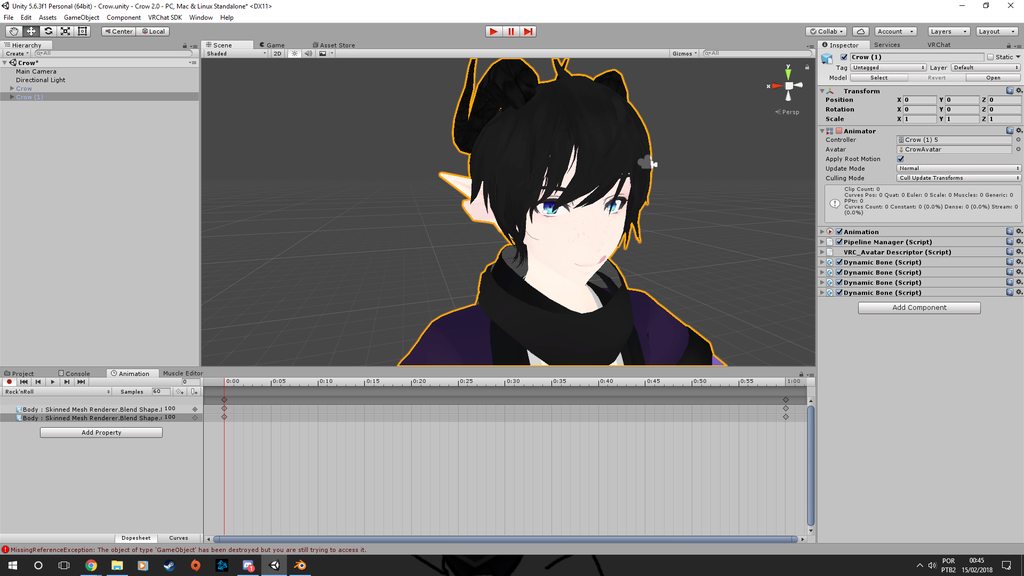 onyx frost
None of them control the ear
This only happens when I add another one, If I add only one it's normal
shrewd prawn
no matter what you set the values to?
 final wasp
can we not upload avatars with audio sources anymore with the new version of vrcsdk?
I'm getting "the following components are found on the avatar and will be removed by the client: ONSPAudioSource"
 keen snow
Just remove the ONSPAudioSource on your audiosource
keen snow
I have a question, how can I do an animation who changes the texture of my avatar ? I tried to copy paste the "body" and change the tex but it changes it on both
no problem @final wasp
shrewd prawn
why does my running animation have to complete the cycle before the idle animation starts?
clear yew
when I start animating my char in unity it get in weird position, any way to prevent that?
I believe the odd position is common when animating
That's why it's suggested to use a duplicate of the avatar to animate on and then transfer the animations to the original
Unsure if there is a way to fix though
shrewd prawn
yes the work around like mica said is duplicating the avatar, creating the animations on the duplicate, then just adding them to the original at the end
 sharp epoch
So is there a way to make emote animations longer than the standard 10 seconds? I want to make my emotes longer to have a more elaborate animation
sharp epoch
I have and it seems fine for me but for others, I snap back into place after 10 seconds
shrewd prawn
i have seen some really long animations, but i don't know if they were done with gestures or emotes
radiant crown
I've never had an issue making emotes longer than 10 seconds
I do them with emotes personally
Despite rumors there isnt a hardcap on anim length
 pastel sapphire
how do i add a vmd to my mode im trying to make an emote
radiant crown
vmd needs to be added to a compatible model in blender then exported, theres other complicated steps I'm sure someone here will remember
pastel sapphire
i would like some help if some one can
 bronze cloak
Pin right next to delete, thank you Discord
surreal knoll
would giving your avatar the ability to actually fly be an animation override or something different? I'm working on a tails the fox model and I want to be able to hold a button for him to start doing his helicopter flying animation and fly around. I've seen other people having flight on their avatars and I can't seem to find anything on it.
cursive moon
Yes, that'd be an animation override
surreal knoll
alrighty thanks 😃
clear yew
I'm trying to animate a miniguns barrel to spin ingame but no luck after 2 days of trying 🙃
white herald
tell us more
halcyon dirge
Please do.
clear yew
Well perhaps someone who knows how to animate objects could help me on this
halcyon dirge
What have you tried, and what was the result?
clear yew
It did spin ingame but the gun itself was no where near my hand anymore
halcyon dirge
Is it in 2 parts?
clear yew
The gun has 3 meshes
halcyon dirge
Wouldn't it just be easier to move the hand onto the gun, rather than redo the gun?
clear yew
The weird thing is it looks fine in unity but ingame the gun is like 3 meters away from me in an odd angle
halcyon dirge
Can you show how it is placed in Unity?
clear yew
Can't send pics on this channel
 clear yew
Anyone know why Maximo won’t allow an upload that was formerly an mmd model?
halcyon dirge
Nope
 full breach
There is some models that leave a stationary mesh when you trigger a animation override. Is there a tutorial out there showing how to do this?
 cobalt oyster
Does anyone know why some models that I import into unity and add onto my avatar won't show up in mirrors? Other people can see them but I can't. No picture right now as I am at work, but if anyone has an idea I'd like to hear it.
 dawn shale
Does anyone know why my animation isn't visible ingame when it works absolutely fine in unity?
 obsidian vigil
@urban niche From my Experience, obejcts in animations are never visible in a mirror. at least from your perspective
clear yew
I am wondering if it is possible to animate some object on your avatar without enforcign any bone position (could be useful for emotes, so you can still mvoe around)
 unique night
whats the best way to set a particle system that needs to trail a bone? i have it set to world but it doesn't follow the bone. (for example i want it to follow the hand bone).
 cold matrix
anyone know of any good tutorials for importing animations from blender to unity for VRChat? I keep comming up short on how to do it properly, so far i've managed to get the animation into Unity successfully, but when applying to the model or playing back in VRChat, my model goes into the default Muscle poser stance and stays there for the duration of the animation.
covert linden
@unique night did you place it under the handbone itself? And put the emitter on emit over distance?
covert linden
@cold matrix Do you mean mixamo or mmd dances or another kind of animation?
unique night
i have it working on an emote in another avatar, but this is the first time trying it on a gesture where i can move it around
cold matrix
@covert linden mmd dances, ive cut it down to the portion that i want
covert linden
Putting it under your wrist should just force it to follow it, have you tried to put it on your fingers and try that?
@cold matrix and you did copy the simpleavatarcontroller and created a new blendshape, then put that in your avatar controller?
unique night
havent had chance to try a different bone yet. the hand was an example bone. its placed on the end of a chain of weapon bones that branch off from the hand. The chain of bones are dynamic, except the last bone which is where the particle system is placed
but in game, it stays at my knees (the particle i mean)
cold matrix
@covert linden the simpleavatarcontroller yes, blendshape not sure, ill have another go at it now and see what comes up
covert linden
And it won't even move to the left and right? Its just there?
unique night
yeah, the particle doesnt move position. it stays stuck to my knees and trails from that XD
covert linden
@cold matrix yeah, basically what you do is create a new blend state and add the animation (the one with the play button) from your .fbx model to that. Then drag the controller into your avatar and that should work
@unique night weird xD as far a I know particles follow bones no matter what. Maybe because its simulated in world it behaves weird? You could maybe put it back on local, put trails on world or use a subemmiter on it. Maybe try creating an empty game object and see if it will follow that. I've recently created a trail that seems to work in unity atm, but haven't been able to test it yet
unique night
at work right now, but will try that as soon as i get back. it could be an issue with the avatar itself too. for some reason adding any object into its heirarchy (particles or other meshes) would move the pivots of the bones to the object, took a while to add them in without breaking the rig. thanks for the tips 😃
covert linden
No problem, good luck 👍
obsidian vigil
Is it possible to have an animation with a laser beam shoot after a short delay, but where you pointed
so i point wher to shoot from left to right and it just follows it but not at the same time while im pointing
covert linden
You can put a particle system on a huge delay to do that, but it will always follow its own path
So if you set it to go left to right, it will never go up and down if you think doing that (altho if you make two animation you can do that to)
obsidian vigil
I have an animated gaster blaster which is child of my wrist , i move my wrist and draw a line in front of me, i want the blaster to blast where my line went
is that possible in any way
just yes or no
covert linden
Not exactly sure what you mean but yeah ofc
unique night
just have the particle system shoot in the direction of the hand pointing in unity
and then in game, it'll always shoot in the direction of your hand
(obviously parent it the finger or hand joint)
covert linden
You can do pretty much anything with particles and animation
unique night
although it'll follow your hands orientation unfortunately
so if its a gesture and you move your hand, the laser will follow that mid animation
an emote will prevent that from happening since you cant move your hand by accident in that
however if you want it so you can draw your line anywhere and move separately from it whilst it fires, you cant
since it'll always move with your root/armature bone even if you dont parent it
covert linden
You can also just put it on your chest and reposition it, but since your weapon is on your wrist, I wouldn't do it like that
dawn shale
If anyone has Smoke $ Ember FX, please message me :>
cold matrix
@covert linden im still stuck on this animation deal, ive followed what you said (at least i think i did) but now all my model does is just stands in an idle animation. ill outline what i did below.
- recreated the animation (couldnt find the original one i was using before) and exported to unity
- trimmed animation in import settings and confirmed animation still works in preview
- duplicated SimpleAvatarController from the VRChat SDK examples
- added a new blend tree and set the motion
- added the SAC to the model's Animator
- no result
covert linden
@cold matrix my phone's on 4% but I'll be home in 30 mins. Could you pm the screen shots of stuff you did in unity? (Mainly the blend tree and stuff, I think the problem may lay there) and I can take a look at it then
cold matrix
@covert linden no worries, ill send them now and respond when you can
 waxen hound
to bad left and right and gesture cant be separated...
unique night
yeah would love to have seperate gestures per hand and even ones that needed both to used 😛
 ocean knot
any idea how to "reset" an animation when done using it? trying to make a more complex override with moving objects but i want it to replay from the start each time i activate the override.
unique night
they should always start from the beginning with gestures or emotes
especially if you're using the active animation property for objects
if that doesnt reset the animation, you can also turn the animation component on or off too
ocean knot
hmm. i am having some very very odd problems with this animation.
if i activate it, any gesture on that hand also activates it, and it does not play from the start, it is as if it is playing even when hidden. and the only way to hide it is to make the default hand position
unique night
so i take it you're using the animation component for these objects?
ocean knot
i have my base model duplicated and have the animation sitting on that
unique night
oh, so all the moving objects are all animated in a single animation file?
ocean knot
yeah.
it just seems to keep looping, even when hidden, and if i activate it with the correct gesture, then ANY gesture makes it appear after that
unique night
thats really odd
this is how i would do this;
create animation in a single animation file. set animation file to legacy in inspector (debug mode) and set to loop. place this on the avatar in heirarchy using an animation component
then create a new animation gesture file
thats 2 frames only, have the animation component set to active
for both frames
and add that to the override list
ocean knot
hmm, well that seems completely different from how i know how to do animations
unique night
so how are you doing yours?
ocean knot
the way most/all people do from the yt tutorials. duplicate the base model, go on the animation tab, create animation.
unique night
yeah, thats involved in mine too
you always need to duplicate the model when creating an animation file
but that animation will not play in gestures
a gesture can only be 2 frames (identical) only
emotes can only be 10 seconds long
an animation component can be however long you want (but it needs to be triggered by a 2 frame gesture animation)
(i forgot to mention that the animaiton component needs to be off by default of course)
ocean knot
ahh ok
so i can basically have an animation sit inside an animation
by just making a "parent" animation that is 2 frames long
unique night
yeah
ocean knot
and activating the animation component inside that
unique night
yup
ocean knot
wow thats really helpful. thanks a lot
unique night
gestures are meant for instant facial expressions
but we can activate other stuff with it using the active animation property
and it stops and resets everytime you let go
unique night
animations that go in the animation component wont work otherwise
ocean knot
ah, alright
unique night
not sure what the technical reason is 😛
its just something that makes it work
also keep in mind you can only have 1 animation component per mesh or object
if you want to chain multiple together you need to use the animator window and branch them together
ocean knot
alrighty. thanks for all the useful info 😄
ocean knot
oh, and for enabling loop, is there a specific checkbox i need to tick? there's quite a few
unique night
@ocean knot to loop an animation file that goes in the animation component, change the inspector view to debug mode with the animation file selected, change to legacy. then switch the inspector window back to normal
and change the only option there to loop
ocean knot
@unique night awesome. that's almost perfect - the only issue is it doesnt hide the object when i stop doing the override. but i suppose i can fix that by just not making it active in the component and instead dealing with that on the gesture side?
basically just doing the movement of the object in the component and nothing else
 torn pawn
if you are disabling something that is active on you, you must have it disabled in duplicate armature too (i think), and there's one big issue - it will be disabled only to other people, you will still see it on you
fluid crescent
my audio source on avatar is not loud enough in vrchat.Anyone knows how to make it louder?
ocean knot
@unique night anim is still playing while the component is hidden - did i miss something?
 amber mantle
does anyone have a tutorial video about adding audio to an already made animation?
or just help in anyway
 verbal ravine
Add it to the hierarchy of the model, add the "Is active" property of the audio to the existing animation, then hide it by unchecking the box near its name.
keen snow
Hi guys,I have a question, how can I do an animation who changes the texture of my avatar ? I tried to copy paste the "body" and change the tex but it changes it on both
amber mantle
the duplicate model or the original? @verbal ravine
unique night
@ocean knot yeah the objects should be off by default and you turn them on with the gesture animation's 2 frames
as for why the animation is still playing, are you controlling the animation component with the gesture too?
might be easier if you post screenshots of the setup perhaps
verbal ravine
If you already have a custom animation, you can just add it to the original.
ocean knot
@unique night all i have in the gesture anim is setting the component to Enabled and setting the object to enabled
mystic umbra
NANI
ocean knot
but even if i just click Play in unity and manually tick and untick the component, i can see it "jumping" the object forward
because it's playing it on loop even when the component is hidden
which i assume is because "Play automatically" on the component is enabled. but if i turn that off, i have no idea how to trigger the component to play the animation :/
 calm idol
does anyone know if its possible to reparent a bone for an animation in unity?
calm idol
i have a single mesh with a sword on my back. all in one mesh. the sword has bones parented to my chest. i was wondering if i could put the sword in my hand just by temporarily parenting it to my wrist
@torn pawn
torn pawn
make shape keys for that
or at least for sword going away
then enable the sword in your hand at the same time
or have do it with shape key
calm idol
i did not think of shape keys, thats worth a try. i cant enable the sword alone in unity unfortunately because its just one mesh.
torn pawn
export just the sword
and youre done
and have shape key which reduces size of the sheathed sword
calm idol
yeah have already done that just now. i also removed the sword from the back, so that i just have it seperate.
but thank you for the support
keen snow
Is anyone there for helping me ? I have a quick basic question
calm idol
just ask, if anyone knows, he will tell you
calm idol
uh that would be nice to know
ocean knot
still having issues with longer animation overrides - how on earth do you make it so that they can be cancelled? if i activate them with a gesture, every other gesture also keeps it activated.
i have friends that have no problem making a long gesture override that they can just cancel by stopping doing the gesture
 surreal crater
Does anyone know how to kill a particle on collision?
 lilac solar
hello, I am looking for help with a simple animation.
I am trying to override emotes with animations created in Unity (shape keys only).
but everytime I start the animation, the character is offset halfway into the ground and assumes a crouching position like so:

this happens in both Unity and in game and yes, the character is rigged as humanoid.
I realized that when setting the legacy option for the animation, it looks fine in Unity (character remains in T-pose), but it still looks messed up in game.
been trying for hours, any pointers?
torn pawn
@lilac solar u have to animate entire body bones for it to work on emote override
lilac solar
hmm, I am only looking for a facial animation.. isn't there a way to base the bones during my animation on some idle/default?
torn pawn
if you want the animation to loop at all times, you use Animation component then
lilac solar
yea I used that for blinking and that works fine. but no easy way to map simple shape key animations to emotes huh?
 cloud nexus
This doesn't work, no matter what I do, in animation override when I hit play, the particles stay in the area they were at when the avatar was T-Posed. I honestly don't know what to do and I literally tried everything. I have the empty game object inside of the armature. I have a rigidbody/fixed joint in the empty game object w/ the fixed joint attached to the wrist ridgidbody, I have the world particle inside (By the way, I know you're supposed to have the gameobject checked by default, so I left it alone and made the next child of the game object invisible) I got a rigidbody inside of the wrist I want the particle to be at with all the settings correct I'm sure.I got them correct at least, gravity at 0, etc. I honestly don't know anymore. At this point I think this might be patched. If not, please help because I have no clue what I'm doing wrong.

I'm trying to do world particles
torn pawn
world particle as in world simulation?
cloud nexus
Like, the particle starts on the wrist
Then it flies off w/o following the wrist anymore
torn pawn
and it stays in world till expires
cloud nexus
Like a bullet
torn pawn
have you tried having just the system without rigid body setup?
cloud nexus
What do you mean?
 glass idol
@cloud nexus google or ytb "Vrchat World Particle Tutorial"
there you go
follow these steps with the rigidbody thing
glass idol
whats wrong exactly
cloud nexus
Doesn't help that multiple tutorials tell me "Put it in Armature"
or "Put it in the Avatar and not the Armature"
glass idol
yeah
what now? I dont know what your problem is. Did you put it onto the avatar?
there are always simple mistakes you do you dont notice
obsidian vigil
Need healp really quick
How do you assign the view of a camera to a plane
in a world
not on an avatar
@torn pawn have you messed with worlds yet?
torn pawn
0 experience with worlds
ocean knot
when adding a long animation override to a gesture, is there ANY way to get it so the hand you performed the gesture with isnt completely broken for [indiscriminate length of time]?
 eager vault
When I walk, the weapon I pulled out with my hand gesture goes away.
Is there anyway around this?
ocean knot
if you're using a rift, yes, if you're using a vive, probably not
eager vault
Oh ok, thank you
 hexed fern
So i used a animation for a gun aiming idle off mixamo and when i loaded it up ingame it came out NOTHING like the animation i downloaded http://prntscr.com/ifaqze

and he's also supposed to only be holding one of his guns
not both
 hearty sapphire
Does anyone know how to make an animation that can change a shader? I am attempting to make my eyes glow using a hand gesture, but am not finding an item from the animation menu that can change the shader of a single item. I can only find shanging the emission of the entire model.
ocean knot
that depends on how your materials/textures are split, if you want to make just the eyes glow you should use an emission texture on the material that is all blacked out except for the eyes
clear yew
@hearty sapphire just hit the record button, change material properties, move to another keyframe, repeat
ocean knot
if you have a single atlased texture like me, this means blacking out the entire texture except for the eye parts, and then applying that as the Emission texture to your one material
obv. save it as a different texture
hearty sapphire
What do you mean my "blacked out"?
clear yew
the areas of the emission map atlas not containing the eyes should be black so they never emit anything
it's a mask
hexed fern
Im gonna ask this, is his skeleton okay for vrchat despite how tiny it is? or is it going to have to be completely rebuilt? Because i eventually plan to put animations on him too
http://prntscr.com/ifb0ky
 mystic umbra
I cant really tell if thats structures like a humanoid
 stray gulch
@hexed fern you're not showing bones just mesh
hexed fern
 clear yew
post it in rigging and don't spam everywhere pls 😐
mystic umbra
the bones are those dots in the back
stray gulch
no oine answres in anything else tbh <<
clear yew
a few minutes ....
hexed fern
 mystic umbra
I guess thats fine cause itsorta looks like a humanoid
hexed fern
i posted it at 3:14 actually
lets hope it works because i don't wanna have to rebuild his ears bones
stray gulch
you cant see bones to examine skelton
clear yew
can you at least continue in rigging then?
hexed fern
http://prntscr.com/ifb5lo i hope so, thats the full skeleton

he has everything needed i think
no eye tracking though but idc tbh
i dont use eye tracking
stray gulch
@hexed fern wtf am i even looking at?
hexed fern
its the bones
the model was ripped from a wii game
so its gonna have small bones so they aren't seen
or something
stray gulch
delete those unusable rerig
hexed fern
.......
mystic umbra
move the convo to #avatar-rigging
 heavy stirrup
Anyone know if lip sync works on Generic models?
stray gulch
dont think it does
ocean knot
when adding a long animation override to a gesture, is there ANY way to get it so the hand you performed the gesture with isnt completely broken for [indiscriminate length of time]?
stray gulch
not unless you change the key shapes for your fingers
ocean knot
hm :/
dawn shale
If anyone has Smoke $ Ember FX for unity, please message me
 glass anchor
is it possible to turn off IK in specific parts of the armature in unity?
I have a floating anim and I'd like to stop my legs from tapping the ground
 mortal creek
Guys i have a question here is possible having an active object in your avatar after an animation emote? Ex: I do an animation summonning a sword and when the animation ends i can keep the sword attatched to my hand with an emote, is that possible?
glass anchor
actually yes, but it's not common knowledge and I'm not sure how
mortal creek
ill try my best to figure it out >:C
glass anchor
there's some complicated workarounds that allow things to stick around after an emote ends, as well as letting you move
 flint elm
you could just have the sword as a normal override on one of the hand emotes, and then use another custom animation in the emote menu that ends with the sword in the hand
make sure you're holding the hand emote when the menu emote ends
mortal creek
I dont have vr
trim oasis
what are the default values for the default hand?
mortal creek
Is there any option to use the key rockandroll in the keyboard without vr?
 ebon loom
@quartz summit would you happen to know how to get started messing around with these systems?
 quartz summit
I don't have permission from the person who designed the logic to share sorry my man
clear kraken
Is anyone using the Muscle Animation Editor for Unity?
if so, or even if you understand Animation, I've created an Idle Animation for my avatar.
however, they're in the floor.
I've attempted:
1: Lifting the Avatar up to the correct height in Unity (This causes other problems)
2: Attatching a 'Root T' (But the Value gets randomized after every Keyframe)
3: Creating a new one without the Muscle Animator (Same problems)
please, and thank you.
mortal creek
@quartz summit Unleash it! >:v
quartz summit
I cannae
you can make the logic behind it fairly easily you just have to understand or research how state machines work
mortal creek
hmmm
Damn i've been trying a lot of different things, i guess ill just keep going
when you try to import a weapon to the game, you have to left the weapon object disable, the thing im trying is activate it with an emote and trying that the sword object stay active after it...
final gazelle
@clear kraken was the animation created on the avatar instance you're using now, or a different instance/prefab which you used as a dummy before assigning it to your real avatar to be uploaded?
 hollow lark
Hey can someone help me with the fact that i cannot add an audio source to my custom animation made in blender?
clear kraken
@final gazelle
the animation is in the same instance as the original.
I duplicated the Original, named the copy 'Animation' and then made the Animation, then attatched the animation to the original
final gazelle
hmm, yup, sounds like you followed through with what tupper did in his megatutorial
clear kraken
I've created Animations before, this is the first time this has happened
final gazelle
the idle pose/animation itself wasn't partway through the floor when you made it, right?
clear kraken
It was
with other animations too, they were partway in the floor, and still worked correctly. this is the first time it has not worked as intended
should I create the animation from scratch again, but this time first position the Avatar the same? (I should mention that if I move the Avatar to the correct height, in game it's idle works, but when I run my character gets lifted about 1m off the ground)
final gazelle
hmm, if the other ones also worked correctly, then that doesn't leave me with too many ideas -- i tend to go back in and directly mess around with the animation itself if previewing it shows it being in a spot i don't like
hmm, i've seen that lifting thing before -- no idea why, but some armature skeletons like to move around a bit when you're idle, and then snap to the correct position when you're moving
 mystic kite
Do emote animations always take over the entire avatar? or can I limit it to only part of the body? eg: Animation only on my right arm
final gazelle
i'm not sure i'd recommend creating the animation from scratch -- i'm more inclined to directly edit the copy you have now on your avatar, though perhaps make a backup of the scene before trying it
as in, edit the animation until it looks like it's in the right spot relative to the floor
@mystic kite this is a thing i've never tried, but it being possible in unity implies it may be possible in VRChat
https://unity3d.com/learn/tutorials/topics/animation/avatar-masks

Unity
Unity is the ultimate game development platform. Use Unity to build high-quality 3D and 2D games, deploy them across mobile, desktop, VR/AR, consoles or the Web, and connect with loyal and enthusiastic players and customers.
i say "implies" because i cannot figure out how to replace the walk/run cycles on humanoid rigs for the life of me -- feels like VRChat or the IK system is doing something to override anything we try
clear kraken
about that, If i raise the avatar, it's VRC view point and the line representing the floor also seems to raise.
final gazelle
@clear kraken not the entire avatar -- can you raise it just from the hips, or from the root bone inside the armature?
mystic kite
@final gazelle Thanks for that, I'll check it out
clear kraken
I'm not sure if it has a Root bone (is that the hips?) but I will attempt
final gazelle
probably the hips then, yeah -- just the bone that's the parent of everything, so the first bone inside the armature
rather than the armature itself, or whatever element you have the avatar descriptor on
clear kraken
it says "Keyframing for Humanoid Rig is not supported"
I looked online, some suggest creating the Idle Animation in Blender
I'll try that.
final gazelle
hmm, yeah, give it a shot
looking up stuff on my own end, but it's mostly making me think that unity made this a lot more complicated than needed to be
clear kraken
ok, I've recreated the idle animation, but I cannot get the animation to import :L
 ashen yacht
you can do idle animations?
glass anchor
why is it that I can't disable an audio source when an animation starts?
it just continues playing in-game
tried disabling both the game object and the enable checkbox within it
then when the animation finishes, the audio source starts playing a second copy on top of the existing one
 quiet lynx
Oh yeah, what exactly is the rocknroll animation that people usually replace for weapons? I never see it in game.
glass anchor
pinky/index/thumb out
quiet lynx
Ah
 quiet lynx
OH
 red bough
is there any possible way to make an OK hand gesture using the muscle editor or am i going to have to do this manually
quiet lynx
I thought it was some guitar shredding or something lmao
glass anchor
lol
clear yew
Does anyone have any animation similar to "Jogging in tune with Take On Me"?
ashen yacht
lmao
 swift shoal
Hello!! I was wondering if anyone is willing to help with a dance animation I'm trying to put on my model? I put it in unity and followed a tutorial closely, and I'm not sure if I messed up somewhere along the way, but when I press play the avatar doesn't do it's dance and I can only hear the music
clear yew
@final gazelle Those videos are quite helpful
full breach
Does anyone have more advanced info videos on overides? All i found was simple shapekey facial animation overides.
 rapid steeple
I want to know where I can find a shinoa scythe
Sketchfab has one but no textures. Only blender file
swift shoal
Oh I got it! but thank you anyway!
obsidian vigil
okay, if you encounter any other problem just pm 😄
amber mantle
ok. so i have this animation, and this audio file. how do i put them together?
https://cdn.discordapp.com/attachments/346527410658738177/413955258142818314/unknown.png
 halcyon dirge
Add an audio player to the avatar, that triggers when the animation is triggered.
amber mantle
so put the audio in the hierarchy, but then what
halcyon dirge
No.
To the main empty, where the avatar is in, add the audio script (the same place with the description).
amber mantle
im kinda new to the animation thing, mind sending a ss? @halcyon dirge
halcyon dirge
I am currently at work, but I can see what I can find.
Have you uploaded an avatar before?
amber mantle
yes
halcyon dirge
What kind of animation do you wish to add?
amber mantle
ok, so i already have an animation added as an emote, it works correctly, i just need to know how to add the audio file to it. if it helps the animation is a dance
amber mantle
yep
halcyon dirge
Add the audio script in, and add the sound proc to the same animation trigger as the emote.
dawn shale
If anyone has this, please message me. http://puu.sh/zoTee/ed52f35046.jpg
 halcyon dirge
@dawn shale Just make them yourself with particles ?
dawn shale
I'm not that experienced yet x)
covert linden
If you're willing to put in time and some smart googling, you can do a lot with the basic system!
halcyon dirge
Smoke: https://www.youtube.com/watch?v=DvKRGwCImJ4
Embers: https://www.youtube.com/watch?v=-Fhq_iKujpE

Creating a very simple, but convincing/realistic volumetric fog effect using particles in Unity 5.5. You can also use the default particle texture with a few...

Watch this video in context on the official Unity learn pages - http://www.unity3d.com/learn/tutorials/topics/graphics/creating-ember-particles In this Live ...
30 seconds of Youtube search.
covert linden
Unity itself also has a good fire tutorial
dawn shale
I'm sure I could have googled and found it myself if I tried to, Bloody.
dawn shale
Because, I don't trust in my abilities to be able to recreate something that looks as good. Give me a break.
halcyon dirge
I am not trying to push you.
What I am saying, copying what they do in tutorial will give you the experience to further customize some of these effects.
Take what they show, and mess around the settings, to see what does what.
If it breaks? Reset!
Nothing there is permanent. Therefore nothing can go wrong.
If you use a prefap that is premade, you just have a system that -might- work.
If not, you just wasted time, learned nothing, and if you paid for it? Lost money.
Experimenting with these things are what allows us to create newer things.
Imagine how borrowing VRChat would be if everyone just used off-the-shelf avatars and effects.
amber mantle
https://cdn.discordapp.com/attachments/346527410658738177/413963939638935553/unknown.png
so should be like this? im still kinda lost lol sorry
 halcyon dirge
What are you trying to show?
amber mantle
geddan is the audio
halcyon dirge
Did you just drag and drop the audio in?!?!?
amber mantle
right click, audio, audio source
then i put the audio clip in the audio clip section
halcyon dirge
Click on "THICC KANNA" then add component and write "Audio" use that insted.
amber mantle
ok, did that, now i put the audio clip right?
halcyon dirge
Yes
amber mantle
ok, done.
dawn shale
That avatar name does worry me.
amber mantle
lol
cobalt oyster
Thicc kanna is like a vr chat meme at this point
amber mantle
yea. but i use it cz i actually like the anime itself
halcyon dirge
@amber mantle I've by accident thrown a few aspects around the whole ordeal. My apologiese.
Follow the tutorial here, and it should explain it all.
https://www.youtube.com/watch?v=wsaGVhIVSf8 Sorry for the inconvinnience.
 amber mantle
hmm ok. thx anyways~
halcyon dirge
o/
clear yew
Hey all, is it possible to add an object with hand gestures and walk around it? I added one but it just follows my head movements and it's very disorienting.
obsidian vigil
dont think so, the object will always spawn in relation to where you put it
clear yew
Yeah I get that, I've seen people place objects down and still be able to walk around without that said object moving. Whenever I turn my head the whole object rotates.
Does anyone meet a problem that, when you export your model from blender in fbx, in unity the shape render is too many so it separate into “body_mesh0 and body_mesh1”?
Then I cannot set viseme in SDK descriptor....
All the shape keys are gone
How can i keep those shape keys and export into only one “bodymesh” just called “body” ? So that in unity i can have everything
obsidian vigil
@clear yew How many Polygons does your model have?
clear yew
40k, I decimated to 19k
cursive moon
Did you use CATS's Join Meshes button?
clear yew
I think so, I did it yesterday but now i cant check it
Not in front of my PC right ny
Right now*
obsidian vigil
bcuz some peeps ive talked to had their mesh split into 2 when going over 65k poly
clear yew
Should I have my avatar walk in place for the walking animation or should I animate her moving forwards?
obsidian vigil
in place
clear yew
I dont know why I have the same problem ...in which occasion the CAT will split mesh into two? Only over 65k?
obsidian vigil
The only occasion i know are the 65k but there could be more
isnt 40k still to high anyway?
clear yew
Do others figure out the stride distance and duration by trial and error?
Maybe because of the MMD autor did not manage the mesh hierarchy so well?
obsidian vigil
@clear yew make her walk forward and just delete the keys afterwards
clear yew
40k is the original counts
obsidian vigil
oh okay
clear yew
Will give it a go, thank you
obsidian vigil
np 😄
im doing a walk animation for myself rn anyway
couldnt figure the legs out yet
gotta watch a whole bunch of running dog videos
covert linden
I like how animating brings you to the weirdest websites and videos just for research and references x3
obsidian vigil
@covert linden Really? cuz the only place ive been for reference is youtube 😄
covert linden
I've looked up quite some videos I never imagined looking up
Mainly sounds for animation tho
clear yew
Are you talking about continuous animation for basic model?
obsidian vigil
Ive been trying to use this to wrap my head around leg animation but mine looks derpy https://www.youtube.com/watch?v=PVvZKcKBTtg

Animals walk weird... who knew?! This animated video helps breakdown animal gaits for animators, artists, or any old fan of studying creatures. Directed and ...
clear yew
Yep, walking cycles
I would like to create a dog or cat model one day
So occassionally glance at how they move when I spot them, lol
How can u make a continuous animation all the time? The same steps as gesture animation but putting on a different place of override?
Might you mean like the idle animation?
Could be, cuz i never try this part XD
And i want to
obsidian vigil
@clear yew i found a model of Temmie (Undertale) which is a generic rig but i really want to have it walk thats why i need it ^^
Are you talking about a walking cycle or just an idle animation ?
clear yew
Am I right? Just simply to place the animation into idle one?
Hmmm....maybe walking cycle is also another question lol
The idle animation will coninously play and loop itself while you don't move
It's the one people add blinking to
torn pawn
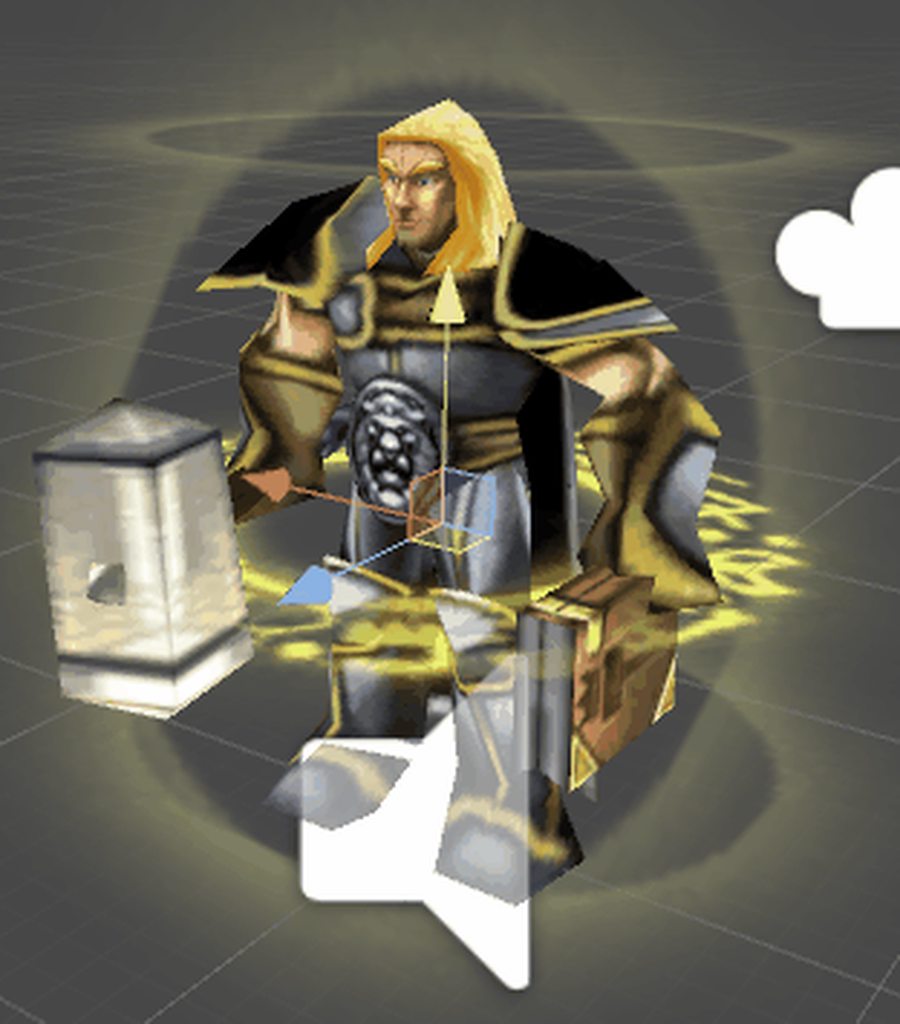
https://imgur.com/7wqFAPW now to figure out how to do devotion aura
 torn pawn
I have to make human peasant after this "job's done"
clear yew
Figure I should try again lol. Is it possible to add an object with hand gestures and walk around it? I added one but it just follows my head movements and it's very disorienting.
So how to do it like those “loli army” for instance? Lol
@obsidian vigil Will be fun to play with a Temmie around XD
They have it ALL THE TIME
The sign/logo I think?
Yes, it’s also a part of animation right?
If it's just a sign I would believe they added it to their model, a floating image/texture on a plane, so as long as they don't turn it off or move it it'll always be there on all animations
I have yet to see one them so I'm unsure
You mean, this moving sign is not about animation?
Do you happen to have an example to make sure?
Currently don't believe it's an animation
Hmmm...really donna how they could do this
obsidian vigil
@clear yew they have the animation publically available on their discord
clear yew
Bcuz it inspired me, I want to make a similar effect that the avatar are chewing all the time
So it’s an animation anyway?
obsidian vigil
not sure
the thing they provide is a unitypackage
also, if u want free animations, shaders and models join their discord
they got heaps of stuff
for free
just a lil insider tip there 😄
clear yew
Am assuming you want the floating image like these?
https://www.youtube.com/watch?v=50U7fNXq4m4

Loli Army Discord https://discord.gg/4eSRpw5 Discord Loliking#5724 VR Chat Name Loliking Outro Music 「Nightcore」→ Stronger Remix
Hmm
Well i cant watch video now im in the office
Gna check it later
@obsidian vigil And how to join their discord ?
Am uncertain what you aim to do as the chewing animation lol
But does sound silly
They have so many dancers in that army
Well, it’s one of the characteristic of a avatar
Eating all the time
There is a cute character I like who would do the same
Which?
Karuta Roromiya
I enjoy her calm nature
Her skeleton is a bonus
 fallen crypt
Hello, anyone know how to make a snake slithering from Dynamic Bones work just like the snake avatar from Ante's Cartoon Animals world? I have been trying to set my snake body not to shoot out the tail when I brake. I need the values to make it
dawn shale
Does anyone have any good idle animations for either folding arms, or having hands in pockets?
if so, pls message
 unborn sun
How do I add particles to emotes?
clear yew
if i have full body-IK disabled, can i still do the handanimations?
If anyone can help me with this issue I'd literally love you. https://www.reddit.com/r/VRchat/comments/7xxwwa/help_really_desperate_for_help_with_my_avatar/

reddit
Yo, so basically I have been working on an avatar for like 5 hours and I've basically made it to be what I want other than one simple stupid thing...
clear yew
Never tried adding a collider but added the rigidbody. Should the collider be around the whole object or just on the outsides of it to stop it form rotating? COuld give that a shot
white herald
doesn't really matter just if it has both it should act like a physics object that is disconnected from its parent
clear yew
Never really worked with colliders before, does "Is Trigger" mean anything?
white herald
a trigger wont collide it's for scripting
clear yew
And Box Collider is fine right?
white herald
yes
clear yew
Alright cool I'll give it a shot. Thanks a lot dude
white herald
also it may look different to others as to your screen
 upper swan
How would one make a animation that switches the mesh rig to another in a animation?
clear yew
It never worked unfortunately. Oh well, still looks ok for what it is. Not what I wanted but I'll cope.
 blazing glacier
Does anyone know how to create an Animation Controller who randomly plays any animation?
 grizzled cobalt
@clear yew
quiet lynx
Is it possible to have more than 1 looping animation going on the same time or do I have to remake them into one single animation clip?
No, playing all time
isn't idle staying still though?
when your character isn't moving
Then i guess, yes
Oh...damn :C
blazing glacier
So many new oppertunitys would be open up with scripting :C
quiet lynx
what was suppose to be a 6 sec loop is now a 20 sec animation rip
Because of timing and smoothness
 inner cloak
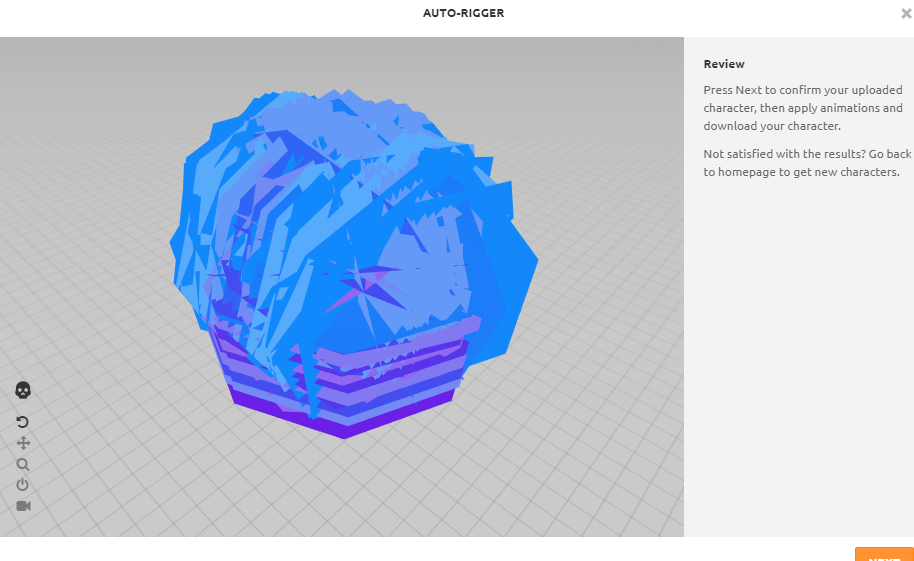
Mixamo is stuck on loading an animation for 20 minutes now ;_;
inner cloak
well... https://i.imgur.com/llCPjIc.png this explains why
 alpine saddle
Anyone know any good programs to use for animating a custom emote? I was getting fustrated using unitys animation tab and Autodesk 3dmax seems too complicated.
white herald
i would only use blender but that's pretty much the free equivalent of 3dsmax
@alpine saddle
unity is not meant for complex animation lol
alpine saddle
Yeah, after spending a hour trying to animate a colapse I've figured that out haha
I'll give blender a go again then 😃
low flame
Someone knows how could i make that mini octopus to be floating around me? I'd appreciate some help ^-^
https://gyazo.com/047222c89d6ad86fbf120854ca59ce26
 clear yew
Hello, I want this animation: https://gyazo.com/afad5d44ed03119128c8b2dce2e2b567

But when I put it in a model
it seems like this

 clear patio
i love learning animations, then becoming so into models you stay up till 7-9am every day to finish them
i made a rookie mistake, by forgetting to add my muzzle flash and sound to my main models gun as well for the animation to work
 rigid folio
Anyone have recommendations on a better animation interface in Unity? Clicking through that tree is infuriating when you can't click and drag something
I have the Muscle Editor package, which is fantastic for editing humanoids, but if I ever need to do anything outside of that ... 👨 🔫
 celest panther
I've seen endless loops of emotes
gaunt gyro
Emotes can be as long as you want really, but your camera will unlock after 30-40ish seconds meaning you can move and potentially break the animation.
 sharp spoke
Hello, does anyone know how people stop certain parts of their avatar from animating? i.e arms
muted prairie
removing the weight paint
sharp spoke
Thank you.
 amber mantle
how Do I get a spinning Logo on my Avatar
 soft tiger
Has anybody any idea why particles don't appear in game :/?I did a custom emote animation but the particles don't appear
It's so frustrating, I tried every method possible
The only thing i managed was to make it play once, just when the character appears.If i do the emote, the particles don't respawn :/
and i was really disappointed to see that i couldn't use scripts :/
soft tiger
So that active particle system is useless.I mean if I use it in animation it doesn't work.Everything is fine in unity but in game doesn't work :/
 lucid pewter
If the skeleton looks completely normal, but the model looks like this, if i export it, will it be fine?
 muted prairie
Probably not
lucid pewter
its wierd, Blender and Unity Render it fine, but is it the poly count or something
Or because i merged meshes into one?
muted prairie
Looks like one vertex of the shades is still stuck to the hips group
muted prairie
yep
 muted prairie
I think that'll fix it
lucid pewter
Ok, i'm a bit confused, whenever i click on it, it says "not yet implemented", and i cant seem to find a way to delete it
muted prairie
Wait, how are you selecting the vertex group then ? Select the body mesh, go into edit mode and find the vertex group's it's part of, press N to open the menu so you can find it
lucid pewter
I'm was separating the meshes by materials to see if i could pin-point the problem, but i put the mesh back into 1, and could you explain what to do after i find the glass, and press N and open the menu..?
 muted prairie
Check the vertices of the sunglasses individually and look at the vertex weight panel on the side
if you can find the vertex that has hips, remove it
lucid pewter
I still haven't found one with an attachment to the hips, but I've found one with a 0. as the weight instead of a 1., so that might be right I'm assuming?
stray gulch
can can anyone tell me what this skybox looking thing is at 10:12 https://www.youtube.com/watch?v=mXHxS4fz6AA

Welcome to my VRChat Virtual Reality video VRChat is a lovely social virtual reality christian experience 100% no swearing VRChat Funny Moments PLAYLIST - ht...
 jaunty gull
hi friends, i'm trying to add an infinite rotation to a crown on my avatar, and I feel like im really close to being done, but in the animation i have it set to complete a rotation over 10 seconds, and it does. but the rotation of the crown accelerates and decelerates at the first and last second
is there a way to make it a uniform rotation speed throughout?
 half shell
is there an easy way to do something like making a cape flap in the wind when a gesture is triggered? or would i have to manually animate all of that? super ghetto setup using dynamic bones maybe?
stray gulch
@lucid pewter i know its a custom animation I just want to know specifically what the sky thing is.. particle ... object.. or something else
half shell
figured it out, anyone wondering, you can change dynamic bone force in animations so you can keyframe it between two force levels of your animation
jaunty gull
nice
i also figured out the speed issue, you have to use the 'curves' screen at the bottom of the animation tab, right click the frames of the animation you want to be a uniform speed, and change them to linear
 sullen arrow
heya, how do i add an audio source to an animation?
 surreal iron
guys i have a question, gonna do my first custom animation, which will be 2B taking out her black box from her chest and then it will explode, but i heard that doing the animations in blender would be better, so in that case, should i include the black box in blender or do that later in unity?
 clear flicker
Guys how to create an animation with just particle system like a magic circle going up on my avatar
surreal iron
https://youtu.be/2X428xq9YSk?t=18s this is what ill be trying to replicate





 clear flicker
Someone know how to made this : https://youtu.be/ZHXz8uj84Cc on an emote of my avatar?

Гайд по созданию магического кругав Unity 3D. Particle system effect. Game effect tutorial. Ссылка на пак с эффектом - https://www.patreon.com/posts/16654009...
fluid crescent
How to make 2d material appear while doing animation?