#animation
1 messages · Page 46 of 1
 final gazelle
 atomic wraith
Yes
final gazelle
hmm, it should still be possible, gimme a sec...
atomic wraith
Ill tinker around with it when i get off work i g2g for now though thanks for the helpful info
 quiet needle
That animation tab lets you export it out of the FBX. If you can't dupe it, try that.
 fluid crescent
how to make model play sound when he does animation?
quiet needle
Add an audio source to your model (disabled by default) and enable it in the animation. @fluid crescent
fluid crescent
@quiet needle how do i enable it in the animation?
quiet needle
The audio source will be a game object attached to your armature. Just open up the "Add Property" option in the animation tab and go to where you dropped the audio, then choose the + for "Is Active" and check the box (Needs to be checked on both ends of your animation)
**** Make sure you're using a dummy/animation puppet before doing this, as your rig t-pose will break ****
fluid crescent
thanks @quiet needle i got it
 obsidian vigil
Yo @quiet needle is there a reason why we have to remove the script at the bottom of the audio source before we can upload to vrc?
quiet needle
Because VRChat team has disallowed the use of ONSP audio components in a recent patch.
it was causing some bugs.
 wind sandal
So can anyone here help me with a .VMD problem
quiet needle
What kind of VMD problem?
 hardy hornet
Is there any way to import those walking/idle animations in Mixamo to your character in VRChat and replace it with those? I've always wondered.
wind sandal
I am trying to export a vmd as an fbx. But after I import it into blender, the model’s feet are anchored to the center of blender scene
How would I fix this?
final gazelle
@hardy hornet Mecanim (the thing controlling a lot of the automatic animations for humanoid rigs in Unity) seems to override a lot of bone-rotation based animations with its muscle system, so guessing it's very likely that even if you were to import the animations, it gets jammed up by the system
obsidian vigil
Damn @quiet needle is doing High Quality support +rep
final gazelle
i want to know how to get custom idle/walk animations on humanoid rigs as well, but it's even jamming up my animations which were meant for non-humanoid bones
hardy hornet
I see. Just recently I saw some guy using a Naruto model (who doesn't have a VR) went and did that Naruto ninja run lol so I wondered
final gazelle
he might be bypassing it entirely if he's using a generic rig, or has actual VR (he might just be doing that pose in real life)
quiet needle
I'm going to post this here in hopes that it gets some visibility - VMD animations use the MMD bone name to control your model's motions. Unity uses the bones assigned in the rig configuration screen to reassign those motions to the rig. The easiest way to get a VMD into Unity is to add it onto a stock (unmodified, except translation of bones and shape keys. Important note: Do NOT modify any bone names, model scale, or any other settings if you can avoid it as this may break your animation) MMD model in Blender, then export it to an FBX and it will have the animation baked on when you get into Unity. You can then configure the rig for your model, which will take some tinkering, and once you have the rig set up, go to the animation tab on the asset/rig section of your FBX file and export the animation from the model from there. You will want to delete the FBX file with the baked animation as it will likely be unusable for a VRChat avatar. It was simply a dummy model to get the animation into Unity so we could convert it to work with normal/optimized models.
Keep in mind that MMD has a pelvis/groove bone, and unity does not. You will lose any hip sway and may need to add it back into the animation manually if it impacts your animation enough to warrant.
Edited x.x
final gazelle
^can a mod pin that message pls? 😛
quiet needle
@hardy hornet I have a naruto ninja run animation xP
Just have to set it as the default run override and it's in.
hardy hornet
Oh, do you mind telling me how does that work? I'm not looking for the ninja run animation but I'm looking to import one from Mixamo xd
I haven't explored that part of animation yet and seem to not find anything about it via google search
 muted prairie
@quiet needle can you edit your second sentence into the paragraph so i can pin it ?
quiet needle
So basically all you'd need to do is get the .anim file into unity, then set up an animation override sheet from the VRC SDK animation examples. If you're not sure how to do animation overrides, I'd suggest watching a tutorial. Basically just set the .anim as the RUNFWD override file and it will be your new running animation.
https://www.youtube.com/watch?v=yfVmfGOOkOw

A VRChat tutorial on how to override hand gestures and emotes with your own custom animations. It can be used not just for VR users, but for desktop users to...
 obsidian vigil
I tried importing a running animation bit i have vr and that made it look extremely derpy
quiet needle
It may react strangely with VR users.
hardy hornet
Oh, you're talking about that "CustomOverrideEmpty" . I remember trying to put one before but it seemed to not work though I guess it's because it was my first time on VRChat back then lol .I'll give that a try again. Thanks xd
And yeah, I read on the net that it's bad for people with VR
 old trail
Quick Question:
What does RUNSTRAFELT135, RUNSTRAFELT45, RUNSTRAFERT135, RUNSTRAFERT45, STRAFELT135, STRAFELT45, STRAFERT135 and STRAFERT45 in the animation override mean? The number behind it confuses me.
quiet needle
It's an angle
running 135degrees left or right, 45 left or right, in run and walk motions.
old trail
Ahh thanks!
quiet needle
@scarlet mauve It's going to depend on how the animations are set up. It looks like some of those have audio components tied to them, which means you'll need to at least know the basics of animation creation to get them set up and working. I'd suggest the video I just posted up above.
 scarlet mauve
actually, none of them have audio components, it's just the animation file
quiet needle
Then you should be able to just set them up as an animation override. Find the "CustomOverrideEmpty" file in the SDK animations examples folder, duplicate it and add it to your model folder, drag the animation to the gesture you want to override, then drag the override itself into your model's avatar descriptor under the overrides section.
hardy hornet
You download the music from the link the guy provided on the site then just add an audio source
scarlet mauve
Like, i already have the controllers set up, and override the EMOTE1,EMOTE2,etc
but how to add the audio to the specific animation?
hardy hornet
I was able to make the getdown myself by just importing MMD motion files but I had to make a separate model for it
quiet needle
You'll have to edit the animation file. You'll need an animation controller set up to do that, then drag the .anim file onto the armature using the controller (your dummy/puppet) and it will show up on the cliplist for editing. Add the audio file as a game object to your hierarchy somewhere and set it to disabled, then "Is Active" in the animation.
hardy hornet
So right now I have two models. One that automatically plays Get Down upon switching to it and one that moves normally. I still need to find out how to make it all in one.
Oh, so it is possible?
quiet needle
the process I just mentioned
scarlet mauve
So, i dragged the controller into my avatar's ''Animator'' and ''Custom Standing Anim''
hardy hornet
Yeah, I'm glad to hear that. Thanks a lot, I'll go spend some time to merge those.
quiet needle
So your controller should be assigned to your dummy's animator, and your avatar should just be set to the normal default option. Don't change that.
Just assign the override sheet to the custom standing
quiet needle
drag the anim file onto your dummy in the hierarchy and drop it. Afterward, open the animation tab, select your dummy and on the left side of the animation panel, click the animation cliplist (the name of the animation that comes up by default is usually what you named your controller) and you should see the anim file in there.
quiet needle
so you'll need to add an audio source to your main model and your dummy, both in the same place named the same thing. Just right click the bone you want to add it to (armature or hips is usually a good place for a generic proximity based sound) and go to Audio > Audio Source.
do this on both model armatures then add the sound file to the component and configure the volume and such
 grand copper
Unity won't keyframe? even with the record button active. It just resets back to it's original value
quiet needle
Disable both audio sources by unchecking the box at the top of the component list on the right, then go back to your dummy and open the animation. Add a property and find the sound object and add the "Is Active" property. You will need it to be at the first keyframe and the last keyframe of the animation as enabled.
@grand copper Are you in play mode?
 quiet needle
That just means you're in animation record mode.
Generally speaking, animations are easier to create when ignoring record mode and just using the properties menu and values on the keys.
You might need to save your scene and restart Unity.
Sometimes it freezes up and shows incorrect values in the animation tab
grand copper
If I want to animate my whole character through it's rig, do I use the animator properties or kan I use the rig itself as properties?
because I've been searching in animator and can't find something as simple as 'hips"
 clear yew
Armature > Hips
grand copper
well yah, but why would all tutorials tell you to add all this "finger stretched" properties from "animator" if I could use the rig directly?
quiet needle
@clear yew you da real mvp
You could, but the animator is made for simple rig rotational modifications and is generally quicker and easier to use.
grand copper
ah, makes sense, thanks
quiet needle
Either way you'll have to add just as many keys and pips
grand copper
the values of for example hips position still reset
quiet needle
So you have your red timeline all the way to 0:00 and the hips position set as a property/key, and you type into one of the x/y/z fields and press enter and it resets?
grand copper
right after I press enter it goes back yes
quiet needle
Hmm. I'm not sure then. I've never had that problem on my avatars. Then again, I've not tried to move the hips. Is there a hips motion modifier in the animator that you can try using instead?
grand copper
I've been searching for that too but no luck, nothing called "hips" so I went looking for spine but then I get "spîne TDOF" "spine front back" "root Q" "Root T" so not sure which one does what
quiet needle
You could always just pop them on and test, then delete them if they're not the key you're looking for.
grand copper
true, but if it comes to that, I'll just go to maya and animate it there. If it's that difficult for unity
I've noticed that the resetting is fixed when I turn off record mode? but once I move the timeline again, it turns itself back on
 sage leaf
how play a animation with a non-rigged avatar ?
quiet needle
@grand copper That would be correct. The timeline moving means the key resets.
grand copper
but a key is not supposed to reset when timeline moves? that's the whole meaning of a keyframe
quiet needle
Basically the way it works here is you set the keyframe object in the left panel, then when you actually type in a value, it puts a pip on the timeline with that keyframe value. Then when you move the timeline, it modifies the value to a curve between the last and next key, but doesn't actually encode the value unless you enter another pip.
 proven quiver
Hey can anyone help me with my sound animations? i have an avatar with a boombox on her. i put music on it and in unity it sounds great but in game in some worlds you can hear it id say okay but in some worlds its pretty silent. what am i doing wrong?
quiet needle
Sounds are pretty messy right now. What's the volume level set to?
quiet needle
That's probably why. 1 is extremely low volume. I'd say somewhere around 5-7 would be good, and set the curve up so it meets your wants regarding non-annoyance levels.
 pliant plank
Isn't 1.... like the max?
quiet needle
Oh wait, yeah.
proven quiver
yeah its on max lol
proven quiver
linear
pliant plank
After they screwed with the audio curvatures and ONSP audio in general is just BS tbh
quiet needle
yeah
pliant plank
That's why i haven't updated mine yet
proven quiver
well even before that it didnt quite work for me
pliant plank
They'll keep their custom rolloffs for as long as they live
Well unfortunately jask, that's honestly as well as you'll be able to have it audible
Audio has been really screwed with in the past patches and as i see it right now, there's no feasible way to have it atleast audible at midrange
So you're unfortunately stuck with it
pliant plank
Because they have old avatars that haven't been updated by the new SDK restrictions
proven quiver
damn okay well thank you anyway 😄
 pliant plank
One such sign is the fact that you can't mute their avatars via the audio sliders, as they have a completely different configuration than what is supported
 zealous needle
https://puu.sh/zmemc/0ea1474c19.png
when removed and re-added 🤔

This, shouldn't be an issue, right?
fuck it let's find out
quiet needle
Without context of your import, it's hard to say, but if there is no mesh it shouldn't pose a problem. It's just not perfectionist friendly.
zealous needle
no shape keys in blender
muted prairie
Why isn't the canvas a single mesh ?
quiet needle
One other thing, you can rotate the part that you're using to a usable position, then press E twice to reset the rotational values.
That will make it easier to work with in regards to movement and rotation.
zealous needle
I, don't even know what I did or what this issue is. Like, it's a mesh that's not part of the mesh for some reason, correct?
and that should not be
pliant plank
I have a feeling it's a unity camera glitch for some reason
zealous needle
 quiet needle
Did that object exist in Blender at some point?
 quiet needle
the second mystery one?
zealous needle
Let me restart Unity
huh, still does it, but yeah, it does follow the camera
Funny enough, I just detached the mesh from the mesh renderer, and it's fine
I guess I'll make my edits and see what happens
 surreal crater
Does anyone know how those things are called above people head for example loli army? Im looking for a tutorial.
quiet needle
sprite

Since Natsix is new to VRChat She still does not know all the complicated things in Unity like idle animations and all sorts of stuff. She was able to animat...
surreal crater
thank you tech!
 tall zodiac
Anyone know if you can make a mesh particle align to a direction its facing instead of being stuck in one axis?
Ah rotation over lifetime works
Now i just need to figure out how particle collision works
quiet needle
@tall zodiac Set the renderer from View to Local, then rotate appropriately on the particle section (start rotation)
Collision works when it hits into an object with a collider. That's a pretty shaky thing to base an effect on unless hitting the terrain is your target trigger.
tall zodiac
its one particle that spawns a another when on collision
Like a small bang
also what do you mean by View to Local?
zealous needle
But the real question is
how do you make a particle system as a projectile independently
scarlet mauve
@quiet needle hey, srry i had to brb, can you explain me again how to add the audio since i now have the animation clip ?
 rotund quarry
anyone having this error with onsp audio source I just don't understand how to do sounds like do you have to have one for main avatar also?, sorry for spamming I think this would be the right tab confused what tab to use
 pale orchid
Guys, how can I put a sound on the emote animation? I already have the animation and the sound, but how I put together? http://prntscr.com/idrue8
 scarlet mauve
i want to know the same thing
 quasi dragon
so just added my second pistol to my avatar to have 2 out at same time, though even though the animation has both hand movments in one gesture, the hand movements only take effect for the hand i gesture with
meaning that i have to hold down the gesture on both controllers to get the hands to line up ok on the gun, gun still comes out though with just one gesture, though doing this makes it so i cant do a secon gesture to add a firing effect correct? any ideas?
@pale orchid https://www.youtube.com/watch?v=pC6sW4kJwa8 this video around the 37 min mark he talks about adding audio to a gun, though i havn't tried it yet myself

This shows you how to put weapons and audio into the game vrchat. More stuff here: Where I got the gun model: https://abyssleo.deviantart.com/gallery/5925409...
clear yew
@quasi dragon Try adding weapon to your wrists instead of your hands
That way VRchat should call the weapons to be enabled in both hands, it won't track your hands, but will follow your arm movements
Or, add 1 weapon to your hand and the other to the opposite wrist
scarlet mauve
How can i disable an audio on the idle animation?
pale orchid
I saw the video, but don't understand how to put the sound with the emote animation :/
scarlet mauve
hey @pale orchid i think i've got it, i'm uploading my test avatar, if it works i pm you
pale orchid
ok
quasi dragon
@clear yew so just try moving the one gun from hand to wrist in the hierarchy?
clear yew
I think that would work if you want to dual wield with the current way vrchat works
quasi dragon
i can try that, will that make both my hands move though with only hitting the gesture on one?
cause both guns are showing up, just the hand im not gesturing with is kept open
instead of gripping gun like in the animation
clear yew
Oh, thats what you wanted
quiet needle
Everybody asking for help adding sound to an animation: You need to add an audio source to your model and in the animation set it to active at the start and end keyframes.
clear yew
Thats just how VRchat works, the opposite hands finger bones will not be called when your gesturing with the opposite hand
quasi dragon
ahh that stinks
clear yew
Unless theres some work around I don't know about
quasi dragon
hmmm guess i could just a another animation that is a copy of the guns with the added firing animation to a similar gesture so i can just press another button to go into that gesture
was just hoping for an easier fix lol
clear yew
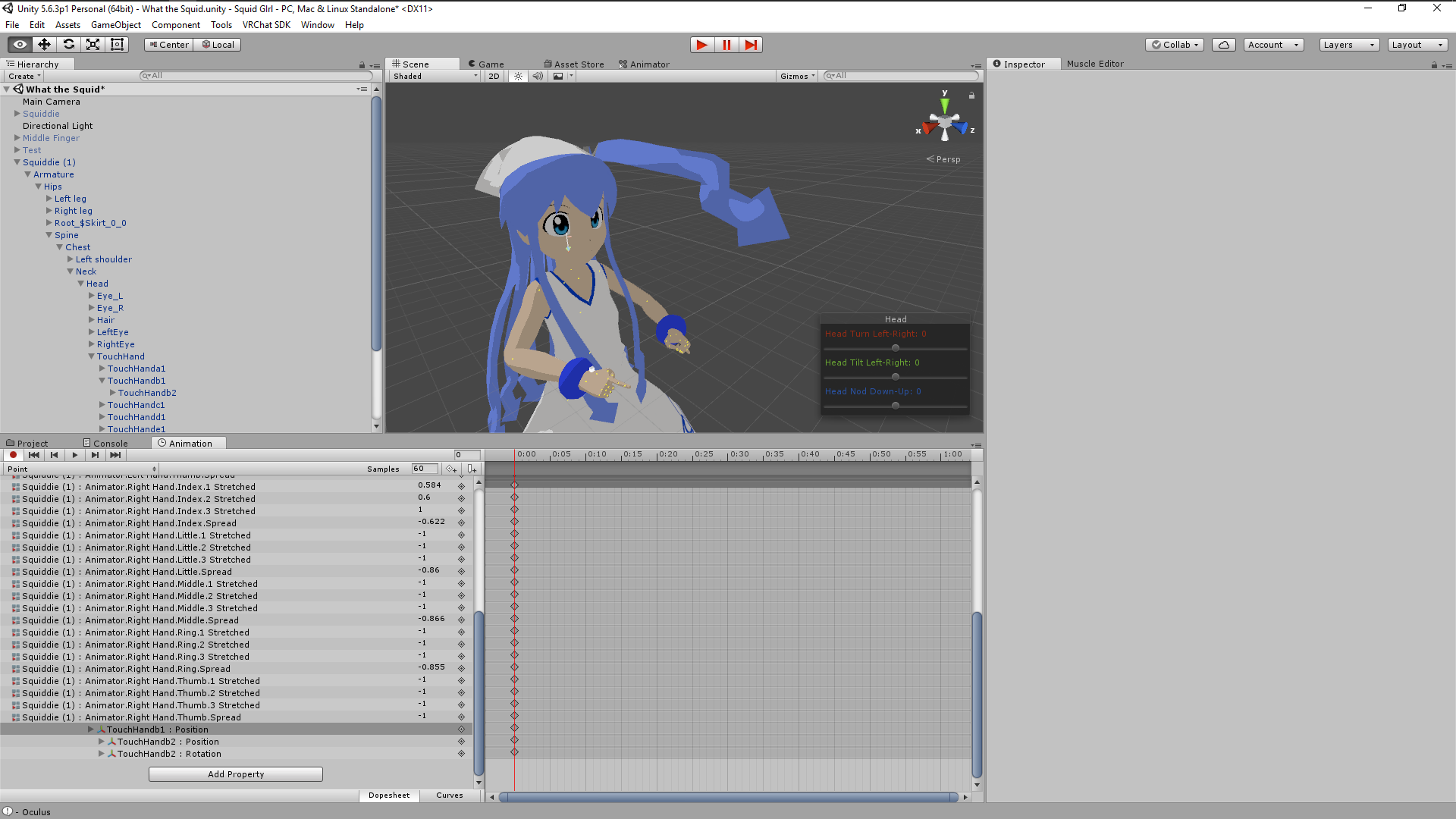
I had a question of my own. How can I enable a bone to follow another bone? I basically want this tentacle to follow the direction of my hand on the X and Z axis on an animation override
https://imgur.com/TL1RfVV
 quiet needle
Might be able to use a joint similar to how you attach world particles to a bone.
https://www.youtube.com/watch?v=yZxfQkxvxRI follow this but attach it to the tentacle bone instead? Worth a shot.

Had to re-upload because of audio being too quiet should be fine now. I forgot to mention it in the video, but Murmur also answered questions I had and helpe...
clear yew
Hey I'll give it a watch. thanks!~
old trail
Again, one quick question:
In the override, I can't find "STRAFELT". Does it even exist? Because there is a STRAFERT.
clear yew
You don't have to do that anymore
If you have the newest SDK, when custom override~ing you only need to add the actual overrides to the controller
old trail
Now I'm a little bit confused..
pale orchid
@quiet needle I add the audio source, I'm using a animation from this pack, https://www.vrcmods.com/item/565-Animation-Set-(35-total-animations) How can I set the audio on the keyframes?

VRChat Mods
Included Animations: Get Down || Audio Link: https://www.youtube.com/watch?v=FkQaQZCzjic Francium Motion Dance || Audio Link: https://www.youtube.co
 candid token
@quiet needle Hey thank you for showing that video in here it's gonna help out allot with some sprites i have
quiet needle
@pale orchid You'll have to edit the animation file. You'll need an animation controller set up to do that, then drag the .anim file onto the armature using the controller (your dummy/puppet) and it will show up on the cliplist for editing. Add the audio file as a game object to your hierarchy somewhere and set it to disabled, then "Is Active" in the animation.
@candid token welcome
candid token
Also, I can never edit my fingers in the animations, It jus default back to normal
like the default hand pose
quiet needle
Yeah I'm still trying to work out why I get default hand pose sometimes when I try to gesture during an animation. I think you have to set both hands up fully in the animation and it will only call the one you're using.
candid token
it's rather strange
Eh, at least i can unsheath my sword and such
i also managed to getmy particle system working with my Form change
So that's all good
quiet needle
Just be sure to be frugal with your particles. Keep it under 500 if you can.
candid token
I always do
I keep all particles i have under -100
I find it rediculous making over exceeded particles that are unessacery

here
quiet needle
nice
 vestal osprey
can someone direct me to a particle system tutorial? i've only found one and that one is out of date
clear yew
I'd greatly appreciate if anyone can walk me threw what hinge joints, and rigid joints are
quasi dragon
@vestal osprey im watching https://www.youtube.com/watch?v=YzYvNKgzTKY atm, its a silent video, but its going through particle systems like adding muzzle flash and smoke to guns

This video assumes you have already watched this one: https://www.youtube.com/watch?v=61vO-IswFps&t=546s *Make sure you scale your model down to the size y...
vestal osprey
ooh thank you 😃
scarlet mauve
how can i add a moving gif to my character?like, in the texture of the leg, or anything
 granite dust
Since Natsix is new to VRChat She still does not know all the complicated things in Unity like idle animations and all sorts of stuff. She was able to animat...
scarlet mauve
No, i mean like, instead of a gif OUTSIDE the body of the character, i want a gif like, in the chest of the character, as if it replaces the texture
clear yew
same technique of animating
scarlet mauve
what technique?
clear yew
using gif like animations in materials
scarlet mauve
do you have a video that teaches this or something like that?
clear yew
It is
 limpid tulip
How do I add sound to a walking animation?
 stiff mist
can someone help me with my gun animashon i can get it out but i cant use it :C
 tight flower
hey guys, is there any way to add stationary objects in an animation overide? for example lets say i want to add a table that sits in front of me, in VR i can move around the table, while it stays stationary there so long as the gesture stays active? an @ would be appreciated if answered, thanks!
stiff mist
i want to say it not moveing when u move but i think i may be rong about that
 hexed current
hey guys
uhhh
quick question
so I add hand colliders to my model right
but the second I include them into the breast root (Lol) the breasts freak out when I go into play mode and they're leaning only one direction. Ideas?
nvm figured it out
breast radius was on the max
I dont know what the breast radius should be set to...
anyone know a good setting?
 versed yacht
Hey could anybody help me out with a viseme issue?
hexed current
whats wrong
tight flower
https://gyazo.com/8948cbf937d2b8e6371cea70b1e5aa01
if im getting this error after ive disabled the audio on the model itself, what am i doing wrong?

fixed nvm
 keen reef
Is there a way to have a partical system play once during a finger animation, but keep playing post particles? I'm looking to make my avatar dissapear in a puff of dust
 vestal hatch
hey i was curious if anyone could help me out ok so i can get the facial emotes working in unity but for some reason they dont show up in game? im not sure why i have the eye key frames, all im trying to do is do a finger gesture to close my eyes, i set the overrides and everything but no luck : /
 cunning saffron
Is there a way to toggle animations without using scripts?
 stray gulch
@cunning saffron yea its called "gestures" animations you trigger with vr controls you tube it
cunning saffron
@stray gulch can you send me a link i cant seem to find any video on that...
stray gulch
@cunning saffron this one is decent https://www.youtube.com/watch?v=xxSezH13vAI
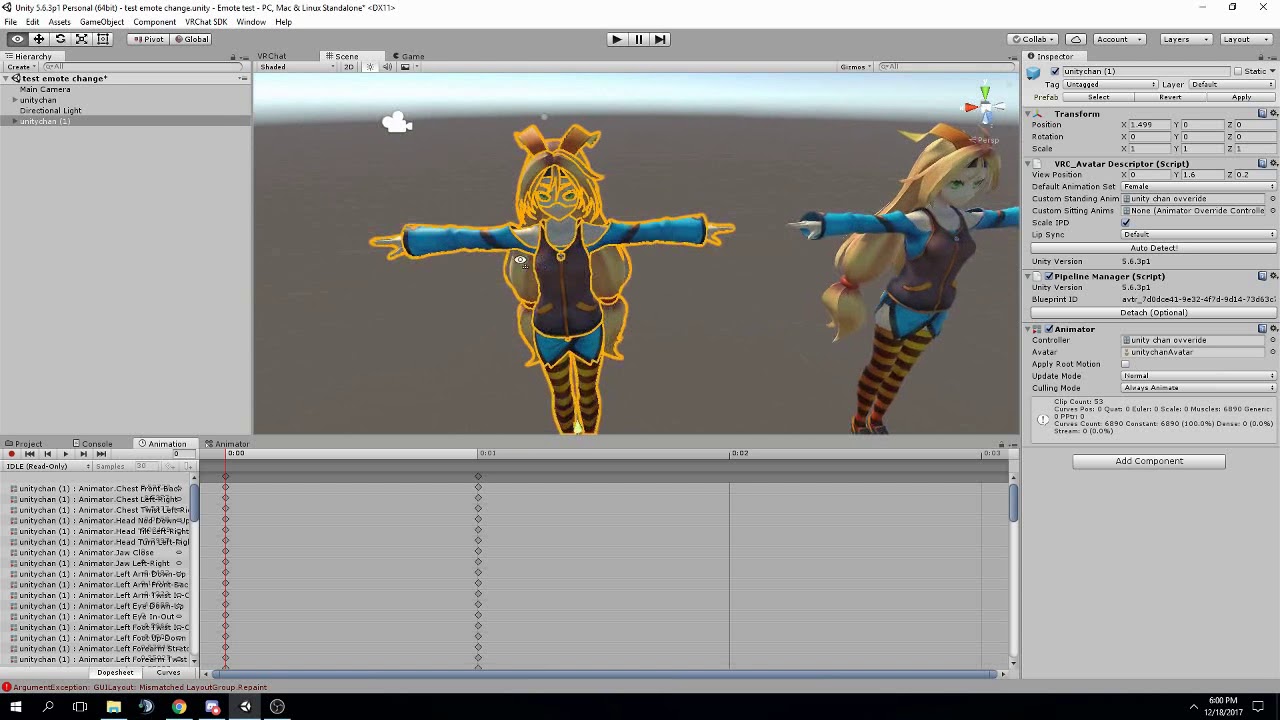
FAQ: 1. If you can't find the animator or animation tab go to window at the top and select animator or animation 2. If your character is going in the ground ...
@cunning saffron https://www.youtube.com/watch?v=yfVmfGOOkOw this one might be better
A VRChat tutorial on how to override hand gestures and emotes with your own custom animations. It can be used not just for VR users, but for desktop users to...
@cunning saffron you do basically the same thing for weapons
@cunning saffron all i did was google vrchat emotes
in the process of making a pregnant miku with a belly and a baby comes out
cunning saffron
@stray gulch the only difference is putting the "animation enabled" thing?
stray gulch
@cunning saffron some "animations you sometimes always on for what ever reason. toggling animations off and on are so when your done with it, it disappears. also, any animations you have hidden do not count towards your poly count
ie. sword or any monstrosity
or taking your head off and removing it while holding it in your hand
stray gulch
"animation enabled" thing .. i dont follow
cunning saffron
@stray gulch at 4:55 in the second video
if not theres no difference between that and a non toggle animation
 trim oasis
how do i visualize the box for particles?
stray gulch
@cunning saffron alright ill explain what he's doing at 4:55. you create a duplicate and do the animation on the duplicate. once you start the animation process on the duplicate it "breaks" it. when you finish the animation you delete the duplicate and add the animation to the main model. you need to make sure the key frames are at zero and 1 second so the object does not flicker or do weird things.
cunning saffron
yes that i already knew
what im talking about is the "Add Property > Animation > Enabled"
stray gulch
"add property" is what you want to animate. clicking the plus sign + tells unity this is what is going to change in the animation. the only thing you need to activate the object and what ever is interacting with it on your body.
for example you would animate and enable your fingers and the gun if you were to make a weapon for your hand
cunning saffron
ok you really dont get my question lol
stray gulch
and ive spent enogh time on it
cunning saffron
whats the difference between an animation that you can toggle and an animation that only works when you do the hand gesture?
stray gulch
nothing
cunning saffron
?
stray gulch
the hand gesture is your toggle
cunning saffron
...
a toggle is when you press a button and you have to press it again for the animation to stop
stray gulch
verb
1.
COMPUTING
switch from one effect, feature, or state to another by using a toggle.
a key or command that toggles between two modes, such as the caps lock key.
im not getting technical your nit picking
cunning saffron
the caps lock key you have to press it to turn it on and you have to press it again to turn it off...
nvm im pretty sure the only way to do it requires scripts and vrchat doesnt take them
 glass anchor
is there no override slot for strafe left?
there's one for strafert
but no strafelt
 hushed hazel
is there a meters/second value for movement speed that anyone knows? I'm trying to make rotating wheels look right, but I need to know forward speed to make them rotate at the right speed
 lone bramble
Still having problems with animations trying to repeat if I press any other buttons on the controller that activated it. Anyone know how to fix this?
it only happens on animations over 1 second
hushed hazel
thats why, it wont let you cancel it mid-way and then start over since the animation is still playing in the background
lone bramble
I've set the animation to a limit and it still tries to call it back, hrm.
 cursive moon
@glass anchor I believe strafe right will mirror strafe left
hexed current
so what the actual fuck
Im uploading my character
but then unity freezes during upload
so i go back into upload it again'
and now it says my feet arent mapped
when nothings changed
wtf!!!
 heavy stirrup
Any way to fix my left strafe? I have set my StrafeRT as my strafe to the right and it works fine, but going left also just goes right
And i don't see an option for non-running StrafeLT
clear yew
@hushed hazel Please let me know if someone knows the answer, I'd like to know as well
 solar relic
@clear yew huh movement speed. The default would be 3 i think in non modded worlds, idk if its 3sec of what idk... Basicly u can apply a mod like jumping, how fast u run, how far u voice is when making ur own world.
stiff mist
i need help i cant figer out how to make an item in 1 fram be in my hand and in the next on my back
 prisma pewter
Does anybody know how I can go about adding a particle system during the default walk animation so the partles appear on footstep?
Particles*
clear yew
@solar relic Thank you Faido-san
clear yew
Are the main animations desktop users have access to the 8 emotes, walking forward.,sideways, standing idle, sitting and jumping?
final gazelle
i haven't actually found a time when a jumping animation plays -- there's one for falling, which is meant to activate when you're not grounded
but there's none for when your Y axis velocity is greater than a certain amount
clear yew
Mica ==》》 strafe/run/fall/jump and sitting anims
Have heard the jumping animation doesn't play but I wasn't aware there was one for fall
The last time I was on I kept jumping and noticed the model with her hands up during some jumps
Wonder if that was the "Fall" animation rather than the ending bit of the jump animation
 hot agate
Does anyone have experience with making custom jumping
Oh you guys were actually talking about it already
The falling animation i made only seems to be local so i dont think falling works
final gazelle
@hot agate falling only seems to work properly if you were already moving laterally when it kicks in -- if you jump straight up and down, it usually won't play for some reason
hot agate
Do you know if it repeats if its not long enough?
Im thinking my issue is its way too short and i have to make it longer
final gazelle
guessing that it's got something to do with the fact that there only seems to be a reference to an "airborne" state in the locomotion layer, and none in the idle layer
there should be a "loop" option on the actual .anim file itself, try ticking that
final gazelle
hmm...that i have no answer for, unless it's just unity/VRChat being weird about it again
@clear yew as for the no jumping animation, it's most obvious if you look at the animation clips you're allowed to override in the animation override controllers the SDK gives you
the options it gives you are from animations which are used and assigned in the original animation controller -- there's no slot for "jump", because they never put one in to begin with
i've tried mimicking some of the structures i've seen in there and adding a "MovementY" parameter to go along with the "MovementX" and "MovementZ" parameters they use to determine whether you're using walk or run animations, but it doesn't seem to register with them -- most likely because whatever VRChat is doing, it was never programmed in or exposed to us to use
clear yew
I believe what someone mentioned earlier is correct about only needing one strafe animation
The animation is flipped to go on the other direction
@final gazelle I'll take another glance at the list though did feel like it showed more than I recall seeing
final gazelle
looking at the animation controller component now -- yeah, there's an option ticked in there for two of the STAFERT instances (there're 4 of them, for some reason)
clear yew
Oh
final gazelle
these two have "Enable mirrored" ticked
so the thing about the automatic mirroring is most likely true -- it's for when movement on the X axis is negative
animation isn't mirrored when movement on the X axis is positive
 mystic umbra
would a particle effect trail stay in place after animation
where the animation is just activating a deactivated particle
heavy stirrup
Don't see the option for enabling mirrored anywhere, though i know i've seen it somewhere
final gazelle
it's in the animation controller itself, you probably don't need to worry about it if you're using a copy of the one provided with the SDK
heavy stirrup
I am, but i don't see it.
My model isn't humanoid, though it's symmetrical
might be an issue?
My strafe right works fine, and i have an animation for left that i can't put in, strafe right doesn't mirror by default for me
final gazelle
if you know how to get to the Locomotion Layer in the animator, open up the "StandingHeight" state, then go down to "Standing Locomotion"
there should be 4 "STRAFERT" animations assigned in the inspector, two of which have the tickbox option enabled

hovering over the top of that tickbox icon will show the text "mirror animation", and considering that the two ticked ones have the same numbers as the non-ticked two -- just with negative X values instead of positive -- i'd assume that those two will play a mirrored version of whatever's set as the STRAFERT animation when you're moving in the opposite direction
ah wait, didn't read what you wrote properly -- non-humanoid rig, yeah, that may potentially be a problem
in that case, i'd recommend making a copy of the controller and seeing if you can directly replace the animations assigned in the controller with your strafe-left animation
clear yew
Sprint and run should be the same?
final gazelle
i don't see any difference in-game with the humanoid rigs, for whatever reason
feels like the default animations VRChat uses for the run/walk cycles completely overrides anything i try
sprint is supposedly meant to kick in when you're moving faster than run, but if you don't really care for a difference, you could replace both of them with the same thing on a generic rig
 gaunt gyro
Anyone else here had some success with editting the controller template and split up left and right hand overrides?
I tried to rename the event blocks in the left and right hands to things like "FistLeft", but that didn't work because I think they have to be specific names for the game to pick them up, quite like how eye tracking works.
heavy stirrup
I think i got it Spearmonkey, it actually makes a lot of sense how it works now.
Going to test it though
Worked perfectly.
clear yew
Can anyone help me understand how rigid bodies and hinge joints work?
What I am looking to figure out if I can enable a bone to follow another bone? I basically want this tentacle to follow the direction of my hand on the X and Z axis on an animation override
https://imgur.com/TL1RfVV
 quasi gale
@hot agate @clear yew @final gazelle Falling animations failing to play is a known bug. There's also a request for a YVelocity parameter which would allow for separate jumping/falling animations.
https://vrchat.canny.io/bug-reports/p/jump-animations-fail-to-play
https://vrchat.canny.io/feature-requests/p/movementy-parameter-for-avatar-animator
final gazelle
@quasi gale oh, many thanks for that! You do enough work in the feature-requests channel, but nice of you to drop that info in here too 😛
clear yew
Didn't know that was a bug, TIL guess I've never noticed it
quasi gale
@clear yew Most of the premade joint configurations are generally built for physics systems. Try using the Configurable Joint. It's a bit scarier, but you should be able to get by by setting rotation X and rotation Z to locked.
clear yew
Jeez >< thats a huge component
quasi gale
Oh, and also disable Auto Configure Connected Joints and set the Connected Anchor to 0.
clear yew
Yea, this ones kinda scary, so much stuff I don't know about
So... lemme type out what I want, and how I am guessing I do this...
I want that tentical to follow my hand only on the point gesture, so, I add a game object to my fingertip, and give that a rigid joint component
erm, maybe rigid body component I mean
and then, on the tenticles bone, I add the configurable joint, and point the connected body to the rigid bone on the finger
quasi gale
Mmm... It's kind of tough to toggle joints of any kind. The best way to do it would probably be to setup the joint so it always follows the hand bone's orientation. Then turn on the IsKinematic flag on the tentacle bone. Whenever you want it to follow your hand's direction, use your gesture animation to disable the IsKinematic flag.
clear yew
wouldn't setting the game object to inactive, and only calling it on the gesture be a toggle? or would that cause a compiler error
Or, would it still track even if inactive I guess
quasi gale
Joint bindings will break if one of the associated rigid bodies get disabled.
hot agate
@quasi gale thanks bro
clear yew
Ill start testing around, thanks for the help @quasi gale Im giving this model away on reddit once I'm happy with the animations, so you've contributed to more squids being in VRchat
quasi gale
Let me know if you run into any trouble. Joint bindings can be a bit of a pain sometimes.
clear yew
Especially when you don't know what your doing and there is hardly any tutorials on it ><
clear yew
I'm trying to add particles to rigibodies so they can be a world object in my hand but whenever I make the animation the particles don't move with my hand and stay in the same place as before, any possible fix?
 white herald
instead of a rigidbody try setting the particles to world space @clear yew
clear yew
Wait was this problem just talked about before me
white herald
depends on what you'[re going for
clear yew
I'm trying to shoot a beam from a cannon that bounces off walls
Had to re-upload because of audio being too quiet should be fine now. I forgot to mention it in the video, but Murmur also answered questions I had and helpe...
Thats the only thing I've been told on the issue
Yeah I did it almost like that just followed a different tutorial but the particles are in the wrong place
clear yew
ugh, i don't wanna animate a laugh emote from scratch, but there's nothing good on mixamo and i need laughing emote QQ
vestal osprey
does anyone know how i can stop an particle effect from getting triggered unless i have my gun out. however the particle effect cannot be parented to the gun.
sorry start
not stop
white herald
just enable/disable the particle effect's parent
vestal osprey
i cant do that either. I use it to make the particle worldspace so i cant dissable the particles parent
white herald
well make another parent in between?
vestal osprey
yeah but how do i link that to only play when i have my gun in my hand.
if the gun is visible only then should the particle play when i push my trigger
white herald
enable it in your gun animation? or are you saying you need to not disable it when you put your gun away but not trigger it either
vestal osprey
it works for the sound cause that sound is parented to the gun
yeah if i dont have the gun visible the particle effect shouldnt trigger
right now it does
 idle crater
GUys, VRchats SDK wont let me use RandomParticleRotataion componants. But where is the seeting for this?
grand copper
What is the best way to play a different sound under every gesture? The only method I know of right now is making 6 duplicates of my character and then with animation make the sounds appear
white herald
just add 6 empty gameobjects with each sound to your character
 regal cedar
anyone know good place to find already made animations that aint soo bad like mixamo
 shrewd moon
deviantart?
grand copper
@white herald but I would still need to make the 6 duplicates of the character?
 topaz ermine
You can delete the duplicates after you make the animation
grand copper
but....then the animations would animate....nothing?
could there be a visual tutorial out there covering this or something comparable?
something similar*
grand copper
I've been searching "vrchat audio" but all I get are simple "weapon sounds" videos
topaz ermine
The part about the audio on those should apply to your audio as well
It's the same thing but without the particle or the gun models
grand copper
yah well they create 1 duplicate of their character for that 1 sound, so I guess I have to make 6 duplicates for these 6 sounds?
topaz ermine
No
You just make another animation on the single duplicate
You save the animation files and then the duplicate can simply be deleted
grand copper
I've tried that but it doesn't work tho :/ no sound coming appears
no sound appears*
topaz ermine
What does your animation look like?
topaz ermine
Also do you want it to keep playing when you stop doing the gesture?
grand copper
uuuh that would make things easier maybe
topaz ermine
You do have the same audiosource in your main model right
grand copper
yup
topaz ermine
Alright to make the audio keep playing after you stop the gesture you need a 2 frame animation
audiosource should be enabled by default with play on awake off
grand copper
ah wait apparantly the sounds were not in the original model --'
topaz ermine
frame 1 you set it disabled with play on awake on
grand copper
so sorry
grand copper
thanks for the information on playing audio when stopping the gesture 😃
topaz ermine
No problem
grand copper
I have another question if you don't mind
topaz ermine
I'll answer if I can
grand copper
I basically have a weapon animation, but I want the character to hold the weapon forever, no gesture needed. so I tried putting the animation in all animation overrides. It did the job for the weapon, but my character is now taking the pose you get when you animate it
topaz ermine
You can simply enable the weapon at all times can't you?
Unless you're trying to bypass the poly limit
grand copper
if I just enable the weapon, my hand isn't holding it correctly, right?
it would just float in my hand?
topaz ermine
Yeah you'd just need to animate the fingers on every gesture
Don't think there's an easier way
grand copper
but I've already done the animation on every gesture :/
topaz ermine
You're saying you go into the crouching pose?
grand copper
believe me, I don't think there is an easy way haha
yah this one https://i.imgur.com/r01ucPm.png
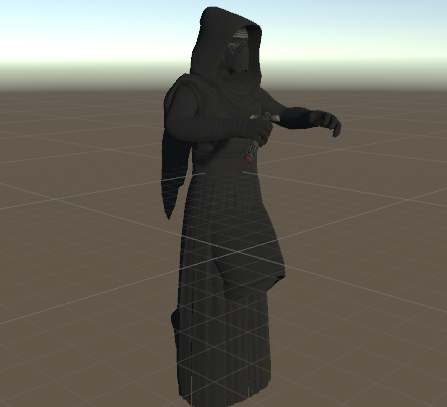
and in the game it basically looks like I'm in the floor of course
clear yew
Always make the animation on a duplicate model
topaz ermine
Ah
grand copper
it is the duplicate model
topaz ermine
Yeah you made one of the animations on your main model
grand copper
I just disabled the main and enabled the duplicate to take the prtscrn......
clear yew
It won't look like that on the main model when you do the animation ingame
topaz ermine
Yeah it'll just do the things the animation tells it to do, like change the bending on the fingers
grand copper
I'm not talking about the crouch in unity but actually in game
I'm in the floor in the game
I'll go eat first and I'll take the screenshot in the game for you guys after
topaz ermine
Maybe you're uploading one of the duplicates?
grand copper
I'll try uploading again soon
grand copper
@topaz ermine https://i.imgur.com/zmWhdB5.jpg I uploaded again and made sure it was the main model but the problem still exists
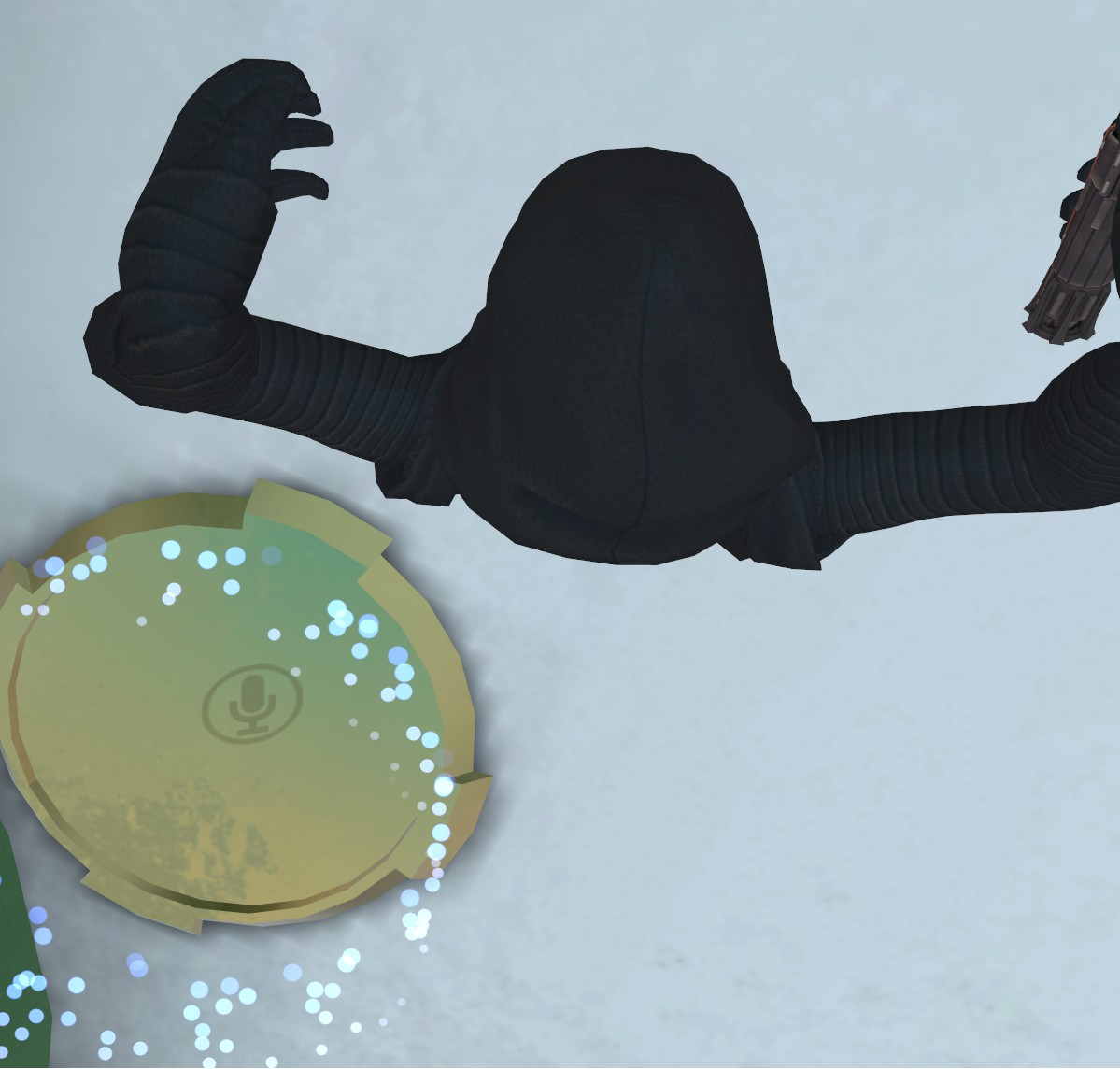
the sounds work now tho 😃
and putting the saber animation in all animation overrides is not the cause?
 storm bronze
how would i go about adding an animated tornado (particles with animator on it) as an emote? (desktop user)
quiet needle
You'd create the particle system and the animation then add the animation to your override on top of the emote you want to replace. @storm bronze
 errant solstice
So has everyone gone trough the whole importing process on their own with the Hoppous or is there a ready one that can be used?
 tawny wyvern
Hmm, is there a good method for exporting an fbx (armature), importing it into unity as a generic animation and have it work an avatar rig as normal? I seem to get the default 'curled up' pose no matter what I do for the root. I have a need to include translations in the body animation and rigging the animations as humanoid in unity discards these, annoyingly.
 lost musk
The default VrChat animation are setup as humanoid. So if you have a generic avatar and not an humanoid one, you have to setup your own animation.
So I guess the only way to have an animation working for an humanoid is to setup the animation as humanoid too
quiet needle
@tawny wyvern You might end up having to set up your own generic rig. If you're doing your own animations anyway you might be able to make it work.
tawny wyvern
The rig matches the rig in every way, I feel I just need to figure out parenting. Adding a dummy "Armature" root didn't add any joy, though. Otherwise it starts out at Hips. Hmmn. @quiet needle
I'm almost positive I accidentally set up an animation like this when I was trying to create a custom idle animation before I figured out that animataion sets could be rigged humanoid as well. I guess I'll tinker onwards..
mystic umbra
question for you guys, how do you set up writing for vrchat
without using snailmarkers
Im thinking of putting a particle on the figertipwith trail time
 small tapir
So i found a lightsaber and it has shape key for getting the sword out, how do make that work in Unity? i was thinking in animation but only the mesh show up, do i need to rigg in in select?
mystic umbra
but I dont know if that would last after animation occurs
errant solstice
My hoppou importing is not going well...
mystic umbra
you mean it has a shape key
small tapir
Oh yeah
errant solstice
If I move her arms her dress moves with them
small tapir
shape key
mystic umbra
there is a way to animate shape keys in unity
I was wondering how to do that myself
I know how to set it up so that it pulls out with regular animations
 inner cloak
There is no easy way of lip syncing a face without visemes other than jaw bone is there?
mystic umbra
but shapekeys are outside my realm of knowledge
small tapir
@mystic umbra same here
mystic umbra
well searchy you only need to make three shape keys
AA ch and oh
cats does the rest
errant solstice
I swear to god if I can't get her clothes working I'm gonna make a half naked hoppou
quiet needle
@mystic umbra Yes, go to your body mesh in the hierarchy and expand the list of shape keys there (blends)
small tapir
@quiet needle omg thanks
quiet needle
Go forth and make silly animations for all to enjoy, my children
vestal osprey
does anyone know how i can make a an animation that constantly loops on my character? i have blinking working but i need to add another animation? but that second animation wont appear for some reason
quiet needle
If you want to add it to an animation, yes. Otherwise if you just want to see what carried over, it's just in the body mesh under your armature
mystic umbra
do you know if particle trails last after animation
quiet needle
Not if you let go of the gesture
quiet needle
I don't think so, because essentially you're disabling the particle at the end of the gesture/anim
quiet needle
I still need to pull apart their prefab so I can discover that exact thing.
 sacred schooner
How do I disable automatic blinking for closed eyes animations? I can't seem to find the video that metnioned it a while back.
mystic umbra
if you find out can you let me know
quiet needle
I@sacred schooner I remember seeing that, and I think what you have to do is disable the animator during your animation.
small tapir
@quiet needle Wait do you mean here https://imgur.com/a/dmxsH
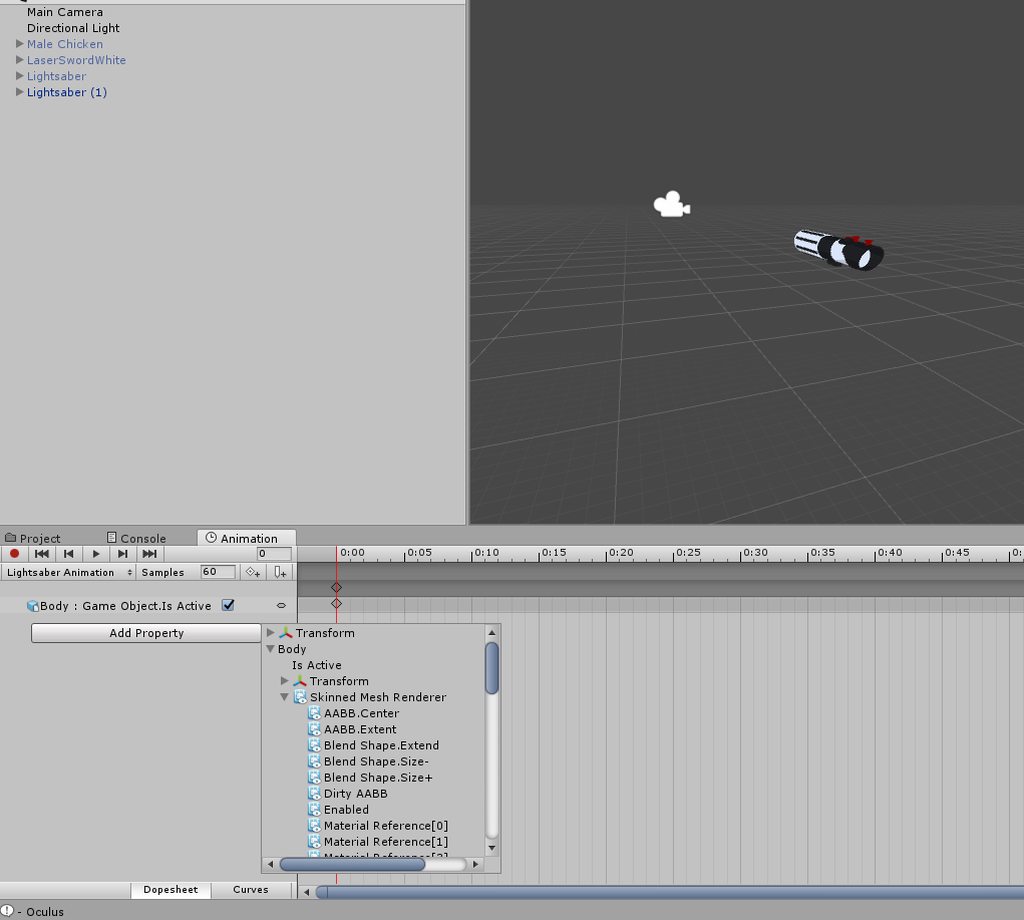 quiet needle
Yes.
mystic umbra
wait what if the person disabled the trail as a sub particle but kept the main particle active at all times
sacred schooner
Which animator, though. Lmao
mystic umbra
maybe ...
quiet needle
Yeah I can't remember which video mentioned it, but I do remember seeing that.
sacred schooner
Yeah, same.
quiet needle
I'll look back through. I think it was one of the facial anim tuts
tawny wyvern
Aha, I can get it to work with humanoid by attaching the animation to the armature node directly. ❤
mystic umbra
you just have to delete the blinking animations
tawny wyvern
So at least it -can- work.
mystic umbra
I mean shapekeys
quiet needle
@sacred schooner https://youtu.be/yfVmfGOOkOw?t=243
A VRChat tutorial on how to override hand gestures and emotes with your own custom animations. It can be used not just for VR users, but for desktop users to...
sacred schooner
Keo, I said during animation.
mystic umbra
oh mb
quiet needle
If you blink while performing a blinking animation, your eyelids go through your cheeks. There is a way to disable it in this video without disabling blinking altogether
sacred schooner
Do you remember what time? I think he does it near the end, but I don't have an "animation" category he goes into.
quiet needle
It's at 4:00
mystic umbra
what if you create a shape key of your eyes open at all times and set that in your animation in unity
sacred schooner
Won't work, Keo. Your blinking still goes through your custom anim.
Yeah, I don't have that "animation" category.
sacred schooner
Oh, she doesn't use visemes.
quiet needle
Yeah they're manual blinkers
mystic umbra
im unity dupliacate the eylids then make a shape key of the original eyelids going into the body
so if blinking occurs it happens inside the body
and the duplicated eyelids say still
if the duplicate blinks as well you might have to set the new eyelids onto another material and then delete the shape keys and only have base
sorry I mean in blender
actually you might not need to do that new material just redo the duplicate eyelid'd shape key to stay still as the other eyelid blinks
I dont remember if shapekeys translate onto duplicated meshes in blender
 sullen saddle
"Camers are removed from non-local avatars at runtime" does this mean I can't make a selfie style prop anymore?
storm bronze
how does one attach a particle prefab to an emote? im stuck
mystic umbra
you have to animate its activation
make a duplicate and then create new animation, then in armature you should find the particle system (have the particle system attached) and then set the particle system as activated
youll have two key frames one with the beginning and one that ends, youll have to pull the last keyframe outwards to some length of time
 jade kernel
Can someone help me ?
for the animation i want to get our an object but it does work on 1 animation i did but it doesnt work on others
the hand animtation works just the object doesnt show up
 novel otter
eeyy
soory i was asking
i putted a motion on my avatar then i decimate it to finish it but it made my motion slower can anyone help me on my issue
 amber mantle
I am in need of some assistance. I have this animation that makes the model go forward, but when i apply it and use it,it doesnt go forward and just plays but in the same spot. What are the settings needed to fix that?
white herald
@amber mantle bake xy to root position i think
amber mantle
Hmm ok. Ill try that. Thx~
cursive moon
Anyone got a clue why this shape key looks fine in Blender but screws up the eyelashes in Unity? I did manually decimate the eyelash mesh because it was hiding some facial features inside the face, but I didn't touch the eyelashes themselves at all.
https://gyazo.com/7ecd90536d11d2f8c2c395a0de359b69

 gilded flume
how do i make an gun and the sound separate?
so i would be able to just point or shoot
tight flower
It would have to be 2 separate gestures, one gesture that just has the gun and the second one which would be a copy of the stationary gun but added sound effect and muzzle flare
gilded flume
ok ill try that
tight flower
So long as you keep a copy of the stationary gun animations frames open on your dupe model, you should just be able to copy those keyframes and paste it to the second animation dupe model. Eliminate the hastle of having to re-pose all the fingers around your gun
tight flower
Do you still have the duplicate model that you used to make the animation?
gilded flume
nope :(
tight flower
://
Might have to repose then, im not too sure if theres a way to access that animation without the original model used to make it
gilded flume
cant i open the animation anyway?
 foggy cloud
Hey guys i have an custom idle animation and in unity it looks like this
https://cdn.discordapp.com/attachments/399992291173072896/413037800854913024/unknown.png
but like this ingame
https://cdn.discordapp.com/attachments/399992291173072896/413037639869005834/20180213192319_1.jpg


 mossy condor
Guys I made a seprate idle model in the backgrohnd of my current player model
but he doens't do anything, but in play mode he does :/?
the other model in the background is just stuck in T-mode.
gilded flume
how do i get the camera close to a model without making stuff disappear?
novel otter
now after 20000 years now you all responding wow great
no one know the low fps motion issue anyone
no one
👌
cursive moon
If nobody answers your question it's not because we're ignoring it it's because we don't know the solution
novel otter
i didnt mention your name mr if you didnt know it would be helpful you told me tht from the start
tight flower
One person cant speak for everyone, what good would that do you if he told you he wouldnt know? Youd be doing the same thing youre doing now
Just be patient and hopefully someone helps you
 placid oriole
is there a way to add 0.5 value to every x in the animation without doing that manually ?
 knotty night
@placid oriole I guess not, you can do it manually
jade kernel
Can someone help me ?
for the animation i want to get our an object but it does work on 1 animation i did but it doesnt work on others
the hand animtation works just the object doesnt show up
tight flower
Is the object in question attached to the model in some way? Whats the object?
 finite brook
I'm trying to make a spinning record in unity using a simple animation, but the record doesnt spin constantly, it slows down at the end and does not have a constant speed. rotation value at the start is 0 and at the end it is 360 i want it to loop
 safe wind
Can anyone give me some advice
I want to make an orb particle that bounces off surfaces but when I set the particle simulation space effect to world the effect does not shoot from the direction it does in local simulation space
And that issue is if the simulation space is local it won't bounce off theenviroment
And I want it to shoot from my hand
 tight wolf
Does someone have a tutorial on how to save animation in blender so that I can export it to unity?
clear yew
@tight wolf when u export fbx settings on bottom elft
bake animations
now gimme the damn 5 digit pin code
Kappa
stray gulch
@tight wolf the animation thing your talking about is a vmd. only way to edit a vmd is pmd editor. and edit the key frames.
tight wolf
nope I created animation for an object I modeled
I think action editor thing saves it
stray gulch
oh you just imprt the vmd and export the fbx
tight wolf
all video I have found were baking animation which I do not need
stray gulch
yes you need to bake
tight wolf
It is not even mmd, I modelled an asset and animated it in blender
stray gulch
hoiw would unity know how to use it?
@tight wolf the animation data doesnt carry over unless baked
stray gulch
@tight wolf probably would have been better off animating it from unity to begin with
tight wolf
Nope since it is vertex animation
stray gulch
like a blendshape?
tight wolf
yeah blend shapes animation
stray gulch
yea those carry over on your body mesh
stray gulch
same thing
clear yew
ur talking about shapekey animations?
clear yew
like he said those save automatically into ur body mesh
 small orchid
somebody know how the animation for this song is called? https://www.youtube.com/watch?v=wyUR1_19KAM I saw it many times. Thanks :3

"Life's a pretty sucky game..." Another awesome PV appears for a song from Utata-P's CD "みんな幸せにな~れ!" (Everyone Become Happy), this time featuring Yuzuki Yuka...
stray gulch
@small orchid are you looking for an animation based off this song. or was it just playing just cause it looked cool with the song?
small orchid
it was based on this song
stray gulch

This is my new favorite motion data, hands down no one can ever convince me otherwise. And now you all know how to say: Up, Down, Left, and Right in Japanese...
small orchid
thank you <3
stray gulch
the motion info is in the description on nico
gilded flume
Anyone who is familiar with oculus touch hand gestures?
tight wolf
ok, if anyone is wondering Unity does not seem to support Blend shapes animation imported from blender
stray gulch
can anyone explain to me how this person did their paricle effects all variable and stuff. (9:45) https://www.youtube.com/watch?v=mXHxS4fz6AA

Welcome to my VRChat Virtual Reality video VRChat is a lovely social virtual reality christian experience 100% no swearing VRChat Funny Moments PLAYLIST - ht...
is there a time line I can match audio with different particle effects?
did they use an emote???
im lost on how they did it
stray gulch
i could make the 5 seconds but i dont know how they did different particles in sequence
small orchid

We were exploring some new maps and at one point a guy nammed Sombie joined in and showed off some cool unity effects.
 languid nimbus
Hey I'm trying to make a rolling animation for my model, for me it works fine but everyone else sees my neck twisting because my head stays in the same position
is there a way to override face tracking while making movement animations?
tall zodiac
did particles break for you? my avatars particle is now spawning wherever for people
clear yew
does anyone know how to convert generic transform animations into humanoid root animators? animating manually in humanoid mode in unity is cancerous
 echo hull
hey, so I have two different trextures for a model, one where it's normal and one where it's got blood splatters on the clothes. is there a way to make it so it swaps that texture as part of an animation over ride?
clear yew
have two materials, swap between them in the animation, should work
 rotund sparrow
https://i.gyazo.com/7963a369c8538d66f670638d4eeccac7.gif
when my model walks, he does a funny with his legs, any way I could fix this?
 echo hull
thanks @clear yew I got it working
clear yew
@tight wolf Last night I was able to import an armature animation along with the shake-key animations, so I believe Unity does support them
tight wolf
Yeah armature
mine had only mesh
but it may be possible, however I will just animate in unity 😛
clear yew
Oh
Perhaps you can fix that by adding one bone to your model and giving the export another try?
I don't know if bones are required but it may not hurt to try with an added one
Will be useful later
Silly that the audio tutorial doesn't have audio, lol
Perhaps link it on the Tutorials Channel as well so others can see
pale orchid
I don't have acess to the #tutorials channel
clear yew
Ah
 glossy finch
oh sick i’ve been looking for that for ages
someone commented and said you have to delete the onsp audio source for it to work, howd you do that?
 next shard
so i saw some ppl having selfie camera
what kind of mirror or camera do they use? o 3o
 woven surge
Hello! I have this problem.
https://gyazo.com/ea860f98db7ec36dd9eb5d5d202fe487

What could be, rotation over lifetime??
clear yew
the one in void club? cameras on avatars only work for the owner if I'm not mistaken since recently @next shard
next shard
@clear yew no it is working, just saw one and you can even pause the picture to let ppl see
@clear yew apparently it is a custom render
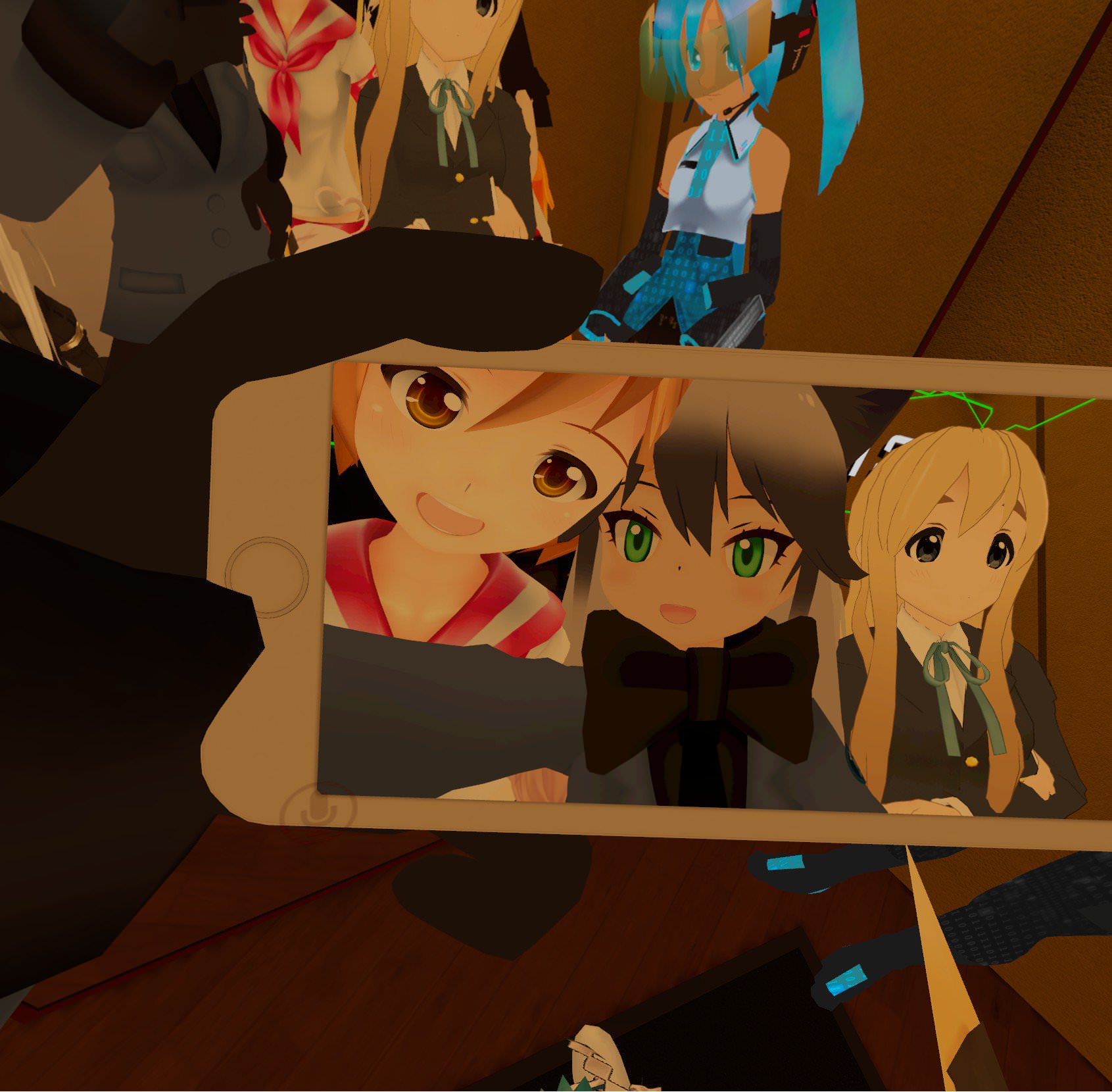
 dark pier
Trying to figure out how to make an object appear in my hand when I make a hand gesture...
Dunno where to start.
muted prairie
animation override, lots of video tutorials out there
dark pier
Lets hope none of them are mumblers.
clear yew
@next shard The month old posts on there say it was nerfed, was the one you saw a recent post or older?
@next shard that post is from when it still worked afaik 😉
the one you saw was the selfie cam in void club, it's part of the world
taken yesterday https://i.imgur.com/OP3F8kF.jpg
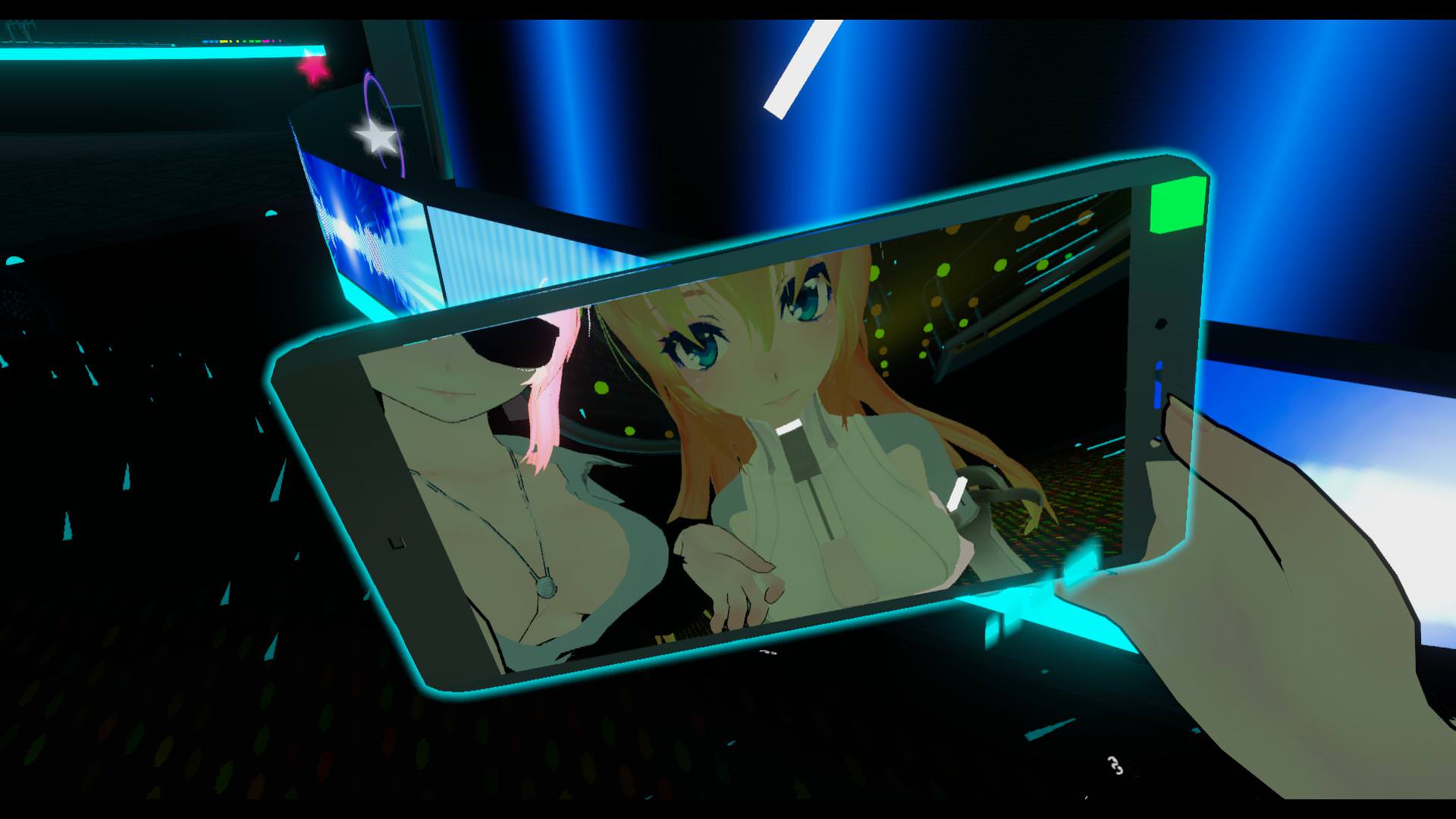 next shard
@clear yew i saw one just earlier used as an accessory in presentation room
@clear yew
he was shooting under skirt tho
xD
clear yew
idk, I'm pretty sure cameras were made local for avatars 🤷🏼
 still idol
doing an animation my world scale just f*ck up, anyone knows how I can fix it?
still idol
nvm i found it... revert factory setting on layout
heavy stirrup
Trying to mess with the transitions now... i can't figure out how to make these damn generic emotes to stop looping.
 glass idol
Are World Cameras are working again???
 lofty crypt
reposting here
"heres a good q i got
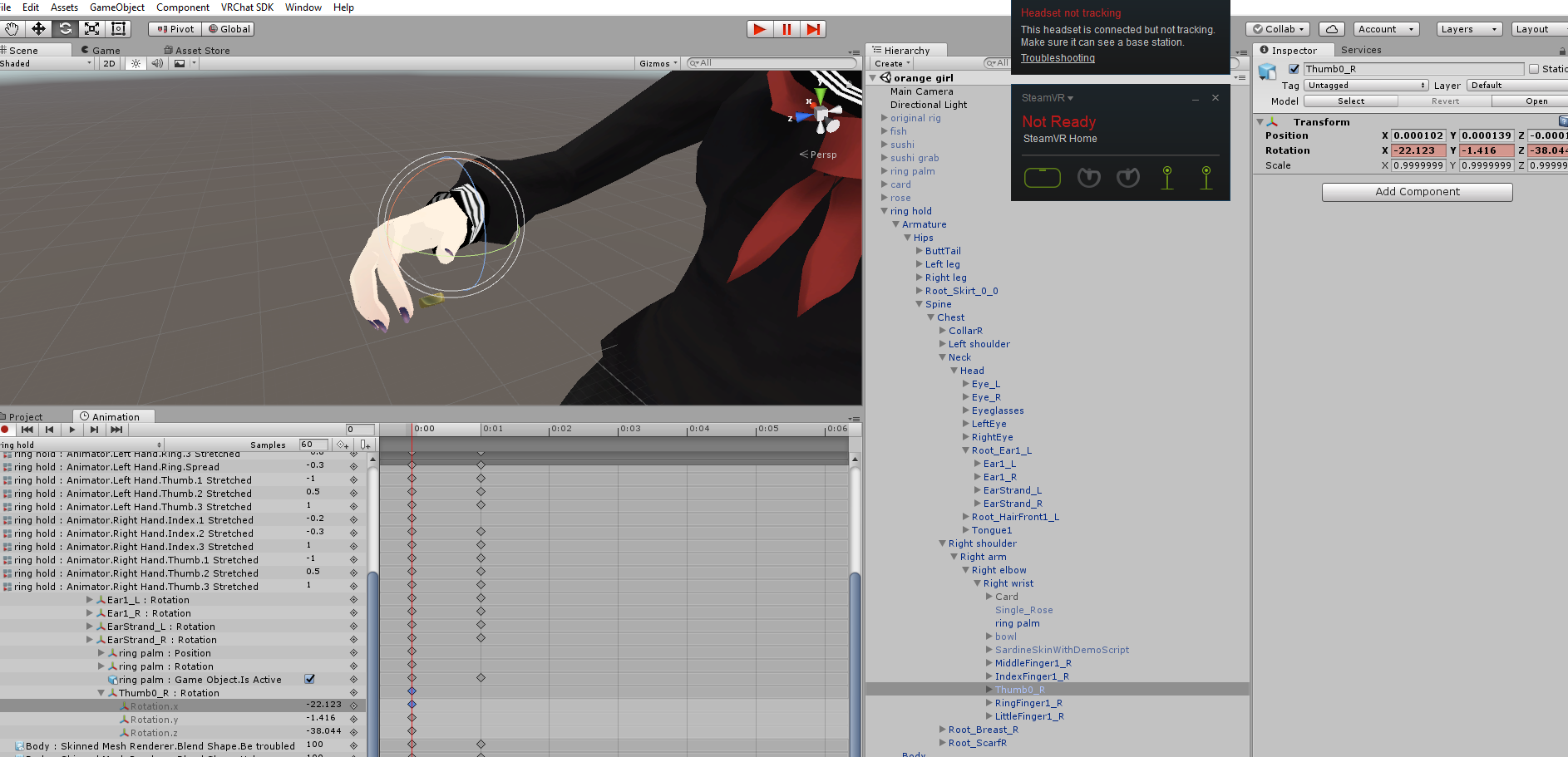
i want to have an animation override where the thumb rotates a bit
doing so in the animation tab, with rotation in add property doesnt work for the thumb
while it works for bones like the ears
any help"
"the problem isnt that i dont know how to animate
its just that for fingers, rotation doesnt work
while it does on other bones
unfortunatly in the ">animations" tab there is no tilt
for fingers
which is how you bend fingers"
any help
 surreal iron
https://gyazo.com/122e9b3d084de83d32d66b011a93d434 can anyone help me? im trying to make the pod follow the head's movements, like, if i look down, the pod would also look down and so on, it works when seeing through mirrors but it doesnt work in the game 👀
lofty crypt
when i change the rotation values for the thumb in number, after entering it imedietly eturns to the default value
clear yew
Hello guys dont explain just give me a video, I want to make my cancerous emoji avatar i made when he opens his hadn (and I do a dab in vr) he creates a dab emoji with a decent light effect and a sound effect and when I do a peace sign (in vr once again) to make Ok emoji symbols appear on his hands or when he does a fist or something to I dont know Bring out a microphone and play music with again particles
send me a video or a selection of vids
because explaing will take to long
 clear yew
Hello guys dont explain just give me a video, I want to make my cancerous emoji avatar i made when he opens his hadn (and I do a dab in vr) he creates a dab emoji with a decent light effect and a sound effect and when I do a peace sign (in vr once again) to make Ok emoji symbols appear on his hands or when he does a fist or something to I dont know Bring out a microphone and play music with again particles
send me a video or a selection of vids
because explaing will take to long
basically asking how to do gestures make stuff appear with gestures etc
lofty crypt
spam
clear yew
eh
I have
too
this is the only server that it takes forever for some one to actually notice
clear yew
im not using the new sdk
ive been using the same sdk since november
brb
il show u screenshot
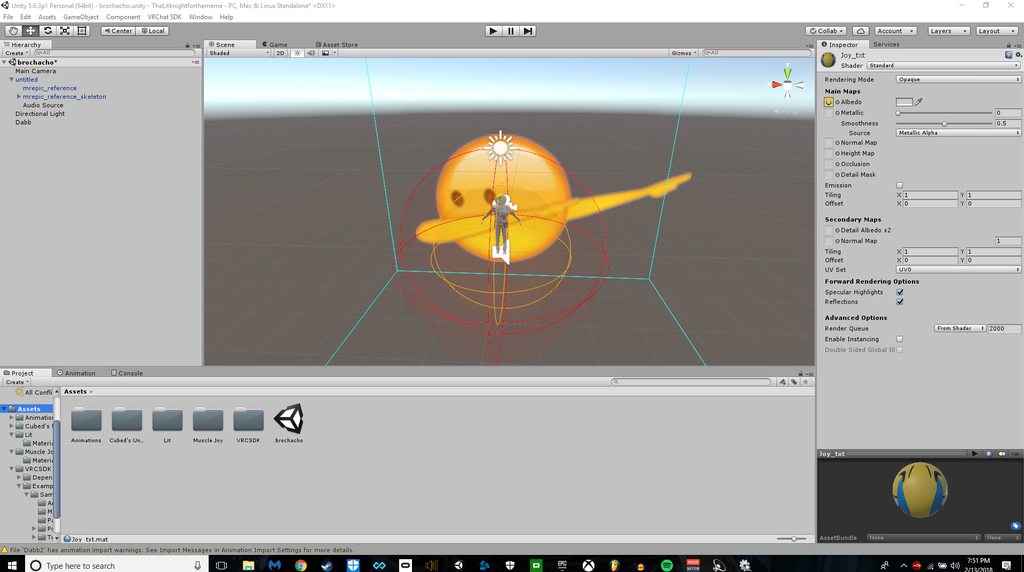
I just need a video ffor gods sake people
look
video or videos
I need to go soon
Vrchats discord server is the most unresponsive trash ever
Most support servers takes seconds not minutes
and trust me
Most of my suppport servers take 1 to 4 seconds
not 40 to 50 minutes
Im asking for some videos
because
I dont understand animation
so before you say use google
I cant use google
I dont have the proper names for what im trying to do!
I have an image right?
Now
Not sure what fingers to apply the gesture too
Buit
Im using a vr headset
keep that in mind too.
Alright so
For example
if i were to hold up two fingers
then I would want that big emoji to appear iwth particles and play any sound a song etc
but when i let go of the fingers
it will stop
or when I do rock and orll with my fingers
It will make two OK emojis appear on my hand or something
Or like a speaker playing a song
A gesture essentially.
just send me a video
thats all I want..
please
lofty crypt
A VRChat tutorial on how to override hand gestures and emotes with your own custom animations. It can be used not just for VR users, but for desktop users to...
i used this one a lot starting out
all you need to do is make sure your image/sounds/whatever is set to active
lofty crypt
by default, it should be set to inactive
clear yew
So its like an invisible model but its also like
has a image on it?
like how Would I be able too..
ok
you see that dab emoji?
I got that from a freind
lofty crypt
so in the animation tab after duplicating ect, go to armature, find your emoji you bound to whatever bone (and all the sounds binded to the emoji) and set to "as active"
clear yew
How do I mAke that?
ahh
So
If I found a image
for example
Of that OK sign
I bound it to a bone?
lofty crypt
the emoji is a 2D plane with an image material on it
the plane has a sound attached to it
and the plane is parrented to any bone
clear yew
well the sound I added myself
 vapid ruin
Does anyone know where i can find like a floating idle animation?
clear yew
the plane is attacthed to the charecter
hey so
also
how do I select a certain part of the charecter ot make a texture
u know what im saying like
lets say
I want one part to panosphere or whatever
tthe image that follows you
if i did that it would make the whole thing panospehere
I dont want the whole thing to be that shader
lofty crypt
that comes down to how many materiels you have
and what mateirels they represent on the model
clear yew
can i add materials
I only have 4
5
3 for head
2 for suit
or would i have to go back into blender
lofty crypt
blender if you want more
lofty crypt
dont have one, never done it
lofty crypt
or you can look it up
lofty crypt
uhhh
clear yew
trust me I know.
lofty crypt
i mean like
in theory
what you need is blender seperate materiel by mesh
and then save as seperated materiels
clear yew
WAIT
lofty crypt
then again, never tried it
lofty crypt
literally only what it works for
hand gestures are vr only
i have an oculus myself
used that tutorial as an intro to gestures
clear yew
so
sorry to keep you typing but
this tut
will it allow me to
Just an example
if i were to hold UP Two fingers
if i set that gesture to that specifitcation
and i wanted it
to bring out
I dont know
lofty crypt
1 sec
lofty crypt
that video shows how to use blend shapes
turning on invisible objects on the model
isnt included
but i told you how here
clear yew
no not that
But
If i had a model
a speaker
A model made JUST Like a normal avatar
like physical
You know
Can my gesuture make it appear
etc
and play music
and do particles
clear yew
can i learn how to use that with the video you showed me
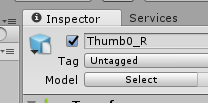


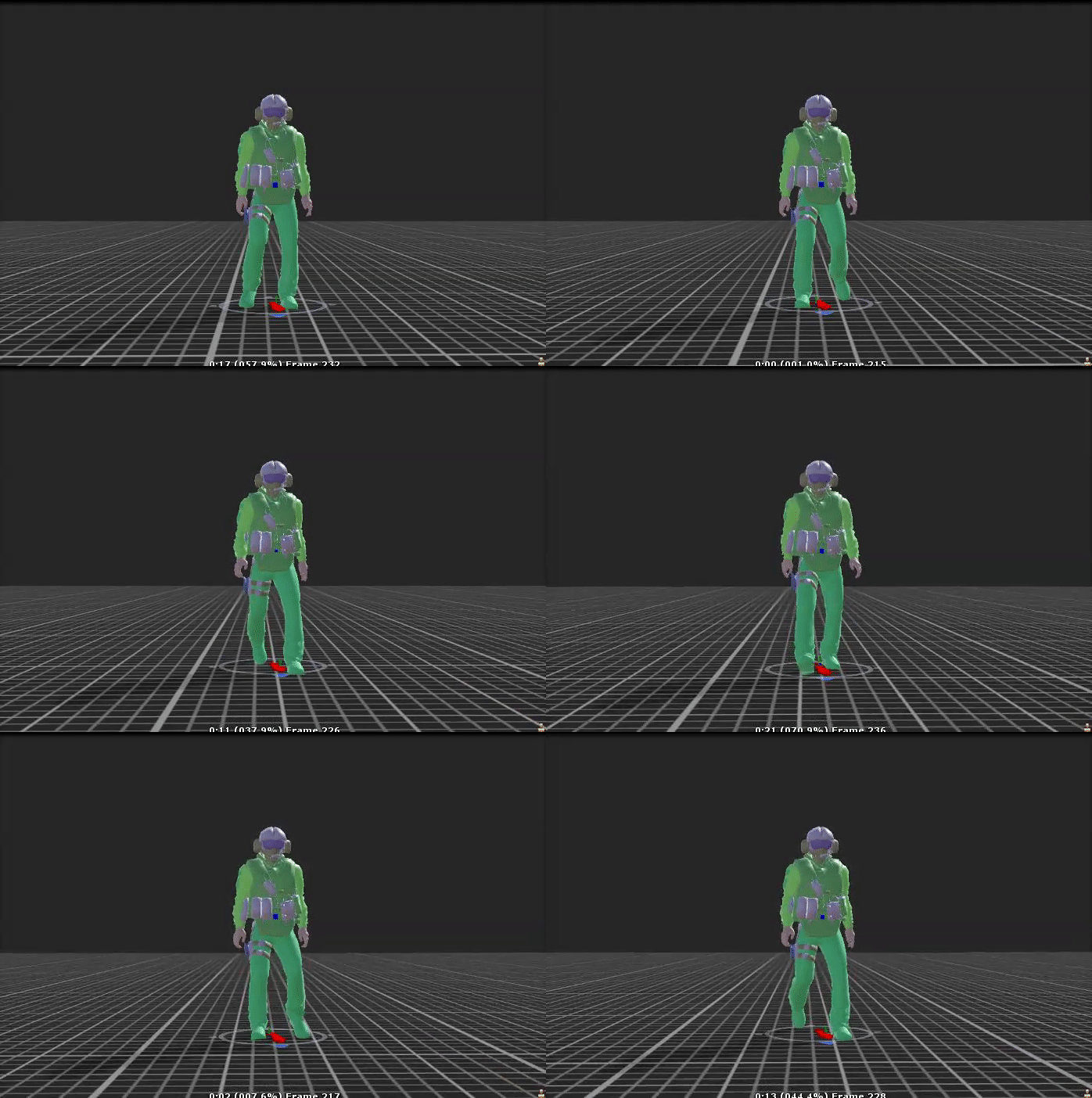


 clear yew
but that also means
lofty crypt
on your original model you want your stuff on gestures invisible
lofty crypt
do you want it to be a sound trigger or a image trigger with sound
lofty crypt
so completely invisible at first
clear yew
meme
lofty crypt
yes
lofty crypt
so literally what i was saying
clear yew
ok look
lets make it simple
Will that video help me do that?
well
Essentialy teach me the concept?
 pale warren
So if your asking, any gesture tut will show you what you need to know. So for sound, images, particles it will all be the same steps when it comes to gestures. Sorry just a quick look at the messages.
lofty crypt
A VRChat tutorial on how to override hand gestures and emotes with your own custom animations. It can be used not just for VR users, but for desktop users to...
SUBSCRIBE, LIKE AND ALL THAT GOOD STUFF!! :D DISCORD ► https://discord.gg/vNyJgCX PATREON ► https://www.patreon.com/kunoleo
2 videos i used
pale warren
I'd say watch both.
lofty crypt
both
lofty crypt
the first one is just basics
clear yew
If I know how to rip gmod models
I guess Il do this
Wait..
Will both of these vids also help me with this thing I wanna do
lofty crypt
bruh
clear yew
This is something I noticed
people with boxes of pickles or tidepods
and you can grab the item out of the box?
lofty crypt
yes its not actually what you think
pale warren
With the emoji? yes.
lofty crypt
i have a model like that too
sushi bowl + grabbable sushi
but its not actually grabbable
just looks like it using 2 different overrides
clear yew
sooo
right..
also how do people get these little models..
I wanna get a speaker but I cant find minor models for accessories
lofty crypt
make the scale small + move the avatar ball down
pale warren
Just scaled down.
lofty crypt
scaled down
lofty crypt
download them
clear yew
I KNOW
lofty crypt
find them online
clear yew
but website preferations
lofty crypt
any
clear yew
I cant find anything online
lofty crypt
well im not gonna search for you
clear yew
took me 3 months to find a good site for avatars in general bruh
lofty crypt
i have my own overrides im trying to do
lofty crypt
all i did was search "3d [name of whatever] free"
pale warren
deviantart tends to have a lot, can also try sketchfab.
clear yew
FUCK
By the way
this isnt about animation
Whats the big speaker phone called
I google 3d speaker free and it gives me the wrong kind of speaker
its like a cone with a handle
I forgot the proper term
lofty crypt
megaphone
lofty crypt
should
clear yew
its an obj though
lofty crypt
fbx
clear yew
uh
lofty crypt
when you download it, it will give you an option, or it will just download both
clear yew
oh
but
this one only has OBJ
and I wanted this one..
the other one has two
i only need one
lofty crypt
then import it into blender and export it dude
clear yew
OK
got it
brb
Il tell you in a few my results
after watching vids
if ur on
i will have some erors im sure of it
eror
errors
lofty crypt
reposting again
"heres a good q i got
i want to have an animation override where the thumb rotates a bit
doing so in the animation tab, with rotation in add property doesnt work for the thumb
while it works for bones like the ears
any help"
"the problem isnt that i dont know how to animate
its just that for fingers, rotation doesnt work
while it does on other bones
unfortunatly in the ">animations" tab there is no tilt
for fingers
which is how you bend fingers"
any help
rotation is colored out for some reason
any edit to the values will revert to default
clear yew
but
pale warren
mtl is a texture file mostly for obj
clear yew
the model I got from blender has no textures 😦
so how do i open Mtl
for the model
do I import mtl too?
pale warren
yes