#animation
1 messages · Page 45 of 1
 long ridge
 spring swallow
I have
spring swallow
I'll brb
spring swallow
Yeah, i loaded straight onto it
 void sonnet
i get that issue if i switch between chracters with height differnces alot
long ridge
yeah im not sure how to fix that
i get it with one of my models but then i just switch to another and back
and it's fine
but if you loaded straight in
idk
spring swallow
I'll see if that fixes it
void sonnet
yeah just try changing your heigh up or down depending on the character it should reset you

 mystic umbra
@pliant plank kk
so I tink I know the issue
but lemme test it
I made mutliple compies of my avatar and I have a fdeel one of the bodies of my duplicate got the visemes instead
for some odd reason
now ima reimport thre anim fbx
rig the secondmodel
duplicate the .anim file
then delete the second fbx
 pliant plank
May work out just fine like that
mystic umbra
not letting me duplicate the animation file
hmm
FUCK
I DELTED MY MAIN AND UNIY WONT LEMME ACCESS IT
cntrlz wont bring it up
fuccckkkkkkkkkkkkkkkkkkkkkkkkkkk
k so I have no saves either
Aite
time to off myself
spring swallow
How do I get unity from shoving my avatar in the ground?
 torn pawn
https://gfycat.com/DemandingImprobableBear when you can't be arsed to find proper textures for what u want to do
 spring swallow
Beautiful
torn pawn
might as well replace fire with some1 else and add 2 more systems for rest girls
mystic umbra
yuumi do you know how to make it so other vruses can play with your tits
users*
im trying out a sphere collider
but idk if world objects or other people will colider with it
torn pawn
you can;t interact with other people
mystic umbra
😦
I guess you cant add a trigger with a ridig body to miake it work either
Feels really bad man
fingers crossed the 50th time I do this itll work
I have no idea why the .anim file would duplicate
in unity
so I dragged it out and deleted the anim fbx
and dragged it back into unity
and unity dragged it out completely as an fbx
KILL ME
pliant plank
Ctrl+D on the anim file
mystic umbra
I did
pliant plank
Did you rename the file so it didn't have | on the name?
 keen scroll
:/ particle are still passively spawning
mystic umbra
ok now it duplicated when I set it to humanopid
I have no idera
I just redid everything again
and now it works
???
 mystic umbra
ok so whats the best way to commit suicide
Cause (m done
if this doesnt work
IM DONE
k we work fam
 heavy stirrup
How many moving bones is too many moving parts?
long ridge
hello i'm legit doing manual lip syncing for an emote
is there an easier way?
or am is this gonna be a project for a few days
lmao
(in unity)
 torpid wadi
is it possible to make a permanent change to your avatar after you use an emote
like a transformation emote
torpid wadi
damn
 clear yew
Googling for a blender or unity addon for that may be a good idea
long ridge
nevermind, i got it all done
only problem is having it play in game
i want it to be an action
like
holding my fist
there any limits around that?
because i can't get it to actually work
i set it to legacy
are there other things i need make sure it's set
mystic umbra
boys and girls
I did it
as a desktop pleb I made an animation
work
with particle effect etc
 frosty pendant
Does someone know why the sound in one of my project doesn't work? It works fine in every other project...
clear yew
Congrats Keo
mystic umbra
gonna make a video on this definantly
clear yew
Feel there will be people the video will help
Jennifer, does it not work within the project, in the game or when you upload?
 opal lodge
I also felt really good when I was able to make animations before buying vr. Finally being able to try them out once I got my vive never felt so good
clear yew
As a desktop user:
While in the game is there a way to stop a custom emote before the animation was meant to end?
Is there a way to control a particular bone's rotation while playing an emote? So that for example I'll be able to adjust the direction a petting or poking emote is aimed towards by rotating the torso bone's axis (with mouse) to adjust for the player's height.
mystic umbra
the issue with animation in desktop is
it breaks when you make it
only solution I find is cope paste an animation into it
with a pose you want
then add active components
clear yew
Sorry, meant both questions for during in-game
Would that still apply?
Know the first part explains how to add an animation without breaking the original but hadn't heard about active components before
clear yew
In general I don't know much about Unity since I have yet to use it, so didn't know what "Active Coponents" may refer to but want to know if it's possible to maintain some control while using emotes in game to better plan for the custom emotes I'd like to animate
mystic umbra
desktop I dont think so
vr you can
like run multiple animations together
well actuall I want to take that back
I blieve vr can
mystic umbra
you can
like if you want to have a pad pat emote at a certain size you hand will go up you can
but to scale the emote I know thats not possible
youll have to make multiple headpat emotes
clear yew
Did fear I would need to make a different patting emote for petting tiny, eye level and tall characters
Wouldn't be patting a tall character anyways since I wouldn't be able to reach them, lol
Is it possible to use shapekeys/visemes instead of bone movement for Eye-Tracking?
Currently working on creating and rigging the facial expressions for my model but the eyes may clip and look odd when moved with bones becauce she is low-poly
 hushed bluff
can someone try to explain to me how to fix my animation sound. so i have a gun on my avatar i want it to stay idle with i do the gun gesture with vr. when i pull it out it does the sound. i have two animations one for just pulling it out normally and one with the sound can anyone help me fix where i just pull the trigger and it does the sound instead of just pulling it out instantly and it doing the sound?
 gaunt gyro
Put the sound in an Empty that is disabled by default, and enable it with the second animation.
hushed bluff
how do I go abouts doing that i watched videos but non of them really helped.
 last wolf
is there a way to make an audio play when you use your emote?
frosty pendant
@clear yew the sound doesn't work inside that specific project and ingame. Outside of unity it works fine...
gaunt gyro
@hushed bluff Just rightclick on whatever bone in your hierarchy you want to add the sound -> Create Empty -> Add sound source.
@frosty pendant What file extension is it? .wav does not work in unity. Gotta make it .mp3 or .ogg
frosty pendant
It is .ogg that's why I am curious
 swift bone
heya is there a way to make like ehm make u explode yourself?
 granite bluff
Hello, I'm new here and i have a question about animation.
Can a make a animation like ,,KaMeHaMeHa'' from goku?
And if i can, can i put some effect like kamehameha ?, like the color you know what i mean.
Sorry if i wrong the chat.
mystic umbra
Im just gonna answer with a single yes sky. youll have to do some research into how
but itll be customoveride animations, paritcle effects, and music
gl
gaunt gyro
And I'm going to say yes, and show you an example that I made: https://puu.sh/zd99l.mp4
mystic umbra
oh man you shouldve aded a shapekey to hid the long poytails and only have the spikey ss hair
but seriously there seems to be a lot of people making supersaiyen animations
and I have no idea why
mystic umbra
sup
 oblique crater
tryna add more stuff to my avatar
mystic umbra
k
mystic umbra
add what stuff
 oblique wadi
Quick question: I was wondering if its possible to somehow move mmd motions to unity and put it into a premade project avatar
Or do I have to start again with an avatar in blender
granite bluff
@gaunt gyro nice animation mate, i love it ^.^
Thanks for help
and.. you know a good tutorial how to make an animation ?
 gentle pine
question, is there a way to do bullet casings when firing a gun?
mystic umbra
@oblique wadi like a vmd ?
@gentle pine yea add gravity to the particle effect that has a rendered mesh of bulletcasing
gentle pine
@mystic umbra ty!, is there a way to make them collide with the ground? Or do I have to create a fake ground for my model?
mystic umbra
particle effect have a worldcollider option
oblique wadi
@mystic umbra Yeah a vmd
mystic umbra
give me a sec bestgirl I know janezno made a tutorial on that
gentle pine
ok cool, thank you very much, I will experiment with it
oblique wadi
Thank you ^^
mystic umbra
Tupper video on New MMD tool for blender https://tinyurl.com/y8yeonsd MMD Tool update version https://tinyurl.com/ybku6xft EvolvedAnt Gesture Overrides for T...
there you go
 sharp epoch
So is there a way to make emote animations longer than the standard 10 seconds? Its way too short to have elaborate animations
mystic umbra
jazeno sound so sad in it tho 😦
only way is to rig a generic model with the animation
now that I think about it maybe you can rig a animator to pull up a clone thats rigged as generic and hids your main
and that can dance around for longer than 10 econd
but I dont know how you would hide your main character
maybe like sink it into the ground
or something
oblique wadi
Im imagining your model just melting into the ground, that would look so odd
 wise minnow
can anyone give me heart shaped hand animation ?
must need (
swift bone
also how do you make your head turn when u do like a piroutte animation
since it just keeps looking forward for me
 ember olive
anyone know why im getting this http://prntscr.com/icewli

 topaz barn
u are not using the right particle renderer
 lost musk
@sharp epoch you can do as long emote as you want. But the lock on root after playing an animation will stop after few seconds. Still, you can pres another emote and it will re-lock your character for a new session of seconds and yourcharacter will keep playing the first emote normally
ember olive
@topaz barn what do you mean?
 jaunty gust
I've set an animation on my character that should always be enabled for starters. However it is working both in Unity when hitting play and it's showing up correctly in the Avatar Selection Screen (ingame), it is not showing up ingame itself. What could have been wrong?
lost musk
Activated objects with animation will never ever be showed in mirror nor videos
Because the mirror show the ID at first unanimated.
That's why you cannot see any effects from yourself in a mirror.
Saddly
jaunty gust
@lost musk Not just the mirror, I had a friend check it for me
It's just a tail wag animation too, setup in a way like a blink animation for example. Set it as a legacy, loop wrap mode, animation set on the character to be active and played automatically. And it just doesn't show up in the game 😦 Confuses me as it does show in avatar selection :/
 spice meteor
quick question a weapon bound to your body still has to use a second copy right as the version on ur body gets deactivated and the one on your hand activated due to orientation to the proper bone so no way of saving polys by reusing the weapon bound to the body right?
jaunty gust
Ok so apparantly the idle tail wag is working, untill the point where I add in an animation override controller... then it just yeah, doesnt show up anymore q.q
spice meteor
@topaz barn 
topaz barn
@spice meteor So you want to save poly by using only one weapon model?
spice meteor
yea but is that even possible because the weapon has to orientatate on the proper hand bone right
topaz barn
no
You have to use two models
However
You make them both not accounted in poly count
spice meteor
are deactivated objects affecting people optimization wise?
swift bone
ay question again, is it possible to toggle particles on and off without vr?
not animations like wielding something
but more like fountain
from the model base
 dawn shale
is it possible to set a generic animation on loop? say if i set it in a map
by generic i mean model
lost musk
@jaunty gust Is this an animation set on legacy ?
Are you well looping the animation ?
Myself I had this kind of problem because I been setting up a 1frame animation, without removing the basic 60th frame. So I was never able to see it working in game
 hexed current
hey guys, how come my character, who
is using a mixamo anim, when she walks her feet like barely move
but every other animation I gave her works fine
wise minnow
where can I download custom animations except mixamo ?
 granite dust
The unity asset store has animations
 celest trout
Does anyone know how to tmake a glowing aura particle system like a lightsaber?
 final gazelle
it's more than possible, but you'll encounter a bit of a problem when using emotes -- they'll loop for at least a good 60 seconds without you being able to move from that spot
you'll also need to create/attach your own custom idle/walk/run cycles, and there won't be any tracking on your head when you look around with the mouse -- your whole model will just turn in that direction
clear yew
thats, fine, i have an animal that I already have running fine, but i was having trouble with overrides and emotes
final gazelle
ah, then yeah -- custom emotes are more than possible, but there's no known way around the looping bug as of now
clear yew
okay, thanks ^_^
spice meteor
when u do an emote for vr do both keyframes have to be active or one active one off?
 hot orbit
Is there a way to completely disable looping on hand gesture anims? I want it to end after the first cycle and be able to use it again afterward, but the whole anim just keeps going
 hidden spear
Is there a simple rotation animation I can find? I have a image that I want to bring out in my hand, and I'd like the image to rotate slowly while it's out 😛
jaunty gust
@lost musk yep. I managed to make some progress now though. It seems like some of the other hand gestures I've setup somehow cancel this animation out so it doesn't work. Makes no sense at all.. don't even have to actually use the gesture for it to screw up, just having it set into the override is already causing it to break :/
 ruby elk
Guys I need help. I made an idle standing animation which works fine. But whenever I move, the character floats in the air. The viewpoint stays at the same height tho. And when I stop moving, the chatacter gets back on the gorund height and the animation works. Is there any way to fix the issue I'm having?
jaunty gust
So now way I want to accomplish is working but the combination of this and other hand gestures set up is screwing it over.. will redo the other hand gestures and see if that works
clear yew
i have a custom walking animation and in game when i walk the avatar is turning to the right (when i walk forward
does anybody knows how to fix
 rancid furnace
pretty new to animation - is there any easy way to mkae something move in a curve?
acutally this looks a pain in the ass nvvm
wanted to make a semi asteroid belt with the asteroids both rotating and moving in a curve but i donn't thinnk there's an easy way to do it
rancid furnace
nevermind it was actually pretty easy 👌
clear yew
Is there a controller layout for the Vive I can reference?
nvm, found it
I think that is what i was looking for. Needed to know what did what gesture
rancid furnace
@clear yew there's a pic pinned in #avatars-2-general
clear yew
ty
jaunty gust
Alright.. My tail wag on gesture trigger is working correctly now. BUT... Whenever I have other gestures that like, lift the tail... It starts to get a little weird. For example:
My Victory gesture is a peace sign with a facial expression and an adjustment to the ear rotation (0:01 seconds), and also enabling the tail wag animation which is set to the character as permanent (1:00 second loop).
My fist gesture is a >.< face the lifts the tail up and holds it into a static position (0:01 seconds).
Now my issue is: The fist gesture is working properly, tail raises and stays there, no issue.
The tail wagging on the victory pose however.. Well, it wags. But its no longer lifting up, it's wagging while pointing backwards (which is the original pose of the tail). This didn't happen before I assigned the fist gesture into the override controller.
Anyone has tips? ^^
Actually, both of them aren't working correctly anymore. I just realized that with the fist animation the tail should be like straightened backwards instead of being lifted. So now the tail is getting half lifted while doing fist as it should be with the victory gesture, and the victory gesture is keeping it pointing in its original position... >.<
 dawn shale
Does anyone have an animation of hands in pockets? If so, please message or mention me.
jaunty gust
Even idle the tail is not in its original position anymore, but half lifted.. Yeah im going to drop this for the day. I really lack the knowledge to get this going it seems
celest trout
Hey is anyone here experienced with Trailing Particles?
 novel flower
Anyone happen to have a pic of the default emotes? Trying to remeber where each thing is so i can overrite a death animation for the standard death one tc
spring swallow
Hey, I put some walking animation overrides, they seemed to work but then

Google Drive
 nocturne radish
Hey there! I've been struggling with this for hours, and I can't seem to find a solution. I see it has been asked twice already but it doesn't look like it has been answered.
When I try to CTRL+D the animation in a character, it gives me a ArgumentException: Illegal characters in path. error. There's no weird characters at all in the path where Unity is, nor where the project is, and there's not even spaces in the names of the meshes. Could anyone help me with this?
spice meteor
pretty basic question but is there a workaround so you dont lose ur animation such as pulling out a gun if you walk around while having it out?
or any special thing that causes this like vive only or shit like that?
 zealous needle
Could duplicate the base walking animatikn
Add in the gun to them, and then just override
Would anyone be able to help with getting a spell projectile to be set up? I'm not sure how I set it through animations.
It's a prefab of effects, but setting it to be active doesn't cast it or anyth
 buoyant quartz
Anyone have any experience with C4D format files?
 unreal barn
Hey there guys, trying to find a vrchat admin to ask a quick question to lol
whoops wrong place my bad
 winter river
I'm having an issue with adding a dance, when I rig it I follow everything but then there is like a bunch of extra bones sticking up and they mess with parenting, is there something I am missing since Unity is not allowing me to upload and when I do, it doesn't dance
hot orbit
Having issues with setting up world particles, any help would be great.
zealous needle
Aren't world particles a performance genocide?
hot orbit
Are they?
zealous needle
That's what I have been told, but I cannot confirm if true
zealous needle
that is for sure true lol
 shut yew
Hey when i make an animation how do i make stop going through the ground is there a guide
zealous needle
@hot orbit https://puu.sh/zkrKz/97b9c1dccb.png
Im not sure if this will help, but these are the collision settings for some snow particles that collide with the world. I'm gonna see if they affect this spell im working on

 tight arrow
So I imported an animation from Source, and when I preview it in Unity it's kind of... wacky. Will it still look like that in VRchat?
 gray valve
Hey there. Can Custom Emotes like dance loop?
 silver lichen
i am attempting to animate the position of my armature however the Position xyz properties are all grayed out and changing them does not work, as soon as i move the animation the position coords reset to 0. How do I go about fixing this?
 plush meadow
Anyone know if you can add props to a mixamo animation?
Or is it simply not possible?
 cursive moon
Anyone know how to copy the default gesture animations? I see them in the Male_Standing_Pose prefab, but all the animations are the same values for every component, and they just leave the hands in the default, not-closed-but-not-open position.
 cunning saffron
"The following component types are found on the Avatar and will be removed by the client: ONSPAudioSource" I didn't have that problem before updating the SDK
cursive moon
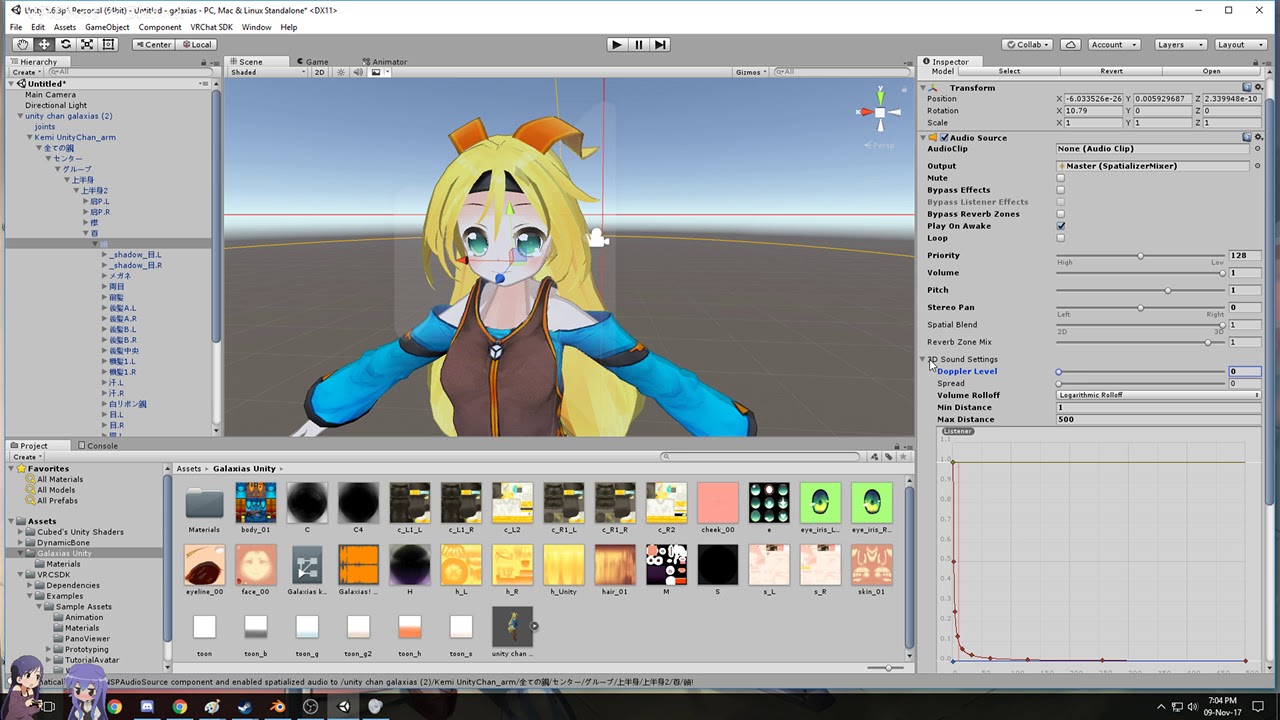
ONSP scripts have been disabled. Just remove the ONSP part of the Audio Source and the error should go away.
I believe that makes you edit somethign about the sound source but I don't knwo what - never done sound.
 gray fossil
Anyone know how to add an animation to a weapon? I'm trying to animate a scythe that has a vmd file with it.
cunning saffron
@cursive moon how do i remove the onsp?
cursive moon
Uhh, I think the same way you remove any component you added to an avatar, I think.
 hexed fern
Do all animations for vrchat have to be a certian length? because i think i made mine to long when i got them off mixamo
 quasi hearth
The "animation" tap doesn't have a animator area? help please
 radiant lodge
Any way to use animations with weapons for desktop users?
When i overwrite one of the 8 emotes, with one of the animations from other avatars, in overrideController, it will just flick through the ground for 2 sec and do nothing
 lime spruce
Hey, does anyone know of any good tutorials to do a "Za Warudo" like effect? I've seen it on a few models where a sphere that inverts the colors of everything around it pops out and wanted to figure out how to do that
 icy hazel
@lime spruce im p sure there is a shader that inverts colors of anything behind it and it is transparent, so you just need to find that and look at any animation tut + add that shader to a sphere
clear yew
@rowrr#1001 Dab is from .vmd motion data file ( weeb stuff ) in shorter = youtube = dab motion dl
hushed bluff
does anyone know the script to have one texture on the outside and one on the inside?
ie like sphere on the outside is blue then inside on red
 snow sparrow
Real quick: How does one perform the Finger Guns gesture on Vive? I'm trying to map a custom animation to it, but I just can't get the Vive touchpad to do what I want! Is it thumbs up then point? Point then thumbs up? A swipe left? A swipe right?
icy hazel
mfw if i get vr gloves then i wouldn't have to care about these weirdass controllers
 leaden totem
Does anyone have a solution for the snail marker to have it work smoothly instead of not erasing the text when you let go of the hand gesture? I know it's possible, just not sure how.
I mean as in, not to dissapear between using hand gestures until you use the EraseAll gesture
 placid needle
trying to make finger animations, but whenever the override is used ingame the fingers spas out and spin around, have i done something wrong?
ruby elk
So i made an idle standing animation which works but like stance is weird. https://imgur.com/a/ViOCV is there any way to fix this?
 viral yarrow
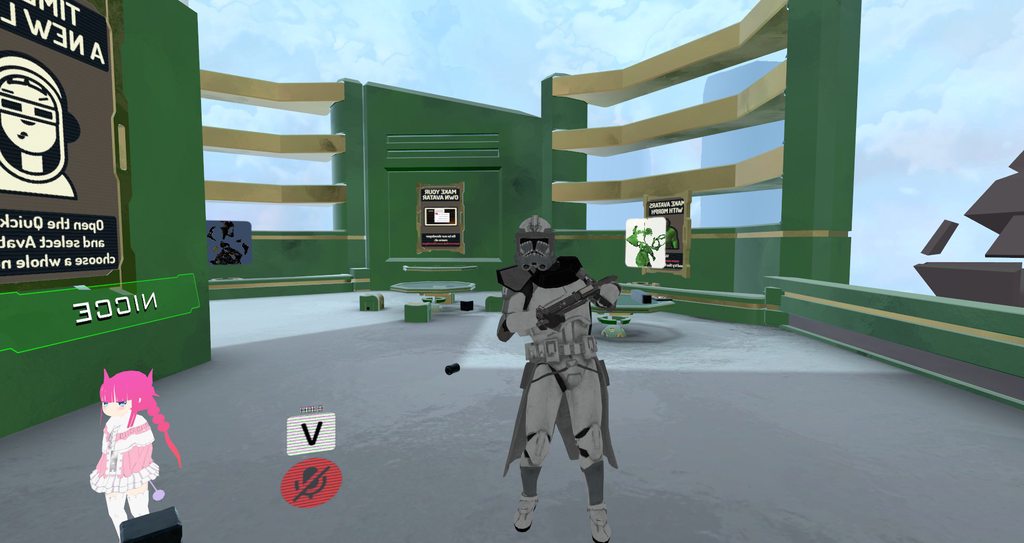
does someone know how to remove the little pause at the end of an animation? I'm making a generic avatar and I just finished his walk cycle, but there's a small pose everytime before it loops again
 small tapir
When i making an animation do i need to animate it in to the normal position so the animation is like in that animation pose?
 wicked crown
haveing issues geting my emote animation out of the ground. Ive set it soo it rais's with the "animator.root T" and works all fine in unity yet ingame its a no go. Sugestions?
 ivory laurel
Hi guys! I have made an animation for my avatar, that includes shrinking his head,stretching his arm( like basically making a mess of his texture;extend it) and i wanted him to move forward. It looked good in blender, and in unity, until i rigged him. After that, his head doesn't shrink and his arm also isn't doing what i wanted it to do. And on the preview of the animation(in unity) it looks like he's moving forward(like,the entire model is levitating to front, but that's good, that's how i wanted it to be)but in the game, he's just standing in the same place... I'm clueless, do you guys know what could be the problem?
 normal skiff
is there any up-to-date info on importing VMD files right now?
normal skiff
newest I can find is November and everything already looks too different to follow
ivory laurel
https://imgur.com/EUB3cdW So overall, you can't have animations that include scaling a bone?
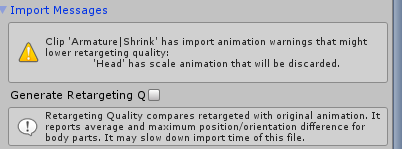
Is there any way to go past it?
viral yarrow
hey could someone help
I got my generic avatar
it has its animation, and they're assigned on it
I tested the play, and the animation plays
but in vrchat my character doesn't display any animation
this never happened before so I'm wondering what could be causing it
clear yew
how can i make an animation with an object that doestn follow the player movement? like a tree
zealous needle
How do you make a projectile independent of camera viewpoint?
frosty pendant
could someone tell me how i could add lika a laser pointer to a gun?
 scenic shuttle
is there a way to extract the basic hand gestures for overides
zealous needle
That one should be easy Jennifer
Create a flat cylinder, transparent with emission, attach to the gun and position it
frosty pendant
i played around with a line renderer for a while... but that one is kinda strange
 haughty glade
Anyone knows how to create a billboard animation for idle above head? I know you have to create a new particle system and add billboard component
but i'm not sure what to do from there
I'm trying to make a small AFK sign above my head to add to an idle/away animation
zealous needle
I feel like not many people know how to do independent projectiles with colliders
Or I'm just not looking in the right area
 fathom drum
I would like to be able to take an item out of a box i have the item is a seperate mesh already but i am not quite sure how to make it interactable with my model. Would i use Dynamic bones or something else for something like that?
zealous needle
create an animation like you would for any other, just set one to have the box only, and the other to have the box + item
fathom drum
awesome thank you.
oblique wadi
i have an issue with my mmd motions when im finally in vrchat with them. the hips dont rotate and lock in place and im not sure how to fix it
clear yew
any1 knows how to help ? 😄 https://gyazo.com/8c97303daaa5e388134003b90ce937a9
 oblique wadi
this is with emotes
clear yew
i want the animation to trigger when i do an emote from the menu
 orchid hinge
i have a questions about particles. how do i make them drop to the floor and collide with the world?
do i change simulation space to world and collision to world?
 limber epoch
@clear yew you're doing the most. VRChat has animation override that does this for you
zealous needle
so I've run into something unexpected with my rifle
The first world, it played the sound fine
after I teleported to a new world, I could not hear the sound, but others could. Is this a common issue?>
clear yew
so i used to be able to export Dances just fine to unity. but as of last night everytime i export a model with animations in it the animations dont carry over into unity
anyone got any ideas
oblique wadi
@clear yew did you make sure that baked animation is ticked when you export?
that is if youre using blender
clear yew
yea i fixed it
now i have another issue
i cant dupe the damn file off of the fbx
lul
gaunt gyro
Rename it first
clear yew
i did
frosty pendant
someone knows why my animation keeps repeating? i have an animation with 3 keyframes but when i let go of the gesture it all freaks out and overrides everything else... any idea?
oblique wadi
@crimson tide I just had this issue and managed to fix it. On your motion there should be options for baking animation data. Tick all of them except looping. They also need to be "Original" "Feet" "Original" in descending order. That should fix the issue.
@frosty pendant You might have loop checked on your animation
frosty pendant
thats what i checked first... loop time is unchecked and in debug it is on default
clear yew
created a new unity project and i could dupe just fine idk how that could cause me to not dupe in the fisrt place
 covert hawk
can someone tell me how to make a rainbow hair glow in the dark ?
 azure canopy
try making the material an unlit texture?
is there a way to like, string animations together so one plays right after another? specifically in an idle animation, i want one animation to play right before another, having them loop
basically i'm just asking how to combine animations into one
gaunt gyro
It's technically possible, if you string them together in a controller.
gaunt gyro
Yeah, looking in the custom animation override template for lots of examples, it should be possible
azure canopy
now i just have to find a way to make this a .anim
gaunt gyro
Instead of going Start -> Animation -> End you can make it Start -> Animation -> Animation -> End
azure canopy
is it even possible to turn this into a .anim file?
gaunt gyro
Controllers are scripts that play .anim files
So you have your animation as .anim, and it's triggered by the controller
azure canopy
gotcha, i'm just trying to figure out how to put this into the animation override thing
 atomic elm
Hello, anyone here got a bit to help a total noob?
gaunt gyro
Well, you need to either edit the animation override, or create a new one specifically for that avatar.
zealous needle
So, I have a rifle. It's set up, shoots right, works fine. But the sound after I teleport, goes off into the distance
azure canopy
u gh h h h this is as far as my unity knowledge goes so i guess i'll mess around with that
gaunt gyro
https://puu.sh/zkZfp.png This is the default way how it handles emotes. See how it has Entry -> (Animation) -> Exit
If you want multiple animations to trigger one after another, you need to chain them like this: https://puu.sh/zkZmN.png


And each of those grey boxes has an .anim file assigned to it
azure canopy
god how do i pan around in this controller--
zealous needle
does that allow me to play multiple animations together as well? Like, parts of a projectile in a full system
gaunt gyro
No idea, I'm still a scrub with this too.
I'm trying to figure out if it's possible to split up left and right hand gestures
So you can assign different animations to each hand.
azure canopy
ok nevermind i can totally live without this lmao
gaunt gyro
If only I had some clarification on how the game actually works with this controller. It would make it a lot easier for me to customize it. 😛
gaunt gyro
Idk if there are any VRchat team members around that are willing to clarify this? ^^ @grand mango @muted prairie @lament zephyr @stoic gull
I'm sorry for tagging all of you, I hate tags myself and I hate to tag people. 😦 I just really wanna know if it's even possible to do what I'm trying to do, or if my work is in vain.
 pastel ravine
oblique wadi
pastel ravine
oblique wadi
there should be a box you can tick on the motion itself to keep it looping
could be the motion itself orthe settings for the motion
spice meteor
is it a mixamo idle?
oblique wadi
did you try changing any settings each time?
spice meteor
u sure ur hip bone is correct?
when u play the animation in unity is it like that all the time or does he kinda slowly get into this positon?
did u ask any friend or so? i dont trust the fucking mirrors anymore lol
clear yew
Do visemes/blend shapes work on locomotion animations like walking? I hear non-human bones won't work
covert hawk
any clue how to solve this?
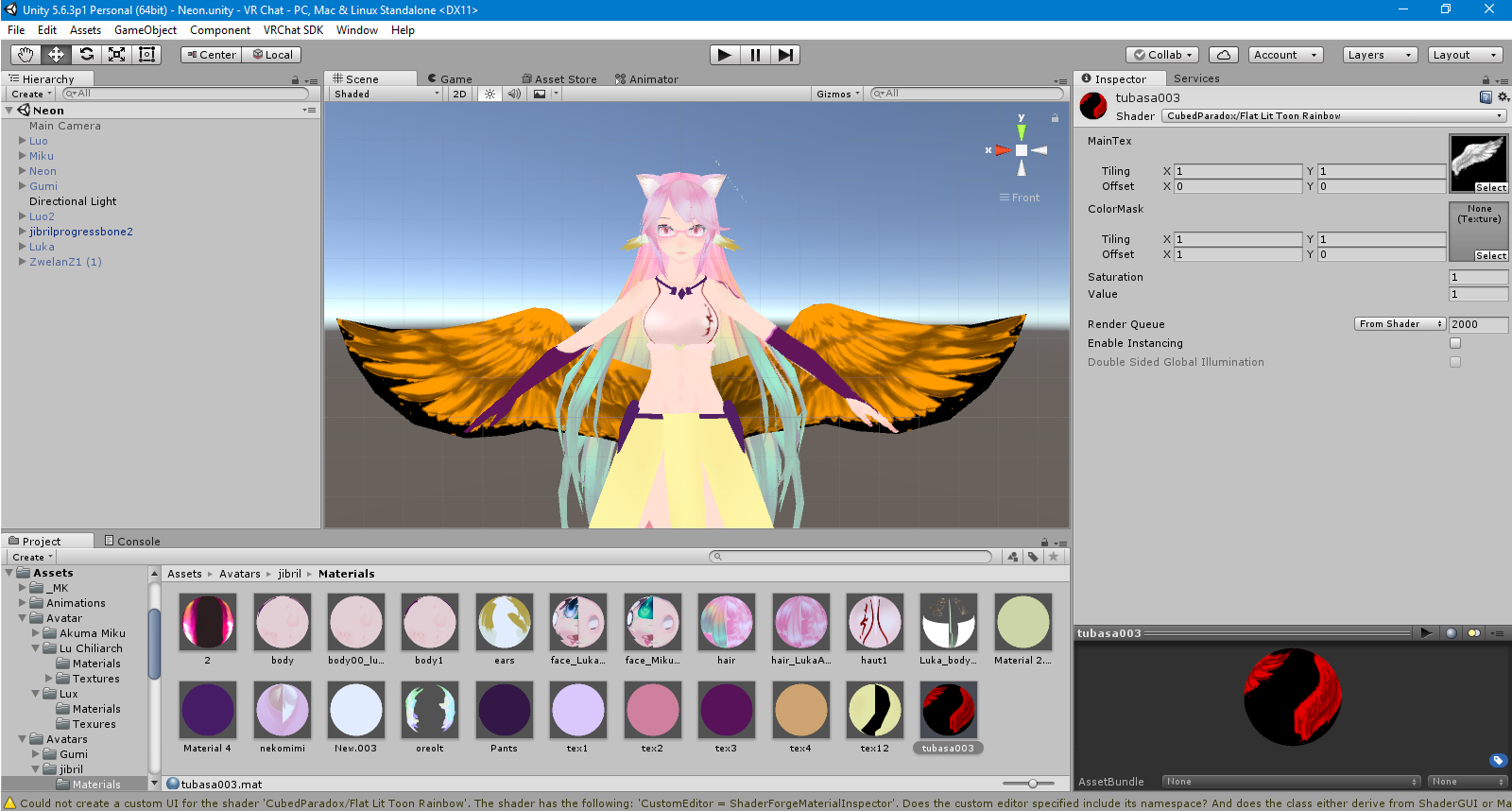
how do i get rid of the black part?
i'm trying the rainbow efect and it seems cubbed shaders doesn't have a cutout version for thie rainbow efect
 versed yacht
Hey, anyone experienced in Dynamic Bones that can help me with a consistent issue I'm having?
torn pawn
post the question
also, is it possible to make audio source to play on a delay, or do I need to edit the audio file itself for what I want?
gray fossil
Anyone know how to get an animation to play in reverse?
limber epoch
@red tiger in unity select the .anim and make sure to bake everything into it
these settings usually work best: https://prnt.sc/id1aam
 gaunt gyro
I figured this might be helpful for some people who are playing around with animation triggering: https://puu.sh/zl71h.png
 celest trout
Can you transform a body part in an animation? I'm in recording mode and when I try to change a part and play, it goes back.
seems you can only transform the root object and not part of the armature? I want to shrink my arms in an animation
 forest dove
Shrink by bone
 tepid lantern
i made a thing


 gray pier
Is there an easier way to go about fixing the hands when just doing a facial expression?>
limber epoch
@tepid lantern holy shit can i pay you to do a thing for me
last wolf
I need help with making an audio play when I use my emote
limber epoch
@last wolf create an empty gameobject with an audio source attached to it,
have the animation enable it
much like you would do for a weapon animation
gray pier
alright, i dont fucking get it, i cant import mixamo animations because "Transform "Hips" for human bone "Hips" not found.
 dim valve
Strange, the animations I'm working with aren't moving the model in VRChat, but will in Unity.
Any ideas on what I have done wrong?

Works in Unity,

Not so much in VRChat.
last wolf
@limber epoch how do you make the animation enable it?
clear yew
sup guys
I have created a custom animation with a weapon and overrided it to the fist
when I do the fist I can see the animation but my custom weapon is not there
just the face expression from the animation
did I miss something? the weapon should exist in my character too or only in the animation?
 covert linden
First off, don't bind it to fist, it'll pop up everytime you'll select something. secondly, you did add it in the animation? And its in your armature? Then it should just pop up. Check if the box is ticked and that the weapon is in your armature. It needs to be on your character, but hidden (untick the box next to its name in the inspector)
clear yew
thank you
dim valve
So where do people find and download these animation files, such as dancing?
I've grabbed them second-hand off of other models, which is probably where my issues are coming from with my model not moving while in VRChat
covert linden
Simple ones you can get by uploading your fbx file to mixamo, pick an emote and import that
Another approach is to search for an MMD DL (primarily dances) and use that as an emote.
dim valve
Im looking for the files people use so I can more accurately apply them to models. I know they exist because I see tons of people with them
Stuff Mixamo doesn't have, but are widespread
covert linden
If its a dance, its most likely a mmd dance or animation you can find online
The hard part would be cropping that to what you'd want
clear yew
do my weapon needs to be humanoid?
thanks
also
in unity
is there a shortcut to go back to where you were when adding animations
because it's anoying going through the tree all the time to get to all the fingers
help
I finished an avatar and forgot to rig the fingers..
I will explain
let me get a screenshot
https://imgur.com/a/xUcAU
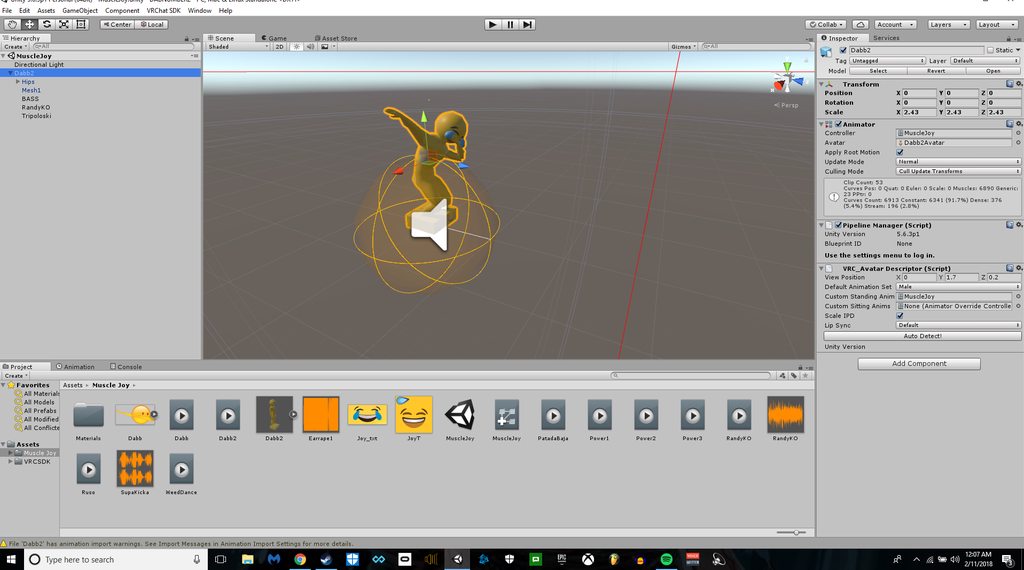
..
I use mixamo...
You dont get it
I make the model in blender
i put it in unity
i do the animations
I dont need blender to rig
I can rig it in unity for lords sake
yea thats the thing
But you can rig it in unity
but how can i rig the model that has already been
animated
I can go to the lower archy
dim valve
I dont understand why VRChat wont take the location data from my animations
clear yew
my override animation weapons are still invisible
that's odd
any commom errors that made them invisible?
I can see the gestures but not the weapon
oh I need to mark the weapon as is active right
dang that was noob
dim valve
Could it be that its alpha/transparency isn't being changed during its activation?
clear yew
I need to click on is active right
that should be part of the animation
right>
for the weapon
dim valve
Honestly, I have no idea. I'll have to learn that now that I ordered the Rift, I guess.
clear yew
you won't regret, it's amazing
dim valve
Next up, I'll go to the local game pawn shop and get a kinect.
Then I can get cheap, better leg tracking.
Why the hell would I pay 300 bucks for those Vive trackers to track my legs when I can have a camera do it
For 1/6th of the price
That can also double as a mocap device
 granite shell
anyone know how to change shaders within an animation?
 tepid nymph
 livid pivot
Okay, so I want a particle effect of a flame in front of my face, but it wont render in front of the face, it'll kinda phase around the avatar
Any way to change it so it'll appear in front of the face?
torpid wadi
so i have an object with its own animation and i parented it onto another object, which position and scale i animated. it worked fine in unity, but ingame my object doesn't animate properly
is there a reason for this?
http://puu.sh/zliIc/6153921638.jpg this disco ball over here was supposed to grow from a smaller one, but ingame it just appears without scaling itself while in unity it works fine

and if i animate the object itself instead of the parent it'll break the animation i have on it
livid pivot
Did you double check the animation went through on your main avatar?
At times when I animate stuff onto empty objects and check my main one, it'll miss certain animations because something is missing
covert linden
is it possible to make an animation where both hands are stuck to the weapon?
 robust hound
@torpid wadi
I don't know what is causing your problem, but I can assure you that scaling works in animations
torpid wadi
weird..
most likely since it started out as 0
though i put it as 0.001 and it doesnt fix it so i'm not sure what's wrong
 tall swallow
hey, do any of you know how to fix the basic animations on a model? My current one just t-poses whenever I upload and put it on
 cunning kiln
I have a feeling this has been answered coutless times but how can I retain the hand animation when making an animation override?
mystic umbra
so I have a question for vr users and animation
is there a way to seperate each controller trigger to an animation
so like the left controller has the custom overlay of one set of animations
and the right has a different overlay
rancid furnace
nope
 shrewd moon
@cunning kiln you gotta redo the finger posing with the animation override
granite shell
anyone recommend a certain asset for beams? I'm not finding much
ruby elk
I want to add a shooting emote and I have a 11second audio file with it. How do I implement that?
clear yew
has anyone got an workaround for the looping custom emote bug which only happens if youre using an generic rig?
Ive tried to mess with the AvatarControllerTemplate and tried all kind of stuff like triggering emotes with keypress but didnt really work out so far
rancid furnace
@ruby elk add an audio source
ruby elk
okay but in the animation tab it has to stay between 0:00 and 0:01 right?
rancid furnace
yep
 quiet needle
As long as you hold the gesture, the sound file will continue to play.
If it's set to loop, it will loop at the end.
ruby elk
it's supposed to be an emote animation
quiet needle
Then the sound file will play for as long as your animation is, then cut off.
ruby elk
which means i have to set the animation to 11 seconds
only the keys of the avatar body so he stays in a certain position, ocrrect?
correct*
quiet needle
Make sure you use a duplicate puppet before you start creating an animation controller.
ruby elk
i am
quiet needle
You'll have to animate the entire rig if you're doing an emote.
ruby elk
i am
everything is set so far
But the emote only works for second, and the sound + effects arent working
quiet needle
Make sure they're disabled on your hierarchy, and that you have an Is Active toggle in the animation on both ends.
ruby elk
the hierachy of the duplicate?
quiet needle
They need to be disabled on both.
They also need to be attached to the same bone location on both.
 candid token
Hello, So i am doing an override for my character and i made the animation for it, Works fine but for some odd reason it's stretching the neck out, I have noclue why and i can't even edit the position of it, If i had a frame for it to be normal it'll default back to being stretched Any ideas why this could be happening
 spiral sphinx
http://prntscr.com/id75ox any ideas as to why whenever my friend does an emote, it does this? and makes the face half black for another.
 clear yew
maybe because you didnt duplicate your avatar before animating?

 viscid loom
Hi can someone help me ?
I have a issue with some custom animation
spiral sphinx
managed to fix it to this point, but anyone know why it has the black over it? it isnt on the normal animation, could it be the black color mesh that it has inside the head on the texture for the emote? http://prntscr.com/id7r5o
 quiet needle
Yep. There is a shadow mesh on most MMD models that appears when you crank it up on the facial anims.
It's supposed to represent the black nervousness/embarassment shadow seen in anime.
@viscid loom What do you need help with?
ruby elk
Alright so I havean animation with a sound file which is 11secs. long. I'd like too keep the animation just as long. But when I upload the avatar, the emote animation only lasts for a second
 desert cipher
I need help with a mmd dance can anyone help me?? Everytime I do a MMD dance the mouth moves on a video but in blender it does not do anything.
 brisk rain
Hey, is it possible to make the particle emitters do small animated gifs? like, small dancing flames from a tiny dragons mouth?
quiet needle
@ruby elk Show me a screenshot of your animation timeline?
@desert cipher You probably won't be able to get lip sync to work for a dance without a ton of editing. You could try but generally it just pulls bones, and shape keys are ignored.
@brisk rain You could if you have a shader and texture that supports it. Just choose that image in the renderer tab of the particle.
desert cipher
oh I don't know how to do that
quiet needle
I'm not sure it would carry over. You could try my method of importing VMD and see if the shape key info comes over with it. It involves using a baseline MMD model with no editing except translation in Blender, bake the animation into that and export it as FBX, then when you import it into Unity, set the rig up and then go to the rig animation tab and export the animation with baked rotation and translation. From there you should have a free floating .anim file that you can attach to a working model (don't use the unmodified baseline model as it will be extremely unoptimized).
desert cipher
oh Iill try I think
ruby elk
@quiet needle https://imgur.com/a/CRy0L https://imgur.com/a/P65NK
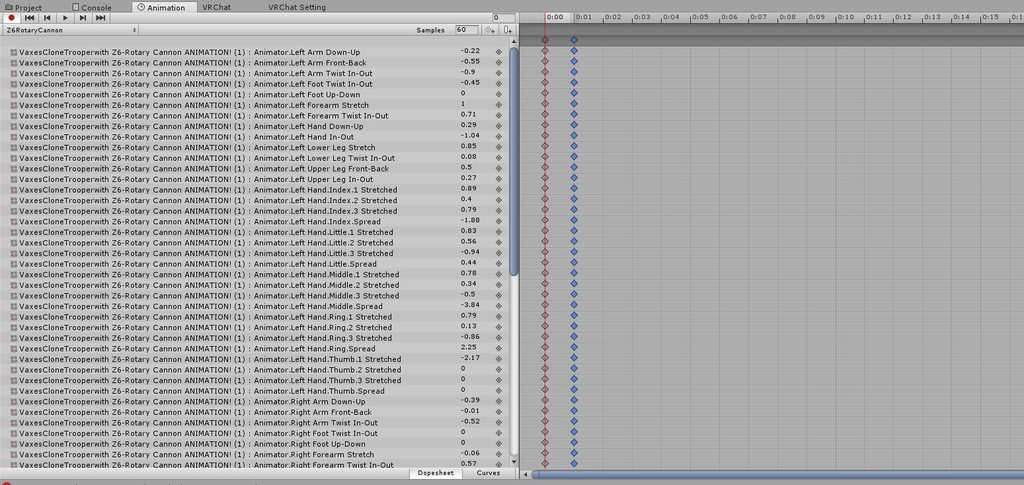
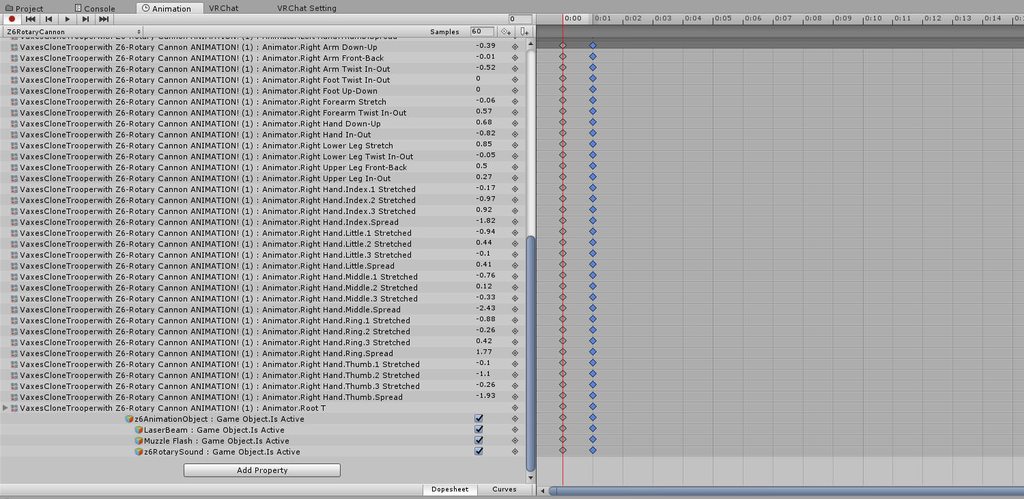 brisk rain
Wich shaders suppors gifs?
quiet needle
@ruby elk Your animation is only .01 seconds long. You'll need it to be the full 11 seconds if you want it to be an emote. .01s animations are for gestures only.
@brisk rain Most of them should, that's more to make sure you don't pick a shader that makes the particle disappear.
ruby elk
@quiet needle So how do I make it 11 seconds long?
quiet needle
Take your second column and select all the pips, then drag them all over to 11:00
Is this a static animation? No movement?
ruby elk
no movement.
quiet needle
Yeah that should be all then.
quiet needle
Just grab that top pip and drag it over to 11:00
ruby elk
alright
brisk rain
ive chanced the particle emitter from the default particle, to my flame gif, but still no animation, what shader was it that works whit it?
quiet needle

Since Natsix is new to VRChat She still does not know all the complicated things in Unity like idle animations and all sorts of stuff. She was able to animat...
Maybe try a sprite?
I'm not super familiar with particles and gifs tbh
ruby elk
How do I add laser fire to my weapon? Like it always comes out like this. Is there any way to rotate them? https://imgur.com/a/2Vlm7
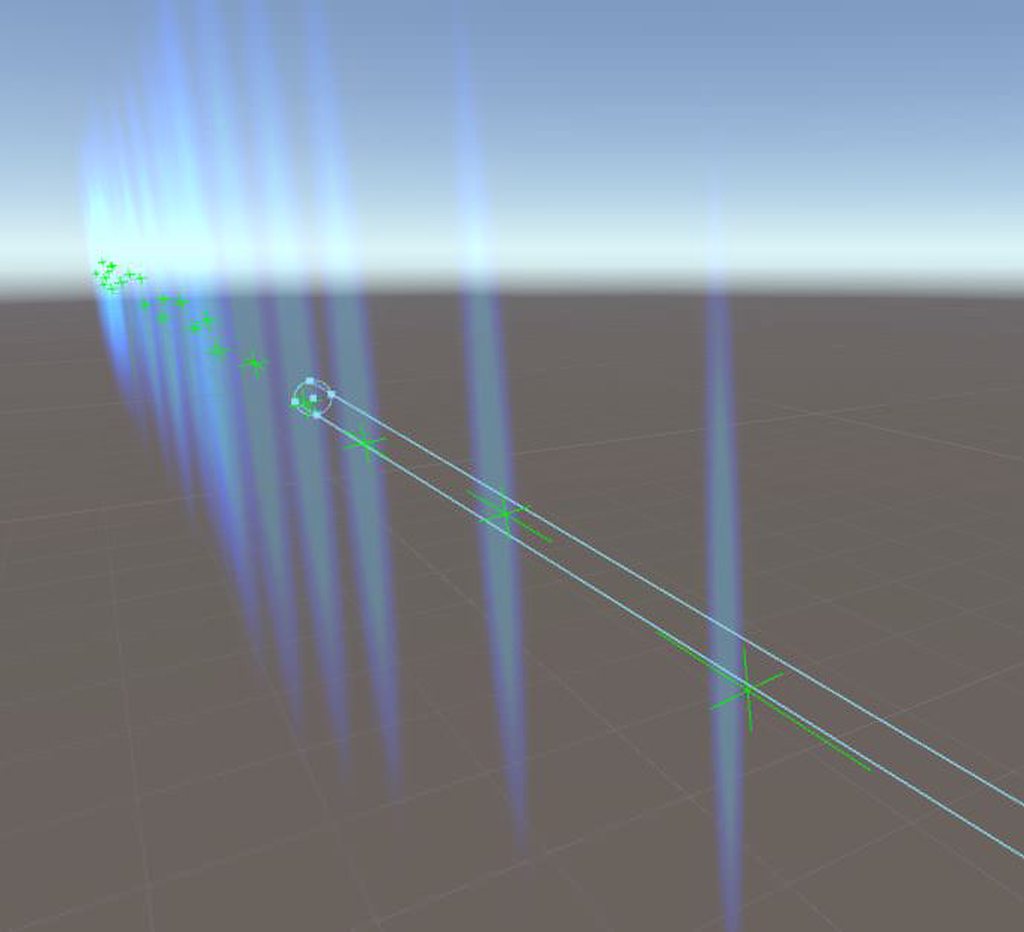
 muted prairie
you can rotate on the X axis in the first menu of the particle system i believe
ruby elk
It still shoots the lasers sideways :c
 undone glade
Under render in the particle effect, need to change it to local I think.
And then depending on the axis, make it 90°
ruby elk
IT WORKED
THANKS A LOT
okay but now the animation is not coming out of the gun. it's somewhere in the air._.
 agile ruin
Anyone knows how to make it so the sword in the back goes to the hand through gesture animation? I can't figure it out
 lucid grove
clear yew
lucid grove
clear yew
Uhhh Uhmmm, Important question. I imported an mmd model to blender and did everything I should on it (almost) .. And finished making it on unity with all dynamic bones, colliders, expressions etc, and I completely forgot about Visemes, does anybody know if there is a way of importing the visemes to the body or soemthing without having to do everything all over again? I also changed the textures and the placement of them on unity btw..
agile ruin
import the model to blender using CATS -> FBX
do what you gotta do and export it again
zealous needle
Close Unity first, overwrite the .fbx file
 hard geyser
@agile ruin i know how i can show you hol up tho
zealous needle
and then it'll work properly with the changes
agile ruin
@hard geyser awesome, i'd appreciate it 😃
zealous needle
Make sure to change the model to generic and then back to Humanoid, sometimes it plays really weird
Aka I accidentally created a necromorph from a Berserk Guts model
 fossil verge
anyone know how to change animation for a non-humanoid model?
i made a flying animation for a bird and when i opened VRChat it was t-posed
hard geyser
anyone know to make it so that the helmet goes into cloak as well or is there no way to and the model is messed up, cause when i turn on record this happens
https://gyazo.com/1670d741e1a710fa2c629e46341f19db
 zealous needle
oh is the cloak an animation?
What about creating an invisible mesh layer over the rest and then making that active?
hard geyser
ill try that
candid token
some reasonw hen i try and animate the Fingers for a different pose they reset back todefault when i ma animating
 gaunt fractal
Hey umm I made an animation and applied it to an Emote
But first off my models goes half way into the ground ingame
and I want the animation to loop for like say a minute
Can't figure out that or the tutorials i followed don't cover that
zealous needle
second one I think you could cheat and just copy the frames
the first one, I assume you made the duplicated model and are working on that
gaunt fractal
yes
zealous needle
But, maybe increasing the height/positioning will fix that
zealous needle
ye
gaunt fractal
ok ill try that
zealous needle
or record it into the animation to throw the positioning up
by like, 1y
Cause center of mass for the animated model goes to 0,0,0
gaunt fractal
But it also goes in the crab position like the arms infront. I need it to be the same as idle
zealous needle
Animate to fix!
gaunt fractal
I was watching a video where they also worked on the dupe model and they only worked on the stuff they were animating
zealous needle

On the right there, if you select an animation override, you can see the animation keys for everything
so you can pull up the idle animation like I did there, copy them all, and paste them into the animation you want
https://puu.sh/zlyw7/8911385337.png
as seen here
 gaunt fractal
hmmm
@zealous needle so ur saying just copy the override animations
over to my created animation
right?
gaunt fractal
Seems like there would be an easyer way though i bet
zealous needle
Eh? That is pretty easy tho
 gaunt fractal
yeah okay
zealous needle
Unless I'm on a different page of what you're asking for, which in that case I apologize
gaunt fractal
im just saying, noone else did that i think xd
zealous needle
If there is a better way, then if someone has that I hope they chime in, but if that does accomplish what you want, it should be good
gaunt fractal
Well im just asking why my avatar was in ground in crab position ;p
so if that fixes it all g
zealous needle
it always does that when you mess with a model and animate it
why? no clue
I just accepted that as reality
gaunt fractal
well will test if works 🙏
sweet
it works
sadly im with no vr and if i do an emote can't move
lmao
 ivory lagoon
eye tracking makes the eyes go out of the head?
novel flower
What do I need to do on animation settings so that it moves in the world and not just in place?
clear yew
Is it possible to add a gravity setting to a bone in the animator?
Gravity or force*
I'm trying to figure out the best approach to this, I want to add a gesture where my characters hair goes wild and crazy like this pic https://avvesione.files.wordpress.com/2011/09/shinryaku_ika_musume_season_2-01-ika_musume-invasion-intimidating-scary.jpg

Is it possible to add force or gravity to the bones of the hair or, do I need to have VRchat disable my model and load a model that has that hair in the way I want it?
 ashen sedge
@clear yew If you got force set on the hair bones via dynamic bones, then you should be able to adjust the parameters of that via the animator
clear yew
Yay
@ashen sedge Hey Zarni, I remember you, thanks so much for the help when I was learning how to make model in the beginning! I've grown so much! ><
ashen sedge
Good to hear! Keep at it 👌
clear yew
Does anybody know how to stop custom emotes on generic models from looping endlessly? I've been searching online and it seems that most people have the same problem but haven't come up with a solution
 stiff mist
I was wanting to know if there a way to use an .anm for vrchat
ashen sedge
If you can get it into unity, most likely
 clever onyx
hey guys, im tryn myself on hand animations. easy thing, playn song when press the gesture. but i kinda stuck in the song, end it dosent end. help!
undone glade
@clever onyx vr?
undone glade
Play on awake, set the keys from 0:00 to 0:01 and you're good.
Make sure it's not on loop
undone glade
The music will play as long as you hold the gesture :+1:
So you can stop it anytime during it.
clever onyx
thanks!
undone glade
I suggest having it under a comfortable gesture that you can hold.
clever onyx
i want 5 songs, on 5 gestures haha, but thanks anyways guys! helped me out
undone glade
And one that doesn't get in the way
As long as it's not closed hands and open hands I'd say you be good
@clever onyx also if your audio source has the component "ONSP Audio Source" simply remove the component otherwise it will not let you upload.
clear yew
Hello everyone, I was wondering if anyone has any experience in animating non-humanoid avatars. I'm kind of at a stand still.
 glacial badge
Anyone know how to add a sound to emote?
 tribal owl
@here I don't know where to ask this. But considering that Animation was the last thing I did before my most recent problem, I will ask here.
Recently I fixed all my other issues and started on animation. After finally figuring it out and "hopefully" set that up right. I went to upload my avatar to Vrchat. I ended up having the issue where it says that, "This avatar is not imported as a humanoid rig and will not play VRChat's provided animation set." Anyone care to help me?
@upper parrot I think you are talking to me. My avatar is rigged and set to humanoid all ready. That is why I am having this issue.
muted prairie
@tribal owl Fix it with Cat's addon in blender
tribal owl
@muted prairie I have Cat's, mind explaining further? Message me if you have too.
muted prairie
You should find a basic tutorial then, tupper's megatutorial pinned in #avatars-2-general if necessary, it's a very simple process.
 near coral
hi bros
 signal dove
My custom idle animation has major deviation, probably because of runtime IK. How do I turn that off?
 tidal zodiac
 lone bramble
I keep having problems with my animations trying to loop if I press a botton on the same controller that started an animation, any idea what's causing it?
tribal owl
@muted prairie I will look it up, but I am not holding my breath. I have already spent the better part of 18 hours screwing around with this. I have read about 5 tutorials, and watched dozens of videos. I have reduced polygons, unrigged and rerigged the model, animated and reanimated, and every time I fix one problem another one pops up.
muted prairie
That's usually how it goes
lone bramble
check the bone weight painting, Kenda?
that's how i fixed that error on one of my monsters
tribal owl
@lone bramble Mind explaining how?
I currently have both Unity and blender open, so I am ready to do what needs to be done.
lone bramble
in blender, select the whole body mesh and press alt+tab, should turn blue
go to the mesh vertex groups and check each one to see if it's actually painted correctly
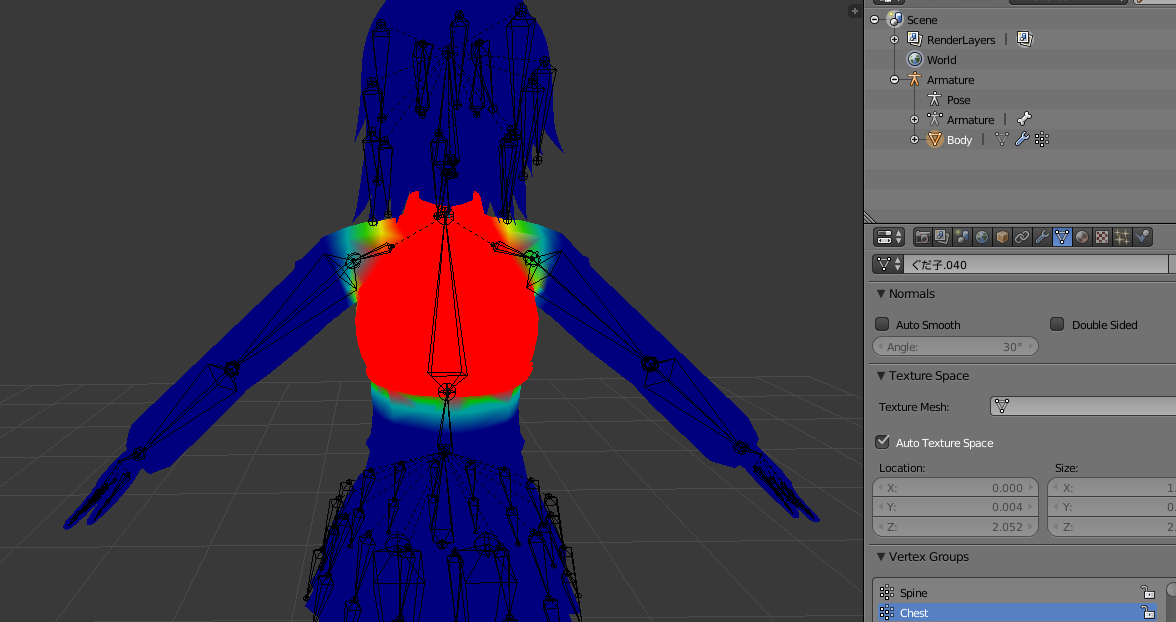
shows what each bone is controlling
if it isn't boned like a correct humanoid unity will have a fit
tribal owl
@lone bramble Alt+tab just tries to change my window.
tribal owl
@lone bramble It's cool thanks for the clear up.
@lone bramble After doing that, I am getting a new issues. "Your avatar is Humanoid but it's feet aren't Specified" along with Upper arms. Also Humanoid avatar must have Head, hands, and feet mapped. But as far as I can tell my rigging hasn't changed. I even manually tried resetting the rig.
 tribal owl
He's t-posing like a MFer. I tried optimizing and that caused my previous issue. But now I am back to the original problem. Not imported as a Humanoid........ I specifically set the rigging as humanoid so I don't get it.
lone bramble
For this one I had to bone it myself and paint the weights so you might have to go that extra step manually making the rig
 gentle vortex
so iv decided to try and make face animations and iv figured out how to do it but iv added the animations into emote's as i havent got vr yet but for some reason the facail changes dont happen at all, is there something im missing maybe?
lone bramble
Did you try making the MMD Armature? that's the set i used for blender that painted everything a little better humanoid
tribal owl
@lone bramble Is there a difference between that and the other armature in the scene bar? I have a MMD model that I had to rerig so I don't know if that makes a difference.
lone bramble
I'm not too sure but that's the one I used and walked away with no problems
Send me your model and blend file and I can quick take a look if you don't mind
tribal owl
@lone bramble Sent
 inner cloak
Are there some tutorial videos for eye movement for non-MMD characters? 🤔
 devout loom
Does anyone know how to get render textures to work on their model? I'm trying to make a working camera where you can see what the camera sees on its screen, it works for me, but no one else can see it, does anyone know a solution for this?
 placid copper

 sharp cove
I need some help
torn pawn
first step would be actually writing down what is that you need help with, we cannot read minds
 quasi dragon
Hello everyone, Just ran into an issue adding a wepon to my avatar for the first time, weapon works in vrchat, though for some reason my torso shakes violently when the gun is out, any ideas?
 twin lintel
@placid copper that's a pretty high hit for a dlong spec with no real str gear
torn pawn
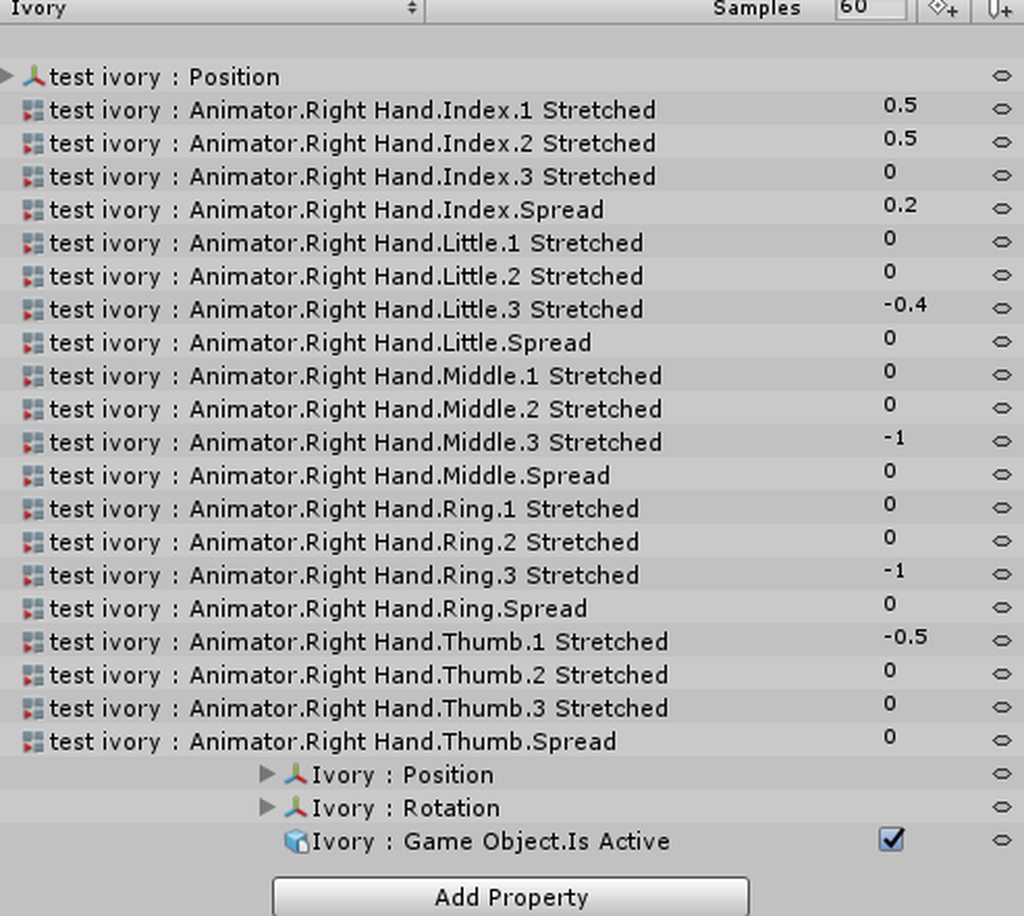
@quasi dragon you most likely have a body position property in animation, check for anything that is not finger animator and gun related
you can set that by accident if record mode is active
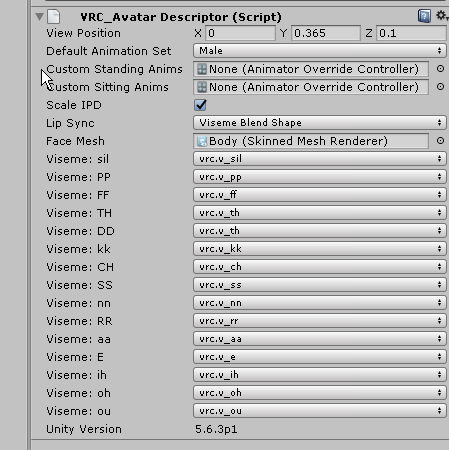 quasi dragon
https://imgur.com/a/ONfmh this is my animation list, looks like its just the hand and the gun (ivory)
 torn pawn
why do u need position and roation properties
turn off record mode, position it correctly on the duplicate
then copy-paste transformation component on to the main
quasi dragon
i did that, copied and pasted the correct position on main
should I delete those form animation then?
from*
torn pawn
delete both position and the 1 rotation
those are not needed if you copy-paste transformation component to the main model
 trim oasis
how do I do this breath effect? https://www.youtube.com/watch?v=KYmBNkDANWE I downloaded the asset but it doesnt even work.
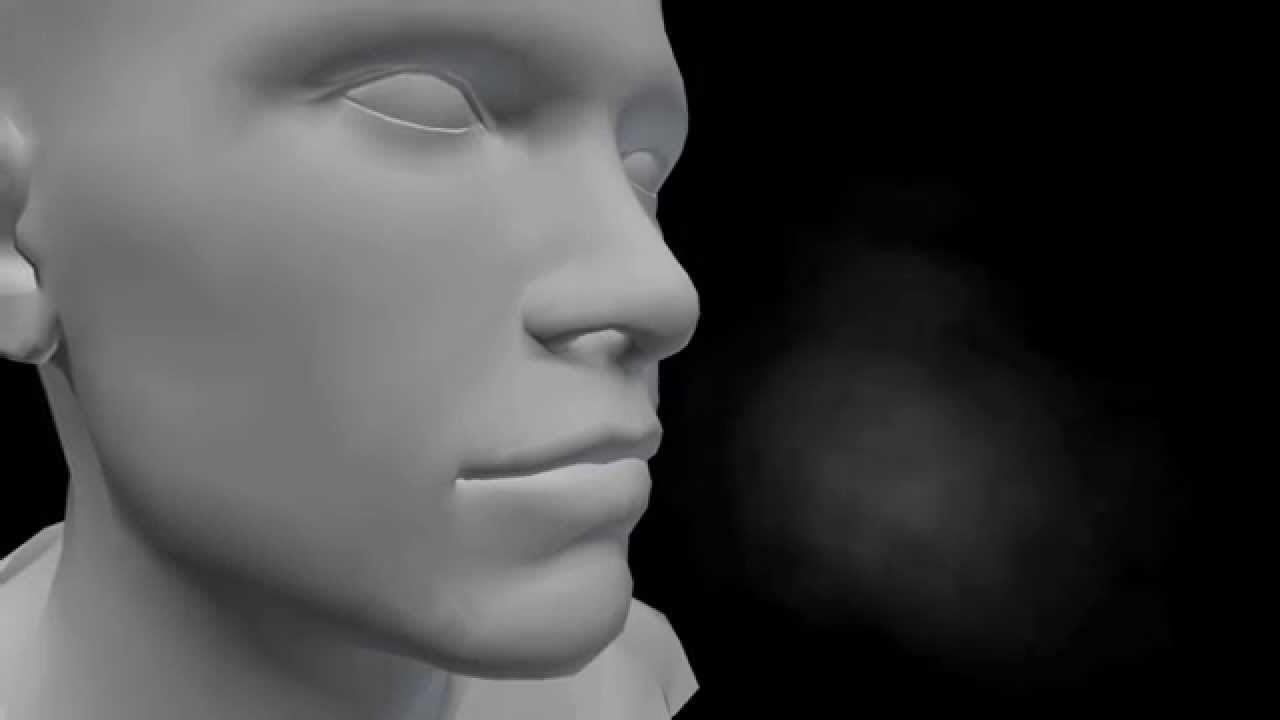
A cold breath particle effect. Simply attach the prefab to your character's face and the frosty breath will continuously breath from the model's mouth. Now a...
torn pawn
i would guess a particle emission with a damp or speed over time curve going down? check google for any breathing/smoke tutorials
trim oasis
i'll try to find some
quasi dragon
Thank you @torn pawn , that solved my issue
signal dove
So, how do I get my idle animation to not fall prey to runtime ik?
candid token
how do i constantly play a particle on a animation?
Because everytime i change through hands it keeps playing
torn pawn
@candid token be more specific
candid token
i'll show the timeline

Trying to get a particle effect to run on a animation (hand gesture) it works. But for some reason it carries over to the otehr gestures when it played
torn pawn
if it's on the loop and if there's no set end to it, it will play for entire 10 seconds, i think?
im not familiar with gesture animations that go beyond frame 1
candid token
i tried some methods. But seems to not work, Such s unlooping it, And tweaking with the timeline, Nothing seems to work
was exppecting ONCE done with the gesture off, it'll stop
But it seems that it carry's on reguardless
stiff mist
Can someone tell me if I can convert a anm to an format that works for unity
 echo cargo
Anyone know how to make objects remain stationary in the world instead of moving with the camera?
dawn shale
Does anyone have an animation of hands in pockets? If so, please message or mention me.
 old cave
Anyone had success exporting .nif models with the skeletons on 3DS Max? When I try to export the model from .nif to .obj this happens:

The skelleton looks fine when I open the .nif directly

I kinda need the original skelleton because this character is non-humanoid (Mixamo will not work for him) and I'll need custom animations to use him on VRChat, and I don't know if his animations would work on other skelleton
 languid sinew
Most strange
 vivid cairn
does anyone have a prefab for the twitch comment panel, or perhaps someone might be able to tell me how to make one?
last wolf
can anyone show me a video on how do you make music play when you use an emote?
torn pawn
@last wolf create empty object, put it on your wrist, add audio source on that empty object
done
you can put the empty object in whatever place u want
clear yew
Is there a quick and easy way to add all the finger bones in the animator at once?
tight arrow
Anyone here have experience porting SMD files as animations?
clear yew
Its killing me having to do all 18 finger bones per hand per animation override! ><
 wispy valve
Can anyone help me with this? https://imgur.com/5zMeTBP https://imgur.com/a/he85x
 lone bramble
What's the preferred volume for audio files? I always feel they're so loud but that's cause they're 10x louder on my end
shrewd moon
I set my volume to 0.25 in Unity
muted prairie
@wispy valve What were you trying to do ?
last wolf
@torn pawn isn't that for gestures?
last wolf
vmds?
torn pawn
dances
last wolf
yeah
torn pawn
https://www.youtube.com/watch?v=kWFvuRmTeFg if you mean vmds
Hi my name is Shana from vrchat and i started not long ago Learning how to import mmd dances to vrchat was one of the fun stuff to do for me so today im maki...
then this should be smth u looking for
last wolf
alright thank you
torn pawn
i hope at least
last wolf
yeah this is different
wispy valve
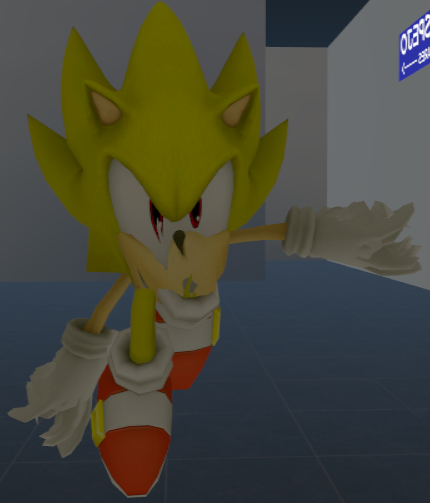
@muted prairie I'm trying to have sonic flying like here https://imgur.com/ngIYosf
 last wolf
@torn pawn I meant like when you click on an emote it plays a sound too
torn pawn
you make an animation for an entire body and add a sound effect in there as well
i would guess, but I never made animation overrides, only for gestures
last wolf
ok that's confusing for me
muted prairie
@wispy valve make sure to check the options of the animation itself, there's a few video tutorials out there
wispy valve
@muted prairie Ok thanks :)
clear yew
Is there an easy way to add all the finger bones in the animator at once?
torn pawn
have muscle animator asset
clear yew
muscle animator asset?
So, this? @torn pawn
Oh wow, that looks convienent! https://youtu.be/bb5D-zyn5rc?t=171

Assetstore: https://www.assetstore.unity3d.com/#!/content/32233 1.4 - NEW: Muscle Handles. - CHANGE: ‘RootQ’ now controlled by eulerAngles instead of Quatern...
 regal hollow
if you do a lot of character animation its quite the time saver
clear yew
Looks worth to me, I pretty much just recreate the default animations and add facial gestures, but that amount of convience might be great
Ooo, actually, how can I make an object follow another object?
Like in the avatar testing grounds, there's that doll that moves it hands around following its heart
I basically want a strand of bones to follow the same direction my hands are facing
 glass idol
Anyone got Animations which are not 1 Frame long working? Like rotation gameobjects? It keeps getting into my hand again after i move / Abort animation
anyone know why?
http://puu.sh/zlYOT/b9e4c6d301.png on non looping it doenst work at all on looping its buggy as hell as i just explained

any ideas?
oblique wadi
Anyone got any pokemon motions? Preferrably Pikachu?
ruby elk
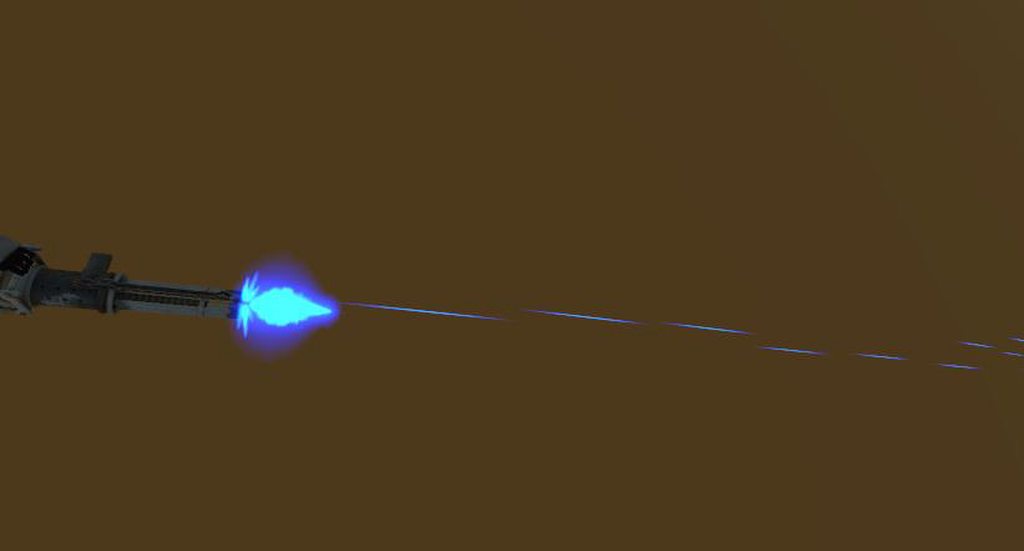
Need help with my Animation. I put laser fire on my gun (everything correctly placed in the hierachy) but when I activate the emote, the lasers come out of my haed when I look down. How do I fix this?
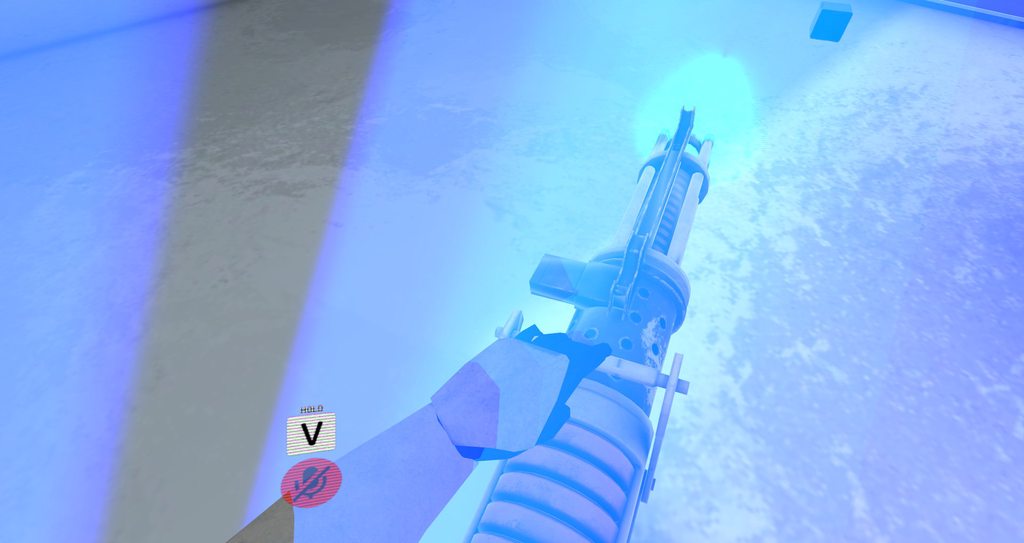
In Unity the animation works perfectly. https://imgur.com/a/gMOPA
 languid nimbus
@wispy valve Idk if you fixed it already but for air animations you want to put them on FALL
@old cave that character isn't a non humanoid at all, even if mixamo doesn't like it because of the file typing..
The original skeleton should work fine even if it looks all over the place in blender, have you tried putting it in unity and checking the muscles?
Otherwise it shouldn't be too hard to make a humanoid rig in blender
 royal dawn
I made facial expressions and made custom hand gestures
why oh why do they spasm
do they need more time?
or?
languid nimbus
I have an idea but no experience about it
basically i saw an option of not repeating the start of the animation while it loops up to a set amount of animationframes
say it takes you 10 frames to smoothly create the facial exoression, you'd then hold that for 1-2 frames then set the loop cutoff to be 10 so that part only plays when you activate it
 honest lake
is it possible to have animations react to head movement?
like my character has long ears, could I have them go down when he looks down and up when he looks up?
 white herald
easiest way is dynamic bone @honest lake
honest lake
yeah which costs 20 dollars and I don't know for sure if it will work, I'm not sure about this
do you need it for custom animations period?
I know it can be used to apply physics
I could just make it an emoji
white herald
it works great but yeah $20 is a bit much for this
you only need it for jiggly physics that's it
honest lake
I see, but would it be possible to program any kind of custom animation without it?
right
honest lake
any decent guides that aren't too long on how to do that?
I ought to learn if I'm going to be doing this avatar creation thing full time
white herald
i'm not sure how comfortable you are with blender but you can set up bone constraints and emulate physics in blender and it will all be baked into the custom animations on export
honest lake
oh I know Blender well enough
white herald
yeah so the physics settings and constraints will be stripped on export but every frame of the animation will be baked
good for emotes but not for walking, etc
honest lake
right
eh you know what I'll just buy the dynamic bone, it will make my models look much nicer
white herald
yeah you need it if you wanna sell things with ears heh
honest lake
well I'm not selling anything, but I'd gladly make avatars for others for free
white herald
i imagine it's possible to mark things as dynamic bones without owning the plugin but you wouldn't be able to test it and i'm not 100% sure on the legality
honest lake
assuming its not too much work of course, if they're happy with low poly stuff
white herald
people seem to be very happy with low-quality things that are customized to them specifically
honest lake
I'm kind of too humble to ask for payment for my models
I don't think my work is of a professional enough quality to be worth asking money for
white herald
yeah but some people will pay for things they can't find anywhere else
honest lake
yeah, not to me though, someone comes to me asking for something simple made, I'll make it if I have the time
white herald
yeah that's a good way to do it
mystic umbra
How do you apply shape keys to animations in unity
white herald
yes
honest lake
righto lets try it
white herald
there are also dynamic bone colliders you can put them in hands to give appropriately simulated head pats
and other stuff to avoid clipping
honest lake
I see, that's only a thing I'd need to worry about if I was playing in VR though right?
white herald
no, since you could put a collider on the face to prevent the bangs from bouncing through it, etc
but on the hands yeah
someone once mentioned the best default values for a dynamic bone but i don't have them here
honest lake
I guess there's no way to test it in Unity?
white herald
@honest lake click play in unity and move your model around
 topaz ermine
I believe Tupper's default dynamic bone settings are 0.5 , 0.1 , 0.1 , 0.9
white herald
thanks!
topaz ermine
Move the model around in scene view
white herald
window -> layouts -> 2 by 3 might help
clear yew
Alex, did you dragged the bone in dynamic?
honest lake
it ain't moving
white herald
bones don't move, gotta move the character itself
the thing you put the descriptor component on
honest lake
oh I need to add the descriptor first?
white herald
nah
honest lake
hmmm
well, its not moving the ears at all so I think I must have assigned them wrong
I just clicked the bones, then added the dynamic script to them
clear yew
 white herald
would be a pain to scroll through i guess
honest lake
mind if I PM you?
white herald
sure but you can link to images just fine
 white herald
so dynamic bones still not working?
honest lake
nope
white herald
i guess show me the bone settings
 white herald
the dynamic bone stuff
also, you're sure the ears are weighted properly in blender? just to make sure
 white herald
in the scene mode, the dynamic bone settings i meant
honest lake
yes but that proves its weighted
pliant plank
Do the ears have more than a singular bone?
honest lake
no, just the one
they had 2 when I exported it
but popping it into Unity reduced it to just one for each
no idea why
honest lake
yes, in the first picture you can see
pliant plank
The rigging menu never displays all the bones, that's why
honest lake
uuh...
pliant plank
Select the bones with dynamic bones on them
Include the hierarchy and settings in the same screenie




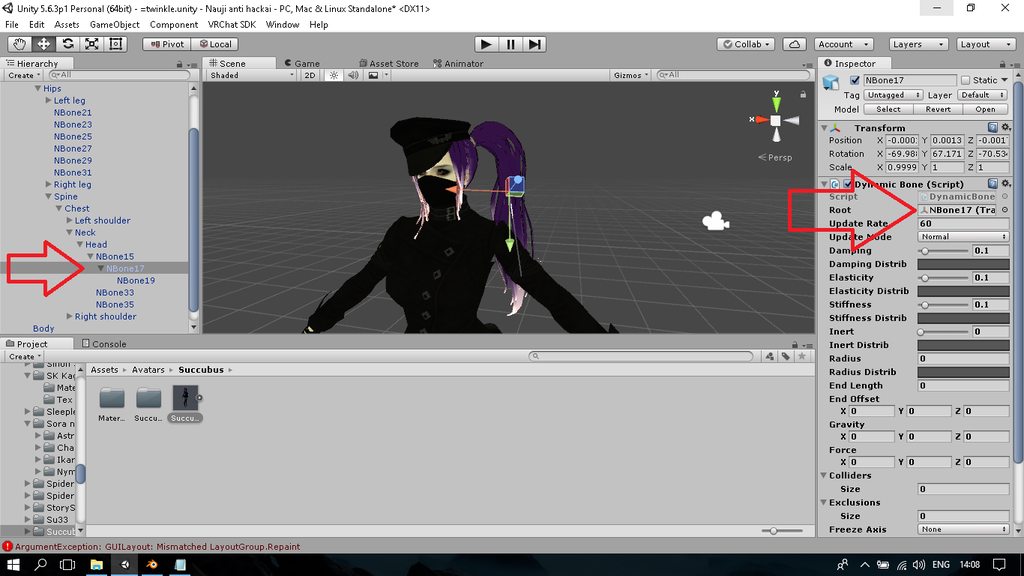
 pliant plank
Yes
honest lake
okay
topaz ermine
You need to set the root
topaz ermine
The dynamicbone script can go anywhere
pliant plank
Eyup
honest lake
are things not saved if you are in play mode?
topaz ermine
Nope
pliant plank
Yes they reset
old cave
@languid nimbus Mixamo deforms the model a little because he doesn't have a neck
Also, I want to use the original .kf animations and I don't think they will work on other skeletons
topaz ermine
You can mess around in play mode, but you'll have to copy the component and paste the values outside of play mode
pliant plank
You can configure it in playmode and follow what korbo said to do
honest lake
thanks guys X3
for those wondering this character is a character named Syrup from the game Puzzle & Dragons Z
languid nimbus
@old cave , that's why I said you just need to make your own rig, then it should be able to play all humanoid animations
 obsidian vigil
So... ive seen people do animations like super saiyan powerups and stuff. As soon as they trieggered it the animation would stay on forever. How can i do that? if i put my animation on an emote i cant move while using it, if i put it on my avatar it goes aways when i move
quiet needle
Those would likely just be gestures with particles. The animation itself is only .01 sec but the particles continue to follow their script as long as you hold the buttons.
honest lake
what is the maximum update rate?
quiet needle
90 for most VR headsets
honest lake
I mean for dynamic bones
I'm wondering if I can make the bones move up and down faster
oblique wadi
Anyone know how many DynamicBone scrips you can have on one part?
quiet needle
I'd recommend as few as possible to achieve the desired effect.
If you're getting up past 40 or so bones you're going to cause people with older potatoes to lag out when you move.
obsidian vigil
@quiet needle So i have to bind them to my vive Trigger if i want particles to still spawn while moving?
quiet needle
Basically to keep particles spawning while moving you just do an animation that says "Set the particle system to 'Is Active' for 0.01 sec" then add that to your overrides on a hand gesture.
obsidian vigil
yeah i know but im on my vive so that wont work for the trackpads will it?
because i need them for moving around
quiet needle
I'm not sure, I'm an Oculus user. If there are any gestures you can use while moving, that would be the way to do it. If not, then you'd be correct.
gaunt gyro
Use gestures on your right hand, walk with your left hand.
obsidian vigil
but they get undone if i start moving
the hands snap back into the default position
gaunt gyro
That's the problem with any animation really.
gaunt gyro
Well it sort of keeps the animation while you hold it on your right hand while walking with left.
quiet needle
Yeah, rift doesn't have this problem. We just use our thumbsticks to move and gestures continue the whole time. :3
 atomic wraith
If i could only figure out how to rip animations from fbx files id be golden. I tried a youtube video but unity would not let me. Stubborn peice of software
quiet needle
Baked animations?
atomic wraith
Yes
quiet needle
There is an animation tab under the rig section if you click the FBX in unity. Try doing it through that menu.
final gazelle
do the animations show up back in blender?
atomic wraith
I was told to ctrl c then highlight the baked animation then ctrl d
final gazelle
from the imported FBX in the asset view, yeah, that's correct
but check the name of the animation -- it often gets given a name with "illegal characters" according to unity, like a | sign (the shift version of backspace)
just rename it to something simpler and try pressing Ctrl+D while having the animation selected again
atomic wraith
Thats the error it threw
final gazelle
yeah, you just need to rename the animation
atomic wraith
How do i do that if its baked
final gazelle
gimme a sec to boot up unity to check exactly what keystrokes i did...hm, wait