#animation
1 messages · Page 44 of 1
 glad topaz
 blissful root
Any known way to increase the 8 second cap on emotes. Hard to work on them with a cap of 8 seconds.
 lone bramble
Is there a step-by-step anywhere for attaching a particalsys to an animation? I've gotten sounds & objects down but my particles aren't showing up in game
 pliant nacelle
Set to local not world @lone bramble
glad topaz
So im trying to make my model blush in its animation but because i have cubed's flat lit toon shader on it makes the blush blendshape invisible. idk what to do to make it show up with this shader
lone bramble
It looks like all my particles are set to local already
pliant nacelle
Setting to show on both keyframes?
0 and 0.01
Set the material to cutout @glad topaz
And drag the slider to sometging decent if you want to use flat toon
Also set it to tinted and set the border weight to 0
This'll make it show if its one sided
iirc
 torn pawn
@robust lark if u still have the problem, go to your audio sources and delete that script (onsp)
you might need to adjust alpha in cutout render mode
ink
glad topaz
tthats a lot to take in, flat lit toon doesnt let you choose cutout
 crude flame
So I made particle effects in unity, Do I need to animate it, and if I do how do I do it.
glad topaz
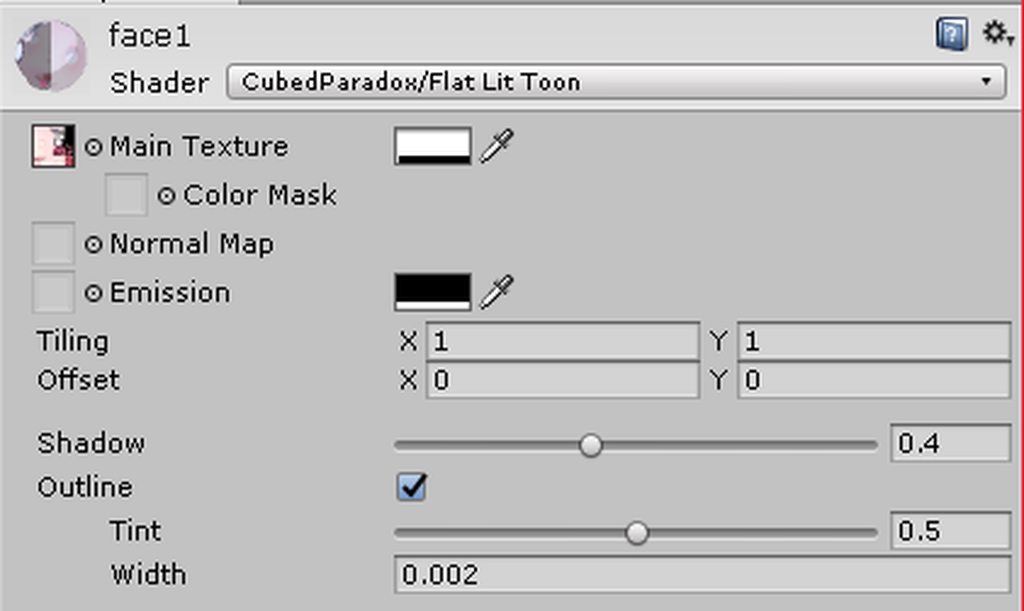
cubedparadox/flat lit toon
pliant nacelle
Yeah...
glad topaz
 torn pawn
you have old version http://prntscr.com/ib84b8
 glad topaz
when i download new one just delete the old?
 heavy stirrup
This looping emote thing is killing me...
Is there any way at all to get armatures to actually rotate during a humanoid rig's movement cycle?
 last wolf
does anyone know how to play a sound when you use an emote?
torn pawn
i think you need to add an empty object and attach a sound effect to it?
glad topaz
@torn pawn my new issue is this... thing
https://imgur.com/a/5jmFE
 torn pawn
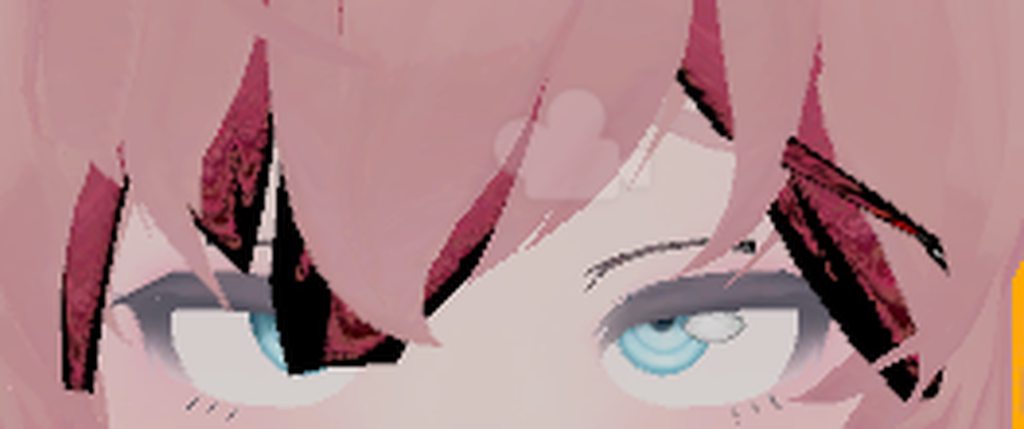
that shadow has to be set to transparent from what I know, or deleted in blender
glad topaz
ill have to delete in blender then cause transparent makes the face weird
torn pawn
i always delete hair shadow, it takes ~900 ususally
glad topaz
sadlyill have tot start over on my model if i do that...
 cunning saffron
When I try to upload my avatar it tells me to remove a 3D object I made for an animation. How can I fix that?
Can someone please help me I spent the past 10 hours on that animation and now I'm stuck...
 bleak basalt
Anyone know why in the mirror I can only see the weapon that I imported seperately as an trigger animation?
 halcyon dirge
@bleak basalt It's the SDK, don't worry about it, since it's been there since the beginning.
bleak basalt
@halcyon dirge It's slightly important because I like looking at my avatar in the mirror is there a way around it or to fix it?
halcyon dirge
@bleak basalt Sadly not that I am aware of. Trigger items, tends to act weirdly when interacting with mirrors, since they are "technically" not there.
bleak basalt
im a sad boi
halcyon dirge
Sorry mate. I know the feeling.
 spring swallow
Is there a way to disable the bobbing on my avatar
halcyon dirge
@spring swallow When you walk?
spring swallow
Yeah
halcyon dirge
That is apart of your walking/running animation. So you'd need to make a new one.
spring swallow
Alright
spring swallow
haha, no, I'm trying to make a floating avatar
halcyon dirge
Fair enough.
Then you need to make a new animation.
But since it's for running and walking, it should be simple enough.
spring swallow
For some reason the camera is under the model when I start vrchat
halcyon dirge
Did you place the Camera point correctly?
halcyon dirge
I normally do behind, but everyone has their preference.
Where in the heirachy do you set the Avatar Descriptor.
spring swallow
Just above the armature
halcyon dirge
In the Empty?
spring swallow
Yeah
spring swallow
I do have unusually tall toe bone to make the floating work, maybe that's it?
Yeah, just a sec
spring swallow
Yes, empty game objects mess up the camera, though, as of right now this isn't much better
I'll pm you the pic
halcyon dirge
Seems fine, Just didn't think you could just "Stretch" the bones.
spring swallow
Well, I guess they're just moved down, but they come up as huge in unity
cunning saffron
Can someone please help me I spent the past 10 hours on an animation and now I'm stuck... When I try to upload my avatar it tells me to remove a 3D object I made for that animation. How can I fix that?
halcyon dirge
What is the item?
halcyon dirge
Do you know how to do trigger animations?
spring swallow
Yes
halcyon dirge
It's the same way.
There is one called "WALKFWD" and "WALKBACK" Those are for the normal walking animations.
spring swallow
Alright, last time I replaced those, the arms and head were locked and couldn't track
Is there anything I need to do in the animation to fix this?
halcyon dirge
Again, I haven't messed so much with these, so it's more or less trail and error.
spring swallow
Is it okay if only the first frame is animated?
halcyon dirge
You just need a little loop for animation.
halcyon dirge
o/
cunning saffron
How do I animate burst particles? I tried activating them and they seemed to work (except the sound) but in game there was no animation
halcyon dirge
@cunning saffron Burst particles, as in a muzzle flash?
halcyon dirge
https://www.youtube.com/watch?v=YzYvNKgzTKY This should answer it all.

This video assumes you have already watched this one: https://www.youtube.com/watch?v=61vO-IswFps&t=546s *Make sure you scale your model down to the size y...
Keep the life time low, for quick effect.
cunning saffron
@halcyon dirge its not really a quick effect
there are just many bursts of like 1-2 seconds
halcyon dirge
I presume that it is not going to be a loop effect?
cunning saffron
no its not
halcyon dirge
Then make an animation, that will turn the effect on and off, the amount of time, you wish for it to happen.
 olive topaz
How would anyone archieve this currently?

VRChat Wikia
This tutorial will show how to toggle visibility of any mesh on your avatar. You can now toggle the visibility of any mesh at the press of a button on your avatar!
Since it says that stuff is either depracated or will be removed on upload
halcyon dirge
It might have been removed from the SDK by the Devs.
olive topaz
Fair enough, how would anyone archieve toggling stuff trough?
I know you can make stuff appear when you do gestures ect
but i want it to be 'togglable'
halcyon dirge
I would say making an animation with the texture on or Off
olive topaz
Hmm care explaining?
Cause afaik if i make a animation with said mesh active
it only stays active as long as the animation plays (aka as long as you make said gesture ect)
cunning saffron
@halcyon dirge the video you sent me told me nothing about how to animate the particle system i created
it only showed how to make a particle system
mine is already made
cunning saffron
how
 surreal crater
put the particle ssystem on off by default, then make an animation to make it visable.
cunning saffron
what i currently have is the system hidden and then i unhide it in the animation
yeah
that doesnt work
surreal crater
mmh
cunning saffron
the sound doesnt even work
surreal crater
what are you trying to do exactly?
cunning saffron
a spell
cunning saffron
gesture
surreal crater
and when you do the gesture nothing happends?
surreal crater
alright do you have the stuff on on frame 0 and 1?
it can actually be alot of stuff
if you want I can call you and you screenshare?
 lean beacon
Hi! I have a question, hope it's the right place to ask if I'm not mistaken, so, is there a way to make a toggle-able animation? I've been trying to get an animation to loop, but the only method I've been able to make work the best was making an animation be about 10minutes long, only issue is I can't stop it when I want to. I'm trying to find a way to make it loop until toggled off, and I've tried Loop, Loop Pose and etcetera but it doesn't seem to do what I'm looking for, unless I've been doing it wrong, anyone got any clue if it's possible or how to do it?
I simply want to be able to toggle it on while I'm doing something for a little bit, like let's say act something out or play a sound or have it as like an active animation while performing something and then to be able to toggle it off when I'm done
 atomic wraith
Im still trying to figure out how to do something like I have seen in the mmd clubs with mmd dances. Got them to work in blender but how to implement them in unity Im like a lost puppy
 lost musk
You can make a 3min dance mmd animation on your character, you just have to click on the dance again and again every 30 sec to block your character when the lock remove itself and the first dance keep going.
Though the only loop that I know is about the legacy animation to blink
-> Also, does some of you know why I cannot see any EFFECT from my animations in the MIRROR ?
When I play one with lights and stuff, I can see it everywhere around me, but not in the mirror
lean beacon
I'm just trying to make a looping animation of "playing guitar" so I can leave it on while I'm jamming then turn it off when I'm done jamming or playing a song pretty much, so I'd need some sort of toggle if it was possible or if I knew how
@lost musk That happens to me too with objects that get turned visible by animations, I can see it if I look myself but not in mirrors
lost musk
Since I have animations that make appear part of my body, that's pretty bad. I'm half invisible in the mirror
I dunno how to stop manually an animation, don't thing that there are triggers to do it yet
You can still click to go back into the same world when you want to stop your animation ?
The respawn close the animation, same if you change your character
So you may want to upload twice the same character
Just click on the other same avatar and done
 glacial badge
Could someone link me a video for a tutorial on making animations with fireballs and that? c,
 pastel solar
Hey chat, so i've been transforming my meshes in blender so clothing look a little different... now when I'm using facial shape keys the clothing transforms back to it's original state
is there a way to fix this?
 dawn shale
Does anyone have an idle animation of an avatar having their hands in their pockets? Or folding arms?
 pale warren
Question, i got a generic model that there is no way of turning into a humanoid model. I want to make custom walking for it as it has four legs. How do i go about doing such a thing? so when i walk forward in vr it will play the animation for walking forward or in any direction. I know for overrides it will stop playing once i move unless it changes in the moving forward gesture or any of them.
I may just be over thinking it, as i do for everything i do lol. any help would be great.
 clear yew
I got an animation clip that replaces one of the gesture. Whenever I use it and then let go of it I would expect the animation to end.
Instead, the animation will continue in the background locking my hand down for around 10 seconds. Attempting to do any gestures with that hand will result in it playing the animation clip from the start again, this time with all of the animated bits starting from the end and slowly reverting back into rest position.
Is there a way to make sure my animation terminates on release of the gesture or speed up the slow reset time, or bypass the animation lock.
torn pawn
@clear yew you have to have animation at 0 and the same keys at frame 1
if it's locking you up for 10 seconds it means you've missed the fram1
clear yew
Hmm. I think I understand
 ivory raft
Has anyone gotten world simulation to work on particles parented to the avatar?
It seems to only work on local... but then it doesn't simulate gravity properly
torn pawn
pretty sure particle world sim works not only locally
ivory raft
So I have a particle effect on my gun, and when it's set to world it moves and attaches to my thigh
torn pawn
like, people run around with world sim particles all the time
ivory raft
Yeah, I just wonder how they get it to work
torn pawn
- mine works too
torn pawn
let me check where i put it
it's not attached to armature

so u just enable with the whatever object u want to
ivory raft
Hmm, I want it to copy tranforms with my gun though
torn pawn
could do size over lifetime? idk
ivory raft
It might be because of the orientation in the animation
how it drops your avatar down
but when I move my gun around it doesn't move with it
 pearl pilot
how does one attach an audio file to a gesture?
lone bramble
My particle system looks like it keeps being attached to my head/neck inside the game instead of my right wrist where it should go.. Any ideas why?
 torpid wadi
make sure yoiu don't have another particle system with the same name
i want to ask, how do people bypass the 10 second limit on emotes? ive seen alot of people do it saying the hard limit is 60 seconds before it starts glitching, but mine just stops at 10 immediately
i have a 12-second animation
 mossy condor
Guys, I have a animation a that plays over 4 seconds on a hand animation, but for some reason when it ends, my hand I used it on is stuck and uanble to animte for like 10 seconds?
what causes htis
;c
clear yew
Does anyone know how to make a discontinuous Snail Marker for writting?
I made one and dont know why it has some weird strait line... like this:

 cursive moon
weird
did you follow a tutorial for it?
clear yew
yes, absolutly
step by step
I guess it's something wrong with Z coordinate, cuz in tutorial it is something like -10000
the trail maker I mean
cursive moon
https://www.youtube.com/watch?v=nKNvjIw5KwM
This is the one I used, maybe it's different from the one you used? This works fine

Link to the Snail Marker package: https://github.com/theepicsnail/Marker Link to the Muscle Editor I used in the video ($15 USD): https://www.assetstore.unit...
mossy condor
Anyone know how to fix my problem :/
clear yew
hmmm I will take a look now. This trapped me for so long...
wait
Ive watched this one, and just followed this one lol
cursive moon
weird - what's your trail source's position?


 cursive moon
I'm trying to open mine to see what's up, but I'm stuck uploading what I was workin' on, sorry
mossy condor
Can anyone help me with a animation problem?
clear yew
okay take your time 😉
cursive moon
@mossy condor Just post your question, it's possible someone will read it if we can't figure it out right now
mossy condor
I have, but martiden made it fly by with all his image aha 😛
clear yew
@mossy condor check your ker frame or play mode? I'm a fresh also...just a suggestion
cursive moon
Yeah, check your key frames, you might have one later than you want that you aren't using
mossy condor
Possible.
mossy condor
Hmm, seems not, just these 4 seconds fo frames and that's it!

really stumped here aha :p
cursive moon
not too sure - is this activated via VR gesture?
mossy condor
Correct.
cursive moon
I've never seen anyone use an animation for those longer than 2 frames, so that might be the issue, but I'm not too sure. I don't have a VR to be able to test animations like that
clear yew
Well, actually I did XD
mossy condor
Understandable, it could be possible that, that's the reason never had a issue if I didn't go over 2. so could just be that.
mossy condor
and are you able to do animations after it ends/
Ye, seems like it's just a bug with that then
😭
clear yew
so far, I have to switch avatar
 boreal rivet
Anyone know good places for free particles textures? I'm looking for a shining-type particle for a wind waker animation
 magic sleet
is there an easy way to dual weild weapons? I already have the weapon on an avatar in the right hand, was wondering if theres a simple solution to get the position mirrored or something for the wep
cursive moon
You could parent the weapon to the left hand and then reverse the signs on its position for Z or X
cursive moon
@clear yew https://gyazo.com/5d8db1042bd5ced325fa570b5888c736 These are my marker settings

@clear yew Look up a tutorial on animation overrides
cursive moon
yep, just make sure the weapon is also parented to the opposite hand
you might have to mirror rotation as well
magic sleet
ok
 full breach
How do I animate stuff for animation overides?? The only things I can keyframe and work are shapekeys.
cursive moon
You'd need (well, not need but it's infinitely easier with) the Muscle Editor asset
https://gyazo.com/6170a3d1fd1dd2bcd2b6a68af4d0e2d9
Without it, you'd have to add all of these properties manually and edit the values by hand
 magic sleet
is that in asset store?
cursive moon
It is, but there's... other ways to get it.
clear yew
@cursive moon I have the totally the same settings like yours.
cursive moon
I have no idea then, sorry 😦
full breach
I added all that stuff in the screenshot for animating eye movements but when i added the clip to the character only the shape keys showed in the unity preview and ingame nothing showed up
 clear yew
and... you also followed the tutorial to copy each properties from generated "Drawing" and "EraseAll", to two of each new animation, right?
cursive moon
Yep
 jaunty gust
Does anybody have a solution for hands moving back into position veeery slowly after doing a gesture? This is about an animation that lasts 2 seconds (a tail wag that triggers on gesture), while the hand gesture is set to 0:01 so you are able to interrupt the animation. Can send screenshots etc and even screenshare 1 on 1 to show you what I mean ingame

 cursive moon
I have no idea what it could be then 🤔
clear yew
your marker animation, is made on the unique origin model? or another duplicated one like other animation does?
cursive moon
I made it on duplicated
clear yew
the same....
😰
maybe I should specially make a new project, and import every package again...
clear yew
I hope it's just a new bug that cropped up.
But it most likely isn't
 real pebble
I'm trying to make a particle effect pick a random materal out of a list. I was told it is possible but not sure how. can anyone help me?
 next obsidian
how to upload an mmd animation to a unity or blender model to have it on VRChat?
cursive moon
How can I make a shape key default? My model has a glasses shape key that makes glasses come out of her face - how would I make that always active, besides putting in a looping animation like blinking?
clear yew
For some reason custom emotes wont work for me, I used to be able to just drop customoverride in the animator component but now doesnt work
 hexed fern
Does anyone have a premade animation for pulling out guns i can use? i am horrible at making animations and i was told they can be dragged into the animation override
 cedar root
I know this is a dumb question but what other websites or discord servers, besides mixamo are there for getting custom animations? Because I've seen some animation such as the "caramelldansen" and "dab" emotes (although I don't really need a dab emote since I have VR) that obviously aren't on mixamo but a decent amount of people have them on their custom avatars. I found a few people who sent some of the dance animations to me directly in a DM and they worked perfectly, but there are still a fair amount (including the 2 listed above) that I can't seem to find.
hexed fern
It may also be they made them themselves probably, but i'd give props to who ever made the caramelldansen one xD
 gaunt gyro
There are some friendly communities that share a ton of awesome animations.
 languid nimbus
Hey anyone knows how to make custom sitting animations?
like how do you make it go to the correct height for chairs?
clear yew
Hey i downloaded some animations from mixamo is there anyway to add music to them?
hexed fern
Ok, is there only certian animations i can override? can i give a model a custom run animation or just a standing and sitting animation?
cursive moon
All animations that can be overridden are in CustomOverrideEmpty in VRCSDK > Examples > Sample Assets > Animation
Samples of the animation are in the same folder, in Male_Standing_Pose.
hexed fern
https://image.prntscr.com/image/h_XLmH5oTJmMKP-vUSuvpQ.png i found the perfect animation

for this character
https://image.prntscr.com/image/JpNCyGQwQmi0MJwpDbnXTA.png if i had the proper model

for the weapon, because he has a rifle but no model for it exists
im a bit upset about that xD
 west cypress
Heya does anyone know how the custom hand shapes work for VRchat? I plugged in a custom idle and now my character won't lift her arm straight when she picks things up
I tried plugging a custom pose for the fist slot with the arms outstretched forward but it's not having any effect
lost musk
For those which wonder I made some try with very long mmd dancing with my 2 account
- you can launch as long emote as you want
- When the cooldown for the block stop you can block it again by playing any random emote, the emote wont be played, but the first long dance animation keep going and your character is blocked again (usefull to root motion)
- If someone enter in the room after you start playing an animation, he wont see it. Even for a 3 min long dance, even if you re-block your character to root by playing another emote. Instead they will see you right on your feet doing nothing but looking around. For the others ppl around here when you started to play the emote it's fine, you keep playing it until the end.
- If you activate an effect starting deactivated in unity, you won't be able to see it in a mirror. Though, if you play it forever and someone enter in the room while you are activating the effect, he will be able to see it through the mirror/camera.
 pine sparrow
I want to exactly match the default idle hand pose in one of my animations
can I find the numbers for that somewhere?
for unity animation
I'm not doing it by trial and error, that would take a stupid amount of time
and an override without a hand pose will always give the cat claw position
 fathom tartan
So the Cats addon messed up the blink animation on my avatar is there a way to disable that blink in unity so i can just create my own?
languid nimbus
Eeehm
SPRINTFWD is definitely not SPRINTLT
idk what it is
but it overrode every single one of my animations
even while idle
nope I'm an idiot
I accidentally animated on idle instead of the roll,
but it s till does nothign
@grand mango Why is there no support for left and right strafes? 😦
 zealous needle
Does anyone know how I would go about adding bloom to a small effect?
Currently trying to get a sword materialization to pop, but I'm not sure how I apply it, as the shader slot is already filled
 livid kite
anyone know how to put sounds into a animation?
 ripe lodge
Does anyone know where i would go about getting like emotes to download or something?
 glass anchor
so when I add an audio source to a gesture, it only plays for a split second then loops that split second occasionally
and the rest of the effects don't appear at all
anyone ever had this?
actually I fixed the effects not working, but the sound still only goes for a split second then cuts out
doesn't even loop anymore
 iron tusk
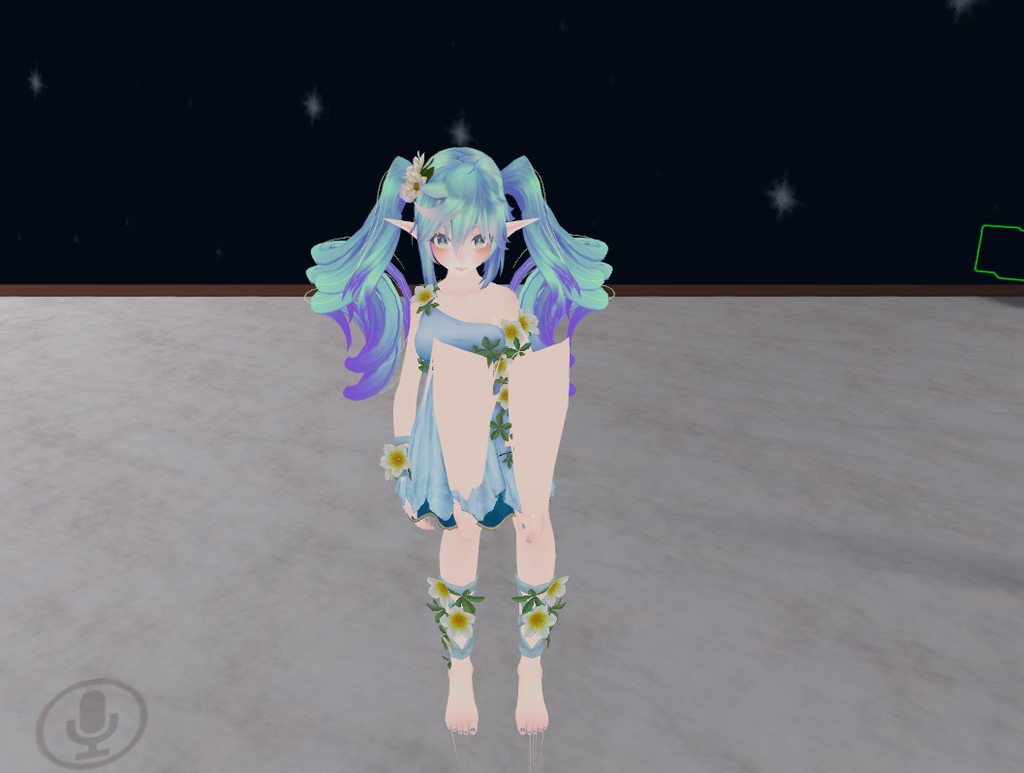
Yo guys, I made an emote with another rig added to it. Made it pretty big cause I wanted it to look like a Planet coming closer to the map. For some reason only people, that are not in VR can hear and see the emote properly. Anyone got an Idea why?
lean beacon
Hi, is there a way to make a loopable toggleable animation? Like, to leave it on loop until told to stop looping?
 mystic umbra
no
spring swallow
How do I make a custom walking animation for the legs
mystic umbra
you make the animation in blender then import it into unity
spring swallow
As you can see above, the vrchat one isn't working very well
mystic umbra
can replaced that .anim into the walking custom overlay
whats the limit to animation frames
when does it start breaking
cause Ive heard conflicting numbers
and is it different for emote and hand gestures?
spring swallow
I'm not sure, going to experiment though
mystic umbra
someone told me its around 2400
then another told me 1900
so im lost
what should my animation I create be around
iron tusk
Noone can help me it seems
mystic umbra
whats the qeustion
oh
um I dont know why thatd be the case, never heard of an issues like that, is the planet moving towards you with an animation
what happens if you disable the animation and just parent the planet object to you
do vruser see it then?
cunning saffron
how do i make a particle system go up and down in a seemless loop?
mystic umbra
animation for sure but I havent done it yet
cunning saffron
@mystic umbra oh i just drag the particle system in the animation tab?
mystic umbra
or you can test out having a collider on the top part and a collider on the bottom and have the particle system bounce around liek that
Id imagine youd add an animation in the component
create the animation using a simple sphere in unity
then apply the .anim file into the animation compenent you created
in the particle system
cunning saffron
yeah i have an empty object with the particles
alright ill try that thanks a lot
mystic umbra
you want to test the animation you creeted on a sphere first
created*
or make the animation in bledner then import it to unity
i still have issues with unity animations creation, bledner is so much easier
 mystic umbra
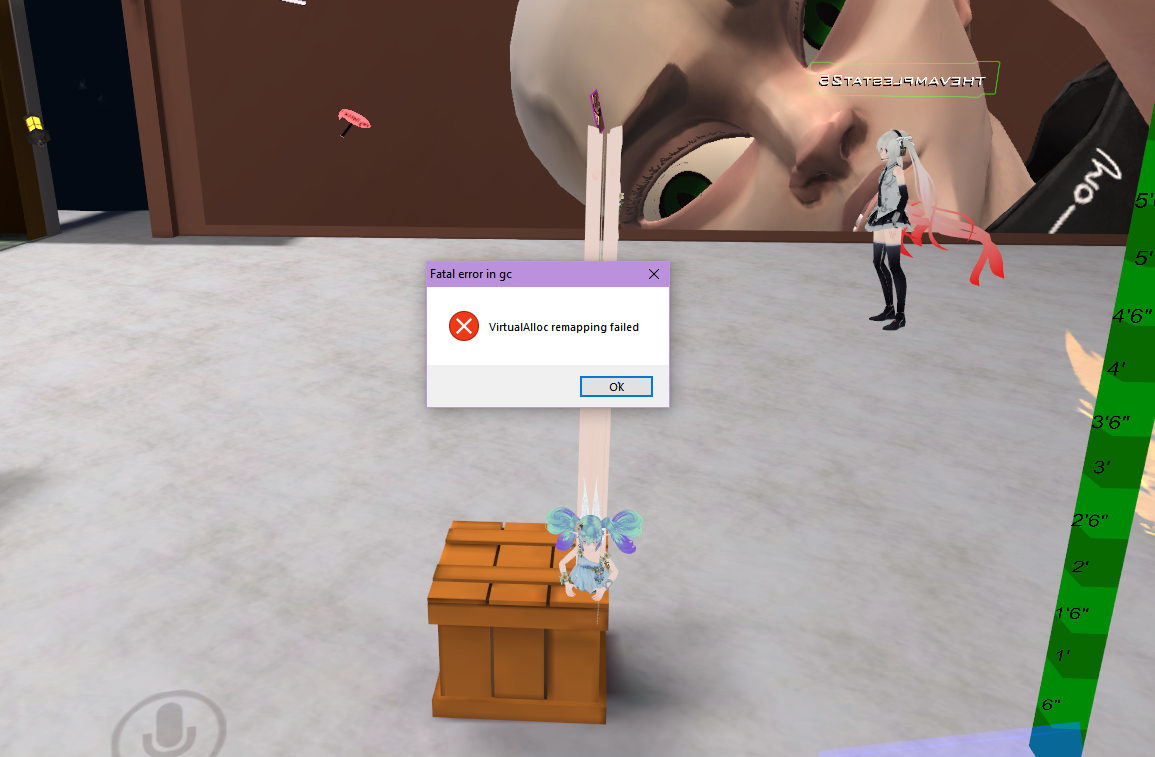
wtf
spring swallow
also, had some error
mystic umbra
did it look like that in the grey testing animation thing you have in unity
mystic umbra
are you importing a mixamo animation?
mystic umbra
did you create it in unity?
spring swallow
yes
mystic umbra
srrry bud but unity animations are my forte
spring swallow
ah
spring swallow
Have you done walking animations in blender and applied them to your avatar successfully?
mystic umbra
I have with a nonhumanoid
spring swallow
ah
mystic umbra
I just looked up a bledner animation tuturoil on youtube
and then I used a doc
wait a sec
cunning saffron
if i want the particle effect to be active at all time but still animate it do i need to put it in standing animations?
mystic umbra
you can attach the particle effect to your armature and apply a simple animation controller for that object
cunning saffron
oh ok
mystic umbra
raw I had a good google docs bookmarked on my comptuer at home that I thought would be useful
but I cant find it
srry
spring swallow
ah, thats okay. but if you happen to come across it, send links
mystic umbra
try importing a premade animation file and see if that works on your model
there a bnch of premade animation files out there
cunning saffron
what do you mean animation controller? making an animation for the particle system itself or in the animator for the avatar?
mystic umbra
I can send you one and if it works that means its the animation you created thats having issues
making a animation for the particle itself
mystic umbra
if you loop the animation it should stay permenantly
cunning saffron
ok cool
mystic umbra

Google Docs
Advanced Avatar Creation: Making Non Humanoids This tutorial was made using Unity Version 5.6.3p1 This tutorial assumes you already have the current SDK imported and knowledge of how to upload a basic avatar. You will also need an avatar you wish to upload as non-humanoid with it’s own set of a...
@cunning saffron
 spiral oyster
Does anybody know if i can create an animation where i swap materieals on for example the eyes?
So when i trigger the animation it swaps to material_2 ?
mystic umbra
you can create a shape key animation where a hidden mesh behindthe first eyes is pulled in front with the new eyes + material
but you might have issues with eyetracking with the second mesh if its too far out
spiral oyster
How about i create a material with both textures on the same material and i just animate the offset would that work?
mystic umbra
maybe, I have no idea if its possible tho
cunning saffron
so youre saying i import a random object from blender into unity as a non-humanoid then animate that?
spiral oyster
Well Unity knows how to deal with it i think so it should work in VRchat
Because i saw some people using your suggestion and it just looked awful sometimes
mystic umbra
its how people do facial animations and pull out glasses or change hairs
they hide the object inside their head
and poull it out with shape keys
now that I think about it you might be abble tohave like a sphere right?
one side with different colorts
and then rotate that shere
sphere
with a shapekey
spiral oyster
Im just using the eyes as a example but every material is sphered in unity
but thanks for your suggestion in case i cant put the textures on one material i can just create another mesh and put a different material on it
Nice aswell
mystic umbra
@cunning saffron what im saying is look at the doc for info on how to create a animation controller, but reading through it again I guess its only telling you how to animate the nonhumanoid rigs
there should be something out there for you to read on creating animation with a simple controller
cunning saffron
ill look it up
mystic umbra
I do know that apply an animation withthe conponent in the inspector tab will work according to some freinds
cunning saffron
i think if i can swap the material on an object i can actually reproduce it from a blender animation
lone bramble
Is there a visual guide getting an animation with particle systems successfully uploaded? Everything I've watched works until I try to Build & Publish, then I get smacked with the component type error
mystic umbra
you might also need to make the shader a sprite
too
for particle naimation
thats what my friends always use
spiral oyster
What is particle animation used for, got interested while reading ?
mystic umbra
@cunning saffron
you can also do something like this
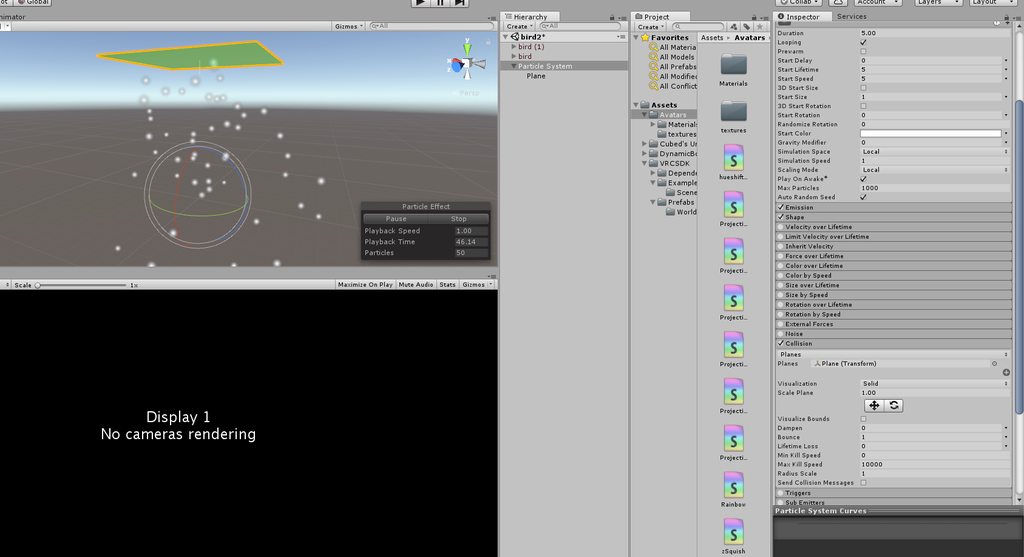
if you want it to bump around
and make the plane invisble with a shader and add a meshcollider to it
instead of doing animations
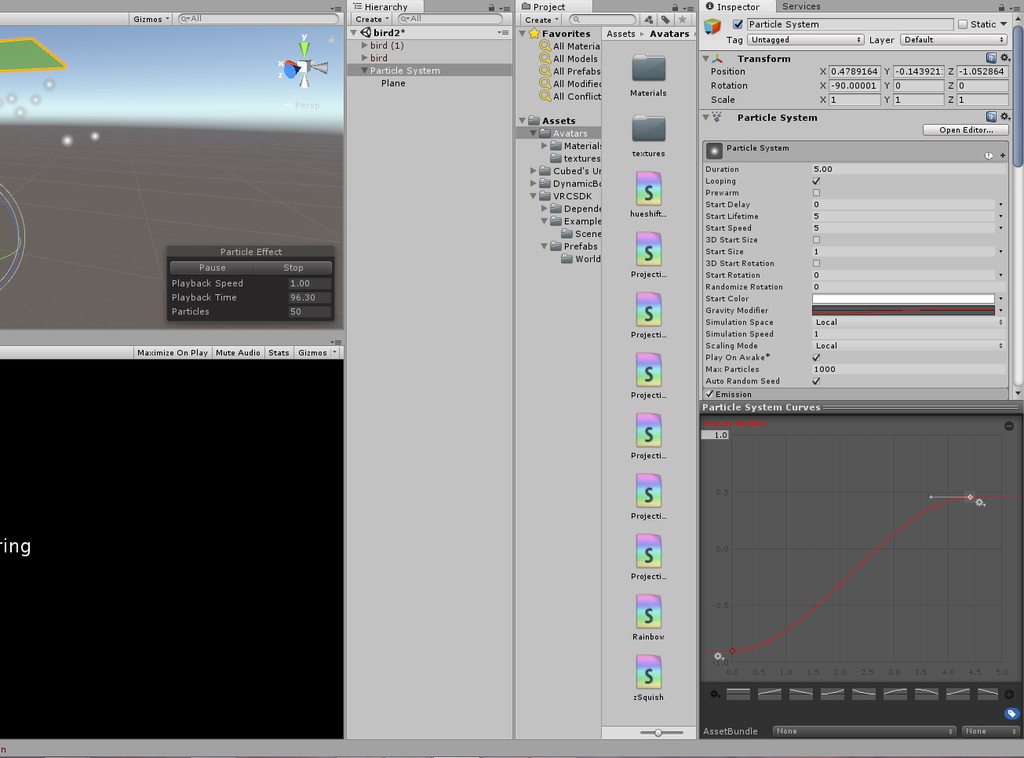
Or a gravity modifier
inst4ead of a plane
or instead of animation
there are a lot of workarounds if you dont wanna animate it
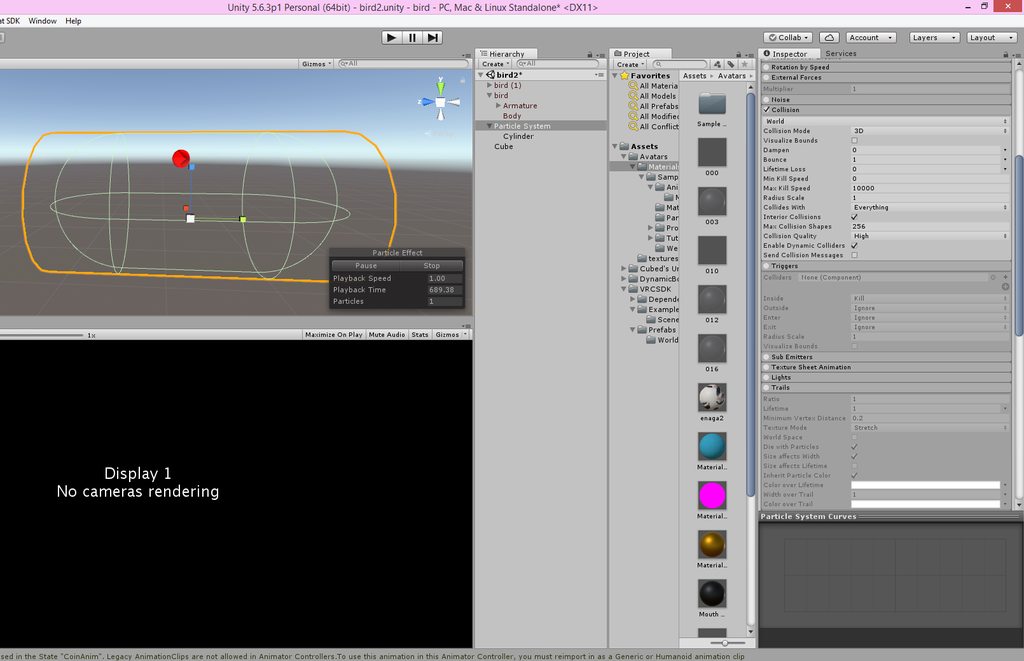
 midnight sail
Are audio sources not allowed on Avatars anymore?
 old pawn
So, I have a key shape i want to make from three other key shapes in blender... anyone know how to work this?
mystic umbra
@midnight sail just delete the onsp script, you dont need it
the audio scirpt by itself should work just fine
midnight sail
I figured that, seems when I did it I still had an issue, none the less i'll try again, thanks.
clear yew
Looking for someone with a bunch of animations, I got a bunch that I can trade with. c:
dawn shale
Does anyone have an idle animation of an avatar having their hands in their pockets? Or folding arms? Please message me if so.
last wolf
anyone know how do you make a sound play when you use an emote?
 main junco
hey could anyone help me with fixing an animation ?
halcyon dirge
What animation did you have in mind?
mystic umbra
I needa learn how toset up shape key animations in unity from my alreadycreated animation in bledner
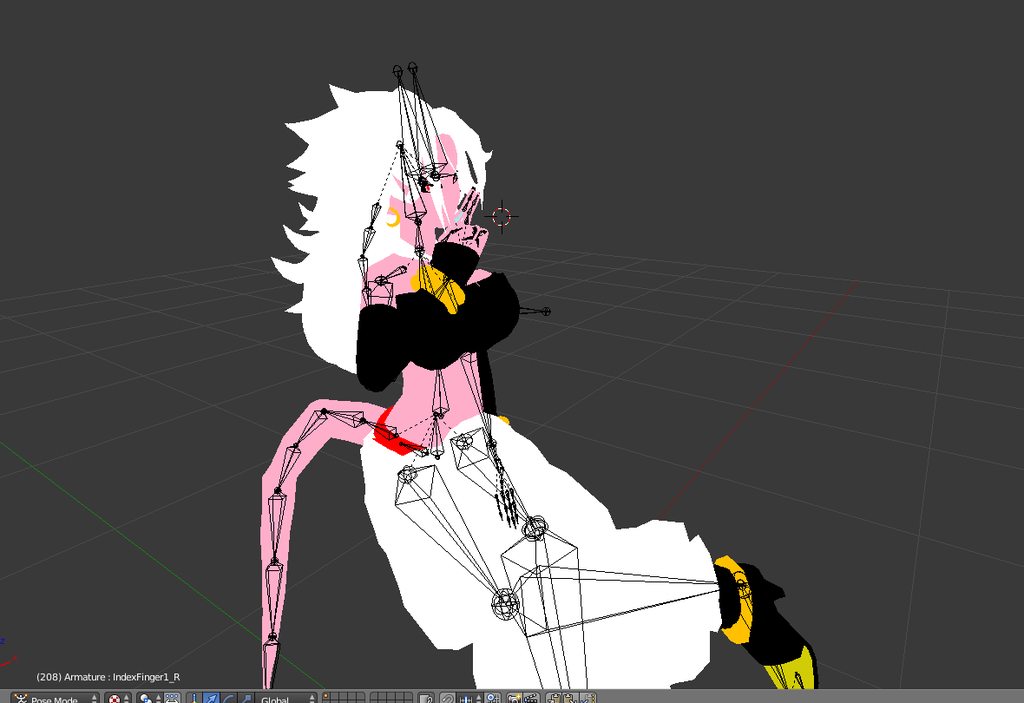
I want to add a cigerette and a smoke particle effect on it
but man unity animations hate me
halcyon dirge
- Andorid 21 - Majin.. Good choice, my man!
- Start out adding the cigarette before adding the PE.
Either make your own, or find a premade one.
You know how to do this?
mystic umbra
can I call you
do you know advance animation techniques
cause it imports into unity just find
and in unity it plays out
halcyon dirge
Sadly I am currently at work.
mystic umbra
but in vrchat it breaks
😦
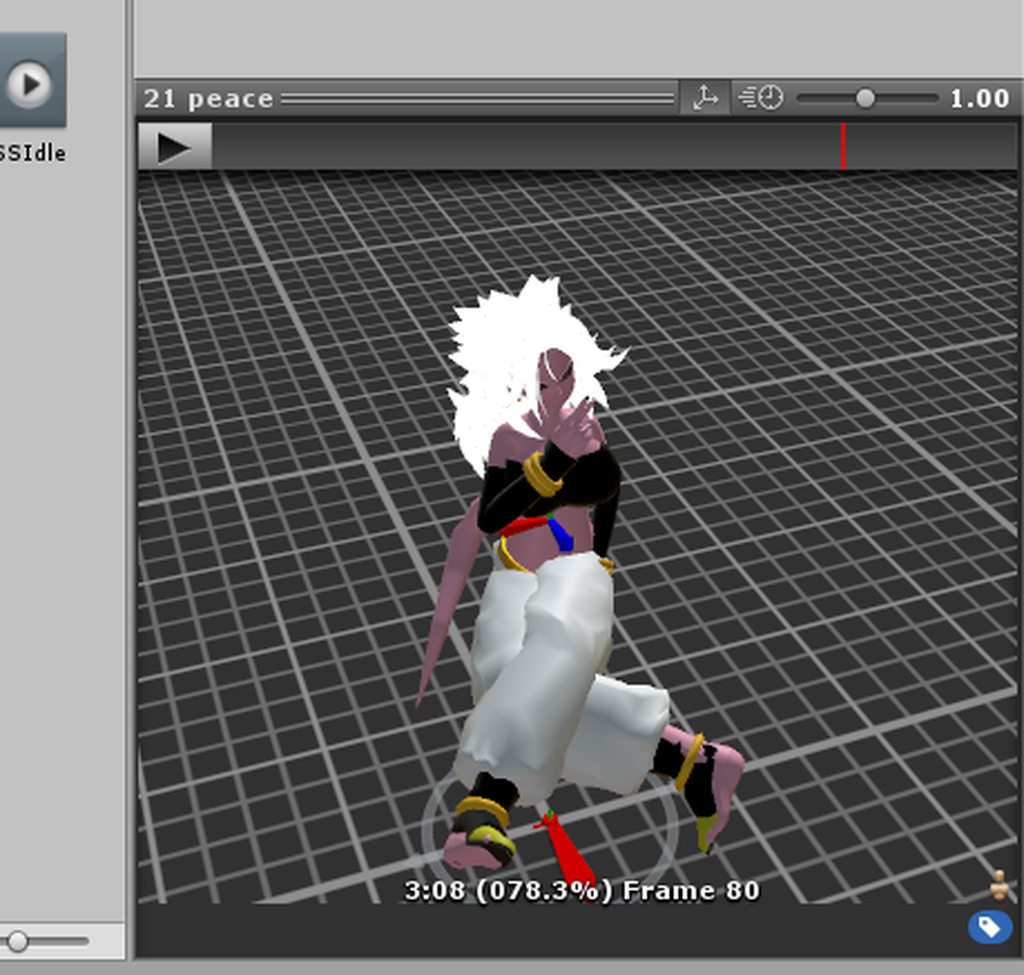
see it plays in unity just fine
but every animation I do ends up scuffed
halcyon dirge
How does it end scuffed?
mystic umbra
you know how you dupolication an object to work on animations because the duplicated model is broken
and is sitting sorta and in the ground
halcyon dirge
Then you just move it in?
mystic umbra
I just move the new fbx file to my existing 21 fbx model
@halcyon dirge and when I do that I see a model and material etc
and also an .anim file
halcyon dirge
I normally just copy my finished Avatar, and animates it. That way, I can control everything to her?
halcyon dirge
yea?
mystic umbra
but in vrchat it fucks up
clear yew
guys, sorry for bothering y'all, but anyone knows, where to find gopnik/slav animations like one world with slavs has it...but don't remember the name of it
mystic umbra
showing the animation as a broken anim
idk why vrchat hates me at times
Im a good boy
wokrs in bledner works in unity
breaks in vrchat
mystic umbra
its a humanoid so
clear yew
btw - anyone has any idea where sitting animation controller is?
clear yew
k, thanks for that 😄
 slim steeple
Is it possible to have my character position transformed as if it's standing on something such as a prop so I will be able to reach places higher than it? I'm thinking about something along the lines of using the handgun gesture will make an object go active below it while also using a transform to mobe it up on a Y scale so I can reach buttons and stuff that are too high for my avatar
clear yew
possible
mystic umbra
I know how to in blender, but in unity idk
slim steeple
I've heard something about root motion but I have no idea what that is and how to use it in the animator
halcyon dirge
@slim steeple You would need to make an animation with the empty, that you avatar is in.
Moving it up, whilst also adding a box INSIDE the empty, and move said box down, to not make it levitate.
halcyon dirge
That should move your viewpoint up, and ending up making your avatar taller.
slim steeple
The empty being the root component my avatar's armature is under?
mystic umbra
but jea bloody the custom sitting animation is in the vrc descriptor
you can duplicate another customoverride
and change the idle sitting animation
with the idle
halcyon dirge
Keo xD It was @clear yew Asking. Now me ^^
@slim steeple Yes.
In Unity, when you upload the .fbx file.
slim steeple
Nice, alright knowing it's possible is already comforting, I'll experiment with it when I'm home
Thanks alot
halcyon dirge
@slim steeple Again. I am not 100% sure it works. But I would say that is the way to go with it. Since the viewpoint is bound to the Empty, and not the armature ^^
clear yew
@mystic umbra thank you
 covert linden
Hey! Two questions. Is there a way for your animation to play while you walk around? Everytime I move my weapon seems to disappear. And I want to make a custom death emote, how would you go about making your avatar disappear during the emote? Thanks in advance!
lost musk
use the animation on a hand key to play them while you are walking
Play a very long animation putting you on the ground and deactivating your body by uncheking it on unity when you "die"
Or just leave the world while you are dying
covert linden
Animation on a hand key? I've got my gun on my hand, but the animation seems to despawn and respawn everytime I move.
 ivory laurel
Good morning or good evening wherever you live gentlemen!
So I have encountered yet another problematic thing in Blender, and I would love to get your help on it.
I have made a few random animations, just to get used to making them, and uh... turns out that even if scaling bones works in blender, in unity and therefore in game, they don't work. Like, only rotations work, but it just like forgets about scaling :s Is there a solution for it?
For example
(hold on, can't upload a screenshot)
 mystic umbra
scaling in pose mode should increase or decrease the size
and it will apply to unity and vrchat
what are you key framing @ivory laurel ?
mystic umbra
are you key framing all three?
ivory laurel
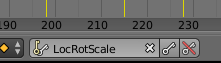
I've got that thing selected
So I thought that each time i click ,,I'' it would just do that for me :s
Oh wait
mystic umbra

I've got a simple animation idea. Basically a bunch of flat planes extend into a city-like layout. This is I get when I manually scale (using 3d cursor) the buildings:
As you can see, they build f...
you have to key frame loc and scale according to this
ivory laurel
Ok! Gonna look at that, thanks! :D
 wicked crown
After away to have an object apear with a animation overide but soo it stays in place. Evrything ive tried soo far will turn with my head or my body.
Suggestions?
lost musk
Since you Upload your model as root, everything you import with your model, animation included will be chield of your root character
So I guess that this isn't possible
To move your root without mooving a child
wicked crown
problem is ive seen people achive it how they have done that is beyond me
full breach
Same. I have seen them leave a piano behind while they run around the map.
wicked crown
my brain by default goses oh i'll just uses Transform.DetachChildren ... oh wait! cant use scripts on avatars... soo how do i do that without a script
guess im too used to solved all unity things with scripts
 fallen flax
AFAIK it’s a particle effect to do that @wicked crown
wicked crown
soo spawn the object as a particle.... and have it in a world sim space then use the world simspace fix..... could work maby ish i'll give it ago
bit of an odd workaround but meh?
lost musk
Maybe they'r using playmaker ?
wicked crown
dont think playmaker is whitelisted for avatars
 wicked crown
I think u'll find thats the compleatly wrong list.... if im not mistaken. https://docs.vrchat.com/docs/whitelisted-avatar-components
Here is a list of the components you are allowed on avatars VRChat - VRC_AvatarDescriptor - PipelineManager Unity - Transform - Animator - [Skinn...
if that is "the list" its missing 1 hell of alot of stuff
lost musk
Oh
It need some try so ^
Your list do not permit the custom shaders
though we can put them on characters
wicked crown
custom shaders arnt a component.....
wicked crown
and have it as a long life single partcle with mesh render?
mystic umbra
I mean thats how id do it
could you add a rigid body to the particle system
like drop a guitar and be able to pick up the particle guitar
thatd be neat, but Im guessing if it was possible people would do it everywhere
wicked crown
tried rigid bodys they still follow ur avatar
 weak hull
is someone in here whos good at unity with particles and animations who can help me with some problems i have.. ^^" hit me up please thanks alot if so. 😃 ❤
halcyon dirge
What is thy challenge? @weak hull
weak hull
May you take your time to come with me in a call in discord? @halcyon dirge
halcyon dirge
That will be difficult as I am currently at work :/
weak hull
its , what i got from other ppl kinda a bigger problem und not only one like 2-3
okay^^
halcyon dirge
Just shoot, and we'll take it one at the time ^^
weak hull
so my first problem . i got an avatar (Megumin from Konsosuba) from a friend of mine who done animations of her EXPLOSION Magic , (29 secs long). He animated it for an EMOTE to use this character DesktopMode Only cuz he didnt got an VR Headset. So, i took this charackter and trying to model it for VR. So i Took that animation and deleted all the KEYS who were responsible for Moving the Character within the emote and took that animation and BIND it with the AnimationOverwrite File to the "Rock-and-Roll"-Handmovement. Now, when i use it ingame , once i activated the animation it overwrites My Coltroller ( left or right depends where im activating the Animation). So every Hand-Movement i use now ( Finger-Guns , Fist , Point , Thumbs-up etc) activates the Animation and i cant Stop it until im Changing my Avatar to the Megumin where i took that Animation out ( i uploaded 2 of them). And i dont know where exactly the Problem is when my Animation Overwrites my Controller ( ingame) to every Hand-Movement to activate itself.(sorry for grammar and missspelling im not pretty good at english)
this is problem number one. 2-3 are following below.
second problem: My Animation is Based on the Explosion-Magic from Megumin in KonoSuba ( she takes her staff out making some poses and giving a huge explosion in the Distance). The Staff Itself has PARTICLES on the top of the Staff ( These are Black "snake-like" particles flowing around the Front Staff). These Particles Are in the Same Scene as my Staff and they are attached to it. When i go into VR and Activate my Animation the Particles are levitating 0,5m infront of my and they are NOT following my Staff when i move it in VR.
that was problem number 2 , 3 is following now:
Problem number three: I made a new Animation where i ONLY take out my Staff ( this works fine in vr with a duplicated Megumin in Unity with the AnimationOverwrite). BUT, in Unity the Particles of the Staff are showing Up when i hit the Play button for Animations. In vr though , they are not showing up At all.
lost musk
for problem 1 ) You better try to fix root motions and Y and X,Z and put it as a normal emote, like clap. I do not thing that trigger an emote moving the bones with the hand is a good idea. This way you'll be able to see megumin runing around and launching her spell. Your headset will stay on the place, but it'll look good for every other
weak hull
( again the particles are attached to the Staff AND are Added in the Animation Menue)
lost musk
For the 3, it's maybe because you watched yourself in a mirror. An mirror never show the effects triggered
weak hull
nope no one sees that particles
im on this problems for 3 days now asking everyone i know.. xD
trying stuff out..
for 1) what are exaclty root motions? sorry.
 pliant plank
If it was originally designed to function as an emote override i'd say it's best to keep it as is
weak hull
@lost musk Second , the Animation is NOT moving my character Anymore becuase INSIDE the Animation i took our these animationkeys who moved my character.
lost musk
Try with another particle effect maybe. It may be because this effect use postprocessing who isn't tolerated by VrChat (You could then if that's the problem try to deactivate the postprocessing)
pliant plank
Especially considering how long it is
weak hull
i took OUT * not our. sry
halcyon dirge
Problem 2. Make sure that the Particle effects are on the staff, not the hand.
weak hull
@lost musk the Particles are showing up in the Full Animation, but not when i try to take this particle in my second animation whee i only take out that staff
ivory laurel
Hi guys!
I was here earlier, and I got instructed to try to do one thing in order to fix my problem, but it didn't work out,
So I guess I'll just ask once more with perhaps better explanation of the problem.
I'm just trying to get used to animations in blender, so I wanted this avatar to shrink its head in the simpliest way.
I scaled the head bone to do that, but in blender this animation doesn't work, any suggestions?
(in the screenshot below you can see in Action Editor that the XYZ Scales aren't touched somehow)
https://imgur.com/a/BT8xv

I tried doing such with LocScale and LocRotScale
Both didn't do well
(and i also tried switching the 3d cursor to the origin point, and it did nothing)
(i basically tried everything that came up to my mind)
clear yew
Hey guys I have a problem: If I play my emotes in some worlds, I will respawn at the beginning of the map for no reason. After the animation is finished, I can move again. How can I fix this?
 velvet ginkgo
Your rig is humanoid right @clear yew?
clear yew
^yes
slim steeple
Alright so, I need a bit more help here, I made an animation that turns a prop underneath my character active and transforms it's empty up and the stool down, but in-game the position transform doesn't affect my avatar's root, the model itself just gets stuck in a constant loop of spazzing up and down rapidly and while funny isn't gonna help me get my character to higher places, anyone has any idea about how to get around that so I can get my own height booster for my little avatar?
 ocean knot
does anybody know if overrides that apply movement to the eyes will override eye tracking if it is active?
@slim steeple if it's spazzing up and down it sounds like a keyframe issue maybe? check the second keyframes of your animation and make sure there are no position changes
slim steeple
There are meant to be position changes, the root avatar where the Avatar Descriptor is set to is raised on a Y grid up to get more height while the prop supports it
 tepid lantern
whats the shortest time you can have an animation go on for an emote
because i set it to 1 frame and i get stuck
covert linden
usually for spawning stuff in people use 2 frames
tepid lantern
ah
 tall zodiac
i use 1 frame and it works 🤔
Or is that a emote as in not animation overrides emote?
tall zodiac
ah
 jaunty moth
so... can you use a walk animation on imported stuff? i can get an idle animation, but idk where to move what, to get a character to just walk
 frosty pendant
could someone help me?? i added an audio source to an empty game object and when it activates the sound should play. but the sound file i importet cant be heard. any idea?
covert linden
I'm getting so sick of making this animation aaargh
 eager vault
I believe in you, fight on
surreal crater
Im trying to my character sit down in a animation override, but for some reason my character doesnt want to sit down in game meanwhile I changed the values of the legs to a sitting animation. Does anyone know how to fix this?
hexed fern
ok, so how do i apply a animation for a avatar to draw out a gun or something?
zealous needle
@hexed fern
https://youtu.be/oGHzuk5YD1I
I used this to do so

Tutorial on importing weapons and tools to your character to use in game. Links: Model: https://meennie46.deviantart.com/art/MMD-TDA-Mythic-Flower-Dress-Miku...
hexed fern
@zealous needle the weapon is already attached to the avatar
hexed fern
ok so i noticed something wierd
http://prntscr.com/ic25yw in mixamo and blender he has one gun showing like i want it to but when i put the model and animation into unity, it shows both guns


 sharp torrent
Is there any way to spawn a world space particle in a rotation depending on my character? I want to move without the particle moving, but I always want it to spawn behind me, facing my direction.
clear yew
set up the particle system origin to be behind you and facing you
once they're spawned in world space they will be in world space
jaunty gust
Hey everyone 😃 How can I make my animation that I've made in Unity (.anim file) to be added to the characters hierarchy? Im trying to make a gesture override that will just include the facial expression I want and then calls the other animation file as 'is active'
So I guess what I want to accomplish is my animation to be an object to a character that can be called with an In Active in the animator, like you would do whenever you're trying to spawn a prop like a pistol or something -nods-
@quiet needle Didn't you suggest something similar to this a few days ago?
 quiet needle
If it's a gesture style animation, you could probably just add the is active to that
jaunty gust
It is
But what would I select to set as is active though, the 'tail animation' doesn't exists in the characters hierarchy. I find it a bit complicated to explain 😦
dawn shale
Does anyone have an idle animation of an avatar having their hands in their pockets? Or folding arms? Please message me if so.
quiet needle
@jaunty gust Set the animation, then in the animation screen, the component you'll add is "Animation" > "Enabled"
hexed fern
how do i make it so that when i press a certian button, my avatar will pull his weapon out? i already have the animation but i can't can't figure out how to make his weapon not visible until i press said button or so forth
covert linden
if you've added the weapon to the animation, you can just hide it on your avatar and it will be pulled out
hiding you do by just clicking the box on the top right
hexed fern
ok but the weapon was already attached to the model http://prntscr.com/ic31nj

but i also want to get rid of one of the guns since i only need one, but i dont wanna have to go all the way back to blender and cut it out and stuff, i can remove it as a whole in unity but it'll break the prefab if i do http://prntscr.com/ic32uh

 tulip thistle
anyone know how to make a trail renderer that stays when u release the hand gesture so u can draw individual words? mine keeps drawing even when the trail is suppose to be hidden/when I release the gesture
 gentle tide
you deactivate the trail source, but keep the emitter its attached to still active
so u can still see the trails, but it wont add any more
but this uses like 2 animations up
unless you are doing something like finger drawing then you could just always have the emitter showing, but invisible
and just turn the trail source off/on when u want to draw
spring swallow
The walking animation I put on my character puts it in the floor what do I do
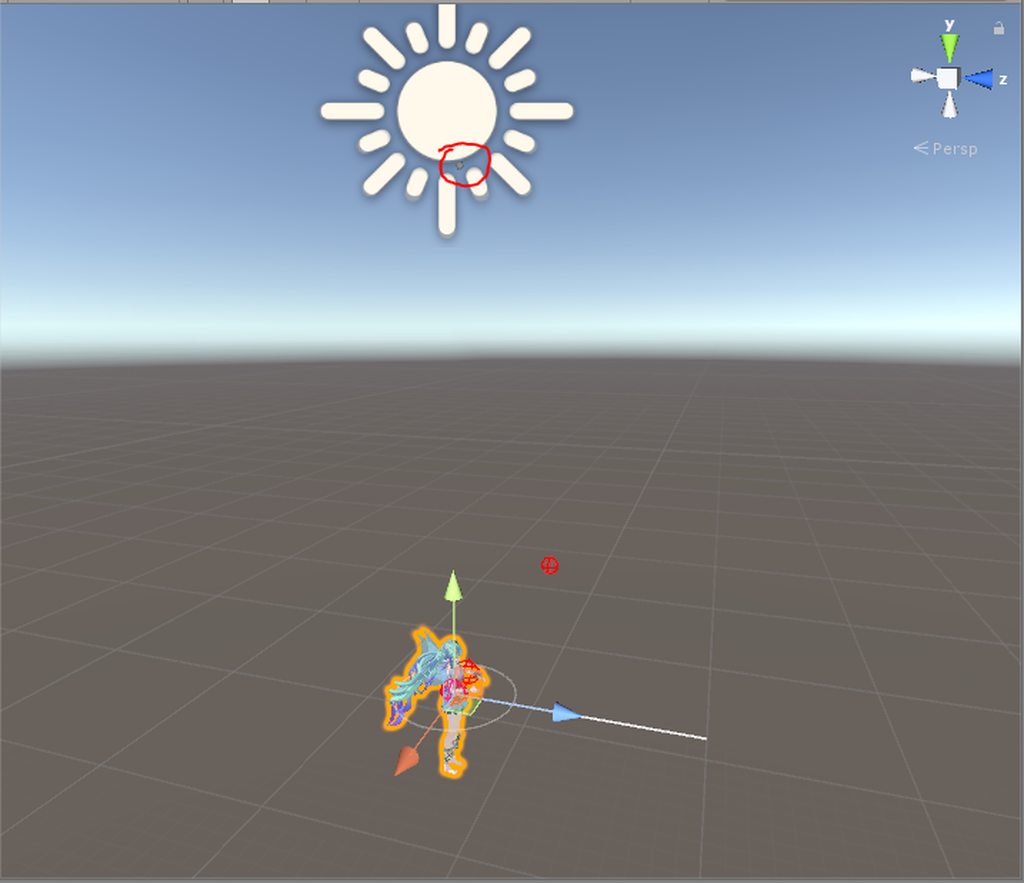
also, the view position is way up there now
where the body is supposed to be
 frozen rose
is anyone skilled or know much about particle effects
 frozen rose
create an audio source in the hierarchy
 sharp torrent
I'm going crazy, nothing I do makes my world space particle mesh spawn in the rotation of my character. It won't rotate if I rotate the emitter either. Have anyone had a successful attempt at this and could tell me how?
 old cave
anyone know if there is a way to import .kf animations into unity?
or if there is a way to convert it into a format unity can read
cedar root
@tulip thistle https://vrcat.club/threads/snail-marker-override.154/

VRCat: Community-Run VRChat Forums
Snail made cool marker override to draw in vrchat or people cant talk can write out what they want to say
[MEDIA]
This is Snail github for the...
tulip thistle
@cedar root head pats please 🙃
cedar root
@tulip thistle and here's a better video explaining how to add it to your avatar https://youtu.be/nKNvjIw5KwM
Link to the Snail Marker package: https://github.com/theepicsnail/Marker Link to the Muscle Editor I used in the video ($15 USD): https://www.assetstore.unit...
@tulip thistle you can have all the Headpats 
languid nimbus
@cedar root Can I also have headpats
anyone knows how to fix this? https://youtu.be/9QoyNEPidHg it looks fine on clientside but the neck gets ruined


 slender mango
anyone know what the skin mesh render is called to add like a Blush?
languid nimbus
doesn't most people just use visemes for that?
lean beacon
Is there any idle animation animation that we can use to just work around and ignore the "hips" leaning forward issue?
 olive tinsel
has anyone ripped a model from world of warcraft before that could help me with something?
clear yew
anyone created a animation where you create something and it stays in one spot even if you move
dawn shale
And, is there an idle animation with hands in pockets? Please message me
mystic umbra
@dawn shale Ill make that for you if you want on sunday, if you rremind me
\its really simple but Ill need your blend file
dawn shale
Blend file of what?
dawn shale
Oh
 supple canyon
Quick question I've been looking for tutorials on how to make objects appear around my avatar and have them move in a direction. Are there any? Everything seems to be about adding guns.
mystic umbra
I still have some issues with bledner files imported into unity for animations
but a friedn of mine is gonna show me hoe its done properly
@supple canyon youre looking into particle systems
dawn shale
Alright Keo
supple canyon
no I made a cylinder with a texture that I want to surround me and move downwards.
I followed the steps for the gun thing but made it in relation to the object I wanted to use, but ingame it just puts my player in the ground for 5 seconds.
and shows no object.
mystic umbra
yea I have the same issue where it appears working in unity but breaks in vrchat
if you figure it out send me a pm
supple canyon
I got it to appear a tiny bit while idle but it only appears like at my feet and my player keeps going into the ground just like the clone in the animator.
mystic umbra
like last night I made a simple cube mesh particle emitter with an emote to test something
it works in unity
but when I apply it to the model with custom animation the body of my character falls into the ground
Exactly
like that sitting into the floor pose
clear yew
does anyone know how to make an animation stop looping even when unchecking "Loop Time" ?
velvet ginkgo
@clear yew
How is the animation set up?
Animation overrides or a simple animation?
supple canyon
when creating an animation, how to you fix the messed up pose the avatar is in
mystic umbra
oh no did you not duplaicate?
velvet ginkgo
You can't.
mystic umbra
^
clear yew
@velvet ginkgo Its a simple animation
supple canyon
Its the duplicate but when I use the animation he goes into the ground in vrchat
mystic umbra
does anyone know why my imported beldner animation broke my visemes in my model
velvet ginkgo
Did you decimate the face @mystic umbra?
velvet ginkgo
@supple canyon That's normal. Just leave it as long as it's not your main model.
mystic umbra
after using cats I made my animation in bledner
velvet ginkgo
I'm not that familiar with mouth movements, so I'll let someone else help you.
supple canyon
my character does the clone's pose in vrchat though thats the thing lol
mystic umbra
😭 ive been here for days looks for the help
supple canyon
when I make an animation for an object to spawn, it only shows my clone in the screwed up pose when I use it ingame
mystic umbra
I already created the mouth keys and it all
so here is what I did
I imported a fbx model fix it up and then in another bledner file Iworked on fixing the animation
velvet ginkgo
Make sure that your model and animation model have the exact same set up, with the exact same heirarchy.
And do not upload the animation model please.
mystic umbra
people do it all the time
supple canyon
hmmm
clear yew
@velvet ginkgo I did put the animation in the custom override controller and its still looping
velvet ginkgo
What animation are you trying to set up?
Cause you gotta delete the "animation" component.
That way, only the animation override is moving the model.
supple canyon
what all did you override?
clear yew
so I build an airship and im trying to make an animation so that a bomb is released and gets dropped to the ground
I dont have an animation component
 hexed current
hey guys question
when im using a mixamo model animations
for a non mixamo rig
do i need to choose to "use" my existing non mixamo avatar for it to work?
supple canyon
@mystic umbra Hey were u having issues with the avatar in the ground and objects not showing?
mystic umbra
nono I tried to use unity to make an animation so I duplicated the model added my particle effects to be active then I pulled that .anim file into my main model's custom override
and it would make the model break into that duplicated model form
its the reason I dont like unity animation 😦
supple canyon
I got mine to work I think. I just named my main model the same as the clone I used for the animation
mystic umbra
in the heirachry?
supple canyon
yeah
People saw my animation but I couldn't
my object i mean
Well not in mirrors. Now I have to figure out how to show the texture on the inside of the cylinder I made because it surrounds me and only people outside can see it
velvet ginkgo
Don't use mirrors to check characters.
Use cameras, as mirrors don't show certain objects.
supple canyon
ok just making sure it wasn't on my end. I did see part of my texture as it moved
velvet ginkgo
I learned the hard way after making a multi model dance animation.
supple canyon
as for the character movement I think I have to manually move each body part or have some sort of premade animation and figure out how to add it in
since its an emote and non vr
velvet ginkgo
Emotes only last for 10 secs max.
supple canyon
yeah thats the amt of time I needed
I am basically making the matrix rain down around me and I want people close to me to be surrounded by it
velvet ginkgo
Oh. Domes...
supple canyon
So I made a moving cylinder but I need the mesh on the inside now
pliant plank
Emotes can last longer than 10 seconds...
supple canyon
texture i mean
cursive moon
I saw a like 40 second long one an hour ago
 tight arrow
I have an animation flie but it's SMD. Would it be possible to somehow make that work?
mystic umbra
or loops
mystic umbra
emotes have a certain about of keyframes it can last until it breaks
pliant plank
But the camera snaps back to the viewpos after 10 seconds
With some exceptions
But that's about all it does
I got a whole minute animation myself that plays just fine
tight arrow
So nobody knows about my predicament?
pliant plank
Well if you get a source model and if you found a plugin that imports SMD animations into blender, it'd function essentially like a VMD animation
In which you bake the animation into the model, rig the model as is in unity and then duplicate the animation
It should then function on any other humanoid rigged model
mystic umbra
do you ned to add visemes to the second moidel
tight arrow
All right I'll look into it, thanks mate.
mystic umbra
caue my visemes broken when I imported a animation as an fbx into my preexisting fbx model
the preexisting model had dynamic bones vismeme etc
do I need to do that to the second model
?
pliant plank
You simply rig the original fbx, dupe the anim and use that anim as an override, it shouldn't affect your model at all
Shapekey-wise atleast
pliant plank
That is quite odd...
Even if it used shapekeys it should function
What animation are you trying to override specifically?
mystic umbra
befoire the improt of the second fbx that had the animation
pliant plank
If it was an idle i'd imagine it go haywire due to something, but an emote...
mystic umbra
the first fbx visemews and eye tracking worked
but when I pulled in the second fbs
fbx*
I notice only the vismese were broken
the dynamic bones etc worked
soo
pliant plank
That is odd...
pliant plank
You didn't replace your original fbx right?
Just had the second one next to it to export the animation i assume
mystic umbra
yes
then I rigged the second one as a humanoid
and copied the definition of the first avatar
pliant plank
And exported the anim after...
mystic umbra
after rigging yes
pliant plank
Really makes no sense for it to break visemes
pliant plank
This might be useless, but try to perhaps reconfigure the visemes under the descriptor
Like reset them all and then re-input them
mystic umbra
I might as well start from scratch if that's the case
pliant plank
If that doesn't fix it, try removing the override and testing it
mystic umbra
Recreate the model with the animation fbx
mystic umbra
Ill try that and hitypu up when i get the chance to
pliant plank
If removing the override fixes it, then i'm genuinely clueless
That is legitimately a first for me
mystic umbra
Nd for me
I genuinely think im cursed with animations. I know how to do em but i get weird issues that normally dont happen to other people
cedar root
@languid nimbus of course 
pliant plank
And i'm a wizard at decimating with blenders' decimation tool apparently
 long ridge
are ahegaos legal?
pliant plank
Nobody Knows
long ridge
what if i don't call it an ahegao but instead just explain that my character is really warm and is having a hard time coping
there we go
whilst doing the peace sign
pliant plank
I mean i've seen loadsa ehm ingame, but i dunno
 thick olive
aye do any of you have some funny or cool emote you could share with me lol
 keen scroll
Does anyone know how to make Particle system trigger when using a emote
pliant plank
Isn't it an enable =0/1 like audio sources?
long ridge
put the particle thing on a game object
enable said game object on animation
for easiest result
like how you spawn a weapon
 glacial monolith
does anyone know how i can stop a custom emote i've made stop looping when I play it in game? I've turned off looping in the inspector on the animation...
keen scroll
@long ridge do i disable the particle on the game object (model) because in-game the particle are spawning
long ridge
yes
wait
no
disable the game object on your model by default
have the animation set it to active
then when the game object becomes active, all of it's components will become active
hexed current
hey guys
my avatars walk is like
short tinmy little strides
in game
but in unity it looks fine
any ideas?
pliant plank
Custom walking override?
hexed current
its like my legs are hardly moving
yeah
I usually dont have any issues with these
pliant plank
Does your model have full IK?
pliant plank
All of the bones mapped
hexed current
Yes.
pliant plank
Aside toes i guess
hexed current
Yes
long ridge
and upper chest
hexed current
Although its using the mixamo rig and not my unity rig
should I apply it to this rig?
pliant plank
Okay so there's 2 standards i've heard so far
hexed current
And here are my settings
loop time off
bake into pose off
body orientation
based upon feet
pliant plank
For those kinds of overrides you need to either have full IK or have it shutdown completely
hexed current
center of mass
hexed current
how do i change that
pliant plank
Unmap fingers untill the IK dies i guess
keen scroll
wait i'm confused is particle system render.enable right
 keen pollen
can anyone tell me why my emotes are causing my avatar to flicker?
keen scroll
@long ridge should i disable play on awake
long ridge
no
dont enable the particle renderer
so
do this
attach it to a new game object on your model's armature
make sure the particle renderer is active
but disable the game object
then in your animation
have it enable the game object in question
and you want it to play on awake so when the game object it's on is active, it becomes active and it plays
lmfao hi @keen pollen
keen pollen
@long ridge yeah, no one knows anything about animation apparently
@long ridge i've isolated the flickering to my emotes, and i'm not removing them
long ridge
default emotes do it?
keen pollen
@long ridge no, i have 6 custom emotes on my guzma avatar, and they passively cause the flicker
but i have plenty of emotes on other avatars with no issue
long ridge
make sure your shit is active on all keys and whatnot
pliant plank
Do your emotes use your shape keys?
long ridge
the flickering continues after the emote has finished
long ridge
shape keys = blend shapes
blend shapes are specific mesh animations
like how people talk and shit
pliant plank
Shapekeys can be animated in unity aswell..
long ridge
under a different name, but yeah
maybe you should try removing half of your emotes for now
and see if it still happens
then keep removing them for the sake of testing
pliant plank
Also, if you flicker without using animations
long ridge
and see which one(s) has it happen
keen pollen
it's actually been happening since my first emote
long ridge
you got custom idle?
long ridge
animator component on your model?
keen pollen
yeah, ofc
pliant plank
Consider the possibilities of faulty shapekeys or some weird weird bone interactions
keen pollen
no animation component, just the override
keen pollen
like i said, it's just this model
i'm just going to restart eventually
to polish them but like
long ridge
probably retarded bones
long ridge
shouldn't interact
keen pollen
since i spawn them, and they use their looping animation on awake
long ridge
vrcsdk only grabs stuff from the one you do
 void sonnet
anyone know of a self illumantion shader with cutout?
pliant plank
Emission?...
long ridge
it's called emmission
black = no light
grey (exactly between white and black) = almost fully lit without glow
anything above that glows
void sonnet
interesting Thank you 😄
long ridge
you can also make it glow colour if you are over 50% grey-scale but have a colour selected
pliant plank
Keep in mind that any actual glow will only be present on worlds with bloom
Such as gaia night and the void club
spring swallow
I have a bit of an issue with my character

Google Drive
That video should explain it
void sonnet
i'm did a particle system and have it shooting out images but in rooms without light they show grey. i wanted them to be able to be seen even in rooms without light i didn't know which shader to use.