#animation
1 messages · Page 43 of 1
 twilit linden
i did and it shows in the animation yellow text and (missin)
do you know how to convert it to .anim?
i used the mmd unity tools
 mental pier
did you change the fbx where the animation is in into humanoid before dupeing it to get a anim?
twilit linden
So this is what I did. I put a random pmx in unity and added the vmd onto it
while converting it to fbx with the mmd tool
then i copied the anim thats it
ill try again
mental pier
i do it over blender
well it worked before but somehow it doenst now
mental pier
for a moment i thought i forgot how to do it but now i got it too
but im still struggleing that when i import the animation into blender it just fucks up
ok now somehow i got it
gotta write that down what i did
 cinder dune
where do u place the walking animation in unity?
 stray sinew
I've finally got the snail marker to work but I am getting a strings of lines going down. If someone knows how to fix it, please help me 😭
 clear yew
hi there, i want to activate an animation, for flying a object, what do i use ?
 pale acorn
can anyone help, using custom emotes for a gneric model and the emote keeps on looping
looping disable but still happens
 fluid crescent
does anybody how to make audio play when i do a custom emote?
 sly urchin
im trying to ctrl + D an animation out of a model but it wont duplicate for some odd reason anyone got any idea how i could get the this to duplicate?: https://gyazo.com/e5e2e7c5755558c64522b617b6c53660

 gaunt gyro
Rename it first. Then Ctrl D works.
sly urchin
@gaunt gyro how do i rename it, do i rename it in blender?
gaunt gyro
No in unity. Should be an option on the right
sly urchin
@gaunt gyro okay i got it thank you
@gaunt gyro do you know if there is a way to speed up the animation because when i exported it from blender and looked at it in unity it slowed down the animation
 wide warren
So I'm having a little bit of a strange issue. Its really not a problem or anything, but I just made a muscle car avatar and everyone can see all 4 of my wheels, but when I look in the mirror, all I see is the front passenger side wheel. All wheels are separate objects and are animated separately. Anyone know why this might happen?
wide warren
Also just wondering if its possible to change my avatar's movement speed. I noticed some Worlds have a different speed set, but i was just curious if I could change that with just an avatar as well.
clear yew
why my audio source is too light after i join server ?
like i can barely hear it myself
 gleaming tusk
Is it normal that unity breaks some dancing animations frames?

I am currently using the Get down complete animation, but breaks a little bit sometimes
At the chorus, when they're supposed to be standing straight

They just make another position
But they're completely ok in Blender, so that's why I'm wondering
 small orchid
https://puu.sh/zhi7m/7f75e10c32.png
I guess i am just dumb af

 remote helm
Anyone have any information on how to create a light saber in unity?
gleaming tusk
Also does someone know why I only see 1 model, but my friend can see all the other models I did put
 white herald
lookup animation overrides @clear yew you want to add an audio clip and edit the animation to enable the audio clip
clear yew
i already did that
but instead of playing when i play the animation
it plays when i spawn
cinder dune
does anyone know where do i place walking animation?
 barren wigeon
Can someone help?
For some reason when my new avatar stands still, his shoulders go down for some reason. Not a big deal, but looks kinda stupid.
They go back to normal position when I put my controllers up to my shoulders and higher.
What might be the problem?
 cosmic eagle
I have an issue with my animation override I just set up. everything looks fine in unity and in game, except for the fact that the sword I'm trying to use does not appear in game. the fingers show the animation, but no sword. I did set it as active in the animation
cosmic eagle
it is
cinder dune
can anyone tell me? :/ where do i put my walking animation
cosmic eagle
the CustomOverrideEmpty fire showas all of the animations in game. and you should just put the walking animation on the one you want in there
I believe that's right...
cinder dune
i've put it on animator and its not working
cosmic eagle
I think my issue could be related to how I set up my hierarchy.. I was following a guide and it had me make a duplicate of the avatar, and apply the animation to the new one, but I'm not sure if I should disable parts or something... I have the sword enabled on both of them but it doesn't show up in game. does anyone know what I might be missing?
barren wigeon
the sword should be disabled in main hirarchy
cosmic eagle
have you used this window on the right? https://i.imgur.com/6S6OQVO.png @cinder dune
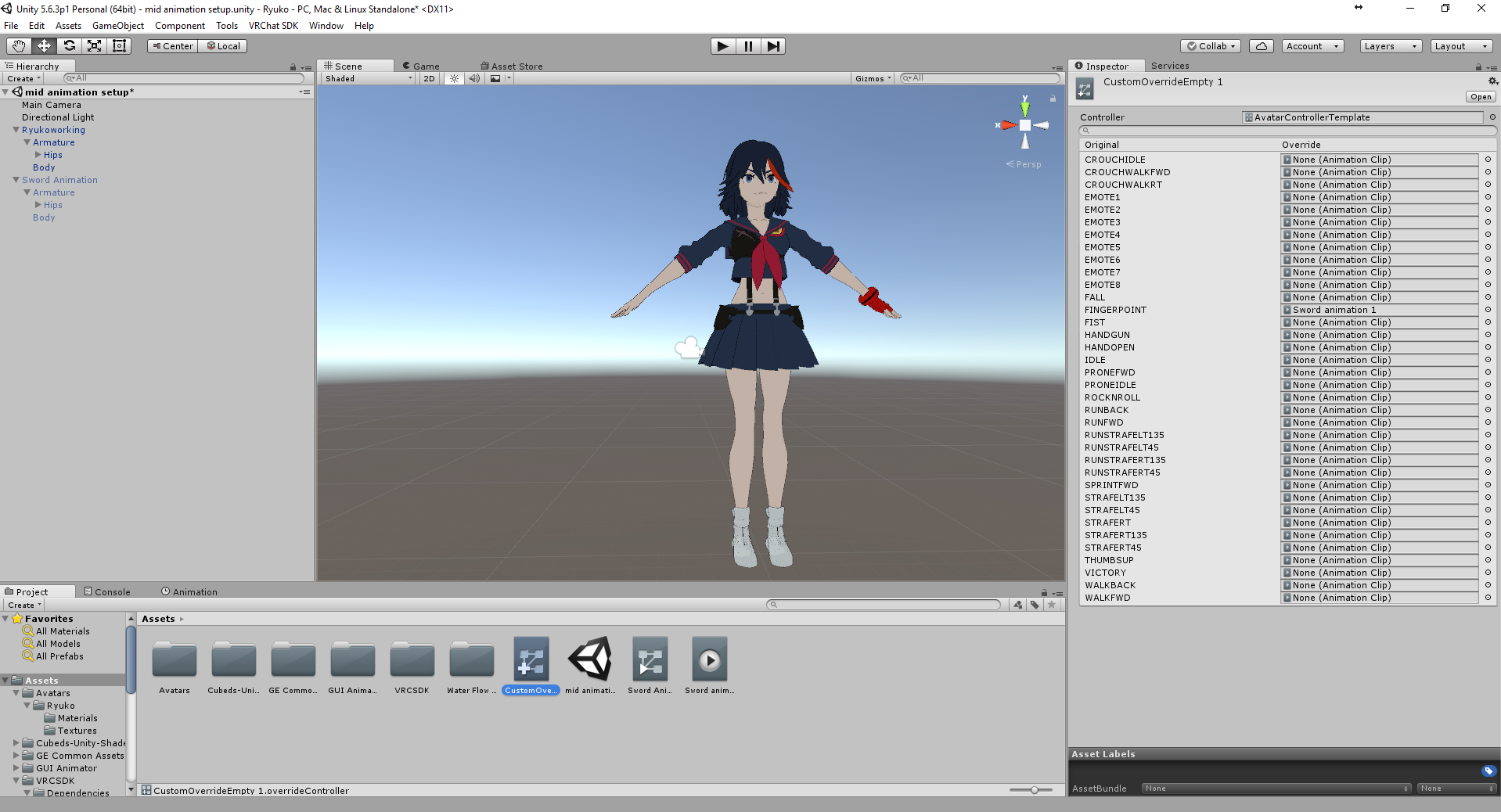 barren wigeon
and get activated in animation
cosmic eagle
okay thank you! @barren wigeon
cinder dune
oh wait i used another one
 waxen hound
. i got the blinking animation to work. But the gun i attach to my avatar won't appear in vrchat but the hand does change to the custome shape. Fallouwd two different0 tutorial and same results. Not sure what i did wrong since it my first time. doing this.
cinder dune
ok lemme try
barren wigeon
@waxen hound gun mesh shold be paranted to wrist bone and be disabled in main hierarchy
waxen hound
ok i will try that
@barren wigeon i only have a bone that says right hand. i guess i have to make a bone that says wrist?
 opaque finch
hey i'm trying to add a gun firing animation to my model. Is there a way to activate the animation on only one hand? I overrode the thumbs up animation, but if I do it on either hand it goes off. Any way to just do the right hand and keep the left a thumbs up?
cinder dune
@cosmic eagle sorry after i'm done with that, where do i place that on?
barren wigeon
@waxen hound I don't know how did you call your wist bone)
Anyway, weapon mesh should be paranted to a bone, usualy it is abone that your fingers connect to.
cosmic eagle
what do you mean? I think what you may need to do is put your animation on walkfwd and the walkback also the strafe ones and sprint ones
but you might want to make seperate animations for them
@cinder dune
cinder dune
the same as before? the animator thing with avatar,root motion, culling mode and update mode
barren wigeon
@opaque finch I don't think that there's a solution to this problem yet.
cosmic eagle
ahhh sorry, I realy don't know. I'm not too knowledgable on this
cinder dune
and i didnt see those with walk backward, forward etc, i only see "walking" i dont know why
cinder dune
latest is? mine is 26th jan 2018
 ionic cobalt
@stoic gull @muted prairie @grand mango Yes, hi, hello? I'd like to request support.
I'm trying to find out if something is a bug/design flaw, or a design decision. I've noticed that emote overrides will acknowledge non-humanoid animation properties, but all locomotion overrides completely ignore them (think, animated dress won't move with the walk). Was this intended or no? Is there a way around it, or will an update/change be required?
 grand mango
Please don't ping a bunch of people like that. ^^
ionic cobalt
My bad. I just don't know who's around to answer.
grand mango
Locomotion animation will override any other animation, I believe? This question is a bit beyond my capabilities, I'll ping it up to people who might know better 😄
ionic cobalt
That in particular isn't the issue. It's that overrides which have specific animations for non-humanoid bones will account for said bones in emotes, but not in locomotion.
So if I baked skirt movement into a walk and assigned it as an override for both emotes and walking forward, the emote version will see the skirt move, but walking forward will not.
grand mango
I see. I'll include this info. Thanks!
waxen hound
@ionic cobalt what is baking animation? I try googling it. Is it just another way to animate? i have not done much animation stuff yet.
ionic cobalt
@waxen hound It's not exactly "baking animation" so much as baking movement INTO animations. If you find the result of Dynamic Bones unsatisfactory, why not just make sure the movement you want to use has your desired movement built into it?
Normal walk animations don't have things like skirts, tails, and ears built into them, so I manually added them.
waxen hound
@ionic cobalt Does that still require like weight paint? or i just move the object i want in position then back it?
like that help with clipping?
ionic cobalt
Weight painting is for things like rigging. Once it's already rigged, you don't need to do that. You're just adding some bones to an animation, and moving them as you need to make it look better. And yes, done right, it MASSIVELY helps with clipping, because you're able to control those bones.
waxen hound
nice. so in a way i can add extra bone to make a skirt move better durig a walk animation then have those bone not there for unity etc. i guess. or something
ionic cobalt
You'll sstill need ther bones, but you won't have to use Dynamic Bones.
waxen hound
ok
gleaming tusk
How do I add an audio to an emote again?
ionic cobalt
Audio Source component (get rid of the ONSP garbage it adds), add your clip, Play on Awake, disable the source itself, then modify an animation to turn the source on and then off again.
Make sure to set the volume to something managable.
gleaming tusk
Do I have to put the animation as legacy or something else once it's done
 tall zodiac
For some reason, the particle system i put on my hand spawns at my waist, like its offset on the Y axis for some reason
And it dies as soon as i change gestures
 rancid furnace
That's normal since you're making it invisible again when stopping your gesture
Is the simulation space set as world?
tall zodiac
yes
rancid furnace
World space particles are broke, try local
tall zodiac
Ah
A friend of mine has a particle where he spawns it, it stays behind and then he can move it with a collider on his hand
Which is what im trying to recreate but he wont tell me so im asking here lol.
rancid furnace

Had to re-upload because of audio being too quiet should be fine now. I forgot to mention it in the video, but Murmur also answered questions I had and helpe...
cinder dune
i've done the walking animation n placed it to animator yet my character just doesnt do the walking animation in vr chat https://imgur.com/k17ouHG https://imgur.com/u7GF8QI i dont know what went wrong
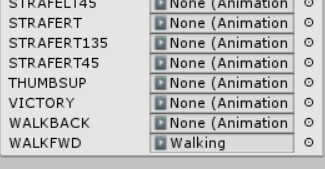

 twin lintel
Can I add custom emote anims on a nonhumanoid avatar?
gleaming tusk
Is there a way to copy all the keyframes from an animation so you can modify it with your own model?
cinder dune
umm where is it?
tall zodiac
avatar descriptior
cinder dune
the first one i've created from animator override controller
cinder dune
n i dont know where to place so i place it there
gleaming tusk
@twilit linden Wait what, what do you mean by "dupe"
 gleaming tusk
you have to assign the correct bone to each part
right shoulder bone = right shoulder
head bone = head
and so on
 urban tendon
but so i need to make new bones or something on unity ? the character i want to import don't have specified names for the bones
so im little confused
@gleaming tusk
gleaming tusk
If it doesn't have bones, you have to rig it
if it does have, then you should use CATS blender plugin to fix them for you
urban tendon
alright thx,
 wise minnow
anyone know where can download caramelldansen animation but that's not in mixamo. how do I find more?
urban tendon
alright
well u never sent me no pm or dms?
@little hollow heard u are good with rigging?
gleaming tusk
It was for Amiens lol
urban tendon
oh lol
but can u help me?
@gleaming tusk do u even know how to check dms and for your record it called the term ( PMs) not DMs, DMs just some slang word they yse on the internet now a days
gleaming tusk
Sorry coming from twitter
If your model doesn't have bones, I can't help since I don't know about rigging
urban tendon
but i thought u said u DM me here so the logic in your sentence dose'nt make sense
gleaming tusk
Nevermind
urban tendon
i mean i understand the other part of your sentence but the first confused me
 cursive moon
How can I set an animation to be a pose for a model? I duplicated my avatar so I could set up a nice thumbnail for it and posed it in record mode of animation, but it refuses to play during the VRCam setup.
gleaming tusk
@cursive moon Set that pose as an avatar controller in a duplicated model, then move the vrcam to the posing one
cursive moon
Also, @urban tendon , both DMs and PMs can be used nearly interchagably.
DM = Direct Message
PM = Private Message
No need to be hostile about it.
Ah, I see, @gleaming tusk , I'll try that! Thank you!
urban tendon
@cursive moon oh! i see, u explaining it to me like a some wack ass kid on the internet
gleaming tusk
Lol man chill.
urban tendon
okay
gleaming tusk
I fucking swear Unity always frustates me so fucking much.
urban tendon
yeah, work great before but now it went to shit
 wispy heath
Do Mixamo animations not load for anyone?
urban tendon
no man they don't
wispy heath
And can I make an animation loop for a certain amount of times from a certain point
urban tendon
erorrs are like when u upload
wispy heath
Because I’m trying to do the being carried animation but I want to stay in the animation for a period of time
When I try it just loops the whole thing and I only want to be in the air
 mossy condor
Guy quick question, how could I make a paritcle system emit from a hat held in my hand that spawns into world space, currently when I try this the spawn particle system breaks and just gets stuck in my hips.
twin lintel
why is my override emote just looping for a minute >_< even the empty ones
oh.... a bug with generic rig override emote looks like...
 keen sage
make blink blend shapes , on the idle animation add them as key frame as some intervals and in animation override swap it on the slot
 dawn shale
Is there like anything that tells me what RUNSTRAFEL is for the custom overrides?
 final gazelle
run strafe left?
as in, when you're attempting to run directly sideways relative to where you're facing
dawn shale
yeah is there anything that tells me exactly what each of the overrides are
final gazelle
don't think so -- i'm not even sure all of them are being used in VRChat
dawn shale
oh ok
dawn shale
anyone know which one is jump in the overrides?
 lost musk
Hey I have a question. Are the dancing mmd animations working ? Cause when I play one for 2 minutes it look totally fine in game, though someone said me that it was bugged ?
Maybe others ppl around do not see it right ?
twin lintel
I made a custom emote override that enables a particle. sys... but it doesn't show? (yes play on awake is checked)
 novel flower
Anyone able to help? I am trying to animate this face but every time i move the position of the iris they jump back to natural position even though each eye position is in the animator
twin lintel
...what am I missing here... I made the reverse animation for the emote to disable an active particle sys and it doesn't turn off.... wth
but the pose I set does go through correctly



 mystic umbra
so lets say hypothetically I was an idiot and had no idea to account for frames per second and I made my animation per one frame in bledner. is there a hypothetical way this hypothetical idiot could scale the keyframes of the animation up timewise for all keyframes at once
@celest trout are you creating a world with that video
 celest trout
Not with this example no.
mystic umbra
i dont think you can attach the vrc video script onto your avatar
becaue thats only gonna work in worlds
I have yet to test it out tho, but Id imagine if it was possible everyone would be doing it
or attaching world script onto their avatars like mirrors or something
clear yew
Keyframes can be scaled in order to space them out evenly into a longer animation but I can't recall how... Hmm
mystic umbra
I honestly feel so stupid
celest trout
I added a 3dplane object and attatched a video player onto it.
It plays just fine on unity.
But on VRchat its just a blank screen
mystic umbra
no im just rotating bones and hitting i to same keyframes in animation of blender
sacve*
im a bit new to bledner animation aside from shapekes
@clear yew
clear yew
I believe an "Action" would have been created automatically so let's check
Are you familiar with how to change the window type? 3D view, Timeline etc
mystic umbra
well when I hit play it moves around like I want it to
yup
im not at my computer atm
clear yew
Oh
clear yew
I would generally create them before starting animations so I wasn't aware they were mandatory
Would you like me to try to explain for you to do later or wait?
Or wait am I mistaken on that being your question earlier, hmm
mystic umbra
explain now because I a little lost
Im creating keyframes
within the frames
and each 24 frame is a second
I made my animation keyframes per frame
so it goes fast
I need to extend all keyframes timewise by 24x
 next obsidian
I want to change some animations to a character, I wanted to try mixamo, but I don't really know how to import it to my model
someon knows and can help me?
clear yew
Open a new window type as "Dope Sheet". Within that you'll see another drop down menu saying "Dope Sheet", select it and change it to "Actions"
mystic umbra
pull in your model fbx file into mixamo, select a dance from mixamo, then export it with 24 frames per second. then pull in that fbx file tounity and look at the bottom right hand corner you have a grey boxy thing. pull that up and press on your fbx file you got from mixamo and rig it as a humanoid. then pull in that dance into the grey box and hit play. you should see it move and you should see an .anim file
clear yew
Go into edit mode and select all the bones you animated, then go into the actions windows and select all keyframes (Press A with the mouse in the window), Now go to the starting frame or one before it and click S to scale the frames
mystic umbra
you duplication the custom overylay and replace that dance with one of the emotes or hand gesture and then pull that new custom overlay2 into your animation, in the vrc script of your og model
clear yew
You should be able to type "24" to make it that many times bigger
clear yew
Just realize you could also adjust them within the first "Dope Sheet" area
You're welcome, hope it'll help
clear yew
It says "Adjust timing of keyframes" when I hover over it
So I guess it's exactly for what you want
Though I generally switch into Actions within Dopesheet as that allows me to make several animation clips I can switch between while making animated gifs. Was told only one action will export in FBX though so keep it as one for VRchat
 high summit
So I have this problem where in game, I activate a gesture and the animation works. Then I stop it and after that, any gesture I use causes that animation to activate. Even closing my fist or opening it
Anyone know how to deal with it?
next obsidian
what's the difference between 24 and the other frames? how much it lags?
also, it is necessary to upload the model you want to use the animation on? or can I upload it with one and use it with another one?
clear yew

http://www.nicolas11x12techx.com/ Games from: https://uk.gamesplanet.com/?ref=11x12 Difference between 30 FPS and 60 FPS? This is how it looks like in PC Games!
 lucid pewter
Dumb yet Interesting question i dont know: When adding a weapon to an animation for a model in unity, does that add to the overall polygons of the model, or is it some sort of animation state
 muted prairie
if it's not shown it doesn't count
lucid pewter
Like i wanna replace one of the hand gestures, like the thumbs up or the point, with the gun
ionic cobalt
Is it possible to spawn a game object for an animation like that?
Because in my experience you can't use something for an animation without it already existing.
 twilit sierra
Has anybody had issues with Dynamic Bone? I can change the settings pretty fine and works well in play mode, but in vrchat, once exported, it seems like all the settings are back to default values. This makes something that wasn't supposed to be all jiggly becomes jiggly. Anyone found a workaround?
next obsidian
did you edited everything while on playy mode? if you did, the changes won't be saved
https://imgur.com/a/FHlv6 Someone knows why does this get stuck when an animation is loading? on mixamo
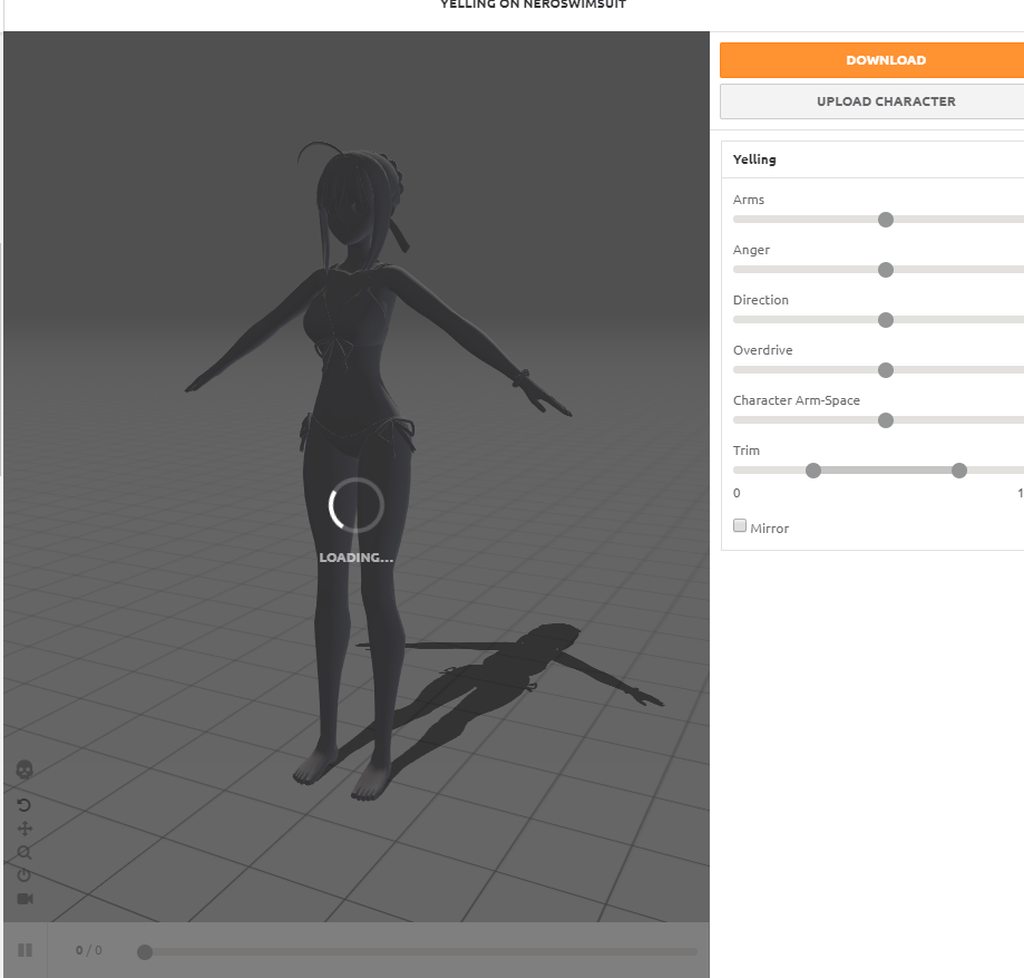 twilit sierra
@next obsidian Nah, I'm using play mode to test the settings, but everything is changed to what i want outside of play mode (intermediate Unity user)
 trail kayak
have a question about triggers. Seems like the collision trigger I am using is delayed from hit to animation starting. In some cases a whole second and not sure why.
Think I figured it out. Seems like the animation does not trigger till the current one finishes as I have the object rotating.
remote helm
Is it possible to change material using animations?
 trail kayak

Welcome
also, if you hit the Record button in the Animation window, any changes you make will record at the time you are at so if you move the time line, you can change the texture and it will show up at that time and will be red as in the first pic

 rustic gorge
lmao my customoverride empty thing is missing the animation for walking left so my guy just spins but keeps his head looking the same way
twilit sierra
That's weird. I thought the animator would use the default ones if no overrides were specified.
rustic gorge
i think it's just client side too. bit odd
 spring swallow
Is there a way to override the walking animation with a custom one?
mystic umbra
yes
in the custom overlay, you have walking and running
just duplicate the custom overlay and then drag your .anim file into the walking or running
the x & y thing check box on the inspector tab
and pull that custom overlay into your avatar descriptor script I believe it is
spring swallow
Alright, I'll give that a try. Thanks!
mystic umbra
you can override anything in that custom overlay if its a humanoid
Ive had some issues with sitting animation however
spring swallow
I've just been putting it over the walking animations in the override controller and the top half of the avatar gets frozen
Hopefully this will work better
next obsidian
I'm so mad, when I try to download the animation in mixamo it says "unable to download the asset"
clear yew
Help, the eyes are stuck here https://imgur.com/a/N66mL and I want them to move but they reset to their first position. Does anyone know a fix?

 cosmic hinge
Can anyone help me with this? I have a flying and floating animation going on with this fairy but when I move around in game with vr weird stuff happens, its a video of what happens when I move around http://tinypic.com/r/j7yed2/9
clear yew
Tips on getting mixamo to recognize your avatar? c:
 heavy stirrup
T
 meager saffron
Hi, @clear yew 😄 You have the meshes joined? It's probably a shape key that has the slider changed or you may have the shape key selected when going to edit mode.
meager saffron
Oh, no it shouldn't. Hmm... Not sure. Maybe it was exported with a shape key adjusted or something? Not sure on that one.
heavy stirrup
Humanoids use animators instead of armatures
 languid nimbus
Hey I have a question, is it possible to override left strafe and right strafe individually?
meager saffron
Yeah, they should be in the overrides like: STRAFELT STRAFERT, etc.
languid nimbus
okay so where is STRAFELT?
meager saffron
also, STRAFELT45 and STRAFELT135
Should show up in the overrides. You make a custom override script already?
languid nimbus
"make" I duplicated the custom avatar controller override
meager saffron
Yeah, if you select that thinger and check in the inspector, it shoudl ahve a bit list of stuff.
and those strafe ones are in there.
Good luck getting it to work. it's a battle.
 meager saffron
movement overrides in general are a pain. :/ they seem fine in unity but tend to be buggy in-game.
languid nimbus
there's no pure LT
meager saffron
yeah, I noticed that as well. I think it may be mis-named or something.
because there's also a SPRINTFWD and there's no sprinting in-game.
languid nimbus
Yeah I was wondering about that too
meager saffron
haven't tested it out much, but I'm suspecting the sprint may be the missing strafelt
mental pier
movement is super buggy
when i put anime running on one of my avatars in unity they are so perfect and then ingame its just trash
languid nimbus
lol
I think unity has something against my baby seal

it's 100% above 20 cm but it's still complaining
meager saffron
Shoulder height. Could try raisign the armature a bit, mabye. ^
mental pier
yes
languid nimbus
that feel when you have to type with one hand because you're talking on the phone with the other
 vestal osprey
Is it possible to add eyeblinking to a character using bones or just through blendshapes?
 forest dove
when i import an animation with mmd tools

it does this
am i doing something wrong here
 warm scarab
So like i have seen some things with people pulling off like the masks of their said avatar is there anyway anyone can explain the animation process of getting that?
languid nimbus
They probably have the mask as a separate mesh in unity that they can hide, then have a second mask as an object that they can put in their hand when they "pull it off"
If I want to animate a tail, but it doesn't show up in the animator, do I animate it using armature?
novel flower
So im having one issue that I cant solve. My character is supposed to have crossed eyes and slow blink. I made a permanent animation that does the slow separate blink, smaller pupils, and crossed eyes. However, everything works in VRchat except the eyes staying crossed and return to normal. What could be causing this issue
Also, I do not have eye tracking on the model so that shouldnt be interrupting it
 icy hazel
 frosty pendant
One question... One of my models seems to have a animation on it that moves the fingers when idle but I can't find it anywhere. Is there a way to remove it somehow?
novel flower
yep
Can'y figure it out. I hit play button too and the animation works fine and has me blinking with the retard eyes
Dunno where something is getting crossed and having the eyes return to normal position
 gentle holly
howdy chaps
i noticed vrc_keypress isn't supported anymore, is there still a way to trigger animations on keypresses for desktop users?
I've been trying to muck with vrc_trigger, but it's pretty complicated.
 halcyon dirge
@gentle holly Not that I am aware of. You might need to make Emote Overides.
languid nimbus
So eh, I imported my seal into the game but there's a problem
It's constantly staring upwards http://puu.sh/zhOJc/bb19036c1f.jpg

(This is when I look straight forward btw)
forest dove
How do I tie an audio source to an animation
rather than on the character as a whole
languid nimbus
I already tried rotating the head and neck in the idle animation downwards
but it litterally does nothing
also tried moving the avatar descriptor to the front of the face but that didn't help
turned the bone in the neck upwards in blender
made it worse
it made the character sprint forward and backwards whenever I moved my head up and down
gentle holly
@halcyon dirge emote overrides, huh. Can I make an emote toggle, or do I just have to set it to an incredibly long length, since I don't have VR yet?
 eternal geode
can you get head movement on generic models?
eternal geode
So stuck with walking and idle animation? ._.
languid nimbus
left, right, forward, backwards, idle and jump animations
that's all you get
that's why I'm trying to pretend this seal is a humanoid
but my face is stuck looking upwards XD
and when I apply an animation to it it always stands up for no reason
eternal geode
My poor little baby dino ._.
My poor little baby dino ._.
Yeah, i did that as well, but there are several other problems with pretending to be human ^^
Like, i have 4 legs 😄
languid nimbus
that's not a problem tbh
eternal geode
Having 4 legs animated with a human rig? ._.
languid nimbus
move right-front and left back at the same time in your walking animation
you only need to add the front legs to the rig itself
eternal geode
oh i see ... hmm
What do i do about arms? Just pretend they are there and remove all weight on the weight map?
 eternal geode
xD
languid nimbus
 eternal geode
Hm yeah i guess i need to try that at some point as well ... if rigging wouldn't just be such a pain >.<
halcyon dirge
@gentle holly You'll need to make it very long.
gentle holly
dang.
languid nimbus
Noone has any ideas?
halcyon dirge
What is the problem?
languid nimbus
I described it above already
when I'm looking forwards the model is looking straight up
I can kinda make it look forward if I look straight down
I also explained what I did to try to fix it
halcyon dirge
It's because your avatar is humanoid. It's the same with the knuckles.
languid nimbus
that doesn't make sense, when the knuckles look forward it looks forward
halcyon dirge
The creator of the knuckles said they changed the head roation to compensate for it's.. inabilities..
cinder dune
sorry but whenever i try to do animations for my avatar, the initial pose isn't on T pose. i've tried clear all transform and it goes back to the pose that i made when i insert keyframes on the timeline which is on my case, 31
languid nimbus
hmm but where? XD
cinder dune
anyone got any idea?
halcyon dirge
No clue.
But I presume that the creator of the Seal did the same, but flipping the neck or something.
So when you look straight, you wouldn't look straight down in the ground.
@cinder dune to make an animation, you need to make a clone of your avatar, since it breaks when you add animations to it.
@cinder dune They explain it here: https://www.youtube.com/watch?v=VXU12lIqcfE

Apologies for the cold. Thanks to Haitchyy for his tutorial, which is what helped me intuit tail wagging: https://www.youtube.com/watch?v=p0txtOuZtx0&t=431s ...
halcyon dirge
I never said it was.
cinder dune
im doing my animation on blender, sorry @halcyon dirge
languid nimbus
it works fine as a generic model, I'm trying to make it humanoid by adding fake skeleton pieces
halcyon dirge
Ahh
cinder dune
animation does loop but when i load up in unity, the pose isnt on T pose but my animation pose
halcyon dirge
Then, my good sir Gatreh, I have no clue, of why this abomination of a humanoid/seal functions .-.
languid nimbus
Well that's because it doesn't work lol
halcyon dirge
@cinder dune Which animation do you want it to do?
cinder dune
walking
languid nimbus
it has fake legs that work well enough though
cinder dune
i've tried once and it looks a lil off on my first avatar with walking animation, both legs r not straightened
when i stop walking
halcyon dirge
Well.. ofc.
cinder dune
oh yea, and initially there were errors because im not on T pose when trying to rig on humanoid
halcyon dirge
You still need an Idle animation
cinder dune
so u mean i should do my animation before rigging?
with the custom animator controller
halcyon dirge
To be honest I would do the animations in Unity at all, but to make your avatar "stop" and look normal, you'll need an idle animation, to take over when the walking animation is over.
cinder dune
does unity itself have the idle animation?
halcyon dirge
The Humanoid rigging has a passive animation made by the devs of VRChat. But you can override it and make a new one.
languid nimbus
and to override it you can't just put it in the avatar controller
you need to put it in the "standing animation" in the vrc avatar descriptor
cinder dune
yeah i knew that, but the thing is, animating in unity needs coding isnt it? i suck at it lol
languid nimbus
no it doesn't
cinder dune
wait really
languid nimbus
I didn't write a line of code and I made a bunch of animations
languid nimbus
Ehm thing is
I figured out how to animate by simultaneously using multiple tutorials
cinder dune
isnt there a complete one?
languid nimbus
so it'd actually be a lot easier to just show you how I did it and what I did
and also
it depends on if your model is generic or humanoid
languid nimbus
yep yep
cinder dune
well... im finding it but cant seem to find the correct ones, theres one with coding
clear yew
Idk if this is supposed to be in Animaton, avatars mmd, rigging or wherever, but I\ll just ask here in case anybody knows, do you guys know how to replace a part of the body or something? :/ I wanna replace ears that I have on a pretty much finished model to go on vrchat
halcyon dirge
@clear yew If it's apart of the bone stucture you need to do it in Blender, if it's an item, like a hat, you can just add it in Unity.
clear yew
How do I know what it is? Can I check it somehow? My friend sent me what he's done and he's asleep now :C @halcyon dirge
halcyon dirge
I mean, you wish to add, ears was it?
clear yew
noo
Replace them
with different ones
cuz they look like they're made out of paper in game, I dont like em x)
halcyon dirge
Look in the armature in what ever program you have open. if under "Head" it has your ears, you need to fix it in Blender.
halcyon dirge
Can you send a SS?
halcyon dirge
o/
clear yew
or maybe not .. Im not sure
I dont do these thing
but trying to be an independent woman is hard XD
 halcyon dirge
If you want them to have dynamic bones etc. you need to add them in Blender.
clear yew
oh ;-; shiet.. .
halcyon dirge
There is a hot fix to just post them in Unity, if you want them static.
halcyon dirge
I don't sadly.. But @frosty shard Might!
clear yew
Could you like.. help me out or something? Screenshare? Maybe Teamviewer? Whatever
halcyon dirge
Dog whistles
halcyon dirge
He's currently playing For Honor, but PM him and he'll surely help you^^
Just tell him I send you >:)
halcyon dirge
o/
halcyon dirge
Doing my worst!
clear yew
hahahaha what x)
 frosty shard
Fuck you @halcyon dirge
clear yew
hhahahahahah
@halcyon dirge ❤ :333
Whatevs, @halcyon dirge, since you're here, do you do animations? 😮
next obsidian
I'm trying to add a dance animation from mixamo to my avatar and I can't because it keeps loading, this happens with only some of my models, but I don't know how to solve this problem
https://imgur.com/a/FHlv6
halcyon dirge
All I can say, is retry, since it's an issue with the Mixamo servers. I think.
clear yew
@halcyon dirge not necessarily casual.. I mean If I'd tell you I want tail animations together with face animations
and it doesn't take you more than 1.5hour (everything all together)
Would you be ABLE to do it?
@halcyon dirge for payment obviously.
halcyon dirge
Sadly I am not familiar with the the settings for facial animations, but I can show you who to do the tail animation and how to add it in, with a 5 min video?
Apologies for the cold. Thanks to Haitchyy for his tutorial, which is what helped me intuit tail wagging: https://www.youtube.com/watch?v=p0txtOuZtx0&t=431s ...
clear yew
yes please 😮
halcyon dirge
It will explain everything you need to do ^^
clear yew
but is that connected with the facial expressions/hand gestures?
clear yew
AAAAA thank you :3
halcyon dirge
https://www.youtube.com/watch?v=yfVmfGOOkOw for the faces.

A VRChat tutorial on how to override hand gestures and emotes with your own custom animations. It can be used not just for VR users, but for desktop users to...
clear yew
Yeah, I've watched it, but I have 5 IQ, maybe I'll actually conentrate harder.
next obsidian
I don't think it is mixamo, because with some it works and with others it doesn't
frosty pendant
One question... One of my models seems to have a animation on it that moves the fingers when idle but I can't find it anywhere. Is there a way to remove it somehow?
 ashen sedge
@frosty pendant That is the default idle animation. You can override it with a static idle animation to get rid of it.
frosty pendant
Can I find it somewhere? Or do I need to create one myself?
The main problem is, that the hand still moves while an animation from my override is going. When I use the right controller it moves and with the left one it does what it should...
next obsidian
pleaseee, someone help me with mixamo https://imgur.com/a/JBkpQ Why is this happening with this one (stuck loading for 5 hours basically)
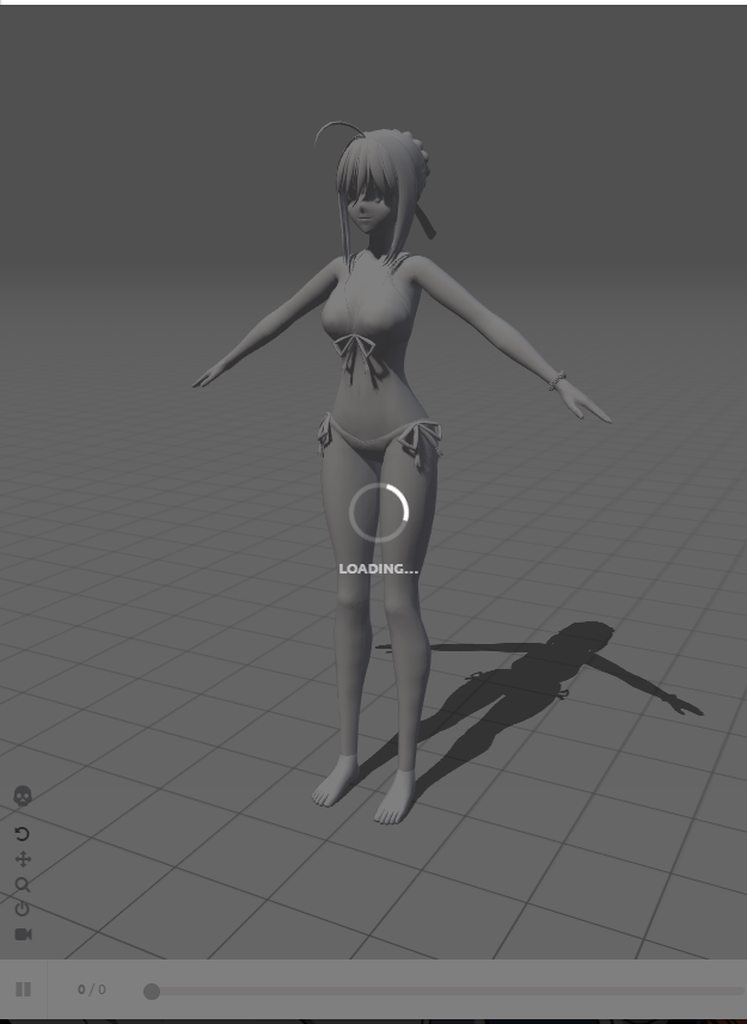
https://imgur.com/a/GEQXI and why it isn't happening on this one
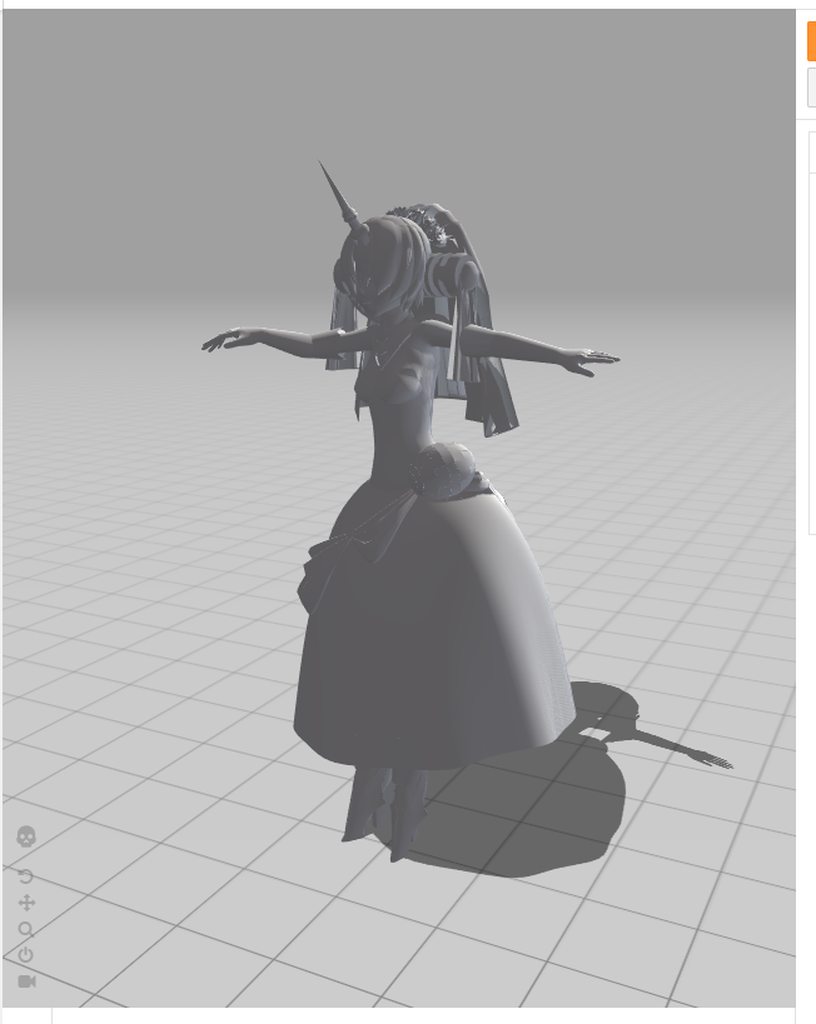
 quiet needle
If you do a mixamo animation, don't worry about uploading your avatar to get the animation integrated.
Just use an avatar that works or download it without the avatar at all.
next obsidian
it works like that?
quiet needle
Rig the imported animation the same as the avatar you want to import it onto, then duplicate it out of the base fbx so you can add it to your other avatar model.
Animations don't have to be baked into a model to work. As long as they match the rig style, it will work.
quiet needle
You can also check the animation tab in the rig and see if you need to bake rotation or translation. Download without skin
You'll just get a little blue cube fbx file. When you import it then hit the > on it, you'll see your animation. You can set the rig and animation tabs to what you want, then click the animation and CTRL+D to get it split from that object.
next obsidian
https://imgur.com/a/ckJDN do I have to also put this on a T-pose?
 quiet needle
yeah enforce T
but you shouldn't need to configure the rig usually. just set to humanoid and apply, then rip the animation
it's just a middleman between you and getting it stuck onto your avatar.
I feel like I should probably make a tutorial for that. A lot of people don't seem to know how to do mixamo stuff.
 raw violet
hmm u seem too know alot about animation @quiet needle do u know how u can import dance animations into emotes after u rigged it in blender onto a model?
quiet needle
You will want to use a dummy model for it. Generally speaking, animation will break if you change any bones, and you need to change the bones to optimize a good model.
muted prairie
@next obsidian Is everything parent to the spine for some reason or is that a skirt ?
quiet needle
I'm guessing you mean MMD imported animations and poses?
raw violet
vmd animation put onto a mmd model
she works in unity audio and the dance but she gotta be generic.. and i kind of wanted her onto my proper avatar
quiet needle
Yep, just use a standard MMD imported into unity the same way I just described. It's a throwaway model that you'll rig up as humanoid. Once you have it rigged, unity converts the animation to that rig instead of the MMD bones and you can rip it off the model and move it to a correctly optimized one with the same unity rig.
Just keep in mind you'll probably lose your hip movement as there is no groove bone in unity.
next obsidian
@muted prairie which thing
quiet needle
@muted prairie That's not a skirt, that's the fingers saying there is a rig problem
It's just a red line pointing, not a bone.
muted prairie
ah, good old unity pointing into something else, my bad
raw violet
cant rig my model too humanoid the animation goes away from the rig :S
next obsidian
oh yeah, it isn't a skirt, those are the hand bones xD
muted prairie

next obsidian
okay, I solved that T pose thing and I have the animation, now do I have to crate an animation and drag the thing I downloaded on the dancing emote?
quiet needle
The process is thus:
Import a standard MMD PMX into blender and then import the animation onto it.
Export the model immediately, do NOT fix with CATS. This will break the animation as the bones will be renamed.
Import fbx into unity and set the rig to Humanoid, then configure appropriately (this step will vary as the bones may have differing names. You may have to do some tinkering to get the right bones in the right unity slots)
Once you finish the rig, apply and hit Done and then open the > expander on the file panel, and your animation should show up there.
Click the animation itself and CTRL+D. This should duplicate it and rip it out of the broken model so you can attach it to an animator or view it in the animation pane.
@next obsidian So follow steps 4 and 5 on what I just wrote.
raw violet
k i did touch the rig with cats i guess that wasnt right then 😄
quiet needle
If you're familiar with animating, you'll know about duplicating your model as the puppet's t-pose will break when you begin to animate. To add the animation to your cliplist, just drag it onto your puppet in the hierarchy and you can then edit it.
Yeah, @raw violet If you rename bones, the animation still points to the old bone names and doesn't work any more. Unity will convert it properly.
next obsidian
I don't know much about animating but I DO know that you can fuck it up easily if you don't duplicate
quiet needle
Yep. ALWAYS make a puppet or you'll be starting over.
But you can use one puppet for multiple animations.
raw violet
u should still delete joints and that in blender ?
quiet needle
Yeah, they're not really needed. Since we don't care about the dummy model you can just ignore though.
next obsidian
okay, I almost have everything, just one thing, which emote was the dancing one? the 6th?
quiet needle
5th
raw violet
its gonna take forever 😛 the whole hand was red on the rig
@quiet needle is thre any easier way too rig the hands i seem too not find the right bone at all..
quiet needle
I would think the hands should be easy. Maybe try checking in blender to match them up? You can translate bones and not have issues with the anim
next obsidian
thank you @quiet needle it worked, I love you
quiet needle
awesome. Get those sweet sweet animations into it.
Yes, @raw violet , translate with cats, just don't fix
raw violet
@quiet needle got the rig done but stupid question where do i find the expander :p
lost musk
Hey hey, does someone already used to play some mmd animations in game ?
quiet needle
it's on your fbx in the file folder pane
the little arrow on the dance you imported
shows you all the baked assets
@lost musk Yes, I've imported quite a few MMD dances.
lost musk
Oh cool that's exactly what i'm looking for. I have two mmd dances, though you know they last for long, so at a point you can move again and your character keep dancing, that's pretty ugly
raw violet
still confused how too get the animation out
quiet needle
Yeah, that's a problem with the way VRChat releases the emotes after 10 seconds. If you know how to edit an animation controller in unity, you might be able to lock the character for longer, but I'm not sure how to do it myself.
@raw violet so you have imported it and rigged the skeleton in Unity?
raw violet
yes
quiet needle
Now click the little arrow on the model in the file panel
lost musk
What ? For me the lock last for at least 30 seconds
quiet needle
You see the play button animation listed in the baked assets?
raw violet
yea
lost musk
And then I just press again an emote, and even if the emote isn't played, the dance continue and the lock start again for 30 sec
quiet needle
@lost musk I have noticed it lasts longer depending on how long the animation is, but if it's longer than 10s it is pretty much guaranteed to break.
Highlight the animation by clicking on it once, then do CTRL+D @raw violet That will rip it out of the broken model and it will be a standalone .anim file
lost musk
@quiet needle Yep ! The point for which I ask help is that I usually just keep pressing the emote to keep the lock until the end. Though some ppl told me that they see some strange animations when I do this after the first break. In front of a mirror it's all nice for me, even in the retransmited video from the dancefloor world.
My question was "Is this possible that the others users don't see the same animation than me ?"
quiet needle
I'm not sure. I'd probably have to do more testing with longer animations.
lost musk
A guy said me something like "Guy, your legs are still here, that's weird" Since I have root transformations, and relaunch the lock everytime it break, the model could have strange transformation maybe
So i'm confused !
quiet needle
Yeah I might look into the controller to see if I can make a modified version that holds the character locked for longer.
raw violet
@quiet needle dosent seem too be able too get it out of the model :S
quiet needle
Could try extracting via the animation tab on the fbx
I'm not sure what you're seeing, but it should be a duplicatable item
muted prairie
Right clicking duplicate might work too, I've had instances where Ctrl+D didn't work
raw violet
cant send picture in this discord or i do show D:
next obsidian
wait, you can get mmd animations? that's cool, where can I download them, Devianart?
or which is a good page
raw violet

DeviantArt
UPDATE: Dead link cleanup - needing others' help to be mods and help update these lists! Also, some white knights needed for dead link requests - see others' comments below and please reply to them...
 sharp torrent
How do you spawn objects that stay in place and won't follow your character as you move?
sharp torrent
Alright, I'll search that up. Thanks
muted prairie
@raw violet you can upload to imgur or use gyazo
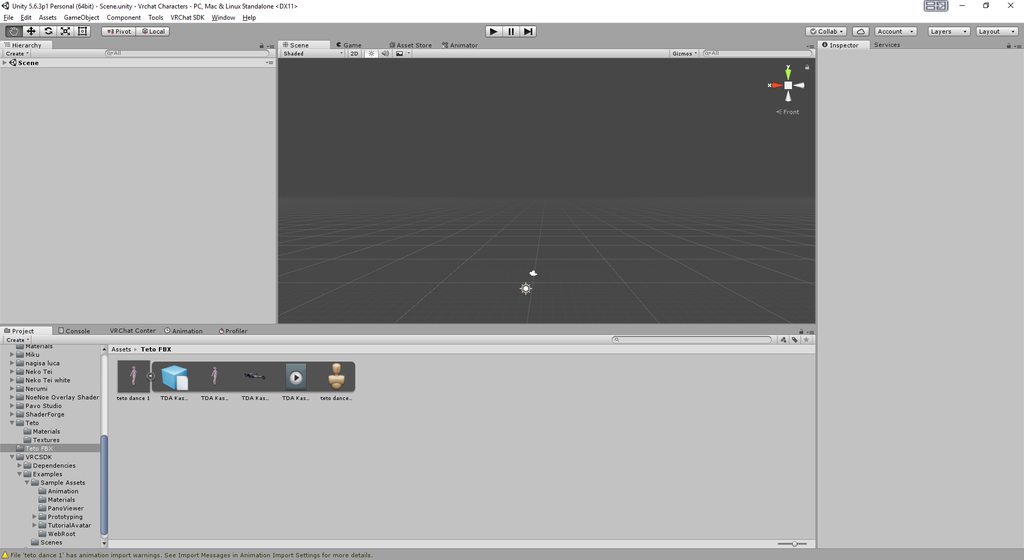 muted prairie
and you can't click on the animation file in the project ?
raw violet
i can but its greyed out
quiet needle
The play button square in the files in the bottom middle, right?
named TDA something
raw violet
well i can click the animation and it start in the preview picture underneath
raw violet
the moving avatar?
quiet needle
no, click the animation (the one you click to pull up the preview)
raw violet
nothing happens
clear yew
is there a way to animate skyboxs and if so is there anyone who has one i could use for my world
muted prairie
🤔
quiet needle
does the name turn blue?
raw violet
yea but when i click ctrl + D on the animation in the project nothing happens
quiet needle
can you right click it and duplicate?
muted prairie
"open the project folder, navigate to the file and copy paste it normally. If the clip is part of an imported model ( which I doubt, because then you would not be able to modify it in unity at all) then you will have to duplicate the model file instead."
quiet needle
One thing you could do is open it in the animation tab and copy all the pips, then paste it into a different animator.
raw violet
there is no duplicate option
when i right click
@muted prairie just copy the file from the folder itself into the same character folder?
muted prairie
yeah, a ctrl c and ctrl v
raw violet
got a file called fbx.meta underneath the bigger file
quiet needle
You're doing this from unity, right? We don't want to do this under windows
raw violet
i am doing it in unity ye
i just clicked show explorer and there is two files in it on the animation 1 3D file and 1 Meta file
quiet needle
Yeah that's normal
I'm not sure why it won't let you split it out. Try going back to unity, click the model with the animation attached, and go to the animation tab in the top right. See if you can export it from there, since you're going to want to be able to edit it.
 pastel solar
hey chat, I was working on my model for hours until I reached the 20k goal just to realize that the shape keys broke on the way...
they are all over the place
does anyone know how to fix this?
muted prairie
decimation is the first step for a reason
Also, you shouldn't decimate the face and hands
usually because of shapekeys
pastel solar
i never touched them
muted prairie
so which shapekeys are messed up ?
pastel solar
every
quiet needle
Do they still exist?
pastel solar
yes they still exist
quiet needle
Once you rejoin your meshes, they will all combine into a full shape key again
They're likely not broken, just split into each mesh's affected areas.
pastel solar
I mean I havent touched the face or the hands at all
quiet needle
You'll see duplicates if for example you have eyelashes and eyelid meshes, because both of them use the same shape key to blink. When it's split and you test it, only the mesh you have selected will move instead of the whole blink animation.
so the eyelashes will move and the eyelid won't or vis versa until you rejoin meshes
raw violet
https://imgur.com/a/z9AWt export this ?
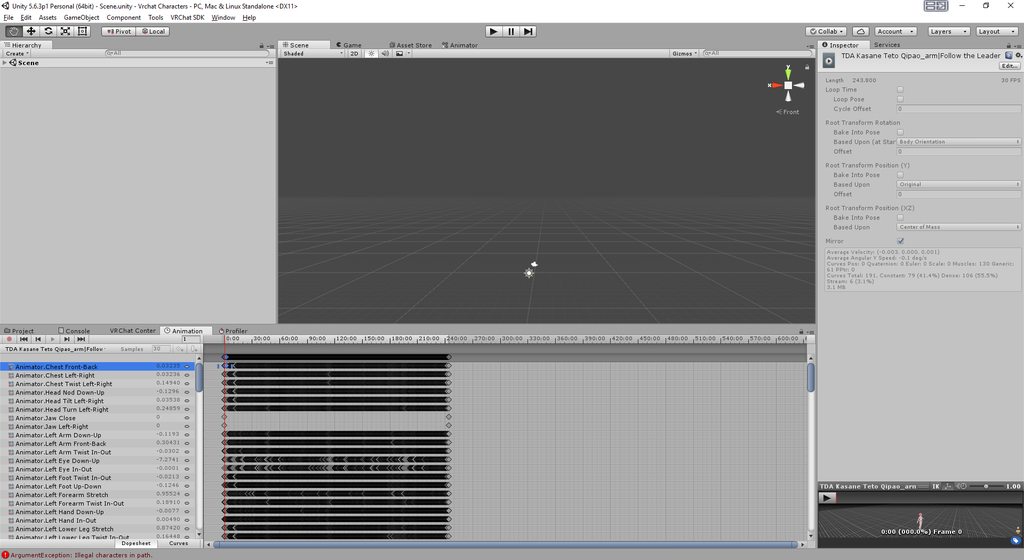 quiet needle
You can click in the empty light gray space in the timetable and CTRL+A to select all the pips, then CTRL+C to copy, then go to your puppet animator and add a new clip by clicking the name of the animation at the top of the list of properties, and selecting Create New Clip. Then paste the pips into the new/empty animation timetable
It's going to freeze your unity for about 15 minutes, so go grab a drink or something.
raw violet
puppet animator?
quiet needle
Do you have a duplicated version of your model in the hierarchy/bones list?
raw violet
nop
quiet needle
never do animations on your main model. Always do it on a duplicate.
raw violet
but i can pull my main model in
that i want the avatar on she is already done rigged
this is on like a different model i made for the animation
quiet needle
yeah bring that scene up with all its rigging and duplicate her, then click the name of the duplicate and go to the animation tab to create a new animator
You might want to watch some tutorials on basic animation, as it will show you the entire puppet creation process.
raw violet
i seen that i done face emotions just never done dance or anything like that
my unity is frozen now as u said lol
quiet needle
Yeah, give it a bit. It has a lot of pips to paste.
raw violet
i may accidently clicked it a few times the past key what do i do thenxD
quiet needle
It should only paste once. It stopped listening to your key input as soon as you hit the first paste 😛
raw violet
ah k xD
haha thanks for not giving up on helping me 😛 taken awhile now just for 1 dance
quiet needle
Yeah it's nice once you have a full set imported because you can just dupicate the overrides and put it on a new model
since the animation will be rigged for humanoids it's usually compatible with every new humanoid you bring in by default.
raw violet
but how do u add audio onto the dances
i know how too get the audio in but wont it be playing off all the time if u put it onto the head of the main avatar
quiet needle
You'd have to enable an audio source on the avatar. If you want it to always play, just put it on the armature somewhere and leave it enabled. If you want it to only play during the dance, you have to disable the audio source then set a flag in the beginning and end of the animation to set the audio source to "Is Active".
raw violet
sounds complicated
quiet needle
not really, just takes a bit of doing
quiet needle
That wasn't the abridged version, those were the full instructions lol
raw violet
sounds harder for someone that is new too animation 😛
i am still in the learning process of everything u can do too unity and blender
 late phoenix
It's really not too hard lol
quiet needle
right click your armature on your model and go to create > audio source
There will be a spot in that object to put your sound file
and a few extra settings
volume over distance, etc.
once that's done you have a sound, you just disable it by unchecking the box at the top of the right hand column
next obsidian
has someone already explained how to upload an mmd dance? so I don't ask again
quiet needle
I just got through it, though it's a bit stretched over a conversation
The process is thus:
Import a standard MMD PMX into blender and then import the animation onto it.
Export the model immediately, do NOT fix with CATS. This will break the animation as the bones will be renamed.
Import fbx into unity and set the rig to Humanoid, then configure appropriately (this step will vary as the bones may have differing names. You may have to do some tinkering to get the right bones in the right unity slots)
Once you finish the rig, apply and hit Done and then open the > expander on the file panel, and your animation should show up there.
Click the animation itself and CTRL+D. This should duplicate it and rip it out of the broken model so you can attach it to an animator or view it in the animation pane.
If the duplicate doesn't appear, you will need to click the animation, then click the animation tab and copy all the pips into a new animation clip.
Note: you can translate bones before exporting to assist with the rigging process.
lost musk
@quiet needle I tryed with two computers
And you can re block after an emote everytime you wish to for the whole duration (3+ min)
There is no bug in animation
quiet needle
Interesting
lost musk
play a very long mmd dance, and when your character is going crazy cause he isn't blocked anymore, play any emote you want. It wont be played. It'll only block again your character for another 30+ sec
(And the dancing animation keep playing ofc)
quiet needle
And it will lock for rotation and movement?
quiet needle
I'll have to try that when I get home
lost musk
It work 100% sure, I knew it worked cause of the camera and the mirror, but now I tryed with another account in front of me
And the animation keep beeing nice after the 2nd and the 3rd lock if I press any emote back to re-lock the first dancing animation
Also I have a problem, maybe you can help me ahah
When I look at the mirror with my avatar, I see my body in front of me finely, though, when I watched with my 2nd account, I alway turn something like 60° on the right. So If I move my head, my body is alway almost from side. It isn't aestetical at all
Any idea about where it come from ?
(It do not do the same with any other avatar)
raw violet
@quiet needle unity is still frozen
quiet needle
what kind of processor do you have?
quiet needle
Yeh, mine locks for around 10-15 minutes normally. I've done so many that I usually just go do something else haha.
raw violet
been over a half hour maybe unity crashed lol
quiet needle
Well you can always risk losing progress and close it out and try again.
raw violet
ye will force close it and retry now i know what too do atleast so it should go quicker if it dosent bug out
 surreal crater
depends on what you have and want
raw violet
dance animation
raw violet
haha ye noticed that i did that too face emotes and fucked up my hand gestures with the controllers
quiet needle
You could but it wouldn't lock your character, which means your feet will look weird
surreal crater
^^
raw violet
never touch hands it seems like if u still wanna be able too point and stuff
surreal crater
anyone willing to share their valentine animation ideas? xD Im out of ideas :X
quiet needle
One thing you can do is make a copy of the animator controller so it has all the defaults and can be modified.
surreal crater
always make a copy!
quiet needle
I imagine you have some good heart animations?
surreal crater
I can probably get some heart particles or just a model
quiet needle
You could always play around with world particles and distribute hearts
surreal crater
depends on what the idea si
quiet needle
cupid bow?
cursive moon
"make a copy of the animator controller so it has all the defaults and can be modified"
Whoa, whoa, you can just edit the default animations without trying to recreate them yourself?!
surreal crater
thats actually a nice idea @quiet needle
quiet needle
Yes, you can make a copy of the animations themselves, then import them onto an animation dummy and it will enable editing.
They're read-only if you look at the controller, but no such restriction exists on a duplicate that has been added as a subclip
@surreal crater Yeah, now I want to go make one haha
raw violet
so u cant put the dance emote straight into custom override?
quiet needle
Yes you can
raw violet
oh thank god lol
surreal crater
@quiet needle Nice I wont steal your idea then, I justn thought of my own tho that would melt people hearts probably.
quiet needle
No, feel free. I'm sure we wouldn't have all the same ideas, and there is enough room for both of us to fire death hearts at the community
surreal crater
@quiet needle Im first gonna try to make my own idea work and otherwise i'll steal your idea 😜
next obsidian
Why are the dynamic bones colliders so shitty, I can't work with a long dress
You'll fill the world with love, and all the hatred will be vanished
 devout loom
Does anyone know how I can get a noise to play at a certain time in an animation? Say I want one to play at 0 seconds, and then the next at 34 seconds, how would I make it do that without making my hand slowmotion, it also seems to just play the sound at 34 seconds and not the one at 0 seconds
surreal crater
what kind of animation are we talking about?
devout loom
making a creepy avatar, and I'm trying to get a noise to play at a certain time in my animation so I can act out with it, the first sound at 0 seconds is an ambiant type noise, and the second one is a sound effect to go along with it
surreal crater
do you play an animation that your character does the work? Or do you use a handgesture animation that you play yourself?
devout loom
hand gesture, and play it myself
surreal crater
The way I do it is by just adding seconds of nothing in the audio clip until it is what I want
Couldnt find a way myself to fix it in unity
surreal crater
kinda
btw
whats also possible
is that you make 2 different animations to play the sounds for you
so you can time it yourself completely
instead of depending on a 34 second sound file
devout loom
I can give it a try, my worry is it'll just reset some particles switching anims, and ruin some effect
switching gestures that is
clear yew
does anyone know how to make a avatar float?
devout loom
I'll try the first option, seems to be safer, thanks for the info ^^
surreal crater
np
next obsidian
@clear yew I did it by putting the bones lower than the tip of the foot
but I don't know a better way xD
heavy stirrup
Overwriting my walking animation doesn't seem to work. I can see that it's functioning (an armature part of the animation is moving)
But the animators controlling the legs isn't overwriting the normal walking.
raw violet
@quiet needle @muted prairie thanks for the help both of you 😄 gonna test out my model soon
 devout igloo
@surreal crater I mean it’s not a major animation. But I wanna make an override that gives me a shirt saying “I <3” and a photo of whatever valentine I get.
surreal crater
@devout igloo Well im not planning on asking someone specific I just want to spread some love on vrchat ^^. Nice idea tho!
raw violet
should get a cute valentine skin 😄
devout igloo
Perhaps make an animation that has your character make a heart with their hands, then a heart particle shoots out? @surreal crater
surreal crater
@devout igloo Thats also a good idea! I will add it to the list 😄
 cosmic hawk
anyone know why my sword is visible in the mirror but not my character itself?
 ruby elk
Guy sso i have an idle standing animation which works but the avatar sinks halfway into the ground. how do i fix this?
forest dove
can anyone explain to me how to make an audio source enabled only when an audio source is enabled
 ruby minnow
hey guys, is there a way to override the hand animations on each hand separately? the default ones break my character's fingers
muted prairie
yep, it's called animation override
ruby minnow
but afaik that overrides both hands
heavy stirrup
My animation override isn't working on the walking animations. I actually do see the armature portion i put into it moving, but not the legs built under humanoid animator-- it uses the default walking animation
ruby minnow
how do I override a single hand only?
ruby elk
https://imgur.com/a/Sxs8p this is how it looks like. The idle standing animation works fine. But the avatar is halfway in the ground
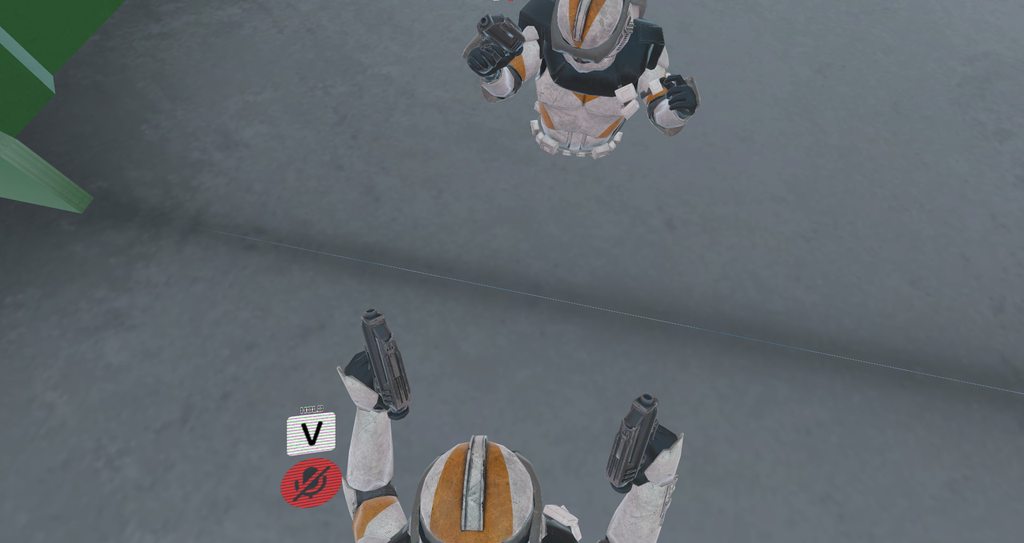 heavy stirrup
Make sure you apply your q and t roots
ruby elk
And for some unknown reason the second weapon is not shown
 small tapir
Do textured particle systems lag people more then untextured ones? If it even matters that is
cursive moon
What are Q and T roots? I always get rid of them when copying a default animation and only leave finger bone changes.
ruby elk
and how do i apply them?
small tapir
@cursive moon Try it i never use it
heavy stirrup
they lock you in place relative to a position in space--- you can afix yourself to be off the ground or... not in the floor.
They're two animators
Animator.Root Q
Animator.Root T
just add them as properties
Root T is the one that has up and down that you need
Now, anyone know why my legs don't override the walking animation? :'|
 hot orbit
Is there a way to chenge the particle options so that it doesn't get smaller when you get close to it?
raw violet
anyone know why my unity wont unfreeze when i copy the pips into a different animation.. it seem too be stuck on copying it into the other one :S
 velvet ginkgo
How would I go about making a dance animation with 2 models?
 rain reef
Okay so a lil noob question here, if i want my particles to not move with the emitter, but the spawn of the particles to always stay on the emitter, how would i do that?
so like, have my particles always spawn on the same place on an object but when i move the object the particles dont move with it
 pliant nacelle
Add the eztra characters armatute and animate that along side your normal character and hide it on upload?
velvet ginkgo
You change the simulation place to world instead of local.
rain reef
ye i did that
but then the particles spawn above the ground
instead of on my gun
so i want the bullet to always spawn on the gun
but to move independently from my gun
velvet ginkgo
Gravity problem?
rain reef
the particles system is on the gun
velvet ginkgo
Is the particle system a child of the gun?
rain reef
yes
velvet ginkgo
On the nose or what?
rain reef
Yes
do i need to change any shape properties
to like align to direction
or emit from shell
pliant nacelle
When i tried world it spawned from my root bone
Local fires from gun, but yes it also keeps the movement of the gun afterwards
ruby elk
I fixed the standing naimation. but now when I move i start walking on air
ples help
idle standing animation*
 shell quest
@cosmic hawk make sure the sword doesn’t have a component named body, and if it does, change the name of it.
 mint ginkgo
What does the PRONEFWD animaiton override controll?
cursive moon
Moving forward while crawling
mint ginkgo
Oh, how do you crawl?
cursive moon
I believe VR only, have to crouch low enough. Might also be possible by changing player height in the menu? I know there's no button for it.
mint ginkgo
Alright, thanks
heavy stirrup
Basaically, headset needs to be near the ground-- i actually have to get prone XD
 jaunty gust
I'm trying to make an animation where my tail wags when doing a gesture. This means the animation will be about 2 seconds long. Is there a way to make it so that the animation stops/breaks whenever you stop pulling the gesture? Right now when I stop doing the gesture, the animation will continue playing and it takes very long for my hands to go back into original position. Also whenever you accidentally trigger it, well, that's not cool x)
Hope there is a way to do this, even if it would include editing the animation controller or scripting, but I really want to try to make this work. Please @ me or PM me if you have tips, thanks in advance! ❤
jaunty gust
And the rest of the clip just the tail animation? 😮
cosmic hawk
@shell quest yeah... I think it’s the mesh on my sword that’s the problem. Although I can’t rename it 😦 is there a fix around for this? I was thinking I’d have to go back and pair the sword and my character on the same file. Cos they were originally separate, I just added the sword with him in unity.
quiet needle
This is a very good resource for what you're trying to do @jaunty gust
Apologies for the cold. Thanks to Haitchyy for his tutorial, which is what helped me intuit tail wagging: https://www.youtube.com/watch?v=p0txtOuZtx0&t=431s ...
raw violet
@quiet needle can i ask you a new question 😄
shell quest
@cosmic hawk You should be able to just rename the object in the heirarchy
spring swallow
I'm trying to override the walking animation on my humanoid avatar. How would I do that?
jaunty gust
@quiet needle I've seen that, seems like he does explain that you can make the animation work when throwing it into the override, which it does. But it doesn't seem to have actual hand movement in the animation (talking about the video), just the tail wag. I've made a few keyframes for my hands to be posed as a peace sign (instead of the standard 'claw' hand pose it would do when you're overriding a gesture and not animating the hands) + a few keyframes to do a facial expression.
The way I'm thinking is, that even if I would change the hand gesture keyframes to just 0:01 seconds, Wouldn't that just stop my hands from posing but at the same time continue to play the full 2 second clip?
Doesn't have to be a bad thing tho, it's okay if the tail continues to wag for the full duration of the clip, as long as I'm able to pull different hand gestures while the 'current clip' is still playing
quiet needle
You make a good point. Let me think about it a sec
@raw violet What's up?
Do you have a tail wag idle animation set @jaunty gust ?
jaunty gust
No, purely on gesture
quiet needle
You could set an animation then default it to off, and for the animation flag just change it to "Is Active"
jaunty gust
That I don't really know how to do I think. I'm currently going to test the method you just said. Just tried setting the gesture only to 0:01 and see what happens
quiet needle
But yeah, the whole animation being in the same clip as the hand gesture is going to extend the hand gesture to a "hand gesture to idle over the course of the rest of the animation" scenario
jaunty gust
Thats what I thought, but still worth a try
I've had more suprises like this where I was thinking too complex and the non obvious easy way worked
Not gonna assume it but hey just wanna make sure I've looked in every corner
quiet needle
If it's an animation by itself and you're not directly using rotations in the animator, but calling the animation up, then it should work at .01
jaunty gust
@quiet needle OMG ITS WORKIIING
quiet needle
awesome
jaunty gust
Its just that the hand kinda keeps stuck tho
So it doesnt 100% break it
But the tail animation stops when doing the gesture, maybe there is a way to fintune it
ruby elk
Now I fixed my idle standing animation by adjusting Root T. But now whenever I move around, my avatar floats in the air, while the Viewpoint stays the same. Anybody knows how to fix this?
If someone knows how to fix this issue, please DM me coz i might be sleeping now
jaunty gust
So hmm yeah not quite there yet, but damn its an improvement at last, been spending hours on this now. Hopefullt can make it 100% clean
quiet needle
Check to be sure the animation doesn't have any stray pips later in the timeline
clear yew
A lot of good info about the tail
spring swallow
Anyone know anything about making custom walking/ idle animations?
clear yew
I have yet ot use Unity so don't know what kind of requirements are needed for the kind of animation but this might be helpful with animating a walk-cycle in general
https://www.youtube.com/watch?v=DuUWxUitJos

Welcome to the fifth character creation episode. Today we're animating a little walk cycle for our character. Download start file: https://www.dropbox.com/sh...
Definitely wait for other answers just to be sure
spring swallow
Thanks, but I've already made the animations. I should have said overriding the current walking animations.
clear yew
Ah, the technical part
spring swallow
Yeah, I've been stuck at this part for a while
quiet needle
So you should be able to add the animation override and there is a slot to add walk animation overrides in it
spring swallow
I've tried
quiet needle
Slot your walk into the override, and the override into custom standing anims
spring swallow
It freezes the arm and head tracking
 lone yoke
would it be possible to animate the body mesh and hide it on the character for use later as a game object?
quiet needle
That's essentially how people use weapons. Hide the mesh and enable it in an animation later.
 gray pier
Is there a default set of animations i can look at and edit? Im trying to find exact finger positions for adding facial expressions.
quiet needle
find the default animation controller, click it then open the animation tab
gray pier
Eyy, youre a life saver
lost musk
Hey hey, does some could send me a custom controller for vrchat ? With walking animations... 😄
jaunty gust
@quiet needle After some testing, it's still not quite okay, but was a good attempt. The gesture can be started and stopped properly now by doing the gesture and lifting off it, however. Even tho the animation stops, the hands are kinda stuck in position for a while. And moving to another gesture makes the hand go in suuuuper slow mo. This seems to happen on both hands. The only way I've managed to bypass this (on one hand only sadly), is by doing a different gesture on the other hand while doing this one, and then the other hand will be able to move freely.
Hope I can try out something more
quiet needle
Maybe check all your subclips for long animations? It might be something else that is extending it?
jaunty gust
Subclips as in other animation files for different gestures?
lone yoke
yeah but i would have to have an animation that when is used as a game object wont disconnect my character from my movement and t-stance it.
I already know how to do long animations on game objects that arent connected to the body in a direct way
say for example i want to make the tongue move and still have my arms move without restraining finger movement
raw violet
@quiet needle i finally did it 😄 ctrl+D worked after i edited the animation down too 10 sec
gray pier
still cant figure out how the default animations work as for copy pasting.
jaunty gust
Oh wait I think I know what you mean. There are no other keyframes in the animation for the hands or face. The peace sign is also moving back to 'idle hand status' as intended / at the right speed. Just when triggering a new gesture will make the hand appear as a peace sign again and slowly move it into position of the new gesture
tall zodiac
Does anyone know how colliders work with particle systems
Cant figure out for the life of me how to make them collide with my hand
cursive moon
If you're talking about dynamic bone colliders, they only collide with dynamic bones
tall zodiac
not that
there is a collider option in the particle systems but cant figure out how to get it to work
cursive moon
Ah, I see. Sorry then, no clue - never done particles
 plush jungle
hey can u have more than 2 handgesture changed ? cause i have 3 now and everything is fucked up donno if my 3rd animation did that or you can just have two
lost musk
Heeelp, I made a custom emote, but when I play it, my character is in the ground xD
cursive moon
I fixed that by raising the position of the avatar +1 on the y axis in the animation, but that makes dynamic bones act as if you were teleported down then back up very quickly. I would also like to learn a more graceful solution to this.
lost musk
I guess that the problem is I used the animator for this emote. So it take all the body and not only the part I mooved :X
plush jungle
hey can u have more than 2 handgesture changed ? cause i have 3 now and everything is fucked up donno if my 3rd animation did that or you can just have two
 tulip thistle
been having problems with a body pillow I pull out with custom override, for some reason there r 3 different things people see, myself included. Its either only 1 side of the body pillow shows, both sides can be seen or its just completely white. It's different for every person and I don't understand why it happens cuz I haven't touched the avatar since I uploaded it like 2 days ago
 signal dove
So, what do I need to do to get custom movement animations to work?
 light prairie
Curious, I made small animations where she just changes her face when I do a specific hand gesture. However they just loop in-game, where/how can I fix this?
cursive moon
You want gesture animations to be 2 frames long
light prairie
They go from 0 to 1
pliant nacelle
Set a frame on 0 and 0.01
light prairie
oh yeah, that's what I do https://swash.s-ul.eu/CwIKFxHm
 pliant nacelle
Make sure both frames have the same animation data, i.e. smile 100 on frame 0 and smile 100 on frame 0.01
 fathom drum
I seem to be having problems with my face animations can some one help me out. i Have set numbers on the animation screan in unit but my face just keeps resetting it looks like
pliant nacelle
Make sure frame 0 and frame 0.01 are both at the same desired number
light prairie
Well hey, we all learn fade. Thanks for the help! I'm going to see if it works
pliant nacelle
Np gl
fathom drum
I have the frame 0 at 0 and 0.01 at 0.01 i got one animation to work but the others dont
cursive moon
Screenshot your animation window so we can see exactly what's going on? Include the shape key values
fathom drum
It wont let me post a pictire in the channel of it
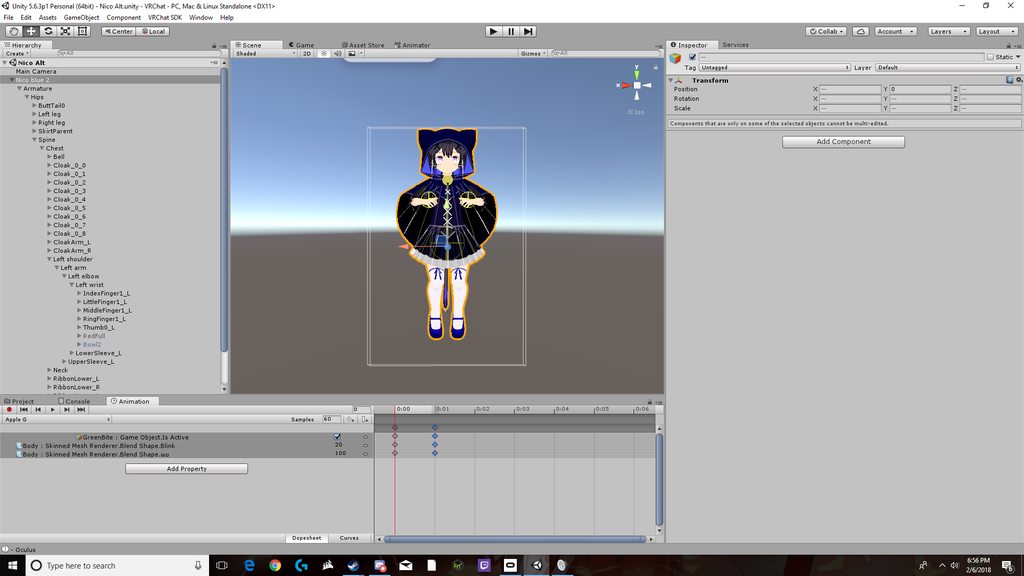 cursive moon
are the values the same on each keyframe?
fathom drum
yeah
cursive moon
No clue then, honestly, sorry
light prairie
@pliant nacelle tested it and it worked, thanks a lot (:
pliant nacelle
Np! Glad it worked
final gazelle
@signal dove they seem to work for generic rigs, but never figured out how to get humanoid rigs to animate properly with them
signal dove
But generic rigs can't have any sort of tracking, right?
final gazelle
as far as i can understand, yeah -- generic rigs don't work with IK tracking
i've seen some chatter about replacing the walking animation on humanoids, but most of my attempts so far haven't seemed to work
signal dove
Not just IK, I meant VR tracking too
spring swallow
How do i get an animation to play without the avatar going into the broken animation state?
 robust lark
Hey quick question.. How do i add audio and put it on a custom overide?
spring swallow
Add an audio source to your avatar
and disable it
then in the animation enable it
then drag the animation into your custom override
 spring swallow
Just upload it, it may work
I remember seeing that message and I think it worked fine


 spring swallow
change the volume
It may be too loud
also, did you make sure to make the bounds smaller
spring swallow
My animations are putting my avatar in that pose. I don't know why
 shrewd moon
What animation are you trying to do?
spring swallow
blinking
I've been able to do it on another model with no problems. I'm not sure what I'm doing different
shrewd moon
It goes into a weird sitting position in unity?
spring swallow
Yeah
shrewd moon
Just ignore it
spring swallow
No, once the animation starts playing it goes into it
shrewd moon
In vrchat?
shrewd moon
Can you screenshot your key frames?
spring swallow
I didn't have legacy checked
shrewd moon
Umm alright
 brittle mural
Could someone get me an invite to VRC Traders?
 thorny fox
anyone got a method on how to get animated dancers in vrchat? ping me so i can read
lucid pewter
When applying dymanic bones to a model, and having a gesture animation model, does that gesture animation model have to have dynamic bones to look the same?