#animation
1 messages · Page 42 of 1
 lapis sphinx
 surreal crater
I made a custom emote, but when I use it ingame my character keeps moving up and down? Does anyone know what the problem might be?
 dull vale
Is there a way to make a toggleable particle effect, which has no model animation on toggle on, but an animation on toggle off?
 heavy stirrup
You could attach a rotation animation to the vehicle, to make tires appear to be spinning
 icy hazel
sorry quick question, but what does EMOTE1 2 3 4 5 6, etc correspond to ingame? like which is death and which is dance?
surreal crater
do you want to keep a specific 1?
icy hazel
yea i just wanted to replace death and dance emote
is there a way to change the text ingame? cause it says death or dance there, right? but not in the custom override thing 😛
surreal crater
emote 5 should be dance and emote 7 should be die
icy hazel
tyvm!
 clear yew
custom override aniamtions that arent just two of the same frames? i wanna do an actual animation that plays when you hold down trigger, and stops when you let go?
 spark veldt
How do you make animations from your bones?
I have spider-man arms on my back
and I want the option to toggle them on/off
just need to know how to implement an animation
here they are http://prntscr.com/i9bluw

 scenic violet
When people have objects on them that rotate all the time, is it animations or shaders or what? because if it's animations, then you'd have to replace running animations etc. right?
heavy stirrup
There's an Animation component you can add in unity, it runs 24/7 and never stops, even during emotes (which can be bad for some things)
That's all i know though, other than idle animations
scenic violet
Thanks, I'll check it out
 dusk goblet
Anyone know how to do animation that makes 4 copies of your avatar and makes them dance?
 ruby minnow
the easiest way I know of is to not have a humanoid armature on your dancing character(s)
and just give them each a dancing animation
if you're looking to make an emote like that...
then you'll need to have the 4 character models as separate rigs with their own armatures, parented to your character
heavy stirrup
Is there a way to prevent looping on emotes with non-humanoid rigs?
 lucid girder
is this the place to talk about custom overides?
icy hazel
yeah, so which in the Template is the jump? or is that not replaceable?
cause i thought the Fall was something else
 pseudo kernel
clear yew
pseudo kernel
clear yew
Which ones are walk right/left controls in unity custom overrides?
 sinful oyster
I need help with a face animation i made, it flickers instead of staying on one facial expression
clear yew
@sinful oyster if it's an animation override and viseam, check if the 2nd key has that asset enabled for the animation, usually that's what causes flickering
 marsh lynx
How to not be default pose when animating?
 compact hearth
So I'm working on having a trail that follows a wand I added to my avatar. When I test play the animation works exactly as I want it to, it follows the movements of my wand as i move the avatar around or rotate joints.

But when I upload it in-game the trail is disconnected from my wand and just hovers in front of my face
It's not a world VS local thing i've already tested that
 cobalt oyster
How do I get back into editing an animation clip in Unity after I already closed out of it, it keeps asking me to make a new one
sinful oyster
ditto that question ^
heavy stirrup
Drag it onto a duplicate
cobalt oyster
That didnt do anything
heavy stirrup
Make sure you don't have the duplicate selected. After you drag it on, you can then select the duplicate and go to animation, where there'll be a dropdown of clips.
Also, make sure it has a controller.
 proud prism
Hey, can anyone explain to me how you do audio for animations now that you can't use audio sources? Someone told me there was a work around for it.
cobalt oyster
Its not doing anything, theres no drop down
heavy stirrup

Google Docs
cobalt oyster
Just did that, no drop down
heavy stirrup
All i can say is make sure you're selecting the right one. I tend to hide my non-active (non-duplicate) when I'm not uploading it to Vrchat
cobalt oyster
I'm selecting my duplicate
heavy stirrup
I'm not an expert in Unity, these are the steps i take to get back into fixing an animation since it takes me like 3 seconds.
cobalt oyster
I did it before but I can't remember how I did it...
compact hearth
What i do
is make a duplicate and then go back into the old animation, select the first frame and just copy the whole thing. then start a new animation on the duplicate and paste the old frames into the new one
cobalt oyster
Oh, thats a good point
Now I have a problem of avatar sinking into the ground when I use the animation...
 olive yacht
Is there any tutorial guide for non-humanoid animation overrides? I've been having trouble with an avatar I've been trying to work with.
heavy stirrup
Sinking into the ground has many different causes i've found -- usually fixed by making sure that the animations are rooted to the Y
If it's an Animator type, make sure you have a Root Q and Root T and bake the animation in
cobalt oyster
I am getting so many issues all of a sudden... Everytime I move my arms in the animation clip, it just resets to what it was before I started moving them around
heavy stirrup
If you find an answer Master, let me know. I have a non-humanoid facehugger that moves just fine, but the emotes loop until max duration is reached.
When i make it humanoid, the emotes play normally but then the walking animations are bugged and don't work
 ruby minnow
hey guys, anyone here know their way around IK in blender?
I have this file that has 30 objects rigged such that you're supposed to be able to arrange them in a circle with IK (I think), but it's so messy I can't understand what's going on x)
there's so many bones, all with generic names, and I ahve no idea how to tell which ones are supposed to do the IK
here's the original mmd file:
clear yew
Can someone help me override the walking animation?
 cobalt oyster
Yea, every single time I do something on this animation clip, it just resets everything back to default as soon as I click over to create the next keyframe
 short oxide
does anyone know how to make a constant rotation animation in vrchat?
like for a wheel?
short oxide
i see
 snow blade
is there any way to get animatio ovverides to work on avatars that are just 2d images/
ruby minnow
you want to have an animated pic trigerred by emote/gesture?
snow blade
well, my intenions are to make one mesh appear and the original dissapear
snow blade
 ruby minnow
justt swap the 2d things around
snow blade
but nothing happened in game
ruby minnow
what's the hierarchy of your character?
 fading solar
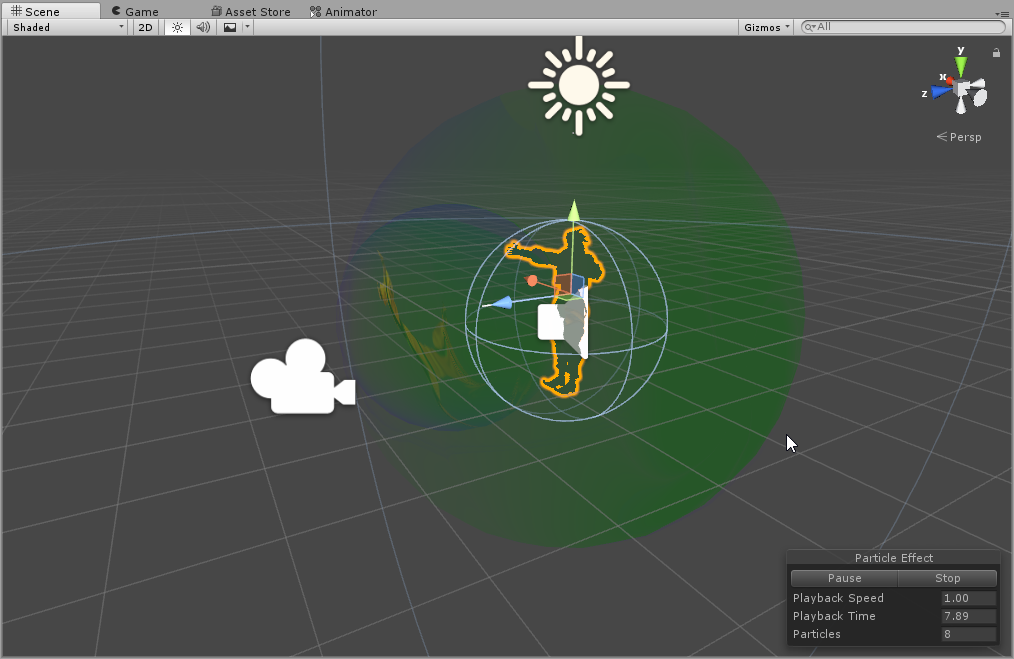
for some reason my animation doesnt work in-game. i mean the body movement is okay but the particle system doesn't appear.
snow blade

 ruby minnow
what's your default animation?
i.e. what is active/inactive on the character itself?

 ruby minnow
heh
should work
waaait
are you only looking in the mirror
or did other confirm they can't see it?
ruby minnow
ah
fading solar
i might have similar problem.
snow blade
is yours 2d
fading solar
nope mine is a particle system that doesnt appear.

 fading solar
well i have that..
 fading solar
its disabled because i dont want it to activate immediately
icy hazel
if i just want an animation off mixamo, can i upload any avatar to yank it?
or does it have to be that one
clear yew
doesn't matter, as long as you save the animation without skin
it's just for checking how it looks
 trim copper
I am adding particle effects to an avatar, and when I connect it to a bone or part, it dissapears
How may I make it appear again?
sinful oyster
alright i fixed the mouth, but my idle animation makes me sink into the floor
is there any way i can fix that
 royal timber
what do I do when I cant move my model in the scene to preview dynamic bones ? It was red when I clicked on play
 gritty whale
hey everyone, i need some help, i have an animation that lasts for 46 seconds, and whenever i activate it on the game, it plays normally but when it finishes im not able to activate again and my hand gesture gets stuck, any ideas?
 lilac dew
https://youtu.be/Epxr3PvW7kQ
having issues with the animation constantly looping until the max time limit is reached. non humanoid rig

https://puu.sh/zfsHU/c29b8e8259.png
animation isint set to loop

 low flame
Is there a video that explains how to make animations with effects in unity for non vr users? o:
 white herald
non-vr users can use emotes that's about it i think
low flame
ya, i'll use for an emote
white herald
well it's pretty much the same
note that all changes you make revert after the emote ends
 gilded heron
Does anyone know how i can add particle effects on my emotes without having to attach the particle effects to the armature of my avatar?
white herald
has to be a child of your avatardescriptor object, what are you trying to do
gilded heron
After I created the animation (with particle effects) for the emote, the effects are lost because I didn't attach the particles on the armature
@white herald What has to be a child of my avatar descriptor object , the particle effects?
white herald
yes
 granite shoal
any good with animations willing to teach a noob?
ruby minnow
what will happen if I assign a non-0 length animation to a hand gesture?
heavy stirrup
From my own experience, it is a bit wonky. It screws up use of my hand for a while after the gesture is over... but that's my own experience
ruby minnow
I see
@heavy stirrup if the animation does not actually change finger bones at all, do you still have hand control?
ruby minnow
makes sense
heavy stirrup
It fixes slowly over time. Again, in my experience
ruby minnow
if you let go of the gesture before animation is over
what happens x)
does it summon Cthulhu?
heavy stirrup
Can't remember, think it still breaks the hand for a bit
I remember using the gesture, and it ran the animation after i let go?
So it probably runs the animation fully
granite shoal
anyone willing to teach a noob about animations?
ruby minnow
oh @granite shoal
are you looking to make items appear/dissapear
or are you looking to do full on animation
I know a good tutorial for the former
granite shoal
nah im making an emote right and i basically got what i need but the final part of the animation is not showing which is the particles are not showing
low flame
Guys how can i put my model back to T-pose in unity, i was making some animations, and now my avatars is the new pose i make in the animation o-o
granite shoal
did you duplicate your avatar before making animation
 thorny fox
anyone tried doing multiple avatars doing animation in game?
thorny fox
im trying to copy the people who are doing the mmd style dancing stuff but i have no clue how they do it
one method i found took... forever for the animations to be loaded into unity
granite shoal
snooblie you good with animations?
and willing to help a noob out for a fairly simple problem?
thorny fox
nope and nope
granite shoal
😦
granite shoal
okay so my emote is a bomb falling from the sky right. I put in particle effects as the explosion but the particle are not showing when i press play
thorny fox
click your particle during play and near the bottom right of that screen there should be a keyword :simulation
granite shoal
the thing is its has like 4 particles
thorny fox
mmmm... stack them on top of each other in the "hierarchy"
click the top one and do simulation mode, then you will see all 4
ingame you dont have to do that
 deft prism
is there any way to animate your model but with the bones being translated? because i've seen that you musn't translate your avatar to english, you need to keep it in japanese
 cursive moon
you don't have to keep it in Japanese to animate
deft prism
but if i translate the animation doesn't work
cursive moon
likely the animation is using the japanese names of bones and such, so you'd have to name them what CATS translates them to
deft prism
how i do that
cursive moon
honestly not too sure
deft prism
feelsbadman
granite shoal
okay im really new to animating right and when i click on my emote it just shows this
 deft prism
is your character setting to humanoid? @exotic echo
cursive moon
Does the knee mesh have shape keys that are called Blink? (Or whatever shape key your Blink animation uses)
granite shoal
@deft prism yes its humanoid
cursive moon
weird
If you're never going to use them, you can delete that shape key from it and reimport the model to Unity
 marsh tide
After I decied a mesh, it seems to have picked up blink shapekeys from the head. But if I delete them form the arms the head explodes when blink is used. Somewhat bothersome.
 midnight birch
How do I get non-humanoid avatars to animate? I've got animations made for the skeleton in a custom override and placed into the custom standing animation but in game they wont play.
granite shoal
anyone willing to make an easy animation for me for free?
its so hard
i just cant
 final gazelle
potentially noobish question: if you have a humanoid rig with some extra bits (e.g. wings), is it possible to animate those extra bits during walk/run/idle cycles without needing to completely replace the walk/run/idle animations?
granite shoal
this is why we are here
cursive moon
Kinda, @final gazelle
Easiest way would be to add dynamic bones to it, but that might not do exactly what you want
final gazelle
ah, thanks for that suggestion -- i was considering that, but i'm currently a cheapskate without dynamic bones just yet 😛
definitely a worthwhile thought though
 unborn sun
If I download a model from vrchmods.com and the model has custom emotes. can I copy/paste them onto one of my own models?
 fathom plaza
@upper parrot Yeah, you add the blendshape by creating an animation and plugging it into a gesture in your animation override.
 celest pewter
@unborn sun depends on what kind of animations like if it had particles then your char won't magically get them
clear yew
Is there a tutorial in how to make something like those glow stick I see some avatars have?
how do you do longer animations? i heard 10sec was the normal limit, but i swear i've seen longer dance anims, and an emote anim override i did cuts off at like 7.5sec
 late phoenix
ive imported an MMD dance before and it lasted quite a while
way longer than 10 seconds thats for sure
 foggy pier
Anyone have any good settings for hair to make it flow well with dynamic bones?
 dusty glacier
could anyone help me make a walk animation override work?
clear yew
need good settings for skirts/dresses....It always goes thru legs when running and generally moving a little to any direction
icy hazel
that hair is gonna depend on your bone setup and how you weightpainted it tbh
i have flowy hair with .5 .1 .2 .5 but it may look totally diff for you
clear yew
For hair I always use - damping .294 - elasticity - 0.08 - stiffness - 0.05 - Inert .4
 jade prism
Can I disable blinking during a gesture in unity if I let Cat's plugin do the tracking and blinking for me. Or do I have to re-export my avatar with blinking disabled
clear yew
Can someone please help me I can't duplicate the 'Armature' animation https://imgur.com/a/gDi5Y

 rapid dock
Ive made an avatar with a saintly disposition but i think the walk is too much of a power walk for him, any way to slow travel speed and animation speed?
I just plan on using the default animations still
 vestal forge
Does anyone know how to make world animations, e.g. for doors and stuff?
 past eagle
Anyone know what's up with this? https://i.imgur.com/HKsPoQs.png
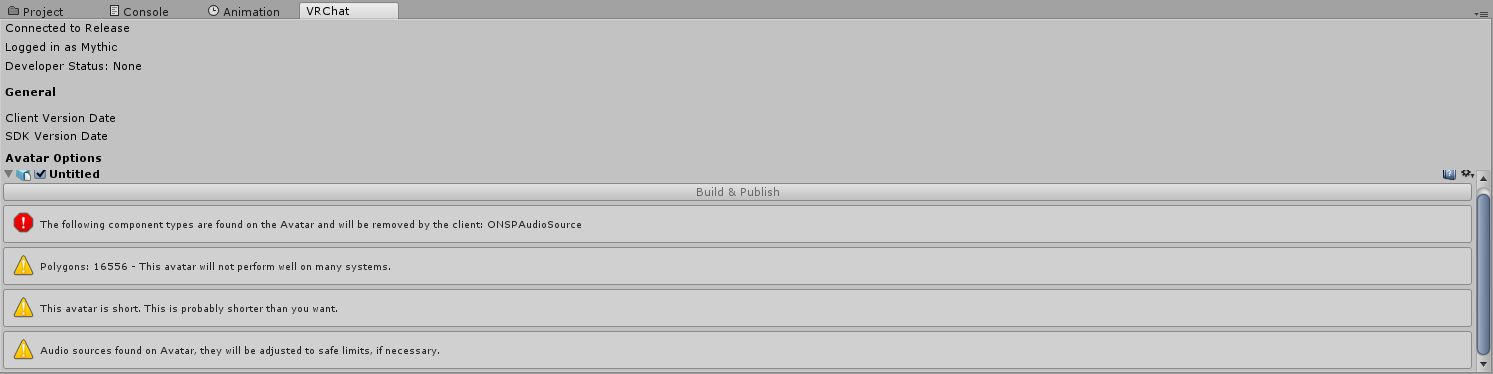
Won't let me upload my character because it has audio on it? Idk what's going on here. The audio I have is disabled by default for a gesture
 wild bluff
okay so i tried adding eye tracking with CATS but now my eyes just always face up, what did i mess up?
past eagle
Figured out my issue
 brazen thorn
https://gyazo.com/b9824bfd2107902cf5a074914f86a4ad how to make these eyes animate on my face?

 warm harness
@wild bluff probably your head bone is rotated
head and eyes have to be perfectly vertical, with 0 roll
fix that and then recreate tracking with cats
there's a google doc being thrown around with everything explained, see if you can find it
 frank parcel
hello everyone
 trim dove
Quick question. Is it normal you can't see props used in animation in the mirror?
jade prism
yeah
trim dove
Thanks
celest pewter
u can see them through a camera if u wanted to see
trim dove
Yeah i see them when i use it but i thought i missed a step.
lilac dew
anyone know a way to move the hierarchy of an animation?
 hexed current
Guys this is gonna sound weird
there's an animation i wanna do
and Idk where to start.
I have a character that has a portal in the game he's from, so I made the avatar, downloaded the model for the portal. I wanna make an animation where he extends his arm, and the portal comes out and I lower my arm, but ithe portal persists. I also need to animate the portal, because it didnt come with in game animations.
 languid nimbus
Hey I have a question
when it comes to humanoid rigs
how do I override walking left/right?
I already have the animation done, I just need to know which ones to put it on
hexed current
I don't think you can
Pretty sure its just automatic when you assign the avatar to the animation
languid nimbus

you should be able to
theres animations for running, spriting, walking, crouching, being prone and multiple directions of most of those
I just can't figure out which one is what
like, what is LT
@grand mango you know this?
Because I can't find any tutorials on it
 meager saffron
overriding motion = good luck. make space on your desk for banging you face into it
make sure you check the loop options for one thing.
languid nimbus
As I said
the animations themselves are already complete
I made them when I made the generic version of the rig
meager saffron
you usually want to bake into pose, but the dropdowns may need some fiddling to get working right.
and yeah they show up fine in unity, but are broken in VRChat.
meager saffron
Particularly if you're in VR. I think the controller positions always override where the hands are at, so the pose gets broken.
languid nimbus
yeah I'm definitely not gunna be a seal in vr lol
meager saffron
Oh, you're askin which one to override?
meager saffron
I always just did all the strafes. I'm not sure which are which.
meager saffron
I think some are for walking forward and strafing, plain strafing, or walking back and strafing.
Also there's more of one strafe than of the other, which I don't get.
meager saffron
Like there's a STRAFERT but no STRAFELT
meager saffron
of course it is. 😄
languid nimbus
then comes the RT ones
wait I see what you mean
but yeah I should definitely make random animations, simple ones though
then test them
I'd need 20 of them though
meager saffron
I was doing that for a while and eventually gave up on motion overrides. I'd get it working right on my screen only to realize that it looks different to other people. Good luck though. 😄 If you crack the code I'd love to see a guide.
languid nimbus
I'm so bad at making guides though
I'd rather plan it and do all the background stuff
make a script or something and organize it
and have someone else do the recording/vo
meager saffron
even a text guide on vrcat would be nice. i was comin' up blank with google searches.
languid nimbus
Yeah
people already know how to do custom idle animations, right?
oh if only mixamo had included animation sambles
meager saffron
Yeah, I think it has a lot to do with the animation you're using though. Like I see a ton of people with the Naruto run, and you can just drop that in with pretty much any settings and it works.
ones where the body moves around a lot are janky.
languid nimbus
Well movement animations should be short
 novel flower
How do you make it so an animation has you move in the world instead of doing it in place?
Downloaded a dance but I'm kind of just doing all these moments in one spot
 icy elbow
hello, I'm currently making a custom avatar for a friend and the avatar needs to be sitting down in a wheelchair. I've used replacement animations many times for other avatars which have worked fine including idle animations, however when I apply a sitting animation to the characters idle he still stands up, his arms seem to be following the animation correctly but he himself is standing up. Does anyone have any idea why this might be? I'm using the Custom Override to replace animations. Thank you!
 agile ruin
Why does the audio source play with the gun animation when i have the gun animation and sound in seperate triggers?
white herald
maybe you have play-on-awake checked?
 timid delta
Are there any tutorials that people recommend for handling animations baked into .fbxs being imported into Unity? Seems like the .fbx comes with one animation file that has all of them in it, they just play one after another.
midnight birch
Can avatars that are rigged as generic have custom emotes?
 wanton trench
Minemoder - well they can but the animations will not work, your character will get stuck in place and you will have to restart your game (I'm not sure if Ctrl+A helps in this case)
midnight birch
Thats a shame. I hope they add better support for generic avatars then
 shut dragon
What can I use to create animations, beside Unity?
It's kinda complex, and Unity just shits on complex
 boreal trellis
Sup guys, can i add music to my custom emotes?
 clear ermine
can anyone explain how i can apply a collider to my characters head. trying to stoip the hair from clipping too bad
 sand apex
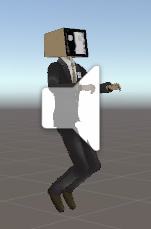
Can you explain? I don't see what you're trying to undo
surreal crater
the knees that are bend
 idle blade
Has anyone else experienced their avatar just freezing in place after trying to perform an animation mapped to an emote button? I know this can happen with non-humanoids, but I made sure this model was rigged as humanoid
sand apex
@surreal crater Is this for an emote, or a gesture, by the way did you make sure to duplicate the character and making the anim file on that?
@idle blade you mean like your character sinking in the ground?
surreal crater
I did make second characters for emotes but i forgot on wich 1 I was and didnt check it 😦
sand apex
oh well either way when making a simple emote your character will sink in the ground by default so you'll have to manually add the bones and etc in the animation file so it's not like that
 safe fog
does anyone know how to disable movement from certain limbs
idle blade
@sand apex No, it actually doesn't sink in the ground- the model freezes in place and the "animation" keeps playing, so the game needs to be restarted
sand apex
and the model is rigged as humanoid? Is the animation for that file have loop unchecked
idle blade
I'll double check about the looping, maybe that's it
 west panther
https://imgur.com/a/xGRgM is it possible to do this to summon an item as well as leave it in your hand with 1 gesture?
 sand apex
It might take 2 gestures if you want those particles to appear in your hand then release that gesture so the particles dissapear right when you use the other gesture to spawn the weapon
 plucky isle
Is there anyway when I enable an object it places it down in the world but I do not want it to move when I move, anyone know, or at least the best body part to attach them to to limit movement
 devout star
Hey guys is there a time limit to an animation?
 hasty viper
I made animation that adjusts the shader parameters like emissive color. I dont see the change in the mirror but I can see it on my visible parts of my body. Does that mean the color change can't be seen by other players as well?
 sharp nova
does anyone know how to add fire particles to a weapon?
 gaunt gyro
From what I know, 45 sec is the limit for custom animation overrides (think of emotes or hand gestures). But of course animations that are triggered by other means can be endless.
devout star
Cool thanks
sharp nova
yeah then there's stuff like this https://www.youtube.com/watch?v=BKXu7g0zezk

like how
i rly dont understand
brazen thorn
https://gyazo.com/b9824bfd2107902cf5a074914f86a4ad how to make these eyes animate on my face?
surreal crater
for some reasons my boombox model dont want to appear when I do my thumbs up motion in game. I already set the boombox on off on my model, my animation turns it on (0 and 1). Any idea how to fix this?
clear yew
https://imgur.com/a/e3yMK https://imgur.com/a/rUng1 Help I can't drag or dupe this animation out of the armature, I've put it so my model is on legacy but I still can't. Does anyone know any fixes?


 undone glade
There a way to make a particle effect go only one direction? As in it doesn't follow my camera by the world it's in?
I'm sure it's an option, but I don't know how to go about it
Billboard Alignment: World I assume?
nope
 icy dawn
anyone here?
sharp nova
is there no advanced animation tutorial out there?
sharp nova
even tho plenty of stuff like this exists https://www.youtube.com/watch?v=BKXu7g0zezk
brazen thorn
Yea, idk
sharp nova
anyone else? :/
undone glade
animations is more experimenting and seeing what works.
unless you're looking for specific things
brazen thorn
So basically you just can't have any animations until there are videos on it
Which will take a little while
undone glade
experimenting
sharp nova
no one is gonna release a video like that lmao cus it's sooooo 'secretive' smh
undone glade
or they know what they're doing already
sharp nova
yeah experiment with what though?
brazen thorn
Basically just play the waiting game
undone glade
@brazen thorn Well what are you looking for?
I could probably help depending what it is
sharp nova
what i wanted to create was a flaming ball fire with fire particles falling from it
brazen thorn
I have eyes/expressions inside my models head, and I need to know how to get them to animate and show up on my face just like in blender
undone glade
@sharp nova Well hell, I just got done doing that for the most part XD
sharp nova
almost like a sun
undone glade
@brazen thorn Are you talking about the shape keys in blender that you seen?
brazen thorn
Most likley yea
undone glade
@sharp nova There are two videos I watched on particles that can help you start out and get an idea on what you want.
@brazen thorn You want to create a duplicate of your avatar before going into the animation tab.
brazen thorn
I've got a gun to work in VRChat
undone glade
That's pretty much the videos
hold on.
Watch this first (there is no talking, but bare with it)
https://www.youtube.com/watch?v=61vO-IswFps
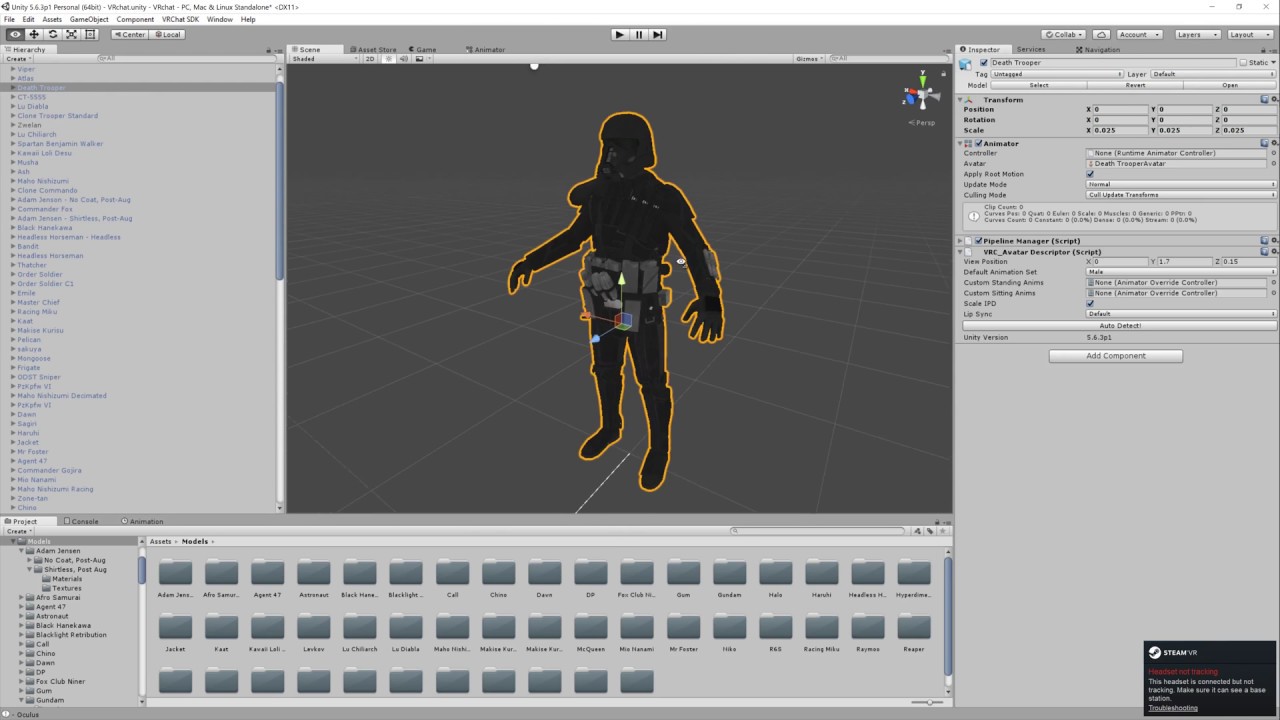
Basic VRChat gun animation override. Audacity used to convert audio files to .ogg.
sharp nova
then?
undone glade

This video assumes you have already watched this one: https://www.youtube.com/watch?v=61vO-IswFps&t=546s *Make sure you scale your model down to the size y...
sharp nova
wait the thing is that's a weapon, i just want a ball of fire sorta thing
undone glade
That seriously helped me get started with particle effects.
Just particle effects in general
You'll be doing the exact same stuff to create your ball of fire.
 blissful frigate
@brazen thorn in the animation, use the "body" to find and animate your blendshape
sharp nova
i've already watched them videos and they don't explain how to make particles circular. like they're in a line.
undone glade
I'll dm you, hold on.
 blissful frigate
it should just go through the floor like normal animations
celest pewter
for the crazy particles u can look up guides on them and work ur way with creativity
brazen thorn
got it, thank you @blissful frigate
I am so retarded
idk why I didn't look down there lmao
blissful frigate
no problem
celest pewter
there's also a bunch of prefabs if ur lazy
blissful frigate
i think most use prefabs close to what they want and edit the properties to get what they like
😄
celest pewter
yee
brazen thorn
oh and how do I get it to stay like that while I do I certain gesture? Like a toggle
Or do I just have to hold the gesture like all animations?
celest pewter
ya
blissful frigate
yep
brazen thorn
rip
 signal dove
I imported a custom falling animation
Now when I fall my character spins like a top except for the head
Spinning is NOT part of the animation, and doesn't appear that way in the Unity previews
 small tapir
So im trying to make so lighning is around me like an aura anyone know how i do that with particles? Tried to use attractor but i can't upload with that so need to find some other way
 sullen arrow
im trying to make a running animation for my avatar, but when i go back and forth between the frames, the model resets back to it's original pose. how do i fix it?
 fluid light
can someone help me?
i joined all my meshes and did the visemes in cats blender but when i go in unity this happens https://i.imgur.com/WbtpqtY.png https://i.imgur.com/pw5QmaD.png
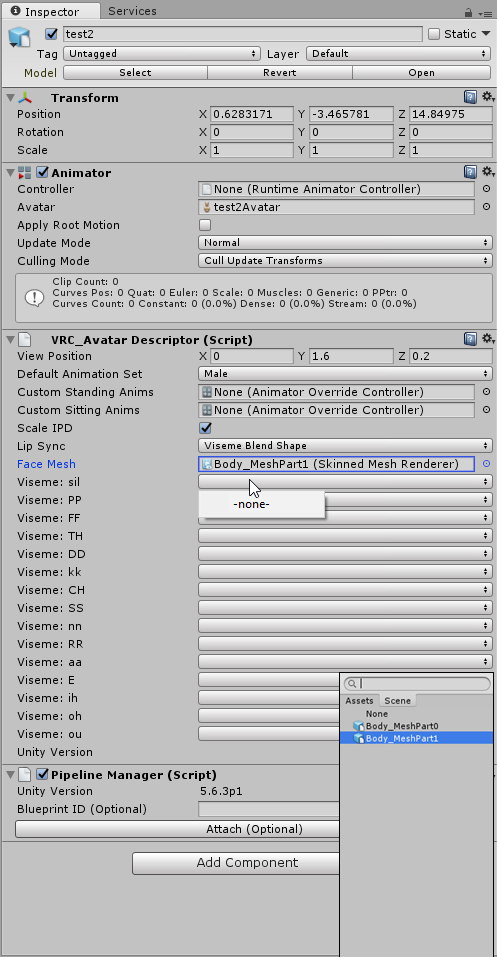
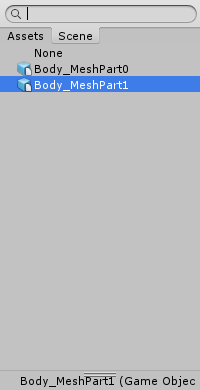 shut dragon
What do you guys mostly use for making the animations? Like, from bottom up
fading solar
im trying to set an animation on simple avatar controller and the model does not do the animation right, from the copied animated model.
 fickle rune
how do i animate root motion?!??!?!
 cinder dune
when i import fbx with animation, n i set the rig to humanoid, my animations broke, is there any remedy to this?
ok i got it fixed, thanks :p
uhh my bad i didnt set it to humanoid, well, the problem is still there :/
 mint solar
Is anybody up to help me with a animation? may consider commisions, hit my DM's ples
clear yew
Anyone know how to make/add a blink animation to your Charcter?
thorny fox
how do i animate my character to change position? it doesnt work for me
cursive moon
@clear yew https://www.youtube.com/watch?v=jrfx3v45OJU

In this video you'll learn how to make your VRChat custom avatar blink. Read the description for more information. Timestamps: 0:00 - Demonstration 0:11 - Tu...
clear yew
Thx Batter
 peak hare
im having a bit of a sound problem, ive got 2 animations one to spawn the weapon and thats it and another to do a sound effect but the sound happens on both?
 raw sparrow
You most likely only put said gun on hide and didn't do it to the sound source to. Making it active automaticly.
thorny fox
hi
ayone know how to make your avatar move to a different position? like i want them to float in the air for abit?
im tried a bunch of stuff like moving my bodh/armature but nothing happens
 sweet zealot
does someone happen to have the .anim file for a not messed up snake dance? the one i have has busted legs, direct from mixamo.
i tried realinging the legs to be proper but they got worse
cinder dune
well i can now animate on unity but when i upload, it doesnt have animation, what am i doing wrong? am i missing a step?
peak hare
@raw sparrow ive put the sound connected to the weapon so when the weapon is hidden so is the sounds, is this right?
if you want i can send an image for reference
 jaunty gull
Hey friends
Ive been trying to get an animation to work for the last couple days and im out of ideas
I have an anim where my avatar is holding a sphere in its right hand, and its got a skybox shader
and in unity, it looks like it should be working, even through the animation's duration
but when i do the animation in game, its completely invisible, but my hand still makes its proper movement
white herald
the only thing i could guess is that the sphere isn't a child of the avatar but i'm guessing you're past that
peak hare
Yea i was thinking the "is Active" in animation
im still trying to fix this stupid sound problem....
jaunty gull
yeah, i have .isactive and its a child of the right wrist
i know ive seen people with basically the same thing in game before
 slim steeple
Is it possible to say, get a character model, place it under my avatar, animate it, and then have it be with you in-game? for example, get a model of a dog/cat, place it where it'll be rooted at, give it idle animation and run animation, then have those still function in game?, those are still 2 seperate models with each having bones, and I have already overridden my idle for my avatar so I'm not sure how to have the other model also play an idle animation when my avatar idles with it's overridden idle animation, is that even possible?
thorny fox
hii anyone good with animations? trying to make my avatar move to a different position
 fervent thistle
i just added blendshapes to my neptunia model and it distorted the face a lot
would anyone know the cause? they seem to be perfect in blender, and reimporting doesnt seem to fix
https://cdn.discordapp.com/attachments/337090076729409536/409564224449282049/unknown.png
https://cdn.discordapp.com/attachments/337090076729409536/409564289632960512/unknown.png

 gritty whale
so i have a 45 seconds long animation in unity for custom animation override, and if the hand gestures are not 1 frame long, it gets buggy in vrchat (for example after the animation is finished, i cant activate it again and my hands gestures get stuck), the problem is, i have multiple hand gestures in those 45 seconds and i cant make them the entire animation 1 frame long , is there a way for my animation to not get buggy even though its 45 seconds long (im trying to replicate a scene from an anime)
 eternal geode
If someone with non humanoid animation experience has a moment i ran into some problems >.<
My animations are completly done. I exported them from blender and used the specific keyframes in unity. I placed the Model and added the VRC_Avatar Descriptor as usual. Then i used the Cusome Override and replaced the animations as i wanted it to be. Uploaded it but it didn't accept my custon animations. What did i do wrong? >.<
 devout igloo
so a friend of mine edited and fixed up a model for me, and I'm trying to redo its animation override
Before, when I went to the "animation" tab it would simply give me a "create" button to click
But this apparently has a bunch of animations pre-loaded in and I can't find the "create" button anymore
the internet says it should be in the list of animations to choose from, but it's not there for me.
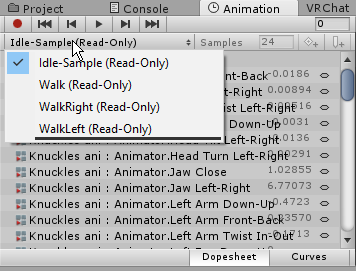
 mystic umbra
im very new to animation in blender but is there someone here who knows how I can revert the changes I did for animation inb pose mode and go back to my original tpose but keep the information of the keyframes
 pliant plank
@mystic umbra in unity?
Oh wait, brain is potato...
I think hitting reset pose can give you the desired result, if not i think you can duplicate the animation frames for that part in unity
devout igloo
Fixed my thing. Apparently if that happens you've gotta create an animation in the project folder and drag it directly onto your character in the hierarchy.
devout igloo
If a collider is animated to move into/appear on a player's feet will it move the player (camera included)?
cursive moon
unless the foot has dynamic bones and those dynamic bones are set to collide with those colliders then they shouldn't
devout igloo
well I mean like for isntance there's a flight "bug" that's been out forever where if you have an object with a collider on it and you put it under your feet you'll go flying
But currently that's caused by attaching the collider-enabled object to a limb like your hand and pointing your hand toward/under your legs
If you were to simply make an object with a collider animated to slide under your feet would it interact the same way?
 spice nimbus
How do I prevent my avatar from blinking when doing a gesture? The added blinking movement screws my expression up
 native aurora
how to fix General model custom emote that looped until 1 minute?
final gazelle
@slim steeple i can confirm that you're able to put secondary models/armatures on your avatar, but some very weird things seem to happen if they share any identical bone names, or if both of them are humanoid rigs that fully rely on VRChat's IKs to animate (one of them will very likely be in a static T-pose).
Also not too sure if the secondary model(s) know to change animations based on normal inputs like walking/running/jumping -- i'm guessing your best bet to change their animation states is to put a trigger on one of your emotes that makes them do something else (e.g. telling the dog to do a backflip, or something)
 grand loom
Is there a way to test if props diappear when set to be hidden? (ex: Prop on back hiding when gesture for it to appear in hand is triggered) It seems like mirrors don't show hidden/unhidden objects correctly
eternal geode
Can you somehow use custome animation if you don't use the standard animator controller?
 high summit
So I've seen a lot of people use animations where they have a weapon or something and they still hold it while they walk around, how would you do that? And yes, it definitely is an animation, it's not stuck on the model
eternal geode
Let me try another question then. What ways do i have to trigger particle effects in a way that only plays the effect once without spaming it? ^^
mystic umbra
yuki there is a way for like single animations, like an object flying around a person avatar. but I havent seen anyone with a nonhumanoid avatars have access to the custom overlay
eternal geode
@mystic umbra So the only way are custom emotes as a trigger? hmm
mystic umbra
and for particle effect just turn off looping and change the lifetime
well there might be, but I havent seen any proof so far
I know of people who apply single animation to object so those object fly or follow them
 plush merlin
Has anyone here had success adding a marker to their avatar, I've seen plenty of people with different ones, but every one I try fails, and trying to play charades to have a conversation is no fun
eternal geode
Yeah i do have a sad dinosaur with raincloud over its head. But my main issue is a magic circle particle effect with a little bit of sparks here and there. I don't wanna be annoying and run that 24/7.
So i kinda had the hope there would be an alternative to trigger a particle effect once. It really is hard to find information about that overall.
brazen thorn
Is there a way to transition my base facial expression to a different one? Or is it just like spawning in weapons?
plush merlin
I've tried snail and NoeNoe's
mystic umbra
you can with shape key animation senpai
brazen thorn
I have it set to 0 at start and 100 1.5 seconds later, but then it just loops, I want it to stay in that facial expression while I do the gesture and then transition back to normal. I don't want it to just suddenly have 1 expression and then another
Also not sure who keeps changing my name on the server
 surreal mauve
slim steeple
surreal mauve
slim steeple
which rig should I use if I want to animate a quadruped with my own animations? and do I need any special components to have them play their animations?
small tapir
Particle systems do i need to put it on an item before putting it on my wrist? im trying to make it a weapon
spark veldt
How do I do shrinking with a model?
I got ant-man
and I want to have a toggle
is that possible
 rancid furnace
@small tapir should be able to just put the emitter on your weapon
@spark veldt use the transform option when adding a property to an animationn aand you can scale it there
spark veldt
can I do it on command tho
rancid furnace
yeah just use a custom override to activate the animationn with the scaling property
small tapir
@rancid furnace I don't have a weapon im trying to make the particle system my weapon it's lightning shooting out from my hands, but when i put it right on the wrist it don't show up ingame that's why i wonder if i need to put it on something
rancid furnace
nah you should jsut be able to put it on your wrist and point it in the right direction. it works in editor when you simulate it?
small tapir
Yes it worked in editor when i simulate but not showing up in game
rancid furnace
nah that's fine, im talking about the option near the top
simulationn space I thinnk the settinng is?
options for local, world and custom
small tapir
Oh it say local on all only place it say world is under collision
rancid furnace
that should be fine then hmmm
small tapir
Im going to try to make a small item and try with that, i have seen that some particle systems i put on bones get's like abosorbed and only shows on the inside
Hope you get what i mean hehe
 sharp epoch
Anyone here know about Audio sources? I've got one rigged up to play at a keyframe in an animation but when its played in-game, it sounds all choppy and cut up. However I have a different audio source that plays on awake whenever I spawn and that sounds fine. Anyone know what the issue might be?
pliant plank
I don't want to blame every audio issue on the changes to audio sources but... no actually i do want to do that
sharp epoch
Never seem to be an issue for us?
pliant plank
I don't quite understand that question
sharp epoch
Unless you mean the latest updates in VRchat
pliant plank
ONSP getting removed removing any sort of volume increment for maxrange, Minrange capped to 2 meters making it impossible to hear further, Custom Rolloffs capped so inverted curves are impossible hence same issue as ONSP getting removed...
sharp epoch
Ahh gotcha, yeah thought that was an issue. I thought you meant that audio sources were the cause of people getting the reverse audio glitch
pliant plank
That's what i don't get, i've had that happen without audio sources present iirc, so i highly doubt it
small tapir
@rancid furnace So i just made a ball as a fake weapon so i can put the particle system on it, but in animation do i add the fake weapon or the particle system? 😃
rancid furnace
either is fine, if you don't want the ball to be always there then use the ball
small tapir
Im under 20k anyway so 2 small balls don't do much 😄
slim steeple
Alright, so here's a toughy, I have a "prop" as in, another model that has armature under my main avatar's thing, it's animated and all's well, but in-game my avatar just gets stretched as far as where the other "prop" is which is a few inches behind it, I also noticed my avatar tries to use the "prop"'s bone animations as it's own even though the "prop" doesn't have any sort of animator or avatar, it's model is even rigged as generic, any solutions for this?
I still question whether such a thing is even possible because it's literally having another avatar follow you around with the avatar not actually being an avatar
small tapir
I have one more question, if i wanted my eyes to change texture when i pull my weapon can i just switch the texture on the eyes on the animation copy?
rancid furnace
the animation copy is just a doll that you use to make your animations, anything you change on it doesn't change the animation
you've need to have the animation itself change the texture, I think it's possible
timid delta
Is there any way to loop an animation or would I have to keep instantiating the button press/motion?
small tapir
@rancid furnace Thanks for helping 😄
rancid furnace
@timid delta animations loop by default
 azure iris
im new to overrides but i want to make sure i create my gestures properly in mae, is there leeway or do my values have to be exact? is there a reference somewhere in the sdk or done by a third party?
 stray sinew
I've seen a guide to making the ability to draw with your avatar's finger, but how do I set it in a way to be able to lift and leave the drawing there visible and how do I make a delete all drawing ?
 wise minnow
can anybody tell me
another people have caramelldansen animation, they do it manually, or can I download somewhere? on mixamo not found 😦
 tame swift
Is there any way to edit original vrchat anims for custom avatar?
 west patrol
Just started learning how to override animations, added twerk dance, but i downloaded also some sit poses that are .vpd files. do i simply drag those down as well? or is there a process?
youtube didnt have a tutorial that i could find on this specifically
clear yew
I have a vehicle avatar with a weapons fire animation, but I can't get it to trigger by key press. I followed the tutorials, but VRC_Event Handler, VRC_Key Events and VRC_Trigger are ALL getting red flagged as something that cannot be used on avatars, thus I cannot build my project until I remove them. WTF??
white herald
i don't think keypress animations are possible
at the moment it's only emotes and gesture overrides
@clear yew
 tall zodiac
So uh, was asked to say in here but, my particles die when i close my fist. Is there a way to fix this?
white herald
when you close your fist? as in when the animation override ends?
instead of enabling/disabling the particles, you could animate the emission settings, maybe
tall zodiac
as of now, i have it enable the particle system when i close my fist but as soon as i end that gesture it killls it
hmmm
Emission Module Enabled Maybe 🤔
 cosmic hawk
hey, do you guys mind if i ask for some assistance? 😰
cosmic hawk
so I've pretty much gotten to animating bringing a sword out and stuff, doing it in vrchat I can see it, it works but only I can see the sword
i'm not sure what i've done wrong 😦
cosmic hawk
i think for both
i couldn't see it in the mirror and i've tried swinging it in people's faces, no reactions whatsoever
tall zodiac
I dont think you can see animation overrides in mirror if its not like a blendshape
atleast i cant
cosmic hawk
ohhh okay
tall zodiac
If its just enabling the sword like in tutorials it should work for other people.
 scenic shuttle
whats the best way to add tracers to a pistol when firing?
tall zodiac
if its a particle system for the bullet it should have a tracer compontent
scenic shuttle
is there any tutorial out there i got the particle system set up but i dont know how to make it look nice
rancid furnace
How would I go about having something that follows me around move slightly delayed after me?
 toxic solar
Alright, simple inquiry: Is it possible to use an animation to "lift" an avatar higher/off the ground? In theory, just having an animation that raises the avatar higher of the Y-axis should work, yeah? However, it ignores such thigns when assigned to hand-gestures (Hence is why pointing your finger in VR won't make your avi jump into the animation pose) so is it even possible?
@rancid furnace If I were to make an attempt at something liek that, I'd make it a dynamic-bone and lock the Y-axis, so it sorta just slides into place with a little delay.
Best I got.
rancid furnace
You can fly if you use colliders in some way, I'm not sure how tho
I've done it by accident once but it was buggy
 little raft
anybody knows how to make your avatar just float? Like the tiny fairies avatars thats in some world, I need to make my avatar get off the ground a little bit.
 torn pawn
@little raft you could try moving the ankle and toe bones under the ground level in blender
you're standing on your bones, and if mesh is above the bones, then you're above the ground, but I don't know the proper way of doing this though
little raft
@torn pawn ah, so pretty much try and make the center offset, then I got to lower the whole thing in blender?
torn pawn
i mean you can just drag down just the ankle bones (if toes are unmapped) under the ground level
you are standing on your bones, not mesh
this way is prob just sloppy bandaid
 topaz barn
@little raft Have you tried to do that in unity?
torn pawn
what i found that adjusting bones in unity doesn't always help, so I ended up fixing ground clip in blender
little raft
yeah tried making bones longer on legs and stuff in unity, and even in blender, but no matter how big the leg bones are it will snap back down
so, just move the ankles down, ill give that a try then
 ancient kindle
mabye a stupid question but is it possible to make an animation which does not reset the model back to before the animation happend? (so a transformation animation like for robot cars ect)
rancid furnace
^ i'd also like to know this, i tried unticking loop earlier and it didn't work
white herald
yeah all animations revert back to default state
workaround is to switch avatars lol
ancient kindle
pffff, it isnt possible to make the animation change the avatar then is it? like attach a script or somthing
white herald
no scripts
rancid furnace
I've seen someone get a sword out before and then it grows and stays large
Perhaps they just made the animation super long and had it grow early?
torn pawn
growing sword 😏
rancid furnace
it was a sword, i swear
lilac dew
does anyone know how to prevent a generic avatar from getting stuck in 0, 0 position during its idle animation?
little raft
offsetting the ankles under the center of origin in blender did the trick, it does get a bit higher, thank you
white herald
@lilac dew under animation import settings, you have to check the bake root motion boxes for each animation
lilac dew
https://puu.sh/zgBz0/245fa35aa6.png
doesnt appear :/
 white herald
"root motion is driven by curves" oh to hell with this error
never figured that part out, i started over from a fresh fbx
then the option should appear
lilac dew
 white herald
strange
lilac dew
it appears when i change the rig to humanoid, not for generic though..
lilac dew
ah...
white herald
some things are just not possible in vrchat as generic
lilac dew
i mean ive seen it done lol.. when i asked the guy he just ignored me _(:3 oh well.. ty anyway
white herald
really? are you sure it wasn't humanoid
lilac dew
pretty sure it wasnt, since he could move around while the animation played + head wasnt stuck to one position
white herald
maybe this helps? https://docs.unity3d.com/Manual/RootMotion.html i should have read this a long time ago
you have a root bone set in the rig settings right?
lilac dew
yeah
i somehow managed to get the bake into position settings to show
animation still stays at 0, 0 though..
 peak summit
So I have a question. I have this wip of an animation here https://gyazo.com/a42cf88e95aff61226acdaf6def836e9 the creature uses a premade animation in its override to emerge. Is there a way to make it so I don't have to make duplicates of the creature with different overrides to go through some of his animations?

Or is making separate animations with the duplicates the only way
lilac dew
you can always drag and drop the model into the animation inspector to preview it
peak summit
That's not what I'm asking but thank you
 rich frost
So I'm trying to replace some of the default movement animations on my avatar. Would it be common for some of these animations to not play out exactly as they do in the preview? For example, my replacement for "WALKFWD" Looks fine, but in-game, it looks barely anything like the preview.
 woven hinge
does anyone know how to add gravity to something with dynamic bones? so like a chain will always point downwards instead of sticking out for example
rancid furnace
@woven hinge 0 elasticity and force Y -0.001
cursive moon
add a negative Force to it on Y
woven hinge
tyvm
 signal raptor
quick question. i have a particle system that is active all the time and i wanted to change colors on a trigger. so i just duplicated it and changed the color of the duplicate and made it inactive and used the animation to deactive the primary and activate the new color
however then i was thinking and was wondering if its possible to have the same particle system just alternate the color instead creating a duplicate?
 indigo cape
Any one have a tide pod model?
 serene crag
I just set up animations for a pistol I added to my MMD model and it seemed I did everything correct it's just that in game my pistol stays visible even when i'm not doing the hand gesture I overidden.
clear yew
@signal raptor You can set particles to be random colora from a gradient, then set the gradient to hold instead of blend
 topaz granite
Hello. I've run into a problem with one of my animations. It's a longer one (around 9-10 seconds). The problem with it is that I've set it to a hand gesture, but each time I play it, my hand gets stuck in a weird position for around 10 or so seconds and I can't use the animation again after it played. Any ideas why that's happening?
 nimble mason
Anyone know how to fix the issue where your animation overrides flicker rapidly? It happens even though my override is for 2 frames and I can seem to solve the issue.
topaz granite
@nimble mason make sure you have an object active in both frames
signal raptor
@clear yew wouldnt it cause it to change colors when activated through the animation or would it only change to the new color and hold again?
i was looking through it and i can add color module under the particle system and make that active couldnt i just change the color then on that ?
nimble mason
@topaz granite Yeah, its active consistently throughout the animation but the issue persists.
It's with facial animations if that helps ^
topaz granite
Are you sure you have set it active in frame 0 and frame 1? You can switch between those using the timeline above the sheet and by the little arrows above properties.
nimble mason
Just checked - everything appears to be correct
 glacial monolith
How does one achieve sync with audio like this? it's like an equaliser http://www82.zippyshare.com/v/6lsvmLyl/file.html
Zippyshare.com - Free File Hosting
nimble mason
@topaz granite Just noticed that one frame had it set to 0. I think it's fixed now
topaz granite
:p
nimble mason
thanks lol
clear yew
@signal raptor I think you can animate the color module; you can also set the Start Color to be random
signal raptor
well i want it to go from white to red.
im essentially simulating anger changing the color of this and my facial expressions
cursive moon
Anyone know the default muscle positions for the VRChat hand gestures? Just wanna add some facial animation to them without affecting the hands.
signal raptor
@cursive moon you should be able to grab the values out of the stock animations in the sdk
cursive moon
Oh, really? Neat
signal raptor
i tried duplicating the animation and just adding onto it and that did not work but i think if you only take the hand bone values it should work fine
gaunt gyro
I wonder if I would be able to take the CAO template and edit it to support hand gestures split up for left and right hand, so you can add twice as much gesture animations.
cursive moon
Er, where? VRCSDK > Examples > Sample Assets?
signal raptor
animations then male animations or somethign like that
 placid oriole
let's say I did my animation on my backup avatar, dropped it in my main avatar and now I need to do smth else in my animation but neither of them moves now during "play mode"
signal raptor
male_standing
cursive moon
ohhhh neato! Thanks!
signal raptor
let me know if that works, ive been too lazy to try haha
but would be nice to also get my hand gestures back lol
cursive moon
I don't have a VR to test, but when I get mine I can, ha
signal raptor
also @gaunt gyro if you can figure this out and actually get it to work...im not sure if possible or not...but i would love to hear about it
i have seen where people have been able to do combo animations that require both hands
for example holding fist on 1 hand will do an animation and while still holding fist using fingerpoint on the other hand will do a different animation
gaunt gyro
Well that's just as easy as assigning two animations to two gestures...
I even did that, where I added an object to my left hand using rock&roll, and another object on my right hand using handgun. So when I do both rock&roll and handgun, I have both objects in my hands.
However, a complicated setup for a single animation triggering on a combination of two hand gestures would allow you to have 10 different animations instead of 5.
Imagine I number the 5 different hand gestures as follows:
FINGERPOINT = 1
HANDGUN = 2
ROCK&ROLL = 3
THUMBSUP = 4
VICTORY = 5
So you can have up to 10 combinations of either of these hand gestures:
1 + 2 = 1
1 + 3 = 2
1 + 4 = 3
1 + 5 = 4
2 + 3 = 5
2 + 4 = 6
2 + 5 = 7
3 + 4 = 8
3 + 5 = 9
4 + 5 = 10
But you know, instead of complicating shit. We might be able to edit the CAO into allowing split up hand gestures. So we don't have to use BOTH hands to trigger one animation.
placid oriole
well for vive one animation override the other
 cloud copper
Can anyone help? When I have a custom emote installed my visemes stop working for some reason?
 vapid dagger
some custom emotes seem to override visemes, not sure if it's possible to fix it, I'd personally just take the emote off
cloud copper
I made both the visemes and emotes on blender, just not the avatar. Is there a setting I maybe forgot? I'm super new to all this
white herald
unless your emotes specifically animate the talking visemes, that shouldn't be happening
there must be some weird thing wrong somewhere
actually i'm not sure if it's even possible to lipsync while emoting?
 solid trail
Wait so if you do say Victory in your right hand, will it play the animation you have on your left hand?
Because i just did it for the first time, in my left hand i hold a portal cube and in my right i hold a portal gun
will it work that if i do the gesture in my left only the cube will show?
 next shard
hello i'm trying to create a simple snail marker for drawing and writing but it is not working in game even tho it works in unity when i just move my character in play mode. It does the fingerpoint gesture but nothing is coming out in game. I followed this tutorial: https://www.youtube.com/watch?v=nKNvjIw5KwM 🤔

Link to the Snail Marker package: https://github.com/theepicsnail/Marker Link to the Muscle Editor I used in the video ($15 USD): https://www.assetstore.unit...
cloud copper
@white herald even without emoting it doesn't work. It only works when i remove the custom animator overide.... guess i'll have to look into it more
white herald
now that i think of it i don't remeber ever seeing people's mouth moves while emoting
or do you mean even when you're not emoting
white herald
very strange, can't think of anything
@solid trail as far as i understand gestures are not hand-specific
next shard
so eh anyone know why nothing is coming out? 🤔
 ionic cobalt
Got a question about animation overrides. I've created custom locomotion animations which have clothing movement (non-Mecanim) baked in, but VRChat completely ignores the animation of the extra bones. Does anyone know if there's a way to solve this, or is at least able to confirm that this is a known issue or design decision?
white herald
@ionic cobalt have you enabled the non-humanoid bones in the animation mask in the animation import settings
ionic cobalt
When the animation was imported, it copied the model's avatar. Would that be where I do that, or must it be on the animation FBX's themselves?
white herald
the animation fbx import settings
ionic cobalt
Kinda deleted them as I didn't need them anymore, but let's see. Gimme a sec...
Huh. I had no idea you could set an individual animation to mask what it animates...
@white herald thanks for the bad news, as I now have to redo about 16 animations XD
ionic cobalt
Nah. It doesn't appear I can. Luckily I should be able to just copy the keyframes from an old one to a new one.
I find it strange though that setting any animation as an emote fixes this issue. Both emotes I customized have no problem, and even locomotion animations set as emote overrides don't have this problem.
 young moss
So I'm trying to import a custom sitting pose but I don't know how to add a custom override
atm i can sellect CustomOverrideEmpty in VRC_Avatar Descriptor
 wicked crown
"looking for away to create onscreen effects but from an avatar.. normaly i would just solve this with a script.
Basicly like firstperson dirt/blood splat. Ive seen someone achive this with bugs.. but I have no clue how to even go about this without be able to attached scripts to avatars.
Suggestions?
Basicly end goal other user gets hit with water gun.. Screen looks like hit by water."
Still trying to achive this if anyone has any tips been at it for around 4 hours toying with shaders. But suggestions dont need to be shaders anything will do.
Basicly this but with water. https://clips.twitch.tv/EnergeticBenevolentCamelBabyRage
 mint solar
Anybody know how I can get a 4-legged avatar to work in vrchat?
heavy stirrup
Yes and no... they have their own problems. You can't really get them set up well and still have full-body IK, and so far I've only either gotten proper walking animations -or- the use of emotes
At least in my limited experience
thorny fox
anyone have a solution to make audio systems... audioable? ping me please!
mint solar
@heavy stirrup I just need a walking and idle animation working for it
Dont need to have full tracking or whatever
heavy stirrup
Then just set it up as generic, and create your own animations on the model after setting up the rig
you can create emotes, but they loop for 90 seconds unless someone knows how to fix that
mint solar
Ah, gotchu
clear yew
Do the default animations correct for differently proportioned characters?
heavy stirrup
It can get pretty awkward, especially if positioning is off
clear yew
If I was to create custom animations to overwrite the default would I be able to animate how the clothing and hair should be like or can't if I plan to use physics on those bones?
heavy stirrup
Animations work fine, just different
Most my things end up being buggy though
clear yew
Do you know if there may be a place or way to get references of the default animations?
Even if it's just an animated skeleton
heavy stirrup
I don't, never had to. Others might know
cursive moon
@clear yew I believe you can find the default animations in Assets > VRCSDK > Examples > Sample Assets > Animation. If you open Male_Standing_Pose, all the default animations are in there.
clear yew
Would this be within Unity?
cursive moon
Yep
 full breach
Is there video tutorials out there that shows how to make longer animation overides or even animate your own emotes?
 cedar moon
any way to get a vmd animation for a non-human object into unity? I keep trying what the video tutorial say but then when I look in the animation tab of the character, it says the avatar has no animation data
ionic cobalt
@white herald the suggestion you gave me appears to have no effect on the final result in VRC. It appears that the locomotion layer completely ignores all non-Mecanim bones in animation overrides.
@grand mango is this ^ a bug?
topaz barn
how do I spawn an item that is fixed in place and not following me?
ionic cobalt
If you're talking about with avatars, you can't. Everything you can "spawn" is actually just a scaled-down and hidden object that is enlarged to make it look like it's appearing. Therefore, it will always follow the character.
ionic cobalt
You can't. There is zero way to create a Game Object in Unity dynamically without using the Instantiate function in code, which is not allowed on avatars. To that end, any object you want to appear must already exist on the avatar and simply be hidden by default.
It follows, then, that, as code is not allowed on avatars, you ALSO can't move game objects out of avatars (so that they're not child objects) in order to prevent them from following an avatar.
clear yew
Can anyone help me with snail marker
it is bugging for me when i try to add it
hand movements are super slow when add it
And snail marker does not work
and when it did work once was always on
 junior ferry
is there anyway I can make the Panosphere Shader move?
full breach
I think there is a way to have a object in your overides to not be parented to the model. I saw a midna with a piano that stayed in one place while she walked around
white herald
@ionic cobalt i swear i got a humanoid tail idle animation working ingame once. never been able to replicate it though. I'm guessing that the bones must be a descendant of the humanoid hips bone. I've spent a long time trying to get it to work again with no luck and finally gave up. that's all the help i know of
the one i got working was just using the animation override for idle. the animation was part of the model fbx, i never duplicated it.
@topaz barn if you add a rigidbody + collider to the extra object it should stay in place
though results may vary, i've seen stuff float into space for one person and stay in place for another
ionic cobalt
Well let's see if I can test that quickly... It might also be that Idle is exempt from the ignore. I'll have to see...
white herald
i had it set to walk backwards as well and it "worked"
i hadn't messed with the animation controller itself at all
ionic cobalt
Let's see if I can get away with reparenting the skirt bones in Unity real quick.
Ok, let's see if doing it in Blender works...
glacial monolith
hey guys, I made an animation for an emote in unity, it plays in unity, but just locks me up when i perfrom it ingame, any ideas how I fix it?
 pine sparrow
I want to make my avatar's ears turn back when I make an angry face
but the bone rotation is grayed out in the animation panel
and I can't rotate the ears, they reset instantly
help D:
I can probably do without it for today, but it was such a good idea 😦
ionic cobalt
@pine sparrow I noticed this is a weird but understandable limitation with Unity. If you want to modify an animation, you have to associate that animation with the game object you want to animate. Firstly, make sure you're not trying to edit a read-only copy by copying the animation out of the FBX file you used to import it, using Ctrl+D, Create your own custom Animation Controller. Duplicate your avatar. Use the Animator component found on your duplicate to assign the controller to the duplicate. Create a new empty state in the controller's state machine (Animator window). Assign the animation to the new state's Motion property. Once you do that, clicking on the duplicate avatar will allow you to view and edit the animations being used in the controller.
pine sparrow
@ionic cobalt ah sounds really complicated, I haven't messed with the controllers and things at all yet, I'll have to look into that later
thanks for the help though
I thought it might have something to do with the bones inheriting position and rotation as a part of the humanoid animation system...
ionic cobalt
Nah. Unity just won't let you add non-humanoid animation keyframes without you associating the animation to the object whose non-humanoid stuff you want to animate.
pine sparrow
I see
ionic cobalt
@white herald no dice. It just won't work.
clear yew
Personally does sound complicated from my perspective
ionic cobalt
It's a long process, but it's actually kinda easy. Just a little annoying and tedious.
pine sparrow
well I got a mad face, a licky face, a surprised face, a happy face, grip controllable eyes, and an OK sign on my left hand instead of thumb up 😛
pretty happy with the upgrades if they work right
clear yew
Animations can be created within blender and transfered over to unity?
ionic cobalt
Yes. They can.
NOTE: Do NOT create multiple animation takes in Blender. Just put all your animations in the same take and separate them in Unity using the import Animations tab.
clear yew
Definitely good to be aware of, though what happens otherwise?
ionic cobalt
Make sure you're using a complete keyframe set for every bone at the begining and end of each animation, so leftovers from one animation don't bleed into another.
FBX files only support one animation take, so Blender will only export the first and Unity will never see the rest.
clear yew
Right, have had troubles with that before while trying to upload to Sketchfab
Thank you Nifty
clear yew
Still need to learn about those
ionic cobalt
It's the same as every other override, except it appears they completely ignore all non-humanoid animation...
thorny fox
hii anyone know how to get audio to work properly ingame
clear yew
I have yet to get into Unity but have heard similar things which scared me
thorny fox
been trying to find someone who knows about this for a while @.@
ionic cobalt
@thorny fox Are you trying to get an audio clip to play for an animation?
clear yew
Hello snooblie, am not familiar with how
ionic cobalt
Uh. Sound settings in game, maybe? Check your PC audio?
thorny fox
mm i dont think you know of the problem
ionic cobalt
Then please explain.
thorny fox
the common issue these days with audio systems is no matter how you tweak it, it will be but a wimper ingame
ionic cobalt
I noticed this too. It isn't for everyone else though so don't make it too loud. 0.3-0.5 is more than enough.
thorny fox
but i am seeing "new" avatars that have audio working kinda... past avatars that never change have the same sound quality
nope. ive tried 0.1->0.5 and its the asme complaints, cant hear anything or too quiet
ionic cobalt
Try this:
On the Audio Source component:
- Change "Volume Rolloff" to Logarithmic.
- Change Min Distance to 5.
- Change Max distance to 100+.
This will cause the source to play at the volume you specify for 5 meters, and then get quieter the further someone is away from that 5 meter radius.
thorny fox
oh thats a thought worth trying
@ionic cobalt yup that setup kinda work TAG:audio system Try this:
On the Audio Source component:
- Change "Volume Rolloff" to Logarithmic.
- Change Min Distance to 5.
- Change Max distance to 100+.
This will cause the source to play at the volume you specify for 5 meters, and then get quieter the further someone is away from that 5 meter radius.
i just hope ppl 100 meters away wont hear it
nope nvm.. looks like map plays a role
 uncut kiln
Hey, is anyone able to help me work out how to put an animation and dynamic bones into one character? Or isn’t that possible?
Whenever I do everything in Blender, decimating and bone parenting the things I want to be able to move in Unity, whenever I go to check my animation still works, nothing but the eyes move and blink.
I have a full body animation so like.. is there any possible way I can get everything to work as intended and put it in Unity? I can do everything else from there I’m sure I’m just stuck getting it all to work.
devout igloo
So since unity animations don't appear to have a "save" option, do they just auto-update/save every change you make immediately?
Like for animation override, is it safe to reupload immediately after you edit an animation, and it'll automatically update the one you've selected and update the override and everything?
uncut kiln
Hm?
 hardy hornet
Does anyone know why my animation doesn't play? I made a cube and parented it to the main model then I made an animation for the cube. It plays on Unity and in the Avatar selection menu but not in VRChat
ionic cobalt
@devout igloo It's supposed to save after every edit, but I personally don't trust that and Save the scene even if it doesn't need it in the hopes that it also triggers asset saves as well. So far so good.
devout igloo
oh yeah I do that all the time anyway lol
@hardy hornet Did you apply the animation to the big animation-list thing and select that for your avatar's standing animation set in the descriptor?
hardy hornet
Big animation list thing?
devout igloo
yeah
hardy hornet
You mean the avatar controller?
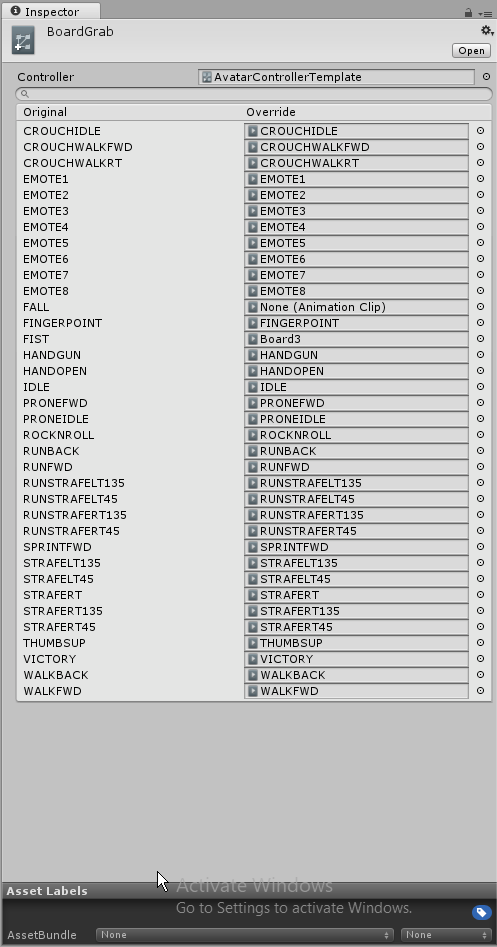 hardy hornet
Oh, I didn't want to do an emote/gesture. I wanted it to play by default, much like the blinking of eyes.
devout igloo
oh...not sure how to do that without the override
hardy hornet
However that's been my main issue. When I tried making an eye blinking animation before, it seemed to have the similar case as this one. The animation plays in unity/avatar select but not in game rip
devout igloo
¯\ (:/) /¯
hardy hornet
Hope someone has an answer to this ;w;
devout igloo
So after editing an animation in unity, your character kind of goes into this weird begging-dog pose. How do you pop them back into their original pose/t-pose?
pliant plank
Only make/edit animations on a duplicate of your prefab, whichever prefab goes through that process is dead
ionic cobalt
Otherwise, to "undo" that, you'll just have to delete the current one and re-add it from the model file.
pliant plank
^
devout igloo
Oh, you could also just go into the object's bone settings tab (the one where you remove "toes" and "upper chest" bones) and copy/paste the copy it generates and forces into T-pose there
 shrewd moon
Does anyone know if it’s possible to change shaders with a gesture?
 pliant nacelle
trying to get particles to emit on a certain gesture, for example, i have a gun, with two particle effects on it, a muzzle flash and one that shoots a single bullet. I also have a sound and a light effect, but those both work, the particles won't, anyone got any experience with particles/bullet shooting etc. ty ❤

these are my settings
ionic cobalt
@stoic gull @strange kite I'm trying to find out if something is a bug/design flaw, or a design decision. I've noticed that emote overrides will acknowledge non-humanoid animation properties, but all locomotion overrides completely ignore them (think, animated dress won't move with the walk). Was this intended or no? Is there a way around it, or will an update/change be required?
 glass anchor
so I have this gesture override to trigger a weapon appearing in my hand, super basic shit I've done a million times now, but for some reason when I release the gesture my hand goes into slow motion and it takes about 4 seconds for the weapon to disappear.
has anyone else encountered this?
nvm, didn't see the 1 second frame
clear yew
Is someone experienced with creating distinguishable silhouette poses for model animations?
 halcyon dirge
@clear yew Elaborate
clear yew
@halcyon dirge Am learning that the silhouette of a pose is important because a good silhouette easily shows what the pose is trying to convey even withuot details. Generally when I'm animating I only consider the key poses I want my character to be in and use references to achive it, without considering if the pose is easy to understand or not.
This for example: https://malamarvellous.deviantart.com/art/Posing-Guide-693450464

DeviantArt
Hello! I have created my very first guide. I have decided to base this on posing your fakemon design because there are a lot of tutorials on how to draw them, but not on how to pose them. Posing is...
halcyon dirge
And which avatar do you need to pose?
halcyon dirge
But you have everything you need in the link you send, so what seems to be the problem?
clear yew
More-or-less wanting to hear if others may know of tutorials, have tips or know of sites with useful resources with expressive poses that may have this concept in mind
halcyon dirge
You just need to read your avatar.
What would ther personality be like.
Their attitude.
Their way of interacting with their surrounding.
https://vignette.wikia.nocookie.net/youtubepoop/images/f/f7/5Pikachu.png/revision/latest?cb=20141108062013
Example would NOT to put this guy in as a brute, flexing and looking mean.
 halcyon dirge
So you need to be able to read the avatar first ^^
You can send pics, and I can try to come up with ideas?
Hmm.
Tough one, it's hard to show shyness in a siluette.
clear yew
Have been semi working on a blushing animation of her but feel like what I wish to have her do is overly exagerated for her aloof nature
halcyon dirge
I assume, you are going for a Shy-ish avatar, that see slight curious about her surroundings?
clear yew
Originally wanting her to overact in a blushful manner after being caught by her crush doing something silly
Would like to, indeed
halcyon dirge
You could make that into the silluette?
clear yew
Am currently animating her just to create a gif but after learning about VRchat and becoming curious about it, I'm considering converting her to have her work in it
halcyon dirge
o/
clear yew
Sadly I felt that at least in this angle her pose didn't convery enough through the silluette
 halcyon dirge
Again, she is rather hard to do, since she is so "wide" with alot details.
halcyon dirge
As I said, you need to find a way of telling about who she is, by posing her.
clear yew
Your earlier advice does help
small tapir
So what makes people lag when it comes to particles systems? Is it the amount of particles or something else?
ionic cobalt
Usually the number of particles, which is controlled by emission speed and lifetime.
small tapir
Okey, so is there a like maximum particles i can use or something?
halcyon dirge
There isn't really, just don't go overboard.
Just ask yourself; "Is this too much??"
"Will this be annoying?"
small tapir
Ofc not, i have just been testing a bit of stuff. I have a rain cloud with rain above me that i found in an asset and i saw it had 100 particles for the cloud witch seems a bit much
small tapir
2 people said it was laggy that's why i asked what makes the lag 😄
Only 2 only of alot of people that been seeing it
halcyon dirge
Just don't make it a passive Loop, and it should be fine ^^
halcyon dirge
A passive loop, is when it's there constantly.
small tapir
Okey, so if i wanted that should i use less particles or should i not use that?
Sorry if im asking much just wanna know what i can and can't do, i really don't wanna make other people lag.
halcyon dirge
For a passive loop, you need something that does not hurt the weaker users.
Don't worry about the questions ^^
small tapir
I got it down to 10 from 100, but it don't look as nice, at 30 it looks pretty normal
small tapir
SS?
halcyon dirge
Screenshot
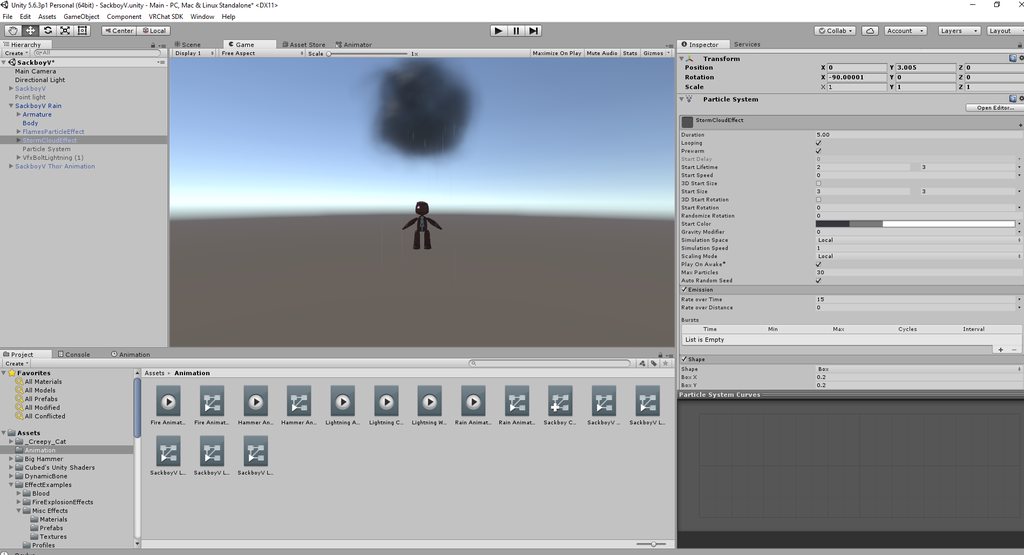 halcyon dirge
in the Shape-setting, you can make is more oval.
small tapir
You mean under Shape where i can chose Box or Hemisphere and more? When i change there i don't see a diffrence in the cloud shape, nvm just saw a diffrence 😄
halcyon dirge
Box X and Box Y should change the shape.
 halcyon dirge
Which?
 twilit linden
in that link
halcyon dirge
There is not Animation though?
twilit linden
you have to click it
twilit linden
i cant find it anywhere
 small tapir
I like this one better just sayin' https://youtu.be/d7cl93kEYZ4
motion data https://www.youtube.com/watch?v=-osUf-dUUQQ audio https://www.youtube.com/watch?v=E3hCkVJrkRs Kasane Teto: Francium [MMD]
twilit linden
thanks
small tapir
@twilit linden I didn't link same video just so you know 😃
halcyon dirge
😛
 spark lily
how to make eye blinking from scratch?
pliant nacelle

Alternative to eye tracking paired with eye blinking. Props to Jazneo Gaming.
unless you mean blendshapes too
in which case you make blendshapes
clear yew
@white herald Well, shit. I don't have a VR set so I can't use hand gestures. At least I should be able to do idle animation via override. Idle doesn't have a movement trigger, right?
halcyon dirge
Nope
spark lily
@pliant nacelle yea, i am make a character from scratch
pliant nacelle
blender?
 mystic kite
Using VR. Am I able to create an animation to replace one of the emotes that will only play on the bones I've animated, but leave me to move the rest of my body freely while the animation plays out. eg: fingers animated for 5 seconds while I can freely wave my arm around during the animation. Sorry if this has been brought up before, new to this discord. All guides i've seen lock the entire body into the emote animation
clear yew
Can someone please help me, everytime I try and move the eyes https://imgur.com/a/4kOc4 they reset to their origin position and it's super annoying, can anyone please help me?


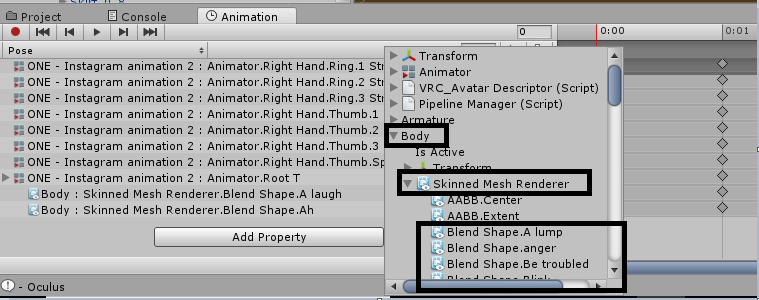


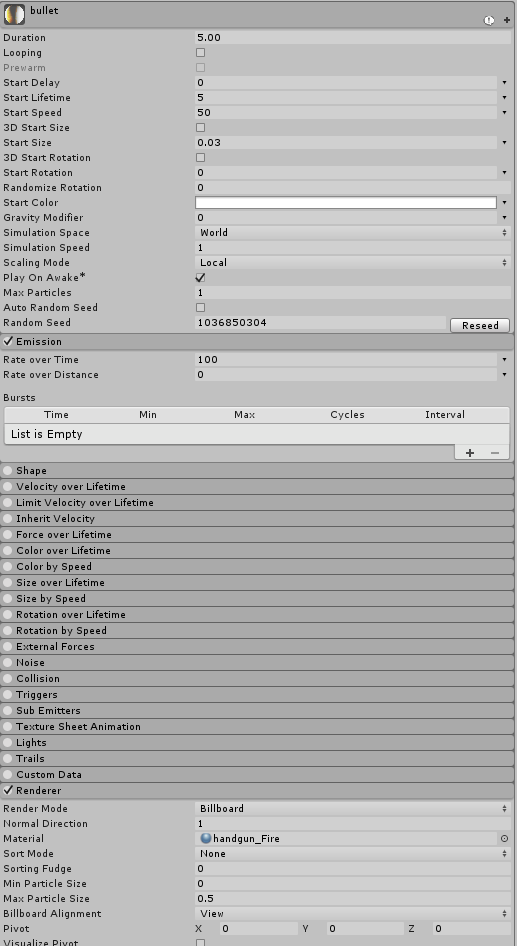

 spark lily
@pliant nacelle blender
 tepid mango
question
i added sound to an animation
everyone can hear it but me, once i hear it one time then i can't hear anymore
and while yeah as long as the others hear it it's fine, i don't wanna ask everytime if they heard i
halcyon dirge
Is your head within the sound barrier, and is the sound script on play-on-awake?
tepid mango
@halcyon dirge everyone can hear it
i can hear it only as i upload
then when i change map i can't hear it anymore
but everyone else can
 ruby elk
Guys my avatar is using an idle standing animation. Everything works fine however the avter is like halfway in the ground. How do I fix this?
Avatar*
tepid mango
yeah you have to drag the character out of the ground with the Root T form Muscle animation editor
halcyon dirge
@ruby elk Did you animate a clone, or the original avatar?
@tepid mango Can you show me the sound script please?
tepid mango
@halcyon dirge standing idle don't work the same way as vr animations
if you get stuck in the ground youhave to drag the characters out of it
also do i pm you @halcyon dirge
 haughty glade
Anyone knows where to get dance animations from? is there a place people keep track of those?
halcyon dirge
You can if you please, (And some animations are like the VR ones)
tepid mango
yeah but not custom standing and emotes
if you do them from scratch you have to drag it up
if there's something i know about it's standing idle http://prntscr.com/iac5sx
 ruby elk
So all I have to do is add that Root T to the animation?
To have it stand ON the ground and not into it?
tepid mango
you have to modify the root T so that it is there yeah
root is kinda like the y position
 last wolf
Does anyone know where do you find that dance animation where your character spins rapidly and then makes a pose and it repeats again?
last wolf
?
tepid mango
the animation that you're looking for is it get down?
halcyon dirge
@last wolf You mean where is spazzes out?
Like this: https://www.youtube.com/watch?v=FkQaQZCzjic ?

I spent more than five hours trying to record the swf files of this. I ended up creating a higher quality video than my previous upload. The song is Promise ...
twilit linden
yeah
i found it but i only found a vmd for it and when i converted it to anim i put on my emotes and my character just sinks into the floor
like it doesnt do anything
 turbid parcel
How would I set a sound to play when a specific gesture changes? i.e. putting a weapon away
tepid mango
put the sound to the animation
turbid parcel
Would it have to be in a specific spot in the animation? There's an avatar that I've seen that plays a sound for its weapon being put away, and only works on that specific gesture
halcyon dirge
@twilit linden https://youtu.be/d7cl93kEYZ4
motion data https://www.youtube.com/watch?v=-osUf-dUUQQ audio https://www.youtube.com/watch?v=E3hCkVJrkRs Kasane Teto: Francium [MMD]
twilit linden
i have it
halcyon dirge
The Downloads are in the Description.
twilit linden
i cant convert it