#animation
1 messages · Page 40 of 1
 brave torrent
 slim steeple
so, doing this should work fine once I set it's animation override right?
http://prntscr.com/i6ycfc
 brave torrent
yep
 heavy stirrup
Any way to prevent hand-tracking motion from going too far down? Like it overrides tracking of your arms if they're too low?
slim steeple
Hmmm, It semi-works, the animation loops constantly for the expression instead of staying on that expression, should I switch the first set of keys to the same set of second keys?
That would change the base element too though
brave torrent
both frames have to be the same yes
slim steeple
oh okay
brave torrent
It does not change base element
the base element is the default that you have set in the scene
When you end a gesture, the animation ends and the default element gets applied
 normal skiff
which reminds me to add that one to my docs
 ivory lagoon
does anybody have any experience with characters doing blasts? like ki blasts
 north iris
weird. The model is not doing the 'feet underground' thing now.
Might be an update thing
 glass anchor
I'm pleased with myself, got the whole game object triggered animation working on the first try
never had that before 😮
 rigid coral
Anyone know about particle systems in unity
I want to add a particle to my avatars feet like there is a portal under it but cant seem to get it to work
I dont want it to go in the air but to stay at the feet
 cunning saffron
@rigid coral https://www.youtube.com/watch?v=uwYzHcVqiKQ&t=2s

Effect Animation - How to creat 3d effect animation for game Basic Aura - Unity Particles Effect ------------------------------ ► Pls comment what you think ...
I can't get the noenoe pen animation to work
rigid coral
thank you @cunning saffron
cunning saffron
@rigid coral np ^^
ivory lagoon
how would i make a character do something like a ki blast?
rigid coral
@cunning saffron the video is confusing since he or she had pictures that doesnt have white backgrounds
cunning saffron
@rigid coral try removing the white backgrounds using photoshop or gimp
 mint ginkgo
I added a custom emote to one of my avatars, but now when I stand still my dynamic bones vibrate like crazy. Anyone know what I may have done wrong?
 spice swallow
How to make custom animation for emote? I am created (empty) one, but I can't edit keyframes, unity says Keyframing for humanoid rig is not supported!. Why? How to animate humanoid rig?
normal skiff
it sounds like you're trying to add properties from the Armature hierarchy instead of the Animator hierarchy
but that's a real stab in the dark
normal skiff
when I say hierarchy here (because it's ambiguous) I mean when you click Add Property there is a tree of stuff in there, and I'm referring to that tree
I remember having a similar error come up at some point but my memory of the exact message is fuzzy and it was before I started documenting my work
as for moving humanoid bones... I've mostly been doing that via that Muscle editor lately so I haven't had to manually pick from there for ages
spice swallow
So I should add each property manualy and edit it numerical?
normal skiff
that's the way to do it if you don't have Muscle Animation Editor yeah
or at least it's the way I see tutorials doing it
spice swallow
okay... Is there other way to make .anim? In blender, for example, can I export it somehow?
 storm forum
So the open hand animation is that the default position of the hands or is that an actual hand animation
storm forum
Okay thats what i needed to know thanks!!
 dark ether
Custom animation overide controllers for each hand?
normal skiff
would be nice, wouldn't it
dark ether
Theres like 3 people that know how to do it
Was wondering if anyone else knows and is willing to share
normal skiff
oh it can be done? I thought it wasn't possible based on what I've seen with mine
in theory you'd think you could make a custom animation controller based on the real one, but I don't think we have the real one to modify
I haven't seen anyone do anything which would require it in-game yet
can you copy AvatarControllerTemplate itself and modify that?
this template makes it look like the default hand position would be fist though, and obviously it isn't
 meager saffron
Say I have a particle system that I want to emit, but not have the particles follow the object they're parented to. So that when the item moves, the particles stay at the place they were emitted for their lifetime. How would I do that in VRChat?
If I set Simulation Space: Local , then the particles follow the object and look fine.
If I set Simulation Space: World as has been suggested, then the particles seem to be static and based on my character's body position rather than the object I want them to follow. :/
The effect I'm going for is something that emits a few particles, but leave a trail when moved.
 dreamy geyser
You cant do that, need the static object to create the particles on behalf of the item
meager saffron
Like have the item, then attach a particle system to it? not sure what you mean.
I keep googling and finding stuff like this: https://answers.unity.com/questions/309893/particlesystem-maintaining-particle-position-when.html
:/
wondering if it's a caveat of the way VRChat renders stuff.
like world = character position rather than the actual map
meager saffron
glad to know i'm not just derping. :3 readin' through this now: https://vrcat.club/threads/can-a-particle-be-spawned-along-with-a-rigidbody.627/

VRCat: Community-Run VRChat Forums
Is there a workaround for the world simulation space issue yet?
I say this somewhat rhetorically, because I do know one or two people who seem to have...
 paper lantern
The weapon I'm adding to my character doesn't appear in game yet the animaion for fingers does. Can anyone help?
meager saffron
Are you setting the weapon to Active in the animation? I messd that up earlier and added it to the animation, but left it as inactive.
rigid coral
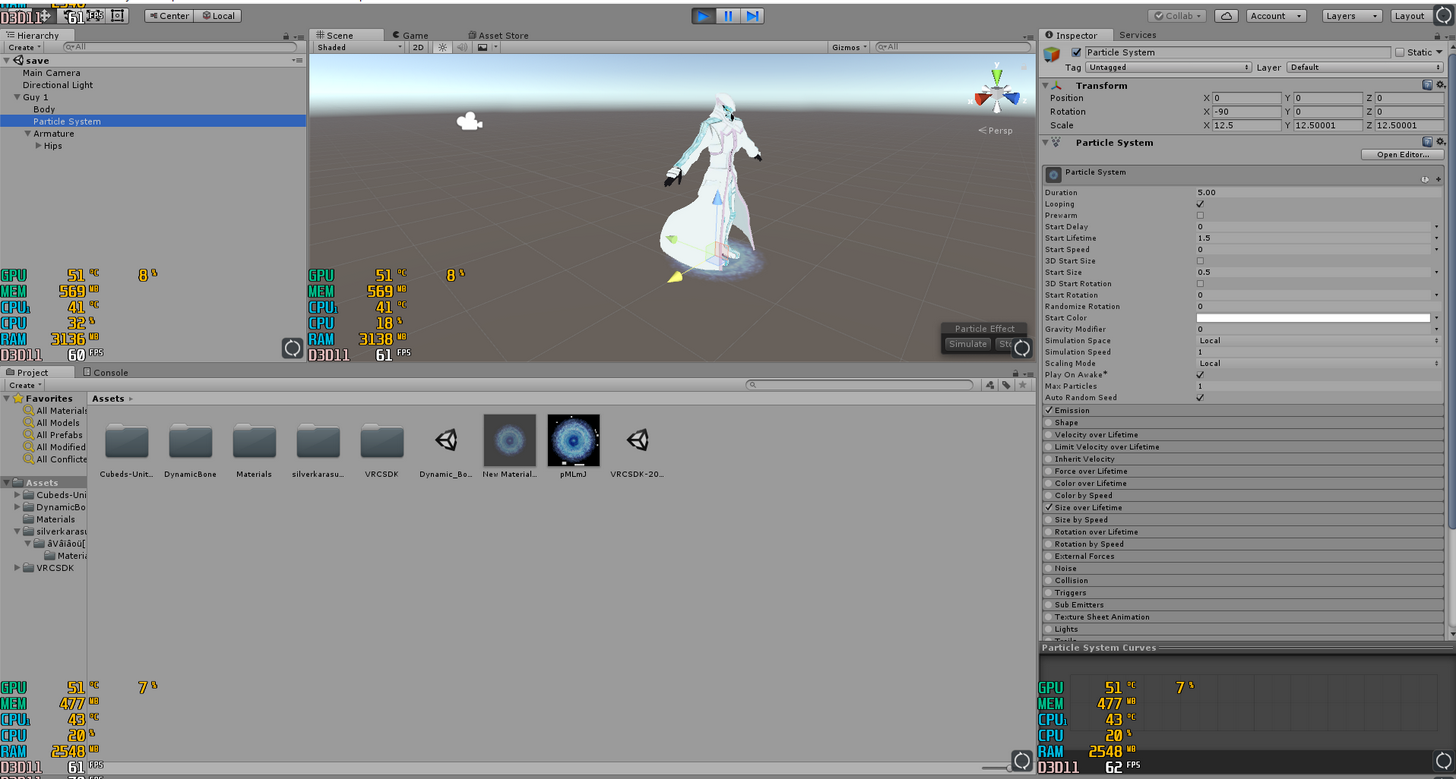
particles dont work in game after i upload it
it only works when i jump which i dont want that to happen
 swift ember
How can I make my mouth move there is no tutorials on how to do it
glass anchor
look up how to create visemes
 tropic vortex
What is the limit on animation? An animation I made isn't being imported correctly so I'm guessing I passed some sort of limit.
 royal escarp
just make sure you start it with it hidden
 keen reef
Anyone know the finger placements for the peace sign?
swift ember
Is there any tutorials on how to create visemes in the tutorial page
 plucky isle
anyone know how to get a 4 legged animal to work?
tropic vortex
Nvm I found the issue, had to do with muscle poser.
 clear yew

Google Docs
Advanced Avatar Creation: Making Non Humanoids This tutorial was made using Unity Version 5.6.3p1 This tutorial assumes you already have the current SDK imported and knowledge of how to upload a basic avatar. You will also need an avatar you wish to upload as non-humanoid with it’s own set of a...
plucky isle
alright, thanks
clear yew
np
 cursive moon
Quick question, how do I apply animation overrides to something in Unity? Never done overrides or anything with animations until trying to add a Snail Marker to an avatar
 bleak basalt
Anyone know how I can change the color of my characters guys for an animation?
tropic vortex
Search for "override", create a copy of it and rename it, put the animations you want in it, then apply this override to your character in the vrc_avatar descriptor @cursive moon
How do you turn a character during an animation? I'm trying to find out which one does but, but my character never rotates / moves from its root position
cursive moon
Ah, like this? https://gyazo.com/d11c34d87e6b5bc58ca8ee03c8ece334
 tropic vortex
Only change the custom standing one unless you are putting sitting animations as well
Separate the sitting from standing though, don't have mixed things in one override
Don't forget to change teh animation set and view position (and visemes in lip sync if you have them)
cursive moon
Thanks! Also, is there a way for me to upload this avatar as a seperate avatar in VRChat? For example, the model looks exactly the same except for this animation override?
tropic vortex
I think if you change the avatar name when you upload it it'll count as a different file, not sure. Haven't tried to upload different characters yet.
cursive moon
I'll try that, thanks
 steep citrus
if you break your avatar that yopu intend to upoad by making an animation on it, is there a way to revert back to t pose?
 tropic vortex
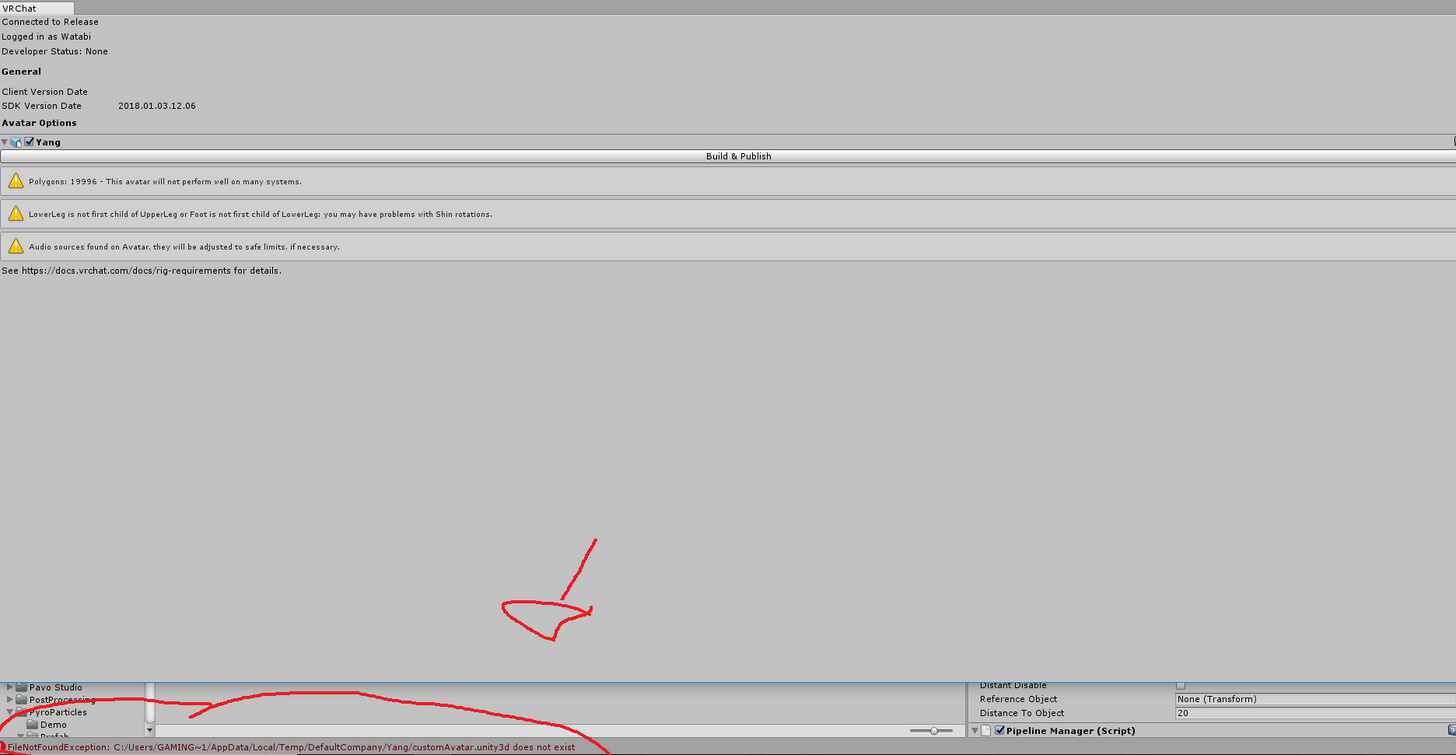
Exactly which property forces a character to rotate / move in the unity animation editor? I've tried the root animators, motion animators (those did nothing), body / armature transformations, whole model transformations, and none of them worked in-game, although some worked in unity.
 civic sentinel
@bleak basalt Click on your avatar, go to Pileline Manager (Script) and click Detach.
I normally get that message if I delete something and try and reupload it.
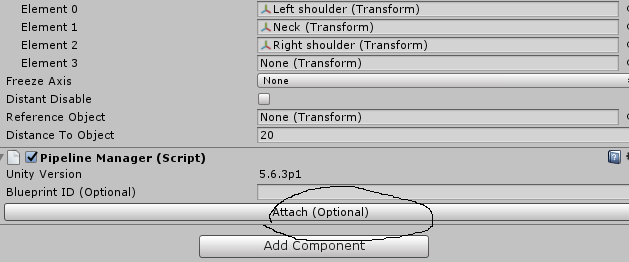 civic sentinel
Hmm, yeah if you try and upload it normally works for me.
Just click on Attach again.
bleak basalt
nope just gives me the same erroer message
civic sentinel
You should be able to still Build & Publish and ignore the error.
bleak basalt
yeah I click it
"future proofing content"
gives me an audio ring and nothing happens
except that error message
tropic vortex
Oh I needed to bake the animation's parameters. That was what I was missing.
civic sentinel
Oh I have Future Proofing cut off lol.
clear yew
do visemes have to have the vrc. names to work??
also, my attempt to change the sitting animation didn't work.
clear yew
you can't upload scripts period
bleak basalt
did not know this until 1 minute ago
I've uploaded 20+ avatars and the visimes only worked with the vrc names attached if that helps
clear yew
thanks, i'll go back and re-generate my visemes in blender
so uh, for mixamo animations... say you import a running anim, how do you easily fix it's speed without having to get it again from mixamo?
reason-being is that i've modified mine
hmm, i tried just dragging them overever third frame to cut 30%
seems smooth still
 pale prairie
Where can I find the default Fist animation for VRChat? I want to make my avatar hold something, and the fist animation should be perfect for that
clear yew
you can check the sdk sample assets, but you might be shit outa luck
pale prairie
I've looked all around in the sample assets, but didn't find them... Oh well
 radiant crown
When animations that come with a model are inherently broken
 hot orbit
Having an issue where my in game audio i put on an anim is very low, even though i turned it all the way up
hot orbit
I've heard people with louder audio though, that's why it confuses me
radiant crown
Their base audio is louder, you can try adjusting the volume on the clip itself in audacity
 tulip thistle
Having trouble getting my particle effects to follow my weapon, it’s fine in unity preview though. Anyone know? Been stuck on this for like entire day 😔
 cobalt mist
How to not let Cats removing my rigid bodies ?
Iam trying to import a motion, but i cant cause Cats "fix model" removes the rigid bodies
cobalt mist
I watched this tutorial. But after deleting the rigid bodies i cant import a motion anymore like him. https://www.youtube.com/watch?v=kWFvuRmTeFg
Hi my name is Shana from vrchat and i started not long ago Learning how to import mmd dances to vrchat was one of the fun stuff to do for me so today im maki...
radiant crown
You dont need nor want rigid bodies for animations
I'm not sure what it is exactly that cats does to break mmd anims but when it comes to anims I only translate the model then rip the anim from the model in unity to use on a working model
If the animation's name contains any / or | you'll have to remove them before unity will let you rip an animation off a model
cobalt mist
how to you rip them? you mean you seperate both?
you just use the model to bring it to unity and then use the anim on a working model ?
radiant crown
I upload a fixed model to actually use as an avatar, and a mostly unchanged one that contains the undamaged anim file, convert both to humanoid them change the anims name if it has 'illegal or invalid characters' in it
After the name change is applied click the anim in the model's group and ctrl + D
Then this anim can be used on any other model as long as the bone structure is relatively similar
 lapis ledge
yo how do I add sound to particle effects?
radiant crown
play on awake audio source
cobalt mist
i think i need some help for this, can i pm you ?
radiant crown
Sure
lapis ledge
uh wait do you have a tutorial for it? I wanna know how to get the sound I want, add it to unity, then add it to particle effects.
radiant crown
Get an mp3 or wav, convert it to an ogg if you can just so its a smaller file size but mp3 or wav will still work, make a hidden object to contain the sound, same disable enable stuff you do for your particles, the sound object will need an audio source
Audio source is applied the same way as avatar descriptor, just search for it with the sound object selected
lapis ledge
alright thanks
 tacit latch
@radiant crown but what if the sounds always stop after 1 meter of distance?
 quiet needle

Tutorial explains: - How to create the soundfile - How to create the animation - How to trigger the animation Morgus tutorial: https://www.youtube.com/watch?...
the gesture in your case would be "when particles are active"
 ashen sedge
Q for height, T for rotation
radiant crown
You cant really fix distance on sounds with the forced defaults VRchat does now
The only thing you can really get away with is adjusting the volume with a sound editor like audacity, all else is in vrchat's hands
Also doppler but, who uses doppler?
lapis ledge
how do I lower polygons in unity?
i did a lot of shit and i dont want to reduce it in blender cuz then ill have to start over everything
rip
 waxen jungle
simplifymesh
lapis ledge
where's that option?
waxen jungle
idk, blenders decimate is free, but you have to export it then re import
lapis ledge
so the polygons are basically the tris or?
 warm harness
@lapis ledge http://www.mesh-online.net/download.html
warm harness
but I'd still do it in Blender, it gives much more control
lapis ledge
i realized i cann just save the avatar and the shit i did on it in unity
go to blender lower it
then upload it
 solar relic
so.. I wana ask when doing animation... does it only apply to the parts u animate?
lapis ledge
:p
solar relic
like I only apply th animation to the head.
warm harness
well what would it do with the rest of the character?
so yeah, only parts you specify
solar relic
then. the legs,arms and body? what they do? I mean what animation? the deafult?
lapis ledge
wait that didnt lower it
warm harness
i mean, the animation applies to the whole model technically but you decide what moves by placing keyframes on the timeline
lapis ledge
uh @warm harness are the polygons the tris?
warm harness
depends
tris is what sdk cares about
you can have a poligon with any number of tris
lapis ledge
the tris is now 15k but unity still says the polygons are 22k
warm harness
as far as game engines are concerned, one tris = one poligon
solar relic
@lapis ledge theres mantisLodEditor.
warm harness
it means you have quads on your model
so you have 15k tris + a bunch of squares that are divided into poligons in unity
add a triangulate modifier in blender as a top one
lapis ledge
wait is that a tool i have to install or is it already smthing in blender
lapis ledge
wait dude i messed up
I clicked new scene
and now all the models i have are gone
in unity
not deleted.
I cant open em up again in unity without having to redo all the shit again rip
oof imma redo this, was fun anyways.
So it says tris here
one sec
 zinc hearth
Anyone here know how to make an item a world entity
solar relic
How to make interactive object
1.Mesh collider(convex)
2.Rigidbody
3.vrc_pickup(set physical root to object)
4.vrc_object sync
5.Vrc_special layer(set to pickup)
@zinc hearth
zinc hearth
For a model? I'm honestly lost here could you possibly give me a hand ;-;
zinc hearth
The world entity is for the model more or so a world particle entity
solar relic
u lost me
zinc hearth
I'm making a model with a Mesh I want to become a world particle
So a particle that's no longer attached to the model
Like the guns that shoot particles that become world particles
So they stay in the line no matter how it shoots
solar relic
particle can change from world or local
zinc hearth
Mind if I call to explain it's rather confusing
solar relic
Hmm... I havent figure it out yet, but local means ,it only appear to you.
zinc hearth
I know how to swap it over
I just need to learn the basics
Could you teach me local since I can make it world
solar relic
same, I wish I can upload models so I can test stuff
zinc hearth
Do you know how to do local particles?
solar relic
if im not wrong world is something that the particles will trail along with you
but as for local
it moves along with you but there aren't any trails
that what my friend said
zinc hearth
World means it detached from the area it originates from so if I move my hand it won't affect a particle
clear yew
still looking to know how to override sitting animations
 pliant galleon
override the idle animation and apply it as a sitting animation override to the avatar descriptor
 fading solar
does anyone know how to do generic rig with animations?
 outer dust
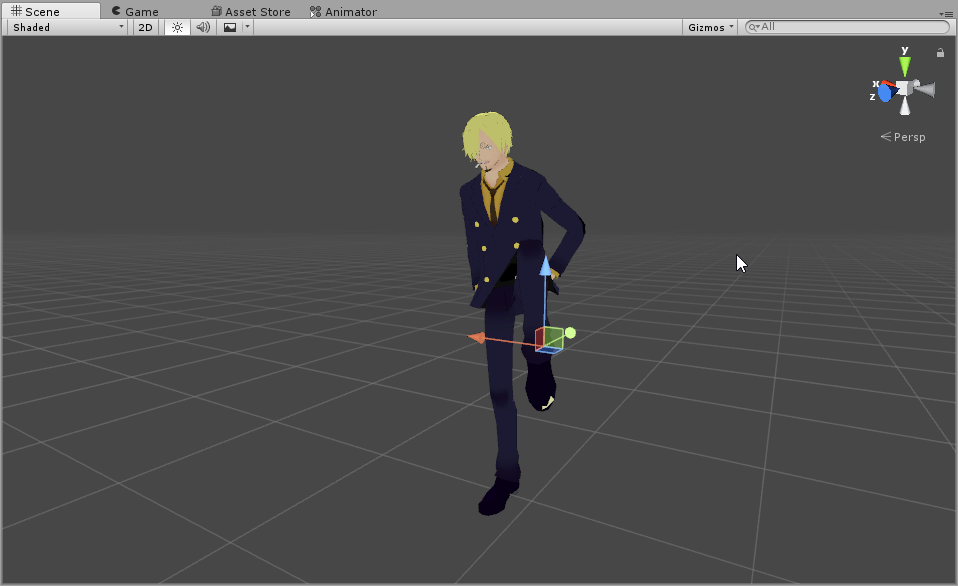
How can i include an object in my animation (moving, appearing after a certain time) without animating it aswell?
fading solar
i think you have to include it in the animation.
cobalt mist
I got a animation to work, but he i just do on this place and not moving in the room! Can someone help?
clear yew
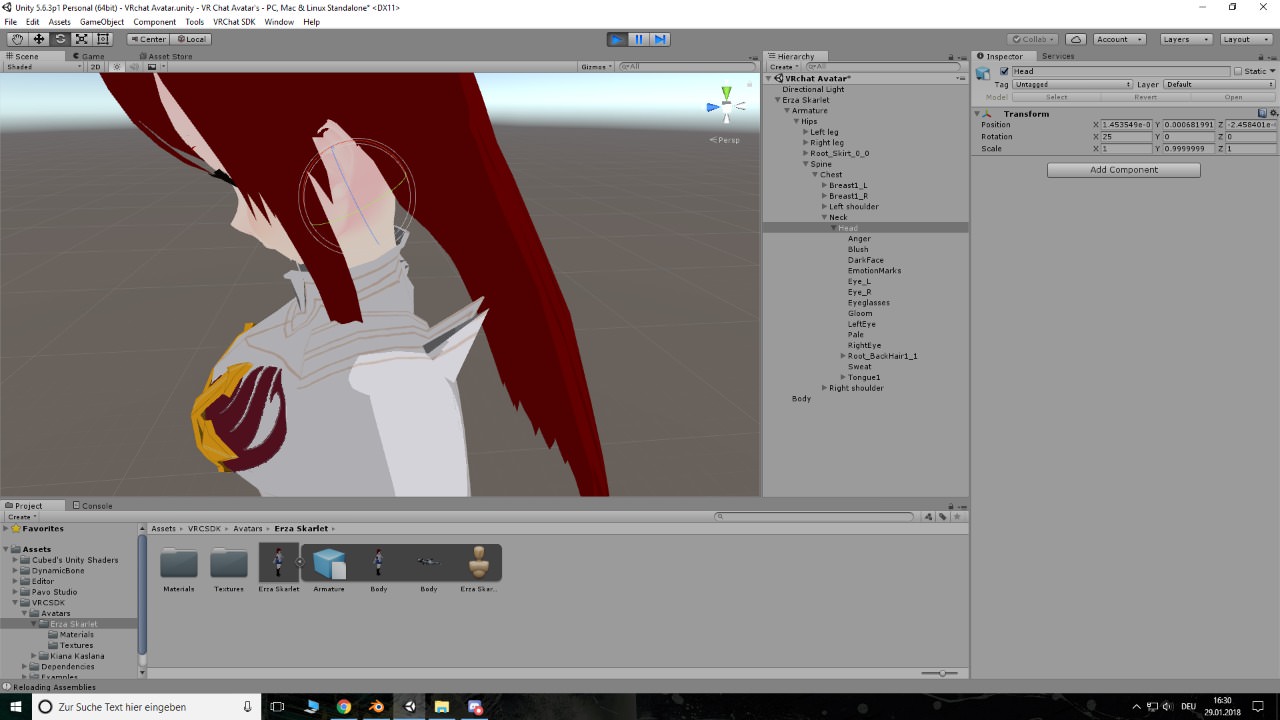
https://imgur.com/UgwQz82 Can someone help me, i don't know why the shoulder pad is attached to the hair and i don't know how to fix it
 flint elm
I've made a custom animation that I want to use in one of the emote slots, it's all finished but I've noticed that when I put it in the override controller and upload, it makes my blinking animation stop working on that avatar, even when I'm not activating that emote. Anyone know how to fix?
outer dust
Isnt Blinking animation still disabled for this Patch? @flint elm
flint elm
I thought that was just the eye tracking? Pretty sure blinking still works
I have my own blinking animation that runs all the time on the avatar
outer dust
Oh okay, blinking doesnt work for me at all in this patch.
clear yew
blinking is broken
flint elm
Ah I see, didn't realise
outer dust
How do i trigger a particle effect at a certain point in an animation?`
clear yew
there's actually a missing file in the log messages 😄
@outer dust setting it to active from inactive
outer dust
@clear yew but it only plays for one frame
flint elm
It's not the only custom emote I have on my avatar, I got one from Mixamo that didn't break my blinking animation, don't understand this one is causing issues, I mostly made it in blender so I'm wondering if that's something to do with it
clear yew
@outer dust hmm, I know little about doing this in animations, I'm sorry
flint elm
Fixed it! I removed the Blinking Blend Shape property from the new custom animation and now all is working
 wintry flicker
In what way do I disable the generation of new particles without killing the ones left over? Disabling the Emitter removes everything, just as setting rate over time/distance to 0
:?
 tepid lantern
can anyone send me an animation controller with all of the gestures and emotes and stuff? mine seems to have broken
 dire tusk
Copy it from vrsdk examples and make a new one.
 wispy onyx
Define "blank"
wispy onyx
For which asset?
tepid lantern
wha
wispy onyx
send a photo
tepid lantern
ill dm it
tulip thistle
anyone here that can help me out with adding particle effects to override weapon?
tepid lantern
ur weapon needs to be in the armature
 gaunt gyro
Put the particles as child under the weapon.
tulip thistle
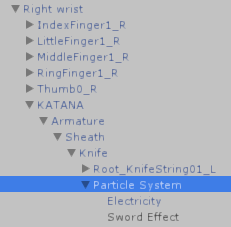
i have it like this
https://i.imgur.com/9se29WG.png
 gaunt gyro
Why does your katana have an armature? Isn't it just one mesh and nothing more?
tulip thistle
it was a sheathed sword, I seperated the models but I guess the bones r still there or something
should I remake the model and remove the armature?
gaunt gyro
I still see no point in having an armature. If the sword has a housing, I would assume making 3 models:
- Sword inside housing
- Housing
- Sword
For default avatar, it has the sword inside housing partented to your hips (or whereever you put it) and on hand gesture, it has the sword parented to your hand, and the empty housing whever the other one was.
tulip thistle
is it bad that the armature is there? i still dont get why the particle effects arent moving with my weapon
fading solar
did you change the simulation from local to world?
tulip thistle
its on local
 south lynx
Anybody know of good water particle effects? I’m trying to make a custom Bioshock inspired world
tulip thistle
okay I had the trail effects set to world, so I got one of them to work,
is it possible to add trail effect with the movement of the sword though? dont wanna waste my time if thats not possible
wintry flicker
Can anyone tell me why the particles come from a different spot ingame than in unity?

Its just the same spot next to my ass wherever I move my hand
south lynx
Try rotating the particles?
wintry flicker
Is that @flint zinc ?
south lynx
Yes
wintry flicker
Cause I'm not sure what to rotate or how this could be a rotation problem
south lynx
And double check to have it attached to your hand in unity and in the right spot
Or it could be those specific particles
Some effects act weird
wintry flicker
Well it does move with my arms https://gyazo.com/f5bc5a4abd6201b12688b75d1b79020a

 quartz frigate
Is it set to world or local render?
wintry flicker
I think I set it to world so not all particles move with my hand
Simulation space world; scaling mode local
quartz frigate
Yeah, having simulation space set as world causes those problems from my experience
 icy crow
Is there a better way of making an object continuously rotate around your avatar without using animation/keyframing? I know how to do it with script but those aren't allowed are they?
wintry flicker
hmm damn
I googled it and it really seems to be an issue with the simulation space. Guess that means back to the drawing board!
thanks
 amber pollen
how do i stop hair from going crazy when moving around?
 agile ruin
add inert
wintry flicker
You increase inert
 spice furnace
anyone know how to use trail renderer to draw with gaps?
 regal magnet
Hi guys,
For whatever reason are override animations not showing at all,
And for expressions they only work on my Right Oculus controler, the other one only works if i touch the right controller on the trigger button.
All other avatars i have work fine except this 1 avatar that has buggy as hell expressions
Anyone had this before?
amber pollen
what does the inert do anyways
regal magnet
My inert is often at .8
amber pollen
i have a character with long hair and i want the movement to be smooth
rigid coral
Inert is how much something moves @amber pollen
regal magnet
In the mean time i have the most bizarre sequence of bugs going for me
rigid coral
The higher it is the less moves
regal magnet
I honestly don't get how half of my expressions only trigger one 1 controller for 1 avatar
rigid coral
@amber pollen damping should be .5 unless you want to mess with that
 severe palm
i have inert on 0 on all my hair bones @amber pollen
regal magnet
I should find an advanced community to help with this, i never get answers outta this discord
severe palm
looks good and doesnt freak out
regal magnet
Inert doesnt cause freakouts
severe palm
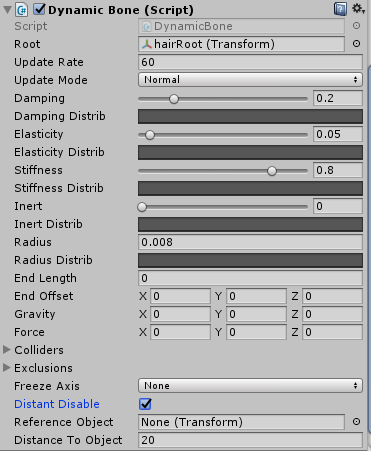
exact values: https://i.imgur.com/hoH7XPj.png
 regal magnet
Elasticity should never be higher then .2, and dampening depends but that causes more freakouts the lower they go
rigid coral
I keep elasicity and stiffness at 0
rigid coral
I just mess with damping and inert
 hexed fern
Is there a type of effect that would look like a sort of beam sword?

because im trying to give his sword a effect instead of trying to figure out how to import the effect that came with it

in other words, thats what the sword is supposed to look like
 tidal knot
So I'm trying to make an animation that's a couple seconds long, when I use it I can't use other animations for a few seconds as it slowly tries to morph away from the long one. Is there something I'm doing wrong?
wintry flicker
If anyone has the same problem with worldspace coordinate particle systems, I got it to work thanks to this video: https://www.youtube.com/watch?v=2UZc_5PsB10
EDIT: GITHUB UPDATED TO FIX SMOKE RING AlIGNMENT My Github for Unity Packages: https://github.com/MorgusVR/VRChat-Smoke Credit to EvolvedAnt for instructions...
And GrimmRiviera without whom I obviously wouldn't have known the problem. Cheers
hexed fern
Again, is there some type of effect i can use that gives the illusion of sort of beam sword? Or more precisely, a wind based sword?
 pure summit
^
 clear barn
what do you need help with specifically
 patent ledge
Animating my model
clear barn
im sorry thats not enough information
patent ledge
Wtf
clear barn
i dont know what you need
clear barn
oh gotcha, custom animation overrides then
patent ledge
Well can u help now
clear barn
yeah i dont know how to do those sorry
clear barn
try finding a tutorial on youtube
pure summit

Creating custom animations for hand gestures and emotes in VRChat
 dire hollow
Hello, how do I put mixamo animations FBXs that I downloaded into unity to apply them?

im noob
 clear yew
How can you make it?
outer dust
When finishing an animation, how can i put it back on my character? Stuff like "bone missing" appears
tepid lantern
you dont
u duplicate ur avatar
make the anim
delete the dupe
add the anim to the override controller
outer dust
do i make the model humanoid again?
 brittle vigil
 nimble ridge

 safe wind
Hello, how do I change my animation copy to wrap his hands around a flashlight I have created. Do I change themodel and then turn it intoan animation(the animation modelnotthe original )
 languid nimbus
Hey if I'm trying to say, animate a seal, do I have to use a "human" skeleton for it to be able to play animations at all?
or can I use anything if I make the animation in unity and put it in the custom animation override?
any rig *
nimble ridge
@languid nimbus you can use any Skeleton but it's more complicated and not all animations are suported
languid nimbus
but idle/walk/run/jump should be supported, right?
because that's really the ones I care about
nimble ridge
Yes those are from what I know
Sorry to leave you hanging but I gotta go get some sleep, it's like 12 pm here
cunning saffron
How do I make Snail pen or Noenoe pen work?
cunning saffron
Same
 grizzled cobalt
Is it possible to
duplicate an object during an animation
or basically "let it spawn"
languid nimbus
don't you have to already have the object in the scene to be able to manipulate it
you can put it in the scene and then hide it
and you can then show it later to "let it spawn"
 white herald
@languid nimbus : https://docs.google.com/document/d/10BuA_ybyXSSXqXuf6cDyPm52VIpqptgyvuRaphcYH0M/edit also i'm pretty sure it's impossible to have eye-tracking, lip sync, head/hand movement, etc as a generic rig,
Google Docs
Advanced Avatar Creation: Making Non Humanoids This tutorial was made using Unity Version 5.6.3p1 This tutorial assumes you already have the current SDK imported and knowledge of how to upload a basic avatar. You will also need an avatar you wish to upload as non-humanoid with it’s own set of a...
white herald
a workaround is to make a fake human skeleton below the actual head
but i haven't gotten that working though i know it's possible
very frustrating
languid nimbus
Hmm
cursive moon
So, this is my first time working with Dynamic Bones, and this didn't exactly come out as I had hoped
https://gyazo.com/38c13fbd738c8c9e32c0af74744724cb
Obviously, I don't want her hands to Rayman outta her, and also it feels very choppy and if I stand still, the bottom of the kimono kinda defies gravity and moves slowly upwards until a point
https://gyazo.com/a0eefb4c68831ff1aeeddeb839267728
These are the settings for the dynamic bones, which I applied to her sleeves, but her shoulders kinda freak out
 languid nimbus
that feel when the walking animation doesn't wanna work even though you followed the advanced tutorial..
if me and a friend are making the exact same animations on the exact same models
can we share animations and have them work?
because when they send over their animation I can't edit it
but I had the same problem with my own idle animation before
patent ledge
So I look for mmd tools in Blender And I can't find it 😦
languid nimbus
not animation
cursive moon
You're asking in the wrong channel.
outer dust
Do i need to make my model humanoid again when uploading it with animations?
or will the animation bug happen again?
north iris
Is there anyway to give look input in the general avatars? I've noticed with the humanoids when the player looks up and down, the models does the same. But with General, the isnt look input.
white herald
no you need a humanoid with a head
 uneven acorn
Does anyone know how to make an object removable like taking off a hat or sunglasses
 granite shell
@uneven acorn I dont know if theres an easier way, But I just made the item an object and deactivated it w/ an animation. to put it in my hand I just copied said item to my hand and activate within the same animation.
uneven acorn
Oh I see, does the object need to be in the same mesh as the model
granite shell
Only problem was I couldn't see it, (including mirrors/screens) But others could.
uneven acorn
Or separate
granite shell
No. treated the same as say a gun or a sword
It might work better that way though
Im still new lol.
uneven acorn
Oh okie thanks ^^
granite shell
Can someone explain to me how to attach a world space particle to a hand? Im trying to shoot confetti from my hands and it will not rotate with them. I've tried everything that I thought would work
 forest kestrel
I'm trying to make a custom idle animation in unity but in game I'm half way through the floor still in that animation. This is happening due to the humanoid rig I suppose but how do I stop this from happening?
 dawn shale
Does anyone know how I'd go about setting up a smoke aura around my model?
 signal dove
Damn it. I was going to use a series of meshes sequentially activated for a blinking animation, but together they put my tri count over the top
 gaunt pebble
Anyone know how to do longer animations on hand gestures? I'm trying to add a 8 second animation to a hand gesture but when I do this it kinda glitches and doesn't stop when I let go and randomly starts again on other gestures
 supple pawn
hi,why my avatar go down when i play a custom emote?
 opaque orbit
Anyone know why animations for lights are super restricted? It seems I can only turn on a light source. Every time I try and turn on/off lights, or make spotlights that change color, or try to rotate lights, it doesn't work in VRChat. All the above is visible in unity, but when uploading the animation plays but the lights don't show up
So it's definately vrchat that's the problem
 stray sinew
can I flip items in Unity? I have a sword I matched to one hand and I want to duplicate it and flip to my other hand
opaque orbit
yeah duplicate and flip with a -scale
pure summit
long explanation. SO. I've got this hairpin that has a outline i want to change colors, so i created an animation for the outline color, so it would loop forever and change colors, and attached the controller to my animator, but there is some sort of issue where the hairpin in-game stays green in the mirror, and for other people (i can also see this with 3d locamotion) the hairpin stays white.
also, when i press "play" in unity with the animation controller attached to my animator (attached to my player), it causes the model to "curl" up and its center body become level with the floor.
Heres screenshots of everything:
https://gyazo.com/abe529f0e469631bb6692ed963a80175
https://gyazo.com/755812d3be593ec2815c9698944828bb


 lunar trellis
Hey, i'm making custom animations (walk,idle,run) and all is fine but when I test it in Vrchat it is an hybridization of the custom and the default, any help?
pure summit
heres an example of the hairpin color animation working in unity,(but when i uploaded this, it didnt work in vrchat) , as stated above
https://gyazo.com/6073a8553c149432ef3542aaa9c5b3d0
 pure summit
ah okay so apparently creating things in a different order somehow made things different? i'm guessing its a bug with this version of unity, since the only difference was the order things were made in.
but its fixed now. so woot.
opaque orbit
@pure summit Animating characters in unity causes them to drop like that. Only way to fix it that I know of is to find an idle animation and add your desired animation effects to the idle
If you have VR it shouldn't matter
pure summit
well, i didnt do any of that, just changed the order i added the components/created the files
and it fixed
opaque orbit
Huh, weird
 prime elm
does anyone tried to put avatar override controller in animator's controller? would that do anything at all to the object when i play a emote??
plucky isle
Anyone use NoeNoe prefabs marker and can help me out with how to do it?
cursive moon
What are some good Dynamic Bone presets for breasts on an MMD model?
 celest trout
Does anyone know how to modify an existing animation?
 celest pewter
put the animation in ur models controller
celest trout
Ah just got it
celest pewter
on a dupe ofc
celest trout
Is there a way to add multiple animation properties onto the animation gui?
Instead of selecting and clicking on the + button one by one?
 orchid hinge
i have a weapon animation question for anyone who can answer it.
stray sinew
What you can do is duplicate the animation and drag it in to the hierarchy of the avatar you want to add the animation to and they'll have the properties setup @celest trout
orchid hinge
i have a weapon that i spawn, it does an animation (grows) over the course of 11 seconds. When i turn off loop it weapon stays in my hand AFTER the animation ends. i just want it to go away untill the next time i activate the weapon. any ideas?
also when i release the buttons the weapon stays in my hands.
thanks
celest trout
Thanks @stray sinew
Does anyone know a good way to search for VMD files? I'm on Nico Nico and I'm not sure how to search for what I want.
 nimble ridge
Try typing the rotation instead of turning it by hand, it might just work.
orchid hinge
anyone know how to get sound effects working? after that one update they are all buggy
just trying to add music to a custom animation override and majority of the time the music doesnt play or its quiet
nimble ridge
@opaque compass hmm do other objects rotate the same way?
Try making an empty game object and parent the crown to it. Than rotate the game object.
clear yew
Hey everyone, I hope everyone's just been having a great day! Also may someone please help me in unity, I would like to know how to make a camera that can take photos, does anyone know how?
nimble ridge
@clear yew the old way of making cameras is broken as they had problems with draw calls.
clear yew
I know but there's a new secret way rising slowly
gaunt pebble
Anyone know how to do longer animations on hand gestures? I'm trying to add a 8 second animation to a hand gesture but when I do this it kinda glitches and doesn't stop when I let go and randomly starts again on other gestures
 pseudo pewter
How can I properly scale on a particle system that uses a texture animation sheet?
north iris
@lunar trellis have you found a solution on turning off vr chats animations?
“Hey, i'm making custom animations (walk,idle,run) and all is fine but when I test it in Vrchat it is an hybridization of the custom and the default, any help?”
clear yew
Can someone please help me, I made it so that my tail wags automatically by following this video https://www.youtube.com/watch?v=VXU12lIqcfE&ab_channel=AzouDesu but now I spawn like this! Please help me!

Apologies for the cold. Thanks to Haitchyy for his tutorial, which is what helped me intuit tail wagging: https://www.youtube.com/watch?v=p0txtOuZtx0&t=431s ...
 tough ferry
How do I import MMD motions into unity?
nimble ridge
@gaunt pebble what kind of animation do you want to have?
You can have child witch has the animation and you can enable that with another animation that's one frame long.
That's how I do it at least.
 halcyon dirge
@tough ferry What did you have in mind? Like an emote, or a general dance? (Btw, nice Discord # !)
tough ferry
general dance
Was thinking of using the monster dance so I can dance along in the MMD nightclub
halcyon dirge
@tough ferry https://www.youtube.com/watch?v=kWFvuRmTeFg
Hi my name is Shana from vrchat and i started not long ago Learning how to import mmd dances to vrchat was one of the fun stuff to do for me so today im maki...
nimble ridge
@tough ferry if you have the mmd movment it's easy to import it
nimble ridge
BTW do you want to have the character animate as soon as you spawn?
tough ferry
so it's too late for my most recent unless it's possible to un-fuck-with the skeleton
nimble ridge
It would be way easier to just reload the save file
halcyon dirge
^ +1
tough ferry
the problem is it's a 122K tri avy on fresh import
with manual work to get it down to 20K
nimble ridge
Oh man
Hmm you can save the mesh in it current state and apply it back when you reload
tough ferry
I'll do it on another mesh whenever I get around to making a new one
nimble ridge
The problem is if that was your main avatar it won't upload to vrchat anymore as it gives "the legs are under the origin point error"
To do a quick save of the mesh try using mantisLOD editor
At 0% decimation, should save you a mesh in t pose
@tough ferry BTW 122k to 20k Dats freaking mad
tough ferry
look in #avatars-2-general to watch me lose my mind
dire tusk
Anyone know the cause of my idle animation working, but the head locks in place to where I look instead of moving with the animation?
zinc hearth
Anyone wanna give me a hand with a World Entity
nimble ridge
@zinc hearth what do you mean by world entity?
zinc hearth
Its a Partical thats triggered by you but not bound to you
So like a ball that drops and just collides with the world freely rolling around or bouncing'
nimble ridge
The world simulated space is currently broken from what I know
I tried it myself but it acts weirdly
nimble ridge
Hmm I'll look into it
 quasi gale
@opaque compass That's a typical problem with euler rotations. Since you're not rotating around 1 of the 3 cardinal axes, you get an unusual interpolation. Try adding an empty object where the crown is and parent the crown to it. Use the empty for the tilt so that the crown can rotate on a single axis inside of it.
 red lodge
why are the hand motions always messed up if I but an animation on it?
 simple aspen
I have a tailwag animation going constantly , but i cant seem to add the blink on top of that , im confused
 small tapir
@tough ferry How did you get #0001 😮
 mortal creek
Guys everytime i try to do the system animation it breaks my avatar how do i fix that bro?
lunar trellis
@north iris nope
 thin loom
any1 know how to add sound into animation?>
lunar trellis
Hey any of you guys know how to turn off the VRchat default animation?, I got customs but when I log in is a mix between the two
 midnight sail
@thin loom Just add an audio source to the object or to your model and put it into the animation
signal dove
I'm partly successful in importing an animation
Everything is there except a part that is translated instead of rotated
It doesn't translate
thin loom
@midnight sail could u show me? im kinda lost
 still moth
Is it somehow possible to create an "animation" where you attach an object to your avatar BUT everytime you trigger the animation, that object is a different one from a certain set?
Like, one time it's a pistol, the other time it's another pistol...something like that?
If yes, how? 😄
signal dove
There's something wrong with my animation in Unity that isn't wrong with it in Blender
My character spins and tosses a gun. In Unity, the gun doesn't leave her hand(edited)
The gun and its rigging is all part of her main body, not a seperate object or armature
 languid bolt
guess this question is better off in here.... so ill repost it: ey, so i converted some motion files to anim files and theyre kinda long. but what happens is after like 30-45 seconds into one, it buggs out and tries to recenter on me while still doing the animation.... is there a hard cap on how long an animation can be before it tries to re orient to your descriptor?
and if so... how to bypass? 😛
 junior dagger
Learning animation for the first time... been trying to use a simple model to practice with and I found a free animation on unity assest store. Created a controller, dragged the animation into the animator. But when I press play my model just drops down below the plane and does nothing. Any ideas what I might be doing wrong?
 copper rose
anyone know a way to get the shapekeys to show up in unity cause it aint working for me on a model im working on

 little raft
@junior dagger did you make the animation on the original model?
avoid creating animations on the original model, duplicate the model, animate it, then place an animation override on your original model, this override will then take the animation inside
speaking of animations, anyone familiar with making custom emotes? I saw some custom emotes that would last 20 seconds top, but for whatever reason my custom emote doesn't last that long.
junior dagger
Oh okay. Lemme give that a shot then. Thank you!
dire tusk
I've spent the good portion of the day trying to figure out the secret behind that myself, @little raft Other people's animations (like dances) last the duration of what they made it, without the animation breaking or the characters head locking into place.
 rocky falcon
Hey does anyone know what my problem is every time I add something to my avatar the Tris just skyrocket for no reason and the Tris count for the item is super low
tough ferry
@small tapir Discord Nitro users can select their number now
little raft
@dire tusk yeah I need to figure it out, I know some dances and all is just an override on the animation override itself, but for some reason emote wont play the entire thing, at least for me, it should be 20 seconds but lasts well less than that, yesterday I was messing about and I did figure out how to stop locking the character in the air or on the same position as if the hips did not move for anything, now I guess I gotta touch everything else till I figure out the time
clear yew
can someone help me with a finger marker? i can't have it to work
languid bolt
@clear yew https://youtu.be/LUVxbv8_1ys
 knotty acorn
this feels like a stupid question, but does anyone know a good place to find animations, specifically dance ones
i've looked everywhere
languid bolt
all of mine are too long for anim overides.... but ive been converting from mmd motion files
 red moat
so i added to an exising animation some facial expression changes, but as soon as i do this, the blinking does not work anymore (but still works in unity or in the avatar preview ingame), even when i dont make any emote. on another emote i also added facial expressions, but it works fine there. did miss something?
heavy stirrup
Any idea how to make mixamo actually read my skeleton right? Instead of trying to play my avatar in the limbo?
 severe sierra
@knotty acorn Mixamo
heavy stirrup

Google Docs
 wary goblet
Is anyone experienced with the snail marker?
I have a custom animation which equips a pen and a tablet, and I want to make the draw animation only happen if this custom animation is active
Hm, wait, is it enough to make the snail marker a child of my own pen, which only will make it active when my own animation is active?
 wintry jewel
That is sorta of how it works currently I believe, I just recently started messing with it. Myself.
You have to assign the Trailsource: Poistion in the Draw animation.
 silver widget
can anyone help me with animating a sword and being able to pull it out of its sheath and use it, (when pulling it out of the sheath the sword would disappear from the sheath and show up in my right hand while the sheath is still on my back) i think i know how it would work but im not for sure.
gaunt pebble
@nimble ridge I made one with some particle effects that's 8 secs long, so no body movement since it's going on a hand gestures
Sorry for the late reply I just got home
clear yew
Is there a way I can see what bones are being moved and by how much in unity for VRChat default hand animations?
 old cave
Can I copy the shapekeys from one model to another?
dire tusk
Don't think so because they're usually attached the vertices of the that specific model
old cave
The other model is identical
dire tusk
Then I don't see why not, though if they're identical wouldn't the other model have the same keys?
old cave
I have a problem with the clothes of my character, blender fucked it
One have the keys, the other don't
but they are the same model
But the one with the keys is fucked by blender and the other is fine
dire tusk
I think clothes also have weight painting stuff attached the whole package
in addition to certain shape keys affecting them
old cave
This is my problem, I'll just copy and paste it
So regarding my model and the missing bits of his clothes, I was able to make the faces appear on the mesh through blender but it screwed some other stuff, like it made his glasses disappear and his hands were all weird, also the texture on the places were the polygons were not appearing messed up.
But my model is kinda weird on blender. On object mode he is normal, but on edit mode he goes upside down and he rotates, while the armature stay on the same place. Also, on edit mode he goes back to his pose pre Mixamo, not the t-pose that I setted when I downloaded him from Mixamo.
Is there a fix for this issue? I had finally made the lip sync of my character work and now this happened D:(editado)
Also, on paint 3D the exported .fbx model from blender apparently opens normally (although it opens withouth the textures so I can't know for sure if everything is ok on it)
So if I can't fix the model on blender I thought that maybe transfering the keys from the bugged model to the right one would work
Like, on Unity
paper lantern
How do I edit an animation i've already made?
'Add property' is greyed out and no matter what I do I can't figure out how to edit it.
I don't want to have to remake the ENTIIRE animation agian
hexed fern
I found a add-on for exporting .x files but not for importing .x files, which is the one i really need
 turbid sluice
So I apparently accidentally added an animation to the the original when making duplicates. Is it fucked or can i remove it and get it back to t-pose
 red linden
@paper lantern attach the animation onto an animation controller
silver widget
can anyone help me with animating a sword and being able to pull it out of its sheath and use it, (when pulling it out of the sheath the sword would disappear from the sheath and show up in my right hand while the sheath is still on my back) i think i know how it would work but im not for sure. (VIDEOCHAT)
gaunt gyro
Have 3 meshes. Standalone sword, standalone sheath, and sword-in-sheath. Put sword in hand and sword-in-sheath aswell as standalone sheath on your back. Disable sword and standalone sheath by default.
Make animation where you disable sword-in-sheath, and enable standalone sword and standalone sheath
hexed fern
@gaunt gyro what if we don't want a sheath?
gaunt gyro
Being able to fly is not possible with humanoid avatars. So either you have a flying static avatar (Where you won't be able to move your arms and legs with tracking) or you're stuck to the ground.
silver widget
delete the sheath as a separate mesh shini
gaunt gyro
If you don't want a sheath then do the same thing but leave out the 2 meshes that include the sheath. Much more simple.
silver widget
nick can we video chat rq i dont fully understand what u said
heavy stirrup
I know my issue is my Root Q but i can't for the life of me figure out how to fix it
hexed fern
Ok, thank god a sheath isint required
heavy stirrup
Avatar sinking into ground thing
gaunt gyro
Well I don't have a sword/sheath thingy so I wouldn't know how that would be helpful.
And I have to go soonish, so not really have the time to tutor people. 😛
Suwwy.
silver widget
i just need to know how to have the sword on my back in the sheath and when i do a hand gesture then the sword on my back would disappear and it would show up in my hand
gaunt gyro
Do you have the sword in the sheath as one mesh, or do you only have the two objects as seperate meshes?
silver widget
rn i have them as a separate mesh from me making 2 duplicates of the sword and sheath combo then just deleting one sword and one sheath so they are separate meshes
i can make them into one
gaunt gyro
Alright fine, I'm a nice guy so I can spare a few minutes to help you out. But I'm taking a leak first, so brb.
Hopefully my upload is also finished by then
silver widget
kk ty
 primal gull
ok so
when animating, how many frames make up a second
im trying to time an animation with audio
 potent obsidian
Does anyone know how you do that cellphone trick? What I'm refering to is avatars that have a cellphone model and animation that lets them take 'pictures' that show up on the phone.
iirc that would just be FPS or Frames Per Second, @primal gull
So... 60? Or however many you want to make?
The smallest increment I've seen on Unity when making animations is a tenth of a second, though.
So I guess 10 would be a safer number.
gaunt gyro
They probably raised the origin of the avatar in the animation. But humanoids in VRchat overwrite leg bones, so it's nothing more than just walking in the air while your viewpoint remains on the ground.
In other words, you literally get this: https://puu.sh/z3MJm.gif

 mellow yarrow
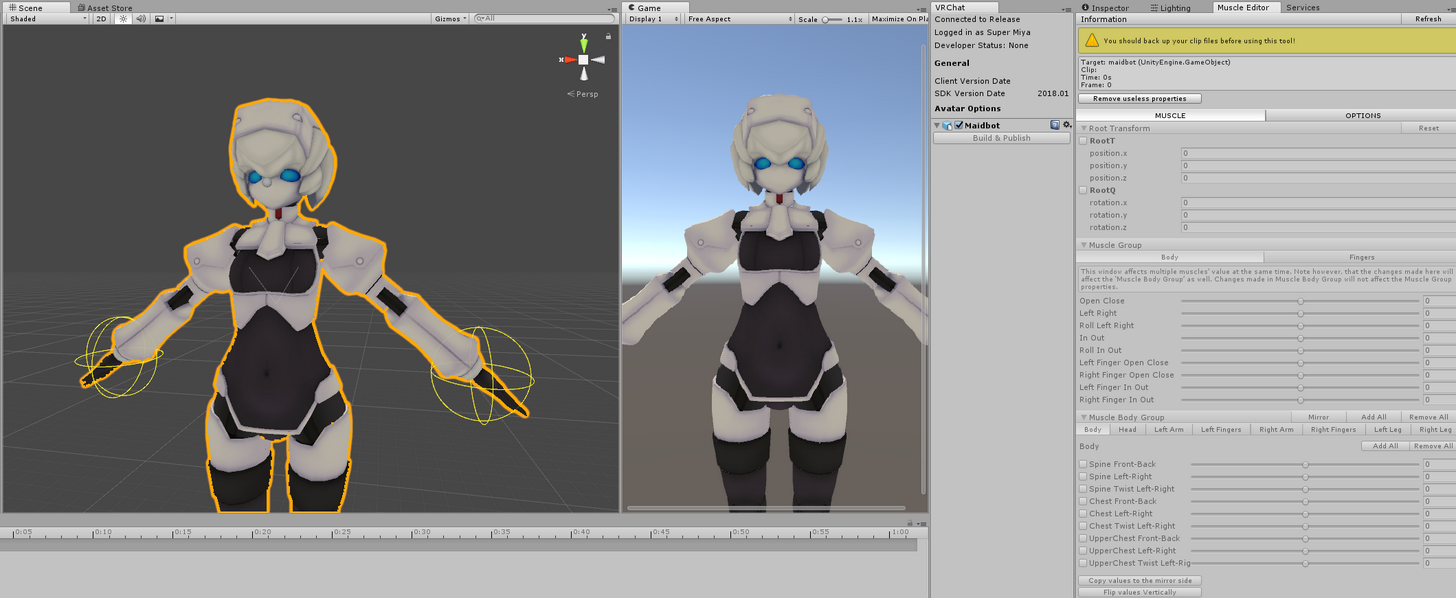
Hi, just wondering if anyone know how to fix this issue where Muscle Animation Editor is showing "No humanoid target found, please select humanoid gameobject from the hierarchy." ?
mellow yarrow

Super simple and lightning fast image sharing. Upload clipboard images with Copy & Paste and image files with Drag & Drop
 rose fossil
@mellow yarrow click on your avatar
mellow yarrow
I did click on my avatar, highlighted it but same thing happens
rose fossil
or press refresh
mellow yarrow
Same thing
mellow yarrow
guess i'll try to reimport the package
Didn't work out, if anyone knows of a solution please help out, thanks
 cinder quartz
Does anyone know if NoeNoe overlay can do that cool mirrored effect i see sometimes? and if so... how?
heavy stirrup
Grr. I found my root T i was looking for, but it's not fixing my avatar being below the floor.
paper lantern
Can anyone help me figure out this issue im having? I@m trying to make it so one of my fingfer animations draws in the air but its on all the time regardless of my finger aniamtion state
@ me to get my attention please ^^
signal dove
Unity could you quit being a wuss and just ignore the "errors" with my animation?
If you had nuts I would kick them
 opaque compass
It finally spins https://streamable.com/vf5k0
 gaunt gyro
Shame for that smoother in the rotation so it stops every time for a brief moment
 leaden totem
So! I managed to set up a trail effect so I can draw with my model in VR, How can I make the drawn stuff stay a while after I let go of my pointing gesture?
gaunt gyro
So it does always rotate at the same velocity?
signal dove
I gotta stop raging at problems with ultimately simple solutions
Does blinking work without eye tracking?
 sonic tiger
yes, if you make your own blink animation as a legacy anim
paper lantern
So I managed to get the finger drawing working but it's broken my model it spazzes out. Can anyone help?
please? ;~;
...
 short oxide
does anyone know how to stop a custom emote from looping forever?
 blissful root
Anyone know if theres a legal way to bypass the 8 second emote timer, or do I just have to work with 8 second emotes.
paper lantern
Can anyone help me set this up? https://vrcat.club/threads/noenoe-prefabs.85/

VRCat: Community-Run VRChat Forums
Due to vrnico's thread over in World Building, I've spent the past couple of hours(days) playing around trying to make some pens that function...
I have aboslutely no idea and it's honestly driving me fucking mad.
blissful root
what exactly do you want help with just adding the textures?
paper lantern
Me?
blissful root
yea
Its not really difficult its just download the asset go to materials and select the texture you want change it to noenoe, and im guessing thats where you hit the problem?
paper lantern
I'm trying to get a working version of finger drawing so I can give messages to my friends, I don't have a microphone and the one on my vive is broken
Well, I honestly don't know what to do
I have all these animations and models and i have no idea how to assign any of them or what any of them really do.
There is no tutorial on this since its just on the forums, I don't know how anyone is expected to just know how to set this up.
blissful root
theres usually a readme file inside the folder
paper lantern
It's like giving someone a set of tools and pointing to a pile of car parts and saying "build it" when you have no experience
 gray pier
Anyone figure out the new setup for visemes?
paper lantern
As far as I can see there is no readme
 arctic quiver
New setup?
paper lantern
It was just a unity package
arctic quiver
There's no readme but there's a guide made by Tupper
gray pier
 gray pier
doesnt look the same at all. as far as amount of shapes ect
arctic quiver
Oh I thought you meant something else
paper lantern
I'm talking about finger drawing
arctic quiver
Good luck
paper lantern
tbh at this point i'd pay someone to help me
hexed fern
Ok, I was told i can make this blade using particles (it being a wind sword and all) but how exactly would i go about that?
clear yew
Is there a guide in making something like energy beams and does anyone know if I make a animation with c script in unity will it show up in vrchat?
signal dove
@sonic tiger I meant VR CHat's built in blinking, but I guess that answers my question
quasi gale
@opaque compass Open the curves editor in your animation and change all the key types to linear if you want to get rid of the easing.
short oxide
does anyone know how to stop custom emotes from looping?
blissful root
did you uncheck loop? https://imgur.com/a/sookp
 gray pier
i like this new emote override system
short oxide
yea its unchecked
 somber veldt
hey does anybody know why my particles wont come out when i pull my wand?

this is my animation porperty tab if it helps

heres a look at the particles settings tab as well
quiet needle
Are the containers disabled on your animation and primary armatures?
somber veldt
oh hey tech,
whata re containers
@quiet needle oh the little boxes ?
http://prntscr.com/i7xcw4 on my animation testmodel everything is checked
 short oxide
is the system disabled to begin with?
quiet needle
The objects on the bone hierarchy need to have their top left (disable/enable) checkbox unchecked.
short oxide
make sure to have play on awake checked as well
somber veldt
ok got that too
quiet needle
Make sure you have your animation override set too
somber veldt
yea i got that done already 😄
short oxide
now can some one tell me how to get my custom emotes to stop looping
loop is unchecked and everything
heavy stirrup
In animation, recording mode none of my changes to rotations are saved.
And out of it, it automatically puts me into it
opaque orbit
I can get lights to turn on, but not change color/rotate/turn on and off repeatedly. It works in unity, but doesn't show up in VRChat, anyone have any ideas?
somber veldt
@quiet needle hey do you know what I need to do to tell the sdk to not update an avatar but to upload it as a new one?
opaque orbit
@somber veldt Go to pipeline manager in the inspector tab and hit Detach
somber veldt
Thank you @opaque orbit
opaque orbit
You can also copy and paste values into pipeline managers to upload a different avatar as an update to another one 😛
somber veldt
oh thats useful too . thats why you can copy the IDs from the uploaded content tab.
signal dove
Hey, is there something VR Chat does during runtime to throw off the footing in my pre-recorded animations?
 latent swallow
Does anyone know how to do that animation where they make the ground and the world around into space
or the galaxy
 thick crypt
I need some help.
The NoeNoe pen prefabs...or, well the second file on there. Those pens are used in level design, right? Not to be put directly onto an avatar? Or is there a way to put them on?
 ocean dagger
Does anyone know why my animation overrides will not show up ingame at all
opaque orbit
@latent swallow They probably use a large sphere with a noenoe cubemap
opaque orbit
They use a cubemap texture with the noenoe shader
Or just use normal texture on a large sphere
For example
@ocean dagger Did you assign the controller to the Avatar Descriptor?
celest pewter
@latent swallow what your seeing is a cube map textures on a sphere
making it look like infinite space
latent swallow
How would I go on about making something like that
celest pewter
just slam noenoe cubemap on a sphere
gray pier
anyone know if you can overide the animation for just holding the trigger?
its almost a fist but not
ocean dagger
@opaque orbit yes
is there a way to test if the overrides working without going in game
I assume putting something on 'idle' would work but i cant tell
opaque orbit
I know you can just drag an animation on a duplicated avatar to view the animation by hitting play, but idk how to see if triggers are working
opaque orbit
Not sure what that is then
quiet needle
I'm starting to get people tagging me for help. I'd best lay low for a bit. o.o
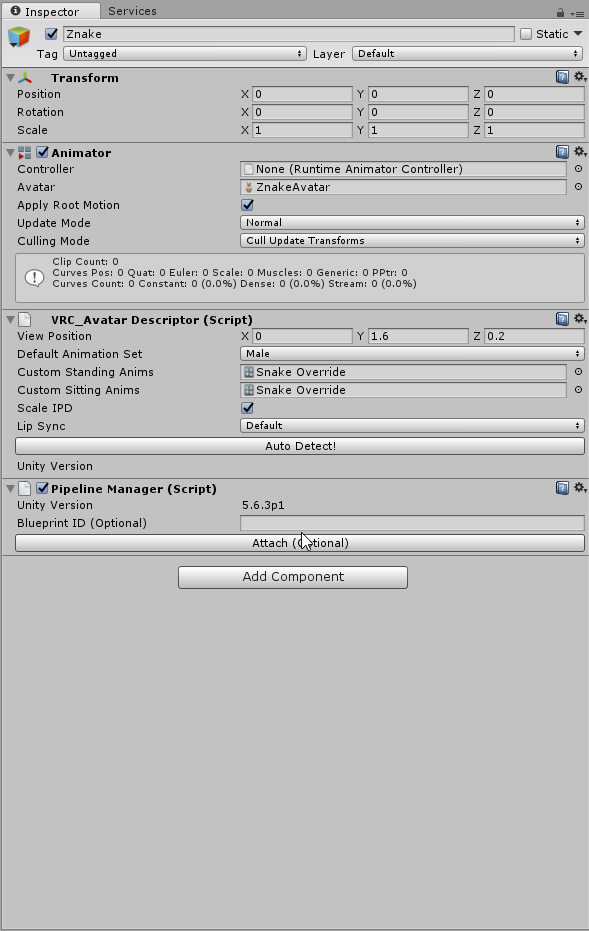
@ocean dagger show me your override?

 thick crypt
Gah ok I'm back now
ocean dagger
@quiet needle
thick crypt
This pen thing. https://vrcat.club/threads/noenoe-prefabs.85/
VRCat: Community-Run VRChat Forums
Due to vrnico's thread over in World Building, I've spent the past couple of hours(days) playing around trying to make some pens that function...
somber veldt
@quiet needle you're just too cute so people can't help it asking you for help
ocean dagger
animation works in unity
cant get it to work in preview via override
only animation loop
somber veldt
Ran into a new problem.
The wand was working perfectly when simulation space is set to local.
However that's not what i really envisioned.
But when I set it to world it doesnt follow and emits from the knee even though the parenting is still the same and it only plays during the animation when I have the wand out.


am I overlooking something?
somber veldt
how so?
quiet needle

Had to re-upload because of audio being too quiet should be fine now. I forgot to mention it in the video, but Murmur also answered questions I had and helpe...
somber veldt
thanks
 scenic marsh
Anyone know how to disable blinking during face animations if you used CATSs plugin to create the blinking animation?
quiet needle
I can't recall. I think you have to set it so the animation has "if animator is active, face visemes are inactive"
scenic marsh
Hmm I'm not sure how to do that
 mortal patrol
question: got a error that says my ONSP audio source will be removed by the client, but it's like a normal audio source? possibly the levels, or...?
slim steeple
i want to discuss quadruped avatars, any who made some in the past, did you animate them yourself or did they come with animations already?
 true musk
So I made some facial expressions with the animation override, but whenever i use them ingame they dont really stay, they kinda flicker. Does anyone know why this is happening?
thick crypt
So...this happened. https://cdn.discordapp.com/attachments/315093461613150208/408094420760657920/Error.PNG

I wanna know how to fix...
normal skiff
if you put a pen prefab intended for world on an avatar you'll get that sort of error
thick crypt
Oh.
normal skiff
you just have to delete the things it's complaining about
thick crypt
Wait then the pen works?
normal skiff
I wouldn't go that far, I haven't tried the pen yet 😄
normal skiff
it's what happened when I tried equipping my world penlights to my avatar though
thick crypt
Oh.
Wait would this work better then? https://www.youtube.com/watch?v=LUVxbv8_1ys

Link to the Snail Marker package: https://github.com/theepicsnail/Marker Link to the Muscle Editor I used in the video ($15 USD): https://www.assetstore.unit...
This tutorial I mean
Also might help if I had the latest SDK
So wait, do I delete the old one or...how do I replace the SDK?
 quartz summit
My hand gesture animation behaves strangely.
It'll play once fine, then I'll be stuck in the last pose for a while, then any attempt at moving my fingers will cause the animation to play again as if it's toggled
normal skiff
for all I know noenoe's pen would work fine if you just remove the stuff, I just haven't gotten around to trying it for myself yert
I want to get it working because it has the eraser
I'm just having too much fun with stencil buffer hacks right now
quartz summit
alright gr8
clear yew
Hey guys. Just about done with my model but I noticed a red wireframe ball between my character's feet and on the ground while in play mode. What is this? Will this effect the character in game?
somber veldt
It wont
quartz summit
Do i need a frame identical to the first frame at the end of the gesture animation?
otherwise I've no clue
signal dove
constant looping animation works in my avatar list but nowhere else
clear yew
anyone here know where to find animator in unity because it is not in the add properties animation tab
signal dove
Do mirrors not display object activation style animations properly, or at all?
opaque compass
I actually like the easing @quasi gale
 torn pawn
@quartz summit if your hands are "going slow mode" after gesture, you have forgotten to copy first animations to 1st frame
your start and frame 1 must be the same
if you forget frame 1, then you'll have glitchy hands for 10 seconds till they reset

be sure that it is frame 1, not 1 second or 10th frame, can even change it here http://prntscr.com/i7zp1w
 quartz summit
hmm they are the same. theres more than 1 frame to my animation
torn pawn
what is that animation supposed to do?>
clear yew
ok i went in unity and press ctrl c but when I press ctrl b it crashes unity. What is the correct way to press after ctrl c in the 0.00 mark?
quartz summit
It's a bit of a complex one hang on
this is it without any world particles https://youtu.be/Lq-LRsUih_4

pretty simple without those actually
do I need a frame at the end identical to the first?
torn pawn
isn't the max lenght 10 seconds?
quartz summit
The whole thing plays in-game
but when it's finished it keeps me invisible. trying to move my fingers replays the audio and standing still long enough reverses the dissolving animation extremely slowly
quartz summit
Can do, thanks
 glad topaz
So im having some hand gesture issues. ive made custom hand gestures on 5 other models, but this one seems to have spazzing fingers that appear to jitter/vibrate whe using the gesture
torn pawn
@glad topaz check if you have frame 0 and 1 the same thing, and if there is no added body trasnformation added
quartz summit
adding the zero frame at the end causes my hands to move even with no keyframes affecting the hands...
its really bizarre
glad topaz
so make fram 0 and 1 the same?
cause i re added keyframes 2 times and reuploaded and still same issue
torn pawn
@glad topaz if you are using a simple gesture override, then you need frame 0 and 1 to be exact same thing
and delete the 1 second frames if you forgot
glad topaz
i re checked my custom hand gestures that im making, it seems for some reason some of the fingers werent staying the same when i made the 1 keyframe so i remapped them
ill check tomorrow if it worked but i feel like it did
thanks again
torn pawn
can make frame 0, then copy paste to frame 1
glad topaz
yea i just did that
 turbid meteor
i have an animation that plays sound and dances, the dancing works and the sound works in unity but in vrchat it makes no sound
quartz summit
rip dude
turbid meteor
i dont know what to do
 mystic umbra
how the hell do I add animations to a plane
Is it even possible?
cause I know sprites are
warm harness
does it have a bone?
clear yew
Can someone please help, I made this default animation where my tail wags in game but it doesn't actually wag. It works in unity https://imgur.com/a/Y7BF4 and works in the hovering over it thingy https://imgur.com/a/U9Pn3 but when you actually select the avatar the tail doesn't wag
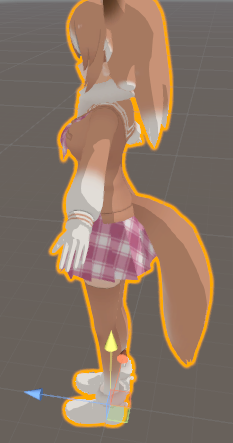
 nimble ridge
Is there any way to modify the position of your hands with a animation override?
I made a reg avatar from made in abyss and his arms extend I have to somehow change the armature to have the same length as the animated arms
warm harness
@clear yew did you map this animation to idle in avatar's overrides?
nimble ridge
From what I know you can do it in another way easier @clear yew
Add an animation component to the character
Select the animation you want go to the top right above the gear and click the 3 lines select debug
Check legacy and put it to loop go back to normal mode and drop it in the animation component
nimble ridge
Did it work @clear yew ?
 hot briar
Does anyone know how I can make a blush effect? My model has a 'blunder' shape key but it just looks really blocky and bad.
Is there a way to make my own blush?
 earnest onyx
friends a help as I do so that my avatar does not move his eye down
he is looking down all the time
 clear yew
ok well now I have this problem https://imgur.com/a/LnqW0
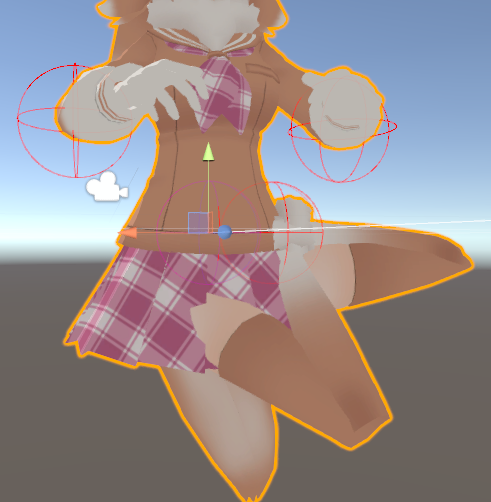
How do I fix this?
The tail wags it's just my feet are way up there
Like, connected to the tail or something
they don't sway
If you know a fix to my issue please pm me and or @ me, preferable pm me
warm harness
@earnest onyx welcome to the funky eyeballs club. no one knows wtf is going on
 opal lodge
Think they aren't fully fixed yet
or atleast I hope they aren't Q_Q else i'd have no idea what broke my eyes all of a sudden
 wicked crown
Having issue with unity reverting a material change. Each time I record the animation it displays as fine but when I hit play or end recording it reverts a random material back to its previous material instead.
clear yew
anyone know how to add particle effects that are not attached to an avatar
mellow yarrow
Having an issue with character animation, my character goes to the ground in game and animation not showing. Anyone have any idea how to fix this?
clear yew
did you make a duplacate of your avitar when you made the avatar animation?
 prisma hornet
@clear yew Like particles that stay on the floor as snow?
clear yew
no like sphires that surround my avatar
prisma hornet
Not attached? So they don't turn with you?
clear yew
no they need to move with me but not turn
clear yew
?
 clear yew
i am trying to make them into an animation but i dont know if i attach them to my modle if it will break them as another one did when i attached it to my hand
prisma hornet
They won't break, just put it under the parent if it's an aura
So there is only one parent above it
Outside of the armature and body otherwise they will 100% turn
Other than that I haven't looked into it much
I know that you can lock the axis somewhere
clear yew
so if i want them to surround my body where will i need to attach them to?
prisma hornet
Well it doesn't really matter
But personally I put it outside of the body and the Amature
Also because I make the mesh my body depending on the Particle
@clear yew Ohhh I believe it's Simulation Space
Change that to world
Instead of Local

Maybe 
old cave
I've posted this some other times, sorry for posting it again, but maybe someone who knows how to help me will see.
My character is getting glitched by blender. Some bits of his clothes are not appearing when I import him on Unity. I tried some things like recalculate the normals and flip direction on the places where the clothes are messed but no success. Anyone know how to help me?
This is my character on blender
https://cdn.discordapp.com/attachments/403602075822456833/408262992124182528/bug.png
this is how he looks in game
https://cdn.discordapp.com/attachments/403602075822456833/408267846246989835/unknown.png
I recalculated the normals on the bottom part of his clothes in there
This is how the bottom part should look


 dawn shale
Hi guys, im doing an animation pose where my character sits down on a chair. Where my a chair pops up and she does an emote, everything works but the sitting pose. Any ideas?
mystic umbra
I have the same issue with one of my idle animations in sitting pose
sometimes it works sometimes it doesnt. most times it doesnt
I think the chairs are bugged because some people sit right throught the material and taller people can sitt on it normally
old cave
The arms of my character go right through his legs on the sitting pose
mystic umbra
has anyone here done a sitting idle custom animation that works 100% of the time
 spice storm
any one how knows how to add a infinet loop in a animation (i never used unity before only have experiance with adobe)
maby by using a event script but idk
what im trying to do is to loop a spesific part of the animation
so that the start of the animation dousnt show the second time it loops
mystic umbra
I guess you can copy paste the shape keys of that specific moment to the end of your animation and extend your animation
spice storm
yah already did that... actualy if i make it long enough it might not be problem :3
haha thans ^^
 tranquil knoll
Is there a way to select multiple fingers than doing each one?
 weary cargo
Anyone know how to stop a longer hand animation from keeping on going ? it keeps playing if i let my hand gesture go
prisma hornet
@old cave Usually when that happens I atlas my materials and make them one.
@weary cargo Not possible, just make the animation shorter or 1 second.
Well from my experience anyway.
It would be possible if you can script or modify the Animator Controller
 final sphinx
i found some animations taht work in unity and the PV but they don't loop, is there a quick fix for that?
clear yew
Does anyone have any Hovering animations?
 vital matrix
just put a flat game obj between the avatar and the ground......turn off mesh on flat game obj.....you will get the effect of hovering
using it on my jetpack for my avatar
short oxide
does anyone know why my custom emotes keep looping forever?
i have loop unchecked on the animation file
pure summit
so, i havent seen very many complex/in detail tutorials about creating emotes. I've seen all these people create massive emotes (like the megumin explosion) but nowhere online provides detailed context or tutorials on how to do stuff like this.
if anyone has any links/tutorials let me know.
 ocean knot
i am having a problem with several overrides using several different objects. each one adds an object to a hand, and an object to my face/head. whatever i do, no matter how i set it up, the object in the hand always appears and everything related to that works fine, but the object on my head/face NEVER appears, no matter what i do. i even tried putting it on its own override and cant get it to work. is this something intended, am i missing something?
 vernal juniper




 signal dove
Can I not have two different legacy animations going at the same time?
ocean knot
@vernal juniper just taking a guess, but i think it is a particle system
white herald
no, use generic
 jaunty gust
Hello all 😃 I'm trying to make a custom 'peace sign' animation for my avatar (default one has some weird thumb movement going on) by animating bones and overriding that gesture. (also adding facial expressions on it)
However, now I'm wondering how I can make it so that I can use my own peace sign on both my left and right hand without it having to be triggered at the same time. Is this possible?
Because I'm kinda scared that if I'm animating my right hand bones, it only will work on the right hand. (and the left hand will keep an idle position) And when I will animate both hands in the same animation file, both hands will do the peace sign when only one hand is triggering it
 junior epoch
Curious to know if anyone knows where to find Dios "Zar Warudo" texture or however you'd call it.
signal dove
@white herald Were you talking to me?
 ruby mantle
how can i disable blinking when doing an animation ? i tried to uncheck the animation.enabled property but it still doesnt work..
tacit latch
trying to do an animation, but his should does not rotate. it can only do down-up and front-back. tdof doesnt do anything aswell
jaunty gust
If anyone has suggestions for me, feel free to @ me or whisper me!
white herald
yes @signal dove there is no reason to use legacy
signal dove
@white herald Not even fake blinking?
And what if you want to make a uv scroll animation for flat eyes instead of boned objects?
cursive moon
Is there a way I can take a default VRChat animation and edit it? Specifically, the Wave animation. I just want to add facial animation to it.
 fluid crescent
can anyone help me?I have custom moonwalk dancing animation but it doest work properly in game
signal dove
@cursive moon I'd like to know this too. I want the gun to disappear from my hand when I pick something up
The animations in the tutorial files don't seem to work
 gray flare
I'm trying to get facial animations working but everytime I go to use them in game the face doesn't change? I'm almost positive everything is setup right and animated correctly.
clear yew
Hey guys, I would like to rotate a bone in an animation, but my character reset its bones all the time. Can someone help me?
fluid crescent
My avatar's custom animation on prewiev is doing dance perfectly but ingame he hes legs are f'd up idk why
somber veldt
Hi, does anyone know why my mesh wont come out of a particle system I created?
it has 147 faces and is a üretty small shape
http://prntscr.com/i8cvrs these are my settings right now
 old cave
@prisma hornet thanks for the tip. Do you know how to do it?
old cave
Didn't work :x
 placid oriole
How can I make my weapon slowly fly above me and go back to my hand ? What I need to add to Animation tab?
 frank parcel
HELLO EVERYONE
clear yew
 next shard
mhhh
frank parcel
Is it possible to put mixamo animations unity, and override the normal emotes with dancing animations and stuff
clear yew
yes
@frank parcel https://www.youtube.com/watch?v=OsfdJVOVI70

One thing that I forgot to include is that I had uploaded my avatar .FBX to Mixamo before recording, so make sure you do that first! Another thing to note is...
it's very easy too, the video is 2 1/2 mins
 quartz atlas
My question is: are there sources aside from mixamo for these animations?
next shard
@1001 uhh is there a specific tutorial for vrchat