#animation
1 messages · Page 38 of 1
 surreal grove
 bleak basalt
Anyone know how to reverse an animation in blender?
 gaunt gyro
Update of my SuperSatan Miku going beyond, animation: https://puu.sh/z9y20.mp4
This is getting better by the minute. 😂
 placid oriole
so right now I have my one expression uploaded and it works but my hands aren't moving ;/
 woeful flame
@placid oriole did you animate again the hands in the animation with the face moving?
 woeful flame
You need to animate the hands again if you want them to move, the override is total
placid oriole
Oh
Do you mean I should take custom fingerpoint from vrsdk and just add my expression to it ?
woeful flame
Yes, it would probably be much faster
placid oriole
Okayy
 brave torrent
Has anyone else experienced this issue? https://vrchat.canny.io/bug-reports/p/handopen-override-being-triggered-when-interacting-with-an-object
wondering if there's a way to bypass that behaviour
 royal timber
What number are you guys using for fingerpoint animation
1?
for the index finger *
placid oriole
what do you mean number?
 brave torrent
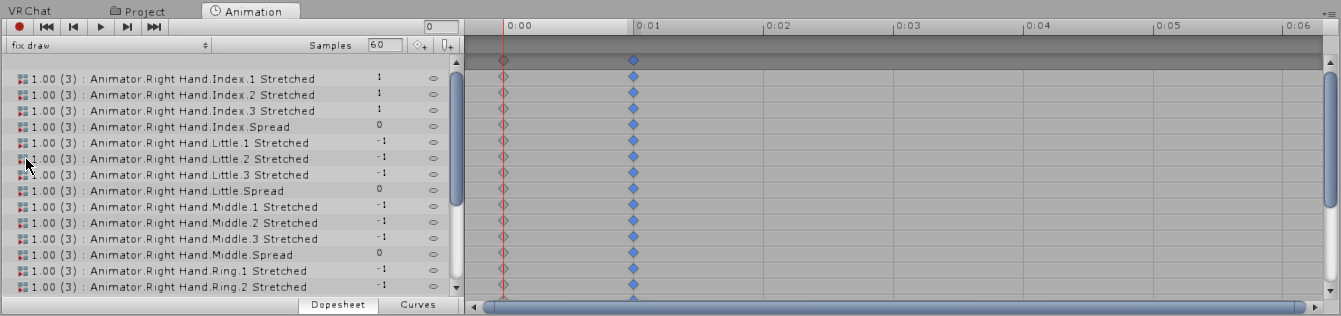
You could just copy the values of the default pointing gesture?
placid oriole
 royal timber
where is it though?
royal timber
@brave torrent
brave torrent
add default override to your character's animator controller, then in the animation window select the FINGERPOINT animation
royal timber
I see
placid oriole
oh wait I didn't override animator
royal timber
Thanks @brave torrent
brave torrent
np
royal timber
it doesnt look right though
placid oriole
overriding didn't do it for me ;x
brave torrent
doesn't look right ?

 viscid loom
Hi do you know if it is possible to use VMD animation ?
 mental ledge
Are glowing effects on avatars part of an animation? Like making eyes glow or is that something totally different?
brave torrent
Oh sorry @royal timber the animation overrides don't contain the actual default animations
brave torrent
and I think you can only view the walking animations from the simple avatar controller
placid oriole
https://imgur.com/UQe58xm Animation is working but my hands won't point anymore ( I overrided fingerpoint ), any ideas ?
 lusty jewel
@mental ledge Depend what you mean by glowing effect, if you just mean glow in the dark then the eyes are probably a seperate material using unlit shader
brave torrent
@placid oriole Exclude bones that you do not want to influence with your animation override, then I think they'll play the default animation
mental ledge
I guess glow in the dark, I've seen people with certain parts of armor or eyes lit up and I wanted to try and do that on one of my avatars
placid oriole
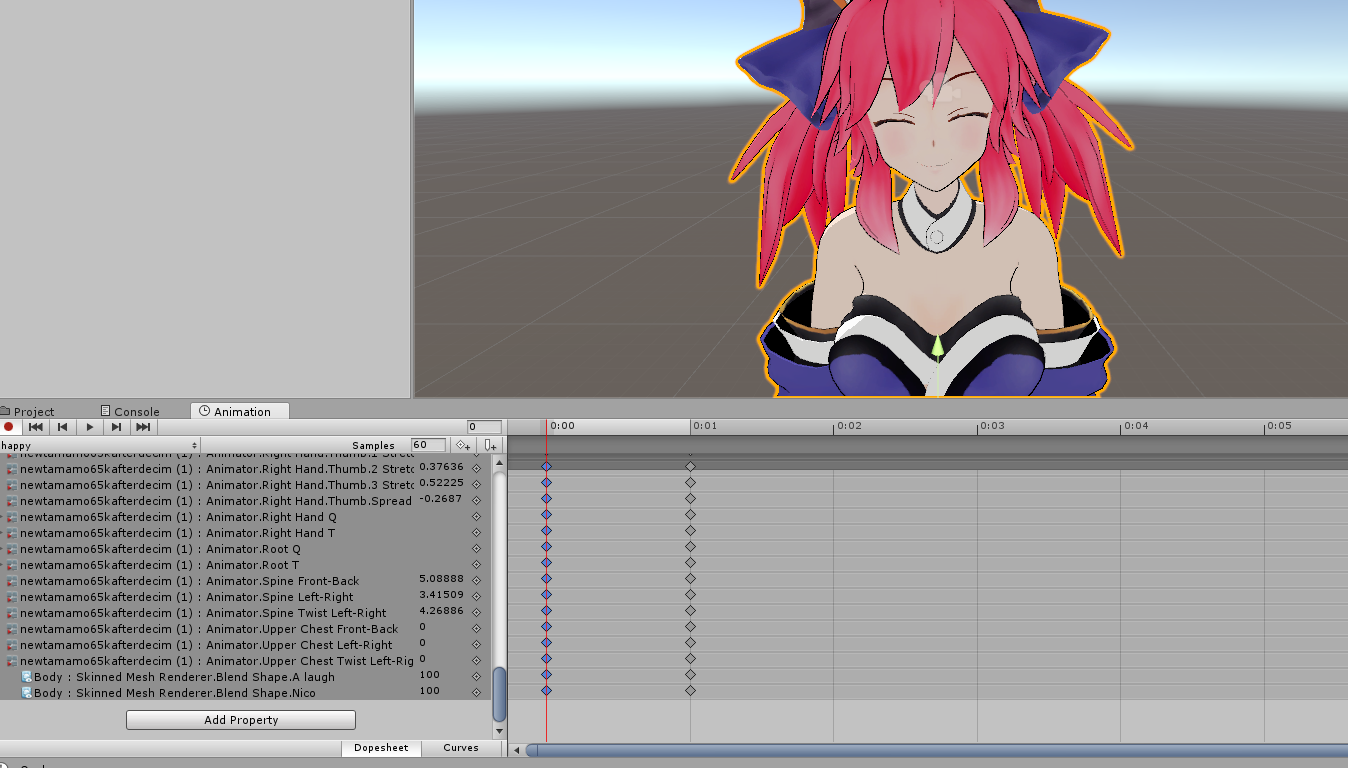
@brave torrent Well I tried to just use 2 blend shapes, didn't work, so I copied FINGERPOINT template, deleted head movement and added those 2 blend shapes. Should I only leave there blend shapes, right and left hand movement ?
brave torrent
Well as I mentioned above to Crowve, the template does not actually contain the gesture transforms
placid oriole
So I need to figure it out what numbers to use to animate fingerpoint ?
 glass idol
having problems with sub emitter particles: http://puu.sh/z9D1G/9491612e4d.png

In the simulation it tells me aswell "Sub Emitter Particles": 0 They should be showing tho, i have a collision box on, and the main particle bounces of, there are just no sub emitter particles emitting EDIT: SOLVED
 trim copper
I made a "fireball". My only problem is I want it to appear and shoot out when i use an animation. I already have the animation, i just need the fireball to move now
glass idol
mhh well so what exactly is your problem?
 clear yew
I added a running animation to my avatar but every time she runs it spins in a circle. How do I make it properly work?
trim copper
I dont know how to make the fireball follow a hand, then at some point, fly away from the hand
gaunt gyro
This thumbnail for my animation is fantastic. https://puu.sh/z9Esg.png
 glass idol
luuul
@trim copper well, you'd need 2 different animations, means 2 different animation overrides for that
gaunt gyro
Full preview: https://puu.sh/z9AX2.mp4 SuperSatan Miku going beyond. The animation I'm currently working on.
glass idol
Basically for a fireball in her hand, put the fireball particle system into her rig, into her hand
position it so its in her hand
done
gaunt gyro
Just tested the animation ingame. Absolutely 0 sign of lag. The particles are really well optimised
glass idol
for flying away, ya'd need a different animation in which you have the fireball moving, flying away,
@trim copper just pm me when ya need more specific help
viscid loom
@gaunt gyro That look amazing !!
I wish i was that good with animation and particles
gaunt gyro
Thanks. Worth the 2 days of work. Still needs a lot more polishing before I'm happy with it though.
 plush meadow
My only skill with particle is muzzle flash. Then I come across effects like that and it baffles me.
plush meadow
How does one even start?
gaunt gyro

plush meadow
To get body moving animations.
viscid loom
I'm in the same situation @plush meadow
plush meadow
How do you know what to add and what to move in animator window?
Did you use a script that makes it easier to?
gaunt gyro
I just copied the whole list of movable bones from an existing anymation
plush meadow
So the components of an already made animation in unity?
viscid loom
Oh do you have a link ?
plush meadow
To your project?
viscid loom
i'm looking for a flying animation
gaunt gyro
Well no, I had an dance animation ported into unity before. I just duplicated that and removed all the keyframes to start a new animation but keep all the components
gaunt gyro
Vmd
viscid loom
So it is possible to use VMD
plush meadow
How do you open those type of files?
gaunt gyro
Ported to fbx in blender
gaunt gyro
Then to .anim in unity
plush meadow
So you open a vmd file made for the character in blender?
Then you convert to fbx and drag into unity?\
Is there a tutorial regarding this?
I would assume that you parent the animation to the duplicate model as well as the main right?
gaunt gyro
Yep. Bake it onto the character, export to fbx, import to unity, make humanoid and rip it off the character into a seperate anim
Hmmm i did use a tutorial to learn this yes
But that was quite a while ago
gaunt gyro
Well im in bed on phone atm. Trying to catch some sleep. :p
viscid loom
i founded something https://www.youtube.com/watch?v=oUSe5uDLSJM
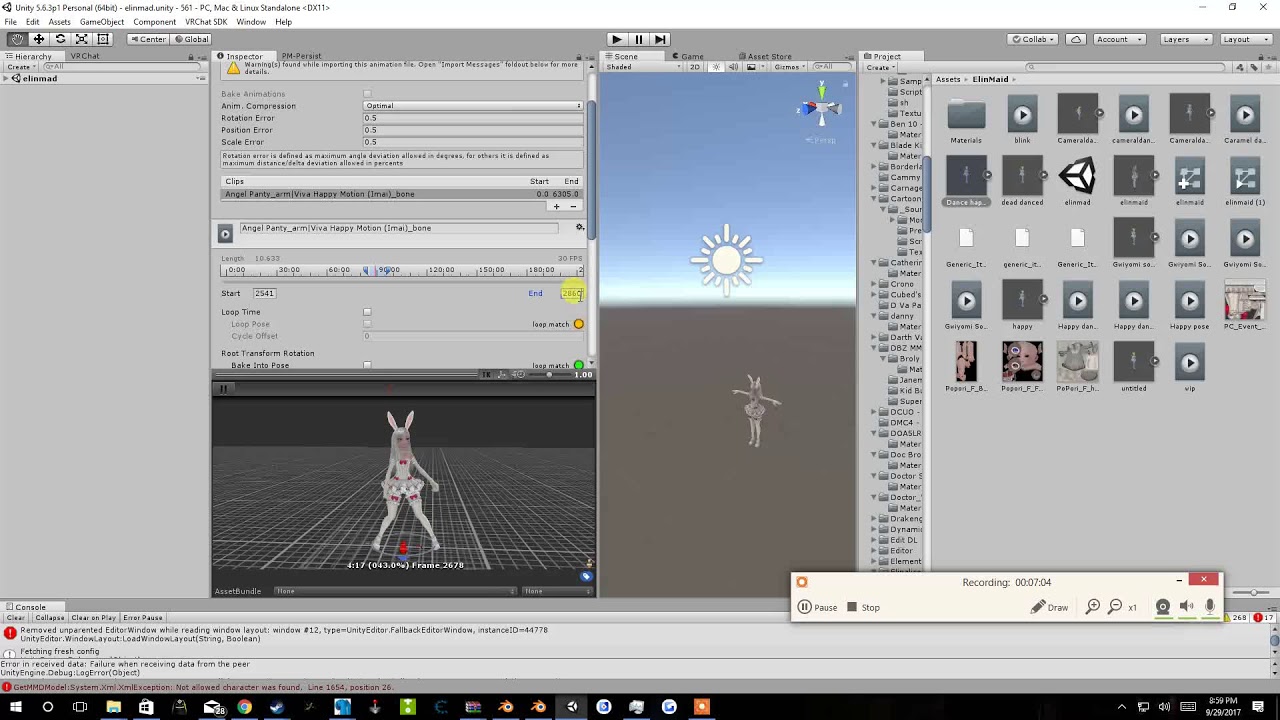
Tupper video on New MMD tool for blender https://tinyurl.com/y8yeonsd MMD Tool update version https://tinyurl.com/ybku6xft EvolvedAnt Gesture Overrides for T...
not sure if it this one
gaunt gyro
Just search for mmd dance to vrchat or something
That might be it. I think it was a pretty bad video without voice instructions
viscid loom
this one seem to work https://www.youtube.com/watch?v=kWFvuRmTeFg
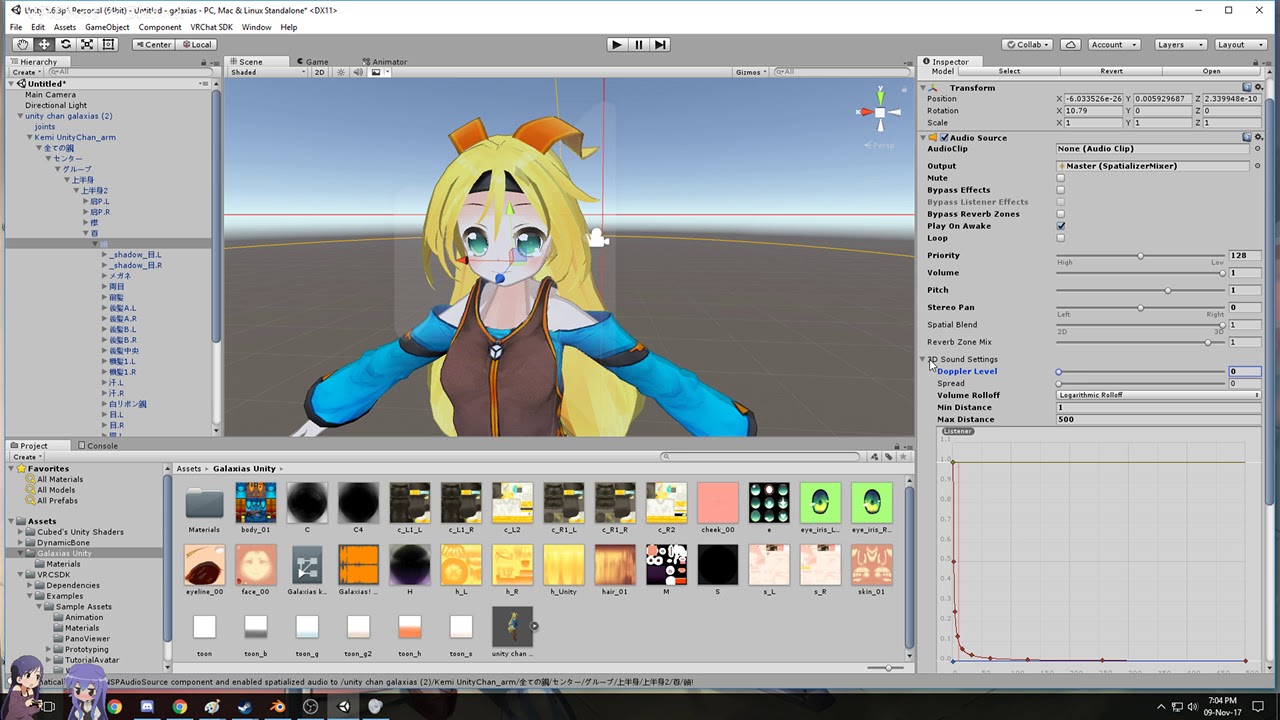
Hi my name is Shana from vrchat and i started not long ago Learning how to import mmd dances to vrchat was one of the fun stuff to do for me so today im maki...
gaunt gyro
Oh yeah that thumbnail looks familiar
Anyway if you are still stuck I can help you tomorrow. Feel free to send me a DM
plush meadow
One more question.
Are VMDS strictly only for the character they are supposed to be used for?
gaunt gyro
Going to sleep now anyway. :p
plush meadow
Or can you apply them to any model.
gaunt gyro
Ye?
Almost all mmd models
But make sure you add the vmd before you translate it and such
plush meadow
I'll try it out on the next model I guess.
gaunt gyro
No, just use a random "dummy" model to port animations
viscid loom
Oki oki ^^
gaunt gyro
Once it is a .anim in unity, it can be applied to your original avatar
viscid loom
I won't keep u more get some rest "insert ur gender"
gaunt gyro
Ye, good luck. I'll see you folk tomorrow
viscid loom
👌
trim copper
So I make a copy of the model in the hierarchy
and put the fireball in the hand of that model?
 surreal iron
https://gyazo.com/99d669c5023b338447229e71b1bfb18a so guys, im trying to add a dust trail particle effect to my emil avatar, attached the particle to the mesh, and set it up to activate during walk/run animations, but its not activating

https://thumb.gyazo.com/thumb/1080_w/_7d0aff2cc465c0755da56b0da9451dc5-gif.gif this is the particle effect
 clear yew
can some one pass me the nico nico nii animation?
 lucid remnant
same
 grave otter
is it possible when using animation overrides to put a different animation on each hand for example?
like, when I do "rocknroll" left I want anim X to happen and when I do it with my right hand I want anim Y to happen
brave torrent
@grave otter Not currently possible, I made a feature request for it here https://vrchat.canny.io/feature-requests/p/separate-animationoverride-gestures-for-each-hand
 candid kayak
For some reason everything is fine in blender but in unity, the avatar's skirt doesn't rotate/move with the MMD dance
 white herald
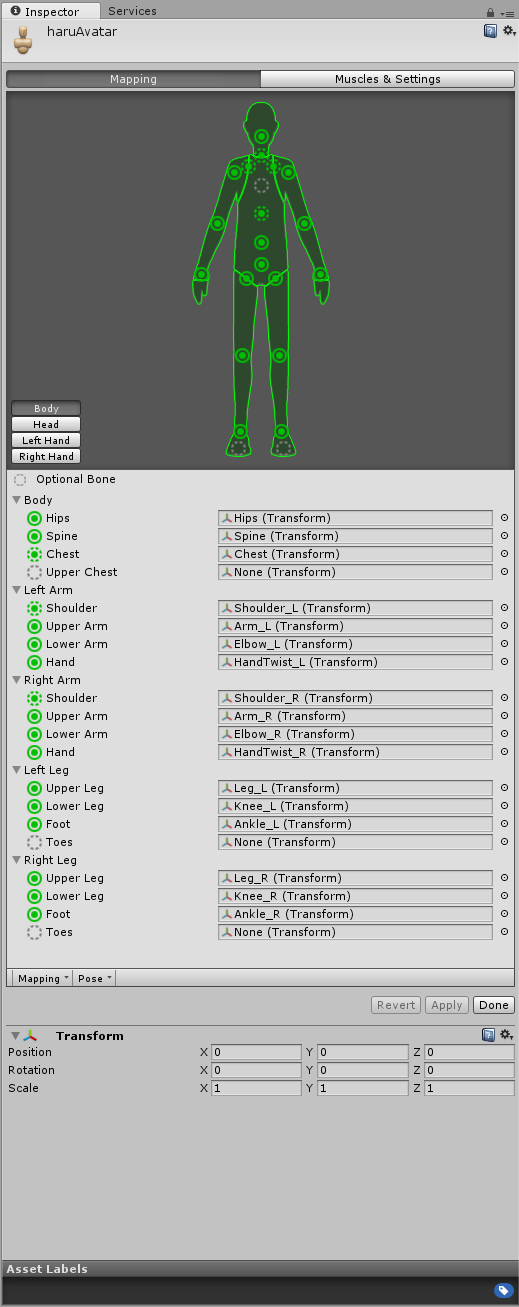
@candid kayak you need to enable the skirt bones in the animation mask
in the fbx import settings in unity
 white herald
no, i'll take a screenshot

make sure the skirt bones are checked for each animation
candid kayak
oh it isn't
thanks
should i just cehck everything?
check*
i'll just get the skirt
white herald
can't really hurt to check everything i guess
 hot orbit
Is there a way to say, simulate particles and sound on a gun after you pull it out as a gesture?

 fast crater
ok so particles were working fine, added another particle system, sdk says itll be removed and i cant upload. wth
white herald
ah
fast crater
is there like a limit or what
white herald
@hot orbit i've seen it done, i believe you need another gesture to initiate the sound/particles as a separate animation
hot orbit
But is there a way to only trigger it when the gun is activated is what's bugging me
white herald
when the gun is activated? like the moment you pull it out?
it'd just be part of the same animation then
 tall sorrel
Anyone know how to fix custom sound volume? I have it at 1 in the audio source but it still doesnt make it louder
hot orbit
No, i mean after you say, pull the gun out with one gesture, and simulate gunfire with another one, but how do i do it so that i can do that without triggering the gunfire anim while the gun is hidden
white herald
if the particles/sound effects are components on the gun or the gun's children, they can't go off while the gun object is disabled
just make sure to disable the entire gun object and not just the renderer
candid kayak
Am I just not able to rig as humanoid if i'm adding animations?
white herald
no it should work
white herald
i guess just checkbox the skirt bones and not all the other stuff
candid kayak
I did that too :x
white herald
how are you testing it
candid kayak
The view on the bottom right and the unity scene
white herald
maybe it's not exported/imported properly. is part of the blend file or a separate animation?
white herald
in the fbx export settings, under the animation tab, make sure baked animations is checked
candid kayak
sec
 woeful ocean
Question: I have an animation override that shoots particle effects out of my right hand when I do the rock-n-roll gesture with either hand. What steps do I need to take to also make it shoot out of my left hand?
tall sorrel
copy the animation and place it in the override controller but place it on a different gesture
woeful ocean
I can just copypasta from the hierarchy?
tall sorrel
copy from the assest area
white herald
or the hierarchy should work
woeful ocean
the part I'm having trouble with is editing the original animation so that I can make it activate the left hand
how do you get back to that screen?
tall sorrel
I'm still trying to figure out how to fix my sound lol
woeful ocean
ahhhh, the muscle editor tab-- that's where
clear yew
where can i find all the default animations to use as reference?
white herald
in the vrchat sdk folder under animations
clear yew
all i see is example assets, and they're not all there
only the ones i've gotten and some blank ones
clear yew
anyone?
 modest mantle
Anybody knows how to reopen an animation clip from the copy of the model in the animation tab?
woeful ocean
I'm trying to figure out the exact same thing
I figured out you can open it by using the Muscle Editor tab and clicking Refresh button while the animation is selected, but can't figure out how to add a property
modest mantle
I got it. I just drag out the Animator and just drag the clip into that. It'll then show up in Animation. I don't use muscle editor.
woeful ocean
ah, found you can also select the clip and hit ctrl-6
still can't figure out how to freaking add a property to it though, it is like it is locked
the Add Property button is just greyed out
candid kayak
@white herald So I exported it again with baked anim
it's still the same
When I rig as generic, it works fine
But when I rig as humanoid, it doesn't 😦
 primal gull
hey so
im making a predator avatar, is it possible to make him turn invisible in an animation
primal gull
well would u know how to do that
clear yew
well you need to make an invisibility shader first
then i'm not sure how to do shaders in animation
i haven't gotten that far yet
clear yew
can someone help me with getting the basis for sitting animations? i can't find anywhere
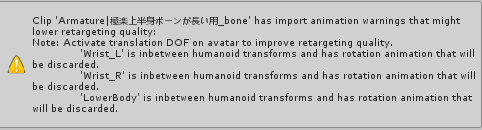
 lone viper
Hey, is there anyone who might be able to help me figure out what I'm doing wrong with this longer animation I'm working on. I set the animation up to shoot a single particle from my left hand (a bow) after a short delay. Once the particle reaches the end of its path, I have a particle system that's supposed to launch short busrt of particles at the point where the other particle disappears. When I go in-game though, none of the particles seem to work.
 mortal creek
Hi i have a question :'v how can i make a particle system be an animation?
lone viper
I know that you can activate a particle system on your avatar with an animaiont, just like you would any prop that appears when you make a specific gesture.
lone viper
I suppose. I'm still trying to figure out my issue though. 😅
 lone viper
That's the video I'm watching right now. 😅
 late phoenix
lone viper
late phoenix
lone viper
I'm wondering if the problem I'm having is that I have the particle systems parented to an object on my armature. Should I just have them free floating like his?
woeful ocean
That video is hard to watch, because there is a lot of extra narration that distracts from the tutorial. Try this one. There is no dialogue, but the steps are exact: https://www.youtube.com/watch?v=61vO-IswFps
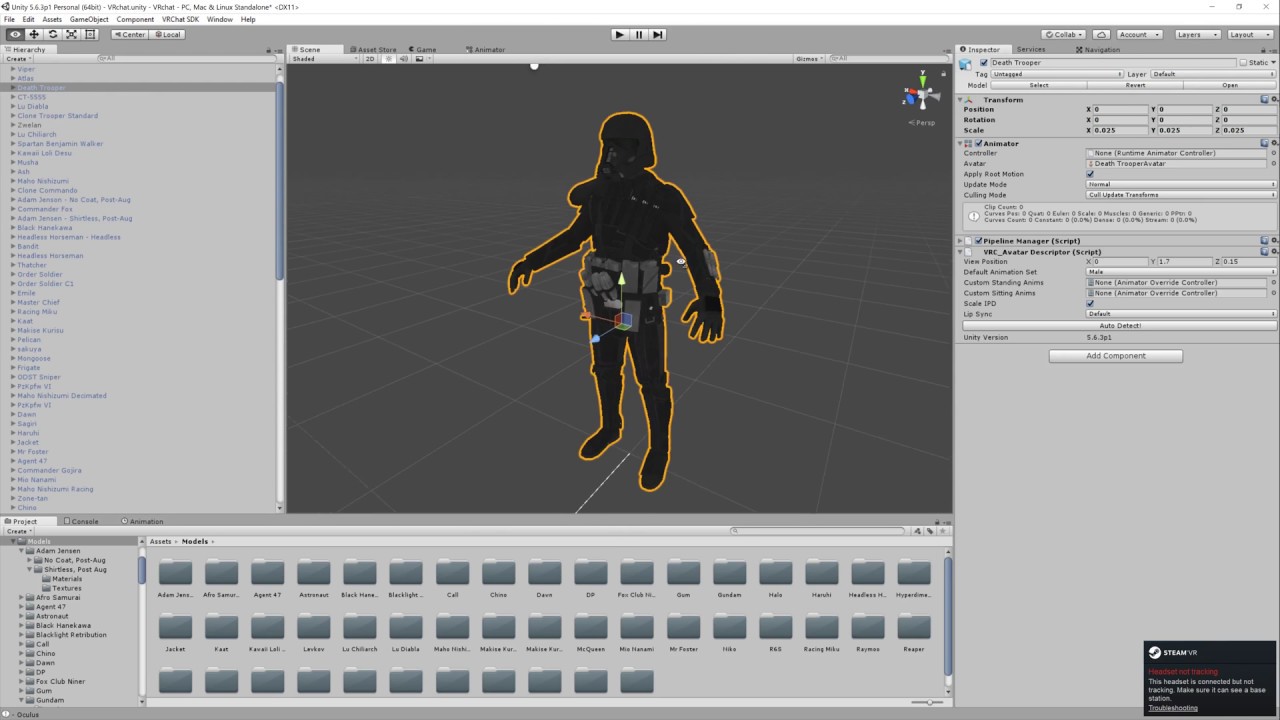
Basic VRChat gun animation override. Audacity used to convert audio files to .ogg.
@lone viper be careful muting the video you are watching by Doublegoose-- he makes a mistake during animation that will ruin your avatar rigging if you do what he does. He stops the vid and re-imports his avatar and re-creates the particle effects before starting the video where he left off
 jolly owl
Anyone know why music plays quietly in vrchat when I try uploading it as an animation and as just a loop?
 thorny fox
no one knows ive been asking for ages
or atleast no one knows how to fix it
i heard you should max out your mic settings ingame
jolly owl
ill try it
lone viper
@woeful ocean I'm not actually following that video. I think the problem is, I'm trying to do something a bit more advanced than these animations. 😦
woeful ocean
Take a look at the video I linked-- he shows how to gesture for a blaster, then gesture again to fire the blaster with sound
lone viper
What I'm trying to do is trigger a second particle system after a small delay.
I already know how to make guns fire and such.
Just not sure why this one animation isn't working as intended.
woeful ocean
Ah okay
haven't seen how to do that. Did you try activating that particle effect only on the last frame?
lone viper
No, I set a start delay on the particle effect, but nothing ever happened. There's a total of 2 particle systems, one that emits from my bow after about a 5 second delay.
And another that's a set distance away that's also on the bow.
That one has a delay of about 6.5 seconds. Just enough for the one particle to reach the end of it's life.
woeful ocean
I see, so like, an impact
lone viper
Yeah.
woeful ocean
Neither are displaying?
 errant finch
anybody know how to fix an avatar being halfway in hte ground for custom emotes?
lone viper
Ideally, what I want to do is have enough time to start the animation, lift my hands in the air straight up, let the particle launch and explode in a shower of particles.
No, neither particle systems are displaying at all. 😟
woeful ocean
that'd be cool. Only thing I can think of that I've seen that caused me not to see the particles, is that the active box wasn't checked on the animation
lone viper
Bad part is, it's working properly in Unity, but not in game, so it's difficult for me to tell what I'm doing incorrectly.
woeful ocean
or the trigger wasn't set correctly in the override
oh man
sorry I can't be of more help : (
I'm about to test having the same particle effect shoot from two different hands, independently of each other using different gestures
fingers crossed (literally)
lone viper
Lol, hopefully it works out.
errant finch
thanks for the help guys
clear yew
Kind of an off topic question. I've been downloading hundreds of avatars for use with VR Chat. Am I legally allowed (Or at least, not going to get sued), if I made animations with these ripped models?
lone viper
Shouldn't be.
 celest pewter
already reported u to the authorities
clear yew
Shit
celest pewter
・3・
 lone yoke
I have a problem with an animation i have, its just supposed to be a simple flash transformation. The problem is I get the animation working but the light keeps looping so it flashed every second. When I try to exit out of the animation it takes 3 seconds before everything disappears
How would I be able to play it once on still keep the animation out while being able to exit out or override it with something else?
 main bone
yes, but it's dumb
mortal creek
how can i avoid avatar breaking doing a particle animation?
i did the duplicated and all but when i upload it to the game and i click the emote the avatar breaks again
 pliant plank
Is it an emote/movement override instead of a gesture? @mortal creek
mortal creek
is gesture override
sorry an emote override
with a particle system
when i activate the particle system with the emote in game it breaks my avatar
pliant plank
If it's not a gesture the entire body must be animated for it to work i think... but wait for more people's responses
 south lynx
How do you fix hand gestures with you do an animation override, I’m trying to make some particles fly out of my hand when I do an open hand gesture, it works. But the problem is that it breaks all the other hand gestures
mortal creek
FUCK I CANT FIX THIS
candid kayak
I cant get eye tracking and this this skirt to move 😩
clear yew
is there an easy way to do animations with simple bone transforms in unity that i'm unaware of??
 ruby spoke
@candid kayak Don't animate skirt bones, just use dynamic bones on your model and they will move ingame regardless of your animation.
@clear yew Im pretty sure theres tools that help you import groups of bones easier so it's a lot less work to manipulat the bones, can't remember what they are called tho sorry
clear yew
i just mean like
being able to select a bone
and just move it around and rotate
and have it not disturb anything else but connected bones
Hello?
I need help
I was working on blender
Im ripping out models from other games
Gmod etc
to make one model
How do I cut out section of a MESH
just a video
THATS all lI need
like if i move hand, it moves arm only
kind of thing
ruby spoke
@south lynx It has to do with particle systems, I have the same issue.
Any animation adding a weapon or sign f.e. works fine, but particle effects sometimes get stuck on your hand making you unable to exit that gesture
clear yew
i want to do a chest rotation, but it rotates the hips and legs etc opposite with it
ruby spoke
I think theres tools for that Genesis, but don't quote me on that
clear yew
Hello?
I need help
I was working on blender
Im ripping out models from other games
Gmod etc
to make one model
How do I cut out section of a MESH
just a video
THATS all lI need
ruby spoke

Click here to go to part 16: http://adf.ly/GHCDn Hello and welcome to my fifteenth tutorial on Unity 3D, in this tutorial I will show you how to add animatio...
check that Genesis, he seems to make it work fine
clear yew
who r u talking to
ruby spoke
Genesis
clear yew
yeah, i tried to use transforms and nothing worked
ruby spoke
hmmmm that sucks
clear yew
How do I cut out section of a MESH
just a video
THATS all lI need
its for blender
ruby spoke
could it be that bones are misaligned?
fetus I am no pro in blender, in C4D or 3DSmax its pretty simple
let me see if I can find you a quick vid
clear yew
why are you asking in animation channel?
you just select the mesh and press p to separate
Um
yeah but
I dont wanna delete the whole thing
only tiny bits of it
ruby spoke

This tutorial discusses how to reshape and edit mesh objects in Blender 2.6. Watch more at http://www.lynda.com/Blender-2-5-tutorials/Blender-2-6-Essential-T...
ruby spoke
yw
woeful ocean
@prisma hornetu to keep full use of your hand after an override, like with the particle effect, just be sure to set the fingers on the hand to the same as the actual gesture you will use to trigger the animation in the override (e.g., the hand is set to the rock and roll pose). THat way, when the animation triggers the fingers keep tracking your controller instead of going into a useless half-claw.
 prisma hornet
woeful ocean
prisma hornet
woeful ocean
Example- I shoot particles out of my right palm, so I make it look like the hand is wide open in the animation. The left hand I form the rock and roll sign. When I gesture for the override with my right hand, I can keep doing anything I want with my left, and it doesn't glitch out.
Sorry Xen, lol
 nimble ridge
Is there a way to separate animation per hand?
@south lynx make sure that your gesture animation is no longer than a frame
clear yew
i wanna know how to make custom sitting animation
or more accurately
how do you apply an animation to the sitting position?
vrcsdk doesn't have sitting anim base or even an override controller for it.
nimble ridge
I never tried to make a sitting animation but it might be the idle animation when you put it in the custom sitting slot
clear yew
i might try that... just stick one of my other anims in that slot... obviously it'll be funky if it works, but then i'll know
i'd just have to make sure i don't emote when sitting or it'll switch back to other positions lol
modifying every single one would be dreadful.
ruby spoke
haha thanks @prisma hornet
clear yew
i've heard that some people have modified sitting anims . . .
ruby spoke
@woeful ocean
So if I understand you right, if I override the thumbs up animation with the an animation that I base off the original thumbs up, lets say particles shooting out of the thumb, it wouldn't get stuck in that gesture? (btw with stuck I only mean like mashing other gestures for 2 to 5 seconds before it snaps out of it)
 heavy stirrup
Having some trouble with getting an animation to override an Emote. Followed all of the steps tutorials seem to put forth, but the avatarcontrollertemplate i placed into the Controller slot under the Animator component doesn't seem to work. In-game I still just see the standard "wave" emote where i replaced "EMOTE1"
nimble ridge
Wait why did you use the avatar controller template?
heavy stirrup
aye
ruby spoke
you need to use the override one
clear yew
@heavy stirrup CustomOverrideEmpty
nimble ridge
Oh and if you modify an emote you need to animate the whole body, else weird stuff will happen
ruby spoke
btw if you have issues with that one, fill out the empty bits with the original emotes and fill your custom slots with your custom ones, fixes a few issues
heavy stirrup
That weird stuff would be post getting it inthough right?
nimble ridge
The animation will play but he avatar will be stuck in the ground
ruby spoke
if you want to get into it the easy way, get on mixamo and upload your model, download an animation (without skin), and use that.
Easiest way to find out if you are doing the process right, after that you should start making your own animations 😃

One thing that I forgot to include is that I had uploaded my avatar .FBX to Mixamo before recording, so make sure you do that first! Another thing to note is...
use that tut
nimble ridge
@ruby spoke I have problem with my animations getting stuck too even if it's a single frame long =/
clear yew
well yeah, mixamo might already have what you want
save you the effort
plus, you can copy the animation keyframes (ctrl+a, copypasta) to a new animation and do adjustments if you want
ruby spoke
Bahka check the tut and try that first, if those work, and your custom animation doesn't then you know the problem is in your animation and not the process of setting up the controller
nimble ridge
@clear yew mixamo doesn't have the take on me dance I'm sad
ruby spoke
hahahaha I want that animation soooooo bad too
clear yew
some people have it
ruby spoke
I kind of want it on my walk forward
clear yew
a lot of people have it actually
ruby spoke
if anyone has it and doesn't mind sharing it, please @ me, ill love you for life
ruby spoke
(cant be arsed making it myself since im on too many other projects 😛 wanna finnish my home cinema first)
clear yew
find an avatar world with avatars that have it... i think winter world maybe has one or few? find out the owner, ask them personally
heavy stirrup
This particular animation, something is off with the bones or something, because Mixamo had him walking like he was doing the limbo XD
He's fine in game though
clear yew
moddex would probably be hard to get a hold of
nimble ridge
I know there's a mmd for it but I don't know the download link
clear yew
personally i find the funky dance idle and flying for walk that moddex and rare spice use much funnier though XD
and those are just mixamo ones
nimble ridge
@ruby spoke I have an animation that toggles a child object that has an animation, that is probably what's causing it.
ruby spoke
that would give the animation STD's, yes
clear yew
vrchat really needs some kind of workshop, or at least a main forum where people can share and link shit
nimble ridge
Is there another way to have a 30 second animation as a override?
heavy stirrup
If you already rigged your skeleton, does there have to be a specific order of parenting, and labels for bones, for mixamo?
ruby spoke
I think it tries to figure out from basic names
clear yew
mmmhhh... mixamo can be fussy... i usually just dl the anim raw or with their placeholder avatar then import it to my project and juggle it til it works
ruby spoke
pro-tip, if you rig, use the riggify addon in Blender
it puts all the right names in all the right places
(I just end up deleting a few bones myself on that tho, too many spines f.e., and it makes an upper chest which VRC doesnt like
heavy stirrup
wave still wasn't replaced 😦
The animation does work in the playback, for the model when i drop it in.
ruby spoke
I never had issues with mixamo but I either use fully ready MMD models or my own rigs
nimble ridge
Did you place the animation override in the standing animation slot? @heavy stirrup
ruby spoke
make sure you follow that 2 minute tutorial every step of the way
nimble ridge
I know the question sound stupid but is sometimes forget to do that and I get Rly frustrated lol
heavy stirrup
I put it into the controller, under the animator component
nimble ridge
No you need to put it in the custom standing pose/ animation (don't know the exact name)
Acctualy can you send a pic
 oh my Tupper has his own emote that's so cool
Mhhm back to the subject
nimble ridge
Yeah happend to me too Idk what's wrong with that
clear yew
use imgur not tinypic
heavy stirrup

Google Docs
nimble ridge
Ok that's your animation override
heavy stirrup
er and it didn't fix it
nimble ridge
I can't see if it's a duplicate or not
heavy stirrup
I mean, i copied and pasted two separate screens
but i didn't actually paste both i guess? XD
I just fixed
Same link
nimble ridge
Oh ok I can see now
So when you enter the avatar descriptor you have the standing animation and sitting or something like that place the "drone" in the standing slot
I like how my teacher doesn't give a fuk that I talk on discord
ruby spoke
I like how I'm a manager and can sit in discord and be the one who should give a fuck but doesn't
clear yew
lol.
nimble ridge
Lel
ruby spoke
pro-tip, get ShareX and upload to something like imgur with ith, easy screenshot with a shortcut which instantly uploads it and gives you a link to post
heavy stirrup
I ended up just using Drive, since i could just drop it into my drive folder
ruby spoke
yeh but I can't be arsed logging into my google account from work srry 😛
clear yew
sharex is the best
ruby spoke
(in order to look at the pic)
clear yew
you can make it auto-upload to imgur and even auto copy the url to clipboard when uploaded
if you want
nimble ridge
@heavy stirrup can you send a pic of what you have in the avatar descriptor
heavy stirrup
I'm missing the place to find the standing animation/sitting etc
clear yew
oh yeah, you select your model and go to avatar descriptor
ruby spoke
take you through every step, and its like a 2 min video 😛
heavy stirrup
k, back in a few
nimble ridge
Guess that would do
clear yew
would be much easier if i could drag/drop to these channels
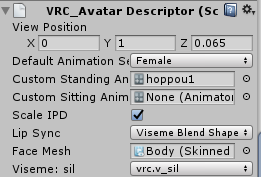
@heavy stirrup https://i.imgur.com/dtfBnKA.png
 ruby spoke
^
nimble ridge
"hoppou1" Pam Pam Pam paaaaaaam
clear yew
yeah, i'm making a pretty awesome hoppou :X
heavy stirrup
I had the default None
clear yew
first actually custom avatar that's not just a straight convert (been working on it for weeks, and procrastinating too, rip)
nimble ridge
I wish I could say I did that too but I'm bad at modeling and texturing (if that's a word)
clear yew
uhhh... i've literally never touched a 3d design program in my life besides google sketchup before vrchat.
nimble ridge
And besides I'm working on something easier to learn to texture
clear yew
texturing is suffering.
nimble ridge
Only if the file would upload =/
clear yew
took me the longest of all... not because it's difficult, but because it's like trying to juggle a million things, lots of annoying shit to fuss with, very tedious
(i hate uv mapping)
ruby spoke
20k poly limit is what kills me most in modelling
nimble ridge
@ruby spoke second that
ruby spoke
that and the fact that I now need to learn how to get blend shapes (visemes) to work -_-
clear yew
oh, well hmm yes and no... i mean if you want to decimate face and stuff, then you have to get really fancy and basically rebuild all the shapekeys
but i know someone who's gotten 90k models below 20k
nimble ridge
All I wanted is 40k sob
ruby spoke
I mean as in making my own models below 20k 😛 ripping models and decimating isnt that much of a fuzz really
clear yew
only downside with the poly limit thing, is that mmd's tend to rely on poly for everything instead of doing nice textures... so once you decimate things end up looking pretty plain.
ruby spoke
^true that
nimble ridge
Yep
ruby spoke
Anyone have experience with making blendshapes? (visemes)
nimble ridge
I'm a sitting duck at that sorry
clear yew
i'll give you a sneak peak of what i'm doing ;)
ruby spoke
I got some documentation yesterday that im gonna look into this afternoon, just wanna find out how time intensive it is to actually do per model
clear yew
ruby spoke
nice!
heavy stirrup
That was it, i finally got it to work.
Now i need to actually fix the awkward position of the model -- the other issue you mentioned.
At least i gets in now though, thanks.
clear yew
that skirt texture took me.... so fucking long to come up with.
nimble ridge
Honly shattering shat that's amazing!
clear yew
i'll let you in on a little secret: my visemes, the speakers light up for mic sounds, instead of mouth moving
 ruby spoke
I'm a theoretical physicist / metaphysicist working on Unified Field Theory dude, mad!
(Not stalking or anything, just a slow day at work)
clear yew
where was that written? i actually need to correct that, as it's misleading.
clear yew
corrected.
puppeteering with these animators is a lot of work... cuz when you move one thing, it tends to jiggle other things. (gg can't use simplex modifiers per individual bone )
pps: that crosshair in my image is a png i made in rainmeter to use as a reference point for animations, so i could move the feet back to original position for my anim... i just set it to stay topmost, drag it where i want it, and it's an easy measuring tool that stays there (just don't move your camera while working)
 dusk yacht
So I tried making expressions for the first time for a character. I looked up a tutorial, did everything said and told in it, but in game my avatars hands move really slow or dont do certain gestures and the face keeps moving on its own too. How can I fix this?
ruby spoke
are they all 1 frame of animation?
 warm harness
If you followed the tutorial exactly then use a better tutorial. Like this one https://www.youtube.com/watch?v=7P0ljQ6hU0A&t=5265s

VRChat Community Discord: https://discord.gg/VRChat Download VRChat! http://store.steampowered.com/app/438100/VRChat/ mmd_tools GitHub: https://github.com/po...
dusk yacht
Theyre all 1 frame yea
 agile ruin
@clear yew nice hoppou
clear yew
just my first of 2
agile ruin
i got around 8 hoppou models i believe
clear yew
only plan to have the 2... but i'll be using them unique
agile ruin
every custom hoppou is unique by itself
clear yew
i mean it's not just a skin... anyways
clear yew
no, this is my first fully custom avatar etc . . .
uhh, for some reason, i've managed to get the animation stuck on her
she's always sitting in a running pose, even after restart
 lapis ledge
is it possible to add a custom particle systen like put emojis with fire?
if so, can i make it so I just select a hand emote and it shoots out instead of adding a gun or smthing?
btw the emojis are there for the cancer effect
lapis ledge
but how do I make it fire
a guy told me thats possible and that he's gonna link me tutorials on discord
but so far he didnt message me once
lmao
clear yew
what do you mean by fire?
 proud estuary
right, so, you know how you can make models blink indefinitely
without having to override all the animations like idle, walk, etc
lapis ledge
1 sec
proud estuary
can i do that with things like hand movements too?
clear yew
my avatar is stuck in animation pose every time i deselect and go out of animation posing... i even tried adding and removing the animation controller, and it won't reset to t-pose
in rig the t-pose is fine
nimble ridge
@clear yew as long it's not your main avatar it's OK
clear yew
it is
she poses fine whenever i use animations or whatever, but when i deselect, she goes back to frozen running pose
oh there we go
there was transforms on all the bones
 daring frigate
when doing an animation
clear yew
i reset to prefab
daring frigate
don't make it on your real avatar
clear yew
naw it's fine, i reverted it
daring frigate
just clone the model and make the animation on it next time
at least you don't have to worry about all the revert thing
clear yew
i just expanded my armature heirarchy, selected all of it, then hit the gear > reset to prefab
daring frigate
doing this will also remove all added mesh i guess
daring frigate
anyway just dulicate the model next time you do an animation
clear yew
normally it's fine, it justapplied the pose to the armature that one time for some reason... i probably hit something i shouldn't have lol
i did multiple anims
and only one of them stuck
daring frigate
well creating an animation on a model will ALWAYS set its pose to the default animation pose
clear yew
and it was one i did earlier
meh, well it's good to know these things
knowing how these programs behaves and why
makes them slightly less frestrating.
i spent like 5 mins silently yelling "WHYY" lol
@daring frigate with alt+click to open all at same time, resetting pose takes as much if not less time than duplicating avatar.
 balmy trail
Can any1 help me with snails marker I cant get it to work it keeps breaking my hand animation and won't draw
proud estuary
is it possible to make a ragdoll emote?
like, enable dynamic bones suddenly that werent enabled before?
clear yew
yeah
physics objects
mmd>vrchat tutorials usually tell you to nuke them, but they're there for ragdoll purposes... i don't know how well they worn in vrchat.
i know people can use things like say bullet casings that bounce on the floor, but i dunno if that's rigidbidies, or some kind of particle collision thing.

Discover how to create a rigid body simulation in just 11 minutes. Full text summary: http://www.blenderguru.com/?p=11638 We make a chain, a wrecking ball th...
they're rigid because they have absolute shape and collide hard with other rigid bodies . . . again, i have no idea how or if they work in vrchat
ragdolls would basically have a bunch of invisible rigid bodies attached to bones, and in ragdoll mode, the bones keep the rigidbodies from stretching the mesh everywhere and falling apart, instead staying in a nice constrained skeleton
 timber breach
Can anyone recommend me a tutorial for costume walking/standing animations? Only thing I've been able to find so far was animations that override hand gestures like pulling a weapon or making facial expressions.
 robust hound
^ if there's a really detailed tutorial on that, I need it too
 wise minnow
And I need such totorial >^.^<
 keen snow
Hi guys, so here's my problem, on a model I've got a sword on my right hip and I did an animation to take that sword, So I create another sword hidden on my hand and not hidden in the animation and the sword on my right hip is checked hidden on the animation. But when I pull out my sword it won't desapear on my hip. Any help ? thx
robust hound
look if the values are the same at 1st and last frame of the animation
just common mistakes
dusk yacht
Ok so if I make a facial expression, I have to do the hand animation too? And without the Muscle animation editor you have to make all of the fingers one by one?
robust hound
yeah, you have to add every part of every single finger through the window animation. don't know if there is a fix to the window size too, it's a pain to scroll through a list that's so little
it takes really too much time for almost nothing
it's like 5 minutes just adding components
and then 10-20 minutes moving them for a complete gesture
dusk yacht
Yeah. That 15 dollars almost feels worth it haha
robust hound
15 dollars for what ?
ruby spoke
most likely the addon to add all the animation parts in one go
robust hound
yeah just wanted a name and confirmation, but figured out so :^
dusk yacht
True. So how exactly do I set up the fingers in the animation tab? Which bones do I need to put in? Or all of them?
robust hound
go on the animation tab
add component
go down the animator
and select the bones you want to move
once every bone is set on the animator, change the values to move what you want
done
dusk yacht
Oh damn thats gonna take a while x)
robust hound
pretty annoying even if you know perfectly what you're doing it take about 10mins just a pointing hand gesture on 1 hand
ruby spoke
nah its not that bad
jsut adding everything is what takes time
I animate holding object all the time, excluding the adding part it takes like 2 mins
robust hound
"nah its not that bad"
well it's both annoying and uninteresting
ruby spoke
annoying to add everything, yes, but its not at all as uninteresting as modelling an entire model from scratch 😃
if you hate doing those little steps then don't even start modding/modelling lol
robust hound
Yeah of course I just mean the adding of the components
ruby spoke
yeah thats horrific
robust hound
I fin dit actually pretty fun to tweak the values and see how everything move s
dusk yacht
Im tryna add custom emotes now but Mixamo doesnt work for me
in Chrome it doesnt load at all and in Firefox it cant load in my avatar
robust hound
yeah I can't load my avatar on Mixamo either
ruby spoke
weird, works just fine for me
robust hound
I just try to do animations myself since the one I want are just moving on x-y axis
like for floating kind of effect
robust hound
:/
dusk yacht
@ruby spoke any chance you could try uploading the model into Mixamo? I can send both OBJ and FBX
dusk yacht
Aighty
robust hound
I bet on the model :^)
still worth a try tho

 ruby spoke
soem times it takes a few tries but its most likely the setup, ill give it a look in a second
dusk yacht
Aighty, thanks 😃

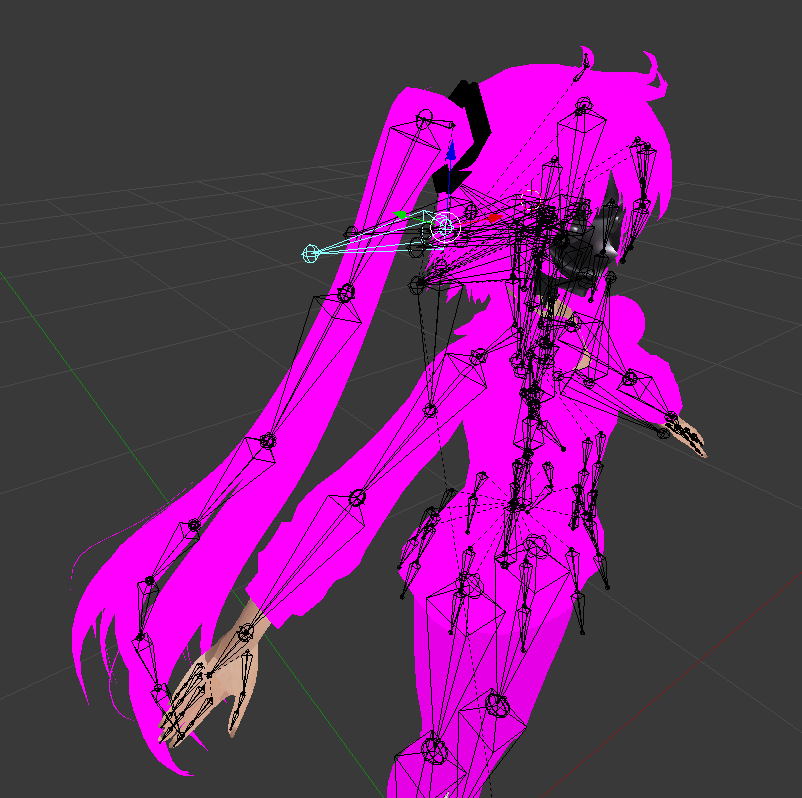
 old cave
this is my character exported from .nif to .obj directly from nifskope
i think nifskope was not able to export the skin weights(editado)
can i fix this? like, hiding the bones and still have the original rig intact?
When I put this character in unity it does not find his bones
 ruby spoke
all assymetrical n shit, the hair bones sticking out, yeah your bones are fugged
skirt bones are angled too
I'd do a whole new rig if I were you 😃
old cave
I see, thanks
old cave
Ah XD
ruby spoke
you can keep the original rig sure
just need to apply new weights, probably draw them for example
get Riggify in Blender, it has auto weights
then just re-paint the bits that dont line up right (if there is any)
@old cave ^ that was 4 u tho
old cave
Thanks! I'll try it
Just a question though, is there any plugin for 3DS Max who do the same?
ruby spoke
haha I know that feel, I prefer C4D over Blender
you probably can draw weights in 3DS, just not sure what they call it in there, haven't used 3DS in ages
old cave
k, you were a great help :)
ruby spoke
no worries, good luck
dusk yacht
Darn okay Ill try and fix it 😄 I might want to just go back to the pmx and not fix it with cats
ruby spoke
I think the model you are trying to use is just a basic miku, get a decent one of those and just edit the textures only 😃
ruby spoke
any rig can, as long as the rig works in VRC
ruby spoke
Iunno, I use the riggify stuff from Blender, works like a charm
ruby spoke
makes a full set of bones, and you can add autoweights n stuff
just gotta delete 1 or 2 spines
 brittle vigil
speaking of rigging I think I just throught of a way to rig up this model in a way that unity agrees with
ruby spoke
(for vrc)
brittle vigil
I just draw a new chain
orient everything with the skeleton tool
💀
I learned with sector that unity dosent like maths driving the chain unless the whole things keyed out
man I really wanna make emotes for this guy :<
clear yew
Any ideas on how to make my animation reset or rather stop completely after being used? It's pretty much just a sword attack animation, however I have to switch avatars to make it reset
 real pebble
I am trying to add a particle effect to a sword on one of my models, can anyone give me some tips or like a video that can walk me through it?
primal gull
anyone know how to do custom emotes
and i want to animate one from scratch but wenever i move a bone, it reverts back to its original spot
ruby spoke
did you add all the bones you want to manipulate?
 wintry jewel
Hey I have an issue with a blink animation and a hand gesture. Anyone know why when I do a hand gesture (which also includes a anime style smile) my blink animation continue when doing the hand gesture causing the eye lids to move still.
ruby spoke
I don't think you can disable blinking by doing a gesture, you'd have not put in blinking when importing your model to unity
clear yew
There a way to make is so onloy left controller activate the animation?
ruby spoke
not as of now
wintry jewel
I used unity to make the blinking, could not get it to work with blend cat tools
ruby spoke
they are looking into other ways to animate the stuff thats now on gestures tho
then pull it out through unity
wintry jewel
Well I want blinking, but I don't want it to blink when doing the hand gesture since it changes the face also
wintry jewel
Ah, but I sware I've seen other people models work this way ok well thanks Xenu
ruby spoke
they probably don't have blinking on, just eye tracking
(both of which should be broken atm btw.... so I don't know how you are testing this lol)
wintry jewel
I am not on currently, so it was working yesterday this way xD
wintry jewel
hmm
ruby spoke
KNOWN ISSUES

Eye simulation (tracking) is not working, will be fixed in next patch```maybe blinking still works, but I don't think it does
wintry jewel
Ah well I couldn't get eye tracking working on the model anyway, plus Don't really care for it.
I just wish it wouldn't blink while using a hand gesture xD
ruby spoke
then its in the animation
since eye tracking litteraly can't work right now
if its blinking/tracking, its your gesture/animation
 gray valve
Hello, can someone explain me how to add sitting animation? I have my .anim and I just can't drag it into custom standing animation slot.
ruby spoke
screenshot of your files please?
wintry jewel
Lemme see if I am not sure I am making myself clear. So When I do the victory hand pose I have the model do the classic anime ^_^ type eyes. But for some reason the blinking animation overides this face type.
gray valve
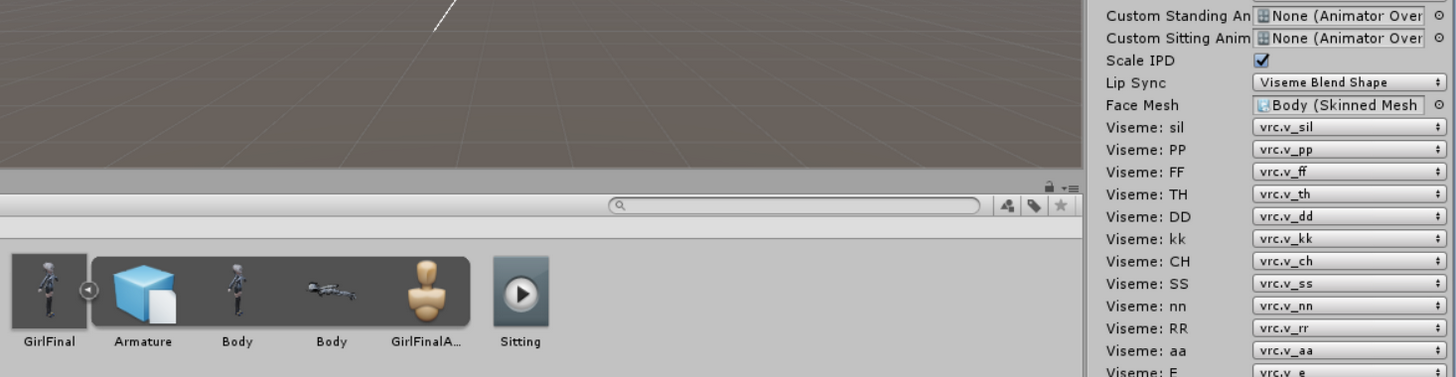 ruby spoke
so you have ANOTHER animation to blink?
gray valve
If you asked about mine.
gray valve
Thank you.
wintry jewel
The hand gesture/face is suppose to be static and not blink since her eye is closed.
ruby spoke
can you show the custom override @gray valve ?
gray valve
It's empty. I didn't do anything with it.
That's where I'm stuck. See nothing like SITTING there.
ruby spoke
thats your problem 😃 ill help you in a sec, let me just check Zakka's thing real quick
gray valve
Sure! Take your time.
ruby spoke
so Zakka, you have gesture animations, I get that, you ahve one for a face animation, thats cool, but the blinking you speak of, is that another animation?
wintry jewel
Yes blinking is its own animation
wintry jewel
Yeah
wintry jewel
Well I set the blinking to be automatic, when do nthing it blinks.
ruby spoke
could it be you are overlapping them because you are using both touchpads at the same time?
try stretching your left hand (grip button) and doing the animation gesture on the right hand
how did you force blinking to be automatic
cause thats probably your issue
if it isnt done properly with for example the CATS plugin in Blender its gonna override everything you do animation wise
wintry jewel
through animation add component
ruby spoke
yeah, don't do that, VRC doesn't like that I think
not in combination with other animations at least 😃
wintry jewel
Ah well couldn't get blinking working with cats plugin
so I used a video refrence
on youtube. xD
ruby spoke
hahaha nice solution I like the creativity there
try using CATS, and disable winking, that might work out for you
but once again, right now normal blinking is broken, so there is no testing it untill the new patch comes out
wintry jewel
K I'll wait then.
gray valve
I've got the empty one ready.
ruby spoke
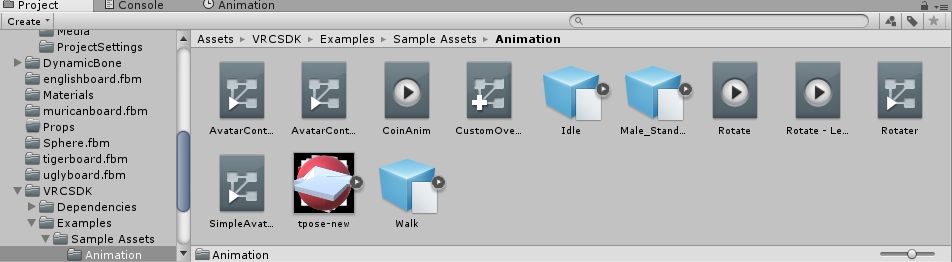 wintry jewel
Thanks Xenu btw going afk now xD
gray valve
Yes.
ruby spoke
hmmm let me check
I think you need to put the controller on "custom sitting anims" and then the idle
but I have no idea, thats just what logic tells me
gray valve
Alright. I guessed so, and any way to test it outside of game?
ruby spoke
don't think so, but you could keep your game open while you upload a new version, just reload your character and it should be updated
gray valve
Will, do. Is there any list of what corresponds to what in the override? Which one is laugh etc?
 gray valve
Well I meant like EMOTE1 EMOTE2 ETc 😛
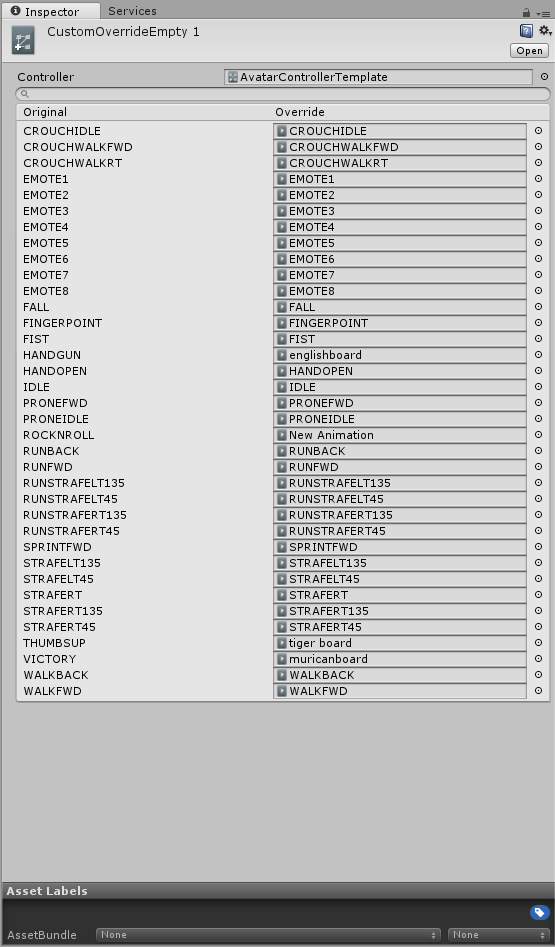 gray valve
I see.
ruby spoke
they are ment to all be customized per model, but most people don't bother putting in 8 emotes, let alone one
gray valve
So they are free empty slots I can use for whatever?
ruby spoke
you can replace anything there
when they are empty you can leave them empty and they will use the default
gray valve
Which rises the question which one is which as default 😄
ruby spoke
however, with some gesture animations it bugs out, filling them all in (sometimes) fixes that
the text on the left corresponds the animation you can pick
gray valve
Text on the left is EMOTE1-8. though?
ruby spoke
if you want to ovveride the emote animations you can place em anywhere in those 8 yeah
gray valve
But my question is what am I overriding there 😄
ruby spoke
aaaah
the idle
right
hold on
yeah just idle
not sure if thats gonna override the sitting, but thats my logic once again
ruby spoke
answering too many questions at the same time
are you adding a gesture animation, idle animation or random animation (like a dance)
gray valve
I am asking about if I were to slot something into EMOTE 1 to ovveride it, what would I override, what was there before?
 fossil urchin
Sorry to jump in but I could use some help, I'm trying to make a prop (A shotgun) appear in my hand when using the fingergun gesture on VR controls and I followed through a tutorial but when i get in game and preform the gesture, all that happens is that my hand reverts back to a relaxed state and it moves really slowly when trying to do another gesture and the shotgun is nowhere to be found, Does anyone know what im doing wrong?
gaunt gyro
Hmmmm so I made an animation on a humanoid avatar. But now my problem is: VRchat overwrites a lot of bone movement so my animation works perfectly fine in Unity, but not in-game.
Is there a way to make VRchat not take over bone movement?
If I make the avatar not humanoid anymore, the animation is missing all it's properties 😦
ruby spoke
if you override an emote it should annimate it all
regardless of what VRC wants it to do, it should just animate what you made
gaunt gyro
It's a 3 minute animation, so I have it on a seperate avatar, triggered on awake.
But I might just try to assign it to a hand gesture or something. Maybe that might actually work.
ruby spoke
smart, wouldn't know how to work on that tho
heavy stirrup
Is there a way to attach the animation to only a single portion of the character? So that it will play when you move around normally, without taking the entire avatar into account to play through it?
Or is that all of them, and only emotes do this?
ruby spoke
you can animate the position of a hand, and make it move, yes, you have to override a gesture
no idea how far you can take that
heavy stirrup
So if you were to say, make the hand wave in the place of a hand gesture, it'd let you move around while waving-- aslong as only the hand itself was manipulated?
And said hand wouldn't bend into a weird way trying to retain its original position, and would instead bind itself relative to your avatar?
 west cypress
Hi guys mind if I ask?: How many units of translation do avatars travel in vrChat? I'm asking because I'm in the middle of animating a walk cycle and I'm not sure how fast I should be traveling so feet don't slide
heavy stirrup
Oh, that's a good quesiton. I ask this too. 😄
 gilded salmon
Does anyone know why when I try to use the animation override for hand animations like fingerpoint, the emote comes in slowly rather than immediately?
in game
 ruby mantle
Hey, can we copy the properties for the fingers bones from one animation and paste them in a new one ?
clear yew
Is anyone here good with particle systems?
is it possible to do hand gesture on only 1 hand?
 small tapir
Is it an animation i need to get if i want my small avatar to sit down in chairs and without ending up in it?
ruby spoke
@clear yew not as of right now, however if you use a gesture for one hand on that one hand thats fine, but you cant unbind if from lets say your left hand so it only does movement
they are working on options for that tho
or well, Its on their to do list/suggestions list thingy iirc
clear yew
my problem is that i have a pencil on my left hand, but the gesture still work from my right hand and i sometime trigger it by accident on my right hand
i'll get used to it if there's no fix
clear yew
and since I have the oculus, the gesture arent as easy as d-pad like on a vive
ruby spoke
honoustly on vive its horrendous
sicne your fingers rest on the pad
you constantly activate shit 😂
clear yew
lol
small tapir
So do one of you guys know the answer to my question 😃
small tapir
Oops, now you should be able to read it haha sorry
ruby spoke
hmmmmm
haven't tried that myself
Im not sure if its the idle, we had a talk about that earlier in this discord
small tapir
Hmm, i heard someone said it was animation in game when i asked
south lynx
I’m ok at particles
But I’m still figuring out animation stuff with them so if that’s what you need help with idk if I can do that 😐
candid kayak
@ruby spoke ik about skirt dynamic bones, was talking about it doesnt rotate with my imported animation 😦
Sorry late reply
Fell asleep like o
Lol*
 small ice
is anyone familiar with how to make the sliding or reference textures.. like how people can walk around you and the cloths shift with you
small tapir
I think i know what you mean wait a bit need sceen
Look at the eyes
First pic https://imgur.com/a/vZ27d
Second pic https://imgur.com/a/NPJKD
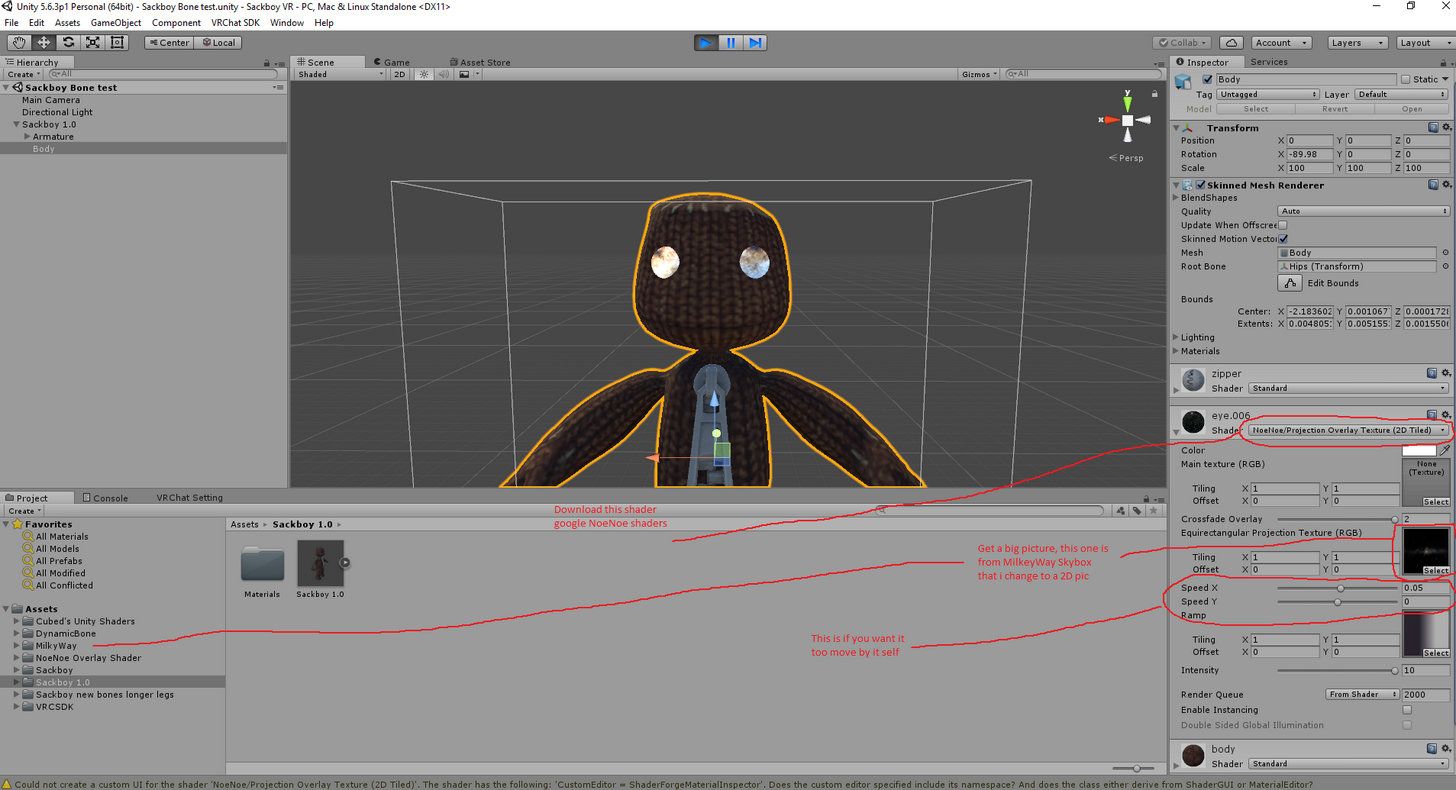
@small ice
heavy stirrup
Any way to open all of the armature into an animation to manipulate at once?
Instead of having the dropdown collapse after every single added rotation >,>
 rancid furnace
@normal skiff saw your post on world particles - have you seen this? https://www.youtube.com/watch?v=yZxfQkxvxRI&feature=youtu.be

Had to re-upload because of audio being too quiet should be fine now. I forgot to mention it in the video, but Murmur also answered questions I had and helpe...
also cba making a forum account to respond
heavy stirrup
Hm. When i enter the menu, i see my avatar disappear and go wild
heavy stirrup
Any way to place the descriptor for view position far out front, but have my arms not stretching forward?
 normal skiff
@rancid furnace yeah, I figured it out shortly before I found that video .. although there are still minor problems
seems like I was on the cutting edge too. all the posts on vrcat were saying it was impossible
but these videos say it has been an issue since what, February 2017?
if I joined in December and figured out how to fix it within 1.5 months... what have people been doing the whole time between then and now [trollface]
@heavy stirrup go wild? 😃
heavy stirrup
Basically, deforms, does the limbo--
Is there a specific animation that plays-- is that what the idle animation is?
normal skiff
I suspect it does use the idle animation there too
I was just wondering whether it was a crazy stereoscopic effect which I have seen before
heavy stirrup
Separate question, when i use a custom animation in the place of a finger gesture, it works but the hand doesn't go to normal after the 7 second animation
rancid furnace
@normal skiff to be fair VRChat has had a very small userbase until mid December
Less users = less people to figure stuff like that out
normal skiff
nah, surely all those high tech older players could have figured it out
maybe it was just that everyone was too busy saying it was impossible
small tapir
Just made my just animation 😄
 fleet hill
anyway to animate an object on the character without the whole character fucking up?
going to the default animation
would i just have to do it in unity?
i mean blender xD
brave torrent
Not too sure what you mean, if you mean overriding an animation and preserving the transforms of bones you don't want to manipulate, then you simply don't add those bones to the animation
fleet hill
okay
scratch what i just said xD
I've made an animation for a pet
and when i click play on unity it shows fine (The animation is attatched to the pets model) but it doesnt play ingame :/
 grand copper
Hey guys, I'm not sure if I'm in the right section to ask this buuut has anyone encounter this sort of problem and found a fixed yet? https://imgur.com/a/jtxtT https://imgur.com/a/NqVEM
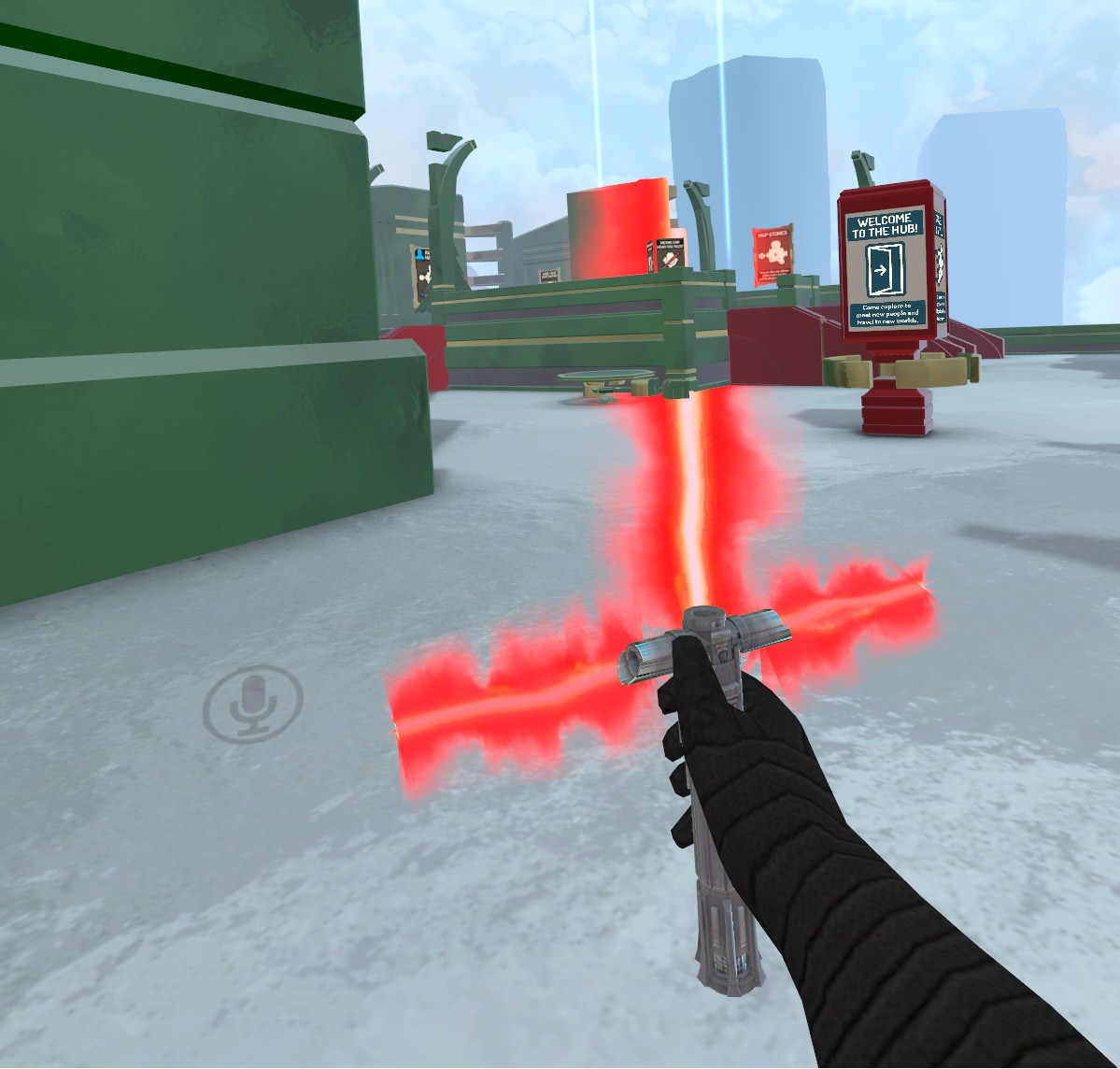
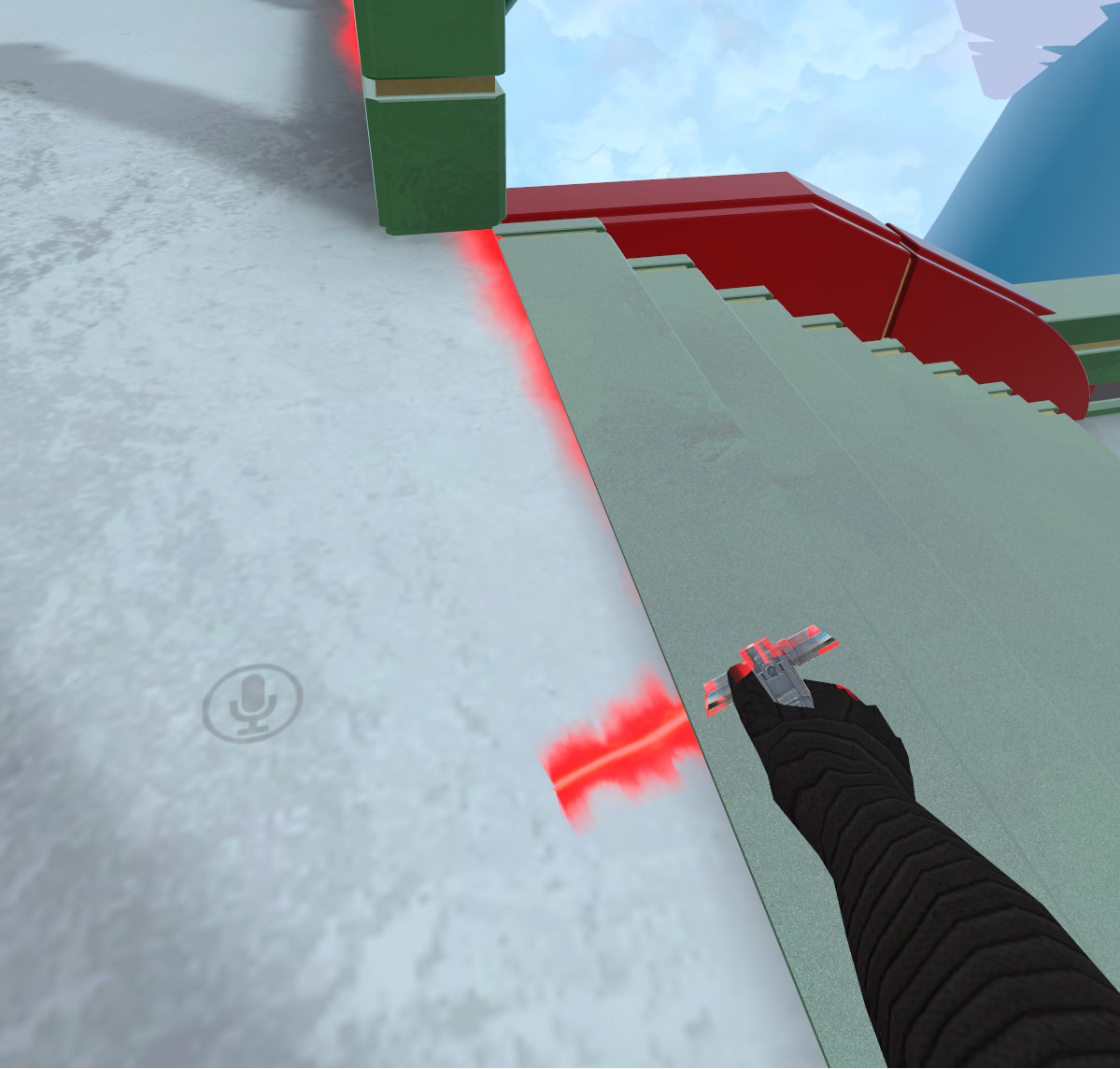
encountered* fix*
clear yew
Looks to me like it's just being drawn behind stuff instead of in front of them. In the material, try raising changing the render queue value which changes which order it's drawn in (If that doesn't fix it, change it back)
when i try to upload my charackter with a weapon, my charackter gets messed up and i can only see the hair that now has the materials from the weapon.. anyone know why is that?
 grizzled cobalt
Holy fk
I remade this dance: https://www.youtube.com/watch?v=1lGnlz90ZGQ

(^-^)/ (^-^)/ (^-^)/ (^-^)/ (^-^)/ (^-^)/ I do not own the rights to this song or the anime shown (Is It Wrong to Try to Pick Up Girls in a Dungeon?)
its not perfect xD but it looks good enough
grand copper
@clear yew When I looked at the render queue value, I saw it's on "Transparent", maybe that's the cause of the problem or is this standard?
clear yew
There's a number next to it, you can raise it
 simple aspen
Im looking for a sitting or laying idle, anyone have one thye dont mind sharing? pm me please
heavy stirrup
Grr. My long tail's animation is deciding to bend in a really weird way
Tieing knots into itself >.<
Hm. When animating, do you have to select the Rotation and not either or? I think i was selecting the position, but using the rotation tool in the view and it was messing it up for that reason.
clear yew
Is there a reason when doing the blendshapes in unity the face doesnt change at all? But in Blender it works just fine?
Am I doing something wrong
grand copper
@clear yew if I raise it and press enter, nothing's wrong but when I work somewhere else and come back its back to its default value
clear yew
That's weird. What kind of shader are you using?
heavy stirrup
How do you have more than 1 animation active at all times? Do you need to combine them, because otherwise i only see one going.
grand copper
Oh I have 2 animation for that lightsaber to be able to turn it on and off
 next pilot
anyone know how to get an already made aniamtion set to apply to an avatar that doesnt have any?
grand copper

Creating custom animations for hand gestures and emotes in VRChat
grand copper
that's not really what you said in your question :/
next pilot
ya i should of been more clear when i 1st posted
 brazen tide
anyone that can help me with a Revolver Ocelot's gun spin
 sharp pebble
I'm having trouble making a prop disappear. I'm trying to grab my hat, and I'm able to get it to appear in my hand, but the original stays on my head (2 hats). My understanding of the way to do this effect is have two hats to toggle the visibility of, one attached to my head and one to my hand. I have them both detached from the body by the same technique, and I can toggle their visibility in Unity. But I can only animate them from invisible to visible. I can't make them go from visible to invisible.
simple aspen
is it possible to get a laying idle from mixamo and use it, cause ive tried and my character doesnt lay he does some kinda weird pose
 grand loom
So, I added overrides to my hand gestures so that it would make the avatar give different face expressions as well. In game when I use them the face expressions keep refreshing from the default face to the new expression over and over. What did I do wrong?
 blissful wave
Is there an easy way to copy the existing hand animation? So that I can keep it exactly as-is while adding the facial expression to it?
west cypress
@blissful wave IF you just animate the face it shouldn't override your hand animation?
blissful wave
Oh, is that the case? That makes things easy; thank you!
west cypress
no problem :D
sharp pebble
@grand loom One thing that can cause it is not making the animation 2 frames long. Copy the keyframes from 0:00 to 0:01 to make it 2 frames long (make sure there's no extra further down the timeline). I don't have any ideas besides that.
@blissful wave To my understanding, the default animations exist at VRCSDK/Examples/Sample Assets/Animation/Male_Standing_Pose. Ctrl+D to duplicate to work with the defaults.
Oh, actually I was unaware of that detail. Though I think when I tried it I got that odd curled up pose on the end result.
 grizzled cobalt
@west cypress what the heck is dat
xD
it's something that I don't wanna meet ingame tbh
west cypress
PLEASE
You do not understand the appeal
@grizzled cobalt She has doritos on her face
grizzled cobalt
lmfao
clear yew
Anyone here good with animation overrides?
started scratching at it and now i hit a wall
west cypress
@clear yew What's goin on? :D
 shut dragon
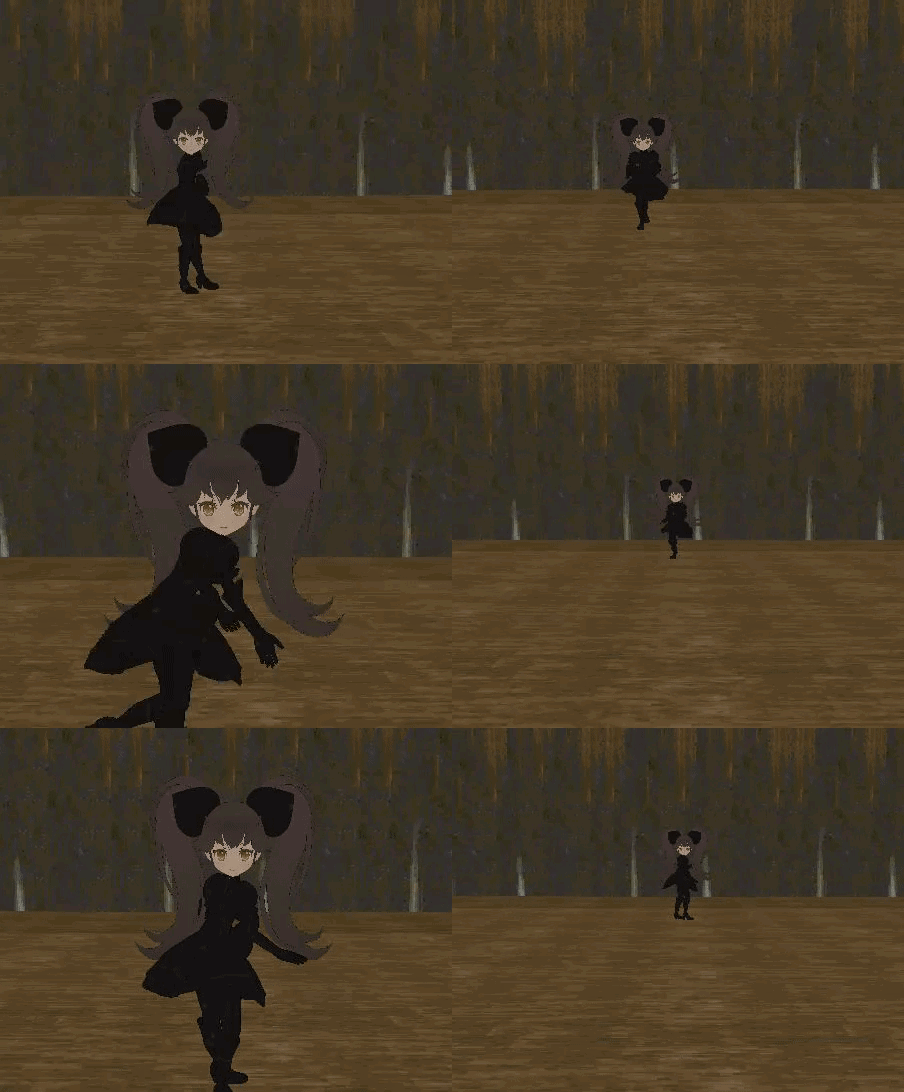
 midnight sail
Anyone have an idea as to why my particle effect system on my most recent model is not working in game? I have made plenty on past models that work and have done the same for this, attached to avatar also made an animation override for a hand gesture, not appearing at all in game. Update: Figured out the issue, simply just a name issue with the particle system not matching the duplicate. Rookie mistake.
sharp pebble
It's okay to be an attack herlicopter these days. (Sorry, I'm learning too, don't know the fix)
 lime spruce
Hey, so I've got a model I'm trying to put a few custom overrides on for hand gestsures so I can have a gun and a sword. The gun works fine but when I use the sword, the hand moves to the animation spot, but the sword doesn't appear. Does anyone know how to fix this?
midnight sail
@lime spruce is the sword you put on your main model the same name as the one on the animation duplicate?
Thats the issue I was having with my particles.
lime spruce
Yes, they're both named "Sword", but now that I look at the one on the main model it looks like something is wrong with it
midnight sail
You made all the values the same as well? For postition and rotation?
lime spruce
Yup
I'm going to re-add the sword to the main one
Because I think it was broken on that
Thanks for the advice, though
midnight sail
Good to hear 👍 putting it to good use xD
clear yew
can someone tell me why my weapon material fusions with the material of my model if i dont make it invisible?
 rapid hornet
possible to use a .vmd animation if so how? 😄
west cypress
@shut dragon LOL
heavy stirrup
Anyone know why my animation (over RocknRoll) which plays for about 7 seconds breaks that hand for a while?
Basically, can't continue with other animations afterward.
clear yew
Heyo, I have a texture that I wanna turn into a particle effect sorta thing, The pens people draw with is the idea I am going for, but I dunno what the best route for doing something like that would be, anyone have something I can look at or anything?
 tropic vortex
Could try adding a particle system to a hidden object that becomes active when the animation starts or something, maybe override one of the animations of vr to only pop the "pen" out and then override another vr anim to pop it out and also draw (so it doesn't just disappear when you wanna stop drawing). I'm not sure how quickly you can change the animations with vr but this should be doable, or at least I'm hoping it is.
clear yew
when overriding animations, do you have to fill in all of the slots on the override?
tropic vortex
No.
clear yew
like i wanna do a custom sitting animation, but i don't wanna have to remake/reimport them all
tropic vortex
If they are set to none you'll keep the defaults.
tropic vortex
I haven't really checked sitting emotes out, not sure how the default ones are, but if they play off the normal sitting animation you might notice some querky movements if you do them with a new sitting animation.
clear yew
also, a quick question, what's involved in replacing the emote names in the emote menu?
tropic vortex
Well, just the transition.
clear yew
well i'll just not use emotes when sitting lol
tropic vortex
Animation name will show up as that in-game.
clear yew
else it'd randomly jump back to other sitting pose i'd imagine
tropic vortex
An animation named "Happy" will override the default on for example emote1 and rename it to Happy.
tropic vortex
As for what Emote1, 2 and so on stand for, I don't have a list.
tropic vortex
If you do find one tell me though, I'm curious to know.
clear yew
i think i heard in a video that dance is emote5
tropic vortex
I believe I've seen that video as well.
clear yew
actually, let me crack open unity and find out
 narrow canyon
Does anyone have any experience with using an animation override to play music?
clear yew
nevermind all these in the sdk are blank
you just attach the sound to the animation
look up vids on it
tropic vortex
I'm guessing you add an audio source to whatever you want it to come out from, and then in the animation you make it active at a keyframe in which it should be played.
 soft axle
I have a question. Is their two animation for running and walking?
 cosmic hinge
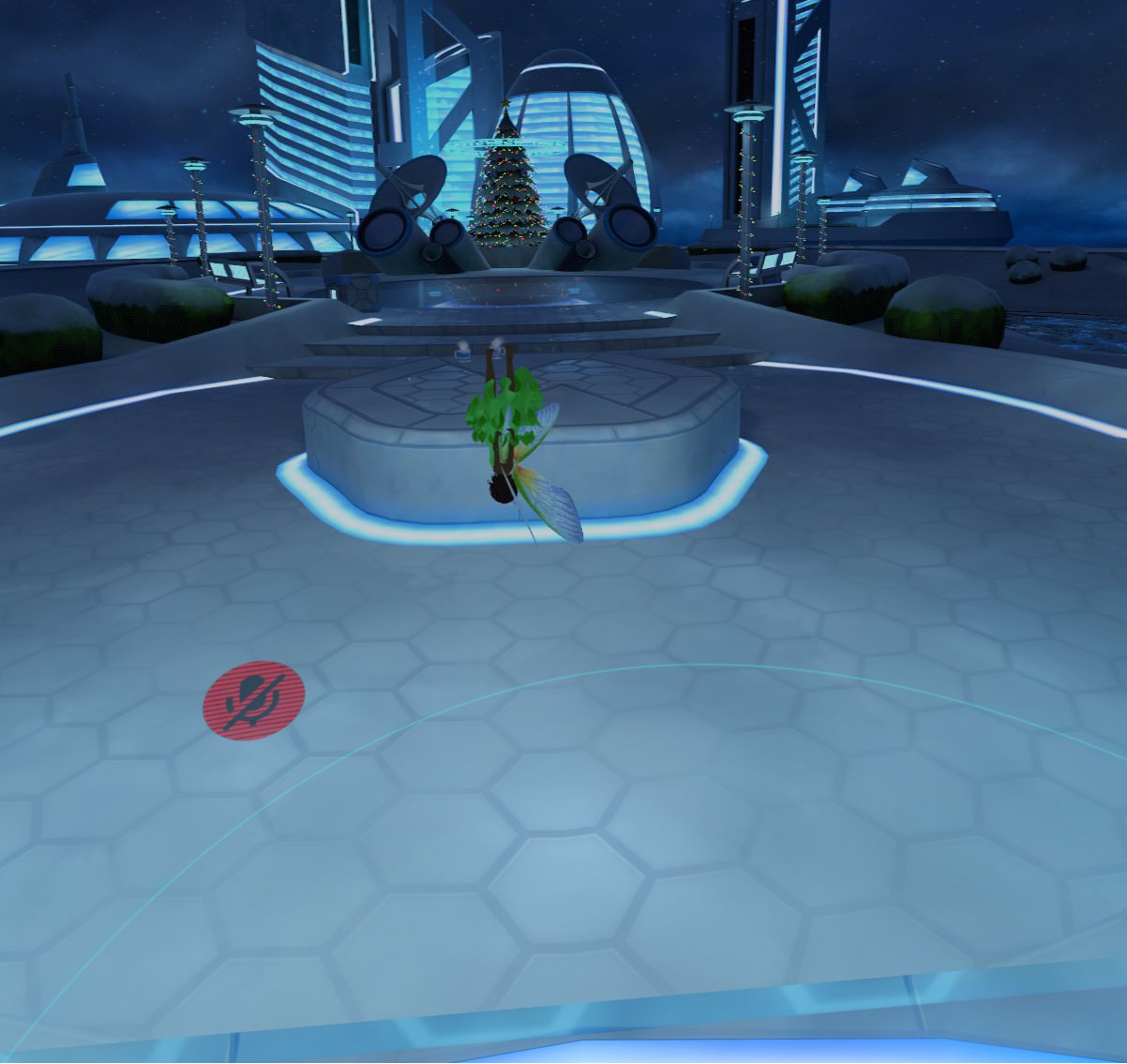
I've asked before but no one answered a while back, but I made an animation on my avatar. Its a fairy type avatar and she has wings. I did an aimation in blender so that her wings flap back and forth, she is also above the grid line so she's in the air rather than her feet being on the ground. When I go into unity i got the animation imported and everything, added it as an override to walking/idle and what not, but when i walk in vr she is upsidedown, when im in idle she is upsidedown as well. If i walk in desktop mode she does walk upright (or float upright) but when i stand in idle she is upsidedown as well. Can anyone help me with this? https://i.imgur.com/u9waHoY.jpg
 clear yew
@crimson tide if you want to start from existing anims, just ctrl+a and copy all the keyframes and paste into a new empty animation.
 ocean dagger
Mixamo doesn't want to load any animations with the mmd I uploaded (which is already rigged)
 lapis quarry
quick question. can you have 2 emotes running simultaneously. as in can a left and right emote be on at same time or do they over ride each other rather than act additively
 wide palm
pretty sure you can run them simultaneously and act additively
 shrewd moon
That’s how I get my guns to shoot
 tepid nymph
 tall kite
Question, my anim bends my legs by default and my arms as well, as if like a falling/sidle swimming pose and any attempts to adjust the rotation end up being reversed automatically and put back to the defualt state
how would I fix that?
clear yew
Thats normal when you animate your charackter, you are supposed to copy your charackter and animate the copy
tall kite
I did
clear yew
Then its alright
clear yew
The pose is everytime like that, now you add the animations you want to get to the copy, the sitting fingy wont show up i n game and the position od swords and stuff.. you place it so that it fits for the copy
Do you upload the animation or the charackter you copied?
tall kite
The animation
not the character i copied
its fine when i walk and stuff, just when i do my emote it has the pose
clear yew
Youre not in vr?
tall kite
My emote is simple stuff. SCP 106 producing black liquid on the ground and slowly emerging from it
no i'm not
clear yew
Then i m not sure :/
tall kite

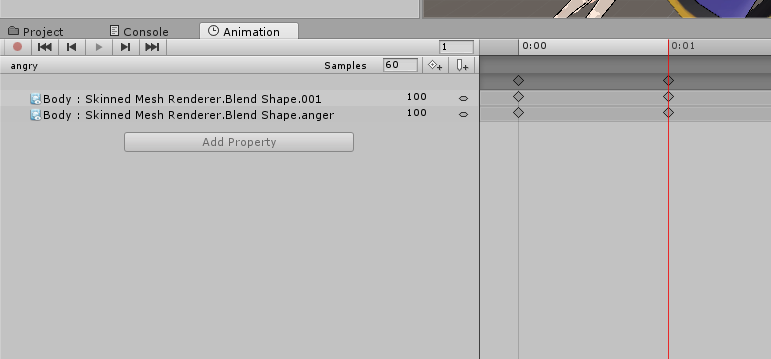


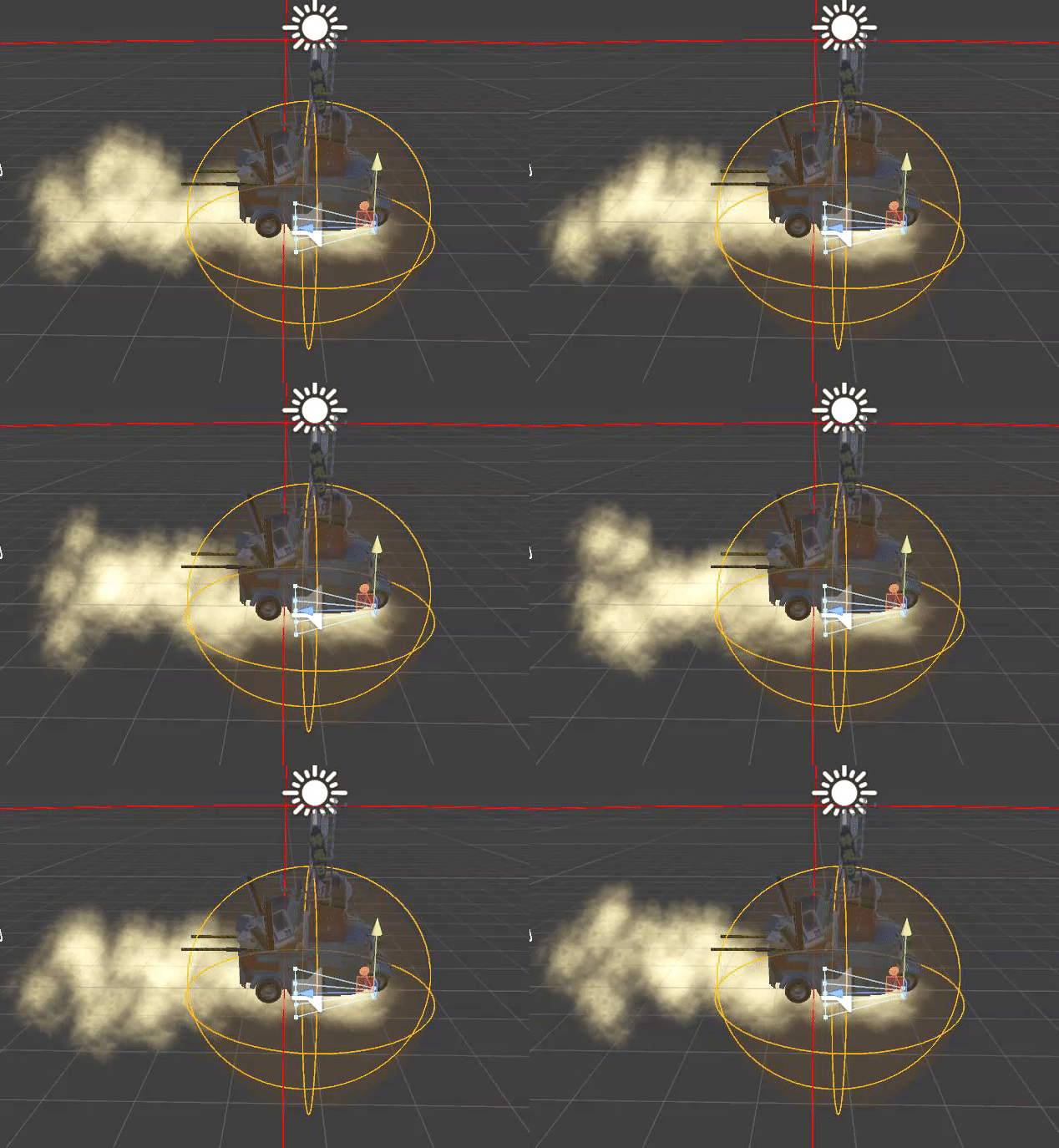


 tall kite
That doesnt make a difference thats the thing, I added those to attempt to fix it
But either way it remains in that animation pose
clear yew
Copy charackter, make animation for particles, copy costumanimationoverride, save your animation in that and draw it into your standing sitting thiny... and it still looks fuck ed up?
tall kite
Yep
clear yew
Not sure, does it normaly work without vr? If anybody knows.
tall kite
I mean other custom avatars that have custom animations work fine
clear yew
Only that one avatar is not working like that for you?
tall kite
its the only one i've put animations on
clear yew
I would try it out myself, sadly im right now not at home
tall kite
Should the controller on the non copy be "None (Runtime controller)" or should it be the one generated by the animation?
I'm thinking that might be the issue but i'm not 100%
the controller was the one generated by the animation for the copy
"106"
was the name of it
 stray sinew
@sharp pebble Did you find your fix? for "I'm having trouble making a prop disappear...."
tall kite
You could add an "Is active" property for the object you're trying to make disappear and uncheck it at the fram you want it to disappear
lapis ledge
in unity how can I change the particle effects and make them emojis lol
 clear kraken
could anyone provide a tutorial on how to get MMD motions as emotes?