#animation
1 messages · Page 34 of 1
 rapid cypress
 sand apex
Oh well you need to bake them all into pose and set them to original
So your body will move exactly how it does in unity
 lost wren
I'm sure that the problem is the animator
sand apex
@rapid cypress huh?
rapid cypress
Dude... I've been looking for a way to do that for a while
Tysm
Is there a YouTube tutorial on it?
 clear yew
@sand apex how do i do that?
sand apex
You click on the anim file you used and set it
rapid cypress
I'm curious... So curious... Can you do this with arms regardless of using VR to override say... A swing of a weapon?
sand apex
 sand apex
@rapid cypress maybe mixamo would have an animation for you?
 abstract gull
Anyone know if you can use gesture override to change a material in Unity?
rapid cypress
I'm not familiar with Maximo, what is it?
sand apex
Its a website with animations like dancing that you could upload your model to and have it done for you
it'll have to be a clean version of the model or the one you've set to humanoid
rapid cypress
I'm not too concerned about hand animating things as my entire model is built from scratch
But I'm more wondering about the potential to override the vice controller position temporarily so I don't have to wildly swing my attached around if I want to swing a sword
Vive*
Arm*
sand apex
just make an anim with animators of you swining the sword with the bones and set it to a hand
rapid cypress
Say, an override for thumbsup could just play an animation for right arm to swing
clear yew
@sand apex nun of those settings are showing up for me
sand apex
It's going to require a lot of bone movement though as opposed to just swinging your vive
rapid cypress
I'm prepared for that haha
There are multiple other reasons why I'd want to do it that way
Layering in shape keys for additional accuracy and... Even more ambitious, animation smears
Are you familiar with smears?
sand apex
@clear yew that is something I don't know how to fix sadly
and no I don't know about smears
 naive heart
Guys can anybody help me? I made a Audio source with a Animation and in Unity the sound plays but not in VRC, why?
rapid cypress
It's an in-between frame for animation where an object is stretching and exaggerating to make it easier on the eyes to process
Usually with extremely fast moving objects
Easy to do in 2d, but challenging in 3D
 glass anchor
having issues with the default override animations all being the same, I can't copy their frames to a fresh anim
they're all just a slight head tilt to the left
sand apex
@naive heart Is it part of an animation override?
glass anchor
anyone else had this?
sand apex
Not sure then, you might need to recheck your animations
naive heart
I mean the sound IS playing in Unity and everything works perfectly fine
and the Animation works in VRC as well, but not the sound
sand apex
Try adding the sound to a different part of the model?
naive heart
oh my god I'm so fucking dumb haha
nevermind
I placed the audio source on the temporary character
sand apex
Good thing that made you check because I was about to tell you if your game audio was muted LOL
glass anchor
lemme ask again with a visual aid, anyone know why all my default anims look like this? https://gfycat.com/BasicComposedBoa

 robust hound
anyone know how I could do to make my character leg follow an animation instead of walking upon triggering an animation (like handgun or smth)
sand apex
@glass anchor did you touch the customoverrideempty?
sand apex
By replacing it with a fresh one did you leave it as none?
The default ones are none by default
glass anchor
actually I copied the file in windows directly to my assets folder
and selected that
rapid cypress
@sand apex before I get too distracted, thank you so, so much for sharing the whole anim baking
glass anchor
I didn't override the default one in this project's sdk folder
sand apex
no problem
rapid cypress
Total life saver
sand apex
Is your model humanoid
glass anchor
yes
 earnest trail
 neat gate
anyone good with like making fingers hold a gun? because i suck at doing that
sand apex
I think they're all going to look like that by default
because they all have the same anims in the vrcsdk folder if that's where they're from
glass anchor
so it doesn't actually come with an "idle" animation?
or any of the other ones in that list?
glass anchor
well, in that case I'll make my own point animation to use as a base, but how does the game know when I activate it?
sand apex
If you look at the anim file for all of them they're the same thing
glass anchor
do I need to keyframe it to look exactly like the point gesture?
sand apex
Yes
glass anchor
well fuck, how is that possible >_>
sand apex
The game will know from the gesture you pick
If you want the fingerpoint it'll already be fingerpoint
you won't have to edit the bone to point
 snow lance
is there a way to disable head tracking during animations? so that if your animation causes your character to move the head wont whip around and stare at you?
emotes specifically
sand apex
I think all you have to do is just add an animator for the head in your anim file
Like how you would with any other bone
I don't think the emote matters just make it so it's a hand gesture
It could be an emote if you want, whatever type of animation you're actually going for
just know if its an emote you'll have to edit the bones to where your body isn't half-way in the ground like in unity
snow lance
gotcha, that makes sense, thanks
one last thing if it's not too much trouble, i created a wing flap animation, and i want it to basically play constantly, i added an animation component to the model, and added the wing animation to that component, but it doesn't play in game.
 torn geyser
Does the item you are putting in the avatar's hand need to have bones in it? I have watched tutorials and followed the instructions but my model doesnt seem to work and I'm not sure why.
snow lance
yeah i got everything about the emote working in game but the head, that was all i head left to fix
had* wow
do you know anything about the having an animation play constantly on a model?
sand apex
@snow lance check if the anim file for that is looped and that it's keyframes are right next to each other
Yes
 formal wasp
I'm using a mixamo animation and in unity it plays just fine but in game the animation starts floating half way through? Anybody know what's wrong?
sand apex
go into debug for that wing anim file and check legacy + Loop for wrap mode
@snow lance also ignore the keyframes right next to each other part, just make it so the frames are set to "Auto"
Did you bake the animations to pose?
snow lance
no i didnt, should i?
sand apex
I was speaking to spaghetti about the bake to pose
snow lance
op, missed the lack of yellow, sorry
formal wasp
oh, how do I do that?
sand apex
Click on the dance anim and have it look like this http://prntscr.com/i3mljp

 ivory raft
Anyone have issues with Unity not respecting loop points in an ogg file?
snow lance
@sand apex now it says that legacy animation clips cannot be used in animation controllers, it still lets me put it in though so do i just ignore the warning?
sand apex
Huh, did you add an animation component and put the animation clip in that right?
snow lance
yup
sand apex
I guess
snow lance
nevermind im incompotent >.> i forgot to clear my log so the last error was that one, i cleared and reapplied and didnt get any errors
ill load it up and test ingame
sand apex
alright
snow lance
@sand apex you are my spirit animal now, i love you man ❤
formal wasp
@sand apex That fixed it thank you
 dim valve
Is there a way to activate visemes in Unity as animations or something similar? I have plenty made that I just realized I have no idea how to use.
 west garnet
Hey everyone, does anyone know an alternative for Dynamic Bones Asset? I'm a poor fella xd
 sand apex
Yeah you can do that once you get into unity and start dealing with animations
just know never decimate the face so you have those shape keys do it
 glad topaz
Anyone know how to make an automatic loop for wings on a model? ive created the keyframes and set the fps and frames in blender but after i export into unity i dont know where to go from there
snow lance
@glad topaz about 6 or 7 messages up nightearic actually told me exactly how to do it if you want to look at those messages
glad topaz
ok cool ill check it out
snow lance
about 20 or so actually, chats moving faster than i thought
sand apex
I'm alright with repeating it
glass anchor
Hey, I used the trail renderer to create a drawing animation, but it seems like other people can't see it, does it no longer work?
 willow rivet
Question. How do I fix this small problem that I'm getting saying that my avatar is "missing an animator"
sand apex
@glad topaz you should've also did the animations in unity
I can't really speak for animations done in blender
snow lance
@sand apex spoke too soon, wings are flawless now, but i still have the head issue, could i just hide the avatar view posistion for the duration of the emote with a keyframe?
sand apex
@glass anchor it still works, have you tried seeing if it was set to local?
glad topaz
@sand apex idk how to do animations in unity
glass anchor
lets see
sand apex
That may work I never really dealt with head problems
glass anchor
sec
glad topaz
i had someone helping me before but he only went over blender and exporting to unity
snow lance
hmm ok, ill try that and let you know
dim valve
I'm trying to follow this tutorial on it, but my visemes aren't showing up under the skin mesh renderer
sand apex
@glad topaz well first whenever you make an animation you need to click on your model and press Ctrl + D
Never make an animation on your original model
glass anchor
@sand apex was set to view, that's correct yes?
glad topaz
@sand apex this doesnt involve hand gestures does it?
glad topaz
nah im just looking for a auto loop idle kinda thing for my wings
sand apex
It involves that too
glad topaz
ok cool
naive heart
So I tried the animation again with the sound and it still doesn't work Idk what to do anymore
sand apex
retrace your steps or retry from the start?
naive heart
I tried like everything
sand apex
welp when in doubt, use a video
https://www.youtube.com/watch?v=61vO-IswFps skip to 5:50
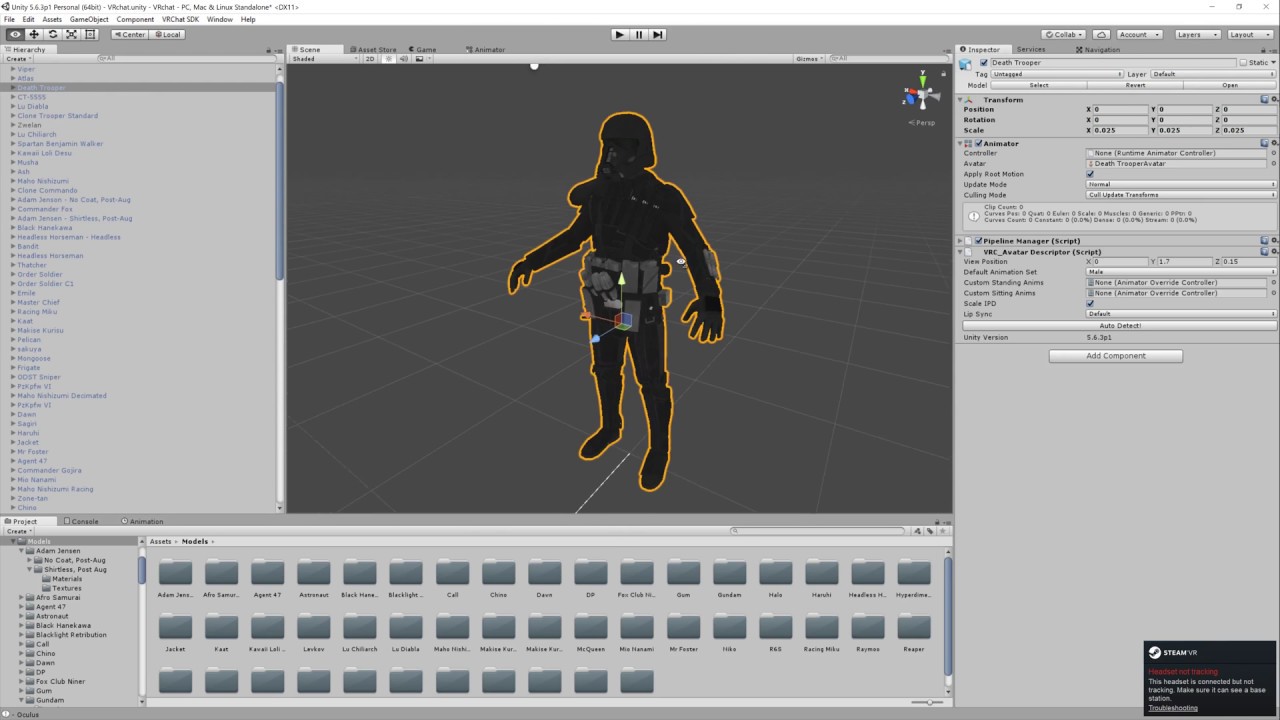
Basic VRChat gun animation override. Audacity used to convert audio files to .ogg.
@glad topaz did you figure out how to set animations?
glad topaz
yea i figured out how with animator and blendshapes
sand apex
Good, make sure to right click on the keyframes and set them to auto
it'll make it so they loop smoothly instead of slowing down towards the end
snow lance
@sand apex still no luck, might be a limitation of the game? normally its not noticable i suppose because if your looking forward your model keeps looking forward, but mine runs in a circle, so to have it keep looking the way you are makes it look bad
sand apex
@glad topaz don't forget to click on the anim file, go into debug menu through this http://prntscr.com/i3n77r make the file legacy + loop for its wrap mode,
 glad topaz
ok cool ill remember that
naive heart
nope
sand apex
Let me see what your anim file looks like
 keen plank
Is it possible in any way besides sitting down to keep doing a gesture while walking on vive?
 oblique pivot
omg i hate rigging, anytime I think i have it done right the model when i pose it scales and distorts and all kinds of shit wtf
sand apex
You can hold your gesture
keen plank
Trying to make an SCP-096 with the music but dont really work if the music cuts out when i start walking
As far as I can tell on vive you can't hold a gesture
sand apex
Put the music in an anim where it'll turn on and put it on a gesture so you have to hold that gesture for it to be on
You can, like when you fingerpoint?
snow lance
maybe he means since the vive uses the trackpad to move and gesture, you cant hold a gesture while moving?
dont have a vive so idk if thats true but thats all i could imagine
keen plank
On the vive you have to use the trackpad to do gestures so when you start moving it automatically switches back to the default stance
naive heart
I can't send a picture @sand apex
sand apex
don't use lightshot or imgur?
dim valve
I'll figure out how to get visemes to show up in my skin mesh renderer later. Gotta get to work.
 sand apex
Your gestures should only be 2 keyframes
naive heart
I made the gestures 2 keyframes but a third one to hold the emote a little bit
sand apex
it should always be 0:00 and then 0:01
There's no need to try to hold the emote if it's going to play and end depending on how long you're using the gesture
naive heart
But it's a custom emote override not with gestures
If I set it to 0:00 and 0:01 it plays to fast
 ashen mesa
I've got a Luigi avatar and I want to make an animation of his taunt from Brawl
the one where he pulls multiple poses in rapid succession
but when I go and animate him
naive heart
And I have already did it and the animation work but not the sound
sand apex
Make it so the audio source is all the way up from the beginning and make it so the game object for audio is active
ashen mesa
he curls up in the fetal position and won't animate
sand apex
Double check to make sure that the audio source on your model is invisible so it doesn't play
naive heart
the game object is active and how do I put it all the way up there?
sand apex
well your audio source volume is 0, put it to what it was supposed to be at the end of its keyframe instead of having it at 0?
naive heart
yea well I said it already it's supposed to be 0 at the start
its a Animation with keyframes like I said
sand apex
I mean it wouldn't hurt to just have it at max from the start regardless of what it is to see if that fixes it
naive heart
like just a question but the audio souce volume can only be 1 at its highest, right?
 noble fern
anyone know how to apply a material finish to the inside of a cube?
sand apex
yes Danto
1 = 100% volume for whatever the music/soundclip is
and yeah Razzle, it's a shader called double sided
clear yew
Are pelvic thrusts caused by low distance between the spine and the hips?
sand apex
@naive heart yeah by the way if you haven't tried it already you should upload your avatar with the sound on by default to narrow it down to something being wrong with your animations
naive heart
like the sound always on?
sand apex
yes
clear yew
how do i import animations into blender?
naive heart
So I got a jumpscare 'cause I joined VRChat und the sound started playing in a loop
but not with the animation
I think I give up cause' nothing works
clear yew
Is it possible to make animations work with translation and rotation?
yes
Or are we going to float in one place forever in VRchat?
OH
HOW
what kinda animation u wanna make
if its an emote then ye
And animation of catwalk.
An*
I rigged, imported, uploaded to a pedestal.
The animation is in 1 place.
regular stuff idk if walking animations can do that
I mean,
It is an emote.
i changed my sprint animation
Oh.
So I can put catwalk on her regular animation.
you can try
ask around because i've only done it on sprinting
@clear yew Did you use SPRINTFWD?
ye
glass anchor
can you assign an existing animation clip to a new character?
cant seem to find a way to get it to appear in the little dropdown in the animation tab
nvm just copied the frames, derp
 humble ferry
Can anyone help me with this Pokemon i'm working on? I've set it to generic and don't really know if I did this whole override thing right
It doesn't have enough bones to be a humanoid
nvm I figured it out, my bad
clear yew
@clear yew I could change both walking and running animations.
But.
My running/walking animations stop midanimation for some reason.
loop
thats what i did
Loop in Unity?
Or outside?
in unity
there should be an option to loop
Loop Time.
Thank you.
Loop Pose too?
@clear yew
 hexed fern
i dont know if this would belong under here but, is there some type of effect i can use in unity that can match this one? or somehow make the blade a piece of the model itself?

because i dont think i can put the actual effect file into unity or blender
 thorny fox
hii, has anyone been able to get their audio to not be so silent?
clear yew
@clear yew Also, is it possible to speed up animations in Unity?
 crude flame
Yo, could someone help me with animations and particle effects?
clear yew
i don't know
you could google it probobly
if you have to you could probobly do it in blender
 foggy pier
Anyone know what cause a model to be stuck in a t-pose when the avatar is chosen? No I dont have full body tracking?

 late phoenix
Ctrl+D to duplicate it out of there
sand apex
it looks like he didn't turn it humanoid and copy the avatar first
 bitter nebula
hey guys, so i have a problem, i was trying to get my character some mixamo animations. Found a tutorial, made as stated, but my character just comes to a strange pose and stands like that and nothing happens. Anyone knows what is it? Thanks.
 native onyx
Is there a specific way how to trigger particles with a hand gesture? I looked around and couldnt find out how.
clear yew
does anyone have a Nico Nico emote they can spare?
 stray gulch
looking for if you can import more than one VMD to a model?
@clear yew there you go https://bowlroll.net/file/113168

bowlroll.net
Motion - Nico Nico Nii! [BEATSTEP REMIX] にっこにっこにー[リミックス]モーション ビデオ / Video: https:/...
abbbd now its stuck in my head
 winter valley
What hand gesture is the peace sign under?
bitter nebula
@winter valley
victory sign
 fossil verge
where can i get some good emotes like Snake?
 upbeat wigeon
is there a way to bind an animation in a way that overrides vr? I want my arms in my hoodie pockets when i make a gesture
currently my hands ball up like i wanted but i still move my arms
clear yew
HELP ME
i made my own idle animation and he sinks into the ground in game, can someone help
this avatar does not contain an animator and will not animate in vrchat?
when uploading
its invisible model 😦
like
the model isnt invisible
but when I upload
 rotund sparrow
is there a video that shows how to add a sound effect when playing a custom animation?
clear yew
it appears invisible
yes
just google it
actually
no
here

Creating custom animations for hand gestures and emotes in VRChat
that
and

Tutorial explains: - How to create the soundfile - How to create the animation - How to trigger the animation Morgus tutorial: https://www.youtube.com/watch?...
that
rotund sparrow
ty
 raven adder
So I added an animation override to my character, but since adding that override, it seems that my "hands" in-game are tilted about 20 degrees in towards eachother
Anybody have any ideas why this would be?
clear yew
i made my own idle animation and he sinks into the ground in game, can someone help
noble fern
Does anyone know the proper way to hide audio inside an object so when you would stick your head in it, the audio could be heard?
clear yew
anyone know how fix this error?
this avatar does not contain an animator and will not animate in vrchat?
anyone know how fix this error?
this avatar does not contain an animator and will not animate in vrchat?
ive animated and changed the rotation my avatars head for its idle animation and when i go in game his head doesnt sick to its position it was put in, can someone help
 normal skiff
oh man, a magic box that plays sound just to the person in the box would be amazing for pranks
raven adder
For anyone that has the same problem I had: I went into the rig configuration menu on the model I was animating, and reset all the stuff under muscles. That seemed to do the trick. My avatar originally got put into a weird pose where their hands were crossed when I started animating
normal skiff
I saw another demo of this guy's gun and the things it's shooting are definitely going in the direction the gun points and then keep doing it despite the gun moving >_>
raven adder
@left cradle rocknroll is trigger plus top buttons (at least on oculus touch)
normal skiff
one of these days I will understand the explanation of how it works
clear yew
anyone know how fix this error?
this avatar does not contain an animator and will not animate in vrchat?
 grizzled cobalt
are there any cute dances that some people might share?
noble fern
@normal skiff I know someone who has it
I saw it twice with boxes. I'm trying to recreate it
clear yew
ive animated and changed the rotation my avatars head for its idle animation and when i go in game his head doesnt sick to its position it was put in, can someone help
new issue
your avatars humanoid but its feet arent specified your avatars humanoid avatar must have head hands and feet bones mapped your avatars humanoid but its upper arms arent specified
i already rigged the model however
omg
Jesus christ its so complicated
I need help bad
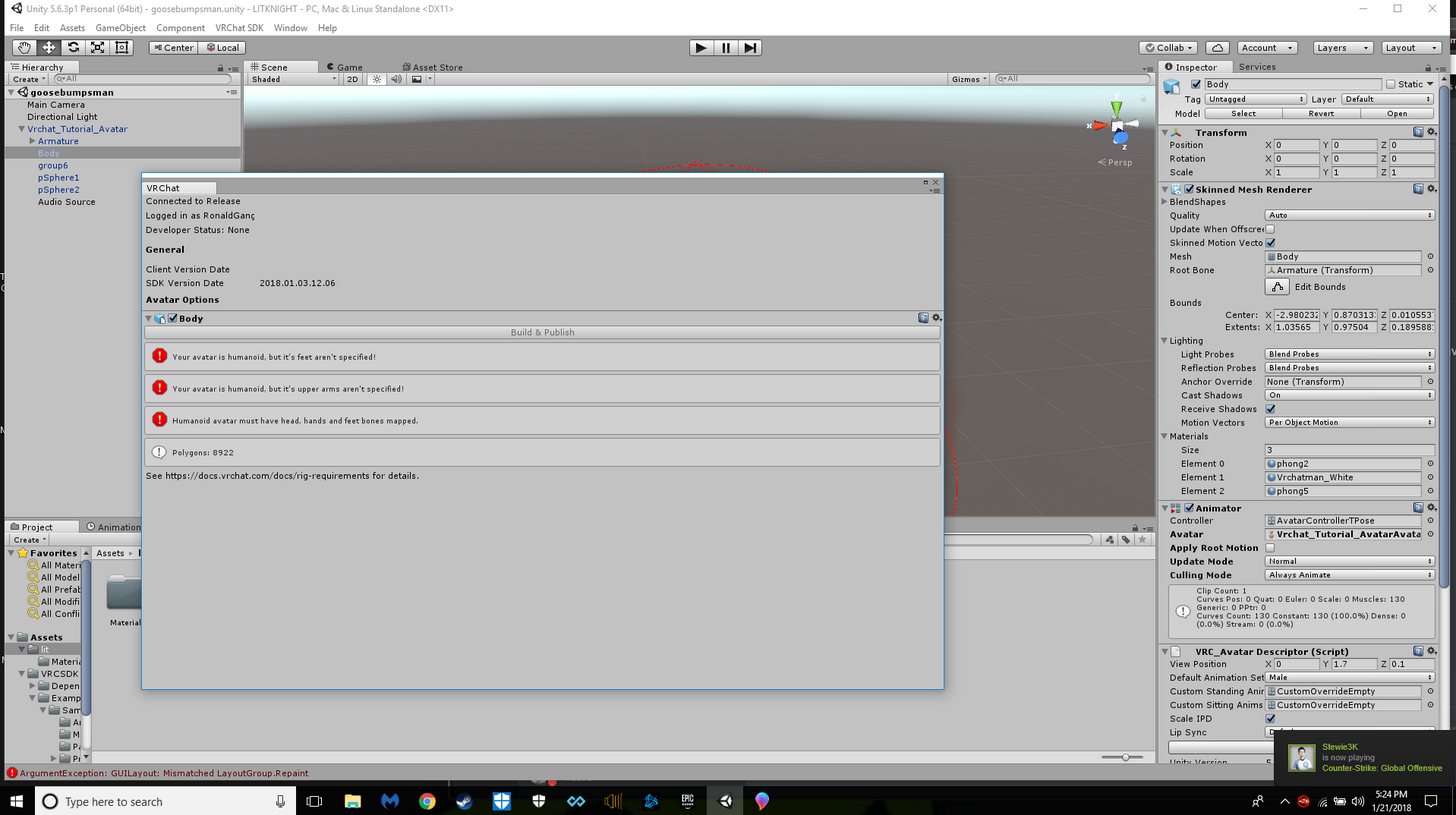
Is it possible to attach lights to an avatar?
 signal raptor
trying to figure out how to have a 2nd animation to fire a gun. i have an animation set up so that i can pull the gun out and that works fine. from what i understand the audio file and muzzle flash would need to be on the original model, however, how would i tell it to only trigger on the 2nd animation?
@clear yew i have a spotlight attached to my gun on the flashlight attachment
clear yew
@signal raptor Thank you!
@signal raptor So we can use flashlight to emit particles, too.
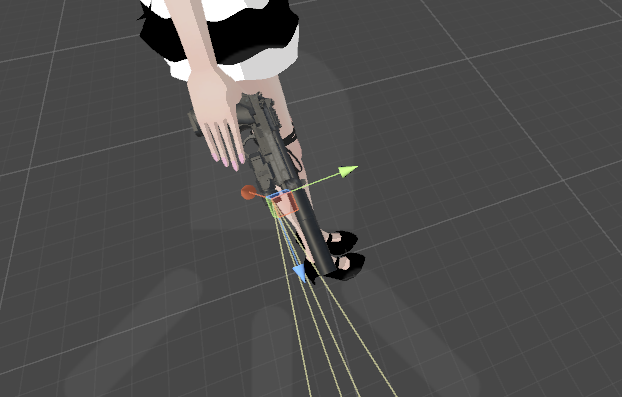 signal raptor
you could add an object above your head and use a lightsource like a spotlight to light it up
clear yew
Thank you.
 indigo lintel
Hey guys, anyone know how I would animate a hidden prop to float in my avatar's hand with a slow rotation?
Would I have to set the prop's idle state to be rotating?
 old cave
So, my model was originaly a .nif model. I imported him on 3DS max but I'm not able to export his bones alongside the model. I used maximus and the rigging on the body with it is perfect, but I want the rig on the face as well
Can I copy the bones of the .nif model to the .obj model?
Here is the .nif model on 3ds max
https://cdn.discordapp.com/attachments/403602075822456833/404804508116582401/unknown.png
 glass anchor
what's the best way to make particles appear for a gesture override?
like what should I keyframe
 spice furnace
so i have a 60 frame long animation of a heart beating, works fine in unity. once i import it into the game and try to stop the animation by using another gesture, it keeps looping for 4-5 extra times before stopping. no idea why, anyone knows?
normal skiff
@indigo lintel I ended up putting an Animator on the prop and then linking the default state to the rotation. the only trap I had was that I had created the animation in a way that didn't allow me to use it on the prop until I fixed it
indigo lintel
@normal skiff Thanks bruh. I'll see what I can do.
normal skiff
I had a particularly hard time actually making the animation because I wanted a cube spinning on one corner
and what I have is still not quite right lol
indigo lintel
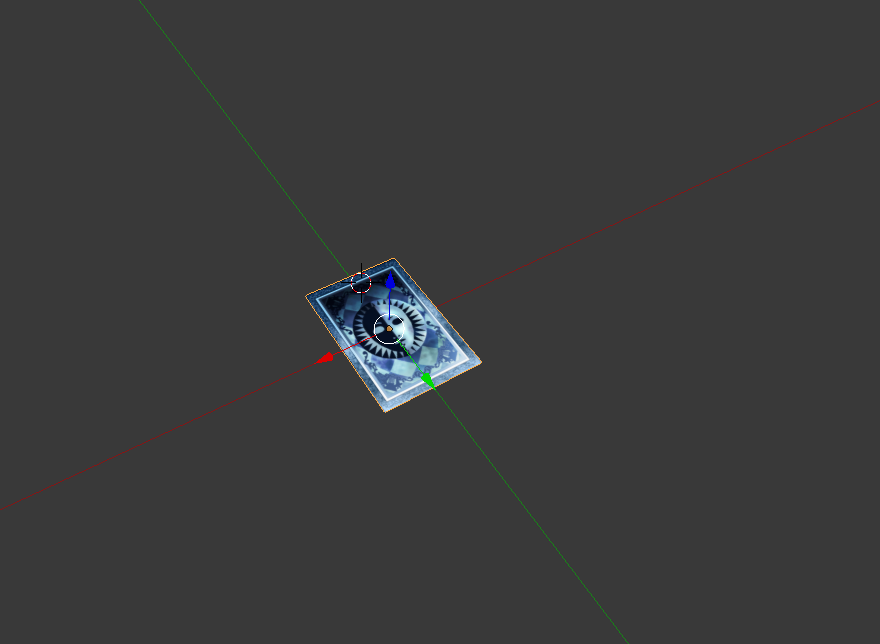
Yeah I'm trying to make a card spin on one corner.
indigo lintel
It would be, if this model would fucking behave.
normal skiff
that was my workaround, I put another Game Object around it and rotated the inner one to put it on its point at 0,0,0
noble fern
is there anyway to make audio come from small objects?
normal skiff
so then the outer one was a well-behaved model centred at 0,0,0, and I just rotate on Y only
noble fern
I'm having trouble with this working
ivory raft
Just create a 3d audio source and put it as the object's child
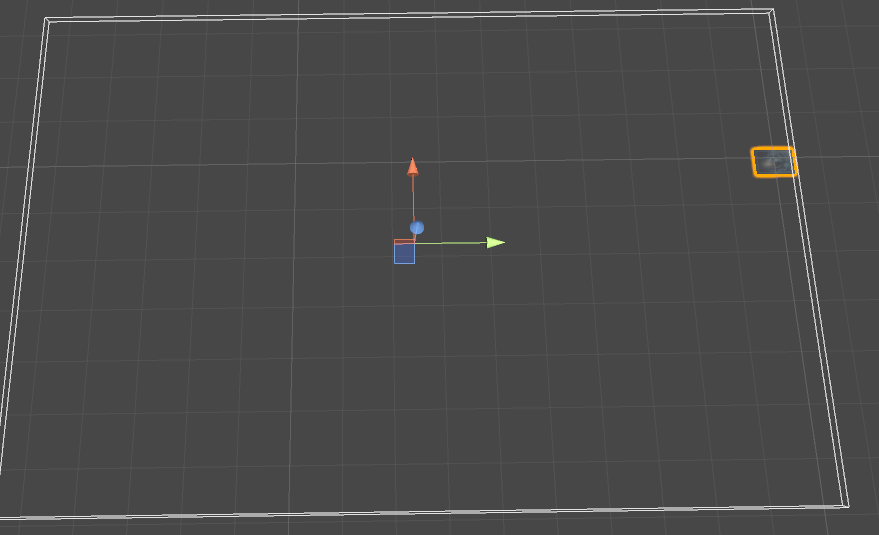 noble fern
yeah
indigo lintel
The bounds are completely fucked and as a result any attempt to transform the model makes it flip the fuck out
noble fern
but the thing is is that the sound distance is too great
normal skiff
ah it's like it's not at 0,0,0 in the original model or something
noble fern
I'm trying to have it only come from the object when you're inside it
normal skiff
hmm
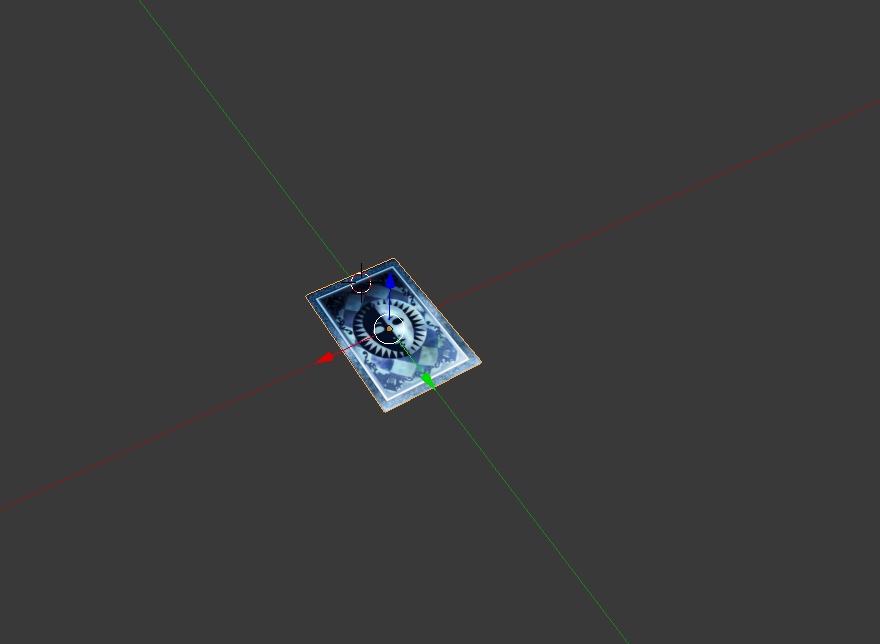 normal skiff
yeah, seems totally fine...
ivory raft
 normal skiff
maybe there is some other stray object somewhere off in the distance or something
ivory raft
I've tried to set loop points following guides, but it doesn't seem to work
Anyone got this to work?
indigo lintel
I've hit Select All several times and nothing comes up
Kind of stumped on this one
I'm gonna try to copy the verts and create a whole new blend file, see if that fixes it
 ocean dagger
Are there pre-done animations you can get for unity?
I see alot of similar ones with the dab and such
 warm fiber
is it possible to add a dance+music that's over 60 seconds?
since i'm on desktop preferably on an emote, but i heard it caps to 60 seconds? i hope not :x
normal skiff
emotes cap to like 10, right?
normal skiff
with gestures you can pull out objects which animate on whatever time scale you want
I also saw someone use something to spawn a particle mesh which then had its own separate animation somehow. not sure if that's possible with emotes
glass anchor
I'm having an absolute nightmare of a time trying to gesture these particles to life
the override works fine, the hands animate, but the particles dont appear
and I cannot for the life of me figure out why
normal skiff
I'm about to start my particle stuff but it does require a workaround for the world simulation problem
warm fiber
so without vr it's not possible to make my character do a dance with music in the background that's 3 minutes long?
glass anchor
@normal skiff what's the world simulation problem?
normal skiff
when you release a particle with world-space simulation it doesn't behave correctly with the physics you expect
glass anchor
oh you mean collision stuff
normal skiff
not just collisions
but the movement
some people were saying it just goes horizontally, other people were saying it just dropped
glass anchor
well what I'm going for is 2 particle systems, 1 on each wrist, that appear upon gesturing
I'm using an enable keyframe
that should work right?
normal skiff
yeah
and you'd be using local space simulation so it would avoid the other issue anyway
glass anchor
would you create the particle systems outside the avatar hierarchy then drag them in, or create them in the wrists?
just trying to narrow down where I'm going wrong
normal skiff
I would create them in a new game object under the wrist
glass anchor
hm
normal skiff
just because lately I feel keeping things as separate as possible helps keep sanity
then I can enable/disable the whole game object instead of one component
which matches how I do everything else right now
glass anchor
guess I'll give that a shot
thx
just to clarify, I'd right click the wrist and go "new game obj" or whatever
then right click the new obj and create new particle system?
@normal skiff
or would I create the game object outside the hierarchy and drag it in
normal skiff
I usually do it by right-clicking the thing I want it in
but my reasoning is more about getting a good default position
glass anchor
alright, I just wanna see if following a proven working method does anything
normal skiff
I haven't got a particle system to work yet, lol but I also haven't tried
tonight maybe
I'll make some fail versions of my gun where it exhibits the problems other people are talking about so that I understand them better
unless someone happens to come through with the magic words to make it work
indigo lintel
Okay, I have created a brand new model and manually applied the verts to the texture atlas I'd made previously
If this doesn't work I dunno what will
SUCCESS
glass anchor
I'm just gonna try to see if the particles will work at all
no animation trigger, just always on
 lucid remnant
if i wanted paritcles to appear when i do a gesture, thats the same as doing a regular animation for equiping a weapon right?
clear yew
Just animate enabling and disabling the emitter and it should work
glass anchor
shit dude thats what I'm trying to figure out right now
@clear yew
do you mean the emitter property in the particle system
or just enable and disable the game obj
clear yew
I think you can animate the emitter property
Disabling the game obj makes particles that were already omitted vanish I think
glass anchor
yeah sorry bad phrasing
I mean having the game object disabled by default
then enabling it with a keyframe
or would it need to be the emitter?
clear yew
The emitter
glass anchor
damn, alright thx
clear yew
👍
indigo lintel
How do you turn off easing while animating?
I want an animation to be a clean loop, but easing is making it shitty
 blissful root
Just double checking but particles can be attached to emotes correct?
blissful root
alright thank you
indigo lintel
Also I'm trying to apply 360 degrees of rotation and the object is essentially just sitting still :|
Because it can't tell the difference between the two keyframes, I guess.
Okay, fixed that problem, but the easing issue still persists
I'd like it not to slow down.
clear yew
Set the tangents to be the same on the start and the end
You can change how much easing there is by dragging them
I have a question
someone can send me avid on how to make a model from scratch in blender and then put it into unity?
normal skiff
shit, is Spring Joint the missing trick?
put the particle emitting thing outside the Body but use Spring Joint to relocate it back to the prop
 hard geyser
are audio sources meant to be locked at .5 volume?
normal skiff
so now IK shouldn't mess with the ParticleSystem
but it's still in the right position
indigo lintel
Got it - thanks for your help @clear yew
clear yew
👍
blissful root
Still trying to get the particle animation to work, joints and everything is working fine but the particles themselves arent showing.
Any suggestions, trying to create a custom emote to overide one of the basic ones. All avatar movement is set and works the only problem im facing is having the particles actually appear, I cannot figure out how to make them work.
normal skiff
is it like, you want them to appear during the emote, or you want them to continue to be there after the emote?
because the latter seems like it might get overwritten when the emote ends
but during seems like it should just work
blissful root
want them to appear only during the emote.
clear yew
If I rig something up to so it does some animation, How can I have it do said animation after making a custom animation to pull it out?
Like I am doing a sword that extends basically
So when I pull it, I would want the custom animation to start the extention of it but I want that to be seen ingame, not just "happens"
normal skiff
you'd put an Animator on the thing you want to animate and then set up the animation as the default state
indigo lintel
Okay so even though I set my prop to rotate, it appears to be rotating my entire avatar. While this is hilarious, it is not the intended effect.
normal skiff
lol
maybe the animation (or the Animator) to rotate is somehow on the avatar's body as well as (or instead of) on the prop
indigo lintel
The prop is rigged to the avatar's armature, but that shouldn't matter since it's considered its own bone, right?
normal skiff
what I said is more about where the Animator component itself is located
indigo lintel
... I may be going about this the wrong way.
normal skiff
I have mine on the prop, and then my rotate animation was inside that Animator as the default/idle state
indigo lintel
Hmm
normal skiff
and I animated the prop by cloning the prop to root and animating it standalone with its own controller
but there was probably a way to salvage the first version where I did it while it was still attached
normal skiff
right-clicked the prop, Duplicate, then dragged that out of the hierarchy to root
indigo lintel
Oh, right, okay.
normal skiff
also when I did the rotation for my animation it put Position into the animation window as well, which I manually deleted afterwards
indigo lintel
Right.
normal skiff
I don't know if I needed to, but I really wanted it only to rotate so I figured position shouldn't change
indigo lintel
So where should I be placing the animation? This seems to be the root of my issue
I put it in my avatar's overrides since I figured it specified the prop
normal skiff
once I had the cloned prop at the root of the hierarchy I hit Ctrl-6 on that and created the new animation in that window
 potent obsidian
Anyone done an animation to fire a gun before?
I've got mine working 99%, but the muzzle flash and bullet come out of my knee/feet area instead of from the gun.
normal skiff
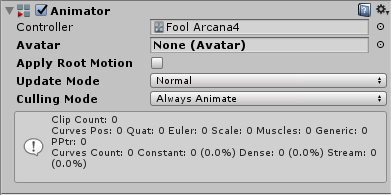
and then I think the next step was opening the Animation Controller for the prop and dragging the new PropRotation.anim into that
 normal skiff
yeah, if you double-click the Fool Arcana4 text in the Controller slot it should open the controller itself in some new window
normal skiff
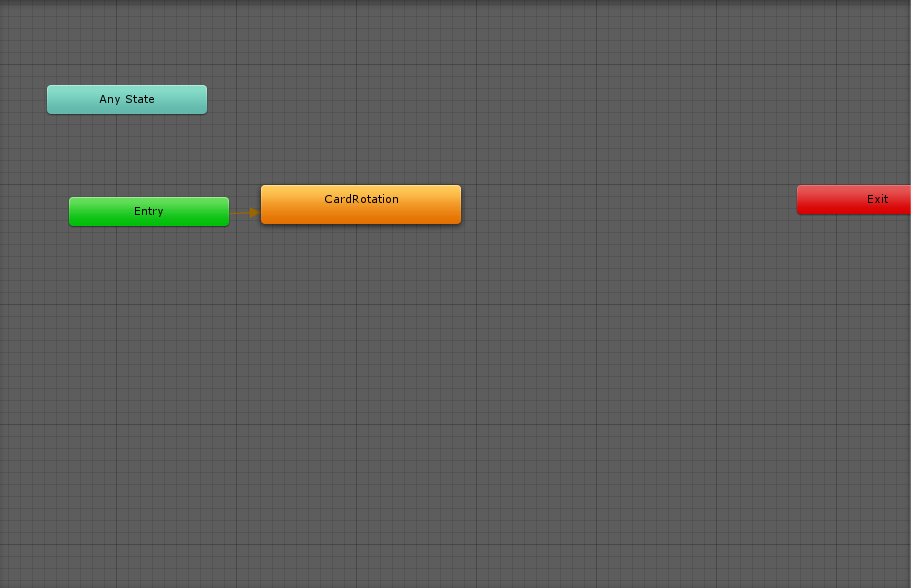
and then in that, you can set up this complicated state machine of stuff, but all you need for a rotating object is the rotation as the initial state
indigo lintel
So just connect it to Entry?
normal skiff
I think it was Entry yeah
there were two initial boxes so I don't remember which was which atm
 normal skiff
looks right to me
normal skiff
np, this area is complicated
I get the feeling that the legacy Animation way should work too but I saw the word legacy on it and immediately avoided
indigo lintel
lol, no doubt
...
I think my Unity project just got corrupted
That's interesting.
indigo lintel
I mean, the animations are where most of the work is and those are done, so
In fact almost all the work for this avatar has been done outside of Unity
Aaand we're back
clear yew
Is there any animation program other than Unity? I'm having trouble animating my character 😦
glass anchor
@normal skiff you get your particles working?
I tried that worldspace workaround with the objects but it didn't seem to change anything. Local space is totally fine, but I'd like them to be world.
normal skiff
which workaround?
the crazy Spring Joint thing?
I won't be starting on my stuff until like another 5 hours or something
clear yew
Is there any animation program other than unity?
lucid remnant
blender
 serene lava
With particle systems, how do I make it emit particles without enabling or disabling the system?
 uneven wing
Pretty sure you have to either enable the system from disabled to start it
Or keep it running from the start infinitely
Anyone know if you can edit the jump animation?
 surreal iron
hello, can anyone link me the non humanoid tutorial pls? i forgot to bookmark it
clear yew
Where do keyframes need to be if I am going to have something start AFTER the first animation begins? I also need it to stay in the finish form.
serene lava
hmm, apparently you can't change a particle system's duration in an animation
normal skiff
if you want to start one animation after another, maybe that can be directly done in the controller...
normal skiff
how was it done?
glass anchor
using the world particle workaround
with the rigibody and fixed joints
then keyframing the emission property
normal skiff
so it was the Joint thing
glass anchor
yep
uneven wing
Theres a workaround?
glass anchor
yeah guy found it about a week ago
normal skiff
there has been one floating around for a while but nobody has been documenting it
glass anchor

Had to re-upload because of audio being too quiet should be fine now. I forgot to mention it in the video, but Murmur also answered questions I had and helpe...
uneven wing
Gasp!
clear yew
What do you mean doing it with the controller?
uneven wing
I've found a new hero. It's you. Also that guy
glass anchor
lol
normal skiff
the animation controller lets you change from one animation to another due to an event
maybe one animation stopping can be an event
so you can just link one animation to the next
clear yew
Oh? Is there anything I can refrence for more information on how that works?
In game currently, the animation doesnt happen, it just comes out in the finished form
dunno why
normal skiff
https://docs.unity3d.com/Manual/Animator.html is the manual page
so you'd have a state like Weapon Opening, and a Weapon Open
uneven wing
Random unity noob question while I'm here... a prefab, is just a saved.. built.. entire.. object in unity right?
normal skiff
pretty much
it's like a snapshot of a subtree of stuff you can use as a template
I've been using it a lot for repeating structures so that when I want to edit something I only have to do it once
uneven wing
So you can essentially download cool effects from the unity store and port into VRChat pretty easily?
Ah... thats a very good idea lol
Same me a ton of time
normal skiff
yeah a bunch of reusable things are distributed as a prefab too
uneven wing
I spent a day creating a gun that shoots a firework lol.. probably could have just downloaded an effect and tweaked it I imagine
normal skiff
wouldn't be as fun though right
uneven wing
Hahah not at all, although it would probably look better XD
However, I certainly learned a ton
normal skiff
I'm about to work on a gun that shoots slices of banana
uneven wing
Just need to learn the world object thing.... having the firework local is a bit odd since I can't keep my arm perfect straight for like 4 seconds lol
(I'm going off the assumption that world means the particle isn't affected by my movement anymore..)
normal skiff
it sounds like my second idea for the workaround was the same one someone else came up with w
uneven wing
Thats amazing
normal skiff
I didn't know there was a fixed joint though because the manual didn't list it on the page
uneven wing
Why not entire bananas? XD
normal skiff
the gun itself is a banana
uneven wing
Lol perfect
normal skiff
so yeah some worldspace particles + rendering particles using a mesh + physics on the slices and a bit of rotation
uneven wing
Alright.. I'm 100% sure I'm about to break something important on my animation lol
normal skiff
time to commit to source control
uneven wing
gluck
normal skiff
I'm in a bad state on my project actually, my avatars are fine but my world work is a mess because I don't know which bits of Standard Assets I'm using
normal skiff
shockingly, they're actually easier
uneven wing
Still on the avatar bit... although I'm about 70% on figuring out everything that can and can't be done... like editing jumping =/
Realy?
Hmmm
normal skiff
though triggers I haven't gone into yet
there is some trigger work that I'm not entirely sure how to do without scripting
well, my world is just for me at the moment anyway so it's fine
uneven wing
That sounds more difficult to me XD
normal skiff
well with avatars there were all the problems you can get with the bones and the model itself
but if you're building your own world you can just make it out of simple things that don't break
and you don't have to really use animation at all 😄
I just had a fiddle to see whether I could get unity to jump from one animation to the next solely using the controller, and the impression I got is that it's too hard so I quit w
unless it happens automatically when the motion for one state ends, I can't figure out how
uneven wing
Do I change simulation space to world on the particle for that tutorial... or keep it as local =/
Thats true
Avatars can get complicated
Though I'm sure worlds can too lol
normal skiff
there's a lot more of it I guess, if you want to make something really big it might get hard to keep track of everything
uneven wing
Lol I bet
normal skiff
I've been segmenting my build into rooms and corridors and keeping corridors as prefab so that I can reuse similar ones
uneven wing
Oh good idea
normal skiff
should be doing that for rooms too
uneven wing
Probably can build something pretty big doing that
I wonder if someone made a labryinth yet
normal skiff
just looking to build something a bit like my usual minecraft base layouts, platform with progressively lower platforms around
yeah there are a few mazes out there already
uneven wing
brb world particle test
normal skiff
no automatically generated ones yet though (custom scripts plz)
 uneven wing
Ugh.. that test did not go well lol
That is pretty cool thoug
though
Not sure how you can keep an animation running while you are moving around though
normal skiff
I like how you start looking at particle systems and suddenly every second thing is a particle
my rotating cube animation keeps running while you're moving
normal skiff
the reason it can is that it doesn't involve any body parts which are part of the walking animation
uneven wing
Ooooh
I gotcha
The more you know
The more you get sucked into this black hole of avatar and world creation ><
I used to have friends....
normal skiff
I stil have friends but now they're rendered on the VR headset
normal skiff
I'm not properly addicted yet I don't think, I've only been around since Xmas
normal skiff
once I get the banana gun working the next one will be you hold the whole hand of bananas and it fires like 6 shots
uneven wing
Hahah
Gah .. my particle doesn't work using the tutorial
Now the question is whyyyy
Oh.. maybe the simulation space cant be world
You have the same name in game?
Doh.. moved my gun on my main avatar.. didn't on the animations duplicate.. hopefully that was it
Wish I could help.. no idea
Hmmm got it to fire.. but it fires from a random location.. not my gun wtf
normal skiff
almost like the Joint isn't doing its job
 cunning marten
Yo, looking for a good rigger to fix this issue I have, with the possibility of making some commission on the side.
 obsidian vigil
@cunning marten so you basically want more bones for the hat?
clear yew
Are there any videos for how the whole animation system works, went through the documentation but still having issues 😦
 fathom atlas
So I saw a guy as one punch man and he had an animation where a meteor was falling from sky and he punches it and it blasts away and exploded any ideas how that's done?
 wicked burrow
Can anyone help me with an Audio animation problem I'm having?
 pliant plank
@fathom atlas alot of time and effort to animate it
clear yew
@rapid cypress heheh, my base model that I edited shape key for is broken and standing in t pose while head and armor moves with animations for running etc
rapid cypress
Ooooff
I was tinking around with it today, and what it seems like is that it.... de-parents the bones from the models entirely???
It's.... odd.
I must have been doing something wrong too
clear yew
 🔫
🔫
normal skiff
I can't even get to the animation part because my particle stops rendering as soon as I set a mesh >_>
blissful root
Been trying to get a particle effect on an emote all day no matter what I try cant get it ingame ;;
 coral comet
Question- uploaded some particle effects, and they're showing up ingame, however, for some reason they're spawning under my feet rather than where they're supposed to. Everything checks out perfectly in unity, but not ingame and I'm unsure what's going on. Any advice?
 sweet zealot
Is there a way for me to put an animation to a prop that follows me around? Its a beating heart, so the animation loop is only a second long. How do i apply a looped animation to a prop?
normal skiff
@coral comet sounds like you have the simulation set to world and aren't using the workaround everyone is talking about
I just got mine working, apparently the mesh was already at 0.04 scale and setting the particle to 0.04 scale as well multiplied it 😐
the angle is all wrong but the particles come out of the right point
and somehow I accidentally had it firing by default w
blissful root
Cant even get the animation to show inside the game, avatar does al the right motions but the particles are a no show.
normal skiff
mine were showing up fine until I set it to display using the animation and now they don't
if I accidentally have the particles turned on from the start, they display fine
using Particle System.Emission Module.enabled
blissful root
already enabled it and the ingredient is enabled at 0:00
normal skiff
if I just turn it on in the Particle System though it displays
so the particles themselves aren't broken
so what's missing .. toggling Emission Module.enabled maybe doesn't work?
if I turn off the entire object and turn it on again, that works, but someone earlier was saying that it would hide the particles
clear yew
ive animated and changed the rotation my avatars head for its idle animation and when i go in game his head doesnt sick to its position it was put in, can someone help
normal skiff
so for comparison, Morgus' video turns on and off the actual game object, not the emission https://www.youtube.com/watch?v=2UZc_5PsB10
My Github for Unity Packages: https://github.com/MorgusVR/VRChat-Smoke Credit to EvolvedAnt for instructions on how to do World Space Particles
 slate crane
Speaking of particles, how can I get my particles to not be the same size regardless of distance?
But still have a view alignment
clear yew
can someone give me a discription of culling mode
https://imgur.com/wN2wEbx
 normal skiff
sometimes if an animation is off the screen you might want to skip running it for performance reasons
yeah, I don't get it, clearly I'm enabling the particles incorrectly from the animation
because if I bypass the animation entirely they show up
in Unity too, though, if I just enable the emission they don't start appearing by themselves
clear yew
every time i animate the head of my avatar to rotate move it doesnt in game, can someone help
normal skiff
it doesn't really matter what I enable, the particles don't appear 😐
is there something I have to do to the particle system itself to make it start simulation when it appears?
from scripting it sounds like you have to call Play() as well...
 jade rain
 novel flower
Hmm what would cause my model to appear invisible except for the objects Ihave attached to me?
 rugged yew
How do I export an animation in Blender to Unity with ONLY the animation ? I already have a model in Unity I want to affect the imported animation
 final ridge
If it's a .anim file you can drag and drop it to the assets of your project
rugged yew
It's an MMD dance, I have to use Blender to load the dance and export as an animation for Unity. Problem is I just want to export the animation
 torn pawn
@rugged yew can't you take the animation from the fbx when you expand it in unity? i kinda gave up on vmds
when you expand the character*
shit, dentist appointment
g2g
normal skiff
are there any examples of a working animation that turns on a particle system which I can compare against mine to figure out why it doesn't work
most of the downloads I see from people are just prefabs of the particle system itself, but my particle system itself is working fine
clear yew
can anyone help, my avatar doesnt turn right or left
https://imgur.com/CrhetZ5

 silk hatch
How do I bind a mesh render to a hand gesture. I want to add a smile when i do the hand "peace" sign
silk hatch
Yeah thought so too but where :P
 drifting swift
sdk > sample assets > animation > open "male stand" >victory
silk hatch
Ok thanks :)
 astral lion
Hey, been trying to get an animation override goin on an emote, tried to use emote in game and it started bouncing the avatar up n down super fast. Anyone had this issue before?
 cloud galleon
my animation keeps looping
I need help
I made a custom emote but it keeps looping until the maximum emote time is reached
clear yew
I got a little problem with my avatar. when I active any shape key, the avatar's clothes turning borken and I don't know what's happening
clear yew
how do i import animations made in unity into blender?
 mellow oak
I have two models, slight variations of one another. Both have the same shapekeys, specifically stars in the eyes. Both animations look correct in Unity, but in game only one of the models works correctly. The other the highlight never shows up. Materials and shaders are identical for each model. Any other thoughts on why it doesn't show?
clear yew
can someone help me please for some reason the dancing animation isnt working, i made the animations in unity, the first one is what i want i want to happen and the second one shows it not working, can someone help please
https://imgur.com/Cs8h6Ch , https://imgur.com/QrDV8XZ

 grizzled cobalt
Hey
When triggering animations via Gesture
Is it possible to have the same Gesture have 2 different animations per hand=?
Left Hand Gesture = Animation 1; Right Hand Same Gesture = animation 2
 severe sierra
Nope
If you're doing the same gesture (thumbs up on both hands) it can only perform 1 override
if you do a thumbs up on the left hand and a fingerpoint on the right hand it will play both overrides that are assigned to those gestures at the same time though
I beleive unique gestures for each hand is a planned future feature though
 wise minnow
how to make animation of the movement eyelids while moving the pupil ?
cloud galleon
Does someone know how do I make custom animations for humanoid rigs
torn pawn
@grizzled cobalt i hope you'll slow down with all the bone subdivides and then adding all that as dynamic bone + colliders
i almost had a heart attack from seeing that
probably 50 bones at least in tail 
cloud galleon
Hey
I made a custom emote for a generic rig but it keeps looping until the maximum time is reached
I've seen people make custom animations for Ugandan Knuckles and they did not loop
so what am I doing wrong
I disabled loop time in my animation
 nocturne pasture
Can someone giude me to a tutorial on how to use the "muscle animation studio" addon for unity? :3
robust hound
https://media.discordapp.net/attachments/148010819035070466/404292783021621248/hehe.PNG
So I have the equipment behind me that triggers on handgun
And I tried to set a leg position, but it didn't work

but how can I make her float like that ?
 wicked burrow
You need an idle animation, but they only really work of you're not in vr
robust hound
it's not possible to have this idle animation play while walking ?
robust hound
okay then I will try to duplicate the legs, make the "walking" ones invisible (but still here) and just the texture of the others visible
Maybe it's possible then
nocturne pasture
Does anyone use the unity addon called "muscleanimationeditor" or something like that
 jolly plank
Anyone good with lighting effects/particle effects wanna DM me please.
grizzled cobalt
@nocturne pasture most say its not worth it
 fair slate
https://gyazo.com/5f7ecdc4fc67b3da678b52a01854c0ce Anyone who knows how to fix so the pink texture isnt there when i do this face animation? do i have to do it blender?

 hexed current
so guys
how do i go about adding facial animations to an xnlara model
i got the eyes
but how bout the mouth?
 elfin quail
is there a way to keep the original animation as well as use an override? i've got a working marker that i'm trying to use with my finger pointed but it overrides the actual pointing animation and i end up drawing with a claw hand.
 ruby spoke
^ nope
elfin quail
so i need to create a new animation that includes and marker and the finger pointing?
includes the marker*
ruby spoke
you can animate the hand to do the same thing, but that doesnt help much lol
elfin quail
i'm just trying to write wiht my finger
ruby spoke
basically that yea
I think the hand animation is in the samples on the VRC SDK
so you could copy that, not sure if thats perfect, but it will probably work
elfin quail
i'll look into it, ty
ruby spoke
yw
fair slate
Xenu is that ur ingame name aswell? :3
ruby spoke
I have a question myself, I have some gesture animations that keep getting stuck
ye
I put all the original animations in the controller and put my custom one on thiumbs up, but its hard to get out of the gesture and into another one
fair slate
we have eachother as friends i think 😃 Yeah xenu
fair slate
i know how to fix it, have u put in all the animations in the customoverride?
 plush jungle
hey i want to move a game object within the animation at a certain speed and want it to stop when it gets to (0,0,0) : this is what i came up with using UnityEngine;
using System.Collections;
public class csMove : MonoBehaviour
{
public float XTranslateSpeed;
public float YTranslateSpeed;
public float ZTranslateSpeed;
// Update is called once per frame
void Update ()
{
    if (transform.localPosition = (0, 0, 0)
{
    XTranslateSpeed = 0;
    YTranslateSpeed = 0;
    ZTranslateSpeed = 0;
}
    else
    transform.Translate (XTranslateSpeed, YTranslateSpeed, ZTranslateSpeed);
}
}
 ruby spoke
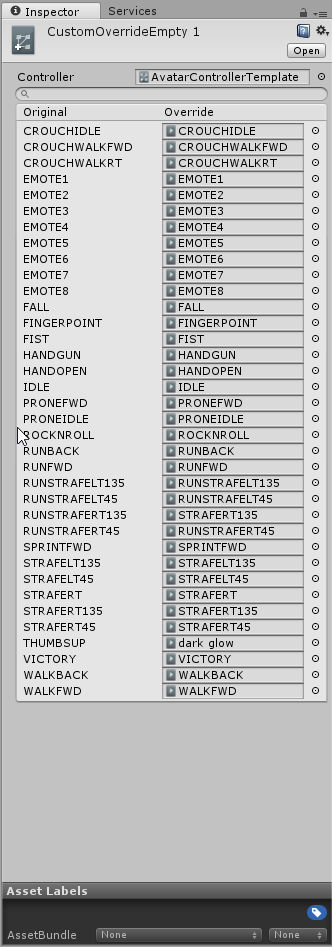
I put dark glow on thumbsup
still not switchign back to other ones easily, its weird
fair slate
Then idk :/ it worked for me. is the animation a 1 second copy?
 fair slate
zoom in
ruby spoke
just made it and slapped it on
fair slate
zoom in on the animation

just click red bar and scroll with ur scroll wheel and make sure its on 0:001
0:01*
ruby spoke

might be the fact that its just particles
I did a sign with sound, and that one is fine
but when I play arround with particles on gesture animations this keeps happening
do particles need to have a duration time of 1.0 ?
clear yew
can someone help me please for some reason the dancing animation isnt working, i made the animations in unity, the first one is what i want i want to happen and the second one shows it not working, can someone help please
https://imgur.com/Cs8h6Ch , https://imgur.com/QrDV8XZ
Hey, Does anyone know how to add a Breakdance effect for any model?
ruby spoke
go on Mixamo, upload your model, download the breakdance animation without skin in fbx
clear yew
@clear yew https://www.youtube.com/watch?v=OsfdJVOVI70

One thing that I forgot to include is that I had uploaded my avatar .FBX to Mixamo before recording, so make sure you do that first! Another thing to note is...
elfin quail
is there an easy way to assign an animation to X button or A button?
 worldly rune
Does anyone know the name of that unity asset that does hand animations for you? I'd like to purchase it but I don't know the name
ruby spoke
the stock hand gestures?
elfin quail
muscle animation editor
worldly rune
I was told there's an asset on the store that saves you the time and trouble of having to add each muscle group one at a time in the animator
Ah, thank you.
elfin quail
is there a quick way to assign an animation to X and A buttons?
ruby spoke
check the animation tut
pliant plank
@clear yew do you have IK tracking working on that avatar?
clear yew
yea
pliant plank
I've heard that it can break certain animations, but it's still odd that no movement is seen
If you want to disable/break IK, simply remove 3 fingers from your rig configuration
clear yew
@pliant plank my model dosent have fingers
pliant plank
Then IK isn't enabled .-.
pliant plank
Vilar, re-read what was stated prior please
ruby spoke
look up a bit
pliant plank
Again, re-read haha
ruby spoke
his animation is rip
clear yew
ill re post it
can someone help me please for some reason the dancing animation isnt working, i made the animations in unity, the first one is what i want i want to happen and the second one shows it not working, can someone help please
https://imgur.com/Cs8h6Ch , https://imgur.com/QrDV8XZ
@sonic tiger
then how can i get the head to move with the animation
and not be stuck in place
 sonic tiger
Oh interesting. ive seen a similar issue with a tumble emote
clear yew
anyway you could help?
pliant plank
It's quite odd to say the least as i've also got animations that entire move the head and rest of the body and they work fine, it does look fine in unity aswell
sonic tiger
it got stuck to the hip in space
clear yew
@sonic tiger how do i fix it then?
pliant plank
Is the head attached to well, the head bone?
sonic tiger
That is a good question. I imagine it has somethign to do with the animation settings regarding offset mapping
clear yew
yeah.... @pliant plank
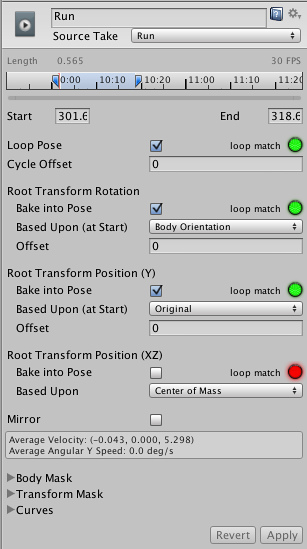 pliant plank
Is the armature proportional to the model?
clear yew
yea they are not there for me @sonic tiger
sonic tiger
Try baking those root transforms into your pose (if you made the animation in unity, im not sure you can do this)
clear yew
you can do that in unity the same way
sonic tiger
Sorry @clear yew, Im afraid this is likely beyond my knowledge
pliant plank
I think it should work the same way vilar, atleast key-frame-wise things can be edited even on pre-made animations, but i'm relatively new to the whole concept as a whole
wise minnow
help me please.. how to do movement of the eyelids behind the pupils, as in this video https://youtu.be/lMJOsgdvcng

Broadcasted live on Twitch -- Watch live at https://www.twitch.tv/ami_fox
sonic tiger
Good to know @pliant plank thanks
wise minnow
not blinking
sonic tiger
Those optios control how the root of the armature's motion is applied in relation to root motion (which moves the object physics during the animation)
pliant plank
I had to crop VMD animation to a straight point then mirror the keyframes per frame per example to make it reverse to default
sonic tiger
yikes
pliant plank
Yep, it was quite large
Actually, here it is https://cdn.discordapp.com/attachments/393113850909818880/404378568169226250/unknown.png

You can see where the mirror happened
It's pretty sloppy in the way it moves, but hey, best i got so far aside mixamo's https://gyazo.com/0176c806593b5903cfbe1b4fb9032688
 clear yew
oki so i made a animation in unity that moves the head and body and it works, i added it to a copy of "CustomOverrideEmpty" where i put my custom animations, i upload it to the game test it out and the body moves but the head doesnt, @pliant plank @sonic tiger are you sure theres no way you could help?
plush jungle
How can I move objects within the animations, that it looks actually smooth while using a handgesture
pliant plank
Wait, customoverrideempty?
Isn't there a custom override template of sorts?
Unless that's what it's actually named and my brain 404'd
clear yew
https://imgur.com/NfnMvam @pliant plank heres what im on about
 pliant plank
Huh, i guess it is named that
naive heart
anybody know, if there are custom animations that u can download, if you're to shitty to make them yourself?
clear yew
scroll up, there's a mixamo youtube I posted
mixamo @naive heart
free and easy to put in in about 5 minutes 😉
naive heart
nah I mean not mixamo, like there are several peaople that have dab emotes and shit where they get that from?
naive heart
but they have all the exact same animation?
clear yew
the dab looks mocapped, but yeah, some people make them
naive heart
mocapped?
plush jungle
How can I move objects within the animations, that it looks actually smooth while using a handgesture
robust hound
anyone knows why I can't see my "animator" object and make modifications on it ? (like to move the hands)
it really annoys me and I don't why I can't see it here, where I was able to see it last time
 naive heart
ohhh
clear yew
@robust hound you want to press on the arrow next to "VRC_Avatar_Discripter" and it will show all the bones you can animate like your hands
plush jungle
How can I move objects within the animations, that it looks actually smooth while using a handgesture
none an idea
robust hound
@clear yew When I add one (like the custom standing anime one) I just have a useless script sitting in my animation and I can't anything with it
last time I did it I had the "animator" object with all the parts that could be moved
clear yew
then idk sorry
robust hound
Erf, been stuck for 3hours
pliant plank
Yeah it's hard to get actual animation help most of the times
Just general fixes here and there mostly
robust hound
the thing annoying me the most is that its working on an other character just fine
and with the same settings
clear yew
just wounding, can you do trigger animations without vr
clear yew
shoot
robust hound
but if you're not moving in your animation emote are just fine
if you are tho, it's sh*t
clear yew
hmm
robust hound
OH MY GOD
okay i'm triggred
when reimporting the model
I didn't set the body rig to "humanoid"
holy moly I want to hit myself
plush jungle
How can I move objects within the animations, that it looks actually smooth while using a handgesture
plz tell me if u cant help
robust hound
the animation will automatically make it smooth from one point to another
let's say your value at 1 sec is 0 and at 10 sec it's 10
then at 5 second it will be five automatically
and every frame it will get updated to be smooth
clear yew
When I change the idle pose, if I set 1-frame poses,
Will it be interpolated?
Orr will it be an immediate idle pose?
robust hound
@devout star yes, just uncheck the "isActive" case on the object you want to summon, and on the animation recorder check it to set the item you want to be there active
 devout star
Thanks! 😁
 final ledge
So I was experimenting with custom animations for the first time and when I put in a custom dance emote my character just kind of vibrates in place instead of....well you know, dancing. any idea why that would happen?
plush jungle
so the maximum time of a handgesture is 10 sec ?
blissful root
Still no luck getting particles to appear in an emote but elarned how to simulate instant transmission from dragonball at least.
 zealous needle
Okay, I think I'm overthinking animations currently
But if I want say a weapon or something, I duplicate main model, add weapon in, create animation of weapon appearing, and overwrite an emote using the proper overrider steps, correct?
final ledge
that sounds about right
zealous needle
Thank you; I am just psyching myself out then
 abstract current
any way to save all these as a preset for future projects?https://gyazo.com/a50a634a590ec80e03a8f6df4f629b44
 final ledge
If I wanted to replace the animation for walking in every direction do I just put the same animations in all of the strafe animation slots?
clear yew
oof
 limpid steppe
or do i have to remake them
 blissful root
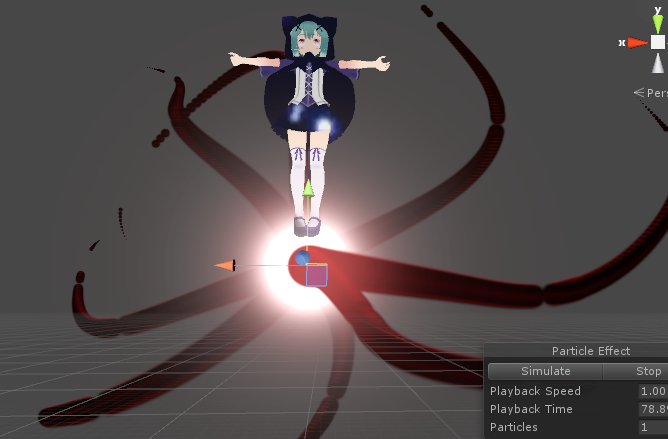
Avatar movement, animations and everything works but I cannot get the particles to appear ingame any leads https://imgur.com/a/464tf
 rapid cypress
I've had no luck finding any resources for overriding animations other than emotes/handposes. I've only had luck accidentally overriding a very broken Walk FWD animation, but it seems like the others won't override at all.
Has anyone experienced this?
 main bone
Here's an odd question - can I make visemes be disabled while a custom emote animation is playing?
 analog lichen
Can i do something for animations so that on the vive running with the left touchpad not triggers my hand gestures with are overritten with stuff like guns? So i can run around without the gone triggering?
gun*
 safe bay
@plush meadow if it is a spear, position it like a sword.
 remote onyx
Ok so
Anyone have any decent walking animations or just, I dunno cause I have some models that LEAN FORWARD to shit when they run and it breaks my views
 broken merlin
Hello all, I've been using https://www.mixamo.com to download some animation clips for my models but I was wondering, is there were any other sites that most animation clips for unity?
 fading solar
where do you get the animated shader that has universe picture or whatever?
 spring gazelle





 keen reef
Is there any good tutorials for animation for someone who pretty much knows nothing? I'm attempting to do Megumins dance.
broken merlin
Winter, are you keyframing the dance step by step or are you looking for that dance premade?
keen reef
I was gonna make it myself, but if its out there somewhere I wouldnt say no.
 plush meadow
Question, for an emote animation is there a way to keep the animation looping?
wise minnow
can to convert motion from MMD in the unity keyframe anim?
 unborn comet
so im having this problem where im trying to set up a custom emote but all that happens is my model starts to vibrate up and down and i cant figure out why
broken merlin
Generic, I think there's check box but If you set it, your avatar will be locked and wont be able to move.
glass anchor
yeah
you cant move during emotes,
so even if you did get it working, you'd only screw yourself
plush meadow
Then I guess that's that.
broken merlin
Are you looking to do like an looping idle or dance?
plush meadow
dance.