#animation
1 messages · Page 31 of 1
 stark wraith
 wispy onyx
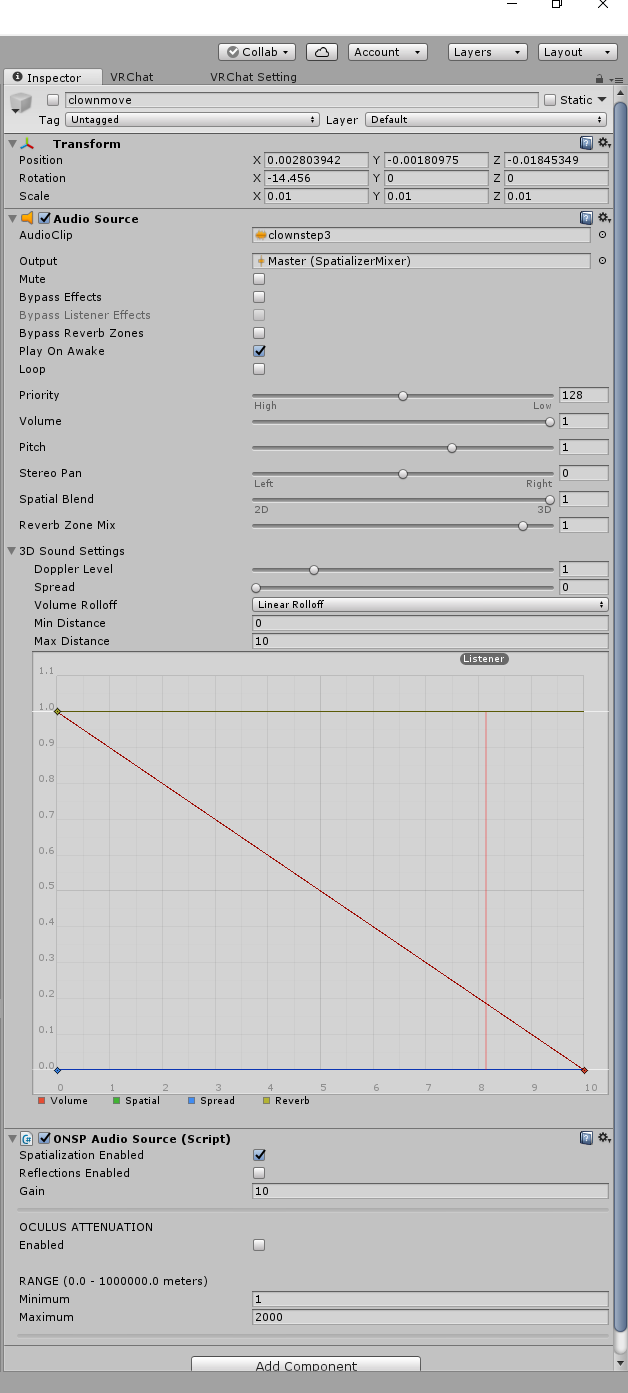
tick bypass effects, volume around 0.1-0.2, doppler level 0, min distance 3, max distance 5, and remove ONSP component
 exotic ember
if the volume is fine in game, should I mess with it
 regal magnet
Anybody here know a solution to draw multiple figures using the Trail renderer? Or am i limited to 1 line forever.
wispy onyx
Try that, 1.0 volume is way too loud, and since this sound will play whenever you walk you dont want the audio distance to be too far otherwise people will hear you on the other side of the map.
I have my volume on a world audio source set to 0.2 and with my sound effect volume at 70% its still relatively louder than id prefer
exotic ember
I'll double check it in game, if vrchat lets me upload it this time
wispy onyx
Double check what in game? Anything over .3 volume is going to be way too loud for other users
 odd junco
Hi i have a sound trigger when do one of my custom gestures for face. How do i add another one to a different sound to other gestures? i tried doing this but it just plays the same sound for all
exotic ember
i've already had it at 1.0 though and asked others if it was too loud and never got anyone saying it was too loud
and I still cant upload so can't test it :<
wispy onyx
@odd junco are you sure you are activating the seperate audio source and not the same one ? haha
@exotic ember no one said it was too loud because your minimum audio distance was set to 0 metres
wispy onyx
Yes, someone would have to be standing on top of you to hear the 1.0 volume
 clear yew
Has anyone ever had an issue where you replace an emote with a custom one, but once you use it for the first time in game you're unable to switch out of it to a different emote?
regal magnet
Storm you probably didnt make it 1 frame long
Or you didnt end the animation at all
clear yew
how would one end the animation?
regal magnet
Make a keyframe at 0 for start and 1 for finish
exotic ember
do emotes also have to be one frame long? I thought that was only for gesture overrides
clear yew
ive done a few one frame animations but this is my first lengthy one
odd junco
@wispy onyx ok so my angry face gesture is a growl sound. but for some reason its the same for my shock gesture when it should be an alert sound from MGS
regal magnet
I thinnk he means gestures since you dont "switch" emotes
wispy onyx
Emotes have a maximum animation length of 10 seconds
clear yew
oh yea i do mean gestures sorry
exotic ember
good to clarify either way
odd junco
as in Victory gester but instead it changes my face
 cold shard
does anyone know how i would get my charcter to do an idle licking animation if possible cause she can stick her tongue out https://i.gyazo.com/9a84d56ea7634fb82d9d300e6d010519.png
 clear yew
if ive got to set something to 1 for finish thats probably it, ive not done anything like that
regal magnet
I had a gesture for 20 frames ones, and it would slow all my other finger movements down over 20 frames instead of 1
You dont even have an ending so yeah..
Has anybody here used Trail renderer at all?
wispy onyx
Yes
odd junco
mabey changing the priority of the sound source will fix it?
regal magnet
How F'd am i if i want to start and stop, but keep the trail.
wispy onyx
I have that on my model, you need 3 animations, one to draw lines, one to draw "clear ink" which is the linr but drawn far away from the rest, and one to clear
google snail marker vrchat
you can cut it to 2 animations if you have the model automatically be drawing by default
regal magnet
Oh it is possible then thats good
No i probably will use 3
don't want to bother people by constantly drawing
wispy onyx
I have mine constantly drawing i just clear it after ive finished moving
Or keep my "clear line" animation gesture held down when im standing around
regal magnet
So clear ink is basically a different emitter that draws seethrough, am i correct
And it fools the other linne into staying there
Ive been animating the line itself all along
wispy onyx
No "clear ink" is just the draw animation, but with the x axis very very high up
So technically you are still drawing a continuous line
exotic ember
using an outdated sdk wouldnt mess with my uploads would it
wispy onyx
Its just that the "invisible parts" are actually just the line drawn high up in the sky
regal magnet
Netharion i think you wont be able to upload at all
wispy onyx
Yes it would, you need the latest version of the VRCSDK
exotic ember
huh neat
regal magnet
Wouldnt the line you are drawing high up show a jump into the air?
wispy onyx
Jan 3rd 2018 public build
regal magnet
When i teleport during drawings thres a line connected to me from the start point
I mean probably not since it works for you but it sounds oddfor a solution
wispy onyx
No because the line between the drawing ink and the "clear ink" does not interpolate
wispy onyx
Because it is done on seperate animations so the Y axis transformation doesnt allow the ink to travel in a continuos line from the visible ink to the clear
regal magnet
Ic, and if you telport you move, which doesnt happen in animation jump
Thanks 😃 i thinnk i got it
exotic ember
@wispy onyx so I changed the settings and now im only hearing the distortions
but not the sound effect anymore
exotic ember
im upping the volume back to 1 to see if it changes
 noble fern
Shooting vs unholster. I have a cocking sound when it unholsters, but I don't know where to add the shooting animation sound on a different gesture
When I put it on the default model it does both sounds together when the gun is unholstered. Any ideas?
regal magnet
Can you not make an area around the gun where you put the sound on?
I always thought you drag the sound in seperately
noble fern
I have that
regal magnet
Couldnt you make the gun simply a parent and just enable annd disable the different audio clips?
not sure if thats the smartest way to do it but
I know you can Enable and disable durinng gestures, this would make only the audio clip play you want
noble fern
Yeah, but do I have to have the audio in the model I made for animation, or the one that I upload to the game
regal magnet
The one made for animation
noble fern
Unless
regal magnet
Cuz you animate it to be active
noble fern
Hmm I have an idea, maybe I can just duplicate the gun
regal magnet
If you have it on your normal model it plays by default probably
noble fern
And instead of calling the unholstered one, it called the already out
regal magnet
lol
 jade elk
How to make your character fly in the air? Changing the point of origin doesn't work, changing the Root T y doesn't work, changing the position during the animation doesn't work. I know it can be done so how do you do it?
 novel flower
Anyone know a good way in SFX to make the Black Rock Shooter eye trail effect
exotic ember
@wispy onyx weird bug, the distortion sound and distance is independent of the settings. I can hear the distortion both when the sound is not loud enough or too far away
oh and VRchat keeps turning off the bypass and adding back on ONSP component
 quartz frigate
I'm still having trouble with particle effects not appearing where they should
 earnest trail
Anyone have a good dances anims
regal magnet
@jade elk Im assuming they're doing something to both the avatar, be it the rig or the mesh, and also the Avatar descriptor.
I don't know what it is they do, i've seen it , but so far only a select few people have done this. Probably game designers or people that understand unity.
Im not sure if this is something we are suppose to be able to do 😛
noble fern
Shut up @frigid bane
regal magnet
Scripting isn't allowed i believe , but being able to alter your entire control sceme so that the gravity doesnt affect you the same way or whatever, sounds like it shouldnt be able to happen lol
noble fern
<@&397642795457970181>
regal magnet
smh
noble fern
10-4
regal magnet
We wont understand
noble fern
I remember when I was a younger kid and did that noise
noble fern
Dat sweet sweet moderation
earnest trail
anyone have anime dances .anim ?
regal magnet
Aren't there downloadable ones? i bet MMD videos have alot of em for download probably
 narrow jacinth
You called?
 dim oyster
we got him
narrow jacinth
Aye
 opal summit
hey guys, i must ask, is there another site where i can find animations like mixamo? for example lots of avatars has caramelldansen but that's not in mixamo. how do I find more?
 spare bramble
anyone know how to make the floating idle animation?
noble fern
Thanks guys. You're on point
opal summit
Is there a way to import .vmd files as animations? or to convert vmd files into .anim
earnest trail
@regal magnet tnks ❤
regal magnet
👍
 jade kraken
aaaand i found ANOTHER prob with kirby
the arms are supposed to be in T-pose position
so when they go to the vrchat default of down at the sides
they clip inside the head
ech
feel like i need to make a custom animation just for this one dude x3
noble fern
Hey @regal magnet, if you duplicate a duplicate model you made for an animation to reuse, how do you get that animation dragged into the override?
Or do you have to redo the entire animation
regal magnet
You drag the animation into the override
If you dont make a new file for an animation you'll just end up rewriting an existing animation
Also @wispy onyx , I founnd some tutorials, but the animation DOES animate my line from 2000 position back to where i am. As i expected, Thanks anyway but ill have to look further
noble fern
Ok so I'll have to remake. Alright thanks for the heads up
jade kraken
ugh, i really wanna get this Kirby avatar to work well
regal magnet
Why are people so bad at explaining themselves its so much more confusing 9/10 times .. end me man
Probably missed somethinng .. rewatching a long ass video bah
 next obsidian
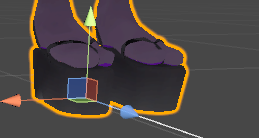
someone knows how to make these shoes so they don't get stuck on the floor? https://imgur.com/eNjCUvZ
Also, how do I change the running animation?
 jade kraken
ok, i need help trying to figure out how to make this thing animated

those nubs are the arms. not supposed to move, just stay in that spot on the rig and pivot / rotate
 clear barn
You need to move the bones lower
jade kraken
so obv. need to make a custom anim
clear barn
The actual foot of the model are their foot bones’ @next obsidian
wispy onyx
@regal magnet dm me and i can link a text tutorial
regal magnet
Appreciated
 next obsidian
@clear barn ohhh, that sucks, well, thanks, do you know something about changing the running animation?
 slate crane
I suddenly lost all animators on my models and cant get any new models or old models to be given animators, even in a fresh project with a fresh sdk
Please help me
 cobalt quartz
question : how do i make my avatar animation follow the path it should instead of beeing rooted in pplace?
 signal mango
can you make particlecs an animation
quartz frigate
You can, but I have a problem where they do't appear where they should
Not entrirely sure why
 nova chasm
https://i.imgur.com/W4Cbgo8.png
so I animate the eyes like this but nope, apply it to the Animator component hit play nothing happens to the eyes, but the animated blink shape key works! yes I changed to legacy

 minor marlin
Anyone was able to find a good lightsaber MMD model ? I can't find a decent one -.-
 small tapir
Not sure if this is the right place to ask, but i tried avatars. Do anyone know how to make this kind of texture and it's moving
https://imgur.com/a/o3lpE
 severe mauve
How do I get dynamic bones?
 jaunty moth
buy it?
severe mauve
oof
next obsidian
I'll give it to you
severe mauve
ok
 safe bay
Looking for a skilled animator to do Sitting, Running and walking animations for a Peacock model. Yes. A Peacock. Will pay around 10 USD for the time. the model is rigged and functional.
signal mango
does anyone know a good video on making particles an animation
small tapir
Right now im using NoeNoe cube overlay texture cubemap with a cube skymap but i have been trying to find how to get it to move, been trying to script but it only breaks the script everytime haha
Will try right away 😄
Sorry, to bother you. But im a bit unsure where to put that, lost of places have the word fragment
lots*
I think i know not sure
float4 frag(VertexOutput i, float facing : VFACE) : COLOR {
float isFrontFace = ( facing >= 0 ? 1 : 0 );
float faceSign = ( facing >= 0 ? 1 : -1 );
SHADOW_CASTER_FRAGMENT(i)
That would be great will do that
 main light
guys i have a .anim file how do i put it onto a model
 gloomy stag
Can anyone link a tutorial on how to make blinking animation, based on textures, that isn't this video?, since it doesn't really cover my issue https://www.youtube.com/watch?v=ZB2aXKkwXuA
Thank you

EDIT: If you are using an MMD model please read below! In this video I will show you how to make your 2D eyes/mouth type avatar have a blinking animation and...
 plush jungle
how can I delay an Audio Source ?
 late phoenix
In the animation set the audio source to not active
And then on the frame you want it to start make it active
 main bone
Is there a way I can fix this without redoing the animation http://prntscr.com/i2eg4n

Like, can I modify the existing property so that it points to the correct object
 heady sundial
I don't believe so
small tapir
@clear yew I just wanna say thank you for helping me 😄
 jolly plank
So I have audio for an animation however for some reason it seems to be super quiet.. as in you ahve to stand basically in my face to hear it... I have linear roll off and min/max distance is set at 10... volume was at .5 and tried at 1 still same result. Any ideas on what i am clearly missing.
 grizzled cobalt
im trying but
Im failing; never did animations like that qwq
it doesnt accept the rotation for some reason and just keeps reverting
spare bramble
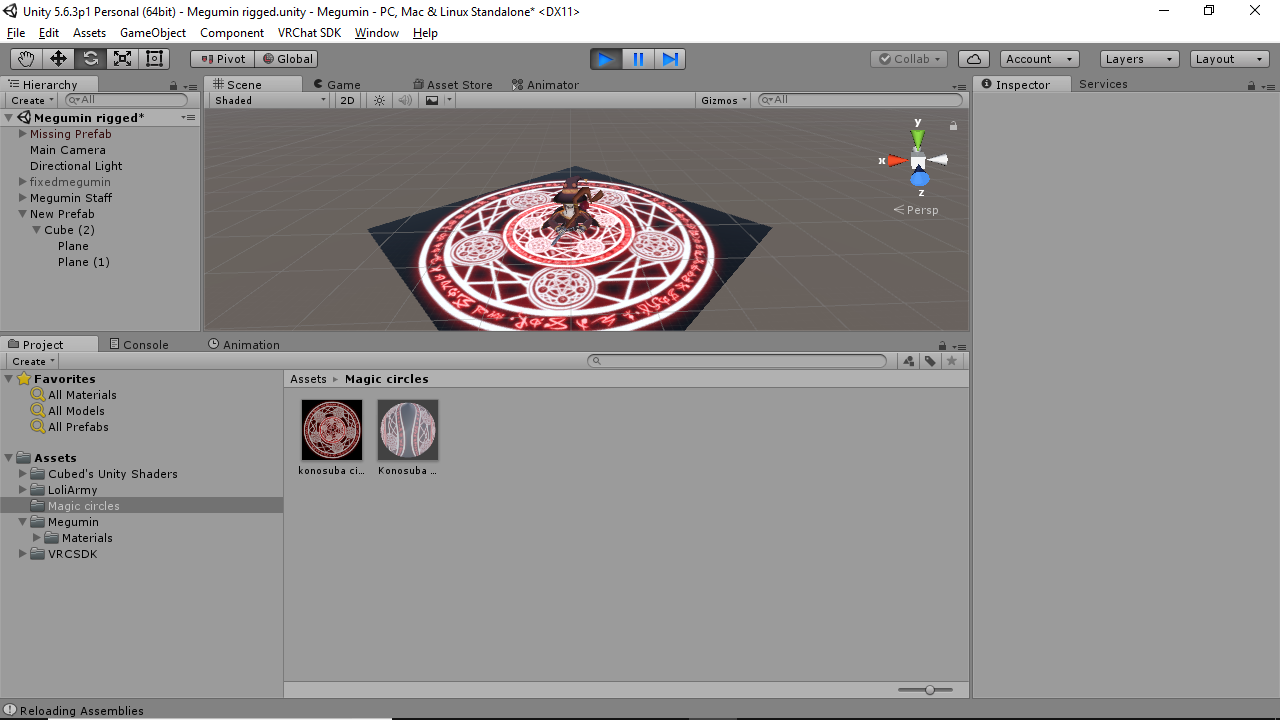
how do i get a mesh to appear on the floor with a particle system? i want to make a magic circle on the floor that will spin
clear barn
If you have a headset you can just dab
jolly plank
^truth
grizzled cobalt
nah a friend wants a dab animation
main light
i got one
grizzled cobalt
mind sharing? @main light
 ruby minnow
hey guys, what does the "dynamic bone collider base" script do?
ruby minnow
it only allows me to set an offset it seems
waht kind of collider is it?
just a point?
clear barn
¯_(ツ)_/¯
clear barn
You can probably find something on the dynabone documentation
ruby minnow
where's the documentation?! it's not in the source x)
or maybe I'm blind
lemme re-check
oh yeah there's a readme file, but it doesn't mention the Base script
is that because I'm not supposed to use it, I wonder?
 snow adder
Making my first custom animation which is a looped idle but for some reason the model sinks into the floor. I watched a tutorial for it and did all my changes on a duplicate of my main model then linked the animation to a CustomOverride to the model's Custom Standing Animations. Did I miss something? I tried changing the x,y,z positions to be 0,0,0 as well in the animation
spare bramble
anyone know how i can get rid of the black outline on this spell? https://imgur.com/a/gOzo0
 clear barn
Edit the image in photoshop or similar, remove the background and reupload it as png
spare bramble
right
grizzled cobalt
how do I properly override the animatinos of the avatar
Is this correct?
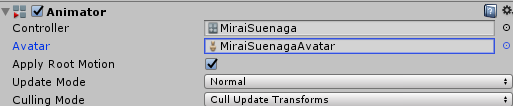
or does replacing the Fingerpoint not work for animation?
clear barn
On your avatar controller
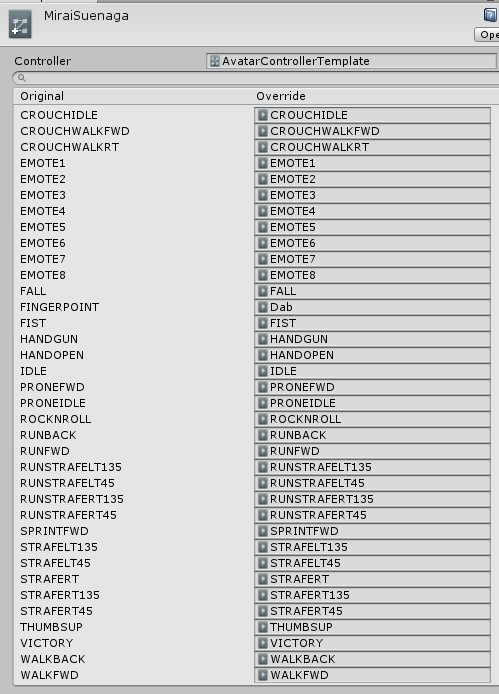 clear barn
Hm
quartz frigate
You need to add it to the VRC avatar descriptor, not the animator
quartz frigate
Depends on if you want to keep the animations when you sit on a chair in game
quartz frigate
No problem
spare bramble
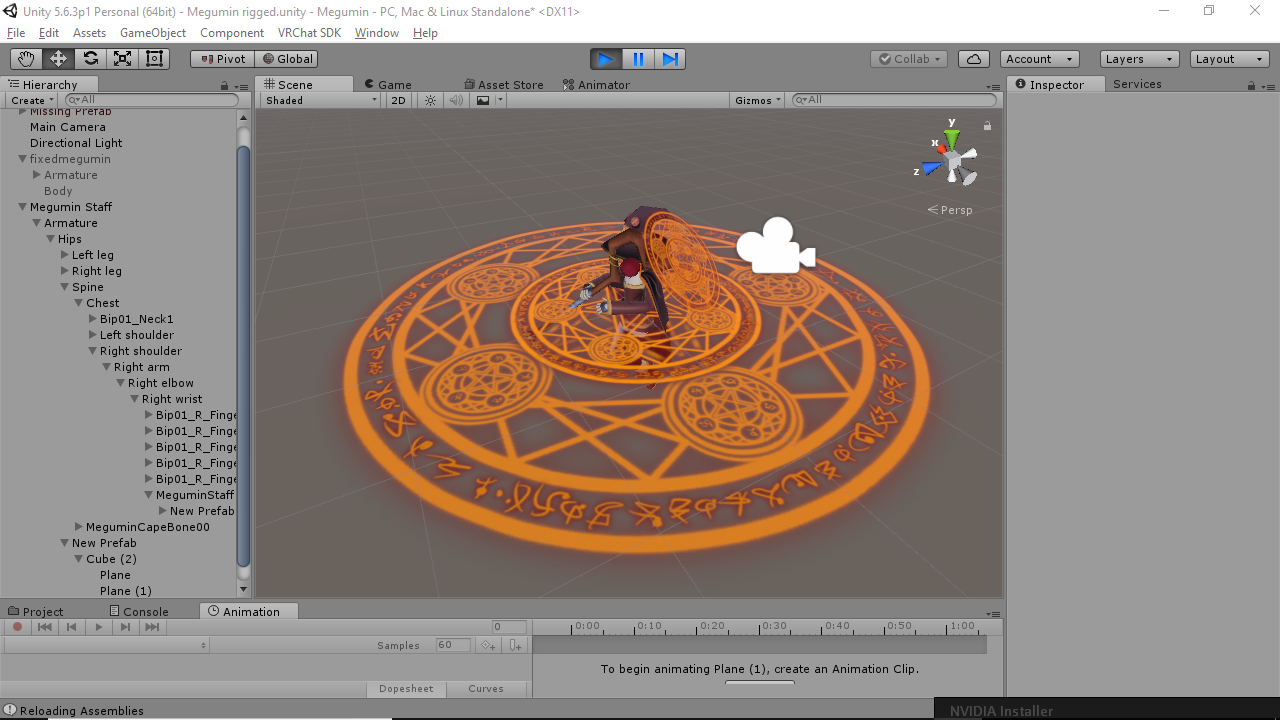
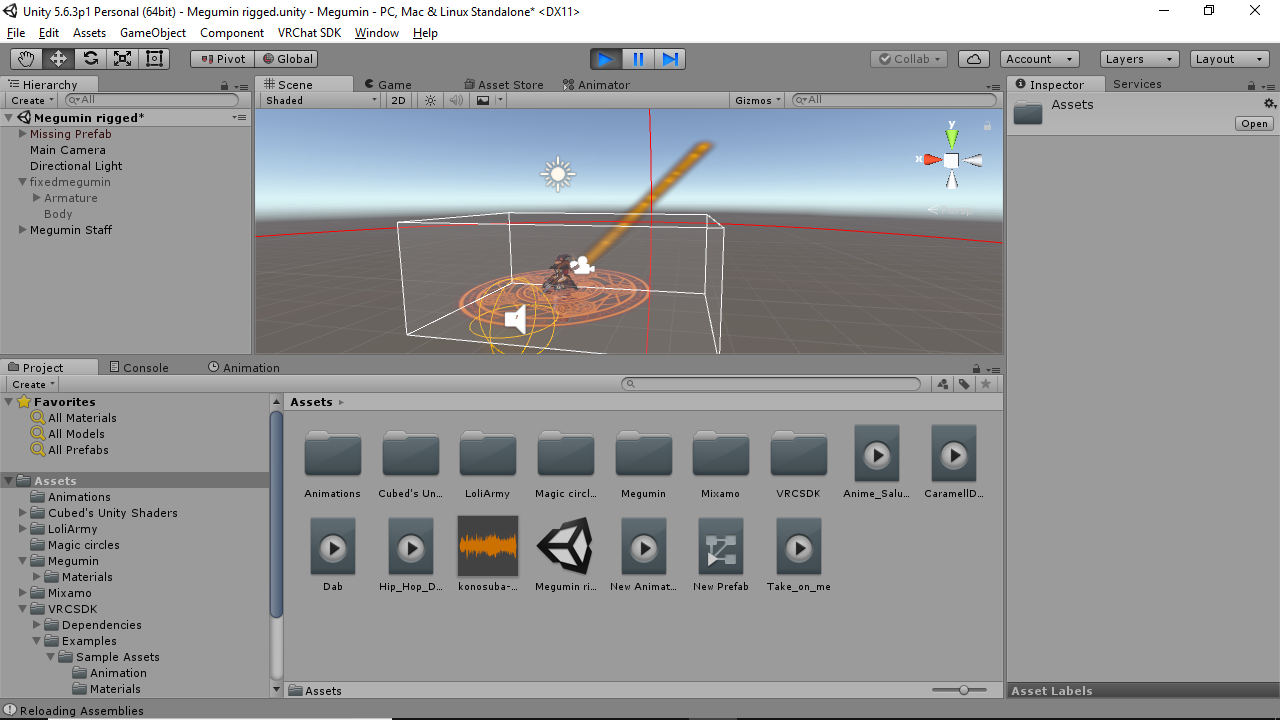
getting there got the magic circle on the floor and staff to rotate now just to add a delayed particle effect for the staff firing and the megumin explosion sound :3
 novel flower
Anyone know if its possible to add a spawn delay to the prefab sfx fire wings? Trying to have a magic circle and other particles trigger first before the wings come out. Those particle systems I can set a delay time before activating but not the firewings from what i can see
@spare bramble I saw Ventene have a really good Megumin explosion effect with mutliple cirlces, particle beam, animation, and sound chant. Really wanted to be able to do that too -_- btw what magical circle is that from I assume not the SFX ingredient pack
spare bramble
its a magic circle image i got from google and made a custom material for :3
literally just type magic circle in google images haha
next obsidian
How can I change the running animation?
 broken rampart
replace RUNFWD in controller with other animation that you want to have as running
next obsidian
I can do it with the muscle animator?
spare bramble
anyone got the bubbletop animation?
broken rampart
there is an animator in unity, there you can create animations, i don't know any other ways
here is tutorial for making animations and getting them on avatar
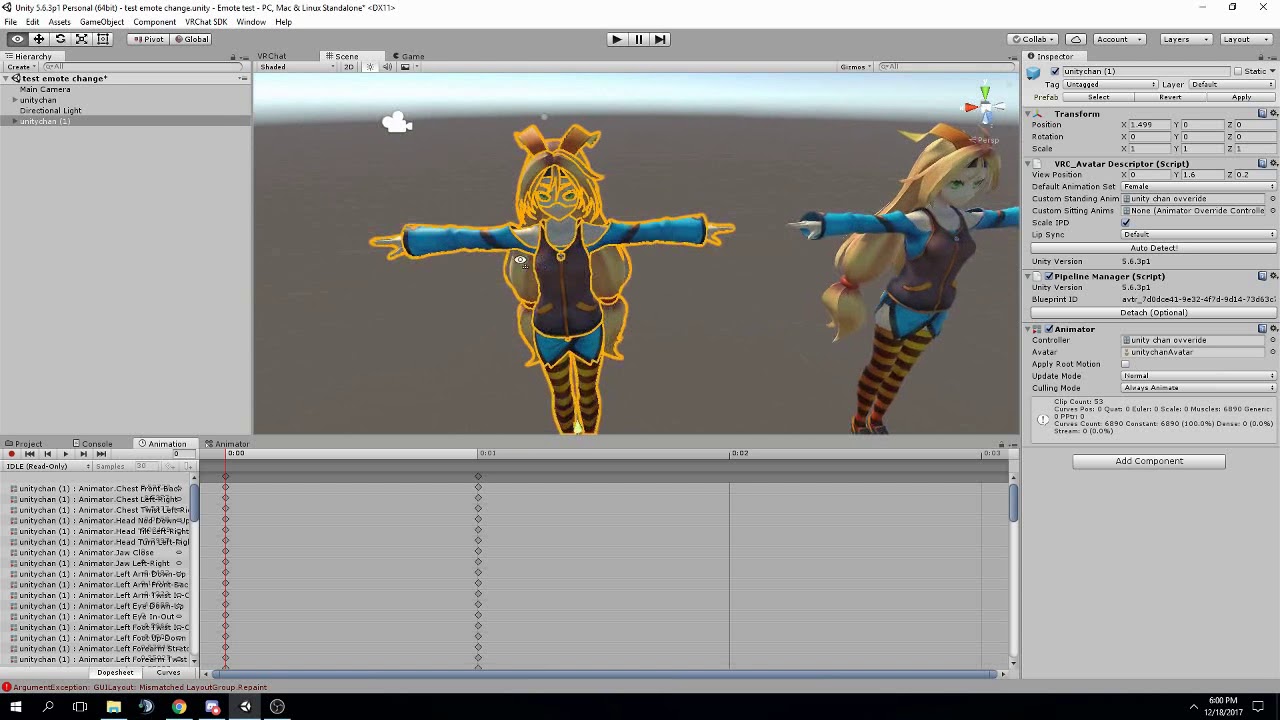
FAQ: 1. If you can't find the animator or animation tab go to window at the top and select animator or animation 2. If your character is going in the ground ...
umm start from 0:00 my fail xd
clear yew
is it possible to do seperate animations in left and right hand when youre doing an override??
 rocky copper
Hi guys! i need help...
I made an animation in blender with the model i want to use
but i don't know how to export it into unity
Every time i try to copy the animation file from the fbx file it says 'illegal characters' as an error
using ctrl-d*
nvm... i found out why
spare bramble
https://imgur.com/a/GgZqS done just need to wait on the servers working now.
 peak relic
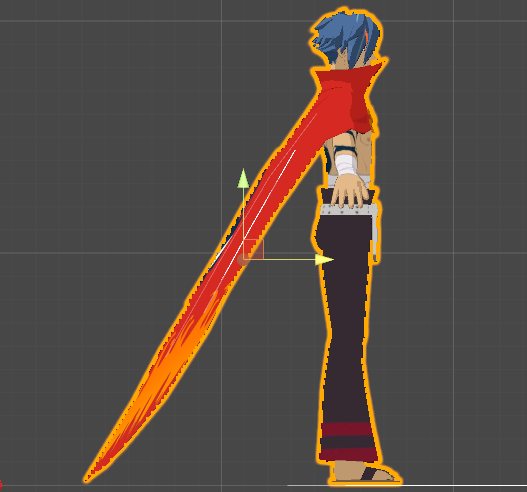
Does anyone have good dynamic bone settings for a Cape by chance?
 pseudo kernel
Play around with curves too
I find that force is better than gravity. Gravity looks wrong if the angle is too great.
peak relic
https://i.imgur.com/SsMKxPf.png I'm trying to make it so that the cape doesn't stick out like that.
 clear barn
Well the cape won’t collide with the floor I believe
pseudo kernel
@peak relic you can use force and or pose it downwards.
 cyan sparrow
Rotate the bones in the cape to have a better rest position then use force
peak relic
I just wanna weigh it down. Lol
clear barn
Use gravity or force
 cyan sparrow
Don't use gravity, just change the bone positions and use force. Gravity is borked.
pseudo kernel
Force y is the real gravity
clear barn
I use gravity for my tie and it works fine
spare bramble
i'll give that a try atm @clear yew cheers bro
peak relic
Will the cape still move with force?
clear yew
@spare bramble heres mine for referrence if you want to see it in action https://imgur.com/36O51XF
 pseudo kernel
Just don't set the force too high and it will move
peak relic
Ok thanks
clear barn
Force is kinda the same thing as gravity
spare bramble
how'd you make it expand like that @clear yew
clear yew
 pseudo kernel
If you ever tilt 90 degrees, gravity fucks up big-time.
clear barn
I’ve played with it and it works wonders
cyan sparrow
If you tilt more than a couple degrees you can notice it screwing up
pseudo kernel
Did you ever rotates along x? Try it
clear yew
@spare bramble I changed the size over lifetime settings
pseudo kernel
Or I guess it would be a z rotation? I don't know
cyan sparrow
Doesn't really matter which way you rotate it behaves strangely either way.
pseudo kernel
It's like the gravity curve is set up incorrectly
clear yew
So I wanted some input on something. anyone know the particle prefab people are using to make the kamehameha?
pseudo kernel
@clear yew maybe a trail or cylinder with a ki ball particle on the end?
clear barn
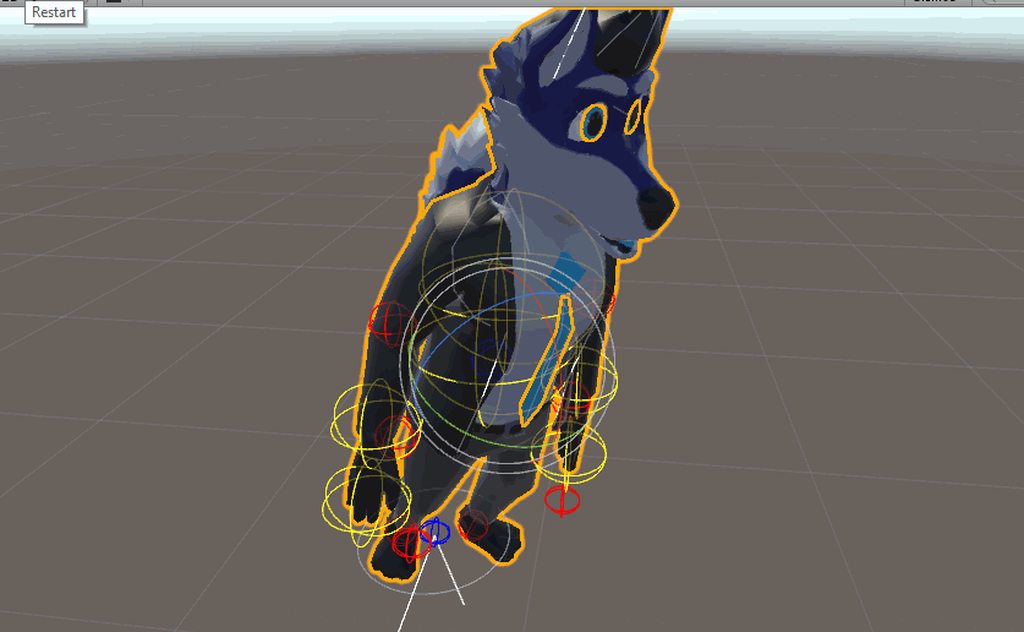 pseudo kernel
Your colliders might be keeping it from getting too janky.
cyan sparrow
Looks borked to me, doesn't point down correctly, sticks to the character somehow. Then again that could be a bone issue.
 soft axle
Where I can change my custom running animation?
cyan sparrow
Probably isn't a big deal since you probably aren't rotating your chest much.
clear barn
force removes the wiggle
cyan sparrow
Although if the default position is pointing down you probably don't need any kind of external force at all
pseudo kernel
Also whether you have VR or not
clear barn
no cause i want it to angle if i crouch
cyan sparrow
Even with VR, how often are you lying down in game?
clear barn
not much, but it looks better with gravity imo
clear yew
Does anyone know how to do this? https://www.youtube.com/watch?v=9cGNBQeehdI&feature=youtu.be&t=7m21s

✘ Thanks for watching! Don't forget to like and subscribe if you enjoyed! →Join the VR Crew: https://goo.gl/7YkpCQ Playlist→ Best and Funny VRChat Moments►ht...
Is there anyway to import a VMD motion to a unity Animation?
Thats hilarius lyv, I have no idea
fuck i want this = D
I would guess something like a trigger animation override, that temporarily hides his model, and replaces it with the model of him on a rocket
yea but how makes him push up?
and that is sent into the air by a velocity over lifetime thing
hm
or, the rocket has a shapekey that slowly gets extended to 100 and the higher it gets the higher he gets
If its possible to move an object in the animator, it also could just slowly be going up from that too
hm
eithor way, I'm 100% sure atleast step 1 is the hand gesture override is hidding his model and replacing the model with his on a rocket because his nameplate doesn't move
Anyways, I have two questions of my own. How can I make a kamehameha blast, and how are people doing overrides that you can walk with?
https://youtu.be/j82SOB2tH_M?t=28 the blast

Walking with an animation https://youtu.be/QTI_S-o7WpI?t=14
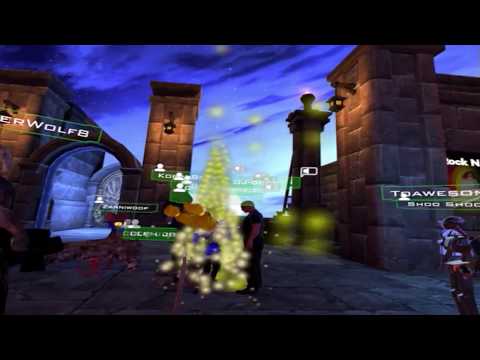
I didn't even realize I was recording this. This was the night I recorded "Sleeping In VR." VRChat
I get some people in that vid just have the animation going as soon as it loads. but I've seen Miku APB summon a chainsaw, get glowing wings on command and dubstep music to boot. and then went around and chased a dude for 5 minutes
pseudo kernel
@clear yew that's just a beam made from a bunch of particles, doesn't really look like a kamehameha honestly. i'd suggest experimenting with particle trails.
clear yew
I just need something thats close
My only experience at the moment is using already made prefabs from particle packs
But I'll google that
clear yew
After seeing this https://www.youtube.com/watch?v=agr-QEsYwD0 I can tell right off the bat I don't think thats what I'm looking for, but I'll give that a watch anyways for the knowledge
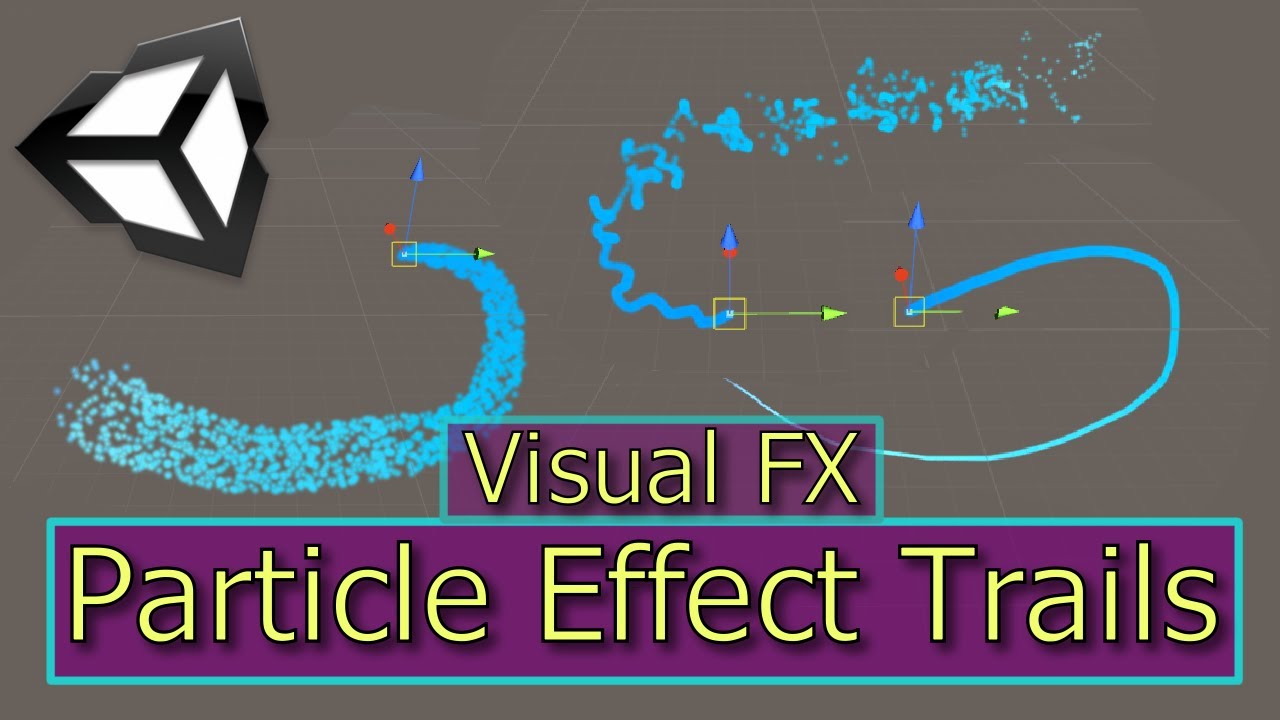
This Unity Tutorial teaches you how to make various Trail Effects using Unity's Particle System. This video is part of the Unity Particle Effects series. Her...
 simple aspen
how would one make wings flap, the wings have all the bones
clear yew
You'd have to overide the 'idle' animation I think to include wing flapping
but I have no clue, I could be way wrong
clear barn
hey for some reason when i sit my tail messes up and appears in my neck
pseudo kernel
@clear yew this guy has cool particle tutorials, might get some ideas https://www.youtube.com/watch?v=-P09r-ALN38
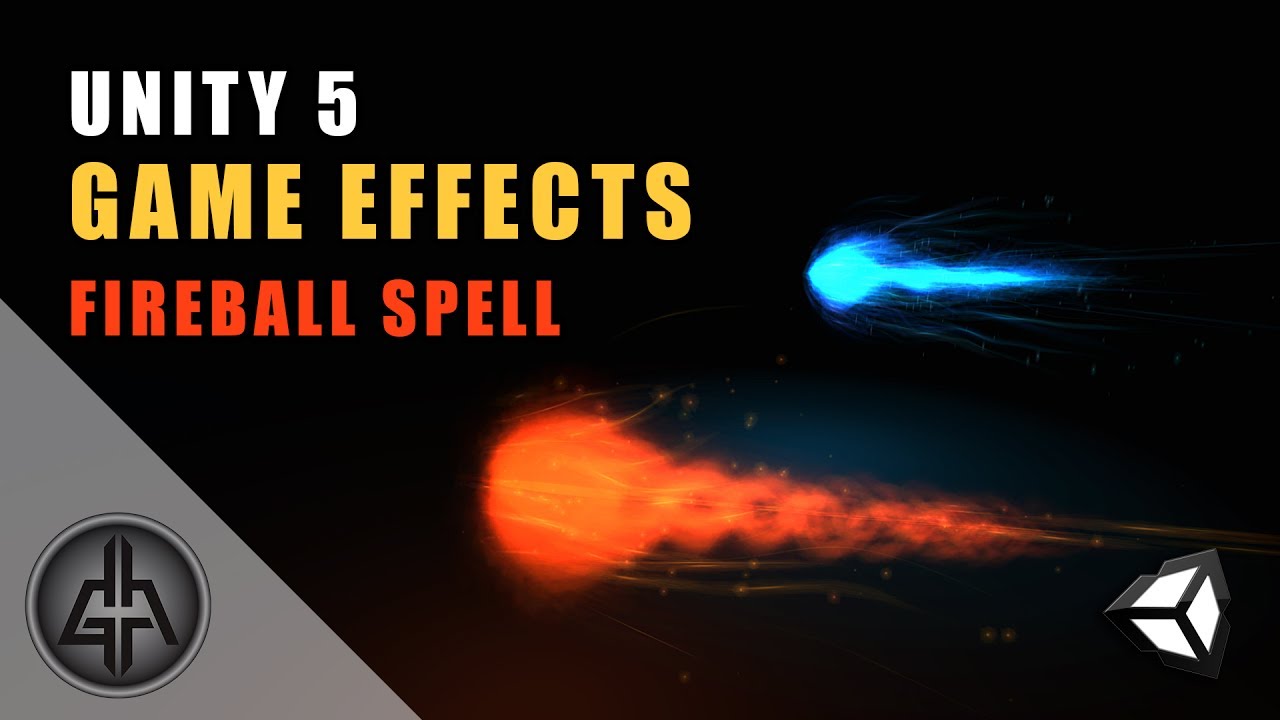
Unity 5 - Game Effects VFX - Fireball Spell / Projectile This is the eight tutorial in Unity of the series Special Effects for Games, it was request by a Pat...
clear yew
This is what I have atm, https://imgur.com/WFwjcuC
 simple aspen
well im downloading a wing flapping motion, so we will see how it goes
clear yew
this is what my end goal is https://bucket.bluegartr.com/73f8343a5e0f001e76653773343fa3ac.jpg

of course w/in reason unlike the pic ><
pseudo kernel
i've seen worse in vrchat lol
clear barn
be careful, i hate overly intrusive animation effects
clear yew
Exactly me too, I pride on not be intrusive actually
pseudo kernel
the most 'intrusive' particle system I have people don't notice lol, or have never commented on it, or don't realize it's from me
it's just falling cherry blossoms
clear yew
This is my worse, but its only when people get seriously fresh with me >< https://imgur.com/36O51XF
But, at the same time, that seriously helped when I was in a pinch. On the spongebob map, you can go out of bounds and do a jumping puzzle to get some avatars. I got lost and my crew found me when I started casting explosions
ruby minnow
hey guys, when people make animated effects, like floating sparks or something, are they doing it using animations, or something else?
@clear yew damn love that megumin
clear barn
does somebody know how to set up a custom sitting animation?
clear yew
Aww thanks @ruby minnow
signal mango
can i pay someone to put animations on a model
clear yew
An idiot like me can do it, and I bet you can too.
ruby minnow
@clear yew where did you get the FX for yours actually?
clear yew
What kind of animations? Weapon animations, particle effects, or animations for non VR users?
signal mango
particles
like around me when i do a vr animation
like a super sayain thing but not that
ruby minnow
the particle effects
I'm looking to make a particle trail for my Rwby avatar actually
signal mango
like i have the particles already done i just gotta do an animation
clear yew
Ha e you ever done a weapon animation? I recommended doing that first to get to know what your doing in the animation tab and then move to particles
clear barn
id like to know how you can make custom sitting animations
clear yew
We are actually in the same boat. I've used some prefabs from particle packs I'm still a newbie
signal mango
oh lol yeah its hard for newbies like us but a breeze for the pros
 plush meadow
Question, so how do you get the prop to remain while moving around?
I'm curious about that as well.
 undone glade
anyone know how to get a muzzle flash and sound effect for a gun?
Or any simple way
safe bay
@plush meadow props on a model?
plush meadow
Like I was able to create an animation where I draw a gun.
But how can I run around with the gun out?
@safe bay
It takes alot of time to do. @undone glade
Not as easy as rigging or decimation.
safe bay
@plush meadow You first need to drag that prop on the bone you want it stay in.
undone glade
Well I assume a few planes and a sound effect
plush meadow
I put it under the right hand.
safe bay
For example if you have an axe. The axe goes in the wrist section.
plush meadow
Then?
safe bay
It should work that way. Since its under the armature and you are summonin the game object with an emote.
How does it look for you?
plush meadow
Well I don't have vr but when standing still drawing the gun works.
I mean if you want to test it out with vr, you can be my guest.
I have an alt account.
safe bay
I dont have vr myself.
I just have people to test it for me
Nothing says that the prop doesnt move around.
plush meadow
Same boat as m.
me*
It includes having to position the gun properly as well as the particle system. @undone glade
Which is a pain.
You also have to add custom muzzle flash.
 signal dove
 surreal iron
guys, to be able to copy my current unity project to another place so i wont get f'd if i mess up the animation overhaul
should i just copy and paste the assets folder?
 foggy pier
Anyone know of a fast way to add all the hand animators for an animation?
or is literally 1 by 1?
snow adder
uh, you might be able to make an animation file that only has those parts with no keys and just copy paste it. I was planning to do that when I had to do hand anims so don't know if there's a drawback
foggy pier
I just hate adding all the animators for the hands everytime I make an animation -_- it makes me sad
 bold owl
Is there any way to have an override use an animation that would trigger another one to persist?
(making a mask that rotates down and plays a sound clip, currently i have it set to do the usual pop into position instantly)
undone glade
anyone have kind of a default volume setting for their gun sound effects?
so it's not quiet and at the same time not threatening to make people deaf
 weak gulch
Alright I have question, If I want to add a sound effect like a "Party Popper" tied to an animation how would I go about it? I actually just want the sound effect to play by hitting an animation or the emote button.
undone glade
add a audio source
make sure you have the settings how you want them, make it play on awake, and apply it like it's a prop
Like if you have a party popper, drag the audio source into it
weak gulch
okay I know that part but how would I go about to tieing it into the emote or animation slot in the "overrideAnimation" part
do I drag the object into it?
undone glade
Do you have a party popper or you just want the sound?
weak gulch
Just want a sound to play when I hit the emote or animation button
undone glade
so it would be like adding a prop, you uncheck the box to make it hidden drag it onto your avatar, create a duplicate, and then create an animation with the duplicate where you will add a property then you go into your heirarchy to find it and click 'activate'
weak gulch
alright I did that by duplicating the said model and hide the original one
undone glade
yep
add property>armature, then you will simply look for the audio source, open it and click "active"
weak gulch
Where exactly do I go to do the "add property" part?
weak gulch
ahh I see it
undone glade
figure it out?
weak gulch
uh I went to Armature and couldn't find the audio source
undone glade
is the audio source on your armature?
weak gulch
I attached the audio to the object
undone glade
did you uncheck the box or the object?
weak gulch
oh I see it
undone glade
the audio or the object?
weak gulch
okay so I just pick the audio sourcE?
weak gulch
yeah so the option is play on awake?
undone glade
If it's play on awake and it's active have :00 be active and :01 active.
and that's it.
then it's simply drag your animation into a gesture and you're good to go
weak gulch
wait so both times should be active?
weak gulch
okay
undone glade
like if the sound effect was 15 seconds long. You can hold the gesture and let it play all the way through or let go and stop it at anytime
weak gulch
alright ty ty ^
actually one more question
when doing the overridecustom part
do I add the animation script to both objects or just the one main
 oblique pivot
if i want to animate someone in a wheelchair how would i do it?
and have it animate properly?
should I have a separate FBX file in the assets folder?
I've already got him positioned as if he's sitting in one with an animation from Mixamo
 indigo apex
Can anyone make me some bad ass animations and like chidori for my kakashi model
 whole summit
can someone send me that derpy neptune dance idle animation
weak gulch
Does anyone know what the Wave, Die, Backflip animation in the CustomOverrideEmpty?
weak gulch
ok
late phoenix
Wave should be 1
weak gulch
So I have this audio source right. Do I attach it to the duplicate object and set it as active and then when uploading have it hidden and the main object up?
foggy pier
Anyone maybe know why when I upload my avatar is invisible?
weak gulch
Damn I am still having problems having this audio source attaching to the animation.
 lilac dew
Lemme get on my pc and ill help
you only need 1 audio source
set as hidden

under add properties, add this
https://puu.sh/z4Mdf/8ab1d11fb1.png
afterwards
check the audio source, remember to click on the record button as the moment u check that box, it goes into recording mode
 weak gulch
okay so I did that but it wouldn't capture it
so I just went to the add property -> audio source -> play_on_awake
weird it won't let me hit active on it
nvm it worked this time
lol idk how
Okay @lilac dew I got that so now I add that animation to the CustomOverride and then set it to Emote1 ? Do I have to delete the duplicate object or anything else? I know I have to set the VRC stuff for the main one but is that it?
lilac dew
drag and drop the duplicated animation clip into the animation override controller
weak gulch
done
 peak summit
Are emotes only 10 seconds long?
earnest trail
no
lilac dew
they go up to 60 seconds
before breaking
the animation overrides your idle animation
so you can move around while ur animation plays
but your head doesnt move
weak gulch
So after I attached the animation clip to the animation override controller and then attach it to the item. What do you do with the duplicate or original object?
peak summit
So I imported a vmd animation and made it an animation file but how can I also add sound to it?
weak gulch
lol I swear I need like a detailed tutorial to do that. I did what people said to do the sound part but idk what to do with the duplicate object or what should be hidden.
I'm sure the question has been asked countless of times too lol
 thick olive
hey can anyone hook me up with the middle finger animation? i dont have the muscle poser, also if y'all got some funny run animations it would be much appriciated! lol
 empty wave
The duplicate model you used to make the animation can just be totally hidden
And any particle effect or audio effect on your main model should be unchecked unless you want it always on
weak gulch
okay let me try to reproduce this thing what I did.
Information: Model has an attached Audio source
-
I duplicated the first object containing audio source
-
Hid the first object and hid the audio source
-
I went to Animation tab and did add property
-
I went to hit record & activate the audio source and then stopped recording
-
Hid the duplicate and unhid the original
-
I went to add the OverrideController
-
I also added the animation to emote_1
-
Upload
-
Test on VRChat
-
Failed test on VRChat
empty wave
Failed how
weak gulch
I went through all emotes / emojis and no sound audio played
empty wave
Did you overwrite an animation with the audio animation on the override
Oh you added to emote 1 didnt read that
plush meadow
For my gun, I had to enable the sound and muzzle flash on the main model.
empty wave
What did you name the animation
plush meadow
While unchecking the game object on the duplicate to get it to work as intended.
empty wave
Also set the audio to 1-100 distance, linear rolloff just to make sure that it works
 drifting coral
Have anyone here successfully changed dynamic bone properties with animation ?
signal mango
can someome walk me through adding particles to an animation
weak gulch
I just named the animation generic like "model_se_1"
empty wave
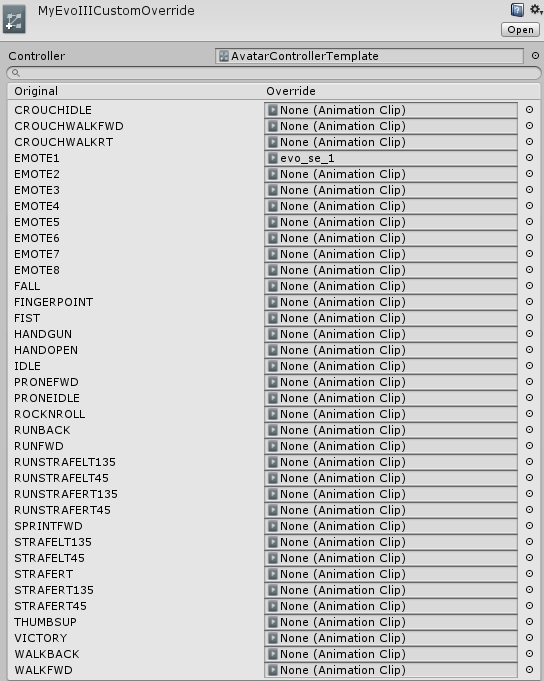
And that name is now what is in emote 1 slot on override?
weak gulch
I set the Audio range from 0-2 for default VRChat stuff?
No the emote_1 didn't change its name
empty wave
Click the override, beside the emote 1 click the little circle to the right and add the animation
lilac dew
that too
weak gulch
I did @lilac dew on to the original object
empty wave
Then yeah drag it on
lilac dew
hmmm
empty wave
Can you screen shot your override
 plush meadow
It's probaby the options of the audio source.
weak gulch
the audio source is suppose to be "hidden" right?
If I uncheck hidden on the audio source and just press play where it's near the camera, it plays the audio on the Unity engine itself*
signal mango
does anyone have a good video for make particles an animation
empty wave
I would delete duplicate, the animation, audio source on original model.
Add new audio source, set the position to 0 0 0, attach to models spine or something, 1-100 distance linear rolloff, uncheck it.
Duplicate model, create new animation, click add property, find audio source open the drop down and make active. Make sure its checkmarked. Move the secondary animation keys to how long you want the audio to play forr. Hide duplicate, add animation to override drag override to model and that should hopefully work
Also,make sure the audio is a .ogg file
weak gulch
Alright
empty wave
Thats exactly how i do all my animations and they work
 pale acorn
can i also ask relating to the audio thing, if i use the override slot of EMOTE1 with my own animation. where do i put the audio so that it will play when i click on my custom animation
 thorny fox
hii
has anyone attempted to do a black hole effect? (like blending light)
bending light*
empty wave
@signal mango https://youtu.be/zNq1p8oXB3o try this video, dudes kinda annoying but it helped me a bit

@pale acorn idk if i get what youre asking but drag your audio source to your avatars armature and add the audio to your animation
pale acorn
how do i add the audio to my animation?
the animation i got from mmd
i mean trigger the audio when i play my mmd animation
empty wave
Oh you downloaded the animation from somewhere?
pale acorn
yeah
empty wave
Hmm im actually not sure sorry, only ever added audio to my own animations
thick olive
hey i got a question so i made an animation of a gun in my hand but when i pull it out in game it keeps moving around like it trying to spin?
clear yew
@thick olive did you remember to delete the keyframes and paste them at 1 second?
https://prnt.sc/i2inpf you delete the ones that are red, copy the first keyframes and paste them where the blue box is
 thick olive
ah crap thanks lol
whole summit
when you download animation on mixamo, do you have to check "In place" ? im planning on changing my walking animation and running
simple aspen
im still looking for the bubbletop animation 😦 i really want it lol
i will not rest until someone who has it shares it with me , i would have have it but the dl was taken down
drifting coral
have anyone tried changing dynamic bones value with animation ?
 nimble ledge
Hi there, does anyone have a list of what the emote numbers are in the override file?
 formal tangle
Any repository for unity-compatible animations other than Mixamo. I am looking for facial expressions, twerking, dabbing, etc.
 lilac orbit
Does anyone have any idle animations? I'm a bit having problems trying to make my own D: . Thanks advance. Edit- auto correct.
 dull fiber
How are you guys testing animations?
wispy onyx
@dull fiber Press Play in unity lol
dull fiber
Besides that lol, I just get the small window in the bottom
Rather do it in game view after pressing play
Or does the controller I attach just play all animations?
 strange flume
@lilac orbit if you look in the assets store u can find free motion cap data
@dull fiber what are you trying to do?
dull fiber
I have a bunch of animations in my override controller
I just want to be able to view each one one by one when I press play
Or be able to view them in scene view in general
strange flume
Are they the ones u made or default?
strange flume
Just drag the animation file on a clone to see the animation
dull fiber
Ah, thank you
soft axle
Where I can change my running animation in unity?
safe bay
@soft axle Custom Override
soft axle
I see ty @safe bay
 vestal forge
Does anyone know any tutorials on how to edit/override default animations and just add something like facial expressions to them?
Or if it's even possible to do that in the first place.
 proven panther
Who here knows how to get particle collision working properly
 flint light
@vestal forge I got one let me look it up

A VRChat tutorial on how to override hand gestures and emotes with your own custom animations. It can be used not just for VR users, but for desktop users to...
there you go
vestal forge
Well, thanks for searching it.
flint light
have fun, its not that hard to do luckily :>
vestal forge
I guess, but I have a bit of a different issue, and I'm not using MMD's.
flint light
ah that might be a issue yes
vestal forge
Not just that, I just want to be able to do the default gestures with different expressions.
flint light
if you don't have visemes on your model it will be a problem tho
you'd have to add them yourself if thats the case
vestal forge
Not really, I made, like, 8 custom objects that I'm using as my eyebrows and eyes, and if I ever need a different mouth image, I'll draw one, but the problem for me is editing animations.
I'm not sure if it's even possible.
flint light
edition animations? which animations specifically?
vestal forge
Hand gestures.
flint light
yeah thats ezpz
just look at the video
he adds facial expressions to hand gestures
clear yew
I want to make my character's arm dissapear with an animation but I can't figure out how to make it work.
PLEASE HELP
 steady mantle
Hi guys Im trying to make an animation of a shooting Beam using the model's mesh. I suppose to shoot out 2 bones to create the beam, but it doesnt work on unity .- .
flint light
@clear yew you can try making the arm and anything connected scale 0 in a animation
steady mantle
Or is there a way to stab in vmd animation directly to unity?
indigo apex
Can anyone make me some bad ass animations and like chidori for my kakashi model please @ me
steady mantle
Oh manage to make my beam cannon work 😄
flint light
oh nice
 obsidian vigil
@steady mantle if you actually manage to make a beam please tell me how you did it
steady mantle
I made a beam bullet inside the model in rigged it with bones then just made an animation that streatch the mesh
steady mantle
ya
obsidian vigil
kk 😄
steady mantle
place it insaidae the barrel
steady mantle
oh ye need particle effect for the railgun tho
obsidian vigil
how'd i do that tho ^^
steady mantle
dunno .- . I dun use particle effects
 drifting swift
does anyone know how to go around this problem?

there is a problem though i need the particle
no all disabled
my other particles are okay
 long ridge
My model has slow motion gestures when there's no override present on that gesture
I have 2 overrides for HANDGUN and VICTORY, and one for WAVING
 wispy thorn
So I have this model https://cdn.discordapp.com/attachments/315536092977692674/403902315985371136/unknown.png

How long would it take to apply a few animations

This as idle

and this as moving
forwards
and, if possible, https://pa1.narvii.com/6006/7df85696edcfc49f730f5f24370757a4e1a33f9d_hq.gif , this as backwards

 tulip whale
Is there an alternative for dynamic bones? That is free atleast?
drifting swift
ah god the particle is tied to the script >.>
simple aspen
who here has the bubbletop animation they dont mind sharing, i really want it lol
clear yew
I can’t remember how i made a muzzle flash for when i shoot, someone enlighten me ples
 gleaming tusk
is there a way to delete a whole animation data?
I did export a model with an animation, but I want to use the same model with another animation, the problem is that I tried to delete the last animation, but the face animations are still there
 glass zinc
trying to get a facial animation override through, but having no csucces
can someone walk me through their process
I have the animation and the custom override file set up
 hexed current
How difficult is it to animate characters with their own rigs? I don't know how to in unity -_-
 vernal mountain
Can someone help me with a up to date guide on adding emote animations to avatars
 obsidian crystal

One thing that I forgot to include is that I had uploaded my avatar .FBX to Mixamo before recording, so make sure you do that first! Another thing to note is...
obsidian crystal
in the vrchat?
vernal mountain
in vrchat
how are the animations activated or are they default animations of the avatar
 gray field
obsidian crystal
gray field
obsidian crystal
the tutorial does change the default to custom emotes
in vrchat just click on emotes and select one
vernal mountain
yeah but how do I make my own emotes
 prisma vessel
Hey guys! it seems my avarar us able to lypsinc but the vesemes are in japanese
is there any way I can test lipsync inside unity?
lipsync*
jolly plank
it would appear my audio for an animation has its volume set to be super quiet unless youre basically merged with me XD ;-; cant seem to figure out how to fix that.
 topaz barn
@prisma vessel select your avatar mesh, go to blendshapes
clear yew
hey guys how i get the particles in a particle system to emit faster?
prisma vessel
found it thanks @topaz barn
clear yew
yeah thats not working
lemme word it diferently
i watn the whole sysetm to shoot out faster
like its to slow
clear yew
particle speed
i think
its not that i want more particles from emmsion
they are jsut moving too slow
clear yew
yeah thats not changing anything when i increase the number
topaz barn
screencap
clear yew
thats why im confused
 prime gale
Just to check I'm right
If I wanted say, a handgun to fire, and it has the armature to allow me to rock the slide, should I be making the animation on the model of the gun itself?
topaz barn
no
 topaz barn
@prime gale animate directly on root armature
prime gale
because it'd be essentially a two stage animation, one to draw it, the other is the "firing"
So on the root of the overall avatar like normal then?
topaz barn
yes
topaz barn
@clear yew is the start speed not working?
clear yew
it is
when i type a larger number nothing happens
when i type a smaller number it works
topaz barn
Screencap entire unity window
 clear yew
now the way the way the particles spin around the cylnder changes
but it does speed up
but it is more narrow now
topaz barn
@clear yew just wondering, whats your emission rate?
topaz barn
1 million max particles worries me
clear yew
i havent changed it yet
topaz barn
People can get severe lag from 500 particles
clear yew
like i said i was playing with it earlier
prime gale
Another stupid question, animations can only be a couple frames, so I shouldnt be animating the slide rocking back should I?
I know otherwise its basically gonna snap forward, and look weird, but I dont see how I'd animate it in so few frames
topaz barn
@clear yew Lower lifetime causes particles to die earlier.
prime gale
What I mean is
 prime gale
the way this works is the Rock'n'Roll gesture draws the prop, hilariy ensues, now I want to be able to "fire it"
topaz barn
@clear yew there will be less particles on the screen at one time
prime gale
I'm lucky in that this prop has a moving slide and stuff
but animations can only be like, 2 frames right?
prime gale
So the way this was gonna work was I make the Rock'n'Roll to "draw" it
and then just clench into a fist to fire
topaz barn
yes
prime gale
surely lifting the one finger on my touch controller to go back to the last gesture would reset it?
prime gale
Yea but this is a seperate, near identical model
I'd switch when I want to have shenanigans
topaz barn
you need to do another gesture to cancel it
prime gale
Yea but literally just lifting off the grip button is another gesture no?
it would go back to the previous one
prime gale
I have a Rift, it tracks fingers way better than the Vive
I keep forgetting that
I'll try it
Gestures in this are literally just moving fingers up and down off buttons
Is the vive the trackpad or something?
I know vive users can do gestures, obv
topaz barn
it is
prime gale
Alright, I'll try it
topaz barn
Oculus's controller is undoubtedly better than vive
obsidian vigil
Okay, i need help. I need this for my model, how does one do audio https://www.youtube.com/watch?v=4ianTgR5X4E

Anime: Youjo Senki (Saga of Tanya the Evil) Episode: 2 Studio: NUT You can watch Youjo Senki at http://www.crunchyroll.com/saga-of-tanya-the-evil Yuuki, Aoi ...
 errant light
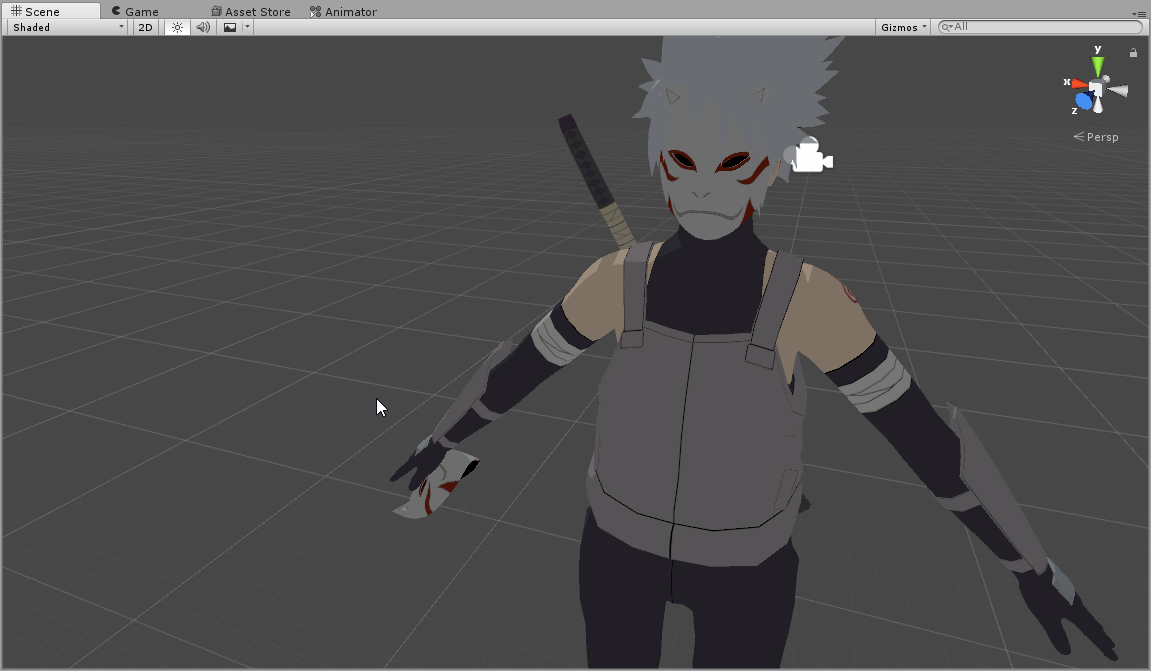
where can i find a video on how to remove something (in my case a mask) and have it on my hand https://i.imgur.com/r9EhDXc.png
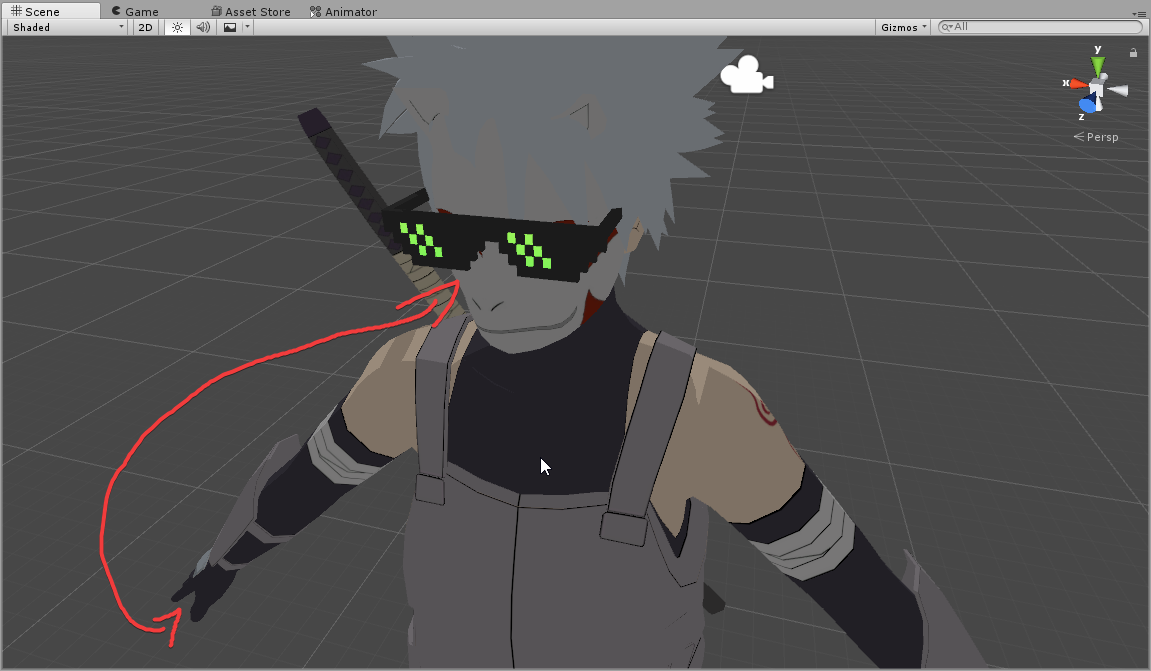
i can only find vids on how to add stuff
topaz barn
@obsidian vigil there is a audiosource component in inity
@errant light Is the mask a seprate model?
obsidian vigil
Yes i know but ive tried it multiple times now it wont play when i use my animation
what do i need to trigger and check in order for it to activate?
topaz barn
@obsidian vigil screencap entire unity window
@errant light is the mask a seprate model?
I cant help if you don't provide enough information
@errant light @obsidian vigil
topaz barn
do it
errant light
ok
obsidian vigil
There @topaz barn https://imgur.com/a/Zln2y
 obsidian vigil
?
obsidian vigil
it needs to be on the model?
 errant light
done
topaz barn
Use an animation to hide face mask and make hand mask appear
when you put your hand near your face, activate hand gesture
errant light
do i dupe the model first?
topaz barn
yes always do animations on a duplicated model
animate directly on duplicated avatar root
errant light
how do i remove previous animation?
nvm
so i do animation on the face mask? https://i.imgur.com/9kQEP9D.png

or hand or both
weak gulch
yeah I gave up on adding the audio source to a model.
It just didn't work or does it not work for Generic models?
errant light
u see my screenshot?
topaz barn
np
errant light
what about theese? https://i.imgur.com/FI6nfgW.png

do i put them inside echother?
i saw a vid on this but he did it very badly and didn't explain how to
topaz barn
delete the keys on the right
add a key frame at first frame
you should have two key frames
one at 0 frame, one at 1 frame
and they should have the properties and numbers
 limber matrix
Anyone know where i can find a WING TUTORIAL?
topaz barn
@limber matrix If the wings come in a fbx, just drag them under spine or whatever
If you want particles, there are plenty of particle tutorials online
limber matrix
Yeah they come in fbx, but i'm having issues like rotation and shit
topaz barn
tweak around transformation component after dropping it under armature
limber matrix
Maybe another day i will learn... thank you anyways.
soft axle
In unity custom animation whats the name of the running animation?
errant light
which one is the bottom pad of the right controller? https://i.imgur.com/L5rmQya.png
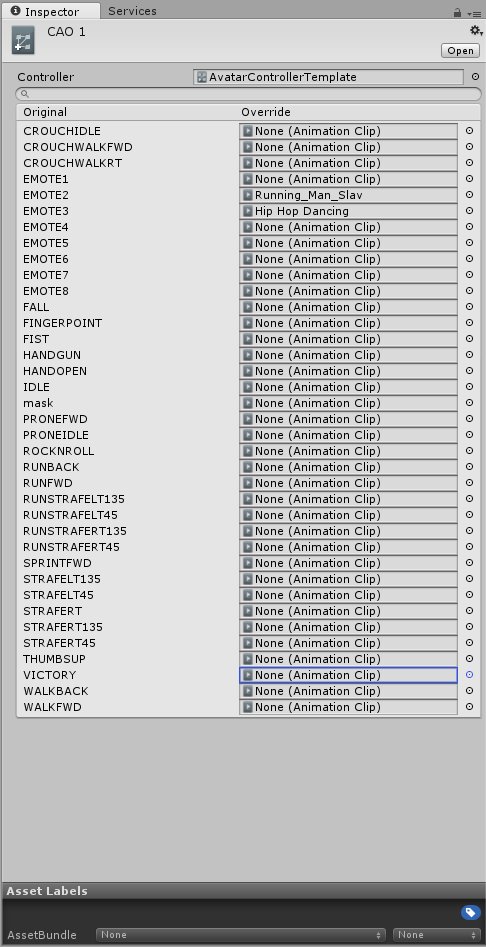 topaz barn
@soft axle animation override
There are runfwd and runback
ty ene for provide the image at the right time
lol
errant light
lol
 cinder perch
So does anyone know why a custom avatar controller might not work?
In Unity the default standing animation is this
https://your-waifu-is-trash.xyz/BGI.png
But in VRChat it looks like this
https://your-waifu-is-trash.xyz/d4Q.jpg
And the avatar is definitely updated, I made sure by uploading a new image for it when I updated it

 topaz barn
@errant light what vr are you using
topaz barn
bottom right is rocknroll
errant light
ok ty
topaz barn
@cinder perch your urls hurt my soul
soft axle
Ahhh ty @topaz barn and I dont really want to override it I just to make my arms go high when i running
cinder perch
:)
This is my vrc desk etc.
https://your-waifu-is-trash.xyz/qsG.png

The controller is set to the right one
topaz barn
do you use vr?
cinder perch
No
topaz barn
drop the controller under "animator component"
add it to "custom standing anims" under avatar descriptor
vrchat couldnt care leas about "animator" component
By dropping
I mean set it to none
weak gulch
Can someone put a well-detailed link or post that can add a sound to any model including generic models.
cinder perch
When I click to select a custom standing anim I only see the empty one https://your-waifu-is-trash.xyz/kj3.png
 soft axle
@topaz barn can you adjust the running animation without overriding it?
topaz barn
no
soft axle
Ohh so you have to make your own running animation? Cause I just want to make my arms raise when I run. @topaz barn
topaz barn
yes
soft axle
Now that's tiring
topaz barn
reason why I havnt change my running anim yet
clear yew
on my animation I am trying to have a 3d object appear with a particle system on it and sound to be playing. when i put it in the animator it looks fine, but in game ony half of the object appears with no particles and the sound works. Anyone have an idea of what I should do?
topaz barn
default running raises the legs too high and its ugly
soft axle
I hope there is a way. I don't wanna waste my time on the running animation but I need to.
grizzled cobalt
Hey
If I leave these to None https://i.imgur.com/kPorwFc.png
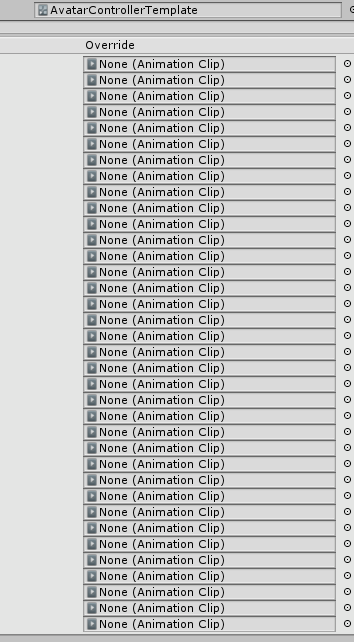
Will it just put them onto default
Or do I have to fill them in
grizzled cobalt
awh
clear yew
get rekt
grizzled cobalt
you can answer me another one @topaz barn
clear yew
no please
grizzled cobalt
there is a shader I forgot the name of
clear yew
answer mine first
topaz barn
@clear yew sorry missed that one
clear yew
its fine
 clear yew
do i puthe the sphere and cylinder or do i just put the whole parent file?
topaz barn
Well
What I like to do is make the sphere as the parent of cylinder and light
Since it directly attach to your hand
Sometimes it fixes the problem with incomplete objects for me
clear yew
ok so in the anim file would i put the whole sphere file or both
clear yew
would that include the particles as well?
topaz barn
where is the particle system located?
clear yew
thats the light
topaz barn
yes
You can make the hand the direct parent of the sphere btw
since now its just one object
clear yew
ok
in the anim file
would i need to add the light particles separatly as a property or can i jsut include in the sphere file since it is a child of that?
clear yew
 clear yew
so the particles will work as just a child of sphere
clear yew
?
topaz barn
the particle system is a component
like dynamic bones
or avatar descriptor
It attaches itself to a gameobject
In this case, the sphere
clear yew
ok
topaz barn
@grizzled cobalt ?
topaz barn
@grizzled cobalt there is a slot called FINGERPOINT in override
grizzled cobalt
I know but
when I tried replacing that last time
It didnt work ingame
I had to replace the Emote1
which was Wave
topaz barn
Oh
Emote
not finger gesture
right
let me see
well I can't find any documentations online
grizzled cobalt
rip
topaz barn
You gotta trial n error
topaz barn
upper right of particle system
there is a a gear icon with triangle pointing down
click that , copy component
go to sphere, gear icon, paste component as new
particle system then should attach itself to sphere
topaz barn
any
clear yew
ok got it
topaz barn
hide the seprate partcles for now
eventhough it is safe to delete
try upload now and see
clear yew
now it loks wonky lol
topaz barn
in which way?
clear yew
the particles went from sliding down cylinder to converging inside of the sphere
the particles went form going down the cylinder to going inwards on the sphere
can you see this?
the particles went from sliding down cylinder to converging inside of the sphere
the particles went from sliding down cylinder to converging inside of the sphere
the particles went from sliding down cylinder to converging inside of the sphere
prime gale
Is there a method by which I can stop an animation looping? I'm having the issue now where this is what happens: Handgun gesture to make prop appear, my index finger closes over the trigger to "fire it", but that causes the slide to go back and forth like crazy as it loops the animation
or would not looping it break everything?
topaz barn
@clear yew Sorry helping other people
 woeful rapids
@prime gale I think you would have to just animate it going back into position normally?
topaz barn
When u need me mention me
prime gale
Yea but I'd need to do it on another animation override, making it impossible to do it seamlessly
honestly I could get around this by just not animating the slide, but I dont have a muzzle flash effect yet so it'd just be the audio
:/
We really need better animaton control one day
topaz barn
@clear yew Can you show the effect?
woeful rapids
I just wish we could do over 10second emotes. But I do have a workaround
prime gale
I'm lucky, the Rift lets me weave hand gestures pretty well, but I have 3 haptics on the face of the Touch that all do the same thing








 topaz barn
adjust rotation
clear yew
of?
because the particle system is a component now
if i try to roate the sphere everything rotates?
rotate
clear yew
?
topaz barn
what you did before
clear yew
ok then the animation will still be a problem
topaz barn
unhid the particle system
hide the sphere
if sphere is activated, al its children wll activated
so sphere -> hidden, cylinder -> active , particle-> active
just active sphere in animation
clear yew
ok
 echo wraith
What is the frame limit for an animation?
 deep spruce
10 seconds