#animation
1 messages · Page 28 of 1
 quasi island
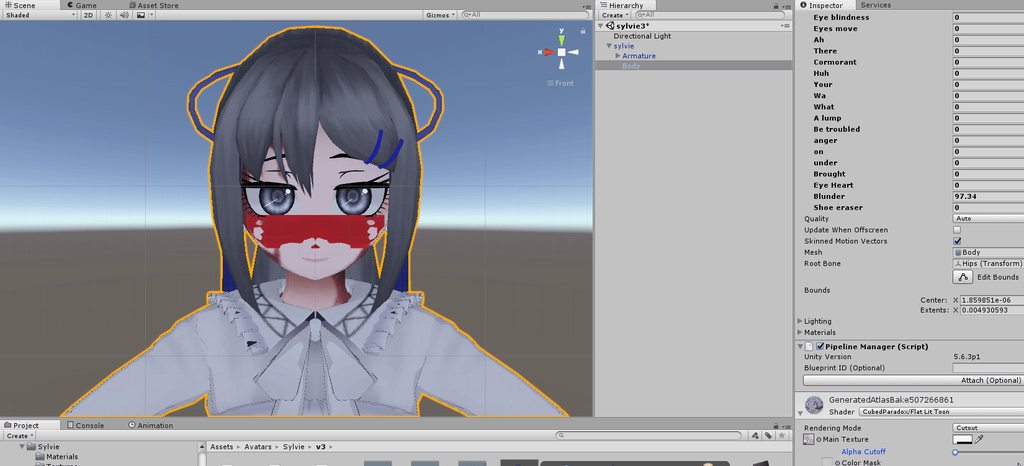
Meanwhile, this is what the texture actually looks like: https://i.imgur.com/4oxnmD0.png
 quasi island
Actually its not the texture breaking, but the material: https://i.imgur.com/YBN4v4X.gifv

 clear yew
Maybe try to make the texture translucent? it looks like it may be set to opaque
 runic seal
anyone know why on my Animation the sound is so quiet ingame sound normally in unitly
 mystic umbra
vrchat=/=unity
@quasi island try the sprite 2d or particle additive shaders. if neither work then Id say physically change the texture fille of the face and apply that custom texture to it in photoshop or something
quasi island
Thanks, i'll give it a try
Awesome, that actually fixed it, thanks a bunch @mystic umbra
mystic umbra
np
 stoic harbor
guys, stupid question, what is the Peace gesture in the Animation overwrite in unity?
clear yew
its called victory i believe
 wide forum
@frank wigeon In case you haven't done it already, this motion should work on Nico. It workes fine with my Nico Model.
 frank wigeon
Ty :)
 sullen vine
Can someone help me about adding blinking animation?
clear yew
why when I change the running animation it breaks the walking animation?
sullen vine
I am saving fbx file with eye tracking and visemes but when i opening it back eye tracking and visemes and also shape keys are disappearing. What am i doing wrong?
 sand apex
Did you decimate anything on the face?
 dusty solar
Anyone know why my props aren't showing up in my character's hands when I use the correct animations?
The hands change to the animation I made to fit the prop, but the prop never shows up.
clear yew
is the prop marked off to become visible for the animation? that was a problem I had where I forgot to hit the little checkbox to make it appear.
sand apex
Can i see your animation timeline for the gesture? @dusty solar
dusty solar
In all theory it should work since I haven't changed the animation since I made it and it was working previously.
 sand apex
You made that on the duplicate character?
sand apex
made sure your loop was unchecked?
dusty solar
 sand apex
It's placed somewhere on your wrists right
dusty solar
Ah! I've taken a look and figured it out!

For some reason '(1)' was added to all of them.
sand apex
something must've tried to make a copy
sand apex
np
 steep citrus
So is anyone willing to reveal the trick to hiding your nameplate? I may need it down the road for an animation I’m planning.
sand apex
What do you mean? simply just putting a prop over it covers it up or messing with your body's position
steep citrus
Well there are people who can put some sorta of transparent mesh or something over the name so that you can see behind it like world objects an other people an such but the name player alone is missing. And/or sometimes the player will be missing with the nameplate like totally invisible which is done by setting the mesh to inactive
It basically looks like the nameplate isn’t there an there isn’t an object you can see that’s hiding it
sullen vine
Yeap i was decimated face maybe thats why thx
sand apex
np
And Lustfool first you need to have an idea of how long the nameplates is
Depending on what you're trying to do its easy to just make it a convenient part of your animation like some people can make their body a vertical portal as their animation and you can't really see their nameplate because their nameplate is on the top of their body
 quiet jetty
Is there a way to make a sorta like "black fire" particle effect in unity?
sand apex
There's a particle ingredient package in the asset store for unity, download that and you should see a ton of effects you could experiment around with to get that kind of effect
quiet jetty
Yeah i'm looking atm but there is just no way to turn it black. :<
sand apex
Have you tried making your own particle system and working off of the materials that are in the particle package?
quiet jetty
yeah 😒
 jolly plank
finally fixed up my custom idle stance.. >.>
http://puu.sh/z28vE.jpg
 sand apex
@quiet jetty it's possible you just have to combine the effects
first make your own particle system so you can color it black, then click on the "Renderer" option thats in its menu and replace the material with an effect from the particle ingredient package that'll show
type in "Material" in the search bar and you should see a lot of materials you can pick from to see which could give you that black flame effect the best then you have to start editing the values so it's less particles and more flamey
 gleaming minnow
any one know where to get the emotes al lthose genreic anime chars use ?
sand apex
mixamo?
jolly plank
what emotes?
gleaming minnow
most aniem chars have the same emotes for some reason
so im asuming its a free one theyre finding somewhere
jolly plank
can you elaborate?
sand apex
I think they're talking about mixamo
quiet jetty
@sand apex Got it working now, thank you! 😃
sand apex
np
 rotund breach
anyone here know why my animation breaks after first time using it. and other animations won't work either after using that one animation on the avatar?
 mental fjord
hey im wondering
rotund breach
i know that i could fix it by moving it to an emote slot, but i would like to keep it in hand gesture
mental fjord
how do i make my characters mouth stay opened
like how that little rainbow girls mouth stays opened?
rotund breach
in unity "avatar" > body and there change the blendshape value from 0 to 100
i think that should work
 peak relic
I'm having a problem importing a vmd animation into Unity. When I import the vmd into the pmx on blender and export to an fbx everything seems fine, but when it goes onto Unity the animation is cut short for some reason. Does anyone know how to fix this problem?
stoic harbor
guys question
i created a small animation
What do i do with the looptime and cycle time
starts at value 1 and goes to 100 or do i need it to go from 0 to 100
peak relic
0 to 100
peak relic
1 to 100 will start on the first frame and skip frame 0
stoic harbor
ah so that is why it can't work
okay got it xD
i enable loop pose right?
and put cycle to a massive number
talking about face expressions
peak relic
If you want it to repeat. If you just want it to be continuous just put the same animation in frame 0 and 1 and take loop off.
stoic harbor
on the animation file or in the animation editor
peak relic
So if you want the expression to only be active while using a gesture you do continuous. In the animation file.
stoic harbor
yes i want it to be continue untill i stop using it
mental fjord
hey question
peak relic
K. Just make sure loop is off on the animation file, and in the editor the same animation is in frame 0 and 1 then you should be good to go. Also be sure to assign it to a gesture.😂
mental fjord
how do i keep a models eyes facing a specific way
stoic harbor
okay so i did this correct me if wrong
creat animation > start 0 end 100 got 4 frames that slowly build to 100
in the file i turn off loop time
correct?
peak relic
Yup that's correct. Didn't realize you want some slowmo going on there.😂
stoic harbor
oh sorry XD
mental fjord
monkey do you know how to solve my problem?
peak relic
When you let go of the gesture it will reverse the animation.
stoic harbor
okay so it goes back to normal
mental fjord
nope
i have my own blinking animation
i just want my eyes to stay facing two different ways
peak relic
Pretty much.😣
mental fjord
oh ffs
mental fjord
everyone said "in unity in unity do it in unity"
god dammit
couldnt i simply just take all the materials i have in this folder and move it out then move in the new fbx then move it back in?
then reapply everything to it? because i dont feel like going back through what i have done
like i have a blink animation and everything i just really wanna keep that part is all
peak relic
If you you atlas baked it then you have to rebake unfortunately.
mental fjord
atlas baked it?
stoic harbor
magic one lil question tho
ingame i just tested it
but it keeps sorta... flikkering
is that normal ? XD
peak relic
Flickering?
mental fjord
i dont think you set the animation on a quick enough repeat
stoic harbor
uhhhm...
mental fjord
so it has like a .1 second stop
stoic harbor
when i hold my trigger down (idk if i should have it on trigger)
peak relic
Shouldn't really Flicker.🤔 Can you screenshot your animation editor?
mental fjord
but whats atlas magic
because like, all ive done is the texturing, descriptor, and a blinking animation
peak relic
Atlas baking combines all the textures to one texture
mental fjord
well they arent one texture lol
the real thing i care about keeping is the blinking animation
peak relic
Ahhhh. You should be fine then.
mental fjord
nothing else is relevant
so i can just remove the fbx and put in a new one and i should be good?
peak relic
Yup.😁 As long as all the required texture files are already in.
mental fjord
okay now, how do i make the eyes derpy in blender?
peak relic
Pretty much. @mental fjord and will take a look now @stoic harbor
 terse zephyr
How can i add roots for dynamic bones?
mental fjord
in blender there is a tab called bone parenting
choose from there the bones you wanna parent and click parent
mental fjord
do you have the cats plugin?
terse zephyr
yeah, is it in that?
mental fjord
yup
clear yew
are there any good collections of animations?
mental fjord
i grabbed em and made em face left and right
now with the derpy blinking she looks beautiful
peak relic
😂
peak relic
For the blinking just edit the idle animation and add the derpy blink in Unity.
mental fjord
i kno
i made a copy, named it blink, made the animation and what not on it and set the eyes to blink and open at different times and over a slow period of time so yeah
now every 5 seconds she blinks but at 5.5 seconds her other eye begins to blink lmao
peak relic
Ahhhh ok.👌
mental fjord
now its time to listen to september and to finish this
peak relic
There still isn't anyone who's helped me with my problem yet though.😂
mental fjord
whats that?
peak relic
I'm having a problem importing a vmd animation into Unity. When I import the vmd into the pmx on blender and export to an fbx everything seems fine, but when it goes onto Unity the animation is cut short for some reason. Does anyone know how to fix this problem?
peak relic
It keeps cutting it off to about 1 second for some reason.
mental fjord
so its a 1 second animation?
peak relic
Nope. Originally it's about 3 minutes long but It's for a gesture, not an emote.
peak relic
And all its for is for the turntables.😂
mental fjord
im pretty sure there is a bypass around the thing were you can have that emote but if you do it im pretty sure your character is stuck like that
because my friend has a minute forty long dance and thats all he can do once it starts
peak relic
You're familiar with DJ Sona right?
mental fjord
oh sorry ive been working on this what about sona?
 unique night
can avatars have a second rigged character for animation emotes only (so basically it has bones but only for animation purposes? would that even work?)
or can it only be animated via shapekeys?
 empty wave
Is there anyway to have an animation that just plays a song and doesn't lock you in place?
 spark shard
Use it as a gesture override
Unless you don’t have vr then you could just have a separate avatar that has an audio source set to play on awake
empty wave
yeah i dont have VR that's why i was wondering
spark shard
The separate avatar thing would probably be your best bet then
Having it override an emote would limit it to 10 seconds
clear yew
why does a simple animation thats supposed to just turn on a particle effect sink me into the ground when called from the emote section?
there should be literally nothing else touched
 shut steeple
is anyone using snails marker and can help me out a bit? having some problems with it i can't seem to fix
peak relic
@mental fjord Been making a DJ Sona model and been trying to get the animation working for the turntables.
mental fjord
ah nice
 cerulean stirrup
does someone know how to use snail marker?
 kindred jay
been trying to figure out for 3 days now with not much find a way to solve it. My characters walking, running animation makes my character float - its supose to be grounded wen its bout to run. - looks fine in unity but ingame it happens. any ideas how to fix that? (using Mixamo)
 short glen
does anyone knows how to make an humanoid avatar floating on idle animation ? i can only manage to make it work while moving
frank wigeon
I cant drag it
 amber pollen
@short glen this, i have DJ Sona as one of my custom avatars and i want to make her float at all times except for when she sits
kindred jay
@short glen how did you manage to do that while moving?
quiet jetty
Are there any good tutorials on sound effects through animations or just someone who can help me? Because the ones i've tried does not work. The problem being that only i can hear my sound effects.
amber pollen
@quiet jetty i want to import .anm files from league of legends but unity hates those
 main badger
this is gonna sound really stupid, but does anyone know where i can find that dab animation?
people have said they found it online, but i can't find it for the life of me
kindred jay
@main badger i am sure some one shared it here. should be somewere far up if keep scrolling
 uncut nexus
empty wave
uncut nexus
empty wave
@quiet jetty try setting the minimum distance to 1 and max to 100 then using linear rolloff graph. It seems like if you put numbers too high the "audio values will be adjusted" warning when you go to upload just totally fucks with the audio.
 spark lily
i made two bones, two eyes. All is rigged. But when i look in a mirror, nothing happens. My eyes completely static, no tracking. What can be wrong?
quiet jetty
@empty wave Yeah i'm using linear but setting the max distance to 100 just seems too big, so im using 3 atm https://gyazo.com/5c26d4144d230af24ee2dc5e55031e12

And then ONSP is the same
empty wave
Maybe try 100, i feel like the visual for it is not that accurate
quiet jetty
I mean yeah sure, i can try. https://gyazo.com/e7031a207d4bd7df98eaaf699b39e30c
 empty wave
And just the default linear rolloff graph to be sure nothing is messing with it
Cause that has always worked for me
quiet jetty
Alright i'll try. So you got no issues doing this?
empty wave
With 1-100 and linear its always worked
quiet jetty
Alright, Thanks ;>
quiet jetty
Which output are you supposed to use? https://gyazo.com/0c18809c10a849031531f29596cb4fd0

 quartz summit
I have overrided walking and running anmations and when I walk my body rotates around in a circle under my head which doesnt move
others apparently cannot see it
clear yew
@quiet jetty what format are you using for your sounds?
quiet jetty
I see
clear yew
it seems to only work for me (im the only one hearinngn it
quiet jetty
But with .ogg it's no problem?
quiet jetty
Yeah
clear yew
thats good them :3
quiet jetty
So what output for .ogg then?
clear yew
just export the file as ogg
here is a tutorial that helped me

Tutorial explains: - How to create the soundfile - How to create the animation - How to trigger the animation Morgus tutorial: https://www.youtube.com/watch?...
quiet jetty
alright, thank you so much! c:
clear yew

 regal willow
anyone know why having shape keys at all, not even applied, changes the lighting in unity/ingame?
quiet jetty
@clear yew Hmm, none of my sounds worked ingame, is there by any chance you could send me a screenshot of your audio settings?
clear yew
just a sec
 oblique beacon
I got a quick question for you pros
oblique beacon
There are plenty of simple youtube tutorials
you have to do it in unity. It's an animation gesture override
 storm warren
Where and how do people get all the cool dance animations? I want to put some on my avatars
think i found it
oblique beacon
Probably emote overrides
Haven't gotten to that yet. I'm trying to figure out how to get my weapon to disappear from my back when I do my animation to equip it
quartz summit
My walk/idle/run animations look fine in unity but when in-game my body spins around and my legs arent in the right pose
One of you HAS to have working overrides I literally just need the right properties...
I have messed with this for hours and I can't get it all working together
 spice furnace
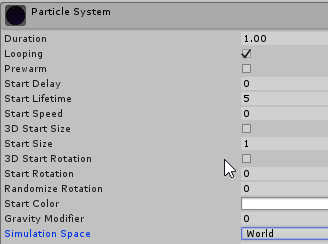
any ideas on how to make a particle system not rotate with the model?
 cedar mirage
I think most of the dance animations i've seen were pulled from mixamo
quartz summit
0 answers T.T
clear yew
@spice furnace make it based in world
kindred jay
sounds liek a similar issue i has @quartz summit yet mine kinda floats in air lol
clear yew
 quartz summit
@kindred jay are you copying the root properties from the sdk's idle animation? that solved floating for me at least
kindred jay
ah the idle is fine just wen moving,, kinda some how decreasing the floating. appears my model was to big for the animation or something lol
quartz summit
When I've got an idle override my walking/strafing is broken too
causes my body to spin like a top under my head
clear yew
how do i make my avatar glitch out/seizure
spice furnace
@clear yew thanks, it works but the actual particles wont rotate when i do that; like, i'd still like the particles to face the player, i just dont want the entire particle system to rotate with the model. think it's possible?
quartz summit
the easy way is to just make your rigid bones dynamic with high elasticity
 grizzled cobalt
I have a little problem
For some reason this happens when the necklace moves

Something seems to be attatched to it?
 queen path
hey guys i was trying to do basic animation override (eye winks) following tuppers video but it causes my character to bounce up and down. (Was trying to override emotes)
are emotes done differently
quartz summit
Ok well anyone have an idea where I can go to get help?
There's literally no documentation on replacing idle/walk/run that I can find that adresses this kind of thing
clear yew
How does one make animations
quartz summit
Key or steal them
clear yew
What is keying
 tough rock
Hey guys do you know how I would get like a marker so my character can draw out of the presentation room using a finger emote?
quartz summit
Creating keyframes for body/object movement
Keyframes are basically main movements/poses
The movements between keys is automatically generated but the main poses must be created by hand
clear yew
Ohhhh
quartz summit
I key my own animations unless I get lazy then I steal them from mixamo
abridged tutorial here https://www.youtube.com/watch?v=OsfdJVOVI70

One thing that I forgot to include is that I had uploaded my avatar .FBX to Mixamo before recording, so make sure you do that first! Another thing to note is...
clear yew
Well
I can't steal with mine
Some of my nude models wont use them for some reason
2b and Samus have that problem. Do I have to make them FBX first after Blender?
quartz summit
Probably shouldn't have nude models :^)
 quartz summit
Nevermind then
You're sure you're mapping the rig to the avatar in unity?
from the animations
clear yew
Hold up what
I mapped the rig right
wait do I have to export from unity first to get it to work on MIxamo?
or export it from blender first
quartz summit
no you just need to make sure it has the same armature from mixamo > unity
clear yew
Oh
storm warren
these mixamo animations aren't working
quartz summit
download an animation made for that model, map the fbx to the character armature in unity, duplicate the anmation file and add it to the override
 nova chasm
is there a way to test jaw flap before uploading the avatar?
storm warren
it won't let me upload my model to mixamo
quartz summit
What type is it
storm warren
fbx
clear yew
^ Same problems
storm warren
says the rigging is wrong or something
clear yew
My rigging is correct tho
 tacit latch
anyone got a fix for sounds only going 1m away and then getting completly silent?
clear yew
I can upload them to vrchat and they do those animations correctly
quartz summit
I had that issue before and reexporting from blender to fbx somehow allowed me to add it in mixamo
however I've still got issues. With idle/walk/run overrides in my body spins around like a top on my screen but not for others
quartz summit
should be able to key an animation for it
Mine is a child of my head bone
and it shows up fine
 glass anchor
I have it fully animated in unity, but in-game the keyframes are applied to the avatar model instead of the particle
oblique beacon
How do I get a weapon to disappear from my back when I trigger the animation for it to be in my hand? I keep trying different combinations and there must be some little thing I'm missing
glass anchor
so this particle that I'm scaling up and down isn't there, and instead it scales my avatar
quartz summit
Key in enable 0
storm warren
just hide it in the override
quartz summit
at the start of your animation
oblique beacon
Thats what I thought
tacit latch
have 2 different swords, one at the back being active and 1 being in the hand inactive
oblique beacon
but maybe I just did something wrong
tacit latch
then just make a normal weapon animation but make it have the weapon on the back be inactive
quartz summit
The aniamtion itself should just be the hand gripping. Swords appearing are done with keys for enable object 1 and 0
as long as the hand object is parented to the hand bone nothing else should need to be done
oblique beacon
Okay. I'll have to figure out what you mean by key in enable 0. When I added the one on my back as a property and just made it inactive and hid it on the clone
it still didnt disappear
quartz summit
let me look at the exact property
oblique beacon
ok let me set it up again real quick. I had just tried a different way of doing it that didnt work
quartz summit
Game Object.Is Active 1 or 0
Key in begining with it active(1) > one frame > key with inactive(0)
oblique beacon
OO
quartz summit
Then reverse that for the object in the hand
oblique beacon
do you mean the little diamonds on the animation slider part
to the right of the property set up?
quartz summit
Have the pair of keys in the same places so they play at the same time
The diamonds are keys, yes
oblique beacon
ok
thats what i was missing
i didnt delete them for the animation sequence
for the one on my back
quartz summit
The states between them are automatically generated but key positions themselves must be done by hand
oblique beacon
so I should have 1 Key in the beginning and then thats it
kindred jay
ugh this floating starts to get annoying lol
 azure glacier
hello, does anyone knows any asset on the store with the "DAB" animation? thanks
storm warren
i cant find it either
azure glacier
someone saves us please 😄
quartz summit
sure thing pm me
clear yew
Has anyone had issues with some bones just not being animated upon export sometimes
azure glacier
Thank you so much! @quartz summit
quartz summit
Sure thing
if only someone could help with my issue. Glad to help others, though
Why in animation though
grizzled cobalt
oh sry wrong chat
 fluid light
can someone help me?
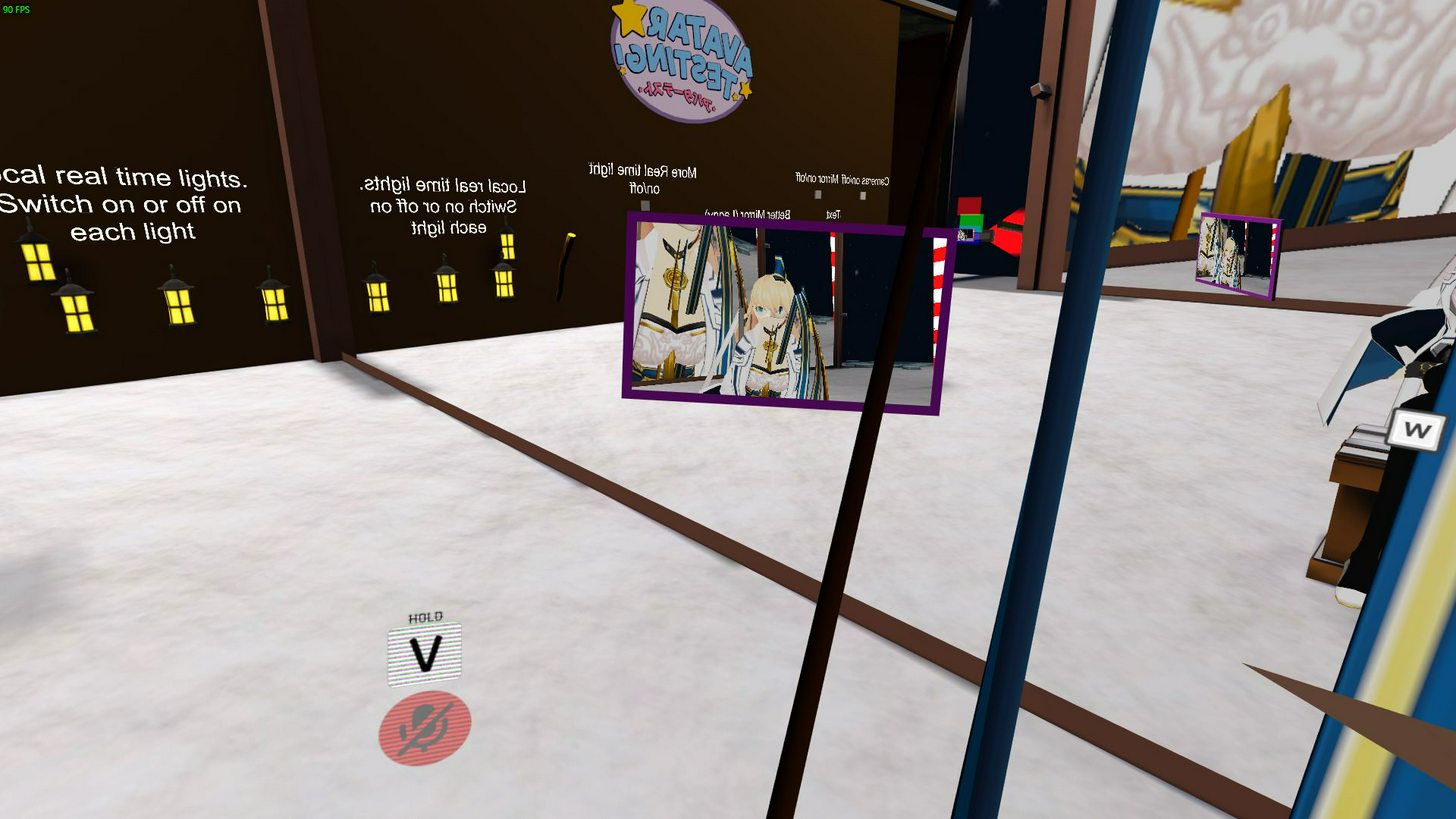
this is what happens when i sit down



anyone know how to fix the floating ribbons?
when i sit down
 normal skiff
so someone was talking about finally figuring out world-space particle stuff...
fluid light
 clear yew
Did you delete all the bones that are connected to the ribbon; which causes mesh to stretch. Or did you add dynamic bones to them with out duplicating the ribbons off the main armature? @fluid light
 violet gyro
With hand gesture animations for facial expressions, do i need to manually set my hand position to complete the gesture or is there a way around this?
clear yew
Do you have the head bone duplicated in blender with the ribbon bones connected? @fluid light
clear yew
Hmm...
This could just be that the SDK Avatar descriptor ran out of range so the objects are showing. This happens on my Nekoma avatar for the ears. @fluid light
 undone glade
Anyone know a way to add a flash to a gun with a sound effect?
fluid light
hmm
undone glade
I think I meant to say a muzzle flash
currently working on the Reiterpallasch from Bloodborne
 exotic ember
anyone know a lot about adding sound
im having an error not addressed in any tutorials
 lone pumice
I'm having issues getting this to work like he does in the video
When I unceck the weapon in my animation tab, it doesn't remove it from his back
like it does in the video
:/
 plush meadow
Something like this? @undone glade https://www.youtube.com/watch?v=BtGGAP_FgaE
 frail siren
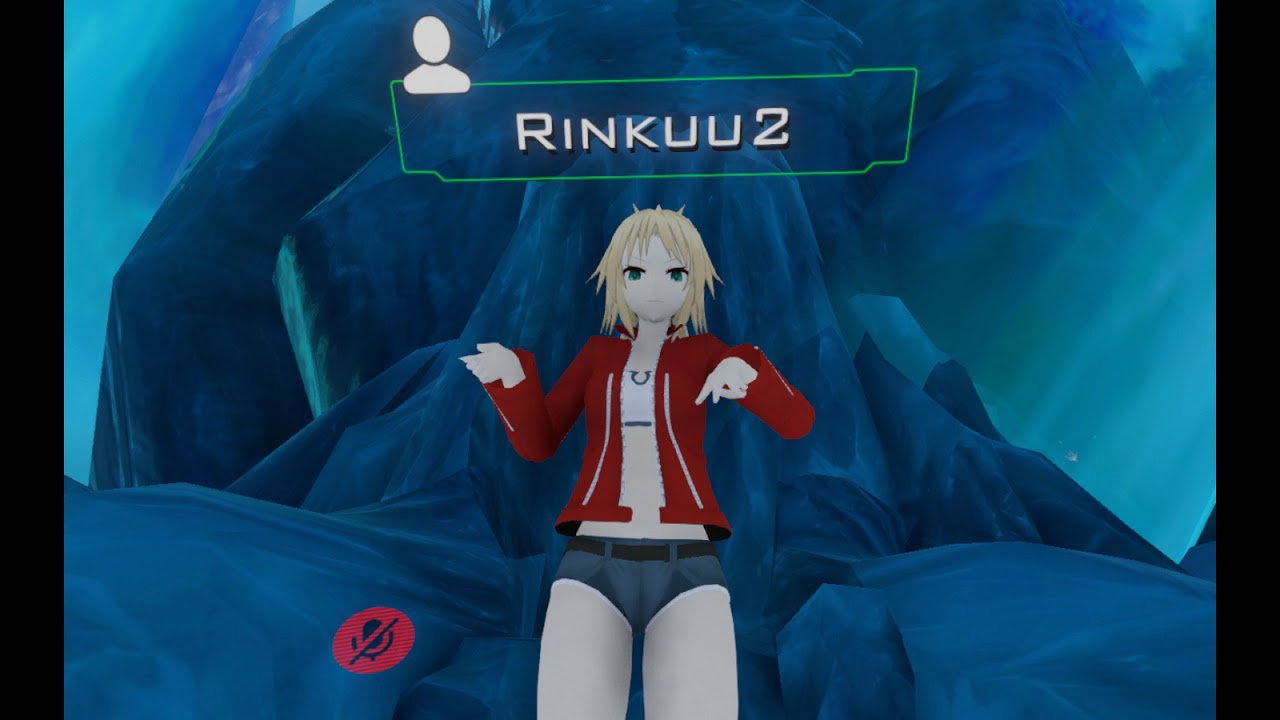
is it really impossible for Vive users to run/walk with a weapon in hand without having it disapear, or is there some special settings ?
plush meadow
I'd imagine you'd have to maintain the gesture you drew it in in order to keep it out.
frail siren
just triggering any movement remove the animation corresponding to the item I want to hold
lone pumice
Anyone know the answer to my previous question?
 unique ferry
I just want to make sure of something
Basically, am I able to make my own run animation and make an animation override of that and replace vr chat's default run?
glass anchor
what's the maximum emote duration?
glass anchor
lol definitely not
lone pumice
Anyone know how to select something in unitys heirarchy
so it actually highlights it?
in this case, my sword
I click on it, and it just brings up the transform shit, but I don't want the transform shit, I just want to hide the sword
by checking it off, but I can only select the model as a whole
ugghh
 dawn ravine
I have an issue where my avatar's emotes still track my head and arm movement, unlike other emotes that don't, what have I done wrong?
undone glade
@plush meadow yeah the muzzle flash
plush meadow
You need a particle system and audio source.
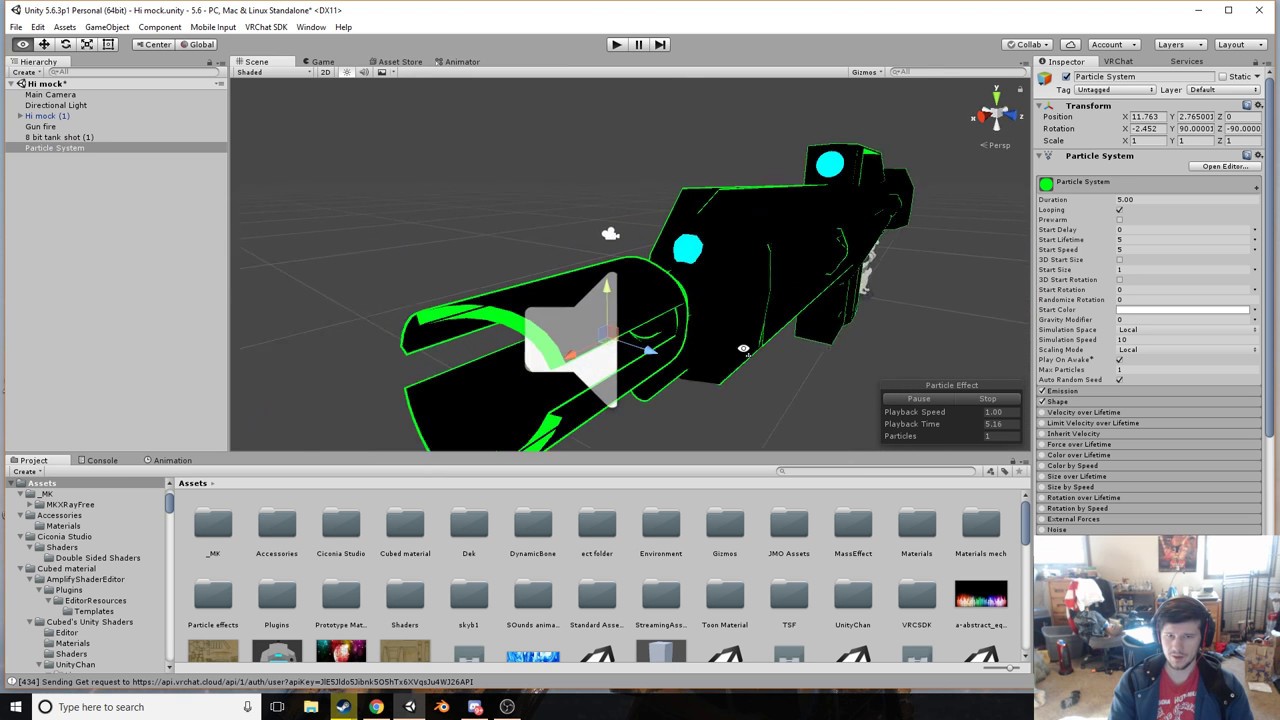

This shows you how to put weapons and audio into the game vrchat. More stuff here: Where I got the gun model: https://abyssleo.deviantart.com/gallery/5925409...
undone glade
First one I checked out, but seem like it wasn't what I was looking. I'll have to rewatch it
clear yew
How do I fix "this model does not contain an animator"?
undone glade
You need to add an animator to the avatar as if it was an SDK
 edgy depot
Is there a way to make something visible disappear in an animation?
clear yew
shrink it to 0 in a single keyframe
edgy depot
Ok, thanks
clear yew
well that is how I would do it I dont know if thats the actual answer people would do
also how do i properly transfer animation from maximo to an mmd model?
clear yew
to an mmd model so it would work properly
because after I rigged in maximo all of my textures are gone
normal skiff
ok, the first thing to know then is that you can still use the animations from the partially broken fbx from mixamo
what I do is I pull in the FBX from mixamo, click on it and set up the rigging as Humanoid
then I copy the animations out of that and into my own empty animation
and nuke the original FBX file again
 steady oriole
I added 2 audio sources to one hand gesture for each hand, but in game all I hear is a quiet clicking sound. It sounds fine in unity play mode though
 river trellis
Hey is there a place i can get animations for unity like Mixamo have? Im talking about premade animations that can easily be applied.
clear yew
@normal skiff ok how do i copy the animation into my original model?
normal skiff
Ctrl-C Ctrl-V
you can select multiple rows in the source animation and then paste when you have the window focused for the destination one
also useful for bulk copying things like the source hand gestures if you want to add to them instead of just replacing them
clear yew
do i press the crtl c and ctrl v when the maximo fbx is highlighted?
normal skiff
I think I was selecting the animation file inside the fbx?
if you expand the prefabs in the assets view with that button on the right side of the icon there should be an animation inside it, and if you focus that and look at the Animation pane it should contain that animation
(assuming it has been set up as Humanoid. if it hasn't, you'll see a bunch of animation settings still, but it won't be easy to transfer them over)
 finite sigil
hey, does anyone have a good and easy tutorial for eyes tracking (or can explain it to me) ? ^^
clear yew
is the button the one that says "configure"?
normal skiff
sounds familiar (I'm at a computer without Unity right now)
clear yew
can I dm you?
normal skiff
yeah
 fallow dawn
does anyone have a dab animation they would share with me?
 livid pivot
Any idea why when i add multiple audio sources it decides that my bones aren't mapped correctly?
I had one audio source for an emote animation done, then when I try to add audio sources for hand ani overrides, it decides my bones aren't mapped correctly for humanoid
violet gyro
Guys, for animations with hand gestures, do i need to manually set the position of the fingers to complete the animation? or is there a way to automatically complete it?
livid pivot
When you do animation changes to your hands with animation overrides it'll stop when you stop using the gesture,(like rock and roll).
Or are you asking if you need to mess with your hands to complete an animation?
violet gyro
pretty much
livid pivot
nope
violet gyro
cuz they dont complete, so do i need to do it manually or what?
livid pivot
It'll do a clawed/grasp look
if you dont mess with it
but you dont need to touch it
Like if you wanted to add bass noise for dabbing and just that, you wouldn't need to change your fingers at all or anything else
What are you trying to do?
violet gyro
i want the animation to actually complete, so is the only option actually finishing the animation manually?
for the hand gesture
livid pivot
What animation gesture are you trying to do?
Like make it flick someone off or something?
Or are you doing a long animation?
violet gyro
no no no, when i do the hand gesture, it goes into a claw, im guessing theres no way around that and i need to manualyl set the hand position
Im adding a facial expression, but i want the hand gesture to complete to go with it
livid pivot
Ohhhh
Yeah you just set it manually
If you need to change the right hand/left hand spread and stuff
violet gyro
yeah, but i hope that the animation will also fix both hands as it affects both hands
livid pivot
Well you have to set them both
fallow dawn
hey guys. i found a mmd animation i want to use but whenever i use cats fix model it breaks and no longer plays in blender its happening to all of them actually. not sure what to do.
 wispy onyx
if you are going to have the animation as your avatar's controller then you do not need to touch cats fix model as you will import that model as generic
 novel flower
Anyone know why when I import a vmd only the eyes and mouth portion of the dance is activating and model continues to stand in T-pose?
crap think that was just answered XD
fallow dawn
ok, ill try that thanks
 grizzled sable
If I want to make a gun shoot, do I need to have 2 different gun overrides for that?
novel flower
Hmm, nope that didn't work. Just imported the model and imported the VMD and still only blinks and talks but no dance
amber pollen
can you not import .anm files into unity?
wispy onyx
@grizzled sable yes, one to pull the gun out, and another to have it shoot
grizzled sable
Alright thx
sand apex
you can Silent but its preferred to be made from your avatar
wispy onyx
@novel flower sometimes mmd motions and poses wont work for certain models sadly
novel flower
seems i cant get any of them to work lol
wispy onyx
I also noticed mmd models that have been messed with in pmx editor prior to blender import will not load motions. for example if you repaired the names etc in pmx editor
I had a case where a normal pmx mmd model worked with a motion
but the same model but name repaired in pmx editor stayed in t pose
 rotund hedge
Anyone have a good recommendation on emote override tutorials?
sand apex

Unity - Custom Animation Overrides, Blinking Animation, Dynamic Bones & Colliders, Viseme. VRChat #3
Importing model - 0:37 Toe Removal - 1:37 Applying Shader - 2:29 Blinking Animation - 3:09 Animation Override (Facial) - 7:24 Avatar Descriptor & Viseme - 18...
7:24 for animation overrides
rotund hedge
from my understanding animation override and emote overrdies are rather different? I know how to override the emote, i just cant get the animation to actaully work in the game.
wispy onyx
emote overrides freeze your avatar into the animated position
for the duration of the animation
aka cant move
rotund hedge
im looking at making my avatar freeze but making something spawn behind me then go away.
wispy onyx
emotes have a max animation time of 10 seconds
rotund hedge
oh yeah thats fine.
 tepid mirage
anyone done dynamic bones for chin length hair before :)
queen path
chin as in on the left/right side of head?
 wispy onyx
Every hair is different, its a case of trial&error until you get settings you like
When i first started vrchat i used 0.5, 0.1, 0.1, 0.9. Maybe apply those values and tweak from there
kindred jay
how do i fix my avatar from floating wen it peforms custom walking, running animation?
 wet cedar
is there a list to know what emote 1-8 are?
I'm trying to add custom animations but.... kinda left guessing here lul
 charred plank
I want to be able to make a gif into a thing on unity but am having trouble. I know it’s possible and I have the frames cut up if the gif still isn’t supported in this unity version. Any help?
 cyan sparrow
I'm importing some mocap data and the number of keyframes is insane. I tried keyframe reduction import option but it doesn't remove very many keyfrmaes
normal skiff
the person I saw spawn what looked like additional characters standing a metre in front of them... is that some kind of particle-rendered-as-mesh trick, or is there something else to it?
it wasn't just part of the mesh because they were able to walk around them
charred plank
Well I think what they did was place multiple rigged objects around them
I was messing around with a character and I was able to position like 20 Swords around me
normal skiff
that I can do, but I'm not sure how to make them stay still while I move
charred plank
Oh
cyan sparrow
If they stay still while you move then it's a particle mesh
charred plank
It might’ve been an animation they did
cyan sparrow
The only way you can move freely while spawning an object is by using particle meshes.
normal skiff
cool
I want my gun to fire slices of banana so I think that's begging for a similar technique
normal skiff
yeah
charred plank
Now does anyone know how I could add a gif in vrchat?
normal skiff
someone was talking about it yesterday I think
saying that they made it work
two catches though: (1) it was in-game (2) I don't remember who it was
cyan sparrow
I've never seen anyone with worldspace simulation on gesture overrides
normal skiff
I know someone who has a gun which appears to fire bullets from where the gun is, but he could be faking it
 warm furnace
You can have world space simulation on gesture, but world space simulation is actually broken with vrchat for particles. For object you can imitate it with rigidbodies, but it's gonna move with your point of view and cannot go further than your hands can.
normal skiff
they keep moving in the same direction even if the character turns
but terminology is a problem I suspect
charred plank
Nobody knows how to add gifs? :/ I tried for 2 hours last night but the guides were unity 4.3
cyan sparrow
If you turn, the bullet will fly off to the side
normal skiff
yeah I know what you're talking about, but that doesn't happen with this guy's gun
 surreal flicker
A bit more specific, you can't properly use worldspace particles on bones that are affected by VRIK
cyan sparrow
Is his gun a gesture override?
charred plank
@warm furnace link?
cyan sparrow
I highly doubt it is a gesture override
warm furnace
I don't know where
cyan sparrow
It could be a separate model with the gun already out
cyan sparrow
But it cannot be a gesture override because worldspace simulation on gestures doesn't work in VR Chat.
normal skiff
what I've heard to date is: (1) you can have particles come out in the direction of the gun in gun-space, but they will move when you move (2) you can have an animation trigger a particle coming out of you, and you simply make sure the gun is in the right place when you fire it
cyan sparrow
Trejkaz: yes but how do you trigger the animation? Through a gesture override?
normal skiff
I know you're saying it doesn't work, but I thought I both saw it working and saw someone describing that it works, just yesterday, in-game
cyan sparrow
Or is it automatic on your body? If it is automatic on your body then you might as well have the gun already out as well and not worry about positioning.
warm furnace
Actually if think you can make throwable thing with rigidbody+joint. But it will always move with your point of view no matter what
normal skiff
I certainly haven't seen a write-up of how to do it, and the person could have been staff for all I know
cyan sparrow
Afaik there is nothing inherently wrong with worldspace simulation. It is either broken or disabled in VR chat's engine.
cyan sparrow
Yeah it parents to hips or something, it is weird.
warm furnace
Yep
normal skiff
the conversation was along the lines of "you fixed it?" and the reply was along the lines of "it was working all along but we were doing something wrong", so I don't know how to interpret the situation and I should have asked
charred plank
Why haven’t people thrown out bans for knuckles yet? I know off topic
cyan sparrow
At the moment the only way I know of of shooting a bullet in world space is to have it be an automatic animation on a new avatar
Ex: have a new avatar with the gun out, shooting bullets
surreal flicker
@charred plank Convert the gif to a spritesheet. Then find/use/make a shader to display it or I suppose an out of the box way would be to try it as a animated particle but that's not as clean.
normal skiff
ah, that's an interesting trick too
I was considering a similar thing for something but decided that people would notice the loading bar
cyan sparrow
Probably
I suppose it is possible they fixed it today or yesterday or something shrug
But as of very recently I know it doesn't work.
charred plank
@surreal flicker im still semi new to unity, only really messed with skins, particles, and haven’t rigged yet. How do I go about converting and finding a good shader
cyan sparrow
World space can only be done on non-override animations or emote overrides.
And emote overrides reset you after they end
So the particles can only last to the end of the emote
And you're locked in the animation during the emote
So no good for shooting guns
warm furnace
If you have money, there is something called "Forge shader" I think in the asset store, it's pretty simple and you can make a lot of different shader & effect with it
cyan sparrow
Unless you just wanna shoot forward once or something
Or make an emote for shooting in different directions
warm furnace
Wait
What happens, if you make a bullet with an actual rigidbody+fixed joint (so it takes worldspace), then make a collision between this one and an other rigid body to make it move
This should work
Gonna test to make throwable things tomorrow with this
But as I said that gonna move with your view point, so if you don't move bullet still render like a world space one, but if you move the bullet gonna move too
surreal flicker
@charred plank Photoshop can do it, but if you don't want to bother I've used this in the past before: https://www.piskelapp.com/
There's this, but it reacts to light. It would need to be rewritten to a different kind of shader for more pratical use. https://github.com/thnewlands/unity-surfaceshader-flipbook
I suppose just do a single particle for now, and set it as it needs to be....... ^^;

GitHub
unity-surfaceshader-flipbook - Surface shaders with flipbook / spritesheet animation functionality
normal skiff
so the only remaining mystery is
that one guy with the VR headset in-game where when you look through it you see a different world ...
(lel)
charred plank
Yeah, I’ve done photoshop animation before. My question is what do I do after making the project? And how do I know it’ll work in unity?
sand apex
@normal skiff it's another shader they put on the model
normal skiff
yeah, I figured that much
sand apex
Some of the shaders people use to make illusions like those are paid or made through really small detail like adding small 3D objects in the model with certain shaders to make it look like that
It really just depends on how creative you are with animations since there's so many shaders alone
surreal flicker
@charred plank You make the spritesheet, it'll look something like this. https://i.imgur.com/6SSNOpy.png
If you're using the shader, then create a material and apply the shader and texture to it. Then set the rest of the parameters accordingly. Then place the material on a flat cube.
If you're using a particle, just create the particle system, set it to render a mesh (probably a cube or quad), and turn on "Texture Sheet Animation." Set the particles spawned to 1, limit the spawn area, and increase the lifetime.
 ornate ginkgo
I have this custom idle(stand) animation on my model. How do I save it in blender and acess it in unity for use in VR Chat?
https://i.imgur.com/boSTYqK.jpg This one

 spice echo
Hey everyone
exotic ember
anyone here able to help me with a sound animation bug?
spice echo
i was wondering how i can avoid my character tunneling into the ground when i use my custom emote
sand apex
You'll have to manually edit all the bones
so that your avatar is standing upright
VRChat likes to make it so your model will glitch into the ground regardless as opposed to gestures
warm furnace
@normal skiff Noenoeshaders + cubemap
normal skiff
hmm
normal skiff
yeah, that reminds me of the textures where it's just a sphere of lulz emotes when you get close enough to see it all
quartz summit
Anyone have any guides on replacing the walk/idle/run animations?
Having an issue where my body rotates, idle isnt faced right, and I'm not sure what all the strafe blanks are as they are only labeled with numbers
lone pumice
I could really use some help
quartz summit
Just absolutely does not look like it does in unity in-game
cyan sparrow
The strafes are for what angle you're strafing at
 topaz forge
So I wanna do Dynamic Bones on a character I have a custom animation for, do I put the dynamic bones on the model with the animation or the main model?
cyan sparrow
Some issues are caused by the default controller blending Run and Walk animations
So replacing both run and walk by your walk animation should fix your walk animation (but your run might look weird).
Rotation and so on could be fixed by making a rotation offset, check the animation settings in unity
And play around with the different parameters
quartz summit
Does sprint do anything?
clear yew
Anyone have a sick Dab emote they can spare?
queen path
@grand mango Hey Tupper I was watching your megatutorial and more specifically the animation override section. I was trying to recreate the wink/happy (eyes closing) but instead of the victory, I did override for emotes. I was wondering if the process is different for emotes because when I use the emote my avatar bounces up and down constantly
 lime valley
is there a way to use the hand gesture animations in desktop mode?
lime valley
@clear yew

A VRChat tutorial on how to override hand gestures and emotes with your own custom animations. It can be used not just for VR users, but for desktop users to...
you can get more complicated stuff on mixamo.com and similar
lime valley
either by overwriting an emote in customoverride that's used in the emote wheel (EMOTE1, EMOTE2, etc)
clear yew
Oh ok
lime valley
or if you have VR you can overwrite the hand gesture animations, usually used for face movements and expressons
 fringe quiver
Is there any way you can set an animation to a hand gesture and still have the hand gesture happen? Like, as of right now I have a smile set to when I do a peace sign, but my hand just reverts to a normal hand when I do the smile animation.
 severe sierra
You have to repose it in the animation
 earnest garden
@lime valley I've seen that video, but how do I make a custom animation? Like if my model didn't come with the blendshape I want.
I want to do something simple like replacing rocknroll with giving the bird
lime valley
https://docs.google.com/document/d/1ZDwWqrboInk7bCMQWug7B1BKqTpMkIOmARthQ_ZWl70/edit @earnest garden

Google Docs
This tutorial will explain how to take advantage of the new animation override system exposed in VRChat 5.6. This new feature enables overriding the standard animations of an avatar so that you may replace them with your own. With this system you can create much more exotic avatars that still m...
earnest garden
thanks.
fringe quiver
@severe sierra How should I go about doing that?
clear yew
ok so
baically
I replace the animations after replacing animation file for the Setting
Then just upload after that ez pz?
lime valley
yes
charred plank
https://codeyarns.com/2013/10/24/how-to-decimate-in-blender/ im stuck on part 2, anyone good with blender?

The Decimate operation in Blender allows you to simplify a model by reducing the number of faces or triangles in its mesh. One common way to do this is by collapsing edges. In addition to this, Ble…
im brand new to it
lime valley
happening to a lot of people right now
 wintry matrix
servers are borked
a lot of people can't upload, avatars aren't working, friends can't be added... big VR Chat streamers are playing other games == servers are funky usually.
clear yew
oh dang
charred plank
you guys remember yesterday where you would fall through the floor every minute?
also does anyone know how to save a blender project as an obj so i can open it in unity
im dubm nvm
main badger
really dumb question, but when i'm done with my overrides, where do i put them so they show up in game?
do i put them back where i found them? or just keep them in the assets folder
charred plank
doesnt matter
main badger
because i'm not sure if they're not showing up due to the servers, or because i did something wrong
charred plank
as long as they are there
 severe quest
Hello guys, I'm having problems with my avatar, when i run my mouth opens and closes and I can't find where the issue is, anyone knows how to fix this problem? (am I on the correct channel though?)
main badger
it might be something to do with your bones
are you using dynamic bones?
it's either that, or your bones aren't parented / rigged correctly
which would be in #avatar-rigging
severe quest
Not using dynamic bones with this one, and I tried to follow Tupper's tutorial the best i could
main badger
did you rig the model yourself?
severe quest
I imported an MMD model and did everything else by myself
don't know if that answers your question
main badger
sort of! i think it's a problem with the model itself
one of the bones might be rigged incorrectly
so like, the jaw bone might not move as intended because it has different properties or parenting than it should
amber pollen
so no one know how to make an object levitate smoothly?
main badger
i can't give you an exact problem since i can't see it
@charred plank it should be fine!
charred plank
kk :0
severe quest
i could send screenshots if that helps
main badger
i ran a 19,999 on a 950
charred plank
and i had to teach myself had to decimate in blender because of it
charred plank
well uh
nexumine
so i decimated my stuff
but now the problem is
my cologne bottle didnt save all the objects seperately
so ii put a picture on one
and the entire cologne bottle becomes that one pic

dont mind the pics
do you know what happeend at all @main badger

this is what the blender project looks like
lime valley
hm. I made an emote that's just a change in the face and it causes my avatar to bounce around like crazy when I use it.
are changes like that supported for us desktop users as well?
main badger
what do you mean, the textures aren't being laid down properly?
amber pollen
http://www.donovankeith.com/2016/05/making-objects-float-up-down-in-unity/ oh shit that actually looks nice
 charred plank
the objects arnt being seperated properly
lime valley
decimation messes with textures a good deal if that's what you mean
charred plank
like do you see the CK Eternity
thats the OG file
then the edited one is the selected untilted one
when i exported it the textures didnt save seperatley like the firsto ne
i mean im kinda fine with it
but i just wanted to know if i could save it seperately for future reference
oblique beacon
Has anyone made a weapon animation where you have it holstered and then disappear when you "equip" it?

 final ridge
that's pretty epic
wispy onyx
Yes very easy, have an override with the hidden object in your hand being active, and the object in the holster be de-activated
amber pollen
now, is there a way to remove the turntables whenever i sit down?
oblique beacon
so just completely unchecked in both keys of the animation?
because I can't seem to figure it out for some reason
and does the object i want to disappear have to be enabled on the actual hierarchy but the animation will make it disappear?
that may have something to do with it if thats the case.
kindred jay
for some reason My characters walking, running animation makes my character float wen it does the animation - its supose to be grounded wen its bout to run/walk . - looks fine in unity but ingame it happens. any ideas how to fix that? (using Mixamo animation)
wispy onyx
@oblique beacon Yes, basically, One showinh object gets hidden, and one hidden object gets shown.
oblique beacon
Thank you. You're a absolute boon. I had it hidden on the hierarchy so I guess nothing applied to it as far as an animation.


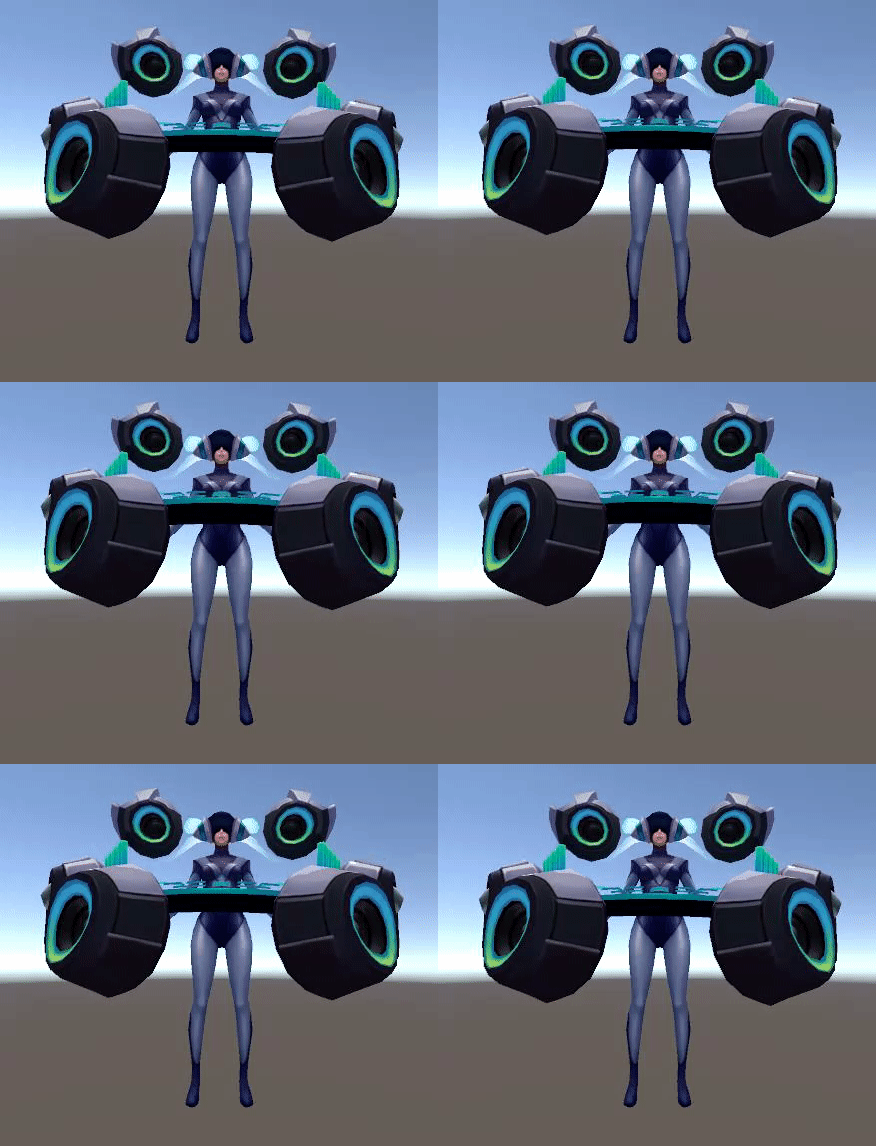 final ridge
rip
amber pollen
that's bullshit
 fallen rampart
for those of you who speak japanese - https://onedrive.live.com/?authkey=!AMJK3rRyVg5i30k&id=D974D7678C90C582!969&cid=D974D7678C90C582
novel flower
If I want to do an animation longer than one frame like usual for props. Do I have to continue to paste objects for however long I want them to last? Like if I want a summoning cirlce and my character to float up, gain wings and decend. I would need to put summoning cirlce in every frame I want it to be along with other animations?
 fleet nimbus
If your character only has 1 finger, can you still use override animations for others that need more than 1 bone?
charred plank
hey guys. the vrchat sdk only pops up with Clear cache and player prefs, any help?
 drowsy cape
Anyone here know how to work out my particle effects on my characters sword? I got a flame on it but it's static. I'd like the tip of the flame to drag after if you know what I mean. (Excuse my bad english) I tried setting the simulation space to World but then the flame itself is controlled by my view.
 granite sapphire
Hello everyone ! I'm searching for an animation looking kind of like this if any of you have an idea hit me up in DM please D:

 lone pumice
I answered my own earlier questiosn doods
I now know how to seperate a sword from a model, along with its sheathe, and get them working for animations overrides
woot
 obsidian vigil
@granite sapphire So damn cute
final ridge
Ame ame ame
 drifting coral
does gesture animation only work on both left and right hands ?
can it be used uniquely ?
like left hand have different gesture and right hand also has its own gesture
obsidian vigil
@drifting coral i dont think so, i have a sword for my genji avatar and it triggers when i press the selected gesture on either controller, im on vive though so no idea if it works for oculus
drifting coral
oculus works when you just gesture it like normal, but yeah, it triggers on both hand
so no other choice then :<
drifting coral
oculus button (X Y A B) were not used , only the touch matters
obsidian vigil
Well
Vive only has the hand gestures, hand open and fist
no buttons
which kinda sux
drifting coral
need to wait for knuckles
obsidian vigil
wut
drifting coral
vive knuckles
obsidian vigil
was gonna say xD
obsidian vigil
didnt they showcase some at ces as well?
which actually make you feel stuff
i want those
drifting coral
we want those
obsidian vigil
ye 😄
drifting coral
end of year thou, gonna be long year
obsidian vigil
If released, we need to be able to interact with eachothers avatars
i want to actually pet something
*someone
drifting coral
Something
obsidian vigil
😂
drifting coral
i still need to try something later , but this animation limitation still gonna limit things i want to do freely
conditional animation when
obsidian vigil
Theres an animation limitation?
drifting coral
i kinda wanted to have grabbing on specific place to have different animation
obsidian vigil
XD
drifting coral
like drawing sword and gun
obsidian vigil
Something which would be dope af would be an interface allowing you to switch between animation sets or sth
drifting coral
for now i need to change avatar to do much animation right ?
obsidian vigil
pretty much
for 4 different sets you need 4 avatars
kinda sux
imma request that
Something ive been encountering a lot lately is things which should be hidden and be triggered by gesture arent hidden when i switch to my avatar @drifting coral
clear yew
is the sdk still down?
 coarse snow
is there any good places to get animations for models?
 normal egret
mixamo
obsidian vigil
@normal egret how do you apply animations doe?
clear yew
has anyone in here happened to create an animation clip for all 9 of ahris tails?
 wicked garnet
can i get a hand? i can't seem to get lip sync to work
obsidian vigil
@wicked garnet In Unity or in Blender?
obsidian vigil
Yeah
So...
If youre in unity
Click your model
go to the bottom right
select the last option for lip synch
select your face mesh
then apply all the speech samples
which shouldve been created by blender
done.
novel flower
Im trying to get another model to appear only when I do an animation. Im in animation mode and I droped the model on and attached it in hierarchy, but they are in slump animation pose so its hard to know how to position will look when standing any way to correct thatt?
 normal egret
@obsidian vigil I've never actually done it, so you should look for tutorials
obsidian vigil
Well i mean i have created my own
Like my Genji got a Minecraft Diamond Sword attached to his hand but i dunno bout custom ones
 tropic venture
sorry,what is Audio Source better setting?
wicked garnet
so i guess my visemes in blender are in JP So i can't read which ones i need
 boreal magnet
@wicked garnet Are you using Cats Blender Tool? There is an option to translate shape keys to english
 sullen hill
Does anyone know how to disable blinking during gesture animation overrides?
clear yew
@sullen hill disable blinking in CATS, then make an animation for blinking and drag it onto your avatar, then in every animation override you want it to be disabled in, add disabling the blink animation into the properties of the animation
sullen hill
@clear yew crap, so i gotta redo all my unity stuff... Thanks for the help!
 royal timber
is there a good tutorial how to make animated textures ? I found this is that working ?

DeviantArt
I have moved to a new dA! If you have any questions, just leave them on Yukibun~ Warnings: Large file size, long tutorial, pink background. This tutorial is reasonably complicated, but it came out ...
 languid lark
@royal timber animated texture would be use with shaders
need find somone or learn how to make this shader
do what you want
royal timber
so this tut doesnt work?
 rugged yew
anybody got a good tutorial about animation and override ?
obsidian vigil
Yes
wicked garnet
I'm Doing everything correctly but instaed of my mouth moving the avatar just smiles
obsidian vigil
@rugged yew
wicked garnet
sort of
rugged yew
is it possible to associate sound effects with animations ?
royal timber
how do you make a unitypackage for shaders ?
obsidian vigil
@rugged yew do you mean like activating an animation and a sound plays?
rugged yew
yes
obsidian vigil
Do you know how to do animation?
rugged yew
I imported an mmd model yesterday
obsidian vigil
Showing you how to change default emotes to weapons & stuff. SUBSCRIBE, LIKE AND ALL THAT GOOD STUFF!! :D MY FIRST TUTORIAL ► https://youtu.be/0vdiCJRAExw DI...
This is a pretty good tutorial
rugged yew
thanks I'll watch that
obsidian vigil
Also in this one, its explained how to do animations and sound https://www.youtube.com/watch?v=pC6sW4kJwa8
This shows you how to put weapons and audio into the game vrchat. More stuff here: Where I got the gun model: https://abyssleo.deviantart.com/gallery/5925409...
Feel free to ask if questions bubble up, ill try to answer them ^^
rugged yew
If I understand correctly I can override animations like emotes or idle/walk, but I can also have additionnal animations triggered with keybind ?
obsidian vigil
Are you on pc?
rugged yew
yes
obsidian vigil
If yes, you can unfortunately not trigger animations (yet)
i think
You Emotes should work
rugged yew
I can't use keybind ? only overrides ?
obsidian vigil
like making your character move
yeah you need to override the standard gestures
like making a fist
or peace
and stuff
rugged yew
I wanted to rework the idle animation to make my model blink and simulate breathing
also want to import an mmd dance, I'll get working thanks
rugged yew
it is
obsidian vigil
U know how to?
rugged yew
not yet
obsidian vigil
Should i link you a video showing how to? 😄
rugged yew
of course, I'll watch it after I'm done with my idle animation project
obsidian vigil
Thats the one im talking bout tho 😮
rugged yew
oh sure
obsidian vigil
😄
I mean, its the same process like show in the video, but you just need to be in CATS and do Vismesh and Eyetracking, i think https://www.youtube.com/watch?v=7P0ljQ6hU0A&t=2127s

VRChat Community Discord: https://discord.gg/VRChat Download VRChat! http://store.steampowered.com/app/438100/VRChat/ mmd_tools GitHub: https://github.com/po...
After youve done that contact me and ill explain unity process ^^
rugged yew
I spent 2 days watching this video lol
the animation part was too rushed
your timestamp is on bone parenting, I already did that, my model is already working in the game
obsidian vigil
Just ask, ive got the basics down ^^
rugged yew
I even have dynamic bones on hairs and skirt
obsidian vigil
Nah, dats no timestamp 😄 thats just where i clicked off because i knew it already
Well then, just open your Blender Project
Should be pretty easy honestly
rugged yew
My last change are on Unity, how do I go back to blender ?
obsidian vigil
Did u save ur project? o.o
Also... i mean i know how to do lipsync but idunno bout an idle breathing animation
^^
rugged yew
I exported my Blender project to move on Unity to add dynamic bones and stuff
 flint light
Guess I should ask that here.
Does anybody know where I can find the original animation values from hand motions? I just cant get satisfied with my own values on my grip button :/
rugged yew
My blender project isn't up to date
sand apex
What component you can use to add light to a prop and make it directional?
flint light
No clue how to make it directional, but so far to add light to stuff I've just been using emission
sand apex
Figured it out
I was being a baka and didn't notice the clear "Light" option under "2D Object" when you right click the hierarchy menu
obsidian vigil
@rugged yew are you trying to put your .blend file into unity?
rugged yew
no, I was under the assumption you can't go back to blender after exporting to unity
I made change in unity so how do I go to blender now @obsidian vigil
obsidian vigil
Wait...
what are you trying to do
oh yeah the breathing
Have you saved your blender project?
rugged yew
yes
obsidian vigil
Then open it
Go to cats
Then on the left theres an option for vismesh i think
click on that and see if your model has something in there
words like "there" and stuff
if yes just click on create vismesh
also go to eye tracking
this is gonna get out of hand
to do eyetracking and stuff you need to separate by material
rugged yew
my model is already working
 ocean dagger
scratch what I just said
rugged yew
The 1h30 tutorial never said what to do if you need to go back to Blender after exporting to unity
obsidian vigil
Yeah, thing is
the eyetracking and vismesh tool is only in cats
at least the one i know
rugged yew
I did that before exporting to unity
obsidian vigil
you did?
good
ok
then click on your avatar
go to your vrc_avatar descriptor
theres lip sync
then select the last option
rugged yew
on unity ?
obsidian vigil
yes
Also for blinking and eyetracking should be working if the bones are assigned corectly which unity normally does automatically
when the last option is selected you select the face mesh
sometimes its the head
then just fill the stuff in
and lip sync will work
rugged yew
I already did lipsync
obsidian vigil
Why would you want that? 😄
but yes
Open your bone configurator
Then go to head
and unassign the eyes
obsidian vigil
Then i cant help but tell you to go into blender