#animation
1 messages · Page 27 of 1
 novel flower
 sand apex
use particle system?
 gusty pawn
Would there be a way to make the right hand invisible just for that animation?
novel flower
I used particle system but couldnt get it small enough lol
 uneven moon
is it possible to have a animation gradually animate. like closeing eyes, and setting it to the vive controller trigger? or are they all either on/off. no middle ground
 uncut monolith
Is there a limit on how long sounds are allowed to be in game? Like if I decided to replace one of my gestures with with an audio source that basically plays a song for 2 minutes
 hard sinew
What could be at fault if attaching a new animation to an override controller causes the model to not be loadable in-game?
Hmm, removing the animation and adding it back again fixed it >_<
 junior epoch
Im having a problem - When I look at a mirror at my custom avatar, I see this, but when I look down, I see myself normally. However, others told me Im the default avatar. This started happening with I parented a gun to the armature of my hips and did a animation overload to have a gun in my hand. Any idea why its doing this?
 shrewd moon
vampire
 clear yew
he's definetly a vampire
to be fair i don't know, animations are the hardest thing for me, i yet have to learn those
does anyone know how to make the ear like flop, idk how else to put it
add dynamic bones to it, increase gravity?
tryed that but its not what i wanted
like it
change the bone orientation?
you can even make it animated
how do i change the bone orientation?
@clear yew
 nimble ridge
@novel flower try making the whole emitter smaller, like with a mesh instead of particle size.
novel flower
@nimble ridge What do you mean? change shape from cone to mesh?
nimble ridge
You can do that too, but I meant to lower the size of the emitter by selecting it, press r and the drag from the middle of the white cube, you should be able to make small enough to fit the eye.
BTW what's your gravity modifier and initial speed set to?
If it still doesn't work just tell me and I'll start unity to find a better way :)
novel flower
oh i tried shrinking it throuh small white cube and it wouldnt go below a certain size. not small enough to fit in a hoppou eye =/
start speed at 5
don't see a gravity mod
oh nvm
0.5
nimble ridge
Hmm... When you select shape in the particle tab, how big is the cylinder ?
nimble ridge
Honly gosh!
Oh wait your particles aren't parenterala corectly
They should be under neck-head
And scale set to local
novel flower
setting it to local and attaching it will shrink it?
nimble ridge
It will remain the same from what I know but you will be able to shrink it after
Because unity keeps position and size when changing parents
novel flower
hmm didnt work still giant but now im shooting fire out of my eye instead of on me lol
nimble ridge
Well now check the particle size and set speed to 0, try fiddle with negative gravity to get a rising effect
Oh set start size to like 0.3
novel flower
im able to up right it by changing speed and such but the size wont get below certain amount which still engulfs me xD
nimble ridge
I'm gonna open unity and see how I can make it work ill give you the values in like 20 min 🤔
 solid plaza
Does anyone know why only I can see my snail trail and nobody else?
novel flower
Not sure what particle pack they used or values xD
nimble ridge
I have one similar to this but I forgot it's name :P
 paper haven
I'm trying to get an audio Source to play constantly every 20 seconds, should I put it in the IDLE animation as an override? It makes my character do the animation pose in Unity, wouldn't want to break the Idle animation.
nimble ridge
@paper haven you dont need to do that just add an audio source with the clip edied to have a 20 seconds gap betwen plays you can use audacity to insert silence
paper haven
@nimble ridge Oh yeah, it doesn't need to be animated. Do you turn on Play on Awake and Loop?
I was going to try and have a quiet ambient effect, so I'll probably need to scale down voluem too
nimble ridge
exactly and the volume ~0.3 its ok 0.5 is max
paper haven
The reason I said 20 seconds cause it was a 20 second clip, it's just breathing for a Michael Myers skin, lol
made the range really small so I can stand behind peopel and only then they can hear it
nimble ridge
😃
paper haven
Thanks for the help, Bahka
nimble ridge
np
 wind otter
So im testing my model in game , and my torso is all jiggly , how do i make it non jiggly.
nimble ridge
@jovial rain yeah i think they are using that one
@wind otter are you using dynamic bone or another script?
wind otter
i'm not sure even myself, this is my 1st rigging .
nimble ridge
well try disablyng any bone script that is atached to the hips
the hips are used by vrchat to do prety much everything and it usualy conflicts with scripts
 steep citrus
anyone know how to get a game object to move on a time delay without doing more than the standard 2 first frames? I cant get animations longer that 2 frames to work
nimble ridge
@steep citrus i never tried it bu i think you need an object with an animation controller with the desired animation and trigger that one with the 2 frame one
 odd mist
Does anyone know were your can check out cutom animations in game, cant do it anymore since they changed the avatar test world?
steep citrus
@nimble ridge are you talking 2 separate animations or something else? Im still not sure how to delay the movement of an object over say 6-7 seconds, so if it is 2 aniamtions I still cant make the entire object I made move without the animator tab actuallly waiting thyose 6-7 seconds
nimble ridge
@steep citrus let me try something and ill tell you if it works
oke i think i got iot
 deep spruce
https://i.imgur.com/QAT4h84.gifv Any idea how i could make the animation work simillary in unity, aka the can to appear in mid animation
nimble ridge
so you need to make a parrent thet has an animation of 2 frames of the other cube being activated in the scene the child cube can have ani animation placed onto it
steep citrus
So I need to duplicate my game object, create a 2nd animation of the dupe object moving, parent it to the non moving object, add an animator tab to the avatar model I’m going to upload, set the animation on the 2nd frame as the activation of the animation of the dupe object?
nimble ridge
deep spruce
:|
 pulsar heron
Does someone know why my custom animation works in the Unity Preview but not in VC?
steep citrus
hrmmm I think that may be it Bahka once I understand what you did better I should be able to apply it to my particle effect I made lol, thanks a ton man!
nimble ridge
@deep spruce you have to import the animation into unity and edit it to have the can parented to the hand and make it appear im still new to this so im not sure how to edit a animation if its read only tho :/
@pulsar heron what did you use to trigger the animation in vrc?
sorry for late response
paper haven
Hey Bahka, I uploaded the Audio Source as active and on my char's hips as a child, but I didn't hear anything in-game, does it need to be activated or something?
with an animation
Oh, maybe cause the minimum was too big.. lemme check
 weary cargo
any workaround so that particle effects that are connected to a weapon or whatever dont get stuck at the waiste?
nimble ridge
@weary cargo can you send a pic
paper haven
Ah, yeah that fixed it, thanks Bahka
weary cargo
i mean its a comon problem i think with particle effects such as the paint tool and so on
but i can surly send a pic
damn its harder to see then i though :p

well my sword is there
and the particles are stuck in one place between me and knuckles
nimble ridge
it may be a parenting issue
 nimble ridge
🤔
weary cargo
also the effect has the mesh shape of the sword
but same thing happends with trails from the finger tip aswell
its like a common thing apperently with effects that uses particles
but not sure if there is a workaround or something
nimble ridge
is it using world as the simulatet space?
nimble ridge
yeah that causes alot of issues not sure why (sometimes will sometimes wont) try selecting local
 tropic steppe
i've seen little avatars flying around as thier walk animation, how are they doing that is it a custom walk animation? Or something you can setup in unity/blender?
nimble ridge
its really wierd i placed world particles on my head and it works I placed it on my rifle and it goes crazy
i made a fling ghost not long ago i just lifted the caracter from the 0 0 0 point on y and made the legs bigger witout weight paint
tropic steppe
did you lift it in blender or unity?
nimble ridge
but im preety sure you can make an animation owerite
blender
in unity the new avatar descriptor ignors coordonates now witch is awesome no more 0ing the avatar
tropic steppe
I wanna make a small avatar and make it fly and the only animation would be wings if it had them
pulsar heron
@nimble ridge Oh sorry didnt see that you answered me
Im basically doing a custom animation override
nimble ridge
i never worked with animations that are always on before idk if you can import the character from blender with that animation directly...
pulsar heron
i edited a mixamo animation to make my avatar open its jaw but the jaw doesnt open in VC
only in the preview
of Unity
nimble ridge
when you imprt from mixamo make sure to edit the animation to be humanoid (it comes as generic and vrc wont recognise it) and then make a dupe of it
nimble ridge
wierd...
pulsar heron
indeed
nimble ridge
what do you use for the trigger?
pulsar heron
what do you mean by trigger?
its not VR, its desktop mode. I override an emote from the defaults
pulsar heron
yeah no idea what it is. Thanks anyway
clear yew
So, uh, is there any way to replace walking animations in VRC? Or override them?
Google isn't bringing up much that's reliable.
nimble ridge
try replacing walkfwd to a custom one
clear yew
I should mention I've never played with animations in Unity before. I have some VMD files, but I don't know where I'd implement them.
 stray gulch
@clear yew im doing one right now with a vmd
clear yew
Really? How'd you do it, if you don't mind showing?
 wicked crown
Out of curiosity is there away to do an animation override that is a toggle, rather than having to maintain the hand gesture?
nimble ridge
from what i know no but im not sure maybe theres a trick
wicked crown
same from what i know no but you never know some crazy person might know how
 storm cape
hey.. anyone here expereinced with 2d visemenes?
stray gulch
anyone here might know why my motion data isnt transfering from blender to unity?
clear yew
I have a question... When i move in VRChat with my HTC Vive, sometimes my avatar will pull out the animation i made for some reason. For example: If i do the Victory sign, my anmiation is going to be played. But also when i just want to turn to the right, sometimes the animation is played also... is this normal? Which is realy annoying if i just want to move and dont want to use my animation... any ideas?
 kindred jay
this currently my issue with walking, running animation. The custom animation i got from mixamo is suppose to be more in ground but wat happends in game i kinda floats and the animation is 'paused'
nimble ridge
@kindred jay is your mixamo animation set to humanoid?
 floral island
Sorry for re-asking this but if you want to do an animation override for one of the emotes, you have to stand your model up from that bent pose right? and it has to be the length of the animation?
nimble ridge
well i guess is my time to ask a question:
is there a way to put a vmd animation on a fbx character with a humanoid rig
 unique night
which emote slot is dance and die?
nimble ridge
@floral island i think its around 100 frames and i dont think you need to take him from the bent pose as long as its set to humanoid
floral island
oh really? What if that emote has leg movement? @nimble ridge
nimble ridge
5 is dance from what i remember
floral island
Thats awesome if thats the case though. And each timestamp in unity is a frame right?
nimble ridge
i have animations with leg movment and it didnt cause any problems
depends on the frame rate you set
but normaly yes
floral island
Cool. Oh yeah that makes sense
kindred jay
@nimble ridge yes its set to humanoid
nimble ridge
if your eyes have bones you can change the rotation in a animaion
@kindred jay hmm... thats wierd
do other animations work?
kindred jay
just the dance but the other seams so far not work that much
 nova chasm
 kindred jay
Have tried to figure out wat the cause could be.
nimble ridge
brb
@nova chasm before i go , use automatic weight its easier and than just edit smat thinghs with the brush
stray gulch
@nova chasm did you check the auto normile check box under mmd tools?
@nova chasm auto Normilize
kindred jay
I just found a way to solve the idle animation.
stray gulch
anyone know why motion data might not transfer to unity?
kindred jay
this is how i solved from the idle animation from freezing. Gonna test the others see if works too
nimble ridge
im back
kindred jay
wb
nimble ridge
hmm i havent chekt those and it still worked : P unity is wierd sometimes
 gusty crow
is there a way to have the camera follow your character when you do an emote because I have an emote that has the character behind the original start point.
nimble ridge
@gusty crow i dont think so ...
does anyone know how to convert vmd to motion data for humanoid rig
kindred jay
hmm got the animation works haha now just find a way to make the character with the animation not to float in air
gusty crow
@nimble ridge https://www.youtube.com/watch?v=oUSe5uDLSJM&t=494s
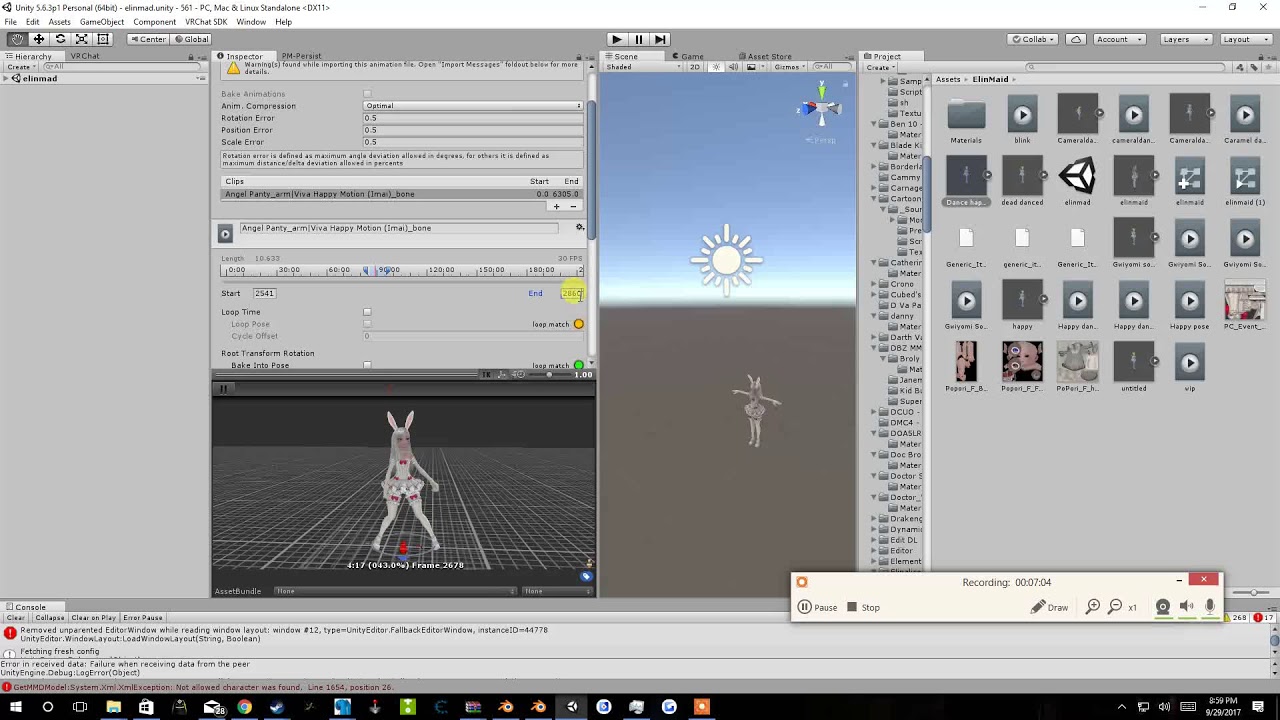
Tupper video on New MMD tool for blender https://tinyurl.com/y8yeonsd MMD Tool update version https://tinyurl.com/ybku6xft EvolvedAnt Gesture Overrides for T...
 ancient topaz
can't get the mouth movement working 😦
gusty crow
Another question. An emote I put on my character(s) has them start from a different spot (due to putting all the based upon settings to original and bake into pose) then has them move away. (this should happen) But how do I make it so the emote starts at my location then has them move with the emote?
nimble ridge
Thanks sorry for not responding but the video crashed my discord lol
gusty crow
lmao
 iron tusk
Hey guys, I am currently working on an Emote with Sound but whenever I try the emote ingame the Sound is sooo low. Somebody an idea how to fix that?
nimble ridge
@iron tusk whats the volume set to in the editor and your ingame fx seting?
iron tusk
Ingame fx are set to max. Other people cannot hear the sound either. I put the volume to 0.1 and stacked the soundfile cause someone said, that might fix the problem
nimble ridge
0.1 issquite low try 0.3
iron tusk
I already tried 1
nimble ridge
and what setting do you have for rolloff
nimble ridge
🤔
iron tusk
And its weird that the sound doesnt get louder when I set it to 0.5
in Unity it already rapes my ears when it is on that volume
nimble ridge
can you send a pic of all the setings and position of the emmiter

 upbeat field
For some reason my custom emotes seem to loop like, ten times. They're only a few seconds long. Anyone got any ideas on how to make it only do it the once?
iron tusk
Whats the Settings for the emote?
nimble ridge
Brb
iron tusk
okok
upbeat field
I have it as a looped pose. is that why?
upbeat field
Got it. Thanks.<3
iron tusk
No problem. Wish somebody could help me with my problem too
upbeat field
I'm no expert (self-taught in like two days) but what's up?
iron tusk
Problem is up there
nimble ridge
ok im back
iron tusk
 nimble ridge
what do you use for the trigger
iron tusk
It is set on "Play on Awake" So I make the Sound Object "awake" when the emote starts
nimble ridge
ill try replicate it and test it in game
iron tusk
Okay
gusty crow
Any of yall know how to make the emote start on your original spot instead of anywhere else it starts
ancient topaz
idk :3
nimble ridge
hmmm ok thats wierd i cant hear it either
@iron tusk it might be from the update they pushed not long ago all my avatars are super quiet now : /
 fluid light
can someone help me
i have this mixamo animation but my fingers are messed up
in the animation
tropic steppe
Anyone know how to make small avatars fly instead of the default walking?
fluid light
 upbeat field
You could have an animation override that just shows a floating animation rather than a walking one
 upbeat field
If you have a floating animation in place, just use it as an override.
fluid light
i need help with my fingers during the mixam oanimation
tropic steppe
So like shape key?
ancient topaz
Help 😛 what would u guys set
upbeat field
I closed my unity thingy but you need a copy of the SampleAvatarTemplate thing from the SDVK folder.
When you click on it in UNity, a list of places to override animations comes up on the right hand side
 amber pollen
.anm files don't work with unity, fml
is there a way to remove objects for when you're sitting?
tropic steppe
I wanna make a small avatar hover, so do I make a shapekey of what it would look like when its hovering? Go into unity with it and make an animation with it and loop it than put it as an override for walking?
upbeat field
You'd probably have to do the animation in Blender
Or maybe Mixamo has one if you import it there.
tropic steppe
ok, i was thinking along the lines of how blinking is done with blendshapes
upbeat field
You could do it as the idle animation too so you'll always be floating.
ancient topaz
uhm
i need sum help
trying to fix the mouth movement atm doing viseme blend shape with the face on face mesh, but it only moves my lips.
kindred jay
does any one know how to fix walking animations not to float mid air?
ancient topaz
shape keys for teeth are induvidual , not the same as lips
amber pollen
is there no way to remove an item for sitting animation?
 fading solar
is there a disintegration effect on unity ?
 split onyx
is it normal that my weapon doesn't show up on a mirror while it's in my hand?
 wispy thorn
Under what category
does that standing posture go?
in Mixamo, if I can get one like that
iron tusk
T_Pose
iron tusk
No idea
amber pollen
ok, if there's an object in front of me that's part of the model, is there a way to remove it for when you sit down?
 wary goblet
I've seen some avatars out there who are able to draw with their hands/pens. Is there any tutorial on how to do that?
upbeat field
If you go into the presentation room you can do that
wary goblet
Sure, but I've seen avatars do it without presentation room pens
clear yew
Hi, how to do or where to find animated textures like rainbow all over the model?
 obsidian vigil
Is it possible to attach an item so an avatar can like throw it?
amber pollen
so, no one know how to remove objects from a model for specific animations?
kindred jay
I have no clue but eventualy some one can help you
 high summit
@split onyx Don't know if anyone ever answered you but, yes. Weapons and other animations don't appear in mirrors
clear yew
Anyone know how to stop an emote overide animation from playing over and over again? keep getting stuck
can some one help me with dynamics bones? i configure some physics but when i test in game arent like unity
 marsh tide
Alright! Fixed my shaders, on to animations. Noen of the ones I generated and are working in Unity, will display in VRChat. basic tutorial for this issue?
 whole granite
http://prntscr.com/i0dqfs How do you fix it so when I do "openhand" it doesnt change to what the hands are in the animator?

 wintry matrix
@amber pollen the way VRC handles heads .. SEEMS to take anything on the head bone/capture and scale it to zero. If the objects blocking your view aren't part of that bone setup, it may stay in place and block the view. Another workaround is to move your VRC head position ahead on Z axis a bit so its out of the way.
split onyx
@high summit Ty for answering i was spending a lot of time redoing everything lol
wintry matrix
the AFK rig with VRC has that issue
amber pollen
@wintry matrix i mean, i wanna use DJ Sona as my avatar, Idk if i can remove her disc jokey for when i'm sitting
wintry matrix
You.. could use an animation override that toggles the visiblity of that mesh group
eg. have her DJ hardware toggle on and off with a emote witch or some other method
actually emote may not work....
liuke you can look at how people are doing guns/rifle props and treat it like that
clear yew
I'm attempting to give my character a sword for use in vr, however no right hand exists. is there anything I can do?
 cobalt flicker
but it on the left
clear yew
left hand doesn't exist
 sullen hill
Anyone know how to stop the blinking animation when doing a custom animation override gesture?
Like I have an gesture that closes the eyes, but then the closed eyes will still blink while closed
wintry matrix
It probably exists its called something else
sullen hill
The eyes will be closed, but then they will stretch even further down as if they were blinking
clear yew
oh
wintry matrix
eg. chest being spine 3 or LLeg being LUpperLeg or someone calling a hand a palm or wrist or something
naming conventions aren't uniform unless the author does it.
clear yew
I'll go check
clear yew
how do you check bones? I haven't done it in a while
wintry matrix
Load it up in your 3d software and use the equilvent of an outliner [object scene list] to look for it
or click on the bone in the viewport
clear yew
viewport?
wintry matrix
3d preview window same thing
clear yew
hi
 thorny fox
That is to say, how do i make it "appear" in my animation
clear yew
someone who knows will come eventually
wintry matrix
So whoever built that rig just called their hand bone a wrist bone
thorny fox
objects work as per tutorials found online but when it comes to particle systems, it is always shown as invisible 😦
wintry matrix
Mixamo sword rig example
clear yew
scale may be to big, color may be a clear white etc boop
can that thing be used in vr?
thorny fox
nono it works perfectly in size and color in simulation mode
wintry matrix
For example that's the 2H sword rig from mixamo.. all they did there was added an extra sword bone and parented it to the hand/wrist joint.
thorny fox
i could never get the mixamo animations to work... i wonder if its because I deleted some parts in the rig
wintry matrix
@tacit gorge that's usually the case
@tacit gorge you have to take your rigs upload it to mixamo and apply it to mixamo then bring it back to unity and make sure unity maps things correctly then the motion files will work
Rig example
so once you get your rigs built
upload the fbx to mixamo to see if it can map the motion
clear yew
for some reason dynamic bone isnt lineing up with the body, can anyone help?
wintry matrix
shaders fucked up but whatever
thorny fox
no experience here with dynamic bone, @clear yew you got any experience with particle effects in vrchat?
wintry matrix
if it works in mixamo, it'll set the motion to your rig then redownload it, then process in unity.
thorny fox
danm
clear yew
how much do you think is needed for adding a sword with unity for vr use?
wintry matrix
The problem I get with mixamo is dropped keyframes with anything to do with the feet once it goes from Unity to VRC.. I'm not sure if they're doing client side resampling or something is going on with how they are doing feet.
thorny fox
eto not much there is a tutorial on that
wintry matrix
Eta96: should be pretty easy.. just create an interactive object..
heres a tutorial..
clear yew
ok
yea I need the sword for those knuckles
they keep harassing my friend -_-
Lets hope the sword works
wintry matrix
Shit
clear yew
what?
wintry matrix
I had it bookmarked but its gone
wintry matrix
you had to add a vrc component to it
Its on my to do list but it shouldn't be that hard, you just build the sword as part of your rig, and have a visibility toggle for it somehow in theory.
 plush meadow

This shows you how to put weapons and audio into the game vrchat. More stuff here: Where I got the gun model: https://abyssleo.deviantart.com/gallery/5925409...
Works for if you want at static prop with no particle effects.
thorny fox
@plush meadow do you know anything about animating particle systems?
clear yew
static = still?
plush meadow
Static as in no gun shot, muzzle flash, etc.
Jus that you can draw your weapon.
A bit. @thorny fox
In regards to guns.
thorny fox
how do you have said particle system show up in the animation? all i can do is make it show up in simulation mode
assuming you use bullets that must mean you did something to show them firing off
plush meadow
Well first, you have to make a particle system for the main model.
thorny fox
which i did
 thorny fox
if im looking at your gun... you arent holding a gun and then having the option to fire right?
plush meadow
I'd feel that emotes are dealt with differently.
I have to animations.
One where I draw the gun.
The other shoots.
Handgun gesture is draw gun, thumbs up is fire.
wintry matrix
oh so its two emotes they are chaining.. thats how that gag works
thorny fox
you didn't play with any event creations right?
nono emotes are different from gestures
plush meadow
It's two separate animations.
wintry matrix
oh right gestures are triggered from the touch pads?
clear yew
can someone help me line up dynamic bone with the body please
 spare bramble
so out of curiousity when making a blade for example a katana on a character how to do make it so its in the sheath when not out then out the sheath and in your hand (sheath still on waist) would this involve multiple animations?
 severe sierra
@clear yew Add the Dynamic bone component to the head bone, not your avatar mesh
@spare bramble Just make sure the sheathe and sword are their own meshes, then just hide the sword in the sheathe when you do a gesture and make it appear in your hand
You will need 2 meshes for the sword, one with it in the sheathe and one with it in your hand and just hide the one in your hand by default
clear yew
@severe sierra i did what you said and it didnt work
severe sierra
pic?
severe sierra
weird
clear yew
i know
thorny fox
hey brightside any experience with particle systems in animation?
severe sierra
a little
thorny fox
in emotes*
severe sierra
a little
thorny fox
how do i get them to show up in the animations?
they are always invisible, i wonder if i have to turn on/enable something for them in the animation
severe sierra
you just have to "unihide" them
thorny fox
omg the intro to this video is obnoxiously loud
severe sierra
I have a titanfall animation I made for an emote override for some of my titan avatars
all I did is just unhide them
thorny fox
oht hats objects
i couldnt get that let alone my particle system to show up in the animate tab
even after i put the particle system in my avatar
severe sierra
🤔
 fallen rampart

oh boy! - Just showing you guys some stuff.
clear yew
@wintry matrix how do I save a animation?
clear yew
oof
thorny fox
:x
 remote onyx
@ancient topaz oh you arent
those are for lip synch
Im super late so you may have fixed this
fallen rampart
hehe
clear yew
is that a indirect way of saying you don't know?
clear yew
oh lol
thorny fox
yes but he doesnt know WHERE
fallen rampart
you click new animation
you make the animation
the animation file goes in the same directory as the asset you copied lives
thorny fox
not always
thorny fox
i had my animation saved in w.e directionary i selected in projects 😦
fallen rampart
which oine of those folders
fallen rampart
it'll be in there
thorny fox
hopefully*
thorny fox
eto if you know the name of your file
fallen rampart
(the prefab)
fallen rampart
woo!
the feels when your animations have so many keyframes they're a black line.
clear yew
oof
fallen rampart
mocap.
sullen hill
Can someone tell me how to save changes to an animation override?
fallen rampart
you mean apply it to your avatar?
clear yew
oof
sullen hill
Nah, I made an animation and finished, but I went back to add some expressions to it but it doesn't reflect the changes when I press the play button
fallen rampart
check to see if the values got reset when you changed them
you can click the animation file and stick an avatar on the right to play it on too
fallen rampart
lol those are easy to fix
clear yew
Ok
fallen rampart
change to humanoid, click configure
clear yew
uh
fallen rampart
well, apply first
clear yew
it is on humanoid
fallen rampart
okay, then you broke your prefab
clear yew
:/ hard to fix?
fallen rampart
if your root node isn't blue
no, bring in the fbx into the scene again
and copy the components you added back to it
then delete the origial
make sure not to change the order of the bones outside of the tree
clear yew
components = sword descriptor etc?
fallen rampart
anything youve added, yeah
but your prefab can't have non-blue bones
if those are black you've broken the prefab
you can move things like lefthip and righthip in my example above to any posistion (which matters for vrchat)_
but you can't move them outside of hipsmaster for example
that'll break the prefab
then the avatar descriper just needs things to be childed properly
clear yew
childed?
fallen rampart
it doesn't care about the bone order as much
meaning hips are the next branch above spine, and torso is the one after spine, and neck after that, then head, then eyes
clear yew
ok
fallen rampart
so when you expand them they "tree out" like folders
clear yew
so for this sword, just drag and drop to new fbx?
That hand alignment had taken a while
fallen rampart
your animation shoul dhave the movements
and it'll still work. all it's doing is transforming the bones into posistion
fallen rampart
you added an avatar descriptor to a seperate fbx object
you probably don't want that
sullen hill
@fallen rampart Do you leave looptime on for your animation overrides that are just expressions?
fallen rampart
eto: dragonblade is not an avatar, you need to make it part of your character and hide and show it when you want to pull it out
fallen rampart
@sullen hill an expression like a gesture override should be at the value you want it to be on frame 0 and frame 1 (so if the transform value was 100 as a blendshape, put that in both)
@clear yew in your fbx is there a seperate mesh for the dragonblade you can manipulate that is part of the prefab?
or at least seperate bones?>
clear yew
fallen rampart
sullen hill
@fallen rampart frame keys are good to go. Just wondering if the boxes on the right need to be checked or not
thanks for the help btw
fallen rampart
yeah but is that fbx part of your avatar
@sullen hill you actually need to click the thing in the top right next to the lock
turn on debug
click "legacy"
and make it loop
I think - that might just be for blinking
give it sa shot
sullen hill
Ah okay. This goes for any gesture override?
 next obsidian
why is trying to use the colliders on a skirt is such a pain, can someone help me? I have no idea of where to put them
sullen hill
ty
clear yew
where is debug?
sullen hill
@clear yew Click on that corner button and Debug should be in the options listed
sullen hill
Just make sure to turn it off when youre done
sullen hill
@next obsidian Colliders are unreliable, especially with long skirts... it'll prob clip anyways
clear yew
@sullen hill ?
sullen hill
Oh uh, i'm not sure where you're at with that lol
wasn't paying attention to what you and Lhun were talking about
clear yew
do you want to screen share?
sullen hill
im gonna take a quick look at the message log and see if i can give you a quick answer. im still working on my own avatar
clear yew
ok
sullen hill
so youre just trying to add a sword as a gesture override?
sullen hill
yup. So I watched this quick tutorial - it goes over all the steps on how to add a prop to your character https://www.youtube.com/watch?v=V0l4-pH3vI4&t=426s

Creating custom animations for hand gestures and emotes in VRChat
 marble pollen
what do you mean by that?
marble pollen
yeah
sullen hill
Yes, the tutorial will show you how to make it come out if you do a certain gesture
next obsidian
then fuck the colliders, I hope they fix it
clear yew
 abstract current
Is ther a way to like change models or form when you pull an object out?
abstract current
have to press play button on top and re upload
amber pollen
@abstract current i have a similar question but its to remove excess objects for sitting
clear yew
@sullen hill
sullen hill
@clear yew when you hit build and publish, it will send you to play mode
clear yew
Yea
sullen hill
under the game tab, you need to check and hit the upload button
then itll upload your avatar and take you back out of play mode
stray gulch
anyone know why my motion data wont transfer with my model into unity?
sullen hill
i have no clue what motion data is lol
clear yew
where is upload under game?
stray gulch
@sullen hill its a vmd you can download to make your avatar dance and stuff
@sullen hill "vmd"
sullen hill
@clear yew you don't get this screen when you hit Build and Publish?
clear yew
nope
turns on play mode and then just sits there
oof
turns on play mode and then just sits there
sullen hill
what messages lol
 outer lake
i know this channels for Animation stuff only but no other channels besides a few will even load..
sullen hill
Under VRChat SDK menu, go to settings and uncheck Future Proof Publish
 jade kraken
do you like, NEED VR to be able to do custom animations that spawn in things?
sullen hill
then try Build and Publish
jade kraken
do you like, NEED VR to be able to do custom animations that spawn in things?
sullen hill
There might be server issues... My messages are coming up as red too
jade kraken
do you like, NEED VR to be able to do custom animations that spawn in things?
sullen hill
@clear yew
It should automatically take you to that Update Avatar screen when you hit Build and Publish
sullen hill
did you uncheck Future Proof Publish?
clear yew
how do I check?
sullen hill
Under VRChat SDK menu, go to settings and uncheck Future Proof Publish
then try Build and Publish
sorry, I guess when my messages show up as red, they don't send
jade kraken
do i absolutely NEED VR to be able to make a custom animation that spawns in objects?
sullen hill
@clear yew try unchecking it then Build and Publish
sullen hill
@jade kraken yeah probably, unless there's another way to do that stuff other than Custom Animation Overrides
clear yew
last question about swords, I would make a fist then the sword would be visible as long as my hand is making a fist?
marble pollen
if you have the animation set to the fist
clear yew
It is
sullen hill
Yes, if you override the FIST animation with the sword animation you created. And make sure you place the Animation Override component into your avatar VRC
sullen hill
Seems to be a Unity issue? Not sure
maybe wait a few minutes when it takes you to play mode
 jaunty ermine
When making a custom finger animation, how can I make it change the materials used for my model?
like everything to one new material
sullen hill
@jaunty ermine like you do a gesture and it'll change your model's material?
jaunty ermine
yes
 exotic ember
Would anyone be able to help identify why im having this sound error? https://www.youtube.com/watch?v=_jWRo0brlBE
 jaunty ermine
but it would be an animation property correct?
sullen hill
maybe? i'd have to look
@jaunty ermine best workaround I can think of is to have two of the same mesh in the armature, both with different mats. Hide the extra mat, then enable it in the animation and disable the original
 unkempt spruce
how long can i have an animation
marble pollen
Hey what is a good video to learn how to make a gun fire?
i dont really know how to use particles at all
 civic oracle
Does anyone know how to make a mesh appear on a timer?
I could do it by having it appear later in the animation, but I wonder if that breaks the override
amber pollen
i want to animate my avatar but idk how (wanna make her float first)
how do i make a character levitate?
clear yew
Anyone here who has good experience with unity/animations?
amber pollen
is there a way to animate an avatar that can levitate?
thorny fox
hii anyone here good with particle systems in animation?
amber pollen
are you able to import .anm files into unity?
 daring frigate
i'm trying to use trails for my particle system ( for a gun shoot) but the trail never start at the start position of the particle but only at a random delay after. does anyone know how to fix this ?
spare bramble
@amber pollen yes you can import .anim files into unity via the import asset button should go in without issue
spare bramble
i am under the impression they are the same they are both animation files types
junior epoch
I see a lot of people with some animations that arnt from Miaxmo. Are they getting them from another place, possibly the unity asset store?
 finite inlet
or they're making the animations themselves
amber pollen
@spare bramble the actual folder has .anm files
junior epoch
I do see people using the same animations though
so maybe there sharing them amongst themselves
amber pollen
unity does not work with .anm files
unkempt spruce
okay i got an animation working but its too fast how do i slow it down
gusty pawn
I have a Mega Man X MMD model and it has a shape key to form his Buster on his right arm but the hand just kinda juts out still. Wanna see if I can hide that inside the Buster while it's out. I'm trying to map it to the trackpad so I can just change the lil devil horns finger emote to make it so his hand vanishes and the Buster forms.
This is what it SHOULD look like.Got this by rotating his hand inside and demolishing a few of his fingers to fenangle them inside. Tested it in game though and it just doesn't work. I just get a mangled hand. Is there a way to properly shove his hand inside there and/or possibly shrink it inside? Or is there another way, like, turning the right hand invisible during that animation or something?
 haughty spindle
Anyone have muscle animation editor laying around?
unkempt spruce
how do i slow this down
 dense radish
Can I somehow edit mixamo animations? So like sword pops up in my hand
 tidal zodiac
gang ang
 sharp nova
hello, so yesterday i saw an animation/emote (idk which one) of someone being able to reach into another persons clothing and get a cookie out, how am i able to do something like that where i can reach into someone's clothing and get an item out?
 hot orbit
Does anyone here know how to add Snail markers to your avatar?
 candid light
what are snail markers? if you mean like something dragging behind you I assume you just generate particles that take awhile to disappear
constantly
or at least that would be one way to do it
gusty crow
Quick question, do you have to set the Based Upon to original on emotes to make them move around?
Or does bake into pose do that?
 stoic harbor
hmm.. noob question, I wish to start animating but i keep seeing Blendshapes, what is blendshapes and how to port this into unity?
paper haven
@candid light Snails markers are a prefab set of markers that use trail renderer but also allow you to erase all with a seperate animation, pretty nice

Tutorial on adding the marker to your avatar and customizing it. Github: https://github.com/theepicsnail/Marker Unity Package: https://github.com/theepicsnai...
exotic ember
Im so fucking annoyed
candid light
@paper haven cool, i don't know what a trail renderer is but the effect is cool
candid light
okay, a question, is there any way for me to move my character around during an animation i'm playing
 muted shoal
How do I add the extra/replacement emotes to my avatars? I saw some have like, dab, different dances, ect?
candid light
rephrased question, if I had an object on me, and I had an animation involving it, could I then move around while the objects animation played
assuming the animation doesn't actually involve my avatars body or armature
and assuming the animation is like say, longer than 2 frames, maybe even several seconds long
 spark shard
Anyone know if there's a way to set player position in an animation without making dynamic bone flip out ingame?
 coral copper
Hey I'm trying to make a new animation but I can't seem to find the button as it just shows a shit ton of keyframes..
 ivory lagoon
my model has a mouth but i can't find it in the blender or unity file
i don't know how
clear yew
When i do my emotes i want have made it so my head turns in the animation is there a way to disable this so it does it in vrchat with the head movements instead of keeping in stationary
 unique ferry
Question if anyone can answer- sorry if i'm interrupting anyone.
Basically I downloaded a Pokemon character from Sun and Moon, and it already has pre-made animations
I was wondering if there would be a way to apply the SMD Animations to the character emotes and override them?
I'm sure there's a way, the problem is I'm not exactly sure. Maybe something to do with Blender?
Again, sorry if i interrupted anyone else's problems
I would attempt to help but I'm somewhat inexperienced with model animation
@muted shoal Also, not sure if this is exactly what you were asking, but if you haven't seen this, maybe it will help?
https://www.youtube.com/watch?v=xxSezH13vAI&t=89s
daring frigate
does anyone know if you can put a delay on an audio source ? like playing the sound 1s after the object is active ?
 stuck zealot
@unique ferry you can override the default animations in unity with a "CustomOverride" which you can find in you assets if you search for them
unique ferry
Ah- so smd files can actually just override the emotes?
split onyx
I have a gun with audio but it keeps looping and my hand remains stuck in the gesture that i use for it, how can i solve this?
ivory lagoon
my model has a mouth and i can't find it in the blender or unity file
stuck zealot
dunno if they fit but animations in unity can, never seen smd thingies ^^
ivory lagoon
i want to get rid of it or move it
unique ferry
Huh. that's really strange, because I was about to just say I just open up everything and look closely lol
are you trying to get lip sync?
ivory lagoon
this model's super weird, i converted it from xps to blender fine but the parts are named all strange and the mouth is no where in the unity/blender file
but it shows up in game and I have no idea why
unique ferry
Huh, that's odd.
ivory lagoon
anywhere specific I should look?
i checked the mesh in unity
he doesn't have a mouth modeled in his model either which is confusing me
unique ferry
Wait, click on your model
If you have the vrc avatar descriptor, and there's an auto detect button for lip syncing which could possibly relate to the mouth, maybe?
I have actually no idea
ivory lagoon
unique ferry
Did anything happen when you clicked auto detect?
unique ferry
Oh, something showed up?
Ahh. So that probably means
that's where the mouth is
the jaw bone part
So if you go back to your model and open everything up on the left side, you could probably search for it that way maybe
ivory lagoon
if i wanted to move the mouth up more towards the mustache i'd do that in blender, right?
unique ferry
Well,
in unity when I click on something, I get the option to move it up, down, or to the side
i haven't tested it because i'm afraid of ruining it lol, but i'm not sure if it will do anything or not.
but if you have blender experience that would probably just work too
Unfortunately I never really used blender that much, though
ivory lagoon
it makes his beard smaller when I do that, maybe I should try blender'
ivory lagoon
when i move it ;;
unique ferry
Ohhh. Duh lol i'm dumb
Yeah, that sounds like the best option at this point
ivory lagoon
unique ferry
Ohhh
ivory lagoon
so there's his mouth...? xD
ivory lagoon
with the yellow one
unique ferry
I would actually ask to see the model myself, but I'm already caught up in something myself haha
But yeah, you could probably edit it in blender i assume
ivory lagoon
i could send screenshots if you need!
unique ferry
I also have no idea how Master Roshi's mouth works, but I hope you figure it out
Oh-
yeah sure
ivory lagoon
YEAH i don't either omg this model is strange
unique ferry
What does it do in-game again? you said it just appears in game but you couldn't see it in unity right?
ivory lagoon

yeah, i can't see it in unity
is his beard too far back maybe? why is his chin modelled like a mouth
unique ferry
Yeah- my assumption is that the model wasn't meant for lip sync or something like vr chat
which is why they just modeled it that way or something
ivory lagoon
aaaahhh i gotcha, so maybe I should just move his beard forward a bit?
unique ferry
You could- maybe that would cover up his chin in the game.
ivory lagoon
omg hopefully that works, thank you, i don't know why it was doing that
unique ferry
Np, I hope something works out for you/you figure something out
ivory lagoon
i moved the bone in unity and now it's not detecting
i mean blender
does that mean there's no lip sync
(that's what i wanted so i'm happy if there's not)
unique ferry
Yeah, probably
Because like, all it did was appear in vr chat right? it didn't appear when you spoke or anything?
ivory lagoon
it sort of jutted out when i spoke xD
unique ferry
Ohhh
Well, try it out and see
hopefully it could be covered up now thanks to the bone being moved
next obsidian
Someone knows if anybody created something more usefyll that the colliders? because they don't work with long skirts, they bug even more
 peak plinth
Does anyone have any emote animations that theyre okay with sharing?
I have no idea how to make custom animations so if anyone has some theyre cool with sharing id really appreciate it
clear yew
attaching files has been disabled in this channel from now going forward
 wheat moss
that is too bad, you can always private send pics when getting help i guess
 drifting coral
Is it possible to attach model when using emote button on the menu ?
Last time i tried, the whole body just freezed
Except hands and head
clear yew
This is done as a security measure. You can still link to pics via imgur or similar service.
 warm fiber
is it possible to make a togglable emote? like i press a button and i play an audio, but when i press it again it turns off?
unique ferry
Right.
If there isn't, maybe that could be a suggestion to the devs
warm fiber
indeed
amber pollen
how do i animate capes?
unique ferry
Are you trying to make it constantly flowing in a direction?
Or just
Because the farthest i've gotten was just bones haha

 lime valley
dynamic bones?
amber pollen
the cape doesn't have bones
 wide kindle
then you cant animate it
you can probably add just a single bonesset down the middle but I'd suggest three at least
 sharp torrent
Can you add custom running animations to generic type avatars?
ancient topaz
how hard is it to add animations 🤔 i want to add some type of naruto attack for a naruto model
like rasengan etc
 gentle kestrel
Does anyone has a Muscle Animation Editor that they can share? Thank you.
 toxic hatch
Guys I imported my MMD model into the game
And i tried adding a walking animation
but the animation looks slow
is there a way to speed it up so it looks more natural?
wintry matrix
There's probably a curve/animation timing editor in unity, if not you can adjust in another 3d animation package and reimport it.
gentle kestrel
Was that message intended for me? @wintry matrix
wintry matrix
I was talking to Leeskii
You'd have to define "Muscle Animation editor" for me as to exactly what you mean..
VRC chat / blender / MMD community has .. different terminology for standard 3d stuff.
Unless muscle deformations are fast enough for real time, it's still in in the realm of film and rendered graphics due to computational overhead and cleanup needed.
But I'm guessing another package its calling something else "muscles"
marble pollen
hey can you animate the parameters for shaders with animation overide?
wintry matrix
Ok I looked it up.. muscle animation editor is a keyframe/data/curve editor for unity...
so remapping mocap data or adjusting keyframe data.. nothing to do with muscles in the technical scenes but I guess that's what the tool writer named it
marble pollen
so does nobody know? lol
 supple pawn
hi, my custom emote is 8 sec long but it loops for like 2 mins...any advice?
*and yes i uncheck the loop option
gentle kestrel
Oh sorry I was taking a shower
Yea Muscle Animation Editor lets you add custom animation to your model in game I believe
tropic steppe
Anyone here know how to make small avatars float/fly for thier default idle/walking animation?
Do I just move the avatar up the y axis in unity??
or z axis forgot which one is height
gentle kestrel
Yea and add in some flying/floating animation i think
 safe fern
Sigh. Wish i had vr so i could make use of animation overrides
 pale acorn
anyone know how to add music to the motion like death emote or something :v
clear yew
Im working on hair motions using dynamic bones any suggestions
 lime cove
do you guys apply Animator to both hands with animation overrides? cause I've seen videos without people adding that
 robust tendon
I'm having an issue with my avatar bugging through the ground when activating an emote animation, how should I go about fixing this.
wheat moss
@clear yew just curious, as i have heard lots of different things. In regards to animations what is the max hidden poly increase count allowed. As I know alot of people including streamers and video makers do not reduce their character tris to account for the additional polys from animation items. So what would be the limit for additional polys added from animations. As technically you could add alot and that could lag the server alot
 manic rapids
Good day. Can I some how create activate animation in Unity for humanoid avatar?
drifting coral
i've been trying to get this work, but i think no one can see trailrenderer except me ?
https://cdn.discordapp.com/attachments/385545913390727188/402135478146433034/vrchat_pen_test.gif

still trying to get this animation for object and pen right
sand apex
Are you sure other people can't see it because I don't think trails show up in the mirror anyways
manic rapids
Try camera on avatar Testing for trails.
 pseudo kernel
did you ask someone if they could see it?
drifting coral
well i didnt yet, but i did place some tons of trail in front of em and didnt say anything about it
i think its more like my avatar didnt load for them 🤔
manic rapids
oh nay be they dont care)
drifting coral
maybe 🤔
well they did talk about my avatar, but its the other avatar i loaded before changing it to the one that has trails
manic rapids
Try camers some were. On Avatar Testing world for example.
sand apex
just outright ask if they can see it
manic rapids
camera
drifting coral
i'll try with avatar testing world later
sand apex
Also the avatar may get buggy and other people won't be able to see your emotes so you need to do an emote like a backflip to reset yourself
manic rapids
Can I some how create activation animation in Unity for humanoid avatar?
clear yew
When i try to make an animation for making a weapon visible my character gets stuck in an infinite loop where the visibility of the weapon switches on and off
this also stops me from moving
drifting coral
emote in emote menu doesnt seems good for weapon wielding from what i try
thou i only tried it once
clear yew
im just trying to just get something i can toggle while not using vr
drifting coral
i want to use it too, but cant find the right keyword to check the tutorial for it :/
 lilac grove
@dawn widget If you scroll the to very far right of the Animation window, there will be keyframes you need to delete I think?
clear yew
i did
lilac grove
Is your animation for more than one frame too?
clear yew
0:00 to 0:01
lilac grove
I would double check that the second frame isn't turning the visibility off
If not, I'm outta ideas
sand apex
Is there a wa to make it so an object like a square is rotating on it's X or Y axis over a certain amount of speed?
clear yew
its the same on both frames
clear yew
@lilac grove should i jsut try to reupload it?
lilac grove
Does it look static when the animation is played in unity?
clear yew
no
well yes
i redid the animation and am reuploading it
just to see if i did something wrong
manic rapids
i still cant load screenshot. some one can tell me why?
is no plus on my typing zone
gentle kestrel
Do you guys know any alternative similar to Muscle Animation Editor out there that is free? Message me by @ because I might not check it by the time you respond
 tawdry crescent
I added some anims as emotes, but when I do them I get stuck looping the emote
and it won't ever stop
 compact oyster
Avatar is placed underground during idle animation in Unity. How can I move the avatar up?
 weak tiger
where i can get animations
manic rapids
https://yadi.sk/i/hMP_oXS83RTMfp https://yadi.sk/i/LHVtye973RTMfr Ok, how can i call subroot animation from root animator?





 indigo apex
Anyone have a naruto run animation
unique ferry
Oh my god haha I need that
indigo apex
Anyone have a naruto run animation if you do .@ me or pm me
 warm cobalt
Is there anyway I can make an animation run for more than 1 frame?
 wind reef
Does anyone else experience a weird twitching from dynamic bones when you use the CustomOverride (even if it's empty)?
 celest jackal
this is my first time doing anything with mixamo, im probably using the worst model for it (a pokemon model) but can someone tell me why the tail is just. absolutely destroying itself?? also ignore the weird gif for some reason my laptop hates gifcam https://puu.sh/z1UvH/9469772628.gif


 chilly topaz
is there a way to mirror the stock emote animations for my left handed avatar? (moved question to here from avatars channel)
 mental fjord
im still stuck on how to make my character blink derply
sand apex
Do you know how to make a blink anim for that character?
mental fjord
yes i know how to make a blink animation
but i cant find blend shapes
and its annoying
sand apex
alright then instead of picking the blink shape you need to look for the wink shapes
mental fjord
well i cant find blend shapes so nothing i can click atm
sand apex
How'd you find blink shape?
mental fjord
i cant find blend shapes in general lmao
sand apex
Do you know how to create an anim file even?
mental fjord
im saying i know how to make the animation just i cant find the blendshapes
like the section for blendshapes aint even there
sand apex
you might've decimated the face
mental fjord
when i go to add property and go to body or whatev and scroll through no blendshapes are there
 minor pulsar
If your avatar more than specified verticles or face or maybe split into two body mesh you can't find the blendshapes
mental fjord
well the body is all one mesh
minor pulsar
Then it might be you decimated the face,if you decimate the face you can't find the blendshape no matter what.
mental fjord
welp
i guess i did cause the character had about 48k polys brought down to 20k
and it had barely anything on it
toxic hatch
Guys i really need help trying to fix up my walking/running/idle animations, they're all super buggy and i have no idea how to fix it
sand apex
Manually decimate next time
mental fjord
i did manually decimate but after doing so it left me at around like 21k
sand apex
@toxic hatch where'd you get those animations from?
toxic hatch
From mixamo
mental fjord
guess the 1k it took away was from the face and hands maybe
toxic hatch
I duplicated the character overdrive thing from the vrchat sdk
Then I dragged in the thing into my character
and dropped in some of the animations
sand apex
Does it look like this? http://prntscr.com/i0klur
 sand apex
for all of them
toxic hatch
and left root transform rotation
 quartz summit
I tried replacing an idle animation with a mixamo one (of course) and my body spun around under my head like a top :^)
quartz summit
already rigged as human before the duplicate and set the settings identical to that screenshot
toxic hatch
I'm trying to get a crawl animation as the run
But it kinda flies upwards
and looks weird
And i'm super confused on what animation to assign to the right spaces
So it looks really strange when i'm in game
quartz summit
I'm figuring out myself the specification of "run" and "sprint"
I've a custom sprint animation in sprint but it doesn't work. It works in run but also messes up my walk animations
While triggering on shift (sprint)
toxic hatch
I think you're stuck at the same part as me
I've tried uploading it a few times changing it up
But it's always abit buggy
sand apex
It's probably a different setting for animations like those then
quartz summit
With a new idle in, the idle plays when i stop moving yet also causes my body to spin around when I walk
toxic hatch
Have you figured out how many animations you need by the way to make it walk smoothly?
quartz summit
I'd assume you need a full override for the walk animations and an ease into idle
toxic hatch
I've got a front walk animation, a back walk animation, a front run animation
drifting coral
60 frame per second :X
quartz summit
unless it does that automatically
in the controller theres overrides for all strafing so that'd help with jerkiness as well
not understanding my spinning body from an idle animation though
minor pulsar
Guys how to make my shot animations as loop?
 fathom plaza
Anyone know how I get unity to blend the walking to idle animation and vice versa?
mental fjord
question
in blender do i need to do that eye tracking thing?
or if im gonna make a derpy animation does that not matter?
@sand apex
anyone??
sand apex
It doesn't matter
Just make sure to disable blinking when you create eye tracking
since you're making your own
mental fjord
oh okay
@sand apex
sorry for tag but thank you
so much
i had a friend who had so many characters with derpy eyes and i asked him for help and all he said was "its my trademark thing" so ive kinda been off on a limb
sand apex
its fine that's what vrchat discord is for
 icy hazel
there's still that weird vrchat eye crooked bug though right?
where you have to make unity think you have real eyes but you have fake eyebones and real eyebones in there? lol
 languid robin
Hello there! I have alittle problem with a animation and was wondering if any one is here to help?
my problem im having atm is that i made acusotm animation using the bones of a weapon im doing, i would like to be able to have it play when i do a gesture, but stay at the last frame as long as im holding it
or if anything play and then ill transtion to a default gesture
only problem is that i think i have the animation setup correctly and it plays fine, but it dosent appear ingame and in turn no aniamtion either
I also have animaitors for the fingers, the weapon game object is active, and i have overides setup correctly
to whcih gestures and its into the animator compenent
Any way if you need more info or if you can help notify me please and thank you!
 true basin
quick question, does VRChat work with fall animations?
fathom plaza
Anyone got a link to the youtube video about importing .vmd files? I can't seem to find it.
 hard portal
Could someone help me make a custom animation? I want an already pre-made model to move but idk how xD I am a complete noob
 tepid mango
so as i click on record animation this appears and i can't remove it
wow rlly i can't send pics?

 simple aspen
so i was adding sounds and stuff to animations and i hit play and now my model is stuck in the pose
like when i pause it and go back to edit other stuff
 frank wigeon
Can I put this Motion to another Avatar? Dont want to put It on Miku,I Want to put to Nico from Love Live

DeviantArt
Pues si, justo como leen, les traigo el motion xD Video: youtu.be/4K2qBLOiZwc Motion DL: bowlroll.net/file/113168 Pass en la descripcion del video. Password in video description. Espero l...
simple aspen
so ive done it before but i dont know if anyone here has added particles to emotes but i cant seem to get it working
clear yew
@simple aspen it should work the way animating weapons should
jsut make a particle effect and turn it on in the animation
 sullen vine
hello how i can get blendshape option? i don't have it on animator?
http://prntscr.com/i0ogv7 I don't have that blendshape thing
