#animation
1 messages · Page 26 of 1
 gentle kestrel
Is there a free alternative program similar to Dynamic Bone in the asset store because I’m poor and don’t have $20 to spare? Response to me by @
 versed flower
Anyone really good with particles that I can talk to?
 clear yew
does anyone know where those loli characters get the dubstep guns?
 normal skiff
is there some kind of resource of useful hand position animation data? or am I really going to have to figure out how to pose a hand naturally from scratch
this would be so much easier if I could go into VR and bend bits of a mannequin
 plush meadow
@languid lark When uploading sound and animation for a gunshot for an avatar, does it matter if I hide the gun and/or audio/muzzle flash on the duplicate?
clear yew
thats not the same one :/ @languid lark
plush meadow
So on the duplicate, I only hide the sound and muzzle flash. Not the gun? @languid lark
Say I created a separate game object and put those two in there.
clear yew
does anyone know where those loli characters get the dubstep guns?
plush meadow
Do I have to individually uncheck the audio and muzzle flash?
And not uncheck the duplicate gun?
 languid lark
if you want your gun stay just turn off the sound and muzzle
plush meadow
But what if I want the gun to fire and make noise and muzzle flash when triggering a gesture?
languid lark

This video assumes you have already watched this one: https://www.youtube.com/watch?v=61vO-IswFps&t=546s *Make sure you scale your model down to the size y...
here video about it
@plush meadow if there on same animation setup custom override
it will do that effect
plush meadow
Thing is though, it doesn't.
I must have screwed something up somewhere.
I got it working earlier.
 gusty crow
Is there any good place for emote animations besides Mixamo?
plush meadow
Okay so I managed to get the gun working.
Sound and all.
But when I switch worlds, I can only see muzzle flash and cannot hear the shot.
Only the shooter could.
Is that a server issue or?
 cyan sparrow
Anyone know if/when we will get custom animation controllers for humanoid rigs?
 fervent elm
Hi, my friend has an issue with her ainimation where she is shooting fire out of her hands like a flame thrower, I can see it perfectly but she cant.
fervent elm
Yea its right in front of her hands and she cannot see it
cyan sparrow
If it is very close to her camera the particles will be culled
But at her hands, I think that should be far enough away.
But it might depend on the shader or something
 steep citrus
anyone know why an animation override may cause your avatar to fall through the floor?
 cyan sparrow
@steep citrus Because you animated your character in the floor?
plush meadow
 gentle kestrel
Do you need a vr headset to access weapons/props, because today I saw a girl pulled out a gun by like tapping her leg
 timid temple
Hey so I'm trying to do am arrow effect and was wondering if there was a way to keep the arrow firing in world space while having it still emit from where i want? Like my hand
 dim vine
whats somme good setting for dynamic bones on long hair
 stray sinew
How do I stop the movement of my fingers when animating my fingers to holding an imported item?
 spiral sphinx
why does the sound play in animation,. but once i upload it, theres no sound? 😦 pls help
steep citrus
I cant figure out this falling through the floor with custom over rides. Im making a duplicate model an everything. All I want is to move my entire game object in a straight line, I couldnt use speed or velocity over time because of the effects I made didnt look right, So I need the entite object to move as a whole
for whatever reason my avatar falls through the floor
clear yew
it happens to me too, even a simple blink animation made my avatar sink thru the floor
after 3 tries i got it working, don't ask me how
i am a super noob with unity
 final ledge
I'm really bad at animating. is there a database of premade ones that I can pull from?
clear yew
Does anyone have the dabbing .anim for me?
 uneven moon
first time trying to import a vmd(dance) into the character. how come i cant import it (via mmd_tools) after i clicked "Fix model" in the CATS plugin? dose that process remove something needed for it? steps im doing it in is CATS import->CATS Fix model->import VMD file via mmd_tools. i dont seem to get an animation this way
 tawny elbow
So I've had to do the shape keys on my model myself, since it didn't come with any, except I'm having trouble setting the Basis key to have it's mouth closed. I'll go make another shape key for the other sounds but as soon as I switch back to the Basis the new mouth shape will stick on it. Does anybody have any advice on how to do shape keys on an mmd that didn't have any?
 high prawn
I second @uneven moon .. have similar problem importing vmd file.. :/
uneven moon
been trying, and i can get it working fine with just importing model then import the animation. but as soon as i click that "fix model" it dose something, and the animation stops working. >:<
 violet gyro
For a gun muzzle flash, how do i prevent the flash i added from scaling with your distance to it?
 pseudo pewter
Anyone got an idea how to add a light that changes colours over time to a blender animation. (so the animation itself cannot be modified)
uneven moon
@high prawn please. id appreciate that 😄
high prawn
let me add u so I can share u my screen @uneven moon
clear yew
How to have an animation triggered by a combination of two different hand emotes?
 peak cosmos
@steep citrus @clear yew i'm really late, but if you havent figured it out yet, bake the animations into pose
based upon feet
feet on y axis original on the other 2
clear yew
wait
when i start animation mode my character get all crippled
looks like it is kneeing on the floor
 hidden fulcrum
I completed adding a weapon to my avatar, and ive been having an issue where whenever i do the hand gesture, it goes into the gesture i have in the animation, but in slow motion, without the weapon. And then it goes back to normal
clear yew
i think that's the problem 😦
peak cosmos
like fetal position?
clear yew
kind of
peak cosmos
im still learning so idk exactly why it does that sometimes
clear yew
how do i bake an animation into a pose, i literally installed unity 3 days ago i don't know the terms
peak cosmos
did the animations come with the model or did you make them
clear yew
my model has shape keys, like blinking and anime facial expressions
i made the animation by recording it
i just wanted to add blinking eyes
peak cosmos
did you watch that youtube video about making blinking animations that tells you to duplicate your character before recording the blinking and stuff?
clear yew
yes
peak cosmos
you have to make sure you dont record the character falling into the floor
clear yew
that's what i do, i duplicate it, record the animation changing shape keys value, save it and add it to the original
it falls in the floor as soon i press record 😦
oh wait
i push record, charcter fall, i cancel record he stays down, start a new record session?
is that what you mean?
peak cosmos
ive had it work and not work sometimes when i did the exact same thing
clear yew
i tried a second time, and i did the same exact steps and it worked
but now on other models i cannot do it :/
peak cosmos
yea its weird
clear yew
i even tried copying the .anim file to other characters but it was a fail
peak cosmos
prob cuz the shape keys are named differently
clear yew
😮
idk, i used cat plugin to translate them usually they always are blink blink 2 and so on
i'll try the record, cancel record again thing
i hope it will work
peak cosmos
you know how it automatically adds keyframes
try deleting the ones it automatically makes
clear yew
it did weird things like close eyes fast but reopen them super slow
i hate unity
it should be a channel here
peak cosmos
you need open, close, open all in a row
clear yew
the 'we hate unity' channel where peoples go there to swear
peak cosmos
lol
clear yew
that's what i did but then i wanted to add a double blink and it was a pain
so i was like screw it and just add a 5 second loop with 1 blink XD
peak cosmos
lol
clear yew
i can't wait to get my rift and yell at the computer when trying to make cooler animations
peak cosmos
i just do open, close, halfway open, close, open
clear yew
😮
that's a nice idea
i am struggling with animations, i hope tupper make a video cause i love his tutorials
hidden fulcrum
I completed adding a weapon to my avatar, and ive been having an issue where whenever i do the hand gesture, it goes into the gesture i have in the animation, but in slow motion, without the weapon. And then it goes back to normal
clear yew
i kinda had the same issue with slow blinking
you need the frames closer to eachother in the timeline, as for no weapon idk
maybe you forgot a trigger or something to make it visible
i am too noob for this
peak cosmos
same
clear yew
is your character sinking in the floor also?
hidden fulcrum
nah, just the hand screws up
clear yew
that's a win for me
mine always goes thru the floor >_>
your better than me i can't help sorry
hidden fulcrum
ive been searching for a solution for a couple days now
peak cosmos
moz make sure ur not recording like your whole body's postion or something
clear yew
are you following a video?
peak cosmos
just the shape keys
hidden fulcrum
yeah, followed it exactly, tried a couple different videos too
clear yew
how can i make sure i am not recording whole body?
clear yew
i found a cool video one day, wait let me search thru my history
peak cosmos
but when u select stuff on the left
only select the shape keys and not the body or whatever
sorry really bad explanation
hidden fulcrum
In the animations body movements should be under your " (weapon) Game object.Is Active
 weary cargo
hey, anyone know how to take the peace sign and add like some stuff to it? such as a face expression. i just want to smile whenever i do the peacesign for example. Cant find any good tutorial for this example.
i only find how to do an animation with facial expression. But not one thats like interveined with an already existing one
hidden fulcrum
You would make an animation for the face expressions you want to do, with the peace sign, and then in your CustomOverride set it too the Peace Sign
clear yew
Showing you how to change default emotes to weapons & stuff. SUBSCRIBE, LIKE AND ALL THAT GOOD STUFF!! :D MY FIRST TUTORIAL ► https://youtu.be/0vdiCJRAExw DI...
weary cargo
anywhere i can see what the settings for the normal peace sign is ? :p
hidden fulcrum
@weary cargo if you already know how to add animations it should be easy, just create one an animation with the facial expression you want but with the peace sign, then override to the concurrent one
weary cargo
yeh i know
hidden fulcrum
settings for the normal one? what do you mean?
weary cargo
but if i make one peace sign that looks off from the other side u know
they should be symmetric
clear yew
tupper's megatutorial video he overwrote the peace sign animation, he tells all the finger position
clear yew
1:27:45
weary cargo
cool, thanks
hidden fulcrum
actually, i might have found my problem
 lilac dew
ported some vmd file to anim file, but I can't seem to add property to add sound files, any way to solve this?
 pulsar heron
Does someone know why my animation won't update in VRchat?
I edited a mixamo animation but the edit isnt showing in game, only in Unity
 wintry gull
Is the model under the grid
 white herald
i can override emotes just fine but with everything iv'e tried i can't override walk/run/sprint animations. has anyone succeeded?
i saw a pony galloping around so it must be possible
i'm using the avatar controller template
 plush jungle
I heard there is a way to "fly" constaly getting higher by jumping with colliders anyone has an idea how this works ?
 deep spruce
Run at wall and keep spamming jump
plush jungle
no i mean without that
so u can do the "wall jump" wherever you want
I saw people doing it already and they told me they put colliders under their avatar
 upbeat field
@white herald I have a working raptor model that uses overrides
 bold cloud
How do you make an animation with two mesh/model in unity. Totally new to this stuff,just want two robot moving in a looped ∞ sign
Teach me Ayaka-sensei
 swift wyvern
How do I make a specific part of the model disapear in an animation?
 woven arch
I've created a shape key to use as my AA viseme, but I can't open the mouth. I just move the upper and lower lips around. What do I do?
 tardy orchid
Anyone have a video of animation overrides that trigger facial expressions via shapekeys?
white herald
@upbeat field i see. does it look anything like this? the animations work as emotes but walk/run/sprint/etc they don't show up at all
deep spruce
are you the bucket i thnk you are? is overgrowth familiar?
white herald
:) hi Sed
deep spruce
Bro!
white herald
hahahahah we make a small world isn't it
white herald
yeah i've become a bit addicted and at the moment hellbent on making a fully animated functioning forklift
deep spruce
haha
i'm currently making a Pepsiman avatar
working mostly, but still needs proper mouth movement and custom animations
white herald
nice

OpenGameArt.org
Based on 2 models, Male Body Subd Mesh by Julius, and a banana I've included a unitypackage set up for humanoid rig with dynamic bone in Unity 5.6 Have fun
deep spruce
that is nightmarefuel
white herald
i just learned about custom animations and added an emote but it ends early, i think i screwed it up in unity
deep spruce
can't help there, haven't done much that many animations yet
white herald
yeah i just had the unity animations cut short, nothing to do with vrchat
10 second emote cutoff apparently though
 next obsidian
Someone knows where do I have to put the colliders? because when the skirt moves you can see the panties
 celest pike
Is there a preset dab animation I can use for my custom avatar or do I have to animate it from scratch?
timid temple
did you put the colliders into the list on the dynamic bone component?
 pearl timber
Is there a way to customize Mixamo custom animations, i want to add spell casting animation(from Mixamo) and particle effects from unity, but i cant find tutorials to do it
gentle kestrel
do any of you guys have Muscle Animation Editor that you can share?
Thank you
clear yew
@lilac dew did you get this fixed?
looks like non-unicode characters trying to be interpreted
since it's probably japanese try putting your system in a japanese locale
Hey guys, I'm having problem with my animations sometime clipping throught the ground. Is this the right channel?
lilac dew
not yet, ill try and use a properly named mmd file and try again
 kindred jay
hey, is it possible to replace the standard walking animation ?
 lime valley
I've done that eagle, but failed horribly. Pretty sure if you know what you're doing you can yes
kindred jay
ah sadly i do not how to do it lol but been currios if possible.
thanks for confirm it
lime valley
you use the same avatar customoverride that you do when you replace emotes FYI
 light wing
is there anything preventing avatars with animations from loading in? I see it load in, but for everyone else it gets stuck at "Queued 100%"
violet gyro
So, i added facial expressions to my avatar, and they work fine, but now the hand gestures to go with them wont complete all the way, is this normal and i have to manually set the position of my fingers, or is there a way around this?
and is it normal i cannot hear the weapon i added, but also cant see the partical effect either?
 brisk marsh
@kindred jay i found something right now

VRChat Wikia
This will enable you to trigger custom animations by on any avatar. Made by Haczar
ill try it
lime valley
I actually literally just managed to get my walking animation/idle working in game lmao
yes @kindred jay it is absolutely possible
use mixamo
clear yew
That's what I did for mine. With animation override. However, the walk animation sometime clips throught the ground for me. Not sure what's wrong, as it looks fine in unity
lime valley
you might want to toy with the root transform position settings in unity tuturu
tardy orchid
Is it possible to have a shapekey running all the time, looping constantly?
lime valley
these ones seem to be working for me at the moment (still need to mess with them a lot more though)
(for walks)
clear yew
i'll look into it. But I think it's due to my model being non human
lime valley
oh yeah definitely, hear that can get complicated fast
clear yew
here's what it is doing if you experienced this before
before:
https://i.gyazo.com/3fc9099c45796ed94bb9c96e4cb878db.gif
after:
https://i.gyazo.com/500c040822c0d47bbe42c6a55a91a021.gif
What the animation looks like in unity:
https://i.gyazo.com/63a4671ab80123c4510f60dfff7de9f7.gif
i'll definitly try what you said when the server comes back up tho
 abstract current
which animation overide is the peacesign?
gusty crow
where do people get certain animations for emotes. Like a dab and other dance anims not found on mixamo?
abstract current
which ones is peace sign?
lilac dew
@gusty crow i usually just convert them from vmd files
https://www.youtube.com/watch?v=oUSe5uDLSJM
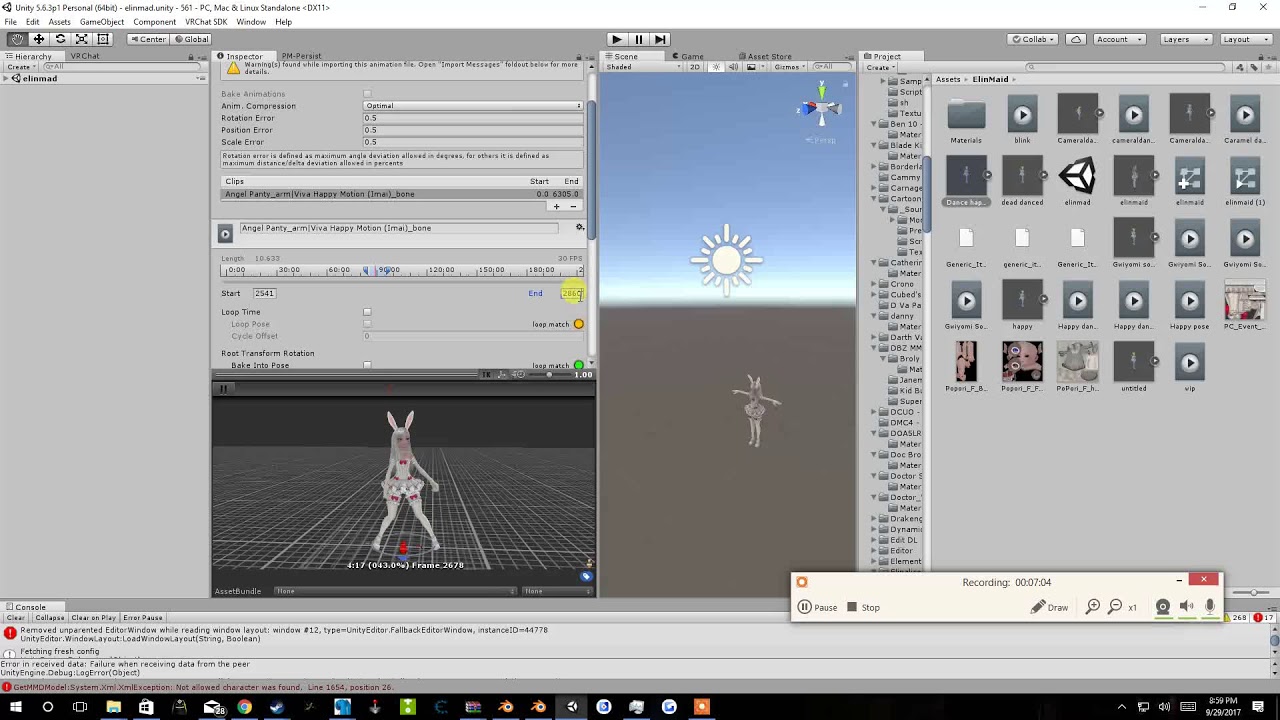
Tupper video on New MMD tool for blender https://tinyurl.com/y8yeonsd MMD Tool update version https://tinyurl.com/ybku6xft EvolvedAnt Gesture Overrides for T...
bold cloud
Is this correct? by attaching an external mesh with animation on my humaniod
@abstract current Victory sign is peace sign
abstract current
ok thats what I thought
pearl timber
i tried to download and do Mixamo animations, but it kept saying that cant find "Hips" part of bodie
clear yew
so i want
to make my character running animation to a flying one
and i have no idea hwo to use this .vpd file in blender
when i import it nothing happens
lilac dew
tried using a properly named file after jp locale, still doesnt let me add properties
clear yew
I have a question. I made 2 animations. One animation pulls out a Doll with facial expression. Second animation pulls out a Knife with creepy face. When I pull out the Doll, and then the Knife, the Doll animation dont get overrided for some reason.. I basically have 2 facia expression then.. Any idea how to fix this?
gusty crow
@lilac dew he sounds so sad
clear yew
anyone got any tips?
 surreal warren
Is there a tutorial on how to change textures in the eyes after doing a motion? I have touka from Tokyo ghoul and I want her to have her iris turn red whenever I want
Kakugan
clear yew
I have a bb8 avatar but how do I make the rotating ball he has into a custom overide?
or his custom walk aanimation he has no humanoid rig so I'm stuck on this
 fast bloom
@surreal warren you can follow any custom animation override tutorial for that, but when it comes to adding the properties, you can animate a material to change
surreal warren
Oh alright thank you @fast bloom
clear yew
Anyone else have any .anim for unity?
fast bloom
@clear yew like you're doing one gesture on each hand?
 bitter nebula
Hi guys, made my avatar, but i have one problem with the muscle animation: When i do some gestures with my fingers, they move extremly slow and my face isn't actually changing. How do i fix that? Thanks!
fast bloom
sounds like a missing keyframe, do you have a frame on .00 and .01?
can you send a screenshot of the animation?
clear yew
still doesnt work. It was a nice try tho @lime valley
lilac dew
bump still need help with being unable to add properties to an animation. wasnt created in unity on the hierarchy, was imported from an fbx file.
clear yew
lime valley
sorry bout that tuturu
if it makes you feel any better im having similar issues right now :P
bold cloud
https://gyazo.com/f3ea7d2f859d635e0c2b08f8690cc34c I have this in unity soooooo what did i do wrong. the two bots doesn't shows up in game
 bitter nebula
@fast bloom
didn't quite understand what you meant
fast bloom
@urban umbra not sure sorry never tried to do any long gesture animations myself
abstract current
so how do you set an animation for only the left hand , like if I press rock and roll on left it triggers but if i do rock and roll on right it doesnt
clear yew
it's quite annoying tbh
https://i.gyazo.com/8eb7fec241efba52bb35fbba86d14eb4.gif
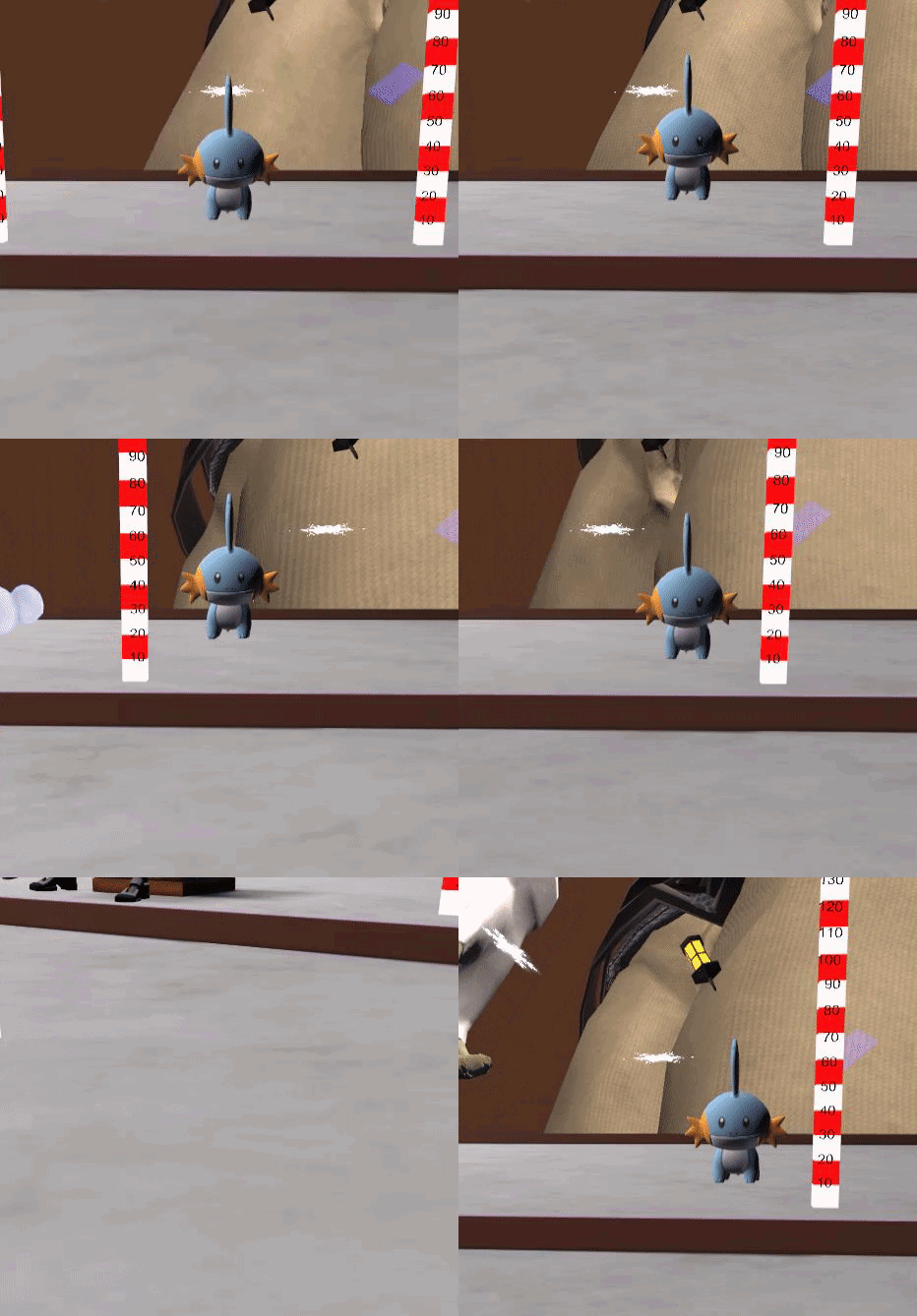
and the fact that it's random makes it worst
fast bloom
@bitter nebula are the blend shapes 100 on your second frame?
bitter nebula
@fast bloom
no
fast bloom
what are they
bitter nebula
changed it to 100, second frame, i guess this is roght
it's needed to be 100 on both frames?
fast bloom
yeah otherwise it will flicker very quickly between the two values
or not work at all
bitter nebula
oh, i also didn't delete the created keys on the 1:00 mark... well, i'm stupid
lime valley
will do
bitter nebula
@fast bloom
solved it, thanks a ton
fast bloom
nice
 glass anchor
alright, I really want to make some detailed animations, but that step where the duplicate character goes into the "no muscle pose" is absolutely killing me
like is there a way to just get it back into the t-pose so I have a proper starting point?
clear yew
has anyone got dynamic bones i could have?
 nova rose
https://imgur.com/R9iUPrM
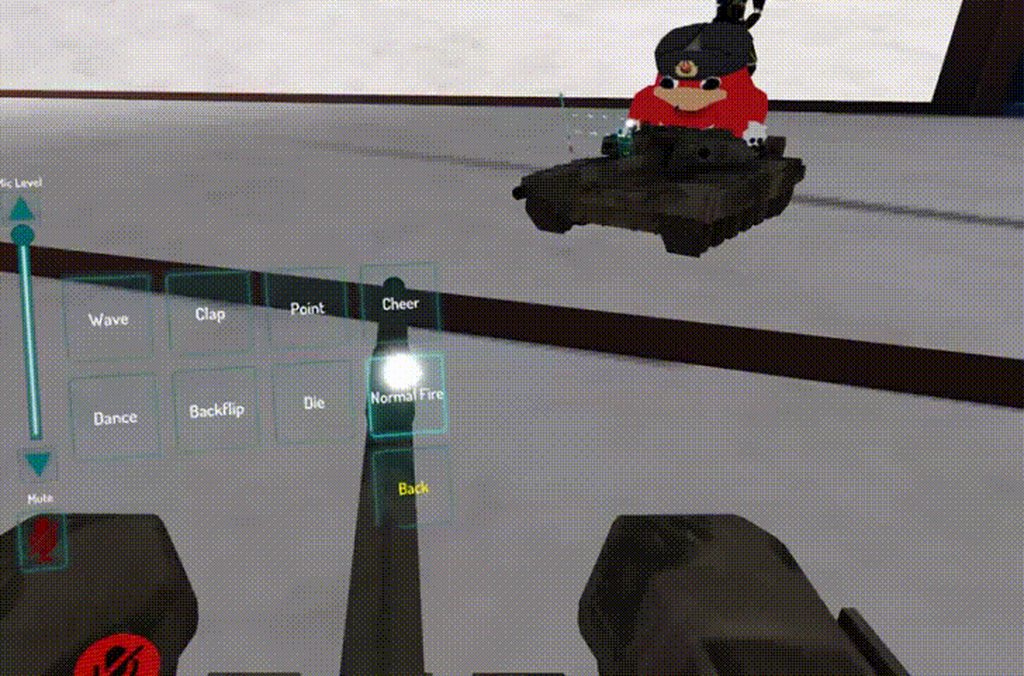
Anyone know why this happens?
Randomly moves out of place
looks fine in unity
 solid plaza
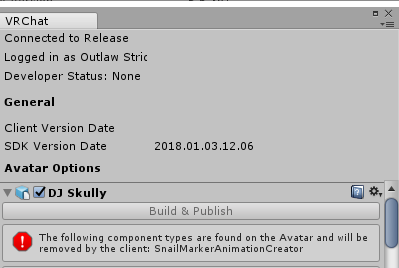
Does anyone know why I'm getting this error? https://i.imgur.com/mguJkjq.png
 orchid trench
can my models colliders interact with other players dynamic bones?
 uncut monolith
try looking for the file "SnailMarkerAnimationCreator" in your unity project and deleting it @solid plaza
and no
fancy
orchid trench
Ah
solid plaza
Alright thanks
 grave ibex

uncut monolith
Meanwhile, anyone know why my muzzle flash on my guns never work in game? All other particle effect I've worked on before work just fine, but my muzzle flash never shows up. Looks fine when I test it in unity but it's a different ordeal when I launch the game
I just wanna shoot my gun
 civic oak
hey i have a problem? My animation files for my model aren't showing up next to it in unity's assets folder
swift wyvern
Anyone knows why would my avatar's parts that have dynamic bones keeps jiggling and bugging after i placed custom emotes in the avatar?
 exotic ember
Anyone know of a way to add sounds to walking animations?
or at least remove the fucking read only shit from the current walk animations
glass anchor
it may be referring to a read-only file status within windows
if you can find the anim file you can just right click it and uncheck read-only
in properties
glass anchor
dunno then, sorry m8'
exotic ember
damn, I just want to add a squeak sound to my walk cycle but no idea why it isnt moving
editable*
 proud grove
If you duplicate a readonly animation (ctrl D) it should make a writable version
exotic ember
I did that, but it carried over the non-writable status
ah, I was doing the entire thing
I had to open up the walk file and then duplicate the animations themselves
thanks
glass anchor
am I doing something completely wrong here?

like, the keyframes just don't do anything... the leg position stays the same
swift wyvern
@exotic ember Try copying all the keys in the animation in then placing them in a fresh animation you made yourself
 stray gulch
@glass anchor i always thought you used vaules on the left hand side to change the position. not sure if you are acutally changing the position by clicking the legs
glass anchor
moving the limb does change those values
but only while it's selected
the moment I click off it, the values reset
stray gulch
@glass anchor hitting the play button does nothing?
bottom left animation play button
glass anchor
hold on
so I copied the idle anim keyframes as clik suggested for nelth
which got me through the t-pose issue
but yeah, hitting the play button does nothing
uploading gif to show exactly what I mean
almost done

@stray gulch
exotic ember
drag drop in assets
Anyone know why my sound keeps buggin out? https://youtu.be/lyFV7bNpw68

 primal gull
i figured it out, the audio im using doesnt work
 tacit latch
someone know how to fix the sound falling off at 2 cm range? i already tried some sound range settings
 oblique panther
hey guys
anyone know the problem when animations stay active and you have to like switch avatars?
clear yew
@glass anchor how tf did you do that??
 spare bramble
ok so this is gunna be a strange one i know how to import weapons through blender and unity what i dont know is how to make them trigger on the finger point with the vr controllers? i want it to take out the blade when i am using that hand emote only then hide it when its not selected
clear yew
do you downlad the tank rigged already?
 heady patio
respect to you sir!
glass anchor
steal the "animator.root T" property from the idle animation
should stop it from sinking
glass anchor
I assume you checked down the timeline to see if there were any extra frames in the root t property for the tank?
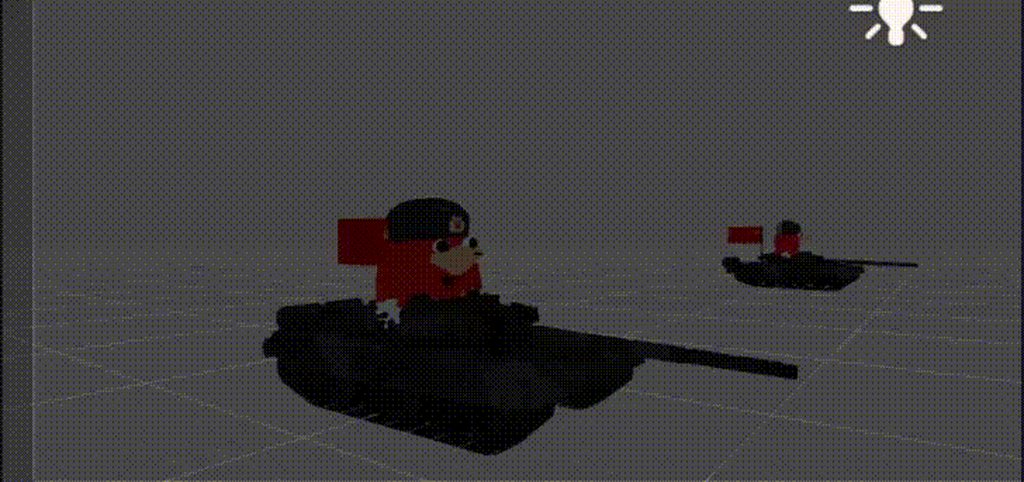
nova rose
Nothing else moving the tank
glass anchor
hm. odd
clear yew
try messing with the muscles in unity looks like your tank bone structure is moving with the tank becuase of the model could be wrong but try messing around with it
nova rose
 clear yew
wow no idea then
nova rose
heck
clear yew
i mean you can try adding a invisible collider under it to force it up but it will look slopy.
 upbeat sage
where do i find the section for mouth setup in unity. it's where you set up aa, ii, hh oh, and other things like that.
 frosty pendant
is it possible to put a gun on a model, pull it out with 1 gesture and fire it with another or possibly the same one? (to save gesture slots) or how do I need to put it?
@upbeat sage its in your avatar descriptor under lipsync;visemes blend shape i think
upbeat sage
ok yeah i found it. cool. thank you.
clear yew
think i asked this in the wrong place so ill ask again here
Is there any tutorials for how to make a gun do a shooting animation? i've got the gun to appear in my hand but cant for the life of me figure out how to make it shoot
need someone with .vpd file experience i have no idea what im doing
my google-fu isnt strong enough apparently, been trying for a few weeks now
orchid trench
One of my avatars has a blendshape of a gun. Is there a way to set the default blendshape to 100 so the gun isn't there?
Nvm I found it under the Skinned Mesh Renderer
 undone glade
Anyone know about some sort of invisible shader to make a certain part invisible
orchid trench
set the shader to transparent?
undone glade
try to google this, but I get "my avatar is invisible" problem. Lucky..
I tried that.
undone glade
I did, but I couldn't tell whether or not it worked
orchid trench
You still see it un unity?
undone glade
alpha cutout all the way to the right, everything else left.
since I doubt I need metallic and softness
orchid trench
Hm. I'm not sure. I never had to make anything transparent before so thats the only way I knew haha sorry.
What if you delete the head in blender? lol
undone glade
I have that as backup
I don't know how well it will go with pretty much an avatar swap with gestures.
and I don't think the first keyframe is going to let me shrink the head.
 quasi sun
Is it possible to make something suddenly appear and then fade away using animations ?
undone glade
@clear yew let me grab a video for you
clear yew
Thanks
undone glade
Showing you how to change default emotes to weapons & stuff. SUBSCRIBE, LIKE AND ALL THAT GOOD STUFF!! :D MY FIRST TUTORIAL ► https://youtu.be/0vdiCJRAExw DI...
clear yew
Do you mean like a gesture Monika? You close your first and a sword appears?
If so I think it’s possible
quasi sun
Let me explain
So, I have a weapon and I want to shoot with it using a custom animation
It's a gauss rifle, so I want it to shoot a beam that fades away quickly
I tried to do it via particles with no success
 serene lava
Is there any way to use a custom animation controller while still keeping the humanoid rig and hand emotes
quasi sun
So what I want to try now it create the beam with a deformed cube, the cube would appear and then fade away
Is that possible ?
quasi sun
I'm not sure how to do that
 granite sapphire
Any idea on how to fix sitting animations when playing small avatars ? 🤔
 woven storm
So i'm trying to dance like models in MMD Nightclub, got .anim files and put them on emotes, but model stays at the same place when it should walk and after some time i can control my avatar while dance is still active. Also the clothes are not moving with body sometimes.
 lapis falcon
I have a problem, I previously created a duplicate of my main model and made a custom animation for that duplicate. I then made another duplicate of the main model yet I cant add animation nor can I change the animations for that tab
spare bramble
so i am trying to animate in a 1911 i added the pistol to the armature under right wrist on the main model then made a duplicate for the animation but when i tried to start a animation on the duplicate and hit the delete key at the 1 minute mark the pistol is no longer in my avatars hand?
]
any help guys?
@trim dagger its your tutorial i was following :3
deep spruce
Any tips how to add an animation which spawns an object?
just for animation time
in unity
undone glade
what do you mean?
deep spruce
I made an animation which uses a prop during animation, so now i just want to add it in the game
 tidal zodiac
gang gang
undone glade
Is it going to be static like a weapon?
undone glade
I wouldn't know now
plush meadow
Okay. Important thing to do; I think I have the same 1911. @spare bramble
Before you do anything.
Be sure that you set up the handgun correctly somewhat on the main model.
Then when you think you are satisfied, you duplicate it.
plush meadow
@spare bramble https://www.youtube.com/watch?v=vCMmyZ032OU
But yeah, I followed Fade's tutorial for the most part.
nova rose
Make sure you sound has playonawake
plush meadow
Make sure the position coordinates of both avatars are the same and that the scale value and rotation values are the same.
Yeah.
plush meadow
I fixed it and it's working now.
nova rose
In one world
plush meadow
I made sure it was checked.
nova rose
And in other worlds it breaks
plush meadow
^^^
I had to enable the particle and audio source on main model for the gun to shoot ingame. @nova rose
normal skiff
so this is odd. I put a prop under Right Wrist, and when I clone the model and make it appear, it doesn't appear anywhere near the right wrist anymore now that the hand position has changed
plush meadow
Disabling all resulted in nothing showing up.
deep spruce
m'kay
 floral island
Hey so is there any easy method to add onto the existing animations for an override? Like I wanted to wink while I held up the peace sign/Victory.
normal skiff
I'd like to know that too
plush meadow
wait what
You have to drag your custom animation into controller?
All the tutorials I've watched didn't touch the controller.
normal skiff
seems questionable but shouldn't be hard to check
plush meadow
Only the custom standing and sitting animations.
normal skiff
I'll just rebuild and test it
floral island
I know but that completely overwrites the previous one doesn't it? So i have to recreate the peace sign in my own animation, but i didn't want to do that
nova rose
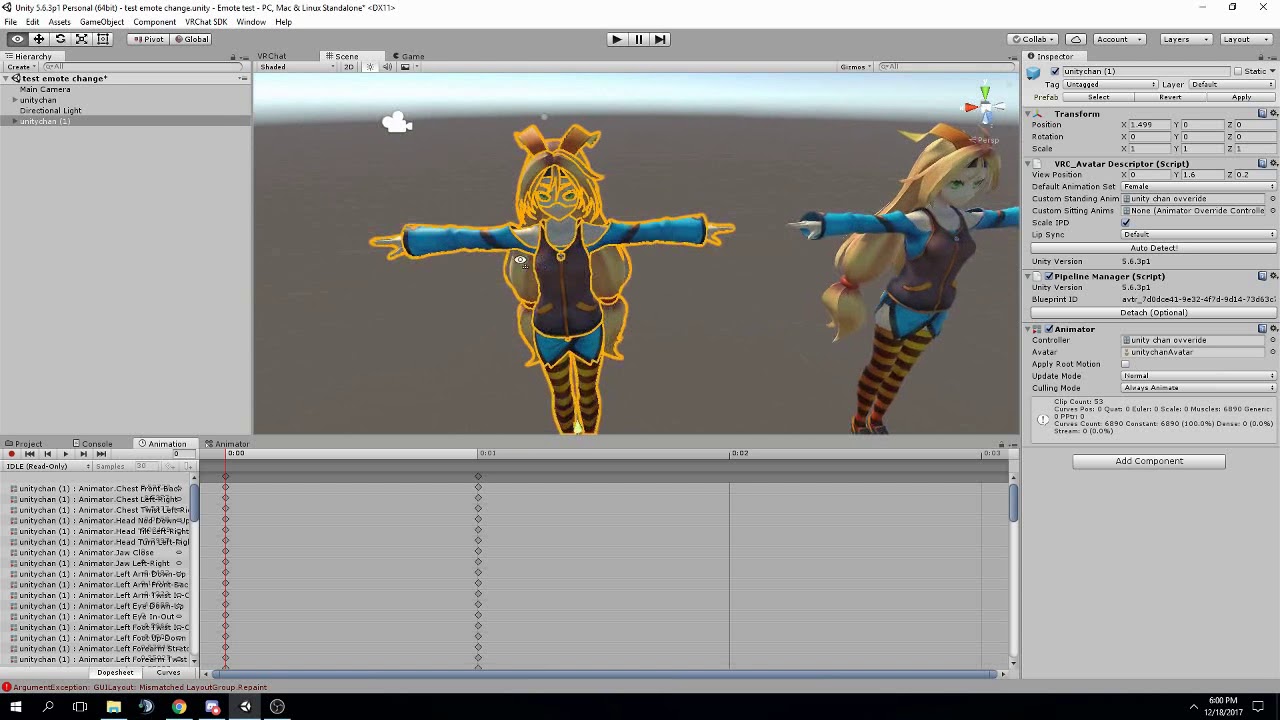
FAQ: 1. If you can't find the animator or animation tab go to window at the top and select animator or animation 2. If your character is going in the ground ...
used this video
normal skiff
props are special too because you have to move the fingers to fit the prop anyway
nova rose
you do you ¯_(ツ)_/¯
normal skiff
facial expressions are the question here
 carmine island
Hey guys anyone in here using mixamo animations? I have a question
normal skiff
I'm going to bet that it won't work but it will take 5 minutes to find out
plush meadow
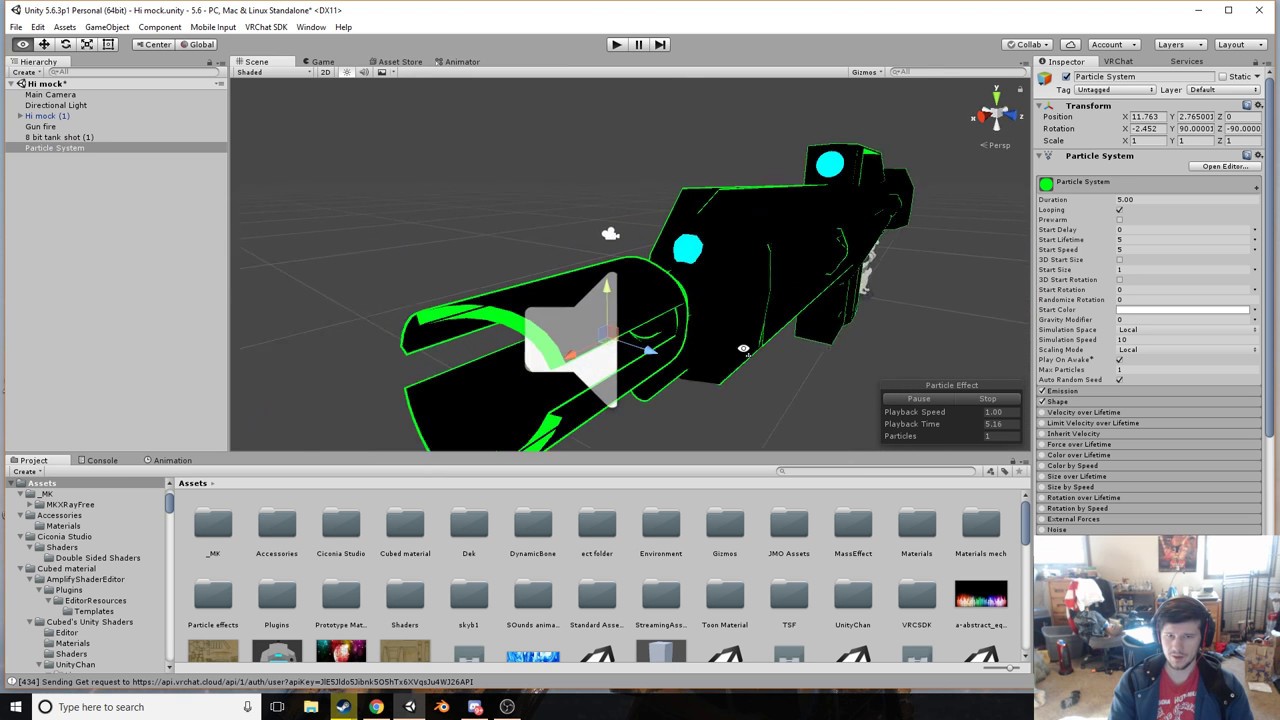 normal skiff
what will work is manually putting back all the finger positions
carmine island
I can make the anims work but looks like the head goes on its own
plush meadow
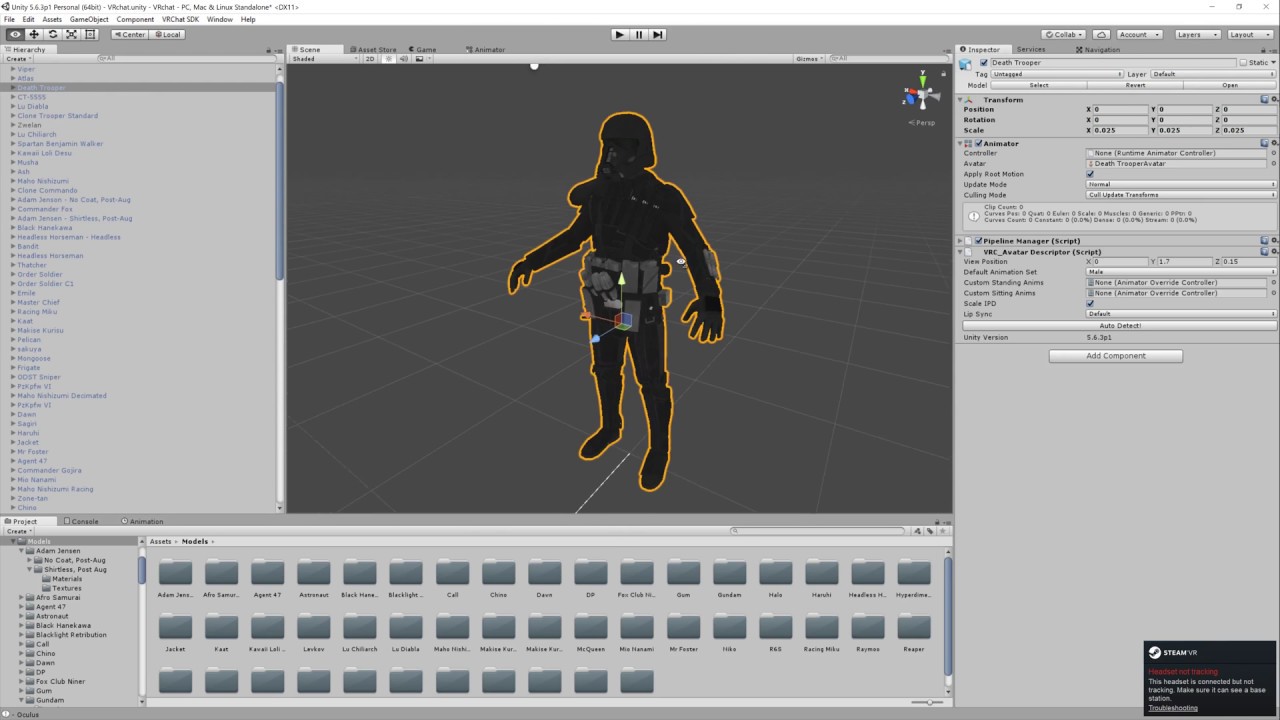
Basic VRChat gun animation override. Audacity used to convert audio files to .ogg.
floral island
Aw man
plush meadow

This shows you how to put weapons and audio into the game vrchat. More stuff here: Where I got the gun model: https://abyssleo.deviantart.com/gallery/5925409...
Guess it depends.
I mean in the end, my animations work.
Without having to drag it into controller.
floral island
I was hoping to save some time by not having to recreate it but oh well
normal skiff
I tried to cheat my way out using mixamo but the animation file mixamo creates is missing the Armature/ level of the hierarchy so it thinks my model doesn't have the bones
 mortal patrol
So question; when I put my weapon on my character , it spazzes out the hands when I hold it. Any way to fix the flickering fingers
carmine island
@normal skiff You have to do the humanoid rig into the animation just like you do for your character

One thing that I forgot to include is that I had uploaded my avatar .FBX to Mixamo before recording, so make sure you do that first! Another thing to note is...
normal skiff
hmm?
carmine island
Look at this short video, it works
normal skiff
whole animations work fine
what doesn't work is copying bits of the mixamo-exported one into mine
is the audio broken on this?
carmine island
It doesn't have audio ^^
exotic ember
Can anyone help me identify why my audio keeps fucking up? https://www.youtube.com/watch?v=_jWRo0brlBE
 carmine island
That video solved almost all my problems but 1. The head of the avatar doing the animations looks weird af
Like is not fully attached to the body
normal skiff
one of my avatars did that and I still don't know why
carmine island
It's really creepy
normal skiff
yeah, no... setting the animation controller makes no difference
the animations on the override play but the original one doesn't
mortal patrol
@carmine island any solutions for flickering fingers while holding weapons? My fingers love to flicker and sometimes shake the weapon too
normal skiff
it's counterintuitive considering that it's supposed to be an "override" but I think I already said that a while back
copying and pasting from the sample male standing animation might be OK. it sucks that only the male one is there, but at least the hands would be the same as female .. probably
 gloomy stag
could anyone help me out on how to make this kind of trail with this texture? I got it to emit cubes of different colors based on it but I want it to make a constant trail using those colors
so far I got it to do this but I want the colors to differ horizontaly
normal skiff
what happens when you rotate the texture
deep spruce
nice Bit.trip runner trails
gloomy stag
exactly bud
exotic ember
have you tried upping the amount of particles and the spawn rate
that or you could use a rectangle mesh instead of a cube to make them longer if you dont want to go crazy with particle amounts
normal skiff
lol my prop position fixed itself the next time I made the same animation
gloomy stag
The issue is not the shape itself but the pattern they describe, they should form that kind of flag intead of going different colors towards the end of trail
and rotating the texture didn't work cause it just does the same, except you need to indicate tiles in x and not y
exotic ember
dirty fix would be have them spawn from the top down
and then just have them shade to the differenct colors over time
normal skiff
dirtiest fix would be to have 5 separate trails in fixed colour
exotic ember
that would be easiest fix actually
gloomy stag
would 5 trails lag the game too much?
normal skiff
probably not, it's the number of particles currently visible which would hurt lag if at all
and even that, people were doing experiments with fixed particle systems and found that it took an extremely large amount to actually drop framerate
gloomy stag
okay I will give that option a try, thanks for the help guys. ^^
commander video is like my favourite character ever, being him in vrchat is like a dream come true
kindred jay
i finaly managed to add an custom emote but some reason i am unable to change to idle animation for some reason.
exotic ember
eagle, copy all the keyframes in the idle animation and just paste it in an anim file you can edit
kindred jay
right thx see if i can find it
spare bramble
ok so i cant be far from be ble to do it correctly i tried my avatar in game the finger point anim worked along with the audio source only issue is that for some reason my character is bugging out when i take out the gun goes from standing to crouching
normal skiff
I will say one thing about hand animation though
Muscle Animation Editor was worth the money
mortal patrol
@normal skiff is that required to make it so my hands don't spaz out when I hold my weapon?
kindred jay
I prehaps should made a headsup i followed the tutorial w/ Mixamo
normal skiff
no, it just makes moving fingers a lot faster
unity's rotation things don't show the rotation in the natural direction fingers would actually move so it's a lot of work
mortal patrol
@normal skiff ok, so any idea how I could fix my flickering issue?
spare bramble
ok so i tried it in game the gun appears when i use the rock n roll hand gesture and the audio source worked however my character keeps bugging and going from standing to this pose dont know why any ideas
normal skiff
this is why you clone the character and do the animations on the clone
spare bramble
that is the clone
normal skiff
that's fine then isn't it?
spare bramble
well yeah but for some reason mid animation for the gun i go from standing as normal to that jump crouch thing instead of standing shooting
normal skiff
that seems odd... unless the animation itself has that in it
spare bramble
as if the positions or main model and clone are conflicting
normal skiff
well, the clone doesn't exist in-game...
and unless the positions of things somehow got into the animation I don't know how it could do that
heh I just had the finger spazzing out thing but it was my own fault
positions of the fingers in frame 0 and frame 1 didn't match
that's cool though, I was never sure whether they actually used that as an animation .. maybe there is a use for the feature
 sharp torrent
Would it be possible to make gesture activate a hidden object, that contains a complicated animation? So in a way to bypass the 2 frame restriction gestures have? Don't have VR atm so can't test it.
sharp torrent
Awesome, that opens some doors for me. Thanks
spare bramble
@normal skiff found out what was causing my issue for some reason by default in the animation tab for my pistol it added a position key frame deleted that and its all good to go ^^
plush meadow
Make sure the position coordinates of your animation and main model are the same. @spare bramble
Otherwise you may still experience the crouch.
spare bramble
did that was the first things i checked i swear between @plush meadow and a another guy in the loli army chat i have learned more about this than any of the tutorials i watched they are either missing key points or not very detailed xD cheers for the help again
clear yew
does anyone have a good list of tutorials?
clear yew
like the particle effects i see
plush meadow

YouTube
You can expect military, anime, racing, technology, and video game oriented videos from me.
This shows you how to put weapons and audio into the game vrchat. More stuff here: Where I got the gun model: https://abyssleo.deviantart.com/gallery/5925409...
clear yew
thanks man
plush meadow
 clear yew
that one didnt really help
plush meadow
I mean it depends on what you want.
If you want muzzle flash/gunshot, then follow the two above.
clear yew
yeaht thing is i have a particle effect i wanna use for my dark link model but i cant find out how to use it and import it
upbeat field
@white herald basically yeah.
 upper cloak
Anyone know the website with several animations? Someone told me b4 but I forgot to note down the page.
plush meadow
Mixamo?
clear yew
Yeah probably Mixamo
upper cloak
oh yea, cheers
 thorny fox
how do I do an emote? everytime i make an animation involving particle effects, and use said emote, the particles effects never happen
likewise if i make the particle effects and put it on my body without adding and animations/assigning to emote it works
clear yew
well where else?
clear yew
nah i think they mean using mixaio for animations not for rigs
cos they have alot of dance stuff
tacit latch
well, that requires the mixamo rig
clear yew
not really
tacit latch
?
clear yew
i rigged my used my link model i made from cats
and dark link
i got all the shit i needed
i think some people have issue with the auto rigging tho
Is there a way to stop head tracking, or a way to work around it? I have some animations that go 360, and the head tracking just makes it creepy.
 unique wind
errrm, so somebody commented about this earlier and there was no answer, but I was wandering if anybody knew why my model just stays in the same place when its supposed to move while dancing. I got the .anims from converting .vmds and they seem to work in Unity
 prisma hornet
Does anyone know if there is anyway that I can have an animation run with keybinds or mouse buttons?
swift wyvern
Do animations have a movement limit ? My emotes that should move just stay in place when i use them in vrchat
unique wind
@swift wyvern the body parts move right? but the model itself goes nowhere?
swift wyvern
Yes the body, arms,legs etc do the movement but the avatar stays in the same place
unique wind
I mean there are videos showing people doing emotes with full dances so i dont think its a movement limit
kindred jay
lol gosh i am so useless to find things, change the idle, walking, runing anmation seams tough then the other emotes.
gloomy stag
Guys I got the trail to work just great, my question now:
Is there any way to modify the walking or running animations? I just wanna tilt the spine more backwards.
On tutorials I've seen animation overrides for emotes but they don't work with a base animation, is it possible to edit the walking or running ones?
 prime holly
 clear yew
Does anybody know why half the people in servers show me as "Queued?"
kindred jay
-desktop users , this wont work for you- hello darkness my old friend
clear yew
I been trying to do emotes from animations off the mixamo stuff but I can't download the animations..
prime holly
😛
gloomy stag
Animation overrides I've seen are applied to hand emotes, but is it possible with walk/run cycles?
prime holly
yea
clear yew
it's all contained in fbx models
gloomy stag
how do you load the walk/run animation so you can edit it?
kindred jay
i would like to know that too, not been able to change the idle, walk, run animation either.
prime holly
vrdesk > examples > animation > man
clear yew
theres ways but I need to get the aniations first
gloomy stag
Anyway I am heck happy cause I got the particles to work right, however I made them tiny so people dont hate me
what you mean @prime holly is how to get to the window where you replace the animations, but idk how to load the default animation in question so it can be edited, instead of having to do it from scratch
prime holly

Creating custom animations for hand gestures and emotes in VRChat
clear yew
My avatar isnt showing up for some people
kindred jay
yeah happens to lots of peeps
gloomy stag
Slub I checked that tutorial already and it doesn't modify the running/walking animation
it just overrides emote animations
sharp torrent
What is the victory gesture by default?
gloomy stag
I think it is a V with the fingers
sharp torrent
Alright, thanks. Is there a list of them all? Would like to know what I can override and what I want to keep.
clear yew
Anyone know of a nice asset/effect/shader for fire / smoke kinda things?
 woeful harbor
 gleaming tusk
Hello, how can people add like 2 additional characters to their animations?
 ivory lagoon
does anyone know how to do 2d blinking in blender?
 muted prairie

EDIT: If you are using an MMD model please read below! In this video I will show you how to make your 2D eyes/mouth type avatar have a blinking animation and...
ivory lagoon
i'm using this tutorial, but it doesn't teach how to use multiple frames for blinking
i know how to do from fully open to fully shut but i want to add frames inbetween
 prime gale
Alright I'm at a loss
I've followed every tutorial for adding props
and this gun will not appear in my hand in game
I've no idea what the hell is going on
Fingers are moving to the right spots, all of thats working fine
but the prop itself wont appear
exotic ember
Anyone got an idea why my sound keeps fucking up? I have a soundclip set to play whenever I move. https://www.youtube.com/watch?v=_jWRo0brlBE
clear yew
HELP! im trying to rig a hand gesture up to make noise and i've done everything in cats tut, when i go in game i cant get the specified gesture to show up? why?
 sacred schooner
My bad, I should be posting here: Anyone know why my props aren't moving when I try and make an animation with them? Like, they stay at their previous location when I delete the second keyframe.
 rotund hedge
So im trying to get a basic emote override, and i have all the steps down from a video. But when i try to create an animation the keys dont showcase the animation its just in whatever save spot i left it in
is it suppose to play? or nah
sacred schooner
If you move from one keyframe to the next, it should display what you did between those two frames.
rotund hedge
okay it is not doing that
whatever keyframe i made last is displaying for all of them
sacred schooner
Are any of the numbers changing on the left of the animation window?
rotund hedge
sometimes when i click away it goes back to the starter frame but when i click from key to key its the same.
uh next to the skip?
starts at 0, next key is at 5
sacred schooner
When you click the different frames, does it show the properties being changed on the left.
Such as position, movement, active
sacred schooner
Then whatever you did did not save.
rotund hedge
mkay how do i make it save
sacred schooner
You could check if you might have it under a different animation, click on atht top left dropdown
Where there's a name of your animation
It autosaves, so I'm honestly not sure what you did.
But Ctrl+S should save it as well
rotund hedge
nothing in the menu
those 2 keys dont change anything
pressing play does nothing
kindred jay
animations has to be less then 30 frame in order to work am i right?
sacred schooner
Yeah, what I'm saying is that you'll have to do it again if anything.
rotund hedge
i mean its only rising up
so it should be easy
but the position doesnt save
okay now its changining positions between keys (idk what i did differently) but the positions arent changing numbers on the left
ive seen animations that last for like a full minute so i dont know about the 30 frames thing
 keen plank
Hey so I have a holstered weapon and whenever I look in the mirror the reflection shows the wrist is stretching to my waist trying to put his hand on it how do I fix this?
I'll grab a picture in a second
rotund hedge
really not thinking this will work, since my animation is forcing another model to appear.
but lets see
kindred jay
aighty ty for the info dizz, working with few things see if i can solve it
keen plank
rotund hedge
as i expected the animation didnt work, it literally made me fly to the side for no reason lol
 rotund hedge
my animation makes me fly sideways for no reason, when im suppose to be summoning something under me..
kindred jay
this currently my issue, the custom animation is suppose to be more in ground but wat happends in game i kinda floats and the animation is 'paused'
 tawdry crescent
I tried changing my emote and I did the override and I added the animation clip
but the emotes are still default
 spice meteor
did they remove making photos completely or just limit it?
 oblique pivot
Hey can anyone help me with animating Kazuhira Miller so he walks with his crutch rather than normally with his crutch swinging around?
tawdry crescent
The animation overide isn't working
 hard shard
how do i make a blinking animation
literally all i want is to cycle through like 6 images but i cant figure it out
steep citrus
anyone know how to get a game object (say an energy orb) fly out of my hand after a delay? I need to move the entire game object not just a single particle or I would just use start lifetime an velocity over time
Basically I need to have the entire game object transition on the axis my hand is facing so it launches out of my hand after 6 seconds, but I can only get the entire object to move over those 6 seconds atm I cant get it to delay an then move
 neon holly
Does anyone know where to find a good free lightning particle effect, or something of that nature? I have the particle ingredient pack but not finding what I'm looking for.
 lapis frost
Hey folks, i'm trying to setup my first custom running animation... Right now the animation starts, but stalls after a few keyframes... anyone know what's happening there? Samples: 90
clear yew
ok question for anywho who knows. if an animation is in an fbx can I pull that animation out of the list to a custom override if its a model of the same char?
kindred jay
@lapis frost hey that sounds like an familar issue i got too. seams the animation just works for a mere seconda nd then it goes like freeze mode.
lapis frost
@kindred jay yup, any luck with figuring it out?
kindred jay
nothing so far. been trying with diferent things such as lower the frames but seams nothing so far has been solved. i keep working on it. prehaps eventualy i will solve it - or hopefully some one knows how too do that.
 spiral drum
Hey guys.
I've setup an animation but the things weird. The item is active when I'm not using the emote attached to it, and then vanishes when I activate it.
o_O
trying to see if its a keyframe thing.
clear yew
how the heck it can be fixed that avatar wont fall into the ground below waist? I've done all the animations on duplicates but still keeps screwing it up 😒
hidden fulcrum
my animation is read only, how can i fix that?
hard shard
this is actually so fucking annoying
kindred jay
yeah sure is.
ivory lagoon
can somebody please help me with 2d blinking
i have everything mapped and assigned but i don't know how to put it into an animation
and assign different materials to different keyframes
like that's literally all i have to do and i can't figure it out, somebody help please
hard shard
there has to be some way to make the animation tool in unity change the textures of my eye object right
like i dont get how this is hard at all
kindred jay
@lapis frost seams i getin out of ideas, found anything that solved for you?
lapis frost
@kindred jay nope :/ sucks
stray gulch
im doing a dance animation for nanachi. does anyone know why the mesh is doing this? ive barely touched the model
kindred jay
ah man, hopefully sooner or later we finds a way to fix it.
 lilac grove
Is there an easy way to get the values for the finger positions for each of the default emotes?
lapis frost
@stray gulch https://www.youtube.com/watch?v=Tl4qTgwQwYw I didn't pre-screen this tutorial, but basically, you SEEM to have vertices that don't have a weight assigned to them.

Quick intro and guide to skinning/weight painting. this video is meant for those with a basic understanding of Blender
stray gulch
holy shit someone ansered
 shut shore
so, i want animation overrides, but i dont know the first thing about animation
i was wondering if someone could either help me figure out what im doing, or if i could ask them to do them for me
lapis frost
@shut shore please look for a tutorial and get started... you won't get much of a different answer to that lol
ivory lagoon
can someone please help me with this 2d eye blinking?
stray gulch
@shut shore first thing you need to know if the animation is going to be more or less than 10 sec
shut shore
the first one i have in mind is roughly 4~ seconds
stray gulch
@shut shore the your going to make a emote with custom overide look at some tutorials on youtube on custom overaide for vrchat. emotions and emotes
emotes can NEVER be more than 10 sec otherwise you have to bake the animation into the character and thats the only thing it will do
shut shore
weird, ive seen alot of extended dance emotes
stray gulch
i have 5
civic oak
hey, i have a model and it's all rigged but it's eyelids are closed by default in unity and i have no idea how to do eye tracking or whatever
can someone help me?
and lip sync too
stray gulch
they just switch inbetween characters and they look the same
shut shore
and the character has the dance emote as their idle or something?
ivory lagoon
okay i'm going to boil it down to a yes or no question
stray gulch
yes
ivory lagoon
do i have to make different shapekeys to get a different frame to display a different material
or do i have to keep all the materials on the same shapekey
stray gulch
@ivory lagoon no i think
ivory lagoon
all i want is a blink that's all i want sdlkfjsdf
civic oak
why does everyone ignore me?
stray gulch
@ivory lagoon did you decimate your face?
ivory lagoon
no
ivory lagoon
shit i have no idea how to use cats
stray gulch
you need to go to the tutorial section and watch tuppers mega tutorial
ivory lagoon
i have a general idea of how to use blender but all i want is this 2d blinking to work
everything is mapped it's just a matter of making the actual animation
stray gulch
dont ask questions if you refuse to watch tutorials my dude
ivory lagoon
that tutorial doesn't explain what i'm looking for
stray gulch
cats plugin has an eye tracking button its simple
clear yew
hey guys so im trying to do the rainbow outline thing
ivory lagoon
my model doesn't have 3d blinking, it has 2d textures for the blink
 simple aspen
anyone got a shuffling animation I could get
clear yew
can anyoneh help
simple aspen
Thats one animation I really want lol
if anyone has one that they dont mind sending it to me , i would greatly appreciate it
 fathom plaza
When I press the record button the avatar sinks into the ground up to their waist. Anyone know how I fix this?
clear yew
Is there a guide anywhere to put together a generic rig? I've already imported a bunch of animations (walk/run/idle/etc) and set their avatar definitions to my rig.
stray gulch
@lapis frost your a genius that worked
simple aspen
I wants shuffle lol
stray gulch
@simple aspen if you look at any youtube mmd dance you can take part of any dance and make an emote out of it
 soft phoenix
So I've gotten visemes and eye tracking to work when using MMD models. I just modeled my own avatar and visemes and eye tracing are not working. Can someone try to help me out?
 remote onyx
@soft phoenix is it just your eye tracking?
soft phoenix
Both
remote onyx
Did you set the visemes out to be uh
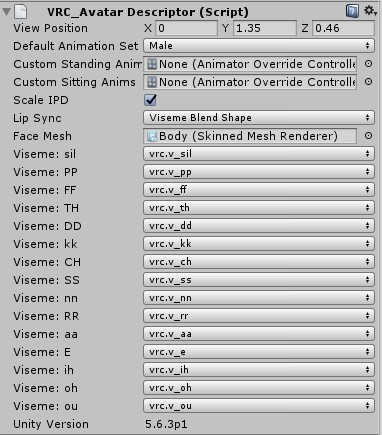
OH
well for the eye tracking
is your body mesh named... body
soft phoenix
Is that all it takes?
remote onyx
it might be because
my avatar wasnt having eye tracking
and I changed the mesh name to "Body"
soft phoenix
Lol no its not I made sure I had the hirearchy for the bones named right
soft phoenix
But my mesh is not named body
soft phoenix
 soft phoenix
That might be it then
remote onyx
might be
soft phoenix
I spent all day making this model and now I've been RACKING my brain wondering why it wasnt working lol
simple aspen
can you switch a vmd to a anim lol ?
remote onyx
Maybe? You may have to do it in blender
im heading off, good luck yo
ill be about tomorrow if it doesnt work
soft phoenix
Thanks for your help
remote onyx
np
simple aspen
I downloaded a mmd animation , and its a vmd
floral island
Hey so when you want to create an animation for one of the emotes, do you have to stand your character up in the animation from that bent pose?
 amber pollen
i wanna add these for the emote and idle/walk anim, is there any way?
clear yew
custom override controllers. You can drag and drop the animations into the override slots assuming the bones are working correctly.
amber pollen
does unity support .anm files tho?
and how do i put the custom override controllers?
clear yew
not sure about the anm files, but you can access the override controller here:
amber pollen
if i wanna sit down, the disc jokey item will be in the way, idk if it's possible to remove it during the sitting animation
bold cloud
I have animation, put it in animator of the model still doesn't appear in game, what did i do wrong~ 😢
not sure
but wrong channel
amber pollen
wait, how do i view the VRChat animations?
 toxic hatch
I saw someone with a character that crawls on the ground when they run, how do you do that? o.o
amber pollen
things to do: remove the disc jockey item for sitting, add custom walk, run and emote (dance, laugh) animations
first i need to know how to view those damn animations lol
bold cloud
the play button?
amber pollen
mixamo avatars don't seem to be working, it's the same model
bold cloud
did you put the controller?
 gusty pawn
So, does anyone know how to move the position or scale of a hand for an animation?
amber pollen
why are the VRChat animation previews the same pose?
gusty pawn
I have a Mega Man X MMD model and it has a shape key to form his Buster on his right arm but the hand just kinda juts out still. Wanna see if I can hide that inside the Buster while it's out. I'm trying to map it to the trackpad so I can just change the lil devil horns finger emote to make it so his hand vanishes and the Buster forms.
amber pollen
i wanna know which emote is which
also, can we remove objects for specific animations?
 serene plover
Hey all anyone know how to fix this when I have mulltiple animation overrides for items on my charater they seems really akward to use and what normaly happens is when im trying to get one out on my left hand i cant get one out on with my right hand and also my hand with sometimes hold multiple items even though they are on diffrent hand emotes. Help.
clear yew
I spent a week working on a script for walking, running, etc. animations for a spider model for me to put in VRChat, only to have it not allow me to publish it because of it.
Help.
 wispy goblet
Could someone quickly tell me which emote the dying animation is?
clear yew
im trying to figure how to do a generic rig with the avatar controller template. Results so far, okay-ish, but still bad. I got my model in walking and running, but still lacking some anims, plus the camera is in my body.
Also, the emote for die is number 7
wispy goblet
@clear yew Thanks
steep citrus
does anyone know how to get multiple particle effects to move at once on a delay? making the animation clip longer than the first 2 frames seems to cause issues for me. however I need roughly 7 seconds to work with because I need a 6 second delay before the effects need to move. the extra 1 second is for the effect itself to move
I can only think of one way an Im not a fan of it, Ill need my first effect that takes 6 seconds to be a separate gesture an ill have to use another just to make the effect launch.
 echo notch
Does anyone have the unitypackage file for muscle animations?
 mild blaze
how do you make the drawing animation stay visable even when your not doing the (fingerpoint) or something. Then how do you delete it.
 sand apex
Hey how are you able to tell which emote is what animation? Like I know it's probably in order from 1-8 in the in-game emote menu but I was hoping for an easier way to check
 vocal plover
@echo notch
echo notch
Thanks so much Carrot
vocal plover
np
fathom plaza
Do I have to change the animator controller if I'm uploading a custom idle animation?
Or leave it as none?
vocal plover
i dont think the animator controller really matters
the custom standing/sitting anims is what does it
 restive elm
if i want a custom sit, how do i know what height to put it at? trial and error?
sand apex
@mild blaze have you heard of snail marker?
 wind otter
So i tried using the model i made in VRChat , but it doesn't play the animation, there were no errors, everything was rigged fine, the only thing that was wrong was thigh and pelvis angle (that might be the cause of it ) was that the cause of no animations?
fathom plaza
@vocal plover Do you happen to know if I have to loop it?
mild blaze
yeah i have i made the animation and everything but when i get in game i am able to draw, i want the drawing to stay without me having to hold down fingerpoint and then i'd like to use rock n roll to delete that drawing
@sand apex
vocal plover
@fathom plaza this is what i have for a custom looping blink animation
fathom plaza
But for blinking you don't need the custom override, so I don't know if that changes things
vocal plover
id say to try out both
sand apex
@mild blaze if you want to use rock n roll to delete the drawing you'll need to make it so the box for game object trail is unchecked
vocal plover
im not 100%sure either
sand apex
Actually bagel don't you already get an anim file that has "EraseAll"
vocal plover
actually this is the default idle animation
fathom plaza
I duplicated that and used that as my base. Just waiting for the server issues to ease up before I can test things
wind otter
Anyone know what i have to do with the bones to fix this? I probably have to rotate the bone or move it, but not sure what to where, ill post a screenshot of my rig , so if anyone knows what to do to what, pls tell me.
mild blaze
@sand apex nope i can't find it
sand apex
Did you ever click a "Do Everything" button or something like that
wind otter
Here is the rig for the problem i posted above. Sorry if this is a dumb question.
mild blaze
when?
fathom plaza
It works!
vocal plover
nice
sand apex
when you put the prefab for the snail marker
you click on TrailSource, scroll down and there's a "Do Everything" button
vocal plover
@wind otter do you have CATS blender plugin?
mild blaze
ohhh
wind otter
No
mild blaze
wait why what does it do
vocal plover
what did you do/use to get the model into unity?
sand apex
Bagel it creates a drawing/erase all animator for you that you simply put in the custom override
mild blaze
oooh my
wind otter
I exported fbs with bones in blender and then imported to unity
fathom plaza
Now to figure out how the sitting animation works
sand apex
You have to make sure you put the marker prefab on your wrist and then you can position the marker where ever you want and even make it invisible so it looks like you're drawing from your finger
vocal plover
https://github.com/michaeldegroot/cats-blender-plugin
Scroll down to installation, download then follow the installation instructions

GitHub
cats-blender-plugin - A tool designed to shorten steps needed to import and optimize models into VRChat. Compatible models are: MMD, XNALara, Mixamo, DAZ/Poser, Blender Rigify, Sims 2, Motion Build...
sand apex
The drawing and eraseall is self-explanatory, put the drawing on a gesture so you can hold down the gesture to draw and then when you're done you can use the eraseall gesture to get rid of it, it also stays after you draw until you eraseall
 main bone
I have a weird issue where the arm does not move when I hold an object. Anyone here know how to fix that?
sand apex
So do they move when you do other things like doing emotes?
main bone
yes
sand apex
beats me then
clear yew
My generic rig ends up stuck in a loop whenever I emote, is there a fix for that?
wind otter
@vocal plover kk i installed it
vocal plover
open your model back up in blender
delete these
delete everything EXCEPT this and its children
then click this button and re-export the model into unity
theres more you can do but thats the simple version
wind otter
I can't seem to find that the things you said to delete?
vocal plover
just ignore that then
thats more for MMD models but i wanted to make sure they weren't there
wind otter
Ok, looks like i gotta rename bones


 vocal plover
try this first
echo notch
Is there anyway to get colliders from other people's avatars?
wind otter
ok
sand apex
I don't know if that's right but when you click on "Do Everything" the script was supposed to remove itself anyways
echo notch
As in let other people with vr rub my head and have the ears react to it
sand apex
Do you have the old version of snail marker or something
mild blaze
i'm pretty sure i downloaded the most recent
wind otter
ok it translated the bones
vocal plover
nice
wind otter
still says this doe
sand apex
Well I suppose it should still work, you don't need it anyways since all the script does is make you your animations and etc
mild blaze
so how do i remove it
mild blaze
@sand apex
sand apex
it removes it for you, doesn't it?
mild blaze
nvm i got it lol
sand apex
What's normally supposed to happen is after you click on do everything it just removes itself anyways
vocal plover
try exporting the FBX file back into unity anyway
wind otter
ok
mild blaze
it didn't do that but i just deleted component
wind otter
do i export with the CATS export or normal export
vocal plover
i usually just do normal export
wind otter
Kk, i select both bones and object right
mild blaze
ty very much works now 😄
sand apex
no problem
vocal plover
i dont think it matters what you have selected, it will export everything
sand apex
I can't actually do gesture animations to make things like snail marker useful so the best I can do is help other people do theres since I don't have VR
wind otter
ok
clear yew
Alright, so, I finally got the spider animation to work with VRChat using the SimpleAvatarController, but the problem I have now is the idle animation, it looks like it's working in Unity but in VRChat there's no animation, everything else works fine besides that, I'm stumped
wind otter
Okay i imported it to unity did all of the steps. Only 1 error and thats the pelvis angel
wind otter
Ok, ill export it to vrchat.
If this doesn't work ill rename all bones manually i guess
vocal plover
ive had models with that error and nothing semmed really broken
anyway im going to bed. Best of luck with your Ed avatar
or whatever it is
wind otter
Thanks. Idk who Ed is but ok.
steep citrus
Does anyone ghave an idea as to how the beerus model in Lyxirs avatar world launches the ball after a delay? I cant make the animation clip longer than 2 frames or it causes problems. That beerus model launches an orb after it grows in his hand, I need to know how to do exactly that
gusty pawn
I have a Mega Man X MMD model and it has a shape key to form his Buster on his right arm but the hand just kinda juts out still. Wanna see if I can hide that inside the Buster while it's out. I'm trying to map it to the trackpad so I can just change the lil devil horns finger emote to make it so his hand vanishes and the Buster forms.
This is what it SHOULD look like. Got this by rotating his hand inside and demolishing a few of his fingers to fenangle them inside. Tested it in game though and it just doesn't work. I just get a mangled hand. Is there a way to properly shove his hand inside there and/or possibly shrink it inside?