#animation
1 messages · Page 25 of 1
 plush meadow
So I hide the gun and the gunfire, but don't uncheck anything under that hierarchy of gunfire?
 solid plaza
Hide the gun, the gunfire, and all the paritcles
Then you duplicate and unhide on the clone
plush meadow
Now I animate the fingers and whatnot?
And then upload? @solid plaza
And as for the muzzle fire, should I use a different texture?
solid plaza
Yes, in your animation, you unhide the things you want to appear when you make the guesture
It's up to you what texture you want to use
I think I use the same one
plush meadow
So it's safe to move around the particle system in duplicate?
Or does it have to be the same location.
 hard crag
https://i.imgur.com/iPHLWsd.png making progress 🍕
 solid plaza
You don't have to move the particles since you already set them up in your main model
 lone pumice
Hey doods I have a question
Say I have a weaon on my back, that I would like to put into my hand, how do I go about doing this?
I watched a animatin override video, and I watched a video where they took the object from another file and put it into unity
but I haven't seen someone take a object off of the acutal character...
 fossil verge
Can someone send me Dynamic Bone? I dont have any money 😭
plush meadow
I think I understand now. So you want to set up the general location of the game object with the particle and audio source on the main model.
Then duplicate so that you can create animation
After you are done making animation, do you have to hide the gun in the duplicate model as well as the gunfire game object?
@solid plaza
solid plaza
Yes, that's correct, once you are done with the animation and it looks good, you hide all of it
The animation will unhide for you when you make the gesture
solid plaza
It's fine, I'm still very new myself but I don't mind helping
plush meadow
Last thing. Hide even the gun on the duplicate as well as the gun fire and hierarchy? @solid plaza
For sure, last thing.
solid plaza
Yeah, as long you have added them to the animtion to unhide on guesture, you have to hide the clone altogether
plush meadow
So in this case, leave the gun on the duplicate checked, the gunfire object unchecked, audio and particle system checked, and uncheck the whole model?
solid plaza
I'm not entirely sure whether or not you actually have to hide each invidual object since you cna just untick the box for the entire model and it will be hidden too
But to be sure, untick everything in the gunfire along with the "gunfire" and the gun itself and finally the entire clone model too
 ocean dagger
Can anyone help me, I created a custom blinking animation and it works in the preview but just reverts to the usual vrc blinking
 hardy wagon
why audisources sound too soft?
 cyan sparrow
Has anyone been able to find out if it is possible to get the male standing pose animations from the sample assets? Currently they are completely empty.
 thorny fox
Hey everyone, is there a scenario in which particle systems with a total of under 150 particles make the avatar not loadable?
everytime i upload a low poly avatar with animations to test, i can't seem to get other people to see it
 tranquil harbor
Has anyone had some kind of issue with a custom animation like getting stuck on the floor and all the hair and face gets like all weird? Feels like what happens with the avatar in Unity when you start animating
this probably has been asked like 500 times, sorry if that's the case
 restive elm
i mean, i do that in real life when i spend too long in unity.
tranquil harbor
lol
restive elm
but yeah, i've ran into that as well. curious to see if there's any responses.
tranquil harbor
Hopefully someone will know the answer
cyan sparrow
@tranquil harbor Check to see if you have any non-muscle transforms in your animation
tranquil harbor
My animation is the typical tongue out with an eye closed
The thing is that I used an emote slot, since I don't have vr headset
cyan sparrow
Are there any non-muscle transforms though?
 hasty yacht
@cyan sparrow I looked at this last night, I configured the SimpleAvatarController from the VRSDK animation examples into the controller box on the animator component for a duplicate and it gives you the idle and walking animations
cyan sparrow
If you have any non-muscle transforms you will break your avatar and do weird things like fly through the ground in the menu and so on
@hasty yacht I'm not sure what you mean
hasty yacht
the inspector window for your model has an animator component right
its set to none (runtime animator controller)
cyan sparrow
The simple avatar controller uses the idle and walk fbx from the sample assets
It doesn't use the male standing pose stuff.
Unfortunately
hasty yacht
hmm
cyan sparrow
And the walk left/walk right they provide aren't strafes, just rotated walk forwards.
I am currently using the walk forward because it is my only option
But the legs are very close set so it looks weird.
But it is all I have atm, need to wait till I can get access to the male standing pose anims
hasty yacht
so are we saying then that there's nothing provided in the sdk, and this is all applied from the upload process
hasty yacht
based on the avator descriptor gender selection box
cyan sparrow
For humanoid avatars controllers are ignored
hasty yacht
double hmm
cyan sparrow
So you can only ever override what shows up in the override controller.
And if you don't slot anything in, it uses the anims on the VRC server.
I tried getting the mixamo locomotion and male locomotion packs but, as always, the animations are totally broken for my avatar no matter what I do. Weird crap like she rolls her heel every step while strafing
Or floppy legs
hasty yacht
I've avoided using mixamo
for the most part i'm animating custom poses through the muscle editor from the idle position
my most recent work is going full blown yamato cannon with chung https://cdn.discordapp.com/attachments/400311625325871114/401224616191852544/unknown.png
 cyan sparrow
Yeah I'm doing the same for my emotes but I want a relatively natural gait that is simply modified to suit my idle and sword weilding position.
 clear yew
is there any way i can prevent my model from breaking when animating it?
cyan sparrow
How is it breaking?
clear yew
like, the pose
cyan sparrow
Yes but what does 'break' mean in this context?
clear yew
when you begin messing with an animation, it breaks the model into the floor
cyan sparrow
When all your settings are at 0, that is where you start.
You need to tell Unity what muscle values to use.
And where to put the character.
clear yew
is it possible to keep the position it was at though?
cyan sparrow
You can copy a key frame from another animation if you'd like
hasty yacht
^
clear yew
ah, okay
cyan sparrow
But it is very easy to put it into a stance that is good to start from
Just a couple of 1s and 0.5s on the leg and arm muscles
Shift the Root-T up so your feet are on the floor
And you're set.
It would also be a good experience to understand what the muscles do
clear yew
true, i'll give it a shot
cyan sparrow
But either way works, copy an idle pose or make your own starting position
hasty yacht
I had to use a bit of root T hackery to keep my feet "apparently" on the floor when animating my character going down into a squatting position
cyan sparrow
Yeah if you mess with certain things it shifts everything, like shoudler/chest/spine type stuff
Taking steps requires playing with Root. T
It is kind of annoying but that is animation for you
hasty yacht
I guess there's no intelligence that allows you to align the surface of the mesh to 0,0,0
cyan sparrow
There probably is but perhaps not in Unity, or for free.
hasty yacht
for free probably being the crucial part
😄
guess i really cant complain with the tools we have access to for the cost level
cyan sparrow
I don't see why you couldn't choose a bone to bind to 0,0,0 and automatically transform root.t/q appropriately to keep that bone at 0,0,0, and then switch which bone is locked as the animation progresses, that would make doing steps easy.
There might be a script that does it but I bet it costs $
 coral comet
Trying to rig up a nice and pretty revolver for in game use, but from what I can tell my firing options are basically only repeated fire- is there a way to set up the animation to trigger once and only once when I play the gesture its linked to?
cyan sparrow
Are both frames in the gesture the same?
It should only play once if you only trigger the gesture once and both frames are set correctly.
Afaik. I've not done gesture stuff but I have seen that loop problem
hasty yacht
shame we cant use scripts, otherwise it would be a nice use case for triggering the animation and sound from an onkeypress event
cyan sparrow
Improvements might come soon
coral comet
Currently, I have the gun linked to the handgun gesture, and am planning to link the firing gun (muzzle flash + audio) to the thumbs up gesture. I'll definitely set the keyframes properly, but from personal experience and watching tutorials, the whole looping thing seems universal.
cyan sparrow
I've only ever seen looping if you don't have both frames the same
Like if you have the effects off in the 2nd frame rather than on
In fact that is the only time I've ever seen looping
coral comet
Ah.
So it should generally just play once if everything is appropriately active on both mandatory keyframes?
cyan sparrow
Both effects and hand positions need to be the same in both frames. The whole gesture override thing is hacky so they're very finnicky.
Yeah
At least that is from what I've seen, I don't have VR so I've not done it personally. But I've seen someone trouble shoot that exact problem and it was because the effect was turned off on frame 2 rather than kept on.
The gesture overrides are very particular so yeah
coral comet
From my personal understanding, forgive me if I'm wrong, wouldn't it loop across the single frame the keyframes span? Like the moment it ends, if your hand is still in position to trigger the animation, it would do so again?
cyan sparrow
I think if you keep your hand in that configuration it might loop? I'm not 100% sure since I don't have VR. All I know is that a friend of mine had that looping problem where even using the gesture for a fraction of a second kept shooting off effects, and that bug was caused by the 2nd frame being different from the first (effect disabled instead of enabled).
Once fixed, they can shoot off single instances of effects
coral comet
I like how the possible solution to my issue is literally trigger discipline. "Please keep your finger on the trigger ONLY if you wish to continue shooting".
cyan sparrow
Hah, maybe.
When you do the gesture override to pull out the gun, you hold the pose, right?
So it makes sense that holding the pose will continue the effect
That being said, could be worth turning off loop if it is turned on
But that bug I mentioned will ignore loop status
coral comet
Yup- the gun hold pose is linked to the handgun gesture
cyan sparrow
So even if your sound/effect loop is turned off, the bug I mentioned will loop it forever.
I donno how the loop status is affected if you're not experiencing that bug
Because the whole gesture override system is hacky it could break in any number of ways
But yeah, you really should be able to shoot one shot.
coral comet
Still, thanks for the information- gives me a good head start on what to expect when I get around to doing it.
Even if it does result in looping, as long as I cut the loop quick enough by swapping back to the idle gun gesture, then I can conceivably pass it off as just shooting really quickly-which IS humanly possible.
What isn't humanly possible is barking out 30 rounds in 4 seconds from a pistol that should hold 6.
cyan sparrow
The way I've seen people do the gesture is to hold the gun idle while triggering the gun shot override separately
I don't think you need to 'swap'
coral comet
Oh. That could work. That could most definitely work.
cyan sparrow
So you do your gun in right hand, and in left hand you use a different gesture for the shot.
hasty yacht
this is why i want hand controllers, so i can whip out my cannon and beat people up with it like a good iron paladin should do 😄
cyan sparrow
Thats why I am doing all this animation stuff, @hasty yacht , so I can make the most of Desktop mode
coral comet
Though admittedly, when immersed ingame with a VR headset, you tend to roll with what feels physically possible- holding a gun and pulling the trigger with your index finger is the more natural thing to do.
cyan sparrow
I wanna be able to do cool crap without VR since I won't have it for ages
hasty yacht
indeed, its nice to play with but it feels like a poor mans body tracking
with tracking I will concentrate just on the firing effects of the guns and completely ignore the muscle poses, it will be heaven
coral comet
For the moment, until I get this rigged up, all I can do is wave my revolver around intimidatingly- and pistol whip people. Pistol whipping is fun when they don't expect it.
cyan sparrow
I donno, there are cool things I can do with emotes that you can't do with VR
If I get VR I can shoot my laser, but I can't have my character slide backwards while struggling against the force.
ocean dagger
I just discovered that my custom blinking animation that works in unity preview, ALSO works in the avatar menu (when it's spinning around) but not in the game when I switch to it
pls halp
coral comet
Thank you for the help @cyan sparrow, I shall put several bullets between people's eyes in your honor.
cyan sparrow
Like no blinking at all or wrong animation?
hasty yacht
I animated a vibration effect on my cannon firing, so it looks like im having trouble holding it steady whilst firing, it looks cool but I can just do this with the controllers
ocean dagger
@cyan sparrow Custom blinking animation made in unity, it shows working in preview and now even the avatar menu. But when I switch to it, it just does the normal vrc blinking
cyan sparrow
How do you do a custom blinking exactly?
ocean dagger
just a unity animation using keyframes
cyan sparrow
Like where do you do the override? I'm not familiar with how to do that.
ocean dagger
i've tried almost everything
watched all the videos aswell
it's there in the avatar menu working properly
 pseudo pewter
Did you create the animation on a clone of your original model?
pseudo pewter
Talking to me?
cyan sparrow
spade
ocean dagger
yes i made a clone when creating it
the animation file is all done
and added as a component on the main model
ocean dagger
yes
ocean dagger
ye
cyan sparrow
Does it work on a new avatar blueprint?
cyan sparrow
On a different avatar entry in your personal avatars on VRC.
By removing the pipeline, so it is a completely new instance of the same avatar
Rather than an updated version
If the old vrc blend shapes no longer exist and you arne't updating a model that previously had them, then there is no way for the game to use the old blendshapes, right?
Maybe that will work
ocean dagger
just dettach and upload?
cyan sparrow
Yes although I suppose you might want to save the old blueprint code if you want to update the old one later on (though you could update the new one)
Currently the avatar management tools don't really exist :-|
ocean dagger
well i've already dettached it
cyan sparrow
Can always ctrl-z but it doesn't really hurt either way
Just means you'll have another entry in your avatar list
Could always ctrl-z, duplicate the scene, detach in the new one
ocean dagger
Do I need to reattach at some point
cyan sparrow
Then you'll have scenes for old and new
ocean dagger
i'm not quite sure how the pipeline manager works
cyan sparrow
It will create a new pipeline thingo
ocean dagger
ok ok
cyan sparrow
For the new avatar blueprint id
ocean dagger
automatically when i upload?
cyan sparrow
Yeah
ocean dagger
makes sense, thanks
cyan sparrow
If it still doesn't work, no idea
There is some weird crap with how a lot of avatar update stuff works
ocean dagger
i'm so desperate to get this thing over with
cyan sparrow
I had avatar game objects randomly get corrupted/turn off yesterday.
ocean dagger
i'm willing to pay people just to help
cyan sparrow
I've not made custom blinking anims so this is the only idea I have.
Just that somehow they're keeping your old blendshapes instead of updating it
So a new avatar blueprint should help that.
ocean dagger
well everyone says the same method of making custom blinks
so I cant understand why I'm having issues
its loading in now
nope
I can literally see it working in the avatar menu
cyan sparrow
That is incredibly strange
How does it know what the old blend shapes look like?
Your new ones are called vrc.blink etc?
ocean dagger
uh
cyan sparrow
So if this is a new avatar there is literally no way for VRC to know what those blend shapes are.
Unless those old ones still exist and are named the same thing.
ocean dagger
'blend shapes' as in the animation?
cyan sparrow
I donnot what the terminology is, I suppose it is an animation of a kind. If you go in unity and click on your mesh there should be a "blendshapes" drop down.
Your eye blinking custom is in there yeah?
ocean dagger
Give me a moment
cyan sparrow
Like that
I think your blendshapes need to be in there and be named vrc.blink_left etc.
ocean dagger
cyan sparrow
I've never created a blendshape or custom blinking animations, I donno what the tutorial says to do, but just from the point of view of how vrc uses blendshapes to do mouth visemes and so on, I'm 90% sure that you will need to have them in that list and named the correct thing.
So when you set your vrc.blink_left etc. to 100 does it do your custom blink?
In the unity scene?
ocean dagger
yep
ocean dagger
cyan sparrow
Blinking animations are not a 'default' thing, it is particular to your mesh and its blendshapes.
ocean dagger
this is the animation, yeah I could see it working when making it
cyan sparrow
Wait hmm now I'm a bit confused.
I donno how it works, the tutorial says for you to do that?
What you've shown me there?
ocean dagger
yeah i've looked at most of the blinking tuts and there's nothing different to the process I went through
the animation file is there, I can see it working when added as a component
cyan sparrow
Afaik the way vrc makes you blink is it just scales the blink blendshape from 0 to 100 in some timeframe
How do you get that animation into a single blendshape? It looks like you're manipulating 2 blendshapes in multiple different ways
ocean dagger
yeah that's no issue, I did the same to make the animation
cyan sparrow
Not just creating a scale from 0 to 100 of what a blink looks like
ocean dagger
The animation is done, there, working but will not go in game
it just uses the normal vrc one
cyan sparrow
I think I am starting to understand how you're trying to do this.
This is part of a custom idle or something like that, right?
ocean dagger
added as an animation component like the rest of the videos do
cyan sparrow
Like it is a 1 and a bit second long loop of various eye movements you want constantly looping on your character?
Where is the animation component?
On your head?
Afaik animation components on your root will do absolutely nothing for humanoid rigs.
Or it's on the mesh?
I guess.
ocean dagger
It's about a minute long, animation is on the main model with everything else
cyan sparrow
By main model you mean root or the mesh/body?
ocean dagger
cyan sparrow
Hm
Can I suggest trying to put that component on the mesh and see if that works?
The 'Body' as it is usually named, in the hierarchy.
ocean dagger
yep that's what I thought you were getting at earlier
doesnt seem like it goes at all in the preview
cyan sparrow
I've never used this 'animation' component, only the animator and animation controllers, and I know that VRC doesn't care about your animator or animation controller at all if you have a humanoid rig. I have no idea about this 'animation' component.
ocean dagger
should I try an ovveride controller thing
cyan sparrow
Controllers do nothing
ocean dagger
pretty much every custom blinking video uses the same method with the animation component
cyan sparrow
Do they show it working in game in the tutorials?
I've seen a bunch of tuts that don't work at all and they don't even show it working in game so...
ocean dagger
well they all follow the same formula
cyan sparrow
Right
ocean dagger
and are fairly recent
 ornate crypt
I've never used a Mixamo animation before, do you need to do anything special to get it to work as an override or does it comes as the right format?
cyan sparrow
And they show it working in game?
ocean dagger
dont think so but you'd assume
cyan sparrow
Hm
ocean dagger
would it maybe be easier to screenshare so i can show
cyan sparrow
Well I've followed tutorials before that claim that because it works in unity it works in vrc chat but when following the tutorial it works out it doesn't work in vrc chat lol
It looks like it should mostly work but
ocean dagger
well they're all vrchat specific
cyan sparrow
The shapes that you're animating in the animation file
Are they the vrc.blink_left or are they wink1/2 or whatever the default names from cats are?
cyan sparrow
Yeah but which one
cyan sparrow
The vrc ones or the wink/blink ones?
 pliant dust
@ocean dagger (takes a look) Why the heck is your animation 70+ seconds?! That's way too long.
ocean dagger
vrc.blink_left
cyan sparrow
Oh darn.
I was going to say if you were animating the other ones you could try and delete the vrc._blink blend shapes
so it literally cannot do blinks that override your animation
pliant dust
Keep it down to 10 seconds.
ocean dagger
is it maybe not working because it's too long
pliant dust
Yes. Very yes.
cyan sparrow
Uh, I don't think so, this isn't an emote.
Animations have no upper time limit if they're not emotes.
I've seen animations go for minutes and minutes in game.
cyan sparrow
Probably good practice but I don't think that is what is causing the issue here.
pliant dust
Welp. You can lead a horse to water, but you can't make it drink. (moves onto the next person)
cyan sparrow
@ocean dagger worth trying at least. See if you can get a minimal example working.
ocean dagger
i've thrown the animation component on all 3 parts just because why not
and yeah i'll try that after
cyan sparrow
The issue with that is that the animation needs to know where the blendshapes are.
And if you've animated it on the root then it will look for the body as a child, then it's blendshapes as a child
Putting the animation on other game objects it will try to search for body as a child and not find it, so it will fail to animate. At least I'm pretty sure.
ocean dagger
well the original animation that works still does
idk man im trying anything
i've asked so many people
pliant dust
You are sure you set your animation to Legacy in the Debug tools, right?
ocean dagger
yep
pliant dust
Uh huh. I hope you don't have multiple blink animations all named "blink" too. That'll confuse things.
ocean dagger
no
i've made a quick 5 or so second loop
well time to see if this is the issue
if not then im going to go mad soon
nope
pliant dust
When in doubt, start over fresh. Odds are you did something off.
ocean dagger
i may have a lead here
if this doesnt work then yeah i might be done with this
even if I do fix this I've got many things left to do with this model
argh fuck
i thought it was just the bones set in my cats and i was getting hopeful
someone please just tell me my cats is set up wrong
im looking for the dumbest solution possible at this point
pliant dust
You don't make your own manually? Jeez, Cat's Blender Tools has made a lot of people lazy...
ocean dagger
how do you even make your own
I dont want eye tracking and i'm trying to get my own blinks to work
if anyone can solve this issue
i'll pay you
pliant dust
@ocean dagger Here you go. From the depths of #tutorials https://www.youtube.com/watch?v=gCPcg9y4ZBM Just skip the eye tracking part and go to 8:15.

Creating Eye tracking for your Avatar in VRChat Links: Download Unity MMD rigging: https://www.mediafire.com/file/7awm878q43c1m7q/MMD_EYETRACKING.ht Eyetrack...
ocean dagger
Does that actually add anything other than being manual, all my shape keys work in unity and even the avatar menu
I'll paypal anyone that can help me with this
I can deliver all the information needed pls ty
pliant dust
I don't really have any suggestion other than to start over and follow the steps more closely, because you did something wrong.
pliant dust
In Unity.
ocean dagger
alright
 void radish
I'm working on a model that has custom animation overrides into controlling a different model with its own set of bones and everything but I don't even know if it's possible to do. The closest I have come so far is getting the other model that i want to take controle of as a T-pose and my current one disappearing if you have ideas on how i can get this to work please let me know.
 agile nimbus
Guys how can i add dances from mixamo.com ? not just download in fbx for unity format and add it to emotes? cuz its not working for me, my char just felling half in the ground and doing nothing
cyan sparrow
You can try shfiting the animation up by checking the animation properties and shifting the Y value
But in my experience none of the mixamo animations actually work properly
@void radish I think the best way to do that would be to have 1 armature with 2 meshes, and disable 1 of the meshes. Then have a gesture override that sets the first mesh inactive and the 2nd mesh active
This means you need both meshes appropriately weight painted to the same armature.
If they have very similar armatures you can fuse the models in blender.
 tepid mango
is the tutorial for using custom animations in the #tutorials channel?
because i'm taking them from mixamo and i wanted to know if there were other places where i could find some custom animations
ocean dagger
k i just redid the entire unity process and it didn't work
someone please tell me my cats is set up wrong
i want to fix this shit before I go insane
 fallen flax
Why do you have so many left eye and right eye duplicates
ocean dagger
it seems to create one everytime i create eye tracking
when I select the normal vrc.blink_left
it changes to blink_left_old
and so on with numbers
cyan sparrow
If the blink shapekeys already exist you don't need to create eye tracking with cats
You just need to use the blink shape keys that come with the mmd
ocean dagger
should I delete them or doesnt it matter
because the animation still works in unity
im at a loss
cyan sparrow
By creating the vrc.blink_left etc. shapekeys VRC probably automatically sees those and generates its own blinking
But if you're going to animate the blend shapes manually why bother using cats to rename them?
That way VRC won't see those blend shapes and your animation will be free to play.
But since you made your animation using vrc.blink_left etc. it means you would probably have to remake your animation if you wanted to try that.
ocean dagger
I've got a headache
cyan sparrow
If you want a quick way to test, delete the vrc.blink blend shapes in blender. Export your character. Import into Unity and make a blink that is just one frame open and closed. Then see if that works. Of course make sure you keep copies of the blender and unity files etc.
If deleting the vrc.blink_ shapes works then you know what you have to do
tepid mango
ok so guys, i've got this sitting animation idle from this website "Mixamo" but i don't understand how do i import it into my custom model
 shrewd moon
I just added 4 mixamo animations to a model
process is simple
let me open up my unity again
tepid mango
it's not really an animation just how the character sits
i'm gonna need to know where to find more animations like dab or stuff like that for emotes
shrewd moon
oh not sure if I know how to override sitting animations yet
tepid mango
oh, well if you don't mind then can you explain how i override emotes?
shrewd moon
alright
drop the mixamo fbx file into your unity Assets
preferably in your model's folder
select the fbx, then rig into a humaniod
 opaque mulch
Can someone help me? Is there a way to get the default human animation for a avatar without a neck, upper chest and shoulder?
shrewd moon
after rigging the animation to humaniod
bottom right corner there should be a preview window for your animation
you can play the animation in there
if the model is in the ground or too high
change the Y axis in the animations tab in the top right
tepid mango
wait do i have to configure and apply?
tepid mango
i have but had problems because the models i've used where broken
so it's technically my first time
shrewd moon
try to rig the bones as same as your current model
tepid mango
ok, i think i've done it
and i also modified the size of the model to be the same as my avatar
shrewd moon
alright
tepid mango
wait
now i played the animation form the red model
and i see my avatar doing it
why?
tepid mango
i have no idea tbh
i added the fbx to the model's folder
then added it to scene to adjust its height
and now my model is doing the animation
shrewd moon
dont think you needed to adjust the animations scale
shrewd moon
does the animation in the corner look good?
tepid mango
yeah, exept the hair clipping trough but idm since it's my first model
i'll fix it in the future
shrewd moon
does it look like its at the right height?
tepid mango
yep
shrewd moon
well now
now select the animation from the mixamo fbx
duplicate it
drop that duplicated file to your animation overrides??
but you want to replace the default sitting animation?
tepid mango
noooo, i did wanted to to that, but i'm asking how do i replace emotes now
tepid mango
ok just pm me
 jaunty gust
Hrmm, either Mixamo doesn't like this model to be uploaded and comes up with an error. Or it doesn't load any of the animations.. I have a feeling something might be wrong with my rig. Could someone lend me a hand and check? ^^
cyan sparrow
Mixamo is just completely broken for me, but I have heard something about MMD models not working. YMMV.
clear yew
I can't find CustomOverrideEmpty in unity. I have the latest SDK, Muscle Animation Editor installed
jaunty gust
I hope that wasn't a lucky shot
@clear yew It isn't under VRCSDK\Examples\Sample Assets\Animation?
 granite sapphire
tepid mango
granite sapphire
tepid mango
still have no idea where the dab animation is
 upbeat field
Can anyone remember if there's a 'hotkey' for splitting animations in unity?
Where you have one big file with all the animations and you split them up into seperate ones?
I did it yesterday but I don't remember how.
 silent radish
wuick question
i have a particle system hooked up to a weapon myt char is holding
but when i run the animation override the particles just appear in the ground below
tranquil harbor
@cyan sparrow Sorry, I had to sleep at the moment. Answering to your question, my avatar is completely fine, the issue is like when I press the emote button in-game. Right when I press the button I just configured, my avatar glitches a lot and I can't move, sometimes I can move after a few seconds but it's not the way it should be. I'm not entirely sure of what you mean with non-muscle animation buut yeah... Also I've seen that I'm not the only one with this issue
cyan sparrow
Do you use any animation properties that are transforms rather than muscles?
tranquil harbor
Can you give me an example of what you mean? I'm still not quite sure of anything
cyan sparrow
Perhaps you should just take a screenshot of the animation you're trying to get work, the timeline/keyframes.
cyan sparrow
Oh this is a gesture override?
tranquil harbor
Yes, yes, sorry I didn't say that before
cyan sparrow
I think you need to have the animation enabled turned on on the first frame
and the 2nd frame as well
Both frames need to be identical and whatever you want to spawn/happen needs to be active on both
I'm not 100% sure how an enabled animation is going to work with gestures though so
tranquil harbor
I see
clear yew
Hello, i put in blender a character, and how i put the textures on it?
tranquil harbor
The thing is that the animation property I put first, in theory, is for the blink animation I've setup before, but I'll try to do that and see what happens
cyan sparrow
If it is just a blink then why not use the blendshapes?
tranquil harbor
Good point, since I'm new on all of this I just followed a nice and easy tutorial I found
tranquil harbor
Thank you
cyan sparrow
If it doesn't, it might be because animations work weird inside of gesture overrides
So try do blendshapes
tranquil harbor
I'll try to do that then
Do you know like a guide or something I can use for that?
cyan sparrow
Which thing?
tranquil harbor
How to do it with blendshapes
cyan sparrow
It is the same as what you have there?
 uneven acorn
Instead of using dynamic bones, is there any good assets on unity which would be a good substitute
tranquil harbor
Hmm it's basically the same as what I did in that picture, yes
cyan sparrow
Just choose the blend shapes you want and their appropriate values
tranquil harbor
I think I get it now lol, thanks
 low nimbus
is there a way for a hand gesture to play a complete animation that is more than 2 frams. for example animation States
 unreal palm
Dose anybody know if the:
vrc.blink_left
vrc.blink_right
vrc.lowerlid_left
vrc.lowerlid_right
Do anything for your character other then just being naming conventions?
unreal palm
yeah
plush meadow
It just stands for vrchat.
A formar for which it can be easily identifible.
Form*
unreal palm
well dose vrchat use it in there game?
unreal palm
i mean like automatic like viseme?
unreal palm
I never seen it work on any of my character i have always done custom animation for it
plush meadow
Mouth movement and eye movement may not work if you decimate face, eyes, or mouth.
unreal palm
its listied just not much info on it
I usually make my own characters and blend shapes
just trying to understand
plush meadow
It's for mmd.
If it's not a mmd character, chances are it won't work.
What character are you even trying to get working?
You said a custom character?
unreal palm
Yep
plush meadow
One of your own creation?
unreal palm
yes
I have been doing 3d modeling for 16 years and rigging master
So i know what im doing to make them just wondering why they have blinking in there if its not doing anything for you
plush meadow
Well it works for me.
I don't make my own models, but whenever I apply the option it works most of the time.
Blinking should work.
unreal palm
With out custom blink right?
plush meadow
What tools are you using in blender in relation to vrchat?
I used a tool named CATs tool and it has a tool for apply blinking and eye movement to characters with eye bones.
unreal palm
Yeah i have tried it just see what is the difference
So your telling me if i name my blendshapes vrc.blink_left vrc.blink_right that the just automatic work in the game?
plush meadow
I'm not sure if it works that way.
unreal palm
Why?
 austere finch
Whenever I use unity to test a small animation like something scaling up and down in size, some boxes to the right become red, why does this happen?
unreal palm
@austere finch Your keying an animation
plush meadow
Well, you could try it but I'm not sure if it would work.
I have no experience making custom blinking animations from scratch.
austere finch
Key frames?
plush meadow
Yeah.
austere finch
I mean
 plush meadow
You mean the coordinate boxes?
unreal palm
that record
plush meadow
That turns red?
unreal palm
when ever you have that button on it will record anything you do to the character
unreal palm
thats why you get red check box in the https://gyazo.com/157bcf7a22c891d49298e30921e38c5a
 austere finch
Btw I learned how to change models eyes like these to different expressions
plush meadow
Be advised, make sure the coordinates of your animation model and main model must be the same.
Do not change them.
austere finch
Alright
plush meadow
If you do, your animation ingame will screw with your body.
I'm referring to position coordinates.
austere finch
Do you know anyway to instantly transfer the eye image, I mean I have one idea...
unreal palm
So back to the subject @plush meadow do you have Blink animation on your character?
plush meadow
I do but it's via the cats tool.
After doing that, I just export to unity and it works ingame.
unreal palm
so only in blender you do it?
plush meadow
Yeah.
ocean dagger
Going to leave this here if anyone has any solutions, tried most already though https://imgur.com/a/DjykV
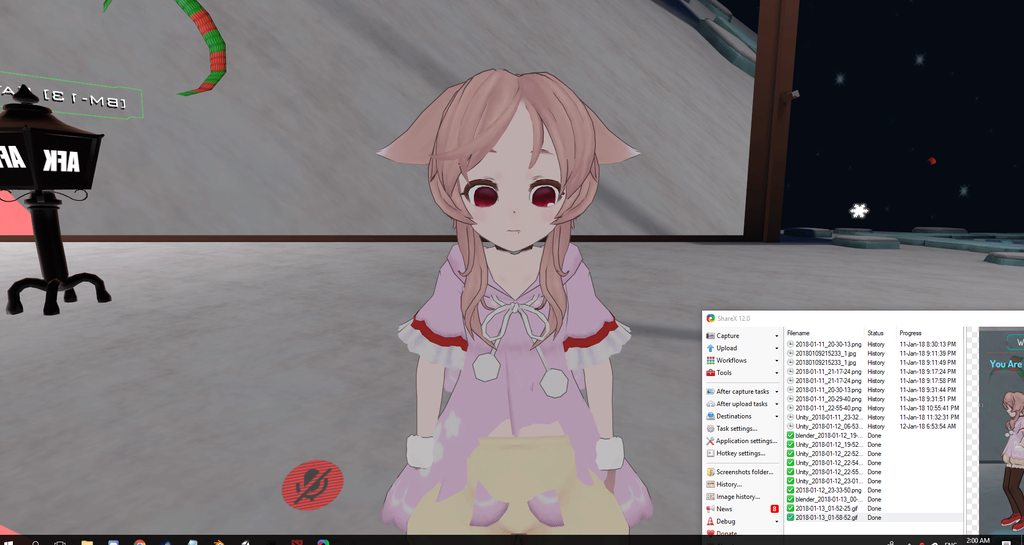 unreal palm
Similar to what i had yesterday just havent found out how to fix that
@ocean dagger I even think we have the same problem.
Just going to check if show in the avatar menu
 frigid pine
love thst stare tho
unreal palm
@ocean dagger i'm correct I have the same problem i know how to make the problem but i cant solve it
austere finch
How do you make stuff suddenly dissapear or reappear? Like, make a material dissapear and reappear instantly.
Nvm
Got it
 spare bramble
i am attempting to upload a avatar but every time i go to upload it keeps playing for some reason and wotn let me upload i have just spent the last hour attaching a weapon and setting up the animations so i wanna try it out any help?
 sacred gate
@spare bramble go to the 'Game' tab
ocean dagger
@unreal palm Is it a bug? I'm trying to keep my sanity here
spare bramble
@sacred gate did that still got the same issue :/
sacred gate
@spare bramble what does the game tab show?
spare bramble
just the avatar with its animations playing i can see the rainbow hair changing colour its says on the bottom you cannot edit your vrchat data with the unity application runnning
sacred gate
can you send a screenshot of it?
spare bramble
sacred gate
try saving the scene and re-opening unity
if that doesn't work, have you updated your SDK to the 2018 one?
spare bramble
didnt work i havent actually downloading the 2018 one atm
updated to 2018 sdk still got the same issue
sacred gate
hmm i don't know then, sorry
austere finch
Omg I finally got a blinking animation! Now I can apply it to all pokemon models.
unreal palm
@ocean dagger Dont know if its bug but i have just been trying to work around it
ocean dagger
spent about 8 hours today trying to fix it lol
unreal palm
Yeah same here
ocean dagger
that relieves me a bit that it's not just me
spare bramble
figured out the issue for some reason the pipeline script not being enabled was causing that issue @sacred gate
ocean dagger
i sent something to tupper, hopefully he will see it
sacred gate
ah ok that sounds right
spare bramble
hopefully my first weapon attmpt goes well need to start up my vive
unreal palm
@ocean dagger Nice hopefully
 daring frigate
Does anyone know if there is a difference if i put an animation in an emote slot or in any other slot ?
 agile arrow
will any partical effect from the unity asset store work with vrchat?
sacred gate
@agile arrow no
agile arrow
anyone know a good lighting effect?
spare bramble
ok so i uploaded the kanna avatar i added a weapons to although something strange happened it appears on the avatar list however it is a large red avatar and doesnt load i dont know why?
anyone know what the red avatar means so i can find out what could be the issue?
 quick goblet
I've been super happy that my avatar finally has the Howitzer animation working, but I need to fix her being glitched and sitting in the ground when she does it. Is there an easy way to edit an already-saved animation if I've deleted the duplicate model used to create the animation in the first place?
when I try to click on my model and go to the Animation tab, it just says "Create new clip"; doesn't allow reopening an existing animation to edit it.
in the future, it's probably best I don't delete the duplicate model being used to create and set the Animation clips, but for now I'm curious if there's a way to fix it without recreating the clips from scratch
 wanton flame
duplicate
create a new animation so a new controller will get created
go to animator and replace the animation you just created with the old one you want to edit
quick goblet
ohhhhh! Thank you so much Forgery!! 💜
wanton flame
sooooo
does animation work for you though?
I tried to animate a shader and I just sink to the ground zzzz
quick goblet
that's a problem I'm trying to figure out too
quick goblet
when I create the animation, my character just sits in the ground. Unsure if I should be setting every bone so it doesn't translate me into the ground
or if there's a step I'm/we're missing
wanton flame
do you mean halfway?
quick goblet
yeah, half my body is stuck in the ground for the duration of the animation
wanton flame
I edited idle, so I sink into the ground all the time lmao
quick goblet
oh no 😦
wanton flame
pretty sure I did everything right though
quick goblet
I'll probably end up creating a blank for my Emote animations where the character is set to default idle state
wanton flame
someone suggested to animate the root t as well to lift the character up, but still the same
quick goblet
with all the bones with their default values
hmm, strange 😦
if there's an answer, hopefully I can read back or get pinged with it
wanton flame
how many frames does your emote have?
quick goblet
it's about 13 seconds long, so 780 frames
wanton flame
I just watched a video where someone said it has to be 1 second, but he was just adding a sword
not sure if it applies to actual animation and not just enbaling things
quick goblet
yeah, for held items, I think the frame limit is possibly important
plush meadow
Yeah.
For static weapons, you want animation at 0 and 1 second mark.
I believe it's the same for a gunshot/muzzle flash effect.
wanton flame
holy shit why is my user name in discord jumping up and down?
my ocd
but anyway, my character is still inside the ground
 warm furnace
What happens If for a gesture overrride, on the animation models, I remove a component like a mesh render. But In the main models, the component is still here ?
wanton flame
when I try to animate a shader
it doesn't matter what you remove as long as you don't use it
teh animation should only affect the parts you chose
warm furnace
Hmmm
wanton flame
which is why I don't udnerstand why I sink into the ground
warm furnace
OK
 red pumice
So I think this belongs here, I am using Cubed's shaders and I'm triyng to get the rainbow shader to cycle faster, how would I go about that?
 versed hornet
Hello everyone. I just attached a particle to my weapon and added it as an animation. In Unity it all looks fine, but in the game it's on the ground and not following the weapon. https://streamable.com/19wlj
It has the right wrist as it's parent and I don't really see what i did wrong. Any ideas?

@red pumice if there is no option for the speed, you can probably rewrite the shader
 abstract current
You can do dynamic bones on objects you pull out through animations right?
red pumice
@versed hornet I was thinking about that, too bad I'm relatively new to Unity so it will be something for me to dive into at a later date though im sure its a simple as changing a number or two
versed hornet
taking a look at the shader right now
wanton flame
@versed hornet maybe you could add it normally without an animation?
I think that's my problem at least
gotta make the shader move stuff internally and not through animations, maybe then I won't sink inside the ground
versed hornet
The weapon in itself is an animation too, so if I didn't attach it to an animation i would just have a particle flying around randomly :c
 split onyx
in tuppers guide he puts in the values for the victory sign in the muscle animation editor, but where could i get the values for other hand signs?
wanton flame
go to the body gameobject
and open blend shapes
is that what you want?
errr
I mean your avatar and then it's model
sorry that's what mine is named
versed hornet
i think he wants values for all the "default" animations
like thumbs up, handgun, etc
split onyx
yea that's what i meant
wanton flame
oh true
 spiral moth
I just saw the Mention I had above. My avatar is a humanoid yet the mmd models still sink into the ground.
 acoustic talon
https://www.youtube.com/watch?time_continue=67&v=xxSezH13vAI pretty sure this video tells you how to find the values for all the normal hand gestures
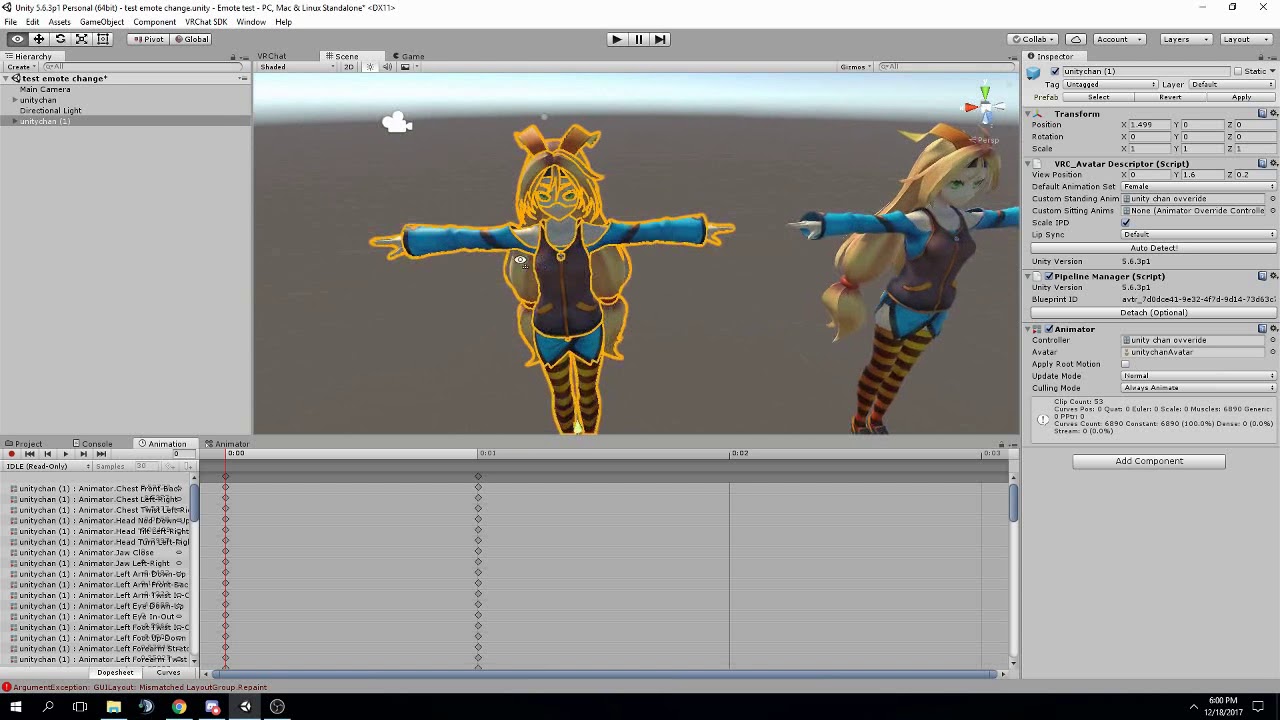


he also explains how to not fall into the ground in the comment section
split onyx
thanks!
acoustic talon
np, hope it helps cause there's barely any tutorials on this stuff
split onyx
yea i've been looking around a lot but couldn't find it at all
 empty wave
is there anyway to flip these particles so that they would be facing up without rotating the shape?
acoustic talon
probably by finding the particle texture, opening it in a photo editing program, and flipping it the correct way Id assume
split onyx
ah sadly it just shows how you override the default menu emotes
spiral moth
also how do you make a sound activated in an animation play the full sound instead of the first second of it?
acoustic talon
set the length of the animation to the length of the audio clip
spiral moth
i'm not good at animations in unity so how do i do that exactly? lol
acoustic talon
if you had a 5 second audio clip for example, you would set the audio source to be active at 0 seconds and again at 5 seconds
in the animation
spiral moth
alright
quick goblet
Thanks a ton Kremepuff for the Root offset tip!
 prime gale
Anyone know why now when I get in VR my avatar is on her toes?
acoustic talon
np
wanton flame
@acoustic talon thanks for the video, the comment actually helped
acoustic talon
@prime gale thats most likely either an issue with your in game height setting or where the vrc_avatar descriptor is located on the model
prime gale
Doesnt in game height just change the menu stuff?
Its set the same as my Rifts settings for my height anyway
Should it match my avatars height?
acoustic talon
if your height is too high or low in vrchat system settings your avatar will start bending their knees or going on their toes
 heady sundial
@abstract current of course you can
acoustic talon
sometimes the avatars are weird and youll have to set it off of your normal height
prime gale
So just keep it lowering it in game till she stops you think?
acoustic talon
lowering or raising, yes
prime gale
Aight I'll try that
acoustic talon
youll see the legs bend if you look in a mirror while doing it
prime gale
My rift has me at 5'9 (I'm actually 5'11 but this way I can reach the floor) but right now my avatar is like, 4 and a half feet tall?
acoustic talon
yea its probably just being wonky
prime gale
K, I'm gonna go make her a bit taller first anyway then I'll try the settings in game and hope that works
acoustic talon
you could also try removing the toes assigned to the rig in unity like someone else mentioned if it doesnt work
prime gale
Also, I'm probably gonna change some animations today to create props, are those toggles or do I have to hold the hand pose to keep it?
acoustic talon
you have to maintain the hand gesture for it to stay out
acoustic talon
could always make 2 versions, one with them and without
prime gale
true
 viscid loom
Hi can someone help ?
I want to use a vmd and turn it into a animation for vr chat if someone know how to do that can he teach me how to make it possible ?
Also can u help me with mixamo animation ?
acoustic talon
@viscid loom https://www.youtube.com/watch?v=V0l4-pH3vI4#t=13m29s this video should explain the process for mixamo animations

Creating custom animations for hand gestures and emotes in VRChat
viscid loom
@acoustic talon Thank !
any advice for vmd ?
acoustic talon
I dont have enough experience in vmd animations yet unfortunately
I dont think its a very difficult process tho
viscid loom
I hope
i manage to find some cool vmd
but i have no experience on unity and blender
just learned how to create custom avatar
spiral moth
The audio source is playing quitely without me activating the animation? I set it override one of the emotes.
viscid loom
recently
 chilly girder
I'm trying to put a flame on a lighter for my animation but it doesn't match up with the lighter no matter what I do, the effect is by my legs
acoustic talon
did you deactivate it on your model @spiral moth ?
spiral moth
yes
acoustic talon
and is the particle system a child of the lighter in your models hierarchy? @chilly girder
yea not sure what would cause that except maybe you have it set to loop @spiral moth
chilly girder
Yup, lined it up and made it a child before I duplicated it and started the animation. I'm trying a new particle effect to see if it's just the one I chose, I don't think that's the case though. @acoustic talon
acoustic talon
if its a prefab particle system with multiple parts, its probably got some setting thats messing with it
only thing I know of to fix that is to move the children of the particle system to the same level as the parent and break the prefab
sometimes that works
chilly girder
Yeah that's definitely what it is then, the flame was a part of an asset bundle.
acoustic talon
yeah, if putting all the particles on the same level doesnt work Id just manually make a new particle system and use the same particles the prefab used for it
try to emulate the effect
chilly girder
Yeah I might just do that, the prefab itself doesn't seem to have any children.
acoustic talon
yeah, thats what Id do. Sometimes the prefabs just arent worth the trouble
 dawn cypress
after on hour of getting an animation on my fist overide it seis it to large on one axis yet without the idem its not yet my character is atleast 4x bigger than the idem feelze bad man
spare bramble
so i added in a balisong knife to my avatar positioned it did the animation and put it on the finger point emote but for some reason in game it is 1. always out 2. behind me even though i positioned it to the hand on my model it moves around when i move my right arm so it is attached just not in the hand
any help?
plush meadow
First, you have to position it decently on main model.
Then, you duplicate the model and do the animation.
Making sure that both models have the same starting position coordinates.
 grave otter
Hey, when I sit on a chair with my avatar it sits inside the chair and not on top of the chair, how can I change the sitting position?
plush meadow
That's dependent on your model.
If it's a really small character for example, you'll clip no matter what.
SOmetimes I'm under the chair when sitting.
grave otter
you can't add an offset?
plush meadow
It's dependent on size and the skeleton I think.
spiral moth
The Audio Source works now but it now only lasts a second. It's frames are set to the length of the sound too.
versed hornet
If anyone has some experience with particles/unity particle system please let me know, im learning and got some questions
spare bramble
@plush meadow i just changed the position of my dupicate to be the same as the main model do i need to do the rotation too?
plush meadow
I'm not the best, but I can try.
Should be exact same position, yeah. @spare bramble
Otherwise your animation and main model will conflict with each other.

Example of what happens if the coordinates for both models are different.
From standing normally to crouching upon triggering a prop.
split onyx
Sorry for asking again but i rephrased my question a bit in case it didn't make a lot of sense.
Where can i get the muscle animation editor values for hand gestures like thumbs up or fingerpoint?
versed hornet
someone linked a video above Rai
split onyx
was it the the video right after my comment because i watched it and didn't contain the info i was looking for
spare bramble
nice well i sorted the positions what about the fact that the weapons always out? i was under the impression it would trigger when i did the finger point emote since i set it to that?
plush meadow
Did you position the weapon on the main model first?
Weapon always out is normal if you hold the same gesture.
Like drawing a gun out when maintaining that gesture for example.
versed hornet
My problem is a little hard to explain. I made a scythe and attached a simple drag-particle to the tip of it to make a "cutting" effect when i swing it.
I managed to make the particle follow my scythe after a while by setting the simulation space of the birth-particle to the scythe i attached it to.
This is what I used: https://youtu.be/sXwcqLaDmUc?t=61
Now if I swing the scythe, the birth moves with it and the particle emits from the right point, but it doesn't "sway" like it has velocity. It just stays the same as when i stand still. However when i move the whole character in the game, the velocity-effect works.

http://u3d.as/iqz Demo video of new effects of version 1.05 of Particle Ribbon. This is a free asset partly for educational purpose. This particular update d...
plush meadow
That's a tought nut to crack. I'd feel like you'd have to trigger the movement by programming the movement of the scythe to coincide with the effect.
Although I'm not sure how you would deal with that.
versed hornet
Yeah, I was expecting it to be kinda complicated, damn D:
I wonder why it's tied to the character movement now though. Couldn't there be away to just change that to react to the movement of the scythe instead?
 uneven flare
is it possible to copy the customanimationoverwrite from another characters and use it for another character?
plush meadow
No, because the character animation value would be different.
plush meadow
Like would you use the same animation values for a smaller person?
uneven flare
no
plush meadow
Like grown man to little girl?
versed hornet
You could just try it
it works with finger movements for sure
i have a "flipping the bird" one that I just copy over because the finger bones are always the same if all you use are mmd models
spare bramble
ok so made sure position and rotation where the same on duplicate and main model all i can think of is that i maybe made a mistake somewhere but the knife is definetely moving with i move my right arm just that its over my left shoulder for some reason
time for some food i think then i will try making another model with a pistol instead see if i can get it right i was off work today so i did nothing but look up how to use mmd models,guns and animations for the last like 6-7 hours
quick goblet
iktf... I spent like 11 hours on Sunday and 5 hours each day this week from Mon->Thurs doing model and animation
tranquil harbor
Same here
But it's been worth it, once you get to do it it's like kinda fun
Specially if you see the results in-game. I still have troubles with my model getting stuck in the ground while doing an animation but I think I found the solution
clear yew
any of you play Dota2?


any ideas on how to get rubick's staff particle animation into vrchat? xD
 prisma pendant
how to i make my avatar glow?
 vagrant tartan
what's the problem, stuck in animation?
vagrant tartan
isn't the max time limit for animation 10 seconds? maybe going over that breaks it?
ya you need to move the dots at 5:00 back closer to the beginning
thats a 5 min animation of nothing you got
also it looks like you're doing a gesture animation not an emote
you need VR for that
and it can only be 2 frames
for an emote it can be frame/sec * 10 frames long
so at 60 fps, 600 frames
Creating custom animations for hand gestures and emotes in VRChat
watch tutorial
clear yew
ok, Thank you
 dusty solar
Does anybody have a tutorial for how to get custom animations working with non-humanoid avatars in VRChat?
uneven flare
did you guys know how to make super sayajin aura?
 pale acorn
can someone help me, i tried to change the walking animation on the CustomeOverrideEmpty but when i enter vrchat its still using the default walking animation
 next obsidian
HALP, I thought everything was okay until this happened 😦 the sleeves are static and if I move the arm, the sleeve doesn't move with it
clear yew
@next obsidian look up weight painting in blender. (I have no experience w/ that but know thats the issue)
So, I'm giving my avatar wings, that I'm going to add in via animations. but, the wings are messing up my center of gravity, is there something I need to uncheck or do anything to fix?
hip bone w/o wings
hasty yacht
So ideally, when working with separate weapon objects/meshes beefore animating, where should the anchor point of the gameobject be? at the grip or in the centre of mass?
clear yew
Hip bone w/ wing
might need to add a mediary bone between the wings and the hips, if you look in the rig config the hip bone is probably deformed
next obsidian
@clear yew hmm I'll check thta out, thanks
 nova rose
anyone got that dab emote?
 candid light
anyone know why my animation might be super choppy looking? Like it's fading in and out of existance and it keeps fighting between several positions
But it looks fine in unity
spare bramble
i have a logo above my avatar but have no idea how to get it to rotate any ideas guys?
 frank wigeon
how can i fix it? want to add an Emote from Mixamo to this model
 woven hinge
what slots are the best to override for gesture animations? I overwrote some and the end result was the facial expression shape key animations that I was going for would play at the slightest movement of my hand in VR, and would rapidly cycle through them as I would open and close my hand and do other hand gestures.
 indigo cape
Is there free counter version to Dynamic Bones?
 slate crane
no
tranquil harbor
Jeez, I still can't manage to fix the stuck-in-ground issue
 clever trellis
Has anyone had this error after creating a custom animation? ):
 tacit latch
you might have an object stuck to it that is that far away
tranquil harbor
I was checking it and welp, I tried that but then again, when I use the emote I kinda get stuck but not in the ground and the facial gesture doesn't show up
It's really weird, now I'm really curious about what's the issue
clever trellis
@tacit latch ahhhh okay thank you ill check
@tacit latch yup for some reason the block i used for finger painting somehow upscaled to 100 on x axis and 1000 on y axis... lol fixed it and its good to go, thank you!
clever trellis
Does there need to be a trigger for the finger painting? I have the custom animation all set up but it constantly stays on even off of finger pointing
 jade kraken
ech
i REALLY need to learn how to make a custom animation / rig for this x3
otherwise i end up with problems like this movement here
Gyazo
tacit latch
@clever trellis you gotta have something to deactive it again. try handopen
clever trellis
ahh okay. lemme see if i can figure this out lol
@tacit latch so if I added the deactivating gesture, it should keep it from starting without the pointing gesture?
spare bramble
i am trying to attach and get this logo to rotate any help guys? i am cluesless i have it positioned and scaled just need to know how to get it to stay with my avatar and rotate
clever trellis
ahhh okay. yeahh the video i watched had no triggers lol. basically i wanted it to stop whenever its out of the pointing gesture
spare bramble
clever trellis
@spare bramble Place the logo into your hiearchy to say, your hips or spine or something. As for rotating, you need a looping animation for that.
tacit latch
or use the particle system
 crystal wolf
sillywillydillybilly
clever trellis
@crystal wolf lol hello pooh bear
spare bramble
ok did the hierarchy thing much appreciated know where i will find a tutorial for looping animations? i havent done them before
clever trellis
not quite sure on that one. Im still just learning animations at this moment
clever trellis
@spare bramble glad i could help!
crystal wolf
can u someone help me make animations
clear yew
hey so does anyone know anything about making animations for particles
spare bramble
@clear yew most people use the particle system under shaders to make petals and stuff come out of wings
clever trellis
@tacit latch sorry i feel like such a bother. but are the triggers created as Animation Controller?
tacit latch
never did triggers
clever trellis
ahh lol okay thanks for all the help though! 👌
warm furnace
Is there a way I can reset position of an object in my main avatar ?
(Like When I do some animation it move an other object in the space, and I want it to reset his position when I don't do any gesture)
warm furnace
Hmmmmm
No I don't think so it's particular. Because My object has rigidbodies, and a joint attached to the finger. So normally it follow the finger. But i've made an animation to make it static in the air. But after that, it mess up all the distance with the current joint. And doesn't want to comeback to inital position
spare bramble
i have seen some awesome dance animations anyone know where i can look for some i have certain ones like the hip hop dance, russian running man, gangname style
 abstract wyvern
Deviantart and youtube have some mmd motion data that you can put on a .fbx file in blender.
 paper haven
Am I missing any steps? I made an animation to turn a trail renderer's time setting to 1000 like in a tutorials I watched, and the animation has all the properties for the finger pointing and the cube's time changing, but it doesn't seem to work in game when doing the correct gesture? I did apply it to an override.
 short oxide
so how do you add particles and audio to an animation?
i add properties but they dont seem to do any6thing
spare bramble
@short oxide you can add audio to a model or animation by using add compenent then typing and selecting "Audio Source" as for particles there is a component called particle system you can use.
short oxide
ik that but they dont appear/play when i test the animation
so i have no way to know if my stuff really works
spare bramble
ah thats about to as much as i know i am afraid :/ i havent really experimented too much with particles
short oxide
ok but thanks for the help
 ivory lagoon
i put it in rigging but i'm having a very odd problem
i imported this model from dA and it works great, bones are fine
but there's this random mouth
it'd work if i moved it up but where do i move it up?
clear yew
Can I have a little bit of help? Whenever I try use a shape key/make a facial animation with a custom gesture it just bugs out
like it'll spam the emote repeatedly switching between doing it/default face really fast
 vernal juniper
how do ppl have their emote dance last the whole song?
 fluid light
can someone help me
i have done the blinking animation but when i go in game
my eyes are sticking out of my head
they are legit floating outside my head
vernal juniper
somekind of devil
 pure ledge
does anyone know how I can make a model float up in the air in an emote animation?
 tough cargo
so how do I fix emotes that stay in one spot when in use, some of them seem to not allow my character to move
paper haven
Anyone know how to get multiple colours while drawing? Do you have a seperate hand gesture that switches between colours or different hand gestures for different pens?
 heady lantern
Can I trigger custom animations on non humanoid characters with hand gestures? I'm able to do running in each direction but I haven't been able to get anything else to work.
 whole fern
do we have a list of what emote 1-8 are ingame?
pure ledge
its the same as the normal over-ride, just drag and drop it to the sit animation override
whole fern
he want's to add his own sit animation
 somber bough
help?
pure ledge
i've got nothing
whole fern
I got it
pure ledge
maybe its the idle animation when you drop it into the sit animation in the avatar description?
somber bough
nah, thats actually standing still
whole fern
you have two custom overides one with standing anims the other with sitting in the idles
somber bough
would that work?
whole fern
ya
somber bough
have you done it before?
whole fern
that's how you do it
somber bough
im sorry, but could you explain it a bit more?
i duplicate the customoverride and make the idle sitting?
whole fern
in vrc descriptor there is custom standing and custom sitting, you just make a copy of your anim sheet but replace the idles in the sitting one with the sitting anim you want
pure ledge
yee
somber bough
aight thanks
pure ledge
might as well repeat myself.
somber bough
lol
pure ledge
does anyone know how I can make a model float up in the air in an emote animation?
copy'd the wrong sentance
xd
 wheat lion
Anyone know good values for gravity in dynamic bones?¨
clear yew
does anyone know about how to use particles in this program
 manic rapids
Hello. When I use root of avatar for creation animation, they always stucking in the mantis pose. But if I use sub root, animation is creating fine. Can I some how use subroot animations for emotes?
prime gale
If I override the Victory emote so my avatars eyes shut and she smiles I need to still make her finger do the V pose right?
or they wont do anything?
somber bough
help? why cant i just move the limbs normally?
cyan sparrow
Is it possible to get any official response as to whether humanoid avatars can have custom animation controllers? They seem to be completely ignored by VRC.
 scarlet wave
is there a way to change walk speed of the avatar?
 forest pewter
Is there a way to test my mouth when I speak? I cant see my mouth move in mirrors but can on my dead body in CTF
somber bough
id just ask somebody else
 white seal
so I have some particle overrides, how do I attach an aimation to it? For some reason the animation window wont let me add a component
 bold jungle
i have an animation thats supposed to move around while dancing but i just stay in the same spot while dancing. is there a way to fix it?
 warm meadow
Hello All, I'm sorry if this is a basic question but my google skills have failed me, how can I change the alpha value of a specific part on an atlas map?
hasty yacht
@exotic kayak sup
short oxide
so how do you make an animator controller as a nonhumanoid?
everytime i try to use the default override it doesnt work
since i dont have all of the body parts
is it even possible to override as a nonhumanoid?
paper haven
I'm trying to make gaps in a drawn line using a different hand gesture, but every time the gap animation is done (it teleports the drawing trail rendeder to 1000,1000,1000 to try an leave a gap) it leaves lines to and from the position outside the map, even if I set the time to 0 in the override animation.) Is there any better solution or a fix?
uneven acorn
Is there other places to find free animations besides maximo
 opal saffron
Any knows where i can get the Geddan emote?
 dense radish
Is there a way to edit mixamo animations?
prime gale
So with props they generally need to be parented to a bone right?
I've parented this knife to basically the hip bones closest to it, but nothing else needs to be done in that regard with animation stuff?
Like if in my animation its supposed to be in my hand, do I need to do anything to make it stay there as I move around?
 arctic heart
does anyone know how to Start/Stop with Trail Renderer? So i wont need to write in cursive all the time
white seal
Pretzel any luck with keeping animations with the trail renderer?
paper haven
@arctic heart I've been trying the same, the guide I watched said to make a new animation which teleports the drawing cube to 1000 (out of the map) , it leave black lines everyhwere though
white seal
I just want my trail that overrides my hands to maintain the hand animation
How do I have my trail render AND add the hand animation so I can keep the finger point
paper haven
Make the hands point in the animation
white seal
it locks my ability to edit the animation once I get the trail render animation made
add proptery is greyed out
property*
paper haven
I made a duplicate of my model and made the animations on that
 primal gull
so im trying to animate a finger but everytime i change the rotation value, it switches back when i choose another keyframe
can anyone help me out?
 stray gulch
ayy anyone here?
 outer mural
does anyone have the anime run animation?
 sonic tiger
Anyone know why my mouth is stuck open all the time?
outer mural
rotate the chin bone up
sonic tiger
I have all my visemes set up, and they work perfectly, but I talk with my mouth open
when I do that, my jaw clips through my head in unity
tranquil harbor
Did you replace the jaw bone with the visemes in Unity?
sonic tiger
yes
tranquil harbor
Hmm
sonic tiger
my mouth opens even if I unmap the jaw completely
 cloud island
Hey so I tried implementing the VRC_trigger to make it so avatar accessories can be toggled on and off but it's telling me they're not supported? Have they banned that feature?
 normal skiff
it definitely isn't whitelisted for avatars
is there some way to set things up so that when a bone is rotated some amount, it triggers an animation?
plush meadow
Okay.
normal skiff
I want to revisit this stupid model I have where the open and closed wings are two different objects
plush meadow
Can someone help me with my muzzle flash/gunshot animation?