#animation
1 messages · Page 22 of 1
 steady heath
 cyan sparrow
You can have an animation in the emote for up to 10 seconds
Also you won't be able to move or do anything during the emote
So it probably isn't the best solution for playing a piece of music.
cyan sparrow
You can always make a 2nd version of the character that auto plays the music
 obsidian oxide
cyan sparrow
obsidian oxide
cyan sparrow
And then switch back to the other model when you don't want it
obsidian oxide
any one know how to fix
cyan sparrow
@rain canyon Is that the normal state or when you lean back or something?
steady heath
I'm really not trying to make it play music, per se. I'm trying to get it to play a single soundbite whenever I select the Emote (said soundbite is less than a second long), without any looping for one of them.
cyan sparrow
You can make the animation 1 second long then
obsidian oxide
normal. just like floats up when i stop moving
cyan sparrow
But you won't be able to move during the emote, except whatever motions you purposely animate in that emote.
 nimble cobalt
@unique night I dont really how to edit vertices and bones :X
steady heath
That sounds fine.
cyan sparrow
@obsidian oxide Have you got dynamic bones on it?
obsidian oxide
i do not.
 plush jungle
hey guys
steady heath
Well, how many frames are in a second for this game?
cyan sparrow
@clear yew Then I suggest make the clip 1 second long, and add a Root.T animation property and make sure your characters feet is on the plane in Unity so he doesn't sink into the gorund.
On the animation timeline, 1:00 is 1 second.
plush jungle
I have a question : I want to add sound effects to my model, how long can the animation be ?
cyan sparrow
For what?
 clear yew
oof
cyan sparrow
Gestures: As long as you hold the gesture. Autoplay: Forever. Emotes: 10 seconds.
steady heath
so, are you saying artifically extend the soundbite so that it has "blank sound" for the entirety of the second?
RIP
clear yew
I'm also getting pinned rip
cyan sparrow
No?
clear yew
there you go
 covert linden
@unique night One small question before I prob don't need to bother you anymore, How do I make materials/textures for my particles?
cyan sparrow
On frame 1 you enable the sound clip. On frame 1 second on you disable the sound clip (or not)
plush jungle
@cyan sparrow the problem is i have a 2sec starting sound and after that i want to repeat the same 4 sec till I end the gesture
steady heath
that's a lot.
cyan sparrow
@plush jungle Not sure, I don't have VR, might need to wait for someone who has done that with gestures.
I am not sure it is possible.
plush jungle
but gestures constantly repeat itself right ?
so i guess i have to make the animation super long before it restarts right ?
cyan sparrow
But anyway, Mako all you need is 2 frames. 1 at 0:00 and 1 at 1:00. At 0:00 make sure the sound is enabled, and at 1:00 it disables (or the animation ends, which would disable it anyway).
steady heath
What if the soundbite is checked to "loop"? I have a 6 second one that is.
cyan sparrow
@plush jungle: You can only really enable or disable things in gestures. You couldget 4 secs of sound repeating, I think. But I think it is impossible to also have a start up sound that doesn't repeat.
steady heath
Would it end regardless?
cyan sparrow
@fringe harbor Yes
steady heath
I see.
cyan sparrow
Emotes cancel whatever is going on at the end of the animation, or after 10 seconds, and returns you to normal gameplay.
steady heath
10 seconds is the cap?
cyan sparrow
Technically less due to exit/transition times for animations
steady heath
Because when attempting to use my first attempt, I would rapidly vibrate for about... 25-ish seconds, unable to move or do anything.
 unique night
@covert linden create > material (in unity)
steady heath
This would carry over to other avatars lmao
unique night
then add the image you want
plush jungle
hm so i have to do 2 animations one for the start and then change gestures realquick ? :/
cyan sparrow
Yeah I donno, it could be because you used such a weird 2 frame animation
unique night
but you can also stick an image in the renderer section of the particle too
and that'll create it for you i think
cyan sparrow
And it if didn't have any Root.T adjustment it may have tried to put you in the floor
covert linden
@unique night just any old image will do?
cyan sparrow
Which maybe might have caused the vibration? I donno I've never seen that before
steady heath
I was just following both Tupper's and someone elses advice for creating animations.
cyan sparrow
2 frame enabling animations are really meant for gestures
steady heath
Could you elaborate on what you mean by Root-T thingie?
cyan sparrow
When you go to make your animation, do you see that your character's feet are not on the ground?
cyan sparrow
Your character will move so that their body is half way into the ground
steady heath
If you mean rapidly vibrating in the ground
unique night
its for a dbz aura
steady heath
then, uh, yes
cyan sparrow
I mean in Unity
unique night
but same principle applies
cyan sparrow
When you make the animation
steady heath
I don't... think so?
cyan sparrow
If you don't tell Unity to shift the character up a little bit, it will actually put you in the ground when you use the animation in game.
unique night
@covert linden https://www.youtube.com/watch?v=CnykzgSxtz4

Made a little tutorial for some friends in VrChat. Hope this helps if you have any question you can ask on my discord, Also regular content should be back so...
that might help you understand it better
cyan sparrow
It usually doesn't cause problems but the 2 frames thing could be an issue.
steady heath
Double checking now, it's at 0/0/0
the duplicate, that is
which I made the animations on
cyan sparrow
Right, but that is its middle right? not its feet?
You have the grid on in Unity, right?
You should be able to tell if it is in the floor or not
If it is, you need to add a Root.T property to the animator (if you have a humanoid rig) and shift your character up a bit
cyan sparrow
So their feet are on the ground rather than their hips.
Thats the one you made the animation on?
cyan sparrow
But when you go to make the animation on the duplicate
What happens to it?
Try it now.
steady heath
nimble cobalt
@unique night I give up i just delete the cap x)
steady heath
Spawns on its exact location.
cyan sparrow
@clear yew is that with the animation tab open and you made a new animation clip?
steady heath
RIP
clear yew
I wanna cry
cyan sparrow
ANd you turned on the sound on frame 1?
clear yew
Let me just
cyan sparrow
I'm pretty sure it will put him in the floor, unless it is a generic rig, in which case I have no idea if it would or not, but it should.
clear yew
okay continue helping fam 👌
steady heath
im sorry fam.....
anyway i can open the animation on the dup
lemme go take a look
unique night
@nimble cobalt that works too XD
nimble cobalt
Ofc
steady heath
 dusk oyster
anyone know what emote is what 1-8 off the top of thier heads or have a ss?
steady heath
ok, so when I hit record on the animation, The Boy is in the middle of the floor, yes.
cyan sparrow
Yeah
So add the animator property Root.T
And shift him up
Make the animation as long as the sound clip, at least. Then see if you have the same issue in game
If you do, then I have no idea why it is broken.
But that might fix it
steady heath
Ok, so I should click "Add Property," right?
cyan sparrow
Never used sound clips in animator, just muscles and particle effects etc. So there might be something weird about sounds, but I think if it is a relatively normal clip it should work
Yeah add property -> animator -> root T (down bottom somewhere).
cyan sparrow
shrug Your screen is screwing up, I donno how to fix your computer, sorry xD
Maybe dock the animator next to the project folder?
That is where I have mine, in a 2nd tab
steady heath
oi, don't you go blaming my computer for this
I'm gonna start the animations from scrap instead of editing them
so i'll check back in a second
yeesh, that still happens
there's gotta be a different tab for adding properties
cyan sparrow
Thats where I add mine
cyan sparrow
Never seen that
steady heath
ah HAH
if i just start selecting things, it cuts through the black mess
so, it should all look like this, right?
cyan sparrow
Yeah, click the arrow and shift the uh, Y, I think? Value up until your character's feet is on the floor
steady heath
can i just select him and set him to 0/0/0?
guess not, from what i can tell
like so, yes? Adds position along with Root T and Audio?
cyan sparrow
You can't just drag him
It will create that position one
Which will ruin everything for humanoid rigs
You need to click the arrow like
darwinian (1) : Animator.Root T
the >
Then enter values for Y until you see that his feet are on the floor.
Make sure to right click and remove the position property in the animator
cyan sparrow
Yeah
Now it should be good and if it doesn't fix things then I honestly have no idea how to fix it.
steady heath
Ok. So, after I de-select record, it's ok if the Root T.y reverts back to zero, yes?
steady heath
...lemme work at this.
cyan sparrow
Which means you set the root T value at the last frame
You need to set the same value on the first frame
Otherwise he will slowly rise out of the ground over the course of the animation
cyan sparrow
I don't even know what that does.
steady heath
Selects all.
cyan sparrow
Just move the red line on the animation timeline at the start, make not of if your character moves in the scene, and just make sure the value at 0:00 is the same as at 1:00
If not, you can click the key frame and copy it across or just manually type the same value or whatever.
steady heath
...When I put in the value I want (.24) and hit enter
it changes it to 0.01308
for some bastard reason
cyan sparrow
Sometimes the value will change a tiny but, but it shouldn't change that much.
Don't worry if it changes a tiny bit, but you shoudl be able to set it to something that is close to 0.24
steady heath
...Ok, so I if put it to 20
it changes to...
Something
So I'll just have to put in numbers greater than .24 until it reaches .24 eventually
god, now I know how people who put spaghetti code into video games feel
cyan sparrow
If you're having a problem like that I doubt you will be able to brute force it.
steady heath
my sympathies to them
cyan sparrow
It gets shifted for various reasons, I donno why it isn't letting you set 0.24 but your image before had 0.24 fine
steady heath
Ok, so by inserting 4.5 into Y with record on
i get 0.24540
which is damn close enough
cyan sparrow
Grats
steady heath
cyan sparrow
you should have the scene up
steady heath
but then, with animation off, that number changes
cyan sparrow
So you can scan across the timeline
steady heath
for A Reason
cyan sparrow
And see if your character moves up and down significantly (if it moves a bit, no problem).
 empty rune
i remade the character and now it says the character has too many polygons what should i do?
cyan sparrow
If you can't see the seen it'll be hard to tell if it is at the right point throughout the animation
empty rune
@cyan sparrow hey bro i think i lost my character should i use the new SDK or just put the older one?
cuz it worked fine with the older one
cyan sparrow
What do you mean lost character?
If it worked with the older one it should be fine with the newer one?
steady heath
Do you mean just click across the timeline and go back to scene to see what's happening?
plush jungle
@cyan sparrow So I heard that an animation for gestures can be 1min sometimes even 2 min until it bugs out
empty rune
i was animating the character to hold an RPG and it worked fine until ppl couldnt see me anymore and i thought it was an SDK problem so i replaced the 2017 with the 2018 SDK
cyan sparrow
@clear yew: Have the scene up at the same time, drag the red line back and forth so you can see what is going on during the animation.
 sacred gate
@empty rune that was server issues
cyan sparrow
Uh
empty rune
and then it uploaded as a transparent red dude went back to fix that and now it says i have too many polygons and i cant upload it
steady heath
RIP MY DUDE
cyan sparrow
That should have been @ mako
empty rune
so i am basically stuck with the red dude
steady heath
Ok, so I don't think it's doing anything.
empty rune
i really dont want to lose that avatar cuz its the most important one between all my avatars
cyan sparrow
Mako: And its feet are on the ground? Then everything is good and you can save the animation and try it in game
sacred gate
any enabled object will add to poly count. disabled objects don't count toward the poly
cyan sparrow
If it doesn't work, no idea.
steady heath
Here goes nothing
cyan sparrow
I've never done anything with sounds
cyan sparrow
Well you don't have any movement so it shouldn't matter
I suppose you could bake them all
And check that it looks okay in the little preview window
Of the animation file
steady heath
Well, I don't see anything happening in the preview window
which is ideal
but I also don't hear anything
cyan sparrow
In the preview?
empty rune
i uploaded the character and when i got on i saw the old character name and it was still the red dude is there a chance that the character didnt upload?
steady heath
WELP
Uploading now
LET'S SEE WHAT HAPPENS MY FROND
Hey! It works!
And it's so fucking quiet that I can't hear a god damn thing.
But like
that seems like an easier fix than "omg this shit is broken as fuck"
cyan sparrow
Check your sound FX though
steady heath
Audio Volume is all at 100
cyan sparrow
It might quiet for you if the sound FX setting is low
Then yeah you might be able to increase it in Unity, I have no idea how though
steady heath
Rather than that
I bet I can make it louder in Audacity
then create a new .ogg
but, before that
are you available? I want to test and make sure it's not just me
cyan sparrow
Not particularly, sorry.
steady heath
if everyone else can hear it fine, I don't want to unintentionally murder eardrums
s'ok. I'll find someone.
cyan sparrow
Yeah you have to be a bit carefu
But since it radiates from your char it should be loudest for you
covert linden
So I kinda go the effect that I want, used color over lifetime and such, but now it won't change color...anyone?
cyan sparrow
In unity or VR Chat?
steady heath
I asked a bloke in the Hub if he could hear it
 jaunty gust
I have had some issues with animations from Mixamo, where my model was doing weird stuff and glitched trough the floor. I have found this might be a rig issue because Mixamo rig =/= my characters rig. I tried to go to the settings of the animation (a dance for example to override emotes with), Copy the rig from my avatar's model, but it comes up with the following error.
steady heath
And I quote "I heard shit all." I can hear it slightly, so at least I know it's there.
jaunty gust
However, I do have a hip bone ofcourse -shrug-
steady heath
Just gotta edit in Audacity then! Thanks a ton @cyan sparrow . I was feeling hopeless for a bit.
cyan sparrow
Yeah I guess Emotes just don't like 2 frame things
Usually even falling in the ground isn't a problem because it is just an animation and you reset after
jaunty gust
Yeah it's not that, my feet glitch trough the floor and she dances like she has no hip or spine
cyan sparrow
but the 2 frame thing must have screwed it up, you probably at least need enough for the entry/exit time in the animation controller
jaunty gust
It's working fine on my other character, but I could upload that one to Mixamo and get the animation with skin, and that rig worked well
cyan sparrow
@jaunty gust I never got Mixamo to work properly for me, it just a broken mess
jaunty gust
Do you have an alternative maybe then, I really want some of the animations
Flair, Snake, Roundhouse Kick
Gonna need some of that
cyan sparrow
There are some nice free assets on the Unity store
Like fighting unity-chan
Should have a roundhouse kick I think'
jaunty gust
I'll give it a look
I found some avatars ingame that have like Flair looping 3 times and ending
Snake Hip Hop dance working flawless
Makes me jel, I need to be able to do that aswell
cyan sparrow
Yeah I donno, I always have feet or falling through floor issues no matter how I rig or bake etc.
jaunty gust
Hrmmmm
Isn't the rig stored in the overall fbx file though from the animation
I have this one running man animation that is just an .anim file
So with no rig settings, and that suddently works all perfect
cyan sparrow
You can choose to use the animation fbx rig or copy a rig from your character
Whether I use mixamo default + fbx rig, default + my character's rig, upload character mixamo + fbx, or uploaded character + my own characters rig, nothing works for me
jaunty gust
Yes and that is where the error message popped up because of the hip :/
cyan sparrow
But it might be worth trying for you
plush jungle
so what is the ONSP audio Soruce (script) for ? I dont understand any value in there :D
jaunty gust
And since this is an MMD ported model, Mixamo doesnt let me upload it :S
So I cant get a rig made for this specific character on the website like I did with my 2B
cyan sparrow
Yeah, try some of the free assets on the unity store
There is that Unity-Chan fighting one, and some other combat animations
jaunty gust
I'll have a look 😃
 dense radish
Anyone know why my avatar randomly opens mouth and shifts eyes?
cyan sparrow
Randomly or as part of eye and mouth tracking?
dense radish
his mouth opens though i dont speak
cyan sparrow
Do you have push to talk?
dense radish
no im muted
dense radish
its like all the visemes activate randomly
cyan sparrow
No idea, never seen that issue
 hasty yacht
what's the best practise for positioning the limbs in the first key frame when doing an animation, because I notice that by default your character is in a crouch/tuck stance
cyan sparrow
I donnot what best practice is but the idle one is a good spot to start from imho
 grim pelican
Is there a way to reset the model in Unity to the default T position? accidently played an animation and now he's crouched
 undone glade
@grim pelican Reason why we make duplicates
hasty yacht
^
grim pelican
Yeah I usually do! I messed up
hasty yacht
@cyan sparrow I need to take a look then, as when you hit record when creating a new animation, it defaults to the arms + legs bent pose
 white tulip
anyone know how to blend animation together, like i've seen people with avatars the have bass drops when they dab
covert linden
somehow I can't color my particles, anyone an idea?
 plush swan
anyone that can help me with turning my avatar invisible when i run?
i tried this but not working
cyan sparrow
When using the muscles it is pretty easy to get into a nice standing position
I don't think forcing T position will work very well
Because you need to animate with muscles, not bones
Which you can't drag anyway unless you get a paid asset from the store
Just typing a couple 0s, 1s, 0.5s into various muscles will get you a very nice standing pose very quickly.
hasty yacht
I did end up buying the muscle editor plugin
if only to make adding all the muscle objects quickly to the timeline ridiculously quick
that and dynamic bones seemed like a good investment
cyan sparrow
Yeah they are
hasty yacht
I'm currently working on chung from elsword, trying to find a decent particle system setup for the cannon and fit it inside a 10 second override
empty rune
is there a way to fix the server issue?
ever place i go 5/20 would see me
the rest only see's my name
plush swan
anyone that can help me with turning my avatar invisible when i run?
steady heath
Hmm...I can still hear the sound, and perhaps a bit louder, but it's still super quiet
and that's after amplifying it by 15 decibles in Audacity.
@cyan sparrow When I export it, it tells me that it will be lowering the volume on the audio it detects, so do you think it's absolutely nuking the volume level?
dense radish
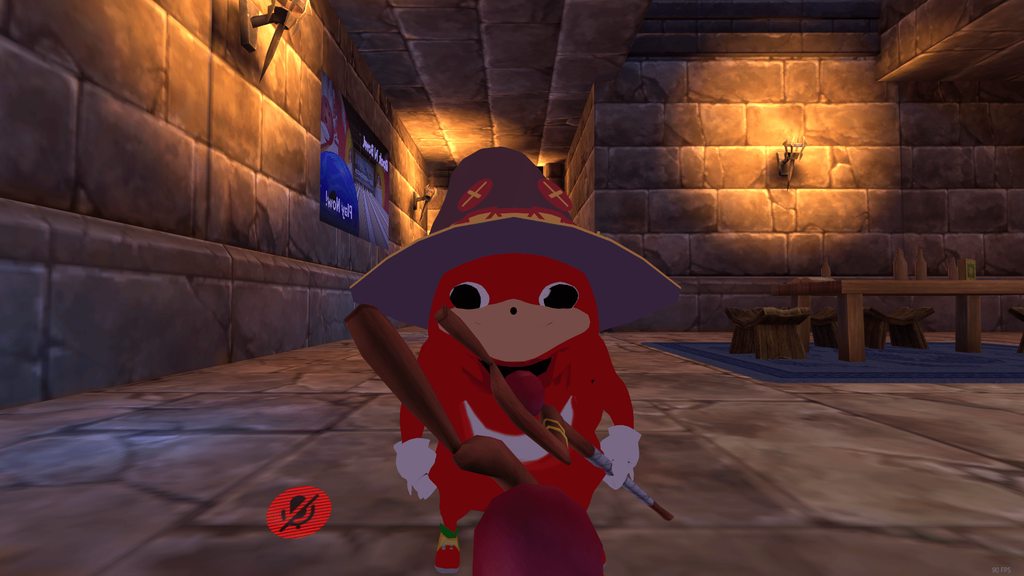
Anyone know why my mouth randomly opens? https://i.imgur.com/tGLwXLv.gifv
 cyan sparrow
No idea Mako, I don't have any sounds on my characters. I think there should be a way to increase the sound inside Unity. Best check that other people can hear it in game
steady heath
The blink is probably using a mouth morph instead.
cyan sparrow
Otherwise wait for someone with sound experience :<
cyan sparrow
Lots of people do sounds on their gestures
plush jungle
hey i am new to the audio soruce component :) what is a good max distance for the sound ? I had like 5 and people couldnt my sound after like 1 meter
@cyan sparrow btw the sound plays the whole 2 min
covert linden
Is there a way for me to keep my particles hidden but not their trails?
plush swan
need help making my avatar invisible when he runs, anyone that can help?
 bleak lark
need help. In game i have problems with open mouth and broken fingers but in blender its okey.
 spice meteor
can someone post me the picture where someone showed what kind of override animation is what ? vrchat devs werent the smartest when they named it STRAFELT135https://gyazo.com/705b4ace8386097f1ec01dfb6acbe125

 trim nimbus
strafe left 135 degrees?
spice meteor
i dunno is that so?
hasty yacht
so that describes a diagonal strafe
assuming strafel45 is going forward/left at the same time, that would be backpeddling/left at the same time
covert linden
WHOOOOOOO I think I did it, thanks everyone who helped!
 strange sun
is this the place to ask about weapons? My model uploaded fine, but apparently my weapons is invisible to others while I can see it just fine, same thing with my player model as well.
 echo gull
do the set animations have a max frame count ? i know about the 10seconds ... but what about frames ?
avatar uploading is kinda messed up at the moment ... sometimes it works perfectly and sometimes it doesn't ... (since about 2 days) happened to some of my avas yesterday and the day befor that
 pseudo pewter
Does anyone know if/how it is possible to change materials during an animation in blender?
 south jacinth
Seems to be the issue rn, could be the servers honestly @strange sun
One person saw my weapon when everyone else saw nothing
strange sun
damn, ok 😦 .
 rich scarab
Quick Q, is it possible at the moment to swap the texture of a material via animation?
Oops just seen @pseudo pewter asked roughly the same thing!
pseudo pewter
Yap
south jacinth
Yep, it is
rich scarab
Excellent! I'm assuming it would be done at the highest level of the object where the shaders and such are defined?
hasty yacht
I'm working on something like this tonight, a particle system that basically looks like the mako cannon: https://youtu.be/L1h8Xl3Vu98?t=1m16s

After the team defeats Weapon it continues its charge towards Midgar however by this time the cannon is ready and following the "Fire" command from Rufus the...
Guessing a number of different particle systems will be required here
south jacinth
Gotta remember
 sacred flame
Could that weapon issue be the same reason why I myself can't my own weapon ingame? Haven't asked if anyone else can see it.
south jacinth
that might just be an issue on your end
I’ve had one person able to see my messed up trigger gesture, while everyone else saw nothing
Honestly would need to collect more data from other people to form a validated opinion for it
 wintry matrix
yeah
I'm still curious on what type of optimizations/compression/processing is done to animation overrides/emotes once uploaded to VRC because I'll use 24fps capture with key reduction and such, and it can look pretty crappy in VRC vs unity and my 3d app.
 summer mortar
how can i override animation with maximo animation
 civic robin
how can i put face emotions on one controller and hand gestures on the other
 wide kindle
there should be a custom anim on the vrc descriptor I think slayer
I don't know for sure but I'd assume that's where you put them?
civic robin
yes but there is only one for both controllers
wide kindle
Sorry that was aimed at slayer, I know very little about actually creating the animations
I've only seen face emotions linked to hand gestures rather than having them seperately
summer mortar
@wide kindle i want to change the emote to do the animation?
wide kindle
I haven't played with maximo yet I only just learned about it but I will try it later and if you still haven't had your question answered and I figure it out I'll let you know
summer mortar
kk thanks
 finite rock
@summer mortar https://www.youtube.com/watch?v=V0l4-pH3vI4 15min

Creating custom animations for hand gestures and emotes in VRChat
summer mortar
@finite rock ill try watching it
 analog meteor
hey guys im trying to get eye tracking on my avatar but all the tutorials I can find seem to be based around mmd models im not looking to have blinking or anything as y avatar just has round cartoon eyes with a black mesh pupil any links or advice?
finite rock
Did u try using cat plugin in blender?
It has the option to create eye tracking on your avatar
And you can disable the option of your eyes blinking
well tbh idk if it works with all models
steady heath
After amplifying the sounds in Audacity by... probably 40+ decibles
I can finally hear it in-game
Like, at a level where I can respond to people with it
Probably not loud enough, but like
I'll tweak it, me thinks.
analog meteor
I tried to use cats but the create eyetracking button was greyed out no matter what I did :\
 molten rapids
how do I overide the blink animation so when I do a hand gesture I stop blinking, also so my mouth stops having visemies
Like when I talk while im doing an emote it makes the mouth not look right and my eyes still try to blink
 dull parcel
Anyone know how to use cats visemes with custom made keys
molten rapids
yeah, if you have the Ah There and the other one I can remember it automaticly makes them from the base three
dull parcel
i think i just realized my issue actually
molten rapids
ah okay
finite rock
@molten rapids Maybe if you create an animation where your avatar does not blink, and save as a gesture?*
molten rapids
When you do that, the idle animation (or atleas i assume its the idle animation) loops the blinking while I use the hand gesture
finite rock
even if you put your eyes open until the end of the animation?
 sage folio
what is the peace finger pose called in the override?
 slim jewel
probably Victory
sage folio
thx ❤
 spiral sphinx
Anyone know where I can find a particle like the shots in this video? https://youtu.be/eXC3lEVXzSM?t=19m47s or how to make one?

Outnumbered, Tekkadan turns to McGillis for assistance, and launches a mobile armor mopping-up operation. Meanwhile, a strange phenomenon occurs in the Gunda...
slim jewel
i have a problem with constantly open mouth. In Unity with the SimpleAvatarController to test it it looks like this: http://prntscr.com/hymio8
but ingame it allways turns into this
http://prntscr.com/hymkr7

 civic robin
how can i put face emotions on one controller and hand gestures on the other
wide kindle
@slim jewel Do you have anything rigged to the jaw bone
on the unity humanoid skeleton thing
 tall zodiac
i remember there being a plugin or something for making 2d sprites that fly above your head? Anyone remember? Since using a plane with a png does not work that well
slim jewel
no my jaw bone doesnt have anything attached to it
wait nvm. there are 6 other bones attached to it. 3 for lips and 3 for the chin
but the lower lip bones and chin bones arent asigned in the rig in unity
 prime walrus
i find when using a jaw bone
i have to adjust it to til up inside the head a bit
or it will gape open
*tilt
like a bad underbite
tall zodiac
ye its weird like that when using jawbone
dull parcel
anyone know how to get visemes in cats tool to detect custom shape keys
prime walrus
*i adjust it in the unity bone configuration thing to be clear
dull parcel
and meshes
prime walrus
you pick them from the dropdown
dull parcel
well i would but there is none
slim jewel
i did try to adjust the jawbone up but that makes my lower lip stick in or above the upper lip
dull parcel
and its showming meshes that don't exist
analog meteor
has anyone done eye tracking on cartoon eyes?
prime walrus
then its probably not applied to the mesh you selectesd
dull parcel
yes its not
prime walrus
it will select body mesh by default
dull parcel
thats the issue, the mesh doesn't show up
plush jungle
hey guys , someone can answere me a question about the audio source component ?
dull parcel
in the visemes mesh dropdown
plush jungle
which should be the max distance so they still hear the sound within 10 meters
prime walrus
@dull parcel screenshot your matreials list
er mesh list
make sure you get your new mesh
dull parcel
just renamed the mesh im working on in hopes it would work but no
prime walrus
what is the mesh you are trying to get in there?
dull parcel
well hold on
 fast bloom
you want to join your meshes before you do that part
dull parcel
i just renamed that mehs
but it didnt work
so I would want head mesh to appear
@fast bloom oh shit thanks
prime walrus
its still weird that the shape keys dont show up tho
fast bloom
yeah it's a bit odd
clear yew
will there be a problem if my character only has 3 bones ( 1 for spine, neck and head, doesnt need more)? It has no animations as well. Got weight textures, obviously.
I wanted to just maybe get some basic animations from the sdk
summer mortar
@finite rock thanks bro it works
finite rock
lol
clear yew
I know it sounds weird
fast bloom
I think you can get it ingame if you just leave the rig as generic instead of humanoid then
clear yew
i might upload a pic of it so you get the idea
clear yew
fast bloom
you could add some weightless dummy bones so you can do it as humanoid if you still want to see the default animations play on the top half
clear yew
When I think about it then if it just floats it wouldnt make much difference
fast bloom
his head won't turn in generic 😦
 half shell
i tried to add audio to an emote and it didn't work
clear yew
I literally have no experience with unity so I'll see how it reacted to me importing it.
Unity set animation type to Generic by default
for that model
finite rock
@half shell What happened?
half shell
@finite rock animation played alright, he was in the floor but otherwise it worked. no audio though
finite rock
@clear yew unity always set to generic i think
half shell
seriously don't think audio clips work for emotes
finite rock
@half shell did u ask anyone near you, if they heard something?
half shell
no, but i didn't hear it
finite rock
Depending on your audio source setting, you can not hear your sound
half shell
i can't guarantee if other people could see me either
should i just reupload and check with a friend if he can see me then try the emote
finite rock
yeah
half shell
will do 👍
finite rock
I can help u if u want
finite rock
I meant that if you want I can look at your animation inside vrchat and I'll tell you if it has sound or not
half shell
it didn't upload properly anyway i don't think
a friend told me yesterday it shows up as a red hologram
south jacinth
Emotes are a little finnicky with any animation override or audio
It can work, or it can break
half shell
anything noticeably wrong with my setup though?
finite rock
one sec
south jacinth
Turn volume roll off to linear dropoff
half shell
done
south jacinth
That way the way volume gets louder the closer you get to the person with the audio source (you)
south jacinth
I wouldn’t that bet
south jacinth
I doubt it, however, to test the audio source I would have it have it set to a custom gesture trigger
half shell
would the radius being 0 be the problem? :p
finite rock
Maybe your volume rolloff too
half shell
changed it to linear as @south jacinth suggested
also in the animation he dropped through the floor up to his upper legs
not sure why
finite rock
Your avatar?
half shell
i checked the animation in unity, he clips through the floor there a bit
i upped the root.t Y value until he was at the same height as the original model
now in unity they're both inside each other and the sound plays
so it looks fine
anim is now fine in the animation's preview too
i'll upload this shortly
finite rock
nice
half shell
gonna swap out a mixamo animation i used since it didn't work too well
what limits does vrchat have for anims? it seems like they are forced to point forwards and can't move around much
unless my animation just didn't work correctly
finite rock
As if it had some kind of maximum space to perform the animation?
half shell
his lower legs did not move, no x or y movement
worked fine in unity preview
upper legs worked fine
basically his feet were like glued to the floor
finite rock
Btw this is the sound settings i used so i could hear my own sound animation
i think u did something wrong with your animation
half shell
i imported a mixamo downloaded animation and shoved it into the override controller
half shell
the animation file itself?
finite rock
yep
finite rock
yes
half shell
though i did duplicate it out of the mixamo fbx
maybe that fucked it
btw does the radius matter for the ONSP settings?
you don't have it set on yours
half shell
what should max range be
2000 sounds like a lot and as if everyone on the map will hear it?
finite rock
no
clear yew
any custom animations muh dudes? looking for a few for my current model
half shell
try mixamo
export as fbx, then click the drop arrow next to it in your asset list and just drag the animation from within it into your override controller
clear yew
i dont like any of the ones on mixamo :/
finite rock
Maybe u can found some mmd animations in youtube @clear yew
half shell
you could try the unity asset store for free ones i guess?
clear yew
i have a few i can share with you guys but im not sure if i can upload files here or not :/
finite rock
well u can send pvt
wintry matrix
That's a good tutorial video except for the part about deleting the toe/metatarsal foot bones, don't do that part [he was wondering why his foot mocap broke and that is why]
 proud grove
Animation files are fine
finite rock
@half shell So your animations is working now?
half shell
in unity? yes
not sure about in vrchat
@finite rock audio source active only has one keyframe on the animation timeline, does it need more?
half shell
there is one right at the end
finite rock
Your animation must have the same duration as the sound time you are using
oh right
well i think it's right
half shell
still not sure if audio will work
but i will get somebody to check if it can be heard
i have also enabled the audio source object this time, it was disabled before, would that have made a difference?
it was unticked before
finite rock
well it needs to be checked
half shell
lol XD
that's why it didn't work then XD
i had it unticked while i was working on the rest of the model because it was getting in the way
with the circle
half shell
i'll leave it ticked when i upload
finite rock
Check it in the first frame and the last one
finite rock
ok
half shell
so it should work then if i upload
finite rock
i hope so
half shell
ty for help :3
finite rock
lol
sacred flame
Checked a different tutorial on how to import my own animations. This one: https://www.youtube.com/watch?v=V0l4-pH3vI4 but my avatar shows up as a red transparent model
Creating custom animations for hand gestures and emotes in VRChat
ingame
half shell
that's a failed upload i think?
you just need to reupload to fix that
i think it means the files were corrupted during the upload, probably due to the avatar upload server being terrible
i got that with an MMD model i uploaded, but i reuploaded and it works fine now
so
sacred flame
Btw should the pipeline that comes with the descriptor be attached or not?
half shell
you need the pipeline if that's what you're asking
don't touch it, just leave it on there
sacred flame
oh
Guess I gotta redo it all now then
Cause I just removed it and for some reason wont come back as attached when CTRL Z
half shell
rip
sacred flame
Stupid that It wont go back to attached
finite rock
yeah
molten rapids
So when I set the vrc blink, and visemins to 0 on one of my animations that I trigger with a hand emote, it broke my visemies conpletely
sacred flame
And now the model went away, cant see it but all dynamic bones. and when importing the model back its all pink. This is driving me nuts
half shell
i just looked up eye tracking and it looks like absolute trash to use
fuck that
what does it even do? just make your avatar point their eyes at other nearby players when they're nearby?
 static goblet
Yes
It makes your avatar look less like a soulles automaton like the main character in pokemon sun and moon
 sullen hill
How the heck do people have enough polys to have a full avatar as a doll prop in game? I've seen people pull out a "doll" avatar with dynamic bone limbs
half shell
how do you know it's a full avatar in full poly?
could easily be a lower poly variant
also i've heard there's a bannable way to get around the poly limit
finite rock
it's because when u add a fbx file with your avatar
analog meteor
because there is a bunch of exploits to upload things way higher then 20k polys
wide kindle
That makes the game run like shit tho doesnt it
finite rock
Hmm, no
analog meteor
it can
finite rock
I mean it's the same thing when u add a weapon animation
half shell
only if you use terrible integrated graphics or the person decides a 100k poly gun is a good idea
analog meteor
people have avatars with 200k poly dresses
finite rock
I think what make your game lag is things like dynamic bones
analog meteor
popular avatars
half shell
are those the anime ones that make me lag like dick every time i enter uganda?
@finite rock and yeah it would, high cpu usage
pressing play in Unity and jiggling around my Natsuki model causes Unity to use up a full core 100%
analog meteor
if you want to see how badly made things effect performance look at second life
half shell
pretty sure the poly limit is so non vr players can't spam
i doubt someone with a £600 Vive wants to go using exploits to crash people with high poly models
i'm referring to the high poly gestures being used ofc
analog meteor
the poly limit right now is most likely aggressive
but there needs to be a poly limit because otherwise people would start uploading zbrush models
half shell
also people in intel HD can barely run the game as it is
and for hardware as bad as that poly really does matter
analog meteor
like in second life people made a t shirt that has over 100k polys
if you leave people unchecked they have no idea what they are doing
half shell
or lazy
:D
you'd have everyone importing MMD models without decimating
so the maps would just be full of 100k+ poly MMDs
analog meteor
I think they stated at some point that the limit would be raised to 60k
wide kindle
60k seems like a lot
with how many characters you can have in a room right now, 20k seems appropriate
half shell
i think that might just be vrchat being very unoptimised
half shell
whether it's 32 Ugandan Knuckles or 32 animu girls, it still lags like shit in a full room
analog meteor
so you can infact make an item with 1000000 uv's and map 4k textures to each one
half shell
lol.
analog meteor
which is actually worse then polys
wide kindle
mine runs okay but I have a good comp
half shell
jk
finite rock
Sometimes the map use more cpu than normal
half shell
vrchat isn't exactly the most graphically impressive game as it is
analog meteor
is the login server down again?
 chilly girder
Anyone know why my item spawns away from my character when I start a new animation? It happened with something else and fixing the origin did the trick but this one doesn't seem to be working like that.
finite rock
Maybe if you change where this item is saved in your hierarchy?
clear yew
So im trying to add a mixamo animation to my model but it keeps telling that certain bones were not found even though they are in the correct place
finite rock
Your avatar have that bones?
chilly girder
I'll try that, thanks for the idea. I need it attached to my hand so I'll attach it to a different part. @finite rock
 wicked vine
I am trying to use a vmd animation for a avatar that i was finished on but when i hit the play button she does nothing
Is it broken because i deleted some keys?
finite rock
@clear yew Can u tell me how u added your mixamo animation?
@wicked vine what keys u deleted
clear yew
I downloaded it via a fbx file put into the assets section in unity
half shell
@finite rock audio plays the instant the avatar loads in, how do i change that?
clear yew
Then this error pops up
chilly girder
You'd need to trigger it with an animation I'm pretty sure @half shell
half shell
i have one already
chilly girder
Maybe it's activated on the first frame?
half shell
i created an animation that overrides another
wicked vine
@finite rock mmm all the keys but not the once on her face arms and feet
finite rock
@clear yew u should rig your animations as humanoid
half shell
it's set to play on the start of that animation
clear yew
i did
half shell
shit
finite rock
inside your main avatar
half shell
the object or the component?
clear yew
half shell
@finite rock do i disable the audio source component or the audio source object on the avatar
half shell
alright will do
finite rock
like i did
half shell
untick it?
finite rock
yes
clear yew
half shell
then i assume in the animation, "IsActive" ticks it for me?
finite rock
yes
half shell
okay ty
finite rock
ok @clear yew u did rig your animation as humanoid right?
clear yew
yep
finite rock
now click on your dance animation, inside your inspector tab click in configure
clear yew
all the bones for this animation are misnamed
clear yew
 fierce copper
are having fireparticles bannable? O.o
finite rock
@clear yew why your hips bones are gray ?
clear yew
no clue
finite rock
i think that is your problem
echo gull
so i made an 8.5second animation where my charater pulls out 2 items ... one bound to the right wrist and one to the left. ... on the avatar duplicate that i made the animation everything looks as it should. but on my main avatar when i let the animation run ... she pulls out one item but the otherone doesn't appear ... any idea what could cause this ? (i checked that they are in the same location and so on ...)
clear yew
i get this now
clear yew
there is nothing for spine
clear yew
Nope its only put under waist
 vital siren
i made a custom walking animation thats fine in unity but in vrchat its stiff and barely animates can anyone help
south jacinth
For particles it depends
An excessive amount of particles can have a crap load of polygons which is a pain for everyone in an instance
clear yew
I checked and nothing pops up as compaitible with hips
vital siren
so if the animation is too detailed it wont animate?
finite rock
can u send me your animation download link?
clear yew
fierce copper
@south jacinth ah okay, thank you
and does anyone know how people get those like
giant avatars?
i saw this person before who had this like, titan skin
and he had a knuckle on a like
rope
vital siren
can anyone help me with a custom walk animation not working in vrchat, but it works in unity
finite rock
@fierce copper u can just change your size inside unity i think
fierce copper
yah thats what i tried
but like
it has a cap in unity
and it gets nowhere as close as some of the ones ive seen
so i was wondering if there was another way @finite rock
finite rock
oh
clear yew
Did you use blender?
analog meteor
anyone very familiar with doing eye tracking?
clear yew
what does it mean when the checkbox is red? http://puu.sh/yYwa7.png

 abstract current
there a link to what each of these controls correlate to on the controller?
vital siren
huh?
clear yew
Well
vital siren
emotes and animations related to the labels on the left
like a walk animation for walkfwd
clear yew
Finger point is up on the vive touch pad and rocknroll is the bottom of the touchpad
Idk for oculus
abstract current
what another good animation to replace then besides rock and roll
clear yew
Handopen is the grip buttons
Fist is the trigger
It all depends on what you want. If you want to temporarily emit particles and sound hand open or fist is good to replace
abstract current
thats perfect thank you^
clear yew
Np
vital siren
if i link someone a walk animation from unity can they tell me why it wouldnt work in vrchat?
any help?
clear yew
I'm not at my PC but if you put it here or pm me it I can take a look in a bit if no one else does
 sharp herald
Hey, I've seen some people having lightsabers with an animation where the blade grows and I was wondering how they do this because every tutorial I've seen says to put only one frame in custom hand gesture animations. I've tried putting more frames but the result it makes weird things in game... would anyone who've already done this have some tips for me?
chilly girder
Yeah I'm wondering the same, how many frames should be actually be using?
vital siren

based on just looking at it why wouldnt it work?
the run animation works
for the most part that im seeing
 silk aurora
Can someone tell me why when I do my animation override I get this pose
I've followed many guides and none really say anything about this.
 muted prairie
i think that's default ?
 sonic tiger
Default humanoid neutral pose
chilly girder
Every guide I've seen so far uses that pose?
sharp herald
This always happens for some reason, just duplicate your model in unity before making the animation so the orginial is not messed up
clear yew
Duplicate the model work on the animations using the door then apply the animation to the original model in the override
silk aurora
Yeah, but when I do it in game, it gives me that pose
vital siren
dean u see my gif?
clear yew
Yeah
clear yew
I don't know why it wouldn't work. It might be but idk for sure
chilly girder
You duplicate the avatar and use the second one to animate. @silk aurora
silk aurora
I've done all that but sadly when I bring up the arth in my animation I get the crouch float in the actual game.
earth*
thats the dublicated model, I hide it after I animate and everything, but for some reason it just wont just let me stand when I activate the animation override
finite rock
@silk aurora U should make a idle pose then
add some property to your animation and change your avatar's pose
silk aurora
hm k
 jade kernel
can someone help i cant get my flashlight to work
 rapid mortar
u have to put batteries in first
jade kernel
@rapid mortar Are u kidding me o.O, i ment like a "Spotlight" to use in a animation but when i use it in vr the hand animation works just not the light
vital siren
also when u activate ur game does the animator show ur animation is being played or looped?
jade kernel
looped if im right
civic robin
how can i put face emotions on one controller and hand gestures on the other
finite rock
@civic robin are u really sure u can do that?
civic robin
i dont know thats why im asking
finite rock
well tbh i don't know that much about gestures animation
but i think u can't
i mean u can make 2 avatars
or mix your animations
civic robin
hm ye thx anyways
finite rock
well like i said, i'm not 100% sure try asking again later if u want
 fierce thicket
does anyone knows how do i remove the 1 min freezed in place of the emotes? I need to use emotes on that menu, that don't actually freeze my head or body in one place...
clear yew
So how could i combine 2 animations into one fluid animation
finite rock
@fierce thicket U mean u want to chage one animation inside the animations menu?
 finite rock
thumbsup / victory / handgun/handopen/rocknroll
fierce thicket
no, i know how to change animations. i want to know how do i make myself move while doing the animation
finite rock
fingerpoint/fist
fierce thicket
or if is it even possible
finite rock
add property into your animation tab
put the "bones" u want to move
have fun
@clear yew Maybe if u use simple avatar to combine 2 animations
clear yew
how would that work?
finite rock
tbh idk
 solar wolf
vital siren
solar wolf
vital siren
anyone know to get loop custom emotes?
 exotic ember
Im doing morgus's animation tutorial, but for the animation tab I already have it filled with what I assume is vrchat shit already and I dont see a way to add new animation
vital siren
i gotta make ur own
 blissful frigate
Click the dropdown under the record / play buttons
Should be an option to create new
exotic ember
I dont
vital siren
does anyone know how to get emotes to loop in vrchat
exotic ember
the dropdown only gives me a list of premade animations to choose from
idle-sample, walk, walkleft adn walkright
clear yew
im giving up idk why nothing is working for me anymore feelsbad
exotic ember
yeah
soon as I click the camera or light I get the correct window
but obv I dont want to animate those
exotic ember
man that shits not in the tutorial
exotic ember
done
abstract current
https://gyazo.com/d3745abf11aa8182fda490e686fcc247 Anyone tihnk they can help me? Is there a way to get that candle particle effect to move like the the other one?

 tame surge
how would i go about using an override to activate a longer animation
exotic ember
@vital siren is there another step? I cant see any difference
tame surge
give it a speed @abstract current
exotic ember
Oh wait, should I not have added the simpleavatar controller yet?
that looks like my issue
abstract current
speed doesnt move anytihng
vital siren
nel did u get it working?
 next obsidian
can someone share me the muscle animation editor? if it is legal
exotic ember
yeah, I just added the simple avatar controller way too early
also would it be possible to trigger the start of a particle system with gesture override?
 lean acorn
@next obsidian You mean weight painting? You do that stuff in Blender
 south mason
Is there a tutorial for making animations from scratch in unity?
next obsidian
no, I meant the unity asset
clear yew
same
lean acorn
Oh I see
 fading solar
i found a model but it has no bones.
clear yew
ohnononon
wide kindle
Add some bones
clear yew
south mason
Is there a tutorial for creating animations from scratch?
fierce thicket
yap, there's alot of them on youtube
south mason
For VRchat?
fierce thicket
yes
south mason
Do you know of a good one?
fierce thicket
just look for "how to create custom animatons VRchat"
you should find a bunch of them
i mean, anyone who has the person behind it speeking good english is good enough
 mortal creek
Hi guys i have a problem with the walking animation
when i modify it, and i load in into the game the char walk like stuck
it doesnt do the animation of walking
how do i fix it?
abstract current
https://gyazo.com/def7a5738eb45b6d0831fcc69023c5eb any animation gurus know if i can make that energy effect shoot like the particle effect
 half shell
@finite rock audio for avatar doesn't play when i untick the audio source object D:
is the way i am activating the audio source wrong?
mortal creek
@vital siren how xd
south mason
Is it possible to animate someone falling from a height?
clear yew
How do i animate the noe noe shader cause its not moving for me
finite rock
@south mason i would say yes
 heady lantern
Hello I have a few questions. First I have a character with custom emotes. Whenever I play the emote it plays it over and over so my character is unable to move. The only way that I can break out of it is to switch worlds. This character is a non humanoid so I think that may be a problem. Also I am unable to trigger other animations for this character. I can do run for each direction, the emotes (which don't quite work right as above) and idle. I can't do gestures or anything else with it. I am using an animator override but when I assign an amimation to a gesture or anything else it doesn't work. I wanted to use gestures as an easy way to trigger a single frame animation instead of going to emotes. Any advice would be appreciated.
 rapid cypress
clear yew
rapid cypress
clear yew
Its not moving with this setup
abstract current
you put the texture in the second
south mason
@finite rock Who would be best to ask about that?
clear yew
In the second slot?
 plush meadow
Okay so I've made the particle system and audio source.
How do I animate it and sync it to a gun model?
lean acorn
@plush meadow https://www.youtube.com/watch?v=wsaGVhIVSf8
 south mason
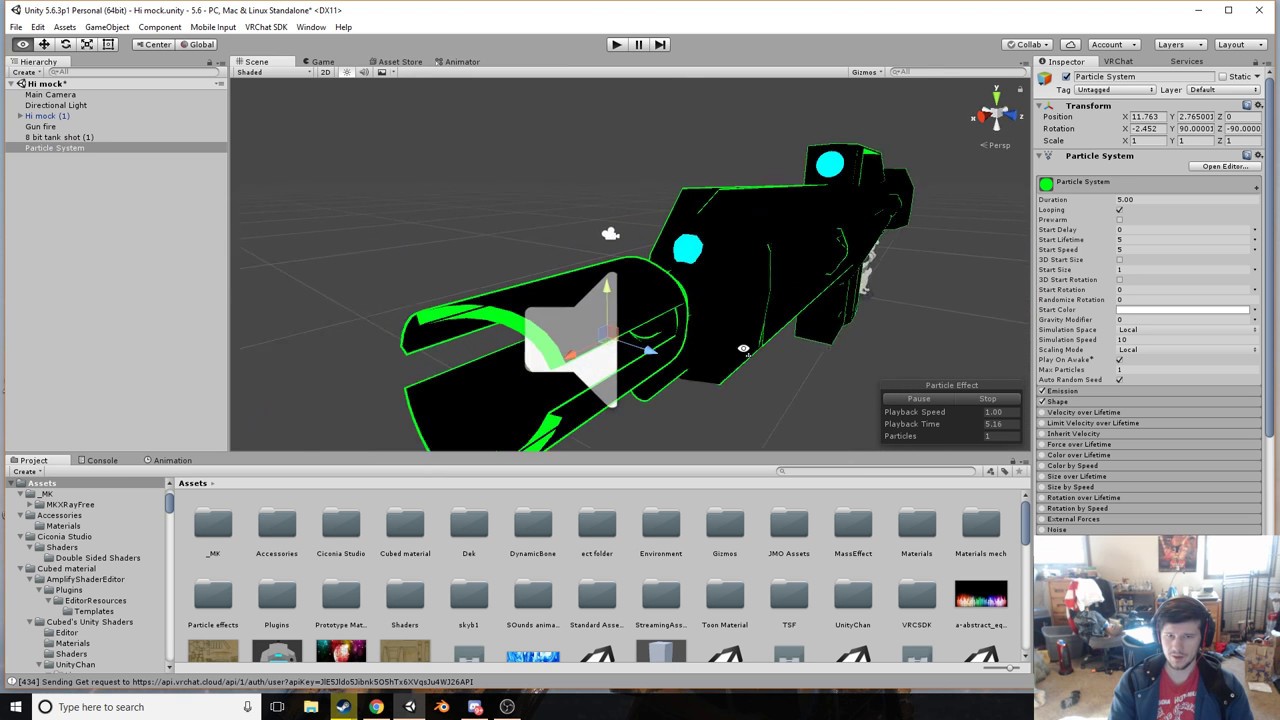
Why is Root-T adding numbers to itself when I write one in?
slim jewel
hey can someone help me getting my particle effect working? the animation itself looks like this and should work right?
http://prntscr.com/hyqsxq

normally theyre all not active ofc. but whenever i try to do the animation my character is just sinking a bit into the ground and constantly jerking up and down
clear yew
@slim jewel i have that same problem, i got it working before but now just nothing wants to work anymore ;_;
slim jewel
you mean http://prntscr.com/hyqurq ak3120?
 lean acorn
Are all of those effects under one game object?
slim jewel
ya
slim jewel
so i could keep everything active except the game object and make it active for the animation? lemme try that
lean acorn
Yes
As for the jerkiness of the animation in game, are the animation keys at the end of the anim correct or are they all at zero?
rich scarab
So a little Q here for any animators that have gone beyond the instant gesture animations. When performing say a 5 second animation for a character. Whats the easiest way you find to manipulate the armatures positioning? I assume there might be a slightly "Quicker" way than adding every armature piece to the animation and iterating over each and every key frame? (Not looking for smoothness here).