#animation
1 messages · Page 21 of 1
 unique night
name tags arent working for me :3
 torpid bobcat
Its all good
 half shell
so in animation he spawns in this stupid weird half crouched pose
torpid bobcat
Yeah
half shell
i wanna make him start in an idle pose, just stood up
torpid bobcat
You should duplicate your original model for animations
half shell
i did
torpid bobcat
okay
unique night
duplicate it again, add the idle animation to it (found in animation examples on the sdk)
half shell
oh shit you can do that
unique night
copy all frames to the duplicate that you want to animate with
*not frames, i mean properties
just the first frame will do
half shell
so wait
i create a second dupe
apply the default idle anim from the sdk to him
then copy all the properties onto my first dupe
which will just play the idle anim
or am i understanding it wrong? @unique night
unique night
no it'll give you the idle pose
if you copy the first frames only
the character might be off center but you can adjust that with root T property in the timeline
half shell
i wanna take the default idle animation from the game and add an audio cue to it to play a sound
unique night
its just a way to save you from having to add the properties you need individually
oooh
half shell
but i didn't know if we could access the default idle anim so i wanted to just create a simple standing pose
half shell
and it'll let me add properties?
unique night
and drag that to your first duplicate
hmmm, im not sure if you can edit it actually
havent tried it myself
i just used it to copy frames over
unique night
actually you can copy all frames XD
half shell
oh
unique night
that does the same thing
half shell
how do you do that? box select all keyframes? shift select the properties?
unique night
press F with timeline as active window with on keyframe selected
this will zoom out to show start and end
then just box select them all
half shell
then paste into the empty animation of another dupe?
unique night
yeah
half shell
actually how do i add it to him
the dupe
just drag onto him?
on the left?
nvm got it
 grim pelican
If I want to change the moving forward animation, should I override WALKFWD, RUNFWD, or SPRINTFWD?
unique night
i think the default idle example pose is rotated for some reason
half shell
how would i do that
grim pelican
All 3?
unique night
find the animator.root T and Root Q properties
in the timeline
and adjust their frames
unique night
oh XD
unique night
you should look up animation override tutorials first in that case
half shell
no i mean i know how to override
but i don't know how to keyframe
i can override if i have the file already
unique night
change the value and it'll keyframe the change aslong as the record button is active
the record button is on the top left of animation timeline window
half shell
where do i click to change the value of root q
unique night
keyframes are the blue diamond dots
half shell
and what should i change it to
unique night
For Root Q, zero them out
 steady plover
do any of you know how to fix the whole avatar sinking into the ground. Or atleast how to raise them up higher so that they dont appear to have sunk?
half shell
how would i move him to fit
not sure how
again, i have no idea what i'm doing
can i just change his transform position?
steady plover
tried moving it higher on the Y axis in unity, didnt help
half shell
do i need to be in record mode?
or
i tried to set the dupe to 0,0,0 but it seems his is different to the OG model's?
unique night
you animate the character using only animator properties
so to move the character around you need to use Root T
half shell
i have no idea what any of this means :s
i just wanna get the idle animation and a sound at the same time as an emote
half shell
i don't have VR it has to be an emote
i want to replace an emote with the idle animation.
and then add an audio trigger to the animation
so it looks like he's still idle but it's playing sound
unique night
yeah that would be easy, you just need to watch a tutorial and animating overrides
just to get a look at how to change values
half shell
thing is i did follow a guide
and the animation i got was him crouched inside the floor
i don't want that
i want the default vrchat idle animation
unique night
so you need to edit: animator.root T and animator.root Q
have you messed with the scale in any way?
unique night
lets focus on the position and rotate first then
find Root T
in the animation timeline
half shell
got it
unique night
😛
half shell
so just set those to 0 or
unique night
you want them at 0, and have Y at 1 or something
with Y, you'll have to experiment with the values to get the right one
when you type a value in to that keyframe, dont press enter. Just click anywhere on the timeline
and it'll place that value in, otherwise it bugs out a little and gives a random decimal
like 0.232424234
half shell
tried to put 0 in all of them, clicked off into timeline, got this
half shell
i clicked into the box, typed 0, clicked into timeline, it switched back to 2.161
unique night
lower the Y value slightly
 strong lily
asking here because its more appropriate: got a gesture override issue, I have 2 prefabs of a weapon placed on my avatar, one inactive on the hand and one active in a sheath. When using a gesture override animation to activate the one in the hand and deactivate the one in the sheath, the hand one appears instantly but the sheathed one takes a whole second longer to dissapear... triple checked where keyframes are placed and all that, what do?
unique night
for X, try typing in 0 and clicking on timeline without pressing enter
does that change the keyframe?
unique night
how many keyframes do these values have?
half shell
1
half shell
i right clicked the one next to x and pressed delete key and it removed the x propety
confused
unique night
not sure why it insists on not being 0
unique night
yeah
unique night
position and rotation
unique night
yeah just try to get it as close as you can then
half shell
excluding the fact that his pose is different, yeah
unique night
yeah
half shell
do i just take this animation file that got created and plug it into the override?
and then delete the duplicated model?
half shell
👍
unique night
if it doesn't the fix should be easy, you've done the hard part
half shell
ty for help either way
unique night
no prob 😃
 finite rock
hey @unique night I made a panel in paint 3d so I transferred as fbx to unity and put it to appear in my animation, however when I test the animation it does not appear.
 slim jewel
hey does anyone have an idea why my jaw allways is just open? i fixed it in the idle animation but it still happens. http://prntscr.com/hya6m8
 half shell
@Lakuza#3306 animation didn't work properly, half stuck in the ground, and the audio didn't play
 sacred flame
Any reason why the weapon I added doesnt show up in game? Does it have too many tris?
It worked with a different one, that had a lower amount
 clear yew
hey so is there a way to chenge the jump animation
 spiral sphinx
if i change the position of something on blender, is there a way to save it? currently in pose mode
 lean acorn
@sacred flame Could be a variety of reasons. Make sure unity is pointing to the right weapon
@spiral sphinx Explain?
You generally only want to change the position in unity and using animations
So only if you're using Blender's Animating tools
spiral sphinx
http://prntscr.com/hyaeck @lean acorn the headpiece

if i exit pose mode, wont it reset back to the middle?
lean acorn
If that's what you're going for, you will have to modify tris
Pose mode isn't used for that. It's used for testing the model's weights
spiral sphinx
how do i change the tris?
lean acorn
go to edit mode, select the mesh in question, and get to tweaking
 main light
Guys, i have a avatar that i want to float in the air, so i know how to do that, but i dont want it to walk in the air, i want it to sway side to side like its floating and not stepping on air, can anybody give me a answer to that?
lean acorn
override walk anims
main light
how?
lean acorn

Creating custom animations for hand gestures and emotes in VRChat
That's the basics. You'll have to ask someone with more expertise on the base anim override as I really haven't dabbled with that too much
lean acorn
Make sure your end key frames are what you want them to be and not all just zero defaults
 raven gust
clear yew
raven gust
clear yew
hey so which ones are the ones for spinting
 supple pawn
guys how can i make an animation where my model become invisible? do i need to touch the mesh?
clear yew
scale i think
clear yew
is looping on?
 civic oak
hey, for a model where the mouth is just a texture with multiple frames
would it be possible to create an animation that plays as the lip sync?
lean acorn

EDIT: If you are using an MMD model please read below! In this video I will show you how to make your 2D eyes/mouth type avatar have a blinking animation and...
civic oak
thank you so much!!
spiral sphinx
can someone help me change the vert on this gundam for the helm? i wanna just make it spread. pls halp
 fierce thicket
does anyone knows if it's possible to remove that function that makes you freeze on your spot when you use an animation from the menu? I would like to add some animations there that don't make me stay freezed on the spot...
lean acorn
You can only make it "seem" like you are moving with the static animations. You cannot actually override that
fierce thicket
no, i'm actually looking for moving my head (moving the models head when i move my camera)
lean acorn
@spiral sphinx Select the mesh in question, split it from the main object, then you can rotate it, reposition it, etc.
Not sure i'm following
fierce thicket
you know how do controllers from the VR users work? i basicly want to make the menu do the same
spiral sphinx
I have no clue how to do any of that @lean acorn
fierce thicket
not freezing you
 stable pilot
lean acorn
stable pilot
lean acorn
So you want an anim that does stuff with the body but allows you to maintain independent movement of your head?
fierce thicket
exactly
lean acorn
Only way I see what you want possible is by doing the emote override
But as far as I know it's impossible to do such a thing with the static emotes just because of the way they are set up
 chilly girder
Anyone know where to get the snake animation?
clear yew
Hey can anybody identify a mmd dance motion for me?
Theres a dancing avatar from “broken dreams” world with an mmd character. Female black and white with a red tie and she does a dance. Id like to know where its from
 forest terrace
when my char looks up, he moves his body and knees too far forward, is that animation or bones problem? I want him to use ONLY neck
civic oak
@lean acorn does that video you linked me to ever say how to do this in Unity? Blender is like a foreign language to me
lean acorn
Unfortunately you will have to learn either Blender or some other tool as you cannot do everything (especially stuff like this) in unity
civic oak
ugggh
 tawny elbow
So I have 2d visemes for talking/blinking and they work fine, but I know that in certain lightings in worlds the textures can glitch out. Is there any way to improve the 2d visemes so they dont do this? nbd if there isn't, I'm just curious. (Please @ me if you answer because I'm pretty busy atm sorry)
 plush jungle
hey guys which programm do you use for audio cutting ?
lean acorn
Audacity
slim jewel
im giving up on animations ... i tried to fix my constantly open mouth by changing "Animator.Jaw Close" from 0 to 1 in all the animations but instead every animation is totally scuffed now
and ofc i did it on a duplicate model and not the real one
plush jungle
ty @ak3210
 boreal magnet
@slim jewel This might be of help to you http://vrchat.wikia.com/wiki/Avatar's_mouth_is_open_in_VRChat

VRChat Wikia
Click the avatar model in your assets view, then on the inspector view click on the "Rig" tab and assuming its already on "Humanoid" select "Configure" It will ask you if you want to save, do so...
civic oak
i'm giving up too
too many things go wrong all at once when i try animating
slim jewel
hmmm maybe ill try that
civic oak
so i was following the steps of the tutorial but when i import the model it has no textures
boreal magnet
@slim jewel I was able to fix one of my model's alway agape mouth like that
civic oak
which is a problem when im dealing with textures
and then i hit material and the whole model was pitch black
plush jungle
@civic oak hm but this should have nothing to do with the animator :D just see if the model and the stuff u want to add is fine then u can start animating
plush jungle
mh ?
civic oak
god why can't i animate this in Unity?
i just want it to display one texture when i'm talking, and be closed the rest of the time
clear yew
Theres a dancing avatar from “broken dreams” world with an mmd character. Female black and white with a red tie and she does a dance. Id like to know where its from
lean acorn
Did you assign the texture in blender?
civic oak
i have no idea
the guy didn't say anything he just hit material and the model's textures appeared
shitty tutorial "ThePhantomXIII"
civic oak
i'ts plain white at first
lean acorn
Go to the bottom, select edit mode
Press A twice to select the whole mesh
And then in the top from Default mode go to UV Editing
In the bottom left of that screen go to open image
And find the texture image of your model
civic oak
i can't find open image
oh wait found it
eh screw it
i'll never be able to do this on my own
i suck at following instructions
slim jewel
mimikyu try Tuppers Megatutorial and follow that slowly and step by step.
 vale flint
Is there a way to import vmd into vrchat without uploading a seperate avatar?? When I do fix model in cat's blender tool, the animation stops working. But if I don't do it then I don't think I can use the other stuff in the plugin
slim jewel
thats how i got started. i watched the vid for a part-paused the video-did it in blender-watched the next part and so on
civic oak
i've tried.. i just cant
 red spade
Hey guys, did anyone else have issues with audio being quiet as fuck?
Im trying to have one trigger on gestures and its just barely audible at all
 hazy palm
How do people make a portal and make themself invisible by putting themself in the portal? I know its to deal with Particles, but I wish I actually knew how it was done.
 abstract current
ok, this model came with extra face expressions as meshs, should I keep these for making facial expression animations?
clear yew
hey guys so i wanna make a running import a running animation and i wanna know how to use it in the override setting
finite rock
@clear yew try override your running forward animation
clear yew
i did that but it's not working
 indigo lintel
Anyone know why my animation overrides wouldn't be displaying? I put a hidden prop on the Rock'n'Roll animation and people were saying they couldn't see it - could this have been caused by server issues?
I can see everything just fine on my end, but nobody else can.
plush jungle
the best way to add audio files in unity is with the audio source component ? if so how can i make it that the sound only starts after 2 secs eg.
finite rock
@clear yew Try override your walk anim then
clear yew
did that too
finite rock
And does your avatar continue to do normal animation, or when u walk your avatar bugs??
finite rock
Have you tried putting your animation in a loop?
@plush jungle inside your animation tab, activate your audio source in 2seg
clear yew
trying it now
plush jungle
@finite rock tyy so how do i make that the animation only repeats the 2nd part (hum)
finite rock
Like after it goes 2sec+ continue playing the song?
plush jungle
I want to make a lightsabber sound so i have the first part (1sec the ignition of it) and after that it should repeat the hum sound
finite rock
well u could just ctrl c what u did in your 2sec time , and ctrl v at the end of your animation
plush jungle
so i just have to make the animation real long ?
finite rock
I think if u want the song to continue playing while you have your lightsabber activate
You can finish your animation at the time you have placed the sound
plush jungle
so how long can an animation be for vrchat ?
finite rock
I do not understand much of animations performed with gestures
But I think as soon as you have activated your gesture, the animation will loop until you stop making the gesture
plush jungle
yeah but there should be a limit to the time
finite rock
Since you want to make an animation with sound, then at the very least your animation should last the time of the sound you are using
plush jungle
u cant put in a 9 hour song playlist in it ?
finite rock
Sorry i don't know
plush jungle
ok ty anyway
finite rock
Earlier there were some people asking if an animation could go over 10 seconds
plush jungle
i guess i will try to make the 2nd and 3rd keyframe as far aapart as possible
oh
10 sec is like nothing
plush jungle
fuh
finite rock
tbh i'll try right know
finite rock
I would tell you to try 2 things
Make an animation with the sound starting at 2 seconds, and ending at 2 seconds or before the sound of the lightsaber ends.
log in the vrchat, and test your animation
I believe in the worst case, you will be turning on and off your lightsaber
 scarlet comet
Someone alive and want to help a poor guy with a small avatar issue?
plush jungle
so i am back
finite rock
Or you try the way you said, putting the animation time pretty big.
but maybe your sound will stop early
@scarlet comet what is your problem, i'm still a noob using vrchat/blender but maybe i can help u
😄
plush jungle
the problem is that i have 2 soundfiles the one should only place once at the start and the other one should repeat itself after that
scarlet comet
Haha, pm ^^
finite rock
@plush jungle As I said, I believe that when you do an animation to replace a gesture, the animation will loop around in the last frame until you deactivate the gesture
plush jungle
oh it will only loop the last frame
:O
oh that would be awesome
ty for the tipp
finite rock
Well idk for sure
plush jungle
o
finite rock
but try at least one time to see
plush jungle
h
finite rock
i don't use vr, so i really don't know that much about gestures
plush jungle
nvm i messed up an animation before :D and the hands were constantly switching around
so it cant be on the last keyframe
finite rock
So sorry, if i don't help u
finite rock
Well pm if it's work
 hasty yacht
anyone had much experience with using animation events? i'm trying to call a specific script with them, but it only lets me choose from a number of different functions from a drop down list
this is in unity
 ancient pecan
is there a better way to "adjust" stock animations (ie fixing clipping issues) than editing the fbx's base pose?
lean acorn
Weight painting
finite rock
@hasty yacht can u send a print showing that drop down list?
clear yew
Who is the person who made the knuckles hanging from the noose?
 prime gale
So when someone with VR does, say, draw an item from nothing, thats just an animaton ovverride again?
My Rift arrives on Thursday (excite!) and I really cant wait to learn to do cool new things
I want to go all in on the avatar I have so it'd be neat to learn
lean acorn
Yes
 sullen plover
when i try to do basic animations my head stays in one single position, is that a problem of my rig or the animation itself?
hasty yacht
@finite rock sent you a message
clear yew
Who is the person who made the knuckles hanging from the noose?
prime gale
I still cant believe this is the title that made me get VR and finally learn Blender
and Unity
clear yew
Who is the person who made the knuckles hanging from the noose?
 torpid forge
Are key events not supported currently? Do i have to override an existing animation?
prime gale
All animations need to be overrides of existing ones atm I think
according to what I've learned anyway
torpid forge
is there anyway to toggle visemes only when doing a specific gesture?
lean acorn
Yes. Animation override.
 iron crescent
None of my posing information is showing up in Blender's dope sheet. Everything is visible and selected.
torpid forge
So if I wanted to smile when I do the peace sign id have to reanimate the fingers?
prime gale
Yea
Thats actually the exact example Tupper uses in his MMD conversion guide
I'll wait till my Rift gets here but what I'd love to know is how to do all that with VR, my hands and stuff are now actually a thing
finite rock
i think vr chat have a tutorial for that
prime gale
I've literally never held the Touch controls or anything so there's gonna be like a day of getting used to it anyway
roll on Thursday please
abstract current
any way to move left hand temporarly so i can see the right hand and edit the vlaues?
hasty yacht
going back to my previous message, does anyone know how animation events in the Unity animation window pulls in methods in it's drop down list? it's not showing the ones I've created in a script
 stray gulch
hey guys can anyone help me with a dance animation problem?
@finite rock I figured out my problem. emotes cant have over 10 sec. but animations baked into the model can
finite rock
nice
stray gulch
@devout chasmek but im stuck i did everything in the tutorial and my charcter is just standing still
hasty yacht
thats's nice to know, this animation i'm setting up was 14 seconds long ^^
stray gulch
https://www.youtube.com/watch?v=kWFvuRmTeFg&t=131s i did everything right until i hit play and nothing happens
Hi my name is Shana from vrchat and i started not long ago Learning how to import mmd dances to vrchat was one of the fun stuff to do for me so today im maki...
finite rock
send me some pics of your unity project
stray gulch
whats the hot key? for screen shot on unity?
chilly girder
Anyone know why my item I'm trying to connect to my avatar with an animation spawns away from my hand when I start a new animation?
and would it work the same if I just put it in place into his hand and finish the animation?
abstract current
(complete noob here learning) when im done with 1 animation do i have to duplicate another model to make another seperate animation
 plush meadow
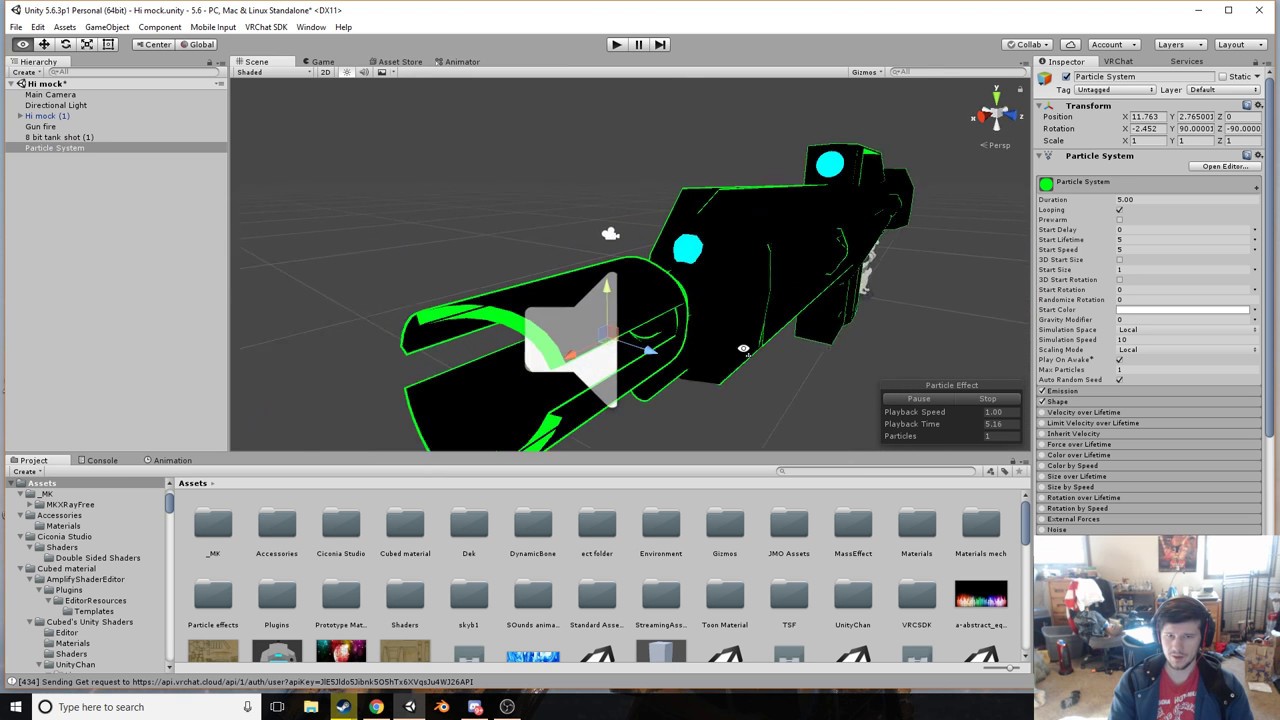
Where do I start in regards to adding gunfire/muzzle flash?
I've already rigged a gun to appear whenever you gesture rock and roll.
tawny elbow
So I have 2d visemes for talking/blinking and they work fine, but I know that in certain lightings in worlds the textures can glitch out. Is there any way to improve the 2d visemes so they dont do this? nbd if there isn't, I'm just curious. (Please @ me if you answer because I'm pretty busy atm sorry)
lean acorn
@abstract current No. You can go under the animation tab and right where it says the name of the initial animation you created, click that and you can make another one. Just remember to make sure both models are exactly the same if you plan to add more items and stuff.
@plush meadow https://www.youtube.com/watch?v=wsaGVhIVSf8&t=350s
 plush meadow
Don't I have to import a muzzle flash screen?
 hardy wagon
there is a way to override an emote with an animation, and still be able to move?, in order to spawn an item (a weapon for exmaple) without using hand gesture overrides?
plush meadow
I can get the sound.
lean acorn
You will need a texture for muzzle flash, yes.
@hardy wagon Emotes from the emote screen will completely override your whole model, however maybe you can override one for just a split second to just summon something that way, i'm not sure
 icy wadi
Any guides/tips on adding custom animations and emotes to non-humanoid avatars?
lean acorn
Can't help you there, haven't made any non humanoid avis yet
 pastel forge
@icy wadi
icy wadi
@pastel forge Thank you!
plush meadow
Anyone know how to flip the muzzle flash so that it's facing the right direction?
 errant oar
on the boxto the right try changing the start rotation input box is my best guess
plush meadow
Anyone here know how to get to particle dissolve/additive tab?
I don't have the tab.
 cyan sparrow
If you don't have the shader you'll have to download it or make it yourself, I guess.
 cyan sparrow
You're following some tutorial right?
cyan sparrow
It might be part of a newer unity then
plush meadow
It's the same unity version.
cyan sparrow
Or they just don't want to give it out
If it isn't in your shader list, you don't have it. Try to find it online and you might get lucky.
Probably the free asset they're using
 coarse crescent
did you export the animation right
 uneven flare
?
it's an already prefab effect
i just downloaded it from unity store
i want to make like jiren's aura
plush meadow
That was it. Thanks. @cyan sparrow
uneven flare
does anyone knows hot to make an aura like this?
 agile stratus
shaders?
 hidden fulcrum
So i tried to add a pistol with soundeffects to my avatar, but doing the gesture simply makes that hand go to it's standard postion. anybody know why and how to fix?
lean acorn
Check to make sure your end key frames arent set to 0?
 slender pivot
any reason why my custom animations won't work? i duplicated customoverrideempty/simpleavatarcontroller, modified it to my liking, put it as controller in my animator component. my rigging is fine, as it plays the default male movement animations in-game, it just simply won't read my custom ones
 gleaming drift
why do my animations keep replaying in-game after the button bound to it is pressed?
is this common issue?
lean acorn
Make sure your end key frames aren't set to 0
Otherwise it's going from the values you set it to back to 0 on a loop
If you want it to stay make sure the end keyframes are the same as the beginning ones
uneven flare
@agile stratus which one?
agile stratus
oh idk myself, i was only guessing
clear yew
did emote animations duration increase? mine seem to last about 35 seconds now
gleaming drift
@lean acorn only happens on animations that are more than one frame. I have one here thats 180 frames bound to the grip button on the vive. the whole animation completes but it will keep looping until I switch characters. Before I could cancel it by moving, but this one just wont stop.
lean acorn
Is this a gesture anim or an emote anim?
gleaming drift
gesture
havn't quite firgured out how to do emotes withit putting you through the floor
lean acorn
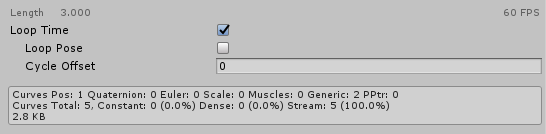
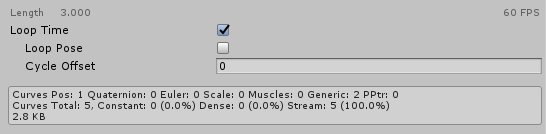
There's a loop setting you can disable on the anims once you save them as assets. Tried disabling that?
gleaming drift
oh really? Oh no. I knew it had to be soemthing simple
 quick iris
anyone knows a place to download animations?
 lean acorn
Try
hidden fulcrum
Alright, well I can create animations but i am stuck on the window of "Create", cant get to the adding keyframes and properties
gleaming drift
still repeats :/
now when I press another button is resets the animation instead of looping. Tried to both on the grip and trackpad. When it's the track pad the grip button will repeat it (not bound to grip)
lean acorn
I'm not sure how to do this
But if you have more than one animation for something
And you need the end to keep looping
You need to make it so that it just keeps looping back to itself instead of the start of the animation
Because by default it'll loop through the whole thing
gleaming drift
alright, thanks
 steady heath
For overriding, which animations are the most convenient to override?
 regal hollow
I do that and hand gun
hidden fulcrum
Well if its a hand gesture youre replacing, you do that gesture
For an example, if you set it to the peace sign, doing the peace sign in game would activate it
gleaming drift
@lean acorn I figured it out. It was because I had 1 particle system set on looping.
cyan sparrow
Does anyone know how to change blendshapes beyond their maximum in unity?
lean acorn
Nice
gleaming drift
Thanks
lean acorn
Np. Happy to help
quick iris
anyone knows a place to download animations?
clear yew
not sure if right channel, but how do you make it so you can draw with your index finger...I suppose it has something to do with particle system and animation overrides on fingerpoint animation?
hidden fulcrum
sounds extremely cool if youre able to do that
regal hollow
In pretty sure you put a tiny cube in your finger with a trail renderer. Then activate the trail renderer with a gesture.
steady heath
Ok...
so I've like, overriding everything
and put it into the game
but how do I "activate" it?
Oh wait
Ok, I figured it out.
Now the only problem I have is that it's absolutely broken lmao
Perhaps I should explain myself; I'm running around with this little dude here.
So I wanted to add some of the sound that he has in-game. So I followed a tutorial for both adding sounds, and adding animations, but when I use said animation in-game... the sound TRIES to play, but only like a milisecond of it does, on repeat, as I rapidly vibrate up and down for like 20 seconds.
Said vibrating persists even if I switch to a different avatar, meaning I have to wait it out lmao.
...What do?
uneven flare
does anyone knows how to do that? XD
 languid lark
@uneven flare wonder how many are scare spider freak out
steady heath
I'd really appreciate someone's help here for what I asked a few posts up.
 covert linden
hey guys, so I uploaded a mixamo breakdance clip which works fine in unity, but doesn't work at all in vrchat, I think its because it forces my character to stand? Anyone got a solution?
quick iris
how do i use animations from that site?
i tried and they didnt worked for some reason
:c
covert linden
whats your proces?
quick iris
wut?
covert linden
what steps do you take
quick iris
well i downloaded it from the site
tried to put it on the override
but it didnt work
hidden fulcrum
Alright, well I can create animations but i am stuck on the window of "Create", cant get to the adding keyframes and properties
covert linden
did you rig it as humanoid?
@quick iris you gotta rig it as humanoid and hit apply, then copy it out of that blue box until all you have is the animation, that should be put in a copy of customoverrides which you then apply to your model
quick iris
wait, rig the animation?
 lusty field
Is there a way I can cut off audio on an animation override, or at least tell it to reset upon trigger instead of it picking up where it left off when i trigger it again?
Context being a pistol.
It fires with the initial trigger, but when i release and trigger again it continues from where it was stopped instead of restarting at the beggining of the firing sound.
steady heath
@covert linden Since you seem to be the only one around, any comment on my particular brand of Broken Drier issue?
covert linden
@steady heath I just recited what I learned from a tutorial, I'm not experienced at all and don't know how to help you sorry
steady heath
I see.
covert linden
@steady heath yeah sorry, I was gonna see about adding sound to animation today tho, so maybe I can help you tonight somewhere
steady heath
Maybe; can't stay on much longer, though.
covert linden
I've seen the problem before tho, on a mccree model so perhaps someone can help you later, its still early
 rapid heath
What is a way to make an animation hold for a moment at the end
 royal thunder
Hey guys, so I am trying to apply a custom blinking animation that I made in unity with a clip, it works fine in game mode, but doesn't work in VRChat, any clues what I am doing wrong? I added a component to the model called "Animation" and I inserted the blink clip over there, blink has loop going.
cyan sparrow
The VRC SDK I have seems to give example animations that are completely empty, any idea what is up with that?
They have only 2 frames and both are the idle.
 timber whale
y i cant import vmd file to blender,need help
hasty yacht
I was messing around with scripts in animation events last night, but the vrchat sdk plugin refuses to upload when they're present, would be a clean way to trigger audio on a mouse click for shooting a gun
 white epoch
so my current issue is my character glitches up and down very fast and the sound bite isnt playing
unique night
@royal thunder is the blink animation set to legacy?
@white epoch is this just in general? for an emote? gesture?
white epoch
emote. I can't get gestures to trigger I don't have fingers
unique night
@rapid heath copy and past the last frames of the animation
and drag to the desired time
@white epoch just to make sure, you animated on a duplicate/cloned model right?
white epoch
yes
unique night
does it glitch in unity when you play it?
white epoch
It was working earlier jsut lost the file because I didn't back it up
no animation involved just making a pokemon cry
unique night
could you post a print screen of your emotes animation timeline?
white epoch
so just activating and de activating a audio source
unique night
oh ok, for emote you need to repose entirely
otherwise it will be stuck in the ground with legs and arms going forwards
and by having no fingers, you mean you dont have VR?
white epoch
yea the arms are not an issue the vr overides that just need to not sink in to the ground
the character has no finger bones
unique night
finger gestures should still work i think
worth trying that out later on
anyways to fix your issue:
animation timeline > add property
animator > root T
 torn shale
does anyone know if it's possible to edit the walking and idle animations or where to get some entirely new ones? Lots of my characters have skirts and the hands clip through them. So I would like to move the arms a bit further apart from the body
royal thunder
@unique night How exactly do I set it to legacy?
unique night
@royal thunder click the animation file so it opens in inspecter, click the little arrow in the top right of the inspector panel (next to that small lock icon) and select debug mode
from there set it to legacy
then, change it back to normal inspecter
and change wrap mode to loop
@torn shale you can edit all the animations, look up animation override tutorials to see how to do it in general. then, create your animation and place it in the appropriate animation slot
you can also look into getting dynamic bones plugin for unity
royal thunder
@unique night Got it! Going to test it.
unique night
good luck 😃
@white epoch did you find the Root T property and add it to the timeline?
cyan sparrow
Anyone know why the sample asset animations (in the male animation package) are empty?
From the VRC SDK?
unique night
@cyan sparrow i have stuff like walk, idle animations in mine
try redownloading/ importing
cyan sparrow
They play properly?
unique night
@white epoch wigging out, as in the values arent being applied when you type them in?
cyan sparrow
They're not atll 3.7kb?
unique night
@cyan sparrow they did for me, I created a duplicate and drag and dropped the idle animation for example
and it had all the keyframes in
(also a nice way to copy and paste the first frames for a new animation)
cyan sparrow
Are you sure? The idle is short anyway but what about run etc?
unique night
i dont have access to unity at the moment
cyan sparrow
Oh ok
unique night
but as a test, when you click on one of the animation
does that default character show up in the preview?
i think its a bald guy with a black bodysuit on?
cyan sparrow
Yeah he just doesn't do anything
unique night
you can drag and drop your model onto it to swap it out
white epoch
unique night
@cyan sparrow my idle pose is 1394 kb in its folder
unique night
@white epoch open the root T property up (little arrow) and edit the values until it matches the position of your original model
also for an emote, that wont even last a second
a second = 1:00 on the timeline
the timeline is displayed in frames, so its 60 frames per second
its an easy trap to fall into when you're new to it, had alot of people mistake 0:01 for a second when it should be 1:00 😃
drag the second keyframe for the root to the point where you want the emote to end
torn shale
alright thanks, I'll take a look 😃
white epoch
ok because the audio is 3 sec i make the emote last that long
unique night
yeah so it should be at 3:00 (aka frame 180)
white epoch
unique night
the frame number is displayed just under the name of the panel
 empty rune
hey guys
i have a question i made an animation where i have an RPG in my avatar's hand when i go ingame once i do the gesture my avatar jumps into this weird crouching pose i do see the RPG in my hand but my avatar is like flying while crouching
unique night
gestures shouldnt reposition you if you didnt add any to the animation timeline
empty rune
i didnt add any
unique night
whats the animation timeline look like?
empty rune
ok 1 sec
 sacred spear
i need some help i went through blender with a VMD animation put it on a model and exported it too FBX now in unity wheni try to make dublicate of the animation it does not let me it just does nothing but all the other files can be dublicated

 hushed fog
Guys! Help - how do for particles to not followed by my meshes, but follow their own path from start?
When im move my weapons - they follow it
cyan sparrow
@unique night Oh were you talking about the idle fbx or the male standing position fbx which has all the emotes/walk/run/etc stuff in it?
hushed fog
And how to place ground textures where it grounded?
unique night
@cyan sparrow yeah
cyan sparrow
My male standing position fbx is like 200kb and all the animations inside are empty
sacred spear
can anyone help me
 strange sun
Is this place the place to ask for help on adding weapons? Apparently mines invisible to people
unique night
@empty rune the timeline looks fine, i assume the other frames not visible are similar are only hand related too. so not sure whats causing the problem, could it be a problem with the rig/ bones?
oh wait
it should be 2 frames only
you have it set to 1 second
delete the 3rd keyframes
and make sure the 0.00 and 0.01 and identical
empty rune
oooh
unique night
@hushed fog not 100% but it might need space applied to world instead of local
empty rune
hopefully it works now thank you @unique night
unique night
no prob 😃
 ashen kite
Is there any way to force my avatar's arms slightly away fromthe body in unity? My hands are clipping into my thighs.
unique night
@strange sun turn it off by default, then create an animation that turns the object on
empty rune
do i need to do something to save the current timeline or does it update the file automaticlly?
hushed fog
@unique night set simulation space to world?
unique night
@empty rune animation files updates instantly but just hit save project+save scene
you can never be too sure 😛
strange sun
@unique night I have done that; to me it's visible, but not anyone else
empty rune
ok thanks
unique night
@hushed fog yeah, but keep in mind it doesnt work 100% with vrchat
its quite buggy from what i recall
cyan sparrow
Can anyone check their sample male standing animation pack from the VRC SDK and see if it has non-empty animations?
ashen kite
I'm guessing this wasn't the right chat then?
unique night
no its the right one
hushed fog
@unique night hmmm thx anyway - try this. And do you know how to do visible particles in mirror? Or this impossible?
unique night
just not many on to answer questions 😛
ashen kite
ahh
cyan sparrow
@ashen kite You just need to make a custom idle animation with your arms further away.
cyan sparrow
There is a sample idle in the VRC SDK which you can edit.
hushed fog
@unique night Ok thx mate!
cyan sparrow
Then do the standard override to change it
unique night
@ashen kite are you in vr or non vr?
ashen kite
okay how do I make a custom idle animation? Non-VR
I'm green as the grass on this kinda stuff too
unique night
in case you haven't yet, watch the vid tutorials on animation overrides
cyan sparrow
Like I said, copy the demo one they give you in the sample assets and simply tweak some of the muscle values in the animation editor. Then yes, as Lakuza says, check the animation override tutorial.
unique night
there are some really good ones at the top of the search in youtube
but also, look into dynamic bones too
you can have the skirt react to your hands
doesnt work perfectly with clothing but its an option that doesnt require any animating editing
ashen kite
doesn' dynamic bones cost money?
unique night
yeah
unique night
clipping will happen in some form with this game
it depends how comfortable you are with it
its just really hard to avoid but animation override should be enough for you since you dont have to worry about vr arm tracking
just be prepared to spend a while learning how to if you've never animated before
cyan sparrow
If all you want is your arm out of the way simply lowering the forearm stretch on both arms should be enough, but if you want an awesome pose or something it'll take a lot of work
ashen kite
I jusst want my arm not inside my thigh hah
white epoch
I think I got my issues fixed
hushed fog
@unique night As you say - this is not working 😦 don't see any particle when do world simulation
Any more ideas?
white epoch
was using sound object to trigger game object
hushed fog
@cyan sparrow me?
cyan sparrow
Yes
unique night
the particle system will follow whatever bone is placed with
hushed fog
I try to let particles be in world< not only on my models. Wnat for bullets not follow by my gun.
cyan sparrow
If it is a gesture override you cannot do anything about it
World space simulation for gestures are broken
hushed fog
😦
cyan sparrow
All particle effects from gestures will always be local even when set to world :-(
But for emotes it works fine.
unique night
ah thats good to know 😄
cyan sparrow
Has something to do with the way they activate gesture animations.
hushed fog
Yep but bullet at almost end life followeed by gun so ugly D;
cyan sparrow
Yeah just gotta be still or not roleplay recoil etc. Hopefully they will fix it soon.
hushed fog
Can i place particles in place where they collide terrain? Like fire way after flamethrower?
cyan sparrow
You can have particles collide and produce subemitters, but if it is based off a gesture override you cannot do worldspace simulation
hushed fog
I see this from players
cyan sparrow
So, it will still move with your hand.
hushed fog
D;
cyan sparrow
Either that or it will bug out, a friend tried subemitters to get around the gesture issue and it just emitted on his hip no matter where he put it
So even workarounds are broken somehow
hushed fog
Heh, how i can do that emitters thing, anyway jsut follow hand
?
Oh see - subemitters?
cyan sparrow
Yes
empty rune
RIP my controlers died right when i reached the mirror xD
cyan sparrow
They are finnicky though, even when not on gesture overrides
cyan sparrow
Click on the body and check the blend shapes/keys/whatever
Check that they're all 0
Or if any are not meant to be zero, set them appropriately in Unity
0-100% in Unity
ashen kite
okay I think I am well and properly frustrated enough to give up for tonight
I'll try fixing it again tomorrow
 dusk oyster
is there another place where there are free dancing animations besides the unity asset store? having trouble finding through google
 upbeat wigeon
they are 0 in blender
cyan sparrow
Densay: Did you want them to be 0?
Oh that is in Blender, and it appears correctly in blender?
upbeat wigeon
yea
unique night
@dusk oyster mixamo.com
dusk oyster
ty
unique night
needs their rig applied though i think
cyan sparrow
In Unity click on the body (the mesh) in the hierarchy and click the drop down "Shape Keys" or "Blend Shapes" or whatever and see that they're all 0
upbeat wigeon
i think its ignoring the base
i guess i can copy the base and fix it
i export imported it like 3 times to make sure i was messing with the updated one
i guess unity is just being a dick?
wait a minute i might have something
cyan sparrow
The base isn't something to worry about
upbeat wigeon
i ithought it was maybe that i left these unchecked to export the animation, but rechecking them didnt have any effect
i think its taking blink 1 as the base which is why i tried to add an extra one
cyan sparrow
Does blink1 close the eyes at 100% or open them?
upbeat wigeon
i have it set as 12321 so it starts to close i guess?
thing is the model itself shouldnt have any of the animation on it because i cleared it
cyan sparrow
12321?
If you don't want any eye animation or anything, you could remove all blend shapes
Then export it again
but then you'll never be able to blnk etc.
When you remove all the shape keys just click under the Up and Down arrows and click "remove all" or if you remove them one by one, don't remove the basis first.
That is in blender, btw.
upbeat wigeon
im doing this to learn how to do blink animations but i ran into this issue that the tutorial didnt have
cyan sparrow
When you test your blink etc. in Blender w/ CATS tools does it work properly?
upbeat wigeon
i do not have it, but i can download it and test it
cyan sparrow
Oh is it an MMD model?
upbeat wigeon
no
cyan sparrow
If not I wouldn't worry about it, not sure how CATs works outside MMD
upbeat wigeon
its just straight up a obj i rigged
upbeat wigeon
yea
empty rune
the character is still messed up when i go in vr so i deleted the animation and remade it lemme upload and hope for the best
cyan sparrow
Hm
I'm not 100% sure how 2d blinks work
Do you have to have a separate eye material?
upbeat wigeon
i dont, i have just seperate face planes that are in place during their shape key
which blender was fine with
cyan sparrow
When you change the shape keys in unity do they change correctly in the scene view?
0 to 100
upbeat wigeon
yea
cyan sparrow
But you can't get it fully open?
upbeat wigeon
i can in blender
cyan sparrow
Check that all your materials in Unity are opaque
upbeat wigeon
they are
 granite sapphire
Is there any way to rename the BlendShapes on unity ?
I got some blinking and stuff but yeah japanese is amazing
cyan sparrow
No idea, might have to wait for someone who has done 2d blinking etc. before
upbeat wigeon
i got the base copy but it didnt do what i hoped
its alright
thank you for trying to figure this out with me
cyan sparrow
Is it possible to contact someone at VRC about the sample assets and whether they're supposed to be empty for the male standing pose?
white epoch
any idea how to edit sitting emotes?
cyan sparrow
You might be able to override them with the standard custom overrider
Just slot it into the sitting override slot in the unity componet
I've not tried it though, but I don't see why it wouldn't work.
white epoch
my issue it my animation keeps reverting
cyan sparrow
What do you mean?
unique night
not sure what the rules are on sit idle, but I changed it for mine in a similar fashion to gestures with 2 frames only
not sure if long animations work for that
for mine, my avatar was too small so i just raised the position for the override and it works
cyan sparrow
Lakuza: Do you have to brute force the root.t shift or can you just set it to 0 and it will work? For sitting customs?
I want to make one soon
unique night
yeah just adjust the Root T's y value
cyan sparrow
By set it to 0 I mean, whatever shift gets you 0 in Unity.
You didn't have to keep testing in VR Chat until it worked?
unique night
theres an example chair in the sdk
i placed that into scene
and made sure my avatar is sitting on it (height wise)
I havent tested out all chairs in game, but the ones i have tried work
hub chairs, pug chairs although im too small to look over table at times XD
cyan sparrow
So it works on stools too?
unique night
i think so
i sat on them last night but I cant honestly remember if it worked or not
didnt pay attention to it at the time, if i was my small avatar or not
 novel flower
How many hand gestures can you make overrides for?
unique night
all the gestures you can make in game with one hand
novel flower
Ah so only one hand, not left point, right point
unique night
they are shared between hands although someone posted a tutorial a few days ago about 2 handed gestures
i never clicked on it so no idea whats involved if it is possible
novel flower
Darn gonna make it limited for making facial gestures along with props
unique night
like im not sure if it needs scripting of some sort
novel flower
Like if you wanted a Gun, Sword, and a few emotions like >< ^^ O_O
unique night
worth asking in advanced development for sure, they may know more in there
cyan sparrow
If it requires scripting then it isn't possible without violating ToS
novel flower
True
unique night
you can also have different ones for standing and sitting
clear yew
@regal hollow sooooo, in terms of unity what do you mean by that...sry a bit drunk and my english ain't the best
@novel flower there is way too many messages to read so kinda tl;dr...But have u tried to use muscle animation editor asset? might be that im completely offtrail about the topic but yh xD
novel flower
I have the muscle asset just wasnt sure how it would help. I think its for posing fingers and stuff in different positions?
empty rune
hey guys i uploaded an RPG in my character as a gesture and there were problems but i fixed them now the thing is no one can see me like i met 2 of my friends right after i uploaded the character but after that no one else could see me they only see my name tag thats it
any advice?
empty rune
anyone there?
unique night
that might be a server issue
had the same problem with someone on my friends list
he was trying to show me his new avatar and he was invisible (sometimes with no name tag)
and sometimes i'd see the "queue" word and loading bar forever
you might also get delayed avatar changes too where others can see your avatar but you see your previous one
@empty rune
white epoch
my issue is I'm a quadruped
empty rune
what i did rn is i replaced the old SDK with the new one and hopefully this helps
 balmy harness
hello ^^; i was wondering how to get the vmd file to work with my avatar
unique night
@novel flower that might need a non humanoid setup if you're trying to use humanoid rig
@balmy harness i think @sacred spear was asking the same thing earlier, hopefully someone gets an answer for you both about VMD files (i have no idea on the subject)
balmy harness
ty
sacred spear
?
 prisma hornet
I'm curious about the same thing honestly
sacred spear
i al ready got my answer
balmy harness
i was trying to get the motion capture file to work with sound for my avatar so it can do loading dances
unique night
oh, any chance you could help @balmy harness out? 😃
white epoch
ok so how do one edit the root t
unique night
for animation?
white epoch
yes
unique night
once added in, click the small arrow on the name to open up the values: X, Y and Z
just put the numbers you want in there, 0 is original position for X and Z
the Y might need to be 1
but try the numbers that work for you
white epoch
ok thanks also I'm able to animate the bones not apart of the main body but thinks like the feet and arms will not animate
novel flower
If i am adding a facial expression to gun drawn would a slightly different face for the gun firing animation look correct or would it look odd if i was firing multiple shots?
unique night
@novel flower it'll blend between the two
check both expression in timeline
to see what it looks like
might look ok or nightmarish 😛
but shapekeys are supposed to blend with one another
novel flower
but if you're squezzing off a few rounds would it look like my face having a siezure and look odd?
unique night
yeah it would be pretty quick
novel flower
Look for something like this with weapon drawn
unique night
gestures are instant pose switches so it depends on how fast you're pressing the shoot gesutre
cyan sparrow
How many times do I have to upload my avatar before people can see it?
novel flower
And this when fired
unique night
well its crazy enough XD
you could tie the face to a different gesture
from the guns
novel flower
So i dont know if the face would just look dumb flopping back and forth
 nimble cobalt
Does anyone know how to do this kind of animation? https://youtu.be/xJh5nozoSgw

CREDIT: https://www.twitch.tv/pokelawls Help keep us running: Donate: https://tinyurl.com/streamlights BTC: 3CZaBbkfoUrL8pHyScsNYsmkPkb5dj7L2D Get $10 FREE w...
novel flower
Unless I put the gun on a duplicate version the other gestures are taken up by other facial expressions
unique night
@nimble cobalt its using particles, meshes, and special shaders(for the moving textures) + point lights, so it takes a while to animate that. But its doable if you can animate in unity.
novel flower
You need to know how to create SFX effects pretty well to pull that off
unique night
that too 😃
nimble cobalt
It's ok for me
novel flower
Multiple particle effects, lighting, models, and meshes going on in that
unique night
i think that one is done with a gesture btw
novel flower
But, Lakuza would you think that the face swap between gun fires would look odd?
covert linden
Can anyone help me with making a particle effect. I want it to be different circles in a constant beam, best example I could find was this
Presenting EDM version Ren and my original design unfiltered dupstep cannon in VRchat. Please sub for more! I'm a modeler and make almost all my content incl...
but simpler
unique night
if you hold the gesture, it'll keep firing and wont change
novel flower
hmm i guess for that gesture i would have to set how quickly i want it to loop. because if its a pistol i dont need it firing animation 10x a second lol
That or just terminate after doing the animation once until i make the pose again
unique night
@covert linden look up texture sheet systems for particles,
 agile nimbus
hi, may some1 link me a tutorial video how to add a katana to a character?
unique night
@novel flower with the particle system , yeah, that would work
just give it a duration thats good enough for you
and only emit once during that duration
novel flower

This shows you how to put weapons and audio into the game vrchat. More stuff here: Where I got the gun model: https://abyssleo.deviantart.com/gallery/5925409...
that should help with adding a gun or stationary object to your character
agile nimbus
@novel flower ty
steady heath
Now that I'm... "awake," maybe someone who is also not dead may assist me? So I wanted to add some of the sound that my dude has in his game of origin. So I followed a tutorial for both adding sounds, and adding animations, but when I use said animation in-game... the sound TRIES to play, but only like a milisecond of it does, on repeat, as I rapidly vibrate up and down for like 20 seconds.
That doesn't seem right, so...
covert linden
@unique night Oh god I gotta write scripts...?
dusk oyster
is 300 the max frames you can have in an animation?
unique night
@dusk oyster should be 600 frames since thats 10 seconds
@covert linden scripts for what? i've forgotten the context of why i suggested scripts XD
covert linden
@unique night that texture sheet animation
unique night
oooh, no scripts required from what i understand
the particle system has a texture sheet section
dusk oyster
@unique night i see. do you know if downloading from mixamo matters if you choose 30fps or 60 when you download?
unique night
you add the image with the particles laid out like sprites
they are basically 2D images on a 4x4 grid or something like that
thats if you want them animated
you can add just have a normal 2D image
that is linked to the particle
go into renderer section of the particle
and add any image in that
it'll spawn 2D particles of that image
nimble cobalt
I dont really use Dynamic bones but why my cloak is like stiff ?
steady heath
;_;
unique night
@dusk oyster i'm not sure to be honest, never used it myself
nimble cobalt
🤔
unique night
@nimble cobalt is that how its like in the model in unity?
nimble cobalt
Ye
nimble cobalt
Im a blender scrub
unique night
but whoever made it, made it like that
covert linden
@unique night I doubt there's a good video tutorial for this
cyan sparrow
You don't want to use gravity you want to use force
dusk oyster
@unique night ty
cyan sparrow
But if it is out that much it is better to move it in blender
Rotate it down a lot
Then add a little bit of force
steady heath
So, anyone got an answer to my particular query?
I'd even accept a shrug command. Better than limbo.
unique night
@covert linden another way it to download particle systems from the unity store (free ones)
cyan sparrow
Yeah no idea from me. Is it a gesture override or an emote override?
unique night
and see what their settings are
cyan sparrow
@clear yew
steady heath
I over-rid one of the EMOTEs
unique night
@nimble cobalt oh, seems like it was made for dynamic bones i guess
steady heath
since the character doesn't have any animations at all, being static. So I just did that for convenience.
cyan sparrow
And how long is the animation and are your feet on the floor in Unity?
It will animate your character as well as play the sounds if you do an emote.
unique night
@nimble cobalt not sure how blender works as i use different software but you could move the bones to rehape the cape or edit the vertices of the cape
*vertices/faces/edges. whatever is easier for you
steady heath
How long is the animation? Well, since the "animation" is really just a carrier for the sound, there's no actual animation at all? At least, there shouldn't be. But it's two frames long.
cyan sparrow
It should be enough to rotate the top bones in the hierarchy to angle it down
Then put a bit of force on it
@clear yew Emotes reset when they end
So you can't use emotes to turn something on or off etc.
If it lasts for 2 frames, you get 2 frames of sound.
steady heath
I suppose, yes
cyan sparrow
If you want to toggle something more effectively you could have it as a gesture (if you have VR) and then it should play for as long as you hold the gesture.
steady heath
which makes sense if the sound would just cut off. But instead of cutting off, Broken Dryer.
cyan sparrow
Otherwise you can have it play automatically on your character
It could have something to do with the transitions or exit times, I donno. Emotes aren't supposed to be 2 frames long.
steady heath
Er...