#animation
1 messages · Page 20 of 1
 clear yew
 sacred gate
then on the ball you'd set a loop animation where it goes up and down
 undone glade
Yep
sacred gate
if you want to be able to bring the ball out without it bouncing
you can add a separate gesture to start the bouncing animatoin
so one hand brings out the ball
and the other hand controls the bouncing
undone glade
Or your case another gesture
sacred gate
you have to be creative with the vrchat engine to achieve simple things :p
sacred gate
yeah it'll only reset when you change avatar
or log out/in
what is the animation you're trying to make?
undone glade
I have a ninja sword/sheath. Fist holds the sword in the sheath and rock and roll pulls the sword out making them seperate in both left and right
clear yew
like throwing a ball
undone glade
Sort of an Iaijutsu thing.
sacred gate
so make your ball with an empty component underneath it
clear yew
@sacred gate and there is no way around the resettting without relogging/avatar change?
clear yew
that is dissapointing
sacred gate
i was trying to make an energy ball rise and throw at someone with an explosion
but because i was using gestures it just doesn't work
limitation of the engine
clear yew
def not a limitation
sacred gate
you can achieve the result you want, you just have to do it in a different way
undone glade
Well we have one guy that can do the Kamehameha and Spirit Bomb
clear yew
doing something when something is not pressed is just not working properly i suppose
sacred gate
i can do those @undone glade :p
undone glade
You might be them then xD
sacred gate
can't wait for scripting
clear yew
are you able to apply exact position to particles depending on how long its on for?
sacred gate
how do you mean?
undone glade
If only somebody was dedicated enough to add Wolf Fang Fist to their avatar xD
clear yew
like X position of X particle at X second
sacred gate
it depends what effect you're trying to create
with particle systems you can only control the emitter
directly
but if you need a single particle you can just make a new particle system which only makes 1 particle and you can define that particle's velocity
clear yew
would need controll of full position tho
basicly just the animation hidden in a particle
sacred gate
particles don't work like that
because they have physics applied to them directly
you can only control them via certain variables
clear yew
feelsbad
sacred gate
like gravity, velocity, velocity over time, etc
you'd need to fiddle with all of those until the particle takes the path you want it to
 echo gull
Is there a good video tutorial on how to create your own dance or wave emotes from scratch? (Not tge ones for a vr headset use )
 unique night
you want to look up tutorials for unity animation in general
to get the hang of how unity animation timeline works
 boreal magnet
@echo gull If you're looking for a quick fix you can download the animations from CMU in the pinned messages and open them in blender then take them into unity. I've converted a few and they work good enough
echo gull
Hmm ok gonna check that out.
Thanks
@boreal magnet bears i doubt that they have what i want ^^ but i'll look at that too. Thanks
boreal magnet
@echo gull No worries, the animations might take a little tweaking so be aware of that
unique night
there are animation override tutorials that are just as good to get a grasp on things though

Unity - Custom Animation Overrides, Blinking Animation, Dynamic Bones & Colliders, Viseme. VRChat #3
Importing model - 0:37 Toe Removal - 1:37 Applying Shader - 2:29 Blinking Animation - 3:09 Animation Override (Facial) - 7:24 Avatar Descriptor & Viseme - 18...
echo gull
I want an animation where my character pulls out a doll and a knife and stab it .... so i doubt that something like that exist already ^^
unique night
thats a mixture of different tutorials
boreal magnet
Ya that's a custom thing
unique night
look up weapon tutorials
and how they bring an objects that werent visible before
and then apply that knowledge with a standard emote animation
to break that idea down. Place Doll under the hand you want holding it. Turn it off. then with animation timeline on a cloned avatar, make that object turn on
same with the knife
and then animate the hands
to make the stabbing and holding animation
echo gull
I kinda already know how to make a hidden item appear in the animation ... the animating is the part i don't know
unique night
the animation timeline uses the animator properties
when you click on add property
(many often confuse it for the armature category which wont work)
so add the ones you need
and adjust the values to make the movements you want
it cant be longer than 10 seconds though
but to get started, watch the animation override tutorials
echo gull
10 secs should be enough =P
echo gull
Poor knuckles
echo gull
I mean yeah
 sage folio
does anyone here know about the animation override with attachments?
echo gull
Well i'm gonna check out some vids then =) thanks for the dirrection pointing
unique night
👍
 pliant breach
so uh quick question with the animation overrides can you override the emotes like backflip and dance and such?
boreal magnet
Yes
unique night
you can override all animations including running, idle, sitting, crouching, hand gestures and all emotes that you activate in a menu
pliant breach
thanks guys 
unique night
@sage folio you mean weapons?
sage folio
yeah
sage folio
I have a knife and its not showing the knife during the animation
unique night
make sure the knife is turned off by default
and then have it turn on during the animation
with the active object property
sage folio
active object property?
unique night
yeah, in the animation timeline
click add property
then go into armature and find the weapon
click the expand options for the knife
and add the "is active object"
property to timeline
if its for a gesture, place it at 0.0 and 0.1
if its an emote, have it just at 0.0
cant edit my messages at work but i meant 0.00 and 0.01 (which is frame 0 and frame 1)
sage folio
unique night
yeah that looks right 😃
unique night
gonna be afk for a short time, if no one else helps you I'll help out as soon as i get back
(about 15 mins)
 cyan sparrow
@sage folio It shows the knife active on first frame. I've not done gestures (No VR) but doesn't it need to be turned on on the 2nd frame?
Move the red line to the 2nd frame and turn it on there, I think the first frame needs to be off?
 fast bloom
both start and end frames should be duplicates if you just want a one frame hand gesture
cyan sparrow
Ah
 knotty zinc
Anyone know how I can disable the blinking animation when I use animation overrides to usually wink or use other shape keys for my eyes?
unique night
are you able to disable it via animation properties? is it listed under skinnedmeshrenderer?
haven't tried it myself, just throwing out ideas
fast bloom
have you got a custom blinking animation?
knotty zinc
Yea
fast bloom
I think you can just disable the animator responsible for that during your override
knotty zinc
how do I do that?
If u don't mind me asking
@unique night I never used skinnedmeshrenderer
fast bloom
sorry, I should have said disable the animation object, not the animator. add it to your overrides as an animation property
https://youtu.be/yfVmfGOOkOw?t=4m15s this part of this particular video shows an example

A VRChat tutorial on how to override hand gestures and emotes with your own custom animations. It can be used not just for VR users, but for desktop users to...
knotty zinc
oh tyvm, you're a life savor @fast bloom ❤
fast bloom
no worries, hope that's what you meant
if I just want to add faces to the existing gestures there are no shortcuts to coming up with my own pointing, peace sign etc animator numbers are there?
knotty zinc
what you mean? Like default faces that would appear without having to move your fingers?
 jade rain
@clear yew with the gun shot sound did u import it via top left assets?
and then drag it
clear yew
i just drag
jade rain
Before u uploaded the character, logically i assume the guy u hide to avoid going over poly count
but did u unhide the audiosource?
 novel violet
um i just made a particle effect how do i apply it so it works ingame?
 queen oriole
someone know a site where i can download custom animations like all the dances or how i make them myself?
novel violet
mixamo
clear yew
@jade rain hide
jade rain
cause i hide the audio source, and i was thinking when u activate the weapon wouldnt the audio source still be hidden?
@clear yew also when i go to press it, it doesnt make the actual SFX just some wierd static
 regal willow
Is lip syncing considered part of this channel or should I ask a question about that elsewhere?
jade rain
is your sound effect longer or about the same tiem as the keyframe


did u put your audio source before the mesh and all that
fast bloom
are you trying to do a gunshot with a sound?
your keyframes should still be at 0 and 0:01 if all they're doing is checking Enabled on an audiosource
 steady plover
is there a way to get a copy of the walking animation?
fast bloom
doesn't need to be as long as the sound, but it will stop if you let go of the trigger this way
clear yew
Is there a tutorial for 3D model lip sync?
steady plover
I just want to edit a version of it for one of my avatars
@clear yew a little old but still works fine https://docs.google.com/document/d/1W5KFa_aszCMrJaFD8mb9a-GHYO4X4S9M63GjM4UwuEw/pub
fast bloom
male or female avatar?
steady plover
female
fast bloom
not sure then sorry, but you could try editing one from mixamo
clear yew
thanks @steady plover
steady plover
no problem
clear yew
@fast bloom hai
 small violet
hi if have tryed to ad magic in the form of lightning but when i want to upload it tel me this does anybody have a idea on what to do?
 keen plank
Ay whats the peace sign gesture called in the custom overrides
small violet
victory
keen plank
Thanks
 woeful rapids
@small violet You can just do lightning effects with particles noise and sub emitters
small violet
@woeful rapids eeh i have know idea what you mean i am still quit new to this you mean with the partical system?
woeful rapids
yes
 slim jewel
anyone have an idea why my animation setting reset when i press Play? i fixed my Idle animation to close the mouth but it keeps reseting
woeful rapids
just adjust the jaw in character's rigging
small violet
@woeful rapids would you mind if i added you a friend to ask you to help me with it at a other time?
woeful rapids
I guess u can
undone glade
@slim jewel are you talking about the play button at the top of the window?
slim jewel
yes
 sour hedge
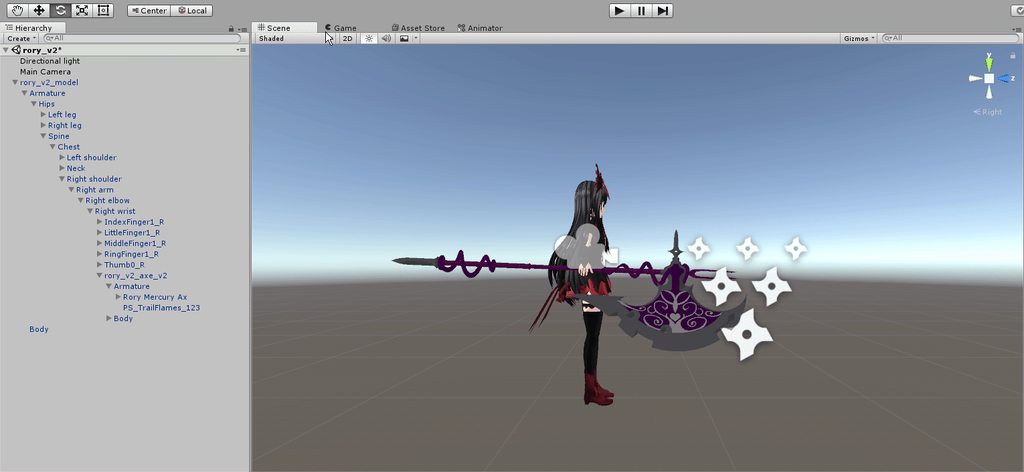
anyone got trails to work on a weapon/... on a character? I got the following issue:
https://i.imgur.com/fqjTSDd.gifv
When I move the weapon: trail shown as supposed to
When I move the armature of the weapon: no trail at all
Ingame: trail is somewhere completely different and moves with my head movement @-@ it's the same with all my trails on different chars, so I'm most likely making a mistake
 slim jewel
wanna test if the animation is right. but the value for jaw close switched back to 0 from 1
 torpid light
@sour hedge that's a problem with world space simulation on particle systems. for some reason they get stuck in game. I don't know of any work arounds
undone glade
Changes made while that is on will not save.
torpid light
the only thing you can do is make it local space instead but it kinda ruins most of the effect
slim jewel
ofc i stopped the animation - edited it -start it again to see the changes. just allways switches back
 inner monolith
sour hedge
inner monolith
sour hedge
ooh, ok. Weird though, I defenitely saw model that had it working @-@
jade rain
@fast bloom where do i check for " if all they're doing is checking Enabled on an audiosource "
jade rain
@fast bloom the key frame thingo
fast bloom
yeah
 clear yew
Turn it off on first and on on 2nd o think
fast bloom
Both on on both
if they are then that looks fine
it may just be an audiosource problem instead
jade rain
by that u mean its a problem with the sfx i used
fast bloom
or the settings


 jade rain
what like 50 meters
fast bloom
that's pretty much what I use but with more volume, not sure why you are having issues in that case
what do you hear?
jade rain
static
like the sound fucking up
https://gyazo.com/911d1884648d8c3ee1eea6d5a42152da @clear yew this better?
 clear yew
Dont ask me try it
jade rain
servers are ded anyhow 😛
clear yew
I cant even check my values cuz not home yet
jade rain
=\
fast bloom
I guess you could try a different sound file, try an .ogg format if you can
when you can*
clear yew
Try mp3
clear yew
Mine is mp3
jade rain
@fast bloom your sfx's are they mp3 as well
fast bloom
mine is ogg
clear yew
Altough i did have problrms last night too
jade rain
i can send u what my ogg is
clear yew
But others do
jade rain
the sfx it self
cause in audacity i did increase the DB as a joke
so maybe the db increase broke it?
clear yew
So might just be vrchat borking tbh
fast bloom
yeah maybe it's too loud and you're being censored
fast bloom
nah just try the original with 0.3 or something and see if you hear it better
then tweak from there
jade rain
what u mean the original 0.3
fast bloom
the file before you upped the db
and the slider in unity at 0.3
mine is pretty average file at 0.15
but it sounds loud up close anyway
jade rain
OH i do recall getting the warnning when i went to upload about " your avatar has sound something something safe limits"
fast bloom
yeah it does give you that warning whenever you have an audiosource
jade rain
ah
 granite sapphire
The max volume is 0.5 i believe tho
jade rain
audacity or unity
granite sapphire
Blender/unity
queen oriole
sorry for the dump question but can i somehow rename the mixamo.com dance?
 cloud island
Hey I've been having some trouble getting lip sync functioning on any of my models, I've tried both a mouth flap bone which I've tested in unity and had it working and a blend shape but even though I assign them in the avatar descriptor it doesn't function in the game
@queen oriole Press F2
queen oriole
oh damn :ausTy:
granite sapphire
@queen oriole yeah just rename it inside the fbx 🤔
granite sapphire
Well yeah same thing 😄
queen oriole
im pretty new to this so xD
fast bloom
you should use the Animator properties instead of the Armature properties
undone glade
Body movements animator, facial expressions body mesh
 spice meteor
If i Import a fbx with animations and set it to humanoid should i unmap the toes of the animation model like on my own one?
undone glade
@mystic umbra this is why we make duplicates first 👌
clear yew
@jade rain ive got first frame both on and 2nd frame both off, and 100 max distance and 100 maximum
fast bloom
it shouldn't be necessary since you aren't using the ik or anything on an animation model like that @spice meteor
clear yew
min distance and minimum both 1
jade rain
@clear yew what exactly do u mean 2nd frame both off
clear yew
keyframe in animatino
jade rain
as in at the 0:01 mark the two tick boxes are unticked?
clear yew
yes
spice meteor
@fast bloom i just wonder if there is any collision if my model has toe unbound but the animation model has them
fast bloom
@spice meteor I'm not sure anymore actually, I know that if you're importing an mmd dance you should leave it on generic and just play the animation
jade rain
dumbass question here
jade rain
colliders only collide with other things with colliders so basically, one avatar with colliders blocking a door way will only block other avatars with colliders no?
 mystic umbra
😡
clear yew
you dont collide with other people
jade rain
😦
fast bloom
^
jade rain
cause i was imagining making an avatar that blocks a doorway blocking knackles
rip dream
clear yew
my dream got crushed too made a pokeball animatino for catching other people but it doesnt go away only on changing avatars 😦
jade rain
😦
clear yew
saves me work of putting in the particles / sounds i suppose
fast bloom
@clear yew the pokeball? 😮
clear yew
@fast bloom yea
fast bloom
do you want some help to fix it?
clear yew
id love it, but ive had only 1 person respond to the problem since ive been asking and he told me it was not possible bcs limitations
fast bloom
well of course catching another player isn't possible but what else would be the problem
fast bloom
do you want it to be 1 gesture for the whole thing or 1 gesture to draw 1 gesture to 'catch' like a gun
clear yew
i have 1 gesture to draw and 1 gesture to "catch"
fast bloom
the draw works ok right?
clear yew
yep
gun works ok too
the only thing that is different is that its an 8 second long animation
clear yew
yea
fast bloom
I'm stupid and forgot how pokeballs work
clear yew
lmao
fast bloom
can you put it in an animation slot even though it's not as fun
fast bloom
😦
clear yew
oh well thanks anyway
sacred gate
you can do it @clear yew
you just have to do it a different way
instead of using the gesture to trigger the 8 second animation, you need to use the gesture to activate an object with an 8 second animation attached to it
sacred gate
exactly
clear yew
so i put the animation on the pokeball instead of the model?
sacred gate
yes
essentially
you might need other objects too
especially if you want to be able to pull out the ball and just hold it without throwing it
clear yew
any way to port the animation on the model to the ball?
sacred gate
have you made the animation as a component?
sacred gate
does it show up on the inspecter under components
sacred gate
then you'll probably have to remake it xd
clear yew
it has an animator yea
sacred gate
do it like this
make a new empty object
in the heirarchy put the pokeball into the empty object, and make a 2nd empty object inside the first with the pokeball
use a gesture to activate the pokeball
then make an animation for the pokeball inside the 2nd empty object
and use another gesture to trigger that empty object, which will trigger the animation
clear yew
that sounds more complicated than just empty object + pokeball
and a pokeball seperated to just hold
sacred gate
yeah you can do it like that
but then what happens if you do both gestures at the same time?
you'll have one ball in your hand and another playing the animation
clear yew
???
fast bloom
what does the animation look like anyway
clear yew
like the ball flying
hitting someone
going up
falling down
shaking
and stopping
fast bloom
ok so it's an animation just for the separate ball model
fast bloom
ok then yeah it should be pretty easy using an Animation component on an object like kris said
then ticking it off and gesturing it on
steady plover
if I use a custom idle and walking animation, will it break my blinking and lipsyncing animations?
 south mason
Are there any idle animations out there that stop the knee bend?
 sonic tiger
@steady plover It shouldnt
steady plover
ah ok, thanks!
clear yew
but when i remove the animation from the model it doenst work at all anymore
oh wait
nvm
@sacred gate on what should i make the animation? on the pokeball or the empty object?
sacred gate
it depends
if you want the animation to play, attach it to the ball
if you want to be able to hold the ball without the animation playing automatically, put it on the empty object
@steady plover blinking and mouth visemes override custom animations, which will be fine for you unless your custom animations do anything with the eyes and mouth
steady plover
phew
sacred gate
@steady plover like if your custom animation closes your avatar's eyes, the blinking will still try to blink so your eyes will blink whilst closed and look really fucked
steady plover
I have noticed that my blinking and mouth visemes dont work on characters with custom emotes though
for some reason
well
long custom emotes
mmd dances
but the animations wouldnt work even while not using the emotes
sacred gate
maybe you didn't attach them correctly?
clear yew
i dont have to redo it
 acoustic nest
So would anyone have an idea as to why my shape keys don't seem to be exporting on my fbx when they are all named properly and to the best of my knowledge my export settings are correct?
sacred gate
@acoustic nest so they don't appear in unity animation tab?
acoustic nest
They are all of my visemes for eye tracking and lip sync, and they don't appear in unity
sacred gate
@acoustic nest they generated in blender without any errors?
acoustic nest
I didn't generate them but they work in blender
sacred gate
@acoustic nest ok, so in unity do you have more than one body mesh?
south mason
How do I get my fbx to play nice with mixamo?
acoustic nest
Negative
sacred gate
@acoustic nest how many avatars do you have in your unity scene?
acoustic nest
only the one
sacred gate
@acoustic nest can you post a picture of your animation tab where the visemes should be?
@south mason where did you get your fbx from?
acoustic nest
It is a from scratch model
south mason
Blender
clear yew
so, if i want to have an animation where a mesh on a weapon would animate and move, would i have to add a bone to the mesh?
sonic tiger
not necissarily. you can animated object transforms directly
clear yew
if i select the weapon as a whole and do transform, it moves, however if i select the specific mesh and use transform, nothing happens
acoustic nest
This what you want? @sacred gate https://gyazo.com/88d6119074179916a664da360ec6349a

It's not my first time doing visemes which is why I'm so confused atm
echo gull
just a quick question ... are hidden items that only appear in animations part of the 20k tris for the upload ?
 lean acorn
Nope
echo gull
sweet thanks
sonic tiger
@clear yew Not sure why that would be
Might need to put it in its own gameobject in unity
clear yew
I'm trying to add bones to each piece to see if that works
it's already its own gameobject
sacred gate
@acoustic nest can you show the full screen with the hierarchy expanded to show the body mesh?
 sullen hill
Does anyone know where I can find those custom dance animations?
clear yew
@sacred gate alright got it ready except it isnt in the weird sitting pose now and the model doesnt have a animation on it, only the 2 empty objects triggering the pokeball
acoustic nest
 clear yew
is that how its supposed to be then?
sacred gate
@clear yew i think so, hard to tell without sitting. It's worth noting that you should make the animation before you attach it to your main armature
seeing*
clear yew
yea
or do i need to have an animation on the model that triggers the gameobjects animation?
sacred gate
@acoustic nest ok, issue must be in blender. I'm thinking it might be that the FBX export settings aren't set right
@clear yew yes you'll have to do that, but do the gameobjects animation before you attach it to the armature. and do the trigger animation for the main model on a duplicate of the main model
otherwise you'll break the main model
and have to start again
or just do everything on a dupe for safety an
sacred gate
lol
clear yew
 sacred gate
you'll figure it out, i was in the same position as you a couple weeks ago but you learn from fucking up
now i can do animations on a model in like an hour
acoustic nest
@sacred gate My export settings https://gyazo.com/27dfbad2ea166c4610d9e9735d7568ae

 covert linden
Got a quick question, can I add sound to a custom animation (like a dance)
clear yew
thanks tho
 magic delta
Are number of animations limited by gestures?
Or how many can you apply to an avatar?
sacred gate
@acoustic nest i don't know the settings off the top of my head 😒
@covert linden yes
@magic delta limited to how many slots there are in the customoverides
clear yew
so, having bones fixes my original problem however now I need to have the mesh spin on its axis, however whenever i try to do that through transform, all of them simply point the mesh in a direction rather than rotating it the way i want it to
sacred gate
@clear yew i don't really understand what you're trying to do
clear yew
just make it stay in place, not point anywhere else, and spin
like a merry go round would
sacred gate
just rotate it but make sure the axis you rotate it on is correct
clear yew
all of the axis make it point somewhere
sacred gate
rotate it over multiple axis
clear yew
one sec, i might be dumb
sacred gate
pictures would help me understand what you're trying to do
 dapper veldt
Any tutorials on how to animate the mouth? (So it moves when talking)
sacred gate
@dapper veldt look up vrchat mouth visemes on youtube
magic delta
@sacred gate thanks
clear yew
pretty much, i want it to spin on its Y axis
sacred gate
@clear yew depending on where it's pointing it's Y axis won't necessarily be upwards
clear yew
true
 gloomy kayak
https://gyazo.com/557cbe8d9c4b86fe066aad34d1fb9234 what do i set this controller to?
 clear yew
in this case the weapon is pointing straight up
sacred gate
@gloomy kayak what are you trying to animate?
@clear yew the coloured lines will show you which way the axis are pointing
gloomy kayak
im trying to add an emote like just a magic circle when its done to see if i can pull it off
sacred gate
@gloomy kayak I don't think you need to build an animator for that
are you following a tutorial?
gloomy kayak
havnt found any good ones that talk about using particales just custom animations. this is the only one i found https://www.youtube.com/watch?v=zNq1p8oXB3o and he doesnt go to in depth of how to use them in game like what diffrent emotes are ect
 clear yew
so, ultimately, it is rotating, however it's rotating in such a way that the mesh starts to become messed up
so i imagine i have to have the armature line up in perfect symmetry so it can rotate without errors
i just didn't think that mattered
sacred gate
@gloomy kayak ok, that's a good tutorial it's the one I learnt from. I'll try to walk you through it
@gloomy kayak you need to make an empty object on the left in the heirarchy of the scene, drag your magic circle particle into it from the assets. Set the empty object to disabled. Make an animation with 2 keyframes where they both enable the empty object. attach the empty object to your avatar in the scene hierarchy. attach the animation file to the custom overrides gesture for your avatar
 uneven moon
i made custom face animations for a avatar, and now if i hit 2 of the animations (1 on each controller) i get some kind of mix betweem the 2. how do i prevent this?
sacred gate
@uneven moon pretty sure you can't prevent that
 novel locust
Does anyone have information/instructions/videos regarding making your avatar be able to draw with their finger? Thanks.
sacred gate
@novel locust ask under development-advanced
uneven moon
oh, thought on already made character. the "current" animation overrides the previous one to prevent that. ill keep digging
sacred gate
@uneven moon what do you mean by already made character?
uneven moon
oh, went to some avatar world . ive never had this problem on those. except for this first one i tried making myself
gloomy kayak
is there a place to find out all the emotes ect
uneven moon
thought it had something to do with the fact that i only assigned the new animation and left all others at "none" in the override window
sacred gate
@uneven moon if it was an old world, or made by VRC devs there could be scripts on those avatars to fix that issue. I'm pretty sure you can't fix it
@gloomy kayak you could ask me 😄
uneven moon
@sacred gate ah so its normal? or is it only visible to me? havent seen it on other people. and some of the "mix"faces look horrible 😛
gloomy kayak
so if i bind something to an emote will it be that number in the emote menu?
sacred gate
@uneven moon it's normal and i think it's visible to everyone. most people don't make facial expressions on more than one gesture. I don't think i've found a single person with one. like you said, some people run around with prebuilt ones like Kanna which work correctly, probably because of old scripting etc.
gloomy kayak
also for this do i have to go through and set none to its equivalent for in game? https://gyazo.com/7bf127e15f9ddea7c7b1a7b517a9b29a
 uneven moon
@sacred gate alright. thank you for the help !
sacred gate
@gloomy kayak yes, it's literally left to right top to bottom. It will replace the emote name in your in-game menu with the name of the animation file you set
@gloomy kayak no, you can leave none as it is and it will default
@uneven moon no problem. if you think about it, just by having your hands you're doing a gesture, so if you were to disable gestures whilst gesturing you'd break everything :p
@uneven moon I could be completely wrong though, but as far as i'm aware yeah
fast bloom
would it help at all to set the other blend shapes you make use of to 0 in the animations?
would that make each new gesture 'override' the last one or still mix
sacred gate
@fast bloom it still overrides
 river trellis
Hi, i just downloaded some custom animations from Unity Asset store, anyone know how i apply one of these animations to my avatar? If anyone got a tutorial exactly for this i would be happy.
sacred gate
xd
fast bloom
hi Grana, what animations are they, do you have a link? basically you want to make a duplicate of CustomOverrideEmpty in the VRCSDK/Examples/Sample Assets/Animation folder, move it wherever you like. then assign the animations you want to the different overrides, and set your avatar to use that CustomOverride file
I will find a video
river trellis
I downloaded a package called "basic motion Version1"
fast bloom
https://youtu.be/V0l4-pH3vI4?t=11m4s this part of this particular video shows where to get the override file

Creating custom animations for hand gestures and emotes in VRChat
towards the end of the video he fills in some of the animations and sets it to the avatar
as long as they are compatible that should be all you have to do
river trellis
Ah alright i think i got the idea of it, Thanks mate.
fast bloom
no worries, good luck
 dense radish
When i start walking my avatart lifts in air, anyone know why?
undone glade
@dense radish custom walking animation?
dense radish
didnt do any
undone glade
Any animations at all?
dense radish
none that i know
undone glade
Thinking maybe a position thing that must be deleted.
dense radish
i stand on ground when idle, but when i start walking i lift up
undone glade
I am unsure. If it was an animation you created that's constant I would have you check to see if a position was added to it.
steady plover
do you lift up for any other animations, such as emotes?
dense radish
i just imported the fbx nothing else
clear yew
yeah, this is the weirdest thing
no matter what i do i cant get it to spin properly
it just kind of wobbles on its axis
 peak relic
Does anyone know any Unity assets that will make an object move when you speak?
 fierce copper
that'd be cool but im not sure if thats an option
and if it was there i doubt itd be free
peak relic
Like for example I would like the speakers on my model to move when I talk.
gloomy kayak
https://gyazo.com/526d3b3885a8cd5774fd0c8a32e08d59 anyone else getting this?
 fierce copper
eh maybe something to do with animating?
@gloomy kayak not sure havent published anything yet, might be servers though
they were having issues a lil earlier
anyone here happens to know how to do the thing with the like, galaxy fx particles
as in spawning pictures around everyone
queen oriole
bcs the server are down
covert linden
Does anyonw know how to add sounds to custom animations?
fast bloom
create an AudioSource somewhere in your avatar hierarchy, disable it, and then in the animation you want to find its Enabled property and turn it on
clear yew
alright hopefully it works now but i cant test cuz reeee servers
covert linden
@fast bloom where do I find Enabled property? I'm not sure what you mean with that
fast bloom
sorry, it's called isactive
fierce copper
@covert linden if you made an animation clip you can find the file under armature/wherever u put it
if you press the plus it gets added ro the properties
and there will be a checkbox called isActive
covert linden
I got a clip from mixamo and was hoping to add music to it, so its only in my assets
river trellis
Hey, when in Unity -- > Animation... is there a faster way to add properties when it comes to the animator rig parts? Or do i have to do them all individually...
 frosty pendant
question: can i use both of the hand bones fully and try to switch them with an nimation or sth?
fast bloom
@river trellis if there is I haven't found it yet 😦
undone glade
@gloomy kayak servers be down. Upload later if nobody told you yet
 heady sundial
What is the "Default Take" AnimationClip that is now in my character's project file?
echo gull
so i made an animation (not a vr one) but my char is in the middle of the ground ... how do i change that ?
 clear yew
change the position of the character
clear yew
in the animation
fierce copper
IKR
sonic tiger
Hahaha
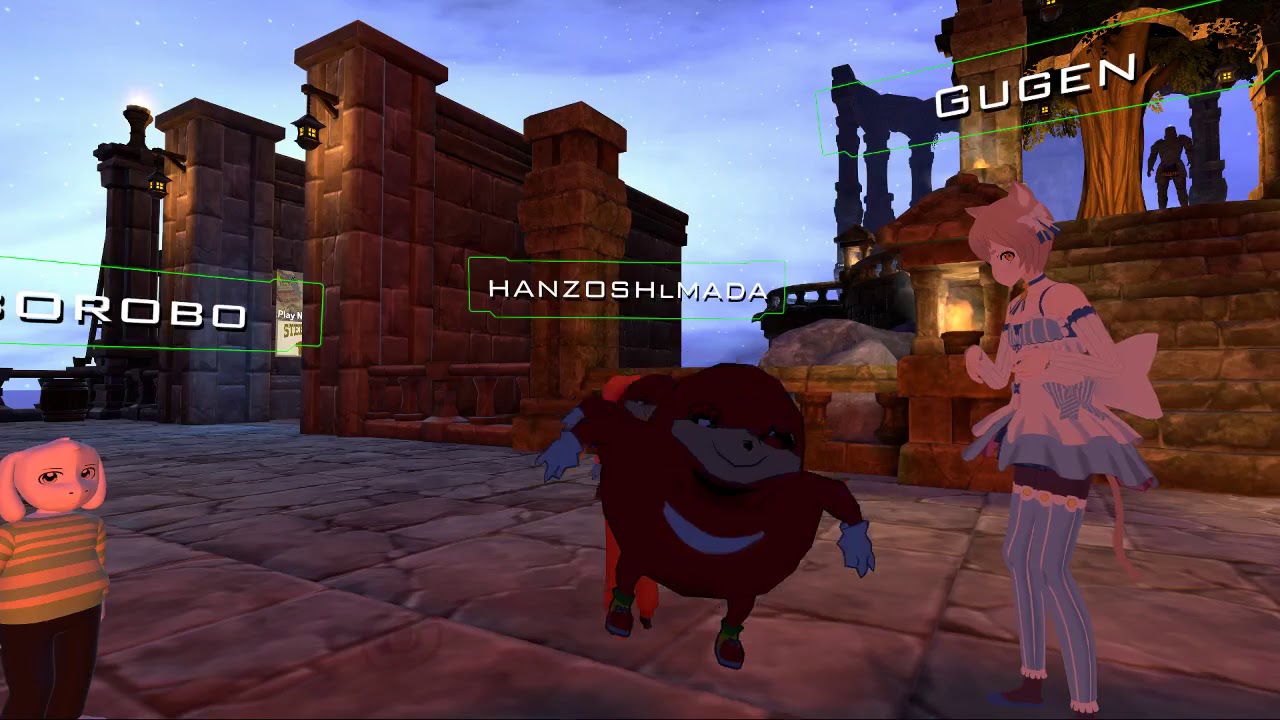
That should be pretty easy, just set a particle emmiter to emit pictures of knuckles
clear yew
vr users taking the meme to the next lvl
fierce copper
@sonic tiger happent o know if there are any guids on the topic?
i need that in my life
sonic tiger
Do you know how to make a material in unity?
 sullen saddle
is there a quick way to add in all the fingers when doing an animation?
or to save a template?
fierce copper
eh i know the basics, i started doing stuff with animations yesterday xD
clear yew
@fierce copper https://www.youtube.com/watch?v=61vO-IswFps&t=546s* https://www.youtube.com/watch?v=YzYvNKgzTKY
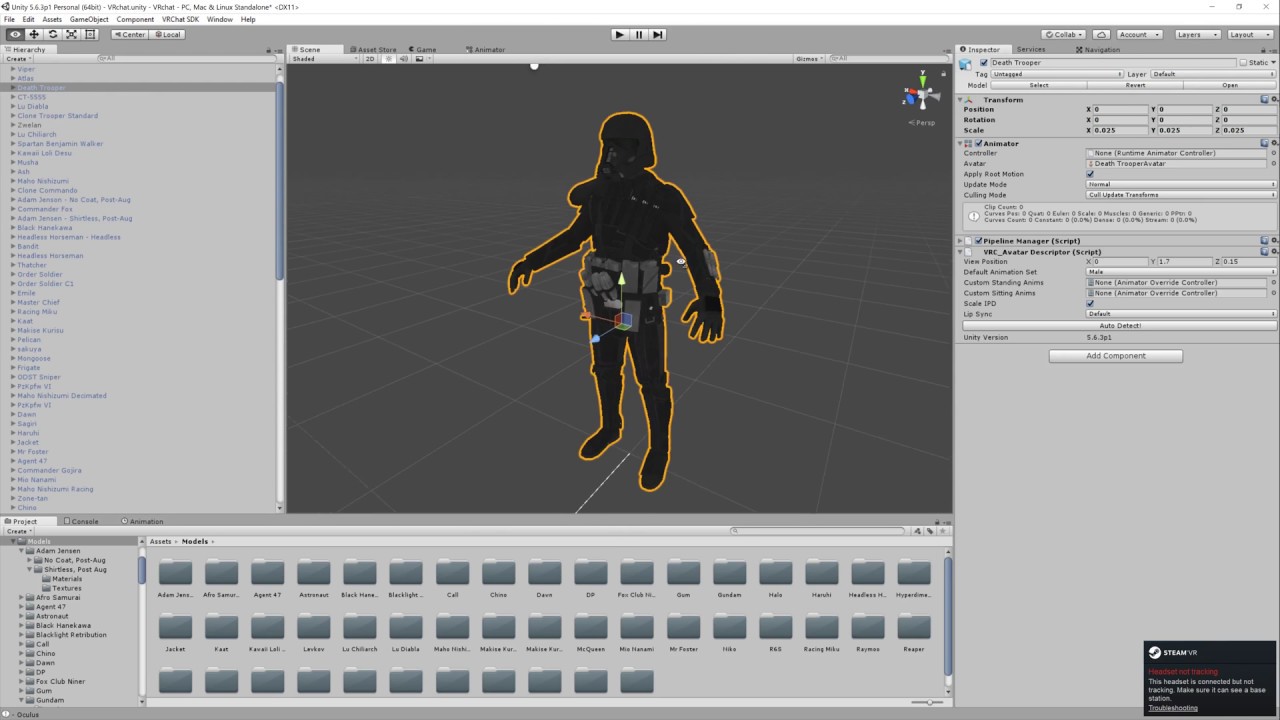
Basic VRChat gun animation override. Audacity used to convert audio files to .ogg.

This video assumes you have already watched this one: https://www.youtube.com/watch?v=61vO-IswFps&t=546s *Make sure you scale your model down to the size y...
sonic tiger
Awesome. I can walk you through it in PM
clear yew
follow these 2 tutorials
fierce copper
@sullen saddle i mena if u made it once u can copy them to a next keypoint
@clear yew thanks! 😄
sullen saddle
I mean when doing a new animation
add component > animater > finger bone
everytime for wach animation is so tedious
 analog meteor
is there a way to get a piece of my avatar to spin?
 whole sigil
@sullen saddle Keep a character with animations set up and hidden, then just copy and paste their animations when you need to and change the values or whatever you need to
sullen saddle
Yeah I just figured out you can copy the keyframes to a new animation, this is saved me hours of work haha
whole sigil
😉
analog meteor
alright so my avatar has a beanie with a propeller I want to get the propeller on his hat to spin if anyone has any ideas it would be great 🤡
 spark shard
Is there any way to make an object go from opaque to transparent over a set amount of time? Kind of like a fade to nothing?
 muted prairie
Animation 😃 @analog meteor
whole sigil
🙄
analog meteor
so I can use an animation to just make it constantly spin?
muted prairie
Yep, gotta make sure the loop is perfect though
You'll need two or three bones and make all his move
analog meteor
alright got a good tutorial for animation? lol sorry new to unity use scripts in SL
muted prairie
This probably https://youtu.be/V0l4-pH3vI4
Creating custom animations for hand gestures and emotes in VRChat
analog meteor
I would imagine the prop only being a single mesh I could just use one bone to rotate it
muted prairie
That too
i thought you wanted to only have the blade move and not the whole propeller
but that works too if it's not too visible i guess !
analog meteor
well the propeller is like 1 piece of plastic on a post so the whole thing would spin
river trellis
Anyone have a simple list of what the Emote1,2,3, ProneFWD, rocknroll does ingame so i dont replace the wrong animations? 😄
echo gull
ok i can't manage to get my avatar out of the ground during the animation ...
clear yew
add the models positioning in the animation where you add stuff
 finite rock
or u can add root t component in your animation
 olive lynx
Does anyone know of a good website to get animations from for my avatar? I am already using Mixamo and I tried devientart but Deviant art only gives me .vmd files.
 quasi gale
@river trellis Emotes and their corresponding animations are listed inside the sdk's TemplateAvatarController.
https://cdn.discordapp.com/attachments/361742235525709825/399631140501323796/unknown.png
 river trellis
Awesome, thanks!
echo gull
ok i added root t to my animation now ... now i'm not halfway in the ground anymore ... just up to my knees xD
clear yew
progress pogchamp
finite rock
@echo gull keep changing your root t Y
 rain wyvern
Hey I'm looking to have a holstered weapon on my back which I'm wanting to disappear and then re-appear into my hand once I reach back for it, can anyone point me to a good tutorial on how to do that by any chance?
finite rock
https://www.youtube.com/watch?v=V0l4-pH3vI4&t=822s @rain wyvern
Creating custom animations for hand gestures and emotes in VRChat
 prime nova
Does anyone have any good big light animations they can msg me and send me
south mason
Is there a guide on creating visemes?
 exotic ember
Like actually tahe shapekeys or just what visemes vrchat wants
south mason
You lost me at shapekeys
finite rock
@south mason cat plugin in blender have an option for lip sync it does not solve what you want?
south mason
I don't have the three visemes for cats with this model
 young marlin
is anyone here really good with 3d model skins? cause the one i have isnt working for a custom model i want to use. I have the model, but i need the skin
river trellis
Hey so i followed this tutorial here ---> https://www.youtube.com/watch?v=V0l4-pH3vI4
Did everything correct... i think, but none of the animations show up/work ingame
Creating custom animations for hand gestures and emotes in VRChat
finite rock
First: What happens when you try to activate your animation?
river trellis
The normal emotes, as if they werent replaced at all
river trellis
yup
south mason
Is it possible to create some visemes for use with cats if the model uses doesn't come with them?
finite rock
And there?
river trellis
waaaait
i think i realized my retardation
i replaced Fall, Fingerpoint, Fist with custom animation
it should've been the emotes right?
finite rock
Do u have vr?
river trellis
no, so i realize now that is hand contoller emotes
finite rock
If u don't have vr, u should replace your emotes
river trellis
yeah mb, thanks for the help tough 😅
finite rock
No problem
 tawdry ruin
Guys a quick question, is there any site like mixamo.com ??
I just need .fbx animations and I dont know where to find them other than on Mixamo.
Thank you!
finite rock
tawdry ruin
Hmm...I know that site, its pretty good but not much free content in terms of animations. But thanks!
If anyone has other alternatives let me know!
 torpid bobcat
Is there anyway to make an animation that will make my head dissapear? I tried using scaling in the animator on unity but it doesnt allow me to scale it with the animation and just turns red and resets
 lofty crypt
anyone here use Mixamo for their custom emotes?
torpid bobcat
If someone answers my question just @ me so I see it
tawdry ruin
@lofty crypt me , but Im already bored of those animations. So I wanted to know if there are any other sites like Mixamo.
clear yew
how do you use those animations
 glass anchor
yo, do you need VR to use animation overrides?
or is it the same as just accessing it from the emotes menu
glass anchor
right, so when you do an animation override, is it adding a gesture, or replacing an emote?
 wintry matrix
overrides existing emote [as an example] or another animation action [like walk forward, etc]
glass anchor
alright cool, thx
clear yew
hey so how do you use animatinos from mixamo
wintry matrix
eg, download a wicked sick dance move from mixamo.com and get it working with your rig/character then ujse an animation override to replace emote5 to swap out the old dance emote
clear yew
yeah thats what i wanna do
wintry matrix
for mixamo [I use a rig that's similar to the mixamo rig] I upload my character to mixamo, map animation to it, if it works, download it, make sure the rigs match on my rig/asset and the fbx import rig and duplicate the motion file and plug it into an animation override.
tawdry ruin
@wintry matrix Do you know any other sites like Mixamo?

 pseudo pewter
Quick question: how do I play a sound when playing a custom emote?
wintry matrix
sites like mixamo? No.. mixamo is ar eally good deal since it's free if you have any form of adobe subscription.
there's other sites that sell mocap/animation data including the unity store
or if you have a kinect or a full body setup [vive] you can record motion in unity and edit it into clips that way.
@undone mesa I'm at work now buit isn't there two override templates? one for standing and one for setting? looks like oyu have the standing one up.
 undone mesa
when i click the box for sit animation i can only choose the standart override
there is nothing else
 weak tiger
Do any of you
have a turtorial of emoji?
like making dance
whole sigil
does texture baking mess up the internal face animations for most MMD models?
clear yew
Hey i got a question regarding the default animation. whenever i move and stop moving, so when it goes back to the standing animation, the body kinda shakes and moves a bit back (or forward on some avatars). is there any way to fix this since it looks super weird?
lofty crypt
imported a mixamo anim
thats not the anim i imported fyi
lmao
how do i fix this
sonic tiger
That is the default unity humanoid pose!
I believe
Looks like your animator component isnt set up
Or if it is just happening when you do the emote, maybe the imported animation isnt set up as humanoid
finite rock
@lofty crypt Inside unity, click on the animation you'have taken from mixamo
and check if your avatar will be stuck underground or not
lofty crypt
yeah i did
nothing happened
thats what i just said
the screenshots was just showing the controller temp
incase theres different ways of doing it
glass anchor
is there a go-to tutorial for basic overrides?
everything I can find seems to skip over stuff
finite rock
It it should open a window like that
finite rock
Can you send me the animation link you downloaded?
fierce copper
so i was having fun with shaders
and i want the inside of my cylinder to be shadered
and not the outside
is this possible?
 half shell
how do i apply an fbx i got from mixamo to my avatar?
sonic tiger
A shader can have two fully separate calls for back and front faces
finite rock
https://www.youtube.com/watch?v=V0l4-pH3vI4&t=233s 15:20 @half shell
Creating custom animations for hand gestures and emotes in VRChat
sonic tiger
look up multi pass shders
half shell
@finite rock people keep sending me that but i have an fbx file i cannot put an fbx into the animation override controller
sonic tiger
You might need to set the FBX to humanoid configuration
finite rock
/\
half shell
yeah i have no way of taking that out
sonic tiger
The tutorial never told you to take it out
it lives there, just let it be there
You might need to drag it into a slot in your override, so you can do that from right there where it lives
half shell
also in the preview in the bottom right, my avatar doesn't animate with the animation
when i press play
sonic tiger
This is likely because you didnt set the FBX config to humanoid
half shell
alright
sonic tiger
Unity does a thing called animation retargetting, which allows rigs with different skeletons to play the same animation
it only works when all rigs in question are humanoid
sonic tiger
Oh sweet! glad it fixed
half shell
any limits to lengths of emotes in vrchat?
sonic tiger
10 seconds
half shell
can i cut it?
pseudo pewter
Where should the audio source be placed for an animation?
sonic tiger
Yep! In the animation tab on your imported FBX, you can shorten it
pseudo pewter
On the main model or the copy on which the animation was created
half shell
@pseudo pewter are you using a gesture animation or an emote animation? from my experience audio doesn't work on emote animations, though i could be wrong
sonic tiger
Main model, preferably before you copy so you can test it on your copy
sonic tiger
Just make another copy 😃
half shell
as in, i followed like 4 guides of putting audio onto an emote
and none worked
and @grizzled furnace had a look at my stuff and said it looks like it should work even though it does not
so 🤷
pseudo pewter
Hmm, I'll give it a couple more tries
sonic tiger
In your properties window for the imported fbx, the rightmost tab is animations
half shell
ty
i couldn't get audio emotes working for a Freddy Krueger model
was hoping to walk up behind people and play weird sound effects
so instead i'm just gonna fill his emotes with stupid dances
:p
sonic tiger
I havent done audio yet, sorry
half shell
from what i can gather it's easy and works fine on VR gestures
but not on emotes
you basically put an enable for an audio source as part of an animation, and that's pretty much it
finite rock
@half shell I have one emote with sound
finite rock
Almost the same thing as if it was a gesture
finite rock
but the sad thing is if u don't make your animation really good, your avatar will be like a rock while talking
lol
yesh i don't have vr
half shell
can you not just make a half a second blank animation?
then have the audio just play?
or does the audio only last as long as the animation
finite rock
u will need to make your animation last as long as the audio
half shell
d'you think that was my problem where the audio didn't play
finite rock
maybe
half shell
it's a 3 second voice clip
finite rock
when i did try my animation had 0:01 sec
so it was not working
when i changed to 5sec - ( my audio have 5sec) it worked
half shell
is there a way to change the 'default' pose unity puts your model in when you're animating?
because it seems to put it into a weird crouched pose
finite rock
yeah of course
half shell
it's just a weird crouching pose, clipping with the floor
rather than something useful like a t-pose
finite rock
i'll show u one sec
half shell
kk
 stray gulch
is it possible to add 1min+ vmd to your charcters?
stray gulch
ever see people with min long dances?
half shell
i always thought they looped them
stray gulch
nope
finite rock
inside your animation tab
half shell
so where's your audio file out of interest?
half shell
then where do i get it to play the sound
finite rock
one sec
stray gulch
sildek do you know how to add motions to your character?
gloomy kayak
how would i go about adding a gun to my character by pointing?
stray gulch
https://www.youtube.com/watch?v=oUSe5uDLSJM this is the best resource ive found but the guy says you can only have 10 sec dances. I know they go longer
Tupper video on New MMD tool for blender https://tinyurl.com/y8yeonsd MMD Tool update version https://tinyurl.com/ybku6xft EvolvedAnt Gesture Overrides for T...
half shell
override the point animation with one that spawns in your gun
half shell
@gloomy kayak https://www.youtube.com/watch?v=61vO-IswFps
Basic VRChat gun animation override. Audacity used to convert audio files to .ogg.
gloomy kayak
ty
finite rock
like dance animation?
stray gulch
yea
gloomy kayak
oh it has no sound rip
half shell
you can see what he does from his mouse @gloomy kayak
stray gulch
I've found a few i like and want to add them to my charcter
finite rock
@gloomy kayak https://www.youtube.com/watch?v=pC6sW4kJwa8&

This shows you how to put weapons and audio into the game vrchat. More stuff here: Where I got the gun model: https://abyssleo.deviantart.com/gallery/5925409...
half shell
@finite rock so you set up an audio source, linking to a piece of audio in your assets, then as part of the animation you set the audio source to IsActive?
finite rock
yeah
half shell
i did that earlier and it didn't work
have you tested that works with emotes?
did i just do it wrong
finite rock
yes
 glad topaz
soo just wondering if theres a way to make a sound effect play when say i stab someone with a weapon or will i have to put it in a seperate hand gesture?
finite rock
I mean not that one, but the one i did yesterday i could hear my song and ppl too
half shell
p.s. how do i edit animations i've already made
last time i tried the add property button was greyed out
glad topaz
last time i checked you have to have the model you made it on selected
half shell
wanted to import an animation from Dead By Daylight for Freddy, then add the audio thing to it
:p
glad topaz
so if you deleted it GL
finite rock
yeah /\
stray gulch
@finite rock basically how do i do this

Wondering around an SAO world. A few interesting things like a dance number in the main square. Grey decides to show me her moves. -- Watch live at https://w...
finite rock
time?
glad topaz
its best when making animations to keep the model and just hide them after creation so you can edit later if needed
finite rock
I would say, he bought/made or downloaded a mmd animation
half shell
@stray gulch he looks like he is stringing them together
i bet he replaced a load of them
half shell
how d'you know :p
sonic tiger
If you make changes to the model, no problem. Just delete the animation duplicate, make a new one, and drop the animation back onto the new one
stray gulch
ive seen others do it
half shell
@sonic tiger do i REQUIRE the animation duplicate?
finite rock
I mean it's look more a emote than a gesture
sonic tiger
No, but your model setup is going to be altered a bit by the animating
stray gulch
yea its triggered but what people say it can only be 10 sec long
finite rock
Well he could do that, but it would be really hard i think
sonic tiger
The duplicating prevents issues arising from that
half shell
as in, once i've made the animation on the duplicate and applied it to the animation override, can i delete the dupe?
stray gulch
yes
half shell
k
finite rock
@stray gulch Do u know how to make a basic emote?
Like just standing still or something like that
sonic tiger
The duplicate is only there for you to easily work on the animation with
it is disposable
half shell
any way to snag the default VRChat animations?
stray gulch
@finite rock ive done simple blinks and face emotes
half shell
i kinda wanna take the default Idle animation and modify it
clear yew
hey so i have a hip hop dance from maximo on my model but he doesnt do it right
like it looks messed up
half shell
@finite rock so how would i go about setting up a 'default' pose for an emote
something other than 'half crouching in the floor'
finite rock
Inside unity?
half shell
yeah
finite rock
Well first of all remember to make a duplicate
and make your animation with your duplicate
half shell
just realised i have to turn off the animation controller with the duplicate too
finite rock
nice
half shell
@finite rock so how would i go about posing the bones in animation mode
half shell
is it seriously this complicated to animate stuff in unity?
half shell
somehow he already is
guess that's a start
he's in t-pose somehow
i think because i duped him while he had custom standing anims set to the vrc controller
then removed the vrc from the dupe
finite rock
and tbh i'm noob working with unity
finite rock
yeah something like that
half shell
lol :D
clear yew
is it possible to make the animations longer then 10 secs?
 restive trail
Is there a way to quickly get all the mouth visemes into the avatar descriptor with the new sdk?
Not having a dropdown is quite tedious
rain wyvern
Ay lads so I'm doing the animation override thing and I've made it so the animation makes a weapon appear in my hand but I also have one on my back, how would I make it so I can toggle between with one hand gesture.
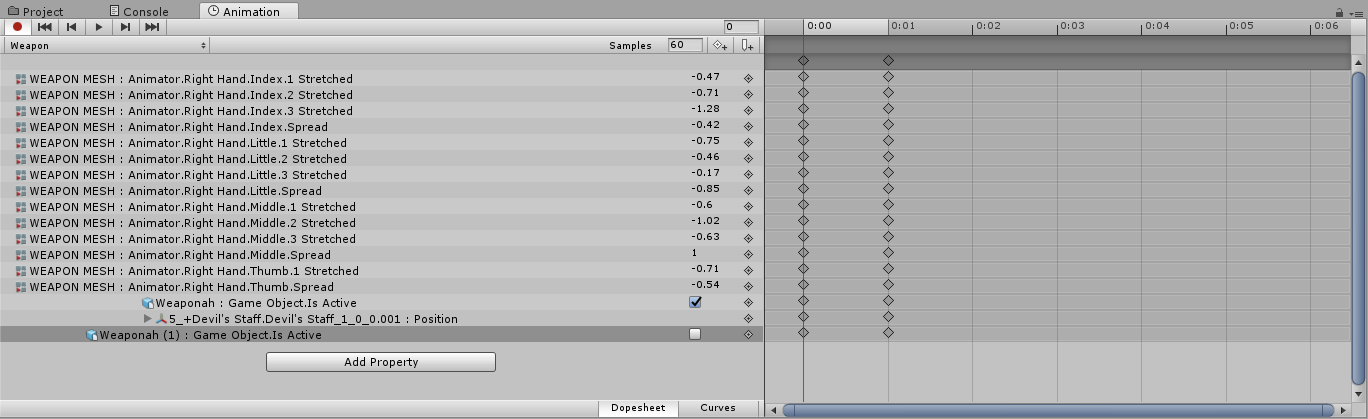


 restive trail
Both need to be seperate models. Turn the one on your back invis while turning the one in your hand visible
half shell
one custom thing per gesture
only
you need to replace another gesture for a second gun
so if you replace rock n roll with a pistol, you can't also have rock n roll be a rifle, you have to replace lets say pointing for that
rain wyvern
Nah what i want to toggle between is making it visible and not visible
but I think that @restive trail got me a solution already
half shell
ah
@finite rock so i copied what you did for your animation yet in unity it plays it when i actually just wanna change his position
clear yew
i'll ask again if anyone knows how to extend time for the emotes
stray gulch
im looking to
torpid bobcat
Anyone here able to help me make my models head dissappear for an animation?
gloomy kayak
what is the rock and roll animation?
stray gulch
@torpid bobcat have you made a weapon in vrchat yet?
torpid bobcat
Yeah, im trying to make an aniamtion to remove my head as jack skellington
I already have the head in hand set up
it works
but I want my models head to dissappear during the animation
I attempted to use the scale key however it doesnt work
stray gulch
@torpid bobcat delete your head in blender and sperate it like you would a weapon
torpid bobcat
Wouldnt that then cause my head to no longer function with looking around in vr
 indigo lintel
Would there be someone here who knows why my animations are visible to me but nobody else?
Strikes me as a weird-as-hell problem to have
stray gulch
@torpid bobcat if you can find a way to play with the shaders in the animtion you can do it
torpid bobcat
Already looked for that
I also tried using scale but it locks it for the duplicated animation model
stray gulch
unless you've seen someone and asked how they did it thats gonna be tough
clear yew
Or be like me steal thier model
torpid bobcat
No never seen someone do it but I highly doubt its impossible
stray gulch
@zone i just had an idea what if you got a box and made it a mirror so nothing would show on the other side and place it in your hand liike a weapon
like an illusion
@torpid bobcat i just had an idea what if you got a box and made it a mirror so nothing would show on the other side and place it in your hand liike a weapon
like an illusion
torpid bobcat
I dont think that would work
stray gulch
@torpid bobcat you could also make other parts of yourself disapear as well as other people
@torpid bobcat people do it hiding their name
finite rock
looks cool
half shell
i am fucking terrible at animation jesus chrsit.
so i told it to do a thing for 5s, at first it kept spamming it within half a second over and over, then when i changed the length of the keyframe it no longer does it at all
torpid bobcat
So the issue there
is your second key frame needs to have the same input
thats or spread your keyfram out 5 seconds
unique night
@Tenshinen#8213 5 seconds is 5:00 on the timeline