#animation
1 messages · Page 17 of 1
 heady sundial
Problem is, the spinning thing needs like 5 seconds to do a full rotation but I want to be able to abort it at any time
And all the tutorials seem to handle visemes or one-off non-animations but not actual animations. Any ideas?
 proud grove
If you're trying to use more than one keyframe in the actual gesture it won't work
What I would do is use the gesture to enable an object which has a basic Animator on it to make the thing spin
 tepid lantern
@torpid light i cant set the main texture
heady sundial
@proud grove should it be culled?
 kindred crest
Question, what do I do to get a Dance into VRChat that has multiple dances into a controller. I want to be able to trigger it via emote, but Im not sure how to put a controller with multiple animations into one...
proud grove
Ah, not sure if that makes a difference with legacy animations
heady sundial
Got it, thanks
 torpid light
@tepid lantern right click in asset folder and create new material. Select the material and in the inspector change the shader from standard to unlit/screen space texture. Then in the inspector you will see a main texture property
 cosmic mist
thx toocan
torpid light
the shader isn't set properly. Select the drop down next to the word shader and find unlit/screen space texture
tepid lantern
tepid lantern
LUL
 sonic wadi
yo dudes, question... ive set up an animation override to equip a lightsaber by gesture, however the lighsaber has a blendshape for it to extend but i cant figure out how to make that work.
 dawn cove
Having a problem with my uploaded avatar. Standing still, it looks fine, but when walking or running, it lifts itself like half a foot off the ground. Been trying different things for the last 5 hours and nothing has worked, anyone have any ideas?
kindred crest
anyone that can help me out on how to get this controller into an emote, would be much appreciated https://i.gyazo.com/c819ccf1c36baa46acd5b7763917f531.png
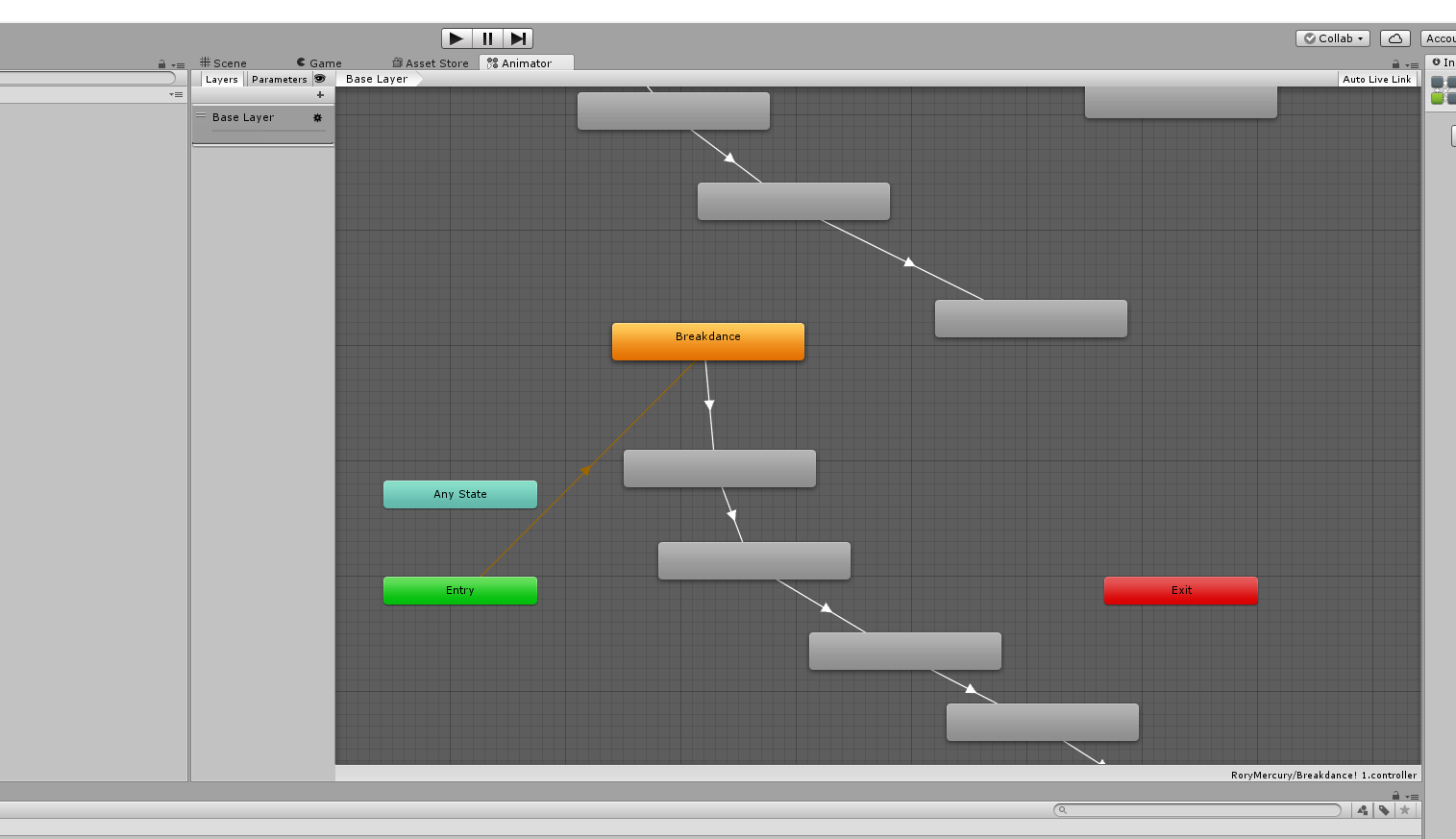
all the nameless animations are mixamo stuff
sonic wadi
animations in a custom override for hand gestures cant be more than one keyframe?
 lucid grotto
anyone knows how to play a sound along with a custom animation on emote, so when the animation starts that the sound starts too?

 mortal creek
hi guys anyone know how to do the fire wings stuff?
kindred crest
How to trigger particle effects that arent on loop in the animator, Not exactly sure how to keyframe the animation duration...
 slim jewel
^
 high gale
It isnt tho
 errant finch
ok
slim jewel
been trying to figure out how to make an animation of breathing fire for the last few hours. it just doesnt wanna work
errant finch
Whenever i try to add a key frame for rotation in unity it resets the value
high gale
Particle effects are weird
errant finch
thus making it so i cant animate my character
kindred crest
animating particle effects are most annoying thing for me in unity
high gale
For the most part everything is really just making the clip to have it active
kindred crest
but mine isnt a loop
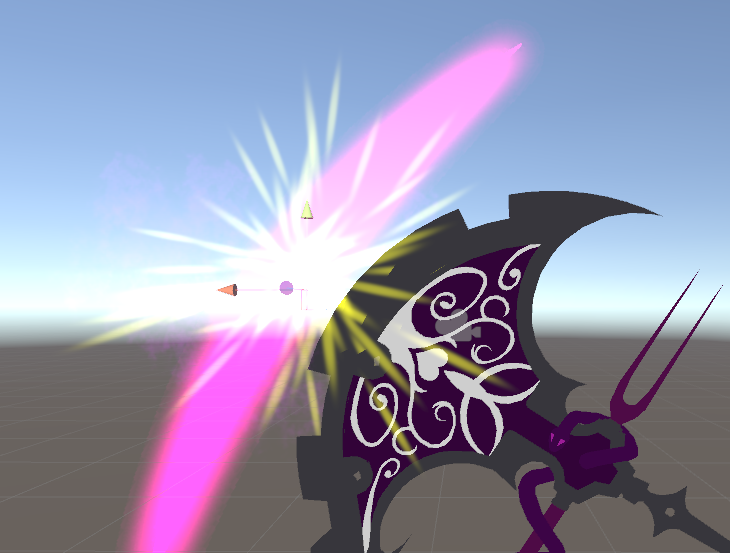
Im trying to add in a slice animation for my scythe, and I want to trigger it whenever I swing it, but it doesnt trigger right
slim jewel
i tried making a clip a few different ways allrdy. but it never works. in the simulation the fire breathing for 3sec works fine
kindred crest
like how do you keyframe the simulation
thats my question
ill literally give out my scythe animation for summoning it to anyone who can answer it 😭
kindred crest
yes
errant finch
Im having trouble animationg in unity, everytime I animate the rotation of my bones when I change to the next frame it reverts itself back
kindred crest
its kinda like how you slice through the air
and it leaves a bright slashing mark

 finite rock
Does anyone know why this is happening?
 sly obsidian
oh and i thoughts my failure
 frosty spade
new version of vrcsdk?
 plush meadow
yeah.
finite rock
rip
slim jewel
seems like servers just died again
plush meadow
https://cdn.discordapp.com/attachments/116826441454321664/399713240730435587/unknown.png Hope I don't get the crouching bug again.

I'll be pissed if it does.
slim jewel
did you do the animations on a duplicate and added them to the animation override on your "real" model?
plush meadow
^^^
frosty spade
havent had many problems with them though
plush meadow
First gun animation has my model turn into a crab and I don't know how to fix it.

If anyone knows a fix, please tell me.
frosty spade
was that a problem before you added gun animations
high gale
Showing you how to change default emotes to weapons & stuff. SUBSCRIBE, LIKE AND ALL THAT GOOD STUFF!! :D MY FIRST TUTORIAL ► https://youtu.be/0vdiCJRAExw DI...
frosty spade
seems like an issue with the foot bone maybe
finite rock
All the animation I try to do, my character starts shaking and does not perform the animation
plush meadow
I don't think it's the bones though.
plush meadow
How do you even check that? The gun is static.
frosty spade
do you have an animation to pull out the gun or is it just always there?
or something else where you animate the fingers to hold the gun
 spark topaz

This game is an absolute masterpiece and will go down as the single best video game of all time, and if you disagree you are less of a human.
slim jewel
ok i officialy give up. my animation starts for 3sec when i switch to the avatar but when i do the emote to trigger it my char just spazzes out
plush meadow
It's just there when you do the rock and roll gesture. @frosty spade
Nothing else.
It's just there.
frosty spade
dunno then
mortal creek
someone pls help
 sonic tiger
Feel free to post your issue, if anyone has experience with it they will likely speak up
You might have to post again later if nobody here knows right now :/
finite rock
https://media.giphy.com/media/l0DAHkItoWIijvhEk/giphy.gif ( Can someone help me?)

 clear yew
was wondering if its possible to override the emojis?
clear yew
oh
 vocal walrus
ok so how do i amke this work when i play the map in vr chat do i need custom scripts
it moves in unity
torpid light
@finite rock how long is your animation? Last time i saw something like that their animation was about half a second but it had looping enabled
finite rock
0.5 sec
torpid light
although it doesn't seem like yours is cutting off at 10 seconds so im not sure if it's the same issue
try finding the animation in the assets folder and making sure it's set to not loop
finite rock
but also happens if I leave by 0.1
torpid light
that's an awfully short emote though
 bitter python
anyone know how i can import/make my own animation set for a non humanoid model?
finite rock
@torpid light "try finding the animation in the assets folder and making sure it's set to not loop" i'll try that
torpid light
i'm pretty sure that's it. When you let it run without canceling by moving or clicking it runs for exactly 10 seconds right?
if so that's it
finite rock
tbh idk
This animation is to be used without VR equipment, so I basically can not cancel after I activate it. ( I guess)
heady sundial
Goooohd damn animations in Unity make me want to just go die
finite rock
And when I test inside the game, sometimes the avatar is bugging for longer than at other times.
 cyan sparrow
Has anyone on desktop been able to use a custom controller to add face viseme control using keyboard shortcuts?
 sweet saffron
out of curiousity is it possible to trigger animations on desktop somehow 🤔
cyan sparrow
If it is you should be able to do it with a custom animation controller
torpid light
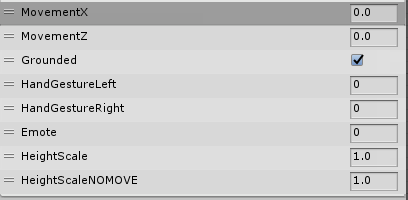
I think you are limited to whatever animator parameters the scripts vrchat actually sets, and I don't think there's any parameters for a specific keybind. These are all the parameters the default animator has https://i.gyazo.com/6cdfd13743bd768085a9d36e6115c7e0.png
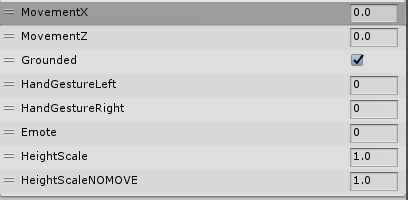
i guess it's possible theres more parameters that the scripts change but they aren't being used in the default animator
@cyan sparrow
cyan sparrow
Ah okay.
 compact patio
This crouching bug will be the death of me. ; .;
plush meadow
Same. When you trigger your animation, you go into crab stance too? @compact patio
plush meadow
Like I had two models. Both set up the same way, with only one of the other working properly.
Both were gun animations.
 sullen hill
I've got an avatar that blinks in Unity and in the Avatar preview screen in VR Chat, but it doesn't blink when I stare at the mirror... does any have any idea why?
torpid light
any animations don't seem to work in mirrors
compact patio
I'm only trying to set up a sound animation override.
torpid light
try using a camera or ask another player if they see it
sullen hill
@torpid light is that for me?
torpid light
yea
i have a problem where my jaw doesn't move in mirrors but others see it
no clue why
sullen hill
Thanks for the tip, I'll try asking around
it's weird because my other models don't do this
torpid light
and also my gestures don't show up in the mirror, but i think there's a work around by disabling the mesh renderer rather than disabling the game object for that one specifically
yea anytime you don't see something in the mirror just assume it's only for you cause that usually is the case lol
i always test with the camera in avatar testing
sullen hill
that little handheld camera frame?
torpid light
yea the green one
it shows on the screen on it and the large screen on the side too
sullen hill
wait, so mirrors don't always show what others see, but does the camera?
torpid light
yea i don't know why
sullen hill
hmm... camera doesn't seem to show the eyes blinking either
torpid light
huh i guess it's not the same issue i was having then
sullen hill
do you know if custom animation overrides might have anything to do with it?
torpid light
i'm not sure
 next obsidian
how to get the shader to work? I can't change anythign
sullen hill
Prob need to make changes before atlasing the textures
@torpid light turns out a custom idle i had on animation overrides was messing up the blinking lol
 flint elm
hi, does anyone know if you can override the two finger peace animation? what's it called in the controller?
clear yew
I just made an animation overide to make a particle system appear on my hand and ingame when I do the animation the particles appear by my characters hip and they only move with my character and not my hand
flint elm
try setting the simulation space on the particle effect to Local instead of world
clear yew
ok
flint elm
i'm gonna see if VICTORY is the one i'm looking for
torpid light
it is
flint elm
cool, cheers dude
torpid light
you can go to the animator and check yourself.
Fist = FIST
Palm = HANDOPEN
Point = FINGERPOINT
Peace = VICTORY
RockNRoll = ROCKNROLL
Gun = HANDGUN
Thumbs up = THUMBSUP
welp i set it to local and it works but it doesnt have the same effect as before
torpid light
yea that's the only way to get it to follow your hand properly though
clear yew
damb
flint elm
i couldn't see those translations, could guess all the rest but VICTORY, meh :p
torpid light
It's under HandLeft/HandRight layer
clear yew
✌ victory
torpid light
and then double click the tree connected to entry
clear yew
hold on a second
If the trail doesn't work when it's on local how did I see someone else do it before...
they had an animation to pullout a pencil and it could use particles to draw in the air
torpid light
they used a trail renderer
clear yew
how do you do that?
torpid light

Tutorial on adding the marker to your avatar and customizing it. Github: https://github.com/theepicsnail/Marker Unity Package: https://github.com/theepicsnai...
plush meadow

 kind hatch
Is there any way to combine .anims? (sorry if that's an easy/stupid question)
specifically I have two animations I'd like to play one after eachother on an emote override
 trail grotto
I followed the snail marker tutorial but it still doesnt draw anything for me 😦
clear yew
It says there is some animation creator thing the client will remove
does anyone know how to dissolve/blend one texture into another in a shape key (Blender)??
welp I just imported that snail markers thing and tried uploading my character then I got an error about some script and now I cant see any of the vrcsdk options on the top anymore
@torpid light
torpid light
i'm not sure how snail marker works i just know someone that used that for their marker
sorry
clear yew
Hey, I noticed a lot of the pedestal avatars in game have custom emotes for dabbing and different dancing and all that, is there a way to get those specific ones for my own custom models?
so i'm brand new to animations, if i add a sword, what animation type do i want it to be?
 proven panther
Trying to get a functional selfy screen. Would I need to use the VRC mirror/camera assets to do that?
trail grotto
Hey @proven panther Selfie cams dont work anymore since the new update im pretty sure
Mine and a bunch of others dont work anymore
plush meadow
https://steamuserimages-a.akamaihd.net/ugc/914661348658624712/1467F7971F9C899FC65842F1B75A12295A81FBBD/ No one with a solution to why a model enters crouch position upon triggering a rock and roll gesture?
 golden garden
Am I able to override the Idle animation?
clear yew
anyone here?
i have an avatar that has a model in its hand, i can see it when i activate it, but other people cant see it
how do i fix that?
 sweet zealot
quick question - is the drawing hands a trail feature in unity? (drawing in the air)
 scarlet arch
Hey guys, for me to be able to take my head off in an animation overide, does the head need to be a seperate mesh?
 open scroll
i tried making an animation to make my entire model invisible, it works but the model doesnt reappear afterwards
clear yew
Wow that's one really effective animation then
In all seriousness I hope someone can help
open scroll
it reappears for me but not for anyone else
clear yew
I don't know much about animation. Couldn't you make an animation that makes your model reappear somehow
scarlet arch
Is there any guides or info on how jaw lip sync works. does it just flap the jaw bone?
 keen elk
Anyone know how to get the dances set up? Like, an actual guide or something
I know most people say use mixamo but I don't know how to get it set up with my model
 woeful rapids
I heard people mention things about 10second animation limit. I was wondering if that can be explained because I am working on an emote for my character. But am well aware of people dancing for minutes from MMD imported dances.
clear yew
Are you sure it's not just the animation looping.?
woeful rapids
No I mean. Can I make an Emote that goes for as long as I want?
clear yew
Oh.
woeful rapids
or does the 10sec thing only apply to hand gestures or something?
 quasi walrus
what are these
clear yew
@sweet zealot have you gotten the marker thing to work? I tried earlier but couldn't make it work
kindred crest
question, why does my animation like to float off after I activate it, it also looks like when I summon my axe, after it floats off, it comes back and after it comes back, it does an emote. like it has a slow reset kind of. How do I get it to reset fully without having a delay
 weak gyro
https://streamable.com/gyvdq
Would be great if someone could help me with how to make an audio source static, I'm pretty much stumped right now
 woeful rapids
@quasi walrus those would be
move left at 135 degree angle
move left at 45 degree angle
move right
move right at 135 degree angle
move right at 45 degree angle
quasi walrus
ah
kindred crest
Like after I do my axe animation (Fingerpoint) I try to reset it via rockstar emote, but my axe floats off and slowly comes back and resets itself very slowly
clear yew
@torpid light can you try and get the marker thing working?
woeful rapids
but is it walking left and stuff in real life with VR or with a controller? i don't know that
quasi walrus
@woeful rapids thank you
woeful rapids
wish they explained it more clearly. like theres more than 1 idle and which one even effects sitting
quasi walrus
maybe someone should make a list
torpid light
no sorry i'm working on other things atm
keen elk
Nobody ever wants to tell me how to get my rig set up for mixamo...
torpid light
@kindred crest Are you saying that your gestures are slowed down? Like if you open you palm it takes a second for it to actually register?
kindred crest
yea
torpid light
when i had that problem it was because my gesture animation was only 1 frame rather than 2
kindred crest
my animation is 3 seconds long
kindred crest
I basically summon my Axe and its a 3 second animation where it spins and comes into my hand, but after I try to reset it by doing another emote, it stays in my hand, and floats away a little then comes back after I do a gesture, but it comes back slowly, and when it comes back to my hand, the gesture I do now plays
ill take a video if that helps
 analog onyx
Trying to add custom gestures, but when I try to pose my fingers, they snap back to where they were before at the start of the animation when I end up doing something else.
torpid light
gestures are just supposed to be 2 frames to set the position of the fingers and maybe set an object active. If you want to do something more than that you either need an emote, or have the gesture activate an object with an animator on it to do all that animation
clear yew
How do I add a sword to my avatar for use in vr?
kindred crest
 torpid light
i would make the axe have an animator on it and just do a traditional gesture override, it should go back to the right position once the animation ends. I don't know how vrchat handles gesture overrides that aren't short loops for finger positioning
it should achieve the same thing
when the axe spawns it goes to the default state which is the animation that spins it
clear yew
toocanz do you know where I can find a tutorial for adding animations?
torpid light
like animations from miximo? https://youtu.be/V0l4-pH3vI4?t=774 at 13:00 this guy goes over that

Creating custom animations for hand gestures and emotes in VRChat
keen elk
I mean how would I import longer animations to keep as the idle one
Like how the other people do their extended dances
clear yew
Yea
I'm trying to add in a sword for use in vr
and to have it on my hip when im on not on vr
torpid light
i'm not sure how they do that zion, i was sending that to eto
oh you want to add a weapon to your avatar?
keen elk
Plus I still don't know how to import my FBX into Mixamo
clear yew
Yea
torpid light
i don't know either i just know a video that shows it
clear yew
post link?
clear yew
oh lol
torpid light
@clear yew i have a video here https://www.youtube.com/watch?v=GkVJSd3Js8o
 keen elk
Anything you can send that'll help is appreciated
kindred crest
@torpid light did you mean to add it in Custom override cause I already had it there overriding the fingerpoint emote.
torpid light
@keen elk the video i sent with the timestamp at 13:00 is the only one i know for mixamo annims
@kindred crest I meant make the custom override fingerpoint animation consist of only 2 frames which set the fingers and activate the axe. Then on the axe you add an animator which does all of the spinning and stuff in an animation which is the default state of the animator controller
clear yew
@keen elk do you have an obj to import into mixamo? they always work for me and Ive had some problems with fbx importing
keen elk
Mfw the guy who runs the fucking Kanna people is the guy who has a video on how to get the dances working
Thanks, Satan
clear yew
Is there a video on turning a vmd into a emote
 languid lark
@clear yew https://www.youtube.com/watch?v=oUSe5uDLSJM
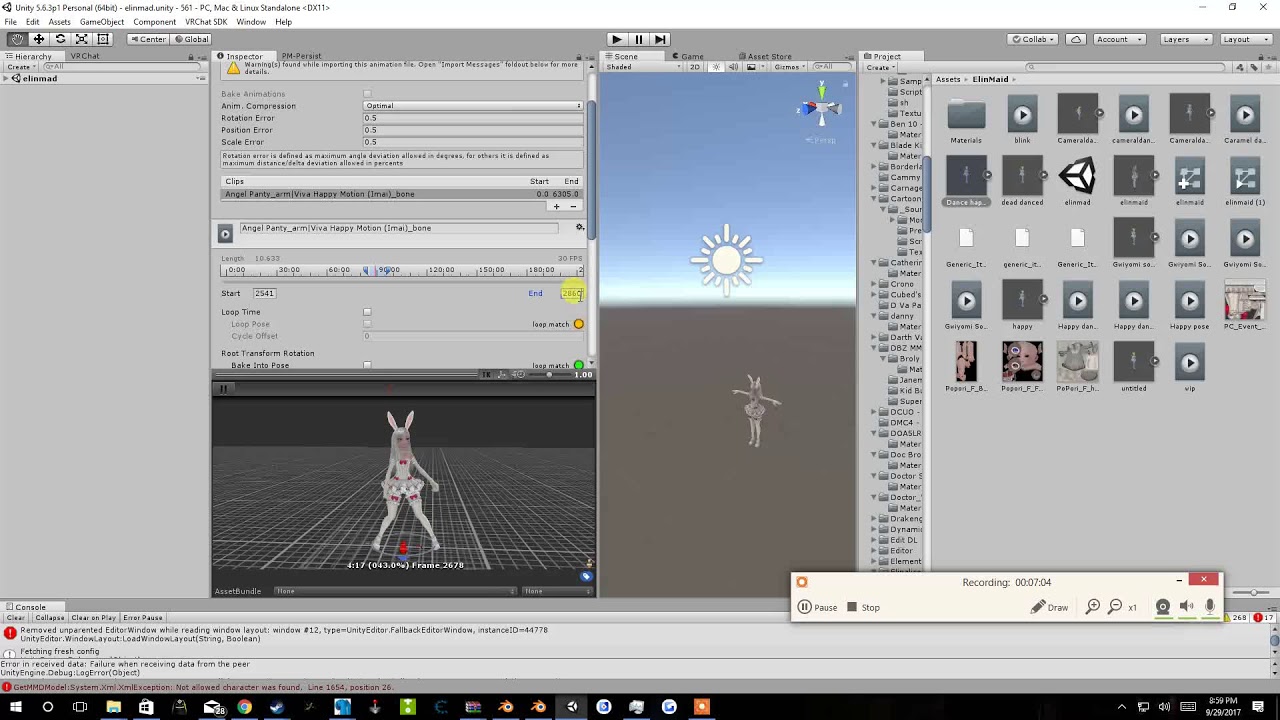
Tupper video on New MMD tool for blender https://tinyurl.com/y8yeonsd MMD Tool update version https://tinyurl.com/ybku6xft EvolvedAnt Gesture Overrides for T...
 pastel hill
can i add a extra object as a emotion or animation?
clear yew
ty
 tawny elbow
so i'm using 2d visemes to have blinks/talking, and it works fine, but i was wondering is there any way to help prevent the faces from not glitching out in certain lighting? it's no big deal if there isnt but if i can optimise/clean it that'd be great
clear yew
Anyone know if the animations/emotes in a sitting state can be changed?
languid lark
@clear yew yea just put in siting slot
in avatar description
there stand and sitting
just need to make other overrride for it
clear yew
Ah. That last part I didn't know
pastel hill
is here any tutorial about adding a animation or gun object?
 vivid yarrow
im new to this so bear with me. im tying to add a weapon to my avatar and when i go to add property in the animation tab i dont see animator
 old merlin
@vivid yarrow your model rig need to be humanoid
vivid yarrow
@old merlin oh youre right lol. i had just readded the model back to unity. thanks
clear yew
so i noticed that when i animate a dance move, looks great on unity, however when i get on vrchat, animation tends to "stay in the same place", it cant really rotate....
clear yew
so what's the deal with the male idle animation sticking his chest out? I can't look down because it sticks out so far, amd my character has chest armor...even though I've overridden my idle animation it still does this
 worthy shore
Not sure if this is the correct chat
I have a 2D animated mouth
I set up all my keys correctly but when I export and open in Unity, the mouth stays open
In blender, everything is fine.
 prime holly
So I have a system for Doubling the amount of Emotes (hand gestures) you can do (infact, you could have 12 emotes)
Instead of the default 4
Anyone want a Tut on it?
 blissful frigate
yes please
clear yew
I just read up that RenderTexture doesn't work on vrchat anymore can anyone confirm?
I just made an animation for it but dont get my vive till later this week to test it
clear yew
how do I upload my emote to my avatar?
i placed the file inside the emote 1 slot but it still wont show up ingame
 steep citrus
so I have a energy orb animation that grows an then disappears after 10 seconds, does anyone have any idea as to how to make the orb get to max size an then NOT disappear?
 uneven flare
did you guys know how to make cool sayajin aura effects?
keen elk
Hey, real quick, I have the dance I wanted for my character and all
But I would like to be able to loop it without having to change avatars and change back
Figured it out
 final shore
I used cats plugin for the first time to do visemes but when i add the body to the face mesh none of the visemes appear.
 paper haven
Hey, is it considered an animation to have like, a dress/eyepatch that I want to be removable? Like if the character has one but if you put your hand to the face it removes or or w/e
final shore
thanks @languid lark
languid lark

VRCat: Community-Run VRChat Forums
This is how you should import and export your mmd models in order to prevent potential issues and remove unnecessary objects.
mmd_tools:
First of all,...
here guide
prime holly
@paper haven Yes
@uneven flareLook for Aura Partical effects Unity
@clear yewMake sure to attach the override to your Charachter's VRC descriptor
paper haven
Ah okay, I'll look up one of those animation guides then. Is it the game with an accessory like a gun? I assume it's just like you mak the removable part as a seperate prop as a child in unity
the same*
prime holly
@paper haven Do you have VR? If yes, than yes, it's enabling/disabling objects
If no VR, you can't do at will toggles (unless your doing on the sprint key)
paper haven
Oh nah I don't, but the person I'm making it for does
So you have the object as a child of the main avatar and then I assume it's a hand gesture that activates/deactives? Seems simple enough
prime holly
Yup
clear yew
Can someone please, please help me out with unity animations?
prime holly
?
prime holly
Mmhm
Well for one, you do need to copy evberything at 0 to 0.1 (click the top dot, ctrl+c/p)
clear yew
Yes but then the problem gets even worse!
then my character bounces up and down rapidly!
prime holly
if you click play (on the animation screen) does your avatar react?
 opaque rivet
Hi everyone, can you tell me how to make animations, where more than one object perform different animations? For example, mmd dancing
prime holly
@opaque rivet https://www.youtube.com/watch?v=V0l4-pH3vI4&t=1s
Creating custom animations for hand gestures and emotes in VRChat
uneven flare
 upper bridge
Hey people, i work as an animator and was thinking of adding a few custom animations to my character, what custom emotes do you guys find extra usefull that's not in the game currently?
opaque rivet
@prime holly I watched the video, there is nothing said about it
prime holly
@upper bridge What ever works for the charachter. There's no interaction nor (outside of audio and visual) can you infleunce the game world
uneven flare
test*
prime holly
@opaque rivet https://www.youtube.com/watch?v=G4Ja-asl8hQ
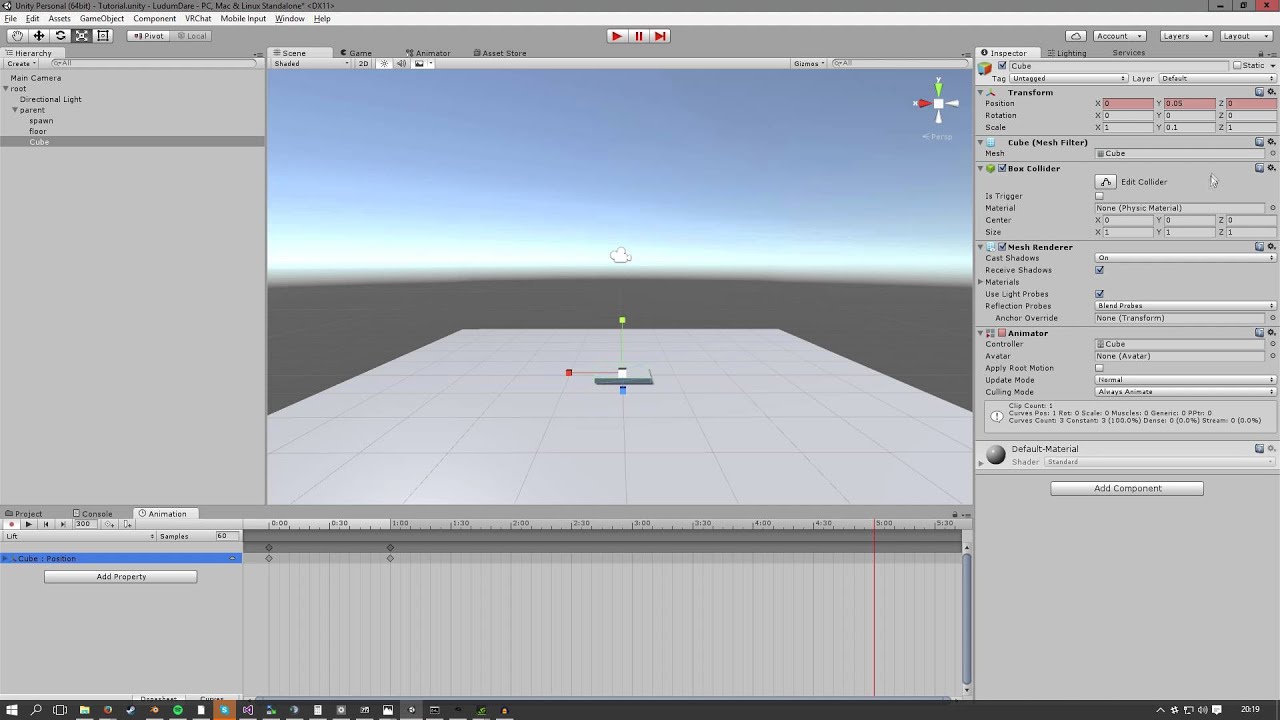
A quick tutorial explaining how to create a simple animation in Unity.
upper bridge
Haha Animations take a lot of time, so you'd have to pay me for that Pbarr :). Thank you Slub
opaque rivet
@prime holly again past, my problem is that I need to attach 2 different animations to 2 different characters, but that would unity belived that it is 1 object that would import it into the game
prime holly
parent them to an empty object?
prime holly
Parent one charachter to another, have 1 control the animations of the other
opaque rivet
And if more in detail?
upper bridge
Do you need the 2 animations to trigger at the same time, or do you have something that is in a looping state that you want to add
opaque rivet
it is possible and without a cycle, I just need to do so that would be 2 different models, run different animations
prime holly
You can still have a animator attached to a child of the main charachter running
VRChat only override the animator of the object with the VRCDescriptor attached (If using humanoid, else it doesn't override it at all)
You would not be able to control the second though (Outside of gestures) since your controlls are mapped to the first charachter
So Charachter 1 with VRC descriptor: No Custom animations outside of overrides
Charachter 2 (Child of 1) can have it's own animator
upper bridge
Yeah, to add something with a looping animation in your hiarchy simply create a "Animator controler", put the animation clip in there, make sure it loops, then you should be fine
opaque rivet
ok thx i try
 severe sierra
I did something like that on my Eva avatar
It's a gesture override but when the override is activated it 'unhides' the animated object which has its own animation controller on it, doesn't loop though
this
I have another gesture override that hides the knife on that object and puts it in my hand
then I deactivate the gesture that activates that object and its animation when its closed back up
pastel hill
wow evangelion
weak gyro
I have this weird issue with one animation where it is 3 seconds total, but once I play it with my hand gesture my hand is stick in it for a couple extra seconds, like 20
during that time I cannot do a different emote and whatnot
cyan sparrow
Has anyone used blendshapes in animations? Do they show up in unity?
clear yew
Can someone please, PLEASE help me! When I do the rock n roll hand sign to do my animation my character moves all the way to right, please help me!
 viral wigeon
Hello i need help because i want make animation like when you make handgun change texture 1 for texture 2 with knife you know... but when i make handgun just knife pop and the texture didin't change
proven panther
can i still override hand emotes if i only have 2 fingers?
like playing audio with victory or fingergun or something
The reason I ask is because I have animations on this character and none of the hand emotes seem to trigger any of them.
proven panther
no errors anywhere
 fallen flax
I don’t believe that since you need all five finger bones for that error to not pop up, but just extrude some dummy bones from the hand and assign them in unity, should fix it
Just click the hand bone in edit mode, and press e
proven panther
i have a few of them bound to two emotes for some reason
that might be it i geuss?
yeah i was going to add bones if i couldn't figure it out here
fallen flax
@proven panther this might be strange but have you tried crouching down with that avatar
proven panther
i put my headset down on the ground
so yeah
is that the crouching bug i've been hearing about?
i noticed someother avatars i was playing with had messed up camera positions (either too high or low)
i just tried crouching with this character and the legs don't bend
running animations work fine though
@deft escarp Is that what you were talking about?
I also see my hands going through an idle animation
 fickle snow
Hey I know this is an odd one considering how I have seen animations distributed, but has anybody seen or own a copy of the Samba dance?
clear yew
Im so confused
i can hear the sound that ive put in to a gesture but noone else can hear it
wtf
proven panther
is it a large file
clear yew
na
 unique night
sound is based on proximity
clear yew
its 1 second
proven panther
that too
unique night
you need to increase the range of it to have them hear it far away
it does feel quite trail and error though
clear yew
i was standing right next to the person and i played it and noone heard it
does it have to be an mp3?
ive put the sound in ogg
unique night
it should be ogg
so thats not the issue
let me grab my sound settings
you can try that to see if it helps
clear yew
alright
proven panther
check the vlumetric radius maybe?
 sharp torrent
What's a good gesture to put a sword on for touch controllers?
clear yew
its just a second audio clip of an Inkling noise from splatoon so its nothing insane
proven panther
*WOOMY
proven panther
i put this through mixamo soooo
unique night
@clear yew
output: Master (spatializerMixer)
volume: 0.5
pitch: 1
spatial blend: 1
reverb sound zone:1
Linear Rolloff
min distance: 1
max distance : 5
ONSP Audio source component:
Gain: 20
Range;
minimum:1
maximum: 2000
try that out, it works for me
clear yew
and other people can hear that in the game?
unique night
but its not perfect, some people cant hear it sometimes but most of the time it works
clear yew
oh
unique night
i had one person yesterday who couldnt hear it
which was the first time Ive had that comment
otherwise others can hear it
I even tested it using a 2nd pc to test the range
you can hear the volume in action actually if you type Gon in the search bar
and click the youtube vid that pops up
I have the sound on in that one recorded from the 2nd pc
proven panther
hmmmm it looks fine here
clear yew
what is your priority set at?
proven panther
it is
unique night
didnt mess with that one, i don't think
for my latest avatar I did increase the max distance
clear yew
anyjthing i should change to match yours?
clear yew
alright
unique night
its 2000 in the ONSP distance
clear yew
ohh
unique night
for my latest avatar I made the Max distance of the 3D sound setting in your screenshot to 10 i think
since the soundfile isnt invasive
its just kirby saying hi
but in ONSP settings, the max distance range should be between 1000-2000
unique night
mines 0 too
haven't messed with that one
try those settings out and see if others can hear you
from there you can mess with distance and gain
to see if it improves it
clear yew
alright im gonna upload this one and see if it works
unique night
I might be really wrong here but I feel like gain helps it be louder?
clear yew
yeah gain means how much the volume level has been pushed
unique night
mines set to 20
clear yew
i do abit of music production so i know some about volume, im pretty new with unity though and ive never done a sound thing for vr chat
this is my first time
unique night
oh ok 😃
unique night
maybe you'll be able to find a more consistent setting later on then 😄
clear yew
ye
unique night
and dont worry about silly questions, they're not
we all started from the same point 😛
unique night
would thumbs up but I can access discord emotes at work 😦
clear yew
rip :/
clear yew
xD
clear yew
welp
the best thing that i have on this model is a huge Splat roller
basically a huge paint roller
unique night
but no special emotes
ah ok, yours is different then 😄
i did see that avatar in the cockroach world
but it was a bait
clear yew
yeea this one ive been working on for a while
unique night
turned you into a cockroach
clear yew
rip
this one had its textures all messed up and i had to go through and re do every texture
i lost eye blinking but the mouth still moves and eye brows
steep citrus
@unique night yo dude I finished my jajaken
if you want I can add you in VR Chat an show you! 😛 I tihnk you'd like it, Im about to give it an explosion effect
cyan sparrow
Is it possible to use polar coordinates for particle systems?
unique night
@steep citrus nice, yeah feel free to send me an invite
i wont be on until like 5-6 hours from now
at work
steep citrus
Same name in vrchat as here?
unique night
yeah 😃
steep citrus
kk Ill send a FR an show ya next time I see you online! I might have the explosion effect by then lol
unique night
my pic will probably be the guy in my discord display pic
cant remember who i logged out as last
steep citrus
I might end up having to make my own world once I finish him 100%. I still have paper and scissors to do lol. But rock is 90% done
unique night
a hxh world?
steep citrus
well, I know a guy who already made greed island an he seemed intersted in letting some of my avatars onto his island. he really liked my jajaken gon though
steep citrus
I prolly would have made a simple world though not a HxH world lol just a room with avatars
Yeah a lot of people asked me where I got them so I figured Id share them eventually when theyre done
unique night
😃
clear yew
@unique night i just asked if anyone can hear it and they said no :/
could i maybe meet you in a hub and you can tell me if you can hear it?
unique night
im at work right now so cant join you
unique night
i'll be back home in about4-5 hours :3
unique night
was it the same settings as mine?
also were the files changed by unity during the upload?
sometimes it refuses to take in new settings
if it was nerfed in a previous upload
so i just create a brand new audio source
clear yew
it was definitley louder
unique night
like i said earlier, sound feels very trial and error in this 😦
clear yew
i cry
unique night
double check it with these screenshots just in case:
https://cdn.discordapp.com/attachments/398435334569984013/398522444287049729/image.png
https://cdn.discordapp.com/attachments/398435334569984013/398522512117465098/image.png

 unique night
yeah XD
proven panther
lol
unique night
yeah try that, hopefully it works this time
it could just be the sdk limiting it further because it did it to the same audio source before
clear yew
oh
unique night
but i feel like if an audio file was limited by the sdk
it wont be fixable since its marked by the sdk or something
so creating a new one thats correct might work, it has for me anyways
I did it for my first avatar, the first sound file was changed by the sdk and refused to take my new settings on upload
created a new one and it was fine
clear yew
alright ill try with your settings
https://www.youtube.com/watch?v=SE9pySihYpA this is what im using as sound btw

WOOMY WOOMY WOOMY WOOMY WOOMY WOOMY WOOMY WOOMY WOOMY WOOMY WOOMY WOOMY WOOMY WOOMY
xP
unique night
cant check at work right now XD
clear yew
o
unique night
my pc is the radio for the office lol
clear yew
omf
unique night
so it'll be loud if i play it haha
clear yew
WOOMY
 north patrol
Not sure if this counts as animation, anyone knows how to make a texture change color like the avatar with hair color changing ?
unique night
is it possible to do that with skinnedmeshrenderer animator properties in the animation timeline
it seems to have a bunch of texture related properties in there
cyan sparrow
Has anyone used shape keys in animation emote overrides?
Do they show up in the unity preview?
cyan sparrow
Hmm
unique night
but you might need to scrub back and forth on the timeline
cyan sparrow
Mine doesn't show up.
unique night
they might not show instantly
unique night
whats the timeline like?
cyan sparrow
In what sense?
unique night
the keyframes
cyan sparrow
Yeah what do you mean?
unique night
anything in between will be changing to that
cyan sparrow
God damnit
cyan sparrow
In blender the default is 0-1 for 0% to 100%
unique night
so 1 is barely started 😛
cyan sparrow
Yep
unique night
whats the handgun animation override? is it a gesture?
unique night
thanks 😃
clear yew
Hi, I've created an animation, override original wave animation with this, but ingame my
model just falls through the ground for a sec
any tips?
unique night
@clear yew emotes that are started from the menu need to be re-positioned in unity to stand on the ground
if you noticed in unity, the model you cloned falls down a bit with bent arms and legs
you need to repose it for the 1st frame using animator properties like animator.root T
and then don't forget to turn "bake to pose" boxes on in the animation file (via inspector)
without those checkboxes your avatar would remain stuck in the same place (only a problem if your avatar is moving or jumping about)
clear yew
@unique night thx, i'll try. Btw, videos about this? not just simple create-override?
cyan sparrow
Okay so I have blendshapes on when I emote but there seems to be no movement?
Mic visemes seem to overwrite the mouth movement
Not sure about face stuff, not on a good map to check that.
But friend says he doesn't see any movement
unique night
@clear yew Kayla has some good tutorials that cover a range of topics:
https://www.youtube.com/user/Kayla98CS/videos
for more in depth override tutorials, this one is good:
https://www.youtube.com/watch?v=V0l4-pH3vI4
Creating custom animations for hand gestures and emotes in VRChat
clear yew
@unique night thx
unique night
@cyan sparrow oh thats interesting, i havent tried facial expression changes for my character with lip sync so not sure how to fix that issue
cyan sparrow
Also, I don't suppose there is like, a doc that people can contribute problems and solutions to? Over my process of making this animation I ran into 2 significant problems that no one had any advice for and I'm sure others might end up having issues with it.
 fierce copper
is anyone here good with animations for people without vr?
cyan sparrow
I just finished making one
fierce copper
oh do you mind helping me out really quick?
cyan sparrow
Sort of, still tweaking little things but it is essentially done.
What is the problem?
fierce copper
i am trying to make my character shoot this fireball thing
and i almost got it working
but my character locked itself for like a minute
i can move now but the fireball is still here
and it follows my cursor
fierce copper
cyan sparrow
You need to change the particle to be simulated in world space to have it not follow you
fierce copper
ooh
cyan sparrow
That is in game?
fierce copper
oh i had it on local
thanks
yah thats what i thought
but for some reason it kept playing it for like a minute
cyan sparrow
What does the animation do? Just start the particle system?
Check the life of the particle system just in case.
fierce copper
start
end
it basically just moves the fireball forwards
it was meant to be a test
cyan sparrow
The issue with emotes is that the particle system will only survive for as long as the emote is
fierce copper
but yah the simulation space was set on local so ill tyr world now
cyan sparrow
So you need to make your animation last at least as long as it takes for the particle to get to the location you want.
clear yew
@unique night you mean that? i've added this, model gone in T pose, then i copied this into 2nd frame, after this model again in sit pose.
unique night
wait, are you doing a gesture or an emote?
emote being menu emote, gesture being the hand poses with motion controllers
clear yew
hm, i just trying to force >_< on model face by overriding 4th emote (Cheers if i remember correctly)
unique night
emotes can be 10 seconds long
they shouldnt be 2 frames only
thats for gestures
emotes dont loop, they will finish if there are no more frames
clear yew
oh, so T pose will gone or smth?
unique night
you need to pose the avatar
but not just for frame 0 and frame 1
but on to the main problem
your avatar drops into floor after those frames?
or is it just having bent arms and legs?
clear yew
yes,
yesterday I tried to do it, overrided emote (it was 2 frames, now i understand this mistake)
but anyway model drops into floor and has bent arms and legs, for 2 frames
unique night
so for emote you need to post the entire character the way you want it
that includes arms and leg properties
for the first frame
for animator.root T its the Y value you want to edit in the frame
fierce copper
@clear yew you need to give the wrist that u want to have the weapon in an animator
that way it wont drop
i believe
unique night
you also need to add properties like animator.upperarm.up and down etc
find the ones that let you pose the model the way you want
anything missing will try to follow the bent arms and legs
whats the Y value for your animator.root T frame?
also do you have a vr headset?
if so, facial expression change is better for gestures, emotes will lock your movement in the game
sullen hill
Any one have any ideas as to why my blinking animation would work in game in desktop mode, but not VR mode?
clear yew
so in animation i must add property, find arms and legs or what?
im new in unity so this is kinda hard :
i dont have vr headset, i just want to stop for a 2-3sec and make >_< face
unique night
ok thats fine, emote will be ok for that then
so yeah, you need to add the properties for arms and legs
hands and fingers too if you want to pose those
its an annoying process as you have to add them in one by one 😦
so patience is key
 unkempt spruce
Do u guys know any animation websites that u xan download pre made ones
unkempt spruce
Ya i seen that one but dont have most of the animations i want on it
unique night
@clear yew so add those properties and pose them for the first frame, then place the 2nd frame at 2-3 seconds
 sacred gate
Lakuza do you happen to know how to make animations which are more than 2 frames for gesture overrides? I can create the animation but when using it i get weird loops and it messes with other gestures and stuff.
clear yew
@unique night ok, so for left leg what should i pick?
unique night
@sacred gate gestures can only be 2 frames long, but you can be clever and trigger active object properties on sound files, particles and mesh objects (which can have their own looped animation component)
as long as you hold the gesture buttons down, all of it will play but will stop the moment you let go
sacred gate
Yeah i wanted to do it properly but if thats the only way
I guess itll have to do xd
unique night
😛
@clear yew i usually add lowerarm.stretch, upperarm, up and down and left and right, similar for legs too
experiment with them
add one in, move the values a bit
see if it works
if not, deleted the property from the timeline
also make sure you are animating all this on a cloned model
dont do it on the original model
clear yew
yes, on copy
unique night
@sacred gate its just the way gestures work, they are hold based animations so need to be 1 frame only to work
as they dont lock your character for the duration
@clear yew yeah, thats good then. Just try out the animator properties that sound right and see how they work. its a learning process if you're new but easy to understand once you experiment a bit 😃
fierce copper
@unique night wait so if i want to make an emote, the clip has to be a select amount of seconds long, but not longer than 10 seconds right?
so for example 9 seconds
unique night
yeah thats right 😃
clear yew
btw, i need Muscle Animation Editor for this?
unique night
you can have a 5 second emote if you want, just make sure the last frame is at 5 seconds
unique night
@clear yew i've never used muscle editor
but i heard it makes things easier
@fierce copper no worries 😄
 south mason
What do people usually make animations in?
unkempt spruce
I cant make a simple animation
clear yew
@unique night so i must mess with this, and i can edit numbers only in inspector, not in animation, right?
(number resets everytime on change in animation menu)
 sour iris
Blender will be the death of me
fierce copper
@unkempt spruce the only thing i have done is downloading a particle pack nad moving the particle around
unique night
@fierce copper yeah thats right, that will last 1 second 😃
 ebon gate
How do people get props into thier avatars hand? if this even the right channel
fierce copper
thats meant to be 10 seconds though
unique night
@clear yew thats the armature
fierce copper
@unique night the samples are on 10
 serene lava
How do I use a custom animation controller with an avatar
unique night
which is wrong, you want to animate the animator properties
serene lava
Is it possible?
fierce copper
thats 10 seconds then right?
serene lava
No that's 1 second I think
sour iris
How2doanyofthiscrapwithoutwantingtoshootyourself
sour iris
I laugh at your suggestion
fierce copper
although its still a struggle since all the tuts out there are for vr users
sour iris
^^^^^^^
unique night
ooh ok, didnt notice the samples
fierce copper
im a desktop user aswell
serene lava
Because it's hard to do over rides without vr
fierce copper
im trying to manage xD
unique night
never used samples before XD
unique night
i just use the mouse scroll wheel to zoom in and out
unique night
and the F key to zoom in on selected frames
yeah, hide anything you want to activate
that way they wont play when your character spawns
sour iris
I feel stupid for not being able to atleast get one model converted
Like fuck Blender just wants me to suffer
serene lava
What are you having trouble with
sour iris
Oh god
unique night
@clear yew not sure if you saw my message, but dont add any armature properties to timeline
unique night
@clear yew add the animator properties instead
serene lava
Lakuza is it possible to use your own animation controller
sour iris
Soo ive been progessively get things down but everytime i get something right i have to start all over an try again
sour iris
I just want a bloody check list of things that i need to do
clear yew
@sour irisHow 2vrchat
download this stuff
https://unity3d.com/unity/qa/patch-releases/5.6.3p1
https://www.blender.org/download/
https://github.com/cubedparadox/Cubeds-Unity-Shaders
https://github.com/powroupi/blender_mmd_tools/tree/dev_test
https://vrcat.club/threads/cats-blender-plugin-0-4-1.6/
https://www.vrchat.net/login?from=sdk
watch
https://www.youtube.com/watch?v=7P0ljQ6hU0A
https://www.youtube.com/watch?v=LrCCl_F9XNs
get models from deviantart, bowlrowl, mmd archive booru & google
LEAVE UPPER CHEST BLANK

Unity
Unity is the ultimate game development platform. Use Unity to build high-quality 3D and 2D games, deploy them across mobile, desktop, VR/AR, consoles or the Web, and connect with loyal and enthusiastic players and customers.

Home of the Blender project - Free and Open 3D Creation Software
GitHub
Cubeds-Unity-Shaders - A compilation of custom shaders for Unity3D

GitHub
blender_mmd_tools - mmd_tools is a blender addon for importing Models and Motions of MikuMikuDance.

VRCat: Community-Run VRChat Forums
Cats Blender Plugin (0.5.0)
A tool designed to shorten steps needed to import and optimize MMD and Mixamo models into VRChat.
[IMG]
Features...
@unique night this?
unique night
@serene lava i assume you mean a controller that is not animation override, right?
yup
serene lava
Yeah
unique night
@clear yew those are the right ones
serene lava
Like, not just custom overrides, custom animation control
sour iris
@clear yew I have all this Ive been going over it all and its just Sticking me in the ass >_>
clear yew
keep going over it
@unique night k, i'll try, thank you)
it will become secondhand nature to you eventually
serene lava
I think you would be able to make animations that require both hands to be used
So more slots for animations
MAYBE
unique night
@serene lava oh that would be cool, i assume its not for vrchat though
serene lava
It is for vrchat
 mystic umbra
ITS SO KAWAII
unique night
oh? 😮
serene lava
Also what do I do if I want a avatar to constantly play an animation
mystic umbra
I think there is a way to loop the animation
But
Youd want to make one profile thats loop
unique night
@serene lava you use animation component
mystic umbra
And a one without that animation
unique night
on the mesh or avatar
similar to how you put a vrc descriptor on
but its one per object
serene lava
Oh shit that's way easier than I thought
 livid otter
Hi, can choose emot by keyboard input?
unique night
@serene lava select the animation file > in inspector, turn on debug mode> turn it to legacy > back to normal inspector and turn wrap mode to loop
serene lava
Welcome to animation
unique night
would it be faster if you imported a simple avatar with the same rig? and then save the animation file and import it into your actual avatar project?
havent used mixamo myself
mystic umbra
Idk
unique night
so just guessing if its possible or not
mystic umbra
For some reason my other profile fbx files arent loading in
cause I dont have a huminoid figure on them
fierce copper
@unique night would you mind if i screenshared really quick so that i can show u what im trying to do? i cant seem to be able to get it working
mystic umbra
The proble mis Idk how to save an fbx file on unity
fierce copper
the shooting particle thing
unique night
@fierce copper sure, hopefully i can help 😛 i'm still fairly new to unity
fierce copper
yah
unique night
only started using it after christmas
oh, sreen share is a call XD
cant do that here, at work 😛
fierce copper
oh so did i
mystic umbra
fierce copper
ah
mystic umbra
I love shooting particles
unique night
i thought you mean send screenshots 😛
fierce copper
eh let me see if i can get some gif clipping stuff then
unique night
ok
unique night
dont have a mic here so wouldnt be able to talk anyways 😛 but also rendering alot at work so not sure i'd be able to screenshare without massive lag
didnt even realise that was possible on discord though 😮 thats pretty cool
 glacial pike
animating is fun but hard, question tthough, with hand gestures you need to put everything in 1 keynote right, so isn't it impossible to animate certain movement actions that you won't be able to control (Like moving wings into another position)?
finite rock
https://media.giphy.com/media/l0DAHkItoWIijvhEk/giphy.gif (Does anyone know how to fix this bug?)
 unique night
is it not moving away from you?
unique night
try start speed and lifespan
fierce copper
all it does when i try to use the emote is display [playing]
it locks me
but it doesnt do anything
unique night
just scrolled back up to look at your animation timeline
i've not animated particles via the transform like that
i;ve always done it all via particle systems
so start speed to increase distance and lifespan to control how long it lives
glacial pike
Thats what I got yeah Lakuza, was wondering if it was possible, currently got an emote to put my hand forward, change the posititon of some gun's on my side, create magic circle and energy gathering particles, and then shoot a laser, but I doubtt that can be done witth hand gestures (would just be stuck in the animation same as the emote)
unique night
you can chain particle systems
fierce copper
its a preset animated particle
like the ball itself is a preset i got from an asset
im just trying to get it to move
as a test
there's this really cool animation particle thing that i'd like to get under my character
but i wnated to try and get this to work first
unique night
actually i do remember a vid tutorial that moved a particle about
not sure if you've seen that
ebon gate
What is the max frames for an animation?
south mason
Is there a unity animation tutorial?
unique night
@fierce copper try this vid: https://www.youtube.com/watch?v=zNq1p8oXB3o

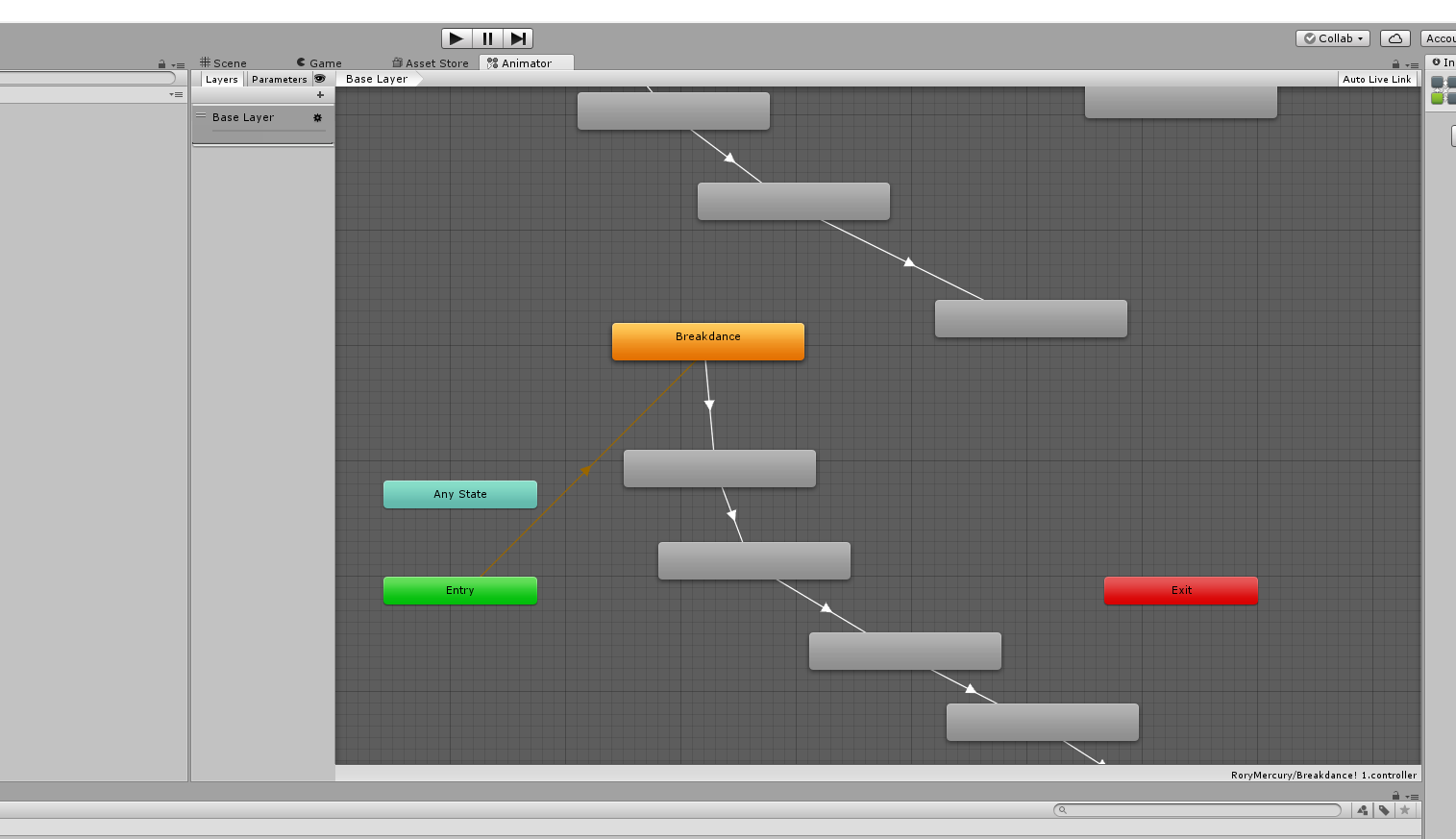





he moves the fireball about in this one
fierce copper
yah thats the one i used
thats why it happens to be the exact same asset and the exact same particle
mystic umbra
mystic umbra
So I got the particle effect to become rainbows
unique night
oh XD
mystic umbra
But I cant take out the black box
I just want that circle
Can I add another shader to my shader?
unique night
@fierce copper so just to make sure. the particle system is turned off by default, then via the timeline you turn it on in the 1st frame
clear yew
@unique night when i'm done with pose, i must left it in 1st frame, and make other empty? also add key frame when stop?
fierce copper
well apparently it doesnt get turned on in the first frame
or well
im guessing that that is the problem
unique night
@clear yew since you just want a simple face emote you can leave them at 1st frame, then make your face expression change and duplicate that frame to the end of your animation. So if you want it to last for 3 seconds, copy and paste it at that point in the timeline.
when you add properties by default it will add a default keyframe at the end of the animation
so make sure to delete those
or replace with a copy of your first frame
by default those default frames get placed at 1 second
mystic umbra
Wtf
clear yew
i've already deleted default keyframe
unique night
@fierce copper yeah that would explain why you dont see anything
unique night
@fierce copper its the active object property, just make sure the box is ticked on it in the timeline
mystic umbra
unique night
@clear yew if it helps, post a screenshot of the timeline
fierce copper
i know what it looks like because i tried to get a weapon first
unique night
@fierce copper make sure the particle is inside your avatar on the heirarchy panel, so drag and drop it on to the armature
fierce copper
yah it is
unique night
then go to animaiton timeline, add property: armature > audio source > active object
fierce copper
there's no armature
because of the way he did it
he made the animation clip before he added it to the armature so the character wuldnt like
duck into the gorund
unique night
thats fine, the particle system is located in the armature section of add property
clear yew
@unique night now im trying to understand and play around with numbers, i'll send u scr, but It will not be soon 😄
unique night
inside it , should be active object
fierce copper
the animation clip was made before the particles were added to the armature hierarchy
unique night
not the character
fierce copper
yah
unique night
animate via the character then
fierce copper
thats what he was doing
unique night
dont forget to clone the model
fierce copper
but how do i fix the problem where he dives into the ground then
like, bended knees
fierce copper
ah okay give me a bit
unique night
the annoying part of animation 😛
fierce copper
once i get there ill see if i can get it fixed
unique night
sorry about that, didn't realise the animation was on the actual particle XD
glacial pike
dublicate the character, hide your correct one, add animation (also break) to your dublicate, copy paste all animation keynotes of your working character into the animation of the broken one, finish animating, add any created particle system to your correct character, hide broken character, add animation to the override controller, be happy with your emote 😃
unique night
wait theres a way to copy the default pose from the main avatar to the cloned? 😮
@glacial pike also, your idea for gesture will work, got caught up in other convos so never shared thoughts on it
glacial pike
well you won't see it, but you can just copy the keynotes and it will keep the normal pose in the game 😃
unique night
@glacial pike i'm a little confused on where to find the keyframes on the original character to get the default pose fixed. If i create a new animation on original model to see the frames would that not break the original character?
i think i'm misreading what you meant :3
glacial pike
you don't create a new animation on your default avatar, you just open the animation tab and it should have tons of keynotes there