#animation
1 messages · Page 14 of 1
 gaunt pebble
 normal skiff
someone literally asked the same thing above and got the answer via pm
how long will it be until someone starts up a repository of useful resources like that 😉
 fierce copper
@normal skiff the build panel is stuck on "Use the settings menu to sign in" although I have already done so, and when I go to settings it's stuck on "Signing in'
is this because of the server thing they announced?
or does it also do this if u messed up somewhere?
xD
 solemn onyx
I have animations that come with a model(.dae),blender plays it fine but unity chops it up into multiple animation -.-'
gaunt pebble
which number emote is backflip again?
 oblique parcel
Hey, I've added new emotes to my avatar, but instead of displaying the emotes my character goes into the ground and stands still in a T pose for the duration of the emote. Why is this happening?
It's been done through mixamo
oblique parcel
 fast crater
yo
so ive put a gun in the hand of my avatar, and modeled the fingers around it in the animation. it works, as in i can summon the gun with the handgun emote, but the fingers open and close
 mild pecan
ah the problem is u have to make the animation stay with the hand closed
aka delete the last keys that say "0" at about 10sec
and go put a coppy of first row at frame 1
and save
normal skiff
@fierce copper I see similar things when there are connection issues
fierce copper
yah thats what i was thinking of
it works nopw though
its a shame i cant seem to be able to browse avatars though
its stuck like this for some reason
 stray gulch
is it possible to put a vmd on a simple animation controller and use that controller on any model?
or does it only work for that specific pmx?
normal skiff
ww
fierce copper
i tried to restart unity and it didnt load in some files but i was like; "imma try uploading it anyway"
mistakes were made
oblique parcel
@mild pecan Can you go in more detail? I don't understand ..
 unique night
@oblique parcel emotes have to be repositioned for the first frame.
if tis gesture it can stay in the ground and it wont happen in game
but emotes take the avatar out of your control and need to be posed entirely above ground
unique night
oh ok, there might be an easy way for that then
I havent used mixamo animations, only custom animations from scratch
stray gulch
anyone familiar with importing whole vmd dances?
oblique parcel
oh
unique night
click the animation file
so it opens in inspector
and try clicking the bake to pose checkboxes on
and see if that improves anything, otherwise you might have to learn how to use the animation timeline to move the model above ground
oblique parcel
This is what I have, I can't click bake for some reason
The problem isn't the fact that the avatar is under ground, but the emote is not playing at all
unique night
is the animation humanoid?
oblique parcel
yes
unique night
I have no experience with mixamo but there was a youtube tutorial that went over the process
let me grab the link
oblique parcel
Okay, thanks
unique night

Creating custom animations for hand gestures and emotes in VRChat
the last part, he uses a mixamo dance animation
13:15 is where he moves on to mixamo dances
oblique parcel
Yeah, I've seen that
normal skiff
not loading in some files = uh-oh
stray gulch
anyone familiar with importing whole vmd dances?
oblique parcel
I've done the same, but the difference between me and him is that he manages to separate the animation from the entire file.
This is me
this is him
Might this have something to say?
normal skiff
when the SDK builds the avatar file it sends up to the server, does it do that based on what's in the project in-memory, or based on what's stored on disk?
because of the bug I discovered, the two aren't necessarily the same even if you think you just saved
so if it does it based on what's on disk, then that's my entire problem explained in one go...
unique night
is it even uploading at all for you?, considering the server issues I assumed there would be trouble with uploads
normal skiff
good question... at the moment I'm not at the computer with the main dev setup on it and I haven't tried pressing upload from here
I'm about at the point where I might have to resort to decompiling the SDK to figure out the problem
unique night
so when you say project in-memory? you mean like the project is opened but not saved (at the point of upload)?
oblique parcel
Figured it out! Thanks for the help, Lakuza! Owe you one
unique night
no prob, sorry I couldnt help out more directly
oblique parcel
You pushed me on the right path, made everything click. So thanks ;)
normal skiff
yeah, when you make a change to something usually the scene goes into an unsaved state where you see a * on the scene name, but due to a bug, changes to VRC_Avatar don't trigger Unity to recognise the change
so any changes you made to VRC_Avatar between the time you last saved and now don't get saved
in my case I had added my CustomOverride to my anims, and it was showing in unity, but it was not in the scene stored on disk
I only discovered this once I checked out the project from another computer
 knotty wasp
Anyone have a good base value for finger positions to make your hands into a heart?
unique night
@normal skiff ah ok, thats good to know 😮
normal skiff
oh f--- I just realised something really bad about my account info
unique night
oh?
normal skiff
email address is wrong 😐
unique night
😂 so that could likely be the root of all the issues?
normal skiff
nah.
unique night
damn 😦 was hoping it was all an easy fix with that 😛
normal skiff
it shouldn't care, this is just bad because if it ever sent me any mail that mail went to someone else
that person could presumably also just hijack me
 soft shadow
 tawny elbow
Does anyone have any idea where I can get that popular (i assume) pack of animations like dab, flair, breakdance, etc?
mild pecan
they are nice
stray gulch
@tawny elbow i wouldnt mind finding out too
 unborn geode
 cyan sparrow
Has anyone had this issue of not being able to change a joint rotation in an animation?
Ex: I enter a number for the rotation, press enter, and it resets to the old value
If I rotate the join in the scene then it seems to work but I'm not sure if it'll properly save to the key
 terse sphinx
What if you map a 5 sec animation to a gesture? Will it still play? I heard that it will but may cause switch gesture slower
 limpid raven
So how does one give their avatar flashy dance animations?
I really want to twerk and basically explode everywhere.
 clear yew
how do you "show" hidden particles in animation tab
what I mean is, I have both the model and the "smoke" particle effect hidden in tree here
it is set to loop and I set everything under "cig" to active
on a keyframe, but it doesn't play the smoke particle effect whatsoever.
Should I add something from these sections?
I have 2 "smoke" particle effects, one is a nonstop loop during the animation for the smoke coming off of cigarette, and one is for puffs coming out of mouth during animation sequence. Thanks.
would anyone be able to help me with a viseme issue? ive checked the visemes in blender and unity, and it works in both. but my mouth will not work at all in vrchat
 astral hamlet
guys Im trying to change the trail of my projectile to yellow like the projectile itself. Where do I find the "Renderer Module"
 glad topaz
anyone know the best settings for audio sources on hand gesture? i have one set but its practically a whisper up close to ppl
astral hamlet
got it, thanks @terse sonnet
glad topaz
i have it set to a close proximity so to not be obnoxious but i cant get it past a quiet whisper even for myself
clear yew
@terse sonnet I did but maybe is it because it shows "game object" instead of "particle system"
it should show the actual particle effect taking place when you play the animation right?
 terse sonnet
I was talking to Squizma there, Desu
clear yew
yeah it was an actual plausible thing for me too haha
 vagrant heron
What are the ideal settings for audio since the nerf?
I want people to actually hear the sound effects
vagrant heron
I've been asking for a while
You gotta repeat the question a lot or no one ever sees it with all the people in here
glad topaz
yea looks that way
terse sonnet
there's only a small amount of 3rd party components that are actually supported I believe
if something isn't on the whitelist or is a custom script it just gets removed
 languid lark
@shrewd moon alot stuff find asset store you can actally make
just need look tutiroals on unity
 shrewd moon
I just want a 3d muzzle flash :(((
clear yew
my dudes, if you enable a particle effect that was hidden in animation tab, it should show when you play right?
if not I might have done this right the entire time, just didn't know it doesn't play in animation tab
terse sonnet
it will enable, yes
but it'll disable if you're doing an emote, when the emote is over
languid lark
@shrewd moon you can make one with particle
terse sonnet
It'll kill all particles immediately, instead of them smoothly disappearing too
 muted prairie
What's the option in a particle system that makes it not viewable behind your avatar/objects ?
languid lark
limpid raven
Is there a free alternative to Dynamic Bones?
muted prairie
cloth physics in unity
 grave ibex
damn it
so i'm trying something new, i'd like to make my character able to do this dance
but not 24/7
languid lark
just make emote
grave ibex
only when I press a button or whatever
languid lark
with it
languid lark
@grave ibex https://youtu.be/V0l4-pH3vI4?t=12m45s
Creating custom animations for hand gestures and emotes in VRChat
grave ibex
override?
languid lark
@grave ibex yea it method let you change out emote
and hang gensture
might as well watch the whole video
grave ibex
the guy sounds so exhausted wtf is happening
 dawn shale
hey guys, i have an issue with an animation i did. When i pull out my weapon my character goes straight into the ground, any ideas what might be going on?
clear yew
what I figuered is that you have to select the animation file in unity and select those bake into pose boxes, then again that solved the same problem I had with emote animations
dawn shale
sorry im not sure what you mean
clear yew
When I did an custom dance emote my avatar would also drop down the floor, or levitate, what fixed it for me was selecting the following boxes on an animation file:
https://ibb.co/iHPKEw
 dawn shale
oh ill try that, thanks so much
clear yew
I hope it fixes it for you, but I'm not 100% sure since it's a weapon trigger, do let me know though 😃
clear yew
gime a sec
clear yew
but it still needs an animation right?
dawn shale
yeah
i have the animation file
the weapon comes out
but i just sink into the ground with it lol
clear yew
ok, so there are two types of animation files:
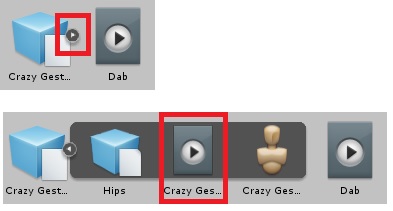
On mine I have two, 1 called: Crazy Gestures, One called Dab
The Dab has the options you need to find, on the crazy gestures you need to click the little arrow (as shown on the picture) which extends the file and then find the playable file, select that file and you should see the options I linked earlier
 dawn shale
hm I only have the playable file and the custom override animator
terse sphinx
Is that possible to use two animation at the same time? I see an avatar in old hub doing custom animation and default animation(wave) at the same time
clear yew
@dawn shale
If you have the playable file selected it should show those options in the Inspector tab.
@terse sphinx
Highly depends, you have 8 places for animations, I could override 6 and keep 2 of the default once, or if you have VR you could just wave without an animation xD
terse sphinx
I'm in VR so I can tell that's definite default wave animation and a custom animation being used at the same time. You can't wave that precisely with your real hand
That avatar also left particles(luminous track) when he running around
clear yew
try opening that gun with the arrow and see what is under that, else I honestly don;t know yet since I haven't gotten that far into animating 😃
terse sphinx
seems he is testing some new method
clear yew
Well if you have a looping animation effect and then use an emote I guess you could have two animations running at the same time (triggered animation (Taking out a weapon, etc), always running animation (eye blinking for example) and emote animation)
terse sphinx
Yeah that may explain, thank you
dawn shale
theres nothing in it
clear yew
yeah then i'm not sure Toga, sorry not to experienced on this subject yet, just thought of the possible solution I did know :3
clear yew
no problem, hope somebody more experienced has a solution for you soon
 spiral sphinx
who here is good with animations
 cloud pond
what number should i be doing for the audio source
 frosty oyster
why does my character violently shake when i use a custom emote to pull out a gun
dawn shale
@frosty oyster lol my character goes into the ground
frosty oyster
rip
 finite fossil
anyone know how to make it so that the audio source doesn't play when you spawn in / switch to the avatar?
 weary cargo
anyone know why snail trails are not really working ? its like super fucking random to make it work, i did it once but cant do it again. The tutorial litterly makes it look super easy, but it dont really work?
anyone who's into this who can help? and how did u get urs to work?
 mystic umbra
I need some help with animation
my particle and the wings arent in my avatar in vr chat
 sacred schooner
I'm not sure where to put this.
Does anyone know how to make avatars that disappear/appear wwith distance? Or this for example? https://clips.twitch.tv/BlueTentativePelicanMrDestructoid
I have no idea what to search
cloud pond
anyone here see anything wrong on this that could be the reason why I dont hear the sound file play in game?
both files are .ogg
 peak relic
@cloud pond make sure that the audio source is disabled in the main audio source box in the original and animation model. And make sure loop is off in assets.
cloud pond
so like this
peak relic
Now the problem that I'm having though is that I put a whole song in there but it's not playing properly. A sound clip works perfectly though for me.
normal skiff
now the custom override is definitely set, and definitely saved into my files, but still doesn't work in-game :/
peak relic
The audio source box above that in the hierarchy. That 1 must be ticked
peak relic
Both from the original and animation hierarchy.
cloud pond
delete the audio source?
peak relic
Right click on the model name and create an audio
Yup
The audio needs to be parented
cloud pond
im trying to have it only activate when I do VICTORY and HANDGUN sign though
so should I do that to the animation heirarchys?
cloud pond
should I have 2 on the original since I have 2 sound files?
peak relic
Victory and handgun 2 separate sound files?
peak relic
Then yup. Parent them the the respective hierarchy.
cloud pond
so then just these two and not the one labled Kizuna
peak relic
Is it on a specific part of the body or whole body?
cloud pond
all i just want to do is play the sound clips when doing the default gestures
not coming out of any specific body area
peak relic
Should be fine if it's parented to the whole model then.
normal skiff
I need new ideas for what might stop a custom animation override from working
cloud pond
not having the correct labels? SRTIFELT-RT-45-135 shit
normal skiff
FIST and THUMBSUP are the only things I have overridden so far
cloud pond
@peak relic and then i deselect the check boxes on the animation and the heirarchy?
you have to override EVERYTHING
peak relic
Just in the hierarchy of the original and animation.
normal skiff
...everything? even though it's supposed to override
normal skiff
I don't have animations for everything else though
cloud pond
then put back the original ones
frosty oyster
guys how do u do the rock n roll emote
normal skiff
I don't have them :/
cloud pond
need VR
normal skiff
the female ones, that is
peak relic
Turn off the recording and resend old blame
 digital apex
peak relic
digital apex
peak relic
Pls. Autocorrect
normal skiff
all the other animations do work though so it's more like the custom override isn't actually being used at all
cloud pond
@normal skiff
frosty oyster
I have vr
digital apex
how do u do the handgun / fingerpoint etc
normal skiff
those show up but they're the male ones
normal skiff
as opposed to female
cloud pond
no i mean
cloud pond
every emote on the override are gender neutral
digital apex
you can't do that with keyboard mouse?
normal skiff
Assets/VRCSDK/Examples/Sample Assets/Animation/Male_Standing_Pose.fbx
cloud pond
no you cant
normal skiff
every emote on the override might be gender neutral but the only EMOTE1 I have to choose from is that one from the male fbx
digital apex
dam that suz
normal skiff
look at the path to the animation when you select it
Assets/VRCSDK/Examples/Sample Assets/Animation/Male_Standing_Pose.fbx
cloud pond
click on this thing
cloud pond
peak relic
@cloud pond are you able to show me what it looks like with recording off
cloud pond
sorry hold one 3 conversations at once
peak relic
😂
cloud pond
@elfin cedar its male, sure but i think all you need to do is change the archtype in the avatar descriptor and you're gucci
wait that aint you
normal skiff
hmm, Hotox
2 months ago
Hey, you don't have to fill in all the blank overrides in the AvatarControllerTemplate. If you leave them at "None" they will just use the standard animations.
cloud pond
who did i ping
normal skiff
but I'll try it anyway just for lulz
but my overrides don't include the animations for the stuff they're overriding either
cloud pond
wait ok so @peak relic what do you want me to show you?
normal skiff
if this is really necessary then it's one more thing the SDK should be checking
shit, I think Hotox probably knows what he's talking about though
normal skiff
nah, this doesn't fix it anyway, crap
well, I know I have set the override, and I know the override has been saved into the scene now
so the next question is, has the SDK actually put it into my avatar
cloud pond
you put it in the custom standing animation slot?
normal skiff
it's actually in both
cloud pond
and you put everything back?
peak relic
@cloud pond what should be fine.
cloud pond
?
peak relic
That. Dam autocorrect
cloud pond
ok
normal skiff
maybe having it in both slots isn't ok?
cloud pond
yea
normal skiff
will try taking it out of sitting
cloud pond
thats what i was thinking
but i never really sit
alright, im going to upload to see if it works
normal skiff
now that was interesting, when I removed the sitting animation it deleted something else from my project
cloud pond
new error, signs looking good
peak relic
@cloud pond this is the video that helped me.😁 https://youtu.be/61vO-IswFps
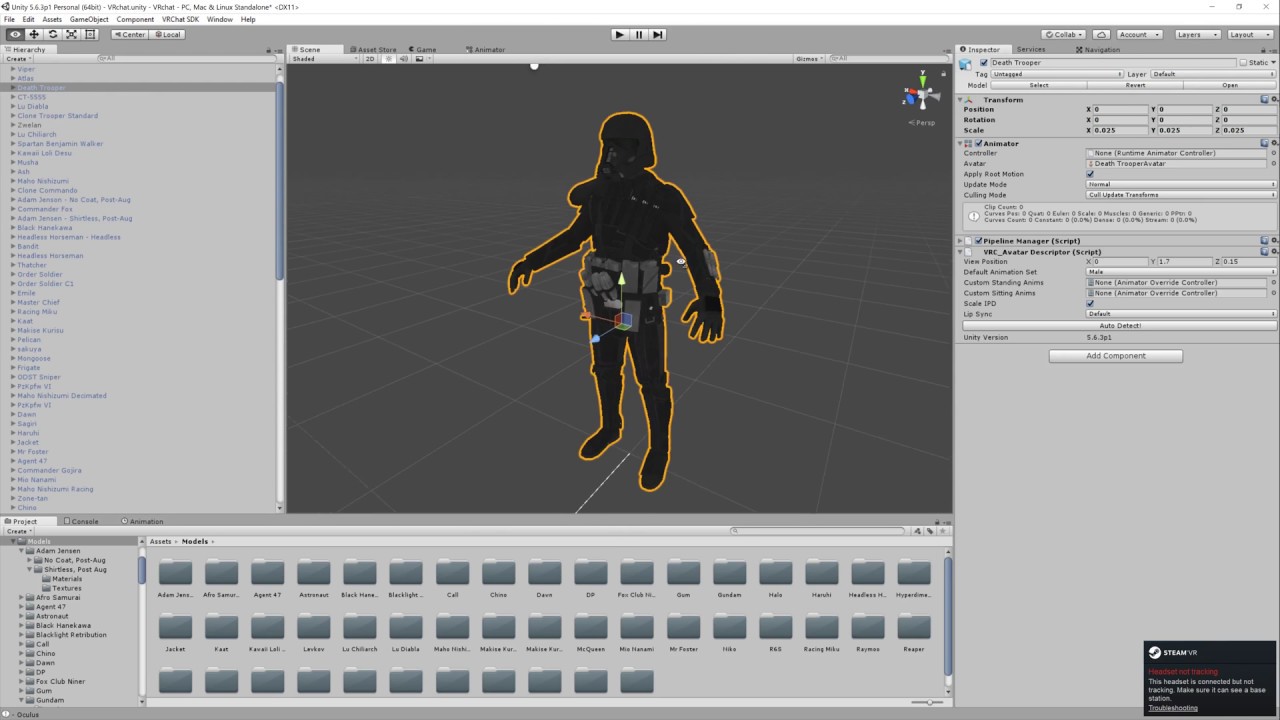
Basic VRChat gun animation override. Audacity used to convert audio files to .ogg.
peak relic
That's true.😂
 steep citrus
does anyone happen to have/or know where to find a cylinder mesh for dragonball type "auras"? I need a nice transparent fade on a cylinder mesh for this to work
peak relic
Only realised afterwards. Lol
cloud pond
if it works or not
peak relic
@steep citrus shouldn't particle effects do the job?
spiral sphinx
anyone know any good particles that would look cool as wings on a gundam?
peak relic
I've never watched Gundam so wouldn't know.😂
spiral sphinx
 steep citrus
@peak relic do you know where I can find a tutorial of such? the only one I found I wasnt too impressed with. but I found a tutorial using Maya that made a cylinder mesh with a nice fade an used it as a texture an it has a great shape/detail quality to it
spiral sphinx
thats the gundam
cloud pond
@peak relic STILL NOT WORKING
steep citrus
Im trying to do this btw for anyone curious, https://www.youtube.com/watch?v=4-h5QaYJ7Co&t=100s

► If you are interested in this all FX , pls comment what you think , send me a message or contact me with : vungocduchd@gmail.com ► Download my asset here :...
I dont have maya however
peak relic
@blame K follow the vid on the audio part. Could be a part that I missed out.😁
normal skiff
no worky
normal skiff
I'm gonna override all my emotes with the same thing to see what happens
at this point I'm clutching at straws pretty much
if only this shit were properly documented so that I had something to follow cough
cloud pond
wait so you figured out what was wrong?
 glacial pike
So I want to animate my character taking a stance, but when I start to add properties to the animation the character goes into this broken pose, does that matter at all?
steep citrus
does anyone have a way of making this mesh in blender instead of maya? https://www.youtube.com/watch?v=ICJ2cNVgJ7s

Effect Animation - How to creat 3d effect animation for game Lighting Buff Effect - Unity Particles Effect Unity 3D effect tutorials ------------------------...
normal skiff
so if I put my stuff into EMOTE1-8, I can see that the custom override is being used because it tries to play the animation really really fast
so only gestures are busted
cloud pond
so like this
steep citrus
for anyone curious I believe I found a suitable blender replacement for aura making. here it is https://www.youtube.com/watch?v=4uGosqOisDI

Гайд как создать магический круг в Unity 3D. Создание визуального эффекта с помощью системы частиц на игровом движке Unity. Game effect tutorial. Вы можете с...
peak relic
Much better.
cloud pond
this one unchecked?
peak relic
That checked while recording is on and check the frames to make sure. Once done take recording off again and check the hierarchy again in case it jumps back to how it was.
Ticked*
Actually wait.
Delete that and set it again
peak relic
The animation property
cloud pond
ok
peak relic
The property needs to be set for that top box that had to be unticked to activate it.
spiral sphinx
anyone know good particles i can modify for wings?
peak relic
Hopefully.😁
 chilly girder
does anyone know how to get the lip sync working properly on a custom knuckles avatar? asking for a friend hehe
cloud pond
@peak relic nope
wait i think i figured it out
on the animation itself it was marked at 0 cause i deleted it and put it back
normal skiff
my character never seems to blink but maybe I just can't see that in mirrors
cloud pond
didnt enable eyetracking on blender maybe
normal skiff
nah, I did, for blinking only
rotation required bones I don't have, but blinking only required shape keys which I do have
peak relic
Did you test it on Blender?
normal skiff
yeah
I can't figure out how to see that particular setting in unity though
visemes are properly here in the UI but blinking isn't
cloud pond
still not working
peak relic
When you rig the model on Unity, go to the muscle tab for the head.
peak relic
@cloud pond did it set back in the hierarchy by chance? It tends to do that when recording gets activated
normal skiff
no way, now it thinks I'm not a humanoid rig
cloud pond
nope
 hushed silo
help
peak relic
@cloud pond I forgot to mention tick play on awake.😣
cloud pond
AEUIFBR
normal skiff
mm, I don't get it, has it cached an old copy of the contents of the fbx file somewhere?
cloud pond
still a nope
normal skiff
clearly LeftEye exists because it's in the tree and I was able to bind it in the first place
peak relic
Check the animation property to see if play on awake stays ticked.
Both audio source boxes must be ticked while recording is on and the top box unticked when recording is off.
This audio story took me a whole day to figure out when I first tried it.😂 @cloud pond
cloud pond
wait so add play on awake to the animation
normal skiff
yeah okay, so I don't get it, binding the eyes doesn't work
as soon as I remove the eyes, it stops complaining
cloud pond
@peak relic do i check play on awake in the animation property?
i feel like i should just restart at this point
normal skiff
I've been doing that a bit, lol
I just reverted all the changes outside unity and reopened
you touch one thing and it breaks 4 other things
I try to bind some eye bones and the entire rig stops working
glacial pike
just dublicate your avatar, hide the real one, and test stuff on your test avatar, saves you from breaking stuff that you fixed earlier :p
cloud pond
but the thing im testing is sound files upon hand gesture animations
i can only test that by uploading and going in game
 quartz summit
Hello I've got a quick question whenever someone has time. Fairly new to this but I made some anmation overrides for my avatar where the head moves. In-game though the head is stationary and continues to follow the camera during emotes. Not sure how to prevent this. Thank you for your time
glacial pike
it's an animation, you can determ if it plays by playing the scene with the animation, the linking of that animation to a hand trigger shoudn't be the problem right?
normal skiff
my emotes all do that too but I thought it was normal
quartz summit
That'd be a shame since one of my animations involves a skeleton spinning it's head around
normal skiff
like backflip keeps facing forwards the whole time while the body goes through the head
I've assumed it's because the head faces where the headset faces and I'm still facing forwards the whole time
quartz summit
I saw someone do a custom dab emote where the head moved independently I just don't know how that was acomplished and it looked like they didn't make it themselves.
cloud pond
prob from one of the public avatars
quartz summit
Seemed that way
It was the rainbow colord derpy-eyed mmd if that rings any bells
Can't find any resources online either
 compact storm
Can I somehow trigger an animation on an object that my avatar is holding via a hand gesture animation that is on my avatar?
My avatar have 2 different hand gesture animations, 1 for making a small toy robot appear in my left hand and 1 that makes my own avatar smile. But I want to make it so that when I smile, my robot also smiles. The robot is it's own entity though that I've added to my armature and it looks like I'd have to create its own animation file, hence why I'm wondering if I can somehow trigger it from my smile animation.
 eternal mason
im not sure, i know you could make another robot with a smile and semelesly swap the old robot with the new with a different hand gesture.
i have seen people pull out little versions of there own avatars and have them dance or be ragdolls and i have absolutly no idea how they do that lol
someone who knows how to do that might be able to help
compact storm
those are most likely working the same way my toy robot works but with either onload events and/or dynamic bones (to make them ragdolls). I'll experiment some more with this though, thanks anyway 😃
feels like a waste to keep adding more versions of it to the avatar, but if that is the only way then I guess I'll have to go with it
eternal mason
im sure there is a way to do it, youve just got to figure it out 😄
do you know what the best way to go about making your own full body animation is? making it in unity isnt working out to well :/ i also have a chair as a prop in the animation. can anyone help? o.o
compact storm
not sure, I've so far only messed with minor stuff like changing the hand and face but this might be helpful for you
I've heard it's good for making your own animations
though it costs money
compact storm
👍
chilly girder
I'm still confused to why I can't get the shapekeys to work in unity, when I change the value on them in blender they seem like they work fine. I don't know if it's the model or I'm missing something
normal skiff
problem is solved, it was the fingers
the warning about missing finger mappings unhelpfully doesn't mention that not having finger mappings will break your custom overrides
I'm gonna go propose a change to the SDK docs but I can't fix the SDK itself and whether VRChat actually read the support forum is dubious
chilly girder
Does anyone know what I could be doing wrong here? This model only came with this many visemes and I tried remapping in blendew with CAT's plugin to fill in the missing ones and the lip sync function still won't work.
 lean acorn
anyone know why a prop I try to disable-enable toggle refuses to enable via animation command?
normal skiff
I bet this will fix the eyes too
counterintuitively, when I finished binding the last of the right fingers, the warnings about the left fingers went away
and now I see no warning on the eyes
lolunity
mild pecan
O_O
normal skiff
yeah I know right
I had no warnings at all on the bind screen before I had all the fingers, and then as soon as I added the first thumb mapping, it wouldn't let me import it as Humanoid anymore
until I finished adding every single finger bone, and then it let me do it again
the error message was pretty confusing too
mild pecan
yea they usualy are -_-
normal skiff
I find it odd that it didn't auto-map both the Chest, and all the fingers
the fingers maybe I can understand why because it's a complex area
but chest was literally called Chest and it didn't pull it in
mild pecan
wow then unity fucked up lol
normal skiff
it always does, every model does this every time lol
this is the first time I had the pleasure of the finger thing as well but the chest thing seems universal
lean acorn
Can anyone help out with the issue i'm having?
 quiet jacinth
Okay i have disproblem, i have these wings and want to set them as idle animation but i dunno what im doing wrong, i have tthe animation itself that activates the wings like 1 frame long, also got it in the customoverrides on idle tab, still doesnt work
lean acorn
I have a prop that i am trying to toggle on/off on animation, but when I disable said "prop", it doesn't work at all. If I enable it, then it toggles but the wrong way (animation activate hides it)
mild pecan
do u have only wings or a model too?
if u have both i think u need to add an animator to the wing part and add it there
mild pecan
oh i thought u added them to another model
lean acorn
Wait
lean acorn
If you accidentally add something to the main model but not the clone one, then remove it back, would it still break the animation?
quiet jacinth
I have the model itself, and under it i have the wings
mild pecan
@lean acorn idk about that, i just made mine with the clone one to not get any unessesary problems
quiet jacinth
its like that
quiet jacinth
but isnt there only 1 and 0 when its "Is active"
the first dots are 0 the other ones are 1
mild pecan
idk have not worked with that yet
quiet jacinth
bruh
lean acorn
Wait
mild pecan
only made an animation where my avatar grab a gun/donut
and btw that question seems more like an animation thing, they might be able to help u better in there
mild pecan
because i at least have not touched that thing to much
oh whoops
mb tough i was in avatar xD
lean acorn
How do you "update" an animation?
i.e save it again
I think I figured it out
Or does it auto-save?
quiet jacinth
i think it should automatically change when you edit the animation
lean acorn
if I open and close this animation, one of the features keeps defaulting to off
I think that's whats borking it, but i'm not sure
 turbid harness
 pure roost
Uhhh has anyone seen or found a good guide for overwriting the basic walking animation in VRC? I have the walking and idle animations changed inside the animator and it's working inside unity but, they're mixing with the base animations only inside VRChat. Any help is much appreciated!
mild pecan
did u make a custom override empty controller?
pure roost
I duplicated the sample yeah. ;s
clear yew
Hi guys! My question is probably stupid, but ... Where can I get the custom animation files ".anim" like on this screenshot? :с (sorry for bad English)
spiral sphinx
anyone able to help me with animation?
 undone glade
@spiral sphinx Vr or desktop?
spiral sphinx
desktop, so itll be emotes
i have two in mind i wanna do, but cant figure out where to start
lean acorn
Question: Can you animate props?
undone glade
@spiral sphinx https://youtu.be/p0txtOuZtx0

Unity - Custom Animation Overrides, Blinking Animation, Dynamic Bones & Colliders, Viseme. VRChat #3
Importing model - 0:37 Toe Removal - 1:37 Applying Shader - 2:29 Blinking Animation - 3:09 Animation Override (Facial) - 7:24 Avatar Descriptor & Viseme - 18...
 versed tulip
Hi all, Does anyone know a way of getting the Mixamo animations to use the feet IK (i.e. stop floating or clipping into the floor during the emote)
undone glade
Not exactly what you're looking for, but it will get you in the right direction.
versed tulip
Alternatively does anyone have a selection of VRChat ready animations?
undone glade
@versed tulip If you have VR majority make their own custom overrides I believe.
Desktop emotes will be a bit more difficult
But same process
versed tulip
I'm looking for the emotes in this case, dances etc... I can make my own but that'll take alot of time
undone glade
I don't know much about things such as mixamo animations unfortunately
lean acorn
Do you know if you can animate character attachments?
undone glade
@lean acorn What do you mean?
lean acorn
Like if I want something to move on animation trigger
i.e a box opening or something in your hand
 fierce lake
можно ли добавить анимацию к оружию?
undone glade
Will likely be a shape key/body mesh in animations. Sounds simple enough, but will likely have to play with it a bit.
lean acorn
Thanks
undone glade
No problem, animations will be a lot of experimenting and playing with parts
 proper sky
how i can put it cool dancing movements and where i can get it?
unique night
@proper sky https://www.mixamo.com/
you have to use their skeleton/rig though
I haven't used it myself so not sure what the process is, like if its automatic rig or not
fierce copper
@lean acorn id love to help you with that but im currently having issues with it myself
i tried to 'grab' a scythe using one of the emotes but it'd keep glitching me in and out of the floor while doing so
if anyone knows how to fix the above stated problem please tell me btw ^
would be useful
idk shit about animation
screenshot ^
unique night
if its an emote, you need to repose it above the ground in unity
so the animator:root properties
just frame them at 0.0 to reposition it to where the original model is placed
in unity, animations by default place you into ground
its ok for gestures but not for emotes
fierce copper
oh that actually makes sense....
i made this yesterday at like 4 am
following a vid
unique night
x_x get some sleep 😛
fierce copper
but he did it for hand gestures and didnt do anything about it
ah i just woke up
but now that u said that i realized i didnt because he didnt
lets see if this gets it to work then xD
unique night
😄 good luck
unique night
its pretty easy, theres only 2 root properties in the animator properties
one for rotate and one for position
fierce copper
if i want to do it with custom emote as in, without vr, does it have to last longer?
oh ya sure give me a sec
unique night
emotes last 10 seconds
fierce copper
i was going to open it anyway
unique night
gestures should be 2 frames only
fierce copper
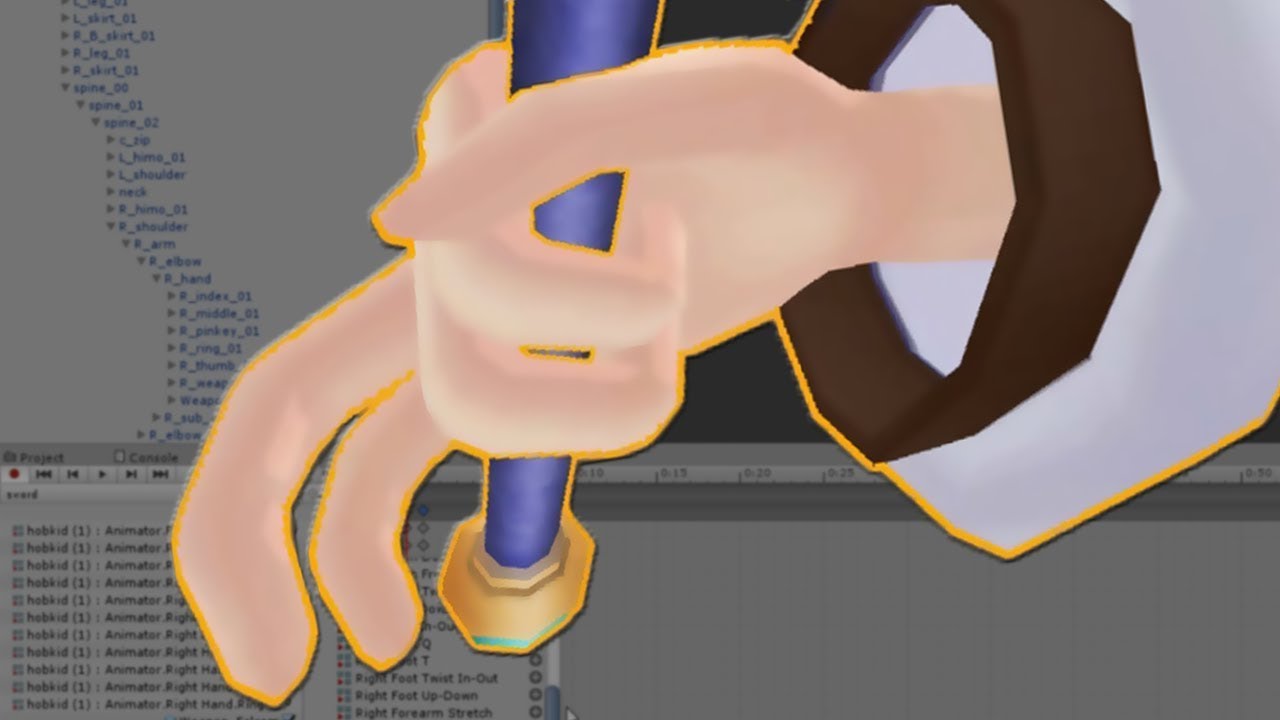
SUBSCRIBE, LIKE AND ALL THAT GOOD STUFF!! :D DISCORD ► https://discord.gg/vNyJgCX PATREON ► https://www.patreon.com/kunoleo
unique night
oh thats 2 frames
if its where you time linked to
0.00 and 0.01
1 second is displayed as 1.00
fierce copper
oh ya thats what i meant
sorry i woke up like 10 mins ago
might not be tyhe clearest
xD
unique night
yeah, gestures have to be be 2 frames only since they are instant
fierce copper
mkay
unique night
but you can cheat and trigger other things
like another mesh with its own looped animation or particle systems
languid lark
you mke animatior controller be turn on with gensture
just need to be it own game obj
unique night
i asked in development-advanced but will ask here too:
Does anyone know how to trigger a one time spawn animation that transitions into idle? I know its possible to do a start animation into idle but I only want it to play on changing into that avatar.
so in order to replay that animation, i'd have to change avatars and back
 empty wave
Can you make miximo animations loop? i ckecked the loop time and loop pose boxes but in game it wont loop
unique night
i personally haven't seen looped maximo dances in game so not sure
there is the 10 second limit to emotes aswell
fierce copper
@unique night so i just drag this up?
started from scratch again
i know this character isnt the best but i just want to get the emote working before i go and make it on the character i use alot
fierce copper
ah, thank you! 😄
unique night
I've got it highlighted in the timeline and the little menu highlight is where its located in
fierce copper
do i alwayse use 1 to lift it up?
fierce copper
like, is the default 1 to go back to normal?
unique night
y=1
fierce copper
mkay thnx alot! 😄
oh
i added root
and it automatically did it for me
thats cool, saves me some time
esp since it wasnt exactly 1
unique night
oh 😛
also
make sure the animation file has "bake to pose" checkboxes
ticked
so like click the animation file in the asset library so it shows in the inspector panel
fierce copper
oh i didnt know that, thanks ^^
give me a bit, im still working on bending the fingers
unique night
those checkboxes mean you can move your character about with the emote
otherwise it would stay on the spot
fierce copper
i cant find it O.o
oh
wait
nevermind
im stupid
@unique night in all of the options?
fierce copper
ah okay, thanks xD
unique night
the 1st one is for rotation, the 2nd for up and down, the 3rd for the other 2 position axis
quartz summit
Hello I've got a quick question whenever someone has time. Fairly new to this but I made some anmation overrides for my avatar where the head moves. In-game though the head is stationary and continues to follow the camera during emotes. Not sure how to prevent this. Thank you for your time
fierce copper
it keeps resetting me when i try to do it @unique night
like it still spazzes, but now i dont go back in the ground but it keeps like, regrabbing the scythe
as if the grab animation is looped, it doesnt let me walk either
unique night
is it an emote or gesture?
fierce copper
emote
unique night
emotes wont let you walk around with the controller, they lock player control over avatar
as for the loop, I'm assuming theres a loop option clicked somewhere, it shouldnt loop by default on an emote
oh, your "loop time" is ticked on that previous screenshot
actually, that shouldnt matter
mine is too apparently
fierce copper
wait so if i dont have vr gear there is no way that id be able to walk around with my animation?
unique night
my settings on the right hand side
even with vr headset you can walk around with an emote
its gestures only that allow it
fierce copper
awh
fierce copper
yah
oh wait u also stand still with those
thats actually legit
xD
is there no way to somehow bind a keypress to lets say a gesture though?
unique night
not that i'm aware of unfortunately
what you can do though, is create a seperate avatar with the scythe
and switch between them when you want to equip it
quartz summit
I'm guessing what I was asking about isn't easy then. I've seen it done, though it's just I can't find anyone who's done it themselves...
The general consensus seems to be that's just how the emotes work
fierce copper
sorry id help if i knew how to but all im doing here is asking for help aswell, started testing with animations yesterday night
quartz summit
I made like 3 so far with prior knowledge of non unity-specific animation so they've got quite a bit of head movement. It'd be a real shame if they were unusable :<
quartz summit
When I play the animation in unity it works fine but in-game I've got control of the head even in emotes. I know it's how it usually happens but I've seen it prevented before
unique night
look at my timeline , 2 highlighted attibutes in blue
those control the head for me
compact storm
Rero, is the animation tied to a hand gesture or are you overriding, for example, backflip?
unique night
good question 😛
compact storm
cause I think those tied to hand gestures wont let you control the head
compact storm
ok, then you should be able to move the head
quartz summit
I know it's very confusing to me
quartz summit
Like I've animated proffesionally and they look great in unity they just dont move the head in-game :<
I made it myself with the animator
It's pretty easy to test at least. I'm a skeleton and the animation spins my head around
compact storm
I haven't tried creating my own animations that controls the head, however, I do have a dance that I've imported and used to override one of the default animations that do move the head around, and it works
unique night
so to go over the basics just in case you missed something:
- animated using a cloned temp model of the original
- in the animation timeline, you've animated using the properties> animation.(insert body part)
- Inserted the animation file in sadness in the animation override
- placed the animation override in the vrc descriptor component of your original model (in standing anim)
some people have placed overrides in the animation controller by mistake before
quartz summit
Let me check really quickly. Is the override only supposed to be attributed to the standing animation slot?
unique night
no, it can go in sitting too
its just to let people have seperate emote for standing and sitting if they want
if you want it for both, just place it in both slots
quartz summit
What should be in the animator's area besides the model?
unique night
what do you mean?
quartz summit
here is what I've got, the override was also in the animation controller so I removed it.
*animator
unique night
yeah dont put in controller
keep that none
if you want headspin whilst sitting down
place it in custom sitting anim too
unique night
hopefully it works, cant think of anything else that might be causing issues
quartz summit
Thanks for the assistance in any case 😃
unique night
let us know if it does fix things 😃
quiet jacinth
Alrighty i hope some one can help me with this, I've got wings that are animated but the problem is that the animation only plays when i look at certain directions, but stop playing when im facing straight forward towards the mirror for example.
I had this same problem last time by making the bounding box smalle than the characters, but now i have like fuck ton of bounding boxes on the model
the character model
is there any easy wai to fix this,
unique night
i think its the angle at which is stops rendering to you
quiet jacinth
i tried making the bounding box big, then small af but still same problem
unique night
have you asked others if it works?
quiet jacinth
no, it works on the other wings
when i face at any direction they work
but these wont
last time i fixed it by messing with the bounding boxes, made the wings' bounding box smaller than the avatars
but now i have fuck ton of them thats the problem, im just wondering if there's soem fix
or something
atm the wings are under the spine in hieararchy
unique night
hopefully someone can help you out, im out of ideas for this problem 😦
quartz summit
Yeah the head still doesn't move. Thank you though I didn't know you weren't supposed to change the animator controller
 fervent niche
is there a video that shows how to do the animation overrides to change the finger gestures into facial animations?
unique night
@fervent niche https://www.youtube.com/watch?v=yfVmfGOOkOw
https://www.youtube.com/watch?v=p0txtOuZtx0

A VRChat tutorial on how to override hand gestures and emotes with your own custom animations. It can be used not just for VR users, but for desktop users to...
Unity - Custom Animation Overrides, Blinking Animation, Dynamic Bones & Colliders, Viseme. VRChat #3
Importing model - 0:37 Toe Removal - 1:37 Applying Shader - 2:29 Blinking Animation - 3:09 Animation Override (Facial) - 7:24 Avatar Descriptor & Viseme - 18...
@quartz summit damn 😦
unique night
@quartz summit could you post the animation timeline as a screenshot
is this the first animation you've tried? does anything else of the body move?
 proven panther
Whenever I move it cancels my animations. I feel like I just missed something. Anyone have an idea what it might be?
undone glade
Do you have the play button at the top of the window on while doing this?
proven panther
yeah
proven panther
wait what
oh no im talking about in game
it cancels animation when i move with the track pad
undone glade
Oh. What kind of animation are you trying to use?
proven panther
holding items and weapons
undone glade
Make sure that all of your animators and weapon are the same setting and copied between the :00 key and the :01 key
mystic umbra
Because for some reason this doesnt show in game
proven panther
ok thanks
undone glade
That will activate on gesture
Also make sure you have no positions set or your avatar's body may be floating off the ground abnormally.
mystic umbra
when I set the particel system in the body
It hides the particle effect
Idk what to do
undone glade
Hit the play button at the top of your window and see if it plays through
undone glade
How big is this particle effect by chance?
mystic umbra
undone glade
Size may be a factor after dropping onto your avatar
undone glade
You could try to increase it and see what happens.
I'm not too familiar with particles at the moment so I apologize in advance with help
mystic umbra
that didnt work
undone glade
I know normal animations and somewhat audio sound.
Assuming particles would be the same here
mystic umbra
yea these are custom made particle effect I made
wait
OH SH(IT
I think I know what happened
undone glade
And sometimes an "oh shit" moment is what's needed xD
mystic umbra
I think I needa make that ball into a material
as well as a texture
but I cant drag and drop it on my avatar 🤔
so how tf do I made it a material
Idk why this works
And the other wone doesnt
undone glade
Right click in your scene and should be a thing for 3d objects
Such as sphere, quad, plane, etc.
mystic umbra
yup
 echo gull
i was wondering does anyone know if and how i could change my idle sitting animation ?
 somber kayak
Hey guys how would i duel wield a swords in my hands? is there any tutorials on how to do that?
I know how to do one sword , i was just wondering if it's the same process
unique night
same process
just place the other weapon to the other hand
@echo gull read up animation overrides, i think idle sitting animation is just the idle animation in that override (except you place the entire override file into custom sitting anim on the vrc avatar descriptor)
 faint sail
Heya guys. I know the basic of animations i've made a couple, but how to make an animation where you take off your hat and hold it? just a little stumped what keys I add and how to make the hat become hidden
unique night
make an object hidden using the active object property
So for the hat, add property> go to the hat mesh property (not animator) and find the active object for it
faint sail
thank you!
muted prairie
Does anyone know the username of the person who made the one punch man avatar with the animations ? Talked two him two days ago but haven't seen him since, if one of you guys know, please dm me the username, thank you !
 arctic quiver
Sorry haven't been here long enough to know
unique night
@muted prairie theres a twitch clip, will check that
nevermind, the names were off in that vid 😦
I assume you meant the one where he punches the meteor right?
muted prairie
Yep, he showed it to me and his heat distortion particle effect looked great, wanted to ask him a few questions
echo gull
@unique night thanks for the help. i found how to change it and there is a change ingame, but sadly it is not animated. only a not moving stance
unique night
no prob, check this tutorial out for further help, its for non humanoid avatars as they need all their animation created:

Google Docs
Advanced Avatar Creation: Making Non Humanoids This tutorial was made using Unity Version 5.6.3p1 This tutorial assumes you already have the current SDK imported and knowledge of how to upload a basic avatar. You will also need an avatar you wish to upload as non-humanoid with it’s own set of a...
it might have some more answers for you
echo gull
will do cheers
 wintry matrix
Is there best practices document for using emote/mocap in unity/vrchat? I have some great looking motion that's cleaned up and looks good in unity but by the time it makes it into client it's pretty bad. Been messing around with compression and key settings and setting no compresson makes no impact, is there a cap on motion size? I know there's a 10 second or 300 frame limit?
or do I need to limit the fps to 15/24 and not use 30?
unique night
check out this vid if you havent already: https://youtu.be/V0l4-pH3vI4?t=13m29s
I've linked it to a specific time where he goes on to mixamo site for the dance emotes there. he did something with the frames so that could push you in the right direction for your own animations
Creating custom animations for hand gestures and emotes in VRChat
 whole granite
56 does anyone have the animation asset on unity, I need someone to do me a favor because I'm poor.
unique night
what animation asset?
 tired hazel
does anybody know a way to play long sound from very short animation? to keep it running after animation finishes
 primal lodge
im trying to do an particle effect that i can toggle on and off somehow. easiest to just overwrite a hand gesture or smth? i know how to add props and stuff with hand gestures. first time i try out particles
 ivory lodge
anyone got experince with audio on avatars?`
unique night
@primal lodge gesture overrides will stop the moment you let go of that gesture so thats one way
@tired hazel extend the animation until the sound ends is one way
@ivory lodge what do you need help with on the audio side?
ivory lodge
sometimes when I shoot my gun I get these loud audio spikes 😦
unique night
whats the audio attached to?
ivory lodge
the gun
unique night
could it be that the gun is sometimes too close to you
so it could be the radius thats the issue?
ivory lodge
no I don't think so
echo gull
me again ^^ anyone know if the bunny ear animation (the one the derpy character one has) is on mixamo? and if so what the name is 😛
ivory lodge
if I stand and shoot on the same place a few times, sometimes i get this loud spike for a split second
ivory lodge
feels really random
unique night
can you try other sounds just to see if its the sound file itself
also what are your sound settings?
tired hazel
@unique night but this is the point, i want sound to survive the animation
tired hazel
emote, i want it to be as short as possible
unique night
i think custom emotes lock you to 10 seconds of wait time anyways right?
like you cant move until those 10 seconds are up?
ivory lodge
@unique night
tired hazel
i dont think they lock
unique night
@ivory lodge settings are quite similar to my own. I have my gain set to 20, and the maximum stat below it to 2000 (whereas you have it at 4.5)
 ripe carbon
Can you overide walking animation?
unique night
@ivory lodge but my max distance above the gain stat is 5
@tired hazel hmmm, im not sure to be honest if its possible to keep the sound running after the emote ends
@ripe carbon yeah you can, you can replace every animation in the game
via animation override asset, it'll list all the animations you can replace
check this tutorial out:
Google Docs
Advanced Avatar Creation: Making Non Humanoids This tutorial was made using Unity Version 5.6.3p1 This tutorial assumes you already have the current SDK imported and knowledge of how to upload a basic avatar. You will also need an avatar you wish to upload as non-humanoid with it’s own set of a...
its for a non humanoid avatar
which requires new animations for everything
ripe carbon
thanks will try, been trying to fix this borken ass model for too long
 blissful frigate
@unique night @echo gull caramelldansen
echo gull
hmm i can't find it on mixamo ... anyone have the emote as an fbx?
unique night
might be an mmd dance
@mystic umbra might be worth asking the same question in scripting too if you dont get any answers here
mystic umbra
yue
ripe carbon
Any idea why it is wiggling like this? https://gyazo.com/aee1fae371312c3bd7fa1f5022e889f6
Gyazo
 wheat lion
anyone know a good gravity for dynamic bones? and also a good inert so my tail does not jiggle as much?
unique night
@wheat lion asking a friend who's used dynamic bones if no one gives you an answer before then
echo gull
ok i'm at a loss here ... i found the caramelldansen as an .vpd file, but i can't figure out how to get this into unity FeelsBadMan
 scarlet wave
do u know guys by any chance how to upload constant animation? so like heli blades loop or smth
 tough cradle
hullo vrchat discord i am in need of help
how does one make mouth move while talking and make the eyes blink?
unique night
@scarlet wave you can add an animation component to any mesh thats looped, similar to blinking. so look up tutorials for blinking
and then apply it to whatever you want on loop
scarlet wave
will it work for generic rig?
unique night
yeah animation component is something you just ass on to any mesh
can be a weapon that has the animation on it too
@wheat lion hope this info helps, i have no idea on this but my friend said this:
"Settings I use top to bottom are 0.5, 0.1, 0.1, 0.9
It's a decent starting reference anyway
Tweak from there for perfection
But for dresses it's way too much. Only hair
I think gravity is within those 4 but not at unity right now to check. Otherwise ice been using the default"
@tough cradle Visemes will handle both
let me grab a tutorial for them
unique night
according to him its one of those 4 values
"I think they're the base setting most start around going by the avatars I've seen
Tuppers recommendation. Guy seems to know his stuff better than most"
@tough cradle for visemes (mouth shapes):
https://docs.google.com/document/d/1W5KFa_aszCMrJaFD8mb9a-GHYO4X4S9M63GjM4UwuEw/pub
you create the blinking with this tutorial too, finding another tutorial link for applying the blinking
Unity - Custom Animation Overrides, Blinking Animation, Dynamic Bones & Colliders, Viseme. VRChat #3
Importing model - 0:37 Toe Removal - 1:37 Applying Shader - 2:29 Blinking Animation - 3:09 Animation Override (Facial) - 7:24 Avatar Descriptor & Viseme - 18...
the vid should cover the entire process to be honest
but the first link has image examples you can refer to easily
ripe carbon
Well I fixed the wiggle but now when I move the model snaps to the same location https://i.gyazo.com/473ec30f572afc70fdb1e08dbd345e2a.mp4
Any ideas on how to fix?
unique night
could be related to the idle animation
its positioning is probably where it resets
just a guess
the first frame of the idle i mean
 drifting portal
Does anybody have the breakdance animation and twerk animation that I could use?
Or if there is a place to get them that would be fine.
drifting portal
I'll take a look. Thanks
ivory lodge
@unique night https://streamable.com/b072y here's a video of the audio spike
 unique night
oh yeah, thats odd
try other sounds if you havent
to see if its the sound file itself or not
ivory lodge
okey 😃
unique night
will be offline for a bit so i wont be able to reply for a while
drifting portal
@unique night I'm either stupid, or I'm not. I can't seem to figure out how to download the animation by its self.
I can only download the model doing the animation. Not the animation itself.
 sharp torrent
You guys know of any good particle effects for a laser beam?
 earnest marlin
So how exactly do I go about getting extra emotes in addition to the defaults? They feel a little bit limited in application.
drifting portal
Mixamo dosnt seem to allow downloading just the animation anymore. Darn
languid lark
@drifting portal you can download animation
drifting portal
But I just want the animation. Not the character attached to it.
 sterile lotus
i have made a model with effects how do i upload it without getting rid of the one without the effects
languid lark
@drifting portal
just upload random model
click animation just set download like that
drifting portal
Ok
So I saved it. But how will the animation work if it's a fbx file?
It's just showing a little blue box icon instead of a play button like the other animations.
wintry matrix
@unique night yeah I saw that video it doesn't reall yhelp .. plus the guy deletes his toe bones for some reason and wonders why his toe/feet deformation is messed up 😄
there some form of sampling issue
cloud pond
im trying to put some audio on 2 of the default hang gesture animations but it doesnt seem to be working, can someone help?
wintry matrix
like there's a definate frame/time limit but.. uncompressed in unity should yield full frame rate, but in vrchat? I'm not sure something is going on if I can go into an empty world and have a nice mocap data turn into mush.
cloud pond
like, i put in the audio source but it just isnt playing when I do them in game
drifting portal
@languid lark I think I figured it out.
 silent radish
I saw a friend using the pen ability in game without any pens around, is this something you can do with animation override?
ivory lodge
anyone know how to fix this sound spike thing? have tested different audio files. https://streamable.com/b072y

 obsidian slate
is there any ways to change rotation animator controller' axis?
seems like it always rotates around Y axis
frosty oyster
why is my character shaking violently when i use an animation override to pull out a gun
 hot orbit
How do i use animas from mixamo, every time i import an animation it just plays the first frame then ends.
Do i have to tweak it in some way?
cloud pond
How do I add an audio file to one of the default animations (VICTORY and HANDGUN)?
 dusty cobalt
I want to add small pet to my avatar and It's currently not possible to make it not rotate with my characters movement. I want to be able to look at it while it does animation behind my character, but unless im sitting on a chair it's not possible. Anyone knows any work around this problem?
@cloud pond https://www.youtube.com/watch?v=wsaGVhIVSf8
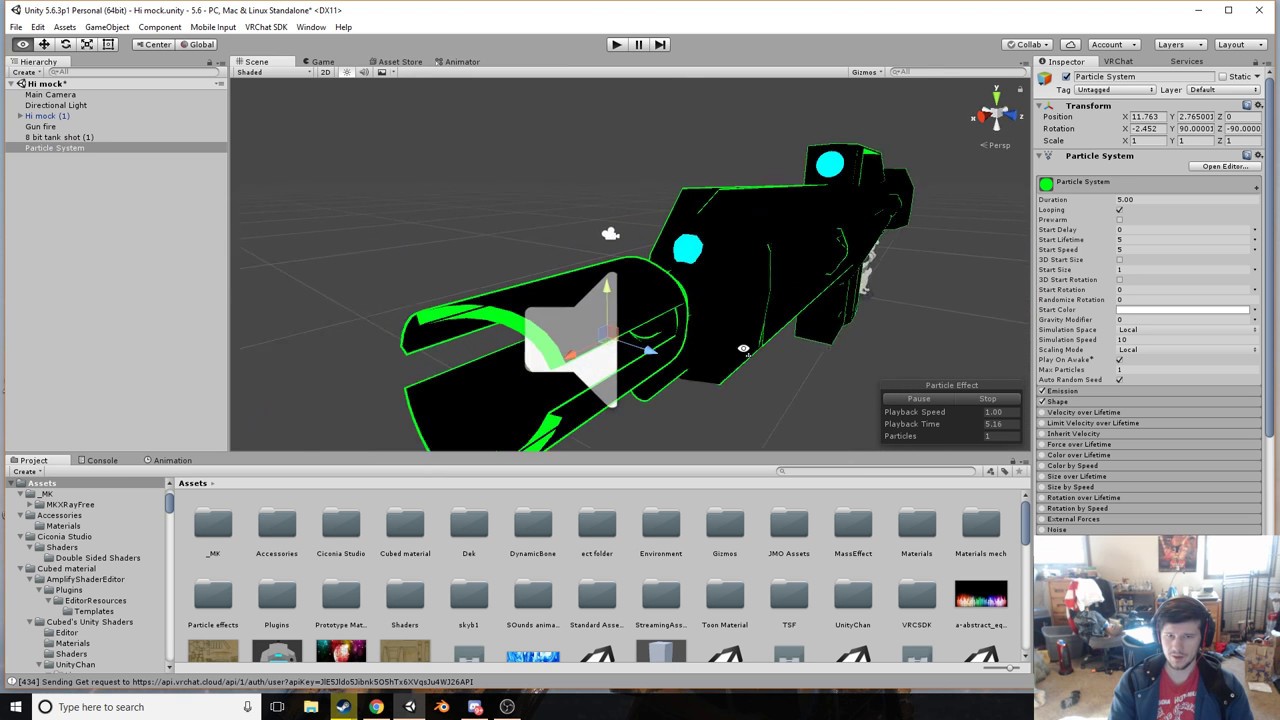
 void crown
my custom walk animation is being blended with the games default walk animation can this be fixed
i wade all walking side ways and backwords animation
frosty oyster
dang i have no clue how to fix it i tried everything
languid lark
@ivory lodge https://youtu.be/Pi7i4sF_BgQ

Tutorial on adding the marker to your avatar and customizing it. Github: https://github.com/theepicsnail/Marker Unity Package: https://github.com/theepicsnai...
ivory lodge
@languid lark ty 😄
languid lark
it let you draw like in predestation room
ivory lodge
cool
 gusty oak
Are there rules against particles etc? like if I wanted a sword to glow, or emit something from it, would it be allowed as long as it isnt too ridiculous
gusty oak
just wanting to make like a light glow around a sword
 sudden bane
anyone happens to know if the swing bone asset works on models with the simpleavatarcontroller instead of custom animations?
 peak summit
Constantly on particle effects that use a lot of polys will lag people
But a minor thing like that won't be an issue @gusty oak
gusty oak
oh ok thanks
wintry matrix
@hot orbit to use mixamo, upload your character fbx to mixamo, choose aniamtion and download it as a fbx
When you have your working avatar in unity, you can inport the fbx from mixamo it may have a character duplicate in teh package which is fine, just set it to humanoid and map it accordingly [eg remove upper body mapping and move that joint to the mapping below it or whatever if thats needed it]
 fallen locust
So i had my thing rigged to humanoid but it wont use VR chats animation set why?
my model
wintry matrix
now you have a unity file with your avatar, and another copy of the avatar witht he motion, if you go inside you can tweak motion settings on the motion asset, then ctrl-D to duplicate it to remove it from the imported fbx, you can plug that motion into an animation override on your avatar.
fallen locust
that was for me correct ?
hot orbit
Is there a certain limit of time an animation can have?
wintry matrix
10 seconds @ 30 fps [300 frames]
hot orbit
Also is there a way to disable auto rigging on mixamo, since some of my avatars dont get mapped
fallen locust
@wintry matrix was your msg right below mine for me ?
wintry matrix
but .. there seems to be a compression/sampling issue that I'm bumping into, when I'm in mixamo and unity the mocap looks fine, but when I play it on client side the mocap is .. missing /skipping a lot of frames...
I was talking to @sir gay
fallen locust
ok well then in unity is there a generic model i can rig my model to to get the animation to work cause i put my model in to unity and it was just stuck in T pose
wintry matrix
if ti doesn't get mapped you may have issues with the avatar in vrchat maybe? I built my rig base from the mixamo template.. the rigs "just work" and it works with full body capture [a lot of the avatars out there won't work with full body tracking due to jacked up bind poses and transforms]
 pure ledge
anyone hapen to have the vive controller gestures?
 cobalt lance
Is there a shader in unity that makes a picture rotate?
 languid cargo
how do you view your model's idle animation in unity again
 elder palm
is it possible to do animation-type stuff without a vr headset?
 sonic tiger
emotes work fine without vr
sonic tiger
Use an emote
sonic tiger
Yep 😃
elder palm
sweet, thanks
are there any tutorials or stuff on how to do animation overide for vrchat?
 fervent elm
Hi question, is it possible for me to have a particle effect only occur during an emote
sonic tiger
Yes!
In the Unity animation, you can add the particle emmiter active property (or the emit rate directly for a smooth transition)
@elder palm Yea there should be pinned tutorials here
err. in the avatars channel
fervent elm
@sonic tiger i dont quite understand
elder palm
ah, thanks vilar