#animation
1 messages · Page 6 of 1
 steady sorrel
 clear yew
i can't tell where i need to go
but i need to make some ghostly fog
i have no idea how i would do it
 gleaming tusk
Hello, I have managed to put the whole get down dance to a model, but I don't want to put the music source on her head or some body part, since when the chorus comes, the music goes all crazy
does somebody know what can I do?
 pure ledge
Im trying to make an object stand still in an animation (a sphere) but I have to put it in the model so it moves along with the model. Is there any way to make the object static?
 severe sierra
You want the model to stay in place while you move around?
pure ledge
yes
its an emote BTW
well not the model as in the characcter, but a 3d object, (standard Unity Sphere)
severe sierra
You have to use a particle system to do that and set the simulation space to world iirc
pure ledge
Alright, I'll give that a go. Thanks.
 austere knoll
Hey can someone link me to a good vid that teaches me how to do the eyes and mouth stuff
 grim cave
Is there any relatively easy way to fix how your avatar stands? The legs are a bit further apart than I'd like and the hands clip through the legs
Idk where I'd even begin to fix that, I know I can override the idle animation, but I don't know how
Like to even make it how I want it in the first place
clear yew
If I put colliders in my feet what would happen
Messing with an animation and dunno if it'd make things weird
 wicked garnet
how do people add lights to their avatars?
clear yew
Particles and entities
wicked garnet
how would i go about learning those?
clear yew
If it's always on it's attactched to the model, like gluing a sword to ones hand
If it's only in an animation, it's a key state trigger
wicked garnet
i was just going to have a separate avatar
clear yew
Uhh I'd look at basic Unity tutorials on adding effects to scenes
It's pretty simple
Dragging and dropping the prefab effect into the scene, adjust it to your liking and place it under your character heirarchy
Don't go overboard with it
And the SDK limits some effects, so be prepared for trial and error
clear yew
Keep things classy and you should be golden
 indigo jolt
Anyone here have luck with Snails marker prefab? As soon as I use it, it won't allow me to publish any avatars in my project because of "The following component types are found on the Avatar and will be removed by the client: SnailMarkerAnimationCreator"
wicked garnet
do i need a plugin of some kind to do this?
 surreal crater
Hello, I have a question. 😃 How do I go about adding a hat to my avatar?
clear yew
Nah no plugin @wicked garnet
Do you want it to appear for a limited time, Vr
Or all the time @craggy hearth
 versed tide
easy way, in unity place it where you want it to be then put it under the head bone
 supple sable
Does anyone know why my avatar goes invisible on my screen when my blinking animation starts?
used to be fine, updated my avatar and now it's messed up
versed tide
check the order of the shapes. blink left and right should be the first two followed by the lowerlid ones.
supple sable
That seemed to be the issue, cheers!
 sand apex
Hey is there a way to add things to the default gestures? Like just rip out the bones that move during a gesture like clap and then add in the change of a face on it
clear yew
If you can find the animations in the assets
Probs, its just copy & pasting key states into a new animation
Then adding the facial expression properties to the new one
 rose helm
someone familiar with Particle Tracing + Animation (mid air finger drawing) and likes to help out a Team imouto
grim cave
How do I make the hands not clip through the skirt?
 pliant dust
@grim cave You have to position the arms and hands yourself so it doesn't do that.
pliant dust
Of course you can't select them. This is Unity's default Animation Tools. Besides, if this isn't an Emote animation, VRChat's just going to default your arms to the IK from the motion controls. If you're on Desktop, there's absolutely nothing you can do about it outside of Emote animations.
pliant dust
Just... think of it as your hands in your pockets.
rose helm
anyone familiar with Neos prefabs Particle Drawing ?
 wooden ivy
Paint some pockets on and shove your hands into them
sand apex
I've been trying to add an expression alongside an animation but the add property is grayed out?
grim cave
changing my idle animation through the emote override might be a bad idea right
sand apex
If its going into the custom standing animation
wooden ivy
So, I've totally failed in my attempts to add onto the default hand gestures. What's the best way to animate some new ones up?
Please don't tell me I have to do it in Unity's animation editor.
pure ledge
when making more than 1 animation for a model, do you guys use the same model you tested the first animation on, or did you use a different model>?
wooden ivy
Wait a sec, will animation overrides for hands mirror properly?
pliant dust
@wooden ivy Welcome to Hell! (Unity's Animation Editor) Population, you and me!
wooden ivy
😱
I made animation overrides in Unity's editor once before for my character's hands so they'd hold their sword. I don't want to do that ever again, and I especially don't want to do it for the 5 hand gestures I want to add onto!
pure ledge
how do you switch animations in preview mode?
Whenever I try to switch animations on a model, it brings me back to the original animation I started on said model.
wooden ivy
When you assign an animation to a character, Unity creates an animation controller that's connected to them, which is the flowchart in the Animator window when you select them. So if you have two animations on them, they'll both appear there, and one will be connected to Entry by default. That's the animation that plays in the viewport by default in Play mode.
Alternatively, when you select the character, and have the Animation window open, you can click the animation name to swap between the animations assigned to them in the Animator and then click play.
pure ledge
Thats the problem, it switches to default when I click play mode.
Even when i switch the animation
wooden ivy
And you're doing it in play mode?
pure ledge
Out of play mode. I'll get a quick gif, one sec.
wooden ivy
Do it in play mode!
pure ledge
By play mode, you mean preview mode, right?
wooden ivy
Yeah. Isn't it play mode?
pure ledge
it still plays the default animation :/
wooden ivy
You start the preview, and then you select the animation, click play, and nothing happens?
pure ledge
oh, it does. Forgot the animations tab has a play button of it's own...
wooden ivy
Also don't forget that you can change the default Animation from the Animator window
pure ledge
you can?
sand apex
Anyone knows how to add properties to animations because everytime I try the box is gray
wooden ivy
Yeah
wooden ivy
No problem
I'll post the clip I made anyway in case anyone else wants to know
...Oh, ShareX didn't capture my mouse.
wooden ivy
sand apex
figured out how you can grab already made emotes like clapping and then add an expression or make it into something different to save you the effort of having to edit your own bones
wooden ivy
HOW?
sand apex
You're in unity already right?
sand apex
Go inside of VrcSDK and look for an animations folder
wooden ivy
Go on
sand apex
you found it?
wooden ivy
Just explain everything you did. I've already gotten modified animations that don't play the modified parts, so I'm curious to see what you did differently.
sand apex
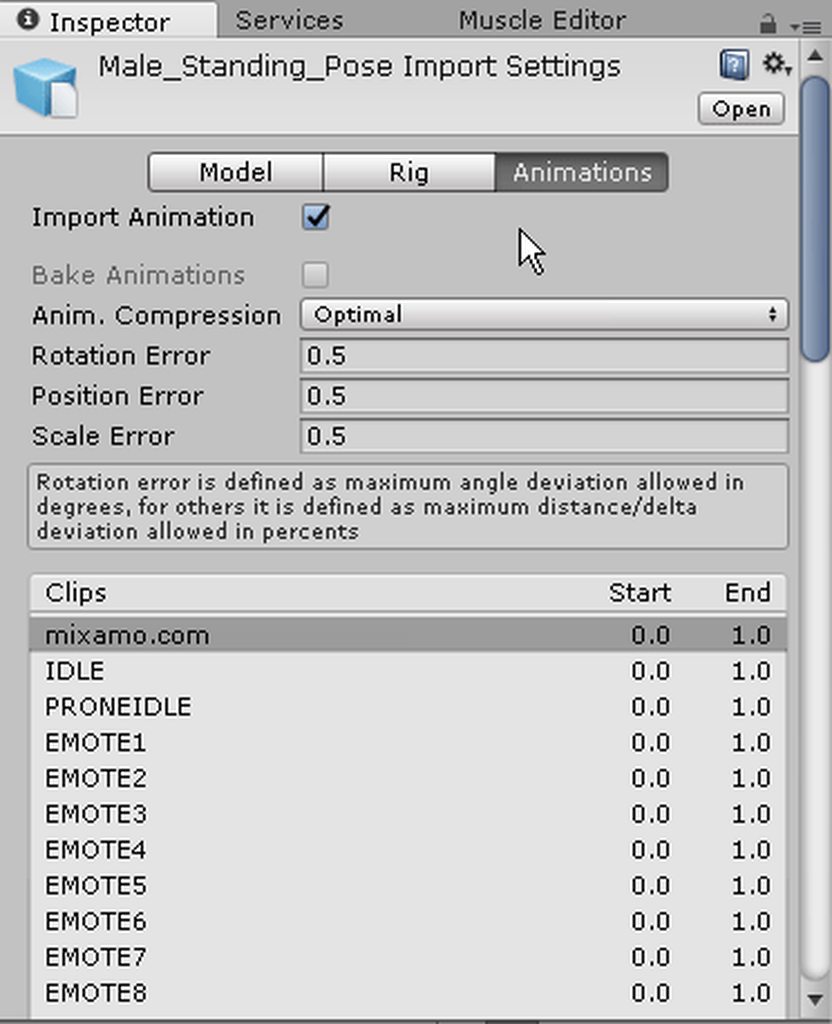
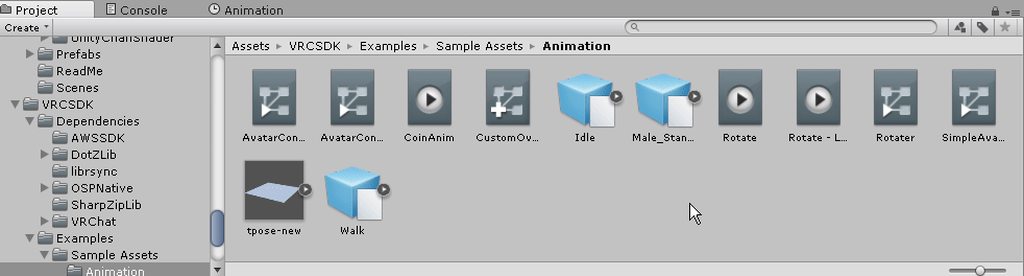
Went in the animation folder in VRCSDK > Examples > Sample Assets, open up the Male Standing Pose.fbx to be given a list of all the default emotes, copy one of them over to your models folder and copy all of the bone structures thats in the animations tab and paste them over your own animation folder
Easy way to copy all of it is to click the first line in the animation tab and Shift + Click the last line all the way at the bottom
Then once you're done with the expression you wanted to add during the emotion you just grab the customoverrideEmpty that's in the VRCSDK animation folder and put your anim file in there and move the customoverrideempty into your Custom Standing Anims under VRC_Avatar descriptor
Oh forgot make sure to uncheck loop time
wooden ivy
Hmmmm. The only difference I see between what I did and that is that you copied the animation data into a new animation
sand apex
It's really good for doing simple things like smiling when you wave or winking when you point you can probably get really creative with it but I only went as far as to just change the face
clear yew
so for some reason in unity when i apply shaders, it will make it where people with vr see two of me. Know of any fixes?
for cubed and rainbow. pretty much shaders ive installed
wooden ivy
I mean, that's exactly what I wanted to do, it just didn't work
sand apex
Whats your issue?
pliant dust
All of the animations in the Examples > Sample Assets are all two frames for me.
sand apex
No problem Silent, also make sure that whatever you add for the 1st timeline is 100
and that the 0 timeline is 0 of course
and the anim file after you're done has loop time unchecked,
and then rinse and repeat for any other emotes
pliant dust
Now why are they all two frames for me instead of the proper EMOTE animation?
@sand apex Getting my hopes up like this. Oh well.
sand apex
Oh sorry I was helping Silent I have no idea about your problem
You might've copied over something wrong
pliant dust
Nope. They're all two frames.
pliant dust
Everything< is two frames in the Male Standing Pose.fbx.
sand apex
They have to be two frames because you're performing a gesture and you don't want it consistently looping
yeah that's how its supposed to be, I thought you were talking about something else
pliant dust
So much for copying the Emote motion data (like for Wave, Die, etc.)
sand apex
That is what you're doing
pliant dust
Uhh no. Wave, Die, Backflip, are all way longer than two frames.
sand apex
Silent did you put it over the custom standing animation?
after putting the anim into the customoverridetemplate
wooden ivy
I'm overriding FINGERPOINT with a copy of FINGERPOINT that activates an object
I wonder if I could just edit the controller...
pliant dust
@sand apex They're all two frames! Walking, running, even the Emotes! https://imgur.com/a/LExKQ Even worse, they're all of a default standing animation!
 sand apex
You're looking into the wrong one
There's a little arrow beside the cube in that animations folder
pliant dust
@sand apex That IS the contents of the little arrow!
sand apex
pliant dust
@sand apex Yes. I know.
sand apex
then click on one of the anims, and go into your animations time line
wooden ivy
I can also say that the EMOTEs are two frames each for me.
sand apex
Yeah some emotes are actually two frames instead of one, I just noticed after scanning through them
pliant dust
@sand apex Yes. I know what I'm doing. https://imgur.com/a/7Z6S4
 sand apex
good, it might actually seem like one or two frames for you but they're like 10seconds long by default, so there's a reason why its like that
pliant dust
@sand apex Excuse me? This isn't the data for the Die Emote.
sand apex
One of the emotes are the Die Emote, There's somewhere you could figure it out
pliant dust
@sand apex EMOTE7 >is< the Die emote.
@sand apex It's just becoming more clear that you have no idea what you're talking about.
wooden ivy
Yeah...
sand apex
I honestly don't, I only just did like two emotes so I don't have no idea what they're all respectively named
wooden ivy
Hmm
Layer HandRight is a tree that transitions to animations based on the value of HandGestureRight, so I made a new layer that did the same thing but to my animation that on alters the state of the object... to no effect. What?
pliant dust
@wooden ivy I don't know if we're allowed to adjust that. I think the only things we're allowed to adjust are what's in the Animation Override in terms of animations.
wooden ivy
But how else would we make non-humanoid avatars?
pliant dust
So much is broken on the non-humanoid side of VRChat. I don't think they're really focused on that part.
sand apex
Have you ever uploaded a non-humanoid model before? I haven't done it before but only know you'd get that warning that no animations would work for it
wooden ivy
Nope, but other people have
pliant dust
I mean, it's like the easiest way to get a non-humanoid avatar in VRChat is to shove a humanoid skeleton onto it and just not assign any mesh to the bones that don't apply.
sand apex
Would they look completely normal though in-game?
Normal as in they're not moving around t-pose or in the ground
pliant dust
As long as you handle your animations fine, it'll work. It's how my slimegirl works, anyway.
wooden ivy
Huh. This chart LOOKS like it works, but the animation has no effect
grim cave
do mixamo animations not work in unity? Just shows the broken animation pose for me when i import it
unless i just messed up
pliant dust
They sort of work. If your avatar was originally rigged in Mixamo, they should work.
grim cave
ugh
pliant dust
Don't even try it with things not rigged in Mixamo. I've tried. It gets very unpredictable and weird.
 slow ferry
I finally got a weapon animation override to work, then today I decided to try to add more than one. I changed the gestures around and now my avatar does the animation and the hand forms as though its gripping the weapon. But the weapon model isn't visible. Is it possible that they are just slow loading into vrchat or did I do something wrong?
pliant dust
@slow ferry Are you on the right duplicate of your avatar?
@slow ferry Or rather, is your weapon on your avatar?
I don't know exactly how you did it, so check your isActive states.
slow ferry
@pliant dust yes weapon is set to invisible on main avatar and upon animation should become visible and form the hand around the weapon. the weapons are active for 1 frame so they should stay on. I had it working yesterday with one animation, I didn't change that one but when I added a new one neither is visible.
pliant dust
@slow ferry How many duplicate avatars did you make?
@slow ferry And both frames of the gesture overrides are exactly the same, right?
slow ferry
I made one Duplicate for each animation but after I finished the animation I deleted one of the duplicates to clear up space. both frames are the same with the weapon active in each.
pliant dust
@slow ferry Now, I haven't actually done gesture animations myself but... maybe you shouldn't have deleted the duplicate until you were completely done making all the animations you wanted.
slow ferry
@pliant dust I deleted the finished dupe that I already got the animation working for. then made a new dupe today to add a second animation. my avatar does the proper animations in game but the weapons arn't there. I thought I read somewhere that sometime items take a while to update onto your avatar but I didn't know if it applied to animations.
pliant dust
@slow ferry Uhh... never heard of that before. Sorry I can't help you much.
 whole igloo
https://www.youtube.com/watch?v=bzJDimvPW1Y I'm still looking for the animation for this running that I see about

SOURCE - https://www.facebook.com/433078806886562/videos/503281129866329/ Domani mattina parto per la sardegna per una settimana e l'idea di allontanarmi da...
 wraith hawk
@whole igloo I found it yesterday
pliant dust
Yeah, people definitely having fun with Mixamo animations and models rigged with Mixamo.
 remote onyx
its 20k Tris limit right?
whole igloo
@wraith hawk Do you know what it was called?
pliant dust
19,999 is the absolute highest in Tris that you can go.
wraith hawk
@whole igloo swing dance
whole igloo
Thanks
 lusty dew
so i downloaded this MMD animation thing of that one take on me walk
and i have no idea how to use it as the idle and walking anim
does anyone have a good tutorial i could follow?
rose helm
Interested in it aswell. so far no success towards adding vmd animations.
lusty dew
i've seen people like moddex using the animation
and i know a friend of mine is using the same animation i want to use
 wooden ivy
I just want to know how I can point with my hand and smile at the same time
lusty dew
nevermind, i think i might've found out how
 vernal cairn
Hey I see with a lot of avatars their eyes move around a bit. I have my eyes set to the rig with two eye bones but nothing happens. Is there something I'm doing wrong? Do I have to program an avatar movement animation?
 ashen sedge
@vernal cairn Have you been following a simulated eyetracking guide?
vernal cairn
where would that be located?
ashen sedge
There are a few scattered in #tutorials I wrote this one though
https://docs.google.com/document/d/16qShrTHu5dL-luirrnMqp4EpAXjTYS76hsc_9fBVJEE/edit

Google Docs
Name the armature “Armature”. Name the mesh containing both eyeballs “Body”. If possible, make the whole head or avatar a single mesh. Name the bone hierarchy like this. Bones not mentioned can be named whatever. IMPORTANT: You cannot have any bones interrupting the hierarchy. For example, you ca...
It's very short, but to the point. There are video guides out there if you need them instead.
wooden ivy
Someone tell me if this really shouldn't work or not
@clear yew "Only those who login and disclose user information can DL"
ashen sedge
Ping me if you have any questions.
wooden ivy
Well, what does the error say for you?
vernal cairn
@ashen sedge I think I got it, thanks
ashen sedge

wooden ivy
Nothing I try works! 😢
 frozen glacier
https://gyazo.com/25b01b028b1cfee8f503f852d91ce3b1 so my avatar wouldn't move at all?

 weak steeple
Is there a way to get it so overriding an animation doesn't remove the hand signs? Trying to get it so my character grows wings and changes his expression while doing the rock'n'roll sign.
clear yew
If I assign another avatar to the the spine of another avatar will they animations sync while in game? It kinda works in Unity (kinda I mean legs are messing up )
clear yew
 muted prairie
@frozen glacier It would be in t-pose
@clear yew I don't think that's possible, but if you somehow manage to do it, I'm interested
clear yew
Anyone got any ideas on why in VR my avatar's hands go in towards his body but in Desktop mode he animates fine? It's not controller calibration, any other avatar I grab works fine.
 pulsar pier
does anyone know where to get good animations?
 coarse iris
Hi dose anyone now how to get more then 1 animation on a avater
pulsar pier
not like actual animations. i mean effects @clear yew
pliant dust
Effects? Are you talking about particles?
pulsar pier
yes
pliant dust
Weren't there some decent free ones in the Unity Asset Store? Or am I remembering wrong?
coarse iris
hi @pliant dust do you know how to get more then 1 animation on an avater
pliant dust
@coarse iris Matters what you mean by that.
coarse iris
@pliant dust like i can pull out a gun but i also want to be able to pull out a sword too
and there is only 1 custom standing animation slot that i can see
pliant dust
@coarse iris Uhh... no, you can't do something like that. I mean... I guess you sort of could if you don't mind one of the objects being out of your control but...
 pulsar storm
does emote overriding in desktop mode work?
clear yew
yes @pulsar storm
pulsar storm
so you can see your own custom animation in the mirror?
 torpid light
Only if your avatar has a humanoid rig
pulsar storm
I'm not sure where I went wrong with making custom animations. I followed this video https://www.youtube.com/watch?v=eT5_nyb0T1g&t=1s and made my character do a happy face but all he does is either stand still or shake up and down
Showing you how to change default emotes to weapons & stuff. SUBSCRIBE, LIKE AND ALL THAT GOOD STUFF!! :D MY FIRST TUTORIAL ► https://youtu.be/0vdiCJRAExw DI...
clear yew
Is there a place where I can get all the PHAT animations from some of the custom avatars in game? Like dances from the rainbow lolis/ Felix?
pulsar storm
can anyone tell me if my animator controller and avatar descriptor's animations are set correctly?
wooden ivy
Why does blender reset my position when I try to append one animation to another one? Oh, it's not doing it now...
 vivid cairn
@pulsar storm i wouldnt mind knowing this as well. Ive been spending at least 4 hours and 5 different tutorials trying to get a simple smile to work
wooden ivy
I don't see any problems, but that's not really where the problems would occur...
pulsar storm
do you guys recommend any other animation override videos to follow?
 swift root
Can anyone tell me when the + for is active isnt appearing in the add property screen?
nvm found it
vivid cairn
any tutorials on making custom walking animations
clear yew

so this little guy rotates
but is rotating the wrong way in play mode
how would would I flip it to corrext positioning
@muted prairie
Why I do not see this in a mirror
Sorry photo with phone
Animation multiplyer worked but idk why mirror doesn't reflect it
Anyone?
muted prairie
You might not see it but other people might
clear yew
How do I bind animations to HTC Vive controller? Is there something in Unity I need to know?
it looks like your point of view cam
 languid lark
@clear yew just this https://youtu.be/V0l4-pH3vI4

Creating custom animations for hand gestures and emotes in VRChat
 clear yew
Thank you!
 weary jackal
Any tutorials on animated textures? or is it just animated via sprites and scripting?
 paper apex
Do visemes not work with animation overrides or am i missing something?
 gaunt pebble
Can you do the animation override for facial animals with just one of the hands?
gaunt pebble
and my eyes wont stay on the position i'm trying to animate them to
wooden ivy
If you find out, let me know
 trim flax
how people make custom dancing animation? as some of them are definitely scripted/made up, but I can't imagine doing them in unity with that weird animation window using that animator properties for each rotation of each bone o.O
severe sierra
Mixamo
gaunt pebble
Speak of those, is there anywhere where we can download those? I also some people using kissing emotes which i want
trim flax
@severe sierra it works fine with vrchat? as in unity there is also option to "record" animation by manualy rotating some bones, but then it use some different properties and it does not work in vrchat
severe sierra
Dont make complex animations like that in unity
All avatars have a skeleton, animations are applied to the skeleton
You would have to work on the animation in whatever 3d software you use
trim flax
so if I want to create some custom animation to vrchat I would need to learn how to do them in blender and export to something that bender will be able to use? so I can later connect that to one of vrchat animations?
trim flax
and? there will be some animation property or something? as I need somehow tell vrchat sdk to use that animation on given moment, like after click "dance" button in emote
severe sierra
you replace the emote
i dont have unity open right now but its the same with animation overrides
trim flax
with that whole fbx? so each fbx will be for single animation?
severe sierra
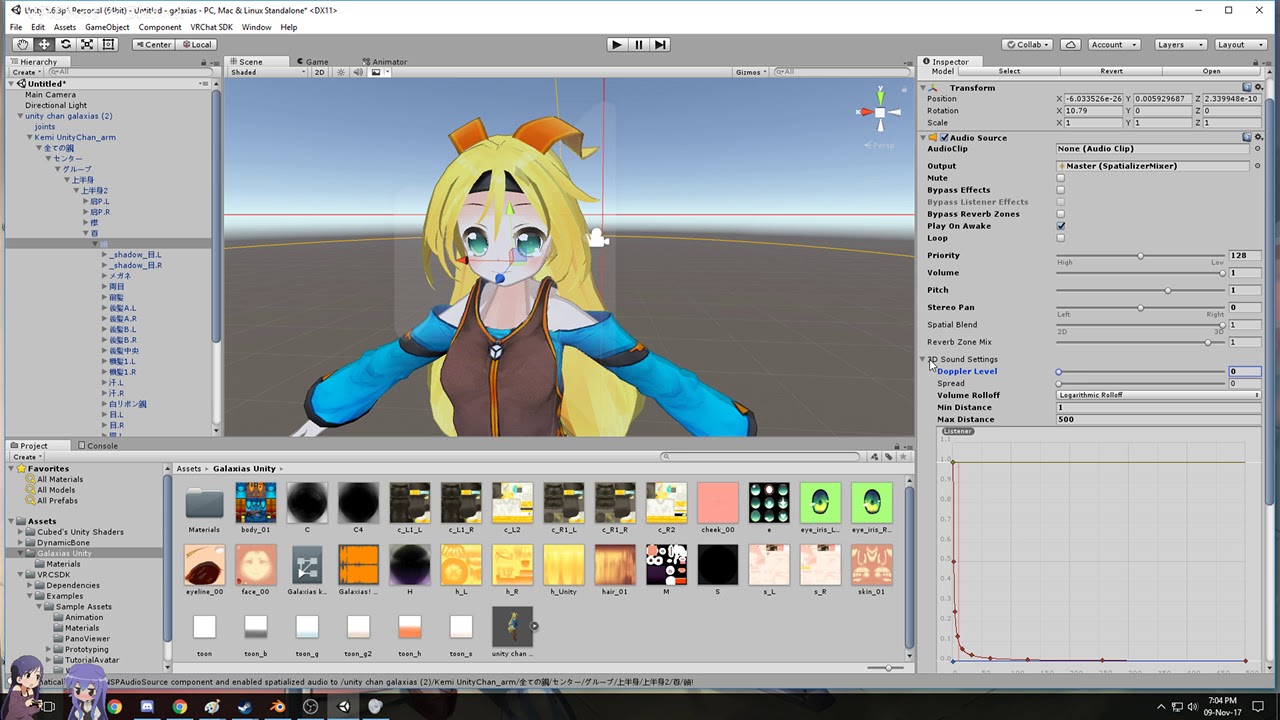
should check the #tutorials channel in the future https://www.youtube.com/watch?v=kWFvuRmTeFg
Hi my name is Shana from vrchat and i started not long ago Learning how to import mmd dances to vrchat was one of the fun stuff to do for me so today im maki...
This video should tell you how to get the animation working in unity and hooked up to an emote
 fringe gull
when i try to add a descriptor to my character in unity, my character is leaning weirdly, anyone know whats going on?
trim flax
ok, thanks then, maybe I will not fail... too much :D
@severe sierra in tutorial tho he just uploaded avatar with build dance animation, not as overridden animation to one thing ;/
 fallen scarab
This question is more about particles than strictly animation but I figure it couldn't hurt to ask here...
I have an avatar working perfectly and am now trying to add particle effects to it. The goal is to have it be able to shoot some projectiles out of its hands.
My current setup is a particle system object placed on each hand facing outwards and parented to each hand.
I can get the particles to work and get the particles to trigger when I want. My only problem is that the particles still follow my hand after firing them instead of continuing in the direction they were first fired. Does anyone know how to achieve this?
fallen scarab
I tried that after seeing it in a tutorial. The particles moved along their path independently BUT they no longer spawned from the hands and didn't fire in the correct direction at all. Almost as if setting the simulation space to 'world' de-parented the particle emitter objects from the hands somehow.
It's strange because it looked fine in unity.
The particles fired in a fixed direction regardless of where I pointed my hands after setting it to 'world'. :/
https://i.imgur.com/6tzt2PS.png
My particle system objects are parented to the hands like this. Which works fine for local (except the particles follow the hands after being fired) but upon setting it to world the emitters don't follow my hands anymore, nor fire in the same direction.
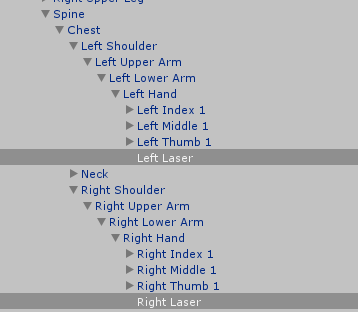
 proud grove
World-simulated particles are currently broken if you put them on an IK-movable bone.
fallen scarab
Aaaaah shit. Are there any known workarounds or am I just out of luck?
I assume attaching an empty object to the hand bone and parenting the emitter to that wouldn't work either, right?
proud grove
Nope
Trust me I've tried everything :p it's one of the things I really wish was possible
 kindred crest
so anyone know how to get your main model (humanoid model) to disappear while doing an animation for a generic model? like I activate animation, but my humanoid character goes in the map, and runs through the floor
well not get rid, but hide temporarily
Ive already tried to uncheck the Body Mesh, that didnt work. Since humanoid actions take priority of generic, is it even possible?
fallen scarab
@proud grove Well that sucks. Was even gonna try adding a new bone to the model and parenting it to the hand. Dayum.
 dry inlet
is it possible to have two animations for one gesture?
fallen scarab
I don't think so, since you can only have one animation clip per gesture in the override controller
dry inlet
Can I combine the animations in anyway?
 drifting galleon
Anyone here has the ooka miko model for unity to pass me by?
fallen scarab
@dry inlet I'm by no means an expert, but I'm fairly certain gesture overrides are limited to a single frame. As long as the animation clip being used in the override controller is a single frame, I think it should work.
dry inlet
I can make that happen I just need to be able to combine them
fallen scarab
You can probably nest them somehow. I don't know the specifics of how you'd do that though.
 azure pilot
hello, i have a question here. are there any assets/plugins/components for unity that enable wings like these to dynamically move by themselves even when idle?
not sure if i asked in the right section but its still under animation (i think?)
azure pilot
oh i found a twin @clear yew
clear yew
ur the imposter D;
wraith hawk
Does anyone have a good preset for long twin ponytail dynamic bone?
clear yew
i usally
use
damping .5
inert .9
you can fuck around with the settings if you want and see what you liek
like
clear yew
are these the correct visemes?
looks like it
they're not in order so I guess you'll have to look for them individually
IT WORKS!!!!!!!!!!!!!!!!!!!!
kindred crest
anyone able to answer my question a little earlier? still stuck on it. (From earlier: Switch out models during animation, or "hiding" the humanoid model, while a generic one takes its place temporarily)
gaunt pebble
for the love of god please help me
My avatar's face is twitching, left eye and mouth to be precise
and I have no idea why
clear yew
Check facial rig in unity's humanoid rigs. Perhaps one of the bones is assigned to eyes which makes it weird
 carmine spruce
how do you add blink animation ?
my character not include blink animation in skinned mesh renderer, unity
wraith hawk
@carmine spruce https://youtu.be/ZB2aXKkwXuA

In this video I will show you how to make your 2D eyes/mouth type avatar have a blinking animation and mouth movements for VRChat!
clear yew
someone told me to come here so
im not sure how to move the sword and shield properly in place
i cant rotate them in rig or in scene
what do I do?
pulsar storm
are they combined together with the body?
pulsar storm
you can separate them and rotate them in unity
clear yew
huh
odd
here, lemme just create a gif to show
i can rotate the body
but not the equipment
https://gyazo.com/395fd66ef6744a1edbc7487236d2bde8 @pulsar storm
Gyazo
this is in scene
looks fine in scene but lemme get to rig

wont move at all
sighs what am I doing wrong..
Any help?
 pulsar storm
maybe someone with more experience with it can help later
clear yew
alright
 topaz grail
How would I go about adding lights. Im looking to put lights in my characters eyes
 pseudo pewter
Do you need a separate model for each animation?
 feral thorn
Does anyone know how to use Mixamo animations on non mixamo rigged avatars?
pulsar storm
hey guys, are your shape keys translated in blender using cats or blender's own translation tool
trim flax
how to extract animation from fbx? I have .fbx file with some build in animation that I can see in unity, but I would want to have it as separate file
oh, ctrl+d
fringe gull
guys i have a skeleton and stuff but when i add a descriptor, my avatar is just in t pose, whats going on?
clear yew
animation override looks great.
...jokes aside, i should probably not try to put those animations into humanoid rig, might as well just make it one animation only since its for a meme
coarse iris
i am trying to add a particle effect to my model but i cant upload it help plzz
 west nacelle
😄
 rich heath
@west nacelle Goodjob!
west nacelle
@rich heath thanks ^^
muted prairie
@west nacelle Is it performance friendly though
west nacelle
what do u mean @muted prairie ?^^
muted prairie
I was wondering if you were going to add this to an avatar and if so, would that be performance friendly in VRchat
It's cool if it looks good, but it's even cooler if it runs well
west nacelle
Yes i add my avatar to this gun ^^
gun 4~k and avatar 14~k poly ! so under the 20k limit
clear yew
not sure if this is the right channel to post this in, but im trying to do something where if you gesture in a specific way an effect will play (ex: trying to make a little jokey model for a friend where a lil hanzo ult comes ult comes out when you do a bow/arrow gesture) I've seen a few models do similar things before but im completely at a loss on how to do it/where to even begin trying to do that
pseudo pewter
Not sure about the effects
But this video shows how to override for a gesture and make an object visible
Showing you how to change default emotes to weapons & stuff. SUBSCRIBE, LIKE AND ALL THAT GOOD STUFF!! :D MY FIRST TUTORIAL ► https://youtu.be/0vdiCJRAExw DI...
 thin shell
@west nacelle Dub-step gun!
 dark zealot
i am struggling with eye tracking. all the guides blink with eyes and lids together but i have them seperated. can someone help or has a proper guide to deal with this?
west nacelle
@thin shell yeaaaa soon ig 
 wheat lion
so i got this dance animation from a friend for vrchat, and it already did all the animations, how do i do so i can use it ingame?
like, as an emote in replacement of fx cheer
 strange kite
@wheat lion copy the CustomOverrideEmpty controller from the SDK example and name it. Then drop in your animation to the slot you want to override (emote1-8). Then you can drop this controller into your VRC_AvatarDescriptor CustomStandingOverrides. Repeat with another controller for Sitting.
wheat lion
whats the hotkey to copy an asset again?
wheat lion
@strange kite
strange kite
Ctrl-d for duplicate
wheat lion
thank you very much :3 ^^
strange kite
Bitte 😀
drifting galleon
Does anybody have ooka miko on fbx?
 unique fog
Currenlty working on a Idle Animation for my AFK Tiny Tina avatar
 slate pollen
Someone can give a link for dynamic bone in Unity pls ? 😂
unique fog
unity store
 oblique solstice
Does the CustomOverrideEmpty Controller only work for humanoid rigs when replacing emotes?
 uncut monolith
How do I move a weapon that comes with a model in unity? I need to reposition the weapon a bit but nothing moves when I try to move it
it's a seperate material from the body
clear yew
@uncut monolith you move weapon with Gesture animation overrides
uncut monolith
no I mean in the animation menu. A sword this model came with is not in his hands
but nothing repositions it
 keen ruin
@unique fog That looks really cool. Hope to see it in world.
I imported Dr. Zed and scooter.
gaunt pebble
So, I placed an object in my hand, have it all animated the way I like, everything seems good. I go ingame and it works for a bit but then the object disappears. Anyone know why?
i think i fixed it but now both my hands are suck to 1 of my rift controllers
 exotic ember
Is there a secret to getting the mouth to move when speaking
I've followed the blender to unity guide for the jaw blend shape and im lost as shit as for why it isnt moving at all
trim flax
hyym, I have issue with sitting animation, for one of my avatars it works fine, but for other one camera is bugged, when I sit the camera is on invalid position, like way above head, or between legs. Any idea what is causing that and how to fix that?
wheat lion
anyone know where i can find dances i can put as emotes, like the russian dance or something?
trim flax
animation overrides
also... is there some option to control like expected length of animation? as currently when I replaced dance animation after few seconds - when original animation would end I can again control my avatar and head does not animate anymore... so it looks really weird o.O
pliant dust
Uhh... I've got nothing on this one. Never heard of the head stopping after an animation ends.
trim flax
Like original dance animation is 5 seconds long, but mine is 40, and after 5 seconds I can again control my avatar, walk around, control head, and it is just weird
trim flax
https://www.youtube.com/watch?v=elLy2VD3VjY @pliant dust first 15 seconds is kind of fine, and then bah, you can see small transition and that head now moves with my mouse instead of animation

would be awesome if someone know how to fix that ;/
as I can't find anything
pliant dust
@trim flax Waaaait! You can't have an animation longer than 10 seconds!
@trim flax If your emote animation goes over 10 seconds, stupid, stupid things start to happen.
clear yew
https://imgur.com/bO5om0s it may not be an animation override, but it's the simple things that make you happy

 normal rune
i had a friend who was wanting an engi avatar
pliant dust
@clear yew CongoLineStarts.gif
normal rune
MOVE THAT GEAR UP
pliant dust
Hope he has a Nope. Emote Animation.
clear yew
but wait. there's a tiny desk engineer version too
and nah, unfortunately not, i dont really understand much in animation override just yet. dun think i can make it work as emote for now. but the further i get into it ill prolly try that
 hot briar
Hey does anyone have a tomato that I can use for my avatars override?
 junior grotto
@clear yew YEEEEEEEEEEEEEEEEEEEEEEEEEEEEEEEEEEEEEEEEEEEEEEEEEEEEEEEEEEEEEEEEEEEEEEEEEEEEEEEEEEEEEEEEEE
distant yee
clear yew
people keep asking for dispensers, so i should make a dispenser avatar now
normal rune
good
 teal osprey
so right now i'm making a custom avatar controller for a generic rig, now the 1 billion dollar question: is there any way to make the emotes trigger without resulting in a stuck avatar?
kindred crest
Anyone know why my dynamic bones spazz out after I activate an animation. its like when I end the animation, my dynamic bones go everywhere
 undone snow
Alrighty, Ill make this as short as possible. I've got an avatar that is meant to have dynamic bones and whatnot whom we're trying to animate with animations off of mixamo. Problem is Mixamo wont accept the extra bones needed for the dynamic bones, and any animations created with models that don't have the dynamic bones refuse to work on the models that do have them. My question is if there is some kind of work around, I'm doing it wrong, or there is no way to do so
 zinc hearth
I need help putting audio onto an avatars animation override
uncut monolith
https://my.mixtape.moe/drwnka.webm Any idea of why this is happening? The guns pop in and out depending on where I'm looking at. Shows fine in the camera in the test room, as you can see, but the guns pop in and out for other people too who i asked. I've set two guns to appear when the rock and roll hand gesture is done with either hand
I don't even know where to begin to fix this
I've got a sword on him that works perfectly fine in comparison
surreal crater
When adding a weapon prop, would the animation be set from ''Generic'' to ''None'' in Unity?
surreal crater
When clicking ''Create'' to create an Animation Clip, it doesn't give me the Properties option
 formal shard
Are VRC_Events deprecated ? it won't allow me to upload with triggers
surreal crater
I get this error ''A meta data file (.meta) exists but its asset 'Assets/Props/White Contract Longsword/New Animation.anim' can't be found. When moving or deleting files outside of Unity, please ensure that the corresponding .meta file is moved or deleted along with it.''
lusty dew
@clear yew god now i'm tempted to make a TF2 avatar of my own
when's the really long conga line
clear yew
TF2 party should happen, i can only imagine people's confusion if they'd join in the middle of it
fallen scarab
How do people usually go about making transforming avatars? I've seen people with avatars that can switch to a 'super saiyan' mode, for example, and I'm pretty sure they can stay in that form whilst doing other things.
languid lark
@fallen scarab https://www.youtube.com/watch?v=CnykzgSxtz4

Made a little tutorial for some friends in VrChat. Hope this helps if you have any question you can ask on my discord, Also regular content should be back so...
 wise moon
So I decided to try out custom animations, but whenever I enable an override set, the Animation component that I use for blinking stops working in VRchat (but it works fine in unity). Does VRchat not allow us to have a custom override set along with an animation component, or am I doing something wrong?
languid lark
if you want to use custom override you have to disable blink animation
fallen scarab
@languid lark I've seen that video, but doesn't that just produce a fixed animation?
I'm fairly sure I've seen people changing form and then walking around in that form. For example: https://youtu.be/4MC3H5mFaCQ?t=3m23s
He's able to do that transformation thing and then continue to use the particle effects assigned to a gesture whilst moving around.
Each time I get on VRChat I keep finding the funny stuff. Here's another video for you guys
languid lark
@fallen scarab he has rift reason he can move around with it
the vive user cant do that
because controller trackpad
wise moon
@languid lark but doesn't this guy have both working here? https://www.youtube.com/watch?v=p0txtOuZtx0

Unity - Custom Animation Overrides, Blinking Animation, Dynamic Bones & Colliders, Viseme. VRChat #3
Importing model - 0:37 Toe Removal - 1:37 Applying Shader - 2:29 Blinking Animation - 3:09 Animation Override (Facial) - 7:24 Avatar Descriptor & Viseme - 18...
languid lark
@wise moon the debug mode for legeacy overwrite any animation
fallen scarab
So the shiny stuff he has going on is an emote or a gesture override?
languid lark
so if you have blink set you cant use any other animation over the same part
wise moon
but then shouldn't my blinking be working and not the other way around? Because my custom animations work
languid lark
@fallen scarab it just basic particle https://www.youtube.com/watch?v=zNq1p8oXB3o
 fallen scarab
Yeah I get that, I just mean how he's triggering it. Is he just triggering it through a gesture override and then being able to use another gesture at the same time due to rift?
wise moon
yep
languid lark
then it should work
but custom override might not work
because legacy overwrite that command
@fallen scarab if you every watch any customoverrride video it show how add stuff that even for particle
and music
or animatior controller with other avatar
on your model
wise moon
that's why I'm confused, because it's the blinking that's not working when if anything it should be the custom animations having issues. Oh well. I appreciate the help.
 radiant chasm
Hey guys real quick, if I add a animation to enable a gameobject on my avatar, do i have to have a separate gesture to turn off that game object, or does it revert to off after i stop the gesture
I.E rockNroll
fallen scarab
@languid lark I've done particle stuff myself so I know how to add them to gestures like the tutorials out there explain. I'm just wondering if he's just got two different particle effects assigned to two different gestures but is able to use both at the same time since he's using a rift.
radiant chasm
frame 0 its on, frame 1 its on, and thats it for the animation, does it turn off or do i have to do it manually
languid lark
@fallen scarab you just sign other effect to other button use the other controller
to turn it on
you have to controller
just sign other effect other controller
when press down
fallen scarab
Oh I understand now. You were just saying that the rift enables you actually move your character without dropping the gestures.
fallen scarab
I sure do hate the vive trackpad sometimes
As far as your question goes @radiant chasm I believe any changes made during the gesture override will revert back after the gesture is stopped.
radiant chasm
Ty 😄
fallen scarab
It would be cool if we could use gestures to toggle gameobjects on our avatars but I don't think it's possible yet. I could be wrong on that though in which case I'd love to know how.
fallen scarab
Yeah xD
radiant chasm
yes please lol
clear yew
would anyone know why my shape keys are not showing up in unity?
clear yew
I need help
Everytime on blender I export to FBX it crashes
But only if it has a VMD on it
wooden ivy
Using the latest mmd_tools?
 torpid kraken
hello noob question here
hello noob question here
how can i trigger animations via keys on the keyboard
pliant dust
I don't think you can.
torpid kraken
ripperinno
clear yew
right so i wanna make it so that a gif appears in front of my characters face w/ a custom gesture or something
how would i go about that
ik how to get gifs on characters and stuff
teal osprey
Emotes on generic models, thats all i want
 swift meteor

 jovial turtle
Hey any chance someone can help me? I have a custom over ride animation for my weapon, but I hate how I still cant move around and keep it out. Im using the vive and as far as things go for my character im about. 98% sure I've got everything good. Is there any way I can keep my weapon out while moving, and just put it away when I dont want it anymore?
austere knoll
Hey anyone know were i can download custome animations to use for emotes
i far to lazy to make my own
 next verge
when i put dynamic bones on my lucario and makes his "hair" flow and move, it does what its intended to do in the game for half a second, then the animation stops as if I stoped walking and forces subsided, then half a second later the dynamic movement kicks back in, im not sure what might be the cause of it
austere knoll
either its lag or u have the stiffness to high
next verge
im not sure its stiffess problem
austere knoll
Dynamic bones is still fairly new to me but just keep messing with ur settings on it im sure u will hit the sweet spot
next verge
same here, it would help if i knew what DB lag looks like
it might just be the update rate
jovial turtle
You'll know it when you see it, its awful.
next verge
is the lag something like, the dynamic parts twitching or spasing out instead of flowing fluidly?
 modern urchin
I have a mixamo animation that's supposed to make my character do a backflip then walk a bit while punching
he's doing the backflip and punching, but doesnt change position on the ground, how to fix?
 inland urchin
So when it comes to animation overrides, hwo do I make it not "loop"? Like, a sound plays at the beginning of the animation, but stays quiet for the rest of its effects as long as that gesture is helD?
 red rampart
Hi guys. How do i apply my custom animation to my character
 icy fog
Question, I have made a custom animation (it's a small jump with flailing arms kinda thing) and I used Animators in Unity. When I imported the character to VRchat it does the small jump, but not the flailing animation. Is it the animators causing a problem or..?
red rampart
Did u make that animation urself or is it a preset?
thnks i'll see if it will work
oh but he uses already made animations
i wanna know how i can apply my own animations
imma fiddle around with unity for a bit...
icy fog
Yeah I made my own animation
red rampart
What animations type did u set?
icy fog
New to unity, what do you mean with animations type?
red rampart
this
icy fog
ah that, yeah I used humanoid
red rampart
🤔
But I thought making animation on humanoid rigs is forbidden by unity
It always resets to the weird pose for me
and doesnt let me animate
so i wonder how u did that
red rampart
What's that
icy fog
ex: Animator.Right Arm Down-Up
icy fog
Ummm not actually sure, I only have the VRchat SDK and Cubed's Unity Shaders
I just click "Add Property"
when making an animation
red rampart
ohh that's what u mean
red rampart
but it still don't let me move anything
even if i add a keyframe
it keeps going back to that pose
oh wait
🤔
icy fog
For me it worked when making the animation
red rampart
imma try sumthing rn
icy fog
but when I uploaded it to VRchat the animations from Animator dissapeared
red rampart
it's probably cuz
I've read that u have to make a duplicated character and then set his rig as generic
only then it allows me to animate
this is so confuuusing
icy fog
Huh, never told me that... But still has kinda worked? Odd things...
surreal crater
whenever I attach something like a Hat or weapon prop to my model, I get this error
Also, I can't create animations either, the option to ''Add Properties'' doesnt appear after Ive created an Animation
red rampart
Check if the file paths are correct
red rampart
lol i mean its a Temp folder
for temporary files
So it probably got deleted or somethin
surreal crater
im not sure how to fix this issue
it happens every time I attach a prop to my model
red rampart
Maybe put the prop files in the asset folder manualy
surreal crater
@red rampart yeah I have a folder in Assets called Props, and inside are folders with the name of the Props
red rampart
🤔
surreal crater
and within those folders, are the texture/materials folders and FBX file
red rampart
Now that's very weird
surreal crater
hm? 😮
when I bring in the Prop, lets say...a weapon prop and I attach it to the hand, that error appears when I Build & Publish
Im not creating an animation override or anything, just simply attaching it to the hand
clear yew
i have this error, when I added the dynamic bones
not sure what's the problem here?
surreal crater
I have my Unity Project in Documents, i believe that is the default file path
icy fog
Can you use an animation without changing it to a legacy file? When I change it to legacy the animators dissapear.
red rampart
u can change it to generic
it will let u animate then
but i have problems applying the animation to the orginal character
icy fog
Yeah it's just a lot of work, so I was thinking if I could still use normal animation, but I guess the animators dont work with legacy :/
red rampart
shame
 keen sage
Witch slot in the CustomOverrideEmpty is used for custom walking animation ?
i made the animation clip do just drag it or i need to modify the animator tree as well ?
keen sage
i know it can be played i put in the emoji slot and it loops
red rampart
try putting it in WALKFWD and WALKBACK and see what it does
keen sage
i put it in walkfwd run and sprint but the problem is that IK of the hands and feet are still on and it messes up the animation
and in the animator tree its not leting me add a avatar mask
for the animation
icy fog
My passive blinking animation wont work for some reason. Not entirely sure what is wrong...
 cosmic socket
hey guys I have a question for the blinking animation + eye tracking - I managed to set everything up and used a animation that loops forever. But when I want to make an emote (for example with when i do the thumbs up and my charakter makes a winky face) the blinking wont stop. What could I do to fix that?
icy fog
Ummm does anybody know why a blinking animation wont work? It works when I test it in unity, but it wont work in-game, and I am perplexed as to why that is.
ashen sedge
How is the blinking animation done? Through an animation clip or script? @icy fog
icy fog
Animation Clip, basically same as this guy did it: https://www.youtube.com/watch?v=p0txtOuZtx0&t=420s @ashen sedge
Unity - Custom Animation Overrides, Blinking Animation, Dynamic Bones & Colliders, Viseme. VRChat #3
Importing model - 0:37 Toe Removal - 1:37 Applying Shader - 2:29 Blinking Animation - 3:09 Animation Override (Facial) - 7:24 Avatar Descriptor & Viseme - 18...
icy fog
It is set to loop
That is the problem for me, It looks like according to the guide, but there is still some problem, I am wondering if it could have to do with the model in some way :/
 fading lava
How do i make an emote for my model that makes me go supersayin? and how do i make a copy of my model now to have the effect of energy around me with the start up sound and looping noise?????????
clear yew
aa this may be a very oddly specific question to ask but is there any way to add items to a model in unity w/o taking it back to blender
like if i wanna animate the whole "pullin out a sword" thing could i just add it to the model in unity somehow
oh shit nvm it is as easy as just dragging it into the characters hierarchy
 frosty spade
anyone know how to add sounds to animations
 unkempt star
Is it possible to change the "sit" animation? Can't find it in Unity
really want to adjust the height since I have a short avatar
clear yew

Tutorial explains: - How to create the soundfile - How to create the animation - How to trigger the animation Morgus tutorial: https://www.youtube.com/watch?...
frosty spade
thanks
red rampart
just a heads up. if u want to make ur own custom animation, u gotta do it in blender. doing it in unity won't work at all
clear yew
um
if im trying to do a custom gesture thing
wait actually, if i put something on my main model in unity and hide it, will it stay hidden if i upload it?
 finite fossil
yes
clear yew
and if i add something to the animation model (and /not/ the normal one) will it not work if i try to do a gesture thing to pull out a weapon or something
 glad topaz
I'm hoping to look into adding gesture props to my avatar and was wondering if anyone knew a few tutorials on how to go about that?
 sacred swift
This is probably dumb but is there place to get free animations?
pulsar storm
Mixamo
 carmine pilot
anyone knows how to do a floating animation on an object?
In my case its gonna be on a companion
sacred swift
yes^^^
I wante dot have stuff floating around I know about mixamo but I wanted animations for stuff not just for humans.. but there probably isnt
 abstract wyvern
Don't think mixamo has that stuff.
 compact walrus
simple question: is there a limit on particles on particle effects? or just use common sense and dont be a butt?
wise moon
@icy fog are you using custom emotes in addition to the passive blinking using the animation component? I don't think you can have both, at least from my experience
compact walrus
well, its the first custom emote im making, thus far only replaced hand gestures. thats why i wanted to know how many particles are allowed, or atleast dont crash people to death
 wise elm
Hi! I'm new to overrides and stuff, is there a good guide to make hand gestures trigger shape keys?
compact walrus
you can use bits of this one: https://www.youtube.com/watch?v=eT5_nyb0T1g just look at what he does with the animator and replace the weapon with the blend shape, in the animator
Showing you how to change default emotes to weapons & stuff. SUBSCRIBE, LIKE AND ALL THAT GOOD STUFF!! :D MY FIRST TUTORIAL ► https://youtu.be/0vdiCJRAExw DI...
done so for 2 blend shapes, laughing/smiling and a shocking expression
 open scroll
Is it possible to make animations that change textures on the character
Like only the textures nothing else
wise moon
@drifting galleon Pretty sure VRchat doesn't support upper chests
just remove that one in the rigging
wraith hawk
I found this eyes rigging tutorial for eyes texture in 3ds. Is anymore familiar with 3ds think its possible to apply this in unity for eyes tracking? https://youtu.be/sbeekmqmQqU

This is a tutorial to link the gizmo from a UVW map modifier to a point or another mesh.
clear yew
oh and um, is there a way to test the gesture animation thing in unity? i dont have my vr headset yet (bought it yesterday uwu) and i wanna kno if i can test whether or not it works somehow
compact walrus
@vocal basin if you mean, having free hands while doing facial gestures, no, you bind facial gestures to something to trigger them
oh that is possible
do a animation, then pick the animator and select the wanted blend shape, then you just override whatever gesture you want
used this one, just replaced the weapon part with the blend shape: https://www.youtube.com/watch?v=eT5_nyb0T1g&t=4s
Showing you how to change default emotes to weapons & stuff. SUBSCRIBE, LIKE AND ALL THAT GOOD STUFF!! :D MY FIRST TUTORIAL ► https://youtu.be/0vdiCJRAExw DI...
clear yew
so theres no way to test it? 😦
compact walrus
then just animate the thumbs up too
clear yew
then do both
compact walrus
you can animate either or both hands, atm i set mine so up, that either hand i try to do the gesture triggers the facial gesture, but if i do the right hand, it does both
clear yew
if i had to make a decision id just do my dominant hand lol
compact walrus
and kneesocks, i sadly dont know how to test in unity, i always test triggered them in vrchat
clear yew
so its just a kind of touch and go hope it works thing atm?
i added it there n stuff
compact walrus
if you set the animation correct and put it in like that, it should work
clear yew
and put the override in her standing anims and stuff
compact walrus
have done the same thing with all my animations
clear yew
should it just work then? this is my first time doing this
compact walrus
yes
clear yew
i hope it does then lmao
ill just save this unity file and come back to fix it when i get the headset if it doesnt
compact walrus
just make sure you replaced the custom standing/sitting animations in the "vrchat_avatar desriptor" and everything should work
compact walrus
yes, looks like mine, so im 99,99% it will work fine
clear yew
sweet
im experimenting here since i really wanna make some doki doki literature club characters w/ custom stuff to trigger people
abstract wyvern
Unyuyu
clear yew
i have it so when i gesture this comes up right in front of her face and the noise it plays happens aswell haha
compact walrus
i knew it will be some jumpscare lol, but if you make it with sound, make sure it isnt ear popping
clear yew
oh no dw, im making sure its not horribly loud
just loud enough to be startling
i was thinking of doing another custom on her that plays an effect of the words "just monika" everywhere
my friend also asked me to make one for him of yuri so he can pull out a knife x_x
unkempt star
is possible to create a sit animation/pose for short characters?
compact walrus
animation overrides are unisize, since you animate directly that model. otherwise just do the animation and resize everything to the needed height. the vrc_avatar descriptor Y axis give you a clue how tall it is atm aka 1,6 = 1.60m
clear yew
oh um when you do a gesture to trigger an animation, does it keep looping until you stop doing the gesture?
pliant dust
@clear yew Yes.
clear yew
thanks 😃
paper apex
Only if you set it to loop
pliant dust
@paper apex No, gesture animations will constantly play their 1-2 frames until they are stopped.
clear yew
and if you stop gesturing mid animation does it just finish it then stop, or just cut out
this is a bit more of an important question, if i have an audio source and toggle it off like this it /wont/ play in game right?
i wanna make sure it doesnt spam a jumpscare sound constantly x_x
muted prairie
Will an animation not play at all if one of the bone has been changed since the initial setup the animation was made for ?
Mixamo in this case
exported an fbx, then fixed it cats
 umbral valley
Wheres the best place to go for 3D weapon models?
azure pilot
@muted prairie as far as i know the static poses work fine, havent tried those "moving animations" maybe they use rigidbodies/joints?
But i havent tried so i don't know
clear yew
If I make some effect to go on animation.. how do I make "fireball" or another projectile to have collision effect on terrain or someone avatar?
Or it must be on another way ?
azure pilot
In VRC, your avatar is not able to have colliders based off others, meaning everything that is by you or from you has no way of interacting with others or the map itself (yet)
@clear yew One way is to manually stop your "fireball" mid-animation when the fireball flies a certain range (eg. using a very slow fireball during your gestured animation so its easier to time when to stop it)
muted prairie
@azure pilot Yeah idle seems to work but not movement, oh well, thanks anyway
clear yew
@azure pilot it's very important information, thx now I don't need to be worry about this
open scroll
does an animation need a bone or can it be done off of just a mesh
gleaming tusk
Hello, I was wondering if there's a way to put sound to an animation
swift root
@everyone anyone know how to stop an animation from looping
I unchecked the loop time box but its still looping in the animation screen
 wooden aurora
Hi
 gaunt gyro
Is there a way to move all selected keyframes forward? Aka have the start of the animation at 0 instead of what I put it at?
swift root
ughhh im so frustrated I dont know why my handgun wont appear in the animation
kindred crest
Simple question (I believe), but how do you make an animation loop forever without using a trigger. I have wings that I want to flap indefinitely...
 loud hamlet
Anyone know how to animate a four legged avatar
fruit Add the animation as a component and make sure it's looped. It will play all the time.
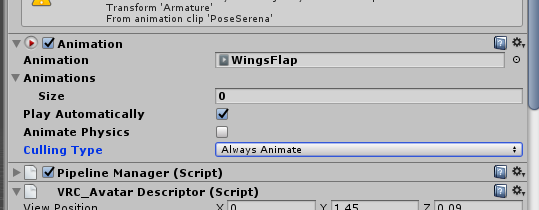 loud hamlet
Did you set the animation as a looped legacy animation when you made it?
kindred crest
dont think so
teal osprey
is it me or walking animations on humanoid models works only with the unity animator and not with the bone transformations?
kindred crest
hold up a moment, I think I got it now. gonna try it
clear yew
Could possibly just make the wing animation part of the Idle or one of the other animations, and have a trigger that hides/shows them when you want
loud hamlet
Then you should be able to go to the animation, make sure its looped and then set it to legacy.
You can test it if you set the controller to simple avatar controller and hit play.
Idle animations don't work that well though because they end up playing once and never being retriggered when you stop.
loud hamlet
Yea. I use the same method to add blinking animations to my avatars.
kindred crest
Thanks for the help I figured it out, had togo into debug mode
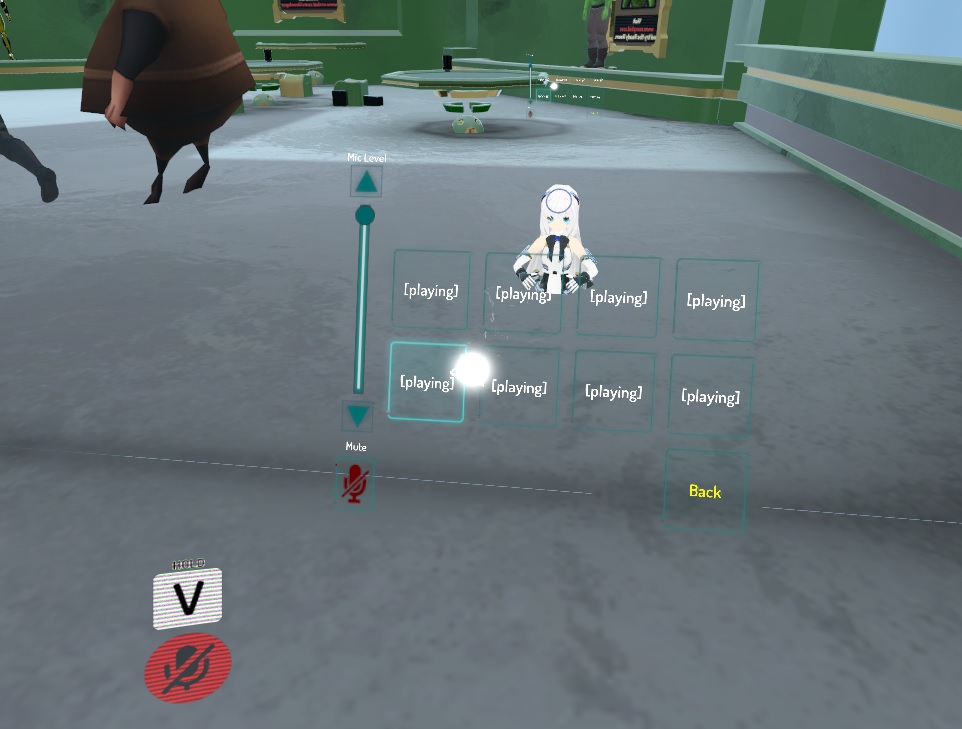 loud hamlet
I forgot to mention that. Sorry.
wicked garnet
question. is there a way to make a llight that only i can see?
 opal lodge
Anyone has knowledge on how/what animation is used to make the tail wiggle around when standing still? Mainly saw it being used on this model
 bitter obsidian
its just force on dynamic bones
probably an edited idle pose
make the animations on a duplicated model @clear yew
opal lodge
you can force dynamic bones to move while your character is standing still?
bitter obsidian
by editing keyframes for it in the animation timeline for your idle pose yes
if its swaying left to right
then its just the rotation on the x on one of the tail bones thats being moved
clear yew
So, I had a couple questions on overrides
In Vrchat, when I use, say for example the handgun trigger it only does it for one hand, does that translate at all to overrides? and could that be used differently for different things
Like, if I wanted to use the handgun trigger on the right hand to bring out a gun, and if I used the handgun on the left hand to fire a bullet?
Also, if I wanted to have add a shapekey to an already existing trigger, for example to add sticking out a tongue when using the victory trigger, is that something that can be easily be done
austere knoll
Can any one do me a custome animation were i swing an axe i dont have vr
clear yew
@austere knoll don't think you can
 mystic hull
Anyone able to point me in the directed of beginner facial animation?
 amber sable
Anybody got any tips on how to get my sound effects right for a light saber?
Trying to make the saber start sound, then the idle noise, then saber close sound
 uneven bronze
Quick question, can you do an custome animation without vr headset?
Many ppl on YT use VR Headset for their custome animation, so I wonder that can we do the same thing with keyboard and mouse
austere knoll
@uneven bronze Their is a way to do custome emotes, to replace the default ones but i have no clue how if u figure it out let me know cuz i kinda wanna get one that swings a weapon
clear yew

Been a while! Sorry, I was sick and couldnt talk for a few days, you can even tell I was talking quietly here. Tutorial on Face Visemes / Emotions. Enjoy! My...
mystic hull
@clear yew Thanks 😄
clear yew
👍
 tropic obsidian
hey can anyone point me in the right direction to getting my avater to hold a sign while in game with an hand gesture. I know how to animate it into the game but i am having trouble getting the texture onto the sign without it be deformed in some kind of way.
azure pilot
@tropic obsidian https://www.youtube.com/watch?v=eT5_nyb0T1g
Showing you how to change default emotes to weapons & stuff. SUBSCRIBE, LIKE AND ALL THAT GOOD STUFF!! :D MY FIRST TUTORIAL ► https://youtu.be/0vdiCJRAExw DI...
If there are parts you still dont get, try searching similar content related to animation override
azure pilot
He did mention "with a hand gesture" but if he meant something else i must have misunderstood sorry
austere knoll
oh wait im behide on the chat
azure pilot
For textures, try to do them in blender and uv map if possible
azure pilot
I honestly have no idea how to do uv mapping so i cant help in that department but i read up online and its pretty complicated and gets every bit of detail from textures onto any 3d shape you have
tropic obsidian
@azure pilot i already understand how to get any object into the game like in that video. Oh ok yea that is the part i need help with
cosmic socket
@clear yew I don't think its possible to add a overwrite that works in two ways (left hand and right hand)
 versed tulip
Does anyone know where to get a few of the "off the shelf" dance animations?
 untold cape
so I'm trying to do a custom idle animations, I followed steps given both by my friend and a tutorial about it on youtube however I can't seem to select my avatar as controller as if process actually doesn't create a controller file. Anyone knows why?
clear yew
got the problem that the particle doesnt stay at the sword and gets moved with my head, but i can still rotate it with my hand like i do with my sword
anyone knows how to fix this?
 analog haven
My only thought is the particle a parent the sword?
analog haven
Shoot man I have no idea, I'm not well versed in this area yet.
About to get into it soon though
analog haven
I'm 2 days into getting avatars into vrc and now got around 6 so I think I'm ready for custom anims.
clear yew
animations are pretty easy once you understand it
 gentle vortex
was gunna try and animate my avatar till i noticed dynamic bones cst money, guess ill save a little up for it XD
clear yew
but particles are something else imo
analog haven
I also kinda know unity, did stuff with game and level design. I think I might be alright.
analog haven
lol
I took a college class in Unity for Game Design which also taught basic C# and what not. Plus I'm currently working on a small game from time to time as well.
Unity is amazing man.
clear yew
i kinda believe that 😄
I should've watched more videos, but I figured it out. xD
Now I can do some fine tuning. At least my hands aren't hanging by my sides anymore. \o/
clear yew
Ideas as to what needs to change so that my visemes still work with an override?
gentle vortex
hi, soo iv got everything i want working with animatins such as hair skirt etc but my character has really long sleeves and i want them to move but the right sleeve is fine but the left sleeve seems kind of inverted and not sure how to fix
austere knoll
Soo errm i figured out how to do emote overide but i seem to go flying everywere
gentle vortex
kinda made do tinkered around with stuff looks belivable now hahaha
azure pilot
Thats a cute avatar!
trim flax
is blinking animation build in into all models? can you override it too?
muted prairie
not in all models
azure pilot
You need to make sure you have the corresponding shape keys
trim flax
I want to change that animation to be a bit different tho, so I want to get rid of that default one, not sure how tho ;/
azure pilot
There IS still a way to animate a nonblinking avatar to wink but the amount of effort required really turns people off
trim flax
mine blinks, and I want to get rid of that :D and add own one
teal osprey
So, i have a custom walking animation, that works fine, but if i add a bone movement to move the tail my avatar has it simply ignores that movement
azure pilot
I assume you are using the cats blender plugin? @trim flax
muted prairie
That's how most animations function, with a specific skeleton, if you add a bone it'll mess it up @teal osprey
add, remove or change for that matter
teal osprey
the rig has the tail bone by itself, it's not a rig problem, caus eon unity the animation works as intended, it doesnt ingame
azure pilot
You might want to try dynamic bones plugin for unity
It costs 20usd on the asset store but i can guarantee it is worth every penny
teal osprey
that's now what i need to do
azure pilot
Oh sorry if i misunderstood
teal osprey
it's like a robotic tail, i need it to be in a specific position, not randomly with dynamic bones
azure pilot
I see
trim flax
@azure pilot yup, I used it to prepare that model
muted prairie
So you're editing your own walking animation with a tail movement ?
teal osprey
basically the game ignore all the parts of the animation that aren't made with the mecanim animator
azure pilot
Sorry @teal osprey i cant help you in this aspect, maybe someone much experienced can help you im still learning as well
clear yew
So I downloaded an free animation from maximo, got it working on my avatar as well, except that when falling she somehow is is falling and suspended in the air instead of on the ground xD
teal osprey
and just for the walking animation, cause on idle and gesture it works
 dusty plume
Wait, huh, whats going on in the walking animations?
azure pilot
@trim flax you will want to set the blinking intensity of the upper eyelid and lower eyelid to 0.00, just to make sure you create the shapekeys without making them move by themselves, then in unity you will have the shape keys needed to "force" a blink using hand gestures
Im pretty sure that was worded very vaguely, if there are any clarifications you can ask me again via DMs
Im sorry rip my english
trim flax
blink via hand gestures? that does not sounds good
clear yew
Woah, it's kind of active now. Do animation overrides typically break visemes?
teal osprey
@dusty plume basically is something like a flying animation, and the "tail" is like a booster that i need to direction in the right place with bone transformations, cause the mecanim animator doesnt handle tails (obviously)
azure pilot
What exactly do you want changed in the blinking? Slower blink rate / half closed blink etc?
dusty plume
@clear yew Actually an interesting thought. Maybe, I know my visemes dont work 100% on my bots, and I do all custom animation sets on them
trim flax
I want to be acoustic ( ͡° ͜ʖ ͡°)
clear yew
My mouth movement disappears completely when I add just an idle animation.
I have a working model and a test one. The only difference is the overrider with a single animation in it for the idle.
dusty plume
@teal osprey Flying animations are their own challenge with their own intersting work around, You talking about replacing "falling" or walking/running in general?
teal osprey
no, it's a running animation, and the animation by itself works, it's just the tail, and it bothers me
trim flax
https://www.youtube.com/watch?v=IEpahxWltp0 I want to blink similar to this avatar @azure pilot (random video, sorry for sounds)
 dusty plume
@clear yew Then possibly, None of my bots speech visemes work when I use them. I thought it could of been the fact that I sometimes tick Mesh on the masking but didnt fix it
azure pilot
Oh shit hahaha that derp char
Dont think i know how to do that too
Like separate blinking animations
I would like to know as well tbh
dusty plume
@teal osprey When you animate walking and running, Only the humanoid bones animate, Extra bones like tails will not. I wish I could animate extrabone myself 😢 (only animates from Idle)
opal lodge
I guess instead of making a animation from both eyes from 0 -> 100
you make one start a little earlier
trim flax
but how to make that animation for blinking
azure pilot
The real question would be how to make the timings different
I have no clue at all myself
teal osprey
@dusty plume so it's a vrchat limit, got it, at least i wont headbutt the keyboard trying to get it to work
opal lodge
You put it earlier / later on the animation timeline
clear yew
I'm sure it's not actually so difficult. It's just easier to click a button in CAT.
xP
azure pilot
I am a very lazy person but this is worth knowing anyways i guess
opal lodge
Unity - Custom Animation Overrides, Blinking Animation, Dynamic Bones & Colliders, Viseme. VRChat #3
Importing model - 0:37 Toe Removal - 1:37 Applying Shader - 2:29 Blinking Animation - 3:09 Animation Override (Facial) - 7:24 Avatar Descriptor & Viseme - 18...
this should give you a good idea on how to make a blink animation
azure pilot
Thanks @opal lodge i really appreciate the help
clear yew
Just make the animation longer and drag one of the eyes farther down the line.
azure pilot
I dont think i saw that video before lol
opal lodge
It's a pretty good tutorial
dusty plume
@trim flax hes how I would go about animating for blinking, I would make an Idle animation, but doing that is easier with bones (Unless you animate inside Unity, then shape key animations can be done on the same layer as bones (i think) )
opal lodge
might want to give some video's in #tutorials a go, they're all pretty good to learn
clear yew
Why cant i move my model around when the scene is playing in unity? Im trying to work with dynamic bones
trim flax
@opal lodge if I add custom animation component in unity - that animation does not play at all ;/
teal osprey
last question, any chance to get emotes to not block a generic model? i already have the right animations for the generic rig, but it just don't let me do it, even if i make myself the avatar controller and try to get the emote value for play the right emote
clear yew
Do they address the viseme issue? xP
I wonder if I need to animate in unity to keep my visemes.
azure pilot
Ok maybe this is just my opinion, but the #tutorials channel is flooded with videos its very hard to pinpoint what you need because, honestly, if you weren't looking for help in a specific area you wouldn't be searching there anyways
But thats just my opinion
clear yew
#tutorials just needs to link to a blog or forum that's actually organized by what you're looking for. ;P
azure pilot
Yes this
dusty plume
@clear yew When clicking the model, you want to click the bones roots under the child for the Avatar (in Hierarchy)
@clear yew If you figure out how to fix the Issue with visemes not working with Idle animations please dm me 😄
clear yew
@clear yew Also, make sure the model itself is selected. If you can see the materials list on the right, you have the wrong thing selected.
@dusty plume If I figure it out, I may forget until I see someone asking again. But I'll try. ;P
opal lodge
@trim flax What exactly do you mean?
dusty plume
Oooohhh @trim flax you want to know how to do it in the first place?
trim flax
https://i.imgur.com/5hQqU3W.png it just does not play :D
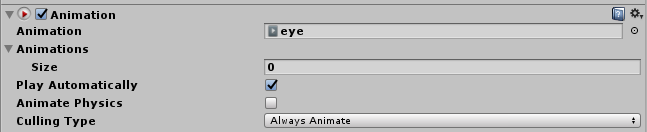 clear yew
@dusty plume Thanks, now i just need to figure out how to actually do this dynamic bone stuff...
dusty plume
@trim flax Uuuuhhhh... , can you screenshot your entire screen?
teal osprey
is that a legacy rig?
azure pilot
@trim flax i have to see where exactly you are trying to put that animation component into
trim flax
@dusty plume @azure pilot it is added as component to game object of my model - that I later upload to vrchat
dusty plume
...? Never heard of that approach, does it work?
trim flax
it is how it was in that tutorial, and it does not work
pseudo pewter
Did you do what the guy in the video did at 6:28
He first added the animation component and then dragged the blink animation into that iirc
finite fossil
anyone know how to fix this issue where the mouth on this avatar moves by itself at seemingly random intervals? it moves as if im talking in game with visemes.
ive checked all the custom animation overrides and none of them seem to affect the mouth movement.
ive tried removing visemes on a duplicate avatar and testing in-game. The mouth was still moving.
yes my mic is muted in game. the normal visemes do work when i talk with my mic open in-game.
the jaw bone is unmapped in unity.
the mouth issue doesnt occur when i press play in the unity game-scene and watch for a bit.
would appreciate if anyone could help me out, thanks!
gentle vortex
what settings do you guys tend to set your damp elactissity etc at? having trouble finding a good comba in vrchat looks fine in unity then vrchat its strong as hell i set them about 0.5 0.3 0.3 0.2 for skirt and even lower for hair
pseudo pewter
Did you check the dynamics bone video?
He had some values
Im still messing with mine
gentle vortex
yeah there the settings iv got my hair set to ohhhh i checked a womens video
which video would you suggest to check out?
pseudo pewter
The one that I was talking about is this https://www.youtube.com/watch?v=KywzhVH5o0Q
gentle vortex
thanks ill check it out
pseudo pewter
The values are also in the description
gentle vortex
thanks will give it a go for them values ^^
trim flax
ugh
thanks for help, it kind of works now but... I still have default blinking animation
and I don't know how to get rid of it
trim flax
there is nothing interesting here https://i.imgur.com/2TeBF4Z.png
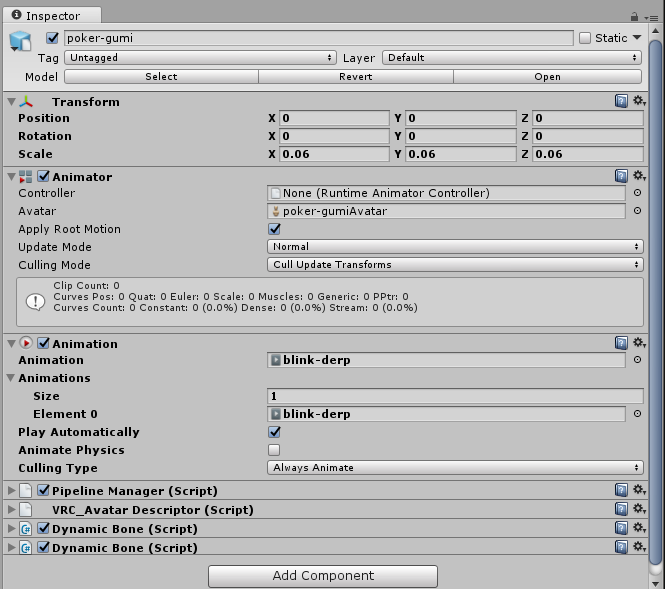
just now it blinks twice, once using my derp animation, and once that normal blink thing
that I can't find in any place so I can remove/override it


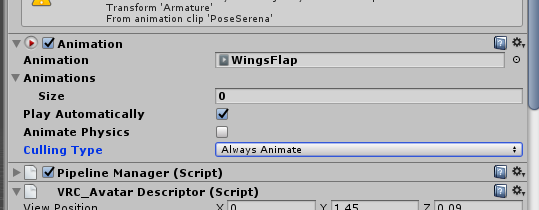


you can still see that default blink from somehwere
versed tulip
@trim flax The default animation will play if you still have the blink vrc shapekeys active
trim flax
can I do something with them in unity? to disable that, but keep my animation
versed tulip
@finite fossil Your issue is likely caused by the sil visemes getting delete upon upload due to it being blank (not applying any movement). You need to select that shape key and make sure it does something (even moving a single vertices by a imperceivable fraction). After doing that reupload and it should of fixed it.
finite fossil
@versed tulip ill take a look thanks for the help
trim flax
@versed tulip is there way to deactivate that key from unity?
versed tulip
@trim flax Easiest way is to click the "disable blinking" button in cats but if you can't do that then in edit mode find the two vcr shape keys (think its vrc.blink_left and vrc.blink_right) and for each first click 'select' then 'remove'. That'll render the shapekey useless.
No only from blender as far as I know
trim flax
then it will remove my blinking too, as my animation need to use that keys
finite fossil
@versed tulip ive had other avatars with the sil viseme being blank and i havent had this issue
versed tulip
Simple enough then, rename them to something else
and get your animation to use the renamed shapekeys
trim flax
ok, I will try, ugh, I hope I will be able to find my old blender project for that model :D
versed tulip
Though I'd actually copy the shapekeys, render the originals useless and switch your animation to the second pair (because VRchat tends to use ordering in conjunction with the shapekeys and you might get odd behaviour otherwise)
@finite fossil Don't know what to tell you, I've always had that particular issue.
versed tulip

Creating Eye tracking for your Avatar in VRChat Links: Download Unity MMD rigging: https://www.mediafire.com/file/7awm878q43c1m7q/MMD_EYETRACKING.ht Eyetrack...
finite fossil
thanks
versed tulip
That one covers the basics but its a easy as going into edit mode, selecting the shapkey and moving a vertex
@finite fossil If you jump to 16:00 in that vid then he talks about the sil
clear yew
While we're talking about visemes, my mouth gets stuck on a shape after I release the push to talk. I usually hit V for a second to make a random noise to get my mouth returned to closed. Is this something I have to just live with or is that possibly related to the sil shape key also?
versed tulip
I've never seem that particular issue but it would make sense that if the sil was removed then the mouth might not close
Being that the sil is meant to be the default face shape (or would be if this bug didn't exist lol)
clear yew
I just notice when I'm talking while looking in the mirror and I stop, my mouth will seemingly get stuck on the last syllable. I guess I could mess with it once I figure out why overrides break visemes.
versed tulip
What kind of overrides?
clear yew
I made a simple idle override to get my arms out of my poofy skirt and now my visemes don't work. I still have a working model that has her arms still stuck at her sides though. At least her mouth still moves.
versed tulip
np
fringe gull
guys im trying to add a blinking animation to my avatar but the animation tab is simply not existent in unity, what do i do?
versed tulip
@trim flax remember to disable your blinking animation whenever you perform a facial emote else you'll get some odd things happening
@fringe gull Think you can get it from the windows menubar (not at my blender pc atm)
fringe gull
i can't for the life of me find the animation property for blinking!
versed tulip
@fringe gull what do you mean?
fringe gull
im trying to find the property thing for blinking
but all i can find is mouth movement or brow movement
look at all this shit
i can't read japanese!
versed tulip
Well I'd advise you go back into blender and run your model through the CATS plugin
versed tulip
What about translate and join mesh?
fringe gull
don't think i joined meshes
versed tulip
Probably best to do both so you don't lag in game (any everyone else)
versed tulip
As for blink I'm afraid I don't know the japanese for it
unkempt star
Hey I made an animation in blender and imported it to Unity, and in unity preview it looks fine but ingame my character just goes halfway through the ground?
versed tulip
poly count actually doesn't mean much its mainly drawcalls and physics that lag people
fringe gull
well this is what im doing now