#world-development
39 messages · Page 131 of 1
 stone marsh
Right now I'm suspecting it's an issue with the meshes, their colliders, scaling, or something to that degree. But it could still be a few other things. You seem to have a ton of separated meshes so it makes it hard to identify exactly as a few things could easily be erroneous. Doing the above can quickly help identify the root.
 bold ibex
Well, I did put mesh colliders on the capsules. Part of a cliff face was gone and I was trying to patch it up
bold ibex
I'm gonna try getting rid of all the capsules and see if that does anything

 split crypt
Considering making a VRchat world with whitewater rafting and kayaking. My plan is to do this by simulating buoyancy and using a lot of Rigidbody.addforce, but I've heard that the VRchat SDK doesn't allow for C# scripting, is that true?
And if it is, would there still be a way to accomplish the desired effect?
 pure rivet
Berry time


 pure rivet
 wooden hill
how do i put a scene descriptor in?
wooden hill
how do i put a scene descriptor in?
You can add it to an empty by selecting Add Component in the Inspector
wooden hill
how?

 wooden hill
thanks anything i should also know before i continue and mess things up
stone marsh
Or just use the prefab that comes with the SDK which is already setup
wooden hill
no merc
stone marsh
Called VRCworld
pure rivet
yeah
wooden hill
im using a different kind of scene
stone marsh
.... It's a prefab of the scene descriptor setup with a spawn point as a prefab...
wooden hill
 stone marsh
That doesn't matter....
pure rivet
 wooden hill
wait so both scenes will work with any type of world?
stone marsh
If you add it yourself to an empty game object you need to create a spawn point for it
That's not a scene. It's a prefab
stone marsh
wooden hill
And you HAVE to use 2019.4.31f1
wooden hill
someone said in gen to use 37
stone marsh
No
wooden hill
and thats whats on vrchat.com
 wooden hill
ok can you send me the download?
stone marsh
VRChat
Before getting started, ensure you have a Unity project with the SDK set up. If you want a great intro to creating your first world with pre-created assets, a tutorial video, and detailed steps, check out the VRChat Home Kit! Step 1 - Setting up a scene The first thing you need is a scene. This can ...
wooden hill
the unity hub does not provide 31f1
stone marsh
Click the top link.

Go to that page. Click install with hub
That link will walk you through making your first project.
wooden hill
i wish it had more images to be honest
stone marsh
Making content requires time, dedication, lots of reading, willingness to seek information through docs and help sites, and more time. There is often no simple click this then click this to do things. You simply have to learn individual tools, and understand their function.
wooden hill
and then we realize why others are lazy
split crypt
Hey if I import the Worlds SDK, does Udon come with it?
wooden hill
split crypt
Hey if I import the Worlds SDK, does Udon come with it?
yes
split crypt
Cool, thanks
stone marsh
split crypt
Hey if I import the Worlds SDK, does Udon come with it?
As long as you use the SDK3 download.
split crypt
Yeah, it's SDK3
stone marsh

 livid citrus
a render to make it look fancy soo far, gonna make the est of the models and texture it tomorow

 nocturne jungle
Could someone link me to a video for like UI sounds when you click something
bold ibex
can someone explain how to make it so that Quest players can play a world, currently, mine is pc only
 brittle stirrup
For Unity, you have to click Switch Build Target to Android under the VRChat SDK Builder Tab and publish
 dense ledge
how do I make an object make you respawn when you touch it
 reef marsh
my world keeps crashing when i open it in the VRC app but when i local test it works fine
 upper obsidian
reef marsh
my world keeps crashing when i open it in the VRC app but when i local test it w...
upper obsidian
reef marsh
my world keeps crashing when i open it in the VRC app but when i local test it w...
VRChat
This page lists the current Unity version you should use when creating content for VRChat, as well as links to the correct version for both Unity Hub and direct downloads. Current Unity Version The current Unity version in use by VRChat is Unity 2019.4.31f1. Ensure you are using this exact version! ...
 upper obsidian
reef marsh
<@440919405136969739> its all up to date
upper obsidian
reef marsh
<@440919405136969739> its all up to date
So turn on the debug in the game, and see what happens when you enter your world.
split crypt
Ugh, this visual scripting is the dumbest shit. Any way I can use code?
reef marsh
upper obsidian
So turn on the debug in the game, and see what happens when you enter your world...
thanks ill try that
ive done it before but i forgot
reef marsh
split crypt
Ugh, this visual scripting is the dumbest shit. Any way I can use code?
i dont think so
upper obsidian
reef marsh
thanks ill try that
VRChat
There are several launch options available for VRChat. If you are using Steam, you can set these easily in the Properties for VRChat, found by right-clicking on VRChat's entry in your game list. After clicking Properties, click on Set Launch Options, then put your desired launch options in. If you a...
split crypt
Hah. This udon shit is doing a really good job of protecting us from malicious scripts when crashers are already running rampant. Guess it's time to learn visual scripting then.
upper obsidian
split crypt
Hah. This udon shit is doing a really good job of protecting us from malicious s...

GitHub
An experimental compiler for compiling C# to Udon assembly - GitHub - MerlinVR/UdonSharp: An experimental compiler for compiling C# to Udon assembly
split crypt
Right, am I able to use collision.collider.tag in Udon visual somehow?
In fact, to get more to the point, is it even possible to take the properties of something I collide with and use that to fuck with it's rigidbody?
bold ibex
I'm trying to upload my world but it keeps telling me i need a VRCSceneDescriptor, But when I add one it tells me I can't have two.
upper obsidian
bold ibex
I'm trying to upload my world but it keeps telling me i need a VRCSceneDescripto...
Delete both, add one new one.
bold ibex
wdym
bold ibex
upper obsidian
Delete both, add one new one.
I've gone down and deleted every VRCsdk prefab and script and it hasn't fixed it

does that look right?
 kind leaf
what does it(VRCWorld) look like in the inspector
 kind leaf
and you are using unity 2019.4.31f1 with the latest vrchat sdk?
bold ibex
yep
I can screenshare if u want
im confused as hell
you should've seen this an hour and a half ago
kind leaf
any errors in the console?
bold ibex
not really but

idk what any of that means
Lemme get a video showing what happens when I try to "Build and Test"
kind leaf
restart unity and then try to build again. If you get the same message about scene descriptors you probably have one attached to another gameobject somewhere.
did you follow a tutorial?
bold ibex
i followed a few
i had a hard time finding how to log in
until i realized im a dumbass and found it
I have no clue how to model on unity so I built my world in roblox studio and imported it
and now im figuring out how to actually upload it
when I try to build and test it tells me I have to have a Scene Descriptor
Not that I have two
fuck hold on
it doesn't show the vrcsdk
wonderful
FInally
Sorry
im tired
kind leaf
The best source of information provided without biases or bad habits found in tutorial videos is the official documentation https://docs.vrchat.com/docs/setting-up-the-sdk
The VRWorldToolkit can be used to find issues created by getting confused while setting up a world based on the input of multiple videos...https://github.com/oneVR/VRWorldToolkit
No dependencies are required for the toolkit except for the sdk. So install the VRWorldToolkitV2.0.0.unitypackage and then check your toolbar for the toolkit and open the World Debugger.
These will be essential to a less stressful experience going forward.
bold ibex
why this complicated 😭
kind leaf
its actually super simple, but most hate directions lol. take just a few seconds to setup a world thats usable, after that its all lego time.
login, setup layers+matrix, mesh to stand on, vrcworld prefab as the spawn, upload
bold ibex
wait
i didn't have the vrchat executable saved onto the unity
wtf
im gonna kms fucking hell
what the hell is a collider
holy shit
bold ibex
is there a way i can add a collider to all of my parts quicker than 1 at a time
kind leaf
did you build your world in blender?
if you used unity primitives' then they have colliders.
bold ibex
kind leaf
did you build your world in blender?
i built it in roblox 💀

just this part
alright it SHOULD work now
thank you
except that its fucking massive
i can fix that
it works
i loaded into vrchat
and i can see it
bold ibex
@kind leaf thank you, I'm now published and ready to go
nocturne jungle
pure rivet
~~but to where itll still float around if moved~~
So on your VRCPickup script or Rigidbody, i dont remember. But, turn off Use Gravity and turn on Is Kinematic @pure rivet
 faint folio
bold ibex
I have no clue how to model on unity so I built my world in roblox studio and im...
faint folio
bold ibex
I have no clue how to model on unity so I built my world in roblox studio and im...
Why did I not think of doing that 💀
It would have made my life building it so much easier
nocturne jungle
i should highkey try that 😭
faint folio
But then ROBLOX has issues with scaling since there's obviously no Unity capsule...
faint folio
nocturne jungle
i should highkey try that 😭
No like actually because ROBLOX is so much more intuitive than Unity
faint folio
nocturne jungle
But i mean you can rescale in unity
Studio has plugins I literally have a model resizer plugin installed
nocturne jungle
Thats crazy loll
faint folio
And I think they added the feature if you just have objects in a group (Model) recently
Alongside that scaling in general is actually better there
Because you can actually scale just 1 side instead of both
Honestly the only thing that might be a problem when using ROBLOX is the textures
The OBJ export just exports them as a non transparent PNG with no colour
Okay, time for me to add my stuff from the SDK..
Wait I think I should make a backup first
faint folio
What.
???

How long do I even have to spend in the game?
I swear these people trying to crash and do all sorts of things is ruining it for so many people...
stone marsh
New User for avatars
User for worlds
If you buy a month of vrc+ you'll rank to new user immediately
Otherwise just play the game. There's no set time. It's based on actions taken in the game so how long it actually takes varies HEAVILY from user to to user.
faint folio
So it could potentially take months for New User...
stone marsh
Hours. Days. Weeks. Depends on how you play the game. And if you're toxic.

 lapis nacelle
 vast yarrow
maybe wrong version?
vast yarrow
maybe wrong version?
Yeah thank you, I had both versions installed on accident
 ornate prairie
faint folio
So it could potentially take months for New User...
ornate prairie
faint folio
So it could potentially take months for New User...
generally, 10-15 hours in-game time and if you're friending a good amount of Trusted users
i got mine in about 10.5
livid citrus
world is done now.... just gotta model some bottles n stuff for the bar area then import it all into unity... god i hate unity
 livid citrus
okay i need help..... i imported it into unity, and u... why wont it let me edit the shaders. the textures dont display

nvm just making new ones
 lyric dew
livid citrus
okay i need help..... i imported it into unity, and u... why wont it let me edit...
lyric dew
livid citrus
okay i need help..... i imported it into unity, and u... why wont it let me edit...
I know you got it but typically I think just click on the model, now go to the inspector. In inspector, click materials, and click extract textures. This will ask you where to put a folder, I just do it in the unity project, and then it should extract them.
livid citrus
lyric dew
I know you got it but typically I think just click on the model, now go to the i...
yea thanks, good to know for the future
also uh..... the vrcworld is the spawn right?
lyric dew
yes
 vagrant stone
Anyone have any idea what this means?

 echo sentinel
Anytime I go to switch to build for android, unity crashes. Any idea why it keeps happening and how I can fix it?
 fleet valley
yo does anyone know how to make a custom avatar pedistal?
Not a normal one with the avatar picture above it, im saying like you click on a statue or something and it turns you into an avatar
bold ibex
faint folio
Why did I not think of doing that 💀
Roblox studio is so easy too, I can import some of my crazy detailed worlds and upload them
 rigid lava
is there a way to put dynamic bones on an object in a world, such as chains or curtains, and interact with those?
 lapis willow
Would anyone be able to teach me or show me a resource that would teach me to put 3D camera projection into my world? "Camera Test" world has it, the one that shows a 3D projection of a miniature version and a giant version of you and you and the people around you
Every search I've for camera projection, just brings up 2D projection
rigid lava
echo sentinel
Anytime I go to switch to build for android, unity crashes. Any idea why it keep...
You can try changing all your materials to the allowed shaders for quest, and remove things like dynamic bones, prior to trying to convert the project.
echo sentinel
Ahhhh what’s the quest compatible shader? I’ve been using standard.
kind leaf
standard is fine in world dev only. not recommended but fine.
echo sentinel
What should I use then ;0;
kind leaf
What you use depends on the look you want and what meets your needs. Standard will not stop you from converting.
 sterile urchin
Does anyone know of a world maker or Team deathmatch tools am wanting to set up a small simple team death match world but for the life of me can not find anything.

 stone marsh
Post a screenshot of your actual console. Don't cherry pick errors. The entire console
 mild urchin
does anyone have a prefab of a working ball pit that would be awesome
kind leaf
A shader based one maybe, a physics based ballpit would be a performance nightmare.
bold ibex
Im trying to make an illusion of a giant forest and its going amazing so far but people can just look under the leaves to see how small it actually is, I was thinking of putting something like a wall of stumps or clip trees in the ground so people cant see past them, any ideas to make the forest look bigger or should I go with one of these options

heres a small example
kind leaf
mild urchin
does anyone have a prefab of a working ball pit that would be awesome

GitHub
Contribute to cnlohr/cnballpit-vrc development by creating an account on GitHub.
mild urchin
I tried using that but I can’t figure it out😭
 green lagoon
those are some very short trees and like three different art styles on the textures
and yeah probably would help if you had any sort of background instead of just black void
bold ibex
thanks I made the stump texture myself
bold ibex
green lagoon
and yeah probably would help if you had any sort of background instead of just b...
its meant to look like its nighttime
green lagoon
like what kind of art style are you going for because your current texture sets don't match
green lagoon
bold ibex
its meant to look like its nighttime
still would help to have a background
bold ibex
green lagoon
like what kind of art style are you going for because your current texture sets ...
ps1 era, im also experimenting with different leaf textures
green lagoon

an example of a PS1 Forest
like your screenshot looks more like it was made in Wolfenstein 3D with everything looking like perfect little squares
bold ibex
yeah I should probably mess with the uvs alittle
green lagoon
like I would say you would want new trees altogether as the current ones look kind of bad
 green lagoon
like honestly billboard trees would probably look more PS1 then the current style low-poly trees
bold ibex
do you know where I can find some
green lagoon
 bold ibex
thanks a bunch!
green lagoon
hope that works better for you
and you would definitely want to get a new grass texture as it doesn't look PS1 at all

OpenGameArt.org
A collection of 375 FREE Tiny Textures perfect for old school games, low poly 3d objects, and more! Sometimes, you just need some small basic textures, and none of that fancy PBR stuff. Sometimes, you just want to slap some materials on an object without having to dig through hi-res online texture archives. And sometimes, you might not need 4k r...
like something like this with no texture filtering turned off would look more PS1
& add some fog
 bold ibex
I tried adding fog it keeps going into spots I dont want it too
green lagoon
well if you're going for like the PS1 it would just be X distance from the camera
bold ibex
green lagoon
well if you're going for like the PS1 it would just be X distance from the camer...
one more thing, do you know where I can find some good rain particles
 tawdry egret
How can I fix the stuck flying and my camera doesnt move when I load in the world?
Omg
 autumn berry
is it easy to add video players to your vrc world?
tawdry egret
Wack client sim just broke my unity again
Should have just kept it to cyan emu then make it worse and unprofessional then have it break others unity
fleet valley
Yo does anyone know how to draw a line from one object on a skin to another?
Im making a joke skin called "little timmy" with a yoyo and i wanna know how i can draw a line between the ball and the hand

 vague pivot
Made my first map in the last few days, just wanna show it off since I'm not trusted enough to make it public.


 tawdry egret
👍
vague pivot
Need to fix the lighting on the stairs bc there are 2 different mesh faces and it kinda just cuts off
kind leaf
tawdry egret
Should have just kept it to cyan emu then make it worse and unprofessional then ...
ClientSim is CyanEmu just a different fork. No more or less professional. Just use CyanEmu until the ClientSim fork gets it together.
dense ledge
anyone know how to make a mesh make you respawn when you touch it
kind leaf
make the collider a trigger and use a script with onplayertriggerenter to tell the player to respawn
kind leaf
give it a read, and you can try youtube for tutorials https://docs.vrchat.com/docs/what-is-udon
VRChat
What’s this Udon thing anyways? VRChat Udon is a programming language built completely in-house by the VRChat Development Team. It is designed to be secure, performant, and easy to use via the VRChat Udon Node Graph, a built-in visual programming interface that uses nodes and wires (we call them “no...
here is a simple teleport tutorial https://www.youtube.com/watch?v=BheVIHD3Vrg which is all respawning is except you use your world spawn point, or checkpoint point

My old video for teleporting players in Udon is crap and outdated, so here we are with a brand new demo on teleporting players in VRChat.
I've had some technical problems with my avatar program, but I've swapped to VSeeFace for now and am using my new avatar.
Hope everyone enjoys!
----------------------------------------------------------------...
a hard respawn I dont think can be forced (reloading the character entirely). Thats a client menu option.
 hallow jay
vague pivot
Made my first map in the last few days, just wanna show it off since I'm not tru...
hallow jay
vague pivot
Made my first map in the last few days, just wanna show it off since I'm not tru...
yooohohoho holy shit
First world?!
nahhhh
you look like you've been doing this for a while
vague pivot
I've had a fair bit of unity experience, especially with the lightmapper
hallow jay
ohh okay
vague pivot
however I only thought about making it a couple nights ago and thought it'd be fun
vague pivot
Reference photos are a godsend
just as long as you use lots and never copy anything directly
hallow jay
ohhh yeah.. i dont use any ref photos at all
i just finished making a quest Commission, now i have to convert to PC, which is really easy going from Quest to PC
i was so excited when i successfully got a quest world completed without any issues
 hallow jay
oh
vague pivot
However it works fine so I can ignore it hopefully
hallow jay
oh okay
 hallow jay
oh
vague pivot
I just did the club part now and I'm spending ages running into walls checking I didn't forget any colliders or stuff
hallow jay
lol
i recently made my very one club, im not gonna send it here as that would be self promo
i'll DM it to you
vague pivot
I'll hop on in a sec
hallow jay
okayy
its not completely finished yet
i still have a few rooms to create
fix some lighting
and add Volumetric lights instead of Cylinder lazers
I believe i posted a video of my club somewhere up this chat
vague pivot
I need to look up volumetric lighting tbh
hallow jay
Lol, i have an asset pack for them if you need it!
vague pivot
that'd be great if you could dm me that
hallow jay
sure
vague pivot
Tbh I like the look of the lasers how they are, would volumetric lighting be better in this case?
I just realised it's 1am in half an hour
rip
vague pivot
fair, I'll have a play with them when the sun's up lol
vague pivot
thx, gn
 pale wolf
audio sources are so quiet is there way to fix this?
 left rain
increase gain, or increase near distance
 pine viper
how do i fix this
 stone marsh
pine viper
how do i fix this
stone marsh
pine viper
how do i fix this
That's only one error. You need to show all your errors
pine viper
 pine viper
stone marsh
That's only one error. You need to show all your errors
pine viper
stone marsh
That's only one error. You need to show all your errors
here
i've already tried reimporting the sdk
 mild spade
Simple Light Probe Placer is not compatible with the current Unity, you will have to remove it from your project
stone marsh
pine viper
here
Yep. You can still use light probe placer, and it will still work just fine. But once you're done using it to set your light probes, you need to delete or move the script out of your project as it will generate an error.
 lapis pewter
Hi! Is there anything like a message board in VRC for people to leave messages, and it can be preserved even after everyone left the room?
 white moon
There is not.
lapis pewter
Ok, thanks!
stone marsh
lapis pewter
Hi! Is there anything like a message board in VRC for people to leave messages, ...
There is, if you have a discord server of your own. You can send messages out of vrc into a server using a webhook. If I remember later I'll send a link.
white moon
Cool feature. Although its not leaving a message preserved in the room, just in discord.
lapis pewter
Hope I can figure out a way to get messages from discord server, and show them in VRC.
What I want to do is make a world for my friends to visit, but it's impossible to have everyone in the same time, so I hope to have this message board that people can left messages for the one visiting later
white moon
VRC doesnt allow you to make API classic web calls to outside sources.
I've seen some very roundabout ways that people make calls to video urls using video players and then the data is encoded in the returning video stream.
So in theroy you could send the messages to discord, and then run a service that scrapes those from the channel and encodes them back into the request and places the text for them on the wall.
So its technically possible but also a huge pain in the ass.
lapis pewter
I see, it does sound painful especially I am in fact new to VRC and coding in Unity.
It's good to know that it could be possible to do so, though, thanks you ModerateWinGuy and M E R C.
stone marsh
lapis pewter
I see, it does sound painful especially I am in fact new to VRC and coding in Un...
Yea. That was what I was talking about. It abuses video player urls.
That said. The prefab is just drag and drop, and has no setup past you putting in the info for your webhook into the inspector and running the setup. Very easy to setup. It is a panel that goes in your world with a keyboard to allow users to type messages to your discord server, there is also a simplified version that just sends Emojis instead.
That said, the reverse can't be done. Sending info into a world. You'd need a permanent Livestream to do something like that.
I will try and send a link later today, I'm just not able to rn
tawdry egret
Why does my console say samplescene.vrcw does not exist?
stone marsh
tawdry egret
Why does my console say samplescene.vrcw does not exist?
I assume your console also has other errors.
tawdry egret
Yes
stone marsh
Yep. Feel free to share a screenshot if you want but the errors point to the issue
 stone marsh
Press clear. Then screenshot the red stop sign errors that remain. Triangle warnings don't matter
tawdry egret
only 5 went away
stone marsh
Screenshot your entire unity editor window
 stone marsh
Do you have UdonSharp?
tawdry egret
I did but deleted it
Prolly didnt do it properly
Does that stop the vrcw file not going where its supposed to?
Definitely not properly
 stone marsh
The vrcw error isn't the problem
You installed a package from GitHub without reading the instructions
You didn't install the dependencies listed in the instructions
tawdry egret
It only said udon sharp
 tawdry egret
If I delete the package then should it be able to upload then?
stone marsh
If you delete everything that requires udonsharp, the errors would most likely go away, which would be the entire Inari directory
stone marsh
Or you can just... Add the dependencies it needs.
tawdry egret
Its the only reason why I have it I downloaded everything because there was so much to check and uncheck
 atomic grove
Heya, I was working on a world just now for practice in unity and stuff, and it seems my world is crashing as soon as I attempt to test it? It isn't giving me any errors and it opens vrchat loading into the world, then the screen goes black, then it goes back into the loading screen loading me into my default world. Is this common? Idk how to troubleshoot.
I hope that made sense
stone marsh
atomic grove
Heya, I was working on a world just now for practice in unity and stuff, and it ...
Do you have a spawn point assigned in the world descriptor?
atomic grove
yes I do
I might have to reassign it! I think
lemme try that
Yeah I forgot to assign the spawn entity to the spawns element thing
sorry and thank you!
stone marsh
atomic grove
Yeah I forgot to assign the spawn entity to the spawns element thing
No worries. Everything is a learning experience. There's many reasons that can cause a return to home, but that's the easiest to check. Good luck
atomic grove
Thank you!
tawdry egret
How can I fix when I load into the world Im just floating and my camera is locked?
stone marsh
tawdry egret
How can I fix when I load into the world Im just floating and my camera is locke...
You need player mods.
If you use the prefab for the VRCWorld that comes with the sdk in the examples folder it would have the player mods udon behavior on it setup already.
The example udon behavior can just be added to your world though without using that prefab too.
tawdry egret
oh okay thank you
I was trying to stay away from using prefabs since it doesnt help me learn anything in specifics
stone marsh
That's not a good way to look at prefabs. They're a necessity in many ways.
Regardless, you can just use the script that is provided on the prefab
And just put it on any game object
tawdry egret
I know, I just used to rely on them alot before im trying to make everything from scratch on this world
upmimporter script?
Oop
Now my descriptor comp is gone
This is some short bus
Im just about to move all the assets into a new one and import everything else after
 royal edge
hello
i made 2 worlds but one cant be set as a comunity labs can i deleat the first world so i can make my new one a comunity labsa?
tawdry egret
stone marsh
That's not a good way to look at prefabs. They're a necessity in many ways.
I transferred everything to another unity project and everything is loaded in now, thank you 🙂
stone marsh
royal edge
i made 2 worlds but one cant be set as a comunity labs can i deleat the first wo...
You can only submit one world to labs per week. Doesn't matter if you delete it or remove it from labs, you have to wait till the time expires.
royal edge
stone marsh
You can only submit one world to labs per week. Doesn't matter if you delete it ...
so when it expiers will my new one be automaticaly set to community labs?
stone marsh
royal edge
so when it expiers will my new one be automaticaly set to community labs?
No. You have to manually submit it to labs.
stone marsh
You can update a world as many times as you want without limit.
 stone marsh
You can even just replace it outright with a whole nother world. The thing that matters is the World ID. You can only submit one ID per week.
stone marsh
In the inspector, you don't have the mirror set.
royal edge
wdym,
stone marsh
That behavior goes on a game object, in the inspector on the udon behavior, there is a public variable, assuming you have the public variable check box checked. You need to drag and drop the game object with the mirror into that variable in the inspector. If it's left empty, it defaults to self, so pressing the button disables the button because I'm assuming you have the behavior on the button.
 stone marsh
No. But you can send a screen of you behavior on the button.
In your screenshot, the thing named "vrcmirror" isn't actually the mirror. You just named your variable "vrcmirrro" you need to tell the script what to actually disable
stone marsh
royal edge
Exactly lol. See how it says vrcmirror and then it's empty. Because that variable is just saying "get this gameobject" but you never actually told it what to get, you just named it vrcmirror1
royal edge
stone marsh
Exactly lol. See how it says vrcmirror and then it's empty. Because that variabl...
so i need to change it to the mirror correct?
stone marsh
That's why it says "self" because it's targeting itself since it's empty.
stone marsh
royal edge
so i need to change it to the mirror correct?
No
You need to drag and drop your mirror game object onto that variable box
Where it says "self"
royal edge
kk
ight let me test it
i can make this world my first world with the pipeline mamager right?
reef marsh
how do i make users move faster in my world
tawdry egret
reef marsh
how do i make users move faster in my world
I believe its in your world descriptor, speed
white moon
Does anyone know why an object with an animation (but not a controller) will animate just fine in Cyanemu but in game it wont work and needs an animation controller to work?
would be nice for simple animation things to just work with the looping animation / no controller.
stone marsh
white moon
Does anyone know why an object with an animation (but not a controller) will ani...
That's literally how unity functions. You NEED an animation controller to control the animations in the controller you assign it.
white moon
stone marsh
That's literally how unity functions. You NEED an animation controller to *contr...
Ok sure then why do they play in play mode without one just fine?
tawdry egret
They prolly toggle the parameters that the animations run off of if im not mis hearing the question
white moon
There's this component here that play's a specific animation instead of having a state machine to play animations, and will just play one by default.

Seems to work when testing in the editor in play mode, but not in VRC
left rain
it's probably not a whitelisted component
tawdry egret
Im not sure then, im not a nerd in this kind of stuff
left rain
vrc has their own specific compatibility list. you could just build a very simple animator controller and it will work fine
white moon
unity forums says its a legacy animation component that hasnt been updated in a while. Guess they probably done have it whitelisted like you suggested. 🤔
stone marsh
white moon
unity forums says its a legacy animation component that hasnt been updated in a ...
Exactly. That's outdated and deprecated
Animation controllers are pretty easy to setup and very useful in managing your animations. Just know it's best to have a single master controller and not a controller and a ton of different things.
bold ibex
bold ibex
how do i turn a mirror off as default
Toggle the object off in unity
There will be check mark in the inspector
Uncheck it and it won't be visible anymore
thanks
can the same udon script apply to a couch with a collider on and one with a collider off?
just different variables?
@bold ibex
I actually haven't tried toggling colliders on and off before but I imagine it's the same script but you just need to tell the script to target the collider
If the collider is the a separate object it would be very easy but if it's a mesh collider or a box collider attached to the object already then I'm not too sure on how to tell unity to target that specific part
im gonna test it the same way as the mirrors
It most likely won't work if you make the target the couch it will just turn off the couch
i have two different buttons for each
that probably kills performance
but meh
my world my rules ig
Nah multiple buttons won't do much
Things that kill performance is real time lighting, unoptmized meshes, and too much high quality prefabs
For example my club takes quite the performance hit due to animated objects and real-time lights

wtf
the wait
wait
wtf
?

wonderufl
killing myself RN
I've never seen that happen before
What am i looking at
Lmao
you've never heard how i made the assets either
Looks like you dragged the collider out maybe?
Ohh
You made it?
Nice
I make everything on roblox.
couches, buildings
Thats an interesting way to do it
and import them into unity
I've never made assets like that before
its painstaking because it generally never works
I just use pro builder to make the buildings and get prefabs off unity store
because the roblox rotation is fucked and 1cm=1meter when importing things
Ahh lovely
so i have to manually scale everything to normal size
Someday I'll learn blender to model
and then the rotation gets fucked
and then stuff like this happens
Sounds scuffed
hella
i need to find out where the scuffedness comes from
and fix it
Mhm
i think its the roblox rotation
because the assets used generally come from already finished games
so they've been rotated to fit in with the game
but not unity
so everything rotates in different directions even if they look like they wont
wait
i fixed it
WTF
BRUH

turning it inside out fixed it
new problem, getting it back to the original dimentions
Good luck
It's nearly 1am imma hit the sheets
fuck
i have to take my brother to school at 7
bold ibex
royal edge
i can make this world my first world with the pipeline mamager right?
I'm not sure if I'm understanding this correctly but if you are talking about uploading your world, you do that in the VRchat SDK window under builder "build and publish for platform"
bold ibex
bold ibex
i have to take my brother to school at 7
Rip
now its inverted and looks like a dick
wonderful
 thick magnet

why is my world quest only
I clicked switch to android and it said windows and android supported but when I uploaded it the windows support turned off
this is the second time its happened and I cant get my world up
I've restarted from pervious save files and it still turns off windows
white moon
thick magnet
I've restarted from pervious save files and it still turns off windows
You have to buld and publish it for one platform then switch and upload it again for the other platform
They are done separatly.
You'll click the "switch build target to windows" to do it
thick magnet
but before I could just click switch to android and windows would stay on
and that was a few days ago
I'm also having the issue of my world not updating
 ruby jay
whatever that was you saw, you must upload the world for both platforms to be available on both
white moon
Yea sounds like a bug or it didn't switch right or something
thick magnet
ah idk then, the main issue is the world isnt updating anymore, I switch to android, it shows both windows and android support, I upload it again and it doesn't update
stone marsh
thick magnet
but before I could just click switch to android and windows would stay on
You have to physically upload it twice. Once under windows. Once under android
thick magnet
I'll try it out
ah it finally works thank you
now my door teleports work but they throw out the player when they are teleported, its not a stationary teleport
 shrewd palm
So the distance-culling mirror prefab i found isn't what i thought it would be. All it does is cull object layers in the reflection based on distance, not the mirror itself. What I want is a mirror that enables/fades in based on the player's proximity to it. Anyone know of a prefab for that?
upper obsidian
shrewd palm
So the distance-culling mirror prefab i found isn't what i thought it would be. ...
 shrewd palm
upper obsidian
https://docs.unity3d.com/Manual/class-LODGroup.html
shrewd palm
upper obsidian
https://docs.unity3d.com/Manual/class-LODGroup.html
that's Unity 2020
upper obsidian
shrewd palm
that's Unity 2020
This works with 5.6 unity
upper obsidian
shrewd palm
that's Unity 2020
https://docs.unity3d.com/2019.4/Documentation/Manual/class-LODGroup.html Same thing in 2019
shrewd palm
👌
I'd prefer not to do any scripting if there's a prefab for it, but i'll take a look
upper obsidian
shrewd palm
I'd prefer not to do any scripting if there's a prefab for it, but i'll take a l...
There is no scripting involved, just add one component to the mirror and two clicks are mouse.
shrewd palm
Ah okay cool
stone marsh
shrewd palm
So the distance-culling mirror prefab i found isn't what i thought it would be. ...
This is typically done using area triggers. A trigger volume is placed around the mirror and when a player is in the volume the mirror will enable, when the player leaves the volume, it's disabled. This ensures no overhead. Using lod only culls the mesh but mirrors are basically (simplification) cameras and cameras don't get culled using lod culling.
stone marsh
There's already setup examples of area triggers in Jetdogs Udon Prefabs on GitHub. But the logic is stupid simple if you use Udon graph.
On player enter trigger> enable game object
On player exit trigger> disable game object.
green lagoon
out of curiosity would area triggers be a decent way to handle turning on and off NPC's for a world
stone marsh
Sure. No reason it wouldn't.
green lagoon
cool was just wondering as I haven't seen many worlds with npcs so I'm not quite sure the best way to go about it
shrewd palm
stone marsh
There's already setup examples of area triggers in Jetdogs Udon Prefabs on GitHu...
Is this is?
 stone marsh
Yea. You can do so much more with udon I'm surprised more haven't popped up.
I used to have an old one that wandered around and stopped when you'd get close using an area trigger.
green lagoon
so is like the area trigger parented to the NPC so it moves around with the NPC
stone marsh
shrewd palm
Is this is?
You drew a line through the text. I can't read it lol.
But it's called area trigger.
It might be a UdonSharp example. cloulda sworn one was in there.
It's also stupid easy to make in the graph. It's like two nodes.
stone marsh
green lagoon
so is like the area trigger parented to the NPC so it moves around with the NPC
Yep
You're just doing whatever on trigger enter or on trigger stay, whatever
shrewd palm
woops sorry, its "VRCPlayer Proxy"
green lagoon
so out of curiosity how would I use a area trigger to like make a NPC move their head to look at the player
stone marsh
shrewd palm
woops sorry, its "VRCPlayer Proxy"
I don't know what that is. I'd have to look at the graph. It might be a UdonSharp example for the area trigger
Jetsdogs prefabs come with graph examples and udonsharp examples
stone marsh
green lagoon
so out of curiosity how would I use a area trigger to like make a NPC move their...
You can parent an object to the local player head using a bone follower like the one in the examples that comes with the sdk and use a constraint or script it.
Scripting it, you could find the nearest head bone and rotate the npcs head to face it. Could be done in the graph too. But would be a few nodes and some maths
You'd be messing with the quaternions.
green lagoon
myself I haven't done any scripting so this would be quite new
stone marsh
Yeah. Could be done using noodles tho.
Or just janking it with a bone follower and constraint
green lagoon
yeah I might try the constraint version for a 1.0
stone marsh
No guarantees but I can't see why it wouldn't work. I'm just speculating tho. Like I said. There's a bone follower with the sdk. Create a empty game object, parent to local player head with no sync. Use a constraint so that no matter where the gameobject is, the npc head is facing it.
You may be able to prevent it from rotating too far in the constraint settings though. Otherwise you could end up with a npc with a head that can go backwards lmao. This is where scripting the quaternions would be better. But would be easy nuff yo fuck with.
shrewd palm
stone marsh
I don't know what that is. I'd have to look at the graph. It might be a UdonShar...
Couldn't find any "area trigger" in U# or Jetdogs
stone marsh
shrewd palm
Couldn't find any "area trigger" in U# or Jetdogs
I see your in jet dog's discord. Could ask in there. But honestly it's a very easy graph to make.
Create two public variables one for the collider trigger and the other for the game object to toggle.
On player enter trigger set game object on
On player exist trigger set game onect off
Also try searching your asset folder for "area" just to be sure using the search tool.
If you have issues you could ask in #udon-general
The trigger itself is just a box collider set to IsTrigger that is as big as you want it around the mirror
nocturne jungle
to send someone a premade world, id just export a package of it and send it to them right?
stone marsh
Pretty much. Would be a pretty big file tho. You can also zip the project.
It's best to not include any SDK or things that need to be updated. Send package and instruct to download sdk, udonsharp if it's used, and any shaders you may use, and add them then import your package so that dependencies are loaded first.
nocturne jungle
stone marsh
Pretty much. Would be a pretty big file tho. You can also zip the project.
It's...
Alright thank you
nocturne jungle
stone marsh
Pretty much. Would be a pretty big file tho. You can also zip the project.
It's...
Do you think i should remove the Cyan trigger and CyanEmu
green lagoon
question can one test the bone following in CyanEmu as the test Avatar doesn't exactly have any bones
 frosty goblet
It's saying my User rank VRC account doesn't have permissions to upload to Community Labs
Is something funky going on?
The wiki page for it still says you only need to be User
 sullen fiber
Anyone know a good place to look for udon systems?
kind leaf
 ember light
😁 👍
ember light
What was that chair?
upper obsidian
It was a chair to sit on.
ember light
upper obsidian
It was a chair to sit on.
is there a bed ?
upper obsidian
ember light
is there a bed ?
Search to internet for a bed model, add a lying animation to the station.
ember light
upper obsidian
Search to internet for a bed model, add a lying animation to the station.
Found it thanks
ember light
upper obsidian
Search to internet for a bed model, add a lying animation to the station.
😰 ???
 upper obsidian
ember light
😰 ???
upper obsidian
ember light
😰 ???
I wrote about the Internet and I don’t use the asset store
Many assets from the asset store are incompatible with the SDK, and often with the Unity version as well. To install something or even more so to buy from there, you need to be very careful.
sullen fiber
Question. Ive noticed worlds with a decent amount of camera's that don't lag the world, but when I have cameras and a rendering texture, my world lags. Any fixes?
 desert python
what are rendertexture settings?
ember light
How to remove?
 desert python
ember light
How to remove?
desert python
ember light
How to remove?
capsule collider component if your inspector
desert python
ember light
delete it
desert python
that should work
ember light
And now that's enough :)) Everything works.

 rare wraith
any ideas on a fix for this? only happens when trying to upload on windows, android works fine.

still persists even in an empty project with nothing but the vrcsdk
ember light
Technical work Completed 🛠️
ruby jay
rare wraith
still persists even in an empty project with nothing but the vrcsdk
check your disk space just in case
 rare wraith
ruby jay
check your disk space just in case
rare wraith
ruby jay
check your disk space just in case
yeah disk space is good, definitely a weird error in how it only happen when uploading on the windows platform
 glass moon
What would be the best way to go about making a world?
Blender? Raw Unity?
desert python
glass moon
What would be the best way to go about making a world?
Blender? Raw Unity?
either way. i think unity if youre learning but the. branch to 3d modeling softwares
glass moon
I’m trying to make a space world
if I want Udon, does it have to be in from the start?
desert python
udon is the coding langauge provided from sdk3. you will not need to worry about it until later when scripting becomes a requirement such as mirror buttons
glass moon
So it doesn’t need to be imported like in avatar creation?
 tight sleet
im trying to test my world when i have just started and this have come up

 surreal nebula
shade smooth doesn't look like it's working in material preview when I add textures and normals. Even without having auto-smooth ticked. anyone know why. or will it look normal rendered

 near escarp
Try clearing custom normal data and giving it another try 
 earnest anvil
anyone know what world this is ?

 placid violet
@earnest anvil It it says it on the photo
 merry roost
so i’m new to making worlds and i’m having trouble. When i try to drag the SDK file it won’t allow me too, but when i click open it opens and put everything together but i don’t see vrchat along with file, edit and stuff like that. i went to my console and cleared everything and all but one went away
near escarp
What's the last error left ?
merry roost
 near escarp
Wrong version of unity
merry roost
🧍♀️is there a way u can send me a link to the right one
near escarp
VRChat
Requirements We're going to need a couple things before we can get started. Current Version of Unity. We strongly recommend using Unity Hub, available on that page.VRChat SDK - See the Choosing your SDK page to see how to choose the correct SDK for your use. Step 0 - Installing Unity Check the Curre...
surreal nebula
near escarp
Try clearing custom normal data and giving it another try <:thumbsup:70082391632...
Like removing the normal texture and node?
near escarp
Ah no, there's a button to do that under the Normals menu, Green upside down triangle window while in edit mode
merry roost
do i click i made a backup?
 near escarp
Your project is empty so not necessary
merry roost
ok
near escarp
Sorry, if you meant clicking that button or not, yes you should
merry roost
and what if i didnt..
im sorry if im asking so many questions
i think i still have the wrong one.. its still not showing it and these keep popping up
 kind leaf
Are you using the Hub?
merry roost
am i not supposed to?
green lagoon
merry roost
i think i still have the wrong one.. its still not showing it and these keep pop...
wrong Unity version
 kind leaf
Close Unity, Open the Hub, where it says EDITOR VERSION will have the version of your incorrect project. Its a selection button, Press it. Select the correct version. Launch the project.
 merry roost
when i click that nothing shows
 kind leaf
Need to fix your errors in the console.
I suggest starting over and following the setup guide provided by Ruuubick above. There is no point in wasting energy walking back a series of mistake on a first attempt. If you follow the guide there is little chance for issues.
merry roost
thats what im doing, im starting over
 rare iron
Does anyone know where I can get a HDR or Skybox of this image? I've seen it in so many places and I can't for the life of me figure out where to find an image to use as my skybox
 merry roost
ok so i cant find "ProGrids" on the package manager
tawdry egret
Do you have it downloaded?
 tawdry egret
But you have it downloaded?
Not installed into your unity project
Just downloaded, like it should be in there but isnt
near escarp
rare iron
Does anyone know where I can get a HDR or Skybox of this image? I've seen it in ...
usually hong kong HDRi
rare iron
near escarp
usually hong kong HDRi
Yeah, I've been looking for about 2hrs now, still can't find one on any site
tawdry egret
merry roost
how do i install in?
Do you download it tho?
merry roost
idk
tawdry egret
Is it a custom package or does it come with unity already?
left rain
skyboxes are just textures
tawdry egret
If its custom then you need to download it then install it
left rain
it's not built-in. you need to find it.
merry roost
i think custom
tawdry egret
You need to download it. then install it into your project
merry roost
alright how do i do that-
near escarp
rare iron
Yeah, I've been looking for about 2hrs now, still can't find one on any site
Same with 360 and panospheres ?
tawdry egret
I cant help after that since I only know so much about unity
rare iron
near escarp
Same with 360 and panospheres ?
Yep, can't seem to find a single thing, only a couple regular images, which look pretty bad if you try to make them into skyboxes
I'm just baffled how multiple worlds are using it, cause it seems like it doesn't exist
tawdry egret
Ill try to find it for you, it might take a little time tho since I have multiple methods
or just use multiple browsers/search engines, my last message sounded like I hack worlds or something
rare iron
Cool thanks, I'm gonna keep on searching too
merry roost
i cant find it
left rain

Flickr
try to find one that's up at high elevation, it'll sell the illusion a little better
lat/long images should have an aspect ratio of 2:1 if you want them to map correctly as a skybox
merry roost
like i looked at the link and i dont understand anything and i tried everything else
bold ibex
what are good shaders for world objects? or do people just user standard.
tawdry egret
Personally I would always go with some kind of shader, it could be poiyomi toon or anything along those lines because it gives you more options to your liking like higher customizability with lighting and reflections if thats your thing
There is also shader packs like mochies unity shaders which gives you a whole folder full of different shaders which you can test out and use
How do I fix my camera stuck and my avatar floating when I load in? Im using the prefab that comes with the vrc sdk so idk whats wrong
 cobalt prawn
merry roost
like i looked at the link and i dont understand anything and i tried everything ...
cobalt prawn
merry roost
like i looked at the link and i dont understand anything and i tried everything ...
So I guess ProGrids is still a preview package (which is super weird cuz it's been out and hasn't been updated for years...) meaning you need to enable "Show Preview Packages" in the Advanced dropdown

And yes this is dumb and I hate it lol. Most times I use the package manager it's for preview packages and this extra step is just so pointless and annoying
tawdry egret
If you upload a private world can you still invite people to it or do you need to have it public for anyone to join it regardless if you invite them?
cobalt prawn
tawdry egret
If you upload a private world can you still invite people to it or do you need t...
If it's private you can still invite people, that's just the only way anyone else can join
tawdry egret
Okay, thank you very much 🙂
pure rivet
I love it too much
 tawdry egret
That looks awesome
merry roost
cobalt prawn
So I guess ProGrids is still a preview package (which is super weird cuz it's be...
i still dont see it
cobalt prawn
merry roost
i still dont see it
Maybe press this to refresh? Idk at this point
 merry roost
i found it
cobalt prawn
Sweet 🙂
merry roost
its not showing up in tools ;-;
cobalt prawn
merry roost
its not showing up in tools ;-;
Like you don't have this?
 cobalt prawn
merry roost
i only have pro builder
cobalt prawn
merry roost
i only have pro builder
Do you have this check in the package manager indicating that progrids is indeed installed?

 merry roost
merry roost
merry roost
tf do these mean
merry roost
cobalt prawn
Do you have this check in the package manager indicating that progrids is indeed...
and i do have that checked but it still isnt showing upin tools
cobalt prawn
Yeah it looks like the installation got bugged, I have no clue
cobalt prawn
merry roost
and i do have that checked but it still isnt showing upin tools
That error about cyanemu and postprocessing is weird too. Are you in the right version of unity?
 lethal ledge
I'm having the same problem, can't find progrids
merry roost
cobalt prawn
That error about cyanemu and postprocessing is weird too. Are you in the right v...
yeah
lethal ledge
Can anyone help me out?
cobalt prawn
lethal ledge
Can anyone help me out?
Package manager > advanced > show preview packages, then refresh the package manager?
cobalt prawn
merry roost
yeah
Reading your issues above it sounds like you converted an existing project from a different version of unity?
lethal ledge
Thank you, that's all i needed
cobalt prawn
I would start a new project from scratch in the correct version. Downgrading is bound to screw things up like that
 hasty charm
im having this issue with unity this error how do i fix it [Always] Could not fetch fresh config file. Using cached if available.
UnityEngine.Debug:LogError (object,UnityEngine.Object)
VRC.Core.Logger:LogError (string,VRC.Core.DebugLevel,UnityEngine.Object)
VRC.Core.RemoteConfig/<>c__DisplayClass1_0:<FetchConfig>b__1 (VRC.Core.ApiContainer)
VRC.Core.APIResponseHandler:RetryRequest (int,BestHTTP.HTTPRequest,BestHTTP.HTTPResponse,VRC.Core.ApiContainer,int,bool,string)
VRC.Core.APIResponseHandler:HandleResponse (int,BestHTTP.HTTPRequest,BestHTTP.HTTPResponse,VRC.Core.ApiContainer,int,bool)
VRC.Core.API/<>c__DisplayClass35_3:<SendRequestInternal>b__4 (BestHTTP.HTTPRequest,BestHTTP.HTTPResponse)
BestHTTP.HTTPRequest:CallCallback ()
BestHTTP.ConnectionBase:HandleCallback ()
BestHTTP.HTTPManager:OnUpdate ()
BestHTTP.HTTPUpdateDelegator:Update ()
UnityEditor.EditorApplication:Internal_CallUpdateFunctions ()
 nocturne nebula
May I ask why, the model I import from Blender have no collision?
Ex: A plane, made on unity, is already walkable. But a plane made on Blender, isn't, making my avatar fall instead of walking on it
 short surge
 cobalt prawn
nocturne nebula
May I ask why, the model I import from Blender have no collision?
Ex: A plane, m...
cobalt prawn
nocturne nebula
May I ask why, the model I import from Blender have no collision?
Ex: A plane, m...
Unity primitive models come with colliders. If you import a model, you must add a collider to it. In the case of a plane you would use a mesh collider, but depending on the model and what you're doing with it, you'll want to use different type of colliders, or combinations of them
short surge
Have you ever used this plugin, I imported it into minecraft but I can't use it
nocturne nebula
cobalt prawn
Unity primitive models come with colliders. If you import a model, you must add ...
How can I add the colliders? And sounds like it's gonna take ages, please don't tell me I have to manually set every single collision
cobalt prawn
nocturne nebula
How can I add the colliders? And sounds like it's gonna take ages, please don't ...
In the inspector, click add component, then type in collider. Box, sphere, capsule, and mesh colliders are what you typically use. It shouldn't take long at all, you can pretty much just slap on whatever makes sense for that model and it should be fine. The main thing to be weary of is using mesh colliders on very high poly models
nocturne nebula
cobalt prawn
In the inspector, click add component, then type in collider. Box, sphere, capsu...
I'm making a test room, so it's basically a plane with walls and a roof
cobalt prawn
Yeah all my floors and walls and stuff are just mesh colliders on each object. Easy
nocturne nebula

does this looks right for you? I just slap this mesh colliders on it and call it a day?
cobalt prawn
No, it should be on the same object that has the mesh filter/renderer components
nocturne nebula
the whole room is a model itself tho
cobalt prawn
And you shouldn't use a terrain collider unless you're using Unity terrain which is a specific type of object
nocturne nebula
 cobalt prawn
Yeah but you have the parent of the room model selected, not the room model itself. You need to go down in your hierarchy
nocturne nebula
ooh
cobalt prawn
You should see stuff like this in the inspector
 nocturne nebula
 cobalt prawn
Yee
nocturne nebula
Alright ty I'll test it
I can finally walk! damn tysm I'm so glad I don't have to use unity for building
tysm
I wonder if items such as couches, beds and stuff are models already inside the VRC sdk thingy or I need to make models by myself
cobalt prawn
No, the SDK doesn't come with anything like that except a simple chair I think. But you don't need to make everything yourself, there is a ton of free stuff on the Unity Asset Store, on 3d model websites like sketchfab.com, a lot of VRchat creators put stuff on booth.pm, etc
For example, here's a free furniture collection on booth https://booth.pm/en/items/2625572

The Interior and Furniture pack is a collection of assets from several past builds and worlds from Spookyghostboo. Assets includes a variety of couches, plants, bean bag chairs, beds, lamps, tables, bathroom props, and restaurant props. Models are good for building houses and restaurants and were
nocturne nebula
dude you have no idea how much you're helping me
I'll write your name somewhere if this project becomes something big🥴
cobalt prawn
No prob. It's crazy how many free resources are out there, and how many cool people are willing to help out and just give you rad stuff to build with and use
Like I started building my first serious world a few weeks ago, I'm already a unity dev so it's not much of a learning curve for me, but it's been awesome to see how much the community has put together. VRCPrefabs.com is a great place for for finding pre-built interactive stuff to add to your world too.
pine viper
hey so uh
is there a prefab for like, an in-world twitter feed that reads recent posts on a list of accounts
cobalt prawn
pine viper
hey so uh
is there a prefab for like, an in-world twitter feed that reads recen...
I'm gonna assume no, VRchat doesn't really let you access webpages. The only exception afaik is if you're loading mp4 videos
pine viper
and where can i get concert lights (audiolink reactive + syncs with video color via proTV)
pine viper
cobalt prawn
I'm gonna assume no, VRchat doesn't really let you access webpages. The only exc...
isn't there a twitter API?
I'm not sure if anyone has tried to make the Twitter API and VRCHAT work together
cobalt prawn
Yeah but I don't think VRchat will allow you to access it
 cyan eagle
Hey, is there a shader that supports vertex colors like Poiyomi/LilToon and lighting from like point lights?
(Must support Android/Quest)
My world is using VRChat Mobile Toon Lit for Opaque stuff because I baked AO into Vertex Colors
But Liltoon for Cutout/Transparent stuff, and I've noticed that lights effect Liltoon stuff properly but not Toon Lit
Can't use Liltoon for Opaque stuff though as it doesn't support my Vertex Color AO
cyan eagle
pine viper
hey so uh
is there a prefab for like, an in-world twitter feed that reads recen...
You might have to use World OSC for it
or make a livestream of the Twitter feed and put that livestream on a video player
pine viper
well, if no one's gonna write it, I'm gonna bother my friend who knows C to write it for me
:)
 wary token
Hey guys 🙂
Does anyone know of any LOD fade shaders?
LOD fade needs a specific parameter set in the shader itself and I can't find any.
Would love to have my trees fade in / out on distance
mild urchin
so i recently imported a unity file which caused my scene to disappear, does anyone know how to get something like that back?
 kind leaf
loads for hdrp/urp... did you see this? https://github.com/keijiro/CrossFadingLod

GitHub
(Unity) Cross-fading LOD shader example. Contribute to keijiro/CrossFadingLod development by creating an account on GitHub.
kind leaf
mild urchin
so i recently imported a unity file which caused my scene to disappear, does any...
if you used the example scene and then imported something with an example scene you replaced it and there is no way to recover. If this is the case, you should never build in the example scene, or at least save-as the scene to change the name. You should also backup entire projects before importing new assets.
wary token
kind leaf
loads for hdrp/urp... did you see this? https://github.com/keijiro/CrossFadingLo...
Awesome, thank you so much ❤️
😄
mild urchin
kind leaf
if you used the example scene and then imported something with an example scene ...
great...
reef marsh
where cna i find reasons inside the unity project why my world doesent work on quest
stone marsh
wary token
Awesome, thank you so much ❤️
Poiyomi also supports distance fade/dithering.
Not using lod, but just a function of the shader
wary token
stone marsh
Poiyomi also supports distance fade/dithering.
I might have to do that instead. A lot more shading options that way :3
stone marsh
Yea. The dithering looks nice when faded in
wary token
Also thankfully i dont have a ton of trees so I can just batch them
only about 6 or 7 trees
surreal nebula
near escarp
Ah no, there's a button to do that under the Normals menu, Green upside down tri...
where are exactly, in edit mode
 tawdry egret
How would I be able to be able to hear the music in an animation while mapping the animation?
Or if I add a enable audio keyframe, it would play the music, so I dont have to keep playing the project to make sure the animations with the audio are synced up
near escarp
surreal nebula
where are exactly, in edit mode
You don't have any custom split normal data so I'm not sure if you shaded smooth it or used the other custom normal slider 
surreal nebula
I shaded smooth and also ticked auto smooth so hard angles aren't smoothed
bold ibex
https://assetstore.unity.com/packages/tools/modeling/mesh-baker-5017
Does anyone here know about this and if it's worth getting

Get the Mesh Baker package from Ian Deane and speed up your game development process. Find this & other Modeling options on the Unity Asset Store.
surreal nebula
near escarp
You don't have any custom split normal data so I'm not sure if you shaded smooth...
I forgot to set the normal image to non color
now they look like they have depth too
 vapid lotus
dose anyone know how to make only one person able to pick up an object because i wamt to be only able to pick up an object
 bronze fern
hey i was wondering if anyone has come across this before its stopping me updating my world
UnityEngine.Debug:LogError (object)
VRC.Udon.Wrapper.Modules.ExternUnityEngineDebug:__LogError__SystemObject__SystemVoid (VRC.Udon.Common.Interfaces.IUdonHeap,System.Span`1<uint>)
VRC.Udon.VM.UdonVM:Interpret ()
VRC.Udon.UdonBehaviour:RunProgram (uint) (at Assets/Udon/UdonBehaviour.cs:979)
VRC.Udon.UdonBehaviour:RunEvent (string,System.ValueTuple`2<string, object>[]) (at Assets/Udon/UdonBehaviour.cs:1182)
VRC.Udon.UdonBehaviour:ManagedUpdate () (at Assets/Udon/UdonBehaviour.cs:505)
VRC.Udon.UdonManager:Update () (at Assets/Udon/UdonManager.cs:254)```any help would be appreciated
bronze fern
i worked it out it was a audio player issue
wary token
Its finished! Will be trying that poi distance fade for lods tomorrow. Thank you for the help guys. ❤️ https://twitter.com/RolltheredDev/status/1513768229491126273


Made in #VRChat.
'Grass' is a calming world full of adventure and resting.
Listen to the campfire, sleep in the tent or go play with the orbs.
What are you waiting for?
Lets create memories together!
https://t.co/WvXZsIjBZa
 Twitter
·
tawdry egret
Twitter
·
tawdry egret
How would I be able to hear the audio when a key frame in an animation enables it?
 solemn plover
I'm having a weird texture issue in my world after I upload it to VRChat. On the left is my world in Unity, on the right is my world in VRChat... what is going on with the eye?

There are noticeable seams everywhere in the world when in Unity they're undetectable. I'm not sure how to prevent this or how to even diagnose it.
 true hound
i got same problem [ The signed in account does not have acces to the blueprint associated with your VRC_Avatar (Or Scene) Descriptor] can you help? https://vrchat.com/home/user/usr_fa2e6d4a-b4b6-48f0-9084-b7e5da6cba19

VRChat user nv_ti_jue_wang
solemn plover
solemn plover
I'm having a weird texture issue in my world after I upload it to VRChat. On the...
This is my import settings for the mesh. I've tried turning off mesh optimization, disabling all of the imports, changing tangents and generate lightmap uvs. I'm at a complete loss here.

I'm going to try turning off compression completely on the textures.
cyan eagle
cyan eagle
Hey, is there a shader that supports vertex colors like Poiyomi/LilToon and ligh...
Vertex colors?
solemn plover
I've also turned off mipmaps on the textures, I tried rebaking them in blender to a smaller resolution (I want it to be 8k) but I'm still getting the same weird tearing when the texture is 4k or 2k...
Here's some UV seems that make even less sense. it's almost like on upload, VRChat is shifting each UV island slightly.

To be completely clear, this is for an avatar world- these are just meshes baked into the world; they're not avatars. The actual avatars do not have this UV problem.
cyan eagle
solemn plover
I've also turned off mipmaps on the textures, I tried rebaking them in blender t...
Why do you need to rebake it for it to be lower resolution?
can't you just change the resolution of the texture in Unity or a image editor?
solemn plover
cyan eagle
Why do you need to rebake it for it to be lower resolution?
can't you just chang...
I rebaked just to remove unity from the equation.
cyan eagle
Could it be the shader that's messing with the UV?
solemn plover
I'm using standard shader
what's really bizarre is that it all looks fine in the scene viewer in unity. These seams only show up in VRChat.
I initially thought that it was maybe mip maps? but.... even after turning those off it doesn't make a difference.
cyan eagle
Does it happen for other users/players?
Do VRChat graphics options change anything?
 reef mulch
Does anyone know what "Immobilize for Vehicle" in VRC Station actually does?
When a station accelerates using an animation, a player gradually shifts behind and the option seems to be the same as "Immobilize".
Here's a PoC world: https://vrchat.com/home/world/wrld_09310473-2ac1-424f-9749-20e677c60d6f

Immobilize for Vehicles of VRC Station seems to be incapable with Animators
solemn plover
cyan eagle
Does it happen for other users/players?
Do VRChat graphics options change anythi...
Yes, other users see the seams as well. Not sure about graphics options, I'll try that out now.
solemn plover
cyan eagle
Does it happen for other users/players?
Do VRChat graphics options change anythi...
Doesn't seem like any graphics settings are making any difference.
 cosmic mesa
I’m not a world maker but if you want an idea you could make SCP 3008
 random sphinx
anyone know where to get that squishy waterbed shader?
 regal sand
Hi All - Is there a guide that explains how android build vs windows build work and what is shared between the two? For example I modified my skybox after switching build target to android and it changed it in my windows build also
 spiral fox
Hi how can i fix it?

 lone birch
can i make a world for vrchat using unreal engine 5?
green lagoon
lone birch
can i make a world for vrchat using unreal engine 5?
no you can only upload maps to vrchat using Unity
solemn plover
lone birch
can i make a world for vrchat using unreal engine 5?
Helios VR is the only VRchat alternative I know of that supports Unreal engine 5.
lone birch
i see
 glacial panther
spiral fox
Hi how can i fix it?
glacial panther
spiral fox
Hi how can i fix it?
you are trying to upload a world to a world ID that is not yours
did you download a prefab from someone? you'd need to clear it out first
green lagoon
solemn plover
Helios VR is the only VRchat alternative I know of that supports Unreal engine 5...
& nanite and Lumen doesn't work in VR
bold ibex
Is there a way to prevent people from using any kind of flashlight on mymap
kind leaf
no... you have no control over someone's avatar.
 rain shadow
bold ibex
Is there a way to prevent people from using any kind of flashlight on mymap
rain shadow
bold ibex
Is there a way to prevent people from using any kind of flashlight on mymap
You could use shaders that don't support realtime lighting
So if all the lighting in your world is baked that would be an option
solemn plover
green lagoon
& nanite and Lumen doesn't work in VR
But why? ;-;
green lagoon
doesn't run fast enough to hit the VR framerate targets
bold ibex
rain shadow
So if all the lighting in your world is baked that would be an option
It is already baked.
solemn plover
solemn plover
I'm having a weird texture issue in my world after I upload it to VRChat. On the...
https://cdn.discordapp.com/attachments/361741445352259584/963355793556635679/unknown.png
Still really lost with this issue... Left is the scene as seen in Unity, right is a picture taken from the world upload. I can't find any reason the UVs would be messed up like this.
 left rain
solemn plover
https://cdn.discordapp.com/attachments/361741445352259584/963355793556635679/unk...
left rain
solemn plover
https://cdn.discordapp.com/attachments/361741445352259584/963355793556635679/unk...
is it a skinned mesh?
solemn plover
Just a regular mesh renderer. these are baked into the world mesh.
 tardy owl
hey so: how do i change a world from 2.0 sdk to 3.0 sdk? wouldnt it break everything?
 left rain
solemn plover
Just a regular mesh renderer. these are baked into the world mesh.
left rain
solemn plover
Just a regular mesh renderer. these are baked into the world mesh.
baked into the world mesh? how large are we talking?

 left rain
what's your mesh import settings look like?
solemn plover
the scene is just a few objects in total, so the issue is pretty much isolated to just something with this cup:

I should note I've tried a lot of different adjustments to these import settings, so they might currently be in a weird state.
left rain
are these objects static? is lighting currently baked?
solemn plover
I've tried uploading them as static and non-static. Lighting is all real-time.
One theory I had was that somehow the UVs were getting compressed such that all the islands were moving around a bit? I haven't really found anything to substantiate this, though.
left rain
have you tried stripping down the material to just be a simple unlit shader with that texture applied?
trying to isolate whether this is an issue with the mesh / mesh import settings or something about the material
solemn plover
I have not. I'll try that now. It should be noted that I am using the standard shader for all 3 materials. Additionally, I'd like to reiterate that the problem does not show up in unity: it only presents itself after uploading the world to vrchat.
left rain
yeah, that's a bit weird. did you mess with any of the quality or graphics options in the build settings for this project?
solemn plover
Here it is in Unity.
I did try baking lighting at one point and playing around with the quality setttings there, but this issue was present before I started doing that.
 left rain
at least with the unlit shader we can omit possible normal/height/AO issues and focus on the mesh + diffuse texture settings
solemn plover
oh, this is a picture where I'm using a 4k texture instead of an 8k texture- problem happened for both.
left rain
if there's still the same problem, try using an uncompressed texture (no crunching), see if that still has it. or try triangulating the model in your 3D app and then re-exporting if it's currently quads
just gotta go by process of elimination
solemn plover
Is it alright if I I use the standard shader for the other material slots so that I can keep the transparency?
left rain
yeah i don't think the other slots are likely to be important here
solemn plover
alright, UV issues still present with the unlit shader:

these issues are all over the mesh btw, this is just the most notable example.
textures are already uncompressed fully, though... there has to be some compression happening on upload since the 8k texture is 50MB and the world download is less than 20MB
I don't know how to turn that off.
left rain
are you testing on PC or Quest?
left rain
do you have mesh optimization enabled?
near escarp
Try Edit>Project Settings>Player and changing Vertex Compression to 'None'
solemn plover
left rain
do you have mesh optimization enabled?
not in the import settings, but Vertex Compression is on in the project settings, that seems like a good candidate. Trying now.
left rain
your screenshot shows that Optimize Mesh is set to Everything. if Ruuubick's setting alone doesn't fix it, try changing that one as well
if you're using an 8K map, my guess is that the surface area of the uv shells around the eyeball is pretty small, and the optimization settings are essentially fusing some of those uv seams
 near escarp
solemn plover
what is the difference between the import settings and the project settings? It feels like there's a lot of duplicate options, like mesh optimization, and lightmap generation that are present in both the project settings and the import settings.
near escarp
I think import settings is on asset import while project is on being built
solemn plover
do the project settings also affect avatar builds as well?
near escarp
Some settings might, but I can't recall seeing any of them ever need to be changed
 quartz epoch
Hello i have this problem during the "build and publish" for my world, i dont know how to fix it, even though this problem i can "build and test" ty in advance
 vapid lotus
lol the pick up thing i cant get working can someone do it for me
 tawdry star
Does anyone know how to get qvpens working? I've imported udonsharp first then the qvpens but they won't write or respawn or anything
vapid lotus
tawdry star
Does anyone know how to get qvpens working? I've imported udonsharp first then t...
i cant even get mine to upload
cobalt prawn
tawdry star
Does anyone know how to get qvpens working? I've imported udonsharp first then t...
Did it come with an example scene, and is that what you're testing?
glacial panther
I had that problem and had to basically make a new project to solve it
Import world SDK -> udonsharp -> qvpens in order
Then add the pens prefab into your map
tawdry star
cobalt prawn
Did it come with an example scene, and is that what you're testing?
No I just imported the prefab for the pens into a world I made but I made sure to import udonsharp first
tawdry star
glacial panther
I had that problem and had to basically make a new project to solve it
I'll have to try that tomorrow and see what happens
cobalt prawn
tawdry star
No I just imported the prefab for the pens into a world I made but I made sure t...
It sounds like you didn't import everything you needed then. Just importing a prefab doesn't automatically import all the scripts, models, and other data associated with it. You oughta just have the entire qvpens folder in your project
tawdry star
cobalt prawn
It sounds like you didn't import everything you needed then. Just importing a pr...
You might be right and I may not have explained properly but when I downloaded the qvpens from booth, it came as a unity package and when I imported that unity package, it gave me a folder with the prefabs, materials and pretty sure scripts and other stuff then I put the prefab into my world
cobalt prawn
Oh gotcha, well yeah there should be an example scene in there. If the example scene works, then you'll know it's an issue with your scene. If the example doesn't work, then you'll know it's an issue with how it was imported
 dapper trout
Can someone help me. My old world wouldnt upload to vrchat so i just started over again redownloading everything. I have tried to set the SDK again and it just keeps saying a vrcscenedescriptor is needed and it threw 6 errors any help would be great.
 white moon
dapper trout
Can someone help me. My old world wouldnt upload to vrchat so i just started ove...
white moon
dapper trout
Can someone help me. My old world wouldnt upload to vrchat so i just started ove...
That means you need to add a vrcscenedescriptor to the scene
search in the assets for the "vrcWorld" prefab and place it
rigid lava
Any good websites for finding skyboxes?
dapper trout
Ah i forgot that had to be down. Thanks @white moon
white moon
but the other errors in the console sound unrelated to that
dapper trout
they were because something wasnt in a the same spot as vrchat files i think
thye gone now
white moon
Which pipeline is VRC again?
This seems like a really handy tool but it says it doesnt support URP or HDRP. What does that leave, SRP?
https://assetstore.unity.com/packages/tools/utilities/poly-few-mesh-simplifier-and-auto-lod-generator-160139

Use the Poly Few | Mesh Simplifier and Auto LOD Generator from Brain Fail Productions on your next project. Find this utility tool & more on the Unity Asset Store.
Ah found the answer
VRChat does not use the HDRP or LWRP/URP rendering pipelines offered by Unity. We only support the "Built-In Render Pipeline", sometimes referred to as the "legacy" or "3D" renderer.
So it should work just fine.
rigid lava
anyone know offhand how to, with pro builder, snap an object to another pro builder object? right now I'm making a new cube, typing 0 0 0 for coords, and then holding ctrl until I edge the object over to where I want it but I'm pretty sure there's a faster way to snap things over.
 rigid lava
anyone know offhand how to, with pro builder, snap an object to another pro buil...
rigid lava
rigid lava
anyone know offhand how to, with pro builder, snap an object to another pro buil...
Figured out a way at least, in case anyone else needs it. You can press the V key to select a vertex on the cube, once you drag that vertex on the cube it'll snap to another vertex from another object.
 misty wave
Restarting seemed to help
tawdry egret
Im a desperate little boy
How could I hear the audio when playing an animation after it goes over a keyframe that activates it?
 indigo stump
I hadded Occlusion Culling to my world a few builds a go, but I want to remove it for now and revisit it later. I can't figure out how to get rid of it though.... any idea?
stone marsh
indigo stump
I hadded Occlusion Culling to my world a few builds a go, but I want to remove i...
In the occlusion culling tab, at the bottom there is a button to delete baked data
white moon
tawdry egret
How could I hear the audio when playing an animation after it goes over a keyfra...
Set the audiosource to play on awaken? I havent tried before but i assume that'd do it
tawdry egret
Thats what the audio source is already set on unfortunately
 cyan fern

https://cdn.discordapp.com/attachments/958941183424471050/963101930840793168/unknown-58.png trying to make this into a cozy world, terrain and polish pending
 nocturne jungle
rigid lava
Any good websites for finding skyboxes?
nocturne jungle
rigid lava
Any good websites for finding skyboxes?
Just honestly use the asset store
cyan fern
rigid lava
Any good websites for finding skyboxes?
Skyseries Freebies on the asset store is a good start, has a bit of everything
rigid lava
Was looking for something a little beyond that. Simply because I haven't been able to find a decent cyberpunk-ish city on there.
Found a few of just skys and space that looked decent enough.
green lagoon
rigid lava
Was looking for something a little beyond that. Simply because I haven't been a...
you're not going to really have cityscapes in the asset store like that because the vrchat style of using a Skybox with city it is not too common in Game Dev because that would look tacky at ground level
rigid lava
Yeah, that's kind of why I was asking around to see if anyone knew of places where one could find them.
ember light
The cause of the bugs?

 ruby jay
what material/shader is the asset using?
white moon
It generally means its unse an unsupported shader
dapper trout
Can anyone help me with this error? It threw right before I finished uploading my world. I'm soo close.
 upper obsidian
dapper trout
Can anyone help me with this error? It threw right before I finished uploading m...
upper obsidian
dapper trout
Can anyone help me with this error? It threw right before I finished uploading m...
Delete the ID from the descriptor, try again.
kind leaf
rigid lava
Yeah, that's kind of why I was asking around to see if anyone knew of places whe...
Thats the thing, we dont find them, we make them. You purchase the most bad ass looking cyberpunk city assets, and using the demo scene you slap a reflection probe in the middle of the map at level you plan on standing in vrchat, then you bake that at 2k. Now you have a custom cyberpunk skybox. Not flashy enough? Decorate it more and then bake again. When you are done you can take it anywhere and use it in multiple projects.
ember light
Yes does not work, i remove it from another find on the internet I have already downloaded works fine.
upper obsidian
You could just change the shader on the material to the standard.
 last fractal
It get stuck at this point
 bold ibex
making my first world does anyone have a good floor/wall texture?
bold ibex
im trying to make collider toggles and i have to make my varible public but it wont sync

 versed plover
bold ibex
making my first world does anyone have a good floor/wall texture?
versed plover
bold ibex
making my first world does anyone have a good floor/wall texture?
Here are 300 free materials from AMD https://matlib.gpuopen.com/main/materials/all
MaterialX Library is a collection of high-quality materials and related textures that is available completely for free.
It provides a plethora of ready-to-use PBR materials aimed at jumpstarting the creative process and rendering workflow
for 3D graphic designers and game developers.
The MaterialX Library initiative is facilita...
TY
green lagoon
bold ibex
making my first world does anyone have a good floor/wall texture?

Gist
List of websites for free PBR textures. GitHub Gist: instantly share code, notes, and snippets.
dapper trout
@upper obsidian thanks, I figured it was something like that but the older Reddit posts were throwing me off.
 brisk bane
I messed up my world heavily, however, I haven't uploaded the messed up version, I have the world ID but idk how to use it to restore the project. I did try to backup the file but I used Bolt or something like that but couldn't get it working. So my alternative is the ID. Can I use that to try fix everything?
left rain
you can't really get a unity project back from a compiled build
sorry to say you're SOL unless you can somehow get your backup working
brisk bane
Well, the dive begins. Thank you
 quiet oak
white moon
Which pipeline is VRC again?
This seems like a really handy tool but it says it ...
quiet oak
white moon
Which pipeline is VRC again?
This seems like a really handy tool but it says it ...
Can confirm, polyfew is lit for quick decimation from within unity 🔥
 hardy remnant
idk where to specifically ask... but anyone know where i can get the generic measuring pole that's in avatar testing worlds?
i wanted to have that in my world, but i want it to match the same height...
 scenic kraken
just wondering, is the visits counter on the site unique visits or is it when someone joins a world regardless if they've been there before or not?
dapper trout
Sorry guys im a real issue today does anyone know why this error is throwing when i try and create a new udon graph on a 3dcube

 mighty ermine
decided to rework my cabin world
 lethal ledge
I need a little help
I believe i finished everything but when i try to test my world this message keeps popping up

Can anyone help me out with this??
stone marsh
You have errors in your console
sullen fiber
Anyone know how to make a despawner of singular objects?
lethal ledge
stone marsh
You have errors in your console
It's saying i have components at index 1-3 that were not loading
stone marsh
lethal ledge
It's saying i have components at index 1-3 that were not loading
Take a screenshot of your console showing ALL red stop sign errors.
lethal ledge
 stone marsh
Nope. If it doesn't work take another look in the console but that's the only error I see on that screenshot
lethal ledge
I deleted the folder but i still can't join my playmode
stone marsh
Then take another screenshot of the console
lethal ledge
 stone marsh
That's part of standard assets too
The error directs you to a location, there is a script there that needs to be deleted too
Samplescenes>scripts>particle whatever.cs
When you make a new unity project moving forward, always just choose 3D core. You don't need anything pre loaded in the default project.
lethal ledge
Everything deleted
But those message still remain
I already tried clear but nothing changed
stone marsh
Hit clear and try and enter play mode. The error can't stay if you deleted the script
Just keep working through, if it shows new errors each time, there more be a few more bits from standard assets elsewhere
Again, just screenshot if you're unsure.
It may also take a moment for unity to compile once all the scripts that cause error are deleted
Odds are, everything in that scripts folder in sample scenes needs to be deleted
lethal ledge
Yea i checked every folder aswell as my hierarchy to see if maybe something was hiding, everything from that folder is deleted, those messages just won't clear
stone marsh
Screenshot then so I can see if it's the same errors. Otherwise just save and restart unity
lethal ledge
 stone marsh
Error for a script can't stay if the script is deleted tho
Just delete the whole script folder itself

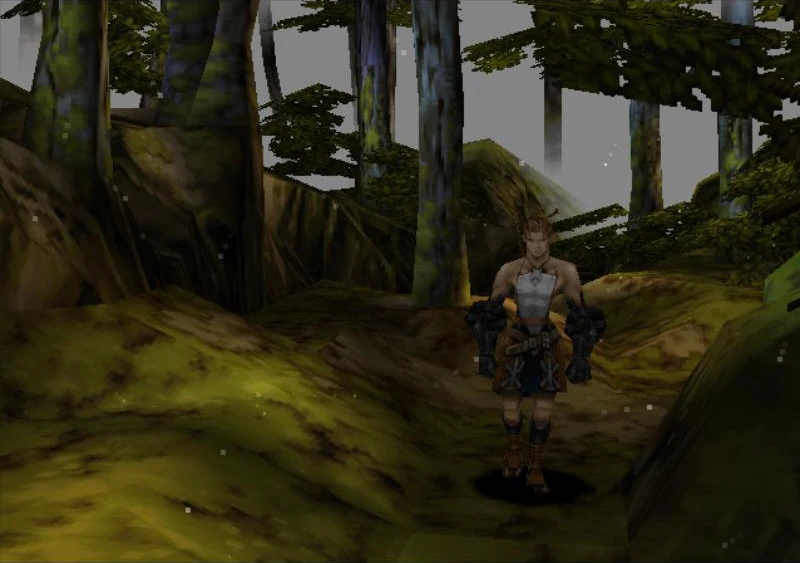
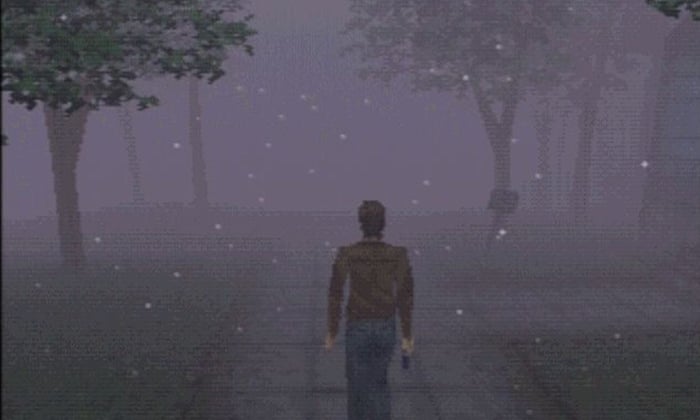


 remote bobcat
lethal ledge
remote bobcat
lethal ledge
can you like use snipping tool windows + shift + s
it's annoying when people use phone
stone marsh
Did you delete your scene file too.... I said only to delete the script folder not he entire scene folder. Idk where your current scene is located
And it may be best just to restart unity
Also can't see how many errors to exactly have since it's cut off in your images
Doing as whiren siad is best
lethal ledge
I redownloaded that folder and those codes are now gone but a new one popped up

thats the code
cobalt prawn
Bruh why did you redownload the folder you have been told to delete
lethal ledge
i did delete it then they said i shouldnt have deleted the whole folder
cobalt prawn
You misunderstood. You should delete the entire Standard Assets folder. There are other files in another folder called Sample Scenes which you should also delete. But MERC meant that you shouldn't delete the entire Sample Scenes folder, because it may contain some of your own personal files (as we do not know where your personal scenes are)
stone marsh
^ nailed it.
You need to delete the entire Standard Assets folder
You need to delete the scripts folder inside of the sample scenes folder
lethal ledge
so delete standardassets folder as well as samplescenes folder
lethal ledge
thats what the message says
stone marsh
no it does NOT
lethal ledge
cobalt prawn
You misunderstood. You should delete the entire Standard Assets folder. There ar...
see
stone marsh
wtf are you on about. He explained the same thing I explained.
You need to delete the SCRIPTS folder INSIDE of the sample scenes folder. I never said to delete the entire scenes folder as that may or may not contain your actual scene files, but it seems like you deleted it.
glacial panther
Lol
stone marsh
please focus on the words. They're explained clearly. I don't mean to be rude or blunt but it's important to read so you don't accidentally delete things that may be important.
lethal ledge
There. I deleted the ENTIRE standardassets folder as well as the SCRIPTS folder INSIDE of the sample scenes folder.
stone marsh
Nice. If there are any more errors, please screenshot your entire console window and we can go from there.
bold ibex
Quick question: How do you increase render distance? Trying to make a large open world but the view distance isn't large enough.
 stone marsh
bold ibex
Quick question: How do you increase render distance? Trying to make a large open...
stone marsh
bold ibex
Quick question: How do you increase render distance? Trying to make a large open...
On your camera, increase the far clip
You might want to add some fog under the lighting tab to blend the far clip so it's hidden. Fog is very cheap
Do note that increasing the far clip too far. Can have a negative impact on performance and rendering of meshes in some cases and is harder specially for quest hardware.
bold ibex
Increasing the Clipping planes "Far" value didn't seem to change render distance when rebuilt. Are we talking about the Main Camera that Unity has in the Hierarchy by default, or another camera?
Value set to 100000 so should be good enough if that is the right camera.
cobalt prawn
bold ibex
Increasing the Clipping planes "Far" value didn't seem to change render distance...
Make sure that camera is set as your Reference Camera in the VRC_SceneDescriptor