#world-development
39 messages · Page 48 of 1
 split magnet
 near escarp
You can check the website under the worlds section
split magnet
i do not know what you are talking about
hmmm...whats the current unity version?
2018.4.20?
 olive magnet
Hello, I'm trying to improve the thumbnail for my world. the build tester mentions a VRCCAMERA but there is no prefab or component with that name. the world has a "portrait camera position offset" and a quaternion. this seems like the pos-rot that defines the thumbnail. if so, is there a quick way to get a quaternion or do I need to write a custom component to convert the euler camera into quaternions so I can manually type them in?
split magnet
i need help
i can access my world. but it is not appearing in Search
in unity it says its release status is privat..so how do i make it public?
near escarp
You publish from the SDK and check the community labs checkbox
split magnet
where is that checkbox
near escarp
on the upload screen
split magnet
under Builder section?
near escarp
On the game window, where you input the world name, description, user count
split magnet
where it says "Not enough Trust to publish to Community Labs?
if that Trust is an issue...im a member for more than 2 years now....what else do i have to do?
near escarp
Have you used vrchat much ?
split magnet
not in the last 4 month because i got realy frustrated about developing but no way to make my world visible
near escarp
what's your username ?
split magnet
Ozimandis
near escarp
That account has access to world publishing but not enough trust for public submission yet
split magnet
and?
split magnet
how much time?
near escarp
There is no set time
split magnet
User
near escarp
yep
split magnet
so its about getting friends than...or "being a friend" in others people account
i am obviously spending time in there, create content...."not make enough" friends
 random owl
None is required but all contribute
near escarp
How many worlds/avatars have you uploaded in total ?
split magnet
thatw as my second attempt.... im quiet busy in Second Life and making stuff in unity
second attempt = "second world"
near escarp
Over a period of 2 years that's considered very low 🙂
split magnet
because its always privat
near escarp
Everyone else starts out exactly like this
split magnet
i loose motivation to do somethign for VRchat if nobody can see things because of frustration
nobody can blame me for not contrubuting and being frustrated
random owl
You can always invite your friends to the world even if it's private
split magnet
and everybody is saying "sorry i do not have time im working on my own stuff"
what do i have to do...beg?
im not doing that
if they are bussy than they are busy
random owl
I just make a friends+ world when I'm testing a private world and wait for people to show up or invite couple who are online and wait for people to join them 🤷
split magnet
what is friends+ ?
random owl
It's one of the instance types in available in vrchat
Public, Friends, Friends+, Invite, Invite+
Friends+ your friends and their friends can join
split magnet
ok....i just do not know how to set this privat world on friends+
but in any ways...i do not have enough friends to show up. so the snake bites itself in the tail and round and round i go
random owl
In that case you should go jump around and make more friends then which would also help you with the trust rank
split magnet
yes, if i am capable of making friends
because i do not make friends easy
anxiety issues here
but i can see thats the system
random owl
I mean same but 🤷
split magnet
if i can not archive friends than i have no place in VRchat
its just like Real Life lol
if you can not make friends...stay alone
nobody cares anyway
thanks, i learned a lot about VRchat today.
 wintry temple
anyone know if there is a way to get a mirror to reflect particles?
i set up a mirror to reflect everything and put particles on the default layer, but there is still nothing showing up in the mirror despite showing up in the world
wintry temple
anything on google is drowned out from animations not showing up in mirrors years ago >_>
wintry temple
@wraith ruin https://www.youtube.com/watch?v=6AMbbrFMvjM
This tutorial shows you how to make a spawn a prefab object into your world, set a delay on a button so that players cannot spam the spawn action, individual object deletion, and delete all.
There are many ways to do things in VRChat, and this is only one of them. With this m...
 wraith ruin
Thanks
Using UI buttons but i have spawning working already so i assume i can get the cooldown implemented in it using that video
wraith ruin
That tutorial is a bit broken. Had to use OnEnable instead OnDisable.
 cyan pike
how do i get these damn UI sliders to stop moving when i click on the damn thing? volume slider keeps moving when my avatar is moving left/right
 knotty portal
how do i manage layers in a world?
random owl
knotty portal
Ah okay
So what layer would I set a prefab to so it will disappear if it interacts with colliders in the world
wintry temple
collider_matrix_screenshot.jpeg
 bold ibex
my sdk keeps telling me i need an app from the microsoft store to open the vrchat link to test build and i cant find how to fix it no matter what and im getting frustrated
does anyone have a fix for this?
random owl
@bold ibex inside your vrchat game install folder run the "install.exe"
bold ibex
ok let me try
Does anyone know hwo to make it so that when I click on the door it plays my custom door animation.
 ionic dagger
how do I make a teleporter?
knotty portal

This tutorial shows you how to make another type of door, this time that teleports players around within the map simply by walking into the door. I'll also show how to lock the door so people can't walk through it. This version does not suffer from sync issues as the lock and ...
@ionic dagger
knotty portal
I'm having a bit of a tough time with making the objects disappear on collision
ionic dagger
thank you
knotty portal
I tried utilizing the layers, however that didn't work
And I have no clue of how to use the collision matrix
I should also mention that it's an object that needs to be spawned in
It's a bullet to be more precise
 onyx mortar
so my vrc sdk was working perfectly fine but then i changed the design of my world and the vrc sdk tab only has the option "utilities" and i cant upload my changes. is there a way to fix it?
also for some reason the font changed too
oh nvm i deleted a folder and it fixed it
 elfin heron
I'm having trouble. with probuilder is there anyway to cut a hole in something, or edit a certain section of a shape. I want to make a skylight in a ceiling but I'm not sure how to make the hole?
cyan pike
cant cut holes in probuilder unless you have the paid version
elfin heron
Okay, i just improvised.
bold ibex
Are there any specific shaders that would be good for worlds?
Like, would Poiyomi shader be alright for a world?
near escarp
As long as you don't need to bake your lights, sure
random owl
Poiyomi with lighting set to standardish allows for baked lights
Still would suggest just using standard though
 topaz basin
NullReferenceException object reference is not set to an instance of an object. Cant write title and more of the world. Only if i press Pause it lets me do it. But still cant upload it. unity 2018.4.20 sdk 2
 bleak moat
@elfin heron select the top face, press R to get to scaling mode, then scale the face while pressing shift. You should now have a smaller face inside that tou can delete
cant cut holes in probuilder unless you have the paid version
@cyan pike uh, you sure about that?
bold ibex
And is there a way to upload a world privately? I tried uploading local and when I build & test it opens like 50 vrchats xD
cyan pike
@bleak moat well 2017 unity you were able to cut holes in pro-builder now in 2018 you cant on the free version
 wind wraith
@elfin heron Like Charlie mentioned, you should be able to select the top and bottom faces of that mesh there ( the top of it for skylight) and use unity scale transform. Then delete faces and then fill edges on all sides.
I recommend watching this video for more help and to anyone else who wants to cut wholes using probuilder https://youtu.be/Of1yrS_CsiI?t=135
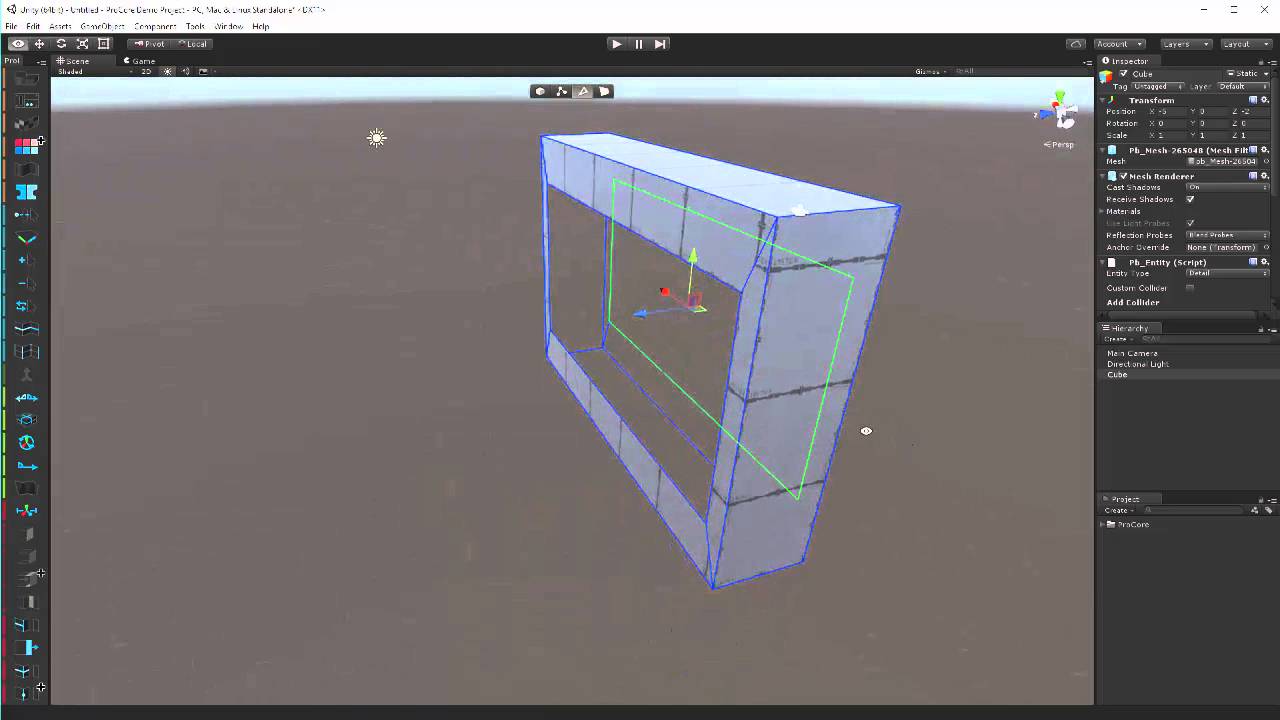
ProBuilder is a tool for building and editing geometry directly in the Unity editor- more info at: www.procore3d.com/probuilder
bleak moat
@bleak moat well 2017 unity you were able to cut holes in pro-builder now in 2018 you cant on the free version
@cyan pike Where are you getting your probuilder from? I don't think there's even a paid version anymore
near escarp
lmao download blender already
bold ibex
Why the heck does clicking Build & Test
Does the SDK open a million instances of vrchat
bleak moat
Where is even the option to buy it? Just get it from the package manager
bold ibex
https://gyazo.com/1b7fe85241ec7dac8541992200c71932
HELP, WHY DOES THIS HAPPEN, I EVEN RE-INSTALLED VRCHAT IN A DIFFERENT DRIVE
cyan pike
you add player limit when you upload
cyan pike
yea i did that once just for the hell of it had 40 vrchats open
bold ibex
bruh xD
Oh hey, it worked
So if I already have my world open, set clients to 0, build & test, can I just, reload the world?
Or, everytime I make an update, I have to reload vrchat
bold ibex
But wouldn't it be public? in the community labs?
bold ibex
OH I see
bold ibex
How does one do skyboxes, can't seem to find much online
elfin heron
you can find them for free on the asset store. Then drag the asset onto the skybox thing in the lighting settings.
 mellow solstice
So I'm trying to make a digital clock using textmesh pro and a custom script. When I view the world in playmode in unity the clock updates, but when I test the world in vrchat it just shows the sample text. How do I get the script to work, or is there a better way of doing this?
bleak moat
You're trying yo use a C# script?
You can't use custom scripts in VRchat, you need to use Udon
(@mellow solstice )
mellow solstice
dang, alright
topaz basin
Does anybody know how to solve this or got a link: NullReferenceException object reference is not set to an instance of an object. Cant write title and more of the world. Only if i press Pause it lets me do it. But still cant upload it.
bold ibex
dang, alright
@mellow solstice You can use udon sharp, its almost the same
bold ibex
Is there a limit to how big a world can be?
 hardy grove
Does anyone know if there's an equivalent of the VRC_PlayerAudioOverride in SDK3? Or at least something that'll let me have a 'Loud Zone' (so people speaking there can announce stuff to everyone in the World) and some 'Quiet Zones' (where you can easily have a private conversation where eavesdropping is slightly more difficult)?
 light sable
its my first time making a world, i have made the entire skeleton and im watching a tutorial that says i need to setup layers for vrc and stuff but all i see under this menu is 'utilities' there is no build control pannel or anything what should i do?
hardy grove
There's an option to open a control panel somewhere in there
And the Layer set up thing is on that
light sable
turns out i was on unity 2020 not the 2018.4.20 version thats being used for vrc -_-. can i transfer my world model to the old version now somehow? (just installed it)
i onyl have the basic skeleton no buttons or anything so i hope it will be ok
bold ibex
How do I make udon buttons? To toggle things on/off? I tried finding some but things have changed since those tutorials have come out, like ui locations and the name of some stuff
I also really like those new fancy ones where vr users can literally push the button in to toggle things on/off and wondering where I can get/find those
random owl
bold ibex
Thank
random owl
@light sable such a minor version change should not cause much problems
bold ibex
Does anyone know how to reduce a world's size without removing content? Cause I just finished making my world and it's 284mb, which is way to big.
random owl
Crunch compress your textures
bold ibex
How do you do that?
random owl
It's in the import settings of a texture
bold ibex
Could also just, lower the resolution too
On small things it wouldn't matter, like the floor and walls, can drop those to 1k
Which is also in the picture's settings
random owl
True that would help in VRAM usage as well, but also doing crunch compression at the same time would be for the best
bold ibex
Going to be waiting several hours on an answer for my question lol
bold ibex
Read my first message about it lol x3
I tried finding some but things have changed since those tutorials have come out, like ui locations and the name of some stuff
 frozen glade
why cant i pickup this in my world? i have added this and also a mesh collider to the body
random owl
Mesh collider that's not convex is not gonna work and where is the collider?
frozen glade
the pickup,sync and rigidbody is on the object and the mesh collider on the body and convex is on
random owl
So the collider is not on the same gameobject as the pickup script?
frozen glade
when i hit play it can be pushed around but in vrchat its just stiff
if i put the collider on the object it falls through the map
random owl
The pickup script would need to be where the collider is for it to know what is being picked up
Also since it's cropped I can't really see everything to know what layer the pickup is on and such
frozen glade
when i put all the components on the body i can grab it but like only the mesh and the object is still there
random owl
That would sound like it's set to static
random owl
If you didn't crop so much I could actually see all that I need to see and not just make guesses 😅
 iron surge
Just published my first world. It's essentially an empty box. I'm proud of it.
 errant pine
Can I put a toggle on spawned pickups? Like what game object I then toggle?
@wraith ruin
I believe so. If you make it togglable via gameactive
wraith ruin
But what i put as a target since there are not any objects in the scene before they are spawned in game?
bold ibex
So I recently made a world, but every time I try to join it, my game brings me back to home. Does anyone know why this might be happening?
random owl
@bold ibex import my world tools the world debugger included with it should tell you why (if not I can help you debug further)
https://github.com/oneVR/VRWorldToolkit/releases
random owl
Just import the package in
bold ibex
Ok
random owl
bold ibex
I imported it, but for some reason it's not on the top
random owl
Are you on an older sdk?
Check your console
If you are on an older sdk just deleting "DisableOnBuildManager.cs" is enough if you don't feel like updating rn
bold ibex
I'm on the most recent SDK
random owl
Show me a screenshot of your console?
random owl
Oh sorry I didn't see the second picture for some reason
Press clear once and show a new screenshot
bold ibex
random owl
Okay yeah you are one sdk version behind
Just search for DisableOnBuildManager in your assets and delete that
After that the stuff should pop up at the top bar
bold ibex
Would it pop up in the top right with the file, edit, assets, game onject, etc.?
random owl
Looks like everything's working now?
bold ibex
Ah okay, I see!
random owl
Oh and you seem to have four scenes open?
bold ibex
Do I just click "auto fix" on everything
Yeah, I made 4 different things
But I put them all in the same project
random owl
Hmm yeah lookin at that otherwise there doesn't seem to be any issues that would cause to get thrown back home
Expect that the last built done was 1.13kb so something stopping unity from building the scene properly
bold ibex
Hmmmm...
random owl
You might want to close all except one scene VRChat doesn't really support multiple scenes at a time
I'm gonna actually test that out and add a warning for it if that is the case
bold ibex
Ok, but if I remove other scenes then my world will have things missing.
random owl
Yeah you should have made everything in the same scene 😅
random owl
Should be
bold ibex
Hmmm, I'll look it up
random owl
You can at least move stuff around between open scenes just by dragging it in your hierarchy
bold ibex
True...
random owl
Added a warning for this case for the next version 👌
bold ibex
Good idea!
bold ibex
whats the best video player to use right now?
@random owl I moved all the assets to one scene
random owl
Unless there's more problems stuff should work now
bold ibex
Alright, I'm going to see if that fixed it.
 lyric dew
How can I make it so one room of people can talk but the people in the next room cant hear.
I want it so during my friends Podcast, the admins can sit in the room over and watch and hear, but if they talk in the room, the people in the Podcast room can't hear the people in the admin room
 lilac breach
You get some virtual sound mufflers, and stuff me up in the walls
 valid urchin
my world wont test at all. i deleted and reuploaded the assets in a new project and tried making a new world and it still wont work.
is it one of my assets?
 sudden lily
Got a physics question; Why is this ball being picked up as a collision at a close distance from the capsule collider?
 thorny wind
So, is there a way I can have lights which can be turned on and off using baked lightmaps?
I'm thinking something along the lines of baking the light with them all off, then another bake with them all on, then switch between the two lightmaps somehow
 onyx leaf
Quick question im changing a vr chat world from sdk 3 to sdk 2 because i need a video player for a world, and for some reason the c# compiler still thinks the SDK is 3. any ideas on how to change this macro to sdk 2?
random owl
You would need to remove the sdk3 mention from your scripting define symbols in project settings under player > other settings
onyx leaf
thanks. will do
frozen glade
has anyone got a video player prefab that allows to paste urls? The ones i find are outdated
iron surge
How would one make a world play a sound each time a player joins and/or leaves the world?
wintry temple
anyone know if there is a way to get a mirror to reflect particles?
 quick vigil
how do most people do waterfalls?
 fallen knoll
so the sound in my world decided to stop working and I have no idea what's caused it, only random songs play and my avatars no longer play sound. It all works fine in any other world so I have no idea what is going on with mine
 neat zodiac
Can I have a Mod answer this?
I was wondering if you can better explain the guidelines for:
"You may not market, promote, advertise, or solicit unauthorized products or services within VRChat or official forums."
I myself (as well as many other creators) have been approached to play a youtube trailer of another vr game in our worlds.
Would doing this result in my Vrchat account getting banned/removed?
 smoky torrent
Hey, is there any way I can play the world in Unity play mode?
Like, for testing interactables and stuff
It's a super slow workflow doing a build and test each time
near escarp
@smoky torrent https://twitter.com/naqtn/status/1098998009247891456?lang=en


I made a tool that runs #VRChat world in Unity editor. You can debug VRChat worlds with Unity editor functionality. https://t.co/52WKtXWC39 Demo movie shows AnimationBool and AnimationFloat actions works by interact. I used Example-Actions scene bundled in VRChat SDK as is. h...
Likes
127
 Twitter
smoky torrent
Twitter
smoky torrent
that was quick, thanks @near escarp
near escarp
remove the mesh renderer component
bold ibex
That was quick thank you
 primal echo
Yo, does anyone know why my baked lighting wouldn't be showing up in my built map?
primal echo
No I don't use bakery, what folder is it? @near escarp
and how would I move my lightmaps to it
near escarp
Did you actually bake or did you just set your lights to baked ?
primal echo
Yep
near escarp
What are your lighting settings ?
primal echo
near escarp
I don't think your objects are casting any shadows
Are you using a custom shader for your objects ?
primal echo
Yeah I have the room itself set to not receive shadows because for some reason it puts blotchy black smears on it
no
Well only 1, it's a water shader
primal echo
I mean the baking itself isn't the issue, it's that the baked lightmaps just don't appear in game
near escarp
I mean, your bake looks totally broken
but if you don't mind how it looks then i guess check the console
and check the actual lightmaps you created after the bake
primal echo
Wdym it looks broken? Sorry I'm new to this stuff
primal echo
Well baked lighting is preferable to real time for performance anyway right?
near escarp
Yes, but it's also to get a much better looking result
primal echo
Baking again with the options you said
near escarp
Disable global realtime illumination unless you're making use of it specifically
and indirect intensity to 1
Also go to Edit > Preferences >Clear GI cache
and then restart unity
And i guess re-enable cast shadows/receive shadows on all your meshes
primal echo
ok one sec
You think it looks broken now

it was doing this earlier before I fixed the lightmap uv's lmao
near escarp
Yeah that's just because of missing lightmap UVs
Are you using standard shader on other things ?
near escarp
make sure to turn down smoothness to 0
primal echo
What happens if I don't?
primal echo
Kk
Still baking out the lighting with the settings you told me to enable. I did it once with shadows enabled on the walls and stuff it gave me a bunch of black patches
There was some intersecting geometry though I think that may have caused it so I moved it and I'm trying again
near escarp
Depending on where lights are in your scene, you could have other objects casting shadows on your walls/ceiling
Did you make the room in probuilder ?
near escarp
Well, if they didn't have lightmap UVs it would have looked broken so it was most likely that
near escarp
Already ? That's a bit fast, how many texels did you go with ?
primal echo
20
near escarp
Check the unity console
primal echo
A lot of yellow
near escarp
Anything mentioning lightmaps or UVs ?
If you ever go back to blender, you can generate lightmap UVs manually over there
primal echo
Is there a way I can get this in a text file and send it to you?
I'll try that next time
near escarp
a quick screenshot of the console should be good enough
random owl
Well there would be the reason
Light probe placer is stopping the build from happening
near escarp
Yeah, the lightprobe placer asset
near escarp
damn, i wish this thing disappeared from the internet
that bake was way too fucking fast 
primal echo
So get rid of the light probe placer and do that manually?
random owl
I mean you could just use it to place the probes and then remove it
primal echo
Ye the probes are there
How do I remove the asset? Just delete it from the project files?
random owl
Yeh
near escarp
yeah the whole folder
primal echo
Is this a common issue
random owl
Ever since we moved to unity 2018
primal echo
What exactly do light probes do
I thought they were only for getting the lighting for dynamic physics stuff and characters
random owl
Yes
primal echo
Ok so why would that effect the lightmap
random owl
No the problem was just the building part
You said you baked your lights but were still seeing the world black in game
That was because the error stopped a new build from happening
So you saw an old version that was build already
primal echo
It wasnt black, it just wasnt applying the lightmap
I had an old build yea
Still wondering how I can fix the shadow thing from happening on my walls and stuff though when it's set to receive shadows
Or ambient occlusion I'm not sure which is the one that breaks it
random owl
This?
primal echo
yea
random owl
You sure it has lightmap uvs 🤔
primal echo
Pretty sure, how do I double check?
random owl
Check the import settings of the model
https://github.com/oneVR/VRWorldToolkit/releases
My world tools world debugger also finds all meshes that might have that issue
primal echo
I imported a lot of the meshes as a collection when I first did it, didn't set up lightmap uv's because I didn't know you had to, when I figured out what might be causing it I applied the lightmap uv to the collection not the individual models
Should I have done it for the individual models?
Oh nvm doesnt even give me that option
random owl
Yes, but with my world tools you can click one button to fix them all
primal echo
It didnt give me that tab at the top
random owl
Are you on an older sdk version?
primal echo
Possibly let me check
random owl
If you are a quick fix is just deleting this script since that's the only thing that depends on the latest sdk
primal echo
Yeah i am
I'll try that rq
Just deleted it, should it have the tab at the top now?
random owl
Yes
primal echo
it does not
random owl
Show me your console
random owl
Looks like you didn't delete the script? 🤔
primal echo
I did though...it's not there anymore
im gonna restart unity one sec
ye not there and still no tab
I'm gonna try updating my sdk and reimporting your tools
random owl
Yeah that would fix it
random owl
It just works as long as you are up to date 😅
random owl
I mean it's just the fact the feature your sdk was missing was added in the latest sdk
Hopefully soon everyone will be on at least that one
primal echo
Ok the thing still isn't there
random owl
Show me your console again
primal echo
One second gonna try importing both again not sure if the fact that I didn't remove them completely from the project would've affected it
random owl
You should usually always completely remove the sdk before reimport
VRChat
If you need to update your SDK, it is important that you follow these steps to ensure the update proceeds properly and you don't have any old/conflicting files. Simple Update Here's how you update your SDK. If you're just uploading avatars, you can use the following process: ...
For the correct steps
Otherwise things can go wrong
random owl
Good
primal echo
Ran the debugger, should I just autofix all this stuff?
There were 2 models that didnt have lightmap uv's apparently
random owl
That would most likely be the roof
Ceiling*
And yeah the autofixes should all be safe to run any bigger changes will warn about what will happen before doing it
random owl
That would be also something to fix 😅
random owl
Should be fine
primal echo
oh my god im gonna fuckin cry
it worked
the ao is way too intense but it worked
im actually going to makeout with you dude holy shit
random owl
Good that it works 😅
primal echo
Turning down ao and rebaking. If it looks good and it imports into vrchat when I build to test it I'm going to owe you a life debt
actually ima build in vrchat to test first
near escarp
yeah that looks better
primal echo
yayy dev approved
ok rebaking with less ao


Thank you so much guys I really appreciate it
random owl
#udon-general if you want to ask about udon related stuff
elfin heron
i made a world. anyone willing to make it look cool, and fix my lighting? i will pay.
 solid helm
Well, depends on the world
 hard rapids
I have a huge problem with my world I've spend yesterday hours to find a fix and didn't find anything I thought this is the right place to ask It's easier to show it than explain the problem I have can anyone dm me?
I guess I will explain it in short. I have scene descriptor but when I try to upload the world it say I don't have one and give me the avatar uploader instead
This screenshot might describe my problem better than I did
 neat blade
like i said, try and set the spawn order to first, and not random
hard rapids
Tried it before that's probably not related to this issue
okay I just played with settings and now it decided to work
onyx leaf
Does anybody know how to change post processing volume weights with UI sliders? I'm using SDK 2
 trail fiber
how do you make an object freeze in air after letting go of it
 buoyant hollow
@trail fiber set its rigedbody to isKinematic
 wise sedge
How can a make an object's location synced for everyone; even if they're a late joiner?
Have an object sync on them currently but it doesnt move for people that had them disabled or joined late
(sdk2)
 rough wedge
Anyone else uploaded a world recently? Was just attempting to upload mine, and it only got half way through the upload after nearly two hours time.
Rebooted the PC, and trying again, and it's still seemingly no better. Usually takes me 20 minutes.
A bit stumped on what I could have done to cause such an absurd upload time, nor what the actual file size would be if I waited long enough to let it continue.
near escarp
Did you check your console ?
rough wedge
Well, it's complaining about zero audio listeners... a lot.
Hmm
Do VRC triggers become active after the first stage when uploading? (Where it builds before you get to name the world)
 analog tangle
I have a quick question, but I can wait if you are busy speaking
rough wedge
Feel free. I'm still trying to figure things out.
I might have to come back for help at a later time, because I've had some long standing console errors on this world, and they're making it hard to spot if there's any new ones.
analog tangle
true
here I go
I have a VRChat world I'm making for my fiancée and I, and there's a small feature I'd like to add. I want to make it so when a player joins, everyone in the world is notified by some audio playing like a ping. I'm completely lost on how to make this, and would greatly appreciate any tips or tutorials links. Thank you.
Searching online has only yielded tutorials for avatars, so I'm hoping someone here may know how to do something like this for a world instead
random owl
 echo crater
I need help... When i test my world it works but then i join it in the mane client it just boots me out...
analog tangle
Thanks!
echo crater
can anyone plz help me?
 jolly cape
check your vrchat logs for errors
echo crater
Where are those at?
echo crater
World VRCW File (wrld_34703f31-b078-4db2-be87-87769be6abfe) was not uploaded to this ApiWorld (wrld_bf44e4d8-52e3-4258-97a0-cfccf19a8109)
is the error i found i think
echo crater
ok i got "Map was loaded but no user join events were detected"
how do i add join events
echo crater
random owl
You most likely have multiple pipeline managers in the world
"t:pipelinemanager" in the hierarchy search
jolly cape
Vrchat allows to upload like that?
random owl
The SDK only checks for multiple scene descriptors LUL
And if you try with multiple pipeline managers it gets confused about the world id
echo crater
there are 2 do i just remove one of them?
random owl
Just the one that is not with the scene descriptor
random owl
What did you actually do? 🤔
echo crater
remove component
random owl
Just removing one component wouldn't really affect rest of your scene
Can you define fucked?
echo crater
random owl
That's just the search being active still
echo crater
oh
random owl
Remove the search term from the search bar
random owl
No worries 😅
echo crater
time to upload and see if it fixed
random owl
Unless there are more issues, yes
echo crater
-_- still boots me out
jolly cape
show the log errors then
random owl
https://github.com/oneVR/VRWorldToolkit/releases
Import my world tools it should find more possible issues
echo crater
ok i added it now what?
random owl
echo crater
random owl
Is it possible you have multiple scenes open at the same time?
echo crater
how do i check that?
random owl
Show a full screenshot of your unity window with the console visible
echo crater
echo crater
how do i fix?
random owl
Those are normal and wouldn't cause issues
echo crater

Just a basic world to put my avatars․
echo crater
???
echo crater
yeah was about to say that
random owl
Yeah I guess it loaded you in to the old version
So the pipeline managers were the only problem most likely
random owl
#udon-general for anything related to udon and there is a example included with in the examples folder
 tender plover
is it an udon question?
random owl
With SDK3 you do stuff with Udon including avatar pedestals
 random owl
Thank you, very cool
jolly cape
Now im hungry
 jolly cape
D-Dad? You finally came back from buying milk! What took you so long? Its been 16 years!
tender plover
can i still use sdk2 for worlds
near escarp
Yes
primal echo
Having some issues with placing chairs in my world. No matter where the mesh is, no matter where the seat part of the prefab is, it always puts me higher than where it should and i don't know how to fix it. It even does it on unaltered/unscaled chair prefabs
 runic wyvern
make an empty object and set it as entry point for the station script
primal echo
runic wyvern
and if you are confused about the height of avatar changing positions that's just the way it works
runic wyvern
there is vrc_station component in your chair it has the entry point field where you can put a gameobject in
primal echo
Is that for sdk2? I'm on sdk3
runic wyvern
that is for sdk2, but i think sdk3 has the same thing?
 leaden tundra
Ok so I imported a map from models resource and it appeared all gray. When I applied a material which is the texture for one of the parts, it appeared all black. Is there any fix for this?
bold ibex
hi
can some one tell me how do I make a world vrchat musicial playlist that go to the next songs off 1 button?
right now when I toggle it, it either play 1 song
or play every single song
 mental iris
i ignore all warnings in the editor coz idc
there meaningless
those i get and alot of object is not an object
even tho it is XD
 rustic moth
Hi guys can i ask a question that if i want to make a world what version of unity that must use is it 2018?
 woven condor
2018.4.20f1 - dont update it when you start it for the 1st time - turn off update check
 tacit radish
It won't let me upload a world and will pop this window up. I have no Idea how to fix it.
wintry temple
have you tried doing what it tells you to do?
wintry temple
how do i enable jumping in my world?
thanks to @coral jolt for telling me about the adding VRC_Player Mods component into the object with the VRC_Scene Descriptor object
wintry temple
you have to put the world id inside the portal for it to work
jolly cape
@high nova try setting sort heading to none and not using custom names and such
No trag, no room name etc
only a portal id
Ive never used markers before bu
have it set to none tho
in your screenshot its featured
basically only use id and leave the rest blank
random owl
You seem to have something after the world id in the portal settings?
You should have just the world id in that field
random owl
Nope and that already goes over the max length for an id
random owl
You have something after the actual id not sure what
jolly cape
the hexadecimal stuff?
okay so
where did you get that id from
?????
dude your id is in the blueprint thing
random owl
Can you copy the full id you have in the field to here so I can see
random owl
Are you admitting to using a modded client right now 😄
jolly cape
Yeah
Also if you dont have the id use the search option on the portal marker instead
this way you dont need an id
well depends on the world
random owl
You sure it's not your modded client breaking the portals?
random owl
Also I just tested it out and just adding : after an id did just what I expected
random owl
🤷
 shut oxide
I have a question regarding offline testing
when i click build and test
i am greeted with this
and i have no choice to choose an app locally
jolly cape
okay so have you correctly set you install directory in the sdk settings
jolly cape
np
random owl
Running the "install.exe" inside the game install folder will fix that
 wicked wren
Does anyone know how to fix this issue with unity package manager ui? I can't seem to figure out a solution
 arctic herald
so, when i load into my test world it feels a little latent with my mouse movements yet my frames are higher than normal worlds, any ideas?
Please @ me or dm me if you can help
bold ibex
Anyone know what prefab this world is from?
https://vrchat.com/home/world/wrld_19ffdf88-e54a-4c1c-abad-085394b04c33
I have seen several worlds with this prefab. It's a room with a mirror, there is a staircase up to the roof/patio, and on the roof/patio there is a tree. Google gives me nothing. It's a nice world so would like to do my own version of the prefab.
edit, another world with the same prefab
https://vrchat.com/i/waylon-cantankerousscott-f7b6c

The Red Room

My first worldǃǃ If any problems occur let me know
 shut lichen
anyone why just black. i add mirror
 heady lion
Trying to upload world and cant join or test it
heady lion
oh i accidently put sdk2
primal echo
Does anyone know why my pickups would be falling through the floor? They have collision and so does the floor, but they just go through everything when the map is opened
Also how do chairs work because it's basically just a game of guessing where the actual seat for the chair is as far as I can tell
 novel relic
woven condor
novel relic
woven condor
separate tags with a comer
arctic herald
Are there any discords where people actually help with world stuff? It seems impossible to get help here
How do I add search bar and play/pause to media player
How do make world controls like bloom, brightness, temperature, no colliders
Pickups and and toggle able objects?
I think adding everything to an empty and using buttons to turn them on and off will work but how do I disable all the collisions and make things pickups
I've been googling and the tutorials are either too fast or skip a step somewhat
Noone I ask seems to be able to help and the assets I find online break the file lmao
near escarp
How do I add search bar and play/pause to media player
Don't, just get a prefab that already does this
How do make world controls like bloom, brightness, temperature, no colliders
Called post processing and UI sliders, there's also tons of prefabs/tutorials for that
Pickups and and toggle able objects?
VRChat documentation and video tutorials on youtube, plenty of those as well but not complex to figure out by yourself tbh
I think adding everything to an empty and using buttons to turn them on and off will work but how do I disable all the collisions and make things pickups
Same process as above
arctic herald
Legit you're the first person to actually provide something
So thank you
Atleast for me :/
Also, any clue why mouse movement would be latent but my frames are 90 which is higher than most world's?
In the particular world
arctic herald
Like laggy but smooth lag
near escarp

arctic herald
So it's like a solid delay with head movement
near escarp
Smooth lag is a new one not gonna lie
arctic herald
IDK how else to explain
near escarp
Do you have a recording of it ?
arctic herald
Nah not currently I can get one
It's kind of like lag except it's not like jumpy frames it's like I move my mouse and a second late the camera moves
arctic herald
And it's only on my world, I feel like it could be the build & test version but I could be wrong
near escarp
i guess that bot is down
arctic herald
F
near escarp
Did you check your unity console ?
C:\Users\You\AppData\LocalLow\VRChat\VRChat
You can also find your latest output_log in there ^
Open it and look through it to see any mentions of errors when you join your world
arctic herald
Alright
 glad ferry
I've got a question, is there a way for me to use a video link from google drive with the basic video player that comes with the VRCSDK? And before anyone asks, "Why not upload it to youtube?" The video is too long to be uploaded to youtube without being verified.
neat blade
i am having some problems, i am trying to make a piano that plays music(did that no problem), but now it plays over the existing audio and i hate it, i don't want it, please help
 fierce jackal
@glad ferry If you get the embeded link in google drive, that one will work on a video player in vrchat
bold ibex
Hi ! I have a problem I no longer see the images on the TV karaoke and just dance yet before its show how could I settle it (I used google trad)
 graceful eagle
does anyone know how to make a mirror automatically turn off once a player walks away from it?
fierce jackal
OnAvatarHit collider , turn off object when they arent close enough
graceful eagle
is it a script like this?
fierce jackal
need a collider, set its collider to false, thats the thing they need to hit before it does anything
VRChat
OnAvatarHit is OnEnterCollider, but specifically used when you want to detect collisions between player and your object. This is needed due to OnCollider not working with avatar layer.
false? hum isnt it called 'is trigger'
near escarp
You should be using onexittrigger yes
graceful eagle
so uncheck that is trigger box, correct?
near escarp
OnExitTrigger
fierce jackal
 i always used it as trigger , my test chair have it, collide into a box teleport you to the chair , right now you are turning off the objects, on hit
graceful eagle
so don't use OnExitCollider use EnExitTrigger?
It works! thank you for your help!
 latent flare
I'm running into a problem I was making a world in SDK3 but found it to compilated. I went through and scrapped all files and code that i know with Udon or VRCSDK in it. Then installed the VRCSDK2 after I was meet with the VRChat SDK button at the top only displaying utilities. As well as this
latent flare
so there's no fix
near escarp
Since we warn users about this and this is not meant to be done, no easy reliable way no
latent flare
Ah ok
bold ibex
Anyone got a good pvp prefab that I can use? The one I used from Jetdog's broke and I'm in the process of making some pretty big PVP maps. I suck at scripting
glad ferry
@fierce jackal Do I have to change any of the settings in the embedded video?
bold ibex
Can anyone help with VRC_Trigger errors in Unity?
near escarp
Which kind ?
near escarp
Yeah these shouldn't break anything
bold ibex
They will clear and it will upload, but they won't actually work. It's worked before so I don't understand what's wrong now..
near escarp
How is your trigger setup ?
bold ibex
It's added to the object, (which is unchecked so its off by defualt) on interact, local and added the mirror to the receiver and it's set to toggle.
..set game object active of course
Doing the same thing for an audio source but I'm not as worried about that right now. I've even tried using a 3D sphere instead of the crystal as the mirror button, and it does the same thing.
random owl
Show screenshots of all of those
bold ibex
the trigger?
random owl
The whole inspector for all of those
random owl
No collider on the button?
bold ibex
doesnt look like it
near escarp
Kinda need one to interact with
bold ibex
makes sense.. sorry im new to this lol. added a box colider. do i need to check 'is trigger'?
random owl
Only if you want people to be able to walk trough it
bold ibex
i added it and when i hit play, im still getting the 'trigger was not initialized in time' and 'object reference not set to an instance of an object' errors
random owl
Yeah that's normal
bold ibex
its working! Thank you guys so much. its been two days.. lol
 candid wigeon
Ok does anyone have a video player + menu system prefab that actually works?? I've tried Tsuna , Munifi and Jetdog's systems but I can't get them to work :(
(ping please)
near escarp
any more details would help
bold ibex
you know the screen
when you upload an avatar
and you name it then upload
that dosent show up
near escarp
Check your unity console
bold ibex
near escarp
Those shouldn't be causing issues
if there's anything else that aren't those two, they would be the cause
bold ibex
idk whats wrong then :(
i just want to get my trusted rank :(
and also
make a world
:((((
random owl
Disable error pause in the console
bold ibex
how?
random owl
Click it
bold ibex
What...
random owl
In your console there's a button called error pause, click it once to disable it
bold ibex
stil nope
random owl
Well that's one problem solved at least then can't see any others in the screenshots you posted
random owl
You can also post more screenshots of you trying to upload so I can spot more problems pref non cropped ones so all the info is there
 shy halo
whats the best way to get my map I made in SDK2 to SDK3/Udon
its extremely barebones my map
bleak moat
Copy the models and remake it in another prooject file
shy halo
so id have to basicaslly remake it from scratch?
ugh i wish the homekit gets updated for sdk3/udon
random owl
You can upgrade a project to sdk3 if you want ofc remaking all the mechanics
Just gotta delete SDK2 clear scripting defines for SDK2 in your project settings and then import SDK3 in
There can be some stuff that needs to be remaked but most stuff should go okay
Always ofc good to keep a back up of the old version before upgrading
 lean mortar
Hey, so in my world i have a building in the air which you spawn in, this then has a trigger which teleports the player to a ground underneath that is terrain, however when i teleport and then touch the ground i immediately get respawned. Does anyone know how to fix this? Thanks!
random owl
In your scene descriptor there's a value to change at what point players get respawned
lean mortar
is that respawn height y?
random owl
Yes
lean mortar
i have that set to 0 is that not right?
random owl
If you have it set to 0 going below 0 on the y axis would cause people to respawn
lean mortar
Ohhhh, i totally misunderstood that then haha
Thanks! 😄
Welp that worked, Thanks lol i feel so dumb now
 vague smelt
How to VRC UI Shape with screen space overlay? (to let VR User see overlay)
I created lots of visual component, on Desktop it works perfectly fine, but on VR it's only display one visual component (in my case it's image.)
I tried the method that using world space and do head following, but it go left or right (Randomly) instead of center.
 solar nimbus
is there a list of things I should be aware of that I am limited to when making a world? like if guis don't work or you can't instantiate things, ect.
 late steppe
Hey , does anyone have any idea when they might update the unity version that can be used ?
near escarp
Nothing to announce currently
late steppe
ok ok got it
vague smelt
is there a list of things I should be aware of that I am limited to when making a world? like if guis don't work or you can't instantiate things, ect.
@solar nimbus |
Udon is alpha.
solar nimbus
I meant the SDK2
vague smelt
No Udon Coding
Avatar hitting collider trigger use OnAvatarHit instead of OnEnterCollider
PlayerLocal/Player Collider with OnExitTrigger seems bug.
No constraint
 coral jolt
Im having a slight problem! I have a screen in world which i want to be used by pressing diffrent buttons holding youtube links. can anyone tell me how i can do that?
vague smelt
SendRPC?
I can't remember
coral jolt
i tried but i want it to use it as a trigger so you press a button and the video starts playing
i have the rpc in the cube but i dont know how to set it up as a trigger
autoplay works
vague smelt
You should delay to let video load first if you AddURL.
Just add the Trigger Interact.
coral jolt
not working that way
it needs to know what to do when i press the trigger
thats the problem i have with the setup
Im going to screenshot you the cube and dm you if you ok with that
and the inspector
vague smelt
(deleted)
How to
VRC UI Shapewith screen space overlay? (to let VR User see overlay)
I created lots of visual component, on Desktop it works perfectly fine, but on VR it's only display one visual component (in my case it's image.)I tried the method that using world space and do head following, but it go left or right (Randomly) instead of center.
@vague smelt
//Bump
 dusty moth
Why is it that when I do a Build and Test, its showing me an older version of the Test? I saved and quit, but same problem. What should i change or fix to bypass this and be able to see my current updated level
I just learned of the Deafult Company folder in Temp, tried that, but it seems im having a problem where it never loads the world and just sends me to my home starting world
Additionaly i have no scripts, but my thing isnt showing any errors
What would cause this if i didnt add any scripts at all?
near escarp
That's your only error ?
dusty moth
i have yellow errors too quite a few
i'm not familiar with these at all, but this is what I get too
near escarp
If it's udon #udon-general
dusty moth
I know nothing of Udon, I just get these with the red error
i'm just gonna reload my level from a brand new one instead
dusty moth
weird, i jsut started over in a new proj. it seems like I cant even access the build and test. i just placed a land with a shape to see if it works, and it dosent seem to recognize it at all and just loads my homeworld
Update. I have a imported addon for automatic lightprobe that was causing the trouble, I guess that it no longer works for SDK 3
ionic dagger
im currently using SDK3 to start my new world but I noticed they removed the VRC_Trigger script and thats the only way I know how to make a mirror toggle button does anyone know an alternative way to toggle a mirror off/on?
ionic dagger
ok thank you 🙂
 fierce fractal
I can't drop any portals in my world that I created. As far as I can tell, the surface has no issues with collision.
Does it also need a box collider?
near escarp
yes
fierce fractal
I have one, and it looks like it's placed correctly. Does it need to be a certain height above the surface?
Or do you have to disable the Mesh collider
near escarp
If you're able to walk on it, you should be able to drop a portal
fierce fractal
Very strange.
near escarp
Do you get an error ?
fierce fractal
Just that it can't find a surface in which to place the portal
near escarp
Mesh collider is convex ?
fierce fractal
Yes
near escarp
Is it oddly shaped ?
fierce fractal
Perfectly flat
near escarp
fierce fractal
Does the box collider need to be above the mesh?
near escarp
I don't think that makes any difference, both should behave the same way
i'm using both types in my worlds and they're completely fine with portals
fierce fractal
near escarp
I'd guess it's something else in your world, you can check invisible collider with the physics debugger
since i don't think that can be avatar related
 echo glacier
Does anyone know if the world "Bungou of The Stray Dogs" exists?
There is a person in general who is looking for it for a friend who cannot find it
I believe it was Templar S4DW who was looking for it
 sudden hare
So.... this isn't so much a world development thing but for Unity in general.... is it a good practice to have a separate script file for every game object that needs to do something?
fierce fractal
@near escarp Thanks
sudden hare
Oh I was just asking because I'm learning how to use Unity and quite frankly the scripting portion of it all is scaring me
echo glacier
Also, would I have to pay someone to have a map made?
fierce fractal
It takes time to make something, so it depends on the individual
near escarp
If you can't do it yourself, yes, you can commission people
sudden hare
It's like... So, I make something in Unity, some really basic stuff. Then I learn I have to tack a script onto it to make it actually do stuff in response to all sorts of things and well
That's where I hit a wall
echo glacier
Also, do you need a beefy rig to make a world?
near escarp
nope
fierce fractal
Same requirements to run the game at least, if not less.
sudden hare
I'll have to admit it isn't straightforward enough for me, especially in regards to errors. I think I blew several fuses in my brain trying to make a timer work without the console screaming in pain
near escarp
echo glacier
Oh hell yeah, that means I can use my laptop to make the world for PC and quest
near escarp
Check the prefabs database first
near escarp
Colors are colliders
sudden hare
Are those prefabs for making a world in VRChat easier?
near escarp
yes
fierce fractal
So if they're red/orange it means they're touching other colliders?
near escarp
they're all meant for vrchat
color is irrelevant
they're just colliders
it doesn't give any other information about what they do
fierce fractal
So what was the point of me using it again?
near escarp
but you can deduce from where they are if they're causing issues or not
sudden hare
Well I have a second reason for learning to Unity, and that's because my workplace entrusted me to learn it. So I kinda also need to know the various intricacies behind stuff.
Now if only saying it is as easy as doing it
near escarp
If there's a giant colliders blocking your way or if something isn't where it should be
@sudden hare Making vrchat content is very very different from unity development
sudden hare
Well nuts. Guess I gotta look elsewhere lol
echo glacier
Also, is making a world difficult?
fierce fractal
I have no experience making worlds and I'm making a simple home world alright.
sudden hare
I do want to know as well
near escarp
Depends on the complexity of the worlds
echo glacier
And I've seen working projectile weapons in other worlds, are those hard to add and reskin?
near escarp
You could make a world in 10 minutes
fierce fractal
As long as you can throw some walls and floors together, you can make a lot.
near escarp
or 6 months
@echo glacier There's usually prefabs for that which make it easy to customize
there's still a learning curve though
sudden hare
I mean of course, if all you're doing is making a bedroom I doubt it'd take very long. Stuff like mirrors and settings panels for said mirrors I get the feeling is just in the prefabs
echo glacier
Okay, thank you. Think when I start to try to make a world after Band Camp ends you could help walk me through some of the processes?
fierce fractal
Mirror is definitely part of the VRChat SDK prefabs
near escarp
There's lots of tutorials to learn the process of making it
but you can ask specific questions here
echo glacier
Oh, that's good
fierce fractal
It's a little unfair to ask one person to guide you through a whole process. It takes a lot of time to go through everything.
But it's a lot easier to help with specific problems.
echo glacier
I understand
sudden hare
Interesting that Unity is apparently very very different from VRChat development though. How different are we talking?
fierce fractal
You have to avoid using custom scripts for your worlds.
near escarp
Completely different, there's no custom scripting, and asset store assets are not whitelisted
Udon makes it a LOT easier to do complex things now
sudden hare
Wait... as in the most difficult part of Unity is not applicable here?
near escarp
but that's a bit difficult to get into compared to triggers
fierce fractal
Sadly, it also makes doing simple things more complicated
near escarp
Feel free to look into #udon-info
sudden hare
Is Udon like.... similar to Uniyty or something?
near escarp
It's similar to UE4's node graph
fierce fractal
It's flow chart scripting, if I recall correctly
near escarp
it's a visual scripting system
sudden hare
Error 404 developer lingo not found
Actually, let me put it in simpler english. If i learn how to Unity proper, how easy is it for me to make a map in VRCHat?
near escarp
Well, you don't need to know unity proper to make a vrchat world, so, very easy.
fierce fractal
You really mostly needs to know modeling if you want to make a well shaped map.
If you want to do something specific with your world like a game or something, that's where it gets more complicated
sudden hare
Ah.... so I have to be artistic.
nuts
fierce fractal
Well yeah. You're either building a landscape or a building or something solid.
That requires you to visualize what you want and make it.
It doesn't have to be fancy. My home world I'm making is just a box for the most part.
sudden hare
I have to admit I'm very impressed by the ones that actually make their worlds into miniature games. My favorite has to be the rock climbing map that had you fight a boss at the end
fierce fractal
This is what I have so far for my world:
All that furniture was free that I found online on modeling websites.
sudden hare
Huh, it's made with Unity
fierce fractal
Indeed
sudden hare
I noticed on the top left, the map's opened with Unity
fierce fractal
Er, well...yeah.
sudden hare
I jsut got a little befuddled because we were talking about Udon earlier
fierce fractal
VRChat runs on Unity, so you have to upload packages in the same way.
near escarp
It's rare to see good light baking like that
fierce fractal
Udon is a method of scripting Within Unity
@near escarp Really? It was super easy to do.
sudden hare
Augh.... dammit my head's steaming again
near escarp
People don't want to take the time
fierce fractal
Ah, fair enough. They probably just slap a bunch of Realtime lights in there and go "eh."
Or just one light on the ceiling
sudden hare
So.... in short instead of making a script in Unity and frothing at the mouth at the resulting deluge of errors you gotta bugfix for hours, Udon handles it all for you?
fierce fractal
I think I need to go in and darken my lightmaps for my Balcony. It doesn't have enough contrast for my liking:
sudden hare
I'd ask "why is the room just floating in outer space" but quite frankly I'm only all talk so not much room to complain lol
near escarp
It's easier
fierce fractal
Much easier
I could make some terrain and make it realistic, but...there's no point.
near escarp
Ping me when the world is public, i'd actually want to take a look !
fierce fractal
It's already public if you wanna check it out.
sudden hare
Well I guess I have to look other places if I want to learn how to script in Unity without blowing a fuse again. I'd ask for help, but I'd rather not clog up the channel any further lol
near escarp
What is it called ?
near escarp
omw
fierce fractal
Deciding what to change/add
near escarp
Might wanna check your lightmaps then
fierce fractal
Lightmaps are about 10mbs though.
near escarp
Also your floor is using standard smooth ?
fierce fractal
Yeah.
near escarp
Worth getting the worldtoolkit asset pinned
fierce fractal
What does that do?
fierce fractal
That link didn't take me to anything.
fierce fractal
Just videos in the player if no video is selected
near escarp
Do you have any 4k textures ?
fierce fractal
Nope
near escarp


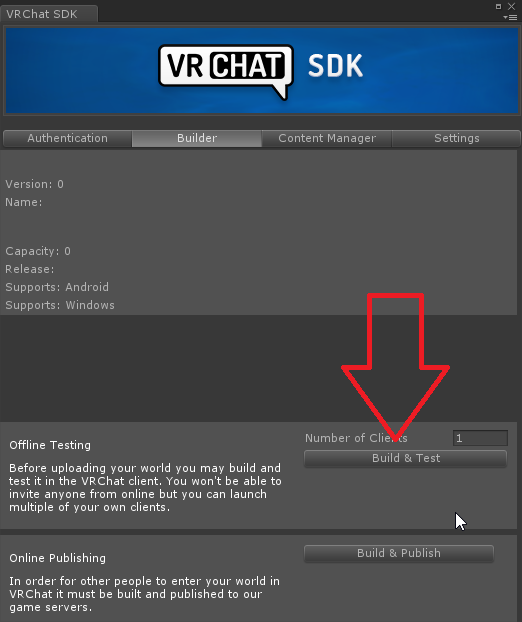
Turns out a lot of world creators didn't know this, but you can easily find out what your world is made of, how much it weighs, to then be able to reduce its overall size :
Retweets
180
Likes
403
 Twitter
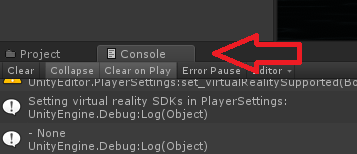

This might just tell you then
fierce fractal
I recall looking through that and it gave me incorrect information.
Or rather, it gave me the how much space it took up on file, and not in the scene.
near escarp
Since it's uncompressed yeah, still useful for approximation though