#world-development
39 messages · Page 45 of 1
 dusty spruce
Almost like a completely different game.
The log doesn't really tell me anything.
Oh wait, here we go.
It says cached asset bundle was corrupt, redownloading. Should I just try updating my world again?
 open thicket
You can try that
But if you’re saying you have plenty of assets and objects in your scene, you could consider big optimization measures
 sand fossil
it is possible to avoid "WASD" (Moving) to interact with Scrollbar?
dusty spruce
@open thicket Yeah I just found out the error. Maybe the files are too large.
 tidal marsh
Hey. Does anyone know the trick to having a person actually lay down on their back with a VRCChair?
I heard something about how you can 'change the animation', but I'm confused as to how.
 dry vale
there should be an animation override slot on the chair
create a custom override like you do on an avatar, and add a custom idle pose
tidal marsh
Alright, thanks.
dry vale
np
 ionic dagger
Hey im new to worldmaking in VR Chat and have been having some issues with my world not saving/updating. I get this error mutiple times per test and am unfamiliar with what it means could someone help me out?
Trying to set empty graphics device types list for platform LinuxStandaloneSupport; setting default list instead
UnityEditor.PlayerSettings:SetGraphicsAPIs(BuildTarget, GraphicsDeviceType[])
EnvConfig:SetGraphicsAPIs(BuildTarget, Boolean, GraphicsDeviceType[]) (at Assets/VRCSDK/Dependencies/VRChat/Editor/EnvConfig.cs:432)
EnvConfig:SetDefaultGraphicsAPIs() (at Assets/VRCSDK/Dependencies/VRChat/Editor/EnvConfig.cs:412)
EnvConfig:ConfigurePlayerSettings() (at Assets/VRCSDK/Dependencies/VRChat/Editor/EnvConfig.cs:288)
EnvConfig:ConfigureSettings() (at Assets/VRCSDK/Dependencies/VRChat/Editor/EnvConfig.cs:188)
EnvConfig:EditorUpdate() (at Assets/VRCSDK/Dependencies/VRChat/Editor/EnvConfig.cs:156)
UnityEditor.EditorApplication:Internal_CallUpdateFunctions()
 bold ibex
I need help with this, I can't figure out why it keeps blacking out on Plane2 that I created. I tried separating it from the stairs, no luck with that. Tried different lighting measures and they didn't effect it at all. Tried remodelling the entire floor and it's still doing this. Anyone here know what might be the cause of this?
 keen summit
I'm struggling a little bit with video screens.. I want one video player but I'd like it to render on several planes at once.. I feel like this could be something simple that I'm overlooking.
I got it.. im super dumb lol ez
open thicket
@ionic dagger likely you have an SDK version that needs to be replaced
Close your project and delete all the SDK files and the VRC meta files
Then reimport the updated SDK2
@bold ibex look at your model and make sure generate lightmap UVs is ticked before lightbake
Then clear it and redo the bake
If you’re still have issues, you can try selecting the “calculate” normals in the mesh import settings
If not maybe your model needs to be looked at in blender and make sure to make your normals set correctly
ionic dagger
oh, ok I was using SDK3 since they said to make worlds using that one ill try SDK2
 copper copper
Hi, I hope this is right place to ask this question. Is there any group for pracitice public speaking ?
ionic dagger
using SDK2 fixed the problem thanks @open thicket 😃
 wanton mural
I have a 180 degree panorama picture that I'd like to use as a "fake" skybox through a window, is it possible to do so? And if it's possible, how might I go about doing this? (Sorry, fairly new to modelling!)
open thicket
@wanton mural inverted sphere with a panosphere pic
You could also search up equirectangular pictures
And apply them towards the sphere
Another easy solution is to make a plane in front of the window, a fairly large one and fit a picture to it
I didn’t read thoroughly, but for 180 photos you’d probably want to use blender to create a hemisphere and then use the UV: project from view function? I think that might work
 vale sigil
I added a avatar pedastal, crunched textures and then i crunched my lightmap by accident
After these changes I cant generate new baked lighting
 normal knot
 random owl
Easiest fix would be to delete that script
bold ibex
can someone help me work out why i cant opne my world on oculus quest even though it loads up
 bleak moat
You need to use mobile shaders
bold ibex
yup
could anyone help me real quick
when i try uploading a world for pc on the cntrl pannel it sais build and publish for unsupported
and when im on the publishing page
i get an error that sais file failed to optimize
bold ibex
anyone here?
 ripe garden
yeah, you have to use mobile shaders
cant use standard, well you can, but not really, in a way, but low fps than, so cant use them
bold ibex
i have done it now
but i was wondering how to update my world
becuase i have changes my shaders to mobile ones
?
ripe garden
i think by hitting build and publish
wanton mural
@open thicket Ah, thanks!
 topaz basin
Hello everybody. I am making a new world right now. Using SDK3. I made some worlds with SDK2, but got problems. Now it's working. Question: How can i use Triggers like for Light Switches? Can't find them :/
 glad hedge
Any reason why my world loses all lighting from reflection probe when i go to upload a map now?
random owl
So you baked the probe and after trying to upload it just goes blank?
glad hedge
Im using auto generate
so it auto bakes when I move the reflection probe
but yeah its baked
uploaded this world a few days ago with no issue, so not sure what I killed.
Its fine until I upload, but the reflection probe just dies
random owl
I would honestly suggest not using auto generate
Not 100% sure that be the cause of the probe "un baking" but it could be
glad hedge
Ive used auto generate for 2 years now without a problem, even after the last update
so im pretty certain its something I screwed up, i just dont know what
random owl
Not really sure about anything else that would cause it then not much info in those pictures
random owl
Yeah that would explain it not being baked then 😅
ripe garden
ah yes, finally someone who understands how to take proper screenshots
ionic dagger
lol
ripe garden
looks like you have some broken scripts
ionic dagger
how would I fix that?
ionic dagger
ok, how can I locate them to delete them
ripe garden
i think if unity wants to cooperate you can click on the error and when you go back to the project explorer it will have that script selected
random owl
Delete Demo Build folder inside Modern Furniture folder
ripe garden
if not follow the path that the error shows
ionic dagger
@random owl the entire folder?
random owl
Looking at the name I doubt anything you would be needing is inside it
ionic dagger
ok
ripe garden
inb4 all the scene prefabs are in there
ionic dagger
that freed up my SDK so hopefully it worked
random owl
Looking like it's a build unity executable in there
No idea why it's included with the Modern Furniture
ionic dagger
ok im about to test the world and i'll lyk
thank you sm for the help btw there's no way I would've figured that out lol
random owl
No worries it definitely isn't always easiest thing to read if you aren't sure what's actually needed
 slow rampart
I've got a script for texture scrolling that looks fine in Unity, but won't work in VRChat
random owl
Just normal c# scripts won't work in vrchat if they aren't whitelisted
slow rampart
Aww...
random owl
Texture scrolling you can easily just do with an animation or shader
slow rampart
How can I do that with an animation?
random owl
Animate the material's offset
slow rampart
Okay, do I select the mesh that's animated or?
random owl
Yeah you make the animation on the mesh that the material is on and keyframe the paramaters to change
ionic dagger
do you know how to update an already uploaded world?
random owl
You just upload again to the same world id
slow rampart
Like this?
slow rampart
Which of these makes the texture scroll?
 near escarp
People who know unity and blender will use blender
random owl
@slow rampart you can also just press the red rec button and change the material values in the inspector
 inner carbon
I just uploaded the the home kit which was super easy
and im just trying to figure out where to start off with the core world model
slow rampart
Which value?
inner carbon
@near escarp So I should probably start the world base model in blender then?
random owl
On standard it's the offset under main maps
near escarp
Sure, if you can use blender it's better
inner carbon
Heh .. well I can't .. yet lol
ionic dagger
i seem to be confused on how to update, im not seeing a spot for a world ID in the upload page
near escarp
best time to learn then !
inner carbon
Most of what I do is shaders on base models in unity
random owl
@ionic dagger it's already set unless you detached it aka just upload again
slow rampart
I see no option for offsets
 ionic forge
Hello I’m trying to join this one community labs world that has people in it, but every time I get to the loading screen for that world I get sent back to the hub world, can anyone help me with this? I’m on quest
slow rampart
Okay it's doing it, but at uneven speeds
random owl
You need to change the tangents on your keyframes to be linear
slow rampart
How do I do that?
random owl
slow rampart
Thanks :3
How do I ensure that it animates in game?
random owl
Enter play mode if it animates there it should in game
slow rampart
Like should the Animator be checked?
random owl
It can't really animate without the animator being active on it
slow rampart
Just wanted to make sure I wasnt missing anything
wanton mural
How do you add a button to turn on a video, using VRCVideoSync? I've got a local video I want to play at a button press, I can get the video to play and loop but no idea how to make it start/stop
open thicket
@wanton mural is this using URL links?
Or is it just an mp4 using a canvas and rawimage renderer
 jovial arch
My world. Katanas now are lethal. Even though McTerry's got one sticking through his neck
ionic dagger
@jovial arch did you use blender or unity for that world?
jovial arch
blender
wanton mural
@open thicket Just an mp4 using the
open thicket
In that case you can use a play on wake function and a toggle to turn it on
Then set it to something like alwaysunbufferedone
Or master only
So it’s synced across players who have joined
Regular toggle button would work with the play on wake function
A lot easier than make a pause play button
wanton mural
How do you do a play on wake and toggle? Sorry I'm asking probably a dumb question 😂
If I did this, then it doesn't play when I load in
Which is what I want, but then I'm having trouble to make it play haha
I tried adding a button to play or pause but I can't click the button
open thicket
Okay so
Make a gameobject to be your button
Oninteract Alwaysunbuffered1
Action would be Gameobject toggle
The thing you’re toggling would be the video
And in the video itself in the inspector
You make it so it “plays on awake”
Question: if you press play on awake in unity does your video appear?
open thicket
Yes
wanton mural
Okay, let me click that
open thicket
Then make it a toggle on and off
Which is just toggle
So that way you’re basically telling your video player
If it’s on, it automatically plays the video
But it’s networked to that button
wanton mural
Where can I find the toggle? This is what I have so far:
open thicket
Hope it works!

Help to support the channel if you are feeling super kind: https://www.patreon.com/dapperdino
Join our Discord: https://discord.gg/sn9xXK4
In this video I show you how to implement the video player in Unity so that you can play video clips during your game.
-----------------...
wanton mural
but when i click interact, it just makes the screen disappear
open thicket
Okay so
I think you can do this without videosync
Help to support the channel if you are feeling super kind: https://www.patreon.com/dapperdino
Join our Discord: https://discord.gg/sn9xXK4
In this video I show you how to implement the video player in Unity so that you can play video clips during your game.
-----------------...
wanton mural
Ohh, okay
open thicket
But this video is what I used to make a video play in my world that is synced across players
wanton mural
Is videosync just for urls?
wanton mural
Awesome, okay I'll take a look then
open thicket
Yeah, and then use this video player, you can completely disable
And basically anything using the render texture material
Can be used as the video
wanton mural
Ohhh, I see!
open thicket
Which you would then make a toggle on and off
You can do loads of really cool things with render texture materials as well 😉
wanton mural
Oh yeah? Like what other kinds of things-
open thicket
Apply that material and go crazy
wanton mural
Okay I watched the video and tested it, one big problem I'm having is the canvas is extremely huge
and for some reason cannot scale down 😂
wanton mural
How do you do that?
open thicket
In the inspector for the canvas
There’s a screen space
And a world space
Change it to world space canvas
Keep the canvas resolution to 1920 to 1080
But the scale down a plenty
Maybe like .02 on everything
iirc
wanton mural
What's it mean by I need a Event Camera?
open thicket
Hmm did u follow the tutorial correctly?
wanton mural
btw is there a shortcut to snap to a gameobject?
Uh, it looks like it can scale but now I lost it lmfao
wanton mural
Yeah mine is 1280 x 720 (fixed it)
open thicket
Gotcha
wanton mural
I can't find the canvas now tho, it's disappeared somewhere into the others haha
open thicket
Hmmmm
wanton mural
By that I mean, idk wdf I did but the camera is going relaly wonky now
open thicket
Maybe you can copy and paste the values of the raw image and paste the component values into the canvas
wanton mural
and speeding across and back
wanton mural
oh ok I found the canvas, fixed it by setting pos 0 0 0
open thicket
Awesome
wanton mural
Okay, I set it to .2 .2 .2
open thicket
you can scale it any size u want
But just make sure you match it to the raw image render
open thicket
Np!
near escarp
you edit it blender, need to add bones
wanton mural
Ohh, I see
 thin forge
i have problem uploading world, all my triggers had an error of not initialized in time and after i removed all triggers it showed two delegators in scene
i know these errors can be ignored but they are stopping me from uploading worlds. please help
near escarp
they're not preventing upload
thin forge
somehow they are preventing me from uploading
nothing is happening after i pressed upload
i already removed all the triggers and these are the remaining errors, i still can't upload while these are exist
i have also tried reimporting SDK and opening the world in a new project, none of them worked
@near escarp
near escarp
Since you have a lot of warnings about other things, i'd suggest removing the sdk entirely following the steps in the official documentation and adding it again
assuming you're using the SDK2
thin forge
yes i am using SDK2 and i just removed SDK entirely and reimported, this did not solve the issue.
near escarp
the make sure you don't have two identical components or two vrcworld prefabs in your scene
thin forge
i don't think i have any identical components in my project or two vrcworld prefabs. could it be the reason that it took my pc about 4 min to build the world
wanton mural
is it possible to rotate the way the texture is tiled?
for example, I want to rotate that 90 degrees
near escarp
rotate the image in windows
wanton mural
Found it, UV editor fixed it!
 dusky flame
Hi
 indigo narwhal
Heyo, does anyone have a nice tutorial for getting started with interior world building or just world building in general? I feel like stuff I make in probuilder is unoptimized and bad to work with.
Esp my geometry
near escarp
Learn blender !
wanton mural
Okay I got a weird problem, I made a dome in blender but when I import it the inside is transparent
This is the inside
How do I made it so I can put something like stars or a skybox on the inside? And for it to not be transparent?
bleak moat
You need to check backface culling in Blender and make sure the face is looking the right way. If it isn't, shift+N.
wanton mural
Awesome, that worked!
Thanks!
How do you put a skybox or something on the inside of the dome?
 little idol
I am trying to get ProBuilder in Unity to build a world. BUT! I don't see the "Tools" tab appear. Anyone know how so I can continue building on my world?
bleak moat
@wanton mural use a material with skybox or cubemap (can't remember whiich one it is) shader
wanton mural
Ohh okay, will do! Thanks ^^
bleak moat
@little idol right click in hierarchy, 3d, probulder cube.
Then open probuilder button in the inspector
bold ibex
anyone know how to put vechiles in a world
little idol
Just drag it in?
bold ibex
No I mean like verhield u can fly and drive
ripe garden
there are some prefabs if you look around
bold ibex
do i need to add a voice mod into my vrc world so epople can talk to eachother?
 bronze smelt
No
But you can add player audio override if you want to change the distance they can talk with each other
 frigid estuary
[SDK2 question] Can I somehow make an object face another object continously? (making it look towards the other object)
 high arrow
You could make some super spooky haunted portraits with a script like that lol
frigid estuary
@high arrow you could always do some tricks, even in SDK2, like a few entercolliders with boxes increasing a value in an animator, thereby animating eyes to move further
but what I mean is more about an object rotating so it points towards another object
ionic forge
Hello I’m trying to join this one community labs world that has people in it, but every time I get to the loading screen for that world I get sent back to the hub world, can anyone help me with this? I’m on oculus quest
 manic sonnet
Is there an alternative to SilVR's water shader for water? Many of my friends crashed because of it and it also wouldn't scale properly. I just need water in an island and pirate ship setting.
manic sonnet
nevermind, i found silent's water shader
 jaunty grove
I have a question about Community labs, I posted my last two worlds for public and then 2 days later it is now invite only. My worlds quite small and run efficiently and have no idea why. Could someone flagging my world falsely remove public access?
 cobalt cargo
How do you change the default video for Hangout Player? I scoured through the prefab but don't know how to change it. I'm using the non-master version, or the "all" version.
 mighty oak
https://gyazo.com/848b8162c0160f9034e65e36a6e74fea what does this mean?
 near escarp
You have errors in your console
bold ibex
something in my map makes me see double of the map, anyone know why??
near escarp
most likely a shader
 wild knoll
hey so i uploaded a world but there's a problem. every time i try to load into it it would show the loading screen for a second and then kick me back to my home world, i have no idea why this is happing! if anyone knows how to fix this please let me know!
 civic jay
When it did that for me, it was a problem with spawnpoints. Check your spawn and make sure its above ground, and hitting any colliders
cobalt cargo
@wild knoll Check your consoles for errors. Just had that issue and that was the problem.
wild knoll
yes that worked ty! i need to check that more often
bold ibex
I'm making my first VRChat world. I know how alot of it works but I am not good at multi day projects... like I can pull an all nighter but I lose focus
also I hope I'm doing everything correct
 rain heart
For some reason my world always only upload as a 262kb file. I have no idea what went wrong
near escarp
Check your console and make sure your objects don't have the editor only layer
 sudden lily
Is there a set of project values I need to match Unity physics to those in-game? I'm getting some wildly different physics results between Unity and the world build atm.
rain heart
Leaving regular script in scene is fine right? They should be ignored during upload?
bold ibex
ok i messed up, when i click on the vrchat sdk tab it only shows the utility button
bold ibex
hey i made it so i can pick up objects but when i spawn in the objects spawn in random places
near escarp
Most likely they're colliding with something at the world launch, and they fly all over the place due to that
what you see when you spawn is the result
bold ibex
also how do i add music i have done it but nothing is playing
near escarp
How did you set it up
bold ibex
uhhhh not sure exactly where or whom to ask this but you know those cool pushy buttons in udon?
can someone plez explain to a pinhead like me how that works
 dreamy jasper
is there a way i can make a feedback board type of thing for my world so that if people want to they can give feedback on what i can add, improve or fix?
near escarp
@bold ibex There is a tutorial and prefab made by Vowgan
bold ibex
thanks mane!
 wet flax
how do i make a bed? I have a model but not sure how to make it able to lie on
 karmic iris
What size should i make the walls? im using probuilder and assuming that 1 square on the grid is 1 meter should i do like 3 of them? or do like 4 , 5r
bold ibex
how do i loop music?
bronze smelt
You enable loop on the audio source if it’s a file, and repeat on the video component if it’s a video.
bold ibex
thank you!
 short gulch
@karmic iris is it just like a normal sized interior?
Most rooms in houses have an 8-10ft ceiling, so 3 meters should be a good height for a normal sized room. And yup each Probuilder square is 1 meter.
 compact shadow
Noob question here, must of hit something last night while working in unity, how do you disable these blue grids on each object?
wet flax
how can I make an avatar pedestal that is small like this?https://cdn.discordapp.com/attachments/361742235525709825/728616292558569542/unknown.png
 rain heart
I have a very strange issue. I have a unity project with 3 different world scene. (Full map, part of map, and a shader tester). The tester is fairly small, at only 261kb but once I uploaded that my full world uploaded as 261kb to for some reason
I uploaded the part of map and it works at 200mb ish. But then I uploaded the full map, it was at the exact same size uploaded and broken in VRC
compact shadow
man, we all seem to have issues today
rain heart
I have been tring to fix this for days now🙃
compact shadow
riip
rain heart
Each build takes me 3~5hr since my map is so large
compact shadow
I just had this issue crop up last night and it has been a pain to kill
tidal marsh
Hey there! So, I got this issue with my HQ mirror, that people are darker (like 1/4 darker) than their avatars actually are. Like, the mirror gives them shade when their avatar isn't shaded.
I don't know if it's the mirror or the lighting. But would any of this cause it?
Perhaps 'PostProcessing'?
Or 'Ignore Raycast', or the fact I don't have 'PlayerLocal' checked?
 quartz flame
im looking for a working video player with ingame url input theat does not need me to input the link 50 times
if its so important why is it in sans-like scrypt
tidal marsh
The person left.
cobalt cargo
Sorry to ask again, but I've asked around a few Discords and haven't gotten an answer - Still looking for an answer about changing the default video for the Hangout Player. ♥
https://discordapp.com/channels/189511567539306508/361741445352259584/728352730208534528
@tidal marsh Uncheck "Disable Pixel Lights".
tidal marsh
Alright, thank you. 🙂
ionic dagger
where do you guys get these nice materials and prefabs? the unity asset store seems to kinda suck
glad hedge
Lot of people will use the asset store and edit textures/settings/shaders
jovial arch
buy, google, sketchfab or make your own
ionic dagger
ok, thanks!
glad hedge
So I baked my world finally instead of using real time
but my character is not receiving any of the lighting from the world.
Whats the best way of handling this?
frigid estuary
How can I stop a particle system without destroying particles right away?
(with a VRC trigger component SDK2 )
open thicket
@glad hedge lightprobes
@frigid estuary lengthen the duration time of the particle at the top
@tidal marsh playerlocal
Enable that
frigid estuary
@open thicket I mean how can I stop the animation using a trigger without using something like a game object disable, because then the entire particle system would disappear immediately
frigid estuary
how?
frigid estuary
ok so no easier way, that's what I'm doing atm x]
was hoping there is some easy direct trigger or sth
frigid estuary
thank you though :]
open thicket
No worries
tidal marsh
@open thicket, alright. What about what the other person said? The “uncheck ‘Disable Pixel Lights’”?
tidal marsh
Alright, thank you. 🙂
open thicket
Nw
tidal marsh
Would you happen to know what ‘Ignore Raycast’ does, by chance? @open thicket
Been curious about that.
I assume something to do with the world lighting.
open thicket
Ignore raycast is a layer that can be used to do exactly what is says, ignore any raycasting that occurs when you’re trying to select something via UI shape I think
It’s also used in other applications like enabling depth buffer with real-time lights that allow for water shaders to work properly like Silents water shader
Whenever I have a LQ mirror though I usually just enable 3 things; player, player local, mirror reflection
Those all worked fine with me with default settings everywhere else
If I wanted to further optimize it I would just lower the resolution of the mirror
But the biggest being just a toggle for the mirror to only appear if you press a button or enter a trigger zone
tidal marsh
Thank you so much for those tips and the clarification. 👍
bold ibex
@near escarp hey i cant find the video for the button you push with your hand do you mind linking it for me?
near escarp

This is a short tutorial on getting a simple button toggle working using Udon, the new VRChat scripting system. As an example, we're using it to toggle a mirror on and off. I've also included a segment on doing the same thing in UdonSharp, the C# compiler by Merlin allowing fo...
bold ibex
thank you :')
oooooh yes ive seen that one im talking about buttons that interact with player colliders :P
@near escarp
near escarp
Ah, that's a little bit different then, check out #udon-general
open thicket
Sounds like something where you attach a collider to a players hand and then it can act like an onentertrigger but done through C#
 winter rivet
hiiiiii
 silent adder
Does anyone know of a keypad you set the password ingame that doesn't use udon?
i mean -- has anyone done it so far?
 magic forge
Hey guys, im new to vrc modeling. Should I be using sdk 2 or 3?
near escarp
Read their description on the website
magic forge
it talks about not being able to create avatars in sdk3 but also talks about sdk2 not getting any of the new features
those were the only differences I see
 silent vale
SDK2 is the old trigger system, SDK3 is Udon
Use SDK2 for avatars and old worlds that still use the trigger system, use SDK3 for the newer Udon system that you can do a lot more with
magic forge
udon is in alpha.. is it buggy at all?
 stone hollow
 primal panther
idk what i did or what i used. When i click auto fix for the Event handlers it just creates more errors because the triggers/buttons that are in the world need the event handlers 😫 ahhhh so painful idk what to do xD
 subtle cradle
When I go to update my world, there is nothing control wise to do so...
Just this screen
bleak moat
Hey so I have a more rights-oriented question. I've started playing around with a ripped map from harry potter 1 (PC)... I can't upload it right?
Even if I've done a lot of re-lighting and made pbr maps and custom models for the props/textures?
 jovial charm
Should be fine
near escarp
@subtle cradle You most likely have console errors
@primal panther You should make a new project and only use one SDK this time
primal panther
oof am i gunna have to remake everything? I didnt do much but damn
 cyan eagle
Does someone know what happend to the Vinrax Avatar World? (There was my main avatar on it)
 soft zephyr
is there anyway to add more than 31 layers? some sort of add-on that allows more than that?
frigid estuary
How do I make an object, that has a child-object that collides with other avatars? (it's supposed to be a hook you can drag people towards yourself with) [SDK2]
 junior glacier
Do VRChat worlds not allow Constraint components?
junior glacier
Sorry, I wasn't answering your question, it was more of me putting it here wondering if anyone could tell if me if they were allowed or not >_<
frigid estuary
oh my god you saved me from a lot of trouble
I found the constraint component (aim) and it solved my issue immediately
thank you! :D
junior glacier
I'm not sure if Constraint Components actually world in worlds, though.
I'm using the Rotational Constraint and it isn't working in my world when I build it.
frigid estuary
I'll have to see but at first glance it seems to work
 dull cove
anyone knows a world with Tony Tony Chopper avatar?
frigid estuary
How can I turn an object into a wearble hat (SDK2)?
primal panther
Does anyone know how to make a UI slider to change the volume of an audio source? I cant find a tutorial or one that works. (SDK3)
frigid estuary
@primal panther as far as I know you have to use an animator, that changes the volume on the audio source object
that animator has to contain a float parameter that will change to wherever the slide might be
but I have never done it myself, dont know how to create the slider for it
primal panther
ah okay thank you
junior glacier
@frigid estuary This tutorial from CyanLaser still works. https://www.youtube.com/watch?v=Yik63cfyuD8

This tutorial goes over how to create a player tracker and 3 examples of how to use it. The player tracker was first created by HardLight and released in his Toybox prefabs. The link to download Toybox as well as a link to the Prefab Database can be found below.
The examples...
 dapper cargo
is there a way to use an on.Click or vrc trigger to open a browser page on the user's default browser? I know it was used in VRmarket but wasnt' sure if that's something we all have access to
bold ibex
can animations like on interact work on an object parented with its primary object?
because basically im adding a functional fire alarm system in a building im working on and no matter what i do the animation does not work
heres the animator
and 2 animations are under the same controller, which one plays as the pull station getting pulled and the other is where the fire alarm rings around the building
the trigger is the orange glowing base on the inner casing
near escarp
is the animator on the object you're animating or its parent ?
bold ibex
its in the primary of all of the fire alarm system
near escarp
yeah then that won't work
near escarp
Are you using OnInteract with an animation trigger linked to that animator ?
bold ibex
yeah
near escarp
Well then that should just work, check the debug console in vrchat to make sure it's actually being triggered
bold ibex
activating through here during playmode works as it should
near escarp
What does your trigger look like
bold ibex
those are the options in the inspector of the selected objects in the hierarchy
so basically everthing is under the pull station
near escarp
You sure you want to use a bool ?
bold ibex
according to a tutorial ive found on youtube ive followed their steps
karmic iris
Where do you guys find you material/textures?
karmic iris
A specific website.?
near escarp
Google images for me most often
bold ibex
but is it normal if the animator works fine on playmode?
near escarp
Is the animator also on your object ?
karmic iris
Thanks
 mild spade
@bold ibex Can you click this and tell me what it looks like?
near escarp
yeah i feel like it's targeting the wrong thing if it works manually
near escarp
Your bool has a different name
mild spade
Your parameter is "alarm" but you are giving it the parameter "Pull Down" which does not exist on your list
bold ibex
ohh, could that be the reason?
near escarp
it's the reason
bold ibex
hmm i see, ill give it a shot and see how it goes
do you guys know if a trigger that would mute a sound with the oninteract trigger?
near escarp
just SetGameObjectActive to False on an audio source
bold ibex
i had that already, i wanted to see if i could simply mute the audio without having to stop it and start again when being respawned, its a musical soundtrack btw
mild spade
If you are familiar with UI buttons you can pause or mute audio. But you if you are not familiar with it you could have an animation with the volume set to 0 and just activate the animation with a trigger.
 stiff gulch
Anyone know any cool music worlds that i can experience while stoned to the gills?
bold ibex
is there any fix with the render texture not working? i have a tv screen material linked to a iphone prop camera and it works in the editor but not ingame
 half falcon
im trying to upload my world but it wont let me cause of trigger errors. i dont know how to fix them..
half falcon
found out its not initializing any triggers at all. even ones that are in the scene template
near escarp
you have error pause enabled
But you should do a clean install of the SDK regardless
half falcon
I did several times...
Unless I did it wrong
And when I build and publish, it comes up with the prompt to enter in information but I can't click on anything to type
near escarp
VRChat
If you need to update your SDK, it is important that you follow these steps to ensure the update proceeds properly and you don't have any old/conflicting files. Simple Update Here's how you update your SDK. If you're just uploading avatars, you can use the following process: ...
because you have error pause
 stable tulip
Can anyone please check out my problem that I posted in #event-system-sdk2 ? Thank you!
primal panther
ahhh why is it so hard to make a simple UI slider to control background music 😫 😩
primal panther
huh?
 static edge
Yeah
bronze smelt
@primal panther what difficulties do you have?
topaz basin
Hello everyone. I'm using SDK3 now. I don't have a skybox for some reason. I changed it in lighting settings but still not working.
bold ibex
would help if you showed the lighting tab
so we can see what's in the skybox field
How can you replace an audiobank with audio triggers for looping BGM music player?
i don't know how to transition from one song to the next without manually adding timing based events
bold ibex
i actually have somehow run into the same problem with the skybox not appearing and my camera's moving weirdly wew
mild spade
@topaz basin If you enable this, do you still not see the skybox?
bold ibex
oh right thanks wew
mild spade
@bold ibex What are you trying to do? I don know how "audio bank" works, but what is it that you want to make with audio triggers?
bold ibex
i want a music player that plays through the songs and the user can play/pause and play any of the song at any time
i have one rn using an audiobank but it doesn't loop when it reaches the end and people say audiobank bad
karmic iris
how do i make it so i dont go trough objects ?
mild spade
Blue, are your audio sources "loop" enabled? Also what do you mean by "timed based events"? Like with animations? Also, searching the VRC Prefab database (pined on this channel), I found this that you could use for your world https://drive.google.com/file/d/1h1ec1yl65VCNK2cbZpGRRo8CGOS49bl_/view A 12 track album.
Google Docs
bold ibex
i don't want the audio sources to loop, i want the 'playlist' to loop
i'll check out the prefab, thanks
frigid estuary
Is there a way too move all objects in a scene together with their animations (animations whose origins are not relative to the object, but to world space)?
 thorn shell
I'm making my first world... some prefabs that i've imported do have mesh collider by default but an object that I've made in Blender does not... How can I enable this for an object so i don't have to add it manually every time?
 lucid root
How would I rip Pinna Park from Mario Sunshine and then turn it into a VRChat Map? I know the model has previously been ripped but I'm not sure where to access it.
lucid root
Oh shit sorry. I didn't realise ripping worlds was classed as piracy if they came from 19 year old games.
frigid estuary
Is there a prefab for wearable hats and stuff that attaches to your head? [SDK2]
bold ibex
is there any fix with the render texture not working? i have a tv screen material linked to a iphone prop camera and it works in the editor but outputs a black screen on both ingame
bold ibex
any ideas?
 main flame
Something I did for my XR headset startup. This is outdated now doe and have been thinking about making it bigger and putting it in vrchat
Also got this snazzy photoscan of a city from euclideon but will not be making any maps using that as the layout soon
junior glacier
So, I'm hoping anyone in here might have an idea or maybe something that can help me out;
I'm trying to make a player controlled tank-turret rotation system inside of VRCSDK2, as that's where all my other assets and things are. And I've already tried 3 solutions, but I don't know if there's something else I can do, maybe I'm missing something;
- I can use Animations to turn the turret, but that makes it impossible to fine-tune and aim the turret at the target.
- I can use LookAt Components, but the recent updates to VRC make this script suddenly break when lots of people are in the world, rendering the turrets inoperable.
- I can use Constraints, but they're locked to VRCSDK3, and I need to do it in SDK2.
Maybe I'm SOL, but I wondered if there are any big-brain people might have any suggestions.
main flame
Have you thought of using the unity multiplayer tank template and having the character model be put into it VIA animation, then having the player poses the tank and changing the controls to match that of vrchat controls?
The main problem is the menu wouldnt be able to actually be opened until you pressed a button to open it and you would have to spend time making the animations for the character working it if you want it to have that but I'd reccomend essentially using a posession system
@junior glacier
junior glacier
I didn't even know something like that was in any way possible in VRSDK2
I'd have to look, cause I've never messed with anything like that before.
thin forge
Does anyone know what “ two delegators in existence” means? It’s stopping me from updating my world. I am sure I only have one vrc_sense descriptor
 tardy nymph
Hi
 earnest meadow
might be a stupid question but does it matter what version of unity you use to start making a world?
bold ibex
@earnest meadow yes, if you’re using a different version of unity, you will face bug problems.
earnest meadow
ooh, oke thanks
bold ibex
anyone???
 reef yacht
@junior glacier maybe you can use animation if you use rotation presets as opposed to directly controlling the turret
 balmy gate
@junior glacier LookAt really shouldn't break... are you sure you configured it correctly?
Oh also, LookAt is one of the functions exposed by UI Buttons. You can create an animator that calls the Press () Animation Event every frame, and put a Button component on the same game object, and have an event: X Transform.LookAt Y
Transform.LookAt is a native unity component, and animators can be customized to run every physics frame (Animate Physics) or every graphics frame (Normal) so you should be able to make them suit your needs!
Finally, you could buy FinalIK and use the components from there, which are as powerful or more than constraints
I used LookAt all over the place in VRMC and never had trouble with it
junior glacier
@reef yacht I can do that, but it makes it hard for a gunner to aim at a target somewhere tricky.
junior glacier
@balmy gate lookat breaks when there are lots of people in my world. The script tries to move somewhere and wont look away from it. It spazzes out and becomes impossible to control
Its technically a 4 person tank. But the gunner position is the most technical and I need it to work smoothly so the gunner can aim ;u;
I just dont know what causes it to... not want to work properly. It gains a mind of its own
balmy gate
@junior glacier that could be caused by syncing the position of the tank instead of the target
OR... you should disable the LookAt script for people who are not the owner
Assuming you have object sync on it
If it's object synced ONLY the owner should be in control
junior glacier
Hm...
 uneven hollow
junior glacier
uneven hollow
junior glacier
So I could make a local toggle for the lookat script components @balmy gate ?
balmy gate
You need to make sure everyone other than the current owner of the synced object has that script disabled, or else do not sync the lookat object
Who owns it and when does ownership change?
 fervent furnace
Hey there guys, so weird issue. I have uploaded a world in the past using SDK2 I thought I would come back and work on another world with SDK3. So I boot up unity, start a new project, install SDK 3, Set up layers, collision matrix and so on then get to work. Now when I went to test it things went well for the most part. The upload happened but when I click go. The game flashes then starts loading up my old world from SDK2? I thought hmmm, maybe there is something wrong with my project so I created a new project completely bare bones, set up the scene. No real environment for the most part and tried doing a test upload. Same thing happened. Is there something I am missing with SDK 3? I placed the VRCWorld prefab in scene and so on.
I am currently using unity version 2018.4.20f1 which was suggested by the sdk doc.
frigid estuary
[SDK2] Does anyone have a prefab for stuff you can wear on your head?
fervent furnace
@frigid estuary hmm what do you mean exactly. Are you looking for specific models to be made or?
frigid estuary
Just a prefab for wearable stuff
I just need something that I can make players attach to their heads
fervent furnace
Oh I see I see haha
frigid estuary
It's in some of the default worlds, yet it seems to be so complicated to make it
fervent furnace
I hope you can figure it out, maybe I can look into putting something together for you later ^^
frigid estuary
I'm lacking the time atm to do it on my own, but it would be so great for basically anyone to have a prefab for stuff like this
the tutorial I was watching had a link beneath but it was broken :<
bold ibex
Hey, i need some help,
I uploaded my world (test world), and now i can't find it, there is no "mine" option in world's menu
Should i just wait?
near escarp
What unity version are you on
bold ibex
it's 2018.4.24f1
near escarp
yeah that's the wrong version, we use 20f1
bold ibex
ah... so after reinstall to 20f1,
Do i have to do thw world again?
near escarp
Hopefully not, do you have unity hubs ?
bold ibex
i am pretty new in it so... but i think i have
 median egret
what would be the best thing to do for a open world club for lighting? I can't seem to get any good lighting for it. Any suggestions would be awesome 🙂
near escarp
What do you currently have ? Tons of visual resources out there for references
fervent furnace
also per my question above. This video might help show my problem. I created a new blank scene to illustrate my problem. Where it loads the world for a split second then tries loading my world I made last year.
@median egret If I was you spotlights on an animation can be quite great, especially if you add a cookie that simulates the gobos that are used at club lighting. As long as you dont go crazy with too many of those you should be okay! Another thing I would super highly suggest is maybe when you model adding some emmisive properties to create accent lighting around your enviroment.
median egret
well I have a big area to cover so I was just messing with a directional light for now
@fervent furnace
for example
fervent furnace
Woah, I feel like using a directional light would be a little tough / extreme >w< But hey if you make it work and it looks good that would be awesome!
median egret
lights off its too dark
directional light makes it brighter but still seems off to me
yeah thats my issue with world making LOL I am good at everything but lighting
fervent furnace
Oh, I would super approach that with area and point lights, setting them to static, and putting them through a bake
near escarp
Then use a lot more emission meshes with higher intensity and bake them
median egret
like if I started doing multiple spotlights, I wouldn't know where to begin
ah ok
and I wasn't sure if I should follow the whole " blue lights for clubs" thing that people do or just do white
light blue/blue has seemed to look better
fervent furnace
@near escarp sorry to ask but have you seen a similar problem to the video I posted before?
near escarp
detatch the ID and upload again ?
fervent furnace
@median egret when I build scenes outside of vr chat I like to use complimentary color pickers to help with the design process of the overall scene.
detatch the ID and upload again ?
@near escarp I will try that now thank you
not finished yet on that little scene but color pickers really help decide on accents and so on.
@near escarp Same thing happened when I detached. hmmm I bet there is an easy solution to this.
near escarp
Is the other world from last year your home world ?
near escarp
That means the world you're trying to load into is invalid
fervent furnace
I wonder what I am doing thats invalid.
near escarp
check your console
fervent furnace
Im not doing really anything different than last year besides using sdk3
udon has some problems on import but nothing red. Ill show
maybe these are causing it? Though I have been improting as the doc recommends
near escarp
Yeah that sounds like it could be the reason, might want to check in #udon-general or #657398370377269249
fervent furnace
Just weird this happens on a blank project. Im using 2018.4.20f1 so I feel like there shouldnt be an issue there.
near escarp
Udon's not my strong suit, so i wouldn't be able to help much, sorry
fervent furnace
Its fine : 3 im not even using udon really for my work proactively especially not in a blank scene
 covert epoch
hey can i get some help ? every time i want to update my world , it give me this as new world even thu i did checked my world id and its fine idk what's the problem
near escarp
What's "this" ?
covert epoch
my avatar world . i did some changes to update it
but it give me this as new world , not update
bold ibex
im facing problems with rigidbody props, they noclip through the floors and objects ingame
they all have mesh colliders
the props are in place in the editor during playmode
but fall through ingame
any ideas?
near escarp
@covert epoch Check your console for errors, you can also make a new vrcworld
median egret
what causes unity to like unload lights?
When I have too many lights, they constantly load and unload as I look at them
near escarp
It's the amount of lights affecting an object, it's 4-8 max, dunno which
covert epoch
it still give me as new world ,, and i cant even upload it at all
i did remove the sdk and import new one from vrchat com and new vrcworld ,, still the same
median egret
ah darn, so how do people go about multiple lights in a club? @near escarp
near escarp
You'd bake them
near escarp
can you show your components on your vrcworld object
covert epoch
like screenshot the stuff in my world ?
near escarp
no the vrcworld prefab in your hierarchy
near escarp
@covert epoch Is there any other errors above the ones in your screenshot ?
near escarp
When was the last time you reinstalled the SDK ?
covert epoch
like 1h ago ,, but before that i had older sdk ,, so i removed it when i saw these problems but nothing changed when i installed new one
covert epoch
hey ruubick it did work i follow all the steps in the link but now it said this
Asset bundle upload failed : failded to upload file c:/users ETC .. what could be the problem with this
when i upload the world
near escarp
Any other console errors ?
covert epoch
yes ,, its my avatar holder ,, its like error on each avatar in the world
is that the problem ?
this message on the models
 sacred zodiac
I notice that my particle still somewhat bounces. Already turned off the Bounce value. In Unity it works fine but in VRC I see bounces
near escarp
@covert epoch That can be ignored
karmic iris
soo when i try passing trough this space my avatar stops like there is a hidden object that doesent let me pass but there isnt nothing there any clue?
covert epoch
after i upload and update my world when i load 100% it keep kick me back to my home world any idea why??
near escarp
@karmic iris You can enable thee physics debugger, and turn on Mouse select
@covert epoch Need to make sure you have a collider below the spawn point
jovial arch
Finally, my world went public. Took all month, but I'm happy.
covert epoch
i did make sure everything is working well ,, and i did test map everything work 100% ,,
but still when i load into my world it kick me back to my home ,, any other problems i should check ?
near escarp
Does anything happen when you spawn in your world ?
 sullen niche
i followed the article and i still have all of this problems and that still prevents me to update my world.
near escarp
What's the customizable furniture stuff ?
covert epoch
no nothing wrong happen in my world when i load the test ,, and i test everything work
its really weird , i never had this problem b4
sullen niche
its a furniture pack with many prefabs and a special color changer component
near escarp
if those are scripts then it won't work
Also did you import the SDK3 in your project ?
sullen niche
i use the last sdk2 and the scripts was working in the last version of the world
near escarp
If they're custom scripts i doubt it
Can you take a screenshot of the components on the lamp and move your console to the bottom part so that we can rend the entire line that mentions the SDK2
sullen niche
near escarp
yeah that won't work
You can delete all the custom scripts like that in your scene and that'll remove the errors
sullen niche
thanks for that but now i have an another problem i got. all my triggers buttons have this type of error
sullen niche
it work now, thanks you a lot. 👍
median egret
would u be able to help me with something real quick? @near escarp
I have this glass sort of texture
it has a separate transparency file and I can't get to get it where the transparency is right
near escarp
What should be right ?
median egret
like there it looks fine but
on certain sides of it u can see right through the world
near escarp
What kind of shader is it ?
median egret
well the only one I have found to work is poiyomi
outlines transparent
and using alpha options with the alpha mask set to the transparency file
normal texture
near escarp
Try standard shader on transparent
median egret
transparency texture
now its just invisible from one side
and not really see through on other side
not too familiar with this kinda stuff sorry
 kind linden
near escarp
kind linden
near escarp
transparent mode for standard just changes the render queue
median egret
hmm
I have like render queue options with the other shader
and then if I use the transparent shader, can u not bake lights onto it? @near escarp
it works with other shaders but not that one :/
near escarp
Standard ?
median egret
no no poiyomi transparent outlines
bold ibex
anyone know a solution why the screens are black ingame but not in the editor?
im using the rendertexture material which its coming from the iphone camera but they output a black screen on both ends
is vrchat disabling cameras? because i have the post processing effects setup on with the reference cam with the vrc world and that either works
random owl
Pictures of the actual setup would help aka the render texture the camera and such
bold ibex
both screens on tv and phone are using the same material
update: turning off the phone camera brings back the post processing effects on the scene tab
random owl
I could see far clip being 10 million causing the black screen in game
bold ibex
oh, whats its max render distance?
random owl
Yeah your camera is trying to render 10 million meters away from the near clip
I've seen high values causing similar issues before
bold ibex
i see
random owl
Not that you would have a need to have it that high anyways
random owl
Depends on how big your map is and how far you want the camera to show
Having the lowest value you can for your purposes would be the best
bold ibex
i think 30 is enough, thanks man
random owl
Can't guarantee it will fix that issue but it's better to have it lower in any case
bold ibex
ill try that for now
also, is there anything that multiple cameras in the world interfer the post processing effects?
turning the phone cam off brings back the effects in the scene tab
but oddly shows normal on the game tab
random owl
You still have the reference camera set to be the one you have post processing on, but your scene view is using the phone camera as it's camera most likely
Change the target display to 2 in your phone camera
Should be the easiest fix
bold ibex
that didnt seem to change anything, do i restart the editor?
after doing so
or is it normal
random owl
Is the phone camera tagged as main camera?
bold ibex
yeah
random owl
Set it untagged and make sure your post processing camera is tagged as main camera
covert epoch
@near escarp sry , i did make sure everything okay in my world , and when i build to test its working 100% fine ,, what u think the problem ? it keep kick me to my home world
bold ibex
ohh, looks like it fixed it, thanks dude
random owl
@covert epoch check if you have multiple pipeline managers or empty spawn points in vrcworld
bold ibex
oh btw, do you know anything about rigidbody props falling through anything?
i have mesh collision enabled on all
covert epoch
i did check ,, there is only 1 spawn and vrchaworld prefab
bold ibex
mild spade
VRC Special layer should not be used anymore
mild spade
Remove it. Check your Layer on top, it should say "default" If you have not changed any layer settings, that should keep them from falling from the floor
random owl
@covert epoch search for "t:pipelinemanager" in your hierarchy and show what it finds
Pickup layer would be best for pickups so players don't hit their colliders
bold ibex
so the layers should be in the upload tab on the sdk?
bold ibex
do i do it to each prop? or on vrc world?
random owl
That picture was for @bold ibex
@covert epoch search for "t:pipelinemanager" in the hierarchy just to make sure only one thing remains
@bold ibex yeah remove the special layer scripts and set the layer from that menu to be pickup for the pickups
bold ibex
gotcha ok
covert epoch
where do i search that
random owl
covert epoch
oh no i found another id pipeline .. ill remove it and upload the world again
random owl
Should work after removing it
bold ibex
oh, forgot to ask, where do i remove the layer
random owl
Just this thing
It's old component that might break stuff and doesn't really have any utility
bold ibex
nice thx
is it normal for the game tab to say "no cameras rendering" when the target display on the iphone we talked about earlier is set to "target display 2", ive selected display 2 on the game tab and thats the message i get
the camera is enabled
ill replace it with a new one, lets see if that would fix it
random owl
It's because it's rendering to the render texture
bold ibex
ohhh ok, just figured that out lmao
one more thing, do you know any working youtube video player prefabs out there?
or perhaps setting one up?
random owl
I use the iwasync one when I need something
But I mean video players always work pretty wonky
bold ibex
yeah ive used tsunas and another that came with a tv and some speakers setup (i dont recall its name) but both never worked
where do i find the iwasync?
random owl
https://github.com/ikuko/SyncVideoPlayer_iws
I think this is the latest fork of it with some newer fixes

GitHub
Contribute to ikuko/SyncVideoPlayer_iws development by creating an account on GitHub.
Make sure to follow the instructions in the picture inside if it's there
bold ibex
aight, thanks for all your help man
random owl
No worries
covert epoch
@random owl it was a model have id and i removed it but the problem still ,, it kick me when i load to my world
what else could do this problem
random owl
You can dm me your output log when trying to join the world and I can check what's happening
bold ibex
what's the most recent video player prefab.. I saw it in that one rain world
random owl
That doesn't really narrow it down which video player you mean with how many rain worlds vrchat has
bold ibex
I mean if you took a lucky guess you'd get it right
It's that rain world.
but I'll take a screenshot anyway.
literally the one at the top. 3rd one. says rain in the title.
Anyway if you can help me get this prefab I'd appreciate it.
ive been looking for it, i tried scanning with its qr code but its unreadable
rip
 tulip warren
I need help
I am trying to figure out why this is happening and how do i fix it..
Anyone else ever experience this when trying to test a world?
lol and obviously vrchat isn't in that store thing. XD
random owl
Go to your VRChat install folder and run the install.exe that's there
 quartz patio
Does anyone know how to play videos through the latest SDK version?
bold ibex
@random owl it seems that the props dont aren't falling through, they disappear as soon as i spawn into the world
but at least got everything else working as it should
median egret
What do I do if the world no longer updates?
like even testing it, it won't add any changes I do now :/
 sinful glen
Hey, can someone help me? I'm trying to make a little cinema world for me and my friends and i don't know how to play videos that i uploaded to Dropbox. When i paste a Dropbox-URL in the first URL slot (see Image below) it works, but then i only can have one video in my world. When i use the second URL slot or SendRPC (AddURL) i can't use any Dropbox links, just Youtube. Has anyone an idea?
bleak moat
The video player is local, the synced video player is networked
what's probably happening is that you're the only one that has access to the dropbox file
so you can view it but others can't
(my guess)
sinful glen
When i paste a dropbox link in the synced url slot its not working at all, for me included
Yesterday i tried to load a mp4 video directly in the world and used video source, not url. This worked perfectly for everyone and was perfectly synced, the only problem is everyone had to download the video first and you could only have one video in the world, you cant change it with triggers (or can you?)
bleak moat
Yeah that's normal
the video source takes the video file and reads it locally
for the synced url VRchat needs to open and read the link
Your file probably has restricted access
sinful glen
So technically you can use dropbox links in the synced url slot?
bleak moat
I don't know, I'd guess that it works if you're link is public (as in you can access it with any browser without logging in somewhere)
sinful glen
But i think the link is fine, just tested it in another browser where i was not logged in anywhere
And like i say the same link works in the video player url slot
bleak moat
did you try this?
sinful glen
Yeah, this didnt worked, you had to replace the dl=0 with raw=1
Then you get a video directly in the browser
sinful glen
ok nevermind, i fixed it ^^ you had to click the link after you added the raw=1 at the end, then it generated a new link, which works 🙂
karmic iris
to add music do i just add music to the scene and its ok?
jovial arch
It's official. My first world build is now available in VRchat and is available to the public. Thanks to all for dropping by and checking it out!
And after what I've been through, who would have ever thought I might ever feel creative and make anything again.
bleak moat
I'll try to check it out when I have the time
topaz basin
Does anybody know how to solve this? Can't see VRChat window (login, build & test...)
random owl
Delete the ImageEffects folder
 loud jolt
Does anyone know if it's possible to make it so that people's voices don't travel to adjacent rooms (or sound quiet/muffled when doing so)?
bold ibex
can ucheck how long u still have to wait for comunity labs. world
 red fable
Anybody notice that terrain trees seem to be performance intensive on VRChat?
random owl
They are, yeah
median egret
weird question but does anyone know if there is a way to do something to like a specific player? like if someone with a specific name joined, something enables but only if that username joins the world?
bold ibex
All the “show to make a VRChat world” YouTube videos I’ve found online are outdated and use the old Unity. Does anyone know a YouTube video that’s not outdated?
random owl
Not much has changed tbh you can adapt almost everything to newer Unity and the new SDK versions
bold ibex
Really? Cause I'll follow every step of a tutorial perfectly, and there'll be something that they have that I don't or vice versa.
 green salmon
Hey is it possible to upload a world and it is only joinabel for friends?
random owl
If you keep the world private and just give your friends the link from the website that's one way
green salmon
ok thx
median egret
is there a way to do render distance with a single object?
 vale flame
can anyone help me with vrc_destructable?
mild spade
What is the problem you are having with it?
vale flame
trying to get it to trigger a sound so that i know it works and i dunno what i'm doing wrong
vale flame
(just now went to old project where i used destructable component before and its changed since the last time i used it, the new version looks more complicated)
vale flame
the old world helped me solve my own problem
parameter string needed tje name of the triger i need to activate
 spare field
im trying to have sound play through multiple speakers for my videoplayer, but it only plays through the first Controlled Track
 mellow lichen
Is it possible to restart my current local test world without actually restarting VRChat?
 unborn gate

 dry mica
Hello everyone 👋 I'm new to VR chat world building. I am trying to build a world for the Quest but I can't seem to get things working. I am hoping to find a mentor or a teacher to help me bring amazing worlds on VR chat.
bleak moat
What can't you get working?
dry mica
@bleak moat I am just a smooth brain when it comes to Unity. Right now when I upload something to the Quest I fall then then I get unloaded from the world. So I suppose that's colliders and spawn issues.
So in general, I lack fundimentals
bleak moat
You jut imported models and placed them in the world?
dry mica
Right, the only thing I've done in Unity so far is create and imported and rigged a VR chat character modle.
I know I need to do more to get it to work. I just lack the fundimental knowledge to do said work
bleak moat
You're going to need to import the probuilder package, and then use it to make a low-poly basic mesh of your collisions. You can make it in modular parts so it's easier to tweak. then disable the rendering component from the colliders and it should be a good start
dry mica
As you now know how smooth brained I am. Are there any URLs you can provide me? I believe my world is low poly enough to be it's own collision mesh
This is another potential world I am looking to import. It's less impressive without textures
bleak moat
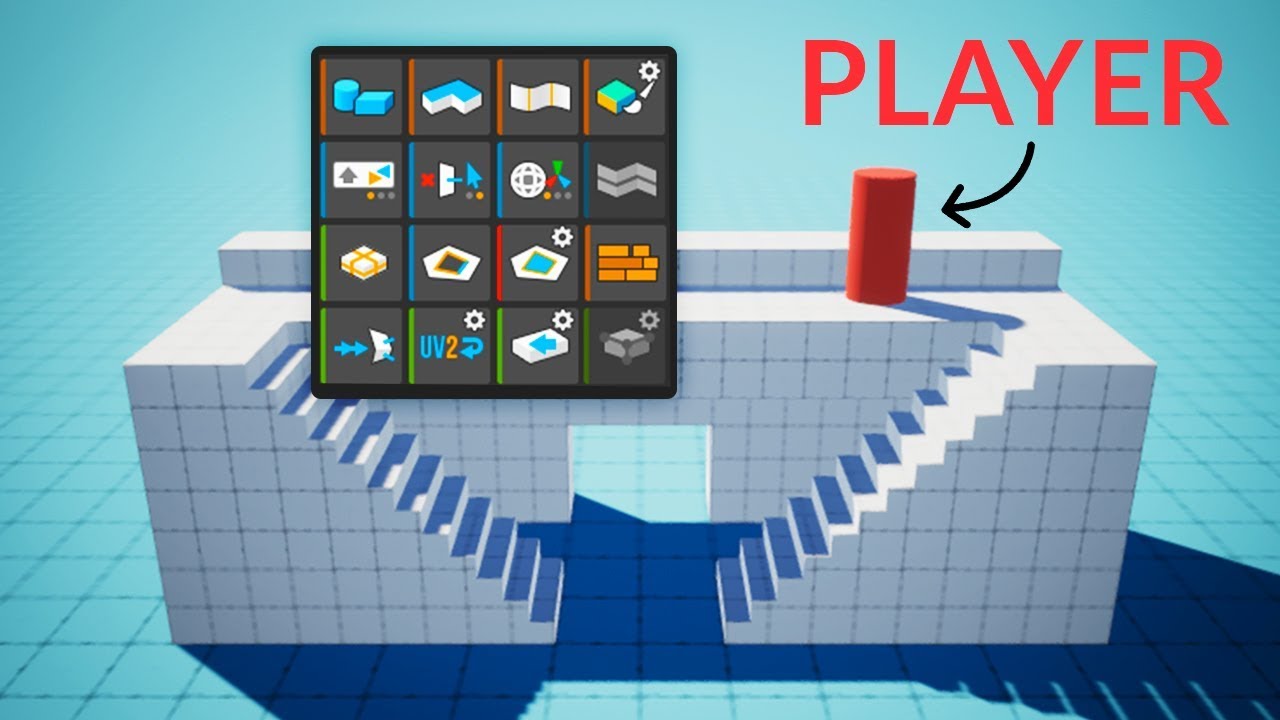
Here's how you can easily create levels in Unity using ProBuilder!
This video is sponsored by Unity.
● Download the Project: https://ole.unity.com/pb_brackeys
● Learn more about ProBuilder: https://youtu.be/PUSOg5YEflM
♥ Support Brackeys on Patreon: http://patreon.com/brac...
(you technically don't need progrid)
also you probably want to have the collisions as a separate mash, that saves you from having potentially messy collisions due to your model
dreamy jasper
Quick question, how would i do what summer solitude do where the separate areas render in (the spawn, the roof and the theatre rooms only show when you are in them)
is the correct way to do that is to set up a trigger along side the teleport for when you enter a door to hide the mesh render of the un-used areas while showing the current one when you interact with the trigger teleport to the area?
(note im making something with a really open visible skybox where you are on "planet islands" and i don't want to see the other "planet islands" at all unless i am on them)
bleak moat
Haven't really touched it so can't help you but you should look up occlusion culling
dreamy jasper
ahh i see just looked up and what i was thinking would work was almost what i should be doing anyway but instead of messing with mesh render do it with the game object itself
 sterile grove
Hey all. So unfortunately my grandmother just put our summer home on the market. Looking at the house and the surroundings, I was thinking it would be a wonderful idea to make it a VRChat world. My new Canon EOS 90D is arriving today, so I will have the ability to get textures as well as reference photos of the interrior and exterior.
My question to the people who are experienced, how should I go about the reference photography? I am going to be taking accurate measurements of the entire space as well.
bleak moat
Try to get shots from far away and looking perpendicular from the surface
Ideally in overcast conditions
You could even try doing some photogrammetry if there are some complicated parts
 fluid forge
Have a unity 3DS MAX question. So I have a .max file that I use in Unity. I was doing a light bake with Bakery and I had to force quit it because it was frozen. When I opened back up, all my .max files aren't showing their meshes anymore. In the project window, it shows them as white files and console says "3ds Max couldn't convert the .max file to an .fbx"
I fixed this in the past by deleting my entire library folder and letting it re do all it needs to do to re-assign the files but it took forever
I'm assuming its like a meta issue where that lost it's place?
Re-import didn't work.
near escarp
I'd suggest using Autodesk fbx converter tool from ASCII to Binary
fluid forge
is that a Unity setting?
near escarp
That's an autodesk software
it's made specifically to bridge other softwares with maya's export
since blender can't read ASCII for example
fluid forge
but I wont have to do anything new to the actual max file, right?
near escarp
hopefully not !
fluid forge
I don't want to lose any of my triggers, scripts, textures or anything so I don't want to modify the max file
it's an old working file
Ill give this a go
The Autodesk® FBX® Converter Archive
it's that first one, right?
I want to make sure I understand this right, so this will play as a middle man and this converter will be used by unity when reading the max file?
 buoyant plover
hi is there a away i can create a reflectiveness on the floor using shaders or something like reflection probes? if so, could you also tell me the method, quite new to world making
fluid forge
wait, this looks like it will actually convert the max file into an fbx file which means I'll have to import that into unity and basically treat it as a new file. This isn't what I want
I could export a binary fbx from my max file if thta was the case
near escarp
If that's an option, yes
fluid forge
yeah, it's an option, but if I do that, unity will not reference all the work ive put into the max file
so it's essentially starting over
which I don't want
near escarp
I'm not aware of any way to fix that within unity itself :/
fluid forge
yeah. like I said, I've fixed it with deleting the entire library folder and letting unity do its thing to put everything back in line
but its a long process and I'm sure i dont need to delete the entire folder
there's got to be just 1 thing in that folder that's causing it
was hoping somebody knew
bleak moat
You're using non quest-compatible shaders
you need to switch your materials to quest-compatible shaders
random owl
That's more likely the legacy diffuse problem that it appears as pink when using build & test
bleak moat
oh I wasn't aware of that
though my guess is that since he has only added his 3d mesh in the unity project his materials are using the standard shader
random owl
My guess is just based on that the screenshot is on PC and legacy diffuse should be the only shader that people might use in worlds and it would appear like that in build & test
bleak moat
@buoyant plover there's a few ways to have reflections, the easiest way would be to use reflection probes and a smooth material. Just may have to tweak the reflection probe to get good results but it'll never line up perfectly
buoyant plover
ah tytyt i'll try that
bleak moat
The probe will only reflect objects tagged as static, and you need to be mindful of the way it's projected
the basic setup treats it like a skybox, so whatever the probe has baked in will be extremely far away
however you can use a box projected cubemap so it lines up better with the rest of the room
Or if you want really accurate reflections you can just have a transparent floor and mirror the room under it
dry mica
Yes it is in PC mode, @random owl I don't have a clue about diffuse :)
random owl
What shader do you have on the materials?
bleak moat
wait why are you on the Lightweight render pipeline?
dry mica
That was default?
random owl
Oh that explains everything then
You made the project on the wrong pipeline
Need to select 3d when making the project
dry mica
so i have to redo my work in 3d?
random owl
Would be the easiest, unless someone knows an easy workflow for converting from the other pipelines back to the built in one
TL:DR unity has three different render pipelines now that we are on 2018 version but VRChat uses the old "3D" one and they aren't compatible with each other at all