#world-development
39 messages · Page 43 of 1
 solemn beacon
 odd rock
I don't know how that works @solemn beacon but I can tell you, a lot of how I've managed to solve a lot of my small issues is by using the discord search and typing in Mirror and Toggle and zooming to where people have the same challenges. It actually works as good, if not better, then combing Google and Youtube!
solemn beacon
Yeah actually I did that and didn't find anything 😄 but good call
nevermind, world and toggle keywords are giving me way better results than searching for world and button lol thank you
odd rock
No worries, sometimes it just takes a second pair of eyes
 bold ibex
Does anyone know how to change text like 1 to 4 with animation trigger on ui button?
odd rock
Anyone here know anything about why objects don't respawn once dropped off map? Please look at the video for context.
Here are my VRCWorld Scene Descriptor settings
 chilly tendon
whats the Y on your walking plane
odd rock
on the position? -0.64
chilly tendon
do you respawn if you jump off?
odd rock
yep
its in the terrain layer
should it be in the environment layer?
i am going to try putting it in the environment layer and see if that does anything
chilly tendon
you might try syncing the object in the world, i haven't really messed with pick ups and dropping them off the face of the earth
odd rock
syncing the object in the world? Where can I read up on this?
chilly tendon
um I think you can just add a udon behaviour script and check the synch and ownership boxes
and i think that takes it out of player instance
odd rock
oh just those, yeah I have been messing with those.
I'll continue playing around until something works...
odd rock
@chilly tendon You solved my riddle when it came to synchronization.. now what about clipping? Have a look at this video...
I might be able to solve my own riddle here... lots of weird colliders some how stacked outside of the prefab
odd rock
What does "Ownership on Collision" mean exactly?
Sorry, "Allow Ownership Transfer on Collision".
bold ibex
how tf do i pause/ play an audio source with vrc triggers?
it's trivial with unity events but i can't see how it's done with vrc trigger
do i have to SendRPC with a particular custom method?
i'm googling and finding nothing
this seems really fucking basic
does vrc really not support this?
does it really want me to use an Audiobank just to pause the thing
it seems impossible to set audio volume too
which doesn't figure
i have this set-up in a world of mine
but it's a unity event so it wont be local
alright i am so confused
why are volume sliders local
when buttons aren't?
 subtle cradle
ive seen some worlds have "exclusive" avatar peds for the world creators friend's, I was wanting to know how to set this up in a world of mine
 fierce jackal
its their own wich is set on a pedestal but is still private, cant set to other people
 hard cedar
Is it SDK3? May be using Udon to do that
 remote hare
are there anyother sites were i can find assets and prefabs and stuff
 past wave
if you search up (object name) 3d model free. you can usually find stuff, its only good for couches and house objects
remote hare
ok thanks
 near lagoon
my friend created a private version of a world he just uploaded except when I press on the link it spawns only one instance of a public world and can't be set to home or have any new instances made
I need to know how he can make it private and have the ability to set it to home, and the most important create new instances because it is a werewolf world that needs to be reset between games
hard cedar
the ability to make a new instance I believe depends on a flag set when uploading the world. for public worlds, an individual private instance can be created by anyone
bold ibex
https://gyazo.com/df9251e829f6245f085079c7c351014e Anyone know how to change the green text to 1 to 4? here is my settings
 bold ibex
alright i am in urget need of help, i uploaded a world but when i try to load into it it sends me back to home, what is the issue? i have vrcworld in a proper place
 ruby ruin
I built a collision box to turn off mirrors if you walk away and now any other trigger inside like doors aren't working if in vr but are in desktop any idea?
 random owl
Set the trigger zone to be on the mirror reflection layer
bold ibex
i also need help 😭
near lagoon

UDONWOLF
^ how do I make this a private link?
is there some code I can add to the end of it
creating a new instance or setting it to my home doesn't seem to be an option
The problem is the world shouldn't even be public and we can't figure out why it is
random owl
https://vrchat.com/home/world/wrld_00508348-9d68-466c-aecf-b821d2651245
If you go here you have the option to make a new instance
UDONWOLF
near lagoon
you are a godsend thx!
 gaunt minnow
Does anyone know about any UI prefabs
like a clickable menu with pages?
i'm trying to recreate something like the video list in Kareeda's video world
 chilly grove
@gaunt minnow Check out this tutorial for Unity's canvas UI https://www.youtube.com/watch?v=us-yO_E31gU

This tutorial shows you how to make Unity UI Text and Buttons. With the buttons you can activate different functions but these functions will be local to you only. I also show how to link these buttons with triggers to do global actions.
Official VRChat discord:
https://disc...
 fiery magnet
hey was wondering if video players work again. i had that mp4 player that worked for a like 2 weeks and the out of nowhere it stopped working. even starting a new project it just dosnt seem to work properly. any help would be appreciated
 silent spire
 boreal stone
I'm about to lose my mind with how confusing or bad the audio in unity is. I have an audio source in the right building, I want it to play evenly inside that building, so I make it 2D audio with range. https://i.imgur.com/miQSv1b.png

However 2D audio plays globally and totally ignores any distance settings. https://i.imgur.com/kSqq2n8.png
If I set it to 3D audio, it then uses my min/max distance, but then the audio is no longer played evenly and has a central point. How do I achieve both?
 silent vale
Define "evenly"
boreal stone
I want it to play in the right and left output evenly no matter where the player is inside the building, and only that building
silent vale
What settings do you have on the VRC audio component?
boreal stone
I only have an audio source component with these https://i.imgur.com/GBqZYbH.png
silent vale
Well VRChat requires a spatial audio component as well
fierce jackal
have a quick prefab if you want to try it, its 2d audio rolloff is -100% instant you go outside the range , its same volume all over the place https://i.gyazo.com/2aa67754378523223602f3dd4fec281c.png
 boreal stone
oh my god finally, thank you both
silent vale
I see
ruby ruin
if your world is udon you could also make a trigger in the mirror reflection layer that plays it as 2d audio when inside and turns the source off when you exit that trigger area
 shy fog
I cant use the menu in my world i uploaded, it's also Community Labs. Anyone had this issue before when uploading worlds with Community Labs options?
Also there's a Red dot in the middle of the screen sort of like a crosshair ?
ruby ruin
I have an odd issue... where if i use my teleports in Desktop everything is fine.. but if i do it in VR... my body teleports 1 place but my viewpoint goes elsewhere
i thought it was a collider issue.. cause they were in trigger zones.. but i removed them
and its still happening
 near escarp
Don't use align room to destination option
ruby ruin
ok
 uneven depot
cuz it seems to bug everyone in the world even though they werent hit
ruby ruin
thanks @near escarp , funny thing ive had that set since i rebuilt my teleports a week ago and several people in vr tested the map and noone said a thing to me... only when i get my replacement cable today do i notice it... its fixed now
bold ibex
so how can i import/export .vrcw files to unity?
if i build a world i spawn in it nothings there im like 1 sec inside and get kicked to my home Pls Help
is any level map for vr chat supported with blender and unreal engine 4 or it's just only unity?
 glacial pond
Unity isn’t a 3D modeling program. You can design your worlds in any 3D modeler you want. But ultimately you need to bring it into the Unity game engine to set up game logic and interactions as VRChat is a unity game, not an Unreal game
 thorn scaffold
What does this mean?
silent vale
Audio sources need the VRC spatial audio component added to them
Even if you decide to have the audio be 2D
thorn scaffold
How do I add the component?
silent vale
For one, you could click Auto Fix and it does that for you
Otherwise, every game object has a "Add component" button
Click on something, inspector on the right will show "Add component" at the bottom
thorn scaffold
Why does this always show when I try to drag the script to the source?
silent vale
Please follow my instructions the way I am giving them
Dragging scripts directly into it is not clicking the "Add Component" button in the inspector window
thorn scaffold
Thank you I have my problem solved..
for now
 mint bison
hi
 proper cosmos
Hello everyone! I’m a bit new to map making and I’ve run into an issue that I can’t seem to resolve. Whenever I try to make mirror triggers or try to implement a video player I get two errors.
NullReferenceException: Object reference not set to an instance of an object
VRC.SDKBase.VRC_Trigger.Awake () (at <ed5aea0ab5c04231bd4b85489a8cac75>:0)
[8:58 PM]
NullReferenceException: Object reference not set to an instance of an object
VRC.SDKBase.VRC_Trigger.Awake () (at <ed5aea0ab5c04231bd4b85489a8cac75>:0)
Been looking online forever and can’t find help. If anyone knows how to fix this please let me know. 🙂
odd rock
@proper cosmos have you looked into the mirror example they provided?
type the word "Mirror" under your project
and look at vrc mirror... drag the prefab to the scene or double click to open the prefab and examine how they do theres
random owl
@proper cosmos those errors are normal and will always happen in editor currently
odd rock
currently i have over 600 errors in mine... thing loads up in vrchat just fine...
random owl
@bold ibex if you destroy the object it's just gonna be gone, what you should do instead is call the respawn rpc on the object sync the object has
bold ibex
hi peeps
odd rock
o7
proper cosmos
@random owl The errors don’t allow me to upload the world. Is there a fix?
random owl
Do you have error pause on in your console?
proper cosmos
Next to "clear on play"? I see it. What does that do?
random owl
It pauses when an error happens which will interrupt the build process and stop you from uploading
odd rock
his test button might be greyed out if he has any conflicts. He has to greenlight all the checks before he can do his test build yeah?
random owl
That's another thing, depends on why he can't upload
proper cosmos
I can test build the world, all the triggers work in the test, and I've uploaded the world. But when I try to load in game it kicks me out.
odd rock
oh.
random owl
You can check your logs to see why that happens there's a bunch of different reasons
proper cosmos
I assume it's because of the Red error's I mentioned getting earlier
random owl
Nope those wouldn't cause it they are normal to see
odd rock
he might just be getting load issues.. are you baking your textures, using billboards and Occlusion? vrchat is pretty narly when it comes to how many polys you can fit on a screen
random owl
You can try the world debugger in my world tools it can find a couple of reasons why you are getting kicked out straight away
https://github.com/oneVR/VRWorldToolkit/releases

GitHub
Unity Editor extension for making VRChat worlds. Contribute to oneVR/VRWorldToolkit development by creating an account on GitHub.
proper cosmos
Appreciate it, I'll give it a try .
proper cosmos
@random owl I had two pipeline managers which was messing things up. World debugger was super helpful! Thank you!
bold ibex
So uhm can I use blender instead of unity? Also how can I export .fbx file as .vcrw file?
 pulsar tartan
use blender instead of unity for what
past wave
.vrcw's have nothing to do with fbx
pulsar tartan
what are you trying to achieve
past wave
you (optionally) use blender for working on models, and use unity for uploading. aslong as you are doing things the right way you should never need to handle a .vrcw file
pulsar tartan
Is anyone familiar with adding VRC_SyncVideoStream to worlds? I can get normal youtube videos to play but not livestreams
I followed the documentation but i just get a blank plane with no video/audio
 tropic basin
how many hours do I have to play VRchat first before I can upload my world?
pulsar tartan
It's random. Just keep playing and adding people
I think I ranked up after like 30 hours or sk
 reef sparrow
Hey folks, has anyone released a miscellaneous asset pack for VRChat worlds to just have random interactable props strewn about?
bold ibex
So I am making a world and I want to make an option which will add a playermod to mute everyone in the world. Is that possible?
reef sparrow
@bold ibex I read that playermods can't change after they're set
tropic basin
is it possible to open external files while playing? for example: to show a powerpoint presentation or a word/pdf document?
bold ibex
So I cannot do this?
im still unable too use my f worlds
if i join just get thrown back to my home can somebody explain
like im having this problem since 1 month still no results
bold ibex
So how to save for instance .blend file as .vcrw file?
pulsar tartan
why do you want to use a vcrw file for? there not need for it at all
 sudden lily
Can anyone tell me why this audio source is playing globally instead of in a span of five meters like it's supposed to?
 red fable
I have VRC_Scene Descriptor's Object Behavior set to Respawn. Why then do my objects not respawn. Using SDK3. Is it a bug?
reef sparrow
@sudden lily Slide the spatial blend slider to 3D
sudden lily
It's still playing globally.
red fable
Did you add the VRC Spatial Audio Source script yet?
sudden lily
Figured it out; I'd copied it to test it, and hadn't disabled the original. It's working now!
reef sparrow
A different question: How does 3D spatialised sound sources work when they are stereo? Do they get mixed down to mono first?
reef sparrow
Also, is there a way to manipulate the audio mixer in SDK2?
 pallid flicker
Click the green line in the graph (Spatial), then at the veeery end, move it all the way to the top of the graph. like : ________________/
If it's 2D audio, it's audible everywhere. You have to have it 2D for like 99% of the way, then at max distance have it move to 3D so it will stop playing past that point.
 simple arrow
Is there a way to test a video player without having to upload it to vrchat?
just to simply start the player in the editor
 sacred blade
I'm using a slider in my world, and everything works. But (in vr) after I change the value of the slider if I put my thumbstick to the left or right it will move the slider (even if my raycast is not poiting at the slider)...
If I press with my raycast anywhere else on the canvas it stops doing this...
Does anyone know a solution? (I'm using udon)
 balmy gate
@sacred blade set Navigation to None on the slider settings
Also good to leave a margin around the slider in the canvas so as you drag off one end or the other, unity recognizes that you hit the end
sacred blade
Thanks a lot!!
 oak lake
odd rock
oak lake
odd rock
Serious question about Pianos, does the octave go left to right, from low to high? C7 to C2 for example...
solved the problem
 jovial charm
Is there a way to set ownership for a video player without using object sync or could I have object sync off and then turned on when needing to set owner and turned back off?
 fossil hull
Probably a silly question, but how do I make it so a camera canvas doesn't block the VRC Menu on desktop?
 pine parrot
Quick question, I created a VR world, works fine when I build&test it locally within Unity. I now managed to upload the map, however I can't seem to enter it. Whenever I try to launch from the VRchat website, I get a loading screen trying to load 0bytes, and then it switches back to the default VRchat home.
Is this normal? Is it because I don't have a trusted status?
Map in question: https://vrchat.com/i/aria-letternose-4cdff
I know I can't put it on "public", but I can't even enter the map myself?
I don't seem to have a "mine" row in the "worlds" section of the VRchat menu either.
random owl
Looking at the api you used the wrong Unity version
pine parrot
0 errors within Unity btw, so not sure how to tackle this
random owl
You used 2018.4.23f1 instead of 2018.4.20f1 which you should be using
pine parrot
I was told to use the '18 version for the SDK2, is this wrong?
I got zero error messages though when I compiled and uploaded
random owl
As I said you used 2018.4.23f1 instead of 2018.4.20f1 which you should be using
VRChat
This page lists the current Unity version you should use when creating content for VRChat, as well as links to the correct version for both Unity Hub and direct downloads. Current Unity Version The current Unity version in use is Unity 2018.4.20f1. Unity Hub To install the cu...
 glossy wedge
keep running into this error when trying to build if anyone could help
Build completed with a result of 'Failed'
UnityEngine.GUIUtility:ProcessEvent(Int32, IntPtr) (at C:/buildslave/unity/build/Modules/IMGUI/GUIUtility.cs:179)
UnityEditor.BuildPlayerWindow+BuildMethodException: 3 errors
at UnityEditor.BuildPlayerWindow+DefaultBuildMethods.BuildPlayer (UnityEditor.BuildPlayerOptions options) [0x00242] in C:\buildslave\unity\build\Editor\Mono\BuildPlayerWindowBuildMethods.cs:194
at UnityEditor.BuildPlayerWindow.CallBuildMethods (System.Boolean askForBuildLocation, UnityEditor.BuildOptions defaultBuildOptions) [0x0007f] in C:\buildslave\unity\build\Editor\Mono\BuildPlayerWindowBuildMethods.cs:97
UnityEngine.GUIUtility:ProcessEvent(Int32, IntPtr) (at C:/buildslave/unity/build/Modules/IMGUI/GUIUtility.cs:179)
pine parrot
I know, I read your message. I'll try it out of course, but I'm still wondering.
random owl
If you use a newer version than you should be using you won't be able to load into it in game and it won't appear under my worlds either
 onyx mortar
im trying to upload a world in vrc but the vrc sdk tab only shows the option "clear cache and playerprefs" how do i make it show the other options so i can actually upload it?
glossy wedge
@onyx mortar are you using unity 2018.4.20? and what version SDK are you using?
onyx mortar
im using 2018.4.20 and i believe im using the sdk2
onyx mortar
idk why it says 2018 for me
wait thats weird...
it says 2017 on discord but 2018 on unity
maybe i mixed up the names
alright im gonna download 2018 again and see if its fixed
glossy wedge
@onyx mortar alright let me know if that fixed it bruv
onyx mortar
alright i got everything redownloaded. im gonna test it out noe
now
@glossy wedge its working now. the sdk2 always breaks for me but when i use the sdk3 it works.
also the name of unity on my status hasnt been updated so thats why its named 2017
 lament wind
Either I've not noticed this before or I broke something but it's taking forever to build my world. It's on compiling shader variants for quite some time. Are there suposed to be so many different shader variants? (screenshot is just an example)
 spring raptor
Quick stupid question: I've been working on worlds and have been avoiding mesh colliders and, thus, have had fairly boxy/angled worlds. I was doing this under the assumption that planes/cube coliders are more cost effective than mesh. Was I completely off base here? I'm hoping yes so I can make some more interesting shapes to my world
 slow orbit
From best perf to worst
Primitive colliders (box, sphere, etc) - low-poly convex mesh colliders - low poly mesh colliders - high poly convex mesh colliders - high poly mesh colliders
spring raptor
Does it make a difference if we're talking about a static object (a room, couch, etc.) vs a physics object (things I can throw around)
I'm only providing examples for the sake of clarity because I know I could easily have the terminology wrong
slow orbit
Pretty sure static colliders perform better than dynamic.
spring raptor
Cool beans, sounds like best way to have my cake and eat it too is a low poly collider. I'll dig into the difference between convex so I understand the difference. Thanks Gallium!
slow orbit
The letter O is a convex shape, in that it has no partially enclosed areas, as compared to a shape like X which has areas that are partially enclosed. X's convex bounds are roughly square.
spring raptor
Okay, I get it now. Basically, if I had an "X" shaped object and put a convex mesh collider on it, it would effectively have a square collider around it. Is that right?
slow orbit
Pretty much, yeah
https://medium.com/@pascal.sommer.ch/a-gentle-introduction-to-the-convex-hull-problem-62dfcabee90c
This dives into the math & programming towards the end, but the first few paragraphs should give you an idea of what's going on.

Medium
Convex hulls tend to be useful in many different fields, sometimes quite unexpectedly. In this article, I’ll explain the basic Idea of 2d…
spring raptor
That should be fine in terms of what I'm doing. Thanks again!
glossy wedge
would anyone be able to help me troubleshoot these 2 errors i have
when trying to build
near escarp
could you post them
glossy wedge
Build completed with a result of 'Failed'
UnityEngine.GUIUtility:ProcessEvent(Int32, IntPtr) (at C:/buildslave/unity/build/Modules/IMGUI/GUIUtility.cs:179)
UnityEditor.BuildPlayerWindow+BuildMethodException: 3 errors
at UnityEditor.BuildPlayerWindow+DefaultBuildMethods.BuildPlayer (UnityEditor.BuildPlayerOptions options) [0x00242] in C:\buildslave\unity\build\Editor\Mono\BuildPlayerWindowBuildMethods.cs:194
at UnityEditor.BuildPlayerWindow.CallBuildMethods (System.Boolean askForBuildLocation, UnityEditor.BuildOptions defaultBuildOptions) [0x0007f] in C:\buildslave\unity\build\Editor\Mono\BuildPlayerWindowBuildMethods.cs:97
UnityEngine.GUIUtility:ProcessEvent(Int32, IntPtr) (at C:/buildslave/unity/build/Modules/IMGUI/GUIUtility.cs:179)
near escarp
Are you on the correct unity version ? If so i'd suggest making a clean install of it
glossy wedge
@near escarp reinstalled and still have the same errors when trying to build my world
near escarp
I'd contact the Unity support in this case, anything that isn't related to the vrc sdk is out of my ability
glossy wedge
@near escarp anything here maybe?
ArgumentException: The Assembly UnityEditor is referenced by VRCCore-Editor ('Assets/VRCSDK/Plugins/VRCCore-Editor.dll'). But the dll is not allowed to be included or could not be found.
UnityEditor.AssemblyHelper.AddReferencedAssembliesRecurse (System.String assemblyPath, System.Collections.Generic.List1[T] alreadyFoundAssemblies, System.String[] allAssemblyPaths, System.String[] foldersToSearch, System.Collections.Generic.Dictionary2[TKey,TValue] cache, UnityEditor.BuildTarget target) (at C:/buildslave/unity/build/Editor/Mono/AssemblyHelper.cs:150)
UnityEditor.AssemblyHelper.AddReferencedAssembliesRecurse (System.String assemblyPath, System.Collections.Generic.List1[T] alreadyFoundAssemblies, System.String[] allAssemblyPaths, System.String[] foldersToSearch, System.Collections.Generic.Dictionary2[TKey,TValue] cache, UnityEditor.BuildTarget target) (at C:/buildslave/unity/build/Editor/Mono/AssemblyHelper.cs:156)
UnityEditor.AssemblyHelper.FindAssembliesReferencedBy (System.String[] paths, System.String[] foldersToSearch, UnityEditor.BuildTarget target) (at C:/buildslave/unity/build/Editor/Mono/AssemblyHelper.cs:190)
UnityEngine.GUIUtility:ProcessEvent(Int32, IntPtr) (at C:/buildslave/unity/build/Modules/IMGUI/GUIUtility.cs:179)
the .dll is indeed there aswell
near escarp
VRChat
If you need to update your SDK, it is important that you follow these steps to ensure the update proceeds properly and you don't have any old/conflicting files. Simple Update Here's how you update your SDK. If you're just uploading avatars, you can use the following process: ...
thorn scaffold
is 2018 really the latest version for creating contents?
 bleak moat
for VRchat yes
past wave
2018.4.20f1 yea
 carmine kernel
Hello, I'm somewhat new to making worlds and I'm attempting to create a world using HDRP but building the scene for VRChat is taking AGES due to "compiling shader variants", any way I can fix that or make it faster?
near escarp
@carmine kernel That doesn't work with vrchat, we use the built in render pipeline
carmine kernel
oh... guess there goes that then
thank you
it doesn't say anything about an error though, what would happen if I upload it that way?
bleak moat
Shaders probably won't work
carmine kernel
yeah guessed as much
bleak moat
so basically all your objects will be pink
carmine kernel
alright thank you
 dull bear
Hey, I am currently experiencing a issue with uploading worlds to VRChat, it seems to not be uploading the current project build. Testing seems to go to the last project and uploading auto kicks to the Homeworld. it is strange seeing as i uploaded and published my last project. is there currently a issue with VRC?
 sacred warren
I've managed to create a world that looks like it has no anti-aliasing. Is there some way I may have accidentally turned it off? Or is it simply that it doesn't work well on metallic highlights and realtime lit edges?
bold ibex
guys i need help plox
i cant find the menu to upload a map to vrchat
im in the right version of unity with the vrchat sdk but i cant find it
i tried doing it in the latest unity build and the menu is there but testing wont load into the world and i cant upload either
random owl
@bold ibex check your console for errors in the correct Unity version the latest Unity version won't work at all even if you manage to upload
@bold ibex SDK3 is Udon where the old player mods is not a thing anymore see #udon-general for any questions about making Udon worlds
If you want video players in your world SDK2 might be better for now otherwise SDK3
red fable
Hey, I am currently experiencing a issue with uploading worlds to VRChat, it seems to not be uploading the current project build. Testing seems to go to the last project and uploading auto kicks to the Homeworld. it is strange seeing as i uploaded and published my last project. is there currently a issue with VRC?
@dull bear You have a script or asset in your project that's causing an error with the SDK. Find out which scripts are causing it, remove them, and it'll build properly again. I once used a script called MeshCombiner which had this effect. After I finished using it to design the world, I removed it, and everything worked again
 jolly cape
Anyone want to join a stacked scrim server..? dm me if you want to join
@lime owl
Stop.
 chilly nimbus
Hi, I'm trying to Build & Test a city about 90000 polygons, but it doesn't work. Is it too heavy for VRChat?
jolly cape
Avatars have more a lot of the times
bold ibex
@chilly nimbus I figure you are using real time lighting?
And no occlusion baked
Which basically cripples any computer.
 unborn elk
@chilly nimbus Do you have world descriptor with spawn set up and floor collider?
chilly nimbus
Just wonder how big world it can go, so I download a free assets to try.
I've tried bake occlusion, it work onece, but everything turned pink.
I'll try again.
bold ibex
Again, do you have real time lighting on?
And did you bake your occlusion?
@chilly nimbus
gaunt minnow
im trying to make a menu using UI but no matter what i do i can't get the 'buttons' to react to clicks
any suggestions?
chilly nimbus
@bold ibex
I'll try it. Thank you.
fossil hull
@gaunt minnow https://www.youtube.com/watch?v=FWU7ckfkUrw Maybe this helps?

Interacting with modeled buttons is fine, but when you have a lot of buttons and such all in one place, you may want to integrate them with Unity's UI system. Here's how you go about doing a basic UI setup with custom events!
00:35 - UI Canvas Setup
05:40 - U# Slider Script
...
I just found it searching for other stuff, haven't watched it.
Veeery stupid question, but how do I make pickups work in udon?
There is a PickUp method, but using it does nothing for me.
chilly nimbus
So it's not possible to use AIO Dynamic sky in VRChat?
gaunt minnow
@fossil hull thanks but that's udon, im looking for SDK2
red fable
Is object respawning broken on SDK3?
My objects aren't respawning when thrown off of the map, even though I have respawn checked in the scene decsriptor
 lean viper
does anyone know any disocrds where people share prefabs and stuff for worlds, i wanna make a bedroom for my world and need a bed and stuff
 cedar dirge
Hi guys is there any way to share files inside world or share my screen or YouTube video etc ?
bold ibex
does anyone know any disocrds where people share prefabs and stuff for worlds, i wanna make a bedroom for my world and need a bed and stuff
@lean viper lol you can found it on google https://www.google.com/amp/s/www.hongkiat.com/blog/60-excellent-free-3d-model-websites/amp/
most of them just share something like tool prefabs like this https://docs.google.com/spreadsheets/d/e/2PACX-1vTP-eIkYLZh7pDhpO-untxy1zbuoiqdzVP2z5-vg_9ijBW7k8ZC9VP6cVL-ct5yKrySPBPJ6V2ymlWS/pubhtml#

Hongkiat
3D printers have immensely revolutionized the art and manufacturing industry. With advancements in the 3D printer technology, it is now not very difficult
gaunt minnow
What is the best way to reset the scrolling of a UI text (back to top) when interacting with a VRC trigger?
random owl

glacial pond
I’m sure it’s purely for self defense, right
red fable
Lol!
 pale willow
does anybody elses world randomly mute peoples mics?
if not then could i get some help fixing it?
bold ibex
Anyone have a working YouTube URL player prefab/script they can dm to me? I would really appreciate it
past wave
anyone know how to stop the ui from rendering on top of everything else? im using this prefab https://github.com/MunifiSense/Hangout-Player

GitHub
Basically the video player in Hangout House for VRChat - MunifiSense/Hangout-Player
 remote plover
Enter and exit play mode. It's just a bug in the editor and won't happen in game.
 carmine meadow
Any problems publishing recently? It's been a couple weeks since my other world went public accidentally, but trying to Publish to labs both from vrchat.net worlds and also during upload didn't push the world to labs
 rugged jolt
Im having an issue currently where i can't interact with a button i made in my world
can anyone help me ?
Every thing works well in unity and the animation plays out, but in tests in VR i can't even get the prompt to use it.
carmine meadow
First thought is to check the wall collider
rugged jolt
what do you mean?
carmine meadow
I have a bad tendency of making my wall colliders fat so people don't see out of the mesh
so basically, make sure no other collider is actually blocking the trigger's collider
chilly grove
What layer is your button set to? Some layers can't be interacted with
rugged jolt
default
weirdly enough i have another button in the same room and that on works
theres no difference between the two exept the shape and what they activate
near escarp
Taking a thumbnail during the upload process
thorn scaffold
Ohh. I also noticed that it's target texture is the blueprintcam. What does that do?
rugged jolt
Even if the collider was being blocked, should i be able to reach it with my hand through the wall?
do buttons need to be Static?
rugged jolt
Can you select stuff on the walkthrough layer?
carmine meadow
Pickup is a walkthrough layer
Fairly certain triggers work any layer, if they have a box collider and an interact
But haven't touched SDK2, or sdk 1 since udon
 slow rampart
Does anyone know why this pizza box isn't showing up during testing?
I'm trying to make it so that you can pick it up and drop it, and then it can fall on the ground
slow rampart
Nvm I figured it out
reef sparrow
@near escarp Is there a loudness cap to the gain in the spatial audio component? I've got audio sources that are about 25 meters away, but I can barely hear it even if I set gain to something crazy like 200 dB
near escarp
Yes there is a cap, in which case they're brought down to a reasonable level
Can't have extremely loud noise or the compressor deals with it
reef sparrow
but i can't hear it. i've got nearby sources that are louder than it.
near escarp
then it's incorrect somewhere else
reef sparrow
can you at least tell me what the cap is on the gain parameter? So i can set it at that and then optimize the other settings
near escarp
it's total db of the audio source, not gain
reef sparrow
I'm sorry, we're talking about this right?
near escarp
No, it's in VRChat, the audio compressor is irrelevant, if audio is too high in dB it'll be reduced down to a safer threshold
60 gain is super high, which probably makes your sound way too loud, which is taken down to a much lower level
so fix your audio in the first place
reef sparrow
That's my problem, it's not loud
near escarp
then increase the gain in audacity
reef sparrow
It's already reasonably loud, only peak around -3 dB
But just so we're clear, does the component NOT cap the gain parameter?
The component itself, not the in-client compressor
Because if it doesn't, then there must be a bug: the sounds doesn't get louder even though other more close sounds are allowed to be louder post-compressor.
If it does cap, I'd like to know what that limit is.
near escarp
I don't know why the component would have a cap since dB is dependant on the original audio file, but I'll ask the engineer who made it
 toxic moth
https://gyazo.com/567d7e4f2c1077d89d0e7f92f12d7028 can anyone tell me what this issue is

the skyboxs seam is showing
FIXED
lel
reef sparrow
k
bold ibex
How long do I wait before my world gets a green light from labs?
near escarp
Could be never
near escarp
Can we avoid jokes like that, especially during the current events ?
 frigid estuary
is there a way to put a lowpass filter on a certain area, when youre outside of it?
regarding people being in another room and them sounding muffled when you are in another one (SDK2)
gaunt minnow
for the trigger "SetUIText" what is the max length of the "text" box?
in characters i mean
 supple drift
@reef sparrow Avatar sources have a 10db boost max cap, but not worlds afaik. If your sound peaks at -3db, and you add >3db to the gain setting - you're already definitely passing the compressor threshold within near range (and it should pass it if you add 200db at most ranges 😅 )
What's the actual sound content? compressors will attenuate based off the peaks of the audio which doesn't necessarily = actual perceived loudness. I saw your sfx was called 'rumble' - I'm unsure of where the compressors are on VRC's chain but it could be possible that your sound is tripping it with signal in a low frequency range you can't hear or can't hear well
supple drift
@frigid estuary Common methods for faking audio occlusion like that are usually toggling a filter on an audio listener (which would filter everything you hear including any sounds in the space you're in - like an underwater effect) or animating lowpass filters on the actual audio sources themselves (which can work for rough occlusion w/ world audio, but won't filter voice sources). I don't think we know of a way to emulate proper audio occlusion or propagation between players : /
pulsar tartan
Hi Guys
I need some assistance getting a livestream player to work in the world that I made.
I have spent Hours trying to get it and there arent any helpfull posts on google/reddit for it
If you are willing to help me for 5 mins please send me a PM ❤️
red fable
Has anyone ever implemented a scrollable text area UI in a world before?
I made one that works, but the w a s d keys are causing it to navigate which is wrong
Navigation is set to None on the scrollbar
 short gulch
Hmm, well I got the light baking to work in Asylum but now whenever I try to upload it, Unity just crashes with no error message. Just one thing after another lol.
near escarp
@reef sparrow Max volume is 24dB, no gain cap
 muted wolf
Hello, is there a way to make a players voice reach farther within a certain area? I am trying to set up a podium for people to talk on but the voice stays the same distance. Thanks.
remote hare
were can i get free couch models
near escarp
@muted wolf Spatial audio zones, there's example scenes in the SDK
@remote hare The Internet
muted wolf
Thank you for the response. How would I go about setting that up?
near escarp
there's example scenes in the SDk
muted wolf
Ok thank you
 north parrot
If you are in desktop, usually you can sit in chairs or pick up objects from across the room.. not sure why that is.. it's like that for all desktop users in any world
bold ibex
p fucked up
does 'On Avatar Hit' just not work?
oh is it a layer issue
i also have some super fucked up occlusion rn out of nowhere and it's not fixing with rebaking 💦
ye so just the horrendous occlusion bake now
 tidal jackal
If I am not mistaken the infinite interact range happens when the game raycasts through a trigger collider
so if there is a trigger between you and the object you want to interact with
bold ibex
there shouldn't be any
tidal jackal
ah not sure then. it's definitely inconsistent, I have a case in my world where it randomly starts happening
Anyway, does anyone have some sort of spreadsheet made for the "OnKeyDown" keys? I want to use the button for bringing up the menu to do something, but all the controller related ones are
"Joystick Button 0, Joystick Button 1" etc, There are over 100 of them so I really don't want to test them individually.
boreal stone
How do I begin a world with a mesh or a light deactivated to begin with? I have a toggle to turn it off/on, however if I turn it off in the scene via the inspector, my VRChat crashes after loading. This is my udon if that's the issue. It works fine otherwise
https://i.imgur.com/FFNr9WJ.png
 near escarp
@boreal stone #udon-general
boreal stone
Well it's not really an udon question imo
the game crashes if the object begins disabled via the inspector, but I'll post there instead then
bold ibex
i'm guessing my problem is caused by buggy vrchat
since i was told if you have 2 triggers on the same game object, they'll trigger twice
I have a 'quest' (using an animator) to collect 7 dolls in my world - OnAvatarHit of each, it should disable the renderer and box collider for the doll, and increase the counter on my animator by 1
when the counter is greater than 6, it should unlock the reward
however, it is activating after collecting only 3 dolls
i only have the one trigger on the doll
is there a known bug that's interfering here?
rugged jolt
SUPER IMPORTANT QUESTION , for triggers, is player or player local only for the person playing
near escarp
player local
rugged jolt
ok here's a lil bit of a problem... i have parts of my world that are occluded from view until you reach that part. If other people are in them though, they are just seen floating there. Is there anyway i can occlude them as well, without just placing an obvious wall in front of them?
near escarp
You can add an occlusion wall just for players and bake it like that afaik ?

バーチャルマーケット
来場者が会場に展示された3Dアバターや3Dモデルなどを自由に試着、鑑賞、購入できる、VR空間上の展示即売会です。
バーチャルマーケットは、その開催を通じて「仮想現実空間を発展させ、豊かにする」ことを目指します。
rugged jolt
i dont really know how to make those . and i cant read japanese
near escarp
it's just an occlusion wall that you bake and then remove
to hide players specifically
rugged jolt
im still super new at worlds...dont know what most of these terms
is there a tutorial online to show me how
near escarp
for occlusion culling ? there's a few yes
rugged jolt
could you link it to me please, thank you
reef sparrow
@reef sparrow Max volume is 24dB, no gain cap
@near escarp 👍
@reef sparrow Avatar sources have a 10db boost max cap, but not worlds afaik. If your sound peaks at -3db, and you add >3db to the gain setting - you're already definitely passing the compressor threshold within near range (and it should pass it if you add 200db at most ranges 😅 )
@supple drift But do you agree the compressor shouldn't kick in if you are at a distance causing the sound to attenuate to -200 dB which is compensated with the 200 dB gain?
 sinful hinge
Does volumetric lighting worl in vrc?
sudden lily
Can someone tell me how to have something move and maintain collision on other objects? I've got a moving platform that just seems to retain its initial collider location as an animation starts and only updates it final position at the end.
reef sparrow
Mark it as kinematic?
sudden lily
The platform's just a box with a box collider operated by an armature via an animation
rugged jolt
Even with walls that i tried putting up to block vision , the baking sees right through
the wall are static as it everything else
 wispy zenith
i have never had this issue before, but what would cause a pickup object to push you around and bug out. Ive had Several colliders on objects without issues before...so its not that 🤔
 austere siren
Is it still possible to put a link on an object and have the browser open on click?
 latent bobcat
I have a question people are downloading my world to see the code from my keypad. they just look in to the animator and read the code is there anyway to hide that?
gaunt minnow
I think i broke certain UI based things in my world by creating a new UI based interactive thing.
Only the new addition now works and any other functions using UI stopped working it seems. Anyone have an idea what i might've ruined or how i could remedy this?
gaunt minnow
I am thinking it might have to do with the presence of a canvas item?
Can multiple exist?
Do i need to do anything to make them coexist without breaking one another?
supple drift
@reef sparrow If the compressor is post-spatialization, that should be the case. Is that the scenario you're in? I'd be curious if driving it +200db and playing it far enough away for it to be reasonably loud would attenuate the original signal pre-gain or if it'd be attenuating that driven clipped/distorted signal tho. Dealing with gain structure in a subtractive way seems to be the safest bet in VRC, but then you have a comparatively quiet world until players turn their world volume up. ¯_(ツ)_/¯
 reef kite
is there any way to move a mesh that's part of a combined mesh (root scene)? I can change the numbers under the transform>position menu but it doesn't move in the scene view at all
reef sparrow
@supple drift 😩
bold ibex
I'm trying to get a Post Processing volume to work
I have a global one set-up
i want one for 'underwater' - i've added a cube and applied a post processing volume to it and it is not global, but it only affects anything if i tick 'global' on it
it's on the correct layer
disabling the global one doesn't cause the underwater one to take effect
nor does fiddling with the weight/ priority
bold ibex
no change after enabling/ setting 'Is Trigger'
oh
i need to turn the blend distance up 🤔
which doesn't match the description
shouldn't require a value but i guess i have to add one
wait now it's acting like it's global
aaaaaaaaaaaaaa
i'm nowhere near it
ohhh
it depends on the camera
weird
because i'm in scene view, i expect the camera to not impact what i'm seeing
all good now
rugged jolt
Hello again, i tried what Ruuubick linked me yesterday about Occlusion Culling but i haven't figured out how to make it occlude only other players. For now it occludes all of my world.
sacred warren
Does anyone have any way of handling the SDK when you're trying to upload a world that contains a massive amount of objects? The SDK becomes unresponsive on the Builder tab, making it impossible to do anything other than kill Unity.
gaunt minnow
anyone got tips for me how to investigate why certain UI buttons stopped working in my world project ?
rugged jolt
See how it goes through the middle. there's no way the player is suppose to be able to render past that wall
 simple nimbus
anyone have any experience with the RED_SIM fireworks shader? it works in the sample file but no matter what i do i only get white... no colors
 agile otter
Hey, I am working on a pick up chair. Now I have the problem that you cannot move after leaving the chair. You get teleported to the exit point after pressing W, stand on the floor, can jump, but not move. This behaviour remains even after a respawn.
frigid estuary
General World Layer Question: Is the player model part of the "Default" layer or does it only belong to "Player" and "PlayerLocal"?
near escarp
Player" and "PlayerLocal
frigid estuary
Thanks!
SDK2 question: How can I make a trigger on an object not conflict with a VRC_pickup script? (in this example, an object with a button is being hold. while being hold it should be switchable with the same hand.) I already got the trigger as a child object and the pickup as a parent object.
frigid estuary
"toggable", not sure if its the right word, I'm from germany x]
just a vrc trigger in a child object that can be toggled
it's already set up so the only question is how I can make it not conflict with the vrc pickup component in the parent object, which makes it able to be hold
technically the principle should be similar to a gun, but I never made one
near escarp
oh, that's easy, you just use OnPickupUseDown for the trigger and set toggle
frigid estuary
but the parent + child hierarchy can stay, doesn't it?
near escarp
yeah that shouldn't matter
frigid estuary
thank you! 👏
 vale flame
anyone know about moving things with force constraints?
 quick vigil
Quick question- how worried do I need to be about copyrighted music in my worlds? am creating a world and want to use a 15 minute Lofi mix
The world is simply going to be a hangout world
vale flame
it seems my issue is look at constraint isn't working in vrchat
 distant gulch
"Failed to find compatible skybox shader" what do I do with this error? It's using Skybox/Cubemap right now with a valid cubemap in it
 wraith ruin
How do i toggle bloom? Can i have 2 post processing volumes and one has only bloom and one doesnt? Then just toggle the object
distant gulch
I've gone through everything that Unity had on this error
frigid estuary
@near escarp the pickup thing didnt work we talked about earlier
I can still grab it but it doesnt react to the pickupusedown, whether while being grabbed nor while not being grabbed
near escarp
what controllers do you have ?
near escarp
What is the audio vfx action ?
frigid estuary
you mean sfx_mouse_click?
near escarp
yes
frigid estuary
its just an audio trigger, making play the audio source (child of the mouse object) being played back
it did work kinda with the OnInteract trigger type before, but only while the object wasnt grabbed
near escarp
You may need to do that through an animation event trigger then
it should work as is though, so i'm not sure why
frigid estuary
I also checked if it is a OnExitTrigger that would be blocking it but it is too far away to block any other triggers
Another example of the same issue but with the trigger as a child of the game object
Could it be a new VRchat bug? People holding the object for example with their right hand could still click or activate the trigger with the left one. That doesnt work anymore since the last VRchat update.
near escarp
try onpickupuseup maybe ?
agile otter
@bold ibex Just add the VRCWorld. Its a Prefab that can be found in the "Prefabs2" folder of the VRCSDK.
You also can set the jumppower and so with the VRC-Player Mods Component
reef sparrow
I'm going to model some props made of glass (like drinking cups and stuff) and want to go for realism. Any recommendations on techniques and shaders to make it good but still friendly to performance?
agile otter
Hey, I am working on a pick up chair. Now I have the problem that you cannot move after leaving the chair. You get teleported to the exit point after pressing W, stand on the floor, can jump, but not move. This behaviour remains even after a respawn.
reef sparrow
I remember that happened to me before but I don't remember how it got fixed
reef sparrow
Oh yes, I just bypassed the problem by making it seated
agile otter
Yes, it workes with Seated checked, but why it does not work while standing?
reef sparrow
i have no idea, and i never got any answers
agile otter
Is it possible to get the player on another chair (which is seated) OnStationExit and disable it after 0.1 Seconds?
bold ibex
Good morning everyone! I’m a beginner world creator, and I was looking if I could receive some advice as I make my first world.
bold ibex
Aaa it won’t let me upload the world
bold ibex
I'm trying to add text to a VRChat world for the first time. I created some TextMeshPros but when I test locally I don't see any text. Any help would be appreciated 🙂 Link to project files: https://drive.google.com/file/d/1wJxPE_ot3TEAOCCqLhyIfo6FKBCQ-bCa/view?usp=sharing
Google Docs
rugged jolt
is there a way when i hit build and Test in unity that it boots up in desktop mode instead of using VR.
rugged jolt
thank you
bold ibex
how do i get music in my world
rugged jolt
doesn't work, all of the instances boot up in vr
bold ibex
Nevermind I figured it out. I just needed to add a mesh renderer component to the canvas.
austere siren
I'm having an issue where the control panel becomes completely unresponsive, can't click on anything really
any interaction with it freezes unity
 soft zephyr
Quick question, how do i hide the preview thumbnail for avatar pedestals?
 fluid cipher
Put the pedestal somewhere else, and use triggers or Udon to activate the pedestal with a button instead
reef sparrow
I'm going to model some props made of glass (like drinking cups and stuff) and want to go for realism. Any recommendations on techniques and shaders to make it good but still friendly to performance? 
 solemn plover
Been trying to iterate on my first world but testing locally refuses to launch in screen mode. Instead it launches steamvr and the list of applications I have launching with steamvr... it's huge waste of time; is there a reason "Force Non-VR" isn't working? I'd like to do local tests in screen mode instead of waiting for VR to launch every time.
 hexed summit
@solemn plover unplug your headset steam vr will still start but it will start in a window
on desktop
solemn plover
Alright, I'll give that a try.
hexed summit
its somehow faster too
so question for anyone i'm trying to make a world and i don't want the skybox to clear previous frames like the old windows smear effect where you would drag a window around and it would paste itself everwhere
and i can't figure out how to do it
 young flicker
ok i have a weird problem the mirrors I have setup in a world im working on only work for VR users any idea on how to fix it so Desktop users can use them as well
solemn plover
Alright, now when I try to "build and test" locally it's just loading the very first test world I built instead of the most recent version. Do I need to delete the world or something?
near escarp
you probably have console errors
solemn plover
Ok, yes. I did google them but I couldn't find them. Both errors are:
AmplitudeAPI: upload failed with exception - Could not resolve host 'api.amplitude.com'
and then also:
Error building Player because scripts had compiler errors
could these be caused by assets that I've imported despite not using them in the scene that I'm uploading?
red fable
could these be caused by assets that I've imported despite not using them in the scene that I'm uploading?
@solemn plover Right, find the offender and remove it from your project, and the problem will be solved
solemn plover
thanks!
red fable
VRC SDK3, using a canvas UI, it seems that buttons with animations don't display animations? Works fine in the editor. But the slider with an animation works.
@solemn plover
From what I can see, I think that this might be part of Unity or VRChat SDK itself
@solemn plover I'd suggest removing and re-adding the VRC SDK maybe
If all else fails, you might have to rebuild your project, but it's possible some asset is also conflicting with something too and you just need to narrow it down
solemn plover
Right now it's not too much effort to start fresh. These projects that I'm working on are just scratchpad learning projects, so I'll just be more careful when importing assets and make sure I keep track of the errors better.
red fable
Yeah, just mainly be aware of scripts
When I import assets, 95% of the time script assets are no problem, but sometimes one of them is. You usually don't have to bother with it, but every now and then you will
So just try to remember what you imported or did last time, and you can usually track it down to which one caused it
solemn plover
Cool, thanks so much for the tips!
red fable
Good luck!
Anyone know how people put a custom UI menu on the side of the VRChat UI panel (the one you get when you press Esc)?
 tall seal
Hello, I can't check the community lab box to publish my world since Unity or I didn't understand something maybe
tall seal
oh I just noticed my Rank are "New User" I don't know what do for get Trust one
 tidal axle
ok so i had to reimport all my assets to fix a problem i had but now for some reason the vrchat sdk tab only shows this so i cant even test my world, plz halp ;-;
near escarp
You have console errors
tidal axle
how do i fix them?
red fable
oh I just noticed my Rank are "New User" I don't know what do for get Trust one
@tall seal Just play with friends, meet new people, invite people, get invited, receive friend requests, etc.
tall seal
@red fable Ok thank you
bold ibex
is there any working youtube video player prefabs out there?
That’s what I’m looking for too
past wave
do you have any models with shapekeys in it?
https://github.com/MunifiSense/Hangout-Player and heres a nice prefab i like to use
GitHub
Basically the video player in Hangout House for VRChat - MunifiSense/Hangout-Player
bold ibex
No not really
past wave
then im not sure, thats massive for a world
bold ibex
Wait let me see
red fable
Any models should have legacy blendkeys option checked for the fbx
My model went from 90mb to 3mb after that
Other than that, you should crunch all your textures used in your world
That can crunch a 3mb image to 400kb
Do the math, tons of textures, lots of space saved
past wave
if its mostly a texture size problem then im impressed its that high
red fable
I'm guessing it's more than one problem
Thirdly, you can see exactly what objects / materials are causing the size
In the console tab, open the editor log after you build
You'll get a handy list of everything that takes space
After that, you can know WHAT needs to be changed
young flicker
Buttons on My world cant be used unless in VR how do i fix that ( i havent changed any settings for them except made them Local only ) in VR it works fine but when i switch to Desktop i dont even get the Pop up that Says what the button is labeled to do
red fable
SDK2 or SDK3?
young flicker
SDK2
red fable
As far as I know, buttons for VR have to be Interactable
And the Desktop ones can be a mouseclick
So, different between both
But interactable works on desktop too
Mouse click doesn't work on VR
young flicker
well i have the Buttons set to on interact and set to local
and it works fine For VR has the Desktop method changed for that ?
i also have the colliders for the Buttons as well
red fable
I'm not sure
Need to ask someone else, I'm only familiar with SDK3
If there's colliders and it's interactable, it should work for both
young flicker
I dont know what i did but i somehow got it to work finally
solemn plover
Do mirrors not reflect fog?
 rich ginkgo
something i've been working on https://halo.serealia.ca/files/%25pn_lRlYytC7_06-14-2020_10-20PM_qMC.webm
red fable
The doors are really cool, how did you manage that part?
rich ginkgo
The doors are really cool, how did you manage that part?
@red fable I just basically copied what was above and added to my own. https://canary.discordapp.com/channels/189511567539306508/361741445352259584/661273150373363732
red fable
Anyone know how to create a custom canvas UI that's there when you open the VRCHat menu?
solemn plover
How do I assess the performance of my world? Like, with avatars there's some handy stats that indicate when an avatar is too demanding, how about with worlds?
near escarp
You see that with the stats panel in play mode in Unity, or with the frame debugger in analysis
bold ibex
I got toggle to work between PC and andriod, which is great. But it does not sync between PC and andriod.
The laser pen sync on PC, and quest individually. So another friend on PC can see me (on pc) move it around. But on andriod they cannot see it, only other andriod. The same happens to QVpenset. How do I sync crossplatform between PC and quest (andriod)?
 timber pecan
Is there a way to remove only the quest version of a world?
bold ibex
Where are those options at?
near escarp
@timber pecan You would have to email the support for that I believe, we're working on a solution for that.
hexed summit
I'm trying to figure that out a post i found that might fix my problem had that screenshot but did not say where it was
near escarp
That menu looks like post processing
hexed summit
How do i get there and by chance if i show you the problem i'm having you might be able to figure it out
near escarp
You'd get there by downloading post processing from the package manager
And then follow Silent's tutorial for it
hexed summit
I'm using the refrence camera with no culling -i want it like that- in desktop its fine but in vr you get this
It does it with everythin from ui to avatars
near escarp
What are you using it for ?
hexed summit
I'm trying to get the old windows effect where you get the copy and paste of a window everywhere if you drag it around
near escarp
Yeah that sounds like a terrible idea in VR
hexed summit
Well i'm gonna mix it with moving shaders to clear the frames
On a sphere
I just need vr side to work
frigid estuary
Does the Object Sync Component in VRC SDK 2 synchronize animators too?
(In my example it would be changing between different animations in the animator after a trigger is pressed)
bold ibex
https://docs.vrchat.com/docs/cross-platform-setup
So this is what the website recommends. But for some reason it does not sync the gamobjects which can be picked up. Why is that?
bold ibex
after i make map in blender for vr chat and export to .fbx how can i open this level map in vr chat I mean server creation?
bleak moat
You need to implement it in Unity and upload it using the dedicated plugin
Also it's not recommended to make the entire map in Blender in one single block, you should rather make individual assets and build the map itself in Unity
bold ibex
can you help me out with adding this level map to vr chat? also will classic sonic be able to move in unity?
bleak moat
Look up the Vrchat implementation guides online. You'd be far better off knowing how it works and what is needed instead of just handing off some .fbx to someone asking they implement it. Again, you should build assets in Blender and then build the world in Unity. The file you gave -aside from missing textures and materials- has far too many lights, some that won'teven work in Unity. Also, not sure what you mean by classic sonic.
 night geode
i started with learning to make worlds in vrchat yesterday. is there any places where i can get modules for the world like a sofa,Tv and such?
north parrot
The internet @night geode search 3d models
short gulch
@bold ibex If you mean "Will the player be able to move like classic sonic" then the answer to that is no. VRC uses a very basic character controller and unless a better, more advanced one is released it wouldnt be able to simulate the sonic-like physics accurately. Like Charlie said though, learn how to make your own worlds so you dont have to depend on others. It can be a little intimidating at first but it's not hard. Just make sure you use up to date tutorials for settimg up the world.
night geode
so there is not any specific website for this?
il just google 3d models and paste it into unity simple as that?
short gulch
Theres plenty of sites out there for this kinda thing. Just keep an eye out for if the models are free or paid. Most sites will let you filter the search to only show free models
night geode
is it illegal to give me the website for these sites?
short gulch
all the big ones will come up in google searches like Turbosquid, free3d, sketchfab etc. If you're looking for a tv model I'd just google "free tv 3d model".
night geode
ok, thanks. i spent like 4 hours yesterday just to find the correct version of unity that worked, so would rather not spend time to find non working files. but il try these sites your mentioned, thanks.
short gulch
Fbx and obj are your friend. If they offer the model as an fbx or obj format then go for that. Certain formats you may have to import to blender and then export as an fbx or obj. I dont know if unity recognizes .3ds format or not, but you would need 3DS Max to open that model.
night geode
ah ok, so i guess theres alot of painfull moments in front of me in making a proper world, oh well atleast something to do with the time.
But thanks for detailed info, it probably will make it easier 🙂
short gulch
As long as you keep an eye out for the file formats then you'll be fine, hope the info helps :)
 daring otter
hi, im new to the udon beta
is there a reason for why i cant test my world?
after hitting build and test nothing happens
 ripe garden
for the post processing to work does the main camera have to have a a specific name? seems to be working fine in the editor but in vrc no effect is applied
near escarp
Add the camera as the reference camera in your vrcworld
 tardy sundial
Im trying to login to the SDK so I can test the map Ive got so far, but its not going anywhere or signing me in
Anyone have any idea on whats stopping it?
near escarp
Which version of the SDK/unity ?
tardy sundial
Let me check real quick-
Im using the VRCHAT SDK 2, and the unity is on 2018.4.20f1
near escarp
in that case check the console, warnings should appear when you click login
tardy sundial
Just reset unity- its working now lol
 solemn cosmos
So I want to create an unapologetically NSFW world and I want to do it in the correct way that abides by all the rules for such a thing. Is it enough to make such a world and just never publish it and also never create instances above invite+? Are unpublished NSFW worlds allowed?
bold ibex
does anyone know how to set up a master icon thing that follows only the master of the world? I got the follow script set up, but im not sure how to make it to where the object i want to only have follow the master of the world not only be seen by other players that join the world, but as well as when a player joins, the object doesn't follow that player.
red fable
Anybody know how to create a 3rd person camera for a world? I heard that you need to change the camera render order, how to do that?
 remote osprey
hey. does anyone know what world this is?
https://cdn.discordapp.com/attachments/337679895721148419/722287681891074128/image0.png
 proper cosmos
Hello! I have an issue that I would love some help with. Today I use “merge objects” in probuilder to try and optimize my map. I did it for a large majority of the world, but now I don’t know how to undo it. There was a part in the map I didn’t want merged. Does anyone know how I can undo merge objects?
sudden lily
Is there a higher-definition version of the VRChat banner available somewhere?
 median egret
do dropbox links not work with vrcsyncplayer anymore?
 karmic reef
my World is finished but its private bcs of Stuff hehe 
near escarp
that post processing might hurt in VR
near escarp

near escarp
Just reduce it a bit so that it doesn't make vr users cry and it'll be a nice world !
median egret
🥺 am I dumb or does uploading to dropbox no longer work for video players
I thought it was ok but
yeah
karmic reef
@near escarp i dont make it public tho bcs yeah probably some ..... Avis
but yeah u have probably more knowlage as i do so i do that
bold ibex
Does anyone have a video player
near escarp
don't worry about that, it's never been right lol
 obtuse gull
gotcha
near escarp
oh, is that an actual typo or is there a 2f1 version ?
@obtuse gull guess you have the wrong version in this case
fierce jackal
2018.4.2 | 10 Jun, 2019 <> 27 Mar, 2020 | 2018.4.20f
near escarp
VRChat
This page lists the current Unity version you should use when creating content for VRChat, as well as links to the correct version for both Unity Hub and direct downloads. Current Unity Version The current Unity version in use is Unity 2018.4.20f1. Unity Hub To install the cu...
bold ibex
apparently VKet banned audiobanks
because bad
could i get some more information on this?
near escarp
They break in some ways
bold ibex
ook
what about Pickups
i once had a torrid time on the cat cat map that was supposedly due to pickups but this was like a month ago
and someone told me yesterday that apparently pickups are fucked rn
near escarp

bold ibex
and maybe that's the cause of the crashes on my map?
because i dared to have pickups on it
god forbid
black cat
fierce jackal
Seen they behave odd in card worlds, they tend to fly off or spazz around after awhile
bold ibex
like i released this world a couple days ago and it's doing nicely and i'd really rather not make all the pickups in the world static based on it possibly fixing a problem
like pickups are such a basic feature
 pure cipher
running into this strange issue with testing the latest version of my world where I'm constantly sliding to the right, unable to open my menu (forcing me to ALT+F4 out)
this happens both in VR and desktop testing, it doesn't happen when playing the game normally (VR/Desktop) and only in testing THIS one specific world
the only things I changed since the last version were adding some more things and editing the base world mesh, any ideas as to why this is happening?
bold ibex
might as well ask if anyone has any good advice on finding causes of crashes in a world/ hard perf spikes ('lag')?
the 'events' overlay doesn't seem to show the actual list of events anywhere
near escarp
Use intel GPA and the debug console
bold ibex
could you tell me how to show events in the debug console?
i'm able to bring up various overlays via those keyboard shortcuts but like i said, none of them showed a straight list of events or anything of use (including the one for Events (right shift + ` + 8)
also what is intel gpa?
bold ibex
i have this weird issue with the buttons in my world

they extend down
even though in unity, they clearly don't
near escarp
bold ibex
i'm able to bring up various overlays via those keyboard shortcuts
but yeah, what do you think about the ui issue i've got in the video?
ok well it happens in unity too so it's not a vrchat issue at the least
i can only assume it's the images inside it
which would be weird to me but i see no other explanation
huh
that's it
the images within the button are 'raycast targets' which the buttons considers to be the clickable area of the button, rather than the area defined by the width/ height/ scale of the button itself
 golden spoke
Has anyone encountered an issue with over-lapping UI panels with multiple world-space canvases?
eg; if i make a world-space canvas ui a vrc-pickup, it's sometimes rendered under another canvas that's further away and so on
 kind shoal
hey guys what would be the easiest way to set up a model to follow a path?
I have this npc model that has a walking animation
now i want to make it follow a path on a loop
i tried making an animation but that makes it really hard to determine the speed and stuff
anyone have an idea
 fleet lodge
Looking for someone to make me a world. Dm me.
bold ibex
Hey does anyone know how to change the shader on the Default-Material for a world
 glacial horizon
is anyone else having a problem with world spawns spawning you away from the actual object?
kind shoal
has anyone had the problem of the vrcCam resetting its position right before the upload is complete?
it resets everytime and ruins the nice shot of my world i set up
 fossil estuary
Any reason my world would be stuck at "Building Scene 0: world" ?
bold ibex
My friends world is so laggy, any tips so I can help him optimize his world?
He has so many cars a big video player and 10 houses that has so many prefabs
near escarp
Has he tried not doing that ?
fossil estuary
^
bold ibex
I guess it's just importing each single asset after all, right? @short gulch
 strange adder
Hey Yall, who knows how to make a camera stream video in world? Like, for example, see what's outside of a door?
fierce jackal
add camera, make a render texture use that on the camera target texture slot then use that same render texture on a material, slap that on a quad , there's your camera
 short jacinth
Having trouble with "TeleportPlayer" and it spawning me not where the receivers I indicated are. Any off the bat ideas on why that could be happening?
 spiral copper
might seen like a vague question, but where's a good place to get already made assets from? such as sofa's wall/floor textures? apart fron unity store
fierce jackal
turbosquid / CGTrader one i can remember have some random stuff
red fable
Does anyone know of any good ways to make terrain?
 light star
might seen like a vague question, but where's a good place to get already made assets from? such as sofa's wall/floor textures? apart fron unity store
@spiral copper Yuss. https://www.cgbookcase.com/textures/ this site is a treasure
Download more than 380 free PBR Texures from cgbookcase.com.
i cant get the trigger on the bottom to start a transform animation for the lights.
what does this clip error mean?
 humble lance
No it doesn’t have to do anything with what sdk you use
 umbral cave
i got a qeustion
i dont have much experience with interiors,
Are there certain rules to not make the player feel, uhm
red fable
Does anyone know of any good ways to make terrain?
Trying to figure out the workflow. I searched a lot but couldn't find any easy way / how to do it well
short gulch
How detailed do you want the terrain to be?
If you want something really simple then Unity's built in terrain editor might be the easiest workflow if you don't want caves or any overhanging bits. If you want something more detailed then Blender might be the way to go.
bleak moat
Probuilder is also an option, just have to subdivide the surfaces a bit so it looks more organic
umbral cave
Do Blender FBX collisions work in Unity?
bleak moat
if you use a mesh collider I think they do
umbral cave
Otherwise i would rather Model an entire room in blender since im way more used to it than Probuilder
bleak moat
Probuilder's pretty easy tbh
umbral cave
Yes But i hate the scaling system
just so not used to it lmfao
Are there certain like rules for building an good looking interior?
red fable
@short gulch I was looking into something called MapMagic, but I am unsure if that's VRChat compatible
From what I figure, you'd have to convert the terrain data to a mesh first. But in the end, in this plugin, it's the standard Unity terrain data you'd get with the terrain tool
short gulch
Yeah I just looked it up, if it only relies on editor scripts then you should be fine. Dont quote me on this but I think I remember hearing Editor scripts are fine but if they need to run ingame then it won't work.
red fable
Can you use terrain data without conversion?
Yeah I just looked it up, if it only relies on editor scripts then you should be fine. Dont quote me on this but I think I remember hearing Editor scripts are fine but if they need to run ingame then it won't work.
That should be correct yeah. You can have whatever editor scripts you want, just as long as it's not in-game
short gulch
Probably best to ask a dev to be sure though, that asset is pretty expesive and I'd hate for you to waste the money
red fable
YeH
That's why I'm asking around first lol
Plus maybe there's a better way to do it without the plugin at all
I've never done terrain before, so. I know I can use the default Unity terrain tool, but I'm not that confidant with modeling something good looking using actual brushes
I suppose in the end I may have to just do it that way
red fable
But even so, I'd like to know, how does everyone else make their terrain?
Maybe there's alternative options for me
slow orbit
@red fable Unity's terrain system supports importing of arbitrary height maps. It does require them as 16bit raw. With this you can use any other program to do the terrain, as long as it can export it to some kind of height map and then convert it to import into unity.
For example, I quite like Unreal Engine 4's landscape sculpting tools so I use that, export the heightmap as a 16bit png, convert to 16bit raw and import into unity.
I've also tried taking real-world topographical data and processed it so I could import into unity.
red fable
I just realized, even though really good Unity landscaping tools aren't in 2018, one could install the latest 2019 edition, then make everything there, and export it
red fable
Thanks for the tip on outputting to Unity, that increases the list of available software that can be used, as long as it can be exported to Unity
slow orbit
Photoshop can convert to the raw format that unity wants.
Or if you're not a fan of PS, grab Imagemagick (free & open source) and run this command on the image
convert -depth 16 input.png output.gray and rename the .gray file to .raw and off to unity it goes.
 jolly heart
Anyone know a good tut for day night cycle ?
bold ibex
Where do I go to create a world
red fable
VRChat
Requirements We're going to need a couple things before we can get started. Current Version of Unity. We strongly recommend using Unity Hub, available on that page.VRChat SDK - See the Choosing your SDK page to see how to choose the correct SDK for your use. Step 0 - Install...
First you need to set things up
VRChat
Before getting started, ensure you have a Unity project with the SDK set up. If you want a great intro to creating your first world with pre-created assets, a tutorial video, and detailed steps, check out the VRChat Home Kit! Step 1 - Setting up a scene The first thing you nee...
bold ibex
Can I do it through unreal or does it have to be unity 3D
bold ibex
Ok
red fable
Make sure you explicitly install the version listed. If you install the wrong version, it won't be compatible with the game
tardy sundial
Can the latest unity update still use VR chat's sdk? Every time I try to test the map, it loads and then exits out, taking me to the home world Ive set
Even with the sdk3 udon, I get a message saying that the 2018.f version is best for creating maps
fierce jackal
No dont use the latest, you must have 2018.4.20f above that wont work
tardy sundial
Drats
bold ibex
when i search VRC_ObjectSync it never shows up, help?
fierce jackal
Wich sdk are you using
bold ibex
sdk3
fierce jackal
There's your problem, if you want to use triggers you need sdk2 , 3 is udon
bold ibex
oh
bold ibex
i thought you can only use vrc2 for avatar creating
tardy sundial
Hnrghh just realized my assets I got from the unity store arent compatible with the older version of unity 😦
 solid dock
VRC_ObjectSync is only available in SDK2. SDK3 also has ObjectSync-- it is on the UdonBehavior component.
And yes, don't mix them. If you've already installed one, you'll need to start a new project. You could remove all the SDK3 components, remove SDK3+Udon, then install SDK2, but we don't support that method. It can break stuff.
bold ibex
thanks
fleet lodge
Looking for someone to make me a world, I will pay. Dm me if interested
bold ibex
Having problems with syncplayer to play youtube urls(setting up the url input), anyone care to help a bit ? using sdk2, checked few guides but didnt work
I give up
@bold ibex just noticed your previous comments, i can link you a guide to get you started ( youtube video )
 brittle urchin
hey, everyone! I've asked a few times and haven't been able to find a proper solution. I'm helping someone with their world and they're encountering the "drunk vision" issue. I've never had it myself with my worlds so not sure where to look. Already made sure there is no post processing and all of the shaders are VRC compatible. Any ideas? 🤔
random owl
@brittle urchin can you describe more as to what you mean with drunk vision?
brittle urchin
Yes, left eye is completely normal with their view, the right one skews with rotation of the headset no matter what
It's quite disorienting
random owl
Do you have the world id?
brittle urchin
wrld_f50162ae-6983-4715-960d-57b0be5b5294
They said they imported from GMod
I myself only ever design everything from blender-fbx-unity, so not sure what it is that got lost in translation for them
random owl
I'll have a quick look
brittle urchin
Coolio, thank you!
random owl
Well I checked the basics I could easily check and saw nothing weird
random owl
Oh so they are on Quest? I couldn't test in VR right so I didn't see the effect myself just checked for weird render issues and the output logs
brittle urchin
Got it, yeah. On PC it's perfectly fine, in VR it's really bad
Not sure what they did or what was imported from GMod that may've cause that
 fallen wave
might be a shader incompatible with VR, not really sure as that’s not my expertise, tho
random owl
@brittle urchin just it being imported from somewhere wouldn't really be the cause of issues like that though in rare cases indirectly, if you do figure it out though feel free to give me a ping I would love to know what causes it or at least post here if you found out something
brittle urchin
Absolutely! Sure thing, thank you @random owl
 devout thunder
Trying to submit a world to community lab - says I need to be at "User" trust... how can I find out what level I am?
brittle urchin
Hey @devout thunder you can check either on vrchat.com or in your menu to see what trust level you are! 🙂
reef sparrow
I'm going to model some props made of glass (like drinking cups and stuff) and want to go for realism. Any recommendations on techniques and shaders to make it good but still friendly to performance?
 sour minnow
So I have added a balcony to my world but for some reason When I walk into it it makes me hop on top or over it even though it’s quite tall is there any way to fix
 elfin latch
https://i.imgur.com/ja6Dcqo.png Where would I be able to get this UI menu from?
 devout thunder
@brittle urchin - If you get a moment, can you give me specific directions? I have checked vrchat/com AND the menus in the VR app - I don't see it anywhere. Do you think it makes a difference whether I'm signed into my Oculus account or the VRChat account?
elfin latch
@hexed fossil thank you!
frigid estuary
People in my world tend to get a strange error where most world materials go black (not all though, but most of them), also the UI looks black almost black too, kinda half-transparent. it happens randomly and seems somehow having to do with the location people are in, I really cant retrace the origin of this weird behaviour. I'm using no special shaders, the world is relatively simple. It has animations on some objects but none would cause the actual menu and/or UI to go black, let alone make players and walls go black. It also uses baked lighting mostly and only up to 1-3 realtime light sources at a time. The problem appears randomly still, even after switching the direct light sources off.
jolly cape
occlusion?
frigid estuary
What kind?
jolly cape
I dont know but it sounds like its an occlusion issue
bold ibex
When i join my map i see double
fierce jackal
Wich shader are you using, old can do that
bold ibex
i used bumped diffuse
red fable
Is Unity shader graph supported?
bold ibex
i think so yea
random owl
No it is not
bold ibex
hm?
I have a question about vrc video sync and my live streams not syncing for others properly unless i click a second button after stream starts playing.
First button > vrc_SyncVideoStream.AddURL
With trigger sendRPC > VRC_syncVideoStream.play
Second Button > SendRPC (SetSyncType) > VRCVideoSync > set sync tipe > live stream
Is there a way to combine thease two buttons so it dose both setting the url and setting the sync tipe to live stream?
I tried this but dosent seem to work..
 mortal elm
Hi I tested my world after loading in it sends me back to home
 abstract shuttle
Ehm when i try open my VRSDK Panel, this is the only thing that apear. help?
near escarp
you have console errors
tidal axle
um i seem to have lost my VRCWorld object when i added it to my scene .-.
fierce jackal
🤷♀️ make a new one, just if you already uploaded it just grab the blueprint id and paste it back to overwrite it
tidal axle
its a new unity project though
oh nvm i found it. i forgot to turn on the position mover to actully see it lol
 fluid idol
hi all, this may be a basic question, but i'm getting clipping o'er the horizon in these clouds:
in unity
I tried changing the clipping planes on the camera, and it fixes it in Unity, but not in the game
random owl
You would need to set that camera as a reference camera in the scene descriptor for the changes to reflect in game
fluid idol
ahhhh thank you! i will try that
yup, that fixed it. you really are number 1 haha thanks again!
random owl
Nice 👌
elfin latch
I've got a transparent plant and when I'm zoomed out a lil bit it does this (you can see through the wall)
but when you get close it's fine? How would I go about fixing that?
glossy wedge
Are there any good tutorials on creating triggered portals to different scenes?
 bronze smelt
You can't use multiple scenes in a world
 normal raptor
set it to cutout
 delicate nymph
i somehow made the cursor this awful button, how can i fix this...
bronze smelt
You have a canvas in the world that is set to screen space with a button in the middle of it
 flint comet
Is there any way to debug why a world is crashing/lagging users at random times? I have 2 separate worlds that will be fine for minutes to hours but randomly about half the users will lose frames down to sub 10fps. One is SDK2 the other is SDK3. With small groups it tends to either take really long for it to occur or not manifest at all. It COULD be that the players are doing something in the world but the maps are not mechanically complex in any way. Wondering if there's a way to debug or track the source
elfin latch
ugh, I added the lightweight render pipeline and PostProcessing and it was working fine last night but now I'm getting this when I started up my project this morning; https://i.imgur.com/T3QGdCJ.png
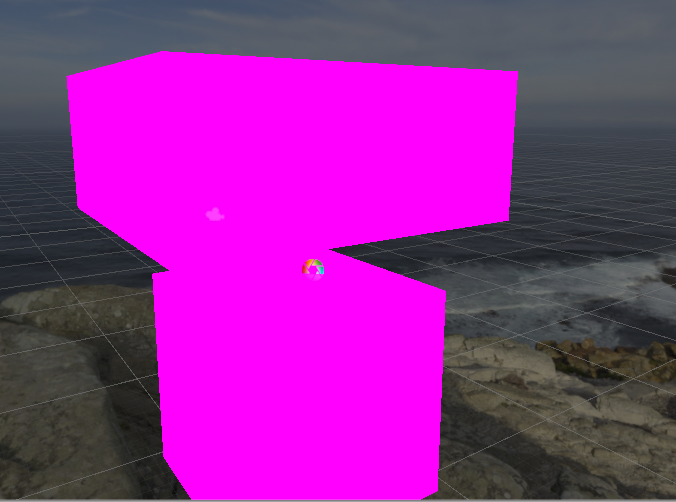


any ideas on how to fix?
This is on the lightweight render pipeline/lit but it does this on any shader as well.
random owl
For one at least lightweight render pipeline isn't the one used by VRChat and stuff meant for it will not work properly in game
elfin latch
Yeah, but it's doing that on all shaders.
on Poiyomi's as well.
Should I just re-import shaders?
I wasn't sure if I should or if there's another way to fix
random owl
Poiyomi doesn't work on LWRP either because it's build for the same pipeline that VRChat uses
elfin latch
okay, ty!
 upper elm
Hi does anyone know of any guide or help give me a quick run down on a system similar to Murder game world where you collect x amount of items scattered randomly around the map to unlock one thing. Using SDK2?
random owl
Learning how animators and animation states work would be the best with SDK2
Then just using AnimationTrigger, AnimationBool and AnimationFloat trigger actions to control that animator
First actual tutorial on VRChat triggers. Goes over creating an object to act as a door, animating the object, adding triggers to make the object open on player enter area, and close on player leaving area.
In the next tutorial, I will go over how to make a lockable door and ...
This tutorial covers the basics which then you can transfer onto making the collect system
upper elm
Thanks ❤️
sacred warren
@inland rune Not sure if anyone has mentioned but the portals on the outside ring of Furhub are back to front.
and the ones on the inside ring are also the wrong way round for the opposite reason
bold ibex
i am clicking the upload button but it won't upload
bold ibex
no idea why I suddenly can't find VRC_trigger
bronze smelt
My guess is that you installed SDK3
bold ibex
yep, that's it
 fading hollow
do you all use blender when blocking out your worlds or unity
Trying to figure out the most optimized way of modeling a map
 trail hound
hey guys, im trying to iterate on a world and going to vr is kinda killing productivity for me
and im not sure if this Force Non-VR is what I want, to test with just mouse and keyboard
but its still launch into vr
am i doing something wrong or missunderstanding this bool?
 formal pollen
@bold ibex what the name of the world
ripe garden
Nah, best bet I'd to unplug your headset, vrc will still open steam vr as long as it is connected, does not matter if you check that box or not 🤷♂️
trail hound
@bold ibex making the War Room from Dr Strangelove
but now one of my vive controllers isnt responding or turning off on a long hold... f my day
bold ibex
oh hell yes 😮 Love that movie.
past wave
Never seen the movie but I love seeing more varied ideas for world's like these
 sand orchid
Hey guys, idk if you can help me. But this is my first world, and I'm just trying to learn how to build a vrchat world (sdk3). I made a house and terrain with something called ProBuilder, but after doing some changes, all the objects from ProBuilder became invisible, they're still there in the hierarchy. But you can't see any texture or material. I've searched and tried multiple things for around 3 hours now, but can't find a solution, please help?
A thing I noticed is that the "Object size in the ProBuilder Mesh script is 0, 0, 0. So this defently means something is wrong, and I'm not able to change the values, they just go back to 0. And I tried in another project making just a cube, and it was 1, 1, 1, there. So yeah, I've got a problem
trail hound
@sand orchid u using probuilders material edit or just assigning them in the inspector or dragging
sand orchid
I'm using other materials, I started with the probuilder defaultet one, and after I built the house, I dragged some new materials onto the object, but this "bug" didn't happend before multiple changes after.
 summer jasper
 reef sparrow
Please, can anyone tell me how to make players take on custom animations in a station?
bold ibex
Hey Guys I am building my first world.
Error Message "Need to get Trusted Level -New User- at least"
what do i need to do to get that?
thx


near escarp
Play VRChat
red fable
Is VRChat able to use the default Unity terrain data, or does it need to be converted to a mesh?
red fable
@sand orchid Shot in the dark here, but try changing the collider type
sand orchid
@red fable Thanks for the reply, how to I change collider type?
I also got these error messages
red fable
Add a new component, type in collider. You can select from many kinds. Mesh collider, box collider, etc
Although I don't think it will fix the problem for you this time, but it's worth trying
red fable
Right
You can easily re-add the mesh collider if it doesn't work
You can also try the convex option
Again, I'm pretty sure it won't work, but might as well try
sand orchid
yea doesn't seem like it changed anything
red fable
Second thing, check your shader
sand orchid
this is quite annoying cause I can't really do any updates or changes on my map before I fix this
But what do you mean with "check your shader"?
sand orchid
nah doesn't seems to work
mortal elm
Anyone knows how to add firework to the skybox
red fable
My first thought was that a shader may be adding some transparency to it
Anyone knows how to add firework to the skybox
Sounds like you're referring to a particle effect
@sand orchid What's the scale of your other objects?
sand orchid
I tried dragging my current shader, and material on another object, and it works, so most likely it's a a problem with ProBuilder objects only
red fable
Ah
sand orchid
I belive 95% is 1, 1, 1
red fable
So it's the shader then
sand orchid
could be
red fable
If you strip the probuilder data, I wonder if it'll work
But word of warning, you can't undo that
So maybe try that with a test probuilder object with the bug
sand orchid
I tried to do something similar, Strip probuilder scripts, and then ProBuilderize, again to fix them, changed nothing
red fable
Not sure. The only thing I can come up with right now is, probably the shader
sand orchid
doesn't really make any sense though, I'm using the same shader and material on other objects, and they're working fine, but the ProBuilder objects, all of them are invisble, and it's doesn't seem to help that I change the shader or material
red fable
Don't suggest to try that on your live project. Use a backup
Could be nothing related, could be something
Also, check this
sand orchid
Again I've been to that link before, I searched google for 3 hours, 2 problems, 1. he's saying that when he presses run, they dissapear. But for me they're invisble both before and after I press run. Number 2, I can't find the Probuilder folder since, it's no longer an asset, it's included in the packages tab, and im not sure where they're saved. Again this "chat" that you send me is from 2015, when probuilder was an asset.
red fable
TLDR : Try a different probuilder version?