#world-development
39 messages · Page 41 of 1
 potent girder
 terse fossil
No problem
potent girder
🎉
terse fossil
Good to see it worked
 vague obsidian
Hey, im currently making a world and i was going to do a test build but when i start the sdk and go to builder it says that avatars are currently not supported in the sdk3 but like im not making avatars im building a world, does anyone know how to fix it or what do do?
vague obsidian
i dont have an avatar descriptor thats whats weird about it
 jolly cape
But do you have a scene descriptor?
vague obsidian
alright i redid the scene descriptor and it fixed it
and yes i had one from the start
jolly cape
Unity moment right there
vague obsidian
yup XD
 outer quail
I have a glitch with the right eye when playing my world, I fixed it when I was making another world but I have no idea how I did
 latent bobcat
it there a way to make a gate ( door ) to only let avatars in that is optimized ( lower then 70k poly ) ?
 toxic gust
Assets/QuickPool/Scripts/Utils.cs
"The name 'EditorGUI' does not exist in the current context"
what does this error mean? Been frustrated for hours lol
 near escarp
@toxic gust Delete that asset
near escarp
it'd be a whole folder
 hearty kelp
Melonbar is super cute!
near escarp
that's a nice bake !
 visual swan
Whats the best way to optimise a world?
Some stuff i import from sketch fab adds a lot of memory to the world
 vital geyser
Does testing Worlds work on Linux? Is there a way to set the path to VRC? Or do I have publish and open the game?
 queen orbit
I have created a world in Unity and I think im done. How do I upload it?. When I click on VRCHAT SDK there is no setting.
vital geyser
Did you add a Scene Descriptor?
near escarp
@visual swan What do you import ?
vital geyser
@queen orbit Wait wait, do you mean the drop down bar at the top is missing options? When that happened to me, I just made a new Unity project and copied my assets over.
queen orbit
Yeah, and when I do make a new project its still missing ;/
Splash screen show control panel utilities help Udon
vital geyser
And the SDK is installed? And you are on 2018.4.20f1? Send a screenshot.
Hit "show control panel"
vital geyser
You're on the wrong Unity version. You cannot publish with that.
queen orbit
oh
vital geyser
You need to be 2018.4.20f to publish
queen orbit
and where do I dowanload that xD
terse fossil
@queen orbit your on the right version. Im on the same one and am able to upload
queen orbit
...
terse fossil
if 2017 then yes
I still use 2017 to upload past content but it is good to update
2018 should be what you use for new stuff but it shouid be on the site
queen orbit
okee
terse fossil
visual swan
@near escarp things such as chairs props in general how do I compress or optimize them to reduce the data
near escarp
you have the mesh compression option on the object in unity
vital geyser
My question got buried, does testing Worlds work on Linux? Do I need to set the path to VRC?
vital geyser
Oh wait now I feel dumb XD
"Settings tab"
That worked! @terse fossil I don't see why VRC for Linux isn't offical everything seems to mostly work at least through proton.
Also, why does it say 1 reports?
Nvm, this is completely broken, just launching the game through Steam after uploading the world works better
 random owl
Reports start the count at 1 so every world will always show 1 report
queen orbit
IDK if this is a dumb question, but what do I have to do so I dont fall trough my world when I join it?
queen orbit
Im new to this, what is colliders
I moved the spawn point, and it's still happening, It feels like the whole world is made of cloud
IS there any setting there you make the thing that I made hard?
I created it in blender so now when I create a block in unity and place that under the world, I dont fall trhough that
vital geyser
Is it okay to just keep hitting the publish button to test a world? I don't have Unity on any of my Windows computers.
I'm guessing the only draw back is only being able to make one new world every week.
near escarp
@dark kernel Height of the sample avatar is 6ft/1.8m
 bold ibex
こんにちは / hi : D
 fathom bobcat
are reflection probes not working for vrc? or is it just not working in the test environment?
near escarp
the option is on the file options, you need to click on it in your assets
 bleak moat
@queen orbit Meshes by themselves don't have collisions. You need to either add collider objects, or put a mesh collider component in the mesh object so that it collides.
jolly cape
Also gotta make sure its on a layer that collides with players!
 shell frost
i keep getting this error
and my world keeps kicking me out when I try to visit it, I'm assuming because of the error
when i load into the world, it actually shows a different one of my worlds for a split second, then kicks me out to home
i re-imported the whole SDK
didn't help
it keeps saying something about levelresetui having 2 roots
i need this world uploaded by tomorrow and it's driving me insane
shell frost
alright I figured out the cause, the light probe helper script i had for placing light probes, even though I deleted it from the scene, just it existing in my assets folder was causing the builder to throw errors
since the lightprobes were already placed by it, I deleted the folder and now the scene builds and uploads correctly
bold ibex
My pickup pillows freak the hell out and spaz all over the map and lag everyone out???
 turbid moth
Does anyone know any good avatar worlds?
 severe topaz
how do you make the world's shadows darken the player when they step into it?
 hallow cave
Anyone have an idea why avatar sounds cannot be heard in world? the camera has an audio listener attached and world sounds can be heard.
 earnest anvil
Anyone know where I can find these fireworks prefab ?
 open thicket
@severe topaz it depends if the shading of their avatar is unlit
if their avatar uses a shader that's always lit, it won't work
severe topaz
yeah i noticed that only avatars using default standard shader worked
open thicket
there's not really a good way to make avatars be affected by darkness
if the avatars are unlit already
but
yo could have the be more affected by light
with light probes
light probes will take approximation of those lightsources in your scene by the points closest to your dynamic objects
and depending on those sampled points of the light probes
you can have lighting affect dynamic objects in a more efficient way if you're baking your scene
severe topaz
well I can already see the first problem; baking my scene will take hours so I kinda skipped it lol
im just using a directional light
open thicket
@bold ibex you probably have a pillow model with a mesh collider on it
and the mesh itself
has a lot of tris maybe
bold ibex
If I take off a mesh collider will it just fall through the world?
open thicket
and the collider itself when interacting with many other rigidbodies
are going to lag your world immensely
you can use a different collider
like a box collider
bold ibex
Okay bet
open thicket
or try using another pillow
np
@severe topaz you can lower your bake resolution to maybe 20 or so
take off realtime GI
and then use baked indirect
try a GPU bake
bold ibex
Ty, I think a lot of what it was is I had them laying stacked so when they respawned they spawned in each other and didnt like that 😅
open thicket
those are super fast
yea if you stack a bunch of mesh colliders you're not going to have a good time
severe topaz
lol I put my resolution super low and tried a cpu bake and it took so long I cancelled
wouldn't even be worth the time if it was that low
I guess I can try gpu i didn't realize that
bold ibex
My cpu bake is at 3 hours lmao
I dont touch that selection anymore 😅 I'll take the other bake every day
severe topaz
also, if I made my entire world one mesh, would that make it a lot faster or no discernable difference?
or is that just a bad idea in general
bold ibex
You can make your "skeleton" into one mesh and I believe it will make it faster
Adding everything you got into 1 mesh will guarantee a lot of jank lol
open thicket
@severe topaz depends if your world is very big
according to what you want
you may or may not occlusion
if you combine all of your meshes you ruin your chances of any sort of occlusion
@ashen charm change your preference setting
severe topaz
I see 
open thicket
go to project settings
player
Scripting Runtime Version
.NET 4.x Equivalent
See if that's your issue
@bold ibex An infinite mirror would be super laggy and hence the reason VRChat mirrors won't render each other, but you can try a render texture
maybe a render texture camera trick that displays on two planes
then you get another camera that looks at that render texture plane
and display that info on the opposing side
😛
 chilly tendon
can you move mirrors in runtime?
near escarp
it's an object so yeah
bold ibex
we are not able to share our worlds here, aren't we? 
open thicket
it would probably belong more in #shameless-self-promotion
this is more for development questions
 marble minnow
I'm not sure if this is the right place to ask but, are there any good free materials packs i could use when making my house in unity for vrchat? Like ones that are common along vrchat world builders?
open thicket
You can totally find them in the asset store
tbh though most of the materials I've found that I like are ones that are free of commercial use
just looking for them online
seamless textures
etc
 honest inlet
idk if this is the right place to ask but does anyone know where to get some 3d fairy lights? ive been looking everywhere but i cant find any :(
 versed ridge
can you show what you mean. ?
honest inlet
what do u mean, show what i mean
versed ridge
what you mean with fairy lights
versed ridge
seems like a lot of small lights on a string?
versed ridge
it really looks like a flat plane tbh
honest inlet
nonono
this is just an example pic
of what im trying to find, but as a 3d model
to put into my world
ive seen cute lights in people´s worlds and i wanna put some in mine too
versed ridge
ok but if you place it near a wall. it could just be a 2d texture and you have the same effect with a whole lot poly's
honest inlet
oki thank u
versed ridge
it sounds kind of hard to make a generic model that works everywhere
i mades something quick
@honest inlet i made something quick dm me
bold ibex
Hey can someone help me with a project I’m doing on VRChat
I’m thinking about making a blockbuster video in VRChat if anyone would like to help me
I have a lot of images that might help with the map creation
 past wave
it looks a whole heck of alot better than my attempt
visual swan
does anyone know how to make the qv pens work in vrchat?
bold ibex
can someone teach me how to add bloom effect?🥺
bleak moat
@strange mesa wow that looks good, what shader are you using? Is it custom?
 strange mesa
It's from Silent, actually
Silent? can you show them your subsurface scattering shader?
 simple mulch
How do karaoke worlds let you select the video to play on the screen? Do they pass Youtube URLs to the player, or are all those videos uploaded as assets with the world?
bold ibex
i dont think so about that all videos are assets because it will make all karaoke worlds become a very big world
 autumn talon
What's a good unity layer to use to hide objects from the players but not a camera?
It's very unclear how vrchat layers work lol, I've tried to use the player and localplayer but they don't seem to really do anything
are they even implimented?
autumn talon
yea, like if I only want a camera to see.
but you can also use them for cameras
I'm making a minimap and wanted to have a ball float over people only the minimap cam could see
near escarp
oh the camera layers, not the object layers
bleak moat
Pretty sure they're the same
near escarp
they're not the same since on the object it's interaction, on the camera component it's visibility
if the camera only has the player and player local layers it should only show that
autumn talon
Yes, but i'm wondering if there are any layers that I can put an object on to prevent the player's in game camera from seeing it. What layers does the camera in game use to cull? @near escarp
autumn talon
Like is it just set to everything?
If so, what I want to do is impossible. I just want to know that because it's not documented anywhere
bleak moat
I think the culling settings are those in your world's camera reference... But what are you trying to do?
autumn talon
I'm trying to make a colored ball float above players heads that they cannot see. By minimap camera however, will be able to see this later. So they'll show up on the minimap as colored dots, but the players will be able to look up and see a giant colored dot floating above their head
I already have the mini map working with all layers, it's just super hard to see the player models from that high up
 random owl
Jar already does that for Murder so most definitely not impossible
autumn talon
Yeah, I would just need to know the culling layer of the player camera
It's just the player cameras is not accessible anywhere in unity so I can't check it. I need the devs to tell me
random owl
Like I said mirrorreflection is not rendered in the players view
autumn talon
I'll definitely try that one then. I'll let you guys know if it works
bleak moat
Well technically you can just have a plane over the player's head, with the face looking up and with a circle texture. They won't see it if they look up and the Map camera will render it correctly
random owl
Combination of both might be the best 🤔
autumn talon
True. Very good idea... but I have friends who like to have very big avatars who might be able to see them from above in that case
bleak moat
well if the camera is orthographic you can put it extremely high and it won't change anything
autumn talon
except the detail level of the terrain sadly
because unity terrain does change appearance even in orthographic from different distances
random owl
You can also edit a shader to only render in cameras
autumn talon
from anything above 50 it culls a son of the land out.
random owl
Bunch of different ways you can do this
autumn talon
Ohhhh, i'm super bad at shaders but that's an option
easiest just seemed to be the one unity had built in for this exact thing lol
random owl
But if you do what Charlie suggested and also have them on mirroreflection that should be enough
autumn talon
wait what the... why is the plane showing both sides XD

it wasn't till I added a texture... weird.
oh lol cause it's a sprite
anyone know how to stop objects from revieving shadows? just off the top of their head. The checkbox doesn't seem to do anything lol
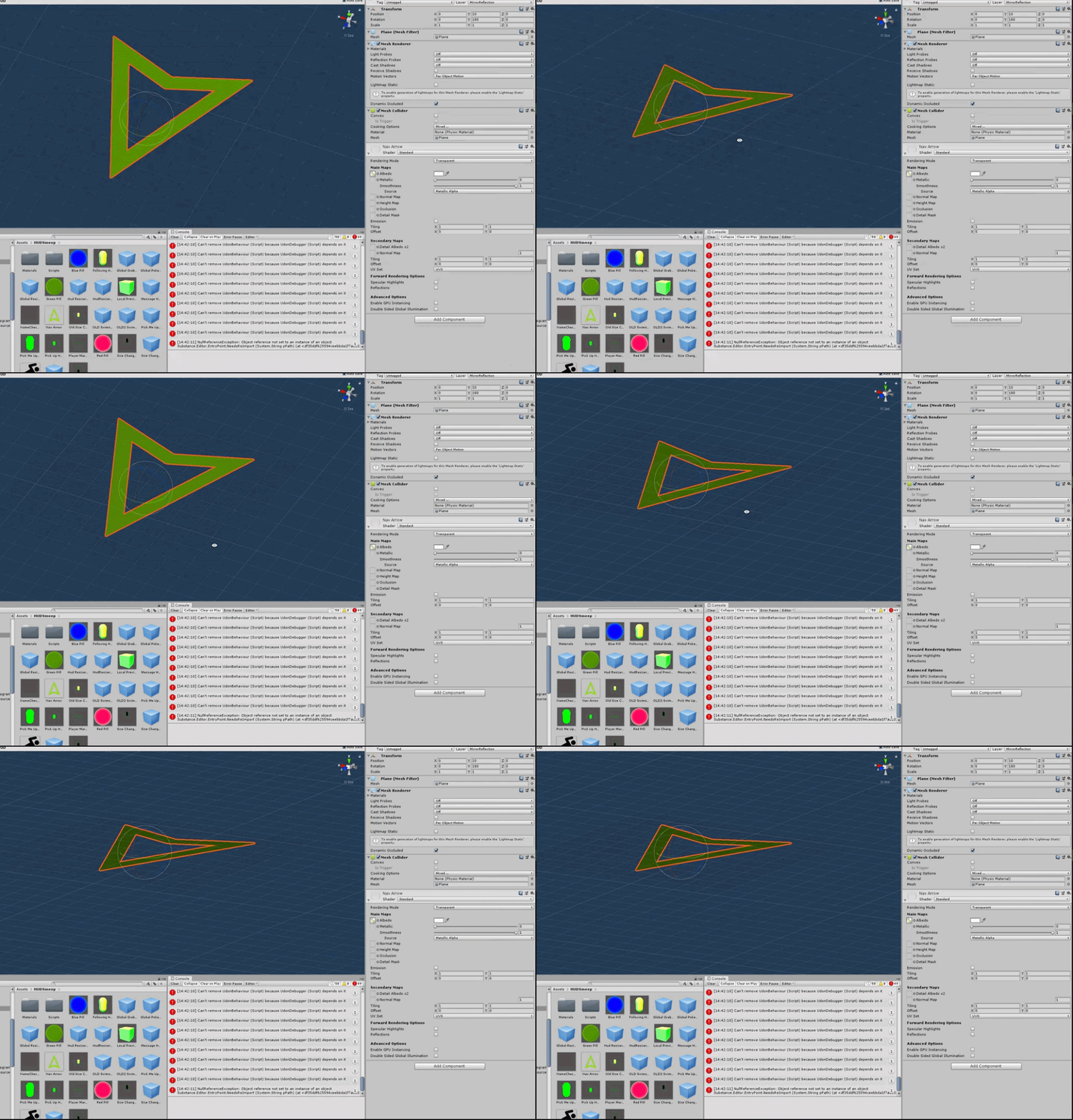
this shiz, I can never figure out how to prevent planes from receiving shadow, I have allll the settings off as you can see haha
bleak moat
pretty sure that's not shadows... What if you change the shader to unlit?
 rigid sphinx
sup
autumn talon
@bleak moat yea particle unlit seems to work
 sleek willow
Everytime I run a test build of my world it crashes the whole thing, yet it was fine yesterday and the only thing I changed was adding a light probe group and fixing a mesh, any ideas why?
autumn talon
Anyone know why the "dynamic prefabs" array always adds a ton of unnessisary prefabs? I've found that removing alost all of them (from 30 to the 2 i need) reduces my world size by about half... but then between builds it seems to re-add like 20 of the same prefab to the list (this is in the vrc_scene descriptor)
It makes my world load time go from about 2 to 15 seconds so its pretty significant.
Also changes upload time from like 5 to 1 minuet
Ayeee
near escarp
@sleek willow Did you use a script for your lightprobes ? Like Simplelightprobeplacer ?
sleek willow
No I did them manually
sleek willow
I found the issue, despite using the little program thing to launch in desktop it was launching steam vr and crashing it, it's good now
 simple nimbus
has anyone used SilVR water?
it works fine for me but for some reason when others join the world they lag so hard they can't do anything
near escarp
Is that made for VRChat ?
sleek willow
It is made for VRChat, but if you make MUCH too big of a area for it to be in it will severely lag you
it's meant for small areas
autumn talon
Speaking of anyone know of any guides for making underwater post processing zones? At least, I've heard that PPZs are what you're supposed to use or what most people do.
I've never even heard of them and am working on water for the first time
bold ibex
Does anyone know any good one player worlds
i found one but i want more of an aesthetic one
visual swan
how can I create these type of lights in unity?
 serene shard
static plane, and lazor texture with transparency
Laser Beam - Disco Lights Transparent Background, Transparent Png free download transparent PNG Image. Find more high quality PNG images on PngJoy.
visual swan
thanks a lot 🙂
bold ibex
Could you help me?
latent bobcat
anyone having a isseu when you wana upload your world . it upload the old version idk why ?
do anyone know how to fix that ?
bold ibex
Anyone know how to upload your world i dont have 4 things to click i only get one
near escarp
You have errors in the unity console
near escarp
@latent bobcat it's probably failing to upload the new one
@bold ibex Which ones do you have
bold ibex
What m SDK?
bold ibex
near escarp
Try these steps https://docs.vrchat.com/docs/updating-the-sdk
VRChat
If you need to update your SDK, it is important that you follow these steps to ensure the update proceeds properly and you don't have any old/conflicting files. Simple Update Here's how you update your SDK. If you're just uploading avatars, you can use the following process: ...
latent bobcat
@near escarp even if i go in test mode it still shows me the older version ?
bold ibex
ok
near escarp
@latent bobcat Did you check your unity console ?
latent bobcat
@near escarp have some erros yes no idea how to fix it
near escarp
could you at least screenshot them
near escarp
@random owl You had a way to fix this in the script right ? Not sure if this one needs to be removed entirely or not
latent bobcat
like anything i have to remove ?
random owl
Oh you can move that script in to the editor folder that's right next to it
And then it'll start working again
near escarp
ah right, i forgot that was the step
random owl
The error is just because it's not in a Editor folder
latent bobcat
thanks 🙂 works again ❤️ trying to fix this for a hour now ....
bold ibex
@near escarp Do I delete all or just the VRCSDK folder, as well as the VRCSDK.meta file?
near escarp
as it says, just the vrcsdk folder and meta file
bold ibex
ok
near escarp
if you delete the rest your project is gone lol
near escarp
oh
bold ibex
Do I need SDK2?
near escarp
then it's a whole other issue
Did you just import SDK3 in a new project ?
Or was it an SDK2 project before
bold ibex
Yes
near escarp
ok, then i'm not too sure where the error came from
near escarp
yeah most likely
bold ibex
So what do I do
near escarp
I'd suggest making a new project, it might be easier
random owl
bold ibex
ok
random owl
The steps to fix that problem also here
near escarp
You can also try to fix it if you feel brave ^
bold ibex
Is anyone taking commissions at the moment

 winter frigate
I have a problem with publishing my world to vrchat that is optimized for quest, I will click build and publish, but nothing will happen, i have a spawn point setup, and i am on the right unity version, so can someone tell me what i'm doing wrong?
near escarp
post a screenshot of your screen when the problem happens
 ornate saffron
Hi all,
Reaching out to the VRchat community ISO female VRchat developers interested in collaborating with other female developers/artists to create a really unique setting for a large music event. If this jumps out to anybody please reach out! As a creative developer myself, I'm really into the idea of women collaborating on every level of this project. We're hoping to feature an all-female lineup. If you're great with modeling, texturing, environments, avatars, or more of the backend, we're looking for you!!! The more the merrier. Thank u<3<3<3
autumn talon
what the...
2020.05.22 20:59:56 Error      -  [Always] Error Downloading or Instantiating Custom Scene - https://api.vrchat.cloud/api/1/file/file_61e312ae-53b4-48da-af59-e9614c0cf691/11/file - BlueprintIDMismatch


2020.05.22 20:59:56 Error      -  [VRCFlowManagerVRC] Instantiating the scene failed.


2020.05.22 20:59:56 Log        -  [VRCFlowManagerVRC] Resetting game flow because "Instantiating the scene failed": [SkipLogin, ClearDestinationWorld]
BlueprintIDMismatch?
random owl
That can usually happen when an error in your project is causing the build to fail and is uploading an older build with the wrong id associated with it
autumn talon
weird, I just added some audio sources
winter frigate
i found out the problem
random owl
Check your console for any non normal weirdness and possibly restart your unity
autumn talon
it builds in build and test just fine
winter frigate
i deleted the camera acidentally
so the configure ui didnt show up
i am restarting it because it still isn't showing up
autumn talon
huh it's not letting me use the old world id
it's seeing the attached id as a new world
yea the old ID won't work... even if I restart unity
winter frigate
now the entire sdk control panel is gone
uh oh'
i need help
how do i get help
autumn talon
@winter frigate did you try re-importing the sdk?
Meanwhile... on mine:
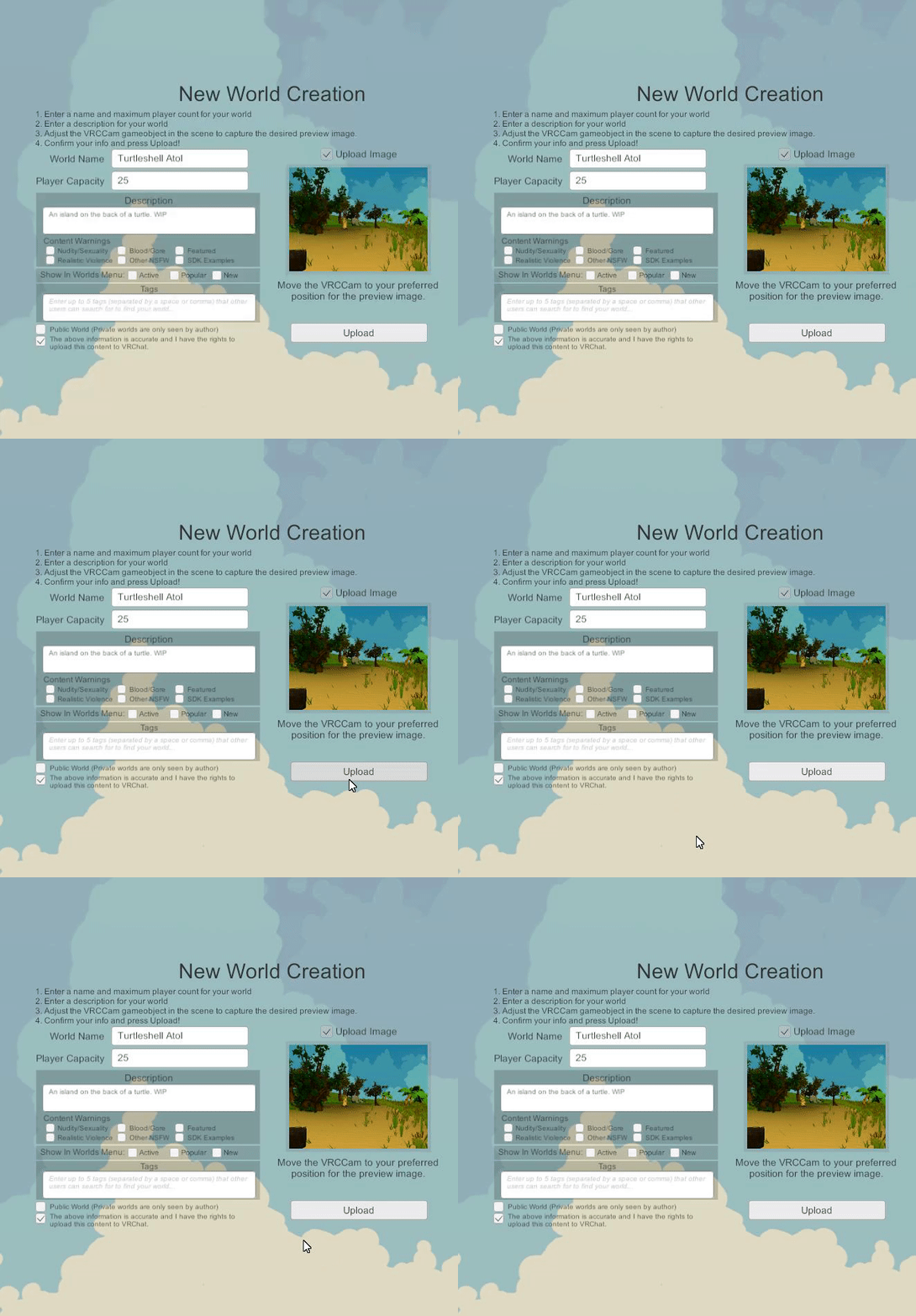
the upload button seems to do... nothing?
No idea what to do. it just does nothing
winter frigate
did you check off the other stuff that might be required?
autumn talon
yea
random owl
Your world upload menu is either old or bugged @autumn talon out might wanna re-import the sdk
https://docs.vrchat.com/docs/updating-the-sdk
VRChat
If you need to update your SDK, it is important that you follow these steps to ensure the update proceeds properly and you don't have any old/conflicting files. Simple Update Here's how you update your SDK. If you're just uploading avatars, you can use the following process: ...
autumn talon
weird, i used it like a few minuets ago, did they just now update it?
Or did the sdk just break?
random owl
Next to try might be logout from the sdk restart unity and then log back in
And seeing if anything weird is in the console
winter frigate
sadly i reimported the vrchatsdk and it didn't work
autumn talon
Like is there some log or something?
Because the upload button just doing nothing is odd, and I've tried re installing everything and logging in and out
winter frigate
click the category under the content warnings?
you are luck you got to that part
*lucky
i haven't even had the ui show up
random owl
@winter frigate check your console post a screenshot here after pressing clear once
random owl
@autumn talon might wanna just check your console when trying the upload, or alternatively pressing clear once and seeing if something remains but in your case most likely not
@winter frigate that doesn't look like you pressed clear once 🤔
random owl
Those warnings should get cleared out by it
winter frigate
sorry, 5
random owl
Can you show a screenshot without cropping
winter frigate
ok
autumn talon
I think my audio sources needed this udon script that it wasn't warning me about
winter frigate
autumn talon
upload button seems to work, lets see if the world works on upload 🤞
winter frigate
i am on android
random owl
@winter frigate wasn't your problem that you couldn't get the control panel showing?
random owl
So what happens if you press build & publish
winter frigate
it says that it's doing it, but the menu doesn't show up on the game camera like it's supposed to
random owl
Can you show a picture of that?
random owl
First disable future proofing from settings and then try again
winter frigate
nothing happens
all that happens is the same errors appear again
*the same 5 errors
autumn talon
same error
2020.05.22 22:07:56 Error      -  World VRCW File (wrld_3e2e44f3-fb64-4bec-8743-056312d53670) was not uploaded to this ApiWorld (wrld_da05ebef-a974-42a1-853a-295c7a2f10ef)


2020.05.22 22:07:56 Error      -  [Always] Error Downloading or Instantiating Custom Scene - https://api.vrchat.cloud/api/1/file/file_61e312ae-53b4-48da-af59-e9614c0cf691/12/file - BlueprintIDMismatch


2020.05.22 22:07:56 Error      -  [VRCFlowManagerVRC] Instantiating the scene failed.
is this something that could cause it?
random owl
@winter frigate disable Clear on play from your console so it doesn't get cleared then try again so I can see everything that happens during the upload process
autumn talon
Trying to upload it under a different ID
the only errors I get on upload are Network.Localplayer.displayname is null errors, but that's expected, I've always gotten those. It's just cause unity doesn't have the localPlayer instantiated
random owl
Yeah those shouldn't matter
winter frigate
i am stupid and i cant find settings
random owl
Clear on play is the top underlined one also show me a screenshot of the settings page in your sdk
autumn talon
still the blueprint error, but I uploaded it as a brand new world
2020.05.22 22:19:33 Error - World VRCW File (wrld_3e2e44f3-fb64-4bec-8743-056312d53670) was not uploaded to this ApiWorld (wrld_be519bc7-6254-4081-b1b1-4b17a7c6a7c3)
winter frigate
it's off now
autumn talon
this is also in there though
autumn talon
2020.05.22 22:19:33 Error      -  World VRCW File (wrld_3e2e44f3-fb64-4bec-8743-056312d53670) was not uploaded to this ApiWorld (wrld_be519bc7-6254-4081-b1b1-4b17a7c6a7c3)


2020.05.22 22:19:33 Error      -  [Always] Error Downloading or Instantiating Custom Scene - https://api.vrchat.cloud/api/1/file/file_9f7ec166-37d2-4506-bc47-00fd09e5103a/1/file - BlueprintIDMismatch


2020.05.22 22:19:33 Error      -  [VRCFlowManagerVRC] Instantiating the scene failed.


2020.05.22 22:19:33 Log        -  [VRCFlowManagerVRC] Resetting game flow because "Instantiating the scene failed": [SkipLogin, ClearDestinationWorld]


2020.05.22 22:19:33 Error      -  Failed to get render model name for tracked object None


2020.05.22 22:19:33 Log        -  [RoomManager] Clearing Room Metadata


2020.05.22 22:19:33 Log        -  [VRCFlowManagerVRC] Going to Home Location: wrld_da05ebef-a974-42a1-853a-295c7a2f10ef
``` here's the error from loadfinished to it trying to load my homeit looks like it may not be uploading some kind of world ID related file?
winter frigate
nevermind, the errors are just me fetching the servers
it's so weird that everytime i try to do something i have an unfixable problem.
 winter wigeon
Hey how do the buttons for the SDK2 work again? Its been a minute since making a world and I cant seem to get mine working, oh and how to connect an audio source to a slider
autumn talon
So, my issue was I had a second id manager in the scene! Found it and removed with the help of @random owl 's world tools!
 chrome vector
Do you mean triggers?
 grand cloud
anyone creating worlds atm
outer quail
how to add music to worlds?
winter wigeon
Nah not triggers, like UI buttons or checkboxes that toggle an item, I was used to the old system with SDK 1 but now i have no idea what im doing
or maybe triggers? .. same difference
chilly tendon
think everyone in here is creating worlds, no?
chrome vector
Since I'm on mobile, I will just link you a tutorial. Basically you set up a trigger (like a cube with collission), oninteract, local, and then set the gameobjectactive, and whatever object you want use, I believe. Then set it to toggle. Then, just turn off the mesh and you can test it.
Second tutorial on VRChat world triggers. I go over how to add mirrors, cameras and screens, and how to turn GameObjects off and on locally for only you.
The intro is a little choppy. I haven't updated my CPU in 5 years and I was recording in 1080 with two instances of VRChat ...
Here's a tutorial on it.
winter wigeon
👍
chilly tendon
Hm, is there a way to get the local player instance outside of udon? I can't figure it out.
 crystal epoch
How would you go about making a trigger to turn lights off and on in sdk2? And another question, how do I fix this issue where a grabbable object seems to not spawn even with the correct components?
 vestal rain
@clever sigil Are you the creator of the Siren Hell Test?
Are you aware when you activate the amber alert sound effect It earrapes all players present and you can't even lower the volume. It still earrapes me and everyone else at 0% on everything. I don't know how is that even possible but I suggest you resolve that issue quickly. Thank you.
bold ibex
I figured something out.. since a 360 video isn't just ultra wide but has 360 up and down too, I'll make a sphere that's stretched horizontally instead of a cylinder
bold ibex
anyone know a good way I can implement a 3-strike system? Planning on making a quiz world where if you get the answer wrong 3 times, you have to restart the instance. Basically game over. Also, it doesn't matter if you got the answer right, the strikes carry over to the next question. Basically, if you got question 1 wrong, but then got it right the next try, you still have that 1 strike, and if you get 2 more questions wrong, game over.
vague obsidian
im using these kind of seats and when i added the station to it to be able to sit on them, it does not seat you in the right direction? so you would sit so that you would have the log between your legs instead of sitting on it normally
Do anyone know how to rotate the station function?
visual swan
why am i getting this white background even though I have it set as transparent?
simple nimbus
question about those bulletin boards with pictures you see in most big worlds: are they fully assembled in unity or made in something like blender and then just put into unity?
bleak moat
@visual swan Set the emission color on the material to make stuff glow. You'll need post-processing for the light to 'bleed'.
You need to set the material transparency to fade or cutout to avoid the white background
 brittle urchin
@vague obsidian is it facing the player in the direction of the blue(Z) axis?
vague obsidian
yes @brittle urchin
brittle urchin
You'll need to rotate the station so that the Z is facing in the direction you'd like the player facing in seated position
Just like setting up spawn points for the world! 🙂
vague obsidian
like when i rotate the station it rotates the whole seat
vague obsidian
alright, thank you very much
brittle urchin
Essentially, you'll need to rotate the origin point of the object so that it face the correct position you'd like the player seated. Did you model in Blender?
brittle urchin
Got it, so all you need to do is make sure you're configuring everything properly inside the script via the Inspector
And just be sure that everything is rotated properly in the direction you want the player to enter/exit
For both the 'seat' and 'exit' objects
vague obsidian
im pretty new to scripting so not sure on it sorry
brittle urchin
No scripting required
Just use the stock station script and make sure both enter/exit are facing the correct direction
Sharing a screenshot right now!
Now if both those are not in the correct orientation, the player will not be facing the direction you want.
vague obsidian
it is only a single object there is nothing else there
brittle urchin
Oh yeah, you need both in order for it to work
I mean, you can technically use the same object but it's just nicer moving the player once they get up.
vague obsidian
like i have had it like that before and just added the mesh to the enter and exit thingy on the component and it worked like normal so not sure why it is happening now
brittle urchin
So in that case, you can just right click the bench, and choose "Empty"
For 2 of them
And then position/rotate those in the direction
Then click and drag them to their respective targets in the Inspector
vague obsidian
oh alright so just create two new empty objects in the chair and then add them to the component?
brittle urchin
Yes!
They don't even need to be an object you can see
Then you'll see the x/y/z handle just like in the picture above
vague obsidian
alright ill do a test build and see if it works, give me a sec
brittle urchin
Coolio!
This one is with the 'seat' facing correctly, forward
Hahaha, and this one is with just the 'seat' facing incorrectly but the exit is correct
As you can see 😂😂😂
vague obsidian
lmaoo XD
brittle urchin
Did it work for you?
vague obsidian
yes it worked for me now, thank you so much, btw do you know how to make the seat multi? so that like 2 or 3 people could sit on the same log?
brittle urchin
Same premise, just add them according to the distance you want each separated player to be at and then add the scripts to each
Hopefully 6ft apart though.... 😷
😛
You know what, actually revising that
Move the script from the main bench
To a new Empty as a child, then move both seat/exit into another below
Give me a sec, I'll show you lol
vague obsidian
brittle urchin
Ah okay, then yes, keep that
So I just made an empty, you can just have the Bench mesh at the top layer
vague obsidian
so make an empty with the station component in it and then drag it to the right place on the seat?
brittle urchin
Just like this!
So the 'bench' I made can seat 3 players
Each seat position has a Seat/Exit and then those can be assigned with a station script for each Seat1-3
Each Seat parent must have the script, that is
And then at the very top, the "Empty wBench" is the entire thing, so you can literally move it anywhere and won't have to reposition anything
vague obsidian
like this then and each seat has a component
brittle urchin
You got it!
vague obsidian
and then just place the diffrent seat in the right spot on the log?
brittle urchin
I recommend just copying the same components from the Chair examples and the just drag in the correct objects
Yes yes, that's correct! Golden
vague obsidian
alright thank you so much, you have been a lot of help
brittle urchin
Absolutely! No problemo and anytime!
vague obsidian
idk know how long ive tried to solve it myself 😅
brittle urchin
Ohhhh yes, I've had many of those moments and then figuring out I was just missing one puzzle piece that was right under my nose the entire time.
🤦♂️
vague obsidian
yes i def know how that feels lol, i had the same tho it was with a collider problem 😅
but thank you so much again for your help and time 😄
brittle urchin
Oh yes, and don't forget the box colliders with "Is Trigger" on each of them!
crystal epoch
I'll just repost my question from earlier since it never got answered, How would you go about making a trigger to turn lights off and on in sdk2?
 fickle pollen
Hey guys, new here. Where should I go to meet new ppl
brittle urchin
@crystal epoch I can't quite answer it since all I use it sdk3. I would recommend it just because it's so much more powerful. There are a few videos on how to do it though!
I highly recommend @urban epoch's video on it!
fickle pollen
I've been to like 3 or 4 worlds and only met one person
brittle urchin
This one in particular! @crystal epoch https://www.youtube.com/watch?v=GWv3zloRWY4

This is a short tutorial on getting a simple button toggle working using Udon, the new VRChat scripting system. As an example, we're using it to toggle a mirror on and off. I've also included a segment on doing the same thing in UdonSharp, the C# compiler by Merlin allowing fo...
@fickle pollen are you sensitive to bright lights? I have my music world I'm trying to rank up to make Public! 🙂
fickle pollen
no im not. Hit me up
brittle urchin
Same name on VRC?
fickle pollen
ya
brittle urchin
Coolio!
@fickle pollen just sent a request! B)
Oop, not the correct emoji I guess haha 😎
fickle pollen
tnx
 buoyant cypress
i've been having so much trouble with lighting. anyone have any idea why the green glow is there? i know it comes from the light reflecting off the grass but it only happens there. also the shadows are way darker on the stone material then they are on the wood, no idea why.
oh wait i had AO cranked on the stone, thats one problem solved
brittle urchin
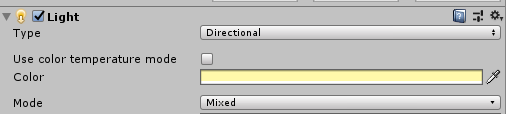
How about your main light source, what color is it?
brittle urchin
Hmmm, maybe? Not quite sure. In your lighting setting before back, underneath skybox should be a color you can change/tweak it to
It looks like everything in the world has that slight yellowish/greenish tint to it
Just from this pic your included
buoyant cypress
https://i.imgur.com/o8hrMIQ.png
im using this a sun.
https://i.imgur.com/X03u8ze.jpg
heres a better angle. on the left some light and shadowed parts. on the right is the problem area
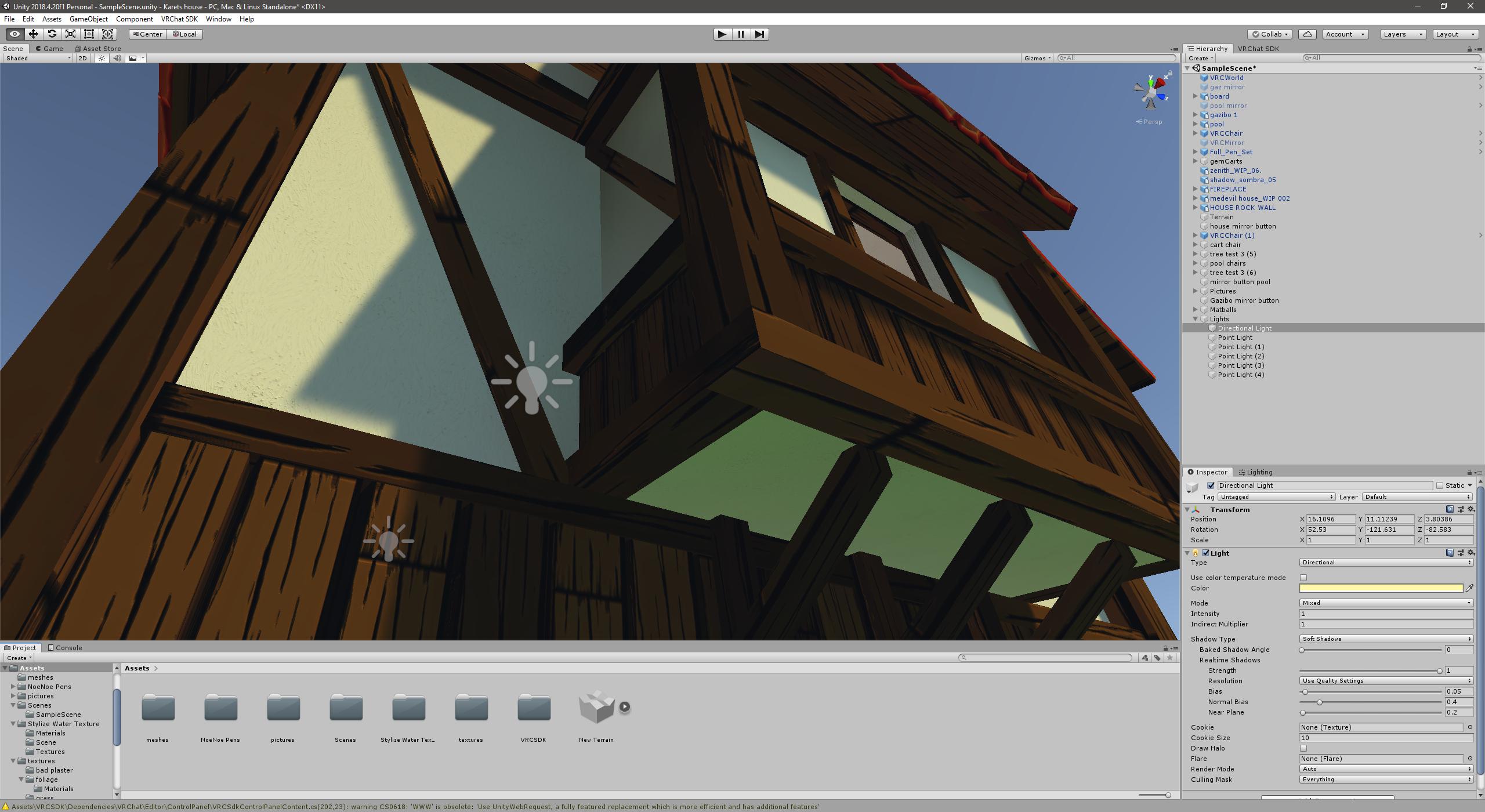 buoyant cypress
i thoguht it should look like the other shaded part
brittle urchin
Is the floor of the balcony coming through the wood maybe?
It should be wood, no?
brittle urchin
Yes, I think making it wood would, lol wood would, redundant
Making it so, would fit the rest of that balcony
buoyant cypress
https://i.imgur.com/MPGdfKZ.jpg
even so im still getting that green glow but now its on other parts of the wood. wtf.
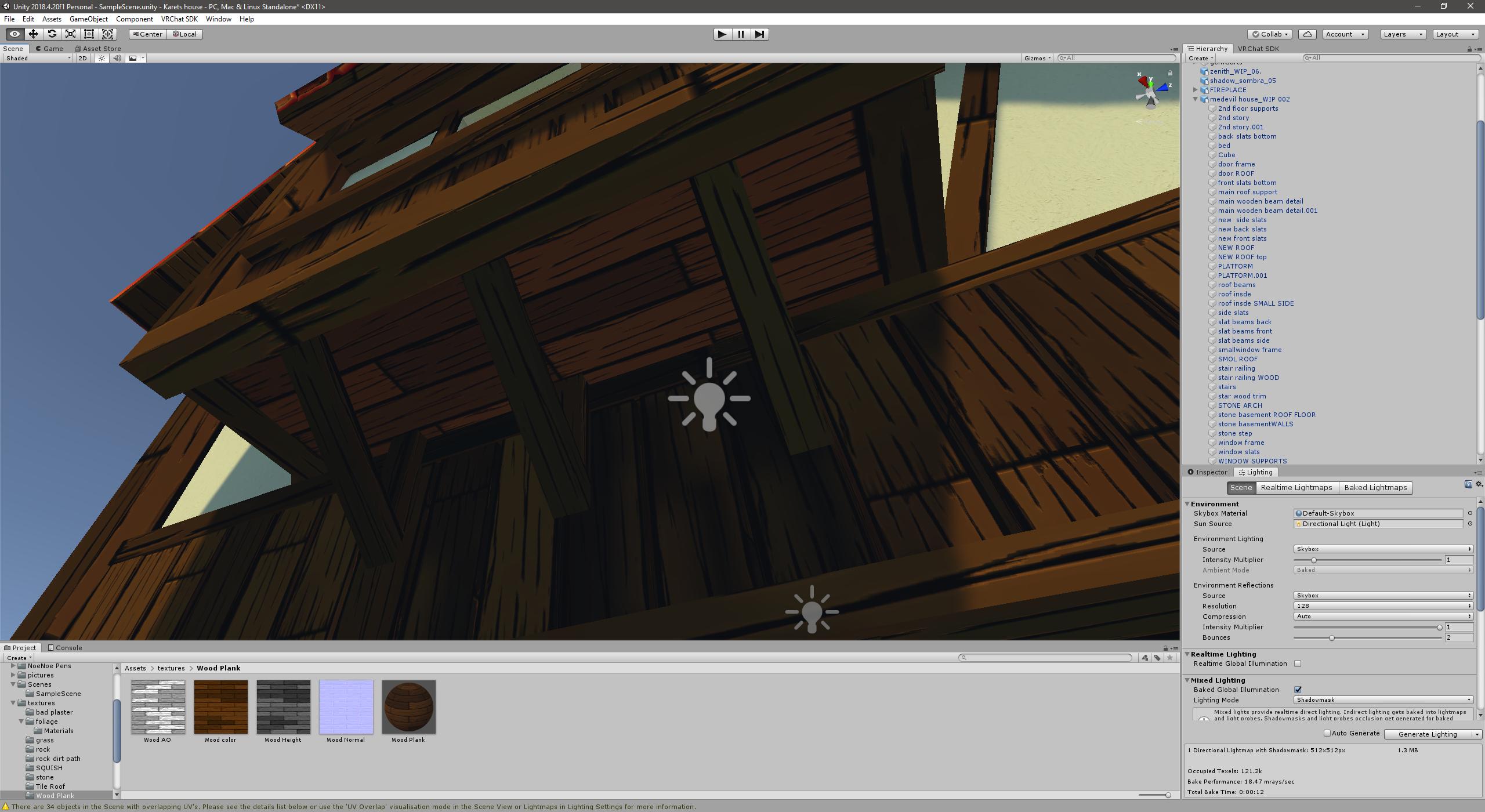
https://i.imgur.com/dnvCiWI.jpg
if i clear my lightmaps it goes away so its something in the baking
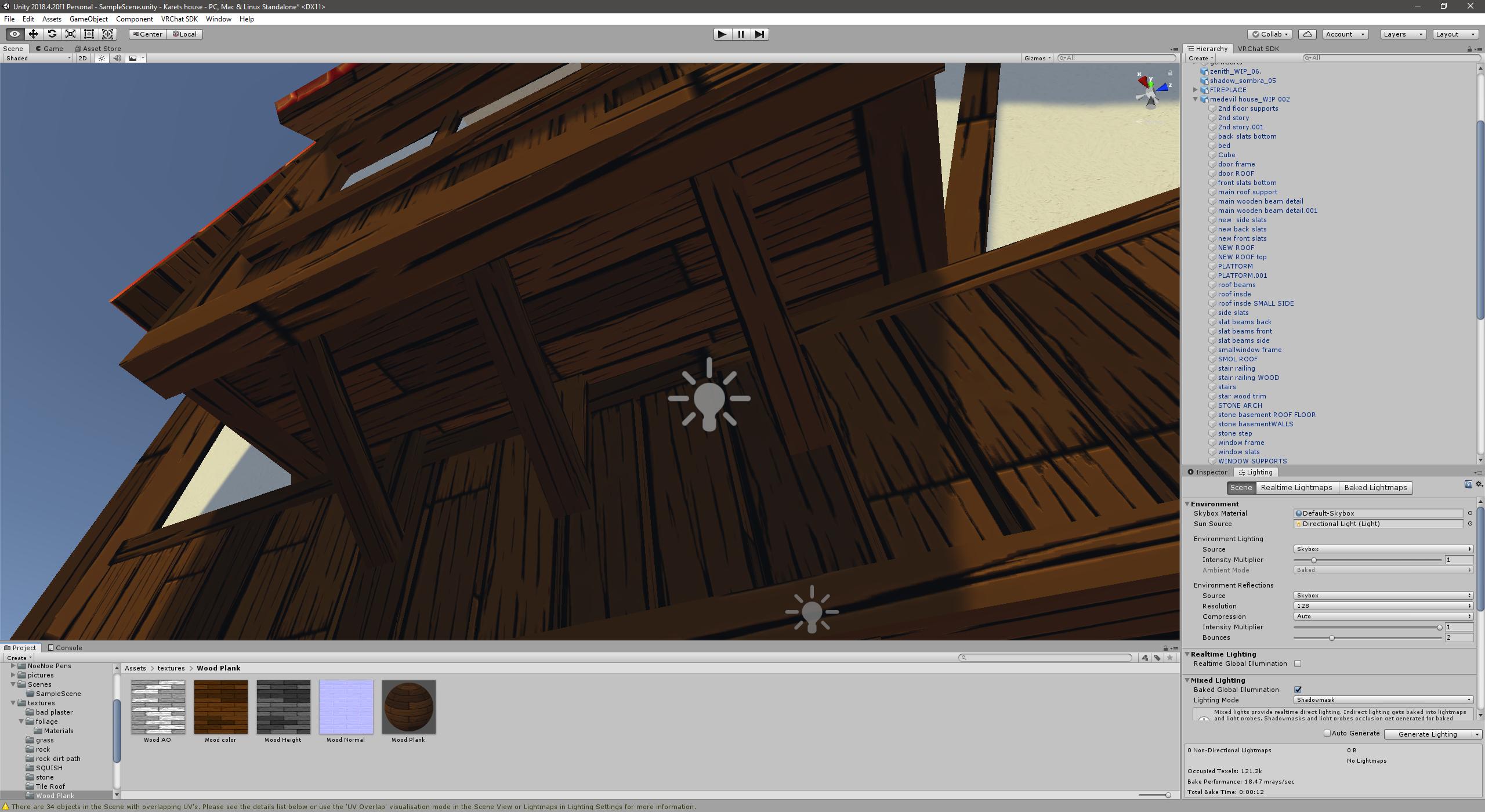 brittle urchin
Hmmm
buoyant cypress
im properly bamboozled
brittle urchin
Yes, make sure that that underside has an update lightmap in the inspector maybe? Not sure how you have everything set up
Or that it's on the proper static layer
Just going through all of the possibilities
buoyant cypress
yea i get ya
bold ibex
does anyone have the discord message panel prefab?
 remote plover
Looks like you have an outdated version @visual swan
Most recent version of QV Pens works and includes a clear (rainbow) pen and three erasers.
visual swan
could you please let me know where i can get it? @remote plover
i got them from this site

VRChatのワールド用のペンセットです。 消しゴム機能も付いています。 完璧に同期が取れるというわけではなく、速めにペンを運ぶと同期が取れにくくなります。その場合はゆっくり書くなどしてください。 Presentation RoomなどのようなLate Joinerへの同期は取れません。 同じインスタンスに長時間(2時間程度)いると書いた文字が他のプレーヤーに同期されにくくなります。 その場合はインスタンスに入り直すことで解消できます。 ※ExMenu用最小限アセット ExMenu(拡張メニュー) ( https://chiugame.booth....
remote plover
that looks like the right place
should just work as long as you drag them into your scene
random owl
It lists the requirements in the description, it won't work without having standard assets in the project
visual swan
when i import them they don't write
ok i've imported standard assets
any particular thing i need to import into the scene?
random owl
Just the whole package, then possibly reimport the QV Pen package afterwards
Should be good to go afterwards
 fickle delta
Hey, all. I'm a first time world builder and I'm trying to create a speaker for a dance floor. I've tried following the instructions on this page over and over again with no luck. I can't hear ANY audio. Anyone have any idea what I'm doing wrong?
https://docs.vrchat.com/docs/vrc_audiobank
One of the issues I've been running into is that the audio source is deprecated, so I've had to add the VRC spatial audio
VRChat
Can used to play sounds easily in a sceneRPC's are available via the SendRPC action Quickstart Guide First, create an audio source in your Unity project and turn off the "Play on Awake" feature in the inspector. Create an empty object (position is not important) and add VRC...
visual swan
it works now thanks so much 🙂
visual swan
where can i find games like beer pong?
bold ibex
go to the spacial audio source, click the arrow, then the checkbox for use volume curve @fickle delta
random owl
There's a prefabs database pinned on this channel if you search it there should be a beer pong included
fickle delta
@bold ibex I've tried that and still nothing 😔
 odd swallow
Hey! Where can I ask questions about uploading a world?
visual swan
@random owl thank you
I've not been able to find a videoplayer that works - does anyone know where I can find it?
brittle urchin
Quick question, is VRC_PlayerAudioOverride only available in SDK2? I'm not able to add it with Udon/SDK3. Keeps mentioning something about 'incorrect class,' something along those lines. Hmmm
 nimble echo
I keep having issues to where I get stuck giving input to a canvas
how might I fix that?
 hard cedar
it seems that if I have a Material but it's only referenced by an UdonBehaviour (and not directly applied to an object at build-time), that Material does not get packaged into the world when it's built. I can always make an invisible marker object that only exists to reference those materials, but that seems hacky...is there a way to flag the materials to always be included even if they're not immediately applied to an object?
 rare bobcat

Welcome to the DSN-70 Space Station‚ 2018 UPDATE LOTS OF NEW FEATURES‚ Stream Player‚ Realtime Lighting System‚ VR DJ Setup‚ 3D⁄2D Audio and more to come ǃǃǃ
hard cedar
Actually it seems like I simply can't reference Materials from Udon. I just made a marker object and it still shows pink for all but the object's initial material
works in the Unity editor in play mode, but not when published to VRChat
brittle urchin
@near escarp apologies for late response! Thank you and got it! Will remember that for next time! 🙂
 green sparrow
Oof... Made a bunch of edits... forgot I was in play mode...
past wave
rip
 pallid jolt
I'm having issues uploading a world. No matter what, it says the previously built VRChat scene couldn't be found. I can build and test fine, but can't upload. I've turned on the "show extra options" setting in the SDK and even clicking "last build" for upload just immediately gives me that error. I've no errors in console, and I've uploaded a ton of worlds so I'm not new to this at all. Any input anyone?
pallid jolt
I'm going to riot. I moved the scene and assets to another project and it works fine. Idfk what's up but that project just got wrecked or something I guess. Which is odd because it was a completely new project. 🙃
green sparrow
Me back doing f*** knows... lol
Not sure if I just enjoy doing meaningless random crap in Unity or what, cause I never finish anything, lol.
past wave
is there any possible way to recover an old world project if it had future proof enabled? or just anyway to recover one, google drive failed me and randomly deleted half of my archived projects and want to see if i can get it back or not.
 reef sparrow
When you sit down, where does your PlayerLocal collider go?
I'm asking because entering a trigger zone and then sitting down seems to cause an exit collider trigger.
bold ibex
anyone know where i can get the discord message panel prefab?
where you can put a message in in the world, and it sends through to a server or something
visual swan
do I need to put everything in static before I bake my lights?
reef sparrow
@visual swan Just the stuff you want to contribute to lighting
 wraith field
I have a bloom effect that looks great in game mode, but when I try a test version through the Builder the bloom is suddenly practically non-existent (it works but it's so subtle it's barely visible). Does anyone know why that might happen?
 ripe depot
are you sure it works?
wraith field
Yes, there's a definite slight bloom.
I have the layers/camera/volume set up correctly and am using Silent's recommended settings as well....and an updated version of poiyomi toon shader
strangely, changing the shader (even to standard with emission) doesn't make it better or worse
Ah, no. Despite me noticing something changing, I don't think PP is set up right. Color grading does nothing. Please disregard, I am going to try to figure this out on my own since the problem is different than I thought. EDIT: Solved. Problem was due to compiler errors.
visual swan
after baking my lights my animations dissapeared - also some lights are not there anymore
near escarp
@visual swan #world-lighting
odd swallow
Hello, I have some questions about uploading a world, where can I ask?
 sturdy junco
depends on the question I think @odd swallow
odd swallow
Well, it's about a world that me and my friends want to hop on for a day but then delete it
sturdy junco
@odd swallow what kind of a world?
near escarp
@dark kernel A mesh can't be lit by more than 4 realtime lights afaik
odd swallow
@odd swallow what kind of a world?
@sturdy junco a birthday one, we left our messages for our friend and we want to make him a suprise with that world
sturdy junco
I don't see a problem there
near escarp
yup
odd swallow
I don't see a problem there
@sturdy junco So I upload it online? I don't know how the uploading system works. Is there any way to do it private for us?
sturdy junco
@odd swallow I'm still working on mine. I never uploaded a world yet, so I don't know.
odd swallow
Okay, then good luck with yours!
sturdy junco
same!
 median grove
Hello! So whenever i try build and test my world it launches up vrc and then puts me in my home world, how do i fix this? Ive got no idea whats causing the problem
also whenever i actually build the world all the mirrors turn white, is that normal?
autumn talon
I'm adding a post processing zone for my water, is there any actual way to prevent the zone from blocking player interactions with pickup objects, or is this currently impossible in VRCHat?
bold ibex
anyone know how to upload a avatar to VRchat i made 5 but do not know how i upload it
near escarp
@autumn talon put the post processing collider on the mirrorreflection layer
autumn talon
isn't the mirrorreflection invisible to players?
I tried that with the surface of the water and it became invisible to the player
Ah okay, you can set that layer as part of the cam itself, thanks Ruu
hard cedar
I'm having a similar issue; I have a collider that I want to block player movement, but I want raycasting (interaction laser) to go through it so players can interact with a Canvas inside the collider but not walk inside it
I defined a new layer called "PlayerCollisionOnly" and set it to only collide with itself, Player, and PlayerLocal, but it's still blocking the interaction laser from hitting the canvas inside it
actually hang on, I just discovered the blocking mask on the canvas raycaster
okay the blocking mask did not work
autumn talon
you can make an empty object with a collider as a child of the object, set the child to mirrorreflection
hard cedar
why specifically MirrorReflection?
autumn talon
it's invisible to the player and doesn't collide with them
but it collides with interactables
hard cedar
I want it to collide with the player, but not block raycasting
what you said sounds like the opposite
hard cedar
that seems ridiculous
autumn talon
it is
hard cedar
I have a slanted UI panel, I don't want players walking up the slope of the UI panel, but I want them to interact with it. seems super basic in Unity
autumn talon
alternively, have a collider follow the player, and use that instead of the player collider
hard cedar
does VRC not respect custom layers or something?
autumn talon
it does not
it has set layers
weirdly, it's like the one thing doccumented about vrchat, one sec
it's unofficial docs because the devs seem to have some aversion to documentation, but it helps
I suggest for you want to do, creating a collider that attaches to the player on start, and you use that for collisions
hard cedar
that will still prevent the player from moving? how does it get attached?
seems like a stupid amount of work to prevent players standing on a slanted surface
actually, MirrorReflection worked the opposite of what you said and exactly what I want
can't climb up the panel, but can interact with it still
autumn talon
not if you set it to trigger, it's attached programatically
you're right a lot of VRCHat's stuff is lunacy
and worse of all the lunacy is undoccumented
can you give me a quick tl;dr of what you want to do? I may be able to suggest something
hard cedar
I just did it
bold ibex
i have a question how do u make a video play on a video player when u start up a world
hard cedar
I have this panel. I don't want to be able to walk up that slope, but there is a canvas on that slope I want to interact with
autumn talon
so you want a collider that interacts with the player, but the player cannot interact with?
hard cedar
making an empty child of the mesh object and giving it a BoxCollider, then setting that child to MirrorReflection worked as intended
basically yes; blocks player movement but is transparent to raycasting for interaction purposes
and I seem to have achieved that
autumn talon
oh how?
hard cedar
making an empty child of the mesh object and giving it a BoxCollider, then setting that child to MirrorReflection worked as intended
autumn talon
oh lol, guess i'm reading slow today
was trying to think of a solution lol
Glad you found it
hard cedar
I removed MirrorReflection from the canvas raycaster's Blocking Mask but I'm not sure if that was really necessary
autumn talon
🤷♂️ I get a big error when i try to upload a layer with changes to the physics layers
so i'd check quick, if it's not upset you should be fine
hard cedar
it's a property on one of the canvas components, not the layer settings
autumn talon
ah cool
Anyone how how to achieve height fog in this version of unity for underwater effects? Did they remove it?
I can only find normal fog
I got a post process zone going but there don't seem to be any distance fog effects
odd swallow
Hello, I have a world uploaded to VRChat but it's in private, how can I gain trust to upload it only for friends? Thanks
bold ibex
there is no way to do that. you can either have the world as private, or public. either dont matter for friends is you can just set up a friends+ instance @odd swallow
odd swallow
so when I active the friends+ instance how I invite a friend? @bold ibex
bold ibex
they can just join off of you, or if you really want to invite them, this option exists...
wraith field
Any way to stop UI panels from giving off bloom when bloom is on?
near escarp
nope
 woven condor
if PP set for "is global" then no - you must setup layers
near escarp
maybe a specific shader that isn't affected, but i've yet to see that
winter wigeon
Cant for the life of me figure out how to toggle animation through the VRC_Event trigger system, one where once you hit a button it changes states until you hit the button again and it reverts to the idle state, anyone know how to set that up by any chance?
When I try play animation it says it cant find it, and asks if its legacy, which its not :/
near escarp
Can you show your setup ?
winter wigeon
Here's what i have set up right now but no luck, if you need the whole unity project let me know
Here's a better photo with the Animator, States, as well as the trigger
woven condor
@winter wigeon what parameters have you set ?
winter wigeon
There are none, those would probably help
chrome vector
Out of curiosity, has anyone done walking sounds? I.e, you step on gravel, and hear a gravel crunch?
bold ibex
Once or twice in test builds, but the system is so imperfect and complicated, it requires doing alot of configuration
but it is possible through lots and lots of hard work @chrome vector
 rancid acorn
Hello.
I'm thinking of creating a shopping system for my world.
However, I don't know how to connect to the network or open a web browser by udon or SDK2.0.
Can anyone teash me how to do it?
 azure chasm
Application.OpenURL(string), or is Application not exposed?
If not: Impossible.
rancid acorn
@azure chasm Thank you.
I'll try it.
 vagrant pike
hey do anyone know how to get pen into your world that not a dot plz help i really need it ;-;
azure chasm
iirc they aren't released yet
winter wigeon
https://booth.pm/ja/items/1555789
Try these QV pens
VRChatのワールド用のペンセットです。 消しゴム機能も付いています。 完璧に同期が取れるというわけではなく、速めにペンを運ぶと同期が取れにくくなります。その場合はゆっくり書くなどしてください。 Presentation RoomなどのようなLate Joinerへの同期は取れません。 同じインスタンスに長時間(2時間程度)いると書いた文字が他のプレーヤーに同期されにくくなります。 その場合はインスタンスに入り直すことで解消できます。 ※ExMenu用最小限アセット ExMenu(拡張メニュー) ( https://chiugame.booth....
vague obsidian
i have been making worlds and now on my latest world i was going to test it and the world did not work, and then i had to update another world that i had so when i did that and updated it and published it my other world got added with it for some damn reason and now when i try to do a test build on any of my worlds it just starts the latest world that i have
what is even happening
please i need someones help
vagrant pike
qv pen when i put it in it auto draw for some reason ;-;
vague obsidian
an fyi i removed the world that i updated cuz it was broken after that update
rancid acorn
Hello.
I'm thinking of creating a shopping system for my world.
However, I don't know how to connect to the network or open a web browser by udon or SDK2.0.
Can anyone teash me how to do it?
I found a feature that solves this.
However I found some bad news about this feature.
Can WebPanel functions be used with VRChat now?
https://medium.com/@vrchat/security-update-web-panels-4699fa0be103
Please help me.
Medium
VRChat has identified a security issue regarding Web Panels, and as a result, Web Panels have been disabled. We are not aware of any…
nimble echo
what component would I use for a chair in SDK2?
rancid acorn
@nimble echo
Please Look this prefab.
/Assets/VRChat Examples/Prefab2/VRCChair
reef sparrow
@near escarp When you sit down, where does your PlayerLocal collider go?
I'm asking because entering a trigger zone and then sitting down seems to trigger an exit collider.
near escarp
No clue, but i'd guess it just goes down with the player object, i can check one sec
@reef sparrow It doesn't move
still centered on player and same location
reef sparrow
thanks man, i've got some debugging to do
 left marlin
player collider is disabled when you sit in stations
azure chasm
Is there a list of what is by default local, and what is always synced?
near escarp
Nothing is synced by default
reef sparrow
@left marlin well well, the plot thickens
near escarp
I may have been looking at the wrong capsule in that case, but I'm not sure what made you trigger your thing then
left marlin
In my own experiements with unity's character controller (which is a form of capsule collider), you cannot rotate them. I assume vrchat is using the character controller and in order to sit in a station that also allows for any rotation, you need to disable the collider. It would be nice if they had a proxy collider for this instead but ¯_(ツ)_/¯
vagrant pike

hi this world is the world that you can chill and relax with you friend if it any bug plz text me on discord cracky#3601
 native cobalt
Just thought of a good horror themed world... If anyone has watched Dennou Coil you'd know what kind of fright that would cause with obsolete space. Food for thought to any horror map creator enthusiasts out there.
Would just need to make chase you illegals ghost things, wall dissolving animations, timed mist effects and something that changes the placement of a players voice in a world to occupy a phone.
native cobalt
Can udon allow a world to control how you perceive another players avatar? Like swap out it's shader to do something similar to the photo above?
 sterile rock
wouldnt it be like those avatars that cover your screen with shaders? can get the player location then move a plane or something i would guess. but then ive seen people have shaders that overlap anyways
native cobalt
I suppose if a small enough box was made it could get the desired look via a shader
queen orbit
When you create a world in blender and import it to unity, how do I make the world like "hard" so I dont fall through
past wave
in the import settings, tick "generate colliders"
queen orbit
in unity
past wave
yeah
wraith field
Is there a way to temporarily disable having to see all the little white icons on my Scene view while I'm working? (Reflection probes, light sources, camera, etc)
woven condor
You can set gizmo size to very small
nimble echo
I am having an issue. I can set up a slider to control volume just fine, but the moment I add a low pass filter effect, the volume slider no longer works
 warm bear
Can anyone point me in the right direction of setting up a collecting object mini-game thing? i.e
Pressing a trigger to enable the appearance of the objects(say 5 items on the ground somewhere)
and collecting the items walking over them in whichever order will eventually add up to 5 while also showing progress on screen ui to everyone who's playing with.
already did some research here in this channel, but its lead to downloading toybox prefabs and no information on setting up
 supple drift
@warm bear Not fully sure of the scope of what you want, but the basis will likely be an animator state machine that transitions to different animation states based off an integer parameter. You'd use something like OnEnterTrigger or OnPickup to do AnimationIntAdd per each object.
warm bear
mmkay i kinda understood that, i am not sure what animationIntAdd is, but assuming its just adding stuff on a Counter mark somewhere
supple drift
@warm bear Yep! You're adding to the integer parameter in the animator. When you click the arrows that connect the animation states in the Animator window, you can set conditions based off parameters like integers (so for example in this case, "if the integer is equal to this number then transition to this animation state", etc.)
warm bear
ohh those arrows in the controller?
okay alright that sounds like a good start, but now how to make that appear as a ui to keep track of the numbers
 lapis jacinth
How do I go about having a collision matrix set up to where the boats I have float on the water, but everything else (player, beach ball) will go through the water?
supple drift
@warm bear afaik there's no decent way to change UI text in SDK2 that isn't a workaround using UI events so I think it's probably best to use the animation states + just have a different UI text object for each number that you could enable/disable per animation state.
So in the case of five collectibles - I'd probably have five animation states that would enable/disable UI text as needed per collectible like this
warm bear
wow okay i see...Hm.... @supple drift but wouldn't that mean....if someone collected the 5th one by accident, then its victory?
supple drift
Oh, you want these to be collected in specific order?
warm bear
in any of random orders
supple drift
It won't matter which object. The object's OnPickup (or OnEnterTrigger) trigger will just cause the integer for that animator to add 1 which will cause the transition.
warm bear
ahh i see
@supple drift if i wanted those object to be synced with players, how would i go on about that
for example, p1 collects object 1 and it shows +1 on everyone else's screen
and someone else collected object 2 and it shows +2 on everyone else
supple drift
@warm bear Does it matter if late joiners are also synced? If not, you might be able to get away with doing AlwaysUnbuffered on the AnimationIntAdd triggers. Although, I'd be weary if your mechanic or collectible depends on a synced object doing something like entering a trigger bcs you may run into an oversync/overbroadcast issue.
warm bear
i see
supple drift
There may be a better solution that someone else can come up with too bcs I'm definitely not an expert in the chaos of VRC networking 😅
 tardy veldt
Having an issue currently where my world is making both UI and Avatar audio inaudible. World audio still works but I'm not sure what's causing it. Using SDK3 btw
 dusty spruce
For SDK2, what does the Lerp On Remote Clients checkbox mean in VRC_Triggers?
 spark thunder
can someone help me with the terrain? i knew how to do it before the beig unity update but now its different... plz
i just need figure out why the tool that makes the ground raise up or flatten isnt there
supple drift
@spark thunder It should be there. I think they simplified all the terrain painting + sculpting tools under the brush icon. So when you select the brush icon, there should be a dropdown list right under it where you should see the raise and lower terrain tool.
 supple drift
It looks like you're in the details tab! Click the brush icon on the most left
 supple drift
Click the dropdown list where it says "Create Neighbor Terrains" and the old raise and lower tool should be right under it
spark thunder
oh ok there it goes
its waaaaaay different now
and i barley understood it before haha
thank u
supple drift
Yeah, they've been moving stuff around. The terrain tools are desperately in need of an update anyway tho. No prob!
 pallid hazel
How do I make objects respawn when they fall from the map? I have Object Behaviour set to Respawn in World Descriptor but they just fall forever
 granite wind
is it possible to change render distance for a player in a world?
 sinful hinge
any one know how to get post processing to work in vrc? it works in unity but it wont work when i load it
granite wind
i figured it out nvm
near escarp
@sinful hinge Follow Silent's tutorial and it'll work
sinful hinge
@near escarp can i find it on the website or somewhere
 strange adder
Anyway to make objects have gravity in SDK 2? I want to be able to throw objects
pallid hazel
@strange adder create a colider and add VRCPickup
strange adder
https://i.imgur.com/i0Fr08K.png
Like this? @pallid hazel
 pallid hazel
yes, that should work
 hazy spade
hey guys random question. is it possibly to embed html api like a stock ticker or something like that into VR chat?
 rich silo
guys i need ivaSyncvideo 2.3a please
 steel badger
Does updating private worlds contribute to one's rank at all?
terse fossil
Private items do, but not as much as public items
steel badger
Alright, thanks
 glad ferry
I've noticed something that is a major problem for my worlds. A lot of the time, a prop oversync happens everytime there's a certain number of people are present in my worlds that have a lot of props after a while. Is there a way to fix that?
rich silo
guys i need ivaSyncvideo 2.3a
woven condor
@sinful hinge make sure the VRChat scene descriptor has the main camera as reference
 wraith ruin
I started doing a club for my world. Can someone give me some pointers how I can do a disco ball that shines on the walls? And is world particles made with just unity particle system?
reef sparrow
If I want a local object to teleport to a location, do i have to use objectsync for the ability to rpc teleportTo? does disabling syncing physics and collision transfer eliminate the unnecessary network syncing that objectsync normally does?
woven condor
@wraith ruin volumetric light shader is best way
wraith ruin
@woven condor for which one? And what shader you recommend or does unity have it already?
warm bear
does triggers not work on making objects appears? very strange
woven condor
yes - they work fine
things like on enter / exit trigger have the default layer assigned by default / dont know why that is
bold ibex
Hello there. I have problems with my world. Its ok for being alone but when therer are more people we dont see each other, we show stuck in Spawn half body... Any post I can read about this problem? Its my first world just watching tutorials, not an expert at all. many thanks.
warm bear
thats more likely a vrchat problem or instance problem rather than a world problem
make sure you add VRCworld correctly maybe
woven condor
you have console errors - / show them for more help
 short forum
@bold ibex its mostly a problem with vrc compared to world building. Its a bug just not on your world, but many others and people usually have to relog vrchat for it to go away
bold ibex
Many thanks guys. Yes I couldnt solve those console errors
short forum
@silent spire Easiest solution for me was to just reimport the vrcsdk and reattach the world id. Make sure to create a backup before reimporting it.
bold ibex
I have to reinstall vrcsdk anytime I change something in the world, very annoing. Let my open unity to see console errors, Mny thnaks!!
bold ibex
those are my problems
 silent spire
ok error solved 😄
bold ibex
@short forum Also when I try to "build & test", Most of the time my avatar doesnt show and I cannot triger other avatars on the world, but I can pick up objects. Usually Reimporting sdk2 fix it.
short forum
Are you talking about the avatars from a avatar pedestal?
bold ibex
@short forum My own avatar doesnt show if I have modified something then I go to the pedestals i place around and I cannot change avatar. usually when you change avatar you feel it becouse of the Height of the different avatars
short forum
Huh thats strange. Normally i would call it a client side issue since the act of changing your avatar is server side and has nothing to do with the world itself but the strange fact is that it is fixed by reimporting your sdk
bold ibex
Do you think is a good idea to make public my world knowing these problems so people can have a look and give me tips and solutions? I feel embarrased coz It is not pulished/finished and the complains and critics will be fierce I guess
short forum
So when i make a world i always run a close beta. Uploading the world to the servers so i can bring a couple friends to help me test out things and take in some advice. I usually wait until the world is fully finished before i upload to community labs
bold ibex
Many thanks foro your adivece Cappy its a simple museum for Money Heist fans with some art from friends I put some avatars for free. I published it just not Public yet I mean its uploaded and I can invite friends but not "public" yet
short forum
You can alwayd reupload your world as many times as you want as a private world but as soon as you make it public, anyone can join without an invite and you can only upload one world to community labs per week
Yep np
bold ibex
thats the thing Fixing the Public World every other week make no sense, I will try to make changes in the Scene and Spawn to try to fix it. Thank you all for your time
buoyant cypress
is there an easy way to swap out the skybox and lightmaps for a day night toggle?
near escarp
nope
buoyant cypress
is there a hard way?
near escarp
nope, it's just not things you can do at runtime with SDK2
short forum
I learned that the hard way...
jolly cape
could you do a large box with skybox material instead?
random owl
You can do it in a crappy way by having duplicate versions of the map and animating them to swap positions
But since you can't change light probes around your players will still be full lit
jolly cape
Would a big box with a skybox material that can be switched out work tho
near escarp
just for the visual aspect
random owl
Not for changing the map lights
near escarp
but that doesn't do anything
supple drift
Seamlessly teleport them to the duplicate 
near escarp
might as well buy RedSim's skybox material
jolly cape
I mean theres post processing
random owl
Post processing night mode doesn't really look good at all tbh
jolly cape
But it works
jolly cape
Or ynow real time lights to kill everyones frames
random owl
Best thing is just building your map well and using a single directional light
visual swan
how do i fix mirrors showing a warmer colour?
wraith field
I could really use a way to create 3D curves with meshes (ex. electrical cords) in Unity. I'm struggling to find something that does this. Can anyone recommend anything?
near escarp
I don't think you should be doing any modelling in Unity
it's especially super easy to do in blender
nimble echo
my volume slider breaks for my audio source if I add a low pass filter, anyone know what might cause that?
autumn talon
anyone know a good way to include hearts in the old text UI? ❤
dusty spruce
Anybody know how these triggers work for the Combat System? I want to implement a feature where you get a death screen after the player dies.
I have the death screen hidden, but I want it to show when a player dies.
Does it have to be enabled so it triggers? And if so, should the trigger be set to OnEnable?
supple drift
@dusty spruce Set the trigger condition to Custom and whatever you name the custom trigger will show up in that dropdown list.
supple drift
that should work!
dusty spruce
Okay, thanks for the help.
 cinder sparrow
Anybody know how is possible to move objects without pick up, just manipulate the objects in place?, example if you have a cube or a steering wheel in the wall and just want to rotate in the wall and not pickup.
 hexed elm
what are good settings for pickup-able cards with gravity? whenever i make something with gravity people say they spin out of control
 minor wolf
I got a question ... How do I play the same audio more than once whitout reseting the previous play ?
bold ibex
Hello, I have an object with a box collider and the pickup component, and when I pick it up in-game my avatar collides with it and lifts me up. How could I disable that?
random owl
Set them on the Pickup layer ^^
bold ibex
Thank you ^^
rich silo
guys i need ivaSyncvideo
dusty spruce
I'm trying out an interactable object that spawns pickupable objects, but the object disappears after it spawns. Anyone know what I'm doing wrong?
 sly zodiac
Anyone know why this AvatarPedestal Cylinder is pink everytime when I test my world out?
.
hard cedar
missing materials are pink; it may be using a bad shader or something too
check the debug log and it might have a clue
near escarp
Don't use legacy shaders
nimble echo
if the object is being spawned in, rather than being activated, make sure the material is in the dynamic materials list.
sly zodiac
It was set to the legacy shader by default @near escarp
reef sparrow
If I want a local object to teleport to a location, do i have to use objectsync for the ability to rpc teleportTo? does disabling syncing physics and collision transfer eliminate the unnecessary network syncing that objectsync normally does?
sly zodiac
How do you show a custom hud for both desktop and vr users for your map?
 shut lichen
so i add vrc chair
but in vr mode. camera just random weird
pallid hazel
@outer quail import the audio to an AudioSource Object and add VRC Spatial Audio Source
What's the difference between quads and planes in Unity? And which one is better if I want to make tall grass
bleak moat
IIRC Planes are made of Quads so you probably want quads
woven condor
a quad's surface points into the negative z direction (backwards) while the Plane's surface points towards positive y direction - also a plane has a size of 10x10 world units while a quad is 1x1 units large according to documentation
@bleak moat thats not entirely true but understand there is some confusion
pallid hazel
Thanks, I think quads are better for what I want to do
How can I have an object always face the player? I tried to use LookAt camera but it didn't work
woven condor
you can use billboards but they rotate looking bad for VR players
but someone knows
 daring ibex
Hi,
I made multiple changes on my lighting, i can see them in the Game tab without any problem, but when i test build or publish, its still the same default skybox with the same old lightmap.
Does anyone know what i'm doing wrong ?
bold ibex
anyone knows what happened to the other buttons? I cant upload anymore
warm bear
last i heard it was 30
anything beyond that destroy frames
not literally at glance, but when they collide with eachother
wraith ruin
How do i make material work with animated gifs, or is it possible?
warm bear
drag and drop them over onto another part in the hierarchy list and then highlight the other one individually and move them
@wraith ruin it is done via animating
is there a way to define an object as player? or is that the Main Camera?
 upper meteor
hello everybody.. i have a question . so i have a problem with a sound on my map - i tried so many setups but result is always the same - wherever i put my audio source i can hear it from any point of the map .. vrc spatial audio component is added. Plz help
warm bear
you need to mess with the "Far" and "Volumetric Radius" values.
The red sphere in the scene acts as the part where you will hear the sound or music from a distance while the purple sphere is right there next to you.
upper meteor
Thank you!
wraith field
Is there a way for me to see what is contributing to my world's MB size? I have optimized according to the jetdog guide but am still at 80 MBs. i've also crunch compressed textures
warm bear
@wraith field download this, pretty self-explanatory https://onevr.booth.pm/items/2080961

Currently all the texts are in English but I'm gonna look into getting everything translated to Japanese and possibly other languages. VRWorld Toolkit is an Unity Editor extension made to make making worlds for VRChat easier and overall lower the entry-level to make a good per...
warm bear
yeah it tells you the stuff
but if you're seeking some advice on optimizing thats another question
for example
if you have one big wide wall filled with each frames of pictures
Try and make all of them fit into 1 plane via photoshop or paint.net and then place them onto the plane > then scaled the plane accordingly
that will help majorly
random owl
https://twitter.com/Ruuubick_/status/1166014308918185984
This also helps you to see the specific things that contribute to your build size

Turns out a lot of world creators didn't know this, but you can easily find out what your world is made of, how much it weighs, to then be able to reduce its overall size :
Retweets
177
Likes
394
 Twitter
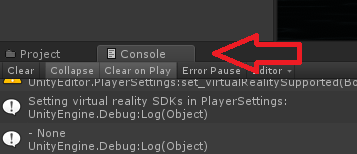
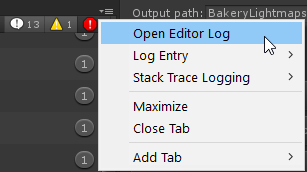

I'm working on adding the same amount of information to the world debugger in my tools but haven't had time to finish yet
wraith field
@random owl Thank you!!! That's what I was looking for
warm bear
👌
visual swan
what video player allows youtube links?
The ones i've found mess up the project in unity
vague obsidian
im trying to update a world that i have and when i try to publish it it just gives me the error that it could not optimize the file?, what can i do to fix that?
nimble echo
I am having a lot of issues with low pass filters, does anyone know the ins and outs of why they would and would not be working? This is frustrating me a lot.
bold ibex
I need help with a issue. In my avatar world for some odd reason you are stuck at spawn as if you are respawning a million times and you can turn ur mouse much before it resets to it oringinal position.
and idk why
pallid hazel
It might have something to do with your world floor height and respawn height
and if you have floor colliders
 real charm
hey, i'm learning how to make worlds with a tutorial, and it tells me to use VRC_playermods to alter jump, but it doesn't show up in the component list. Is it deprecated in SDK3?
bold ibex
good question im not sure
pallid hazel
Just use VRC_World prefab and link your main camera to it, it has an option to change jump impulse
This was added in SDK3
bold ibex
how do i make a mirror only reflect the player character
random owl
Only enable MirrorReflection and if you want to add other people also enable Player
 serene jasper
Anyone got any idea on how these video player screens are made? Main things I'm trying to figure out is how the video panel is split up into multiple parts and how that grid effect has been applied to the screens.
Screenshot taken in Club VGL of course
 mental iris
What do I have to set my mirror's to for it to reflect particles. I saw in a few world's it does this but I can't get mine to do this.
random owl
@serene jasper just the the same material UV'd around and that grid effect is just a special shader
serene jasper
Alrighty, thanks a lot
random owl
@mental iris I think they should be visible just from the Player and MirrorReflection layers but I guess they could be getting culled in some cases
mental iris
I'll have to keep playing around with them then. As I just click and drag em in and toggle switch it
It's most likely a setting or check box that needs to be on/off as I never really messed with there settings o.o
hexed elm
is there a way to reap a spawned kinematic object when it collides with a particle? OnParticleCollision isn't working for me
near escarp
Are the layers correct ?
reef sparrow
@near escarp If I want a local object to teleport to a location, do i have to use objectsync for the ability to rpc teleportTo? does disabling syncing physics and collision transfer eliminate the unnecessary network syncing that objectsync normally does?
near escarp
i have no idea 
past wave
so i was looking through the vrchat website and was wondering, what does adding a youtube preview id on your world do?
near escarp
You get the YouTube video embedded at the top of the page
Check luxerion world to see what it looks like
past wave
oh neat
 proven cliff
im making a world for the first time, is it ok to use sdk2 or should i be using sdk3
past wave
If you are just starting out, i would recommend sdk2, it uses the trigger system. however if you want to start learning udon then sdk3 is for you.
proven cliff
thanks
 vivid harness
im updating my avitar world and its crashing whenever it loads in? i made it on SDK2 and im not sure if its my bad PC or me breaking it somehow
 sudden lily
Is there a proper way to implement skyboxes with the skybox Unity component, or should I just go for a bigass inverted sphere?
vivid harness
oh i did it, you need a material with the shader set to skybox/panoramic and then basically just play around it. its easier to use a HDR with the image type set to 360 degrees
sudden lily
Cheers!
vivid harness
heres what mine looks like 🙂 just set up the material and put it in the skybox material slot in lighting
sudden lily
That did it, thanks!
vivid harness
np!
 flat trellis

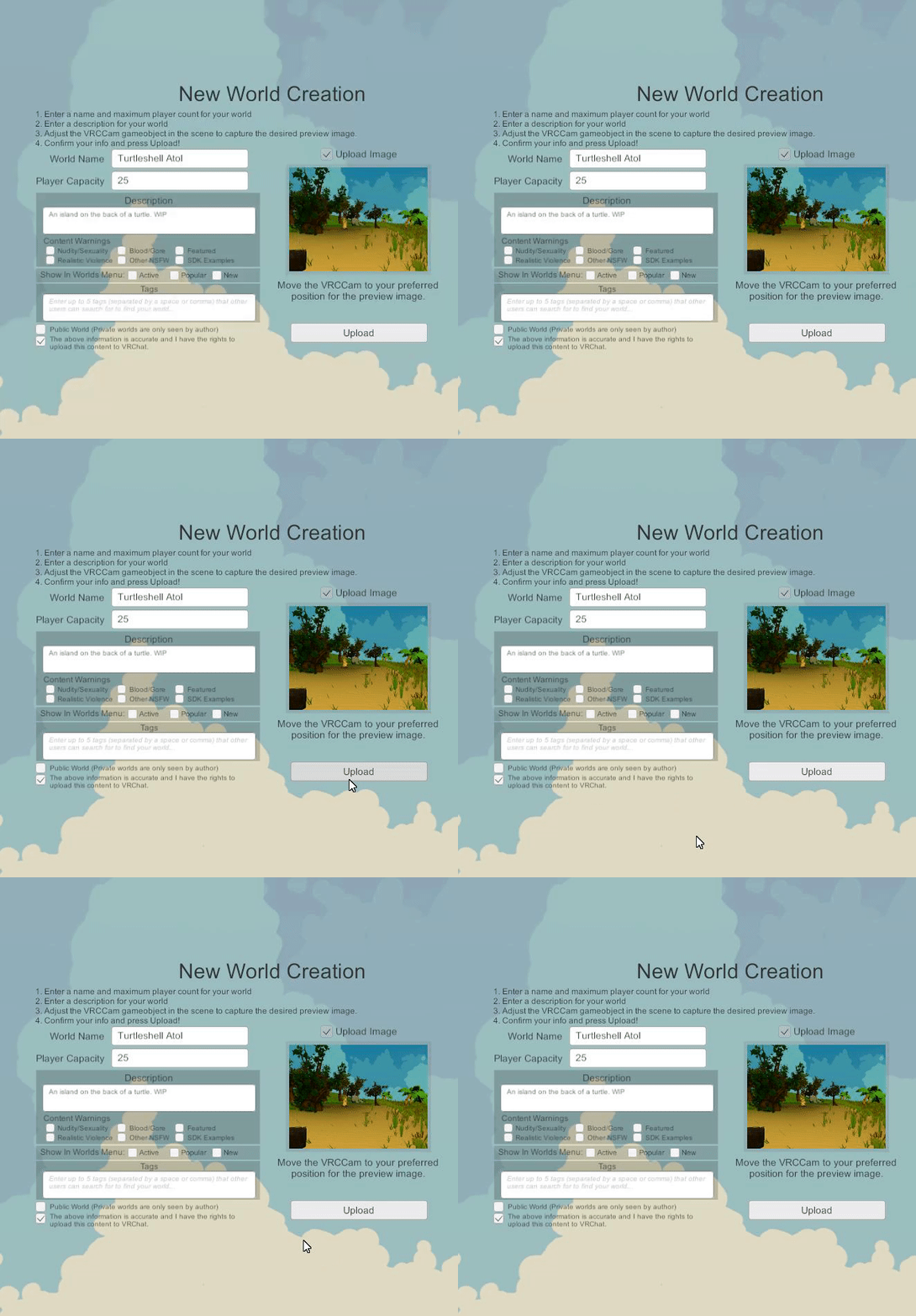


 queen orbit
How do I make my world for quest users
short forum
@queen orbit I would recommend reading all the information at this link. It will help you get started on making quest worlds: https://docs.vrchat.com/docs/quest-content-optimization
VRChat
Creating content for VRChat Quest is a challenge-- you have to create attractive, compelling content all the while keeping the content optimized for a mobile device. These are the same challenges that game developers must deal with while building for mobile. Here, we'll give ...
queen orbit
Okey, RIght now I have a song in my world that plays when I click on the button. Could I just add one more song so when you click it again the next song plays?
short forum
Im unsure if your able to do that. Ive tried before but never worked. Best option is to add another sound source and another button. Make sure that button also disables the other sound source so you dont have two songs playing over eachother