#world-development
39 messages · Page 31 of 1
 balmy gate
Maybe test from a new scene and bring stuff in one by one
If you have sdk code handy can you look at RuntimeWorldCreation.cs line 82 and see what is there
Maybe try updating sdk if you're not on latest
 bold ibex
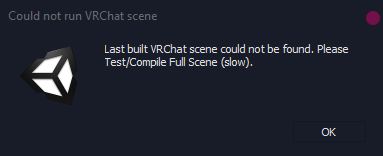
Is there any reason why an old scene would be being built and tested when I'm building a completely different scene?? I've (well, my friend has) detached the blueprint ID and even re-installed Unity, and it's still building a completely different scene in the project. How do you select the current scene?
Also, they're building it instead of testing it now and it's just sending him back to his home world.
 modern kayak
something is throwing an error, check the console
bold ibex
Hello everyone! I'm planning to finally start build my very first world, any suggestions? (please, correct me if I should post elsewere... kinda new here ^^)
I do have some experience (just not in unity, actually) on environment art, so I'm planning on something big (too much ideas for my first playable world but... nevermind...)
 smoky raptor
Is a scrolling texture something I can animate via script or will that require a shader of some kind? Just something super basic like a conveyor belt or flowing water that I can modify the world direction and speed of scroll. Google only seemed to return examples that involve scrolling relative to camera view, for avatars.
 jovial charm
Cant use scripts, but u could animate the material offset I believe, or yes you can use a shader @smoky raptor
smoky raptor
I don't script, by animate do you mean I can keyframe the offset parameter? That sounds easiest
jovial charm
Yeah
 lunar jolt
I'm new to the concept of "HDRI" is it possible to use HDRI textures in unity to serve as Sky boxes?
 supple drift
@lunar jolt Yes - but the cubemaps can be really large in size. If you're building a larger world where that becomes an issue, you can still use the HDRI for your bakes + swap to a tonemapped SDR version when you build/publish
lunar jolt
thanks
bold ibex
Does Post Processing Stack v2 still operate well atm? My scene doesn't wanna publish. Though it plays fine.
jovial charm
Yes it still works @bold ibex
smoky raptor
how do I select a property to animate? In the animation window I click on add property, click on something at random within the mesh renderer dropdown but can't actually select it as an option, it only highlights
unless I ought to be animating the textur from the material itself as opposed to the model
oh I see the property will populate once you change it with the record button active.
don't see any way to animate the offset of the material via the model though, and I can't add an animation to the material from what I see
bold ibex
Well, with PPSv2, I'm having a weird problem where, everything is fine, it looks good, I go to hit upload, and it justloadsreallyquick and acts like I uploaded but in all actuality, nothing uploaded.
supple drift
Any errors in your console?
 bright field
what should i do when trying to make my first world?
 near escarp
That is an extremely broad question
bright field
is there anything i should download first or can i just slap it together with the vrchat sdk?
near escarp
all you need is the right version of unity and the sdk yes
bright field
ok thanks
bold ibex
I found what was wrong. Yes there was an error but clearing on play was hiding it from me because it was only occurring during the build phase. Apparently post processing comes with a test directory that causes conflicts. I just deleted it, and everything worked fine.
Surprised no one mentions it.
 edgy ember
build your own lightsaber on the world, dantooine jedi enclave, releasing to labs soon
balmy gate
@bold ibex we need a resurgence of this meme. we all forgot about the ol' Tests folder
 random owl
No need to worry about it with 2018 though since you just get it from the package manager
balmy gate
Also I recommend turning off Clear on Play (3rd button in console window) because it can hide errors. Clear it manually before publishing
smoky raptor
Is there a way to soften the edges of an alpha cutout? It's so "all or nothing" that it makes any gradient in-between look awful.
near escarp
What are you trying to make ?
 blazing laurel
@smoky raptor method 1: enable alphaToCoverage. method 2: do alpha blend together with alpha cutout
 soft zephyr
When you look on VRChat.com, what does your world having a "heat" rating mean ?
blazing laurel
I guess it represents how popular it is recently, related to the number of visits
smoky raptor
@near escarp it's a general issue, but in this case I'm making a...trippy kaleidoscope thing. I'm using image textures with alpha for kind of a glowing, moving energy look and some of the textures just look mediocre unless I bandaid the issue with a higher emission level
near escarp
You could look for a specific shader
smoky raptor
yeah that seems to be the current solution. alpha blend under particles works decently, but I lose emission. Win some, lose some.
 silent gulch
Hey
for some reason, when I try and change the terrain paint it does not save
does anyone know why?
every edit done to the scene and terrain except for that works fine
 vernal roost
I need help of my world
I loss my direction light and my skybox after the upload
https://cdn.discordapp.com/attachments/527816097529987096/692968186596950116/unknown.png


 tranquil imp
Heya, so i just made this floating lift that takes you from point A to point B, it has chairs on it so users don't fall out. but iv noticed if the user jumps they get stuck on the roof of the lift while the lift is not moving. any ideas?
near escarp
@vernal roost https://docs.vrchat.com/docs/updating-the-sdk
VRChat
If you need to update your SDK, it is important that you follow these steps to ensure the update proceeds properly and you don't have any old/conflicting files. Simple Update Here's how you update your SDK. If you're just uploading avatars, you can use the following process: ...
vernal roost
ohh ty
vernal roost
still no skybox
balmy gate
@vernal roost can you open up Time of Day manager? What does it have inside?
Is that a script or is it an animator.
You must have a directional light somewhere...
vernal roost
I have no idea about script but I think this script doesn't get along with the vrchat scripts?
 stray sand
custom scripts cant be uploaded to vrc.
vernal roost
haa I see
balmy gate
usually people use an animator to rotate the sun around the world. You can have a moon object at negative z as a child so it will move opposite the sun
VRCSDK comes with a sample rotate animation. you can start with that
vernal roost
how about the skybox?
balmy gate
the Unity Skybox will automatically change color and move the sun with the angle of the directional light
if you want more, like stars at nighttime or custom cubemap, check the prefab database. There are a couple nice skybox options there to try out
nothing is going to be quite as perfect as your custom script probably is, but you have to make do with what you can
vernal roost
I see ty for the information
also this is not my custom script I just search "day and night cycle script"
modern kayak
it's still a custom script, even if it's not your custom script
this is the full list of allowed components on SDK 2 worlds https://docs.vrchat.com/docs/whitelisted-world-components
VRChat
The following is the complete list of scripts usable within worlds. Components that are not in this list will not work. Unity Components WindZoneVideoPlayerTilemapTilemapRendererTerrainTreeSpriteMaskParticleEmitterEllipsoidParticleEmitterMeshParticleEmitterParticleAnimatorPar...
 balmy relic
Oh my. Thats a lots of components.
 mental iris
Does the vsynch video player you get in the SDK just not function for VR? Coz it works on desktop. All the YouTube's in it's list load but when my friend tryed to see it it only displayed the grey screen. He waited like 5 min and nothing. Just wondering if that is a desktop only prefab or something. BTW it's local set and toggled if that matters.
Coz I play desktop mode and it's fine but he plays VR PC and he was saying I see grey nothing. Do just wondering if the SDK video player you get is one sided or not
If it is I might try to find a yt player that works on both sides
I have a feeling it's a desktop only prefab
😒
 fair panther
Hi, I am encountering this issue today - when I'm offline testing my world, after clicking "Go" when it loads, the whole screen goes completely black and stops answering. I have tried disabling random things that I thought could cause it (such as zero proximity to an object when interacting etc.), but I can't find a fix. Other scenes work for me, so it must be an issue within my scene. Had anyone faced a similar issue? Thanks for any answer!
 rain shadow
@fair panther Does the game stop responding or is the screen just black?
fair panther
@rain shadow The game stops responding and I have to close it through the task manager
rain shadow
Try disable objects that have triggers and test again
Also what unity version and what things do you have in that scene?
fair panther
@rain shadow I found the issue, it was one of the models, I deleted it and it works - it must be some collider/prefab issue, I'll closer into it. Thanks for help! 🙂
rain shadow
Any components on that model though?
fair panther
I think it might have been a mesh collider when I clicked "convex" on it. That was also when my unity froze - but I didn't worry about it cause I thought that was random
I also only added the collider on an existing prefab - maybe I have to add it before I make it a prefab
rain shadow
Oh, yeah avoid using mesh colliders on models with high tri counts
fair panther
yeah, so just to be sure, I'll probably do a box collider 😄 thanks!
jovial charm
@mental iris it's not desktop only
mental iris
then its proly him. i just tested it on my vive and it worked. ironic you said this legit 2 min after i tested it XD i was seriously starting to think it was one sided but then i also thought it cant be as its directly from the SDK so it has to work for both

i dont know why i had that thought thats just silly
 solar dawn
How check if menu button was pressed?
Both, vr and desktop
jovial charm
Lol yeah, theres sometimes issues with people being able to see video players and stream players @mental iris
bold ibex
Hello everyone! I have a rather noobish question. I've made a world with objects in it that are toggled by a button. The button simply activate and de-activate the game object. But it appears as if their status is not synced with the status on the other people who join the world at a later moment. How do I make they status synced even for late joiners? With the usual VRC_Object Sync?
Do note that these objects that are toggled are static objects, and there are quite a few of them (12 to be precise), so maybe it's overkill for the Object Sync? Is there any other way?
It's probably something super simple, I know ^^
solar dawn
Well syncing for late joiners is kinda buggy in vrchat
mental iris
i have like 100+ toggles and triggers that shut things on and off. i also do everything local so that its per user. global triggers are a problem for late joiners coz there desynched
bold ibex
So there is no way to sync them? Not even with Object Sync?
mental iris
i dont think there is
this has been a recurring thing with vrc. late joiners not being synched is something that is yet to be actual fix to be resolved. i doubt object synch will even do anything effective if your doing always buffered/ global triggers
ive never did anything global so i dont really have these issues XD
bold ibex
Ok, thanks for the help. I guess I can add a "turn everything off" button to be triggered for later joiners so that everything is back in sync again for everyone.
^^
mental iris
but yeah thats going to be a issue no matter what you do. its a bug that will proly be corrected later on one can hope
synching problems are touchy thats about it
50/50 hit and miss
bold ibex
I can see that now lol. I have no problem with syncs when all the players are there at the same time, but late joiners have issues. I good "reset" button will fix that tho, so that's what I'll do. Sad that such a big bug it's not fixed yet, but what can you do XD
mental iris
yeah if all are on the instance there good no errors will happen or world malfunctions
its only gonna break for late joiners
one day that will be fixed
hopefully XD
rain shadow
@bold ibex There are multiple ways of syncing it for late joiners
If you would prefer not to use the "reset button" method I can explain
rain shadow
Alright give me a minute I'll make a reference prefab
easier than explaining lol
So you would set the game object you want to toggle under both the MasterOn/Off triggers
then you can have anyone activate the first trigger
bold ibex
Wow, thanks a lot! I'll downloads that as soon as I get home and take a look. You probably just saved my world ^^
rain shadow
If you aren't super familiar with triggers my explanation might seem vague so feel free to @ me when you have questions about it
 raven holly
jovial charm
raven holly
jovial charm
@bold ibex are these pickups on the objects u have object sync on?
bold ibex
@jovial charm no, both the trigger object and the object that is activated and disabled are static objects.
jovial charm
Okay dont use object sync on them
Since they dont move dont need to sync them, the triggers will do the syncing for if there are enabled or disabled
bold ibex
Ok!
So, thank to the amazing prefab of @rain shadow I think I've found out where my issue is. As I said, I'm a super newbie with this, so I didn't know exactly what the broadcast type do lol.
My triggers have AlwaysUnbuffered, and by watching the prefab I'm starting to guess that is the issue right? I should put AlwaysBufferOne, right?
bold ibex
Great! AlwaysBufferOne broadcasts the state of the operation "toggle" as well, right? Meaning, that if the toggle is "on", it will set it on for the late joiners and if it's off it will set it off for the late joiners, right?
Again, sorry for the noobish questions lol
jovial charm
But dont use object sync with alwaysbufferone, or u can cause oversync I believe which is bad, and yes it will
bold ibex
Yeah, I felt that ObjectSync was more about syincing it's cordinate rather than it's on-off state, so it felt wrong to me as well. I'm glad I had the right feeling about it lol
So, now I can't test it, but I'm 99% positive I've found the solution to the problem. Thanks a lot @jovial charm and @rain shadow for the help! ^^
 vague pasture
might be an easy question, but how do i make a world public? some friends wanted to add it to there favorit so i wished for it to be public 🙂
 buoyant hollow
submit your world to community labs, there is a checkbox for that in the upload screen
@vague pasture
bold ibex
asking for a friend, why would avatar lighting not show in a mirror but lighting shows on their shaders not in the mirror? happens with multiple avatars, the lighting in the room just isn't registering on avatars in the mirror
random owl
Realtime lights are disabled by default in mirrors because of how badly they perform
Bake your lighting properly (add light probes those light up dynamic objects) or enable pixel lights in mirrors
 slow prism
Anyone can help-me?
The mirror on my world don't reflect any water
Basic, water 4, advanced, simple
i already activated reflect layers for everything
slow prism
yes @jovial charm the water inside Enverionment package on unity
jovial charm
they may not work properly in vrchat, try using silents clear water shader
 barren ice
I'm not sure what this error means. I'm trying to make my UV lightmaps and this is the first time I've even seen this
bold ibex
Hi guys, how yo make a head followable ???
bold ibex
odd issue with sdk all of the sudden, the only thing I've done is switched to a glass shader MKGlass, and the sdk no longer let's me open the control panel even though it's still there as an option?
switching back my materials doesn't seem to do anything, all i see in the console is an error that says "Could not fetch fresh config file. using cached if available."
seems like a networking issue, maybe on my side? but maybe not, just checking
 viscid summit
star - believe vrc is going through some issues atm? another discord i'm in is all having a "please check your internet connection" error
oh, just noticed general is full of it
 sinful hinge
Idk if this is the right channel but im kind of struggling to open up the sdk control panel on unity to update my world
 humble lance
everyone is
sinful hinge
Oh, so its a problem all around?
 fair compass
ye same issue here
 wraith ruin
How do i put grass in my world without it creating thousands batches?
 bold ibex
hey guys, need help with a friends world
hes kinda stuck
this is what he sent me "Unity isn't letting me test the new version of my world. When i click to test offline, it always puts me in my old version which is several hours old for some reason. Any ideas ? When bulding the test world it doesn't even show any loading progress as if i didn't do anything , yet i clearly have a ton of new assets in the hierarchy."
just wantd to post here to see if anyone can help us
he has a very nice world
rain shadow
He would need to check for errors in the unity console tab
its likely failing to build a new world asset file due to an error
bold ibex
i will relay that message to him
thats all he sees but he said hes had that since the start
its just not uploading the new world, only the old one. at this point he is considering uploading it again but it will make everyone have to readd the world etc
 lyric yew
shader issue id say
what are you using
i either go standard or unlit/texture on pictures in wrlds depending on the look i go for
lyric yew
ah
bold ibex
for the map itself, didnt know it could effect the pictures
bold ibex
current poiyomi i think
lyric yew
i dont know much about it personally though, i just use it for scrolling effects and whatnot
bold ibex
v5.2.0.3
lyric yew
just try changing just the pictures to unlit/texture ad see how that works for you
bold ibex
okayyy..
lyric yew
sorry, i just dont know much about the poiyomi shader enough to help troubleshoot it
@bold ibex have your friend clear the console and click the play button so it will generate fresh errors if there are any, anything marked red can and will cause upload issue. I had the same issue once before and its been so long i cant remember exactly how i fixed it, but it is definitely caused by an error preventing a proper build. He could also try saving his project and scenes and restarting unity
bold ibex
hey i appreciate the mention, we might think its just the apis that are messed up but i will send that message over
lyric yew
its not an api thing
 midnight adder
Does anyone know the common issues when adding prefabs?
theres one prfab when i add it builds but does not load in offline preview
bold ibex
Still having the pink pictures issue... reee..
midnight adder
my wold works when i remove that pefab, anyways to find a fix?
bold ibex
I got my pictures working! I just need one more thing. i need the mirror to match the map reflection
 sterile flame
is anyone here interested in VRCon maybe? essentially it's a convention being put together, kinda similar to Vket but more for events and community having fun, with that convention feeling that shader fes, VRAA and VKet produce. we need some more world builders so if you're interested in a large project with some super friendly people, just let me know directly and we can work on the details.
 worthy linden
Can anyone tell me why when we create a world we can't jump?
jovial charm
@bold ibex select the pixel light option in the mirror
@worthy linden u have the jump mod enabled in your world?
worthy linden
idk how can i see dat?
jovial charm
add the vrc player mod component and set to isplayermod and add the jump mod @worthy linden
jovial charm
how high u can jump
 blazing berry
#EnigmaBar
barren ice
I'm late posting this because I was busy. ;-; I did set my Index format to 16 bit for my lightmap UVs, now I'm getting this error
near escarp

Unity Forum
Hi, I'm making a simple editor extension that saves a file to the Assets folder (.wav sound file). It all works fine except that I have to get out of...
What about those meshes, are they in a prefab ?
barren ice
No they're not in a prefab
near escarp
what about their path, are they just objects in your hierarchy ?
barren ice
Yeah, though i'm not sure why it looks like this. Main is just the building, and lights is just lights
soft zephyr
How would I go about teleporting objects to other objects? Such as creating a box with a collider that, when an object is placed down on it, will teleport that object to this box, giving it a more proper alignment.
worthy linden
how can i make the youtube thing ?
 quasi tusk
what is the highest unity that can allow me to upload worlds without using beta?
 kind linden
The highest (and lowest) is 2017.4.28f1
balmy gate
@bold ibex Please do not use the pixel light options in mirrors. Instead, please bake your lighting. See #world-lighting and check pins for a good tutorial by Silent.
@jovial charm Checking pixel lights option can cause 3x the number of drawcalls and it can take a decently performing world with pixel lights to a complete laggy hell. You use vertex lighting for a reason.
@bold ibex You should make sure to be using Standard shader on world objects. A common cause of bad lighting in mirrors is using an avatar shader (usually an old version of one at that) instead of Standard.
Again, while Pixel Lights may appear to fix the issue, it creates a whole set of performance problems that you really don't need.
Therefore, it's not good to suggest that option, and rather advogate for fixing the root cause of the lighting issues, namely usage of the wrong shaders and/or not baking your lighting.
jovial charm
ah good to know thanks for the info correction @balmy gate
it was just what i was told about from other for fixing it for someone else, i personally have never had to do that lol
bold ibex
curious, if i want far distance range on voices but i don't want them to be super loud, does near need to be set higher? or is maybe the lowpass filter the answer here?
near escarp
gain is what makes voices louder
bold ibex
true lol, why i didn't think around that, idk, just wanted to explore the other options and make sure i was configuring it a good way, i guess a gain of 5 and a near of 2 should solve it a bit
near escarp
Near of 2 won't make any difference on a 400 far FYI
bold ibex
ah, okay, just working with a maze here that's rather large and i want people to have normal volume across that range without being super loud on top each other, so i guess the gain should fix it fine ^_^
 ashen meteor
Anyone know how to fix the null object error
 rapid bone
Im having some issues with the teleport player action. It seems to just lift me up until I hit a collider rather than teleporting me to where it should. This only happens with OnAvatarHit but it works fine with OnInteract. Both the hit and interact work on the current version of VRC but not in the beta. Does anyone know anyway to fix this?
 urban oyster
Am I blind or is there no documentation on the vrc special layer script?
 fleet nova
Hello, I'd like to make a map with water related theme and was wondering if someone knows how I could reproduce this effect on underwater ground.
balmy gate
@fleet nova RED_SIM's water supports caustics. Might be worth a try:
The feature you are looking for in general is called caustics
while some features are free, underwater caustics may require patreon subscription... up to you https://www.patreon.com/posts/32252234
$5 is pretty cheap for what you get IMHO
 vague cedar
The world that i wanna use for a project (classroom v.1) was almost perfect except for the videoplayer which shows the video behind the board, so i just wanna remove the object(the board)... is that possible?
bold ibex
do shape keys affect the mesh colliders in unity. such as having a bridge extend with shape keys and the mesh collider adapts to it?
 empty umbra
Tomorrowland Coming Soon To Disney Wishes!!!
empty umbra

random owl
As it says there it's only used in deferred, vrchat is using forward rendering that setting does nothing
 frigid estuary
so even if the camera is set to deferred it wont work?
random owl
Deferred is bad for VR as it is, and you can't change how vrchat runs
frigid estuary
alright, thanks!
smoky raptor
Any idea what my audio sources are playing as if they have infinite range? I messed with the bounding boxes and volume and no dice. probably something obvious I'm missing, right?
 past sorrel
I’m having some trouble uploading maps. It doesn’t seem normal that it only takes a second to upload and I can’t access my map. I’ve tried removing the SDK and install again
I’ve tried updating another map and it’s just plain not updating at the server end.
I’ve also tried future proof and nothing either
Avatar uploads are normal though
bold ibex
@smoky raptor do you have the slider for 2D/3D all the way down to 2D? (on the audio sources)
@past sorrel that was happening to me because of using post processing and not deleting the test directory, but it could be a number of things. any errors in the console when you go to upload with clear on play unchecked?
past sorrel
Two delegators in existence.
UnityEngine.Debug:LogError(Object)
VRC.Core.UpdateDelegator:OnEnable()
I'm not sure if this affects it
and this Destroy may not be called from edit mode! Use DestroyImmediate instead.
Also think twice if you really want to destroy something in edit mode. Since this will destroy objects permanently.
UnityEngine.Object:Destroy(Object)
VRC.Core.UpdateDelegator:OnEnable()
bold ibex
i think the unity engine ones are normal but i'm actually not used to seeing the vrc.core one. click it and read the info panel below it might show more information.
past sorrel
that's the full info there
But avatar uploading is fine
That's why I'm kind of confused
it almost seems like vrc server side is rejecting world uploads
bold ibex
could be, it was like two days ago doing something similar when servers were down.
past sorrel
Yeah and this all started two days ago
Haven't been able to update since
but I also installed something that caused the SDK to go havoc
I uninstalled it and re-installed SDK
that's why I'm not too sure it's the server or not now
bold ibex
when you re-installed the sdk, was every checkbox checked?
bold ibex
just checking because my friend deleted them, too, and when he re-installed it, for some reason, it didn't override his sdk, it just replaced a few things.
made no sense but sometimes it's weird.
past sorrel
well, at worst I might just start another project and try.
It's gonna take hours to re-import everything lol....
bold ibex
yeah, i'll try to look up that error for ya on google and see what i can find.
past sorrel
thanks, I tried that and nothing really popped up.
bold ibex
yeah you're right. damn.
even searched in here, two other people had that issue but no one said anything in response to them.
obvious question here, but you're on 2017.4.28f1 right
past sorrel
Yeah
bold ibex
yeah thought it was worth asking, but like, i only have that issue/behavior out of the upload when there is a typically sneaky error that usually gets cleared between the build phase and the upload phase if clear on play is on or if it's not, it's up a little bit. but if there are no other errors then, i'm at a loss, idk.
past sorrel
yeah thought it was worth asking, but like, i only have that issue/behavior out of the upload when there is a typically sneaky error that usually gets cleared between the build phase and the upload phase if clear on play is on or if it's not, it's up a little bit. but if there are no other errors then, i'm at a loss, idk.
@bold ibex I’ll probably try a clean project then. Thanks
smoky raptor
@bold ibex Yeah, that fixed it. Thanks. Find it a bit strange that audio sources default to 2D
bold ibex
is it have water shader support Oculus quest?
kind linden
Custom shaders are allowed in worlds for quest.
kind linden
yes
 jovial island
how long do i have to play to be able to post a world is that i already made a world and i can't post?
kind linden
To reach 'new user'(the ability to upload private worlds) you need 20-40 hours, to reach 'user'(ability to upload to community labs(others can play)), you need a lot more.
near escarp
Silent water shader or red_sim's water shader if you can spend a bit of money
bold ibex
Wondering, does distance dithering have a similar effect as occlusion culling?
 tranquil hill
HI guys, was was wondering, it says that i need to play a while before i can build my own worlds.. how long do I have to play? Currently I have logged over 500 h in VR chat
( 500h was a joke ) but my intention for now is to build a test room just for me where i can invite my 3d artist to check the room. I wont be pushing anything live for now as i have a lot of new assets i want to build. Will this also requier me to stay in VR chat for an extended period of time?
modern kayak
500 hours should be more than enough to have upload permissions. But it needs to be a vrchat account, not a steam account. Steam accounts have the random letters/numbers at the end
modern kayak
You can adjust the layers that the mirror shows. Make sure the water is on one of those layers
balmy gate
Mirrors use the water layer by default so maybe try water on environment or something?
Directional light needs to show up in the mirror
 earnest anvil
isthe mirror showing the skybox?
maybe you have to show that.
idk if the water is part of the skybox.
you can also try adjusting the mirror settings so that the "Reflected Layers" show everything to see if it'll appear.
 remote summit
How do i see how big something is going to be in VRChat when i make it
 sacred blade
I'm trying to get my vrc_chair to outline properly, I've put this object inside of the object that has the station script. So the thing is the outline works perfectly, the entire seat is outlined, the thing is the outline only pops up when I'm focusing a very small area in the middle of the object... can someone tell me how I can make it the whole seat pop when I hover any part of that object? (that body mesh is my whole object)
balmy gate
@sacred blade the click area is determined by the size and shape of the collider on the trigger object
The visual is determined by the mesh renderer
So it's just two separate things
Also you cannot use a mesh collider for the trigger, so don't try that
Just make the box collider bigger
You can edit the size of a collider on the collider component. No need to scale the game object because that would mess up the size of your mesh
sacred blade
damn thanks a lot! spent so much time on this tiny detail already q.q. I'm using ur dual skybox shader, thanks for that as well ^^
balmy gate
Let me know if something isn't working well with it or you want any other skybox features hacked in :-p thanks
earnest anvil
I want to add these markers into my world.. but when I put it in. Its all darken cuz of my environment. But I added a light in the room but its not being affected by it.
I dont know what to do.
 rigid nymph
i keep getting this null referance exception message causeing me to not be able to upload my worlds, any advice on fixing it?
near escarp
VRChat
If you need to update your SDK, it is important that you follow these steps to ensure the update proceeds properly and you don't have any old/conflicting files. Simple Update Here's how you update your SDK. If you're just uploading avatars, you can use the following process: ...
rigid nymph
bruh
 random sage
hey, how do you update a world instead of uploading a second copy of it?
or can you not do that if it's not published
also how do you delete a world
rigid nymph
i dont know if you can just update a world but you can delete the old version and upload the new version
go to the vrc sdk content manager tab
random sage
I read on the help site something about being able to update your world and keeping all your stats etc
rigid nymph
i didnt know you could do that
random owl
Just upload again and it updates the old world as long as you haven't changed the world id in the scene descriptor
random sage
ohh ok
thats why, I opened a different scene
ah and theres the delete button :D
thx guys
oh where is the world id? not seeing it here
rigid nymph
updating the VRCSDK did not help my issue
 mild spade
@random sage It is in the pipeline manager, looks like this.
MR Mora, something on your project is not letting the SDK install properly. Do you remember adding something to your project since it started happening?
random sage
you might wanna delete that pic squall I can sorta read your id lol
but thank you :D I'm blind
rigid nymph
nope ive removed some meshs but other than that i havnt done anything @mild spade
rigid nymph
i didnt import anything else since the issue started happening
one of my other failed maps had the same issue
mild spade
Try pressing PLAY, then see if any red errors appear on the console tab,
mild spade
Do you have a lot of assets in the project? Something somewhere is causing problems to your project. Usually a bad script, or shader. It is nothing wrong with the SDK. The easiest is to determine what you added recently, and delete it. Other way is to create a new project, install the SDK first, then move one asset at a time until you find one that causes the SDK to fail. (will take time)
rigid nymph
is cubed unity shader known to cause this issue?
mild spade
Not if you got it from an official source. but that shader will not be compatible with future VRChat versions, so it is recommended to update to something else.
rigid nymph
i see, ill try those solutions, thanks squall
mild spade
Hope you find a solution.
random sage
Is there any way to make the position of VRCCam persist through builds? Or should I just copypaste the position etc to reuse when I need it
balmy gate
@earnest anvil If objects using Standard shader, such as pens, are dark in your world, that indicates a problem with your world lighting.
There are a few common causes for this:
-
You use a custom skybox but have not baked your lighting: Any skybox other than the default will have a completely black ambient light and reflection probe until you bake. Also, check that your skybox color isn't set to black. Unity will sometimes reset the color for no reason.
-
You are using shaders other than Standard for world objects, such as floor, walls or other objects. Many shaders designed for avatars do not implement the META pass, which is necessary for baking proper lighting.
-
Your lighting is poor for another reason, for example using realtime lights.
I would ask also in #world-lighting if you are stuck, but first step is make sure you use Standard on your world materials and bake a skybox (turning Auto-Generate Lighting off can make this step more obvious)
a common mistake is to use a shader such as Cubed Flat Lit Toon or Poiyomi on world objects. However, those avatar shaders were not designed to be used on a world
 open thicket


i'm trying to achieve draping kudzu plants
but the standard fade option doesn't look very nice underwater through the water surface shader
are there alternatives where it can still look the way it does (bottom) and not have the kudzu show underwater?
I know this is possible through trigger work but I'd like a shader solution instead
 graceful panther
https://imgur.com/a/RditOIl Been working on a new level since yesterday, got a lot of fun with vertex painting (more pics in the album)
 bold ibex
i just messed up somewhere pretty bad in unity and activated something that allowed me to adjust my selection's pivot, put a tiny box around the gizmo's center and now i can't figure how to recenter it, does anyone know what that is or how to recenter it?
any object i select in unity has the gizmo offset this much
graceful panther
At the top of unity you have a button to switch between pivot and center
bold ibex
it's not that
graceful panther
Oh
bold ibex
i figured it out, i had hit one of those weird options that no one hardly ever uses i guess, the one two to the right of scale
pretty cool never knew what it did
uhhh nvm
it's stuck
it's doing this
and when i move my cursor it follows my cursor
restarting unity made it fix itself, but idk what that was. would love to know, because it seems to allow you to basically change the pivot point of objects in unity which i didn't know was actually really possible with a hotkey.
bold ibex
I'm experimenting with the combat system. When a trigger gets entered by a layer, and that trigger is moving, does it have a maximum speed at which it no longer gets triggered sometimes? I found that the slower they move the more likely they are to work, and when they're going fast, they seem to not really do damage at all to the player.
I'm hoping this isn't really the case and I'm missing something else entirely.
Also, do sphere colliders work reliably with this system, or should I just be using box colliders here?
My unity keeps closing when i try to upload world?
Is it giving you a crash report?
I'm just wondering if there is anything wrong here. I'll upload a screenshot of my combatsystem component as well. These objects with the triggers on them rotate around in a circle basically, at varying speeds based on how far out they are. I'm expecting them to hit the player and do damage. I'm finding that this isn't the case.
I mean, I had it set to 50 damage at first, but this sometimes insta-killed me, sometimes did nothing. Now it's set to 5, so it doesn't insta-kill me, but it doesn't even appear to be doing damage, as I tried running into it like twenty times.
yes its giving me a crash report, but i can still upload avatars fine
mental iris
Access violation error is probably what your getting
Just keep forceing it to post, eventually it gives up and uploads
I don't know what causes that but it's one annoying thing in unity
bold ibex
Alright. I worked on this world for 4 days, it is frustating lol
mental iris
Alternatively you can try to find out if there's anything in your world that might be cause it, such as bad script or deprecated prefabs nolonher used or read by vrc or supported
When it happened to me I just force it to accept it
It will crash 50 million times
But it eventually gives up and let's it Post
Coz I know that nothing I have is old or deprecated
It's unity itself being shit plain and simple
It's a program that works when it wants to
Being that aggressive is not something I recommend
bold ibex
Yes that's true but I'll see what's up
mental iris
But if you are 100% sure that your projects is good and there's no reason for it to do that, then be forcibe
Otherwise see if there's something making it crap out
how i found out what type of error it was, i looked at the logs from where it said it was and saw it say that and looked up what exactly that is. its basically an invalid unauthorized process call unity made and the server rejected it. causes are a multitude of things all pointing to source aka your project, so yeah its proly a prefab it something if its nothing then force it. just dont be that way 24/7 XD
bold ibex
haha okay, thank you so so much!
mental iris
this also happens on other games with similar ability's
this occurs on anything unity if unity does some stupid call to a server its gonna be like that
what exactly causes it is a complete wonder but it could be a few factors. one being the project or one being unity it self
dont feel bad 2018 does the same sht '
im useing that on a different game and i get the same nonsence
XD
bold ibex
Welp. Forget Combat System. Buggy. Just going to have it teleport you when it runs into you. Kinda lame.
mild spade
Did you try using different avatars? I heard that some avatars with rigid bodies break the combat system. Not sure if it was fixed or not.
bold ibex
Well, that's just more reason to avoid it I guess.
rain shadow
@bold ibex Try add a rigidbody component that is set as kinematic to the collider that has the trigger on it, that should make it detect properly
bold ibex
Interesting, I'll give it a go. Thanks!
That didn't work either. Is it because I'm holding a pickup?
rain shadow
What are you trying to detect?
bold ibex
PlayerLocal layer.
rain shadow
And detecting it with what?
rain shadow
And that collider moves to the player?
rain shadow
How large is the detection collider?
bold ibex
A little larger than me.
rain shadow
You could try change the layer its checking for to be the mirrorreflection layer
or change the trigger to OnAvatarHit
bold ibex
Will try. Thanks.
Hm, actually, I just thought of something. When I had this at least half-way working, the object on which the combat system was on was enabled by default. It's now toggled on. So it starts off, off. Do you think the combat system needs to be on an enabled object by default upon intialization perhaps? I'm going to give that a try first. That would make sense, I think, maybe.
rain shadow
Can't remember exactly but I think having a disabled combat system causes some weird issues
So either you have it enabled or dont have it at all I would say
rain shadow
Which change fixed it?
bold ibex
Enabling the combat system by default.
rain shadow
Ah alright, cool that it was an easy fix then.
bold ibex
Was an oversight of mine, anyway. Kinda forgot to move it to an object higher up in the heirarchy.
worthy linden
Does anyone know how to put YouTube TV on vrchat?
rain shadow
@worthy linden https://github.com/ziritsu/SyncVideoPlayer_iws or https://github.com/MunifiSense/Hangout-Player
GitHub
Contribute to ziritsu/SyncVideoPlayer_iws development by creating an account on GitHub.

GitHub
Basically the video player in Hangout House for VRChat - MunifiSense/Hangout-Player
mental iris
I use the default vsynch pre set vids into it. I don't like the streem ones they never work
Do these work better then the iws vsynch or whatever there called?
rain shadow
@languid mason Under the VRChat SDK window in unity there is a tab named content manager, you can delete from there
worthy linden
@rain shadow thank u
 north parrot
Can you add a pickup script to non skinned mesh (mesh filter) objects? I tried but now I crash on load of my custom world, which before I could enter just fine
mental iris
If your crashing then I assume no you can't
north parrot
The thing is, I take it back off and rebuild and it still crashes
north parrot
Nm.. I figured it out.. turns out there was more than 1 prefab and I guess I wasn't quite all the way to the root of it
north parrot
Anyone know how to fix objects you can pick up but are invisible.. the real object stays in place
north parrot
I see... oops.. thx a bunch
The option isn't checked
I clicked the drop down on static just to be sure but it says nothing
rain shadow
I don't know of anything else that causes that
Did you test a new version and does it still happen?
rain shadow
You can use the test build option
rain shadow
If you want to do local testing in desktop you can unplug your headsets power cable
mild spade
Is the collider and VRC pickup on the same gameobject as the mesh renderer? A picture of how the hierarchy looks on the object will help
mild spade
Try removing the mesh collider and add a box collider instead.
north parrot
Ok
It builds in like literally a minute so I'll know if it works in a ... minute lol
Nope
Still invisible
mild spade
Show me the hierarchy (left side, where you select the objects) And highlight the object you are supposed to pick up. Maybe the issue is how it is parented.
north parrot
It isn't parented to anything.. but I just realized that its automatically checking static when I push build
So I watched my build this time and its unchecked for sure I'll see if that does it
I see.. I set it on the prefab but I also have to go to every single object and uncheck static
The one works now
wraith ruin
So is game like murder 2 impossible to make unless you are an admin?
past sorrel
Anybody knows what this mean? I can’t use those trees?
Also problem I realized from my last issue, the SDK is not building scene. Anyone experienced this issue before?
Ok I know what’s going on. That tree is causing the issue
I still want to be able to use that tree though...
 round cradle
is there a proper way to make a Mesh Skybox render over Fog?
 modern scaffold
Is this still Unity only?
kind linden
Yes
modern scaffold
Also, are people using normal maps in their textures?
Thanks for the quick answer!
Finally, is there a specific poly limit, or any good resources on how optimized I should in terms of poly count, texture size, etc.
I'm trying to get back into this after a long hiatus and I'm not sure where to start 😅
kind linden
I don't thing there is for PC, but for quest there is 50k tris(polys), and there is also a 50mb limit on quest.
modern scaffold
Ooof, ok. Quest, meaning oculus quest?
kind linden
Yes
modern scaffold
Great. Thank you so much!
kind linden
Actually, the 50k tris is a recommendation, the other is a hard limit.
modern scaffold
Do you know what size texture map people tend to use? Or is it all just up in the air
kind linden
It's up to you
 zenith trellis
@modern scaffold It depends what you're texturing. In unity you can downscale them later, so I tend to do all 2048, and then degrade them more or less depending on how much you need from them and keeping the build size down. That's just for tilable surfaces. For items and smaller details, you want to use an atlas map with objects commonly found together in the same map. So you don't want a whole bunch of maps for every single object. Having a single atlas map, means a single call for all those objects.
Also, you can try say a 1024 diffuse with a 512 normal map for some surfaces
modern scaffold
@zenith trellis Thanks for the info! Is there a texel density you tend to work toward for your maps?
zenith trellis
Yea, about 2-3 meters for 2048, is that what you mean?
It depends if you're doing a small room or a large open space.
To answer your earlier question, yea I use normal maps.
Use lots of instancing, plan your map to use occlusion culling, and tweak the maps for your baked lighting. My map is well over 50k and runs buttery smooth.
modern scaffold
Awesome thank you for the tips! @zenith trellis
 sullen wren
Hey there, i don't know if this is the right channel for this but i just uploaded my first world to the Community Labs and would love some feedback and Improvement ideas for it.
I've been working on it for a bit but it still feels like something is missing.
Thank you in advance 
 sharp turret
Does anyone knows how to put youtube video player
where you can put links stream in game
please help
 narrow violet
hey! can someone explain me how to use audio mixer in vrchat world?
supple drift
It gets overridden in the client last I checked because I believe they're using the audio mixer to do their user volume controls so you have to manage your gain staging per audio source unfortunately. I'm not sure if this will be changing with Udon/SDK3, though
 woven condor
@sharp turret - check pinned msgs - Fionna has a list of asset with excellent youtube player
wraith ruin
Is it possible somehow stream world camera to a display? I have this podcast room, now i'm just pointing the stream camera to my screens in my world to get 4 different video feeds out.
Murder isn't made by the vrc team
@rain shadow Murder 2 has admin_game tag.
random owl
That doesn't mean it's made by vrc
That means it's marked to be shown in the game row
wraith ruin
Ohh well then it is possible to make.. I just cannot figure out couple things how they are made..
random owl
I mean with udon it's a lot easier to make what murder has
sharp turret
which one should i use @woven condor
woven condor
tbh i cannot remember what i used - make a local test with two or more and choose one 🙂
was only two last ime i look at list
 lethal ravine
What causes ownership of an object and for who?
sharp turret
help my map loads pink
published
and need to load again then can enter the world
how to fix this
lethal ravine
Well pink usually means no materials on objects, if its all pink its something affecting everything. Is it all pink or just specific objects?
Also take a look at VRCWorld , dynamic materials
 raven plank
Anyway to send the audio from 1 videoplayer to multiple audio soruces
I feel like im missing something and this should be possible
had a look through previous questions and doesnt seem like there's a solid answer
seems like the only way is to have multiple video players all synced?
which sounds like an awful idea lmao
open thicket
Do new worlds have to be ported into 2018 now
 ornate turret
only if you want to update them
most worlds should work fine in 2018
without needing an upload
 dusk sapphire
hmm looks like master local trigger broke, did they add a proper master local trigger type in 2018?
near escarp
Check first !!!
dusk sapphire
sync stream video players seem to have no audio for me on a bunch of different video sources, but works for a friend of mine, wonder if its something wrong with my win10 install?
bold ibex
Realtime reflections show my controller UI and tooltips, are these on Environment or TransparentFX by chance?
near escarp
@dusk sapphire master local trigger revolved around a bug which was fixed
dusk sapphire
aw, is it no longer possible to do a master local now?
near escarp
@abstract plover Would know best
balmy gate
@dusk sapphire triggers seem to work fine in my testing
do you have a world showing the problem
 nimble echo
this is the 2018 update it would seem.
balmy gate
ok i didn't test with two players. is it always saying "Master"?
dusk sapphire
bedroom theatre, i'm using the master local trick via audio bank, though i havent reuploaded to 2018
balmy gate
ah, I see. I use the MasterLocal prefab from the database
nimble echo
just to confirm, I can indeed use sdk3 and people can see it without being in beta, right?
dusk sapphire
more concerning for me is that i cant hear audio on sync stream video players
balmy gate
Udon is now in what we’re calling “Live Alpha”. This means that you can now make things with Udon, upload them to VRChat, and share with the whole world. That’s what the “live” part means.
SDK3 is only for Udon
dusk sapphire
but it works for my friend so i can only assume its an issue with my win10 install
balmy gate
SDK2 is not for udon. Use SDK2 if you have trigger based content
there are two different types of worlds. they are completely different
you can make Udon-based (SDK3) or you can make Trigger+Standard Assets-based (SDK2)
nimble echo
but my question is, does SDK3 include SDK2
balmy gate
no, they are separate
read the announcements about it. During the beta testing period, you were not allowed to install both in the same project
so you need one project for SDK2 and one project for SDK3
nimble echo
I see
so SDK2 and SDK3 are entirely separate and one does no include the other, rather they are like separate forks
 queen ferry
Having an issue where avatar podiums aren't working
balmy gate
This is in a world you uploaded? is the avatar ID correct? is it your avatar?
queen ferry
yeah The podiums are on, but VR users can't click them. Only Desktop
 loud storm
anyone know how to fix triggers on buttons? i have 3 buttons in my avatar world, they control the Mirror, Music and Lighting and they are all Local OnInteract Toggles. When I go into the world since the update dropped, music is automatically defaulted to off and so are the lights. When I hit my lights button, the button for Lights disappears but the Lights turn on. None of the other buttons disappear when I interact with them.
By default it should be lights on and music on but they both keep defaulting to off when I enter the world on VRChat
rain shadow
@loud storm What version of unity did you upload the map on?
loud storm
2018.4.20f1
rain shadow
And you did update the sdk?
queen ferry
If anyone's on Vr wishes to check my podiums, please leme know. This is pretty important as almost 20 avatars are "locked"
loud storm
was there a change to Triggers suddenly that i am now unaware of?
near escarp
Screenshots of your setup would help
loud storm
which parts do you need screenshots of, the triggers on the buttons?
queen ferry
who was you asking that too?
near escarp
@loud storm The way your triggers are setup on the components
loud storm

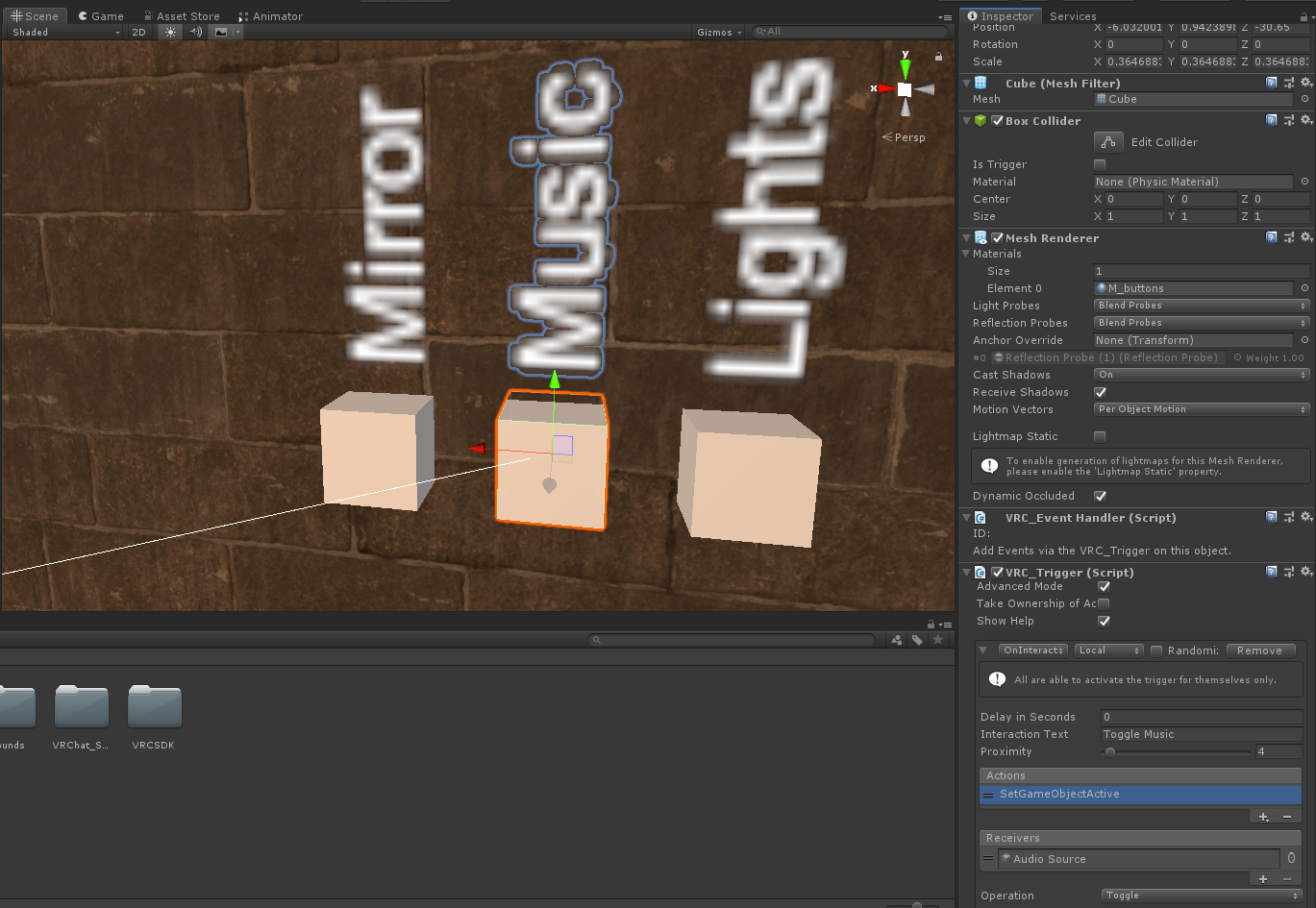
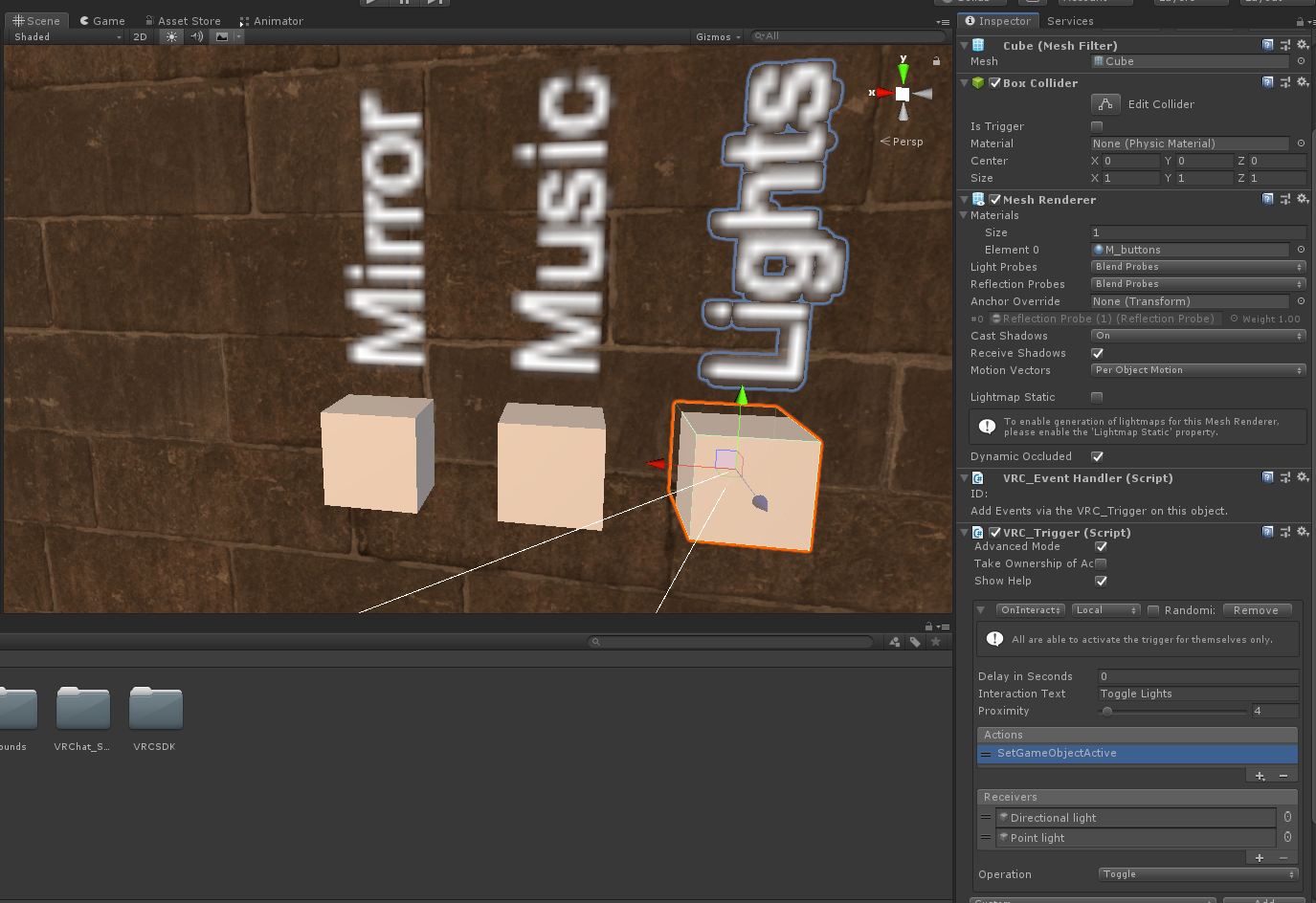
those are the 3 buttons, they're all set up pretty much the same except they just toggle on/off different parts, worked fine in 2017
near escarp
is your world public ?
queen ferry
Mine is. The podiums are weird for Vr. x,x
near escarp
What do you mean by podium ?
queen ferry
The avatar podium. Vr users can't access a ton of them.
loud storm
yes my world is public, ive fixed the issue of the Light button randomly disappearing though
queen ferry
least in my world.
loud storm
its just now my next issue is why are my Lights and Music defaulting to disabled when I enter the world
near escarp
@queen ferry it would help to have a canny and know which ones they can't interact with
queen ferry
hm, ok. I think it's the first 2 rooms with them but I'ma go and check.
Mind I get the link? And should I put the world's ID or the link?
 burnt pollen
so since the update, my world reversed to an older version and i cant update it to the newest again. I uploaded it, but it doesnt change.
near escarp
@queen ferry Yes pls, and pictures/repro steps
loud storm
i'm trying a different method in the Triggers right now to see if that has any effect
never mind, changing it to SetComponentActive breaks it completely
past sorrel
so since the update, my world reversed to an older version and i cant update it to the newest again. I uploaded it, but it doesnt change.
@burnt pollen make sure nothing is conflicting in the console
queen ferry
I have no idea how to reproduce it but sure. I know I've been on the canny before but I forgot how I found it and will need to be pointed back to it please <,>¿
loud storm
eyy i fixed my issue
for some reason Post Processing 2 was breaking it which was really bizarre
reinstalled PP2 and set it back up and the entire world is fine now o.o
supple drift
@queen ferry https://vrchat.canny.io/
Give feedback to the VRChat team so they can make more informed product decisions. Powered by Canny.
 sacred warren
Anyone aware of an issue with triggers disappearing from prefabs?
They've disappeared from all my portal prefabs for some reason.
 glacial skiff
near escarp
glacial skiff
near escarp
@idle ruin this is the world development channel for pc
 idle ruin
Kek
queen ferry
I got a world of pokemon trainer avatars, @idle ruin . Just launched.
idle ruin
What’s it called
queen ferry
Pokemon masters.
 undone stone
my unity is not letting me update my world
queen ferry
If in VR, there's an odd issue with the podiums, mind
idle ruin
It’s fine
queen ferry
Lastly I have Red in the world. Gotta find him~
lethal ravine
Well I didnt even notice we got that big ol update as I updated my map. Few things are broken now but really not so bad considering all the changes. One thing I'll say is holy moly the network is so nice now. I've been making a PvP map and the slight delays were pretty bad but right after the update a lot of stuff is sooooo smooth now. Idk all what got changed affecting old maps but its a very nice improvement at the core
queen ferry
Oh just noticed he was on quest... I should see about seeing them up for it as they are all under the limit
open thicket
mesh compression
and certain shaders and projectors
seem to have been affected by the update
as a plus though
certain animators have been fixed
terrain lighting i think has been affected slightly
yeah terrain lighting normals have been affected significantly in some of my 2017 maps
audio sources for ambient 2D sound have also been affected as well
trigger functions seem to work nicely though
certain things like mesh colliders on things that have mesh compression on them seem to be disabled
open thicket
what are you trying to do
 tropic smelt
trying to avoid that is all
teleporting has always looked like the player just being really quickly zooped to the destination
rather than actually disappearing and reappearing
so I just don't want people to hit a collider that's between the the origin and destination
a trigger collider
modern kayak
That interpolation was only visible to other players. For one, there's never been interpolation locally so you go right through objects. And two, the 2018 update removed that interpolation for remote players anyway
tropic smelt
perfect, thx
balmy relic
Is the a way to disable the culling in the scene view in 2018. its kind of distracting to have object disappear.
 left kettle
Just to confirm, animation sync is not enabled/working yet? Because my bullet hells do depend on it.
For Udon that is.
sacred warren
I'm wondering if this is tied into the triggers on my triggers having disappeared...
sacred warren
Primarily the "not initialised in time" and no, I'm not using SDK3, this is SDK2.
left kettle
Ah, I am unsure of then.
sacred warren
Pretty sure the triggers wouldn't exist if I was in SDK3.
sinful hinge
The sdk isnt working for me on the android version of unity. Only the pc stand alone
And im using the new version of unity and sdk2 but when i convert it to android the whole thing crashes
 stone garnet
videoplayer not auto playing even if set to it, known bug or just me?
modern scaffold
Are there guidelines for hallway, doorway, and ceiling sizes?
Like, how wide should a hallway be to comfortably fit people, how big a doorway so that normal avatars can fit comfortably through
 lyric canopy
Video player just stays on a black screen for me. Does anybody know how to fix this?
sacred warren
So this is SDK2, any ideas what is even going on here? https://cdn.discordapp.com/attachments/629302253768933376/695054448493330432/unknown.png

(this is when you build the world)
near escarp
Did you open your project in 2018 before replacing the sdk ?
random sage
newb question, how do you delete a material from an object?
near escarp
set material to 0
random sage
where?
balmy relic
My stuff seem alright. after the migration
random sage
ohh under mesh renderer?
woo that worked ty
oh also, is there any convention for which direction north is?
balmy relic
I think your suppose to replace manually the sdk file in your project before open it in 2018
random sage
isn't y the vertical axis?
sacred warren
@near escarp Me? This project has been in 2018 since November.
near escarp
And it just happened with this latest sdk ?
bold ibex
I wanna die ngl
sacred warren
@near escarp Yeah, the one from today. The previous one seemed OK although not all my triggers were firing properly. I'll roll back and see what happens.
(previous one being from... yesterday or the day before I believe)
bold ibex
So I can still use the old sdk in 2018? Thank god, because I’m taking courses on video editing.. I didn’t need one for scripting too lmao.
random sage
hey how do you make "build & test" launch in desktop mode instead of vr mode
left kettle
I think the "On Particle" triggers for SDK2 aren't working anymore? My new bullet hell map which utilizes it for the guns and so forth aren't working anymore. Still testing to see if it may be due to other issues.
One thing for a start however is how the guns you can use in the world to collect crystals, are definitely colliding however-- the custom trigger that's suppose to fire off upon collision, aren't sending.
 smoky oriole
@random sage http://secondstrife.com/vrchat-vbs/
script for launch test from unity in no-vr. instuction included
near escarp
@left kettle If you could check/make a canny for that issue that would be very helpful
left kettle
Will do!
queen ferry
I'll get you that cannery tonight ruuubick. Had to goto work. I'll use a video instead of photos. Could be easier
random sage
@smoky oriole works perfectly, thanks! 😃
 harsh pivot
So I just wanna ask
How do you do post proccesing whit this update?
Doesn't work on my world anymore
left kettle
I've made the Canny for the issue!
https://vrchat.canny.io/sdk-bug-reports/p/new-update-on-particle-collision-broken
@harsh pivot
I just re-imported mine and it worked for me. I believe there's a specific version though you have to use if I remember correctly. Correct me if I am mistaken.
tropic smelt
do UI canvases need to go on UiMenu?
I didn't change anything on it, but I suddenly can't interact with it
after upgrading from 2017
sacred warren
Is it possible to take a world down temporarily, e.g. make it private?
 azure idol
I suffer from somekind of the same problem. The guns, I use are not able to kill players by spawning a damageparticle anymore. But the colliderboxes that i use, "OnEnterTrigger, Local, AddDamage to Layer PlayerLocal" do work. So i assume the CombatSystem isnt broken but the OnParticleCollision truely dont seem to work? Interesting is the DestructableStandard objects I use register the particles from the guns and they do break from it. But players dont seem to suffer from any damage from my damageparticles that should spawn on contact "OnParticleCollision Layers: PlayerLocal and Player". 🤔
@sacred warren On the VRChat Webside. You should find your world under the worlds tab. If you click on it you should see it on the right "unpublish".
sacred warren
Will that cause it to go back into community labs?
azure idol
Didnt used it before. 🤷♂️
harsh pivot
Is it an specific version of Unity or the Post proccesing stack?
left kettle
@harsh pivot
You go to window > Package Manager, then it should show up there.
The Post Processing.
azure idol
I run into a problem that objects that are visible in unity are not visible in vrchat. If i connect them to a trigger. I can manually activate them, but i still wonder why they not showing for me right away? Someone have an idea? 
sacred warren
No other ideas about my cascade of errors then? I was finally thinking I could put the world live now that 2018 is live and this happens... geez.
It's like everything trigger related is just completely broken
 willow narwhal
Just made a fresh project in unity and for some reason it's not letting me import SDK2 as it keeps prompting me saying "Failed to import package with error: Couldn't decompress package". Would anyone be able to help?
azure idol
you using unity 2018.4.20f1 ?
willow narwhal
Yes
azure idol
sdk. 2020.04.01? ;o
willow narwhal
Yes, that's the one I am trying to import
 grave mesa
Anyone have any fix for this 😔 https://i.imgur.com/XTO0yuX.png
 mental iris
I didn't change my SDK and it still functional
It seems this new one is busted
From what I hear
sinful hinge
I have the same problem
Except it wont give me a reason
And the unity 2018 just wont work with both of them
sacred warren
mine throws 400 nonsensical errors and i have no idea what to do
mental iris
So if you already removed it and trying to get SDK2 going then your fkd till it's fixed that or your files are conflict. Has anyone successful updated to SDK2 or 3
If so how?
sinful hinge
So your telling me i shouldnt of deleted the orginal sdk in the first place?
mental iris
You should of seen if it still works XD if it didn't then changed it
Mine oddly still works
sinful hinge
Both of the sdks wouldnt work in the new one for me
willow narwhal
So I guess we wait for a fix or an update?
 late ether
Is that normal that every time I'm testing my world (SDK2) it's taking 15 minutes because it's "compiling shader variants"?
mental iris
It normally takes 5 min if your world is big/has a lot of stuff
sinful hinge
It crashes when it starts reaching textures. And its only on the Android version. Its like a crash bug in the sdk
Well for me it happens when you start switching to the android platform
sinful hinge
Yeah the quest has been crashing a bit more
But its weird because everyone else is updating it for quest more easily than i am
And i already reinstalled everything its just the sdk
mental iris
I don't do quest stuff. All my world's are PC rank XD desktop and PC VR. I didn't have issues move to unity 2018. The "old" SDK before update works still however I have not confirmed if it's actually working. I'd need to see if my content is there
Stay put till they fix the SDK
bold ibex
my worlds got fucked
sinful hinge
Yeah idrk if its just me tbh
mental iris
I hope y'all backed up all your stuff before update anything XD
 proud grail
Why the hell would we do that this is a hobby not a job
sinful hinge
If someone else wants to start up a new project and put it on the android system then import the sdk and see if it happens with them to please
I wanna see if its just me
sinful hinge
Ye i already did lol
mental iris
I never update shit till I make a full copy of everything as is
sinful hinge
Lel
sinful hinge
But ye can someone do that process as well and see if its just me?
willow narwhal
I just got SDK3 to work!
sinful hinge
For unity?
mental iris
I would but I don't make quest content x.x and Android platform I assume is the quest VR content 😫
 cyan pike
it is
sinful hinge
Well yea but i just need help to see if its just my side
You know
But i understand
willow narwhal
I first used a zip programme to extract the .unitypackage file which creates a folder. Open it and you will see a file called "archtemp.tar" and changed the extension to ".unitypackage". I then went into the Unity > Assets > Import Package > Custom Package then selected archtemp.unitypackage. Then it will do its thing and add the SDK.
I don't know if it will work for everyone, but that's how I was able to get it working
willow narwhal
Back its still a unitypackage file and yes I know it's not for avatars. I can see if I can do it for SDK2 or if someone is already doing that then I would love to know the results
mental iris
Ah all this is confusing. If you didn't change your SDK from 2019 and it still works leave it alone do not update it to ether untill it's fixed as it seems alot of ppl are having issues with it
If u did update and it works good
willow narwhal
Well it seems to work, then again I have actually done anything yet other than load it up. I will make a new project and see if I can SDK2 to work with the same I did for SDK3.
willow narwhal
I plan to do stuff for the PC
sinful hinge
Ah
willow narwhal
Why do you ask? Just curious 🙂
sinful hinge
When ever i try and upload the sdk to quest thats where it crashes me
Like switching the platform over to android
willow narwhal
Weird, Never done platform changers before and I bet it's a pain in the backside
sinful hinge
You normally just go up to build setting and switch it to android
Its only a pain bc you have to wait for it to change everything
willow narwhal
Ah I see
sinful hinge
But its really big now since the sdk only crashes unity when its switching to android. I feel like its something with the textures because thats what its been stopping on
Like i think i have to go through and actually remove a few files from the sdk i downloaded then import
willow narwhal
Welp, good luck with that
mental iris
Are you simply trying to update it with older files present or doing it fresh?
willow narwhal
btw Ayanami, So I just imported SDK2 onto Unity 2018.4.2f1 and it seems fine. I did get a handful of warnings but nothing major
mental iris
Ah ok
willow narwhal
I don't suppose you could give it a try and see if it works for you?
mental iris
If it's just warni gs and you can upload your things they can be ignored of it's serious it will be red
I'm debating on whether I even should
Coz if it's no good I have world's with fk ton of triggered events and really no mood to fix that number
Of them
willow narwhal
I didn't get any serious warning from SDK2 and SDK3 when doing this. I reckon it's a good work around. But I can show you what warnings I got from the SDK2
sinful hinge
And it just crashed again
willow narwhal
Oh, I must of forgot to get rid of them xD
mental iris
So it's windows ONLY
willow narwhal
Indeed
mental iris
And since I PC build
I only get throw errors coz I have teleport to areas outside map
But nothing like that
But I ignore it as it don't really effect the world's or game in anyway
I'm still waiting and debating
On if I should use sdk2
From my current 2019 (SDK before this update)
willow narwhal
I'm just happy that I got both SDKs to work, especially when I came on to ask for help and ended up solving it myself xD
mental iris
As far as moved to unity 2018 that was no issues at all as everything I used is support in 2018
Only 4 avatars broke coz there shader is nonger accept in 2018
So that's an easy fix
But SDK is required and I'm afraid to full on update that
Should leave it as it is till this is stableized
willow narwhal
Have you backed-up your work?
mental iris
Naturally
With SDK in it ect
I copied it's legit directly
Into a zip
Somif I had alot busted
I had the state of things saved beforehand
If I ever needed to ever down grade to 2019 last version
I technically can coz it was captured in backup
👍
I'm gonna wait a bit tho
Just my gut tells me that I should wait a bit
I mean I can try it. If things are destroy or really messed up I can downgrade it ASAP from backup

I still also have unity 2017 so xD
But no need for that as my migrate was okay
willow narwhal
I mean what if you started a fresh new world like I did to test to see if the SDK works and imports properly and then maybe give it a go on your actual world? If you have completely backed-up everything and have a completely safe copy then I think you should give it a try
OR... find a world/project file using an older version of unity that isn't yours (like just a plain test map) and then import the SDK2 and update the world to the new unity
Anyways I am gonna head off to sleep. It's been lovely talking and I guess I will come back later. Goodnight
near escarp
well no, that's how udon works lol
queen ferry
I'm about to get that canny up for you finally Ruuubic~
queen ferry
pins?
tropic smelt
sir you only need to press the spacebar once
 clever lotus
@queen ferry
clever lotus
can i call you
queen ferry
no
clever lotus
well
sacred warren
Seems you can't private a map, you can only unpublish it and if you do that, you have to go back through community labs to make it live again. Fucks sake.
And these errors I'm seeing MUST be VRChat specific because Googling them finds literally nothing.
But now the 2018 channel has been deleted, so ... so what now?
queen ferry
my controls are all messed up wtf.
 chilly shoal
Looks like world capacities are now enforced for other than public maps now?>
sacred warren
World capacities didn't change based on type anyway?
chilly shoal
They didn't. But we used to be able to bring as many people in as we wanted in a friends or invite map
regardless of capacity
 solid helm
I think it was 2 * capacity
mild spade
@queen ferry Your Index controllers are not working? (finger tracking) Are you seeing the VRChat logo and name when you open the SteamVR Menu? while playing?
queen ferry
The thumbs work, but my menu is on "B", turning (R stick) turned my emotes on and off..
Oh and no? I don't think I did?
I was recording som'in for ruubic so I didn't think about it
chilly shoal
bogus report
somebody blowing a whistle when they're dumb
Overcapacity still works
mental iris
ughhh ok ill try the sdk2 and hope for the best coz i realy want to fix the avatars that broke -.-
i have everything alredy backed so i shuld be fine
 sacred zodiac
Replacing the old SDK with SDK2, is it the same process?
Like delete the VRCSDK.meta, the plugins folder, and even the SDK itself?
sinful hinge
I tried the old SDK and it didnt work again
mental iris
what is this error in the new one (so glad i backed up everything first )
Assets/VRCSDK/Dependencies/VRChat/Editor/VRCCachedWWW.cs(31,5): warning CS0618: UnityEngine . WWW' is obsolete: Use UnityWebRequest, a fully featured replacement which is more efficient and has additional features'
yeah im just gonna stick to 2019
fk it at least that was functional and worked
is that even an warning to worry about or what :/ i was just fine no ! or problems thats why i said stay on 2019
v.v
sinful hinge
The 2019 sdk wont work for me either
mental iris
but im glad i have it backed
sinful hinge
Its gay rn
mental iris
so they killed it off
they want you on this one
ughhhhhh
i dont have time for this
im going to wait till its fully functional and fix the then
 junior cloak
https://niyah.eu/i/67460.png
Always nice to change the unity version.
 mental iris
you know wht since i freggin code for a liveing
im gonna re do my own freggin thing wile i wait
make a game as exe
dont report a bug to unity infact dont log into unity period
just use it if you can coz that sht traps you in weird shit
anyway nice update non functional sdk and no one can make content right now XD at least the unity it self isnt fkd up at least for me just trying to get a working sdk
azure idol
well i managed to get the guns working again on the other hand i got hundred of erros that ,,the obeject was not in time,, or somewhat like that. And random meshes are disabled ingame that i see in unity just fine.
bold ibex
Everything will be just fine
azure idol
i can toggle the objects on but they should appear right away unity 2017 didnt drop a single error on that map. So now the golden question why are the few gamobjective disabled ingame but not in unity 
i agree... everything will be fine. hopefully 
bold ibex
Ya it's all just an April fool's joke
mental iris
fk off
bold ibex
Lmao
mental iris
FK off bot seriously not in the mood
all my shit is broken thanks to this god damn update
v.v
 outer crane
Does vrchat support timeline?
azure idol
i mean i am fine to spend a good amount of time repairing it i am just lost where the problem could be.
and if its an issue i could fix right now or should i rather wait a bit and hope a hotfix will get these weird issues fixed
 hybrid mica
anyone found a way fix this yet? https://i.imgur.com/XFDJEZY.png
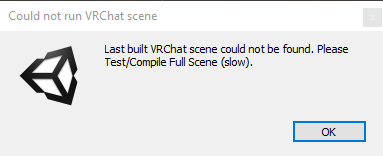 mental iris
one world was completely destroyed anotherone im gonna flatout remove anyway but thats not the problem the problem is all my triggers are fkd coz mouse cursor prefabs are gone
and lord forbid you try to re add it and all hell breaks lose
in unity
gonna need to back port to the older one where it had it and swap it for a probuilder cube
or unity cube and hide them like i did the cursors as they were way points for the teleports
bold ibex
Ree
azure idol
i hope some wonder will happen and tomorrow everything will be fine x.x
mental iris
fkn brillant update like yey -.- at least i can fix my avatars ok but my worlds? burh...
azure idol
i am not sure if we cant fix our worlds, i believe we can but we dont know how yet.
mental iris
im sorry i realy am everyone but when you put that much work into everything
junior cloak
@hybrid mica lol hi my unity just do not start anymore on my end
I wanna neck myself wassup
hybrid mica
yo niyah my wont build i love this new update XD
junior cloak
I had to remove bakery and the SDK from the files itself for it to start
and now the new SDK won't even show the build panel
:D
after 3 restart and a computer restart my build control panel show up poggers
i don't understand why but hey.
now to bake the light again
 brisk aspen
so my suspicions are correct and VRChat ruined old worlds?
near escarp
Do you know which ?
junior cloak
Nah, it's just a pain to transfer from the old unity to the one we're using now.
 gusty epoch
Heyo, I was wondering if the VRChat 2018 changed how you add jumping on talking to you're world can't find VRC playermods
brisk aspen
My jump mod is still active, however I can’t seem to test my worlds anymore to check and see if everything is back to normal.
near escarp
@gusty epoch If you're using udon, yes, you need to add jump through nodes
hybrid mica
ruu do u know why this problem happens ? https://i.imgur.com/zzDSu9J.png
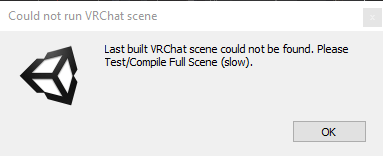 near escarp
@hybrid mica that is console errors
@mystic wave Do you have VRChat installed on your pc
 mystic wave
yeah
near escarp
Are you up to date on SDK/unity
mystic wave
yeah using the new one
near escarp
Are there any errors in your unity console ?


 near escarp
Did you revert to default ? You could also try to select vrchat.exe in the windows prompt
mystic wave
i tried routing the path to steam folder but that didnt work either
or the exe in steam folder i mean
near escarp
In unity or in the windows prompt ?