#world-development
39 messages · Page 29 of 1
 split magnet
 near escarp
If you want the teleporter object to be an interactable then no, it needs to be an OnPressKeyDown
split magnet
so not a "walk into Teleporter" thing than... its a "use Teleporter" thing
What if there are two people in the world and one person triggers the Teleporter can one make it so that the teleporter object makes itself inactive after a certain amount of time so that two people can TP with the same teleporter object?
 sand fossil
my trigger stop the current video but wont clear and add URL to play the next video
https://cdn.discordapp.com/attachments/361741445352259584/684985099598692365/576f7a083690cd4684cb588020392e12.png https://cdn.discordapp.com/attachments/361741445352259584/684985135241887748/dfcbc432e9d1cf87d529256232c867b9.png

 split magnet
OnKeyDown .... which one is the one for my motion controller
it appears only to show keyboard ones
 cedar nebula
I read up a bit, are you trying to make it a physical button in the world that you press to summon the teleporter? Because for that you'd just use OnInteract. OnKeyDown is for pressing a button in real life and have it do something in-game
 bold ibex
so nobody knows how to convert a .map file from halo to something I can use in unity?
split magnet
and than i walk through and than its erazing itself after a while
bold ibex
there's no programs or anything?
cedar nebula
Mephy you can probably use Blender, though you might need some kind of add-on to be able to import a .map file. It's definitely got to be possible though
Hex I'd use OnInteract on a cube to then SetGameObjectActive the teleporter. If you haven't yet, look through the vrchat docs on triggers
https://docs.vrchat.com/
VRChat
split magnet
reading
 hollow estuary
any tips how to make this ball actually bouncing when it hits wall ?
i want to make it bouncing natural like irl
 modern kayak
bounce and friction is controlled by the physics material. Make a new physics material in your assets, change the properties, and assign it
bold ibex
So, my video players have stopped working in all my worlds
does anyone else have that issue?
Im running on Unity 2017.4.28f1
here are the settings I used
 random owl
Sometimes youtube changes things on the backend so youtube-dl which is used for the video playback in vrchat stops functioning, best way to see if it's just your world or not is go see in other worlds that have youtube videos playing.
random owl
I'll give it a look as well to see if it's just your computer or actual backend changes
It's also possible to manually update your youtube-dl.exe in the game files
Hmm seems that on my end youtube videos are working fine
So somethings up with just your vrchat
Could just try this option in steam settings to see if that would be a easy fix @bold ibex
If that doesn't work you can try using youtube-dl from the command line and see if it throws any error on trying to load a youtube video
 frigid estuary
Is it possible to activate different running speeds in worlds with triggers?
near escarp
@frigid estuary https://twitter.com/CyanLaser/status/1184340419309494272


Not sure when it was fixed, but we can finally change player mods at any time in a world. Hopefully people will use this for proper asymmetric game play. I can finally remake my Freeze Tag world. #VRChat https://t.co/2yLBJjzxcj
Likes
145
 Twitter
frigid estuary
Twitter
frigid estuary
@near escarp Oh cool! Do you make different gameobjects containing the mod component and activate it or somehow different?
or is there a way so that you can directly change the values inside the component, also wondering if it is possible for local only
near escarp
the following tweet in the thread explains the method
bold ibex
is there an easier way to animate visemes? like with an audio clip?
 bronze smelt
On the live version you got bake it into a animation. With Udon you can do it without doing that, but no idea when it's coming out.
 tawny heart
One free way to bake it is by using the oculus lipsync plugin to animate visemes with audio and record it to animation with unity runtime animation recorder. Keep in mind it's gonna take some time to setup everything properly and you need to cleanup the animation to remove unused visemes and ideally any keyframes with 0 values. The good thing is the accuracy of the lipsyncing as long as you have clean audio without backgroung noise. The size of the animation wont be small however. 50 seconds of animation will be ~6,5mb after cleanup.
Also just make a new project for lipsyncing in newer unity version like unity 2018 or 2019 lts.
bold ibex
hey guys i have a serious question. i cant find a single avatar thats african american. im black and would like to be black in game as well anyone know any avatars?
near escarp
Might be worth commissioning someone directly if you need something specific, there's the VRCTraders discord in #community-servers-old @bold ibex
bold ibex
thanks
 hexed elm
anyone have a link for QV pens?
random owl
You should find it by just googling the name
hexed elm
yeah i got it. doesnt seem to be working for some reason
im booting up the test build and i dont see anything
as far as markings/ink go
random owl
I think it needs standard assets imported to work but since the texts are in japanese you might have missed that

This collection of assets, scripts, and example scenes can be used to kickstart your Unity learning or be used as the basis for your own projects.
The package includes:
 First Person Character Controller
Third Person Character Controller
Car Controller ...
thank you!
 lethal ravine
So my world has essentially become two projects as I expanded it. I'd like to separate the two but I'm new to Unity. I am a little worried I'll mess up my server side world or local files. What is the best way to proceed for both my local files and creating a new world on the servers for the second map? My base thought it delete all of the first world parts, change the pipeline and do save as a new project but I'm nervous.
bronze smelt
Create two folders, keep anything that belongs to that specific world in one folder. Then anything shared between them in a shared "Resources" folder
Then just make a rule for yourself that any shared materials don't get edited unless you're changing both worlds
 pliant trail
Hey guys. I'm new here so sorry if this has been asked, but I'm trying to add a url insert option in a world I am making and I can't seem to figure it out. I've been searching the web for the last couple hours trying to figure it out and I can't find anything helpful. I already have the screen and everything set-up, I;m just trying to add the option to type a url in and have it play on the screen. Can anyone help me out? Thanks.
 balmy gate
You want a video player? There is Hangout Player and iwaVideoPlayer. Both should be in the prefabs database (check pinned chat messages in #world-development )
pliant trail
I will thanks.
Wow. Thank you for pointing me in that direction. This is going to be a huge time saver.
 potent trail
anyone have any links that could explain ways of interacting with post proccessing threw UI... the normal way doesnt work XD (droping a slider adding post to it the drop down doesnt give any means of changing values)
balmy gate
@potent trail For dynamic post processing controlled by an animator, make another global post processing volume (assuming you have v2 post process) with just what you want set differently... set weight to 0 or 1 based on how you want it on by default. Add animator (uncheck it) with a animation clip onto the new post processing volume.
If you want to control the Animator directly from the slider, then make the animation set Weight to 0 at time 0.0 and Weight to 1 at time 1.0 - make sure to set the curve to linear or pick a curve that works well. Also make sure Loop Time is off on your animation clip! (You can also choose to make the slider use "Whole Numbers" and then make your animation clip do something at time 0.0 ,something different at time 1.0, time 2.0 etc to achieve an integer effect)
Now for the UI Slider. In On Value Changed (), add two actions with the new Post Processing Volume:
- Rebind()
- Update [in top dynamic float section]
Also, for all sliders in your world, always set Navigation to None and make the canvas have a huge margin around the slider. Otherwise the click will get stuck and it will change randomly as the user walks around the world.
potent trail
Okay thanks that actually solved a lot of problems i had in general ❤️
 cyan pike
anyone got some decent grass settings for unity terrain?
sand fossil
@limber grove Hi, Do you think it could be possible to have a talk with you? I have few question that I really need help with
 barren crescent
Help me !! I uploaded the world, but why is it the same world?
cedar nebula
Check your unity console for errors and try to resolve them. It's probably a bad script, deleting it will usually fix it
 zinc nacelle
hey guys build a big ass chillroom but now i can't even place a cube, it doesnt show up in the testrun, anyone got an idea why?
 young garnet
I am new to unity so no sorry. I would also like to ask if thre are any video players I can use to play videos I have downloaded on my pc or anyway to share my screen? I want to make a small cinema in a house I am building and I would like if I could make it so either the owner or a selected person can stream movies they have downloaded.
Any idea would be a huge help, also if there is not such thing a kind of screen that u can just serch stuff up and play videos or whatever would be good for the time being.
near escarp
@zinc nacelle Can you post a screenshot of your unity window pls
 cosmic field
where can I get ahold of post processing? The videos I'm watching on it are using some that are not available from the unity assets store now
zinc nacelle
@near escarp I think it works now again, and I didn't change anything, it was almost like the test function was bugged out
near escarp
You can Google silent post processing @cosmic field
cosmic field
I've set up the exact settings that is on the silent post processing site, and my lights look the same as they did before. I've added color-grading and bloom
I set the lights up with regular unity emissions, by watching this video https://www.youtube.com/watch?v=VnG2gOKV9dw&t=1s

In this video we’ll learn a bunch about lighting and use it to light a simple scene using the Progressive Lightmapper.
● Get a discount on The Complete Unity 3D Game Development Course: https://www.udemy.com/unity-developer-course/?couponCode=YTBRACKEYS999
● Download Room + M...
how do I get the bloom to work correctly?
These are the settings I have for it
near escarp
make sure to follow the steps in Silent's guide
cosmic field
I don't know if this is really required, but whenever I open the link, it just brings me to this
and it continues to go on
cosmic field
For the sample profile
near escarp
No need, you created your own
 red shard
Could someone help pls D:
AssetBundle names "structures.1" and "structures" can't exist in the same build as "structures.1" has the variant.
I can't find file/material/object like that.
 stray sand
@young garnet the best way would be to load a mp4 file being hosted somewhere. If you want to try and stream directly from your computer you can take a look at this. https://docs.google.com/document/d/1xHS0ATiOKCro00ZlePGEGjyraqTNsM_V5cCwbiG86Ew Did some research on streaming stuff.

Google Docs
Jetdog8808 Twitter: jetdog8808_dev Patreon: jetdoglabs Discord: jet#9481 2/29/2020 Vrchat stream player information This is just to cover some information I looked into for Vrchats syncvideostream component. Recently I saw on discord people questioning if you could stream ...
young garnet
Thank you so much. I cant believe you looked that up for me heh.
@stray sand Thank you and I will take a look. Its the 1st week I got in to unity and world building so I am noob. I will look it up just now
stray sand
its a paper i recently put together so its fresh in my head.
young garnet
thx :3
If that can work for me I am staying up XD O want to see it working I am exited
red shard
Could someone help me? Problem still there
 short jacinth
Just a quick question. What layer on mirrors reflects nameplates?
stray sand
uimenu i believe.
short jacinth
Thanks!
frigid estuary
Is it possible to use displacement mapping/textures in worlds for vrchat?
cedar nebula
If the shader supports it then yes
frigid estuary
Oh ok, thanks :]
sand fossil
So in my world I have a custom video player, I set a Trigger to when the master interact with the trigger it will stop the current video, clear the playlist, addURL and play the new URL but instead it playing the previous video
lethal ravine
Do particle emitters need VRC_Object Sync?
cedar nebula
no
bold ibex
love it, 50/50 chance it happens every time i upload >.<
 supple tinsel
first time for everything..
trying to do stuff with Unity Terrain for the first time and this isn't easy
near escarp
Unity terrain 
 open thicket
speaking of which
is there any kind of terrain tool that would allow you to build caves or inverted kind of meshes?
 green lagoon
nope that's not doable with heightmap Based training tools
you'll need to use meshes to do overhangs
 meager anchor
Does VRChat support Screen Space Reflections? Since the Post Processing Stack v2 complains something about Deferred Rendering Path
 naive cloud
Is there a way I can hide an object using triggers while holding it? (For example while ingame holding an object and pressing trigger to toggle its visibility)
near escarp
@naive cloud OnKeyPressDown setcomponentactive > disable the mesh renderer
naive cloud
Do I select a key here?
cedar nebula
I think you're actually looking for OnPickupUseDown, which activates when you're holding a pickup and click the mouse/press the trigger. It has to be on the pickup object itself
 hollow stump
I am creating a map, and every time I try to enter the map to prove that everything is looking good, it throws me out and sends me to the spawn, what can happen?
tampòco uploads the new updates that I do to the map, the version is correct and the sdk is the last one on the web
red shard
Could someone help? Still have no idea.......
 iron violet
@red shard where/when are you seeing that message? when trying to upload?
red shard
Yes. When trying to upload. It doesn't even compile for test
 cerulean shuttle
Any time I try uploading my world to VRC unity crashes, is this common?
And rest compiles just don’t work
 sacred warren
Disable Future Proofing, see if that helps.
red shard
It is off.
sand fossil
So in my world I have a custom video player, I set a Trigger to when the master interact with the trigger it will stop the current video, clear the playlist, addURL and play the new URL but instead it playing the previous video I re-post because I guess one day someone will be able to help me
cerulean shuttle
How would I disable that @sacred warren
sacred warren
It's in the settings tab of the SDK
@red shard You need to check the console, there'll be an error blocking it.
 dull sky
how do i start a world test in desktop/PC mode because it keeps booting my oculus app
sacred warren
Create a shortcut to the game and add "-vrmode none" to the command line.
supple tinsel
Now that I've found props, it's definitely going somewhere
all that's left is just texturing the damn thing
sacred warren
You'll want to paint it in Unity.
 sharp wraith

 elfin latch
I followed silent's post processing stack tutorial and it's still not working for me... I guess I don't really know where I went wrong / what I can do to fix it.
near escarp
follow the steps again one by one
you're either missing the reference camera, the layer or the volume
elfin latch
huh, okay.
bold ibex
Ruuubick do you know maybe the error?
near escarp
I don't, sorry
bold ibex
Hooo >~<
 onyx kindle
Does anyone know how i can hide players usernames for a good horror game effect
near escarp
Ask people to turn off nameplates at the entrance 
 short gulch
Didnt there used to be an option to disable them in the world settings?
random owl
You can't set it yourself it's a dev tag
short gulch
Ah ok
balmy gate
@bold ibex can you please screenshot the error
Those types of error numbers are usually related to scripts (.cs files) so it could be caused by using the wrong unity version (you need to be on 2017.4.28f1); or by using the wrong VRCSDK: follow the steps for reinstalling the SDK; or because you have duplicate files in the project... for example, two copies of Poiyomi shader; or if you have something from the asset store that is not for VRChat or this unity version; or something else: you need to show us the whole error if you want more specific help
modern kayak
he has it screenshotted further up
the error is something about the unity editor, not the project. Not sure how that happens
and he is on the correct version
balmy gate
Ah I see. Have you tried closing unity, deleting your Library and Temp folders and reimporting unity? That will cause unity to reimport your whole project, but may be necessary based on what I tried from a google search. Reimport All should do the same thing...
I know it's possibly extremely long time to wait. you can also try a new project and start exporting/importing assets as needed into the new project, but this is probably harder than just the reimport all
balmy gate
No, that won't touch the project
Reinstalling unity does nothing
Maybe worth doing right click Assets -> Reimport All
Since that's probably the fastest / easiest way to make sure things got reimported
If it's still broken after that, there must be a broken asset like a dll or compiled standalone binary with assemblies on it
cerulean shuttle
so my world only says PC, does that mean oculus users cant join? and if so how can i make it they can?
frigid estuary
my world doesnt upload, as soon as I hit the upload button it jumps back and tells me it has successfully uploaded the world
only the world thumbnail-image got uploaded
now i managed to upload but it shows some weird camera perspective of the world with a black circle in the middle for a second then throws me into home world
frigid estuary
Ok so no matter what world I upload or try to test its always the same, even a plane with nothing on it gets me into the same world again
onyx kindle
Does anyone have a good navmesh tutorial i can watch for VRChat?
frigid estuary
not sure if this helps with my error not being able to upload or test worlds and always getting brought into the same world over and over again
the middle one says "the requested adress in this context isnt valid"
random owl
@frigid estuary try detaching the world id in your scene descriptor
frigid estuary
There is nothing to detach since I am uploading new worlds
The one I am brought back into over and over again I deleted a few minutes ago because it was an old version I tried to update
now I'm only testing with a world that has nothing but a plane and vrc world prefab in it and testing still brings me to the old not-updated version of the world, that should have nothing to do with this one world I am uploading at the moment
does it have to do with the unity version?
2017.4.28f1
yesterday everything was working fine though
random owl
Does your vrcworld have a world id in it currently?
Usually that error happens when a world has a world id assigned without it existing
frigid estuary
it seems to get an Id everytime I test it
even when detached
wrld_0f1193bb-25b4-408e-8c4c-1708fa9ed3fa
random owl
Detach and instead of testing try uploading?
frigid estuary
I'll try
it seems to upload for a unusual long time for only having a plane and vrc prefab in it
the old unupdated world has 48 MB
random owl
Do you have future proofing on in the settings?
frigid estuary
No
random owl
But it is uploading now though?
frigid estuary
it is
random owl
Then that get's harder to know why the uploading is taking so long
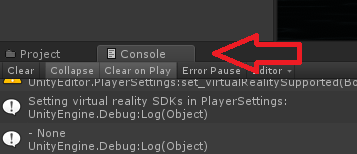
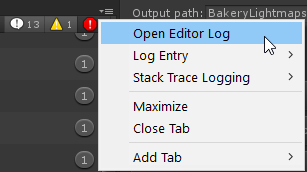
You can have a look at the console log to see how big the build was

Turns out a lot of world creators didn't know this, but you can easily find out what your world is made of, how much it weighs, to then be able to reduce its overall size :
Retweets
139
Likes
311
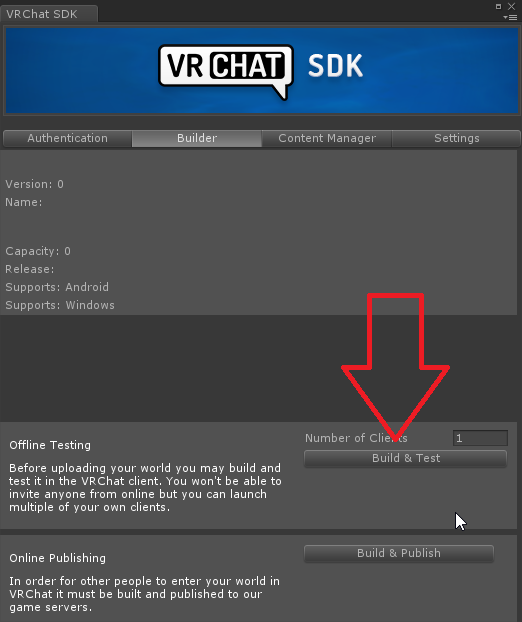 Twitter
 frigid estuary
the uploaded world brought me to the same old world again
I cant find the Meshes part with notepad
I mean "it" cant find
Even when searching from first line
random owl
That's sounding there's something bigger going bad in your project 
frigid estuary
Should I give you the notepad txt file?
random owl
I can have a look but I'm not sure if I'll get anything out of it
frigid estuary
I'll have a look if it still hapens with a fresh vrc sdk in another project
Ok it's the project itself, in a new project it works
frigid estuary
It turned out to be a script that I didn't notice because it was in some particle system where I never expected anything to be
 opaque scaffold
why the world that I uploaded is four times the size of the files of the world in my unity
near escarp
Turns out a lot of world creators didn't know this, but you can easily find out what your world is made of, how much it weighs, to then be able to reduce its overall size :
Retweets
139
Likes
311
Twitter
opaque scaffold
and the post processing is working for the buildings in my world but not for the players, how can I fix it
 opaque scaffold
Would duplicating buildings from the same model in unity increase the size of the map?
 rain shadow
@opaque scaffold Only if you add different textures to it or have it lightmapped
opaque scaffold
what about light baking
rain shadow
@bold ibex Look into that modern furniture pack and delete any scripts if there are any
rain shadow
for light baking it would depend on the lightmap scale for that object
 rain shadow
Try open a new unity project and see if you get the same error, I'm not familiar with that error and kind of assume a unity reinstall might be required
opaque scaffold
how can I look into the lightmap settings
rain shadow
Are you familiar with baked lighting?
rain shadow
If you aren't baking the lighting you don't need to worry about it then
opaque scaffold
the only thing I know is that unity would bake the lights by itself when I change anything in the world
rain shadow
Uncheck the auto generate, its more of an annoyance then anything else
opaque scaffold
hmm... is that not baking?
rain shadow
Auto generate doesn't save the baked lighting properly, if you want it to work properly you need to press the generate lighting button
bold ibex
opened a new unity didnt worked out
opaque scaffold
but if I am using a real time directional light as the world light source, should I do the generate lighting thing
rain shadow
@bold ibex Same error?
rain shadow
If you aren't specifically trying to have baked lighting just don't worry about it
@bold ibex Did you get that error in an empty project?
rain shadow
If you click on that error does it show more information about it?
 opaque scaffold
normally I just ignore the errors
rain shadow
VRCTools?
If thats an extra thing in your project delete it and reinstall the vrcsdk
opaque scaffold
by the way if I am using auto generate would a baked light map be uploaded together with my world
rain shadow
@opaque scaffold Pretty sure it doesn't
rain shadow
Wrong link actually, https://docs.vrchat.com/docs/updating-the-sdk need to follow this one.
VRChat
If you need to update your SDK, it is important that you follow these steps to ensure the update proceeds properly and you don't have any old/conflicting files. Simple Update Here's how you update your SDK. If you're just uploading avatars, you can use the following process: ...
bold ibex
im confused
rain shadow
@bold ibex If you search in your project for vrctools does anything come up?
bold ibex
 rain shadow
Follow that guide on updating the sdk
rain shadow
Does the error prevent you from uploading?
rain shadow
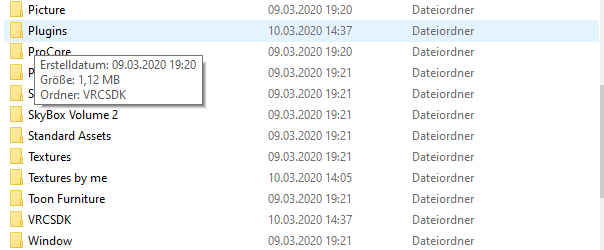
What assets to you have in your project?

 rain shadow
Poiyomi shaders can cause errors so it could be a script from that
bold ibex
so may delete itß
rain shadow
Yeah you shouldn't be using toon shaders in a world 99% of the time anyway
bold ibex
deleted it
but now is my world floor pink
and the error is still there
hey, can anyone help me out? for some reason if i test my world it works fine but if i upload it and try to join it online it shows me the skybox then puts me back in the default world?
opaque scaffold
how can I make the bloom effect in post processing FX take place on players' avatars as well?
it is only working for the buildings in my world for the moment
near escarp
@bold ibex Look at your outputlog
bold ibex
where
 tawny lilyBOT
You can find your output log at C:\Users\%Username%\AppData\LocalLow\VRChat\vrchat named output_log.txt
bold ibex
thaanks
near escarp
If you followed the steps in how to set up the SDK and it doesn't work, make a new project
near escarp
that would risk reimporting the asset that corrupted your project
so i wouldn't recommend it
 heady meadow
https://gyazo.com/32d45cd0d094f8a451549d96ae3e60b4 I keep getting the error even after I deleted and reimported the SDK twice. It works fine in testing, and I get no major console error, a few grey ones but that’s it. I’ve watched a YouTube video saying it was a script in AllSkies, however there are no scrips there, and like I said no errors in the console. And even in some cases when I try and upload my scene is gone before clicking on the ok on the error. I have also tried deleting the blueprint ID than test than upload, and I still get this error. Any suggestions? I’m at my whits end 😖

Pleases @ me if you have a suggestion
 jolly cape
So all my light is baked but I want the player to be affected by light as well, how do I do that?
And how do I make that also appear in mirrors
 blazing laurel
@heady meadow Can you post a screenshot of the console?
near escarp
@jolly cape Light probes !
jolly cape
What... does that mean?
near escarp
You can create a light probe group in your scene, then you either automatically place then, or manually where there are differences in lighting, then you bake the lightprobes
modern kayak
your light is not set to affect the mirrorreflection layer
jolly cape
Also for some reason the qvpens are not grabable
It has the VRC_Pickup component
and pickupable is ticked
 buoyant hollow
Does it have a collider?
jolly cape
they are disabled but yes
buoyant hollow
it will need to be enabled
jolly cape
Wont I collide with it?
buoyant hollow
no, it will be on the pick up layer
jolly cape
o yea
elfin latch
Okay, I just kinda fundamentally don't understand Silent's post processing tutorial. I've re-done it like 3 times and nothing happens.
I'm hoping someone could help or maybe link a video where it's utilized?
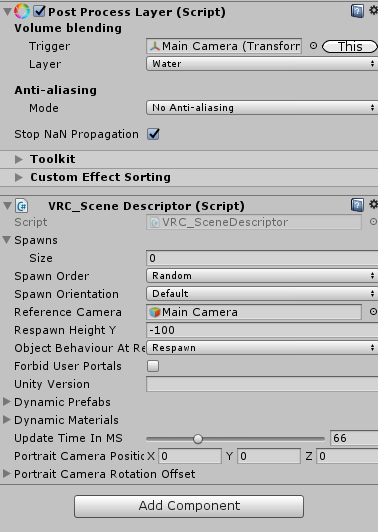
 jolly cape
The qvpens now dont make a trail and only do so in unity
balmy gate
@jolly cape Did your project have Standard Assets imported? I would suggest deleting QvPen from your scene and from your assets and reimporting it. Don't change anything, and just upload them exactly from the sample scene
near escarp
@elfin latch Is your camera on the water layer and is your camera in your post processing volume ?
jolly cape
Where can I find those lmao
balmy gate
Standard Assets is available on the Unity Asset store
near escarp
@elfin latch also why the hell do you have bloom at 30
balmy gate
@jolly cape it's free. sometimes it is included in your installation and you can access it from Assets->Import Package->Cameras,Characters,Effects etc... but you will have to import almost all of them to get the necessary scripts. asset store version is probably easier
elfin latch
i was moving the sliders trying to make something happen LMAO @near escarp
near escarp
yeah GO BACK
elfin latch
It said to not add the camera post processing layer onto the everything layer.
near escarp
you will DIE if you make it work at 30 intensity lmao
jolly cape
Moooore BLOOM
near escarp
You when you join your world > 
balmy gate
@elfin latch please consider following the values here: https://gitlab.com/s-ilent/SCSS/-/wikis/Other/Post-Processing

GitLab
A surface shader for Unity providing cel-shading. (Forward rendering only)
elfin latch
the problem isn't even the values, it's the fact that it just isn't working and I don't know what I did wrong.
balmy gate
Silent recommends:
Intensity: 0.01 to 0.3, don't go any higher!
Threshold: Ideally 0, but below 1.0.
Soft Knee: 0
well just making sure you go back and fix the values
near escarp
i can't see the layers in your screeshot
jolly cape
Working on a kinda map where you can build using spawnable blocks
balmy gate
@jolly cape O.O have you seen my and lox's world "VRMC" - if you want some tips feel free to contact me.
jolly cape
I have plans that should hopefully work
Main idea being able to pick up a spawner
and that spawner just spawss a pickup object without physics that you can stand on
Got inspired by a pillow fort map
balmy gate
if you want those to be network synced, you're going to start having issues after like 50 or 100
jolly cape
We ran outta pillows too quick and it was too limited
balmy gate
unless you do something similar to what QvPen does
which is what I do in VRMC
basically, you send a trigger which causes each player to spawn a local object, instead of using a SpawnObject trigger to spawn a synced object
and also make sure you use Enable GPU Instancing on your materials. that will make a huge performance difference
jolly cape
I tested it a month ago but scrapped it due to lack of motivation
elfin latch
I followed the instructions on the tutorial but nothing is happening so I don't understand.
yeah
balmy gate
can you show screenshot of the whole inspector for your Main Camear
jolly cape
I am definetely not using a redecorated vrc home as base
balmy gate
oh you did sorry
balmy gate
I'm missing the screenshot of the Post Process Volume
elfin latch
i got it working
balmy gate
yay!!!!!
near escarp
congrats
jolly cape
Nice
balmy gate
now please set the bloom intensity back down to like 0.1 before I explode of oversaturated bloom!
near escarp
0.02
elfin latch
LOL
jolly cape
I want focus to be on the building anyways so a vrc home should be fine the way I decorated it
near escarp
show home pic Paci
elfin latch
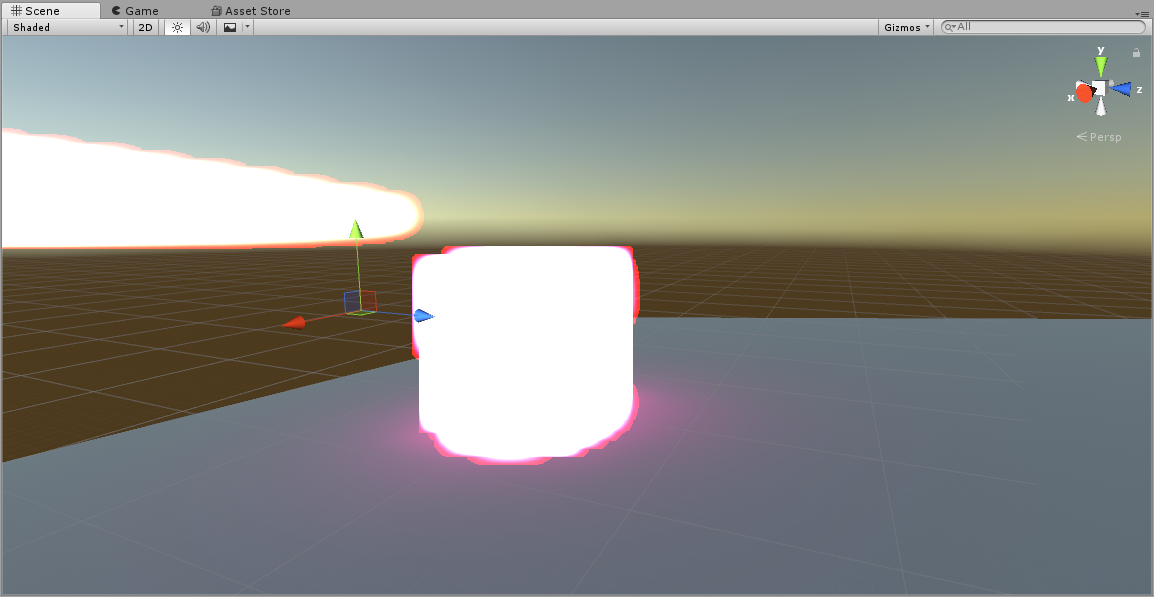 jolly cape
LMAO
elfin latch
B L O O M
near escarp
jolly cape
It has a video player and mirror, both togglable
I also have a chair and collider toggle
balmy gate
sounds fun. I think video players you usually don't toggle them per say - it's a bit more complicated to make sure they sync properly. I'd suggest using a prefab like HangoutPlayer or iwaSyncVideo
balmy gate
ok... there's a bit of risk you disable triggers / synced objects in some cases
so you should just use the prefab as it was intended
jolly cape
I just added a toggle so people who want to not hear the stuff can keep it off
balmy gate
ok as long as it defaults on that should be ok
jolly cape
Okay I should do that
balmy gate
mostly about making sure it buffers properly for late joiners
if it's off by default, there's some risk that someone who joins the video won't be able to sync
jolly cape
"some"
elfin latch
i'm putting 200
elfin latch
ok i might sound stupid as hell for this but uhhhhh
i always see worlds with like
cute moving trees and grass
where the fuck do they find the trees and the grass
is there a secret tree and grass discord
near escarp
You can find a lot of things online by adding "unity" to any search
heady meadow
https://gyazo.com/2225ce5d6ac79a9f2160884104539997 https://gyazo.com/bfffe1f5dc4dd117b765dee9c33202ea before and after I click the ok @blazing laurel


 soft zephyr
I can't seem to get the OnPickupUseUp trigger to work. all I'm trying to do is turn on another object by using SetGameObjectActive with a toggle on it. But i don't get any type of text or anything that allows me to turn on the object. What's the most simplistic way something has to be set up in order to just grab and push the trigger to display something? VRC_Trigger , VRC_Object Sync , VRC_Pickup , Box collider is what I know
near escarp
have you tried OnPickuUseDown ?
soft zephyr
Yeah i get the same thing, nothing works.
near escarp
Can you show how you set it up ?
jolly cape
@near escarp
Everything I used is from the unity asset store and booth
I also have no idea why the cork is so messed up
near escarp
The color scheme is very nice !
random owl
@jolly cape set generate lightmap uvs on in the import settings
soft zephyr
it runs typically the same way you would a mirror, only set to OnPickupUseUp as if you were holding the object and selecting the trigger is what I imagine would make sense.
jolly cape
I tried my best >-< Lighting sure has a huge effect on the feel and it was definetely a good idea to make the lighting at least slighty warm
near escarp
You can do that with post processing
jolly cape
I already did that with the baked lighting
near escarp
And some physical effects like silent's fake light/xiexie's volumetrics
jolly cape
?
jolly cape
Nono
near escarp
@soft zephyr afaik it needs to be on the same object that has the pickup component ?
jolly cape
I meant that I found it a good idea to add temperature to the lights
near escarp
Did you use light temperature to bake ?
i thought that didn't work, or maybe that's only 2018
soft zephyr
@near escarp That's kind of the idea. Pretty much a lightsaber that just displays it's blade part when you turn on the lightsaber.
jolly cape
I did!
near escarp
So the pickup component is below in that screenshot ?
jolly cape
Also for some reason that table in the middle still has a small square collider I cant find
near escarp
Enable the physics debugger in the Window at the top @jolly cape and check mouse select in the bottom right
@soft zephyr I'd suggest changing to OnPickupUseDown and then check your outputlog for errors
soft zephyr
okay sounds good
 pliant raven
So I'm sure this is asked a million times, is there any possible way to test a vrchat world offline, be it in client or unity itself, to verify that things are working? I havent had internet so ive been working on a rather large world in the meantime, have absolutely no way to test it since the sdk doesnt seem to support that for whatever reason, of my knowledge at least. And id love for that to be wrong. Ideas?
jolly cape
...I forgot my pictures have collision
pliant raven
i did something similar.. had collision on underwater plants and couldnt figure out why i kept getting stuck at a random spot lol
near escarp


I made a tool that runs #VRChat world in Unity editor. You can debug VRChat worlds with Unity editor functionality. https://t.co/52WKtXWC39 Demo movie shows AnimationBool and AnimationFloat actions works by interact. I used Example-Actions scene bundled in VRChat SDK as is. h...
Likes
129
Twitter
jolly cape
Well fixed the dark cork board and the pictures being way too dark
Done for today then
Tomorrow ill do th last part, the spawner object
I need to plan that one
pliant raven
That's awesome @near escarp, thanks a ton!
Might even run smoother than the client on my laptop 👀 lol
jolly cape
Is 18.6 MB fine?
near escarp
depends
jolly cape
I made sure all textures are only as big as they need to be
near escarp
And all crunched compressed ?
jolly cape
Does that impact the appearance of the picture itself?
pliant raven
Ruuubick, I think you just introduced me to one of my new favorite devs for vrchat, they have a logic gate package too
near escarp
naqtn has a lot of stuff
pliant raven
wish there was just somewhere i could slap download, grab everything and view it all offline later
Also how come i cant download the vrc docs, lol. Or am i missing that somewhere
near escarp
is that usually an option on docs ?
pliant raven
Most places have a download for an offline copy of docs, usually just a folder thats an offline copy of the docs site itself
jolly cape
I think I went from 19.6 to 18 MB which is def an improvement
pliant raven
If there isnt a link I'll probably just use a mapper and download them
near escarp
Well you could cache it all or download ye
pliant raven
Yeah
Oh man, I just got around to testing that package out and im pretty sure its everything i wanted. Thanks a ton man, runs so smooth too
opaque scaffold
@near escarp It set it to the post processing layer
near escarp
that's not what the guide says !
opaque scaffold
near escarp
yeah you should look at Silent's guide and follow the steps
opaque scaffold
changed to water, still no bloom for avatars
what I want to look like https://cdn.discordapp.com/attachments/681021762728755231/681347467639390219/unknown.png
 near escarp
Did you actually follow the steps ? If you do then it'll work, also bloom intensity is different in every world
near escarp
Nice
opaque scaffold
but I want bloom for player's avatars too
should I increase the intensity or what
near escarp
No, just use the correct layer
cedar nebula
how high is the emission on those materials?
cedar nebula
what about the emissive materials in the world?
opaque scaffold
cedar nebula
Emission strength 20? That seems pretty high. I think the bloom intensity of your post processing might be too low. I know some people disagree but if you just want simple emissions for world and avatar I think it's better to make Intensity for Bloom 1 and Threshold something like 0.95. It's definitely not realistic but it means anything above 1 emission will have bloom, like most avatars. If you do this though make sure you clamp it at something like 2 or 3 so nothing can EXPLODE into bloom
opaque scaffold
yeah the bloom intensity I am using is 0.01
 glossy pasture
anyone want a banana for $44.99 ?
frigid estuary
i have a particle system running in my world but it isnt showing ingame
this is empty ingame
the flame is animated with frames
opaque scaffold
what should I use for the water. Every VR player is saying my water reflection looks bad for them.
opaque scaffold
where can I get it?
 solid helm
Check my website, it's under my name!
Here's a direct link
https://gitlab.com/s-ilent/clear-water

GitLab
Simple water shader for Unity/VRchat that (ab)uses some Unity features to get a pretty water surface.
@cedar nebula That's a bad practise because you'll get hard bloom blob artifacts from the combination of high threshold and intensity and low ceiling. Especially if someone walks in wearing white.
cedar nebula
Yeah but if all you need is avatar bloom then it's fine, most avatars don't have high enough emission to bloom with such a low intensity
solid helm
I think most avatars bloom fine with 0.3
Avatars have like 3-5 emission to bloom
1 shouldn't bloom, because it's the same intensity as unshaded objects. 2 should be bright (lit up) but not necessarily bloom except in darkness.
In a "daytime" environment, ambient lighting is typically bright enough that adding sunlight on top of it results in an overall brightness between the range of 1.0-2.0.
cedar nebula
most avatars I've seen really only go up to 1 or 2 for emission though, so a lot of avatars don't bloom under those settings. I totally get what you're saying and I think your settings work great for photorealistic environments, but if all you need is some basic bloom then the 1 intensity is fine imo
opaque scaffold
@solid helm is that the same one on booth
solid helm
The one on Booth is not uploaded by me, and I think it's older, but yes
solid helm
Well, they translated it into Japanese I think
It would be stealing if they were selling it, or representing themselves as the author, but they're not, so it's fine
opaque scaffold
do you have a suggested setup
balmy gate
@frigid estuary if you are using the Standard/Unlit particle shader, standard particle shaders do not work properly in unity 2017 due to render queue issues and could cause particles not to show up properly from certain angles
solid helm
Hmmmm, that's a tricky question actually
In general, I'd say make the colour of your water white and the intensive of the waves really low
opaque scaffold
does water reflection tend to look bad in VR when the world and the water is so expansive
I tried using different water shaders and the reflection won't look better
the VR players say the reflection looks kind of pixel-like
they say they see two images in one reflection too
is it possible to setup reflection probe for water
solid helm
You shouldn't be using a script for water
Have one reflection probe assigned to the water plane
opaque scaffold
I found out I can change the resolution of the reflection for the water and I am going to try uploading again
before was 256, now it's set to 2048
like this now
bold ibex
Anyone knows how to make multiple songs shuffle?
near escarp
@bold ibex check the pinned messages for the VRCPrefabs database, there's a continuous randomized audiobank prefab in it
opaque scaffold
VRplayers still say the water reflection is bad after I increased the resolution
it seems you just shouldn't have reflection for water in VR?
near escarp
You can but it's expensive and it needs to use the correct shader
Actually it might not be expensive, but it's realtime reflection, so maybe it's based on a cubemap, idk how that works
opaque scaffold
I just knew that some water shader does not support VR
that's my problem, it has nothing to do with reflection🤦♀️
sacred warren
@opaque scaffold Silent's water has serious issues with refraction (it refracts anything infront of the water too which looks very weird), but other than that it can look nice if you put some effort into it. There are some alternatives that either have much less of an issue, or negate the issue entirely. I know RAM doesn't have the problem, also the stock Unity water shader on the store also doesn't have that issue, but that's more for if you want proper waves.
 glacial pond
How can I have a pickup is a normal pickup while held but resets rotation and snaps to a grid coordinate space when let go
It’s for a board game
Not sure if udon would be required or not
 light plover
Does somebody have any idea how to make a Mirror without Player collider?
bronze smelt
Just remove the collider
 undone stone
is there a way to toggle a skybox on and off
glossy pasture
I think so
Also aquas water is also pretty good, you can find it on the asset store
 ornate turret
just released another gameplay clip of one of the worlds I'm working on 🙂 Showing off the "Elite" enemy.
https://twitter.com/LakuzaVR/status/1237826518862254082?s=20


Show no mercy. Bullet Time Agent. Coming soon to #vrchat later this year. #madewithunity #VR https://t.co/uhUrHrSvlk
Twitter
frigid estuary
Is it possible to have a mesh collider object on which people still can be standing?
They dont have to be able to walk though, they are only supposed to "stay"/fall around inside some kind of container while being transported, but its necessary that it works without seats or any of that
modern kayak
Players don't respond to being moved around like that. You need a station
glacial pond
We really need some working moving platforms
By trigger only no player input
If the reason for not having it is trolling worse is already possible
ornate turret
moving platforms used to work somewhat before
they broke it completely around the time they messed with avatar colliders to prevent people from flying in worlds
a side effect of that , that they haven't really revisited since to try and fix
it had a negative effect on the development of one my worlds and still waiting for them to fix those collider issues a year later 😭
and by moving platforms, I mean dragging the player along the x/z axis
colliders still work with moving the player up and down though
but a good example is the floating doll in my lounge world, you used to be able to surf that from one end of the street to the other side really easy by throwing the doll and jumping on it
now it barely manages to keep you on as it floats up
and I need moving colliders for bullet time's 2nd stage 😵
frigid estuary
@glacial pond @ornate turret yeah, I've seen moving platforms work in some Sonic (The Hedgehog) world and they worked
it was only moving up and down but it was working though, that would be enough for my purposes
 young bolt
Hello, how long can it take to allow me to upload worlds? it's for a university project
cedar nebula
Are you currently a Visitor user? You only need to rank up to New User to privately make and upload, which can take maybe a couple of days. If you need to make it public you need to be User which can take a week or two to rank up
frigid estuary
Whats the size limit for worlds?
stray sand
for file size i dont think there is a set limit but would be suggested not to go above 500 mb. for distance again you can go very but but the further you go from 0,0,0 you will get floating point precision will get smaller and smaller. so keeping it under 1,000 you should be fine.
frigid estuary
My file size seemed to be about 350 MB (which was too big for my purposes anyway). Getting rid of some of that helped me upload my world, because it interrupted after uploading for too long it seems @stray sand
stray sand
do you have future proofing enabled? or auto bake lighting enabled?
both have been known to mess up uploads.
make sure they are disabled.
lethal ravine
where is the auto bake lighting setting?
near escarp
in the lighting settings, bottom, auto-generate
lethal ravine
thanks
split magnet
right, so i learned that post processing stack does not work in Unity VR anymore
it works fine without a VR player...but as soon i add one, post processing turns itself off
 pallid jolt
Anybody know what happened to the CBL horror world??


 hybrid mica
hey i got a tag added to my world called text-inappropiate what does that mean, doe smean my world is shown less?
bold ibex
Is this about sharing worlds or ones you made or inviting??
Cause I wanna know if any of you know the word about any private invite only places that have "content"
random owl
@hybrid mica just mean someone reported your world for that, shouldn't affect your search ranking to my knowledge
hybrid mica
ah oh ok thanks
 burnt pilot
can anyone help me out
stray sand
@burnt pilot to make sure is it being applied to the skybox or is it a large inverted mesh.
stray sand
Well for the inverted mesh you would be having to put it in so probably not. Unless this was built outside of unity. But to make sure. In the light settings window at the top should be a option to apply a skybox shader. Is the one you want in it.
sacred warren
@hybrid mica What text do you have in your world?
dull sky
does the reported stat on the website show how many times your world was reported?
stray sand
Im on my phone so im a bit limited and doing this from memory. The Lighting window (menu: Window > Rendering> Lighting Settings)
Heres a image from google.
Skybox material is what you want to look at.
dull sky
how do you add a skybox material?
stray sand
Didnt have the window or the correct material?
 stray sand
Ok large type time.
You are using a inverted box mesh for the skybox. Unity uses a different system for skyboxes that don’t require that ( other then some use cases). Why you dont see it is cause the camera far clipping plane isn’t big enough. To resolve this i would suggest putting the material into the scenes built in skybox. In the lighting window you have open in the lower left side of the image. Scroll up to the top and you will see a option for skybox material. Place the material you want into it. And then you can remove the box.
And @dull sky how to create a skybox material or apply one to the scene.
stray sand
I would suggest looking into some unity basics tutorials. Knowing more how unity works will make things easier.
hybrid mica
@sacred warren i have so much text in my world since i run a anime watching world so can be anything XD
stray sand
Do you have any lights in the world?
 stray sand
If the purple is covering the main area then its probably casting a shadow making it darker. On why it was lighter before compared to now is cause in the lighting window you have environmental lighting. Default uses the skybox to set how bright it is. Since its very dark its darkened the scene. You can switch it from skybox to color. Then select how bright you want things.
bronze smelt
@dull sky the reported stat on the site does show how many times it’s been reported.
It will (unless fixed) show you one report on it, but that’s normal and can be ignored
 fierce jackal
remove the vrc_world (vrc_scene desriptor) and make a new one ,might fix it, you can still use the same blueprint, had that a few times myself
 near escarp
That's on a new project ?
near escarp
We told you to make a new project a few times already
bold ibex
but then i have to do everything again or?
bold ibex
kk
 autumn pier
Yo i have some problem with Light in my unity project, they turn of when rotated to certain angles
Anyone seen this before and know a of a fix ?
lethal ravine
I tried duplicating something similar and rotation doesn't change mine. I'm not sure what is causing it.
Does the Pickup script change colliders for the one picking up?
Or some other related aspect that would be important when fine tuning a melee weapon
 velvet warren
Just something simple, why doesn't my world open the test client properly and just boots me to home?
 wintry herald
um i would like to know how to make pickupables be able to be seen being picked up by other players? i don't really know what i'm missing
near escarp
object sync component
wintry herald
ohh 😅 okay thank you
cosmic field
I've got a problem, I've built a prototypes of some words in one world
and I check them on and off as I work on them
I was trying to see what it would look like with good lighting
And whenever I set up my lighting, not with given unity lights, it doesn't work on any of the walls on the prototypes
However I KNOW its working because I tested the light against a plane and it is working with it
I even tried switching the material types on the walls and flooring on the worlds to standard instead of poiyomi
Nothing is working
Everything is static too
Like its supposed to be
I always use this video when doing lighting https://youtu.be/VnG2gOKV9dw
In this video we’ll learn a bunch about lighting and use it to light a simple scene using the Progressive Lightmapper.
● Get a discount on The Complete Unity 3D Game Development Course: https://www.udemy.com/unity-developer-course/?couponCode=YTBRACKEYS999
● Download Room + M...
solid helm
Why are you using Poiyomi's for worlds? Don't do that
cosmic field
What would I use then?
cosmic field
Yes
near escarp
How can you tell ?
solid helm
In the Scene view, select Baked Lightmaps from the selector under the title
 south dirge
Went to load into my homeworld i made and for some reason today it keeps kicking me back to the hub regardless of what i do yet yesterday it was perfectly fine with no changes.
Any reason why this would be happening?
tawny lilyBOT
You can find your output log at C:\Users\%Username%\AppData\LocalLow\VRChat\vrchat named output_log.txt
south dirge
ah i forgot that existed, very sorry
 livid adder
So I'm having an issue with getting VRChat to accept my camera as the reference camera. Long story short, I've got a massive flat world with a forest on one side that the user should feel drawn to. The reference camera I use has a far clipping plane of about 2000, which I know is kind of a lot. The problem is, VRChat doesn't seem to accept that. It doesn't render the far trees at all. I've made sure the reference camera is placed into the appropriate slot.
I can't find much in terms of documentation on this, does VRChat have a cap on clipping planes?
random owl
Only the near clip get's clamped
livid adder
Huh. What could be causing it to not accept the new far plane?
random owl
Can you show pictures
livid adder
Yeah, one second
Here it is from Unity Editor, from the perspective of the reference camera in play mode.
And a screenshot of effectively the same area from in VRChat
random owl
I mean that's not really up to the clipping plane when you still can see mountains behind the trees
livid adder
...Oh my god I'm stupid.
Well shoot, what could it possibly be then?
random owl
Is that unity terrain with painted on trees?
livid adder
Yep. I set the "Tree Distance" to max just to stress-test it, but it doesn't seem to work
random owl
I've never touched unity terrain so I can't say much about it but it's gonna be some issue related to that
livid adder
Fair. You managed to save me from spending hours fixing a problem that doesn't exist, so you've already helped a bunch!
random owl
Good luck figuring out the rest it could be something in vrchat setting the setting for the trees maybe, you could always manually place the trees as gameobjects
livid adder
That may kill me for real
But if I have to...
Ah, I got it
The default tree materials have a very short render distance
dull sky
player layer is for other people and player local for the person themselves right?
collision wise
near escarp
correct
dull sky
thanks
 brisk aspen
so ive been trying to test out and create a updated version of my world, however its not properly updating what i added, and only shows the old version
any advice?
brisk aspen
nvm, found out the issue, the skybox wasnt compatible with vrchat
soft zephyr
@near escarp Figured out the OnPickupUseDown problem. It's good to note something as a minor detail like Auto Hold must be set to "Yes" on the VRC_Pickup component for this trigger to work. to be more present I guess.
near escarp
Is that part of the documentation already ?
soft zephyr
Yeah, updated about 3 months ago.
soft zephyr
Is there no OnRelease or something for stuff like OnPickupUseDown? Not to be confused with OnDrop.
modern kayak
OnPickupUseUp
soft zephyr
Oh okay so UseUp isn't for the other trigger then?
modern kayak
if by other trigger you mean grip button, no
pickupusedown and pickupuseup are both for the same button, just for pressing and releasing
balmy gate
OnPickup -> OnDrop
OnPickupUseDown -> OnPickupUseUp
I don't know what happens if you drop it while using
modern kayak
it triggers pickupuseup
balmy gate
ah so you get both events automatically, cool
soft zephyr
Gotcha, I figured because you can lock your grip so you don't have to constantly hold down the grip button, leaving it free.
balmy gate
only on VIVE Wands D-:
oculus and index users have to hold it the whole time. I think we all wish VRChat would address this someday
I think you can set grip to toggle button in steamvr controller bindings but that's such a confusing thing to have to do
like every time you switch to a climbing world, welp time to dig through the steamvr controller bindings interface.
soft zephyr
yeah doesn't really seem worth the effort tbh
balmy gate
and have fun explaining that to anyone. it literally took me a couple months to learn fully how to use that, and I'm a programmer
"isn't for the other trigger" -> if you want two handed controls, you need two pickups, and both hands need to be holding something
soft zephyr
both hands need to be holding ? like an AND logic?
is there even a way to create variables on here?
I assume it's DataStorage
modern kayak
variables typically need to be represented by gameobjects. For example a bool would be an object that can be enabled/disabled. If you want a gate, then you put a trigger inside that object and it will only fire if the object is active
This is especially relevant if you want to store a vector3. You do so by putting a gameobject at a position and leaving it there. It's position can then be accessed and manipulated as a variable
soft zephyr
That's good to know. I assume it's just the way VRChat works with Unity.
modern kayak
ehh, kinda. It's just that the trigger system has limitations and this is how you can get around them
most of it isn't intended
you also can store variables in animators. That's a much more intended way of working with things, but has it's own set of limitations
soft zephyr
I can see that having it's uses though without having to manually set the new position of the animation when you can just reference the variables
modern kayak
yeah, animators are great
soft zephyr
Animation is the one thing I haven't touched yet. Not sure how it all quite works but it's on the list of testing things in my world. I just want to do some basics like have a constant spinning 2D circle
modern kayak
for constant spinning or moving objects, I would recommend the standard asset script "auto move and rotate"
soft zephyr
Noted. What about animating textures off of objects?
such as shifting textures of a water to move and loop back around
modern kayak
then yeah, animator
the main reason auto move and rotate is handy is because it's convenient. Doesn't require setting up an asset that takes up space in your files, it's just a component and nothing else. But if you want to do anything outside of that, then you need something more multipurpose like animators
soft zephyr
Makes sense, thanks for the good help.
 ornate thicket
does anyone know how to create a third person perspective camera which can be toggle by pressing a button in a world?
bronze smelt
@ornate thicket there is a "3rd Person Controller" prefab on https://vrcprefabs.com/browse
ornate thicket
thank you
lethal ravine
Is there some sort of tweak
that helps with network priority for a specific set of physics or some other solution to make melee weapons hit more reliably? They update and kill instantly offline, but when i try it in world there's a noticeable delay
lethal ravine
I'm not great at scripts or understanding programing but do we have something similar to this somewhere in the whitelist? https://www.youtube.com/watch?time_continue=87&v=042a60MrEnM&feature=emb_logo
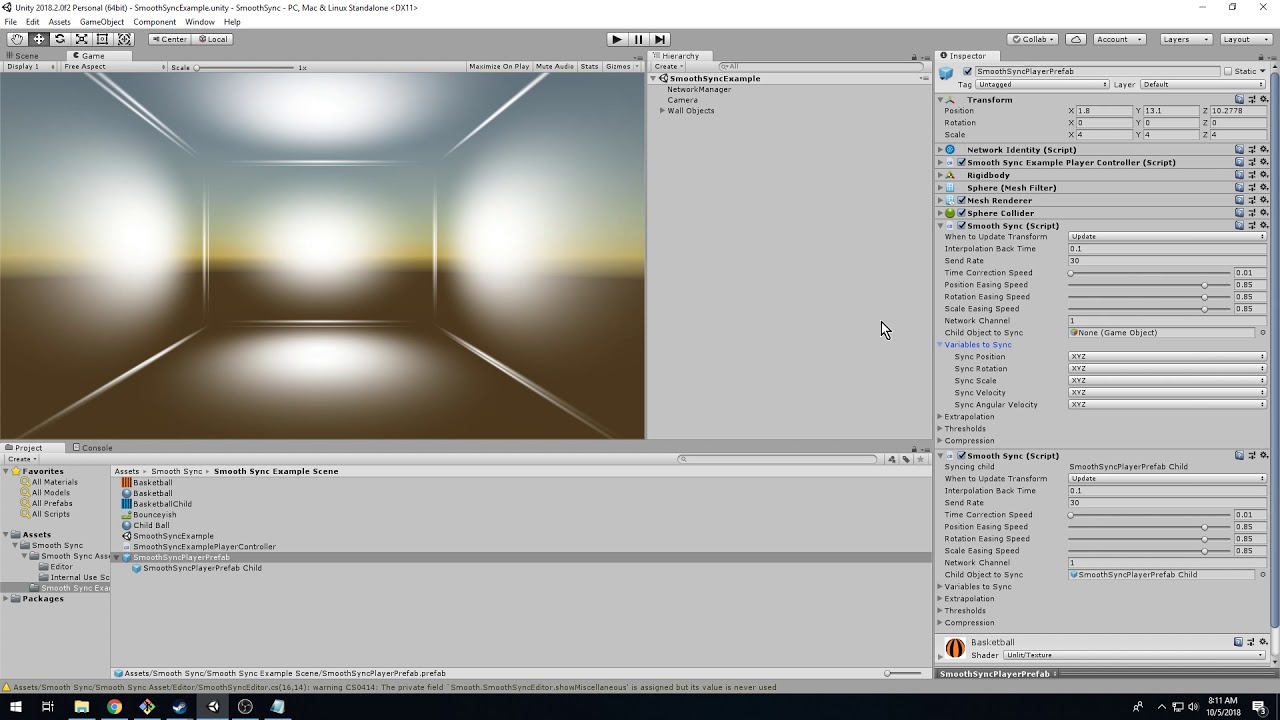
A quick overview of the Smooth Sync plugin for Unity.
TL;DW Add a smooth sync component and watch it be smooooth.
Smooth Sync for Unity: https://assetstore.unity.com/packages/tools/network/smooth-sync-96925
If you have any questions, contact me any time.
cedar nebula
Yeah, the vrchat sdk comes with an Object Sync component
lethal ravine
That's what I've been using but the network gets too cluttered during online gameplay so I'm trying to cut back on network position updates for the less important objects like the crate someone is throwing around in the corner so the priority is on the bats and bullets.
Object sync lets us turn off Synchronize Physics and Allow Collision Transfer. Would that mean it only shares transform data and could still keep objects in sync with less network use? or would players see crates fall through the floor if I uncheck those
Does VRChat use dedicated servers for player worlds or set one of the players as such? cuz maybe its just that and my internet isn't good enough to host
modern kayak
most likely it's not an issue of how good the network is, it's a matter of who is detecting the collision with the player or object you're trying to deal damage to. The normal method of just onentertrigger > playerlocal > deal damage means that the person being hit detects it, not the person swinging the sword. Which means it has to go back and forth across the network before you see the results. What you want is a way to do favor the shooter, which means the person attacking detects the collision and sends the information over to the person getting hit. This isn't impossible with triggers, but it's way more difficult to set up
lethal ravine
that actually makes perfect sense phase, my friends are aussies so they take forever to detect my hits
yeah your right I'm starting to connect some dots since I'm basically waiting on their client to get updated position on my trigger thats the delay
Do you happen to know if we get a dedicated server or are being set with a host player?
modern kayak
It's a host player
lethal ravine
oh, likely the master? That helps a lot, now I know to go for people who live close to me lmao
did you have a start direction I can troubleshoot through to start the favor the shooter method? I'm not opposed to trailblazing some ideas but you seem like a smart dude with a lot of ideas/experience
modern kayak
The concept behind it is that you need a system that spawns a brand new object for every single player, and each player takes ownership of their own unique object. Then that object follows the player and has a collider. When someone hits the collider, it needs to broadcast specifically to the owner to take damage
The unique object per person thing is already done, check out vrcprefabs.com/browse and grab propspawner v2
Part of that prefab is the ability to do owner events, where when the owner creates the prefab they trigger certain events locally. That is how you will set up the scripts that will follow the owner's camera and then sync it across the network with objectsync. Then you can also set up the damage broadcast by doing an onentertrigger alwaysunbuffered activatecustomtrigger. This means it will broadcast to everyone, but the custom trigger that it activates will need to be enabled for only the owner. As a result everyone else will just do nothing with it because their trigger is disabled
lethal ravine
beautiful, it makes sense and I can definitely use that, also gives me some other options beyond adding damage. Thanks man!
 worthy relic
any one know how to get a twitch chat to show up in vrchat on a pannel? ive been looking around the past few days and have only seen it done with the now removed web panel
 limber wing
Uploadin my first custom map, very excited to share. :D
balmy gate
@worthy relic That's actually a so-called overlay program. For example, XSOverlay, OVRToolkit or OVRDrop. I'd move that question to #vrchat-general-2 or #vrchat-general-1 as it's not something that is part of the world but rather a program you run within SteamVR as a player
worthy relic
no, im wanting to show a twitch stream in the world
not just for a player
kinda like a photo on a wall
@balmy gate
naive cloud
Does anyone know where I can get QV Pens?
worthy relic
maybe im not explaining this right, and thank you for helping me lyuma. what im trying to do is have a panel that every one in the world can see the chat not just me
like a painting on a wall
@balmy gate ^
worthy relic
then there is no way to only show chat?
 nimble echo
looking for help with damage prefab, just some quick clarification
 quasi rampart
so, when i click this button, unity freezes up and i have to kill the process O: https://gyazo.com/d7ed7e0b868e041ace3331f5879ec011 what am i doing wrong? D:
 nimble echo
the collision matrix tells your world what interacts with what
you need unity to make a default configuration
quasi rampart
should i not be clicking the button then? when i do everything just freezes forever O:
thanks for responding btw ❤️
quasi rampart
yeah, i figured it shouldn't be too, not sure why it is > w<
nimble echo
go to Edit>Project Settings>Tags and Layers
show me what shows up there
then show me Edit>Project Settings>Physics
modern kayak
what version of unity do you have?
quasi rampart
uuuh
modern kayak
top left
quasi rampart
one sec, i tried doing it again, froze. gotta restart > w<
nimble echo
these instructions apply for current release and not the 2018 beta
quasi rampart
2017.4.28f1
modern kayak
ok that's correct
nimble echo
quasi rampart
 nimble echo
I am doing this to see if the default layers have been setup yet
modern kayak
does this happen on one particular project, or any project?
quasi rampart
here's the tags and layers
i haven't tried setting up a world in months, just on this one as far as i know, but i haven't tried doing it with other projects
nimble echo
show me the physics inspector view if you can


 modern kayak
woah, even set up by default it's not all checked like that
nimble echo
exactly
modern kayak
I wonder if having it all checked is causing problems with the auto setup
maybe try unchecking everything then press the button? idk, wild guess
nimble echo
or I could create a default matrix and you can manually set it up
if that doesn't work
quasi rampart
O:
maybe, this is just a new project, not sure how that happened
let me just try making a new project, i'm in the super early stages anyway, so it's not a big deal~
nimble echo
👍
feel free to come back here if there are any issues.
Phase, I was curious if you could help me
modern kayak
?
nimble echo
It appears the damage trigger in the combat system doesn't actually trigger.
modern kayak
how do you have it set up
nimble echo
I tried setting the prefab, then setting the prefab to do a trigger, then I tried making it trigger a static object
modern kayak
what prefab are you talking about exactly? Screenshots would be helpful
modern kayak
and the trigger?
nimble echo
refers to that prefab
nimble echo
hmm, let me try that
modern kayak
to be clear, don't remove all targets. Add one target, but don't plug anything in
nimble echo
idk if it would pick up on the trigger though
modern kayak
but it's not that particular object that it needs to refer to. It's something you can't access. So you leave it with no target and it will be set up for you behind the scenes
modern kayak
huh?
no I'm talking about the trigger that does the damage, like onentertrigger or onparticlecollision
nimble echo
I get ya
modern kayak
or just watch this video https://youtu.be/eqFsSfXrJt4
Tutorial goes over the basics of creating a combat system. This includes setting up the VRC_Combat System script, an object to inflict damage to the player, and how to setup spawns for a team based map.
The map shown off in the beginning is called Archery. Version 1.2 is pub...
nimble echo
so, in the case of this sample object
modern kayak
yes, add a target and then leave it blank
nimble echo
Hmm, so the goal is to make a custom damage prefab to change the damage effect
modern kayak
I'm not sure what you're asking. Are you talking about the visual damage prefab in the vrc_combat system?
nimble echo
yes
nimble echo
I have that, I just want to be able to make it fade away. I think I have an idea though
modern kayak
you'd probably be better off making your own custom health tracker to be honest. Combat systems' health is kind of a black box
nimble echo
My idea was to mimic how the damage prefab follows with a follow script, then call everything using the damaged script (as I found out it does indeed work).
this way I have an object to refer to
modern kayak
are you just trying to get an object to follow the player? You don't need the visual damage prefab for that
nimble echo
I am trying to make a damage prefab I can refer to with triggers
nimble echo
the normal vis damage prefab is a 3d model anyway, I can probably do better having an object that occupies screenspace
nimble echo
I wish I could gut the combatsystem code but it's all compressed into a DLL
 dusk sapphire
does the vrc_mirror script prevent animations from modifying parameters on its material?
in editor trying to animate a shader property but the animation window doesn't let me change them, only if i disable the vrc mirror script, but the mirror just uses the original settings when reenabled
young garnet
Anyone has ANY idea why when I trie to upload a world in vrchat my unity just closes? I am making a world that is 74.mb currently and when I click to upload it, it pops up the window that you put the name and everything and as soon as I click upload it takes a few seconds then crushes. I checked the cpu and gpu to see if any of that go on red but cpu was on 15 - 25% and gpu around 35%
Any ideas? Itreid it over and over with small changes like removing some new textures or items I added and nothing seems to work. It is starting to get on my nerves since its the same world I have been working on for a while and I Just keep adding new stuff in to it and not it decided not to work at all.
I tried ti give as much info as I could, idk what the problem could be here
dusk sapphire
did you disable future proof under vrcsdk settings?
 little idol
I need help... For some reason i don't spawn in this world when i Build & Test
I spawn in here


It's not because of this project, it happends when i make a new one too.
I tested with making a new project and just making a simple room and it still spawned me in this screenshot.
young garnet
Did u placed the spawn corectly?
u have to plave the spawn point and make sure its at the place you want to spawn
young garnet
Some of the errors are ment to happen idk why but they happen no matter what
little idol
Ah, okay.
young garnet
Let me check something
random owl
Delete that script that's in the log
little idol
But it says my world cant load.
young garnet
yes that first of all
little idol
Where?
random owl
little idol
I don't even have a door anymore in the world
young garnet
Ifu have loaded it in tho check the files in the world?
little idol
wait nvm i found the script
young garnet
ok
random owl
The problem was that the script was stopping the world from building again and was loading you in the old version you build before
young garnet
and because I have some issues too (as always) how big is your world?
random owl
If there's no other errors it should work now
young garnet
I am asking because mine is 80mb and it doesnt want to dame load XD
bronze smelt
That’s something else Iron
young garnet
oh?
bronze smelt
Others, and me, got worlds that are 300+mb and loads fine
little idol
I just realized i forgot to set the VRCWorld in the room
little idol
There we go
young garnet
I didnt rly help but np. my plesure if I did heh
young garnet
👌
bronze smelt
It can be a lot of things Iron. Like make sure your world descriptior spawn isn’t empty. Don’t spawn the player inside a complex mesh. Don’t use stupidly high res textures. Triggers triggering itself causing a loop thus crashing.
Best is to check the output log
That itself gives you a lot of answers
young garnet
The thing is I am working and updating the same world over and over
I do small changes then test
and I deleted a texture that was 4k because i wanted it to be a painting
little idol
Wait i keep spawning here tho my VRCWorld is at the floor?
young garnet
Try moving it up a bit?
young garnet
oh and @bronze smelt, When I build and test it works, when I upload unity says it crushed
bronze smelt
Turn off future proof in the sdk settings
young garnet
1 sec
If that is it I swear to god I will lmao XD, i turned it on thinking it would help
young garnet
why?
little idol
Im just gonna delete it since i don't need it now anymore.
young garnet
lol
little idol
ik XD
There we go, if i did everything correctly i should spawn in the room now without problems.
young garnet
@bronze smelt @dusk sapphire Thank you both, it works now so I ma get back to fixes. Also now it may not take 37 minutes to upload the world
little idol
Now i gotta turn on collider on everything here and it should work
little idol
its my irl room XD
i tried to remake it
But thx.
First time in Unity to make a world so im excited.
bronze smelt
Future proof was basically a option to allow the game to “recompile” the world for future unity versions. But has not worked properly for over 2 years now
young garnet
oooh
bronze smelt
After it’s been uploaded that is
little idol
Wait is it Box Collider for collider?
bronze smelt
That’s the common one and one you should use yes
little idol
Ok thank yooouu.
young garnet
and I did that for when the Vrcaht upgrades to the new unity vertiuons but f that
little idol
XD
bronze smelt
Pro tip; backups
little idol
Wait is there a tutorial of making so you can turn off colliders?
young garnet
I am making my first world as well so I may have a lot of stupid problems
I found out the hard way
when 5 hours got deleted
now I have 6
little idol
oh noo
bronze smelt
Not really a tutorial for that specific, but there is tutorials for triggers and enable/disable game objects
young garnet
so yes it a ggood tip.......
little idol
@bronze smelt this one?
bronze smelt
That’s for avatars
young garnet
I found out how to make trigers work myself because of Gmod XD