#world-development
39 messages · Page 19 of 1
 soft verge
 balmy gate
No custom scripts allowed, but almost everything in Standard Assets is allowed
 fluid tapir
What trigger do I use to teleport people to a new room?
balmy gate
people plural? do you want a player teleporting itself, or you want to teleport everyone?
for example TeleportPlayer - teleports the local player
the player might need to be the instigator - so each player who wants to be teleported would need to run a local trigger that does TeleportPlayer
 worn radish

 tepid eagle
Hey guys, I'm having trouble where stuff I bring from Blender basically breaks in Unity
Like an Inverse.
Anyone have any suggestions?
 rain shadow
are you trying to import blend files into unity?
tepid eagle
Basically I'm making FBX's but they break when I send them into unity
rain shadow
break in what way
tepid eagle
Like they are flipped in the way that you can phase through them and get stuck, the Mesh keeps breaking and basically doing an inverse of what it should
rain shadow
so the geometry normals + mesh colliders?
tepid eagle
It's hard to explain, I'll try to show you
So I made an FBX just now right
But this happens a lot
I don't know why
It's exactly inverse on how I want the mesh
rain shadow
Recalculate normals in blender?
tepid eagle
its that simple?
tepid eagle
Gotcha, I've been trying to remake so much and that probably saved me from completely restarting some of my projects.
rain shadow
its easy to miss if you aren't used to blender as it doesn't cull backfaces by default
tepid eagle
Thank you both @rain shadow and @jovial charm
rain shadow
you can enable this option to see how the faces actually are
the backface culling checkbox
tepid eagle
Just showing yall what I was working on now that the normals are fixed.
@rain shadow and @jovial charm
 near escarp
Looks neat !
 jovial charm
Nicr
fluid tapir
Should I be using box colliders for walls? Cause no matter how much I try. I can still walk through walls in my world.
rain shadow
if you are using mesh colliders on meshes with no backfaces yes
 cold helm
I try to join my own world and I or whoever tries to join gets kicked back to their home world before even loading into the world.
rain shadow
try detach the world blueprint id and upload again as the usual cause for being kicked back is wrong ID
cold helm
Ive tried that 4 seperate times, the first of the others worlds, I can load in, but its not the up to date version of the map
And when I try to update that world that lets me load in, it wont update, nothing'll change
rain shadow
do you have any errors in your unity console
cold helm
nope
rain shadow
@near escarp
near escarp
check for errors in your output log then
cold helm
Where would I find that?
near escarp
C:\Users\You\AppData\LocalLow\VRChat\VRChat
cold helm
i see 4 outpug logs
only errors I see is Error - Error requesting file 'LangSource_I2Languages1C8TrubwoO7TglYnLWioaovFSwLGjXyv0E2sGMmpfKhM_Spanish.loc'
and its the same thing multiple times just different languages
and this 2019.12.15 13:47:29 Error - Coroutine couldn't be started because the the game object 'Playlist2' is inactive!
near escarp
Do you have a floor collider ?
rain shadow
yeah its the original issue I mentioned
cold helm
well if I detach the blueprint it should work?
rain shadow
If theres no errors and it builds the new scene properly yes
rain shadow
are you sure there are no errors in the console?
fluid tapir
ALso anyone know how skyboxes work?
cold helm
rain shadow
you have clear on play enabled @cold helm
fluid tapir
I have a skybox in unity. But it does not show in game.
rain shadow
un select that option
cold helm
then try again
rain shadow
just put unity into play mode and see if errors appear
@fluid tapir How are you doing the skybox
cold helm
no errors even on play
rain shadow
What sdk version?
cold helm
2019.06.25.21.13
fluid tapir
As a sphere with a shader.
rain shadow
@cold helm Would recommend updating it to the latest from the VRChat website
@fluid tapir The reason you cant see it in game is likely that its out of the cameras far clip range
fluid tapir
Oh
rain shadow
You could directly change the actual skybox by going window>lighting>settings
fluid tapir
Thx testing now.
cold helm
i updated the sdk
to the current version
and its still broken
2019.12.15 17:40:45 Error - Coroutine couldn't be started because the the game object 'Mine' is inactive!
2019.12.15 17:40:53 Log - World Instance was null, selecting best instance
2019.12.15 17:40:53 Log - File id for fetch world was null
2019.12.15 17:40:54 Log - World Instance was null, selecting best instance
 chilly venture
Hey, so I have particles and when a player moves away from it, the particles stay the same size so it seems to get bigger and bigger for the player. Is there a way to make the particles scale properly?
near escarp
i think you need to enable world scale ?
chilly venture
okay. let me look
 solid helm
In the particle renderer options, make sure the minimum size is zero or close to it
chilly venture
where would world scale be? Is that scaling mode? or Simulation space?
minimum size is 0
chilly venture
its billboard so it faces the player
rain shadow
minimum size 0 and simulation space world should be all you need for it to work
chilly venture
okay. cool. do you know what the stop action option does?
solid helm
When the particle finishes, that will happen next
cold helm
2019.12.15 17:40:45 Error - Coroutine couldn't be started because the the game object 'Mine' is inactive!
2019.12.15 17:40:53 Log - World Instance was null, selecting best instance
2019.12.15 17:40:53 Log - File id for fetch world was null
2019.12.15 17:40:54 Log - World Instance was null, selecting best instance
@rain shadow
rain shadow
Yeah I'm not familiar with those errors
I assume the world isn't being built at all though
cold helm
I guess but why wouldnt it? It successfully uploads everytime.
chilly venture
i feel like ive seen the world was null errors a lot. I guess look at that game object its referencing
 lost breach
So the buttons in the world suddenly stopped working as of my last upload
I havent touched them
cold helm
Idk what game object 'Mine' is tho, I dont have any named that
lost breach
the way I'm doing them is like this
ButtonLit
- Do a thing
- Turn on the unlit button
-Turn off the lit button (itself)
ButtonUnlit
- Do a thing
- Turn on the lit button
-Turn off the unlit button (itself)
It seems something is making the last action happen now before the middle action
so when I click it, the action happens, but then the button is gone
rain shadow
The coroutine errors are just VRChat menu things, you can ignore those
@lost breach Can you screenshot the setup
lost breach
yes one sec @rain shadow
LightsTurnOn is enabled, LightsTurnOff is disabled, by default.
but the first action should be to Set LightTurnOff gameobject to active, and THEN disable itself.
rain shadow
It looks like it should work, though since you seem to already be using animators you could just toggle bool and have the animator state synced instead
lost breach
to control the Active state on the other button?
rain shadow
Well you are already calling a state change on an animator, you can just add an object sync to the animator that changes things
lost breach
gotcha
yeah I just didnt realize an animator could keyframe the active states of objects
but that makes sense
 short jacinth
Hi! I have a quick question on how to get sliders working in VRC. I've gotten them working in Unity while in play mode, yet I can't interact with them while in VRC. I've changed the canvas layer to default that inhabits the slider and given the canvas VRC_Ui Shape as well, so I'm not exactly sure what it is that's making the slider un-interactable.
rain shadow
Its likely being put on the UI layer which is un-interactable unless you have your menu open
Change the objects to default or something that is not the UI layer
short jacinth
By default, you mean this, correct? (Message Board being the canvas inhabiting my slider)
rain shadow
yeah
short jacinth
No, didn't work. Slider still isn't interactable...
rain shadow
Is the slider and all the canvas objects on the default layer?
rain shadow
Is the slider in front of the canvas?
short jacinth
...sigh found the problem. The Rect Transform wasn't behind the slider, so that solves one problem, but now I have another problem. I'm trying to use the slider to change the volume of a video player. I already have the slider set up to change the master volume of the world, even tested it out with an audio source and got it to work flawlessly. Now, I have the audio source connected to the master volume that the videoplayer is playing from, yet the slider doesn't change the volume for the video player.
cold helm
Well Im just starting a new project and now I have this
short jacinth
If anyone knows where a guide is on how to get a volume slider for videoplayers, I'd be entirely grateful.
near escarp
@cold helm console errors
rain shadow
@short jacinth You should just be able to hook the audio source for the video player into a slider
short jacinth
I'm very sorry, but I simply don't know what you mean by that. Extremely new to unity.
rain shadow
@short jacinth on the slider add an option and drag the audio source game object into it
alternatively you could use a premade setup as an example to learn how this stuff is setup https://discordapp.com/channels/189511567539306508/361741445352259584/643687345022828544
short jacinth
Okay, holy shit, thank you. One last thing, when I move left or right the slider moves as well. How do I remove that?
rain shadow
Set navigation to none
short jacinth
Thank you. What took me nearly 3-4 hours of searching online took me all of only about an hour here. Anymore issues that I can't easily solve I'll make sure to ask them here instead of scouring forums.
rain shadow
Yeah better so ask here as most unity documentation and help is always scripting
 open thicket
i've witnessed physics in a world where the chandelier will move and stick
to that spot until it slowly settles back
how do i achieve this with rigidbodies and joints?
rain shadow
move and stick?
open thicket
like a regular behaving chandelier in the real world
stick as in revert to normal position after the gravity stops acting on it
lol

 solemn hornet
hello guys, i am working on a "club" type map for me and my friends to have parties and chill out in over special events like Christmas and so on. but ive notices some of the animations dont like to work ingame. for example this is the dance floor. it works in unity but not in VRC any idea how to fix? would be greatly appreciated! ❤️
open thicket
those scripts dont work
near escarp
that is a custom script
open thicket
for vrchat
check whitelisted scripts doc on their website
but custom scripts don't work
solemn hornet
i see @near escarp @open thicket thank you for the help i will go take a look now.
 plain flax
is there a way to have objects highlight when they're on certain layers?
 sacred warren
Yikes. Does Unity not clean up after itself? My original project was ~900,000 files. I deleted the library folder, let it rebuild everything, uploaded to make sure everything was fine and now it's only 148,000 files.
 glad hedge
So today I was looking at my world stats, and noticed that they have a new "Reports" stat. It seems someone went through to each of my worlds and reported them once. What does that mean?
sacred warren
Nothing, all worlds have 1 report by default.
It's only an issue if you have more than 1.
sacred warren
If you can't see the report stat then are you sure it's your world?
glad hedge
Yep, its my most popular one
 short gulch
What exactly does the RandomContinuousAudio prefab do? Is it suitable for random ambient sound effects like for example if I was near a dock and I wanted the sound of seagulls and the wooden docks creaking to be played at random intervals. Also curious if anyone has used multiple of them to make different areas have different ambient audio? Indoor and outdoor having different sets of sounds for instance. Would triggers to turn them on and off be the best approach for that?
 cedar nebula
@near escarp made it I think, he should be able to answer that
near escarp
You could definitely do that for soundscape yes @short gulch
but due to how the audiobank works, all the sounds will be emitted from the same audio source
 hushed shell
figured I'd place this here, theres a neat asset bundle sale going on atm on the Unity store
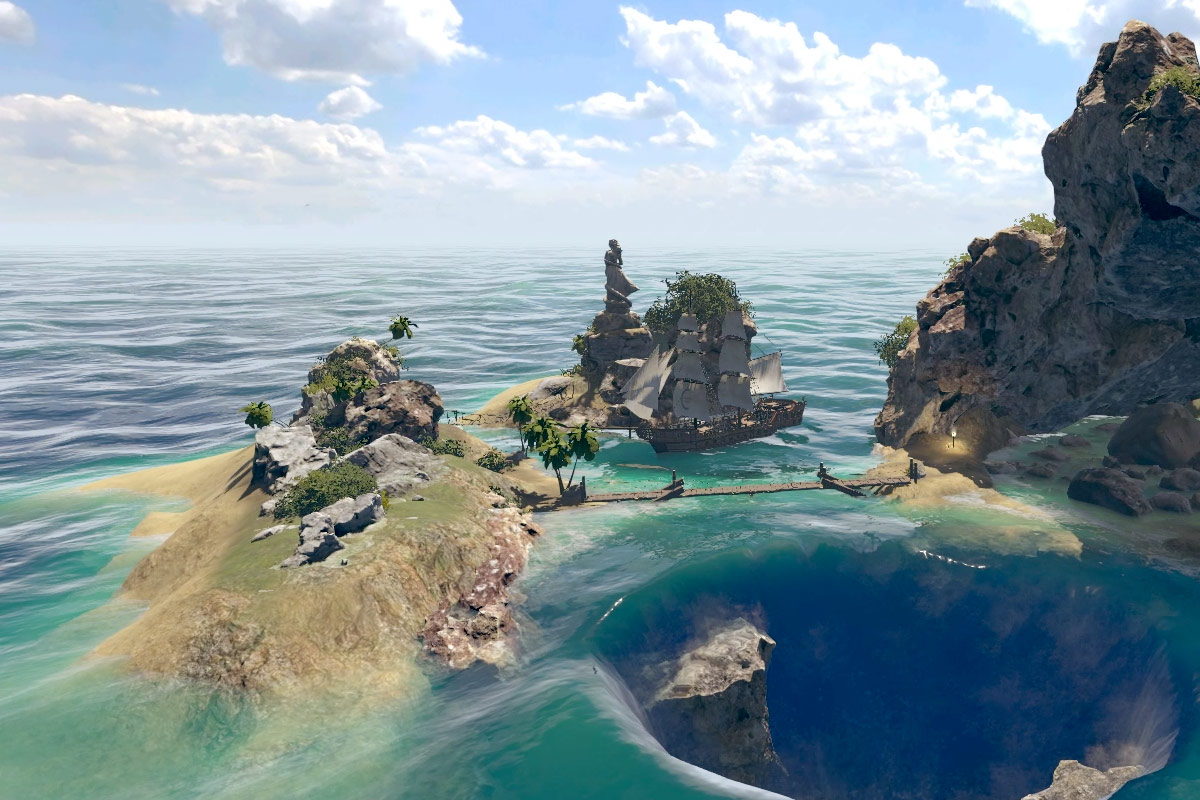
got myself the 15 dollar bundle, since I have a good amount of the other assets
sacred warren
Shame it doesn't work like many other bundles these days and discount if you already own X assets.
Also... "Supported Unity versions - 2019.2.13 or higher" yikes. That's one of the most recent requiring packages I've seen for a while.
hushed shell
Oh the crest ocean system. I think thats the only one though in there that has the requirement
sacred warren
Weird bug, but has anyone else noticed an issue with particles being way larger in-game than they are in the editor? My bonfires/fires go from being correct size in the editor, to complete raging infernos in VR.
 slow orbit
@sacred warren It wouldn't surprise me if particle size was relative to screen resolution, which in VR is very different to a regular screen.
sacred warren
Gah. So then it would always be wrong...
You'd have tiny virgin WMR particle users and giant chad Index particle users :/
 bold ibex
Wait what? Wmr resolution is close to index. So that wouldn't really make sense
Vive and rift would be the smallest particles in that case
sacred warren
I was thinking of the super cheap 1st gen ones, turns out they're actually higher res than I thought.
bold ibex
Yeah the cheapest ones are still 1440x1440. That's why i preferred it over my old rift
 undone surge
whats the easiest way to get a twitch tv player in a world
 subtle garnet
1440x1440x2 is pretty much standard atm
undone surge
Ive tried multiple ways i just cant get twitch to work
 buoyant hollow
@undone surge did you try some of the video players from the prefabs database https://docs.google.com/spreadsheets/d/e/2PACX-1vTP-eIkYLZh7pDhpO-untxy1zbuoiqdzVP2z5-vg_9ijBW7k8ZC9VP6cVL-ct5yKrySPBPJ6V2ymlWS/pubhtml
short jacinth
Quick question. What layer do I need to remove on mirrors so that nameplates don't appear in them?
buoyant hollow
I believe its UI menu iirc.
I would say its good practice to remove everything and add back in everything you want anyway.
 opal goblet
Minimum is Player and MirrorReflection (Never do PlayerLocal) for all Players
short jacinth
Okay, thank you, but now I have another problem. When I'm trying to test my scene now, it's not updating to the current scene I have in unity. It uses a previous build.
sacred warren
Check the console, the build is failing
short jacinth
Ah, got it, thank you.
 fallen stag
My audio sources become glitchy on large distances, even though it's outside the limits of the vrc_spatial audio source component, so I shouldn't be able to hear it at all, right? Is there anything I can do to fix that?
cold helm
so what skyboxes work for vrc because I have different sections of my maps and I want to have different skyboxes of said maps
buoyant hollow
@fallen stag what settings are you using. I don't recommend using the spatial audio source's falloff and instead use the audio sources fall off.
fallen stag
I'm basically just using the default settings, I tried enabling Use AudioSource Volume Curve but it didn't really make a difference
buoyant hollow
make sure your audio is set to 3D, and also make sure you change the priority so its no longer the default.
fallen stag
Should I set the priority higher or lower?
buoyant hollow
that is up to you, if you want it to cull when too many people are talking set it lower, if if you want voices to cull than set it higher.
fallen stag
Nope that didn't fix it, also it's literally the only audio source that's playing so I don't see how that would make a difference
buoyant hollow
and you are using the falloff from the audio source? Also check if the audio file itself got corrupted during import.
fallen stag
I don't know if it makes a difference, but I am using the vrc_audio bank to play the audio in a random order, also like I said it's only glitchy on large distances. I have two rooms that are 1000m away from each other so you're not supposed to hear the audio from the other room.
buoyant hollow
oh, yeah audio bank is glitchy
fallen stag
Ah, so I would need to use a vrc trigger set to randomize?
buoyant hollow
yep
open thicket
How would you create a system where you can have players affect rigid bodies
fallen stag
Oh god, that's going to be a pain to change, but thanks anyway!
open thicket
Would that be player tracking and some collider following?
buoyant hollow
np, hopefully you get it all working
fallen stag
I'm afraid it still isn't fixed
buoyant hollow
I'm afraid I can't really figure out what would be causing the issue without seeing your settings or going into your project myself. Could you post screenshots?
buoyant hollow
I don’t offer help through dms, just tag me
I think this may be your problem though. You didn’t check these
fallen stag
What do they do again?
opal goblet
yeah those boxes are an unknown mystery
I bet that even the devs would have to look into the code to actually tell what they do
If you enable them it will make it so that the probability (1) will be distributed over all checked boxes
so if you have 3 checked boxes the probabilty of each one will be 0.33
but it might also be weights
Again. They are weird to say the least
fallen stag
Still no success, but I'm calling it a day
bold ibex
I made a video on an issue I'm havign with my world. I'm hoping someone might help me on it

its only a bit over 2mins
rain shadow
are you using SetGameObjectActive toggle?
bold ibex
yes on the main side switch
cause I want it to turn all of them off AND on if possible
cause I realize it can be tedious if you have a high end pc that can handle turning on all 120 avatars pedistals
rain shadow
The easiest thing to do would be to have two buttons that explicitly set them to be all enabled or all disabled
rain shadow
You can do that with one switch but you would need to have two other triggers also
 barren ice
Has anyone ever worked with cycled skyboxes (ones that switch from daytime to night time)? I'm trying to figure out the lighting for it
rain shadow
@bold ibex
 primal panther
can anyone help me on how to fix vrcsdk making compiling errors in the console. I was trying to make my world and im getting a bunch of errors about performance scaners or something. I'm new so idk much
near escarp
If you need to update your SDK, it is important that you follow these steps to ensure the update proceeds properly and you don't have any old/conflicting files. ## Simple Update Here's how you update your SDK. If you're just uploading avatars, you can use the following proc...
open thicket
How can I create a player mods jump height change toggle?
near escarp

Here is a picture of one of my triggers changing to a set of fast movement player mods. From my tests, you cannot call remove on one set of mods and add on another in the same frame, and you should add a small delay between each change.

 Twitter
primal panther
Twitter
primal panther
i got a new problem. Every time i try to build and publish i fill out the info and unity crashes. Honestly I'm gunna try this tomorrow this is just really annoying
bold ibex
when doing a build test how can i make it so it doesnt open up in vr?
vus it makes me do this wierd vr desktop hybrid mode
 mild spade
Either unplug the VR from the computer or use a prefab that lets you pick between the two all the time (not sure if it still works) Check the pinned messages in this channel for a link to the prefabs (VRCPrefabs)
bold ibex
thanks
 edgy ember
so i have a world i was testing and updating today, when all the sudden it would stop updating the world, i can upload, it's name will change but everything else stays the same. i tried creating a new world instead of updating, but that one will just kick you back to your homeworld.
rain shadow
That means the world file is failing to build
Usually you can see why its failing by checking the console issues and errors
rain shadow
Try reinstall the sdk following this https://docs.vrchat.com/docs/updating-the-sdk
If you need to update your SDK, it is important that you follow these steps to ensure the update proceeds properly and you don't have any old/conflicting files. ## Simple Update Here's how you update your SDK. If you're just uploading avatars, you can use the following proc...
edgy ember
i'll see if that works
edgy ember
@rain shadow didn't work, also tried a fix i found online which was to make the tag myself, which let me upload but now the original world also kicks me out right once it loads
rain shadow
no new errors?
edgy ember
rain shadow
Yeah I'm not sure how to fix that without creating a new project
edgy ember
then that's what i'mma do
edgy ember
(that also did not work)
rain shadow
What do you have imported to the project?
its also possible your unity install is broken
 cobalt sluice
is it possible to change the environment lighting intensity mult to create day/night cycles?
near escarp
If it's not baked yeah ofc
You can also use post processing on top of that for a better looking effect
cobalt sluice
how do you change it though?
it's my first time trying a day/night cycle and things seem pretty weird... I can only get the default skybox to be affected by my directional light too
bold ibex
anyone else having issues uploading stuff? I am constantly having the upload corrupt. Tried reinstalling SDK
normally fails on the last item like the signature and so I've been trying to upload my world for the last 4 hours
happens in other unity projects as well, both avatars and worlds
error log says server is timing out so I figure its happening to you guys too
sacred warren
@edgy ember I've had those errors before, normally they just appear if you stop play-mode.
bold ibex
how do i make it so when the player stands on a specific tile/interacts with something, they immediately respawn (trying to make a boss fight)
rain shadow
The VRC trigger component has a TeleportPlayer function
bold ibex
yes i know, but im asking how do i make it so that when the player stands on a specific tile/goes through a certain object, they get sent to respawn
rain shadow
Theres multiple trigger conditions that could do that, OnEnterTrigger or OnAvatarHit would work
sacred warren
Collider Trigger > OnEnterTrigger Local > TeleportPlayer (to spawn) basically.
bold ibex
what about for particle systems?
bold ibex
do i have to add a collider to the particle system?
rain shadow
Set particle collision to world and set it to collide with playerlocal
and also check the send messages checkbox under the particle collision tab
bold ibex
and where is that?
rain shadow
I'm not actually sure if a particle collision setup that simple would actually work so I guess ignore what I said about particles
bold ibex
ah, okay
 onyx kindle
Does anyone have a tutorial to make something follow you around in a maze? I already know about the object follow but how would I make an object/npc follow me in a path
near escarp
@cobalt sluice You need to use the inverted sphere prefab to control that, and then make an animation that control both the intensity and color of your sun light, as well as the sphere rotation
@onyx kindle Give the Fionna pet prefab a look, it explains a bit
It's in the pinned items
cobalt sluice
@near escarp I was asking about changing the environment light intensity from the skybox in the Lighting window. If it can't be changed at runtime I guess we have to set that to 0 (or close) to get dark nights?
near escarp
it can't be changed at runtime, hence my suggestions
 halcyon wren
how do box colliders work at a technical level
Are they always checking for collisions or do they only check for collisions when you get near to them
how many total box colliders can you put in a world before it starts to cause problems
does collision also get occluded
opal goblet
@halcyon wren https://docs.unity3d.com/Manual/CollidersOverview.html Does this answer your questions?
 cobalt sluice
Dang, well that's going to make dark nights difficult to achieve :( I guess I haven't seen any good looking day/night cycle maps on VRChat though
halcyon wren
it answers the first one somewhat but not the others
onyx kindle
Alright, i'm having a problem where the post processing shows up in unity but not in VR when testing
Like the camera preview isnt changing.
primal panther
Why does my unity crash everytime i try to upload my world. It has never done this before and i dont know how to fix it
 dusty spruce
I was having that problem for some reason too.
But instead of it crashing, it just gave me an error saying it failed to upload.
I'd use a triggered emote but custom emojis aren't allowed here.
sacred warren
Server issues. Same MO as the DDoS before so who knows when it'll stop.
 deep parrot
hey im having a issue with video players
when i press the play button in my world it restarts the video
sacred warren
If an audio source is enabled but NOT set to play on awake (and not currently playing), does it still count towards the active voices limit?
cedar nebula
no, it's only for audio sources that are actively playing something
sacred warren
Oh thank god, I was about to panic.
cedar nebula
@primal panther If you haven't already, try disabling Future Proof Publishing in the settings for the SDK
@onyx kindle Make sure the camera you applied the post processing to is set as the Reference Camera in the Scene Descriptor for your world. Also make sure you're not having console errors that are preventing the world from updating. If you're getting that weird one about NUnits or something, find the Tests folder in the post processing folder and delete it
onyx kindle
@cedar nebula bet
open thicket
do all standard asset scripts work?
rain shadow
They are whitelisted and can be used in VRC
open thicket
coo
 frigid estuary
does vr chat support reflection probe groups?
solid helm
Reflection probe groups?
dusty spruce
Is Motion Blur possible for worlds?
 random owl
Possible yes, should you use it no. It's pretty horrible in vr and I think broken as well
sacred warren
More a general Unity question, but when looking at the backface of a plane, would objects the other side of the plane still be culled? Despite the fact you can still see "through" the backface of that plane?
 dry vale
I think it does cull sometimes. It's never been consistent for me. Like when you stick your head through a wall, and the world disappears, etc.
sacred warren
That's fine. It's just I wanted to replace a few cubes with planes because I need lightmapping on them, but only on one side and I can't figure out how to lightmap only one side of a "cube" so I'm replacing them with planes, but I wanted to make sure that things would still be culled when looking through the back (not the front) of a plane.
solid helm
@dusty spruce Motion blur's automatically disabled in VR, but you can use it in worlds
 spiral locust
i need help making a map is there any world Creators here?
im getting a error i cant find the fix to
spiral locust
Could not load world wrld_a633ea0c-3534-4331-9b75-a6416301c69a because it didn't exist.
UnityEngine.Debug:LogErrorFormat(String, Object[])
<>c__DisplayClass140_0:<OnGUISceneSettings>b__1(ApiContainer) (at Assets/VRCSDK/Dependencies/VRChat/Editor/ControlPanel/VRCSdkControlPanelBuilder.cs:862)
VRC.Core.APIResponseHandler:RetryRequest(Int32, HTTPRequest, HTTPResponse, ApiContainer, Int32, Boolean, String)
VRC.Core.APIResponseHandler:HandleReponse(Int32, HTTPRequest, HTTPResponse, ApiContainer, Int32, Boolean)
VRC.Core.<SendRequestInternal>c__AnonStoreyE:<>m__13(HTTPRequest, HTTPResponse)
VRC.Core.BestHTTP.HTTPRequest:CallCallback()
VRC.Core.BestHTTP.ConnectionBase:HandleCallback()
VRC.Core.BestHTTP.HTTPManager:OnUpdate()
VRC.Core.BestHTTP.HTTPUpdateDelegator:Upd
spiral locust
rain shadow
How many red errors
spiral locust
1
rain shadow
that error alone can usually be ignored
rain shadow
Unity will crash?
spiral locust
vrchatthe map it self it will get to the loading screen and soon as u click go it will crash
onyx kindle
Hm
sacred warren
Turn off notices and just leave warnings and errors on to get rid of cruft in future.
rain shadow
If its the game crashing that would be something in your actual unity scene, else I would imagine you are trying to launch a 2018 world on the 2017 client
spiral locust
i am uing 2018.4 would that be a problem?
sacred warren
Yes, yes it would unless you're also using the Beta client.
onyx kindle
Yea that’s wrong homie
rain shadow
If you aren't running the beta branch of VRChat it will always crash trying to load 2018
spiral locust
how do i get the beta
onyx kindle
Go to steam
Hold on
There should be an open beta
Channel in here somewhere
@spiral locust
rain shadow
Steam properties for VRchat and then go to the beta tab and the drop down menu will have open beta which is on unity 2018
sacred warren
Keep in mind that if your world uses terrain, it'll almost certainly just crash anyway.
 bold ibex
does someone know why my button im my world dissapears when i click it its used for particle toggle
 frozen glade
what you used in trigger
glad hedge
Is there a way to toggle between 2 different skyboxes?
 bronze smelt
Make two skybox materials and use a inverted square or sphere. Then you can swap it there
dusty spruce
I use spheres for my skyboxes.
glad hedge
Hmm was hoping for actual skybox swapping because i like the lighting from them
glad hedge
I dont use directional light for performance purposes
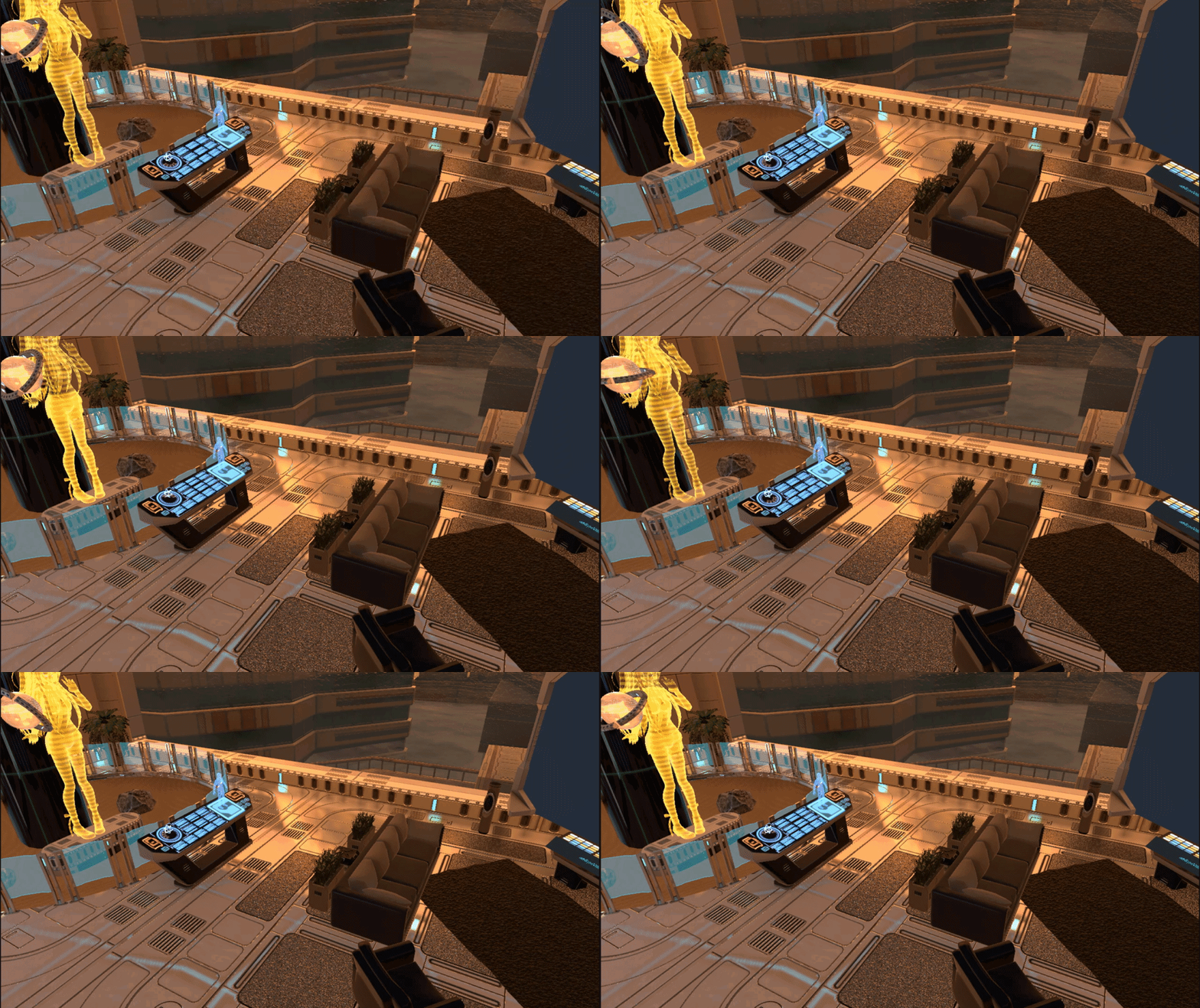
I did a nice sunset vista, but was hoping to have a toggle for a christmasy night atmosphere
dusty spruce
Hmm, then using spheres would be my choice. I’m not aware of any other way to do something like that.
And change the lighting to a darker colour.
glad hedge
Having a way to swap skyboxes would be an easy way for me, was hoping that was available. Ah well
I will figure it out
dusty spruce
Okay good luck.
sacred warren
Directional light is fine, realtime light is the issue 😛

 mild ether
Does anyone have some plugin recommendations for adding decals to maps? For example blood spatters on walls, grunge, footprints, grafitti etc
 nimble hull
@worn radish love it
 odd flower
I am currently having an issue with implementing sounds into my world. If I enable them the sounds from the menu or people cannot be heard anymore.
cobalt sluice
You can only have like 32 active audio sources, including people
For some reason it doesn't matter how far away the audio sources are, they still count to that limit (out of ear shot audio sources will still cause player voices to disappear)
near escarp
64 !
cobalt sluice
Oops thanks Ruuubick
I guess what I've really been doing is limiting my audio source count to 32, which allows for some wiggle room with 20-30 player capacity maps
odd flower
Ouch, then I need to figure out how I should add sounds to my rivers using splines (if thats even possible)
cobalt sluice
For my rivers I just manually place audio sources spaced out along them with slight overlap, and I have a trigger around the entire river that turns the audio sources on/off when you enter and exit
You can also make an audio source pefab that uses a sphere trigger around it to turn on/off
odd flower
Yeah that sounds like a good idea, I have alot of audio sources to convert then
cobalt sluice
Nice
Also in case you aren't doing it like this already, you should uncheck Enable Spatialization and use a spatial curve that makes the water partially 2D when you're near the source for it to sound best
I've had trouble with echoing audio when two sources overlap on rivers, so I alternate between two similar sounding river audio clips. Not sure if there's a better way to tackle that...
barren ice
So I have this weird issue I've had happen in the past before.
So this picture, I'm testing out a world and it's spawning me under the room.
but my spawn is right here and I even made it higher

and it is set properly
Does anyone know what could be causing this?
near escarp
Check your colliders to make sure you're not being pushed down when you spawn
barren ice
I found it haha, when i made the collider, i didn't notice it made it as big as the room because my mesh colliders were covering it. xD
frigid estuary
does vr chat allow reflection probe groups?
is there a game setting restricting those from working or is it usually working?
rain shadow
If that "reflection probe groups" thing is a custom script then no
 north elk
Question/ Problem: Cant seem to upload a world to community labs both via website and in-editor. Is there a reason/ have I been suspended from uploading worlds, idk what may be the reasons...?
(Hope this is the correct place for that, if not, redirect me - thanks)
balmy gate
@north elk what is your rank / color in game. You need to be user or higher... New User (blue) can upload avatars but not worlds yet
north elk
i have been a trusted user for months now
unless by using the User rank in vrchat screw with the settings
balmy gate
No, and user should still work
What errror do you get? Or you don't see the checkbox
Can you disable clear on play in console and look for the first red error?
north elk
there is no error displayed/ ive uploaded twice with labs enabled....
yet never shows up in labs
mild spade
Are you using the correct Unity and SDK? Do you see the world on your "mine" list on VRChat?
balmy gate
What exact unity version? Are you able to open the world yourself?
north elk
unity 2017. 4.28f1
 outer crane
When are they going to update to new Version of Unity? Any one know?
balmy gate
Still in beta. There have been remarkably many bugs on unity's side, as well as some sync trouble so it's gotten delayed
 mild python
When I press Build & Test, Windows does its ding noise and VRChat starts up right away and opens my world in an old testing build before all the massive changes I've done today. It doesn't even go through loading the test build before opening VRC. This has never happened before and I'm really confused. It's being developed on the Unity version for VRChat 2018 (2018.4.12f1) and I've got VRChat on its open-beta version. I've tried deattaching the blueprint but it didn't do anything. What might be causing this and how do I fix it?
If I press Build & Publish it does the ding sound too and goes immediately over to the Configure World window
Alright so, I'm getting these errors when I press Build & Test
I have a feeling I've ran into some "it is read only" issue in the past and I feel like the solution was fairly simple but I don't remember what it was. Got any ideas?
rain shadow
Delete the simple lightprobe placer as its likely not compatible with 2018
mild python
Oh riight, I'm not even using it anymore, I completely forgot about it
I'll try that and get back at ya, thank you!
It works!! Thank you so much!
bold ibex
i lost the unity data of my first world is there any way to download it ?
sacred warren
Nope
bold ibex
so i cant re edit it?
sacred warren
Nope, not without the original files.
 gaunt minnow
many days later and i still cant get the things i make with probuilder look any better than this:
this wall is using a manually optimized UV, everything properly welded/stitched, autostitch also enabled
can anyone explain why it all just ends up looking so terrible?
the best i can make that doesn't screw up with lighting like this is a plain box
 stone hollow
Looks like they are smoothed
rain shadow
Is your lighting baked? if not those seams are probably to do with normals
gaunt minnow
it is
stone hollow
is there a smoothing option when creating a box in probuilder
gaunt minnow
i tried to put smoothing on it to see if it would fix anything but it didn't, smoothing or not, the same edges occur
rain shadow
only when the lighting is baked or all the time?
stone hollow
It does look better just not perfect
gaunt minnow
well i guess i know what you mean, it's just not any better in terms of solving the issue
the white lines are the problem, emphasising them or not with gloss isn't
i made a couple pillars and a firepit, also with ProBuilder and they also have odd white lines on them
i guess they are seams?
stone hollow
have you tried this configuration of blocks instead? im not sure if it will solve the issue but it could help
gaunt minnow
i'm not sure how i would achieve that in the probuilder UV map editor, its extremely limited in features
stone hollow
Hmm
the only thing i can think of is have you deleted the faces on the inside of the blocks
gaunt minnow
they weren't there, i began with a slab (the wall) and took the windows out of them
using a subtract feature
stone hollow
ah
not well versed with probuilder - @chilly venture or @vapid quarry may know what the issue is
gaunt minnow
thanks for your time
 vapid quarry
@gaunt minnow have you tired changing your shadow bias on your lights? And or turning off smoothing
Also take a picture of your lightmap settings for us please 😄
gaunt minnow
smoothing is off, haven't tried the shadow bias thing @vapid quarry ill google that
vapid quarry
just on your lights or directional light its undershadows if you're using them
try turning that down
or even turn shadows off in general just to test it
vapid quarry
Alright
try these settings
untick Realtime Global Illumination (Realtime Lighting)
Change indirect samples from 500 to 200
change indirect resolution from 2 to 20
Lightmap resolution 10 to 20 or 25
Lightmap padding from 2 to 20
Lightmap size you can change to 512 I guarantee you won't notice a difference
Change Directional mode to non-directional
and lightmap parameters to Default-verylowresolution
This should speed up your bake ALOT too
Personally I would use enlighten if you're still using unity 2017
Progressive in unity 2018 is way better
Make sure you're using reflection probes too it makes the lighting look way better. A lot of people forget about or don't know about these. Just set the res to 512.
sacred warren
I assume those are different meshes. Have you tried merging all those pieces into a single mesh?
gaunt minnow
they are all a single mesh
sacred warren
Ah, hmm.
gaunt minnow
i started with a wall and extruded the windows from it
 unborn elk
@gaunt minnow I never used probuilder so I may only guess what is wrong but your case looks similar to when the vertical parts of the wall lack edges to connect window corners in Blender https://gyazo.com/4cfc22fd034146260ab4791d17730c05 https://gyazo.com/ca0914ba91bc37737a06433a505aad48
frozen glade
anyone knows why vrc locks my fps to 10 when trying to test a local world
sacred warren
It shouldn't. Is it possible it's the world's actual performance? You're not using 30 realtime lights are you? 😛
frozen glade
nop
it has one light
and the world is not big
imma restart steam incase
nvm
changed audio from oculus to speaker and i have all fps back
hope its an vrchat issue since oculus updated their drivers today
 ornate turret
@gaunt minnow based off your UVs, it looks like that window wall has Ngons? (faces with more than 4 sides)
which can cause lighting issues
although I'm not sure if probuilder fixes that automatically or not
gaunt minnow
i recreated the wall from blocks instead of cutting the windows out
with redone UV + the other tips here earlier it seems to have much better results, but still there's lines visible now and then
ornate turret
oh i see
gaunt minnow
also to answer your q i don't think there were ngons @ornate turret but it seems like cutting the windows out leads to unpredictable and buggy results
unborn elk
If you cut windows out then you had n-gons, you need to fix edge flow every time you use any boolean operation
 woven totem
Don't know what this means, but whatever progress was being made bricked at this number. It's been like this for roughly 2 hours now.
This problem went unnoticed for a good while, first world I've made actually. So I don't know what it is in the slightest or if it can even be optimized and re-countered from bricking.
Whenever I cancel the building player, close or re-open unity, the jobs go from 60+ rapidly but then stops at 24.
Used to be, it would just tick down 1 every few minutes average.
So put simply, what does this mean and what can I do about it?
near escarp
It will either take hours, or it won't end at all
 deft marsh
Anyone got the method for pressing a button and generating a random message on a screen?
Like pressing a "choose number" button and a number between 1-10 generates onto a screen
I've tried googling and honestly can't find anything on it - all the vids/guides i've found revolve around spawning objects or showing mirrors etc
near escarp
You create 10 objects with either Text mesh or actual mesh, and the button just OnInteract, SetGameObject active with a randomize
or with an animator
deft marsh
So it will just need to be individual objects that are hidden and shown and the base would just be the blank screen. I thought that the text was appearing on the screen as opposed to the entire screen just being changed to a different one + text
thanks!
 keen chasm
Hi! I thought about creating a world. How am I suppose to proceed?
deft marsh

GitHub
A somewhat complete guide for creating your very own room for VRChat - rikeri/vrchat-room-tutorial
near escarp
Start with tutorials
deft marsh
that's a good place to start
It goes through a lot
Took me the longest time to find the Randomize button - hidden under advanced mode c_c
Is there a limit on the number of gameobjects I can have in the trigger?
bold ibex
anyone know how to do timed events?
near escarp
@deft marsh Not really, but you'll need to test in vr to make sure there isn't an impact
with a delay on the trigger or with an animation event @bold ibex
deft marsh
2/250 questions done
Only 250 materials.. that won't be too bad right?
to switch between that is
hahaha
near escarp
That's pretty bad
deft marsh
Sounds quest optimised to me!
near escarp
You could also have a ton of those on a giant image, and the button just enables a random animationt that moves the camera on it
deft marsh
Isn't that the same deal though, I'd still have 250 different mats for the board
near escarp
Well if it's a single image it would be a single material
bold ibex
@near escarp I just don't know how to set a timer. I know the amount of wait time, i just don't know how to add one to my world
deft marsh
but then have 250 animations?
near escarp
But it really depends what the performance is like
250 materials can be fine depending on how it's done
deft marsh
I'm trying to consider the fact there's probably no more than 15 materials in the entire room prior to the board
and hoping that that it won't affect too much
near escarp
@bold ibex How is the timer triggered ?
stone hollow
try making a map with 1 material 😏
near escarp
With no interaction 
bold ibex
after x amount of time x event happens. And the timer needs to repeat, while also only being active when a different trigger enables it
near escarp
Yeah but after x amount of time after what
bold ibex
after player activates trigger.
near escarp
Then you just create an animation, place an animation event at the time you want the event to trigger, put that in an animator, place a vrc_trigger on the same object, have an activate custon trigger, and then apply the same name for the animation event and the custom trigger
It'll loop at the same time continuously after it's triggered once
I can record a video if you don't understand
bold ibex
please do. I'm trying to make a boss fight, and have it to where after the boss does a certain animation x event happens, and only repeats when the animation repeats.
I also wanna do a thing to where the areas the boss will attack will light up red(i have a hidden object with red emission ready to take the place of said platforms)
bold ibex
yeah only 1 problem. I have no idea if I can do that in unity 17.4.28f1 when that's a newer version.
bold ibex
so i have the animation event thing, having it on the bosses' animation, and the next step is to have a trigger on the same area i have the animator on, and then having the trigger be set to custom?
near escarp
basically the animation event is just a way to say "at this point, activate this trigger called boss"
the trigger received it, and does its action
and since it's on an animation that loops, it'll activate the trigger every time it passes on the event
bold ibex
for the String?
near escarp
yep
deft marsh
Ruu why you gotta have such a high reso monitor
near escarp
because otherwise stuff gets blurry
deft marsh
got my nose pressed to the damn screen trynna read that haha
near escarp
xD
bold ibex
same name as the gameobject with the animator, correct?
near escarp
the gameobject name doesn't matter
bold ibex
so the name in the VRC trigger?
near escarp
the only thing important is for the parameter string and the name in the custom trigger to be the same
near escarp
And so with an animation event you can do all kinds of cool stuff
it's more reliable than a timer or a delay
bold ibex
neat
ok so now, how do i make it so that when player collides with x particle system, they die
or get sent back to the respawn point(which is the beginning of the fight)
basically teleports the player
if anything, I can do something simple like attaching a transparent 3D object to the particle system and having that do the action. Though I have tried collider triggers with the floor, but that didn't work.
so I'm unsure if that will work either
near escarp
Well, you set the particle system to a layer that collides with the player, create a trigger for OnparticleCollision with the correct layer (PlayerLocal) and action > teleportTo
bold ibex
how do i set the particle system to a layer that collides with a player?
near escarp
default should be good
bold ibex
do i check the collision thing on the particle system?
near escarp
@bold ibex Which collision thing ?
near escarp
I think that is a different thing
As long as it has the correct layer and that the trigger is set correctly it should just work
With the collision you just use AddPlayerDamage locally and I think that's how it's setup
bold ibex
so it's auto set for me by default when i create the particle system?
near escarp
i believe so yes
bold ibex
only 1 way to find out
bold ibex
nope 😄
near escarp
@cedar nebula might know
cedar nebula
hi that's me
Don't use the triggers module in the particle system, that's for something else. In the Collision module, make sure you have Send Collision Messages enabled.
Then add a VRC_Trigger set up as OnParticleCollision Local with the action of AddDamage or TeleportPlayer depending on if you're using the combat system or not
bold ibex
okay
cedar nebula
oh and in the collision module, make sure the Collides With has PlayerLocal checked
bold ibex
ok
cedar nebula
small correction, only have it collide with PlayerLocal! Otherwise it'll trigger every time it collides with anything
cedar nebula
yeah looks good, though the Radius Scale might be kinda small (depends on the size of the particle of course)
I'd enable Visualize Bounds and then play the particle system, the green spheres are the hitboxes, er hitspheres? Then resize them with the Radius Scale as you need
bold ibex
i don't have to worry about that, i got the particle system set to be facing upwards, making the player collide with it regardless
bold ibex
alright, lets say the boss has a weapon they have for the player, and i want to make it so when the weapon collides with the players' hitbox, they are dealt x amount of damage
near escarp
OnEnterTrigger for weapon
bold ibex
gotcha
also, I heard about an AI system for VRChat that makes the enemy chase after the player constantly. Is there a way I can do that, and make it so that when enemy gets x distance close to the player, it triggers a random animation? or is that type of system too complicated for 17.4.28f1?
near escarp
unity version is irrelevant for creation complexity
bold ibex
understandable
near escarp
but doing that would be very difficult yeah
bold ibex
Idm being challenged 🙂
I just don't want to have a repetitive animation play for this bosses' final phase. It's too easy to predict, and isn't guaranteed to put the player through an intense session. I want the player to actually focus during the final phase of the fight.
bold ibex
@cedar nebula I have the setup you recommended, but it's not working
do i need the trigger to be true or toggle? cause i checked the collision, and it seems to be fine
sacred warren
Particles behind rocks? Remind me what I'm doing wrong again here...
balmy gate
Does it happen if you turn off soft particles
if you're using Particles/Standard Unlit or Standard Surface, note that those shaders are broken in vrchat for anything other than opaque particles
sacred warren
Standard Unlit so that would be the issue. I tried Priority Additive but it was visible from any distance it seemed.
balmy gate
yeah if you want to fix it, you can make a duplicate shader and change the render queue setting in the shader file
I think I did that for someone else here
@sacred warren this is a version with the correct render queue
sacred warren
Ah, easy fix then, thanks.
balmy gate
there's a canny to fix it in 2018 since it's now the default particle shader
I'm hopeful it will get fixed there. otherwise right click->effect->particle system is broken in 2018
sacred warren
Ahhh, I remember that Canny. I didn't realise that was this shader.
deft marsh
Is there a way for the onEnterCollider to impact the SetMaterial trigger
Such that I have a random generator that will pick a "player" from random out of a potential 20 people. Let's say there's only 6 people stood on the colliders, I only want the numbers 1-6 to be chosen
but instead of numbers it will be a beam of light that shines down onto that person
but might be numbers because I may get too lazy for the particles
 viscid pebble
hi...
gaunt minnow
is there any known way currently to play internet radio streams in VRChat worlds?
sacred warren
If you're not using Unity trees/grass, does the Detail Resolution and Detail Resolution Per... value set actually matter?
 vast raft
what do you guys use for post processing?
sacred warren
PostProcessingv2, Bloom + Slight contrast adjustment.
vast raft
I dont see the post processing v2 in the asset store tho.. just the playmaker addon
sacred warren
Sorry, I'm an idiot, it's here - https://github.com/Unity-Technologies/PostProcessing

GitHub
Post Processing Stack. Contribute to Unity-Technologies/PostProcessing development by creating an account on GitHub.
 warm orbit
Trying to set up a new world with baked lighting, and for whatever reason, even with light probes, the lighting doesn't affect avatars. Anyone have an idea on why that may be?
near escarp
Did you bake the light probes ?
warm orbit
I did
near escarp
Then it should work 
Move an object in your scene in play mode and that should show the lightprobes being used
 near silo
Hello guys. Anyone here worked with sound visualizers in worlds? Need some tips as to where to start with that
 verbal breach
question, to update a world I have to simply click "build and publish" again?
near escarp
Yeah
verbal breach
so, if, let's say, I want to make an alternate version of the world (day and night versions) I have to have 2 different unity projects?
near escarp
No, just detatch the ID in the vrcworld
verbal breach
I see...thanks !
warm orbit
Anyone have any experience setting up post processing? Trying to add bloom to my world using post processing stack v2, and it works in Unity, but isn't working in game. Yes I have the main camera set as the reference in the VRCWorld component.
near escarp
follow the silent tutorial steps
warm orbit
Got it working. Now I just gotta figure out why my chairs are clickable from a mile away even though I have the proximity set down to 0.01 >.<
 wide rose
OWO
Hey I uploaded a world and everytime i load i see the world for a split second and then it sends me back to my home, please help.
deft marsh
I've put 100 variables on the setMaterial to randomise but only 4 of them are cycling
any ideas?
deft marsh
Anyone able to point to the method of adding in 1 trigger that can randomise another set of triggers? if that makes sense. I think there must be a limit on the setMaterial trigger action so was wondering if there's a way to run an onInteract that can trigger (randomly) 5 other sets of onInteraction triggers which in turn have their own setMaterial trigger actions.
bronze smelt
Why do you even need to set that many?
deft marsh
a game room that selects a question onto a screen
press button
get question
room, without the mats for the questions, has 12 mats tops
sacred warren
In the Unity editor, is there any way of seeing which colliders you're currently "inside"?
@left marlin I'm guessing someone's told you already, but the archery prefab doesn't work in 2018.4.14f1, the arrows drop on the spot.
 dusk bough
When launching VRC from within Unity, how do I enable debug mode so I can open console? I'm sure I have seen doc on it but can't find it now...
deft marsh
I have this running at the moment but it only appears to be selecting 1 of the custom trigger actions instead of randomising across the 4 of them.
Man these freakin' triggers are just busting my balls
If any smart cookie can hit me with some DM's to go through this I'd be very very appreciative x_x
near escarp
You can't randomize those
The randomization is inside the custom trigger
If you want to randomize the randomized trigger then they all need to each be on their separate object and be part of another custom trigger in which one of the four will be set to trigger
deft marsh
Sorry for the late reply I'm in vr. So to clarify, I cant randomize the interact trigger to randomize the materials?
Or I can do that so long as all of the oninteract triggers are on different objects?
near escarp
You can randomize inside of a trigger action, not the triggers themselves that way
 left kettle
Hello hello! Quick question about VR controllers in general and input.
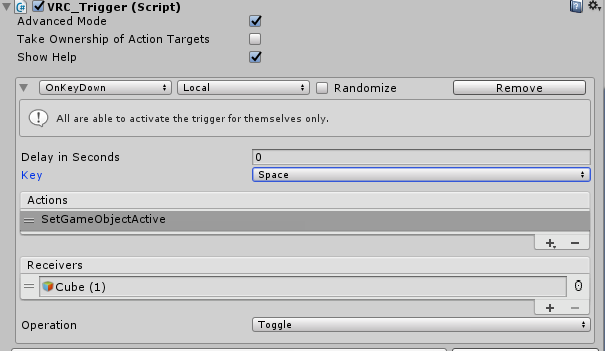
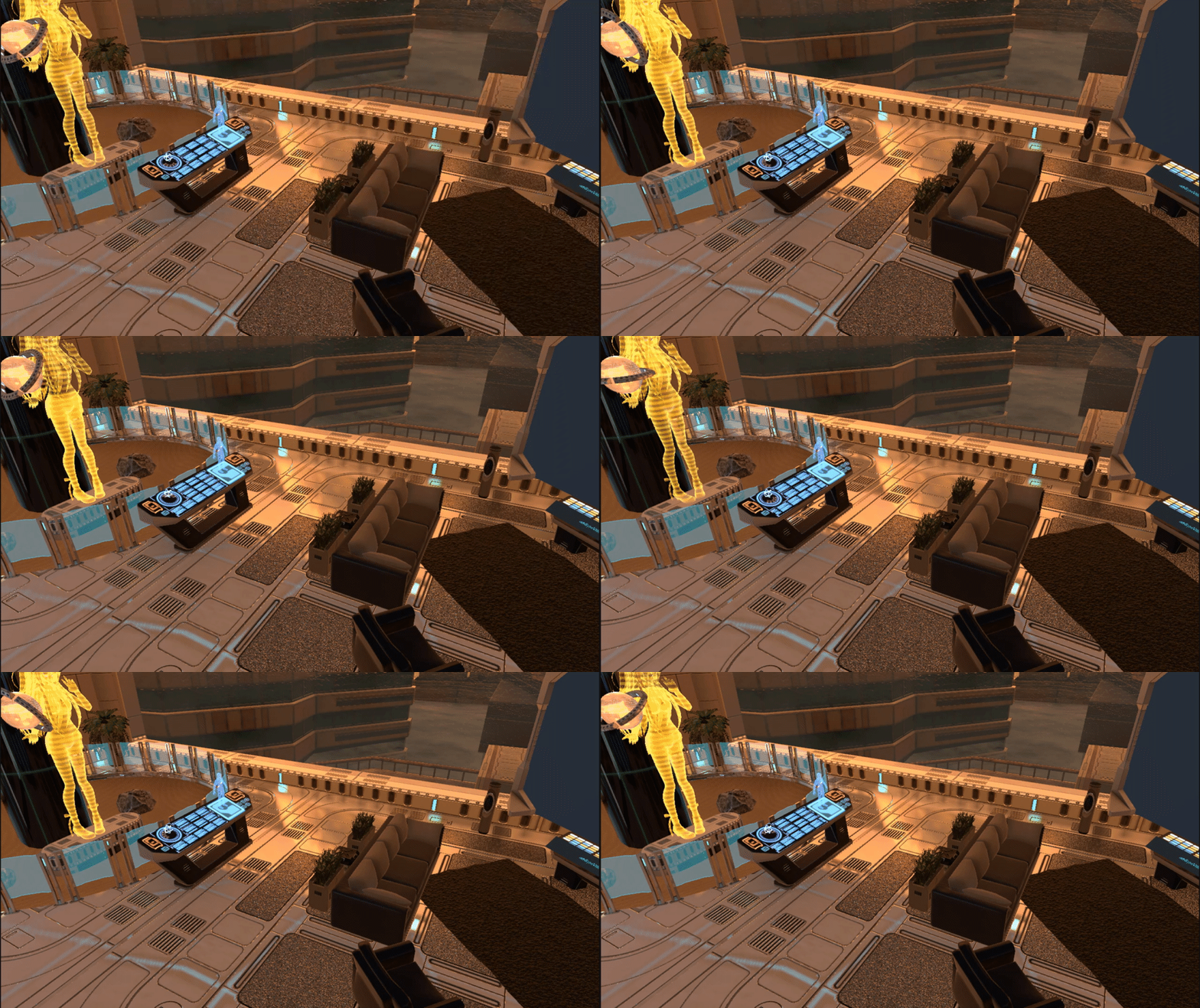
What would the trigger buttons be labelled as for VR controllers? Google didn't really help and I'm trying to make triggers for specific keys etc etc.




 mild spade
I believe that is 14 and 15. https://docs.unity3d.com/Manual/OpenVRControllers.html
balmy gate
@mild spade @left kettle sadly that gives you trigger "touch" not press
Press events are axes which we don't have access to without udon
And touch is very disconcerting. I didn't realize how often I accidentally touch my trigger buttons until I tried unity buttons 14 and 15
Touch is literally your finger resting on the trigger button
Same behavior for index controllers and oculus quest
left kettle
Sadness, I have acquired. Alright, thank you for the response! I made a class system and the temporary solution I made was putting a trigger sit in front of players so they could activate the skill for their class. For VR, it's a bit of a hassle to reach forward just to interact with this trigger and in general, sometimes it's unresponsive due to the floor blocking said trigger.
mild spade
I do remember that working a while back, that was before Index controllers. Good to know for future reference.
Have you tried using UI ?
balmy gate
@left kettle you could consider using UI canvas and button (with vrc ui shape)
left kettle
Mm. True true! I'll give it an attempt. I've yet to try the UI canvas as a method. Thank you very much~!
vast raft
quick question on Post Processing stack. I have everything set up and can see PP in the "game view" but when I launch VRC there is no PPV2
 kindred thicket
Hello Developers, I have been working in unity for about 2 months now and have been able to make two words and a lot of gidgits. It's all truly awsome! I have been trying to add an animation to a VRC_Station. So far I have been able only get it to partially work. The face animations, legs and arms, but he waist is tucked forward. The animation is to lay on your back. If I click "Seated" everything but the waist (or hips) works, however if I uncheck "Seated" the animation doesn't work at all. I have tried using an override controller and an animation controller, tried changing player mobility - i have run out of ideas why it's not working, thus why I am hear. If anyone know what I'm doing wrong I would greatly appreciate it. The idea is to totally manipulate the avatar like in MMD Dance Words. Thanks
near escarp
@vast raft Follow the steps in Silent's guide to the letter, it'll work
kindred thicket
Thank you, where do I find this guide? Sorry, I am new to Discord also.
 storm plover
Any way I can use the avatars I have in my scenes instead of just the base models? Some of the base models are just bugged and I want to make a showcase of my best avatars in my world
 sturdy dust
publish it as private and test it ingame
 dusk sapphire
@inner kernel run the install.exe in the vrchat folder, its supposed to run the first time you launch vrchat but sometimes it doesnt or the binding for vrchat links gets removed for some reason.
and also make sure your client path is set correctly in the sdk settings
 vocal lance
I created a world and uploaded it. I see it in my worlds menu but when I click on it, it just sends me back to the default home world. Can somebody help me?
bold ibex
hello guy
 inner kernel
@dusk sapphire Got it to launch, thank you, do you know if there is a way to start it in desktop automatically? It defaults to steam vr
@vocal lance do you have the VRCWorld prefab dragged on the map
sacred warren
There's a pinned script to do it
sacred warren
I have a hollow box in Blender, but for some reason in Unity it acts like a solid object so I can't see inside it (it kinda acts like a plane in that I can see outside from inside). Any ideas what I'm doing wrong here to make a hollow object?
Oh, nevermind, the internal normals were the wrong way around.
inner kernel
In this channel? I dont see it
sacred warren
@inner kernel Here you go http://secondstrife.com/vrchat-vbs/
inner kernel
Appreciate that, thank you 🙂
deft marsh
.>
Ruuuuubick
Got some uh.. got some more of those trigger questions you love tellin' me about
bronze smelt
Post them or no one will answer 
deft marsh
I'm just pullin their leg, but I was lookin for clarification on this
"If you want to randomize the randomized trigger then they all need to each be on their separate object and be part of another custom trigger in which one of the four will be set to trigger"
I'm trying to avoid putting all 250 images onto 1 texture and using the camera/animation trigger tbh
and still trying to use the SetMaterial trigger action
but putting more than 25 materials into the SetMaterial trigger causes fps drop and the trigger doesn't seem to work correctly
Does it mean that the initial trigger OnInteract, will randomly select one of the 4 custom triggers, which will in turn randomise the custom trigger?
or can custom triggers not randomise at all?
near escarp
They can randomize the inputs inside yes
but there isn't a randomize in which custom trigger will be selected
deft marsh
Y'know what, 5 buttons it is!
 marble silo
Hey guys, as an avid D&D player, after doing some in-game dungeons I am really keen to create one of my own to give back to the community. I am not a game dev, and VRC has been a great way for me to get into making projects, but I am currently struggling with making an NPC follow script
I am following this guide https://www.youtube.com/watch?v=zssU0MZcIx8

#JIMMYVEGAS In this Mini Unity Tutorial we show you how to create a script which will make an NPC follow you like a companion.
✦ Subscribe: https://goo.gl/gidCM5
✦ Patreon: http://patreon.com/jimmyvegas/
✦ FREE Assets: http://jvunity.com/
✦ Facebook: https://www.face...
But I am getting a compiler error (I have trawled the script many times, 99.9% sure I am getting it right) when I try and add this to my npc object.
Has anything changed in the past 2 years or so that I need to know? And if so, how do I go about creating a following character now? I know it's still possible!
opal goblet
@marble silo You cannot use custom scripts in VRChat. You can only use whitelisted scripts (e.g. all scripts from the Official Unity Standard Assets). However there currently is a node based Visual Scripting system in the works called Udon. Its currently in Open Alpha, meaning that it is not complete yet, and has alot of bugs/missing features. You might want to wait another half a year or so, before starting complicated systems.
open thicket
@marble silo you can create a npc follow script
well technically not script but system
this is based off a player handle
You can use the AI Character Control and set the target to be a player handle
one of Fionna's following pet prefabs also uses this Player Handle
then you bake the nav mesh to set the parameters of which your AI can track and follow you
but i haven't really got around the part of using the animator to change into a non player handle state
because calling the component itself on animator can be messy and sometimes doesn't tend to work based on my own experience
You will have to get around VRChat's currently SDK and trigger systems using a lot of things such as OnEnterTrigger and work out how you want to
broadcast these types of interactions
bold ibex
wait does vrc_trigger not exist anymore?
bold ibex
?
open thicket
you're doing all of your triggers through the nodes now
i haven't had a proper look at open alpha yet
bold ibex
i mean i can add a damage script still
hmm
okay
ill look more into this tbh
its confusing since no real documentation
open thicket
probably better bet to ask udon questions
haha
good luck!
i'm excited for udon as well
marble silo
@open thicket legend thanks
 green lagoon
udon looks quite cool wish I knew enough about programming got to make cool stuff with it
open thicket
not to late to learn @green lagoon
green lagoon
of course I just need to figure out where to find documentation which might take a while as its new udon
my eventual goal if you udon would allow it is to make a vr dog I could pet and play fetch with
fluid tapir
So if I uploaded a last Sunday. How long do I have to wait to upload another?
I tried to do it earlier today.
cedar nebula
once a week, so I'd assume once exactly 1 week has passed since the last upload
fluid tapir
Okay
Also since physound has been deprecated from the asset store. Could I use something like wwise sound stuff in unity if I script it right?
 modern kayak
physsound is still available, I believe it went open source or something
but it has some weird networking stuff, like every single sound is alwaysbufferone. Nasty
Much better to recreate it in udon, which has already been done in prototype stages
storm plover
Anyone know what would take up the most file size for an avatar world? I tried to add in the avatar models so people can see them but the world size jumped from 29MB to 77MB. What do I have to delete to make it small enough? Or should I just make another world?
sacred warren
Textures, normally
green lagoon
yeah textures at up quite quickly as far as file size
storm plover
I feel like I lowered the avatar's original textures the best I could but it might be just too much on the world as a whole anyway, since the world already has a few songs, mirrors, avatar pedestals, etc.
Knowing if having multiple buttons for stuff takes up much?
bold ibex
Hi,
I was wondering if any of you know a good video to learn how to make particles for worlds?
storm plover
I think particles for worlds is mostly the same as for avatars. Attach them onto an object, move them, add triggers for them, etc.
kindred thicket
I asked a question about VRC_Station yesterday (Animating users avatars like in the MMD Dance worlds). I was told to follow Silent's Guide to the T and it will work. The problem is I can't find the guide. I found guides by Silent for other things but not the one I need.
Any assistance will be greatly appreciated.
bold ibex
Ok thanks
 tropic yarrow
@kindred thicket that's usually done like so https://vrcat.club/threads/dance-pads.2473/

VRCat: Community-Run VRChat Forums
After many weeks banging my head,
I cracked the code of the witchcraft that is going on in that MMD Dance world!
The secret is needing Final IK...
kindred thicket
Thank You!!
bold ibex
Hey, just coming back after like a year and I noticed that some of the triggers in my world aren't working such as this one. I don't know if a new method was created or something broke but basically I have an object here that spawns a prefab at a specific location and what it does is it sets a cool down timer of 5 seconds before someone can press it again. Can someone help me out
when you interact with this button it sets a gameobject to false
when the object gets disabled it processes two triggers, Spawn and Enable
Spawn creates an item and Enable sets a 5 second timer to renable the button to be pressed again
oh i figured it out
for some reason during an update the receivers list got emptied out
doess anybody know why some of my textures are missing in the "test" but they're visible in unity
alright so i set the receivers properly but the button is still not allowing to spawn a prefab does anybody know whats going on
bold ibex
does anybody know
 muted jolt
can someone helps me ?
i have a lot of friends on my list since 2017
i just play again today and all off my friend list are gone...
this is a bug ?
 minor silo
I have a question
I want many buttons to control the size of an object
What functions do I need to control the same object size
bold ibex
Anyone know how I can make audio from a YouTube video play throughout my world?
sacred warren
Other than a large overlapping trigger which isn't on the MirrorReflect plane, what else could make triggers show up on desktop but not VR?
It's kinda past the stage where I can eyeball it now...
 unkempt turtle
anyone knows if its possible to add effects to mirrors (like an old tv screen effect)?
bronze smelt
You can yeah, got to write the shader for it though
unkempt turtle
alright, thanks
 vagrant egret
Hi. May I promote my shader here?
bronze smelt
That's what we got #shameless-self-promotion for
vagrant egret
I don't know that. Thanks!
 delicate marsh
Is there a prefab for working snail trail pens
I thought since some update they were broken
 hybrid mica
hello does anyone know why the video player crashing some new people joining, after playing a couple videos?
bold ibex
does anybody know the answer to my question above
bronze smelt
@bold ibex that's shader issues (the pink)
bold ibex
how about the triggers not working
bronze smelt
hmm
Could be that it's on a object that get's disabled. You tried calling the spawn directly just to confirm it's nothing wrong with the spawn itself?
bold ibex
the triggers were working before
but an update broke it
i dont see why it would be not working
bronze smelt
They've been doing some trigger updates over a few updates. Some timer changes and what not
bold ibex
Spawn Basketball Has a OnInteract trigger than when clicked Disables Spawn
Spawn gets disabled and has an OnDisable Trigger than summons two triggers, OnSpawn to Spawn a Basketball and Enable. To renable Spawn after 5 seconds
bronze smelt
Try do it without disabling it.
bold ibex
i mean the easy way would just do an interact on the button to summon the ball of course thats going to work
mild spade
Maybe OnDIsable is somehow broken. You could have OnInteract disabling its Collider for 5 seconds while also spawning one object. instead
bold ibex
the point of having spawn disable itself is so that nobody can click it for 5 seconds to spam it
so let me try it
does this look right
oninteract spawn object, set component active boxcollider to false
and summon custom trigger with a 5 second delay to reenable box collider
mild spade
That should work. If still does not spawns the basketball, check to see if the collider actually is disabled and enabled back. If it does, there may be a problem with your prefab (usually renaming it to something else fixes it)
bold ibex
omfg it works
bold ibex
how do people get that custom menu thing when they press escape
do i need to use player tracker or some shit
sacred warren
With triggers, when exactly do they trigger? When your capsule hits them, or when your head hits them?
balmy gate
@bold ibex this prefab does it: https://booth.pm/ja/items/1510744

このパッケージはワールドに拡張メニューを追加できるプレハブになります! ※ 現在拡張メニュー内で使用しているCombatSystemによる不具合としてアバター内にJointがある場合Jointが動作しない現象を確認し...
The complete answer is using OnKeyDown triggers with button numbers that depend on if you are on oculus store or steamvr
@sacred warren what layer are you testing against? Are you trying to detect player capsule or playertracker
 ocean jackal
how does one make it so that you can build pillow forts?
green lagoon
question do you mean how to make a map that has a pillowfort or how to make pillow forts an activity you do in a Map
ocean jackal
how to make it so that people can pickup a pillow bring and place it in the air and make it so it can clip through eachother and not fall
or explode apart
green lagoon
turning off gravity and physics
 rough ice
hey, i am getting an error in unity entitled, sorry if i'm chiming in when someone else is having a problem and shall patiently wait my turn
 random tangle
for the second one, make sure you have a spawnpoint
rough ice
i do, i set down the world prefab
ocean jackal
did you try detaching the blue print?
rough ice
it's dettached now
random tangle
anybody have any clue to fix walls like these, where the collision and visuals are messed up?
rough ice
still not fixed and is still giving me the world not existing prompt
ocean jackal
I assume you can't clear the error?
rough ice
are you talking to me?
ocean jackal
yes
random tangle
Thanks, I don't really know what I'm doing. What colliders should I be using then?
rough ice
no i can not clear the error
near escarp
Box colliders instead, a few of them
ocean jackal
That doesn't cause lag to have more than one collider making up a wall?
green lagoon
yes it's much better to use box colliders compared to a mesh Collider
ocean jackal
I've got a lot of work to do then
green lagoon
depends on how you put together your map
ocean jackal
I suppose
green lagoon
like if it's mostly a bunch of modular prefabs put together you only need to change the prefab and that would affect all of the instances
 stone temple
if i make a map from unity 2018 and publish it. can people without open beta client hop in the world?
green lagoon
nope
stone temple
Oof RIP me
green lagoon
so yeah if you want to convert your map over to 2017 just keep working on it in the open Beta
stone temple
i think imma go back to unity 2017 and remake everything
green lagoon
I suppose you could try and see if you can just copy the project files over and hope it doesn't explode
stone temple
 XD
XD
green lagoon
I think it should be okay if it's mostly just a map at this point without any triggers
green lagoon
hope that goes well for you
stone temple
RIP LUL
green lagoon
how did you copy the project over
stone temple
-
- i forgot about that i just open the project in unity but it's okay i plan to remade everything
green lagoon
okie dokie have good luck what kind of map are you trying to make
stone temple
Big Cow with Christmas theme
green lagoon
do you have the big cows yet or do you need to make those
stone temple
i got a base model from other map
green lagoon
then you should probably be pretty good to go
so is the play area on the green part on top of the cow
stone temple
👌🏻
green lagoon
I might suggest putting a fence in so that you don't fall off the cow
green lagoon
yes but the problem is how do you get back to the top of the cow
green lagoon
or I suppose you could put a teleporter pad
green lagoon
I suppose that works
bold ibex
does anybody have english documentation or a tutorial on EXMENU or any heads up display that pops up when you press ESC or a button
deep parrot
Hey I'm looking for a way to tell who's the master of a instance for the video player and can't find anything on it.
I'm just looking for a basic you are master text essentially
 hidden canyon
Anyone got a tutorial / tips for using video players? I'm having trouble not being able to play videos
deep parrot
@hidden canyon I spent 12 hours over the past couple days learning them what's up
Also what video player you using as a base or are you building one from scratch
storm plover
Anyone know why the vrcsdk isn't realizing that I'm trying to update the already existing world, not make another one? The world IDs match in the pipeline manager but it still thinks I'm making a new unpublished world
hidden canyon
I'll DM you
 frigid thicket
Yo quick question. What is the World Spawn thing called?
Like to make it a world. Whats it called? The point where you spawn
bold ibex
the spawn point
frigid thicket
just type that into assets?
bold ibex
just create an empty object
where you want to spawn
and have your VRC_WORLD point to that object
frigid thicket
Okay thanks
bold ibex
you can put multiple spawn points just make multiple empty objects call them spawn 1 or w/e
frigid thicket
like add component to the empty object?
bold ibex
so if you haven't already made a SCENE you'll need to do that first
bold ibex
frigid thicket
just trying to find the spawn thing to make it a world
bold ibex
so in the scene descriptor
frigid thicket
ah
bold ibex
where it says SPAWNS
you put size 1 if you have 1 spawn
then element 0 points to an empty game object you create
name it spawn
frigid thicket
So, select the empty object. In this case I named mine WorldSpawn. And then that will be my spawn for the world?
bold ibex
yes so in the descriptor you have element 0 point to that
basically that empty object holds the XYZ position of where you want to spawn
bold ibex
the descriptor points to that location and tells vrchat wherr eyou wanna spawn
yeah that looks fine you'll need to add a MAIN camera element to your descriptor too
frigid thicket
oh?
frigid thicket
how do I get the element camera. Sorry Im new to making worlds 😄