#world-development
39 messages · Page 18 of 1
 near escarp
You can make it collider with only pickups depending on the layer matrix then
 devout monolith
hmm, noted
near escarp
Or might need a custom layer
But usually furnitures aren't passthrough in all the worlds I've been to
devout monolith
the note itself was:
Think about how you would like your world to behave before you add colliders to furniture. Some worlds have collisions on furniture that isn't in the walkthrough layer, which makes people unable to lean over tables without their avatar either freezing in place or them suddenly popping up on the table.
which seemed reasonable, but if it's not that much of a thing, then that's fine
i appreciate the help
i'm just trying to be as self-sufficient as possible so i don't have to harass the chat lol
near escarp
Asking here if the documentation or tutorials aren't enough is completely fine
near escarp
That too lol
 remote plover
anyone know where I can get a better grass shader for terrain? the default one doesn't seem to handle alpha transparency that well and is rendering my foliage as cut-out
 balmy gate
xiexe has a XSGrass on his patreon $5 level
quite a reasonable price, probably the best grass shader around if you want grassy terrain
 royal bay
does the "on spawn" VRC trigger effect those who respawn in a world?
say they die or press the respawn button on their menus
nevermind.
 plain flax
if i use a bill board renderer can i bake it into lightmap? or do i have to use something else because i dont think it supports baked lightmapping
@sacred warren
 sacred warren
Hmm, not sure with that one.
balmy gate
@royal bay OnSpawn has very specific usage. it runs specifically when you use SpawnObject to spawn a prefab
royal bay
yep. read up on it. i figured out what I needed to do. thank you!
balmy gate
player rexpawn put collider at the world spawn point
royal bay
on a side note while i'm here though, anyone got any leads to the prefab for a working video player?
URL video player*
balmy gate
with is trigger checked and use OnEnterTrigger
 rain shadow
royal bay
rain shadow
royal bay
thank you, my friend.
 opal goblet
@devout monolith for clarification:
Layers have several properties as you stated. One of them is that they decide wether two colliders collide or not. Walktrough is a Unity inbuilt Layer that collides with everything, but the Player Layer. So as you already said, if you want to be able to lean over (or more precisely walk into) furniture and still be able to place a coffe mug or whatever on it, you need to set it to that layer. You can see which Layers collide with each other in the Physics Collision Matrix under Edit -> Physics
 median junco
@sacred warren yep

been using it outside of vrc alot, if you dont overdo it, it has no big fps impact and looks 10x better than the shity terrain grass lmao
havent used terrain grass since unity 5.6
sacred warren
Nice
median junco
of course, this is more "difficult" to use because its a geometry shader, so you cant just paint it on big terrain easily
 snow crater
Is there a way to make something on a camera on Unity to work with the players on a world? I bought a clouds asset but it can only be seen on the camera. I saw a camera refence on the scene descriptor but that did nothing on VRC. The asset got me to made a material of the clouds shader which i put on a large sphere but it didn't work on VRC. The asset I'm using is Massive Clouds - Screen Space Volumetric Clouds. Is there a way to make this work for VRC? Or did I buy the wrong Asset?
sacred warren
Is it a script?
Also Screen Space stuff doesn't work in VR normally, so that may not be suitable anyway.
snow crater
A Shader witch give you the options to edit how the clouds move, speed, direction, ect tho cant be seen without a camera
I think it uses 2 scripts
sacred warren
All non-whitelisted scripts (which is basically all of them) are stripped on upload. Basically custom scripts = no. Unfortunately.
It's why buying anything other than models to use in VRC is a minefield.
snow crater
Yeah learned that the hard a few times in the past. If it's not going to work, then are there any volumetric cloud assets that can work?
balmy gate
does it need to be volumetric? is a skybox with clouds good enough?
I know SIlent has a really nice skybox shader with clouds. I don't know if they have released it publicly
I have one that shows clouds below as if you are really high up. I like it but I don't think it's very high quality and definitely not volumetric
There's a reason that VR safe volumetric clouds are hard to come by though -- it's literally not an easy problem. Sure, you can copy one of those shadertoy things but remember that VR is like doing full screen for both eyes. And if it's a skybox it often has to render the entire screen worth of pixels! And in both eyes
snow crater
Mainly cause I'm making a plane world and i want to make it seem like the plane is moving by having moving clouds. Volumetric clouds are best ones I can find
instead of just a normal 2d texture
sacred warren
Could always use a particle system perhaps, as a stop gap until you find something better.
snow crater
okay, thanks for the help
balmy gate
Well here's my skybox shader if you want to try it
@snow crater it's based on the unity skybox, but it's designed to make it look like you are above the clouds, and applies a bit of curvature to the horizon. You can control the speed of the clouds, so you may be able to make it work
I know it's not what you were hoping for. Silent may have what is basically a better looking implementation of a cloudy skybox. If you haven't already done so, I'd also maybe browse through the Prefabs database (check pinned messages in this group)
snow crater
okay, I'll give this a shot. thank you @balmy gate, I really appreciate it
 supple drift
'Volumetric Fog & Mist' is whitelisted but doesn't work currently (probably won't for a bit). Don't think that asset will work unless you can bake the effect out without needing scripts :/
woops
forgot to scroll down and was seeing an old message
sacred warren
Does "Detail Resolution" on terrain actually matter if you're not using painted trees or grass?
 gaunt minnow
is there any available tutorials on how to make video players that let you enter the URL in the world?
or any recomended links for prefab downloads
 opaque finch
@gaunt minnow There’s a list of prefabs in this channel’s pinned messages. There are a few URL video player prefabs in there.
opaque finch
There’s one that I like quite a bit when I see it used in worlds, but I can’t remember the name of it. But they all functionally do the same thing.
It might be in Tsuna’s World Prefabs, if memory serves correctly. It has a bunch of useful stuff for beginner creators.
gaunt minnow
ive tried a couple video player things but most give me stuff like this
and after auto fixing them i have no sound
gaunt minnow
hm i think one of the pinned prefabs actually broke my project
the one by @noble condor
 autumn pier
Yo, i have been having some problem with Non-Convex Mesh colliders in the 2018 beta. For some reason they work in my friends maps but none of mine. Anyone know anything about it.
 noble condor
Video players have been updated every 6 months by vrchat to keep beeing updated with the youtube api
Uses prefabs 1years and half old with caution. Just remove it and try a more recent one
gaunt minnow
is it safe to delete and reimport VRCSDK folder from a project?
near escarp
If you need to update your SDK, it is important that you follow these steps to ensure the update proceeds properly and you don't have any old/conflicting files. ## Simple Update Here's how you update your SDK. If you're just uploading avatars, you can use the following proc...
gaunt minnow
i'm not uploading i'm trying to get rid of that video player package
it scattered files all through the vrc sdk folder
near escarp
the above are the only steps to correctly remove the sdk from a project
removing folders individually will just break whatever is left
gaunt minnow
id suggest immediately removing that pinned post then @near escarp to avoid more people destroying their projects
near escarp
which ?
gaunt minnow
Lakuza 04/04/2018
https://drive.google.com/file/d/16_St7_IHfSo0D6TbtXePmTUVouHIet_u/view (By @Dieu )
Google Docs
near escarp
yeah i don't think using almost two years old packages is a good idea ;D
gaunt minnow
just going off the suggestions people are giving here
maybe a mistake like that wasnt so easy to make if the download links werent unlisted google drive links lol
noble condor
At least it prove that google drive keep your files active 😂
gaunt minnow
pff 24 errors in my project 😦
and nothing i can do about it
can anyone suggest a way forward
near escarp
which errors ?
gaunt minnow
near escarp
Did you follow the steps in the link I sent above ?
gaunt minnow
it worked, many thanks
 tidal charm
Hi people, I would like to ask you for help
I am trying to upload a world, but I get this error from Unity: "Could not load world "world id goes here" because it didn't exist."
I just installed a fresh SDK
 cedar nebula
Disable the Error Pause in the console
tidal charm
as soon as the game starts (test client) I spawn in a world that I have deleted months ago
Error Pause is disabled bro
balmy gate
Turn off Clear on play in your console. Then look for any red errors
The first red error you can find
tidal charm
ok bro, I will try it right now
This even happens with a blank world that only has a plane and the scene descriptor on it
and it weights 244MB...
Do you know the folder where the cache of built stuff is?
maybe by deleting that folder and its content I can fix it
Could not load world wrld_dfb6346c-3c27-4557-9877-b057950fb885 because it didn't exist.
UnityEngine.Debug:LogErrorFormat(String, Object[])
<OnGUISceneSettings>c__AnonStorey7:<>m__1(ApiContainer) (at
Assets/VRCSDK/Dependencies/VRChat/Editor/ControlPanel/VRCSdkControlPanelBuilder.cs:862)
VRC.Core.APIResponseHandler:RetryRequest(Int32, HTTPRequest, HTTPResponse, ApiContainer, Int32, Boolean, String)
VRC.Core.APIResponseHandler:HandleReponse(Int32, HTTPRequest, HTTPResponse, ApiContainer, Int32, Boolean)
VRC.Core.<SendRequestInternal>c__AnonStoreyE:<>m__13(HTTPRequest, HTTPResponse)
VRC.Core.BestHTTP.HTTPRequest:CallCallback()
VRC.Core.BestHTTP.ConnectionBase:HandleCallback()
VRC.Core.BestHTTP.HTTPManager:OnUpdate()
VRC.Core.BestHTTP.HTTPUpdateDelegator:Update()
UnityEditor.EditorApplication:Internal_CallUpdateFunctions()
may be it is because my Unity version is 2017.4.15f1
balmy gate
That version is old but still supported
You need to go and find other errors in the console. Could not load world .... might be normal if it's a new world if
tidal charm
No other errors
No luck
This crap just does not work, and do not even gives clues or info
near escarp
how did you "install" that sdk
near escarp
yeah that won't work
If you need to update your SDK, it is important that you follow these steps to ensure the update proceeds properly and you don't have any old/conflicting files. ## Simple Update Here's how you update your SDK. If you're just uploading avatars, you can use the following proc...
tidal charm
thanks, let me try it
Weird thing is that I keep spawning in a world I do not own any more
so all info never gets deleted from the servers then\
near escarp
check your steam launch options
tidal charm
never messed steam options, as I tell you, this only happens after building the world to test it in a stand alone client
royal bay
can I remove realtime lighting in mirror reflections?
tidal charm
Nah... Not working
going to wait until new Unity support, meanwhile I am going to get some pie
cedar nebula
@royal bay check the Disable Pixel Lights box in the mirror component
royal bay
merci
 bold ibex
sigh I've never wanted to bother yall with my world problems but I honestly can't find a how-to on this. I got a world and I want it to have a BGM song choice. I have the 4 buttons with the four different songs, but I can't figure out which trigger to use/how to use them so that the songs don't all play at once.
If you press one button a song plays, but if you press a different song button, both songs play. And if you press all four buttons, all four songs play. I'm trying to figure out how to stop all other music from playing, other than the music you want to play
sacred warren
You need each button to turn off the other audio components/objects if you're doing it that way.
bold ibex
Yes! I want this, but I appear to be using the wrong trigger scripts, or I'm not wrapping my head around the ones I've been trying to use.
sacred warren
Yeah, you're using the trigger to turn the new one on, but you're not turning the other ones back off...
Use the same logic to disable the others at the same time
bold ibex
The way I've been trying to make it work is shown here. I have the trigger to start the song on button 1, and another trigger to stop the song on button 2. It makes sense in my head, but in unity it completely disables button 2 instead of just stopping it at the moment.
Meaning once you press button 1, button 2 is completely disabled for the instance.
cedar nebula
you're using AudioTrigger on one but disabling the AudioSource component on another, stick to one system. The absolute easiest way is to just have the audio source do Play on Awake and toggle the entire object, ie whatever song you want playing should have its object enabled, all other song objects disabled
bold ibex
But if I set it to play on wake, wouldn't that cause it to play as someone enters the world? I don't want that. I want them to enter in silence because its a Library, but if they want some BGM they can turn it on
bold ibex
how do you make pickupables not float off into the aether?
balmy gate
@bold ibex igbar means don't use audio trigger. Instead just turn on one audio source on and all others off
bold ibex
drag? or angular drag?
balmy gate
Have them all off by default
Play on awake just means it automatically plays when the object gets activated
@bold ibex do you want the pickups to have physics?
You probably have use gravity unchecked
Or you want them to be stationary where you drop them
bold ibex
nah just like pillows you can place anywhere. i have gravity off but wwhen u let go the still move
yeah i want them stationary when dropped
balmy gate
Oh just check is kinematic
bold ibex
ahh
balmy gate
That's what kinematic means
bold ibex
ahh thanks mate!
balmy gate
@whole dock do you have an example world id (can be private) using the Standard Particle Unlit shader that shows the alpha sorting bug. Tupper commented on the canny asking for test worlds
 stone hollow
amount
Its a lie though, you can have as many as you want, but you shouldnt @jovial vapor
gaunt minnow
can anyone recommend a good youtube player ?
rain shadow
gaunt minnow
much apreciated @rain shadow
gaunt minnow
ive noticed unit's default text rednering thing is very bad, what is the recommended way to do this?
 whole dock
I've fixed the worlds which have alpha things already. I'm gonna make one right away.
whole dock
@balmy gate I've made one and leave the link at the canny. The example world is on Unity 2017 but it happens the same in Unity 2018
gaunt minnow
is it very difficult to make rewind buttons for a YT player?
rain shadow
Its not possible with the base youtube player, you would need to use the stream player if you wanted to do that.
gaunt minnow
is there anything to play audio files with, and something to display images with from an URL that is entered?
also with URLs that are entered in-game?
 vast lantern
When I try and switch states it changes successfully in the animator, but as shown above it switches back in-game/hierarchy and I don't know why. I made sure the animations weren't set to loop, the game objects aren't set to static and made sure there's no other triggers triggering it back without a command.
royal bay
does destroying a pickup object via trigger respawn it?
gaunt minnow
@vast lantern to get a better picture of what is going on i suggest making a new scene with just the structure that is animated
if it works there you might learn something, it could point to a conflict or something like that
 ornate turret
unity can also behave weird in play mode when the animator object is not selected
sometimes the animation will just behave dumb
so make sure the object with the animator is selected when testing it in play mode (just incase)
vast lantern
@ornate turret I tried doing that as well, but it still seems to be doing the same
ornate turret
really strange thats happening then 👀
what are the transition settings like?
and do you have any layers in the animator?
I know you said you made sure its not on loop, but have you tested with each animation set to loop too?
gaunt minnow
it seems from looking around on google that there is some kind of slideshow system for VRChat? does anyone know how that knows or have links to resources?
can only find like japanese information
vast lantern
@gaunt minnow I tried doing your suggestion too and it still does it
@ornate turret The transition settings look like this
 dapper willow
does anyone have a useable beerpong i can use in my world?
gaunt minnow
@dapper willow look here i think there is one https://docs.google.com/spreadsheets/d/e/2PACX-1vTP-eIkYLZh7pDhpO-untxy1zbuoiqdzVP2z5-vg_9ijBW7k8ZC9VP6cVL-ct5yKrySPBPJ6V2ymlWS/pubhtml
not sure about working though
dapper willow
ok thank you
tidal charm
@near escarp Bro, is there a way to check if my account has issues? Because the problem I had yesterday may be related to world publishing, just to make sure everything is ok, because I do not get any error except that one I showed you yesterday
Could not load world wrld_dfb6346c-3c27-4557-9877-b057950fb885 because it didn't exist.
UnityEngine.Debug:LogErrorFormat(String, Object[])
<OnGUISceneSettings>cAnonStorey7:<>m1(ApiContainer) (at
Assets/VRCSDK/Dependencies/VRChat/Editor/ControlPanel/VRCSdkControlPanelBuilder.cs:862)
VRC.Core.APIResponseHandler:RetryRequest(Int32, HTTPRequest, HTTPResponse, ApiContainer, Int32, Boolean, String)
VRC.Core.APIResponseHandler:HandleReponse(Int32, HTTPRequest, HTTPResponse, ApiContainer, Int32, Boolean)
VRC.Core.<SendRequestInternal>cAnonStoreyE:<>m13(HTTPRequest, HTTPResponse)
VRC.Core.BestHTTP.HTTPRequest:CallCallback()
VRC.Core.BestHTTP.ConnectionBase:HandleCallback()
VRC.Core.BestHTTP.HTTPManager:OnUpdate()
VRC.Core.BestHTTP.HTTPUpdateDelegator:Update()
UnityEditor.EditorApplication:Internal_CallUpdateFunctions()
-- Nope --- Nope ---
You know what, I am going to create a new account first and try to upload with that one
To discard the possibility of any issues with my account
ornate turret
@dapper willow that beer pong prefab needs some rework, it has a lot of oversync
which may result in issues for late joiners
but its good to use as a base
sacred warren
Has anyone created a script that adds (and configures) all required components for VRC physics to work on an object? As opposed to adding and configuring the 4 or so components manually on every object.
ornate turret
that would be handy
I don't recall any editor script being available for that yet
but someone might have made one already
sacred warren
I'll probably write one then assuming I can figure out the VRC component stuff with the.. er.. sparse documentation.
ornate turret
like what settings to use for each component on the pickup?
sacred warren
Yeah. You have to add a load of stuff to every object and change a bunch of the settings. Seems a bit insane that that's a manual process for every single object.
ornate turret
yeah XD
most of the components are fine at default
its only really the rigidbody that typically needs changing
depending on if you want it kinematic or not
sacred warren
Accidentally leaving static occlusion enabled for physics objects is amusing, with them disappearing seemingly at random. 😛
ornate turret
😄
also @vast lantern , I'm drawing blanks right now on why its not working for you x_x
For my own animators, my transitions are usually keep transition duration ticked even if the duration is set to 0, but I don't think that is what will solve your issue. 🤔
vast lantern
I'll try that out, I'm also really confused.. I really appreciate the help, hopefully I can figure it out
ornate turret
hope so, if you do figure it out, ping me again 🙂
I'd like to know what the cause was incase it happens to me or someone else 😄
vast lantern
For sure
ornate turret
^_^
sacred warren
Is it me, or does the thumbnail for this screenshot look strangely realistic? https://cdn.discordapp.com/attachments/629302253768933376/653950005295579136/unknown.png
 rain shadow
@sacred warren Is that an asset pack?
sacred warren
It's a shot of a tavern I'm making but something about the lighting made it look weirdly more realistic than most VRChat pictures look. Pack wise, it's about 4 different ones plus some stuff I put together in that picture.
(mostly when it's a thumbnail though, full-size doesn't really look convincing)
rain shadow
Its a great aesthetic
sacred warren
Wider angle shot of the room so far - https://cdn.discordapp.com/attachments/629302253768933376/654016445273079860/unknown.png

 prime venture
when i uploaded this, it wouldn't load in vrc. it would show it loaded, but then boot me back to my normal load in world
 fluid cipher
Make sure your world descriptor is set up correctly and has spawn points and such
prime venture
there is a spawn point
it does say this though
i have a mirror set up on one part, but this was there before that
 rustic mantle
Anyone know why i see this circle after baking lights + probes
Looks like someone pissed on my screen
Not the first time this happened
This is via bakery btw
rain shadow
@prime venture On the world descriptor detach the blueprint ID
@rustic mantle Its likely being caused by the skybox
prime venture
did that
rustic mantle
@rain shadow really?
rain shadow
oh really changing it to default and it still happens?
@rustic mantle That issue is usually fixed by doing that since its the usual cause of it
rustic mantle
Changing the skybox?
rain shadow
Oops sorry @ the wrong person
rustic mantle
Oh lol
prime venture
did you mean me?
rain shadow
Yeah I replied to the wrong person lol
prime venture
lol
rain shadow
Try change the skybox to default one and see if the issue persists @rustic mantle
prime venture
my vrc is messed up rn, so idk if that's part of it. i couldn't hear or speak.....updated sound drivers too, so i'm going to see if the world works from my oculus
rain shadow
Akira can you put your unity into play mode?
prime venture
play mode?
rain shadow
Play button at the top of the unity editor
if you click it and it works then it mostly rules out script errors
prime venture
like before i upload?
rain shadow
If you check the console tab for errors that would help too
sacred warren
Hmm, using realistic light falloff instead has made it look rather spooky... still cozy though.
prime venture
omg....it starts to load then goes back
rain shadow
Akira check the console tab for errors then
prime venture
?
bold ibex
???
rustic mantle
@sacred warren u baking with bakery right
sacred warren
Yup
rustic mantle
Nice
What settings do u normally do for your lights.
Im trying to achieve a more cleaner look with my bakes. Sometimes they turn out either burnt or bad i guess
sacred warren
Burnt as in random black or superbright bits?
rustic mantle
Yea
sacred warren
Change the "size in lightmap" on the problem objects to 10.
rustic mantle
Where would that be
sacred warren
You can use the checkerboard light checker to see how it looks, but you need an obvious checkerboard pattern on the object for it to bake properly.
sacred warren
rustic mantle
Do u only use point lights most of the time
sacred warren
Mostly point lights, but some spot and directional ones occasionally too.
rustic mantle
Gotcha
sacred warren
This is where you find the checkerboard checker thingy
rustic mantle
Ah ok
prime venture
what console tab?
sacred warren
The world will end up looking like this
sacred warren
@rustic mantle So in this picture, the barrel on the left isn't great as the checkerboard is way too large.
So it may end up with inaccurate lighting, or just go horribly wrong.
prime venture
sacred warren
You increase the "Size in lightmap" until it looks right
rustic mantle
Ah okay thank you.
rain shadow
@prime venture scroll up and show the errors near the top of the log
prime venture
rustic mantle
Is your sdk up to date
prime venture
maybe not the world one
rustic mantle
Post a sceeenshot
Of the vrc trigger
Normally u would do on interact or enter trigger ones.
On interact with a button* to toggle on and off
rustic mantle
Normally u would get a cube with vrc trigger component
Vrc on interact - local
Set game object active
Set to toggle
Attach object mirror to the component
rustic mantle
The component is vrc_trigger
rustic mantle
Try reimporting ur sdk
near escarp
https://docs.vrchat.com/docs/updating-the-sdk do it correctly
If you need to update your SDK, it is important that you follow these steps to ensure the update proceeds properly and you don't have any old/conflicting files. ## Simple Update Here's how you update your SDK. If you're just uploading avatars, you can use the following proc...
rustic mantle
It shouldnt be doing that
prime venture
rustic mantle
Were u trying to apply the component while in play mode
If so. Exit
Then apply said component again
prime venture
updating the sdk
Okay, so for some reason when i added it.....it opened like 5000 apps in my task bar and they won't close
does this look right?
rustic mantle
@prime venture unity can glitch and open all your applications on windows
Its pretty horrifying and unpleasent
Scared the crap out of me at first
prime venture
it's happened 3 times in the past week
rustic mantle
Damn..
prime venture
we thought i had a virus
rustic mantle
Same
prime venture
twice in one day then today
apparently i was missing some important files for the world, so i deleted all the world stuff and restarted
hey @rustic mantle if i made the scale 5 would that be too big?
rustic mantle
Like the size of the world?
sacred warren
@rain shadow BTW, since moving to 2018, Bakery hasn't failed once yet and I've done like 7 bakes. The downside is I can't even visit the world due to the "crash on load" bug with 2018 currently lol.
rain shadow
Wonder what the crash is caused by though
sacred warren
Yeah, it's a little concerning and more than a little annoying as it stops you being able to do anything.
My other concern is that the world is 15MB larger on 2018 than 2017 which isn't great when you're already shredding textures to keep size down.
rain shadow
Have you checked the build log to see what the largest assets in your scene are?
sacred warren
The world is 250MB now so 15MB kinda "disappears in the noise" there. Unfortunately I don't have a build log prior to 2018 as I wasn't expecting a sudden jump in world size.
gaunt minnow
are there any prefabs for slideshows?
sacred warren
@rain shadow Oh, yeah I've found where the extra space is going. This didn't used to be this big...
78.3 mb 20.8% Resources/unity_builtin_extra
rain shadow
Yeah that seems way too high
sacred warren
Surprised that the PostProcessingV2 shader itself is 4MB too, that's huge (for a single shader anyway).
 solid helm
It's designed in an unfortunate way
Though one that would suit a single game perfectly
balmy gate
@sacred warren how are those sizes computed? Is that before or after LZ4 compression? Shaders compress really well and probably aren't taking that size in the asset bundle
Those numbers tend to be way larger than the final world size
sacred warren
They are, but since going to 2018, my world is 15MB larger and that is the only real group in the list with a jump in size.
balmy gate
Huh... post processing stack hasn't changed
I did notice in my world that it decided to compile 104 variants of a silly debug shader
Maybe it has way more variants
sacred warren
Yeah, ignore the post processing one, that's always been 4MB, I was just commenting on it being large for a single shader.
"unity_builtin_extra" is where the jump is
balmy gate
But even then, shaders are still really small
Any way to see which resources those are?
What type of assets
sacred warren
No, that's what's so annoying. It's just "here's the thing" with no way to see what that thing contains
 potent vigil
ive been having hard time getting twitch streams into our vrc world. Does anyone know of a tutorial to accomplish this. I can successfully do youtube streams but not twitch for some reason.
TIA
rain shadow
for live videos you need to use the sync video stream instead of the sync video player component
balmy gate
@potent vigil make sure to set sync type to Live if it's a twitch stream
rustic mantle
Anyone know why the background turns pink when leaving a world
 random owl
I know that can be caused if using bakery skybox with no texture on it atleast
random owl
Are you using bakery?
random owl
Yeah the bakery skybox shader for some reason overrides the loading screen background
rustic mantle
lmao wth
random owl
Should be harmless just annoying esp if it's pink 🤷
rustic mantle
Curious
thank you
Cause the world got reported for inappropriate world image yet... there's nothing inappropriate? So I assume it was the pink
 remote wren
how to get constant rotation on a fan object, tried a script that works in the unity play but not in Vrc, guessing scripts aren't supported?
 bronze smelt
Scripts aren't supported, so you got to create a animation for it
remote wren
bugger, thought so, ok thanks
rain shadow
@remote wren If you import the unity standard assets there are whitelisted scripts that would allow for you to do that
remote wren
ok I'll have a look thanks, I can't get it to work the way I want with animation atm anyway
 smoky oriole
to vrcsdk test build no-vr launch script added option to ask and multiple client to same instance.
this is meant as alternative of vrcsdk "Number of Clients" option which when used with script never load into same instance.
though, this new method do not guarantee all load in same. most test is at least one client load into home. this seem as reliable as vrcsdk way. 🤷♀️ .
from some i heard same account multi-login testing give inconsistent result with various vrchat component so not sure if this even is desirable option that should release. anyone who use my no-vr vbs launch script and has interest in this addition, please tell me.
remote wren
@rain shadow you're a life saver xD, got it working thanks heaps!
rustic mantle
@rain shadow So I checked out that piss stain issue
It was the skybox :/
Strange
rain shadow
Well yeah
rustic mantle
Is there anythign I can do about it
rain shadow
What shader are you using for the skybox
rustic mantle
Skybox/Cubemap
rain shadow
really and you get that circle issue?
rustic mantle
Yeah
I just ended up starting a new scnee
scene*
and prefabbed my world
I'll see what happens after rebaking
gaunt minnow
Does anyone know any prefabs out there or methods for displaying slideshows in game from an URL or webpage?
bold ibex
I can no longer test build the newest version of my world, it only builds the previous one (or I just get sendt straight back to my home world when testing) and same goes for publishing after I implemented post processing. I do not get any errors and it allows me to make the build (even tho it ends up being the previous one), I tried removing the post processing program and also deleted it but I still have the issue so I can no longer change or update my world so I was wondering if anyone could help me understand what's going on, I would appreciate it a lot.
I downloaded this https://github.com/Unity-Technologies/PostProcessing
I followed the instructions of this: https://gitlab.com/s-ilent/SCSS/wikis/Other/Post-Processing
And yes my sdk and unity is the right ones. I can still make and publish other worlds that I have not added the post processing files to.

GitHub
Post Processing Stack. Contribute to Unity-Technologies/PostProcessing development by creating an account on GitHub.

GitLab
A surface shader for Unity providing cel-shading. (Forward rendering only)
sacred warren
... really?
Stupid bot.
This fucking bot...
Any ideas how to shrink these two?
Hmm, it doesn't like the unity log lines.
Shaders 88.1 mb 16.1%
Levels 30.0 mb 5.5%
Static Batching is disabled so it shouldn't be that bloating the Levels size. Also unity_builtin_extra is 75MB of the 88MB of shaders.
(I should add that this is on 2018, Shaders wasn't as bloated on 2017).
cedar nebula
@bold ibex delete the tests folder in post processing v2
 sonic tide
hey, its possible to rotate the skybox with a script?
balmy gate
@sonic tide the way you often see this is by rotating the directional light
the skybox knows the direction of the light source, so it can be made to rotate with it
sonic tide
ah okay so i only need to link the skybox with the directional light?
balmy gate
how familiar are you with shaders, and what exactly do you want
is your skybox a cubemap?
 balmy gate
hmm? I don't know what "Stars" is. what shader does it use?
is it a cubemap you set? is it a custom shader?
sonic tide
its a texture
balmy gate
unity auto creates a skybox for a texture
 balmy gate
@sonic tide This is one that works with cubemaps
if you have 6 textures, you should be able to use a Legacy Cubemap out of them and use that
and then its rotation will be coupled with the directional light
though do beware that it will suffer from gimbal lock: you'll have to be careful which direction you rotate the directional light in so it doesn't look curved
it's just...we don't really have many options for animating skyboxes.
sonic tide
oaky how can i put the rotateSkybox shader to the skybox?
balmy gate
make a new material, set it to Skybox/RotateSkybox shader
and then put your cubemap asset into the slot
then go to the Lighting window, and put that material in the skybox material (currently Stars)
sacred warren
Is it possible to actually set up paths for NavMesh agents currently?
sacred warren
ooooh
sonic tide
80fps is good?
 unborn elk
@sonic tide If all you used before were 60Hz screens then yes. If you used 90Hz VR headset also yes. If you went from 144-240 monitor then probably no. I should have had realized this is performance question since it is in #world-development > <
sacred warren
Depends, do you mean you're only getting 80fps on your own in your empty world? In which case, no.
sonic tide
i tested with empty box with an 1x1 object and 80 fps too, maybe a restriction of vr chat?
sacred warren
Hmm, weird. Is that on desktop or VR?
sonic tide
VR
on untiy desktop build i get 400 fps
without vr chat
i think its vr chat related. mybe vr chat has only max 80 fps
sonic tide
yes
its strange, without vr chat i get 400, with vr chat only 80
on an empty world
can everybody checks this?
sacred warren
It's because your headset is a 80Hz headset
On my Index, I'd be able to get 144fps for example.
Video is always vsynced in VR.
sonic tide
ah okay
balmy gate
@sonic tide if you don't want the light turning, make a disabled directional light and put that into the second slot in Lighting window (directional light)
Or you can lower the intensity to a very small amount
Also for better performance, turn off shadows on your directional light, and please do not have two enabled directional lights because you only get one for free (second light draws everything in the scene again)
Thats why the suggestion of making the skybox one disabled
Unless you want the light source rotating that is
 coarse cairn
hey all, is there a useful tutorial for making menus that change the materials/colors ect of things? just interested in making a room with user selected light for learning purposes
balmy gate
Use an animator to change materials and colors
UI Buttons make for good menus but they can't do as much as vrc triggers for controlling animators
coarse cairn
oh neato
balmy gate
Ui buttons can do animator SetTrigger to do a state change, and sliders can do animator rebind and animator update to fast forward a paused animation for control of variable amounts for a material or color change
For other things you may want to do Vrc trigger ExecuteCustomTrigger and have the trigger set animation int or other things for more flexibility
Though ui button is nice because you can test in play mode
coarse cairn
ill have to mess around with the animator and the slider ui
thanks for getting me started
 nimble hull
so ive never even touched lighting before. My first and only world probect featured the single default light that spawns with unity. Is there a project or asset someone has with a number of vrchat lighting scenarios, both for good worlds and shit worlds?
if not id like some pointers for how to do basic lighting so i can test my avatars
sacred warren
Buy Bakery before the cyber sale is over if you really care about how good your lighting looks 😉
nimble hull
hhhhhh i need to save money rn thoo
sacred warren
Currently half price
nimble hull
isnt bakery like $80 not on sale
sacred warren
€24.56 (was €49.13)
cedar nebula
No that's full price
nimble hull
i can live with not being able to buy it at full rice right now
what matters more to me is just making possible lighting scenarios rather than a full blown project
sacred warren
You just add lights based on what's in the scene rather than trying to plan ahead. Point lights are the main one with a direction light or two for the sky.
unborn elk
Does lights look better with bakery?
 hollow shadow
Does the old post processing stack still work for vrchat or is a newer version required?
 slow orbit
Pretty much no reason to use v1 anymore. Use v2.
sacred warren
V1 doesn't work in 2018 at all either afaik so something else to be aware of.
@unborn elk Yes, a lot.
 open thicket
note that bakery only accepts nvidia
 glacial bone
Hello where is the best place to start a discussion with a community of VRChat world builders?
I come from the Neos VR and would like to start a direct conversation with the VRChat community on a way to begin sharing ideas and collaborations across many metaverses.
unborn elk
@open thicket Yeah, I got 1060 so it should be fine
sacred warren
@open thicket Good point, I forget about that bit.
@glacial bone Erm, I guess here. But keep in mind that there's no "group" per say, it's all independant users.
open thicket
this group chat is mainly meant to assist world builders with the kinds of issues they have when creating their scene
ideas per say maybe other groups on discord like vrchat prefabs
glacial bone
@sacred warren Thanks. There are no meetups in VRChat where different artists hang and discuss projects or set up collaborations?
rain shadow
@glacial bone Every week actually
rain shadow
both yeah
sacred warren
That kinda has a set scheme and schedule though, I'd argue it would be almost impossible to speak to anyone there.
You may be better off speaking to people on the VRC Prefabs server which is mostly world builders and designers, etc.
Oh, I just noticed Sly already said that. Ignore me.
glacial bone
Both really. I host a NeosVR worldbuilding session where we create in VR. However, I'd like to see a cross metaverse communication. Where different artists, coder, etc "talk shop" and learn from each other. World hopping sounds fine but more from an enjoyment/critique perspective. Since you can't build in world with VRChat it's more discussion. However, different metaverse creators could learn from each other...possibly even collaborate.
@open thicket Thanks for the reference. I'll definitely have to check out the VRC Prefabs
Would you all mind sharing a direct link to the vrchat prefabs discord channel?
sacred warren
I'm not in there, but Superb should be.
near escarp
It's a private server
glacial bone
Oh I see. Is there anyone I can either DM, meet in VRChat or Neos to start a dialogue that runs vrchat prefabs?
near escarp
You could, but I doubt they would be interested, as the focus is highly on Unity and the upcoming udon system
Feel free to show up at the community meetup on Sunday though, that's where most of the VRCPrefabs group is
glacial bone
What time is the meetup? Sundays are usually not so good because I host a weekly Creator Jam in Neos at 2:00PM EST that day.
supple drift
4PM EST!
sacred warren
9pm GMT/UTC.
glacial bone
I can't meet at that time unfortunately. @near escarp would you still be able to invite me into the group. This isn't about pulling people from VRchat to Neos moreso creators sharing technique and ideas
near escarp
I'd have to ask the admins of that group. Techniques and ideas would be odd since Neos has in app creation and VRChat uses unity, but I'll ask them.
sacred warren
You can create in Unity and push that into Neos though can't you? I can't imagine designing on a large scale entirely in VR. I know it was a pain in the ass in SL when you were trying to work on a larger scale to do it all in-game.
 green lagoon
so that would mostly be 3D modeling that would be shared information between two
supple drift
I imagine there's some top-level or meta things we discover between VRC and Neos when we create games or narrative stuff for social VR that both communities could benefit from sharing
even if it's not technical side
glacial bone
@near escarp understandable. Thank you
Concepts on what interactions are most immersive, space layout, and other game/spacial fundamentals are not software and platform specific
green lagoon
so basically good virtual architectural design
glacial bone
@sacred warren Yes but it does have it's limitations.
@supple drift Exactly. There is a lot to offer between creators
 shut timber
@glacial bone hi! Send me a dm. But start with the meetup, that’s where most of us are
glacial bone
especially in such early stages of this artform
green lagoon
I do find your enthusiasm quite lovely
glacial bone
Thanks we're in an era like early film. I can't help it
supple drift
strong agree. so many things to try even at a conceptual level (+ especially as you move away from traditional arcade-esque things in vr)
hopefully we don't lose all the things we're trying now to time like most of the early silent films tho 😅
green lagoon
honestly I think it's 50-50 about losing a lot of this stuff considering it lives on the internet so it has redundancies but also if it's gone from the Internet it's gone
and also stuff like vrchat could entirely disappear as its centralized servers when's the funding Runs Dry
fluid cipher
Even if all the apps we use today liquidate we will still have the work that we did. Avatars, models and worlds can be used for other purposes if need be or just admired as art if VR dies
supple drift
the popular worlds may be popular now, but whoever archives their world to archive.org will really win the long game when people look back at early social xr~
green lagoon
yeah I could definitely see you in 10 20 years folks looking nostalgic atthe great pug
or it's still floating around in whatever becomes the metaverse
glacial bone
Very true. I'd still like to see a bunch of the 90's VRML still kept from archive.org turned into worlds. A real 90's vision of VR and the internet translated into a form that can truly view it
sacred warren
Hah, like Cybertown
green lagoon
I did put some vrml character models to a Y2K Museum in Mozilla hubs
give me a second I'll go grab some screenshots
supple drift
oh hey, my gf had a model in that museum assuming its the same one! small (virtual) world
green lagoon

Join others in VR at u::r::here official, right in your browser.
supple drift
yea that one!
green lagoon
oh which one was hers
supple drift
the lain model
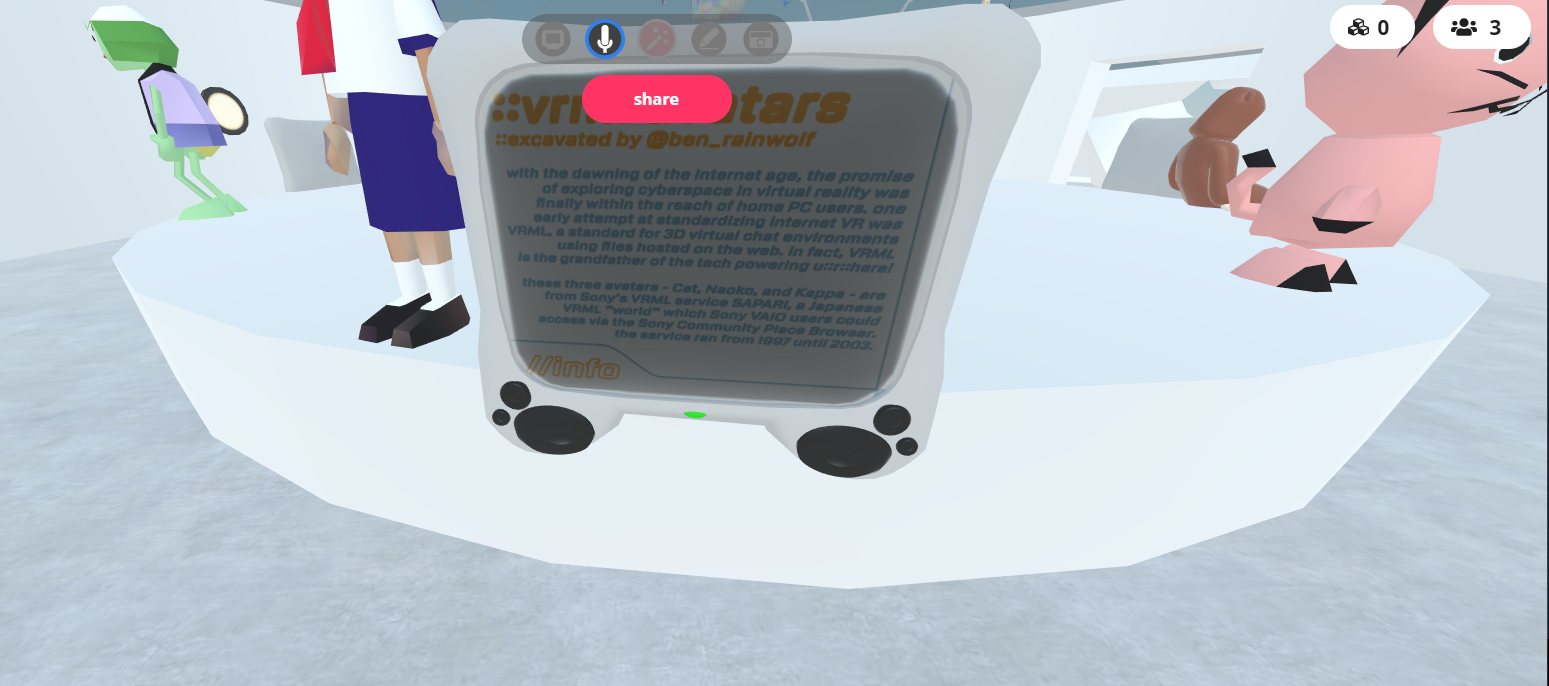
 supple drift
that's dope! what a weird coincidence (also we're def about to get yelled at for being off-topic, i feel it 😄 )
green lagoon
so shall we move to off topic
 blissful notch
Hey thats mine! 😮
green lagoon
yup hi @blissful notch cool to bump into another person involved in the museum
blissful notch
Really! It was a great showcase and Max is amazing for doing it
green lagoon
I know it was so awesome and I glad I could help them with my random tangent I went on like a year ago that resulted in me having those vrml models
@sacred warren got files for cybertown so I could bring it over
sacred warren
Haha, oh no
green lagoon
I could not do that then just figured I should let you know
sacred warren
Oh god
sacred warren
I think you've given me PTSD, lol
sacred warren
So who/what is Janus anyway?
green lagoon
was a virtual world company that's been fussing around with this stuff when the first Oculus dk1 was announced
sacred warren
The name seems strangely familiar
green lagoon
maybe you bumped into them in the past
 rough wedge
Sorry for what's probably a common question, but struggling with some compiler errors after installing Unity Standard Assets.
Can't figure out how to resolve it.
near escarp
delete that script ?
rough wedge
Thanks Ruuubick. Am a derp. Embarrassingly simple.
bold ibex
@cedar nebula I deleted the whole post processing v2 folder in an attempt to fix it earlier but it didn't help so what you ask of me is basically already done. Do I still download it again and remove the test folder?
cedar nebula
nah if you deleted the whole thing and you're still having issues then it's something else
 runic karma
Hello, is this the right channel to ask for help?
rain shadow
if its world related, yes.
runic karma
ah ok yeah it is world related
ive messed up something and now my world will not update in test build, its showing my previous build i made and not the one i updated. it does give an error in console.
gives me this
[7, 404, Get, -1] Abandoning request, because: "World wrld_3327cb18-f6ab-4dae-9c68-dbc45732abc7 not found"
https://api.vrchat.cloud/api/1/worlds/wrld_3327cb18-f6ab-4dae-9c68-dbc45732abc7?apiKey=JlE5Jldo5Jibnk5O5hTx6XVqsJu4WJ26&organization=vrchat&maxUnityVersion=2017.4.28f1&minUnityVersion=5.5.0f1&maxAssetVersion=3&minAssetVersion=0
UnityEngine.Debug:LogFormat(String, Object[])
VRC.Core.APIResponseHandler:RetryRequest(Int32, HTTPRequest, HTTPResponse, ApiContainer, Int32, Boolean, String)
VRC.Core.APIResponseHandler:HandleReponse(Int32, HTTPRequest, HTTPResponse, ApiContainer, Int32, Boolean)
VRC.Core.<SendRequestInternal>c__AnonStoreyE:<>m__13(HTTPRequest, HTTPResponse)
VRC.Core.BestHTTP.HTTPRequest:CallCallback()
VRC.Core.BestHTTP.ConnectionBase:HandleCallback()
VRC.Core.BestHTTP.HTTPManager:OnUpdate()
VRC.Core.BestHTTP.HTTPUpdateDelegator:Update()
UnityEditor.EditorApplication:Internal_CallUpdateFunctions()
i dunno what it really means as im extremely new
rain shadow
Usually reinstalling the sdk following the proper guide fixes things like that
If you need to update your SDK, it is important that you follow these steps to ensure the update proceeds properly and you don't have any old/conflicting files. ## Simple Update Here's how you update your SDK. If you're just uploading avatars, you can use the following proc...
runic karma
ah ok ill give that a shot, but uninstalling the sdk would i need to close Unity and remove it from the files area?
oh my bad
rain shadow
yeah.
runic karma
ah thanks man
rain shadow
Just follow that documentation
runic karma
yeah i will, ill do it right now
well that was strange while deleting the folders like it said i didnt have the META folders for the sdk
strange
rain shadow
the meta isnt a folder its a single file
runic karma
i meant that, it wasnt in the file's it was supposed to be in
it was non existant
Importing the new SDK now
it fixed it, thanks you Super
 tropic smelt
what are some known causes of double vision in worlds? I'm only using bloom and color correction for ppv2 stuff
rain shadow
Is the double vision on everything?
rain shadow
Is it errors hud setup?
rain shadow
yeah I don't know much about it apart from that he uses a high depth camera to overlay I think
so yeah that will be why it works
tropic smelt
no it's just placing the mesh in screenspace
no cameras or depth texture
regardless, I just can't figure out why I have double vision in here
I thought it only happened when you used AA
rain shadow
Is it only occurring with post processing enabled?
rain shadow
Was it just a shader or something else?
tropic smelt
bit too much to explain, not worth going into here honestly lol
wont affect anyone else ever
thanks for the suggestions tho
balmy gate
@tropic smelt reimport shaders
some shaders compiled without single pass support and unity is too dumb to realize it needs to compile them again
is this a new project or did you recently import VRCSDK?
vrcsdk is what switches the project to SPS
gaunt minnow
How could i make a toggling button have global effect instead of local?
rain shadow
UI toggle?
If its not VRC Trigger you will need to reference a trigger that does that if you want the action to be broadcasted to other players
gaunt minnow
figured out where to do it
When a adding a Trigger, you have the option to set who can trigger the trigger and whether the triggered action is buffered for new players who join the world or not. The main differences being: - All normal types are buffered (apart from local) - Unbuffered doesn't buffer ...
balmy gate
careful with broadcasting toggle
what you should do is toggle SetGameObjectActive type local
then the object you set active put a vrc trigger and add OnEnable OnDisable and use AlwaysBufferOne or AlwaysUnbuffered...
hmm that's actually not perfect hmm...if you do that other people may still have to click twice because it won't sync itself
the ownership problem
rain shadow
I've always used AlwaysUnbuffered Toggle to MasterBufferOne for that
balmy gate
ah but then only master can change
rain shadow
no
balmy gate
oh I get it
rain shadow
yeah, anyone can change the state for the master and the master will broadcast the onenable
balmy gate
you're asking master to toggle then he broadcasts the results
rain shadow
Yeah works really well.
bold ibex
Okay what in the sdk or unity reads the .shader files
I reinstated unity thinkimg it was that
But still gives me not database error
sacred warren
What's the actual error?
bold ibex
I posted in #user-support-old
sacred warren
What is the best way to implement waypoints for AI? I assume using triggers but I'm wondering if there is some optimal way of doing it.
 stray sand
If you have a track you want the ai to follow you can use the standard asset’s waypoint system.
Other then that you can just teleport the target around.
sacred warren
Oh, that sounds fine, I'll check the waypoint system then, ta.
and the idea of teleporting the target is interesting, fixing the problem in a weird inverse fashion.
Am I blind or is there literally no documentation as to what any of these things do? There's no tooltip and the website documentation is more than sparse...
rain shadow
randomizer % chance
sacred warren
I assumed that was the case, but the complete lack of anything seemed... weird.
rain shadow
yeah just read the probably non existent documentation or something
sacred warren
VRC_Trigger goes to Trigger-Summary which doesn't cover anything except super vague descriptions of what a trigger, action and broadcast type are.
stray sand
It picks a action randomly. The slider is the % chance of it happening.
sacred warren
and the tickbox is just the "actually include this or not" I assume?
stray sand
That part is still a bit of a mystery it seams to make it easier to equalize the % between all of them.
cedar nebula
Yeah the checkbox is just for in-editor, so you can sync-move the sliders
 glad hedge
 sacred warren
Is there any way to get reflections to respect occluding objects? That's one thing that always stands out with floor reflections, or is that a reflection probe issue?
stray sand
Not sure what you mean by respect occluding objects. Having them appear in the reflection probe bake or having the reflection probe used for reflections. Or something else.
Curious if you could be talking about the projection of the reflection probe. Cube map helpes a bit with that.
coarse cairn
Where can I learn more about using UI interfaces that utitlize animator rebind / update. i cant seem to find documentation on it, im trying to make worlds with adjustable color lighting / materials. Ive made unity c# scripts to change colors of objects with a slider, but none of that works in vrchat
ill do more tinkerin around and come back with more specific question i suppose, just seems like im missing some kind of documentation on the VRC SDK
 raw vessel
is there a way to make unity to retarget missing mesh
i mean to automatically find and fix missing mesh
from some multiple objects in my world ?
sonic tide
hey its possible to "attach" the player on a moving platform?
the problem is that only the platform is moving but not the player on it
sacred warren
@stray sand I was referring to the reflection you can see on the floor in Ryn's screenshot.
sonic tide
and can i increase the render view limit for far objects?
sacred warren
You mean the clipping plane? Yes, change the far clip plane on the reference camera.
sacred warren
The values are clamped in VRChat, but still adjustable.
 mellow field
so, if i wanted to get a poster up on the corkboard in the great pug, who would i talk to about that? does anyone know?
sacred warren
Owlboy, it's his world
random owl

Patreon
Become a patron of Bryan Bortz today:
Read 8 posts by Bryan Bortz and get access to exclusive
content and experiences on the world’s largest membership
platform for artists and creators.
You can patreon him here to get a poster there
mellow field
awesome! thank you everyone! :)
 void remnant
so.. not long ago i published a world. but i had to make some modifications.. how do i update it? do i need to reupload it as new ?
rain shadow
You can just build and publish again and the upload screen should say Update World
void remnant
what do i need to click?
rain shadow
publish new build
near escarp
unpause
near escarp
on top of the previous one yes
rain shadow
looks like it might not be working though
void remnant
and thats why i dont get the update button and only upload ?
cuz i already have 300+ visits on the last one and i published it yesturday.. i dont wanna loose them
near escarp
if it's the same world ID, press upload again
 mild spade
as long as you have your world ID nothing will be lost.
void remnant
uuhmm.. i just opened the exat project from yesturday.. how do i make sure its the same id ? (sorry again for so many questions.. its my 1st world )
rain shadow
If you are still on the upload screen can you screenshot it
void remnant
rain shadow
Yeah looks like its working fine
 verbal breach
Quick Question, is the 2017 vers of unity still the good option?
Because when I try to test my world, it sends me to my homeworld
rain shadow
Old sdk though
void remnant
i literally opened the project from yesturday and only changed some textures and moved a wall
verbal breach
And I downloaded the sdk yesterday
void remnant
i know i know
so rn will upload it over the one i uploaded yesturday ? it won't make 2 worlds ?
rain shadow
@verbal breach Sign into the sdk and go to the pipeline manager on the VRCWorld object and click the detach button
@void remnant Yeah it should work like that
void remnant
thhhxxxx a looottt 
verbal breach
ok, will do that, thanks !!!
void remnant
uhhm... the one i just published its the new one... do i need to delete the old one ?
rain shadow
If you want to keep that stats you would have to get the old world ID and attach it to your current scene and then upload
gaunt minnow
is there any way to skip forward in a youtube video on a videoplayer ?
balmy gate
@coarse cairn it's missing documentation like lots of things.
The rebind update lets you change one value but if you want to change 3 values with this method, you would need 3 animators.
For this method, Make an animator with one animation state and one animation clip set not to looping.
In animation dopesheet At time 0:00 put value for 0%; at time 1:00 put value for 100%. Change from dopesheet to curves and right click both sides and choose linear.
Now uncheck your animator. In your slider, add two things in On Value Changed. Rebind and Update in the dynamic float section. This will skip to that point in time in the animation clip
There's another slightly more complicated but more flexible way with write defaults off that lets you do any number of values (like R G and B with one animator):
Add a trigger parameter for each slider or value you want to set, like
set_R, set_G, set_B. Finally make one more trigger parameter called done.
Once again you can leave the animator unchecked
Instead of the state we had before. Make a new empty state, set as layer default. Make sure to uncheck Write Defaults on the state
For each parameter, make an animation state and animation clip, same as above with 0% at 0:00 and 100% at 1:00, not looping. On the animation state be sure to uncheck Write Defaults.
Now make a transition (arrow) from the default empty state to this. Uncheck has exit time, set duration to 0, and add condition set_R for example. Now add an arrow from the state back to the default state. Again uncheck has exit time, duration 0 and put condition done.
Finally, setting up the UI slider for the more complicated method:
Instead of rebind update we do this:
Animator SetTrigger set_R
Animator Update 0
Animator Update (dynamic float)
Animator SetTrigger done
Animator Update 0
Note that there are two different update functions. One is in the dynamic float section (this uses your slider value) and the other is a constant (0 seconds) which lets it switch states. I forget if the first Update 0 is needed but the second one is
Make sure to download EasyEventEditor https://github.com/Merlin-san/EasyEventEditor so you can copy paste events, change and reorder stuff easily

GitHub
Drop in replacement for the default Unity event editor drawer that allows listener reordering - Merlin-san/EasyEventEditor
 river frost
any body knows why I can't add a preview video for my world?
I pressed Update World it doesn't do anything...
 river frost
Thank you
near escarp
the bot isn't a fan of enthusiasm
river frost
😂
near escarp
that's console errors
 scarlet needle
@near escarp is that related also to why its asking to publish it as a new world than an update?
near escarp
yes, fix the console errors and it'll work as expected
scarlet needle
Wtf
near escarp
If you need to update your SDK, it is important that you follow these steps to ensure the update proceeds properly and you don't have any old/conflicting files. ## Simple Update Here's how you update your SDK. If you're just uploading avatars, you can use the following proc...
 hexed elm
when i try to open my unity 5.6.3p1 unity project in the new unity i have missing prefabs what do i do?
this is what is happening to my cards against humanity world
rain shadow
you should try port it into 2017 before putting it into 2018
 waxen thistle
make sure all your editor scripts are compiling
if any scripts fail to compile, you'll be left with missing prefabs
rain shadow
Oh yeah that's likely the issue
hexed elm
how do i do that
hexed elm
what do i do with this
balmy gate
What blender version? You may need to update your unity with a .py file that supports blender 2.8
hexed elm
it was done in 2.79
balmy gate
I usually avoid using blend files directly in unity and recommend using fbx
Could be a different issue with your blender install
hexed elm
yeah im learning that one haha
balmy gate
Any chance you can try using fbx instead? Or these assets aren't something you can easily change
hexed elm
uhhh no
shittttt
im gonna have to redo cards against humanity completely if these dont get working
apparently replacing the .py file will work or something
 fading widget
hey guys is there an easy way to place a button in my world that refreshes the entire scene
rain shadow
@fading widget as in the pickup objects?
fading widget
no as in it completely restarts the scene, environment and all
rain shadow
There is no easy reset button, you would have to make that setup manually for your scene
fading widget
well yeah im fine with there being a set up, just nothing crazy like extensive scripting
im not looking for a prefab
im just making a game world and Id like to reset everything once the game is complete
rain shadow
What do you even want/need to reset?
rain shadow
Well you would just need a trigger that sets everything back to its default state
rain shadow
Depends what you're trying to do in your scene that you need to reset
fading widget
well thats what ive been saying
the entire instance, refreshing the map to its default state
the whole map
i guess maybe I could put everything under a single game object
rain shadow
I don't see how that would help you reset anything though
fading widget
i thought maybe disable and enable everything again, but your right that doesnt change the state of objects i dont think
rain shadow
The death run map probably uses animator states to control most of I would imagine
so it would have a off state then an activated state that goes into a finished idle state
fading widget
that makes sense
sacred warren
For anyone that's interested, the dev for CTS responded, it's not possible to use crunch compressed textures with CTS unfortunately (which means that texture sizes are always going to be huge).
 sudden lily
Is there a way to activate things like Dynamic Bones on a spawned prefab?
rain shadow
What are you trying to do?
sudden lily
Just spawn a toy that has dynamic bones on it. Push button, spawn object.
rain shadow
Well yeah you can just have dynamic bones on it
sudden lily
Tried that, on-spawn they're disabled.
rain shadow
If they are disabled by default then you could use OnEnable or OnSpawn trigger on the spawned object to enable the component
 delicate marsh
Am I able to make my world hide player names
I know there have been some avatars in the past that spawn like a box with a certain Shader on it
coarse cairn
@balmy gate thanks for the help yesterday, ive been tinkering around with it but i got majorly confused on the dynamic set_R, set_G, ect. Do you have an example scene with it working?
balmy gate
those are just random names i made up
each one has just Mesh Renderer Material._Color.r
you can add color and delete b and g and a
set it to 0 at time 0:00, 1 at 1:00
balmy gate
audio banks have a stupid bug yea
check the prefabs database in pins. RandomConinuousAudioBank by ruuubick
scarlet needle
@near escarp i updated the sdk, and even got the new version of unity, but im just not sure how to fix these scripts
gaunt minnow
why does it take so ridiculously long to upload a map after building?
on average my 150mb map takes 45 minutes to upload, this can't be right?
bold ibex
Check your upload speed
balmy gate
@gaunt minnow disable future proofing in vrchat sdk -> settings
slow orbit
@gaunt minnow I had terrible upload speeds and the problem was my ethernet connection to the router was only running at half-duplex. Reconfiguring it to run at full increased my upload speed significantly, so that's something worth checking.
sacred warren
Gallium over here running on 10-Base-T.
slow orbit
I was and didn't notice since I had my router status LEDs off and didn't notice they were indicating half-duplex mode.
gaunt minnow
@slow orbit where would this configuration setting be under?
slow orbit
You should be able to check on your router what mode a connection is running in, as for if it's set wrong on the PC I run linux so I'm not sure how to do it on windows.
Ask google. ¯_(ツ)_/¯
gaunt minnow
cant find anything about duplex in my routers manual
or when googling with my routers model nr
sacred warren
Hmm, realtime lighting looks nice because the terrain normal mapping is actually visible. Shame it kinda disappears when you bake lighting.
If anyone knows any magic to handle that, please shout lol

 buoyant hollow
@sacred warren I'm actually having a similar problem, but mostly with avatar ambient occlusion. I'll ping you again once I figure out how to get best of both worlds.
sacred warren
Thanks 🙂
rough wedge
Hi. What do I need to do to adjust voice falloff range in the newer audio system?
sacred warren
It's a player mod, along with jump and run speed AFAIK
rough wedge
That was the old system wasn't it? Whatever I previously had stopped working.
buoyant hollow
yes player mods is depreciated
sacred warren
Oh, what replaced it and when? Last time I asked, that's what I was told to use.
buoyant hollow
something override, voice override of something. Its a specific vrc script
sacred warren
I'll have to double check that then, thanks.
buoyant hollow
not at pc, so sadly can't check myself
bronze smelt
For voice @sacred warren https://docs.vrchat.com/docs/vrc_playeraudiooverride
A region in a world where user voice and avatar audio properties can be adjusted.
and @rough wedge ^
bold ibex
how i make texture change to make it spin in texture
thanks
wait
i have mutiple images i want it to change to them
you can add extra texture slots in the shader and swap them with a timer (_Time.g in Cg), or make different unity materials and swap images with setMaterial vrchat trigger events
 graceful sinew
Anybody know any good free shaders for faking volumetric light with geometry? I'm no shadermancer.
near escarp

GitHub
World of Warcraft inspired Volumetrics that hold up well in VR with small cost to performance. (You have to not be dumb when placing it though :P) - Xiexe/XSVolumetrics
Also

GitLab
A shader for Unity that renders simple, cheap fake volumetric lights with instancing.
@graceful sinew
graceful sinew
Thanks
bold ibex
Days ago I asked for help making multiple songs play from buttons without each overlapping and a couple tried to help me but I didn't get it at the time.
Finally I figured it out to work and since there was no tutorials out there for it, I made one
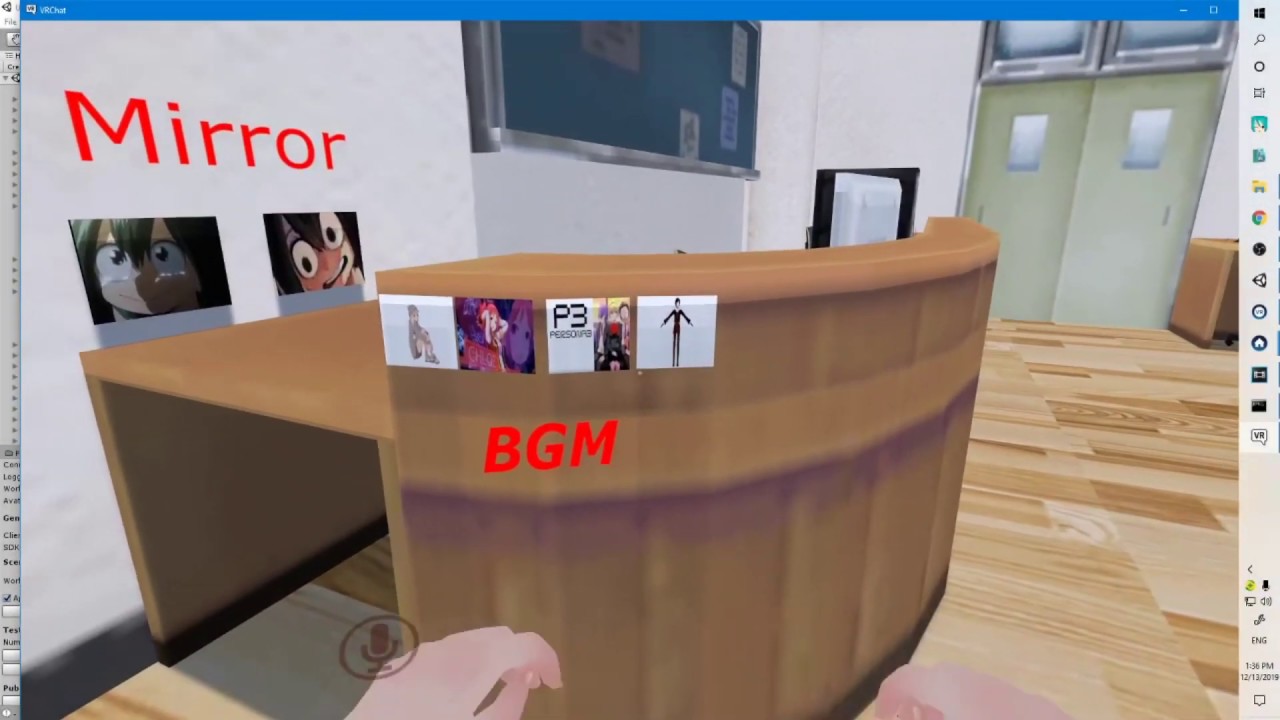
Wait, did I say Sinlessrogue? Yes, that's my gaming channel that isn't very active or good but I got to spread the word cause some people enjoy it!
mild spade
@bold ibex You can add multiple SetGameObjectActive actions on a single OnInteract trigger too, saves a few clicks.
bold ibex
when I tried that it broke the music, the music wouldn't play
opal goblet
@bold ibex
You can also play different audio clips from the same AudioSource :P
Then you dont even need to toggle any game objects as that is quite "inconsistent"
gaunt minnow
what is a recommended value for Lighting > Lightmap Resolution > Texels per unit ?
sacred warren
Depends on the scale of what you're doing.
Indoor scene = 20, small outdoor area = 10, big outdoor area = 5.
sacred warren
Probably 10 or so still
sacred warren
You can adjust individual objects if you need to anyway
gaunt minnow
i guess i know now why baking has been taking forever
@sacred warren you have any more tips for the values in the lighting settings?
i looked up some guides but im getting a feeling they might be missing out on some of the details
sacred warren
Not really, I don't use the default lightmappers unfortunately so I can't say how well most the values respond.
gaunt minnow
im looking at reducing both baking time and improving performance
right on
is there a way that you know of that i can use my GPU to light map in unity 2017?
from what ive seen GPU lightmapping is only a 2018 and on feature
sacred warren
Bakery works on 2017 and 2018. The inbuilt GPU baker is 2018+ only.
 soft verge
I'm currently going through @left marlin 's YouTube tutorials.
I'm trying to find a way to add 'swing' to a child object's follow behaviour.
I have a moving/working car, but I have the driver seat positioned behind the car.
The Driver seat is a child object of the car, and naturally moves in relation to the movement of the car.
How can i smooth the movement of the driver seat, in a similar way to how GTA view point would follow the cars when driving around?
sacred warren
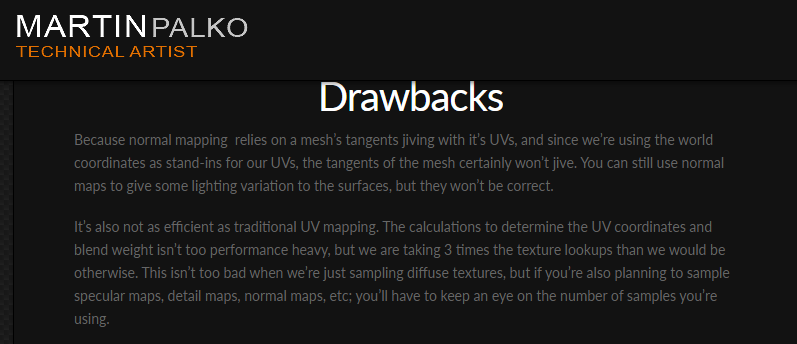
Any ideas on the performance hit that you're likely to get from triplanar mapping on terrain?
Christ, Triplanar really does look so much better doesn't it.
green lagoon
Target Audience: Intermediate devs, comfortable creating materials and/or shaders in their chosen engine. Implementation Examples: Unity + UDK Last Updated: Jan 2014 Index: The Theory Drawbacks Implementation – Unity Implementation – UDK Uses The Theory…
 sacred warren
I'm aware, but I meant actual performance hit in VRC, if it's even notable.
Because being able to go from this... https://cdn.discordapp.com/attachments/646549632645595165/655486383061729356/unknown.png

To this, is rather nice https://cdn.discordapp.com/attachments/646549632645595165/655486457384927253/unknown.png

(ignore the weird lighting, it was during testing with an old bake)
supple drift
Profile it! There's all sorts of factors at play so there's no way to know the net perf cost upfront.
It might possibly be faster to just do the bed with terrain + use unwrapped geo for the trench/cliff assets (or anything at that steep of an angle)
delicate marsh
how do i use callback to achieve something from the triggers tab of a particle system
like
can i have my particle make a sound on death
or rather when it enters the trigger i set
*collider
oh nevermind
just read up on what callback is
sacred warren
How do you play audio on a user as opposed to in the world? Can you even do that?
rain shadow
avatar or just play audio at the location of a player?
sacred warren
So that only that user hears it, even if someone else is stood on top of them
rain shadow
You can just enable or trigger audio locally for that user
sacred warren
Oh, so if it's triggered on the PlayerLocal, it'll only be audible to that player? That makes sense, thanks.
rain shadow
What trigger setup are you using to trigger the audio?
sacred warren
I haven't yet, it just occurred to me that my usual method of enabling and disabling things may not work for this. But now that I think more about it, it probably would.
bold ibex
So, how would a total noob get started learning to make worlds?
sacred warren
Creativity and fighting VRC's complete lack of scripting are the biggest barriers, that and keeping size down.
Open Unity and go to town, then focus on getting it in-game
green lagoon
and it's totally okay to just Cobble something together using free sketchfab and free Unity store assets to figure out how stuff works you don't necessarily need to touch blender to make a world
green lagoon
what kind of world would you like to make to start
just curious so I could point you in the direction of where to get the assets to make it
 uneven estuary
Would anybody be able to help me make this rock a drivable vechicle, looked through documentation and found stuff on stations, am I in the right direction ?
mild spade
@uneven estuary There is a prefab you can use that has ready-to-use vehicles. All you would need to do is replace the car mesh for the rock. The link for prefabs is in the pinned messages for this channel, or this link https://tinyurl.com/vrcprefabs
uneven estuary
there is one called "notbadcars" can't go wrong with that one hahaha, thank you so much
mild spade
np, make sure you get the "Standard Assets" (free) from the Unity Store. You will need that for cars scripts to work.
uneven estuary
I think I already have that but I'll double check. Thank you 🙂
balmy gate
Wow reminds me a bit of the X1 world
rain shadow
X1 a couple of century's in the past
 worn radish
yea, its just some random theming for places to hang out
adding a bunch of little secrets to find or places to chill
 brazen venture
Hey guys i'm a big noob and i'm making my first world.
I'm trying to get screenshots in the world as a form of photos / paintings but all i figured out to do so far is place the screenshot on a wall as a texture and it doesn't spread out, it just repeats the image several times over the whole object (wall_
Can anyone help me with this ><
Example here
Dont want it to spread out either, i just want to be able to scale it to my liking and not mirror itself many times
balmy gate
if you want them as wall paintings, I'd make a separate quad in front (if you want to be more fancy, model a box mesh or at least use a cube with white sides for that matte look)
instead of setting it as the wall texture itself
model a picture frame too if you want
brazen venture
Ok but how do you place the ''painting'' on that object such as a cube without it being a texture
balmy gate
you add a Quad (or another mesh), position it in front of the wall
and put the picture onto the quad
balmy gate
if you're serious about making a nice looking world, you'll want to yes
you can still do a lot with unity quads and ProBuilder for prototyping
but it isn't the same as modeling something
brazen venture
I'm not so, but i really need to have the pictures in properly, thats important
ah ok
balmy gate
you don't need blender to add a quad to the scene
brazen venture
found a tutorial
thanks, because of you i know i was looking for quads.
that was easy.. already got it
thanks for your help
 reef sparrow
How many light probes is too many?
If I fill an apartment full of probes spaced 0.05 units apart, is that too many (as in performance-wise, not efficiency).
rain shadow
amount of light probes will only increase bake time and world file size
 severe frost
Currently having trouble uploading a world
Would this ruin the current world in VRChat if my upload fails?
For some reason I uploaded and it got a failed in the middle with an upload error.
When I tried again, the upload bar seem to continue where it left off. the Bar was already long.
It takes really long to upload right now. Must be my internet too.
near escarp
@reef sparrow Yes, 0.05 is way too close
start with 0.3, only lower it if you can notice an abrupt change in lighting on your model
reef sparrow
@near escarp But does it impact performance much in game either way?
near escarp
@severe frost What did you do with the error
if you have a ton of them super close then yes it will have an impact
also it's unnecessary
severe frost
it just failed to upload midway it seems my internet was cutting out
2nd attempt the upload bar was suddenly way ahead already. like it saved the progress of the other upload attempt.
Never encountered this before.
green lagoon
yep no point having light probes in spots where there wouldn't be any difference in lighting
reef sparrow
@green lagoon My plan is to start with a full grid then carve out the ones in the middle of rooms
near escarp
just have a bigger grid then
reef sparrow
I just hate it when the light probes beeld between the walls :\
near escarp
you have to adjust your light probe volume then
reef sparrow
Hours and hours at it XD I need to find a more systematic way of putting them
near escarp
AutoProbe on the asset store
green lagoon

Simple Light Probe Placer it is simple tool
and it help you easily place Light Probes in your scene.
It's provides two new components:
- Light Probe Volume
- Light Probe Group Control
Read more: documentation and source.
worn radish
https://assetstore.unity.com/packages/3d/props/furniture/classic-picture-frame-59038 @brazen venture

Free high quality low-poly model of picture frame. Textures is 2048 (diffuse, normal, specular, AO).
This model is a part of Classic Furniture Pack
 storm plover
Been uploading more avatars like these in my world. My recent ones have been using new auras, particles, equipable weapons, finger trails, etc.
 waxen hare
Hey, so im having some problems uploading a world to vrchat. Basically when i go to upload it, it doesent upload like it use to and instead just uploads straight away without uploading anything. no loading or bars etc. and ofc when i go on vrchat it hasent uploaded the world, any solutions?
sacred warren
Anyone familiar with having lightmaps flicker when you have a realtime light on top of them?
Example - https://youtu.be/yxH7LswQrmY


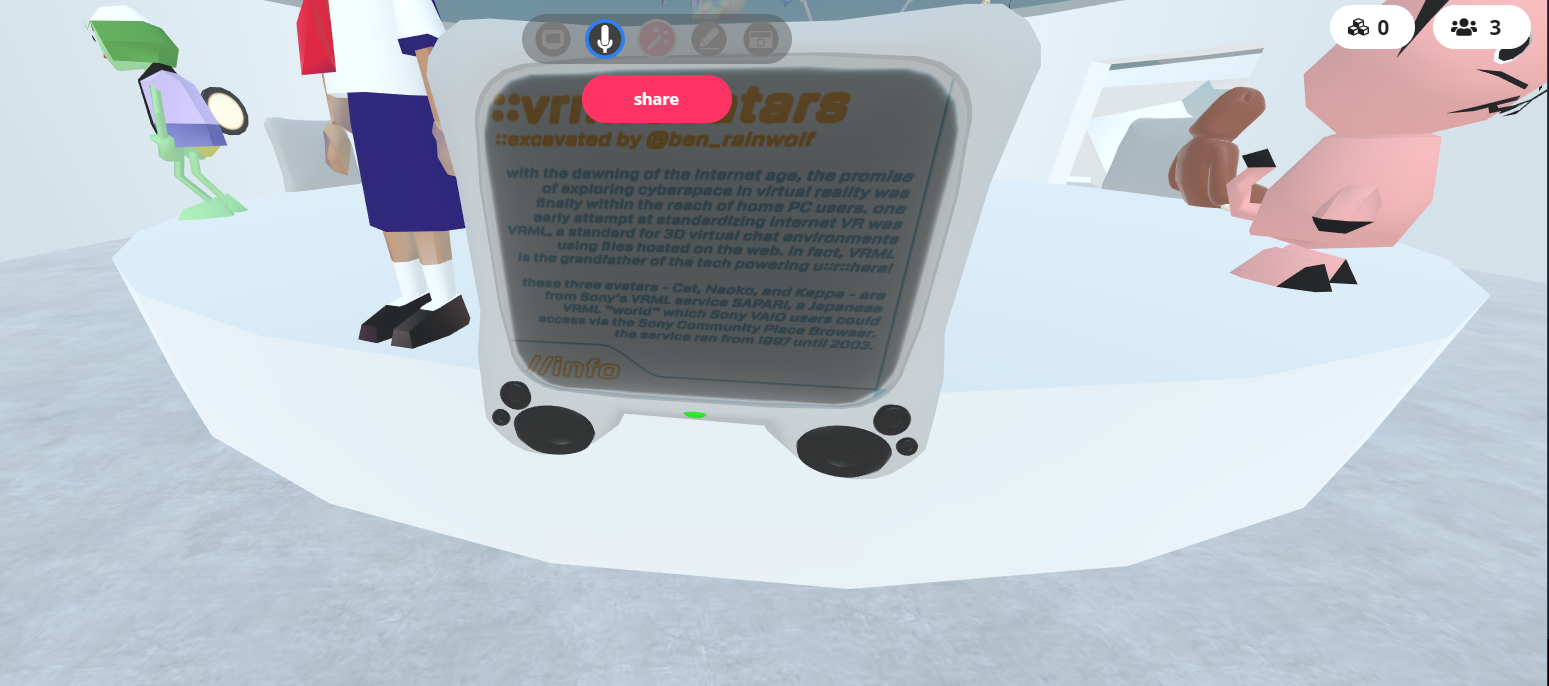
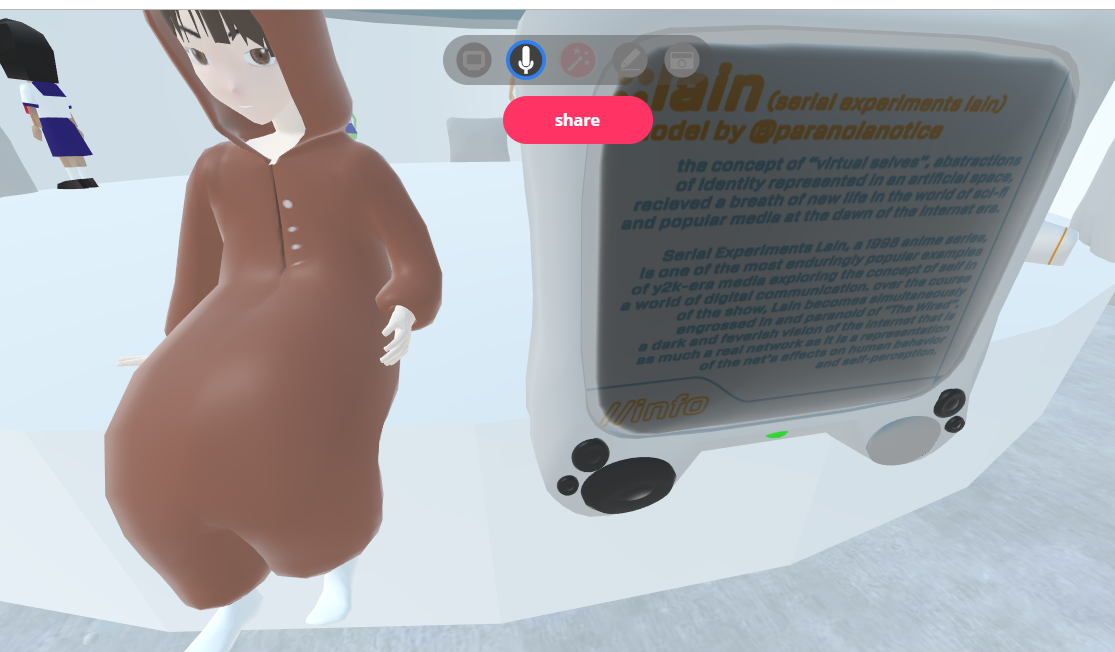


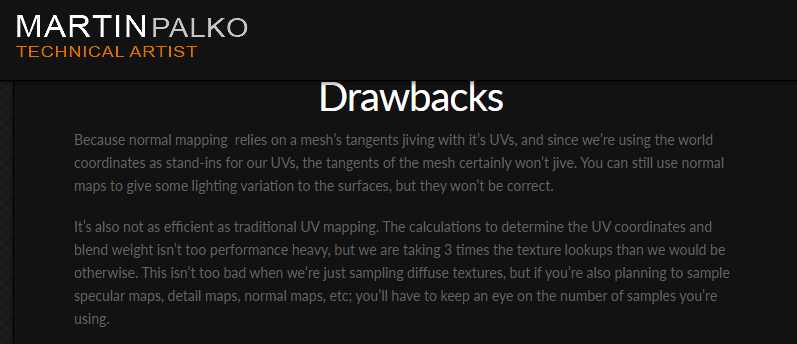

 gaunt minnow
Is it possible to show a PDF file from the internet in worlds currently?
balmy gate
@waxen hare you probably have an error in the console window. Turn off Clear On Play, try again and look for any red errors. If you recently added PostProcessing, make sure to delete the Tests folder
@gaunt minnow you would have to convert your PDF into an image and then you could put that on a sprite and use a canvas scroll rect to show it. Alternatively, converting it to a mix of ui text and smaller ui images and scrolling those
 undone surge
Can someone help me
I want to make a seperate app that can control music in my vrchat world..is it even possible
balmy gate
You can stream music into vrchat using a voice mixer app; or you can livestream music via a sync video stream. have a client in the instance and send keyboard input to submit video urls would also work.
undone surge
But i cant make a apk on android that can change the music in game?
balmy gate
You can but you're going to need to stream music from somewhere
Easiest is stream from your android to twitch and stream from twitch in game
Otherwise you'll probably need a server or need to have some user logged into the world
sacred warren
Does the streaming system support sources like Shout/Icecast? If so, you could use that as the source then control that via any of the available mechanism it has.
balmy gate
Only video sources, using HLS (m3u8 urls)
soft verge
I'm currently going through @left marlin 's YouTube tutorials.
I'm trying to find a way to add 'swing' to a child object's follow behaviour.
I have a moving/working car, but I have the driver seat positioned behind the car.
The Driver seat is a child object of the car, and naturally moves in relation to the movement of the car.
How can i smooth the movement of the driver seat, in a similar way to how GTA view point would follow the cars when driving around?
balmy gate
you're talking about the avatar bobbing up and down as you move
oh I understand. you want it to follow smoothly like a cmaera
soft verge
No. Right now, the chair is 'locked' into position in relation to the car.
Ah you got it... Yes, swinging smoothly side to side, rather than locked ridgid
like a dampner of sort
balmy gate
you have standard assets installed, the script you want is called AutoCam. However before you add AutoCam, you must add a Camera component onto the object, and disable it. (you won't use it--the camera component prevents a crash). Then add AutoCam
make sure to uncheck Auto Target Player, and then set the car as the target
move the AutoCam with seats inside outside of the car's hierarchy
you should be able to test and tune the parameters in play mode to see how it works