#world-development
39 messages · Page 13 of 1
 rain shadow
 tacit radish
Not do anyhting.
rain shadow
do you have the correct receiver object set?
tacit radish
Yes.
rain shadow
Are you sure the receiver is the same game object that the trigger is on?
Can't imagine it being anything else if its setup the same
rain shadow
Well you could just take the cube and set the mesh filter at the top from cube to whatever mesh you want it to be
tacit radish
That's going to be a little difficult because i'm going to need to remake the gun.
rain shadow
Can you create a prefab of how you have it setup and send it here?
Or send a screenshot of whole setup
tacit radish
Sure give me a minute.
tacit radish
 left marlin
You shouldn't ever have more than one VRC_Trigger on an object
tacit radish
The first trigger is for shooting the gun.
rain shadow
You can have all the things you need on one trigger
tacit radish
ALright hold on.
rain shadow
You can just add the same respawn method to the other one
tacit radish
Got it thank you both.
 cobalt sluice
Is there any way to prevent entering/exiting a station from calling OnExitTrigger on any triggers you're inside? I'm using zones to turn audio sources on/off
left marlin
Uh, is this because entering a station turns off your collider and then causes exit trigger?
cobalt sluice
probably yeah
left marlin
You could use player tracking to always have a player local collider on
cobalt sluice
ooh smart
left marlin
Or even change it to a different layer so you don't get it confused with player local
cobalt sluice
let me test that out
true if I just use PlayerLocal it'll probably still trigger OnExitTrigger
left marlin
Depends if trigger individuals is checked
Which then any player chair would also have this issue if that chair collider moves out of your volume
cobalt sluice
hm why would trigger individuals matter?
thanks for the suggestion, player tracking works great!
left marlin
trigger individuals suggests when the trigger will fire. It should act as OnFirstEnter and OnLastExit when disabled, but this also introduces a cool down that doesn't always fire if something does actually exit and return.
trigger individuals off fires every time, but OnExitTrigger may not when the object itself is disabled.
cobalt sluice
interesting
I'm not 100% on how it functions since I haven't really played with it much, but I just have it off for my zones
 severe frost
anyone know of any shader for moving tree leaves that react to baked lighting
Nature Shader refuses to cooperate
rain shadow
react to baked lighting?
severe frost
rain shadow
Do you mean remains shaded?
Like what does it look like vs what you want it to look like
severe frost
it is just black when on baked lighting
wanted them to have light
but using other shaders just stop them from reacting to WindZone
what they look when not baked
severe frost
the bark has a different shader so its ok,
i'll go and try
 sacred warren
Is the "Location" sub-object on the standard pedestals where the floaty image thing will appear?
 cedar nebula
Yep, it's not exactly on it though. You really have to fiddle with it to get what you want
sacred warren
Last question. I was using a few super decimated models to use as statues, but for some reason they're showing up full of holes in Unity. Here's one in Blender...
Then Unity..
Normals look find and those holes aren't actually there so... why?
 near escarp
You're sure the normals were fine ? I'm guessing it's standard shader
rain shadow
Need to enable backface culling in blender to see what areas you need to fix
You could also probably just use calculate normals on the unity import mesh settings or use a non culled shader
sacred warren
The normals would stand out in Blender if they were wrong. Switching to a 2 sided shader has no effect. Yes, standard shader.
rain shadow
calculate normals on the mesh in unity also doesnt change it?
sacred warren
Tried that too, no visual change.
rain shadow
is the mesh made of tris in blender?
sacred warren
Yes
rain shadow
Are you decimating for quest?
sacred warren
No, I'm decimating to make statues, as shown above
rain shadow
because if its just for a pc world you probably don't need to decimate that much
if they're going to be static with a basic diffuse shader you don't really have to worry too much
sacred warren
But they have big holes in them?
rain shadow
Even when not decimated?
sacred warren
No, when not decimated they're fine, but the one in the picture for example is 150,000 tris when not decimated, and given that there's going to be a bunch, I'd rather decimate them right down. Also fits the aesthetic of them being polygonal statues.
rain shadow
That's really weird behavior though if its not a normals issue
Is it all one material?
And if you reimport that model to blender do the missing faces show up again?
rain shadow
What file type are you exporting it as?
rain shadow
can you screenshot the mesh import settings in unity
rain shadow
Does changing the format fix it?
rain shadow
Try disable weld vertices and optimize mesh?
sacred warren
Switching to calculated normals does change it btw, but only the shading, no extra holes appear and none of the existing ones disappear.
No change at all from those 2 options
rain shadow
Only thing you can do is redo the decimation I guess
rain shadow
Can you send one of those meshes?
sacred warren
Sure 1 sec
 bold ibex
you have to reverse a few of the meshes in blender the reimport
sacred warren
The issue was the NGONs needed triangulation. It's fine after doing that, thanks @rain shadow
 iron socket
Huh, I thought VRChat, or really any engine these days, does automatic triangulation, upon import?
 left thistle
is aura volumetric lights compatible with VRC worlds? How much more laggy does it makea world
 modern kayak
no it is not whitelisted
 balmy gate
@left thistle https://github.com/Xiexe/XSVolumetrics

GitHub
World of Warcraft inspired Volumetrics that hold up well in VR with small cost to performance. (You have to not be dumb when placing it though :P) - Xiexe/XSVolumetrics
This is a shader based volumetrics approach. Will work in vrchat
left thistle
ty
sacred warren
Ok, really badly designed world
Put me in an infinite falling loop
Cant leave due to not being able to use the menu when falling
That was horrible. Eventually VRChat crashed.
So yeah, world designers, don't fucking do that.
As a warning to anyone else, the world was - RAAWR'S HORROR HIDEOUT˸ REMASTERED
sacred warren
(sorry for the weird fragmented sentences originally, I was trying to write it in SteamVR which has... terrible keyboard functionality)
balmy gate
Report the world and move on
It's slightly too easy to submit to community labs: you should probably be required to load the world at least once as a way to require that uploaders test their world at least once
And vrchat really has no excuse for the menu raycast to be one frame behind and jumpy when fallimg
It really should be possible for vrchat devs to fix the hand menu and raycast to be updated relative to your camera position same way playertracker works, in LateUpdate
 tiny topaz
Huh.. well this is definitely "a start"
 ornate turret
@sacred warren did it happen on world load? that world is made by a friend of mine and i've been there before
and i'm standing in it right now
to see if I fall through
just comes across as harsh to automatically go shouting a world is badly designed because of a bug you encountered. You could have tried to reach out to them too on discord by seeing if they have the same name here (which they do)
and you haven't provided any details on where it happened
oooh, I think I know why. you didn't sit down within 30 seconds when it told you to (it actually warns you that you will fall if you dont sit so did you not read that big text at the start?)
although it looks like you have more time than that to sit down still (my guess is this happens when the chairs start to move? waiting to see if it happens to me)
so i've been in the world for almost 10 mins now i think
and still haven't fallen through
cedar nebula
Me and Phase looked at it earlier, forget to message here about it. If you get out of the chair (which can happen even accidently) you fall over and over until the ride ends. I'm guessing if you're a late-joiner you also get stuck? I think it just needs a spawn platform that doesn't disable so if you get out you can at least leave without having to close the game
ornate turret
yeah
I can ask her to put one in
could also disable chair exit too perhaps?
enverex's complaint was super vague though and just made it out like the entire world is so broken no one should go there, completely shitting on someones hard work
when a proper constructive feedback would have been more helpful
it doesnt have 100k + visits for being a broken world that puts everyone into an infinite loop 🙄
 nocturne violet
So im having a issue with my scene I just finished my world and now my mirrors will not work. So it just shows the outline of my mirror I have no clue what happened. I looked at the setting on a scene where a mirror does work and everything is the same. No clue what broken any ideas?
even when i throw in a new mirror from thje vrcsdk same thing just the out line and no mirror
I must have hit some setting because Ive been working on this for 3 days and everything was fine...
 toxic bone
hey guys i got a question
I'm trying to make it so my tigger is activated when an object enters a collider but i cant for the life of me get it to work?, is it at all possible?
 quick lodge
hello
so my unity thingie doesnt work properly
for the past few weeks, I've been going around asking people to make an avatar world with some avatars i want and they've always declined, can someone help me out please? it would be much appreciated
nocturne violet
I resolved my issue
sacred warren
@ornate turret Sorry for the terseness of my original complaint. It was 6am, I was stuck in a nauseating free-fall loop after having just waited 5 minutes for the world to load and people go off without me. So anyway, what happened was...
ornate turret
ah i see 😁
 warm marten
you know you can take off the headset, right?
sacred warren
I try to avoid doing that because it becomes difficult to get it comfortable again.
warm marten
if you feel sick you really should take off your headset immediately
its better to be uncomfortable than throwing up imo
sacred warren
I wasn't feeling super sick from it, just mildly nauseated and very annoyed, lol. Anyway...
warm marten
im speaking from experience cause first time i went driving i got carsick and threw up and was scared to drive for years lol
if i threw up bc of vr id stay the fuck away from it for a while lmao
sacred warren
The world took ages to load for me, so by the time I got there, they already had enough people and I couldn't join them as they had a max size group. My friend was still trying to shout back through the invisible wall to me when the game started. Now this is where I assume there's a bug. The world went black and the 30 second message appeared - but, I assume because I was outside the actual play area (I was still on the stone path), the world just disappeared immediately for me, and I started falling. There was no 30 seconds to do anything.
ornate turret
yeah so you were late joiner basically.
Raawr is working on adding things to prevent this now though.
but try not to jump to "hate" mode straight away. had you included that info above instead of warning people about the world , it would have been useful and not scare potential new visitors away from the map when you're experience was from a late join perspective. Keep in mind that world creators are people too and comments like your original one can hurt creators or demotivate them from making more worlds 👍
Thanks for the clarification though and I do apologize too if I came across angry in my initial message.
sacred warren
I was pretty angry when I originally posted it so that came across in the message unfortunately. It basically crashed the entire game which was... not ideal given how well the game doesn't handle crashes.
 quartz stag
@sacred warren the issue is fixed, once you're in a chair you cant get off anymore until the animation is over. however, in this world there are 2 triggers, the first one activates the platform where everyone needs to stand in. but there is a text with "wait for everyone" on top of the button and if your friends dont wait for you thats something i cant change. the second one activates the animation. this is where you joined few seconds before they pressed the second button, but now you wont fall forever anymore. it will be uploaded in 1-2 hours.
sacred warren
Thanks. I'm guessing the outside world is removed before that 30 seconds is over then? Because the message to sit in a seat appeared (which I couldn't do because I was outside, rather than inside) but then the floor seemed to disappear immediately rather than after any time.
quartz stag
@sacred warren yes, the second button activates a new layer where the animation is and disables the lobby thats why it's important that your friends wait for you at the first trigger. you can see here what i mean. https://www.youtube.com/watch?v=mHOub2w7Iss
 sacred warren
That makes sense then.
balmy gate
@quartz stag just a couple comments: You can actually move around the Spawn object dynamically..you just respawn wherever the Spawn object happens to be at a particular instant. If you're worried about colliders and things being in the way, why not move Spawn to like 1000,1000,1000 or somewhere that it won't interferer with the world but won't cause constant death.
Also, I understand hiding spawn visually, but why not keep the collider. You don't need to have something visual to just have a collision box that prevents the player from falling forever
bold ibex
Any one now how to make a counter that shows how much time you have been in a world
 bronze smelt
@bold ibex You should use a shader for that.
 opal goblet
@quartz stag Wait are you displaying the Usernames somehow?
How is that done?
opal goblet
wdym
bold ibex
you get a image of your friends user name put it in a image
opal goblet
"an Image" do you mean a RenderTexture?
bold ibex
for the avatars you must have there avatar files
opal goblet
Ahh
bold ibex
render texture would work
opal goblet
I thought that was a world thing
quartz stag
it isnt my video so i cant tell
opal goblet
Yeah but its your world, and as I said. I thought you put it in your world.
bronze smelt
Don't have a specific small shader you can use, but if you look at something like this; https://vrcat.club/threads/errors-hud-shader.2210/ then you could extract the code from that @bold ibex

VRCat: Community-Run VRChat Forums
%--------------------------------------------------------------------------
%
% Error's Heads Up Display (EHUD) Shader Version 1.01
% 2018-08-05...
quartz stag
no, its not in my world (:
rain shadow

GitHub
Collection of shaders for Unity3D and VRChat. Contribute to netri/Neitri-Unity-Shaders development by creating an account on GitHub.
bold ibex
thanks @bronze smelt
rain shadow
those ones will probably do what you want
bold ibex
thanks
opal goblet
Wait...its "Raawr's" Horror Hideout...but its not yours?
Ohh
I misread
missed the "in"
Well now I wonder if you could actually do that
shouldnt be too hard
rain shadow
Looking at the user joined overlay in that video its looks that guy probably has a modded client and its not something they have setup on their avatars
opal goblet
ggwp.
left marlin
I'm going to assume it is a stream overlay just reading the log
sacred warren
Odd to have it in the middle of the screen, you'd think that would get annoying quite quickly.
 sweet shuttle
im a bit lost. i uploaded a world and it uploaded fine, but as soon as i go to join it it insta kickes me back to my home world. it doesnt even take a chance to download in game
anyone know how to fix that?
 delicate marsh
do you have to set a target on the 'add damage' component?
left marlin
Check the vrchat log and see what it says is the reason why you can't enter.
!outputlog
 tawny lilyBOT
You can find your output log at C:\Users\%Username%\AppData\LocalLow\VRChat\vrchat named output_log.txt
 raw vessel
hi everyone
is it possible to make avatar in unity use and sit on some chair
because i need that avatar to test on which way do i need to rotate and scale animation
so when i upload my world the laying or siting down animation will look perfectly fine
any help please
bold ibex
so i am trying to build a avatar world and it needed colliders
sweet shuttle
when you test worlds is it meant to look like what vrchat used to be? when uploading models and youd see the loading man and not the dimond loading?.
bold ibex
@bold ibex
make sure generate colliders is checked
or just click every object and add componet box colider
sweet shuttle
because im so confused. my world will load for me when testing but it wont load for me when in the game it just kicks me out after loading
sweet shuttle
everythings fine in the console
bold ibex
dont know then
sweet shuttle
ooofy oof
bold ibex
looks like missing textures
try clicking it if the texture says missing then try fixing the texture
@bold ibex
Of course, but also my avatars have that weird cutting off problem. When you're far away you cant see the avatar but when you're close then it has that weird cut off issue
do you have occullsion culling if so fix that
if thats not it what about lod sometimes that can mess it up
and if that doesnt work remake the avatar pedastals
how would go and check for the occullsion culling?
if you see occulsion culling than you have it enabled if you dont then thats not the issue
Im guessing its on the main camera correct

its used manily for large maps
i use it for mine so poeple on laptops can render my world a lot easier
got it. I disabled mine and tested it out and turns out it wasn't the issue
apperently log is fine as well. I might reconsider redoing the pedestals again
Figured it out! turns out it was the shader I was using that caused the issue
nice
 vocal schooner
is it possible to use a GIF in a world?
sacred warren
It's nice when you finally get the baked lighting to work well.
near escarp
Which directional mode are you using ?
sacred warren
Er, I've probably changed it since then as I'm still experimenting, but I'll check when it finishes it's current bake.
 royal shell
How can I delete my own spawned object, but not delete the ones spawned by other players?
near escarp
@left marlin Is that the use case for propspawner ?
left marlin
Depends on the use cases. Are you deleting them just by button press, or when the person who spawned it left?
PropSpawner is mainly spawning an object per person and destroying it when the person leaves.
near escarp
@royal shell ^
royal shell
hmmmm I would need both cases, by button press and if the player leaves
left marlin
It's possible to do the button press one, but explaining it isn't easy. How much have you used UI events? (UI Buttons)
royal shell
hahah not that much 😁 just the one animation+animator combo that triggers a button press 🤔
(is that a ui event?)
left marlin
Communication between spawned objects is somewhat awkward. I know of 2 methods, one being way more complicated, but exact compared to other.
You can use UI Buttons as an alternative to triggers. They are entirely local though, but have different methods that it can call. The main ones I would use would be Reparent and Send Message, but that is too much for this.
You would want to start with the prop spawner prefab, add your things as a child of it. Setting up the button to delete would probably be easier to use the trigger relay. You set up a location in the world that is really far away. Your button would enable a collider and all spawned objects would have a collider here as well. OnEnterTrigger, reapObject
royal shell
Hmmmm tomorrow I'll look your prefab and try to implement all of that 😁
left marlin
At some point I will need to update it with better examples. I was rushed to releasing that since a few people needed it right away
royal shell
Is there a video tutorial for your prefab? Now I noticed I've been watching some tutorials of yours  ty man 💪
left marlin
Nothing yet. I haven't released a tutorial since February 👀
royal shell
Hahahah maybe you could update PropSpawner and make a tutorial for it 
left marlin
I want to make a tutorial on it, and so many other things. HardLight's original prop spawner was way too complicated to make a tutorial on, but I got this one down to about 4 triggers and at most 4 objects.
It's on my list, but I'll have to get through some other projects first.
There are so many useful techniques being used in prop spawner.
royal shell
We'll be waiting for it then!! 💪 💪 Hope your projects go as you wish too 
tiny topaz
Fixed a bunch of textures with photoshop, it's getting there
sacred warren
@near escarp It was "Baked Normal Maps" but more of it still appears to be realtime than I'd like. One day I'll figure it out... one day..
rain shadow
@sacred warren Are you using unity's built in lightmapper or bakery?
sacred warren
I've been bouncing between Progressive and Bakery. That picture was from Bakery.
rain shadow
Just something if you aren't aware is that bakery doesn't use the unity light source components
you have to make bakery specific ones
 static bay
Is there a better way to play random audio clip with OnEnterTrigger, I'm currently using an audio bank with 5 clips and trigger is PlayNext, and play order in AB script is random. It seems to be working.
rain shadow
Something like this maybe
sweet shuttle
i dont know what i did but i fixed it
sacred warren
One issue I am running in to when using the Progressive lightmapper is I don't get any light on the walls from the spotlights. It works on the floor which is configured basically identically and it works on other objects (e.g. the door). The walls are static, etc, etc. Any immediate ideas as to why the walls are basically ignored here?
Shows up fine in realtime (i.e. if the lights are on realtime or I delete the bake data) but there's just nothing when it's baked).
aaaand Unity crashed. Bleh.
sacred warren
Ah, weirdly enough it was the metallic map on the wall causing it to just.. not show any lighting.
 solid helm
@sacred warren That's because baked lightmaps contain diffuse lighting, while metallic objects have only glossy reflections. So they don't receive anything from diffuse light. With Bakery, you can get around this by using the Lightmap Specular option in the Bakery Standard shader. You can also bake SH maps in Bakery to do it more accurately, but it requires a special setup to use with VRC.
Oh, mind you, a reflection probe is normally what you'd use to get lighting in that circumstance, but that isn't guaranteed to look right in that kind of setting (a few point lights on a long wall). Though you still should add them.
sacred warren
Yeah, I tried probes but the reflections are always wrong. I'll just tone down the metallics for now. I'm trying to move away from Bakery in preparation of switching to the Progressive GPU method going forward (when 2018 comes out). Just saves having less external components involved.
solid helm
That's a bad idea.
Really, stick to Bakery for now. 2019.4 might have something better, but 2018 is a step backwards.
The reflections will always be wrong, but it doesn't matter - you should always have probes in your world and Unity gives you options to make sure they're only wrong in subtle ways.
sacred warren
I know it has a few features missing, but it seemed OK in my tests. What are the glaring issues you faced with it then?
raw vessel
in unity play mode
my bottle of wine doesn't fall on table surface
it stay's in air even if it use's gravity and have collider
severe frost
Yep, my trees really refuse to react to Baked Lighting.
Is there no other way for them to be lit?
They're the type of trees that are affected by WindZone.
I was forced to make my sunlight into Mixed Lighting
but in return, some of my friends were getting 10+ FPS cause of the lighting.
Really wanted the moving trees to be a thing in my map sadly couldn't find a way around Baked Light to affect it no matter how many things I try. Baking takes so long to process too just to find out it didn't work.
cedar nebula
yeah speed trees don't support lightmaps, but in these cases you can use lightprobes to get an 'approximate' of what the lighting should look like
lightprobes and batching don't always mix well though so check with the frame debugger to make sure it's working. You might have to set an 'anchor override' in the mesh renderer so they all batch
sacred warren
Less metal = now actually have light/emissions on walls.
bold ibex
@raw vessel box collider
sacred warren
What is the best way to test how lighting will look on avatars in a world? Is there a dummy or something you can use that will simulate a player? Or would dropping in a model with the same shaders that the model would actually use be good enough?
raw vessel
i don't understand what box collider?
@bold ibex
 raw vessel
i'm confused now
did you see on photo
that i already have box collider , gravity object sync and it's packable?
so again
the wine bottle object still stay's in air in play mode
why and how to fix it
any help please
raw vessel
no...now i know what's the problem
but thanks for trying to help me
the problem is in stupid retarded pong table script
so i delete that shit and now i don't have any problem at all
royal shell

raw vessel
i wanted to bring something new in vrchat like pong table that is supported in vrchat.
because i thought that from the github the pong 2d game from 1980* will work in vrchat
but it's not and i try to find on unity store but that asset is payable
and it's a big question will it work in vrchat
but work or not i'm not going to pay for it and risk as well
sacred warren
There we go, it really is actually just baked lighting this time, not realtime. @near escarp
The key was something that one of the guys mentioned to me at the meetup. That emissives don't work if the object casting them is static, which seems weird but, meh.
near escarp
Nice !
sacred warren
But yeah, this is what I was missing before and it was driving me mad. I'd love some someone to be able to explain why something can't be marked as static to do baked emissions though. Logically I can't think of a reason. https://cdn.discordapp.com/attachments/628102741037809666/640953027510927363/unknown.png
near escarp
Even using bakery's emission shader ?
I've definitely got emission working with static object on my end
sacred warren
Apparently Bakery does the toggling itself, in that it makes emissive objects non-static for that stage and swaps them back, which makes sense. Which is why it kinda hides the issue.
near escarp
TIL^
cobalt sluice
Wow that explains why my emissives never show up in my lightmaps
left thistle
how do i make a world quest compatible?
sacred warren
Copy the existing project, open it in Unity in Android mode, fix all the errors, try to upload and see what the SDK reports.
left thistle
how do i open unity in android mode?
sacred warren
Actually if you're copying a project then you can just open the copied project, then switch to Android mode, but normally I create a new project and copy the contents over, method is up to you.
left thistle
when i upload do i just upload it as the same world blueprint id?
cedar nebula
yea, have you already looked at the vrchat docs for quest requirements?
left thistle
is it this one? https://docs.vrchat.com/docs/quest-content-optimization
Creating content for VRChat Quest is a challenge-- you have to create attractive, compelling content all the while keeping the content optimized for a mobile device. These are the same challenges that game developers must deal with while building for mobile. Here, we'll giv...
cedar nebula
Yeah that's the one, read through that if you haven't already. Here's the guide for uploading to cross platform:
https://docs.vrchat.com/docs/cross-platform-setup
Setting up a cross-platform world or avatar is actually quite straightforward! In short, all you have to do is use a duplicate project to build an Android version of the asset, and upload it to the same content ID as the VRChat PC asset. The client will manage which version i...
left thistle
ty
bold ibex
Im currently uploading a huge world, and its stuck on "Building and compressing data". I can still see unity allocating and freeing memory in the taskmanager, how long can this take?
cedar nebula
depends on the size of the world really. It can be a few minutes the first time around but if it's really big you might be looking at a while. I don't think it goes over an hour though
bold ibex
by huge i mean 2-3 million polys
cedar nebula
Polys are rarely the issue when it comes to file size. Textures and sound effects are much bigger offenders typically
bold ibex
textures are 310 kb 😆
cedar nebula
might just be slow compression for super high poly models then, haven't worked with any single mesh that big myself
near escarp
Please don't use a mesh collider with that
@bold ibex Are all blocks single objects ?
near escarp

bold ibex
My unity and blender couldnt handle that
near escarp
You could try separating all per type of block at least
near escarp
Yeah, cutting your mesh in a lot of pieces would help a lot
My map is 5 million as well and I had 20 pieces
near escarp
I don't think the performance is going to be any good
bold ibex
ill see xP
near escarp
Since there's no occlusion, no light baking, no instancing
rain shadow
Does it export every block or only those that are exposed to air?
cedar nebula
to be fair, you don't need to bake lighting if you either
a) don't have any and just use ambient lighting
b) use one directional light without shadows
near escarp
I assumed baking because perf is most likely already going to be so low that it would be a saving grace
left thistle
does making my world quest compatible also affect the pcvr players? will it become laggy for them?
near escarp
Nope, they're two different platforms
sacred warren
... eh?
sacred warren
Ouch. Ramp up the fog and go crazy with the culling values.
cedar nebula
yeah just make it accurate to actual Minecraft without optifine
near escarp
yeah, perf is as expected lol
50 is actually higher than i thought it'd be
but there is a lot of optimization to be done so that's the worst it's ever going to be
balmy gate
@bold ibex hopefully that's just the surfacde
you don't have the whole underground stuff do you
how many drawcalls? are things atlased / combined reasonably
 languid ledge
How did you do that? Is it Mineways?
I want to get into world building, but as I've told the avatar community numerous times, I know it's not enough to just learn the buttons you need press in order to get a world running, so are there any resources you recommend to learn the basics of Unity without a bunch of additional stuff that doesn't work with VRChat?
delicate marsh
ok so i posted this a long time ago
but i was trying to get physics based doors working
and i did
just needed a combat system
you can push the doors open with your hand
(it was for a saloon)
but now i want to have a handle that you grab, but the handle doesn't physically come off of the door
i'm familiar with hinge joints, but not the way to achieve the last part
balmy gate
I think what you do is put have the collider on the handle
But put the pickup script and the rigidbody only on the door
An interaction will look for any box collider inside I think, so it will look like you click the handle but you're actually clicking the door
delicate marsh
is that figuring the handle is the parent of the door?
balmy gate
No the other way around
Handle inside the door
Hmm but you wanted also a box collider on the door so you can push it. Sorry i don't think my idea would work
You somehow want two colliders but only one of them can be interacted with
languid ledge
I want to get into world building, but as I've told the avatar community numerous times, I know it's not enough to just learn the buttons you need press in order to get a world running, so are there any resources you recommend to learn the basics of Unity without a bunch of additional stuff that doesn't work with VRChat?
delicate marsh
@balmy gate it doesn't prompt me for pickup when i set it up that way
balmy gate
Wait just put a box collider on the door itself and have it on pickup layer but change the center and size of the box collider so it goes around just the doorknob @delicate marsh
@burnt pine it's part of the vrcsdk sample assets
 burnt pine
freaking sweet!
burnt pine
I won't lie, it's my first time doing this in a while. it looks like the VRC sdk is up to unity 2017.4.28f1 now instead of 5.6.3p1 yeah?
cobalt sluice
yup and it's going to change to 2018 soon
 manic sonnet
im trying to place trees in my world but when i try to paint them on or mass place them, i dont see any? tried 2 completely different trees and neither work, anyone know why? thanks
cobalt sluice
Do the tree prefabs show up when you place them normally? And what are your tree painting settings (opacity, brush size) for the terrain?
manic sonnet
yes when i drag them into the scene they are fine and ive tried changing those paint settings with no luck
burnt pine
ok so
truth is I was just hoping to use the mirror asset in my own little personal VR world
but now when I press play in unity, it doesnt boot up in VR because it assumes I'm trying to use the VRChat builder
is there any way to get the mirror but NOT boot up the character / world creation?
 frigid estuary
How do I make a object that doesn't spin in no gravity but can still be rotated by grabbing?
near escarp
@frigid estuary Make it "Is Kinematic"
frigid estuary
anything else important?
sacred warren
Oh my god, Bakery in RTX mode is so much faster. If anyone has an RTX card, don't forget to switch to that mode.
 signal turtle
Anyone have any good tutorials for building game worlds in vrc? I got the unity bundle last humble bundle, so I should have everything I need. I can code in C already, and I can work blender
opal goblet
@signal turtle Well you can take all of that Coding knowledge and throw it over board
Custom Scripts are not allowed in VRChat (for obvious reasons)
However, there is a bunch of "extra" scripts that are whitelisted, mostly the "Standard Assets" by Unity Technologies and FinalIK and some other stuff (Re: Documenation -> Whitelisted Scripts)
Other than that it depends on what kind of world you want to create. Like do you want a nice scenery, do you want it to be interactive, do you want it to be small and enclosed or big and open
signal turtle
I was planning on making a few mini games. I dont think I will need any coding for that anyway. They will probably be smaller and enclosed
 green lagoon
but as far as types of games you can readily do folks figured out a climbing system and prefabs for racing cars
signal turtle
I'm also what is a unity organization? They are acting like I own a business asking for my organizations address. And I cant load assets unless I put in an address?
opal goblet
Ohh boy...you should really get more familiar with Unity first before you click random stuff. :P
Unity is obviously meant for Developer Studios making their own Games. So everything is targeted to make that easier.
Unity can however also be used completely privately, however you do need a Unity Account to Buy Something on the Asset Store.
But I dont remember the specifics on that...so no you dont need to enter any personal detail. (For just creating a simple world)
signal turtle
I hardly clicked anything lol. I got the unity package off humble bundle at some point, and now I went to redeem it. But then it said "You need to have an address registered for your account to redeem your voucher. Click here to update your address."
opal goblet
Ohh well I dont know about humble bundle vouchers...I think theres barely anyone that does, so good luck :P
signal turtle
Apparently there has been a bug in the past that made this happen? so if the norm is that you dont need all that to use vouchers or assets I'll just call them up tomorrow
green lagoon
yeah basically you need to do the stuff required to buy stuff off the assets store to claim your vouchers
opal goblet
Ahh yeah and for that you need a Unity Account...I dont think that requires you to be an "organisation" tho
severe frost
does anyone have 3D flowers?
the ones you use to paint grass on terrain?
could only find the 2D ones and they look horrible in VR
need them for a friend's memorial
sacred warren
Hmm, my world may be broken. The terrain disappeared for some reason, and Bakery forces a save before it renders, so now my world has no ground :/
Ah, cycling the shader fixed it, weirdly enough.
raw vessel
omg i really need some help about my problem
i was trying to make bed with horizontal laying down animation on bed but i can't do it
i struggling 3 days to make it work but with no luck.
i even make some tutorial or some sort of orientation for me so it may work but for some reason it doesn't help me at all.
p.s.
it help me to ley down on bed but on not exact position
i mean my legs is in up in air and my head is in my body
so it's really frustrating for me
i try every rotation
but every time it shows even more deformed position
so is there a any way to visualize on which way some person will be animated during laying in bed
or
to put some automatic command on avatar so he will go by it's own on animated position in bed
please help me
cedar nebula
your best bet is to disable the IK of the avatar in the animation but that requires Final IK, which costs money
sacred warren
Alright, I concede, Bakery clearly does look better. Not to mention in RTX mode it renders disturbingly fast.
raw vessel
😰
cedar nebula
there's honestly no good way to do it, the IK system will always goof up in chairs. If you just want really simple lying down then set the station so that it isn't 'sitting' and then rotate it so the person is lying down. Not a great solution but it is an easy one
 hybrid dagger
Guys,can you help me with AI script?
What I shall do?
So,about the script.
AI just follows the player and respawn when AI falls away.
What I shall do?
raw vessel
@cedar nebula
thanks
🤧 🙄
 latent light
How does the approval of the world thingy work?
Made a world for a friend, can't make it their home since it's in the lab still.
sacred warren
Unless it's popular, never. Do they have labs world's enabled in their settings? If so, I thought you could still set it as a home.
latent light
No you cannot set it as home sadly
cedar nebula
is that really a thing? You can't make labs worlds your home world?
sacred warren
I thought I set my own labs world as home but maybe that's because I was the author...
bold ibex
@balmy gate I do caves n stuff too :| @languid ledge Yes, mineways with a bunch of texture editing and mesh merging
cedar nebula
Oh wow you actually can't make labs worlds your home unless you're the author (authors can make their own unlisted worlds their home world btw)
latent light
Hmm, could I contact someone?
cedar nebula
Just wait for it to get through Labs, it can take a week. If it doesn't pass after that then make some changes and update it for another popularity boost. I'm considering putting a Canny post for setting Labs worlds as Home because that just seems silly that you can't. What's the world name? I can at least add to the visitor count by 1
sacred warren
Yeah, there's no-one to contact. You're competing with the entire VRChat userbase, basically.
bold ibex
Does vrchat allow modification of stuff like ground friction, gravity, momentum in active worlds instances? (at runtime)
cedar nebula
Effectively no. There's been some work by the prefabs community to alter certain properties of the player's physics but nothing that's public right now
near escarp
nope
cobalt sluice
@bold ibex I made a related Canny ticket to allow changing the physics settings, but it wouldn't be at runtime
https://vrchat.canny.io/feature-requests/p/allow-world-creators-to-change-physics-settings
bold ibex
Ohhhhh
Yes, i want that but something that allows u to decrease friction when u step on an material that is meant to be ice
cedar nebula
it's not really the same, you're not decreasing friction in that case, just the walk speed. Actual physics materials don't work on players except for bouncy, and that's only when it wants to
 lone shell
How do I erase spawned in prefabs, because dragging the prefabs into the "destroyobject" fields doesnt work
bold ibex
yeah, because i whould want momentum as well
cedar nebula
Stjin use the ReapObject RPC, and it has to be instigated from the prefab itself. Outside sources can't reference inside a spawned prefab
lone shell
where do i find that?
cedar nebula
when you're setting up a trigger action, use Events from Scene, find your object, and then there should be the option for ReapObject. I think it needs an ObjectSync for the option to appear though
cedar nebula
put it in the scene first, do your trigger work, and then update the prefab with the new stuff
cedar nebula
you can probably set the Targets to Local? Or Owner? God damn I have no idea, RPCs are a clusterfuck of nonsense
sacred warren
This is not an improvement...
near escarp
terrain requires a specific shader
sacred warren
Hmm, I was trying to use CTS which someone advised me to use to improve the ground textures. Guess that's not going to work?
near escarp
not if you want to bake
cedar nebula
Good question
I've heard this is a bigger Unity problem and doesn't just affect VRChat and that it'd be really difficult to fix. So I'm just going to assume it's never going to be fixed
sacred warren
Also, unrelated though - why would my trees not be casting shadows? They're all set to static, they all have lightmap static, etc.
cedar nebula
Are they speed trees? Because you can't bake lightmaps onto those either
Terrain in general is just god awful in VRChat to be entirely honest. Sssssoooooo many problems, some Unity some VRChat. Almost never worth the trouble
sacred warren
AAAAaaaaaaaaaaaa
Fuck me
"Hey, Can I-" "NOPE" "Alright then". That's been pretty much my entire landscape experience so far, lol. I think that's why I gave up before (this is an old world).
cedar nebula
Yeah it's so abysmal haha
sacred warren
It's not so much baking ONTO the trees, but baking shadows cast BY the trees. As trees without ground shadows always look terrible.
Hmm, removed CTS entirely and it's... still black.
cobalt sluice
Is your entire terrain black?
rain shadow
@sacred warren What shader are you using on the trees?
sacred warren
@cobalt sluice Yes, and the grass. Objects and trees are fine.
cobalt sluice
You need to set a material to the terrain
sacred warren
@rain shadow Nature - Soft Occlusion (something)
cobalt sluice
Create a material and set the shader to Nature/Terrain/Standard and add it in the terrain settings (you need to change to custom material)
sacred warren
Hmm, looks like I'd already made one but didn't have it assigned. So why doesn't the default work? (despite it looking identical and looking fine in the editor?)
cobalt sluice
It doesn't work with vrchat
sacred warren
The stock Unity terrain shader, doesn't work with VRChat?
cobalt sluice
VRChat is fun that way, the standard sprite shader doesn't work either
rain shadow
the default unity terrain shader works for realtime lighting
sacred warren
Ahh
rain shadow
or at least it did? may be worse now
sacred warren
Dear god. This deal's getting worse all the time...
cobalt sluice
I mean you can't leave your terrain using the automatic mat, you have to assign it to a custom one you create
The terrain shader in Nature/Terrain is fine
balmy gate
@sacred warren
sacred warren
balmy gate
pretty sure terrain itself works for lighting
hopefully you're not realtime-lighting your whole terrain
you are allowed one realtime directional light for free
that's not really considered realtime in the performance sense and can be handled in the base pass
sacred warren
No, it's fake static lighting for the users, all the other lights are baked.
balmy gate
you can use culling mask to make it only affect terrain
if you need realtime, as long as you keep it to one realtime directional light it should be o
sacred warren
Oh, nailed it.
So Bakery has an option to temp repalce the speed-trees with real ones as it bakes. I thought it was an exclusive option that couldn't be used normally but apparently it can.
Had to add a sky-light to go with the sun "directional light" too else the tree shadows were just completely black.
near escarp
Yeah skylight is always necessary afaik
solid helm
Grass doesn't receive lighting from probes properly in VRC
You might try putting your terrain on a seperate layer, then creating a realtime light that only affects it
sacred warren
But that would harm performance, no?
bold ibex
yes and no
do whant it to look realistic then screw the performace it drops 10 frames with light at most
sacred warren
Also why all these less than performant workarounds?
10 frames can be a lot when it comes to VR 😦
It's like you're supposed to super optimise everything for VR, but VRC just doesn't work with a load of default crap and you have to do these hacky pain-in-the-ass and performance harming hacks. It seems really backwards.
bold ibex
audio doesnt work for vr users world music i think video sync does
and the computer renders the image and sends it to the headset so if you dont have a good gpu ya its noticable
cedar nebula
terrain is 95% of the problem, I can't really think of much else in the visuals department that requires hacky work arounds in order to work in VRChat
cobalt sluice
Does anyone know what to do when you bake lighting, then clear baked data and your world looks like this?
I've had it happen before but I don't remember how it got fixed
If I change the Environment Lighting intensity multiplier now nothing happens
cedar nebula
are you using Bakery? You have to clear the Bakery lighting data as well
cedar nebula
try closing Unity and then reopening the project then
solid helm
@sacred warren No, actually
It won't affect performance if there's only baked lights affecting the terrain
In Unity, the first light is free.
Baked lights don't count as lights unless they're Mixed or unbaked
As for why terrain doesn't work, IMO Unity's terrain system isn't really made for production usage, it has a higher cost than a large mesh and the optimisations it uses are designed more with mobile spec in mind rather than VR. It's only in 2018 that they started (for example) taking advantage of instancing and gave it proper attention.
cobalt sluice
Does anyone have recommendations for terrain assets? I was checking out Digger the other day
sacred warren
@solid helm That's what I mean. I was baking all my lighting, but the grass doesn't work with baked lighting.
So the only way to get grass correctly shadowed is to make the grass no accept baked shadows and then set up a realtime light that only affects the grass somehow?
near escarp
yep
severe frost
Does putting the terrain and realtime directional light in a different layer only affect each other?
Cause I think the realtime light still affect everything else
Having the same problem with grass and flowers being pitch black
nvm figured it was Culling Mask on the Light Component
bold ibex
Anyway to reset a gameobject's original position or teleport it to another location?
 random owl
https://docs.vrchat.com/docs/vrc_objectsync
Respawn and TeleportTo rpc actions should be what you are looking for ^^
bold ibex
ty!!
bold ibex
Any way to make mirrors not reflect the skybox and just a solid color?
sacred warren
@near escarp You're probably in the best position to answer this, if not then I officially give up. Do you know what the "avatar-performance" tag means on a world? (has a tiny gavel icon to go with it)
cedar nebula
that means someone reported the world for poor avatar performance
sacred warren
Ahh thanks. Hmm, well there are 24 avatars are they are almost all Good or Medium rated. I think there are maybe 2 Very Poor avatars (one due to high tris, one due to the amount of animators).
sacred warren
Really wish bakery would stop throwing CUDA errors randomly though, going back to look at your finished work only to find that isn't ideal.
severe frost
any way to make the grass not react to the tree shadows?
it only makes them look black again
the trees are also part of the terrain
sacred warren
Wait, so is the grass black because it's not illuminated, or is it black because something's gone horribly wrong with the lightmap?
 spare cargo
Hey guys is it possible to show inactive gameobject in the unity editor
severe frost
it gets completely black when the tree shadows goes over it.
I'm thinking maybe just have the grass slightly shadowed but not completely black when the tree shadow moves above it.
but I donno how to work around with it
I've already made realtime lighting to only affect the terrain so the grass wont be pitch black. here's my next problem is the shadows going over the grass making it too dark
sacred warren
I was actually referring to my own issue, but I think they're probably along the same lines...
Well that didn't work.
sacred warren
I'm not finding any way to exclude just the grass from the lightmap baking, only the whole terrain.
sacred warren
Cleared baked data, disabled drawing of landscape bits (which disabled trees and grass), rebaked, reneabled the drawing, but still black. What step am I missing here?
cedar nebula
I don't know how to set it up, but the answer I've heard is to duplicate the terrain but make it invisible so it's just your grass. Then have the directional light shine only on that terrain (obviously remove the grass from your main terrain as well)
sacred warren
Doesn't that duplicate the grass though? I tried duplicating the terrain but (for some reason) deleting the terrain off one deletes it from the other.
bold ibex
Lighting doesn’t affect terrain
cedar nebula
I have no idea how it works, I just know that's the only solution to get grass to light up if you bake your lighting. Lightprobes simply do not work. You might want to ask about it in #world-lighting because I know a few people managed to do it before
sacred warren
Will do. I hate that really basic things like this that you expect to "just work" end up taking so much time/effort to fix, so that by the time you've done that, you've got no time or effort left to actually make the world 😦
cedar nebula
it really be like that sometimes
sacred warren
That said, progress, sort of.
 short gulch
Woo! Finally managed to get the lighting in Waterfront baked :D
It took the initial nearly 9k batches down to 1048. Still not ideal but a hell of a lot better than before
Here be the stats
(Shitty phone camera pic because I was in a hurry to leave for work)
The performance of the Unity editor is even a hell of a lot better which will make working on this world less of a pita
cedar nebula
I am honestly surprised you're still working on this! Hasn't it been months since you started? And there's still so much left to optimize I'm sure
short gulch
Try almost a year haha and yeah a shitload left to optimize and finish. Most of the buildings are still missing doors and windows but that'll be an ongoing thing just because of how much of it there is to add. Now that its fixed up and bakery is cooperating, baking shouldnt be an issue from now on. It only took about 4 hours for a map this huge
cedar nebula
man I would have given up ages ago, hope you get it finished one day
short gulch
Thanks lol, I hope so too. Last night was my first time even opening Waterfront in a few months because I completely shifted my focus to Asylum to get it done by Halloween, but that didnt happen. I might rebuild it from the ground up for next year. At this point it seems like its the only way to fix that map. Aside from the inability to bake the lighting, Asylum as a whole is a huge mess. Parts not matching up, seams where you can see the sky through the ground, buildings just straight up missing huge chunks, LODs being mixed in with the higher res versions to a point where I cant tell them apart, totally messed up UVs, etc.
Plus a ton of bloat that I gotta clear out because it takes about 7 minutes to load the project
raw vessel
hi
my avatars leg's become's immobile
upon exiting seating station
is there anything i can do with my chair ?
short gulch
Having the same issue ^
raw vessel
it's suck's
a lot
short gulch
You're talking about the animations being disabled and you just slide around after getting out of a chair right?
near escarp
Is that a world issue ?
raw vessel
you know
i can stand almost any problem
but small things like that
and abination rotation when user click to laydown on bed
it's so frustrating
it prevent's me to do other things in my world
because i'm a person who focus on one problem to be resolved
and then i go to another
near escarp
If that's an actual bug you can reproduce, please post on the feedback website
cedar nebula
this might be because of disabling 'seated' in the station script? let me review our docs on that
raw vessel
i think that is not a bug
because in normal vrc_chair's i'm able to walk normally
after siting in chair
but when i wan to place some deferent animation controller with deferent animation
then my avatar after siting or laying down
my avatar's leg's become's immobile
...
and yes my chair i mean bed the sited box is checked
but as u can see it's no use
...
just reproduce that scenario in your unity and you will know
severe frost
I'm think I fixed my grass issue where it's pitch black when under a shadow?
I turned my realtime lighting from Soft Shadow to Hard Shadows
and put the Strength to 0.7
can finally see the colors of the flowers properly
sacred warren
I just realised, the other issue with duping the terrain will be that if I ever want to modify the terrain, I have to go through the whole process from scratch again..
severe frost
anyone know how to hide the Skybox from the mirror and have a solid color instead?
trying to make a Low Quality mirror but my skybox is bright so it hurts the eyes starring at the mirror
bold ibex
Can you use unity2019 to upload worlds
sacred warren
Nope, it has to be the specific version listed in the SDK guide.
bold ibex
K
 mild spade
@severe frost You could use an inverted sphere that serves as a fake skybox and give it the layer MirrorReflection and only make it visible when the Mirror is on and disable it when the mirror is off. *players cannot see objects with the layer MirrorReflection, but cameras can, so enable it only while the mirror is active.That is how I would do it.
severe frost
I managed to do a Black Cube
and created a separate layer for it
then included that layer in the low quality mirror reflection
but players would be able to see it, so I just excluded that layer from the main camera so players cant see it.
then I disabled it, added it to my change quality toggle so it activates with the Low Quality mirror on the CustomTrigger Button UI
also had to exclude that black cube's layer from the normal mirror
bold ibex
Can I use probuilder unity and upload the world
 dapper hinge
Yep. not sure if it would make the collider as well though, so check if the mesh has one first
cedar nebula
yeah you can use mesh colliders with probuilder objects
 eager lodge
I'm developing a dance app in Unity and would like to know how to sync the music for the players as they enter the game. I've tried using the Photon multiplayer engine, but what happens is that the music starts at the beginning for each player as they enter, so everyone's at a different time in the music. Can anyone who's created an app like this give me some tips? Thanks!
cobalt sluice
If you're making it in VRChat a VideoSync should work fine?
balmy gate
Wait you're writing your own non vrchat thing...can't you just use scripts to sync this?
cobalt sluice
Clearly you're not though notices photon multiplayer engine
balmy gate
Like have it sync a float
Set AudioSource.time
I did this in vrchat using an animation sync, a slider that in on value changed set AudioSource.time (dynamic float)
If we had scripts the whole thing would probably be one line of c#
Oh and disables itself after the first time it syncs
Since the problem only affects the first song to play when you join
cobalt sluice
No offense but you'll definitely need to go through the basics of Unity coding and networking if you want to make a dance app. Also this channel is for discussing VRChat map creation
There are probably some discord servers for Unity game development out there
 misty shoal
Having trouble updating my world. When I test it in unity, it'll get to 100%, then change to another loading screen (pic below), then go to my default home. Tried googling the unity errors and attempted multiple fixes that ultimately didn't work
sacred warren
Hmm, is there a fire prefab anywhere? I thought they'd be common but can't find one
misty shoal
Don't think so, I'm not even sure what they is
Ah, googled it. No, there isn't. I stick to the basics for this world, nothing fancy
sacred warren
That was a question for the room about my own issue, not related to your issue sorry. That said, I've found one 🙂
near escarp
@misty shoal Do you see errors when uploading your world ?
misty shoal
Nope
near escarp
Make sure you have a collider where you spawn then
misty shoal
There is
near escarp
In that case make sure you're using the correct unity version, and that you updated your SDK following the steps in our docs
near escarp
If you did you wouldn't have VRCSDK warnings
Try a blank project with the SDK and you won't get any errors or warnings
near escarp
That SDK is two months outdated ?
If you need to update your SDK, it is important that you follow these steps to ensure the update proceeds properly and you don't have any old/conflicting files. ## Simple Update Here's how you update your SDK. If you're just uploading avatars, you can use the following proc...
misty shoal
Didn't know where was a new one, I've been using that sdk on other worlds and avatars, no issue
Updated, same thing is happening, still getting VRCSDK warnings and now I have a bunch of other warnings
balmy gate
#vrchat-support Reinstall the SDK using the steps there
after closing unity, removing the sdk and opening unity, clear your console and make sure you have no errors
then proceed to install the latest VRCSDK
@misty shoal
also double check your unity version is correct
misty shoal
Did all that 4x now
balmy gate
what unity version are you using
near escarp
he's using the correct one, but project seems corrupted
balmy gate
oh?
near escarp
he had InvalidOperation exceptions earlier
balmy gate
it should be fairly straightforward to import your assets into a new project. be sure to set up layers
make sure to import meta files too
or you can go to the menu and do Export Package and put in all your assets other than VRCSDK, Standard Assets and other scripts that might be causing the trouble
and then make a new project and import it
misty shoal
This is actually the third project for it, I already tried making a new one but I'll do it again
balmy gate
what happened after making a new project and importing vrcsdk
did you try uploading a world with a blank project, a vrcsdk, and a simplest possible world: vrc scene descriptor set as its own spawnpoint with a cube underneath
we need to verify that the vrcsdk works by itself. that way it's possible to know if it is a problem with your system/unity installation or a problem with one of your assets
misty shoal
I didn't upload it, only did a test build with a floor. Should I actually publish it to labs?
near escarp
if it doesn't work as a test then it won't work as an upload
balmy gate
^ Also even if you do upload a world, don't publish stuff to labs if it's for debugging.
Labs is for stuff thats been tested in vrchat already and is ready for release
Anyway start with test
misty shoal
Well you said "upload" so I got confused by the terminology
 opaque stag
Does anyone know how to go about making world based walking sound effects?
near escarp
There's a few methods, one i know is having an AI following you around without mesh, and that AI uses trigger collision to enable an audio loop at feet level
And them there's the autocam way, but i don't know how that's setup
green lagoon

GitHub
Contribute to ScruffyRules/PhysSound-Open-Source development by creating an account on GitHub.
I found this on the prefabs vrchat spreadsheet
 sacred warren
I'm honestly not sure what's happened here... everything looks fine in Unity. Even the camera has gone white...
i.e. this is what Unity looks like.
No errors in the console at all.
royal shell
@left marlin I was testing you PropSpawner prefab, managed to make a button that reaps only self spawned objects, but then I noticed that the players weren't seeing objects spawned by others
I deleted everything and started over just testing this behaviour, and can't make it so everyone can see every spawned object
left marlin
I'm not sure what your setup is. Propspawner can be weird. There are a lot of little things that need to be done to ensure it works.
royal shell
Im using your example, just adding a cube
everything gets spawned at start (sphere following my head and a cube on the ground), but every player can see just its own objects @left marlin
left marlin
I'm not sure what to say if even the example doesn't work properly.
royal shell
maybe its a bug because build & test generates players with the same name? idk
left marlin
Oh... Local testing doesn't work with multiple clients
In order to test anything networking, you need to upload and test with two different users. I hope you have an alt.
rain shadow
VRC account + steam login works
left marlin
^
Or oculus account
royal shell
I synced vrc and steam 🙉
left marlin
Can someone make a canny about this? No multi client local testing for networking is dumb.
rain shadow
I think someone already did and the change they made was that two clients on the same account cant be in the same instance
instead of fixing it they removed the ability to do something else
 jovial charm
what layer is the ingame camera on? noticed items collide with it in my world
left marlin
VR Camera is on pickup no environment I think
I remember that canny that Aev closed...
Might have been mine
burnt pine
guys 😦
I hope your evening is going well
but do you know where I can get a VR mirror OTHER than the mirror in the VRC prefabs?
royal shell
But what's wrong with that one?
royal shell
Ooooh  dont know sorry
burnt pine
darn
sacred warren
Any thoughts on the white texture issue? What even causes white? (broken shader should be pink)
rain shadow
not sure how grass renders but certain parts of unity texture renderers will be white if they dont have a texture
so the texture might not be applying in vrc?
sacred warren
It's everything, not just grass. All objects are missing their textures.
Apart from the ground/terrain for some reason.
rain shadow
what things are turning blank?
sacred warren
Literally everything other than terrain and trees (both are part of the landscape). All other objects, e.g. everything you can see in the second picture, is white.
You can see in the first picture that even the camera is white too somehow.
rain shadow
light probes clipping?
or some other realtime light thats applying a value thats way too bright
sacred warren
Given that cutouts are appearing as white boxes, could that still be the case? Shouldn't cutouts still work even if the lighting was blown out?
sacred warren
But yeah, as I said, it's not just the grass, literally everything (the tables, chairs, barrels, mugs, etc) are all missing their textures. It's like the converted textures are corrupted or something.
rain shadow
do you have that world uploaded?
sacred warren
Yes
rain shadow
world id?
sacred warren
wrld_702c00a8-b5a2-4833-affd-ae2613bd4b8f
rain shadow
What are your texture import settings?
sacred warren
Bilinear, compress high quality, crunch on - 100%
rain shadow
pretty sure crunch setting is ignored if you have it set to compress at high quality
balmy gate
@royal shell It's allowed to make multiple alt accounts, as long as it is not used to avoid moderation. so testing is definitely a permitted purpose.
If you want to open multiple clients on the same system manually, you will have to log out and log in each client to a different account before joining the world, so there's no easily scriptable way to do this.
Once they are running I leave them open and have one guy drop a portal to a new instance of the world when pushing an update
royal shell
the worst part is that, when you want to make a change, you have to upload the world again 
balmy gate
welllll I think you can do local testing
if you can intercept the arguments for the local test
left marlin
anything network related will fail
balmy gate
you might be able to start one client with it, then start another, logout, login, exit
then start the next client, then another one, logout, login, ext, then next etc
oh it's actually not using photon?
left marlin
No, I doubt that is the case
balmy gate
I'm guessing there is a way to run it over photon but tell it to load the world asset bundle from disk
left marlin
I assume it is only loading the world from disk rather than network
But we don't have the nice fancy saved login command yet 👀
balmy gate
you could for example script sticking the world into the cache folder
yeah it would be super tedious
rain shadow
A prompt to login to saved accounts would be great
royal shell
don't know what photon is, but even if its local testing, in the social tab you can see online friends and everything (?
balmy gate
photon is what routes packets
I think the issue is you used to be able to run multiple copies of vrchat in a single world from the same account
local test broke when they turned off the ability to multi log in a single instance
around that time it got a lot worse at least
but I'm just extrapolating here assuming something is the problem when it's probably harder to fix...
VRChat just needs to fix this
royal shell
@ devs 👀
rain shadow
Since its probably photon not being able to handle two of the same account I don't imagine we would ever get a fix from the vrc team
balmy gate
I'd be ok if it had a button to auto log into a set of alt accounts. you're allowed to use alts for testing
just as long as there is a way without uploading the world
royal shell
idk why if its local testing it doesn't generate like fake accounts with different id names and all of that
rain shadow
my first thought is that having something like that built into the game could probably be exploited somehow
balmy gate
whatever they choose, there are ways to fix the Test Build button. what we have now is just broken
royal shell
or limited
balmy gate
they do own the platform, so they could come up with a process whatever it may be
left marlin
(Can someone write a proper canny on this that isn't a complaint but stating the issues?)
royal shell
I really don't have the goodest of the english here 😅 😂
rain shadow
@balmy gate would you make one? I have time to do it if you don't
balmy gate
I've been scared by horror stories so I never once clicked that button
left marlin
🍿
balmy gate
Plus I now do all my dev work on mac so I'd have to reimport my project on windows
left marlin
Horror stories?
left marlin
I stopped trusting it a long time ago
balmy gate
If I want to test with broken triggers I go to play mode anyway
rain shadow
Can you list known issues in the canny channel on the prefabs discord
balmy gate
Use UI Buttons and animators in enough places that things mostly work in play mode
The list would probably go on for pages
left marlin
It shouldn't be that long.
balmy gate
I mean just try browsing the canny. But most things won't have lots of votes
rain shadow
not unless if affects general players
balmy gate
Most of the people that vote on cannys are content creators
You'd be surprised at the types of things that rack up votes
But more avatar issues than world
rain shadow
only avatar issues get fixed and they still act like world creators get special treatment
yeah
balmy gate
Anyway i don't have time this week to set up unity on windows
@royal shell if you're affected by the issue can you create a canny with exactly what you saw
You can copy the messages you wrote here if youre not sure what to write. It sounded pretty broken
We'll all vote for it
Give feedback to the VRChat team so they can make more informed product decisions. Powered by Canny.
left marlin
I might as well write something since I'm the one who asked.
What are common issues?
rain shadow
Everything seems to stem from the networking
left marlin
Known issues:
Network IK does not send properly
OnPlayerJoined/OnPlayerLeft triggers do not fire
Sitting in stations force all clients to the same position
Object ownership does not act properly between clients
Sometimes only the master can execute ANY triggers
only the IK one is different i think
everything else is due to the same parent issue
and non master cant even sit in chairs anymore I dont think
because the trigger wont fire
left marlin
3rd one in the list would affect them even if they could sit in stations
What vrchat build are we on?
rain shadow
862**
left marlin
thank you
rain shadow
completely wrong lol
left marlin
Any other known issue directly with local testing in my list above?
left marlin
I should have wrote this canny when the last one was closed....
rain shadow
I thought of doing that at the time but the reason it was closed and the 'fix' they did made me feel pretty jaded towards the issue
royal shell
Sometimes only the master can execute ANY triggers. now I undertand what was happening XD
add mine, that spawned objects don't show for other players
left marlin
Pretty sure that is covered by the list. Could be that since everyone is the same account, it hits the 1 spawned object per person per prefab limit too....
royal shell
yeah maybe, it was weird, the objects were not the same (its position at least) for all players, was like they were spawned locally of each player, hmmm
royal shell
upvoted 💪
 hoary juniper
hi
how i can put the portals for certain worlds?
i just fund the object for add the hub portal
spare cargo
@hoary juniper You puttin the world id of the world you want to the portal to go thru
hoary juniper
and how i get the id?
spare cargo
id recommend reading the prefab's documentation
@hoary juniper on vrchat.com you can go to a world can copy the link to the world then paste it in a notepad you should be able to figure it out and if you cant maybe portals are too advanced for you rn
 hoary juniper
ah tht
spare cargo
wrld_6caf5200-70e1-46c2-b043-e3c4abe69e0f
hoary juniper
so wrld_6caf5200-70e1-46c2-b043-e3c4abe69e0f
spare cargo
yup
also do note for some reason portals cannot be deactivated via triggers
im still trying to find a way to fix that so for now portals are permanent upon spawning
spare cargo
yes
 subtle garnet
put portals in an empty gameobject and disable the gameobject?
 ripe depot
Don't do that, you'll lose instance sync
 spring linden
does someone know a good website for asia city skyboxes / hdri maps ?
ripe depot
 sacred warren
Grr. First time I check on that machine and Unity had outright died. This time...
spare cargo
L @sacred warren seems like your cuda driver gave you the finger what grpahics card you have
sacred warren
2080 Ti
spare cargo
@sacred warren try to see if your drivers are in order
cuda has a tendency to break sometimes
short gulch
Okie dokie, so last night I tested Waterfront with the baked lighting and the lowest my framerate dropped was to 46 fps in the spot that caused the most issues. ~90 fps everywhere else. Still not perfect but a hell of a lot better than the 11 fps dip that the problem area caused before, and it only happens when you're close to it, not from all the way across the map like before. So now it's playable at the very least. So now that performance has at least been partially addressed I can get back to adding doors and windows to the buildings and tweaking vehicles. One SUV in particular rolls over real easy. Some of the others are too fast for their own good. Most need suspension adjustments.
short gulch
Speaking of vehicles, two of them are classic muscle cars with a ton of torque. I was wondering if anyone knew a way that I could get it to almost do a wheelie when accelerating? I just want the front end to lift up a little when initially taking off to make it feel a bit more powerful. The AWD one has really soft suspension and is pretty bouncy (in a fun way, not a hard to control way) and the RWD one has a little bit harder suspension.
sacred warren
If anyone could chime in with assistance, it would be appreciated because my world is effectively destroyed at the moment 😦
sacred warren
The issue, for anyone still reading along. The world looks like this in Unity...
But this, in game. Also the world is much smaller than it should be. It was 160MB, now it's showing 76MB.
sacred warren
May be an idea. I'm going to see if I can reimport everything, clear all the caches in Unity, etc first and see if that fixes it. It's almost like it's holding on to broken textures somewhere and then just not uploading them.
spare cargo
AAAAAAHHHH life is pain
my unity is so slow everytime i click a object thats not cached yet it freezes for 5 hours
:reeeee:
@sacred warren you might have had this problem before my project contains so many triggers objects and what not it freezes the editor everytime i click on a object i havn't clicked on before its making me go nuts
sacred warren
Hmm, this world doesn't have any triggers. My avatar world has 12 or so and doesn't have any issues or delays.
spare cargo
it frozen shut for a decent 30 minutes now and i made so many changes i cant afford to force close it :l
spare cargo
yes
near escarp
and how many triggers in them ? dozens or hundreds ?
spare cargo
hundreds at least its for the new werewolf trigger map and the original already uses way too many xD
859 is the amount of animations alone for this 1 map
there is no way for me to check the amount of triggers atm
as my unity is still frozen
:l
this program can be such a pain sometimes
near escarp
i don't think it's unity's fault :/
spare cargo
Who's fault is it then because my computer still has ample amounts of resources and i told unity he can use it all
but he does not
and im not the only person on the team that has this problem
near escarp
hundreds of triggers on a single object though
balmy gate
Youre using editor scripts to generate hopefully
If so, you should just not click on it
spare cargo
we are in the debug stages so we kinda have to click on stuff
balmy gate
And why not multiple objects / some of that should possibly be orchestrated by an animator controller
spare cargo
I have that but i also have a lot of triggers
short gulch
Anyone know how to adjust the steer speed of vehicles? I noticed that the main problem I'm having with cars is that it reaches the max steer angle instantly, which makes the handling really erratic and overly sensitive.
spare cargo
Ok this unity or whatever problem is driving me up the wall
i just finished editing 1 animator and i switch to the next and boom freeze
 vale steeple
Having some trouble getting the VRC_Video Screen setup the way I want it to. I don't want it setting the texture to the _MainTex texture property but a different one. Is it even possible to change the texture property that the Video Stream renders too since I have it setup like this and its still rendering to _MainTex
 alpine perch
Hi I need some help uploading my world. I am trying to reupload my world from a different unity project to due a lighting bug that was caused from the first unity migration and I haven't been able to fix it.
When uploading the new version, VRChat instantly kicks me to my home world and for some reason the world is only 4mb when it should be around 100mb
near escarp
lighting bug ?
alpine perch

The terrain is super dark
Have tried multiple suggestion from friends but none have worked. So I thought if I just upload the world in a new project, that may fix it. But I can't even test it now because it doesn't seem to be uploading properly
Better example
Even with the brightness on max in unity, it turns out like that https://gyazo.com/897599ec909e873357a0a792ea626856
 sacred warren
Tried clearing the baked lighting?
alpine perch
I rebaked all the lighting
Pretty sure when I tested it with just realtime, it was the same
near escarp
What do you have environment lighting set to ?
sacred warren
Still nothing after reimporting everything and deleting/reinstalling the SDK.
alpine perch
 near escarp
Environment lighting is at the top of the lighting window I believe
alpine perch
That one I took a screenshot of is at the top, is it not what you're talking about?
near escarp
You're using the skybox then ? Have you tried the gradient instead
And then apply a brighter color on the ground level
@sacred warren Do you still have all of this baked ?
alpine perch
Not sure if I have but I will try it
sacred warren
@near escarp I've rebaked about 5 times since it initially happened
It's almost like all the shaders (and textures) are missing. But I can't find anyone else having had this particular issue (or figure out what triggered it...)
alpine perch
@near escarp Still can't test out my world as the game is only uploading 4mb and instantly kicking me back to home :/
near escarp
@sacred warren Did you update the skybox probe ?
@alpine perch No errors in the console ?
delicate marsh
@cobalt peak can i ask you something about your door prefab?
alpine perch
No errors
sacred warren
@near escarp Yes, I always do it before baking. Well, most times anyway.
near escarp
@alpine perch do me a favor and look at the pinned items in #world-optimization and follow the steps in my tweet, I'd like to know what the 4mb are
@sacred warren and do you see these colors on the lightmaps or is that just an artifact/bug ?
 uneven magnet
Hey all! I'm trying to make some triggers in my world local to the player, and the options are confusing me. Can anyone help?
alpine perch
My world is normally 160 mb. I will check in the SDK though when I'm done with light baking
sacred warren
@near escarp I think the lightmap is the only thing I'm seeing to be honest.
What do you mean by "these colours" though?
sacred warren
Which ones specifically? I mean baked lightmap kinda looks similar but that's because it's literally just showing me the lightmap.
alpine perch
Pretty sure I'm not meant to be getting this upload screen and clicking upload does nothing...
@near escarp
sacred warren
Wrong SDK
or broken. That's not what that screen should look like.
This is what it should look like. What version of the SDK are you on?
alpine perch
The newest
I'll try removing and re installing it, but I've done that so many times already...sometimes it works and then it stops and gives me that screen
Still getting that screen 😐
near escarp
@alpine perch Definitely not the correct SDK layout
If you need to update your SDK, it is important that you follow these steps to ensure the update proceeds properly and you don't have any old/conflicting files. ## Simple Update Here's how you update your SDK. If you're just uploading avatars, you can use the following proc...
alpine perch
I've already downloaded the newest version so many times  https://cdn.discordapp.com/attachments/561325087119114319/642157804538429450/fa48fabc3a48de730ef627beed6c3709.png
 near escarp
that's update method
not install
you can install the latest SDK 15 times, if you do it incorrectly each time it doesn't matter
alpine perch
Ah, I'll try that way then
I was deleting the SDK but didn't know about the folder in plugins
So that didn't work
But my friend figured out I had two pipeline managers and removing one fixed the SDK screen thing
But it's still only uploading 4.69mbs....
My friend tried uploading the world as well as I sent it to him. And while it was the right size, he also get's instantly kicked back to home :/ @near escarp
near escarp
you need to look at the console i client or the outputlog when you test
sacred warren
@near escarp Which render options were you referring to?
near escarp
sacred warren
Yeah, I cycled through those, they all looked as I expected, although I'm not sure what they should look like. The view matched the name so I assume it's fine.
near escarp
baked lightmaps is the important one
sacred warren
So that looks like this, which I guess is how it's supposed to look, as it's just the lightmaps?
near escarp
yeah, looks like the white part on the bench is white on the lightmap too
so i don't think it's a bug per se
solid helm
Looks more like the shaders aren't being compiled properly before upload or something
sacred warren
Yeah. It's not pink, but it's clearly just white and missing, so slightly different than the usual but in the same ballpark. But there's no errors in the console which is weird. That said, the world size is too small, it should be around 160MB but now it's only 58MB or so, like the textures just aren't being included.
near escarp
Did you check your build size for assets ?


Turns out a lot of world creators didn't know this, but you can easily find out what your world is made of, how much it weighs, to then be able to reduce its overall size :
Retweets
139
Likes
311
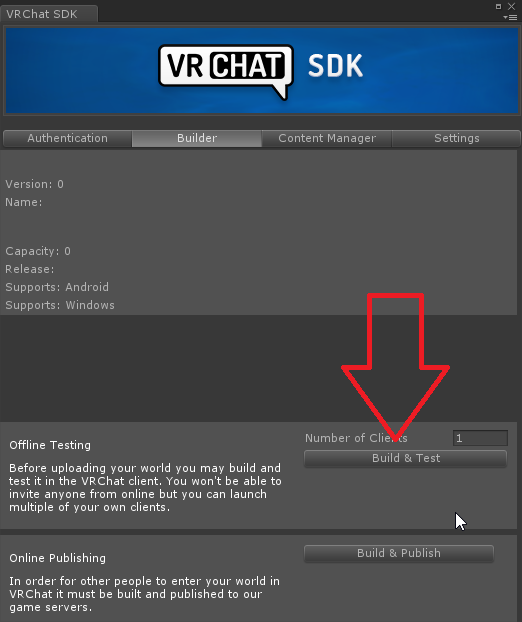
 Twitter
sacred warren
Twitter
sacred warren
Looks like it's including the ground textures, the tree textures and nothing else (as far as textures go)
"Unloading 108 Unused Serialized files (Serialized files now loaded: 0)" - is that likely to be correct?
near escarp
yeah that would explain it
Have you tried making a prefab of your scene to another project ?
sacred warren
No, do you think this can't be salvaged then?
near escarp
Oh, apparently a bug when you have development build on
sacred warren
I don't believe I ever enabled that
near escarp
stackoverflow is not being helpful as always
sacred warren
"Closed as this is similar to question: <question which is in no-way the same issue>"
near escarp
might be worth trying a new project
and then prefab your scene to at least get the object positions
sacred warren
That appears to have locked up Unity, bleh. Well it's past 3am and I have work at 9am so I'll have to leave it here and pick it up tomorrow, see if we get anywhere then. Thanks for trying to assist Ruuubick.
near escarp
no worries, feel free to ping me tomorrow if you make some progress
 dense elm
@near escarp I'm trying to publish my world to community labs. Could you please help me remove the Admin Approved tag from it? wrld_06256a1e-cc14-4946-8258-da94909c7daf
near escarp
@dense elm Done 
 livid sequoia
i downloaded a map where teleporting into a house work but teleporting out is broken you get stuck inside,
is there a way to fix it or redo it to work
balmy gate
downloaded? you mean you found it ingame?
Some worlds use "Align To Room" checkbox in the TeleportPlayer trigger. if you do this, it will break for anyone in VR who is not at the center of their playspace.
Please don't use that unless you have a very good reason.
sacred warren
Hmm, not sure how many of these are due to the export process not including required components, or how many are actually legitimate breakages highlighting problems that may have been hidden before. But yeah, this is after trying to prefab the old world and export with all dependencies.
livid sequoia
the world creator put up the file and i downloaded, when i uploaded compared to the world he have it had the teleporting outside houses not work your basically stuck untill you respawn and go to gameroom
it was one of his earlier versions but the teleport file is stilll there
sacred warren
@near escarp Still broken after exporting and importing into a new project 😦
sacred warren
Also worth mentioning that if I try and generate the lightmaps using Progressive, Unity will always crash.
near escarp
what does your lighting tab look like btw?
sacred warren
This is in the old project as the new one just crashed.
The error is due to the lighting being generated by Bakery AFAIK
Other half...
near escarp
you need realtime gi for the grass ?
sacred warren
Here's the new project which also crashed
Yes, the grass is realtime lit so I guess so?
near escarp
you should try disqbling it
sacred warren
These appear when I run it. Are they likely to be causing major issues? (i.e. either the whiteness or the crash)
livid sequoia
guys how do i make a teleport to a location? i dont understand this i looked it up and it dosent make sencewhat to do
like i looked at this but i dont understand what to do https://vrchat.fandom.com/wiki/Adding_a_Teleporter
VRChat Wikia
In this Tutorial you will learn how to create a basic teleporter In this tutorial we used: Unity 5.3.4.p1, VRChat SDK
 minor shale
http://vrchat.wikidot.com/world-component:vrc-trigger:actions:teleportplayer
This page may help a bit, the way the trigger works is that when you activate it it will teleport the player to the target game object. So a good way to set it up is to make a button with the trigger and an OnInteract to activate the trigger, then make an empty game object where you want the player to teleport to and set that object as the target in the trigger