#world-development
39 messages · Page 8 of 1
 royal canyon
 near escarp
Dunno, seems like a mistake, no need to take it on others
near escarp
And that's goodbye
 left marlin
I was laughing more at the situation and how much it was escalating, not at you.
When dealing with “I’m falling” questions the first things I look at are do you have a non trigger collider and is the layer correct.
Oh, did you just ban them?
near escarp
Yeah, he got his answer anyway
left marlin
All messages are gone
royal canyon
I didn't even think to look at the layer. I was genuinely trying to help the kid until he starting acting like I was obligated to help him >.> I mean jeez...
near escarp

left marlin
I should stop procrastinating and go back to work anyway.
Also really jealous of Ruuubicks ability to use emojis.

royal canyon
I love it when people take others for granted
left marlin
Ruuubick reacting to his face emote with Cyan’s face emote.
Ultimate taunting right there.
royal canyon
😂
 steady lance
Are there any post processing packages i can get on the unity store that are VR compatible and work on vrchat? Preferably free?
 bold ibex
use unity post processing stack v2 https://github.com/Unity-Technologies/PostProcessing

GitHub
Post Processing Stack. Contribute to Unity-Technologies/PostProcessing development by creating an account on GitHub.
you can download it here https://github.com/Unity-Technologies/PostProcessing/archive/v2.zip
steady lance
Thank you a ton
bold ibex
to add it to a project only copy the 'postprocessing' folder into your project
it's whitelisted by vrchat and works great with vr
left marlin
Or if you add everything, remember to delete the test folder or it will cause issues.
bold ibex
oh and it's totally free
near escarp

GitLab
A surface shader for Unity providing cel-shading. (Forward rendering only)
on how to set it up
steady lance
Thank you guys ❤
bold ibex
Any tips on how to prevent that cut off that happens after an audio is done playing?
bold ibex
Its not, its like a small cut off that happens after the animation has been played and the audio is done
 supple drift
Could be the result of the audio file not ending at a zero-crossing, could also just be a weird DSP glitch! I'd try fading the source volume down in the animation so it has a fade out + see if that helps.
supple drift
Yeah! DSP stuff like that can do all kinds of wacky things :/
Not a mega loss though bcs the reverb in Unity can be weird in VR (because it's not really doing propagation so it isn't spatialized properly)
 woven condor
I have 400k .mp4 video i want place as secret - is it difficult to make play small .mp4 video in vrchat ?
bold ibex
it's easy, you can use the unity video player instead of the vrcvideosync
supple drift
But now it's not a secret because we know about it 🤔
bold ibex
if it's just a small looping animation without sound, like a gif, you could use a flipbook shader on a quad
woven condor
ooh - it's done now @bold ibex - works great - didnt know was so simple - thanks again
 fervent scarab
im learning alot
near escarp
Looks great !
bold ibex
@woven condor no problem, it uses less system overhead than vrcvideosync too 👍
fervent scarab
@near escarp I wan to make a joke in my world. If players seat on the surgery slab an animation override will lock them in and then _THE NEUTERIZOR" will start it's power up sequence. A long drawn out, ever increaseing powerup sequence and it will aim at the crotch of the players, (now strapped down). Then after a long increasing crescendo of sound effects i was thinking a "no payoff joke" with like... candy corn or some thing popping out. (perhaps just a fart sound)
Im trying to make it as cartoonish PG as possible, would this joke violate TOS?
left marlin
Not sure about ToS but I’ve seen seemingly worse worlds where someone gets locked in a chair and are being electrocuted. Back then they had a bug and the animation stuck to their avatar too.
near escarp
@fervent scarab No that'd be fine
fervent scarab
cool! I'll try to keep it as funny as I can. perhaps a voice like "gametes identified, calibration extraction beam"
he's happy to be in a jar...
 mild venture
Just got this for Aura 2 in it.
https://www.humblebundle.com/software/unity-2019-bundle?hmb_source=humble_home&hmb_medium=product_tile&hmb_campaign=mosaic_section_2_layout_index_2_layout_type_twos_tile_index_2_c_unity2019_bundle

Humble Bundle
Pay what you want for a bundle of software and support charity!
I don't see any good Aura 2 tutorials on Youtube though. 🤔 Anyone know of any?
near escarp
You shouldn't rely on it
mild venture
On Aura 2? Yeah, I'd never rely on it for all my lighting. I've done up all my lighting, I just want some volumetric rays coming through a couple windows. :3
near escarp

GitHub
World of Warcraft inspired Volumetrics that hold up well in VR with small cost to performance. (You have to not be dumb when placing it though :P) - Xiexe/XSVolumetrics
This is better
mild venture
WHOT, I didn't know Xiexe had a volumetric lighting thingy
Thanks ❤
😭
Oh, well, at least I got some stuff I'll use in the bundle s well
 copper prairie
Is Tsuna's prefab video player ready to go once you place it?
fervent scarab

 soft lynx
Is there a way to make audio sources loop at a specific part?
The audio source component in Unity only loops beginning to end, from what I recall.
When the audio source reaches the end, I want it to start again somewhere other than the beginning.
 stone hollow
Seperate the audio out into two clips, play the intro and loop the part you want to loop.
soft lynx
Damn, that's gonna make it a bit harder.
How do I make the looped part play when I need it to?
The loop has to go on forever, by the way.
 cedar nebula
you have to time it with an animation or a delayed trigger. This can be hit or miss in my experience
soft lynx
I'm having it play in a specific area.
fervent scarab
i messed around with world normals and emission maps
mild venture
O nice :3
 cyan pike
the light rays dont work with baked lighting on the XSVolumetrics thats the only problem i have with it
steady lance
Are there any post process bundles that are allowed by vrchat?
cyan pike
pp stacks v2
steady lance
that works with vrc?
cyan pike
yea
mild venture
Wait, only v2?
cyan pike
v1 and v2 both work in vrc
mild venture
Oh, thank goodness
cedar nebula
v2 is wwwaaayyyy better though
cyan pike
both are the same pretty much but v2 has a cleaner UI and doesnt use much resources as v1 does
supple drift
v2 is much faster than v1 (+ fixes a lot of long-term legacy issues that v1 had). Plus, volumes!!!
v1 = old n busted
v2 = new hotness
mild venture
But but is fifteen dolla
 coral wing
it 100% does not cost anything
supple drift
Yeah! It's made by Unity - it's free 🌞
mild venture
wtf, how come i dont see it
Oh. Blackant master studio has a very very similar thumbnail and... is called Post Processing Stack V2
is $15
mild venture
Bless you 🙏 Thank you
fervent scarab
first time seeing my world in vr is just hrrrrrpppph!!!!! 😤 💪
mild venture
Good glass shaders, anyone? I was using FX/Glass/Stained BumpDistort, and it gives a painful to look at/weird reflection in VR. 😣 Looks fine in desktop, but not VR.
cyan pike
that shader has been broken for a very long time
just use standard shader (transparent) with a white texture (its what i do anyways for glass)
mild venture
Ahh, darn. I see
If I put post processing v2 in my project, will it overwrite the first version? Or would it be ideal to delete the first version before introducing the v2?
near escarp
remove the first one completely !
steady lance
Ive set the post processing stack v2 scripts up with my world, got the settings to how i like them, set the camera as reference camera apon finish, but ingame i dont see any of the effects? Could there be something im missing?
near escarp
Did you apply the layers correctly as well ?
If you follow all steps, it works
you can also preview it in Unity
steady lance
I did
i set the layer to Everything for the camera is that how it should be?
i read in the tutorial it used layer "water" but i dont want things in that layer to only be rendered?
unless thats not how it works
near escarp
It needs to be water for that specific reason
If you decide to only follow certain steps it won't work
mild venture
I'm working on the same thing right now XD A bit more complicated than v1
steady lance
same
I can see this being very easy once you understand it enough.
Just gotta practice.
 solid helm
If you find any bit of my guide confusing, please tag me so I can correct it
steady lance
its probably something on my end
im not sure as to why i dont see the effects in game
cedar nebula
did you delete the Tests folder (if you imported the entire package) ?
steady lance
ive simply just imported the main postprocessing folder
(the one with the Editor, Gizmos, runtime, shaders, and textures folder)
unless that was the issue?
cedar nebula
no that should be fine
steady lance
weird.
I do have some questions regarding the guide though. Why cant volume and layer be on the same game obj? like the camera?
cedar nebula
because the volume is an actual 3D volume so it can't be stuck to the camera. Normally you'd set it to Global so it seems like it doesn't matter but if you actually use it as a volume it's obvious why you can't attach that to the camera
mild venture
I'm confused as to which layer I put it on
cedar nebula
you have to have it on a separate object
mild venture
I have it on that and global, but no effects show up
steady lance
i get the same issue
mild venture
hmm
cedar nebula
the camera should be on default layer, but the the volume(s) itself should be set to the Water layer
cedar nebula
yeah the Volume object should be water
mild venture
Couldn't get effects to work. But then I changed the post process layer (script) layer to default on the cam, now i can see effects. If I have it set to water, I see nothing.
So are you saying that cam one should be default
?
But if i make others, to put them on water?
cedar nebula
I see the problem
I said it wrong earlier, my bad. So the camera object itself needs to be on Layer Default. But in the Post Process Layer script the Layer should be set to Water. And then on your post processing Volume object, that needs to be on Layer Water
mild venture
Ohhh. I see. Like so?
cedar nebula
yea
steady lance
@cedar nebula I got mine to work, thanks a ton
cedar nebula

 river frost
Anybody knows what's the mode should I set for an elevator button (Always? AlwaysBufferOne?) for late joiners to sync? I used AlwaysUnbuffered for my buttons before, I called elevator from 1st floor to 2F, then my friend joined me and she saw the elevator was still at the 1st floor.
steady lance
turn on advanced mode and set it to local, so it only shows up to the individual
in the vrc trigger^
river frost
ahh but I want it to sync for everybody😂
cedar nebula
is it using an Animator?
cedar nebula
so what you can do in that case is just put an Object Sync on the same object as the Animator and disable Synchronize Physics. This will give it mostly perfect animation sync, though it'll jump a little bit when pressing a button
and then the buttons themselves can just be AlwaysUnbuffered
 short gulch
Just posting because funny. She's just supposed to be sitting on the altar, not ascending to Lovecraftian being.
God damn mobile Discord sucks. It crashed 6 times trying to post that
 valid ember
I see nothing wrong
 mental iris
having an issue with prefabs. how do you add sitting and make it invisible coz i get a ugly white chair cube and i seen rooms have an invisible area that says sit. is there a special script or prefab not from sdk ppl are using? and if it is the sdk one is there a way to hide it so it works without the weird visible cubes?
additionally debating to just make a clear blank transparent 512x512 png and use that as texture to hide it if i cant figure this out x.x
 crystal badge
I'm kind of new to VR chat and even more so with making worlds. I was wondering if there's any good samaritan who would be willing to vc and help me at some point
I could share screens or somethin, I'm very friendly and would really appreciate it! :)
And of course I'm also happy to make a friend
royal canyon
@mental iris just hide the mesh renderer on the chair
crystal badge
I would like to clarify that I'm not trying to be lazy lol, I've been watching tutorials for hours upon hours. I was more so hoping to learn from someone directly
mental iris
@royal canyon i see ok
royal canyon
or you can remove that component altogether
mental iris
ah ok
 green lagoon
 stone hollow
Probably one of the best tutorials out there for making optimised content
cutting down on them drawcalls
mental iris
why cant they just use blender instead of unity
with unity your trapped in there system i made a mistake on a project not vrc related and wanted to remove it from unity account but you cant/ its perinatally there. all you can do is archive it and it just removes it from all services that link to it once its archived
green lagoon
no problem it on my Twitter feed so I had to share
 warm marten
legit baking and uvmapping has been a shitshow for me past week
i hate relearning how to texture for unity
this will be so much easier to transition into
green lagoon
that's not really going to solve your problem as all that really does the video I linked is make it behave a little bit more like probuilder by default and fix up the camera controls to match Unity
warm marten
yeah more as far as it will get me more in tune with probuilder and other unity tools
but i dont really know if i will need probuilder if i already have modeling experience
green lagoon
probuilder can still be quite handy for really quick prototyping
warm marten
oh, ill go ahead and put some effort learning it then.
green lagoon
but yeah getting more blender practices is good
but mostly in the sense as the level designer doesn't need to pull up blender for gray boxing
warm marten
Ah i see
green lagoon
I guess the question is are you going to be making stuff or mostly just cobbling together Unity asset
green lagoon
then yes you should definitely be learning more blender
warm marten
i have a firm grasp of blender and creating base meshes, i also learned how to uv map and created mapped textures using Krita
green lagoon
so what's currently giving you trouble
warm marten
the thing i am having issues with is exporting to unity and applying textures to a model. im also not entirely sure what to watch out for because i know that some shaders i use in blender might not be visible in vrchat if i bake them and apply it to a unity model
mental iris
i use probuilder in unity. easy way to do a nice build. or if im lazy af
ill convert a mmd stage
XD
of corce id check the terms of it first
green lagoon
I can't really think of any effects that blender in its default Shader would have that wouldn't show up in unity as I'm guessing you're not dealing with PBR at the moment Threshnold
mental iris
coz some mmd stuff yor not allowed to do that
green lagoon
so I'm not sure why the textures aren't automatically applying when you export the FBX
warm marten
they do, i figured out how to bake and export shaders
but no they arent automaticially applied to the model when i export it via FBX
green lagoon
are you just exporting the FBI's without the images
warm marten
i usually have to go in the UV editor and get the baked textures PNG and slap it on the model once its in unity with semi desirable effects
green lagoon
might I suggest having everything in your Unity project folder when your modeling that way it knows where your knows what your textures are as they're in the same folder as the model
warm marten
i keep blender and unity separate, but i think you may have a good idea.
My colors look pretty darn flat, is that what shaders in unity are for?
green lagoon
your standard Shader would work okay
warm marten
Gotcha.
green lagoon
you can always play around with the shaders later let's focus on getting your workflow to be better as you're not having to reconstruct your materials
as you're just dealing with diffuse at the moment
mainly the reason I'm suggesting having your project folder be the same as you Unity folder is so that the materials are going look in the same folder I am in for the textures not this particular place on your hard drive
and there is a setting when you export files to copy the texture to wherever you send your model
warm marten
oh no youre good, i've been really scared to ask for help because i'm super new with unity so i would imagine it would be frustrating to help newcomers sometimes
you're a wealth of information already
green lagoon

a very useful Wiki if you want to learn about modeling
they have a section even just for environmental art
 green lagoon
also in case you didn't know and you can export a bunch of objects in one fbx and as long as the pivot Points are sensible you can drag it out into unity and the object hierarchy is maintained so you could put all of your modular Assets in one file
it's one of the industry-standard wikis for looking up stuff

A hot topic and trend of the games industry is modularity, or the process of organizing groups of assets into reusable, inter-linkable modules to form larger structures and environments. The core idea is reusing as much work as possible in order to save memory, improve load t...
also a really really nice article about modular environment pieces
building worlds is quite important

Take a look: Wardenlight Studio has created some amazing background paintings for the short Netflix film The Witness.
and this is also a handy website that has lots of Articles showing up folks workflow for various projects they work done

Get the example texture and mesh files from this tutorial: https://gumroad.com/polygonacademy Free UE4 lighting presets + Tutorial : https://youtu.be/_bqpw5s...
very nice video showing up one of the good techniques used for making your environment not super duper expensive on the amount of texture usage
hope you don't mind me dumping a bunch of tutorial stuff your direction
warm marten
dude dump all of them to me
green lagoon
I should probably just make a moodboard for these kind of tutorials to tosspeople's directions
green lagoon
that's excellent
warm marten
i need to make one for unity
i think my blender folder has like 220 files just for tutorials
i really cant wait to get into sculpting
green lagoon
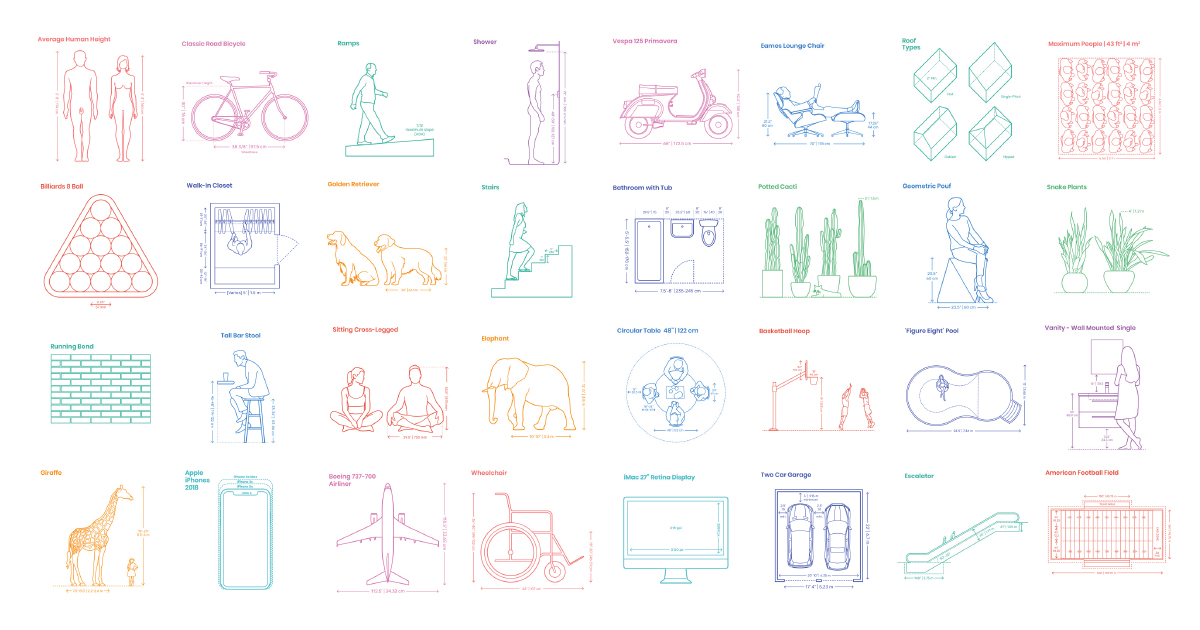
A comprehensive reference database of dimensioned drawings documenting the standard measurements and sizes of the everyday objects and spaces that make up our world.
measurements of objects so you can make sure your props are real world sized

Patreon
Official Post from Minions Art: Videos3 videos on the full character creation process (Concept, Model, Texture)Character Creation Process VideosModelling video of a sword from concept in Maya LTFantasy Sword Speed Model (YouTube Link) Modelling video of a shield from concept...
a bunch of helpful little tutorials that you might find some use for
warm marten
i backed her on patreon
green lagoon
https://www.artstation.com/benmitchell11/collections/629788 I made a artstation collection showing off various modular building pieces and trim sheets which are quite useful techniques when dealing with environments
 warm marten
her tutorials are too good
green lagoon

In this video I demonstrate the problems related to exporting FBX files from Blender and importing them into Unity. It also demonstrates methods to solve the...
warm marten
ctrl +a > all transforms?
green lagoon
it's more referring to the fact that what Unity considers up and what blender considers up is not quite the same thing
green lagoon
#b3d #blender #tutorial Get my 100 Tips e-Book here: https://gumroad.com/l/IxofeY https://www.mandala-motion.com https://www.instagram.com/mandalamotion/
basically I'm just looking in my resource section of various game developer discords I'm on
warm marten
no sound tutorials are gods gifts to modelers
wish more people did no-commentary tutorials
green lagoon

Blender Tutorial | Beginner to Advanced
SHORT CUT keys for Blender 2.8 In this tutorial I will show you the short cut keys for some operations in Blender. Modelling or anyth...

Lazy Tutorial #8! For lazy people by lazy people. So, you can do it without, in the way shown in the video, but the BoolTool addon makes it just one hotkey, ...
https://github.com/radiatoryang/hedera is a unity plugin to create Ivy

GitHub
paint 3D ivy in the Unity Editor, watch procedurally generated meshes simulate growth and clinging in real-time - radiatoryang/hedera


Pinterest
Discover recipes, home ideas, style inspiration and other ideas to try.

Pinterest
Discover recipes, home ideas, style inspiration and other ideas to try.

Pinterest
Discover recipes, home ideas, style inspiration and other ideas to try.


polycount
As I was able to understand, today the industry standard (well, one of) is using trim sheets, that are texture with bunch elements that can be seamlessly tiled on the model.

Christopher Albeluhn: Portfolio
supple drift
Hedera won't work in our version of Unity without some modification. I don't remember exactly the issue or what I modified to get it to work, but I can look into it at some point if someone here is trying to use it
green lagoon
referring to the ivy tool?
supple drift
yeah!
green lagoon
good to know

Leonardo Iezzi created a little set of tablets, which will help you to get the right texel density for your meshes.
supple drift
I might be able to modify it to work, and then prefab it for us depending on the license - but gotta look into that. It will probably just fix itself when we make the 2018 LTS switch tho
green lagoon
as I mentioned I'm just dumping everything vaguely useful from my Nifty tutorials and resources folder
supple drift
A lot of first-person stuff use 10.24 for TD so that became the target for the world I'm working on. I rlly wish I went higher though bcs VR is a whole different beast
Makes me curious about what the standard TD range rlly should be for VR right now
green lagoon
well I suppose you can do some testing in your headset to see if 10.24 looks okay
but you do also have to consider that you can't make your file size stupidly big with high-res textures considering you actually have to download the stuff whereas in a video game it would be ahead of time download
supple drift
Yeah, 10.24 looks alright in VR. It fails when you get close enough, but looks great mid-to-far. Depends on your use case, i suppose
It seems it's not vry straight-forward - like you can get away with cheating detail in normals a lot in the standard pipeline, but that fails more often in VR bcs of how much you look at shit with scrutiny
Would love to have the >1GB per level budget that normal games have tho 😝
green lagoon
yes but that's not going to happen anytime soon as folks download speeds aren't that good
supple drift
Yep haha. Maybe in the far future, it'll be possible to load worlds/maps asynchronously 🤓
green lagoon
I doubt we're going to solve that in vrchat as everything is a big data blob in unity
warm marten
@green lagoon just saying youre an angel
green lagoon
I'm glad you like all the stuff
warm marten
i know that frustration for me
is really good
its an indicator to me that im challenging myself
and by challenging myself ill know ill improve
so your resources are well appreicated
mild venture
Man. I opened my project after installed post processing v2 last night, and all of my materials were purple. So I deleted and reimported the shader, and it done broked everyfing.
 ⚰
⚰
Shader won't even work anymore 😂
 left kettle
Hello hello, I was wondering if it's possible to change playermods such as run speed or jump height with triggers in-game. If so, how would I go about accomplishing this?
cedar nebula
nope, can't do it
left kettle
Awww, that's quite unfortunate. Thank you for the response~
steady lance
what layers should i set for my mirror if i just want players to view their avatars and not anything in the world?
cedar nebula
MirrorReflection, and probably Player as well to be able to see other people
steady lance
this will exclude the world objects too right?
cedar nebula
yea, just those two layers will only reflect you and other players. And also the skybox I guess but nothing you can do about that
steady lance
thats ok, thanks again
soft lynx
Is there a way to make audio play within a specific radius? My goal is to make it so that whenever people walk outside that radius, they will no longer hear the audio source.
cedar nebula
yeah that's how audio works normally. Audio Source component, just make sure it's set to 3D and not 2D
soft lynx
I also want it to be directionless, but I don't know how to configure it to work like that.
2D works perfectly for it, but it can be heard everywhere else.
cedar nebula
attach the vrc spatial audio component and then turn under the advanced options turn up the volumetric radius. This will increase the range that sound becomes directionless
from the docs:
"An audio source is normally simulated to be a point source, however changing this value allows the source to appear to come from a larger area. This should be used carefully, and is mainly for distant audio sources that need to sound "large" as you move past them. The listener should not ever get close to the radius for best results. Keep this at zero unless you know what you're doing."
okay actually rereading that maybe it's not the right approach, not sure
 modern kayak
yeah that value is used for stuff like lightning that's suuuuper far away
if you want something to be 2D close up but then turn off when you go out of range, what you can do is change the custom curve of the audio source so that after a certain range, it changes to 3D and volume goes down
like this
spatial blend being 2D vs 3D
 stray sand
@soft lynx make sure that spatialize is off. you'll have to use the debug inspector to see it.
soft lynx
Oh, I figured it out. I had to change the volume key.
stray sand
👍
bold ibex
One of my worlds don't work on quest and pc. It did but now it can't be opened. When you do enter it your are instantly put back to the home world. All shaders for quest are good and was fine before.
cedar nebula
check your vrchat log for what error it throws when you try to join the world, but usually a problem like that can be found in the Unity console when you do a build
!outputlog
 tawny lilyBOT
You can find your output log at C:\Users\%Username%\AppData\LocalLow\VRChat\vrchat named output_log.txt
cedar nebula
sounds like you have a script that's throwing errors. If you don't need it then just delete it
bold ibex
Alright
I'm checking the code and it seems like this has to do with the sdk for vrchat itself. so I can try reputting in the sdk to see if that can fix it.
 lyric turtle
So can someone help me, ive tried for ages now and i cant get it to work, can someone tell me how to play and audio clip when a player enters the object/mesh?
copper prairie
@lyric turtle This might help https://docs.vrchat.com/docs/onentertrigger
OnEnterTrigger is used to activate the VRC_Trigger if two colliders start interacting with each other in instances where one or both of the colliders have the "Trigger" checkbox selected. If neither of the colliders that you want to detect interaction between have "Trigger" ...
@lyric turtle
lyric turtle
@copper prairie des it need to be a mesh collider or can it be a box?
but any ways Ill try this out thank you soo much @copper prairie
copper prairie
Sorry was drafting something, I an new to world making too. WHat I sent you was from a prefab video player I used in my world I can link you to it if you want.
lyric turtle
Id like to
copper prairie
Said the link is not allowed, do you mind if I DM to you?
lyric turtle
not at all
 bronze smelt
yes
royal canyon
@lyric turtle make a new 3D cube, keep the box collider, delete the Mesh Renderer component, add a VRC_Trigger (OnEnterTrigger), set an AudioTrigger and input the Audio Source you'd like to play. Make sure it isn't "Play On Wake" and also set the Collider's layer to "PlayerLocal"
@terse topaz there's a working door in the Prefabs Database I believe
Yes the prefab is called "Perfect Doors" by Red_SIM
green lagoon
depends on what art style you're doing
 jolly cape
Elaborate
royal canyon
@terse topaz looks good dude. Yeah hinge component is cool.
jolly cape
But yeah, what kind of shader options are there for walls? Im trying to make a small modern hangout place
green lagoon
basically just use the standard Shader for everything and you'll be fine
as you probably don't want to jump into blending different materials together using vertex colors
green lagoon
that's strange
would you mind taking a screenshot demonstrating the issue and the Shader you're using
 harsh wagon
Is there a way to play a sound when someone joins an instance? Considering what the world is, it's pretty obvious what sound I'll be using.
bold ibex
onnetworkready alwaysunbuffered playsound
harsh wagon
I'm assuming I put that on the audio source?
bold ibex
yeah
jolly cape
@green lagoon not really, standard shader and whenever the object is nearly at the edge, it just loses all shadow on it
 amber lodge
Would it be better to use onPlayerJoined local playsound?
bold ibex
onnetworkready fires when the player has fully joined and received all buffered states, there was issues with onplayerjoined but I can't remember
green lagoon
that probably has to do with the Shadows not the Shader
 vocal halo
Y’all know if there is going to be a Times Square in VRC for this year ?
green lagoon
has Dynamic Shadows do have a clipping distance
jolly cape
Hmm?
green lagoon
it might be your settings on your shadows causing that
jolly cape
Where do I change those
green lagoon
 jolly cape
Pretty sure I have those shadows disabled
Its just an area that isnt lit very well
Despite a light being very close to it
qwq
I dont get lights...
green lagoon
taking some screenshots of the problem might help us figure out what's wrong
as I cannot tell if it's malfunction or it's doing what it's supposed to do when your understanding of how it works is slightly lacking
jolly cape
Actually the corners being dark makes a bit of sense because the lamp is kinda below that
Also im kinda in bed atm
 glad hedge
Having a problem uploading the world
For some reason, no matter how I upload, it shows it as a new world and the vrcam preview doesnt work, just shows white, and the upload button does nothing
This happens every time
pure white screen
on the cameria
 balmy gate
@glad hedge you probably have an error. First question: did you make sure to delete the "Tests" folder in PostProcessing?
Second, stop, turn off Clean On Play, clear your console, change somthing small in your scene (move an object or change the name of something) then try Build and publish again
Now, scroll through your Console panel and search for everything that is red (preferrably the first few errors at least). Do not include "VRCGlobalRoot is not defined" because that one is ok and always happens. There should be no other errors though.
glad hedge
Checking now
@balmy gate
this is all I got
Null ReferenceException Object reference not set to an instance of an object.
 spark thunder
has anyone been baking something in ur world and unity crashes and when you go back to your project and then ur model and meshes all turn invisible?

u can see where all the lights were but the model around them is just invisible.
near escarp
update the skybox probe ?
near escarp
in the lighting menu at the bottom
there should be two options in the dropdown menu
next to bake
spark thunder
where it says generate lighting?
spark thunder
nothings even baked
near escarp
try baking again to reset it maybe ?
spark thunder
this has happened before, this time it crashed while i was just working in unity i wasnt loading anythign
near escarp
Did you send the crash report to unity ?
 near escarp
Oh that thing again yeah
spark thunder
and i dont know how to send unity anything. idk how to get the error codes
near escarp
you might have to find someone who can write you a script somehow, or maybe it already exists online
but there's still way too many objects
green lagoon
and giving them names would be good
spark thunder
wheni type in the name on the mesh nothign even comes up
bronze smelt
Try right click reimport all
Or close Unity, rename the library folder and start unity again'. That will rebuild the connections
 tardy lagoon
So some of the assets I'm seeing in Unity are for the 2018 Unity version. Is it possible to have them appear as usable assets in 2017?
green lagoon
if they're just 3D models and textures yes
tardy lagoon
So it's just the prefabs that don't load, I assume?
green lagoon
no the prefabs will load just fine just basically no scripting
fervent scarab
Hello! question, Im trying to have an occlusion cull on a environment based on distance rather than if the camera is looking at the room or not. I want to have an area where the players are "outside" the castle then click the door to go "inside" the castle
Do I have each room self contained in a "skybox sphere?"
wait...
that may work. I think i answered my own question
but audio object arn't occlusing do i have to manually even trigger them to turn on and off?
cedar nebula
audio has a range to it, you can set it up so its only audible within that radius, even if it's 2D. You have to screw around the curves though to make that work. If you don't want to mess around with it then yeah it'd be easier to toggle it with triggers
 lilac tangle
what causes a mirror to not clear its drawbuffer? are nonvertical mirrors not supported?
cedar nebula
I'm not entirely sure I get what you're saying, but mirrors pretty much have to be Quads. Putting it on something not flat is going to fuck it up
lilac tangle
but thats the only constraint?
cedar nebula
probably not, mirrors are their own black magic and if you screw around with it too much it's going to do weird things. You should keep the mirror on a quad and don't use a custom shader with it unless you know what you're doing
lilac tangle
only thing abnormal is its facing upwards
wait i need to test if i can even get a normal one working first
solid helm
@lilac tangle Your model must face the same direction as a regular mirror quad
Looking at mirrors from behind isn't supported
You can have a mirror mesh that isn't flat but the way mirrors are projected on screen means for all intents and purposes it has to be mostly flat
 supple gale
oh heres the world channle
ok so i really need help with something and its annoying the crap out of me
i tried to test build a world but it spawns me in for 2 seconds and then kicks me right back out. i dont know what could be causing it
ive tried for at least a month
and im at wits end
near escarp
If you sont have a floor collider, you'll be booted out of the world automatically @supple gale
Add a floor collider and you'll fix your problem
jolly cape
Does anyone have some nice carpets I could use?
 jolly cape
How do you make a mirror so it only shows the players and the skybox?
cedar nebula
only reflect the MirrorReflection layer to show yourself, and add the Player layer to see other players
jolly cape
Does anyone have any of the following models I could use?
-A rift s, a keyboard and mouse and a pc case
I cant find those
near escarp
@supple gale Can you show your collider and your vrcworld prefab ?
 neat zodiac
So random question, When making a world using a lot of triggers (like a puzzle map), will these break once the new udon/sdk3.0 comes out?
cedar nebula
triggers will still be supported after Udon comes out. I don't know for sure how supported but they'll still work at least
neat zodiac
Okay that sounds good then! as long as there is no major breaking. I was trying to decided if its worth setting up the triggers now, or waiting till December when udon comes out. But thanks!
cedar nebula
Can you rephrase that? Not entirely sure I understand the question
fervent scarab
short gulch
I think what he means is, is there a way that he can check which objects his triggers affect.
 jovial charm
Should see a white line connecting the points the trigger affects @fair rover
 whole dock
Is there any way to change animator parameter without vrc trigger? I think it's little bit unreliable
Sorry, I found out. I wasn't able to change it at my will but, I found out how I can reset it. That was what I wanted to do. All I had to was rebind animator using UGui
 brittle owl
im having a problem with the world im trying to upload it lets me upload it on unity but when i load vrchat to play on it its not there. anyone know how to fix it?
 mild spade
@brittle owl Probably wrong Unity version. What Unity version are you using? And what SDK version?
brittle owl
im using unity 2018.4.9f1 and vrcsdk 2019.09.18.12.05
im not that good with this lol
 mortal pagoda
F same problem
fervent scarab
Hey, what settings do i need to use on a collider that teleports the player when they enter. I tried "OnEntercollider"
near escarp
onentertrigger
mild spade
@brittle owl you need to use unity version 2017.4.28f1
brittle owl
okay dokay
mild spade
More info here (instructions) https://docs.vrchat.com/docs/setting-up-the-sdk
Requirements We're going to need a couple things before we can get started. - Unity 2017.4.28f1 - Scroll down to find LTS Release 2017.4.28f1 If you have Unity Hub installed, you...
brittle owl
thanks
fervent scarab
@near escarp 😒 then what is OnEnterCollider do?
near escarp
OnEnterCollider is used to activate the VRC_Trigger if two colliders start interacting with each other in instances where neither of the colliders have the "Trigger" checkbox selected. If one or both of the colliders that you want to detect interaction between have "Trigger"...
fervent scarab

k, but im getting the philosphy now. as soon as I have that box checkmarked "is trigger" on the collider, it's no longer classified as a "collider" but now a "trigger"
left marlin
On enter collider is for solid collisions or bounces. On enter trigger is for any collider entering a non solid trigger volume.
Players can’t use on enter collider due to weird physics limitations and player controllers.
If you need bounce/collision on the player, use on avatar hit. I highly recommend to never use this though and use on enter trigger instead.
fervent scarab
so I should put an "on enter trigger" on avatar spawn so if player hits respawn it can reset everything?
left marlin
Yes, but know that it can reset even if they just walk to that location
fervent scarab
cause in my world I hit "respawn and WHOOPSIE! now im falling into the void
i have the world root of various sections de-spawn as players move throughout. I need a "reset" if they bypass everything and use "respawn" in menu
fervent scarab
@near escarp im doing something wrong... onentertrigger didn't work
near escarp
what layers are you using ?
left marlin
You need to check your object layer and on enter trigger layer
fervent scarab
so i set my layers to players?
near escarp
environment works
 fervent scarab
so players can interact with environment?
near escarp
yep
fervent scarab
🤔 i see... and the layers that is under the trigger menus... is that calling for layers it's looking for/interacts with?
near escarp
it interacts with
fervent scarab
as so i should not set that as environment... only player. cool
near escarp
yep, and the object the collider is on to be environment
spark thunder

no idea what any of this is
i had this project saved and i made a new project and imported it
and now its saying this stuff

theres like 67
near escarp
Did you remove the test folder in the post processing import ?
also you might need to reimport the SDK using these steps
If you need to update your SDK, it is important that you follow these steps to ensure the update proceeds properly and you don't have any old/conflicting files. ## Simple Update Here's how you update your SDK. If you're just uploading avatars, you can use the following proc...
fervent scarab
ah it's player + Playerlocal
mild spade
I believe PlayerLocal is for you, and Player is for others (not you)
near escarp
correct^
fervent scarab
There's more rules and sub-rules than school yard four-square!
 distant gulch
Can I disable the red spheres around sound sources? They get in the way of viewing things
near escarp
yep, disable the gizmo
distant gulch
Oh, found it, thanks!
 gleaming terrace
I want to make a pick up in my world thats like a confetti gun, pick it up and every time you click it shoots out confetti that falls and stays on the floor for a while, how can I do this?
mild spade
@fair rover Are they OnInteract?
Did you test them with VR or Desktop?
Do you see the outline of the trigger?
Do they have a collider?
fervent scarab
my head 🙃 good stuff I've learned today. This stuff is a massive challenge building and optimizing for pc and quest
I'm gonna go be a shiba inu now.
copper prairie
Is there a way to make walls snap their alignment to each other? It is taking me ages to line them up precisely.
green lagoon
you can press the V key to drag things to snap to vertices
and also there's the progrid tool that gives you more control over grid snapping
green lagoon
no problem glad to be of help
fervent scarab
hells yeah!!! seeing it in vr the first time. I definatly need to make it feel larger and more imposing.
 vital hill
I focking Love it!!!!
fervent scarab
@vital hill wanna see it im still there
vital hill
Sure!
fervent scarab
vrchat://launch?ref=vrchat.com&id=wrld_ec9dea30-d797-4208-b229-861efc93067d:38611~hidden(usr_9a931699-442a-41b6-9d19-669d932065b3)~nonce(1c28e7ac-a07b-4471-a5a4-ad6934a26467) meet me here
@vital hill
warm marten
looks great
fervent scarab
@warm marten that wasn't the world
 fervent scarab
reads each user name more carfully Ok... sooo tbh you both have blue lettering and blue icons... I thought you were the same person
 fiery magnet
hey guys i had a question, i have a UI canvas and im trying to make it so that mirror options or toggleable through the UI (Low, Regular, HD) however i want to have it so that if i turn a mirror on, it sets the other mirror options to false so that people don't mistakenly turn on all the mirrors at once and experience poor performance. i have them all on toggle. I'm a bit perplexed, can anyone help me?
 narrow ibex
Anyone know where to get a free rain on window asset?
cedar nebula
@fiery magnet a good way to do that is to use an animator state machine so you can have mutually exclusive 'states' for each type of mirror. Otherwise, for each button you can have it so it only toggles its associated mirror but disables all the others, instead of toggling them all
 limpid pivot
Hey there. I'm working on my first world and I was wondering where I could get those chair fliers that you control with a stick. Treehouse in the Shade is a popular world with them in it. I've been searching for a while with no luck so I've come to ask here. You'd think something so common would be easy to find but all that comes up is flying avatar stuff.
cedar nebula
I believe that's the Testrun Jetpack prefab? Check the channel pins for the link to the vrcprefabs database and search for it there
limpid pivot
@cedar nebula Thank you so much. Simply knowing the name of it helped me find it very quickly.
 sly zodiac
 wary elbow
omg that actually good !
 worthy tulip
how do I make an object follow a predefined path?
bold ibex
anyone know not to make the terrain grass not laggy on vr ??
 iron socket
Unity terrain is pretty unoptmized, so I don’t believe there is much you can do.
 minor finch
kind of, you can change the render distance of the grass
I've also heard DirectX grass is pretty good for not consuming so many resources
 frail aurora
I always paint the grass on terrain but then turn off the mesh by unticking the Draw option and it keeps the grass.
minor finch
how does that effect the motion of the grass?
 fresh plover
@bold ibex
grass is a common issue .. not all grass is created equally the same some are simple flat planes and others have depth or complex mesh .. for simple grass you commonly don't use LODs and the more complex with LODs .. regardless it can add up very fast for draw calls and such
a few tips that may help
- use occlusion culling, when you design a map think about how a player moves thru the world and add small hills or other structures that limit the amount for field of view the players will have at any one time ..
Baked lighting:
simple grass - bake away no LODs
complex grass - only Bake LOD0 and use light probes on LOD1+ saving memory in you baked lighting and Cache
shaders:
a fast shader will go a long way and try to atlas or combine mesh .. but don't go crazy and remember that rules about culling .. example if you combine grass in a area it would render all at one and reduce the ability culling gives you .. combine in smaller groups that are only in that players view at one time
wind
you can still bake lighting as grass does not move a lot only sort of wiggles perhaps but play with it and try
it should be better if VRchats moves to Unity 2018+ in future as many more options will open up to you but for now you are limited by what VRchat will let you use and Unity 2017
frail aurora
The grass still functions as normal, it's only the high-poly terrain that get's removed. Make sure to untick the Draw under Base Terrain and not the one under Tree & Detail Objects. And there's always everything said above as well, I guess. xD
narrow ibex
@fresh plover thanks for the help baking my lighting. World is posted in the lab 🙂 https://www.youtube.com/watch?v=xaongX21JoI&feature=youtu.be
 fresh plover
NP
looks great happy you finally released
@frail aurora
it think your are talking about the black grass issue in VRchat ... using a second terrain layer really is not the best idea for the fix .. its sad that VRchat cant support users and take 5 min to fix it.. it is a lot better to use a custom shader for now instead,, the subject meguchan was asking about is more about general optimization ideas to improve FPS perhaps not baked lighting problems .. yet lol
@junior cloak
please check your world i try to play stuff in it last night but could not get your server connected properly .. perhaps the UI layout changed and i did not understand it fully
 fresh plover
haha did any one tell you about light probes yet
fresh plover
Light Probe Populator
https://github.com/alexismorin/Light-Probe-Populator

GitHub
Automatic Unity Light Probe Generation. Contribute to alexismorin/Light-Probe-Populator development by creating an account on GitHub.
this is a nice simple tool to add them in one click till you get the basics down
 vocal schooner
is there a prefab for a codelock?
fresh plover
@glad hedge
i just posted a few links in #world-lighting
see the VRchat Xiexes lighting tutorial it covers almost all the basics
glad hedge
ooooh thank you! I was searching for how tos but couldnt gind anything
 junior cloak
I didn't really check so far ; Is there a way to use web panel again in vrchat or is it gone and we got no way of rendering a webpage in game ?
I wanted to make a world to watch the League of legends world championship but I don't really wanna update the world every days / hours to have the score / leaderboard up to date.
 slow mortar
glad hedge
slow mortar
glad hedge
Error assigning cubemap texture to 2D texture property '_MainTex': Dimensions must match
UnityEngine.GUIUtility:ProcessEvent(Int32, IntPtr)
I get this console error when trying to upload, @fresh plover Any idea?
 modern wyvern
Is there a Way
To make tree leaves move without lagging
fresh plover
assigning what cube map to what shader ?
glad hedge
it doesnt specify =/
fresh plover
uploading to vrchat ?
fresh plover
do you use a cube map any place such as sky box.. did you use any custom shaders for it ?
fresh plover
oh
if your using a script to link the reflection probe to the shader its likely that VRChat is removing it and breaking your stuff
glad hedge
not anything so fancy
I did go through and basically add reflection probe static to all of my objects though :X
glad hedge
silvr's water shader
i made it not interact with the reflection probe
hoping that fixes it
fresh plover
i would need to look at it again i forget what that shader was doing
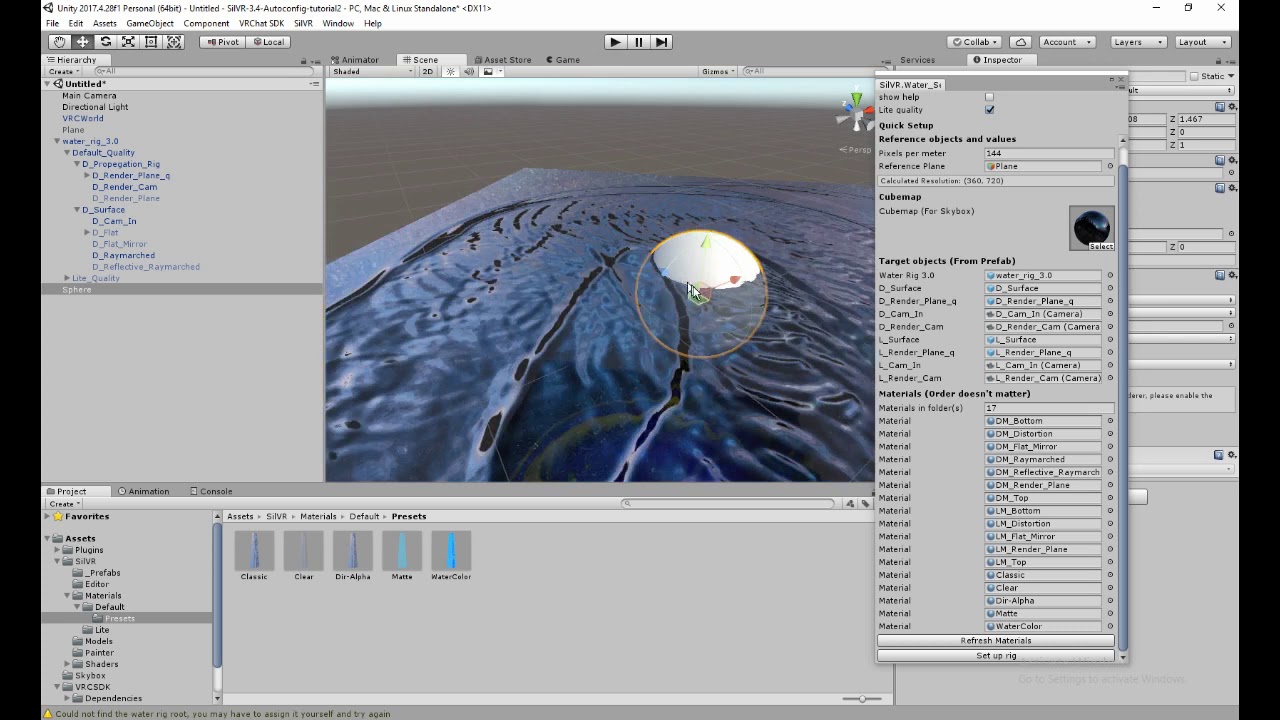
wow not the easiest shader to set up lol
near escarp
nope
minor finch
what is so special about the package manager?
near escarp
no idea, but it isn't needed
minor finch
Nice, thanks Ruuubick
 golden breach
hey guys, a small question what should i use to make invisible borders that players cant cross?
near escarp
add a cube, it should have a box collider component, all you need to do is disable the mesh renderer component
golden breach
thank you
 vapid mortar
I downloaded ExMenu v1.1 but, It was not working for me. I tried ExMenuSample offline test. Still not work. what I do wrong?
I see flash vrchat menu duplicate in spawn point.
bronze smelt
If it doesn’t work, then that means you didn’t follow the instructions correctly. Read it again and do exactly what it says.
vapid mortar
well, I can't follow it because japanese. I used translate google. I don't understand what it mean.
Import the prerequisite assets in the license item in advance.
In addition, please refer to the detailed precautions written using VRC_Label in the prefab.
I am new. I start learn vrc world in one week ago. I will watch more video world Tutorials.
 open thicket
how would i make an object spawner which deletes objects after 1 minute of no usage?
including the spawner have a "slow mode" in which you have to wait until 2 minutes or so have ipassed
minor finch
Is it common for post processing to just not appear at runtime?
cedar nebula
it's a common problem but you've probably messed up a step. Have you already seen Silent's setup guide?
cedar nebula
check this guide then, I'd recommend using v2
https://gitlab.com/s-ilent/SCSS/wikis/Other/Post-Processing
GitLab
A surface shader for Unity providing cel-shading. (Forward rendering only)
cedar nebula
yep that'll do it
 sullen tundra
can anyone tell me why i'm hearing the audio i have in my world all over the world when it's set with a range which only covers 1 room? it's been driving me nuts
cedar nebula
you probably have the spatialization set to 2D instead of 3D
sullen tundra
how would i change that?
cedar nebula
on the audio source there's a slider, move it from 2D to 3D
 sleek willow
How would I go about making a pickup object you can stand on? Looking to make a tiny moveable step stool.
cedar nebula
method one would be to set the layer of the Pickup object to Default, method two would be to have a child object with the collision set to Default layer, that way you could toggle it so its only solid when you're not holding it or something
sleek willow
Hmm okay
limpid pivot
Is there a VRC specific script to use in order to keep players from sliding off a moving object?
bold ibex
yo
https://file.house/KX05.png
is this the correct setup for avatar swap triggers
 near escarp
set the trigger to local
bold ibex
thx, testing now
didn't seem to work, still won't swap the avatar
does the receiver target also need to be set to local, @near escarp ?
oh, i'm an idiot
needed to use SetAvatarUse
not SwitchAvatar
my bad
 drifting dune
i keep trying to update my world but it keeps kicking me home. how do i fix this? i tried reuploading it on the same blueprint and a different one but both kept kicking me home ;-;
near escarp
Do you have a floor collider ?
drifting dune
i do
near escarp
Is there a lot of stuff happening at world join ?
drifting dune
no. the only difference is that i usually have two avatars acting as statues, this time i have three but i dont think it would be enough to glitch it
bold ibex
Do I still need to enter my world into that big spreadsheet for it to go public after uploading it to the Labs?
And is there still a big spreadsheet where I can view rejected worlds?
modern kayak
no, community labs replaced that whole system
bold ibex
aight
cedar nebula
@drifting dune check unity console for errors, something probably broke during upload and prevented it from working
 balmy rapids
I got one question,when In my world comes others players,the video player start playing video,how to stop it?
cedar nebula
do you have Clear on Play or Error Pause enabled? Make sure you disable those and then try it
balmy rapids
@cedar nebula answer for me?
cedar nebula
I'm not entirely sure what you're asking for. Do you need a way to stop a video player or stop it from automatically playing when someone joins the world?
balmy rapids
I just need the video to not play,when somebody joined to my world
drifting dune
@cedar nebula THANK YOU SO MUCH
cedar nebula
are you using a vrc sync video player or just the normal unity video player?
balmy rapids
vrcvideosync
cedar nebula
I don't think those auto-play by default. Do you have some kind of OnNetworkReady trigger that's making it play when someone joins? If so just remove that
balmy rapids
nope
cedar nebula
hhhmmm I can't check Unity right now but in the Video Player component there's a checkbox for uuhh "Play At Start" or something along those lines? Try unchecking that if you have it on
balmy rapids
that is settings on vrcvideosunc
cedar nebula
that should fine, I don't see why it would be playing already when someone joins
near escarp
@balmy rapids Which trigger is firing the Play RPC ?
balmy rapids
@near escarp
balmy rapids
@near escarp like this?
near escarp
you need to change the OnNetworkReady
otherwise the video will start playing when you join
unless that's what you want ?
balmy rapids
@near escarp when In my world comes others players,the video player start playing video,and I need make so,when in my world comes others player,the video player should not to play video.
near escarp
your description is a bit confusing
do you want it to play only when you join, but not when others join right ?
balmy rapids
no,I wanna that would video player default is off for all time,but if I wanna watch video,I could just press play button ant watch video.
near escarp
In that case you need to use OnNetworkReady to turn off the video player when the player join, and then have a button to press that sends the play RPC locally
balmy rapids
how do i set this up?
near escarp
like i just described
I believe there's also examples and video tutorials on youtube to set it up correctly
balmy rapids
ok
open thicket
how do i create a panorama sphere?
do i just use an inversed sphere with the vrc panorama component?
royal canyon
@open thicket Jetdog has a prefab for it I believe
 burnt belfry
Heya. Does anyone know how to open "Offline Testing" without VR?
 kindred void
I know there's a script or something that allows you to, but I just unplug my headset.
modern kayak
onentertrigger playerlocal will still fire and you can also still teleport them
onavatarhit is for physical touching, not entering a region
minor finch
it makes it so where you can walk through the collider
so, probably pretty important
doesn't always have to be used for triggers either
balmy gate
@past burrow disable mipmaps on your skybox for the simplest approach. But that can cause aliasing artifacts if your skybox is too detailed (don't use like 8k resolution skyboxes and it will probably be fine)
The more correct answer is use a shader that uses the correct usage of tex2Dlod or tex2Dgrad for texture sampling to avoid hitting the wrong mipmap level on the edge
To disable mipmaps, click your skybox texture and in the inspector import settings turn off generate mipmaps
 glacial skiff
@green lagoon heh thx for linking it here, dont really come here anymore, so if you got issues with the probuilder for blender config either ping me or dm me. i usally get around to answer stuff.
green lagoon
no problem glad to be of help
 tidal burrow
Hey fellas I need help making a simple world for when I start releasing public avatars.
I know how to make avatars but I can't make worlds. Any advice?
 deft vault
@tidal burrow Truth be told, making a basic avatar world is very, very simple. Almost any tutorial on it can get you going in about 10-15 minutes. There's also an avatar pedestal prefab included with the VRC SDK which just requires an avatar ID and its ready to go
I'm having some strange issues in regards to some triggers in my map. I have a variety of buttons throughout it that have the proper interaction distance in desktop mode, but when testing it in VR, a player has to hover over the very center of the collision mesh in order to click it.
There's also some issues with triggers that have "OnExitTrigger" with "Trigger Individuals" checked off, which will fire when any player exits or even enters it. They're on the Player and PlayerLocal layers too
mild spade
@deft vault 1- Is there a big trigger collider around the triggers? 2-playerlocal should be used if you want to fire the trigger by only the local player, Player should be used for every player that is not the local player.
fervent scarab
sppooookyyy
deft vault
@mild spade There is--if I may ask, what does that do to break the buttons? o:
As for the trigger it's meant to be a door detector--the doors are setup to close automatically when nobody's close to it anymore so nobody gets crunched. I put it on both layers so it could detect both the local player and surrounding players for everyone. I should mention its using AlwaysBufferOne too
Also that looks REALLY neat, Petey 👀
mild spade
1- colliders block VR's raycasting. You could lower the collider below, like leg level, that way their hands can use vr's raycasting. 2-hmm there may be an easiest way to acomplish this if you want to broadcast a door for everyone
deft vault
That's good to know. Thank ya! And yeah I ended up moving the trigger overtop the spawn point so players can't avoid it still.
I'm all ears! Looking back on it, perhaps the trigger sees one layer as being empty, making it think it should fire its commands? I don't know how that's causing it being entered to fire still though
glad hedge
Do Axis Rotator and Panner scripts not work for vrchat? Im trying to do like scrolling signage
fervent scarab
it's tough
@past burrow expecially if you want it to look the same on the PC and quest side
Im trying to make my world cross platfom and with everything i want to do im REALLLY going to be pushing the limits of optimization
fervent scarab
Quest worlds HAVE to be under 50mb or they won't upload. They also cant handle transparency. Unless you want to handle ans organize two different instances of your world/or wall off sections for quest only. It's advisable to make it compatible for both.
 unborn elk
I read Quest worlds can have transparent shaders (only avatars cannot), can anyone confirm?
fervent scarab
@unborn elk having an alpha check on rendering cost more time and draw calls.
unborn elk
Obviously, it is also true for PC worlds. Are you telling using any transparency will drasticly lower frame rates?
On the Quest*
solid helm
@fervent scarab It doesn't cost more draw calls.
@unborn elk You must be very careful with transparency on Quest. In general, you should use the simplest possible shaders and as little transparency as possible. The cost of overdraw is high on Quest.
For rendering cost, on Quest:
Opaque: Cheap.
Alpha Test (Cutout): The GPU has to spend more time on each pixel covered by the triangle to determine whether they're solid or not.
Alpha Blend: Slower than anything else because any pixel covered by an alpha blend object will need to be drawn twice.
unborn elk
Thats not very good
fervent scarab
anyone unity crashes upon hitting "upload world"
glad hedge
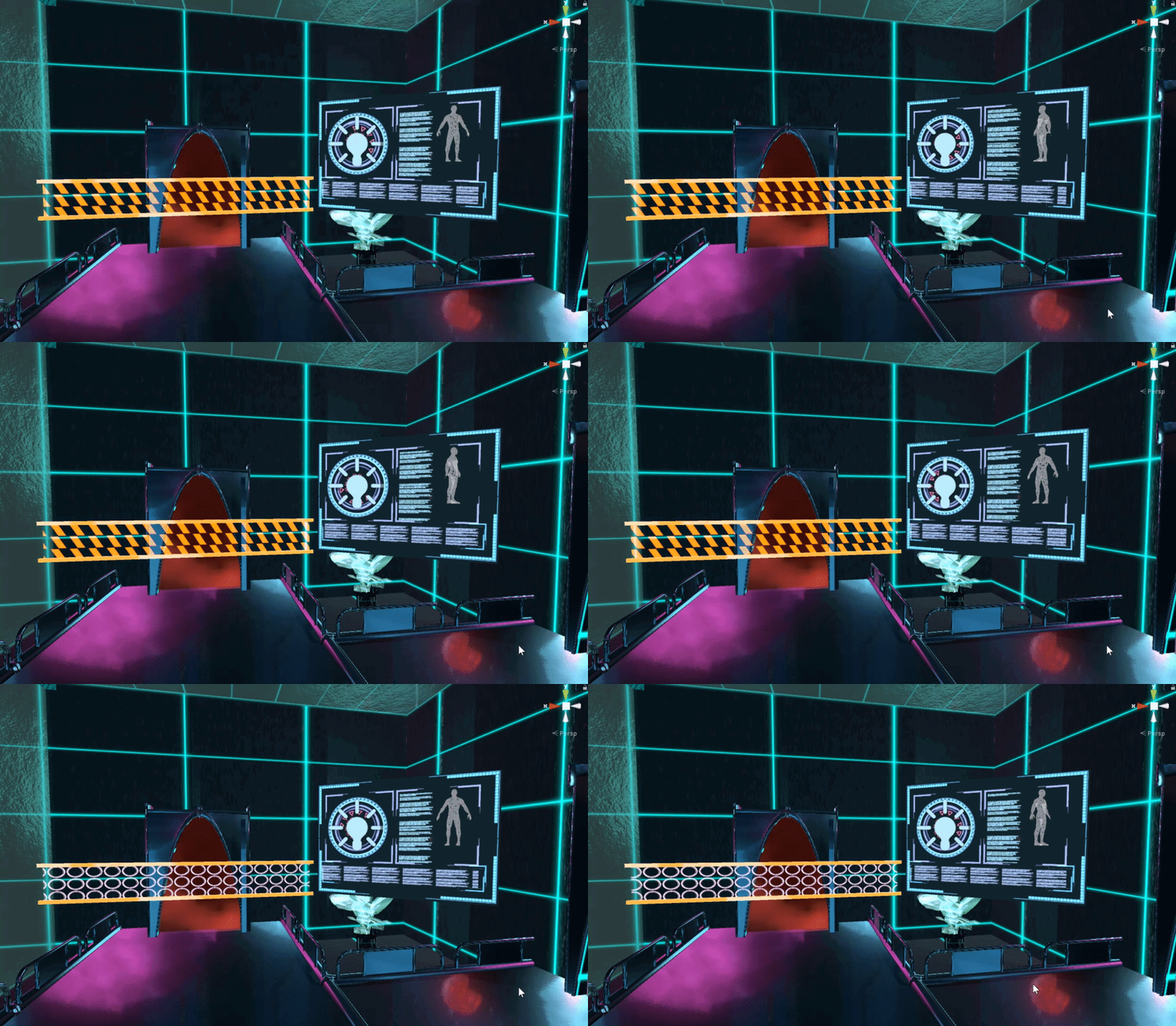
So it moves fine in unity
but i think after uploading, the panner and axis rotation scripts break
is that something vrchat turns off
fervent scarab
@near escarp. Future proofing was crashing my world upload
near escarp
Yeah you're supposed to disable it
 deft turtle
Is there a video or prefab or something that I can use to create a NPC combat system like having a npc run to a player using melee animations, or go in a certain range and do shooting? Etc..

 cedar nebula
@deft turtle I'd start with Fionna's Pets Prefab to learn how AI stuff works and go from there (it requires Standard Assets). There's no prefabs for full on enemy AI though
 unique iron
Are test builds unavailable currently? My world won't load, it just sends me to my current home.
modern kayak
that's a common problem but it is not because of anything with the server, it's something wrong with the world
usually it's something wrong with the spawn, whether it's inside a collider or under the respawn barrier
but it could also be a compile error, check your console for anything
unique iron
neither
just says "could not load world because it didn't exist"
I forgot what I did the last time I had this issue
unique iron
yeah it's just "abandoning request because world not found"
Oh wow someone finally made a troubleshooting guide about test worlds failing to load. https://vrcat.club/threads/have-world-building-issues-here-are-a-few-things-to-try.3243/ I wish this could be stickied!

VRCat: Community-Run VRChat Forums
Greetings all,
This is a long post and i hope some of you find it helpful. This feels random for my self as i don't usually post on forums unless I...
unique iron
Yep it's the "worl d doesn't exist" error, everything else that was fancy on my map was deleted.
Can't upload, because test version won't run, wonderful.
cedar nebula
In the console make sure you disable Error Pause and Clear and on Play, then try to do a test build and see what errors show up
unique iron
ok! Thank you for the suggestion
unique iron
Okay! So I found out what the culprits might've been
There was a script error and an error with something linked in VRChat's Unity Asset picks, with AllFreeSkies
And Tsuna's prefabs might have a compiler error with her shader scripts
cedar nebula
I don't think AllFreeSkies is part of the VRCSDK, you can probably just remove it if you're not using it for anything. Same with the shaders if they're throwing errors
unique iron
yeah. but finally I found out what it was! with allfreeskies being on the picks on unity asset store though, more people might run into that issue
cedar nebula
aahhh I see now, it was part of the list that Unity put out for VRChat compatible assets right? Weird that there'd be something on the asset store that gives errors
unique iron
Correct.
It's because the bundle kept referencing ' UnityEditor' and the editor went "wut"
 manic latch
either my iq has gone into the negatives or there's something going on in my unity project with the ui I have setup for a video player
I made a prefab in another project and it works fine, drop it into new project and works before I make any changes
I swap the urls in the addurl buttons for some new ones and now no url buttons work even old unchanged ones
latest version of sdk if that helps
unique iron
what does the console say, nothing?
cedar nebula
did you try checking the in game debug menu to see if any errors show up there? It's Right Shift + ` + 3
cedar nebula
well that's not very helpful. Not sure what the exact problem is
modern wyvern
I need a Big help
How Can i make sure when some Press on the platform it turns on the rigidbody and the gravity
near escarp
the player is on the Player layer
fervent scarab
playerlocal is the individual. player layer is the other players
mild spade
@fair rover What do you mean by "noclipper"?
short gulch
So does it just basically respawn them when they noclip, like in the Pug?
Alrighty cool, I may need to try something like that in the Halloween world I'm hastily throwing together at the last minute since theres a hidden room
Awesome thanks, something like this hadnt even crossed my mind till you mentioned it.
near escarp
@fair rover Might be easier to use OnExtiTrigger instead ? That way you just have a larger one around the zone
in this case i guess it wouldn't
mild spade
@fair rover Im pretty sure OnEnterCollider does not works for PlayerLocal layers. That is why OnAvatarHit was made :0 How does it work for you? Is is because of hacked clients?
That is interesting hmm
near escarp
If you need both then only one is working
And that would most likely be OnEnterTrigger
 sturdy stone
Hello,
I have a vision to create a world looks like Cyberpunk 2077. The city will later have some possibilities of secondlife and tower unite.
So far, however, the performance seems to me very questionable to many players. There are also some crashes without error messages.
That's why my question:
Is there any information on whether VRChat will use the new technology of SpatialOS and Single-Shard Cluster (CSSC) in the future or do you already have your own ideas to increase the performance??
green lagoon
they're unlikely to use those
and also you need to work harder at making your map not suck
and I'm not sure how either of those are going to help with you there's only so many triangles and draw calls
and be aware running it on second life is going to cost you IRL money
sturdy stone
At the moment, many worlds feel bad about the performance. That's why I would only consider building one if the prerequisite is right. It's more of a catalyst to the developers. (Second Life is a Virtual World) and I said that I would do some functions like building. For me, the development is not a question of money because I already earn enough money through graphic design :-), I have been recommending VRChat through friends, so I want to support them with a new map. Thats all. So the question is more like (Hey VRChat developer should you look at SpatialOS to improve your performance). NOTICE SHIELD holds up
😃
 cobalt sluice
What do you mean by performance? Latency issues or framerate?
If you're seeing a low framerate then you need to optimize your map better
sturdy stone
+10 players in one room and have 50% chance of crash or lag spikes.
regardless of which world I have visited so far
cobalt sluice
That must be partially your system's fault- there's no way you should be crashing that frequently
Also I don't know where VRChat servers are hosted, but consider that if you live in a country far away you're more likely to have a higher latency and notice more frequent lag
stone hollow
i pretty much only play on maps that are 40+ people on an underspec pc and its not a 50% crash chance
Lag sure, not spikes but framerate.
cobalt sluice
Virtual Market 3 was a good example of really poorly optimized maps causing super low framerates and frequent crashing
You shouldn't be experiencing much crashing in well optimized maps with high player counts
sturdy stone
@cobalt sluice and with optimized maps you mean only small rooms with lowpoly objects i think?
stone hollow
No
green lagoon
no it can be much prettier than that
stone hollow
Optimisation isnt just poly count
cobalt sluice
Doesn't have to be small, you need to limit draw calls by using LOD groups and culling etc
VKet 3 didn't really do that
green lagoon
just not haphazardly together on Second Life where nobody has good lods
stone hollow
also take into account the drawcalls are 2x because vr
sturdy stone
Okay, thanks in advance for your experiences. Can you tell me the maximum number of players that would be possible
stone hollow
80
green lagoon
and another thing to consider is in vrchat you're not expected to have only one instance of the map
as at any given time if it's popular there's like 20 or more copies of the map
stone hollow
Yeah, the map can be split across many, with different users in each
It only goes to about 10 or so instances nowadays, most are in privates
cobalt sluice
@sturdy stone basically if you really want to replicate Second Life in vrchat right now, you can't
There's no real way to make an mmo style map since you can't communicate with a database or anything
stone hollow
also no currency or market integrated currently
cobalt sluice
Hatmod + in game market would be slick
green lagoon
and basically half the optimization do we do in vrchat doesn't work in Second Life
sturdy stone
My consideration was a city with 1000 VR users at the same time.
stone hollow
Very ambitious :-)
green lagoon
functionally impossible at this point in time
sturdy stone
next-generation-level
stone hollow
80 is currently the hard cap in VRChat, but youll get hitching and problems for alot of users at around 40
green lagoon
we don't nearly have enough funding to do something like that and also a question of would anyone even wants to be in a Big map with a thousand people
and you're sure as heck not getting that many people in Second Life without it being a frame rate nightmare
because people have horrendously unoptimized avatars over there
stone hollow
Its not exactly much different here..
green lagoon
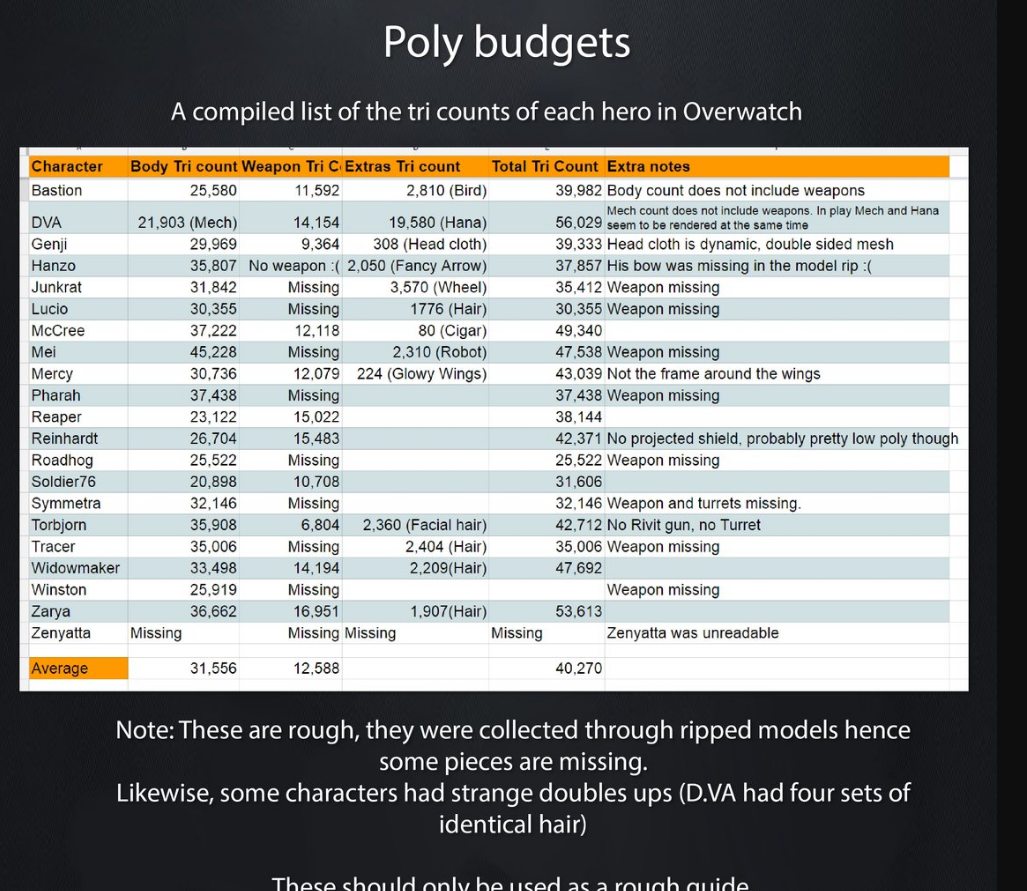
considering most folks have more triangles than an entire OverWatch match of characters on sl
sturdy stone
not in second life but in dual universe
green lagoon
I can get screenshots if you want to see that I'm not joking BlueASIS
sturdy stone
I mentioned second life just because of the possibility to build
secondlife and sansar going in the dead.. ^.^ That's why I use my time for new developers
green lagoon
thinking about it your cyberpunk city sounds more like 12 or more maps on vrc
as you don't want to make it too big otherwise you won't be able to find anyone unless it's supposed to be a driving map
sturdy stone
I know what you mean, I saw a school that was connected to many portals in vrchat.
green lagoon
and also question do you have any interest of stuff running on the quest
stone hollow
@green lagoon gimme the pic i feel like dying a little inside
sturdy stone
Currently, Tower Unite does it right and connects all games on one level with many portals. Just like VRChat. But the performance and server selection is little bit better.
stone hollow
How much of that game is user generated content?
sturdy stone
70%
you can add any avatar with blender or other stuff with steam workshop
for your home.. but its same as vrchat. Early Access
green lagoon
give me a sec to acquire screenshots
 sturdy stone
Is difficult to explain. Tower Unite handles a lot about subscribing and you work a lot with Steam inventory. In your own home(Condo) When someone join your home, he subscribes all the objects from workshop automatically and then re-creates them.
green lagoon
(82,000 polygons. Just for the fricking head.
"That's four times more than my entire body," as Niran told me in wonder. And the most popular SL mesh bodies, Maitreya and Belleza, have around 108k and 200K+ polygons, respectively. "Making it 180k minimum and 280k+" for users who have both.
That's an insane number of polygons, far more than in top AAA games. Niran again:
"Rainbow Six Siege has roughly 40k triangles, Fortnite uses roughly 20k, Division 2, one of the really good optimized games I played this last decade... has probs around 20k-40k max for a whole character.
"So even for today's standards, 80k is a lot. Sure some games use that much, but mostly games where theres only one major character, and the focus is solely on that character, and the rest is just trash mobs to kill or something. With good texture work you can make up easily for those 60k triangles.
"Peeps should just learn to use normal maps and specular maps better. Yeah sure, SL doesn't have 5 different textures for refraction, bumps, specularity, material type, sun absorption, metallic-ness, roughness and all that cool stuff, but SL wouldn't be able to handle that anyway, with people spamming 1024x1024 on everything for every tiny body part...)
quotes from the article I took the screenshot from
 stone hollow
well then
sturdy stone
Then I remember, streaming with Amazon Cloud Servers xD
green lagoon
483,240 is how much an entire OverWatch match of characters and weapons takes up
stone hollow

green lagoon
& 280k+ is just for one character in Second Life
sturdy stone
😂
warm marten
wow, thats a fascinating chart
sturdy stone
its a very old engine. From 2007
green lagoon
and you should be using not many triangles on on one character
warm marten
I wonder what the polycounts are like for other social platform games like IMVU
sturdy stone
It contradicts somehow. Everyone is talking about Virtual Reality. But it is not realistic when taking lowpoly trees like minecraft.
green lagoon
there's a whole range in between Minecraft and using an obscene amount of triangles
sturdy stone
only where is the healthy middle?
stone hollow
Video game engines have come to a point where we can fake alot of details without performance inpact, low poly meshes can be deceiving
 flat dagger
Anyone seen details for the new Facebook platform?
stone hollow
@flat dagger is #world-development the best place?
green lagoon
and the answer to how many triangles depends on what platform
flat dagger
Also, ploy counts really don't need to be as high as they used to be
green lagoon
basically if it's not contributing to the silhouette put it on the normal map
flat dagger
A lot of the details they used to provide comes from normal and tessellation maps now
sturdy stone
https://www.youtube.com/watch?v=oG3Vk7BYPHM This Scene in VR xD

Unity’s award-winning Demo team, the creators of Adam and Book of the Dead, is working on a new short film called The Heretic The Heretic uses a broad range ...
flat dagger
@wispy plume I was commenting on Threshold's quesiton
sturdy stone
i miss a good roadmap from VRChat ^^
ok, that's another topic
So at this state i must create small City Scenes with maximum 40 Players
green lagoon
basically making it super prettier and crowning a thousand people in the room or not really on the road map as they're actually not that helpful
stone hollow
Realistically 1k people in one scene is idealistic but serves no purpose


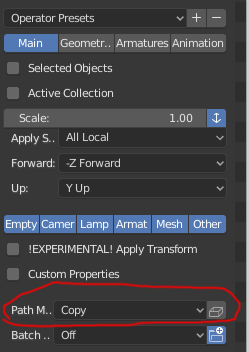


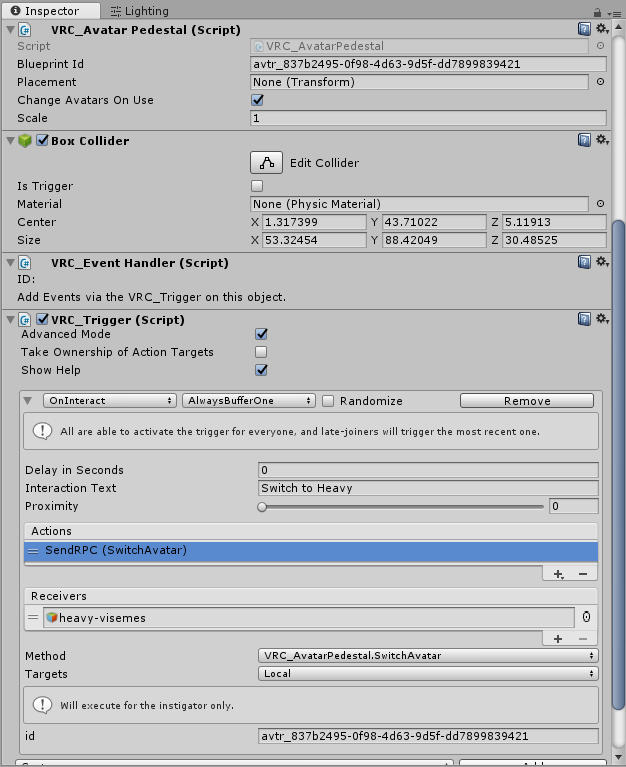
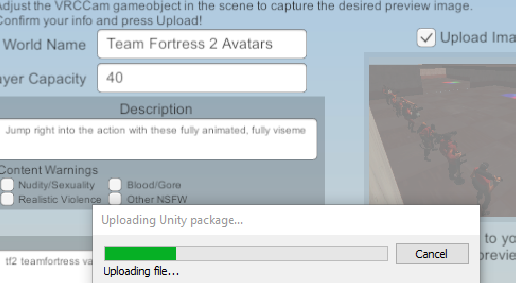
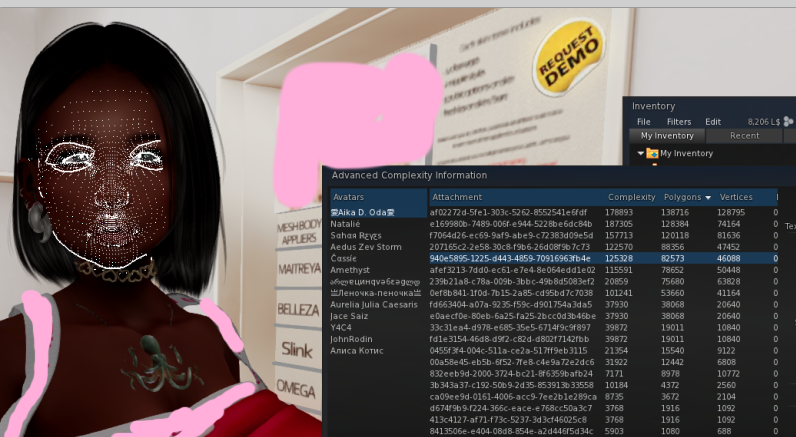
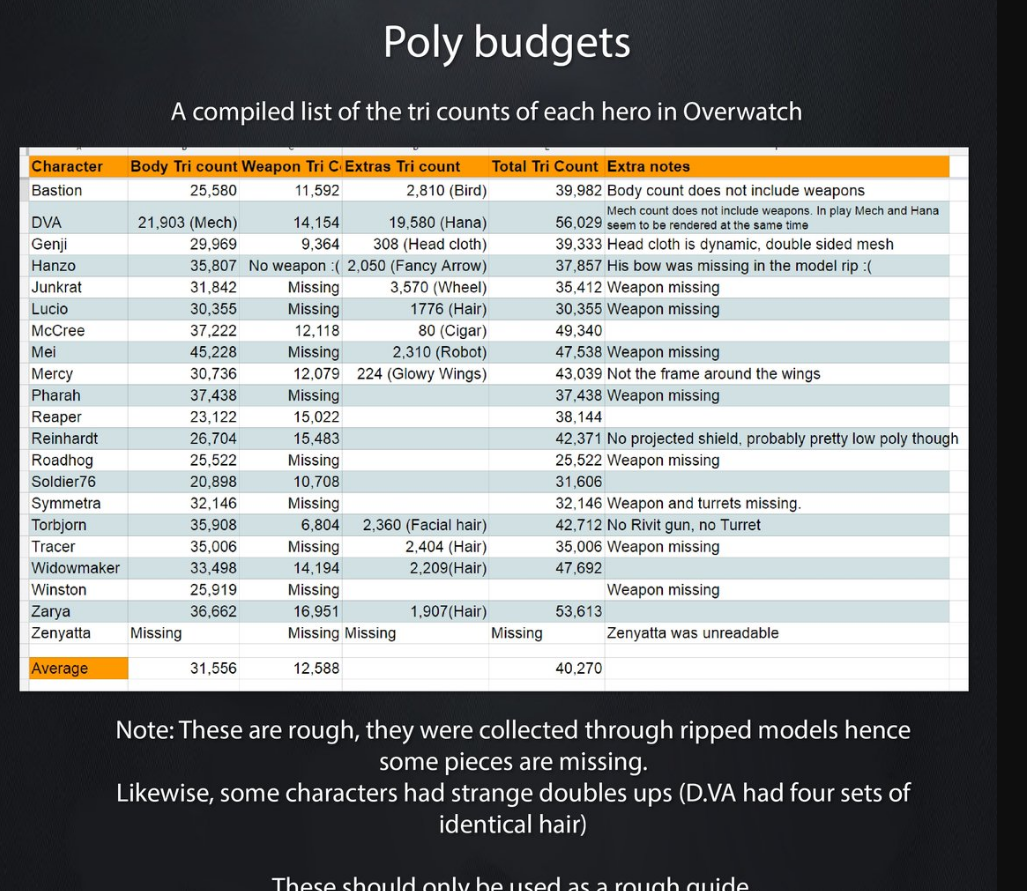

 stone hollow
Example of what professionals who are being paid, do.
flat dagger
Blue, do you really think that by the time VRC catches up to a version of Unity that actually supports HDRP that people will still be using it? With FB and others starting to push into this realm, VRC is in real danger of getting steamrolled into irrelevance
green lagoon
okay FairPoint but just trying to demonstrate you don't need a bajillion polygons
flat dagger
Oh sure
green lagoon
actually Facebook's going in a cartoon direction
stone hollow
I know rainwolf, being facetious 😉
also, jj; I mean we are moving to 2018 real soon, so yeah.
flat dagger
I actually came here to get some people to help test a new world
stone hollow
I dont think facebooks corporate parody is going anywhere soon
stone hollow
VRC isnt in danger right now, but competition is always healthy.
flat dagger
Amen to that Blue
stone hollow
I am excited about where social vr is headed!
flat dagger
Yet
But they have something VRC doesn't. Billions of $$$
And a willingness to dump as much as need be to get people to buy headsets
Anyway7s. If people have time,

My attempt at an ONeil Type space station․ It's actually 20km in diameterǃ
sturdy stone
you mean Facebook Horizon?
flat dagger
Yes, [Top]
sturdy stone
its looks like a vr joke
flat dagger
Now
green lagoon
yep they can basically just big Corporation cheat their way into the top
green lagoon
yes but you're not getting triple a realistic graphics on the quest which is selling like hotcakes
flat dagger
But if they provide the right tools, they could just steamroll everyone
warm marten
yeah but its gonna be fucking restrictive as fuck, if you think vrchat has content creation restrictions, get ready for a facebook run social game
im not gonna touch horizons
flat dagger
True
sturdy stone
😩
green lagoon
apparently the quest accounts for like 20% of all the Oculus stores Revenue even though it's only been out for only a short while
flat dagger
It was so obviously money grubbing it was offensive
Yeah, the wireless aspect is apparently a huge thing a for a lot of poeple
Being able to just slap something on without having to get anything else is a big deal to newbs
green lagoon
yes basically cut down on friction
supple drift
This is good convo, but y'all getting a bit off topic for this channel!
flat dagger
Lol. True.
Back to my original reason for coming here
My attempt at an ONeil Type space station․ It's actually 20km in diameterǃ
Heh
sturdy stone
a good start would be VRChat not for free but for 1-5 $ or € for sale. Its not much.
flat dagger
I just would hate to see them switch to the same pay for everything micro-transactions that Second World had.
sturdy stone
please no but to fix server costs or other think like outside development.
green lagoon
that's barely enough to cover any of the rent 1-5 $
flat dagger
so, you're talking subscription service?
green lagoon
they are planning an in program Market at some point but not for a while
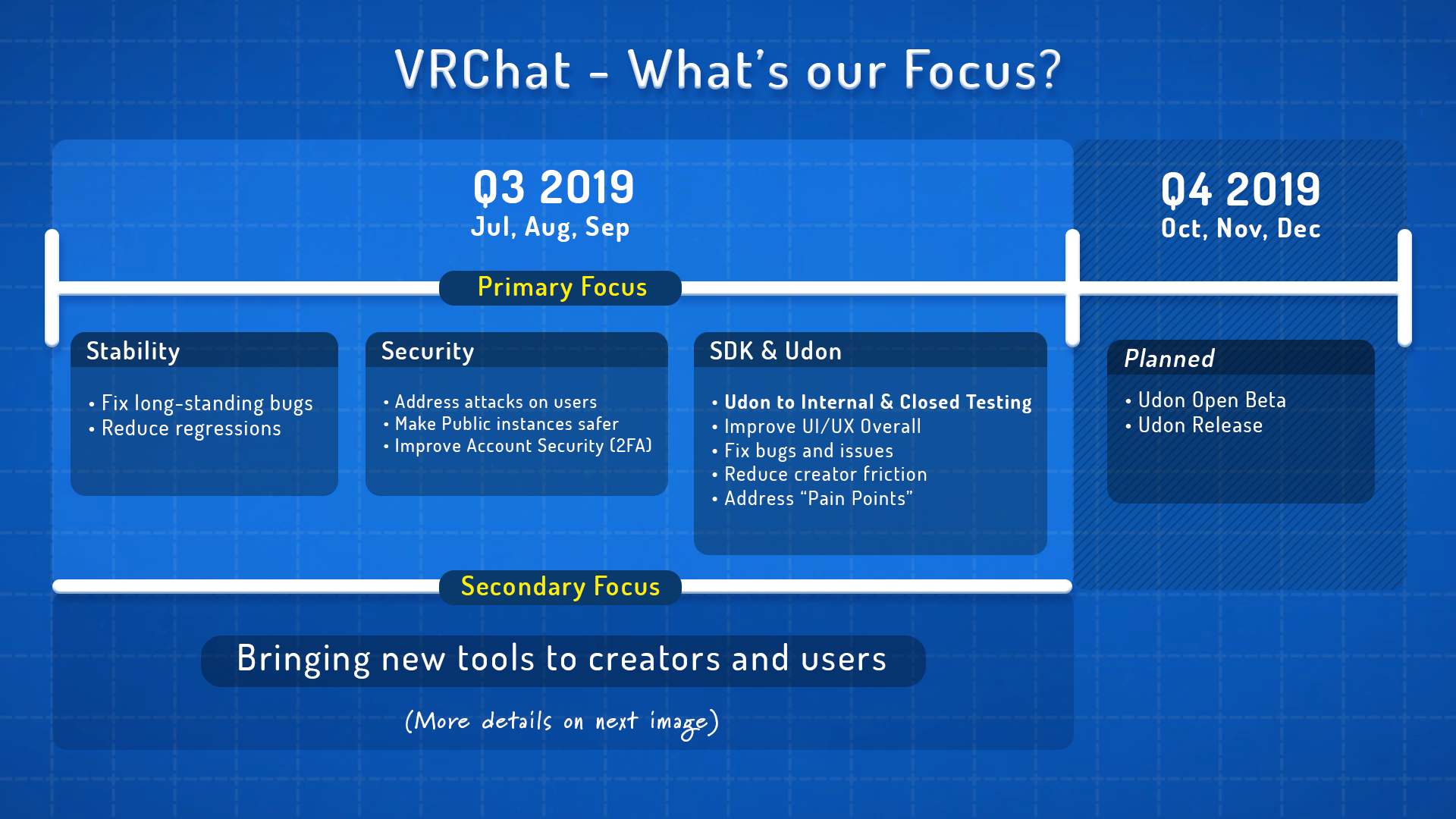
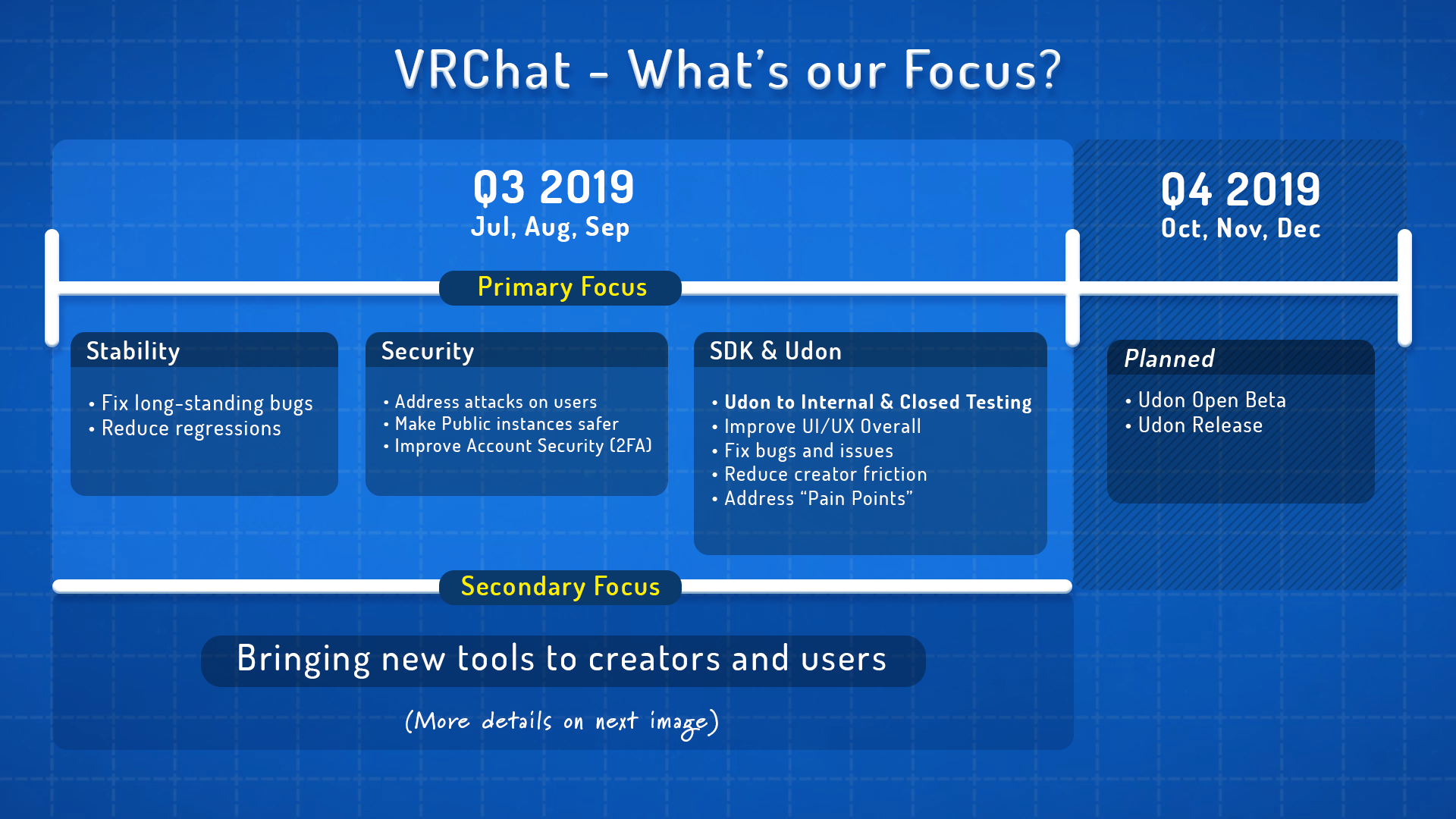
as they haven't even hired the person to do that yet as they're placing ads
stone hollow
Will be interesting to see that, people might start making original content if theres money incentive
flat dagger
Yeah.What's Udon?
green lagoon
the program is scripting system
flat dagger
Where is this slide from? Would love to see the whole presentation.
stone hollow
Thats the only slide.
green lagoon

Medium
Curious about the VRChat Universe’s near-future? Check out our plans for the rest of the year.
stone hollow
beat me 2 it
flat dagger
Heh
stone hollow
Correction, its one of two slides 😒
sturdy stone
okay cool, better than nothing.
flat dagger
Yeah