#world-development
39 messages · Page 5 of 1
 bold ibex
 cedar nebula
people can get the ID from the website regardless, you can't actually do anything with the ID except join the world even if it becomes unlisted (and even then, only the last uploaded version)
 balmy coral
anyone know how to make a VRC_Pickup float in mid air?
Basically just not have physics?
 supple drift
@balmy coral Check Is Kinematic on the rigidbody component, unless you mean you want it to float away -- then you could just disable gravity on the rigidbody component
 narrow ibex
Think my world is basically done for now. I'm only "New User" status so I guess I go play to rank up. Anyone interested in a tour send me a PM. I could use some feedback before going live.
 royal canyon
I might be really stupid or just don't know enough about the Animator, but I'm working on a Pool Slide.
I've set up an Idle animation and a Slide animation.
I want the animation to be triggered OnInteract, and the Idle state to be default until the object is clicked, then triggers the animation via AnimationBool > True.
I have Empty set as Default with a Transition to a Seat Idle state. I have a Transition from SeatIdle to Slide state with a Bool Parameter (True) condition, then transition back to SeatIdle.
I doubt that is correct, but it made sense in my head. Also, when it animates In-Game, the position is off set to the right of the gameobject by about 6 meters, so the float isn't on the slide anymore. Idk what's up with that one.
The trigger works in-game so it must be something with the transitioning in the animator itself. I'm confused. 😂
 royal canyon
do you have a Scene Descriptor in your world?
 shadow blaze
yep
royal canyon
getting any Console errors?
shadow blaze
nope
 near escarp
What are you trying to do ?
shadow blaze
upload a world
near escarp
Which sdk and unity version ?
shadow blaze
latest vrc sdk and unity 2017.4.28f1
near escarp
And you had already uploaded this world ?
shadow blaze
nope
royal canyon
it should work then if you have no console errors and have a scene descriptor.
shadow blaze
The other day I updated one of my worlds
and then bam when creating a new world doesn't let me
near escarp
Can you take a screenshot of your VRC_World components
shadow blaze
i'm having one of my buddies try it
 mild spade
@royal canyon About your animation problem. Have you tested it on Unity Play Mode and see how it behaves? Also, I think using a Trigger parameter instead of Bool would be a better choice ( unless you specifically need it to be a bool)
royal canyon
@mild spade I figured out the transform problem, my parent game object transform was off, so it pushed it off-course. & yes you're probably right about the trigger parameter, but do I have the Animator states set up correctly?
mild spade
it looks good. But if you use a bool, you will need another VRC_trigger to set the bool to FALSE, otherwise the transition will always be open to the next state (slide animation) and loop from idle to slide forever. Are you having a problem specific with it? Using a Trigger will fire the transition and "close" the transition until another trigger is fired.
royal canyon
No specific problem using it, just trying to make sure I set this Animator up, it's still weird to get used to for me
mild spade
oh! Looks good!. You could also delete the "empty" state and make the "SeatIdle" the default starting state. Unless you are using it.
royal canyon
I didn't think about that lol
so yeah I'm changing to Trigger now
AnimationTrigger
I think it'd be a little cleaner than using Bool, that was just what I had used before. Never really used Animator much, still learning.
aaaaaand now it threw the transform off again, I don't get it
It works properly, but the transform is off. Weird shit
mild spade
Bools are more for a ON/OFF settings (like doors), where triggers are for one-time-events that need a button to fire it.
royal canyon
yeah the trigger is much "cleaner"
mild spade
Would be better to Animate it again by making a parent, and animating the child where its starting axis are x0 y0 and z0
royal canyon
and then transforming the parent to the position I'd like it to be in?
mild spade
yes. That way the child always stays at 0,0,0
royal canyon
I did spend like 3 hours animating the slide, though. Lots of twisty turnies
shadow blaze
royal canyon
I know right
shadow blaze
my scene is good
royal canyon
@mild spade I get that no matter where I set the parent object's orientation
only when I put on the trigger, though
mild spade
Looks like you will need to animate it again. Unless you can move the entire slide to match the rotations/movement of the object.
royal canyon
deletes unity
royal canyon
If I animate a chair, and it hits a collider with an OnEnterTrigger > SendRPC (ExitStation) why doesn't this work? Might be that the problem is I have it on the Trigger layer. Trying to make it so when the seat hits the collider, it makes the Player "get up" from their seat. Any better way to do this?
 nimble valley
hi, i have on a camera a render texture and on a mesh a material whit it. in unity its working but not in game what did i wrong?
cedar nebula
if it works in Unity it should work in-game, is your world actually updating?
nimble valley
yeah
royal canyon
is your camera set as the main reference camera in your VRCworld?
nimble valley
no its not
royal canyon
that's your problem
just click on your VRCworld, locate the "Reference Camera" section and drag your camera onto that slot
cedar nebula
nah I don't think that's it. If it's for a render texture you don't want that as the reference camera
royal canyon
hmmm
but the VRC cam wouldn't pick up the other camera if it isn't referenced right?
cedar nebula
but you might be onto something. Is this camera tagged as the Main Camera, or the only camera in the scene? Because vrchat might be picking this as the reference camera by default. Try adding a new camera, tagging it as Main Camera, and then setting that as the Reference Camera
nimble valley
ok i will try it
royal canyon
could he add it onto the VRCWorld and reference itself?
nimble valley
i add a new cam as reference cam
royal canyon
on the new cam, add your render textures and all then see if it works in a test instance
cedar nebula
I don't think that's what he's trying to do. The reference camera is one thing, but I think he's using this camera to render something again in the scene like having handheld camera for instance. The actual reference camera can't have a render texture I'm pretty sure
royal canyon
did u set as reference cam in VRCworld? if so, remove the VRCworld reference cam by clicking the little dot to the right and scroll up and click "none" then go to the Tag > Untagged then set to MainCamera
bold ibex
Any info out there on how to make an inventory system? Something like the one in Primal Valley?
 left marlin
Breaking it down into parts, you have object detection, storage for each type, and spawning new.
For object detection, usually means OnEnterTrigger. This page is still in development but it should help with a lot of it. Sadly I haven't gotten to the broadcast part...
http://vrchat.wikidot.com/worlds:guides:object-detection
Storage really is just keeping track of what items you have. This could be an animator and some visual. Internally keeping track is easy. Keeping track for each item probably means a lot of different possible values. Displaying the number isn't as easy, but is still possible. I'm surprised we don't have a proper prefab for it yet. (I know float displays are in the works)
Spawning, basically once you have a UI and keeping track, you can have a button that when pressed spawns the object from your inventory. If you are actually spawning the object, you will also need to delete/reap the other objects when "adding" to your inventory.
bold ibex
I will try to test my way around it this week and see if I get something to work! Thank you for the info!
left marlin
Although extremely old, Fionna's inventory chest prefab is still in the database
bold ibex
I saw that, I checked out the world earlier and got some ideas. I will download it and see how it works
 woeful tide
How would I make a button that teleport all players in the world to a certain place?
royal canyon
@woeful tide I don't think you can make it so they teleport all the players at once since the player themselves need to be the executor, but you can have an OnInteract Trigger on an object, with an action of Teleport Player. You'll need to enter a Transform to send the player to, so you'll make NewGameObject and position it where you want the players to be, then drag and drop that into the Receivers part.
Each player will have to manually teleport themselves.
If that's okay then it will work
but if you needed all the players to teleport at once, you could also probably make an animated collider with the same Trigger on it
you'd just have to make sure it hit everyone
woeful tide
I see
royal canyon
if you need more help I can help you
left marlin
You can make all players teleport, but as SkyAtlas said, you need to make all players think they instigated it.
You basically make a button that tells everyone to turn on a gameobject. This gameobject then locally turns itself back off (to reuse) and also tells the player to teleport.
 smoky oriole
is delay, sorry. for non-vr launch of unity test, this will help @crisp crater
http://secondstrife.com/vrchat-vbs/
such is what you asked i hope. 
nimble valley
@royal canyon when you make the teleportation on a custom trigger and a button that activate the trigger for everyone works. @woeful tide
 crisp crater
Oh great, thanks SaSa!
 hardy kraken
I don't know why, but for some reason recently when I'm trying to upload a map it gets stuck on Building Player
I didn't have that issue before.
It gets stuck on BuildPlayer-NameOfTheScene.sharedAsset
bold ibex
My map is in the published community labs, I was wondering if I can update my map anyway to be public?
 bronze smelt
Being in Community Labs is public in a way. But for it to go out of Community labs you need to have people visit the world (plus a few other things)
hardy kraken
After I wait long enough, it lets me to upload the world, but the world doesn't work properly and I get these errors in the console.
near escarp
Which unity version and SDK aree you using ?
hardy kraken
2017.4.28f1
And I tried multiple SDK
From the latest one, to the one in my old backup.
near escarp
Which steps did you follow when changing sdk ?
hardy kraken
Removed VRCSDK it's meta file and the plugins folder which included it's SQL files
near escarp
Do you have the same issues in an empty project ?
hardy kraken
I had the same issue on my latest version of the World Project, along the one which I had puted 2 months ago on my MEGA backup.
It all happened after installing a tool called bakery, because a friend of mine asked me to bake whole map for him.
After that, pretty much all of my worlds which includes unity terrain, suffer same issue.
near escarp
Have you tried removing bakery entirely and all its references ?
hardy kraken
Even the ones from old scene, which in fact worked
As I mentioned my old version of unity project did not include bakery.
And it suffers from same problem for some reason.
near escarp
Then the only ways of debugging this would either be to remove pieces until that errors is gone, open the line in the code and see if you can tell what it's referencing, or building the same world in a clean project until you get the error
bold ibex
What do vrchat users prefer, video player lease or only the master of the room can change video?
hardy kraken
Maybe I should just try to remake the whole project, and let entire project recompile all of the assets.
My World Project is quite big.
But perhaps some of the libraries might be corrupted?
Ok now it worked, but I have no clue what was wrong.
 valid ember
that's the worst
 buoyant talon
I don't know what the issue is, can anyone help me?
left marlin
@ashen charm
https://chiugame.booth.pm/items/1135731

このパッケージはVRChatでテキストチャットができるようになるプレハブセットになります! 通常(無料)と投げイワシ(Boost用)がありますがどちらも同じ内容なのでご注意ください!
Oops
I think Jetdog's prefabs has one. Fionna's old door prefab has a version as well. If you are up to it, you can make your own using this video tutorial:
https://youtu.be/mSnLzyRe2Mk

This tutorial shows you how to make 3 different password systems or keypads for your world. Sorry for another long tutorial... I'll put this as a note that n...
Prefab database is in the pins
@buoyant talon How old is your sdk?
It says something about two factor authentication not being recognized. Sounds like you need a more up to date sdk
Just guessing though.
buoyant talon
well i was having issues with uploading/building worlds for quest so i had someone send me their sdk
left marlin
You should only ever use the sdk from the website
 solemn pulsar
How can I make a PNG cutout/transparent and then also apply a shader to it? I was using Ciconia's double sided shader.. but now I assume you can't have a second shader on it.
near escarp
You could make a mesh out of the image, and apply the texture on the shader you want to use
Or add the double sidedness to the other shader
solemn pulsar
my god i have learned so much
i didn't even know i could have a second material/shader on one plane.
near escarp
You can't
But you could just make the mesh double sided and use the shader you want to
 royal yew
So I’m trying to test a world I made in unity I have VRCSDK and the VRC world in the world. But when I press test world it loads up the game shows a loading screen for a second then it shows a new loading screen that brings me to the default home world. I don’t know what to do. Anyone know what to do
Please DM me if you know so I don’t miss it if you can
left marlin
Check your unity console to see if you have any compile errors
 junior cloak
Quick.. hm ; Quick question: Am I allowed as a world creator to remove the UI in a zone ? ( I'd wish to remove it to make the zone safer of screenshake and particles in general. )
Not exactly sure if I am breaking the ToS if I do that since I am only using shaders so I prefer asking before doing.
cedar nebula
it's not against ToS but it's not the best practice because then you can't access your menu. It shouldn't be too big of an issue as long as its contained within a certain area that's easy to exit out of
junior cloak
Yeah ; The idea is just to put it in the "movie zone" ; I already removed avatar audio using the vrc_player audio override but i'd wish to remove particles aswell & perhaps screen FX shaders.
( having a script to force off the particles system in a zone would be good tbh )
royal yew
Ok so yesterday I about VRChat not letting me test my world and it bringing me to the home world and I was told to check console and nothing was there now I tried testing it again and it didn’t work but this time and error did pop up in console it says : Can not load world (then what I think is the ID) because it doesn't exist. UnityEngine. Debug: LogForErrorFormat(String,Object[]). Please help if you can Ive been at this for so long
 foggy spire
Hey Im trying to build a world and i decided to convert a world over from source (With the map authors permission) but how do it make it so i dont fall through the floor? thank you
 toxic yarrow
click on the model or the floor you wanna walk on then on the right side you will see add command
click that
and search mech coliders
its green looking
foggy spire
ok i found it
foggy spire
thank you
toxic yarrow
np 🙂
 little socket
anyone know how I can create a underwater effect?
is there like a shader or material that can be used?
royal yew
Ok so restarted building my world and I’m loading in now... I just forgot what I need to us on the floor so I don’t fall through 😅
What was it again
 coral wing
a collider
 stone hollow
@little socket post processing volume
bold ibex
my spawn song on my map is not working, what do I do when one person on the map has a sound that other people know someone on the map
near escarp
Can you rephrase that ? I don't understand the last part
stone hollow
I think they have a spawn sound that doesn't work, and they want a spawn sound if a friend joins, which I don't believe is possible?
Unless you have a camera look at ui, check colour and output from there, not even sure if that's doable
near escarp
Ah yeah you can't base stuff off of social status
If you want to ude cameras, output color and use some software to do that which then triggers other stuff, be my guest !
left marlin
I assume it is just a sound on player join.
Sounds are weird lately. Fionna was having issues where play sound had random volume.
near escarp
@bold ibex Are you using OnPlayerJoin ?
bold ibex
no
left marlin
What is your current setup?
bold ibex
I put audio on vrcworld
near escarp

bronze smelt

@bold ibex you need to set up a trigger with OnPlayerJoin that will play the audio. Just adding audio to the vrcworld won’t make it player for others when someone join.
bold ibex
so?
left marlin
No clip is set, also set it to local instead of always buffer one.
bold ibex
ok, but putting location, will people hear when a person entered the map?
bronze smelt
That depends on the audio settings you got on it
bold ibex
I put the tuturu sound hihi
bronze smelt
That is fine, but you need to put the settings in the component to be 2D
 cobalt sluice
If you want it to be loud everywhere set the range huge (like 1000) and use a custom falloff curve where the volume is a straight line
 short gulch
Anyone happen to know how to make an animation play on the UI whenever someone joins? The best example i can think of is in the Lakuza Lounge world when something like "New player detected" or something slides onto the screen whenever someone joins. My world is from APB so I wanted to have the mission start animation show up at the top center of the UI.
stone hollow
OnPlayerJoin
This was just discussed a few messages ago @short gulch
Incase you are still curious
 jade fractal
I got a question. My world assist and textures aren’t showing up. When I test my world it’s all gray or the assist doesn’t show at all.? What’s up with that?
 unkempt musk
Can anyone help me figure out why one of my mirror toggles disappears and won't come back when I disable the mirror?
 past wave
so how would i go about updating the vrcsdk in my world? spent alot of time on my world and i dont want to mess it up like i did last time.
near escarp
@unkempt musk It's supposed to be a Toggle operation, not True
And you'd only need a single trigger
unkempt musk
Hm. Even for 2 mirrors? I set two buttons one for a LQ Mirror and one for a HQ mirror. I wanna make sure the LQ one turns off when activating the HQ one.
near escarp
Well, there's only one button and two triggers, so that wouldn't work to beegin with, toggle can do two SetGameObjectActive, toggle each but in opposite ways
unkempt musk
Oooo. Okay. I think that makes more sense - I'll try it out 🙂 thank you
 fluid forge
So I was working on a world and using a .max file as my main asset. I was about to get back to working on it after some time away from it and i've since then updated my 3DS Max to a newer version. now Unity is saying missing prefab and no longer can associate the file to the old .max version I had before
anything I can do to tell the prefab to reference the updated file ?
 modern kayak
Blender 2.8 has a similar problem, the newer .blend file type isn't able to be imported by the older version of unity we have. There are workarounds though, Google how to import x version of .max file into unity 2017. It usually involves installing unity 2018/19 and copying something over into 17
fluid forge
okay, I'll look into that. Thanks - at this point it might be an easier solution to install an older version of 3ds max though, haha
modern kayak
Maybe, but maybe older versions can't read newer files either :/
fluid forge
well, I still have a version of my original file in the older version so worse case, I can go back to that if needed and just keep working on an older version and saving as an older version
man, this is a bummer either way
jade fractal
:/
fluid forge
I may have actually found a stupid simple fix. Will report results in a sec.
short gulch
@stone hollow sorry, had to drive for a while and forgot to check my phone afterwards. My question wasnt so much how to trigger it, more of how to put an animation on the UI
fluid forge
Okay, so my solution worked. So all I had to do was open my max file and tell it to SaveAs... 2017.
Now Unity sees it again and fixed my prefab
I wanted to test to see if I had to always do a SaveAs from now on or if the file is now version 2017 until I say otherwise and it looks like 2017 stuck to the max file. Any changes I do, I just save regularly and it updates in Unity. woot!
though, I did loose all my triggers and everything I had when the prefab broke, so I'll probably have to pull a backup and do that SaveAs again from scratch but at least I know it works now
So that's probably a solution that would work with the Blender issues as well, assuming blender lets you save to previous versions.
 deft epoch
what should i do…
cedar nebula
check your unity console for compile errors. You probably have an asset in your project that is causing a problem. For example, the Tests folder from Post Processing v2 is known to cause problems
deft epoch
it looks like something wrong with some folders in project. thx
bold ibex
Hey there, just a question anyone willing to answer. I'm wondering if its possible to add a menu next to my main menu in my world? Like when you press escape and if so then how?
(Feel free to ping me)
modern kayak
It's not currently possible to attach something to the hands directly, pickups are the only method of knowing where a players hands are.
bold ibex
Hmm Isnt it possible to track players tho like I see Icons above some peoples heads in some worlds. Or is that using a pick-up-esque typa thing?
modern kayak
It is possible to get the players camera position, yes. That's a prefab in the vrcprefab toybox called playertracking
There's a link to the database pinned in this channel by fionna
bold ibex
Then that would only leave being able to get the world menu to show when you press escape no?
modern kayak
For desktop, sure
 vale steeple
https://booth.pm/en/items/1376293
This is the one people have been using in their worlds

【VRChat WORLD ギミック】拡張メニュー ※注意 Vケット2にあった拡張メニューとはちょっと仕様が違います。 改変が前提です。UnityのUIの知識がちょっと必要です。 ・概要 VRChat WORLD用の拡張メニューです。 ...
same one I use in my worlds
bold ibex
well menu button in general UWU.
also thanks Lex I'll look into the link that you sent and see if I cant learn anything
modern kayak
You can also fire a trigger when a player presses the menu buttons on their VR controllers. But it's not perfectly in sync with the real menu because the real menu can be dismissed in multiple ways we can't detect. It's good enough, but it's not exactly attached
bold ibex
Hmm, True. Thankyou, I'll do some trial and error and see if I cant get anywhere. Thanks a ton for the info. If you learn anything else relating to this feel free to let me know.
This is annoying me
supple drift
@bold ibex anything showing up in your console?
supple drift
it happens! prob a script causing it (or the 'tests' folder if you're using PostProcessingv2 and haven't deleted it yet)
 stiff escarp
would anyone know how this stream is seemingly coming from a unity camera object?
https://www.twitch.tv/alease
would like to set this up for myself
 junior cloak
Stream camera
left marlin
You can set up cameras in your world and then have the in game camera either point to it or override a desktop user's screen.
junior cloak
:nod
left marlin
That is not being moved by a player in game. Way too smooth and too far on the map.
modern kayak
Not just to a desktop user, you can even do it to a VR user and render to their desktop without affecting the VR headset at all
stiff escarp
ok thank you, i'll look into it
is it an object placed in the world?
appreciate the quick response
modern kayak
It's just an object with the camera component and no render texture, it will naturally render to the screen because that's the whole purpose of a camera. However in order to prevent doing this on accident, vrchat disables cameras on start. All you have to do is make a trigger that re-enables it and you're good
And go to the "target eye" option on the camera and set it to none (main display) so that it does not affect VR users
stiff escarp
ok let me give that a shot
so the trigger
VRC_Trigger
on network ready
what should it do
gonna go with setgameobjectactive
modern kayak
No you want setcomponentactive
Because it's the camera component that gets disabled, not the gameobject
But you definitely don't want onnetworkready either, because then it will override desktop users view and they won't be able to see anything
Make it a little button somewhere
And local
Or onkeydown so that it can be turned back off even if you can't see anything
stiff escarp
thats my camera
i also have the trigger capsule
clicking it may or may not activate the camera, i'm not sure. how would i use this to stream on OBS?
 jovial charm
u would have obs record ur vrchat window
@stiff escarp
ur vrchat desktop window will be showing what that camera is seeing instead of ur normal camera view when u have it on
stiff escarp
okay, i noticed in the doco that stream camera is a VR only feature
is there a way for me to do this on desktop?
thanks btw
jovial charm
no
stiff escarp
rip
jovial charm
unless u do something clever with ur own world with the player tracking system, a camera, and a video screen
stiff escarp
trying to achieve something like this where there seems to be a rigged camera streaming
would they be using a stream camera
jovial charm
yeah thats a couple cameras setup with animations to move around
then rendered to someone's screen, either a desktop users or how they said to do it up above
that world was built specifically for streaming in that way
jovial charm
if u want to set up something like the vr stream camera but it wouldnt look too good is doing what i said earlier and use player tracking system and a camera that follows that player tracking , then have a video screen thats in the corner of the vision or something
lol they probably gonna say samething we said to do @stiff escarp
stiff escarp
im okay with building something into a world
jovial charm
are u trying to do this while ur playing in vr?
stiff escarp
my aim is to stream whats happening in my world to twitch for a few hours
i dont necessarily need to be playing and doing stuff
jovial charm
yeah then something like what we said earlier will work u just wont have ppls audio
u just setup a camera with no render texture, set the target eye on the camera to none,and then set it up with an animation of it moving through out ur world where ever ur wanting it, and also have a button to turn this camera on
but make sure its a local trigger button
@stiff escarp
stiff escarp
okay so i have a camera and a button to 'SetComponentActive'
jovial charm
alright
stiff escarp
how do i get what the camera sees out there
jovial charm
make sure the trigger is set to local
stiff escarp
uhh
jovial charm
make sure it doesnt have a render texture and it should render to ur desktop view
stiff escarp
ok thanks holdup
jovial charm
but please make sure u set it to local or ull cause it to turn on for everyone and that would be bad lol
stiff escarp
okay is that part of the VRC_trigger component
stiff escarp
oh right, got it
theres no render texture but i didnt remove anything
on the camera
jovial charm
yeah u want that set to none
jovial charm
alright then after all that u set up an animation for it to move around the world at the speed and locations u want it to go and see
jovial charm
no problem
u may wanna later change the trigger from a onInteract to a onkeydown and set it up with whichever key u want to press to activate it
modern kayak
don't forget to make it local. Alwaysbufferone will broadcast it out to everyone
stiff escarp
thanks yep
 lyric turtle
Hallo out there, can i get some help with unity? i hope its not much, my problem is that i have a world now that i made in blender an transfer it to unity by fbx file and i add mesh collider to the terrain but when i upload it and spawn i keep falling though the map.
modern kayak
make sure that you're adding the mesh collider to the correct object. It needs to be on the same object that has the mesh filter and the mesh renderer
modern kayak
mesh renderer is a component that displays a mesh. Mesh filter tells the mesh renderer what file to use
lyric turtle
Is the something i need to add or
modern kayak
no those are already included
you need to put the mesh collider on the right game object
alternatively, if you have a ton of meshes and it's not practical to go through and put colliders everywhere, there is an option to automatically generate colliders in the import settings of a model
lyric turtle
okay i thing i have done all the steps now, so if this work then im gonna be happy xD
lyric turtle
thx you so much @modern kayak im now standing im my world, thx
modern kayak
great!
royal yew
Ok so I’m making a world again so now the test loads but when I change something like the same if the room or ad a downloaded object it dose not update the test it stays the same as it was before what do I do?
 stray sand
the test build isnt connected directly to the editor. when you build a test world it packages up what's in the scene into a format vrchat's application can read. after the changes you do in the editor if you want to see how it looks in game you will have to do another test build.
@royal yew ^^^^^^^^
 shy storm
Hey d00ds, just trying to figure out a post processing issue. Atm this is what my scene looks like in the Unity editor
However, it looks like this when I load into VRchat to test
Am I missing some button to enable post processing? I have the volume set to global so I'm not sure if that's fine, or if I need a box collider over the entire map.
I'm using the V2 stack btw:
https://github.com/Unity-Technologies/PostProcessing

GitHub
Post Processing Stack. Contribute to Unity-Technologies/PostProcessing development by creating an account on GitHub.
near escarp
Make sure to follow all steps
volume on the same layer
main camera as your target
don't have the volume a child of the camera etc
shy storm
I do have it on a custom layer, but it's not on player/player local. Think that'll work?
Nvm it's not that
near escarp
Do you have the post processing layer component on the camera ?
shy storm
I did; attempting to delete & re-install properly to see f that helps
That wasn't it either
Maybe if I record what I'm doing you can see what I'm doing wrong 😂
near escarp
I mean, following the steps should end up with it working
 fallen kindle
anyone know which Roller-Coaster building asset from Unity works in VRC? What's the most commonly used one?
Any coaster-makers know if this https://assetstore.unity.com/packages/tools/physics/tracks-and-rails-33512 integrates easily?
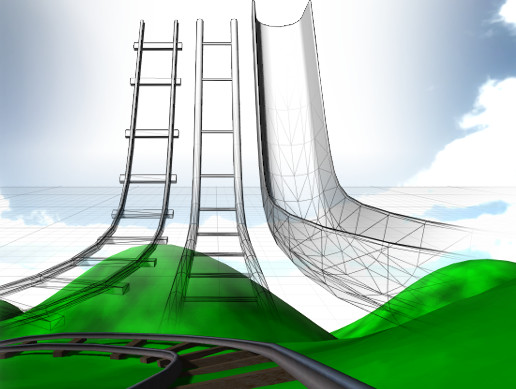
Add physics-based track to your project!
Go for a trial ride, right now.
This extension allows to you to create track in any custom shape, then attach a cart to it and actually ride the track.
Make platforms that slide when things hit them, metro trains that ram into...
near escarp
If it relies on a script it won't work
fallen kindle
yeah i know that's why i'm wonder what (if) there's a plugin ppl use, as I know not all working scripts are listed in the whitelist.
left marlin
What script is not on the whitelist but still works?
valid ember
the standard assets aren't listed individually in the whitelist doc, but are whitelisted. maybe that's what he means
 empty umbra
“Cirno On “Cirno Off”
 spark thunder
idk where to post this but will someone PLZ help me bring a gif into my project
im following that tutorial video
 royal bay
is there anything i can do to a mirror to optimize it without actually altering what it reflects?
 green lagoon
no not really if that could have been done it would have been done already
royal bay
damn alright
green lagoon
as you're still going to be the fundamental cost of rendering doubling
royal bay
yeah, i get you.
 lost breach
is there a way to fastforward on a syncvideoplayer component?
I see it on syncvideostream but not on player
cedar nebula
@royal bay you can actually lower the mirror resolution. It'll look blurry as hell but it should, in theory, perform better without changing the reflection layers. Also you really should disable rendering the UI and UiMenu layers because that's added drawcalls just to see your own mic icon and nameplates
royal bay
ah, that's super helpful, thank you!
fallen kindle
@left marlin - GPU Instancer and Crowd Animations Instancer
supple drift
Is it shader-based? Some shader-based assets aren't white-listed but work in VRC. For instance, CTS can work fine in VRChat with some trickery but isn't on the whitelist!
fallen kindle
Well sort of, because its gpu instancing. All I know is that the instancing is controlled through a GPUI Crowd Manager script that works, letting me make worlds with a couple hundred instances of animated high poly models going at 90 fps, and needs the GPU instancer plugin to work. But for some reason they're not on the whitelist. So i'm wondering what other secret gems there are out there
@supple drift and heyy what trickery is required of CTS? cuz Gaia works beatifully in VRC with no need for any trickeries, lol. But i'd love to use cts with it too
with coasters...
supple drift
You just need to remove the profile from it before uploading, I think in the newest version there's a button to strip it, but in older versions you had to manually do it! I use it mainly bcs it's faster than Unity's native (in lite) + because all the distance mixing options are killer
 distant gulch
Does anyone know where I can find that prefab which looks like a jukebox? It seems to be the only implimentation which can play sound files bundled with the world (as opposed to the unreliable and laggy Youtube downloader)
fallen kindle
that's so good to know, thanks man! This makes me happy. Time to start stampin' some terrains to test on
supple drift
No prob! I spent so much time trying to figure out how to get it to work because I knew it was shader-based so there had to be a way, haha. Totally worth it - Terrain can still be expensive but if it's within perf budget; it's beautiful
fallen kindle
i saw a video somewhere about using Mesh Materializer to convert the terrain to mesh, and then doing some fiddle-work to be able to apply CTS to it, and that'd totally chop down on the size and load. Gonna go hunting for that, as i saw it before having Gaia. But that's the next challenge to take on. Thanks for the tippy tip!!
supple drift
I'd stick with Unity's terrain engine if you can (unless it's a small map). CTS works with Unity terrain anyway! Reason being that Unity splits up the terrain up into an array so you don't have to constantly draw all of it. It has a few other misc. optimizations too that might be important depending your use case!
fallen kindle
The reason I want to experiment with mesh terrains, is because you can create huge low-poly meshes out of a giant terrain, and then use GPU instancer to create instances of those mesh-terrains (GPUI's performance enhancement is insane) - and since the instances can have colliders (which are instanced too), then i want to see how big I can make a world in vrc, using low poly terrain instances. I think it could get pretty vast pretty fast. and can customize the lod's of each instance too
supple drift
Oooo I'm not vry familiar with GPUI, but that's an interesting concept. Like a massive world made out of blocks of terrain with enviro assets that are designed around modular materials (for perf and storage efficiency). I wonder what the perf difference is between using instanced terrain meshes vs using Unity terrain with clipping planes + it's cull-able array
 torpid bear
How to add a door that tele's you when you click on it?
cedar nebula
give the door a trigger component, then enable advanced mode. Then set up the trigger as OnInteract, Local, TeleportPlayer, and then drag and drop an empty gameobject as the Receiver. The position of the empty gameobject is where the player will be teleported to. Also set Align Room to Destination as False
torpid bear
could i get a video example of this? @cedar nebula
cedar nebula
this might help
https://www.youtube.com/watch?v=vfJiyDoCFng&list=PLIoLQ-8wanr9jQWDUIs_2zshaDD_Lg-9R&index=8&t=0s

This tutorial shows you how to make another type of door, this time that teleports players around within the map simply by walking into the door. I'll also s...
jovial charm
CTS works without having to remove anything it worked fine for me without having to remove anything @supple drift only wished AQUAS Water shader worked for vrchat :/
supple drift
Yeah, I think the newer versions strip the profile on build or have a button to disconnect it automatically. The old versions used to apply the profile at runtime from a script (that VRChat would scrub) so you had to remove it and keep your profile settings basically "cached" in the material. Was a pain for iteration!
royal canyon
Anyone know how I can trigger a VRC_Trigger when an Animation ends? I'm sure it'd be in the Animator State Machine, I just don't know how to set it up
supple drift
Could do an animation event at the end of the animation that presses a UI button that fires a custom trigger
royal canyon
I'm not sure how to set up an Animation Event 😮 Is there any documentation on it?
supple drift
I think so + it's prob covered in one of Cyan's vids! You just right click above the timeline in the animation panel
left marlin
Or just use the animation event to go into the custom trigger directly
Be careful though as the last frame doesn't always fire for me or I'm doing it wrong.
royal canyon
So how do I set up the Trigger for the Animation Event? I just saw where to add the Animation Event to the timeline, and see the Animation Event trying to call a Function
left marlin
Add the trigger component to the same object that has the animator/animation. Select "ExecuteCustomTrigger" and then type the name of your custom trigger in the string field.
royal canyon
Awesome, thanks Cyan!
solemn pulsar
I'm using a hologram shader on two planes here..
and the background one disappears when i get close for some reason.
bold ibex
So I have a picture I want to add as like a poster in my world. But it ends up being a collage of the picture all over the wall instead when I drag and drop. Youtube is no help and all of my VRC world creator buddies are offline. So how would I make my photo into like a poster on the wall?
near escarp
Create a quad and apply your image on it
bold ibex
A quad? (sorry I'm still fairly new to building)
 rigid knoll
hey i made an ui menu for some of the things like lights which i have off at 1st but i have to click it and click it again to get to actually start to toggle how can i fix this 😦
near escarp
So they start off disabled and the first click doesn't enable ?
rigid knoll
no i have the lights hidden at 1st but when i click it it wont enable with the 1st click
near escarp
What do you mean by hidden ?
rigid knoll
in the hierarchy i have it unchecked so it wont be on when you join
near escarp
Ok so disabled, and your OnInteract enables the object itself or the light component on it ?
rigid knoll
the object
near escarp
Is it a local trigger ?
rigid knoll
yes
near escarp
In that case I'd recommend going to your world, clicking your button once and then checking the output log for errors or other triggers that could be responsible
rigid knoll
so another trigger could be causing the problem ?
mild spade
Are you using an actual UI toggle button (with canvas, function etc) or is it a VRC trigger with OnInteract SetGameObjectActive -- toggle? @rigid knoll
rigid knoll
i actually have one of each cuz i was replacing the physical buttons with the UI buttons should i get rid of the physical one 1st and try loading it again ? @mild spade
 nimble yacht
So bois, i started working on this small project. and i made it look pretty cool and stuff. but then when i import the vrc sdk this happends. any ideas ?
pre vrc sdk https://cdn.discordapp.com/attachments/608664855024500768/619497674156277760/unknown.png

post vrc sdk https://cdn.discordapp.com/attachments/455387339724685323/619569056294633483/unknown.png
 left marlin
Simply importing the sdk does change some unity settings to be compatible for vrchat. I’ve only seen the messages but have never imported a previous unity project to see what it actually does to it.
nimble yacht
yeah, i always forget to FIRST import the sdk. so i dont get disappointed after. The only way to make my world look even close to the original look was to add like "fake smoothness" just so everything was way more glossy. pretty annoying, but i guess its just something that has to be done for this all to work
past wave
I’m actually more of a fan of the post sdk version
nimble yacht
you more fan of the "toon" version ??
nothing there looks better
 safe rover
@nimble yacht Were you using Deferred Rendering? VRChat only supports Forward Rendering.
nimble yacht
Nope, i didnt touch any rendering settings. (so if unity is deferred as a default that would explain)
i mean i only have 2 real time lights, (directional) and the (point light) on the "holo table"
So i dont think it would really matter
safe rover
Some post processing effects like screen-space reflections are only supported in deferred, and others look different depending on the rendering being used.
nimble yacht
thats not it either, its like the vrc sdk removes all glossiness / reflections off my maps
 neat plume
is there an issue with the VRC_Trigger's Randomize option at the moment?
cedar nebula
not that anyone knows of at least. What's the issue you're having? That it crashes your Unity when you try edit it? Because that just happens sometimes
neat plume
well my trigger is setup like this:
and it works, but it only activates the top action
spawn 'A'
it doesn't do any other one
i want them all to have equal probability
royal canyon
@neat plume have you tried ticking "Randomize" beside all of them?
@small spoke this is the Worlds channel, not the #avatars-2-general channel.
solemn pulsar
What are some good ways to reduce map size? I imported some beds and I swear every time i import something the file size goes up drastically.
neat plume
ok problem isn't with randomizer @royal canyon
royal canyon
hmm?
neat plume
even when i just have it like this, to spawn all 5 in one go
it just gives me 5 As
royal canyon
That's weird since all of the actions are on the same trigger. I don't know why it'd affect one Custom action and not the rest
neat plume
i'm so confused
royal canyon
@neat plume have you tried using Kroama's Non-Duplicative Randomizer prefab in the database? That might help you
neat plume
ok so i just added something else to one of the other actions
on Spawn 'E' i did a setgameobjectactive on a mirror to see if it was being called
and it did
so there must be something wrong with the prefabs and it thinks they're all the same objects?
cedar nebula
that happens a lot actually
@solemn pulsar you can actually compress FBX model files if they're noticeably large. It's probably the textures that are taking up most of the size though. You can downsample them (from say 4096 to 2048) or enable crunch compression and lower the quality a bit
 supple tinsel
uhhhh
anybody know anything about day/night cycle for worlds
cedar nebula
yes, animate a directional light rotating around
(requires a procedural skybox like the default one)
 vapid badge
here's a problem im having. ever since a recent vrchat update, my world has had a sound bug where all voice and avatar sounds are muted.
I am using the latest sdk.
the weird thing is this: I have a toggle button for all the dynamic lights and all the particle systems in the world. ( a lot of torches and such) it turns em all off and replaces them with a single directional.
now, the weird thing is when i hit that toggle, the voice and avatar sounds come back
the heck is this
whats caused this?
cedar nebula
sounds like something weird with the new voice override system. Have you played with it at all or is this just something that's happened without you doing anything to cause it?
vapid badge
I didnt do anything.
pretty sure it was around that update though. though i couldnt say if it was or before. but it was around that update more or less. World worked fine, and then next thing I knew it was mute. it's strange, because sometimes someone will talk and youll hear a millisecond of some kind of sound, like it's being actively suppressed, not like its not there.
map music plays just fine, sound effects on the map play fine. I tried turning off the recent addition i'd made to the map that i figured, what the hell, maybe, and that didnt do it. I updated to the latest SDK and nothing
Im pretty sure I used to have custom voice falloff on the map as one of the playermods
but I removed it when the problem started
 tidal jackal
Hey so I'm wondering if anyone can help me figure out how to get something working. I know that maps with deformable snow use a depth rendertexture that doesn't clear to offset the vertices of a mesh, however what I don't understand is how they get the snow to slowly accumulate back. How is this done? I feel like it has to be something like 2 rendertextures looping into eachother but I am unsure.
supple drift
@primal pollen There is a max limit of how many sources can be playing concurrently, yes. Not sure exactly what it is nowadays, but 50+ sources would probably cause sources to drop out (+ avatar sounds and player voices count toward this too)
I'm not sure if they changed the voice limits with the update - but possibly! I've heard a few people echo the issue you're having recently + said it started after the audio update
vapid badge
I wonder if there's any sort of log that would help identify whats going wrong in the map. Output log maybe?
near escarp
that's what it's for
neat plume
ok i'm back at the same issue i had before
i end up getting 4 As and 1 E spawn instead of 1 of each A E I O U
any ideas?
near escarp
Are the spawn object triggers receivers correct ?
left marlin
Unrelated to the issue of things not spawning, I'm worried about how you hare double broadcasting/buffering there. Set the on interact to local to prevent that.
As for 4 A's getting spawned, well this seems like an issue of the game not knowing what to spawn. Since you actually get 4 of the same type and it doesn't get blocked, clearly the trigger is messing up but still thinks each are different.
neat plume
@near escarp
the prefab and the location are correct
if i manually drop the prefab into the scene it displays correctly
@left marlin i only had it set like that because i wanted the audioclip to play for everyone instead of locally
vapid badge
basic question, I know how to search for gameobjects in a scene, but is there any way to search for gameobjects that have a specific component?
left marlin
It will do weird and bad things for late joiners if you leave it. . . Oh wait, the 1 second limit safety guard makes it so you don't need to think about it at the cost of losing control. Nevermind I guess
You can search with t: to look for exact components
vapid badge
thanks
left marlin
t:camera to find all cameras in the scene
vapid badge
I mean like if im looking for an audio listener
left marlin
I was giving an example. You just need to type out the full component name
near escarp
@neat plume Are you doing it through an animation and animation events ?
left marlin
Pretty sure the issue is a long standing one where SpawnObject and SetMaterial find the wrong object due to naming.
Try deleting that custom trigger and remaking it. Also give each object a number to make them more distinct.
 vast edge
👋
left marlin
👋
 subtle quail
Is there a way to put a browser screen into your world? If I remember correctly there were screens like those
vast edge
im new to discord so im just trying to get to know people sooo😁
left marlin
Not directly. You would need to fake it by either having an image of a web page in your project or calling to a website to generate an image of a website using VRC_Panos (which can download images)
Welcome to Discord tassapeekbay. This channel specifically is about world development though. You are welcome to ask questions here.
subtle quail
My plan was to watch anime with my friends in vrchat
Any other idea?
We need audio too
left marlin
Video players
But those can die at any time
Lots of worlds have url video players which allow you to input a link to watch a video
The prefab is in the prefab database which is in the pins.
subtle quail
We need to find another game or way
left marlin
?
left marlin
ah
subtle quail
but thanks for the help
neat plume
@near escarp no, no animations are involved
@left marlin when you say give each object a number, which objects do you mean?
left marlin
Rename each object adding a number.
neat plume
the prefabs?
neat plume
alright i'll give it a go
i names them Tile 1 'A', Tile 2 'E', etc.
also, what does 'Take Ownership of Action Targets' do?
left marlin
If the actions in your trigger require ownership, it allows you to take ownership automatically. I believe this only matters for certain "SendRPC" triggers and is pretty much pointless for everything else. I have not tested and this is just my thoughts on it, so I can be wrong.
neat plume
ah okay
left marlin
Ownership is how some things sync. ObjectSync will sync physics positions and animations. If you are the owner, you are the only person who can change that object.
left marlin
I've been here awhile and remember the points people have said before. You are not the first to have that issue.
neat plume
i would have thought that any difference would be distinct enough without requiring numbering issues lol
but oh well, at least it works no
aha
left marlin
I have no idea why it breaks like that, but at least it works now
neat plume
yeah thank you so much you're awesome
been struggling with this for like 2 days and no one knew lol
left marlin
You're welcome
vapid badge
so looking through the output log, only thing I can think of is this
2019.09.07 14:31:28 Log - Voice DeliveryMode: UnreliableUnsequenced
and this
2019.09.07 14:31:39 Warning - Removed component of type AudioListener found on Camera
im not seeing anything that is obvious to me though, as being the cause for this weird audio bug
near escarp
Did you add an audio listener component on your camera ?
vapid badge
because it even blocks out certain menu sounds too
I have it on the camera yes
should I put it on the vrc world instead?
near escarp
no i meant if you added another one, i don't know why the listener would be removed
unless you have multiple cameras
vapid badge
I had 2 listeners and i'd been tracking down the spare one for a while. at the time of that log there were 2 in scene
near escarp
t:audiolistener
vapid badge
yeah i got rid of it just now
havent tested again though.
ill have to
yeah no, that didnt do anything
 past burrow
guys im confused with the newest sdk version, i choose "build and test" but i always spawn at home
and when i try build and publish the sdk says that none last build has been detected and i have to test it first
:'c
coral wing
reinstall the SDK and if you're still having that issue it's probably a compile error from another script
past burrow
[4, 404, Get, -1] Abandoning request, because: "World wrld_201e3535-5792-4718-8f6b-d7a28c9147ea not found"
https://api.vrchat.cloud/api/1/worlds/wrld_201e3535-5792-4718-8f6b-d7a28c9147ea?apiKey=JlE5Jldo5Jibnk5O5hTx6XVqsJu4WJ26&organization=vrchat&maxUnityVersion=2017.4.28f1&minUnityVersion=5.5.0f1&maxAssetVersion=3&minAssetVersion=0
UnityEngine.Debug:LogFormat(String, Object[])
VRC.Core.APIResponseHandler:RetryRequest(Int32, HTTPRequest, HTTPResponse, ApiContainer, Int32, Boolean, String)
VRC.Core.APIResponseHandler:HandleReponse(Int32, HTTPRequest, HTTPResponse, ApiContainer, Int32, Boolean)
VRC.Core.<SendRequestInternal>c__AnonStoreyE:<>m__13(HTTPRequest, HTTPResponse)
VRC.Core.BestHTTP.HTTPRequest:CallCallback()
VRC.Core.BestHTTP.ConnectionBase:HandleCallback()
VRC.Core.BestHTTP.HTTPManager:OnUpdate()
VRC.Core.BestHTTP.HTTPUpdateDelegator:Update()
UnityEditor.EditorApplication:Internal_CallUpdateFunctions()
i got that error on unity
@coral wing thx but didnt worked
past burrow
this is poop i cant upload my world on any sdk version 😢
vapid badge
stupid question, but do you have the vrcworld prefab in your world?
past burrow
yeah i do
also on the sdk error log there's one saying "customscene.vrcw does not exist", does this have something to do?
vapid badge
have you actually uploaded the world at all yet, or have only tried the test build?
if you havent, try uploading it first and then try the test build. (or try accessing it from the game itself)
I could swear Ive had this issue before, but unfortunately i dont remember how I solved it
past burrow
it doesnt allow me to even test it
i cant test it or publish it
i've imported my assets from another project and i think that have something to do with this, something like project id data or something
but i cant figure what is it
past burrow
okay so the way i "fixed" this was to create an empty file called "customscene.vrcw" on the unity project temp files
and now its uploading
for empty file i mean a empty text file with chanegd file extension to "vrcw"
but thanks to everyone
solemn pulsar
What do i set to static? Anything thats not interactable? Is my post processing not working cause its not static/
bold ibex
So when using the VRC_Spatial Audio Source sript for having reverb effect on audio sources I can hear my own voice in game getting affected which is very annoying.. How do I disable it from affecting that?
I just want to use the unity reverb zone
bold ibex
@solemn pulsar Static is referring to items in a scene that do not move from their assigned position on runtime
say for example you put a couch in a room and this couch will never move from that position (Say if the player tries to push it or omsething)
You assign that as static, then you can take that use it for stuff such as Occlusion Culling, Baking Lighting, etc.
Static objects do NOT affect Post-processing, however. The reason why your post-processing isn't working is most likely due to whatever layer you're telling the post-processing to affect. If you want to see it affect stuff, just assign it to Default / Everything. Alternatively you can create an extra layer called "Post-Processing" or whatever you prefer and do all of your post-processing on that layer. All of the options work, but default/everything is where just about everything is 90% of the time, there is a drawback to doing this however.
The post-processing will affect literally everything. This may not be what you're intending, and it is also a lot more taxing in comparison as a result.
@bold ibex Don't quote me on this, but I'm quite sure you only need to use the reverb aspect of the audio source to achieve a reverb result, you can amke it 0 on the spatial audio script
supple drift
@bold ibex I don't think you can have a reverb zone that doesn't affect voices in VRC. When I tested reverb zones awhile back they were really fickle, and didn't seem to work for everybody all of the time. You could put an audio reverb filter on an audio source, but I haven't tested how well that works. Both will add DSP cost on the CPU side of things too tho
I dunno what the use case is, but the issue with reverb in VR is that it isn't reflecting in 3D space + head-locked reflections in VR can be disorienting. We'll get audio propagation eventually that will solve this issue bcs we'll get natural (spatialized) reflections based off our virtual space
bold ibex
ok thx
@bold ibex Can you explain how to setup occlusion culling or a video showing it?
I have a scene with a lot of complicated geometry so I think I will have to manually do it
 minor finch
I do know that you can get to it by Window > occlusion culling
you can bake it there
but
I'm still learning about it myself
 modern wyvern
So i have been running into problems
Everytime i put a png picture it would turn something glitch or if there is no background it would cover it up full Grey
 weak jolt
Is there a way to control particle emission rate over time with a slider on playtime?
modern kayak
oh it must be private, you need easyeventeditor to see it. It's in the database by merlin
 indigo narwhal
Hey guys, just wondering if the multiple audio tracks on the sync player dont work?
 tropic smelt
anyone know how to fix that thing where a UI slider will get stuck to your controls if your pointer leaves the canvas while holding it?
minor finch
Yes
@tropic smelt it's under navigational settings you want to disable those
no vertical or horizontal
tropic smelt
@minor finch wouldn't that stop it from sliding entirely?
oh nvm I see what you're talking about, that's actually something different
my issue isn't with the player movement controls moving the slider
it's that if you're holding the slider with your trigger/leftclick and the pointer leaves the canvas, then the next time the pointer is on the canvas it will regain control of the slider handle
and you have to click again to release it
minor finch
Is that something you can only recreate in desktop mode?
but yeah i was thinking it was your directional keys causing the sliding
I'll see if i can't recreate it with my sliders and then send you my settings
let me know what you find out @tropic smelt
I tested the sliders and it's not following the pointer
tropic smelt
dunno if it happens in desktop mode
junior cloak
desktop aswell then
tropic smelt
but basically he's not holding click down
and it's sliding with his pointer anyways
because his pointer left the canvas while holding it, then released
junior cloak
ye
tropic smelt
just to explain for kat
tropic smelt
much better example ye
past burrow
how do i create the UI for the vrc video player?
junior cloak
the web panel are still deprecated, right ?
@past burrow I'd say download some prefabs around and use them as example !
Jetdogs have some on his github
minor finch
it's so strange
past burrow
@junior cloak Thanks, sounds like a good idea, i'll check it out n.n
 rugged jolt
Hello , I'm currently building my first world and i got an issue when i'm in a small avatr in that world only. My view point clipping is set super high. do you guys wkno where i can change that in the world creation ?
near escarp
World descriptor
rugged jolt
the scene descriptor right ?
near escarp
actually no i'm dumb, it's the main camera's component, clipping planes near to 0.01
rugged jolt
if i take the avatar testing mesuring ... about 2 feet
near escarp
It should definitely have an effect then
rugged jolt
here is what i changed
near escarp
Are you sure your upload worked ? The console message at the bottom would say otherwise
rugged jolt
oh well i've only used the offline testing so far.
bronze smelt
Is the camera set up as a reference in the scene descriptor?
rugged jolt
what do i look for in the scene descriptor to see if it is ?
near escarp
Reference camera
rugged jolt
ok found it and i placed it there
near escarp
now it'll work
rugged jolt
nice ill go try it out in a sec
junior cloak
Remember to set the camera as reference yeah.
rugged jolt
IT WORKS ! thanks a bunch guys
junior cloak
talking about world ; time to finish my UI and maybe work on post processing.
past burrow
I got this every time i try to upload/test my world:
[3, 404, Get, -1] Abandoning request, because: "World wrld_5e710318-0efa-4ab3-b0c4-603581345677 not found"
near escarp
Detatch the world ID
past burrow
i did, but stills
i also got this:
**Assets/PostProcessing-2/Tests/Runtime/PostProcessingRuntimeTests.cs(2,7): error CS0246: The type or namespace name `NUnit' could not be found. Are you missing an assembly reference?
**
royal canyon
delete the Tests folder in the PostProcessing folder
that always causes some sort of Error
 icy jacinth
Can anyone explain why the Upload UI doesnt show up in Unity play mode when i selected upload new Build?
past burrow
@royal canyon what a crack bro!, thanks a lot!
royal canyon
No worries @past burrow glad you got it fixed and glad I could help!
@icy jacinth what do you mean by "Upload UI"?
do you mean the SDK UI?
icy jacinth
when i presses New Build in the VRChat subwindow
royal canyon
you mean in the SDK?
royal canyon
yeah, you can't upload while in Game Mode
take it out of game mode, and then upload.
the SDK uses "Game Mode" to input your world name, description, etc.
icy jacinth
it goes to gamemode whan i hit "New Build"
royal canyon
Are you getting any console errors?
icy jacinth
I never Run gamemode before i click on the New Build button
royal canyon
but yeah when it's time for upload, the SDK puts it into game mode, but it shouldn't do it immediately after pressing it. That's a weird issue.
icy jacinth
well it says this though
royal canyon
Have you tried closing Unity and trying it again after you reopen it?
icy jacinth
thats what i did the first time before asking for help
royal canyon
and that's just a "warning", not an "error", so idk why it's doing that 😮
icy jacinth
😐
Well damn
i just disabled VR Settings hopefully that will fix it
And it didnt...
royal canyon
yeah that's a weird issue, I've never had it. Perhaps try reinstalling the SDK?
icy jacinth
@royal canyon
Oh boy after reinstalling i get these errors...
junior cloak
delete the SDK first from the files
Like ; Close your unity ; get into the project files, remove the VRCSDK folder
royal canyon
I was about to say that
junior cloak
Then open it again & import the new sdk
icy jacinth
i quit Unity then removed SDk then reinstalled SDk
royal canyon
yeah that's the proper way to reinstall SDK
icy jacinth
and i still get issues
royal canyon
Close Unity, locate your project file, delete the SDK, reopen your project file, reimport SDK
icy jacinth
il do it again then
wait so now i have lost all the VRC SDK scripts that are being used in my project...
that are asigned to the objects
royal canyon
not if you Reimport
I've done it a lot
you might have to Reimport, save, close Unity, reopen.
Are you also using the most recent SDK version from the VRChat website?
junior cloak
Depend ; If the SDK he had before is really really old that can happen.
And that's why you update your SDK. :>
royal canyon
You've got the one from 8.23?
icy jacinth
i rlly have deleted SDK and reimported it for the 2nd time
royal canyon
you should have 2019.8.23.13.45_Public
SDK
but the errors are definitely from the SDK
I just don't have the knowledge to pinpoint exactly what the problem is in the errors though.
royal canyon
Untick "show at startup", cuz that's just the splash menu
icy jacinth
Well it is still hapening...
royal canyon
autofix those Audio components since ONSP is deprecated.
You need to use VRC_SpatialAudio
icy jacinth
...
royal canyon
It packages and compresses everything just fine
icy jacinth
thats what i mean Whit UI
royal canyon
try it on another project?
icy jacinth
thats the thing it works whit avatar upload just fine but not whit world
royal canyon
if it works on another project, I would personally recommend trying to open the scene you have in that project....in another project.
You'll just need to make sure all of your assets are imported to the new project.
I've had to do that a few times.
icy jacinth
Why does every SDk update break Unity projects then it is very anoying
royal canyon
I'm not a developer so idk lol I'm a creator just like you.
royal canyon
What's the issue?
icy jacinth
the Scene descriptor was for somereason not avaible
royal canyon
dafuq
icy jacinth
even though it whas on a active GameObject
royal canyon
lmao that's weird
I typically put the Scene Descriptor on VRCWorld
so that was the issue?
It wasn't the SDK then, it was a user error 😂 😅
jkjk
icy jacinth
well it still weird why the SDk couldnt find the Scene Descriptor when i did the same on another world and it had no issues
royal canyon
who knows man, maybe when you reimported the SDK it didn't find it or something? idk, it could be any number of things
important thing is you figured it out lol
past burrow
me again, which layers should i reflect on a mirror to see only the player? im actually using Player and PlayerLocal but i cant see my self on the mirror i can see only other players
past burrow
thanks
ok its me again, how do i make my terrain baked lighting data shows on built, the terrain looks all dark
i tried using a custom terrain materials but stills the same
bold ibex
How do I make a UI to turn on the mirror or dim the map?
vapid badge
question, I know having too many audio sources can break audio. does occlusion culling matter?
if I have an audio source on an object and the object is culled, if I had 'too many" audio sources, and they were all on culled objects, does that still have an impact?
rugged jolt
is there a quick way to remove the preview picture of an avatar pedestal ?
rugged jolt
I've been told i just need to delete the link to the Thumbnail but for the life of me i can't find it
 floral moss
hi guys every time we try to add a material the material shows up broken, how would I fix this????

 cyan pike
clear your cache on unity
cedar nebula
that shouldn't actually effect the world, it just looks like that in the assets. It has something to do with your light settings, I've heard that setting your ambient lighting to use the uuhhh 3 colors (sky/horizon/ground) and rebaking sorts it out
rugged jolt
does anyone have any help for me ?
cedar nebula
wouldn't it be better to redo the avatar picture instead of meddling with the pedestal? Because the picture will still show up in the menus. But for the pedestal you can resize the 'Location' object to be 0 scale and that'll pretty much disable the picture
rugged jolt
ok ill try that . but will it remain selectable if the scale is 0
cedar nebula
yeah as long as it's just the Location object, not the actual pedestal or OnInteract object itself
cedar nebula
@vapid badge occlusion culling has no effect on audio sources (as far as I'm aware at least). It's only for visible meshes and nothing else. So yes having too many audio sources on a culled object will still be an issue
@bold ibex check this Cyan tutorial for UI basics. Once you understand how it works then it's not very hard to make toggles. Dimming the lighting is much harder though, I think there'll a prefab for it sometime soon but it's not straightforward
https://www.youtube.com/watch?v=us-yO_E31gU

This tutorial shows you how to make Unity UI Text and Buttons. With the buttons you can activate different functions but these functions will be local to you...
vapid badge
@cedar nebula good to know. Because that turned out to be the cause of the bug that was plaguing my world. All my torch prefabs had an audio component I had overlooked.
Still strange given the fact that before the audio update it didn't cause this bug. But good to know
bold ibex
@cedar nebula Ok, yhx
 clear marten
hey guys! Are there any worlds or is it possible to create one where i can browse the internet on a screen or something if I feel like it? (tag me pls so I can see ur response)
cedar nebula
@clear marten Not anymore, web panels were killed over a year ago due to a security exploit
clear marten
oh ok... thank you tho. Is it still possible at least to listen to or watch youtube videos somewhere?
cedar nebula
yeah youtube videos still work, pretty much every world has a video player where you can paste in a youtube URL (you have to open your own browser and copy the URL from there though)
clear marten
nice! thanks man! 🙂
cyan pike
anyone know why youtube live streams never work even with the search root change?
cedar nebula
the search root doesn't do anything as far as I've ever known. I thought they fixed youtube streams though? That feels like an old bug
cyan pike
nope when they said they fixed it i tested it right away cuz twitch live streams never worked for along time
but only twitch live streams work and not youtube live streams
cedar nebula
I thought it might have been related to outdated video binaries, but if normal youtube videos work then it could be a different problem. The canny for it is old though
https://vrchat.canny.io/bug-reports/p/youtube-live-is-not-working
 torpid hazel
I'm trying to add mesh collider to an entire level
but it's not working out
is there any way of doing this?
left marlin
You need to add it to the object with the mesh filter.
torpid hazel
it is but object keep falling through it
nevermind, I'm stupid, just had to add box collider to the object
can't believe I was puzzled with something so simple
supple tinsel
I don't know why I kept respawning constantly even though I set the first spawn point really high and increase the respawn height
these are the spawn points
wait
I just realized
it's suppose to be minus 
cyan pike
derp
supple tinsel
how low should this be
currently it's on -500
cedar nebula
only as low as the lowest point in your world pretty much
torpid hazel
is there any prefab player that will only play sound and no video?
from youtube or whatever I mean
 tropic yarrow
@torpid hazel you can just change video rendering to RenderTexture and remove display object/not apply that texture, i think
supple tinsel
ok apparently new update broke y car sounds
kinda
torpid hazel
clear cache and playerpref when trying to upload as the only option
what should I do?
 ripe garden
Most likely a conflict between vrcsdk and a script
Look in the log to see which one, and delete that bad boy
torpid hazel
yeah I was able to fix it that way but now I have another problem
"last built vrchat scene cannot be found"
ripe garden

 rain badger
Is there an easy way to do a collab on a world so my friend can help me build the world i wanna make. I dont know any ways for me and my friend to build a world together. Does anyone know any ways?
torpid hazel
what do you exactly mean? He can send you assets at best I believe
rain badger
Like is there a way i can have my friend be able todo stuff with the unity project to help me build the vrchat world
So they can help me out bulding it
royal canyon
@rain badger you could export your entire scene as a Unity package and have your friend import that package.
minor finch
or if you trust them, Team viewer.
supple drift
Unity has some collab tools that are free with restrictions, but I think it just does the same thing as most version control solutions out there (maybe easier because it's in the editor?) Could just use git!
rain badger
K thanks
torpid hazel
how to trigger a sound everytime a player joins?
can I add a trigger with "onplayerjoined"?
or audiotrigger?
near escarp
OnPlayerJoined !
modern kayak
make sure it's local if you do onplayerjoined because everyone will trigger it
ripe garden
Or be like pug
 ornate turret
I use on enable as a local broadcast
and have that call a custom trigger thats always unbuffered
modern kayak
no that's not what I mean. You want everyone to trigger it. But if everyone triggers it and then on top of that everyone broadcasts it, it will oversync and you'll get a dozen sounds going off
ornate turret
if I'm remembering it right, at work so can't double check with unity
ripe garden
How does it look in playmode?
 burnt parrot
great
burnt parrot
yah
ripe garden
That's strange, idk what might be happening
burnt parrot
you and me both
near escarp
Using the correct SDK would help
burnt parrot
i use the VRCSDK-2019.06.25.21.13_Public.unitypackage
mild spade
@burnt parrot wrong Unity version. 4.28.f1
burnt parrot
oke
mild spade
Go to https://vrchat.com/home/download and download the latest version from there.

VRChat lets you create, publish, and explore virtual worlds with other people from around the world.
burnt parrot
@mild spade thanks
torpid hazel
any up to date keypad prefab?
and easy to use?
I honestly just want to use a keypad with a password 2 digits long
cedar nebula
did you already check the prefab database? I think there's one or two in here that should still work
https://tinyurl.com/vrcprefabs
torpid hazel
yeah I did, thanks a lot
bold ibex
would anyone be interested in teaching a noob how to make an avatar world?
hmu, if so 🙂
modern kayak
@torpid hazel https://youtu.be/mSnLzyRe2Mk
This tutorial shows you how to make 3 different password systems or keypads for your world. Sorry for another long tutorial... I'll put this as a note that n...
torpid hazel
how to make a trigger with an object touch? As in, you collide an object to another and there's a trigger
royal canyon
@torpid hazel you'll need to put a collider on both things you're trying to "collide" together and then have a trigger
what exactly are you trying to accomplish?
torpid hazel
like bringing a key to a certain place and set another object active by doing that
royal canyon
ah! gotcha, well you'll need to add a collider to the key, a collider to the "certain place" and then add an "OnEnterTrigger" VRC_Trigger
torpid hazel
add the trigger to both?
royal canyon
No just to one of them, I guess do it on the "certain place". then you'll have an action of "SetGameObjectActive" and a receiver of whatever you're trying to set active
You can do some really cool stuff with colliders and triggers
I have a slide that when the Float collides with the bottom of the pool it triggers an ExitStation (get up from seat) and also teleports the Float back to the start position.
and that's all from colliders with triggers
torpid hazel
oh so I don't need to specify the receiver of the key in this case, that he's gonna perform the trigger with only that specific object?
oh wait nevermind I misread
royal canyon
No because the key collider will understand it's colliding with another collider. Oh! also put one of the colliders as "Is Trigger"
royal canyon
either one will work, or both. But I usually do it on the object that's the most "Static", if you will.
It's just me, but I wouldn't put an "Is Trigger" on an object that moves. You can, but that's just me lol I'm weird
so yeah collider on the key, collider with Is Trigger on the "certain place" with VRC_Trigger of SetGameObjectActive
torpid hazel
yeah it's set
royal canyon
btw I gotta ask, is that "certain place" interactable with the player or is it pretty much static?
royal canyon
ok then set that layer to "MirrorReflection" in the top right
it might work on Default, I'm just scared the player will collide with it and make it trigger without the key
royal canyon
if it doesn't move, yes.
left marlin
I'm just going to throw these in here for later. Although these are still works in progress, it should help.
http://vrchat.wikidot.com/world-component:vrc-trigger:conditions:onentertrigger
http://vrchat.wikidot.com/worlds:guides:object-detection
torpid hazel
thanks a lot guys
royal canyon
@left marlin is there any documentation on layers? that's what's really confusing me, but I understand it more than I did.
royal canyon
thanks my guy 🙂
just general information, more in depth explanation of how they all work and such.
Having proper docs helps more than trying to figure it out on your own lol
left marlin
And that's why the wiki project exists, and also why it is taking so long
royal canyon
If I was a Unity Whiz, I'd be helping out with the Wiki for sure. I'm still just a newbie too.
left marlin
Everyone starts somewhere
royal canyon
You're right. I'm just glad we have people like you @left marlin lmao
left marlin
Also thank Igbar since he's made some good contributions to the wiki too
royal canyon
do I really have to talk to that guy? lmfao jkjk
left marlin
👀
cedar nebula
yes, where would vrchat be without deep fried world
left marlin
With Diane?
royal canyon
definitely with Diane, how can you not have that beautiful face in VRChat? pffft
left marlin
royal canyon
she's SHOCKINGLY beautiful as a Taser 😉
Diane and Finneas 😂
I'm sure you can figure out who Finneas is 😂
left marlin
How far is this going to go
cedar nebula
not far enough
royal canyon
the rabbit hole never ends, @left marlin
 dapper willow
does anyone know how to set up an optimized mirror?
left marlin
The way to optimize a mirror would be to show less items in it, or to lower the resolution.
You always want "Mirror Reflection" as a layer as this will display yourself. If you want other players, add "Players". From there it is up to you on what layers in the environment you want.
dapper willow
thank you!
torpid hazel
damn I can't test my worlds, it keeps telling me I don't have an aplication to open it
left marlin
You need to set the location of the vrchat.exe in the sdk
torpid hazel
yeah it was exactly that, thanks a lot
torpid hazel
I feel bad to keep bugging you guys but, is there a way to play a gif in a world instead of a video? with a shader or something?
 solid helm
You can't play a gif, but a gif is a sequence of images on the inside and you can make a spritesheet out of one and use a shader to play it as though it were one
bold ibex

I'm trying to animate a treasure chest opening when you click on it, I thought I did everything right, but in vrchat you can't interact with it at all
any suggestions maybe I missed something idk I followed some tutorial online..
cedar nebula
anything with an OnInteract trigger needs a collider to be on the same object
torpid hazel
okay but what shader can I use to create that GIF/slideshow effect
bold ibex
flipbook shader
 keen cypress
Poyomi Toon shader has that kind of shader built in
mild spade
@snow pine Try using the latest VRCSDK and try again
 snow pine
thanks 😄
snow pine
i updated VRCSDK but still the same error
bronze smelt
Check your console
torpid hazel
I'm using jetdog sprite sheat prefab and the brightness of the texture is way too brigh, any way to make it normal?
near escarp
@stray sand
stray sand
its been a long time since ive touched that. i cant currently look into the problem but @torpid hazel it was made with shader forge which is free if you want to try and fix the problem.
ive not gone though all my prefabs to make sure they all are still working yet.
torpid hazel
I don't think I know how to use it at all
past wave
so i have a videoplayer in my world, and i have a button to turn the object on and off, is there anyway to make it local? so if me or a friend presses it, only they can see it?
or maybe i could get help with another issue, if i press the button to turn it on, no one else can see the video, they can see the grey background, but it never loads.
torpid hazel
@stray sand nevermind, I was doing it wrong
 vague torrent
I'm trying to get a video screen to play a twitch livestream, but nothing seems to be working. Odd because I can play normal videos just fine, do i need to change anything besides making the sync type 'live stream'?
cedar nebula
check this page if you haven't already
https://docs.vrchat.com/docs/vrc_syncvideostream
Similar to VRC_SyncVideoPlayer, this component provides the control center and playlist options for your video. Each entry now has a SyncType which supports the following modes: * Normal - this is a normal playback video whose timecode is synced among viewers. * **Li...
vague torrent
Yea I was following that info earlier, I thought I did everything like it said, but the livestream wont load upon playing. My regular, non livestream videoplayers using the same methods do load, however.
cedar nebula
have you tried a different stream?
vague torrent
Maybe it's because I'm trying to load a livestream from Twitch? I'll try a few different sources to check
cedar nebula
twitch streams are the ones that work, youtube streams flat out don't work right now
vague torrent
It must be how i set it up, because it looks like other streams on twitch dont work when i put it in as well, im probably missing something lol
cedar nebula
@past wave video players can be local if you don't use the video sync component. Just leave the video player component, however it won't work with youtube, dailymotion, vimeo, etc. It only takes direct video links like streamable. Also don't disable objects with video sync because it busts the syncing system
near escarp
Is your video player enabled by default ?
vague torrent
it appears to be, i've also set it to autoplay upon load just in case it was a play button issue but its still not playing
near escarp
is the stream live ?
vague torrent
It is currently running a re-run, i also tried a fully live twitch stream and got zero results
near escarp
Can you show screenshots of your components ?
vague torrent
sure hold on
this is what is attached to the video screen, i just took the premade screen that was in the VRC SDK and put it here basically
I turned off auto start temporarily, but i have tried it with auto start on as well
oh forgot to include the video player part above it
past wave
so ive change my video player to stay unhidden, but now i have a new problem, i turned off "play on awake" yet it still starts playing on awake
near escarp
because you're sending the play RPC
you don't need it if you have auto start
But i have no idea what the video player part of this does for you
since it's a livestream
you should follow the exact steps in the documentation linked earlier
bold ibex
Is there a way to change the level of speed or jump for players with triggers?
 slow orbit
I recall hearing that yes you can, but only once, by enabling the playermods component that is where you control that behaviour.
Probably not exactly what you're after but it's as close as you can get as far as I know.
bold ibex
Is there any tutorials that show how to build a map? Like teleportation, pick ups, colliders, small things like that?
I have the basics down, but I’m looking to expand and make a map with different rooms and places etc
stone hollow
I think the videos @left marlin made cover these basics
bold ibex
oooo thank you! I’m sure I’ll try it out later but I’ll make sure to take a look!!
bold ibex
Guys
My avatar world is the only one in existence where you can hit 144 fps in vr and loads faster than any other world
 left kettle
Quick question; how do I revert the Unity settings back to normal for settings? Not sure what I did but everything is basically in this setting now.
https://i.imgur.com/f7GaCfJ.png

I'd like to default it back to the normal layout.
cedar nebula
looks like you're in debug mode? Click the 3 lines next to the lock in the inspector window and disable it
left kettle
It's normal mode which is the odd part, not debug.
stray sand
is there any errors in the console something could be causing the editor scripts not to compile..
left kettle
Oof, yes there is. Didn't even notice it. Thank you thank you~
Everything's all good now. Thank you thank you~
https://i.imgur.com/5PrHIof.png

 alpine otter


