#world-development
39 messages · Page 2 of 1
 fresh plover
well i know they have been doing a lot of changes in the way audio works so i am waiting for it to settle down a bit on that subject .. but some audio gods will be along shortly
 raven plank
F
 supple drift
We have no easy solution for that unless we get the ability to use audio mixer snapshots (which we can't do currently because the mixer gets overridden at runtime). Possibly you could use a trigger box collider, and just fade volume up and down on enter or exit using animations
raven plank
yeh not sure
supple drift
The audio propagation stuff you're talking about ~is~ probably coming, though. Occlusion is something they're working on afaik
raven plank
im hoping for a more elegant solution because i need to sync the audio to all users
as it's a space im planning on running music events in
fresh plover
build thicker walls
raven plank
i know theres the vrc_syncvideo/etc component but it might not work having to trigeer it for individual players
shouldnt have built a basement bar
you can hear everything from the street outside lol
RIP $20 spent on volumetric sound plugins
fresh plover
ya i did that before .. in my maps that followed i build the basement level separated and used a portal to push the players over
supple drift
Add a low pass filter to the audio game object, and it should open up a new fall-off parameter for it on the audio source. You can attenuate a lot of the higher frequencies as you get further away, and it might help with how weird it sounds as you move out
(plus you could get that outside of the club effect where you only hear the bass/low-end)
raven plank
yeh im planning on doing that
the only issue is that the audio source (speakers) are directly below the footpath outside
so to fill the entire club with music would require it to reach the other side of the street too
supple drift
Yeah, I don't think there'd be an easy way without using animations. : / It would just lower the volume (the clip would still be playing) so sync issues shouldn't really happen unless you push the max voice limits and it drops out
raven plank
probably should have planned better
fresh plover
drop that level down lower so its spaced .. even build more stairs like a fake blank floor
raven plank
@fresh plover could do that
honestly
i wonder if i could put the audio source in the middle of the room
set it to 2d
then make a secondary larger audio source set to 3d and put a low pass filter on it
 sacred warren
Or make the locations entirely separate and use teleporter doors to get into the "rooms"
raven plank
haha i was hoping it wouldnt have to come to that
sacred warren
That way you don't have to worry about sound bleed
True, it's not ideal
Proper sound travel, occlusion, dropoff and such would make everything far more immersive.
raven plank
would be amazing
supple drift
Ditto
Has anyone just straight up tried the audio propagation scripts in the Oculus audio SDK? I haven't, but i know the ambisonic script is whitelisted
fresh plover
they say many things are whitelisted but when you try they break
like they say Unity default shaders work lol
supple drift
I tried the script for dynamic room modeling and got it to visualize in VRChat a few months back, but was unsure if it was actually doing anything. There was another script that let you switch between snapshots using a trigger too, but it never worked (due to the mixer getting overridden I assume)
I'd rather wait for em to roll out native support anyway, don't wanna tank perf just to jump the gun on propagation
 digital veldt
@fresh plover for some reason i cant place the link but it is : SilVR-Water-Shader-v3-4
fresh plover
just DM me
digital veldt
i did
fresh plover
ok
so i just looked it over .. i am not big on using any shaders that force you to use their custom editor scripts
is their some specific reason you are trying to use this one for any other than a swimming pool or small fountain ? for large oceans you look into other shaders that support beach waves and foam .. so many more options are available that are also better performant
digital veldt
its a pool and i like that it is interactive .. also other waters i tried dont work with VR
okay i found out how to scale it and make it still work.. now i just wanna know how to make it more transparant/clear
raven plank
is there no way to limit the distance 2D sound travels?
nvm i was mistaking what 3d -> 2d sound for spread
 broken stream
Sup,what is the limit of slots to an instance for friends?
 ripe depot
Depends on the world
Max you can set it to is 40 which allows 80 people to join (hard cap is double the soft cap)
 short gulch
@buoyant hollow tried using that first but realized I forgot to import the unity vehicle assets so then I tried a prefab i used with a great result in another world and both did the same thing
The vehicle is just stuck in place and it doesnt move once its running
I dont remember who made the prefab I was using, but its a red bmw looking 4 door with a screen for resetting the car, turning on the radio, "sport mode", and lights
Modified to fit a 70s muscle car with a few of the menu buttons removed
 buoyant hollow
Be extremely careful what you remove from car prefabs. It’s really easy to delete dependencies
 small canyon

 short gulch
Yup I'm careful about that kinda thing. When it comes to models and buttons I just disable them, not remove them entirely.
raven plank
anyone one know the max filesize I can add as an audio file to unity/vrchat_audiobank
trying to add a 1 hour mix
raven plank
thank you sir
im having issues with video player
need it to output to do different audio sources
and i cant figure out how to do that without running two vrc_syncstream which causes buffering issues
 supple kite
Well the mmd dance world is 300mb and has 40 songs, go nuts
raven plank
managed to get two speakers working
however the vrc_sycnvideoplayer only plays the first video in the playlist
ive had a look through the vrc sdk documentation and it mentioned a video count parameter but that isnt showin in mine
any ideas?
 weary root
Does anyone know how to make a screen emit light itself?
I've seen videos where you see the colors of the screen on the ground
(flashes and such)
sacred warren
I was in a room where not only did the light of the screen apply global illumination, it accurately reflected off surfaces too, it was amazing.
weary root
I want something like that, does anyone know how to do it?
 turbid trench
when i try publish my world unity give me this error http://prntscr.com/oorud1

 inner kernel
Does anyone know any good ways to keep people with play space mover confined to a sectioned off area?
 honest goblet
Hey, I got an issue with UI for my world. There appears to be a hidden area around my buttons that my pointer doesn't penetrate until I get closer. Anyone see this issue before?
 novel relic
do you have any colliders in the area?
or colliders on the buttons?
does anyone know if there are plans to fix network IK so that custom walking animations work again?
inner kernel
Anyone else getting error uploading maps recently?
 stone garnet
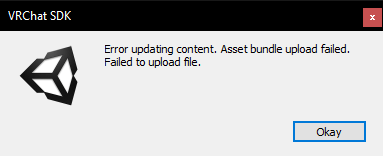
 autumn umbra
I had that a couple of hours ago. I reuploaded a few mins later and it was fine
 dull cargo
Looking for someone who's experienced with Minigame worlds.
 ripe garden
Than you are looking at the wrong man.
autumn umbra
Hmm, at least I thought it was fine. My already-public world reverted back to Community Labs. But has the system_labs tag 🤔 strange.
inner kernel
Yeah, im getting the exact same error. I am told that it may be a vrc server problem. Just didnt know if anyone else was still getting it
 small ridge
hey there! how would i go about making props that can be picked up, placed onto an area of the body and not have to keep being held? i see these on things like hats in some worlds. is this a complicated process?
they're props that lock into place
 glossy pasture
does deferred rendering path not work with vrchat still?
 coral wing
vrchat doesn't use deferred rendering and I doubt it will
glossy pasture
big oof
coral wing
deferred rendering isn't recommended in VR anyways
glossy pasture
i was trying to add bloom and stuff, but if i use pps v2 i can most of the things with forward
glossy pasture
how come its saying "please test/compile full scene (slow)"
 cedar nebula
you have an error, check the unity console and try to resolve it
raven plank
seems like youtube playlists just dont work with the sync player even though the documentation says it should, will only ever play the first video
 charred grail
Hm, would anyone be able to assist in getting a timer after an interaction?
I'm setting up a trigger to hide an interaction, but I'd like there to be a timer to re-enable after like 5 minutes.
User interacts → things happen → after 5 minutes it resets.
 near escarp
use OnTimer with 300 seconds ?
charred grail
Yeah, only issue with that is that it'll reset the interaction after 5 minutes. I'm seeing if on respawn and on player left works since they take ownership of the item.
near escarp
Make sure that the checkbox for ownership of the object is ticked, that should work
charred grail
Hmm, that didn't seem to work. I've seen it where people will go in a private room, lock the door and after they respawn or leave it will unlock the door again.
near escarp
You might wanna rely on a collider then
charred grail
Let me try that rq. I've never done it before so this is new to me 😂
 celest lark
hey, so i've been working on my world for 'bout.. way too long already and was just about to launch my first testbuild, just to see that i am unable to upload it, with this error smiling into my face:
https://puu.sh/E1SJj/20fdf89fa2.png

i tried any fix i could think of, googled and also looked through this channel, but could find no solution. i got rid of any scripts and now the only thing the console spits out is this:
https://puu.sh/E1Ts3/cfc6c09582.png

most of it being VRCSDK errors that shouldn't have a reason to be there and not even a single proper script error. i am clueless on what to do now as i don't want my last 2 weeks of free time just go down the drain
any ideas?
ripe depot
@celest lark Scroll up in the console a touch and take a screenshot please?
celest lark
anything above that has nothing to do with the current error and is all yellow warnings that i have already just in case taken care of. i'll just restart unity and try again, seeing if the console spits out anything else this time.
ripe depot
Trust me
celest lark
so, i restarted unity and indeed the console spat out something completely else. and none of the VRCSDK errors. instead the only error it showed was the "test" scripts running from the postprocessing, which have never been inside the project before. but after looking back into my assets i suddenly saw a second folder that unity made splitting the original post processing folder into two.
deleting that also fixed the issue now.
so it was nothing i could've dealt with without restarting
 tidal scarab
quesion, why am i still getting source to be 3D while i have these settings on?
These worked perfectly before, the curve is tuned to go quiet when the player exits the main "room" and is on the other side of a glass wall (with an animated moving door), so all the values on my audio source are intentional (just to answer some possible questions right out the gate).
I disabled spatialisation and checked the "use audio source volume curve" but neither the volume curve, nor the 2D setting seem to work 😦
tidal scarab
making multiple 3d sources to spread out across the scene doesnt seem to work either, i can distinctly hear 1 audio source being prioritized at a time, instead of the sound "filling" the scene
tried recreating the speaker from scratch, unchecked enable spatialisation -> ctrl +s -> the script reverts my spatial settings
ugh, i give up for now, i can't achieve the same results as i had with ONSP audio source, if anyone knows what am i doing wrong - i would be really glad to hear it, as i'm basically stuck with an update all modelled, baked and ready, but this audio change completely blocks me from publishing it, as it will break the core functionality of the world - playing music uniformly (so the constant delayed movement of the single point source isn't distracting when dancing) in the main area, and having it very quiet for the rest of the world
 burnt parrot
hey i got a blank preview camara any one a idea how to fix that?
 humble lance
Did you check the console?
burnt parrot
@humble lance and whare should i look for in the console??
 wraith field
Hi there, does anyone know a technique for making little "dialogue windows" full of text pop up when something is clicked on? I would like users to be able to read more about an in-game object when they select it.
 fluid cipher
Best thing is probably unity UI that's animated via triggers
 modern wyvern
Can you someone tell me where i Can get water pack
fluid cipher
Talking about SilVR's water shader?
sacred warren
How is that shader supposed to work? It's just a static reflection when I tried it.
fluid cipher
I have no idea but he updated it July 26 claiming he cut the prep time to get it to work from 10 min to 30 sec so you should try again if you haven't recently
It works with camera magic and that's all I got out of my attempt to get it to work
wraith field
@fluid cipher Thanks dude, I will research unity UI!
fluid cipher
Best place I learned it from was cyan lasers YouTube video on it, there's some weird shit you have to do to get it to work in vrchat
sacred warren
Ah, I wasn't expecting a video on it. I'll check that out. I thought the setup went really smoothly, but then it just didn't do anything.
fluid cipher
Sorry enverex I was talking about cyan lasers video on unity UI. However, I'm pretty sure that silVR made a video on how to use his shader, it's probably outdated though now.
wraith field
@fluid cipher awesome, that's the video I'm watching now actually
fluid cipher
@sacred warren https://youtu.be/c3iQCxXVzB0 this might help but it is 11 months old now so no idea what the shader looks like now

There is a second version of the video up that is a little louder for anyone having a hard time hearing this on under this link: https://youtu.be/v1TcVK46ToQ...
sacred warren
Oh, hah. No worries.
fluid cipher
@wraith field Yeah I watched most of his videos on triggers and UI and now it's pretty easy to do any kind of animated UI via triggers locally or globally so it should expand what you can do. Actual UI can make your world much cleaner
raven plank
is there a component that lets you adjust frequencies on the audio source
an equalizer
 mossy kettle
i tried to upload an update to my world but an error pops up saying "Error updating content. Asset bundle upload failed. Failed to upload file."
fluid cipher
Do you have future proofing turned off and the newest SDK?
fluid cipher
What about future proofing?
mossy kettle
it's off
fluid cipher
If you're world is below 500mb and you have stable internet then I don't know sorry
mossy kettle
how to i check the size of my world?
it's most likely under 500mb i just want to check
fluid cipher
Can only guess if you can't upload
short gulch
Alrighty so I'm trying out the NotBad Cars prefab, how would I go about changing the engine sound? Im not seeing the audio component that was in every other vehicle prefab I've used that allows you to change the AccelLow, DecelLow, AccelHi, and DecelHi sounds. I'd prefer it to have engine sounds instead of the synthwave music.
buoyant hollow
I don’t remember the exact location, but you can trace it through the trigger on the car keys since that enables the sound
buoyant hollow
Did you uncheck 3D spatialization in the build window? Also try minis 2D audio prefab in the database
The one in the pins
Only in game dev lol
short gulch
Thanks akalink I'll give it a try when I get home
buoyant hollow
Np my dude
 robust sparrow
I've been hearing rumors that the latest update broke sync for Always triggers, is there a canny for this? (I can't search and sort by creation date at the same time it seems)
charred grail
Hm seems like the default mirrors are unoptimized in my world, is there another source for a mirror I should be using to improve optimization?
robust sparrow
@charred grail what optimization are you trying to do?
 timid jackal
im getting this error when trying to upload my new world.
i have the latest vrchat sdk.
i got the unity veriton i need.
i cannot test the world by using the test button
buoyant hollow
Check console for errors
 loud juniper
Hello, there seems to be an issue going on with VRC. The heat level for my world decreased for some reason? When it should be increasing.
Old picture.
New
https://gyazo.com/77e3641df2c82eb522d00d4f803397d7
 cedar nebula
we have no idea how Heat Level works so I wouldn't worry too hard about it
loud juniper
Really?
cedar nebula
there's never been an official explanation for what the hell it means, I can only assume it's some kind of activity over a period of time but who knows
loud juniper
🤔
timid jackal
these are the console errors i get
cedar nebula
Yeah Lars you have compiling errors from the 'Floating Entities' asset. You want need to remove them or reimport them
loud juniper
Thanks.
@cedar nebula
timid jackal
@cedar nebula thanks removing the scrips for that worked.
no floaty boats physiks in this unity ver i gues 😭
 potent vigil
Vrcglobalroot no defined.
Cant upload world since yesterday. And when in vrc I get logged out every 2 mins. Very frustrating.
I'm also on latest sdk
 subtle bay
Can you put youtube videos in the video player for worlds? was thinking of making a world and putting a few amv's I liked in the world (giving credit of course) though I feel like i remember youtube videos not working in the past
cedar nebula
Yeah you can put youtube videos in video players. The problem that happens is that Youtube has an update and then youtube-dl stops working until VRChat updates again
 bold ibex
hey, just wanted to know is there a way to disable music on respawn
supple drift
@bold ibex Unfortunately no way to detect respawns still afaik. Only solution I can think of is to use OnEnterTrigger (set to playerlocal) at the spawn point(s) with a box collider set to be a trigger. Issue with this is non-respawners will also trigger it if they can go back and enter it - if that matters to you!
 solemn pulsar
This is a stupidly easy question to answer and I want to keep this question a secret so no one ever mention it.
What are the textures on on this bush? Planes are one sided.
lol
drew my own bush and everything but now im fumbling around trying to push this on an object.
supple drift
Looks like it could be two planes intersecting perpendicularly with an alpha cutout
solemn pulsar
wouldn't it be see through on the other side?
supple drift
You could have a double-sided shader!
solemn pulsar
That worked. Is that the best way to do it?
I imported Double Sided Shaders from the asset store.
 solid helm
You could also model the other side. The cost is practically the same.
solemn pulsar
cool. I made a very basic bush thanks to you guys. Please don't tell anyone that I dont know how to make basic bushes. Thanks!
coral wing
nothing wrong with not knowing because now you do
 balmy rapids
I want to add in my world so that,when people go in my world I hear sound alert,how I can do that?
supple drift
@balmy rapids As in, you're in the world too and you hear a sound? For everybody in the instance or just you? (or do you mean get an alert/notification on your phone or something?)
 spring linden
did the new updates make some issues with worlds? one of my worlds will not load, it everytime 0 download and back to home world, the world is public since about 3 month
ripe depot
@spring linden Did you have quest content on it too?
spring linden
no
balmy rapids
@supple drift when I,m in world I can hear audio alarm what somebody is come to my world.
supple drift
@balmy rapids Use OnPlayerJoined to trigger an audio clip (using AudioTrigger). There's no way to determine world creator in the broadcast types, though. You could use local + disable the trigger in editor - then create some form of super secret world password or something that only you can access that enables the game object just for you!
 wicked rapids
Could somebody help me understanding ownership thing? So when i trigger sendRPC ownership locally and targets are set to all, will it still send information to everybody? (to all?) even though it was triggered locally?
sacred warren
Is "double sided shader" just a synonym for "shader with backface culling disabled"?
fresh plover
not really "backface culling disable"d is likely called front face enabled , by default it would be disabled already
in the shader templates they can easily hard code cull modes, however they should only select one of the three standard options not mixed :
- Cull mode off = disabled = double sided
- cull mode back = back face disabled only
- Cull mode front = front face disabled only
@sacred warren
sacred warren
Makes sense
 scarlet bear
does object sync sync children as well?
wicked rapids
as far as i know and understand sync object script, this script is syncing transform values in realtime, so if parent which has object sync moves, children object move along with it
 clear goblet
Nice
 narrow ibex
Hey all, I’m looking for a bit of guidance on a toggle switch. I have it set up so when you toggle on it plays a series of WAV files in order with different delays. After that I trigger a bool variable on a handful of animation controllers. Each animation has a different delay built into the animation so they run in series. It works good in one direction. My issue is when I toggle off, the animations play my reverse versions in order but the WAV files do not play in reverse order because I’m just using a stacked trigger. I was reading about event handlers but have not tried yet. Anyone know the best way to do this?
Pic of my current world as trade 😄
sacred warren
A Federal Corvette?
narrow ibex
@sacred warren Anaconda
sacred warren
Oh, it looks bigger.
narrow ibex
Try walking the length of if lol
 normal wave
trying to build my world i'm making and it gets stuck every time
i hit cancel and look at the errors
looks like an error with my water shader but i dont know how to fix it
and i need to use this water shader
supple drift
~~ I'm not sure, but know someone who might! @solid helm ☝ ~~
normal wave
oh i just talked to someone that helped me
it was something wrong with my lighting lol
that error didnt have to do with why i couldnt build
so im just gonna ignore the error lmao
literally all i had to do lol
supple drift
Ah, alright! (Sorry 4 the ping Silent)
normal wave
i appreciate you trying to help :3
trying to make a beach world but i cant figure out if i want the sand on the ground under the water or not :c
or if i should somehow cut the plane thats attached with the terrain and make it just the island
supple drift
The latter will probably be more performant if you're using terrain for the ocean floor, but if you can go underwater then you'll obviously have to keep it or come up with some non-terrain method!
scarlet bear
is there any vrctrigger that edits lighting settings? I want to have fog in one part of the map but not on the rest of hte map
supple drift
Not that I know of! You could make a large mesh (like a world-encompassing sphere) to act as a fog volume and use a fog shader or something along those lines + then use a trigger to disable that object
scarlet bear
do you know of any fog shader? I kinda liked the effect that unity's fog lighting had
supple drift
I found one on the asset store that works well in VRC that looks similar to the native fog and uses this concept, but it's paid. I dunno of any free ones, but @fresh plover might!
 worthy relic
anyone have a chair setup for laying down for things like beds?
fresh plover
@supple drift @scarlet bear
i am still playing with the fog shaders ..
@scarlet bear what type of fog are you looking for .. i am thing about two types one that does the fog in skybox and the second that does ground based like height fog ?
for skybox that's very easy.. i already have this in my skybox shaders called Horizon color that adds more options for glow, and sharpness ++
for height ground based its a bit more complex as I can't just add it into a skybox system do to the way it works as it needs a new game object cube or sphere .. it works now but i will have a few more extra options i am still working on...
@supple drift
the fog Noise does not use a actual texture, it pulls the the Noise from screen position normalized and makes a sort of camera depth texture .. so depending on your screen position it can feel a bit glitchy as in its only active when needed .. also i found the fog direction color comes from the light direction added thru your scripts, which we could try getting back in the shader with the world light direction ..
solid helm

GitLab
A shader for Unity that renders simple, cheap fake volumetric lights with instancing.
fresh plover
well no reply from Livb ok
 versed garden
When I make some updates to my Dutch Pub It's falls back to community labs , has that to do with more then 1 update on 1 day?
 velvet cipher
Is there a list somewhere that’s shows what “Joystick Buttons” correspond to the actual buttons for onkeydown for triggers in world? Would like to do some stuff for when buttons are pressed but don’t know what corresponds to what.
 viscid dune
dose anyone know a good tutorial for making worlds is so @ me please
cedar nebula
@versed garden That's a bug that's going around recently, you don't need to worry too much about it
@velvet cipher this page has what you're looking for https://docs.unity3d.com/Manual/OpenVRControllers.html
 versed garden
Thank you
normal wave
what kind of settings would i want if i want less gravity?
trying to make a beach ball
also
how can i make it bouncy?
cedar nebula
you can't lower gravity for a specific object (at least not easily from what google is telling me) but you can make it bouncy by using a bouncy physics material, standard assets comes with one
normal wave
you can add physics to a material? 😮
cedar nebula
not quite, it's a different thing
normal wave
oh
cedar nebula
on the scene descriptor component there's an option for 'Object Behavior at Respawn' or something, set it to Respawn instead of Destroy
normal wave
ah ok thanks!
viscid dune
dose anyone know a good tutorial for making world if so @ me please
buoyant hollow
@viscid dune https://youtu.be/xPdlNJ9rUNQ
First in a series of tutorials on creating trigger based worlds for VRChat. This tutorial goes over creating a basic world to upload to VRChat, includes spaw...
viscid dune
Thanks akalink
velvet cipher
@cedar nebula Sorry for the late reply. That page doesn’t show what Joystick button corresponds to the buttons on the controllers though does it? Just says how to get them using scripts. Which cant be used in VRC obviously.
cedar nebula
it gives the designated joystick button which you can use for OnKeyDown. So OnKeyDown Joystick 7 would be the trigger on a Vive controller (I think). I haven't messed with it much myself but this is the resource I see brought up
velvet cipher
Hmm not sure if that’s correct. I saw a thing somewhere on my searches that showed some of the corresponding buttons for Vive (didn’t help me much because I don’t have vive) and they didn’t match up with those numbers
cedar nebula
"joystick button 0 and 1 are for menu button left/right hand, joystick button 8 and 9 are for joystick or touchpad click left/right"
This is about all I could find in specifics
velvet cipher
Alright thanks a lot. Joystick click might be what I use. Really wish they were all mapped out somewhere though
bold ibex
How do I setup so the spawn changes depending on what happens in the map?
bold ibex
wanted to know if im doing something wrong in regards to baking lighting because for some reason after I bake my lighting and try to test the build sometimes it just resets to default light settings, back to before I baked the lighting
 rustic escarp
not knowhing what baking lightning is makes it sound...pretty unusual
cedar nebula
@bold ibex You can control the position of the spawn through animation, so just setup an Animator state machine for different spawn positions
bold ibex
Thank you!
 keen escarp
I’ll buy a ready-made, beautiful world. If you can provide such a service, write to Discord
 minor finch
i forget what option was it that allows pick up objects to "float" when released from holding?
i forget which option and what component it was under
normal wave
does anyone know how i can make a rideable seat pickupable?
i added a rideable chair prefab without the blocks where the chair is, and then i put it under the chair in the hierarchy. then i made the "yellow chair" pickupable. but when i pick up the chair, the seat doesnt move with it. but if i sit in the seat when the chair has moved, ill still sit in the chair. anyone know how i can fix it?
cedar nebula
@minor finch You'd have to have an OnDrop trigger that would then SendRPC with IsKinematic as the method
minor finch
ah thanks @cedar nebula, you seem to have all the answers 😂
sacred warren
@upbeat mulch And in-case you didn't know, the sword also doesn't appear to be rendering properly...
 upbeat mulch
Thanks!
 rustic cypress
hey i uploaded a world a few days ago was in community labs for a few days then it went public tonight but now it has gone back to being in community labs
supple drift
@ashen charm Look for CyanClimbing under the prefab database that's pinned here!
@rustic cypress did you try to update? I believe there's a (reported) bug that sends some worlds back to labs even though it was public after an update
@ashen charm https://tinyurl.com/vrcprefabs
 vale steeple
Make sure you arent using the reserved layers
 vocal schooner
i cant seem to find a way to add bloom to my world anymore, it used to be a post proccessing setting, but i think thats gone now
vale steeple
it still is a pp setting
 stone hollow
^
 bronze smelt
Yeah, using reserved layers is a risk in itself 😃
loud juniper
When I do I a test version the planet isn't in the scene, when I also get closer the planet starts to disappear.

It's not rendering in the scene properly, what the

vale steeple
Far clip plane on camera
vale steeple
np
bold ibex
wanted to know if there's a reason why my text and button image is low quality
buoyant hollow
I'm not entirely sure why that happens, there is a easy fix though
use the canvas scaler on your canvas and increment it until it looks good enough
there is a performance cost so don't go crazy
 sharp pewter
Why when I updated my world today was it on the recently updated list for 20mins, before then somehow getting removed from the list, getting turned into a community labs world, and now it's not even appearing in the community labs list either?
Is this normal?
It's been public for a month.
near escarp
world ID ?
sharp pewter
wrld_41e9a399-1fd1-49f5-baf5-24ad13de44d1
 dusk peak
Has anyone ported the cruise ship from Mario Kart Double Dash
I haven't seen it anywhere
sharp pewter
@near escarp Any update? On the website it shows it's community labs'd by the yellow border, yet also says it was already in community labs, and published, almost exactly a month ago
near escarp
@sharp pewter We're investigating the world as it is, we'll make it public tomorrow
sharp pewter
Okay, thanks. Is this some random rare bug?
near escarp
We haven't been able to figure out why it happens yet, but it happens often enough that it's concerning
sharp pewter
Ah, I see. Hopefully you guys get to the bottom of it soon. Thanks for responding though and making it public tomorrow, I appreciate it.
raven plank
anyone got tips on doing occlusion?
getting down to 20fps because stuff is rendering while being behind a wall out of line of sight
near escarp
Do you have static occluders in your scene ?
raven plank
ive set pretty much everything to static
near escarp
How do you know things aren't occluded ?
raven plank
well its a basement club under an apartment
and when i look downwards while standing outside
i can see the drawcalls go up massively
and draw calls are lowered by turning objects off that arent in view
near escarp
Does the occlusion work correctly in unity ?
raven plank
ive tried doing an occlusion zone
and baking it
but that REALLY fucks it lol
objects in the same room start dissapearing
raven plank
im new to unity and this kind of stuff in general so im just trying to learn as i go
the map is pretty much done but theres just a few areas were it chunks to 20 fps
near escarp
Is your light baked as well ?
raven plank
some are some arent
near escarp
Yeah that's the biggest offender for perf
raven plank
the ones that arent dont have much of an impact on drawcells though
near escarp
have you read some optimization guides ?
raven plank
yeh i've done as much as i can
ive got a meshcombiner script that ive run on most objects
near escarp
20fps is very very low
raven plank
yeh its bad
near escarp
What do you have in your scene ?
raven plank
most of the map is 60-70fps with like 9k drawcells
near escarp
jesus christ
raven plank
then it spikes to 26-28k when you look down into the club area from outside
even tho its out of line of sight
near escarp
The entire Luxerion world at once wouldn't be near 9000 drawcalls
raven plank
alright obviously ive fucked up hard
near escarp
yeah but it's fixable
near escarp
How many thousands of objects do you have ?
i have a strong feeling you're trying to do too much at once
raven plank
the main offender is probably the fridge with individual drinks in it
near escarp
thousands of drinks ?
raven plank
no only like 10-15
maybe too many materials on them tho
this is the main inspiration for this map
which is more detailed than mine
near escarp
how many materials do you have in total ?
near escarp
That's a lot, but not even close to being responsible for the amount of drawcalls
raven plank
wierd because i was sure that would be it
near escarp
i mean don't get me wrong, it's a ton, but that doesn't explain the rest
raven plank
because i just noticed that the cdj model is 5k drawcells
near escarp

raven plank
🤔
raven plank
only issue im having
near escarp
anything you can do to not have realtime lights
raven plank
is i have area lights
and when they're baked
they're not brifhgt enough unless i have them at liek 5000 intensity
fresh plover
add occlusion
raven plank
@fresh plover tried that but its fucky
near escarp
intensity isn't an issue
raven plank
welp found a directional light resposible for 7k batches
near escarp
Also make sur the culling mask for all your lights is only affecting player, player local, and the layers that your objects use @raven plank
near escarp
maybe mirror reflection if you have mirrors
raven plank
ive only used those layers to stop lights spilling through walls
near escarp
I'm certain you can go below 1k draw calls once you're done, and you shouldn't drop below 90fps
raven plank
rubick players proving once again to be the greatest supports
fresh plover
the only Realtime light you should as a beginner map is the directional light and try to bake everything that is static without animation or pickups
 >
>  raven plank
yeh serious
near escarp
I made the same mistakes when i started, you'll be alright !
fresh plover
for light spilling thru i think if you bake the map it will solve most of the issues
raven plank
hopefully i can optimize it and have it ready to run events in by the end of the month
fresh plover
but baking is the first step to future debug on that subject
near escarp
@raven plank Also before uploading your world again, in the dynamic material section, set it to 0 if you ever make changes to your materials
And crunch compress your textures !
And merge objects that are together !
raven plank
i will screenshot this and google how to do that in the future
near escarp
 raven plank
beautiful
near escarp
(there's a second doc too)
and feel free to ping me if you've got a question in the future
fresh plover
for texture crunching
do crunch every thing unless:
- skybox textures (you can crutch but carful for quality loss find some middle ground you are happy with)
- Terrain textures that use Mip Maps
raven plank
thank you sir i will
here comes
one HELL of a bake
praying this doesnt destroy my carefully crafted atmosphere
near escarp
The one that burns people's skin off ? 
But you'll get an even better looking atmosphere with baked light
raven plank
i will ping u in a little bit tho
because i think this baking might cause me to need help lighting small rooms
fresh plover
@raven plank
VRchat Xiexes lighting tutorial how to get good at baked lighting:

VRCat: Community-Run VRChat Forums
Greetings! Over my course of playing VRChat I've noticed that most worlds, mainly the ones that have baked lighting, are done poorly, or in an...
raven plank
thank you sirs
would you guys reccomend changing the resolution (40) or the size (1024)
raven plank
ok ill try that after this bake
near escarp
lighhtmapping settings
fresh plover
check the size of the original texture and adjust
raven plank
where are those settings?
fresh plover
oh when u get to it that is the setting on a texture when you click on one
fresh plover
the lighting is the only thing baked
fresh plover
they get stored in a new file that should be the same name as your project
raven plank
and the textures are built into the models
fresh plover
yes the textures are applied thru a material/shader into the model
lighting is more global
raven plank
ofc
fresh plover
if you add or change stuff you would re bake when finished
raven plank
ok
im just saying i dont think i have access to crunch compress 90% of the textures that i have
fresh plover
ya its hard to find them all if your files are not well organized
raven plank
yeh may have fucked up on that part
fresh plover
drop this in your project and look for a new setting in the window tab called texture cruncher... set compression quality to 100%
this will find every texture in your files so you may need to go back after and change the skybox textures and terrain texture back to normal no crunchy after .. this may take a few hrs to run every textures as Unity is very slow with crunching depending on how many you have in your asset folders
 slow orbit
Probably referring to system memory, some light bakes can use a lot of RAM.
 viral bough
Can i ask a question about world creation on this channel?
basically when i press to test the new build it forces me to use Microsoft store and search for something that can open my world. Do i have to change something in unity options or what??
bold ibex
is there a way to lower the quality of the mirror without changing the resolution of it so it looks blurry but still high quality
fresh plover
@raven plank
go into the Unity tab edit/preferences
take a look at the GI catch size and turn up the defaults .. also suggest you set up a local catch server also not on the same disk as your OS with Unity installed . do this also for catch server (they should not be in the same folders) ... during baking process it can use a massive +++ amount of temporary catch that builds up fast to run out .. even large systems more powerful can run out without the use of a extra catch server
 night anvil
Does anyone know a good way to set up teams?
cedar nebula
@vast lantern I've been hearing that sprites don't work correctly in game right now, that's likely the issue here
night anvil
Have something set the player's layer to "team one" or something and have the weapon only check on layer "team two"
will have to test
cedar nebula
you can't set the player's layer like that, you'll have to use a different system
night anvil
darn
cedar nebula
The current way we have to do 'teams' is that joining a team does a bunch of things Locally, like enabling you to pickup that team's weapons
night anvil
yeah, but how do the team's weapon not kill your teammates. how does it know who and what to kill
I tried googling it and came up empty 😦
raven plank
@fresh plover ty sir
cedar nebula
Local toggles on everything pretty much. Like whatever the hit detection is on the gun you would disable it when you join that team
But speaking from experience, I wouldn't make a PvP map in the current state of VRChat. It's not popular or even viable, you'll just pull your hair out the entire time
night anvil
well, thank you for you help
supple drift
<4 months away from Udon (if shipping before 2020 is still their target) : )
bold ibex
https://vrcat.club/threads/jukebox-audio-bank-help.1263/
This that outdated? If so can someone tell me how I can disable the button to stop playing the music and also my stop all music button is not working as well.
😅 I have a couple other things thats not working but I want to get the music out the way.
I'm able to it hit the button and play the music but it will not stop when I hit the button again plus if I hit the others they start to overlap and play all together.

VRCat: Community-Run VRChat Forums
So I've seen a few Jukeboxes working in some worlds (The Madcat is a good example) but I cannot seem to figure out how to get it working in my own...
 woven condor
i have a public avatar map (admin approved) - 4 avatar - all good performance - i publish update to map and now it return to labs 20 minutes after publish - for that 20 minutes it's public - i wait a week see if it's made public but not - if i republish same happen after 20 minutes - all i did was change sun position.
buoyant hollow
There is a glitch that pushing worlds back to labs. Email them your world ID so they can put your world back where it belongs.
woven condor
thanks @buoyant hollow i was hope i could fix it - i will email them -
 simple arrow
I need a bit of help
so i'm trying to make a night scene for my world
so that the light outside, is the general lighting for the room
in unity, it looks like this
however, in game it looks like this
I've been changing alot of lighting settings and even using the Post Processing Stack to rely more on PP instead of direct lighting in unity
But it seems that i never really makes a difference. Any help?
 glass gust
quick question
how would i make the audio from the player work for the entire world?
it zones out as i get farther away
buoyant hollow
generally set it to 2D and remove any spatializaiton. Mimi and jetdog have a 2D audio prefab in the prefab database. https://docs.google.com/spreadsheets/u/1/d/e/2PACX-1vTP-eIkYLZh7pDhpO-untxy1zbuoiqdzVP2z5-vg_9ijBW7k8ZC9VP6cVL-ct5yKrySPBPJ6V2ymlWS/pubhtml
raven plank
@fresh plover still getting issues even with a 60gb cache on different disk
only bakes on low res lightmap parameter which looks awful
apparently light probes help but i haven't used them before
the cache is only getting to 0.57gb before having issues
fresh plover
@raven plank
a few things could be reason for the high numbers mostly related to your UVs or your transform scales
- do you get any warnings for out of bound UVs? they should be fixed as they can also contribute to a lot of extra light maps and give you artifacts .. baking time will also be increased
- do your model transform scales go far away from 1x1x1 .. off scale i the largest issue no one thinks about .. baking time would be 10x longer and contribute to performance issues also .. the best way to deal with this is time consuming by exporting the object from scene as a FBX and port it to blender to reset transform scales back to position and scale
i suggest you clear all your baked light maps and catch then due the first bake with the main structure .. after slowly add items turning on for bake so you can try to ID the offending models
glass gust
which one is newer? 2019.06.18.19.38 or 2019.06.19.20.14?
vocal schooner
im trying to increase the near voice falloff range, so people stay loud longer when you walk away from them, but nothing is increasing that range, can you even change that?
ripe depot
Are you using the correct component that I've forgotten the name of
All I can think of is Voice Override Region but it was changed.
Player Audio now or something? Lol
vocal schooner
was trying it in the vrcworld component
the voice falloff range near
but that didnt do shit
vocal schooner
how about the playermods component?
vocal schooner
i know its unrealistic, but im not going fo realism
night anvil
fun thing. PickUpUseUp and PickUpUseDown does not work for me. in any project... hurray, fun
in vr and on desktop
I am making a light source that you can turn off and on. for vr I have a floating button that you can turn on with your other hand, for desktop I guess I will just have it turn on when you pick it up. its like a flash light but in a ball form
vale steeple
For voice stuff gotta use player voice override region now
and set it to global if you dont want it in a defined region, but for entire world
 peak hatch
Anyone encountered this problem before while uploading a world?
not using post processing btw
 torpid glen
Trying to get my head around "always" broudcast and spawning. If a object is spawned then repeaed is the spawn message still stored and sent to a late joiner or is the message cleared as the object was repeaed.
 mild spade
@night anvil is the "auto hold" option on the VRC Pickup script set to "yes"?
 silent adder
how can I make fog work properly?
stone hollow
As in?
Looks like it's working fine @silent adder
If you mean that the avatar is visible, that's because of the shader its using not playing nice with unity fog
silent adder
Yeah... I'm trying to use post processing for it now, but I guess I'll stick to some shader
stone hollow
There's only so much you can do in worlds before users mess it up ;)
 normal viper
Do Volumetric fog scripts work yet?
ripe depot
Dunno if anyone has tested
raven plank
@fresh plover im getting alot of Mesh doesnt have albedo/UV's and Zero UV area errors, is there anyway to tell which mesh it is from the console?
fresh plover
are you in bakery or Unity light mapper ?
raven plank
im just in unity atm
im going through an generating the lightmap UV's for a few models that didnt have them
ok ive managed to get rid off all the red errors by generating lightmap uv's
just got around 30 "Mesh doesn't have albedo UVs. Consider creating them in your modelling package." errors now
yeh still getting the "Failed executing external process for 'Light Transport' job." message during baking 😢
115 instances of the error
not getting out of memory errors so far tho
fresh plover
ok just below the scene window you will find a drop down tab called "shaded" select this and start debugging with "view UVs " look around the map for missing UVs and go thru the other tools as needed
for really bad UVs such as overlaps or out of bounds you may need to re due them back in blender
20 Tips to Speed Up UV Mapping in Blender:
⇨ Free Blender hotkey PDF: https://zachariasreinhardt.com/free-resources/ In this video you will learn (at least) 20 tips to speed up the creation of UV maps...
fresh plover
also check out the wiki page community extensions for the UV debug shader
https://geom.io/bakery/wiki/index.php?title=Community_extensions
 deft turtle
I want to use that Bakery system in unity the one that I’m guessing makes baking lighting easier.. it said it’s recromended in the unity store for VRCHAT... can someone DM a link to the tutorial.. because I’m heading to bed and want to learn it later
 mental iris
does anyone know where i can find a good bloom shader for rooms. i want to do that neon glow with stuff as it looks so epic and future-ish
 balmy gate
@normal viper @silent adder XSVolumetrics has volumetric fog. The issue with unity fog is everyone who uploads avatars has to change some unity setting that I can't remember and therefore probably didn't get right on my own avatar either
If the uploader of the avatar didn't enable whatever it was, that avatar won't fade out with unity fog
 pale grail
Im trying to make a test build for my world but Unity keeps saying "Could not load world world id here because it didn't exist" despite there not even being an id for it before building it. This hasnt happened to me ever before
bronze smelt
@pale grail you can ignore that message.
The SDK is just checking the generated ID against the API. But since you haven’t uploaded anything to that ID you’ll end up with that message.
pale grail
No but when I try to test it, it just puts me into my home world instead of loading the test version of the new one
fresh plover
@deft turtle
Bakery does not have a any VRchat specific tutorials and you will gain most of the information in the manual https://geom.io/bakery/wiki/index.php?title=Bakery_-_GPU_Lightmapper
as most of the components use the same common rules for Unity baking my suggestion is to first carefully study the manual then follow the simple quick build instructions ..
below are some good non Bakery specific tutorials...
Quality of Lighting:
VRchat Xiexes lighting tutorial how to get good at baked lighting:
- https://vrcat.club/threads/xiexes-lighting-tutorial-how-to-get-good-at-baked-lighting-101.2081/
Unity Spotlight Team Best Practices: Making believable visuals in Unity - https://blogs.unity3d.com/2018/03/09/spotlight-team-best-practices-making-believable-visuals-in-unity/
Unity Spotlight Team Best Practices: Setting up the Lighting Pipeline - https://blogs.unity3d.com/2018/08/28/spotlight-team-best-practices-setting-up-the-lighting-pipeline/
- https://drive.google.com/drive/folders/10mms98ARgIkOSZcAxdJKaK90SDAOwUsM
Unity Spotlight Team Best Practices: Making believable visuals in Unity - https://blogs.unity3d.com/2018/03/09/spotlight-team-best-practices-making-believable-visuals-in-unity/
Unity Spotlight Team Best Practices: Guides - https://docs.unity3d.com/2018.2/Documentation/Manual/BestPracticeGuides.html
Color Space and Quality of Lighting:
Linear mode is highly recommended !!
The importance of color space in 3D rendering
- https://www.youtube.com/watch?time_continue=168&v=2IITte79Tic
History of Gamma correction and Linear workflow - https://www.youtube.com/watch?v=BgzOSHtTxiQ
How to switch your project color space from Gamma to Linear: - https://www.youtube.com/watch?v=X08v7B__gyg
 vast lantern
Does anyone know how to make the Iwasync video players sync for late joiners?
 midnight flame
how can i make audio more Range in house
i set on 20000 before and never changed range audio
near escarp
Use the spatial audio component instead of ONSP

Medium
Let’s talk about the changes we’ve made to audio spatialization in VRChat 2019.2.5.
midnight flame
but using VRC_syncYTPlayer so pre installed audio
i have no clue how use spatial audio like make worse ever hear @near escarp
see settings like i have no clue at all
near escarp
Remove the ONSP component and read the thing above
There's also documentation on the component
midnight flame
thing is i have no clue
even if read all it i still woudnt have clue
as Docs and stuff, not simple for me to follow since i never created all addons and stuff and its really hard understand how operate what it needs be done
people show preview needs set thats it and i follow that but Text wise i woundt even know im doing
and not been rude or anyone but people need understand if someone new making worlds like myself and reading not they good talent follow docs i recommended screenshot what should do not say read docs and stuff even people have no clue at all
im just NodeJs Developer not VRC Dev for worlds and stuff but something i would love get into it but hard get to know first
but anyways i found out now
 hushed shell
does anyone here know how to fix up a mirror to have the materialize animation go off, like in the Nier world? Been racking my brain on trying to make mine better like that, but I'm having issues trying to make the custom shader on the mirror prefab work for me
 left kestrel
can anyone give any tips on how to remove this deep fried shading with baked lighting?
this is what the model is supposed to look like
buoyant hollow
Tick enable lightmap uv on the model’s settings
left kestrel
in blender or unity @buoyant hollow ?
buoyant hollow
Unity
left kestrel
where might i find this option?
left kestrel
im really bad at this and dumb so sorry for all the questions but is it just something im not seeing or am i looking in the wrong place?
buoyant hollow
Yeah wrong place
You need to click on the model asset
Not the model in the scene
Clicking on the model asset will bring up the models settings
left kestrel
generate lightmap uv's?
buoyant hollow
Yep
left kestrel
ok i will try to bake again, thanks bro :D
buoyant hollow
Unless you bake lightmaps in blender, you need to tick that for every model you import into unity.
At least all the models you plan to light bake
left kestrel
this was an interesting twist
also i haven't done anything in blender/unity for a year and blender is completely different now (2.8) so i just smacked on a texture in blender and exported the model, never baked in blender.
supple drift
If you just generated lightmap UVs, you gotta rebake it!
left kestrel
and the problem only persists in baked lighting, Realtime lighting is fine
uuh the first pic i sent is how it was originally and you can see the difference after i generated lightmap uvs and rebaked
supple drift
Oh, that is cleared and rebaked? I thought you just generated new lightmaps, but didn't rebake because that's what it looked like
left kestrel
im pretty sure i cleared but i can try again
supple drift
Yeah, try it!
left kestrel
i think i forgot to apply the setting -.-
supple drift
woops, haha - ay I've done it more times than I'd like to admit
left kestrel
holy heccc its not deep fried anymore, thanks guys!!!
im recreating this btw to some extent
"heavily inspired"
 prime valve
Hello, wondering why when I first load the world it looks off, but if i resize my screen the shaders fix themselves, i'm not sure what to do
If anyone knows why this is it would be greatly appreciated
left kestrel
no clue for a fix but it looks really dope, hope you get the help you need!
deft turtle
Is it a highly prefer to bake a world or can I just use real time?
mental iris
its not a requirement to bake the world but it is preferred. also are we talking about lighting or texture ?
it really depends on the situation
coral wing
yeah it's very recommended to bake, but a single directional light with no shadows won't have an effect on performance (it'll look like crap though)
mental iris
in that case make a flat plain with a mirror and a skybox and boom a world nothing to cast off of nothing to really work on XD
but im being sarcastic here, baking is recommended with almost all types of worlds. or at least the standard lighting
else be hit with some really weird crapy funny stuff but proly wont get far in publicity aka will remain in labs forever or outright removed if its to poorly optimal or just is a lagfest
i use Realtime lighting
but again its what platform your doing worlds for and the respective settings for said platform
baked is for performance. Realtime is the less optimal so if your trying to go optimal then bake everything i would assume but isnt there guides on the differences ? there should be
speaking of worlds does anyone know how to do the selfy and 3rd person camera view in a world that can be triggered with a keypress like press one of the number keys on a keyboard to switch the view toggle
im not talking about the vr only camera im talking about getting out of first person view and going into 3rd or frontal like a selfie cam. i seen a few worlds with this feature and not sure if its a prefab or an actual toggle script
 open thicket

can these lights be achieved just with emissions?
my guess is no, like a whole bunch of baked spotlights
mental iris
that or one of those weird probe setups but proly baked
coral wing
yes you can just use emissive materials for like baking might not get the lighting you want though
mental iris
not sure how one would achieve that kind of lighting without some kind of shaders
supple drift
I've never seen area lights or emissives give off that type of photometric fall-off, though. My stab is it could be an emissive for the bloom with an IES light or point light that's using a cookie (cubemap?) for the photorealistic fall-off?
What world is it / whose world is it?
coral wing
they're possibly spotlights or the emissive material is inside an little indent, I found that doing that can give that effect
solid helm
Those just look like normal baked spotlights to me
supple drift
You think so? I feel like the normal unity spotlights are way more linear in their falloff
 tidal mango
Hi guys, quick question...some time ago I followed Cyan's tutorial for VR hats using follow player, everything worked except for the fact that once I wear the hat it does stay on my head but it doesn't follow the direction I'm facing, it doesn't "turn" when I do like the ones in Cyan's world do. Am I missing something?
 left marlin
👀
Probably
I'm really curious on how people are getting it to not turn, but still follow. Are you using follow target or reparenting? @tidal mango
loud juniper
How do I set up a ui slider so users can manually adjust the light intensity?
tidal scarab
@supple drift probably just an IES, i have a similar effect in one of my worlds, using IES baked spotlights (with bakery)
 jagged coral
i dont understand that part of the rules
everytime i update my "PUBLIC" world , it falls back to "Community Labs" .
tidal scarab
yeah, i'm getting that too recently as well
heard that from a couple of other people
looks like a bug
jagged coral
In Unity it says "updated your Public world" but than it falls back .. 😦
tidal scarab
yeah, it shouldn't be like that, and it wasn't before
left marlin
Sounds like a bug. Search canny or make one so they know.
tidal scarab
I guess it should be filed in Community Labs? 🤔
Couldn't find anything in any section, so i'll make one.
@jagged coral what's the name of your world, so i can also include it in the post as an example?
jagged coral
dreamspace
jagged coral

mental iris
do they even care? is the big question. i mean if you update it should not go back to labs after it was approved by the mods
tidal scarab
but it does, and it's annoying, hence the bug report
fresh plover
@open thicket
looking at the photo you can see a lot of overlaps more than 4 so it can't be a standard spot or point light Baked and must have been Realtime spot to work with with IES spot light cookies based on that a render texture can only have 4 channels..
i suspect yes they used a sort of IES converted Cookies and small halo possible light flare could explain the halo scattered glow ?
so more info about IES and mask/cookie:
Understanding IES Lights
http://www.cgarena.com/freestuff/tutorials/max/ieslights/
Understand how IES lights works with the help of small and sweet tutorial
Note not all IES are equal
fresh plover
@tidal scarab
that looks very nice !! the current version of bakery has a small bug in that Spot light overlaps are computed inaccurately at the moment.. this is planned to get fixed soon ... no one seams to even notice lol
@open thicket if you don't have bakery you may be stuck with using Cookies with mixed lighting to get the effect correct ... if you have a model already i would be happy to help as the resolution and image format must have correct import settings non default as Unity will mess them up
tidal scarab
that was baked like a month or two ago, haven't touched that one in a while, so probably using a pretty old version of bakery
fresh plover
ya it had the same problem back then also but still looks good
solemn pulsar
yo I recently made a world and it seems like the only lights visible are the skybox one.. so everyones blue.
Any ideas why? There are point lights all throughout that hall.
fresh plover
unless the lights are set on mixed realtime they will not light non static models
you should add light probes
solemn pulsar
do i have to bake those?
fresh plover
the have a bake light probe data yes .. the probes collect the lighting data and the non static objects moving thru the scene get lighting data from the probes
this may help
VRchat Xiexes lighting tutorial how to get good at baked lighting:
VRCat: Community-Run VRChat Forums
Greetings! Over my course of playing VRChat I've noticed that most worlds, mainly the ones that have baked lighting, are done poorly, or in an...
bold ibex
Possible to make slider for the bloom and etc in Post Proccessing?
 kindred void
I have pickup objects that I want to remain where they're dropped, but I haven't yet figured out how to get that to happen.
mild spade
@kindred void Enable "IsKinematic" in the object's rigidbody.
kindred void
Thank you!
balmy gate
@bold ibex for dynamic bloom, make another global post processing volume (assuming you have v2 post process) with just bloom set differently set weight to 0 or 1 based on how you want it initialized. Add animator (uncheck it) and animation onto the new post processing volume. Make the animation set Weight to 0 at time 0.0 and Weight to 1 at time 1.0 - make sure to set the curve to linear or pick a curve that works well
Now for the UI Slider. In on Value Changed (), add two actions with the new Post Processing Volume:
- Rebind()
- Update [in top dynamic float section]
Also, in a slider, always set navigation to none and make the canvas have a huge margin around the slider. Otherwise the click will get stuck
@loud juniper same concept as ^ but. Instead of putting the animator on the post processing, put it on your light and animate the light as you choose at time 0.00 and time 1.00 (and curves or keyframes in between if you want should work)
Also make sure Loop is turned off on the animation clip
balmy gate
Priority needs to be higher on the new post process volume like 1. Also make sure you used dynamic float version of Update for the slider
 amber hound
Has anyone here had an issue with updating an old world of theirs using an old world ID? To be clear, I can upload the world just fine if I use a new world ID, but when I try to upload/update my already-public version with its original world ID, the world doesn't actually update despite Unity telling me that my world was successfully uploaded.
 deep vortex
How do I make buttons toggle? Like the UI buttons.
I can make them true or false, but toggle doesn't work?
 graceful sinew
After copying the values from the old onsp to the new spatial audio source I've noticed all the sounds are several factors quieter, to the point where you can't even hear half of them if your volume isn't maxed; Is this a bug or is it just like that now?
 vapid badge
anyone know why my buttons are vanishing when I press them?
there doesnt seem to be any reason for it. they turn off lights in my world. i hit the button and it does what it should, but the button disappears too
solid helm
Does it have a null (empty) receiver?
vapid badge
they had a few extra, empty receivers.
near escarp
update your skybox too
 velvet hamlet
Is it possible to handle the onEnterTrigger without using VRC_Trigger?
solemn pulsar
is there a way to move around the scene in unity without the camera clipping through models?
Its so hard to see little details.
stone hollow
@solemn pulsar You need to lower the near clipping plane
solemn pulsar
my hero
 tropic yarrow
@foggy brook if that a material of model you should export it from model Materials tab in Inspector (or create a new material and assign it to model) (model in Project assets and not Hierarchy)
night anvil
how do you do "master" nameplate?
 junior cloak
hello gamers, is there a way to control the PostProcessing values using an UI ?
left marlin
@night anvil When you say master nameplate, do you mean just something above a player indicating they are the room master? It involves player tracking and Ownership.
@junior cloak Read up for Lyuma's response. He answers that question
Or how to change it with sliders.
junior cloak
hmm...
I did put something into a custom layer & ignored it on the post processing layer script yet it still affect it
Is that normal ? :>
First time i really mess with PP.
near escarp
What do you mean ignores it ?
near escarp
you're just supposed to select a layer for the PP and then use that layer for the camera/volume
junior cloak
If I follow the way PP ask me to do it I have to do a layer for it but if I do it it don't affect anything in game or in the scene.
near escarp
are you following Silent's guide ?
If it's using the correct reference camera it should
junior cloak
I did some weeks ago, could always re-do it i guess
But well, is there a way to not affect a specific layer with PP ?
or a specific gameobject tbh
near escarp
@solid helm Any idea ?
junior cloak
Because the color correction on a video screen is kinda... meh
solid helm
Confused
I don't think VRC exposes functionality to disable post processing on specific objects
As is, you can't just render things on a seperate layer that isn't affected by PP, which is what I think you mean you want to do
near escarp
Would be cool to be able to do that though i agree
solid helm
Your best bet is to stick with neutral values in areas that you want to watch videos on
It would be nice, but I imagine pretty expensive too unless VRC introduced the concept of having a UI layer rendered after all the others that was unaffected by PP
junior cloak
Yeah, i'm just gonna make the light be less intense instead I think
 elder needle
Are worlds suppose to go back into com labs everytime you update it?
It didnt do that a month ago but now its doing it every update
near escarp
They're not
@elder needle Was it a cross platform world ?
Your only public world is not in community labs
elder needle
It gets put in labs for a couple hours
After an update
See how the published date is changed to today
When it was public in june
near escarp
Which SDK are you using ?
near escarp
Also you're using the wrong Unity version
update both, and let me know if it still puts your world back into labs
elder needle
I will when i get home from work ^^
I think some people were having similar problems above
jagged coral
i used the newest SDK and the New Beta SDK , and with both of them .. after an update my world gets pushed back to Community Labs.
junior cloak
It does get pushed to community labs.
torpid glen
Dose anyone know of a way to trigger of onenter or oncollide for individual objects rather than layers. Or a work around solution that gives the same result.
 foggy brook
My unity is super laggy when getting into the build panel and it's driving me nut, is there anything that could cause that ?
fresh plover
a few things can do this
try turning off a few things till your ready
- turn off the Realtime and mixed lighting checkboxes in lighting settings
- make certain auto generate is turned off
- if you have VRC installed turn off VRC world
fresh plover
just keep it toggled off till you are ready
foggy brook
that's just delaying lag time no ?
fresh plover
i can yes lag as its trying to connect
basically keep stuff off as your doing building till you are ready to work on it
and clean your system
fresh plover
wait is that not the question
foggy brook
The build control panel
 halcyon gulch
left kestrel
halcyon gulch
left kestrel
is 200mb + way too big for a map or nah?
near escarp
If there is a reason for it then no it's not too much
 unborn elk
Personally if I check out new worlds I tend to avoid ones that take over 200mb but I have rather slow connection. 200mb isn't unreasonable however
left kestrel
What reason would there be for it to be as large as that?
unborn elk
Like mp3 and animation files for dance worlds
bold ibex
Hi there, I'm having an issue uploading a world. I've made a post on reddit outlining it, but I figured I'd check for some assistance here too. https://www.reddit.com/r/VRchat/comments/cqbba9/help_vrchat_sdk_upload_button_not_working/

reddit
0 votes and 0 comments so far on Reddit
near escarp
@bold ibex Which SDK and Unity version are you on ?
vapid badge
so I seem to have developed a bug in my world, whereby you cant hear people talk. like, its either forced mute or clippy audio when they talk.
now,
bold ibex
I have the latest SDK and the applicable unity version, 2017.4.28f1
I was able to upload this yesterday so I know there's no huge conflicts like that
vapid badge
I have a lot of lights in my world and havent gotten to baking yet. yet when you hit the toggle for the lights, (turns them all off in favor of a single directional) the bug goes away
near escarp
check the console for errors @bold ibex
vapid badge
I thought updating the SDK would fix it, since i had the player voice mod, but it didnt
near escarp
@vapid badge performance might be so bad that people can't keep up with voice packets
realtime lights = bad
bold ibex
vapid badge
maybe? I mean this happened after the recent update. before that i hadnt really touched anything
and even when people say their framerate was fine, it still happens
near escarp
What do you mean by player voice mod ?
@bold ibex havee you tried with a new world ID ?
bold ibex
I'm not sure what/where that is, so I suppose I haven't.
near escarp
@vapid badge Player mod ? Are you using it for a specific reason ?
vapid badge
I was using it for voice dropoff
near escarp
@bold ibex Pipeline manager component in your VRC_World
bold ibex
Do I need to make the ID any kind of format in particular? Or just plug in anything?
near escarp
Reset it, it should say "Detatch"
bold ibex
Right, I detached it, but it's prompting me to enter something
near escarp
@vapid badge There might be conflicts with that mod and our newest audio, have you tried without ?
@bold ibex It'll be generated when you press build
vapid badge
yeah. I thought that might be the issue so I updated the sdk and removed the playermod, no dice
 bold ibex
It did generate a new one like you said, but that didn't change anything in the upload breaking. It throws the same error in console as well.
near escarp
@bold ibex What did you change since yesterday ?
bold ibex
I duplicated the original scene, including the VRCWorld object, but as I stated in the post, I also made an entirely new project and only imported the original scene and it still had this error, so I don't think it was that.
vapid badge
weird question but did you try deleting the sdk in windows explorer and manually reimporting it fresh? (as opposed to just overwriting the sdk)
alternatively, if you make an entirely new project can you upload that?
also ruuubick, do you want the id?
near escarp
The correct steps to update the SDK are in the documentation
bold ibex
Yes, I did completely remove and reinstall the SDK
near escarp
Did you also remove the .meta files ?
bold ibex
Here, let me rephrase
ripe depot
Unity auto deletes them (you'll see the errors/warning about that!) if the file cannot be found
bold ibex
On the entirely new project I made, I installed a completely fresh download of the SDK, and it still had the break
near escarp
So it's most likely something you did to your world ? How big is it ?
bold ibex
Flippin tiny, it's like 4 blocks and the spawnpoint


 bold ibex
It's just a test world v(=_=)v
I have not, but let me try that
Well, it has to be something with the world, because I just manually rebuilt a barebones world and it's uploading fine
ripe depot
Do you have the pipeline manager component disabled?
bold ibex
I don't believe so, no
This is the error it's throwing on the main project and not throwing on the new project
near escarp
i believe this one is normal
bold ibex
Well as far as I can tell it's the only thing that's happening on the broken one that isn't happening on the fresh one, but I'll take your word for it
So weirdly you can even see that this isn't even the right upload page
the one that works is: https://cdn.discordapp.com/attachments/361741445352259584/611231699862290454/unknown.png


So what on earth would cause it to load the wrong menu??
ripe depot
I think it loaded the default state
bold ibex
Right, but, why
vapid badge
@near escarp not sure if you were asking me or West for the world ID
||wrld_a84af571-92cd-4341-b661-1e64d2ab7383||
fair warning, mapsize is hefty. And yes, some spots are laggy. Work in progress etc
bold ibex
I figured it out;
I had some random GameObject with the VRC Pipeline Manager script active on it, which I assume was conflicting with the one in the VRCWorld prefab I added in.
Deleting that game object so there was only 1 VRC Pipeline Manager script got it working again 👍
 cedar dock
Anyone know of a way of getting a Random Number Generator to work in VR Chat? preferably one that would display the same number to all users looking.
left marlin
Why can the pipeline manager be disabled? That seems weird. Does it help at all or will it break in game if it is disabled?
left kestrel
what reason can there be for a map of this small size to be 200mb?
i need to reduce it alot kek
some unnecessarily high poly model or something?
mild spade
Textures. Check the materials and look the size of their textures.
You can compress them and save a lot of mb. Without affecting quality that much.
left kestrel
is there a simple way of compressing them or do i have to do it manually?
buoyant hollow
Also if you haven’t clear you dynamic materials in the vrc world component
left kestrel
how do i do that?
fresh plover
@left kestrel
try this .
left kestrel
i have no idea how scripts works, how do? and thanks for all the tips guys
fresh plover
drop it in look in the window tab for a new option called texture cruncher .. set it to 100% and it will go thru your folders and crunch every thing
note it may take a long time depending on how many textures you have
left kestrel
should i set the compression quality to 100?
left kestrel
should i mess with the processing speed or just leave it at 10?
fresh plover
10 is ok
left kestrel
ill give it a try thanks bro
left kestrel
21%
 steep wolf
Does anyone know why a trigger would only work for VR and not desktop users?
left kestrel
you sure youre pressing the right button on desktop?
left kestrel
oh
stone hollow
Theres a bug if a trigger is in the way sometimes it can cause it not to work for either side
steep wolf
of course it's a vrchat bug, ty
fresh plover
@left kestrel
what do you have in the project
any audio files ?
fresh plover
how big is the audio file
your room is so small its crazy
did you bake the lighting ? how many light maps ?
left kestrel
uh 2 sec
ima check
sound file is 9mb
10 directional lighmaps
6.2mb
alot of the textures original sizes were 1000x1000
this is a learning process for me xD
fresh plover
10 light maps a bit high for a map that size
 spark thunder
my unity wont stay open for more then 5 seconds, i tried all my projects they all do it. will someone help? i even reinstalled unity
fresh plover
does it do it on a new project
spark thunder
yep
spark thunder
dont even know how to dot hat
spark thunder
idk how to update my stuff. idk where to go
vapid badge
whats the secret to making ambient occlusion look good? as it is, it looks fine on the environment, but on players it looks horrible.
ive seen maps that use it effectively
solid helm
@vapid badge Baked lighting only
vapid badge
rippo. ill have to get around to that eventually then
ill just turn it off till I bake then
solid helm
Basically, if you're using the post process stack AO, don't bother
It won't work well
When you bake lighting, the light baking process will do raytracing and automatically produce AO in the lightmap
If you can't bake lights you have to go a bit more esoteric
vapid badge
hmm. I didnt know that
solid helm
AO is just a technique for simulating contact shadows
vapid badge
well i mean i plan on doing baking eventually, but not till im done mucking about with areas on the map
solid helm
If your map isn't massive it might not take too long
vapid badge
||it is||
solid helm
Hmmmm
vapid badge
its not that big a deal tbh
solid helm
What have you made it with?
vapid badge
what do you mean?
solid helm
Did you model it in Blender?
vapid badge
no. its a bunch of things ive picked from here and there and set up in unity to create a large world. there's several areas, some fairly large
solid helm
Hmmmm, okay
vapid badge
but like I said. its not that big a deal. I plan on baking eventually. so if that can help with AO, i can just turn off the post one for now
solid helm
Yeah
vapid badge
its not worth how nasty it can look
solid helm
Don't use the post one, it's not worth it
It's really expensive too
Because VRC is a Forward renderer, it can't inject the AO into the lighting pass like it should
 jovial charm
Idk if you would know much on this @solid helm but I have a big map that I baked and took about 8hrs to bake but now when I try to do it with half the resolution its been sitting there for 2+ days and still doesn't finish any reason for that?
solid helm
Without moving anything?
jovial charm
Didn't add anything just changed terrain shape a little bit
 neon narwhal

jovial charm
Basically have a mountain top and all I did was slightly flatten it but nothing else besides that
solid helm
Unity works in mysterious ways. When you alter the shape of the map or the lightmap resolution it means Unity has to throw out all the old calculations in its cache and redo them.
But, if it's taking 2 days it might be trying to do something impossible and hanging.
jovial charm
Ah so what would be best thing to do then in that situation
solid helm
Try cleaning the lightmap cache, restarting Unity, and rebaking
jovial charm
Alright thanks for the info
 past wave
so ive been considering making a world with photogrammetry, ive seen it done before and figured that i would atleast give it a go, i know it can get quite high poly and was wondering, does anyone know if there is any sort of hard coded limit to how high poly a world can be? and if not, what would be a good range to try and stay within.
bold ibex
is launching worlds from vrcw safe?
past wave
dont know why it wouldnt be
near escarp
@past wave You shouldn't be using your raw output for a world
There's a lot of decimation required for it to be used, VRChat or not
Your blender or unity could crash if it's really high
past wave
good to know, only recently heard about this kind of stuff, i mostly know about capturing it, should have realized that alot of editing would need to be done 😄
slow orbit
Depending on what you're working with, Instant Meshes may be of use to you. https://github.com/wjakob/instant-meshes
I've used it with photogrammetry before, where I use IM to get a model with cleaner more managable topology, then in blender bake textures and such from the raw photogrammetry output.

GitHub
Interactive field-aligned mesh generator. Contribute to wjakob/instant-meshes development by creating an account on GitHub.
past wave
oh, cool, ive only been considering it, trying to figure out if it would be better for my needs to just model it myself or use photogrammetry.
slow orbit
Depends on the object/scene and how good you are at the skills of each method and which would work out easiest/best.
 junior glacier
Hi! This is sort of an odd question but it does relate to worlds.
I'm looking for additional places to seek out assets, and was wondering if anyone had any good places I could search. Thanks~ paid or free!
left kestrel
@fresh plover sorry to bother you this much but how do i reduce lightmaps if 10 is a bit much?
 tiny bear
i have a problem my vrchat world shows fog that is not there in unity 😭
i dont know how to make it go away
 stiff robin
hello, how do i make a seat in a world that makes the character lay down or in any pose/position i want besides the original pose?
tropic yarrow
@stiff robin the only way i know (might be more) - https://vrcat.club/threads/dance-pads.2473/ but you need a final ik asset to make it work
fresh plover
@left kestrel
its a lot of work however its related to how the models are made and how well the UVs are before Unity gets then .. they have some paid assets that can help with this
@tiny bear
see if fog is turned on .. its located at the very bottom of the lighting panel
 mystic wave
i cant test my world because the test thing in unity just open window that says choose app to open this with
vast lantern
Do LOD's not work while in VR?
They seem to cut off much earlier than what I've set it to
Edit: I just read this: https://vrchat.canny.io/bug-reports/p/lodbias-is-effectively-much-lower-in-vr-than-desktop-which-makes-lodgroups-drop-
Guess it's a well-known issue.
 velvet edge
Hihi =3
I've a little question ...how do i do to make a character to look at me?
kinda if i place an model rigged in the map (Like an NPC)
that always be staring at me wherever i move
mild spade
@velvet edge Check this video. He explains how to make it. https://youtu.be/Yik63cfyuD8

This tutorial goes over how to create a player tracker and 3 examples of how to use it. The player tracker was first created by HardLight and released in his...
velvet edge
Thank, you, very, much ♥
 torpid hazel
guys, I've added the jump mod to the world and I still can't jump
ripe depot
Did you mark it as global?
ripe depot
Yup
solemn pulsar
I'm making a museum map.. and I need to add some sound files that narrate the hieroglyphics as you activate them. What's the best way to do this to save space? Ots probably gonna be like 5 wavs or mp3s. I dont know what file type is smallest and sounds best either.
supple drift
PCM/Wav is lossless so it'll sound best, but for most people Vorbis set to 70% quality sounds identical to a wav file. Vorbis will be quite a bit smaller than PCM, but it costs some CPU to decode per clip
stone hollow
ogg best
 lament wind
I think since the new audio system audio sources in my world have gotten quite quiet. Even at 100% volume it's a lot quieter then it used to be. (See screenshot for current configuration)
Does anyone have an idea on why this is happening and how I could fix it?
near escarp
Did you add the new spatial audio component ?
stone hollow
They changed the audio system
junior glacier
Why is it that some people can pick up objects but for others it just wont let them? Like, only one person could pick up this object in my world and nobody else could.
left kestrel
why wont the image for my world change even though i positioned the vrccam and shit?
and pressed upload image
stone hollow
@junior glacier is it a quest world?
junior glacier
Nope! It's a regular full VRC World.
It never happened yesterday
Same build, same world, suddenly started happening today.
It's a child of another pickup object, and the only way people were able to grab it was to pick the parent up then grab the child.
That sounded odd...
@stone hollow
stone hollow
Is there a specific reason it has to be a child?