#development-advanced
1 messages · Page 36 of 1
 near bronze
For raw scripting, you probably won't get much help here. But for literally anything else yeah it's probably a good bet. Shaders, models, animations, etc. Scripting is the one thing we can't do though
 static relic
I'm new to custom animators and I was wondering what the parameter names should be for the VRC gestures if I was animating a separate gameobject an an avatar to animate on any of them. Or does the parameter name matter?
I'd just assume the parameter name was the same as the name of the gesture in the OverrideController, but I didn't want to try it and fail and not know why.
static relic
Ah. Probably should be asking how I need to toggle the animators behaviors now.
 proud meadow
Vrc includes an example animator in the sdk so you can copy the parameter names from there. But I don't think you get access to them if your avatar isn't humanoid. And you can't change the controller for humanoid because.... let's not get into that again
Toggle behaviors is the one thing you can do to pause an animator. Find the vrc inventory system prefab download and copy a behaviour enabled keyframe from it and paste in your anim and you can edit the path to be the path to your animator component
 abstract eagle
So I need help with something that I've been at a total loss for.
I've made 3 Sonic the Hedgehog characters as an Ooka Miko. Sonic, Shadow, and Silver.
I've been TRYING to rip animations for Sonic and Shadow's running from Sonic Adventure 2, but I can not figure out for the life of me how to do it. The only program I found that is capable of it is called 'SA Tools', but I don't understand how the program works, and how to get the animations I'm looking for.
If anyone here has the game, or believes they may be capable of figuring this out, please help me out. I really want the animations. I have since made my own, and while they look better than I expected them to, they still feel off to me.
(Alternatively, if anyone knows where I could download running animations for Sonic, Shadow, and/or Silver, that would be great too. Or even any other Sonic related animations.)
static relic
I'll just figure out if I need 30 frames to toggle an animators behavior or if a single frame will work. But I think I'm getting somewhere now. Thanks.
 hollow agate
Anyone experienced with worlds, I'm tryin to troubleshoot an error I'm getting. I posted it in the worlds thread
 drifting egret
@static relic toggling animator behavior will work immediately, but triggering state transitions is based solely on the exit time you set yourself.
I recommend somewhere around 0.3 seconds for each state transition
 junior peak
Hello, I want to try and spawn a static object using an avatar, how would I go about doing that?
I've heard it has something to do with rigidbodies and fixed joints, but how do I configure them properly?
drifting egret
If you enable an object with a fixed joint on it, it will stay locked in the world if the fixed joint isn't connected to anything. @junior peak
junior peak
Really, that simple? Is there anything I have to change or can I leave the parameters default?
 acoustic mantle
generally you want to set the break force to inifnity though
drifting egret
You also need an animator to reset the fixed joint object back to yourself while not in use, otherwise it desyncs
Break force is already infinity by default
acoustic mantle
oh my bad then
junior peak
Hm, I tried putting a fixed joint on an object, but it still follows me around.
acoustic mantle
you have nothing under "connected body" correct?
junior peak
Yeah.
acoustic mantle
This should be all you need to have it anchor in place. Though if you don't use an animation to reset it, it'll offset repeatedly from you when you turn it on, move/turn, then off again.
https://i.imgur.com/fcLtZ9q.png
junior peak
Hm, there's another thing, actually.
I've heard people say that enabling/disabling objects messes with the fixed joints.
acoustic mantle
Generally I toggle the object the joint is on, and nothing above it. I'm not sure if it causes any issues though
junior peak
Alright, I'll describe my entire setup then, see if you can spot anything that's wrong.
I've got my avatar and then an object that is directly parented to it
The object has a fixed joint with the same parameters that you specified.
The animation is a gesture that toggles the object.
acoustic mantle
if you get it working as is, every time you toggle the object on and move/turn before turning it back off it'll offset from you.
It needs an animation to reset the position back (usually to 0,0,0 for ease of use)
otherwise it sounds like you have it set up properly let me find that dropbox for Rokk's example scene...
junior peak
Yeah, but I want to get it to stay in place first, before I get into resetting the position.
I changed some things around, so I am going to attempt to reupload it and see.
acoustic mantle
Without seeing it I can't really offer any other suggestions, check the above scene example and see what you've missed.
junior peak
Alright.
junior peak
So, I managed to make it static, however, I've had less success with the reset thing.
In the example you provided the animation to activate the object has WorldObjectParent : Behaviour.Enabled
 manic cloud
@junior peak have 2 game objects, 1st has animator that resets position and rotation of 2nd to 000, then 2nd game object is disabled by default nad has fixed joint, when u enable the 2nd game object u disable the animator on the 1st with behaviour,enabled: 0
junior peak
That's the problem, I am not sure how to do that, it's not in the property list.
manic cloud
you copy-paste the behaviour key and edit the path
acoustic mantle
or just take the current animation in that clip and click 2-3 times to access the path to edit it
it's not something normally accessible sadly
 tardy folio
Or press F2
 warm niche
Well it looks to me like the youtube player is still broken.
What are you guys using for an audio player?
I've been away for a while.
 normal aurora
any site other than youtube
 tired gate
Would anyone be able to help me with world particles? Ive set up all the rigidbodies and fixed joints, but while they work properly locally, other people see them launch off at exactly the opposite direction
drifting egret
Is there any way to limit how far my avatar's hands can be apart? I have access to Final IK, was wondering if there is some sort of distance limiter or if this can be achieved with rotation limits or joints.
 latent hemlock
Anyone know how the SDK handles shader variants? Specifically I’m trying to speed up build time
 thick kiln
Hi guys! Is anybody uses procedural shaders at your map? Is it possible? Like skydome or interactivity water
 summer berry
Have you seen Treehouse in the shade? Everything besides the treehouse is a shader.
 fresh sage
Is there any way to make a custom trigger constantly being activated? Like a recurring activation for spawning a projectile from an enemy?
I'm attempting to make a ranged enemy that constantly shoots projectiles that can be hit back into him, so I can't just do it on a set animation unfortunately
Need the separately instanced and sync'd projectiles for the bounce back physics I think
summer berry
Activate every frame, yes. That doesn't sound like what you wanted though.
If you make an animation with an animation event to call into a trigger, you can have it delayed however long you want.
summer berry
Yes
fresh sage
That solves... well, a lot of my problems
summer berry
Same with calling into UI Buttons to get access to the Unity Event System
fresh sage
I'm not sure how popular it is but I'd be damned if I didn't watch every single one lmao
summer berry
Thanks! Good to know people enjoy the streams
fresh sage
Has the coding for enemy ai been made public yet? Out of curiosity?
fresh sage
For worlds like Blonix and The recent horror maze that has slenderman playertracking
summer berry
Start off by downloading Standard assets and messing with the AIThirdPersonController for movement, if you want an ai that moves. Everything else is just animations
fresh sage
Perfect, thanks
summer berry
A very simplified version is in HardLight's Toybox prefabs
You can find a link in the database in #world-development
 signal linden
I'd like to make an avatar that starts out as one avatar, and then I emote I'd transform into another avatar, what is the best way of doing this?
Here is what I've been thinking:
Make two avatars that have different skeletons, but are both mapped and have descriptors (I have no clue what will happen if I do this)
Painstakingly strip both characters, and simply enable/disable the clothes I want them to wear
Some other option a smarter person than I has
 stiff lily
Depends what you mean by "transform"
signal linden
I also wonder if I can bind two meshes to one skeleton
I want to make a magical girl
she literally transforms
goes from a schoolgirl to a magical girl
 late abyss
Plugging in because i'm somewhat known in vrchat for doing this
In blender you could bind the mesh to the same fbx file
Hide the other in unity
Set a gesture to hide your original mesh and unhide the other one in an animation
You have to keep that gesture up throughout the entire time you want that form to be up
@signal linden
https://youtu.be/6kRIG00Pm8Y end result would be something like these ones (i dont use emotes though)
signal linden
oh wow I think I've seen you somewhere before
so you are saying to bind both meshes to the same skeleton, right?
wipes brow
I think I can do this
signal linden
oof
maya doesn't like my model
🤔 I don't understand why I can't send images
oh well
late abyss
Oof
signal linden
so the expensive 3d software hates my guts
late abyss
I use blender for my stuff so i dont know how youd go about it but
late abyss
I use append instead of importing the fbx
signal linden
geez why did I even take a 3d class if blender just works better
late abyss
Because it keeps the shapekeys as is
late abyss
It will usually relink all materials if they use the same texture
signal linden
nah I moved it all to a different hard drive, so its all pink
digital waifus take up a lot of memory, ya know?
late abyss
Fair point
signal linden
ok feel free to dm me if you don't want to chat in this channel, but I need help with rigging in blender, I've never done it before
alright, how the heck do i even rotate something
ugh I feel stupid trying to do something this complicated
not the rotating, the rigging in an unfamiliar engine
manic cloud
@signal linden you can change appearance through emotes with animator toggling meshes, if model is rigged under the same armature then it'll work fine, only issue that ppl who join after will see you as the original
signal linden
yep thanks, I think I'm chugging through the pain
I've messed up a few things, but otherwise I believe that it is functional
welp again for some reason it looks like blender chewed up all my textures and didn't export them properly
hmm, but in the preview window it is all colored
🤔
idk i'm going to bed, if anyone knows why unity makes materials all black, please let me know
well i guess adding a toon shader fixed it, so whatever
 polar robin
Does anyone have an idea of why one of my buttons to toggle a mirror is clickable for VR users but not desktop users? I already tried removing and setting up the vrc trigger again, but it still acts the same.
drifting egret
@polar robin check that the button's collider is not behind or inside another collider
 shell shard
Anyone by chance have a guide on that whole gestures switching using emotes?
I think a good example would be the apprentice level fox mage that "levels up" to master and is able to cast spells.
To those that know what I'm talking about at least.
shell shard
Yeah, is there a guide of sort by chance?
warm niche
either you find a prefab somewhere or you can make your own
this dude is explaining how toggling and cycling works https://youtu.be/sbL9k0VA4OY
shell shard
Alrighty 👌
 golden valley
For the toggle part you can use Xiexe's inventory system https://github.com/Xiexe/VRCInventorySystem
And then put all the spells you want locked behind a certain level on one object controlled by this system
and just have gestures setup normally on those children
then they only way they will activate is if the parent is activated, which is toggled by an emote
so something like
MasterSpells(inventory toggle)
    -Fireball
    -Lightning bolt
if that makes sense
drifting egret
Xiexe's inventory system is the best iteration of toggles I've seen so far
golden valley
yep
shell shard
Sounds simple enough, and surprisingly have xiexe's inventory system, just no direction on how to use it.
So I guess I'll give that a try and see what happens
drifting egret
Yeah, they're included with the package and they're easy enough to follow
I tried Kuro's toggle props and could not figure out a damn thing about them
6 animations included, all named something like enable or disable, readme tells you "put "the" animation on an animator"
shell shard
Sounds like I have a project to set up
I use signs to talk, but it's the bare basics. So this will help out as well as cut back on the amount of avatars uploaded
Hello, Goodbye, Thank You, Your Welcome. That sort of deal
Literal sign language
golden valley
lol
drifting egret
Oh yeah, I have one of those boards
A 9x9 grid of responses or emotions when I'm mute
Yuumi made an even better one which uses particles
manic cloud
"kuro toggle" is nothing but the same toggleprop with just instructions, any1 who understands how animator toggles work can make it
@shell shard yes, that is using a simple animator toggle that enables/disables meshes, game objects and more game objects
by mentioning that.. I have to finish the avatar, still missing a spell
shell shard
I assume actual emotes are optional?
manic cloud
well, you can do an animator logic that cycles through the outfits and have it on a gesture
i try to keep my stuff rather simple on public avatars to not confuse too much
shell shard
As long as I'm able to swap out a set of signs using an emote, i'm good
shell shard
i'm not really understanding the instructions.
So it creates pretty much 14 animations; 7 enable animations and 7 disable animations that I have to put on a controller.
drifting egret
Basically, yes. @shell shard
I think it also adds a "disable all" animation
You can override your emotes with the desired disable options
shell shard
So I assume I need to put some props under a single game object then.
drifting egret
You can put them anywhere and just point the inventory generator towards each one of them.
So if you have a prop in your right hand that you want to toggle, just put it directly on your right wrist and configure it.
shell shard
Oh, I can do the wrist?
shell shard
so I followed the instructions, put them on emote 1-8 and I have nothing now.
so that didn't work and I pretty much just created more work to fix this.
acoustic mantle
Is there any way to set collision layers for particles? (EG: Player/Player local)
shell shard
nevermind, have to remake the animations since the inventory thing messes it up.
shell shard
sign works, only one set though.
I'm starting to doubt that this thing actually works.
proud meadow
You can use the same technique as vrcinventorysystem yourself by copying the animation clips and animator controllers and changing the path on the object names (f2 key). This way you can gain a little flexibility regarding where in your heirarchy you can trigger events
The main key is disabled animator with clip that only turns on some object two levels down. As a child of this you have a disabled animator with clip that only turns off the object one level down. And then the object
And then you can activate or deactivate things by turning on temporarily some animator (Behaviour.Enabled)
shell shard
I have no clue. I just have the animations that just don't work and I have already looked through everything. I have no clue what to do
I've tried everything
shell shard
I'm just going to wait until something better comes out hopefully
proud meadow
The problem you are running into might be because the vrc inventory system takes all the things you want to toggle and stacks them below two or three extra nested objects, so if you have animations referring to those things, you might need to edit their paths
shell shard
I just tried doing that and it still didn't go how I wanted it to
proud meadow
There is unlikely to be anything better, unless they design the ability for custom animators. Systems with animator toggles will work somewhat similarly to the vrc inventory system. So we need to work with what we have.
normal aurora
I'd like to at least figure out how to make the hand position different for each prop as well. enabling the props is the easy part :/
 copper jewel
anybody know the optimal way to sync animation with audio? Like if i wanted to make a music video "experience" where events happened according to the song?
static relic
What parts of Final IK can an avatar creator still actually use?
drifting egret
FABRIK also works
VR IK and FBBIK work
Aim At also works. I think one of the only ones that doesn't work is Look At.
But you can sorta get a look at effect using aim at and some empty game objects, even if that isn't the cleanest way to do it.
 vestal lodge
Does anyone want to help me test an editor script aimed at making reimporting avatars easier. It automates copying over a bunch of settings and dynamic bones from your existing avatars? https://puu.sh/BZMGY/53e5dad7c3.mp4
Currently only supports copying over dynamic bones, transforms and avatar descriptors, but I'll add particles, sounds, lights, rigid bodies and joints later
vestal lodge
Well, I'll leave the link here anyway https://cdn.discordapp.com/attachments/437285049889587200/511020148769947669/PumkinsAvatarTools_v0.3b.unitypackage
Do dm me if something isn't working right
It should also support copying over stuff from other avatars, as long as you keep your bone names and parents the same
vestal lodge
Note that you still need to manually set it to humanoid
 final wigeon
@flat coral I think you want some kind of physics joint. I seem to remember seeing some joint types have a 'break force' value. Have a read of the unity 5.6 manual on joints, there might be something in there that's useful.
static relic
Is it normal to have weirdness in the feet IK when using Final IK? I made sure to set up the execution order with a defaulted VR IK component and none of the bones I'm applying my own IK to are part of VRC's IK skeleton anyway, but my feet stomp at some pretty rapid speeds after I've added the IK scripts to parts of her Armature.
It's some really bad stomping. Like Happy Feet level.
 hallow portal
Did someone get the Final IK grounder to work in VRChat? I got it working in the editor only.
 oak pollen
Yup, me and Rokk had the same problem with IK
manic cloud
@hallow portal yeah I've seen it working in game, not perfect tho
hallow portal
@manic cloud On avatars or NPCs?
manic cloud
@hallow portal avatars, i saw a robot with 4 legs with it and a miku with spider legs on her back that had grounder
drifting egret
Yeah, add Yuumi to the list of people who had that footstep issue as well
It seems to execute the VR IK twice whenever the IK execution order component is active.
manic cloud
it looks odd even if u halve them
drifting egret
Yeah, it executes twice on top of each other. It's not just the footsteps, the rest of the body slightly changes too.
manic cloud
and it tries to do footsteps when it shouldn't, from what I experienced
drifting egret
This seems to be a bug but not sure if it'll be fixed since Final IK support is shaky at best
Perhaps we need to open a canny
 digital saffron
Hi all, I've been working on a proof-of-concept for VRC using the knuckles controller to give VRC avatars full finger tracking and I finally got it working last night. It translates the SteamVR skeleton input system which uses a more complicated hand rig with two more bones per finger to a simpler finger curling system (thanks to Brian from Climbey) which means that all avatars don't need to be rerigged to work for finger tracking.
drifting egret
Ooh, interesting!
digital saffron
Here's it working
I plan to release this soon and the skeleton system supports all controllers so it would be cool if people give it a try and hopefully improve upon this
manic cloud
❤
digital saffron

warm niche
Much excite
normal aurora
after giving up with airtable client due to .NET 4 requirement, I thought using HttpWebRequest would be a reasonable fallback, but apparently it doesn't like the SSL cert 😐
vestal lodge
@copper jewel Did you get the chance to try my little unity thing out?
vestal lodge
But anyway, I got a github page now and would like some feedback https://github.com/rurre/VRCAvatarTools
proud meadow
@vestal lodge , nice work making a component copyer. That looks like a really useful tool: tedious to write once but likely to save lots of time from avatar makers, especially if you break a prefab or have to reimport model changes as a different fbx file. Best part is the translation to uwu. I would suggest opening a thread on vrcat.club or posting more prominently about it at some point.
vestal lodge
@proud meadow Thanks! I will do that once I add support for a few more common components people have on their avatars, like audio sources, particle effects and so on
 mild pebble
Quick question, in lieu of web panel removal, can VRC_SyncVideoStream be used on avatars? (I am new to avatars, but I feel that this is more advanced...)
Why would I want to do this? Well, to exploit it, of course! :p I could potentially create a web server that generates a live-stream video on the fly (in theory) that shows whatever I want, in near real time.
That's pretty much why I consider my question to be on the advanced side of things.
oak pollen
Not in whitelist so no https://docs.vrchat.com/docs/whitelisted-avatar-components
Just putting it somewhere on avatar and trying to upload will give you the same response
normal aurora
even web panel didn't work on avatars heh
 sonic locust
Wasn't supposed to work on avatars heh
mild pebble
Gotcha, thanks xP
drifting egret
Basically a handful of components work on avatars. There's quite a few that work though
Not a single script will work on avatars, except avatar descriptor, dynamic bone, IK Follower, and some Final IK stuff.
 rain crag
hey, im making a world where there is different roles, how can I make it so that when you press a button, suddenly an icon appear on above your head and it follow you around?
i've heard that it could works with the Toybox Addon, but I still can't figure it out
 hybrid raft
Did you download toybox and add it to your project? It comes with an example world with a button that adds a floating crystal above your head.
rain crag
yeah, But I couldn't find the button....
rain crag
Correction ,I,ve found the button, I literally copy pasted the WHOLE crystal button mechanic but is STILL not working in my world, WHY!?
warm niche
How do i loop a shader?
proud meadow
...
proud meadow
I don't know if that was intended to be a serious question. I would need more context
 smoky phoenix
[unroll(∞)] 🤣
@rain crag ensure that you have downloaded all the unity standard asset packages
tired gate
Does anyone know how to fix an issue I'm having where it is extremely difficult to interact with a UI, because right now I'm having to touch the very edge of the slider on either end to be able to move it
drifting egret
Make sure the Z Pos on all objects within the canvas is 0 @tired gate
rain crag
@smoky phoenix you sure is necessary?
and just in case, where can I found this "standard asset packages"?
smoky phoenix
Assets > Import Package >
then go down the list and get them all if you're not sure which ones are required.
Toybox relies on certain scripts in unity standard assets
rain crag
good news, I was able to get the crystal to follow me and above my head....now I just need to figure out how to switch the mesh...
 hushed bay
I needed this thanks Shadow
 merry coral
Hey I got a question
Can we get websites to display ingame
Or is that still broken
proud meadow
That's not going to be fixed: embedding web content securely is an extremely challenging problem. There are a few alternatives for some uses of webpanels we had in the past, if there is something specific you intend to do.
rain crag
alright new problem, (and yes, it still has to do with the Toybox addon) I made 2 different buttons (black an white) that is suppose to spawn a specific logo above someone's head depending on what button you chose, but when I try to add a second button, the map glitch and it doesn't spawn any of the logos....
 next eagle
hey i have a problem now. My world is blackscreen but i can hear the sounds 😦
InvalidOperationException: Operation is not valid due to the current state of the object
System.Collections.Stack.Pop () (at /Users/builduser/buildslave/mono/build/mcs/class/corlib/System.Collections/Stack.cs:329)
UnityEngine.GUILayoutUtility.EndLayoutGroup () (at C:/buildslave/unity/build/Runtime/IMGUI/Managed/GUILayoutUtility.cs:323)
UnityEngine.GUILayout.EndScrollView (Boolean handleScrollWheel) (at C:/buildslave/unity/build/Runtime/IMGUI/Managed/GUILayout.cs:435)
UnityEditor.EditorGUILayout.EndScrollView () (at C:/buildslave/unity/build/Editor/Mono/EditorGUI.cs:7540)
VRC_SdkControlPanel.ShowBuildControls () (at Assets/VRCSDK/Dependencies/VRChat/Editor/VRC_SdkControlPanel.cs:204)
VRC_SdkControlPanel.OnGUI () (at Assets/VRCSDK/Dependencies/VRChat/Editor/VRC_SdkControlPanel.cs:131)
System.Reflection.MonoMethod.Invoke (System.Object obj, BindingFlags invokeAttr, System.Reflection.Binder binder, System.Object[] parameters, System.Globalization.CultureInfo culture) (at /Users/builduser/buildslave/mono/build/mcs/class/corlib/System.Reflection/MonoMethod.cs:222
normal aurora
you can run a web browser to render to an image and then load the image
discord just caught up right as I hit enter lel
next eagle
sry my english is bad i dont understand you
normal aurora
it wasn't about your question anyway, because discord caught up right as I hit enter
next eagle
ok
next eagle
Never have ideas for my blackscreen problem?
static relic
I'm still looking for any potential fixes for using Final IK on my avatars causing them to tap their feet pretty aggressively. Mainly when looking down.
drifting egret
Same issue
It happens as soon as I enable the IK Execution Order component.
I can decrease my step speed but that makes it too slow while toggled off
acoustic mantle
Could use some help if anyone has any idea what would cause this.
any movement causes the shader to look like this, taking on surrounding objects the same way as dragging around a windows XP error window...
https://cdn.discordapp.com/attachments/459651694234435595/513359509821980672/unknown.png
However it works perfectly fine in Unity.
https://cdn.discordapp.com/attachments/459651694234435595/513359778840576000/unknown.png
oak pollen
Does it also happen in worlds with shadow-enabled realtime lights?
acoustic mantle
yes
something also causes it to bloom white after a bit until you move again (realtime lighting)...I'm lost here
reflection (or something) off the hands seems to start a cascade of white bloom unless you blot it all out
static relic
I'll have to check out the step speed later on tonight. Assuming it's the setting under Locomotion in the VR IK component? I thought that was supposed to be overwritten by VRC.
Also, @drifting egret. I'm still figuring out Final IK, but do you toggle your additional IK in-game via gesture? Does it show in play mode in Unity or am I not going about it the right way? Toggling the IK Execution Order component shows the IK still active in Playmode.
Ah, but that's only because we don't have VRC's IK to take over in Playmode?
warm niche
anyone know how to mod CATS so that the drop down lists are larger?
static relic
Might be a limitation of Blender.
normal aurora
@static relic oddly enough that setting and a few others aren't overwritten. still no idea why the same thing doesn't happen when you don't have any additional IK on the avatar
 subtle kelp
Kuro only gave me 3 minutes to respond 😄 👌
 harsh nest
@acoustic mantle my theory: It looks like you have transparent shader in opaque queue, so it's blending with previous screen contents
in editor it might look fine because you might have changed the queue on material to be transparent, i think VRC ignores queue set on material, so in VRC it reverts back to opaque
if such is the case you want to change the queue inside shader to transparent
acoustic mantle
I'll look into that, thank you. I assumed it'd pay attention to the material because it'd make sense
acoustic mantle
@harsh nest nope, double checked. Geometry-1 (1999) on both shader and material.
It's supposed to be a depth mask, hiding the render of the surface and showing the object below (the lava pit in this case)
acoustic mantle
Lag free box example, walls down, half way through mirror on the top left where the vertical line shift is seen.
It seems to work properly outside the floor, but not where the floor actually is vertically (but can still be seen through it...)
https://i.imgur.com/pFuoIB3.jpg
Apparently If I can see the sky at least in a corner of the screen it will come out like the bottom section, otherwise it stretch-tiles like the top...
I can't tell if this is because of VRChat or if the shader is actually having issues here.
merry coral
ay is there a prefab for those custom menus in certain worlds i.e the local settings menu in Avatar Testing
proud meadow
You're looking for UI panels. You can copy some examples with them from the sdk or add them to your scene and fix the scale. Make sure to add the vrc ui interaction component to the canvas
next eagle
hey can i create cutscenes in my world as UI?
drifting egret
@static relic yeah, I toggle my FABRIK, IK Execution Order and VR IK components on via gesture. It works fine for me in play mode.
 sudden sail
Hard to tell without any info on your spesific impliment @merry coral
merry coral
It's all good @sudden sail
acoustic mantle
Same issue as before, depth mask works in Unity, but in VRC it stretches textures seen next to or above it when looking around instead of masking the ground it is placed above. Started with "Geometry-1" queue, tried with "Geometry-21" to see if it was causing the issue, did not help.
https://pastebin.com/BrfncB8G
next eagle
How i can create a teleport with collider?
warm niche
@next eagle https://docs.vrchat.com/docs/teleportplayer
next eagle
The problem is my collider dont trigger.
In my first project its works but in my second the colliders dont trigger
 dapper mountain
@next eagle If "is trigger" is checked on the collider, use "OnEnterTrigger" with "PlayerLocal" as its layer. If "is trigger" is uncheck, use "OnAvatarHit". OnEnterCollider does not works with avatars.
next eagle
i want not playerlocal. Can i make this Global? For a Animation.
I have a Bodyguard. The Collider must trigger the Animation from the Bodyguard but global.
Do you know what i mean?
@dapper mountain
dapper mountain
to make it global, just make sure it is on "AlwaysBufferedOne" The Layer only decides what triggers the trigger, not how it is shown to others.
But, you were doing a teleport, right?
 sly cloud
anyone mind helping me with a issue? I've uploaded my world and everytime i attempt to load into it, it crashes my game
`
next eagle
@dapper mountain no teleport i want to trigger animations from the human with collider
sly cloud
Here's my log while trying to load into the map
erm
`2018.11.19 18:24:07 Log - [VRCFlowManagerVRC] Preparation has taken 110 seconds, progress is 1.000001%, loader state is PreparingAssets
2018.11.19 18:24:17 Log - [VRCFlowManagerVRC] Waiting for world metadata load to finish..
2018.11.19 18:24:17 Log - [Always] Loading asset bundle: Home_Kit_Basic
2018.11.19 18:24:20 Error - [Network Processing] Local instigator was invalid when trying to process _DestroyObjects on SceneEventHandlerAndInstantiator
2018.11.19 18:24:20 Log - Room is running with an update rate of 33
2018.11.19 18:24:20 Log - [VRCFlowManagerVRC] Switching active scene: => Home_Kit_Basic
2018.11.19 18:24:20 Log - [VRCFlowManagerVRC] Instantiating VRC_OBJECTS
2018.11.19 18:24:20 Log - [VRCFlowManagerVRC] Hard max is 40
`
dapper mountain
@next eagle So, basically you want a Player to trigger globally an animation from the Bodyguard? Do you have something done? A picture would be very helpful
next eagle
@dapper mountain its works thank you very much i love you 😄 nice help
next eagle
@dapper mountain do you know how about i can add a panel on wall with clickable link or with a feedback system? I like to create 1 star to 5 star world feedback on my spawn room
dapper mountain
@next eagle You cannot add clickable links inside VRChat (that I am aware of) and webpanels are currently removed from the SDK. So all you can do is put a link as text/material in your world to website where they can rate your world, or your discord name for feedback.
next eagle
hm ok thanks 😃
 desert robin
So... anyone got any idea to why post processing isnt working with 2017?
every time I import it just doesnt work keeps giving errors
stiff lily
New processing stack maybe ?

GitHub
Post Processing Stack. Contribute to Unity-Technologies/PostProcessing development by creating an account on GitHub.
desert robin
@stiff lily tried the github version still getting same error https://i.gyazo.com/af1445047d6ba9635b637d30be194bf4.png
ignore the two warnings I know whats going on there
I dont even have a stack started this happens every time ive imported it
next eagle
hey i installed the new unity version. Can i create a second world? Its ok when i Detach the Blueprint Id? Than i have one world with old version and the same with new version??
drifting egret
You should detach the blueprint ID and then upload. Once you're done, you can assign your old blueprint ID and upload the 2017 version of your world. The 5.6.3p1 version will be kept, but you will have to resubmit the world for public. @next eagle
next eagle
my sdk dont work more :/
 unique dust
What's the situation with VRChat/Unity & Playmaker addon? has VRChat implemented their own logic block system yet?
near bronze
They're no longer doing playmaker, they're developing their own thing called udon currently
unique dust
okay, thanks. will that give us the ability to create fully interactive games using Unity - VRChat?
near bronze
you're gonna have to be a little more specific, because to some degree (and a lot moreso than most people might expect) we already can with the current tools we have
unique dust
say, using your VR controllers to control a VR remote control car, for instance?
near bronze
yeah we can do that now. There's a world that has that but I can't recall the name
unique dust
and when the car crashes... bits can fall off?
near bronze
That's where it starts to get out of range of current capabilities, but udon should be able to
unique dust
ahh thanks. I am waiting for the time that I can start to implement my idea which at the moment is simply a scene in VRChat...
Robot Wars VR
I would try setting it up using VRTK but I need to really knuckle down and learn how to do it, SteamVR, networking and the whole sherbang!
near bronze
yeah the damage is definitely not out of the question, but it would be janky. The building on the other hand is totally out of the question
Your main limitation is that you'd probably want more inputs. Right now we can access the joystick and the touchpad by using some standard asset scripts in a roundabout way, and that works fine for basic cars and stuff. But for a robot you'd really want complete, direct access to both sticks
unique dust
yes, I managed to create a nice prototype using Unity and it works great in VR on my local PC against AI robots.
near bronze
Oh so you're already familiar with C#?
unique dust
yes, a bit but only on a hobby level
near bronze
That's great, udon is pretty much designed to be visual C#. It's not like it's own new language, so a lot of knowledge transfers
near bronze
No, but there's a beta for some specific members of the community that are known for building stuff with what vrchat currently offers
unique dust
okay
Robot Wars is absolutely perfect for transition to VR IMO. I can't understand why it's not out on VR yet!
I contacted the folk who make VRSportsBar (VR pool) and they were interested in the idea but have too many projects going at the moment
I'm trying to tackle it myself but need to work out the best way forward.
next eagle
how i can add pens ins my world?
sly cloud
Still having the issue where uploading my world causes me to crash trying to load into it after uploading. I don't know what the issue could be. :l
smoky phoenix
@sly cloud turn future proofing off
sly cloud
Its not unity that crashes
Its VRChat that crashes. After the world is uploaded, upon joining it in vrc, the game loads to 100% then immediately closes out the game.
But I've had future proofing turned off from the jump
smoky phoenix
oh vrchat...
 pliant shard
Try clearing your game files on %temp% and %appdata%. Maybe it will help
desert robin
my poor CPU 2017 doesnt like it
next eagle
Can i create full games with the sdk for Pc? Or work that only in vrchat?
warm niche
Does VRChat do anything regarding asset serialization? Seeing as binary files are significantly smaller, does it make sense to force binary serialization prior to upload? Or does it make any difference at all?
in other words, are assets all converted to binary on the backend anyways?
proud meadow
On uploading it creates a binary vrca package which is compressed pretty efficiently
You might be seeing slow uploads because it uploads a copy of your project with all its source files by default. To fix this, everyone recommends unchecking future proofing in the vrchat sdk settings
static relic
Setting step speed to 0 is pretty great. sarcasm It works until you try to turn at all.
warm niche
thanks lyuma
next eagle
hey how i can create jumpscare ui?
tardy folio
@proud meadow UnityPackages are renamed zips, I assume all the extra garbage gets combined into it which is why it takes so long.
smoky phoenix
set the ui canvas to screenspace camera and add a box collider and disable it
 sand canyon
@next eagle I suggest starting with a basic world and learning more about the SDK. In #world-development I pinned a spreadsheet of a lot of prefabs, they show you how to do various things. There are a few pens in there. Jetdog’s package had a ton of stuff too.
Jump scares can be done in a number of ways, take a look at the prefabs and see what triggers can do.
next eagle
@sand canyon yes but i want to create GUI Jumpscare do you know what i mean?
sand canyon
Not sure what you mean
Like a screenspace shader?
Like OfficalSayon does in his horror maps?
sly cloud
anyone know what this means? 2018.11.22 17:19:12 Error - [Network Processing] Local instigator was invalid when trying to process _DestroyObjects on SceneEventHandlerAndInstantiator
next eagle
@sand canyon I mean you go the floor than you trigger and next second a image comes on your fullscreenn with scream do you know?? GUI Trigger
sand canyon
So yes, you just need a collider set to trigger where you want to trigger the scare. OnEnterTrigger, set the layer to PlayerLocal. The actions would be AudioTrigger on the sound and SetGameObjectActive on your visuals. The only part I don’t know is where you get the shader, but those are out there.
 dark sigil
How come when I reap an object, if another instance gets spawned later the triggers don't work? I'm getting a NullReferenceException whenever I'm trying to fire the trigger
more specifically I'm spawning guns and the firing is controlled by an animators and they're not firing after they get reaped
near bronze
Is all of the firing logic contained entirely within the prefab?
dark sigil
yes
animator trigger and object scripts are on the same object
it still has the animator on it because it goes to it's entry state
near bronze
And does the prefab include the animator and everything too?
dark sigil
yeah
everything works correctly when it's first spawned
after that once it gets reaped it doesn't work anymore
smoky phoenix
you don't need a shader for screen space stuff
just make a canvas set to screenspace camera and add an image to it
 stable hazel
I don't think those show up in vr though, only desktop
stable hazel
I will have to look into that, thanks for the info
sudden sail
Anyone got any idea how id go about getting the object's rotation (as in worldPos but instead of position the rotation) in a shader?
proud meadow
(float3x3)unity_ObjectToWorld will give you the rotation matrix of the object. If you want the three angles out you will have to do some trigonometry or you can find a function online to do it.
near bronze
@stable hazel @smoky phoenix it's a little more involved than that, there's also vrc_uishape and a couple other settings. check out hardlight's toybox, it has a playertracker in it that does all the setup for you.
smoky phoenix
my setup is
- Canvas (screen spac ecamera) adjust plane distance to how far you want it from screen
- no graphics raycaster
- Canvas Group with all the things unchecked
- Canvas Scaler sized scale with screensize + match width or height
- VRC_Ui Shape
- A box collider but disabled (unchecked, so that unity doesn't automatically add a collider)
then as a child, have a Raw Image or Image with the pic you wish, and also adjust the size and position in the rect transform
summer berry
@sly cloud what are you doing in your world? Triggers? Avatars? Complex environment? (I've experienced game crashing when I make an infinite loop with triggers. Make sure you don't have any custom triggers calling themselves)
sly cloud
Oh, @summer berry I'll take a look at my triggers.
static relic
Any ideas on why enabling additional IK on an avatar would cause both of its shoulders to drop? How would I go about correcting that? Adjusting shoulder weight did nadda.
It's not terrible but it is noticeable.
sly cloud
@summer berry Fixed it! Seems the issue was the either the Object Pick up or Object Spawn on one of my objects!
static relic
Has anyone had any luck getting additional Final IK components to work on avatars while in full body tracking?
Any hints or tips to getting it to work would be great.
I've already tried substituting FBBIK for the VR IK component with no results.
normal aurora
hmm, what doesn't work? I figured you'd just add FBBIK into the execution order but maybe there's more than that
I feel like stuff missing from the execution order is also the reason for the tapping problem but I haven't figured out what
or maybe it's actually something to do with IKExecutionOrder ignoring components' disabled status >:|
static relic
I've just tried putting FBBIK in at the top in place of VR IK, but all my pistons that work in standard VR no longer work in FBT.
I assumed having VR IK and FBBIK would've been a bad idea, so I only have one added at a time.
Which means I'd need a model for standard VR and a model for FBT. Which would be fine, if it worked.
ALSO, I set step height and heel height's line to a flat 0 and set the step speed to 1.5 and it greatly lessened the tapping's noticeability.
It's still there, but a lot less noticeable.
Once I get this Final IK stuff figured out, I'll stop asking the discord for help and start answering questions instead. 😂
drifting egret
Pretty sure the game manually manages any existing VR IK and FBBIK components @static relic
Just disable them by default to be sure
The foot tapping problem is very widespread.
static relic
@drifting egret I think the above solution is the best I've got with my foot tapping issue so far. I just can't consider my model complete until she works with FBT. It's like I have no additional IK added at all when I go into FBT.
All I've really tried is replacing VR IK with FBBIK though. There's probably something missing and I don't know it yet.
I think the SDK automatically disables the VR IK and FBBIK components when you go to upload, but I'll try manually disabling them beforehand.
sly cloud
How does one use panels instead of buttons? Instead of going up to press a cube but using the laser that comes out of your hand?
sand canyon
@sly cloud that's using UI. I'd suggest looking at jetdog's prefab pack (pinned in #world-development) for some examples.
drifting egret
If you use jetdog's prefabs, make sure you set the Z pos of every UI element to 0
For some reason the prefab has a lot of differing Z positions on my end and on my friend's end
Which makes it not work
sand canyon
tell @shadow dock to fix for his next update?
 shadow dock
which ones?
drifting egret
I'll check once I get home
It was the UI example that showcased various button interaction options, not the video player one
shadow dock
i have the mesh object offset since it was z fighting with the panel but im not finding any ui elements. was it the old ui example?
manic cloud
from what I understand the buttons have to be at z = 0 or els ethey don't get batched, hopefully that's how prefab buttons are and only the canvas offset
drifting egret
Additionally, having other elements not at Z 0 might make the buttons not clickable because the panel will be in front of the buttons
static relic
I don't remember; do the UI buttons have the same issue as OnInteract buttons where you can click it twice in a single trigger pull if you're not paying attention? Because I get tired of mirrors flickering when I attempt to click the toggle button to turn them on.
I'd definitely use them if they don't share that problem.
drifting egret
I think they don't have that issue
But I never use OnInteract triggers with them, I just use Click () events directly since mine are all local anyway
summer berry
If the buttons are behind the canvas, they won’t be clickable, but if they are in front, you can still sort of click them as long as they are within the bounds of the canvas collider that gets added. I’ve messed with dynamic menus and when I added buttons the happened to be rotated and I could still sometimes click them.
 sick verge
Made a prefab that controls the speed unity runs in that I think may inspire some crazy ideas or unleash mad powers.
Sadly requires Final IK
https://vrcat.club/threads/speed-pickups-prefab.2688/
warm niche
@summer berry what you said above about buttons in or outside of canvas.. just using proximity on trigger works.. like proximity 7 for example.. after all you don't need to reach out and touch it you just need line of sight from that visible laser on controller.
I haven't truly messed around with canvas I don't need to with what I create.. but I've noted something that I need to sort out lately.. not sure if it's just vrc triggers or not but interaction text is missing from all triggers which is frankly driving me mad.. still I could just use a canvas over the trigger by the sounds of it for a nice quick fix.
summer berry
Now you get the tag right
And using UI doesn't use OnInteract's proximity
It's a raycast that requires the ui component to be within the box collider surrounding the canvas.
warm niche
Oh the buttons are on gui then so.. bypass buttons on gui by using physical instead?
summer berry
What?
warm niche
The play button for example on a canvas ypu could use a standard trigger that bypasses and triggers that trigger by using a relay trigger
summer berry
You can call triggers from UI Buttons. not sure the point in bypassing something like that
warm niche
Or you could enter debug mode and do something more complex
Well I know of triggers behind colliders unusable for vr users that's an old historical and annoying bug.. no different than using a sphere colliders over your world without istrigger result is goodbye to all your triggers.. if buttons are outside usable if inside not.. so a relay from outside to use on the inside should work
If vrchat actually had console usable for client ypu could call triggers too.. the same way as canvas works in garrysmod with playx that's the exact same setup and in the end we resulted to using text field aka simple chat window to send commands.. which works perfectly.
Since vrchat actually lacks a chat aka typing I think console would be a life saver
Console by rank maybe? It's just that think of all that output we could see in what's going on in our own world's then.. we wouldn't even require digging through logs generated if someone on our world's is messing around, we would see the player Id and the actioned authed.. plus other useful things like wire frame node and displaying all technical information for debugging.
Oh and using visual basic to attatching the debugger to unity is not the same as running a console through vrchat because the server massively responds differently..
smoky phoenix
@sick verge I've been messing with those scripts recently to try make game hehe
sick verge
@smoky phoenix ooooo can't wait to see what you have cooked up
 ionic wolf
any developers interested in making a more friendly social area like a piano bar?
sand canyon
You make it! Well help you
ionic wolf
I'd need the piano code lol
from the piano rooms I thinkLateo's Piano World works best though, if i could get the piano, quite happy to design a bar etc
dark sigil
Is there anyway for objectsync to not sync animators?
sand canyon
so @ionic wolf an actual piano is hard becuase of the audio source limit. However there is a piano world.
but people totally go play piano irl with a mic
 tame trench
Cant you just use an audio bank for the different nodes and use playindex?
Seems like the simplest answer to me without using excessive audio sources
summer berry
Audio banks will cut off when overlapping sounds.
shadow dock
Ive not had time to try it out but the docs says it supports oneshot audio. That would allow for overlapping sounds.
tame trench
ive used them and i remember them having the option
smoky phoenix
I set up a piano in the past that overlaps, it sounds fine most of the time with any midi song, only when you get super fast or very very cluttered songs it starts clipping
although the setup I had was each note with 1 audio bank and 1 sound
think i tried the single audio bank before but had trouble with it, unless there was some other method i didn't figure out
tame trench
i never used the oneshot mode as i have only used continuous but it still sounds possible with 1 audio bank and 1 audio source (or multiple audio sources)
near bronze
NO WAY! Audiosource.PlayOneshot is awesome! You can trigger it with buttons and it works exactly as you'd expect, allowing for overlapping audio. But that's not all: You can use a single audio source and tell it to play any other sound, not just the one audio clip that you pre-load the audio source with. @summer berry look into this
No need for an audio bank or anything
sand canyon
@near bronze you are my hero
summer berry
Well, expect piano worlds now
sand canyon
Shit one audiosource per gameobject and you don’t have to dick around with custom volumes/falloff for each effect
So good
near bronze
I was in a rush to test it before I had to go, so all I verified were those two facts. I can't say for sure how the quality is when you have a single source playing multiple clips, that needs testing too
near bronze
ok I'm back, and I need a proper library of piano sounds to test it with, but yeah it seems to handle a bunch of different sounds all at once just fine
this seems like the new "best practice" for audio, unless something comes up
summer berry
Telling new people to use buttons for audio might be a little much
near bronze
well yeah, hardly a thing to require people to do for optimization. Just that I'll personally be using it for everything short of looping continous sounds
summer berry
I probably will too, but then again, most things I did with sound were location based.
static relic
File size is still a thing though, right?
summer berry
Yes?
near bronze
Yeah they're similar to triggers, but built into unity and capable of accessing some other stuff, like audiosource.playoneshot()
Also reparenting and animation sampling, which cyan has a tutorial on
summer berry
I need to make a better video than that.
static relic
I just need to get back into world creation. Avatars are just easier to bring to people.
And see reactions realtime. 😏
near bronze
Yeah, that's definitely the downside of worlds. But being able to make something that people can actually interact with instead of just watch makes it all worth it
static relic
Avatar interaction has become more of a thing lately though. But yeah, I can see that.
static relic
I thought I'd check before trying. Is there any other known methods for triggering a .anim on an avatar other than gestures?
I'll probably come up with some Rube Goldberg machine to figure it out anyway. Like everyone else.
 tepid rune
Emotes and hand gestures
drifting egret
Going prone
@static relic
As well as walking or falling
Literally just any slot in the override controller
But you can't move transforms in walking animations
static relic
Ah. Rube Goldberg machine it is. I'll let you know if I figure out .anim on collision without scripts or gestures. Or even audio on collision without scripts gestures. I have some ideas.
Final IK is so handy.
Just want to point in the air and trigger a .anim
static relic
Should be fun.
I mean, there's plenty that's been said to but now works.
So thank you.
tepid rune
it gets removed from custom content
static relic
The VRC IK is Final IK.
tardy folio
These are all the FinalIK/RootMotion scripts you can use
IKExecutionOrder
VRIK
FullBodyBipedIK
LimbIK
AimIK
BipedIK
GrounderIK
GrounderFBBIK
GrounderVRIK
GrounderQuadruped
TwistRelaxer
ShoulderRotator
FBBIKArmBending
FBBIKHeadEffector
FABRIK
FABRIKChain
FABRIKRoot
CCDIK
RotationLimit
RotationLimitHinge
RotationLimitPolygonal
RotationLimitSpline
They're whitelisted for avatars.
tepid rune
no intention of trying them out
tardy folio
wat
tepid rune
I do not have intention of trying them out
breathe wants to play with them
i dont put more work into my avatars than needed anymore
¯_(ツ)_/¯
drifting egret
They work just fine
Well, for the most part Final IK works perfectly well ingame.
The game uses Final IK for its IK
And the components are allowed on avatars, but without full body you get scuffed footsteps for some reason when you try using IK Execution Order.
tepid rune
oh yeah
drifting egret
The docs say you can only use VR IK and FBBIK for some reason
tepid rune
thats the issue my friend had
not the component being removed
my b
the docs are fairly dated anyway
tbh
says stuff like textmeshpro working
which doesnt work
 scarlet helm
Anyone can help ? >.<
Target not supported, switching to one that is.
UnityEngine.Debug:LogError(Object)
EnvConfig:SetBuildTarget() (at Assets/VRCSDK/Dependencies/VRChat/Editor/EnvConfig.cs:611)
EnvConfig:ConfigurePlayerSettings() (at Assets/VRCSDK/Dependencies/VRChat/Editor/EnvConfig.cs:256)
EnvConfig:ConfigureSettings() (at Assets/VRCSDK/Dependencies/VRChat/Editor/EnvConfig.cs:171)
EnvConfig:EditorUpdate() (at Assets/VRCSDK/Dependencies/VRChat/Editor/EnvConfig.cs:144)
UnityEditor.EditorApplication:Internal_CallUpdateFunctions()
I don't know how to fix the error
static relic
I dramatically reduced the footstep issue to nearly nonexistent though. Also, I couldn't get additional IK to work in FBT anyway. ;P
I'll try that again later.
warm niche
Is It possible to force a player to lay down? Like If an enemy jumps at the player
drifting egret
You can force them in a station
Just be wary of motion sickness
Combat system has "death" built in, you might be able to do something with that
 solar blaze
Just out of curiosity, does VRChat currently support Unity's implementation of Nvidia's VRWorks or AMD's LiquidVR, specifically in regards to using multi-GPU configurations?
 rough sleet
@solar blaze No
solar blaze
Are there any plans to support these standards in the future?
rough sleet
@solar blaze Probably not unless Unity integrates support in a future version of the engine.
solar blaze
AFAIK Unity already carries support for these standards, they just have to be enabled via an extension to the engine
rough sleet
And VRChat will of course have to upgrade to that version.
Also some of the VRWorks features require modifying any custom graphics shaders which would break already uploaded content.
Lens matched shading, and multi-res have this limitation, but I'm not sure about multi-gpu.
solar blaze
I could be wrong, but I believe VRworks multi GPU workflow splits rendering of the scene between the eyes, one card handling the left eye and another for the right. Not certain the implications that would have on shader accuracy.
That particular facet of the standard could be quite useful for those who already have multiple GPU configurations. Basically a free performance increase for them, as long as implementation is not damaging to compatibility
rough sleet
@solar blaze My guess is that the shaders would need to be modified to check a variable that tells them which eye they're rendering so they can use the corresponding projection matrix and camera position. Unity does something similar for its single pass stereo implementation but I would expect Nvidia's Multi-GPU implementation would use its own set of variables.
 dusk thicket
Does anyone know when Udon will be released, would such things be possible: procedural generation of meshes (terrain, objects), creating custom physics of vehicles, operating and transferring custom data between users (scores and other variables) ❓
summer berry
No and supposedly
warm niche
if an object has an onenable trigger on it and another object has an animator playing a looping animation that disables the object can a script still activate the variable at all to trigger the onenable trigger or does the animation keeping the object disabled prevent this?
 fast bone
I'm not sure why, but for some reason my model will no longer respond to new Cloth colliders. As far as I'm aware, I haven't changed anything to break this.
What I'm trying to do is set up two capsule colliders in the chest to prevent an awkward issue where the jacket goes through and clips the front.
The Capsules are connected to the Chest, and a dummy chest bone I made specifically for this. I know there is a limit to the supported amount of colliders (32) but I'm resting at 29, so there should be no issues as far as I'm aware.
https://puu.sh/CcScO/8930b66f8a.mp4
summer berry
@warm niche if an animation controls the state of an object, then nothing else can change it. I think this has to do with write defaults for the animation states.
warm niche
ok thanks ^^
 verbal wyvern
@fast bone try changing the Colliders to "Is Trigger"
okay forget what i just said, you already did that
 proud belfry
I'm setting up a counter in my world to display how many players are in the world (or just in certain areas of the world)
I'm currently doing this with a trigger increasing an animation integer, and changing to different animation states based on the integer.
and it works! but i'm wondering if anyone has done a similar thing. is there any other way to count players?
stable hazel
I've done player counting before. Most consistent method I found was to have a big trigger collider sweep through the map with the trigger setup: OnEnterTrigger, Local, looking for PlayerLocal. The action is to then activatecustomtrigger on your counter, AlwaysUnbuffered, to add 1 to the playercount. Then anytime someone joins or leaves the world/area have it set the count back to 0 and do a recount
if you're doing it for the whole world and not a just a specific area then you can probably make use of overbuffering to just broadcast to have each player add one to the count on a customtrigger
proud belfry
sounds like that would definitely avoid counting errors
thanks for the response. do counting errors usually happen?`
using ontriggerenter and ontriggerexit for individuals worked OK when i tested it
stable hazel
the biggest counting error I ran into is that if the trigger moves too fast or is too small it won't count consistently. I've heard giving a rigidbody on a collider will improve the hit detection but I haven't played around with that yet
proud belfry
i see.. what i was wondering is what the reason for having a moving trigger is
would having one large trigger (covering the whole area) have a negative performance impact?
your method sounds like it would work! 😃
stable hazel
the idea of using the moving trigger is that you can count players in a specific area instead of the entire world. But it has to be moving because, as the name suggests, you have to physically 'Enter' the trigger for it to work. If the trigger just appears on top of you it won't count you again. So you move the trigger into the player so they 'enter' it. And you don't have this going all the time, only when you need to do a recount otherwise it's just disabled
proud belfry
alright, so the advantage is that you have the trigger disabled most of the time. i guess that might increase performance!
i'm simply counting players who have moved into a certain area. i'll probably use a stationary trigger for now, but you method seems really useful for bigger maps! thank you so much.
summer berry
Well, I guess that works. Maybe I'm the kind of person who just hates the idea of recalculating something every time though. I think it is best to calculate things locally but I'm not sure how it is handled when a player leaves. (Does it fire on exit trigger).
proud belfry
i does, and respawning doesn't break it. i run into issues when players spawn in a trigger, so i image late joiners will get inaccurate player counts.
warm niche
any1 did Realtime GI by animating Texture? it works no problem with jsut updating Emmision color but if i want to scroll Em.Tex. it just doesnt update in play mode (it does update outside of playmode tho)
rough sleet
@warm niche You need to put a VRC_CustomRendererBehaviour script on it.
With UpdateGIMaterials checked.
warm niche
ah, okay. i tried so many things, you dont even know. i tried so hard that i destroyed my project and atm stuck at reimporting all files in hopes it will be revived. then gonna check the component T-T
tame trench
This is why backups are your best friend
 stark canyon
So I just learned of NavMesh Agents, but before I get into actually learning how they work, does VRChat support them and would it be much of a performance hit if I wanted to add maybe a couple dozen of them scattered around?
summer berry
They work, and it depends on what all you use them for. I assume players are worse than nav agents. “Bless the Rains” spawns an agent per player and it works fine.
See Fionna’s pets prefabs if you want more specifics on how it works in vrchat.
sand canyon
“Bless the Rains” has about 12 world nav agents and every player gets one too. Not huge performance hits as long as you ensure you never get agents off the mesh. Those spam errors that lag.
Found the public version has one error spamming lion.
stark canyon
Awesome! Thanks for all the info :)
 empty chasm
are dynamic bones supported in worlds? They aren't working for me
summer berry
Yes, but only within a few meters
so really, no
You need to be in range as you would an avatar
empty chasm
they aren't working at all for me
im in range, walking right up to them
is there a specific setting i need to use?
im using mostly default settings
stable hazel
from what I've heard, if you add the combat system to a world it breaks dynamic bones
near bronze
did you perhaps move the dynamic bone folder to anywhere other than the default?
stable hazel
might be worth making a new project and only importing dyna bones to test it
stable hazel
okay now try bringing in final IK and see if that changes anything
empty chasm
doing that now
bringing that in and applying it to a character in the scene does nothing, its fine
stable hazel
then it must be something else. Try importing your other assets until it busts?
empty chasm
It might just be the project being borked, all the stuff works fine in the other
Figured it out, its just an issue with how Final IK handles its targets
dynamic bone wasnt disabled, finalik wasnt following the dynamic bones
follows it in unity though, not vrchat
 dapper sky
I have an avatar with a texture that's reversed, and I thought a good way to fix it was to make the X scale -1 instead of 1, but now occasionally in game the avatar will just cross its legs. Is there a better way to fix this, or are these problems unrelated?
stable hazel
instead of flipping the model, try flipping the material itself? You can set the tile to -1 and that might fix it
dapper sky
Just tried making the material X tiling -1 instead of 1, and it just completely broke the texture, so that's not a viable solution unfortunately
Is there a way to adjust the rigging so that it doesn't cross the legs?
stable hazel
honestly it'd probably just be easier to find out why your textures are reversed then to try and change the rigging
empty chasm
got it working!
is there any way to move a rigid body on its own?
like, some way to just apply a force to it
i know i could do this with an animation and root motion, but it doesn't sync properly for me.
empty chasm
@near bronze that might be exactly what I need, thank you!
drifting egret
I'm using Bender's night vision shader (the camera version), but it's not amplifying light as much as I'd like. However, I noticed it's much brighter while I have my avatar menu open. It seems like there might be a directional light on the menu, but it's not visible on my regular view. Does anyone know how to replicate this effect? Or perhaps another way for a camera to act like the scene is much brighter?
tame trench
does anyone happen to know if the delay on triggers is activated before the trigger or after?
summer berry
When you call it, the trigger is activated, it waits for the delay and then executes. You cannot interrupt this, unlike onTimers
tame trench
thanks it worked!
warm niche
hey guys is there a way to cull a layer from the user camera
I need to cull a chroma key layer
no one likes to see green
but I am using other camers to output a greenscreen
how would you approach this? culling the green from user camera
proud meadow
Mirror reflection doesn't show. I wish there wasa layer culled for all cameras
proud meadow
Sorry I see it was already answered in #world-development
warm niche
honeslty id love an option or a method to calibrate the arm length. cause i see a lot of model problems mostly originate from player model's arms being stuck to being near the stomach. It'd be nice where you can just set your arms all the way down, then reset the model's skeleton to have its arms down too
 dark fog


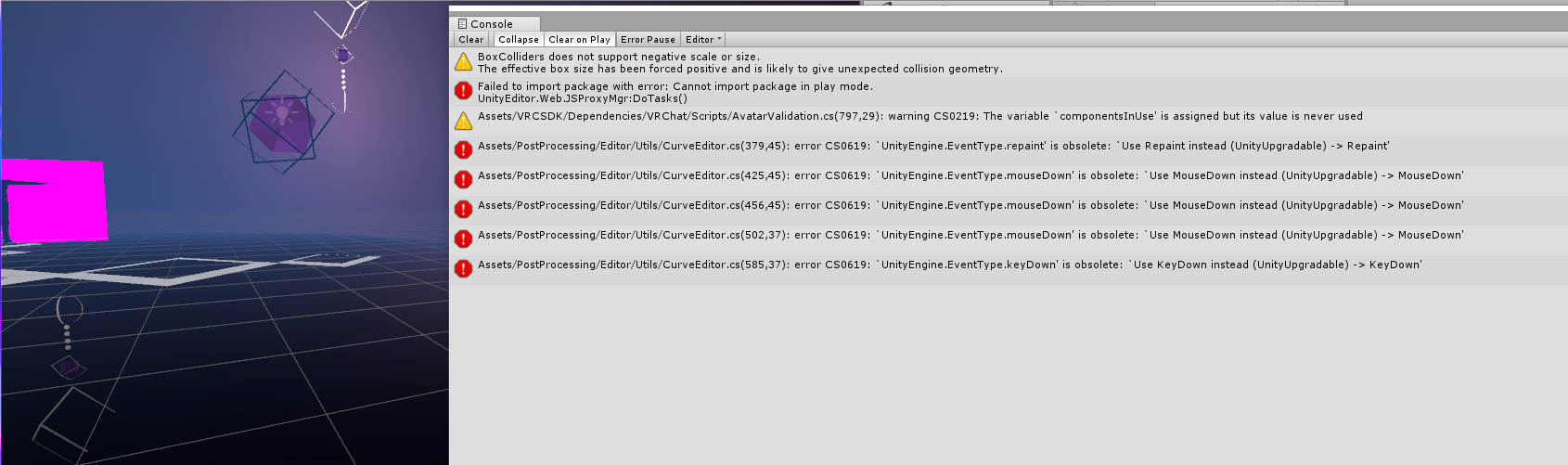
 dull shard
Does anyone notice ovrdrop causing visemes to not work?
drifting egret
That seems entirely unrelated
signal linden
did render textures get changed? I used one in my world, but it seems to be rendering weird, or not at all
drifting egret
@signal linden something is incredibly weird regarding cameras
signal linden
shoot, I don't want to have to prerender events and show them on a video player
drifting egret
I frankly have no idea what's going on but it seems to be causing the mirror bug too
proud meadow
Is it true if both world and avatars are uploaded with 2017 the bug doesn't happen
signal linden
well I guess I'll just disable it until it gets fixed
proud meadow
Does it show weird in the editor or just after upload
proud meadow
Oh ok good to know it's reproducible in the editor too. Will make testing easier
 tawny galleon
does anybody know what the new particle surface shader is actually for? i thought it was to "paint" particles onto surfaces/mesh when they're on it, but it seems i was wrong.
just a bit confused since it requires vertex streams to work and i'm wondering why
 sweet crystal
It's for use with Particle Systems.
Previously you would use the Additive/Multiply shaders by default
The vertex streams are used for the functionality that blends between frames of a texture sheet smoothly
tawny galleon
gotcha, thanks 🙂
drifting egret
I was under the impression it's simply a surface shader like Standard that also works with particle features
Like color
Useful for mesh particles
drifting egret
Are custom render textures still broken on avatars?
warm niche
Anyone know if there's a shader like polywave but changes materials instead of just colours?
proud meadow
@warm niche It's possible to implement without too muck work. You could try editing the code. Duplicate the shader. Edit the name on the first line. Now copy and paste all the lines with _MainTex to _MainTex2 and then use lerp or some other function to mix them. For example:
            {
                fixed4 col = tex2D(_MainTex, i.uv);
                fixed4 col2 = tex2D(_MainTex2, i.uv);
        //col.rgb *= i.col.rgb;
                 col = lerp(col, col2, i.col.r);
To make it more sharp you can do something like col = lerp(col, col2, saturate(100*dot(i.col, i.col) - 50)); you have to play with the numbers. Good way to learn shaders
warm niche
Will try to do that, thanks.
 delicate ore
I have been trying to upload an avatar to vrchat but after uploading it doesnt show up in game, not under anything, not under personal. I have updated the Vrchatsdk but it doesnt work. can you help me?
 whole sparrow
Yo, does anyone know of a semi-optimized shader that is transparent but shows full reflections or some texturing trick to act that way?
Sorry, new to shaders and how unity specifically works, if not don't worry about it, the model looks fine without it
 dusky drift
Tried using a rendertexture with some culling?
Ah if it's for a acatar model, nvm what I said. What I mentioned is for worlds
whole sparrow
oh sorry, should have mentioned that
well it will probably be fine without it, sorry to clog up the channel.
have a good night all
dapper mountain
Does anyone have an idea of what might cause a spawned object to "reap" on its own (randomly)?
it is supposed to "reap" only when a specific trigger enters its collider, but sometimes it does it without the collider entering it (The trigger collider also kills the player, but the player is not killed when the object randomly reaps) I had this issue before, and the cause was that the "reap object" was on AlwaysBufferOne (my mistake) so every time someone joined the world the objects would reap for everyone. Changing them to Unbuffered fixed it, but now the problem returns with Unity 2017 and I cant find a solution. I tried replicating the problem so I could see the Output Log, but It never happens when I am in the world. (got this feedback from streamers/friends) Any help would be appreciated.
summer berry
Is this in your snow fort world? Reap is an rpc, so if one person can trigger it, everyone will see it. If the object is synced (which it needs to be for reap to even be there) you don’t need the call to be broadcasted.
dapper mountain
Yes it is the snowfort world. So do I need to make the spawned object "reapobject" Local? That is what I was about to do, but I still dont understand why it happens only on certain occasions. I tried leaving the world, then joining, have someone else join, then leave while someone is building etc. and the objects never reaps randomly. So every synced object that has the reapRPC will always need to be on Local ?
summer berry
I’m not sure about every rpc being local, but so far I have used local for reap and it works as I expect. But, if it is getting called when it shouldn’t, then broadcast isn’t the issue. Are you sure that the collider is only activated at the proper time? How is it activated? Animation? Could another buffered event cause it?
dapper mountain
The collider that destroys the object only activates when someone presses the RESET button, which activates an animation trigger that moves the collider up, then down to it´s idle position until the trigger is used again. That specific trigger has an AlwaysUnbuffered broadcast. There is no other trigger that can destroy the objects. Also that trigger collider adds damage to players, killing them. But in this case, the player never dies. Could the animation trigger activates every time someone joins the world (even though is unbuffered) destroying the object for themselves only? (destroying it for everyone else) I will triple check every trigger and buffer in my world. Still, if it was another trigger causing the issue, it would happen every time, for everyone, and it would be easy to replicate. This is frustrating. I will try to redo most of my triggers, and hope the problem disappears Thank you so much for your help, CyanLaser.
 gray mulch
hey do you guys know how to make your avatar teleport?
summer berry
I feel like I haven't done anything yet Kriss- but you're welcome. If only you had the log when it did happen. You could bring it up during the dev meetup since that is a good way to test with a lot of players.
VOiiDDZZ what do you mean? In a world or just as an avatar in any world?
@dapper mountain Do this test if you haven't already. Play through an entire match, and thin in the second one, have someone join/rejoin
You said that someone has to press reset for it to happen, but what about end of game triggers?
gray mulch
@summer berry an avatar in any world
i've seem someone teleporting around in a game, and i got curious
summer berry
I know people have flying colliders, but not full teleportation.
near bronze
teleportation most likely is a playspace thing. Various different programs and plugins for steamvr can allow you to move around in your steamvr playspace as if you were telling it that you were actually moving in real life
gray mulch
oh, thanks!
tawny galleon
has anybody tested if the new "Collider Force" parameter(s) for particle systems work? (for example on props/pickups in a world)
dark sigil
Is it possible to use editor scripts to setup triggers?
And if so any documentation on it
summer berry
Yes, but I don't know of any documentation. What are you trying to do?
I use editor scripts all the time to setup triggers. If you are editing an existing object, it's annoying as you need to go through the serialized property api (to ensure it is saved properly). If you are copying an object and editing the copy, then you can just go through and edit the trigger directly.
dark sigil
I just want a trigger that randomly chooses a number by setting an animationInt, I can do it by hand but thats monotonous
summer berry
Yeah, that is easy to do.
hold on
Here is a sample from one of my editor scripts:
VRC_Trigger trigger = obj.AddComponent<VRC_Trigger>();
trigger.UsesAdvancedOptions = true;

VRC_Trigger.TriggerEvent ev = new VRC_Trigger.TriggerEvent();
ev.BroadcastType = VRC_EventHandler.VrcBroadcastType.Local;
ev.TriggerType = VRC_Trigger.TriggerType.Custom;
ev.Probabilities = new float[limbs.Count];
ev.Name = "SpawnLimb";

for (int curLimb = 0; curLimb < limbs.Count; ++curLimb)
{
   ev.Probabilities[curLimb] = 1.0f / limbs.Count;

   VRC_EventHandler.VrcEvent evh = new VRC_EventHandler.VrcEvent();
   evh.ParameterObjects = new GameObject[] { limbs[curLimb] };
   evh.EventType = VRC_EventHandler.VrcEventType.ActivateCustomTrigger;
   evh.ParameterString = "SpawnOwned";
   ev.Events.Add(evh);
}
trigger.Triggers.Add(ev);
Make sure add this to the top of your file:
using VRCSDK2;
(Not sure if I need to ping)
dark sigil
ah cheers
where'd you get all of the function names? I assume they're in some script in the SDK?
summer berry
Autocomplete?
If you want to know what something specific is on a trigger, just look at it in the inspector in debug mode
 drifting coral
so.. anyone with experience with unity/dx11 wanna sit down and have a talk got a problem i cant find out what is causing the issue
tame trench
does anybody know of a way to copy the text from 1 ui text field to another? im trying to set up some text that changes based on certain conditions and then it needs to play them back in the right order (edit: please ping me when responding)
 lyric osprey
How can I make my thing work? I'm having a problem much like the issues with global particle systems, where my AImIK script is making my turret point down to where my char would be looking if there was no IK being applied
iirc it is fixed with joints, but I have a fixed joint on my target and rigidbodies on both the target and the finger, but that did not fix it
was told to post it here
lyric osprey
fixed it
 shell spindle
im having trouble uploading my world,if im in the wrong chat please point me to the right one
tepid rune
tame trench
don't ask me how, but i managed to screw up my world so if anyone joins the world they get a black screen while i get logged out. I have no idea why this happens, but i'm hoping someone here can help me fix it.
warm niche
Re upload it
 barren lantern
Are there restrictions on vertex shaders in worlds? I have a vertex shader that I'm trying to use in a VRChat world to modify a mesh; it works great in unity's scene view, but it doesn't transform the mesh in the world. Other parts of the shader work, still, so it's not a compile issue.
dark sigil
anything but compute shaders is freegame
proud meadow
@barren lantern there's not even restrictions on shaders in avatars aside from the safety fallback system . If it works in the editor it should work ingame, unless it relies on a script. For example some plugins for water or terrain on the unity asset store may also use a script to update the shader
barren lantern
There's no script for the shader, but after a long while of testing things, I found the following:
- Vertex shaders applied to a Dynamic or Static object in a scene that has no baked occlusion data work as expected.
- Vertex shaders are broken when applied to a object with any property static, where the scene that object is in has any sort of baked occlusion data, even if the object itself is not included in occlusion baking.
- Vertex shaders applied to a object with all properties dynamic in a scene with any baked occlusion data work as expected.
This isn't the behavior in the Unity editor, and I've found nothing about the use of occlusion culling + vertex shaders not working on static objects in Unity documentation, so I think I've just stumbled across a obscure bug.
When I say "broken" I mean the object renders, but any vertex transforms aren't applied.
warm niche
i'm not sure where to ask this, but can someone explain this? https://streamable.com/qx59n this happens to me even with creating empty gameobjects in this new version of unity and im not sure why. never ran into this before and ive been making avatars for over 8 months. im so confused. its as if every time i parent a game object to a bone on the avatar, it parents the bone to the gameobject and moves the bone to that game object regardless of what it is? like my unity has got parenting reversed and fucked up somehow. i tried making a new scene, making a new project even, and nothing fixes this.
stable hazel
near the top left, where it says "Center | Local", click on Center to change it back to Pivot. Basically what it's doing right now is pivoting on the center of the mesh instead of on the bone
warm niche
lmao. i figured there was something i didnt know about but now i feel even more stupid because it was literally just a button. thank you
drifting egret
This also shouldn't be an issue
There's no point in moving bones in Unity 99% of the time
 shell furnace
Assume I have a world with a video player with a VRC_Sync Video Stream component and a video playing, I send a VRC_SyncVideoStream.Pause to pause the video for everyone
is there a way to have the video load and play for anyone joining the room late, and have the paused/unpaused state be synced as well?
I've set a trigger OnNetworkReady with a broadcast type MasterBufferOne to SendRPC VRC.SyncVideoStream.Play which works great as long as the video isn't paused because then iirc it's playing for the late joiner but not others, or starts playing for everyone out of nowhere
it might be as simple as using Resync instead of play but I have nobody to test it with at this hour so I'm sorta just thinking out loud right now :V
I really wish the documentation was more complete
syncing sounds like a pretty common problem, and afaik it's only really a minor inconvenience if the video is paused and not actually stopped, might just leave it for now <.<
 crisp bough
Does anyone have an idea why the game needs to access my screen?
Is it some sort of mouse hook?
Or does the game decide to have "a look" at my screen?
proud belfry
i wouldn't be suprised if it's a mouse hook thing. vrchat can be pretty agressive about keeping your mouse cursor. other than that ... good question. how do you know it accesses your screen?
lyric osprey
Does any changes to the VRIK script 'stick'? I read somewhere that VRchat overrides it
signal linden
is there any sort of crazy witchcraft I can do to make a world that kinda functions like tf2's skybox, where you can go from really small in one area, to be really big in the skybox?
stable hazel
you probably could but it'd actually be poorer in performance and look worse. If you want to try though, it's probably using a 3D camera to render an area
signal linden
that seems a bit too rough, is there any ways to grow/shrink avatars to have a pseudo solution?
stable hazel
I don't think there is to be completely honest unless someone else has an idea
signal linden
ok so is there a way to get a render texture to show whatever is on display 1?
proud meadow
Yes I'd love a creator mode type feature where I can scale the world and interact with objects and people as a giant
near bronze
@signal linden not really, but you can make a camera of your own match the player's camera directly. That's what player tracker does, it gets the position of the players camera
signal linden
 proud meadow
Can it match stereo settings? I used a Jinji avatar that had a camera that did exactly what you want from the emote menu, like a zoomed out tiny scale model of the world you were in (in stereo). Was really cool but it was actually caused by a glitch and that was in 5.6 so no idea if it works now
signal linden
I have this panoramic view of what I want, and I would like to find a way to turn that into some sort of panoramic thing
🤔
if only this was 2018 unity, they have a pretty easy 360 camera
I guess I'll just shelve that idea until later
proud meadow
Something like vrc panosphere?
warm niche
wherever i put my chairs, the players sit higher than expected on avatars
anybody else with this issue? or im rarted due to my lack of experience with objects meant for worlds
 granite drum
Wait so new sdk doesnt allow mesh collider?
My avatar has no mesh collider but thinks it has some. I have some capsule colliders for cloth
 frail gorge
@sterile cipher
Execute Instantiate The StandardAssets script does not work properly.
Is this the expected behavior?
 sterile cipher
I do not know. Please make a Canny post with details if you can! @frail gorge
frail gorge
@sterile cipher Ok, I posted.
Many worlds are stopped working with version 2018.4.4...
https://vrchat.canny.io/bug-reports/p/standardassets-script-does-not-work
sterile cipher
@frail gorge I've posted in that thread. Can you please provide a log file of the problem as well as world IDs of the worlds that are broken?
It would be very helpful.
frail gorge
@sterile cipher OK. Once I make it I will add it to canny.
sterile cipher
Thank you!
shell furnace
anyone know why my reverb settings change sometimes? the world is configured to not have late reverberations but sometimes it changes on its own
makes it sound way too echoy
does the default oculus mixer get overridden by something?
I've disabled the checkbox in the build control panel
sounds fine most of the time in game
summer berry
@sterile cipher Looking into Ikuko's canny, there is no indication in the logs. I commented and added a simple example that works in unity but not in vrchat.
sterile cipher
Thanks Cyan.
summer berry
I don't know what worlds are broken, but a lot of my tests are now pointless if you take out instantiate.
 surreal fjord
Can someone help? Unity is crash from start if there is sdk in project
KERNELBASE.dll caused an Access Violation (0xc0000005)
in module KERNELBASE.dll at 0033:90125299.
But if i delete sdk, project will open normally
warm niche
Anyone know about assigning LODs, I created a LOD group with the assigned meshes and distances but when I upload to VRC it doesnt do anything
shell furnace
I'm starting to think the reverb issue is a unity bug, it's really easy to mess up the reverb even in editor
the oculusspatializerreflection settings resets to some defaults whenever you add another effect
also it happens in game precisely when the master leaves the instance
doesn't seem like something that anyone can help me with
I've been trying to ask around
the late reverb seems broken, even in a 1x1x1 box with one of the 6 walls with a 0.0001% reflection coefficient it takes a full second for the reverb to stop
frail gorge
@sterile cipher
We have fixed an issue that disabled certain scripts that was not intially intended and broke a few rooms.
It is not fixed in 2018.4.4p2
sterile cipher
Yes. This was a mistake. It will be fixed in the next patch due out soon.
I apologise, it is my fault.
 unkempt stump
new to this discord so sorry if this is a question that's asked all of the time but i'm trying to make an avatar with unity and my VrChat SDK only says "Clear Cache and PlayerPrefs" I'm willing to give any error logs or anything like that if needed, thanks
frail gorge
@sterile cipher ok! We look forward to the next fix!
fresh sage
Anybody know of a decent tutorial for making an external armature mimic your movements?
 willow robin
The frame rate in my world drops rapidly (down do around 25-30 fps on my system after 10 minutes), so I assume something isn't being destroyed that should be. Are there any debugging tools in VRChat to help me figure out what it is? Is there any way to bring up any of the Unity debug panels to show what all exists in the world?
proud meadow
@fresh sage most straightforward without editing shaders is rigid body/fixed joint system using freeze position/no freeze rotation on one end and freeze everything on the other end. Can't find a tutorial for this but it's pretty straightforward. This explains how to make fixed joints the main difference is use freeze position and one joint connecting every important humanoid bone to the puppet
Other options exist, all requiring some range of shader edits including: multiple skinned mesh renderers on one armature using a small shader edit to apply offsets to each one (easiest); geometry shader instancing off a single skinned mesh renderer (moderate difficulty, most performant way by far if all your meshes are the same geometry); shader mesh skinning to apply bones from one skinned mesh renderer onto other static meshes by storing data in a render texture/grab texture (still WIP, theoretically possible)
Performance debugging tools, you can use nvidia Nsight to profile gpu slowness. But I assume your bottleneck is cpu related?
willow robin
I don't know where my bottleneck is at the moment. I guess I can at least check Windows performance monitor to narrow it down to CPU or GPU.
fresh sage
@proud meadow thank you so much. I had attempted it earlier with rigid/fixed but I’m thinking the rotation freeze on one side. This fully explains the scuffed rotation issues I was having.
merry coral
Ayyyy so I tried uploading an avatar with chairs right
But I keep getting an error saying that I can have events and triggers
tardy folio
Remove both of those components
merry coral
Don't you need them for the chair to function?
willow robin
Okay, looks like my world is CPU limited. I'm down to 13 fps right now with 33% CPU utilization (quad core CPU) but only 3-4% GPU usage.
Unfortunately Nsight just tells me "The target application is using an unsupported graphics API." 😩
 old bridge
Aren't you overcomplicating it? Why you need something like Nsight? Just use the Unity profiler window
If it is cpu limited I guess you have tons of the draw calls
proud meadow
I think the issue is how to profile stuff ingame. For example using vrc triggers and effects of multiplayer
Is there even a way to test vrc triggers in editor?
smoky phoenix
@proud meadow naqtn has been making a system for that
warm niche
anyone remember what unity patch we are using for the new sdk?
dusk thicket
@buoyant oak u can try to use standard character controller (it has footstep sounds settings), but make it invisible and make it follow player 😃
tame trench
@warm niche it is written in bold in the latest message in #vrchat-2017-beta-info
warm niche
k ty
tame trench
Np
warm niche
knew it was somewhere
 tropic jewel
Has anyone here ever experimented with using Skinned Mesh Renderers as the shape setting for a particle system?
I'm currently attempting to create a lightsaber whip, but have ran into an obstacle I'm not sure how to get past. (if it's possible to.)
It works as far that the particle emission shape follows the body of the whip if I rotate the individual bones directly, but it seems to ignore any effects from dynamic bones. https://gyazo.com/1535388a6ee744c6eb1d6dcce875f012
tropic jewel
Cloth physics seems to have the same issue. Don't quite understand how neither will work for it. Unfortunate. Suppose I can always make a more basic mesh+shader based version.
drifting egret
@tropic jewel looks like the particle system executes before dynamic bone does
A common problem and not something that can be fixed by us
tropic jewel
Ah, that seems to make sense.
warm niche
Okay, so I dont see any other channel that would be more applicable for this issue. So here goes.
I am currently facing an issue where I am unable to import my completed model from Blender to Unity.
Usually this would be a straightforward issue that i'd be able to fix myself, though the issue that seems to be coming up only gives errors in Unity, not blender.
When I export my model as an FBX, there are no errors (yay!)
But the moment I import it into unity, the following errors start spamming my console. I've encountered this a few times before, but usually a re-export of the model from blender fixes it, which it doesn't seem to be doing this time around.
If I could get some help with this, that'd be really appreciated. Please do ping me if you have an answer, or pm me. Thanks!
The errors that appear in unity: https://ibb.co/rvsTPJ9
 maiden palm
@warm niche I had the same issue before, whats your fbx filesize?
warm niche
1.4mb
proud meadow
All errors are about AABB (axis aligned bounding box) and it says aome vertex might be infinity or nan
maiden palm
Usually how I fix it, is to just go back to a version in blender where this didn't happen
warm niche
Another thing aswell, is if I import the model fresh and just export it straight away (even if I do a simple fix of hte model in cats) It still comes up with the same issue
So it may just be the mmd file itself thats the issue
proud meadow
Well blender might be hiding the bad vertices and ignoring them
warm niche
Hmm
proud meadow
Maybe try selecting all using a nice simple box select and duplicate those and separate the selected into a new mesh then delete the old mesh and rename back to Body
Would be telling if the number of vertices goes down after this
warm niche
I'll give it a shot
proud meadow
It's also possible normals or tangents became nan or some other shape key is nan. The duplicating vertices might break shape keys- maybe try deleing the key also as a test
warm niche
after selecting the mesh directly with the circular select, then duplicating the body before deleting the original, It has become smaller
I'm about to reimport it into unity, so hopefully it works
The issue is still persisting
Strangely enough, it was just the one mesh...
I'll just have to remake the model using the parts I require
@proud meadow Thanks for your help!
drifting egret
@warm niche check all shape keys in Blender and Unity
Make sure that none of them move some vertices incredibly far off
 faint yew
What if the model has another parent
shell furnace
Has anyone noticed that an avatar with an audio source loading in resets oculus spatializer mixer plugin global parameters, like room size and reflection coefficients?
I found an old bug fix in the Oculus DAW version 1.20 that is basically the bug I've been having https://developer.oculus.com/documentation/audiosdk/latest/concepts/release-archive-1.20/
I had to disable all sound reflections in my home theater map because the reverb would sometimes turn into a marble hall basically, and the only way to fix is swap instances
I guess the best way to deal with this would be a world with a single sound on repeat and an avatar pedestal on it so the sound would break when you swap to the avatar, and post that in the canny with a description, but I don't have the time or energy for that right now so I thought maybe I should at least ask if this is a known issue
though I wonder if that would even help since it sounds like a unity/oculus bug, not a vrchat bug
sand canyon
Yes me more about this
I had noticed in a couple worlds in dev meetups that spatialization broke sometimes, people would sound like they were in a different place than they were
Wonder if that’s the cause
warm niche
Guys how to get player name and put to text
proud belfry
it doesn't seem to me like the vrchat trigger system can do something like that.
maybe there's.. some way to do it? maybe with webpanels? and telling players apart by their IP?
have you found a world that can display the names of players?
you could contact the creators.
summer berry
The only worlds that can get player nameplates are the ones created by the developers as they have code to do whatever they want. We do not have access to player names sadly.
 autumn ember
Anyone know how to make it so pickups move against animated meshes?
i have a drawer that i want to be able to put pickups in, but when i open the drawer, drop the object in, and go to close it, the pickup stays in place then falls when the drawer is closed
sand canyon
So the quick answer is that the drawer needs a kinematic rigidbody. And primitive, not mesh colliders.
That still may not work well enough, but you can try it. There are varying levels of trigger things you can do to keep it with the drawer.
The best way would be to reparent the pickup to the drawer when you put it in.
autumn ember
Thanks, the first one works exactly how i wanted it to work
 open lion
I have seen this done before but how do i have my mirror disable when your not close to it or on a different level
summer berry
@open lion Enabling the mirror when close and disabling when leaving is usually done with a trigger collider and OnEnterTrigger to enable the mirror and OnExitTrigger to disable the mirror. Note that people will have issues interacting in this trigger volume.
open lion
so i make collider on the mirror?
warm niche
you make an invisible box around the mirror, if people enter it the mirror turns on, if they leave it turns off
open lion
ahh thats pretty cool, im try it
open lion
does it need a collider? I tired it and no dice
opps i just saw the issue, i feel stupid
nievermind i changed it to false and its still not disableing
summer berry
You are not looking for any layers in that screenshot. If you want it to be only for the local player, add PlayerLocal to the Enter/Exit triggers
open lion
ok i added those layer and still nothing
should i chnage the local to something else next to onexittrigger
summer berry
Do you have the collider on this object?
You also have both set to true in your old screenshot
open lion
on i removed it because i fell trough the floor for some reason
go it working
https://i.imgur.com/TgPE75x.png my settings for future people that may search for this

please tell me if any of my setttings are not optimized becuase i am going my a video on this too
summer berry
You will need to make note of items not being usable in the trigger volume as this is a VRChat bug. It is more noticeable in VR than Desktop.
open lion
whats trigger volume
summer berry
Your box collider
Add a pickup, throw it near the mirror, see if you can still pick it up in desktop and VR
open lion
seems to be ok for me, there was a moment where it was hard to pick up but it seems fine (on desktop getting ready to build it so i can use it on my VR pc)
seems fine to me on both vr and desktop
summer berry
Maybe they fixed the bug
open lion
my box is quite big
summer berry
I've had issues before where having a collider around the entire world broke all interacts and pickups.
stable hazel
that seems more like a unity issue, I don't think it can be fixed. I'd honestly say better safe than sorry and just use playertracking with a sphere collider to do the collisions for you, 10 meters in the air
open lion
can this same method be used to unload the main room once its i leave, basically i have it setup so if you rid the wall you can jump off the world and you would hit a collider on the way down that would enable a platform under the world for people to hangout at.
warm niche
yeah ofcourse, people use it to turn off everything out of view that way, trigger 'occlusion'
open lion
nice cleaning up my hierarchy now, seriously thanks for all the help guys, you all make dreams come true
open lion
what are the disadvantages of crunch compressions
stable hazel
crunching isn't instant so you'll have to wait for it to crunch, and the quality of your asset will likely be a bit worse (depending on how much you crunched it)
open lion
also i now see what your talking some of my trigger dont work inside the box
what if i make the colider thin and on the floor, are the feet counted towards the trigger?
ya so far looks to be working needs more testing before i can recommend it
summer berry
You can put a small collider on the floor, but people will jump out of it. It still works though. The more complicated option would be to download ToyBox V2.1 and use the player tracking prefab to make a proxy Player collider. Using this method you can have the mirror collider in another location that won't interfere with pickups.
open lion
thanks for the info ill give that a try too i downloaded that but never imported it
open lion
any guide on how to use the player tracking? how exactly does it work and how would i use that with the mirror
summer berry
Drag the player tracking prefab into the scene. The child object called "PlayerHandle" will now follow the local player's camera exactly. Create an empty object. Add a sphere collider, kinematic rigidbody, and the standard assets "FollowTarget" script. Set the layer of this object to PlayerLocal. In the follow target script, set the target to PlayerHandle. Set the offset to some large y value (ex 0,100,0). Find your mirror collider and add 100 to its position.
open lion
cant seem to find the follow target script
summer berry
It's in standard assets. You need to import it first. If you have the option, you can get it from Assets->Import package->Utility. If you don't have the option, search the Asset Store for Standard Assets and download the entire package.
open lion
also what do you mean when you say set the layer, i need to a a VRC trigger to that empty object?
summer berry
The top right corner of the inspector for an object is the layer. Everything starts off as "Default".
open lion
Did i do anything wrong, not working for me https://imgur.com/a/hsP9Zwe
summer berry
Target is set to none when it should be set to PlayerHandle
offset needs to match whatever you add to your mirror's collider.
(My example was 100)
open lion
ok i kinda got it working, should the player tracking be set to the same value as the spawn point?
summer berry
PlayerTracker's location doesn't matter and same with your Tracking System object as it's position will be replaced.
open lion
oh i think i know what it is, i need to rip those coliders out of the parent objects
the y values may be right on my coliders
should i change my box collider objects to player local too?
summer berry
No, only the one following the player tracker
open lion
ya i still cant get it to work
my mirror gets disabled on spawn so it somehow leaves the collider
summer berry
Where is your mirror collider and what is the offset for your Follow Target?
open lion
i have them all inside another game object that i offset to -100, the follow target is set to 0,7.5,0
summer berry
Follow target will override any position you have set. Set the offset to (0,100,0)
Well, I guess -100 since you used that already.
open lion
ok now i got it all working, my colider that i used to enable people to jump off the world and enter the secret room was positioned wrong but everything is working now. ill have to fiddle with it more so i can do a video on it
Thanks again, you really helped
summer berry
Be careful when disabling other parts of the map. If you have synced objects (like pickups) and the owner of those objects leaves the room, they will fall through the floor.
open lion
so if i have a pickup and i jump off and go to the hidden area the cube will fall trough sense the other player have it disabled. does that mean the other player will fall trough the world too?
summer berry
You should ask your question instead of asking if people are here. Someone who knows the answer will eventually get to it.
 viscid vine
How can I change an avatar for it to have the proportions of someone specific? (For full body tracking)
What do I need to measure? And how can I use the values to make a proportional edit on Blender? (@ me please)
proud meadow
Arm length to leg length is the thing ^
 ember lake
@proud meadow lemme get a streamable link or something to show the issue. Hold up
proud meadow
@ember lake "Basically just exploding geometry using voronoi noise. I have an option to keep the original geometry of the mesh, but when I give the extra polygon I send out to the TriangleStream, it basically doesn't render the underlying polygon when you're looking through it."
so you mentioned something about transparent rendering. that's where things get complicated.
What ZWrite and ZTest settings are you using? Also what Blend
ember lake
For reference, here's it with the transparency off: https://streamable.com/jjlrp
Transparency on: https://streamable.com/tef0c
Not actually using ZTest or ZWrite. Hadn't really gotten into understanding those past very basics, and just kinda forgot about it.
For blending: Blend SrcAlpha OneMinusSrcAlpha