#development-advanced
1 messages · Page 35 of 1
 rough sleet
 stiff lily
yeah that looks like what i need
stiff lily
I hope i'll end up with a smooth blend and not a hard edge color cut between vertices, i might have to look into the different options
Thanks for the help TCL !
rough sleet
@stiff lily Vertex colors get linearly interpolated across the triangle.
You'll get a smooth blend where edges are shared and a hard edge where they are split.
stiff lily
awesome !
stiff lily
Well at least i can visualize it for now
 warm niche
yo is that the dota 2 minimap
stiff lily
That is the dota whole map 
warm niche
oof
rough sleet
@stiff lily Next you'll need to add properties for the different textures and then blend the different inputs together based on the vertex colours.
stiff lily
under the struct appdata { right ?
rough sleet
Depending on how the colours are stored you might just be able to multiply the different textures by the value in the associated channel.
No, in the properties block.
If your current shader has a texture input already you can just duplicate it with a different name.
This sort of boilerplate code is where I usually just use Amplify Shader Editor.
stiff lily
Do you prefer Amplify shader over Shader Forge ?
rough sleet
Yeah, the shader code it outputs is more comprehendible.
So once I'm done iterating I can clean up the code more easily.
Shader Forge outputs vertex and fragment shaders so it's a lot more verbose.
As it has to handle all of the lighting itself.
While Unity automatically generates that code for surface shaders.
stiff lily
Looking at their examples it looks pretty sweet, don't want to jump on it right now since i have almost no idea what i'm doing, but i want to learn at some point.
 stoic holly
I am trying to spawn object not from prefab, but from hierarchy as @near bronze sayd to me before, but I am getting bunch of errors: https://gist.github.com/kawashirov/8573e6189b3a080f2456e49bb4b0be6f first happens after first spawn try, second bunch of errors happens after any other tries to spawn objects. What am I doing wrong?
 near bronze
don't drag the object directly in from the hierarchy, add the model to dynamic prefabs in the scene descriptor and manually type in it's name in debug mode
stoic holly
I did that
near bronze
idk, I'm not too familiar with what to look for in error logs for this
stoic holly
🤷
may be some have sample project with similar implemented? i can look into that to see, may be I did something wrong...
near bronze
propspawner from toybox uses this, but it also has a lot more complicated stuff too that is hard to follow
stoic holly
It looks like spawned object needs to have vrc_objectsync, otherwise it's gives errors.
Thank you @near bronze, your advice was very useful. It's works exactly what I want to: https://puu.sh/BtbCy/2618a94bae.webm
It is true that triggers not working directly, actions only works using custom triggers proxies, i tested it, so I vote up your canny report.
near bronze
huh, that's odd.Nice work tracking it down
stoic holly
well... 🤷 Have another problem: for some reason spawned object is not properly synced between players, it's only get posed after player drop it: https://puu.sh/BtgKE/d70390fb3b.webm It's not related to spawning that I made before, because same happens for objects made in editor.
stoic holly
Looks like the problem was vrc_objectsync inside vrc_objectsync, i.e. object with vrc_objectsync should not contain another object with vrc_objectsync otherwise that bug happens.
near bronze
did you make sure you transferred ownership of both objects?
it doesn't automatically do all children too
 silk horizon
^
i fixed this issue by manually setting ownership on all objects child to the parent
 drifting egret
As soon as I add any Final IK component to my avatar and couple it with VR IK and IK Execution Order (to make my solvers run after the game's), my IK works differently whenever activated.
My feet start tapping very rapidly, and my body shifts into a slightly different position
Has anyone found a fix?
 olive quail
I can't seem to figure out how to send an RPC to a VRC_Panorama. I tried it the way it's coded in the prefab, but just get an error, Could not find any components capable of receiving RPC "NextPano()"... But it then suggests that it's possible, with this... found close matches which need a VRCSDK2.RPC attribute:
Void NextPano()
Any thoughts?
 drifting crow
So i know that we can use the post processing stack to get some effects like bloom etc. Are scripts, like the old effects package for post processing also banned?
I wanted to try to make the build-in fog better. (Like taking bright pixels into account )
warm niche
I made a little tool that takes a world_id as argument and auto-connects you to the fullest public instance of that world (https://github.com/Bluscream/VRChatAutoConnect/releases) [C#/OpenSource]
If you give no arguments it will let you search for a world to use
 hearty lantern
Cool
warm niche
Yep
drifting egret
That's really cool for quickly jumping in
warm niche
Thanks
hearty lantern
But will it blend?
warm niche
it will blend and cut this boat in half just fine
warm niche
Thanks again
warm niche
np mate
hearty lantern
👌 😂 👍
drifting crow
Btw I got the fog to work while keeping brighter pixels, instead of applying fog over the whole image.
warm niche
@dusk pewter why is there one instance that always shows up with the same people for one world?
Can you tell me if instance 83906 in wrld_c7d2378f-7237-4921-8dc8-4dbfaebd872e is legit?
 dusk pewter
Huh? Not something I'm involved with, what's the issue?
warm niche
Or is it just some bug on my/vrc's side?
It shows up since weeks
With the same users all the time
dusk pewter
Please don't randomly ping team members, I don't mind personally but it's generally not a good idea
 sharp burrow
It's a ghost instance I guess you could call it
warm niche
As of 10+ ppl would never shut down their PCs
So there is such a thing?
Can i verify and filter ghost instances somehow?
sharp burrow
It's just left overs in the API that hasn't been cleared when the instance was supposed to be closed.
You can't verify it
sharp burrow
Dunno, depends on how their backend works.
I can only recommend let it pass or send a email.
warm niche
I mean i could check against world["occupants"] and if that's 0 ignore all instances
Not sure if that integer is in sync tho
sharp burrow
You probably could. I've seen some mixed results at times
warm niche
Where should i send the email to?
sharp burrow
hello@vrchat.com I guess as it isn't really support and the API is unsupported.
warm niche
I thought having the devs in the discord was more convinient but apperantly they like emails more then messages
sharp burrow
That is because they need a reference to the support / email.
dusk pewter
It's also late on Friday night
dusk pewter
I've yet to hear why this is an issue, but if it is an issue, please send details to hello@vrchat.com
warm niche
So they can look up who they supported when?
sharp burrow
Yes, it's a company. Everything needs to be logged
warm niche
Rip, okay thanks for your explanations @sharp burrow they helped a lot
drifting crow
I'm just curious about something. So i found this addon from keijiro, which adds volumetric clouds to unity.
Of course volumetrics are expensive and i dont expect them to work in vr but it would be just for fun
Problem is though that the 3D noise, that is required for it to work is generated with a script. This script will never be attached to any gameobject tho, so will it still be deleted, when uploading the world?
 latent hemlock
It’s not ray casting itself that’s expensive it’s ray branching which causes the whole headache
drifting crow
Yeah thats right. I really hope, there will be a cheaper method for simulating clouds like that in future
warm niche
Are there rate limits for api calls?
warm niche
Hey team. I have an issue. Its about adding imported accessories to a character. I have these ears and shades. Already positioned them, but it seems this avatar doesnt have a seperate head section to mesh it to. Would I add it to where I believe the head is apart of?
stiff lily
You put them where they should be in blender and merge meshes, or in Unity place them under the bone they should be attached to
warm niche
okay a fixed everything
I*
I have one last and confusing issue. I know how to fix the view position when you rescale an avatar, Everyone does right? I made the model taller and redid the positioning, but for some reason when I go into VR the view position is still as if I was the smaller old model
stiff lily
So you moved the view position in your avatar descriptor after rescaling ?
warm niche
yeah
it shows that i did within the unity
but in game it doesnt
i know discord has screensharing i could show
but i honestly have no idea why it isnt working
stiff lily
Try removing the avatar from your uploads and try again first
warm niche
gotcha
that didnt work
@stiff lily permission to just pm and show screenshots of the issue?
stiff lily
you can upload your screenshots to imgur and post them here
warm niche
wait i dont have an imgur xD
can I just post them here then?
its just the issue with the avatar
warm niche
ah okay
i can try and make and imgur for the first time. One moment xD
uh do i just hit the add images button?
never really been on imgur. like really
top left
press new post
and you can just copy paste your picture
Okay I think this works
Oh nevermind. Thanks Imgur
GOT IT
THIS IS MY ISSUE
"i get boob vision instead"
i don't see an issue there
LOL
cmooon
I DONT WANNA SEE THROUGH THAT THE WHOLE TIME
flat is justice
🤢
go into play mode in unity
and check where is the descriptor view point
w a i t
aplaymodeinunity
out of all the tutorials ive watched
nothing ever
uh?
i dont see a play mode in unity
it's the big play button in the top middle of the screen
nothing changes
and the play button just has me there like frozen
warm niche
Apperantly the username for steam users is steam_<steamid64> but what is the password?
 proud meadow
@warm niche to test properly you need to go to play mode and then put in the tpose controller from the VRCSDK animation sample directory
Sometimes tpose can change your avatar height so it is good to double check the avatar descriptor height after adding that controller. Be careful testing animations unless you are in play mode
warm niche
@proud meadow I had figured it out with a tip from a texture artist. It was just a bug with the avatar itself when it came to the view position. The view would reset to its original model if you changed the x or z because I guess it didnt register as it being within the head? So I just adjusted the y which also had an odd issue. I had to place the viewer a few units higher than the actual face. It was just the model I used
Learning all this stuff is fun. Learned how to use shaders, import avatars, emotes, and all that. ade the avatar. Now my new struggle is making facial expressions 😄
There's only two videos on it and one that has the hand gestures templates for it wont load as the template folder for me. I'll figure it out eventually
latent hemlock
requires scripting, basically means we can't use at least until udon is used
 lofty sail
when I try to make a manual unwrap for my model and I select everything on it, the mesh islands don't show up on the atlas like they should. I've tried 2k, 4k, 8k planes, nothing shows up when I go into edit mode. is there a fix for this?
 sleek pecan
Is it possible to use 2 different post processing effects for 2 different areas of the map
hearty lantern
if you can change the vrc world reference camera then sure
but im not sure if you can, ive never tried myself
lofty sail
does a material made out of a 16k atlas lag anything in terms of draw calls, I know it may sound stupid but I'm just curious since I already almost fried my computer making one.
hearty lantern
does unity even support 16k textures??
lofty sail
well seeing as it's just a PNG file, it shouldn't even be able to tell if it's 16k
lofty sail
well it's of ifrit from ffxv so it's bound to have a lot of textures
 split hull
Unity running on DX11 should support up to 16384x16384 textures. That being said, you really shouldn't need above 8k or even 4k in most cases. A 16k texture with DXT1 compression alone is 128MB.
 bleak tendon
as far as I know draw calls should not be a problem, but the thing it does is that everybody in the room will have a serious studder every time you load in. Cause they have to pass a lot of uncompressed data onto the GPU.
lofty sail
ok. seems like unity doesn't reject them. it just scales them down in the resolution
and I can scale it back up anyway
rough sleet
@split hull Unity's texture importer is capped at 8K
split hull
Ah ok didn't know the importer had an upper limit
rough sleet
Fun fact, Unity supports sparse textures (aka megatextures) but provides no UI for it.
Same for Texture2D arrays.
 normal aurora
Oooh
rough sleet
Sparse textures require Runtime scripts but Texture2D arrays should work fine. Amplify Shader Editor added a GUI to create them a while ago.
 summer berry
Even if we did, we probably shouldn't talk about it here for how malicious it could be.
stiff lily
@warm niche #animation
warm niche
@stiff lily yeah I posted it there too. wasnt sure where itd fit
 twilit haven
how do maps like blonix dungeon and the spooky photo camera map I can't remember the name of disable dynamic lights and particle systems attached to avatars?
is it something like turning off certain layers from rendering in the reference camera?
summer berry
They don’t disable lights on avatars. I was in the map and a friend had a light on their avatar and it worked. As for blonix dungeon, I know the combat system can break physics joints on avatars. If the light is attached through a joint, it might break because of that.
 trail jacinth
Does anyone know what the best way would be to make an Audio Source (with an Audio Bank) that automatically plays when the map is loaded and is synced for everyone (even late joiners)?
twilit haven
ah, I did have my dynamic lights on joints, as well as my particle systems
 merry drum
does someone know a tutorial or so, on how to do a trigger event with "OnEnterCollider" or "OnEnterTrigger" ??? i want a door to open only when the key hits the lock of the door. Tried everything but it doesnt work. x_x
merry drum
yeah, i have watched that video. I have the feeling im missing something little. Maybe its because i dont have animations, but i want the door to permanantly dissappear once the key touches the lock, so i just used "set game object active" and then false.
summer berry
That isn’t really the best video for onEnterTrigger things. If you have multiple key/locks it gets harder to explain.
 acoustic mantle
@merry drum Slight changes from the video to do what you want. Apply to door instead of a hinge, and set it to disable instead of rotate.
If the key cannot be re-used for anything you may also want to "consume" it by disabling it as well.
If you have multiple keys you'd want to put in a variable GameObject you can set when the script is applied to the door object to identify which key would open it and add the if <this key> then open (pseudo code) to the script.
merry drum
Thanks @acoustic mantle, i will look into that and will give an update, when i got it to work. @summer berry its basically like a door from zelda games. A big lock with chains that i want to disappear, when i touch the lock with a key (only one) i would post a pictre from my scene but i cant do that here.
the "door" itself is see trough and would ofcourse also disappear
acoustic mantle
you can upload to imgur or similar and post a link (highly recommend ShareX for ease of screenshot->upload ...also lets you take partial and edit before upload/post)
summer berry
You can’t write scripts for vrchat. If you want variables, you need to use animation controllers. That can get overly complicated though. You should use colliders and onEnterTrigger. If you need multiple keys in your entire map, then you need a way to distinguish between keys. One way which is easy to setup but very limiting is to give each key a unique layer and have the locks looking for this layer. The other way which allows for more keys but is harder to explain is to use the follow target script to lift the colliders up. You can use the same layer for all keys/locks, but each key lock pair needs to be at a different height to not interfere with each other.
acoustic mantle
Ah, my bad. Thought scripts were allowed for worlds specifically.
merry drum
its only one key on the entire map, or do you mean with key every pickupable object? only that key you can see in the scene is supposed to open it. And yeah, onEnterTrigger events seem hard to do compared to everything else.
summer berry
I suggest using the layers version. You can either find a layer in the scene you aren’t using or make your own layer.
Sadly I don’t have the time to fully explain things now... there is an example of on enter trigger at the end of my spawn object video tutorial. (Same channel as the video linked above with animated doors). You might need to pick different layers for your example though or have the layer objects as a child.
merry drum
ok, i will look into it, thanks for all the help 😃
twilit haven
Is there a way to customize the shader of the VRC_Mirror component? i.e. use the render textures that the VRC_MirrorReflection script generates as input into something other than FX/MirrorReflection?
summer berry
@merry drum Did you ever get it working?
proud meadow
What I heard people doing is using a grabpass on top of the mirror and then another material with that grabpass texture. Awful.
But I'm wondering now if you can use an animation to swap materials on the vrc mirror object
@twilit haven
twilit haven
oh yeah, that's an interesting hack
the mirror script seems to swap the material on the renderer component on start
proud meadow
It might be a sub object so you might need to do some sleuthing to find the path for the animation
twilit haven
so some sort of delay could replace it again
twilit haven
thanks for the tip
merry drum
@summer berry i didnt have time to test it yet, its currently 6 am and im off to work, i will test it,when im back from work.
warm niche
so if you guys are concerned about error's HUD causing burn in..... just use an animator component
👌
that fixes it
?
how does that fix it
warm niche
it makes it so your image isnt static
or just use a gesture or emote to activate/disable it
twilit haven
jetdog's prefabs has an example of using the MIDI note triggers
roughly it's just a trigger that listens to local midi devices on all channels
note on/off only, I think
I don't know how it works wrt network synchronization
but I think you can set the same broadcast options as other triggers
 bitter ruin
I need help with rigid bodies and fixed joints and basically mirroring the movement of my front legs with my back legs cause I wanna make a centaur. I tried on my own,b ut the result was the feet were just stretching waaaaaaaay forward with the legs. So can anyone help me? https://i.imgur.com/IbW0a9B.png
twilit haven
weird, I dunno how to debug really. https://github.com/jetdog8808/JetDogs-Prefabs if you open of the prefabs example scenes.unity and make a Test Build, you can play around with the keyboard in there. It Worked On My Machine™. you might be able to study the trigger setup to see what's different
proud meadow
@bitter ruin I think you can avoid stretching by making sure you have freeze position x,y,z checked on all your rigid bodies
bitter ruin
I tried that, but it still... stretched obscenely.
I'll try again.
Cause I already have all of the XYZ frozen on the main rigid body.
The main legs.
bitter ruin
I tried again and it worked.
Thanks a lot Lyuma o/
It was much more simpler than I made it out to be in my mind.
bitter ruin
Now im getting the issue of the back feet going down under ground x .x; Uuuuugh.
acoustic mantle
Anyone have any idea why the humanoid rig window would appear for half a second then vanish from the inspector after hitting configure?
I can't figure out how to get around this...
Scene stays on configuration
acoustic mantle
No idea what caused it, but selecting the avatar under the model lets me access the config after it vanishes
 severe relic
so SDK doesnt work for 2017 of Unity
because i dont see my avaters i uploaded before on that version
acoustic mantle
@severe relic you MUST use Unity 5.6.3p1
The game is built in that version, and there is no "forward compatibility" to newer unity versions
 boreal flame
how do you make a prop you can throw in vrchat
like you play an animation and it attaches to hand but then you dont play it and you can throw it or drop it
anyone?
summer berry
Nothing with animations. We don't really have access to the player's hand position. You can make a standard pickup that you can throw, but making it come back is complicated and requires playertracking and proper timing to know when and where to pull it back.
boreal flame
i cant get character joints to work
im trying to make a ragdoll-ish prop but it doesnt work very well... too bouncy
is there a way i can get it to just dangle without acting stupid
boreal flame
it keeps bouncing so much but i cant seem to fix
boreal flame
the hand also moves slower compared to the other parts
 steep pine
Anyone out there experienced with collision detection for particle systems willing to shoot me a dm and help me learn how to set it up for myself?
boreal flame
ok now they are super spastic in vrchat and my eye is missing textures ingame only
boreal flame
is the spazzing local only?
also did not import my right lower lid...
i fixed the import problem but eyes textures still missing ingame and the puppet spazzes out presumably locally
 desert robin
Does anyone know if chromatic aberration works in post processing? Was thinking about using a slight aberration in my world for effect.
 final wigeon
Yeah, please don't ever use that. D:
There's no rules or anything against it, but every VR user will hate you for it. :/
boreal flame
rip i dont mind it tho i never get motion sickness. might make it look like headset malfunctioning tho lol
drifting egret
Chromatic aberration doesn't cause motion sickness directly
It just looks like you have your headset on wrong
Basically every post processing effect should be avoided for VR, except bloom and color correction
Ambient occlusion also doesn't look good, some other things are outright broken
desert robin
Its slight lemme show you
https://i.gyazo.com/e12904312cfe5432f657ee1293938ad2.png its not overpowering like you would think I just wanted to give the edges a glowish thing
its for a horror map so
 lethal girder
Trivia: AO, DOF and Chromatic Aberration looks fine in WMR, idk why tho
Dof makes me a little disoriented though
For this reason, I useeld them before without knowing it looks terrible in other HMD 😂
rough sleet
@drifting egret Eye adaptation is fine as well.
drifting egret
Oh, good to know
rough sleet
As long as you don't use too wide of an exposure range at least
The menus are unlit and will get darker when post processing reduces the exposure
 sand canyon
Avoid anti-aliasing and strong lens flares as well
Lens flares look like dirty goggles
Personally I hate any more than the tiniest bit of bloom, makes me run for my lens cloth
AO is better done in the baked lights.
rough sleet
I find that the bloom threshold is too low by default
sand canyon
Other than bloom, it seems almost every effect is better handled by the lighting window
we went to one dev meetup where I think the AO made some shaders see-thru in weird ways. You don’t want to affect avatar shader settings basically.
rough sleet
Increasing it and using a wider dynamic range with eye adaptation helps keep everything from blooming.
@sand canyon Yeah, SSAO relies on the depth texture which is rendered using shadow caster passes, if a shader doesn't have a proper shadow caster it may not write to the depth texture and will lead to shadows from things behind them rendering on top of them.
sand canyon
I believe Xiexe’s shader was particularly bad, at least an old version of it
rough sleet
Transparent meshes may also not render in the depth texture
His shader, at least the new versions should do it properly.
Toon shaders look weird with it anyways because it's smooth
sand canyon
That too
rough sleet
So it doesn't match their lighting
sand canyon
I have AO baked into toon texture. It looked very bad
rough sleet
I recently stumbled on to a possible explanation of why SSAO is so bad.
Well at least one part of it
AO should only affect the ambient lighting value given to the shader
If it adjusted the amount of ambient lighting used in the shader then it would automatically respect custom lighting models.
Instead it does it as post processing and approximates it.
 gleaming bane
Is there a way to use reverb zones on players voices? Ive already managed it from switching avatars, but i want it to be on no matter what avatar im using in my world.
Im trying to use it to its advantage of being able to yell into the mountains and hear the echo.
its a really cool effect, i just dont know how to make it work without having to switch models.
@ me if you respond to this, i really appreciate it.
warm niche
Hey all,
I am using WACO Water shader in unity to emulate water in my world.
I am having a very annoying problem that occurs at certain Z distances away from the camera (occurring approximately at the lower half of the plane).
When I reach this distance the shader goes from this (https://i.imgur.com/QoIa1Z7.png) to this (https://i.imgur.com/kz1jn0i.png).
My settings are as follows for the material
Top - https://i.imgur.com/cEAyUgO.png
Bottom - https://i.imgur.com/lynTbGu.png
and the plane is the big square here https://i.imgur.com/E9sPyB9.png
(the brown part is the bridge and the end center of the white line is where I took the previous shots)
Even if your fix sounds odd or silly I am willing to try it
warm niche
Addition: The reflections are also only projecting to 1 of the two eyes on VIVE (oculus unknown) looks fine in the mirror though
 trim ibex
Is there any way to see the filesize of your avatars?
 shell shard
I would assume just the size of the model you could just find in the file itself when you downloaded it
The fbx file itself I mean
warm niche
You can estimate it. Texture file + anims + fbx + dynamic bone script + sounds/music (and times by .7 to account for possible compression). Average file is 5-8mb from my experience. The actual file you download (that might be what your asking) is held in the VRChat cache directory but all I can say is good luck figuring out which one is yours. @trim ibex
If you are worried about filesize remember to compress images and use OGG for sounds/music
 stoic socket
The filesize of the jpg/png/whatever doesn't really matter as Unity converts textures into DXTn format, which has a fixed compression ratio. Texture resolution is more important here and whether or not it has an alpha channel.
 west nebula
Right you are there, but for some reason, Unity washes out the colors on any textures in .DDS format. Not asking for help with this, just thought it was worth mentioning here at this time.
 blissful cradle
Can anyone please point me in the direction of an ATV or a jetpack prefab? I would be very greatful, since apparently this stuff is public and I cant find it anywhere
summer berry
@blissful cradle search my name and jetpack and you should find the link in the #world-development channel.
blissful cradle
Ok, thanks 
 young radish
Does anyone know the aspect ratio and field of view for the in game stream camera?
 tender orbit
Does anyone have shaders for stuff like greyscale but in differnt colours? like tint other players' screens inside the object red or w/e
 rotund stirrup
hey im getting this weird error when uploading my world
VCRUNTIME140.dll caused an Access Violation (0xc0000005)
in module VCRUNTIME140.dll at 0033:60cacd75.```thats the top of the error file
Write to location 818cb810 caused an access violation.
near bronze
This thread seems to have a lot of options you could try https://forum.unity.com/threads/unity-5-access-violation-crash-bug-reporter-problem.312024/
 silver oak
I currently have a problem with some Vrc pickups i made a basketball and some footballs and i added some bounce to them with a physic material but after a couple of times trwoing them around they just stop bouncing at all and i dont know why so im asking you guys can you help me with this problem ?
 outer rain
I'm trying to recreate the generators from the game Dead by Daylight, basically I will have 4 stations around a generator, which should as soon as you get in them start a timer, the problem is, I want the timer to go faster, the more people get in the other 3 stations around the generator, no idea tho how to do that, any ideas?
outer rain
can i use a object api or so for that?
 hollow needle
i dont know how to ask this but I'm trying to make a item spawn I'm my avatar hand and be able to throw it and it to intrata with walls by bounce off them
 grand pendant
Is there any way to make a camera you have in the world take a picture and save to the VRChat folder like the in game camera does? I'm working with a camera in my world, and I was making it so you can position it places, and It would be cool to have that option so the user doesn't have to pull out the VRCamera and reposition it, if they are in their perfect pose and want to capture the moment!
 oak pollen
From just the world no, you can however use screenspace shader activated on distance. That way the player could place their 'phonecam' in specific spot and take pictures there
grand pendant
interesting. I haven't played with that shader before but I will look into it. Thanks for the lead!
 hybrid raft
Does anyone know how I get a plane to always face the player? I found the LookAt Target script in the unity standard assets and set it up with no target and automatically target player checked, but it feels like it's rotating randomly when I move around the room. I set the x and y limits to 360.
Also @grand pendant I think Jetdog has a shader that does exactly that https://github.com/jetdog8808/JetDogs-Prefabs/releases
grand pendant
very cool. Thank you for the lead as well @hybrid raft. I will be playing with this when i get home tonight
hybrid raft
lol I guess I can do that
warm niche
Hey all,
I want to set something so its invisible to the player but visible in the mirror. Does anyone know how I would go about doing such a thing?
 dark sigil
Only way I've been able to do it was give the wall behind the player a different layer and have an object behind that wall
and in the mirror hide that layer
 merry coral
hey Is there any way to sort and randomize say a deck of cards in vrc yet?
 autumn hatch
Someone did using animators. Totally forget who though
merry coral
hmm ok
 proud belfry
i've some something like this... but i pre-generate random decks that players can spawn it.
tender orbit
Hey, anyone know the names of shaders that tint/colour players viewports? For a red tint effect
 frosty nova
if its for the whole world, it should be part of the post proccessing effects
tender orbit
Ah i thought it would just be a shader like the invert colours and greyscale ones so it's like a small bubble around the avatar where it affects you
I meant for a hand gesture, not a world
merry coral
Is there anyway to attach say like a camera to a persons head?
merry coral
Or maybe just make a render texture 360°
summer berry
@merry coral I made a randomizer that can be used with cards, but since timers reset on enable is broken, the system only works properly once.
merry coral
Awwh ok
bleak tendon
Hmm I've been theorizing on doing a similar system for cards on a different basis, not yet sure if it's going to work 🤔
summer berry
My system is very different than most expect. I did make cards with it, but it’s not in the prefab I released. I’ll have to update it to give more examples. I use hierarchy order to determine what object to pick next.
bleak tendon
I'd love to see that at some point but, first I gotta make sure that mine is at least halfway fleshed out. Only have the animator controller finished up till now and the Idea how it should hopefully interact with the vrc_trigger system to make it work
summer berry
It’s been awhile since I messed with it, but it’s mostly ui events and not triggers.
bleak tendon
wow I didn't expect that at all
I plan on only using triggers and one animation controller
proud meadow
My understanding of animation controllers is each player has their own copy of the animator running and they can get desynced. Do you do something with triggers to keep them synchronized or might one player see a zombie in a different spot from another?
Whoops got mixed up in conversations but it is a general question
summer berry
If it doesn’t have object sync, or isn’t a broadcast trigger, it has the chance to desync.
proud meadow
Is there something you can do with the world or object owner to resync things? Like have each state enable some object that fires a trigger and pushes everyone else into the same state?
summer berry
You can create sync states which send a broadcast forcing everyone to get be on that state. Everything also depends on your usecase though.
proud meadow
Ok just saw people using animator controllers to manage world state and was curious. Sync states might be the piece I am missing. I'll have to read up on that
summer berry
It’s a name we came up with. You just create a state in the animator and design it in a way such that if the broadcast was fired everyone can get to that state.
proud meadow
Ok won't everyone spam the broadcast to each other or only the object owner does it
Also is there something I have to do in worlds to keep animators updating every frame even if you aren't looking at them or are far away? Or they always update anywhere in the world?
summer berry
There is a setting on the animator that asks for culling mode. By default I think it is always. You can change it to only when looking at the object I think. I’ve only seen some Japanese builders talk about it on Twitter.
You need to make sure only one person sends the sync state broadcast. Master probably would work. Owner only makes sense if the object always has an owner, which isn’t always the case.
proud meadow
Ok cool 😃
normal aurora
I guess Magnanix's shuffling technique can still work but would now use a panorama 🤔
it's too bad HTTP requests from VRC don't come with more headers set though
proud meadow
How would you provide the same ordering to all people who join the same room if you do that? Is there a way to provide some custom parameter that would change if I wanted to reshuffle? Or you do it by time (everyone who asks within a few seconds gets the same ordering)
normal aurora
he was doing it by time as far as I could tell
proud meadow
Pretty neat. Also actually you just need to provide a seed and as long as you use object sync you should be able to execute reshuffles in the right order from the same base seed
Udon when? :-p
proud meadow
Just have skip all the random and have people input their own seed for the room with a bunch of binary toggles you flip on and off
If you go to another room and use the same seed you will get the same shuffles so if you are clever you could memorize all the easy ones
normal aurora
make it so that every player flips the switches and it combines them somehow so no player knows all of them
proud meadow
Could work. Actually you just want to harvest entropy from all the players in the room, but in a way that is synchronized exactly
How do those scoreboards work like in steel n gold that show the names of players in text. Or is that map using super secret scripting features?
normal aurora
it might just have a script in the world itself
summer berry
It was made by the developers. They just uploaded it with scripts... Same with the official home.
silk horizon
onward to making my own stuff, wish me luck
summer berry
Good luck?
 solemn sandal
What in a button would modify an animator parameter? Say you wanted to set an integer.
summer berry
What do you mean? UI Buttons? You can't set ints with buttons
solemn sandal
Just checking, i've set animations with them before, checking to see if i couldn't do this as well
summer berry
You can use triggers though, but I assume you want to avoid triggers still
solemn sandal
I'm not worried about triggers anymore, but i need to use buttons for parenting reasons. I've really been abusing that parenting thing xD
Trying to find ways to set up components on spawned items by instead parenting them and then broadcasting messages downstream
The collider detection thing was getting.. unreliable
summer berry
I never want to rely on physics
solemn sandal
Setup is, there's 20 possible targets for an animation that the spawned item needs to have.
What i'm trying now, is basically underneath the spawn item there's various reparented objects that, when enabled, add to the animation trigger total.
Already using reparenting to enable/disable meshes and colliders for great effect
When an object is reaped, does it get the reparented children, by any chance?
summer berry
No, it does not get the reparented children.
This is one of the issues with ToyBox's minimaps
I had to redo it to get it to work when people leave
 median cedar
 vernal wolf
Hey, sorry for this but we're looking for some dev or also experimented people that could help us to beat the ram exploit / crash from Meep, i know that many people know what i'm tlaking about, and my team and i are willing to pay anyone taht could help us, sorry but it's really getting out of my head seriously, my gf and i bought a vr headset literally to play vrchat, and we cant play since many days cause of this retard
acoustic mantle
Can particle sub emission not use mesh render?
The effect works fine when not sub emitted (but wouldn't be fired to ground level), but when sub emitted it simply doesn't show up
 cerulean dawn
Is there a good weapon making tutorial for VRChat somewhere? Like adding sound, muzzle flash, bullet, impact effect with sound, being able to fire several times without sound cutting off... the whole shebang and not just revealing a weapon mesh in your hand.
Like making something like this https://www.youtube.com/watch?v=G3fSJVvutQY
acoustic mantle
cannot have sound on impact, that would require scripting as you cannot attach a game object to a particle
cerulean dawn
I'm pretty sure I've seen people lob balls of lightning and it makes a sound when it lands somewhere.
acoustic mantle
But the rest is pretty basic.
Activate audio source on fire, activate muzzle flash particle effect and bullet particle, and a sub emitter on bullet for the impact effect.
There is no way in unity WITHOUT SCRIPTS to have a sound effect activate on collision of a particle. You can have a separate gesture to trigger an impact sound manually, but that's really it
cerulean dawn
Hmm. What about the bit on firing multiple times with button presses without the sound cutting off from previous shots? Animation layering somehow?
acoustic mantle
a looping sound effect is probably the best choice? I've not done a mutli shot weapon like that yet
so you hold down trigger to have it loop and continue firing instead of rapidly pressing the trigger
cerulean dawn
Doesn't satisfy my needs of being able to fire a BFG with reckless abandon.
acoustic mantle
I mean...those usually have slower fire rates with a longer, larger boom sound.
With scripts that'd be easy to do, each particle could create it's own audio source just fine...but without them and the inability for particles to create audio sources I'm not sure what you'd do to get around the cutoff
cerulean dawn
I haven't played much around with the animation state machines so I don't know if it can be done within VRChat's limits, but I got the idea of looping around 4 (or more) different states in an animation state machine. You would go from one state to the next and each time it enables a different game object (of the 4 available) to play the sound. Someone mentioned something about animation layering which would allow animations to keep playing even if you change states.
acoustic mantle
I can't help you there, good luck though
cerulean dawn
I imagine that's how the glock is done in the youtube video I linked. It could use an animation state machine for each shot since it has a predetermined number of ammo, and the last state is that it clicks. But this is just guesstimating.
acoustic mantle
the video is from a world instead of only on an avatar. Worlds have a lot more options available than avatars do
cerulean dawn
Yeah I was afraid of that. But I would be OK with a world implementation for it I guess, I was planning on making a Quake3 style map with some weapon spawns.
But I guess in that case the weapons should have a limited firing speed really.
acoustic mantle
I have extremely minimal knowledge in the extra things accessible to worlds, so again, limited help
sand canyon
@acoustic mantle you can put something on players that will make a sound on particle collision. Using the Toybox player tracking.
solemn sandal
A button's reparenting is local too right?
So many people could have a single object reparented under various other objects?
 sick verge
By any chance has anyone here experimented with the VRC_Station(seats)?
Looking to see if anyone has gotten past the issue with the feet being anchored down in the middle of the animation. Or if anyone has successfully made it where you can dance on a station without the feet ik broken
Example of the issues i'm facing
https://dl.dropboxusercontent.com/s/9kd83uvpnw7bk5y/2018-10-01_00-12-31.mp4
 novel roost
Anyone know if the beta changed how player collisions work? In my world, OnenterTrigger with the PlayerLocal layer is super unreliable
stiff lily
@novel roost If you can be more specific on what you mean by unreliable as well as provide some examples, please post in https://vrchat.canny.io/open-beta so we can look at it
Only report bugs that don't exist in release or suggestions related to features introduced in this beta
novel roost
gotcha
drifting egret
I might be entirely misguided here, but I have a shader on an object. The object needs to only show up if certain conditions in the shader are true. Currently I'm doing quite a few if-statements inside the frag function, and calling clip(-1); if they pass. This seems pretty inefficient, since the conditions don't actually change per pixel and I'm doing some computations every time. They only change per camera they're rendered from. Is there any way to optimize this?
oak pollen
Offload as many computations to vertex shader as possible and just pass the computed condition down to fragment if per-polygon discarding is needed
Cant discard vertices (only in geometry stage) but can just place them out of clip/screen range thus preventing later rasterizing stage
drifting egret
Thanks, I'll give that a shot!
proud meadow
I think the idea is if your vertex shader sets the value marked as SV_Position to always the same constant value, all vertices will have the same coordinates and hence all triangles connecting these vertices must be area 0. This will prevent it from even running the fragment shader
oak pollen
That ☝
Per-polygon discarding is harder as you would need to find all 3 vertices or the resulting triangle would skew accross gour viewport.
drifting egret
The shader is just on a giant cube so that should help a lot, thanks
 tawdry hamlet
Has anyone been successful in using FinalIK in VRC on a generic avatar yet? If so is there a tutorial somewhere on how to make work as the only tutorial out there is vague as hell
drifting egret
If you mean hand and head tracking on a generic, that will be impossible to do normally @tawdry hamlet
Try using a fake humanoid rig (get the tutorial avatar and delete the body, put your generic rig underneath)
Then add a VR IK component to the generic rigged avatar and to the root of the fake humanoid rig
Add an IK Execution Order component so the humanoid rig's IK will execute first, then your generic rig's
Then you can use the humanoid rig's hands and head as target objects for the generic rig's VR IK.
This will be pretty CPU-intensive
tawdry hamlet
ill try that thank you ^^
proud meadow
Didn't Vrchat block VRIK due to some exploits? Would FABRIK or Arm IK work? (or are all Final IK components now blocked?)
drifting egret
VRIK is not blocked.
The footstep triggers in it are no longer being called. That's it.
@proud meadow
proud meadow
o rly. That's cool to know
I could see this being useful for making animals that wish to track IK but not necessarily in a humanoid shape
drifting egret
If VR IK was blocked, you could probably still use a series of other solvers to replicate it as you said
But I haven't used those components very often, it might be difficult to set up with VR IK since it seems to be intended for humanoids
 frozen pike
acoustic mantle
frozen pike
acoustic mantle
Can particle sub emission not use mesh render?
The effect works fine when not sub emitted (but wouldn't be fired to ground level), but when sub emitted it simply doesn't show up.
The only difference between the parent emitter for this and one that works is it has looping checked (and a different sub emitter of course)
Anyone have a suggestion to work around it if so?
drifting egret
Yeah they can
@acoustic mantle set the mesh import scale to 100 in assets.
It might just be really really small if it's an FBX.
acoustic mantle
the effect works fine without sub emission
acoustic mantle
it's clearly visible
drifting egret
Well, maybe it's inheriting the size wrongly
Make sure if it's a subemitter, it inherits size and size is 1
acoustic mantle
size inheritance is off
drifting egret
Oh
Then it should work fine too
Are you using a shader to orient the particle towards its velocity by any chance?
drifting egret
What if you temporarily set the subemitter's rendering mode to billboard? Just a default particle to see if it actually works
And I assume you're already using burst emission for the subemitter too
acoustic mantle
I tossed in a secondary sub emitter for testing, which immediately works
so the main emitter is firing, colliding, and creating as it should, just not for the mesh for some reason
🤦 it's because the start color was 0 alpha fading to color...despite it working for the non sub-emission version
drifting egret
Lmao
acoustic mantle
"because unity"
near bronze
Subemitters tend to place the first couple particles in the completely wrong position. Are you sure it's not just putting in the wall or something?
acoustic mantle
yes, I have a transparent plane for testing to make sure I can see any issues
near bronze
If it's set to local at least. World space this happens much much less frequently
acoustic mantle
if the start color is set to 0 alpha fading up at around 10% lifetime it doesn't show up at all
even with a default particle...
as soon as I removed the 0-up fade it works fine
near bronze
Open the renderer tab so it will display a green dot where the particle should be, even if it's invisible
acoustic mantle
it's working normally...it just doesn't allow me to have it set to 0 alpha start color...color over lifetime works fine, it just doesn't start invisible
as far as I can tell, sub emitters keep the start color throughout their life, doesn't matter if it has a gradient or not
near bronze
Ohhh I know what's happening. Don't use start color 0, because color over lifetime works as a percentage of start color. So 100% of 0 is... 0
acoustic mantle
you missed the whole "this works perfectly as long as it isn't sub-emitted
this is specific to sub emitters
the start color is a gradient, not a flat 0 alpha color
near bronze
Start color as a gradient won't work over the particles lifetime, it will work over the lifetime of the particle system
acoustic mantle
that...makes a lot more sense, thank you
near bronze
Ok good haha it's a weird concept and I don't know how else to explain it. But that's how all the "start" properties work while the "over lifetime" properties are what work on the actual particle
acoustic mantle
I'm sure I've even used it for that...not sure why I didn't think about it
I've even done a downward ramping start lifetime recently too >.>
normal aurora
esoterica - the behaviour of Dynamic Bone if you exclude the object that you put in as the root - does it just ignore the exclusion?
I've heard of two cases now where people had supposedly excluded the very object they had specified to make dynamic and not noticed a problem
I don't know why you'd do it, but it's sort of academically interesting now
it's too bad that whenever I have curiosities like this, I'm not at a computer with the code on it lol
 balmy geode
it just ignores it.
 tired gate
I'm having an issue in my world where my post processing for my camera shows up in the editor, but not in the camera preview nor ingame
I cant figure out what is wrong with it, and I've even tried reinstalling PPS
I know it isnt an issue with the PPP either, as it is an exact copy of one that I have used successfully in previous projects
frosty nova
do you have the main camera as the reference camera in the vrc world?
tired gate
Yep, but I think I just figured out the issue, it had to do with some asset incompatiblities
 upper plover
So I'm thinking about buying FinalIK, I want to know if it would be possible to make the head a proper IK target for my hips in FBT with it?
Because I'm not really happy with how default FBT hips target the head (spine is very stiff)
drifting egret
I think you can change some settings but certainly not all of them
When I put a VR IK component on my avatar to use in IK Execution Order, I was able to modify a few things about how the IK behaved
But some things (such as the target objects) are set by the game
I would say it's not worth buying such an expensive asset for, especially because the game uses 1.6.1 and I don't think you can normally get older versions
This was a problem in worlds, not sure about avatars
 polar robin
Can someone help me if they can? I want to be able to spawn audio only when a sub emitter activates. So I have a basic setup for my particle system. It has a single sub emitter that spawns when the particles collide with the world. My main problem is that I want the sound to ONLY spawn when the sub emitter activates. I tried my first thought, which was to simply parent the audio source to the sub emitter particle system, but when you activate the animation it plays the sound effect, despite the sub emitter not yet being activated. I'm guessing this is because the animation activates the whole particle system with all it's children, and the audio source needs to be set to "Play on awake" in order to play.
lofty sail
when baking textures in a manual texture atlas, is there a way to also atlas the normal, height, etc. maps as well?
drifting egret
Normal maps I've never tried, but in theory
You should be able to replace all the diffuse textures with their normal maps in Blender (temporarily), then bake again
Then fill in all the empty spots with the "default" color for normal maps
 manic cloud
@polar robin u cannot do sound on paricles, only way to play for them is "on gesture release" so to speak, which you can explode particles with them leaving a trigger and an audio source being played
it's slightly more advanced thing to do
polar robin
@manic cloud Ah alright. I really appreciate the reply. Do you have a rough explanation of what a setup would look like to have that trigger system set up? Because I would really not enjoy having to use another gesture to activate the sound.
manic cloud
two ways to do it, one is having in anim frames 1 and 0 for audio (i think this was on the animator on itself.. not too sure), removing play on awake from source itself, and the other way is to have audio source object (or a parent higher) being toggled On through animator whenevever activating particle, and disabling the audio source object with the same gesture
so when u release gesture audio gets enabled
dunno how to explain it easier, it's basically your audio is always active, but it will not play the moment you spawn in, as the object itself is not active, but gest toggled permanently on by the gesture
so with gesture you enable animator (that enables auido source object), enable particle system, and disable audio source
polar robin
Well I guess I should be more specific. The particle is a lightsaber and the subemitter is the flash of light texture from colliding with things. Wouldn't using this setup not exactly work if I have to release the gesture that activates the lightsaber because it has to always be activated?
manic cloud
you cannot do audio on particles
to say it simply
but you can do stuff with particle triggers and audio, that's what I tried to explain of how to do
you force particle to die with it leaving (despawning) trigger and then audio being played
giving illusion as if the particle emitted that audio
polar robin
Alright, well that helped a lot. I really cannot express how much I appreciate actually getting useful info from someone. I'll see if I can set it up with those two methods in mind. Thanks again!
rough sleet
@drifting egret @lofty sail You have to be careful with this because you may change the colour a little during the bake. I ended up just making my atlas manually in photoshop to avoid it.
There's a flag for colour vs non-colour data on the image texture node that might fix it but I never ended up testing it.
 signal linden
Hi, can someone help me with the combat system, and figuring out the DestructableStandard triggers, and how I would use that to fight an npc character
warm niche
color picker
does anyone have a working example on how to make a color picker in VRC
the the new one in the presentation room
 coarse kraken
I have a nice rain system I made and I'd like it to follow the player locally so it appears to cover the whole map without all the resources, any idea how I can go about this?
 daring marsh
not sure if this fits in here, but is there a way to disable MIDI on vrchat? I cannot use my midi programs when vrchat is running
like a commandline
lofty sail
it's possible to use shaders other than the particle shader for mesh particles, right?
drifting egret
For any particle yes
summer berry
@signal linden It might be better to use your own animator if it's for an npc. DestructableStandard just deletes the object when it dies and then spawns another one when it is given health. (I haven't messed with it, but this is what I've seen from another world)
@warm niche The color picker in the new presentation room uses code. It's possible to do color pickers with shaders, although it will be local/unbuffered. What do you plan on using it for?
@coarse kraken You can find playertracking in HardLight's Toybox v2. There is a link to it in the pins in #world-development
 barren lantern
Hi--
I know it's possible to make Unity Canvases that can trigger custom actions in a VRChat world. It's also possible to use UI buttons to call methods on other UI elements. Is it at all possible to use VRChat triggers to call functions on UI elements to manipulate a UI through, say, a OnInteract trigger?
summer berry
@barren lantern Not directly. You can trigger animations that can mess with UI and even call Button click actions.
normal aurora
hmm, animations can trigger clicks?
using custom animation curve stuff that you normally can't get via the UI?
I was playing with it last night, trying to figure out whether it was possible for one animator to set a property on an animator further down
conclusion was "maybe, if I can figure out the magic value to pass in"
 white wadi
is it possible to use aframe with the vrchat sdk?
 zinc harbor
@ionic tusk Do you happen to be the one who made the noeshaders?
 ionic tusk


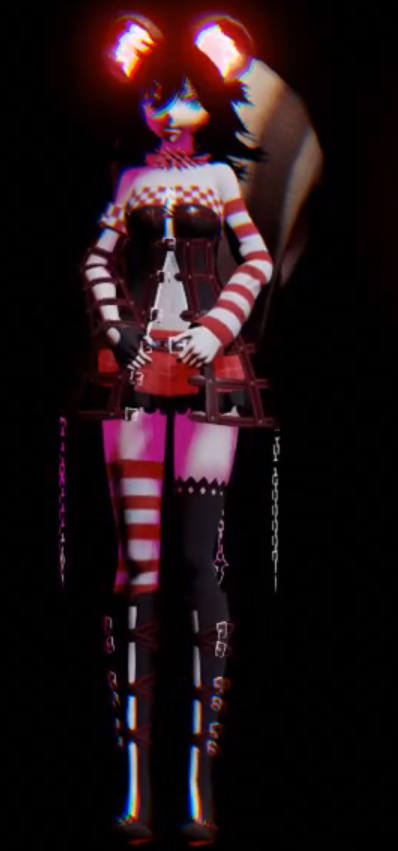


 drifting egret
Nice
drifting egret
Having an issue with an extra Final IK solver on my avatar, it seems to make my VR IK execute twice.
I added a FABRIK, VR IK, and IK Execution Order component to my avatar in order to "grab" something on a gesture.
The VR IK is necessary to pass to IK Execution Order, to make sure FABRIK executes after VR IK.
But as soon as I activate FABRIK and IK Execution Order, my IK becomes a little scuffed. It appears to be executing twice every frame. My footsteps become very fast and my stance changes a little bit.
normal aurora
hmm, does fabrik work on avatars? I get the feeling that it was removed when I tried
 quick forge
Nope. here is a list of whitelisted components, only things in this list will work. https://docs.vrchat.com/docs/whitelisted-avatar-components
normal aurora
yeah, that's what I thought. but then, you don't even get a warning about it on the dialog before uploading
 thorny garden
I am working on a world that, when you press a button, will lock your character into a specific animation. Problem is, with the example animator and stations, the IK is still tracking and updating the position of the head, even while in the station. I am aware that emotes temporarily stop the IK, but is there another way to prevent it from running while in the station?
drifting egret
@quick forge @normal aurora FABRIK works. How else would I be using it ingame?
A lot of Final IK components are actually whitelisted
The only issue I'm dealing with is the broken IK whenever I activate it. It only works correctly if it's always active.
normal aurora
I dunno, I know I have it on one of mine and it doesn't work in-game, at least not on an avatar
I get errors in the logs about a script being missing
I even tried reuploading my test avatar today, and it still does the same thing as before
drifting egret
Works fine for me.
¯_(ツ)_/¯
I'm using Final IK 1.6.1 though, same version as the game
And the IK solvers won't work on anything that's on your armature if you don't add an execution order script
Since your solver will probably execute before the game's IK does, which is essentially the world particle problem again
normal aurora
the thing it's on isn't on my armature, but it's under something which is on it
but the version I'm using is the same one, otherwise it wouldn't work in worlds either, but the exact same component on the exact same place in the model is working fine in worlds
drifting egret
Maybe the component you used isn't whitelisted. I know CCDIK and FABRIK work.
Look At IK is not
Aim At is though
normal aurora
FABRIK is what I'm using :/
normal aurora
typical VRChat nonsense really
drifting egret
I don't know then, it always worked fine for me. I just need to figure out why it's executing twice
normal aurora
for you it's executing twicer
for me it's executing zero times
if we could split the difference we'd have one time each
drifting egret
Lmao
normal aurora
if I had to try IK Execution Order there is a bit of a problem, like you're probably hitting, where I would have to add every IK system that the game might add so that they can come first
I've never been able to grasp how that's supposed to work
drifting egret
Well, in this case it seems like the game is adding its own VR IK component on top of mine
And then when I enable execution order, they're both executed
normal aurora
that's exactly what I'd expect to happen :/
that's weird thing #1
weird thing #2 is that doesn't it use a different IK for full body
drifting egret
I think it does though
It should be using Full Body Biped IK
But it switches to VR IK while walking
That's the "jitter" you see when full body users start/stop walking
And why their feet are locked to the floor while walking
normal aurora
so do I actually end up needing to add both into the IK Execution Order 🤔
drifting egret
Yeah
normal aurora
I wonder if I can add them and just disable both
but if VRChat is adding its own, those are always going to be at the end of the list surely
and then weird thing #3 is the messages I see in the log about missing scripts
that heavily implies that something got removed, but the only thing I have which is not listed on the whitelist is FABRIK
it would be lovely if it would log exactly what it couldn't find 😐
 mental narwhal
@drifting egret @normal aurora You should be able to add IKOrder, VRIK, and FBBIK to the top level of your avatar (same place as VRC_AvatarDescriptor, PipelineManager and Animator. You'll want VRIK and FBBIK to run first as Rokk describes, then you can add additional IK evaluators. For example, I have an avatar with 3 FABRIK chains running like this. You will not be able to control enable/disable of the VRIK/FBBIK components, though, as the internal IK and animation blending is doing that. There are not duplicates of this script, as VRChat looks for existing ones at this location. If it does seem like its duplicating, perhaps the scripts were not added at the root of the avatar as described above.
drifting egret
Oh, that might be the issue. Thanks! I'll take a look.
mental narwhal
Also, you wont be able to set custom settings on VRIK, FBBIK as VRChat sets all the settings internally.
signal linden
What should I use if I want to detect a player has walked over something? I have an invisible box set to onAvatarHit, but it doesn't seem to trigger when my avatar runs inside the box. Do i need a collider for it to trigger, or is there some way of detecting when a player has touched a non collision object?
summer berry
OnEnterTrigger looking for the PlayerLocal layer with a collider set to isTrigger. Make sure the object's layer collides with Player local (Default works)
Honestly, OnAvatarHit has a lot of bugs and weird things that I don't recommend using it for detecting the player. It requires the object to have a non trigger collider and if the object is moving, it will can do weird things to the player's camera
signal linden
hmm, alright hopefully that works, thanks
 tame zealot
Hey guys, so I am tyring to create a unique interactive stream system inside of VRchat
basically everyone spawning should be a zombie and we as the players have safe spawn areas and weapons. The combat system can be used to kill zombies and players but.. how do you differentiate between zombie and player. I was thinking of making weapons somehow part of the models maybe?
summer berry
Are other players zombies or are they ai?
How is this stream related?
tame zealot
FYI this is a group of youtubers with a combines following of over 300k we expect for this system to actually make headlines once created
everyone watching can download vrchat and click on the link and join, they will automatically spawn as zombies
2D
we have enough following to fill the servers and we though its a super fun way for people to participate in non-VR
Additionally I will be looking a stream control systems for controlling waves
or even maps
but we need AI for this first
I am trying to figure out if this is possible in VRchat
to seperate players
summer berry
Currently there is no way to separate players by name or join source, but it is possible to separate players by time joined.
tame zealot
OOHHHH
summer berry
(Not even sure what the real question here is)
tame zealot
we need to seperate them in the data
if I expect this system to function
I am also looking for help I guess
summer berry
What do you mean by data?
Not sure how often people get recruited from these channels.
tame zealot
no idea, but I got money, a goal and the will to get it done myself
I mean we need a way so that every viewer is a zombie and damages us and can't pickup a gun
while we respawn hopefully close to each other
and can use guns to kill everyone else joining the server
We basically join the server leave a explanation on how to join and than everybody just joins and tries to kill us
I could set up a switch that people push maybe
I am looking for someone familiar enough with the system to help me make it work or tell me it won't
summer berry
As I mentioned, the main way to distinguish between players can be join time. Create a link to an instance of your world. Have everyone who will be human join the instance, then you do something (click a button as an example) and then now everyone who joins will be considered a zombie. Share your link with your stream and play the game.
tame zealot
How can i make sure that they only damage us
summer berry
You can do an action at the start of the room (local for each player) but you can also have a button with always buffer one that then changes that behavior. It will do nothing for the people who have already been setup, but new people will now do the new thing.
Rather than damaging each other? That would be team logic.
summer berry
No, but you can build it
tame zealot
but yes I think I understand
I could set up a spawn room
that requires people to press a button to leave making the spawn in a random place in the map
summer berry
If you want to add the extra step of clicking a button, sure
clicking a button on join*
tame zealot
well how do I auto equip damage?
summer berry
what do you mean by equip damage?
tame zealot
well as a zombie they need to make damage by touching the player
automatically
but I can equip whatever I need to during the initial player join step
I can't use VRC_AddDamage triggers on the avatar so I need to have something following them
summer berry
I can think of a lot of weird ideas on it, but the logs might be spammed.
Easy way: On becoming a zombie, give them a way to spawn an object that is a zombie weapon.
Complicated way: Use HardLight's Propspawner to spawn an object that follows the player (giant collider?) that is big enough that getting close to the humans will damage them.
tame zealot
I'm not familiar with prospawner?
I also want to force the zombie weapon
The entirety of the setup for the viewer should be downloading the game and clicking the link
summer berry
It's one of the pins in #world-development
HardLight's Toybox contains lots of useful prefabs
 sinful mural
I'm trying work with "OnKeyDown" to fire a weapon for desktop users. However, everyone has access to the key. Basically I want a "OnPickUp"-->"OnKeyDown", but I don't think there is anything. I'm looking for a replacement for a second hand for desktop. How do I make "OnKeyDown" exclusive to the player?
dark sigil
just set the broadcast to owner
and if you're just trying to make it fire with a click/trigger use OnPickupUseDown
 smoky phoenix
Does vrchat reset render textures that use certain color formats/anti-aliasing?
mine is ARGB float and 2 anti-aliasing samples works in unity but doesn't seem to recognize in game
camera output is apparently black
 untold crypt
Does anyone know how to override IK without manually using an emote when using stations to add animations to a user's avatar?
Essentially what the MMD dance stage does.
summer berry
@sinful mural if you only want it to happen while holding an object, use OnPickupUseDown. If you want it to only be on keypress because you need it to be desktop only and/or have multiple keys, make a new gameobject, have it disabled. On pickup, it locally is enabled, on drop it is locally disabled again. Put all your onkey events on this object.
@untold crypt see the conversation in #event-system-sdk2
untold crypt
@summer berry Thank you! Sorry I missed that convo. XD
tame zealot
Hey guys I am looking to hire a VrChat capable developer to create a few custom systems.
Namely we are looking to create a system in which we can spawn as players with guns and than we flip a switch and every subsequent person joining becomes a zombie.
This system will be used for a interactive stream for thousands of viewers and I will consider it a prototype to either bring to investors or approach VRchat about building out a full monetized store platform into their platform.
This is in partnership with a small group of YouTubers us included with a combined following of over 1 million. I am also a Microsoft Lead Engineer so I have easy access to investors
summer berry
Wasn't expecting that last part
summer berry
While I have the knowledge on how to build it, I sadly don't have the time. I'll still be here to answer questions though. (Which is probably why I don't have the time. Hmm...) ¯_(ツ)_/¯
tame zealot
Do you know anybody that might be?
The prototyping systems should be simple enough plus I can do all mapping modeling and animation related work
summer berry
Do you have a timeline?
So far everyone I know is busy with their own projects. I assume most advanced developers only come here when they have questions or feel free enough to answer other people's.
tame zealot
I am the type of person who will create this myself as you saw from previous conversations
but having a lead developer to work with would make everything much more stable and faster
I was hoping for something within 2 weeks
The monetization of the platform can wait until next year
Although the holidays would be best for any Kickstarter efforts
So yeah no real timeline but life is a race !)
summer berry
I'm curious on what VRChat thinks about all this since you would be using their platform.
tame zealot
Like said I want to get working prototype which shouldn't be a problem
The idea to create monetized platform came after
I just think people would pay to get upgrades to kill their favorite YouTubers
Plus you can create hunger games style interactive systems
Based on donations
A lot of money is in this idea basically haha
summer berry
That wouldn't work with the current limitations of VRChat. No way to have external events affect the game yet. You would need someone to be watching for donations in the world and their only job is to then give people objects.
tame zealot
Yep I already considered a controller position
Creating a designated control room would be a workaround, plus we have the resources
But when working directly with VrChat we could create custom scripts
Plus I think it's in their best interest to have us build it on top of their platform
Gmod has had monetized systems in their system too
Like said the idea for monetization came later
and rather than worrying about setting up everything from scratch I would like to set this up first
near bronze
@tame zealot I might be interested. I even have a system that I've already been working on that could plug in as one piece of the puzzle.
I'd love to meet up ingame sometime, we can talk about some of the details and I can show you some stuff I've built.
 shadow dock
@tame zealot you might find this interesting with that project. https://vrchat.net/home/launch?worldId=wrld_477a89bb-5f01-4885-92dd-fc60d91422f6&instanceId=42~hidden i was commissioned to make a combat system for a world that's under development. currently working on a grenade for it next.
 hexed basin
Hmm, Interactive Streaming, Microsoft. Are you using Mixer :)?
normal aurora
I've done my testing, and got FABRIK to work, but now I have the same problem as @drifting egret with the character moving twice as fast heh
drifting egret
Yeah, I'm not sure what's going on there
normal aurora
also went crazy in the menu until I disabled the IK objects on the root
drifting egret
Yeah
Changing the footstep speed in Unity also seems to change it ingame
Which is weird because the game is supposed to apply its own settings
normal aurora
that totally contradicts what we were just told earlier lol
still, if it's a workaround...
drifting egret
Well it's not really a workaround unless it's always on (mine is toggle-able)
Since enabling/disabling it on the fly seems to toggle the problem on/off too
The game does apply its own settings though, since the IK wouldn't even work otherwise (targets would be broken)
But it seems like footstep speed might not be overwritten
I need to test it some more. Right now, I have all three IK components disabled, and I enable them on a gesture. If I don't toggle execution order on/off, it seems to force the other IK components on
What I haven't tried yet is putting the FABRIK and IK Execution Order scripts on a separate game object
While leaving VR IK on my root
normal aurora
should we also be slapping Limb IK on there... 🤔
drifting egret
I doubt it
normal aurora
I just remember something saying VRC also used that
drifting egret
Yeah, that might be for avatars without finger bones
They don't have lower body IK
normal aurora
that would make sense
drifting egret
So the VR IK component is probably not used for them, it's the "all in one" component that handles head and hand tracking, as well as crouching and automatic footsteps
normal aurora
step speed defaults to 3 anyway, so if VRC isn't overwriting it, it should still be 3, and on an avatar without us having added a VRIK, it should be 3 as well, so it can't be that setting surely
drifting egret
Well, the rest of my body kinda changes stance too
normal aurora
I know what you mean, I feel like the arms also move about more
drifting egret
So my initial theory was that the solver is executing twice and is altering the result, as if you had doubled the iterations or changed the "source" stance
But maybe it's a different issue
 past storm
@tame zealot I might be intrested too, working as a Full stack developer currently but I still got some free time I would otherwise fill with open source projects.
tame zealot
@past storm I'll add you and let's talk :)
@near bronze let's meet up, I will add you too :)
oak pollen
Well, i recently added aimik to my pet to look at same direction, but same problem after adding vrik to avatar root - fast stepping and springing in place as if standing on a hot pan
normal aurora
now we can all form a fellowship
the fellowship of the spring. quickly escapes from the room before anyone throws anything
 surreal lily
Hello, folks! Random question. 16bit .PNGs do not seem to carry the alpha channel of a .TGA too terribly well. I am pretty sure that the current PNG standard allows for a proper alpha channel at 16bit, but it's not blending with the background pixels. It blends to black. Is this a failure of the format, Photoshop, or Unity?
warm niche
@surreal lily did you tick the 'alpha is tranparency' box on the import options?
without it, the alpha channel doesn't even get imported
surreal lily
I did.
After some experimentation, what my Photoshop is exporting seems to be troublesome.
I have since worked around it, though.
VRChat exports and compresses textures, so if I have a 16mb TGA it's not going to be a crisis once compressed.
I have more than enough RAM to deal with it on my own. 😛
 rotund wolf
Is it possible to make portal in the world smaller?
 dusky drift
Tie it to an animation that scales it down
Quick question. I've got a Sync Video Stream connected. Youtube videos work fine for everyone. Twitch streams only work fine for people in the instance. For late joiners the stream won't play. Anyone a clue?
frosty nova
you should be able to change the reference camera's culling masks to do that
summer berry
Vrchat overrides the reference cameras layers from what I’ve heard. You can’t change what gets culled in the camera.
frosty nova
i know it can be done at least. One of the mmd worlds use it for their cameras. Could potentially be stencil though with the camera having an overlay of the right thing to render it
rough sleet
The only layer that's hidden is mirror reflection but that will be visible in mirrors.
summer berry
If you want it to only be visible in the mirror, set the layer to “Mirror Reflection”. This will also make it visible to cameras too. I suppose if you want the opposite, “player local” would work.
rough sleet
Xiexe made a tool to automate setting up the inventory system developed by Weong, Error, and Nepsy.
sinful mural
I am clueless on getting VRC_DestructibleStandard to work. I have the VRC_Combat System and I am able to kill players with particle collisions, but I am trying to apply particle collision damage to objects. Can anyone help?
warm niche
ooh, thanks TCL! @rough sleet
acoustic mantle
Anyone had an issue where an audio gets overridden by someone else's or a worlds music. And is there any way to prevent it?
warm niche
I believe this might be audio prioritisation in the audio source properties
@acoustic mantle
acoustic mantle
It's a permanent override on your activated sound.
IE Fire a gunshot, hear music playing in place of the "bang". It's not something else overriding it with priority (higher priority music winning over a lower priority gunshot for example).
It just replaces it till you restart vrchat (not even just avatar swap in a private world fixes it)
 devout raptor
https://cdn.discordapp.com/attachments/485442757138055176/500653432093540362/Untitled-2_copy.jpg What is this for? Can I put my own id or how it works?
 summer berry
@devout raptor instigator id is used to indicate which player. Every trigger has an instigator and some triggers will not do anything when broadcasted as only the instigator can perform the action. You should always leave it checked to use last player as we have no way to know a person’s player number.
devout raptor
thank you
 swift stone
i have been trying to add damage to some swords in my world so people can fight each other but when i test the weapon it does no damage need help
summer berry
@swift stone The object used for damage may be on the wrong layer. I suggest making a new child object in your sword, add the collider and damage trigger here. Make sure the layer is something that collides with player local and use onEnterTrigger. I recommend having the collider off by default and turned on for everyone but the holder when someone picks it up so that the holder doesn't kill themself
barren lantern
Two quick questions about animators and UI components:
- How can I trigger a button's OnClick event from a VRChat Trigger?
- Is it possible to get the value of an Animator Int Parameter and set that as the contents of a Text UI element or an InputField?
summer berry
@barren lantern You cannot directly call an onClick event through a trigger. You can only call it through an animation event or through another button. I have an animators that all they do is click the button, either by trigger or at start (for when enabling the object).
At this time, I do not know of a way to get the int parameter out of animator.
barren lantern
Ah, okay. I'm trying to figure out a way to count how many times a VRChat trigger is triggered with high precision (and potentially up to hundreds of triggers), so I was hoping I could increment the Animator Int and have that value display on a Canvas.
I'll test calling the onClick through an animation event.
summer berry
You can do that and I have a way to display numbers up to 99, but it is a file for each one. It's been awhile since I've messed with it, so I should see if I can make it a prefab.
barren lantern
Ah, there's no need to go through the trouble; For right now I only need this for a one-off test, so I can figure something out. I'm still missing around with MIDI triggers, but I'm encountering an issue where multiple of the same MIDI note in succession will only fire the first note event and throw out any following events if the gap between all the notes is 0ms (no gap between the notes). I've tried so much to fix this I'm starting to think it's a bug in the MIDI trigger, but I'd like to be absolutely certain that it's not an issue with my own implementation before I post to the Canny. I kind of wanted this as a more flexible solution in case I ever needed something like it again, but for my use case right now I can probably just make a MIDI file with a known number of notes in succession, hook that into an ObjectSpawn trigger, and then just count the number of spawned objects after.
summer berry
I made a script to generate the numbers. I'll see how long it takes to generate up to 999. I haven't used the Midi trigger yet so I can't answer that one.
barren lantern
Thanks for the help. 😄
 storm haven
So I have a gun that can destroy an object, but if I start spamming the gun, the damage doesn't register on the object, does anyone know how I could fix this?
acoustic mantle
Anyone know why adding simple capsule colliders would cause a bounds issue of significant difference? The bounds are less than the avatar bounds. didn't remove the mesh/render from it
warm niche
@tame zealot hey, im working on a zombies map from cod
 somber spade
does anyone know why with gpu particles v3, the particles slowly morph into a cube as soon as i release the vr shape attract?
 tall depot
Hello. Please help to understand how Vive trackers are assigned to respectively left and right hand ? is there any rule for that? The reason I am asking is cause I have custom setup and there is no way to switch hands right now. Thanks
 noble cypress
sup, haven't been around for a while... i noticed quite a few updates have come out and you're now using the latest unity version?
whats new in terms of scripts that are allowed or.. i mean.. how much more can you actually do
warm niche
for vrchat ?
they still use unity 5.6.3.p1, so not the latest version
noble cypress
wait what? i fucking hate that guy lol, a friend said they now use the latest one
autumn hatch
VRchat is indeed still on 5.6.3p1. Can't think of any new scripts that have been whitelisted. There's bunch of new components and triggers in the SDK
 fair kestrel
Does VR Chat use p2p at all?
warm niche
nope
fair kestrel
Any idea why the client would be trying to connect to hosts all over the place? Destination port is always 0 though so the connect never works.
fair kestrel
that is with the client just sitting at the login... well, technically not getting that far, more the "connection timed out" which made me dig into why
ips aren't of youtube either
warm niche
yeah, if it's not even connected ignore my first comment ... weird
fair kestrel
anything else I can try lul
 rigid apex
I've been using @rough sleet 's 3d shaders in my theater for a while now, but been doing some updates so figured I'd check to see if the shader got updated recently and am a bit confused now. There's the ones linked to by the pinned message in the forum here. But there's also a github page from TCL, with the same shaders and one I hadn't seen yet that can toggle between OU and SBS. According to the version number in those files they are newer I think. Should I use the pinned ones I was using before or are the ones on github advisable?
The ones on github seem to be a year old. But their version number is higher.
The pinned ones are older then a year as well, thought they were more recent.
rough sleet
@rigid apex I made the combined shader after the separate SBS and OU 3D shaders.
rigid apex
I'm not sure if the pinned ones here have certain optimizations for vrchat, that's why I'm hesitant to use the github one.
rough sleet
They all work about the same.
No optimizations or anything, the shader is already really simple.
I made the combined shader to simplify switching 3D modes.
rigid apex
Ok, sorry to have pulled you out of your slumber with this and thanks a lot for the shader. My friendsgroup has had many a virtual movie night enjoying them.
rough sleet
You're welcome.
rigid apex
i'll go use the combined one
boreal flame
how do you make something that tethers between 2 of the charcaters hands
cuz i was thinking of making like a cloth line that would be 'grabbed' by both hands
like this for example

maybe if i weight paint them to the hands?
 dusky dirge
try a fixed or configurable joint
oak pollen
Yup, can be done that way. Can also make a separate mesh, and drag the bones to avatar hands (breaking the prefab). No need for joints
Been using this with a shader that construct a quad between hands from a rigged triangle.
oak pollen
Leave the mesh part outside of armature and move the bones to hands - can safely break their hierarchy
What I use this trick for: https://streamable.com/kp7q3
drifting egret
So, how does that work? Geometry shading?
The only way I can think of, is having a quad where two opposite vertices are weighted to the hands
And then you use geometry shading to move the other corners further out?
proud meadow
Yes, you can do this with a geometry shader. Make a triangle with one vertex on one hand, and two vertices on the other hand. Then your geometry shader can take the coordinates of IN[0] and IN[1] and construct geometry with those
drifting egret
Ah, so it's doable with only one triangle? Interesting
I need to look into geometry shading it seems
proud meadow
I have an editor script to generate a mesh skinned to your existing skeleton but honestly I really like Dj Lukis's approach to import a new mesh and break the prefab. that's really clever and makes such a script unnecessary
drifting egret
Tbh I had no idea that was even possible
proud meadow
ya you can probably use this concept for clever effects in worlds: you can make objects that are synced and can be picked up and maybe even have their own mesh and then have a skinned mesh tri attached to up to 3 of these objects and the shader can just directly use matrices of all of these game objects as vertex inputs
oak pollen
In the video I was still using joints. Later tried breaking and to my surprise it worked. Had to revise on trigonometry to get it to work 😅
proud meadow
awesome, nice idea
drifting egret
Haha
dark sigil
I assume with the geometry shader you'd just do some math to make the verts line up and then make another triangle to complete the square
drifting egret
Math 
dark sigil
i do the 2*2 multiplication, why me shader no work
 sonic locust
why shader pink?!1?
boreal flame
ok i got it done now but
now how do i make them throwable
like how to make it return to original position
 cloud escarp
is it possible to use VR Chat SDK on Unity for Mac?
seems to work but won't upload or show previously uploaded content
boreal flame
try 2 use unity on windows or windows emulator/vm ig
vrchat is only available on windows anyway
also make sure u got latest sdk and unity first
and if reinstall and pc restart not work then ye might need window
i dont think its supposed 2 work anyway right cuz like
the SDK uses dlls
i dont think macos uses dll
might be incompatible
final wigeon
@cloud escarp You can use the vrc sdk on mac os, there's a setting you need to change to make sure uploaded content is visible, I seem to remember it's setting the target platform in build settings.
cloud escarp
my only option for target platform seems to be mac
final wigeon
Set the target platform to Windows x86_64 and uploaded content should work
Oh then you'll need to re-run the unity installer and install the stuff that lets you build for windows targets.
cloud escarp
oh damn
ok
let me try that again
it doesn't seem to give me an option to install windows stuff
final wigeon
Gimme 5 minutes and I'll be at my mac and I can check exactly what it is you need.
cloud escarp
thanks!
final wigeon
@cloud escarp Re-run the unity download assistant and when it gets to the component selection make sure you have windows build support ticked, as shown.
https://cloudflare-ipfs.com/ipfs/QmPFvehLaqkAknL1WjvmEF99HjyNuDgG7FJoFL2Evn51bE/img 177.PNG
 final wigeon
https://unity3d.com/unity/qa/patch-releases/5.6.3p1
I used the Unity Editor Download Assistant link on this page
final wigeon
No problem 👍
cloud escarp
actually
it still isn't giving me any install options
it seems to just be the same unity package i already had
final wigeon
That is odd, you're getting to the same stage of the package installer and it's not showing those options?
cloud escarp
i get to installation type and all i can do is change the install loaction
then i hit install and it just goes
final wigeon
Send a screenshot of your installer window just before you hit install
final wigeon
upload to imgur or something
HUH that's weird
What Mac OS version are you using?
Or maybe, try using the component installer for mac, https://beta.unity3d.com/download/9c92e827232b/MacEditorInstaller/Unity-5.6.3p1.pkg
cloud escarp
i'm on 10.14.0
i thought i just downloaded the component installer?
oh well i'll try this
final wigeon
The install assistant is kind of a meta-installer, pulls in the stuff you select so you don't have to download everything.
Yeah, the component installer only has destination select, but the assistant has the extra stuff shown in my screenshot.
Either way, that should give you the windows build target options in the build settings (may need to restart unity to see them) and setting it to that should make the uploaded content visible in vrchat.
cloud escarp
awesome
my mac is a lot faster than my pc so this will be really helpful for me
i'm so confused
the download finishes and theres just nothing
same package again
final wigeon
Sent you the install assistant that I used, see if you have any luck with that.
final wigeon
Awesome, all sorted. :D
drifting egret
Still messing with geometry shading @proud meadow. I created a mesh in Blender that's 3 verts and 1 tri. One vertex on one bone, the other two on another. Unity imports it as 0 verts and 0 tris though. Any way to prevent that? Just move the verts a little bit apart?
Nvm, had to untick weld vertices
In import settings
proud meadow
you might not want them on top of each other
drifting egret
Oh, why?
proud meadow
hmm ok guess you figured it out :-p
drifting egret
Sorry for the ping lol
I actually got something on the screen now and I'm happy lol
proud meadow
it's a bit confusing to wrap my head around weight painting in these weird cases, but basically unity will probably update bind pose transforms when you move the bones to a different parent in the heirarchy so it shouldn't matter
 lost gorge
How can i set up aimik properly, have already tried tcl guide. Like are their any wried requirements for it.
drifting egret
How do normals work in geometry shaders? I can't find any resources online
No matter how hard I try to set the normals in the geometry shader, they still seem to face whichever way
lost gorge
Is the shader using vertex normals or a normal map?
drifting egret
Vertex normals
I'm generating two tris to make a quad, but they're facing in opposite directions
And I need backface culling
 golden valley
how are you calculating normals?
lost gorge
On the model you can calculate vertex normals in unity
drifting egret
That doesn't change anything
@golden valley currently not calculating them yet, getting them as input. Hard-setting them to some value in the vertex or geometry shader doesn't seem to do anything.
lost gorge
Try and give the model a smoothing angle of 180 degreew
drifting egret
@lost gorge that didn't do anything either
There is only one tri in the mesh itself, the other is generated solely in code, I don't see how changing the normals import settings would help.
golden valley
@drifting egret I would try calculating them with
l12 = normalize(IN[1].pos - IN[2].pos);
l10 = normalize(IN[1].pos - IN[0].pos);

normal = cross(l12, l10);
That may or may not be backwards, flip if it is. I forget the exact order of those terms
drifting egret
Thanks, I'll try that
If I hardcode the values I would have expected to at least see something happen. I'll try your suggestion though
golden valley
well how are you testing if the normals have had an effect? If your fragment shader doesn't use normals they won't look any different.
If you are just checking the culling, the culling i believe is based off the direction(clockwise or counter clockwise) of verts
golden valley
yea normals have no effect on that
drifting egret
Ohh, right.
Yeah, that seems to have done the trick. Thanks! @golden valley
Still a bit of a noob at this stuff, I assumed I had to look for normals like in Blender
acoustic mantle
I've seen people use cameras to display things, but I can't seem to make my camera render display work for anyone but myself.
Camera outputting to texture, texture/material placed on a plane.
Displays for me locally, but anyone else sees a black plane instead (including friends).
Is there any way around this or am I just out of luck? Also does it only work for snap-shots or will it work for active displays?
acoustic mantle
Ah, not the object then. That's where I went wrong. Thank you.
Can a parent be disabled or does it have to always be on?
acoustic mantle
so as long as I toggle the component it should work either way?
that is a weird restriction >.>
Thank you
warm niche
yup, last time i used cameras (like 4-5 months ago) it worked that way
acoustic mantle
Alright, I'll try it out and see if it'll work. Appreciate the help.
proud meadow
It's kind of nice once you know the rule because it gives you the option to have complicated camera effects that are local for you only without lagging friends or others. And if you want friends to see it you can animate the component on
acoustic mantle
very true. I might be able to use it for some planned effects now
merry coral
hey would it be possible for a shader to give off the illusion of movement?
for ex: make the person look/feel like they are falling down?
or have a camera follow a persons head movement
 vagrant siren
anyone on that can help me real quick?
 subtle kelp
@vagrant siren http://sol.gfxile.net/dontask.html
vagrant siren
when i right click an FBX i dont get the "process fbx to assetBundles" option. is that a script i need or is that part of a different version of unity?
subtle kelp
This is new to me. What do you need this for?
vagrant siren
i have some FBX models im trying to bundle up for another program but i know you guys here are better with unity than i am
 safe musk
Got an object with an animation controller on it, with various variables on it. all triggers that mess with these values are local and there's no object or animation sync on anything. When I do an animation trigger on it though (also local), it only uses the values that the master of the room has on it. Is this intended? Or is there some workaround I'm missing?
safe musk
I'm going to throw this thing. (╯°□°)╯︵ ┻━┻
oak pollen
Is the animator under object_sync?
safe musk
Newp, no object or animation sync components anywhere on it.
safe musk
I'm taking a break from messing with it. I'm convinced the SDK has a bug. I attached a demo scene.
 crisp pendant
Does VR Chat have a problem with alpha transparency? Some of the things I try look different in Unity than in-game
drifting egret
@crisp pendant which shader are you using?
VRChat seems to have issues with custom render queues not defined by the shader, but otherwise everything should be fine
crisp pendant
I'm making one in Shader Forge
drifting egret
You have to hard-set the render queue in the shader rather than in the material settings
crisp pendant
Hm
crisp pendant
Unfortunately the solution seems to be to copy the shader as many times as I need different render queue values
drifting egret
Yep.
crisp pendant
Tupper pls fix
drifting egret
It kinda sucks, but that's why a lot of VRC-oriented shaders have separate "transparent" versions that are on queue 3000 instead.
I don't know if this is something the devs can fix. If it's an inherent problem in Unity it could be difficult
crisp pendant
But it looks fine in in the editor and play mode
I think there must be a setting enabled in VRC to force all objects to use their shader render queue instead of the material inspector's ovveride
drifting egret
I don't know. For all we know, it could be a limitation with asset bundles.
I see no reason why VRC would intentionally force such a thing considering a malicious person can easily bypass it
crisp pendant
"Force," for lack of a better term. I'd sooner assume it's an oversight
warm niche
how do i subtract player velocity from my add velocity function?
i want it so when i press space, my character gets pushed up a certain amount, not the upwards velocity being added to the current velocity
near bronze
set it to kinematic for a single frame to completely remove any velocity
summer berry
What is it though? They are trying to affect the player.
near bronze
Can't affect the vrc player in that way of course. But the way they worded that sounds like they might be working on their own "player" that you control third person or something
warm niche
@near bronze could i call you?
im not good at code, i usually just 3d model stuff
im working with a mate
near bronze
wait you're trying to code? Vrchat doesn't allow custom scripts