#development-advanced
1 messages · Page 14 of 1
 urban tapir
but I think I might have found the solution
normally, you would see a shrunk head there
 raw heart
How come I still end up in the old Hub?
urban tapir
Clear cache
 tough folio
hi
quick and simple question: the moment my avatar starts moving the eyes disappear.. in the preview they appear. If I attach SimpleAvatarController in Unity they appear.. the moment I move in VRChat (non VR for testing) they vanish.. any hints? ^^
 acoustic saffron
it usualy means that the eye bones are connected, and not at zero rotation;
tough folio
Zero rotation should be "roll" isn't it? Roll is 0° - or have I missed something^^
acoustic saffron
yes but is that the eye bone selected in [head]
acoustic saffron
The Api is not to bright in sellecting the named bone vs one close to eye :3
tough folio
 runic mauve
tough folio
runic mauve
tough folio
Yeah, the other one is kinda.. oops
runic mauve
bone cant to close to front
because that make go in the head
so you have adjust till it right
for your avatar
acoustic saffron
to close makes it not move at all; or move just weird.. but the api selects the bone by default that is most close to the mesh; rather then choosing the bone that caries the name.
tough folio
Yes, I'm trying to correct those things right now ^^
acoustic saffron
yah officialy you weight the new bones to the eyes; and remove the old one; but most of us are to lazy to do so
runic mauve
i only weight the eye to pupli mesh only
runic mauve
that take to you long lol
runic mauve
dublicate the head bone make perfect eye bone
acoustic saffron
vs activate weight, select bone from list; paint; get out
runic mauve
you just go to material select the pupli texture material go edit mode hit select it give you vertex for them
anime avatar dont need move the white part
because eye 2d
acoustic saffron
i knows, but my way works to; withouth the hassle of weight painting 😉 mean for me it works and gives the result i want.
acoustic saffron
i dont use "groups" at all
tough folio
well, next try ^^
acoustic saffron
not hard about it
tough folio
in the end: whatever works ^^
tough folio
Hm.. I think I have something.. despite the roll being 0 in Blender.. the X rotation in Unity shows as 90° - which in the sample avatar it doesn't...
urban tapir
Is there a way to fade into another mesh
Like instead disabling and enabling a mesh for animations
 strange fable
🌈 Shaders 🌈
urban tapir
Thats what i expected I guess...
Any idea what it might be called?
So I can look it up?
 dull umbra
@urban tapir Easiest way is to animate the alpha channel of the mesh's materials (make sure the shader you're using supports alpha blending)
If you want a direct morph, you can use blend shapes.
urban tapir
ok, I'll check that out then
runic mauve
@warm niche what you mean?
 warm niche
Uh wrong one sec
runic mauve
oh lol
 dapper obsidian
who could I talk to about makeing a world?
 weary mica
Elaborate
 verbal tusk
I'd say the first few things to do would be get an idea, and some references for it
 merry coral
 hot stone
Don't suppose anybody here writes shaders?
 lyric stone
So, I want to animate a 1911 to shoot. I want the trigger to move as I move the trigger irl, and when it's fully pressed, I want it to start the actual shooting animation, is there any way for me to do this?
runic mauve
@hot stone there people do but good luck them share it lol
runic mauve
i know tcl, snail,warpuppet, claw know about shaders
hot stone
@rough sleet are you alive then?
 rough sleet
@hot stone What are you looking for?
 pale violet
is there a good way yet to make a flying transport so that the passenger can control the direction?
runic mauve
would need to play with standard asset plane script @pale violet
no one really use that yet
pale violet
oh nice. but someone must be using it then
runic mauve
not yet lol
pale violet
people make flying vehicles using colliders that don't work super well
i assumed they'd use it
if they could
so there's a prefab in standard assets?
pale violet
same way, you mean you used it?
pale violet
what do you mean by 3 person script?
it can only take 3 people?
which would be fine
runic mauve
3 person script just control avatar inside vrchat
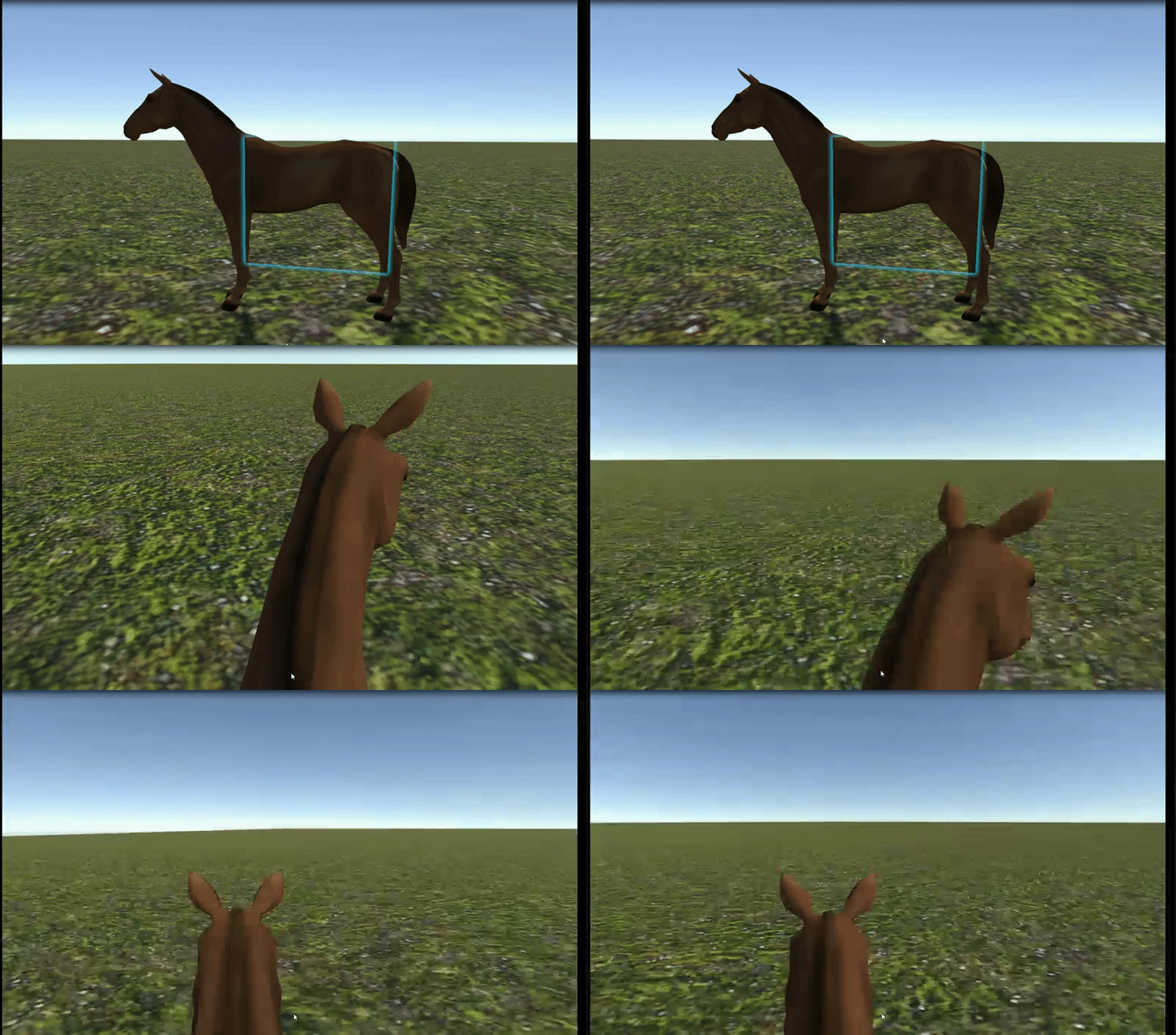
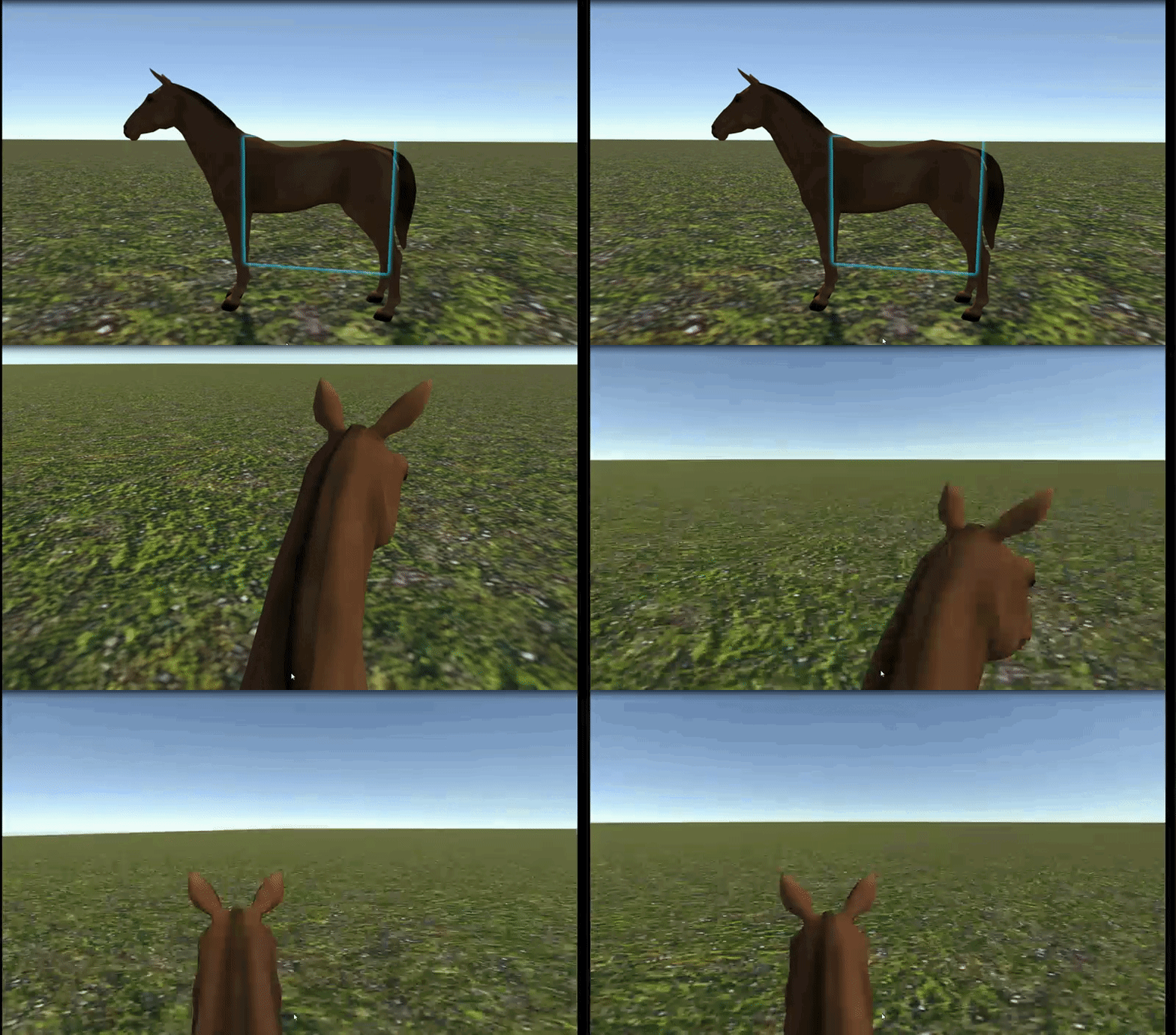
i made with horse
here prefab how to make trigger for chair on movmentable obj https://cdn.discordapp.com/attachments/375449918409539595/375762153904275466/working_car_demo2.unitypackage
it would need same method for cars
pale violet
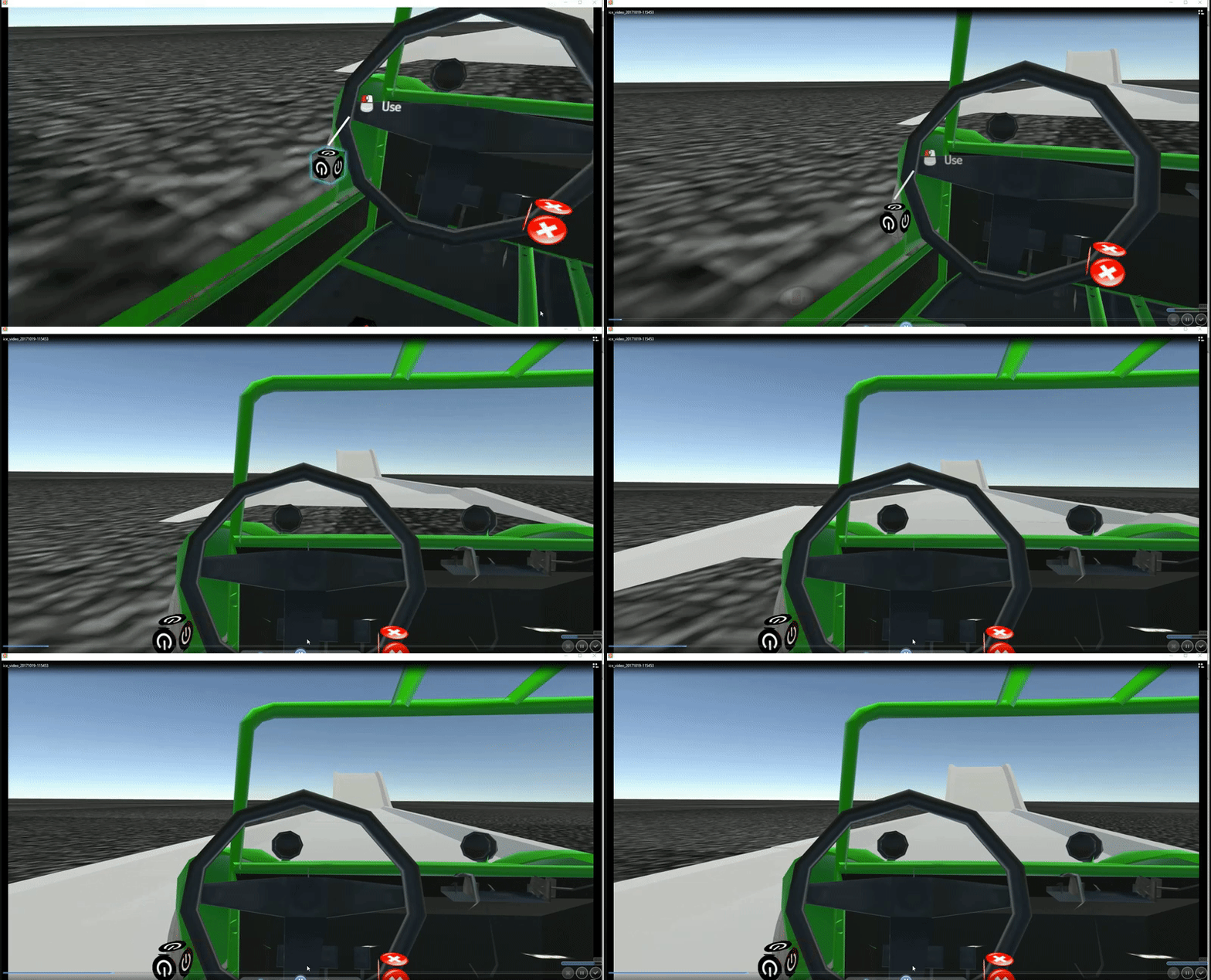
thanks! will be fun if i can make this spaceship fly over this ice planet
 viral verge
Has the new sdk removed anything? Stuff from my old world does not work anymore when moved to a project with new sdk
 old bridge
@lyric stone there's no continuous finger detection, only open/close state. When you trigger the animation two poses will be blended a bit so it will look like smooth trigger pull
@viral verge I had the same issue. Closing and opening Unity solved it
viral verge
Sadly did not fix for me, going to try build a new project
old bridge
Well..I used just simple things like chair prefabs
May be other ones got changed without backwards compatibility
viral verge
Works in a clean project, Not sure what happened with the other one
guess i just start over q..............q
 low star
please help me. how move bone from one armature to another? in blender
 brittle lagoon
hey i have the jump prefab do i replace the new world prefab in the scene with the old world prefab im unclear on how to use it
runic mauve
@brittle lagoon go to vrc world click on add componet type in vrc players mods
add mods
only run and jump work
in it
make sure you have news sdk
from webpage
brittle lagoon
@runic mauve do i need the old world prefab or just add player mode to the current world prefab
@runic mauve when i added player mod to the current one it gave me know options just a click box that says is room player mods
@runic mauve do i need to click that box
runic mauve
you would need update your sdk
it has to be new 2017.10.26.17.36
make sure delete old sdk before update it
if not show up you have to messenge @sudden smelt
he want to make sure there actally bug in sdk
 sudden smelt
you shouldn't need to, just to make sure on the settings page it says the latest version. also how did you update the SDK, did you just reimport the package or did you close unity, delete the VRCSDK folder, open unity again then import?
runic mauve
@brittle lagoon cant use that client anymore in your client path
need to be hook to steam one
and screenshot this video not setting
brittle lagoon
rough sleet
@hot stone Yes, what are you trying to do that you need a shader for?
hot stone
Those are pretty limiting
Many aren't built for all around rendering
Only standard or toon only
 prisma void
runic mauve
prisma void
runic mauve
look like somone delete to much on the face
or smooth out to much because it one side ploygon now
old bridge
@hot stone this outline is really thicc 😅
runic mauve
i think he missing some material on the face as well
 wintry portal
Are you able to set custom animation overrides on things that aren't humanoid?
I've tried to, but all it does is make the game unresponsive until I reload
 sturdy frost
Yep
You just need to tell the animtions that it can animate the different bones (mask options to do this)
That is if you are having extra bones on the humanoid. Otherwise you can upload your own animator with a generic rig
wintry portal
Well that's the thing. I've set up an animator with a generic rig for this Facehugger, I set up an animation that enables an egg mesh, and animates it opening, and the facehugger crawling out. However, I cannot seem to actually get that to work in game even though it looks like it should. I replaced the default waving emote with this, and its essentially softlocks the game for me.
sturdy frost
I'm not entirely sure how it actually works. I would think that a custom animator wont play well with VRChats menus
wintry portal
Alright, I'll try some custom keybinds then if I can.
sturdy frost
Tell be how that goes, could be interesting if you get it all working 😃
dull umbra
@wintry portal Put the override animator on the animator itself instead of the VRC_Avatar_Descriptor component. Just be warned, you don't get any of the default animations with generic avatars, so you'll have to do them yourself.
Also, emotes don't work. You'll get stuck if you try to use them.
wintry portal
Yeah i figured that much out, Is there any way to do custom animations that are similar to emotes? the overrides dont do anything.
 sweet crystal
Maybe this belongs here more... How should I hide my avatar's weapons?
runic mauve
turn off the mesh render off first then use animation to turn it back on
sweet crystal
They're part of the avatar's mesh
sweet crystal
Can't I change the scale through animation?
runic mauve
yo would still need to make it own mesh
it part of the avatar
if you leave togther
sweet crystal
Okay, I'll try changing the scale and see how it goes
sweet crystal
Hmm, it doesn't appear in the mirror
runic mauve
@sweet crystal because game obj is off
before you load in
if want your weapon to show only turn off mesh render
from it
sweet crystal
What object
sweet crystal
I don't understand you
sweet crystal
I don't think you understand that my avatar is one object
runic mauve
reason i say make it own mesh
only turn off mesh render show in the mirror
turn off game obj or make shirnk
wont work in the mirror it become animation then
 ruby cave
can someone help through this? I just got dynamic bones and have no idea how it works. I looked at a tutorial, but didn't understand it much. I'm working on my own version of unitychan to start off and learn how everything works, but how can I give the hair physics, and make it so that it doesn't go through my body?
sweet crystal
Oh, you should have said that to start with then
@ruby cave Did you watch the super helpful tutorial video? (https://www.youtube.com/watch?v=GXrllGsGlFI)
The key steps are assigning the root and setting the parameters properly
 analog trout
is it possible to do an animation like a toggle
that turns off and on something on a model
 autumn hatch
Not that I know of, no
pale violet
i remember @warm niche linked to some streaming service that could be used for music in our rooms, anyone know which that was? i've only streamed via youtube. i've tried to include a playlist of mp3's the download with the environment however it seems like with bigger rooms it just won't properly load, even if i don't have them pre-loaded.
i'd really love it if there was a way to stream bandcamp
or maybe i could stream songs using webpanels, if the link was an mp3 i uploaded?
old bridge
@runic mauve thanks, I never knew it will show up in a mirror if I only disable mesh renderer
pale violet
@analog trout could you give some more specifics? seems like you could toggle between two models, just one has that one section deleted or unchecked. depends on the animation though.
raw heart
Are small animations labor intensive on resources?
warm niche
@pale violet streaming doesn't work anymore. It is something we would have to reimplement. If there isn't a feature request on vrchat.canny.io then please make one if you desire to see it come back
pale violet
just made one like twenty minutes ago. really would love a music player without the video bandwidth.
 sturdy lynx
does anyonw know how i can make the particle not follow the character and fall from where it spawns ?
sturdy lynx
how do i spawn mesh with particle
 dark epoch
im pulling my unity up. I know how cant remember where it was
sturdy lynx
XDD
dark epoch
@sturdy lynx way down there is a render tab. click it on and where it says renderer change it to mesh
dark epoch
simulation space to world
dark epoch
is it too small or too big. zoom in and out
if its not its own object when you scale it with its parent it directly affects the size of particles
dark epoch
hmmm. I think its also affected by the actuall size of the mesh your wanting to use. so if its ridiculously oversized it may not work right. I know a certain wizard whos gotten these to work right
dark epoch
you can change the material to something bright
sturdy lynx
no use
i changed the spawn size
1 up to 1k
down to 0.01
nothing shows up
but particles goes up
dark epoch
turn down start speed and make sure gravity is on
change gravity to anwhere between .5 to 1
dark epoch
change the material to its coresponding material
sturdy lynx
it dosent recognize the mesh
when i drag the mesh in to scene and clicked
choose from scene
theres nothing
all the meshes of my avatar come up blank too
dark epoch
well if you cant even see it as a mesh its not going to work as a particle send a screenshot
sturdy lynx
a screenshot of what
dark epoch
of your unity. I only have a fague idea of whats not working right if your just telling me
dark epoch
it literally tells you whats wrong at the bottom left cornor
all you have to do. is in a modeling program is join all the meshes together and it will work
dark epoch
if its an mmd model you got somwhere i bet every little bit on there is its own mesh
sturdy lynx
its all joined together in blender
dark epoch
are you sure
dark epoch
hmmmm
try selectin your mesh in blender. hold ctrl+a and then apply scale
I know if Im ever using cloth physics on anything If I dont do this it freaks out and breaks
sturdy lynx
nothing happens
google says not more than 1 texture
but that hat only has 1 texture
old bridge
did anyone have problems with visemes when mouth just keep changing them semi-randomly while you're silent?
or more likely, changing from closed mouth to "a" shape like 3 times a second
dark epoch
the game is probably picking up little minut' sounds coming from your mic
autumn hatch
Do you have simulated eye tracking set up?
old bridge
@autumn hatch yes
had no such problems with (looks like) the same setup with other model
autumn hatch
Then you need to reorder the blendshapes in blender.
The first 2 blendshapes after the basis one are used for blinking
3 and 4 are used for eye squinting
old bridge
is this one wrong though?
autumn hatch
Hm that looks right
Guess double check that the blinking and lower lid shapes deform correctly
Also make sure you move atleast one vertex on those first 4 shapes otherwise they won't import into unity
Like just a millimeter
old bridge
Yeah, I have a thougth that may be using basis shape could be not right for lowerlids so I decided to add proper deforming. looks like it was the case. Thank you for clarification
Not it works
viral verge
Can you get debug data ingame? My world runs fine in unity, but when in game it runs at a crawl for people, and it's hard to pinpoint why without any data
 jovial jasper
Hey i have a trigger set up to disable a sound script in a car. When you trigger it , you can still hear it. Am i missing somthing?
runic mauve
@jovial jasper you would need make animation turn on and off volume of the ptich
pitch
turn off audio componet dont work in vrchat
that what mimi told me
jovial jasper
Oh ok cool I'll check that out thanks!
runic mauve
If anyone has tips and info how to make trigger please add them here it help alot people want to learn how to trigger work in vrchat https://vrcat.club/threads/share-info-vrc-trigger.60/
dark epoch
ive been able to get it to work by enabling it and disabling it. its probably not the most effeciant way though. you basically set the animation to do this: first frame is off, second frame on. then the most important steps: make sure you toggle off the loop for that animation you make. then once thats all done, click on play on wake, and then finally disable the audio component before you upload it. this will set it up to start at the off frame
runic mauve
@dark epoch problem car script dont have wake on it lol
it total different script for sound for the car
dark epoch
ahhh. I see. yeah. tricky, scripts can be sometimes
runic mauve
only way turn off the sound on standard asset was make animation turn the volume down till vrchat add feature to script
basic standard asset script we using
script look like this
dark epoch
I am curious about this now. because of this
I was also thinking of modeling his bike and putting a vehicle script on it
do they happen to have a video tutorial for using it?
runic mauve
nope video or tutiroals i dont think script let you put on avatar it can be only use in the world
dark epoch
in a seperete world. just for playing around with
runic mauve
@dark epoch i made perfab how chair on the vechile will work but first need standard asset from asset store first then you can use this https://cdn.discordapp.com/attachments/375449918409539595/375762153904275466/working_car_demo2.unitypackage
mimi told me how to do it
she might have better verison
just look over the trigger on the demo
it basic show it will work
dark epoch
thankyou
jovial jasper
OH i found out why my car wasnt working. Ill say this incase other has the same issue. I like to keep my unity projects nice and orginized. Like all the downloaded assets in one folder and models in one and so on. Well when you put the unity standard asset folder into another folder, the scritps break. :/ i guess i should of known that but once i broght it back out into the asset folder. it started working again.
dark epoch
unity is weird about that kind of thing. all the names associated effect everything. I had trouble with unity scripts for years till I found that out. thankyou though
jovial jasper
yeah, now my OCD is kicking in. But i will have to manage lol
runic mauve
this car script work on xbox controller vr controller and keyboard
with 3 person script cant use jump on vr controller
but you can use keyboard and xbox controller
dark epoch
pale violet
so how does the random feature work? i see in the timer that it adds a check box and a slider that goes from 0 to 1, but not sure yet how this functions.
old bridge
Hey guys! I'm getting a weird twitching of my avatar's arms. She has no hands so I just made fake tiny bones for IK to work. Everything's good in PC mode but when you play in VR others can see your arms twitching as hell (you can't see it yourself though)
I've also heard that a lot of people experience forearm twitching
 calm nacelle
sounds like you have a collision issue
 marsh elk
I absolutely can't figure out how the audio trigger works ;v;
I want to play a sound with an animation (replacing an emote)
Any helpful tutorials or helping hands? :')
Figured out the animation part, just don't know how to add the audio to it
autumn hatch
@marsh elk The way I would do it is to parent a deactivated sound source with 'play on wake' enabled to the object so it shows up in the animation properties. Then whenever you want the sound to play in the animation timeline you simply just enable the sound source gameobject in the animation.
old bridge
@calm nacelle which collision? if you mean dynamic bones, I don't use any
marsh elk
@autumn hatch I can't seem to be able to mess with the animator of the animation? I also can't duplicate it out of the model itself for some reason.. Do you know how to fix this?
Nevermiiind I just figured it out
 final wigeon
@old bridge Hmm, that's interesting since I get the same problem but the opposite way around. When in VR mode everything is fine, but when in desktop mode, all users have twitching forearms.
 fallen juniper
does anyone know what's actual poly limit for imported model in Unity so it won't crash?
old bridge
@final wigeon I mean...for me (in VR or on PC) everything looks good. And if I'm on PC everything looks good as well. Looks like it occurs only while I'm in VR and it is visible only for other users
final wigeon
Are the other users in VR or desktop mode?
old bridge
not sure. I've only asked those in desktop mode so far
final wigeon
Okay, that lines up with what I've been experiencing then.
final wigeon
Damn, different issue to me then.
That probably means there's something up with your rig somewhere though.
old bridge
yeah...but I don't see any problems here though. Looks fine for me
final wigeon
Some of those bone rotations on the arms look a bit freaky.
old bridge
yeah, that's just zero roll.
seems like forearm rotation is determined by the one of the hand. may be my fake hands are getting kinda glitchy? not sure about that
I can try rotating the hand bones though
final wigeon
For the arms you want to have the x axis of the bones aligned with +Y in blender and the z of the bones aligned with -Z
That's how mine are and I have no problems under normal circumstances.
old bridge
not sure what you mean by bone axis. can I somehow see a gismo of the bone's local transform?
final wigeon
in the armature tab, enable axes, and to rotate the bones, in edit mode ctrl+r
old bridge
ok, got it aligned this way...gonna try it
though z axis points in opposite direction for left and right arms. not sure if they really should be the same for both. that means I need to scale bones to z -1
old bridge
nope, nothing works
looks like I just need to put it into Mixamo or something and then tune it 😑
warm niche
Is there a way to disable the option to create portals on a map?
 maiden crescent
@warm niche
calm nacelle
Are the controls and interactions handled by steamvr or homemade scripts?
urban tapir
anyone know why the avatar doesn't move around when dancing?
I think I noticed this is vrchat as well
but in unity it moves fine
dark epoch
thats because your root bone is your hip bone. a good work around for what I think your trying is to parent all the bones to a diffrent "root bone" (remember to keep offset) and then in unity change the root bone
urban tapir
can you show me a good example?
 dry dagger
urban tapir
dry dagger
urban tapir
We gotta make vrchat a dance heaven
urban tapir
How do I slow the animation on the mixamo animations?
sturdy lynx
how do i fix
Particle system meshes will only work with exactly one (1) sub mesh
 real sphinx
So im new to Vrchat and modeling, and I want to get Dynamic Bones. When I try to on 5.6.3p1 it says my session is to old. Now I know its because the unity version isnt the latest but if I get it on 5.6.3p3 then would it transfer over?
autumn hatch
Yes, the purchase will be on your unity account. The session being old just means you need to log out and log back in again, so no need to switch to 5.6.3p3
real sphinx
Oh ok, thank you
 winged lintel
jeez, I forget what a difference Bloom can make
urban tapir
Post processing effects are amazing as long as you dont over do it
Remeber to get vr user feedback if on desktop mode
winged lintel
yeah, I'm putting it to good use with the HDR emissive materials I have
dark epoch
 fathom slate
Ghost Riders in the Sky.
winged lintel
playmaker is 32 bucks right now on the asset store
so, unless I'm mistaken, the only real asset packs on the black friday sale that might have more relevence with VRChat, beside model asset packs are Vertex Tools Pro,, Amplify Shader Editor, and Playmaker
and Dynamic Bones
 dusk pewter
Don't forget the packs with world assets, those could be really useful.
winged lintel
thats why I mentioned beside model assets
dusk pewter
and ShaderForge
winged lintel
huh, I'm not seeing Shader Forge on the sale
Is Real World Terrain compatible with VR Chat?
runic mauve
Gaia is really useful to
that cheap as well
if you want to make world with big open land
warm niche
Gaia is amazing. Really recommend picking it up if you do terrains in your world
winged lintel
hmm, might grab that one then, since it does have a good sale going on right now
winged lintel
sweet, thanks for the suggestion
 tranquil jackal
I had a question regarding Music. There is a music slider in-game, but there is no clear way to tag audio as beign part of the music for a Scene. Does this feature exist yet?
runic mauve
@tranquil jackal you just add audio source to world map
tranquil jackal
Yea, I have done that previously, but there didn't seem to be a way to set that source as "music" in ortder for the player to control their personal volume level
sweet crystal
What's Vertex Tools Pro for?
runic mauve
guess let you do this https://www.youtube.com/watch?v=SjZqn6veI0c
 bright dragon
Can someone tell me, or "put me" in the right direction, on how to make those huge animations that I see sometimes, like that falling moon (to my knowledge it far exceeds avatar's height limit)
 crisp violet

urban tapir
change the scale
during an animation
you can change your scale permanent if you add an animation component
bright dragon
Do you mean that I can have any X, Y, and Z, as long as it's inside the animation?
bright dragon
Hmm, thank you alot, gonna try it tomorrow
old bridge
Not sure if discussion of limit bypasses is welcome here
I bet there's a rule not to discuss it on VRCHat discord as well
winged lintel
probably shouldnt discuss that on this channel
pale violet
sorry to repeat myself, but... how does the random feature work? i see in the timer that it adds a check box and a slider that goes from 0 to 1, but not sure yet how this functions.
maiden crescent
0 to 1 is same as 0% to 100%. Probability of action
pale violet
@maiden crescent hmm, so if i want it to randomly choose between a list of different possible animations or animation paths, is that possible?
maiden crescent
You can trigger multiple animation bool, float and triggers and randomize animations.
urban tapir
Whats the cause that makes your character spin while moving?
runic mauve
@urban tapir dyanmic bone on hip bone
urban tapir
Oh
runic mauve
need to make root bone for hair and and clothes
urban tapir
Hmmm
runic mauve
just dublicate the hip spine bone
urban tapir
Ill just make a gameobhect then
runic mauve
then reparent the skirt to that
name skirt
this in blender @urban tapir
need to do this
tupper video tell how to do it
 uneven wolf
did anyone ever figure out why characters will spin sometimes randomly if you're using the desktop client?
I think in my case specifically what happened was I enabled full-body ik and then my model started to spin for other people
but it looked normal on my screen
no dynamic bones were used
all I did was add some "dummy" bones to make the game think I had 5 fingers when the model only has 4
and I unchecked deform mesh for the new bones so it wouldn't mess with the model
final wigeon
@jovial jasper For bloom, you need the post processing stack.
Import into unity, create a new post processing profile, add the post processing component to the main camera, then in the vrc_world add that camera in the reference camera slot. Now any settings you change in the post processing profile will occur both in the editor window, and in vrchat when you upload/test.
Avoid ambient occlusion that the post processing stack provides. It's slow and painful.
jovial jasper
cool thanks!
 cursive sapphire
is anyone familiar with Mesh Particle Emitter?
 zenith kayak
If anyone would like to pose or animate their 3D models using their virtual reality headset, try Merper VR, it imports and exports .fbx files. It's also free! http://store.steampowered.com/app/725510/Merper_VR/ , http://cdn.akamai.steamstatic.com/steam/apps/725510/manuals/MerperVR_Help.pdf?t=1509609875
runic mauve
@zenith kayak nice find
warm niche
Can anyone help please, i can't get it to activate an object when it collides with the default layer.
urban tapir
@runic mauve so how do I do this world scale thing?
warm niche
Problem just seems to be inside the unity player. Kind of odd that it will turn off and not on inside unity.
warm niche
Is there any way to increase the responsiveness of rigidbody collisions?
warm niche
Is there anyway to make snow particles not hit the meshes on your map? Want to add snow to the vrpill room but it would just go through the whole building if added to outside
warm niche
on second thought i think i'm just going to put the snow around the christmas tree
sweet crystal
Would anyone know why my world's model is stopping me from turning my head?
sturdy lynx
@warm niche tags
warm niche
Just don't make too many... could lag lots of people--
warm niche
👍
dark epoch
@warm niche
sturdy lynx
gonna add that annoying umaru music as spawn sound
@warm niche hows this display picture LMAO
warm niche

 charred bramble
For the animation override, is there a time limit that your suppose to make it under? [Trying to make a custom emote]
sturdy lynx
10 second
charred bramble
thanks
warm niche
@dark epoch thanks so much 😃
charred bramble
Really appreciate it though
 near obsidian
For a custom animation to override a default emote, does it need to be a certain amount of frames or is there no limit?
autumn hatch
Max 10 seconds. Apparently you can make it shorter if you want
runic mauve
@charred bramble this make animation make much easier https://www.youtube.com/watch?v=bb5D-zyn5rc
you have to standup your avatar
for make emote
then when you have it stand up right go to next animation key move it hands
or anything want to do
it long procces to do get it right
emote dont use IK when it goes in that mode
so you have to make your own avatar stand for that emote
i use this app for emote animation
cost $15
charred bramble
I'm to poor :c
runic mauve
it take forever manual type number
in that animation
reason i bought it lol
it worth $15
charred bramble
I know, but I can't get it. RIP
near obsidian
@autumn hatch Any animations that need to be longer need to replace like the idle or something?
I see a bunch of people with super long custom animations
autumn hatch
Dunno really
near obsidian
🤔
autumn hatch
And they could just change to a generic avatar and have a animation playing on that
near obsidian
Good point
charred bramble
I'm trying to get a 5 second audio to go into my emote animation, but it won't play in-game, it plays in unity, but doesn't do it in game, any help?
I can give the settings of audio source if needed
 placid current
hey shader junkies! if you like building shaders with nodes but also like using my toon shader, now you can do both! here's an amplify shader editor template, it'll let you extend the flat lit toon shader with whatever amplify nodes you want! https://github.com/cubedparadox/Cubeds-Unity-Shaders/blob/master/Packages/FlatLitToonAmplifyTemplate.unitypackage
charred bramble
good stuff man
 oblique marlin
Does anyone know the shortcut for bringing up the debugger in VRC
sudden smelt
Menu + 1-5, Menu + 3 is the general debug ui
 turbid moon
why is my avatar mode like a jelly when i apply dynamic bones;_;
old bridge
Just watch the tutorials :) I believe every tutorial on dynamic bones covers this moment. You can search for "dynamic bones tutorial vrchat" on youtube or something like that
@charred bramble disable Oculus attenuation in OSNP script attached to it and chek range
turbid moon
i watched tupper's video and i have no idea why his body doesn't mode
charred bramble
Minimum is 10 and max is set at 50
For the range
Is there any specific property? that has to be from the audio source in order to play it?
turbid moon
nvm, fixed it by making multiple script
charred bramble
Still doesn't work though
 hearty nova
hey, so how do I get lip syncing working?
hearty nova
do they need to be those exact names?
charred bramble
I'm trying to get a 5 second audio to go into my emote animation, but it won't play in-game, it plays in unity, but doesn't do it in game, any help?
I can give the settings of audio source if needed.
It works when I put it on the model itself, but I want to put it on a specific emote for a model.
 rich pendant
I know having allot of dynamic bones slows people down and I don't want to do that so does anyone know a good number to have without it being to manny?
 wary epoch
how can i make attached object not moving along with character? like person with avatar cat and house
dark epoch
make a particle system that drops one particle, and change the render to a mesh
wary epoch
doesnt work
sweet crystal
Amplify or ShaderForge?
old bridge
@hearty nova exact names, exact order. That would make sure they'll work
hearty nova
Damn. Because the model does have visemes built in, just not those names.
hearty nova
Yeah, I tried that. Maybe not using it correctly though
sweet crystal
Oops, that reminds me I forgot to post my topic
hearty nova
Again, tried that. Does it work if there's already blend shapes in place?
runic mauve
@hearty nova it make all the blendshape in vrc format
name
the A and O and cha what it use mix the other blendshape together
hearty nova
Yes, I know that. I know what it's supposed to do
But that's not what it did
I'll try again tomorrow. I really should be sleeping right now
 zinc basalt
can i play with the quality settings of a scene in Unity? or doesn't care because VRChat will overwrite it anyways...
maiden crescent
VRChat will overwrite this
zinc basalt
in that case I think vrchat is messing around with the Anti Aliasing fx, which is causing me a lot of weird artifacts
Is there any way to disable AA forever?
 lethal moth
Actually got a question. Let's say I were to split these letters off of the mesh, but still have them be a part of that Object in Blender. Will VRChat still just consider it one mesh for draw calling, or does it care more about how vertices are linked rather than whether they're considered one object?
sturdy frost
It considers another mesh another draw call. If you can. keep it all one mesh 😃
It also leads to less Culling issues
final wigeon
It'll be considered one mesh even if it's not structurally connected. Otherwise it wouldn't allow for floating geometry which is very useful for some things.
sturdy frost
Hang on huh? I was told otherwise. sorry 😓
final wigeon
It's why you can just select all the bits of an avatar and do a quick ctrl+j in blender so you can have it as a single mesh.
And don't worry, now you know. :D
turbid moon
anyone know how the cloth and collision work in blendeR?
final wigeon
Yes, what are you wanting to do with it?
turbid moon
prevent my leg clip through skirt and hair goingin my body
looking at the google search result but doesn't work on mine
final wigeon
When I've needed to stop things clipping through I've usually made a lower poly collision mesh and set that to a collider so it'd keep the cloth in place. Also turning up the simulation quality helps, at the cost of longer simulation times.
final wigeon
cloth and collision also show and behave as modifiers.
turbid moon
how to test if it work?pose mode?
final wigeon
alt+a to play and move the bones around I guess
You do know blender's cloth sim won't transfer across to unity, right? You'll have to set up cloth in unity using unity's system and configure that.
turbid moon
daamn it
sturdy lynx
if i made an animation in blender how do i use it as custom emote
it just shows me being stuck on the floor
 proven drum
if i make an animation that turns on a mesh
and another animation to turn off the mesh
like drawing and holstering a gun
would that work
so like i'd hold the gun indefinitely if i hit the first gesture
and put it back if i hit the second
 eternal granite
I'm doing something similar myself, so I'm gonna be testing this out very soon
near obsidian
Working on this for my titan avatars 🤔
I guess I'd have to have this play on a unique avatar that just plays this, then switch to my normal avatar after the animation is done playing?
turbid moon
if you are timed right
sturdy frost
Yep 😃 if you have the "drop in" avatars idle set to this animation. (With time to wait while you get in possition and switch) you can make a more seemless one. However not everyone with have it loaded in. You can do an emote on the "drop in" avatar, with time to spare while you change avatar. However you will not be able to move when you switch until the original animation is done. You can optimise time. but I normally just have all mine set to 10 seconds (of total animation) and just wait it out. I have a laggy computer and alot of avatar variants to scroll through so its good for me 😃
near obsidian
I've got this animation to ~3 seconds
sturdy frost
Mate, if you can switch avatars that quick. go for it 😃
but just add a duplicate frame down the line to extend it
near obsidian
yea
sturdy frost
also... is this animation all you?
near obsidian
Yea
sturdy frost
Sweet my dude 😄
sturdy frost
however. dont be scared to let him shoot down real quick. with a smoke particle effect, if you can make that work, you can make it feel that much more heavy and awesome 😄
near obsidian
Oh it's gonna have particles
sturdy frost
😄
near obsidian
I can get the audio files from the game too so it'll have those 👌
sturdy frost
Sweeeeeeet 😄 have you tried speeding up the decent?
near obsidian
And I have to make a variant where he lands and does a dab
sturdy frost
Woooooah 😄
near obsidian
slows down before it hits the ground I gotta mess with the curve values some more
sturdy frost
best be sure that bounding box doesnt cull it out
near obsidian
That's one thing im worried about
sturdy frost
Oh, mr bright. just see if you can have the fall either, linear, or Smooth In
near obsidian
yea i got it already 😛
sturdy frost
😄
Oddly enough, was thinking about the titan fall animation today. ssuprised no one did it yet 😃 cant wait to see it ingame, especially if its going have particles 😄
near obsidian
sturdy frost
😄
near obsidian
👌
runic mauve
@near obsidian it can be done on same avatar just when turn off game obj off and turn it back on animation disable see it in a mirror
near obsidian
I extended the section where it lands so its paused for a bit and then gets back up
Figured I could just replace an emote with this right?
since it sunder 10 seconds
near obsidian
awesome
near obsidian
👍
charred bramble
You just gave me an idea for one of my avatars
@near obsidian
And your animations is really nice to.
near obsidian
Thanks, animating for ~6 years really helps xD
near obsidian
How do I remove IK?
Causing some weird stuff in Unity
hands are like 90 degrees off too
runic mauve
if you made the animation in blender just extract the animation file out of the fbx file
near obsidian
I made it in max and exported to FBX
runic mauve
you set to humaniod right?
there be tab call animation tab in there
should hav list animation it on it
near obsidian
its playing on that dummy model, the animation is playing just fine on the titan its just the feet are messed up
sturdy frost
humanoid riged?
near obsidian
Yea
runic mauve
he make emote with it
near obsidian
runic mauve
smoothe know more lol
sturdy frost
Emote... that, should just use raw animation though?
near obsidian
wait nvm
sturdy frost
lol what was it?
near obsidian
The feet are backwards but in the rig configuration theyre fine
oh no theyre not, they kinda effed up
switching to default then back to humanoid fixed it 🤔
gif cuts off the end cause of size limits, feet are a little floaty too but oh well
runic mauve
Rooted transofmration (Y) let you adjust the feet on the ground
near obsidian
I see
thanks for the help guys
How am I able to add audio and particles to my animation? Says in the animation tab it's read only and wont let me add anything to it
runic mauve
@near obsidian this video tell how to make non read only https://www.youtube.com/watch?v=cNnnaHqhks0
near obsidian
🤘
sturdy frost
@near obsidian My guy you adding a ground poof :3
hearty nova
okie dokie, who know about that CATS plugin for blender?
I've got some questions about visemes
 distant bay
@near obsidian i love your playermodel it is so cool
hearty nova
help with visemes?
near obsidian
@distant bay thanks
Was hard to set up cause of the bone hierarchy as it's not a typical human skeleton, but it's cool to hear people's reactions 👌
 edgy heart
best avatar ive seen 👍
charred bramble
Either way, I love the animation, and I bet it looks even better in VR.
 near python
Mr. Brightside never fails to impress with his amazing avatars
charred bramble
yeh
near obsidian
I'm not sure on what kinda models to port next, I have the strider Titan from tf1 to port, wish it was easy enough to port Titanfall 2 models I want my legion waifu
Also I think brochacho has me beat 👌
near obsidian
So when i try my animation, my avatar just hangs in the air and does the animation, there's no root motion so it doesnt fall to the ground :L
runic mauve
has to do somthing with the baking part of animation unity dont know good setting to maked it work
so might have to play with them bake setting
near obsidian
In unity or in max
runic mauve
in unity
near obsidian
when i play the animation in unity it works just fine
ok
I just applied these settings
(all the checked boxes)
runic mauve
one of them are red maybe somthing wrong
near obsidian
fuk
ill just try this and if it doesnt work ill mess with it more tomorrow
thanks though
sturdy lynx
if i use a generic model
and animate it in unity
am i able to use the animation as walk animation ?
and also is sound emote only do-able for unity made animations or does it work on blender animations too
anyways if anyone has the answer please @ me
 covert ice
I need to ask again here since no one answered me in avatars. How do you put parallax image on mesh in the avatar is it a shader?
old bridge
@sturdy lynx you can copy keyframes from animation created in blender and add it to unity animation. I've made meowing cat this way.
@sturdy lynx as for generic rig, I believe there's special simple avatar controller or something like that to make it walk and run (havent't used it yet though, but you can see running wolf and horse avatars out there). You won't have any gestures this way though thus no overrides
sturdy lynx
but wont the model drop halfway thru the ground ?
or does the copy and pasting
saves the transform position too
old bridge
@sturdy lynx it happens only with humanoid rigs, I believe. Also you can always make animations with copy
old bridge
¯_(ツ)_/¯
@covert ice not sure what do you mean parallax images on character. Since parallax is associated with scrolling backgrounds usually
covert ice
@old bridge yes thats right I saw someone on their mesh Its like moving pictures or probabily an illusion like it's moving since you can only a part of the picture as the avatar moves
final wigeon
@covert ice Are you talking about a scrolling shader, or a parallax map?
covert ice
prababily the scrolling shader I guess
final wigeon
Yeah, just searching for unity scrolling shader should help you out.
sturdy frost
@near obsidian, root mode isn't needed, if there are weird things going on in the animation, make sure in masks, that every bone that needs animating is checked, and set all those bake animation feilds to original :)
Also, if you translated the hips for the fall, it won't animate correctly. You need a bone before the hips for translation to work
Humanoid rig for some reason doesn't like to translate any part of itself
 frigid crescent
asking here if anyone knows: How does one go about adding custom walking animation to a non-humanoid?
I have all the anims prepped, but the "animation override" method doesn't seem to work.
zinc basalt
Is the VRC_Stereo Object (panorama) working?
it's working on editor but when i press play, the sphere turns to 100% white
 gray cobalt
I just animated a sword on my avatar when i do the gesture to activate it it comes out. But my problem is that when i try to move (HTC Vive) it resets the gesture and the sword is gone. Any tips?
frigid crescent
By gesture, you mean hand gesture, right?
gray cobalt
Yeah
I have it set to Rock'nRoll but when i move around it gets reset and my sword is gone
turbid moon
i presume you have to hold the trigger
 weary star
hello.i tried to create an animation in Unity where when you without a VR headset,use for example "Point" in VRChat,it replaces the Point animation with what i tried in Unity.Basically,i wanted to make a insane bright light to trigger when i click "Point" and then i use via microphone on Youtube the Super Sayan scream thing,it lasts for 5 seconds.However,I uploaded the character,but when I do the gesture,my character breaks,and gets in some sort of crouch stance or something,i cannot move,nothing happens etc,but for 5 seconds(so i guess it picked up the 5 second duration).i redid this a milion times but i still haven't succeeded.i followed other turorials that are based on anime face expressions n stuff to do this but it doesnt work.can someone help me maybe?
gray cobalt
You can't hold the trigger, as i said when you run around it gets reset
proven drum
noticed that too showerking
might just be how it works
also having trouble getting a particle system to start playing when i use a gesture
mesh shows tho
maybe you're supposed to handle mesh and particle triggering through a vrc trigger rather than game object.is active in the animation?
but i figure vrc trigger is for worlds not avatars
 desert jasper
I created a set of custom walking/idle animations in blender to add to a character but when I import them and change the rig to humanoid it gives me this error for all of the animations: https://i.imgur.com/QMWjIF7.png
If I try to load it in game it has very basic first frames of the animations. I've done this before with a different model (but it had a different skeleton) and had no issues like this. Does anyone know what the cause of an error like this could be?
proven drum
im pretty sure the humanoid rig in unity only supports rotation not translation
desert jasper
how is translation different than rotation? is that positioning?
desert jasper
Ok why does my other model not have this problem though. The animation is essentially hovering and on the other model it doesnt have any of these issues
proven drum
is the other model rigged as humanoid in unity
desert jasper
yes
proven drum
ok you got me then
desert jasper
The animation works fine in the viewer of unity, but when brought into game it just breaks and does what I said. could it be something with the bones in the model?
ok the animations i use for the other one has some of the same errors but its no where near the scale of the current one
https://i.imgur.com/lSGo11n.png
I just dont understand what causes these errors
near obsidian
@sturdy frost The entire skeleton is animation, down to the root and all the bones are checked in the transform mask list
is animated**
sturdy frost
@near obsidian do you have a bone that is before the hips in the heirarchy?
near obsidian
Yea root
sturdy frost
Thats not on the Humanoid config right?
sturdy frost
And youve given that the drop animation?
Like thats the thing that drops the avatar
near obsidian
Its playing the animationin in game, from what I can tell everything is moving, it just stays up in the air where the animation starts
sturdy frost
let me jump in and see what you mean
near obsidian
sturdy frost
add me ingame if you havent
near obsidian
I am getting errors in the import messages
sturdy frost
Im in game and sent you a friend request 😃
proven drum
just a moment ago
i signed in fine but it's slow on future proofing now
so maybe servers are taking a beating
near obsidian
Yea it's doing that too
When I cancel it, it tries to login and takes like 5 minutes
proven drum
hey are particles always supposed to be in local space, i had some attached to specific bones in world space but it doesn't track the hand
so im assuming its gotta be local space
near obsidian
I always keep mine local
proven drum
the particle in question is from a cigar so i'd like to leave a trail behind me or whatever if i move
but i guess i can't do that
near obsidian
I think world works ok on like smoke
hmm
I did it just fine on a navi particle thing I quickly made
lemme open it up and see what my settings were
near obsidian
Yea the simulation space is set to world
If this helps
they dont follow my avatar
proven drum
yeah okay might be why then?
near obsidian
Might be
near obsidian
Did you add the particle system component to the cigar mesh
or did you just attach it
near obsidian
Yea, I have a mesh for navi and just created a particle system compnent on it
tracks just fine
give it a shot
oh cool, unity logged me out of my account
proven drum
man i remember when the terminology master and slave was still used
parent and child works a lot better :V
near obsidian
😛
Still keeps getting hung up on "Fetching user data..."
rip
oh hey it worked, yay
proven drum
nope putting the particle as a child of the mesh didn't work
seems like it may have to do with the fact its a humanoid rig
hmm now that its the child of the cigar mesh it seems superfluous to toggle both of them, that might have to do with it, will experiment
but apparently a world space simulated particle cannot be a direct child of a bone, it bugs out
gotta be something inbetween
 median flare
Without going into detail, it's an issue with the IK. World space particles won't follow the bone transformations
It's not an issue on your end
near obsidian
Ive seen brochacho with a cigar on one of his snake avatars
smoke looked really good
maybe try reaching out to him?
near obsidian
Thanks to smoothie I got my drop animation working in game now 👌
sturdy frost
@potent canopy if its possible @mental narwhal will know 😃
 mental narwhal
@potent canopy why yes you can. But we only support FinalIK for this. Unity's built in stuff isn't usable without open scripting.
 potent canopy
$90.00 >_<
mental narwhal
If you know of another one, we could look at possibly white listing it.
potent canopy
what about basic constraints like orient, point, and aim?
mental narwhal
oh yeah, the phys constraints should all be fine. as long as you don't have to add scripts.
You'll either want to make a generic rig (makes sense for a spider/insect) or some kind of shadow rig (if you still want to track your human head and hands)
potent canopy
if I use the generic would it still be able to add my own IK limbs?
I am approaching this as a Maya technical animator :V
mental narwhal
you mean track where your real hands are -- no, not currently. you'll need to make a shadow human rig for that.
potent canopy
mmm
mental narwhal
i'm looking into a way in a future sdk to provide tracking points (up to 6) in the sdk so you can custom IK to those.
potent canopy
like the shoulders on my robot model have all these pistons and mechanics inside them that make them look nice when they move
how would I go about rigging that up in unity, in maya most of them are driven by either aim constraints or set driven keys
mental narwhal
unfortunately, that takes a bunch of custom scripting, which you can't do on an avatar right now. you could at least make a few emotes or animation overrides with custom animations that rotate those.
mental narwhal
FinalIK does have some of those scripts, but yeah, its spendy,
potent canopy
like I was cool with buying dynamic bone since it was realatively inexpensive for what it was
would this method work?
mental narwhal
No because it requires that IKControl custom script. and we don't allow that on avatars.
mental narwhal
it would need to be modified for your particular rig. So we could whitellist that particular one, but it wouldn't work for much
mental narwhal
This kind of stuff is not our focus right now, but we do have a Avatar focus in our Roadmap, where stuff like this may get looked at closer, that might be when I get a chance to add the Tracking objects and maybe we'll allow some kind of scripting there.
For now, if you want to show off cool Maya rigs, i'd import them as Generic, and just play some animations on them. Maybe make your own animation controller to blend stuff against movement. Later, you could add the shadow rig or possibly in the future, you could add the tracking points
potent canopy
what about a basic IK script that just took 3 bone joint chains and other than that they could be applied anywhere on the skeleton
yeah I could do that but since I have a full room vive setup without the tracking I would have no way of postioning the feet if I intend for the head to move likesay
on my logicoma rig
mental narwhal
Right now, we have no support for non-human tracking setups, and for human tracking its very specific to work well with a typical human avatar (so that we can support all the human avatars we have right now). We don't have any other stuff in place, though.
mental narwhal
You can basically try some tricks with using a humanoid shadow rig to get the head and hands positions and then making a separate rig to do the rest.
but you are going way out there as far as pushing the sdk.
potent canopy
its what I do :3
turbid moon
oh tachikoma!
potent canopy
logikoma tachis are smaller and blue
mental narwhal
With that, you could just put a spring joint on the turret and let the body kind of follow the turret around as you turned your head.
potent canopy
what really surpised me was unitys native support for delta blendshapes
turbid moon
oh wait
mental narwhal
One of unity's physics joints
mental narwhal
yeah, there's a few types, you could have one that rotated around the vertical axis, but "pulled" the body around. It gets a bit complicated though, because the whole avatar lives inside the "Player" space, so when you turn your head, you are also rotating this space. If the body was a heavy physics rigid-body though, it would drag behind a bit, i think.
potent canopy
are spring joints actual model joints or interactions of unity assets?
mental narwhal
you might even be able to pull this off with a carefully placed dynamic bone.
potent canopy
jello legs!
mental narwhal
spring joints are part of the Unity physics system, so you have to connect them to rigid bodies, etc.
you can make the legs rigid but use the dynamic bone to make the "neck" springy
You can configure bones to be ignored which will keep them rigid.
personally though, just making a Generic rig with no tracking would be much easier and you could do lots of cool animations easily. trying to be "embodied" inside the tachi is a bit much.
potent canopy
crazy non human rigs is my lifeblood
mental narwhal
thats why i recommend generic
potent canopy
what ifffff
I made the eye bone the "head
and made it so it just roates
rotates
 winter lily
Hi fellas, I hope this is the right channel -- I had someone really helpful from this channel last night give me some tips, but I have some more questions. Maybe you guys know the issue I'm talking about. When my avatar walks, like when I control him with the thumpad on the Vive controller, he's constantly spinning. This nice man said it had to do with the model being backwards? I need to flip it in Blender?
potent canopy
that happens to me when I lay on the flooe
floor
my avatar spins when in prone
sloply
like a carousel
do you?
cant you make those edits in unity?
unless the skeleton is misaligned too somehow?
winter lily
People kept talking about my "spin attack", and then the guy from Discord said that only other people can see it, not me, so it sucks since I won't know myself if I fixed it.
Oh yeah see that's where I'm confused
since I didn't think orientation translated over like that
potent canopy
whatever you do dont delete the model from your account
I deleted my avatar from my account to upload a patched version
winter lily
everything IK-wise works perfectly, but the walking anim (generic, injected by VRChat?) is bad
ah ok
potent canopy
and it wouldent let me because it said the avatar already existed and only gave me the option to update it
which didnt upload the new version so I broke it
winter lily
daaaaaaamn
 steel wigeon
Anybody know a good tutorial for adding muzzle flashes? any assistance will help immensely
old bridge
Basically just add a particle system and enable for gesture...
You just need to tweak the particle system so it looks like one
desert jasper
@near obsidian did you end up fixing that import error?
near obsidian
Yup, the animation is working just fine now
Just needs some cleanup
I made some quick particles and hooked up audio from the game onto it as well 👌
desert jasper
What did you do to fix it? I am having the same issue
near obsidian
Make sure you have a bone that comes BEFORE hips
The skeleton I decompiled for it already had a root bone so I did not remove it
steel wigeon
@old bridge Is it the same methodology as when adding in items in the animation tab, or is it different? because i've got them in, I just can't get them to actually show up
desert jasper
@near obsidian What bone on your rig is the Root bone? is it a bone below your hips?
old bridge
@steel wigeon yeah, the same. Just enable the object with particle system there
near obsidian
Yes
desert jasper
ok thank you so much
near obsidian
Root is the very first bone in my skeletons hierarchy
steel wigeon
@old bridge I found my mistake, I had added the flashes to the model I used for the animations instead of to the model I was uploading, Works fine now, thanks
 errant peak
Hopefully this is the right chat for this question: I followed every step of this tutorial and set the animation override to my Emote1 slot. The new emote shows up in VRChat but no sound plays, despite it working fine within Unity. I play VRChat in Desktop mode if that helps at all. Any ideas on how I might fix this? https://www.youtube.com/watch?v=m4OCpPjzJ-0
old bridge
Disable oculus attenuation in OSNP script attached to audio source. May tweak the distance (5-7m) and volume as well
errant peak
I'll try that thanks.
errant peak
Just did two more attempts with the new settings and it still doesn't seem to work, here's a screenshot of my audio source settings
steel wigeon
while we're on the subject of sound, is there any recommended volume level, i'd hate to make someones ears bleed by accident
autumn hatch
I usually set it to like 0.02 for songs
To not overpower conversations
You most likely have to go by trial and error. The sound in the editor doesn't sound like how it does ingame at all
steel wigeon
yea...ill probably just go somewhere isolated
autumn hatch
You can create a private instance of a world
steel wigeon
that works too, though right now the sound isnt working, so I cant even test it o3o unless i set the volume too low but i doubt thats the issue
autumn hatch
How is the soundsource parented to the avatar?
steel wigeon
Im using gestures to do it, its alright though, im not sure what it was, but after redoing the animation it started working, all is well 😄
old bridge
@errant peak check "play on awake" :)
Not sure why you guys like linear rolloff. Since logarithmic is natural for sound. You can make the distance a bit farther to compensate for volume decrease
May be it works better for songs this way, I dunno
errant peak
Was just following the tutorial, I might change it to logarithmic
I'll see if I can get it working with play on awake checked.
steel wigeon
for any of you who use 2 or more animation overrides, what 2 gestures would you say are the least likely to make by accident, or rather which gesture is the hardest to make by accident
because now im triggerhappy
sweet crystal
Is there any way to rotate a bunch of bones by a certain amount at once? ...But only their tails.
 solemn knoll
Does anyone know what adapter is needed for full body tracking with a kinect
runic mauve
driver4vr http://www.driver4vr.com/ @solemn knoll
raw heart
If any item is disabled in inspector, what it still have any effect on rooms performance?
winged lintel
seem to be having a issue importing custom trees into unity
cant get the leaves to show up
maiden crescent
Can someone post list of all supported video sources by VRC_Sync Video Player?
autumn hatch
https://vrchat.readme.io/docs/vrc_syncvideoplayer
"Accepts YouTube, Vimeo, and DailyMotion URLs"
warm niche
also until fixed i would be careful about putting more than 1 video on the videoplayer. in my experience testing it, if there is a playlist of multiple videos, people joining midway through a video will see just a white screen
winged lintel
also dont use more than one video player. the screeching audio is horrid
raw heart
If any item is disabled in inspector, what it still have any effect on rooms performance?
 sterile cipher
@maiden crescent It also supports any MP4 that you host up at an appropriate host. I use a Namecheap shared hosting site. I re-encode videos I'm going to use for VRC as H.264 in an MP4 container (web optimized), 720p at 21 quality. I also encode audio to MP3 because I have issues with AAC sounding tinny. 30 minutes of video ends up being about 300 mb, depending on what kind of video it is.
maiden crescent
@sterile cipher thanks for tip.
I remember someone posted a list of few thousands supported video hostings. From plugin support forum.
Ok, found this list.
https://rg3.github.io/youtube-dl/supportedsites.html
sturdy frost
Yo quick avatar question, which axis should I worry about for bone rotation for fingers 😃
 torpid edge


 warm niche
anyone have experience with mixamo?
im trying to rig my character but it is being really really stupid as in my markers are clearly on the character i am rigging and it is telling me they are not
warm niche
so you know how they ask you to place those circles
winged lintel
OH, That issue
warm niche
and if you zoom up you can see that there is a cross in the center of the circle
winged lintel
what browser are you using?
winged lintel
clear cookies and cache?
warm niche
let me try
winged lintel
the plugin can get wonky like that sometimes, usually the best thing is to do that and keep trying
warm niche
hope it works
 whole crystal
thinking this might be the right channel as ppl in #avatars-2-general dont know when i ask, is there a list somewhere of what the bone stretch numbers are of the regular fingergun/rocknroll/etc emotes? Would be good to know for replacers
winged lintel
think you can get the gestures from the mixamo site
warm niche
trying microsoft edge
whole crystal
Oh Right, I completely forgot those were the ones, Thank you flashfire
warm niche
best broweser you can get
winged lintel
you could also try exporting as a different format
warm niche
i am kinda giving up on mixamo