#development-advanced
1 messages · Page 13 of 1
 sturdy lynx
would be cool if a made a lil monitor with a gif on it
 runic mauve
yea
 halcyon bolt
Does anyone here use Amplify Shader Editor?
runic mauve
@sturdy lynx you can try that
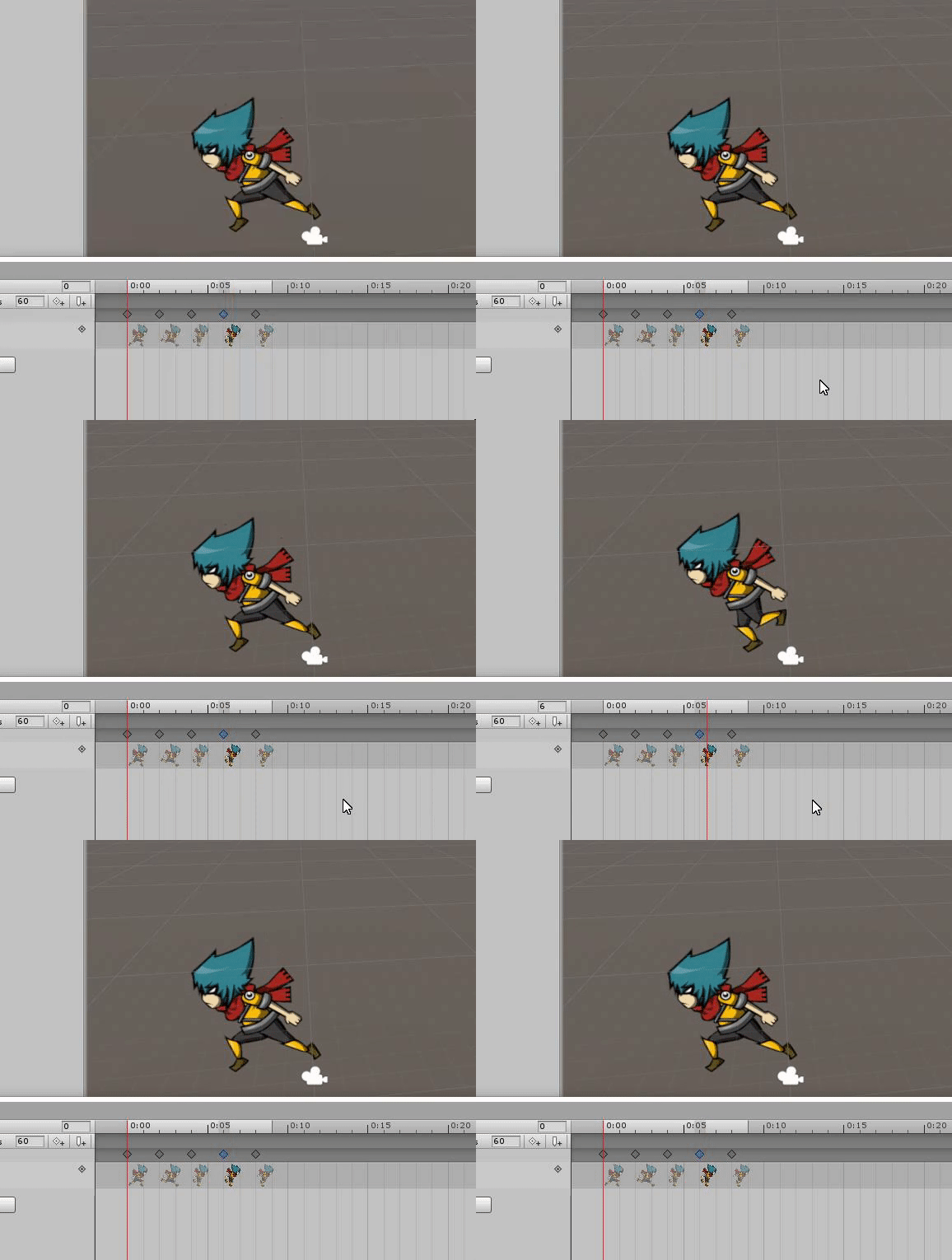
it work like this https://i.gyazo.com/adb4ac6da15a0cb97b31862aa2f84b65.gif
 sturdy lynx
what if we use particle system
then set the particle to not move and not expire
then we use our sprite on it
but if we cant use it
how do people have avatar thats a looping png image
 urban tapir
you can have the painful task of creating multiple quads as frames and turning them on and off using an animator
sturdy lynx
:c
urban tapir
BRUTE FORCE!!!!
 crude schooner
@dull umbra @runic mauve @viral verge thank u i will look in to it
sturdy lynx
is there a way for me to loop my animation in simple avatar controller
 viral verge
will it stay on always?
Use "Animation" on the object to have it always loop
The component one i mean
sturdy lynx
wait i dont get it
im using simple avatar controller for my animation which i plug as my controller
so can i loop that ?
runic mauve
how you uncheck same thing item it wont let you do that in animation
when uncheck and make key it check back tge first key change to check mark as well
 rough glen
So it just uses a texture instead of sprite?
To do flipbook?...Is there a way to hook it to a cookie I wonder. You could use it to protect caustics or tree shadows cheaper.
runic mauve
it still a spirte sheet use
but need make custom spirte sheet for that shader or reprogram
to fit the texture spirte sheet yourusing
ok i found easy way to do make it 1 colum spirte sheet like this
runic mauve
nope
crude schooner
or u can set in shader
runic mauve
it just shader do it
runic mauve
muti colum was hard to get it work lol
crude schooner
k
runic mauve
crude schooner
yah just dont want to go over 2k long
crude schooner
😄
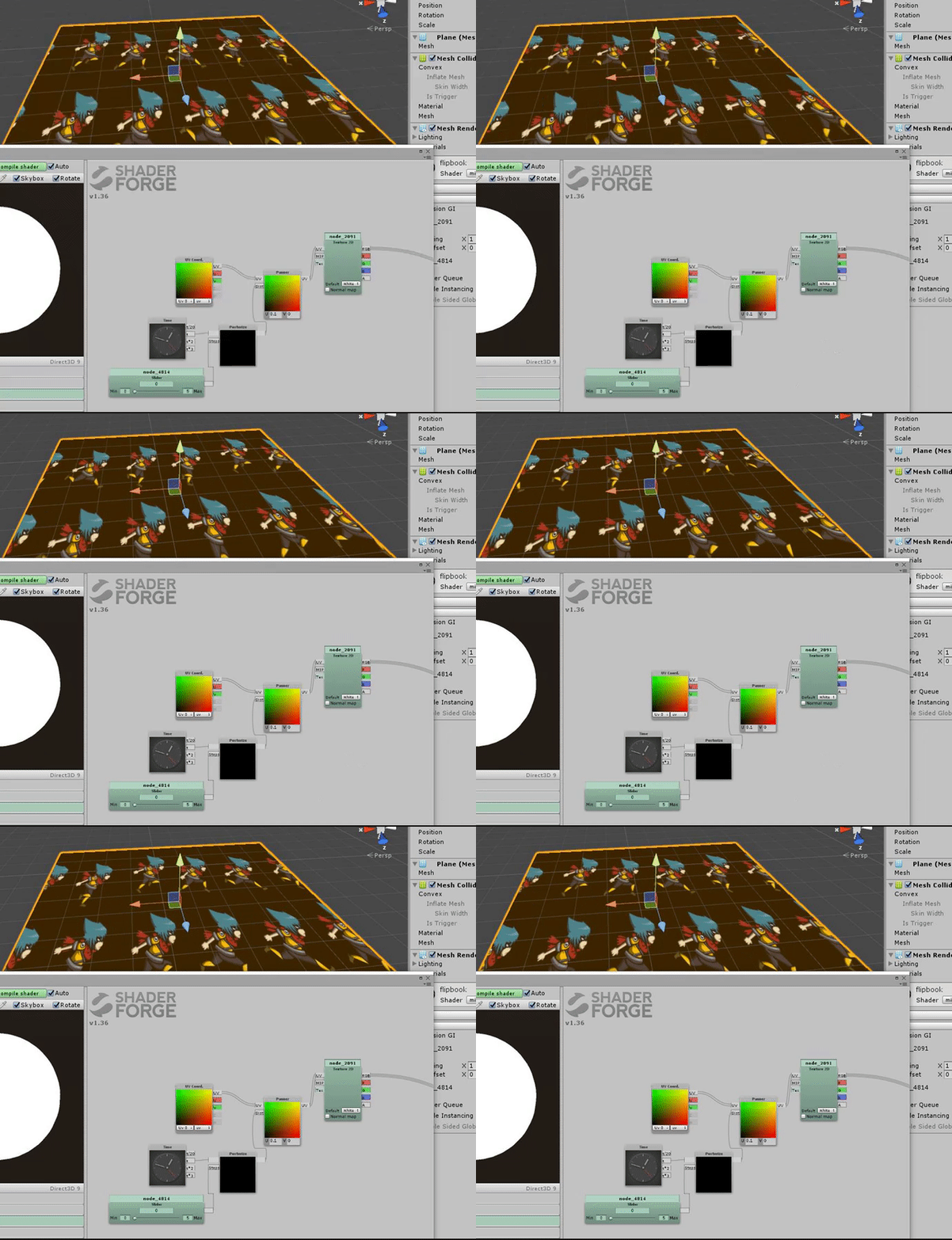
i think it's not that hard to make one in shader forge
just subdivite UV and move it on time
runic mauve
it work in vrchat
sturdy lynx
@runic mauve can you dm me how you made that work 😮
like the instructions
like after doing the slice thing

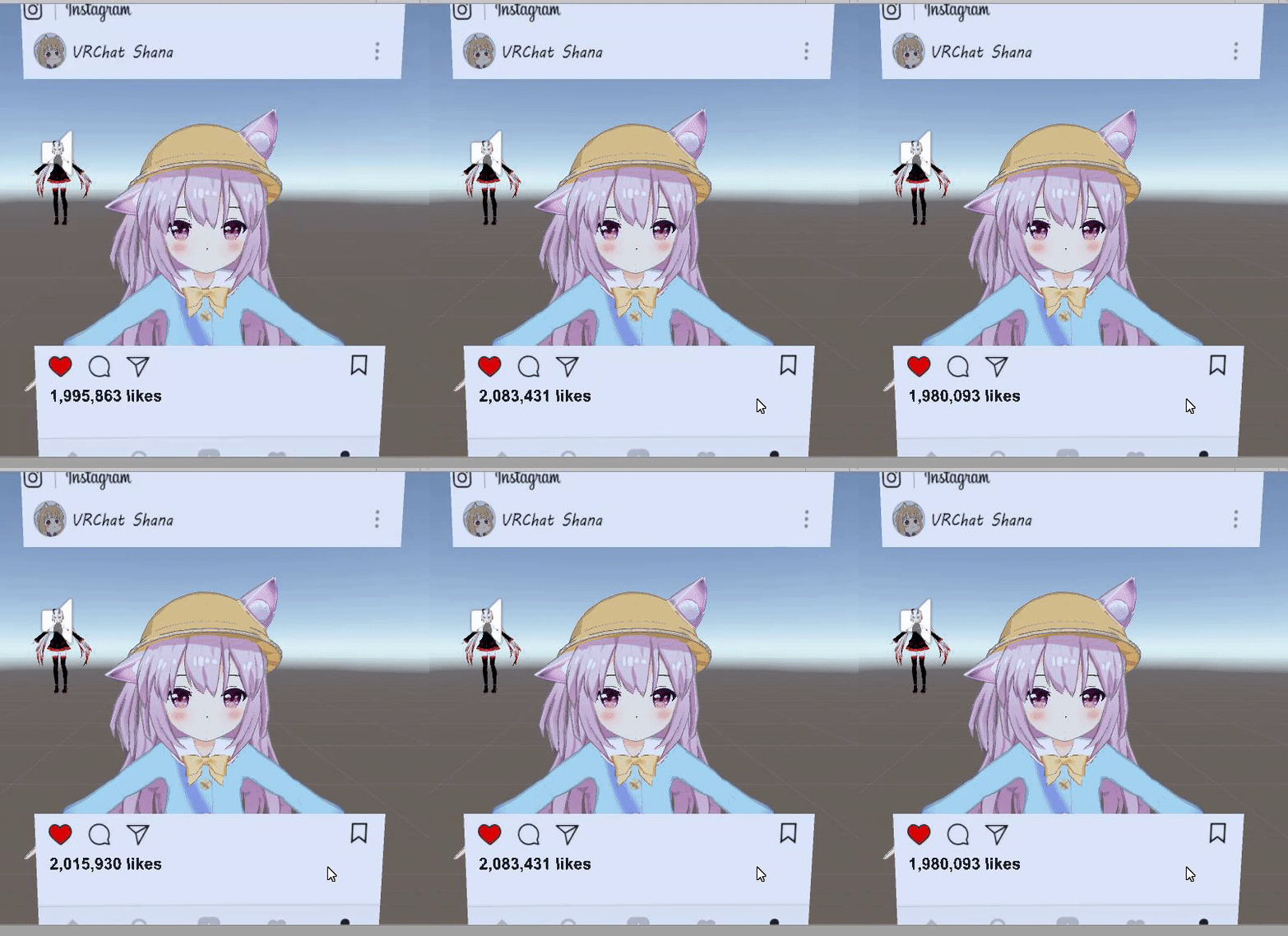
 sturdy lynx
im using a simple 2 frame gif
sturdy lynx
hold on
how do you get the spirte sheet
eh wait
@runic mauve
after i get this what do i do
sturdy lynx
wha ?
runic mauve
@sturdy lynx i use this shader https://github.com/thnewlands/unity-surfaceshader-flipbook
i just cut top row off a spirte sheet
just place that spirte texture in the shader
 median flare
So this is how the gif invasion starts
sturdy lynx
i cant install the shader
urban tapir
oh no
sturdy lynx
wheres the unity thingy
runic mauve
just drag and drop it
it work
dont need to be in unity installer thing
you can mostly drag and drop from zip file into unity
just click on show explore in your folder
sturdy lynx
now what
runic mauve
make plane or somthing to drop texture on it
then click on shader go to custom folder in that
call spirtesheet
sturdy lynx
ok it worked TwT
now i needa do some advanced photoshop
to fit everything
@runic mauve but what about the lighting issue
runic mauve
it should show up in light area
runic mauve
make metalic and smooth 0
runic mauve
well the shader might need to be edit with better shader for color and lighting
sturdy lynx
is there a component i can add to light it up
i think i can get around it
ill be using png image so the white wont be so obvious
runic mauve
no you would need edit the shader it self
to show the right color
i lack at edit shaders lol
sturdy lynx
for now leme try out this new trick for something special
as a desktop user
you gotta have something cool 😂
crude schooner
😃
 strange juniper
any workaround for this
strange juniper
newproblem
 analog trout
Probably doesn't Support html5
 lofty gulch
isn't crunchyroll flash?
strange juniper
if you have a player that will work tell me
 autumn hatch
With flash being phased out, highly doubt it
strange juniper
dam
 sudden smelt
web panels are quite unstable right now, it's warned at least in the docs you shouldn't use them for video as it might not work and it will crash the panel when you change room after. It's advised you use video players instead where possible
strange juniper
but then i need to change it every time and last time i used it it was just white noise ear rape
comeing out of it
sudden smelt
the white noise was probably due to it playing a video format it didn't support
strange juniper
youtube
sudden smelt
some old youtube videos aren't in nice formats, it can be annoying
there are also solutions to have the video dyanmically change whenever the player loads but it is quite out of the way, if you know JSON I can tell you how to use something I have set up for it. You can still try using web panels, just be aware of the instability, I wish they were working as well but the fix for them isn't simple
strange juniper
nah if it crashs it crashs its a private room anyway
analog trout
Is there an easy way of using the cloth render on unity
Or is this something I'll just need to check unity for
As I don't see this having a VRChat specific thing.
 raw heart
What's the sites compatible with the video player again?
sudden smelt
youtube, vimeo and dailymotion
raw heart
@sudden smelt Thanks. So streaming from DropBox won't work?
sudden smelt
if you have the direct video file link that too will work (thats what the video player natively does) compatibility for that is listed here https://docs.unity3d.com/Manual/VideoSources-FileCompatibility.html
raw heart
@sudden smelt Thanks
crude schooner
@analog trout im testing cloth now and there is a bug in vrchat when u add collides to legs avatar will fly
but im still finding a solution to that
as for cloth alone u are fine
analog trout
Kk good
Would I need a different set of colliders? @crude schooner
Or do I need to do the ones I made for dynamic bones again
crude schooner
no different ones
its called capsule colider
u add it to bone
like dynamic
has similar settings
analog trout
Ahh
Also anyone know why the fuck my shapekeys never work?
It literally always has my mouth open
I can't find out why
median flare
@crude schooner Try setting the colliders to IsTrigger?
crude schooner
k will try when im home
median flare
It should work, but admittingly I haven't used cloth since earlier on in 5.3.
 frigid crescent
Is it possible to edit a humanoid rig's eyes so they don't look around?
without unlinking the bones that is
autumn hatch
Via VRchats simulated eyetracking?
Either rename any of the bones or unassign the eyebones from the avatar config scene
Then the script will collapse
frigid crescent
It's a bit of a dilemma; I need them to be assigned to the eyebones because the custom animation I made wouldn't work otherwise, but it's assigned to a mask (Opening/Closing) which looks broken when the eyes move about
autumn hatch
Would it work to not have your bones accepting rotation from the eyebones?
Just untick that option in blender
frigid crescent
But then it wouldn't rotate with the headbone...
autumn hatch
I don't see why it would be needed to be parented to the eyebone and not the headbone directly
But yeah, you're right
Can't think of another solution
frigid crescent
It's because the eyebones rotate to open the mask, I tried using blendshapes, but VRChat doesn't accept scripting
crude schooner
@median flare it helped thank you
 old bridge
@placid current Hi! I'd like to disable backface culling in your (nicely done btw) Unlit shadowed shader, but I'm not too good at shaders. Can you help me with this one?
 dull umbra
@old bridge Open the shader in a text editor and look for "Cull Back." Change it to "Cull Off"
If it's not there, add it above the Pass block.
old bridge
@dull umbra yeah, that's what I planned to do but it was nowhere to be found
ah...ok, I'll try it then
@dull umbra yeah, that worked! ty very much. I'm just vaguely familiar with shaders so it wasn't that evident for me 😅
dull umbra
No problem. 🙂
frigid crescent
Speaking of shaders, I've seen some avatars with glowing emissions... yet the standard unity emissions shader doesn't glow, nor does VRChat accept any form of rendering component. Does anyone know how they got around that?
autumn hatch
The standard shader does allow for emission. Just enable it, set it to 1 and put in the albedo texture in the slot
 mental narwhal
Also some worlds have Post Processing which can add glow around emissive objects.
frigid crescent
Yeah, I know about the emission, it was the glow I was asking about
autumn hatch
That's just a world using bloom with post processing stack
Depending on world settings, emissive parts on avatars might or might not "glow"
It's nothing avatars have direct control over
frigid crescent
Oh well... I guess I'l have to deal with what i've got
runic mauve
@frigid crescent or use shade forge try to create your own
you can code your own shader script
frigid crescent
Hmm... I'll see what shadeforge can do
 sterile cipher
I'm still having major issues with Unity Editor's UI "freezing" after about 2-4 minutes of work. I've tried new projects, clearing registry, clearing GI cache, reinstalling completely. It only seems to occur when I'm working with avatars-- worlds have no issues.
I am completely unable to make new avatars or edit existing ones. 😢
To be quite honest I'm pretty close to just reinstalling Windows.
 turbid moon
i read it somewhere that was cause by something you done
when you messing with the models
forgot what was it
oh
directx
sterile cipher
what about it?
turbid moon
sterile cipher
If I force DX9, shaders look terrible. :S
Of course they look alright when I upload, but still...
sterile cipher
Well.. I can't update Unity 😃
turbid moon
yea i know
sterile cipher
Guess I'm stuck with seeing standard shaders in editor mode until we upgrade.
viral verge
@sterile cipher Add this to the end of your unity shortcut -force-driver-type-warp
Fixed lag/crashing i had with it, Should look something like this when done "C:\Program Files\Unity\Editor\Unity.exe" -force-driver-type-warp
 delicate niche
@dull umbra where exactly in the shader text file do I add Cull Off, I'm not familiar with terms used in this at all
 keen ginkgo
First time I've ever encountered this, the bone is clearly there in blender and in the heirarchy list of unity but its like unity doesnt register its there? Ive checked its positioning too. Anyone have an idea what is causing this?
dull umbra
@delicate niche First look for a section titled Properties. If there is one, add Cull Off on a new line between the { }. If there isn't one, then look for a block titled Subshader and add it into the braces above the Pass block.
delicate niche
@dull umbra thank you!
 final wigeon
I've been trying out unity's physics joints and while it works as expected in unity, when I bring it into vrchat it just freaks out, twitching and stretching all over the place. At least in VR, I haven't tried it in desktop mode.
Any ideas?
 brisk cedar
If it has anything to do with the hip bone dont expect it to work. Only advice i have
final wigeon
Nah, doing it quite far down the heirachy away from the hip bone.
brisk cedar
Ok. Wouldnt know man. If i find something out ill let u know
final wigeon
I know hackspanner mentioned that it's doable and performs much better than the dynamic bone script. Just takes more time & effort to setup and configure.
runic mauve
problem take to long to do everyone want easy way to do it lol
i think best way vrchat could do make there own version dyanmic bone
that less perfomace issue
viral verge
@sterile cipher Be warned, i just noticed that doing this seems to fix problems but puts alot of load onto your cpu
 dull thunder
Hello guys, working with eye blinking right now. So i'm create shape keys, set name to vrc.blink_left and vrc.blink_right, and its not work. 😦 This my shape keys hierarchy.
In Unity Mesh's blendshapes working
runic mauve
in blendshape you need put in this order
vrc.blink_left
vrc.blink_right
vrc.lowerlid_left
vrc.lowerlid_right
vrc.v_aa
vrc.v_ch
vrc.v_dd
vrc.v_ee
vrc.v_ff
vrc.v_ih
vrc.v_kk
vrc.v_nn
vrc.v_oh
vrc.v_ou
vrc.v_pp
vrc.v_rr
vrc.v_sil
vrc.v_ss
vrc.v_th
just move up the blink
there actally 5 one i found use for squiting
plus the blink name dont need be label like just need to be in that order
dull thunder
it's already on top, if you see screen, or i'm need create ALL of shape keys?
runic mauve
only 5
for blendshape for eye
vrc.blink_left
vrc.blink_right
vrc.lowerlid_left
vrc.lowerlid_righ Vrc_squit
runic mauve
it works i just did it
with this avatar
i found there actally 5 blink shape in that row i was wonder why the 5 row was acting up lol
dull thunder
what is Vrc_squit?
dull thunder
@runic mauve ok, so like this?
viral verge
squint 😛
might be why they are lost
Since squit means "a small or insignificant person." or "diarrhoea" xD
runic mauve
i think he try to make animation when you just turn off bake animation for blendshape
old bridge
@runic mauve where's no mention of squint shape in "Maya to VRC tutorial". Where did you learned that from? And if there are shapes for closing eyes its kinda strange that they're not squinting automatically
runic mauve
the 5 row was just acting werid
it keep play blendshape
it was move my eyebrow blendahpe near the last blink shape
 feral oar
https://megalomon.gyazo.com/df23c697d5a48a2747542713bbd459ce i edited the parent of the neck and shoulders bc it was parrented to Upperchest , but now i have the HumanDescription Error thing
autumn hatch
Either have a shader that does it, or have an animator that animates it
sturdy lynx
i would like to make a cube with text rotating on the outer circle
autumn hatch
I believe you want to look for a Scrolling UV shader
sturdy lynx
umm
as in
i want the sphere to constantly spin at a slow rate
so like the texture on it seems like its moving
autumn hatch
I suppose rotating the sphere and having that shader might give the same effect, but if you want a spinning sphere then just animate it
Select the sphere and click on windows > animation
sturdy lynx
if lets say i made a png text
how do i make it wrap around the sphere without the scale on the sphere changing the texture
like i want my sphere to be big but the png is small at the middle
autumn hatch
You'd have to create the sphere in blender and unwrap the UVs yourself so it looks just like you want it
sturdy lynx
aww
 harsh bay
what makes a shader turn pink? in my case, having custom lighting turns the shader pink. Is there a node or code vrchat needs?
sterile cipher
pink is usually a shader compiler error. either the engine can't find the shader you specified or it failed to compile properly
harsh bay
ahh
i fixed one of the shaders by clamping the values, but still have the issue on one of them
how do i check for compile errors in unity?
crude schooner
i recived a scene that has a missing prefab is there a way to check what is its name ?
 livid raft
Don't think so unless you check with whoever sent the scene
runic mauve
is there any video on make shader into Muit mask shader for 1 material? want cool effect and stuff on there avatar because to me make 1 material not going well in vrhcat if no one know how to do it shader let you do the stuff people do in vrchat
this what i think need to be done before make material limit
this just thought for people dont understand shaders at all and people just started vrchat
 sweet crystal
It's not exactly something hard to make if you know how shaders work
You just need a shader that has the normal rendering path and the special rendering path in the one shader, and then lerp between the two based on the input from the mask texture
runic mauve
@sweet crystal problem not everyone skill in shader
lol
need some info and video
actally do this
sweet crystal
The Shader Forge tutorials should teach you the basics
runic mauve
not everyone has money for shaderforge that otherp roblem
$40 for shader forge
i just make it aware we need somthing to be done before make a limit on somthing
sweet crystal
Tightly limiting materials is a bad idea
runic mauve
i know but it might possible out come someday
reason better have tutiroals how to do then just one we limit 1 material raise the ploygon count
they destory vrchat
lol
sweet crystal
You can't just make a tutorial on that
runic mauve
anything you can make tutiroals. problem people dont want to
sweet crystal
You can't match everyone's use case
runic mauve
just give exmaple what thing does
sweet crystal
I gave you a tutorial above. Did it help you? Apparently not
sweet crystal
Any more in depth and I'd be writing the shader code for you
I said to go there to learn how to write shaders. To make a mask I outlined the whole thing here.
runic mauve
maybe make quick guide what part you watch to make this 1 muit mask shader then
sweet crystal
It's like you want to draw an owl. Okay, I can only tell you to draw two circles, but I can't tell you how to draw the rest of the owl because I don't know what your owl looks like.
runic mauve
same way with avatar as well but people share info how to use the tools
sweet crystal
No, that's not the same
If you can't get the shader editors for Unity then you need to write the code. At that point you need to learn how to write shader code, THEN you can move on to doing what you want to do.
runic mauve
well need way to make easier way if they want perofmace to fix lol
perfomace we all be problem in vrchat
sweet crystal
And someone replacing 2 materials with 1 is going to really impact that?
runic mauve
material make draw calls
that what cause the cpu
plus dyanmic bone and some shaders
cloth is other perfomace issue as well lol
all this funy stuff what make the lag in vrchat
speical particle
big perfomace issue
sweet crystal
Particle effects and physics are the real problems
Draw calls are always going to be a problem for something like this, material shortage or not
runic mauve
vrchat get bigger and bigger in popluation most this stuff going cause alot problem
try host huge event lol
sweet crystal
Even AAA games have this problem
runic mauve
yea
sweet crystal
The new rendering APIs in Unity should help with draw calls a lot
runic mauve
problem people like stay next to each other in vrchat
lol
in video games and mmorpg you mostly in small party
runic mauve
mabinogi get lagging when everyone in channel 1 in market area lol
sweet crystal
In FF14 they handle only 100 people on screen at once, but even that slows the game down a ton when everyone goes to a single hunt
And everyone around you starts to fade in and out
sweet crystal
No LODs
sweet crystal
They do not render anything past 100 N/PCs
runic mauve
maybe make it only render 20 people in vrchat
till get near them lol
i think the lag start at 30 people
sweet crystal
I don't think that'll help much
Characters far away should be animated/processed at a fractional rate, maybe that would help, but once you're in a big group of people there's no way to get around the load
runic mauve
guess they need host event in small groups
in different worlds
want keep performace
 harsh nest
keep it coming
runic mauve
@harsh nest what your thoughts lol
 warm niche
anyone know how to make pickups destroy after they leave a certain distance?
old bridge
seems like no one can answer this simple question in #avatars-2-general, so
Are animation overrides possible with generic avatars? I override Idle and Emotes, But Idle doesn't play and Emotes still have default names 😥
final wigeon
My guess is do an onExitTrigger and set it to destroy object, and that'd be the boundary of the item, I think?
runic mauve
@old bridge you would have to make humaniod avatar but add a generic avatar with it
need put top highearcy of your avatar
generic along wont work beause need finger bones be active
old bridge
oh...thats some bad news...ty
runic mauve
but generic can use animator scripts
so you can actally maybe program your keyboard to do animation
animator script work i think somone did it
before in 5.3
old bridge
so any generic avatar will be just static? if you won't add it to humanoid one?
runic mauve
you need to make animator controller
i think your allow to script animator that just a generic
old bridge
yeah, but I can't use gestures to trigger animation in that case
And Emotes too, I suppose...
damn...If I only knew that 😔 I even made this animated cat and now can't use it 😥
oh...got an idea
runic mauve
@old bridge that why i say add to humaniod avatar
it can be mesh render can be off
just put avatar inside that avatar
old bridge
ok, but how do I use my model's animations then? I could copy-paste keyframes, but if animation is made for object on level higher in hierarchy, my model won't be affected
runic mauve
you just make animation you put in the custom over ride it will do the animaton off that avatar
on generic avatar
it dont need your humaniod avatar
it can be anything
but you need humaniod avatar have there to make custom over ride to turn on
just turn off mesh render off the aramture that made for humaniod
@exotic tree does this all the time
he have more info i would think lol
i just know how it some what work
old bridge
ok...I've tried it. I put my model inside the avatar. But the thing is: override contollers works on the top-level humanoid avatar, and doesn't work on my model. It just plays Idle animation once and that's it. That's what I was talking about earlier
runic mauve
you just make animator
dont need be custom override
animator will do that stuff for walking
old bridge
the only option I see right now is to put several different models with different animations and enable them when I need it with overrides
animator will work for single animation, but I guess it won't detect if I walk or not, not sure how does this work on VRChat's side
 remote chasm
hmm when scripts come back.. do you guys think we could apply scripts to our avatars?
runic mauve
@remote chasm nope
remote chasm
damn
runic mauve
that wat cause the problem
in first place lol
script should be only in world make
to me avatar should give feature
remote chasm
actually what would work .. but probably labour intensive is an option for a "script approval program" where users can submit their scripts... when they are voted up by a portion of users of the community they will get looked at
and become available to all
remote chasm
That sounds awsome. I bet the involvement would make things grow even more rapidly. I do agree on that
runic mauve
they would have to make sure script not hackable
when script is hackable it easy to abuse
remote chasm
yea
what I would do is a certain amount of votes up which grows as the community does. like steam greenlight
runic mauve
they would need docoument and info how it works
remote chasm
don't scripts also come as asset files or so?
remote chasm
for sure
turbid moon
what vrc trigger do
runic mauve
it for worlds making
turbid moon
i see
runic mauve
it visual type programming it make teleport open door etec
turbid moon
i am hoping to make a world, if it's not too dificult
runic mauve
just need to learn what each trigger do
if you read the vrc trigger it tell what it does
turbid moon
i see, thank!
 pulsar thorn
is there a way for a dynamic bone to only go across 1 axis?
maybe only left/right or up/down?
urban tapir
There should be a constraint access
pulsar thorn
hmmmm interesting
 zenith kayak
If you message the dev they might add more to it
pulsar thorn
?
well there is a Freeze Axis.....but if I tell the parentbone to freeze axis on something....the bones get cramped up together
it does work if I give the children their own dnamic bones.....but I want to keep it performance friendly xD
turbid moon
how do you turn a bone upside down
 hearty nova
So now that I've successfully gotten my avatar to glow, how can I turn the glow on and off without having to change avatar?
 dark epoch
the oats brother
 low sinew
Oi, ill need some help with blender,whenever i try to join/fuse the mech the texture of unitys head get's messed up , anyone knows how to make that not happend ?
 tulip nexus
i've got a weird issue in unity that is beyond my comprehension -- currently creating an animation clip to overwrite a hand gesture
all seems well! the prop shows up in-game when i make the gesture. but none of the other animation channels save when i try to animate them
the fingers for example, i can rotate them and they show up on the properties list in the keyframe
but it just, doesn't save anything
toggling back and forth between keyframes resets all the values back to default
low sinew
i have 2 separate uvs 1 for the head and one for the body since they are 2 separate models @runic mauve
runic mauve
they all need be label the same
were say UV maps just make them label the same
then you can merge it
just go in every mesh just paste in UVMap
on each one
or type them
it just need to be same name for Join mesh together
@low sinew
low sinew
Like this ?
runic mauve
yea
is your unity chain one mesh
i know unitychain come in different mesh
not join together
runic mauve
@torn peak i suggest go back in blender inmport with english check mark
then use Save as: neitri_tools.py
How to instal:
File > User Preferences > Add-ons >
Install Add-on from File.. > Select this file
Testing > enable > Object: Neitri's Tools
Save User Settings
With this addon you can easily delete useless bones.
It can automatically delete all zero weight bones and vertex groups.
It can also delete selected bones and add their weights to their parent, which is useful expecially for twist bones.
Adds into space menu:
Delete Zero Weight Bones and Vertex Groups https://image.prntscr.com/image/DqZZV5gES6eEq9ZlKDzaFA.png

Delete Bone and Add Weights To Parent https://image.prntscr.com/image/sBkJBzwOTq_xM_8zsri27w.png

Downloaded from: https://pastebin.com/raw/uSGRv1uv
this plugin will make eaiser to work on
 torn peak
how do i save it
runic mauve
go to webpage right click then click save as then save as neitri_tools.py
low sinew
when i rename the body UV this happens ^^
runic mauve
did you make sure the body was label same as well
torn peak
thank you jaz
runic mauve
if you forget captial letter @low sinew
it mess up to
it has be extacly same for each mesh
low sinew
oi thx
i had to call them all UV1 (change the unity uv's and not the rinhart(body) one)
runic mauve
best to altas it reduce material on it
low sinew
?
warm niche
how do i edit the emojis and add my own
runic mauve
@warm niche you cant
warm niche
the error.mdl dude did
runic mauve
he made with emote i think
runic mauve
they didnt give use access with the Emojis
warm niche
they should. i dont like the current ones
warm niche
ive already used mine up lmao
what if my character doesnt have a chest bone and hands?
am i going to have to make them?
 copper acorn
texture baking losing details, is there a way to avoid this?
autumn hatch
When overriding the emote animations, do they have to be 10 seconds or can you cut them shorter?
warm niche
You can cut them off shorter.
autumn hatch

 fading sparrow
yo, unity 5.6.3p1 is acting weird, i can only clear cache with sdk, not upload. Anyone got a solution?
 solemn bloom
mmd 4 mechinem installed?
fading sparrow
i could publish the model before i restarted unity
solemn bloom
reinstall?
fading sparrow
that'd remove my model :/
 exotic ermine
Is there anyone who's done VMD importing before? If so can I ask a few questions?
solemn bloom
the sdk?
reinstalling sdk will not delete your model
unless you put avatar in sdk folder... you should be fine
fading sparrow
reinstalled sdk
doesnt work
still cannot publish¨
@solemn bloom
i cant even login now
wth
fading sparrow
solemn bloom
you know where the settings menu is?
solemn bloom
 solemn bloom
i am pretty sure that you dont need to put the model in the sdk folder, otherwise i have done all i can, sorry
copper acorn
@fading sparrow close unity delete vrcsdk folder with crsdk.meta, open unity reimport sdk
copper acorn
you rename your vrcsdk folder into crcsdk? )
just need to delete folder and .meta of this folder with closed unity, and then open unity and import sdk again
copper acorn
then create new project
sterile cipher
Just FYI that's what happens when you install MMD4MECHANIM. Don't use that plugin. It has malicious code in it that will delete files from your project. You can fix it by deleting both the mmd4mechanim folder and the VRCSDK and reimporting the VRCSDK
Although it's been like 4 hours so I'm sure you figured it out by now :)
runic mauve
even if you have old verison mmdm
it block on sdk
they put the mmd4m code blacklisted
best to learn blender
sterile cipher
Ah, the SDK blocks it now? good
runic mauve
@sterile cipher yea they made if
has any script from mmd4m it tell to remove it
you cant remove mmd4m script on a item just
remake it self
plus even can manage get in unity still parent the bone
shotariya make a parent blender plugin just for mmd lol
like neitri did for remove usless bone
i think givemeallyourcats doing a a auto atlas plugin lol
sterile cipher
We should collect all these community-made tools somewhere. If we had a more traditional forum we could use that, but... :S
runic mauve
we could make a unoffical fourm verison
maybe get vrpill pin to avatar channel
if they dont want to do it
 faint zealot
@sterile cipher I support a traditional forum
should we just make a proboards? i know vrchat wouldn't want to officially make something because then they'd have to moderate it
sterile cipher
I'll throw together a feature request.
faint zealot
but a community one could be fine i'm sure
turbid moon
update wikia is not an option?
 dusk pewter
Wikis are good for "mapping" information, but lacking when it comes to usability for the average member and supporting community-driven content and posts. I think forums would be a much better format in the case of VRC.
 waxen parrot
Hello to all, and good night. How I can revert the default pose when I do an animation? The model is bugged with that kneeling pose with hands in front. I forget did a duplicate...
Ingame the character is bug too with the pose
Typical pose
I tried to re-import the .fbx, disable animation component, deleting it and nothing.
waxen parrot
Fixed
Look for your default model in assets, and expand it. There must be a default T-pose animation. Drag it to the Animator Controller as a new state. Then open the Animations window, select the T-pose state, and then select a frame on it. You will see that the character returns to default T-pose. You can close the animation window and delete the T-pose state you had dragged into the Animator Controller.
Nothing, T-pose ingame
exotic ermine
This is killing me, I've tried various ways to fix this issue I have with VMDs but it just refuses to do facial animations.
runic mauve
@exotic ermine ask lather
 lean crane
Getting an issue that stops me from uploading new worlds, had a fatal error that I sadly didn't capture, after which the "Uploading world" progress never progresses, the loading bar appears but never moves on, meanwhile this error appears at the bottom:
My hard drive was somewhat out of space when the error occured, so I do wonder if it ran out of space and is now somehow stuck, even though I have cleared up some space.
Issue was fixed, fixed it by removing the folder where it was looking for that file, most likely the customscene.vrcw.manifest file was messing with it, incomplete data I'd imagine.
warm niche
5 seconds after it drops, this teleports a pickup object back to any position you like. In this case the 'Spn' object is the spawn position and needs to sit outside of the pickup object to work properly.
 sturdy frost
yo does anyone know if VRChat/Unity will animate an IK set of legs? Like if I animate my legs with an IK, and I bring it in as an animation. Will the legs still animate like normal or will the 'ik bones' be the only ones animating?
Wait will just baking the animation on export be all G?
sturdy frost
Nvm for some reason blender thinks this models bones arent actually bones... how about that
runic mauve
@sturdy frost i think @warm niche was use different leg animation on humaniod
on his mitlary anime girl
or he has fullbody tracking
lol
 sturdy lynx
yesh
crude schooner
k let me just make one
sturdy lynx
😄
runic mauve
oh ok
crude schooner
not object space
runic mauve
i would put in box
crude schooner
just add to project
and u will have new material category
like in my screenshot
@sturdy lynx
sturdy lynx
XDDD
does animating the resize on an object allow it go surpass the 5m limit ?
@crude schooner
crude schooner
y
crude schooner
sure go for that
sturdy lynx
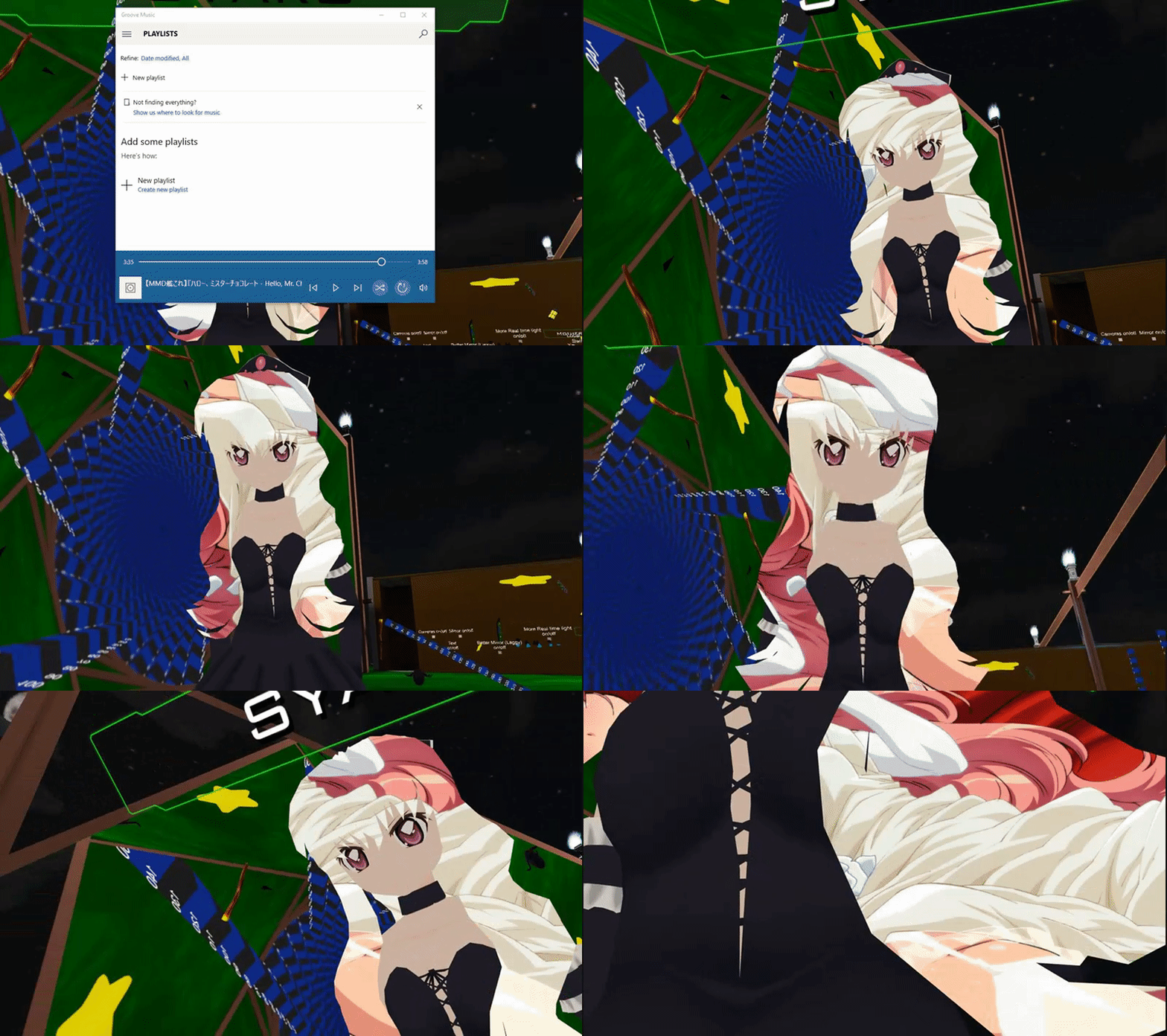
so i wana put up signs to say music inside
XDD
life is so hard for me now that i made that tutorial hehe
gotta compete with other mmd dances TwT
sturdy lynx
in a sense im still ahead
:3
heh
now im just making custom textures for my music zone
dont wana surpass the 8k resolution limit
crude schooner
i made my on 2k
sturdy lynx
cuz i need it to be spread out on 5 meters without my sphere deforming the text
so i needa make the Y axis on the png bigger
plus its animated wink wink
sturdy lynx
@crude schooner how do i use multiple animation for my object?
like one is rotation one is scale
i have 2 animations
sturdy lynx
as in i have a sphere
i set 1 animation to rotate
1 to scale
cuz if i put them together it will loop
i want the scale to stop
warm niche
Question with the screen space shader. Does it look crazy in VR mode? People say the hair is hard to see with headsets, whereas desktop mode is fine.
crude schooner
@sturdy lynx u want scale to loop but rotate to not ?
just have 2 objects with animation parented to avatar
sturdy lynx
rotate to loop
scale to stop
is there i way i can make the rotate play after scale
using the animator
@crude schooner poke
crude schooner
well if it loops then when it will know where to end
but i guess there is some scripting to tell when to jump to next
@sturdy lynx
sturdy lynx
but on the animation you can check whether to loop
this is hard :C
im just gonna parent the rotating object to another new sphere which ill scale
cuz im lazy
XD
yeap i
crude schooner
when u export hide he mesh that will get activated @sturdy lynx
harsh nest
@sturdy lynx maybe change the texture Wrap Mode
sturdy lynx
dont worry XD
i fixed it
torn peak
so ive been playing for a bit and my models arms are longer than mine, is there a way to fix that?
like my models ares there is always a bend
arms*
autumn hatch
Manually shorten the arms in blender
You will need to edit the armature and the mesh a tiny bit
torn peak
i dont think thats the problem
i have to scale the distance of my controllers
i assume increasing hieght in game would fix it, but only a little
when i tried
autumn hatch
Player height only helps you fit in your avatar better
It does not increase your actual height
torn peak
in reality the hieght scales the player to thier model
i need a way to scale the player
figured it out
torn peak
i think you can scale the armature in unity itself
ill be testing it if it fixes the problem
 white viper
huh
torn peak
you know how you can scale a model itself
white viper
yeah
torn peak
you can sperately scale the armature
the same bone structure you put dynamic bones on
for humanoids
white viper
i see
hopefully it doesn't do some wonky stuff
seems like the whole model scales when changing the armature
lul
torn peak
yeah
my model woriginally worked
i put dynamic bones, suddenly my arms are to short
i thought maybe i scaled the armature
or touched something
no idea
autumn hatch
Are the dynamic bones affecting your armbones?
torn peak
no
my older model has the perfect arm lenth and works just right
my newer model with physics cant fully extend her arms
sturdy lynx
how do i view the uv map of a texture on blender ?
 lethal moth
@Shana If I'm correct, the UV map is bound to the model, and not the texture. In the top bar, where the dropdown says "default", click that and change it to UV editng. In here, any polygon you select - IF it's UV mapped - will show itself on the left hand screen. I'll grab a screen.
@sturdy lynx
The dropdown bar is next to Help.
 trim ibex
does anyone know if/how i can fix flickering dynamic bones? my bones flicker when i touch them with colliders. they do not always do that. also it seems that there have to be mirrors in proximity for it to happen.
final wigeon
I think that's framerate related. In my experience, at 90fps in VR pushing dynamic bones around makes them flicker, but as soon as the framerate drops (often when reprojection kicks in and it comes down to 45) they behave as expected.
As for a fix, idk.
trim ibex
oh
so that might actually be because of the fps limit then
like that i have 90fps and the bones are capped to 60fps
or no that does not make sense
final wigeon
I'm pretty sure the flickering and fps are related, but exactly how, I don't know.
old bridge
@trim ibex my guess is bones are cpu intensive and they are rendered locally, so other may seem them in different places and states. When you go near the mirror, your fps drops or something that's why they are jittering for you.
I've made some hair bones with gravity recently. If you look at them from your character's perspective - they are perfect. But for the others they are like some rigid vertical columns
trim ibex
so is just tried
my fps dont drop when i go near a mirror
and i tried capping my fps to 45 as opposed to 90
and they stop flickering
i still think this must have something to do with the dynamic bones being computed with 60fps
since before the update where they capped that it did not flicker
old bridge
Make them 60 fps then
old bridge
I've set ribbons to 30 fps for performance optimisation
Ok
But they are still rendered locally - I checked that
trim ibex
yeah they are
i might try to set the fps lower actually to see if it might have something to do with the cpu
old bridge
May be the physics engine gets capped for you to have these smooth 90 fps near the mirror as well
trim ibex
the thing is that i often get told by people that my bones flicker
at least when i actually use the colliders to touch them
old bridge
Well...it would be cool if it would be at least synchronized for everyone...but we have what we have. I wanted to make a pet based on dynamic bones, but everyone saw him in a different places 😓
And sometimes I had issues with mesh as well. Like half of people could see my avatar, another half - couldn't. So it was like oh! Look at this cute kitty. Kitty? Don't see any
trim ibex
ok i just tried a lower dynamic bone update rate
the issue is the update rate being lower than the framerate
when i have the update rate on 20fps it flickers
if i have it capped to 45fps or not
trim ibex
the thing is it got capped to 60fps in an update
before the update i did not have thoose issues
final wigeon
Also I believe dynamic bone gets capped to 60 or so because people were setting the tupdate rate to things like 120 and above. Now imagine the extra work everyone's CPU is having to do because of it.
trim ibex
the issue seems to be that the game runs at 90fps but the bones get capped to 60
old bridge
Devs may have optimised something for performance then
trim ibex
i still think it is weird that the flickering only occurs when using colliders
not when moving
old bridge
Colliders are tricky thing
They are not continuous
So once in a while game sees that it is like half within a bone and have to move it out quickly
And then that flickering happens
trim ibex
so when the fps is higher than the update rate of the dynamic bones it looks like my arm also flickers (switched between two rotations)
the arm flickering happens when dynamic bones move, even without using colliders
 rough sleet
@trim ibex I would recommend against putting the dynamic bone script on any bone that is in the IK chain.
old bridge
Bone joints are not continuous as well, you know 😅
trim ibex
i mean i have everything excluded that is part of the ik
old bridge
Oh. So we need to add another root bone and apply dynamic script to that one instead?
rough sleet
You may be able to solve your flickering if you create a new bone as a child of the current dynamic bone root and make the dynamic bones children of it.
trim ibex
yeah that could work
rough sleet
I don't know if this will solve this problem but it has solved other issues before.
Also are you seeing this in VR or desktop?
trim ibex
on vr
but many other people see it too
i mean i was thinking about it having to do with the ik
and since my root bones are both in the ik
warm niche
is anybody here?
could anybody help me with adding a sound to an emote?
i have this i just need to know how it would be different because this plays when i spawn.
please @ me if you know
runic mauve
@trim ibex best make root bone for hair and skirt never use on chest,hips spine head or leg or arm bones
that connect to the humaniond slots
 zinc basalt
@warm niche just turn off "Play on Awake"
warm niche
i did that and now it just does not show as an emote
actually i dont think it ever did but still
dull umbra
@warm niche Since we don't have any way of calling the Play() function on Audio Sources, the best way to do it is to keep "Play on Awake" on but disable the GameObject it's attached to. When you play the emote, just enable the GameObject and the audio clip will play.
dull umbra
Yeah, you could do that too I guess.
warm niche
and right now i should probably focus on getting the aniamtion in the emote. i did all the right override things but it wont work. could it be due to my model not being humanoid?
dull umbra
Although some things like Animators will behave differently if you disable the component vs disabling the GameObject.
Non-humanoid models won't have any animations by default. If you copy in the TemplateAnimator from the sdk, you can override the animations in there, but you won't get any of the default ones provided by VRChat.
You can get some pretty good animations at Adobe's Mixamo website.
warm niche
ive already did all that
i put in the override. i just need to play the sound on an emote but the animation is not there
its still the default emote
dull umbra
Oh. Then you probably are using a humanoid (in Unity terms at least) avatar.
warm niche
no. its a static object set to generic
runic mauve
generic item can do animator controller script
warm niche
can or cant lol
dull umbra
Yeah, but the default emotes for generic avatars are bugged. They lock up your character and won't let you move unless you change worlds.
warm niche
im trying to override them to just play a sound. no movement.
dull umbra
Main problem with the current methods is that the audio cuts off when the animation ends, so you have to have some kind of animation accompany it for the duration of the sound.
warm niche
it plays the whole time.
dull umbra
Only if you have it on by default. Then you get the problem where it plays when you spawn.
warm niche
how would i put 3 animations on one override? i have one for walking and 2 for 2 lights
i need them all on idle
dull umbra
If you're using a generic avatar, then you should be able to just add another layer to the animator and play them there.
warm niche
how would i go about doing that
dull umbra
Select your avatar, open the Animator window, click the Layers tab and add a layer. Make sure to set it's weight to 1.
Alternatively, if you don't mind having the lights animated for all animations, just add a separate animator to the light objects and animate them from there.
warm niche
i have all different animations for em but i need to put em on one animator i think
runic mauve
wonder add generic avatar with a humaniod avatar armtaure would the animator controller script still work because it not part of the armature humaniod IK
dull umbra
Generally the armature type is irrelevant. The important part is the Avatar asset that you assign to the Animator component.
If it's humanoid, then it will use the default VRChat controller + any overrides you set. If it's generic, then you'll be able to provide your own animation controller.
warm niche
could i just make the animation constantly playing?
warm niche
1- on desktop. 2 - i want it no buttons. i just want a spotlight to spin
and idle is already used
runic mauve
@dry dagger need to make sure when you export bake animation uncheck from fbx export and use viseme not jaw flap
jaw flap is really not best option in vrchat only best option is Visime
 dry dagger
yeahh but I'm still a beginner honestly, I was just told to ask here
runic mauve
j@dry dagger i know i told how before try to use it lol
dry dagger
well it did fix my issue so thankss
 autumn ore
Quick question, how you get facial expressions for default hand gestures, pls? uwu
 lapis ravine
heeey im a beginner but can someone give me a quick rundown of dynamic bones for hair, tails, and ears (animal)?
autumn ore
It's in the Cirno video in tutorials channel
autumn ore
I really want to make a gun go pew pew
warm niche
Why not skrrra pap pap?
urban tapir
It's going to be more appropriate when I import the gun shop from persona 5
autumn ore
Fancy but nah I wanna go pew pew
warm niche
Understandable
torn peak
Is there a way to copy physics from one model to a copy of the same model in unity?
torn peak
Oh let me explain further
I wanna load a model copy with an animation
From blender
So I would have the original import in unity with physics and a fresh copy of the same model, only difference is the animation applied in blender
To the second copy
Also it would be nice to start from 0 from assets without having to redo the physics
Any idea?
There has to be a professional way to do this without copy and paste 1 component at a time
Please @torn peak or private msg me if you know! Thanks!
old bridge
Do you have the audio source enabled in both keyframes? As well as other stuff
autumn ore
Yes
old bridge
Yeah...and not sure if VRChat or Unity supports Japanese properly
And what is this skinned mesh renderer?
old bridge
That's strange than. If gestures work, so must an audio source
You can try add gesture override with some audio source only for debugging purposes
It may as well be way too quiet. Why did you choose these exact values of volume and distance?
Also I'm not sure if linear rollof works with VRChat
So there are a lot of possible issues 😅
autumn ore
I'm actually not sure if its loud but when I go online, the spawn sound plays a bit low than normal at 4.40s
But when I preview it in unity its loud
old bridge
Turn off oculus attenuation in ONSP script
autumn ore
Eh?
old bridge
At the bottom of yoyr screenshot
autumn ore
What is it?
autumn ore
Mhm I see it
old bridge
Should be louder
autumn ore
So leave it on 4.40s?
old bridge
Anyways this should work. Always worked for me, so try debugging it somehow. Like I said, try adding an override with just some (another) audio source with another audio clip
What do you mean by 4.4s?
autumn ore
The volume
old bridge
Eh...what is "s" exactly? Your volume here is 0.168
autumn ore
It was only kinda low on 4.40
old bridge
Try logarithmic roloff with minimum and maximum values set to 1 and, for example, 7
autumn ore
In vrchat
old bridge
@autumn ore you put your volume to 4.4? 😓 dear lord
autumn ore
No just asking
old bridge
I hope that track is really low volume one
old bridge
Well just try doing what I said. Should help determining a problem
Like any other user voice in VRChat, I suppose
Not too quiet but not too loud
autumn ore
What's this?
old bridge
So...you edited it while animating...and that got recorded
old bridge
No, these OSNP settings should be default
autumn ore
Oh I'll delete then
old bridge
They will revert back then I suppose 😅 but I don't really know how to solve that problem with animator saving your actions so...better close the scene or something like that and only then change OSNP settings
Also are you really sure that audio source is enabled for both keyframes? Move timeline cursor (the vertical red line) to the second one and check it
old bridge
Then everything should work. If not - try starting with simple thing (enable another audio source that works instead) as you said, you have working spawn audio. If it is so then try enabling it for starters
autumn ore
Is it normal to have it uploading with 2 sounds?
Or I turn it off on the main, while the duplicate is on but invisible?
old bridge
You can duplicate it and use the duplicate for gestures. Just disable that duplicate before uploading
autumn ore
Yeah I did that
old bridge
Did it work?
autumn ore
Nothing
dull umbra
Do you have the audio source off by default? If that's the case, it will only be enabled for the duration of the animation (in this case, 2 frames).
autumn ore
Its on in duplicate and off on main
It plays in preview too
Did animate while it was on
urban tapir
Is it possible to transfer shape keys in blender
when its the same face for a model?
brisk cedar
Only if the vertices are the exact same. Then you can should be able to
 merry coral
How do people walk on tables and such?
 pastel bluff
Is it possible to add triggers to an avatar? Ive been thinking of making my harp usable by touching the strings which would play a sound
urban tapir
How does the head shrinking work so that I don't see the head mesh of my character when I move around
or at maybe some shader that will help
because I essentially see this
cause waint painting the entire thing again would be a pain...
urban tapir
pastel bluff
I would move the camera forward because I dont think we can change the first person camera nearclip