#development-advanced
1 messages · Page 11 of 1
 arctic zephyr
 wild magnet
if the model rotates the picture makes more sense to me
arctic zephyr
wild magnet
his foot seems to be causing the problem
or possibly the spine, couldn't tell you for sure
arctic zephyr
Huh?
wild magnet
the way his shader "expands" on his foot in the first picture
see how its morphed
suggests that his ankle is twisted
in a 180 degree turn
arctic zephyr
Oh that was an older photo. I can't get into game easily. That was a weight paint issue
The ankle was partially painted to the other leg.
wild magnet
Welp i'm running out of ideas XD
wild magnet
it could be in the physical rigging of the model for all we know
since you have the descriptor in the correct position
wild magnet
maybe all the bones are backwards XD
wild magnet
welcome to creating models 
arctic zephyr
So do you think that is what it is?
wild magnet
based on what im seeing that would be one of the things I would check out for sure
arctic zephyr
How can a bone be rotated though?
wild magnet
If I had more knowledge about blender I would help XD
but even I havent dug much into it
 blissful walrus
@arctic zephyr that vision orb is too far forward
Try setting it to Z: 0.02
You want it inside the head, because your view starts a few cm in front of that orb
arctic zephyr
Would that cause it to reverse my entire model?
 faint zealot
Hey guys, we are trying to make 3-D block letters in VRchat as game objects. Is there a unity asset, or some way to do this? Textmeshpro creates 2-D letters in 3-D space, but we're trying to create 3-D block letters so someone could pick up a phrase and throw it away
like picking up words such as "sad" or "angry"
 median viper
Talk with @burnt sable he's always making 3d text 👍
 final wigeon
@faint zealot Personally I'd just make some text objects in blender. (add > text) Then export as usual to fbx and toss it into unity.
 viral verge
go get textmesh pro
final wigeon
Here's the settings I'd probably use, take note of the extrude and bevel options in the geometry panel.
 rough sleet
@viral verge Last I checked TextMesh Pro still doesn't work in user worlds.
 autumn hatch
I never got TextMesh Pro working
viral verge
they really need to update the wiki then 😛
 sterile cipher
Psych, you could always use TextMesh attached to invisible colliders with the pickup object/sync scripts on them. Then the text would move around-- although it would still look like 2d letters in 3d space.
faint zealot
Oo text in blender may be the best way to go then? Thanks all for the help
Or textmesh with the colliders like you're saying @sterile cipher sounds good
rough sleet
@viral verge It's whitelisted but it's broken as something doesn't get uploaded properly.
 humble tree
I, frustratingly, had text mesh working at one point, but now inexplicably no longer works.
 prisma void
Easy Question? How do AlwaysBufferOne and Toggle work together?
 burnt sable
TIMES NEW ROMANS
 keen ginkgo
Anyone else having issues with uploading models to the game? I hit upload and it just stays stuck on future proofing content, it's happened twice now
 runic mauve
@keen ginkgo disable future proof in setting
vrcsdk
it will upload that whole folder
keen ginkgo
How do you go about adding dynamic bone colliders that you set in the heirarchy to specific bones to the collisions tab in your dynamic bone settings? I typically just manually place the colliders and drag and drop
runic mauve
@keen ginkgo it in #tutorials tupper made new video today about it
keen ginkgo
I still can't figure out the rainbow shaders, such a lack of information online regarding gradient shaders that change
autumn hatch
https://i.imgur.com/nGPHZXS.png
Guess who made a jukebox 😮

It's not interactive yet, but the progress bar fills up as the song ends and the arrow hops to the next title
Clicking on a song that's playing will loop it
This is for my "home" world, so no
Glee
 warm niche
@sterile cipher to get models from custom maid you import them to MMD then to unity
and you can also export it from custom maid as a .obj and put that into pmx editor and that works as well
shit wait
you can use CMD2 models in blender?
holy
Yep
its time
 harsh bay
does the vrc eye tracking look at the headbone ?
warm niche
cracks knuckles
its a long process
because CMD models are insane 300k trigs
its cancer
How are the bones?
when you put them into pmx you have to reasign them but they are not really that bad but it can be a pain depending on the model
Plus they have a ton of bones that don't need to be there as well so a lot of stuff you can clean up as well so it's a lot of deleting unused bones
Thanks for the info
Np Tupper was asking about it last night so I was just putting the info out there
sterile cipher
@warm niche They don't export in A or T-pose for me. 😦
warm niche
Ya you have to put them into the post its a pain in the ass
sterile cipher
Their mesh is stuck in whatever position they were in when I exported, and the armature is in T-pose.
warm niche
I just created my first working upper & lower arm in blender
sterile cipher
I mean the game has a built-in pose system, so you should be able to tell them to pose...
warm niche
now i have no idea how to actually make a hand lmao
You can export them while the game is running if you manually put them into a tpose while the games running
well with the way i figured it out i was able to import it into mmd and then port the clothes to mmd and put them on in mmd you can do more if you know how to use mmd and play with it there
I used to use MMD a ton back in the day so I know my way around it if you need help i can help with basics but it takes a lot of learning to use that program
 nova breach
How do you guys decimate models? im trying to decimate a model that is currently 80k. I got it down to 24k but if i decimate anything any further it looks terrible. thoughts?
 lofty gulch
that's a better question for #avatars-2-general
warm niche
Trying to do the Visemes for facial animations but i have to do them manually with the keys i got the keys but idk how to make my face move to the shape of the sound any help?
nvm figured it out
keen ginkgo
Anyone mind explain the ONSP audio source component to me
I'd rather not end up have a really wide range sound that annoys people
 rustic geyser
do questions about animation overrides go here?
warm niche
Removing ONSP Audio source fixed the audio range for me. But for some reason, it doesn't work properly for other people even if they have or don't have it.
ONSP sets how far your audio will be heard in the VRChat world.
rustic geyser
anyone have anyidea why my model stops Tposing when i try to animate it
runic mauve
@rustic geyser it just how the animation works in unity dont worry about animation dummy
you just use to make animation with it
rustic geyser
ah ok
warm niche
calling people dummy isn't very high quality tech support 😦
rustic geyser
ill take what i can get
 hollow lotus
Hey guys, I need to rig my avatar to make it work like a humanoid, but without any animations of movement. What's the best way to do that if I don't need an actual model for the bones?
runic mauve
need bone for animation lol
hollow lotus
It's just for emotes.
runic mauve
yep
hollow lotus
They don't seem to work with generic.
runic mauve
need to be humaniod for emote
still need rigged model if you want dance because how animation Ik works
hollow lotus
I have some custom ones prepared, I just need VRC to think it's a humanoid, kinda like how Smoothie did with his avatar.
I just don't know how to rig the bones in Blender for this.
All I've got as a model is pretty much just a box.
runic mauve
his animation is base on blendshape and bones
plus his has humaniod rigged under that
he way more advance in animation and rigging
just take month to learn blender
some people cane learn less then that
viral verge
Anyone know how to make a particle system render right for the user? Just noticed my drawing particles work in vrtesting mirror but is stuck to my hip if i look down
 harsh nest
@viral verge on your machine you are probably rendered with neck scaled to 0
so only you see the particles there, others see you the same way you see your self in mirror
viral verge
anyway to make it work right on my screen?
harsh nest
I think not
runic mauve
useful tool for unity when you want edit somthing in play mode https://assetstore.unity.com/packages/tools/utilities/persistent-components-59009
it save all that change info in playmode
sterile cipher
you need to use the unity asset store share link jaz, otherwise that just leads to the front page
runic mauve
oh ok
 pulsar thorn
I tried asking this question in the 'Avatars' channel as well but didnt get an answer...
I am working with 3d blinking so I need these Shape Keys in my Body (face):
vrc.blink_left
vrc.blink_right
vrc.lowerlid_left
vrc.lowerlid_right
vrc.v_aa
vrc.v_ch
vrc.v_dd
vrc.v_ee
vrc.v_ff
vrc.v_ih
vrc.v_kk
vrc.v_nn
vrc.v_oh
vrc.v_ou
vrc.v_pp
vrc.v_rr
vrc.v_sil
vrc.v_ss
vrc.v_th
but what is the difference between vrc.lowerlid and vrc_blink?
is blink a complete eye enclosure and lowerlid only halway or...
runic mauve
Lower lid bend bottom skin of the eye
When you look to side and up
In my opinion don't need them
I dont even use blendshape for eye.tracking I make own blink animation
warm niche
so what do i do here for facial animations when I talk
.-. okay thanks the 1k ppl on this discord for help Kappa
sterile cipher
Admittedly, you posted in a channel that hadn't been posted in for two hours, waited for 10 minutes, got no response, and assumed 1,000 people have looked at your message and not wanted to give you a response.
Early Saturday afternoons in the United States tend to be sort of quiet on this chat. Additionally, you may want to try asking in the avatars Channel. I would suggest watching lather's tutorial video on Visemes and blend shapes.
warm niche
well i looked around but no one was linking a tutorial i wasnt aware of one
sterile cipher
Lather walks through the entire process of creating new blend shapes for blinking, and also touches on the process for creating new ones for talking. Additional the VR chat documentation covers in more detail.
warm niche
all the tuts on blender i find are 5+ years old
warm niche
👌🏻 💯 tks
warm niche
Rip every time i select Seperate by materials blender freezes and crashes now GG
rustic geyser
Rip
warm niche
Well looks like I can't use blender anymore nice 10/10
final wigeon
It's hanging because there's so much to have to separate (pretty typical of mmd models) so do partly what @mighty gorge said, separate by selection into some more managable chunks (I'd split it into about 4-8 to begin with) and run separate by material on those individually. Shouldn't take anywhere near as long.
Yep, that's also a good way to do it. In fact that's the best way to divide it into smaller chunks. Select some stuff, ctrl+L, then p -> by selection.
viral verge
Does GPU Instancing work for custom worlds and avatars?
 mental narwhal
@viral verge GPU instancing doesn't work on skinned meshes. So probably not on most avatars. You could use it in a world though.
viral verge
cools ^^ i can get a tad crazy on my worlds then :3
hollow lotus
Does VRC allow the use of animated textures?
autumn hatch
Yes. Only thing you're not allowed is basically C# scripting
So just make an animated sprite or make use of the animator
warm niche
GPU instancing seems to be turned off on static objects because of static batching. Static batching is faster i think.
 brave robin
You can disable static batching in project settings and keep instanced objects static, but you must also disable baked lighting on instanced objects or it won't work.
keen ginkgo
Anyone have a clue what may be causing this error I'm having. All of a sudden my unity stopped letting me publish models and all my avatars build and publish buttons are grayed out https://gyazo.com/5fcaf078ca674e00d08174a11f99a49b
 versed pine
Would this bone and mesh setup work for eye tracking because i have tried 3 times with this model with no success
My big problem is when I put the new bones in for the eyes what happens is I assign the right keys but when i rotate the eye it doesn't move
final wigeon
@versed pine are the eyes weighted to the eye bones?
versed pine
@final wigeon I'm not sure
How do I check?
Also my old eyes don't have children. Is that bad?
final wigeon
You'll want to go into the weight paint mode in blender.
relevant user manual page: https://docs.blender.org/manual/en/dev/sculpt_paint/painting/weight_paint/introduction.html
versed pine
I guessing this is bad?
 fierce zenith
is there some way to make a avarar transform in to a new one and have that as the main body
final wigeon
Try clicking different vertex groups (go for the eye ones) and it'll show the weights for that group.
versed pine
@final wigeon They are both all red
final wigeon
Sounds like you'd need to manually re-weight the eyes to the eye bones.
versed pine
@final wigeon Where do I go from here?
final wigeon
I'd check out the reference rig linked in this guide
https://docs.google.com/document/d/1W5KFa_aszCMrJaFD8mb9a-GHYO4X4S9M63GjM4UwuEw/pub
and compare it to what you've got and adjust your rig to match it, especially around the neck-head-eyes part.
versed pine
@final wigeon OMG Im so mad at myself
I had it in rest position
thats why nothing moved
 elder jackal
When I went to select the eye inside of edit mode, the child of oldleft and right eye appeared, but when I hit select nothing happens
I have one shape key for blinking insted of two, what do I do from here?
e.e
viral verge
Can anyone help me x.x i can't get this to work no matter what i do, the pumkin just stays on the head even tho i'm trying to turn it off with the override
https://cdn.discordapp.com/attachments/361742235525709825/371639208709718026/unknown.png

https://cdn.discordapp.com/attachments/361742235525709825/371639219405324289/unknown.png
no matter how many times i try it just wont work

only the pumkin enables in my hand when triggered and the one on my head wont turn off x.x(edited)
so it ends up like this in game
https://cdn.discordapp.com/attachments/361742235525709825/371639881224683523/unknown.png
 hollow lotus
@versed pine
humble tree
There are some who might call that the marble rule. I will maintain that I didn't know what I was doing at the time ( but shiny things are good, right?)
 low tendon
@hollow lotus I'd love that model, Smooookin
runic mauve
@halcyon bolt that profemece issues just makes world's with alot mirror put alot high ploygon item in front of them
You found out why
warm niche
Alright so I was doing Viseme Lip Sync and I have all the shape keys done but they don't appear in unity
All the shape keys are correctly named it's just not showing up in unity
wait crap
ignore me
runic mauve
Forgot filled all slots
 outer hearth
So..I've got a situation
My master joint is centered in the scene and not in the center of the character
I'd be perfectly fine with just mapping the pelvis as the master joint and getting rid of the old master joint, but I can't seem to remap it as the master joint
Any advice?
I've just realized it wont' reroot the skeleton because it's already rigged.
Anyone know how to save weight-paints for later so I can rebuild the skeleton?
 merry coral
If I where to make stairs for an avatar
add a collider
would people with colliders on their feet be able to walk up said stairs?
autumn hatch
No. Adding colliders on your avatar will only possibly result on you being flung up in the sky depending on placement
autumn hatch
Avatars cannot collide with each other in any way
merry coral
thank you
sterile cipher
@sudden smelt @rough sleet and any others knowledgable/available:
My Unity editor is now dying despite a full reinstall, a full project recreation, and etc. My logs are full of this:
d3d11: failed to create buffer
Any ideas?
I cleared all caches, appdata folders, tmp, did a full uninstall/reinstall, and created a new project. I have also updated GPU drivers/restarted.
I am now creating a new project and redownloading all the packages fresh.
outer hearth
Sweetass tip that I hope can save EVERYONE here a ton of trouble.
If your character's joints aren't located correctly use a tool called:
"Move Skinned Joints"
I am estatic that I found that setting
Dunno what the tool is called in Blender, but that's what it's called in Maya
sterile cipher
Happened again on a completely fresh copy of Unity. Occured when I moved the Heirarchy from the left to the right side of the UI
outer hearth
Did you remove it from all your appdata folders and the stuff they sneak into the C:/ drive?
@sterile cipher
sterile cipher
yes
sterile cipher
I did indeed
outer hearth
I'm wondering if the VRChat SDK is causing it, try removing the addon and starting a new project
then reapply it
sterile cipher
This is very frustrating. Every few times I edit a component the UI stops responding.
 sudden smelt
Have you tried removing all occurances of unity from the registry?
sterile cipher
.. huh. As soon as I removed the SDK it started behaving.
I'll continue to work and see if it starts to act up again, but its acting normally right now.
@sudden smelt Yeah as soon as I removed the VRCSDK it stopped misbehaving.
I was unable to grok out the actual crash cause in the editor log
Just kidding. Had another crash. gonna murder someone
sterile cipher
Its effectively random. Any UI interaction has a small chance of locking the UI.
I'm honestly halfway to just reinstalling windows.
sterile cipher
I'm unsure what you're asking
outer hearth
I'm remembering the video you made where you applied a shader to a model, maybe the shader is causing issues? unless you're not using that shader right now
sterile cipher
Oh. No, probably not. Shaders are used quite often
outer hearth
Edit > Project Settings > Graphics and under "Always included shaders" make sure that is contains UI/Default and UI/Default Font
If it doesn't, add them
If this fix doesn't help, I'm unsure what could fix it without further research.
 lucid flax
Did you try clearing the GICache through edit -> preferences -> gi cache?
also try launching unity with -force-d3d9
As a command line arg
sterile cipher
Seems to be behaving after killing Computer\HKEY_CURRENT_USER\SOFTWARE\Unity Technologies, clearing GI cache, adding UI/Default Font to Always Included shaders, and running D3D9. Don't know which one fixed it. Don't really care
that being said, Cubed's Shaders don't work under D3D9. Oh well 🤔
rough sleet
@sterile cipher Cubed shader uses geometry shading which isn't supported by DX9.
warm niche
hey dudes, I have had an issue with 2 models recently, both saying the spine structure isn't right. neck and shoulders need to be connected to chest, but they are and I can't figure out why it thinks they aren't. I get everything in green and it's till not good
wait, wrong chat probably lol, I thought I was in avatars
 pale violet
i'm trying to find out why my terrain and other objects in the distance twinkle. i think it's the shininess, even on my terrain with it turned down i still have some of this, is it the alpha channel? i've read different ideas about fixing this type of thing but so far nothing's worked. and i would like it if i could have some gloss on an object and not have it look like this when it's a ways off.
viral verge
Here is something super helpful https://www.assetstore.unity3d.com/en/#!/content/4464
pale violet
that does look useful
versed pine
Could someone please help me with these errors
Every time I try to build and publish my avatar this happens and it doesn't let me make it
harsh nest
@versed pine did build and publish work in the past ?
 velvet horizon
hello can anyone help me with an issue im having with animations for blinking and mouth movement
autumn hatch
Maybe, depends on the issue
velvet horizon
i have all the shape keys down and even made the blinking animation on the timeline, exported seperatly, and then put it in unity as a legacy, but the scene animation is nowhere to be found
autumn hatch
Are you trying to import it as a generic parented to your avatar?
velvet horizon
i just followed a tutorial online so frankly im not sure what you are asking, im sorry
autumn hatch
Because if you're trying to do simulated eye tracking and talking visemes the "proper" way, I dunno why you made an animation
velvet horizon
can you point me to a tutorial that shows this "proper" way
velvet horizon
i actually see the one i used in there, and in that video it said to make an animation
autumn hatch
Then it's not simulated eye tracking you're making but just a loop
autumn hatch
The eyes or eyelids themselves have to be a generic object AFAIK and then you parent it to the head bone and apply the animation to it
Haven't done any legacy stuff
Sorry
versed pine
Ok so im having major issues with trying to add particle effects to my avatar. Whenever I add the effect under my avatar in the hierarchy in unity it makes the windows error sound after I try to upload it. After this if I try to run playmode again it says to fix all compiler errors and screws up all of my sdk info so that it only says clear cache under the sdk tab. Any help with this will be useful.
Also after seeing the compile error popup to fix unity i have to uninstall and reinstall it
This is what it looks like right now
 stuck bobcat
Has anyone had luck finding the proper setup to create buttons to play and pause the new video panels?
I've set it up the way I think it should work, but it does not. So I can continue trial and error, but hopefully someone has already done this.
I'd like to do two things. First, have the video load, but not play until someone presses a button.
Second, have buttons that pause or play the video.
 trim hound
I got a question, when setting up eye tracking, based on Lather's video, what if you have bones inbetween Spine and Hips? for example, he says the heigharchy should be Head Neck Chest Spine Hips. But in my case I have, Face(which the eyes are connecred to) Head Neck Chest Spine Spine1 Hips. Would this mess it up?
autumn hatch
Yes
The simulated eyetracking script is ultra super picky, if even a little thing is off. Say, Spine is named spine then it won't work at all.
The hierarchy must be Hips > Spine > Chest > Neck > Head > Lefteye/Righteye
trim hound
dang... so i guess models that have more bones just wont work :P
does it have to be that way for blinking too?
I'm assuming probably yes
 rocky token
Probably should have posted this here, not in the other channel.. But can anyone help me with this error?
The scale is set appropriately
viral verge
spawn a 1,1,1 cube next to it
rocky token
viral verge
Your avatar might have an object inside it then thats an insane distance away
rocky token
Is there a way to easily spot that in blender?
So in blender I did a box selection on the verts that i saw and then did an inverse selection
Everything is where it should be
Could anything else contribute to this weird insane distance thing besides a rogue vert?
viral verge
eye level maybe
rocky token
Just to check, I selected all verts and merged them and imported that into unity, still that weird long distance message
 halcyon bolt
does the VRChat camera render depth? (it's a default feature in some engines, like UE4, but I think you have to manually turn it on in Unity)
I'm trying to use it in my shaders, but I'm not sure if the game allows it
harsh nest
@halcyon bolt I think it would not render successfully without depth, so likely on by default
halcyon bolt
well, it's not working for me.
I'm trying to use a "depth blend" node in the shader, to make areas of my model transparent when clipping with others (think a water plane. The opacity increases with the depth of the water). But my whole model is transparent, which I think means the camera doesn't render depth
 low star
@autumn hatch wait! u mean left eyes bone created first?
ohh, its too much time passed...
runic mauve
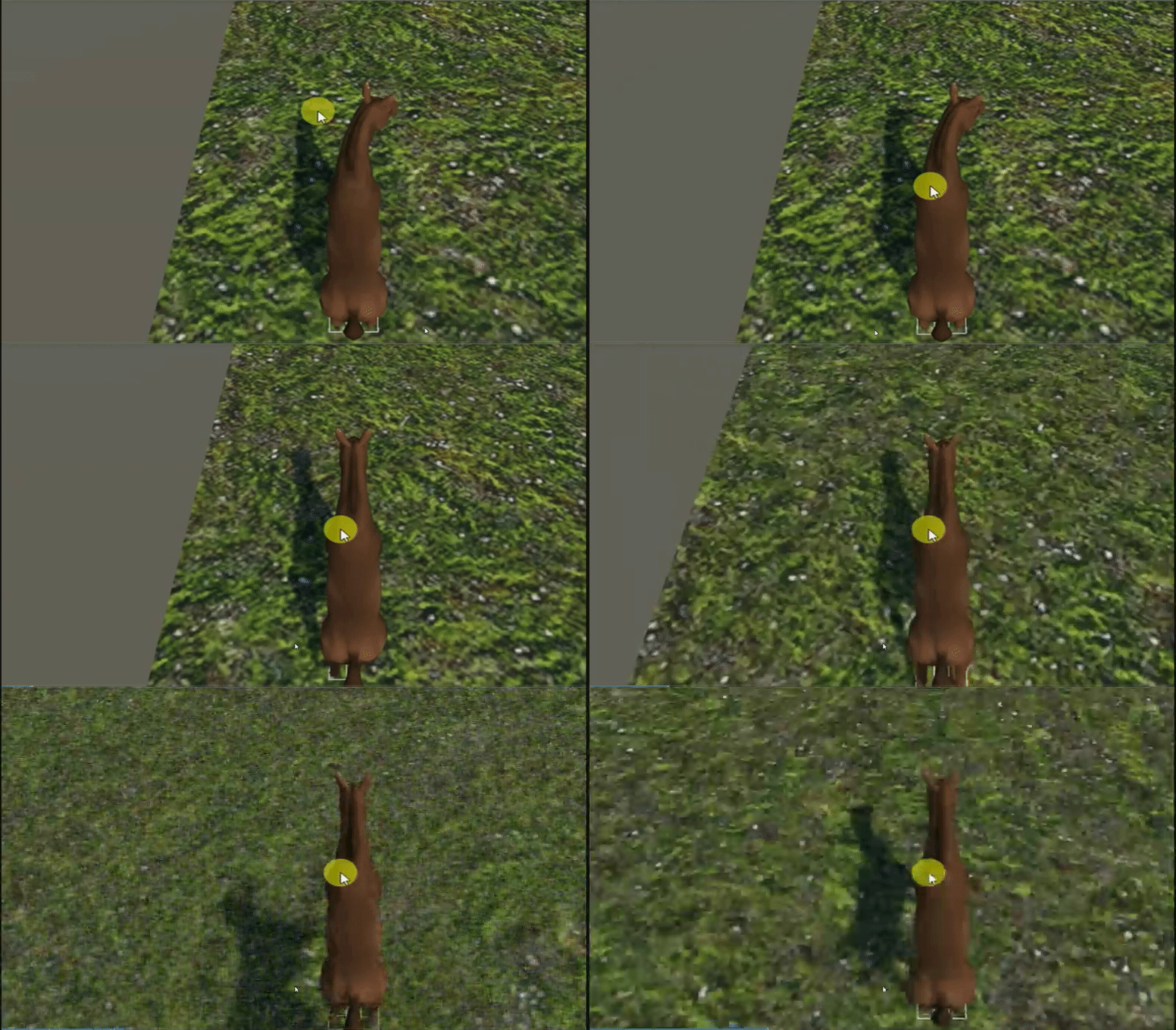
i got horse to work with third person controller https://i.gyazo.com/e49bcdf039ba6a782ee83cddaba05ae7.gif
 harsh nest
@halcyon bolt is it possible your node editor doesn't support the Unity version ?
halcyon bolt
I'm using shaderforge, and I've used the depth blend thing before (that's how I learnt about that script I mentioned)
rough sleet
@halcyon bolt I've tried using the depth buffer before and had intermittent results. For example if the world is using the Post Processing Stack it seems to interfere with the depth buffer.
harsh nest
@halcyon bolt Depth buffer is defintely usable, just tested it in my world
sampler2D _CameraDepthTexture; //the depth texture
    float depth =
        LinearEyeDepth(SAMPLE_DEPTH_TEXTURE(_CameraDepthTexture, IN.screenPos.xy / IN.screenPos.w)) // previous depth from depth buffer
        - LinearEyeDepth(IN.screenPos.z / IN.screenPos.w); // depth of current pixel
    depth = saturate(depth / 3);

    o.Alpha = depth;
(the math is not 100% correct, but it's close)
autumn hatch
f1 does work though, but it's not recommended
f1 has a major security flaw, that's basically the difference between them
Unless things have been changed
sterile cipher
p1/f1 are effectively identical, save for a security patch.
runic mauve
the asset store was brench on 5.6.3f1 so it maybe easy steal info from it
reason the update happen in it
if you dont mind somone steal your info on that lol
sterile cipher
You should be running p1
 dark epoch
halcyon bolt
dark epoch
halcyon bolt
@quick forge Hey, I'm the slime you saw at the "water test" world
How did you get the depth blend to work?
like, for the water
k, thanks. I'll try it
dark epoch
 quiet sequoia
Cutie
warm niche
dang tidiestflyer you have some seriously good avatar modeling skills. great stuff!
sterile cipher
👌 Tidiest, other than Syn, I'm pretty sure you're the only member of the community hand-making anime-style characters. Good stuff
fierce zenith
is there a way to have Event Handler on a avatar
runic mauve
@fierce zenith you use custom overridde for animation
fierce zenith
yes but trying somethink disfrent
lucid flax
avatars do not have any form of triggers/events no
runic mauve
even if they did it can be abuse of reason that stuff stay world building
fierce zenith
ture
runic mauve
there plan make inventor in the future let people spawn item but going have some limit because dont want be spamable to point get annoying
fierce zenith
do any of you kown how to change model mesh but keep it when moveing
runic mauve
you need weight paint to the armature
fierce zenith
can you still toggle that
halcyon bolt
@sterile cipher
 honest geyser
omg that avatar is great
 urban tapir
at least it doesn't hurt as much as the shaders I've seen
merry coral
How do you add a skybox to an avatar?
 hollow quiver
Alright guys, I've run into an issue and I feel dumb for not knowing how to do this... I'm trying to add a sound to a hand gesture animation override... How do I add said sound?
dark epoch
@hollow quiver Make a sound source attached to your avatar. Include in your animation to make that sound source active. Set the clip to play on wake. And before you upload it. Set the sound source deactive. So the animation override can activate it
merry coral
how would one delete 1 part of the body when its all one mesh?
autumn hatch
Import the model into a 3D program, like blender, and edit the mesh manually
merry coral
how do I do that?
autumn hatch
File > Import > then whatever file format the model is
merry coral
you know what
how do i move a body part with the attached bone?
and how do I make it stay
merry coral
nvm got it
hollow quiver
Thank you @dark epoch !!!
hollow quiver
Okay now another issue lol... For some reason when I use my animation override, it doesn't start from the beginning every time. It wants to pause and start from where I paused when I activate it again. Is there any way I can force it to start from the beginning every time?
dark epoch
First frame should be deactive. Second frame should be active. Also make sure you turn off "loop" on the animation itself
hollow quiver
Thanks. ^^
 lusty flower
does someone knows how to make moving texture with shader forge
nvm i think i got it
 zinc basalt
Hi guys, i'm need to go a little bit further than the maximum scale a character could have. I saw some people doing this but I don't know how to do it. Any clue?
harsh bay
blendshape
arctic zephyr
I am hoping to add light sources to a model of mine. I was warned that this can cause large performance hits to those around me. Any tips to make it less so?
Like using the light or light probe group?
 granite pilot
hmm, maybe low radius?
urban tapir
i put low res shadows for realtime, i think it helped a lot
granite pilot
could just turn off shadows
urban tapir
i guess I don't use shadows a lot anyway
rough sleet
Real time lights cause everything within their range to be drawn again per light. Enabling shadows also causes them to be drawn again. Light probes probably won't work the way you want as they're limited to very diffuse lighting and don't do detailed shadows. Also putting them on an avatar probably won't work very well, and they might not be permitted.
@arctic zephyr At least as far as I'm aware there isn't a good work around or alternative, real time lights are just too performance intensive for everyone to be putting them on their avatars.
They're not so performance intensive that we can't ever use them but using them on your normal day-to-day avatar is a bad idea.
It's fine if for example you want to make a version of your avatar with a flashlight for when you're in a dark world and need some light.
arctic zephyr
I am just kinda hoping to find a way to get like a stronger glow effect for my eyes.
rough sleet
They're already emissive?
arctic zephyr
I tried emissive, but it just didn't light up well.
Plus I didn't intend to leave it on as a day to day, but as an emote.
rough sleet
Emissive won't cast light from dynamic objects like avatars, it just looks bright because it's full bright. You might be able to add lights in Blender, bake it onto your textures and then use an animation to swap out the textures in the emote. It's not simple but it's very low performance cost.
However as a emote it's probably fine to use two very short range point lights and see if it causes any problems.
arctic zephyr
So as an emote it prolly won't cause too many issues?
 halcyon widget
Does anyone have experience using OpenVR to create an application that runs in the background while other apps are open?
hollow lotus
Hey, I've been working on an animation for the past three or four days, and about an hour ago I saved the project, but didn't close Unity before rebooting for a reason., and now the animation's completely gone, although the files are still in place. Should I try to restore it or start from scratch again?
hollow lotus
Okay, never mind, I've just read that you can't open animations.
 exotic tree
Is there a VRPill head asset available somewhere? I need it for reasons.
exotic tree
I mean outside of the game. I don't particularly care if it looks exactly like VRPill's head, but it needs to have the vertex shape keys for the mouth so it can speak.
 glass lodge
does it only work with unity 5? i've got unity 2017 atm and don't really wanna install another version
sterile cipher
@glass lodge unfortunately you must install 5.6.3p1 (or f1, but ideally p1)
glass lodge
aww, okay
warm niche
Tried uploading a world but it doesnt show up in "MINE" maybe servers still having issue? Detatched and reuploaded and still not showing up, will try again in a bit
urban tapir
does anyone know how to export bones from 3dsmax to blender somehow?
sterile cipher
@sudden smelt Is there any reason not to mixdown to Mono for video to be played through VideoSync?
sudden smelt
If you want to play the audio from an audio source thats 2D?
sterile cipher
Oh.. right
I haven't messed with the audio source from my player, so.
Also, oh boy, unity is doing the "blanking UI" shenanigan again.
 lilac atlas
@warm niche, I am having the same issue with the world not showing up in game.
I may try to revert to the last SDK and just go with that for now
prisma void
I'm hearing from others uploading rooms is not working too
lilac atlas
With the new SDK or also the old?
warm niche
IT seems to have uploaded now, and all the versions I uploadded are showing up, strange
lilac atlas
Ok, so just showing late then
Will check again
Still not showing up... @warm niche How long did it take for yours to show up in your menu?
warm niche
about 15 mins or so @lilac atlas i did get an exception error deleting out the duplicates I had made, and an error about the world not beingfound in directory xx.. but it seems to be working now, I had restarted everything and got a fresh connection to the server and seemed to fix it
lilac atlas
Yeah, I am getting that 404 error.
Damn, tried twice with the last two SDKs and no luck. WITB will still run fine but no new Victory circle.
Will have to do the bug reporting after the event
prisma void
I'm worried about not being able to test for the halloween party tonight 😰
runic mauve
so guess everyone problem upload worlds?
 old bridge
hey guys, do you know where to find that thorough visemes tutorial? I've seen it one time but now can't rememer how did I get there
final wigeon
@old bridge Was it a video or just a written document & pictures?
old bridge
@final wigeon a document (web page). I believe it was even made by VRChat staff member. It also had a download link for sample VRChat model skeleton. It covered everything starting from main skeleton up to eyes and visemes
but I just don't remember where I've found it
final wigeon
https://vrchat.com/developer
It's the blender/Maya to vrc guide.
Best thing to do is download the reference skeleton and save the page as a pdf locally. Then you know where it is. :D
old bridge
yep, thats it! thanks a lot
just have to bookmark it now 😅
also...how do I update the SDK? I guess if I just remove the folder and then import new package it'll screw up my existing world, which is highly undesirable
autumn hatch
@old bridge
- Quit Unity
- Delete Assets/VRCSDK
- Start Unity
- Import new package
old bridge
@autumn hatch but what will happen with existing VRCSDK in the world? wouldn't they become corrupted? like has a missing components etc
autumn hatch
At step 3 you probably will see a bunch of "Missing Prefab" and missing components, but after you imported the new SDK that should resolve it. If not, a unity restart does it.
The meta data still exists
old bridge
ok, I'll try that, thanks
looks like it works. Had to restart Unity after all because of some missing scripts
warm niche
When making animations in Unity, how do I make it so that an object doesn't rotate when the character rotates?
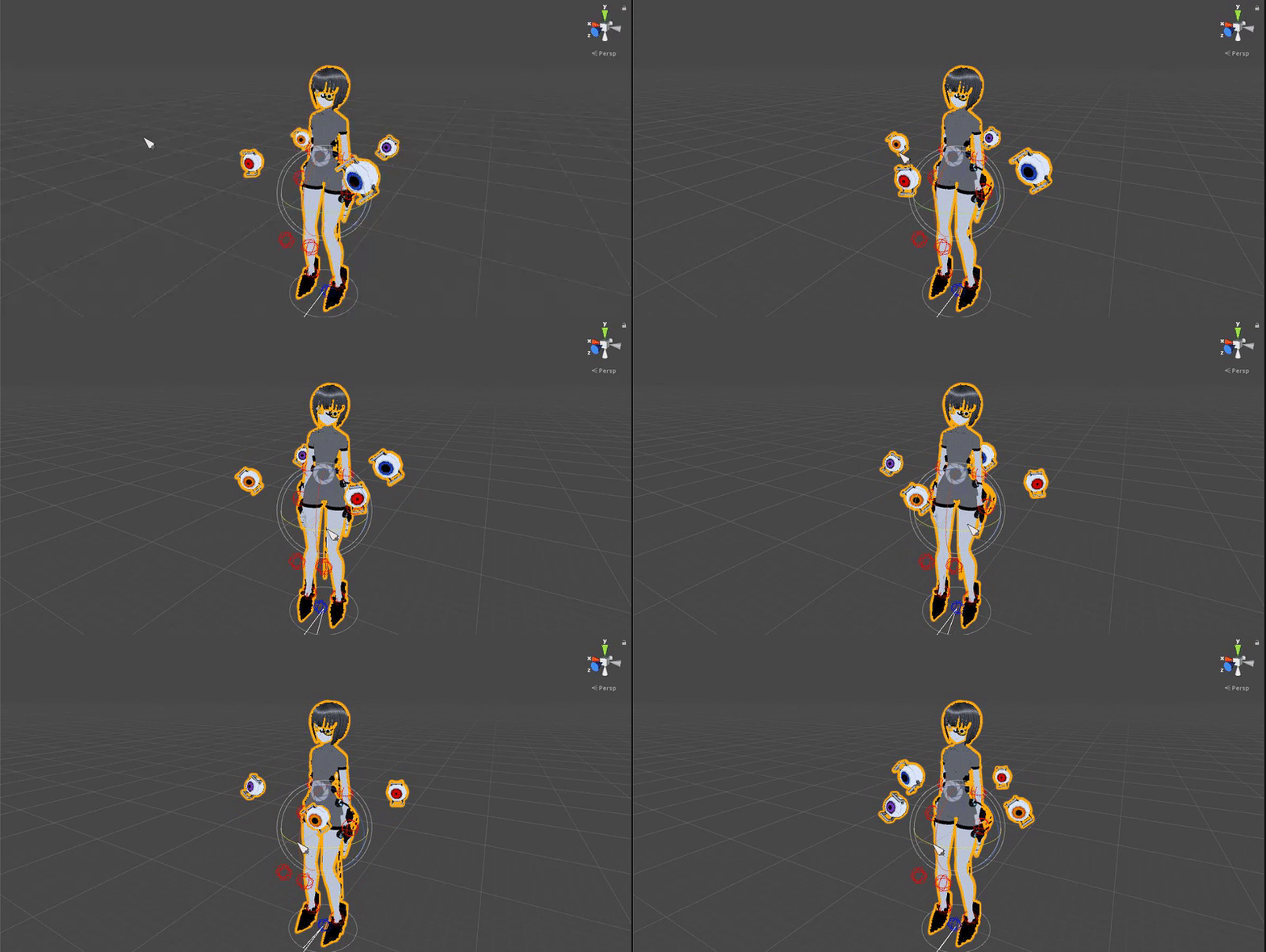
 hazy spear
anyone knows how i can black particles? the one i made are not showing ingame.
low star
where to find a guide how to add items to your hands?
warm niche
warm niche
👍
warm niche
Any clue what scripts I should search for? 'cause I have 0 idea about scripting.
viral verge
Can't use custom scripts yet is the problem 😛
warm niche
Oh yeah... forgot. Oh well.
runic mauve
Just check my YouTube channel there on there were equipment static obj on your body
Or just watch kuno new video
 dull umbra
Managed to get toggleable emotes working - sort of.
Doesn't work for the main avatar animations, but it should work just fine for props and other stuff.
 twilit coyote
I have a fully rigged model and want to add dynamic bones for the hair, but it doesn't have bones in the hair right now. Is it possible to add bones anyway?
old bridge
@twilit coyote absolutely. just use Blender
urban tapir
Can someone point me to where I can find how to replace idle animations or walking animations
halcyon bolt
@dull umbra HOW?!
I am trying to create a pistol for my avatar, but I'm a desktop user, so I can't map the animations to vr poses. I have to use the emotes, instead.
But since the emotes lock your movement, I wouldn't be able to aim, for instance.
So your method seems perfect for what I need
dull umbra
It wasn't easy.
Mainly abusing Mecanim until it cried.
Basically you need to modify an animation file so the animator playing the animation disables itself.
When it's disabled, it preserves its state until it gets reactivated.
There's a bit more to it in order to bypass the "stickiness" when Mecanim sets a property, but that's the gyst of it.
halcyon bolt
(just in case, there is no way to map an animation to a key press, right?)
dull umbra
Not that I've found.
halcyon bolt
if only the devs would hear us, and add a few keyboard sockets...
autumn hatch
Pretty sure they hear everything, but I would imagine desktop features are pretty low down on the priority list
viral verge
@runic mauve Found this thingy http://u3d.as/GJV
viral verge
Your in beta atm
runic mauve
beta dont give me access to script lol
is just modifed update verison
test for release
they might have other server just for script test for playmaker
viral verge
oo i thought you was in that one 😛
viral verge
Could still rip the animations for it 😛
runic mauve
only reason standard asset white list was white list before
but unity update with more script
viral verge
i know that one is, was talking about extended. But looks like it's no longer on the store
viral verge
It's the link not discord
runic mauve
first link in google
viral verge
Use that button
works from within unity to
Anyone Know if the current SDK has documentaion or when the old will get updated?
sudden smelt
 coarse zenith
can someone help with custom Sound effect for item in hand ?
 worthy heath
I saw the video about 2d visemes but is there one for 3D visemes because my character has a textured inner mouth?
viral verge
 wary epoch
is it possible for emote to move character(not player but avatar) in vrchat?
it loook fine in unity, ingame avatar doesnt move around, just do anim at standing
runic mauve
yea just need to make animation add to emote slots
rough sleet
@wary epoch You need to change the root motion settings in the animation's import settings. I'm not sure what you actually need to set it to though.
Also it still won't actually move you, just your avatar's model. So your name tag, camera, collider, etc. will all stay in place.
Go to https://docs.unity3d.com/560/Documentation/Manual/class-AnimationClip.html and look for Root Transform Rotation.
zinc basalt
Hi guys, I'm having problems with the unity standard fog (the one inside the lighting tab), it's perfectly working on editor but it's not working at all on vrchat
I've tried everything.
-
Using an external camera with a PostProcessingProfile with just a fog active layer on it, and putting this camera as the Reference Camera inside the VRC_SceneDescriptor
-
Changing and trying different parameters of the fog options on the lighting tab
-
Trying to use a external script like "Volumetric Mobile Fog" (This is super light for the computer) https://www.assetstore.unity3d.com/en/#!/content/52065
VRChat is sooo annoying sometimes...
halcyon bolt
another option would be to do it in your shaders
but you would need all you shaders to be custom made, and share that feature
 brisk cedar
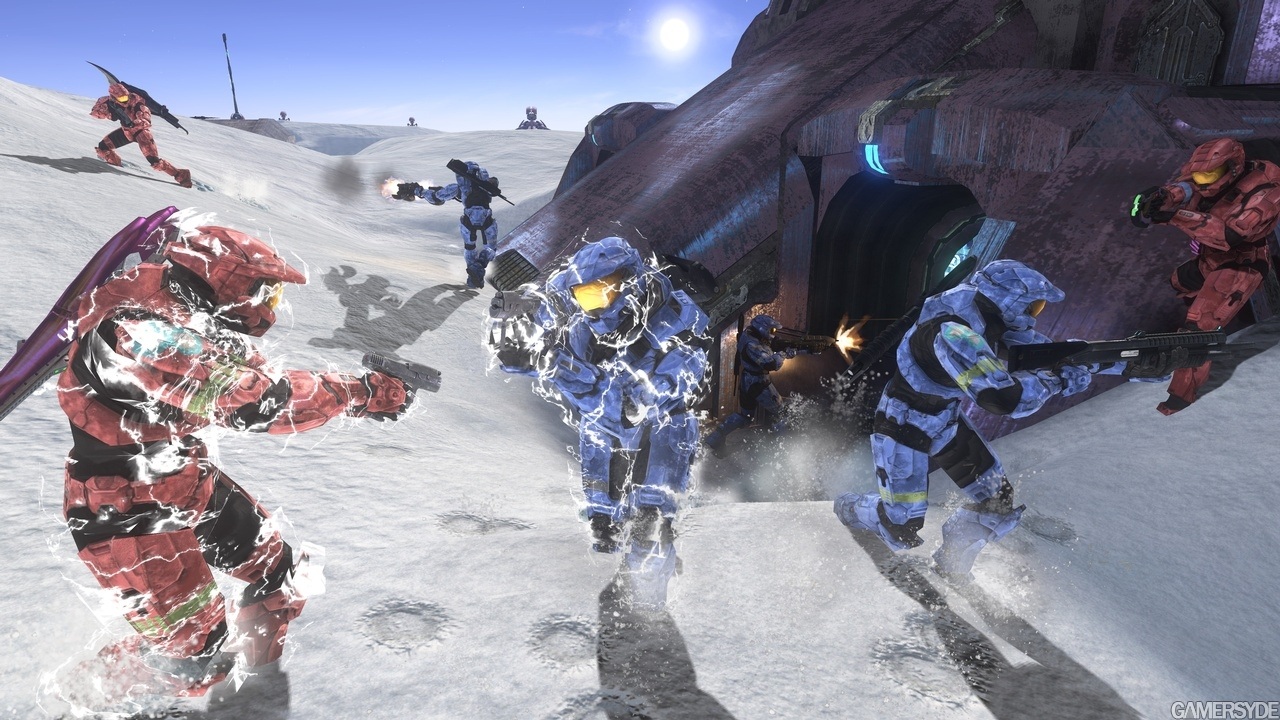
hello there so i wanted to try something a little different. i tried to get a particle system running that would wrap around a mesh as it spawned. easy enough to do with fire but i cant seem to find a god way to make lightning sort of arc around the mesh. Not in a sphere shape like literally arcing around like the arm of the mesh. like this image above
 median reef
Is there way to pause playing Animation? like in code: Animation(or Animator).speed = 0
median reef
Oh, I will. Thank you!
median reef
Ooookay I've found it. Speed can be multiply by Parameters values. thx!
wary epoch
@rough sleet Thanks Jesus i finally did it 💯 👌 👌 👌
halcyon bolt
@brisk cedar one way to do it would be not using a particle system, but rather a shader.
You would use an animated noise function to get a lightning-like effect.
And if you don't want it look like it's on the surface of the model, but instead flotating above it, just use a duplicate (similar to how outlines work)
Have a look at this:
http://images.gamersyde.com/gallery/public/6073/798_0049.jpg
And this:
https://realtimevfx.com/t/noise-based-lightning-shader-like-in-zelda/3047
 brisk cedar
O thats a great idea. Do you happen to know how to do it in unity or a good tutorial for it @halcyon bolt
halcyon bolt
I can't think of a specific one, and it's 7AM here, so I'm kinda tired.
But the basic concept is this:
https://gyazo.com/790f45602246feed3dd7088a91e1e60d
- 2 (or more) noise textures panning
- combine them
- pick only the values between a range (for intance, from 0.7 to 0.8 is white, everything else is black)
- use that as opacity, or whatever
different textures will achieve different results, so keep trying
brisk cedar
Awesome thanks man this is exactly what i needed
halcyon bolt
do you have shaderforge?
 fallow tangle
Yo has anyone tried putting 2D sprites into Chatvr?
autumn hatch
You mean just a flat picture?
halcyon bolt
@brisk cedar I couldn't sleep anyways, so I made one for you. Here:
https://we.tl/l4DCsoW50z
worthy heath
@fallow tangle yes but they need to be at least 1 big on the axis for flatness, no 0s allowed
lilac atlas
Can someone run me through the setup on the VRC Video Sync Prefab? I tried to set it up but something was horribly wrong and was here really bad audio noise. To do a playlist, do you need to have a link in that first section in the inspector or just the links in the playlist section. Also what do you do about the audio source? Do you need to connect a separate audio source in the world to that spot in the inspector? I noticed there were not any audio settings directly in the inspector of the prefab.
sterile cipher
Slap down the VideoSync prefab, put a URL in the videosync component's playlist field. That's about it.
lilac atlas
Ok, so don't put anything in that first URL field and there are not any audio settings to fiddle with.
I may have had some strange audio feedback issue because I had populated the playlist URLs and that first URL.
old bridge
I want to attach animated object to avatar and make it react to hand gestures (like standard animation override, but another model instead of character should be affected) any ideas on how to implement this?
 ornate pine
why not use hand gestures but edit the object instead of the model?
you can make an object appear with overrides/edit your own model, so why not do the same?
...or am I totally misinterpreting how this works...
old bridge
well...that gave me an idea. I somehow managed to animate attached object using animation controller, but look like I have to try to modify override controller to wirk on that object too
old bridge
looks like it's not possible after all. I can add an animated child object with infinite loop animation but can't change its state with animation override. It doesn't react to standard override controller...looks like I need some sctipting to do this, but it can't be done atm unfortunately
I guess one can make several copies of object with different animations and turn them on\off with overrides which is possible, but in my case the object has too many tris to be duplicated
ornate pine
dang... rip
viral verge
Whats c input? documentation says nothing about it
viral verge
Maybe, but knowing that does not help using it to much 😛
 strange fable
It's old deprecated stuff used with Custom C# scripting back in the day
viral verge
Would i use that to get key events from SteamVr? or do i use 1 of the joysticks in unity keys to get left vrcontroler horizontal and vertical trackpad movement for left and right controller?
strange fable
Hmm? We don't support C# scripting at this moment so the VRC_StationInput script won't work
viral verge
how do you get movement input from stations atm?
documentations is a bit vague 😛 so i'm adding them 1 by 1 atm trying to work out what does what
strange fable
You don't ^^
There's no way to get any input from stations. What would you use that input for btw?
viral verge
guessing horses and gocarts are only makable if in beta atm?
Was going to make rc planes 😛
strange fable
Ah, they are taking advantage of that Standard Assets Veichles are in VRChat which means those scripts work in VRChat
It's a very hacky solution though so you'd need to ask one of the people whom hacked it together for help ^^
viral verge
I could do it 😛 just need to work out how to get hold of input data
can hotwire it into the animator to send pings to the script
animation*
strange fable
There is no way to get hold of input data atm afaik
viral verge
rips
strange fable
Would require custom scripting
viral verge
Ima just go kick it till it works ¯_(ツ)_/¯
strange fable
:)
Let me know what ya find ^^
viral verge
will do
viral verge
@strange fable Anything you know in the SDK that lets me move a float from 1 spot to another
Worked it out 😛
warm niche
Do planar reflections work?
viral verge
i has a buggy driving around now
runic mauve
Really just.put chair child on the car then make trigger turned on the car and off
Just adjust setting standard assest car script
Then.make trigger put you in that chair
Then make exit button
warm niche
Working on a motorcycle for a world, but the wheels seem pretty unstable. When I hit play the vehicle sort of jitters for a moment and then regains balance, and if I manually move it forward it tends to freak out. Are there any decent ways to stabilize a vehicle?
(Worth mentioning I actually haven't tested it to see if it's driveable yet, just going off of what I see in the editor. Gonna run a test build now)
runic mauve
@warm niche box coillder for bottom near wheel so has have 4 wheel like a car
It be unstable move 2nd side wheel
 slim apex
@warm niche do not use box colliders on the wheels. This will give it a really hard time traveling up sloped surfaces. Use a a sphere or capsule colider.
brisk cedar
@runic mauve thanks for always being on and helping. Its very helpful
dull umbra
Made up a small asset package for toggling props with emotes.
Unfortunately it's not that stable. Unlike hand gesture based props, these ones will desync if the emote gets culled on the other player's client.
Had a situation where the prop was off for one person, but on for another.
It's the best us desktop users have got right now though.
ornate pine
thank you, ill keep it in mind ^_^
warm niche
Ahh ok!! Thank you so much guys, I think I may have this now >:D @runic mauve @slim apex
old bridge
Have someone managed to add animated objects spawned by animation override? Like firing guns. I have a couple of questions
halcyon bolt
@dull umbra This is nice!
However, I'm trying to follow your tutorial, and I'm a bit lost... (at step 2, lol). It would be nice to have a more detailed tutorial, or a video one. https://gyazo.com/e7643730aae08bddac095e466e0999c1
Thanks, anyways!
@old bridge You can use particle systems for that. But if you want the actual parts of the gun to animate, then idk
old bridge
@halcyon bolt so these were particle systems after all...thanks, I get it but I need real animation. Looks like Ibhave to find some workaround
viral verge
Could try using constant force with torque, no clue if it will work tho
dull umbra
@halcyon bolt Select the animation in the asset view to show it in the inspector (there'll be options for Loop Time, Loop Pose, and Cycle Offset). Right click on the icon at the top of the inspector to bring up the menu.
@old bridge Nested animators work just fine. So just attach an animator to whatever you want to animate and it'll automatically play whenever you enable it.
Animators will automatically reset to their starting state when their containing object gets disabled, so you don't have to worry about looping the animation or anything.
old bridge
@dull umbra yeah, it works. But I need to switch animation based on animation overrides (for example, using emotes). I've tried to attach object with animator and enable it via animation override on main character (transform->enabled attribute) but it doesn't work and I'm not sure how to do it properly. Do I need to use several frames on character or only one, to enable animated object?
I've tried only emotes since I'm on PC. May be it will work with hand gestures, but I have no way to test it atm
dull umbra
You probably have Mecanim to blame for that. Even if you enable something with an animation, it'll revert back to it's original state when the emote ends.
old bridge
Well...that's not the problem, right? Since I can make a long animation for override
But will it stay permanently if I'll use hand gestures?
dull umbra
It'll stay for as long as the hand gesture is active.
The main benefit is that you can move around with a hand gesture.
old bridge
So if I move while emotes it will cancel?
dull umbra
Right now, VRChat doesn't allow you to move while emoting.
old bridge
Well, at least now I know that...
lusty flower
can you convert mmd motion data to animation ?
old bridge
Guess I have no other option but to use hand gestures
dull umbra
Check out the package I posted a little further up. It allows basic toggleable props using emotes.
Stuff like this:
The only thing is that it isn't synced to people who aren't around when you first enable it.
So some people will be able to see it while others won't.
old bridge
@dull umbra hmm...that seems like a major drawback in my case unfortunately 😔 so I'll use gestures. May I tag you when I'll try it if I have some questions? It is really hard to get any help for that topic
dull umbra
Sure. I don't have hand controllers though, so I'm not sure how much I'll be able to help.
old bridge
@dull umbra so basically if I have like 2 animated objects attached to my character, I can use animation overrides for toggle either one of these objects or turn them all off, right? I just need a keyframe with correct values of transform-> enable for each
@dull umbra well I have my crappy PSMove setup which allows me to do a couple of gestures so may be I should stick with it atm
dull umbra
Yeah. That'd work for hand gestures overrides.
old bridge
@dull umbra but what about emoji things? (like hearts etc) I think they allow moving while making them. Have you tried to override them for that purpose?
@dull umbra I don't mind if its limited in time since I can make long animation (at least I believe so)
dull umbra
I can't really see how they could be used. They just spawn a couple of particles into the world. There's no way to get any customized content into them.
old bridge
But aren't they listed in override animations? I believe I've seen them somewhere, not sure though
Anyways, thank you for that clarifications. At least now I know the limitations and can search for better options
dull umbra
Nah. There's entries like THUMBSUP, but that's for hand gestures, not emoji.
No problem. I'm still investigating ways to maximize Mecanim's capabilities. I'll keep posting my findings as they come.
old bridge
@dull umbra that would be nice
@dull umbra btw I found this thing: if you add another skinned model to your character and it has the same bone names as your character's then it will move according to your movement as well (although it will be in the same place as character too) I believe you can move armature in Blender out of that second model to make some offset and use it like your "shadow clone" or whatever
lilac atlas
I'd like to start doing some motion capture in Avatars using Vive Trackers. Can anyone point me to a method that works well for recording animations that could then be used in Unity?
autumn hatch
https://github.com/MrQ89/VRCMotionCapture
Mr Q made this. Haven't tried it myself so can't say how well it works
lofty gulch
that's pretty cool
lilac atlas
Thanks Zarni!
mental narwhal
@lilac atlas there is also this http://brekel.com/openvr-recorder/

Motion capture with HTC Vive and Oculus Rift Brekel OpenVR Recorder is designed to record tracking data from devices with drivers for OpenVR / SteamVR. This currently includes controllers, HMDs and…
harsh bay
would anyone know how to save a variable without causing an infinite loop (crashes unity) in shader forge? ^^'
old bridge
is there a way to test gestures on PC?
harsh bay
you could bind them to emotes to test them
old bridge
nope, gestures are treated differently, so can't use emotes for that
harsh bay
then i don't think it's possible atm :/ you can test animation overrides through emotes though
done that myself
maybe not everything, but things like trails, enabling/disabling weapons etc
halcyon bolt
@harsh bay don't think in code terms when using a node editor. It doesn't always work the same way
What are you trying to achieve?
harsh bay
ahh, i'm trying to make a randomizer, setting random uv cords of a texture. I could achieve this through the randomizer in the vrc triggers, but i would need way too many materials for this
i figured it would be very difficult to do without scripting 😅
i can also use a randomizer connected to world position, but this is also something that i can't freeze the value of
can i set a trigger action that affects a shadernode?
halcyon bolt
I'm trying to make a randomizer based on time (never did it before) and it seems to be kinda tricky
It would be better if you base it on a static value, like world position, as you said
Give me some time, I'll try something
harsh bay
aight 😄
halcyon bolt
I guess by "freeze" you mean get the current random value, not go to 0, right?
harsh bay
yea
halcyon bolt
fuck
harsh bay
ikr
halcyon bolt
It sounds like a simple thing (and should be, if using code variables), but truth is I've never done that before in a shader...
harsh bay
yea would be a walk in the park if i could just store the value somewhere else, but i can't think of a way i can do that atm
so i can use the randomizer in the trigger, but then i would need a way to communicate with the shadernode
something like this, but instead of having over 50 materials, changing a material node would be great
halcyon bolt
the only way I can think of to get a similar effect within the shader, is doing something like this:
https://gyazo.com/8e76b0f7d6faa95b4854715cf11e8c38
it's not "stopping" time, but instead, it just stops adding to the uvs
it's a linear animation from 1 to -1. But once it reaches 0, it stops
(for a second, then it loops again)
but anyways, what is this effect for?
harsh bay
card game
harsh bay
so let's say you pick up a card, having it randomized basically
halcyon bolt
And I gues the card is an object you can move around, not static, right?
harsh bay
ye
halcyon bolt
then it's a "per instance" randomization. I don't think you can do that in the shader
runic mauve
i was thinking how the uno card would work you would need make object card you drag into spawnobj
then set a time each card
the deck would be putt turn on the spawner
put dont put gravity on the cards
halcyon bolt
np
warm niche
Woot ok so update on this car situation. I seem to have just about everything else working aside from car movement. It looks like when someone clicks the use button it turns on an animator that enables the car components, but somehow when I use my joystick to move the vehicle doesn't go 😮
dull umbra
@harsh bay Have your trigger choose a random AnimationFloat action with values 1-52. In the corresponding animator, add a blended animation tree based on the float value that will scroll the uvs to the corresponding card face depending on the float value.
harsh bay
ooooh that's a good way of doing it!
how do you get an animation from non humanoid objects? do you enter it in the variable and value?
dull umbra
Create a new one in the Asset View. Add it to the animator of a game object. Open the Animation view and click the record button. Any properties you change will be recorded as part of the animation.
harsh bay
ah yea i got that far, but i don't know have to connect an animation to the vrc triggers ^^
do i use these?
dull umbra
Open the Animator view for your object. You can setup custom parameters there.
You'll need to setup the state machine to change animation states depending on the CardFace value. You could also do it with a blendtree, which would require fewer separate animations, but would be a bit tougher to get right.
harsh bay
ait ait ^^ thanks for the help !
dull umbra
Something like this would probably get you started. With conditions on each of the transitions mapped to the float parameter.
harsh bay
👌
dull umbra
One thing to note: VRchat doesn't support AnimationInt yet (it's coming I guess?), and transition conditions don't allow you to test for exact equality when using floats... so you're going to have to improvise a little.
viral verge
Anyone know why exit stations not working?
Right now, once you get in you can't get out x.x
Also know the trigger works, since i had it doing 2 actions before and the other one worked when pressed
viral verge
okis
runic mauve
uncheck mark disable station exit
make trigger cube to put you in the vrchair
cant use the chair self with trigger
trigger on chair dont work well what mimi told me
viral verge
how do you stop movement kicking you out of seat without disable exit?
runic mauve
with exit trigger with exitstation
https://cdn.discordapp.com/attachments/337864856294391808/375029782993305600/7633657e7c17abf65352ae586b16d686.png https://cdn.discordapp.com/attachments/337864856294391808/374798001211703296/6106e51d396dacf10f4bf7a8d9c737c9.png https://cdn.discordapp.com/attachments/337864856294391808/374798482730385409/cd68ed521c97cb6d04689541814ade33.png


3 thing you need for car in vrchat a Engine button, Sit button and Exit button
add gameobj to chair to turn the chair back on because the chair self will show sit
but not what you want people to push
viral verge
Can you detect when someone leaves a station? no matter how they do it
like if they crash or hit respawn
runic mauve
for right no i dont think so i think they would need make trigger if somone hit repawn turn off all this
viral verge
Have you worked out a way to stop control if someone hit respawn?
viral verge
does owner id change on respawn?
viral verge
Buggers
runic mauve
you could make master swtich destory respwan all cars lol
runic mauve
problem when you destory obj and respawn the person stuck in that area
till hit respawn lol
viral verge
Would just tele all objects over destroying and respawning
exotic tree
Is it possible to have a properly working video screen on an avatar? I've set up a camera with a target texture and it appears properly for me. However, no one else sees anything on the screen that I've textured with the target texture.
sudden smelt
cameras are only enabled locally on avatars
final wigeon
@exotic tree Very likely not. Too easy to abuse and cause performance problems.
runic mauve
yea anything with mirror, camera to easy abuse reason not on avatar
you can use camera for your self
exotic tree
I've seen people with mirrors on their avatars, so I know those must work somehow.
runic mauve
it was remove new update
exotic tree
Ah, ok
runic mauve
you use be able do alot thing 5.3
but that stuff remove because performace issue
possible if the partcile get abuse to much could be next thing but let hope no one abuse it
exotic tree
5.3? I saw someone with a mirror on their avatar just a couple weeks ago, so it wasn't removed in the 5.6 update.
runic mauve
they maybe had on there avatar before new patch
there couple new patch lately
new patch was for halloween event new trigger
last patch remove componet from avatar could be use for abuse
@exotic tree VRCHAT 0.12.0p1 - october 5, 2017
SDK
FEATURES
Added VRC_CustomRendererBehaviour (includes RealtimeGIUpdated)
CHANGES
Restrict certain components that can be uploaded on an avatar to save performance <<<<<<<
Replaced Ethan with tutorial avatar
Removed VRCYoutube prefab
More SDK example changes
Updated SDK examples
VRC_Trigger proximity defaults to 1 instead of 100
VRC_SyncVideoPlayer works with lists of urls
VRC_SyncVideoPlayer supports Youtube, Vimeo and DailyMotion links
best check notes https://www.vrchat.net/release
viral verge
@runic mauve How do you set the user that controls the movement script ?
Keeps getting set to me
runic mauve
need add ownership trigger to exit button
enter button
dont have them trigger wont work
and add to the engine button as well
 rain cape
Does anyone have the download link for the older version of Unity compatible with the SDK
runic mauve
runic mauve
@kindred shadow unity has 2017 verison but dont work with vrchat
because there use 5.6 unity
 kindred shadow
ah okay
 rain shore
So I have all of these animation tabs ticked out with my custom animations. They're all playing in unity however, when I switch over in game, one of my emote animations, in this case named "torso_attack" doesn't seem to play. It just goes idle and freezes me in place, and I have to respawn to another world just to get unstuck. Anyone would like to help me that'll mean a lot, since I've been dealing with this particular issue for about 2 days now, been looking around for tuts about this and still nothing.
halcyon bolt
Are there any guides on how to create shaders than don't fuck with the eyes of VR users?
I think you need to take into account that there are 2 cameras, but I don't know how to do that within shaderforge
@placid current @rough sleet
rough sleet
Not that I'm aware of, and I've not attempted to tackle that issue myself.
runic mauve
wonder if claw would know lol
halcyon bolt
I think it happens when you use SceneColor, ScreenUVs, etc
rough sleet
Yeah, screen-space effects need to be done carefully to avoid causing stereo mismatch. Camera postion based effects can be a problem as well depending on how sensitive the effect is.
What kind of effect are you trying to do?
halcyon bolt
Nothing right now, really.
It's just that people have complained about some of my avatars
As I said, it's mostly because of screenUVs, and sceneColor/refraction
I would just like to optimize them for VR
warm niche
I have a character with a thin cat tail, I don't want it to be stiff. Would dynamic bones be the way to go, or would something like an animation be a better idea?
rough sleet
@halcyon bolt I'm not sure about a general solution. You probably won't be able to fix it using Shader Forge and will need to write some code directly. I'm not sure whether Shader Forge generates code that properly handles screen-space UVs for stereo packed render targets. You can take a look a the "Authoring and modifying Shaders to support Single-Pass Stereo rendering" section of this page https://docs.unity3d.com/560/Documentation/Manual/SinglePassStereoRendering.html
lilac atlas
You had me at Single-pass Stereo!
autumn hatch
Do you have a decimator on the mesh in blender?
Or any modifier other than the armature one
warm niche
@autumn hatch ye
autumn hatch
Then you gotta remove it
warm niche
Thx
wary epoch
I see VRChat cache is taking so much space on \AppData\LocalLow\VRChat
Can I delete this?
autumn hatch
!cleancache
 olive oxideBOT
You can clean cache by deleting the vrchat folder within C:\Users\[Username]\AppData\LocalLow\VRChat
autumn hatch
Yup
wary epoch
nice.
autumn hatch
It's just the cache. It doesn't clean itself so deleting it once in a while is recommended
fallow tangle
Are all custom animations limited to 10 seconds can you use longer animations with added hotkeys?
I'll also asked this in avatars since its active sorry
runic mauve
@fallow tangle only on vr controller
emote only last 10 sec
but if you have vr controller last longer how long you made the animator controller
use a gensture trigger animation
fallow tangle
Im having trouble reading your message, so trigger gesture animations can last longer than 10 seconds?
runic mauve
yea because you keep whole the button down
it last as long the animation lasted
need to make a animator controller
fallow tangle
Ok gotcha, I'll tutorial the rest, thanks.
fallow tangle
Hmm I get how to change parts of the custom animation override to add 10 second animations but I cant find a tutorial on a trigger button activated animation, do you know of any tutorials for it?
runic mauve
just put aninmator on item that has animation
fallow tangle
Sorry for the volume of questions but Im getting the even handler as not supported, how do you go about toggling an animation bool?
old bridge
Just create custom animation clip and put it in appropriate gesture placeholder for custom override
And then you'll need to keep making that gesture until animation stops, I suppose
warm niche
When I animate a character, is it possible to have my point of view stick to it's head?
old bridge
I think character camera is attached to its root or something. When you animate, your camera stays still and I don't really think its possible to stick it to something
warm niche
🤔 I wonder if it's possible to stick it on the head.
old bridge
Do you want to make a surveillance drone? 😬
warm niche
That's something Smoothie will do. I just want to stick mine on the head.
old bridge
I don't really think its possible currently. As I see it, camera and audio source for your mic are attached to some kind of root to your character
halcyon bolt
actually, if you try to sit on a tilted chair, your body will adapt to it, but the camera will remain where it would be if the chair was straight
So I'm guessing they have some kind of "camera position point" that the camera sticks to
idk really, though
runic mauve
you could add camera on your hand to see what that thing want to do lol
only you see the camera working
warm niche
Imma go ahead and do that.
old bridge
And where to render with this camera? I'm not sure render texture works in VRC for users
runic mauve
camera work on avatar
you can make a animation robot add camera to it and see though the camera view
controller with custom override
old bridge
Really? So just adding camera makes it main for character?
old bridge
But how do you see it? Your view is changed to camera's view?
And what if I add, say, 2 cameras...or audio listener
runic mauve
you need animation the item with camera on it
then camera move with it
custom over ride let you controller it
old bridge
Hmm...interesting thing...I probably should check it. I even know where to use it😬
runic mauve
you could make animation move up and have camera look down then you can see world better
you get top view
old bridge
So basically you can attach camera to, say, your hand and turn it on by gesture 😬 or make a back view camera
Sounds interesting but I really Ned to check if it works
Need*
runic mauve
add camera to objection then you add plane with the viewer texture on it
like you make camera in worlds
old bridge
@warm niche did it work after all?
old bridge
Ah, ok
harsh bay
@dull umbra How would you go about setting the animation frame? got everything setup and working, just need a way to set which frame to play in the animation 😄
keyframe that is
dull umbra
Use the CycleOffset property in the animation node. You can attach it to your parameter so that the starting keyframe time will correspond to the value of the parameter.
Alternatively, you can split your animation up into multiple 1-frame animations and just choose the animation you enter based on the node.
harsh bay
got it to work 🙏
dull umbra
👍
viral verge
This is missing parts, Just went to read up about it but it has nothing on it about (TeleportTo, TakeOwnership or ReapObject)
Still Trying to understand how TeleportTo works but i can't get it working
runic mauve
because item teleport dont exist yet for trigger
viral verge
TakeOwnership does, so it's still missing stuff
runic mauve
take ownership just let you take over a setting from trigger
that was push
basic use for like car script
or 3 person script
or use for pickup item
viral verge
Still changes nothing, The documentation is missing stuff, and it would be alot more easy to use if it explains all it has
runic mauve
spawn obj only thing you can do but not teleport obj
viral verge
like i said, changes nothing
So many problems would be so much more easy to work out, if it was uptodate. This is not the only part that is missing things
viral verge
I think you are not understanding what i'm saying
not asking for a trigger or anything, I'm saying the SDKs documentation is lacking information on what it has
And since we can't see the code, it's a guessing game with what does what and if it does more then people worked out
runic mauve
the trigger simple tell what does
viral verge
-.- nvm
runic mauve
i know you want some be able teleport item with you right?
viral verge
no
viral verge
runic mauve
well because no one make tutiroals on this stuff
viral verge
It's not about tuts
it's about the documentation on the sdk by the people who made the sdk
runic mauve
it visual trigger system not add code reason code was remove because been abuse it
viral verge
-.......-
not talking about anything you are thinking about right now
i said the sdk lacks info on what it can do now
functions you can use have 0 info on what it is
and how it can be used
runic mauve
well because busy fix the game to much
basic people who figure out what it can do dont really share the info that much
viral verge
It's not up to them
viral verge
no, you don't need something like that
runic mauve
i know they lack on info but i think coumminty in vrchat could work together figure what they can do just give some test and figure out
viral verge
Then you gain fragmented and misleading information on what things really do
runic mauve
actally trigger system not hard to figure out
i belive when they make trigger they dont even know what it can really do lol
they just add see what we can do with it
viral verge
Missing my point, but does not matter. not going to go full circle. and yes you do. You know what input it takes and the output. But i'm done here
runic mauve
it just alot work show so many way how it can work
to me best share info you find and make guide on it only way people well know
plus some day trigger could change
that guide be outdate
it happen before
it can happen again
vrchat wiki really outdate for avatar
sterile cipher
The documentation has been worked on recently, and it was (mostly, AFAIK) a one-person job. It isn't complete yet sadly, and triggers are somewhat sparsely documented with use cases and examples. Relay, for example, is completely undocumented (the last time I looked, at least)
But yes, @viral verge , agreed. Documentation is lacking. I get what you're saying. 😃
it'll get better with time. You can also suggest edits to the documentation if you want to help add stuff you know about.
dull umbra
VRChat is early access. What exactly do you expect? They're not going to make detailed documentation on something that could change on a week-by-week basis. Which would you rather have: Limited, but accurate documentation, or perpetually out of date documentation?
Check out the wiki page. Several pages are severely out of date - even going so far as to mention that triggers can still be placed on avatars.
runic mauve
best if you find way use trigger share info only way people get to know how it works
i still learning the trigger system if i get use to i make info on it
like in minecraft you have figure out how to use system i dont think developer made tutiroals how to use it was the coumminty did that
play maker come out be tons new trigger we have to figure out
stuck bobcat
It's not evident, and I don't believe i've ever done it. Is there a trigger for "StopInteract"
OnInteract will fire when you interact with a button. I'm not sure if there is a StopInteract. I don't think there is.
stuck bobcat
Yup ideally I'd like to avoid that. Was hopign I could just fire a trigger when you click on it, and another when you release. But that only works with pickups
autumn hatch
You can do that, and freeze the pickup in the air
runic mauve
i think we should add more trigger idea to canny
stuck bobcat
Oh so create a pickup, freeze it in the air, and use it as a button.
Yup, that would do it. Smart.
Though .. wouldn't you end up moving the pickup once you clicked it?
autumn hatch
Never put it into practice though
stuck bobcat
Or is it possible to make pickups you can't move?
autumn hatch
If you freeze X Y Z axis on the rigidbody it should stay still
stuck bobcat
Will experiment
autumn hatch
or just block it in with colliders
runic mauve
i was thinking idea use 3 person scrip make moveable cannon use animation to push the collider ball out of it
3 person script can be made way turn object around
slim apex
Slightly more performant way of doing it would probs be making it as static in the editor. That way you don't need to use any rigidbodies.
viral verge
Writing documentation while making something is way faster and better then needing to rego over all the scripts to be able to write it later -.- so don't give me "early access" and "What exactly do you expect" I asked for a simple thing of the Documents to be kept up todate. So i would say thats what i would expect. Also did not mention anything about the wiki since i don't expect anything from that
sterile cipher
I wouldn't trust the wiki at all at this point. Woefully out of date, and any users that were keeping it updated have stopped a while ago. It was always 100% community-supported, too
The docs are a somewhat new thing and are still under work.
viral verge
Wikis are normally the community driven anywho, not an accurate tech doc 😛
I'm fine with them being worked on, just don't like people talking crap
sterile cipher
No matter how it "should be done", this is what we've got unfortunately. Suggest changes if you want to, but like many things in VRChat-- we don't know how it works until someone tries it.
viral verge
And people who use the term Early access as a blanket reason for why things are not done x.x kinda bugs me to 😛
sterile cipher
Well... that is sort of why the term exists. 😃
viral verge
The docs are not done because no one like writing them coz it's boring
runic mauve
early access mean you help test out the game it use be you had send in request want to join beta testing
viral verge
I hate writing docs x.x
sterile cipher
I'm not sure I agree with that. Although I will agree that EA is an overused term at this point. But for something like VRChat, where the team is very, very small and work is always piled up for months in advance, and not even remotely close to feature complete? Yeah, EA is appropriate.
sterile cipher
Thankfully you've got a direct way to help speed along the process-- especially with the docs. Experiment, document, suggest changes, and get them published.
viral verge
as far and wide as you can see:P
sterile cipher
So basically, you can either do that.. or just complain. One of them is far more productive than the other. ¯_(ツ)_/¯
viral verge
If i could see the code i would be fine with writting up some docs, But i don't like guessed or fragmented information
sterile cipher
I sincerely doubt any of us would get access to the source without being a paid, NDA-signing employee of VRChat. 😛
viral verge
Thats why i really want them uptodate 😛
runic mauve
best not show code that way hacker can get in it
sterile cipher
That's.. not really the reasoning Jaz, but sure
viral verge
People will insta steal parts of the game or clone it in full
TBH if i could see the code i probs would use some of it in my own games 😛 hard not to after seeing how something works
runic mauve
you could make your own vrchat just need to know how to make Ik system and networking and servers
sterile cipher
Anyways, to get back on subject-- yes, the game's development tools are badly documented, and that's why tutorials are so highly valued. World documentation/tutorials is a bit more sparse, because most people concentrate on making avatars.
runic mauve
and trigger system lol
sterile cipher
If you've got detailed questions about the trigger system and how certain modes work, the best place to ask is in here, or in #world-development .
viral verge
I will probs care alot less when playmaker/coding comes out 😛 will just make my own stuff, Unless i need to touch to much of the sdk
runic mauve
i think add code be cleaner thing before enter to public
i think they would want you hand out the document and info how it work before add to vrchat
viral verge
Once playmaker is fully in, you would not need to since it would be blacklisting any function you're not allowed to use
sterile cipher
Playmaker will be pretty unrestrictive. They'll likely also have a C# scripting beta/implementation, but it will be very, very limited and closely monitored.
viral verge
God, you could really screw with people otherwise xD Send spam data all over the clients pcs
sterile cipher
Yep, that's why it was initially removed.
runic mauve
when play maker script close beta come out i think there going make different server for that avoid problem incase go wrong
they would need alot tester
sterile cipher
The main thing I personally want is access to arbitrary external APIs. That would allow.. well, basically anything. I could control a remote application that would let me store data and send it back.
You could also make your own videosync controller, or an XP/leveling system, etc.
If you have access to external servers, it really REALLY opens up the possibilities.
viral verge
I just want to be able to make things without needing to hotwire up the animation tool to make anything work x.x
sterile cipher
Yep, right now that kinda stuff is pretty limited. Work with what you've got. There's creative solutions around most problems.
runic mauve
@viral verge you can allway get the play maker plugin and play with it figure what it can do what wont be in vrchat
sterile cipher
Owlboy had a particularly awesome solution for having lights pulse with music in the Holloween Pug.
Normally you'd script it (in like... 3 lines!), but he used a pre-rendered MP4 and render textures with a static playlist.
viral verge
I think i was in a room with owl playing music
I could not for the life of me work out how the room was matching up to music played over a mic
viral verge
not hard todo since what tupper said
Could just match up to a beat in a playlist then trigger both around the same time
sterile cipher
You get desync eventually with that.
Owl's solution was a lot more elegant and performed much better.
Especially under load. It was super clever.
viral verge
but someone was playing music over a mic o.O and it matched up