#Gonna need more than that to say
1 messages · Page 1 of 1 (latest)
 lost kernel
I'd better make a thread. But yes, I'll add some more to this
for the animation driver I'm using motion matching

and an offset root to handle turn-in-place
I update the pose for holding a weapon when equipping one, to change the CHT pose accordingly


with the various variables controlling when to play each animation
I attached arrows to try and figure out the pose directions

so as you can see, the model kinda stands bladed to the right
I switch it to the rifle pose and it looks like it should be accurate

this is all the master class stuff
the player character rotation is controlled currently by cursor location

this set of spheres is the cursor position as interpreted by the game
red sphere is the ground contact point, blue is approximately where the actual point of aim is relative to it
since my normal camera angle is 65 degrees I had to do some hacking to get facing to work more accurately when pointing at the sides of the screen

the turning is calculated on tick
we get the two spheres I show above here


and then we rotate to follow that point
below


I tried to brute force it by just adjusting the angles of the master class mesh rotation to line up but it doesn't help
Here's the setup with all the debug lines on

the red lines are 90 and 270
blue line is the barrel of the weapon
yellow is supposed to be from the head of the character mesh

but for some reason this never rotates
SmoothStrafeVector function


UpdateMouseVectors

it may appear a bit overdesigned but I'm trying to make the mouse position follow terrain so that when I add in AimOffsets, I can aim up and down when needed
https://youtu.be/S8S5a2Fo10Q
I tried doing a check where it was just the NPC following the player object and the viewcone seemed 180 degrees off at all times for some reason'
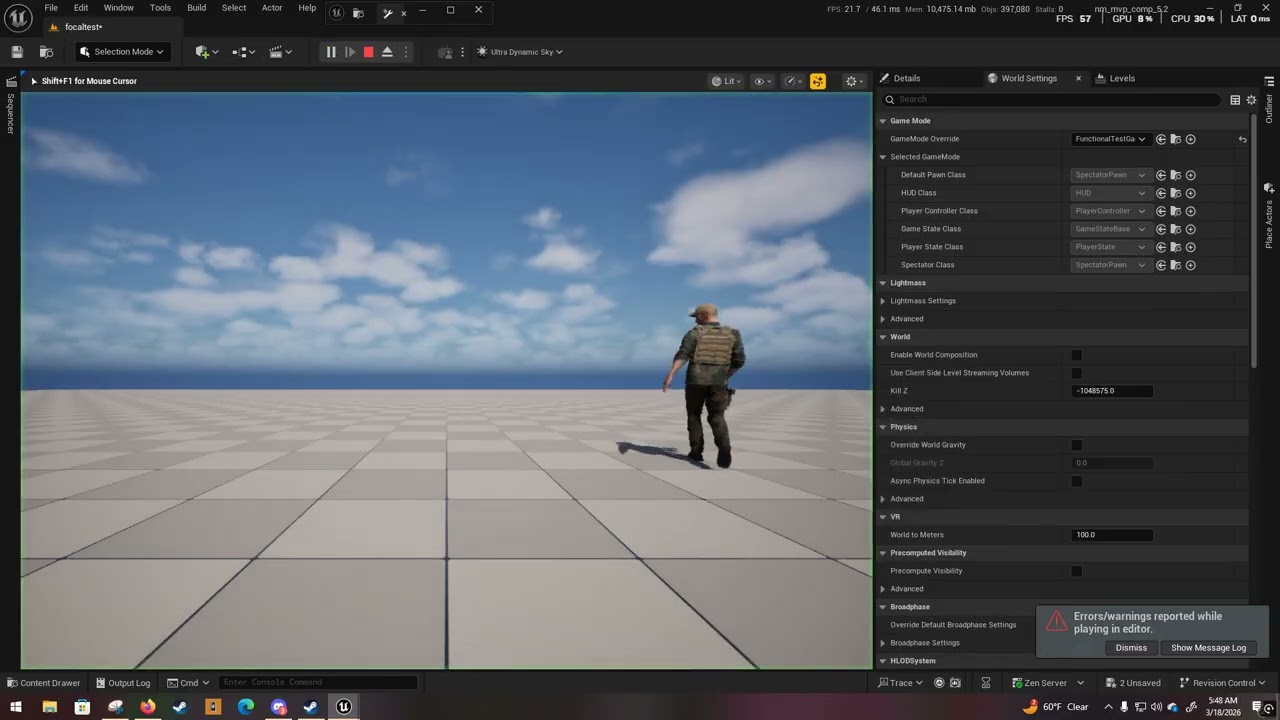
okay so my perception system is just straight screwed I guess
so even without player control interfering, stuff is still weird
 weary tapir
lost kernel
we get the two spheres I show above here
weary tapir
lost kernel
we get the two spheres I show above here
Getters exist
 weary tapir
lost kernel
we get the two spheres I show above here
weary tapir
lost kernel
we get the two spheres I show above here
Is this your master character, which both player character AND ai characters are or are subclasses of?
lost kernel
weary tapir
Is this your master character, which both player character AND ai characters are...
The cursor tracking is only on the player character subclass
weary tapir
lost kernel
we get the two spheres I show above here
So where does look direction (not actor rotation) get cooked up?
This is kind of a mess, you got stuff you should be calculating in the AnimBP in here
lost kernel
weary tapir
So where does look direction (not actor rotation) get cooked up?
https://www.youtube.com/watch?v=OPaWOYqESwA
basically the AI is supposed to Focus targets and attack, but the actor model is always off and the shots never hit
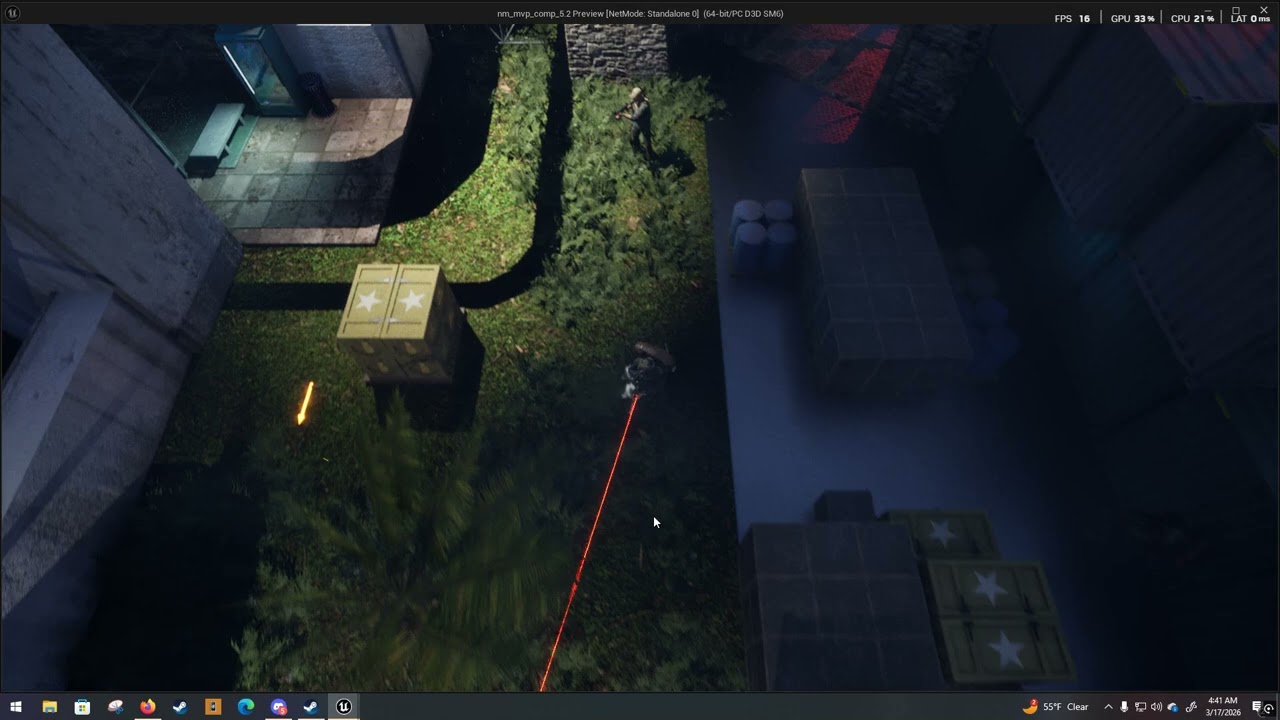
tried removing all of the rotation tasks, but the aiming is still off for all npcs
and the mesh of the player character has the same problem because the weapon/laser is facing a point that isn't where the cursor is
which is going to be very annoying whenever I add controller support
weary tapir
lost kernel
https://www.youtube.com/watch?v=OPaWOYqESwA
basically the AI is supposed to Foc...
Show the part of your code where you math up the direction or yaw from character to target
You need to think of it as a layer of intermediate data. Characters don't aim at targets or at the cursor, they aim at their AimPointLocation. Having a target or the cursor can SET that aimpointlocation
lost kernel
At one point I was using tasks in the AI controller to turn towards the enemy but I was advised that setting a focus would allow the unit to turn to the enemy without requiring a task for it
lost kernel
That might be a bit cursed, sorry
weary tapir
lost kernel
At one point I was using tasks in the AI controller to turn towards the enemy bu...
I mean the character should literally have an aim location or aim direction vector they maintain. That is the source of all "what direction am I looking/aiming" queries.
Ai and player modify it, it's read by animbp to cook up rotations for the upper body etc.
lost kernel
for the AI it's just using a blackboard SetFocus


(This is not default blackboard, this is an HTN plugin, but it uses a lot of the same logic)
but I've thrown three seperate AI solutions at this project and every time the aim was off regardless of focus method
...hopefully "observe blackboard value" might fix that
it didn't
it's just straight up 180 degrees wrong'

my personal theory is that since it's Lyra animations, they're designed for the OTS camera from Lyra, and as such, are rotated off an axis on purpose
alright it's not consistently 180, so yeah, definately not an anim issue

in a previous version with the behavior tree, I tried to make a service for this that would prioritize based on stimulus value. I was hoping to avoid the risk of having the AI track the player through walls too accurately and try to limit their considerations to logically available information. This isn't currently run, since it was in a previous attempt, but I'd love to know if this is a bad way to do it (it probably is)


so for whatever reason FindLookAt and SetFocus aren't helping
presumably because the mesh can rotate independently of the capsule
do I need to get the shortest possible distance between the barrel and the target?

I thought about hacking it so that shots come from the eyes instead of the barrel but then it doesn't line up with player expectations
I could theoretically edit my animation to get the barrel pointing towards the center more but I have probably 320 animations to edit, or it would be a AimOffset problem
(I don't have AimOffset working yet)
weary tapir
lost kernel
for the AI it's just using a blackboard SetFocus
your PAWN should maintain an aim point or aim direction, which the ai or player can manipulate. Start there, without a unified single way to say "the dude is aiming at that" you're just running in circles.
lost kernel
weary tapir
your PAWN should maintain an aim point or aim direction, which the ai or player ...
I added an arrow for the point of aim attached to the head of the model

so we feed that into the blackboard, the end of the arrow area?

no I swear I have a better way to do this
this is awful
I'm tying it into my ai firing logic to try and adjust there. So I've got the forward vector of the arrow, and the line trace from the barrel

I have to do the pre-fire trace anyway because I want enemies to check for a friendly before firing, to avoid friendly fire
so it should rotate until the barrel line and the head line are in parallel, right?
or would aimoffset just fix everything
weary tapir
lost kernel
I added an arrow for the point of aim attached to the head of the model
Why not just maintain a vector variable
lost kernel
weary tapir
Why not just maintain a vector variable
Pardon, I'm not sure how to do that
like from AI Perception?
weary tapir
lost kernel
Pardon, I'm not sure how to do that
just make a vector or rotation variable in the pawn and have THAT represent the look direction
 lost kernel
weary tapir
just make a vector or rotation variable in the pawn and have THAT represent the ...
lost kernel
weary tapir
just make a vector or rotation variable in the pawn and have THAT represent the ...
I think the only thing I'm worried about is whether or not this can work with different meshes loaded
I think as long as it is on the same skeleton it'll work
or as long as the arrow point works
for some reason even though I set it to visible the arrow doesn't draw

so something like this?
weary tapir
lost kernel
no
have the player OR ai directly set the point of aim
or aim direction, or aim vector, however you want to do it
THEN base everything off of that
lost kernel
So SetFocus also only accepts Actor references and not vector locations
weary tapir
lost kernel
So SetFocus also only accepts Actor references and not vector locations
You would want to use focus as "what the brain is focused on" and AimPoint as "where the body is looking"
Focus is a property of the AI controller, not the pawn.
Then it's trivial for the AI controller to set AimPoint = FocusActor.Location