#packaging
1 messages · Page 32 of 1
 solar plaza
 fierce pebble
where is it from
solar plaza
epic games store
or from a person that posted it on the epic wesbite not sure it was a long time ago
but im just trying to build it to test my server out
solar plaza
probably 4.18 but now its 4.22
fierce pebble
you cant just update a code project 3 version
4 version
between 18 and 22 changed alot
we use vs 17 now for instance
13 is not working anymore
nor 15
solar plaza
but thats what build tools are for so you can update the project there should be no problem with packiging it just because of updating
fierce pebble
not it doesnt work like that.
solutions we replaced
and need to be talked to different
if you didnt fix these issues then thats your problem
and the log clearly shows this
its looking for something.
and you cant replace it.
solar plaza
the log shows about the build tools nothing to do with my project my project has no issues what so ever
fierce pebble
it has all problems
the logs shows you a namespace issue with the project dll.
you cant cook it
bc it cant compile
thats a massive issue
solar plaza
so you saying if i had a error in my game with the error log if i try to package the game it will stop it because of those small errors
fierce pebble
this is not a small error.
if your car engine is filled with mapel syrop
it will just start a fire
and explode.
that happened here
solar plaza
so no way of fixing this?
fierce pebble
its a c++ issue
a coder has to go in there and run a diagnose.
to see what is all broken and or missing
and by that version distance it could be completly useless.
solar plaza
but why would there be a issue inside of the c++ but the engine doesnt show it
fierce pebble
bc its a compiler issue
the editor will give you this error if you press compile
but unless you dont.. it will just try to go ahead of built binaries.
which is a bit lucky
that they still work
solar plaza
ye so the errors that show up in UE4 when i press play then exit they are the errors that are stopping it right?
fierce pebble
so
when did you decide that those errors arent worth mentionting?
how do you decide how important they are
solar plaza
i told you at the start is it the errors that show up in UE4
solar plaza
well yes it is because they say there not reading properly but they cause no issues in my project
fierce pebble
a coder has to look into this issue.
solar plaza
why do you keep saying a coder lol i was the one that modified loads in this project when i said i got this project from epic games store it doesnt mean its default there is tons of stuff inside it that are mine
fierce pebble
you werent able to read this error.
which is not an expert level error
its a common error for every beginner coder
i recently dealt with that alot
and you werent able at first to tell me about the version too
solar plaza
the error said build tools error which is the build tool you download i asked a simple question is the errors in UE4 stopping it from building there is no need for you to be cocky
fierce pebble
it wasnt obvious to you.
i am not cocky, there is nothing i can do to fix this.
only a coder can really.
solar plaza
i asked a question and you where cocky so yes you are
fierce pebble
i am sorry if i were but the facts are in the logs.
solar plaza
just stop talking i got my answer so stop being cocky ok
its not a fact i have been using UE4 for 3 years but i havent packaged the project before so i wasnt sure if it was the errors that where stopping it
fierce pebble
i will not argue about this.
 mighty ginkgo
Hi guys, when I try to package I always get this error:
UATHelper: Packaging (Windows (64-bit)): ERROR: Missing precompiled manifest for 'EditorWidgets'. This module was most likely not flagged for being included in a precompiled build - set 'PrecompileForTargets = PrecompileTargetsType.Any;' in EditorWidgets.build.cs to override.
PackagingResults: Error: Missing precompiled manifest for 'EditorWidgets'. This module was most likely not flagged for being included in a precompiled build - set 'PrecompileForTargets = PrecompileTargetsType.Any;' in EditorWidgets.build.cs to override.
UATHelper: Packaging (Windows (64-bit)): Took 8.8229456s to run UnrealBuildTool.exe, ExitCode=5
UATHelper: Packaging (Windows (64-bit)): ERROR: UnrealBuildTool failed. See log for more details. (C:\Users\mzdartist\AppData\Roaming\Unreal Engine\AutomationTool\Logs\Z+UE4+UE_4.22\UBT-gloworb-Win64-Development.txt)
UATHelper: Packaging (Windows (64-bit)): (see C:\Users\mzdartist\AppData\Roaming\Unreal Engine\AutomationTool\Logs\Z+UE4+UE_4.22\Log.txt for full exception trace)
UATHelper: Packaging (Windows (64-bit)): AutomationTool exiting with ExitCode=5 (5)
UATHelper: Packaging (Windows (64-bit)): BUILD FAILED
PackagingResults: Error: UnrealBuildTool failed. See log for more details. (C:\Users\mzdartist\AppData\Roaming\Unreal Engine\AutomationTool\Logs\Z+UE4+UE_4.22\UBT-gloworb-Win64-Development.txt)
PackagingResults: Error: Unknown Error
What does is have with this EditorStyle thing...? I tried adding the line "PrecompileForTargets = PrecompileTargetsType.Any" to "EditorWidgets.build.cs" but without any luck. And also I don't know if I did that correctly, since I don't have any programming skills.
Any advise appreciated!
 hot iron
For those pesky Unknown Errors, there's usually a proper error message in the log file you're pointed to (C:\Users\mzdartist\AppData\Roaming\Unreal Engine\AutomationTool\Logs\Z+UE4+UE_4.22\UBT-gloworb-Win64-Development.txt)
mighty ginkgo
hot iron
Oh, same error, so it's indeed the precompiled header thingy...
mighty ginkgo
Any idea what that means? 🙂
hot iron
You seem to have a module EditorWidgets that was either imported from an older engine version of doesn't use precompiled headers correctly. I remember there was a change around 4.18.
With 4.22, the precompiled header settings in my .Build.cs files look like this:
{
        public EditorWidgets(ReadOnlyTargetRules Target) : base(Target)
        {
PCHUsage = PCHUsageMode.UseExplicitOrSharedPCHs;```This is what it says
Did a fresh install of 4.22.3 today
Not sure in what format I would add "PrecompileForTargets = PrecompileTargetsType.Any", if its useful at all
hot iron
If you use the standard precompiled header settings (put PCHUsage = PCHUsageMode.UseExplicitOrSharedPCHs; in a line before PublicDependencyModuleNames.AddRange), does the error message change?
That should under normal circumstances at least get the build going, but there may be additional compilation errors if the precompiled header is not included consistently.
mighty ginkgo
like this? sry absolute code noob yet
hot iron
Yes, exactly.
mighty ginkgo
Nope same error code
appreciate your help though!
will try to delete everything step by step or build from a new project tomorrow...
hot iron
Ah, sorry, thought for sure that would at least satisfy UnrealBuildTool now 😕
In any case, good luck, hope you'll get it fixed!
mighty ginkgo
Thank you, have a good day/night... 😉 will report back if I do
solar plaza
@fierce pebble by the way to fix my issue all i had to do is delete 2 folders so ye not much of a issue was it lol
 shut hedge
Anyone know what might be the cause of this? First time packaging my game for testing and it's crashing due to this "UnknownCookFailure"
shut hedge
So after about 2 hours I went through and finally found the issue addressing one error at a time. Most didn't seem like they would impact packaging until I reached one that was from the Paragon Animations, one of the animations has an invalid curve name (no name as a matter of fact) which was the issue. Just put in a filler name and it was fixed.
 primal kettle
I'm having trouble updating my game on steam, anyone ot any experience with that?
primal kettle
any help available?
 obtuse hollow
Hi, I would like to only build my uproject with UAT ? I try RunUAT BuildCookRun -project="full_project_path_and_project_name.uproject" -noP4 -platform=Win64 -clientconfig=Development -serverconfig=Development -cook -allmaps -build -stage -pak -archive -archivedirectory="Output Directory" (https://wiki.unrealengine.com/How_to_package_your_game_with_commands) but it build and cook. What is the command to only build ?
 crisp patrol
Are the two Manifest text files that are included in the WindowsNoEditor folder when packaging necessary for a build to work fully?
It works fine without them but I am assuming they have some importance if they are included
 open rapids
I am building my game on the command line and I get errors about _BuildData missing, how can I generate these on the commandline?
@crisp patrol I believe those files tell you what the files belong to. I used them in the past to exclude pdbs
crisp patrol
Ah cool thanks!!
 split ingot
trying to build a server > client via this popular guide https://wiki.unrealengine.com/Dedicated_Server_Guide_(Windows_%26_Linux)
but with a started project, if anyone has an idea @me
Unreal version is 4.18
 unkempt charm
Hello, I am trying to build a dedicated server for steam. Now I have gone through tons of tutorials and documentation but it either just flat out doesn't work or breaks something. I can build a server but it never shows up on the steam internet server listing or the LAN server listing, I cant even just join through the IP address. I have both ports open for steam and unreal on the firewall and router. So I am little lost as to why its not working. I did see in 4.22 you have to set the UE4 Steam Macros in the Target.cs file. I did this and broke a bunch of things. I then just modified the // OnlineSessionAsyncServerSteam.cpp. I am first testing using steams default application id number 480. If anyone has time or knowledge to help would be awesome!
open rapids
How do I even package properly, I tried to package for windows 64 bit and this happened
Basically spammed these lines
open rapids

fierce pebble
the yellow wrnings can be ignored
while they are a sign that you work very unclean... and all that bad stuff
i found what is making your issues
PackagingResults: Warning: The file '../../../../../Games/FirstPersonTests 4.22/Content/Audio/Music/GameAmbient16bitLoop.uasset' contains unrecognizable data, check that it is of the expected type.
PackagingResults: Error: Error loading E:/EpicGames/Games/FirstPersonTests 4.22/Content/Audio/Music/GameAmbient16bitLoop.uasset!
PackagingResults: Error: Error loading E:/EpicGames/Games/FirstPersonTests 4.22/Content/Audio/Music/GameAmbient16bitLoop.uasset!
PackagingResults: Warning: The file '../../../../../Games/FirstPersonTests 4.22/Content/Audio/Music/GameAmbient16bit.uasset' contains unrecognizable data, check that it is of the expected type.
PackagingResults: Error: Error loading E:/EpicGames/Games/FirstPersonTests 4.22/Content/Audio/Music/GameAmbient16bit.uasset!
PackagingResults: Error: Error loading E:/EpicGames/Games/FirstPersonTests 4.22/Content/Audio/Music/GameAmbient16bit.uasset!
@open rapids
open rapids
So just remove GameAmbient16bit? (and then re-import it later? Its an audio file that I still have)
fierce pebble
what is your project path?
we need to have a talk about organzing and sorting your project
open rapids
Wait but I deleted that file a while ago
Also ye I know, organization is terrible...
open rapids
Wait so moving my folders/assets around will still keep the references in levels right? (I'll start on that now actually)
fierce pebble
that can break it even more
right click your content folder
in editor CB
and then
fix up redirections
and let that run its magic.
save before
but i can calm you
you only have 3000 issues XD
recently i had someone with 11K
and a couple thousand red errors
open rapids
 Still a lot lol
fierce pebble
some projects are marked unsalvageable bc NOONE needs that in their life
open rapids
What do you mean Editor CB btw?
fierce pebble
content browser
where the assets are
not windows folders
in editor its called content browser
 fierce pebble
i fi were you
i would just stop
and invest time into cleaning
your projects needs cleaning.
alot
open rapids
Yeah. :p
 mellow bane
About moving
Moving or renaming files in UE4 create "redirector" files
They're invisible in Content Browser, but fill appear as 1KB files in Explorer
When you rename or move, you should re-save all content so that it uses the new file
It is then safe to right click the Content root folder and hit "fix redirectors"
open rapids
Alright Im doing that now.
Thanks for the help guys on that 👍
Is it supposed to be a very quick process? (finished in about 15 seconds for me  )
)
fierce pebble
fixing the redirectors can take alot time or not
you will need todo it often
when ever you move stuff
or rename stuff
it depends
i usually wait for the moment when i move alot of data
or when an error actually appears
a wild error... HAHAHAHAHHA
they dont dare anymore.
there are alot more rules to keeping a project clean
open rapids
Oh I think
/Content/FirstPersonBP/Blueprints/Character/FirstPersonCharacter.uasset!
Is also unreadable. It isnt showing in the editor. (but my actual BP is visible)
open rapids
Hang on lemme get it (its super sloppy)
E:\EpicGames\Games\FirstPersonTests 4.22\
It is on my external hard drive btw
fierce pebble
dont do that
while the path is great
reading it from a harddrive causes lots of issues if not setup properly
open rapids
👍 It shouldnt cause any issues writing a packaged game to the harddrive though right? (also how do I move the project to my main drive?)
fierce pebble
no that is ok. But working on a project that is on a harddrive is... basicly suicide
this harddrive if external prolly is an ssd
you really want this to be somewhere where full access is granted
you just pick your project folder
copy
and then drop onto desktop
let it copy there
then place into local folder
so that the project path is nice and short again
open rapids
Alright
 eternal flare
wtf... cook error on some landscape builtdata that I don't even want to include in the build because it's not in a level that's being used (but I guess all levels in the content folder gets packaged with the game, regardless if they're being used or not...?)
eternal flare
it was in the Saved folder, so I deleted both the saved and intermedia folders... let's see what it does now...
interesting... it didn't rebuild all shaders even though both of those folders got deleted... hmm...
fierce pebble
say when you need help.
eternal flare
when 😛
fierce pebble
do you or not
fierce pebble
yes
eternal flare
I don't really care about this map atm
fierce pebble
it contains navigation and other content mostly
but its not needed.
its live content.
fierce pebble
why do you even have warnings
fierce pebble
maybe you show log now ^^
eternal flare
I did... scroll up
eternal flare
migrating the relevant level to a new project and then building it solved it temporarily
still not sure what's wrong with the old level
eternal flare
@fierce pebble so, any ideas?
fierce pebble
no sorry
unkempt charm
Trying to get my dedicated server to show up on steams master server list.. These are the target files for 4.22 are the set up correct?
 stone herald
Hi everyone, I'm trying to make an installed build from the engine (following this link https://docs.unrealengine.com/en-US/Programming/Deployment/UsinganInstalledBuild/index.html)
so I'm running this command >.\Engine\Build\BatchFiles\RunUAT.bat BuildGraph -target="MakeInstalled Build x64" -script=Engine/Build/InstalledEngineBuild.xml -clean
but its giving me this error message:
Running AutomationTool...
Parsing command line: BuildGraph -target="MakeInstalled Build x64" -script=Engine/Build/InstalledEngineBuild .xml -clean -compile
Compiling scripts.
    DotNETUtilities -> C:\depot\360engine\main\Engine\Binaries\DotNET\DotNETUtilities.dll
    UnrealBuildTool -> C:\depot\360engine\main\Engine\Binaries\DotNET\UnrealBuildTool.exe
    AutomationUtils.Automation -> C:\depot\360engine\main\Engine\Binaries\DotNET\AutomationUtils.Automation.dll
    AllDesktop.Automation -> C:\depot\360engine\main\Engine\Binaries\DotNET\AutomationScripts\AllDesktop\AllDesktop.Automation.dll
    Localization.Automation -> C:\depot\360engine\main\Engine\Binaries\DotNET\AutomationScripts\Localization.Automation.dll
    AutomationScripts.Automation -> C:\depot\360engine\main\Engine\Binaries\DotNET\AutomationScripts\AutomationScripts.Automation.dll
    Android.Automation -> C:\depot\360engine\main\Engine\Binaries\DotNET\AutomationScripts\Android\Android.Automation.dll
    XLocLocalization.Automation -> C:\depot\360engine\main\Engine\Binaries\DotNET\AutomationScripts\XLocLocalization.Automation.dll
    OneSkyLocalization.Automation -> C:\depot\360engine\main\Engine\Binaries\DotNET\AutomationScripts\OneSkyLocalization.Automation.dll
    Gauntlet.Automation -> C:\depot\360engine\main\Engine\Binaries\DotNET\AutomationScripts\Gauntlet.Automation.dll
    MobileDeviceInterface -> C:\depot\360engine\main\Engine\Binaries\DotNET\IOS\MobileDeviceInterface.dll
    IOS.Automation -> C:\depot\360engine\main\Engine\Binaries\DotNET\AutomationScripts\IOS\IOS.Automation.dll
continues...
HTML5.Automation -> C:\depot\360engine\main\Engine\Binaries\DotNET\AutomationScripts\HTML5\HTML5.Automation.dll
    BuildGraph.Automation -> C:\depot\360engine\main\Engine\Binaries\DotNET\AutomationScripts\BuildGraph.Automation.dll
    Linux.Automation -> C:\depot\360engine\main\Engine\Binaries\DotNET\AutomationScripts\Linux\Linux.Automation.dll
    Lumin.Automation -> C:\depot\360engine\main\Engine\Binaries\DotNET\AutomationScripts\Lumin\Lumin.Automation.dll
    Mac.Automation -> C:\depot\360engine\main\Engine\Binaries\DotNET\AutomationScripts\Mac\Mac.Automation.dll
    TVOS.Automation -> C:\depot\360engine\main\Engine\Binaries\DotNET\AutomationScripts\TVOS\TVOS.Automation.dll
    Win.Automation -> C:\depot\360engine\main\Engine\Binaries\DotNET\AutomationScripts\Win.Automation.dll
Took 0.849357s to run MSBuild.exe, ExitCode=0
ERROR: Cannot open 'C:\depot\360engine\main\Engine\Build\InstalledEngineBuild'
AutomationTool exiting with ExitCode=1 (Error_Unknown)
BUILD FAILED
does anyone know what could be causing this error? any help is much appreciated
I've checked all the paths seem correct. I'm also using perforce if that matters for anything...
 agile owl
Hey, quick question. I've used a Python Script to clear all unused assets in my directory. Everything works fine BUT when I try to validate data it says that each asset has no data validation.
when I try to build the project I get
UATHelper: Packaging (Windows (64-bit)):   Building 3 actions with 12 processes...
UATHelper: Packaging (Windows (64-bit)):     [1/3] Module.Customization.cpp
UATHelper: Packaging (Windows (64-bit)): C:\Users\Nick\Desktop\WeaponCustom\Intermediate\Source\Customization20.cpp(4): error C2374: 'GInternalProjectName': redefinition; multiple initialization```these errors
 silk yacht
just noticed this channel so i'll ask here too :D
does anyone know if it's possible to package in headless mode with no GUI window using the normal binary engine? the only way i can find is building dedicated servers.
 potent geyser
it's the only way I know, but why building a dedicated server is not a good fit?
 silver kraken
Anyone here familliar with setting up Jenkins CLI for automation - regarding perforce too.... i'm having issues where its whiping out any files in the entire workspace that arent in teh perforce revision history - and i cant figure out what setting to use to get it to NOT do this.... Help please ❤
stone herald
I'm on the same boat, trying to learn perforce and jenkins, but if I were to guess, I would try these first:
silver kraken
I have those settings - stupid me i didnt hit hte ? button -
https://puu.sh/E8Ima/052c482946.png

SyncOnly might be my best option....
however i've removed perforce integration for now - i dont want to clobberfuck my project again like i did blindly
i'll manually make sure to keep it up to date as i'm on a very small dev team
silk yacht
@potent geyser building a dedicated server is fine it's just tedious, and i'd rather use the binary engine from the launcher if possible. also the dedicated server builds launch a server that i won't be using, and can't find a way to disable it. it will be blocked by a firewall anyway, but i'd feel better if it wasn't there 😄
 atomic sphinx
Hey, folks. I'm in a really tough spot here. I have a deadline in a few hours and I'm stuck on one error in the Oculus store approval. It's vibration related and it's for the Oculus Go platform (basically like Gear VR/Android). I swear I turned off all the "dynamic forced <whatnot>" and even added a line in the manifest.xml (via editor): android.permission.VIBRATE="FALSE"
I still get this one error. Is there another place to look?
This app uses permission(s) that are not compatible with this device: android.permission.VIBRATE
Any leads would be great as I feel I've exhausted the Internet! 😭
atomic sphinx
I suspect the issue might be how I'm phrasing the permission and where I might be putting it, but I'm kinda shooting in the dark at this point.
I also just realized that I'm asking for time-sensitive help on a Friday night, so I'll just keep chugging along. 😅
 stray mica
I have a blueprint only project that I converted from 4.21 to 4.22. Now when I try to package it I get the following error: ERROR: Visual Studio 2017 must be installed in order to build this target. I thought I didn't need visual studios for blueprint only projects. I only have Visual studios 2015 so that doesn't help either even if i wanted to use it lol. Any ideas?
fierce pebble
install vs studio 17
stray mica
That worked perfect 🙂 thanks
stray mica
I have a bunch of warnings when i package and am not sure if I need to fix them before submitting my project to the UE4 Marketplace. Does anyone know how to fix this: UATHelper: Packaging (Windows (64-bit)): LogInit: Display: LogLinker: Warning: Can't find file '/Game/Materials/BloodSplatter/Particles/BloodSplatterParticle'
UATHelper: Packaging (Windows (64-bit)): LogInit: Display: LogUObjectGlobals: Warning: Failed to load '/Game/Materials/BloodSplatter/Particles/BloodSplatterParticle': Can't find file '/Game/Materials/BloodSplatter/Particles/BloodSplatterParticle'
https://gyazo.com/d1921816372077ed3c55f65a80391bc5
 open rapids
Hi! I have a project that contains around 10 free Epic Paragon characters. My machine isn't that bad, packaging the same project for windows64 takes around 1-2 hours. But packaging this project for linux takes around one week. What can i do to reduce packaging time?
I'm using Unreal 4.22.3 and linux toolchain used is v13 clang-7.0.1-based
open rapids
Hi. I am trying to package a project in Modular mode but I get this error:
cannot open input file 'C:\Program Files\Epic Games\UE_4.22\Engine\Intermediate\Build\Win64\UE4\Development\Engine\UE4-Engine.lib'
I am using VS 2017, UE 4.22.3
For Modular build I added :LinkType = TargetLinkType.Modular; to my target file
Could anyone please end my 3-day nightmare? 🙂
open rapids
Non-monolithic
mellow bane
Why do you need that ?
open rapids
Well, it`s a product that we are working on. We need it to be built that way
mellow bane
You'll need to at least build UE4 from source
If that particular thing is supported
Which i don't know if it is
open rapids
What does that mean? You mean I should download Unreal Engine 4 source code from git or somewhere and build it?
Because I have it installed
mellow bane
Yes, you need to download the source code from git, install the dependencies, and built it
open rapids
aha! Thanks. Will try that then.
mellow bane
And maybe that will work
A more simpler approach is to keep your product monolithic, and put stuff in a DLL plugin if you need dynamic loading for some weird reason
open rapids
I need the engine to be in a separate dll for that weird reason 🙂
mellow bane
I'm guessing for LGPL purposes ?
open rapids
We have a Unity3d Plugin that we want to build the equivalent for Unreal engine. Unfortunately I cannot explain what it does. Sorry 🙂
mellow bane
I don't give a shit what it does tbh
open rapids
😄
mellow bane
I don't need to know either
What i'm saying is, there is a much simpler way to handle this, is you can afford a C interface with a DLL
open rapids
Yeah. I get what you mean.
What I need is, a standard/simple way of doing this that our customers would be able to do as well
But you are right about that easier way. Our final scenario would be: Build your game/application in this way and our plugin will work on your product
mellow bane
Your customers would be developers, correct ?
If that's the case, then the modular approach is a dead end
open rapids
Yeah. Why?
mellow bane
No one wants to build from UE4 source because your plugin has weird restrictions
Not to mention packaging the game in modular mode which might restrict optimization
If this is a commercial plugin for UE4 developers, it will target 10x, 50x more developers by not having these restrictions
open rapids
Maybe you are right. Sorry for being naiive, I am not familiar with UE. I`m a c++/c# developer with Unity knowledge
mellow bane
The best approach would be to deliver regular C++ source code in your plugin that anyone can compile, or prebuilt C++ that can be packaged monolithically, but if you can't do this for licensing reasons, then you should use a DLL with a C interface, and a C++ UE4 plugin that interfaces to your DLL
This would keep your restricted code in a DLL even in package, without interfering with the client's product
mellow bane
You're welcome
 gaunt crystal
Hello! I have a question. There is a game made on UE. Are there any unpackers so that I can modify the game?
how unpack and pack files
fierce pebble
we cannot answer you
and wont answer you
and you are not allowed to ask these questions either
gaunt crystal
Hmm, I just wanted to modify the game, but I don’t know how to do it.
I know about the UE Viewer, but it can only unpack files, but not pack it back.
mellow bane
People won't generally help you with this
if only because it's very much game-specific, and most commercial games don't use a release U4 version
So there's no guarantee you can rebuild a working game pak
 wild falcon
hello i did everithing it says for android package but i have a problem
it takes more than 2 hours for the package why?
wild falcon
 south hatch
Hi guys, when i try to teleport in my oculus quest game it just freezes and starts shaking. It works just fine until i teleport.
Anyone who experienced it?
sorry bad channel
 frigid coral
I'm trying to ship a helper executable (that is a ue4 console program) along with my game. Right now I'm packaging the game, and then just manually copying in the executable. But the helper exe fails to run in packaged because BeginInitTextLocalization fails
this seems to be because I have no localization data in packaged, is there a way to tell helper executables to not expect localization data?
when run normally in project folder instead of packaged, it finds it via UE_ENGINE_DIRECTORY /Content/Internationalization
but in packaged that doesn't exist. If I manually copy over
Engine/Content/Internationalization/icudt53l
into my packaged Engine directory it works
is there a way to get that icudt53l folder to copy automatically, or prevent the need for it?
also, is there a way to copy the program automatically when packaging, instead of manually copying the .exe ?
 jaunty mortar
i have an actor that is slightly different in editor than it is in a packaged game
editor:
packaged:
this code is run on beginplay for the actor
AuraLight->SetIntensity(PowerupSettings.AuraLightSettings.Intensity);
AuraLight->SetLightColor(PowerupSettings.AuraLightSettings.LightColor);
AuraLight->SetAttenuationRadius(PowerupSettings.AuraLightSettings.AttenuationRadius);
and the values on that specific actor are set in its constructor since its a child of the class with the code above
also only the color for the actor is set to something other than default but it seems like the packaged version gets the other values wrong too
jaunty mortar
ok i figured it out
need to manually call OnConstruction from begin play if not with editor
that code wasnt in OnConstruction but other related stuff was
frigid coral
so I stepped through the main game executable and it finds Content/Internationalization fine without me adding it; seems to be because it is in the .pak file. Is there a way to let non-game executables read from pak files? (they seem to get mounted in PreInit under a WITH_ENGINE define, which the program won't have)
 sharp sail
So when I run my archviz in editor I get sharp textures, but when I package the project it gets all blurry.
Any idea what I can do about that?
Also when I build for development it just runs the exe file. But when I build for shipping my panda firewall pops up and blocks it, any idea what that is about?
mellow bane
Ask questions directly
 sand urchin
?
mellow bane
If you have issues or questions, ask them
Don't ask if someone can help
Because no one knows that before you ask
sand urchin
Okay lol Project build means your zipped up project correct?
Sorry I feel like my question is stupid
And simple
mellow bane
I don't know what your question is really. When packaging your game for the public, you should use the packaging feature, which will generate optimized game packages players can run
Packaging Unreal game projects for distribution.
Doc's here.
sand urchin
When you apply for mega grant is asks for project build! I don’t know what that exactly means
mellow bane
In that context, it means an archive of your packaged project
sand urchin
Okay
mellow bane
Not your project sources, but a shipping version
sand urchin
So zip it up? Into one project
mellow bane
No ?
A "build" means a playable version
UE4 projects are not playable
Projects require installing the engine used for that project, starting the project, waiting half an hour for shaders to build
When asked for a build, it means the stuff you ship to your players.
Read the doc I just linked if that's unclear.
sand urchin
It’s clear but I will read it ! And I appreciate it, can I message you if I have any questions ?
mellow bane
No, I don't do personal support
sand urchin
Okay stranger
mellow bane
And uh, don't take this wrong but
The last project to get a grant was one of the most famous open-source projects, once that has millions of users and decades of history
sand urchin
Lol ty
mellow bane
If you're new to doing packaged builds, don't waste your time submitting it
sand urchin
I will ignore this! Ty tho
mellow bane
You're welcome !
frigid coral
fwiw there are many smaller grants than the one to the blender foundation
mellow bane
There were
The program has been rebranded since that
And there's been only that once ever since
 slow shell
I have a plugin that requires a .dll included in the files. If i package it with the .dll in it's expected plugin folder, the main game .exe won't start, saying it cant find it. If i move the .dll to the main bin folder of the packaged project, the .exe starts fine until the plugin looks for the .dll and raises an assertion because it cant find it. It works if i put it in both places at the same time.
Is there a way to indicate to the .exe that it can look for the .dll in the plugin's binary folder, so i dont have to deal with including the .dll in more than one place? Or remove the .exe's "need" to find the .dll since it's just the plugin that needs it anyways?
 severe hare
 marsh chasm
do you delay load your dlls ? @slow shell
i think that would fix the problem with exe needing dll on startup, you will have to load the dll yourself, possibly on module startup 
but as long as you load before using functions from it, you should be able to load anywhere
slow shell
Im pretty sure the plugin is loading it after startup separately than anything the .exe does already, its looking in a different path and everything. In which case how would i specify that it's delay loaded/ prevent the exe from loading it?
thanks, that was enough of a lead to find out that i need to add
  // Delay-load the DLL.
                  PublicDelayLoadDLLs.Add("ThirdParty_SDK.dll");
to the build.cs
will give it a shot
marsh chasm
yeah, that's how you do it
by the way, you can dump dlls your exe depends on and see if it worked
you will get something like this
but if it runs with no errors then it probably worked out
slow shell
Hey, awesome, it worked. That was one of those questions i asked assuming it would remain unanswered for eternity
For future reference, how would you dump that list of dll dependencies like that?
marsh chasm
dumpbin.exe YourExe.exe /DEPENDENTS
dumpbin is located in vs directory
C:\Program Files (x86)\Microsoft Visual Studio 14.0\VC\bin\amd64
assuming you have it in a default location
slow shell
handy
 idle granite
how can i set version number when packing game with UAT?
im using Jenkins, and i can't find anything that set version number for Android
 plain lodge
I'm trying to set the icons for my game. I have uploaded an .ICO file with all resolutions as the windows icon. And it works for the actual shortcut, but not for the window and taskbar icon which remains as the default Unreal icon. What must I do to make the icon work for everything?
Is it a bug? Or do I have to set some more things up in order for it to work? (I already asked this in general chat as I didn't find the right channel, sorry if this isn't the right channel either)
 haughty crypt
How would i make a shipped c++ game legit for other windows user ?
When my friends try to start my game they always get a "virus" warning
fierce pebble
thats not a ue4 issue
its a new app that has its own exe
every virus tools asks why you start a foreign exe...
haughty crypt
So do i have to make a legit deal with windows or so ?
Otherwise i can't see a way how e.g Dishonored has not a problem like this
fierce pebble
you need to make an installer for the game
like steam
dishonored is a steam game
haughty crypt
Ah, i see
But, when i think about it. Wouldn't windows also complain about the installer exe ?
primal kettle
hay all
I'm having trouble with steam
I'm getting a missing executable error
when trying to launch my game on steam
and the file path is 100% correct
I've checked it so many times
you can run the game from local game files, but steam itself gives the error
what do I need to do to fix this?
marsh chasm
did you publish your changes?
there should be a message saying that you have unpublished changes @primal kettle
primal kettle
thanks for the reply
I managed to figure out what was going wrong
there was a space at the end of the file address
it was invisible so there was no way of me knowing it was there, just deleted it and everything is working fine now
stupidly annoying though
if I didnt by chance click on the end of the address and notice it I would have never known why it wasnt working
 signal birch
Pardon my ignorance for what might possibly be a trivial issue/simple solution, but I have a compiling error. Here's the full log dump:
marsh chasm
ParallelExecutor.ExecuteActions:   c1xx: error C3859: Failed to create virtual memory for PCH
ParallelExecutor.ExecuteActions:   c1xx: note: the system returned code 1455: The paging file is too small for this operation to complete.
ParallelExecutor.ExecuteActions:
ParallelExecutor.ExecuteActions:
ParallelExecutor.ExecuteActions:   c1xx: note: please visit https://aka.ms/pch-help for more details
ParallelExecutor.ExecuteActions:   c1xx: fatal error C1076: compiler limit: internal heap limit reached
did you see this ? @signal birch
not enough RAM and paging file too small ?
signal birch
That's weird since it's compiled before with no issue @marsh chasm
I'll try a fresh restart of my pc and see if that frees up any RAM. I swear my sticks are going :/
marsh chasm
increasing the size of a page file may help as well @signal birch
signal birch
I restarted, killed all starting apps, made sure I had as little processes as possible that were running, only essentials, and it compiled just fine~! It all makes sense that RAM would be necessary to compile, but... I just didn't think it would be that breaking. Thanks for the help @marsh chasm! 👍
marsh chasm
🎉
 hybrid mango
Hey guys! Can anyone assist me with figuring out how to compile for Linux ARM (Raspberry Pi)? I'm following this guide (https://wiki.unrealengine.com/Compiling_For_Linux) , but am confused about where to extract the toolchain for Linux-ARM. Any help would be greatly appreciate.
Do I just extract to C:/UnrealToolchains?
 plain pecan
does anyone know a fix for this?
it builds for 64 bit windows, but not android. the project is VR on pc and a fps char on mobile
 primal dirge
certain inputs wont work after packaging?
they work in the editor, and when I press them they show up in the print text
 hallow wagon
Hello everyone, I can't build project for iOS, every time I get an error "input string was not in a correct format"
 pastel forge
I need help When i run my game in the editor it saves correctly to the save slot and runs fine, but when i package my game it doesn't seem to create a save. i read online that ue4 package builds don't create save files in the same folder and if thats true how can i make it so my blueprint access that location instead. could it be im useing pak , that might cause issues with location?
 sweet star
hi guys need advice for raytrace activated package.
4.23.0 build succesfull but when i run package exe get this message. any advice?
(win64)
mellow bane
You didn't cook.
sweet star
i did also tried "cook content for windows" . but package exe didnt work
sweet star
yeah i think relevant with gpu lightmass ( trying verify now)
 surreal osprey
Does anyone know how to properly package games for windows for pc like the pros do? This include support for NVidia graphics card and intel processors.
 stray cairn
: Packaging (Windows (64-bit)): ERROR: Unable to compile source files.
PackagingResults: Error: Unable to compile source files.
UATHelper: Packaging (Windows (64-bit)): Took 33.8219193s to run UnrealBuildTool.exe, ExitCode=5
UATHelper: Packaging (Windows (64-bit)): ERROR: UnrealBuildTool failed. See log for more details. (C:\Users\Kristy K\AppData\Roaming\Unreal Engine\AutomationTool\Logs\C+Program+Files+Epic+Games+UE_4.22\UBT-IDK-Win64-Development.txt)
UATHelper: Packaging (Windows (64-bit)): (see C:\Users\Kristy K\AppData\Roaming\Unreal Engine\AutomationTool\Logs\C+Program+Files+Epic+Games+UE_4.22\Log.txt for full exception trace)
PackagingResults: Error: UnrealBuildTool failed. See log for more details. (C:\Users\Kristy K\AppData\Roaming\Unreal Engine\AutomationTool\Logs\C+Program+Files+Epic+Games+UE_4.22\UBT-IDK-Win64-Development.txt)
UATHelper: Packaging (Windows (64-bit)): AutomationTool exiting with ExitCode=5 (5)
UATHelper: Packaging (Windows (64-bit)): BUILD FAILED
PackagingResults: Error: Unknown Error
 meager lion
Do u have Cpp code in your project?
stray cairn
no
meager lion
its not even at the bottom?
stray cairn
?
stray cairn
no
meager lion
okay.. did u check the log.txt
stray cairn
lemme repackage
meager lion
Your Appodeal plugin is jacked
stray cairn
how do i fix ?
meager lion
@stray cairn disable it if your not using it and try to package
stray cairn
where is the plugins folder ?
stray cairn
is it in program files ?
meager lion
its wherever u put your engine. 😂
stray cairn
found it
stray cairn
restart engine as well
meager lion
yes
just remove the folder from it
dont delete it
then reopen and package again.
GL!!!
Bed time.
stray cairn
meager lion
thats why!!!!
meager lion
cant have 2 plugins with the same name space.
and i bet they both do
but yeah remove just the beta first
or both u dont ever need it
 simple walrus
Does anyone have missing material problem with landscapes in packaged 4.23 builds?
simple walrus
I can confirm that's a new bug in 4.23, even with a clean project, landscape materials are missing in packaged builds
I just sent a bug report, let's see what happens in 4.23.1
 barren dew
Did they include the ability to package both 64 and 32 bit together for google play in 4.23?
 primal pivot
@simple walrus That's fairly major. Wow.
simple walrus
It's probably related with new landscape layer system
I hope they fix it in github repo asap
sharp sail
what does the production package do that the normal doesent?
 dreamy panther
Hi all, we've got an error in a packaged build where upon opening one of our levels (Which previously worked) we end up crashing.
I've cooked and run a DebugGame out of Visual Studio and it appears to be crashing with an access violation potentially related to Ansel (despite the fact we don't have Ansel enabled in our project)
Log incoming
here is one line of interest
The thread 0x237c has exited with code 0 (0x0).```Prior to that there is this happening
'GAMENAME-Win64-DebugGame.exe' (Win32): Loaded 'C:\Program Files\NVIDIA Corporation\Ansel\Tools\NvCameraWhitelisting64.dll'. Cannot find or open the PDB file.
'GAMENAME-Win64-DebugGame.exe' (Win32): Unloaded 'C:\Program Files\NVIDIA Corporation\Ansel\Tools\NvCameraWhitelisting64.dll'
Exception thrown at 0x00007FFC08B8A839 in GAMENAME-Win64-DebugGame.exe: Microsoft C++ exception: _com_error at memory location 0x000000DF860FD740.
Exception thrown at 0x00007FFC08B8A839 in GAMENAME-Win64-DebugGame.exe: Microsoft C++ exception: _com_error at memory location 0x000000DF860FD740.
Exception thrown at 0x00007FFC08B8A839 in GAMENAME-Win64-DebugGame.exe: Microsoft C++ exception: _com_error at memory location 0x000000DF860FD740.
Exception thrown at 0x00007FFC08B8A839 in GAMENAME-Win64-DebugGame.exe: Microsoft C++ exception: _com_error at memory location 0x000000DF860FD740.
Exception thrown at 0x00007FFC08B8A839 in GAMENAME-Win64-DebugGame.exe: Microsoft C++ exception: _com_error at memory location 0x000000DF860FD740.
Exception thrown at 0x00007FFC08B8A839 in GAMENAME-Win64-DebugGame.exe: Microsoft C++ exception: _com_error at memory location 0x000000DF860FD740.
The thread 0x3b24 has exited with code 0 (0x0).```Would I be correct based on the first issue that there is some random issue with something in UWP
4.21 for context
 wooden jolt
 ruby marsh
Hey Ive got a error with Packaging it wont start for some reason heres what the output log is saying UATHelper: Packaging (Windows (64-bit)): ERROR: UBT ERROR: Failed to produce item: C:\Users\Desktop\AI\Binaries\Win64\AI_Prototype-Win64-Shipping.pdb
UATHelper: Packaging (Windows (64-bit)): (see C:\Users\AppData\Roaming\Unreal Engine\AutomationTool\Logs\D+UE_4.21\UBT-AI_Prototype-Win64-Shipping.txt for full exception trace)
UATHelper: Packaging (Windows (64-bit)): Total build time: 2.41 seconds (Parallel executor: 0.00 seconds)
UATHelper: Packaging (Windows (64-bit)): Took 2.6546976s to run UnrealBuildTool.exe, ExitCode=5
UATHelper: Packaging (Windows (64-bit)): ERROR: UnrealBuildTool failed. See log for more details. (C:\Users\Ethan\AppData\Roaming\Unreal Engine\AutomationTool\Logs\D+UE_4.21\UBT-AI_Prototype-Win64-Shipping.txt)
UATHelper: Packaging (Windows (64-bit)): (see C:\Users\AppData\Roaming\Unreal Engine\AutomationTool\Logs\D+UE_4.21\Log.txt for full exception trace)
UATHelper: Packaging (Windows (64-bit)): AutomationTool exiting with ExitCode=5 (5)
UATHelper: Packaging (Windows (64-bit)): BUILD FAILED
PackagingResults: Error: UBT ERROR: Failed to produce item: C:\Users\Desktop\AI\Binaries\Win64\AI_Prototype-Win64-Shipping.pdb
PackagingResults: Error: UnrealBuildTool failed. See log for more details. (C:\Users\AppData\Roaming\Unreal Engine\AutomationTool\Logs\D+UE_4.21\UBT-AI_Prototype-Win64-Shipping.txt)
PackagingResults: Error: Unknown Error
LogSlate: Window 'Output Log' being destroyed
LogSlate: Window 'Output Log' being destroyed
Sorry if this is a common error im new to ue4 lol
ruby marsh
update: Fixed the issue but got a new error PackagingResults: Error: Editor target not found!

 rare pawn
does DefaultPakFileRules.ini not have any support for server configurations?
it doesn't appear to have any for it
 visual coyote
How did you fix it
simple walrus
I like it when people say "Problem fixed" but do not share the actual solution
lol
 sinful kraken
I like other things.
Anyway. I'm stuck. I'm having a package-specific multiplayer issue. Wrote this post on the unreal engine subreddit. Does anyone have any ideas as to what I might be doing wrong? https://www.reddit.com/r/unrealengine/comments/d5s961/package_client_can_connect_but_not_move/?utm_medium=android_app&utm_source=share

reddit
Research turned up nothing. I have already checked my Game Mode and World Settings Game Mode Override. The settings appear correct. My characters...
 kind bluff
So i updated my 4.21 project to 4.23 and have been fixing a bunch of stuff on it, then after i got done with all that tried packaging and i keep getting this, the text file is almost no better with debug symbols, But i can launch and play in editor just fine 🤔
simple walrus
I think we need rest of that log to see what's wrong
 tight galleon
UAT Packaging tip:
"-archive" is OPTIONAL and only creates a copy of your game.
"-stage" is already where your game gets packaged and ready for delivery.
Use like this:
-stage -stagingdirectory="your/output/directory"
Most online examples don't tell you this. Most people are doing one extra step of needlessly copying the whole game to another folder 😕
You'll effectively have 4 versions/copies of the game files:
- Original assets.
- Cooked assets in Saved folder.
- Staged assets in Stage folder.
- Archived assets in Archive folder. <-- Optional and should be removed if you don't need an extra copy of your game.
visual coyote
So every time I try to package a demo it says error or it jus won’t do it
It says cook failed
 dusty briar
@visual coyote What is the exact error?
I had cook failures too when I was trying to package my game and It said something about changing my navmesh settings
Then on top of any specific errors you might've found. It might just be your launcher profile's settings. Have you made any setting for your project launcher yet?
idle granite
Hi, i'm buiding .APK with UAT with Jenkins
is there any command so i can set apk version?
Currently every apk have version 1.0
thnx
 daring willow
Hello, I'm trying some fun things out in UE4 with friends and one friend's computer when going to File >> Package a project no matter what settings it seems I adjust they get taken to the documentation webpage here (https://docs.unrealengine.com/en-US/Engine/Tutorial/Installation/InstallingVisualStudioTutorial.InstallingVisualStudioTutorial/index.html). Is this a known problem?
I'll post this also in the general "unreal-engine channel" I'm not sure how to do the fancy linking
 wheat wave
Does anyone have any experiencing getting their mobile game on the android play store?
I upload my .abb that I packaged via android studio , but when they test it says no obb found no key store for downloading?
 brazen dagger
for some reason, my player controller fails to nativize, with an error of "Editor Widgets"
 dusty jolt
Have anyone successfully parkaged a project with characters into the quest ?
I having tough time parkaging for Oculus quest
 abstract escarp
Would anyone know if there is an event that fires when a package is complete in the editor?
 devout dust
anyone know why i now need to install Visual Studio to package Blueprint projects ???
 lapis coral
you might be nativizing the blueprints (converting them to C++ and compiling them)
devout dust
nope thats unticked, you even need it for the basic vehicle template !!!
mellow bane
You always needed it for shipping builds AFAIK @devout dust
wheat wave
anybody ever run into this error Download failed because the resource could not be found
open rapids
anyone explaine this https://i.gyazo.com/0e2bf6ceb459d0d0ad7ca44e05c130b4.png

got this error for past month
i have the files that are missing
how do i fix this error
were would i put the missing file to shutup the error or how would i find out were its being requested from so i can stop it
 subtle lagoon
the plugin needs to be in Plugins directory. Don't know how your directory levels look like but the error says that the filename is not right
if you have content in a plugin it needs a content directory if I remember right
devout dust
@mellow bane i just checked an old project build(packaged) with 4.16, yes i know its old but that doesn't need VS packaged no problem , i have 4.16 still install as the template for that project is no longer supported
open rapids
im packaging and it says succsess and all that

now its doing this
how long does this part last and what does it mean
idle granite
i have one .txt file
where should i put that file so i can read from c++ which
directory?
config, saved?
 zealous remnant
Is there any way to force the packager to package animblueprints used by BP? (Without having to whitelist the folders)
 winged moss
probably better to use the actual UE redists
 tardy meadow
I'm not finding too much online about this, has anyone had an issue with packaged builds taking extremely long to switch levels and AI being broken? In editor on highest settings the level switches near instantaneously and obviously the AI works... I'm not using any plugins and just building as one normally would
tardy meadow
I think I've found the cause, it seems game-play tags aren't functioning in the packaged build and hence there's some loops that iterate many millions of times in the ai before terminating, not quite sure why game-play tags aren't working but I'll keep investigating
if anyone has an inkling why feel free to share
 west rampart
Is there something I need to do for packaged build to work with new/beta audio system?
 shell ruin
Has anyone tried to use nativization for mobile? If so have you had success with it?
 sonic arrow
Hey guys whenever I run exe from my packaged project it says map cannot be found when I have the default maps set already to my levels can someone plz help😰
 real bridge
I'm building my game for windows, console says that everything went fine but when I'm launching the exe file nothing happens at all
Where should I look in a first place? Tried to make development, bebug and shipping builds, all the same
real bridge
Any suggestions? Can't even get any logs because of that
real bridge
Ok looks like it was because of using static variables, works now
zealous remnant
Is that a reason why a map that is selected for Cook and shows up in the command line would not cook regardless? (No package loaded for cooking and the map is not in the resulting package) The package does complete however, just without the map.
 covert escarp
Anyone know if unreal can split up downloadable paks such that the first and smallest is an LOD?
Kind of like progressive jpegs
 azure mantle
Does anybody know what the optional paks are when packaging a project into multiple chunks? They are named something along the lines of pakchunk0optional-WindowsNoEditor.pak and contain .uptnl files. I can barely find any info on that. Apparently that was added in 4.20 and is marked as BULKDATA_OptionalPayload in the engine. That's pretty much all I could find out. I don't know why they are generated and why the specific content gets put there. Is it safe to delete them? Can the generation of the optional chunks be turned off? Most of the time in our project it's just one or two textures per optional chunk.
open rapids
Hello, i have a little problem and i hope someone can help me with this.
i downloaded a plugin on GitHub and used it for my Project.
the plugin works fine but when i start the Project launcher i get this Error:
ERROR: Missing precompiled manifest for 'Ping'. This module was most likely not flagged for being included in a precompiled build - set 'PrecompileForTargets = PrecompileTargetsType.Any;' in Ping.build.cs to override.
 golden mortar
@daring willow Did you manage to fix your packaging problem? Cuz I'm having it too.
obtuse hollow
Hi, new option into buildgraph seems not working on Linux with 4.23
I build my own engine with set:WithServer=true and cannot build the server
 sleek dagger
Running E:/Program Files (x86)/Epic Games/UE_4.22/Engine/Binaries/DotNET/UnrealBuildTool.exe -projectfiles -project="D:/Slozim_Jumpo/Jumpo/Jumpo.uproject" -game -rocket -progress -log="D:\Slozim_Jumpo\Jumpo/Saved/Logs/UnrealVersionSelector-2019.10.01-00.05.32.log"
Discovering modules, targets and source code for project...
While compiling D:\Slozim_Jumpo\Jumpo\Intermediate\Build\BuildRules\JumpoModuleRules.dll:
d:\Slozim_Jumpo\Jumpo\Intermediate\Source\Jumpo.Build.cs(3,14) : error CS0101: The namespace '<global namespace>' already contains a definition for 'Jumpo'
ERROR: Unable to compile source files.
Hey folks, new here and new to this whole sport. I feel like this is a simple fix because of how generic the error is. I'm gathering that I need to rename something somewhere>?
subtle lagoon
I would assume you have named your project Jumpo and the name already exists in UE
sleek dagger
It's strange because it happened only after attempting to create a new c++ class. I rnded up migrating the contents of the project to a fresh one and it's doin fine now. Thanks for your response Josai!
open rapids
can i put anything on that first black screen when you open the game?
like loading screen
 deep mantle
Anyone have an deep understanding of what is happening when you package for 32 over 64 bit, is reducing name sizes, smaller memory pools anything else the engine is doing?
daring willow
@golden mortar Sorry on two accounts - one for the delay and no, I had not resolved the problem on my friends freshly installed UE4.23.0 version for packaging that goes mysteriously to the documentation but would not package. Fortunately it works on my computer so I have an alternative/'workaround'.
golden mortar
@daring willow I managed to solve my problem, I was checking the output log when trying to package the project and it was actually trying to send me to the How to install visual studio page instead of the main documentation page. after installing VS2019 everything worked fine.
daring willow
@golden mortar Thanks for letting me know that! I may have to then install VS2019 on my friends computer (would make sense why it worked on my computer which has VS2019 installed). I was hoping to keep the storage footprint and perception of many steps minimal especially while I tested Multi-User Editing for application in a school setting.
 worthy pine
I have uninstalled and reinstalled my CodeWorksforAndroid-1R7u1-windows and I cannot get android-25 or 26 in my C:\NVPACK\android-ndk-r14b folder. What am I doing wrong? I am trying to deploy to Oculus Quest but it wont see 25 or 26 when packing because it is not in the platform folder.
obtuse hollow
Hi, I get ```Log.WriteException: ERROR: Cook failed.
Log.WriteException: (see C:\Users\ludovic\AppData\Roaming\Unreal Engine\AutomationTool\Logs\C+Users+ludovic+UnrealEngine\Log.txt for full exception trace)
Log.WriteException:
Log.WriteException: CommandletException: Editor terminated with exit code -1073741515 while running Cook for E:\mygame\mygame.uproject; see log C:\Users\ludovic\AppData\Roaming\Unreal Engine\AutomationTool\Logs\C+Users+ludovic+UnrealEngine\Cook-2019.10.02-22.22.33.txt
Log.WriteException: at AutomationTool.CommandUtils.RunCommandlet(FileReference ProjectName, String UE4Exe, String Commandlet, String Parameters, String& DestLogFile) in D:\UnrealEngine\Engine\Saved\CsTools\Engine\Source\Programs\AutomationTool\AutomationUtils\CommandletUtils.cs:line 424
Log.WriteException: at AutomationTool.CommandUtils.RunCommandlet(FileReference ProjectName, String UE4Exe, String Commandlet, String Parameters) in D:\UnrealEngine\Engine\Saved\CsTools\Engine\Source\Programs\AutomationTool\AutomationUtils\CommandletUtils.cs:line 237
I get this just when cooking start
Cook-2019.10.02-22.22.33.txt is empty
 violet otter
Hi. Not sure if this is a packaging problem or not, since it packages to android just fine, but when I try to run my game on my android then it quits immediately upon launch. Doesn't even make it to splash screen.
Log cat shows first error as a problem with GameActivity not being whitelisted. I never had this problem with unreal android builds before. How do I whitelist GameActivity? I noticed it in the android manifest xml file but dont know what else I need to do with it.
 flint roost
I keep getting warning messages saying can't load "File" While trying to load "null". The message is for files I deleted from my game several builds ago. Anyone know how I can get Unreal to stop trying to reference them? I have already tried fixing redirects
 fluid pier
Hello! I've got a VR project with a custom VR pawn (for custom hardware). I have problems with the packaged game.
I have a custom Game Mode set to spawn the correct Pawn, and the same Game Mode in the World Settings Override.
My game has a PlayerStart set to receive input from Player 0.
Everything works fine in the Editor; my VR HMD spawns correctly and I am able to see my VR gloves correctly tracked.
However, in packaged application; it spawns a HMD controlled camera, no spawned VR gloves, and I can move with WASD and mouse....
Why isnt my VR pawn spawning correctly in the packaged game?
fluid pier
Game mode seems correctly set, PlayerStart seems correctly set... I really have no idea why it doesnt spawn my specified pawn
fluid pier
Am I spawning a Spectator instead? if so, why is that controlled by my HMD? Does anyone have any idea what may be happening?
How can I know if Im spawning a Spectator and not my specified pawn?
fluid pier
My custom VR pawn is placed in files as a Plugin. Is that the reason? Do I need to do something specific to include these in the packaged application?
fluid pier
So... how would one go about packaging a Plugin (content&c++, placed in Project/Plugins) with the game? I am a bit of a noob at this
 fleet minnow
I'm trying to package my game to win32 but it keep saying to install visual studio and I have it already installed even tried by building from VS, same thing. What's happening?
 vestal breach
Unreal Engine Forums
I installed Visual Studio 2017, but Unreal don't see it. When i install 2015 Unreal sees it, but i need the 2017 Version.
I have an issue with the registry
fleet minnow
Thanx
fleet minnow
@vestal breach sorry didnt mentioned it before, mine is visual studio 2015
 balmy cliff
What version of Unreal are you using?
fleet minnow
4.19
balmy cliff
I believe you would need VS 2017 for that one don't you?
Yeah you do 4.15 or Later VS 2017
Tips, tricks, and techniques for setting up Visual Studio to work with Unreal Engine 4.
Other option is open or create %AppData%\Roaming\Unreal Engine\UnrealBuildTool\BuildConfiguration.xml and replace the content with:
<Configuration xmlns="https://www.unrealengine.com/BuildConfiguration">
    <WindowsPlatform>
        <CompilerVersion>YOURNUMBER HERE</CompilerVersion>
        <Compiler>VisualStudio2015</Compiler>
    </WindowsPlatform>
    <VCProjectFileGenerator>
        <Version>VisualStudio2015</Version>
    </VCProjectFileGenerator>
</Configuration>


Change the YOURNUMBER HERE  to your complier version though ```
🙂What does this LNK2005 thing mean? How can I attempt to fix it?
balmy cliff
Looks like you are defining stuff in the header and it is being included in multiple .cpp files so they all have their own instance and the names are conflicting.
fluid pier
I deleted the plugin making this error, and restarted my engine. I wasnt using this one anyway, so its all good
The previous error I had, packaged game not recognising my plugin, was due to "Installed:" being set to 'false' rather than 'true' in the .uplugin file. I wasnt aware that was a thing
 calm crest
If anyone gets a problem packaging make a new project and migrate maps to it and re set up project settings and with luck you should have no problems
fleet minnow
@balmy cliff thanx ill get back to you if it didnt worked
 shrewd ibex
So my customer has a problem with opening an packaged version of the product, where it says its missing the vcruntime 140_1.dll
I've searched around and it seems as if its dependent on visual studios being installed on the computer to run?
 midnight brook
how to package the game to the play store after compiling on unreal engine4 .. does anyone know
lapis coral
you should tell them to install the visual C++ redistributable you should package with it
simplest form
140_1 if I'm not wrong is the 2017 redistributable
This article lists the download links for the latest versions of Visual C++.
well, it's a single file for all at once 🙂
shrewd ibex
Thanks @lapis coral 😄 I will try this and come back with an update on it 🙂
 limpid socket
Hey all; I'm trying to create DLC from a plugin and I want it to contain additional video files (like would be placed in the Content/Movies folder) unfortunately, my FileMediaSources are telling me my media won't be packaged if it's not in Content/Movies... how can I add video files to my DLC plugin and have them packaged inside my DLC .pak file (putting this on an Oculus Quest.)
 gentle orbit
any help with this?
mellow bane
Seems clear enough, why are you trying to do incremental build ?
If you need it, then it has to be a named version based on a previous named version
(you probably don't need it)
gentle orbit
im doing this the first time so
mellow bane
So you don't need it
gentle orbit
wait what does incremental build mean
mellow bane
Means it's a patch
gentle orbit
oh
mellow bane
Read this in detail : https://docs.unrealengine.com/en-US/Engine/Basics/Projects/Packaging/index.html
Packaging Unreal game projects for distribution.
gentle orbit
i mean, i packaged the game before directly from the Package -> Development -> Windows 64 bit
and i want to patch the game
mellow bane
Which platform are you shipping for ?
mellow bane
I meant the distributor
gentle orbit
steam
gentle orbit
oh i see...
gentle orbit
i mean yeah thats what i do
i thought just adding a patch would be shorter
also i can you let me know, how to remove WindowsNoEditor folder name?
gentle orbit
yea
mellow bane
Change the packaging source code ?
But it doesn't matter much tbh
Since users never see it
gentle orbit
i mean yeah it actually doesnt
limpid socket
Checking back in. Anyone have experience packaging videos into DLC, like this? Know how it can be done? https://answers.unrealengine.com/questions/748779/add-videomedia-files-to-dlc-package.html
mellow bane
@limpid socket I don't believe this is possible
The DLC system only applies to the (pak) content system
Video files aren't part of the pak file, though
limpid socket
@mellow bane So if I want to include videos as DLC, will I have to pull them to local storage as part of the install process? Is there a folder that it's best to use?
limpid socket
@mellow bane Unfortunately can't keep all of my video in the main package because my application needs to be a scalable video app, so the video will either have to be streamed (not preferred for my application due to network availability) or will have to be downloaded after the fact.
It'd be impossible for me to keep all of my video in the main package at scale.
mellow bane
DLC used the way you wanted would work the same though ? Each DLC installed would stay there
I'd look into something like local storage, yes
limpid socket
Right, the installed DLC would be on disk when it is installed, and not on disk when not installed. What I want is the video files for a given DLC module to only be on disk when the DLC is installed, and not before.
 left violet
i was packaging my first game,how do i select which map is opened first?\
limpid socket
Project Settings > Maps and Modes
limpid socket
I'm trying to package DLC; but I'm getting an error claiming that Game Content <path> ... is being referenced by DLC!". This problematic content is content that is SUPPOSED to be referenced by the DLC (assets that are supposed to be a part of it's .pak.) Any idea what causes this or how to get past it?
mellow bane
You need to remove DLC assets
Or make sure not to bake them if that's available in the profile settings
limpid socket
What do you mean @mellow bane? Are you saying DLC can't have assets? Isn't that the whole point?
mellow bane
I'm saying when building the base game, you need to remove the DLC
limpid socket
Ah, Gotcha. I'll try that... actually pausing and thinking about that makes me feel like I just did a dumb.
Yeah, @mellow bane doesn't seem to be working. I removed both of the plugins when packaging the base app, but whenever I try to package the DLC I still get the same error whether I reenable the plugins or not
 thick heart
Anyone know of a good solution to blueprint compiler errors from a plugin not included for a particular platform? For example, an Oculus specific Verify Entitlement node that breaks when I remove the oculus plugin.
Packaging that is. I get an error of course when I have a bad node (plugin not included).
limpid socket
@thick heart Not sure if there is an easy way around this in BP, but if you're going to be doing platform specific stuff I'd recommend just doing it in C++. Saves a lot of headache in the long run if it's something you can do.
Seems this one had the same issue: https://answers.unrealengine.com/questions/474486/disable-certain-blueprint-nodes-on-certain-platfor.html
thick heart
Ok yeah that's what I was afraid of. I normally do that but latent nodes are a bit of a pain so I thought I could be lazy. Guess not!
 boreal epoch
Hiya, I'm new to the discord!
Doing packaging for the first time, trying to build for VR, but the pawn never responds. Google told me to: play it with "-vr" in the shortcut, set "play in VR" in project settings, set the pawn to autopossess player 0, enabling stereo on and hmd in blueprint...also tried to launch the exe with and without steamVR on in case that helped. Tried all those things, it's still not working so I wonder if I actually set up my pawn wrong from the get go?
I've been modifying the motioncontroller stuff from the example scene in the VR project. In the beginning I just placed my pawn in the scene, I have since tried to add the pawn in world settings too but nothing seems to stick. Any ideas on how to start debugging this?
 spark dove
@boreal epoch have you tried just testing your VR hardware with the VR template from UE4 first? If that works then I would continue working on the project
boreal epoch
it works in engine but not in packaging. you think I should just try and package the regular VR example project?
my current project is built on that tho
thanks for the quick response @spark dove :D
spark dove
Yea I always try that first and then build from it like you do. Just so you can narrow it down to see what the problem might be. “Start in VR” is essentially the same as adding -vr behind the shortcut path of the exe.
boreal epoch
@spark dove tried building a fresh VR project with "start in VR" and same bug...
spark dove
What HMD do you use?
boreal epoch
rift
spark dove
Does any other game/demo from the oculus store work?
boreal epoch
everything works except things I package with UE :(
VR preview in UE works fine too
oh, forgot to mention..I've actually packaged and deployed the project just fine on the oculus quest, so it's a windows specific problem. that detail seems pertinent :P
that's why I didn't think I had to do anything with the pawn, as my setup worked just fine on that other platform :/ maybe I'm actually missing some kind of component when it comes to packaging for windows? shouldn't the log have notified me if that was the case?
boreal epoch
"LogHMD: The app went out of VR focus, seizing rendering..." I found this in the log, that sure looks like a smoking gun? no idea what to do about it though..
...oh shit
oh my god, it's not even the first time I make this mistake either
for next time: PUT THE BLOODY HMD ON YOUR HEAD
I'm way too used to testing with steamVR apps where just moving the headset with your hand works, so I do this as second nature, and I keep forgetting that unreal specifically doesn't work like this
okay, so another dumb question: my project is pretty small but the pak file is 2GB. is it packaging everything in the content folder or something? how can I get it to only package the stuff relevant to the one level I wanna build?
 unborn widget
Does anyone know how to solve this problem?
UnrealBuildTool : error : Missing precompiled manifest for 'SourceCodeAccess'. This module was most likely not flagged for being included in a precompiled build - set 'PrecompileForTargets = PrecompileTargetsType.Any;' in SourceCodeAccess.build.cs to override.
spark dove
@boreal epoch it does that so you don’t need to “install” a game. You can literally run it from an external drive. You can also just put your finger above the sensor to test oculus in UE4
boreal epoch
mm I get why it does it, I just have to package for UE so rarely that I keep forgetting that it does it, and since everything actually works it takes ages to figure out what's wrong. every time! :P
but all is well that ends well, was able to send a prototype to the person who had requested it and they liked it :D
this is also the funniest "bug" to google as the first time I encountered it it baffled two of us for an entire morning and several threads reported that they had "solved it" but never detailed how. Then we had a good laugh because we realized they were embarrassed about the solution being "put the dumb thing on your head"
 keen zinc
I have a project that I need some friends to quickly update as I make changes for testing. Using a pak file doesn't really work since it's a large file, so even minor changes require a long upload/download time. Disabling pak file fixes this, however then the project is built in such a way so that anyone can easily take the .uassets into their own project, and when I start bringing in others who aren't friends to test this would be a problem. Would 'pak chunks' be a suitable solution?
And how easy would it be for someone to view my assets when using pak files? I've seen comment saying encryption is possible but I haven't seen that option
 split iron
Hey all, I have a weird specific mac packaging question. I gotta buy a mac so I can package an ios app, but I'm not happy with the mac options out there so I'd like to build a hackintosh. Assuming I get the hackintosh working without a hitch, would i run into any issues with certificates/provisions or anything as far as packaging with Xcode and UE4 goes?
open rapids
Anyone have a list or doc page of plugins that can be disabled when packaging for android?
 vital narwhal
My understanding is that Mac packaging got way more confusing with the most recent release, I don't know if you do the new notarize stuff properly with hacked up macs
But you probably want to ask the mac channel
 tender shell
anyone here that could possibly help me out with a packaging error for windows 64bit?
open rapids
There are thousands of people in here. Post your problem and anyone available will help
tender shell
il be quite honest I dont know why the packaging failed, should I just place the text file that I copied the log in?
open rapids
That could work. I personally won't be able to solve your problem, but anything that can give someone a pointer in how they can help you will do. Remember there is always the official Unreal forums as well.
tender shell
true
I was hoping to package my game so I could check if the full screen button I made worked, since it would not work on the preview instance
well here is the log
 dire hare
hiya, I'm working on a dedicated server right now, building from Unreal source and connecting via packaged clients
does anyone know when I need to use Rebuild rather than Build in Visual Studio when I change server code?
if I just use Build will VS pick up changes I've made in Blueprint?
jaunty mortar
i get errors for random pieces of engine code when trying to build my project for Development that i dont get when building for Development Editor
example: C:\Unreal\UE_4.22\Engine\Source\Developer\SettingsEditor\Private\SettingsEditorModule.cpp(236): error C2039: 'SupportsAutoRegistration': is not a member of 'UDeveloperSettings'
going to that line shows no errors
is there a solution to this? i cant see what would cause this issue
theres dozens of these
marsh chasm
SupportsAutoRegistration is editor only @jaunty mortar
so you won't get it in Development or Shipping
also SettingsEditorModule is in Developer iirc only Runtime modules can be used in packaged builds
jaunty mortar
how am i getting the errors then? i havent changed any engine code related to that
also the engine itself will compile under development, just not my project solution
which isnt using anything thats giving me errors
marsh chasm
are you sure you didn't include that module ?
or a file ?
if you are not compiling from source, SettingsEditorModule should not be compiling at all
so it's pretty weird, maybe you included .cpp file somewhere as a mistake
jaunty mortar
that reminded me that i added a plugin dependency in my build file
removing that seems to fix the issue
so thanks for pointing me in that direction cuz i woulda completely forgot about that otherwise
marsh chasm
: d
jaunty mortar
i guess if a dependency has "Editor" in the name it might cause issues lol
 somber cosmos
Quick question: Does building a client configuration also builds a server replication code in blueprints? (e.g. that "code" that is after "switch has authority" -> Authority pin)
nvm, found out about blueprint nativization
 reef nova
Hey guys i'm working on a project with a huge amount of meshes and assets, i already distribute them to different pak files, at least 30. Would it make sense to chunk them further ? My loading times are pretty long, 20-30 seconds for every 2 paks.
reef nova
yeah the number is more for efficiently distributing them, since they are not all needed every time for different clients. So from your response i can also assume it relates more to the contents ? They are heavy indeed.
mellow bane
Depends on the content, but on PC you're probably mostly looking at disk bandwidth
So size of content / speed
reef nova
hmm ok, yeah i will keep looking into it maybe comeback and share my findings 😄
shrewd ibex
Hi!
Im trying to build for linux on windows.
I have a custom engine from github and i have downloaded clang 5.0.0 v11
Why do i keep getting sent back to this page if i have everything i need to package for linux?
https://docs.unrealengine.com/en-US/Platforms/Linux/GettingStarted/index.html
 rancid mountain
What's the current best practice for Demo Packaging? (using 4.23)
In a previous release, I had a branch just for demo, and basically only had the maps that needed to be in the demo packaged out.
With this release though, I have no separate branches (just mainline). Other than simply deleting the maps in the List of Maps to include in a package build (which honestly, I don't want to constantly be doing, as right now I plan on having somewhere around 25 additional levels past the demo), is there some option I am missing that can exclude maps after the fact (after being added to the LOMTIIAPB list)
Some options I have been thinking about:
- is having a separate DefaultGame.ini file just for demo (that only has the maps to cook)
- quickly just deleting the deleting the map list in editor or .ini and reverting after demo is built
- doing the demo branch (which honestly, I don't want to remember to maintain, and the only thing that would ever pertinent/constant diff between the two would be the map list)
Option 2 is probably the easiest of them all, a simple revert after the fact and I'll probably be using this, but I almost feel like there's some option I missing out somewhere but can't find.
Arigato for your thoughts.
limpid socket
Anyone know how to make proper DLC in 4.23? I can't seem to package DLC when following Tom Looman's mod tutorial. I get the following cooker error: "Engine or Game Content X is being referenced by DLC!"
 languid brook
Hey @limpid socket did you found a solution ? I have exactly the same problem :/
 steady gyro
Hello! Can anyone help me with a packaging issue? I have installed Adnroid Studio and all the SDKs. But I'm still getting this error
steady gyro
I figured out the android issue, Now I'm getting a build error which I'm sure is a very common one
 thin quartz
Hi guys,
I've been having an issue with my Packaged Build. When launching Packaged build it gives me "FATAL ERROR" then closes.... in the editor + standalone everything works perfectly and i dont know why.
I'd really appreciate if someone could just look at the logs and provide any advice whatsoever as I've been stuck trying to fix this for the past 3-4 days :/
Its a Blueprint project
mellow bane
@thin quartz
LogStreaming: Error: Couldn't find file for package /Engine/EditorMaterials/GizmoMaterial requested by async loading code. NameToLoad: /Engine/EditorMaterials/GizmoMaterial
LogEngine: ERROR: Failed to load special material 'ArrowMaterialName' from path '/Engine/EditorMaterials/GizmoMaterial.GizmoMaterial'. This will probably have bad consequences (depending on its use).
And then your ModelComponent_134 --> ModelComponent_281 objects have issues with geometry
It ends up crashing, so try fixing that stuff first
thin quartz
@mellow bane thanks for the advice. I'll just have to google that. I've never even heard of that, or touched anything outside of the basic contents folder... beginner ue4 user here.
open rapids
if I were to release my game cross-platform, would it be the best to use Travis CI/CD, or roll Jenkins?
 frank talon
Can I pack game with two rendering features for win64? Deferred Rendering for powerful PC and Forward Rendering(mobile) for slow laptops?
And run game with some flags to activate mobile rendering:)
 thorny cobalt
I've been getting an unknown cook error. I tried to use pastebin.com but they don't allow past 512KB, some help with this would be appreciated
limpid socket
@languid brook Unfortunately not. It seems some stuff changed after 4.18 and I don't know the new process for properly packaging a full plugin as DLC. I'm still investigating getting .paks with UnrealPak to mount properly.
languid brook
okay I'm working on it too, I'll share if I find something
limpid socket
same.
limpid socket
@languid brook If I check include engine content on my DLC the issue goes away... which is not super desirable, since I don't think I have anything in my DLC that should require engine content, though maybe I'm wrong
I'm also confused because when packaging I'm getting an .apk and can't find the DLC .pak that I need.
languid brook
did you check "store all contents in a single file" in the project launcher?
limpid socket
Yeah, I've found the .pak but it's buried inside the content of another build.
languid brook
it should be sufficient to copy it next to the pack of your original build, like a patch
limpid socket
@languid brook I'm on oculus quest. I can't seem to find the .pak of my original build; any idea where that's stored by any chance?
 quiet current
Hey! I have a MAJOR issue, I can package and build my game successfully but when i launch the exe from the packaged project, it CRASHES. and i dont know how to check this issue?
build successful
But then crashes when i launch it..
never occured before, i have about 4 plugins all been enabled i've been able to package before fine this just now a random occurance and i do not know how to track this issue down can someone please give me some advise thanks
quiet current
languid brook
@limpid socket I'm not at work anymore and I don't remember where it is stored 😕
 dusky rampart
Rendering thread exception:
Fatal error: [File:D:/Build/++UE4/Sync/Engine/Source/Runtime/Windows/D3D11RHI/Private/D3D11Util.cpp] [Line: 249]
Result failed
 at D:/Build/++UE4/Sync/Engine/Source/Runtime/Windows/D3D11RHI/Private/D3D11Viewport.cpp:368
 with error DXGI_ERROR_INVALID_CALL


0x00007ffac483a839 UnknownFunction []

Crash in runnable thread RenderThread 1
I'm getting this error in a packaged build, everything runs fine in editor, and packaging is successful.
it looks like DXGI is causing the error, but my project isn't using anything GI related
mellow bane
This is just a generic DirectX error
dusky rampart
I just resolved it by removing my code to start the game in fullscreen.
dusky rampart
4.23.1 non source build
I had written a blueprint script to start in fullscreen, removing that fixed the first issue of it booting up, but now it's crashing when I load other levels. hopefully 4.23.2 comes out tomorrow or something
dusky rampart
yeah, there's definitely some crazy things going on with screen re-sizing.
 worldly urchin
Can someone help me with this error
 river veldt
guys is it possible i change some stuff in my blueprint class and patch it so will that be included if i install that patch
?
 marble burrow
@dusky rampart Getting that same DXGI_ERROR_INVALID_CALL crash on startup after upgrading to 4.23.1 binary
Only on the packaged game, works fine in PIE
dusky rampart
@marble burrow I fixed it by making my game start in windowed mode,
it happens when windows are resized too
marble burrow
Thanks will use that workaround for now! Seems like a high priority fix, will have a look to see if it's already reported on issues
Looks potentially related to this: https://issues.unrealengine.com/issue/UE-81742
Previously only affecting source builds
dusky rampart
marble burrow
Nice looks promising. I'll still send in a report in case it is only thought to happen on the source build.
brazen dagger
hey i need some more help
i cant seem to package a dlc from another project to use with the original project
i need this for steam workshop
mellow bane
No idea how, pretty sure you need to release the build artifacts.
mellow bane
Asset registry etc
mellow bane
It's generated when you build your game.
Mod support is nigh impossible in UE4, so I'm just saying, I spent four months getting it to work
And it required the same project
brazen dagger
it works for me rn
mellow bane
Great
brazen dagger
i load pak files and register assets
i just need it to work thorugh other projects
mellow bane
Ask them
brazen dagger
i did
hes a busy dude
i think that definition data asset is used to load in the map by name
you dont package the plugin, you package the project
and since the asset has a reference to a plugin asset, the plugin packages too
then when you need to load in the map, just read from the data asset and open the level
or thats what i think is happening...
mellow bane
Okay but this isn't your problem
brazen dagger
lmao i got blocked my davevillz
mellow bane
Getting your user to be able to build DLC against your project is the problem
mellow bane
Because it's not how you're supposed to do it
mellow bane
== DLC
brazen dagger
for the steam workshop
brazen dagger
yes
mellow bane
Yes
brazen dagger
i need ppl to be able to make their own dlc
mellow bane
Because you only do DLC from the same project
brazen dagger
what do i do then????
i need to reverse engineer the pavlov thing
but the plugin is cooked and i cant read it ):
mellow bane
That's the intended modding workflow for UE4
No shit
Like I said : UE4 modding is a nightmare
brazen dagger
yeah ik for like ark and robo recall
BUT HOW DID PAVLOV DO IT WITHOUT EXPOSING SOURCE CODE
REEEEEEEEEEEEEE
mellow bane
By only releasing compiled binaries ? I guess ?
mellow bane
If you're asking this you're not ready for mod support
mellow bane
No, you're not
mellow bane
You don't know what compilation is ?
mellow bane
If you have source code you know how
If you don't, you don't have source code to expose
So ....
brazen dagger
i do have source code
all the pak mounting and workshop item creating and leader boards and stuff
brazen dagger
i know how to compile
just build
run whatever
if i upload my project, all the source code will be seen
worldly urchin
Hi guys , i am using Networking Module for my game , but it gives me error when i package it for dev.
it says CachedSocketSubsystem != nullptr&& Networking module not loaded and initialized.
 small herald
Hi all! I'm trying to deploy/package for android, but I encounter an unknown error, although I followed all the Start Guides. Still no answer from the forums. Anyone had similar issues?
 toxic raptor
Does anyone have any idea what these errors mean and where to look for the cause? This only happens in 4.23.x, in 4.22.3 everything was ok.
 oblique shale
Hello, I successfully package my project but the EXE ask for Firewall Internet Connection permission.
I removed all plugins from the project but still keeps asking for internet permission, any idea/suggestion how to produce a offline package?
vital narwhal
Pretty much all single player UE4 games just do that, I think consumers are pretty used to it
 tired storm
According to this forum post: https://answers.unrealengine.com/questions/55714/why-does-a-packaged-game-want-a-firewall-exception.html
Building with the Shipping Config instead of the Development Config should remove that Firewall prompt. Are you building in Development Config?
oblique shale
Yup development for now, I'm going to try the Shipping! Great info @tired storm , thanks!
oblique shale
It worked, with Shipping package the EXE stop asking firewall exception. Perfect, thanks.
 candid lily
Does packaging need Internet?
Guys, someone answers
Are there lessons for proper packaging to prevent mistakes?
😫
mellow bane
It does not
 vital narwhal
Might be hitting a path limit. I strongly encourage you to set your project root to something short and not on your desktop
 grizzled cape
super new to unreal engine, this is my first project and when I package the level this is the error I get, anyone know how to resolve this
vital narwhal
You probably still have the game running, that's windows saying it can't write the executable
or possibly something like a permission/out of space issue
grizzled cape
But I do not have the game running, I do not understand how to fix the permission issue or if I do have that issue
vital narwhal
Process explorer is good for figuring out what's holding the lock: https://docs.microsoft.com/en-us/sysinternals/downloads/process-explorer

Find out what files, registry keys and other objects processes have open, which DLLs they have loaded, and more.
grizzled cape
So I download the software, I do not see any outstanding programs running, where do I see what is locking me out?
thats what is currently open for anything unreal engine related from what I see
vital narwhal
Pick Find->find dll or handle at the top and then type in part of the path, that should show
If that doesn't work, that's about when I restart windows
grizzled cape
well I tried everything you said and nothing came up, restarted the computer as well. not sure what to do or if I am going about something wrong
grizzled cape
well i got it to work, just restarted my pc and it packed everything and works fine 😅
candid lily
I have a game and I want to export it to Android without ERROR what should I do
mellow bane
Need more information
 split fox
show us the logs pleassse
candid lily
Some times export works and no times
I do not know this because of the protection program?
Or that the export needs the Internet?
@mellow bane @split fox
split fox
you're not getting any errors in the editor?
mellow bane
Step 1 : get the packaging log and put it somewhere for us to read
Step 2 : probably get answers 🙂
split fox
candid lily
@split fox @mellow bane
Enjoy the videos and music you love, upload original content, and share it all with friends, family, and the world on YouTube.
split fox
also check the android quickstart to see if you have configured your project settings correctly
split fox
Going over how to set your Android devices up for UE4 development.
have you done these steps?
candid lily
No, will this solve the problem in the picture?
split fox
worth trying, looks like you don't have your device setup
candid lily
I found the solution
split fox
good job!
candid lily
mellow bane
Get the packaging log and put it somewhere for us to read
candid lily
Where to get the packaging log?
mellow bane
The path is written at the end of your screenshot.
candid lily

Google Docs
mellow bane
Error: Couldn't save package, filename is too long: C:/Users/Abbas/Documents/Unreal Projects/MyProject11/Saved/Cooked/Android_ETC2/MyProject11/Content/ThirdPersonBP/Blueprints/Esraa_Alasel_-Arosa__Offical_Music_Video____اسراء_الاصيل-عروسة-_الكليب_الرسمي__online-audio-converter_com__Cue.uasset
Make the path shorter.
candid lily
okay
Is there anything else I should change?
candid lily
Is there a way to make the export faster?
split fox
not really
candid lily
What does that mean
split fox
so
when you package up your game the first time, it will cache the materials you compiled, and use those next time you package
as long as they werent changed / edited
as stranger pointed out, you should look at the ones that gave you warnings because they will not look right on your game on your device
candid lily
ok
 cobalt rapids
I has navmesh prollem:
Packaging a project with 3 different maps. Navmesh on 2 maps survives most of the time, but the third map's navmesh never survives through packaging - the AI aren't moving.
It all works fine in Editor (dedicated server)
The non-working map is the smallest.
I already tried deleting and remaking the navmesh.
Anybody have any ideas....
candid lily
I deleted the entire file
He still tells me that the name is long
what should I do
@mellow bane @split fox
split fox
The filepath (where your project is) is too long for the game to be packaged up, so you have to either move the project / shorten the path
so for example putting the project right in C:\
candid lily
I found the file in the project files
Although I deleted it from the editor
It's a strange thing
 lusty ivy
Hi all, I have a crash when packaging Shipping build only, whenever bUseChecksInShipping = false; in Target.cs then it would crash, if I put bUseChecksInShipping = true; it won't crash. Anyone know why this happens?
 wraith lake
hey guys a friend of mine got this while exporting a little project

seems like his package cant be acess any idea ? is it possible to reimport ?
vital narwhal
That is only showing the warnings and not the error that stopped it. They will need to address the actual error which is above those warnings
split fox
yup please show us the error in question (also you should take care of those warnings)
 jovial kestrel


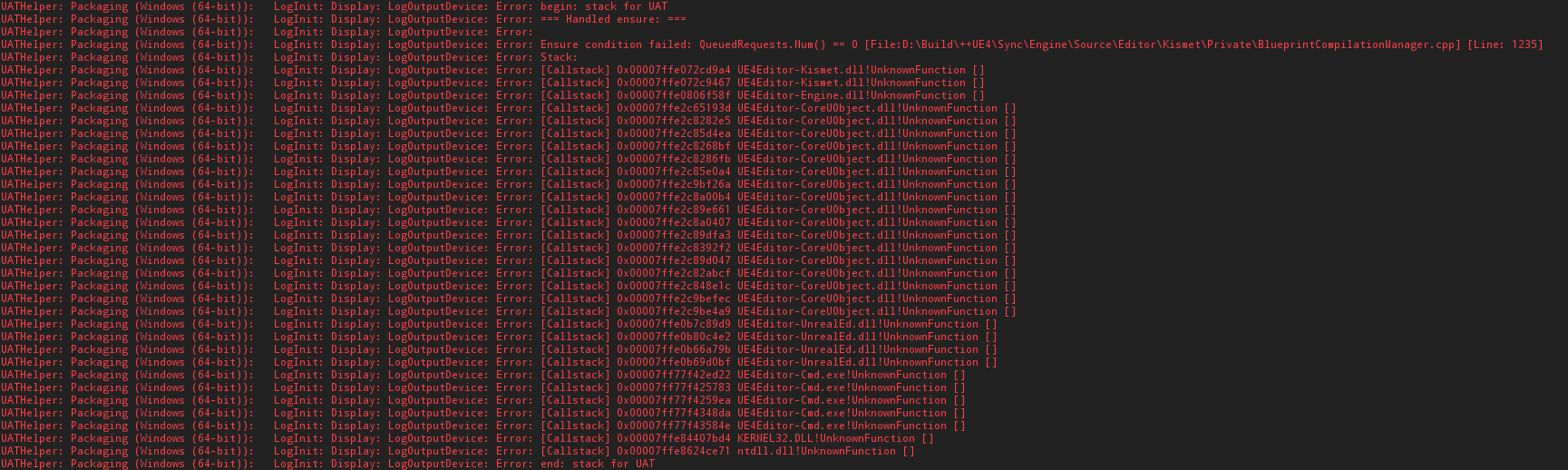


 wraith lake
thanks guys he seems to figure it out
open rapids
Does packaging automatically strip assets that are un-referenced?
mellow bane
Depends on your settings
vital narwhal
If you list at least one map it'll only cook things referenced by the map + always loaded/asset manager stuff
if you list nothing it cooks everything, which is basically never what you want, or you can enable that flag manually
 wheat raven
Has anyone created a patch for PS4 before? If so let me know I have some questions.
wraith lake
he achieved to build by retrying multiple times without doing anything